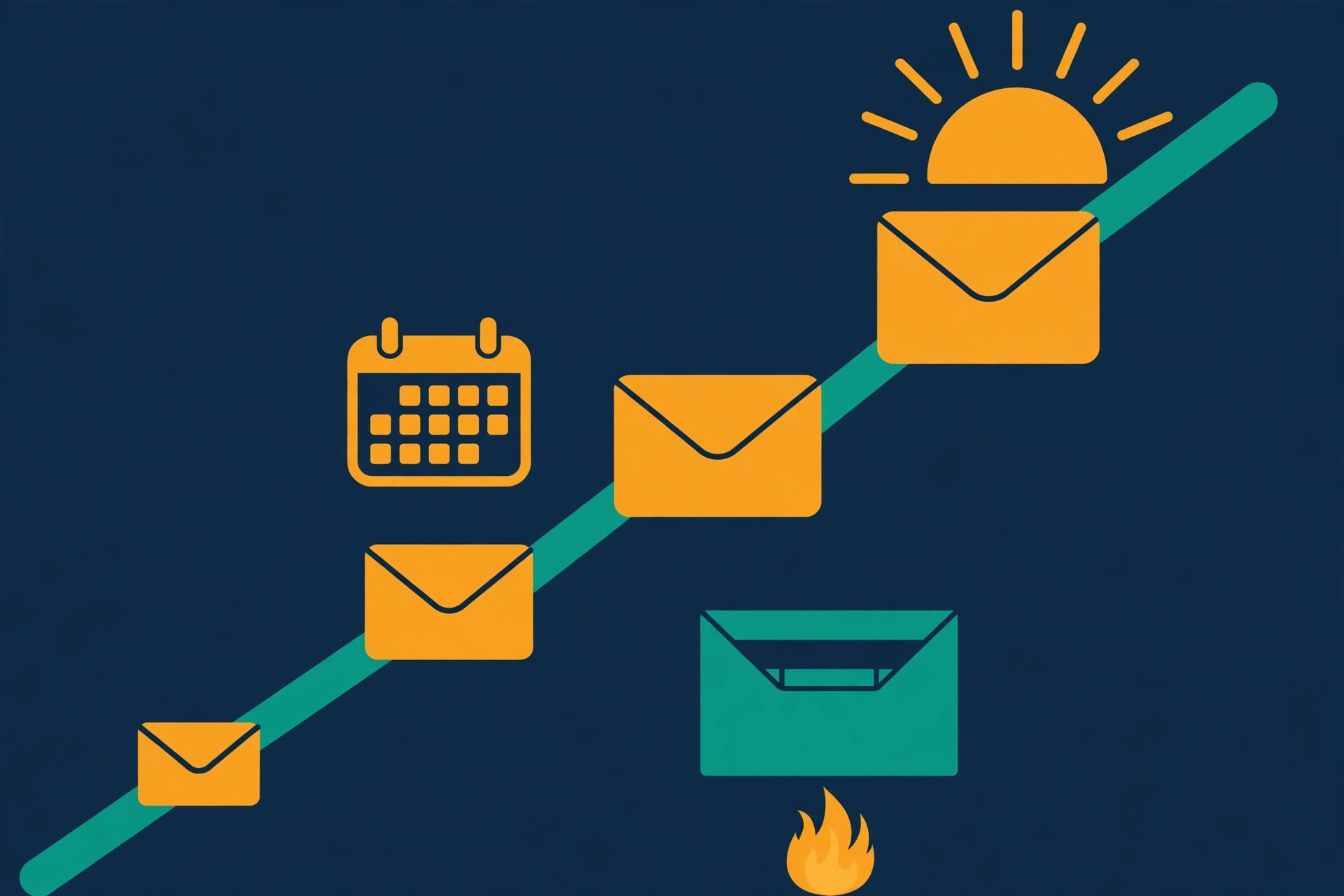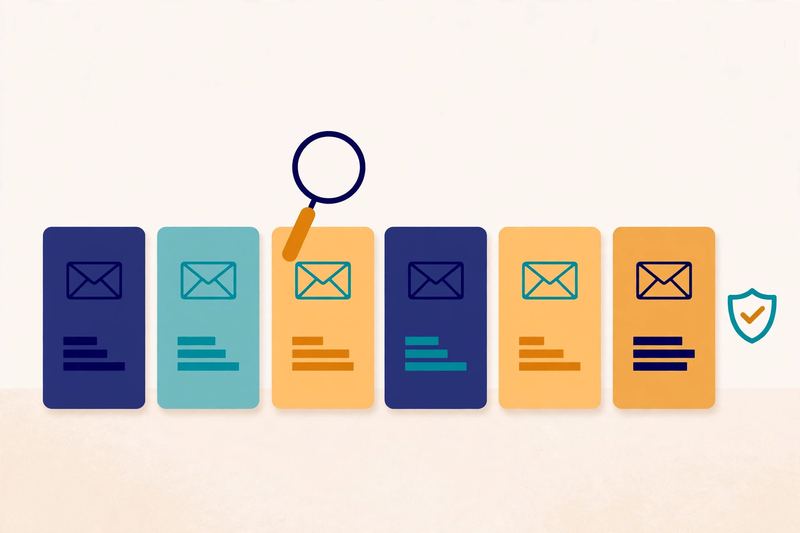
Category: Starter sequencing for founders & solo senders

Sequencing tools for a solo founder sending their first campaign — under 500 sends a month.

  • Best Cold Email Tools for Beginners 2026

    Best Cold Email Tools for Beginners 2026

    Last updated: 15 November 2026. Written for complete beginners — no prior cold email experience needed.

    Choosing your first cold email tool feels harder than it should. After all, every tool promises the same thing: more replies, better deliverability, and faster growth. In practice, the differences are smaller than the sales pages suggest — and the best cold email tools for beginners share the same few strengths. They are easy to set up, they protect your sender reputation, and they let you send a small first campaign without a week of training. This guide compares six of them side by side, with verified prices, trials and features, so you can pick one today and send your first emails this week. The good news is simple: there is no wrong choice here, only a better fit for your situation.

    Our shortlist for beginners: six tools, one clear pick each

    Instantly for high-volume sending, Woodpecker for the simplest first campaign, Smartlead for agencies and scale, Lemlist for personalised outreach, Apollo if you also need contacts, and Mailshake for simple sequences. Compare all six below, then pick one and send your first 25 emails this week.

    Compare the best tools Jump to the comparison table

    Quick Answer

    The best cold email tools for beginners in 2026 are Instantly, Woodpecker, Smartlead, Lemlist, Apollo and Mailshake. For most beginners, Woodpecker is the easiest first step, Instantly is the best choice once you want more volume, and Apollo is the best pick if you still need to find contacts. Five of the six offer a 14-day free trial, Apollo has a free plan, and Mailshake is the only one with no trial at all. Prices start from $29 a month, and every tool on this list includes built-in warmup. Pick the tool that matches your situation, start its trial, and send your first small campaign — the tool matters far less than the offer, the list and the follow-ups.

    Table of Contents

    The best cold email tools for beginners at a glance

    Here is the whole comparison in one place. First, scan the Best-for label on each row and find the one that matches your situation. Then check the trial column — five tools let you try before you pay, and Apollo even has a free plan. After that, read the short notes under the table. They explain the one catch on each tool, so nothing surprises you later.

    Six tools, six different strengths

    #ToolBest for & why beginners like itTry it first
    1Instantly
    ★ Best for: High-volume sending
    Unlimited mailboxes and warmup on every plan, simple to set up, and a 450M+ lead database as a bundle.
    14-day free trial, no card
    From $47/mo
    Visit Site →Check the site for current pricing & trial
    2Woodpecker
    ★ Best for: Simple & reliable
    A gentle learning curve, 3 warm-ups included, unlimited verification, and LinkedIn steps on the Multichannel plan.
    14-day free trial, no card, all features
    Check site for pricing
    Visit Site →Check the site for current pricing & trial
    3Smartlead
    ★ Best for: Agencies & scale
    Unlimited mailboxes and warmup, a master inbox for all replies, and SmartProspect lead data built in.
    14-day free trial, no card
    From $39/mo
    Visit Site →Check the site for current pricing & trial
    4Lemlist
    ★ Best for: Personalised outreach
    Images, video and LinkedIn steps in one sequence, lemwarm warmup, and a 650M+ contact database.
    14-day free trial
    From $69/mo
    Visit Site →Check the site for current pricing & trial
    5Apollo
    ★ Best for: Data + sending
    A huge B2B database and sending in one place, with a free plan you can learn on before paying anything.
    Free plan ($0)
    Paid from $49/user/mo
    Visit Site →Check the site for current pricing & trial
    6Mailshake
    ★ Best for: Simple sequences
    Easy sequences, A/B testing, and unlimited warmup and verification on every plan — but no free trial.
    No free trial, payment upfront
    From $29/mo
    Visit Site →Check the site for current pricing & trial

    A note on prices and trials

    Last checked: 15 November 2026. Prices and trials checked on the providers’ official pricing pages: Instantly, Smartlead, Lemlist, Woodpecker, Apollo, Mailshake. Features and pricing can change, so please check the provider’s site before you buy. We do not guess at features, prices or trials.

    Prefer video? Watch the best cold email tools ranked

    If you would rather watch than read, this ranking walks through the same tools — Instantly, Smartlead, Apollo and the rest — and explains which one fits which sender. It is a useful second opinion before you start a trial.

    Video credit: “Best Cold Email Tools In 2026 – S Tier Ranking” by Revenue Boost (AJ Cassata) on YouTube. This video is the creator’s property, embedded via YouTube for education. OutreachCompare is not affiliated with Revenue Boost and does not claim ownership of the video.

    How to choose the best cold email tools for beginners

    Start with your situation, not the feature list. For example, a solo founder sending 500 emails a month needs something very different from an agency sending 50,000. The best cold email tools for beginners all make the same promise, so judge them on fit, not on features. In fact, most beginners overthink this choice. The tool is only about 10% of your result — your offer, your list and your follow-ups do the rest. So pick the tool that fits today, and change later if you outgrow it. Switching tools is normal, and your list and your domain move with you.

    Three questions that narrow the shortlist

    First, ask how many emails you will send. If the answer is under 2,000 a month, almost any tool on this list will do. In that case, choose the simplest one and spend your energy on the offer instead. However, if you plan to send tens of thousands a month, unlimited mailboxes and inbox rotation matter much more. That is where Instantly and Smartlead earn their place.

    Second, ask whether you already have a list. If you do, a pure sending tool is enough. If you do not, a tool with a built-in database saves you a second subscription. Apollo, Lemlist and Instantly all bundle lead data, while Woodpecker and Mailshake include a smaller credit allowance. As a result, the cheapest sending plan is not always the cheapest setup.

    Third, ask how much hand-holding you want. Some beginners love a tool that does everything in one place. Others prefer a simple sender and a separate warmup tool. Neither approach is wrong. Above all, choose the tool you will actually open every day — the best tool is the one you use.

    A beginner at a laptop choosing between three paths to different cold email tools, with a checklist on the desk
    Choosing your first tool is a three-way decision: how much you will send, whether you already have a list, and how much hand-holding you want. Answer those three questions and the shortlist narrows itself to one or two names.

    A five-minute checklist for choosing cold email tools

    • Volume: under 2,000 emails a month? Pick the simplest tool. Over 10,000? Pick unlimited mailboxes.
    • List: no list yet? Pick a tool with a built-in database, such as Apollo or Lemlist.
    • Channels: want LinkedIn steps too? Pick Lemlist, Woodpecker or Apollo — not Instantly.
    • Budget: want to try before paying? Five tools offer a 14-day trial, and Apollo has a free plan.
    • Team: working alone? A flat monthly price beats per-seat pricing. Working in a team? Check the per-user cost first.

    Work through that list in order, and the answer usually picks itself. In short, match the tool to your volume, your list and your patience — then stop comparing and start sending.

    Deliverability and warmup: the feature that matters most in cold email tools

    Deliverability decides whether anyone ever sees your emails. In fact, a beautiful email in the spam folder is worth nothing. That is why warmup is the first feature to check on any tool. Warmup slowly builds your new domain’s reputation by exchanging emails with real inboxes, so Gmail and Outlook learn to trust you. The best cold email tools for beginners include warmup as standard — but the details differ, so read the notes in the matrix below.

    Warmup first, then send

    A new domain needs two to four weeks of warmup before real sending. During that time, send a few emails a day and build up slowly. Meanwhile, set up SPF, DKIM and DMARC on your sending domain. Our guide to setting up a sending domain walks through all three records step by step, and it is the best companion to this article.

    An email envelope rising along a warmup gauge towards an open inbox, with a shield and checkmark protecting it from spam
    Warmup is a slow ramp, not a switch: your new domain starts with a few emails a day and climbs steadily towards its normal volume over two to four weeks, while the shield — SPF, DKIM and DMARC — keeps spam filters on your side.

    Warmup alone is not enough, however. You also need a clean list, verified addresses, and sensible daily limits. For example, keep each mailbox under 30 to 40 emails a day at first, and add more mailboxes instead of pushing one harder. In addition, watch your bounce rate — under 2% is healthy — and pause any campaign that bounces. Google’s bulk sender guidelines explain what inbox providers expect, and they are worth a read before you scale.

    What to check before you pay for a cold email tool

    • Warmup included? Yes on all six tools here — but Lemlist’s lemwarm is not active during its trial, and Apollo’s warmup is on select paid plans.
    • How many warm-ups? Woodpecker includes 3 warm-ups; Instantly and Smartlead include unlimited warmup.
    • Verification included? Woodpecker and Mailshake include unlimited verification; the others verify through credits or add-ons.
    • Inbox rotation? Instantly and Smartlead rotate sending across your mailboxes, which spreads the load and protects each one.

    The six best cold email tools, up close

    Below is each tool in turn, with the honest trade-off. First, the Best-for label tells you who it suits. Then the short notes explain what beginners like, and what to watch out for. There are no scores here — we have not hands-on tested every plan, and a made-up score would not help you choose. That is how the best cold email tools for beginners should be compared: on fit, not on invented numbers.

    1. Instantly — Best for: high-volume sending

    Instantly is the volume pick. You connect unlimited email accounts for one flat monthly price, and warmup is unlimited on every plan. That combination is why so many beginners who plan to scale choose it first. The Growth plan starts from $47 a month and covers 5,000 emails and 1,000 uploaded contacts, with a 14-day free trial and no card required. Setting up a campaign takes minutes, and the built-in A/Z testing helps you learn what works.

    The catch is that lead data costs extra. Instantly’s 450M+ B2B database lives in a separate Credits plan, so budget for it if you have no list yet. Instantly is also email-only — there are no LinkedIn or call steps. If you only send email, that is a strength, not a weakness: fewer moving parts, fewer things to learn.

    Our verdict: pick Instantly if you plan to send real volume and want unlimited mailboxes for one flat price. Visit Instantly →

    2. Woodpecker — Best for: simple & reliable

    Woodpecker is the calmest first step on this list. The interface is plain, the learning curve is gentle, and the 14-day free trial includes every feature with no card required. Three warm-ups are included, verification is unlimited, and contacts storage is unlimited too. For a beginner sending a first campaign, that simplicity is worth more than a long feature list.

    The catch is the price page: Woodpecker does not show a simple monthly figure up front, so check the site for current pricing before you decide. LinkedIn steps need the Multichannel plan, and lead finding is a 100-credit allowance rather than a full database. If you already have a list, none of that matters — Woodpecker just sends, reliably.

    Our verdict: pick Woodpecker if you want the easiest possible first campaign and you already have a list. Visit Woodpecker →

    3. Smartlead — Best for: agencies & scale

    Smartlead is built for senders who manage many mailboxes, or many clients. Every plan includes unlimited email accounts and unlimited warmup, and the master inbox pulls all replies into one place. The Base plan starts from $39 a month, the lowest entry price on this list, with a 14-day free trial and no card required. The trial allows 2,500 sends and 1,250 contacts, which is enough to run a real first campaign.

    The catch is that some features are add-ons. Verified prospect emails are free on the Unlimited plans but a $59 a month add-on on Base and Pro. LinkedIn steps run through integrations, and calling needs the SmartDialer add-on. If you are a solo beginner, Smartlead can feel like more tool than you need — but it grows with you further than any other tool here.

    Our verdict: pick Smartlead if you send at scale, run campaigns for clients, or want the lowest starting price with unlimited mailboxes. Visit Smartlead →

    4. Lemlist — Best for: personalised outreach

    Lemlist is the personalisation pick. You can add custom images, video and LinkedIn steps to a sequence, so each prospect gets something that feels made for them. The 650M+ contact database is included, and the Email plan starts from $69 a month, with a 14-day free trial that includes Multichannel features and 200 credits. For founders selling a high-value offer to a small list, that personal touch is often the difference between a reply and silence.

    The catch is the price structure. LinkedIn, SMS and calling need the Multichannel plan at $109 per user a month, and pricing is per user, so a team pays more than a solo sender. Also note that lemwarm warmup is included in paid plans but switched off during the trial. If you send to a small, valuable list and personalisation matters, Lemlist earns its price.

    Our verdict: pick Lemlist if you sell to a small list of valuable prospects and want every email to feel personal. Visit Lemlist →

    5. Apollo — Best for: data + sending

    Apollo is the only tool here that finds contacts and sends emails in one place. The database holds 275M+ contacts, and the free plan costs $0, with 900 credits a year and two sequences — enough to learn the tool properly before paying. Paid plans start from $49 per user a month on annual billing, with unlimited sequences, CRM integrations and multichannel steps that mix email, LinkedIn tasks and calls.

    The catch is that sending is not Apollo’s strongest side. The free plan allows only two sequences, warmup is on select paid plans, and the dialer needs the Professional plan. Apollo suits a beginner who needs contacts first and sending second. If you already have a list, a dedicated sender will feel simpler.

    Our verdict: pick Apollo if you still need to find contacts and want one tool for data and sending, starting free. Visit Apollo →

    6. Mailshake — Best for: simple sequences

    Mailshake is the straightforward pick: build a sequence, add contacts, and let follow-ups run themselves. A/B testing is included, replies land in one inbox, and warmup and verification are unlimited on every plan. The Starter plan starts from $29 a month, the cheapest paid start on this list, with 1,500 sends a month and 50 Data Finder credits.

    The catch is the big one: Mailshake has no free trial. Payment is collected upfront, so you pay before sending a single test campaign. Pricing is also per user, and Starter allows only one mailbox — you need the $49 plan for two. If you are happy to pay for a short pilot to test it, Mailshake is simple and reliable. If you want to try before you pay, pick any of the other five first.

    Our verdict: pick Mailshake if you want simple sequences with unlimited warmup and you are happy to pay upfront for a pilot. Visit Mailshake →

    Quick comparison of the best cold email tools at a glance

    Features are only half the story — the plan they sit on matters just as much. This matrix shows the five features beginners ask about most, checked against each provider’s own site. Read the plan notes underneath before you decide, because a tick can hide a plan limit.

    FeatureInstantlySmartleadLemlistWoodpeckerApolloMailshake
    Cold email sending✓✓✓✓✓✓
    Built-in warmup✓✓✓✓✓✓
    Multichannel (email + LinkedIn / calls)—✓✓✓✓—
    Built-in B2B data / lead finder✓✓✓✓✓✓
    Free trial or free plan✓✓✓✓✓—

    Last checked: 15 November 2026. Sources: Instantly, Smartlead, Lemlist, Woodpecker, Apollo, Mailshake. Features and pricing can change, so please check the provider’s site before you buy. ✓ = the feature is stated on the provider’s site (some features only on certain plans — see the notes below). — = not confirmed for this tool. We do not guess at features, prices or trials.

    Plan notes: read these before you decide

    Plan notes, so the ticks above are not overstated: Instantly’s 450M+ lead database is a separate Credits/bundle plan, not the base Outreach plan, and Instantly is email-only (no LinkedIn or call steps). Smartlead’s LinkedIn steps run via integrations and calls via the SmartDialer add-on; its verified prospect emails are free on Unlimited plans and a $59/month add-on on Base/Pro. For Lemlist, LinkedIn, SMS and calling sit on the Multichannel plan, and lemwarm warmup stays off until you pay for a plan. Woodpecker’s LinkedIn steps need the Multichannel or LinkedIn plan, with 100 Lead Finder credits included. Apollo’s warmup is on select paid plans; its LinkedIn steps are manual tasks and its dialer is on Professional. Mailshake takes payment upfront and offers no free trial; its LinkedIn automation sits on the Sales Engagement plan, and Data Finder credits depend on the plan.

    What the best cold email tools for beginners actually cost

    The headline price is rarely the whole story. First, check whether lead data costs extra. Instantly’s 450M+ database, for example, is a separate Credits plan, not part of the base sending plan. Smartlead’s verified prospect emails are free on its Unlimited plans and a $59 a month add-on on Base and Pro. Lemlist’s lead data is included, while Woodpecker and Mailshake give you a limited credit allowance. As a result, two tools with the same monthly price can cost very different amounts in practice. The best cold email tools for beginners are the ones whose total cost — tool, data and add-ons — still fits your budget.

    Second, check the billing. Most tools charge less on annual billing — Instantly drops from $47 to $37.60 a month, Smartlead from $39 to $32, and Lemlist from $69 to $55. However, annual billing locks you in for a year. For your first tool, monthly billing is the safer choice, even if it costs a little more. You can switch to annual once you know the tool fits.

    Third, remember the sending domain itself. A new domain and a mailbox cost a few dollars a month on top of the tool. That is a small cost, and it protects your main domain. In total, most beginners can start properly for under $60 a month, including the tool, the domain and the mailbox.

    Your first week with your new cold email tool

    Day one is setup, not sending. Connect your sending domain, turn on warmup, and import a small list of 50 to 100 verified contacts. The best cold email tools for beginners make this setup quick: connect, warm up, import, send. Then write one short sequence: a first email and two follow-ups. Keep each email under 120 words, with one clear ask. Our beginner’s guide to cold email shows the whole system, from offer to first meeting, if you want the full picture.

    A cold email campaign dashboard showing three follow-up steps, a rising reply-rate chart and a first-week calendar
    Your first week in one picture: three follow-up steps in a row, a reply-rate chart that climbs as the sequence runs, and a calendar marking the first seven days. Setup on day one, first sends on day two, then watch replies — not opens.

    On day two, send your first 25 emails. Then wait, and answer every reply fast. In fact, replies are the whole point — a reply, even a no, tells you the email landed and was read. After a week, look at the numbers: replies, not opens. A reply rate around 3% is healthy for a first campaign, with 1 to 3% positive. If you are below that, change the offer or the list before you blame the tool.

    Prefer video? See five cold email tools tested side by side

    This walkthrough tests five cold email tools on the same campaigns and scores them on deliverability, channels, lead data and real cost. It is a handy reality check after reading the tables above — features on a pricing page and results in a live inbox are two different things.

    Video credit: “Best Cold Email Tools 2026” walkthrough by SmartReach.io (Lancelot Dsouza) on YouTube. This video is the creator’s property, embedded via YouTube for education. OutreachCompare is not affiliated with SmartReach.io and does not claim ownership of the video.

    Mistakes to avoid when picking a cold email tool

    The best cold email tools for beginners will not save you from these mistakes — they are about how you choose and use the tool, not which name you pick. Avoid these six, and your first campaign starts on solid ground.

    • Choosing on price alone. The cheapest plan can cost more once lead data and add-ons are counted.
    • Skipping the trial. Five tools offer 14 days free — use them. A trial tells you more in a week than a month of reading reviews.
    • Paying for features you will not use. LinkedIn steps and dialers are wasted if you only send email.
    • Ignoring the per-user trap. Lemlist, Apollo and Mailshake charge per user, so a team of five pays five times the headline price.
    • Forgetting warmup. A tool without warmup on your plan means buying a separate warmup tool — check before you pay.
    • Switching every month. Give your first tool at least one full campaign before judging it. Constant switching burns your warmup and your time.

    Frequently asked questions

    Which are the best cold email tools for beginners?

    For most beginners, Woodpecker is the simplest start, Instantly is the best choice once you want more volume, and Apollo is the best pick if you still need to find contacts. Our Best Cold Email Software hub compares them side by side — then start a free trial and send a small first campaign.

    Do I need a free trial before I choose a cold email tool?

    It helps a lot. Instantly, Smartlead, Lemlist and Woodpecker all offer a 14-day free trial, and Apollo has a free plan, so you can test five of the six tools without paying. Mailshake is the exception — it collects payment upfront and offers no trial.

    How much should a beginner pay for a cold email tool?

    The best cold email tools for beginners start from $29 a month (Mailshake) and run to $69 a month (Lemlist), with Smartlead from $39 and Instantly from $47. In total, most beginners can start properly for under $60 a month, including the tool, a sending domain and a mailbox. Start monthly, not annual, until you know the tool fits.

    Is warmup included in the best cold email tools for beginners?

    Yes. Every tool on this shortlist includes built-in warmup, which is one reason they made the list. The details differ: Instantly and Smartlead include unlimited warmup, Woodpecker includes 3 warm-ups, Lemlist’s lemwarm is not active during its trial, and Apollo’s warmup is on select paid plans. Our sending domain guide explains how warmup works alongside SPF, DKIM and DMARC.

    Can I switch cold email tools later?

    Yes. Your contact list and your sending domain move with you, and switching tools is normal as you grow. Expect a short re-warm period in the new tool, and export your lists and templates before you cancel the old one. That is another reason to start with a trial rather than an annual plan.

    Do I still need a separate sending domain?

    Yes. Every tool on this list works best with a separate sending domain, warmed up for two to four weeks, with SPF, DKIM and DMARC set up. Never send cold email from your main domain. See our sending domain guide and the cold email legal checklist before your first send, and read the FTC’s CAN-SPAM compliance guide for the US rules in plain language.

    Your next step

    You have the shortlist now. The best cold email tools for beginners only help if you use them, so pick one tool, start its trial, and send your first 25 emails this week. Then work through the rest of the beginner series: our complete beginner’s guide for the whole system, how to get your first email addresses for safe list building, the legal checklist for staying compliant, and the sending domain guide for SPF, DKIM, DMARC and warmup. Start on our Start Here hub, browse Best for more comparisons, and read individual tool write-ups in Reviews. You have everything you need to start.

    Keep reading — next in this series

    You have the shortlist now. Go deeper with the guides that go with it:

    Best for beginners: InstantlyStart your first cold email campaign Visit Site →
  • Cold Email for Beginners: The Complete 2026 Guide

    Cold Email for Beginners: The Complete 2026 Guide

    Last updated: 15 November 2026. Written for complete beginners — no prior cold email experience needed.

    For cold email beginners, the first email is the hardest part — and it gets much easier after that. Cold email sounds intimidating when you have never sent one. It is not. It is a short, honest email to a person you have never met, offering something that could genuinely help their business — and asking for a short reply. Thousands of startups, agencies and solo founders use it every day to win first customers and book first meetings. If you are starting from zero, you are in exactly the right place.

    Our pick for beginners: start simple, then scale

    Woodpecker or Mailshake for the simplest first campaign, Instantly when you are ready for high volume, Apollo if you also need to find contacts. Compare all six in the table below — then pick one and send your first 25 emails.

    Compare the best tools Jump to the comparison table

    Quick Answer

    Cold email for beginners, in one paragraph: first, pick a clear offer and a narrow group of people who need it, find their work addresses from safe, public sources, set up a separate sending domain with SPF, DKIM and DMARC, warm it up for two to four weeks, verify every address, then send short emails — 60 to 120 words, one clear ask — to 25 to 30 people a day per mailbox, follow up three or four times, and measure replies, not opens. In most cases, most beginners see first meetings within four to six weeks.

    Table of Contents

    What cold email is (and isn’t)

    In short, cold email is an unsolicited business email sent to someone you have no prior relationship with, for a legitimate business reason. The word “cold” describes the relationship, not the tone. Above all, a good cold email is warm, short and relevant. It is not spam. In contrast, spam is bulk, irrelevant, misleading email sent to huge lists with no thought for the recipient. Cold email, done properly, is the opposite: small lists, carefully chosen recipients, a real offer, and an easy way to opt out. In other words, you are contacting a business person, at their work address, about something related to their work — a normal, widely used part of B2B sales.

    Who cold email is for — and who should not use it

    For example, cold email works best if you sell to businesses, not consumers. It is ideal for founders and solo senders, agencies, B2B software companies and consultants — anyone whose customers are easy to identify by job title, industry or company size. For example, if you can name the 100 companies that would benefit most, it is probably a good fit.

    How cold email works, end to end

    In practice, the whole process has seven steps, in order: define your offer and ideal customer; build a small list; set up a separate sending domain and mailbox; warm that domain up; verify every address; write and send short emails, then follow up; read the replies, learn what works, and scale it.

    In short, that is the entire system — no secret step, and no expensive software needed to begin.

    The 7 steps, in order: 1. Offer & ideal customer  2. Small list (50–200)  3. Separate sending domain  4. Warmup (2–4 weeks)  5. Verify every address  6. Send short emails + follow-ups  7. Measure replies, learn, scale.

    Your first week as a cold email beginner

    For cold email beginners, a one-week plan beats a perfect plan. First, spend Monday on your offer and your ideal customer — one sentence each, written down, not in your head. Next, on Tuesday, build your list of 50 to 200 people from the safest sources above, and check every address against the company website. Then, on Wednesday, buy your sending domain, set up SPF, DKIM and DMARC, and start the warmup the same day.

    After that, use Thursday to write your first email and two follow-ups, and ask a friend to read them out loud — if they sound stiff, rewrite them in plain words. Finally, on Friday, send your first 25 emails, then stop and read every reply carefully.

    As a result, by the end of week one you will know three useful things: whether your offer makes sense to real people, which subject lines get opened, and what your first replies actually ask for. In addition, you will have a warmup running, a clean list, and a sending domain that is getting safer every day.

    However, do not rush the warmup to send more in week one — a new domain that suddenly sends hundreds of emails looks like spam, and that is exactly what you are trying to avoid. For example, if your warmup tool suggests 10 emails on day one, trust it, even if 10 feels slow. In short, week one is for learning, not for volume. Most cold email beginners who follow this order book their first meeting in week three or four, once the warmup has finished and the follow-ups have had time to work.

    Your offer and your ideal customer

    Before you write a single email, first answer two questions in one sentence each: what do you offer, and who is it for? For example: “We help dental clinics in Dublin fill empty appointment slots with Google Ads.” For example, vague offers — “we help businesses grow” — do not work, because nobody can tell if it applies to them.

    Next, your ideal customer profile has two layers: the company — industry, size, location and a trigger, like hiring a sales rep — and the person, the job title who feels the problem and can say yes, usually a founder, head of sales or marketing manager. As a result, a narrow list that fits beats a huge list that does not.

    Getting your first email addresses

    To begin with, aim for 50 to 200 people for your first campaign. In short, a small, accurate list is safer and more effective.

    Safest ways to get email addresses, in order

    1. Your own network and customers. People you already know and past clients — your warmest contacts.
    2. Lead magnets and inbound. A useful guide or checklist on your site that visitors exchange for their work email.
    3. Manual LinkedIn research. Search for your ideal job title and industry, and find the work email publicly listed on the company website.
    4. Licensed B2B databases. Tools such as Apollo let you search verified business contacts from a reputable provider.
    5. Publicly published work addresses. Addresses shown on a company website or speaker page for business contact.

    Avoid buying bulk email lists and avoid scraping addresses in bulk. In fact, bought lists are usually old and inaccurate, which hurts your deliverability and reputation. Start with the safe sources above — more than enough for your first 200 contacts. Read more in our Best B2B Data Providers hub.

    Setting up a sending domain: SPF, DKIM, DMARC and warmup

    Most importantly, never send cold email from your main business domain. Buy a similar, separate sending domain — for example, yourcompany.co if your site is yourcompany.com — and send only cold email from it. As a result, if anything goes wrong with deliverability, your main domain and regular email stay safe.

    Then set up three small technical records on that sending domain. At first, they sound technical, but your domain provider or your sending tool will walk you through them, and they take about 20 minutes in total. SPF says which servers are allowed to send email for your domain. DKIM adds a digital signature proving the email really came from you. DMARC tells receiving servers what to do if an email fails those checks. Together, they are the ID badge that tells Gmail and Outlook you are a real sender, not an impersonator.

    Sending domain setup for cold email: SPF, DKIM and DMARC authentication protecting your domain
    SPF, DKIM and DMARC are your domain’s ID badge. SPF lists the servers allowed to send for you, DKIM signs each email to prove it really came from you, and DMARC tells Gmail and Outlook what to do with anything that fails those checks. Set all three up before you send a single cold email.

    Warm up your new domain

    Finally, warm the domain up before you send to real prospects. Your warmup tool sends a small number of emails each day, gradually increasing over two to four weeks, while other warmup inboxes open and reply. See our Best Warmup Tools hub.

    A typical ramp looks like this: a handful of emails a day in week one, roughly double that in week two as replies come back, and your normal daily volume by weeks three to four. If open and reply rates look healthy and nothing lands in spam, you are ready to send to real prospects. If anything looks off, slow down — a domain that gets flagged early is much harder to fix than one you warmed up patiently.

    Cold email warmup timeline: gradually increasing sending volume over two to four weeks
    Warmup, week by week: start with just a few emails a day in week one, build steadily in week two, and reach your normal daily volume by weeks three to four. The rising envelopes show the ramp — never rush a new domain.

    Prefer to watch? Instantly’s official beginner tutorial walks through this exact setup — separate domain, warmup and SPF, DKIM and DMARC — live on screen:

    Video credit: “The BEST Cold Email Tutorial For Beginners in 2026” by Instantly on YouTube. This video is the property of its creator and is embedded here via YouTube for educational purposes. OutreachCompare is not affiliated with Instantly and does not claim ownership of this content.

    Writing your first email

    Above all, a good first cold email is short: 60 to 120 words, in plain language, written as if to one person — because it is. As a rule, long emails do not get read.

    • Subject line: short, specific and honest — for example, “Quick question about [their company]”. No clickbait or “Re:” tricks.
    • First line: a real observation about their company — a recent hire, a new product, or an industry problem.
    • One sentence on what you do: the outcome, not a feature list. “We help clinics like yours fill empty slots” beats a paragraph about your software.
    • One sentence of proof: a result or a number, if you have one. If not, skip it — do not invent one.
    • One clear ask: “Open to a 10-minute call on Tuesday?” One ask, not three.
    • Sign-off: your first name, your company, and a one-line opt-out.

    Personalisation means one genuine, specific line at the top that could only apply to them, on top of a clear template for the rest.

    Watch how the pros write it: Y Combinator’s Startup School episode on writing cold emails that convert — short, specific and easy to reply to:

    Video credit: “How To Convert Customers With Cold Emails” by Y Combinator Startup School on YouTube. This video is the property of its creator and is embedded here via YouTube for educational purposes. OutreachCompare is not affiliated with Y Combinator and does not claim ownership of this content.

    Here is the anatomy of that email, part by part — use it as a checklist before you hit send:

    Anatomy of a first cold email for beginners: subject line, greeting, short message and call to action
    Anatomy of a first cold email: a short, specific subject line at the top, one personal opening line, one sentence on the outcome you offer, one line of proof if you have it, and a single clear ask at the end — 60 to 120 words in total.

    A worked example, start to finish

    Here is a complete first email a cold email beginner could actually send. First, notice how short it is — 78 words — and how every line earns its place. Next, notice the one personal line at the top, the one outcome in the middle, and the one clear ask at the end.

    Subject: Quick question about [Clinic Name]

    Hi Sarah,

    I noticed [Clinic Name] has two empty Tuesday slots most weeks, and you are hiring a receptionist — so I guessed filling the diary is on your mind.

    We help dental clinics in Dublin fill empty appointment slots with Google Ads. One clinic added 11 bookings in its first month.

    Open to a 10-minute call on Tuesday to see if it would work for you?

    Thanks,
    Matthew, OutreachCompare
    Not interested? Reply “stop” and I will not email again.

    Why does this work? For example, the subject line is honest and specific, so it does not feel like a trick. In addition, the first line proves the sender looked at this clinic, not a list of ten thousand. As a result, the reader knows in seconds what is offered, what proof exists, and what to do next. However, the proof line only works if it is true — never invent a number, a client or a result. If you have no proof yet, simply leave that sentence out; a short, honest email beats a long, invented one every time.

    A cold email beginner’s pre-send checklist

    Before you press send, run through this list. First, is the email under 120 words? Next, does it name one real thing about this person or company? Then, is there exactly one ask — not two or three? After that, check the subject line: would you open it yourself? Finally, does the email include your name, your company and an easy opt-out? If any answer is no, fix that one thing before sending. In short, this two-minute check catches most beginner mistakes, and it is the habit that separates cold email beginners who get replies from those who get ignored.

    Sending limits and follow-ups

    To stay safe, start small: 25 to 30 emails per mailbox per day, never more than 40. Instead, to send more, add another mailbox on the same sending domain, rather than pushing one mailbox harder.

    In fact, most replies come from follow-ups, not the first email, so plan three or four: day 0, the first email; day 3, a short bump; day 7, a new angle or useful link; day 12–14, a final check-in; day 19–20, a polite close. In addition, each follow-up should add something new, and always stop immediately if someone asks you to stop.

    What to do when someone replies

    Replies are the whole point, so handle them well. First, answer the same day — a reply that waits three days goes cold, and a fast answer shows you are a real person who cares. Next, sort replies into three piles: interested, not now, and not interested. When someone is interested, offer two specific times for a short call, and keep the call to 10 or 15 minutes. When the answer is “not now”, thank them, ask when a better time would be, and note it down — then stop emailing until then. When the answer is no, thank them politely and add them to your suppression list immediately, so they never hear from you again.

    In addition, watch for the replies that are not replies at all: out-of-office messages, wrong-person forwards, and “please contact my colleague” notes are all useful, because they tell you who the right person is. As a result, every reply — even a no — makes your list better. However, never argue with someone who opts out, and never email them again to ask why. Finally, keep a simple note of what worked: which subject lines, first lines and offers got the warmest replies, and use more of those next week. That is how cold email beginners improve fast — not by sending more, but by learning from every reply.

    Measuring success

    Once you start sending, measure what matters, and ignore vanity numbers. For example, opens are unreliable since Apple Mail Privacy Protection, so do not optimise for opens alone. Instead, watch these.

    MetricHealthy target
    Bounce rateUnder 2%
    Spam complaint rateUnder 0.1%, never above 0.3%
    Reply rateAround 3% on average
    Positive reply rate1–3%
    Meetings booked2–3 per 100 emails sent

    High bounces mean your list needs verifying. High spam complaints mean your targeting is too broad. Low replies mean your offer or first line needs work — change one thing at a time and compare.

    Yes — cold email to businesses is a normal, widely used practice, and it is legal in most countries when you follow a short checklist. In other words, the rules stop spam and protect people, not you contacting a business about something relevant.

    • Contact the right person, for a relevant reason — a work email and a role that matches your offer.
    • Next, say who you are. Your real name, your company, and how you found them, in the first email.
    • Then, give an easy opt-out in every email — and honour it the same day, by adding them to a suppression list.
    • Keep data minimal and fresh, and remove people who ask to be removed.
    • In the US, follow CAN-SPAM: honest subject lines and headers, your postal address, and an opt-out honoured within 10 business days. See the FTC CAN-SPAM compliance guide.
    • For the EU and UK, most B2B cold email relies on legitimate interest under GDPR — document why the contact is relevant, and tell them where you got their details.
    • Canada, by contrast, CASL is consent-first, with implied consent for existing relationships and for work addresses published for business contact.
    • Germany and Austria are stricter: prior express consent is generally required, so use LinkedIn, calls or content marketing there instead.

    General information, not legal advice. Sending at large scale, or if you receive a regulator letter, speak to a lawyer. See our Is Cold Email Legal? page.

    Best tools to start with

    At this stage, you do not need the most expensive tool — you need one that is easy to use, sends reliably, and grows with you. To help you choose, here are six starter tools, ranked for a first campaign. Compare them in full on our Best Cold Email Software hub.

    #ToolKey strengthsStarting point
    1Instantly
    ★ Best for: High-volume sending
    Best for high-volume sending from unlimited mailboxes.
    ✓ Deliverability and inbox rotation
    ✓ Unlimited mailboxes and warmup built in
    14-day free trial Visit Site →Check the site for current pricing & trial
    2Smartlead
    ★ Best for: Agencies & scale
    Best for agencies and teams sending at scale.
    ✓ Deliverability-first sending
    ✓ Multi-client workspaces, Smart Prospect lead data
    14-day free trial Visit Site →Check the site for current pricing & trial
    3Lemlist
    ★ Best for: Personalised outreach
    Best for personalised, multichannel outreach.
    ✓ Images, video and LinkedIn steps
    ✓ lemwarm warmup and 650M+ contact database
    14-day free trial Visit Site →Check the site for current pricing & trial
    4Woodpecker
    ★ Best for: Simple & reliable
    Best for a simple, reliable first campaign.
    ✓ Low learning curve
    ✓ Deliverability checks and smart follow-ups
    14-day free trial Visit Site →Check the site for current pricing & trial
    5Apollo
    ★ Best for: Data + sending
    Best if you also need to find contacts.
    ✓ Built-in B2B database
    ✓ Data and sending in one tool
    Free plan available Visit Site →Check the site for current pricing & trial
    6Mailshake
    ★ Best for: Simple sequences
    Best for simple sequences and A/B testing.
    ✓ Easy sequences
    ✓ A/B testing and reply handling
    No free trial Visit Site →Check the site for current pricing & trial

    Last checked: 15 November 2026. The trial and starting-point details above come from each provider’s official pricing page — see the linked source note under the feature matrix below. Features and pricing can change, so please check the provider’s site before you buy.

    Our verdict for cold email beginners

    Our verdict — Best for beginners: Woodpecker or Mailshake for the simplest start, Instantly for high-volume sending, Apollo if you also need to find contacts. Finally, start with one tool, then add verification and warmup — see Best Email Verification Tools, Best Warmup Tools and Comparisons. We have not scored these tools yet — scores come only after hands-on testing. “Best for” labels reflect each tool’s stated focus.

    Quick comparison at a glance

    Same six tools, one view — so you can see at a glance which ones bundle warmup, multichannel steps or a contact database, and which keep it simple.

    FeatureInstantlySmartleadLemlistWoodpeckerApolloMailshake
    Cold email sending✓✓✓✓✓✓
    Built-in warmup✓✓✓✓✓✓
    Multichannel (email + LinkedIn / calls)—✓✓✓✓—
    Built-in B2B data / lead finder✓✓✓✓✓✓
    Free trial or free plan✓✓✓✓✓—

    Last checked: 15 November 2026. The features and trial information in this table are based on what we found on each provider’s official website on that date — Instantly, Smartlead, Lemlist, Woodpecker, Apollo, Mailshake. Features and pricing can change, so please check the provider’s site before you buy. ✓ = the feature is stated on the provider’s site (some features only on certain plans — see the notes below). — = not confirmed for this tool. We do not guess at features, prices or trials.

    Plan notes, so the ticks above are not overstated: Instantly’s 450M+ lead database is a separate Credits/bundle plan, not the base Outreach plan, and Instantly is email-only (no LinkedIn or call steps). Smartlead’s LinkedIn steps run via HeyReach/Aimfox integrations and calls via the SmartDialer add-on; its verified prospect emails are free on Unlimited plans and a $59/month add-on on Base/Pro. Lemlist’s LinkedIn, SMS and calling need the Multichannel plan. Woodpecker’s LinkedIn steps need the Multichannel or LinkedIn plan, and it includes 100 Lead Finder credits. Apollo’s warmup is on paid plans (1 mailbox included); its LinkedIn steps are manual tasks and its dialer is on Professional. Mailshake has no free trial — payment is collected upfront; its LinkedIn tasks are manual, and Data Finder credits are plan-limited.

    Common mistakes beginners make

    • Sending from your main domain. Always use a separate sending domain. After all, your main domain is too valuable to risk.
    • Skipping warmup. In fact, a new domain needs two to four weeks of warmup, or your emails will land in spam.
    • Buying a huge list. Start with 50 to 200 verified contacts. In the end, quality beats quantity, every time.
    • Writing long emails. For instance, if it is over 120 words, cut it in half.
    • Only sending once. Most replies come from follow-ups. Instead, plan three or four, each adding something new.
    • Optimising for opens. Optimise for replies and meetings instead.
    • Ignoring replies. Above all, answer fast, and stop emailing anyone who opts out — immediately.

    Frequently asked questions

    Is cold email legal for beginners?

    Yes, in most countries, when you follow a short checklist: contact a relevant business person, say who you are, give an easy opt-out, and honour it immediately. However, rules vary by country — Germany and Austria generally require prior consent. See our Is Cold Email Legal? page.

    How many cold emails should I send per day?

    Start with 25 to 30 per mailbox per day, never more than 40. To send more, add another mailbox.

    Do I need a separate domain for cold email?

    Yes. Use a separate sending domain with SPF, DKIM and DMARC, and warm it for two to four weeks.

    How long does cold email take to work?

    In most cases, most beginners see first meetings within four to six weeks, including warmup. Expect 2 to 3 meetings per 100 emails sent as a healthy start.

    What is a good reply rate for cold email?

    As a guide, around 3% reply rate, with 1 to 3% positive replies, is healthy. Focus on positive replies and meetings, not opens.

    Which cold email tool should a beginner start with?

    For cold email beginners, Woodpecker or Mailshake is the simplest start, Instantly is best for high volume, and Apollo if you also need contacts. Compare them in our Best Cold Email Software hub.

    Prefer video?

    Two videos are embedded in this guide: Instantly’s official beginner tutorial in the sending domain section and Y Combinator’s Startup School episode in the writing section. Both were verified on 15 November 2026. Both videos belong to their creators and are embedded via YouTube with credit beneath each one; OutreachCompare does not claim ownership of them.

    Your next step

    By now, you know the whole system. Work through it in order: start with our Start Here hub, then How Cold Email Works, then compare tools on Best and Best Cold Email Software, and read individual tool write-ups in Reviews. Our Guides hub has templates and more. You are in the right place.

    Keep reading — next in this series

    You have the beginner system now. Go deeper with the guides that follow it:

    Best for beginners: InstantlyStart your first cold email campaign Visit Site →

OutreachCompare

Compare B2B email outreach tools — cold email, deliverability, data and verification, tested and ranked for startups, agencies and enterprises.

Compare B2B email outreach tools — cold email, deliverability, data and verification, tested and ranked for startups, agencies and enterprises.

© 2026 OutreachCompare. All rights reserved.

Designed with WordPress