Your prospects are already on LinkedIn. Meet them there.
This linkedin outreach guide shows how to turn LinkedIn into a steady source of B2B conversations: a profile that earns trust, a safe daily pace, connection requests people accept, messages they answer, and the right tool for the job, whether you run one account or fifty.
Visit Lemlist →Explore Waalaxy →See HeyReach →Prices checked 16 November 2026 on the official sites of all seven providers. Features and pricing can change, so please check the provider’s site before you buy. We do not guess at features, prices or trials.
Quick Answer
LinkedIn outreach is the work of finding the right B2B buyers on LinkedIn, connecting with them, and starting conversations that lead to meetings, and it works because the people you want to reach check LinkedIn every working day, their job title is on their profile, and a message there feels like a conversation rather than a broadcast.
Start with a profile that proves you are real, send 10 to 15 connection requests a day at first, write a short note that says why you are reaching out, follow up with something useful once they accept, and move warm replies to email or a call. Lemlist is the best LinkedIn-first all-rounder from $69 a month, Waalaxy is the best dedicated LinkedIn automation from €19 a month, and HeyReach is the best pick for agencies running LinkedIn at scale from $79 a sender a month.
Contents
- Why LinkedIn works for B2B, and where it does not
- Safety first: LinkedIn’s rules, limits and account risk
- Profile setup that converts: headline, banner, about and proof
- Finding the right people: search, Sales Navigator and filters
- Connection strategy: notes, timing and acceptance rates
- Messaging sequences that get replies
- LinkedIn and email together: the multichannel sequence
- Tool comparison: seven LinkedIn tools, priced and verified
- Pros and cons: the honest case for each tool
- Who should pick which: a decision framework
- Frequently asked questions
- The verdict
A channel where the buyer is already listening
Firstly, LinkedIn is the only outreach channel where the prospect arrives already in work mode. Nobody opens LinkedIn to watch cat videos or argue about football. People open it to hire, to buy, to sell, to learn, and to be seen by their peers. A message that lands there lands in a professional frame of mind, and that frame is worth more than any clever subject line. This linkedin outreach guide starts from that simple fact, and everything after it follows from it.
Secondly, LinkedIn hands you the targeting that cold email makes you buy. Every profile carries a job title, a company, an industry, a location, and a history of posts, and all of it is visible before you write a word. You can see whether the person you want to reach actually does the job you think they do, whether their company is hiring, and whether they posted about the problem you solve last week. Cold email starts with a list. LinkedIn starts with a person.
Finally, every price and feature in this linkedin outreach guide was checked on the official sites on 16 November 2026. Where a vendor publishes no price, or where we could not confirm a figure on the page, this guide flags it openly. Jump to the tool comparison when the budget is the constraint, and start at the top when the goal is understanding how LinkedIn outreach actually works.
Why LinkedIn works for B2B, and where it does not
In fact, LinkedIn works for B2B because the decision maker is reachable there in a way they are not reachable anywhere else. A chief financial officer will not answer a cold call, and their inbox is guarded by an assistant and a spam filter. The same person scrolls LinkedIn between meetings, accepts a connection from someone in their industry, and reads a short message from a peer. The channel is not magic. It is simply the place where busy people still read messages from strangers.
Moreover, LinkedIn carries trust that email cannot borrow. A prospect who receives your email sees a name and a domain they have never heard of. A prospect who receives your LinkedIn request sees your photo, your headline, your company, your mutual connections, and your recent posts, all in one glance. That glance decides whether you look like a real person with a real business, or like another anonymous sender. The profile section later in this linkedin outreach guide shows how to pass that glance.
LinkedIn outreach guide: the three things LinkedIn does better than email
Firstly, LinkedIn is better at starting a relationship, because the connection itself is a small commitment that costs the prospect nothing. Accepting a request is easier than replying to an email, and once they have accepted, your messages arrive in a chat they already open every day. Email asks for a reply to a stranger. LinkedIn asks for a connection first, and the reply comes later, inside a relationship that already exists.
Secondly, LinkedIn is better at showing intent, because people signal what they care about in public. A prospect who liked three posts about hiring salespeople this week is telling you they have a hiring problem. A founder who shared a post about expanding into Germany is telling you they have an expansion problem. Email can only guess at timing. LinkedIn shows it, in the open, on the prospect’s own profile.
LinkedIn outreach guide: where LinkedIn falls short
For example, LinkedIn is worse than email at volume, and the gap is large. A good cold email setup can send hundreds of first emails a day across many mailboxes. A single LinkedIn account can send roughly twenty connection requests a day without drawing attention, and the weekly ceiling is far lower than most senders expect. LinkedIn is a precision channel, not a volume channel, and a sender who needs a thousand touches a day should build an email engine first and use LinkedIn for the accounts that matter most.
In sum, LinkedIn is also worse at reaching people who rarely log in. Senior executives in some industries check LinkedIn once a month, or never, and their profiles sit untouched for years. Trades, logistics, and some manufacturing buyers live on email and the phone, not on LinkedIn. Before building a LinkedIn campaign, check whether your buyers actually use the platform: search for ten of them, look at when they last posted, and let the answer decide how much of your budget goes here. Our Best Cold Email Tools for LinkedIn-First Outreach 2026 article ranks the tools that cover both channels at once.
Safety first: LinkedIn’s rules, limits and account risk
Secondly, safety comes before strategy, because a restricted LinkedIn account ends the campaign on the spot. LinkedIn’s rules prohibit software that automates activity on the site, including browser extensions and tools that send invitations, messages, or profile visits on your behalf. LinkedIn can restrict an account that breaks those rules, temporarily or permanently, and no tool can guarantee that will not happen. Every tool in this linkedin outreach guide carries that risk, and any vendor that promises otherwise is not telling you the truth.
In fact, the risk is real but manageable, and the way to manage it is to behave like a person. LinkedIn watches for patterns that no human produces: a hundred invitations in an hour, identical messages sent to fifty people in five minutes, profile visits at three in the morning, and activity that never pauses. A human sends a few requests, reads a few profiles, answers a few messages, and stops for lunch. Tools that mimic that rhythm, with random delays, daily caps, and working-hours schedules, draw far less attention than tools that blast.
LinkedIn outreach guide: the limits that keep an account safe
| Limit | Safe starting pace | What happens if you push it |
|---|---|---|
| Connection requests | 10 to 15 a day for the first two weeks, then 20 to 25 a day | Too many requests, or too many ignored, triggers a weekly cap or a warning |
| Weekly invitations | About 100 a week is the practical ceiling most practitioners report | LinkedIn does not publish an exact number; the cap varies by account age and history |
| Messages to connections | No hard cap, but keep it human: a few dozen a day, with real replies in between | Identical copy-paste messages at speed look automated and earn reports |
| Profile visits | Visit profiles you genuinely intend to contact, a few dozen a day | Thousands of visits a day with no messages is a classic automation signal |
| New accounts | Start at 5 a day for the first month, and build slowly | A brand-new account sending 25 requests a day is the fastest route to a restriction |
The paces above are practitioner guidance, not LinkedIn’s published rules: LinkedIn does not publish an exact weekly invitation limit, and the real cap varies by account. Last checked: 16 November 2026.
LinkedIn outreach guide: the warning signs, and what to do about them
Moreover, LinkedIn usually warns before it restricts, and the warning is worth heeding. A message that says you have sent too many invitations, a temporary block on new requests, or a request to verify your identity are all signs to stop, wait a week, and cut the daily volume in half. A sender who ignores the first warning often gets the second, and the second is usually a restriction that lasts weeks. Patience after a warning costs a few days. Ignoring it can cost the account.
For example, the safest setup is boring on purpose. Use one LinkedIn account per person, on that person’s own device or a dedicated residential proxy, with activity only inside working hours. Keep the acceptance rate healthy by targeting well: a request that gets ignored counts against you, and a request that gets reported counts double. And never automate from an account you cannot afford to lose. If the account is your personal profile with ten years of connections, send by hand, or keep the automation gentle and the volume low.
LinkedIn outreach guide: warming up a LinkedIn account
Finally, a LinkedIn account needs warming up just like an email domain does. A new account, or an old account that has been quiet for a year, should spend two to three weeks behaving like a normal user before any outreach: complete the profile, post twice a week, comment on other people’s posts, accept the invitations that arrive, and send a handful of requests to people you actually know. The account builds a history of normal behaviour, and normal behaviour is the best protection there is. Our Multichannel and AI Personalisation Guide 2026 covers the wider multichannel system this guide sits inside.
Profile setup that converts: headline, banner, about and proof
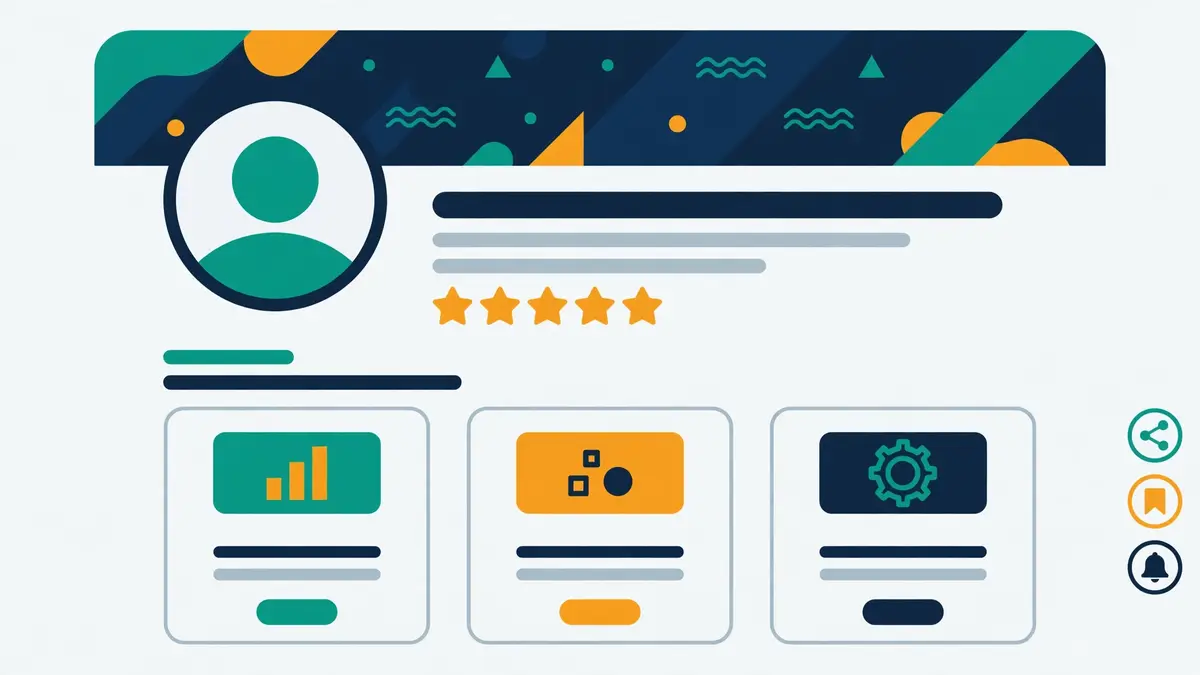
Secondly, your profile is the landing page for every connection request you send, and prospects decide in about five seconds whether you look worth connecting with. They see your photo, your headline, and your banner before they read a word of your note, and those three things answer one question: is this a real person who can help me, or is this a salesperson with a quota? A profile that answers well gets accepted. A profile that looks like a sales pitch gets ignored.
In fact, the headline is the most valuable line on the whole profile, because it travels everywhere your name does. It appears under your name in search results, in connection requests, in comments, and in messages. A headline that says “Sales Manager at Acme” tells the prospect nothing about why they should talk to you. A headline that says “I help finance teams close the books in half the time” tells them exactly what you do, for whom, and what changes. Write the headline for the prospect, not for your employer.
LinkedIn outreach guide: the banner, the photo and the about section
Firstly, the banner is free advertising space that most people waste on a stock photo of a city skyline. Use it to say what you do in one line, with your company name and a simple promise, in large type that reads on a phone. The photo should be a clear headshot, facing the camera, with a plain background and a smile: prospects connect with people, not logos, and a photo of a logo instead of a face is the single most common reason a request gets ignored.
Secondly, the about section should read like a short conversation, not a CV. Two or three short paragraphs: who you help, what problem you solve, and what happens when someone works with you, plus one line inviting the right people to connect. End with proof, not adjectives: a number, a client name, or a result. “Helped 40 finance teams cut month-end close from ten days to five” beats “passionate results-driven professional” every single time.
LinkedIn outreach guide: featured, experience and recommendations
Moreover, the featured section is where proof lives, and proof is what turns a connection into a conversation. Pin your best post, a short case study, a client testimonial, or a link to a useful guide, and keep it to three items at most. The experience section should list results under each role, not duties: what changed because you were there. And recommendations matter more than endorsements, because a written recommendation from a real client is a testimonial a prospect can trust, while a hundred skill endorsements from strangers mean very little.
For example, ask three happy clients for a recommendation this week, and write the first draft for them: most people are glad to help and short of time, and a short draft they can edit gets a yes far more often than a blank request. One genuine recommendation is worth more than a hundred connections, because it answers the question every prospect asks after they accept: can I trust this person? A profile with proof gets replies. A profile without it gets polite silence.
Finding the right people: search, Sales Navigator and filters
Secondly, finding the right people is the step most senders rush, and rushing it is the most expensive mistake in any linkedin outreach guide’s playbook. Every connection request sent to the wrong person costs a slot in the weekly limit, damages the acceptance rate, and wastes a follow-up that could have gone to a real buyer. A list of a hundred perfect prospects beats a list of a thousand approximate ones, and this linkedin outreach guide keeps coming back to that point, because the perfect hundred accept, reply, and book calls, while the approximate thousand ignore you and teach LinkedIn to distrust your account.
In fact, the free LinkedIn search is enough to start with, and it is better than most senders think. Search by job title, filter by location and industry, look at second-degree connections first, and read the profiles that come back. Second-degree connections accept at higher rates, because they can see a mutual connection, and the mutual connection is a small piece of trust before you have said a word. Start there, and only pay for more search power when the free search runs out of good names.
LinkedIn outreach guide: Sales Navigator, and whether it is worth paying for
| Sales Navigator plan | Price, as listed by LinkedIn | What you get |
|---|---|---|
| Core | $119.99/mo, or $1,079.88/yr ($89.99/mo) | Advanced search with 50+ filters, lead recommendations, alerts, 50 InMail credits a month, 10,000 saved leads |
| Advanced | $159.99/mo, or $1,799.88/yr ($149.99/mo) | Everything in Core, plus TeamLink, shared lists, Smart Links and buyer intent signals |
| Advanced Plus | Quoted by LinkedIn’s sales team | Everything in Advanced, plus full CRM sync and ROI reporting |
Sales Navigator prices are LinkedIn’s own list prices, read from LinkedIn’s plans page in October 2026 checks; they vary by region and currency, so check LinkedIn’s checkout for your price. Every plan includes a 30-day free trial. Last checked: 16 November 2026.
LinkedIn outreach guide: when Sales Navigator pays for itself
Moreover, Sales Navigator is worth paying for when you prospect on LinkedIn every week. The advanced search alone justifies it: fifty filters instead of a handful, including company headcount, seniority, years in role, and recent job changes, plus saved lead lists that update themselves and alerts when a prospect changes jobs or their company posts news. A job change is one of the best outreach triggers there is, because a new hire in a buying role is looking for tools, and Sales Navigator tells you the day it happens.
For example, a solo professional who targets one city and one trade can often do without it, and should spend the money on an outreach tool instead. A team that builds lists every week, or an agency that prospects for clients, will save the subscription price in the first month through better targeting alone. Sales Navigator finds people. It does not message them, and it sends no invitations for you: pair it with a sequencing tool from the comparison later in this linkedin outreach guide, or send the requests by hand. Our B2B Data Enrichment Guide 2026 covers the data tools that fill the gaps LinkedIn search leaves.
LinkedIn outreach guide: the filters that matter, and the ones that do not
Finally, the filters that matter are the ones that describe a buying situation, not a demographic. Seniority and function matter, because a message to a head of finance lands differently from a message to a junior analyst. Company headcount matters, because a ten-person company buys differently from a thousand-person one. Recent job changes, company growth, and hiring activity matter most of all, because they describe a company in motion, and a company in motion has problems to solve and budget to solve them with.
In sum, the filters that do not matter are the ones that only describe a person. School, graduation year, and listed skills rarely predict whether someone will buy, and filtering on them shrinks the list without improving it. Build the list on role, company, and trigger, then read ten profiles from it before sending anything: if eight of them are genuine buyers, the list is good. If four of them are students, recruiters, or the wrong department, rebuild it before spending a single invitation.
Connection strategy: notes, timing and acceptance rates
Secondly, the connection request is the smallest ask in the whole campaign, and that is exactly why it works. You are not asking for a meeting, a demo, or a reply. You are asking to be connected, which costs the prospect one click and no commitment at all. A request that respects that smallness gets accepted. A request that smuggles a sales pitch into the note gets ignored, because the prospect can see the pitch coming and declines the whole conversation in advance.
In fact, the note that comes with the request is limited to 300 characters, and that limit is a gift: it forces you to be short. The best notes are two sentences long. The first says who you are, in plain words. The second says why you are reaching out, in terms of something specific to them. “Hi Sarah, I help finance teams close the books faster. I noticed your team just hired three accountants, and I would love to connect.” That is a handshake, not a pitch, and handshakes get accepted.
LinkedIn outreach guide: note or no note?
Firstly, the debate about blank requests against requests with a note has run for years, and the honest answer is that both work, for different audiences. A blank request gets accepted at a high rate when the profile does the selling: the prospect looks at your headline, sees you are relevant, and clicks accept. A request with a short, specific note gets accepted at a high rate when the prospect would otherwise wonder who you are. Test both on your own audience, with fifty requests each, and let your acceptance rate decide.
Secondly, one rule holds whatever you choose: never pitch in the connection note. A note that says “we help companies like yours save 30% on software, book a call here” is a cold email squeezed into 300 characters, and it performs like one. The note’s only job is to earn the connection. The pitch comes later, after they have accepted, after you have said something useful, and after they have had a reason to trust you.
LinkedIn outreach guide: when to connect, and when to follow instead
Moreover, timing matters more than most senders think. Send requests during working hours in the prospect’s time zone, Tuesday to Thursday, when people are at their desks and checking LinkedIn between tasks. Requests sent on a Sunday evening sit unread until Monday, and by Monday they sit under a pile of newer ones. A steady batch each morning, ten to fifteen a day, beats a hundred sent in a single Friday afternoon, and it keeps the account safe at the same time.
For example, following is the right move when a connection request would be premature. A prospect who posts every day, whose content you genuinely read, or who is senior enough that a cold request looks presumptuous, is better approached with a follow and a thoughtful comment first. Engage with two or three of their posts over a week, then send the request with a note that mentions the post you liked. They recognise the name, because they saw it in their comments, and the acceptance rate jumps.
LinkedIn outreach guide: what a good acceptance rate looks like
Finally, a good acceptance rate is the earliest signal that the campaign is working, and it is worth tracking from day one. A well-targeted campaign to second-degree connections, with a complete profile and a short specific note, should see 40% to 60% of requests accepted. A campaign below 25% is telling you something is wrong: the targeting is too broad, the profile looks like a sales account, or the note reads like a pitch. Fix the targeting first, then the profile, then the note, in that order.
In sum, the acceptance rate is also a safety metric, because LinkedIn watches it. A high rate tells LinkedIn that people want to hear from you. A low rate, with many requests left unanswered or marked as “I don’t know this person”, tells LinkedIn the opposite, and the weekly cap tightens. Every ignored request is a small vote against your account, which is one more reason to target tightly and to withdraw requests that have sat unanswered for three or four weeks.
Messaging sequences that get replies
Secondly, the first message after a connection accepts is the moment the campaign is won or lost, and this linkedin outreach guide puts that message at the centre of the plan. The rule is simple: say something useful before you ask for anything. A new connection who receives a pitch within the hour learns that the connection was a trap, and the trap closes the conversation before it starts. A new connection who receives a short, friendly message, a useful link, or a genuine question about their work, learns that the connection was real, and replies.
In fact, the best first message is three lines long. The first line thanks them for connecting, in plain words. The second line says something specific about them: a post they wrote, a hire they made, a problem their industry faces. The third line asks one easy question, or offers one useful thing, with no meeting attached. “Thanks for connecting. I read your post about month-end close, and the spreadsheet problem you described is exactly what we fix. Would it help if I sent you the checklist we use with finance teams?” That message earns a reply, because it offers value before it asks for time.
LinkedIn outreach guide: a five-step sequence that works
| Step | When | What to send |
|---|---|---|
| 1. Connect | Day 1 | Connection request with a short specific note, or a blank request if your profile sells itself |
| 2. First message | Day 1 to 2, after they accept | A thank-you, one specific observation, one easy question or one useful offer |
| 3. Value follow-up | Day 4 to 5 | Something useful: a guide, a checklist, a short video, a relevant post |
| 4. Soft ask | Day 8 to 10 | A short meeting ask with a clear reason and a low commitment: fifteen minutes, one topic |
| 5. Break-up | Day 14 to 16 | A polite close that leaves the door open: “Shall I close the loop for now?” |
The sequence above is a starting point, not a script: adapt the timing to your audience, and stop the sequence the moment someone replies. Last checked: 16 November 2026.
The full journey, from connection to customer
Video: From LinkedIn Connection to Customer: The Full Journey by Andy the Marketer on YouTube. This video is the creator’s property, embedded via YouTube for education. OutreachCompare is not affiliated with Andy the Marketer and does not claim ownership of this video.
Moreover, the video above shows the whole journey in practice, recorded live: building a target list, sending a small batch of connection requests every day, welcoming each new connection with a short personal message, and starting conversations that have a real reason behind them. The routine takes about thirty-five minutes a morning, and the discipline is the point: the same steps, every working day, with no shortcuts. Watch how the prospecting, the welcome message, and the move to a real conversation fit together.
For example, notice what the video does not do. It does not pitch in the first message, it does not send a hundred requests in an afternoon, and it does not automate the parts a person should do. The parts worth automating are the reminders, the tracking, and the follow-up scheduling. The parts worth doing by hand are the first message, the reply, and the conversation itself. A tool can keep the sequence moving. Only a person can make it feel like a conversation.
LinkedIn outreach guide: voice notes, and when to use them
Finally, a voice note is the most human message LinkedIn offers, and it works precisely because almost nobody uses it. A thirty-second voice message, recorded on your phone, in your own voice, saying their name and one specific thing, stands out in an inbox full of typed text. Use it after they accept, as the second or third touch, for the prospects that matter most. Record it in a quiet room, keep it under a minute, and end with one question. A voice note sent to everyone is spam with audio. A voice note sent to twenty dream accounts is a personal touch.
In sum, the follow-up is where most campaigns die, because most senders stop after one message. A prospect who did not reply is not a prospect who said no: they were busy, they meant to reply, or your message arrived on their worst day of the month. Two or three polite follow-ups, each adding something useful, will double or triple the replies a campaign earns. After the third follow-up with no answer, close the loop politely, and move on: a graceful exit keeps the relationship warm for the day they do need you. Our Cold Email Sequencing Guide 2026 covers the same follow-up discipline for email.
LinkedIn and email together: the multichannel sequence
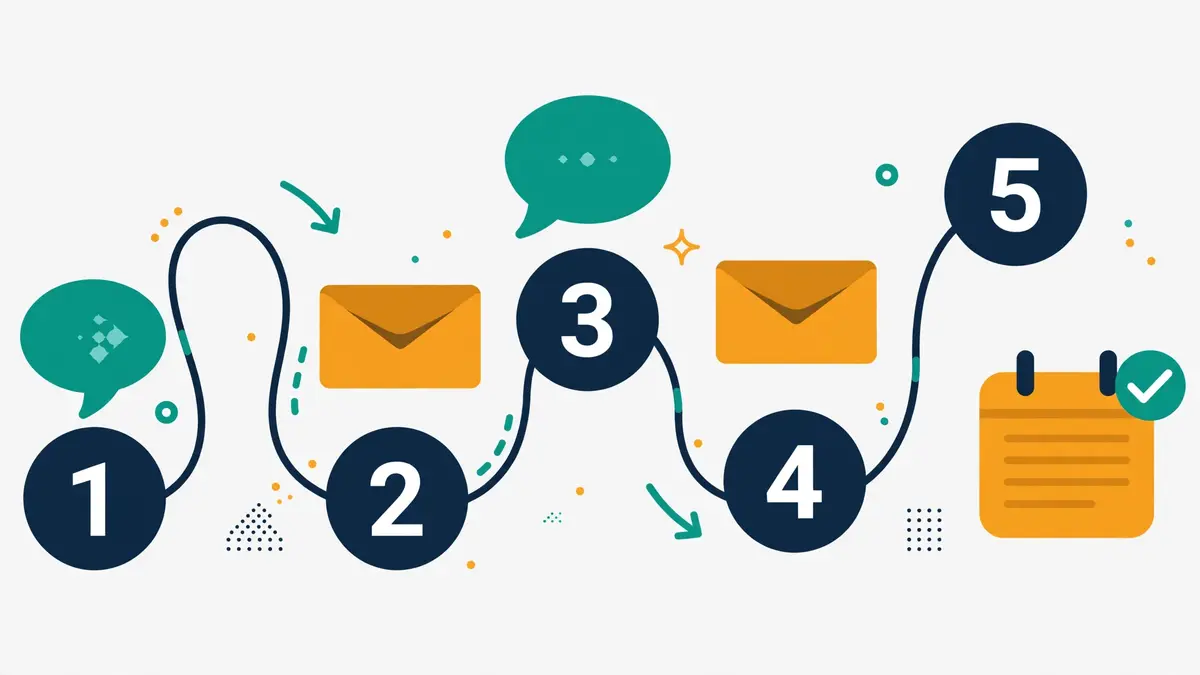
Secondly, LinkedIn and email together beat either channel alone, and that pairing is the heart of this linkedin outreach guide, because each channel covers the other’s weakness. Email reaches volume that LinkedIn cannot, and it reaches people who rarely log in. LinkedIn reaches the inbox that email cannot, because a LinkedIn message arrives in a chat the prospect already opens, and it carries the trust of a visible profile. A prospect who ignores your email may accept your LinkedIn request. A prospect who ignores your LinkedIn message may reply to your email. The second touch, on the second channel, is often the one that lands.
In fact, the order matters, and the order that works best for most B2B sellers is LinkedIn first, email second. Connect on LinkedIn, wait for the acceptance, send one useful message, and only then send the email, which can now say “we connected on LinkedIn” and mean it. The email arrives warm, because the prospect has already seen your name, your face, and your headline. Reversing the order works too, when email is the stronger channel for your audience: send the email first, and use LinkedIn to follow up with the people who opened it but did not reply.
LinkedIn outreach guide: a seven-touch multichannel sequence
| Touch | Channel | When | What happens |
|---|---|---|---|
| 1 | Day 1 | View the profile, then send the connection request | |
| 2 | Day 2 | Short first email, one specific observation, one easy question | |
| 3 | Day 3, if connected | Thank-you message with something useful attached | |
| 4 | Day 5 | Follow-up with a case study or a result, not a repeat of touch two | |
| 5 | Day 8 | Comment on their latest post, then send a short message | |
| 6 | Day 11 | Soft meeting ask: fifteen minutes, one topic, two time options | |
| 7 | Day 15 | Voice note or polite break-up that leaves the door open |
The sequence above alternates channels so the prospect hears from you in two places, never twice in a row on the same one. Stop every step the moment someone replies. Last checked: 16 November 2026.
A LinkedIn strategy that actually converts
Video: LinkedIn Strategy That Actually Converts | Elizabeth’s Real Results by DoneMaker on YouTube. This video is the creator’s property, embedded via YouTube for education. OutreachCompare is not affiliated with DoneMaker and does not claim ownership of this video.
Moreover, the video above shows what happens when the strategy is human-powered rather than automated: a social media strategist who grew her business by targeting carefully, messaging personally, and following up with genuine care, turning leads into revenue over seven months. The lesson is not the tool she used. It is the patience: real targeting, real messages, and real follow-up, repeated until the results compounded.
For example, the multichannel rule that matters most is the stop rule. The moment a prospect replies anywhere, every sequence on every channel stops, and a person takes over. Nothing damages trust faster than an automated follow-up that arrives after a prospect already said yes, or after they already said no. The tools in the comparison below handle this with reply detection and “if connected” logic, and that logic is worth more than any extra feature: it is the difference between a sequence and a conversation.
LinkedIn outreach guide: when to move the conversation off LinkedIn
Finally, LinkedIn is where conversations start, and it is rarely where they should finish. A prospect who is interested should move to email or a call quickly, because LinkedIn chat is a poor place to send a proposal, a contract, or a calendar invite. The move is easy once they have replied: “Shall I send the details by email? What is the best address?” That question does two things at once: it moves the deal to a channel you control, and it gives you their real email address, which is an asset no LinkedIn connection can replace.
In sum, keep the multichannel mix honest about what each channel is for. LinkedIn opens doors and builds trust. Email carries detail, proposals, and follow-ups at volume. A call closes. A campaign that tries to close on LinkedIn will stall, because the channel is built for conversation, not for paperwork. And a campaign that never leaves email will miss the buyers who only answer on LinkedIn. Use both, in the order your buyers prefer, and let the reply decide where the conversation goes next.
Tool comparison: seven LinkedIn tools, priced and verified
Secondly, the seven tools below cover the whole LinkedIn job between them: finding people, automating the safe parts, pairing LinkedIn with email, and managing replies at scale. No single tool does all of it, and the right choice depends on which part of the job matters most to you. When LinkedIn is the whole campaign, the answer is Waalaxy or HeyReach. If LinkedIn is one channel among several, the answer is Lemlist or La Growth Machine. And where LinkedIn is an add-on to an email tool you already use, the answer is Snov.io or Reply.io.
In fact, we read all seven prices on the official sites on 16 November 2026, and the table flags any figure the page itself did not show. Where a vendor publishes no price for a feature, this guide flags the gap instead of filling it with a guess. The comparison is split into two tables so each one stays readable: the first covers what each tool does on LinkedIn, and the second covers what it costs.
LinkedIn outreach guide: what each tool does on LinkedIn
| Tool | LinkedIn automation | Email built in | Database | Unified inbox |
|---|---|---|---|---|
| Lemlist | Yes: visits, invites, chat, voice notes | Yes, plus calling, WhatsApp, SMS | Yes, 650M+ leads | Yes |
| Waalaxy | Yes: 99+ sequences, AI Prospect Finder | Only on Business, €69/mo | Email Finder credits only | Paid add-on, €20/mo |
| HeyReach | Yes: sender rotation, If Connected logic | No native email; pairs with Instantly, Smartlead, EmailBison | No | Yes |
| La Growth Machine | Yes: LinkedIn, email, voice notes, X/Twitter unconfirmed | Yes, multichannel sequences | Yes, 27M+ companies | Yes, with Reply Agent on Pro |
| Apollo | Manual tasks only, not automated | Yes, full sequencing | Yes, 240M+ contacts | Yes |
| Snov.io | Yes, as a $69/slot add-on | Yes, full sequencing | Yes, email finder and verifier | Yes |
| Reply.io | Yes, as a $69/account add-on | Yes, full sequencing | Yes, data credits included | Yes |
The table above covers what each tool does on LinkedIn. Apollo is the exception: its LinkedIn steps are manual tasks, and Apollo’s own help centre says it does not automatically complete LinkedIn tasks for you. Last checked: 16 November 2026.
LinkedIn outreach guide: what each tool costs
| Tool | Starting price | Free trial | Best for |
|---|---|---|---|
| Lemlist Visit site → | $69/mo Email, $55 annual; Multichannel $109/user/mo, $87 annual | 14 days, plus 200 credits | LinkedIn-first all-rounder |
| Waalaxy Visit site → | €19/user/mo Pro; €49 Advanced; €69 Business | 14 days | Dedicated LinkedIn automation |
| HeyReach Visit site → | $79/sender/mo Growth; Agency $999/mo; Unlimited $2,999/mo | 14 days, no card | LinkedIn scale for agencies |
| La Growth Machine Visit site → | €60/mo Basic; €120 Pro; €180 Ultimate, per identity | 14 days, no card | Multichannel with enrichment |
| Apollo Visit site → | $0 Free; $49/user/mo Basic; $99 Professional | Free plan, no time limit | Data and email, LinkedIn by hand |
| Snov.io Visit site → | $39/mo Starter, $29.25 annual; LinkedIn add-on $69/slot | Free trial plan | Budget LinkedIn add-on |
| Reply.io Visit site → | From $59/mo Email Volume; LinkedIn add-on $69/account | 14 days | LinkedIn inside an email stack |
Prices above were read on the official sites on 16 November 2026. Features and pricing can change, so please check the provider’s site before you buy. We do not guess at features, prices or trials.
Reading the comparison honestly
Moreover, the market splits three ways in this linkedin outreach guide. Waalaxy and HeyReach are LinkedIn specialists: they live on LinkedIn, and they do the LinkedIn job properly. Lemlist and La Growth Machine are multichannel tools: LinkedIn is one channel among several, and the value is in running them together. Apollo, Snov.io and Reply.io are email-first tools with LinkedIn attached, and the LinkedIn part is either manual, as with Apollo, or an add-on you pay extra for, as with Snov.io and Reply.io. A buyer who wants LinkedIn done well should start with a specialist or a multichannel tool, not with an add-on.
For example, the lowest headline price rarely means the lowest bill. Waalaxy Pro at €19 a month looks cheap next to Lemlist Multichannel at $109 a user a month, until the buyer adds the email tool, the database, and the calling they still need. A single subscription that covers LinkedIn, email, and data can cost less than three cheap tools that each do a third of the job. Count the cost of the full stack before you decide, not the headline price of one tool.
Pros and cons: the honest case for each tool
Secondly, every tool below has a genuine weakness, and this linkedin outreach guide spells it out. A guide that hides the downsides is a sales page wearing a different name. The downsides matter because they tell you who should walk away, and a buyer who sees them up front can choose with open eyes.
Lemlist: the LinkedIn-first all-rounder
Firstly, Lemlist’s strength is breadth: email, LinkedIn visits, invites, chat and voice notes, in-app calling, WhatsApp and SMS, all in one sequence, backed by a 650M+ lead database and a 14-day trial with 200 credits. Its weakness is price and seat logic: Multichannel costs $109 per user a month, $87 on annual billing, and the Email plan at $69 a month is a flat workspace price that covers unlimited users, so a solo sender pays the same as a team of five for email alone. A buyer who only needs LinkedIn will find Waalaxy cheaper.
Waalaxy: the dedicated LinkedIn tool
Secondly, Waalaxy’s strength is focus and price: €19 a user a month buys 300 invitations a month, 99+ ready-made sequences, an AI Prospect Finder, and a tool built only for LinkedIn, with 200,000+ users behind it. Its weakness is that email only arrives on the €69 Business plan, the unified inbox costs another €20 a month as an add-on, and there is no free plan listed, only a 14-day trial. A buyer who wants email and LinkedIn in one subscription should look at Lemlist or La Growth Machine instead.
HeyReach: the agency scale play
Moreover, HeyReach’s strength is scale done safely: sender rotation across many LinkedIn accounts, a unified inbox, “If Connected” sequence logic, a hard 40-actions-a-day limit per account, and an API, MCP server, webhooks and CLI on every plan. Its weakness is honest and worth stating twice: there is no native email, so multichannel means pairing it with Instantly, Smartlead or EmailBison, and there is no database, so the lists come from elsewhere. A solo sender with one account will find it more tool than they need.
La Growth Machine: the enrichment-led multichannel tool
For example, La Growth Machine’s strength is data: a 27M+ company database, waterfall enrichment from nine providers, credits on every plan, and a dedicated mobile proxy per identity, which is the safety feature most tools charge extra for. Its weakness is price per identity: €60 a month for Basic, €120 for Pro and €180 for Ultimate, and every person who sends pays, while teammates who only prepare campaigns join free. X/Twitter is not listed on the current official pricing page, so treat it as unconfirmed rather than as a feature.
Apollo: the data giant, LinkedIn by hand
Finally, Apollo’s strength is the database and the email engine: 240M+ contacts, full sequencing, and a free plan that stays free, from $49 a user a month on Basic and $99 on Professional. Its weakness is the one that matters most in this guide: LinkedIn steps are manual tasks, and Apollo’s own help centre says it does not automatically complete LinkedIn tasks for you. A buyer who wants LinkedIn automated should not buy Apollo for LinkedIn. Buy it for data and email, and do the LinkedIn steps by hand.
Snov.io: the budget add-on
In sum, Snov.io’s strength is price: Starter at $39 a month, $29.25 on annual billing, with a full email sequencer, finder and verifier included, and LinkedIn automation as a $69-a-slot add-on. Its weakness is that LinkedIn is an add-on, not the core, and the add-on is priced per slot, so the cost grows with every LinkedIn account you connect. A buyer who runs LinkedIn as their main channel will outgrow the add-on model and should look at Waalaxy or HeyReach.
Reply.io: LinkedIn inside an email stack
Secondly, Reply.io’s strength is the email engine it attaches LinkedIn to: Email Volume from $59 a month, Multichannel from $99 a user a month, unlimited mailboxes and contact storage, and a LinkedIn add-on at $69 an account that covers requests, messages, InMails, voice messages and post likes. Its weakness is the same as Snov.io’s: LinkedIn is an add-on, and the agencies that run LinkedIn at real volume will find the specialist tools deeper. A buyer who already runs Reply.io for email should add LinkedIn here. A buyer starting from scratch should compare Lemlist first.
Who should pick which tool
Secondly, the right pick follows from your situation, not from a feature checklist. The framework below starts from the problem, because a buyer who picks a scale tool for a one-person job has spent money and solved nothing. Find your row, and the pick follows.
LinkedIn outreach guide: pick the tool that matches the situation
| Your situation | Pick this | Why |
|---|---|---|
| Solo founder, first LinkedIn campaigns | Waalaxy Pro or Advanced | Dedicated LinkedIn automation from €19 a month, with ready-made sequences |
| Agency running many LinkedIn accounts | HeyReach Growth or Agency | Sender rotation and a unified inbox from $79 a sender a month |
| One tool for LinkedIn, email and calling | Lemlist Multichannel | All channels in one sequence, 650M+ database, from $109 a user a month |
| Multichannel with deep enrichment | La Growth Machine Pro | 27M+ company database and waterfall enrichment, €120 a month per identity |
| Already on Apollo for data and email | Apollo, LinkedIn by hand | 240M+ contacts and full email sequencing; do the LinkedIn steps manually |
| Budget LinkedIn on top of an email tool | Snov.io with the LinkedIn add-on | $39 a month for the sequencer, plus $69 a slot for LinkedIn |
| LinkedIn inside an existing email stack | Reply.io Multichannel with the LinkedIn add-on | From $99 a user a month, plus $69 an account for LinkedIn |
The framework above starts from the situation, not the feature list. Find your row first, then confirm the price on the provider’s site before you buy. Last checked: 16 November 2026.
Ask these two questions first
Moreover, two questions come before any spending. First, how many LinkedIn accounts will actually send: one, five, or fifty? A tool priced per sender looks cheap for one account and expensive for twenty, while a tool priced per workspace looks expensive for one person and cheap for a team. Second, is LinkedIn the whole campaign or one channel among several? A specialist wins the first case, and a multichannel tool wins the second.
For example, a solo founder with one account and a tight list needs Waalaxy Pro, or Lemlist Email plus hand-sent LinkedIn, and nothing else. An agency with twenty client accounts needs HeyReach, with sender rotation and a unified inbox, and a separate email tool for the multichannel steps. Buy the solo setup for a solo job, and the agency setup for an agency job: the wrong size in either direction costs money, time, or both.
Frequently asked questions
LinkedIn outreach guide: is LinkedIn outreach safe?
Firstly, LinkedIn outreach is safe when it behaves like a person, and risky when it behaves like a bot. LinkedIn’s rules prohibit software that automates activity on the site, and an account can be restricted for breaking them, so no tool can guarantee safety. Keep the volume human, ten to fifteen requests a day at first, target tightly so most requests are accepted, and never automate from an account you cannot afford to lose.
LinkedIn outreach guide: how many connection requests can I send a day?
Secondly, start at ten to fifteen a day for the first two weeks, then twenty to twenty-five a day on an established account, and treat about a hundred a week as the practical ceiling. LinkedIn does not publish an exact number, and the real cap varies by account age and history. New accounts should start at five a day for the first month. A warning from LinkedIn means stop, wait a week, and cut the volume in half.
Should I send a note with my connection request?
Moreover, a short specific note usually helps, because it tells the prospect why you are reaching out in terms of something real about them. Keep it to two sentences inside the 300-character limit, and never pitch in the note. A blank request also works well when your profile sells itself, so test both on fifty requests each and let your own acceptance rate decide.
LinkedIn outreach guide: what is the best LinkedIn outreach tool?
For example, there is no single best tool, only the best tool for your situation. Lemlist is the best LinkedIn-first all-rounder, from $69 a month. Waalaxy is the best dedicated LinkedIn automation, from €19 a month. HeyReach is the best pick for agencies running LinkedIn at scale, from $79 a sender a month. La Growth Machine is the best multichannel pick when enrichment matters, from €60 a month per identity.
Can I automate LinkedIn outreach completely?
Finally, you can automate the safe parts, and you should do the human parts by hand. Tools can queue requests, schedule follow-ups, track replies, and stop a sequence when someone answers. They cannot write a first message that reads like it was written for one person, answer a real question, or hold a conversation. Automate the reminders and the tracking, and write the messages yourself.
Should I do LinkedIn or email first?
In sum, do both, and start with LinkedIn. Connect on LinkedIn, send one useful message once they accept, and then send the email, which can now say you connected on LinkedIn and mean it. The email arrives warm, because the prospect has already seen your name, your face, and your headline. A prospect who ignores one channel often answers on the other, and the second touch is often the one that lands.
The verdict
The verdict
LinkedIn outreach works because the buyer is already there, in work mode, with their job title on their profile and their interests in public. A profile that proves you are real, ten to fifteen connection requests a day, a short note that says why you are reaching out, a useful first message, and a polite follow-up will earn more meetings than any amount of volume sent to the wrong people.
Best LinkedIn-first all-rounder: Lemlist, from $69 a month, for LinkedIn, email and calling in one sequence. Waalaxy leads on dedicated LinkedIn automation, from €19 a month, for a solo sender who wants LinkedIn done properly. HeyReach leads on LinkedIn at scale, from $79 a sender a month, for agencies running many accounts safely. La Growth Machine leads on multichannel with enrichment, from €60 a month per identity. We have not hands-on tested these tools ourselves, so there are no numeric scores here, only the verified prices and the honest trade-offs above.
Your first three moves
Secondly, make your first three moves today. Fix the headline, write the about section for the prospect, and send ten connection requests to people you have actually researched. Those three moves cost nothing, take less than an hour, and show you exactly where you stand. If half of them accept, the targeting is right, and the campaign can grow. If almost none accept, fix the profile and the list before sending another request.
Finally, remember that LinkedIn is the start of the conversation, not the whole of it. A connection who replies deserves a fast, human answer, and a prospect who is interested deserves a move to email or a call, where the real work happens. Our Best Cold Email Tools for LinkedIn-First Outreach 2026 article ranks the tools that run both channels, and our Cold Email Sequencing Guide 2026 shows what to do once the conversation starts.
Keep reading
- Best Cold Email Tools for LinkedIn-First Outreach 2026 — the LinkedIn-first tools, ranked and priced
- Multichannel and AI Personalisation Guide 2026 — the wider multichannel system this guide sits inside
- Lemlist Review 2026 — the LinkedIn-first all-rounder, in depth
- Waalaxy Review 2026 — the dedicated LinkedIn automation tool, in depth
- HeyReach Review 2026 — LinkedIn at agency scale, in depth
- Instantly vs Lemlist — two sequencers, priced and compared
- Lemlist vs Smartlead — two more sequencers, priced and compared
- Cold Email Sequencing Guide 2026 — follow-ups that get replies, on email and LinkedIn
- Inbox Placement Guide 2026 — get the email half of multichannel into the inbox
- B2B Data Enrichment Guide 2026 — the data tools that fill the gaps LinkedIn search leaves
Leave a Reply