
Best for multi-sender LinkedIn scale: HeyReach
HeyReach is a LinkedIn automation tool built around one idea. Put many LinkedIn accounts into a single campaign. Then rotate the sending between them, so no single account carries the whole load. Replies from every sender land in one shared inbox. That is the whole pitch, and for agencies it is a strong one. This HeyReach review works through the pricing as published on 15 November 2026. It covers sender rotation, the unified inbox, the MCP server, and how HeyReach compares with Waalaxy, La Growth Machine and Lemlist. By the end you should know whether HeyReach fits your team, or whether a simpler tool would serve you better.
Visit HeyReach → Jump to the comparison tableLinkedIn holds the people most B2B teams want to reach. Founders, hiring managers, heads of sales, and budget holders all spend time there. Yet reaching them at scale is awkward. One person can only send so many connection requests a day. LinkedIn watches the pace, and it watches the pattern too. Push one account too hard, and that account can be restricted. So teams either accept a slow trickle of outreach, or they spread the work across several accounts by hand. That manual spread is where the pain starts. People log in and out of accounts all day. Replies hide in five different inboxes. Nobody knows which account sent what, or who already answered. HeyReach exists to take that mess away, and this HeyReach review looks at how well it does the job.
The promise is simple enough. Connect as many LinkedIn accounts as you need. That is the claim this HeyReach review tests against the vendor’s own pricing and feature pages. Build one campaign. HeyReach rotates the sending across your senders, and it gathers every reply into one inbox. Your team answers from the right account without ever switching logins.
On top of that, the tool adds an API, webhooks, and an MCP server on every plan. That last point matters more than it sounds. It means an AI agent can run LinkedIn outreach through HeyReach, which is still rare in this market. The vendor says more than 5,500 companies use the tool. Its own benchmark data covers 96,051 campaigns, with a typical acceptance rate near 21% and a reply rate near 22%. Those are the vendor’s own numbers, so treat them as a guide rather than a guarantee. Even so, they give a useful sense of what good looks like on the platform.
There is a catch, and it is worth stating early. HeyReach does not send email itself. If your sequence needs cold email, you connect Instantly or Smartlead and let that tool send the email steps. HeyReach handles the LinkedIn side. For a LinkedIn-first team that is fine, even elegant. For a team that wants one tool for every channel, it is a real trade-off. The price also starts at $79 a month per sender on the Growth plan. A single person with one LinkedIn account pays that full amount for LinkedIn steps alone. That makes HeyReach a poor fit for solo prospecting on a tight budget, and a strong fit for agencies and sales teams that run many senders at once. The rest of this review unpacks that judgement in detail.
Quick Answer
HeyReach is a cloud-based LinkedIn automation platform for agencies, sales teams and growth teams that run outreach from many LinkedIn accounts at once. Its core features are automatic sender rotation across unlimited senders in one campaign, a unified inbox for every reply, and an API, webhooks and an MCP server on every plan. Pricing starts at $79 a month per sender on Growth (or $59 per sender from 10 senders), with flat Agency bundles at $999 a month for 25 senders and $1,399 for 50, and Unlimited at $2,999 a month for up to 300 senders. There is a 14-day free trial with no card required. HeyReach does not send cold email itself; email steps run through native Instantly or Smartlead integrations. It is best for agencies and teams with several senders. It is not the cheapest choice for one person with one account.
Contents
- What HeyReach actually does
- Who HeyReach fits best — and who should look elsewhere
- HeyReach review pricing: what each plan costs
- Sender rotation: the feature everything else hangs on
- One inbox for every sender
- Campaigns, sequences and signal-based triggers
- AI agents, the API and the MCP server
- Multichannel without sending email itself
- Safety, limits and the honest risk
- HeyReach against Waalaxy, La Growth Machine and Lemlist
- Strengths and weaknesses, side by side
- Getting started in a day
- Frequently asked questions
- The verdict in this HeyReach review
What HeyReach actually does
HeyReach is a LinkedIn automation tool for agencies, sales teams, and growth teams. Its homepage headline promises unlimited senders at one fixed cost, and a tenfold increase in LinkedIn outbound. The product behind that headline is a cloud-based platform. You connect LinkedIn accounts to it, and it runs your campaigns from its own servers. Your browser does not need to stay open. Each sender runs through a dedicated proxy on the Growth plan. This HeyReach review starts with the homepage claims, then checks them against the pricing page and the help centre. That matters, because it keeps each account’s activity separate from the others. On the Agency and Unlimited plans, you bring your own proxies instead. This HeyReach review treats that detail as a real cost to plan for, not a footnote.
A campaign in HeyReach starts with a list of leads. You can import contacts from Sales Navigator, from Clay, from RB2B, from HubSpot, or from any other tool you already use. Then you build a sequence of LinkedIn steps. Connection requests come first, followed by messages, InMails, profile views, follows, post likes, and voice notes. The sequence builder also offers “If Connected” logic. That lets you split people who already accepted from people who have not, and treat each group differently. In practice, that keeps your follow-ups relevant. Someone who already connected gets a warm message. Someone who has not yet accepted gets a nudge, or nothing at all, depending on how you set it up.
HeyReach review: what happens once a campaign runs
Once a campaign runs, two things happen automatically. First, HeyReach rotates the sending across every sender in the campaign. No one account sends everything. Second, every reply from every sender lands in the same unified inbox. Your team reads and answers from one place. The platform also tags warm leads automatically, and it runs sentiment analysis on replies, so the most interested people surface first. Real-time data shows how each campaign performs, and a blacklist keeps you from contacting the same leads or companies twice across a workspace. In short, HeyReach takes the repetitive machinery of LinkedIn outreach and runs it in the background, while your team spends its time on the conversations that actually move deals forward. That summary is the backbone of this HeyReach review, and the sections below test each part of it.
HeyReach review: the six features that matter
- Sender rotation: one campaign spreads its sending across every connected LinkedIn account, so volume grows by adding senders rather than by pushing one account harder.
- Unified inbox: replies from all senders appear in one place, with tags, assignment, and canned replies for fast follow-up.
- LinkedIn steps: connection requests, messages, InMails, profile views, follows, post likes, and voice notes, with “If Connected” branching.
- Lead import: bring lists from Sales Navigator, Clay, RB2B, HubSpot, or any other tool, and push website-visitor signals straight into campaigns.
- Developer access: API, webhooks, a CLI, and an MCP server on every plan, so AI agents and other tools can drive outreach.
- Multichannel handoff: native integrations with Instantly, Smartlead, and EmailBison add email steps, because HeyReach sends no email itself.
One more point deserves a clear sentence. HeyReach is not a lead database. It does not sell you a list of 650 million contacts, the way Lemlist does. It does not offer a 27 million-company database, the way La Growth Machine does. Instead, it gives you enrichment credits: 100 per sender on Growth, 1,000 on Agency, and 3,000 on Unlimited. You use those credits to find verified emails for the leads you already have. That is a different model, and it shapes who should buy the tool. If you already know who you want to reach, HeyReach is a strong fit. If you need the tool to find the people for you, look at a database-led rival instead. The comparison table later in this HeyReach review makes that trade-off concrete.
Who HeyReach fits best — and who should look elsewhere
HeyReach fits agencies first. A lead generation agency runs campaigns for many clients, and each client needs its own senders, its own workspace, and its own brand. HeyReach gives agencies workspaces and permissions, so each client stays separate. It also gives them whitelabel branding on the Agency plan, with one brand included free, and multi-brand whitelabels on Unlimited. Add unlimited teammates, virtual assistants, and clients at no extra charge, because HeyReach charges per sender rather than per user. That pricing choice is the whole reason agencies like it. Your team can grow without your bill growing, as long as the sender count stays the same. In practice, that makes the flat Agency bundles easy to budget. You know the monthly cost before the month starts, whatever your team does inside the tool.
Sales teams with several reps come next. Each rep connects their own LinkedIn account as a sender. The team runs one campaign together, and HeyReach rotates the sending between the reps. Replies land in the shared inbox, so a manager can see every conversation, and any rep can pick up a thread. That shared view matters when a rep is away, or when a hot lead needs a fast answer. Growth teams and go-to-market operators form the third group. They often run signal-based campaigns, where a website visit or a post engagement triggers outreach automatically. HeyReach supports that flow, and its MCP server lets an AI agent run the whole loop. For a team that already uses Clay, n8n, or Make, HeyReach slots into the stack without friction. That fit is one reason this HeyReach review rates the tool highly for go-to-market teams.
HeyReach review: who should look elsewhere
Now the other side. HeyReach is a weak fit for one person with one LinkedIn account and a small budget. At $79 a month, that person pays the same as an agency pays for its first sender, yet gets far less value from rotation and the shared inbox. A simpler tool costs far less for the same single-account job. Waalaxy, for example, starts at €19 a month per user and covers one account well.
Meanwhile, a founder who needs email as well as LinkedIn should look at a tool that sends both natively. La Growth Machine runs LinkedIn, email, and calls in one sequence from €60 a month per identity. Lemlist runs five channels from $109 a month per user. Both cost less than HeyReach plus a separate email tool, at least at small scale. Finally, anyone who needs a built-in prospect database should skip HeyReach. It enriches the leads you bring, but it does not find them for you.
HeyReach review: the early stage exception
There is also a group in the middle who should pause before buying. Early-stage startups with under $250,000 in annual revenue and fewer than five people may qualify for HeyReach’s early stage program. That program offers a heavily discounted plan with everything needed to start filling a pipeline. If you qualify, the price objection largely disappears, and the trial becomes worth your time.
If you do not qualify, run the numbers honestly first. Add the sender cost, the cost of your own proxies on Agency or Unlimited, and the cost of Instantly or Smartlead if you need email steps. That total is the number this HeyReach review asks every reader to work out before buying. Then compare that total with a single multichannel tool. Sometimes HeyReach still wins, because rotation and the inbox are genuinely better. Sometimes it does not, and that is fine. The right answer depends on how many senders you run, not on how good the tool looks in a demo.
HeyReach review pricing: what each plan costs
HeyReach sells four plans. Growth is the entry plan, priced per sender. Agency and Unlimited are flat bundles for larger teams. Done for you is a managed service with custom pricing. The pricing page lists monthly figures first, and it offers quarterly billing at a 10% discount and yearly billing at a 20% discount. This HeyReach review uses the monthly figures from the official pricing page, checked on 15 November 2026, and it notes the discounts rather than listing every billing combination. One caution is worth a sentence here. HeyReach’s own pricing page and its own help centre differ by about $1 on some quarterly and yearly figures, so check the live page for the exact number before you budget. The monthly figures below are the ones the pricing page shows, and they are consistent across both sources.
Growth costs $79 a month per sender for one to nine senders, and $59 a month per sender from ten senders, up to 50 senders in total. A team with ten senders therefore pays $590 a month on monthly billing, rather than $790. Every Growth sender includes a dedicated residential proxy, unlimited campaigns, all LinkedIn actions, the unified inbox, multichannel outreach through the Instantly and Smartlead integrations, 100 enrichment credits per sender, integrations, the API and webhooks, workspaces and permissions, and the MCP server. Growth also carries a 14-day free trial with no card required, and the trial covers three LinkedIn accounts. That trial is the sensible way to test the tool, because it lets you run a real campaign before you pay anything.
HeyReach review: what Agency and Unlimited change
Agency costs $999 a month for 25 senders, or $1,399 a month for 50 senders, on monthly billing. Quarterly billing brings those to $900 and $1,260 a month, and yearly billing to $800 and $1,120 a month, according to the pricing page. The plan adds everything in Growth, plus 1,000 enrichment credits, whitelabel branding, done-for-you onboarding, and a dedicated Slack channel. The key difference from Growth is not the features, though. It is the maths. Twenty-five senders on Growth would cost $1,475 a month at the $59 rate. Agency sells the same 25 senders for $999. That is why agencies pick it. The flat fee also means adding a 26th sender costs nothing extra, up to the bundle limit, which makes growth easy to plan.
Unlimited costs $2,999 a month for unlimited senders, up to 300 under a fair-use limit. Quarterly billing brings it to $2,699 a month, and yearly billing to $2,399 a month. It adds everything in Agency, plus 3,000 enrichment credits, multi-brand whitelabels as an add-on, done-for-you migration, and priority support. This plan only makes sense at real scale. A team with 60 senders would pay $3,540 a month on Growth at the $59 rate, so Unlimited saves money and removes the sender ceiling. A team with 20 senders should stay on Growth or Agency instead. Done for you, the fourth option, has custom pricing and covers ICP research and strategy, full campaign setup, multichannel outreach, a dedicated go-to-market engineer and inbox manager, and weekly and monthly reports. It suits teams that want the outreach run for them, rather than a tool to run themselves.
| Plan | Monthly price | Senders | What stands out |
|---|---|---|---|
| Growth | $79 per sender (1–9); $59 per sender (10–50) | Up to 50 | Dedicated proxy per sender; 100 enrichment credits per sender; 14-day trial, no card |
| Agency | $999 for 25 senders; $1,399 for 50 senders | 25 or 50 | Flat fee; 1,000 enrichment credits; whitelabel; done-for-you onboarding; Slack channel |
| Unlimited | $2,999 | Unlimited, up to 300 fair use | 3,000 enrichment credits; multi-brand whitelabel add-on; migration; priority support |
| Done for you | Custom | Custom | Managed outreach: strategy, setup, inbox manager, weekly and monthly reports |
Last checked: 15 November 2026 on the HeyReach pricing page. Quarterly billing saves 10% and yearly billing saves 20%, according to the same page. HeyReach’s own help centre shows figures about $1 lower on some quarterly and yearly rates, so confirm the exact figure on the live page before you buy. Features and pricing can change, so please check the provider’s site before you buy. We do not guess at features, prices or trials.
HeyReach review: a worked example
A short worked example helps the numbers land. Imagine an agency with 12 client senders. On Growth, that costs $708 a month at $59 per sender. On Agency, 25 senders cost $999 a month, which looks dearer today, yet leaves room for 13 more senders at no extra cost. The agency should pick Growth now, and move to Agency when it passes roughly 17 senders, where the two prices cross. Meanwhile, a solo consultant with one sender pays $79 a month. That is the same tool, the same inbox, and the same MCP server, but the value is thinner, because rotation across one account is no rotation at all. That is why the “who should not use it” section matters as much as the price list. HeyReach rewards scale, and it charges for it fairly openly.
Two more pricing facts complete the picture. First, HeyReach charges per sender, not per user. You can invite your whole organisation, including teammates, virtual assistants, and clients, without paying more. Only connected LinkedIn accounts count toward the bill. Second, the early stage program offers a heavily discounted plan for teams under $250,000 in annual revenue with fewer than five people, who are not yet HeyReach customers. You apply through a form on the pricing page. If you qualify, that program is the cheapest honest way into the tool, and it is worth checking before you pay the headline price.
Sender rotation: the feature everything else hangs on
Sender rotation is the reason HeyReach exists, and it is worth understanding properly before you compare prices. LinkedIn limits how many connection requests each account can send in a day. HeyReach keeps each sender to a hard daily limit of 40 actions, according to its own review of the product, because that is the level its team found safest in practice. Readers of this HeyReach review should note the number: 40 actions a day is a vendor-set cap, not a LinkedIn rule. One account, on its own, can therefore reach only a small number of new people each day. Five accounts, rotated inside one campaign, can reach five times as many, while each account stays inside its own limit. That is the whole trick, and it is a good one. Volume comes from the number of senders, not from pushing any single account harder.
Rotation also protects your accounts in a subtler way. When one account sends everything, LinkedIn sees a single source firing message after message. When many accounts share the load, each one looks like a normal person doing a normal amount of outreach. HeyReach adds a dedicated proxy to each sender on the Growth plan, so each account also appears from its own connection. On Agency and Unlimited, you bring your own proxies, which gives larger teams control over proxy quality, at the cost of managing them. Either way, the design goal is the same. Spread the work, keep each account calm, and let the campaign scale by adding senders rather than by raising the pace.
HeyReach review: how to set rotation up
Setting rotation up is straightforward. You connect two or more LinkedIn accounts, and rotation switches on by default. You can select an unlimited number of senders in a single campaign, and HeyReach splits the sending between them automatically. That automatic split is the part people underestimate. In a manual setup, someone has to decide which account sends to which lead, and mistakes creep in fast. HeyReach does the split for you, and it also pauses a sender when LinkedIn stops accepting its requests. That pause matters. It stops a struggling account from burning more requests while the problem lasts, and it lets the healthy senders carry the campaign. As a result, a campaign keeps moving even when one account hits a snag.
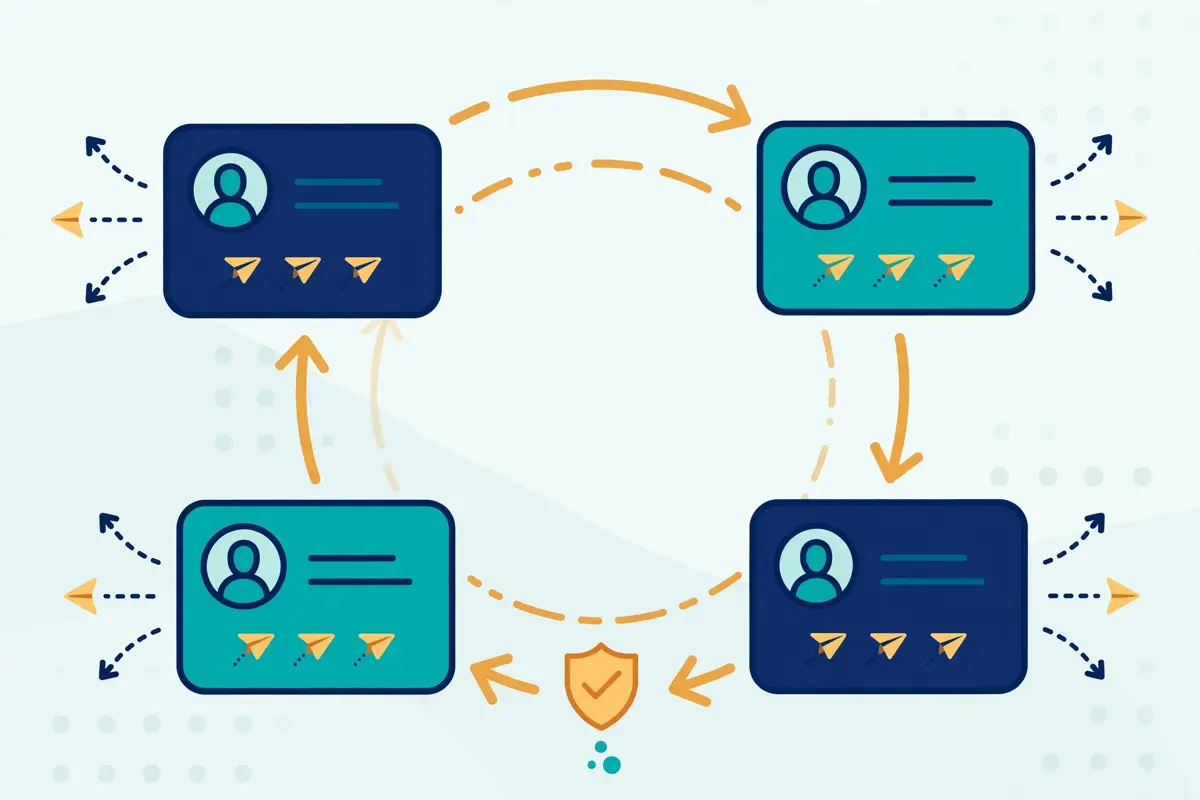
There is one more angle to rotation that agencies value. Clients often worry about their own LinkedIn accounts being used for outreach. Rotation lets an agency run a client campaign from the client’s account alongside its own senders, or from several client team members at once, without any one person’s account doing all the work. Replies still land in one inbox, and the agency answers on behalf of the right person. That arrangement only works if the client trusts the setup, of course, and LinkedIn’s own rules still apply. Yet as a workflow, it is far smoother than passing logins around a team chat. In short, rotation is not a gimmick. It is the load-bearing feature of the product, and everything else in HeyReach, from the inbox to the pricing, is built around it.
One inbox for every sender
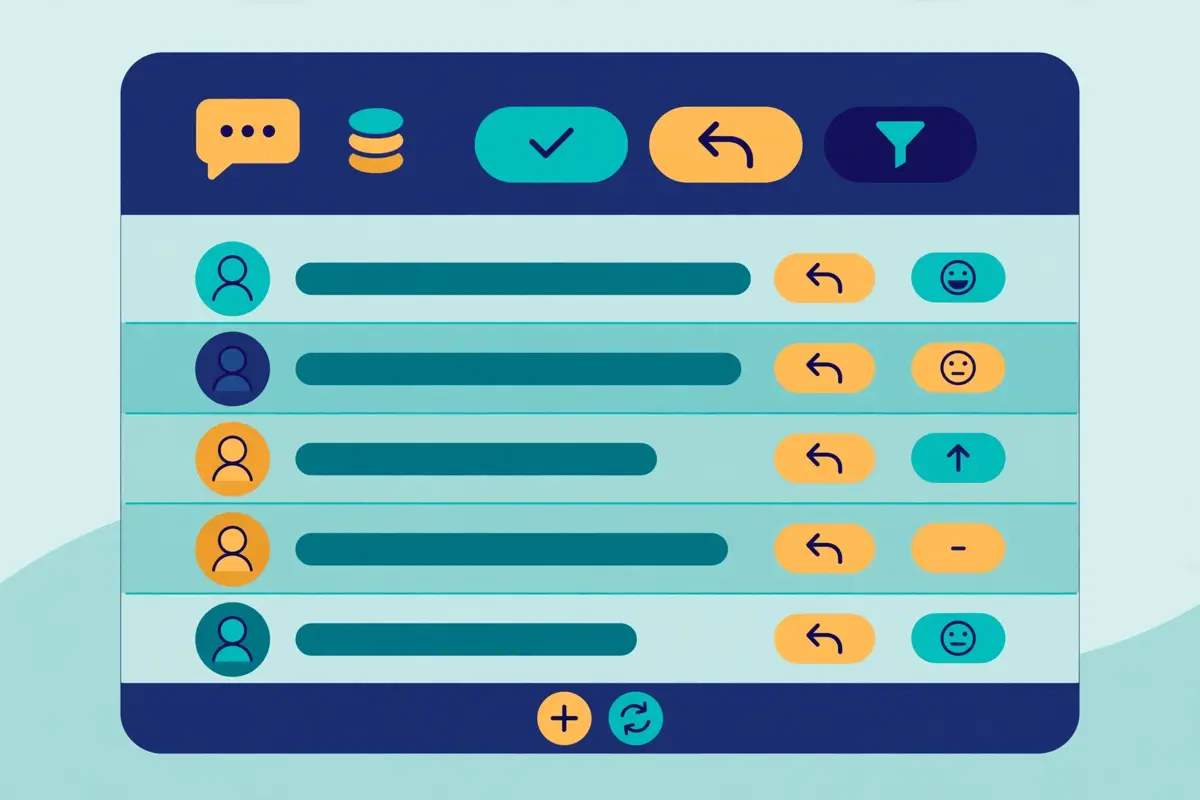
The unified inbox, which HeyReach calls Unibox, is the feature agency users mention most, and it is easy to see why. Without it, a team running ten senders would juggle ten LinkedIn logins every day. Replies would hide across ten inboxes. A hot lead could wait hours for an answer simply because nobody checked the right account. Unibox removes that problem. Every reply from every sender appears in one list, with the context needed to answer well. You can reply from the right account without logging in and out, send voice notes from your desktop, and reply on behalf of a colleague when they are away. Tags, assignment, and canned templates keep the work organised, and one click syncs a full conversation into your CRM, including HubSpot, Pipedrive, Close, or GoHighLevel.
Speed matters here more than most teams expect. LinkedIn outreach works best when replies get fast, human answers. A prospect who asked a question this morning and hears nothing until tomorrow often moves on. With one inbox, the first free team member can answer, whatever sender the message arrived on. That shared speed is a genuine advantage over single-account tools, where the account owner is the only person who can reply. It is also one reason this HeyReach review rates the inbox so highly. It also helps managers. They can watch every conversation in one place, spot the warm leads, and coach reps on real replies rather than on screenshots. In practice, the inbox is where HeyReach earns its keep day to day, long after the novelty of rotation has worn off.
HeyReach review: sentiment analysis in the inbox
HeyReach also adds a layer of intelligence on top of the inbox. Replies get sentiment analysis, so interested leads rise to the top automatically. Warm leads get auto-tagged, which means your best prospects never go cold simply because nobody noticed them. Real-time data shows which campaigns produce the interested replies, and which ones produce silence. That feedback loop is valuable. It lets you fix a weak message in days, rather than discovering the problem at the end of the month. One honest caveat belongs here too. An inbox only helps if someone works it. HeyReach gathers the replies, but it cannot answer them for you. Teams that buy the tool and then ignore the inbox will see the same poor results as teams with no tool at all. The inbox is a force multiplier for a team that replies fast, not a substitute for replying.
Campaigns, sequences and signal-based triggers
A HeyReach campaign is a sequence of LinkedIn steps with delays and conditions between them. You might start with a profile view, then send a connection request a day later, then a first message once the person accepts, then two follow-ups spaced a few days apart. If someone replies, the sequence stops automatically, which is the behaviour you want. This HeyReach review treats that automatic stop as a basic requirement, not a bonus feature. Nobody likes receiving a follow-up after they already answered. The builder also handles InMails for open profiles, and it finds verified emails for prospects when a LinkedIn step needs an email handoff. Voice notes add a personal touch, and post likes let you warm a prospect up before the request lands. Used well, that mix feels far more human than a bare connection request with a sales pitch attached.
Lead lists can come from almost anywhere. Import from Sales Navigator for precise targeting, from Clay for enriched lists, from RB2B for website visitors, or from HubSpot for your existing contacts. Signal-based triggers take that a step further. The moment someone visits your site, books a meeting, engages with an ad, or interacts with your posts, HeyReach can push them into a campaign as a warm lead. That matters, because a warm lead who just visited your pricing page converts far better than a cold name from a spreadsheet. The tool also keeps a blacklist, so leads and whole companies you add once get skipped by every campaign in the workspace. That small feature prevents embarrassing duplicate outreach, which is a common failure in teams that run many campaigns at once.
HeyReach review: what the benchmarks say
HeyReach’s own benchmark data gives a useful sense of scale. Across 96,051 campaigns run through the platform, the typical campaign lands near a 21% acceptance rate and a 22% reply rate, with about 18% of accepted connections turning into replies. Those figures come from HeyReach’s own guide to automated LinkedIn messaging, so they describe the platform’s own users rather than an independent test. Still, they set a fair bar, and that benchmark is quoted in this HeyReach review because it gives new users a realistic target. If your campaign accepts at 5% and replies at 2%, the problem is probably your targeting or your message, not the tool. A good next step is to tighten the list, shorten the message, and test one change at a time. HeyReach gives you the data to see the result, and that is half the job.
AI agents, the API and the MCP server
HeyReach is the first LinkedIn automation tool to support an MCP server, according to its own blog, and that claim is worth a closer look. MCP, or Model Context Protocol, lets an AI agent connect to HeyReach and act through natural-language tool calls, rather than through custom API code. You can tell an agent in Claude or ChatGPT to start or pause a campaign, add leads, split a list, tag replies by sentiment, and send data to your CRM, all without writing an integration.
The MCP server ships on every plan, including Growth, which is unusual. Most tools gate their most interesting developer features behind the expensive tiers. For readers of this HeyReach review who already use Claude, that open access is the most interesting feature in the product. HeyReach does the opposite, and that choice tells you who the product is built for: teams that automate aggressively, not teams that click through a dashboard all day.
HeyReach review: the API and webhooks
The API and webhooks sit alongside the MCP server, and they are also on every plan. The API lets your team automate each step of LinkedIn outreach, connect proprietary systems, and build workflows that fit your exact process. Webhooks push events out to your stack the moment they happen, so a reply can trigger a Slack message, a CRM update, or a step in n8n without polling. A CLI is available too, for teams that prefer the terminal. Taken together, these tools mean HeyReach works as a LinkedIn layer inside a larger go-to-market system, rather than as a closed box. That is exactly how its best users treat it. They pair it with Clay for enrichment, with n8n or Make for automation, and with Instantly or Smartlead for email, and HeyReach handles the LinkedIn part.

HeyReach review: the feature it refuses to build
One thing HeyReach refuses to automate deserves praise. Its own blog states plainly that it will never let users automate AI-generated comments on posts. That is a deliberate line, and it is a good one. Automated comments are easy to spot, they add nothing to a conversation, and they damage the sender’s reputation. A tool that refuses that feature, even when rivals offer it, is a tool that understands the difference between automation that helps and automation that embarrasses you. That refusal is one reason this HeyReach review calls HeyReach an unusually honest product. In the same spirit, HeyReach keeps its AI features focused on the useful jobs: drafting, tagging, sorting, and routing. The human still writes the message that matters, and still answers the reply that counts.
The video above is HeyReach’s own full tutorial, titled “Best LinkedIn Outreach Software in 2026 | HeyReach Review | Full Tutorial”, from the HeyReach YouTube channel. It walks through the product as the vendor presents it, which makes it a useful companion to this review. Watch it for the interface and the campaign setup, and read this review for the pricing maths and the honest limits. Video credit: “Best LinkedIn Outreach Software in 2026 | HeyReach Review | Full Tutorial” by HeyReach, on YouTube. The video is the creator’s property, embedded via YouTube for education. OutreachCompare is not affiliated with HeyReach and does not claim ownership of the video.
Multichannel without sending email itself
HeyReach describes itself as multichannel, and that label needs a careful reading. The tool runs LinkedIn steps natively, and it hands email steps to other tools through native integrations with Instantly, Smartlead, and EmailBison. In a HeyReach sequence, a LinkedIn step can sit next to a handoff block that sends the lead to your email tool, which then sends the email. The lead still moves through one campaign, and HeyReach even finds verified emails for you, using your enrichment credits. That design works well if you already use Instantly or Smartlead, which many agencies do. This HeyReach review is clear on the point: the word multichannel here means LinkedIn plus a handoff, not LinkedIn plus native email. It also means HeyReach stays focused on what it does best, instead of building a mediocre email sender on the side.
The trade-off is cost and complexity. A team that needs email as well as LinkedIn must pay for two tools, and must keep both configured. A solo user who wants one login for everything will find that annoying, and may prefer La Growth Machine or Lemlist, which send email natively. On the other hand, a team that already runs Instantly for email gets the best of both worlds: Instantly’s unlimited mailboxes and warm-up on the email side, and HeyReach’s rotation and inbox on the LinkedIn side. That pairing is common enough that HeyReach features it openly, and Smartlead’s own founder has praised the product in public. For agencies, the two-tool stack is normal. For a small team buying its first outreach tool, the single-tool route is simpler, and this HeyReach review would not argue otherwise.
HeyReach review: the HubSpot sync
There is one more integration worth naming. HeyReach syncs cleanly with HubSpot, and that sync is verified by HubSpot itself. Every connection, message, and reply shows up automatically on your HubSpot contacts, which gives clean attribution and real return-on-investment data without manual logging. Clay, n8n, Make, and Zapier connect too, so enrichment, automation, and outreach flow through one system. If your stack already includes those tools, HeyReach drops in without a rebuild. That verified sync is a small detail, yet this HeyReach review mentions it because clean attribution is rare in this market. If your stack is a spreadsheet and a Gmail account, the integrations will not help you yet, and you should start with a simpler tool and grow into HeyReach later.
Safety, limits and the honest risk
No honest HeyReach review can skip the safety question, so here it is in plain terms. This HeyReach review states the risk first, before the features, because it shapes every other judgement in the article. LinkedIn’s User Agreement bans software that automates connecting and messaging, and LinkedIn does not approve HeyReach or any similar tool. HeyReach states that it is not associated with or endorsed by LinkedIn. That means some risk always remains, whatever the vendor promises. No tool can remove it, and any tool that claims otherwise is not telling you the truth. What a good tool can do is reduce the risk, and HeyReach reduces it in four visible ways: hard daily limits, sender rotation, dedicated proxies, and automatic pauses when LinkedIn stops accepting requests.
The hard limit is the most important of the four. HeyReach keeps each sender to 40 actions a day, because its team found that level safest in practice. That cap applies per account, not per campaign, so adding senders raises total volume without raising any single account’s pace. Rotation spreads the load further, and the dedicated proxy keeps each account’s traffic separate. When LinkedIn stops accepting a sender’s requests, HeyReach pauses that sender instead of hammering the limit. Together, those four habits make HeyReach one of the more careful tools in this market, according to the agencies that use it every day. Even so, care is not a guarantee. Accounts can still be restricted, especially if the targeting is poor, the messages are spammy, or the list is low quality.
HeyReach review: four habits that lower the risk
A few habits keep your own risk low. First, use real LinkedIn accounts that belong to real people on your team, with complete profiles and normal activity outside outreach. Second, keep messages short, specific, and relevant to the person you are writing to. Third, respect replies and opt-outs immediately, and never message the same person from two senders at once. Fourth, start slowly on a new sender and let the volume build over a week or two, rather than blasting at full pace on day one.
Fifth, watch the inbox daily, because fast human replies are the best signal that your outreach is welcome. Follow those habits, and this HeyReach review expects the safety features to do their job. Ignore them, and no limit setting will save the account. Ignore them, and no limit setting will save the account. In short, the tool manages the machinery, but the judgement stays with you.
HeyReach against Waalaxy, La Growth Machine and Lemlist
HeyReach’s closest rivals are the other LinkedIn-first tools in this batch, plus the multichannel suite that many teams compare it with. Waalaxy is the simple, cheap LinkedIn tool. La Growth Machine is the multichannel tool that runs LinkedIn, email, and calls in one sequence. Lemlist is the broadest suite, with five channels and a huge database. Each one solves a different problem, and the table below shows the differences at a glance. Prices are the monthly figures from each provider’s official site, checked on 15 November 2026, and the notes under the table explain what each figure includes. This HeyReach review compares the four tools on price, channels, and the features that matter at scale.
The headline difference is the pricing model. HeyReach charges per sender, Waalaxy charges per user, La Growth Machine charges per identity, and Lemlist charges per user with an add-on for LinkedIn seats. At one account, Waalaxy is far cheaper than HeyReach. With ten accounts, HeyReach’s $59 per sender rate is still dearer than Waalaxy’s €49 Advanced plan, yet HeyReach rotates all ten senders inside one campaign, while Waalaxy runs each account separately. At 25 senders, HeyReach’s flat $999 Agency bundle becomes hard to beat on price per sender, at about $40 each. La Growth Machine sits in the middle on price, yet it includes email and calls natively, which HeyReach does not. Lemlist costs the most per user at the multichannel tier, yet it adds a 650M+ database, WhatsApp, and SMS, which neither LinkedIn-first tool offers.
| Tool | Entry price (monthly) | Best for | Channels | Visit Site |
|---|---|---|---|---|
| HeyReach | $79 per sender; $59 from 10 senders | Agencies and teams with many senders | LinkedIn native; email via Instantly / Smartlead | Visit Site → |
| Waalaxy | €19 per user | Simple LinkedIn outreach for one person | LinkedIn native; email on Business plan | Visit Site → |
| La Growth Machine | €60 per identity | LinkedIn, email and calls in one sequence | LinkedIn, email, calls | Visit Site → |
| Lemlist | $69 per user (email); $109 multichannel | Five-channel outreach with a big database | Email, LinkedIn, WhatsApp, SMS, calls | Visit Site → |
Last checked: 15 November 2026 on each provider’s official pricing page: HeyReach pricing, Waalaxy pricing, La Growth Machine pricing, and Lemlist pricing. Features and pricing can change, so please check the provider’s site before you buy. We do not guess at features, prices or trials.
| Feature | HeyReach | Waalaxy | La Growth Machine | Lemlist |
|---|---|---|---|---|
| Sender rotation across many accounts | ✓ Core feature | — Not offered | — One identity per sequence | — One LinkedIn account per seat |
| Unified inbox for all senders | ✓ Included | ✓ Inbox add-on available | ✓ Included | ✓ Included |
| Native cold email sending | — Via Instantly / Smartlead | ✓ Business plan | ✓ All plans | ✓ All plans |
| Voice notes and InMails | ✓ Included | ✓ Voice messages in inbox | — Not listed | ✓ Voice notes on LinkedIn |
| Built-in prospect database | — Enrichment credits only | — No database | ✓ 27M+ companies | ✓ 650M+ contacts |
| API, webhooks and MCP server | ✓ All plans | ✓ API on Advanced | ✓ MCP and API from Pro | ✓ API and MCP |
| Whitelabel for agencies | ✓ Agency and Unlimited | — Not listed | — Not listed | — Not listed |
| Free trial | ✓ 14 days, no card | ✓ 14 days | ✓ 14 days, no card | ✓ 14 days |
Last checked: 15 November 2026 on each provider’s official site. A tick means the feature is stated on the provider’s site; a dash means it is not confirmed or is not offered. Features and pricing can change, so please check the provider’s site before you buy. We do not guess at features, prices or trials.
HeyReach review: reading the comparison table
Read the matrix as a buying guide, not as a scoreboard. If your team runs five or more LinkedIn accounts, HeyReach wins on rotation and the inbox, and its flat bundles make the cost predictable. For one account and the simplest possible tool, Waalaxy wins on price and ease, and HeyReach would be overkill. If you want LinkedIn, email, and calls in a single sequence without a second tool, La Growth Machine wins, and its per-identity pricing is easier to compare. For the widest channel mix and a database to fill it, Lemlist wins, and its $109 multichannel plan is the one to compare with HeyReach plus Instantly.
None of these tools is bad. They are built for different team shapes, and the right pick is the one that matches how many senders you run and which channels you actually use. That matching exercise is the point of this HeyReach review: match the tool to your team shape, not to a headline price.
Strengths and weaknesses, side by side
Every tool in this market trades something away, and HeyReach is no exception. Its strengths are real, and they cluster around scale, safety, and developer access. Its weaknesses are equally real, and they cluster around price at small scale, the missing email sender, and the missing database. Put side by side, the two lists give a fair picture. Read them with your own team shape in mind, because the same feature can be a strength for an agency and a weakness for a solo user. This HeyReach review keeps both lists in view, because the trade-offs are the decision.
- Sender rotation is best in class: one campaign rotates across unlimited senders, so volume grows by adding accounts rather than by pushing one account harder.
- One inbox for every reply: the unified inbox, with sentiment analysis and auto-tagged warm leads, keeps fast replies possible at scale.
- Developer access on every plan: the API, webhooks, CLI, and MCP server ship on Growth, not just on the expensive tiers.
- Flat agency bundles: Agency and Unlimited fix the monthly cost, and teammates, virtual assistants, and clients are free to add.
- Safety is designed in: hard daily limits of 40 actions per account, dedicated proxies on Growth, and automatic pauses when LinkedIn stops accepting requests.
- Honest product choices: HeyReach refuses to automate AI-generated post comments, and it stays focused on LinkedIn rather than building a weak email sender.
- Strong integrations: native Instantly and Smartlead handoffs for email, verified HubSpot sync, and Clay, n8n, Make, and Zapier support.
HeyReach review: the weaknesses in full
- Dear for one sender: $79 a month buys LinkedIn steps only, with no email sending and no database, which is hard to justify for a solo user.
- No native email: multichannel campaigns need Instantly, Smartlead, or EmailBison, which adds a second bill and a second setup.
- No prospect database: enrichment credits help, yet the tool cannot find new leads for you the way Lemlist or La Growth Machine can.
- Bring-your-own proxies on Agency and Unlimited: larger teams must source and manage proxies themselves, which adds cost and work.
- LinkedIn risk remains: automation is banned by LinkedIn’s User Agreement, so no limit setting can guarantee an account stays safe.
- Small price inconsistencies: the pricing page and the help centre differ by about $1 on some quarterly and yearly figures, which is confusing when budgeting.
One weakness deserves a second look, because it shapes the whole buying decision. HeyReach’s price is fair at agency scale, yet steep at solo scale, and that gap is deliberate. The vendor built the tool for teams that run many senders, and it priced the tool for those teams. A solo user who buys HeyReach anyway pays agency money for solo value, and will feel it every month. That is not a flaw in the product. It is a mismatch between the buyer and the product, and the fix is to pick a different tool. That mismatch is the single most common mistake this HeyReach review sees readers make. Waalaxy, La Growth Machine, or Lemlist will serve that buyer better, and this review links to all three so the comparison is easy to make.
Getting started in a day
Getting started with HeyReach takes a day, not a week, if you prepare the list first. Start with the 14-day free trial, which needs no card and covers three LinkedIn accounts. Connect one or two real accounts first, not ten at once, and let the tool run a small campaign while you learn the interface. Build your lead list in Sales Navigator, with tight filters, and import it into HeyReach. A list of 200 well-chosen people beats a list of 2,000 random names every time. Then build a short sequence: a profile view, a connection request a day later, a first message after acceptance, and two follow-ups spaced a few days apart. Keep the first message under 60 words, make it about the prospect rather than about you, and end with one easy question. This HeyReach review recommends that order: list first, senders second, scale last.
While the first campaign runs, set up the inbox properly. Add tags for interested, not interested, and follow up later. Assign replies to the right team member, and save two or three canned replies for the most common questions. Check the inbox twice a day, and answer fast. Meanwhile, watch the acceptance rate. If it sits near the vendor’s typical 21%, your targeting and message are working. If it sits near 5%, stop and fix the list before you scale. Only add more senders once the first campaign performs. That discipline, small list first, then more senders, is how agencies scale without burning accounts. It is also the practical core of this HeyReach review. It also keeps the trial meaningful, because you learn what works before you pay.
HeyReach review: a tutorial worth watching
The video above is a recent independent HeyReach tutorial, titled “HeyReach Tutorial: 3 of 4 Leads Were the Wrong People. Here’s the Fix (2026-27)”, from William Zimmerman | AI for Operators on YouTube. It shows a connect-only campaign built from a Sales Navigator search, with a careful lead-cleaning step before any outreach goes out. That cleaning step is exactly the discipline the previous paragraph describes, and the video shows it in practice. Video credit: “HeyReach Tutorial: 3 of 4 Leads Were the Wrong People. Here’s the Fix (2026-27)” by William Zimmerman | AI for Operators, on YouTube. The video is the creator’s property, embedded via YouTube for education. OutreachCompare is not affiliated with the creator and does not claim ownership of the video.
Frequently asked questions
The questions below are the ones readers ask most often about this tool, and each answer in this HeyReach review comes from the vendor’s own pages, checked on 15 November 2026. If your question is not here, the pricing page and the help centre are the best next stop.
Is HeyReach safe for my LinkedIn account?
HeyReach reduces the risk, yet it cannot remove it. LinkedIn’s User Agreement bans automation, and LinkedIn does not endorse HeyReach. The tool protects you with hard daily limits of 40 actions per account, sender rotation, dedicated proxies on Growth, and automatic pauses when LinkedIn stops accepting requests. Those habits make it one of the more careful tools available. Even so, use real accounts, write relevant messages, start slowly, and watch the inbox daily. Your own habits matter as much as the tool’s limits.
How much does HeyReach cost for one person?
One sender on the Growth plan costs $79 a month on monthly billing, or $59 a month per sender from ten senders. Quarterly billing saves 10% and yearly billing saves 20%, according to the pricing page. A 14-day free trial with no card covers three LinkedIn accounts. For one person with one account, that price buys LinkedIn steps only, with no email sending and no database. Many solo users will find Waalaxy, from €19 a month, better value for the same single-account job.
Does HeyReach send cold email?
No, HeyReach does not send cold email itself. Its multichannel outreach works through native integrations with Instantly, Smartlead, and EmailBison. LinkedIn steps run in HeyReach, and email steps run in the email tool, inside one campaign flow. HeyReach also finds verified emails for your leads, using your enrichment credits. If you want email and LinkedIn in a single tool, La Growth Machine and Lemlist both send email natively.
What is a HeyReach sender, exactly?
A sender is one connected LinkedIn account that can actively send outreach through HeyReach. HeyReach charges per sender, not per user. You can invite unlimited teammates, virtual assistants, and clients for free, and only the connected LinkedIn accounts count toward the bill. On Growth you pay per sender, while Agency and Unlimited sell flat bundles of 25, 50, or up to 300 senders. That model is why agencies like the pricing: the team can grow without the bill growing, as long as the sender count stays the same.
Can HeyReach replace Waalaxy or La Growth Machine?
It depends on how many accounts you run. HeyReach replaces Waalaxy when you run several senders in one campaign and need rotation and a shared inbox. It does not replace Waalaxy for one person who wants the cheapest simple tool. It replaces La Growth Machine when LinkedIn scale matters more than native email, and La Growth Machine wins when you want LinkedIn, email, and calls in one sequence. Many teams use HeyReach alongside Instantly or Smartlead, rather than as a replacement for any single tool.
Is there a free trial or a free plan?
There is a 14-day free trial on the Growth plan, with no card required, covering three LinkedIn accounts. HeyReach lists no free plan on its pricing page. Early-stage teams under $250,000 in annual revenue with fewer than five people, who are not yet customers, may qualify for the early stage program, which offers a heavily discounted plan. You apply through a form on the pricing page. If you qualify, that program is the cheapest honest way into the tool.
The verdict in this HeyReach review
Best for multi-sender LinkedIn scale: HeyReach
HeyReach is the strongest LinkedIn automation tool in this roundup for agencies and sales teams that run outreach from many accounts at once. Sender rotation, a unified inbox with sentiment analysis, and an API, webhooks and an MCP server on every plan make it a serious platform, not a simple scheduler. The flat Agency bundles fix the monthly cost, and the 14-day free trial lets you test a real campaign before paying.
The trade-offs are clear: $79 a month per sender is steep for one person, email needs Instantly or Smartlead, and there is no built-in prospect database. LinkedIn risk also remains, whatever the tool promises. If you run five or more senders, start the trial. If you run one account, start with Waalaxy instead. We have not tested HeyReach hands-on, so this HeyReach review’s verdict rests on the vendor’s own published features and pricing, checked on 15 November 2026, rather than on a trial of the product.
Visit HeyReach → Compare HeyReach with its rivalsKeep reading
If this HeyReach review helped, these related reviews take the next step:
- Waalaxy Review 2026 — simple LinkedIn outreach from €19 a month per user.
- La Growth Machine Review 2026 — one sequence across LinkedIn, email and calls, priced per identity.
- Lemlist Review 2026 — five channels and a 650M+ database, from $69 a month.
- Best Cold Email Software 2026 — every leading tool compared side by side.
- Instantly Review 2026 — high-volume sending with unlimited mailboxes and warm-up.
- Smartlead Review 2026 — agency-grade deliverability infrastructure from $39 a month.
- Salesforge Review 2026 — AI SDR Agent Frank and AI-written sequences from $48 a month.
- Reply.io Review 2026 — multichannel sequences with Jason AI, Email Volume from $59 a month.
- Woodpecker Review 2026 — deliverability-first cold email from $39 a month.
- Apollo Review 2026 — contact database of 240M+ with built-in sequences, from $49 a month.
- Snov.io Review 2026 — finder, verifier and drip campaigns under one roof.
- Hunter Review 2026 — domain search plus verification, starting at $49 a month.
- Klenty Review 2026 — sales engagement with a parallel dialler, from $50 a month.
- Mailshake Review 2026 — email outreach and a power dialler from $29 a month.
- ReachInbox Review 2026 — AI personalisation in a newer sequencer, from $30 a month.
- Do You Mail Review 2026 — dedicated USA and EU inbox servers from $39 a month.
- Pipl.ai Review 2026 — the tool now sold as PlusVibe, from $37 a month.
- Email Deliverability Tools 2026 — inbox placement and sender reputation tools compared.
- Best Warmup Tools 2026 — warming inboxes before you scale outreach.
- Cold Email for Beginners: The Complete 2026 Guide — lists, writing and follow-ups from scratch.
- Best cold email tools — all the best-of roundups in one place.
Leave a Reply