Delivered is not the same as seen. Placement is the whole game.
This inbox placement guide shows how to get cold emails into the primary inbox instead of spam, promotions, or nowhere at all: authentication done properly, a warmup that builds real trust, a clean list, content that reads like a person wrote it, and placement tests that tell you the truth before your prospects do.
Visit Smartlead →Explore Warmforge →See Instantly →Prices checked 16 November 2026 on the official sites of all seven providers. Features and pricing can change, so please check the provider’s site before you buy. We do not guess at features, prices or trials.
Quick Answer
Inbox placement is the share of your sent emails that land in the recipient’s primary inbox, rather than in spam, the promotions tab, or nowhere at all, and it matters more than your open rate because an email in spam reaches no reader, earns no reply, and wastes the send. Five things decide placement, working together: authentication, sender reputation, engagement, content, and list quality.
Start with a separate sending domain, publish SPF, DKIM and DMARC, warm the domain for two to four weeks, keep bounces under 2% and spam complaints under 0.1%, cap each mailbox at 25 to 30 sends a day, and test placement every week. Smartlead SmartDelivery is the best pick for placement testing from $49 a month, Warmforge is the best pick for dedicated warmup from $10 a slot a month, and Instantly is the best pick for warmup built into a sending tool from $47 a month.
Contents
- What inbox placement is, and why it beats open rate
- How spam filters decide where your email lands
- Authentication deep dive: SPF, DKIM and DMARC
- Sender reputation: the score you cannot see
- Warmup done right: two to four weeks that pay for themselves
- List hygiene: verification, re-verification and suppression
- Content that triggers filters, and the myths that do not
- Monitoring: Postmaster Tools, placement tests and what the numbers mean
- Recovery plan: a domain already landing in spam
- Tool comparison: seven placement tools, priced and verified
- Pros and cons: the honest case for each tool
- Who should pick which: a decision framework
- Frequently asked questions
- The verdict
Why this inbox placement guide starts with a number nobody shows you
Firstly, most cold email advice obsesses over open rate, and that focus is understandable. Opens are visible in every dashboard, they move when you change a subject line, and they feel like progress. Yet the open rate only counts the emails that reached a folder where opening is possible. An email that lands in spam never reaches a reader, never earns a reply, and never counts as a failure in your open rate, because it never had the chance to fail. This inbox placement guide therefore starts with the number nobody shows you: the share of your mail that actually reaches the primary inbox.
Secondly, the gap between delivered and seen is larger than most senders realise. A sending tool reports an email as delivered when the receiving server accepts it, which is a technical handshake, not a placement decision. After that handshake, Gmail or Outlook decides whether the message goes to the primary inbox, the promotions tab, the spam folder, or nowhere at all. A campaign can report 99% delivered and still have a third of its mail sitting in spam, invisible to every prospect it targeted.
Finally, we checked every price and feature in this inbox placement guide on the official sites on 16 November 2026. Where a vendor publishes no price, or where we could not confirm a figure on the page, the guide says so in plain language. Jump to the tool comparison when the budget is the constraint, and start at the top when the goal is understanding how placement actually works.
What inbox placement is, and why it beats open rate
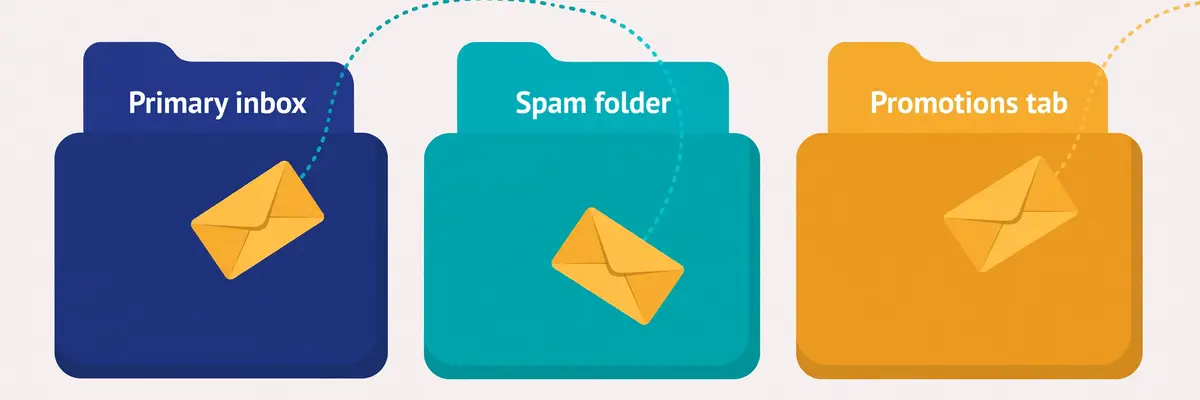
In fact, inbox placement is the percentage of your sent emails that arrive in the recipient’s primary inbox. The rest of your mail goes somewhere else: the promotions tab, the spam folder, or the provider rejects it outright and it never arrives. Placement is the first filter in the whole cold email funnel, and it sits before the subject line, before the first line, and before every other metric you track. A brilliant email in spam earns nothing. A decent email in the primary inbox earns replies.
Moreover, placement matters more than open rate for a simple reason: open rate is a rate of the emails a prospect could open, while placement decides how many emails that is. A 50% open rate sounds excellent until you learn that only half your mail reached the inbox, which means a quarter of your list ever saw the email. A sender who fixes placement from 60% to 90% has grown their real audience by half without writing a better subject line, without buying a bigger list, and without spending another cent on tools.
Inbox placement guide: the four places your email can land
Firstly, the primary inbox is the destination you want. Mail here arrives in the main stream, it triggers a notification on most phones, and the prospect reads it in the same session as the rest of their real mail. Gmail’s primary tab, Outlook’s focused inbox, and Apple Mail’s main view all work this way. This is the only folder where a cold email behaves like a normal email.
Secondly, the promotions tab is the polite waiting room. Gmail sorts marketing-style mail here, and many prospects check it once a day or less. Mail in promotions is not dead, and prospects open some of it, but it competes with newsletters, receipts, and every other bulk sender at once. A cold email that lands in promotions has already lost the first impression, because it arrived looking like bulk mail.
Spam, and the silent fourth destination
For example, the spam folder is where trust runs out. The provider hides mail here by default and deletes it automatically after thirty days, and most prospects never look inside it at all. Worse still, every email that lands in spam trains the filter to distrust the next one from the same domain, so a spam problem compounds. A domain that sends to spam today will send more mail to spam tomorrow, unless something changes.
In sum, the fourth destination is the one nobody sees: rejection. Gmail and Yahoo now reject mail outright from senders who fail the basic rules, and a rejected email does not even reach spam. It bounces back with an error, and the sender often has no idea why. Our Deliverability Guide 2026 covers the whole system this guide sits inside, and our Best Email Deliverability Tools 2026 article compares the wider toolkit.
How spam filters decide where your email lands
Secondly, spam filters are not a single test. They are a scoring system that weighs five kinds of evidence at once, and no single factor decides placement on its own. Authentication proves who you are. Reputation records how you have behaved. Engagement shows how recipients have reacted to you. Content gives the filter something to read. List quality shows whether you mail real people. A sender who is strong on four of the five can still land in spam on the fifth.
In fact, the filter’s job is to protect the recipient, not to punish the sender. Every day, Gmail and Outlook process billions of messages, and recipients never asked for most of them. The filter’s question is always the same: does this message look like mail the recipient wants? A sender who behaves like a legitimate correspondent, mailing a small number of real people who reply and never complain, looks like mail the recipient wants. A sender who behaves like a bulk mailer looks like bulk mail, whatever the copy says.
Inbox placement guide: the five decision factors at a glance
| Factor | What the filter asks | What good looks like | What bad looks like |
|---|---|---|---|
| Authentication | Can this sender prove who they are? | SPF, DKIM and DMARC all pass, aligned | Missing or failing records |
| Reputation | Has this domain and IP behaved well? | Steady volume, low complaints, no blocklists | New domain, sudden spikes, blocklist hits |
| Engagement | Do recipients open, reply and move mail? | Replies, forwards, moves to the inbox | Deletes unread, marks as spam, ignores |
| Content | Does this read like a person wrote it? | Plain text, short, one link or none | Image-heavy, many links, tracked redirects |
| List quality | Are these real people who might want this? | Verified, recent, targeted, opted-in where possible | Scraped, stale, bought, full of traps |
The five factors above are the framework this inbox placement guide uses throughout: every fix in the later sections strengthens one of these five. Last checked: 16 November 2026.
Inbox placement guide: why authentication comes first
Moreover, authentication comes first because it is the only factor that is purely mechanical. A filter can check SPF, DKIM and DMARC in milliseconds, before it reads a word of your copy, and a failure there colours everything after it. Since February 2024, Google and Yahoo have required authentication from bulk senders, and providers increasingly reject mail that fails it outright rather than filtering it to spam. Authentication is the entry ticket: it does not guarantee the inbox, but without it the inbox is out of reach.
For example, engagement is the factor most senders underestimate, because it is the only one they cannot set up in an afternoon. Filters watch what recipients do with your mail: opens, replies, forwards, moving a message from spam to the inbox, and adding you to contacts all count as positive signals. Deleting unread, marking as spam, and ignoring you for weeks all count as negative ones. This is why warmup works, and why a list of people who reply is worth more than a list ten times its size that never does.
The factor most senders ignore
Finally, list quality is the factor most senders ignore, because it is the least visible. A list full of dead addresses bounces, and bounces damage reputation. Spam traps in the list can damage a domain in a single send: someone planted those addresses to catch bulk mailers. A list of people who never asked to hear from you complains, and complaints damage reputation faster than anything else. The verification section later in this inbox placement guide shows how to keep a list clean without spending a fortune on it.
Authentication deep dive: SPF, DKIM and DMARC
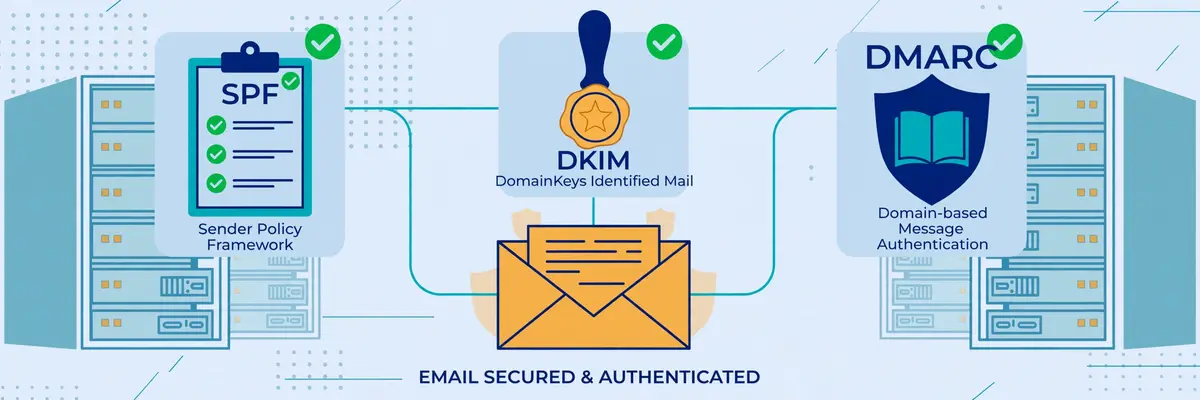
Secondly, authentication is three DNS records that answer three different questions, and every sending domain needs all three. SPF answers whether the server may send for the domain. DKIM answers whether the message arrived unaltered, signed by the domain. DMARC answers what should happen when either check fails, and asks for reports back. Together they prove to a receiving server that the mail really came from the domain it claims, which is the first thing any filter wants to know.
In fact, the three records work as a team, and a team with a missing player loses. SPF alone can pass while a forwarder breaks it, because forwarding changes the sending server. DKIM alone can pass while signing with the wrong domain, because a signature proves the domain signed the message, not that the signer matches the visible sender. DMARC alone does nothing at all, because it has no check of its own. It only ties the other two to the domain the recipient sees, through alignment, and sets a policy for failures.
Inbox placement guide: what each record does
| Record | Plain-English job | Where it lives | How it fails |
|---|---|---|---|
| SPF | Lists the servers allowed to send for your domain | One TXT record on the domain | Too many lookups, two records, missing include |
| DKIM | Signs each message so tampering is detectable | TXT record on a selector subdomain | Wrong key, cut-off value, unsigned sender |
| DMARC | Ties SPF and DKIM to the visible From domain, sets policy | TXT record on _dmarc subdomain | No record, no alignment, policy stuck on none |
The table above covers the three records every sending domain needs. Check each one with a free checker before the first real send. Last checked: 16 November 2026.
Inbox placement guide: SPF, the authorised senders list
Moreover, SPF is a single TXT record that lists every server and service allowed to send mail for your domain. When a receiving server gets your message, it looks up the record and checks whether the sending server is on the list. A match passes. A server that is not on the list fails. The receiving server checks the record against the hidden envelope address in the headers, not the From address your recipient sees, which is why SPF alone cannot prove identity.
For example, the three classic SPF mistakes are easy to make and easy to avoid. Publishing two SPF records breaks the check entirely, because the standard allows only one, and two records produce an error. Exceeding ten DNS lookups breaks it too, because every include, a, mx and redirect in the record counts, and a chain of includes from several tools adds up fast. And forgetting an include breaks it silently: a tool that sends on your behalf but does not appear on the list will fail SPF on every single email it sends.
DKIM: the tamper-proof seal
Finally, DKIM signs every outgoing message with a private key, and publishes the matching public key in DNS. The receiving server verifies the signature, and if anyone altered the message in transit, or if the signature does not match, DKIM fails. Unlike SPF, DKIM survives most forwarding, because the signature travels with the message itself rather than depending on which server delivered it.
In sum, DKIM’s common mistakes are quieter than SPF’s. Pasting a key value into DNS can cut it off, which leaves the domain unverified, and a key that is too short, 1024 bits where 2048 is now recommended, weakens the signature. A sender that signs with one domain while the visible From shows another will pass DKIM and still fail DMARC, because DMARC requires alignment, and alignment is the part that ties the signature to the sender the recipient actually sees.
DMARC: the rulebook, and the road to reject
Secondly, DMARC sits on top of the other two and does three things at once. It sets a policy for messages that fail SPF or DKIM, it requires alignment between the authenticated domain and the visible From domain, and it asks receiving servers to send reports back to you. The three policies run from gentle to strict: p=none only monitors and reports, p=quarantine sends failing mail to spam, and p=reject refuses it outright.
Moreover, the safe road is to start at p=none, read the reports for two to four weeks, fix every legitimate sender that is failing, and only then move to quarantine, and later to reject. A domain that jumps straight to reject will refuse its own legitimate mail from any service with a faulty setup. And a domain that stays on none forever gets the monitoring without the protection, which is better than nothing, but not the point. Our guide to setting up a sending domain walks through the same three records step by step.
Video: Email Health Check: Test SPF, DKIM and DMARC at Once by Unspam Email on YouTube. This video is the creator’s property, embedded via YouTube for education. OutreachCompare is not affiliated with Unspam Email and does not claim ownership of this video.
For example, the video above shows a free health check that tests all three records at once, plus BIMI and thirteen domain blacklists, and scores the domain out of 100. Run a check like this before the first campaign, and again after any change to your sending setup. A score that drops after a change tells you exactly which record broke, and a score of 100 tells you authentication is no longer the reason your mail misses the inbox.
Sender reputation: the score you cannot see
Secondly, sender reputation is the filter’s memory of how your domain and your sending IP have behaved, and it is the factor no dashboard shows as a single number. Gmail and Outlook each keep their own view of it, built from your sending history: how long the domain has sent mail, how steady the volume has been, how many recipients complained, how many addresses bounced, and whether the domain or IP has appeared on a blocklist. Senders earn reputation slowly and lose it quickly, which is exactly why warmup exists.
In fact, domain age matters more than most senders expect. A domain registered last week has no history at all, and filters treat a blank history with suspicion, because most spam comes from brand-new domains. A domain that has sent a small, steady volume of wanted mail for months has a history the filter can trust. This is why the first rule of cold email infrastructure is never to send from your main domain: a burned sending domain is replaceable, and a burned main domain is a disaster.
Inbox placement guide: the numbers that guard your reputation
| Metric | Stay under | Why it matters |
|---|---|---|
| Bounce rate | Under 2% | Bounces mean dead addresses, and dead addresses mean a dirty list |
| Spam complaint rate | Aim under 0.1%, never 0.3% | Google’s bulk sender limit is 0.3%; complaints are the fastest reputation killer |
| Sends per mailbox per day | 25 to 30, maximum 40 | Human-scale volume per mailbox looks human; spikes look automated |
| Warmup period | Two to four weeks | A new domain needs time to build a sending history before real volume |
The guardrails above are the numbers this inbox placement guide uses throughout: keep bounces under 2%, spam complaints under 0.1%, and each mailbox at 25 to 30 sends a day. Last checked: 16 November 2026.
Inbox placement guide: complaint rate, the fastest way to lose the inbox
Moreover, the spam complaint rate is the single most dangerous number a sender tracks. Google’s bulk sender rules set the limit at 0.3%, and this inbox placement guide aims lower, at 0.1%, because a sender who hovers at the limit is one bad campaign away from crossing it. Complaints come from recipients who mark your mail as spam, and each complaint tells the filter that a real person did not want the message. A handful of complaints per thousand sends is survivable. A steady rate above 0.3% is not.
For example, volume spikes damage reputation in a different way. A domain that sends ten emails a day for a month and then sends a thousand in one morning looks like someone hijacked it, because that is exactly how a stolen domain behaves. Filters throttle sudden volume, and the excess mail lands in spam or gets rejected. The fix is a ramp: start small, increase gradually, and let the filter watch the volume grow at a pace a real business would grow at.
Spam traps and blocklists
Finally, spam traps are the hidden hazard in any list. A trap is an address that was never owned by a real person, planted to catch bulk mailers, and mailing one tells the filter that the sender does not know where their addresses came from. A pristine trap, an address that never opted in to anything, can damage a domain in a single send. A recycled trap, an old address abandoned by its owner and turned into a trap, signals a stale list. Both are avoided the same way: verify every address, and never mail a list you did not build or buy from a source you trust.
In sum, blocklists work the same way at a larger scale. Services such as Spamhaus list domains and IPs that send unwanted mail, and many filters check those lists before accepting a message. A domain on a blocklist will struggle everywhere until the list operator removes it, and delisting takes time and a clean record. Check your domain and IP against the major blocklists every week, and treat a listing as an emergency, not a warning.
Warmup done right: two to four weeks that pay for themselves
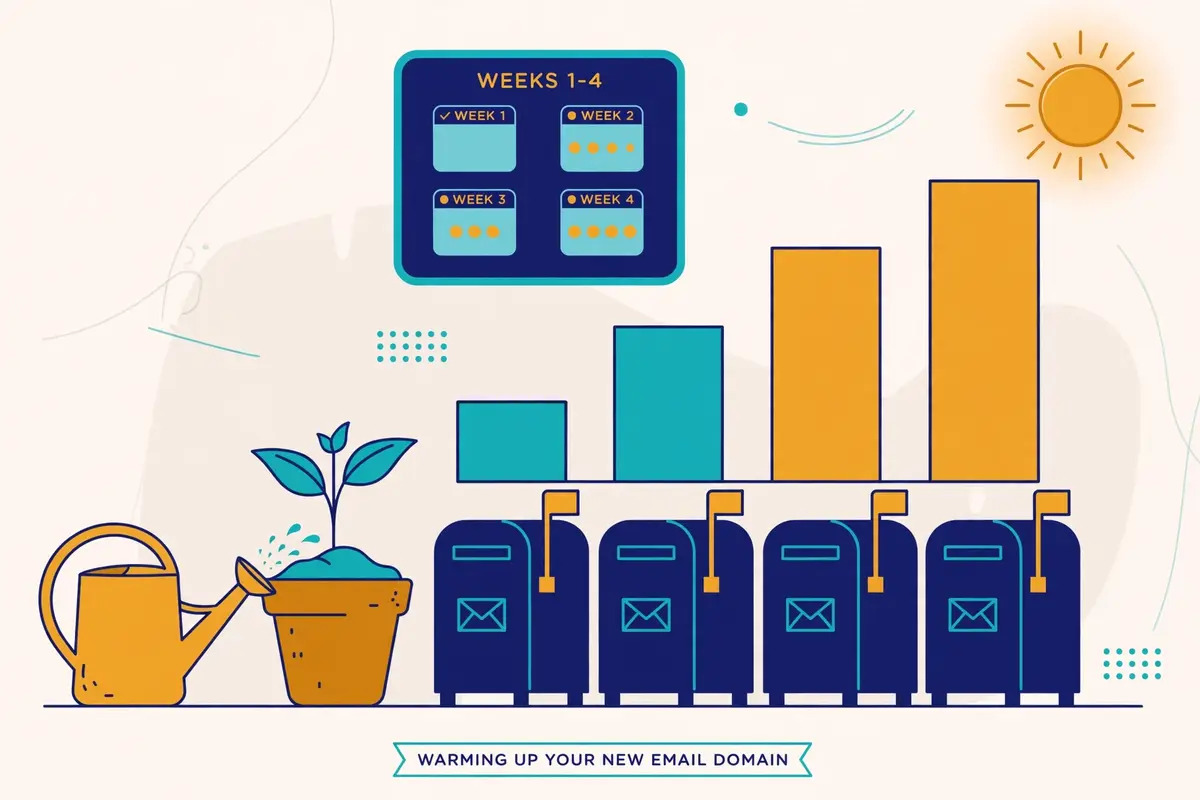
Secondly, warmup is the process of building a sending history for a new mailbox before it carries real campaigns. A warmup tool sends a small number of emails from the new mailbox to a network of real inboxes, those inboxes open the mail, reply to it, move it out of spam when it lands there, and mark it as important. The filter watches this behaviour and learns that the new mailbox belongs to a real person who sends wanted mail. After two to four weeks, the mailbox has a history, and real campaigns can start at a modest volume.
In fact, warmup works because it mimics exactly the behaviour filters reward. Opens, replies, and messages moved out of spam are the strongest positive engagement signals a filter can see, and a warmup network produces them on purpose, every day, for every mailbox in the pool. A properly warmed mailbox arrives at its first campaign with a reputation already built, instead of arriving with a blank history and hoping for the best.
Inbox placement guide: what a good warmup looks like
Firstly, a good warmup starts tiny and grows slowly. A handful of emails a day in week one, rising gradually through weeks two and three, and reaching the full daily volume only in week four. A warmup that jumps to full volume in three days is not a warmup at all. It is a spike, and spikes are exactly what warmup exists to avoid. The best warmup tools ramp automatically, and the sender’s only job is to leave them alone and let the ramp run.
Secondly, a good warmup is not just sending. It is also rescuing: when a warmup email lands in spam, the receiving inbox pulls it out and marks it as not spam, which teaches the filter that mail from this domain belongs in the inbox. It is also replying: warmup inboxes reply to the mail they receive, which teaches the filter that the sender starts conversations. A warmup service that only sends, without opening, replying, and rescuing, is doing half the job.
Warmup tools compared, priced and verified
| Warmup option | Price, checked 16 Nov 2026 | What you get |
|---|---|---|
| Warmforge | $10/slot/mo billed quarterly, $9 annual | Dedicated warmup, 1 free slot, 1 free placement test a month, DNS and blacklist health checks |
| Smartlead warmup | Included on all plans; premium pool $59/mo add-on on Base and Pro, free from Unlimited Smart | Unlimited AI warmup with spam rescues, plus the premium Warmup Pool on higher plans |
| Instantly warmup | Included from $47/mo Growth | Unlimited warmup across a 4.2M+ account pool, built into the sending tool |
| Inframail DFY | $797/mo, minimum 3 months | Premium warmup included, but only on the done-for-you plan; the $147 and $387 plans do not include it |
We read the warmup prices above on the official sites on 16 November 2026. Warmforge has no free trial, and unlimited Warmforge slots are free on every Salesforge plan. Last checked: 16 November 2026.
Inbox placement guide: the warmup mistakes that waste the whole month
Moreover, the most common warmup mistake is impatience. A sender buys a new domain on Monday, warms it for three days, and launches a thousand-email campaign on Friday, and then wonders why the mail lands in spam. Three days of warmup is not a history. It is a rumour. Two weeks is the minimum this inbox placement guide recommends, and four weeks is better for a domain that will carry real volume.
For example, the second mistake is warming up and then going quiet. A mailbox that is warmed for a month and then sits unused for a month loses the reputation it built, because filters trust recent behaviour, not old behaviour. Warmup is not a one-off event. It is a habit: keep the warmup running alongside real campaigns, at a low level, so the mailbox keeps earning positive signals every day.
Finally, the third mistake is warming up a mailbox and then sending it a dirty list. Warmup builds reputation, and one campaign to unverified addresses can spend it in a day. Verify the list before the first real send, keep the volume modest, and watch the bounce and complaint rates like a hawk for the first two weeks. Our How to Warm Up a New Email Domain 2026 article covers the day-by-day schedule in full.
List hygiene: verification, re-verification and suppression
Secondly, list hygiene is the unglamorous work that protects everything else in this inbox placement guide. A clean list means every address on it is real, belongs to a real person, and has some reason to hear from you. A dirty list means bounces, traps, complaints, and a reputation that falls apart faster than any warmup can rebuild it. Hygiene is not a one-off clean-up. It is a routine, like warmup, and it pays for itself in placement.
In fact, verification is the first step, and it should happen before the first send to any new list. A verification tool checks whether each address exists, whether the domain accepts mail, whether the address is a catch-all that accepts everything, and whether it looks like a disposable or role address. Remove addresses that fail. Set risky addresses aside, such as catch-alls, for a smaller, slower send, or drop them entirely. Never mail a list that nobody has verified.
Inbox placement guide: how often to re-verify
Firstly, re-verify on a schedule, because lists go stale fast. People change jobs, companies close, and domains expire, and every month a small share of any list quietly dies. A list that was clean in January will have dead addresses by April, and those dead addresses bounce. This inbox placement guide recommends re-verifying the whole list every three months, and re-verifying any segment before a big campaign, even if it was checked recently.
Secondly, the cadence depends on how the list was built. A list of people who opted in recently stays clean longer, because the addresses are fresh and the owners expect mail. A list built from scraping or enrichment goes stale faster, because the data was already old when it was collected. A bought list should be treated as suspect from the start: verify it twice, mail it slowly, and watch the bounce rate on the first send like a hawk.
Inbox placement guide: suppression lists, the do-not-mail file
Moreover, a suppression list is the other half of hygiene. It holds every address you must never mail again: people who unsubscribed, people who complained, people who bounced hard, people who asked to be removed, and competitors or clients who should never receive a cold email. Every sending tool should hold the suppression list centrally, and every campaign should check against it automatically. A sender who mails a suppressed address is not just wasting a send. They are inviting a complaint.
For example, suppression lists also protect the sender from their own success. Suppress a prospect who replied “not now” for three months; do not mail them again next week. Suppress a prospect who unsubscribed from one campaign from all of them. A customer who already bought should never receive a cold email asking them to buy. Hygiene is not only about dead addresses. It is about respecting the people on the list, and respect is a deliverability signal too.
In sum, the cost of verification is small next to the cost of a burned domain. Bouncer sells pay-as-you-go credits from $8 per 1,000, with credits that never expire, and ZeroBounce and NeverBounce offer similar pay-as-you-go options. Our Email Verification Guide 2026 compares the verifiers in depth, and our Best Verification Tools Compared article prices them side by side.
Content that triggers filters, and the myths that do not
Secondly, content is the factor senders argue about most, and the one where the myths are loudest. Filters do read your email, and they do weigh what it contains, but they weigh it far less than reputation and engagement. A perfectly written email from a burned domain lands in spam. A plain email from a trusted domain lands in the inbox. Content is the finishing touch, not the foundation, and the fixes below are cheap once the foundation is solid.
In fact, the content signals that matter are structural, not lexical. Filters look at the ratio of images to text, the number of links, whether the links use tracking redirects, whether the HTML is clean or broken, and whether the message looks like it was written by a person or assembled by a template. A short plain-text email with one link, or no link at all, looks like a person wrote it. A long HTML email with five images, eight links, and a tracking domain that does not match the sender looks like bulk mail, because that is what bulk mail looks like.
The 1,000-test video: what the evidence says
Video: I Ran 1,000 Email Deliverability Tests. Here is What Works in 2026 by Lead Gen Jay on YouTube. This video is the creator’s property, embedded via YouTube for education. OutreachCompare is not affiliated with Lead Gen Jay and does not claim ownership of this video.
Moreover, the video above is the most useful single piece of evidence in this inbox placement guide. The creator ran more than 1,000 inbox placement tests on real marketing emails, and the findings cut against most of the received wisdom. Swapping out words like free, guarantee and discount did not move the needle for most emails. A big image plus a link moved seven of eleven test emails to the promotions tab. Dropping the www prefix from a link moved all eleven test emails from promotions to primary. Test results beat folklore, and this video shows the tests.
Inbox placement guide: three myths worth dropping
Firstly, the trigger-word myth says that certain words send an email straight to spam. The test evidence says otherwise: single words rarely decide placement on their own, and a filter that blocked every email containing “free” would block half the legitimate mail on the internet. Words matter in combination with everything else, and a short, plain email that happens to contain the word free will still reach the inbox from a trusted domain.
Secondly, the spam-score myth says that a perfect score on a spam checker guarantees the inbox. It does not. A spam checker tests content against known rules, and a 10 out of 10 means the content passes those rules. It says nothing about the domain’s reputation, the list’s quality, or whether recipients have complained about the sender before. Use a spam checker as a content sanity check, and use a placement test for the real answer.
Inbox placement guide: what actually helps, in order
For example, what actually helps is simple and cheap. Keep emails short, under 120 words, with short paragraphs that read well on a phone. Use plain text, or nearly plain text, with at most one image and at most one link. Send the link on your own domain, or use a custom tracking domain that matches your sending domain, because a tracking link on a stranger’s domain is a red flag. And personalise the first line so the email could only have been written for this prospect, because a filter cannot tell a personalised email from a template, but a prospect can, and a prospect who replies is the best deliverability signal there is.
Finally, never buy a list of “verified” addresses and mail it cold at full volume. Verification checks whether an address exists, not whether the owner wants your mail, and a list of real people who never asked to hear from you will complain at a rate that burns the domain. Our guide to writing cold emails that get replies covers the copy itself, and our A/B testing guide shows how to test content changes properly, with sample sizes worked out rather than guessed.
Monitoring: Postmaster Tools, placement tests and what the numbers mean
Secondly, monitoring is the difference between knowing placement is broken and guessing. A sender who never tests placement finds out about a spam problem from a prospect, or from a month of silence, and by then the domain is already burned. A sender who tests every week finds out on Tuesday, fixes it on Wednesday, and loses a week of sends instead of a month. Monitoring is cheap, and the tools below cost less than a single burned domain.
In fact, Google Postmaster Tools is the first monitor every sender should set up, because it is free and it shows what Gmail actually thinks. It reports the domain’s spam rate, its reputation as Google sees it, authentication pass rates, and delivery errors, all from Google’s own data. A spam rate creeping towards 0.3% shows up here before it shows up anywhere else, and a reputation that drops from high to medium is a warning to slow down and check the list. Set it up on the day the sending domain is bought, not the day the problem appears.
Inbox placement guide: placement tests, explained
Firstly, a placement test sends your real campaign email to a panel of seed inboxes at Gmail, Outlook, Yahoo and others, and reports which folder each one landed in. It answers the only question that matters: where does this email actually land? Run one before every big campaign, and run one every week on an active sending domain. A test that shows 90% inbox placement is a green light. A test that shows 60% is a problem to fix before the next send, not after it.
Secondly, the numbers a placement test returns are simple, and the thresholds are the same ones used throughout this inbox placement guide. Inbox placement above 90% is healthy. Between 80% and 90% is a warning: check the list, check the content, and check the blocklists. Below 80% is a problem: pause the campaigns, work through the recovery plan, and do not resume at full volume until a test shows the numbers recovering.
Monitoring tools compared, priced and verified
| Monitoring option | Price, checked 16 Nov 2026 | What it watches |
|---|---|---|
| Google Postmaster Tools | Free | Spam rate, domain reputation, authentication, delivery errors, all from Gmail data |
| Smartlead SmartDelivery | From $49/mo | Placement tests per campaign sequence, up to 50 sender accounts per test |
| Warmforge Placement Pro | $32.50/mo annual, $39 monthly | 100 placement tests a month, 50 mailboxes per test |
| Warmforge Placement Growth | $140.80/mo annual, $169 monthly | Unlimited placement tests, 250 mailboxes per test |
| Bouncer Deliverability Kit | From $25/mo | Inbox placement tests, blocklist monitoring, SPF, DKIM and DMARC checks, SpamAssassin analysis |
Monitoring prices above were read on the official sites on 16 November 2026. Postmaster Tools is free and should be set up on every sending domain. Last checked: 16 November 2026.
Inbox placement guide: the weekly routine that catches problems early
Moreover, the routine itself takes less than an hour a week. Check Postmaster Tools for the spam rate and reputation. Run a placement test on the live campaign. Check the domain and IP against the major blocklists. Glance at the bounce rate and the complaint rate for the week. If all four are green, send on. If any one of them is amber, slow the volume and find the cause before the next campaign. A sender who does this every week will never be surprised by a spam problem again.
For example, keep a simple log of the numbers, even a spreadsheet with one row a week. Placement, spam rate, bounce rate, complaint rate, and volume. A log turns a vague feeling that “deliverability has been worse lately” into a date, a number, and a cause: the week the new list went out, the week the volume doubled, the week the tracking domain changed. The log is the cheapest diagnostic tool in this inbox placement guide, and it costs nothing at all.
Recovery plan: a domain already landing in spam
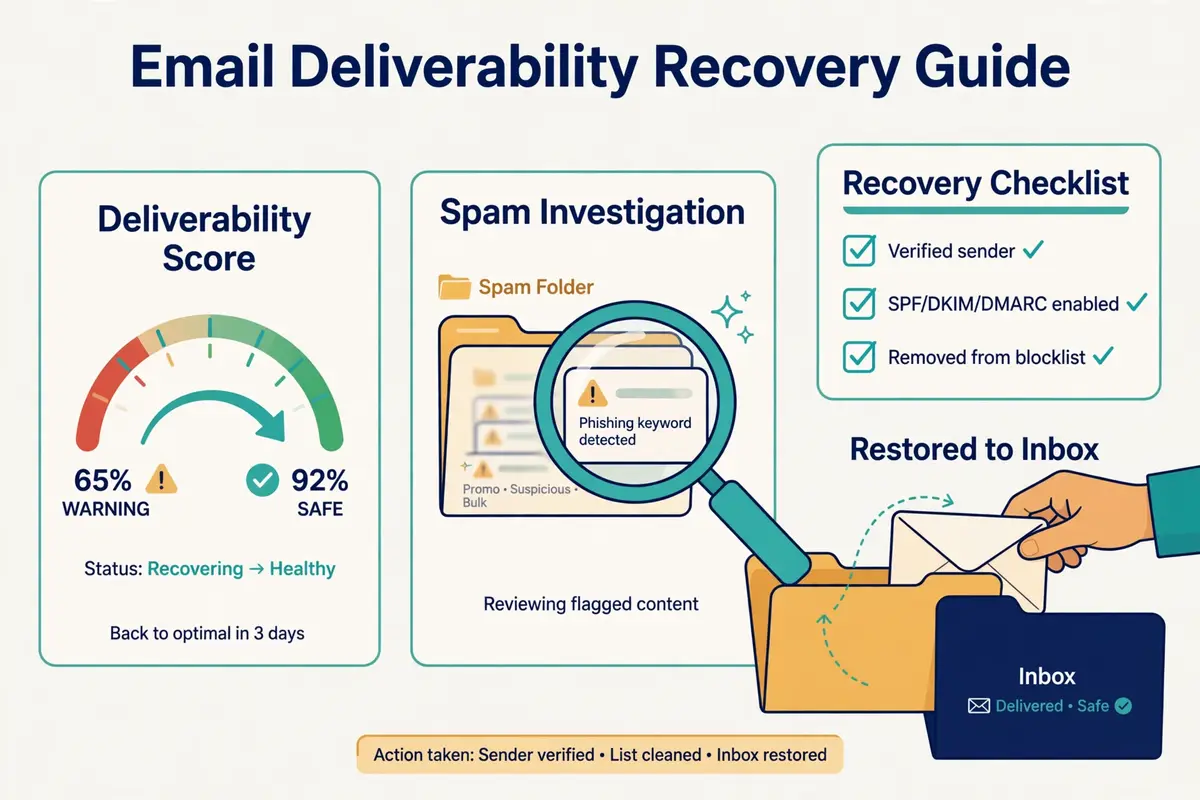
Secondly, a domain that is already landing in spam can be recovered, and the plan below is the order that works. The instinct is to send more, to make up for the lost replies, and that instinct is exactly wrong: more mail from a distrusted domain lands in more spam, earns more complaints, and digs the hole deeper. Recovery starts with stopping, not with sending.
In fact, the whole recovery takes four to six weeks, and there is no honest shortcut. A domain that was burned over a month will not be trusted again in a day, because filters trust recent behaviour, and recent behaviour has to be good for long enough to matter. A sender who follows the plan below, patiently, will get the domain back. A sender who rushes it will burn the domain again, and a twice-burned domain is often not worth saving.
Inbox placement guide: the seven-step recovery plan
| Step | Action | How long |
|---|---|---|
| 1. Pause | Stop all campaigns from the domain at once | Immediately |
| 2. Diagnose | Check SPF, DKIM, DMARC, blocklists, Postmaster Tools, and the last list mailed | Day 1 to 2 |
| 3. Fix | Repair every failing record, request delisting, drop the bad list segment | Day 2 to 5 |
| 4. Clean | Re-verify the whole list, suppress every complainer and bouncer | Week 1 |
| 5. Re-warm | Restart warmup at a handful of emails a day, rising slowly | Weeks 2 to 4 |
| 6. Test | Run placement tests weekly; resume only above 90% inbox | Weeks 3 to 5 |
| 7. Resume | Restart campaigns at half the old volume, to the cleanest segment first | Weeks 4 to 6 |
The recovery plan above is the order that works: pause, diagnose, fix, clean, re-warm, test, and only then resume. Last checked: 16 November 2026.
Inbox placement guide: when to recover, and when to start over
Moreover, recovery is worth it when the domain is a few months old, the problem is recent, and the cause is known: a bad list, a broken record, a volume spike. In that case the domain has a history worth saving, and four to six weeks of patient work will save it. Recovery is also worth it when the domain carries a brand the sender cannot easily replace, such as a domain printed on business cards or linked from a website.
For example, starting over is the better call when the domain is new, the problem is old, and the cause is unclear. A fresh sending domain costs a few dollars a year, and a proper warmup costs two to four weeks, which is the same time recovery would take. A sender with no brand tied to the domain, and no history worth saving, should buy a new domain, set it up properly from day one, and treat the old domain as a lesson. Our Best Warmup Tools Compared article covers the warmup services that carry a recovery.
Tool comparison: seven placement tools, priced and verified
Secondly, the seven tools below cover the whole placement job between them: placement testing, warmup, infrastructure, and monitoring. No single tool does all of it, and the right choice depends on which part of the job is broken. When warmup is the problem, the answer is Warmforge or Instantly. A sender who cannot see where mail lands needs SmartDelivery or the Bouncer Kit. Infrastructure trouble points to Mailforge, Inframail, or Do You Mail.
In fact, all seven prices were read on the official sites on 16 November 2026, and the table notes where a figure could not be read on the page itself. Where a vendor publishes no price for a feature, the guide says so rather than guessing. The comparison is split into two tables so each one stays readable: the first covers what each tool does for placement, and the second covers what it costs.
Inbox placement guide: what each tool does for placement
| Tool | Placement testing | Warmup | Infrastructure | Monitoring |
|---|---|---|---|---|
| Smartlead SmartDelivery | Yes, per campaign sequence | Warmup Pool add-on, $59/mo | SmartServers, $39/server/mo | Yes, placement data per test |
| Warmforge | Yes, Placement Pro and Growth | Yes, dedicated warmup | No, warmup only | Yes, DNS and blacklist health checks |
| Mailforge | No | No | Yes, shared mailboxes, auto DNS | No |
| Inframail | No | Only on the $797/mo DFY plan | Yes, unlimited inboxes, auto SPF, DKIM, DMARC | Yes, domain health dashboard |
| Do You Mail | No | No | Yes, dedicated servers, auto SPF, DKIM, DMARC | No |
| Bouncer Deliverability Kit | Yes, inbox placement tests | No | No | Yes, blocklists, SPF, DKIM, DMARC, SpamAssassin |
| Instantly | Yes, inbox placement tests | Yes, unlimited warmup included | Yes, SISR dedicated IP pools on Light Speed | Yes, reputation protection and bounce detection |
The table above covers what each tool does for placement. Warmforge and SmartDelivery are the testing specialists; Mailforge, Inframail and Do You Mail are the infrastructure specialists. Last checked: 16 November 2026.
What each tool costs
| Tool | Starting price | Best for |
|---|---|---|
| Smartlead SmartDelivery | $49/mo | Agencies testing placement per campaign |
| Warmforge | $10/slot/mo billed quarterly, $9 annual | Dedicated warmup for any sending tool |
| Mailforge | $3/mailbox/mo billed monthly, $2.40 yearly | Cheap shared infrastructure at scale |
| Inframail | $147/mo Unlimited | Unlimited inboxes on a flat fee |
| Do You Mail | $39/server/mo | Dedicated servers with full control |
| Bouncer Deliverability Kit | $25/mo Starter | Placement and blocklist monitoring alone |
| Instantly | $47/mo Growth | Warmup and sending in one tool |
Prices above were read on the official sites on 16 November 2026. Features and pricing can change, so please check the provider’s site before you buy. We do not guess at features, prices or trials.
Reading the comparison honestly
Moreover, the comparison shows a real split in the market. SmartDelivery, Warmforge and the Bouncer Kit are specialists: they test and monitor, and they leave sending to another tool. Instantly is the all-in-one: warmup, placement tests and sending in a single subscription. Mailforge, Inframail and Do You Mail are infrastructure: they build the domains and inboxes that the sending tools run on. A sender who buys a specialist and expects it to send mail will be disappointed, and a sender who buys infrastructure and expects warmup will be too.
For example, the cheapest option is not always the cheapest outcome. Mailforge at $3 a mailbox a month looks cheap next to Do You Mail at $39 a server a month, until the sender counts the warmup tool, the placement tests, and the time spent managing shared infrastructure. A flat fee that includes the whole job can cost less than three cheap tools that each do a third of it. Add up the whole stack before choosing, not just the headline price.
Pros and cons: the honest case for each tool
Secondly, every tool below has a real weakness, and this inbox placement guide names it plainly. A review that only lists strengths is an advertisement, not a guide. The weaknesses matter because they decide who should not buy the tool, and a sender who knows the weakness in advance can plan around it.
Smartlead SmartDelivery: the agency tester
Firstly, SmartDelivery’s strength is depth: placement tests run per campaign sequence, with up to 50 sender accounts on the Growth plan and 200 on Pro, and the Pro plan adds placement-optimised copy and campaign copy warmup. Its weakness is price and scope: $49 a month buys testing only, and a sender who also needs warmup pays the $59 a month Warmup Pool add-on on top, or buys Smartlead’s Unlimited Smart plan, where the pool is free. A solo sender with one mailbox will find cheaper testing elsewhere.
Warmforge: the warmup specialist
Secondly, Warmforge’s strength is focus: it does warmup and placement testing, and nothing else, and it does both well, with health checks for DNS and blacklists included. Its weakness is that it is a second subscription: a sender still needs a sending tool and an infrastructure provider, and there is no free trial, only one free slot and one free placement test a month to try it with.
Mailforge: the budget infrastructure
Moreover, Mailforge’s strength is price: $3 a mailbox a month, or $2.40 on annual billing, with automatic DNS setup and a minimum of ten slots, is the cheapest way to stand up real infrastructure. Its weakness is sharing: the IPs are shared, not dedicated, and there is no warmup and no placement testing built in, so the sender buys those elsewhere. A sender who needs dedicated IPs should look at Do You Mail or Inframail instead.
Inframail: the flat-fee scale play
For example, Inframail’s strength is scale on a flat fee: unlimited inboxes for $147 a month, with automatic SPF, DKIM and DMARC, and a domain health dashboard that watches blocklists and submits delisting requests. Its weakness is warmup: the $147 and $387 plans do not include it, and the only plan that does is the $797 a month done-for-you plan, with a three-month minimum. A sender who buys Inframail still needs a warmup tool.
Do You Mail: the dedicated-server choice
Finally, Do You Mail’s strength is control: dedicated US or EU servers, unlimited inboxes and domains, and automated authentication, for $39 a server a month. Its weakness is that it is infrastructure only, with no sequences, no warmup, no placement testing and no reply inbox, and no free trial advertised on the official site. A sender who wants a managed experience will find it hands-on.
Bouncer Deliverability Kit: the monitor
In sum, the Bouncer Kit’s strength is breadth of monitoring: placement tests, blocklist checks, SPF, DKIM and DMARC checks, and SpamAssassin analysis, from $25 a month. Its weakness is that it only watches: it does not warm up, it does not send, and it does not fix what it finds. Pair it with a warmup tool and a sending tool, and treat its verification credits, from $8 per 1,000, as a separate purchase for list hygiene.
Instantly: the all-in-one
Secondly, Instantly’s strength is that warmup, placement tests and sending live in one subscription, from $47 a month, with unlimited warmup across a large pool and a placement test built in. Its weakness is that the deeper placement features sit on higher plans: Hypergrowth at $107 a month carries 125,000 emails, and the SISR dedicated IP system arrives only on Light Speed at $358 a month. A sender who outgrows Growth will feel the price steps.
Who should pick which: a decision framework
Secondly, the right pick depends on the sender’s situation, not on the tools’ feature lists. The framework below starts from the problem, because a sender who buys a warmup tool for a monitoring problem has spent money and solved nothing. Find the row that matches, and the pick follows.
Inbox placement guide: pick the tool that matches the problem
| Your situation | Pick this | Why |
|---|---|---|
| New domain, no history yet | Warmforge | Dedicated warmup from $10 a slot, with health checks included |
| Agency testing many campaigns | Smartlead SmartDelivery | Per-sequence placement tests, up to 200 sender accounts on Pro |
| Solo sender, one tool for everything | Instantly Growth | Warmup, placement tests and sending from $47 a month |
| Scaling to hundreds of inboxes | Inframail Unlimited | Unlimited inboxes on a flat $147 a month |
| Need dedicated servers and control | Do You Mail | Dedicated IPs and full control for $39 a server a month |
| Cheapest infrastructure at volume | Mailforge | $2.40 a mailbox a month on annual billing, auto DNS |
| Just want to watch placement and blocklists | Bouncer Deliverability Kit | Monitoring only, from $25 a month, no sending needed |
The framework above starts from the problem, not the feature list. Match the row to your situation first, then check the price on the provider’s site. Last checked: 16 November 2026.
Two questions before you buy anything
Moreover, ask two questions before spending anything. First, which part of the job is actually broken: warmup, testing, infrastructure, or monitoring? A placement test will answer that in a day, and Google Postmaster Tools will answer it for free. Second, what does the whole stack cost, including the sending tool, the warmup, the tests, and the infrastructure? The cheapest headline price is rarely the cheapest stack, and the dearest tool is rarely dearest once the stack is counted.
For example, a solo sender with one domain and three mailboxes needs Instantly Growth, or Warmforge plus a sending tool, and nothing else. An agency with twenty clients needs SmartDelivery for testing, Inframail or Do You Mail for infrastructure, and a warmup service that runs across all of it. A sender who buys the agency stack for a solo problem has bought a lorry to carry a suitcase, and a sender who buys the solo stack for an agency problem will outgrow it in a month.
Frequently asked questions
Inbox placement guide: what is a good inbox placement rate?
Firstly, above 90% in the primary inbox is healthy, and it is the target this inbox placement guide uses throughout. Between 80% and 90% is a warning to check the list, the content, and the blocklists. Below 80% is a problem: pause the campaigns and work through the recovery plan before sending again. A placement test, not the delivery rate in your sending tool, is how you measure it.
How long does warmup take?
Secondly, two to four weeks for a new domain, starting with a handful of emails a day and rising gradually. Two weeks is the minimum, four weeks is better for a domain that will carry real volume, and warmup should keep running at a low level alongside real campaigns, so the mailbox keeps earning positive signals every day.
Does SPF, DKIM and DMARC guarantee the inbox?
Moreover, no. Authentication is the entry ticket, not the whole game. It proves who you are, and without it the inbox is out of reach, but a perfectly authenticated email from a domain with a poor reputation, a dirty list, or a climbing complaint rate will still land in spam. Authentication gets you considered for the inbox. Reputation, engagement, content and list quality decide whether you land there.
What is the difference between delivered and inbox placement?
For example, delivered means the receiving server accepted the message, which is a technical handshake. Inbox placement means the message arrived in the primary inbox, rather than promotions, spam, or rejection. A campaign can report 99% delivered and still have a third of its mail in spam, which is why placement tests matter more than the delivery rate in a dashboard.
How often should I re-verify my list?
Finally, re-verify the whole list every three months, and re-verify any segment before a big campaign, even if it was checked recently. Lists go stale fast as people change jobs and domains expire, and a list that was clean in January will have dead addresses by April. Verify before the first send to any new list, and never mail a list that has never been verified.
Can a domain that lands in spam be fixed?
In sum, yes, in most cases, with four to six weeks of patient work: pause all campaigns, diagnose and fix the cause, clean the list, re-warm slowly, test weekly, and resume at half volume only when placement tests show above 90% inbox. Recovery is worth it when the domain has a history worth saving. When the domain is new and the cause is unclear, a fresh domain with a proper warmup is often the faster call.
The verdict
The verdict
Inbox placement is a system, not a trick. A separate sending domain, SPF, DKIM and DMARC done properly, two to four weeks of warmup, a verified list, bounces under 2%, spam complaints under 0.1%, and 25 to 30 sends per mailbox a day will put most senders above 90% inbox placement. No single tool does all of it, and no single fix rescues a domain that is broken in three places at once.
Best for placement testing: Smartlead SmartDelivery, from $49 a month, for agencies that test every campaign. Warmforge leads on dedicated warmup, from $10 a slot a month, for any sender who wants warmup done properly. Instantly leads as the all-in-one, from $47 a month, for a solo sender who wants warmup, testing and sending in one place. Inframail Unlimited leads on infrastructure at scale, $147 a month, for unlimited inboxes on a flat fee. We have not hands-on tested these tools ourselves, so there are no numeric scores here, only the verified prices and the honest trade-offs above.
Start today, and start small
Secondly, start today, and start small. Set up Google Postmaster Tools, run a placement test on your live campaign, and check the three authentication records. Those three steps cost nothing, take less than an hour, and tell you exactly where you stand. If the numbers are green, keep sending and keep testing every week. If they are not, work through the recovery plan, one step at a time, and do not rush it. The inbox rewards patience, and it punishes haste, every single time.
Finally, remember that placement is the first step in the funnel, not the last. An email in the primary inbox still needs a subject line worth opening, a first line worth reading, and an offer worth replying to. Our Cold Email Sequencing Guide 2026 shows what to do once the email is seen, and our guide to writing cold emails that get replies covers the copy itself.
Keep reading
- Deliverability Guide 2026 — the whole system placement belongs to
- Best Warmup Tools Compared — every warmup service, priced side by side
- How to Warm Up a New Email Domain 2026 — the day-by-day warmup schedule
- How to Set Up a Sending Domain — SPF, DKIM, DMARC and warmup, step by step
- Email Verification Guide 2026 — keep the list clean before the first send
- Cold Email Sequencing Guide 2026 — what to do once the email is seen
- Best Email Deliverability Tools 2026 — the wider deliverability toolkit
- Instantly vs Lemlist — two sequencers, priced and compared
- Woodpecker vs Smartlead — two more sequencers, priced and compared
- ZeroBounce vs NeverBounce — two verifiers, priced and compared
Leave a Reply