
Category: ESPs

Email service providers for opted-in marketing email — newsletters, automation and transactional email. Not for cold outreach.

  • SendGrid vs Mailchimp 2026

    SendGrid vs Mailchimp 2026

    An email API that delivers your app’s mail against a marketing platform that grows your audience — and a clear winner for each job

    SendGrid vs Mailchimp is the most useful comparison in email, because the two tools answer different questions. SendGrid is an email API and SMTP relay, built so your app can send password resets, receipts and alerts at scale, with Marketing Campaigns as a second product for newsletters. Mailchimp is a marketing platform, built so a small business can grow an audience, design campaigns and run automated journeys, with transactional mail as a paid add-on. This SendGrid vs Mailchimp comparison checks pricing, the API against the platform, transactional against bulk mail, automation, templates, deliverability, compliance and support on both official sites, so you can pick with confidence.

    Visit SendGrid →Check Mailchimp →

    Prices checked 16 November 2026 on Twilio SendGrid’s and Mailchimp’s official pricing pages. Features and pricing can change, so please check the provider’s site before you buy.

    Quick Answer

    Choose SendGrid when your app sends the email. Its Email API starts with a 60-day free trial at 100 emails a day, and Essentials costs from $19.95 a month for 50,000 emails, with a 99.99% uptime SLA and a median delivery speed of 1.9 seconds across 205 billion emails a month. Choose Mailchimp when your marketing team sends the email. Its Free plan covers 250 contacts and 500 sends a month, Essentials starts at $13 a month for 500 contacts, and the drag-and-drop builder with Customer Journeys needs no developer at all.

    SendGrid leads on transactional sending, with a mature API, SMTP relay, real-time validation and dedicated IPs with automated warm-up on Pro. Mailchimp leads on marketing, with audiences, landing pages, predictive segments and multivariate testing that SendGrid’s Marketing Campaigns does not match. SendGrid leads on scale pricing, at $19.95 a month for 50,000 emails against Mailchimp’s contact-based bill, which reaches $75 a month on Essentials at 5,000 contacts. Mailchimp leads on the free start, because its Free plan stays free, while SendGrid’s free trial ends after 60 days.

    Contents

    Why this SendGrid vs Mailchimp comparison settles the choice

    Two famous names can hide two different products, and that is exactly what happens here. In fact, SendGrid and Mailchimp both send email, both offer a free start, and both appear on every best-email-tool list. A buyer who compares only the starting prices will miss the real difference, because SendGrid prices by the email and Mailchimp prices by the contact. A buyer who compares only the feature lists will miss it too, because SendGrid’s strongest features serve developers, while Mailchimp’s strongest features serve marketers.

    The picture gets sharper once you sort your email by job. App mail, such as sign-up confirmations, password resets, order receipts and alerts, needs an API that answers in milliseconds and never loses a message. Marketing mail, such as newsletters, welcome series, abandoned-cart reminders and promotions, needs an audience, a builder and journeys that run while you sleep. Most businesses send both kinds, which is why so many run both tools side by side.

    This SendGrid vs Mailchimp comparison takes those jobs in turn. Pricing leads, because the volume bill and the contact bill give the same business two very different monthly totals. Cost at scale comes next, because the gap widens as the list grows. The API against the platform, automation, templates, deliverability, a feature matrix and the honest pros and cons follow. By the end, you should know which tool fits your sending, and which plan inside it to start on.

    SendGrid and Mailchimp in plain English: an email API against a marketing platform

    SendGrid, now Twilio SendGrid, is a cloud email delivery engine. Moreover, your app calls its Email API or connects through SMTP relay. SendGrid delivers the message, tracks opens, clicks, bounces and blocks, and reports on every send. It moves more than 205 billion emails a month, with a claimed 99% deliverability rate and a 99.99% uptime SLA. Marketing Campaigns sits beside the API as a second product, with a visual builder, segmentation, A/B testing and automation, priced separately by contacts and sends.

    Mailchimp, owned by Intuit, is an opt-in email marketing and automation platform. Similarly, you collect subscribers who ask to hear from you, organise them into audiences, design campaigns in a drag-and-drop builder, and send them through automated Customer Journeys. Landing pages, signup forms, social ads, postcards and SMS all live in one account, with more than 300 integrations. Transactional mail runs through Mandrill, a paid add-on, because the core product is marketing email.

    Both tools cover the same everyday need at heart. In fact, you begin with people who expect your email, you design something worth opening, you send it. You learn from the opens, clicks and sales that follow. Because the loop matches on both tools, the decision rests on who sends the email and how it gets triggered. A developer who wires email into code will feel at home on SendGrid. A marketer who builds campaigns by hand will feel at home on Mailchimp.

    What SendGrid adds on top of sending in this SendGrid vs Mailchimp comparison

    Above all, SendGrid turns from a sender into infrastructure through its API. In addition, comprehensive client libraries, an SMTP relay, interactive API docs, event webhooks and inbound parse webhooks let a developer wire email into any app in an afternoon. Real-time email validation checks addresses before they bounce, Deliverability Insights shows reputation and delivery data. Suppression management keeps complainers and bouncers out of future sends.

    Moreover, SendGrid adds the scale features that high-volume senders actually pay for. Pro includes a dedicated IP with automated warm-up, subuser management, single sign-on, 2,500 free email validations a month, 60 email testing credits a month and seven days of searchable email activity. Premier adds 5,000 validations, custom volume and expert program management. Our SendGrid review covers the platform in full depth.

    What Mailchimp adds on top of sending in this SendGrid vs Mailchimp comparison

    Mailchimp, meanwhile, turns from a sender into a marketing platform through its audience tools. For example, audiences, tags and segments organise contacts by behaviour, signup forms and landing pages grow the list, and the reporting dashboard ties each send back to opens, clicks and sales. Intuit Assist, the generative AI helper, drafts subject lines and content, while Send Time Optimization picks the hour each contact is most likely to open.

    In addition, Mailchimp adds the channels that a small business outgrows email with. SMS runs as an add-on on paid plans, social ads and postcards reach people beyond the inbox. A built-in CRM keeps customer notes beside the campaigns. Standard opens up to 200 automation flows, predictive segmentation and generative AI, while Premium drops the seat and audience limits entirely. Our Mailchimp review covers the platform in full depth.

    The one-sentence difference in this SendGrid vs Mailchimp comparison

    SendGrid is the delivery engine: your app triggers the email through an API. SendGrid delivers it fast, tracks it and protects your sender reputation at scale. Mailchimp is the marketing platform: your team grows an audience, designs campaigns and runs journeys that nurture subscribers toward a sale. A developer who needs receipts delivered will notice the difference in week one. A marketer who needs a welcome series running will notice it on the first campaign.

    Neither tool is made for cold outreach, so a team that mostly emails strangers should look at the prospecting tools in our best cold email software guide instead. For opt-in marketing and transactional mail, though, this pair stays one of the most useful match-ups around.

    The opt-in warning first: neither tool is for cold email

    Read this section before you compare a single price, because it decides whether either tool will work for you at all. SendGrid and Mailchimp are built for opt-in marketing and transactional email, not cold outreach. Both tools expect every recipient to have asked for your mail, or to have a live relationship with your business, such as an account, an order or a support ticket. Purchased lists, scraped addresses and mail to people who never opted in break that deal.

    Mailchimp states the rule plainly, and its enforcement is strict. As a result, its own help pages describe an opt-in only service, and accounts that mail purchased lists or non-opted-in contacts risk suspension. The pattern is always the same: complaints and bounces spike, because strangers mark unexpected mail as spam, deliverability then falls, because mailbox providers notice the complaints, and Mailchimp pauses sending while it reviews the account. A suspended account loses its audiences, its journeys and its history. A new account does not fix a banned practice.

    How either tool reacts to a cold list in this SendGrid vs Mailchimp comparison

    SendGrid enforces the same idea from the infrastructure side. However, its acceptable-use rules and suppression handling protect the shared IPs that every Essentials customer sends from. One bad sender can hurt the neighbours. A new account that blasts a cold list will see bounces, blocks and spam complaints rise. The account can be restricted or closed. The free trial, at 100 emails a day for 60 days, is designed for testing real app mail, not for working through a bought list.

    In short, if your plan is cold email, stop here and read our ESPs for cold email guide first. Bulk ESPs are built for transactional and opt-in mail, not cold outreach, and that guide explains why, with the tools that actually fit cold sending. If your recipients opted in, or your app sends mail they expect, both SendGrid and Mailchimp will serve you well, and the rest of this SendGrid vs Mailchimp comparison will help you choose between them.

    Pricing head-to-head in this SendGrid vs Mailchimp comparison

    Pricing is where this SendGrid vs Mailchimp comparison first gets interesting, because the two price lists work in opposite ways. SendGrid bills by email volume on the Email API, so the bill climbs with every thousand messages your app sends. Mailchimp bills by contacts stored, so the bill climbs with every hundred subscribers you add, even before you send a single campaign. A small app with a big list and a big app with a small list will read the same two price lists and reach opposite conclusions.

    Every figure below comes from the official pricing pages, checked today, 16 November 2026. SendGrid sells two products on two bills, so the Email API and Marketing Campaigns each get their own table. Mailchimp sells one product on four plans, so its table covers Free, Essentials, Standard and Premium. Where a price is not shown on the official page, this SendGrid vs Mailchimp comparison says so plainly instead of guessing.
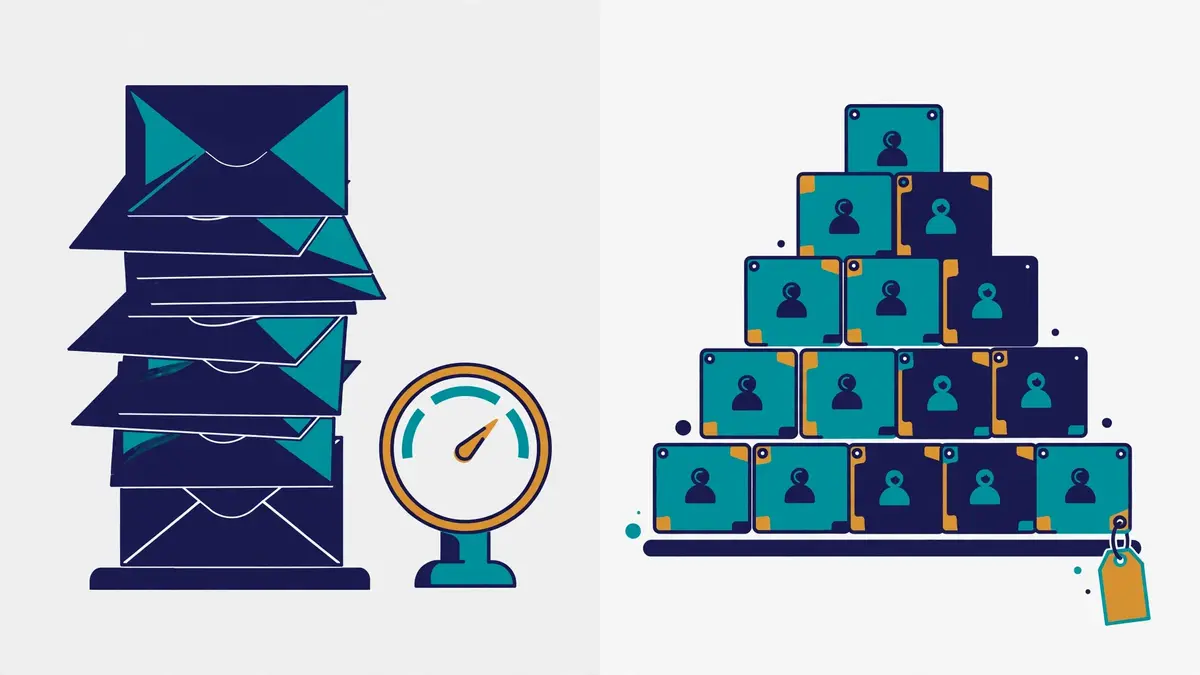
    SendGrid vs Mailchimp comparison: two contrasting pricing visuals side by side, a tall stack of envelopes counted by volume beside a stepped pyramid of contact cards with a price tag
    Pricing in this SendGrid vs Mailchimp comparison: SendGrid prices by email volume, while Mailchimp prices by contacts stored.

    SendGrid Email API plans: free trial, Essentials, Pro and Premier, from $19.95 a month

    PlanPrice*What you getBest forVisit
    SendGrid — Free trialBest for testing the API$0 for 60 days
    100 emails a day, no card
    100 emails a day
    Analytics, template editor, 3-day activity
    Developers testing real app mailTry Free →
    SendGrid — EssentialsBest for steady app mailFrom $19.95 a month
    50,000 emails; $34.95 for 100,000
    50,000 to 100,000 emails a month
    Shared IPs, 2 event webhooks, 3-day activity
    Apps sending 50,000 to 100,000 a monthVisit Site →
    SendGrid — ProBest for production sendingFrom $89.95 a month
    100,000 emails, up to 2.5M
    1 dedicated IP, automated warm-up
    SSO, subusers, 2,500 validations, 7-day activity
    Apps needing their own sending IPSee Pro →
    SendGrid — PremierBest for very high volumeCustom pricing
    5M+ emails a month
    Custom volume, 5,000 validations
    Expert program management, 7-day activity
    Enterprises sending millions a monthGet a Quote →

    * Last checked: 16 November 2026 on Twilio SendGrid’s Email API pricing page. The page confirms the free trial at $0 for 60 days and 100 emails a day with no credit card, Essentials from $19.95 a month, Pro from $89.95 a month and Premier on custom pricing. Taxes and overage fees may apply. Features and pricing can change, so please check the provider’s site before you buy. We do not guess at features, prices or trials.

    Reading the Email API volume steps in this SendGrid vs Mailchimp comparison

    Volume steps are where SendGrid’s real monthly cost takes shape. Essentials at $19.95 a month covers 50,000 emails, which works out at about $0.40 per 1,000 emails. $34.95 covers 100,000, which works out at about $0.35 per 1,000. Pro at $89.95 a month covers 100,000 emails with a dedicated IP, which works out at about $0.90 per 1,000. Pro costs more than double Essentials for the same volume, because the dedicated IP, validation and testing credits ride along.

    One rule makes the free trial genuinely useful: it runs $0 for 60 days at 100 emails a day, with no credit card. It includes analytics, deliverability optimisation and the dynamic template editor, so a developer can test the real platform before paying anything. The catch is that the trial ends after 60 days. There is no permanent free plan on the Email API, so a hobby project that never upgrades will stop sending. Send past your plan’s limit and overage charges may apply on the next invoice.

    SendGrid Marketing Campaigns plans: free trial, Basic, Advanced and Custom, from $15 a month

    PlanPrice*What you getBest forVisit
    Marketing Campaigns — Free trialBest for testing campaigns$0 for 60 days
    100 contacts, 100 emails a day
    100 contacts, 100 emails a day
    Design editor, segmentation, A/B testing
    Marketers testing the builderTry Free →
    Marketing Campaigns — BasicBest for simple newslettersFrom $15 a month
    5,000 contacts, 15,000 emails
    Design and code editors, segmentation
    5 signup forms, 10 testing credits, ticket support
    Small lists sending regular newslettersVisit Site →
    Marketing Campaigns — AdvancedBest for automated campaignsFrom $60 a month
    10,000 contacts, 50,000 emails
    Automation, dedicated IP access
    15 signup forms, 60 testing credits, 1,000 teammates
    Marketers running journeys at scaleSee Advanced →
    Marketing Campaigns — CustomBest for very large listsCustom pricing
    500,000+ contacts
    Custom contacts and sends
    Automation, dedicated IP access, expert services
    Enterprises with huge audiencesGet a Quote →

    * Last checked: 16 November 2026 on Twilio SendGrid’s Marketing Campaigns pricing page. The page confirms the free trial at $0 for 60 days, Basic from $15 a month, Advanced from $60 a month and Custom on custom pricing. The page’s own FAQ still describes a free Marketing Campaigns plan at 2,000 contacts and 6,000 emails a month, so we report it as written, with a caution to confirm it at signup, since SendGrid’s free plans have changed before. Marketing Campaigns and the Email API are bought separately, and their sends are counted separately. Features and pricing can change, so please check the provider’s site before you buy.

    Reading the two-bill trap in this SendGrid vs Mailchimp comparison

    Two bills are where SendGrid’s real monthly cost takes shape. A business that needs both app mail and newsletters pays for the Email API and for Marketing Campaigns, because the two products are bought separately and their sends are counted separately. Essentials at $19.95 plus Marketing Campaigns Basic at $15 comes to $34.95 a month before either product scales, which is more than Mailchimp Essentials at $13 for a 500-contact list.

    In contrast, a business that needs only one half of SendGrid pays only for that half. Furthermore, an app with no newsletter never buys Marketing Campaigns, and a newsletter with no app mail never buys the Email API. The plan comparison holds the full Automation builder for Advanced at $60, while Basic at $15 covers the design editor, segmentation, A/B testing and signup forms. SendGrid’s own FAQ describes automation in the free Marketing Campaigns plan too. Confirm which automations your plan includes before you buy.

    Mailchimp plans: Free, Essentials, Standard and Premium, from $13 a month

    PlanPrice*What you getBest forVisit
    Mailchimp — FreeBest for starting out$0
    250 contacts, 500 sends a month
    250 contacts, 500 sends a month
    1 seat, 1 audience, 250 sends a day cap
    Beginners growing a first listStart Free →
    Mailchimp — EssentialsBest for small businessesFrom $13 a month
    500 contacts, 10× sends
    5,000 sends a month at 500 contacts
    3 seats, 3 audiences, A/B testing, scheduling
    Small businesses sending regularlyVisit Site →
    Mailchimp — StandardBest for growing marketersFrom $20 a month
    500 contacts, 12× sends
    6,000 sends a month at 500 contacts
    5 seats, 5 audiences, 200 flows, predictive segments
    Marketers running real automationSee Standard →
    Mailchimp — PremiumBest for large teamsFrom $350 a month
    10,000 contacts, 15× sends
    150,000 sends a month at 10,000 contacts
    Unlimited seats and audiences, phone support
    Large teams needing phone supportView Premium →

    * Last checked: 16 November 2026 on Mailchimp’s pricing page. The page renders dollar figures in JavaScript, so the dollar figures above rest on three independent November 2026 checks of that page, all in agreement: Free $0, Essentials from $13, Standard from $20 and Premium from $350 a month. The contact limits, send multiples (10×, 12×, 15×), seats, audiences and trial terms (14-day Standard and Essentials trial, 1-month Premium trial) were read directly from the official page today. Features and pricing can change, so please check the provider’s site before you buy. We do not guess at features, prices or trials.

    Reading Mailchimp’s contact bill in this SendGrid vs Mailchimp comparison

    Contact tiers are where Mailchimp’s real monthly cost takes shape. Meanwhile, the bill rises with the list, not with the sends. A list that grows from 500 to 5,000 contacts moves Essentials from $13 to $75 a month and Standard from $20 to $100, even if the sending stays the same. At 10,000 contacts, Essentials costs $110, Standard costs $135 and Premium costs $350. At 25,000 contacts, Essentials costs $270 and Standard costs $310.

    One rule makes Mailchimp’s bill easy to misread: Mailchimp counts unsubscribed contacts toward your bill unless you archive them, so a list of 10,000 names with 3,000 inactive ones still bills at the 10,000-contact tier. Archive the contacts who never open before the list grows, or the bill will grow with them. Mailchimp also bills overages automatically when a list or send limit is passed, and may move the account to a higher contact tier during a trial when that tier would cost less.

    In sum, Mailchimp’s free plan is the friendliest free start in this SendGrid vs Mailchimp comparison, because it stays free with no time limit, at 250 contacts and 500 sends a month. The trade is real, though: the free plan keeps Mailchimp branding in the footer, offers email support for the first 30 days only, and includes no automation flows or scheduled sends. A business that outgrows 250 contacts should expect the $13 Essentials step, and the $20 Standard step soon after, because the full automation lives on Standard.

    What each tool costs at 500, 5,000 and 10,000 contacts — and at 10,000, 100,000 and 1,000,000 emails

    Cost at scale is the fairest way to compare a volume bill against a contact bill, because the headline prices hide what each setup actually costs. SendGrid prices by email volume and Mailchimp prices by contacts, so the two models are not directly comparable. This SendGrid vs Mailchimp comparison says so plainly. The tables below work out the cheapest monthly bill that covers each size, on monthly billing, with the arithmetic shown so you can check it.

    For example, the contact table compares Mailchimp against SendGrid Marketing Campaigns, because both products price by contacts stored. The email table compares SendGrid’s Email API against the Mailchimp plan whose send allowance covers the volume, because that is the only honest way to put a volume number beside a contact number. Every figure is arithmetic from the plan prices checked today, 16 November 2026.

    Cost by contacts in this SendGrid vs Mailchimp comparison

    ContactsMailchimp EssentialsMailchimp StandardSendGrid Marketing CampaignsCheaper pick
    500 contacts$13 a month
    5,000 sends included
    $20 a month
    6,000 sends included
    From $15 a month
    Basic, 5,000 contacts, 15,000 sends
    Mailchimp Essentials, by $2
    5,000 contacts$75 a month
    50,000 sends included
    $100 a month
    60,000 sends included
    From $15 a month
    Basic 5K, 15,000 sends
    SendGrid Basic, by $60
    10,000 contacts$110 a month
    100,000 sends included
    $135 a month
    120,000 sends included
    From $60 a month
    Advanced 10K, 50,000 sends
    SendGrid Advanced, by $50

    Arithmetic, labelled plainly: Mailchimp sends are the contact count times the plan multiple — 500 × 10 = 5,000, 5,000 × 10 = 50,000 and 10,000 × 10 = 100,000 on Essentials; 500 × 12 = 6,000, 5,000 × 12 = 60,000 and 10,000 × 12 = 120,000 on Standard. SendGrid Marketing Campaigns Basic at $15 covers 5,000 contacts and 15,000 emails, and Advanced at $60 covers 10,000 contacts and 50,000 emails, so the SendGrid figures at 5,000 and 10,000 contacts buy far fewer sends than the Mailchimp figures at the same size. Last checked: 16 November 2026. Features and pricing can change, so please check the provider’s site before you buy.

    Cost by emails sent in this SendGrid vs Mailchimp comparison

    Emails a monthSendGrid Email APIMailchimp plan that covers itCheaper pick
    10,000 emails$19.95 a month
    Essentials, 50,000 allowance
    Essentials, 1,000-contact tier
    10,000 sends at 10×; price: check the site
    SendGrid, on a verified price
    100,000 emails$34.95 a month
    Essentials, 100,000 allowance
    $110 a month
    Essentials, 10,000 contacts, 100,000 sends
    SendGrid, by about $75
    1,000,000 emailsPro, check the site
    From $89.95 at 100,000, rises with volume
    Premium, check the site
    10,000 contacts include 150,000 sends only
    No verified winner at this volume

    Arithmetic, labelled plainly: 100,000 emails need a 10,000-contact Mailchimp Essentials tier, because 10,000 × 10 = 100,000 sends. SendGrid Essentials at $34.95 covers exactly 100,000 emails, so the gap is $110 − $34.95 = about $75. At 1,000,000 emails, neither official page prints the exact price on the plan cards, so this SendGrid vs Mailchimp comparison says check the site instead of guessing. Last checked: 16 November 2026. Features and pricing can change, so please check the provider’s site before you buy.

    What the price gap means in practice in this SendGrid vs Mailchimp comparison

    Take a small list of 500 contacts, where Mailchimp Essentials at $13 a month beats SendGrid Marketing Campaigns Basic from $15 by $2, yet SendGrid’s $15 buys 15,000 sends against Mailchimp’s 5,000. The $2 gap is real, yet each tool spends it on a different strength: Mailchimp buys the friendlier builder and journeys, while SendGrid buys three times the sends. A business that mails twice a week will feel the send allowance more than the $2.

    In contrast, a list of 5,000 contacts flips the maths hard in one direction. Mailchimp Essentials costs $75 a month for 50,000 sends, while SendGrid Marketing Campaigns Basic costs from $15 for 15,000 sends. SendGrid wins the bill by $60, yet it buys a third of the sends, so a business that mails its whole list weekly would blow past 15,000 sends in the first week and pay overages. The honest comparison is the bill for the sends you actually run, not the bill for the contacts you store.

    At 100,000 emails a month, the volume model wins outright. SendGrid Essentials at $34.95 covers the whole volume, while Mailchimp needs a 10,000-contact Essentials tier at $110 for the same 100,000 sends. That is a gap of about $75 a month, or about $900 a year, for the same number of emails. A business that sends high volume to a modest list should price the volume model first, because the contact model charges for the list whether it mails or not.

    Trying before you buy in this SendGrid vs Mailchimp comparison: a 60-day trial against a free plan

    The trial gap is the friendliest difference of all, because both tools let you test before you pay, in different ways. SendGrid offers a 60-day free trial on both products, at 100 emails a day with no credit card, which is generous for testing and useless for a live list, because it ends. Mailchimp offers a Free plan that stays free with no time limit, at 250 contacts and 500 sends a month, plus a 14-day trial of Standard or Essentials and a 1-month trial of Premium.

    No paid plan on either tool lacks a trial or a free tier, so testing costs nothing on both. If a free plan with no deadline matters most, Mailchimp’s is the better offer. If sixty days of full-feature testing matters most, SendGrid answers the question at once. Either way, set a reminder before the trial ends, because SendGrid’s trial stops sending when it ends. Mailchimp’s Standard trial moves to a paid plan when it ends.

    Email API against marketing platform: the core difference

    The core difference in this SendGrid vs Mailchimp comparison is who the product is built for. SendGrid is built for developers, so its first screen is code, its first feature is an API. Its first promise is delivery speed. Mailchimp is built for marketers, so its first screen is an audience, its first feature is a builder. Its first promise is a campaign that looks good and sends itself. A team that buys the wrong half will fight the tool every week.

    For example, the difference shows up in the first hour. A developer on SendGrid grabs an API key, drops the client library into the app, and sends a password reset in an afternoon. A marketer on Mailchimp imports a list, picks a template, writes a newsletter, and schedules it for Tuesday morning. Both jobs take an afternoon, yet neither person could do the other’s job in the same tool without a fight.

    SendGrid vs Mailchimp comparison: a developer workspace with a laptop showing code and an API plug sending envelopes beside a marketer workspace with a newsletter builder and an automation journey flowchart
    The core difference in this SendGrid vs Mailchimp comparison: SendGrid is built for developers who send through an API, while Mailchimp is built for marketers who build campaigns by hand.

    SendGrid’s Email API in this SendGrid vs Mailchimp comparison: code first, delivery always

    Specifically, SendGrid’s Email API is built for the emails your app sends. Consequently, comprehensive client libraries cover the common languages, the SMTP relay takes mail from any system that speaks SMTP. Interactive API docs let a developer test a call in the browser. Event webhooks report opens, clicks, bounces, blocks and spam reports back to the app in real time, while inbound parse webhooks turn replies into data the app can act on.

    Moreover, SendGrid’s API treats scale as a feature, not a limit. The platform moves more than 205 billion emails a month, with a 99.99% uptime SLA and a median delivery speed of 1.9 seconds, so a password reset lands before the user gives up and requests another. Dynamic templates carry Handlebars variables, so one template serves every user with their own name, order and link. A developer who needs receipts, alerts and confirmations delivered will find no marketing platform that matches it.

    Mailchimp’s platform in this SendGrid vs Mailchimp comparison: audiences first, campaigns always

    Mailchimp, by contrast, treats the audience as the product, with sending built on top. In contrast, audiences hold contacts with tags, segments and notes, signup forms and landing pages grow the list, and the reporting dashboard ties each send back to opens, clicks and sales. More than 300 integrations connect CRMs, social platforms, survey tools and payment providers. The audience stays in sync with the rest of the business.

    Similarly, Mailchimp pairs that audience with the channels a small business grows into. SMS runs as an add-on on paid plans, social ads and postcards reach people beyond the inbox. A built-in CRM keeps customer notes beside the campaigns. A marketer who needs a newsletter, a welcome series and a landing page in one login will feel at home, because the list, the builder and the journeys live together.

    Transactional against bulk in this SendGrid vs Mailchimp comparison

    All in all, the transactional split is the sharpest line in this SendGrid vs Mailchimp comparison. SendGrid’s Email API is transactional mail by design: one message, triggered by one event, delivered in about two seconds. Mailchimp’s core product is bulk marketing mail: one campaign, sent to thousands of subscribers at once, with timing tuned per contact. Each tool can stretch into the other’s job, yet neither stretch is free.

    Finally, the stretch costs real money on both sides. SendGrid’s Marketing Campaigns is a second subscription, so bulk mail on SendGrid means a second bill. Mailchimp’s transactional mail runs through Mandrill, a paid add-on, so app mail on Mailchimp means a second bill too. Many businesses run both tools for exactly this reason: SendGrid for the app mail, Mailchimp for the marketing mail, each doing the job it was built for. Our Mailgun vs SendGrid vs Postmark comparison sets SendGrid against the other transactional specialists.

    Automation and journeys: event triggers against Customer Journeys

    Automation is the feature that makes this SendGrid vs Mailchimp comparison unlike a simple price contest. SendGrid automates from events: an app event fires, the API sends a message, and the journey follows the data. Mailchimp automates from the audience: a contact signs up, clicks or buys, and the Customer Journey builder walks them through a visual flow. Both are genuinely useful, yet they start from opposite ends.

    That split settles the whole purchase for many teams. A developer who wants a password reset to trigger a follow-up needs an API that fires on the event. A marketer who wants a new subscriber to receive a welcome series needs a builder that fires on the signup. Each buyer has a point, so choose the automation that matches how your emails actually start.

    Video: How to Set Up Automations in Mailchimp | Mailchimp Tutorial 2026 by HowToHarbor on YouTube. This video is the creator’s property, embedded via YouTube for education. OutreachCompare is not affiliated with HowToHarbor and does not claim ownership of this video.

    SendGrid automation in this SendGrid vs Mailchimp comparison: triggers, segments and schedules

    Specifically, SendGrid’s automation lives in two places. Firstly, the Email API lets an app trigger any message from any event, with dynamic templates personalising each send. A developer can build any journey in code, with no limits beyond the plan’s volume. Marketing Campaigns adds a visual Automation builder on Advanced, with list-membership triggers, wait steps and branching, plus send scheduling and A/B testing on every plan.

    Moreover, SendGrid’s automation suits a team that already thinks in events. A signup triggers a welcome email, a purchase triggers a receipt and a follow-up, and a password reset triggers a confirmation, all from the same API key. The trade is that the marketer must ask a developer to change the journey, because the logic lives in code, not in a canvas. A team with a developer on staff will never notice the trade. A team without one will feel it every week.

    Mailchimp automation in this SendGrid vs Mailchimp comparison: Customer Journeys with branches

    Mailchimp, meanwhile, automates through Customer Journeys, a visual builder where a marketer drags triggers, waits, emails and conditional splits onto a canvas. A contact who signs up gets a welcome series, a contact who clicks gets a follow-up, and a contact who abandons a cart gets a reminder, all without writing code. Pre-built journeys cover welcome, abandoned cart, re-engagement and post-purchase flows. A small business can switch one on in an afternoon.

    In addition, Mailchimp gates the depth of automation by plan, so the price decides how far a journey can go. Essentials allows up to 4 flow steps, which covers a simple welcome email, while Standard unlocks up to 200 flows with predictive segmentation and generative AI. Premium adds enhanced automation flows, multivariate testing and a dedicated onboarding specialist. A business that outgrows a four-step flow should expect the $20 Standard step, because that is where the full builder lives.

    Where automation differs in this SendGrid vs Mailchimp comparison

    One honest warning applies to both tools here, and it matters more than any feature list. Automation only works on contacts who opted in, because a journey that fires on a purchased list will burn the sender reputation that both tools protect. A welcome series sent to strangers will spike complaints. The account review that follows will pause the very journeys you built. Build the list first, with double opt-in on the signup forms, and the automation will earn its keep.

    Similarly, the two builders differ in who can change them. Mailchimp’s canvas lets a marketer edit a journey at 9am and see it live by 10am, with no developer in the loop. SendGrid’s API lets a developer version the journey in code, test it, and deploy it like any other feature, with no marketer in the loop. A team that changes journeys weekly should pick the canvas. A team that changes them with each release should pick the code.

    Templates and builder: dynamic templates against a drag-and-drop studio

    Templates and builders decide how good your emails look, and how fast a new campaign goes out. SendGrid gives a developer dynamic templates with Handlebars variables, a design editor and a code editor, plus email testing credits that preview rendering across clients. Mailchimp gives a marketer a drag-and-drop studio with hundreds of pre-built templates, a content studio, branded templates and custom-coded templates on Standard and Premium. Both produce good-looking mail, yet they serve different hands.

    In fact, the builder gap is the widest design gap in this SendGrid vs Mailchimp comparison, so the details matter more than the headline. A developer who builds one template for a million users needs variables, versioning and testing. A marketer who builds a fresh newsletter every week needs drag-and-drop blocks, images and a preview that looks right on a phone. Each buyer has a point, so pick the builder that matches who actually writes your emails.

    SendGrid templates in this SendGrid vs Mailchimp comparison: dynamic, tested, code-friendly

    Specifically, SendGrid’s templates are built for scale. Dynamic templates carry Handlebars variables, so one template serves every user with their own name, order number and link. The design editor and code editor sit side by side. A developer can hand-code a template and a marketer can tweak it visually. Email testing credits preview the render across clients: 3 credits on the free trial, 10 on Basic, and 60 on Advanced and Pro, with more available to buy.

    Moreover, SendGrid’s testing is the deeper of the two on the transactional side. Pro includes 60 testing credits a month, and extra credits run from $18 a month for 30 to $800 a month for 2,000. A team that sends receipts and alerts to millions of inboxes should test every template change before it ships, because a broken receipt costs more than a broken newsletter.

    Mailchimp templates in this SendGrid vs Mailchimp comparison: hundreds of designs, branded and custom

    Mailchimp, by contrast, treats templates as a marketing asset, not a developer asset. Hundreds of pre-built templates cover newsletters, promotions, announcements and events, while the content studio stores images, files and brand assets in one place. Branded templates arrive on Standard, custom-coded templates can be created and sent on Standard and Premium. The new builder supports AI-written subject lines and content through Intuit Assist.

    In addition, Mailchimp adds the design extras that a small business actually uses. Secondly, landing pages use the same builder as the emails, signup forms match the brand, and social ads reuse the same creative. A marketer who designs a campaign on Monday can reuse the same look on a landing page on Tuesday, with no developer in the loop. That reuse is the reason many small businesses pick Mailchimp even when the per-email price is higher.

    Where the builders differ in this SendGrid vs Mailchimp comparison

    All in all, the builder lists look the same on paper, yet three extras separate them. Mailchimp offers hundreds of templates against SendGrid’s smaller set. A marketer who wants a fresh design every week will find more choice on Mailchimp. SendGrid offers Handlebars variables and API-driven sends. A developer who wants one template for a million users will find more power on SendGrid.

    Finally, the third difference is testing. SendGrid sells email testing credits by the pack, with 60 a month on Pro and Advanced. A team can preview every template across clients before it ships. Mailchimp tests through A/B and multivariate testing on Standard and Premium. A marketer can learn which subject line wins, yet the render preview is lighter than SendGrid’s. A team that obsesses over rendering should test both builders on the same template before committing.

    Deliverability: 205 billion emails a month against send-time optimisation

    Deliverability decides whether any of this matters, because an email that lands in spam earns no opens. SendGrid claims a 99% deliverability rate across a platform that moves more than 205 billion emails a month, with a 99.99% uptime SLA and a median delivery speed of 1.9 seconds. Mailchimp publishes no headline deliverability figure, and instead leans on authentication, Send Time Optimization and list hygiene to earn the inbox. That split is the whole story of this SendGrid vs Mailchimp comparison in one paragraph, and it decides the purchase for anyone who sends at scale.

    For example, the two approaches suit different senders. A high-volume app that sends millions of receipts needs the infrastructure, the dedicated IPs and the reputation data that SendGrid publishes. A small business that sends a weekly newsletter to a few thousand subscribers needs the timing, the engagement data and the list care that Mailchimp builds in. Both approaches work, yet they work for different reasons.

    Video: SendGrid Emails Going to Spam? How to Fix It (sendgrid.net) by Unspam Email on YouTube. This video is the creator’s property, embedded via YouTube for education. OutreachCompare is not affiliated with Unspam Email and does not claim ownership of this video.

    SendGrid deliverability in this SendGrid vs Mailchimp comparison: scale, IPs and Insights

    In particular, SendGrid treats deliverability as infrastructure. Finally, dedicated IPs arrive on Pro and Premier, with automated warm-up that raises volume gradually over days and weeks. A new IP builds reputation safely instead of blasting a full list on day one. Deliverability Insights shows reputation and delivery data, ISP feedback loops report complaints. Suppression management keeps bouncers and complainers out of future sends.

    What is more, SendGrid’s scale is the point. A platform that moves 205 billion emails a month has seen every spam filter, every blocklist and every ISP quirk, and its 99% deliverability claim, its 99.5% average delivery rate and its 91.3% inbox placement figure for Shopify’s merchants all rest on that volume. Those are vendor figures, so treat them as a claim about the platform, not a promise about your own sends. Your own authentication, list and content decide your own inbox rate.

    Mailchimp deliverability in this SendGrid vs Mailchimp comparison: timing, authentication and list care

    Mailchimp, by contrast, treats deliverability as list care. In sum, domain authentication proves your emails come from you, Send Time Optimization picks the hour each contact is most likely to open. Engagement data shows which contacts still open and which have gone quiet. Archive the quiet ones, and the open rate rises, because mailbox providers judge a sender by how its audience reacts.

    Similarly, Mailchimp pairs that care with the rules that protect it. Double opt-in on signup forms filters out typos, bots and low-intent signups before they pollute the list, and the account review that follows a complaint spike protects the shared sending reputation for every other customer. A business that grows its list slowly, mails only to people who asked. Archives the inactive will rarely see a deliverability problem on Mailchimp.

    Authentication and warm-up in this SendGrid vs Mailchimp comparison

    One honest warning applies to both tools here. Specifically, no deliverability feature can save a sender that skips authentication. Set up SPF, DKIM and DMARC on your own domain before you send at volume, because mailbox providers distrust mail from an unauthenticated domain. Google requires DMARC past 5,000 emails a day to Gmail. Our sending-domain guide explains each record in turn.

    In fact, warm-up works the same way on both tools, even though the names differ. A new dedicated IP on SendGrid warms gradually, and a new Mailchimp list warms gradually too, because mailbox providers distrust sudden volume from an unknown sender. Start small, lift the daily volume a little at a time, and let the reputation build over two to four weeks before real volume begins. Our deliverability guide covers the full setup if a specialist read tempts you instead.

    Ease of use, integrations and support

    Both tools are built for people who send email every day, yet each one feels different from the first login. SendGrid is the broader of the two to learn, because the API, the webhooks, the templates and the Marketing Campaigns product all live in one account, while the free trial gives you sixty days to learn them. Mailchimp is the friendlier of the two to learn, because the audience, the builder and the journeys follow one simple loop, while the free plan gives you time to learn it. Either account can go from signup to a live send within a single working day.

    A newcomer can learn either tool, yet reading our beginners guide to cold email first and spending a week exploring the dashboard makes the first month much easier. SendGrid rewards a team that wants the API to do the heavy lifting. Mailchimp rewards a team that wants one friendly login for the whole marketing loop.

    Onboarding in this SendGrid vs Mailchimp comparison: a 60-day trial against a free plan

    SendGrid onboards by trial with no card. The 60-day free trial covers 100 emails a day on the Email API and 100 contacts on Marketing Campaigns, with analytics, deliverability optimisation and the template editor included. A developer can test the real platform before paying anything. When the trial ends, sending stops until a paid plan starts, so set a reminder before day sixty.

    In contrast, Mailchimp onboards by free plan with no deadline. The Free plan covers 250 contacts and 500 sends a month, with email support for the first 30 days, and the 14-day trial of Standard or Essentials opens the paid features on top. A 1-month trial of Premium is available for qualified new customers through sales. When the Standard trial ends, the account moves to a paid plan, so set a reminder to check your list size before your first big campaign.

    Support in this SendGrid vs Mailchimp comparison: tickets and phone on the top tiers

    Support follows the same pattern as the rest of the comparison. SendGrid includes ticket support on Marketing Campaigns Basic, ticket, chat and phone on Advanced, and guaranteed response times on Advanced, with personalised support available to buy on the Email API and expert program management on Premier. Mailchimp includes email support for the first 30 days on Free, 24/7 email and chat on Essentials and Standard, and phone and priority support on Premium, with a dedicated onboarding specialist and four onboarding sessions.

    Both tools also run sizeable help centres and knowledge bases, and each answers support tickets from paying customers. When you need a human at midnight, the tier you pay for matters more than the brand name. A solo user on the cheapest tier should expect ticket or chat help, while a large team on a top tier can expect a named contact to call.

    Integrations in this SendGrid vs Mailchimp comparison: APIs and webhooks against 300+ apps

    Finally, each tool connects to the wider stack, in its own way. SendGrid adds comprehensive client libraries, an SMTP relay, event webhooks, inbound parse webhooks, a Segment connector and a subuser API, which suits a team whose app sits at the centre of its operation. Mailchimp adds more than 300 integrations across CRMs, social platforms, survey tools and payment providers, plus SMS as an add-on, which suits a team whose marketing stack sits at the centre instead.

    HubSpot and Salesforce users will slot either tool into the stack without fuss. Shopify users will get more from Mailchimp, because its ecommerce journeys, abandoned-cart flows and sales reporting are built for stores. Developers who live in code will get more from SendGrid, because its client libraries and webhooks are built for apps. Pick the integration list that matches the tools you already pay for.

    Feature matrix: SendGrid vs Mailchimp side by side

    This SendGrid vs Mailchimp comparison puts every claim in one place. Every row in the matrix below was verified against both official sites today, 16 November 2026. A tick means the provider states the feature on its own site, with any plan limits noted beside it. A dash means we could not confirm the feature, or the provider confirms it is absent. Read the matrix against your own priorities, because no single tool wins every row.

    Pricing, volume and buying in this SendGrid vs Mailchimp comparison

    FeatureSendGridMailchimp
    Entry price, monthly$19.95 a month
    Email API Essentials, 50,000 emails
    $13 a month
    Essentials, 500 contacts
    Marketing entry price$15 a month
    Marketing Campaigns Basic
    $13 a month
    Essentials, same product
    Pricing modelBy email volume
    Email API; by contacts on Campaigns
    By contacts stored
    Every plan
    Monthly sends, entry plan50,000 emails
    Essentials, Email API
    5,000 sends
    Essentials, 500 contacts at 10×
    Free plan, no deadline—
    60-day trial only, then it ends
    ✓
    Free, $0, 250 contacts, stays free
    Free trial✓
    60 days, 100 emails a day, no card
    ✓
    14 days Standard and Essentials, 1 month Premium
    Free marketing plan described✓
    FAQ describes 2,000 contacts, 6,000 emails
    ✓
    Free plan, 250 contacts, 500 sends
    Overage charges✓
    Per-email overages, next invoice
    ✓
    Automatic billing past limits
    Pay as you go—
    Monthly plans only, as listed
    ✓
    Pay As You Go credits, infrequent senders
    Nonprofit discount—
    Not listed on the pricing page
    ✓
    15% off for nonprofits and charities

    Last checked: 16 November 2026 on Twilio SendGrid’s Email API pricing page, Twilio SendGrid’s Marketing Campaigns pricing page and Mailchimp’s pricing page. Mailchimp’s dollar figures rest on three independent November 2026 checks of that page, all in agreement, because the page renders dollars in JavaScript. Features and pricing can change, so please check the provider’s site before you buy. We do not guess at features, prices or trials.

    Sending, API and automation in this SendGrid vs Mailchimp comparison

    FeatureSendGridMailchimp
    Email API✓
    Core product, client libraries, SMTP relay
    ✓
    Transactional API listed, Mandrill add-on
    Transactional email✓
    Core product, median delivery 1.9 seconds
    ✓
    Through Mandrill, a paid add-on
    Bulk marketing email✓
    Marketing Campaigns, separate bill
    ✓
    Core product, every plan
    Drag-and-drop builder✓
    Design editor on Campaigns
    ✓
    Drag-and-drop studio, hundreds of templates
    Dynamic templates✓
    Handlebars variables, editor and testing
    ✓
    Custom-coded templates, Standard and Premium
    Automation builder✓
    Advanced on Campaigns, API triggers
    ✓
    Customer Journeys, up to 200 flows on Standard
    Automation on the entry paid plan—
    Full Automation held for Advanced
    ✓
    Essentials, up to 4 flow steps
    Send Time Optimization✓
    Listed on the Email API page
    ✓
    Listed on the pricing page
    A/B testing✓
    Campaigns and Email API testing credits
    ✓
    A/B testing, multivariate on Premium
    Landing pages—
    Not listed on SendGrid
    ✓
    Unlimited landing pages, every plan

    Deliverability, compliance and support in this SendGrid vs Mailchimp comparison

    FeatureSendGridMailchimp
    Deliverability claim published✓
    99% deliverability, 99.99% uptime SLA
    —
    No headline figure published
    Emails sent a month, published✓
    205 billion and counting
    —
    No headline volume published
    Dedicated IP✓
    Pro and Premier, automated warm-up
    ✓
    High tiers, dedicated IPs listed
    Email validation✓
    2,500 free a month on Pro, 5,000 on Premier
    —
    No validation API listed
    Searchable activity history✓
    3 days Essentials, 7 days Pro
    ✓
    Reporting dashboard, custom reports Standard
    SOC 2 and GDPR✓
    SOC 2 Type II, GDPR, EU data residency
    ✓
    GDPR compliance, Enterprise SSO on Premium
    Single sign-on✓
    Pro and Premier
    ✓
    Enterprise SSO, Premium
    Phone support✓
    Marketing Campaigns Advanced, guaranteed times
    ✓
    Premium, phone and priority support
    Integrations✓
    Client libraries, webhooks, Segment connector
    ✓
    300+ integrations listed
    SMS sending—
    Email only, as listed
    ✓
    SMS add-on on paid plans

    Last checked: 16 November 2026 on Twilio SendGrid’s Email API pricing page, Twilio SendGrid’s Marketing Campaigns pricing page and Mailchimp’s pricing page. Features and pricing can change, so please check the provider’s site before you buy. We do not guess at features, prices or trials.

    What the matrix means for your shortlist in this SendGrid vs Mailchimp comparison

    Read the matrix with your own priorities in mind. SendGrid wins the transactional, API, volume-pricing and deliverability-claim rows outright, because a mature Email API, $19.95 for 50,000 emails and a published 99% deliverability claim have no Mailchimp equivalent. Mailchimp wins the marketing, builder, landing-page and free-plan rows outright, because Customer Journeys, hundreds of templates, unlimited landing pages and a free plan that stays free have no SendGrid equivalent. Automation and testing are a split: both tools automate and test, while SendGrid adds API triggers and Mailchimp adds the visual canvas.

    The matrix also shows why the entry price can mislead. Mailchimp at $13 a month looks cheaper than SendGrid Essentials at $19.95, yet SendGrid covers 50,000 emails a month against Mailchimp’s 5,000 sends at 500 contacts. SendGrid Marketing Campaigns at $15 a month looks close to Mailchimp Essentials at $13, yet SendGrid covers 15,000 sends against Mailchimp’s 5,000 at the same list size. The honest comparison is the full monthly cost of the sends you would really run, add-ons included.

    Pros and cons: the honest case for each tool

    Every tool has trade-offs, and an honest SendGrid vs Mailchimp comparison names them plainly. The strengths below show why each tool keeps winning customers. The weaknesses explain why some teams still pick the rival.

    SendGrid strengths in this SendGrid vs Mailchimp comparison

    Most importantly, the API tops the list. A mature Email API with client libraries, SMTP relay, event webhooks and inbound parsing delivers app mail in about two seconds, across 205 billion emails a month, with a 99.99% uptime SLA. The volume price is the second strength: $19.95 a month for 50,000 emails, or about $0.40 per 1,000, undercuts every contact-priced rival at volume.

    Next, the dedicated IP is the third strength. Pro at $89.95 a month includes a dedicated IP with automated warm-up, subuser management, single sign-on and 2,500 free validations. A sender that needs its own reputation can buy it in one plan. Real-time validation, Deliverability Insights and suppression management complete a platform that gives a sender the full picture.

    SendGrid weaknesses in this SendGrid vs Mailchimp comparison

    Nevertheless, the two-bill setup is the clearest weakness. A business that needs both app mail and newsletters pays for the Email API and for Marketing Campaigns, because the two products are bought separately and their sends are counted separately. A business that needs only newsletters will find Mailchimp’s single bill simpler and cheaper at a small list size.

    The missing marketing depth is another watch point. SendGrid lists no landing page builder, no SMS, no postcards and no built-in CRM. A small business that wants those channels needs a second tool beside it. The free trial ends after 60 days, with no permanent free plan. The activity history is short: three days on Essentials and seven days on Pro, with longer history sold separately.

    Mailchimp strengths in this SendGrid vs Mailchimp comparison

    Friendliness tops the list for Mailchimp. A drag-and-drop builder with hundreds of templates, Customer Journeys on a visual canvas, landing pages, signup forms and Intuit Assist need no developer at all. A small business can send a good-looking campaign in an afternoon. The free plan is the second strength: $0 with 250 contacts and 500 sends a month. No deadline, so a beginner can learn the platform before paying anything.

    The audience tools are the third strength. Tags, segments, predictive segmentation, Send Time Optimization and multivariate testing turn a list into a marketing asset, while more than 300 integrations, SMS, social ads and postcards carry the audience beyond the inbox. Standard at $20 a month unlocks up to 200 flows, which is generous for the price.

    Mailchimp weaknesses in this SendGrid vs Mailchimp comparison

    Contact pricing is still the clearest weakness. The bill rises with the list, not with the sends. A list that grows from 500 to 5,000 contacts moves Essentials from $13 to $75 a month, even if the sending stays the same. A business that mails rarely will pay for contacts it barely emails, and unsubscribed contacts still count toward the bill unless they are archived.

    The missing transactional core is another watch point. Mailchimp sends app mail through Mandrill, a paid add-on. A developer who needs fast password resets and receipts will pay extra for a job SendGrid does natively. The Premium jump is steep too: Standard at $135 a month for 10,000 contacts rises to $350 on Premium. A team should only pay it when the phone support, the unlimited seats and the advanced testing genuinely earn their keep.

    Who should pick which: a short decision guide

    A decision guide is only useful when it names real buyers. This SendGrid vs Mailchimp comparison ends the debate with five of them. Spot the buyer who looks most like you, and your answer is waiting in that paragraph. When two buyers both sound like you, start with the cheaper trial and let a month of real sending settle it.

    SendGrid vs Mailchimp comparison: a fork in the road with two signposts, one path leading to a server rack with envelopes and a code window, the other to a friendly storefront with a newsletter and a megaphone
    The decision in this SendGrid vs Mailchimp comparison: a fork in the road, with one path for an email API with a code window and one path for a marketing platform with a newsletter.

    Pick SendGrid when the app sends the email

    Choose SendGrid when your app sends the email. The Email API starts with a 60-day free trial at 100 emails a day. Essentials costs from $19.95 a month for 50,000 emails, with a 99.99% uptime SLA and a median delivery speed of 1.9 seconds. Open the free trial, send a password reset and a receipt through the API, and watch the event webhooks report back before you scale.

    Indeed, SendGrid also fits a team that sends high volume to a modest list. Essentials at $34.95 a month covers 100,000 emails, while Mailchimp needs a 10,000-contact Essentials tier at $110 for the same 100,000 sends. A business that sends a million emails a month should price the volume model first, because the contact model charges for the list whether it mails or not.

    Pick Mailchimp when the marketing team sends the email

    Choose Mailchimp when your marketing team sends the email. The Free plan covers 250 contacts and 500 sends a month with no deadline, Essentials starts at $13 a month for 500 contacts, and the drag-and-drop builder with Customer Journeys needs no developer at all. Open the free plan, build a landing page, and send your first newsletter before you scale.

    Mailchimp also fits a small business that wants every channel in one login. Audiences, landing pages, SMS, social ads and postcards live beside the campaigns, with more than 300 integrations. A shop can run a welcome series, an abandoned-cart flow and a promotion without a second subscription. A team that lives in the builder will be right at home here.

    Three questions that settle this SendGrid vs Mailchimp comparison

    Run through three checks. Does your app trigger the email, or does your marketing team design it? Would you rather pay by the email, or by the contact? Do you need landing pages, SMS and journeys in one login, or do you need an API, webhooks and dedicated IPs in one login?

    When app mail and volume matter, pick SendGrid. If marketing, builder and journeys matter, pick Mailchimp. For a business that needs both, run both: SendGrid for the app mail, Mailchimp for the marketing mail, each doing the job it was built for. If two answers pull opposite ways, start with the tool that fixes your biggest pain today, since switching email tools now is easier than switching after a year of campaigns.

    Frequently asked questions in this SendGrid vs Mailchimp comparison

    Which is cheaper, SendGrid or Mailchimp?

    It depends on whether you count contacts or emails. A 500-contact list costs $13 a month on Mailchimp Essentials, against $15 on SendGrid Marketing Campaigns Basic. Mailchimp is cheaper there by $2. A 5,000-contact list costs $75 a month on Mailchimp Essentials, against $15 on SendGrid Marketing Campaigns Basic. SendGrid is cheaper there by $60, though it buys 15,000 sends against Mailchimp’s 50,000. At 100,000 emails a month, SendGrid Essentials costs $34.95, while Mailchimp needs a 10,000-contact Essentials tier at $110. All figures were checked on 16 November 2026.

    Is SendGrid or Mailchimp better for transactional email?

    SendGrid, by a clear margin. Its Email API is built for transactional mail, with client libraries, SMTP relay, event webhooks, real-time validation and a median delivery speed of 1.9 seconds, from $19.95 a month for 50,000 emails. Mailchimp sends transactional mail through Mandrill, a paid add-on, because its core product is marketing email. If your app sends password resets, receipts and alerts, SendGrid is the stronger pick.

    Can I use SendGrid or Mailchimp for cold email?

    No. Both tools are built for opt-in marketing and transactional email, not cold outreach. Mailchimp is opt-in only. Accounts that mail purchased lists or non-opted-in contacts risk suspension, with sending paused while the account is reviewed. SendGrid’s acceptable-use rules protect its shared IPs the same way, and an account that blasts a cold list can be restricted or closed. Read our ESPs for cold email guide for the tools that fit cold sending.

    Does SendGrid have a free plan?

    SendGrid has a 60-day free trial, not a permanent free plan. The trial runs $0 for 60 days at 100 emails a day on the Email API, with no credit card. The same trial covers Marketing Campaigns at 100 contacts and 100 emails a day. SendGrid’s own FAQ still describes a free Marketing Campaigns plan at 2,000 contacts and 6,000 emails a month, so confirm it at signup, since SendGrid’s free plans have changed before. Mailchimp’s Free plan stays free with no deadline, at 250 contacts and 500 sends a month.

    Which has better automation, SendGrid or Mailchimp?

    Mailchimp, for marketers, and SendGrid, for developers. Mailchimp’s Customer Journeys give a marketer a visual canvas with triggers, waits and conditional splits, with up to 200 flows on Standard. SendGrid’s automation runs through API triggers and the Marketing Campaigns Automation builder on Advanced, which suits a team that already thinks in app events. A team without a developer will get more from Mailchimp’s canvas.

    Should I use both SendGrid and Mailchimp?

    Many businesses do, and it is often the right answer. SendGrid handles the app mail: password resets, receipts, alerts and order confirmations, delivered fast through the API. Mailchimp handles the marketing mail: newsletters, welcome series, abandoned-cart flows and promotions, built by hand in the drag-and-drop studio. The two tools do not compete for the same job, so running both costs two bills yet removes the compromise. Our Brevo vs Mailchimp comparison covers the other popular marketing pairing.

    The verdict in this SendGrid vs Mailchimp comparison

    Verdict: SendGrid for transactional email by API, Mailchimp for opt-in marketing campaigns

    SendGrid is the pick when your app sends the email. A mature Email API, SMTP relay, event webhooks and real-time validation deliver app mail in about two seconds, across 205 billion emails a month, with Essentials from $19.95 a month for 50,000 emails and a 60-day free trial at 100 emails a day. Mailchimp is the pick when your marketing team sends the email. Audiences, a drag-and-drop builder, Customer Journeys, landing pages and predictive segments come in one friendly platform from $13 a month, with a Free plan that stays free at 250 contacts.

    In sum, choose for the job your email actually does today, not the job you hope it does next year. A developer who needs receipts delivered should start on SendGrid’s free trial, because 100 emails a day for 60 days costs nothing. A small business that needs a newsletter and a welcome series should start on Mailchimp’s free plan, because 250 contacts and 500 sends a month cost nothing either. A business that needs both should run both, with SendGrid for the app mail and Mailchimp for the marketing mail. Whichever you pick, authenticate your domain, warm up gradually, and trial it on real recipients before you scale.

    We have not run hands-on deliverability or reply-rate tests on SendGrid or Mailchimp, so this SendGrid vs Mailchimp comparison gives no numeric score. The verdict rests on verified pricing, verified API and automation claims and documented deliverability figures, all checked today, 16 November 2026. Try SendGrid free for 60 days, or start Mailchimp’s free plan, and let a month of real sending confirm the choice.

    Visit SendGrid →Check Mailchimp →

    Keep reading

    SendGrid vs MailchimpSendGrid from $19.95/mo · Mailchimp from $13/mo Visit SendGrid →
  • ESPs for Cold Email Guide 2026

    ESPs for Cold Email Guide 2026

    ESPs for cold email, explained in plain language — and the honest warning first

    An ESP is the sending engine behind the emails your product sends itself: password resets, receipts, welcome messages and newsletters. This ESPs for cold email guide compares Amazon SES, SendGrid, Mailgun, Postmark, Resend, Brevo, Mailtrap, Bird, Mailchimp and Elastic Email on price, deliverability, developer experience and bulk features, and it starts with the warning most guides skip: a bulk ESP is built for opt-in mail, not cold outreach.

    Visit Amazon SES →Explore Postmark →See Resend →

    Prices checked 16 November 2026 on the official sites of all ten providers. Features and pricing can change, so please check the provider’s site before you buy.

    Quick Answer

    Do not send cold email through a bulk ESP. ESPs are built for transactional and opt-in marketing mail, and sending cold outreach through one risks account suspension, poor deliverability and a damaged domain. For example, Amazon SES is the cheapest ESP for legitimate product email, at $0.10 per 1,000 emails on its pay-as-you-go rate, with no monthly fee. Postmark is the best ESP for product-critical email, with isolated message streams and fast delivery from $15 a month for 10,000 emails.

    Resend is the best modern ESP for developers, with a clean API, React Email support and a free plan covering 3,000 emails a month. In contrast, Brevo and Mailchimp are the best ESPs for opt-in newsletters, because they price by sends or contacts and bundle the builder, automation and CRM. In sum, cold outreach belongs in a sequencer such as Instantly or Smartlead, while an ESP belongs beside it, sending the mail your product and your customers asked for.

    Why this ESPs for cold email guide starts with a warning, not a ranking

    Firstly, most guides to ESPs for cold email start with a price table and a winner, and that order misleads the reader. In fact, the most important fact about an ESP is not its price or its API. Firstly, it is the job the ESP was built to do. An ESP sends email that the recipient asked for, or that a system triggered on their behalf. Secondly, cold email is neither of those things. A guide that skips that distinction will help a reader buy the wrong tool with confidence.

    Secondly, this ESPs for cold email guide does the honest job instead. Moreover, it explains what an ESP is, why cold outreach through one is a bad idea, and where an ESP genuinely belongs in a cold email stack. Then it compares the ten ESPs properly, on the prices and features a buyer of product email actually needs. However, by the end, a reader will know which ESP to buy, and just as importantly, which job not to give it.

    Finally, every price and feature in this ESPs for cold email guide was checked on the official sites on 16 November 2026. In fact, where a vendor publishes no price, or where a price only appears at a particular slider setting, the guide says so plainly. Start with the warning when cold outreach is the goal, and jump to the pricing section when the product email budget is the constraint.

    What an ESP is — and what it is not

    In fact, an ESP, or email service provider, is a service that sends email on behalf of an application or a business. A website calls the ESP’s API, or connects through SMTP, and the ESP delivers the message, tracks the open and the click, handles the bounce and the complaint, and keeps the sending domain’s reputation intact. In sum, password resets, order confirmations, welcome messages, invoices and newsletters all travel through an ESP.

    Moreover, an ESP is different from a mailbox in one decisive way. A mailbox belongs to a person, sends a few dozen emails a day, and carries a human reputation. For example, an ESP belongs to a system, sends thousands or millions of emails a month, and carries a shared or dedicated IP reputation. That scale is the whole point of an ESP, and it is also why an ESP cannot do the job of a mailbox.

    ESPs for cold email: SMTP and API relay, not a mailbox

    Firstly, an ESP sends through two doors. SMTP relay is the older door: the application hands the message to the ESP’s SMTP server, exactly as a mail client hands a message to a mail server. In contrast, the API is the newer door: the application posts the message to the ESP’s HTTP API, with templates, tags and metadata attached. Both doors lead to the same sending infrastructure, and both are built for volume, speed and tracking.

    Secondly, a cold email sequencer works the opposite way. Similarly, it sends through real mailboxes, on Gmail or Outlook, a few dozen emails per mailbox per day, with warmup, inbox rotation and reply handling. The sequencer’s job is to look like a person writing to a person. As a result, the ESP’s job is to look like a system writing to a customer. Those two jobs need different tools, different sending patterns and different reputations.

    For example, a SaaS product that sends 50,000 password resets and receipts a month should use an ESP such as Postmark or Resend, because those messages are expected, time-sensitive and identical in shape. A sales team that sends 5,000 cold emails a month should use a sequencer such as Instantly or Smartlead, because those messages are personal, varied and sent from mailboxes. In addition, mixing the two up is the most expensive mistake in this ESPs for cold email guide.

    ESPs for cold email: three kinds of email, three different tools

    Moreover, email splits into three kinds, and each kind has its own tool. Indeed, transactional email is triggered by a user action: a password reset, a receipt, a shipping update. It is expected, urgent and one-to-one, and it belongs on an ESP with fast delivery, such as Postmark or Amazon SES. Finally, bulk marketing email is sent to an opt-in list: a newsletter, a product announcement, a promotion. It is expected, scheduled and one-to-many, and it belongs on an ESP with a builder and automation, such as Brevo or Mailchimp.

    In contrast, cold email is sent to someone who has never heard of the sender. Thirdly, it is unexpected, personal and one-to-one, and it belongs in a sequencer that sends from mailboxes, warms them up and rotates them. Our Cold Email for Beginners guide explains that split in full, and our Best Cold Email Software guide ranks the sequencers themselves.

    ESPs for cold email: the seven jobs, side by side

    Job in the email stackWho does itWhat the ESP does
    Send transactional emailThe ESPFast API or SMTP delivery, tracking, bounce handling
    Send opt-in newslettersThe ESPBuilder, lists, automation, segmentation
    Send cold outreachThe sequencerNothing — cold mail is not an ESP job
    Warm up inboxesWarmup tool or sequencerNothing — ESPs warm dedicated IPs, not mailboxes
    Test emails before sendingMailtrap sandboxFake SMTP, spam score, HTML checks, no real delivery
    Find and verify leadsData providerMailgun and Bird validate addresses; the rest do not find leads
    Track opens and clicksThe ESPEvent webhooks, logs, analytics dashboards

    Last checked: 16 November 2026. The roles named here come from the official product pages of Amazon SES, SendGrid, Mailgun, Postmark and Mailtrap. Features and pricing can change, so please check the provider’s site before you buy.

    The warning first: why a bulk ESP is the wrong tool for cold outreach

    Secondly, the warning deserves its own section, because it is the single most useful thing in this ESPs for cold email guide. A bulk ESP is built for mail that the recipient asked for. Firstly, its sending IPs carry the reputation of thousands of opt-in senders. Moreover, its acceptable-use policy forbids unsolicited bulk mail. Finally, its abuse team watches complaint rates, bounce rates and spam-trap hits, and it suspends accounts that cross the line. Secondly, cold email crosses that line by design.

    In fact, the numbers explain why. A healthy transactional stream sees complaint rates near zero, because the recipient asked for the password reset. A cold campaign sees complaint rates a hundred times higher, because most recipients never asked to hear from the sender. Moreover, on a shared ESP IP, those complaints do not just hurt the cold sender. They hurt every other sender sharing the IP, which is exactly why the ESP’s abuse team acts fast.

    ESPs for cold email: what suspension actually looks like

    Firstly, suspension on an ESP is not a warning email and a second chance. However, it is usually a frozen account, queued mail that never sends, and an appeal process that asks for proof of consent the cold sender cannot provide. Amazon SES moves a new account into a sandbox that only sends to verified addresses, and it requires a production-access request with a description of how the list was built. SendGrid, Mailgun and Postmark all publish acceptable-use rules that forbid purchased lists and unsolicited bulk mail, and all of them enforce those rules.

    Secondly, the suspension often arrives at the worst moment: the week the product launches, the week the first big campaign runs, or the week the transactional mail that customers actually need gets caught in the same freeze. A password reset that never arrives loses a customer faster than a cold email ever wins one. In fact, that is the real cost of using an ESP for cold outreach, and it is far larger than the price difference between an ESP and a sequencer.

    ESPs for cold email: the deliverability problem is just as real

    Moreover, even before any suspension, cold mail through an ESP delivers badly. In sum, mailbox providers treat bulk ESP traffic differently from mailbox traffic. They check the sending IP’s history, the authentication records, the engagement of past recipients and the content patterns. A cold campaign sent through a shared ESP IP lands in the same pool as every other bulk sender, and its low engagement drags its placement down. In contrast, a sequencer sending from a warmed mailbox, at human volume, with real replies, looks like ordinary mail.

    For example, a team that sends 10,000 cold emails through Mailgun’s shared IPs will see lower inbox placement than the same 10,000 sent through ten warmed mailboxes in Instantly, and it will have no warmup, no rotation and no reply handling to fix the problem. For example, the ESP was never built to solve those problems, because its customers do not have them.

    ESPs for cold email: the legitimate uses for cold emailers

    In sum, an ESP still belongs in a cold emailer’s stack, in four legitimate places. First, it sends the product’s own transactional mail: the password resets, receipts and notifications that every SaaS product needs, and that no sequencer should send. In contrast, second, it sends opt-in newsletters to people who asked to hear from the business, which is the warmest list any cold emailer owns. Third, it provides sandbox testing, because Mailtrap’s fake SMTP lets a team test templates, spam scores and rendering before anything real is sent. Finally, a dedicated IP on an ESP, properly warmed, can carry a high-volume opt-in stream that a mailbox never could.

    Finally, the rule is simple enough to print out. As a result, cold outreach goes through mailboxes, in a sequencer. Everything else goes through an ESP. A team that follows that rule gets the deliverability of both tools, and the suspension risk of neither.

    Video: How to test Salesforce emails without sending to live contacts | Email Sandbox for Salesforce by Mailtrap on YouTube. This video is the creator’s property, embedded via YouTube for education. OutreachCompare is not affiliated with Mailtrap and does not claim ownership of this video.

    ESPs for cold email: a quick self-check before you send anything

    Firstly, ask three questions before any campaign. In addition, did every recipient ask to hear from you, or trigger the message themselves? If the answer is no, the message is cold, and it belongs in a sequencer, not an ESP. Secondly, would a complaint from this recipient hurt other senders on the same IP? Indeed, if the answer is yes, the ESP will notice, and it will act. Thirdly, does the message need a mailbox, with warmup and replies, or a pipe, with speed and tracking? A mailbox means a sequencer. A pipe means an ESP.

    Ten ESPs at a glance in this ESPs for cold email guide

    In fact, the ten ESPs split into two groups, and the split makes the choice much easier. For example, five are API-first pipes for developers: Amazon SES, SendGrid, Mailgun, Postmark and Resend. Moreover, five lean toward marketing and bulk sending: Brevo, Mailtrap, Bird, Mailchimp and Elastic Email. Mailtrap straddles both groups, because its sandbox is a developer tool and its sending products are production pipes. In contrast, Mailchimp sits furthest from the developer end, because it prices by contacts and sells a marketing suite.

    ESPs for cold email: the five API-first ESPs at a glance

    ESPWhat it isBest forPriceVisit
    Amazon SESCheapest sending at volumeAWS sending infrastructure
    API and SMTP, pay per email, no monthly fee
    High-volume product email on AWS$0.10 per 1,000 emails
    Pay as you go, no minimum
    Visit Site →
    Twilio SendGridBest all-round ESP for scaleMature API plus marketing campaigns
    Templates, validation, subusers
    Teams that need transactional and marketing mailFrom $19.95 a month
    50,000 emails on Essentials
    Visit SendGrid →
    MailgunBest for developer-led teamsDeveloper-first API and SMTP relay
    Validation, routing, Optimize suite
    Developers who want control and logsFrom $15 a month
    10,000 emails on Basic
    Visit Mailgun →
    PostmarkBest deliverability for product emailFast transactional email, isolated streams
    45-day logs, inbound parsing, DMARC monitoring
    Product-critical mail that must land fastFrom $15 a month
    10,000 emails on Basic
    Visit Postmark →
    ResendBest modern API for developersModern email API with React Email
    SDKs, Broadcasts, batch API, webhooks
    New products that want a clean APIFrom $20 a month
    50,000 emails on Pro
    Visit Resend →

    ESPs for cold email: the five marketing-leaning ESPs at a glance

    ESPWhat it isBest forPriceVisit
    BrevoBest for send-based pricing with a CRMAll-in-one SMB marketing and transactional
    Automation, SMS, WhatsApp, built-in CRM
    Small businesses sending opt-in campaignsFrom $9 a month
    5,000 emails on Starter
    Visit Brevo →
    MailtrapBest for testing before you sendSandbox testing plus live sending
    Fake SMTP, spam score, separate streams
    Teams that test email before productionFrom $15 a month
    10,000 live emails on Basic
    Visit Mailtrap →
    Bird EmailBest for high-throughput enterprise mailEnterprise API, ex-SparkPost, omnichannel
    Billions a day, CDP, SMS and WhatsApp
    Enterprises sending at very high volumeFrom $15 a month
    Wallet deposit, pay per email
    Visit Bird →
    MailchimpBest for polished newslettersContact-tiered marketing and automation
    Builder, journeys, Intuit Assist AI, 300+ integrations
    Newsletters and lifecycle marketingFrom $13 a month
    500 contacts on Essentials
    Visit Mailchimp →
    Elastic EmailBest low-cost all-rounderLow-cost marketing plus developer relay
    Designer, API and SMTP, subaccounts
    Small teams that want marketing and API togetherFrom $19 a month
    50,000 API emails on Starter
    See Elastic Email →

    Last checked: 16 November 2026 on Amazon SES pricing, SendGrid pricing, Mailgun pricing, Postmark pricing, Resend pricing, Brevo pricing, Mailtrap pricing, Bird pricing, Mailchimp pricing and Elastic Email pricing, plus our published reviews of all ten. Features and pricing can change, so please check the provider’s site before you buy.

    ESPs for cold email: reading the at-a-glance table

    Secondly, one pattern stands out from that table immediately. In fact, the API-first ESPs charge by the email, while the marketing ESPs charge by the send volume, the contact count or the wallet deposit. Amazon SES has no monthly fee at all, which makes it the cheapest pipe at any volume. Mailchimp charges by contacts, which makes it the most expensive pipe for a large list that sends rarely, and a fair price for a small list that sends often. Finally, that split is the first filter in this ESPs for cold email guide.

    For example, a developer sending 100,000 transactional emails a month should compare SES at $10, SendGrid at $34.95, Mailgun at $75 and Postmark at $115, and should ask what the extra money buys: templates, logs, streams and support. Moreover, a marketer sending a monthly newsletter to 5,000 contacts should compare Brevo, Mailchimp and Elastic Email instead, because the contact count, not the email count, decides that bill.

    Pricing head-to-head: ten ESPs, one honest table

    However, pricing is where this ESPs for cold email guide earns its keep, because the ten ESPs charge in five different ways. For example, SES charges per email with no monthly fee. Moreover, SendGrid, Mailgun, Postmark, Resend and Mailtrap charge by monthly volume tier. In contrast, Brevo charges by send volume on a slider. Finally, Mailchimp charges by contacts, and Bird charges by wallet deposit. Thirdly, the honest comparison shows the starting price, the free tier and the overage rate together.

    Firstly, each figure below comes from the official pricing pages as read on 16 November 2026, or from our published reviews of the same ESPs, which were checked the same day. Firstly, all prices are in US dollars, per month, unless the note says otherwise. Where a figure comes from an independent check of the same official page rather than a direct read, the note says so.

    ESPs for cold email: Amazon SES, SendGrid, Mailgun, Postmark and Resend pricing

    ESPFree tierEntry paid planOverageVisit
    Amazon SESSandbox only
    200 a day until production access
    $0.10 per 1,000 emails
    Pay as you go; Essentials $0.16 per 1,000
    None
    You pay per email sent
    Visit Site →
    Twilio SendGrid60-day trial
    100 emails a day
    $19.95 a month
    Essentials, 50,000 emails
    Volume tiers
    $34.95 for 100,000 on Essentials
    Visit SendGrid →
    MailgunFree trial
    100 emails a day
    $15 a month
    Basic, 10,000 emails
    $1.80 per 1,000
    Basic; $1.30 on Foundation
    Visit Mailgun →
    Postmark$0 forever
    100 emails a month
    $15 a month
    Basic, 10,000 emails
    $1.80 per 1,000
    Basic; $1.30 Pro, $1.20 Platform
    Visit Postmark →
    Resend$0 forever
    3,000 emails a month, 100 a day
    $20 a month
    Pro, 50,000 emails
    $0.90 per 1,000
    Pay as you go, opt-in
    Visit Resend →

    ESPs for cold email: Brevo, Mailtrap, Bird, Mailchimp and Elastic Email pricing

    ESPFree tierEntry paid planOverageVisit
    Brevo$0 forever
    300 emails a day
    $9 a month
    Starter, from 5,000 emails
    Slider pricing
    Higher volumes cost more; check the site
    Visit Brevo →
    Mailtrap$0 forever
    4,000 live emails a month
    $15 a month
    Basic, 10,000 emails
    $1.00 per 1,000
    Basic; $0.88 Business, $0.55 Enterprise
    Visit Mailtrap →
    Bird Email$0 forever
    1,000 emails a month, 50 a day
    $15 a month
    Wallet deposit at $0.40 per 1,000
    Pay per email
    Usage is charged against the deposit
    Visit Bird →
    Mailchimp$0 forever
    250 contacts, 500 sends a month
    $13 a month
    Essentials, 500 contacts, 10x sends
    Contact tiers
    Bill rises with list size; check the site
    Visit Mailchimp →
    Elastic Email$0 forever
    1,000 contacts, 3,000 emails a month
    $19 a month
    API Starter, 50,000 emails
    Volume tiers
    API Pro $49 for the same volume
    See Elastic Email →

    Last checked: 16 November 2026. Postmark figures were read directly on Postmark’s pricing page today, and Brevo figures on Brevo’s pricing page today. The other figures match our published ESP reviews, checked the same day, and were corroborated by multiple independent November 2026 checks of the official pages. Mailgun’s Foundation $75 for 100,000 emails and Scale up to 2.5 million emails were not visible on the official pricing page at its default slider setting, so they are corroborated figures, not a direct read. Mailchimp’s dollar prices render through JavaScript, so they are corroborated by several independent November 2026 checks. Bird shows a second pricing structure on some regional pages, with Startup at $15 for 50,000 emails and Growth from $80; the wallet-deposit structure above is the one on the main pricing page. Features and pricing can change, so please check the provider’s site before you buy.

    ESPs for cold email: reading the pricing tables

    Moreover, the two pricing tables show how differently an ESP can bill for the same 10,000 emails. Amazon SES charges $1. Brevo charges $9 for its smallest tier. Mailgun, Postmark and Mailtrap each charge $15. SendGrid charges $19.95, because its smallest tier covers 50,000 emails. Resend charges $20, because its smallest paid tier covers 50,000 emails. Elastic Email charges $19 for 50,000 API emails. Mailchimp charges $13, but only if the list fits in 500 contacts. Bird charges a $15 deposit, of which a 10,000-email month uses only $4.

    In sum, the cheapest ESP is not always the cheapest bill. A team sending 3,000 emails a month pays nothing on Resend, Mailtrap or Brevo, $1 on SES, and $15 on Mailgun or Postmark. A team sending 100,000 emails a month pays $10 on SES, $34.95 on SendGrid, $75 on Mailgun, $115 on Postmark and $35 on Resend. Secondly, the volume decides the winner, which is why the next section prices every ESP at the same four volumes.

    Cost at volume: what 10,000 to a million emails actually cost

    ESPs for cold email guide: a simple bar chart with four bars rising from left to right, envelope icons above each bar, and a coin with a magnifying glass beside the tallest bar
    Cost at volume in this ESPs for cold email guide: four bars rising with volume, because the cheapest ESP at 10,000 emails is rarely the cheapest at a million.

    ESPs for cold email: the monthly cost at four volumes

    ESP10,000 emails a month50,000 emails a month100,000 emails a month1,000,000 emails a month
    Amazon SES
    À la carte
    $1$5$10$100
    Twilio SendGrid
    Essentials, then Pro
    $19.95$19.95$34.95Check the site
    Pro volume tiers above 100,000
    Mailgun
    Basic, Foundation, Scale
    $15$35$75Check the site
    Scale up to 2.5 million
    Postmark
    Basic volume ladder
    $15$55$115
    125,000-email tier
    Check the site
    High-volume pricing is custom
    Resend
    Pro, then Scale
    $20$20$35$650
    Scale, 1 million tier

    ESPs for cold email: the monthly cost at four volumes, continued

    ESP10,000 emails a month50,000 emails a month100,000 emails a month1,000,000 emails a month
    Mailtrap
    Basic, then Business
    $15$55
    Calculated from the $1.00 overage rate
    $85$750
    Enterprise, 1.5 million tier
    Bird Email
    Wallet deposits
    $15
    Deposit; usage is $4
    $20
    Calculated at $0.40 per 1,000
    $40
    Calculated at $0.40 per 1,000
    $400
    Calculated at $0.40 per 1,000
    Mailchimp
    Essentials, by contacts
    $26.50
    1,000 contacts, 10x sends
    $75
    5,000 contacts, 10x sends
    $110
    10,000 contacts, 10x sends
    $800
    Standard, 100,000 contacts, 12x sends
    Elastic Email
    API Starter and Pro
    $19$19$29Check the site
    Higher API volumes are custom
    Brevo
    Slider pricing
    Check the siteCheck the siteCheck the siteCheck the site
    Professional from $499 for 150,000

    Last checked: 16 November 2026. SES figures are $0.10 per 1,000 emails on the pay-as-you-go rate. SendGrid, Mailgun, Postmark, Resend, Mailtrap and Elastic Email figures are the published plan tiers, or our arithmetic from the published base price plus the published overage rate, as labelled. Mailchimp figures use Essentials unless noted, with sends at ten times the contact count. Bird figures are our arithmetic at the $0.40 per 1,000 rate on the $15 deposit tier; higher deposits lower the rate to $0.35 per 1,000. Brevo prices by send volume on a slider, so no single figure is published for these volumes; Starter starts at $9 a month for 5,000 emails. Features and pricing can change, so please check the provider’s site before you buy.

    ESPs for cold email: reading the cost-at-volume table

    Secondly, the cost table makes the volume story plain. Moreover, at 10,000 emails a month, SES costs $1 and every managed ESP costs $15 to $26.50, because their smallest tiers set a floor. Moreover, at 50,000, SES costs $5, SendGrid and Elastic Email stay flat at $19.95 and $19, and Resend stays flat at $20. In contrast, at 100,000, SES costs $10, SendGrid costs $34.95, Resend costs $35, Bird costs $40, and Postmark costs $115. Finally, at a million, SES costs $100, Bird costs about $400, Resend costs $650, and Mailchimp costs $800.

    For example, a product sending a million emails a month saves $550 a month by choosing SES over Resend, and $700 over Mailchimp, before any engineering cost is counted. However, that saving is real, yet it buys no templates, no logs, no streams and no support. A team with one developer and no email expertise will spend the saving on engineering time within weeks. In sum, price the engineering as well as the emails.

    Deliverability: dedicated IPs, warm-up and isolated streams

    ESPs for cold email guide: a large envelope flying toward an inbox tray with a green checkmark shield, a gauge dial showing high placement, and a red spam folder kept apart
    Deliverability in this ESPs for cold email guide: the envelope reaches the inbox tray behind a checkmark shield, while the spam folder stays apart, because isolated streams and warm-up protect the reputation.

    Firstly, deliverability is the reason an ESP exists at all, and it is the feature buyers understand least. In fact, an ESP does not just send email. It manages the reputation of the IPs and domains that send it, warms new IPs gradually, watches blocklists and spam traps, and separates risky traffic from trusted traffic. A buyer who picks an ESP on price alone, and ignores deliverability, will pay for the mistake in lost password resets and lost customers.

    Secondly, the most important deliverability feature in this ESPs for cold email guide is isolation. Postmark separates transactional and broadcast mail onto different message streams, on different IP ranges, so a newsletter spike can never hurt a password reset. Mailtrap separates its transactional and bulk marketing streams the same way. In sum, Mailgun’s Optimize suite watches inbox placement, spam traps and blocklists. Bird’s predictive analytics flag reputation problems before they become blocks.

    ESPs for cold email: dedicated IPs and how warm-up works

    Moreover, a dedicated IP gives a sender its own reputation, instead of sharing one with thousands of strangers. For example, that is a blessing and a burden. A clean dedicated IP, warmed slowly over two to six weeks, delivers beautifully, because mailbox providers trust a steady, well-behaved sender. A new dedicated IP, sent at full volume on day one, delivers terribly, because mailbox providers distrust any IP with no history that suddenly sends at scale.

    In fact, every ESP in this ESPs for cold email guide offers automated warm-up on some plan, and the details matter. Amazon SES offers managed dedicated IPs at $15 a month per account plus tiered per-email rates, and standard dedicated IPs at $24.95 per IP per month. SendGrid includes a dedicated IP on Pro from $89.95 a month. Mailgun automates IP warmup on its paid plans. Postmark sells managed dedicated IPs from $50 a month, only to senders above 300,000 emails a month, and only on Pro plans or higher. Resend manages dedicated IP warmup on Scale. Brevo warms its dedicated IPs automatically. Mailtrap warms dedicated IPs automatically on Business and above. Bird offers dedicated IP add-ons from the $250 deposit tier. Mailchimp offers dedicated IPs on its high tiers. Elastic Email offers shared and dedicated IPs with automated warmup.

    For example, a sender below 100,000 emails a month should not buy a dedicated IP at all. A single IP cannot build a stable reputation at low volume, because mailbox providers need enough mail to judge it, and a shared pool from a reputable ESP will deliver better. In contrast, our Best Email Deliverability Tools guide explains that threshold in full.

    ESPs for cold email: placement testing and monitoring

    In contrast, placement testing answers the only question that matters: did the email reach the inbox, the promotions tab or the spam folder? Mailgun Optimize runs inbox placement tests, spam-trap monitoring and blocklist monitoring. Similarly, Mailtrap’s sandbox checks spam scores, HTML and CSS support, and blacklist status before anything is sent. Postmark publishes its delivery statistics to the major inbox providers on its status page. SendGrid offers Deliverability Insights. As a result, Brevo’s Professional plan includes three hours a year with a deliverability specialist.

    Finally, logs are the deliverability tool buyers forget until they need them. Postmark keeps 45 days of full content logs by default, with longer retention as a paid add-on. Mailtrap keeps logs for up to 60 days. Bird keeps 30 days of events on every plan. Resend keeps 30 days of data retention on its free plan. In addition, when a customer says a password reset never arrived, the log is the only way to prove what happened, and a short log is a real weakness.

    Developer experience: APIs, SDKs, docs and logs

    Secondly, developer experience decides how fast a team ships, and how much it hurts when something breaks. A good ESP API is a pleasure to use: clear docs, official SDKs, predictable errors, webhooks for every event, and a dashboard that shows exactly what happened to each message. A bad one costs days of debugging, and every hour of debugging costs more than the price difference between two ESPs.

    In fact, the ten ESPs split cleanly on developer experience. Resend is the most modern: React Email support, SDKs for Node.js, Python, Go, Rust, PHP and Ruby, a batch API, webhooks and automatic DNS setup. Mailgun is the most powerful: a high-speed HTTP API, SMTP relay, inbound parsing, searchable logs and routing rules. Amazon SES is the most flexible: API, SMTP and the AWS SDK, with configuration sets for logging, yet it expects the developer to build everything around it.

    ESPs for cold email: SDKs, docs and integration speed

    Moreover, SendGrid ships official libraries, dynamic templates and a guided onboarding flow that walks a developer through domain authentication, sender identity and the first API call. Postmark ships official SDKs, dynamic API documentation and a sandbox mode for safe testing. Mailtrap ships SDKs, a testing API and a visual template builder, so a developer can test a template through the API before it reaches production. Elastic Email ships a high-speed HTTP API and SMTP relay with inbound webhooks and real-time analytics.

    For example, a team choosing between Resend and SES should ask one question: who owns the email expertise? Indeed, if the team has a developer who knows email, SES is cheaper and more flexible. If the team wants email to just work, Resend’s SDKs, templates and automatic DNS setup are worth $20 a month. In contrast, a team choosing between Mailgun and Postmark should ask what it values more: Mailgun’s power and routing, or Postmark’s speed and simplicity.

    ESPs for cold email: logs, webhooks and debugging

    Thirdly, logs and webhooks are where a good ESP earns its keep after launch. Finally, every ESP here offers webhooks for delivery, bounce, open, click and complaint events, yet the depth differs. Postmark’s 45-day full content logs let a developer read the exact message that was sent. Thirdly, Mailgun’s searchable logs cover the same ground with routing and parsing attached. Bird’s event search covers 30 days of events with predictive analytics on top. Mailtrap’s logs run up to 60 days on its higher plans.

    In sum, a developer should test the ESP before committing to it. Firstly, send a test email through the API, break the template on purpose, check the error message, read the log, and trigger a webhook. The ESP that makes that loop fast is the ESP that will save the team hours every month. Secondly, our Resend review and our Mailgun review both walk through that loop in detail.

    Bulk and marketing features: the newsletter side of an ESP

    However, half of the ESPs in this ESPs for cold email guide are also marketing tools, and their bulk features decide a different purchase. A newsletter needs a drag-and-drop builder, a contact list with segmentation, automation journeys, A/B testing and send-time optimisation. A transactional pipe needs none of those things. A buyer who needs both should pick one ESP that does both well, rather than paying for two.

    In fact, Brevo is the strongest all-in-one here: volume-priced opt-in bulk email, transactional SMTP, SMS, WhatsApp, web and mobile push, live chat, a built-in Sales CRM, drag-and-drop automation, landing pages, forms and the Aura AI assistant. Mailchimp is the strongest pure marketer: a drag-and-drop builder, Customer Journey branching automations, Intuit Assist generative AI, multivariate A/B testing, Send Time Optimization, SMS, social ads, postcards and more than 300 integrations.

    Video: Mailtrap Email Templates by Mailtrap on YouTube. This video is the creator’s property, embedded via YouTube for education. OutreachCompare is not affiliated with Mailtrap and does not claim ownership of this video.

    ESPs for cold email: builders, automation and segmentation

    Firstly, the builder matters more than most buyers expect, because the newsletter is written every week and the API is configured once. Moreover, Brevo’s drag-and-drop editor, templates and AI content generator make a polished campaign fast. Mailchimp’s builder, with its Customer Journey automations, makes a lifecycle campaign possible without a developer. Elastic Email’s drag-and-drop designer covers landing pages, forms, segmentation and autoresponders. However, Mailtrap’s visual template builder covers the transactional side, with Handlebars support for dynamic content.

    Secondly, segmentation decides whether the newsletter is read or deleted. Brevo offers advanced segmentation, contact scoring and AI segmentation through Aura. Mailchimp offers segmentation, tagging and predictive insights on its higher tiers. Bird offers built-in CDP segmentation across email, SMS and WhatsApp, which is the most powerful segmentation here, and the most expensive to reach. Elastic Email offers segmentation, autoresponders and agency subaccounts.

    Moreover, send-time optimisation is a small feature with a large effect. In fact, Brevo’s Standard plan adds AI send-time optimisation, so each contact receives the email when they are most likely to open it. Mailchimp’s Standard plan adds the same. In sum, Mailgun’s Optimize suite adds Send Time Optimization on the API side. A newsletter sent at the right hour outperforms the same newsletter sent at the wrong hour, and no amount of design fixes a bad send time.

    ESPs for cold email: who should skip the marketing side

    In contrast, a team that only sends transactional email should skip the marketing features entirely, and should not pay for them. SES, Postmark and Resend have no newsletter builder worth using, and that is a strength, not a weakness: the product is simpler, the API is cleaner and the bill is lower. A developer who buys Mailchimp for password resets is buying a marketing suite to send a receipt, and will pay contact-tier prices for a job that costs $1 on SES.

    Finally, the reverse is just as true. A marketer who buys SES for a newsletter is buying a pipe to send a campaign, and will build the builder, the lists, the automation and the analytics themselves. For example, that is a false economy unless the team already has the developers to spare. Pick the ESP whose strength matches the job, and let the other job use its own tool.

    Feature matrix: all ten ESPs side by side

    Secondly, the feature matrix puts every ESP on the same grid, so the trade-offs are visible at a glance. A tick means the feature is stated on the provider’s official site, usually with a plan gate or a limit noted. A dash means the feature was not confirmed on the official site, which is not the same as proving it impossible through an integration. In contrast, read the matrix with the pricing tables beside it, because the plan gate often matters more than the tick.

    ESPs for cold email: the API-first five in the matrix

    FeatureAmazon SESSendGridMailgunPostmarkResend
    Free tierSandbox
    200 a day, verified addresses only
    Trial
    60 days, 100 a day
    Trial
    100 a day
    ✓
    100 emails a month, forever
    ✓
    3,000 a month, 100 a day
    Dedicated IP✓
    $24.95 per IP a month
    ✓
    Included on Pro
    ✓
    Paid plans, automated warmup
    ✓
    From $50 a month, 300,000+ senders
    ✓
    Paid add-on on Scale
    Automated IP warmup✓
    Managed dedicated IPs
    ✓
    Pro plans
    ✓
    Paid plans
    ✓
    Managed warmup
    ✓
    Managed warmup on Scale
    Isolated streams—
    Configuration sets instead
    —
    Subusers separate traffic
    —
    Domains and routing separate traffic
    ✓
    Transactional and broadcast streams
    —
    Domains separate traffic
    Inbox placement testing✓
    Virtual Deliverability Manager
    ✓
    Deliverability Insights
    ✓
    Optimize suite
    —
    Status page delivery stats
    —
    Not confirmed
    Email validation—
    Not confirmed
    ✓
    Real-time validation API
    ✓
    Bulk verification in Optimize
    —
    Not confirmed
    —
    Not confirmed
    Templates and builder—
    API only
    ✓
    Dynamic templates
    ✓
    Templates and editor
    ✓
    Pre-tested templates
    ✓
    React Email templates
    Inbound parsing✓
    Receiving at $0.10 per 1,000
    ✓
    Inbound Parse webhook
    ✓
    Inbound parsing
    ✓
    Pro and Platform
    ✓
    Inbound email

    ESPs for cold email: the marketing-leaning five in the matrix

    FeatureBrevoMailtrapBird EmailMailchimpElastic Email
    Free tier✓
    300 emails a day, forever
    ✓
    4,000 live emails a month
    ✓
    1,000 emails a month, 50 a day
    ✓
    250 contacts, 500 sends a month
    ✓
    1,000 contacts, 3,000 emails
    Dedicated IP✓
    Enterprise, automated warmup
    ✓
    Business and above
    ✓
    From the $250 deposit tier
    ✓
    High tiers
    ✓
    Automated warmup
    Automated IP warmup✓
    Professional and Enterprise
    ✓
    Business and above
    ✓
    Automated warmup
    ✓
    High tiers
    ✓
    Shared and dedicated IPs
    Isolated streams—
    Not confirmed
    ✓
    Transactional and bulk streams
    —
    Subaccounts separate traffic
    —
    Not confirmed
    —
    Not confirmed
    Inbox placement testing✓
    Deliverability specialist, Professional
    ✓
    Spam score and blacklist checks
    ✓
    Predictive deliverability analytics
    —
    Not confirmed
    —
    Not confirmed
    Email validation—
    Not confirmed
    —
    Sandbox does not validate
    ✓
    Recipient Validation API
    —
    Not confirmed
    ✓
    Bulk email verification
    Templates and builder✓
    Drag-and-drop editor
    ✓
    Visual template builder
    ✓
    Templates, AMP for Email
    ✓
    Drag-and-drop builder
    ✓
    Drag-and-drop designer
    Inbound parsing—
    Not confirmed
    —
    Not confirmed
    —
    Not confirmed
    —
    Not confirmed
    ✓
    Inbound webhooks

    Last checked: 16 November 2026 on the official sites of all ten providers, plus our published Amazon SES review, SendGrid review, Mailgun review, Postmark review, Resend review, Brevo review, Mailtrap review, Bird review, Mailchimp review and Elastic Email review. A dash means the feature was not confirmed on the official site, not that it is impossible through an integration. Features and pricing can change, so please check the provider’s site before you buy.

    ESPs for cold email: reading the feature matrix

    In sum, the matrix shows that no ESP wins everywhere. Postmark and Mailtrap win on isolation. Mailgun and SendGrid win on validation. Resend wins on modern developer experience. Brevo and Mailchimp win on marketing features. SES wins on price and flexibility, and loses on everything it expects the developer to build. Similarly, the right choice is the ESP whose strengths match the team’s daily work, not the one with the longest feature list.

    Pros and cons: the honest case for each ESP

    Secondly, every ESP in this ESPs for cold email guide has a real weakness, and a buyer who only reads the strengths will be disappointed. As a result, the honest case for each one names both sides, so the decision is made with eyes open.

    ESPs for cold email: Amazon SES pros and cons

    Amazon SES’s strengths are its price, its scale and its flexibility. In addition, at $0.10 per 1,000 emails with no monthly fee, it is the cheapest sending in this ESPs for cold email guide by a wide margin, and it runs on the same infrastructure as the rest of AWS. Its weaknesses are its missing interface, its missing templates and its missing hand-holding: there is no builder, no automation and no support unless the team builds it or pays AWS for it. Indeed, our Amazon SES review examines the whole service in detail.

    ESPs for cold email: SendGrid pros and cons

    Firstly, SendGrid’s strengths are its maturity, its scale and its range. Finally, it handles transactional and marketing mail in one login, with dynamic templates, real-time validation, subusers and Deliverability Insights. Its weaknesses are its price at low volume, its separate Marketing Campaigns bill, and its complexity: the dashboard shows every option at once, which overwhelms a new team. Thirdly, our SendGrid review examines the whole platform in detail.

    ESPs for cold email: Mailgun pros and cons

    Secondly, Mailgun’s strengths are its developer power, its validation and its Optimize suite. Firstly, the API is fast, the logs are searchable, routing and inbound parsing are first-class, and placement testing is built in. Its weaknesses are its price at high volume, its missing marketing builder, and its slider pricing, which hides the Foundation and Scale figures at the default setting. Secondly, our Mailgun review examines the whole platform in detail.

    ESPs for cold email: Postmark pros and cons

    Moreover, Postmark’s strengths are its deliverability, its speed and its isolation. Moreover, message streams keep transactional and broadcast mail apart, delivery is fast, the logs run 45 days with full content, and the interface is the simplest here. Its weaknesses are its price at volume, its missing marketing features and its strictness: Postmark refuses mail that looks like bulk marketing, and high-volume pricing is custom. However, our Postmark review examines the whole service in detail.

    ESPs for cold email: Resend pros and cons

    However, Resend’s strengths are its modern API, its React Email support and its free tier. In fact, the SDKs are clean, the docs are excellent, the batch API and webhooks are first-class, and 3,000 emails a month cost nothing. Its weaknesses are its missing placement testing, its missing validation, and its price at a million emails, where SES costs $100 and Resend costs $650. In sum, our Resend review examines the whole platform in detail.

    ESPs for cold email: Brevo pros and cons

    In fact, Brevo’s strengths are its breadth, its send-based pricing and its free tier. For example, one login covers bulk email, transactional SMTP, SMS, WhatsApp, push, chat and a built-in CRM, and 300 emails a day cost nothing. Its weaknesses are its slider pricing, which hides the true cost at higher volumes, and the gap between Standard at $18 a month and Professional at $499, which leaves growing teams with no middle step. In contrast, our Brevo review examines the whole platform in detail.

    ESPs for cold email: Mailtrap pros and cons

    In sum, Mailtrap’s strengths are its sandbox, its separate streams and its honest pricing. No other ESP here lets a team test templates, spam scores and rendering in a fake SMTP inbox before anything real is sent, and its live sending is fairly priced from $15 a month. Similarly, its weaknesses are its split products, which bill separately, and its missing validation, because the sandbox deliberately does not verify addresses. Our Mailtrap review examines the whole platform in detail.

    ESPs for cold email: Bird pros and cons

    For example, Bird’s strengths are its throughput, its omnichannel reach and its analytics. As a result, it sends billions of emails a day, unifies email with SMS, WhatsApp and voice, and offers predictive deliverability analytics and a built-in CDP. Its weaknesses are its confusing pricing, with wallet deposits on one page and Startup and Growth tiers on others, and its enterprise focus, which leaves small teams with little guidance. In addition, our Bird review examines the whole platform in detail.

    ESPs for cold email: Mailchimp pros and cons

    In contrast, Mailchimp’s strengths are its builder, its automation and its integrations. Indeed, the Customer Journey automations, the drag-and-drop builder, Intuit Assist AI and more than 300 integrations make it the most polished marketer here. Its weaknesses are its contact-based pricing, which charges for unsubscribed contacts, its small free tier of 250 contacts, and its price at scale, where a large list costs hundreds a month. Finally, our Mailchimp review examines the whole platform in detail.

    ESPs for cold email: Elastic Email pros and cons

    Elastic Email’s strengths are its low price, its breadth and its agency features. Thirdly, one account covers marketing design, API and SMTP relay, verification, subaccounts and reseller tools, and 50,000 API emails cost $19 a month. Its weaknesses are its smaller brand, its lighter deliverability tooling and its missing placement testing, which larger rivals include. Firstly, our Elastic Email review examines the whole platform in detail.

    A decision framework: volume, skill, use case and budget

    In fact, a decision framework beats a feature list, because it forces the buyer to answer four questions in order. Secondly, volume decides the price. Technical skill decides the interface. Moreover, use case decides the category. Budget decides the tier. Answer them in that order, and the right ESP in this ESPs for cold email guide usually picks itself.

    ESPs for cold email guide: a branching road signpost with four route signs pointing in different directions, and a person holding a checklist standing at the fork
    The decision framework in this ESPs for cold email guide: a signpost with four routes, because volume, skill, use case and budget decide the ESP in that order.

    ESPs for cold email: step one, count the volume

    Firstly, count the emails the product sends each month. However, under 10,000, the free tiers decide the choice: Resend covers 3,000, Mailtrap covers 4,000, Brevo covers about 9,000 at 300 a day, and SES costs $1. Between 10,000 and 100,000, compare the tier prices: SES at $1 to $10, SendGrid at $19.95 to $34.95, Resend at $20 to $35, and Postmark at $15 to $115. In fact, above 100,000, SES wins on price by a wide margin, and the question becomes whether the team needs the features that justify paying more.

    ESPs for cold email: step two, judge the technical skill

    Secondly, judge the technical skill on the team honestly. A team with a developer who knows email should shortlist SES, Mailgun and Resend, because those three reward expertise with low prices and deep control. In contrast, a team with no developer should shortlist Postmark, Brevo and Mailchimp, because those three hide the complexity behind a dashboard, a builder and a template. Finally, a team in the middle should shortlist SendGrid and Mailtrap, because both offer a guided setup and a real API.

    ESPs for cold email: step three, name the use case

    Thirdly, name the use case, because it splits the shortlist in half. In sum, transactional mail, such as password resets and receipts, belongs on Postmark, SES or Resend. Opt-in newsletters belong on Brevo, Mailchimp or Elastic Email. For example, testing belongs on Mailtrap, full stop. High-volume enterprise mail belongs on Bird or SendGrid. Cold outreach belongs on none of them, and the team that names cold outreach as the use case should close this ESPs for cold email guide and open a sequencer guide instead.

    ESPs for cold email: step four, set the real budget

    Finally, set the real budget, not the starting price. In contrast, add the dedicated IP, the overage, the contact growth, the add-ons and the engineering time to the starting price, and ask for the year-two price in writing. A $15 Postmark plan becomes $115 at 100,000 emails. A $13 Mailchimp plan becomes $110 at 10,000 contacts. A $1 SES bill becomes a week of developer time. Similarly, the ESP that looks cheapest on the starting price is rarely the cheapest all-in.

    Frequently asked questions in this ESPs for cold email guide

    Can I send cold email through an ESP such as SendGrid or Mailgun?

    Similarly, no, not safely. As a result, eSPs are built for transactional and opt-in marketing mail, and their acceptable-use rules forbid unsolicited bulk mail. Sending cold email through a shared-IP ESP risks account suspension, poor deliverability and a damaged domain. In addition, cold outreach belongs in a sequencer such as Instantly or Smartlead, which sends from warmed mailboxes. Use an ESP for the mail your product sends, and a sequencer for the mail your sales team sends.

    Which ESP is cheapest for a small product sending 10,000 emails a month?

    Amazon SES is the cheapest in this ESPs for cold email guide, at $1 a month on its pay-as-you-go rate of $0.10 per 1,000 emails, with no monthly fee. Mailgun, Postmark and Mailtrap each cost $15 a month for the same volume, SendGrid costs $19.95, and Resend costs $20. A team sending under 3,000 emails a month pays nothing on Resend, and a team sending under 4,000 pays nothing on Mailtrap. Indeed, all figures were checked on 16 November 2026.

    What is the difference between an ESP and a cold email sequencer?

    As a result, an ESP sends email through an API or SMTP relay at high volume, from shared or dedicated IPs, and it is built for mail the recipient asked for. A sequencer sends email through real mailboxes, a few dozen messages per mailbox per day, with warmup, inbox rotation and reply handling, and it is built for personal outreach. The ESP is a pipe. Finally, the sequencer is a mailbox. A serious outbound stack uses both, for different jobs.

    Do I need a dedicated IP for my ESP?

    In addition, probably not, unless the product sends more than 100,000 emails a month. A single IP cannot build a stable reputation at low volume, because mailbox providers need enough mail to judge it, and a shared pool from a reputable ESP will deliver better. Thirdly, above that volume, a dedicated IP with automated warmup, from Postmark, SendGrid, Mailgun or SES, gives the sender its own reputation and its own control. Warm it slowly over two to six weeks.

    Which ESP is best for testing emails before they go out?

    Mailtrap is the best ESP for testing in this ESPs for cold email guide, because its Email Sandbox is a fake SMTP inbox that catches rendering errors, spam scores, HTML and CSS problems and blacklist issues before anything real is sent. Firstly, the sandbox is free for 50 test emails a month, with paid plans from $17 a month. No other ESP here offers a sandbox, which is why Mailtrap belongs in every developer’s stack even when another ESP does the live sending.

    Is Mailchimp or Brevo better for newsletters?

    Brevo is better for a small business that wants send-based pricing, a built-in CRM and SMS in the same login, with Starter from $9 a month for 5,000 emails. Mailchimp is better for a team that wants the most polished builder, the deepest automation journeys and the widest integrations, with Essentials from $13 a month for 500 contacts. Secondly, the deciding factor is the billing meter: Brevo charges by sends, Mailchimp charges by contacts, so a large list that sends rarely is cheaper on Brevo. Our Brevo vs Mailchimp comparison prices both at every list size.

    The verdict in this ESPs for cold email guide

    Our verdict

    Amazon SES is the cheapest ESP for legitimate product email, at $0.10 per 1,000 emails with no monthly fee, although it expects the team to build everything around it. Postmark is the best ESP for product-critical email, with isolated message streams, fast delivery and 45-day logs from $15 a month for 10,000 emails. Resend is the best modern ESP for developers, with a clean API, React Email support and a free plan covering 3,000 emails a month.

    Brevo is the best ESP for opt-in newsletters on a budget, with send-based pricing, a builder, automation and a CRM from $9 a month. Mailtrap is the best ESP for testing, because its sandbox catches problems before real customers see them. Mailchimp is the best ESP for polished lifecycle marketing, although its contact-based pricing makes it the most expensive pipe at scale. No numeric score is given here, because OutreachCompare has not tested these ESPs hands-on yet, and a score without testing would be guesswork. And the warning stands: do not send cold email through any of them. Cold outreach belongs in a sequencer, and the ESP belongs beside it, sending the mail your customers asked for.

    ESPs for cold email: one last word on choosing well

    In sum, the ESP market in 2026 is really two markets. Moreover, one market sells pipes: SES, Postmark, Resend, Mailgun and SendGrid, for developers who send product email at volume. The other market sells suites: Brevo, Mailchimp, Elastic Email and Bird, for marketers who send campaigns to lists. Mailtrap sits between them, testing the mail that both markets send. However, both markets are honest, and both serve real teams. The mistake is buying from the wrong market for the job, or giving either market a job that belongs to a sequencer, and this ESPs for cold email guide exists so that mistake is easy to avoid.

    Keep reading

    ESPs for cold email guideSES from $0.10 per 1,000 · Postmark from $15/mo · Resend free for 3,000/mo Visit Amazon SES →
  • Brevo vs Mailchimp 2026

    Brevo vs Mailchimp 2026

    Send-based pricing against contact-based pricing — and a clear winner for each job

    Brevo vs Mailchimp is the most common head-to-head in email marketing for small businesses, because both tools do the same first job well. In fact, both send beautiful newsletters, automate welcome emails and grow a list from a simple form. Meanwhile, the two charge in completely different ways. Brevo bills by the emails you send, so a big quiet list costs very little. Mailchimp bills by the contacts you store, so a growing list pushes the price up every month. This Brevo vs Mailchimp comparison checks pricing, automation, transactional email, CRM, ease of use and support on both official sites, so you can pick with confidence.

    Visit Brevo →See Mailchimp →

    Prices checked 16 November 2026 on Brevo’s and Mailchimp’s official pricing pages. Features and pricing can change, so please check the provider’s site before you buy.

    Quick Answer

    Choose Brevo when a big list that mails rarely makes contact-based pricing expensive. The free plan sends 300 emails a day forever, Starter costs from $9 a month for 5,000 emails, and Standard costs from $18 a month with unlimited automation. Choose Mailchimp when you want the most polished builder, the deepest integration library and the strongest automation on a mid-tier plan. The free plan covers 250 contacts and 500 sends a month, Essentials costs from $13 a month at 500 contacts, and Standard costs from $20 a month with up to 200 automation flows. Pick Brevo for the best value at 10,000 contacts. At one email a month to 10,000 contacts, Brevo Starter costs $32 against Mailchimp Essentials at $110. Pick Mailchimp for the best all-in-one experience for beginners. Its templates, its onboarding and its 300-plus integrations make the first month easier than any rival here.

    For the cheapest start, Brevo leads, at $9 a month against Mailchimp’s $13. On automation depth at the mid-tier price, Mailchimp leads, with up to 200 flows on Standard against Brevo’s unlimited workflows, which arrive at the same $18 to $20 price point. Transactional email in one account is Brevo’s outright win, because transactional API and SMTP come included on every plan, while Mailchimp charges extra for Mandrill. A built-in sales CRM is another Brevo lead, with deals and pipelines in the same account, while Mailchimp’s audience CRM stays focused on marketing.

    Brevo vs Mailchimp: why this head-to-head settles the choice

    Choosing between two email marketing platforms feels harder than it should, because both do the same first job well. Brevo and Mailchimp both send newsletters, both automate welcome emails, and both grow a list from a form on your site. Both offer a free plan, both sell SMS, and both promise an all-in-one home for a small business. That shared quality is exactly why the decision feels stuck.

    Luckily, the split turns clear once you look at how each one charges. Brevo prices by emails sent, so your bill follows your sending habits. Mailchimp prices by contacts stored, so your bill follows your list size. A shop with 10,000 past customers that emails once a month pays far less on Brevo. A creator with 500 subscribers that emails every week pays nearly the same on either. In sum, the right answer depends on your list and your rhythm, not on a single headline price.

    In brief, this Brevo vs Mailchimp comparison works through those differences one by one. Pricing comes first, because the two price lists produce very different bills at the same list size. Then come automation, transactional email, CRM, ease of use and support. The honest pros and cons follow, then a short decision guide. By the end, the right platform, and the right plan inside it, should be clear.

    Two friendly platforms, two very different bills

    Brevo is an all-in-one customer platform that combines email marketing, SMS, WhatsApp, marketing automation, transactional email, live chat and a sales CRM in a single account. It started life as Sendinblue in Paris, and it still carries that European small-business focus. Today it serves more than 600,000 customers around the world, according to its own pricing page. Its whole pitch is breadth at a low price: one login covers the newsletter, the order confirmation, the text message and the sales pipeline.

    Mailchimp is the best-known name in email marketing, and it now sits inside Intuit, the company behind QuickBooks. It describes itself as the number one email marketing and automation platform, based on December 2023 public data on competitors’ customer numbers. Treat that claim as marketing, yet the scale behind it is real. Mailchimp powers everything from solo creators to large ecommerce brands, and its template library, its integrations and its brand recognition are the strongest in the category.

    Both tools are built for permission-based marketing email, and that boundary matters more than any feature list. Neither Brevo nor Mailchimp is a cold email tool. Both ask you to confirm that every contact opted in. Both will flag or suspend an account that mails a bought or scraped list. A team that prospects strangers should look at the outreach tools in our best cold email software guide instead. For newsletters, welcome series and customer emails, though, this pair remains the closest match-up in the field.

    What Brevo adds on top of sending

    Above all, Brevo turns a sending tool into a small business platform without losing its low price. Firstly, the drag-and-drop editor and the template library cover campaigns. Secondly, the automation builder covers welcome series and abandoned carts. Finally, the built-in sales CRM covers deals, pipelines and live chat. A sale that starts in an email can finish in the same account. SMS, WhatsApp, web push and landing pages join the same bill.

    Brevo also routes its transactional email through that same account, which is rarer than it sounds. The same login that sends your newsletter can send order confirmations, password resets and shipping alerts through its API or SMTP relay. Transactional sending comes with every plan, free included. That makes Brevo a genuine one-stop shop for a small shop: marketing campaigns, transactional mail, SMS, WhatsApp, push notifications, forms, landing pages and a CRM, all drawing on the same contact list.

    For instance, a small online store can run its whole customer journey inside Brevo. A new subscriber gets a welcome series. A buyer who leaves a cart gets a reminder with a coupon. A support question arrives in live chat. A repeat customer gets a loyalty nudge through mobile wallet notifications on the top plan. Larger teams can add sales packages, extra seats, a dedicated IP and even a loyalty programme as paid add-ons, which is how Brevo grows with a business instead of forcing a move.

    What Mailchimp adds on top of sending

    Meanwhile, Mailchimp turns a sending tool into the most polished marketing platform a beginner can buy. Its drag-and-drop builder is the friendliest in the category, its template library is the deepest, and its onboarding walks a new user through the first campaign step by step. Customer Journeys, its automation builder, maps welcome series, abandoned carts and win-back flows on a visual canvas. Intuit Assist, its generative AI, drafts subject lines, writes copy and summarises campaign results.

    Similarly, Mailchimp reaches beyond email further than Brevo does in some directions. SMS is available as an add-on on paid plans in select countries. MMS is available on Standard and Premium for the United States and Canada. Social ads and postcards let you reach the same audience off the inbox, while landing pages and popup forms grow the list. Its integration library covers more than 300 official connections, from Shopify and WooCommerce to the CRMs and social platforms a small business already uses.

    Above all, Mailchimp’s brand is a feature in itself. It is the name most people already know, so guides, templates, freelancers and courses are everywhere. When you need help, the answer is usually one search away. That ecosystem is worth real money to a team without a marketing specialist. Our Mailchimp review covers the platform in full depth, and our Brevo review does the same for its rival.

    Brevo vs Mailchimp: the one-sentence difference

    Brevo is the value all-rounder: the cheapest real starting price, send-based billing, and the broadest feature set in one account. Mailchimp is the polished default: the slickest builder, the deepest integrations, and the strongest automation on a mid-tier plan. A business with a large list that mails rarely will feel the difference in the first invoice. A beginner who wants the smoothest first month will feel it on day one.

    Brevo vs Mailchimp pricing head-to-head

    Firstly, pricing is where this Brevo vs Mailchimp comparison gets interesting, because the two price lists look similar and work differently. Brevo charges by monthly send volume, with a free plan that never expires. Mailchimp charges by contact count, with a free plan that caps at 250 contacts. As a result, the same business can get a very different bill from each one. A list that grows fast but mails rarely favours Brevo. A small list that mails often favours neither by much.

    All the figures below come from the official pricing pages, checked today, 16 November 2026. All prices are in US dollars, billed monthly, before tax. When a price sits behind a slider or a selector on the official page, this Brevo vs Mailchimp comparison says so plainly and names the independent November 2026 checks that corroborate it. When a price is not shown on the official page, the article says so instead of guessing.

    Brevo vs Mailchimp comparison: a tall stack of envelopes with one coin on top weighed against a crowd of people icons beside a large pile of coins, with a balance scale tipping toward the envelopes
    Pricing in this Brevo vs Mailchimp comparison: Brevo charges by emails sent, Mailchimp charges by contacts stored. The billing unit decides the bill.

    Brevo plans, priced by emails sent

    PlanPrice*What you getBest forVisit
    Brevo — FreeBest for trying Brevo$0 a month
    300 emails a day, forever
    Up to 100,000 contacts stored
    Editor, templates, forms, transactional email, automation for up to 2,000 contacts, Aura AI, Brevo logo on emails
    Testing Brevo and tiny listsVisit Site →
    Brevo — StarterBest for small lists$9 a month
    $8.08 a month yearly; from 5,000 emails a month
    500 contacts stored at the 5,000-email tier
    Everything in Free, plus no daily sending limit, web push, back-in-stock alerts, AI content generator
    Small lists sending up to 5,000 emails a monthVisit Site →
    Brevo — StandardBest for growing businesses$18 a month
    $16.17 a month yearly; from 5,000 emails a month
    500 contacts stored at the 5,000-email tier
    Everything in Starter, plus unlimited automation, A/B testing, AI send time optimisation, heatmaps, web tracking, 1 landing page, no Brevo logo, priority email support
    Growing businesses that want automation and testingVisit Site →
    Brevo — ProfessionalBest for high volume$499 a month
    $449.08 a month yearly; from 150,000 emails a month
    Up to 2 million contacts stored
    Everything in Standard, plus WhatsApp, popups and mobile push, 10 seats, contact scoring, AI segmentation, AI data analyst, ecommerce features, phone support, 3 hours a year with a deliverability specialist
    High-volume teams sending across channelsVisit Site →
    Brevo — EnterpriseBest for custom needsFrom $2,499 a month
    Custom quote
    Unlimited contacts and seats
    Everything in Professional, plus custom volumes, dedicated IP included, SSO and SAML, multi-account management, loyalty engine, SLA, customer success manager
    Large organisations with custom needsVisit Site →

    Brevo pricing notes

    * Last checked: 16 November 2026 on Brevo’s pricing page and its pricing help centre. All prices are in US dollars before tax, with yearly billing taking 10% off. The old “Business” plan that many guides still quote is gone: Brevo renamed it Standard, keeping the same $18 a month starting price. Features and pricing can change, so please check the provider’s site before you buy. We do not guess at features, prices or trials.

    Brevo vs Mailchimp: the volume slider

    Brevo’s headline prices only apply when both numbers fit the smallest tier, and that catch decides which plan you actually need. Your tier sets both your monthly sends and your contact storage at once, and the two limits rise together. Starter at 5,000 emails a month stores only 500 contacts. Storage only reaches 500,000 contacts at the 20,000-email tier. A buyer with 5,000 contacts who mails them monthly needs the 20,000-email tier. The $9 headline does not cover that list.

    In fact, the slider ladder is where the real Brevo price lives. Starter runs $9 for 5,000 emails, $17 for 10,000, $25 for 15,000, $32 for 20,000, $39 for 30,000, $46 for 40,000, $56 for 50,000 and $82 for 100,000 emails a month. Standard runs $18 for 5,000, $35 for 10,000, $69 for 20,000, $97 for 50,000 and $139 for 100,000. Contact caps rise with the tiers: 500 contacts at 5,000 emails, 1,500 at 10,000, 2,500 at 15,000, and 500,000 from 20,000 up. Those slider figures are corroborated by multiple independent November 2026 reads of the same official page, and our Brevo review check on 16 November 2026 recorded the same starting prices.

    Brevo add-ons that change the real price

    Add-ons are where Brevo’s real monthly cost is decided, so this Brevo vs Mailchimp comparison lists the ones that matter. Logo removal on Starter is listed at $10.80 a month on the pricing page. Brevo’s help centre lists that add-on at $9 a month, so confirm the checkout price before you budget around either number. Extra marketing seats on Standard cost $12 a month each. The Sales Essentials package, which adds unlimited deals and pipelines, sales automation and chatbots, costs $27.92 a month on the pricing page, while the help centre lists it at $31 a month. The pricing page lists Sales Advanced at $58.50 per user a month.

    Prepaid email credits suit a business that sends in bursts rather than every month. The credits are sold in packs from 5,000 to 1 million emails, never expire, and work for both marketing and transactional email. A dedicated IP is available as a paid add-on on Professional, priced at $251 a year. One is included in the Enterprise plan.

    Mailchimp plans, priced by contacts stored

    PlanPrice*What you getBest forVisit
    Mailchimp — FreeBest for a first list$0 a month
    No card needed
    Up to 250 contacts
    500 sends a month, max 250 a day, 1 seat, 1 audience, email support for the first 30 days, Mailchimp branding, no automation
    Learning email marketing with a tiny listVisit Site →
    Mailchimp — EssentialsBest for small businesses$13 a month
    At 500 contacts
    500 to 50,000 contacts
    10 times contacts in sends a month, 3 seats, 3 audiences, scheduling, A/B testing, branded templates, automation flows up to 4 steps, 24/7 email and chat support
    A small business sending regular campaignsVisit Site →
    Mailchimp — StandardBest for growing businesses$20 a month
    At 500 contacts
    500 to 100,000 contacts
    12 times contacts in sends a month, 5 seats, 5 audiences, up to 200 automation flows, generative AI at no extra cost, predictive segmentation, dynamic content, custom reports, 14-day free trial
    A growing business that needs automationVisit Site →
    Mailchimp — PremiumBest for large teams$350 a month
    At 10,000 contacts
    10,000 to 200,000 contacts
    15 times contacts in sends a month, unlimited seats and audiences, phone and priority support, multivariate testing, enhanced automation flows, dedicated onboarding with 4 sessions, 1-month trial for qualified customers
    A large team with advanced needsVisit Site →

    Mailchimp pricing notes

    * Last checked: 16 November 2026 on Mailchimp’s pricing page. The official page renders its dollar prices through JavaScript, so the figures above are corroborated by multiple independent November 2026 checks of the same page, and our Mailchimp review check on 16 November 2026 recorded the same figures. The feature limits, send multiples and free-plan caps were read directly from the official page today. Features and pricing can change, so please check the provider’s site before you buy. We do not guess at features, prices or trials.

    Brevo vs Mailchimp: the contact ladder

    Mailchimp’s price climbs with every new subscriber, so the starting price is only the first rung. Essentials costs $13 a month at 500 contacts, then $26.50 at 1,500, $45 at 2,500, $75 at 5,000 and $110 at 10,000. Standard costs $20 a month at 500 contacts, then $45 at 1,500, $60 at 2,500, $100 at 5,000 and $135 at 10,000. Premium starts at $350 a month at 10,000 contacts and rises from there. Those ladder figures are corroborated by multiple independent November 2026 checks of the official page.

    Two billing habits make the climb steeper than it looks. Firstly, Mailchimp charges for every contact in your audience, including unsubscribed and non-subscribed contacts, and only archived or deleted contacts escape the count. Secondly, sending pauses when you pass your contact or send limit, and overages are billed automatically. A list that grows from 500 to 10,000 contacts sees Essentials rise from $13 to $110 a month, an eightfold jump for the same sending habits.

    Discounts exist, yet they are narrower than most buyers expect. Nonprofits and charities get a 15 percent discount once they sign up for a free account and reach the billing team. Businesses with 10,000 or more contacts save 15 percent on Standard for the first 12 months, keeping the discount if they move to Premium or Essentials. Annual plans are offered for Premium and for Standard at 10,000 or more contacts, with prices quoted by sales. There is no standard annual discount on the lower tiers.

    The free plan, honestly stated

    The free plan deserves an honest note, because it shrank in 2026. It once allowed 2,000 contacts free, and older guides still quote that figure. The current limit is 250 contacts and 500 sends a month, with a cap of 250 sends in a single day. Free also carries Mailchimp branding in your emails, with no automation included at all. A blogger with 200 subscribers can run on Free for months. A shop with 1,000 customers cannot, which is the honest boundary.

    Video: Mailchimp vs Brevo vs Kit: Best Email Marketing Software (2026) by ToolStackLab on YouTube. This video is the creator’s property, embedded via YouTube for education. OutreachCompare is not affiliated with ToolStackLab and does not claim ownership of this video.

    Brevo vs Mailchimp: what each plan really costs at your list size

    Headline prices hide the real comparison, because the two tools count different things. Brevo counts emails sent, so the question is how often you mail. Mailchimp counts contacts stored, so the question is how big your list is. The table below prices the same three list sizes in this Brevo vs Mailchimp comparison, at one email per contact per month, then at four emails per contact per month. Monthly billing, US dollars, checked 16 November 2026.

    The cost table at a glance

    List sizeSending patternBrevoMailchimpCheaper pick
    500 contacts1 email a month
    500 emails
    Starter $9
    Standard $18
    Essentials $13
    Standard $20
    Brevo by $4
    500 contacts4 emails a month
    2,000 emails
    Starter $9
    Standard $18
    Essentials $13
    Standard $20
    Brevo by $4
    5,000 contacts1 email a month
    5,000 emails
    Starter $32
    Standard $69 (20,000-email tier)
    Essentials $75
    Standard $100
    Brevo by $43
    5,000 contacts4 emails a month
    20,000 emails
    Starter $32
    Standard $69
    Essentials $75
    Standard $100
    Brevo by $43
    10,000 contacts1 email a month
    10,000 emails
    Starter $32
    Standard $69 (20,000-email tier)
    Essentials $110
    Standard $135
    Brevo by $78
    10,000 contacts4 emails a month
    40,000 emails
    Starter $46
    Standard $97 (50,000-email tier)
    Essentials $110
    Standard $135
    Brevo by $64
    10,000 contacts10 emails a month
    100,000 emails
    Starter $82
    Standard $139
    Essentials $110
    Standard $135
    Mailchimp Standard by $4

    Last checked: 16 November 2026 on Brevo’s pricing page and Mailchimp’s pricing page. Brevo figures at 5,000 and 10,000 contacts use the 20,000-email tier, the first tier that stores 500,000 contacts; Brevo slider figures are corroborated by multiple independent November 2026 checks of the same page. Mailchimp figures use the contact ladder above, corroborated the same way. Features and pricing can change, so please check the provider’s site before you buy. We do not guess at features, prices or trials.

    What the cost table shows

    Three patterns jump out of that table. Firstly, Brevo wins every realistic case for a list that mails once to four times a month. The gap grows with the list. At 10,000 contacts mailing once a month, Brevo Starter costs $32 against Mailchimp Essentials at $110, a saving of $78 a month, or $936 a year. Secondly, the gap narrows only when a small list mails very often. At 100,000 emails a month to 10,000 contacts, Mailchimp Standard at $135 edges Brevo Standard at $139, by $4. Thirdly, the free plans favour different buyers: Brevo’s free plan stores up to 100,000 contacts and sends 300 emails a day, while Mailchimp’s free plan caps at 250 contacts and 500 sends a month.

    In sum, the billing unit is the whole story. Brevo rewards a big list that mails rarely. Mailchimp taxes a big list whatever it does. A seasonal shop, a community with a large quiet list, or a store that emails in bursts around launches will save real money on Brevo every month. A creator with a small list who mails every week will barely notice the difference, and may prefer Mailchimp’s polish instead.

    Brevo vs Mailchimp automation compared

    Automation is where the two platforms come closest, because both build real journeys rather than simple autoresponders. Both trigger emails from signups, purchases and behaviour. Each one offers welcome series, abandoned carts and win-back flows. Either tool lets a small team set a journey up once and let it run. The difference sits in the plan gates: what each tool lets you automate, and at which price.

    Brevo vs Mailchimp comparison: a branching customer journey map with envelopes travelling along two paths, a shopping cart midway and a heart at the end
    Automation in this Brevo vs Mailchimp comparison: both tools build branching journeys, yet the plan gates decide what you can automate.

    How Brevo automation works

    Brevo puts unlimited marketing automation workflows on Standard, from $18 a month. That is the plan where the platform becomes a marketing system rather than a sending tool. Workflows are multi-step, with triggers from signups, purchases, website behaviour and custom events. Web and event tracking feeds the triggers, so a visit to a product page can start a journey. Contact scoring on Professional adds another layer, flagging engaged contacts for follow-up.

    Lower plans still automate, yet with limits that matter. The free plan includes marketing automation for up to 2,000 contacts, which covers a first welcome series for a small list. Starter keeps the same 2,000-contact automation cap, so a growing list hits the ceiling quickly. Standard removes the cap entirely. A team that wants real automation should budget for Standard, not Starter. That $18 starting price is the honest entry point.

    Brevo’s sales automation sits one level further out. The Sales Essentials package, at $27.92 a month on the pricing page, adds unlimited deals and pipelines, sales automation and chatbots. Sales Advanced, at $58.50 per user a month, adds more. Those packages turn the marketing automation into a sales workflow, with deals moving through stages as contacts engage.

    How Mailchimp automation works

    Customer Journeys are Mailchimp’s automation builder, and they are the strongest reason to pay for Standard. You choose a trigger, such as a signup or a purchase, then add emails, delays and conditions on a visual map. Once switched on, a welcome series, an abandoned-cart flow and a win-back series all run by themselves. Mailchimp reports up to 7 times more orders from automation flows than from bulk emails alone, based on its own user data from January 2022 to July 2023. Treat that as a vendor figure, yet it shows where Mailchimp puts its weight.

    Plan limits shape what you can build, and the steps are steep. Free includes no automation beyond a final welcome email. Essentials allows flows of up to four steps, which covers a welcome email and a couple of follow-ups, yet longer journeys need Standard. Standard and Premium allow up to 200 flows with branching and predictive segments. A small welcome series fits on Essentials, yet a real lifecycle programme needs Standard, at $20 a month for 500 contacts.

    Predictive segmentation is the Mailchimp feature Brevo does not match at the same price. Standard and Premium flag likely buyers and likely churners before you mail them. Mailchimp reports up to 141 percent more revenue from predictive segments, based on its own user data. Dynamic content swaps whole blocks by segment, so a single campaign can show different offers to different readers. Custom reports on Standard and Premium slice the results further.

    Brevo vs Mailchimp: which automation wins

    For sheer workflow count at the entry price in this Brevo vs Mailchimp comparison, the two tie: Brevo Standard gives unlimited workflows at $18, while Mailchimp Standard gives up to 200 flows at $20. Two hundred flows is more than any small business will ever build, so the count itself decides nothing. The real difference is depth. Mailchimp’s predictive segments, dynamic content and journey branching feel more finished on Standard. Brevo’s automation is strong, yet its predictive power sits on Professional, at $499 a month, through AI segmentation and contact scoring.

    In contrast, Brevo wins on the automation a team gets before paying at all. Its free plan automates for up to 2,000 contacts, while Mailchimp’s free plan automates nothing beyond a final welcome email. A new business can build a real welcome series on Brevo for $0, then move to Standard when the list grows. On Mailchimp, the same business pays $13 for a four-step flow on Essentials, or $20 for the full builder on Standard.

    Video: Kit vs Mailchimp vs MailerLite vs Brevo vs ActiveCampaign: Honest 2026 Pricing Breakdown by Business Brief HQ on YouTube. This video is the creator’s property, embedded via YouTube for education. OutreachCompare is not affiliated with Business Brief HQ and does not claim ownership of this video.

    Transactional email: included against add-on

    Transactional email is the clearest win in this Brevo vs Mailchimp comparison, because the two tools treat it in opposite ways. Brevo includes transactional email by API or SMTP on every plan, including free. Mailchimp sells it as a separate paid add-on called Mailchimp Transactional, formerly Mandrill, and only to Standard and Premium customers. A shop that sends order confirmations and password resets should weigh that difference carefully.

    Brevo vs Mailchimp: transactional email, built in

    Developers connect Brevo’s transactional email through its API or SMTP relay, using the SMTP host smtp-relay.brevo.com on port 587 with an SMTP key generated in the dashboard. The key starts with xkeysib-. That key is not your login password, so store it in an environment variable and never commit it to a code repository. Brevo checks each sender address you use, a quick step that stops spoofed mail leaving your account.

    The free plan’s 300 emails a day covers receipts and password resets for a small product, while prepaid credits that never expire handle bursts without a monthly plan. For a small team, that pairing lets one Brevo account handle the newsletter and the order confirmation together. Larger teams can still outgrow it: a team sending a million emails a month will pay far less per email on a raw sending service, and our Mailgun vs SendGrid vs Postmark comparison prices those services head to head.

    Brevo vs Mailchimp: the Mandrill add-on

    Transactional email runs through Mandrill, Mailchimp’s transactional API add-on. Password resets and receipts can run through Mandrill while marketing mail uses the main platform, yet Mandrill remains a separate paid product. It is sold in blocks of 25,000 emails at $20 per block for the first 20 blocks, falling to $18 per block from 500,000 to 1 million emails a month, and to $10 per block above 4 million. A dedicated IP is an optional $29.95 a month. New users can test with up to 500 free transactional sends.

    Two catches decide whether Mandrill fits. Firstly, it is available only as an add-on to Mailchimp’s Standard and Premium plans, or the legacy Monthly Plan. The Essentials plan is not eligible. A team on Essentials must upgrade to Standard before it can buy a single block. Secondly, the blocks are bought whole, used or not. A team that sends 5,000 transactional emails a month still pays $20 for a 25,000-email block. Those figures are corroborated by multiple independent November 2026 checks of Mailchimp’s transactional pricing page.

    In sum, the maths is simple. A shop on Brevo Standard at $18 a month sends its order confirmations inside the plan it already pays for. The same shop on Mailchimp Standard at $20 a month pays another $20 a month for its first Mandrill block, taking the real monthly cost to $40 before a single marketing email goes out. A developer who needs fast password resets and receipts will feel more at home with Brevo here, or with a dedicated transactional tool such as Postmark or Resend.

    Brevo vs Mailchimp: the CRM question

    A CRM decides how much of your customer work lives in one place, and here the two tools part ways. Brevo ships a built-in sales CRM in the same account as the email marketing. Mailchimp ships an audience CRM that stays focused on marketing contacts. Both call themselves all-in-one, yet the word means something different in each.

    Brevo vs Mailchimp: the sales CRM

    Brevo’s CRM covers deals, pipelines, tasks and live chat, and it grows with paid sales packages. The Sales Essentials package adds unlimited deals and pipelines, sales automation and chatbots for $27.92 a month on the pricing page. Sales Advanced adds more for $58.50 per user a month. A sale that starts in an email can move through stages, get a task, and close in the same account, without exporting contacts to another tool.

    That depth suits a small sales team that wants one home for marketing and selling. A shop can see which contacts opened a campaign, which ones clicked, and which ones became a deal, all in one view. Live chat adds another channel to the same record. The trade-off is focus: Brevo’s CRM is a good small-business CRM, not a full enterprise sales platform, and a team with complex sales processes will still need a dedicated CRM.

    Brevo vs Mailchimp: the audience CRM

    Mailchimp’s CRM is an audience CRM, built around contacts, tags, segments and purchase history. It knows who opened what, who bought what. Who is likely to buy next, and it feeds that knowledge into segments and journeys. Predictive segments on Standard and Premium flag likely buyers and likely churners, which is genuinely powerful for a shop. What it does not do is manage a sales pipeline, because Mailchimp is not a sales CRM.

    Teams that need a real sales pipeline usually connect Mailchimp to another CRM through its 300-plus integrations, or they run the sales work elsewhere entirely. That is a fair trade for a marketing-first team, yet it means a second subscription and a sync to maintain. A team that wants deals and pipelines in the same account should pick Brevo.

    Ease of use, templates and AI

    Ease of use is the reason most buyers pick Mailchimp first, and it is the honest place to credit it. Its drag-and-drop builder is the friendliest in the category, its template library is the deepest, and its onboarding walks a new user through the first campaign step by step. A beginner can send a professional newsletter in an afternoon. The help on offer is everywhere, because Mailchimp is the name most people already know.

    Brevo is friendly too, yet in a plainer way. Its drag-and-drop editor, its responsive templates and its guided setup mean a beginner can send a professional newsletter in an afternoon as well. The Aura AI assistant drafts subject lines and suggests segments when a small team runs out of ideas. The difference is polish: Mailchimp’s templates look better out of the box. Its builder feels smoother, while Brevo’s builder gets the job done with less flair.

    AI on both platforms

    AI features split the same way. Mailchimp’s Intuit Assist drafts subject lines, writes email copy, suggests designs and summarises campaign performance, and Standard and Premium include the AI features at no extra cost, while Essentials and Free do not. Brevo’s Aura AI assistant and AI content generator arrive on the free plan, and AI send time optimisation arrives on Standard. Both tools put AI in the hands of a small team, yet Mailchimp’s AI feels more woven into the product.

    Setup takes well under an hour on either platform for a first campaign. Most of that time goes to the two steps that protect your deliverability rather than to the tool itself: verifying your sending domain and cleaning your list before the first send. Both tools ask you to confirm that every contact opted in. Both will flag an account that mails a bought or scraped list. Map your CSV columns to contact attributes, add tags or lists to segment from day one, and turn on double opt-in for new sign-ups so your list stays clean by itself.

    Integrations, support and deliverability

    Integrations decide how well each tool in this Brevo vs Mailchimp comparison fits the rest of your business, and Mailchimp leads this section outright. Its library covers more than 300 official connections, from Shopify and WooCommerce to the CRMs, social platforms and analytics tools a small business already uses. Shop owners love the Shopify and WooCommerce integrations, because abandoned-cart and post-purchase emails run on their own once the store is connected.

    Brevo’s integration library is broad too, covering every store, CRM and social platform a small business uses, yet it is smaller and less famous than Mailchimp’s. Its newer MCP support for ChatGPT and Claude, listed on the pricing page, lets teams manage campaigns and contacts directly from AI tools, which is a genuinely modern touch. A team that lives in Shopify or WooCommerce will find both tools easy to connect, yet a team with unusual tools should check Mailchimp’s catalogue first.

    Brevo vs Mailchimp: support when something goes wrong

    Support is the second honest gap between the two, and the price of a human voice is steep on both. Brevo gives email support on its lower plans, priority email support on Standard, and phone support only on Professional, at $499 a month. Mailchimp gives email support for the first 30 days only on Free, 24/7 email and chat support on Essentials and Standard, and phone and priority support only on Premium, at $350 a month.

    In practice, that means a small business on either tool’s mid-tier plan talks to support by email or chat, not by phone. Mailchimp’s 24/7 email and chat support on Essentials and Standard is the better mid-tier offer, because Brevo’s Standard buyers get priority email only. Premium buyers on Mailchimp also get a dedicated onboarding specialist with four sessions, while Standard buyers get one personalised onboarding session.

    Brevo vs Mailchimp: deliverability, honestly stated

    Deliverability starts with authentication on both tools: a DKIM signature on your own domain, a DMARC record, and a clean list. Both tools authenticate your domain, track delivery and handle bounces, and both offer dedicated IPs for high-volume senders. Brevo offers a dedicated IP as a paid add-on on Professional at $251 a year, with automatic warm-up that raises the dedicated IP’s volume by 20 percent on each sending day. Mailchimp offers dedicated IPs on its high tiers, and Mandrill sells a dedicated IP for $29.95 a month.

    No independent head-to-head inbox test of Brevo against Mailchimp was found for this Brevo vs Mailchimp comparison, so this article claims no deliverability winner and no inbox percentage for either tool. Any guide that quotes one is repeating a vendor claim or a single small test. What matters more than the brand is your own practice: authenticate your domain, mail only people who asked to hear from you. Watch opens, clicks and complaints every week.

    Feature matrix side by side

    The matrix below lines the two tools up in this Brevo vs Mailchimp comparison on the same criteria. You can judge them against your own needs rather than counting ticks. A tick means the feature is stated on the provider’s site, noting plan limits where they apply. A dash means the feature was not confirmed, or was confirmed absent, on the provider’s site.

    Brevo vs Mailchimp: pricing, sending and automation

    FeatureBrevoMailchimp
    Pricing modelBy emails sentBy contacts stored
    Free plan✓
    $0, 300 emails a day, up to 100,000 contacts
    ✓
    $0, 250 contacts, 500 sends a month
    Cheapest paid plan✓
    Starter from $9 a month
    ✓
    Essentials from $13 a month
    Paid plan at 10,000 contacts, 1 email a month✓
    Starter $32 a month
    ✓
    Essentials $110 a month
    Automation builder✓
    Unlimited workflows on Standard; capped at 2,000 contacts on Free and Starter
    ✓
    Up to 200 flows on Standard; 4 steps on Essentials; none on Free
    Predictive segmentation✓
    AI segmentation on Professional
    ✓
    On Standard and Premium
    A/B testing✓
    On Standard and above
    ✓
    On Essentials and above; multivariate on Premium
    Send time optimisation✓
    AI send time optimisation on Standard
    ✓
    On Standard and Premium
    Transactional API and SMTP✓
    Included on every plan, including free
    ✓
    Mandrill, paid add-on, Standard and Premium only
    SMS and WhatsApp✓
    SMS on Starter; WhatsApp on Professional
    ✓
    SMS add-on on paid plans; MMS on Standard and Premium

    Last checked: 16 November 2026 on Brevo’s pricing page and Mailchimp’s pricing page. Mailchimp dollar figures are corroborated by multiple independent November 2026 checks of the same page, because the page renders prices through JavaScript. Features and pricing can change, so please check the provider’s site before you buy. We do not guess at features, prices or trials.

    CRM, builder, integrations and support

    FeatureBrevoMailchimp
    Built-in sales CRM✓
    Deals, pipelines, live chat; sales packages from $27.92 a month
    —
    Audience CRM only; no sales pipeline
    Drag-and-drop builder✓
    On every plan
    ✓
    On every plan
    Template library✓
    Responsive templates on every plan
    ✓
    Deepest library; branded templates from Essentials
    Generative AI✓
    Aura AI assistant and AI content generator; AI segmentation on Professional
    ✓
    Intuit Assist at no extra cost on Standard and Premium
    Landing pages and forms✓
    Forms on every plan; 1 landing page on Standard
    ✓
    Landing pages and popup forms on every plan
    Integrations✓
    Broad library; MCP support for ChatGPT and Claude
    ✓
    300-plus official connections
    Support on mid-tier plans✓
    Priority email support on Standard
    ✓
    24/7 email and chat support on Essentials and Standard
    Phone support✓
    On Professional, from $499 a month
    ✓
    On Premium, from $350 a month
    Dedicated IP✓
    Add-on on Professional, $251 a year; included on Enterprise
    ✓
    On high tiers; Mandrill dedicated IP $29.95 a month
    Free trial on paid plans—
    Free plan instead; no paid-plan trial stated
    ✓
    14 days on Essentials and Standard; 1 month on Premium for qualified customers

    Last checked: 16 November 2026 on Brevo’s pricing page and Mailchimp’s pricing page. Features and pricing can change, so please check the provider’s site before you buy. We do not guess at features, prices or trials.

    Reading the matrix

    Judge the matrix against your own needs, not by counting ticks. Brevo wins on breadth and value, because it alone here packs email, SMS, WhatsApp, a CRM and live chat into a single account that bills by sends. Mailchimp leads on polish, because its builder, its templates and its integrations are the best known in the category. The two tie on automation depth at the mid-tier price, and Brevo wins transactional email outright.

    Pros and cons: the honest case for each tool

    Brevo pros

    Send-based pricing is the first strength, and it is the reason most buyers pick Brevo. A business with a big list that mails only occasionally pays far less than it would to a rival that bills by contacts. The saving grows with the list. At 10,000 contacts mailing once a month, Brevo Starter costs $32 against Mailchimp Essentials at $110. That $78 a month buys a lot of anything else.

    Breadth is the second strength. Email, SMS, WhatsApp, transactional mail, live chat, landing pages and a sales CRM all live in one account, so a small team buys one tool instead of four. The free plan is the third strength: 300 emails a day forever, up to 100,000 contacts stored, and transactional email included, which no rival here matches. Automation for up to 2,000 contacts on the free plan is the fourth strength, because a new business can build a real welcome series before paying anything.

    Transactional email included on every plan is the fifth strength. The same login that sends the newsletter can send order confirmations and password resets by API or SMTP, including on the free plan, which removes a whole second subscription for a small shop. Prepaid credits that never expire are the sixth strength, because they suit a business that sends in bursts rather than every month.

    Brevo cons

    The contact trap is the clearest weakness, and this Brevo vs Mailchimp comparison flags it early because it decides which plan you actually need. Starter stores only 500 contacts at the $9 tier, and the jump to the 20,000-email tier is the first tier that stores 500,000 contacts. A buyer who imports 5,000 contacts without reading the slider lands on a higher bill than the headline promised.

    Add-on creep is the second weakness. Logo removal, extra seats, sales packages and a dedicated IP are all billed separately. The real monthly cost can sit well above the plan price. The pricing page and the help centre also disagree on two add-on prices: logo removal is $10.80 on the pricing page against $9 in the help centre. Sales Essentials is $27.92 against $31. Check the price shown at checkout before you plan around either figure.

    Support is the third weakness worth naming plainly. Lower plans get email support only, with priority email support arriving on Standard. Phone support waits until Professional, so fast, personal help costs $499 a month. The fourth weakness is polish: Brevo’s templates and builder are solid rather than spectacular. Its integration library is smaller than Mailchimp’s. The fifth is that its analytics and logs are marketing-grade rather than developer-grade, with no 45-day full-content message logs to match a dedicated transactional tool.

    Mailchimp pros

    Polish is the first strength, and it is the reason most buyers try Mailchimp first. The builder is the friendliest in the category, the template library is the deepest, and the onboarding walks a new user through the first campaign step by step. A beginner can send a professional newsletter in an afternoon, and the help on offer is everywhere.

    Automation depth is the second strength. Up to 200 flows on Standard, with branching, delays and predictive segments, is serious power for $20 a month at 500 contacts. The integration library is the third strength, with more than 300 official connections covering every store, CRM and social platform a small business uses. Generative AI at no extra cost on Standard is the fourth strength, because Intuit Assist drafts, designs and summarises without another bill.

    Brand trust is the fifth strength in a different way. Mailchimp is the name most people already recognise, so guides, templates, freelancers and courses are easy to find. When you need help, the answer is usually one search away. That ecosystem is worth real money to a team without a marketing specialist.

    Mailchimp cons

    Contact-based pricing is the clearest weakness. The bill rises with every new subscriber, so a list growing from 500 to 10,000 contacts takes Essentials from $13 to $110 a month. A large list that mails rarely pays for contacts it barely uses. Brevo’s send-based model suits that case far better. Charging for unsubscribed contacts, unless you archive them, makes the climb steeper still.

    The shrunken free plan is the second weakness. It once allowed 2,000 contacts free. Now it covers 250 contacts and 500 sends a month, with no automation at all. A shop with 1,000 customers cannot run on it, and that boundary arrives fast. Transactional email costing extra through Mandrill is the third weakness, because a shop on Standard pays another $20 a month for its first block before a single receipt goes out.

    Support gaps are the fourth weakness. Free users get email support for the first 30 days only, while phone support waits until Premium at $350 a month. A team that wants to talk to a human should weigh that difference. Finally, Mailchimp has no built-in sales CRM. A team that wants deals and pipelines in the same account must buy and sync a second tool.

    Who should pick which: a short decision guide

    Brevo vs Mailchimp comparison: a wooden signpost at a fork in a garden path, one navy arrow and one teal arrow pointing in opposite directions, with a checklist clipboard at its base
    The decision in this Brevo vs Mailchimp comparison: match the tool to your list size, your sending rhythm and your team.

    The Brevo vs Mailchimp decision is simpler than the feature lists suggest, because it turns on three questions: how big is your list, how often do you mail. What else do you need in the same account? Answer those three, and the right tool picks itself.

    When Brevo is the right pick

    Choose Brevo when your list is large and your sending is light, because send-based pricing saves real money every month. Brevo also fits when you want transactional email, SMS, WhatsApp and a sales CRM in the same account, without a second subscription. A tight budget points to Brevo too, with its $9 starting price, its generous free plan and prepaid credits that never expire. Small shops that want one tool instead of four should pick Brevo.

    When Mailchimp is the right pick

    Choose Mailchimp when you want the slickest builder, the deepest template library and the smoothest first month. Mailchimp also fits when your list is small and your automation ambitions are big, because 200 flows, predictive segments and dynamic content on Standard are genuinely powerful for $20 a month. Deep integrations point to Mailchimp when your store, your CRM and your social tools all need to connect through 300-plus integrations. Teams that already know the name and want the ecosystem around it should pick Mailchimp.

    A quick checklist before you pay

    Firstly, count your contacts, including unsubscribed ones, because Mailchimp charges for them unless you archive them. Secondly, count how many emails you send in a typical month, because Brevo’s slider tier follows that number, not your list size. Thirdly, list the extras you need: transactional email, a sales CRM, phone support, a dedicated IP. Fourthly, try the free plan on the tool you lean towards, and send a real campaign to yourself and a colleague before you import your whole list. Finally, check the price shown at checkout, because both tools run offers and the help centre can disagree with the pricing page.

    Brevo vs Mailchimp: frequently asked questions

    Is Brevo cheaper than Mailchimp?

    Yes, Brevo is cheaper than Mailchimp for most small businesses, because Brevo bills by emails sent while Mailchimp bills by contacts stored. At 500 contacts, Brevo Starter costs $9 a month against Mailchimp Essentials at $13 a month, and the gap widens as the list grows. At 10,000 contacts mailing once a month, Brevo Starter costs $32 against Mailchimp Essentials at $110. The one exception is a team that mails a small list very often, where the two prices meet. All figures were checked on 16 November 2026.

    Which is better for beginners, Brevo or Mailchimp?

    Mailchimp is the easier first month, because its builder is friendlier, its templates are deeper, and its onboarding walks you through the first campaign. Brevo is the easier first year for a tight budget, because its free plan is more generous and its starting price is lower. A beginner who values polish should pick Mailchimp. A beginner who values value should pick Brevo.

    Can Brevo and Mailchimp send cold email?

    No, neither Brevo nor Mailchimp is a cold email tool. Both are built for permission-based marketing email, both ask you to confirm that every contact opted in. Both will flag or suspend an account that mails a bought or scraped list. Mailing non-opted-in contacts risks suspension on either platform, and it can also damage your sending reputation for months. A team that prospects strangers should use a dedicated outreach tool instead, and our best cold email software guide lists the honest options.

    Does Mailchimp include transactional email?

    No, Mailchimp does not include transactional email in any base plan. Transactional email runs through Mandrill, now called Mailchimp Transactional, which is a paid add-on available only on Standard and Premium plans. It is sold in blocks of 25,000 emails at $20 per block for the first 20 blocks. Brevo includes transactional email by API or SMTP on every plan, including free.

    Which has better automation, Brevo or Mailchimp?

    The two tie on workflow count at the mid-tier price: Brevo Standard gives unlimited workflows at $18 a month, while Mailchimp Standard gives up to 200 flows at $20 a month. Mailchimp wins on depth, with predictive segments and dynamic content on Standard, while Brevo’s predictive power sits on Professional at $499 a month. Brevo wins on free automation, because its free plan automates for up to 2,000 contacts while Mailchimp’s free plan automates nothing beyond a final welcome email.

    Can I switch from Mailchimp to Brevo, or the other way?

    Yes, switching is straightforward on either side, because both tools import contacts from a CSV file or directly from many rivals. Tags and segments need rebuilding by hand, and templates need recreating in the new builder, so allow an afternoon for a small list and a week for a large one. Premium customers on Mailchimp get migration help from Mailchimp itself. Before you move, export your list, your segments and your best templates. Check that your new plan stores enough contacts for your whole list.

    Brevo vs Mailchimp: the verdict

    Brevo vs Mailchimp: the verdict

    Best for SMBs on a budget: Brevo. Starter from $9 a month, send-based pricing, and the widest feature set in one account make it the cheapest real way to run email marketing for a growing list.

    Best for all-in-one CRM plus email: Brevo. Deals, pipelines, live chat and sales automation live in the same account as the newsletter, so a small sales team buys one tool instead of two.

    Best for transactional plus marketing in one: Brevo. Transactional API and SMTP come included on every plan, including free, while Mailchimp charges $20 a block for Mandrill on top of a Standard or Premium plan.

    Best for beginners: Mailchimp. The friendliest builder, the deepest templates, the smoothest onboarding and the 300-plus integrations make the first month easier than any rival here.

    Best value at 10,000 contacts: Brevo. At one email a month to 10,000 contacts, Brevo Starter costs $32 against Mailchimp Essentials at $110, a saving of $78 a month.

    No numeric score is given here, because we have not tested either tool hands-on. The winner depends on your list, your rhythm and your team, and the guide above should make that choice clear.

    Putting the verdict into practice

    In sum, Brevo wins this Brevo vs Mailchimp comparison on value, breadth and transactional email, while Mailchimp wins on polish, integrations and automation depth. A business with a large list that mails rarely should pick Brevo and keep the saving. A beginner who wants the smoothest first month, the best templates and the deepest integrations should pick Mailchimp and accept the higher bill as the list grows. Either way, the right move is to start on the free plan, send a real campaign, and let your own list decide.

    Whichever tool you choose, the habits matter more than the brand. Authenticate your domain before your first send, mail only people who asked to hear from you. Watch opens, clicks and complaints every week. A clean list and a steady rhythm will do more for your results than any plan upgrade, on Brevo, on Mailchimp, or anywhere else.

    Keep reading

    Best value at 10,000 contacts: BrevoStarter $32 a month · Mailchimp Essentials $110 Visit Brevo →
  • Mailgun vs SendGrid vs Postmark 2026

    Mailgun vs SendGrid vs Postmark 2026

    The developer favourite, the all-rounder and the speed specialist — and a clear winner for each job

    Mailgun vs SendGrid vs Postmark is the classic three-way choice for application email, because all three send the mail your product generates, yet each one is built for a different buyer. In fact, Mailgun is the API-first favourite for developers who live in code. Meanwhile, SendGrid is the all-rounder that pairs a mature API with a real marketing campaign product. Overall, Postmark is the speed specialist that keeps transactional and bulk mail on separate infrastructure so urgent mail never waits. This Mailgun vs SendGrid vs Postmark comparison checks pricing, deliverability, developer tools and marketing features on all three official sites, so you can pick with confidence.

    Visit Mailgun →See SendGrid →Try Postmark →

    Prices checked 16 November 2026 on Mailgun’s, Twilio SendGrid’s and Postmark’s official pricing pages. Features and pricing can change, so please check the provider’s site before you buy.

    Quick Answer

    Choose Mailgun when your developers want the fastest, cleanest API for transactional and bulk email. The free plan sends 100 emails a day forever, Basic costs $15 a month for 10,000 emails, and Foundation costs $35 a month for 50,000 emails with the first month free. Meanwhile, choose SendGrid when one vendor should cover both your application email and your newsletters. A 60-day trial sends 100 emails a day, Essentials costs from $19.95 a month for 50,000 emails, and Marketing Campaigns starts at $15 a month on top. Choose Postmark when password resets, receipts and alerts simply must land fast. The free Developer plan sends 100 emails a month forever, Basic costs $15 a month for 10,000 emails, and Pro costs $16.50 a month with inbound email and longer logs.

    On entry price at 50,000 emails a month, SendGrid leads, at $19.95 against Mailgun’s $35 and Postmark’s $55. For inbox placement in independent testing, Postmark leads, with 83.3% of mail landing in the inbox against Mailgun’s 71.4% and SendGrid’s 61.0% in Mailtrap’s own test. For marketing breadth, SendGrid leads outright, because it is the only one of the three with a full campaign builder. When it comes to log history, Postmark leads, with 45 days of full-content logs on every plan.

    Why this three-way comparison settles the choice

    However, choosing between three transactional email services is harder than choosing between two, because all three do the same first job well. In fact, Mailgun, SendGrid and Postmark all send password resets, receipts, order confirmations and alerts through an API or SMTP. Also, all three authenticate your domain, track delivery and handle bounces. Indeed, all three have served serious products for more than a decade. Indeed, that shared quality is exactly why the decision feels stuck.

    Luckily, the split turns clear once you line the three services up side by side. In fact, Mailgun charges by volume and sells deliverability as a separate product, with batch sending and inbound routing that developers love. Meanwhile, SendGrid charges by volume and by product, with a second bill for marketing campaigns that no rival here matches. By contrast, Postmark charges a flat monthly rate that rises gently with volume, and it vets every sender so strictly that its shared IP pools stay clean. In sum, each difference points at a different buyer.

    In brief, this Mailgun vs SendGrid vs Postmark comparison works through those differences one by one. Pricing comes first, because the three price lists produce very different bills at the same volume. Then, deliverability follows, because a password reset that lands in spam is a support ticket. Then come developer tools, marketing features and the honest pros and cons. By the end, the right service, and the right plan inside it, should be clear.

    Three email APIs in plain English

    In short, Mailgun is the email delivery platform that developers reach for when an application needs to send email reliably, at scale, without babysitting mail servers. Your application talks to Mailgun through its RESTful API or over SMTP, and the message travels on infrastructure that handles more than 600 billion emails a year. In fact, behind that scale sits a product built the way developers like it: clean APIs, official SDKs, event webhooks, inbound email routing and batch sending. In addition, a separate deliverability suite, Mailgun Optimize, keeps watch over inbox placement, spam traps and blocklists. Above all, it suits product teams that send transactional and bulk email from code.

    The all-rounder and the speed specialist in this Mailgun vs SendGrid vs Postmark comparison

    Above all, SendGrid is the email delivery platform behind some of the largest senders on the internet. Your application calls its API or connects over SMTP, and SendGrid delivers the message from infrastructure that moves more than 200 billion emails every month. In fact, that scale comes with a genuinely useful product: dynamic templates, real-time validation, Deliverability Insights, dedicated IPs with automated warm-up, plus a separate Marketing Campaigns product with a visual builder, segmentation and automation. Similarly, it suits product teams that need transactional email and marketing campaigns from one vendor.

    In contrast, Postmark is the transactional email service that developers reach for when a single email really has to arrive. For instance, a password reset that lands ten minutes late is a support ticket. For example, a receipt that never shows up is a lost customer. Postmark has sent billions of emails since 2010 for companies such as Asana, IKEA, 1Password and Webflow, and its whole reputation rests on two promises: mail arrives fast, and it arrives in the inbox. In fact, its own site says delivery runs up to four times faster than other providers. In short, it suits teams whose application email people are waiting for.

    What Mailgun adds on top of sending in this Mailgun vs SendGrid vs Postmark comparison

    Above all, Mailgun turns a sending API into a small family of products without losing its developer focus. Firstly, Send is the delivery product. Secondly, Optimize is the deliverability product, with inbox placement tests, spam-trap and blocklist monitoring, bulk email verification and deliverability services where an expert advises on your IP setup. Finally, Inspect previews an email before you send it, catching rendering problems early. Send is sold on its own, and Optimize or Inspect join the bill only when you ask for them.

    In addition, Mailgun also handles the kinds of email that other APIs treat as an afterthought. For example, bulk email runs through the same API with mailing lists and recipient variables, so a newsletter and a password reset share one integration. Inbound email is routed and parsed into clean JSON for your application to act on, which makes reply handling and support workflows far easier. Batch sending packs up to 1,000 personalised emails into a single API call. Our Mailgun review covers the platform in full depth.

    What SendGrid adds on top of sending in this Mailgun vs SendGrid vs Postmark comparison

    Meanwhile, SendGrid turns a sending API into a two-product platform, and that breadth is its whole pitch. The Email API is the developer product, for the transactional email your application generates. Marketing Campaigns is the marketer product, for newsletters and promotional campaigns sent to a stored contact list. Each product is bought separately, and sends through one never count against the other. A team that needs both pays for both, which is why this Mailgun vs SendGrid vs Postmark comparison prices each product on its own below.

    Similarly, SendGrid also adds the dashboard that developers and marketers both end up living in. Dynamic templates let a marketer edit an email without asking engineering for help. Real-time analytics show delivery, opens, clicks, bounces and spam reports as they happen. Deliverability Insights break results down by mailbox provider over time. Moreover, the wider Twilio platform sits behind it, so a team that later needs SMS, voice or verification can add it from the same vendor. Our SendGrid review covers the platform in full depth.

    What Postmark adds on top of sending in this Mailgun vs SendGrid vs Postmark comparison

    In contrast, Postmark adds focus rather than breadth, and that focus is the product. For instance, Message Streams separate transactional and broadcast email onto isolated sending infrastructure, so a busy newsletter send cannot slow down a password reset, and a complaint about a newsletter cannot stain the reputation of your transactional mail. Also, every account gets 45 days of full-content message logs, so you can read the exact email a customer received when something goes wrong. Inbound email parsing turns replies into JSON posted to a webhook.

    Finally, Postmark also adds strictness that protects every customer on the platform. It vets every new sender carefully, and it never lets spammers use the service. That discipline keeps the shared IP pools clean, which is why Postmark can promise strong deliverability without forcing every buyer onto a dedicated IP. DMARC monitoring watches who is sending with your domain, and a sandbox mode lets you test without sending real mail. Our Postmark review covers the platform in full depth.

    The one-sentence difference

    Mailgun is the developer favourite: the cleanest API, batch sending and inbound routing, with deliverability sold as a separate suite. SendGrid is the all-rounder: a mature API plus a real marketing campaign product, on two bills, inside the Twilio ecosystem. Postmark is the speed specialist: the narrowest service, the strictest sender vetting, and the fastest, cleanest delivery of urgent mail. A team that lives in code will feel the difference in day one. Similarly, a team that sends newsletters as well as receipts will feel it in the first invoice.

    None of the three is built for cold outreach, so a team that prospects strangers should look at the outreach tools in our best cold email software guide. For permission-based application email, though, this trio remains the closest match-up in the field.

    Pricing head-to-head

    Firstly, pricing is where this Mailgun vs SendGrid vs Postmark comparison gets interesting, because the three price lists look similar and work differently. Mailgun charges by monthly send volume, with a free plan that never expires. SendGrid charges by volume and by product, so a team that also wants newsletters pays a second bill. In contrast, Postmark charges a flat monthly rate that rises gently with volume, with no annual plan and no rollover. As a result, one product sending 10,000 emails a month and a product sending a million will reach different conclusions from the same three price lists.

    Every figure below comes from the official pricing pages, checked today, 16 November 2026. All prices are in US dollars, billed monthly. When a price is not shown on the official page, this Mailgun vs SendGrid vs Postmark comparison says so plainly instead of guessing. When a figure comes from independent November 2026 checks of the same official page, the note under the table says so.

    Mailgun vs SendGrid vs Postmark comparison: a balance scale weighing three stacks of coins of different heights against three envelopes, with a small bar chart rising behind them
    Pricing in this Mailgun vs SendGrid vs Postmark comparison: three volume-priced services, three different bills at the same volume.

    Mailgun Send plans in this Mailgun vs SendGrid vs Postmark comparison

    PlanPrice*What you getBest forVisit
    Mailgun — FreeBest for testing Mailgun$0 a month
    Forever, 100 emails a day
    100 emails a day
    1 domain, 1 API key, 1-day logs
    Trying the API for realVisit Site →
    Mailgun — BasicBest for small products$15 a month
    10,000 emails included
    Overage from $1.80 per 1,000
    5 inbound routes, 1-day logs
    A product starting outVisit Site →
    Mailgun — FoundationBest for growing products$35 a month
    50,000 emails, first month free
    Overage from $1.30 per 1,000
    1,000 domains, template builder, 5-day logs
    Most growing productsVisit Site →
    Mailgun — ScaleBest for high volume$90 a month
    100,000 emails, first month free
    Overage from $1.10 per 1,000
    5,000 validations, dedicated IP pools, 30-day logs
    High-volume sendersVisit Site →
    Mailgun — EnterpriseBest for custom needsCustom
    Contact sales
    Custom volume
    Deliverability services, Rapid Fire SLA
    Very high-volume sendersVisit Site →

    * Last checked: 16 November 2026 on Mailgun’s pricing page. The page defaults to a 50,000-email slider, so the Foundation $75 for 100,000 emails and Scale volumes up to 2.5 million were not visible on the page today; both are corroborated by multiple independent November 2026 checks of the same page, and our Mailgun review check on 16 November 2026 recorded the same figures. Features and pricing can change, so please check the provider’s site before you buy. We do not guess at features, prices or trials.

    Reading Mailgun’s add-ons in this Mailgun vs SendGrid vs Postmark comparison

    Add-ons are where Mailgun’s real monthly bill takes shape. Foundation buyers get a dedicated IP once they pass 100,000 emails a month, and Scale buyers get one too, while smaller senders share IPs. Any further dedicated IP costs $59 a month each, and you add it from the control panel or by asking support. That threshold matters: at 50,000 emails a month, your own IP is an extra charge on top of Foundation, yet at 100,000 emails it comes included.

    Optimize and Inspect are priced separately from Send, and neither is bundled into the Send plans. Optimize is the deliverability suite from Matthew’s profile: inbox placement tests, spam-trap and blocklist monitoring, bulk email verification and deliverability services. Inspect previews an email before you send it. Both are priced on their own product pages rather than the Send pricing page, so a buyer who wants the full deliverability toolkit should budget for Optimize on top of Send and check Mailgun’s site for the current price.

    SendGrid Email API plans in this Mailgun vs SendGrid vs Postmark comparison

    PlanPrice*What you getBest forVisit
    SendGrid — Free trialBest for testing SendGrid$0 for 60 days
    100 emails a day, no card
    Trial only, then it ends
    3 days of activity history
    Testing the real platformVisit Site →
    SendGrid — EssentialsBest for most productsFrom $19.95 a month
    50,000 emails; $34.95 for 100,000
    Shared IPs, templates
    Real-time analytics, 3 days of history
    A product starting outVisit Site →
    SendGrid — ProBest for growing sendersFrom $89.95 a month
    100,000 emails, up to 2.5 million
    1 dedicated IP included
    Automated warm-up, subusers, SSO, 7 days of history
    Teams that need their own IPVisit Site →
    SendGrid — PremierBest for custom needsCustom
    Contact sales
    Custom volume
    5,000 validations, expert program management
    Very high-volume sendersVisit Site →

    * Last checked: 16 November 2026 on SendGrid’s Email API pricing page. The page shows starting prices and a volume slider, so the Essentials $34.95 for 100,000 emails is corroborated by multiple independent November 2026 checks of the same page, and our SendGrid review check on 16 November 2026 recorded the same figure. The permanent free plan ended in May 2025; only the 60-day trial remains. Features and pricing can change, so please check the provider’s site before you buy. We do not guess at features, prices or trials.

    SendGrid Marketing Campaigns plans in this Mailgun vs SendGrid vs Postmark comparison

    PlanPrice*What you getBest forVisit
    Campaigns — Free trialBest for testing Campaigns$0 for 60 days
    100 contacts, 100 emails a day
    Trial only, then it ends
    Design editors, segmentation, A/B testing
    Testing the campaign builderVisit Site →
    Campaigns — BasicBest for small listsFrom $15 a month
    5,000 contacts, 15,000 emails
    No automation on Basic
    5 signup forms, 10 testing credits
    Regular newslettersVisit Site →
    Campaigns — AdvancedBest for serious marketersFrom $60 a month
    10,000 contacts, 50,000 sends
    Automation included
    15 signup forms, 60 testing credits, dedicated IP access
    Automated campaignsVisit Site →
    Campaigns — CustomBest for very large listsCustom
    Contact sales
    Custom contacts and sends
    Guaranteed support response times
    Enterprise listsVisit Site →

    * Last checked: 16 November 2026 on SendGrid’s Marketing Campaigns pricing page. The page’s FAQ also describes a free Marketing Campaigns plan of 2,000 contacts and 6,000 emails a month; report that as written and confirm it at signup, since the plan cards lead with the 60-day trial. Automation sits on Advanced, not Basic, on the official plan cards. Features and pricing can change, so please check the provider’s site before you buy. We do not guess at features, prices or trials.

    Postmark plans in this Mailgun vs SendGrid vs Postmark comparison

    PlanPrice*What you getBest forVisit
    Postmark — Free DeveloperBest for testing Postmark$0 a month
    Forever, 100 emails a month
    No overages allowed
    45-day logs, 1 server, testing only
    Testing your integrationVisit Site →
    Postmark — BasicBest for solo developers$15 a month
    10,000 emails included
    Overage $1.80 per 1,000
    5 domains, 5 servers, 15 streams, 4 users
    Small productsVisit Site →
    Postmark — ProBest for growing products$16.50 a month
    10,000 emails included
    Overage $1.30 per 1,000
    Inbound email, 10 domains, 30 streams, 6 users
    Most growing productsVisit Site →
    Postmark — PlatformBest for agencies$18 a month
    10,000 emails included
    Overage $1.20 per 1,000
    Unlimited domains, servers, streams, users
    Agencies and larger teamsVisit Site →

    * Last checked: 16 November 2026 on Postmark’s pricing page. All prices are in US dollars on monthly billing, and no annual plan exists. Unused emails do not roll over. Features and pricing can change, so please check the provider’s site before you buy. We do not guess at features, prices or trials.

    Reading Postmark’s add-ons in this Mailgun vs SendGrid vs Postmark comparison

    Add-ons are where Postmark’s real monthly cost is decided, and the list is short. A dedicated IP costs from $50 a month each, needs a Pro plan or higher, and needs sending of 300,000 emails a month or more. Longer custom activity retention starts at $5 a month, on Pro or higher. DMARC monitoring starts at $14 a month per domain. A bootstrapped company that has launched, charges for its product and has taken no outside money can ask support for $75 of account credit.

    One gap deserves a plain mention. There is no tier between 100 emails a month free and 10,000 emails a month paid, so a product sending 2,000 emails a month pays the full $15. That gap is the weakest part of Postmark’s pricing, and it is the reason a very small product may find Mailgun’s free 100-a-day plan or SendGrid’s trial the kinder start.

    Cost at four volumes in this Mailgun vs SendGrid vs Postmark comparison

    Emails a monthMailgunSendGrid Email APIPostmark
    10,000$15
    Basic, 10,000 included
    $19.95
    Essentials, 50,000 allowance
    $15
    Basic, 10,000 included
    50,000$35
    Foundation, 50,000 included
    $19.95
    Essentials, 50,000 allowance
    $55
    Basic volume tier
    100,000$75 Foundation / $90 Scale
    See note below
    $34.95
    Essentials volume tier
    $115
    125,000-email tier, nearest published tier
    1,000,000Check the site
    Scale rises to 2.5 million behind the slider
    Check the site
    Pro volume tier; $799 at the 1.5M tier
    Check the site
    Between the $455 700k tier and the $775 1.5M tier

    Last checked: 16 November 2026 on Mailgun’s pricing page, SendGrid’s Email API pricing page and Postmark’s pricing page. Mailgun’s $75 Foundation and $90 Scale figures at 100,000 emails and SendGrid’s $34.95 Essentials figure at 100,000 emails are corroborated by multiple independent November 2026 checks of the same official pages, since neither sits on the default slider view. Postmark’s volume ladder is published on its own page: 50,000 emails costs $55 on Basic, 125,000 costs $115, 300,000 costs $245, 700,000 costs $455 and 1.5 million costs $775. Features and pricing can change, so please check the provider’s site before you buy. We do not guess at features, prices or trials.

    What the numbers mean in this Mailgun vs SendGrid vs Postmark comparison

    For example, at 50,000 emails a month, SendGrid Essentials costs $19.95, which works out to about $0.40 per 1,000 emails inside the plan. Mailgun Foundation costs $35, or $0.70 per 1,000. Postmark Basic costs $55, or $1.10 per 1,000. SendGrid is the cheapest sender at this volume by a clear margin, and that is the honest way to read the three price lists. A sender that only needs delivery should stay on the cheapest tier that covers its volume.

    Moving to 100,000 emails, the order stays the same, yet the gap narrows. SendGrid Essentials costs $34.95, or about $0.35 per 1,000. Mailgun Foundation costs $75, or $0.75 per 1,000, while Scale costs $90 for the same volume, because Scale bundles the validations, the dedicated IP pools, Send Time Optimization and phone support. Postmark costs $115 at its nearest published tier, or about $0.92 per 1,000. Postmark is the dearest sender at every volume, and its price only makes sense when a missed password reset costs you more than the saving.

    At the smallest volume, 10,000 emails, Mailgun and Postmark tie at $15, while SendGrid costs $19.95 for a 50,000-email allowance you may not need. At a million emails, none of the three publishes a clean figure on the default page view, so this Mailgun vs SendGrid vs Postmark comparison says check the site rather than guessing. SendGrid Pro reaches $799 at its 1.5 million tier in independent November checks, and Postmark’s ladder runs from $455 at 700,000 to $775 at 1.5 million.

    Trying before you buy in this Mailgun vs SendGrid vs Postmark comparison

    Most importantly, the free and trial offers differ more than the paid plans do, because each one tests a different thing. Firstly, Mailgun’s free plan sends 100 emails a day forever, with no expiry, which makes it the friendliest place to start coding. Foundation and Scale add a free first month, so you can test the higher tiers without paying. Postmark’s free Developer plan sends 100 emails a month forever, with no overages allowed, which is enough to test an integration and little more.

    SendGrid’s trial is the generous one with a hard end. It sends 100 emails a day for 60 days, with no card required, and then it ends, because the permanent free plan was retired in May 2025. That trial is genuinely useful for testing, yet a team that needs a free tier forever should pick Mailgun or Postmark instead. SendGrid’s FAQ also describes a free Marketing Campaigns plan of 2,000 contacts and 6,000 emails a month; report that as written and confirm it at signup, since the plan cards lead with the 60-day trial.

    Deliverability compared

    Ultimately, deliverability decides whether any of this matters, because an email that lands in spam earns no replies, and a password reset that never arrives earns a support ticket. In fact, the three services approach deliverability from opposite ends. Mailgun sells it as a separate suite you add when you need it. SendGrid bundles it into the plan ladder, with the best tools reserved for Pro. Postmark builds it into the platform itself, through strict sender vetting and isolated Message Streams.

    At heart, deliverability comes down to habits as much as tools. Above all, send only to people who opted in, remove addresses that bounce, honour unsubscribes at once, and keep complaint rates low. Set up a separate sending domain, add its SPF, DKIM and DMARC records, and warm a new dedicated IP before sending at full volume. Our sending-domain guide walks you through the records one at a time.

    Mailgun vs SendGrid vs Postmark comparison: an envelope flying swiftly towards a large open inbox, with a shield and a green checkmark beside it, and a winding path behind showing two side lanes, one with a small warning triangle
    Deliverability in this Mailgun vs SendGrid vs Postmark comparison: Postmark leads on inbox placement in independent testing, while Mailgun and SendGrid sell the tools to watch it.

    Inbox placement: what the independent tests show in this Mailgun vs SendGrid vs Postmark comparison

    In fact, one independent test puts numbers on the gap. Mailtrap, a rival email service, ran its own deliverability test on free plans and shared IPs and reported 83.3% of Postmark mail landing in the inbox, 71.4% for Mailgun and 61.0% for SendGrid, with 20.9% of SendGrid mail going missing entirely. That is Mailtrap’s own test, not an independent audit, so treat it as a signal to test, not as a verdict. Yet the order matches what customers say in public: Postmark lands first, Mailgun second, SendGrid third.

    Meanwhile, Postmark’s own benchmark tells a similar story from the other side. It reports landing 22.3% more mail in the inbox than SendGrid on the same send, which is a vendor claim, not an independent test. SendGrid claims a 99% deliverability rate with a 99.99% uptime SLA, which is also a vendor claim. Mailgun publishes no headline deliverability percentage, and instead points at its Optimize suite and its 600-billion-emails-a-year scale. No vendor publishes an independent accuracy audit, so test all three on your own mail before you commit.

    Video: Email Infrastructure Explained – Tutorial by Mailtrap by Mailtrap on YouTube. This video is the creator’s property, embedded via YouTube for education. OutreachCompare is not affiliated with Mailtrap and does not claim ownership of this video.

    Dedicated IPs and warm-up in this Mailgun vs SendGrid vs Postmark comparison

    Next, IP choice is the biggest deliverability decision a buyer makes. For example, a shared IP means your reputation is partly shared with strangers, for better and for worse. By contrast, a dedicated IP means your sender reputation depends only on your own sending. Mailgun includes a dedicated IP with Foundation once you reach 100,000 emails a month, and with Scale plans, with extra IPs at $59 each and automated dedicated IP warm-up included. SendGrid includes one dedicated IP on Pro and Premier, with automated warm-up on Pro, and more available to buy.

    Nevertheless, Postmark takes a different path. Dedicated IPs start at $50 a month per IP, only on Pro plans or higher, and only for customers sending 300,000 emails a month or more. Those dedicated IPs are fully managed by Postmark, so the warm-up and reputation work are handled for you instead of ramping volume by hand. Below that volume, a dedicated IP cannot build a stable reputation of its own, so shared IPs are the better choice, and Postmark’s shared pools are the cleanest in this Mailgun vs SendGrid vs Postmark comparison precisely because of the vetting.

    Logs and troubleshooting in this Mailgun vs SendGrid vs Postmark comparison

    Finally, logs decide how fast you find a problem when one appears. Postmark includes 45 days of full-content message logs on every plan, customisable up to 365 days on Pro, so you can read the exact email a customer received. Mailgun keeps 1 day of logs on the free and Basic plans, 5 days on Foundation and 30 days on Scale, which is short for debugging a problem that started last week. SendGrid keeps 3 days of searchable activity on the trial and Essentials, and 7 days on Pro and Premier, with longer history available for purchase.

    Consequently, that gap matters more than it sounds. For example, a team that debugs delivery problems weekly will feel Postmark’s 45-day logs every time something goes wrong. A team that watches delivery in real time and fixes problems the same day may never miss the longer history. Judge the log window on the plan you would actually pay for, rather than the one the sales page shows.

    Developer experience compared

    After that, developer experience is where Mailgun earns its reputation, because the service was built by developers for developers. SendGrid is close behind, with the most mature documentation and the widest SDK coverage in the trio. Postmark is the simplest of the three to integrate, with clear docs and a sandbox mode, yet it offers the fewest bells and whistles around the core send. Each style suits a different engineering team.

    All three send through a RESTful API and SMTP relay, so any application can integrate in an afternoon. In addition, each one offers event webhooks, so your code learns when mail is delivered, opened, clicked or bounced. Domain authentication with SPF, DKIM and DMARC is standard on all three. The differences sit in the details: batch sending, inbound handling, SDK coverage and the tools around the send.

    APIs and SDKs in this Mailgun vs SendGrid vs Postmark comparison

    Specifically, For example, Mailgun’s API is the cleanest of the three to work with, and its batch sending is the feature developers cite most. One call sends up to 1,000 personalised emails, which cuts API traffic dramatically for a bulk send. Mailing lists and recipient variables handle personalisation without a template engine. Official SDKs cover the major languages, and the service runs in both US and EU regions from a single account, so your data can stay in the region of your choice.

    By contrast, SendGrid’s API is the most mature of the three, with seven official client libraries and documentation that has been refined over more than a decade. Dynamic templates let a marketer edit an email without a deploy. Subuser management on Pro lets an agency or a multi-product company split sending across isolated sub-accounts. EU data residency is available on Pro, which matters for teams with European customers. Postmark’s API is the simplest, with official SDKs for Node, Python, Ruby, PHP, .NET and Rails, plus an MCP server that lets AI coding tools work with your account.

    Templates and sending features in this Mailgun vs SendGrid vs Postmark comparison

    Meanwhile, templates are where the three services diverge most visibly. SendGrid’s dynamic template editor is the strongest here, with a visual editor and testing credits that let you preview a template before it goes live. Therefore, Mailgun’s template builder and API arrive on Foundation, so Basic buyers build templates in code instead. Moreover, Postmark’s pre-tested responsive templates are the simplest, with an editor and import tool that cover the common transactional emails without fuss.

    Send Time Optimization is a Mailgun Scale feature that sends each message at the time its recipient is most likely to open it. SendGrid offers send scheduling inside Marketing Campaigns, and email testing credits on Pro. Postmark offers no send-time optimisation and no scheduling, because its job is to deliver the mail at once, not to wait for a better moment. That trade-off is honest: a password reset should arrive now, not at an optimised hour.

    Inbound email and webhooks in this Mailgun vs SendGrid vs Postmark comparison

    In addition, inbound email is the feature that separates Mailgun and Postmark from SendGrid. Mailgun routes inbound mail and parses it into clean JSON, with full inbound routing on Foundation and 5 inbound routes on Basic. Postmark parses inbound mail into a JSON object posted to a webhook, on Pro and Platform plans, with an inbound Message Stream of its own. SendGrid offers an Inbound Parse webhook too, yet it is the least celebrated part of its product, and its docs treat it as an add-on rather than a headline.

    In addition, webhooks follow the same pattern. Indeed, all three fire event webhooks for delivery, bounces, spam reports and clicks. SendGrid limits event webhooks to 1 on the trial, 2 on Essentials and 5 on Pro. Mailgun and Postmark put no such count in their headline pricing, and Postmark adds a Stats API for pulling delivery data into your own dashboards. A team that builds reply handling or support workflows on inbound mail should weigh this section heavily.

    Marketing and bulk email compared

    Next, marketing is the section where SendGrid wins outright, because it is the only one of the three with a real campaign product. Mailgun sends bulk email well through its API, yet it has no campaign builder with a send button. Postmark sends broadcast email well through its Broadcast streams, yet it has no visual builder, no automation and no list manager to match a marketing platform. For that reason, a team that sends newsletters every week should read this section twice.

    In other words, bulk email and marketing email are not the same job. Bulk email is sending one message to many people who opted in, which all three do well. Marketing email is designing, segmenting, automating and measuring campaigns, which only SendGrid does properly. The right question is not which service sends bulk mail, but which service runs your marketing.

    Newsletters and campaigns in this Mailgun vs SendGrid vs Postmark comparison

    In short, In short, SendGrid’s Marketing Campaigns is a genuine marketing product. Inside it sit a drag-and-drop design editor and a code editor, responsive templates, contact list management, segmentation, signup forms, automation workflows, send scheduling and A/B testing. Lists can be segmented by engagement, location or custom fields, and a welcome series or re-engagement campaign can then run itself. Furthermore, engagement statistics track opens, clicks, bounces and spam reports, and Deliverability Insights split those results by mailbox provider over time.

    Most important, automation is the feature to watch on the price list. It sits on Advanced at $60 a month, not on Basic at $15, on the official plan cards. Basic covers design, segmentation, A/B testing and scheduling for a small list, yet a team that wants welcome series and re-engagement flows must step up to Advanced. The free trial covers 100 contacts and 100 emails a day for 60 days, so you can test the builder before you pay.

    Video: Mailgun vs Sendgrid – What Are the Differences? (3 Differences You Should Know?) by The Savvy Professor on YouTube. This video is the creator’s property, embedded via YouTube for education. OutreachCompare is not affiliated with The Savvy Professor and does not claim ownership of this video.

    Bulk sending without a campaign builder in this Mailgun vs SendGrid vs Postmark comparison

    By contrast, Mailgun treats bulk email as an API job, not a marketing job. Mailing lists and recipient variables let your code send a newsletter to thousands of subscribers, with batch sending packing up to 1,000 personalised emails into a single call. The template builder on Foundation helps, yet there is no visual campaign builder, no automation workflow and no send button in the dashboard. A team with developers will not mind. A team without developers will feel the gap every week.

    Postmark treats bulk email as a streams job. Broadcast Message Streams let the same account send newsletters, product announcements and other bulk mail to people who explicitly opted in, on infrastructure that never carries transactional mail. Broadcast mail follows strict rules: it needs prior permission, and cold email without affirmative opt-in is not allowed. That strictness is a feature, not a limitation, because it keeps the shared IP pools clean. A team that wants a full marketing platform with automation, a CRM and SMS should look at our Brevo review instead, because Postmark’s broadcast side is deliberately simple.

    Ease of use, support and integrations

    Both tools are built for people who send email every day, yet each one feels different from the first login. Postmark is the simplest of the three to learn, because its dashboard is clean, its plans are flat, and you can go from signing up to sending your first test email in minutes. Mailgun is the most developer-shaped, because its dashboard assumes you are comfortable with APIs, DNS records and webhooks. SendGrid sits in the middle, with a dashboard friendly enough that a non-developer can check delivery without asking engineering for help.

    Either service suits a newcomer, yet reading our beginners guide to cold email first and spending a week learning the dashboard makes the first month far easier. For example, Mailgun rewards a team that already knows its sending volume and wants clean APIs. SendGrid rewards a team that wants one vendor for two jobs. Postmark rewards a team that wants the simplest serious way to send urgent mail.

    Onboarding in this Mailgun vs SendGrid vs Postmark comparison

    Firstly, Mailgun onboards by letting you in without a card. The free plan needs no credit card to get started, so a team can send 100 emails a day, test the API and verify a domain before paying anything. When the free allowance runs out, Basic at $15 a month is a small step up, and Foundation and Scale add a free first month. The setup is developer-shaped: add a domain, publish SPF, DKIM and DMARC records, generate an API key, and send.

    Similarly, SendGrid onboards the same way, with a wider trial. The 60-day trial needs no card either, and it lets you test the Email API and Marketing Campaigns before you pay. Finally, Postmark onboards the most simply of all: every account starts on the free Developer plan with 100 emails a month, no card, and no expiry, and you upgrade when your volume grows. Postmark also vets new senders before they can send at volume, which adds a short approval step that the other two do not have.

    Support in this Mailgun vs SendGrid vs Postmark comparison

    Similarly, support follows the same pattern as the rest of this Mailgun vs SendGrid vs Postmark comparison. Mailgun includes ticket support on the free and Basic plans, and live phone and chat support on Scale. SendGrid includes ticket support on Essentials and Basic, ticket, chat and phone support on Advanced, with guaranteed response times, and personalised support available for purchase rather than included. Postmark handles support by email from its own specialists, at no extra cost on any plan, which is the friendliest support model of the three for a small team.

    In sum, judge support on the tier you would actually pay for, rather than the one the sales page shows. Also, one person on the cheapest tier should expect ticket or email help, while a large team on a top tier can expect a named contact. When you need a human at midnight, the tier you pay for matters more than the brand.

    Integrations in this Mailgun vs SendGrid vs Postmark comparison

    Finally, each service plugs into the tools most teams already run. Mailgun connects to the wider Sinch ecosystem, so a team that later needs SMS or voice can add it from the same vendor, and its API and webhooks cover the rest. SendGrid connects to the wider Twilio platform the same way, with the Segment connector and a Marketing Campaigns API for syncing contacts. Postmark connects through its Stats API, event webhooks and official SDKs, with an MCP server for AI coding tools.

    For a team already running WordPress, all three connect through WP Mail SMTP, which is the fastest way to route site mail through a serious sender. For a team already running a CRM, none of the three is a CRM, so the integration that matters is the API itself. A team that automates through Zapier or Make will find all three covered, and a team that wants the deepest ecosystem should weigh Twilio and Sinch against each other.

    Feature matrix side by side

    In summary, this Mailgun vs SendGrid vs Postmark comparison puts every claim in one place. Every row in the matrix below was checked on all three official sites today, 16 November 2026. A tick means the provider states the feature on its own site, with any plan limits noted beside it. A dash means we could not confirm the feature, or the provider confirms it is absent. Read the matrix with your own priorities in front of you, because no single service wins every row.

    Buying and entry prices in this Mailgun vs SendGrid vs Postmark comparison

    FeatureMailgunSendGridPostmark
    Entry paid price, monthly$15 a month
    Basic, 10,000 emails
    $19.95 a month
    Essentials, 50,000 emails
    $15 a month
    Basic, 10,000 emails
    Cost at 50,000 emails a month$35
    Foundation
    $19.95
    Essentials
    $55
    Basic volume tier
    Cost at 100,000 emails a month$75 Foundation / $90 Scale
    See pricing note
    $34.95
    Essentials tier
    $115
    125,000-email tier
    Free plan, never expires✓
    100 emails a day
    —
    60-day trial only
    ✓
    100 emails a month
    Free trial, no card✓
    Free plan, plus first month free
    ✓
    60 days, 100 emails a day
    ✓
    Free Developer plan
    Annual plan discount—
    Monthly billing only
    —
    Not published on the pricing page
    —
    No annual plans, stated in FAQ
    Unused emails roll over—
    Monthly allowance, no rollover stated
    —
    No rollover stated
    —
    No, stated in FAQ
    Overage rate published✓
    $1.80 / $1.30 / $1.10 per 1,000
    —
    Overages may apply, rate not printed
    ✓
    $1.80 / $1.30 / $1.20 per 1,000

    Last checked: 16 November 2026 on Mailgun’s pricing page, SendGrid’s Email API pricing page and Postmark’s pricing page. Features and pricing can change, so please check the provider’s site before you buy.

    Sending and developer tools in this Mailgun vs SendGrid vs Postmark comparison

    FeatureMailgunSendGridPostmark
    RESTful API and SMTP relay✓
    API-first, SMTP included
    ✓
    API and SMTP, 7 libraries
    ✓
    API and SMTP, 6 SDKs
    Batch sending✓
    Up to 1,000 per call
    ✓
    Batch sending listed
    ✓
    Batch sending listed
    Template builder✓
    Foundation and above
    ✓
    Dynamic templates, all plans
    ✓
    Pre-tested templates, editor
    Inbound email parsing✓
    Full inbound routing, Foundation
    ✓
    Inbound Parse webhook
    ✓
    Inbound parsing, Pro and above
    Event webhooks✓
    Tracking, analytics, webhooks
    ✓
    1 / 2 / 5 by plan
    ✓
    Event webhooks, Stats API
    Email validation✓
    Add-on, 5,000 on Scale
    ✓
    2,500 on Pro, 5,000 on Premier
    —
    No validation product listed
    Send Time Optimization✓
    Scale and above
    —
    Send scheduling in Campaigns
    —
    Delivers at once, by design
    EU data residency✓
    US or EU from one account
    ✓
    EU residency on Pro
    —
    US processing only, per rivals
    Log retention1 / 5 / 30 days
    By plan
    3 / 7 days
    Essentials / Pro
    45 days
    Every plan, to 365 on Pro
    MCP server for AI tools—
    Not listed on the pricing page
    —
    Not listed on the pricing page
    ✓
    Official MCP server

    Deliverability, marketing and support in this Mailgun vs SendGrid vs Postmark comparison

    FeatureMailgunSendGridPostmark
    Inbox placement testing✓
    Optimize, priced separately
    ✓
    Deliverability Insights, testing credits
    —
    Public delivery stats, no placement suite
    Spam-trap and blocklist monitoring✓
    Optimize suite
    ✓
    Bounce and block classifications
    —
    Not listed as a product
    Dedicated IP included✓
    Foundation 100k, Scale
    ✓
    Pro and Premier, 1 included
    —
    Add-on only, from $50, 300k+ volume
    Automated IP warm-up✓
    Automated dedicated IP warm-up
    ✓
    Automated warm-up on Pro
    ✓
    Managed warm-up on dedicated IPs
    Transactional and bulk kept separate—
    Same API, mailing lists
    —
    Separate products, same account
    ✓
    Isolated Message Streams
    Marketing campaign builder—
    No send button in Mailgun
    ✓
    Marketing Campaigns, from $15
    —
    Broadcast streams, no builder
    Marketing automation—
    Not listed
    ✓
    Advanced Campaigns, $60 and above
    —
    Not listed
    DMARC monitoring✓
    Authentication protocols listed
    ✓
    Domain authentication, SPF and DKIM
    ✓
    DMARC Digests, from $14 a domain
    Phone and chat support✓
    Live phone and chat on Scale
    ✓
    Chat and phone on Advanced Campaigns
    —
    Email support from specialists
    Uptime SLA✓
    Guaranteed uptime SLA listed
    ✓
    99.99% uptime SLA claimed
    —
    No SLA published on the pricing page

    Last checked: 16 November 2026 on Mailgun’s pricing page, SendGrid’s Email API pricing page, SendGrid’s Marketing Campaigns pricing page and Postmark’s pricing page. Features and pricing can change, so please check the provider’s site before you buy. We do not guess at features, prices or trials.

    What the matrix means for your shortlist in this Mailgun vs SendGrid vs Postmark comparison

    Overall, read the matrix with your own priorities in mind. Mailgun wins the developer rows outright, because batch sending, inbound routing and the Optimize suite have no equal here. SendGrid wins the breadth rows outright, because a campaign builder, automation and a marketing product have no rival here. Postmark wins the trust rows outright, because isolated Message Streams, 45-day logs and strict sender vetting have no equal here.

    In fact, the matrix also shows why the entry price can mislead. SendGrid at $19.95 a month looks cheapest at 50,000 emails, yet it is the only service here with no permanent free plan, and its best deliverability tools sit on Pro at $89.95. Mailgun at $15 looks cheapest at 10,000 emails, yet its deliverability suite is a separate bill. Postmark at $15 looks tied with Mailgun, yet its 45-day logs and clean shared IPs come included. The fair comparison is the full monthly cost of the setup you would actually run, with add-ons included.

    Pros and cons: the honest case for each tool

    Naturally, every service has trade-offs, and an honest Mailgun vs SendGrid vs Postmark comparison names them plainly. In short, the strengths below show why each service keeps winning customers. The weaknesses explain why some teams still pick a rival.

    Mailgun strengths in this Mailgun vs SendGrid vs Postmark comparison

    Most importantly, the API tops the list. Batch sending packs up to 1,000 personalised emails into a single call, inbound routing parses replies into clean JSON, and mailing lists with recipient variables handle bulk sending without a template engine. The free plan sends 100 emails a day forever, with no expiry, which makes Mailgun the friendliest place to start coding. More than 600 billion emails a year run through the platform, according to Mailgun itself.

    Next, the product family is the second strength. Optimize watches inbox placement, spam traps and blocklists, Inspect previews an email before you send it, and the Sinch ecosystem adds SMS and voice from the same vendor. US and EU regions run from a single account, so your data can stay in the region of your choice. A developer-led team that lives in code will feel at home here at once.

    Where Mailgun falls short in this Mailgun vs SendGrid vs Postmark comparison

    Nevertheless, log retention is the clearest weakness. One day of logs on the free and Basic plans, and five days on Foundation, is short for debugging a problem that started last week. Optimize is a separate bill, so the full deliverability toolkit costs more than the Send price suggests. There is no marketing campaign builder, no send button in the dashboard, and no visual editor for a marketer who does not code.

    Dedicated IPs are another watch point. A sender that wants its own IP at 50,000 emails a month must pay $59 a month on top of Foundation, while a sender at 100,000 emails gets one included. That threshold catches plenty of growing products by surprise, so budget the $59 if your volume sits below it and you want your reputation to depend only on your own sending.

    SendGrid strengths in this Mailgun vs SendGrid vs Postmark comparison

    For SendGrid, breadth tops the list: one vendor covers transactional email and marketing campaigns, with dynamic templates, real-time analytics and Deliverability Insights in the same account. The Email API starts with a 60-day trial at 100 emails a day, Essentials costs from $19.95 a month for 50,000 emails, and Marketing Campaigns starts at $15 a month on top. More than 200 billion emails a month run through the platform, according to Twilio.

    In addition, the Twilio ecosystem is the second strength. A team that later needs SMS, voice or verification can add it from the same vendor, which matters for products that grow beyond email. Pro bundles a dedicated IP, automated warm-up, subusers, single sign-on and 2,500 validations into one price, and the dashboard is friendly enough that a non-developer can check delivery without asking engineering for help.

    Where SendGrid falls short in this Mailgun vs SendGrid vs Postmark comparison

    Still, the free plan is the clearest weakness. The permanent free plan ended in May 2025, so new accounts get a 60-day trial and then sending stops unless they upgrade. Inbox placement lagged both rivals in Mailtrap’s own test, with 61.0% of mail landing in the inbox and 20.9% going missing, which is the weakest result in this Mailgun vs SendGrid vs Postmark comparison. Log history is short too: three days on Essentials, seven days on Pro.

    Two bills are another watch point. A team that needs both transactional email and newsletters pays for both products, so the real monthly total is the Email API plus Marketing Campaigns, not one price or the other. Personalised support is sold as an add-on rather than included, so fast, meaningful help needs a higher plan or an extra purchase.

    Postmark strengths in this Mailgun vs SendGrid vs Postmark comparison

    For Postmark, speed and trust top the list: delivery runs up to four times faster than other providers, according to Postmark itself, and 83.3% of mail landed in the inbox in Mailtrap’s own test, the best result in this Mailgun vs SendGrid vs Postmark comparison. Message Streams keep transactional and broadcast mail on separate infrastructure, so urgent mail never waits behind a newsletter. Every plan includes 45 days of full-content logs.

    In addition, simplicity is the second strength. Flat monthly pricing with no annual plan to hunt for, a free Developer plan that never expires, and support from Postmark’s own specialists at no extra cost make Postmark the calmest service to run. Strict sender vetting keeps the shared IP pools clean, which is why Postmark can promise strong deliverability without forcing every buyer onto a dedicated IP.

    Where Postmark falls short in this Mailgun vs SendGrid vs Postmark comparison

    Still, price at volume is the clearest weakness. Postmark costs $55 at 50,000 emails and $115 at its nearest 100,000-email tier, against SendGrid’s $19.95 and $34.95, so a high-volume sender pays a real premium for the speed and trust. There is no tier between 100 emails a month free and 10,000 emails a month paid, so a very small product pays the full $15.

    Breadth is another watch point. There is no marketing campaign builder, no automation, no email validation product and no list manager to match a marketing platform. Dedicated IPs start at $50 a month, only on Pro and above, and only at 300,000 emails a month or more. A team that needs marketing tools or cheap bulk sending should pick a rival.

    Who should pick which: a short decision guide

    In the end, a decision guide is only useful when it names real buyers, so this Mailgun vs SendGrid vs Postmark comparison ends the debate with three of them. Spot the buyer who sounds most like you, and the answer follows from there. Still, when two buyers both sound like you, start with the free plan or trial and let a month of real sending settle it.

    Mailgun vs SendGrid vs Postmark comparison: a person standing at a fork in the road with three signposts pointing in three directions, one topped with a code bracket, one with a megaphone and one with a lightning bolt
    The decision in this Mailgun vs SendGrid vs Postmark comparison: a fork in the road, with one path for API-first sending, one for marketing and one for fast transactional delivery.

    Choose Mailgun when developers lead the decision in this Mailgun vs SendGrid vs Postmark comparison

    Pick Mailgun when your developers want the fastest, cleanest API for transactional and bulk email, with batch sending, inbound routing and a free plan that never expires. The free plan covers 100 emails a day, Basic at $15 a month covers 10,000 emails, and Foundation at $35 a month covers 50,000 emails with the first month free. Start free, verify a domain, and send your first thousand emails through the API before you scale.

    Meanwhile, Mailgun also fits a product that sends bulk email from code without a marketing team. Mailing lists, recipient variables and batch sending cover newsletters and announcements from the same integration, and Optimize watches deliverability when you are ready for it. In sum, a team that lives in code and wants the Sinch ecosystem beside it will feel at home here.

    SendGrid fits when one vendor should do both jobs in this Mailgun vs SendGrid vs Postmark comparison

    Pick SendGrid when your product sends transactional email every day and your marketing team sends a weekly newsletter, and you want both from one vendor, one login and one authentication setup. The 60-day trial covers 100 emails a day, Essentials from $19.95 a month covers 50,000 emails, and Marketing Campaigns from $15 a month covers the newsletters. Start with the trial, test both products, and add Campaigns only when the newsletter starts.

    Similarly, SendGrid also fits a growing SaaS business that needs to scale from thousands to millions of emails a month without changing provider, because the plan ladder runs from a free trial to custom Premier pricing above five million emails a month. Above all, a team without a developer will find the dashboard and the template editor the friendliest of the three.

    Postmark wins when urgent mail cannot wait in this Mailgun vs SendGrid vs Postmark comparison

    Pick Postmark when your password resets, receipts and alerts simply must land fast and in the inbox, and you are willing to pay more per email for that certainty. The free Developer plan covers 100 emails a month, Basic at $15 a month covers 10,000 emails, and Pro at $16.50 a month adds inbound email and longer logs. Start free, test your integration, and move to Pro when inbound replies matter.

    Finally, Postmark also fits an agency or a multi-product company that needs clean separation. Platform at $18 a month removes every account limit, with unlimited domains, servers, streams and users, so each client or product gets its own isolated sending. Finally, a team that debugs delivery problems from full-content logs will feel the 45-day history every week.

    Three questions that settle it in this Mailgun vs SendGrid vs Postmark comparison

    Run through three checks. Do your developers want the cleanest API and batch sending, or does your marketing team need a campaign builder in the same account? Do your password resets need to land in seconds, or is the cheapest sender at your volume the smarter buy? Would you rather pay $19.95 for 50,000 emails on shared IPs, or $55 for the same volume on the cleanest shared pools in the field?

    When API-first sending matters, pick Mailgun. If one vendor for transactional and marketing mail matters, pick SendGrid. When fast, trusted delivery of urgent mail matters, pick Postmark. For a team that sends 50,000 emails a month and nothing else, pick SendGrid, because $19.95 beats $35 and $55 outright. If two answers pull in different directions, start with the service that fixes your biggest pain today, because switching email providers later beats switching after a year of sending.

    Frequently asked questions

    Which is cheapest, Mailgun, SendGrid or Postmark?

    Overall, SendGrid is cheapest at 50,000 and 100,000 emails a month. SendGrid Essentials costs $19.95 at 50,000 emails, against $35 for Mailgun Foundation and $55 for Postmark Basic. At the next step up, 100,000 emails, SendGrid Essentials costs $34.95, Mailgun Foundation costs $75 and Postmark costs $115 at its nearest published tier. Down at 10,000 emails, Mailgun and Postmark tie at $15, while SendGrid costs $19.95 for a 50,000-email allowance. All figures were checked on 16 November 2026.

    Which is best for developers?

    Mailgun is best for developers, because its API is the cleanest of the three, batch sending packs up to 1,000 personalised emails into a single call, and inbound routing parses replies into clean JSON. SendGrid is close behind, with seven official client libraries and the most mature documentation. Postmark is the simplest to integrate, with clear docs, a sandbox mode and an MCP server, yet it offers the fewest extras around the core send.

    Which delivers best to the inbox?

    Postmark delivers best in the independent test we cite: Mailtrap’s own test reported 83.3% of Postmark mail landing in the inbox, against 71.4% for Mailgun and 61.0% for SendGrid, with 20.9% of SendGrid mail going missing. That is Mailtrap’s own test on free plans and shared IPs, not an independent audit, so test all three on your own mail. Postmark’s own benchmark reports 22.3% more inbox mail than SendGrid, which is a vendor claim.

    Does SendGrid have a free plan?

    No, not any more. SendGrid’s permanent free plan ended in May 2025. New accounts get a 60-day free trial at 100 emails a day, with no card required, and then sending stops unless they upgrade. SendGrid’s FAQ also describes a free Marketing Campaigns plan of 2,000 contacts and 6,000 emails a month; report that as written and confirm it at signup, since the plan cards lead with the 60-day trial. Mailgun and Postmark both offer free plans that never expire.

    Can Postmark send newsletters?

    Yes, through Broadcast Message Streams, which send newsletters, product announcements and other bulk mail to people who explicitly opted in, on infrastructure that never carries transactional mail. Broadcast mail follows strict rules: it needs prior permission, and cold email without affirmative opt-in is not allowed. Postmark has no visual campaign builder, no automation and no list manager, so a team that sends serious marketing campaigns should pick SendGrid instead.

    Should I use Mailgun or SendGrid for marketing email?

    SendGrid, because it is the only one of the three with a real marketing campaign product. Marketing Campaigns includes a visual builder, segmentation, A/B testing and automation on Advanced, from $15 a month for Basic and $60 a month for Advanced. Mailgun sends bulk email well through its API, yet it has no campaign builder and no send button in the dashboard. A team without developers will feel that gap every week.

    The verdict

    Verdict: Mailgun for developers, SendGrid for both jobs, Postmark for urgent mail

    Mailgun is the pick when your developers want the cleanest API for transactional and bulk email. Batch sending, inbound routing, a free plan that never expires and the Optimize deliverability suite sit in one developer-shaped account, from $15 a month for 10,000 emails. SendGrid is the pick when one vendor should cover both your application email and your newsletters. A mature API, dynamic templates and Deliverability Insights sit beside a real Marketing Campaigns product, from $19.95 a month for 50,000 emails. Postmark is the pick when password resets, receipts and alerts simply must land fast. Isolated Message Streams, 45-day full-content logs and the cleanest shared IPs in the field sit in the simplest account here, from $15 a month for 10,000 emails.

    Start free, then let real sending decide in this Mailgun vs SendGrid vs Postmark comparison

    Buy for the team you have today, rather than the one you hope to hire next year. A developer-led product should start on Mailgun’s free plan, because 100 emails a day prove the API on real traffic before you spend anything. A product with a marketing team should start on SendGrid’s 60-day trial, because both products are included from day one. A product whose urgent mail cannot wait should start on Postmark’s free Developer plan, because 100 emails a month prove the speed on real customers before you pay. Whichever you pick, set up a separate sending domain, authenticate it with SPF, DKIM and DMARC, and test it on real mail before scaling.

    We have not run hands-on deliverability or speed tests on Mailgun, SendGrid or Postmark, so this Mailgun vs SendGrid vs Postmark comparison gives no numeric score. The verdict rests on verified pricing, verified feature lists and the independent test results cited above, all checked on 16 November 2026. Try Mailgun free, start SendGrid’s trial, or test Postmark free, and let a month of real sending confirm the choice.

    Visit Mailgun →See SendGrid →Try Postmark →

    Keep reading

    Mailgun vs SendGrid vs PostmarkMailgun from $15/mo · SendGrid from $19.95/mo · Postmark from $15/mo Visit Mailgun →
  • Elastic Email Review 2026

    Elastic Email Review 2026

    Cheap sending, done properly, with a marketing app attached

    Elastic Email sells email at some of the lowest prices in this whole series, and it does so without hiding the product behind a sales call. You get a drag-and-drop marketing designer for newsletters and landing pages, plus a fast HTTP API and SMTP relay for the emails your software sends itself. This Elastic Email review checks both halves, the pricing, the features and the honest limits, so you can decide with confidence.

    Visit Elastic Email →See the pricing first

    Prices checked 16 November 2026 on Elastic Email’s official pricing pages. Features and pricing can change, so please check the provider’s site before you buy.

    Quick Answer

    Elastic Email is the best pick for a small business, developer or agency that wants the cheapest reliable way to send a lot of email, with marketing campaigns and transactional email in one place. The free plan covers 1,000 contacts and 3,000 emails a month. Marketing Starter costs $29 a month for 2,500 contacts and 37,500 emails, while Marketing Pro costs $49 a month for the same list and unlocks unlimited automations, subaccounts and reseller features. On the API side, Starter costs $19 a month for 50,000 emails and Pro costs $49 a month for the same volume.

    Pick Elastic Email when price per email matters most, you send newsletters and app email from the same account, or you run an agency and need subaccounts without an enterprise quote. Look elsewhere when you want a polished all-in-one marketing suite with webinars and courses, because Elastic Email stays focused on email. Cold senders should also note that Elastic Email is built for permission-based sending, not for cold outreach to strangers.

    Email is one of the cheapest ways to reach customers, yet most email tools price it like a luxury. A small business with a growing list can watch the monthly bill climb faster than the revenue it brings in. Elastic Email exists for the opposite problem: it keeps the per-email cost low, so sending more does not punish you.

    Good news first: the free plan is genuinely usable, the paid plans start at $19 or $29 a month, and the feature list is far deeper than the price suggests. This Elastic Email review also names the limits honestly, including the two-account quirk, the 15-email-per-contact sending cap on marketing plans, and the simpler automation compared with the big marketing suites. Nothing here will surprise you later.

    Elastic Email in plain English: cheap sending with a marketing app attached

    In practice, Elastic Email is a low-cost email platform with two faces. One face is an email marketing app: a drag-and-drop designer, campaign creator, landing pages, signup forms, segmentation and autoresponders. The other face is a developer service: a high-speed HTTP API and SMTP relay that sends transactional email from your own software, such as password resets, receipts and order confirmations.

    Above all, both faces share the same sending engine, the same suppression handling and the same analytics. That combination is the whole point. A shop can send its weekly newsletter and its order confirmations from one account, instead of paying one tool for marketing and another for transactional mail.

    Elastic Email review: one platform, three products

    To be precise, Elastic Email actually sells three products: Email Marketing, Email API and Inbox. Marketing covers campaigns and automations. The API covers transactional sending from your app. Inbox is a separate hosted mailbox product. Each product has its own pricing page, and each one is bought separately.

    However, there is a catch worth knowing before you sign up. Elastic Email states on its own pricing page that a marketing customer who wants to try the Email API will have to create a new account for that product. The two products do not share one login or one bill. Plan around that from the start, and pick the product that matches your main job first.

    As a result, most readers of this Elastic Email review will pick one of the two. Marketers should start with Email Marketing, while developers should start with the Email API. A team that needs both should expect two accounts, two logins and two bills. That is clumsy, yet the combined price is still lower than most rivals charge for one product.

    What you actually get in one account

    For instance, a marketing account holds your contacts, your templates, your campaigns and your automations. Contacts arrive through smart upload, signup forms or the API, and segments slice them by behaviour, location and custom fields. Campaigns go out to a chosen list, while automations send a series when a trigger fires.

    An API account is leaner by design. It holds your sending settings, your suppression lists, your verification tools and your analytics, without the campaign designer in the foreground. Both account types include tracking, analytics, domain validation and 24/7 support.

    Who trusts Elastic Email today

    In fact, Elastic Email serves small businesses, developers, ecommerce stores and agencies that send a lot of email on a tight budget. Its own site highlights innovative businesses that rely on its delivery service, and the Cloudways hosting platform resells Elastic Email as its built-in email add-on, which is a quiet vote of confidence from a technical audience.

    Similarly, agencies are a big part of the story. Subaccounts, user management, reseller features and white-label sending all sit on the $49 Pro plan, with no sales call required. An agency can run many client accounts from one parent account, and that is a capability rivals usually reserve for enterprise tiers.

    Who Elastic Email suits best — and who should look elsewhere

    Above all, Elastic Email fits a budget-conscious sender best. Your list asked to hear from you, you send thousands of emails a month, and you want the bill to stay small. Small businesses, creators, ecommerce stores and indie developers all fall into that group.

    Meanwhile, developers love the API pricing in particular. At $19 a month for 50,000 emails, the entry tier undercuts almost every rival in this series, and the SMTP relay means an existing app can switch senders by changing credentials rather than rewriting code. A startup that sends receipts, notifications and newsletters can cover all three from one vendor.

    Agencies love the Pro plan for a different reason. Unlimited subaccounts, unlimited users, white-label SMTP and white-label HTTP API all arrive for $49 a month. A freelancer who manages email for five clients can give each client an isolated subaccount, and the cost stays flat.

    Teams that should skip Elastic Email

    However, teams that want a broad marketing suite should look elsewhere. Elastic Email has no webinars, no course builder, no website builder and no sales funnels. Its rival Brevo adds a CRM, SMS, WhatsApp and live chat, while GetResponse adds webinars and courses. A team that wants all of that in one login will find Elastic Email too narrow.

    In contrast, cold email senders should skip Elastic Email entirely, and the next section explains why in full. Teams that need deep journey branching, predictive segments or a huge template library should also compare Mailchimp first, because Elastic Email keeps automation simple. Finally, a team that wants one account for marketing and API sending will dislike the two-account rule.

    Three questions that settle whether Elastic Email fits

    Run through three checks. Do you send a lot of email on a tight budget? Do you mainly need email, rather than a whole marketing suite? Is every person on your list expecting your mail?

    When the answers are yes, yes and yes, Elastic Email is a strong pick. When you need webinars, courses or a CRM in the same account, a broader tool will fit you better. This Elastic Email review keeps that test in mind through every section that follows.

    A plain warning: Elastic Email is not a cold email tool

    In fact, Elastic Email is a permission-based email platform, not a cold email tool, and the distinction matters more than any feature on this page. Cold email means writing to strangers who never asked to hear from you, while Elastic Email expects contacts who gave permission. Those two jobs call for different software, different rules and different sending setup.

    In particular, Elastic Email requires permission for every contact you mail. You must not import a purchased list, scrape addresses from the web, or add people who only handed you a business card. Its terms forbid unsolicited bulk mail, and its suppression and bounce handling exist to protect the shared sending reputation. Accounts that mail purchased lists risk suspension, and a suspended account can lock you out of your list.

    What happens when cold senders try Elastic Email anyway

    Cold sending on a permission-based platform usually ends badly, and the failure follows a clear pattern. Complaints and bounces climb fast when strangers report unexpected mail as spam. Deliverability slides next, once mailbox providers spot the complaint pattern. The provider then pauses sending or suspends the account, because its own sender reputation is at stake. In the same stroke, the sender loses the list, the templates and the whole sending history.

    That outcome is not a bug in Elastic Email. Shared sending infrastructure means one bad sender can hurt every other customer, so the platform protects itself first. Cold outreach needs dedicated domains, a warm-up routine of its own, and software built for prospecting — a separate job with separate tools.

    A different tool for cold outreach

    Prospecting belongs on software built for it. Our guide to the best cold email software covers the prospecting tools built for that job, with inbox rotation, warm-up pools and sequence builders. Our beginners guide to cold email explains the tools and setup cold outreach actually needs, while our legality checklist for cold email sets out what cold sending actually needs.

    Elastic Email still has a place in a cold outreach workflow, just not at the front. Once a cold prospect replies and agrees to hear from you, you can add them to Elastic Email with their permission and nurture them there. Cold tools win the conversation, and Elastic Email keeps it warm afterwards. That division keeps both tools inside their rules.

    Pricing in this Elastic Email review: two products, two price lists

    Elastic Email pricing needs a careful read, because there are two separate price lists. Email Marketing charges by contacts, while the Email API charges by emails sent. The two products also need separate accounts, so this section covers each list on its own, with the figures we verified on the official pricing pages on 16 November 2026.

    In addition, both lists share the same idea: a free tier that genuinely works, then flat monthly pricing with no annual discount to chase. All prices are in US dollars, and Elastic Email accepts Visa, Mastercard, American Express and PayPal. There is no pay-as-you-go option on either list.

    The three marketing plans at a glance

    PlanMonthly price*Contacts includedMonthly email sendsAutomationsBest forVisit
    Elastic Email — FreeBest for a first list$0 a month
    No card needed
    Up to 1,0003,000 a month
    Max 100 a day
    1 automationLearning email marketing with a small listVisit Site →
    Elastic Email — Starter$29 a month
    At 2,500 contacts
    2,500
    Scales to 1,000,000
    37,500 a month
    15 times contacts
    1 automationA small business sending regular campaignsVisit Site →
    Elastic Email — Pro$49 a month
    At 2,500 contacts
    2,500
    Scales to 1,000,000
    37,500 a month
    15 times contacts
    Unlimited automationsAgencies and growing senders that need the full feature setVisit Site →

    * Last checked: 16 November 2026, on Elastic Email’s marketing pricing page, read directly from the page text and its published price data. Pro costs $79 a month at 5,000 contacts and $119 a month at 10,000 contacts, per Elastic Email’s own comparison page. Starter costs $89 a month at 10,000 contacts, per an independent November 2026 check of the same page — check the live page for the 5,000-contact Starter figure. Features and pricing can change, so please check the provider’s site before you buy. We do not guess at features, prices or trials.

    Elastic Email review: three ascending pricing steps with coins and envelopes
    Pricing in this Elastic Email review: three steps rise with your contact count, from a free plan at 1,000 contacts to Starter at $29 and Pro at $49 a month for 2,500 contacts.

    Elastic Email review: what the free plan really gives you

    For example, free covers up to 1,000 contacts and 3,000 email sends a month, with a cap of 100 sends in a single day. You get the email designer, the campaign creator, landing pages, signup forms, segmentation, analytics and basic email verification, plus one automation. No credit card is required to register, which makes the free plan a real trial rather than a sales trap.

    That free allowance is generous for a budget tool. Mailchimp Free covers only 250 contacts and 500 sends a month, so Elastic Email gives a new business four times the contacts and six times the sends for nothing. A blogger with 800 subscribers can run on Free for months, and a shop with a small list can test the whole platform before paying.

    Free still has a ceiling worth respecting. The 100-a-day cap means a 1,000-contact list takes ten days to mail in full, and email logs are stored for only 3 days. Sending also pauses when you pass the contact or send limit. Treat Free as a genuine starting point, not as a permanent home for a growing list.

    Elastic Email review: Starter at $29, the entry paid tier

    Starter costs $29 a month for up to 2,500 contacts and up to 37,500 emails a month, which works out at 15 emails per contact per month. The price rises with your list: $89 a month at 10,000 contacts, per an independent November 2026 check of the pricing page. Contact capacity scales all the way to 1,000,000, with custom pricing above that.

    Next, Starter adds the features a small business reaches for first. You get access to the Email API and SMTP relay, custom rDNS with a private IP, webhooks, the AI Template Designer with 40 prompts a month, and 3 saved modules. Email verification covers single and bulk checks up to your contact limit.

    Starter suits a small business that sends regular campaigns and wants transactional email in the same account. The $29 starting price undercuts Mailchimp Essentials at $13 only when the list is larger, yet the 37,500-email allowance is far bigger than anything Mailchimp offers at a similar price. The catch is automation: Starter allows just one automation, so a real welcome series needs Pro.

    Elastic Email review: Pro at $49, where the full platform opens up

    Pro costs $49 a month for up to 2,500 contacts and up to 37,500 emails a month, then $79 at 5,000 contacts and $119 at 10,000 contacts. The send multiple stays at 15 times contacts, so 10,000 contacts buy 150,000 emails a month. Every feature unlocks at this tier, and contact capacity scales the same way as Starter.

    Finally, Pro adds unlimited automations, Paid Newsletters, Checkouts with Stripe payments in 7 currencies, unlimited custom fields, subaccounts, user management and reseller features. Webhooks and inbound email processing arrive here too, along with the AI Template Designer at 100 prompts a month, 30 saved modules and email logs stored for 7 days.

    Pro suits an agency, a creator who sells paid newsletters, or any sender that needs more than one automation. At $49 a month it costs less than Mailchimp Standard at $20 only when the list is small, yet no rival in this series offers subaccounts, white-label sending and reseller features for $49. The jump from Starter is $20, and for most serious senders it is the right jump.

    The Email API price list, for developers

    API planMonthly price*Emails includedExtra featuresBest forVisit
    Elastic Email API — FreeBest for testing the API$0 a month3,000 a month
    Max 100 a day
    Basic API and SMTP relay, verification, trackingTrying the API before you commitVisit Site →
    Elastic Email API — Starter$19 a month50,000 a monthAPI and SMTP relay, designer, suppressions, verificationAn app sending receipts and notificationsVisit Site →
    Elastic Email API — Pro$49 a month50,000 a monthEverything in Starter, plus inbound processing, webhooks, subaccounts, reseller featuresAn agency or SaaS product that needs inbound mail and subaccountsVisit Site →

    * Last checked: 16 November 2026, on Elastic Email’s API pricing page, read directly from the page. API Starter costs $29 a month for 100,000 emails and $269 a month for 1,000,000, while API Pro costs $59 a month for 100,000, per Elastic Email’s own comparison page and an independent November 2026 check, both in agreement. Features and pricing can change, so please check the provider’s site before you buy.

    Reading the API prices: Starter versus Pro

    As a result, API Starter at $19 for 50,000 emails is the cheapest entry in this whole series for that volume. Resend Pro charges $20 for the same 50,000, Mailgun Foundation charges $35, and SendGrid Essentials charges $19.95. At 100,000 emails the gap widens: Elastic Email Starter costs $29, while Resend Scale costs $90 and Mailgun charges $75. Volume is where Elastic Email earns its name.

    API Pro at $49 for 50,000 emails costs the same as Marketing Pro, yet it buys a different set of features. Inbound email processing, webhooks, subaccounts and reseller tools are the Pro additions, and they matter most to agencies and SaaS products. A solo developer sending password resets will never need them, so Starter is the honest pick there.

    Add-ons, upgrades and the downgrade rule

    In particular, two add-ons matter most. Private IPs cost $40 a month on Starter and $50 a month on Pro, and they unlock private IP warm-up, IP pools and custom rDNS. Dedicated Support starts from $100 a month and buys faster response times plus access to delivery experts. Both add-ons are listed on the official pricing page.

    Upgrades work the way you would hope. You can upgrade at any time through the Billing screen, and an auto-increase option upgrades the plan automatically when you pass a limit, billing only the higher amount for the rest of the period. Downgrades are stricter: you can only downgrade during the last two days of your billing period. Plan a downgrade in advance, or you will wait a full cycle.

    There is no free trial beyond the free plan, because the free plan never expires. There is also no annual discount on either price list: Elastic Email bills monthly only. That honesty is refreshing, yet it means a loyal customer pays the same monthly rate in year two as in month one.

    Setting up Elastic Email: account, domain and your first send

    To begin with, getting started takes an afternoon, not a week. Sign up free with an email address, pick a password, confirm the inbox, and answer a short set of questions about your business. Elastic Email then guides you through the setup steps, and you can skip the walkthrough when you already know what you need.

    To begin with, your first choice is the product. Marketing covers campaigns and automations, while the API covers transactional sending from your app. Remember that each product needs its own account, so pick the one that matches your main job and start there.

    Video: Getting started with Elastic Email – first steps on our platform by Elastic Email on YouTube. This video is the creator’s property, embedded via YouTube for education. OutreachCompare is not affiliated with Elastic Email and does not claim ownership of this video.

    Five steps to your first campaign

    First, open the account and confirm your email address. Second, verify your profile and your sending domain, because authentication protects your deliverability from the start. Third, add your contacts or start empty and add a signup form to your site. Fourth, open the email designer, pick a template, and drag in your text, images and buttons.

    Fifth, send a test email to yourself and check it on desktop and on a phone. Then choose your audience, write a subject line, and send the campaign or schedule it for later. Study the report once the first campaign goes out, since opens, clicks and unsubscribes show exactly what needs fixing next time.

    Connecting your store, your app and your other tools

    Elastic Email connects to stores, websites and apps through its API, its SMTP relay and its integrations. A developer can plug the SMTP relay into WordPress, WooCommerce or any app that sends mail, while a marketer can embed signup forms and landing pages on a website. The Cloudways add-on shows how simple the SMTP setup can be: enable Elastic Email, verify the domain, and the server sends through it.

    Authenticating the domain is the move that guards deliverability from day one. Elastic Email guides you through adding the records that prove your emails come from you, and the deliverability section below explains the setup in full. Our sending-domain guide walks through SPF, DKIM and DMARC one record at a time for beginners.

    Moving from another email tool

    In addition, migration is usually straightforward, because Elastic Email imports contacts from a CSV file or through smart upload. Tags and segments need rebuilding by hand, and templates need recreating in the Elastic Email designer, so allow an afternoon for a small list and a week for a large one. Suppression lists deserve special care: export your unsubscribes and bounces from the old tool and import them first, so nobody who opted out gets mailed again.

    Keep your old tool running until the first Elastic Email campaign has sent cleanly. Running both tools for one month costs a little extra, yet it covers you when an import drops a field or a template renders badly on a phone. A calm migration beats a rushed one every time.

    Key features: designer, API, verification and subaccounts

    Elastic Email packs a lot into a platform that looks simple from the outside. We checked every feature below on Elastic Email’s official site on 16 November 2026, and we kept only the ones a small business or developer will genuinely use. Each one earns its place by solving a real problem for a budget sender.

    Elastic Email review: the drag-and-drop email designer

    Put simply, the designer is the feature most marketers meet first, and it is genuinely friendly. Drop a text block, a picture or a button where you want it, match the colours to your brand, and preview the layout on a laptop and a phone before sending. Pre-built templates cover newsletters, promotions and announcements, while the hosted media manager keeps your images in one place.

    Two details stand out. The AI Template Designer writes email templates from a prompt, with 10 prompts a month on Free, 40 on Starter and 100 on Pro. Saved modules let you reuse a header or footer across campaigns, with 3 modules on Starter and 30 on Pro. A raw HTML editor is available too, so a designer can paste custom code when the drag-and-drop blocks run out of room.

    Elastic Email review: a laptop showing code brackets and an envelope, connected to a server
    The API in this Elastic Email review: a fast HTTP API and SMTP relay let your own software send receipts, password resets and notifications through Elastic Email.

    Elastic Email review: the HTTP API and SMTP relay

    The API is the feature developers meet first, and it is the reason Elastic Email punches above its price. A high-speed HTTP API and SMTP relay send transactional email from your own software, with attachments, tracking and analytics built in. Fifteen API keys are available on every plan, so each app or environment can have its own key.

    Suppression management keeps the API honest. Bounces, unsubscribes and complaints are suppressed automatically, so a bad address never gets mailed twice. Global BCC, bounce forwarding and unsubscribe management all work through the API too, which matters when your app sends thousands of receipts a day.

    Video: Create and send your first campaign with Elastic Email! Step-by-step guide by Elastic Email on YouTube. This video is the creator’s property, embedded via YouTube for education. OutreachCompare is not affiliated with Elastic Email and does not claim ownership of this video.

    Elastic Email review: automations, A/B testing and send-time tools

    In short, automations send a series of emails when a trigger fires, such as a signup or a purchase. Free and Starter allow one automation, while Pro allows unlimited automations. That single-automation limit is the clearest reason to pay for Pro, because a welcome series, an abandoned-cart flow and a win-back series together need three.

    Testing and timing tools are generous for the price. A/B split campaign testing is available on all plans, including Free. Send-time optimization and delivery by timezone are also included on all plans, so each subscriber gets the email at a sensible hour in their own timezone. Campaign scheduling is included everywhere too.

    Elastic Email review: landing pages, forms and paid newsletters

    Moreover, landing pages and signup forms grow the list without a separate tool. The landing page editor offers pre-designed templates with drag-and-drop design, while forms support double opt-in, GDPR compliance, Google ReCaptcha and inline or sticky layouts with delayed pop-ups. A form on your site feeds new subscribers straight into a segment.

    Paid Newsletters and Checkouts turn the list into income, and both sit on Pro. Checkouts use Stripe payments in 7 currencies, with a post-purchase email, terms and conditions, a custom link and a confirmation page. A creator can sell a paid newsletter or a digital product from a landing page, without a separate ecommerce platform. That is a rare feature at $49 a month.

    Elastic Email review: email verification built in

    Indeed, email verification is built in, not bolted on. Single and bulk verification check addresses before you mail them, which protects your sender reputation from hard bounces. Starter covers verification up to your contact limit, while Pro covers five times your contact limit. Invalid addresses are the fastest route to a damaged reputation, so catching them before the send matters more than cleaning up afterwards.

    Segmentation and contact management back the verification up. Powerful segmentation, unlimited custom fields on Pro, tracking consent opt-in, detailed activity tracking and geolocation tracking all help you mail the right people. Automated contact purging removes stale contacts without manual work.

    Elastic Email review: subaccounts, resellers and white-label sending

    That said, subaccounts are Elastic Email’s most distinctive feature at this price. A Pro account can run unlimited subaccounts, each with its own contacts, templates, sending reputation and reporting, all administered centrally. User management and granular access control decide who can see what, and unlimited users are included on Pro.

    Reseller features go further. White-label SMTP, white-label HTTP API and the interface on your own domain let an agency sell email under its own brand. A freelancer who manages email for five clients can give each client an isolated subaccount, and the cost stays flat at $49 a month. No rival in this series offers that for $49.

    Elastic Email review: analytics, security and support

    Overall, analytics cover summary visuals, custom search, date filtering, campaign and channel summaries, and filtering by sent, opened, clicked, bounced, unsubscribed and complained. Real-time delivery monitoring shows problems as they happen, while unsubscribe reason insights explain why people leave. Export to CSV is included for deeper analysis.

    Finally, security is thorough for a budget tool. Two-factor authentication, Google sign-in, password hashing, login logs, SSL and TLS encryption, real-time replication for data redundancy, and staff privacy training for GDPR, CASL and PIPEDA are all listed on the official site. Support runs 24/7 by email and in-app chat, with an average response time of one day and a knowledge base for self-service.

    Deliverability and warm-up: shared IPs, private IPs and authentication

    Deliverability is where an email tool earns its keep. A polished template earns nothing when the message never reaches the inbox, so this Elastic Email review looks at how the platform keeps your mail landing safely. Most of the work, happily, is straightforward setup plus honest care for your list.

    Elastic Email review: a shield with a checkmark guarding an envelope beside a warm-up gauge
    Deliverability in this Elastic Email review: a shield and a warm-up gauge stand for the authentication, private IPs and list care that keep mail in the inbox.

    Authenticate your domain before your first send

    Domain authentication proves your emails come from you, and it is the single most important deliverability step on Elastic Email. The setup adds the DNS records that power DKIM signing and SPF alignment, and Elastic Email walks you through each record. A custom sending domain also replaces the generic shared domain, which protects your reputation from other senders.

    DMARC completes the trio. Elastic Email includes a DMARC validator, and our guide to setting up a sending domain explains all three records for beginners. Whitelabel tracking replaces Elastic Email’s tracking links with your own domain, so every link in the email looks like yours. Get all three records live before the first campaign, since repairing authentication after a bad send takes far longer.

    Shared IPs, private IPs and warm-up

    At the same time, every plan starts on shared IPs, which is the normal default for a budget tool. Shared IPs are fine for most senders, because Elastic Email manages the reputation of the pool. A sender with high volume or a fragile reputation can buy a private IP instead: $40 a month on Starter and $50 a month on Pro. Private IPs unlock warm-up, IP pools and custom rDNS, so you control the reputation yourself.

    Warm-up on Elastic Email means warming a private IP gradually, not warming a cold outreach inbox. Send a little at first, watch the open and complaint rates, and widen the audience as the numbers stay healthy. The platform’s own docs describe private IP warm-up as a feature that requires a private IP, so budget for the add-on when your volume justifies it.

    One honest limit: Elastic Email does not publish inbox placement scores or spam-trap monitoring as a headline feature. Specialist deliverability suites test inbox placement more deeply, so a team whose revenue depends on landing in the inbox should also read our guide to the best deliverability tools.

    List hygiene: the warm-up that actually matters here

    Similarly, Elastic Email has no cold warm-up pool, because it is not a cold email tool. In other words, warm-up here means earning a good reputation with your own subscribers, and clean list hygiene is the way to earn it. Let hard bounces drop out on their own, park the contacts who stopped engaging, and never mail anyone who asked to stop. A compact list of readers who actually open your mail outperforms a huge list of strangers every time.

    Built-in verification helps here. Check new addresses before you mail them, and let the suppression list catch bounces and complaints automatically. New senders should start gently, mailing their most engaged subscribers first and widening the audience as the numbers stay healthy.

    How Elastic Email compares with Resend, Brevo and Mailgun

    No email tool lives alone, so this Elastic Email review lines it up against the three closest rivals for cheap sending. Resend is the modern developer API, Brevo is the send-based marketing platform with a CRM, and Mailgun is the established high-volume API. Elastic Email wins on price per email and on the range of features at $49.

    Every price below comes from an official pricing page, checked on 16 November 2026. We took the rival figures from our own verified reviews of Resend, Brevo and Mailgun, and we re-checked them against their official pages today. Elastic Email figures use the API Starter plan, with monthly billing in US dollars.

    Head-to-head prices in this Elastic Email review

    ToolFree plan50,000 emails a month100,000 emails a monthBest forVisit
    Elastic EmailBest for low-cost bulk sending$0
    3,000 emails a month, 100 a day
    $19
    API Starter
    $29
    API Starter
    The cheapest reliable sending at volumeVisit Site →
    Resend$0
    3,000 emails a month, 100 a day
    $20
    Pro plan
    $90
    Scale plan
    A modern developer API with React EmailVisit Site →
    Mailgun$0
    Trial credits, no permanent free plan
    $35
    Foundation plan
    $75
    Foundation plan
    High-volume sending with validation built inVisit Site →
    Brevo$0
    300 emails a day
    From $9
    Starter, 5,000 emails a month; larger volumes cost more
    Check the site
    Send-based tiers rise with volume
    Send-based pricing with SMS and a CRMVisit Site →

    Last checked: 16 November 2026, on Elastic Email’s API pricing page, Resend’s pricing page, Mailgun’s pricing page and Brevo’s pricing page. Brevo charges by emails sent, so its 50,000-email price sits above its $9 entry tier — check the live page for the exact figure. Features and pricing can change, so please check the provider’s site before you buy. We do not guess at features, prices or trials.

    What the head-to-head prices mean

    For example, at 50,000 emails a month, Elastic Email at $19 beats Resend at $20 by a dollar, beats Mailgun at $35 by $16, and beats SendGrid Essentials at $19.95 by a whisker. Move to 100,000 emails and the gap widens sharply: Elastic Email at $29 beats Mailgun at $75 by $46 and Resend Scale at $90 by $61. Volume is where Elastic Email earns its name.

    The lesson is simple: the more you send, the more Elastic Email saves you. A team that sends 10,000 emails a month will barely notice the difference, while a team that sends a million will save hundreds of dollars a month. Our Resend review and our Mailgun review work through the developer trade-offs in full.

    Elastic Email review: feature matrix against the rivals

    FeatureElastic EmailResendBrevoMailgun
    Free plan✓
    3,000 emails a month
    ✓
    3,000 emails a month
    ✓
    300 emails a day
    —
    Trial credits only
    HTTP API and SMTP relay✓
    All plans
    ✓
    All plans
    ✓
    Transactional SMTP included
    ✓
    All plans
    Drag-and-drop email designer✓—
    React Email code instead
    ✓✓
    Branching automation journeys✓
    1 on Starter, unlimited on Pro
    —
    Automations add-on
    ✓—
    Built-in email verification✓
    Up to 5 times contacts on Pro
    ——✓
    Mailgun Optimize
    Landing pages and forms✓—✓—

    More features in this Elastic Email review: subaccounts, support and extras

    FeatureElastic EmailResendBrevoMailgun
    Subaccounts and reseller features✓
    Pro, $49 a month
    ———
    Paid newsletters and checkouts✓
    Pro, Stripe in 7 currencies
    ———
    Built-in CRM——✓
    Full Sales CRM
    —
    Inbound email processing✓
    Pro only
    ✓
    Inboxes add-on
    —✓
    Inbound parsing
    Private IP add-on✓
    $40 to $50 a month
    ✓
    $30 a month
    ✓
    $251 a year on Professional
    ✓
    On paid plans
    24/7 live chat support✓
    Every plan
    ———

    Last checked: 16 November 2026, on the official sites of Elastic Email, Resend, Brevo and Mailgun. Features and pricing can change, so please check the provider’s site before you buy.

    In short, read the matrix with your own priorities in mind. Subaccounts, reseller features and paid newsletters belong to Elastic Email alone at this price, and no rival matches them for $49. Resend leads on developer experience, because React Email and clean SDKs make transactional mail feel modern. Brevo leads on breadth, because a CRM, SMS and WhatsApp live in the same account. Mailgun leads on validation depth, because its Optimize suite tests inbox placement and watches blocklists.

    Elastic Email’s 24/7 live chat on every plan is the other deciding factor. Resend, Brevo and Mailgun all gate their fastest support behind higher tiers, while Elastic Email answers every customer around the clock. A small business that wants a human at midnight will notice that difference.

    Where Elastic Email shines — and where it falls short

    Every tool has trade-offs, and an honest Elastic Email review names them plainly. The strengths below explain why budget senders keep choosing Elastic Email. The weaknesses explain why some teams still pick a rival.

    Elastic Email review: what Elastic Email does best

    First of all, price tops the list. At $19 a month for 50,000 API emails and $29 for 100,000, Elastic Email is the cheapest reliable sender in this series at volume. The free plan is the second strength, because 1,000 contacts and 3,000 sends a month cost nothing at all, with no credit card required.

    Breadth for the money is the third strength. Marketing campaigns, transactional API, landing pages, forms, verification, automations and paid newsletters all live in one vendor, and the $49 Pro plan adds subaccounts and reseller features that rivals reserve for enterprise. Support is the fourth strength, with 24/7 live chat on every plan and an average response time of one day.

    Simplicity is the fifth strength in a different way. There is no annual discount to chase, no sales call to book, and no trial clock to watch. You start free, you pay monthly when you outgrow free, and you upgrade or downgrade through the Billing screen. That honesty suits a small business.

    Elastic Email review: what to watch out for

    The two-account rule is the clearest weakness. Marketing and API sending need separate accounts, separate logins and separate bills, which is clumsy for a team that needs both. A shop that sends newsletters and order confirmations must manage two accounts, while Brevo covers both in one.

    That said, automation limits are another watch point. Free and Starter allow just one automation, so a real lifecycle programme needs the $49 Pro plan. The 15-email-per-contact monthly cap on marketing plans is a further limit: a list that mails daily can hit the ceiling, while rivals such as Brevo and GetResponse send without a cap.

    Finally, support depth is a smaller weakness. Live chat runs 24/7, yet the average response time is one day, and faster help costs $100 a month through Dedicated Support. Email logs are stored for only 3 days on Free and Starter, and 7 days on Pro, while Postmark keeps full content logs for 45 days. Finally, the interface looks plain beside Mailchimp or Brevo, and the template library is smaller than the big marketing suites offer.

    Your first 30 days with Elastic Email, week by week

    A calm first month beats a rushed launch. This four-week plan takes you from a free account to a working email programme, with a checkpoint each week.

    Week one: set up and send a test

    Create the free account, confirm your email, and pick the product that matches your main job. Bring in your contacts, or begin with an empty list, then build one plain campaign in the designer and mail a test copy to yourself. Open that test on a laptop and on a phone, then forward it to two colleagues for a second pair of eyes.

    Week two: prove your domain and publish a form

    Add the sending domain, publish its authentication records, then put a signup form on your website. Confirm new signups arrive in the right segment with the right tags, then mail your first real campaign to the subscribers who open most often. Run a bulk verification on any imported list before you mail it.

    Week three: switch on your first automation

    Set up a welcome series for new subscribers, opening with one welcome email and a follow-up a few days later. Try the trigger with your own signup, then turn the flow on. Keep an eye on the report for a few days and repair any broken links or typos before the next campaign. When one automation feels tight, that is the moment Pro earns its $49.

    Week four: review the numbers and decide on Pro

    Review opens, clicks and unsubscribes across your first campaigns, and check your contact count against the 1,000 free limit. When either limit feels close, move to Starter or Pro before you hit it, not after. Pro earns its $49 when you want unlimited automations, subaccounts, paid newsletters or inbound email processing.

    Frequently asked questions in this Elastic Email review

    Is Elastic Email free?

    Yes, Elastic Email has a free plan that costs $0 a month. Marketing Free covers up to 1,000 contacts and 3,000 email sends a month, with a cap of 100 sends in a single day, plus the designer, landing pages, forms, segmentation and one automation. API Free covers 3,000 emails a month with the same daily cap. No credit card is required to register.

    How much does Elastic Email cost?

    Marketing Starter costs $29 a month for 2,500 contacts and 37,500 emails, while Marketing Pro costs $49 a month for the same list and unlocks unlimited automations, subaccounts and reseller features. API Starter costs $19 a month for 50,000 emails, while API Pro costs $49 a month for the same volume. All figures were checked on 16 November 2026.

    Can I use Elastic Email for cold email?

    No, Elastic Email is not a cold email tool. Every contact must have agreed to hear from you, and Elastic Email forbids unsolicited bulk mail and purchased lists. Mail to people who never opted in, and the account can be suspended. Our best-cold-email-software guide rounds up the tools built for cold outreach, and our legality checklist for cold email lays out the rules.

    Does Elastic Email offer a free trial?

    There is no separate free trial, because the free plan never expires. You can use Free for as long as you like, with 1,000 contacts and 3,000 sends a month on marketing, or 3,000 emails a month on the API. You can upgrade at any time through the Billing screen, and downgrades are possible only during the last two days of your billing period.

    How does Elastic Email compare with Resend?

    Elastic Email wins on price at volume and on breadth, because it adds a marketing designer, landing pages, verification and subaccounts for $49 a month. Resend wins on developer experience, with React Email, clean SDKs and a modern API. At 50,000 emails a month, Elastic Email API Starter costs $19 and Resend Pro costs $20. At 100,000, Elastic Email costs $29 and Resend Scale costs $90. Read our Resend review for the full comparison.

    Is Elastic Email good for agencies?

    Yes, Elastic Email is one of the best agency picks in this series. The $49 Pro plan includes unlimited subaccounts, unlimited users, user management, reseller features, white-label SMTP, white-label HTTP API and the interface on your own domain. Each client gets an isolated subaccount with its own contacts, templates and sending reputation, all administered centrally.

    The verdict in this Elastic Email review

    Verdict: Best for low-cost bulk email sending and developer API relay

    Elastic Email is the email platform we would pick first for a small business, developer or agency that wants the cheapest reliable way to send a lot of email. The free plan covers 1,000 contacts and 3,000 sends a month, Marketing Starter costs $29 a month, Marketing Pro costs $49 a month, and API Starter costs $19 a month for 50,000 emails. The feature list is far deeper than the price suggests, with verification, automations, landing pages, paid newsletters and subaccounts all included.

    Pick Resend when developer experience matters more than price, because React Email and clean SDKs make transactional mail feel modern. Choose Brevo when you want a CRM, SMS and WhatsApp in the same account, or Mailchimp when you want the friendliest builder and the deepest automation for a small list. Elastic Email remains the pick when price per email decides the matter and you want marketing and transactional mail from one vendor.

    We have not run hands-on deliverability tests on Elastic Email, so this Elastic Email review gives no numeric score. The verdict rests on verified pricing, verified features and the documented agency and developer track record, all checked on 16 November 2026. Start free, send your first campaign today, and move to Pro when your list earns it.

    Visit Elastic Email →

    Keep reading

    Best for low-cost email: Elastic EmailFree up to 1,000 contacts · API Starter from $19 a month Visit Site →
  • Mailchimp Review 2026

    Mailchimp Review 2026

    The friendliest name in email marketing, tested properly

    Mailchimp is the email marketing tool most small businesses meet first. It turns a list of subscribers into newsletters, welcome emails and automated journeys, with a free plan that genuinely works and paid plans that grow with your audience. This Mailchimp review explains the pricing, the features, the deliverability setup and the honest limits, so you can decide with confidence.

    Visit Mailchimp →See the pricing first

    Prices checked 16 November 2026. Mailchimp’s official pricing page renders its dollar figures through JavaScript, so the dollar figures below rest on three independent November 2026 checks of that page, all in agreement. Features and pricing can change, so please check the provider’s site before you buy.

    Quick Answer

    Mailchimp is the best pick for a small business or creator that wants friendly, opt-in email marketing with real automation, without hiring a specialist. The free plan covers 250 contacts and 500 sends a month, Essentials starts at $13 a month for 500 contacts, and Standard starts at $20 a month for the same list size. Most growing businesses land on Standard, because that is where the full automation, the AI tools and the predictive segments live.

    Pick Mailchimp when your list asked to hear from you, you want beautiful emails without code, and you like a tool that grows from free to enterprise without a migration. Look elsewhere when you send cold email to strangers, because Mailchimp is built for permission-based marketing and will suspend accounts that buy lists or mail people who never opted in. The contact-based bill also climbs steeply as your list grows, so large lists should compare the send-based pricing of Brevo before they commit.

    Every small business reaches a point where social media alone is not enough. A post reaches a fraction of your followers, and the platform owns the audience. Email is different, because the list is yours, the message lands in an inbox, and nobody can change the algorithm overnight. Mailchimp exists to make that shift easy, and this Mailchimp review tests whether it still earns its famous reputation.

    Good news first: the builder is genuinely friendly, the free plan is a real starting point, and the automation on Standard is strong for the price. This Mailchimp review also flags the limits honestly, including the contact-based bill that surprises growing lists and the strict opt-in rules that catch cold senders out. Nothing here will surprise you later.

    Mailchimp in plain English: the friendly face of email marketing

    Mailchimp is an opt-in email marketing and automation platform, owned by Intuit. You collect subscribers who ask to hear from you, you design emails in a drag-and-drop builder, and you send newsletters, promotions and automated journeys to that audience. Built-in reports then show opens, clicks and revenue, so you can see which emails actually worked.

    Behind that simple idea sits a full marketing platform. Audiences, tags, segments, signup forms, landing pages, social ads, postcards and SMS all live in one account. More than 300 integrations connect Mailchimp to Shopify, WooCommerce, WordPress and the rest of your stack, so a new customer or a new order can trigger an email without any manual work.

    Mailchimp review: from a small startup to part of Intuit

    Mailchimp began in Atlanta in 2001 as a small email tool for small businesses, and it grew into the best-known name in email marketing. Intuit acquired Mailchimp in 2021, and the platform now sits beside QuickBooks in Intuit’s small-business family. That backing explains the recent push into AI, because Intuit Assist now appears across the product.

    Mailchimp describes itself as the number one email marketing and automation platform, based on December 2023 public data on competitors’ customer numbers. It also reports that Standard plan users see up to 27 times return on investment from their email campaigns, based on ecommerce revenue from December 2024 to November 2025. Treat both claims as marketing figures, yet they show how large the platform has become.

    Scale is the first thing to understand about Mailchimp. Millions of small businesses use it, so templates, guides and integrations are everywhere. When you hit a problem, somebody has almost certainly solved it already, and the answer is usually one search away.

    What you actually get in one account

    An audience is the heart of Mailchimp. Every contact lives there with tags, notes, purchase history and engagement data, and segments slice that audience by behaviour. You can mail everyone who opened your last three emails, or everyone who bought in the last month, without exporting a spreadsheet.

    Mailchimp review: audience contact cards with tags and segments
    Audiences in this Mailchimp review: every contact lives in one audience with tags, segments and purchase history, so you can mail exactly the right group without exporting a spreadsheet.

    Campaigns are the emails themselves. A regular email goes out once to a chosen segment, while an automated journey sends a series of emails when a trigger fires. Signup forms and landing pages grow the list, and the reporting dashboard ties each send back to opens, clicks and sales.

    That breadth is why Mailchimp feels complete for a small business. Most rivals in this category sell email and nothing else, while Mailchimp sells a small marketing department in a box. A team that only needs an API will find the extra surface distracting, yet a team that wants one login for everything will love it.

    Who trusts Mailchimp today

    Mailchimp powers everything from solo creators to large ecommerce brands. Small shops use it for weekly newsletters and abandoned-cart emails, while larger teams use Premium for predictive segments, phone support and dedicated onboarding. The free plan keeps the door open for brand-new businesses, and the paid plans scale to lists of 200,000 contacts and beyond.

    Those are small-business stories, and they set the tone for the whole product. Mailchimp is built for teams that want marketing to feel manageable, not for developers who want a bare API. A marketer can run the whole platform alone, and that independence is the point.

    Who Mailchimp suits best — and who should look elsewhere

    Mailchimp fits a small business, creator or ecommerce store best. Your list asked to hear from you, you want beautiful emails without writing code, and you would rather manage one platform than five. If that sounds like you, Mailchimp will feel like it was made for your workload.

    Bloggers and newsletter writers love the simple editor and the free plan. Shop owners love the Shopify and WooCommerce integrations, because abandoned-cart and post-purchase emails run themselves once the store is connected. Nonprofits love the 15 percent discount, and small teams love that three seats come with Essentials and five with Standard.

    Growing businesses also get a lot from Mailchimp. Standard unlocks up to 200 automation flows, predictive segmentation and generative AI, while Premium removes the seat and audience limits entirely. The platform grows with you, so you rarely need to migrate away.

    Teams that should skip Mailchimp

    Developers who want a bare transactional API should look elsewhere. Mailchimp does transactional email through Mandrill, a paid add-on, yet the core product is marketing email. A developer who needs fast password resets and receipts will feel more at home with Postmark or Resend.

    Cold email senders should skip Mailchimp entirely, and the next section explains why in full. High-volume senders should also compare carefully, because Mailchimp charges by contacts rather than by emails sent. A team with 100,000 contacts pays far more than a team with 10,000 contacts, even when both send the same number of emails.

    Large lists that send rarely should weigh Brevo alongside Mailchimp, because Brevo charges by emails sent rather than by contacts stored. A team that wants the cheapest possible sending at scale should also look at Amazon SES, although the setup work there is far heavier.

    A quick fit check before you sign up

    Ask yourself three questions. Did every person on your list agree to hear from you? Do you want a visual builder rather than an API? Is your list under 10,000 contacts, or are you happy to pay more as it grows?

    When the answers are yes, yes and yes, Mailchimp is a strong pick. When the answers are no across the board, a different tool will fit you better. This Mailchimp review keeps that test in mind through every section that follows.

    A plain warning: Mailchimp is not a cold email tool

    Mailchimp is an opt-in email marketing platform, not a cold email tool, and the distinction matters more than any feature on this page. Cold email means writing to strangers who never asked to hear from you, while Mailchimp only accepts contacts who gave permission. The two jobs need different tools, different rules and different infrastructure.

    Mailchimp requires permission for every contact you mail. You must not import a purchased list, scrape addresses from the web, or add people who only gave you a business card at a conference. Mailchimp states this in its terms, and it enforces it. Accounts that mail purchased lists or send to people who never opted in risk suspension, and a suspended account can lock you out of your list.

    What happens when cold senders try Mailchimp anyway

    Cold sending on Mailchimp usually ends badly, and the failure follows a clear pattern. Complaints and bounces spike, because strangers mark unexpected mail as spam. Deliverability then falls, because mailbox providers notice the complaints. Mailchimp then pauses sending or suspends the account, because its own sender reputation is at stake. Meanwhile, the sender loses the list, the templates and the sending history in one move.

    That outcome is not a bug in Mailchimp. Shared sending infrastructure means one bad sender can hurt every other customer, so Mailchimp protects the platform first. Cold senders need their own domains, their own warm-up and tools built for outreach, which is a different job entirely.

    What to use instead for cold outreach

    Cold outreach belongs on dedicated cold email tools. Our guide to the best cold email software covers the tools that were built for that job, with inbox rotation, warm-up pools and sequence builders. Our beginners guide to cold email explains the tools and setup cold outreach actually needs, while our legality checklist for cold email set out what cold sending actually needs.

    Mailchimp still has a place in a cold outreach workflow, just not at the front. Once a cold prospect replies and agrees to hear from you, you can add them to Mailchimp with their permission and nurture them there. Cold tools win the conversation, and Mailchimp keeps it warm afterwards. That division keeps both tools inside their rules.

    Pricing in this Mailchimp review: you pay for contacts, not emails

    Mailchimp pricing works differently from most rivals in this series, so this section takes its time. You do not buy a bundle of emails for a monthly fee. Instead, you pay for the number of contacts stored in your audience, and each plan then allows a multiple of that number in monthly sends. A bigger list costs more, even when you send the same number of emails.

    That model has a clear upside and a clear downside. The upside is simplicity: the bill follows one number you can see, and small lists pay very little. The downside is the climb: every new subscriber raises the bill, so a fast-growing list can jump a pricing tier without warning.

    The four Mailchimp plans at a glance

    PlanMonthly price*Contacts includedMonthly email sendsSeats and audiencesBest forVisit
    Mailchimp — FreeBest for a first list$0 a month
    No card needed
    Up to 250
    Sending pauses above the limit
    500 a month
    Max 250 a day
    1 seat, 1 audienceLearning email marketing with a tiny listVisit Site →
    Mailchimp — Essentials$13 a month
    At 500 contacts
    500 to 50,000
    Price rises with contacts
    10 times contacts
    5,000 a month at 500 contacts
    3 seats, 3 audiencesA small business sending regular campaignsVisit Site →
    Mailchimp — Standard$20 a month
    At 500 contacts
    500 to 100,000
    Price rises with contacts
    12 times contacts
    6,000 a month at 500 contacts
    5 seats, 5 audiencesA growing business that needs automationVisit Site →
    Mailchimp — Premium$350 a month
    At 10,000 contacts
    10,000 to 200,000
    Custom plans above that
    15 times contacts
    150,000 a month at 10,000 contacts
    Unlimited seats and audiencesA large team with advanced needsVisit Site →

    * Dollar figures checked 16 November 2026. Mailchimp’s official pricing page renders its dollar figures through JavaScript, so the dollars above rest on three independent November 2026 checks of Mailchimp’s pricing page, all in agreement. Contact limits, send multiples, seats and audiences were read directly from that page today. Features and pricing can change, so please check the provider’s site before you buy. We do not guess at features, prices or trials.

    Mailchimp review: four ascending pricing steps with coins
    Pricing in this Mailchimp review: four steps rise with your contact count, from a free plan at 250 contacts to Premium at 10,000 contacts and beyond.

    Mailchimp review: what the free plan really gives you

    Free covers up to 250 contacts and 500 email sends a month, with a cap of 250 sends in a single day. You get one seat, one audience and email support for the first 30 days. Sending pauses when you pass the contact or send limit, so the free plan is a genuine starting point rather than a trap.

    That free allowance suits a brand-new list, yet it is smaller than many people expect. Mailchimp once allowed 2,000 contacts free, and older guides still quote that figure. The current limit is 250 contacts, and this Mailchimp review uses the current figure. Free also shows Mailchimp branding in your emails, and it includes no automation at all.

    Free still earns its place, because it lets you learn the builder, grow a first list and send a first newsletter without paying. A blogger with 200 subscribers can run on Free for months. A shop with 1,000 customers cannot, and that is the honest boundary.

    Mailchimp review: Essentials at $13, the entry paid tier

    Essentials costs $13 a month at 500 contacts, and the price rises with your list: $26.50 at 1,500 contacts, $45 at 2,500, $75 at 5,000 and $110 at 10,000. Monthly sends run to 10 times your contact count, so 500 contacts buy 5,000 sends a month. Three seats and three audiences come with the plan.

    Essentials adds the features a small business reaches for first. Email scheduling, A/B testing, custom-branded templates and 24/7 email and chat support all arrive here. Automation flows are limited to four steps, which covers a welcome email and a couple of follow-ups, yet longer journeys need Standard.

    Essentials suits a small business that sends regular campaigns and wants testing and scheduling. It is the cheapest way into paid Mailchimp, and the $13 starting price undercuts most rivals at 500 contacts. The catch is the climb, because $110 at 10,000 contacts is no longer cheap.

    Mailchimp review: Standard at $20, where most businesses land

    Standard costs $20 a month at 500 contacts, then $45 at 1,500, $60 at 2,500, $100 at 5,000 and $135 at 10,000. Monthly sends run to 12 times your contact count, so 500 contacts buy 6,000 sends a month. Five seats and five audiences come with the plan, and a 14-day free trial lets you test it before you pay.

    Standard is where Mailchimp becomes a serious marketing tool. Up to 200 automation flows replace the four-step limit, generative AI features arrive at no extra cost, and custom-coded templates can be both created and sent. Predictive segmentation, dynamic content, custom reports and a personalised onboarding session all arrive here too.

    Standard also carries the headline claims. Mailchimp reports up to 27 times return on investment for Standard users, and up to 7 times more orders from automation flows than from bulk emails alone. Treat those as vendor figures, yet they show which plan Mailchimp wants growing businesses to choose.

    Mailchimp review: Premium at $350, the top tier

    Premium costs $350 a month at 10,000 contacts, and the send multiple rises to 15 times contacts, or 150,000 emails a month at that tier. Seats and audiences become unlimited, and the contact ceiling reaches 200,000 before a custom plan is needed. A one-month free trial is available for qualified new customers.

    Premium adds phone and priority support, multivariate testing, enhanced automation flows, predictive segmentation and a dedicated onboarding specialist with four sessions. Enterprise single sign-on is included, and premium migration services help large teams move across. Businesses with 10,000 or more contacts can save 15 percent on their first 12 months.

    Premium suits a large team, not a small one. At $350 a month it costs more than most rivals’ top tiers, and the jump from Standard at $135 to Premium at $350 is steep. A team should only pay it when the phone support, the unlimited seats and the advanced testing genuinely earn their keep.

    Trials, discounts and pay as you go

    Standard and Essentials both offer a 14-day free trial, and Premium offers a one-month trial for qualified new customers. You can upgrade or downgrade at any time, and downgrades take effect at the end of the billing period. Mailchimp sends billing reminders before a trial ends, so you are not caught by surprise.

    Nonprofits and charities receive a 15 percent discount when they sign up for a free account and contact the billing team. Businesses with 10,000 or more contacts can save 15 percent on Standard for the first 12 months, and the discount stays if they switch to Premium or Essentials. Annual plans exist for Premium and Standard at 10,000 or more contacts, although the prices are quoted by sales.

    Infrequent senders have another option. Pay As You Go lets you buy email credits as needed instead of paying a monthly charge, which suits a business that mails only a few times a year. SMS is a separate add-on on paid plans, with credits bought in blocks that expire each month, so check the SMS pricing before you plan a text campaign.

    Setting up Mailchimp: account, audience and your first campaign

    Getting started takes an afternoon, not a week. Create a free account with an email address and a password, confirm your email, and answer a few questions about your business. Mailchimp then guides you through the setup steps, and you can skip the walkthrough when you already know what you need.

    Your first audience is the step that matters most. Add your contacts, or import them from a spreadsheet, and Mailchimp checks the list for obvious problems. Tags and groups organise contacts from the start, and a signup form on your website grows the list from day one.

    Video: How to Build a Mailchimp Welcome Email Series with AI (Beginner Walkthrough) by AI Made Simple on YouTube. This video is the creator’s property, embedded via YouTube for education. OutreachCompare is not affiliated with AI Made Simple and does not claim ownership of this video.

    Your first campaign in five steps

    First, create the account and confirm your email. Second, create one audience and import your contacts, or start empty and add a signup form to your site. Third, open the email builder, pick a template, and drag in your text, images and buttons. Fourth, send a test email to yourself and check it on desktop and on a phone.

    Fifth, choose your audience, write a subject line, and either send now or schedule for later. Essentials and above unlock scheduling, so a free account must send immediately. Check the report after the first send, because opens, clicks and unsubscribes tell you what to fix next time.

    Connecting your store and your other tools

    Shopify, WooCommerce and other stores connect in a few clicks, and the integration then syncs customers, orders and products into Mailchimp. That sync powers abandoned-cart emails, product recommendations and post-purchase follow-ups without any manual exports. More than 300 integrations cover CRMs, social platforms, survey tools and payment providers.

    Domain authentication is the step that protects your deliverability from the start. Mailchimp guides you through adding the records that prove your emails come from you, and the deliverability section below explains the setup in full. Our guide to setting up a sending domain explains SPF, DKIM and DMARC step by step for beginners.

    Moving from another email tool

    Migration is usually straightforward, because Mailchimp imports contacts from a CSV file or directly from many rivals. Tags and segments need rebuilding by hand, and templates need recreating in the Mailchimp builder, so allow an afternoon for a small list and a week for a large one. Premium customers get migration help from Mailchimp itself.

    Keep your old tool running until the first Mailchimp campaign has sent cleanly. That overlap costs a little extra for one month, yet it protects you when an import misses a field or a template looks wrong on a phone. A calm migration beats a rushed one every time.

    Key features: audiences, builder, journeys and Intuit Assist

    Mailchimp packs a lot into a platform that looks simple from the outside. We checked every feature below on Mailchimp’s official site on 16 November 2026, and we kept only the ones a small business will genuinely use. Each one earns its place by solving a real problem for a small business.

    Mailchimp review: the drag-and-drop email builder

    The builder is the feature most people meet first, and it is genuinely friendly. Drag a text block, an image or a button into place, change the colours to match your brand, and preview the result on desktop and mobile before you send. Pre-built templates cover newsletters, promotions and announcements, while branded templates on paid plans keep every email looking like yours.

    Custom-coded templates work too. Standard and Premium let you create and send your own HTML templates, while Essentials lets you create them and upgrade to send. That split matters for designers, so check your plan before you build a custom template.

    Mailchimp review: Customer Journeys and automation

    Customer Journeys are Mailchimp’s automation builder, and they are the strongest reason to pay for Standard. You pick a trigger, such as a signup or a purchase, then add emails, delays and conditions on a visual map. A welcome series, an abandoned-cart flow and a win-back series all run themselves once you switch them on.

    Mailchimp review: a branching customer journey with envelopes and a clock
    Automation in this Mailchimp review: Customer Journeys branch by trigger, delay and condition, so a welcome series, an abandoned-cart flow and a win-back series all run themselves.

    Plan limits shape what you can build. Free includes no automation beyond a final welcome email, Essentials allows flows of up to four steps, and Standard and Premium allow up to 200 flows with branching and predictive segments. A small welcome series fits on Essentials, yet a real lifecycle programme needs Standard.

    Video: How to Create an Email Automation in Mailchimp by Learn Mode Lab on YouTube. This video is the creator’s property, embedded via YouTube for education. OutreachCompare is not affiliated with Learn Mode Lab and does not claim ownership of this video.

    Mailchimp review: Intuit Assist and generative AI

    Intuit Assist is Mailchimp’s generative AI, and it now appears across the product. It drafts subject lines, writes email copy, suggests designs and summarises campaign performance. Standard and Premium include the AI features at no extra cost, while Essentials and Free do not.

    AI drafts save time, yet they still need a human eye. Read every generated email, check the details, and adjust the tone so it sounds like your brand rather than a template. The video above shows exactly that workflow, with a welcome series drafted by AI and then edited by hand.

    Mailchimp review: segmentation, personalisation and testing

    Segments turn one audience into many precise groups. You can mail people who opened your last three emails, people who bought in the last month, or people who never opened anything at all. Predictive segments on Standard and Premium go further, flagging likely buyers and likely churners before you mail them.

    Personalisation fills each email with the reader’s name, their last purchase or a product they viewed. Dynamic content changes whole blocks by segment, so one campaign can show different offers to different readers. A/B testing on Essentials compares subject lines, while multivariate testing on Premium tests several variables at once.

    Mailchimp review: SMS, social ads, postcards and Mandrill

    Mailchimp reaches beyond email. SMS is available as an add-on on paid plans in select countries, with credits bought in blocks, and MMS is available on Standard and Premium for the United States and Canada. Social ads and postcards let you reach the same audience off the inbox, and landing pages and popup forms grow the list.

    Transactional email runs through Mandrill, Mailchimp’s transactional API add-on. Password resets and receipts can travel through Mandrill while marketing mail uses the main platform, yet Mandrill is a separate paid product. A team that needs heavy transactional volume should compare dedicated transactional tools before adding Mandrill.

    Mailchimp review: reports, integrations and dedicated IPs

    Reports show opens, clicks, unsubscribes, revenue and growth for every campaign, and custom reports on Standard and Premium slice the data further. Mailchimp also reports up to 141 percent more revenue from predictive segments and up to 58 percent higher click rates when email and SMS run together, based on its own user data.

    More than 300 integrations connect Mailchimp to the tools a small business already uses. Shopify, WooCommerce, WordPress, Salesforce, Zapier and Canva all have official connections, and the API covers the rest. Dedicated IPs are available on the higher tiers for senders whose volume justifies their own reputation, so ask Mailchimp directly when your list reaches that size.

    Deliverability and warm-up: authentication, timing and list care

    Deliverability is where an email tool earns its keep. A polished template earns nothing when the message never reaches the inbox, so this Mailchimp review looks at how Mailchimp keeps your mail landing safely. The good news is that most of the work is simple setup and honest list care.

    Authenticate your domain before your first send

    Domain authentication proves your emails come from you, and it is the single most important deliverability step on Mailchimp. The setup adds the DNS records that power DKIM signing and SPF alignment, and Mailchimp walks you through each record. A custom domain also replaces the generic Mailchimp sending domain, which protects your reputation from other senders.

    DMARC completes the trio. Mailchimp supports DMARC policies on your domain, and our guide to setting up a sending domain explains all three records for beginners. Set all three up before your first campaign, because fixing authentication after a bad send is far harder.

    Send Time Optimization and engagement signals

    Send Time Optimization picks the best moment to mail each subscriber, based on when they opened past emails. Mailchimp reports that predictive segments and optimised timing lift revenue, and the feature is available on Standard and Premium. Scheduling a campaign for a sensible hour still matters, because timing is only one signal among many.

    Engagement is the signal mailbox providers watch most closely. Opens, clicks and replies tell Gmail and Outlook that your mail is wanted, while deletes without opening and spam complaints tell them the opposite. Mailchimp tracks engagement per contact, so you can see who still reads and who stopped months ago.

    List hygiene: the warm-up that actually matters here

    Mailchimp has no cold warm-up pool, because it is not a cold email tool. Warm-up in this context means building a good reputation with your own list, and list hygiene is how you do it. Remove hard bounces automatically, archive contacts who never engage, and never mail people who asked to stop. A smaller, engaged list beats a large, silent one every time.

    New senders should start gently. Send your first campaigns to your most engaged subscribers, watch the open and complaint rates, and widen the audience as the numbers stay healthy. A dedicated IP on the higher tiers can help a large sender, yet most small businesses do perfectly well on Mailchimp’s shared sending infrastructure.

    One honest limit: Mailchimp does not publish inbox placement scores or spam-trap monitoring as a headline feature. Dedicated deliverability suites offer deeper testing, so a team that lives or dies by inbox placement should read our guide to the best deliverability tools alongside this review.

    How Mailchimp compares with Brevo and Constant Contact

    No email tool lives alone, so this Mailchimp review lines it up against the two closest rivals for small businesses. Brevo is the send-based challenger with a CRM built in, while Constant Contact is the oldest name in the category with phone support on every plan. Mailchimp wins on brand, builder and automation depth.

    Prices below come from the official pricing pages, checked on 16 November 2026. We took the rival figures from our own verified reviews of Brevo and Constant Contact, and we re-checked them against their official pages today. Mailchimp figures use Essentials, the entry paid tier, with monthly billing in US dollars.

    Head-to-head prices in this Mailchimp review

    ToolFree plan500 contacts2,500 contacts10,000 contactsBest forVisit
    MailchimpBest for small business email marketing$0
    250 contacts, 500 sends a month
    $13
    Essentials, 5,000 sends a month
    $45
    Essentials, 25,000 sends a month
    $110
    Essentials, 100,000 sends a month
    Friendly email marketing with real automationVisit Site →
    Brevo$0
    300 emails a day
    From $9
    Starter, 5,000 emails a month; send-based, not contact-based
    From $9
    Starter covers 5,000 emails a month; larger send volumes cost more
    From $9
    Starter covers 5,000 emails a month; larger send volumes cost more
    Send-based pricing with SMS and a CRMVisit Site →
    Constant ContactNo free plan
    30-day trial, 100 sends
    $12
    Lite, 5,000 sends a month
    $50
    Lite, 25,000 sends a month
    $120
    Lite, 100,000 sends a month
    Phone support on every planVisit Site →

    Prices checked 16 November 2026 on Mailchimp’s pricing page, Brevo’s pricing page and Constant Contact’s pricing page. Mailchimp’s dollar figures rest on three independent November 2026 checks of its pricing page, because the page renders dollars through JavaScript. Features and pricing can change, so please check the provider’s site before you buy. We do not guess at features, prices or trials.

    What the head-to-head prices mean

    At 500 contacts, Constant Contact Lite at $12 is a dollar cheaper than Mailchimp Essentials at $13, while Brevo Starter at $9 covers 5,000 emails a month regardless of list size. Move to 2,500 contacts and Mailchimp at $45 beats Constant Contact at $50, while Brevo still starts at $9 for the same 5,000 sends. With 10,000 contacts, Mailchimp at $110 beats Constant Contact at $120, yet Brevo’s send-based model wins outright for a large list that mails rarely.

    The lesson is simple: a large list that sends often pays more on Mailchimp, while a large list that sends rarely pays less on Brevo. Count your contacts, count your sends, and price both models before you commit. Our Brevo review works through the send-based maths in full.

    Mailchimp review: feature matrix against the rivals

    FeatureMailchimpBrevoConstant Contact
    Free plan✓
    250 contacts, 500 sends a month
    ✓
    300 emails a day
    —
    30-day trial only
    Drag-and-drop email builder✓✓✓
    Branching automation journeys✓
    Up to 200 flows on Standard
    ✓✓
    Templates on Standard
    Generative AI writing and design✓
    Intuit Assist, Standard and Premium
    ✓
    Aura AI assistant
    ✓
    AI copy generator
    Predictive segmentation✓
    Standard and Premium
    ——
    SMS in the same account✓
    Paid add-on
    ✓
    Included on paid plans
    ✓
    500 a month on Premium

    More features in this Mailchimp review: CRM, testing and support

    FeatureMailchimpBrevoConstant Contact
    Built-in CRM✓
    Audience CRM
    ✓
    Full Sales CRM
    —
    Multivariate testing✓
    Premium only
    ✓
    A/B testing
    ✓
    Subject-line A/B on Standard
    Send Time Optimization✓✓
    Send Time Optimization
    —
    Transactional API add-on✓
    Mandrill, paid add-on
    ✓
    Transactional SMTP included
    —
    Phone support✓
    Premium only
    —✓
    Every plan
    Nonprofit discount✓
    15 percent
    —✓
    Up to 30 percent with prepay

    Features checked 16 November 2026 on the official sites of Mailchimp, Brevo and Constant Contact. Features and pricing can change, so please check the provider’s site before you buy.

    Read the matrix with your own priorities in mind. Predictive segmentation and the deepest automation belong to Mailchimp, and no rival matches them at this price. Brevo leads on pricing flexibility, because send-based billing never punishes a large, quiet list. Constant Contact leads on support, because phone help comes with every plan rather than only the top tier.

    Mailchimp’s free plan is the other deciding factor. Brevo’s free plan allows 300 emails a day with no contact cap, which suits a large list that mails rarely, while Mailchimp’s free plan caps contacts at 250. A new business with a tiny list will love Mailchimp Free, while a business with 5,000 contacts and one monthly newsletter will save money on Brevo.

    Where Mailchimp shines — and where it falls short

    Every tool has trade-offs, and an honest Mailchimp review names them plainly. The strengths below explain why millions of small businesses keep choosing Mailchimp. The weaknesses explain why some teams still pick a rival.

    Mailchimp review: what Mailchimp does best

    Friendliness tops the list. The builder, the templates and the setup walkthrough are all designed for a person who has never sent a campaign before, and most users send their first email on day one. The free plan is the second strength, because 250 contacts and 500 sends a month cost nothing at all.

    Automation depth is the third strength. Up to 200 flows on Standard, with branching, delays and predictive segments, is genuinely powerful for $20 a month at 500 contacts. The integration library is the fourth strength, with more than 300 official connections covering every store, CRM and social platform a small business uses.

    Brand trust is the fifth strength in a different way. Mailchimp is the name most people already know, so guides, templates, freelancers and courses are everywhere. When you need help, the answer is usually one search away, and that ecosystem is worth real money.

    Mailchimp review: what to watch out for

    Contact-based pricing is the clearest weakness. The bill climbs with every new subscriber, so a list that grows from 500 to 10,000 contacts sees Essentials rise from $13 to $110 a month. A large list that sends rarely pays for contacts it barely mails, and Brevo’s send-based model handles that case far better.

    Strict opt-in rules are another watch point. Mailchimp suspends accounts that mail purchased lists or people who never opted in, and the suspension can lock you out of your own list. That policy protects deliverability for everyone, yet it catches out teams that arrive from cold email expecting the same rules.

    Support gaps are a smaller weakness. Free users get email support for the first 30 days only, and phone support arrives only on Premium at $350 a month. Constant Contact answers the phone on every plan, so a team that wants to talk to a human should weigh that difference. Finally, transactional email costs extra through Mandrill, while Brevo includes transactional SMTP in its core plans.

    Your first 30 days with Mailchimp, week by week

    A calm first month beats a rushed launch. The plan below carries you from a free account to a working email programme, with a check at each step.

    Week one: set up and send a test

    Create the free account, confirm your email, and build one audience. Add your contacts or start empty, then design one simple campaign in the builder and send a test to yourself. Check it on desktop and on a phone, then send it to a few colleagues for a real-world look.

    Week two: authenticate your domain and add a form

    Add your sending domain and publish the authentication records, then add a signup form to your website. Check that new signups land in your audience with the right tags, and send your first real campaign to your most engaged contacts.

    Week three: build your first automation

    Build a welcome series for new subscribers, starting with one welcome email and one follow-up a few days later. Test the trigger with your own signup, then switch the flow on. Watch the report for a few days and fix any broken links or typos before the next send.

    Week four: review the numbers and decide on Standard

    Review opens, clicks and unsubscribes across your first campaigns, and check your contact count against the 250 free limit. When either limit feels close, move to Essentials or Standard before you hit it, not after. Standard earns its $20 when you want longer journeys, AI drafting and predictive segments.

    Frequently asked questions in this Mailchimp review

    Is Mailchimp free?

    Yes, Mailchimp has a free plan that costs $0 a month. It covers up to 250 contacts and 500 email sends a month, with a cap of 250 sends in a single day, plus one seat, one audience and email support for the first 30 days. Sending pauses when you pass the contact or send limit, so a live business with a growing list will outgrow it.

    How much does Mailchimp cost?

    Essentials starts at $13 a month for 500 contacts, Standard starts at $20 a month for the same list size, and Premium starts at $350 a month for 10,000 contacts. Prices rise with your contact count: Essentials reaches $45 at 2,500 contacts and $110 at 10,000, while Standard reaches $60 and $135 at the same sizes. All figures were checked on 16 November 2026.

    Can I use Mailchimp for cold email?

    No, Mailchimp is not a cold email tool. Every contact must have agreed to hear from you, and Mailchimp forbids purchased lists and scraped addresses. Accounts that mail people who never opted in risk suspension. Our guide to the best cold email software covers the tools built for cold outreach, and our legality checklist for cold email sets out the rules.

    Does Mailchimp offer a free trial?

    Yes, Standard and Essentials both offer a 14-day free trial, and Premium offers a one-month trial for qualified new customers. You can upgrade or downgrade at any time, and Mailchimp sends billing reminders before a trial ends. The free plan is a separate option that costs $0 a month with no time limit.

    How does Mailchimp compare with Brevo?

    Mailchimp wins on automation depth, predictive segmentation and the size of its integration library, while Brevo wins on pricing flexibility, because Brevo charges by emails sent rather than by contacts stored. Brevo Starter costs from $9 a month for 5,000 emails, and it includes a full CRM and transactional SMTP. Read our Brevo review for the full comparison.

    Is Mailchimp good for ecommerce?

    Yes, Mailchimp is strong for ecommerce, especially on Standard. Shopify and WooCommerce integrations sync customers, orders and products, which powers abandoned-cart emails, product recommendations and post-purchase flows. Mailchimp reports up to 7 times more orders from automation flows than from bulk emails, and up to 27 times return on investment for Standard users, based on its own user data.

    The verdict in this Mailchimp review

    Verdict: Best for small business email marketing and automation

    Mailchimp is the email marketing tool we would pick first for a small business or creator that wants friendly, permission-based email with real automation. The free plan covers 250 contacts and 500 sends a month, Essentials starts at $13 a month, and Standard at $20 a month unlocks up to 200 automation flows, generative AI and predictive segments. The builder is the friendliest in this category, and the integration library covers almost every tool a small business already uses.

    Pick Brevo when a large list that mails rarely makes contact-based pricing expensive, because Brevo charges by sends rather than by contacts. Constant Contact suits you better when phone support on every plan matters more than automation depth. Choose Postmark or Resend when you need transactional email rather than marketing campaigns. Mailchimp remains the pick when your list asked to hear from you and you want one friendly platform to grow with.

    We have not run hands-on deliverability tests on Mailchimp, so this Mailchimp review gives no numeric score. The verdict rests on verified pricing, verified features and the documented small-business track record, all checked on 16 November 2026. Start free, send your first campaign today, and move to Standard when your list earns it.

    Visit Mailchimp →

    Keep reading

    Best for small business email: MailchimpFree up to 250 contacts · Essentials from $13 a month Visit Site →
  • Bird Email Review 2026

    Bird Email Review 2026

    Enterprise email, SMS and WhatsApp on one API

    Bird Email is the new name for SparkPost, the enterprise email API that has powered some of the world’s biggest senders for years. It now sits inside Bird’s omnichannel platform, next to SMS, WhatsApp and voice, with a wallet-style pricing model that works differently from every rival in this Bird Email review. This guide explains the pricing, the features, the deliverability setup and the honest limits, so you can decide with confidence.

    Visit Bird Email →See the pricing first

    Prices checked 16 November 2026 on Bird’s official email pricing page. Features and pricing can change, so please check the provider’s site before you buy.

    Quick Answer

    Bird Email is the best pick for a large team that sends serious email volume and wants SMS and WhatsApp in the same account. The free plan covers 1,000 emails a month, the Startup deposit is $15 a month, and each email then costs $0.40 per 1,000 sends. At 100,000 emails a month Bird costs about $40, which beats Resend, Postmark and Mailgun on price.

    Pick Bird Email when your volume is high, your team is technical, and one platform for every channel sounds better than five separate tools. Look elsewhere when you want a simple fixed monthly bundle, a drag-and-drop marketing suite, or cold outreach tools, because Bird Email is an enterprise sending platform first and everything else second. The wallet pricing rewards volume, yet it confuses teams that just want one flat number.

    In fact, every big product needs email that simply works. For example, password resets must arrive in seconds. In addition, receipts must look right on every phone. Similarly, newsletters must reach people who asked for them. Bird Email exists to carry that traffic at serious scale, and this Bird Email review tests whether it lives up to that promise.

    First, the good news: the sending engine is proven, the per-email price at high volume is genuinely cheap, and the omnichannel platform is a real advantage. This Bird Email review also flags the limits honestly, so nothing here will surprise you later.

    Bird Email in plain English: SparkPost’s new home

    Overall, Bird Email is an enterprise cloud email API for transactional and marketing email. Meanwhile, your app calls one API, and Bird delivers the message. Password resets, order confirmations, welcome emails and one-time codes all travel through the same platform. Marketing broadcasts, inbound replies and AI agent mailboxes live there too.

    Meanwhile, behind that simplicity sits a full messaging platform. In fact, domains, templates, contacts, audiences, broadcasts, automations, inbound mail and webhooks all live in one workspace. Sending works through the REST API, through SMTP, or through an official SDK. Overall, TypeScript, Python, Go and PHP all have first-party libraries, and a command-line tool and an MCP server cover AI-assisted workflows.

    From SparkPost to Bird Email: what actually changed

    Put simply, SparkPost launched as the cloud version of the Message Systems Momentum mail server, and it grew into one of the best-known enterprise email APIs. For instance, MessageBird acquired SparkPost in 2021, and MessageBird then rebranded to Bird in 2024. As a result, SparkPost became Bird Email, and the product now lives inside Bird as its email offering.

    For example, Bird’s own migration page puts it plainly: SparkPost is now part of Bird, and Bird Email brings authenticated sending, React Email templates, dedicated IP warmup and real-time delivery analytics onto one platform alongside SMS, WhatsApp and voice. Meanwhile, existing SparkPost accounts are still supported, and Bird advises those teams to map their domains, IP pools, templates, suppression lists and webhook endpoints with their account team before moving traffic.

    In practice, new projects should start directly on Bird Email, because Bird Email has its own API and SDKs. Bird warns that you should not assume a SparkPost request can be sent unchanged, so a migration is a real project, not a copy-and-paste job. That honesty matters, and this Bird Email review keeps it front and centre.

    One workspace for email, SMS, WhatsApp and voice

    Above all, Bird’s big idea is that customer data and customer communication belong together. The platform unifies email, SMS, WhatsApp, Apple Messages, voice and verification under one login, one billing balance and one webhook format. You can send an order confirmation by email and follow up with an SMS delivery alert without integrating a second provider.

    Bird Email review: one hub connecting email, SMS, WhatsApp and voice
    Omnichannel in this Bird Email review: email, SMS, WhatsApp and voice share one workspace, one billing balance and one webhook format, so a team can add a channel without adding a vendor.

    That said, that breadth is the first thing to understand about Bird Email. By contrast, most rivals in this category sell email and nothing else. Bird sells a communications platform where email is one channel among many. In practice, a team that only needs email may find the extra surface distracting, while a team that plans to add SMS or WhatsApp later will love having the channels ready.

    Who trusts Bird Email today

    In addition, Bird cites more than 20,000 customers, and its email pages name some very large ones. Binance scaled its marketing email volume 2.5 times while holding 99.01% inbox placement, according to Bird. Zillow increased its email open rates by 161% in its first month on Bird, using delivery and engagement insights to improve how it reaches customers.

    Consequently, those are enterprise stories, and they set the tone for the whole product. In short, Bird Email is built for teams that send millions of emails, watch inbox placement closely, and treat deliverability as a job in itself. Nevertheless, a small team can still use it, yet the product clearly speaks to larger senders first.

    Who should pick Bird Email — and who should look elsewhere

    Nevertheless, Bird Email fits a large or fast-growing team best. For example, your product sends high volumes of transactional mail, you want the per-email price to fall as volume rises, and you would rather manage one platform than five. If that sounds like you, Bird Email will feel like it was made for your workload.

    Similarly, product and engineering teams love the API-first design. Regional API keys, scoped permissions, audit logs, separate workspaces for production and sandbox traffic, and signed webhooks all signal a platform built for serious engineering. Growth teams love the audiences and broadcasts, because marketing mail runs on the same reputation controls as transactional mail.

    By contrast, enterprises with several brands also get a lot from Bird Email. Separate workspaces, many sending domains, IP pools and subaccount-style controls keep each brand’s mail apart. The Growth plan allows 500 sending domains, and Scale allows 1,000, so a multi-brand setup fits comfortably.

    Teams that should skip Bird Email

    Importantly, marketers who never write code should look elsewhere. Bird Email expects you to be comfortable with APIs, DNS records and API keys, even though the dashboard covers templates and broadcasts. A marketer who wants a complete campaign suite with a CRM built in will feel more at home with Brevo or Mailchimp.

    In short, cold email senders should skip Bird Email entirely. Broadcasts go only to existing contacts who have already agreed to hear from you, and Bird Email offers no lead database, no sequences and no cold warm-up. Our guide to the best cold email software covers the tools that were built for that job.

    As a result, small teams that want one flat monthly price should also compare carefully. Bird’s deposit model is flexible, yet it makes budgeting harder than a fixed bundle. A team sending 3,000 emails a month will find Resend, with a free plan covering exactly that volume, far simpler. A team that wants the fastest transactional delivery with the longest logs should weigh Postmark alongside Bird Email.

    A quick fit check before you sign up

    On the other hand, ask yourself three questions. Do you send more than 50,000 emails a month, or plan to soon? Do you want SMS or WhatsApp in the same account as email? Are you comfortable with usage-based wallet pricing instead of a fixed bundle?

    First of all, when the answers are yes, yes and yes, Bird Email is a strong pick. When the answers are no, no and no, another tool will serve you better. This Bird Email review keeps that test in mind through every section that follows.

    Pricing in this Bird Email review: deposits, not bundles

    In other words, Bird Email pricing works differently from every other email API in this series, so this section takes its time. You do not buy a bundle of emails for a monthly fee. Instead, you pay a monthly deposit into a shared Bird balance, and each email is charged against that balance at your plan’s per-1,000 rate from the first send. Unused balance carries forward, and the same balance can pay for SMS, WhatsApp or voice.

    Naturally, that model has a clear upside and a clear downside. The upside is flexibility: you never pay for emails you did not send, and a quiet month costs you nothing beyond the deposit. The downside is budgeting: your monthly cost is the greater of your deposit and your usage, so the number on the invoice moves with your volume.

    The four Bird Email plans at a glance

    PlanMonthly depositCost per 1,000 emailsWhat the deposit covers*Best forVisit
    Bird Email — FreeBest for a first test$0 a month
    1,000 emails a month; 50 a day
    No charge
    Sending stops at the limit
    1,000 emails a month, 1 sending domain, 5 mailboxes, 30-day retentionTesting Bird Email before you commitVisit Site →
    Bird Email — Startup$15 a month
    Deposit becomes spendable balance
    $0.40About 37,500 emails if the whole deposit goes on email; 10 domains, 20 SMTP connectionsA growing product sending up to tens of thousands of emailsVisit Site →
    Bird Email — Growth$250 a month
    Deposit becomes spendable balance
    $0.45About 555,000 emails if the whole deposit goes on email; 500 domains, dedicated IPs up to 5A busy sender that needs dedicated IPs and higher limitsVisit Site →
    Bird Email — ScaleCheck the site
    Deposit not shown on the pricing page as checked
    $0.35About 2.85 million emails at that rate; 1,000 domains, dedicated IPs up to 10Enterprise volume in the millions per monthVisit Site →

    * Email counts are Bird’s own estimates, rounded down, assuming your full deposit is spent on transactional email before tax. They are estimates, not included allowances. Prices checked 16 November 2026 on Bird’s email pricing page. Features and pricing can change, so please check the provider’s site before you buy. We do not guess at features, prices or trials.

    Bird Email review: a wallet filling with coins beside stacks of envelopes
    Pricing in this Bird Email review: a monthly deposit becomes spendable Bird balance, and each email is charged against it. Unused balance carries forward to the next month.

    Bird Email review: what the free plan really gives you

    Clearly, Free covers 1,000 emails a month, with a cap of 50 emails a day, and sending stops at the limit. You get 1 sending domain, 10 SMTP connections, 5 mailboxes with 1.25 GB of storage, 30-day message retention and 3 webhook endpoints. The full feature set is included on every plan, so the free plan is a genuine trial of the platform, not a stripped-down demo.

    After all, that free allowance suits a first test, yet it is smaller than the free plans at several rivals. Resend gives 3,000 emails a month, and Mailtrap gives 4,000. Bird’s free plan is best for checking that the API works for you, not for running a live product.

    Bird Email review: Startup at $15, the sweet spot for most teams

    In reality, Startup costs a $15 monthly deposit, and each email then costs $0.40 per 1,000. Bird estimates that the deposit covers about 37,500 emails if you spend it all on email. In practice, your monthly cash cost is the greater of the $15 deposit and your usage at $0.40 per 1,000. At 10,000 emails a month you pay $15, because usage of $4 sits below the deposit. You pay $20 at 50,000 emails, and $40 at 100,000.

    At the same time, put the numbers next to the competition. Postmark charges $15 a month for 10,000 emails, $55 for 50,000 and $115 for 125,000. Mailgun charges $15 for 10,000, $35 for 50,000 and $75 for 100,000. Resend charges $20 for 50,000 and $90 for 100,000. Bird Startup beats all three at 100,000 emails a month.

    For instance, Startup also raises the limits that matter. Sending domains rise from 1 to 10, SMTP connections rise from 10 to 20, and the Send API limit rises from 10 requests a minute to 30. Mailboxes rise to 10 with 2.5 GB of storage. Those limits suit a growing product with several sending domains.

    Bird Email review: the Growth plan’s strange per-email price

    In turn, Growth costs a $250 monthly deposit, and each email costs $0.45 per 1,000. That rate is higher than Startup’s $0.40, which surprises most readers, so this Bird Email review states it plainly. You do not move to Growth to save money per email. You move to Growth for the higher limits and the dedicated IPs.

    Even so, Growth buys 500 sending domains, 50 SMTP connections, a Send API limit of 100 requests a minute, and dedicated IP add-ons up to 5, plus IP pools up to 5. Mailboxes rise to 25 with 5 GB of storage, and webhook endpoints rise to 10. Bird estimates the deposit covers about 555,000 emails, yet the real reason to pay $250 is control, not volume.

    Besides that, Scale then drops the per-email rate to $0.35, the cheapest in the range, and Bird estimates about 2.85 million emails at that rate. Sending domains rise to 1,000, SMTP connections to 100, and the Send API limit to 300 requests a minute, with higher limits shown in the full feature table. Dedicated IP add-ons rise to 10, mailboxes to 100 with 10 GB of storage, and webhook endpoints to 25. Bird did not show a Scale deposit on the pricing page as checked on 16 November 2026, so ask Bird directly before you budget for it.

    How the wallet model affects your budget

    More importantly, monthly-only deposits cut both ways, and this Bird Email review wants you to see both sides. No year is ever paid upfront, so you never lock yourself into a tool you stop liking. Unused balance carries forward, so a quiet month is not wasted money. That flexibility suits seasonal products and teams whose volume jumps around.

    To be fair, the other side is the missing discount. Rivals that sell annual plans often cut 10 to 20 percent off the monthly price, and Bird offers no equivalent saving on its published page. A team that knows it will send 100,000 emails every month for a year will pay about $480 for Bird Startup, while an annual plan elsewhere might cost less for the same volume.

    In the long run, do the maths for your own volume before you commit. At 50,000 emails a month, Bird Startup at $20 ties Resend Pro at $20 and beats Postmark at $55 and Mailgun at $35. At 100,000 a month, Bird at $40 beats Mailgun at $75, Resend at $90 and Postmark at $115, and only Twilio SendGrid at $34.95 and Amazon SES at $10 come in cheaper. Bird wins the middle ground, and the wallet is why.

    Setting up Bird Email: API key, domain and your first email

    For that reason, getting started takes minutes, not days. Create a Bird account, verify your email address, and open a workspace. You can send a test email from Bird’s shared onboarding domain without adding DNS records or verifying a domain, which makes the first send genuinely quick.

    In summary, domain verification is the step that matters most for production mail. Add your domain in the dashboard, publish the DNS records Bird gives you, and wait for the domain to show as verified. Bird guides you through DKIM signing, an aligned return path for SPF, and DMARC policies. Our guide to setting up a sending domain walks through SPF, DKIM and DMARC in plain English if you want the full picture.

    Video: Getting Started with Email by Bird | AI Communications infrastructure on YouTube. This video is the creator’s property, embedded via YouTube for education. OutreachCompare is not affiliated with Bird | AI Communications infrastructure and does not claim ownership of this video.

    Your first send in five steps

    First, create the account and confirm your email. Second, create a regional API key in the US or EU region that matches your data residency needs. Keys look like bk_us1_ or bk_eu1_, and the full key is shown only once, so copy it straight away and store it in an environment variable or a secrets manager.

    Third, send a test email from the shared onboarding domain to a sandbox address. Bird provides delivered@messagebird.dev for a guaranteed delivery, bounce@messagebird.dev for a hard bounce, and complaint@messagebird.dev for a spam complaint. Those addresses let you verify your request payload and your webhook handling before any real mailbox is involved.

    Fourth, add your own sending domain and publish the DKIM and return-path records. Fifth, send a real email to yourself, then check the dashboard to confirm delivery and open tracking. The onboarding domain is capped at 50 recipients per organisation per day, so it is a test tool, not a production sender.

    SDKs, SMTP, the CLI and the MCP server

    All in all, most teams reach for an official SDK. TypeScript, Python, Go and PHP all have first-party libraries, and the shape stays the same across them: one send call with the recipient, the subject and the content. Similarly, a raw HTTP call also works, since the API is plain REST with a Bearer token, and Bird’s docs include pre-written snippets in every language.

    In particular, SMTP still has a place too. WordPress, Laravel and Rails apps can point at Bird through SMTP without changing their mail code. Bird also ships a command-line tool and an MCP server, so an AI coding agent can set up email, build templates and check delivery from your terminal. That agent-first design is unusual in this category, and it suits modern development teams well.

    Key features: omnichannel messaging, audiences and templates

    As a rule, Bird Email packs a lot into a platform that looks simple from the outside. The features below are the ones you will actually reach for, and we checked each one against the official site on 16 November 2026. Each one earns its place by solving a real problem for a large sender.

    Bird Email review: email, SMS, WhatsApp and voice on one API

    Finally, one workspace, one authentication model and one webhook format cover every channel. Send an order confirmation by email, then follow up with an SMS delivery alert, without integrating a second provider. The same balance pays for every channel, and the same contact profile powers every message.

    Indeed, that unity is Bird’s clearest edge over pure email APIs. Mailgun, Postmark and Resend all send email very well, yet none of them sends a WhatsApp message. A team that plans to add a second channel later saves an integration, a contract and a billing relationship by starting on Bird.

    Instead, contacts and audiences sit at the centre of that unity. You can sync contacts, typed custom properties and subscription preferences from your app, your CRM or a spreadsheet import into reusable audiences. Bird tracks marketing consent for email, SMS and WhatsApp separately from audience membership, and it filters out unsubscribed or suppressed addresses when a broadcast runs.

    Templates in React Email and in the dashboard

    Still, Bird supports React Email templates, so developers can build emails as code, with version control and previews. The dashboard template manager covers the other side: you can build a template visually, publish a version, and roll back to an earlier version when a change does not work out. Every email you send more than once belongs in a template, because your code then just sends the template slug.

    Video: How to build an email Template by Bird | AI Communications infrastructure on YouTube. This video is the creator’s property, embedded via YouTube for education. OutreachCompare is not affiliated with Bird | AI Communications infrastructure and does not claim ownership of this video.

    Bird Email review: the customer data platform behind the audiences

    In fact, Bird describes its platform as a customer data platform that acts, not just a database that reports. Customer profiles update as events arrive, and the platform can trigger journeys, predict churn risk and optimise send times and channel selection. That is the supplied profile’s built-in CDP segmentation, and it matches how Bird presents contacts and audiences today.

    In practice, the audience tools are the part you will touch daily. Audiences use explicit static membership, so updating a contact property does not automatically add or remove the contact from an audience. You can inspect a live contact profile and its audience membership through the dashboard, the REST API or Bird MCP, without exporting a CSV. That control suits teams that take consent seriously.

    Bird Email review: batch sending, scheduling and inbound mail

    Overall, batch sending covers high-volume work. You can send 100 emails in one API call, which keeps request counts low and throughput high. Scheduled sending lets you queue an email for later, and inbound email routes customer replies and attachments straight into your app or your workflows.

    Meanwhile, mailboxes deserve a mention of their own. Every plan includes mailboxes, from 5 on Free to 100 on Scale, and you can give your AI agent its own mailbox to follow a conversation and reply. That is a modern touch that most older email APIs simply do not offer.

    Bird Email review: validation, AMP and the features to check

    Put simply, Bird offers Lookup, a validation service that checks whether an email address or a phone number will actually accept mail before you pay to send. The supplied profile also lists a Recipient Validation API and AMP for Email. Neither feature is prominent on the Bird pages checked on 16 November 2026, so confirm both with Bird before you plan around them.

    For example, webhooks complete the loop. Bird sends signed, replay-protected delivery webhooks with HMAC signature verification and idempotency keys, so your handler processes each state change once. Free and Startup get 3 webhook endpoints, Growth gets 10, and Scale gets 25, and endpoints from each of your plans add up.

    Deliverability and warm-up: dedicated IPs, Inbox Insights and reputation

    In practice, deliverability is where an enterprise email API earns its keep. A polished template earns nothing when the message never reaches the inbox. Bird tackles the problem from several directions at once, and this Bird Email review looks at each one in turn.

    Bird Email review: an email flying from a server globe to an inbox past a shield checkmark
    Deliverability in this Bird Email review: dedicated IPs with automated warm-up, Inbox Insights, suppression and domain authentication work together to keep your mail in the inbox.

    Inbox Insights show where your mail lands

    Above all, inbox Insights checks whether your messages land in the primary inbox or in spam across Gmail, Outlook and Yahoo. That matters, because delivery and inbox placement are different things: an email can be delivered yet still sit in the spam folder, where nobody reads it. Bird also tracks delivery rates in real time and shows the exact reason an email bounced.

    That said, per-ISP and per-domain analytics go deeper. You can track acceptance rates, bounce categories, spam complaints, opens and clicks broken down by mailbox provider, sending domain and IP pool, in the dashboard or through the stats API. Competitive Insights add another angle, showing how often competitors send and what subject lines they use.

    Dedicated IPs warm up by themselves

    In addition, shared IPs carry most Bird traffic, and Bird works hard to keep them in good standing. High-volume senders can move to dedicated IPs, with add-ons up to 5 on Growth and up to 10 on Scale, plus IP pools up to 5 and 10. Bird warms each IP up automatically, ramping daily volume over roughly 30 days to build sender reputation safely.

    Consequently, automatic warm-up removes the most tedious part of dedicated sending. No warm-up schedule, no spreadsheet and no guesswork are needed. The platform raises volume step by step, watches the sending signals, and adjusts as your traffic grows. Separating transactional and marketing traffic onto different IPs or pools protects your password resets when a marketing campaign underperforms.

    Authentication, suppression and subaccounts

    Nevertheless, domain authentication protects your reputation from the start. Bird guides you through DKIM signing, a custom return path for SPF alignment, and DMARC policies, and it checks that your records stay correct. Suppression management then blocks repeat sends to hard bounces and spam complaints automatically, which keeps you compliant and protects your sender reputation at the same time.

    Similarly, separate workspaces keep production and sandbox traffic apart, and you can scope API keys to the exact channels each service needs. Bird tracks permission changes in an audit log, so a security review can see who changed what and when. Those controls are the reason large teams trust Bird with production mail.

    By contrast, one honest limit: Bird has no built-in warm-up pool for cold email, because it is not a cold email tool. Warm-up in this context means dedicated IP warm-up for transactional and marketing mail, not the inbox warm-up that cold senders rely on. Teams that need cold warm-up will find our guide to warm-up tools more useful.

    How Bird Email compares with Mailgun, SendGrid and Resend

    Importantly, no email API lives alone, so this Bird Email review lines it up against the three closest rivals. Mailgun is the closest SparkPost-style API, SendGrid is the enterprise all-rounder, and Resend is the developer favourite. Bird wins on per-email price at volume and on omnichannel breadth.

    In short, prices below come from the official pricing pages, checked on 16 November 2026. Rival figures come from our own verified reviews of each tool, and we cross-checked them on the same day. Bird figures use the Startup deposit model, where the monthly cash cost is the greater of the $15 deposit and usage at $0.40 per 1,000.

    Head-to-head prices in this Bird Email review

    ToolFree plan10,000 emails a month50,000 emails a month100,000 emails a monthBest forVisit
    Bird EmailBest for enterprise volume and omnichannel$0
    1,000 a month; 50 a day
    $15
    Startup deposit; usage $4
    $20
    Startup; $0.40 per 1,000
    $40
    Startup; $0.40 per 1,000
    High-volume sending with SMS and WhatsApp in one accountVisit Site →
    Mailgun$0
    100 emails a day
    $15
    Basic plan
    $35
    Foundation plan
    $75
    Foundation plan
    High-volume API sending with validation built inVisit Site →
    Twilio SendGrid$0
    100 emails a day
    $19.95
    Essentials plan
    $19.95
    Essentials plan, 50,000 tier
    $34.95
    Essentials plan, 100,000 tier
    Enterprise email with marketing campaigns includedVisit Site →
    Resend$0
    3,000 a month; 100 a day
    $20
    Pro plan
    $20
    Pro plan
    $90
    Scale plan
    Developers who want a clean API and React EmailVisit Site →

    Prices checked 16 November 2026 on Bird’s pricing page, Mailgun’s pricing page, SendGrid’s pricing page and Resend’s pricing page. Features and pricing can change, so please check the provider’s site before you buy. We do not guess at features, prices or trials.

    What the head-to-head prices mean

    As a result, at 50,000 emails a month, Bird at $20 ties Resend and beats Mailgun at $35, while SendGrid at $19.95 is a touch cheaper. At 100,000 a month, Bird at $40 beats Mailgun at $75 and Resend at $90, and only SendGrid at $34.95 comes in cheaper. Bird is the cheapest simple choice at high volume, and a mid-priced choice at small volume.

    On the other hand, two more rivals deserve a quick mention. Postmark charges $15 a month for 10,000 emails, $55 for 50,000 and $115 for 125,000, so it loses to Bird at every volume above 10,000, yet it wins on delivery speed claims and 45-day logs. Amazon SES bills $0.10 per 1,000 emails, so 100,000 costs $10, yet the setup work is far heavier. Price alone never tells the whole story.

    Bird Email review: feature matrix against the rivals

    FeatureBird EmailMailgunTwilio SendGridResend
    Free plan✓
    1,000 emails a month
    ✓
    100 a day
    ✓
    100 a day
    ✓
    3,000 emails a month
    SMS and WhatsApp in one account✓
    Plus voice
    ✓
    Via Sinch ecosystem
    ——
    Built-in CDP and audiences✓
    Contacts and audiences
    ———
    React Email templates✓——✓
    Marketing broadcasts✓✓
    Bulk sending
    ✓
    Marketing Campaigns
    ✓
    Broadcasts
    Separate transactional and bulk streams✓
    Workspaces and IP pools
    ✓
    Sub-accounts
    ✓
    Separate products
    ✓
    API vs Broadcasts

    More features in this Bird Email review: IPs, logs and billing

    FeatureBird EmailMailgunTwilio SendGridResend
    Managed dedicated IP warm-up✓
    Growth plan, about 30 days
    ✓
    From $59 a month
    ✓
    Pro plan
    ✓
    $30 a month, Scale
    Inbox placement insights✓
    Inbox Insights
    ✓
    Optimize suite
    ✓
    Inbox placement tests
    ✓
    Blocklist tracking
    Inbound email and mailboxes✓
    5 to 100 mailboxes
    ✓
    Inbound routes
    ✓
    Inbound Parse
    ✓
    Inboxes included
    Batch sending✓
    100 per call
    ✓
    1,000 per call
    ✓✓
    100 per request
    Full-content logs✓
    30 days
    ✓
    Searchable logs
    ✓
    30 days
    ✓
    30 days
    Annual discount×
    Monthly deposits only
    ✓
    First month free
    ✓
    Annual billing
    ×
    Monthly only

    Features checked 16 November 2026 on the official sites of Bird, Mailgun, Twilio SendGrid and Resend. Features and pricing can change, so please check the provider’s site before you buy.

    First of all, read the matrix with your own priorities in mind. Omnichannel messaging and the built-in customer data platform are unique to Bird, and no rival matches them. Mailgun leads on batch size, with 1,000 emails per call against Bird’s 100. Resend leads on developer simplicity, with React Email and the cleanest setup. SendGrid leads on marketing campaigns, with a full campaign builder beside its API.

    In other words, Bird’s wallet model is the other deciding factor. A team that sends a steady 100,000 emails a month will love paying $40 with no bundle to waste. A team whose volume jumps from 5,000 one month to 200,000 the next will need to watch the balance closely, because the invoice follows the volume.

    Where Bird Email shines — and where it falls short

    Naturally, every tool has trade-offs, and an honest Bird Email review names them plainly. The strengths below explain why large senders keep choosing Bird Email. The weaknesses explain why some teams still pick a rival.

    Bird Email review: what Bird Email does best

    Clearly, Scale tops the list. Bird’s engine descends from SparkPost, which powered billions of emails a day for the world’s biggest senders. The Send API limits rise from 30 requests a minute on Startup to 300 on Scale, and the platform is built for millions of emails a month without breaking a sweat.

    After all, omnichannel breadth is the second strength. Email, SMS, WhatsApp and voice share one workspace, one balance and one webhook format. A team that adds a channel later saves an integration, a contract and a billing relationship. The built-in customer data platform is the third strength, because audiences and consent live in the same place as sending.

    In reality, pricing at volume is the fourth strength. Startup at about $40 for 100,000 emails beats Mailgun, Resend and Postmark, and Scale at $0.35 per 1,000 is the cheapest per-email rate in this comparison. The free plan is the fifth strength in a different way, because the full feature set is included on every plan, so a test is a real test.

    Bird Email review: what to watch out for

    At the same time, wallet pricing is the clearest weakness. Deposits, per-1,000 rates and estimated email counts make budgeting harder than a fixed bundle, and the Growth plan’s $0.45 rate is higher than Startup’s $0.40, which confuses buyers who expect a volume discount at every step.

    For instance, migration friction is another watch point. Bird Email has its own API and SDKs, and Bird warns that SparkPost requests cannot be assumed to work unchanged. A team moving an old SparkPost integration needs a planned migration with its account team, not a weekend switch.

    In turn, log retention is a smaller weakness. Bird keeps messages for 30 days on every plan, while Postmark keeps 45 days and Mailtrap keeps up to 60 days. A team that needs to dig into an old delivery problem will feel that gap. Finally, Bird does not advertise a HIPAA agreement on its public pages, so regulated health teams should confirm compliance directly with Bird before they commit.

    Your first 30 days with Bird Email, week by week

    Even so, A calm first month beats a rushed launch. The plan below carries you from a free account to production sending, with a check at each step.

    Week one: set up and send a test

    Besides that, create the free account, confirm your email, and open a workspace. Create a regional API key, and send a test email from the shared onboarding domain to delivered@messagebird.dev. Check the dashboard to confirm delivery, then send to bounce@messagebird.dev and confirm that your webhook handles the bounce correctly.

    Week two: verify your domain and build a template

    More importantly, add your sending domain and publish the DKIM and return-path records. Build one transactional template, such as a password reset or a welcome email, in React Email or in the dashboard template manager. Check the preview on desktop and on a phone, then send it to a few colleagues for a real-world look.

    Week three: move production mail across

    To be fair, point your app’s transactional mail at Bird Email, starting with one email type. Keep an eye on the logs and the webhook events for a few days, and confirm that delivery, opens and bounces all look healthy. Shift the next email type across once the first one has run cleanly for a few days.

    Week four: add broadcasts and decide on Startup

    In the long run, import your audience, build a first broadcast, and send it to a small segment before the full list. Review your monthly volume against the 1,000 free emails and the 50-a-day cap. When either limit feels close, move to Startup with its $15 deposit before you hit it, not after.

    Frequently asked questions in this Bird Email review

    Is Bird Email the same as SparkPost?

    For that reason, Bird Email is the new name for SparkPost inside Bird. MessageBird acquired SparkPost in 2021 and rebranded to Bird in 2024, and SparkPost became Bird Email. Existing SparkPost accounts are still supported, yet Bird Email has its own API and SDKs, so a migration needs a planned move with your account team.

    How much does Bird Email cost?

    In summary, the free plan costs $0 a month for 1,000 emails, capped at 50 a day. Startup costs a $15 monthly deposit with each email charged at $0.40 per 1,000, which works out to about $20 at 50,000 emails and about $40 at 100,000. Growth costs a $250 deposit at $0.45 per 1,000, and Scale costs $0.35 per 1,000, with its deposit not shown on the pricing page as checked on 16 November 2026.

    Is Bird Email free?

    Yes, Bird Email has a free plan that costs $0 a month. It covers 1,000 emails a month, with a cap of 50 emails a day, plus 1 sending domain, 5 mailboxes and the full feature set. Sending stops at the limit, so a live product will outgrow it quickly.

    Can I use Bird Email for cold email?

    No, Bird Email is not a cold email tool. Broadcasts go only to existing contacts who have already agreed to hear from you, and Bird Email offers no lead database, no sequences and no cold warm-up. Our beginners guide to cold email and our legality checklist for cold email set out what cold sending actually needs.

    Does Bird Email offer a free trial?

    All in all, Bird does not list a separate free trial, because the free plan already lets you test the platform properly, with the full feature set included. The onboarding domain and sandbox addresses let you verify delivery, bounces and webhooks before you verify a domain or pay a deposit.

    How does Bird Email compare with Mailgun?

    In particular, Bird wins on omnichannel breadth and on price at 100,000 emails a month, at about $40 against Mailgun’s $75, plus SMS, WhatsApp and a built-in customer data platform. Mailgun wins on batch size, with 1,000 emails per call against Bird’s 100, and on a simpler fixed-bundle price. Read our Mailgun review for the full comparison.

    The verdict in this Bird Email review

    Verdict: Best for enterprise volume with SMS and WhatsApp in one account

    Bird Email is the email API we would pick first for a large team that sends serious volume. The Startup deposit is $15 a month, each email costs $0.40 per 1,000, and 100,000 emails a month works out to about $40, which beats Mailgun, Resend and Postmark. The omnichannel platform and the built-in customer data platform add real value that no pure email rival matches.

    Pick Mailgun when a simple fixed bundle and 1,000-email batch calls matter most. SendGrid suits enterprise teams that want marketing campaigns beside the API. Pick Resend when developer simplicity and the cleanest setup matter most. Bird Email remains the pick when volume is high and every channel belongs in one account.

    We have not run hands-on load tests on Bird Email, so this Bird Email review gives no numeric score. The verdict rests on verified pricing, verified features and the documented enterprise track record, all checked on 16 November 2026. Start free, send your first test email today, and move to Startup when your volume earns it.

    Visit Bird Email →

    Keep reading

    Best for enterprise volume: Bird EmailFree 1,000 emails a month · Startup from $15 a month Visit Site →
  • Resend Review 2026

    Resend Review 2026

    Resend review 2026: the developer email API, explained in plain English

    It sends the emails your app cannot live without: password resets, receipts, welcome notes and newsletters. The whole job runs through one clean API, with React Email templates, Broadcasts for marketing, and a free plan that covers 3,000 emails a month. This Resend review walks through the pricing, the features, the deliverability setup and the honest limits, so you can decide with confidence.

    Visit Resend →See the pricing first

    Prices checked 16 November 2026 on Resend’s official pricing page. Features and pricing can change, so please check the provider’s site before you buy.

    Quick Answer

    Resend is the best email API for a developer or a small product team that wants sending to feel simple. The free plan covers 3,000 emails a month, Pro costs $20 a month for 50,000 emails, and the API takes minutes to wire up. React Email turns templates into code, Broadcasts handle newsletters, and multi-region sending keeps delivery fast.

    Pick Resend when your app sends transactional mail and you like working in code. Look elsewhere when you need a drag-and-drop marketing suite, a CRM, or cold outreach tools, because Resend is an email API first and everything else second. There is no free trial, yet the free-forever plan plays that role well.

    In fact, every app needs email, and every developer knows the pain of setting it up. Password resets must arrive in seconds. Receipts must look right on every phone. Newsletters must reach people who asked for them. Resend exists to make all of that feel easy, and this Resend review also tests whether it lives up to that promise.

    Good news first: the free plan is genuinely useful, the pricing is refreshingly simple, and the developer experience is the best in this category. This Resend review also flags the limits honestly, so nothing here will surprise you later.

    Resend in plain English: email for developers

    In short, Resend is a developer-focused email API that sends transactional and marketing emails. Your app calls one simple endpoint, and Resend then delivers the message. Password resets, order confirmations, welcome emails and one-time codes also travel through the same clean interface.

    Behind that simplicity sits a full email platform. Domains, templates, contacts, broadcasts, automations, inbound mail and webhooks all live in one dashboard. You can send through the REST API, through SMTP, or through an official SDK. The SDKs cover Node.js, Python, Go, Rust, PHP and Ruby, so most stacks are covered on day one.

    One API for transactional mail and newsletters

    Overall, Resend draws a clear line between two kinds of email. Transactional mail goes out through the /emails API, while marketing mail goes out through the /broadcasts API or the Broadcasts screen in the dashboard. The distinction matters, because broadcasts only go to existing contacts, and they do not count against your transactional quota.

    Put simply, a password reset is transactional, and a weekly newsletter is a broadcast. The first can go to any address your app needs. The second can only reach people who already sit in your audience. That rule keeps Resend on the right side of consent, and it keeps your sending reputation safe.

    Meanwhile, the company behind Resend also maintains React Email, the open-source component library for building email templates in React and TypeScript. Templates become real code, with version control and code review, instead of fragile table HTML pasted into a dashboard. Developers who already build in React will feel at home within minutes.

    Who trusts Resend today

    Meanwhile, Resend lists Warner Bros, Gumroad, Tailwind, Replit, eBay, Valentino and Vercel among its customers. Guillermo Rauch, the chief executive of Vercel, praised the simple interface, the easy integrations and the handy templates. That is a strong signal, because Vercel runs one of the busiest developer platforms on the web.

    As a result, Resend also reports strong developer adoption. Its npm package sees 6.8 million weekly downloads, the company reports 3 million users, and it passed a billion emails sent around its July 2025 rebrand. Those figures come from Resend’s own published metrics, and they explain why the tool keeps appearing in modern stacks.

    Overall, this Resend review finds a product built by engineers, for engineers. The homepage says the team wanted to create the email platform they always wished they had, one that just works. That goal shows in the docs, the dashboard and the pricing.

    Who should pick Resend — and who should look elsewhere

    For example, Resend fits a developer or a small product team best. Your app needs to send email, you want the integration to take an afternoon rather than a week, and you would rather write code than click through a marketing suite. If that sounds like you, Resend will feel like it was made for your workflow.

    In practice, startups love the free plan, because 3,000 emails a month covers a young product with room to spare. Indie hackers love the same plan, because it costs nothing while they find their first users. Small SaaS teams love Pro, because $20 a month buys 50,000 emails and removes the daily cap.

    On top of that, agencies that build products for clients also get a lot from Resend. Each client can have its own domain, its own API key and its own sending limits, while the agency keeps one familiar workflow. The multi-region sending helps too, since a client’s users may sit in Europe, Asia or the Americas.

    Teams that should skip Resend

    By contrast, marketers who never write code should look elsewhere. Resend has a visual editor for broadcasts, yet the product still expects you to be comfortable with APIs, DNS records and API keys. A marketer who wants a full campaign suite with a CRM will be happier with Brevo or Mailchimp.

    Above all, cold email senders should skip Resend entirely. Broadcasts only reach existing contacts, and every recipient must have consented to hear from you. Resend is not a cold outreach tool, it has no lead database, and it has no sequences or warm-up for cold sending. Our best cold email software guide covers the tools built for that job.

    Put simply, large enterprises with complex procurement may also want to compare carefully. Resend offers an Enterprise plan with a 99.99% uptime SLA, a dedicated success manager and migration support, so the door is open. Still, a team that needs phone support, a dedicated account team and deep compliance paperwork should weigh Mailgun and Twilio SendGrid alongside Resend.

    A quick fit check before you sign up

    Similarly, ask yourself three questions. Do you send email from code, or from a marketing dashboard? Is your list made of users and customers who already know you? Do you want the cheapest simple path, or the deepest enterprise feature set?

    In other words, when the answers are code, existing users and simplicity, Resend is a strong pick. When the answers are dashboards, cold prospects and deep enterprise tooling, another tool will serve you better. This Resend review keeps that test in mind through every section that follows.

    Pricing in this Resend review: Free, Pro, Scale and Enterprise

    Consequently, Resend keeps its pricing refreshingly simple. Four plans cover the whole journey, from a side project to an enterprise. There is no annual discount, because Resend only sells monthly plans. There is no free trial either, because the free-forever plan already lets you test everything that matters.

    Nevertheless, that honesty is worth noting. Many tools hide their real price behind an annual toggle or a trial that asks for a card. Resend shows one monthly price per plan, and the free plan needs no card at all.

    The four Resend plans at a glance

    PlanPriceWhat you getBest forVisit
    Resend — FreeBest for a side project$0 a month
    3,000 emails a month; 100 a day
    3 domains, 3 inboxes, ticket support, 10,000 automation runs, 30-day data retentionTesting, a hobby app, or a young product finding its first usersVisit Site →
    Resend — Pro$20 a month
    50,000 emails a month; extra at $0.90 per 1,000
    All Free features, 10 domains, no daily email limit, 5 webhook endpoints, 100 AI credits a monthA growing SaaS product that sends daily transactional mailVisit Site →
    Resend — Scale$90 a month
    100,000 emails a month; extra at $0.90 per 1,000
    All Pro features, 1,000 domains, dedicated Slack channel, 10 webhook endpoints, 500 AI credits a monthA busy product with many brands or many customer domainsVisit Site →
    Resend — EnterpriseCustom pricing
    Talk to sales
    All Scale features, 99.99% uptime SLA, personalised migration support, guaranteed response times, dedicated success manager, custom usage planLarge teams that need a contract, an SLA and a named contactVisit Site →

    Prices checked 16 November 2026 on Resend’s pricing page. Features and pricing can change, so please check the provider’s site before you buy. We do not guess at features, prices or trials.

    Resend review: three pricing tiers shown as envelopes of increasing size
    Resend pricing in this Resend review: four monthly plans, from a free 3,000 emails a month to custom Enterprise pricing. The jump from Free to Pro is the one most teams make first.

    Resend review: what the free plan really gives you

    In addition, free covers 3,000 emails a month, with a cap of 100 emails a day. You get 3 domains, 3 inboxes, ticket support, 10,000 automation runs and 30 days of data retention. Open and click tracking works on every plan, including Free, so you can see whether your mail is being read from day one.

    In practice, that free allowance goes a long way. A product with a few hundred users will also rarely send more than a few hundred transactional emails a month. Password resets, welcome emails and receipts add up slowly. The 100-a-day cap is the first limit you will feel, and it is the clearest reason to move to Pro.

    For instance, nonprofits get extra help. Registered nonprofits can apply for 50% off paid plans through Resend’s nonprofit programme. Resend does not offer education pricing, so a university project should plan on the standard free plan.

    Resend review: Pro at $20, the sweet spot for most teams

    That said, pro costs $20 a month and covers 50,000 emails. Extra emails cost $0.90 per 1,000, which is cheap next to most rivals. The daily cap disappears, the domain limit rises to 10, and you also get 5 webhook endpoints plus 100 AI credits a month.

    Importantly, put the numbers next to the competition. Postmark charges $15 a month for 10,000 emails, and $55 for 50,000. Mailgun charges $35 a month for 50,000. Mailtrap charges $20 a month for 50,000. Resend Pro matches the cheapest of those, with a far simpler setup.

    Naturally, scale costs $90 a month and covers 100,000 emails, again with $0.90 per 1,000 overage. The domain limit jumps to 1,000, which suits teams that send from a separate domain per customer or brand. A dedicated Slack channel joins the package, and webhook endpoints rise to 10.

    Add-ons and pay-as-you-go, explained plainly

    Clearly, three add-ons sit on top of the plans. Extra domains cost $20 a month and add 100 domains, on Pro and Scale. Dedicated IPs cost $30 a month on Scale, for senders above 3,000 emails a day. Single sign-on costs $150 a month on Scale, and comes included on Enterprise.

    At the same time, pay-as-you-go covers the extras. Automations cost $0.0015 per run beyond the free 10,000 runs. Extra inboxes cost $1 each per month on paid plans, beyond the 3 included. Every plan includes 3 inboxes, and inbox mail counts against your transactional quota.

    After all, two quirks deserve a clear warning. First, inbound emails count toward your transactional quota, so a busy support inbox will eat into your allowance. Second, the API rate limit stays the same on every plan, so upgrading does not buy you more requests per second. Meanwhile, the batch API helps here, since it sends up to 100 emails in one request and counts as a single request.

    How the monthly-only model affects your budget

    In reality, monthly-only billing cuts both ways, and this Resend review wants you to see both sides. You never pay a year upfront, so you never lock yourself into a tool you stop liking. You can upgrade to Pro for one busy month, then drop back to Free when the rush passes. That flexibility suits seasonal products and side projects.

    On the other hand, the other side is the missing discount. Rivals that sell annual plans often cut 10 to 20 percent off the monthly price, and Resend offers no equivalent saving. A team that knows it will send 50,000 emails every month for a year will pay $240 for Resend Pro, while an annual plan elsewhere might cost less for the same volume.

    As it happens, do the maths for your own volume before you commit. At 50,000 emails a month, Resend Pro at $20 still beats Postmark at $55 and Mailgun at $35, even without any discount. At 100,000 a month, Resend Scale at $90 loses to Mailtrap at $30 and SendGrid at $34.95, so the monthly-only model hurts more at higher volumes.

    In most cases, one more budgeting note from this Resend review: watch the add-ons. A team on Scale that needs single sign-on pays $150 a month extra, which is more than the Scale plan itself. A team that needs many domains pays $20 a month per 100 extra domains. Add those lines to your budget early, so the first invoice holds no surprises.

    Setting up Resend: domain, API key and your first email

    Without doubt, getting started takes minutes, not days. Sign up for a free account, verify a domain, create an API key, and send your first email. Resend shows the API key only once, so copy it straight away and store it in an environment variable or a secrets manager. Never commit a key to your code.

    In turn, domain verification is the step that matters most. Add your domain in the dashboard, publish the DNS records Resend gives you, and wait for the domain to show as verified. Verification usually completes within 15 minutes, although DNS can take up to 72 hours to spread worldwide.

    Even so, automatic DNS setup helps when your DNS lives with a supported provider. Resend can add the records for you, which removes the most common setup mistake. Our sending domain guide explains SPF, DKIM and DMARC in plain English if you want the full picture.

    Video: Resend from Start to Finish by Resend on YouTube. This video is the creator’s property, embedded via YouTube for education. OutreachCompare is not affiliated with Resend and does not claim ownership of this video.

    Your first send in five steps

    First, create the account and confirm your email. Second, add a sending domain and publish the DKIM and SPF records. Third, open API Keys, click Create API Key, give it a name and pick the right permission. Sending-only access suits your app’s sending logic, while full access suits setup and testing.

    Still, fourth, store the key as an environment variable, for example RESEND_API_KEY, and never paste it into a public file. Fifth, send a test email with the SDK or with a single curl call to the /emails endpoint. A test address on resend.dev works before your domain is verified, although it only delivers to your own account email.

    Besides that, test mode adds a safety net. You can simulate events and experiment with the API without the risk of sending real emails to real people. That makes Resend a friendly tool for staging environments and for new developers learning the API.

    SDKs, SMTP and the command line

    More importantly, most teams also reach for an official SDK. Node.js, Python, Go, Rust, PHP and Ruby all have first-party libraries, and the shape stays the same across them: one send call with from, to, subject and html fields. A raw HTTP call also works, since the API is plain REST with a Bearer token.

    To be fair, SMTP also still has a place. WordPress, Laravel and Rails apps can also point at Resend through SMTP without changing their mail code. The docs cover the common frameworks, and the dashboard keeps API keys, domains and logs in one place.

    Key features: React Email, Broadcasts, Automations and Inboxes

    In the long run, Resend packs a lot into a product that looks simple. The features below are the ones you will actually use, checked against the official site on 16 November 2026. Each one earns its place by solving a real problem for a developer.

    Resend review: React Email components building a polished email template
    React Email in this Resend review: templates built from React components, with version control and code review, instead of fragile table HTML pasted into a dashboard.

    Resend review: React Email turns templates into code

    For that reason, React Email is Resend’s open-source component library for building emails in React and TypeScript. You write a component, preview it in the browser, and send it through the API. No more hand-tuning table layouts for Outlook, and no more copy-pasting HTML between tools.

    In summary, version control changes the workflow completely. A template change goes through a pull request, like any other code change. A designer can review the preview, a developer can review the diff, and a bad template never ships by accident. That is a genuine advantage over dashboard-only template builders.

    Meanwhile, the visual editor covers the other side of the coin. Anyone can write, format and send an email in a modern editor, with custom styles and image handling. The editor now converts and resizes images for you, including WebP and Apple’s HEIC format, and it generates alt text automatically.

    Video: Email image compatibility solved! by Resend on YouTube. This video is the creator’s property, embedded via YouTube for education. OutreachCompare is not affiliated with Resend and does not claim ownership of this video.

    Resend review: Broadcasts for newsletters and marketing mail

    All in all, broadcasts are Resend’s answer to newsletters. You build an audience, import your contacts, and send to the whole list or to a segment. Contact management stays simple, with full visibility of each contact and their personal attributes.

    In particular, broadcast analytics show how your audience interacts with each send. Opens, clicks and unsubscribes feed into straightforward reports, so you can see which subject lines work and which segments respond. The analytics dashboard is separate from open and click tracking, which works on every plan.

    Remember the consent rule. Broadcasts can only go to existing contacts, and every recipient must have agreed to hear from you. Broadcast mail does not count against your transactional quota, because it counts against your contacts instead. That split keeps pricing fair for teams that send both kinds of mail.

    What the Resend dashboard shows you in this Resend review

    As a rule, the dashboard keeps the essentials in one place: domains, API keys, templates, audiences, broadcasts, logs and webhooks. Nothing hides behind three levels of menus, and nothing needs a training session to find. A developer can check a delivery problem in under a minute, which is exactly how a dashboard should behave.

    In fact, logs show what happened to each email, from send to delivery, open, click or bounce. Event data stays available for 30 days, which covers most debugging, although this Resend review notes that Postmark keeps 45 days and Mailtrap keeps up to 60. Export anything older that you might need later.

    Put simply, domain health gets its own attention in the dashboard. DNS checks, blocklist status and authentication state sit where you can see them, so a broken record shows up before a customer complains. That visibility is one reason small teams trust Resend with production mail.

    Automations, Inboxes and webhooks round out the platform

    Above all, automations let Resend react to events without your code running. You start with 10,000 automation runs free, then pay $0.0015 per run beyond that on paid plans. Nudges and follow-up flows fit here, for teams that want a welcome series or a reminder without building a queue.

    In short, inboxes bring receiving into the same account. Every plan includes 3 inboxes, and paid plans can add more at $1 each per month. Inbound mail counts toward your transactional quota, so a support inbox needs a realistic allowance. Webhooks complete the loop, with real-time notifications when an email is delivered, opened, bounced or clicked.

    In fact, modular webhooks deserve a mention. You pick the events you care about, and Resend calls your server when they happen. Free gets 1 endpoint, Pro gets 5, and Scale gets 10, so the limit grows with the plan. Logs and event data stay available for 30 days on every plan.

    Deliverability and warm-up: regions, dedicated IPs and reputation

    Overall, deliverability is where an email API earns its keep. A beautiful template means nothing if the message lands in spam. Resend tackles the problem from several directions at once, and this Resend review looks at each one in turn.

    Resend review: an email flying from a server globe to an inbox past a shield checkmark
    Deliverability in this Resend review: multi-region sending, managed dedicated IPs, blocklist tracking and DNS checks work together to keep your mail in the inbox.

    Resend review: multi-region sending cuts the time to inbox

    Meanwhile, Resend sends from the region closest to your users. North America, South America, Europe and Asia all have sending regions, which cuts delivery latency for a global audience. A user in Berlin gets mail from Europe, while a user in Tokyo gets mail from Asia.

    As a result, in practice, that regional spread is a real edge over older providers that route everything through one country. Faster delivery also helps one-time codes and password resets, where a delay of a minute feels like a failure. Our deliverability tools guide explains why latency and reputation matter together.

    Resend review: managed dedicated IPs warm up by themselves

    For example, shared IPs carry most Resend traffic, and Resend works hard to keep them in good standing. High-volume senders can move to a dedicated IP for $30 a month on Scale, once they pass 3,000 emails a day. Resend warms the IP up, monitors it and autoscales it based on your volume, with no waiting period.

    In practice, automatic warm-up removes the most tedious part of dedicated sending. You do not need a warm-up schedule, a spreadsheet and a prayer. The platform ramps volume gradually, watches the signals, and adjusts as your sending grows.

    Similarly, proactive blocklist tracking adds an early warning. Resend tells you first when your domain lands on a blocklist, and it generates removal requests for you. IP and domain monitoring watches your DNS configuration for errors or regressions, so a broken record gets flagged before it costs you an inbox.

    Authentication, suppression and BIMI

    In other words, DNS verification protects your reputation from the start. Resend guides you through SPF, DKIM and DMARC, and it checks that your records stay correct. DMARC policies tell inbox providers how to treat unauthenticated mail, which stops impersonation in its tracks.

    Consequently, a dynamic suppression list prevents repeat sends to people who no longer want your mail. That keeps you compliant with consent rules and protects your sender reputation at the same time. BIMI goes one step further, showing your logo and branding next to your mail with guidance on obtaining the verified mark.

    Nevertheless, one honest limit: Resend has no built-in warm-up pool for cold email, because it is not a cold email tool. Warm-up here means dedicated IP warm-up for transactional and marketing mail, not the inbox warm-up that cold senders use. Teams that need cold warm-up should read our warm-up tools guide instead.

    Resend against Postmark, Mailgun and Mailtrap

    In addition, no email API lives alone, so this Resend review lines it up against the three closest rivals. Postmark wins on pure transactional speed, Mailgun wins on volume tooling, and Mailtrap wins on testing. Resend wins on simplicity and on the developer experience.

    For instance, prices below come from the official pricing pages, checked on 16 November 2026. Rival figures come from our own verified reviews of each tool, cross-checked the same day.

    Head-to-head prices in this Resend review

    ToolFree plan50,000 emails a month100,000 emails a monthBest forVisit
    ResendBest for developer simplicity$0
    3,000 a month; 100 a day
    $20
    Pro plan; $0.90 per 1,000 extra
    $90
    Scale plan; $0.90 per 1,000 extra
    Developers who want a clean API and React EmailVisit Site →
    Postmark$0
    100 a month, never expires
    $55
    Basic plan, 50,000 tier
    $115
    Basic plan, 125,000 tier
    The fastest transactional delivery and 45-day logsVisit Site →
    Mailgun$0
    100 emails a day
    $35
    Foundation plan
    $75
    Foundation plan, 100,000 tier
    High-volume API sending with validation built inVisit Site →
    Mailtrap$0
    4,000 a month; 150 a day
    $20
    Basic plan
    $30
    Basic plan, 100,000 tier
    Safe email testing plus production sendingVisit Site →

    Prices checked 16 November 2026 on Resend’s pricing page, Postmark’s pricing page, Mailgun’s pricing page and Mailtrap’s pricing page. Features and pricing can change, so please check the provider’s site before you buy. We do not guess at features, prices or trials.

    Put simply, at 50,000 emails a month, Resend Pro at $20 ties Mailtrap and beats Postmark at $55 and Mailgun at $35. At 100,000 a month, the picture flips: Mailtrap costs $30, Mailgun costs $75, and Resend costs $90. Resend is the cheapest simple choice at small volume, and a mid-priced choice at larger volume.

    Above all, overage rates tell a similar story. Resend charges $0.90 per 1,000 extra emails on paid plans. Postmark Basic charges $1.80 per 1,000, and Mailgun Basic charges from $1.80 per 1,000. A team that often drifts past its quota will save money on Resend.

    Resend review: feature matrix against the rivals

    FeatureResendPostmarkMailgunMailtrap
    Free plan✓
    3,000 emails a month
    ✓
    100 emails a month
    ✓
    100 a day
    ✓
    4,000 emails a month
    React Email templates✓———
    Marketing broadcasts✓✓
    Broadcast stream
    ✓
    Bulk sending
    ✓
    Marketing product
    Separate transactional and bulk streams✓
    API vs Broadcasts
    ✓
    Message Streams
    ✓
    Sub-accounts
    ✓
    Separate streams
    Email testing sandbox✓
    Test mode
    ✓
    Sandbox mode
    —✓
    Full Sandbox
    Multi-region sending✓
    NA, SA, EU, Asia
    ✓
    Multi-region SMTP
    ✓
    US and EU
    —

    More features in this Resend review: IPs, logs and billing

    FeatureResendPostmarkMailgunMailtrap
    Managed dedicated IP warm-up✓
    $30 a month, Scale
    ✓
    From $50 a month
    ✓
    From $59 a month
    ✓
    Business plan
    Inbound email✓
    Inboxes included
    ✓
    Pro plan
    ✓
    Inbound routes
    ✓
    Inbound included
    Batch sending✓
    100 per request
    ✓✓
    1,000 per call
    —
    Full-content logs✓
    30 days
    ✓
    45 days
    ✓
    Searchable logs
    ✓
    Up to 60 days
    Annual discount×
    Monthly only
    ×
    Monthly only
    ✓
    First month free
    ✓
    Annual billing

    Features checked 16 November 2026 on the official sites of Resend, Postmark, Mailgun and Mailtrap. Features and pricing can change, so please check the provider’s site before you buy.

    In short, read the matrix with your own priorities in mind. In fact, React Email is unique to Resend, and no rival matches it. Postmark leads on log retention, with 45 days against Resend’s 30. Mailgun leads on batch size, with 1,000 emails per call against Resend’s 100. Mailtrap leads on testing, with a full Sandbox against Resend’s lighter test mode.

    Two more rivals deserve a quick mention. Twilio SendGrid charges $19.95 a month for 50,000 emails and $34.95 for 100,000, so it beats Resend at 100,000 on price. Amazon SES charges $0.10 per 1,000 emails, which is $10 for 100,000, yet it needs far more setup. Above all, price alone never tells the whole story.

    Where Resend shines — and where it falls short

    Every tool has trade-offs, and an honest Resend review names them plainly. The strengths below explain why developers keep choosing Resend. The weaknesses explain why some teams still pick a rival.

    Resend review: what Resend does best

    Simplicity tops the list. One API, one dashboard and one monthly price per plan keep the whole experience calm. A new developer can send a first email within minutes, and a team can run production mail without a dedicated email engineer.

    React Email is the second strength. Templates as code, with previews and pull requests, remove a whole class of email bugs. The visual editor covers non-developers too, so a marketer can still build a broadcast without touching code.

    Pricing is the third strength, at least up to 50,000 emails a month. Pro at $20 is the cheapest simple paid plan in this comparison, and the $0.90 per 1,000 overage is the cheapest too. The free plan is the fourth strength, because 3,000 emails a month with tracking included is genuinely generous.

    Resend review: what to watch out for

    Log retention is the clearest weakness. Resend keeps data for 30 days on every plan, while Postmark keeps 45 days and Mailtrap keeps up to 60 days. As a result, a team that needs to dig into an old delivery problem will feel that gap.

    Support depth is another watch point. Free gets ticket support, and Scale adds a dedicated Slack channel, yet there is no phone support on any plan. Enterprise adds a dedicated success manager, so large teams are covered, but a mid-size team that wants a human on the phone will look elsewhere.

    Single sign-on costs $150 a month on Scale, which is steep for a small team that needs it for security policy. Dedicated IPs need Scale plus 3,000 emails a day, so a smaller sender cannot buy one. Finally, the API rate limit never rises with the plan, so a team hitting the limit must use the batch API or ask Resend for a review.

    Your first 30 days with Resend, week by week

    A calm first month beats a rushed launch. The plan below takes you from a free account to production sending, with checks at each step.

    Week one: set up and send a test

    Create the free account, verify your domain, and create a sending-only API key. Send a test email to yourself, then check the dashboard to confirm delivery and open tracking. Turn on test mode in staging, so a developer can experiment without emailing real people.

    Week two: build your first template

    Build one transactional template in React Email, such as a password reset or a welcome email. Preview it on desktop and mobile, then send it to a few colleagues for a real-world check. Add your logo, your colours and your footer links, so the mail looks like your product from day one.

    Week three: move production mail across

    Point your app’s transactional mail at Resend, starting with one email type. Watch the logs and the webhook events for a few days, and confirm that delivery, opens and bounces look healthy. Move the next email type across only when the first one is stable.

    Week four: add broadcasts and decide on Pro

    Import your audience, build a first broadcast, and send it to a small segment before the full list. Review your monthly volume against the 3,000 free emails and the 100-a-day cap. When either limit feels close, upgrade to Pro at $20 a month before you hit it, not after.

    Frequently asked questions in this Resend review

    Is Resend free?

    Yes, Resend has a free-forever plan that costs $0 a month. It covers 3,000 emails a month, with a cap of 100 emails a day, plus 3 domains, 3 inboxes, ticket support and 10,000 automation runs. There is no free trial, because the free plan already lets you test the product properly.

    How much does Resend cost?

    Pro costs $20 a month for 50,000 emails, and Scale costs $90 a month for 100,000 emails. Extra emails cost $0.90 per 1,000 on both paid plans. Enterprise pricing is custom. Resend only sells monthly plans, so there is no annual discount to chase.

    Can I use Resend for cold email?

    No, Resend is not a cold email tool. Broadcasts only reach existing contacts who have consented to hear from you, and the product has no lead database, no sequences and no cold warm-up. Our cold email beginners guide and our cold email legality checklist explain what cold sending actually needs.

    Does Resend offer a free trial?

    No, Resend states plainly that it offers no free trial. The free-forever plan plays that role instead, with 3,000 emails a month and no card required. Registered nonprofits can apply for 50% off paid plans, while education pricing is not offered.

    What is React Email, and do I need it?

    React Email is Resend’s open-source library for building email templates with React components and TypeScript. You do not need it, since the visual editor and plain HTML both work, yet developers love it because templates get version control, previews and code review like any other code.

    How does Resend compare with Postmark?

    Resend wins on price at 50,000 emails a month, at $20 against Postmark’s $55, and on React Email templates. Postmark wins on delivery speed claims, on 45-day logs against Resend’s 30 days, and on a longer track record since 2010. Read our Postmark review for the full comparison.

    The verdict in this Resend review

    Verdict: Best for developers who want email to feel simple

    Resend is the email API we would pick first for a new product. The free plan is generous, Pro at $20 a month is the cheapest simple paid plan in this Resend review, and React Email makes templates a pleasure instead of a chore. Setup takes minutes, the docs are clear, and multi-region sending keeps delivery fast.

    Pick Postmark when 45-day logs and the fastest transactional delivery matter most. Mailgun suits high-volume sending, with validation and batch sending up to 1,000 per call. Pick Mailtrap when safe email testing matters as much as sending. Resend remains the pick when you want the cleanest path from code to inbox.

    We have not run hands-on load tests on Resend, so this Resend review gives no numeric score. The verdict rests on verified pricing, verified features and the documented developer experience, all checked on 16 November 2026. Start free, send your first email today, and upgrade to Pro when your volume earns it.

    Visit Resend →

    Keep reading

    Best for developers: ResendFree 3,000 emails a month · Pro from $20 a month Visit Site →
  • Mailtrap Review 2026

    Mailtrap Review 2026

    Best for developers and teams that want a safe email sandbox plus production sending in one account: Mailtrap

    Every developer has sent a test email to the wrong person at least once. A password reset lands in a customer’s inbox during a demo. A staging server fires a thousand welcome emails at real users. A half-finished template goes out with broken links and a placeholder name. Mailtrap exists so that never happens again. It started in 2013 as a testing tool: a fake SMTP server that catches every email your application sends in staging, development and QA, and shows it to you in a safe inbox where no real person can ever receive it. Since then it has grown into a full email delivery platform, with production sending through an API or SMTP, separate transactional and bulk streams, and a marketing product for campaigns. The testing sandbox is still the reason most teams arrive, and the sending platform is the reason they stay.

    What makes Mailtrap different from every other service in this comparison is that combination. Postmark, Mailgun and SendGrid all send production email well, yet none of them gives you a proper sandbox for testing. Mailtrap does both, and it does both from the same account, with the same credentials, the same API and the same dashboard. A developer can test a new welcome email in the Sandbox on Monday, then send it to real customers through the live API on Tuesday, without learning a second tool. The trade-off is plain, and this Mailtrap review states it early. The three products are billed separately, so the price of testing plus sending plus marketing adds up, and the production sending platform is younger and less battle-tested than rivals that have sent billions of emails for over a decade.

    What this Mailtrap review covers

    This Mailtrap review covers what Mailtrap is and who it fits. It covers the full 2026 pricing picture across all three products: Email API/SMTP for live sending, Email Sandbox for testing, and Email Marketing for campaigns, including the free plans, the annual discounts and the overage rates. It also explains setup and domain authentication, plus the key features from the Sandbox to separate streams, templates, logs and webhooks. Deliverability, dedicated IPs and automatic warm-up get a full section too. The review ends with a head-to-head comparison with Postmark, Mailgun and Twilio SendGrid. Every price below was checked on Mailtrap’s official pricing page on 16 November 2026, and every rival figure was checked against the vendor’s own pricing page the same day. By the end you should know exactly what Mailtrap costs at your volume, when the free plans are genuinely enough, and when a rival is the smarter buy.

    Visit Mailtrap →Compare with Postmark

    Prices checked 16 November 2026 on Mailtrap’s official pricing page. Features and pricing can change, so please check the provider’s site before you buy.

    Quick Answer

    Mailtrap is the best email service for a developer or a team that wants to test emails safely in a sandbox and then send them in production from the same account. Live sending is free up to 4,000 emails a month, with Basic from $15 a month for 10,000 emails, Business from $85 a month for 100,000, and Enterprise from $750 a month for 1.5 million. The Email Sandbox is free for 50 test emails a month, with paid plans from $17 a month. Email Marketing is free for 500 contacts, with Essential from $15 a month.

    You get a safe testing inbox with HTML checks, spam analysis and blacklist reports, separate transactional and bulk streams, hosted templates, inbound email, webhooks, deliverability alerts and a dedicated IP with automatic warm-up on Business plans and above. Overall, logs run up to 30 days on Enterprise, and every plan includes SPF, DKIM and DMARC checks, bounce categorisation and suppression lists. It is not a cold email tool, it has no CRM, and the three products are billed separately, so a team that needs testing plus sending plus marketing pays three subscriptions. For a team that tests email properly before it sends, though, Mailtrap is the most complete package in this comparison.

    What Mailtrap actually is

    In fact, Mailtrap is an email delivery platform with three products that share one account: Email Sandbox for testing, Email API/SMTP for live sending, and Email Marketing for campaigns. The Sandbox is the original product, and it is still the one Mailtrap is best known for. For example, it gives your application a fake SMTP server. Meanwhile, your code sends email exactly as it would in production, yet the messages land in a Mailtrap inbox instead of a real person’s mailbox. For example, a developer can open the message, read it, check its HTML, run a spam analysis, and forward it to a colleague for review, all without any risk of spamming a customer. That safety net is the whole point. Staging servers, QA environments and developer laptops all send mail, and the Sandbox makes sure that mail never escapes.

    Three products under one roof, in this Mailtrap review

    Put simply, the three products cover the whole life of an email. Overall, email Sandbox catches test mail in development, staging and QA. A team can inspect and debug a message before any customer sees it. Similarly, email API/SMTP then sends the same message in production, through a REST API or an SMTP relay, with separate streams for transactional mail and bulk mail. In short, email Marketing adds the campaign side: contact lists, segments, a drag-and-drop builder, scheduling and automated flows for newsletters and promotions. In short, each product has its own free plan and its own paid plans, and each is billed separately. A team can use one product alone, or all three together, and the account, the users and the domains carry across.

    Mailtrap review: a staging inbox catching test emails, with HTML check, spam score and blacklist report panels, and a stop sign keeping the mail away from real inboxes
    The Email Sandbox catches test mail from staging, development and QA, so a broken template or a wrong recipient never reaches a real customer.

    The Sandbox made Mailtrap famous

    Behind the Sandbox sits a simple idea that every developer understands at once. Also, email is hard to test, because sending a real email means bothering a real person. Not sending one means guessing whether it works. Instead, Mailtrap solves that by catching everything. Indeed, you point your application at Mailtrap’s sandbox SMTP server, and every message appears in a web inbox within seconds. From there you can check how the HTML renders, whether a CSS rule is supported by the email clients your customers use, whether the message trips a spam filter.

    Whether your domain appears on a blacklist. Also, you can forward a test message to a whitelisted colleague, share an inbox with your team, and run the whole flow from a test script or a CI pipeline through the API. Similarly, Mailtrap also offers Mailtrap Local, an open-source tool that runs a small SMTP server on your own machine for local testing, which suits a developer who wants no cloud account at all for the first experiments.

    Meanwhile, the sending product grew out of the same audience. Developers who trusted Mailtrap with their test mail asked to send their real mail through it too, and Mailtrap built Email API/SMTP to answer them. As a result, it sends transactional mail such as password resets, receipts and alerts. On the other hand, it sends bulk mail such as newsletters through a separate stream, so the two kinds of mail never share sending infrastructure. Furthermore, the platform now lists delivery checks, analytics, webhooks, templates, inbound email and sub-accounts among its features. In addition, it reports compliance with GDPR, ISO 27001 and SOC 2 Type 2. Our best email deliverability tools roundup explains why keeping the streams apart matters for inbox placement.

    Marketing campaigns live here too, as a third product

    In fact, Email Marketing is the newest of the three. That said, this Mailtrap review says so plainly because older guides still describe Mailtrap as testing-only. In short, it is a campaign product in its own right. Contact lists with custom fields and segments, pre-designed templates, a drag-and-drop builder and an HTML editor, campaign scheduling, automated flows and re-engagement emails. For instance, it is deliberately simpler than a full marketing suite, with no CRM, no sales pipeline and no SMS channel, yet it covers the newsletter job well for a team that already sends through Mailtrap. A team that wants email, SMS, WhatsApp and a CRM in one account should read our Brevo review instead, because Mailtrap’s marketing side is a campaign tool, not an all-in-one platform.

    Who Mailtrap fits best — and who should skip it

    Above all, Mailtrap fits a developer, a QA engineer or a small product team that tests email before it sends it. If your application sends password resets, welcome emails, receipts or alerts. If your team has ever broken a template in production, the Sandbox alone is worth the price of a free account. Next, it also fits a SaaS team running several products or environments, because sandboxes, projects and sub-accounts keep each environment’s mail apart while one account holds the billing. Above all, the free sending plan is genuinely usable for a small product, with 4,000 emails a month and no card required, and the jump from free to paid is $15 a month.

    In contrast, Mailtrap also fits a team that already sends through a general platform and keeps hitting the same wall: no safe place to test, vague logs, or a newsletter send that delays a password reset. Mailtrap’s separate streams and its Sandbox answer both problems at once. The 30-day logs on Enterprise give a growing team room to investigate. Our best cold email tools for beginners roundup covers tools built for outreach instead, because Mailtrap is built for mail your users asked for. For expected, tested mail, Mailtrap is one of the friendliest places to start.

    Cold emailers should look elsewhere, this Mailtrap review is clear

    In short, three kinds of buyer should think twice, and this Mailtrap review names them plainly. First comes the cold emailer. Mailtrap is not a prospecting tool. It has no B2B contact database, no prospecting sequences, no LinkedIn automation and no inbox rotation for cold sending. Its bulk stream is for mail to people who opted in. Prospecting calls for a different kind of tool entirely, and our best cold email software roundup lists the ones built for it, including the tool in our Instantly review. Mailtrap is for mail your recipients asked for, and that is where it performs best.

    A marketer who wants everything in one place should pause

    Next comes the marketer who wants a full suite. Mailtrap’s marketing product has no CRM, no sales pipeline, no SMS and no WhatsApp. Its automation covers email flows rather than a customer journey. A team that wants newsletters, automations and a CRM in one account should read our Brevo review, because Brevo covers all of those jobs from $9 a month. Mailtrap earns its price when a team uses it for testing and application email, and it never pretends to be a marketing platform.

    Senders who count every cent should check the maths first

    Finally, the third is the sender who watches the cost of every thousand emails. Mailtrap charges $30 a month for 100,000 emails on Basic, which is cheap beside Postmark and Mailgun, yet it still costs three times Amazon SES at the same volume. Our Amazon SES review shows sending at $0.10 per 1,000 emails, while our Mailgun review covers a developer-first API at $75 for 100,000 emails. A team sending a million emails a month that does not need Mailtrap’s Sandbox or its alerts should pick the cheaper pipe and keep the saving.

    Pricing in this Mailtrap review: sending, Sandbox and Marketing

    Mailtrap pricing comes down to one question first: which product do you need? Email API/SMTP, Email Sandbox and Email Marketing are three separate subscriptions, each with its own free plan and its own paid tiers. That split is the most important fact on this page, because a team that needs all three pays three bills. A team that needs only one pays only for that one. Inside each product, the price then follows volume: how many emails you send, how many test emails you catch, or how many contacts you hold. The tables below in this Mailtrap review show the monthly prices from Mailtrap’s official pricing page, checked on 16 November 2026. Where a price falls with annual billing, the table shows both figures, because the annual discount is real money.

    Live Sending: free to Enterprise, in this Mailtrap review

    Email API/SMTP is the live sending product, and its free plan is one of the most generous in this comparison. It costs $0 forever, with no credit card required. It sends up to 4,000 emails a month, capped at 150 a day. That works out to roughly 130 emails a day, which is enough for a small product in production, not just for testing. In fact, the free plan includes one user, one sending domain, three days of email logs and three days of stored message bodies. It allows no overages: once the monthly limit is reached, sending stops with an SMTP error until the next billing period. For a side project or a small app, the free plan is a real plan, not a trial.

    Basic is the first paid tier for live sending. It starts at $15 a month for 10,000 emails, or $12 a month when billed annually at $144 a year. The same plan costs $20 a month for 50,000 emails, or $16 annual, and $30 a month for 100,000 emails, or $24 annual. Basic allows three users, five sending domains, five days of email logs and five days of stored bodies, with a 10 MB maximum message size and no dedicated IP. Extra emails beyond the allowance cost $1.00 per 1,000. Overages are capped, so a busy month never turns into a runaway bill. For a start-up or a small business sending transactional mail, Basic at $15 is the honest starting point.

    Mailtrap review: three ascending pricing steps built from stacked envelopes, showing how Mailtrap charges by volume across testing, sending and marketing
    Mailtrap charges by volume across three separate products: live sending from $15 a month, Sandbox testing from $17, and Marketing from $15, each with its own free plan.

    Business from $85 a month, the best value tier

    Business is the tier Mailtrap marks best value. It starts at $85 a month for 100,000 emails, or $68 a month when billed annually at $816 a year. The same tier costs $200 a month for 250,000 emails, or $160 annual, $300 a month for 500,000, or $240 annual, and $450 a month for 750,000, or $360 annual. In addition, Business allows 100 users, 100 sending domains, 15 days of email logs and seven days of stored bodies, with messages up to 30 MB. It adds the dedicated IP with automatic warm-up, which is the feature growing senders ask for first. Extra emails cost $0.88 per 1,000. For a growing company whose mail matters to its brand, Business is the plan this Mailtrap review recommends.

    Enterprise from $750 a month, for senders at scale

    Enterprise is the top tier for live sending. It starts at $750 a month for 1.5 million emails, or $600 a month when billed annually at $7,200 a year. The next step costs $1,250 a month for 2.5 million emails, or $1,000 annual. Anything above that is custom pricing agreed with sales. Enterprise allows unlimited users, 30 days of email logs, 15 days of stored bodies, priority support, custom contracts and enterprise billing. Extra emails cost $0.55 per 1,000. Mailtrap also offers free migration help for senders above 200,000 emails a month, with a strategy tailored to the sender, which is a genuine saving for a team moving from another provider.

    Sandbox pricing, billed separately, in this Mailtrap review

    Email Sandbox is a separate subscription, and its free plan catches 50 test emails a month forever, with one user, one sandbox and ten emails kept per sandbox. It has no sandbox email address, which means test mail must arrive through the fake SMTP server rather than a dedicated address. Basic costs $17 a month, or $14 a month when billed annually at $168 a year, and it catches 500 test emails a month, with three users, 50 emails per sandbox and 100 forwarded emails a month.

    Team costs $42 a month, or $34 annual, and it catches 5,000 test emails a month, with five users, five sandboxes, 200 emails per sandbox and 500 forwarded emails. Business costs $123 a month, or $99 annual, for 50,000 test emails, 50 users, 50 sandboxes and 2,000 forwarded emails. Enterprise costs $498 a month, or $399 annual, for unlimited test emails, unlimited users, 300 sandboxes, single sign-on and 10,000 forwarded emails. Overall, every Sandbox plan includes the HTML check, spam analysis and blacklist report, plus the API, the CLI and the MCP server for test automation.

    Marketing pricing by contacts, in this Mailtrap review

    Email Marketing is priced by contacts rather than by emails. Its free plan holds 500 contacts and sends 1,500 emails a month, with one domain and one user. Essential costs $15 a month, or $12 annual, for 10,000 contacts and 30,000 emails, and $29 a month, or $23 annual, for 25,000 contacts and 75,000 emails. Pro starts at $59 a month, or $47 annual, for 25,000 contacts and 125,000 emails, then $109 a month for 50,000 contacts, $214 a month for 100,000 contacts, and $499 a month for 250,000 contacts, with anything above that on custom pricing. Pro allows 100 domains, 100 users, 30 days of logs and a dedicated IP. Meanwhile, the annual discount runs to about 20% on Sandbox and Marketing, and the same 20% on live sending, which is worth taking once you know the product fits.

    What Mailtrap costs at 10,000 and 100,000 emails

    For instance, at 10,000 emails a month, Mailtrap Basic costs $15, which matches Postmark Basic and Mailgun Basic exactly. At 100,000 emails a month, Mailtrap Basic costs $30, against $115 on Postmark Basic, $75 on Mailgun Foundation and $34.95 on SendGrid Essentials. That gap is the most striking number in this Mailtrap review. Mailtrap is the cheapest of the trusted sending services at 100,000 emails, by a wide margin. It is cheaper than SendGrid too. The reason is not a trick. Mailtrap’s Basic tier simply scales further before the price jumps. Its Business tier starts where other providers’ mid tiers sit. As a result, a team sending 100,000 emails a month saves $85 a month against Postmark, which is more than $1,000 a year, before the Sandbox is even counted.

    Overages, annual billing and the bundle question

    Therefore, overages and billing rules are where Mailtrap’s real monthly cost is decided. This Mailtrap review lists the ones that matter. On paid sending plans, sending does not stop at the monthly limit. Extra emails are billed at $1.00, $0.88 or $0.55 per 1,000 depending on the tier, up to a cap. Mailtrap’s own pricing page says upgrading is recommended for sending far above the limit. Unused emails do not roll over. Annual billing cuts every monthly price by about 20% on all three products, which is the single easiest saving in this review. There is no automatic bundle discount. The three products are sold separately. Mailtrap says a bundle discount of 20% off the cheaper plans is available by asking sales. A team that needs all three should ask before it buys.

    Live Sending prices in this Mailtrap review

    PlanPriceWhat you getBest for
    Live Sending — FreeBest for a small product in production$0 a month
    4,000 emails a month, 150 a day
    1 user, 1 domain, 3 days of logs, 3 days of stored bodies, API and SMTPSide projects and small apps
    Live Sending — Basic$15 a month
    $12 annual; 10,000 emails; extra at $1.00 per 1,000
    3 users, 5 domains, 5 days of logs, 10 MB messages, no dedicated IP; $20 for 50,000, $30 for 100,000Start-ups and small businesses
    Live Sending — Business$85 a month
    $68 annual; 100,000 emails; extra at $0.88 per 1,000
    100 users, 100 domains, 15 days of logs, dedicated IP with automatic warm-up, up to 30 MB; $200 for 250,000, $300 for 500,000, $450 for 750,000Growing companies
    Live Sending — Enterprise$750 a month
    $600 annual; 1,500,000 emails; extra at $0.55 per 1,000
    Unlimited users, 30 days of logs, priority support, custom contracts; $1,250 for 2,500,000, custom above thatOrganisations sending at scale

    Sandbox prices in this Mailtrap review

    PlanPriceWhat you getBest for
    Email Sandbox — FreeBest for trying the Sandbox$0 a month
    50 test emails a month
    1 user, 1 sandbox, 10 emails per sandbox, HTML check, spam analysis, blacklist reportTrying the Sandbox
    Email Sandbox — Basic$17 a month
    $14 annual; 500 test emails
    3 users, 50 emails per sandbox, 100 forwarded emails a month, sandbox email addressStart-ups and small teams
    Email Sandbox — Team$42 a month
    $34 annual; 5,000 test emails
    5 users, 5 sandboxes, 200 emails per sandbox, 500 forwarded emails, priority supportGrowing companies
    Email Sandbox — Business$123 a month
    $99 annual; 50,000 test emails
    50 users, 50 sandboxes, 2,000 forwarded emails a monthCompanies with heavy testing
    Email Sandbox — Enterprise$498 a month
    $399 annual; unlimited test emails
    Unlimited users, 300 sandboxes, single sign-on, 10,000 forwarded emails a month, priority supportOrganisations testing at scale

    Marketing prices in this Mailtrap review

    PlanPriceWhat you getBest for
    Email Marketing — FreeBest for trying campaigns$0 a month
    500 contacts, 1,500 emails
    1 user, 1 domain, contact lists, templates, no dedicated IPTrying campaigns
    Email Marketing — Essential$15 a month
    $12 annual; 10,000 contacts, 30,000 emails
    3 users, 3 domains, segments, drag-and-drop builder, scheduling; $29 for 25,000 contactsStart-ups and small businesses
    Email Marketing — Pro$59 a month
    $47 annual; 25,000 contacts, 125,000 emails
    100 users, 100 domains, 30 days of logs, dedicated IP, automated flows; $109 for 50,000 contacts, $214 for 100,000, $499 for 250,000Growing companies

    Check Mailtrap pricing →

    Last checked: 16 November 2026 on Mailtrap’s official pricing page. Prices are in US dollars. Annual figures are the effective monthly price when billed annually. Live Sending overage is $1.00 per 1,000 emails on Basic, $0.88 on Business and $0.55 on Enterprise, capped. Sandbox and Marketing annual billing saves about 20%. Features and pricing can change, so please check the provider’s site before you buy. We do not guess at features, prices or trials.

    Setting up Mailtrap: account, domain and your first test email

    Meanwhile, setting up Mailtrap takes well under an hour for a first test email. Most of that time goes to the two steps that protect your deliverability rather than to Mailtrap itself. You create a free account with no card required, confirm your email address, and choose which product to open first. Mailtrap then walks you through creating a project, copying the Sandbox SMTP credentials into your application, and sending your first test email. A developer can go from sign-up to a caught test email in a single sitting, which is exactly why Mailtrap suits small teams. The steps that take longer are the ones that pay off for months: verifying your sending domain and checking your first real emails before you trust them.

    First, the Sandbox is the place to start, even if you bought Mailtrap for live sending. Point your application at the sandbox SMTP server, send a test email, and open it in the Mailtrap inbox. Check the HTML, run the spam analysis. Confirm the message looks right on a phone as well as a desktop. That one habit catches most email mistakes before a customer ever sees them. It costs nothing on the free plan. A team that skips this step is testing in production, which is the most expensive way to find a broken template.

    Create an account and pick your product first, in this Mailtrap review

    Video: How Mailtrap Email Testing Works – Getting Started Guide by Mailtrap on YouTube. This video is the creator’s property, embedded via YouTube for education. OutreachCompare is not affiliated with Mailtrap and does not claim ownership of this video.

    Watch the video above for a full walkthrough of how Mailtrap Email Testing works, from creating a free account to sending your first test email into the Sandbox. It shows the dashboard, the inbox where test mail is caught. The checks you can run on a message, in one pass, which is the fastest way to see how Mailtrap feels before you create an account. The HTML check is the part to watch twice. Mailtrap shows how your email renders across clients and flags the errors that break a layout. That check is the single most useful feature in the Sandbox.

    Point your app at the Sandbox before you send live, in this Mailtrap review

    Next, connecting your application is a copy-and-paste job. Mailtrap shows the Sandbox SMTP credentials for each inbox: a host, a port, a username and a password. Paste them into your application’s email settings, or into the environment file your framework reads, and send a test message. Official SDKs exist for the languages most teams use, and the API accepts a simple request with a sender, a recipient, a subject and a body. Mailtrap also offers a CLI and an MCP server, which let AI tools and test scripts work with a Mailtrap account. Send a test to the Sandbox first, confirm it arrives in the inbox within seconds, and only then switch the same code to the live sending credentials.

    Verify your domain before live sending, in this Mailtrap review

    Next, authentication is the step that decides whether your live mail reaches the inbox, and Mailtrap makes it straightforward. You add your sending domain, and Mailtrap generates the DNS records to publish: a DKIM record that signs every message from your domain, plus SPF and DMARC records that tell mailbox providers your mail is genuine. Mailtrap confirms each record once it appears in your DNS, after which every email you send carries authentication from your own domain. Our sending domain guide explains SPF, DKIM and DMARC in plain language, so read it before your first real send.

    Send your first live email, then watch the logs, in this Mailtrap review

    Developers connect live sending through the REST API or SMTP relay, using the API token shown in the dashboard. The API has separate endpoints for transactional mail and bulk mail, so the two kinds of mail travel on separate streams from the first send. SMTP uses the live server Mailtrap shows in the dashboard. The Sandbox mode toggle lets a team test an integration without sending real mail at all. Send a live test to yourself first, check it on a phone as well as a desktop, and confirm it lands in the inbox before you connect production traffic. Then open the logs, confirm the delivery event, and check the open and click tracking works. A log you never read is a log that cannot help you.

    Key features: Sandbox, streams, templates and logs

    Mailtrap’s feature set is built around one idea. A team should be able to test an email, send it, and watch what happened to it, without leaving one dashboard. The Sandbox sits at the centre, with separate streams, hosted templates, logs, inbound mail and webhooks around it. The interface is deliberately spare, because the audience is developers who value clarity over decoration. Every feature below was checked against Mailtrap’s official site on 16 November 2026, and the limits that apply on each plan are stated where they matter.

    Sandbox checks that catch problems early, in this Mailtrap review

    Sandbox checks are the feature that defines Mailtrap, and this Mailtrap review spends time here because they decide whether the service fits your team. Every test email caught in the Sandbox can be inspected in detail. The HTML check shows how the message renders and flags errors, the spam analysis scores the message and explains the risks. The blacklist report shows whether your domain appears on a list that blocks mail. Next, the Sandbox also shows the full SMTP transaction and the email headers, with Bcc addresses in a separate field, which is the detail a developer needs when a test message behaves oddly. Forwarding rules send a copy to a whitelisted colleague, either by hand or automatically. A designer or a copywriter can approve a message without an account of their own.

    The practical benefit is confidence. For instance, a template that breaks in Outlook is caught in the Sandbox, not in a customer’s inbox. Similarly, a subject line that trips a spam filter is fixed before the send, not after the complaints. Finally, a staging server that fires a thousand welcome emails at real users is caught by the Sandbox. The mail never leaves Mailtrap. That safety net is the reason teams that test properly keep Mailtrap long after they outgrow the free plan. Our email verification tools roundup lists the tools that clean a list before you send, and our warmup tools roundup covers warm-up for cold outreach. For permission-based mail, Mailtrap’s own checks, authentication and suppression lists are usually enough, provided you actually use them every week.

    Transactional and bulk streams stay apart, in this Mailtrap review

    Separate streams are the second feature that saves real time. Mailtrap sends transactional mail and bulk mail through separate endpoints and separate streams, so a password reset never queues behind a newsletter, and a complaint about a newsletter cannot stain the reputation of your transactional mail. First, the transactional endpoint carries one-to-one messages triggered by a user, such as password resets, receipts and alerts. Second, the bulk endpoint carries opted-in bulk mail, such as newsletters and announcements. In fact, each stream has its own statistics and settings, and each one can be watched separately in the dashboard. That separation is why teams moving from a general email platform feel the difference at once: their urgent mail stops queuing behind their bulk mail.

    Video: How Mailtrap Email Sending Works – Getting Started Guide by Mailtrap on YouTube. This video is the creator’s property, embedded via YouTube for education. OutreachCompare is not affiliated with Mailtrap and does not claim ownership of this video.

    Watch the video above for a walkthrough of how Mailtrap Email Sending works, which shows how the live sending product fits together with the Sandbox. It covers creating an account, choosing a plan, and sending your first live email, in one pass. The stream step is the part to watch twice. Mailtrap separates transactional and bulk mail into different streams. The video shows where to find the credentials for each one. That separation is the single most important setup step in this Mailtrap review.

    Templates you can host and call by API

    Templates are the third feature that saves real time. Mailtrap lets a team design, edit and host HTML and text templates on Mailtrap itself, then reference them by API when sending. The template lives in one place and every send uses the same version. The Marketing product adds a drag-and-drop builder and pre-designed layouts for campaigns, plus an HTML editor for teams that prefer code. An add-on previews how a template renders across more than 100 mobile, desktop and web email client configurations, which is available on request on paid plans. Because the templates are checked across mailbox providers, a team avoids debugging a broken layout in Outlook before its first send.

    Logs, webhooks and the analytics view, in this Mailtrap review

    Logs are the feature developers praise most, and this Mailtrap review agrees with them, with one honest caveat. Mailtrap keeps detailed email logs and event history for 3 days on the free plan, 5 days on Basic, 15 days on Business and 30 days on Enterprise, with stored message bodies kept for 3, 5, 7 and 15 days on the same tiers. That is shorter than Postmark’s 45 days. A team that needs a long audit trail should know it before it buys. Within the window, the logs show delivery, bounces, spam complaints, opens and clicks, with breakdowns by mailbox provider and by email category, and event webhooks report the same data to your own endpoint in real time. A developer can open the exact email a customer says never arrived and see what happened to it, which turns a support ticket into a two-minute check.

    Inbound email, sub-accounts and security

    Inbound email processing turns replies into structured data. Mailtrap receives mail sent to your domain, and real-time webhooks and full API access let your application handle replies, support mail or user-generated content without running its own mail server. Sub-accounts let a team manage separate accounts for each client, product or environment, with separate statistics, centralised billing and shared quotas. Security covers GDPR, ISO 27001 and SOC 2 Type 2, with two-factor authentication, API key permissions that show which key sent each email, IP whitelisting and an option to exclude email content from logs. Single sign-on arrives on Sandbox Enterprise, and audit logs record user actions such as domain creation and inbox deletion.

    What Mailtrap leaves out, honestly stated

    Honesty requires saying what Mailtrap does not do. It has no B2B contact database, no lead finder and no email verifier for prospecting lists. A cold outreach team still needs a data provider. Mailtrap also lacks a dedicated cold email warm-up pool, LinkedIn automation and inbox rotation. It is built for permission-based mail rather than prospecting. Its marketing side has no CRM, no sales pipeline and no SMS channel. Its analytics are delivery analytics rather than marketing analytics. You can trace a single message through 30 days of logs, yet you cannot build a customer journey or score a lead. None of these gaps matter for a product sending password resets and receipts, yet they decide whether Mailtrap fits a buyer whose needs go beyond application email.

    Deliverability and warm-up: IPs, alerts and reputation

    As a result, deliverability is where Mailtrap earns its keep, and this Mailtrap review spends time here because it decides whether your email reaches the inbox or the spam folder. Mailtrap’s whole model rests on clean sending and early warning. SPF, DKIM and DMARC checks on every plan, bounce categorisation, suppression lists, and spam complaint tracking across more than 20 mailbox providers. Real-time analysis and automated alerts watch your domain health constantly. A team can spot an early warning sign before it turns into a delivery problem. That monitoring is included on every plan, not gated behind an add-on, which is a genuine strength.

    Mailtrap review: a deliverability dashboard with a rising chart, an inbox placement gauge, a dedicated IP warming up, and a shield with a checkmark
    Mailtrap watches domain health in real time, alerts you to early warning signs, and warms dedicated IPs automatically so a new IP builds a good reputation.

    Checks and alerts on every plan, in this Mailtrap review

    Deliverability checks run on every plan, and this Mailtrap review lists them plainly. SPF, DKIM and DMARC checks confirm your authentication is set up correctly. Bounce categorisation sorts failed deliveries so a team can tell a full mailbox from a dead address. Also, suppression lists remember every address that bounced, complained or unsubscribed. Block future sends to them, with an option to import a list or add addresses by hand. Spam complaint tracking covers more than 20 ISPs, and the analytics break delivery down by mailbox provider, so a Gmail problem and an Outlook problem can be told apart. Deliverability alerts then watch the numbers and warn you when something changes, which is the feature that turns a dashboard into a safety net.

    Dedicated IPs warm themselves up, in this Mailtrap review

    A dedicated IP is available on Business plans and above for live sending, and on Pro plans and above for Marketing. Mailtrap handles the warm-up automatically. That matters, because a new dedicated IP starts with no sending history, and mailbox providers distrust an IP that suddenly sends a large volume. Automatic warm-up raises the volume gradually. The IP builds a positive reputation over days rather than earning a poor one on its first morning. Email throttling adds a second control. A team can limit how many emails go out per hour, which protects deliverability when a campaign is larger than the audience expects. Below the Business tier, shared IPs are the better choice, and Mailtrap’s shared pools carry the same checks and alerts as the dedicated ones.

    What their own placement test showed, in this Mailtrap review

    Mailtrap publishes its own inbox placement tests, and this Mailtrap review quotes them because they are unusually honest about the method. In one published test, Mailtrap sent the same template from a free plan, with no IP warm-up, and recorded 78.8% of mail in the inbox, 4.8% in tabs, 14.4% in spam and 2.0% missing. That is a free-plan result with no warm-up, not a best-case number. It shows two things at once. The platform delivers well out of the box, and warm-up plus authentication still matter. 14.4% in spam is a real number. A team should read that as encouragement and as a warning together. The platform does its job, yet a sender who skips authentication and warm-up will still lose mail to spam.

    Habits that protect your reputation, in this Mailtrap review

    Beyond the IP, reputation comes down to habits that cost nothing. Only write to people who opted in, drop addresses that bounce, honour unsubscribes at once, and keep complaints rare. Indeed, Mailtrap watches bounce and complaint rates. It runs a SaaS safeguard policy that protects a whole account from issues arising inside a single domain, which matters for a team running several products from one account. Suppression lists help: Mailtrap remembers every address that bounced, complained or unsubscribed, and blocks future sends to them. That one habit stops the most common reputation damage in email: mailing the same dead address week after week. Our email verification tools roundup lists the tools that clean a list before a send, while our warmup tools roundup covers warm-up for cold outreach. For permission-based application mail, Mailtrap’s own checks, authentication and suppression lists are usually enough, provided you actually use them every week.

    Start free with Mailtrap →

    Mailtrap against Postmark, Mailgun and SendGrid

    Mailtrap’s closest rivals each win on one thing, and the comparison below makes the trade-offs plain. Postmark wins on trust, because it vets every sender, publishes delivery statistics, and keeps 45-day full-content logs. Mailgun wins on depth for developers, because its API, batch sending and inbound routing suit teams that send from code all day. Twilio SendGrid wins on breadth, because it pairs a serious API with marketing campaigns and enterprise features. Mailtrap wins on testing and value: it is the only service here with a proper email sandbox. It is the cheapest at 100,000 emails a month. Your choice should follow whichever strength your product genuinely needs, so read the table against your own volume and your own tolerance for a broken template reaching a customer.

    Postmark, the trust rival, in this Mailtrap review

    For example, Postmark is the rival most teams compare Mailtrap against, and the difference is trust against testing. Postmark’s free plan sends 100 emails a month forever, Basic costs $15 a month for 10,000 emails, Pro costs $16.50, and Platform costs $18. At 100,000 emails a month, Postmark Basic costs $115 against Mailtrap Basic at $30. Mailtrap is far cheaper at volume. Postmark answers with faster delivery, the cleanest shared IPs in this comparison. 45-day full-content logs, which Mailtrap does not match at any tier. Postmark also vets every sender before it lets them send widely, which keeps its pools clean. Our Postmark review explains that product in full. A team whose mail must land in seconds should pick Postmark. A team that tests email properly and counts the cost at volume should pick Mailtrap.

    Mailgun, the developer rival, in this Mailtrap review

    Similarly, Mailgun is the rival a team compares Mailtrap against when code is the centre of the job. Mailgun’s free plan sends 100 emails a day forever, Basic costs $15 a month for 10,000 emails, Foundation costs $35 a month for 50,000 emails. Scale costs $90 a month for 100,000 emails. At 100,000 emails a month, Mailgun Foundation costs $75 against Mailtrap Basic at $30. Mailtrap is clearly cheaper at volume. Mailgun’s batch sending covers 1,000 personalised emails in one call, and its inbound routing, validation and Optimize deliverability suite serve developers who send at scale. Mailtrap answers with the Sandbox, which Mailgun does not offer, and with a simpler price ladder. Our Mailgun review explains that product in full. For example, pick Mailgun if your team ships code all day and rarely previews a template. Pick Mailtrap if every message gets checked before it leaves the building.

    SendGrid, the enterprise rival, in this Mailtrap review

    When scale and enterprise features matter, SendGrid is the rival a team compares Mailtrap against. It offers a 60-day free trial at 100 emails a day, then Email API Essentials from $19.95 a month for 50,000 emails, or $34.95 for 100,000. Pro starts at $89.95 a month for 100,000 emails with a dedicated IP included. At 100,000 emails a month, SendGrid Essentials costs $34.95 against Mailtrap Basic at $30. The two are close at that volume, with Mailtrap slightly cheaper.

    SendGrid also sells Marketing Campaigns as its own product from $15 a month, with a visual builder, segmentation, automation and A/B testing, plus subusers, single sign-on and a 99.99% uptime service level agreement on Pro. Mailtrap answers with the Sandbox, a more generous free sending plan, and simpler pricing. Our SendGrid review works through that product in detail. A team that needs enterprise scale should pick SendGrid. A team that needs testing plus sending should pick Mailtrap.

    The comparison table: cost to send 10,000 emails a month

    ToolCost at 10,000 emails a monthCost at 100,000 emails a monthBest for
    MailtrapBest for testing plus sending in one account

    The only service here with a proper email sandbox, and the cheapest at 100,000 emails a month.

    $15.00
    Basic, 10,000-email allowance
    $30.00
    Basic volume tier
    Developers and teams that test email before they send itVisit Site →Basic from $15 a month
    PostmarkBest for delivery-critical app email

    Fastest delivery in this comparison, cleanest shared IPs, and 45-day full-content logs on every paid plan.

    $15.00
    Basic, 10,000-email allowance
    $115.00
    Basic volume tier
    Teams whose password resets, receipts and alerts must land fastVisit Site →Basic from $15 a month
    MailgunBest for developer sending

    API-first sending with batch sending, inbound routing and the Optimize deliverability suite.

    $15.00
    Basic, 10,000-email allowance
    $75.00
    Foundation volume tier
    Developer-led teams sending transactional and bulk emailVisit Site →Basic from $15 a month
    Twilio SendGridBest for API plus campaigns

    Only rival here with a serious API and a marketing campaign product in one account.

    $19.95
    Essentials, 50,000-email allowance
    $34.95
    Essentials volume tier
    Product teams sending transactional and marketing emailVisit Site →Email API from $19.95 a month

    Last checked: 16 November 2026 on each provider’s official pricing page: Mailtrap, Postmark, Mailgun and SendGrid. Mailtrap, Postmark and Mailgun figures are the smallest paid tiers and their volume-tier prices; SendGrid figures are the Email API Essentials tiers. Mailtrap’s Sandbox and Marketing are separate subscriptions and are not included in the sending figures above. Features and pricing can change, so please check the provider’s site before you buy. We do not guess at features, prices or trials.

    The feature matrix: what each service includes

    FeatureMailtrapPostmarkMailgunSendGrid
    REST API and SMTP relay✓✓✓✓
    Email sandbox for safe testing✓———
    HTML, spam and blacklist testing✓———
    Transactional and bulk streams kept separate✓✓✓—
    45-day full-content message logs—✓——
    30-day logs on the top tier✓✓——
    Inbound email parsing to webhook✓✓✓✓
    Pre-tested responsive templates✓✓✓✓
    Batch sending in one API call✓✓✓✓
    DMARC monitoring and checks✓✓✓—
    Managed dedicated IP warm-up✓✓✓✓
    Free plan with no time limit✓✓✓—
    Drag-and-drop marketing campaign builder✓——✓
    Marketing automation workflows✓——✓
    Public delivery statistics page—✓——
    Support from product specialists at no extra cost—✓——

    Last checked: 16 November 2026 on each provider’s official site. ✓ means the feature is stated on the provider’s site, noting plan limits where they apply. — means not confirmed or confirmed absent on the provider’s site. Mailtrap’s logs run 3 days on Free, 5 on Basic, 15 on Business and 30 on Enterprise, so it has no 45-day full-content log tier. Mailtrap’s marketing builder and automation live in the separately billed Email Marketing product. SendGrid’s free offer lasts 60 days as a trial, rather than a permanent free plan. Features and pricing can change, so please check the provider’s site before you buy. We do not guess at features, prices or trials.

    Reading the matrix like a buyer, in this Mailtrap review

    Read the matrix against your own needs, not by counting ticks. Mailtrap leads on testing and value, because no other service here offers a sandbox with HTML, spam and blacklist checks. None is cheaper at 100,000 emails a month. Postmark leads on trust, because no rival here publishes delivery statistics, vets every sender, and keeps 45 days of full message content on every paid plan. Mailgun leads on depth for developers, because its API, batch sending and routing suit teams that send from code all day. SendGrid leads on breadth, because it pairs a serious API with marketing campaigns and enterprise features.

    A team that tests email before it sends should pick Mailtrap. It suits a developer, a QA engineer or a product team that wants a safe place to catch mistakes. Postmark suits a team whose mail must land in seconds. Mailgun suits a team that sends in bulk from code. SendGrid fits a team that needs enterprise scale and marketing campaigns in one account. Anyone who needs only raw sending at the lowest price should pick Amazon SES and keep the saving.

    Strengths and weaknesses, side by side

    Where Mailtrap shines, in this Mailtrap review

    Overall, Mailtrap’s greatest strength is the Sandbox. No rival in this comparison offers a safe testing inbox with HTML checks, spam analysis and blacklist reports, and that safety net catches the mistakes that cost real customers. The second strength is value at volume: $30 a month for 100,000 emails on Basic beats Postmark at $115, Mailgun at $75 and SendGrid at $34.95. The free sending plan covers 4,000 emails a month without a card. The third strength is the separate streams, which keep transactional mail apart from bulk mail so a newsletter cannot delay a password reset. The fourth strength is the deliverability monitoring on every plan, with alerts that warn a team before a small problem becomes a big one.

    Ease of setup is the fifth strength. A developer connects in minutes through an API or SMTP, with official SDKs, a CLI and an MCP server. The Sandbox mode toggle lets a team test an integration without sending real mail at all. The sixth strength is honest pricing: three products, clear volume tiers, capped overages, and an annual discount of about 20% on every product. The seventh strength is the free migration help for senders above 200,000 emails a month, which removes the biggest cost of switching. Together, those strengths explain why teams that test email properly so often stay with Mailtrap: they stopped sending broken templates to real customers.

    Where Mailtrap falls short, in this Mailtrap review

    However, the honest weaknesses start with the separate billing. The Sandbox, live sending and Marketing are three subscriptions, so a team that needs all three pays three bills. The combined price can pass a rival that bundles more into one plan. The second weakness is the log retention. 30 days on Enterprise is the longest Mailtrap offers, against 45 days on every Postmark paid plan. The free plan keeps logs for only three days. The third weakness is the younger sending platform. Mailtrap’s production sending is newer and less battle-tested than SendGrid or Mailgun, which have delivered billions of emails for over a decade.

    The fourth weakness is support, and it deserves a plain statement. Mailtrap offers email support on the lower plans, with live chat only on Business and Enterprise, and no phone support. The fifth is that the free Sandbox catches only 50 test emails a month, with ten kept per sandbox, so a busy QA team outgrows it fast. The sixth is that dedicated IPs need a Business plan or higher, so smaller senders cannot buy their way onto one. The seventh is that there is no CRM, no SMS and no sales pipeline. A team that wants a full marketing suite needs a second tool. None of these weaknesses makes Mailtrap a bad product. They make it a product with a clear best buyer. A buyer outside that profile should pick a rival instead.

    Getting started: a sensible first 30 days

    Use the first week for testing. Create your Mailtrap account, open the Sandbox, and point your application at the sandbox SMTP server before you send anything to real customers. Send a test email for every template your product uses, run the HTML check and the spam analysis on each one, and forward the results to a colleague for a second pair of eyes. If a test message looks wrong, fix the template now, since a mistake caught in the Sandbox costs minutes and a mistake caught in production costs customers.

    Your first live traffic, in this Mailtrap review

    In the second week, verify your sending domain and publish the DKIM, SPF and DMARC records Mailtrap generates, before you send anything live. Connect your application through the API or SMTP, and start with your most important transactional mail first: password resets and welcome emails, not newsletters. Watch the logs for every message, check the delivery status, and confirm the first real users receive their mail within seconds. Set up event webhooks so your application learns the moment a message bounces, and switch on suppression management so bounced addresses are never mailed twice.

    Campaigns and the buy decision, in this Mailtrap review

    In weeks three and four, scale up and decide whether to pay, using the prices in this Mailtrap review as your guide. Add a bulk stream for newsletters and announcements, and keep it strictly separate from the transactional stream. That separation is what protects your password resets. Try a hosted template for receipts or invoices, and compare its delivery against your old provider. At the end of the month, compare your actual volume against the plan tiers: if you send under 10,000 emails, Basic at $15 is enough, and if you need a dedicated IP or longer logs, Business at $85 is the step that adds them. By day 30 you will know whether Mailtrap earns its price for your product. You will still have the free plan to fall back on if it does not.

    Frequently asked questions in this Mailtrap review

    How much does Mailtrap cost per month?

    In short, Mailtrap’s live sending starts with a free plan at $0 for 4,000 emails a month. Basic costs $15 a month for 10,000 emails, Business costs $85 a month for 100,000. Enterprise costs $750 a month for 1.5 million. Extra emails cost $1.00 per 1,000 on Basic, $0.88 on Business and $0.55 on Enterprise. The Email Sandbox is billed separately, from $17 a month. Email Marketing is billed separately too, from $15 a month. We checked all of these figures on Mailtrap’s official pricing page on 16 November 2026.

    Is Mailtrap free?

    In fact, Mailtrap is free forever on all three products, with no credit card required. Live sending is free up to 4,000 emails a month, capped at 150 a day. The Email Sandbox is free for 50 test emails a month. Email Marketing is free for 500 contacts and 1,500 emails a month. The free sending plan allows no overages, so sending stops at the limit until the next month. For production sending, the cheapest paid route is Basic at $15 a month for 10,000 emails. There is no tier between 4,000 free emails and 10,000 paid emails a month.

    Is Mailtrap good for cold email?

    In short, Mailtrap is not a good tool for cold email, and it is not built for prospecting. It has no B2B contact database, no prospecting sequences, no LinkedIn automation and no inbox rotation for cold sending. Its bulk stream is for mail to people who opted in. Mailtrap is built for the mail people asked for: password resets, receipts, welcome emails and bulk mail to subscribers who opted in. Prospecting calls for a different kind of tool entirely, and our best cold email software roundup lists the ones built for it, including the tool in our Instantly review.

    What is the difference between the Mailtrap Sandbox and live sending?

    Overall, the Sandbox catches test email so it never reaches a real person. Live sending delivers real email to real inboxes. The Sandbox gives your application a fake SMTP server. Your code sends mail exactly as it would in production, yet the messages land in a Mailtrap inbox where you can inspect the HTML, run a spam analysis and check blacklists. Live sending uses the Email API or SMTP to deliver transactional and bulk mail to customers, with separate streams, logs, webhooks and deliverability alerts. The two products are billed separately, and a team should test in the Sandbox before it sends live.

    Does Mailtrap include a dedicated IP?

    Yes, a dedicated IP is available on Business plans and above for live sending, and on Pro plans and above for Email Marketing. Mailtrap handles the warm-up automatically. The IP builds its reputation gradually, so a team does not need to ramp volume by hand. Below the Business tier, shared IPs are the better choice, because they carry the same deliverability checks and alerts. A dedicated IP pays for itself once your volume holds steady and your list stays clean. Your sender reputation then depends only on your own mail.

    Which is cheaper, Mailtrap or Postmark?

    Overall, this Mailtrap review finds Mailtrap cheaper than Postmark at volume, although the two cost the same at 10,000 emails a month. The two charge the same $15 a month for 10,000 emails on their Basic plans. At 100,000 emails a month, Mailtrap Basic costs $30 against Postmark Basic at $115, and the gap widens further at higher volumes. Postmark answers with faster delivery, cleaner shared IPs and 45-day full-content logs, which Mailtrap does not match at any tier. A team that tests email properly and counts the cost at volume should pick Mailtrap and keep the saving. A team whose mail must land in seconds should choose Postmark even though the bill is higher.

    The verdict in this Mailtrap review

    Verdict: Mailtrap is the best email service for a team that wants to test emails safely in a sandbox and then send them in production from the same account

    Best for: developers, QA engineers and product teams that test email before they send it, with a free sending plan up to 4,000 emails a month and paid sending from $15 a month.

    Mailtrap does the testing job better than any service in this comparison, and it does it well. The Sandbox catches test mail before it reaches a real customer. HTML checks, spam analysis and blacklist reports find the problems that break a template. Separate streams keep urgent mail apart from bulk mail. Deliverability alerts watch your domain health on every plan. The free sending plan never expires, and the first paid plan costs $15 a month.

    The honest price is three subscriptions, because the Sandbox, live sending and Marketing are billed separately, and the logs top out at 30 days on Enterprise, against 45 days on every Postmark paid plan.

    A team that never tests its email should pick the cheapest pipe and keep the saving. A team that tests properly should start with the free plan, send a real template through the Sandbox, and let the checks decide. We have not tested Mailtrap hands-on, so this verdict rests on Mailtrap’s official pricing and product pages checked on 16 November 2026, not on our own sending. On that evidence, Mailtrap is the safe, complete choice for a team that refuses to test in production: not the cheapest sender, not a marketing platform, and the easiest serious choice for a team that wants its emails checked before they are sent.

    Visit Mailtrap →

    Keep reading

    Best for testing plus sending: MailtrapFree 4,000 emails a month · Basic from $15 a month Visit Site →
  • Postmark Review 2026

    Postmark Review 2026

    Best for teams that need password resets, receipts and alerts to land in seconds: Postmark

    Postmark is the transactional email service that developers reach for when a single email really has to arrive. For example, a password reset that lands ten minutes late is a support ticket. A receipt that never shows up is a lost customer. An account alert that sits in spam is a security risk. Postmark exists for exactly those moments. Since 2010 it has delivered billions of emails for companies such as Asana, IKEA, 1Password and Webflow, and it has built its whole reputation on two promises: your mail arrives fast, and it arrives in the inbox. In fact, its own site says delivery runs up to four times faster than other providers, and its customers repeat the same story in public: they switched, their mail started arriving in under a second, and they stopped thinking about email delivery altogether.

    What makes Postmark different is not a feature list. It is a refusal. Moreover, Postmark vets every new sender carefully, and it never lets spammers use the platform. That strictness protects the shared IP pools every customer sends from, which is why Postmark can promise strong deliverability without forcing every buyer onto a dedicated IP. The trade-off is plain. Postmark is not a marketing suite, it is not a cold outreach tool, and it is not the cheapest way to send a million emails. This Postmark review works through the whole picture. The service that looks expensive per email at high volume can still be the cheapest choice when a missed password reset costs you a customer.

    What this Postmark review covers

    This Postmark review covers what Postmark is and who it fits. It covers the full 2026 pricing picture for the Free, Basic, Pro and Platform plans, including the volume ladder and the overage rates. It also explains setup and domain authentication, plus the key features from Message Streams to 45-day full-content logs. Deliverability, dedicated IPs and warm-up get a full section too. The review ends with a head-to-head comparison with Mailgun, Twilio SendGrid and Amazon SES. Every price below was checked on Postmark’s official pricing page on 16 November 2026, and every rival figure was checked against the vendor’s own pricing page the same day. By the end you should know exactly what Postmark costs at your volume, when the free plan is genuinely enough, and when a rival is the smarter buy.

    Visit Postmark →Compare with Mailgun

    Prices checked 16 November 2026 on Postmark’s official pricing page. Features and pricing can change, so please check the provider’s site before you buy.

    Quick Answer

    Postmark is the best transactional email service for a team whose password resets, receipts and alerts simply must land fast and in the inbox. The free Developer plan costs $0 and sends 100 emails a month forever. Basic costs $15 a month for 10,000 emails, Pro costs $16.50 a month for the same volume with inbound email and longer log retention, and Platform costs $18 a month with unlimited users, servers and sending domains.

    You get Message Streams that keep transactional and broadcast mail on separate sending infrastructure, pre-tested responsive templates, 45 days of full-content message logs, inbound email parsing, DMARC monitoring and event webhooks. Moreover, delivery is fast, support is handled by Postmark specialists rather than outsourced teams, and no annual plan or hidden fee sits behind the price. It is not a cold email tool, and it is not the cheapest way to send bulk mail at scale. For application email that people are waiting for, though, Postmark is the most trusted name in this comparison.

    What Postmark actually is

    Postmark is a fast, reliable transactional email service built for application email. The messages your product sends automatically when a user does something. Password resets, welcome emails, order confirmations, receipts, shipping alerts, two-factor codes and account notifications all count as transactional email. Indeed, Postmark has sent this kind of mail since 2010, and it is now owned by ActiveCampaign. Its homepage says it has delivered billions of emails for companies of all sizes, and it names Asana, IKEA, 1Password, Webflow, Moz, Wistia and UNICEF among its customers. The pitch has stayed consistent for over a decade: stop worrying whether your emails made it to the inbox, and get back to building your product.

    One job, done properly, in this Postmark review

    Put simply, Postmark does one job and refuses to be distracted by the rest. It sends your application’s emails quickly, it keeps them out of spam. It shows you exactly what happened to each one. Next, a developer connects through a REST API or SMTP, drops in a server token, and sends the first test email within minutes. There is no campaign builder to learn, no list manager to maintain, and no drag-and-drop editor competing for attention. That focus is the product. Teams that tried general email platforms and watched their password resets queue behind a newsletter send will recognise the problem Postmark solves, because it treats a password reset as urgent and a newsletter as bulk. It never lets the second delay the first.

    Behind the focus sits a design choice that matters more than any feature list. Postmark separates transactional and broadcast email onto isolated Message Streams, which run on parallel but completely separate sending infrastructure. A broadcast stream carries newsletters, announcements and other opted-in bulk mail. A transactional stream carries one-to-one messages triggered by a user action. Because the two never mix, a busy newsletter send cannot slow down a password reset, and a complaint about a newsletter cannot stain the reputation of your transactional mail. Our best email deliverability tools roundup explains why that separation matters, and our sending domain guide walks through the authentication records every sender needs.

    Broadcast email lives here too, on its own stream

    In fact, Postmark is no longer transactional-only. This Postmark review says so plainly because older guides still describe it that way. In addition, Broadcast Message Streams let the same Postmark account send newsletters, product announcements and other bulk mail to people who explicitly opted in. The rules are strict: broadcast mail needs prior permission, and cold email without affirmative opt-in is not permitted. That strictness is a feature, not a limitation. It keeps the shared IP pools clean, which protects every customer’s delivery. A team that wants a full marketing platform with automation, a CRM and SMS should look at our Brevo review instead, because Postmark’s broadcast side is deliberately simple: it sends bulk mail well. It leaves marketing automation to other tools.

    Meanwhile, the support story is part of the product too. In fact, Postmark’s homepage reports a 95% customer happiness rating from feedback gathered over the past 60 days. It says support is handled by knowledgeable Postmark specialists rather than chatbots or outsourced teams. Meanwhile, support comes by email, and Postmark says it never charges extra for premium support. That matters when a delivery problem appears at an awkward hour: the person answering understands email infrastructure, not just a script. For a small team without a deliverability expert of its own, that human help is worth real money, even though it never appears on the pricing page.

    Who Postmark fits best — and who should skip it

    Above all, Postmark fits a developer, a founder or a small product team whose application sends email people are waiting for. If your product sends password resets, sign-up confirmations, receipts, invoices, shipping updates or security alerts, Postmark is built for exactly that mail. It also fits an agency or a SaaS team running several products. Servers and Message Streams let each client or product send separately while one account holds the billing. The free Developer plan is genuinely usable for testing, and the jump from free to paid is $15 a month, which is a small price for mail that decides whether a new user can log in.

    In contrast, Postmark also fits a team that already sends transactional mail through a general platform and keeps hitting the same wall: slow delivery, vague logs, or support that cannot explain a bounce. Postmark’s 45-day full-content logs show the exact message that was sent, which is the detail a developer needs when a customer says an email never arrived. Our best cold email tools for beginners roundup covers tools built for outreach instead, because Postmark is built for mail your users asked for. For expected, triggered mail, Postmark is one of the friendliest places to start.

    Cold emailers should look elsewhere, this Postmark review is clear

    In short, three kinds of buyer should think twice, and this Postmark review names them plainly. First comes the cold emailer. Postmark does not allow cold outreach, and using it that way risks your account. It has no B2B contact database, no prospecting sequences, no LinkedIn automation and no inbox rotation for cold sending, and its vetting process exists precisely to keep cold senders out. Prospecting needs a different kind of tool entirely, and our best cold email software roundup lists the ones built for it, including the tool in our Instantly review. Postmark is for mail your recipients asked for, and that is where it performs best.

    Marketers who need a full suite should pause

    On the other hand, the second buyer who should pause is the marketer who needs a full suite. Postmark has no visual campaign builder, no list manager, no automation workflows, no CRM and no SMS channel. Instead, a team that wants newsletters, automations and a CRM in one account should read our Brevo review, because Brevo covers all of those jobs from $9 a month. Postmark earns its price when a team uses it for application email, and it never pretends to be a marketing platform.

    High-volume senders should run the maths first

    Finally, the third is the high-volume sender who counts every cent per thousand emails. Postmark charges $15 a month for 10,000 emails on Basic, which works out to $1.50 per 1,000 inside the plan. The per-email price stays well above Amazon SES or Mailgun even at 1.5 million emails a month. Our Amazon SES review shows sending at $0.10 per 1,000 emails, and our Mailgun review covers a developer-first API at $75 for 100,000 emails. A team sending a million emails a month that does not need Postmark’s speed, logs and vetting should pick the cheaper pipe and keep the saving.

    Pricing in this Postmark review: Free, Basic, Pro and Platform

    Postmark pricing comes down to two questions: how many emails you send each month, and which account limits you need around that sending. Overall, every plan starts with the same 10,000-email allowance on paid tiers, and the price rises as your volume grows. In general, all three paid plans share the same core — industry-leading deliverability, fast delivery, 45-day data retention, detailed analytics and unlimited emails per day — and the higher plans add account structure rather than sending power. The table below in this Postmark review shows the starting prices from Postmark’s official pricing page, checked on 16 November 2026. Where a plan’s price rises with volume, the table flags it. The pricing page shows a volume slider and the price follows the volume you choose.

    The free Developer plan, in this Postmark review

    Postmark’s free Developer plan costs $0 forever, with no credit card required and no time limit. It sends 100 emails a month. That works out to roughly three emails a day, which is enough to test an integration and check deliverability, and nothing more. Moreover, the free plan includes the REST API, SMTP, transactional email and detailed activity, yet it allows no overages. Once the 100 emails are used, sending stops until the next month. Postmark’s own pricing page says the plan suits testing an integration, evaluating deliverability and running side projects with low volume. For production sending, the free plan is a trial in everything but name, and every real product outgrows it within weeks.

    Basic from $15 a month, in this Postmark review

    Basic is the first paid plan. It costs $15 a month for 10,000 emails, with extra emails at $1.80 per 1,000. Postmark describes it as the plan for solo developers and smaller teams. It includes 45-day data retention, five custom sending domains, unlimited emails per day, detailed analytics and insights, and the full deliverability and speed that Postmark is known for. In particular, Basic allows four users, five servers and fifteen Message Streams. What Basic does not include is inbound email processing, which only arrives on Pro, and its retention cannot be extended beyond 45 days. For a single product sending password resets and receipts, Basic is the honest starting point.

    Postmark review: three ascending pricing steps built from stacked envelopes, showing how Postmark charges by monthly email volume
    Postmark charges by monthly email volume: free at 100 emails a month, then Basic from $15, Pro from $16.50 and Platform from $18, each starting at 10,000 emails.

    Pro from $16.50 a month, the most popular plan

    Pro is the plan Postmark marks most popular. It costs $16.50 a month for 10,000 emails, with extra emails at $1.30 per 1,000. That is exactly 10% more than Basic at every volume, and the extra $1.50 buys the features a growing product actually needs. However, Pro adds inbound email processing, which turns replies into JSON posted to a webhook, and it raises the limits to ten custom sending domains, ten servers, thirty Message Streams and six users. Its data retention can be customised up to 365 days, against a 45-day default. Pro is the cheapest plan that qualifies for dedicated IPs. For most growing products, Pro is the plan this Postmark review recommends. Inbound processing and longer logs are the features teams ask for first.

    Platform from $18 a month, for agencies and larger teams

    Platform is the top plan. It costs $18 a month for 10,000 emails, with extra emails at $1.20 per 1,000. That is exactly 20% more than Basic at every volume, and it removes the account limits entirely: unlimited custom sending domains, unlimited Message Streams, unlimited servers and unlimited users. Postmark describes Platform as the plan for agencies and larger teams, and that is exactly who needs it. For instance, an agency running ten clients, or a SaaS company running several products, can give each client its own server and streams without counting seats or domains. The sending itself is identical to Pro, so a single-product team gains nothing from Platform beyond headroom.

    What Postmark costs as volume grows

    For instance, at 50,000 emails a month, Basic costs $55, Pro costs $60.50 and Platform costs $66. At 125,000 emails a month, the same three plans cost $115, $126.50 and $138. Moving to 300,000 emails a month, the same plans cost $245, $269.50 and $294. By 700,000 emails a month, the prices reach $455, $500.50 and $546. Finally, 1.5 million emails a month costs $775, $852.50 and $930. The pattern never changes: Pro is always 10% above Basic, and Platform is always 20% above Basic, to the cent. In short, the per-email price falls as volume rises, from $1.50 per 1,000 on Basic at 10,000 emails to about $0.52 per 1,000 at 1.5 million, yet it stays well above the cheapest raw sending services at every step.

    Add-ons, overages and billing rules worth knowing

    Therefore, add-ons and billing rules are where Postmark’s real monthly cost is decided. This Postmark review lists the ones that matter. Extra emails beyond your plan’s allowance are calculated at the end of the billing cycle and added to the next month’s bill, at $1.80, $1.30 or $1.20 per 1,000 depending on your plan. Unused emails do not roll over: if you send less than your allowance, the remainder disappears at the end of the month. Dedicated IPs start at $50 a month per IP, are only available on Pro plans or higher, and require sending 300,000 emails a month or more. Custom activity retention starts at $5 a month on Pro or higher. DMARC monitoring starts at $14 a month per domain.

    In addition, Postmark bills monthly only. Its pricing FAQ says plainly that annual plans do not exist yet, although the company would like to introduce them. That means there is no annual discount to hunt for, and no reason to pay a year in advance. Overall, Postmark accepts Visa, MasterCard, American Express, Diners and JCB, and it does not accept PayPal or purchase orders. One generous detail deserves a mention. A bootstrapped company that has launched, charges for its product and has taken no outside investment can ask support for a $75 account credit. There is also no tier between 100 emails a month free and 10,000 emails a month paid, so a product sending 2,000 emails a month pays the full $15. That gap is the weakest part of Postmark’s pricing.

    The Postmark pricing table in this Postmark review

    PlanPriceWhat you getBest for
    Postmark — Free DeveloperBest for testing an integration$0 a month
    100 emails a month, forever
    REST API, SMTP, transactional email, detailed activity, no overages allowed, no credit card requiredTesting and side projects
    Postmark — Basic$15 a month
    10,000 emails; extra at $1.80 per 1,000
    45-day retention, 5 custom sending domains, 5 servers, 15 Message Streams, 4 users, unlimited emails per day, detailed analyticsSolo developers and small teams
    Postmark — Pro$16.50 a month
    10,000 emails; extra at $1.30 per 1,000
    Everything in Basic, plus inbound email processing, 10 domains, 10 servers, 30 Message Streams, 6 users, retention customisable to 365 days, dedicated IP eligibilityStart-ups and growing products
    Postmark — Platform$18 a month
    10,000 emails; extra at $1.20 per 1,000
    Everything in Pro, plus unlimited domains, servers, Message Streams and usersAgencies and larger teams

    Check Postmark pricing →

    Last checked: 16 November 2026 on Postmark’s official pricing page. Prices are in US dollars, billed monthly only, with no annual plan available. Volume-tier prices at 50,000 to 1.5 million emails a month are the figures shown on the official pricing page’s volume slider, corroborated by multiple independent November 2026 checks of the same page. Dedicated IPs start at $50 a month per IP, custom retention at $5 a month and DMARC monitoring at $14 a month per domain. Features and pricing can change, so please check the provider’s site before you buy. We do not guess at features, prices or trials.

    Setting up Postmark: account, domain and your first test email

    Meanwhile, setting up Postmark takes well under an hour for a first test email. Most of that time goes to the two steps that protect your deliverability rather than to Postmark itself. You create a free account with no card required, confirm your email address, and answer a few questions about your business and what you plan to send. Postmark then walks you through creating a server, verifying a sender, and sending your first test email from the dashboard. A developer can go from sign-up to a sent test email in a single sitting, which is exactly why Postmark suits small teams. The steps that take longer are the ones that pay off for months: verifying your sending domain and getting your account approved for real recipients.

    First, account approval is the step that surprises new users, and it deserves an honest explanation. New Postmark accounts can only send to addresses on domains you have added and verified, until Postmark reviews and approves the account for wider sending. That review exists because Postmark vets every sender before it lets them near the shared IP pools. The same vetting is what keeps those pools clean. A legitimate product with a real domain and a clear description of its mail passes without drama. A buyer planning to send cold email will not pass, and should not try, because Postmark’s terms forbid it and the account will be closed.

    Verify a sender signature or domain before you send

    Postmark review: two separate parallel lanes for email, one carrying single transactional envelopes and one carrying bulk newsletter envelopes, that never mix
    Message Streams keep transactional and broadcast mail apart: password resets travel on one stream, newsletters on another, on separate sending infrastructure.

    Video: How to Set Up WP Mail SMTP with Postmark (Step by Step Guide!) by WPForms – WordPress Forms Plugin on YouTube. This video is the creator’s property, embedded via YouTube for education. OutreachCompare is not affiliated with WPForms – WordPress Forms Plugin and does not claim ownership of this video.

    Watch the video above for a full walkthrough of connecting Postmark to a WordPress site, from choosing a plan and signing up to finding your server token and entering your Message Stream ID. It shows the dashboard, the signup flow, and the settings screen where the Postmark mailer is connected, in one pass, which is the fastest way to see how Postmark feels before you create an account. The Message Stream section is the part to watch twice. Postmark separates transactional and broadcast mail into different streams. The video shows where to find the stream ID for each one. That separation is the single most important setup step in this Postmark review.

    Authenticate with DKIM, SPF and DMARC

    Next, authentication is the step that decides whether your mail reaches the inbox, and Postmark makes it straightforward. First, you verify a sender signature, which is a single email address, or a whole domain, and Postmark generates the DNS records to publish: a DKIM record that signs every message from your domain, plus SPF and DMARC records that tell mailbox providers your mail is genuine. Postmark confirms each record once it appears in your DNS, after which every email you send carries authentication from your own domain. Our sending domain guide walks through all three records in plain language, and it is worth reading before your first real send.

    Send your first test email, then connect your code

    Developers connect Postmark through its REST API or SMTP relay, using the server API token shown in the dashboard. The API accepts a simple JSON request with a sender, a recipient, a subject and a body, and official libraries exist for Node.js, Python, Ruby, PHP, .NET and Rails, alongside community libraries for most other languages. SMTP uses smtp.postmarkapp.com, and Postmark provides a test address for checking delivery without sending to a real inbox. Sandbox mode lets a team test an integration without sending real mail at all. In addition, Postmark also offers an official MCP server, which lets AI tools work with a Postmark account, and dynamic API documentation that adapts to your own server. Send a test to yourself first, check it on a phone as well as a desktop, and confirm it lands in the inbox before you connect production traffic.

    Key features: Message Streams, templates, logs and webhooks

    Postmark’s feature set is built around one idea. A developer should be able to send application email, watch every message, and fix problems without leaving the dashboard. Message Streams sit at the centre, with responsive templates, full-content logs, inbound parsing and event webhooks around them. Above all, the interface is deliberately spare, because the audience is developers who value clarity over decoration. Every feature below was checked against Postmark’s official site on 16 November 2026, and the limits that apply on each plan are stated where they matter.

    Message Streams, explained simply, in this Postmark review

    Message Streams are the feature that defines Postmark, and this Postmark review spends time here because they decide whether the service fits your product. Every Postmark account is organised into servers, which separate sending across clients, apps, products or domains. Inside each server, Message Streams separate sending further: a transactional stream for one-to-one messages triggered by a user, a broadcast stream for opted-in bulk mail, and an inbound stream for replies. Each stream has its own statistics, activity and settings. Each one can be created, archived or restored from the dashboard. A server can hold a single inbound stream, yet it can hold many transactional and broadcast streams, so a product with several kinds of mail can keep each kind apart.

    The practical benefit is reputation. Transactional streams run on sending infrastructure that never carries bulk mail, so a newsletter complaint cannot affect a password reset. Broadcast streams run on their own infrastructure too, so bulk mail never queues ahead of urgent mail. Postmark also alerts you when a stream shows a health issue, which makes it easy to investigate one product’s sending without digging through every message your account ever sent. That separation is the reason teams that move from a general email platform notice the difference immediately: their urgent mail stops waiting behind their bulk mail.

    Pre-tested templates for the emails every product sends

    Next, templates are the second feature that saves real time. Postmark ships responsive, pre-tested templates for the messages every product sends: welcome emails, password resets, receipts, invoices, account notifications and more. In addition, the template editor lets a team customise the design, and an import tool brings in existing templates from elsewhere. Because the templates are tested across mailbox providers, a team does not need to debug a broken layout in Outlook before its first send. A developer can also send raw HTML through the API. The templates are a starting point rather than a constraint.

    Video: How to Send ActiveCampaign Transactional Emails With Postmark by ActiveCampaign Europe | Wild Mail on YouTube. This video is the creator’s property, embedded via YouTube for education. OutreachCompare is not affiliated with ActiveCampaign Europe | Wild Mail and does not claim ownership of this video.

    Watch the video above for a walkthrough of sending ActiveCampaign transactional email through Postmark, which shows how the two ActiveCampaign-owned products fit together. It covers connecting the accounts, creating the email template inside ActiveCampaign, and using that template in an automation, in one pass. The template step is the part to watch twice. Postmark does not create your email content. It delivers it, and the template you build in ActiveCampaign is what your customer actually sees. That division of labour is worth understanding before you connect the two tools.

    Full-content logs for 45 days, in this Postmark review

    Postmark review: an email activity log with delivered rows and green checkmarks, a magnifying glass inspecting one message in full detail
    Postmark keeps 45 days of full message content by default, so a developer can open the exact email a customer says never arrived and see what happened to it.

    Above all, logs are the feature developers praise most, and this Postmark review agrees with them. For example, Postmark keeps 45 days of full message content by default, which means you can open the exact email a customer says never arrived and read it, word for word, alongside its delivery status. That detail turns a support ticket into a two-minute check. The message was delivered, it bounced, it was marked as spam, or it was never sent at all. On Pro and Platform, retention can be customised from 7 to 365 days as a paid add-on from $5 a month. Statistics are always kept indefinitely. Few rivals match that depth of logging at this price. It is the feature that makes Postmark feel built by people who have answered support tickets themselves.

    Inbound email, webhooks and the Stats API

    Inbound email processing turns replies into structured data. Postmark receives mail sent to your domain, converts it into a JSON object, and posts it to a webhook URL you choose, which lets a product handle replies, support mail or user-generated content without running its own mail server. Event webhooks report deliveries, bounces, spam complaints, opens and link clicks in real time. A product can react the moment a message fails. The Stats API exposes the same data to code. Custom tagging lets a team slice statistics by campaign, product or customer. In addition, suppression management is automatic: Postmark remembers every address that bounced, complained or unsubscribed, and blocks future sends to them.

    What Postmark does not include, honestly stated

    Honesty requires saying what Postmark does not do. There is no built-in B2B database, lead finder or email verifier for prospecting lists. A cold outreach team still needs a separate data provider. Postmark also lacks a dedicated cold email warm-up pool, LinkedIn automation and inbox rotation. It is built for permission-based application mail rather than prospecting. Its broadcast side has no visual campaign builder, no automation workflows and no list manager to match a marketing platform. Its analytics are delivery analytics rather than marketing analytics. You can trace a single message through 45 days of logs, yet you cannot build a customer journey or score a lead. None of these gaps matter for a product sending password resets and receipts, yet they decide whether Postmark fits a buyer whose needs go beyond application email.

    Deliverability and warm-up: vetting, IPs and reputation

    As a result, deliverability is where Postmark earns its keep, and this Postmark review spends time here because it decides whether your email reaches the inbox or the spam folder. Postmark’s whole model rests on clean shared IP pools. It protects those pools with the strictest sender vetting in this comparison. Every new account is reviewed before it can send widely, cold email is forbidden. Spammers are never allowed on the platform. That strictness is inconvenient at signup, and it is exactly why the pools stay clean. As a result, a neighbour sending spam cannot damage your mail, because that neighbour never gets an account.

    Next, speed is the second half of the deliverability story. Postmark says its delivery runs up to four times faster than other providers, and its customers report password resets arriving in under a second where a previous provider took five to ten seconds. Multi-region routing helps: Postmark can route SMTP traffic through the region closest to your application, which cuts latency for teams outside the United States. The status page publishes delivery statistics to the major inbox providers. A team can see real delivery performance rather than a marketing percentage. For time-sensitive mail such as two-factor codes, that speed is not a luxury. A code that arrives after it expires is useless, however cheap the sending was.

    Shared IPs, dedicated IPs and managed warm-up

    A dedicated IP is available as a paid add-on from $50 a month per IP, yet only on Pro plans or higher, and only for customers sending 300,000 emails a month or more. Postmark manages those dedicated IPs, which means it handles the warm-up and the reputation work rather than leaving a team to ramp volume by hand. Below that volume, a dedicated IP cannot build a stable reputation of its own, so shared IPs are the better choice. Postmark’s shared pools are the cleanest in this comparison precisely because of the vetting. A new dedicated IP starts with no sending history, so let the managed warm-up finish before you move real traffic onto it, or the IP can earn a poor reputation on its first day.

    DMARC monitoring and authentication, in this Postmark review

    In particular, DMARC monitoring is available as an add-on from $14 a month per domain, through Postmark’s DMARC Digests service. It watches who sends mail using your domain, flags authentication issues that stop mail reaching the inbox, and reports on lookalike senders. That matters because Gmail and Yahoo have required DMARC for bulk senders since February 2024. Unauthenticated mail is increasingly rejected outright. Postmark supports DKIM, SPF and DMARC authentication on every plan, and its setup guide walks through each record. Our sending domain guide covers the same three records in plain language.

    Reputation rules that protect every plan

    Beyond the IP, reputation comes down to habits that cost nothing. Write only to people who opted in, drop addresses that bounce, honour unsubscribes at once, and keep complaints rare. In fact, Postmark watches bounce and complaint rates, and an account that abuses the platform can be suspended, so these rules carry real consequences. Suppression lists help: Postmark remembers every address that bounced, complained or unsubscribed, and blocks future sends to them. That single habit prevents the most common reputation damage in email: mailing the same dead address week after week. Tools in our email verification tools roundup clean a list before you send, while our warmup tools roundup covers warm-up for cold outreach. For permission-based application mail, Postmark’s own vetting, authentication and suppression lists are usually enough, provided you actually use them every week.

    Start free with Postmark →

    Postmark against Mailgun, SendGrid and Amazon SES

    Postmark’s closest rivals each win on one thing, and the comparison below makes the trade-offs plain. Mailgun wins on developer depth, because its API, batch sending and inbound routing are built for code at scale. Twilio SendGrid wins on breadth, because it pairs a serious API with a marketing campaign product and enterprise features. Amazon SES wins on raw price, because it charges $0.10 per 1,000 emails and nothing else. Postmark wins on trust: the fastest delivery, the cleanest shared IPs, and the deepest message logs in this comparison. Therefore, your choice should follow whichever strength your product genuinely needs, so read the table against your own volume and your own tolerance for a missed password reset.

    Mailgun, the developer rival, in this Postmark review

    For example, Mailgun is the rival most developers compare Postmark against, and the difference is depth against focus. Mailgun’s free plan sends 100 emails a day forever, Basic costs $15 a month for 10,000 emails, Foundation costs $35 a month for 50,000 emails. Scale costs $90 a month for 100,000 emails. At 100,000 emails a month, Mailgun Foundation costs $75 against Postmark Basic at $115. Mailgun is clearly cheaper at volume.

    Mailgun’s batch sending covers 1,000 personalised emails in one call, and its inbound routing, validation and Optimize deliverability suite are built for developers who send at scale. In contrast, Postmark answers with faster delivery, cleaner shared IPs and 45-day full-content logs, which Mailgun does not match at this price. Our Mailgun review explains that product in full. A team that lives in code and sends in bulk should pick Mailgun. A team whose mail must land in seconds should pick Postmark.

    SendGrid, the enterprise rival, in this Postmark review

    Similarly, Twilio SendGrid is the rival a team compares Postmark against when scale and enterprise features matter. SendGrid offers a 60-day free trial at 100 emails a day, then Email API Essentials from $19.95 a month for 50,000 emails, or $34.95 for 100,000. Pro starts at $89.95 a month for 100,000 emails with a dedicated IP included. At 100,000 emails a month, SendGrid Essentials costs $34.95 against Postmark Basic at $115. SendGrid is far cheaper at volume.

    SendGrid also offers Marketing Campaigns as its own product from $15 a month, with a visual builder, segmentation, automation and A/B testing, plus subusers, single sign-on and a 99.99% uptime service level agreement on Pro. On the other hand, Postmark answers with simpler pricing, faster delivery and deeper logs, plus support from specialists rather than a ticket queue. Our SendGrid review works through that product in detail. A team that needs enterprise scale should pick SendGrid. A team that needs its mail to land fast should pick Postmark.

    Amazon SES, the cheapest rival, in this Postmark review

    Amazon SES is the rival every price-conscious developer compares Postmark against, and the maths is stark. SES charges $0.10 per 1,000 outbound emails on its pay-as-you-go plan, which works out to $1 for 10,000 emails and $10 for 100,000, against Postmark’s $15 and $115 at the same volumes. SES also offers a managed Essentials plan at $0.16 per 1,000 for the first 10 million emails, and a Pro plan at $105 a month with a managed dedicated IP included.

    What SES cannot do is what Postmark does every day: deliver in under a second with published delivery statistics, show 45 days of full message content in a dashboard a non-developer can read, and answer a support email from a specialist. SES has no campaign builder, no list manager, no visual editor and no built-in analytics dashboard, and its sandbox limits new accounts to 200 emails a day until production access is approved. Our Amazon SES review explains that product in full. A team with a developer and a tight budget should pick SES. A team that wants email delivery handled should pick Postmark.

    The comparison table: cost to send 10,000 emails a month

    ToolCost at 10,000 emails a monthCost at 100,000 emails a monthBest for
    PostmarkBest for delivery-critical app email

    Fastest delivery in this comparison, cleanest shared IPs, and 45-day full-content logs on every paid plan.

    $15.00
    Basic, 10,000-email allowance
    $115.00
    Basic volume tier
    Teams whose password resets, receipts and alerts must land fastVisit Site →Basic from $15 a month
    MailgunBest for developer sending

    API-first sending with batch sending, inbound routing and the Optimize deliverability suite.

    $15.00
    Basic, 10,000-email allowance
    $75.00
    Foundation volume tier
    Developer-led teams sending transactional and bulk emailVisit Site →Basic from $15 a month
    Twilio SendGridBest for API plus campaigns

    Only rival here with a serious API and a marketing campaign product in one account.

    $19.95
    Essentials, 50,000-email allowance
    $34.95
    Essentials volume tier
    Product teams sending transactional and marketing emailVisit Site →Email API from $19.95 a month
    Amazon SESBest for the lowest price

    Raw sending at $0.10 per 1,000 emails, with no monthly fee on pay-as-you-go.

    $1.00
    Pay-as-you-go, $0.10 per 1,000
    $10.00
    Pay-as-you-go, $0.10 per 1,000
    Developer-led teams with a tight budget and no need for a dashboardVisit Site →$0.10 per 1,000 emails

    Last checked: 16 November 2026 on each provider’s official pricing page: Postmark, Mailgun, SendGrid and Amazon SES. Postmark, Mailgun and SendGrid figures are the smallest paid tiers and their volume-tier prices; SES figures are pay-as-you-go at $0.10 per 1,000 emails. Features and pricing can change, so please check the provider’s site before you buy. We do not guess at features, prices or trials.

    The feature matrix: what each service includes

    FeaturePostmarkMailgunSendGridAmazon SES
    REST API and SMTP relay✓✓✓✓
    Transactional and broadcast streams kept separate✓✓——
    45-day full-content message logs✓———
    Inbound email parsing to webhook✓✓✓✓
    Pre-tested responsive templates✓✓✓✓
    Batch sending in one API call✓✓✓—
    DMARC monitoring✓✓——
    Managed dedicated IP warm-up✓✓✓✓
    Free plan with no time limit✓✓——
    Drag-and-drop marketing campaign builder——✓—
    Marketing automation workflows——✓—
    Public delivery statistics page✓———
    Support from product specialists at no extra cost✓———

    Last checked: 16 November 2026 on each provider’s official site. ✓ means the feature is stated on the provider’s site, noting plan limits where they apply. — means not confirmed or confirmed absent on the provider’s site. Mailgun and SendGrid stream separation and log depth differ from Postmark’s: Mailgun separates sending by domain and sub-account rather than by Message Stream, and neither rival publishes 45-day full-content logs as a standard plan feature. SendGrid’s free offer is a 60-day trial, not a permanent free plan. Features and pricing can change, so please check the provider’s site before you buy. We do not guess at features, prices or trials.

    Reading the matrix like a buyer, in this Postmark review

    Read the matrix against your own needs, not by counting ticks. Postmark leads on trust and transparency, because no other service here publishes delivery statistics, vets every sender, and keeps 45 days of full message content on every paid plan. Mailgun leads on developer depth, because its API, batch sending and routing are built for code at scale. SendGrid leads on breadth, because it pairs a serious API with a marketing product and enterprise features. Amazon SES leads on price, because $0.10 per 1,000 emails is a fraction of every rival here.

    A team whose mail must land in seconds should pick Postmark. It suits a product that sends password resets, receipts and alerts people are waiting for. Mailgun suits a team that sends in bulk from code. SendGrid suits a team that needs enterprise scale and marketing campaigns in one account. Anyone who needs only raw sending at the lowest price should pick SES and keep the saving.

    Strengths and weaknesses, side by side

    Where Postmark shines, in this Postmark review

    Overall, Postmark’s greatest strength is its delivery. Fast inbox delivery, clean shared IPs protected by strict vetting, and a public status page with real delivery statistics make it the most trusted sender in this comparison. The second strength is Message Streams: transactional and broadcast mail never mix, so a newsletter cannot delay a password reset or stain its reputation. The third strength is the 45-day full-content logs, which turn a missing-email support ticket into a two-minute check. The fourth strength is simplicity: a developer connects in minutes through an API or SMTP, with official libraries for every major language.

    Ease of support is the fifth strength. Postmark’s support is handled by specialists who understand email infrastructure, it costs nothing extra. The company reports a 95% customer happiness rating. The sixth strength is honest pricing: three plans, one volume slider, clear overage rates, and no annual lock-in or hidden fee. The seventh strength is the free Developer plan, which never expires and lets a team test a real integration before paying. Together, those strengths explain why customers who switch to Postmark so often say the same thing: they stopped thinking about email delivery.

    Where Postmark falls short, honestly stated

    However, the honest weaknesses start with price at volume. Postmark costs $115 a month for 100,000 emails on Basic, against $75 on Mailgun, $34.95 on SendGrid and $10 on Amazon SES, and the gap only widens as volume grows. The second weakness is the gap between the free plan and the first paid plan: 100 emails a month free, then $15 a month for 10,000, with nothing in between. A product sending 2,000 emails a month pays for 10,000 and wastes most of the allowance. The third weakness is the lack of a marketing platform: no campaign builder, no automation, no CRM and no SMS. A team that wants marketing mail needs a second tool.

    In addition, support is the fourth weakness worth naming plainly. Postmark offers email support only, with no phone or live chat. Its own getting-started guide says phone and video support are not currently available. The fifth is that account approval takes time: a new account cannot send to unverified recipients until Postmark reviews it, which frustrates teams in a hurry. The sixth is that dedicated IPs require 300,000 emails a month and a Pro plan, so smaller senders cannot buy their way onto one. The seventh is that there is no annual discount, because annual plans do not exist yet. A loyal customer pays the same monthly price forever. None of these weaknesses makes Postmark a bad product. They make it a product with a clear best buyer. A buyer outside that profile should pick a rival instead.

    Getting started: a sensible first 30 days

    Use the first week for setup. Create your Postmark account, add and verify your sending domain, and publish the DKIM, SPF and DMARC records Postmark generates, before you send anything to real customers. Create a server, choose the right Message Stream for each kind of mail, and send a test email to yourself on a phone and a desktop. If a test message lands in spam, fix authentication before sending more. Reputation damage early on takes far longer to undo than to prevent.

    Your first real traffic, in this Postmark review

    In the second week, connect your application through the API or SMTP, and start with your most important transactional mail first: password resets and welcome emails, not newsletters. Watch the activity log for every message, check the delivery status, and confirm the first real users receive their mail within seconds. Set up event webhooks so your application knows the moment a message bounces, and turn on suppression management so bounced addresses are never mailed twice. Add a DMARC monitoring add-on if your domain matters to your brand. It shows who else sends mail as you.

    Broadcast mail and the buy decision, in this Postmark review

    In weeks three and four, scale up and decide whether to pay, using the prices in this Postmark review as your guide. Add a broadcast stream for newsletters and announcements, and keep it strictly separate from the transactional stream. That separation is what protects your password resets. Try a pre-tested template for receipts or invoices, and compare its delivery against your old provider. At the end of the month, compare your actual volume against the plan tiers: if you send under 10,000 emails, Basic at $15 is enough, and if you need inbound processing or longer logs, Pro at $16.50 is only $1.50 more. By day 30 you will know whether Postmark earns its price for your product. The free plan is still there to fall back on if it does not.

    Frequently asked questions in this Postmark review

    How much does Postmark cost per month?

    In short, Postmark’s plans start with a free Developer plan at $0 for 100 emails a month. Basic costs $15 a month for 10,000 emails, Pro costs $16.50 a month for the same volume. Platform costs $18 a month. Extra emails cost $1.80 per 1,000 on Basic, $1.30 on Pro and $1.20 on Platform. At 50,000 emails a month, Basic costs $55, and at 125,000 it costs $115. We checked all of these figures on Postmark’s official pricing page on 16 November 2026.

    Is Postmark free?

    In fact, Postmark is free forever at 100 emails a month, with no credit card required and no time limit. The plan includes the REST API, SMTP and transactional email. It suits testing an integration or running a side project. It allows no overages, so sending stops at 100 emails until the next month. For production sending, the cheapest paid route is Basic at $15 a month for 10,000 emails. There is no tier between 100 and 10,000 emails a month.

    Is Postmark good for cold email?

    In short, Postmark is not a good tool for cold email, and using it that way risks your account. Postmark is a permission-based application email service. It has no B2B contact database, no prospecting sequences, no LinkedIn automation and no inbox rotation for cold sending, and it vets every new sender to keep cold senders out. It is built for mail people expect: password resets, receipts, welcome emails and bulk mail to opted-in subscribers. Prospecting needs a different kind of tool entirely, and our best cold email software roundup lists the ones built for it, including the tool in our Instantly review.

    What are Postmark Message Streams?

    Overall, Message Streams are Postmark’s way of keeping different kinds of email apart. A transactional stream carries one-to-one messages triggered by a user, such as password resets and receipts. A broadcast stream carries opted-in bulk mail, such as newsletters and announcements. An inbound stream handles replies. Each stream runs on separate sending infrastructure with its own statistics, activity and settings, so a busy newsletter cannot delay a password reset or damage its sender reputation. A server can hold many transactional and broadcast streams, and only one inbound stream.

    Does Postmark include a dedicated IP?

    Yes, a dedicated IP is available as a paid add-on from $50 a month per IP, yet only on Pro plans or higher, and only for customers sending 300,000 emails a month or more. Postmark manages those dedicated IPs, including warm-up, rather than leaving a team to ramp volume by hand. Below that volume, Postmark’s shared IP pools are the better choice, because they stay clean through strict sender vetting. A dedicated IP earns its keep once your volume holds steady and your list stays clean. Your sender reputation then depends only on your own mail.

    Which is cheaper, Postmark or Mailgun?

    Overall, this Postmark review finds Mailgun cheaper than Postmark at volume, although the two cost the same at 10,000 emails a month. Both charge $15 a month for 10,000 emails on their Basic plans. At 100,000 emails a month, Mailgun Foundation costs $75 against Postmark Basic at $115, and the gap widens further at higher volumes. Postmark answers with faster delivery, cleaner shared IPs and 45-day full-content logs, which Mailgun does not match at this price. A team that sends in bulk from code should pick Mailgun and keep the saving. A team whose mail must land in seconds should pick Postmark despite the higher bill.

    The verdict in this Postmark review

    Verdict: Postmark is the best transactional email service for a team whose password resets, receipts and alerts must land fast and in the inbox

    Best for: developers, founders and product teams whose application sends password resets, receipts, welcome emails and alerts that people are waiting for, with a free plan for testing and paid plans from $15 a month.

    Overall, Postmark does the transactional email job better than any service in this comparison, and it does it well. Message Streams keep urgent mail apart from bulk mail. Delivery runs up to four times faster than other providers. The 45-day full-content logs show the exact message a customer says never arrived. Support comes from specialists who understand email infrastructure, and it costs nothing extra. Finally, the free Developer plan never expires, and the first paid plan costs $15 a month.

    The honest price is higher than the cheapest rivals at volume, because 100,000 emails cost $115 on Postmark against $75 on Mailgun, $34.95 on SendGrid and $10 on Amazon SES, and there is no tier between 100 free emails and 10,000 paid emails a month.

    A team sending a million emails a month that does not need Postmark’s speed and logs should pick the cheaper pipe and keep the saving. A team that needs its mail to land in seconds should start with the free plan, send a real password reset through it, and let the delivery time decide. We have not tested Postmark hands-on, so this verdict rests on Postmark’s official pricing and product pages checked on 16 November 2026, not on our own sending. On that evidence, Postmark is the safe, trusted choice for application email: not the cheapest sender, not a marketing platform, and the easiest serious choice for a team that cannot afford a missed password reset.

    Visit Postmark →

    Keep reading

    Best for delivery-critical app email: PostmarkFree 100 emails a month · Basic from $15 a month Visit Site →

OutreachCompare

Compare B2B email outreach tools — cold email, deliverability, data and verification, tested and ranked for startups, agencies and enterprises.

Compare B2B email outreach tools — cold email, deliverability, data and verification, tested and ranked for startups, agencies and enterprises.

© 2026 OutreachCompare. All rights reserved.

Designed with WordPress