
Your emails only work when they reach the inbox — this guide shows how to make sure they do
Email deliverability is the difference between a campaign that books meetings and a campaign that talks to a spam folder. This email deliverability guide explains the whole system in plain language: SPF, DKIM and DMARC, sending domains, warmup, inbox placement, spam triggers and recovery, with the eight tools that handle them best compared side by side.
Visit Instantly →Explore Smartlead →See Warmforge →Prices checked 16 November 2026 on the official sites of all eight providers. Features and pricing can change, so please check the provider’s site before you buy.
Quick Answer
Email deliverability is the share of your sent emails that land in the primary inbox, rather than in spam or promotions, and it decides whether cold email works at all. Good deliverability rests on four things: correct SPF, DKIM and DMARC records, a separate sending domain, a patient warmup, and a clean, verified list. For example, Instantly is the best all-round deliverability platform, with unlimited warmup across a 4.2 million account pool from $47 a month.
Smartlead is the best choice when a damaged reputation needs rescuing, with unlimited AI warmup and spam rescues from $39 a month. In contrast, Warmforge is the best standalone warmup, from $9 a slot a month on annual billing. In sum, set up authentication first, warm up for two to four weeks, then scale slowly.
Contents
- What email deliverability is — and why it decides whether cold email works
- SPF: the guest list that authorises your senders
- DKIM: the signature that proves your mail was not changed
- DMARC: the policy that ties SPF and DKIM together
- Sending domain setup: a separate domain, tracking and Postmaster Tools
- Warmup schedules: two to four weeks of patient ramp-up
- Inbox placement testing: know where your mail lands before you scale
- Spam triggers and bounce management: the numbers that matter
- Monitoring and recovery: what to do when deliverability drops
- Eight tools at a glance
- Pricing head-to-head: eight tools, two honest tables
- Feature matrix: all eight tools side by side
- Pros and cons: the honest case for each approach
- A decision framework: new sender, scaling sender, recovering sender
- Frequently asked questions
- The verdict
Why this email deliverability guide starts with the inbox, not the send button
Firstly, most cold email advice starts with writing, and that order is backwards. A brilliant subject line means nothing when the email sits in a spam folder, because nobody reads a spam folder. Deliverability is the gate every email must pass before a prospect can even see it. This email deliverability guide therefore starts at the gate, and only then moves on to the tools that help a sender pass through it.
Secondly, the good news is that deliverability is a system, not a mystery. Three DNS records, one separate domain, a few weeks of warmup, and a clean list cover most of it. The rest is measurement: watching placement, bounces and complaints, and fixing problems early. Every step in this email deliverability guide is something a beginner can do in an afternoon, and every tool in it exists to make one of those steps easier.
Finally, every price and feature in this email deliverability guide was checked on the official sites on 16 November 2026. Where a vendor publishes no price, or where a figure comes from an earlier check because the live page renders it in a script, the guide says so in plain language. Jump to the pricing section when the budget is the constraint, and start at the top when the goal is understanding the whole system.
What email deliverability is, and why it decides whether cold email works
In fact, email deliverability is the share of sent emails that arrive in the recipient’s primary inbox. It is not the same as delivery, which only means the receiving server accepted the message. A message can be delivered and still land in spam, in promotions, or in a quarantine folder the recipient never opens. Deliverability measures the inbox, not the server, and the inbox is where replies come from.
Moreover, the reason deliverability decides whether cold email works is simple: a campaign with great copy and poor deliverability reaches nobody, while a campaign with plain copy and great deliverability reaches everyone on the list. Reply rates, meetings and pipeline all sit downstream of the inbox. A sender who fixes deliverability first gets more value from every later improvement, because every later improvement now reaches a real person.
Email deliverability guide: delivery, inbox placement and reputation, untangled
Firstly, three words get mixed up, and the mix-up causes real confusion. Delivery means the receiving server accepted the email. Inbox placement means the email arrived in the primary inbox rather than spam or promotions. Reputation means the receiving server’s opinion of the sender, built from past behaviour. Delivery is a yes or no. Placement is a share. Reputation is the score that decides placement, and it is earned slowly and lost fast.
Secondly, the mailbox providers do the judging, and Gmail and Outlook do most of it. Between them they host most business inboxes, and both run spam filters that weigh authentication, sender reputation, engagement and content together. Gmail has required bulk senders to use SPF, DKIM and DMARC since February 2024, and Outlook began enforcing the same for high-volume senders in May 2025. Those rules are not suggestions. A sender who ignores them will see more and more mail filtered away.
Email deliverability guide: the four pillars in one paragraph
For example, deliverability rests on four pillars, and this email deliverability guide covers each one in turn. Authentication proves the mail is really from the sender. Domain setup keeps cold mail away from the main business domain. Warmup builds reputation slowly before volume rises. List hygiene keeps bounces and complaints low. A sender who owns all four pillars will land in the inbox most of the time. A sender who owns only one or two will keep wondering why replies stopped.
In sum, deliverability is not a trick, and it is not a single setting. It is a habit: set up the records, warm up the mailboxes, verify the list, watch the numbers, and fix problems the week they appear. The rest of this email deliverability guide shows how each habit works, what can go wrong, and which of the eight tools does each job best.
SPF: the guest list that authorises your senders
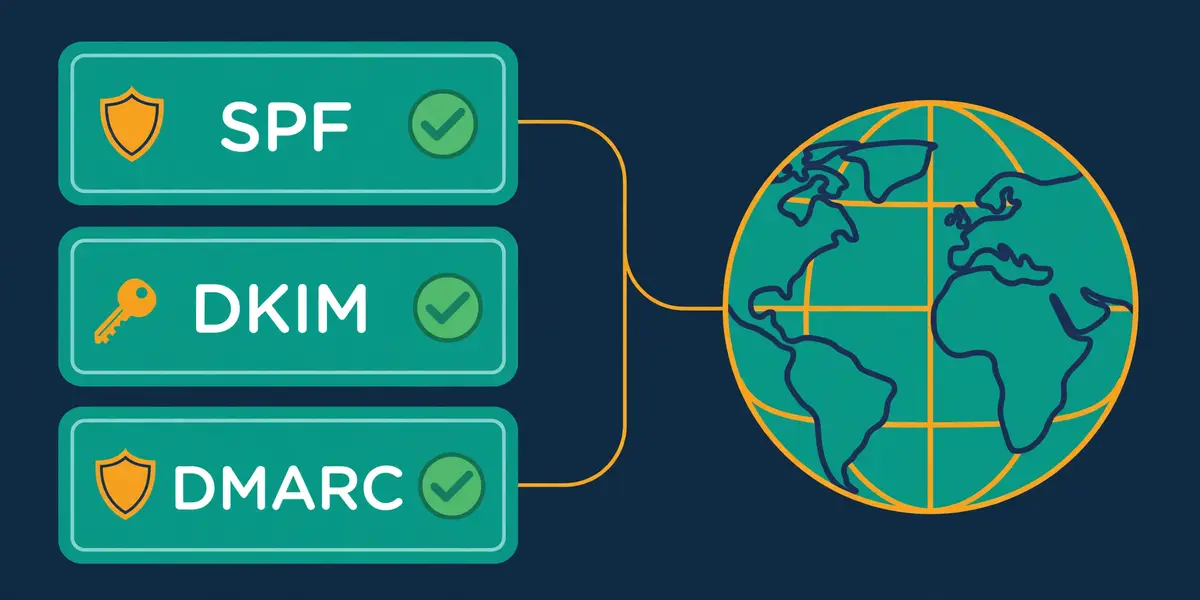
Secondly, SPF, or Sender Policy Framework, is a DNS record that lists which servers may send email for a domain. When a receiving server gets a message, it looks up the sender domain’s SPF record and checks whether the sending server is on the list. A server on the list passes. A server off the list fails, and the message is far more likely to be filtered as spam or rejected outright.
In fact, the simplest way to think of SPF is as a guest list at a door. The domain owner writes the list, and the receiving server checks it. A guest on the list walks in. A guest who is not on the list is turned away. Nobody checks the guest’s story, only the list. That simplicity is SPF’s strength, and it is also its limit, because SPF says nothing about whether the message was changed on the way.
Email deliverability guide: how to set up SPF without breaking it
Firstly, setting up SPF means publishing one TXT record on the sending domain, usually starting with v=spf1 and listing the services that send on the domain’s behalf. A typical record names the mail provider, the sending tool, and the infrastructure provider, then ends with a qualifier such as ~all, which means a soft fail, or -all, which means a hard fail. Most cold email setups use ~all while testing, then move to -all once every sender is confirmed on the list.
Secondly, the most common SPF mistake is the lookup limit. SPF allows at most ten DNS lookups per check, and every include in the record counts, including the lookups hidden inside the included records. A record that chains several providers together can quietly pass ten lookups, and then the receiving server returns a permanent error. Audits of manually written SPF records in 2026 found about one in eight had lookup-count problems. The fix is to flatten the record: replace includes with the actual IP addresses where possible, and drop services that no longer send.
Email deliverability guide: the SPF mistakes that cost senders the inbox
Moreover, three other SPF mistakes show up again and again. The first is having two SPF records on one domain, which breaks the check entirely: a domain may publish only one SPF record, so every sender must live in that single record. The second is forgetting a sender, often a CRM, a support tool or an invoicing app, which then fails SPF on every message it sends. The third is copying a record from a guide without checking it against the actual sending tools, which leaves the real sender off the list.
For example, a quick test catches all three mistakes before they cost a campaign. Send a test email to a seed address, or run the domain through a checker such as MXToolbox, and read the authentication results. A pass means the record works. A fail names the problem. A sender who tests before the first campaign saves weeks of wondering why replies never arrived. Our guide to setting up a sending domain walks through the same checks step by step.
Video: Part 3 – SPF, DKIM, DMARC – Deliverability Masterclass by Instantly on YouTube. This video is the creator’s property, embedded via YouTube for education. OutreachCompare is not affiliated with Instantly and does not claim ownership of this video.
Email deliverability guide: what SPF cannot do on its own
Finally, SPF alone is not enough, and that is the point of the video above. SPF checks the envelope sender, the return-path address used during delivery, not the visible From address the reader sees. A message can pass SPF while showing a different From domain, and a message can fail SPF after forwarding, because the forwarder’s server is not on the original list. DKIM fills the first gap, and DMARC fills the second. The next two sections explain how.
DKIM: the signature that proves your mail was not changed
Secondly, DKIM, or DomainKeys Identified Mail, adds a cryptographic signature to every outgoing email. The sending server signs the message with a private key, and publishes the matching public key as a DNS record. When the receiving server gets the message, it fetches the public key, checks the signature, and knows whether the message was changed in transit. A valid signature means the message arrived as sent. A broken signature means something altered it.
In fact, the simplest way to think of DKIM is as a wax seal on a letter. The seal proves the letter came from the sender, and it proves nobody opened it on the way. A broken seal does not prove the letter is fake, yet it removes the proof that it is real. Receiving servers treat a valid DKIM signature as strong evidence, and they treat a missing or broken one as a reason to be suspicious.
Email deliverability guide: how to set up DKIM in three steps
Firstly, DKIM setup has three steps, and the sending tool usually handles the first two. The tool generates a key pair, a private key it keeps and a public key it shows. The domain owner then publishes the public key as a TXT record at a selector address, which looks like selector._domainkey.yourdomain.com. The tool then switches signing on, and every message it sends carries the signature. Most tools generate 2048-bit keys, and 2048-bit keys are the right choice when the provider supports them.
Secondly, the selector matters more than most senders realise. A selector is a label that lets a domain run several DKIM keys at once, one per service. A sending tool, a CRM and a support desk can each have their own selector and their own key. When a key needs rotating, the owner publishes a new selector and retires the old one, with no downtime. A domain that uses one selector for everything must rotate with care, because a mistake breaks signing for every service at once.
Email deliverability guide: the DKIM failures worth knowing
Moreover, DKIM fails in a handful of predictable ways. A key published with a typo fails every check until the typo is fixed. A message that passes through a mailing list or a forwarder that rewrites the body, the subject or the headers can break the signature, because the signed content no longer matches. A key that is too short, 1024-bit or less, still works, yet it offers less protection and some receivers weigh it less. A signature that covers only some headers leaves the rest open to change.
For example, the fix for most DKIM problems is the same as for SPF: test before sending at volume. A seed test or a checker shows whether the signature validates, and it names the selector that failed. A sender who rotates keys once a year, keeps selectors separate per service, and tests after every DNS change will rarely see a DKIM failure in the wild.
Email deliverability guide: why DKIM survives forwarding when SPF does not
Finally, DKIM’s great advantage over SPF is that it survives forwarding. SPF checks the sending server, and forwarding changes the sending server, so SPF breaks. DKIM checks the message content, and forwarding usually leaves the content alone, so the signature still validates. That is why the two records work as a pair: SPF catches the unauthorised server, DKIM catches the altered message, and together they cover the cases neither covers alone.
DMARC: the policy that ties SPF and DKIM together
Secondly, DMARC, or Domain-based Message Authentication, Reporting and Conformance, is the record that tells receiving servers what to do when SPF or DKIM fail. It also adds the check neither of the other two performs: alignment. DMARC requires that the domain in the visible From address matches the domain that passed SPF or DKIM. A message can pass SPF and DKIM yet still fail DMARC when the domains do not line up.
In fact, the simplest way to think of DMARC is as the house rule that sits above the guest list and the wax seal. SPF says who may send. DKIM says whether the message was changed. DMARC says what happens when either check fails, and it insists that the name on the door matches the name on the letter. Without DMARC, a failing message is left to the receiver’s judgement. With DMARC, the domain owner decides.
Email deliverability guide: the three DMARC policies, in order
Firstly, DMARC has three policies, and they should be adopted in order. The first is p=none, which only asks receivers to report failures and take no action. A sender should run p=none for at least two weeks, read the reports, and map every legitimate sender. The second is p=quarantine, which sends failing messages to spam. The third is p=reject, which blocks failing messages outright. Jumping straight to reject is the fastest way to block the sender’s own legitimate mail, because an unmapped sender will fail.
Secondly, the reports are the reason to start with p=none. DMARC reports arrive daily from the big receivers, and they list every server that sent mail for the domain, whether it passed, and which policy applied. A sender who reads two weeks of reports will find the forgotten CRM, the old invoicing tool, and the support desk that nobody remembered. Those senders belong in the SPF record before the policy tightens. A sender who skips the reports tightens blind.
Email deliverability guide: alignment, the idea that trips most senders
Moreover, alignment is the idea that trips most senders, and it deserves a plain explanation. SPF alignment means the domain in the envelope sender matches the visible From domain. DKIM alignment means the domain in the signature matches the visible From domain. Either one passing with alignment is enough for DMARC to pass. A third-party tool that sends from its own domain, even with valid SPF and DKIM of its own, fails alignment unless it is configured to send from the sender’s domain. That is why a tool must be set up with the sending domain, not merely connected to it.
For example, the classic alignment failure looks like this: SPF passes, DKIM passes, and DMARC fails, on a real invoice from a real supplier. The supplier’s tool signed with its own domain, so neither check aligned with the From domain. The fix is to configure the tool to sign with the sender’s domain, which most sending tools support. The video below follows exactly this case through all three checks, and it is the clearest explanation of alignment available.
Video: Why Legit Emails Land in Spam (SPF, DKIM and DMARC Failure Explained) by M365 Simplified on YouTube. This video is the creator’s property, embedded via YouTube for education. OutreachCompare is not affiliated with M365 Simplified and does not claim ownership of this video.
Email deliverability guide: protecting domains that never send mail
Finally, DMARC protects domains that never send mail at all, and that protection matters. A domain with no DMARC record can be spoofed freely, because receivers have no policy to apply. A domain with p=reject tells every receiver to block any mail that claims to be from it, which stops spoofing cold. Every domain a business owns, including parked domains and old brand names, should carry at least a p=none record, and the sending domains should move to quarantine and then reject.
Sending domain setup: a separate domain, tracking and Postmaster Tools
Secondly, the single most important setup decision in this email deliverability guide is also the simplest: never send cold email from the main business domain. Buy a separate sending domain, or several, that look like the main domain without being it. A domain such as getyourcompany.com or tryyourcompany.com keeps cold outreach away from the domain that carries the website, the staff inboxes and the customer mail. When a sending domain runs into trouble, the main domain stays clean.
In fact, the reason is reputation isolation. Every domain builds its own reputation with the mailbox providers, and a cold campaign is the riskiest mail a business sends. A new domain starts neutral, and a cold campaign can push it down fast when volume rises too quickly or complaints spike. A main domain that carries years of trusted mail should never share that risk. Three or four sending domains, each with two or three mailboxes, spread the risk further and let the sender retire one domain without stopping the whole operation.
Email deliverability guide: buying and preparing a sending domain
Firstly, a good sending domain is short, believable and close to the brand. It should look like a real company domain, not a random string, because prospects judge the sender address before they read the email. A domain bought today needs its SPF, DKIM and DMARC records published before any mail goes out, and the records need a day or two to propagate. A custom tracking domain should be set up at the same time, so open and click tracking runs on a domain the sender controls rather than on the sending tool’s shared domain.
Secondly, the mailbox setup follows the domain setup. Each sending domain should carry two or three mailboxes, with real names and profile photos, so the mailboxes look like people rather than machines. Google Workspace and Microsoft 365 mailboxes cost a few dollars a month each, while infrastructure tools such as Mailforge, Do You Mail and Inframail sell mailboxes far cheaper in bulk. The mailboxes then need warming, which the next section covers in full.
Email deliverability guide: the custom tracking domain, explained
Moreover, a custom tracking domain is a small setup step with an outsized effect. When a sending tool tracks opens and clicks, it rewrites the links in the email to pass through a tracking domain. If that tracking domain belongs to the tool and is shared, every customer of that tool shares the same reputation, and one bad customer can hurt them all. A tracking domain the sender owns keeps the reputation with the sender alone. Instantly, Smartlead and Lemlist all support custom tracking domains, and the setup takes minutes.
For example, the same logic applies to the sending infrastructure itself. A shared IP address carries the reputation of every sender on it, while a dedicated IP carries only the sender’s own reputation. Do You Mail gives each server a dedicated USA or EU IP, and Inframail gives its plans one or three dedicated US IPs. Smartlead sells dedicated SmartServers from $39 a month for teams that want the same control. A beginner can start on shared infrastructure, yet a team sending at volume should plan the move to dedicated IPs.
Email deliverability guide: Google Postmaster Tools, the free dashboard
Finally, Google Postmaster Tools is the free dashboard every Gmail sender should use, and it costs nothing but a few minutes to set up. It shows the domain’s spam rate, its reputation, its authentication pass rates, and whether Gmail is seeing delivery errors. A spam rate under 0.1% is the target, and Gmail treats anything above 0.3% as a problem. A sender who checks Postmaster Tools weekly will spot a reputation slide a month before it shows up in reply rates. Microsoft offers a similar service, the Smart Network Data Services portal, for Outlook senders. Our Best Email Deliverability Tools guide compares the monitoring tools that build on these free dashboards.
Warmup schedules: two to four weeks of patient ramp-up

Secondly, warmup is the process of teaching mailbox providers to trust a new mailbox, and it is the step most beginners skip. A brand-new mailbox that suddenly sends hundreds of cold emails a day looks exactly like a spammer’s mailbox, because that is what spammers do. A mailbox that starts with a handful of emails a day, rises slowly over two to four weeks, and earns opens, replies and rescues from spam along the way looks like a real person’s mailbox, because that is what real people do.
In fact, a warmup network makes this happen automatically. The tool connects the mailbox to a pool of other real mailboxes, sends small volumes of genuine-looking email between them, opens the messages, replies to some, and pulls any that land in spam back into the inbox. That engagement tells the mailbox providers the mailbox is wanted. Instantly runs the largest pool in this email deliverability guide, with more than 4.2 million accounts, while Smartlead runs unlimited AI warmup with spam rescues, and Warmforge sells warmup by the slot for any mailbox.
Email deliverability guide: a four-week warmup schedule that works
Firstly, a sensible warmup schedule runs for two to four weeks, and the ramp is the whole point. Week one sends about five to ten emails a day, all through the warmup network, with no cold volume at all. During the second week, volume rises to around twenty a day, and the sender may add a small number of real cold emails, perhaps ten a day. The third week reaches around forty a day, with cold volume growing to match. By the fourth week, the mailbox reaches its steady daily limit, usually thirty to fifty cold emails per mailbox per day, and the sender adds more mailboxes rather than pushing one mailbox harder.
Secondly, the daily limit per mailbox matters more than the total volume. A single mailbox should rarely send more than thirty to fifty cold emails a day, even when fully warmed, because the mailbox providers watch per-mailbox volume closely. A team that needs five hundred emails a day should run ten or more warmed mailboxes, not one mailbox at ten times the limit. Inbox rotation, which spreads sending across all connected mailboxes, is how the tools enforce this, and every sequencer in this email deliverability guide includes it.
Email deliverability guide: free warmup slots and standalone warmup tools
Moreover, warmup does not have to cost much. Warmforge gives every account one free warmup slot, then charges $12 a slot a month on monthly billing, $10 billed quarterly, or $9 on annual billing. Salesforge customers get unlimited Warmforge slots free with their plan. Instantly includes unlimited warmup on every plan, from $47 a month, and Smartlead includes unlimited AI warmup from $39 a month. Lemlist includes lemwarm on every plan, and Woodpecker includes three warmups on its plans. A sender who already pays for a sequencer usually has warmup included, and should check before buying a standalone tool.
For example, standalone warmup still earns its place for one common case: mailboxes that live outside the sequencer. A team that buys infrastructure from Mailforge or Do You Mail, or that runs mailboxes on Google Workspace directly, has no built-in warmup pool, and Warmforge is the natural add-on. Warmforge also adds health checks on DNS and MX records, blacklist scans, and placement tests, which turn a warmup subscription into a small monitoring station. Our Best Warmup Tools guide and our Best Warmup Tools Compared article cover the warmup market in full.
Email deliverability guide: the warmup mistakes that waste a month
Finally, three warmup mistakes waste more time than any others. The first is warming for three days and then sending at full volume, which burns the reputation the warmup built. The second is warming a mailbox and then leaving it idle for a month, which lets the reputation cool back down. The third is warming with the tracking domain misconfigured, so the warmup emails carry the same tracking links that will later hurt deliverability. Warmup is a habit, not a one-off task: keep the pool running while campaigns run, and keep every mailbox warm even between campaigns.
Inbox placement testing: know where your mail lands before you scale
Secondly, inbox placement testing answers the one question that matters before a campaign scales: where does this email actually land. A placement test sends a real campaign email to a panel of seed addresses, spread across Gmail, Outlook, Yahoo and other providers, and reports how many landed in the primary inbox, how many in promotions or spam, and how many never arrived. A sender who tests first knows the truth. A sender who skips the test guesses, and the guess is usually optimistic.
In fact, the test works because the seed addresses are real mailboxes with real histories. The panel includes inboxes that behave like ordinary users, with different providers, different devices and different engagement patterns. When a test email lands in spam at Gmail but in the inbox at Outlook, the problem is Gmail-specific, perhaps a content trigger or a reputation issue with Google. When it lands in spam everywhere, the problem is structural, perhaps authentication or a blocklisted IP. The split tells the sender where to look.
Email deliverability guide: what a good placement score looks like
Firstly, a good placement score is simple to read. Ninety percent or more in the primary inbox is excellent, and it means the setup is healthy. Eighty to ninety percent is good, with room to improve, usually through content or engagement. Seventy to eighty percent is a warning, and the sender should fix the weakest link before scaling. Below seventy percent is a stop sign: pause the campaign, check authentication, check the blocklists, and test again after the fix. A single test costs little, while a campaign sent at sixty percent placement wastes forty percent of its volume.
Secondly, the tools offer placement testing in different ways. Warmforge sells it as a subscription: Placement Pro gives 100 tests a month for $32.50 a month on annual billing, or $39 monthly, and Growth gives unlimited tests for $140.80 a month annual, or $169 monthly. Smartlead sells SmartDelivery as an add-on, with Growth at $49 a month for 120 campaign sequence tests, Pro at $174 a month for unlimited tests, and Expert at $599 a month. Instantly includes inbox placement tests on its plans, and Mailforge and Do You Mail rely on third-party testers such as Mail-Tester and GlockApps.
Email deliverability guide: testing the copy, not just the setup
Moreover, placement testing is not only for the setup. The same test can compare two versions of an email, and the version that lands in the inbox more often wins, whatever the copywriter thought. Subject lines, link counts, image sizes, and tracking domains all change placement, and a test measures the change in minutes. A team that tests its highest-volume templates monthly will catch the slow drift that turns a good template into a spam-folder regular.
For example, a placement test should run on a schedule, not only when something breaks. One test per mailbox per month is the minimum Warmforge recommends, and a team that changes templates, adds a domain, or raises volume should test again at once. The test is also the fastest way to check a new domain before it carries real volume: a domain that places well in a test is ready, and a domain that places badly needs work before it touches a prospect list.
Email deliverability guide: the free checks that come before a paid test
Finally, two free checks come before any paid placement test, and both are worth doing. Mail-Tester gives any single email a score out of ten, with a line-by-line breakdown of authentication, content and blocklist issues. Google Postmaster Tools shows the domain’s real spam rate and reputation for free. A sender who scores nine or ten on Mail-Tester and sees a low spam rate in Postmaster Tools has a healthy setup, and a paid placement test then confirms it across providers. A sender who skips the free checks pays to learn what the free checks would have shown.
Spam triggers and bounce management: the numbers that matter
Secondly, spam filters weigh hundreds of signals, yet a handful of them decide most outcomes. Authentication and reputation carry the most weight, then engagement, then content, then list quality. A sender with clean authentication, a good reputation, and a verified list can write a plain email and land in the inbox. A sender with broken authentication, a damaged reputation, and a stale list can write the perfect email and land in spam. Content is the last ten percent, not the first ninety.
In fact, the content triggers are still worth knowing, because they are the easiest to fix. ALL-CAPS subject lines, too many exclamation marks, and words such as free, guaranteed, and act now raise the spam score. Large images with little text look like the image-based spam of the past. Too many links, especially shortened links, look like tracking abuse. Attachments, especially executables and scripts, are a red flag. A short, plain-text-style email with one link and no attachment is the safest shape for cold outreach.
Email deliverability guide: the three numbers to watch every week
Firstly, three numbers tell the truth about a campaign, and a sender should watch all three weekly. The bounce rate should stay below 2%, and below 1% is better. The spam complaint rate should stay below 0.1%, and Gmail treats anything above 0.3% as a problem. The open rate should stay steady or rise; a sudden fall usually means placement fell first. A campaign that watches these three numbers will catch a problem in its first week. A campaign that watches only replies will catch it a month later, when the domain is already damaged.
| Metric | Target | What it means | Fix when it slips |
|---|---|---|---|
| Bounce rate | Below 2%, aim below 1% | Share of sent mail rejected Hard bounces are dead addresses | Verify every address before sending |
| Spam complaint rate | Below 0.1%, never above 0.3% | Share of recipients marking spam Gmail’s hard line is 0.3% | Slow down, tighten targeting, rewrite |
| Inbox placement | 90% or more in primary inbox | Share landing in the primary inbox Measured by placement tests | Check auth, blocklists, then content |
| Open rate | Steady or rising week on week | Engagement signal for providers Falling opens often mean falling placement | Test placement, refresh the list |
| Unsubscribe rate | Below 0.5% per campaign | Share opting out High unsubscribes mean poor targeting | Tighten the list, honour opt-outs fast |
Last checked: 16 November 2026. Targets come from Google Postmaster Tools guidance and the bulk sender requirements published by Google and Microsoft. Thresholds can change, so please check the provider’s guidance before you rely on a figure.
Email deliverability guide: reading the numbers table
Secondly, the numbers table makes the order of work plain. Bounces are fixed by verification, not by writing. Complaints are fixed by targeting and volume, not by subject lines. Placement is fixed by authentication and reputation first, and by content second. A sender who fixes the wrong number first wastes a week: rewriting copy will not fix a bounce rate caused by a stale list, and buying a new domain will not fix a complaint rate caused by irrelevant mail.
Email deliverability guide: hard bounces, soft bounces and list verification
Moreover, bounces come in two kinds, and they need different responses. A hard bounce means the address does not exist, and it should be removed at once, because repeated hard bounces damage the sender’s reputation directly. A soft bounce means a temporary problem, such as a full inbox or a greylisted server, and the message may succeed on a retry. A verification tool checks every address before sending, catching the dead ones, the catch-alls and the role addresses, and it is the cheapest insurance in cold email. Our Best Email Verification Tools guide and our Best Email Verification Tools Compared article cover the verifiers in full.
For example, the verification habit is simple: verify at list build time, verify again before the first send, and re-verify any list older than three months. Never buy a list and send to it unverified, because a bought list is where most hard bounces live. Never send to role addresses such as info@ or support@, because they complain more and reply less. A list of five hundred verified, well-targeted prospects will outperform a list of five thousand unverified names every time.
Email deliverability guide: spam traps, and why they are so dangerous
Finally, spam traps are the most dangerous addresses in any list, and verification is the only defence. A spam trap is an address that never belonged to a real person, planted by blocklist operators to catch senders who scrape or buy lists. Hitting one trap is a warning. Hitting several can land a domain or an IP on a blocklist within days. Traps look like ordinary addresses, so only a verifier that checks trap databases can catch them. A sender who buys lists, scrapes the web, or mails addresses collected years ago will hit traps. A sender who builds lists carefully and verifies them will not.
Monitoring and recovery: what to do when deliverability drops

Secondly, deliverability drops are normal, and the sender who notices early recovers fast. The warning signs are a falling open rate, a rising bounce rate, a spam complaint above 0.1%, a placement test below 80%, or a Google Postmaster Tools reputation that slips from high to medium. Any one of these is a reason to pause and look. Two of them together are a reason to stop sending from that domain until the cause is found.
In fact, the first step in any recovery is the same: pause the volume. A damaged domain that keeps sending at full volume keeps damaging itself, because every new complaint and bounce adds to the reputation problem. Pause the campaigns on the affected domain, keep the warmup running, and move the volume to a healthy domain if the pipeline cannot wait. A pause costs a few days of sending. Continuing costs a domain.
Email deliverability guide: finding the cause in an afternoon
Firstly, the cause is usually one of five things, and the checks run in this order. Authentication comes first: run the domain through MXToolbox and confirm SPF, DKIM and DMARC all pass. Blocklists come second: check the domain and the IP against the major blocklists, and request delisting where needed. The list comes third: check the bounce rate and the age of the list, and verify any segment with a bounce rate above 2%. Content comes fourth: run the template through Mail-Tester and look for the triggers it flags. Volume comes fifth: check whether the daily per-mailbox volume crept above fifty, or whether a new mailbox was pushed too fast.
Secondly, the fix follows the cause, and each fix has a different timeline. An authentication fix works within a day, once DNS propagates. A blocklist delisting takes a few days, and some lists delist automatically when the sending stops. A list fix works at once, because the bad addresses are simply removed. A content fix works on the next send. A reputation fix takes two to four weeks of patient, low-volume sending with good engagement, because reputation is earned back slowly. A sender who expects an overnight recovery will be disappointed, and a sender who plans for a month will recover.
Email deliverability guide: reputation repair, step by step
Moreover, reputation repair has a clear shape. Cut the volume to a tenth of normal, and send only to the most engaged segment, the people who opened or replied before. Keep the warmup network running, so the mailbox earns opens and replies every day. Test placement weekly, and raise the volume only when placement is back above 85%. Add a second and third mailbox slowly, and spread the volume across them. Retire any template that drew complaints, and rewrite it from scratch rather than tweaking the subject line. Four weeks of this discipline will restore most domains.
For example, Smartlead’s spam rescue feature exists for exactly this situation: its warmup network pulls messages out of spam and back into the inbox, which repairs the engagement signals that reputation depends on. Warmforge’s health checks and placement tests serve the same purpose from the monitoring side, showing the sender whether the repair is working. Inframail adds automatic delisting requests from blacklists, with a reported 68.3% success rate. None of these tools replaces the pause and the volume cut, yet each of them makes the repair faster.
Email deliverability guide: when to retire a domain
Finally, some domains should be retired rather than repaired. A domain that has been blocklisted three times, that carries a spam complaint rate above 0.3% for a month, or that places below 60% after four weeks of repair is costing more than it earns. Retiring it is simple: stop sending, remove it from the rotation, and stand up a fresh domain with correct records and a full warmup. A sending domain costs about $14 a year, so the price of a fresh start is trivial. The expensive mistake is clinging to a burned domain for another quarter.
Eight tools at a glance
In fact, the eight tools in this email deliverability guide split into three groups, and the split makes the choice much easier. Instantly, Smartlead, Lemlist and Woodpecker are sequencers with deliverability built in: they send the campaigns and protect the sending at the same time. Warmforge is the standalone warmup specialist. Mailforge, Do You Mail and Inframail are infrastructure: they sell the domains, mailboxes and IPs that the sequencers run on. Most senders need one tool from the first group and, at volume, one from the third.
Email deliverability guide: sequencers, warmup and infrastructure
| Tool | Starts from | Deliverability strength | Best for |
|---|---|---|---|
| Instantly | $47/mo; $37.60 annual | Unlimited warmup, 4.2M+ pool, placement tests, SISR dedicated IPs | Best all-round deliverability platform |
| Smartlead | $39/mo; annual saves 17% | Unlimited AI warmup, spam rescues, SmartDelivery placement add-on | Best warmup with spam rescues |
| Lemlist | $69/mo; $55 annual | lemwarm, inbox rotation, custom tracking domains | Best multichannel with warmup built in |
| Woodpecker | From $39/mo; $26 annual | 3 warmups included, deliverability monitor, domain audit, bounce shield | Best deliverability monitor for small teams |
| Warmforge | $12/slot/mo; $9 annual | Warmup, health checks, placement tests, 1 free slot | Best standalone warmup |
| Mailforge | $3/slot/mo; $2.40 annual | Automatic SPF/DKIM/DMARC, shared IPs, domains $14/yr | Best cheap infrastructure for starters |
| Do You Mail | $39/server/mo | Dedicated USA/EU IPs, automated DNS, unlimited inboxes, no warmup pool | Best dedicated-IP infrastructure |
| Inframail | $147/mo Unlimited | Automatic DNS, dedicated IPs, live monitoring, warmup on DFY plan | Best infrastructure for agencies at volume |
Last checked: 16 November 2026. Starting prices come from the official pricing pages of all eight providers, except Woodpecker, whose prices render in a volume slider on the live page: its figures rest on the 15 November check in our Woodpecker review, so check the site for your volume. Features and pricing can change, so please check the provider’s site before you buy.
Email deliverability guide: how to read the at-a-glance table
Moreover, the at-a-glance table hides one important fact: the sequencers and the infrastructure tools solve different problems, so their prices are not directly comparable. A sequencer price buys campaigns plus deliverability, while an infrastructure price buys mailboxes plus authentication, and a sender at volume needs both. Instantly at $47 a month plus Mailforge at $3 a slot is a complete stack for under $80 a month. Smartlead at $39 a month plus Do You Mail at $39 a server is the dedicated-IP version of the same stack. The pricing tables below show the full picture.
Pricing head-to-head: eight tools, two honest tables
Secondly, pricing is where this email deliverability guide earns its keep, because the eight tools price themselves in eight different ways. Some charge per user, some per slot, some per server, and one charges per mailbox slot with a ten-slot minimum. The tables below put the entry price, the annual price, the trial, and the warmup position side by side, so a reader can compare like with like. Where a vendor publishes no price, the table says so, and where a figure rests on an earlier check, the table says that too.
Email deliverability guide: the four sequencers, priced
| Tool | Entry plan | Annual price | Trial | Warmup included |
|---|---|---|---|---|
| Instantly | Growth $47/mo Hypergrowth $107/mo; Light Speed $358/mo | $37.60 / $85.58 / $286.30 Starter $94/mo, $85 annual | No trial shown on the pricing page | Unlimited, 4.2M+ pool |
| Smartlead | Base $39/mo Pro $94; Unlimited Smart $174; Prime $379 | Annual saves 17% Across all plans | Free trial, no card required | Unlimited AI warmup, spam rescues |
| Lemlist | Email $69/mo Multichannel $109/user/mo | $55 / $87 Enrichment $20/mo; intent $29/mo | 14 days, no card | lemwarm on every plan |
| Woodpecker | From $39/mo monthly Multichannel from $68/mo | $26 annual at 5,000 emails 15 Nov check; live page is a slider | 14 days, no card | 3 warmups included |
Last checked: 16 November 2026. Prices come from the official pricing pages of Instantly, Smartlead, Lemlist and Woodpecker. Woodpecker’s dollar figures render in a JavaScript volume slider, so they rest on the 15 November check in our Woodpecker review. Features and pricing can change, so please check the provider’s site before you buy.
Email deliverability guide: warmup and infrastructure, priced
| Tool | Entry price | Annual price | Trial | Warmup included |
|---|---|---|---|---|
| Warmforge | $12/slot/mo monthly $10 billed quarterly; 1 free slot | $9/slot/mo 2 months free; Placement Pro $32.50/mo | No free trial Explore the app free | Warmup is the product |
| Mailforge | $3/slot/mo monthly Min 10 slots; domains $14/yr | $2.40/slot/mo 2 months free; SSL masking $2/domain/mo | No free trial Explore the app free | No warmup pool; use Warmforge |
| Do You Mail | $39/server/mo Unlimited inboxes and domains | Check the site No annual price published | No free trial advertised | No warmup pool; infrastructure only |
| Inframail | Unlimited $147/mo Agency Pack $387/mo; DFY $797/mo | Check the site No annual price published | Check the site | Only on the DFY plan |
Last checked: 16 November 2026. Prices come from the official pricing pages of Warmforge, Mailforge, Do You Mail and Inframail. Do You Mail’s homepage also shows $40 a month in one scaling example, against $39 in its calculator; the article uses $39. Inframail’s older pages still show $129 and $327 a month, and are out of date. Features and pricing can change, so please check the provider’s site before you buy.
Email deliverability guide: reading the pricing tables
For example, the pricing tables show a spread from $3 a slot to $797 a month, and that spread is the whole market in one view. A solo founder can start on Smartlead at $39 a month, with unlimited warmup included, and add Mailforge at $30 a month for ten mailbox slots. As a result, the whole stack costs under $70 a month. An agency can run Instantly Hypergrowth at $107 a month with Inframail Agency Pack at $387 a month, and send three hundred thousand emails a month from a thousand mailboxes. The cheapest stack is not always the best stack, yet the tables show that good deliverability is affordable at any size.
Moreover, the annual discount is worth a real look, because it varies from nothing to two free months. Warmforge and Mailforge both give two months free on annual billing, which turns $12 into $9 a slot and $3 into $2.40 a slot. Similarly, Instantly saves about 20% on annual billing, and Smartlead saves 17% across all plans. Do You Mail and Inframail publish no annual price, so a buyer should ask before committing. Anyone planning to keep a tool for a full year should compare the annual figure first, since paying month to month is the dearest way to buy it.
Feature matrix: all eight tools side by side
Secondly, the feature matrix is the part of this email deliverability guide that a buyer should read with a pen in hand. It answers the question the pricing tables cannot: which tool actually does the job, on which part of the deliverability system. A tick in the matrix means the provider states the feature on its official site. A dash means the feature is unconfirmed or confirmed absent. A dash is not a judgement on the tool itself. It is a single fact, and a reader who needs that feature should pick a tool that ticks it.
Email deliverability guide: the four sequencers in the matrix
| Feature | Instantly | Smartlead | Lemlist | Woodpecker |
|---|---|---|---|---|
| Unlimited warmup | ✓ 4.2M+ pool | ✓ AI warmup, spam rescues | ✓ lemwarm | ✓ 3 included |
| Inbox placement tests | ✓ | ✓ SmartDelivery add-on | — | — |
| Custom tracking domain | ✓ | ✓ | ✓ | ✓ |
| Inbox rotation | ✓ | ✓ | ✓ | ✓ |
| Bounce protection | ✓ reputation protection | ✓ auto-protection | ✓ pre-send checks | ✓ bounce shield |
| Deliverability monitor | ✓ | ✓ | ✓ | ✓ |
| Domain audit (SPF/DKIM) | ✓ | ✓ | ✓ | ✓ domain audit |
| Spam words checker | ✓ | — | ✓ | ✓ |
| Dedicated IPs | ✓ SISR on Light Speed | ✓ SmartServers $39/mo | — | ✓ Infraforge add-on |
| Built-in verification | ✓ credits | ✓ add-on credits | ✓ verifier | ✓ free, unlimited |
| Unified inbox | ✓ Unibox | ✓ Master Inbox | ✓ | ✓ centralised inbox |
Last checked: 16 November 2026. “✓” means the feature is stated on the provider’s official site; “—” means it is not confirmed or is confirmed absent. Features come from the official sites of Instantly, Smartlead, Lemlist and Woodpecker. Features and pricing can change, so please check the provider’s site before you buy.
Email deliverability guide: warmup and infrastructure in the matrix
| Feature | Warmforge | Mailforge | Do You Mail | Inframail |
|---|---|---|---|---|
| Warmup pool | ✓ the product | — | — | ✓ DFY plan only |
| Inbox placement tests | ✓ Pro $32.50/mo annual | — | — | — |
| Automatic SPF/DKIM/DMARC | — checks only | ✓ | ✓ | ✓ |
| Domains for sale in-app | — | ✓ $14/yr .com | — | ✓ |
| Unlimited inboxes | — per slot | ✓ per slot | ✓ | ✓ |
| Dedicated IPs | — | — shared IPs | ✓ USA/EU | ✓ 1–3 US IPs |
| Health checks / blacklist scan | ✓ | — | ✓ blacklist-free at delivery | ✓ auto-delisting requests |
| Deliverability monitor | ✓ | — | — | ✓ real-time dashboard |
| Custom tracking domain | — | — | — | ✓ |
| SMTP / IMAP export | — | ✓ | ✓ | ✓ Instantly, Smartlead |
| Sends campaigns itself | — | — | — | — |
Last checked: 16 November 2026. “✓” means the feature is stated on the provider’s official site; “—” means it is not confirmed or is confirmed absent. Features come from the official sites of Warmforge, Mailforge, Do You Mail and Inframail. Features and pricing can change, so please check the provider’s site before you buy.
Email deliverability guide: reading the feature matrix
In sum, the matrix shows that no single tool covers the whole system, and that is the honest truth of this market. Instantly and Smartlead come closest among the sequencers, with warmup, placement, rotation and monitoring in one login. Therefore, Warmforge is the only tool here that sells placement tests as a standalone subscription, which makes it the natural add-on for any stack. Mailforge, Do You Mail and Inframail cover the infrastructure layer, with automatic DNS and mailbox hosting, yet none of them sends campaigns, so each needs a sequencer beside it. A buyer should pick one sequencer and one infrastructure tool, and let each do the job it was built for.
Pros and cons: the honest case for each approach
Secondly, every approach in this email deliverability guide has a real upside and a real downside, and the honest comparison puts both side by side. A buyer who only reads the pros will buy the wrong tool. On the other hand, a buyer who dwells only on the downsides will never choose anything. The sections below weigh the three approaches honestly, and the paragraphs after them list the cons no vendor prints.
Email deliverability guide: the all-in-one sequencer approach
Firstly, the all-in-one sequencer approach, led by Instantly and Smartlead, is the best choice for most teams. Simplicity is its strength: campaigns, warmup, placement, rotation and monitoring in one login, with one bill and one support team. Nevertheless, control is its weakness: the warmup pool, the IPs and the tracking domain all belong to the vendor, so the sender cannot tune them directly. The cost is moderate, from $39 to $47 a month to start, and the risk is low, because the tools are established and the limits are built in.
Secondly, Lemlist and Woodpecker sit in the same group with a different emphasis. Lemlist is the best choice when the team also wants multichannel outreach, with LinkedIn and calls beside email, and lemwarm included. Woodpecker is the best choice when the team wants the clearest monitoring, with its deliverability monitor, domain audit and spam words checker laid out plainly. Both cost more than the cheapest stack, yet both save the team from buying a second tool for warmup.
Email deliverability guide: the specialist stack approach
Moreover, the specialist stack approach, Warmforge plus Mailforge, Do You Mail or Inframail, is the best choice for teams that want control. Ownership is its strength: the sender owns the domains, the mailboxes, the IPs and the warmup slots, and can swap any piece without changing the rest. Secondly, complexity is its weakness: four subscriptions, four logins, and four places where a setting can go wrong. The cost can be lower, from $3 a slot on Mailforge, yet the total rises as the stack grows, and the team needs someone who understands DNS.
Email deliverability guide: the honest cons no vendor prints
For example, the cons no vendor prints are worth listing in one place. Warmup pools cannot fix a bad list, and a warmed mailbox that mails unverified addresses will still bounce its way into trouble. Placement tests measure a panel of seed addresses, not the prospect’s real inbox, so a good test score is a signal, not a guarantee. Dedicated IPs help at volume, yet a dedicated IP with a bad reputation is worse than a shared IP with a good one. Finally, no tool can rescue a domain that keeps sending irrelevant mail to people who never asked for it.
In addition, the biggest con of all is the temptation to buy deliverability instead of earning it. A sender who buys a new tool every time placement dips will spend a fortune and learn nothing. A sender who pauses, reads the numbers, fixes the cause, and warms up patiently will spend almost nothing and keep the inbox for years. The tools in this email deliverability guide are good, yet they are amplifiers of good habits, not replacements for them.
A decision framework: new sender, scaling sender, recovering sender
Firstly, the decision framework in this email deliverability guide has three sender types, and each one needs a different stack. A new sender needs a simple setup and a patient warmup. A scaling sender needs volume, rotation and monitoring. A recovering sender needs a pause, a fix and a slow rebuild. Answer which sender you are, and the choice narrows from eight tools to two or three. Skip the question, and the choice stays eight wide, which is no choice at all.
Email deliverability guide: the new sender, starting from zero
Secondly, a new sender should start with one sequencer and one infrastructure tool, and nothing else. Smartlead Base at $39 a month gives unlimited mailboxes, unlimited AI warmup, and a free trial with no card, which is the gentlest start in this email deliverability guide. Instantly Growth at $47 a month gives the same shape with a bigger warmup pool and placement tests. Add Mailforge at $3 a slot a month for the mailboxes, with a ten-slot minimum, and the whole stack costs about $70 a month. Warm up for two to four weeks, send thirty to fifty emails a day per mailbox, and verify every address first.
Moreover, a new sender should not buy placement tests, dedicated IPs, or an agency plan on day one. Those are scaling tools, and a new sender has no volume to scale. The money is better spent on a verified list and a second sending domain. A new sender who follows this path will reach the inbox from the first campaign, and will know exactly which tool to add when the volume grows.
Email deliverability guide: the scaling sender, growing carefully
For example, a scaling sender, one who already books meetings and wants more volume, needs rotation, monitoring and dedicated infrastructure. Instantly Hypergrowth at $107 a month, or $85.58 on annual billing, adds premium support and a built-in CRM beside its unlimited warmup. In contrast, Inframail Unlimited at $147 a month adds a dedicated US IP and unlimited inboxes for up to 400 mailboxes, while Agency Pack at $387 a month covers up to 1,000 mailboxes and three dedicated IPs. Warmforge Placement Pro at $32.50 a month on annual billing adds the monthly placement tests that keep the scaling honest.
Secondly, the scaling rule is simple: add mailboxes, not volume per mailbox. Keep each mailbox at thirty to fifty cold emails a day, and grow by adding domains and mailboxes. Test placement monthly, watch the bounce and complaint rates weekly, and retire any domain that slips below 80% placement. A scaling sender who follows this rule can grow from five hundred to five thousand emails a day without ever burning a domain.
Email deliverability guide: the recovering sender, rebuilding trust
Finally, a recovering sender, one whose placement has dropped or whose domain is blocklisted, needs a different stack entirely. Pause the damaged domain, and move the volume to a fresh domain with correct records and a full warmup. Smartlead is the best choice here, because its spam rescues actively pull messages out of spam, and its unlimited warmup rebuilds engagement. Warmforge is the best add-on, because its health checks and placement tests show whether the repair is working. Do You Mail is the best infrastructure choice, because a fresh dedicated IP starts clean, with no shared reputation to inherit.
In sum, the decision is a ladder, not a leap. Start simple, warm up patiently, scale by adding mailboxes, and repair by pausing and rebuilding. As a result, each step costs a little more than the last, and each step earns its place by proving itself on the step below. A sender who climbs the ladder in order will spend less, land in the inbox more, and recover faster than a sender who jumps to the top on day one.
Frequently asked questions
Email deliverability guide: what is email deliverability, in one sentence?
Email deliverability is the share of sent emails that land in the primary inbox, rather than in spam or promotions, and it decides whether cold email works at all. Delivery only means the server accepted the message, while placement measures the inbox, and reputation is the score that decides placement.
Email deliverability guide: how long does warmup take?
Warmup takes two to four weeks for a new mailbox, with volume rising a little each day. A mailbox that sends five to ten emails a day in week one can reach thirty to fifty a day by week four. Warming for three days and then sending at full volume burns the reputation the warmup built, so patience is the whole point.
Email deliverability guide: do I need SPF, DKIM and DMARC for cold email?
Yes. Gmail has required bulk senders to use all three since February 2024, and Outlook began enforcing the same for high-volume senders in May 2025. SPF lists the authorised senders, DKIM signs the message, and DMARC ties them together with a policy. A sender without all three will see more and more mail filtered away.
Email deliverability guide: what bounce rate is safe?
A bounce rate below 2% is safe, and below 1% is better. The fix is verification, not writing: verify every address before sending, remove hard bounces at once, and re-verify any list older than three months. A bounce rate above 2% means the list, not the copy, needs work.
Email deliverability guide: what spam complaint rate is safe?
A spam complaint rate below 0.1% is the target, and Gmail treats anything above 0.3% as a problem. The fix is targeting and volume, not subject lines: send relevant mail to people who fit the profile, keep the daily volume per mailbox low, and honour opt-outs at once.
Email deliverability guide: which tool is best for a beginner?
Smartlead Base at $39 a month is the best starting point, because it includes unlimited mailboxes, unlimited AI warmup with spam rescues, and a free trial with no card. Instantly Growth at $47 a month is the best alternative, with the largest warmup pool in this guide and inbox placement tests included.
The verdict
Secondly, the verdict in this email deliverability guide is a set of best-for labels, not a numeric score, because no hands-on testing has been done yet, and a score without testing would be a guess. The labels below come from the features and prices checked on the official sites on 16 November 2026, and from the way each tool fits a new sender, a scaling sender, and a recovering sender.
For example, Instantly is the best all-round deliverability platform, with unlimited warmup across a 4.2 million account pool, inbox placement tests, and dedicated IPs on Light Speed, from $47 a month. Smartlead is the best choice when a damaged reputation needs rescuing, with unlimited AI warmup and spam rescues from $39 a month. Therefore, Warmforge is the best standalone warmup, from $9 a slot a month on annual billing, with one free slot. Mailforge is the best cheap infrastructure, from $3 a slot a month, with automatic DNS and domains at $14 a year.
Email deliverability guide: the infrastructure verdict
Moreover, Do You Mail is the best dedicated-IP infrastructure, with unlimited inboxes on dedicated USA and EU IPs for $39 a server a month, and no warmup pool to pay for. Inframail is the best infrastructure for agencies at volume, with unlimited inboxes, dedicated IPs and live monitoring from $147 a month, and warmup included on its $797-a-month done-for-you plan. Meanwhile, Lemlist is the best multichannel choice with warmup built in, from $69 a month, and Woodpecker is the best deliverability monitor for small teams, with three warmups included.
Finally, the advice that matters most is not a tool pick. Set up SPF, DKIM and DMARC before the first send, use a separate sending domain, warm up for two to four weeks, verify every address, and watch the bounce and complaint rates weekly. Instead, pause the moment the numbers slip, fix the cause, and rebuild slowly. Email deliverability is a habit, not a purchase, and the senders who treat it as a habit are the ones who keep landing in the inbox year after year.
Our verdict on this email deliverability guide
For the best all-round platform, choose Instantly, from $47 a month, or $37.60 on annual billing. Smartlead is the best choice for reputation recovery, from $39 a month with a free trial. Warmforge is the best standalone warmup, from $9 a slot a month on annual billing. Mailforge wins on cheap infrastructure, from $3 a slot a month. Do You Mail is the best dedicated-IP option, at $39 a server a month. No numeric score is given, because no hands-on testing has been done yet.
Start here: pick one sequencer, buy a separate sending domain, set up SPF, DKIM and DMARC, warm up for two to four weeks, and verify every address before the first send.
Keep reading
- How to Set Up a Sending Domain — SPF, DKIM, DMARC and warmup, step by step
- Best Email Deliverability Tools 2026 — the full deliverability shortlist for 2026
- Best Warmup Tools 2026 — the warmup tools, compared on pools, slots and price
- Best Warmup Tools Compared — warmup tools side by side, feature by feature
- Best Email Verification Tools Compared — verifiers side by side, for bounce rates below 2%
- Instantly Review 2026 — the best all-round deliverability platform, from $47 a month
- Smartlead Review 2026 — unlimited warmup with spam rescues, from $39 a month
- Warmforge and Mailforge Review 2026 — warmup from $9 a slot and infrastructure from $3 a slot
- Do You Mail Review 2026 — dedicated-IP infrastructure, $39 a server a month
- Woodpecker Review 2026 — the deliverability monitor for small teams
- Lemlist Review 2026 — multichannel outreach with lemwarm built in
- Cold Email for Beginners — the complete 2026 guide to starting cold email safely
- Is Cold Email Legal? — the simple checklist for compliant outreach
- Best Email Verification Tools 2026 — the verifiers that keep bounce rates below 2%
- Multichannel and AI Personalisation Guide 2026 — the companion guide to sequences and AI personalisation
- Lead Generation and List Building Guide 2026 — build the verified list these deliverability habits protect
Leave a Reply