
The friendliest name in email marketing, tested properly
Mailchimp is the email marketing tool most small businesses meet first. It turns a list of subscribers into newsletters, welcome emails and automated journeys, with a free plan that genuinely works and paid plans that grow with your audience. This Mailchimp review explains the pricing, the features, the deliverability setup and the honest limits, so you can decide with confidence.
Visit Mailchimp →See the pricing firstPrices checked 16 November 2026. Mailchimp’s official pricing page renders its dollar figures through JavaScript, so the dollar figures below rest on three independent November 2026 checks of that page, all in agreement. Features and pricing can change, so please check the provider’s site before you buy.
Quick Answer
Mailchimp is the best pick for a small business or creator that wants friendly, opt-in email marketing with real automation, without hiring a specialist. The free plan covers 250 contacts and 500 sends a month, Essentials starts at $13 a month for 500 contacts, and Standard starts at $20 a month for the same list size. Most growing businesses land on Standard, because that is where the full automation, the AI tools and the predictive segments live.
Pick Mailchimp when your list asked to hear from you, you want beautiful emails without code, and you like a tool that grows from free to enterprise without a migration. Look elsewhere when you send cold email to strangers, because Mailchimp is built for permission-based marketing and will suspend accounts that buy lists or mail people who never opted in. The contact-based bill also climbs steeply as your list grows, so large lists should compare the send-based pricing of Brevo before they commit.
Contents
- Mailchimp in plain English: the friendly face of email marketing
- Who Mailchimp suits best — and who should look elsewhere
- A plain warning: Mailchimp is not a cold email tool
- Pricing in this Mailchimp review: you pay for contacts, not emails
- Setting up Mailchimp: account, audience and your first campaign
- Key features: audiences, builder, journeys and Intuit Assist
- Deliverability and warm-up: authentication, timing and list care
- How Mailchimp compares with Brevo and Constant Contact
- Where Mailchimp shines — and where it falls short
- Your first 30 days with Mailchimp, week by week
- Frequently asked questions in this Mailchimp review
- The verdict in this Mailchimp review
Every small business reaches a point where social media alone is not enough. A post reaches a fraction of your followers, and the platform owns the audience. Email is different, because the list is yours, the message lands in an inbox, and nobody can change the algorithm overnight. Mailchimp exists to make that shift easy, and this Mailchimp review tests whether it still earns its famous reputation.
Good news first: the builder is genuinely friendly, the free plan is a real starting point, and the automation on Standard is strong for the price. This Mailchimp review also flags the limits honestly, including the contact-based bill that surprises growing lists and the strict opt-in rules that catch cold senders out. Nothing here will surprise you later.
Mailchimp in plain English: the friendly face of email marketing
Mailchimp is an opt-in email marketing and automation platform, owned by Intuit. You collect subscribers who ask to hear from you, you design emails in a drag-and-drop builder, and you send newsletters, promotions and automated journeys to that audience. Built-in reports then show opens, clicks and revenue, so you can see which emails actually worked.
Behind that simple idea sits a full marketing platform. Audiences, tags, segments, signup forms, landing pages, social ads, postcards and SMS all live in one account. More than 300 integrations connect Mailchimp to Shopify, WooCommerce, WordPress and the rest of your stack, so a new customer or a new order can trigger an email without any manual work.
Mailchimp review: from a small startup to part of Intuit
Mailchimp began in Atlanta in 2001 as a small email tool for small businesses, and it grew into the best-known name in email marketing. Intuit acquired Mailchimp in 2021, and the platform now sits beside QuickBooks in Intuit’s small-business family. That backing explains the recent push into AI, because Intuit Assist now appears across the product.
Mailchimp describes itself as the number one email marketing and automation platform, based on December 2023 public data on competitors’ customer numbers. It also reports that Standard plan users see up to 27 times return on investment from their email campaigns, based on ecommerce revenue from December 2024 to November 2025. Treat both claims as marketing figures, yet they show how large the platform has become.
Scale is the first thing to understand about Mailchimp. Millions of small businesses use it, so templates, guides and integrations are everywhere. When you hit a problem, somebody has almost certainly solved it already, and the answer is usually one search away.
What you actually get in one account
An audience is the heart of Mailchimp. Every contact lives there with tags, notes, purchase history and engagement data, and segments slice that audience by behaviour. You can mail everyone who opened your last three emails, or everyone who bought in the last month, without exporting a spreadsheet.

Campaigns are the emails themselves. A regular email goes out once to a chosen segment, while an automated journey sends a series of emails when a trigger fires. Signup forms and landing pages grow the list, and the reporting dashboard ties each send back to opens, clicks and sales.
That breadth is why Mailchimp feels complete for a small business. Most rivals in this category sell email and nothing else, while Mailchimp sells a small marketing department in a box. A team that only needs an API will find the extra surface distracting, yet a team that wants one login for everything will love it.
Who trusts Mailchimp today
Mailchimp powers everything from solo creators to large ecommerce brands. Small shops use it for weekly newsletters and abandoned-cart emails, while larger teams use Premium for predictive segments, phone support and dedicated onboarding. The free plan keeps the door open for brand-new businesses, and the paid plans scale to lists of 200,000 contacts and beyond.
Those are small-business stories, and they set the tone for the whole product. Mailchimp is built for teams that want marketing to feel manageable, not for developers who want a bare API. A marketer can run the whole platform alone, and that independence is the point.
Who Mailchimp suits best — and who should look elsewhere
Mailchimp fits a small business, creator or ecommerce store best. Your list asked to hear from you, you want beautiful emails without writing code, and you would rather manage one platform than five. If that sounds like you, Mailchimp will feel like it was made for your workload.
Bloggers and newsletter writers love the simple editor and the free plan. Shop owners love the Shopify and WooCommerce integrations, because abandoned-cart and post-purchase emails run themselves once the store is connected. Nonprofits love the 15 percent discount, and small teams love that three seats come with Essentials and five with Standard.
Growing businesses also get a lot from Mailchimp. Standard unlocks up to 200 automation flows, predictive segmentation and generative AI, while Premium removes the seat and audience limits entirely. The platform grows with you, so you rarely need to migrate away.
Teams that should skip Mailchimp
Developers who want a bare transactional API should look elsewhere. Mailchimp does transactional email through Mandrill, a paid add-on, yet the core product is marketing email. A developer who needs fast password resets and receipts will feel more at home with Postmark or Resend.
Cold email senders should skip Mailchimp entirely, and the next section explains why in full. High-volume senders should also compare carefully, because Mailchimp charges by contacts rather than by emails sent. A team with 100,000 contacts pays far more than a team with 10,000 contacts, even when both send the same number of emails.
Large lists that send rarely should weigh Brevo alongside Mailchimp, because Brevo charges by emails sent rather than by contacts stored. A team that wants the cheapest possible sending at scale should also look at Amazon SES, although the setup work there is far heavier.
A quick fit check before you sign up
Ask yourself three questions. Did every person on your list agree to hear from you? Do you want a visual builder rather than an API? Is your list under 10,000 contacts, or are you happy to pay more as it grows?
When the answers are yes, yes and yes, Mailchimp is a strong pick. When the answers are no across the board, a different tool will fit you better. This Mailchimp review keeps that test in mind through every section that follows.
A plain warning: Mailchimp is not a cold email tool
Mailchimp is an opt-in email marketing platform, not a cold email tool, and the distinction matters more than any feature on this page. Cold email means writing to strangers who never asked to hear from you, while Mailchimp only accepts contacts who gave permission. The two jobs need different tools, different rules and different infrastructure.
Mailchimp requires permission for every contact you mail. You must not import a purchased list, scrape addresses from the web, or add people who only gave you a business card at a conference. Mailchimp states this in its terms, and it enforces it. Accounts that mail purchased lists or send to people who never opted in risk suspension, and a suspended account can lock you out of your list.
What happens when cold senders try Mailchimp anyway
Cold sending on Mailchimp usually ends badly, and the failure follows a clear pattern. Complaints and bounces spike, because strangers mark unexpected mail as spam. Deliverability then falls, because mailbox providers notice the complaints. Mailchimp then pauses sending or suspends the account, because its own sender reputation is at stake. Meanwhile, the sender loses the list, the templates and the sending history in one move.
That outcome is not a bug in Mailchimp. Shared sending infrastructure means one bad sender can hurt every other customer, so Mailchimp protects the platform first. Cold senders need their own domains, their own warm-up and tools built for outreach, which is a different job entirely.
What to use instead for cold outreach
Cold outreach belongs on dedicated cold email tools. Our guide to the best cold email software covers the tools that were built for that job, with inbox rotation, warm-up pools and sequence builders. Our beginners guide to cold email explains the tools and setup cold outreach actually needs, while our legality checklist for cold email set out what cold sending actually needs.
Mailchimp still has a place in a cold outreach workflow, just not at the front. Once a cold prospect replies and agrees to hear from you, you can add them to Mailchimp with their permission and nurture them there. Cold tools win the conversation, and Mailchimp keeps it warm afterwards. That division keeps both tools inside their rules.
Pricing in this Mailchimp review: you pay for contacts, not emails
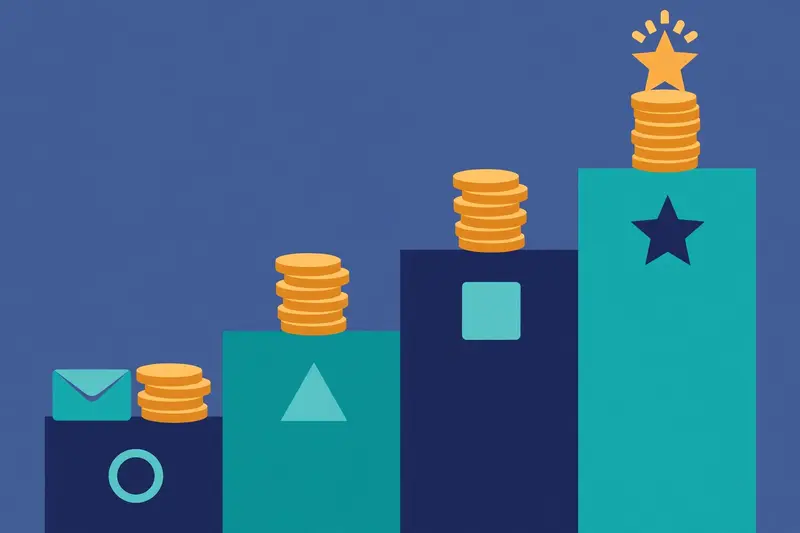
Mailchimp pricing works differently from most rivals in this series, so this section takes its time. You do not buy a bundle of emails for a monthly fee. Instead, you pay for the number of contacts stored in your audience, and each plan then allows a multiple of that number in monthly sends. A bigger list costs more, even when you send the same number of emails.
That model has a clear upside and a clear downside. The upside is simplicity: the bill follows one number you can see, and small lists pay very little. The downside is the climb: every new subscriber raises the bill, so a fast-growing list can jump a pricing tier without warning.
The four Mailchimp plans at a glance
| Plan | Monthly price* | Contacts included | Monthly email sends | Seats and audiences | Best for | Visit |
|---|---|---|---|---|---|---|
| Mailchimp — FreeBest for a first list | $0 a month No card needed | Up to 250 Sending pauses above the limit | 500 a month Max 250 a day | 1 seat, 1 audience | Learning email marketing with a tiny list | Visit Site → |
| Mailchimp — Essentials | $13 a month At 500 contacts | 500 to 50,000 Price rises with contacts | 10 times contacts 5,000 a month at 500 contacts | 3 seats, 3 audiences | A small business sending regular campaigns | Visit Site → |
| Mailchimp — Standard | $20 a month At 500 contacts | 500 to 100,000 Price rises with contacts | 12 times contacts 6,000 a month at 500 contacts | 5 seats, 5 audiences | A growing business that needs automation | Visit Site → |
| Mailchimp — Premium | $350 a month At 10,000 contacts | 10,000 to 200,000 Custom plans above that | 15 times contacts 150,000 a month at 10,000 contacts | Unlimited seats and audiences | A large team with advanced needs | Visit Site → |
* Dollar figures checked 16 November 2026. Mailchimp’s official pricing page renders its dollar figures through JavaScript, so the dollars above rest on three independent November 2026 checks of Mailchimp’s pricing page, all in agreement. Contact limits, send multiples, seats and audiences were read directly from that page today. Features and pricing can change, so please check the provider’s site before you buy. We do not guess at features, prices or trials.
Mailchimp review: what the free plan really gives you
Free covers up to 250 contacts and 500 email sends a month, with a cap of 250 sends in a single day. You get one seat, one audience and email support for the first 30 days. Sending pauses when you pass the contact or send limit, so the free plan is a genuine starting point rather than a trap.
That free allowance suits a brand-new list, yet it is smaller than many people expect. Mailchimp once allowed 2,000 contacts free, and older guides still quote that figure. The current limit is 250 contacts, and this Mailchimp review uses the current figure. Free also shows Mailchimp branding in your emails, and it includes no automation at all.
Free still earns its place, because it lets you learn the builder, grow a first list and send a first newsletter without paying. A blogger with 200 subscribers can run on Free for months. A shop with 1,000 customers cannot, and that is the honest boundary.
Mailchimp review: Essentials at $13, the entry paid tier
Essentials costs $13 a month at 500 contacts, and the price rises with your list: $26.50 at 1,500 contacts, $45 at 2,500, $75 at 5,000 and $110 at 10,000. Monthly sends run to 10 times your contact count, so 500 contacts buy 5,000 sends a month. Three seats and three audiences come with the plan.
Essentials adds the features a small business reaches for first. Email scheduling, A/B testing, custom-branded templates and 24/7 email and chat support all arrive here. Automation flows are limited to four steps, which covers a welcome email and a couple of follow-ups, yet longer journeys need Standard.
Essentials suits a small business that sends regular campaigns and wants testing and scheduling. It is the cheapest way into paid Mailchimp, and the $13 starting price undercuts most rivals at 500 contacts. The catch is the climb, because $110 at 10,000 contacts is no longer cheap.
Mailchimp review: Standard at $20, where most businesses land
Standard costs $20 a month at 500 contacts, then $45 at 1,500, $60 at 2,500, $100 at 5,000 and $135 at 10,000. Monthly sends run to 12 times your contact count, so 500 contacts buy 6,000 sends a month. Five seats and five audiences come with the plan, and a 14-day free trial lets you test it before you pay.
Standard is where Mailchimp becomes a serious marketing tool. Up to 200 automation flows replace the four-step limit, generative AI features arrive at no extra cost, and custom-coded templates can be both created and sent. Predictive segmentation, dynamic content, custom reports and a personalised onboarding session all arrive here too.
Standard also carries the headline claims. Mailchimp reports up to 27 times return on investment for Standard users, and up to 7 times more orders from automation flows than from bulk emails alone. Treat those as vendor figures, yet they show which plan Mailchimp wants growing businesses to choose.
Mailchimp review: Premium at $350, the top tier
Premium costs $350 a month at 10,000 contacts, and the send multiple rises to 15 times contacts, or 150,000 emails a month at that tier. Seats and audiences become unlimited, and the contact ceiling reaches 200,000 before a custom plan is needed. A one-month free trial is available for qualified new customers.
Premium adds phone and priority support, multivariate testing, enhanced automation flows, predictive segmentation and a dedicated onboarding specialist with four sessions. Enterprise single sign-on is included, and premium migration services help large teams move across. Businesses with 10,000 or more contacts can save 15 percent on their first 12 months.
Premium suits a large team, not a small one. At $350 a month it costs more than most rivals’ top tiers, and the jump from Standard at $135 to Premium at $350 is steep. A team should only pay it when the phone support, the unlimited seats and the advanced testing genuinely earn their keep.
Trials, discounts and pay as you go
Standard and Essentials both offer a 14-day free trial, and Premium offers a one-month trial for qualified new customers. You can upgrade or downgrade at any time, and downgrades take effect at the end of the billing period. Mailchimp sends billing reminders before a trial ends, so you are not caught by surprise.
Nonprofits and charities receive a 15 percent discount when they sign up for a free account and contact the billing team. Businesses with 10,000 or more contacts can save 15 percent on Standard for the first 12 months, and the discount stays if they switch to Premium or Essentials. Annual plans exist for Premium and Standard at 10,000 or more contacts, although the prices are quoted by sales.
Infrequent senders have another option. Pay As You Go lets you buy email credits as needed instead of paying a monthly charge, which suits a business that mails only a few times a year. SMS is a separate add-on on paid plans, with credits bought in blocks that expire each month, so check the SMS pricing before you plan a text campaign.
Setting up Mailchimp: account, audience and your first campaign
Getting started takes an afternoon, not a week. Create a free account with an email address and a password, confirm your email, and answer a few questions about your business. Mailchimp then guides you through the setup steps, and you can skip the walkthrough when you already know what you need.
Your first audience is the step that matters most. Add your contacts, or import them from a spreadsheet, and Mailchimp checks the list for obvious problems. Tags and groups organise contacts from the start, and a signup form on your website grows the list from day one.
Video: How to Build a Mailchimp Welcome Email Series with AI (Beginner Walkthrough) by AI Made Simple on YouTube. This video is the creator’s property, embedded via YouTube for education. OutreachCompare is not affiliated with AI Made Simple and does not claim ownership of this video.
Your first campaign in five steps
First, create the account and confirm your email. Second, create one audience and import your contacts, or start empty and add a signup form to your site. Third, open the email builder, pick a template, and drag in your text, images and buttons. Fourth, send a test email to yourself and check it on desktop and on a phone.
Fifth, choose your audience, write a subject line, and either send now or schedule for later. Essentials and above unlock scheduling, so a free account must send immediately. Check the report after the first send, because opens, clicks and unsubscribes tell you what to fix next time.
Connecting your store and your other tools
Shopify, WooCommerce and other stores connect in a few clicks, and the integration then syncs customers, orders and products into Mailchimp. That sync powers abandoned-cart emails, product recommendations and post-purchase follow-ups without any manual exports. More than 300 integrations cover CRMs, social platforms, survey tools and payment providers.
Domain authentication is the step that protects your deliverability from the start. Mailchimp guides you through adding the records that prove your emails come from you, and the deliverability section below explains the setup in full. Our guide to setting up a sending domain explains SPF, DKIM and DMARC step by step for beginners.
Moving from another email tool
Migration is usually straightforward, because Mailchimp imports contacts from a CSV file or directly from many rivals. Tags and segments need rebuilding by hand, and templates need recreating in the Mailchimp builder, so allow an afternoon for a small list and a week for a large one. Premium customers get migration help from Mailchimp itself.
Keep your old tool running until the first Mailchimp campaign has sent cleanly. That overlap costs a little extra for one month, yet it protects you when an import misses a field or a template looks wrong on a phone. A calm migration beats a rushed one every time.
Key features: audiences, builder, journeys and Intuit Assist
Mailchimp packs a lot into a platform that looks simple from the outside. We checked every feature below on Mailchimp’s official site on 16 November 2026, and we kept only the ones a small business will genuinely use. Each one earns its place by solving a real problem for a small business.
Mailchimp review: the drag-and-drop email builder
The builder is the feature most people meet first, and it is genuinely friendly. Drag a text block, an image or a button into place, change the colours to match your brand, and preview the result on desktop and mobile before you send. Pre-built templates cover newsletters, promotions and announcements, while branded templates on paid plans keep every email looking like yours.
Custom-coded templates work too. Standard and Premium let you create and send your own HTML templates, while Essentials lets you create them and upgrade to send. That split matters for designers, so check your plan before you build a custom template.
Mailchimp review: Customer Journeys and automation
Customer Journeys are Mailchimp’s automation builder, and they are the strongest reason to pay for Standard. You pick a trigger, such as a signup or a purchase, then add emails, delays and conditions on a visual map. A welcome series, an abandoned-cart flow and a win-back series all run themselves once you switch them on.
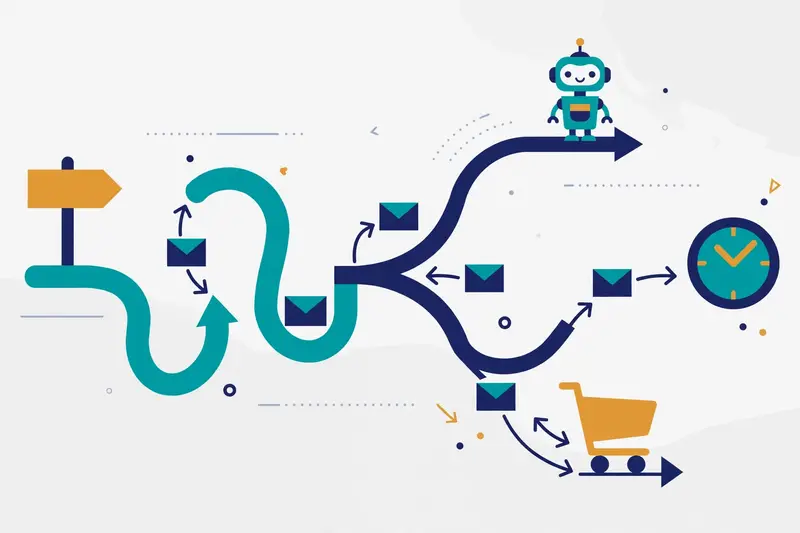
Plan limits shape what you can build. Free includes no automation beyond a final welcome email, Essentials allows flows of up to four steps, and Standard and Premium allow up to 200 flows with branching and predictive segments. A small welcome series fits on Essentials, yet a real lifecycle programme needs Standard.
Video: How to Create an Email Automation in Mailchimp by Learn Mode Lab on YouTube. This video is the creator’s property, embedded via YouTube for education. OutreachCompare is not affiliated with Learn Mode Lab and does not claim ownership of this video.
Mailchimp review: Intuit Assist and generative AI
Intuit Assist is Mailchimp’s generative AI, and it now appears across the product. It drafts subject lines, writes email copy, suggests designs and summarises campaign performance. Standard and Premium include the AI features at no extra cost, while Essentials and Free do not.
AI drafts save time, yet they still need a human eye. Read every generated email, check the details, and adjust the tone so it sounds like your brand rather than a template. The video above shows exactly that workflow, with a welcome series drafted by AI and then edited by hand.
Mailchimp review: segmentation, personalisation and testing
Segments turn one audience into many precise groups. You can mail people who opened your last three emails, people who bought in the last month, or people who never opened anything at all. Predictive segments on Standard and Premium go further, flagging likely buyers and likely churners before you mail them.
Personalisation fills each email with the reader’s name, their last purchase or a product they viewed. Dynamic content changes whole blocks by segment, so one campaign can show different offers to different readers. A/B testing on Essentials compares subject lines, while multivariate testing on Premium tests several variables at once.
Mailchimp review: SMS, social ads, postcards and Mandrill
Mailchimp reaches beyond email. SMS is available as an add-on on paid plans in select countries, with credits bought in blocks, and MMS is available on Standard and Premium for the United States and Canada. Social ads and postcards let you reach the same audience off the inbox, and landing pages and popup forms grow the list.
Transactional email runs through Mandrill, Mailchimp’s transactional API add-on. Password resets and receipts can travel through Mandrill while marketing mail uses the main platform, yet Mandrill is a separate paid product. A team that needs heavy transactional volume should compare dedicated transactional tools before adding Mandrill.
Mailchimp review: reports, integrations and dedicated IPs
Reports show opens, clicks, unsubscribes, revenue and growth for every campaign, and custom reports on Standard and Premium slice the data further. Mailchimp also reports up to 141 percent more revenue from predictive segments and up to 58 percent higher click rates when email and SMS run together, based on its own user data.
More than 300 integrations connect Mailchimp to the tools a small business already uses. Shopify, WooCommerce, WordPress, Salesforce, Zapier and Canva all have official connections, and the API covers the rest. Dedicated IPs are available on the higher tiers for senders whose volume justifies their own reputation, so ask Mailchimp directly when your list reaches that size.
Deliverability and warm-up: authentication, timing and list care
Deliverability is where an email tool earns its keep. A polished template earns nothing when the message never reaches the inbox, so this Mailchimp review looks at how Mailchimp keeps your mail landing safely. The good news is that most of the work is simple setup and honest list care.
Authenticate your domain before your first send
Domain authentication proves your emails come from you, and it is the single most important deliverability step on Mailchimp. The setup adds the DNS records that power DKIM signing and SPF alignment, and Mailchimp walks you through each record. A custom domain also replaces the generic Mailchimp sending domain, which protects your reputation from other senders.
DMARC completes the trio. Mailchimp supports DMARC policies on your domain, and our guide to setting up a sending domain explains all three records for beginners. Set all three up before your first campaign, because fixing authentication after a bad send is far harder.
Send Time Optimization and engagement signals
Send Time Optimization picks the best moment to mail each subscriber, based on when they opened past emails. Mailchimp reports that predictive segments and optimised timing lift revenue, and the feature is available on Standard and Premium. Scheduling a campaign for a sensible hour still matters, because timing is only one signal among many.
Engagement is the signal mailbox providers watch most closely. Opens, clicks and replies tell Gmail and Outlook that your mail is wanted, while deletes without opening and spam complaints tell them the opposite. Mailchimp tracks engagement per contact, so you can see who still reads and who stopped months ago.
List hygiene: the warm-up that actually matters here
Mailchimp has no cold warm-up pool, because it is not a cold email tool. Warm-up in this context means building a good reputation with your own list, and list hygiene is how you do it. Remove hard bounces automatically, archive contacts who never engage, and never mail people who asked to stop. A smaller, engaged list beats a large, silent one every time.
New senders should start gently. Send your first campaigns to your most engaged subscribers, watch the open and complaint rates, and widen the audience as the numbers stay healthy. A dedicated IP on the higher tiers can help a large sender, yet most small businesses do perfectly well on Mailchimp’s shared sending infrastructure.
One honest limit: Mailchimp does not publish inbox placement scores or spam-trap monitoring as a headline feature. Dedicated deliverability suites offer deeper testing, so a team that lives or dies by inbox placement should read our guide to the best deliverability tools alongside this review.
How Mailchimp compares with Brevo and Constant Contact
No email tool lives alone, so this Mailchimp review lines it up against the two closest rivals for small businesses. Brevo is the send-based challenger with a CRM built in, while Constant Contact is the oldest name in the category with phone support on every plan. Mailchimp wins on brand, builder and automation depth.
Prices below come from the official pricing pages, checked on 16 November 2026. We took the rival figures from our own verified reviews of Brevo and Constant Contact, and we re-checked them against their official pages today. Mailchimp figures use Essentials, the entry paid tier, with monthly billing in US dollars.
Head-to-head prices in this Mailchimp review
| Tool | Free plan | 500 contacts | 2,500 contacts | 10,000 contacts | Best for | Visit |
|---|---|---|---|---|---|---|
| MailchimpBest for small business email marketing | $0 250 contacts, 500 sends a month | $13 Essentials, 5,000 sends a month | $45 Essentials, 25,000 sends a month | $110 Essentials, 100,000 sends a month | Friendly email marketing with real automation | Visit Site → |
| Brevo | $0 300 emails a day | From $9 Starter, 5,000 emails a month; send-based, not contact-based | From $9 Starter covers 5,000 emails a month; larger send volumes cost more | From $9 Starter covers 5,000 emails a month; larger send volumes cost more | Send-based pricing with SMS and a CRM | Visit Site → |
| Constant Contact | No free plan 30-day trial, 100 sends | $12 Lite, 5,000 sends a month | $50 Lite, 25,000 sends a month | $120 Lite, 100,000 sends a month | Phone support on every plan | Visit Site → |
Prices checked 16 November 2026 on Mailchimp’s pricing page, Brevo’s pricing page and Constant Contact’s pricing page. Mailchimp’s dollar figures rest on three independent November 2026 checks of its pricing page, because the page renders dollars through JavaScript. Features and pricing can change, so please check the provider’s site before you buy. We do not guess at features, prices or trials.
What the head-to-head prices mean
At 500 contacts, Constant Contact Lite at $12 is a dollar cheaper than Mailchimp Essentials at $13, while Brevo Starter at $9 covers 5,000 emails a month regardless of list size. Move to 2,500 contacts and Mailchimp at $45 beats Constant Contact at $50, while Brevo still starts at $9 for the same 5,000 sends. With 10,000 contacts, Mailchimp at $110 beats Constant Contact at $120, yet Brevo’s send-based model wins outright for a large list that mails rarely.
The lesson is simple: a large list that sends often pays more on Mailchimp, while a large list that sends rarely pays less on Brevo. Count your contacts, count your sends, and price both models before you commit. Our Brevo review works through the send-based maths in full.
Mailchimp review: feature matrix against the rivals
| Feature | Mailchimp | Brevo | Constant Contact |
|---|---|---|---|
| Free plan | ✓ 250 contacts, 500 sends a month | ✓ 300 emails a day | — 30-day trial only |
| Drag-and-drop email builder | ✓ | ✓ | ✓ |
| Branching automation journeys | ✓ Up to 200 flows on Standard | ✓ | ✓ Templates on Standard |
| Generative AI writing and design | ✓ Intuit Assist, Standard and Premium | ✓ Aura AI assistant | ✓ AI copy generator |
| Predictive segmentation | ✓ Standard and Premium | — | — |
| SMS in the same account | ✓ Paid add-on | ✓ Included on paid plans | ✓ 500 a month on Premium |
More features in this Mailchimp review: CRM, testing and support
| Feature | Mailchimp | Brevo | Constant Contact |
|---|---|---|---|
| Built-in CRM | ✓ Audience CRM | ✓ Full Sales CRM | — |
| Multivariate testing | ✓ Premium only | ✓ A/B testing | ✓ Subject-line A/B on Standard |
| Send Time Optimization | ✓ | ✓ Send Time Optimization | — |
| Transactional API add-on | ✓ Mandrill, paid add-on | ✓ Transactional SMTP included | — |
| Phone support | ✓ Premium only | — | ✓ Every plan |
| Nonprofit discount | ✓ 15 percent | — | ✓ Up to 30 percent with prepay |
Features checked 16 November 2026 on the official sites of Mailchimp, Brevo and Constant Contact. Features and pricing can change, so please check the provider’s site before you buy.
Read the matrix with your own priorities in mind. Predictive segmentation and the deepest automation belong to Mailchimp, and no rival matches them at this price. Brevo leads on pricing flexibility, because send-based billing never punishes a large, quiet list. Constant Contact leads on support, because phone help comes with every plan rather than only the top tier.
Mailchimp’s free plan is the other deciding factor. Brevo’s free plan allows 300 emails a day with no contact cap, which suits a large list that mails rarely, while Mailchimp’s free plan caps contacts at 250. A new business with a tiny list will love Mailchimp Free, while a business with 5,000 contacts and one monthly newsletter will save money on Brevo.
Where Mailchimp shines — and where it falls short
Every tool has trade-offs, and an honest Mailchimp review names them plainly. The strengths below explain why millions of small businesses keep choosing Mailchimp. The weaknesses explain why some teams still pick a rival.
Mailchimp review: what Mailchimp does best
Friendliness tops the list. The builder, the templates and the setup walkthrough are all designed for a person who has never sent a campaign before, and most users send their first email on day one. The free plan is the second strength, because 250 contacts and 500 sends a month cost nothing at all.
Automation depth is the third strength. Up to 200 flows on Standard, with branching, delays and predictive segments, is genuinely powerful for $20 a month at 500 contacts. The integration library is the fourth strength, with more than 300 official connections covering every store, CRM and social platform a small business uses.
Brand trust is the fifth strength in a different way. Mailchimp is the name most people already know, so guides, templates, freelancers and courses are everywhere. When you need help, the answer is usually one search away, and that ecosystem is worth real money.
Mailchimp review: what to watch out for
Contact-based pricing is the clearest weakness. The bill climbs with every new subscriber, so a list that grows from 500 to 10,000 contacts sees Essentials rise from $13 to $110 a month. A large list that sends rarely pays for contacts it barely mails, and Brevo’s send-based model handles that case far better.
Strict opt-in rules are another watch point. Mailchimp suspends accounts that mail purchased lists or people who never opted in, and the suspension can lock you out of your own list. That policy protects deliverability for everyone, yet it catches out teams that arrive from cold email expecting the same rules.
Support gaps are a smaller weakness. Free users get email support for the first 30 days only, and phone support arrives only on Premium at $350 a month. Constant Contact answers the phone on every plan, so a team that wants to talk to a human should weigh that difference. Finally, transactional email costs extra through Mandrill, while Brevo includes transactional SMTP in its core plans.
Your first 30 days with Mailchimp, week by week
A calm first month beats a rushed launch. The plan below carries you from a free account to a working email programme, with a check at each step.
Week one: set up and send a test
Create the free account, confirm your email, and build one audience. Add your contacts or start empty, then design one simple campaign in the builder and send a test to yourself. Check it on desktop and on a phone, then send it to a few colleagues for a real-world look.
Week two: authenticate your domain and add a form
Add your sending domain and publish the authentication records, then add a signup form to your website. Check that new signups land in your audience with the right tags, and send your first real campaign to your most engaged contacts.
Week three: build your first automation
Build a welcome series for new subscribers, starting with one welcome email and one follow-up a few days later. Test the trigger with your own signup, then switch the flow on. Watch the report for a few days and fix any broken links or typos before the next send.
Week four: review the numbers and decide on Standard
Review opens, clicks and unsubscribes across your first campaigns, and check your contact count against the 250 free limit. When either limit feels close, move to Essentials or Standard before you hit it, not after. Standard earns its $20 when you want longer journeys, AI drafting and predictive segments.
Frequently asked questions in this Mailchimp review
Is Mailchimp free?
Yes, Mailchimp has a free plan that costs $0 a month. It covers up to 250 contacts and 500 email sends a month, with a cap of 250 sends in a single day, plus one seat, one audience and email support for the first 30 days. Sending pauses when you pass the contact or send limit, so a live business with a growing list will outgrow it.
How much does Mailchimp cost?
Essentials starts at $13 a month for 500 contacts, Standard starts at $20 a month for the same list size, and Premium starts at $350 a month for 10,000 contacts. Prices rise with your contact count: Essentials reaches $45 at 2,500 contacts and $110 at 10,000, while Standard reaches $60 and $135 at the same sizes. All figures were checked on 16 November 2026.
Can I use Mailchimp for cold email?
No, Mailchimp is not a cold email tool. Every contact must have agreed to hear from you, and Mailchimp forbids purchased lists and scraped addresses. Accounts that mail people who never opted in risk suspension. Our guide to the best cold email software covers the tools built for cold outreach, and our legality checklist for cold email sets out the rules.
Does Mailchimp offer a free trial?
Yes, Standard and Essentials both offer a 14-day free trial, and Premium offers a one-month trial for qualified new customers. You can upgrade or downgrade at any time, and Mailchimp sends billing reminders before a trial ends. The free plan is a separate option that costs $0 a month with no time limit.
How does Mailchimp compare with Brevo?
Mailchimp wins on automation depth, predictive segmentation and the size of its integration library, while Brevo wins on pricing flexibility, because Brevo charges by emails sent rather than by contacts stored. Brevo Starter costs from $9 a month for 5,000 emails, and it includes a full CRM and transactional SMTP. Read our Brevo review for the full comparison.
Is Mailchimp good for ecommerce?
Yes, Mailchimp is strong for ecommerce, especially on Standard. Shopify and WooCommerce integrations sync customers, orders and products, which powers abandoned-cart emails, product recommendations and post-purchase flows. Mailchimp reports up to 7 times more orders from automation flows than from bulk emails, and up to 27 times return on investment for Standard users, based on its own user data.
The verdict in this Mailchimp review
Verdict: Best for small business email marketing and automation
Mailchimp is the email marketing tool we would pick first for a small business or creator that wants friendly, permission-based email with real automation. The free plan covers 250 contacts and 500 sends a month, Essentials starts at $13 a month, and Standard at $20 a month unlocks up to 200 automation flows, generative AI and predictive segments. The builder is the friendliest in this category, and the integration library covers almost every tool a small business already uses.
Pick Brevo when a large list that mails rarely makes contact-based pricing expensive, because Brevo charges by sends rather than by contacts. Constant Contact suits you better when phone support on every plan matters more than automation depth. Choose Postmark or Resend when you need transactional email rather than marketing campaigns. Mailchimp remains the pick when your list asked to hear from you and you want one friendly platform to grow with.
We have not run hands-on deliverability tests on Mailchimp, so this Mailchimp review gives no numeric score. The verdict rests on verified pricing, verified features and the documented small-business track record, all checked on 16 November 2026. Start free, send your first campaign today, and move to Standard when your list earns it.
Visit Mailchimp →Keep reading
- Brevo Review 2026 — the closest rival, with send-based pricing, a CRM and transactional email included.
- Postmark Review 2026 — the transactional rival, with 45-day logs and the fastest delivery in this comparison.
- Resend Review 2026 — the developer rival, with React Email and the cleanest API setup.
- Mailgun Review 2026 — the high-volume rival, with validation built in and a fixed bundle.
- Bird Email Review 2026 — the enterprise rival, with SMS and WhatsApp in one account.
- Mailtrap Review 2026 — the testing rival, with a full Sandbox plus production sending.
- Best Cold Email Software 2026 — the tools built for cold outreach, because Mailchimp is not one of them.
- How to Set Up a Sending Domain — SPF, DKIM and DMARC before your first send.
- Best Email Deliverability Tools 2026 — the tools that keep your mail in the inbox.
- Start here: the best tools for every job — the OutreachCompare hub pages.
Leave a Reply