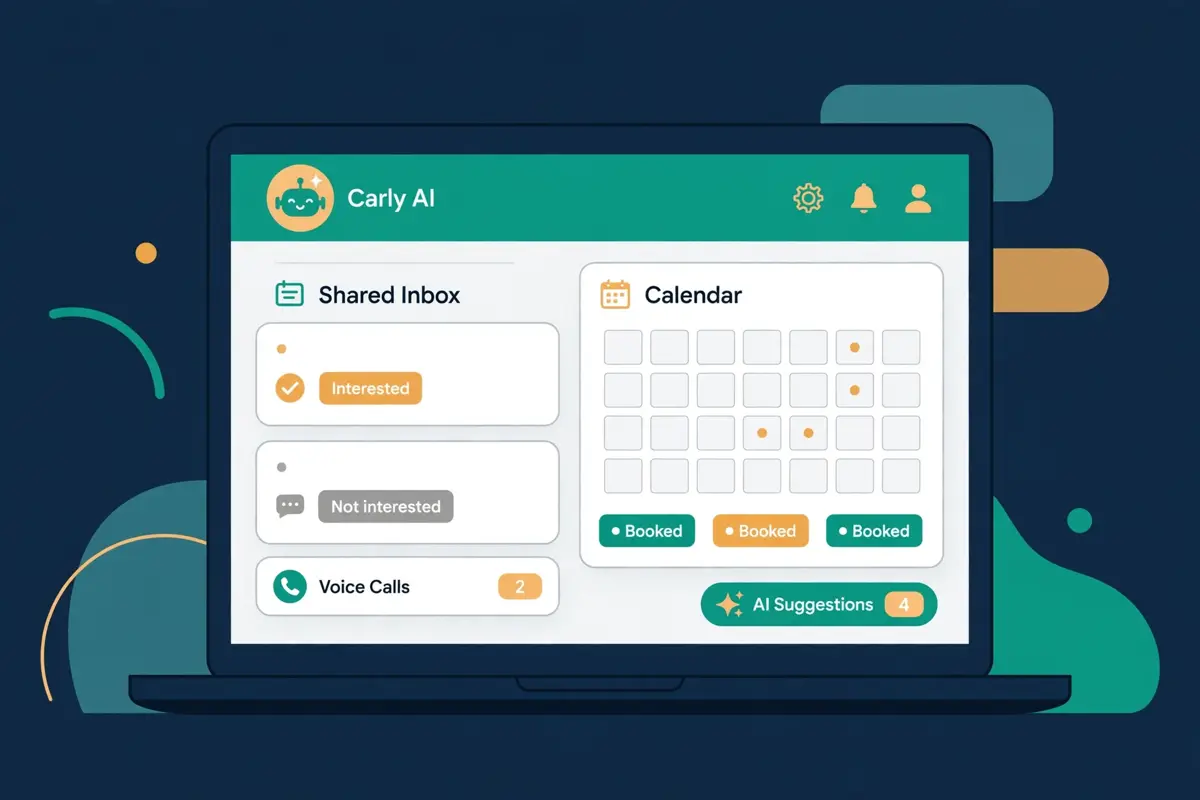
Best for teams whose pipeline leaks at the reply and the booking: Carly AI
Carly AI is an AI assistant for sales teams that works from the mailboxes, calendars, phone line and CRM you already use. It runs multi-step sequences from each rep’s own Gmail and Outlook accounts, and it sorts every reply in one shared team inbox. It drafts the answer for review, reaches new inbound leads by email, text or AI voice call within minutes, and books meetings on the right rep’s calendar. Behind that sits a built-in CRM, thousands of app integrations, and custom AI agents with their own email addresses. AI agents start at $35 a month, and a free plan covers workflows and calendar access at $0.
This Carly AI review works through the whole platform as it stood on 16 November 2026. It covers what Carly AI does well and where it stops short of the autonomous outbound agents. It also explains how the $35 plans and the credit allowance actually work, and how Carly AI compares with Artisan, 11x and Reply.io. By the end you should know whether fixing the reply is the cheapest win your pipeline has, or whether you need a tool that finds the names in the first place.
Visit Carly AI → Jump to the comparison tableWhy the reply is where most pipeline quietly dies
Outbound usually fails in the middle, not at the start. A rep sends a good first email, the prospect replies with a question, and then nothing happens for two days. Meanwhile the prospect talks to a competitor, the thread cools, and the deal never reaches a calendar. Multiply that by every rep on a team and the leak is enormous. Carly AI was built for exactly that middle stretch: the reply, the follow-up, the inbound lead that arrives at 7:40 in the evening, and the booking. This Carly AI review tests whether a tool that starts at the reply can be more useful than a tool that starts at the list.
Think of Carly AI as the teammate who never lets a thread go cold. She watches every mailbox on the team, labels each reply as interested, not interested or out of office, and drafts the next message in your voice. Your reps, meanwhile, can spend their hours on live calls and closing, the work only a person does well. A team whose first emails already get replies will find that split of labour the main attraction. Instead of hiring another rep to chase threads, you hire software that chases them around the clock. Whether that trade is worth it depends on three things: how many replies you already get, how fast you answer them today, and whether your buyers respond by email, text or phone. Those three questions run through every section below.
How this Carly AI review was put together
Every price and feature below comes from Carly AI’s own website, checked on 16 November 2026, and the tables carry that date. One point of naming needs clearing up first. Carly AI lives at usecarly.com, and you sign up at carlyassistant.com. A different product with a similar name appears on slashexperts.com with opportunity-based pricing from $250 a month. In addition, this Carly AI review does not cover that product. Everything here is the Carly AI at usecarly.com: the AI assistant founded in 2025 in San Francisco, which says it serves more than 10,000 businesses.
A word on how this review was put together. Carly AI is a broad product. It is an executive assistant, a scheduling coordinator, a receptionist and a sales agent in one. Also, this Carly AI review stays on the sales half: sequences, replies, speed to lead, booking and the CRM. The wider assistant features appear only where they change a sales decision, such as the custom agents and the free workflows. We have not tested Carly AI hands-on. As a result, there is no numeric score here, only a Best-for verdict and an honest list of trade-offs.
Quick Answer
Carly AI is an AI assistant for sales teams. It runs sequences from your reps’ own Gmail and Outlook mailboxes, sorts and drafts every reply in one shared team inbox, and reaches new inbound leads by email, text or AI voice call within minutes. It books meetings on the right rep’s calendar, with a built-in CRM or two-way sync to HubSpot, Salesforce and Pipedrive. Its core features are multi-step sequences with daily caps and sending windows, reply labelling and AI-drafted answers, and speed-to-lead routing. Booking runs across all of a rep’s Google and Microsoft calendars, and custom AI agents get their own email addresses. Thousands of integrations cover Apollo, Hunter, Lusha, Instantly, Slack and Gong. AI agents start at $35 a month on the Personal plan, and a free plan covers workflows and calendar access at $0.
Carly AI is best for small and mid-sized sales teams whose first emails already earn replies but whose follow-up is slow, uneven or lost between inboxes. It is not a lead database, it does not warm managed mailboxes for cold volume, and it is not the tool for buyers who want a fully autonomous agent to find names and send cold email at scale.
Contents
- What Carly AI actually does
- Who Carly AI fits best — and who should skip it
- Pricing: $35 a month, and what the credits mean
- The shared inbox: where Carly AI earns its keep
- Speed to lead: calls, texts and emails within minutes
- Booking and the CRM: meetings without the back-and-forth
- Deliverability: your own mailboxes, your own reputation
- Integrations: Apollo for data, Carly AI for everything after
- Security, guardrails and the rules around AI calls
- Carly AI against Artisan, 11x and Reply.io
- Strengths and weaknesses, side by side
- Getting started: a sensible first 90 days
- Frequently asked questions
- The verdict in this Carly AI review
What Carly AI actually does
Carly AI describes itself as an AI personal assistant. Furthermore, the homepage pitch makes the promise plainly: email Carly to create AI agents that handle scheduling, email, CRM and more. Behind that promise sits a simple idea. Instead of configuring automations yourself, you tell Carly AI what you need in plain English. Moreover, it builds the workflow or the agent for you. For sales teams, that idea lands as a set of connected jobs: sequences, replies, inbound response, booking and CRM updates, all running from the mailboxes and calendars your reps already use. In short, you set the playbook once, and the agent owns the follow-through after that.
That structure matters, because it shows where Carly AI spends its effort. In addition, this Carly AI review keeps coming back to it. A normal sequencer expects you to bring the list and write the message. An autonomous outbound agent starts one step earlier, with the list itself. Carly AI starts at the reply. It assumes you already have a way to find names, whether that is Apollo, a CRM or an inbound form. Also, it takes over everything from the first touch onward. For example, for a team that already buys data elsewhere, that focus is the biggest time saving in the product. Furthermore, this Carly AI review counts it as the main reason to try it. If you have no list and no inbound flow, Carly AI can feel like a second half without a first half.
As a result, the value turns on what is already in your stack.
Seven features this Carly AI review found defining
First comes sequences from your own mailboxes. Multi-step sequences send from each rep’s real Gmail and Outlook accounts and stop when the person replies or books, with daily caps, sending windows and unsubscribe headers built in. Next comes the shared inbox. Every rep’s mailboxes, plus the team’s calls and texts, sit in one place with assignments, notes, reminders and an “Awaiting reply” view. Then comes reply handling. Carly AI labels replies interested, not interested or out of office, and drafts the answer for review, or sends it on its own. After that comes speed to lead. Routing rules assign each new lead to the right rep. Moreover, the lead gets an email, a text or an AI voice call within minutes. Finally comes booking and the CRM.
The right rep’s calendar across all their Google and Microsoft accounts, or a booking page, plus a built-in CRM or sync to the one you already run. Overall, each part is simple on its own. Together they amount to more than the parts alone, because no reply is left to go cold.
The seven features at a glance, in this Carly AI review
- Sequences from your own mailboxes: multi-step email sequences that send from real Gmail and Outlook accounts, stop on a reply or a booking, and carry daily caps, sending windows and unsubscribe headers.
- One shared team inbox: every rep’s mailboxes, plus the team’s calls and texts, in one place with assignments, notes, reminders and an “Awaiting reply” view.
- Reply labelling and drafting: replies are sorted as interested, not interested or out of office, and Carly AI drafts the answer for a human to approve or sends it itself.
- Speed to lead: routing rules assign each new lead to an owner, who reaches the lead by email, text or AI voice call within minutes, day or night.
- AI voice agent: calls new leads from your business number, asks your qualifying questions, books the meeting or transfers to a person, and follows up by text and email if the call is missed.
- Booking across every calendar: reads all of a rep’s Google and Microsoft calendars at once, offers real open times in the prospect’s time zone, and sends the invite, or uses a booking page.
- Built-in CRM and thousands of integrations: an AI-native CRM with lead statuses, weighted pipeline and reports by owner, or two-way sync to HubSpot, Salesforce, Pipedrive, Close or Attio, plus Apollo, Hunter, Lusha, Instantly, Slack and Gong.
Finally, one more framing point helps before the details. Carly AI is not a sequencer with an AI writing add-on. In addition, it is not a fully autonomous outbound agent either.
Why the whole is more than the parts
Its own pages describe it as an assistant that works from the tools you already use. Also, that plain speaking helps, because plenty of tools in this market promise full autonomy and deliver far less. Carly AI promises a faster version of the follow-up you already do, with a human able to take over at any point. Furthermore, that is a promise it can plausibly keep.
Who Carly AI fits best — and who should skip it
First, this Carly AI review finds the product fits small and mid-sized sales teams first. Think of a team of two to twenty reps with a list that already works, a CRM that already holds the deals, and a pipeline target that keeps slipping because replies wait too long. That team needs sequences that stop on a reply, drafts that sound like the rep, and bookings that happen without a ten-email thread. Moreover, Carly AI gives them all three from $35 a month per person, on the mailboxes they already own. In addition, the free plan lets one person try the workflows and the calendar view before spending anything. Because the price covers a whole workflow rather than one job, a small team knows its bill exactly: one flat rate, one credit allowance, one dashboard. That simplicity is the product’s main selling point.
This Carly AI review rates it highly for teams of that size.
Meanwhile, in this Carly AI review, inbound-heavy teams come next. A team whose demo requests sit unanswered for hours benefits from the speed-to-lead side most. That is because the agent reaches a new lead by email, text or voice call within minutes, day or night. The speed matters. Most buyers talk to the first vendor that responds. As a result, a lead answered in seconds converts far better than one answered the next morning. There is no need to staff a night shift or a weekend rota. Meanwhile, the outbound sequences keep the follow-ups moving. Moreover, the built-in CRM shows lead statuses, weighted pipeline and reports by owner without a separate reporting tool. For that working pattern, Carly AI feels designed around the job, not around a feature list.
Buyers who should look elsewhere
Now the other side. However, teams that need net-new names at volume should look elsewhere. Carly AI has no built-in contact database of its own. In addition, it does not buy, warm or rotate sending domains for cold volume. A team sending thousands of cold emails a month from secondary domains will find the autonomous agents a better fit. Also, this Carly AI review would not argue otherwise. Artisan’s Ava brings a 250M+ contact database from $250 a month, and 11x’s Alice brings a 400M-contact database with managed mailboxes from $36,000 a year.
Similarly, buyers who want a fully hands-off agent should pause too. Carly AI drafts replies and can send them, yet the product is built around human review: drafts sit in the shared inbox for a rep to approve. Furthermore, the team sets the rules in plain English first. If your buying process needs software that picks the accounts, writes the messages and answers the replies with nobody watching, that is a different product. Moreover, this Carly AI review counts the difference as one of the most important things to understand before you sign up. A team that wants that level of autonomy should compare Reply.io’s Jason AI, which prospects, writes and answers replies from $500 a month, before deciding.
Why middle-ground buyers should test the free plan first
Between those two poles sits the buyer this Carly AI review expects most often: a team with a working list, a decent reply rate and a follow-up problem. That buyer should start on the free plan, connect one mailbox and one calendar, and run the workflows for a week. If the drafts sound like the team and the bookings land without a thread, the shared inbox will save an hour a day and the $35 plan will pay for itself many times over. If the drafts need heavy editing on every reply, the problem may be the targeting or the offer, not the tool, and no AI SDR will fix that. Either way, a week on the free plan answers the question with evidence. In addition, that is a better test than any demo.
Pricing: $35 a month, and what the credits mean
Carly AI keeps its pricing simple, and this Carly AI review can state the whole price list in one paragraph. The Free plan costs $0 a month and includes MCP access from Claude, ChatGPT or any MCP client, 10 Zapier-style workflows, a full multi-calendar view across Microsoft and Google, and a task manager. Personal costs $35 a month, flat, tax included, and adds custom agents, thousands of integrations, custom skills, scheduled tasks, persistent memory, unlimited emails and calendars, human support, the full-service executive assistant, and the AI-native CRM. Organization costs $35 per seat per month and adds shared agents, shared skills and knowledge, team management, business SMS and calling, an AI receptionist, automatic CRM updates, pooled credits and centralised billing. Enterprise is custom-priced and adds your own email domain for agents, custom branding, and advanced security and compliance.
Two details that decide what $35 buys
Two details deserve a closer look, because they decide what the $35 actually buys. First, the credit allowance. Carly AI’s own plans page, last updated 14 November 2026, puts the Personal allowance at 200 credits a month for the AI work Carly AI does on its own, such as workflow steps and agent replies. MCP calls from ChatGPT, Claude or another MCP app do not use credits at all, and on Personal there is no monthly cap on those calls. The Free plan, by contrast, includes 200 MCP calls a month and no credits. Second, the team setup. Carly AI says teams are set up on a short call, including high-volume cold programs across many domains. As a result, a team should budget a call with the vendor rather than expecting a purely self-serve signup.
That call is also the moment to confirm what the Business SMS, calling and AI receptionist features cost in practice. That is because the pricing page lists them as Organization features without a separate usage price.
The pricing table in this Carly AI review, checked today
| Plan | Price | What you get | Best for | Visit Site → |
|---|---|---|---|---|
| Free | $0 / month | MCP access; 10 Zapier-style workflows; full multi-calendar view; task manager; 200 MCP calls a month | Trying the workflows and calendar view before paying | Visit Site → |
| Personal | $35 / month | Custom agents; thousands of integrations; custom skills; scheduled tasks; persistent memory; unlimited emails and calendars; AI-native CRM; 200 credits a month | A solo seller or founder who wants an AI assistant | Visit Site → |
| Organization | $35 / seat / month | Everything in Personal, plus shared agents, team management, business SMS and calling, AI receptionist, automatic CRM updates, pooled credits, centralised billing | Sales teams that need the shared inbox, voice and SMS | Visit Site → |
| Enterprise | Custom | Everything in Organization, plus your own email domain for agents, custom branding, advanced security and compliance | Larger teams with branding and compliance needs | Visit Site → |
Last checked: 16 November 2026 on Carly AI’s pricing page. Credit allowances come from Carly AI’s plans and limits page (last updated 14 November 2026). Features and pricing can change, so please check the provider’s site before you buy. We do not guess at features, prices or trials.
What $35 buys against the autonomous agents
One more pricing point matters for buyers comparing Carly AI with the autonomous agents. At $35 a month, Carly AI costs roughly a seventh of AiSDR’s $250 a month and a fourteenth of Reply.io’s Jason AI from $500 a month. Also, it costs a fraction of a human SDR, which Carly AI’s own research puts at about $114,000 a year once benefits are counted. That gap is the whole pitch: Carly AI does not try to replace the SDR, so it does not charge like one. Instead it charges like an assistant, and the buyer should judge it on the hours it saves, not on the meetings it books alone. A team that books one extra meeting a month because a reply went out in minutes rather than days has already covered the bill many times over.
Finally, a caution about the price you may see elsewhere. Search results for Carly AI pricing also surface a different product on slashexperts.com, with opportunity-based plans from $250 to $1,600 a month. That is not the Carly AI in this Carly AI review, and its prices do not apply here. If a page quotes $250 a month for Carly AI, check the domain: the Carly AI covered here lives at usecarly.com, and its AI agents start at $35 a month. When in doubt, the pricing page linked above is the source this Carly AI review used. Furthermore, it is the page to check before you buy.
The shared inbox: where Carly AI earns its keep
Every sales team has the same quiet problem: replies live in five different inboxes, and nobody knows which ones are waiting. Carly AI answers that problem with one shared team inbox. Moreover, this Carly AI review puts it at the centre of the product. Every rep’s mailboxes, plus the team’s calls and texts, sit in one place, with assignments, notes, reminders and an “Awaiting reply” view that shows exactly which threads still need a human. A manager can see the whole pipeline of conversations at a glance, and a rep starting the day can work the waiting list instead of digging through their own inbox. That visibility alone saves more time than any single automation in the product.

Drafts that sound like your reps
Inside the inbox, Carly AI does two jobs at once. First it sorts. Every reply is labelled interested, not interested or out of office. As a result, a rep can ignore the automatic replies and focus on the buyers. Second it drafts. Carly AI writes the answer in the rep’s voice, drawing on the thread, the CRM record and the playbook the team wrote in plain English. The rep can review and send, change one line and send, or let the agent send on its own. For example, a prospect writes “we’re locked in with our current vendor until March, but send me what this costs.” Carly AI drafts an answer to the pricing question and sets a March follow-up. The sequence stops on its own, so no further follow-up goes out. That combination of sorting and drafting is where the hours go back into the day.
Why conservative sending protects your domain
Meanwhile, the sequences that feed the inbox are deliberately conservative, and that conservatism is a feature. Multi-step sequences send from each rep’s real Gmail and Outlook accounts, inside sending windows and daily caps, with unsubscribe headers built in. Follow-ups go out as replies in the same thread. As a result, the prospect sees one conversation rather than a string of new emails. The sequence stops the moment the person replies in any thread, or books a meeting. Compare that with the autonomous agents, which often send from domains they bought and warmed on your behalf. In addition, the trade-off is clear: Carly AI protects your main domain and your reputation, because it sends from addresses your prospects already know. A team that has spent years building a sender reputation will value that restraint more than raw volume.
Watch Carly AI automate Gmail with Claude
Video: “How to Automate Gmail with Claude (Carly AI)” by Carly AI on YouTube. The video is the creator’s property, embedded via YouTube for education. Also, OutreachCompare is not affiliated with Carly AI and does not claim ownership. In the video, Carly AI’s founder Sarah Hirschfield shows how Carly AI turns Claude into an assistant for Gmail: hourly email summaries, automatic sorting, urgent alerts, and workflows that run on their own. It is a useful watch for anyone who wants to see the inbox side of this Carly AI review in action before signing up.
Agents with their own email addresses
One more inbox point deserves attention: the agents with their own email addresses. From the Carly AI dashboard you can create a custom agent. Give it a name, an email address and a personality, and write its instructions in plain English. One example reads: “you’re a sales agent for our company; when someone emails you, qualify them by asking about budget, timeline and team size, and if they’re qualified, book a discovery call on my calendar.” You can also skip the dashboard entirely and email Carly AI at carly@usecarly.com to build the agent for you. Each agent gets granular tool access: turn on calendars, email, CRM, web search or Zoom, and turn off everything else. Prospects and colleagues then email the agent like a teammate, which removes the adoption friction that kills most new tools. Overall, the inbox is not just a place to read email.
Also, it is the place where the team’s AI staff actually work.
Speed to lead: calls, texts and emails within minutes
Speed to lead is the widest gap in sales, and Carly AI is built to close it. Research Carly AI cites puts the point plainly. Across 1.25 million leads, firms that reached a lead within an hour were nearly seven times as likely to qualify it as those that waited an hour longer. Almost a quarter of audited companies never answered a web lead at all. Carly AI’s answer is routing rules that assign each new lead to the right rep or team, and then reach the lead by email, text or AI voice call within minutes, at any hour. A demo request that arrives at 7:40 in the evening gets an email from the assigned rep’s address and a text from the business number within minutes. Also, the voice agent calls with the form answers in hand. No night shift, no weekend rota, no lead waiting until Monday morning.

How the voice agent handles a new lead
The voice agent itself is worth describing in detail, because it is the feature most buyers will ask about first. Someone fills out your web form, and Carly AI’s voice agent phones them within about a minute from your business line, greets them by name, asks your qualifying questions and books the meeting on your team’s calendar. A lead who speaks Spanish gets Spanish. If the lead misses the call, Carly AI texts and emails them the booking link from the same business number, and the replies land in the shared team inbox. After the call, the transcript, summary and status go back to HubSpot, Salesforce, Dynamics 365 or Carly AI’s own CRM. A qualified lead can also trigger free Zapier-style workflows in any app you use. That whole chain, from form to booked meeting, happens without a human touching it.
Furthermore, this Carly AI review counts it as the strongest single feature in the product.
Rules written in plain English
Meanwhile, the rules that govern the calls are written in plain English, and that matters more than it sounds. You write who to call, what to ask, when to hand off and what counts as qualified. Moreover, Carly AI follows those rules exactly the same way on the first lead of the day and the hundredth. For example, a real-estate team can write “ask whether they own the business and whether revenue is over $1M.” Every lead then gets the same two questions in the same order. That consistency is what a human team cannot deliver at 2 a.m. It is also what makes the agent auditable: when a call goes wrong, the team can read the rule, the transcript and the summary, and fix the rule. Compare that with a rep who improvises on every call.
In addition, the agent starts to look like the more reliable option for the first five minutes of a lead’s life.
Watch Carly AI set up phone calls, texts and bookings
Video: “How to Set Up Meta Muse Phone Calls, Texts and Bookings (Carly AI)” by Carly AI on YouTube. The video is the creator’s property, embedded via YouTube for education. Also, OutreachCompare is not affiliated with Carly AI and does not claim ownership. It shows how a phone number, calls, texts and bookings are set up in minutes. Also, it is the clearest short demonstration of the speed-to-lead flow described above.
Where the voice agent works best
One honest limit belongs in this section. The voice agent works best on inbound leads who have already raised a hand, such as a form fill or a demo request. Cold-calling a purchased list with an AI voice is a different matter, and the rules are stricter: in the United States, AI-generated voices count as artificial under the TCPA. As a result, AI calls need the called person’s prior express consent, and texts to mobile numbers count as calls. Carly AI’s own guidance says the same, and this Carly AI review repeats it plainly. Use the voice agent for leads who asked to be contacted, keep human review on the first weeks of calls, and read the transcript of every call until you trust the agent. A lead who just filled in your form is a very different case from a cold list.
Furthermore, the product is built for the first case.
Booking and the CRM: meetings without the back-and-forth
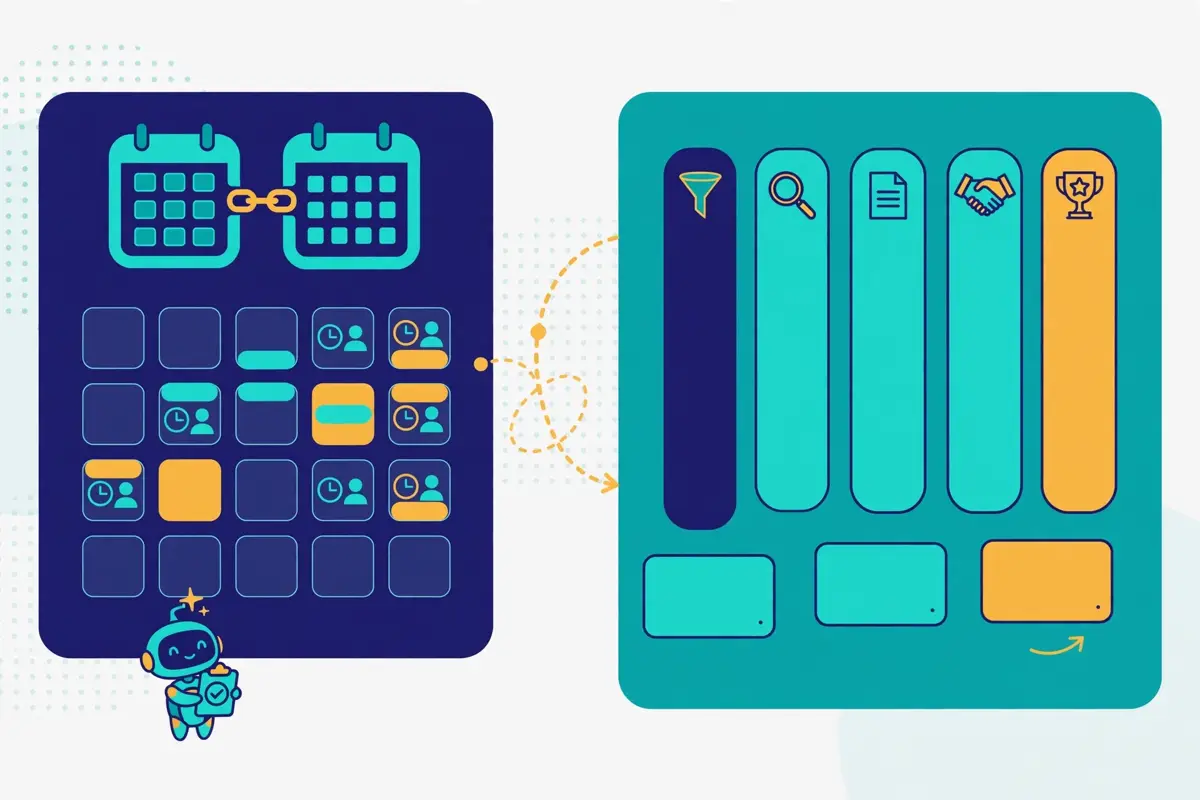
Booking is where most sales tools quietly waste the most time. A prospect asks for 30 minutes next week, and what follows is a thread of six emails about time zones, a calendar link, a reschedule and a reminder. Carly AI removes that thread. It checks all of a rep’s Google and Microsoft calendars at once, offers three real open times in the prospect’s time zone, and sends the invite. Group scheduling, booking links and availability polls handle the messy multi-person threads, and smart event creation adds titles, locations, video links, attendees and time zones automatically. Custom preferences cover working hours, buffers and meeting rules. As a result, the agent never books a call at 8 a.m. on a Monday unless the rep wants it to. For a team that books twenty meetings a week, that is several hours back every single week.
A CRM that updates itself
Behind the booking sits a CRM that stays current without anyone typing. Carly AI’s built-in CRM logs every email, call and text on the person, and carries lead statuses, weighted pipeline and reports by owner. If the team already runs HubSpot, Salesforce, Pipedrive, Close or Attio, Carly AI writes there instead, logging every touch and moving the deal when the work is done. After a call, Carly AI can read the Gong notes, send the prospect the follow-up and move the deal stage. Meanwhile, daily and weekly briefings summarise what happened, what is waiting and what needs a decision. As a result, a manager starts the day with the pipeline in one page rather than five dashboards. That combination of booking and logging is the part of the product that compounds: every meeting makes the CRM more accurate, and a more accurate CRM makes the next meeting easier to book.
Group scheduling without the thread
One more booking feature deserves a mention, because it solves a problem every team recognises. Carly AI can upload schedules from PDFs, screenshots or emails. Moreover, it handles group scheduling across the whole team, including clients and guests outside it. A hiring manager juggling five interviewers gets the same treatment. So does a founder coordinating a customer call across three time zones, or a sales team booking a demo with four stakeholders on the buyer’s side. Carly AI runs the thread, finds the time, sends the invite and handles the reschedule. Overall, the booking side of Carly AI is the least flashy part of the product. It is also the most likely to save an hour a day, which is why this Carly AI review gives it a full section of its own.
Deliverability: your own mailboxes, your own reputation
Deliverability is the quiet risk in every cold email tool. In addition, Carly AI handles it by sending less, from better addresses. Sequences go out from each rep’s own Gmail and Outlook accounts, inside sending windows and daily caps, with unsubscribe headers built in. Also, they stop the moment a prospect replies or books. Because the mail lands from addresses the prospect already knows, it carries the reputation the rep has already built, rather than the reputation of a shared sending pool. For a team sending a few hundred emails a month to people who know the company, that is the safest possible setup. Furthermore, this Carly AI review counts it as a genuine strength.
Where the ceiling sits on cold volume
However, the same design sets a clear ceiling. Carly AI does not buy, warm or rotate secondary domains. Moreover, it does not run managed mailboxes the way 11x and Artisan do. A team that wants to send thousands of cold emails a month from many domains will need a separate deliverability setup. In addition, the best-known route is to pair Carly AI with a volume sender. Carly AI itself points buyers that way. Its own pages say you can keep Instantly for volume and let Carly AI take over at the reply. You can also keep Apollo for the list and let Carly AI handle everything after it. That honesty is refreshing, and it tells you where the product ends. If your plan is high-volume cold outreach across many domains, read our Instantly review and our deliverability tools roundup before you decide.
That is because Carly AI alone will not carry that motion.
Sender rules that still apply to you
Meanwhile, the rules that protect every sender still apply, and Carly AI does not exempt you from them. Since February 2024, Gmail requires every sender to use SPF or DKIM and keep spam complaints below 0.3%, and anyone sending more than 5,000 messages a day to Gmail also needs DMARC and one-click unsubscribe on marketing mail. An agent that floods a main domain can push a rep’s everyday email into spam, and a wrong fact about a prospect’s business goes out under your company’s name. Keep human review on replies until you trust the drafts, keep the volume modest, and check the sender reputation of every mailbox you connect. A plain summary, not legal advice. Commercial email in the United States needs honest headers and subject lines, your physical postal address and a working opt-out honoured within 10 business days.
B2B outreach to the European Union usually relies on legitimate interest, with people able to object to direct marketing at any time. Those rules are yours to follow, whichever tool you buy.
Integrations: Apollo for data, Carly AI for everything after
Carly AI connects to thousands of apps. Also, the list is one of the longest this Carly AI review has seen at the price. The CRM connections cover HubSpot, Salesforce, Pipedrive, Close, Attio and Dynamics 365. The data connections cover Apollo, Hunter and Lusha, plus People Data Labs for enrichment. Instantly, Slack and Gong cover the sales stack. Meanwhile, the wider catalogue runs to more than 70 integrations across 25 categories, from Zendesk and Intercom to QuickBooks, Stripe, Shopify, Zoom and Notion. That breadth matters, because Carly AI is designed to sit inside a stack rather than replace it. A team can keep the tools it already pays for and add Carly AI for the reply, the follow-up and the booking, without migrating a single record.
Two patterns that cover most buyers
Two integration patterns cover most buyers. First, the data pattern: Apollo for the list, Carly AI for everything after the reply. A rep pulls leads from Apollo, Carly AI enriches the record with Apollo and People Data Labs and reads the company’s recent news. Furthermore, the sequence runs from the rep’s own mailbox. Second, the assistant pattern: Carly AI works from ChatGPT, Claude, Grok Bot, Meta Muse or Perplexity through its MCP server. As a result, a founder can place calls, send texts and change how calls are handled from the chat, without opening another dashboard. The MCP server sits at carlyassistant.com/team/mcp, and the free plan includes 200 MCP calls a month. As a result, even a free user can try the chat-driven setup. For a small team, that second pattern is the more interesting one: the assistant lives where the team already works.
Moreover, the dashboard becomes the exception rather than the rule.
Free workflows, paid thinking
One more integration point deserves a note, because it explains the free plan. Steps that need no AI run as free Zapier-style workflows, and the Free plan includes 10 of them. A workflow can watch for a form fill, a new email, a booked meeting or a deal changing stage, and then act in any connected app, usually within minutes, with no chat open. That means a team can automate the boring handoffs, such as logging a call or moving a deal stage, without spending a credit. Meanwhile, the AI work, such as drafting a reply or qualifying a lead, draws on the 200-credit monthly allowance on Personal. Overall, the split between free workflows and paid AI work is the fairest pricing shape in this Carly AI review’s comparison set. That is because you only pay for the thinking, not the plumbing.
Security, guardrails and the rules around AI calls
Security is the section where this Carly AI review must be careful. That is because the official site says less than its rivals do. Carly AI’s pricing page promises advanced security and compliance on the Enterprise plan, and its medical-receptionist guidance says Carly AI signs a Business Associate Agreement on Enterprise plans. Custom agents get granular tool access, so a team can turn on calendars, email, CRM, web search or Zoom for one agent and turn off everything else, and trusted contacts control who the agent may work with. Those are real controls, and they show the product was built for teams that hand customer data to an agent. However, Carly AI does not publish a SOC 2 report, a GDPR data-processing page or a security white paper on the pages this Carly AI review checked. In addition, this review does not claim any of those.
A buyer with a formal security review should ask the vendor directly, and should get the answer in writing before signing.
Guardrails you can actually audit
Meanwhile, the guardrails inside the product are practical rather than ceremonial. Every agent follows rules written in plain English. Also, the team can read the transcript, the summary and the status of every call and every reply. Agents write their own memories and skills as they learn. As a result, an edge case handled once is remembered next time, and sub-agents can be spawned for complex workflows that need several specialised roles. Human review is the default: drafts sit in the shared inbox for approval. Furthermore, the agent sends on its own only when the team allows it. That design is the right one for a product that writes under your company’s name. That is because a wrong fact about a prospect’s business goes out with your signature on it, not the vendor’s.
AI calls and the consent rules
Finally, the rules around AI calls deserve a plain statement, because they catch buyers out. In the United States, the FCC ruled in February 2024 that AI-generated voices count as artificial under the TCPA. As a result, AI calls need the called person’s prior express consent, and texts to mobile numbers count as calls. A lead who just filled in your form is a different case from a cold list. Moreover, Carly AI is built for the first case. Across the European Union, a work email is personal data. B2B outreach usually relies on legitimate interest, and people can object to direct marketing at any time. Germany, among others, requires prior consent for marketing email even between businesses. Keep human review on replies until you trust the drafts, keep the voice agent on inbound leads, and treat the compliance pages as guidance, not legal advice.
A tool that follows your rules exactly is only as safe as the rules you write.
Carly AI against Artisan, 11x and Reply.io
The headline difference is the job each tool does. Carly AI charges a flat $35 a month and takes over at the reply, the follow-up and the booking, from your own mailboxes. Artisan charges from $250 a month on annual billing and sends an autonomous AI BDR, Ava, to find names in a 250M+ contact database, write the outreach and book the meetings. 11x charges $36,000 a year for Alice, an outbound digital worker with a 400M-contact database and managed mailboxes, plus a separate subscription for Julian, the inbound voice agent. Reply.io charges from $500 a month on an annual commitment for Jason, its AI SDR, inside a multichannel sequencer with its own B2B database. At one user and a small list, Carly AI costs $35 a month. Meanwhile, Artisan costs $250 a month, Reply.io AI SDR costs $500 a month, and 11x costs $3,000 a month.
Yet Carly AI includes no database and no managed sending. Meanwhile, the other three include the list, the sending and the agent in one contract. Read the table as a buying guide, not a scoreboard, and match the tool to your bottleneck first.
The comparison table in this Carly AI review, in brief
| Tool | Entry price | What you get | Best for | Visit Site → |
|---|---|---|---|---|
| Carly AI | $35 / month | Sequences from your own Gmail and Outlook; shared team inbox; AI-drafted replies; speed-to-lead calls, texts and emails; booking across all calendars; built-in CRM | Teams whose pipeline leaks at the reply and the booking | Visit Site → |
| Artisan | $250 / month, annual | Ava, the AI BDR; 250M+ contact database; autonomous replies and booking; Watchtower visitor identification; Salesforce and HubSpot sync | Teams wanting one AI BDR to run outbound end to end | Visit Site → |
| 11x | $36,000 / year | Alice, the outbound agent; 400M-contact database; buying signals; managed Gmail mailboxes with warm-up and rotation; Julian for inbound, sold separately | Enterprises wanting managed mailboxes with Alice | Visit Site → |
| Reply.io | $500 / month, annual | Jason, the AI SDR; multichannel sequencer; B2B database; email warm-up; deliverability tools; LinkedIn, WhatsApp and SMS steps | Teams wanting Jason AI inside a multichannel sequencer | Visit Site → |
Last checked: 16 November 2026 on the pricing pages linked above. Cross-checked against our own reviews of Artisan, 11x and Reply.io. Features and pricing can change, so please check the provider’s site before you buy. We do not guess at features, prices or trials.
Three buying patterns from one table
Three buying patterns fall out of that table, and each one points to a different tool. If your pipeline leaks at the reply, the follow-up, the inbound lead that waits until morning or the booking, choose Carly AI. That is because it fixes those four leaks from your own mailboxes for $35 a month. If you need net-new names at volume, with a proven offer, choose an autonomous agent: Artisan is the cheapest month-to-month test at $250 a month, and 11x suits enterprise budgets. If you already run multichannel sequences and want an AI SDR inside the sequencer you know, choose Reply.io. That is because Jason AI sits on top of email, LinkedIn, WhatsApp and SMS steps you can drive yourself. Our best cold email software roundup puts all four side by side with the rest of the market.
In addition, it is the best next read if you are still choosing.
The feature matrix in this Carly AI review, at a glance
| Feature | Carly AI | Artisan | 11x | Reply.io |
|---|---|---|---|---|
| Built-in contact database | — | ✓ 250M+ | ✓ 400M | ✓ |
| Sends from your own mailboxes | ✓ | — | — | ✓ |
| Managed mailboxes and warm-up | — | ✓ | ✓ | ✓ |
| AI voice calls to new leads | ✓ | — | — * | — |
| Shared team inbox | ✓ | — | — | ✓ |
| AI-drafted replies | ✓ | ✓ | ✓ | ✓ |
| Booking across all calendars | ✓ | ✓ | ✓ | ✓ |
| Built-in CRM | ✓ | — | — | — |
| Free plan | ✓ $0 | ✓ $0 | — | — |
| Free trial stated | — † | ✓ | — | — |
| Entry price | $35 / mo | $250 / mo, annual | $36,000 / yr | $500 / mo, annual |
Last checked: 16 November 2026 on each provider’s official site, as linked above. ✓ = stated on the provider’s site. — = not confirmed or confirmed absent. * 11x’s Alice does not place calls herself. Julian, the voice agent, is a separate subscription. † Carly AI states no free trial. The Free plan at $0 is the try-it route. Features and pricing can change, so please check the provider’s site before you buy. We do not guess at features, prices or trials.
Two rows worth a second look
Two rows in that matrix deserve a second look. First, the database row: Carly AI is the only tool of the four without a built-in contact database. Also, that single gap explains most of the price difference. Carly AI enriches records through Apollo and People Data Labs, and it connects to Hunter and Lusha. Yet, the buyer must bring the names, whether from Apollo, a CRM or an inbound form. Second, the voice row: Carly AI is the only tool of the four whose AI voice agent calls new leads as part of the core product. Furthermore, it does so from your business number within about a minute. Artisan’s dialler queues calls for reps, 11x sells Julian separately, and Reply.io’s Jason works by email and message rather than voice.
A team whose buyers answer the phone will feel that difference on the first day, and a team whose buyers live in email will not notice it at all.
Strengths and weaknesses, side by side
Every tool in this market trades one strength for another, and Carly AI is no exception. Its strengths cluster around the reply, the booking and the price. Meanwhile, its weaknesses cluster around the list, the volume and the proof. This Carly AI review puts both sides in one place. As a result, a buyer can weigh them without reading the whole article twice. The pattern is consistent: Carly AI is generous where the work is follow-up, and modest where the work is finding names or sending at scale. A team that understands that pattern before signing up will be happy. Also, a team that expects an autonomous outbound agent for $35 a month will not.
The short version: five strengths, five weaknesses
- First strength: the shared inbox, reply labelling and AI-drafted answers turn the messiest part of sales into a queue a rep can work in an hour a day.
- Second strength: speed to lead by email, text and AI voice call within minutes, day or night, with booking on the right rep’s calendar while the lead is still on the line.
- Third strength: the price, at $35 a month with a free plan at $0, is the lowest entry point among the AI SDRs in this Carly AI review, and the free Zapier-style workflows cost nothing extra.
- Fourth strength: sending from your own Gmail and Outlook mailboxes protects your main domain and your sender reputation, with daily caps, sending windows and unsubscribe headers built in.
- Fifth strength: custom AI agents with their own email addresses, plain-English rules, granular tool access and thousands of integrations, including Apollo, Slack and Gong.
Five weaknesses to weigh
- First weakness: no built-in contact database, so the buyer must bring the list from Apollo, a CRM or an inbound form.
- Second weakness: no managed mailboxes, domain warm-up or rotation for high-volume cold email, so cold volume needs a separate sender such as Instantly.
- Third weakness: the Personal credit allowance is 200 credits a month, and the usage price of Business SMS, calling and the AI receptionist is not published on the pricing page.
- Fourth weakness: no SOC 2 report, GDPR data-processing page or security white paper was found on the official pages checked, and the Enterprise plan is the only route to advanced security and a Business Associate Agreement.
- Fifth weakness: the public review base is thin for a product founded in 2025, and there is no hands-on test in this Carly AI review, so buyers should lean on the free plan before paying.
One more weakness deserves a sentence of its own, because it is easy to miss. Carly AI is a broad product, and breadth can blur the sales story. The same $35 buys an executive assistant, a scheduling coordinator, a receptionist and a sales agent, and a buyer who only wants the sales half may wonder what they are paying for. In practice the breadth is the point: the scheduling, the inbox and the CRM are one product. The sales features work because the assistant already sees the calendar, the mail and the deals. Still, a buyer who wants a single-purpose sequencer, such as Woodpecker from $39 a month or QuickMail from $49 a month, may prefer a narrower tool with a sharper edge.
Getting started: a sensible first 90 days
The first two weeks, in this Carly AI review’s getting-started plan, are for setup and trust. Start on the free plan, connect one mailbox and one calendar, and turn on the 10 free workflows for the handoffs that need no AI, such as logging a call or moving a deal stage. Write the playbook in plain English: who to call, what to ask, when to hand off, and what counts as qualified. Run one live sequence to a small, warm list, review every draft in the shared inbox, and correct the ones that miss your voice. That correction is training, not wasted time. Every edit teaches Carly AI what your team sounds like, and the edits get fewer each week.
Weeks three to six: a measured pilot
Weeks three to six are for a measured pilot, and this Carly AI review keeps the numbers small on purpose. For example, move to Personal at $35 a month, connect the rest of the team’s mailboxes, and turn on the speed-to-lead routing for one inbound form. Track the reply rate, the positive reply rate, the time to first response and the meetings booked, not the send volume. Read every reply yourself, including the ones Carly AI handled, and check whether the answers sound like your team. When a message type underperforms, look at the list before you rewrite the words. The sharpest copy in the world books nothing if it reaches the wrong people.
Deciding in weeks seven to twelve
Weeks seven to twelve are for the decision, and this Carly AI review makes the test explicit. Open the gates a little wider on the campaign that works, and keep a close watch on the campaign that does not. If the team needs the voice agent, SMS and the shared inbox at full strength, move to Organization at $35 per seat per month, and book the short setup call Carly AI offers for teams. Divide the monthly price by the meetings booked to get your cost per meeting, and compare it with the cost of a rep’s time spent chasing threads. Finally, if Carly AI books meetings cheaper than a person chasing replies would, keep it. If it does not, narrow the list, tighten the playbook, and run one more test before you renew. Ninety days of honest numbers will tell you more than a year of hope.
Frequently asked questions
What is Carly AI?
Carly AI is an AI assistant for sales teams that works from the mailboxes, calendars, phone line and CRM you already use. Moreover, this Carly AI review answers the most common questions about it. It runs multi-step sequences from each rep’s own Gmail and Outlook accounts. In addition, it sorts and drafts every reply in one shared team inbox. It reaches new inbound leads by email, text or AI voice call within minutes, books meetings on the right rep’s calendar, and keeps the CRM current. Custom AI agents with their own email addresses are part of the same package. Also, Carly AI connects to thousands of apps, including Apollo, Hunter, Lusha, Instantly, Slack and Gong. The company was founded in 2025 in San Francisco and says it serves more than 10,000 businesses.
How much does Carly AI cost?
Carly AI costs $0 on the Free plan, $35 a month on Personal, $35 per seat per month on Organization, and a custom price on Enterprise. Furthermore, this Carly AI review lists the figures plainly. The Free plan covers MCP access, 10 Zapier-style workflows, a full multi-calendar view and a task manager. Personal adds custom agents, thousands of integrations, custom skills, scheduled tasks, persistent memory and unlimited emails and calendars. It also includes the AI-native CRM, with 200 credits a month for Carly AI’s own AI work. Organization adds shared agents and skills, team management, business SMS and calling, an AI receptionist, automatic CRM updates and centralised billing. Prices were checked on 16 November 2026 on Carly AI’s own pricing page.
Does Carly AI find leads for you?
No. Carly AI has no built-in contact database of its own. Moreover, it does not buy, warm or rotate sending domains for cold volume. It enriches records through Apollo and People Data Labs, and it connects to Hunter and Lusha. Yet, the buyer must bring the names, whether from Apollo, a CRM or an inbound form. If you need net-new names at volume, an autonomous agent with its own database is the better fit. Artisan’s Ava brings a 250M+ contact database from $250 a month, and 11x’s Alice brings a 400M-contact database from $36,000 a year. Carly AI is the tool for everything after the list, not the list itself.
Can Carly AI make phone calls?
Yes. Carly AI’s voice agent calls new leads from your business number within about a minute of a form fill. It greets them by name, asks your qualifying questions and books the meeting on your team’s calendar, or transfers to a person. A lead who speaks Spanish gets Spanish. If the lead misses the call, Carly AI texts and emails them the booking link from the same business number. The transcript, summary and status go back to HubSpot, Salesforce, Dynamics 365 or Carly AI’s own CRM. Business SMS, calling and the AI receptionist sit on the Organization plan. As a result, a solo user on Personal should confirm the setup with the team before relying on the voice agent.
Is there a free trial?
No free trial is stated on Carly AI’s pricing page. In addition, this Carly AI review says so plainly rather than hiding it. The try-it route is the Free plan at $0, which covers MCP access, 10 Zapier-style workflows, a full multi-calendar view and a task manager. Teams are set up on a short call, including high-volume cold programs across many domains. As a result, a team should budget a call with the vendor rather than expecting a purely self-serve signup. If you want a trial of the paid AI work, the honest test is a week on the Free plan followed by one month of Personal at $35. That is cheap enough to be a real test rather than a commitment.
Who should not use Carly AI?
Teams that need net-new names at volume should not use it. That is because cheaper sequencers and autonomous agents cover that volume with a database included. This Carly AI review says so plainly rather than hiding it. Buyers who want a fully hands-off agent that picks the accounts, writes the messages and answers the replies with nobody watching should not use it either. That is because Carly AI is built around human review of drafts in the shared inbox. Teams with a formal security review should also test carefully, because no SOC 2 report or GDPR data-processing page was found on the official pages checked. Also, the Enterprise plan is the only route to advanced security and a Business Associate Agreement.
The verdict in this Carly AI review
Verdict: best for teams whose pipeline leaks at the reply and the booking
Carly AI is the cheapest serious AI SDR a small team can buy, and it earns that title by fixing the part of sales most tools ignore. Sequences from your own mailboxes, a shared inbox that sorts and drafts every reply, and speed to lead by email, text and voice call within minutes. Booking runs across every calendar at once, all for $35 a month, with a free plan to try first. That combination is the product’s core strength, and it is why this Carly AI review recommends it to small and mid-sized sales teams whose first emails already earn replies but whose follow-up is slow, uneven or lost between inboxes.
Go in with open eyes. Carly AI has no contact database, no managed mailboxes or warm-up for cold volume, a 200-credit monthly allowance on Personal, and no SOC 2 report on the pages checked. Pair it with Apollo for the list or Instantly for volume if you need either. Keep human review on the drafts for the first month, and judge it on cost per meeting, not on emails sent. Do that, and Carly AI can carry the busiest part of outbound while your reps close. Skip the review step and generic follow-up is what you will get, not meetings. We have not tested Carly AI hands-on, so there is no numeric score here — only this verdict, and the evidence above to check it against.
Visit Carly AI →Keep reading
More AI SDR reviews
- Artisan Review 2026 — Ava, the AI BDR, from $250 a month with a free plan.
- 11x Review 2026 — Alice, the outbound agent, from $36,000 a year with managed mailboxes.
- Reply.io Review 2026 — Jason AI with multichannel sequences, Email Volume from $59 a month.
- Salesforge Review 2026 — Agent Frank, the budget AI SDR, from $499 a month.
- Amplemarket Review 2026 — Duo AI, data and sequences in one contract from $600 a month.
- Overloop Review 2026 — data, email and LinkedIn in one seat from $69 a month, from the AI prospecting rival.
- Lemlist Review 2026 — the five-channel suite with a 650M+ database, compared at $69 a month.
Guides and roundups
- Best Cold Email Software 2026 — the full roundup with Carly AI beside every leading tool.
- Best B2B Data Providers 2026 — how Carly AI’s Apollo and People Data Labs enrichment ranks among the data providers.
- Instantly Review 2026 — the volume-built sender to pair with Carly AI when the prospect cap runs short.
- Smartlead Review 2026 — agency deliverability infrastructure from $39 a month.
- Woodpecker Review 2026 — a deliverability-first sequencer from $39 a month.
- Saleshandy Review 2026 — a database-backed sequencer with 852M+ contacts.
- Snov.io Review 2026 — finding, verifying and drip campaigns together.
- Hunter Review 2026 — the domain-search specialist, verification from $49 a month.
- Klenty Review 2026 — sales engagement with a parallel dialler, from $50 a month.
- Mailshake Review 2026 — email outreach plus a power dialler, from $29 a month.
- ReachInbox Review 2026 — a newer sequencer with AI personalisation from $30 a month.
- Do You Mail Review 2026 — dedicated inbox servers in the USA and EU from $39 a month.
- Pipl.ai Review 2026 — the sequencer now sold as PlusVibe from $37 a month.
- Emelia Review 2026 — ultra-personalised email prospecting with AI from $37 a month.
- QuickMail Review 2026 — a deliverability-focused sequencer from $49 a month.
- Email Deliverability Tools 2026 — placement and reputation tools to pair with any sequencer.
- Best Warmup Tools 2026 — warming an inbox properly before scaling up.
- Cold Email for Beginners: The Complete 2026 Guide — a beginner’s path through lists, writing and follow-ups.
- Best cold email tools — all the best-of roundups gathered on one page.
Leave a Reply