Best for AI-led multichannel outreach: Salesforge
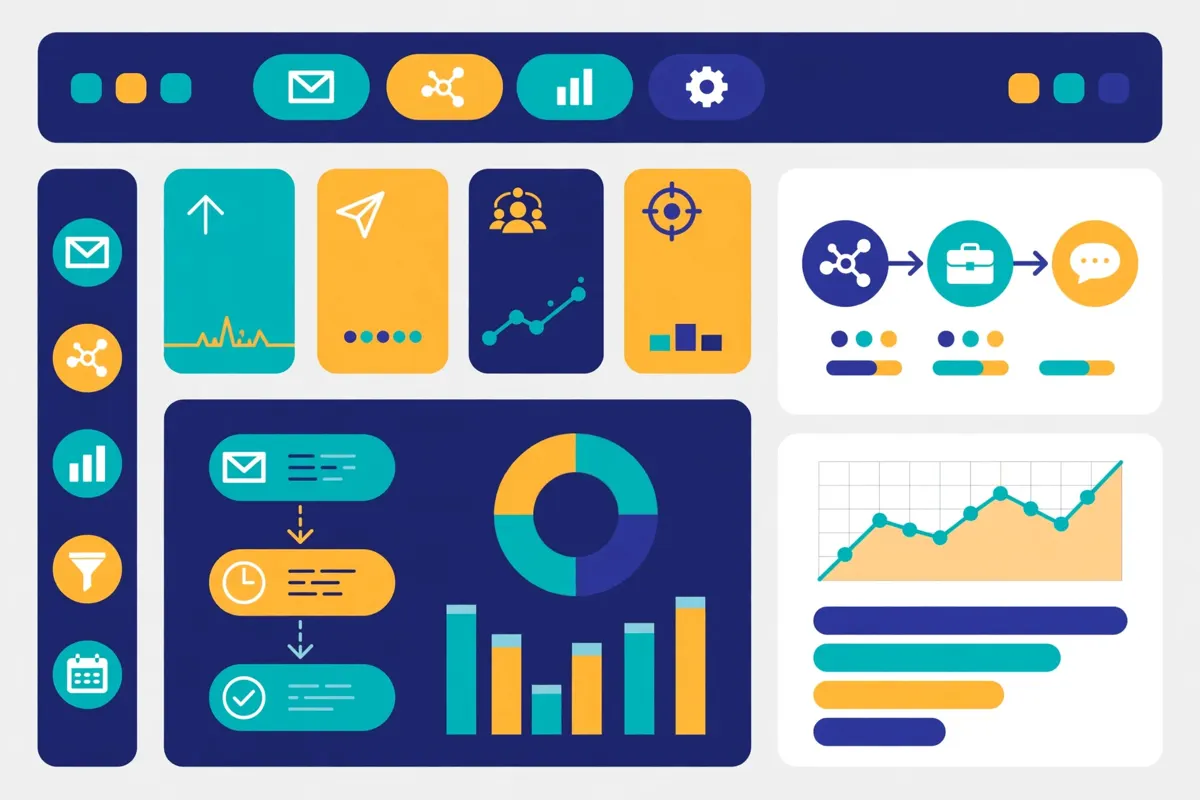
Run email and LinkedIn sequences from one dashboard, with unlimited mailboxes, free unlimited warm-up, AI-written personalisation and an optional AI SDR, Agent Frank, that can prospect, follow up and book meetings for you. Plans start at $48 a month, and there is a 14-day free trial. This Salesforge review covers its pricing, its AI features, its deliverability tools, and how it compares with Instantly, Smartlead and Reply.io.
Visit Salesforge → Jump to the comparison tableCold email sounds simple until you try to run it properly. You need a list of real prospects, a sequence that follows up without pestering people, and mailboxes that actually reach the inbox. Then you need to know who replied, who clicked, and who is ready for a call. Salesforge has been built around exactly that job, and this Salesforge review looks at whether it deserves a place on your shortlist in 2026.
Salesforge is an all-in-one cold outreach platform that combines email and LinkedIn sending, AI personalisation, deliverability protection and an optional AI sales rep, Agent Frank, in a single dashboard. It is trusted by more than 10,000 businesses, according to its own homepage, and it carries a 4.6 rating on G2. And it has a clear personality: it wants to cover the whole outbound workflow, from finding a prospect to booking the meeting, instead of asking you to stitch five tools together.
Salesforge review: what this review covers
That ambition is a genuine strength, and it is also the reason some buyers should look elsewhere. Salesforge runs on credits for validation, personalisation and social actions, so heavy users can hit limits on the entry plan. Its email infrastructure, the domains and mailboxes you send from, is bought separately through its sister products. And its AI SDR, Agent Frank, costs from $499 a month and needs a demo before you can buy it. A solo founder who wants one login for email and LinkedIn may love it, while a buyer who only needs simple email sending may find it more than they need.
So in this Salesforge review, we walk through the platform step by step. You will see what it does, who it suits, what each plan costs, which features matter most, and how it stacks up against Instantly, Smartlead and Reply.io. Everything about features and pricing comes from Salesforge’s official pricing page and Salesforge’s official homepage, checked on 15 November 2026, so you can trust the numbers you read here. And because we have not run a hands-on test of Salesforge ourselves, we say so plainly and give a best-for verdict instead of a made-up score.
Quick Answer
Quick answer: Salesforge is a strong choice for founders, small sales teams and agencies that want email and LinkedIn outreach, AI-written personalisation, unlimited mailboxes and free unlimited warm-up in one place. The Pro plan starts at $48 a month on monthly billing, or $40 a month billed annually, and there is a 14-day free trial. It is best for teams that want AI to do more of the heavy lifting, including the optional AI SDR Agent Frank. However, it is less suited to buyers who only need simple email sending, or to teams that want domains and mailboxes included in the plan price.
Best for: founders, small sales teams and agencies that want AI-led multichannel outreach with unlimited mailboxes, Primebox and free unlimited warm-up in one login.
Starting price: $48 a month (Pro, monthly billing), $40 a month billed annually, checked 15 November 2026.
Free trial: 14 days — 50 contacts, 100 emails, 50 validation credits, 50 personalisation credits and 100 social action credits.
What’s in this Salesforge review
- What is Salesforge?
- Who Salesforge is best for — and who should skip it
- Salesforge review: pricing in 2026
- Salesforge review: key features, verified on Salesforge’s official site
- Salesforge review: Salesforge vs Instantly vs Smartlead vs Reply.io
- Salesforge review: pros and cons
- How to get started with Salesforge
- Salesforge review: our verdict
- Salesforge review FAQ
What is Salesforge?
Salesforge is a cold outreach platform that helps B2B teams send personalised email and LinkedIn messages at scale. You build a multichannel sequence, add your prospects, and Salesforge sends the first email, follows up on schedule, and adds LinkedIn touches such as profile views, connection requests and messages. When a prospect replies, the sequence pauses automatically, so you never send a follow-up to someone who already answered. That simple idea — send, follow up, stop when they reply — is the heart of the product, and Salesforge extends it across two channels instead of one.
Salesforge describes itself as the place where human work and AI meet. Its homepage puts it plainly: launch outreach with unlimited mailboxes and LinkedIn senders, or let its AI SDR, Agent Frank, handle the work for you. That choice is the whole pitch. You can run human-led campaigns only, AI-led campaigns only, or blend the two together in one dashboard. More than 10,000 businesses use it, according to the homepage, and the company says it is built by seasoned sales professionals, which shows in the way the workflow is organised around pipeline rather than around sending volume alone.
Salesforge review: what is inside the platform
At its core, Salesforge is a sequence builder with deliverability built in. You write your emails with AI help or from templates, you set the delays between steps, and you let the platform send each message on schedule. Conditional multichannel sequences let you branch the journey: a prospect who opens but does not reply can get a LinkedIn touch next, while a prospect who clicks can get a different follow-up. Meanwhile, tracking shows opens, clicks and replies for every step. A/B testing, on the Growth plan, lets you compare subject lines and messages, so you can keep improving instead of guessing.
On top of the sequence builder, Salesforge adds the pieces that usually need separate tools. First, there is AI personalisation, which writes a unique first email for each lead from their LinkedIn profile, website or other data. Second, there is free unlimited warm-up, powered by Warmforge, which builds your sender reputation before you scale up volume. Third, there is Primebox, a single inbox for every reply across email and LinkedIn, with sentiment analysis that tags each thread so you can see at a glance who is interested and who is not.
Finally, Salesforge is part of a wider family called the Forge Stack. Leadsforge finds and enriches leads, Mailforge and Infraforge provide email infrastructure, Primeforge provides Google and Microsoft 365 infrastructure, and Warmforge handles warm-up. Salesforge itself is the sending and reply layer, and the stack shares one login. In short, Salesforge is not the smallest tool in this market, but it covers the outbound workflow from finding a prospect to booking a meeting, with AI doing more of the work than most rivals ask it to do.
Video: “Free AI Email Generator By Agent Frank” by Salesforge on YouTube (watch the original on YouTube). This video is the property of its creator, embedded via YouTube for education. OutreachCompare is not affiliated with Salesforge and does not claim ownership of this video.
Who Salesforge is best for — and who should skip it
Salesforge is built for people who want their outreach to feel personal without hiring a bigger team. If you are a founder doing your own outreach, a small sales team with one or two reps, or an agency running campaigns for clients, Salesforge fits the way you work. You connect your mailboxes, build a sequence, add your list, and you are sending the same day. The AI personalisation does the part that usually takes the longest: writing a first email that reads as if it was written for one person, not copied to a thousand.
Agencies get a particular benefit from the way Salesforge handles scale. The Growth plan includes unlimited users, unlimited LinkedIn senders and unlimited workspaces, so separate workspaces can be set up for each client or project without buying more seats. Unlimited mailboxes are included on every plan, so adding a new sender does not add a new charge. For an agency that takes on a new client and wants to be sending the same week, that flat structure is a real advantage over tools that charge per seat or per mailbox.
There is also a clear audience for Salesforge’s AI approach. Has your team been spending hours writing first lines? Or are you curious about an AI SDR but not ready to hand over the whole process? Salesforge lets you start with AI-written personalisation on human-led campaigns, then add Agent Frank later when you are ready. The platform also supports outreach in more than 20 languages, including French, German, Spanish, Italian, Dutch, Polish and Japanese, so a team selling across Europe can write in each prospect’s own language without hiring translators.
Salesforge for teams that want AI to do more of the work
Is your team small, and is your outreach mostly email and LinkedIn? Salesforge gives you room to grow without drowning you in setup. The Pro plan covers a solo sender with 1,000 active contacts and 5,000 emails a month, while Growth lifts that to 10,000 active contacts and 50,000 emails a month with unlimited users. In addition, Primebox keeps every reply in one place, and sentiment analysis tags each thread, so a rep can start the day with the warmest conversations instead of digging through inboxes. For a team that wants to improve its outreach week by week, those feedback loops matter.
Who should skip Salesforge?
On the other hand, Salesforge is probably not the best pick if you only need simple email sending. If your team sends plain email sequences and never touches LinkedIn, a simpler tool will cost less and feel less cluttered. For example, Instantly starts at $47 a month and is built for high-volume email, while Mailshake starts at $29 per user a month and keeps email-first outreach simple. Both are strong picks when AI personalisation and LinkedIn are not on your list.
In addition, buyers on a tight budget should look closely at the credit limits. The Pro plan includes only 300 validation credits, 300 personalisation credits and 300 social action credits a month, and the Growth plan includes 1,000 of each. If you personalise every first email with AI, those credits decide how many prospects you can process. Extra credits can be bought inside the app, according to the pricing page, but they add to the monthly cost. If that matters to you, compare the credit model with Smartlead, which starts at $39 a month and prices by volume rather than by credit type.
Finally, remember that domains and mailboxes are not included in the Salesforge price. The homepage is clear about this: you can connect unlimited mailboxes, but you need to buy domains and mailboxes separately, either through Mailforge, Infraforge or Primeforge, or by connecting your own. That is normal for serious cold email, and our guide to setting up a sending domain explains why separate sending domains matter. But if you expected everything in one price, work out the infrastructure cost before you sign up. Our guide to the best cold email software in 2026 compares the all-in and split-cost models side by side.
Salesforge review: pricing in 2026
Salesforge sells two human-led plans, Pro and Growth, plus an AI SDR add-on called Agent Frank. The prices below come from Salesforge’s official pricing page, checked on 15 November 2026. Annual billing gives you two months free, which is why the annual price per month is lower than the monthly price. Where a plan limits contacts, emails or credits, we say so, because those limits decide which plan you actually need. As always, features and pricing can change, so please check the provider’s site before you buy.
Salesforge review: what each plan includes
Pro costs $48 a month on monthly billing, or $40 a month billed annually. It is for solopreneurs and anyone trying out Salesforge. It includes 1,000 active contacts in sequence, 5,000 emails a month, 300 email validation credits a month, 300 personalisation credits a month and 300 social action credits a month. You also get 1 LinkedIn sender, unlimited contacts storage, unlimited mailboxes, unlimited premium warm-up, unlimited workspaces, Primebox, sentiment analysis, smart mailbox rotation, dynamic IPs, a knowledge base and live chat support. There is 1 user on Pro, so it is genuinely a solo plan.
Salesforge review: Growth plan and Agent Frank
Growth costs $96 a month on monthly billing, or $80 a month billed annually. It includes everything in Pro, with bigger limits: 10,000 active contacts in sequence, 50,000 emails a month, and 1,000 validation, personalisation and social action credits a month. It also removes the solo limits, with unlimited LinkedIn senders and unlimited users. On top of that, Growth adds the features a scaling team needs: Salesforge MCP and CLI, multi-language sequences, A/B testing, personal onboarding, advanced settings, priority support, the Salesforge API, Primebox AI, ESP matching and full integrations.
Agent Frank is Salesforge’s AI SDR, and it is a separate subscription, not part of Pro or Growth. It costs from $499 a month, billed quarterly. For that, Frank prospect, writes tailored outreach, follows up and books meetings, 24 hours a day, in auto-pilot or co-pilot mode. The pricing page lists 2,000+ contacts a month at $0.25 per contact, a 500M+ contact search engine, outreach in more than 20 languages, a dedicated account manager and a shared Slack channel. Frank needs a demo with the Salesforge team before you can buy, and there is no free trial for Frank, unlike the 14-day trial for the human-led plans.
Salesforge review: the 14-day free trial
The most useful pricing fact about Salesforge is its trial, because it lets you test the platform properly before you pay. The pricing page FAQ says the 14-day free trial lets you add 50 contacts and send 100 emails, with 50 email validation credits, 50 personalisation credits and 100 social action credits. During the trial you can also use the email warm-up and connect unlimited mailboxes. That is a real trial, not a demo video, and it is enough to send a small campaign to real prospects. If you do sign up, use the trial properly: send a real campaign to a real list, not a test to yourself, because only a real campaign shows you deliverability, reply handling and reporting as they actually behave.
Salesforge review: pricing at a glance
| Plan | Price from | Best for | |
|---|---|---|---|
| Pro Solo senders | $48 / mo $40 / mo billed annually | Solopreneurs trying Salesforge: 1,000 active contacts, 5,000 emails a month, 1 LinkedIn sender | Visit Site → |
| Growth | $96 / mo $80 / mo billed annually | Scaling teams: 10,000 active contacts, 50,000 emails a month, unlimited LinkedIn senders and users | Visit Site → |
| Agent Frank (AI SDR) | From $499 / mo Billed quarterly; separate subscription | Teams that want an AI SDR to prospect, follow up and book meetings 24/7, from 2,000+ contacts a month | Visit Site → |
Last checked: 15 November 2026 on salesforge.ai/pricing. Annual billing includes two months free, so the annual price per month is lower. Features and pricing can change, so please check the provider’s site before you buy. We do not guess at features, prices or trials.
Salesforge review: key features, verified on Salesforge’s official site
Salesforge packs a lot into one login, and it helps to look at its features in groups rather than as one long list. Below, we cover the six areas that matter most in day-to-day use. And every claim comes from Salesforge’s own site, checked on 15 November 2026. If a feature is only available on the Growth plan or as a separate subscription, we say so, because that detail changes the real cost of the tool.
Salesforge review: multichannel sequences, email and LinkedIn
Sequences are the core of Salesforge, and they are where the platform feels most at home. You create a campaign and write your emails. Then you set the delays between steps, and let the platform send each message on schedule. The difference from an email-only tool is the second channel: LinkedIn steps can sit in the same sequence, with profile views, connection requests and messages alongside your emails. Conditional sequences let you branch on what a prospect does, so a reply, an open or a click can change the next step. And when a prospect replies, the sequence pauses automatically, which protects your sender reputation and stops awkward follow-ups.
Salesforge also gives you unlimited mailboxes and, on Growth, unlimited LinkedIn senders. That matters more than it sounds, because it means adding a new sender does not add a new charge, and your team can spread sending across many mailboxes to protect deliverability. Smart mailbox rotation then spreads the sending automatically, and dynamic IPs rotate the sending address behind the scenes. For example, a team selling to founders in the US can run the same campaign from several mailboxes at once, even if the reps are working from Dublin. That small control adds up across hundreds of prospects.

Salesforge review: AI personalisation and Agent Frank
AI personalisation is the feature Salesforge talks about most, and it is easy to see why. For each contact, the AI reads a data source such as their LinkedIn profile or website, or all available sources at once in what Salesforge calls Overdrive Mode, and writes a first email that is unique to that lead. A single-source email uses 1 personalisation credit, while Overdrive uses 2. That is a real help when you are stuck on a first draft, or when you need fifty variations of a follow-up and your brain has run dry. The platform supports more than 20 languages for AI message generation, so the same workflow works for a prospect in Paris or Tokyo.
There is a sensible caveat here, and it applies to every AI writer: the output still needs a human eye. The best results come when a rep reviews the draft first. Check the personalisation, and keep the tone close to how your team actually talks. Used that way, AI personalisation saves hours a week. Used blindly, it can produce messages that feel generic, which is the opposite of what good outbound should do. Treat it as a first draft machine, not a send button.
Agent Frank takes the same idea much further. Frank is an AI SDR that can handle your entire outreach, from prospecting to booking meetings, in auto-pilot or co-pilot mode. He finds prospects, writes tailored outreach, follows up, and books meetings, 24 hours a day. His behaviour is modelled on top sales reps, according to the homepage, and he works with a 500M+ contact search engine. Frank is a separate subscription from $499 a month, billed quarterly, and you need a demo with the team before you can buy him. That price puts him out of reach for a solo sender, but for a team that would otherwise hire an SDR, it is worth a serious look.
Video: “AI Agent Frank explained | AI SDR By Salesforge” by Salesforge on YouTube (watch the original on YouTube). This video is the property of its creator, embedded via YouTube for education. OutreachCompare is not affiliated with Salesforge and does not claim ownership of this video.
Salesforge review: Primebox, the unified reply inbox
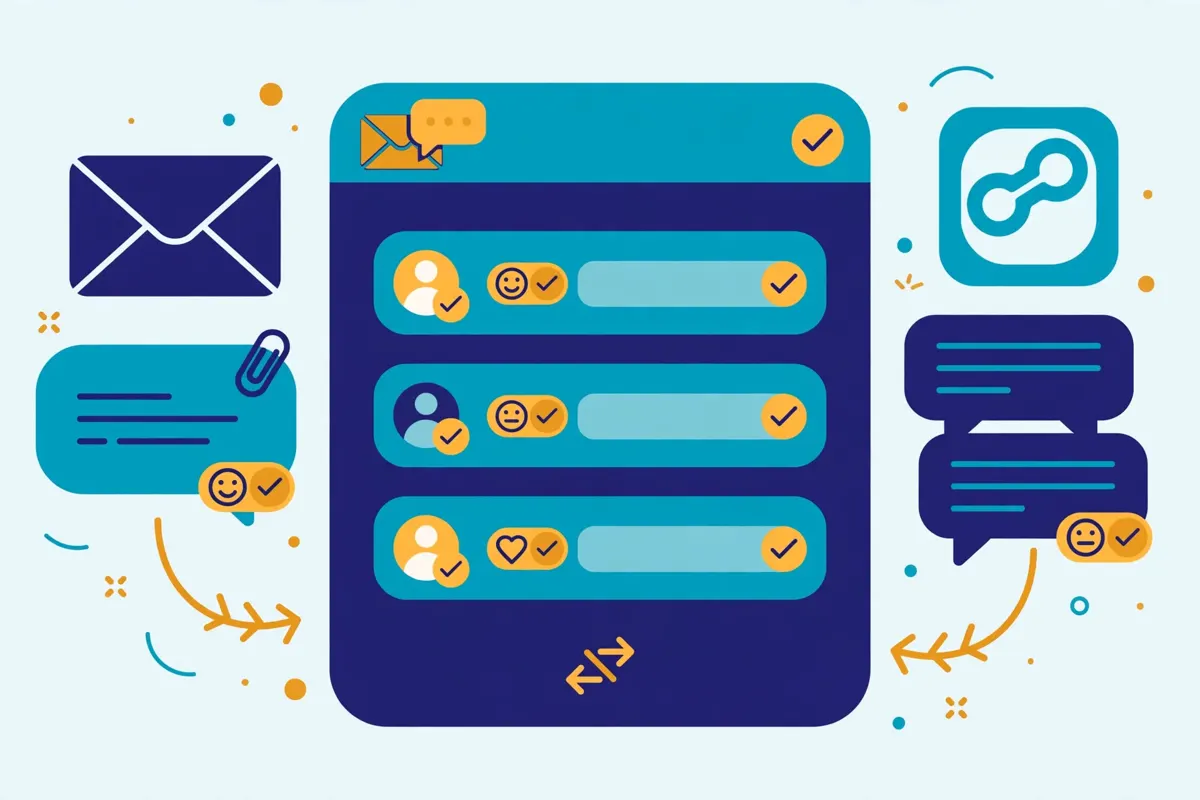
Primebox is Salesforge’s unified inbox, and it is included free with every subscription. It brings every reply across email and LinkedIn into one simple view, and it captures replies even if a prospect answers from a different email address than the one you wrote to. That detail matters, because lost replies are lost meetings. Sentiment analysis then reads each thread and tags it, so you can see at a glance who is interested, who asked a question and who said no. On the Growth plan, Primebox AI can even draft replies for you inside the inbox.
In practice, this means your reps do not have to check five mailboxes and a LinkedIn inbox every morning. They open Primebox, start with the warmest threads, and reply without leaving Salesforge. A knowledge base can also generate replies from your own material, so answers stay consistent when a new rep joins. For a team that sends every day, that single view is worth more than a long list of extra features, because reply handling is where most outreach actually wins or loses.
Salesforge review: deliverability, warm-up and inbox placement
Deliverability is where many outreach tools quietly fail, and Salesforge gives it serious attention. The platform includes free, unlimited warm-up on every plan, powered by Warmforge, with a premium warm-up pool of healthy Google Workspace and Microsoft 365 mailboxes. Warm-up builds your sender reputation before you scale up volume, and you can warm up and monitor the health of all your mailboxes at a glance. It also includes ESP matching on the Growth plan, which increases deliverability by matching your sender ESP to the recipient’s ESP.
Salesforge also verifies emails before you send them, using validation credits: 300 a month on Pro and 1,000 a month on Growth. That stops you sending to dead addresses that would hurt your sender reputation. Smart mailbox rotation and dynamic IPs spread the sending, and the platform monitors domain reputation and mailbox health scores. For a team setting up cold email properly for the first time, having warm-up, verification and rotation in one place removes several fiddly steps. Our guide to setting up a sending domain explains why each of those steps matters. The warm-up alone is a real saving: many rivals charge for it, or leave you to buy a separate warm-up tool.

Salesforge review: Leadsforge, prospecting and integrations
Salesforge does not include a big built-in contact database in its own plans, and that is an honest gap to know about. Instead, prospecting is handled by Leadsforge, a sister product in the Forge Stack that works like a chat assistant for finding leads, with 100 free credits to try it. You can also upload contacts by CSV or connect a Google Sheet, and export leads from Leadsforge into Salesforge in one click. If you already own a list, that is all you need. If you are building lists from scratch every week, budget for Leadsforge or a separate data tool alongside Salesforge.
On integrations, Salesforge connects with the tools most teams already use, from Slack and Salesforce to Clay and HubSpot, plus Zapier and webhooks. The Salesforge API is included on the Growth plan, and Growth also adds the Salesforge MCP and CLI, which connect Salesforge with Claude, Codex and other AI assistants. There is also a free Salesforge Academy for training, live chat support on every plan, and priority support on Growth. For teams that live in a CRM, that sync is what keeps Salesforge from becoming yet another silo.
Salesforge review: the Forge Stack, in plain language
The Forge Stack can look confusing at first, so here it is in one paragraph. Salesforge is the sending and reply layer: sequences, AI personalisation, Primebox and Agent Frank. Warmforge warms up your mailboxes. Mailforge, Infraforge and Primeforge provide the email infrastructure, the domains and mailboxes you send from, at extra cost. Leadsforge finds the leads. Each product is a separate subscription, and they share one login. That split is honest and flexible, because you only pay for the layers you need. But it does mean the headline Salesforge price is not the whole cost of a working setup, and a buyer should price the stack, not just the plan.
Salesforge review: Salesforge vs Instantly vs Smartlead vs Reply.io
No tool is best in isolation, so this Salesforge review compares it with its three closest rivals. Instantly is the high-volume cold email specialist, priced by volume rather than by seat. Smartlead is the deliverability-first sending tool, popular with agencies. Reply.io is the multichannel platform with its own AI SDR, Jason AI. Each one suits a different kind of team, and the table below shows where Salesforge wins and where a rival is the smarter pick.
Salesforge review: the comparison table
| Tool | Best for | Price from | Channels | |
|---|---|---|---|---|
| 1 Salesforge AI-led multichannel outreach The only tool here with AI personalisation, Primebox and an AI SDR in one login, with unlimited mailboxes. | Email, LinkedIn, AI SDR | $48 / mo $40 / mo billed annually; Growth $96 / $80 | 14-day free trial | Visit Site →Prices checked 15 Nov 2026 |
| 2 Instantly High-volume cold email Cheapest way to send big email volume, with unlimited warm-up and volume-based pricing. | Email, plus AI sales agent add-ons | $47 / mo Growth plan; priced by volume, not seats | No trial shown on the pricing page | Visit Site →Prices checked 15 Nov 2026 |
| 3 Smartlead Deliverability-first agencies Agency-friendly sending with unlimited warm-up and strong deliverability controls. | Email, LinkedIn (add-ons) | $39 / mo Base plan; Pro $94; Unlimited Smart $174 | Free trial available | Visit Site →Prices checked 15 Nov 2026 |
| 4 Reply.io Multichannel with AI SDR Deep multichannel sequences with LinkedIn automation and its own AI SDR, Jason AI. | Email, LinkedIn, calls, SMS, WhatsApp | $59 / mo Email Volume; $49 / mo billed annually | 14-day free trial | Visit Site →Prices checked 15 Nov 2026 |
Last checked: 15 November 2026 on salesforge.ai/pricing, instantly.ai/pricing, smartlead.ai/pricing and reply.io/pricing. Features and pricing can change, so please check the provider’s site before you buy. We do not guess at features, prices or trials.
Salesforge review: the short version
Salesforge wins on AI and multichannel depth. No rival here bundles AI personalisation, a unified reply inbox with sentiment analysis, unlimited mailboxes and an AI SDR in one login. Instantly wins on pure email volume and price. At $47 a month, its volume-based pricing stays flat as your team grows, and it is the simpler pick if you never touch LinkedIn. Smartlead wins if you run an agency and want deliverability-first sending from $39 a month, with a trial first. Reply.io wins if you want the deepest multichannel mix, including calls and SMS, with its own AI SDR from $500 a month. Therefore, the right choice depends on what your team actually does each day. It does not depend on which tool has the longest feature list.
Salesforge vs rivals: the feature matrix
| Feature | Salesforge | Instantly | Smartlead | Reply.io |
|---|---|---|---|---|
| Multichannel sequences (email + LinkedIn) | ✓ email + LinkedIn | — | ✓ LinkedIn add-ons | ✓ email, LinkedIn, calls, SMS |
| AI email personalisation | ✓ 300–1,000 credits / mo | ✓ | ✓ | ✓ |
| AI SDR (autonomous agent) | ✓ Agent Frank, from $499 / mo | ✓ AI agent add-ons | — | ✓ Jason AI, from $500 / mo |
| Built-in B2B database / prospect finder | — Leadsforge is a separate product | ✓ lead finder | — | ✓ 180M+ contacts |
| Unlimited email warm-up included | ✓ unlimited, Warmforge | ✓ unlimited | ✓ unlimited | — |
| Unified reply inbox | ✓ Primebox, all plans | ✓ unified inbox | ✓ unified inbox | ✓ unified inbox |
| Unlimited mailboxes | ✓ all plans | ✓ | ✓ | — |
| Native CRM integrations | ✓ HubSpot, Salesforce, Clay | ✓ | ✓ | ✓ |
| Free trial | ✓ 14 days | — none shown | ✓ trial available | ✓ 14 days |
| Starting price | $48 / mo | $47 / mo | $39 / mo | $59 / mo |
Last checked: 15 November 2026. ✓ means the feature is stated on the provider’s official site; — means it is not confirmed there. Features and pricing can change, so please check the provider’s site before you buy. We do not guess at features, prices or trials.
Salesforge review: pros and cons
Every honest review needs both sides, and Salesforge is no exception. It does a great deal well, and it has real trade-offs that buyers should know before they sign up. Below is the balanced picture, based on what Salesforge publishes about its own platform and on how its pricing compares with the rivals above.
Salesforge review: what we like
- Real multichannel outreach in one login. Email and LinkedIn sequences run from the same dashboard, with conditional branching and automatic pauses on reply.
- AI personalisation that saves hours. Unique first emails are written from each lead’s LinkedIn profile or website, in more than 20 languages, instead of mail-merge templates.
- Agent Frank, a genuine AI SDR. The optional agent can prospect, follow up and book meetings 24/7, which no email-only rival offers at this level.
- Unlimited mailboxes and free unlimited warm-up on every plan. Even the $48 Pro plan includes unlimited mailboxes and Warmforge warm-up, which many rivals charge extra for.
- Primebox with sentiment analysis. Every reply across email and LinkedIn lands in one inbox, tagged by sentiment, so reps start with the warmest conversations.
- A real 14-day free trial. You can send a small campaign to real prospects, with warm-up and unlimited mailboxes, before you pay anything.
- Flat, team-friendly Growth pricing. Growth includes unlimited users, unlimited LinkedIn senders and unlimited workspaces for $96 a month.
Salesforge review: where it falls short
- Credit limits bite on the Pro plan. Only 300 validation, 300 personalisation and 300 social action credits a month, and only 1,000 active contacts, so heavy users need Growth or extra credits.
- Domains and mailboxes cost extra. The infrastructure you send from is bought separately through Mailforge, Infraforge or Primeforge, so the plan price is not the whole cost.
- No built-in contact database. Prospecting needs Leadsforge, a separate subscription, or a list you already own.
- Agent Frank is expensive and gated. From $499 a month billed quarterly, with a demo required first and no free trial for Frank himself.
- Pro is a solo plan. Only 1 user and 1 LinkedIn sender on Pro, so a team of two already needs Growth.
- API, MCP and A/B testing are Growth-only. The features a scaling team usually wants are not on the entry plan.
How to get started with Salesforge
Starting with Salesforge is straightforward, and the 14-day trial helps if this is your first outreach tool. Sign up, connect your mailbox, and build one small sequence before you touch anything else. A good first sequence has three or four steps: a personalised first email, a short follow-up a few days later, a LinkedIn profile view or connection request if the prospect has not replied, and a final follow-up. That structure tests the platform without overwhelming your team. And it gives you real reply data within a week.
Set up sending and deliverability properly before you start
Before you send a single email, set up your sending properly. Connect your mailbox, check your SPF, DKIM and DMARC records, clean your list with the validation credits, and let warm-up run before you raise your volume. If you are buying new mailboxes for outreach, the Forge Stack can provide them through Mailforge, Infraforge or Primeforge, which saves a fiddly afternoon. This step feels slow, yet it is the difference between emails that reach the inbox and emails that quietly land in spam. Our guide to setting up a sending domain walks through SPF, DKIM, DMARC and warm-up in plain language, and it is worth reading before your first send.
Start small, then scale
Once your sending is ready, start with a small, well-chosen list rather than a huge one. Upload 50 prospects who genuinely match your ideal customer profile, let the AI write them personalised first emails, and watch the replies for a week. Note which subject lines and messages earned answers, and only then scale the volume. As a result, that patient start is how good outbound works, and it is also how you learn whether Salesforge suits your team before you commit to a full year. If you are new to cold email altogether, our beginner’s guide to cold email covers list building, writing and follow-ups from the beginning. And if the trial convinces you, the Growth plan is the natural next step, because it lifts the contact, email and credit limits that Pro puts in your way.
Salesforge review: our verdict
Our verdict: Salesforge is the strongest choice for teams that want AI to do more of the outbound work
Salesforge earns its place as a leading cold email tool because it does what it promises. It puts multichannel sequences, AI personalisation, unlimited mailboxes, free unlimited warm-up and a unified reply inbox in one login. And it adds a genuine AI SDR, Agent Frank, for teams that want to go further. For a founder, a small sales team or an agency that sends email and LinkedIn every day, that combination saves time. It replaces several subscriptions. And it keeps emails out of spam. The 14-day free trial and the free Salesforge Academy help first-time senders get it right from the start.
That said, Salesforge is not the cheapest way to send cold email at scale, and it does not pretend to be. Credit limits, the cost of infrastructure on top of the plan price and the absence of a built-in database all matter here. So the real cost and the real workflow deserve a careful look before you sign up. Teams that only need email at high volume will do well with Instantly, for less. Want deliverability-first sending from $39 a month? Smartlead is the smarter pick. And for the deepest multichannel mix with calls and SMS, Reply.io is the rival to compare. But if your team wants AI-led multichannel outreach that is quick to learn and serious about deliverability, Salesforge is a confident pick.
Best for: founders, small sales teams and agencies that want AI-led multichannel outreach with unlimited mailboxes, Primebox and free unlimited warm-up in one login.
Starting price: $48 a month (Pro, monthly billing), $40 a month billed annually, checked 15 November 2026.
Note: We have not run a hands-on test of Salesforge, so this verdict is based on Salesforge’s published features and pricing, not on a scored trial. No numeric score is given.
Salesforge review FAQ
How much does Salesforge cost?
Salesforge’s Pro plan costs $48 a month on monthly billing, or $40 a month billed annually. The Growth plan costs $96 a month, or $80 billed annually. Agent Frank, the AI SDR, is a separate subscription from $499 a month, billed quarterly. Annual billing includes two months free. Prices were checked on 15 November 2026 and can change, so please check Salesforge’s pricing page before you buy.
Does Salesforge have a free trial?
Yes. Salesforge offers a 14-day free trial. During the trial you can add 50 contacts and send 100 emails, with 50 email validation credits, 50 personalisation credits and 100 social action credits. You can also use the email warm-up and connect unlimited mailboxes. Agent Frank, however, has no free trial and needs a demo first. If a trial matters to you, Smartlead and Reply.io also offer trials.
What is Salesforge best for?
Salesforge is best for founders, small sales teams and agencies that run email and LinkedIn outreach every day and want AI to do more of the work. It suits teams that want AI-written personalisation, a unified reply inbox, unlimited mailboxes and free unlimited warm-up in one platform. It is less suited to buyers who only need simple email sending, or to teams that want domains, mailboxes and a contact database included in one price.
Salesforge vs Instantly: which is better?
It depends on how your team sells. Salesforge is better if you want multichannel outreach with LinkedIn, AI personalisation and a unified inbox, starting at $48 a month. Instantly is better if you only need high-volume email sending, starting at $47 a month with volume-based pricing and no per-seat charge. Our full Instantly review covers its plans and pricing in detail.
What is Agent Frank?
Agent Frank is Salesforge’s AI SDR. He finds prospects, writes tailored outreach, follows up and books meetings, 24 hours a day, in auto-pilot or co-pilot mode. He works with a 500M+ contact search engine and in more than 20 languages. Frank costs from $499 a month, billed quarterly, as a separate subscription, and you need a demo with the Salesforge team before you can buy him. You can also use Salesforge without Frank, and Frank’s work is managed inside your Salesforge dashboard.
Does Salesforge include email warm-up?
Yes. Salesforge includes free, unlimited email warm-up on every plan, including Pro, at no extra cost, powered by Warmforge. It also includes email verification credits and smart mailbox rotation. That is one of Salesforge’s strongest points, because many rivals charge for warm-up or leave you to buy a separate tool. Warm-up builds your sender reputation before you scale up volume, which is why our guide to the best warmup tools in 2026 treats it as essential for any serious sender.
Does Salesforge include domains and mailboxes?
No. You can connect unlimited mailboxes to Salesforge, but you need to buy domains and mailboxes separately, either through Mailforge, Infraforge or Primeforge, or by connecting your own mailboxes. That is normal for serious cold email, and our guide to setting up a sending domain explains why separate sending domains matter. Budget for the infrastructure as well as the plan price when you compare tools.
Keep reading
If this Salesforge review helped you, these guides and reviews take the next step:
- Instantly Review 2026 — the high-volume email specialist, from $47 a month.
- Smartlead Review 2026 — deliverability-first sending with unlimited warm-up, from $39 a month.
- Reply.io Review 2026 — multichannel outreach with an AI SDR, from $59 a month.
- Mailshake Review 2026 — simple email-first outreach with a power dialer, from $29 a month.
- Lemlist Review 2026 — multichannel outreach with personalised images and video, from $69 a month.
- Woodpecker Review 2026 — the deliverability-focused rival, from $39 a month.
- Saleshandy Review 2026 — the budget all-rounder with 852M+ contacts, from $34 a month.
- Apollo Review 2026 — the data-first platform with 240M+ contacts, from $49 a month.
- Snov.io Review 2026 — email finder, verifier and drip campaigns in one tool, from $39 a month.
- Hunter Review 2026 — domain search and email verification, from $49 a month.
- Klenty Review 2026 — the phone-first rival, with a parallel dialler, from $50 a month.
- Best Cold Email Software 2026 — the full roundup of the best tools, compared side by side.
- Cold Email for Beginners: The Complete 2026 Guide — list building, writing and follow-ups from the beginning.
- Best cold email tools — the hub page for every best-of roundup on OutreachCompare.
Leave a Reply