
Every cold email starts with one question: is this address real?
This email verification guide answers that question properly. It explains what verification actually checks, how to read the results, what it costs at real volumes, and which verifier fits a beginner, a scaling team, or a sender who only cleans a list now and then. All six verifiers were priced on their official sites on 16 November 2026.
Visit Bouncer →Explore ZeroBounce →See NeverBounce →Prices checked 16 November 2026 on the official sites of all six providers. Features and pricing can change, so please check the provider’s site before you buy. We do not guess at features, prices or trials.
Quick Answer
Email verification is the check that confirms an email address is real, formatted correctly and able to receive mail, before you ever send to it. A good verifier runs seven checks, from syntax to a live SMTP handshake, and returns a simple result: Valid, Risky, Catch-all, Invalid or Unknown. Keep bounces below 2% and spam complaints below 0.1%, and your sender reputation stays healthy.
Bouncer is the best value for most senders, at $8 for 1,000 credits that never expire. ZeroBounce is the best all-round verifier, with a 99.6% accuracy guarantee from $39 for 2,000 credits. In short, verify every list before the first send, drop the Invalids, and re-verify every three to four months.
Contents
- What email verification is, and why it matters for cold email
- Verification types explained: the seven checks behind one result
- Bulk, API and real-time verification: three ways to check
- How to read a verification result: Valid, Risky, Catch-all, Invalid, Unknown
- The full verification workflow, step by step
- Pricing compared: six verifiers, honest numbers
- What 1,000, 10,000 and 100,000 verifications actually cost
- The accuracy reality: vendor claims against independent benchmarks
- Pros and cons: the honest case for each verifier
- Who should pick which: a decision framework
- Frequently asked questions
- The verdict
Why this email verification guide starts with the bounce, not the subject line
Firstly, most cold email advice starts with writing, and that order is backwards. A brilliant subject line means nothing when the email bounces, because a bounced email reaches nobody. Every bounce tells the mailbox providers that the sender mails dead addresses, and enough bounces tell them the sender is a spammer. This email verification guide therefore starts at the bounce, the one number that can end a campaign before the copy is even read.
Secondly, the good news is that verification is simple, cheap and fast. A list of ten thousand addresses costs between $8 and $129 to check, depending on the verifier, and the check takes minutes. Compared with the cost of a burned domain, a blocked sending account, or a month of replies that never arrive, verification is the cheapest insurance in cold email. Every tool in this email verification guide exists to make that insurance easy to buy.
Finally, every price and feature in this email verification guide was checked on the official sites on 16 November 2026. Where a vendor publishes no figure, or where a number comes from a third-party breakdown of the vendor’s own volume selector, the guide says so in plain language. Jump to the pricing section when the budget is the constraint, and start at the top when the goal is understanding how verification actually works.
What email verification is, and why it matters for cold email
In fact, email verification is the process of checking whether an email address is real and able to receive mail, without sending a message to it. The verifier runs a series of technical checks against the address and its domain, then returns a verdict for each address. A list that has been verified contains only addresses that passed those checks, so the campaign that follows it bounces far less. Verification answers one question: can this address receive an email?
Moreover, the reason verification matters for cold email is the bounce rate. Mailbox providers watch how many of a sender’s emails bounce. They treat a high bounce rate as evidence of sloppy or spammy sending. Keep bounces below 2% and the sender looks careful. Let them rise above 2% and the sender starts landing in spam. Let them rise much further and the sending account can be restricted or closed. Verification is the step that keeps the bounce rate under control. It is the only step that does it before the first send.
Email verification guide: verification is not the same as validation
Firstly, two words get mixed up, and the mix-up causes real confusion. Validation checks whether an address is formatted correctly and whether its domain can receive mail. Verification goes further: it checks whether the specific mailbox exists, usually by talking to the receiving server. Most modern tools do both in one pass, which is why the words are used interchangeably, yet the distinction matters when a tool claims to verify and only validates. A tool that stops at the domain check will pass addresses whose mailboxes closed years ago.
Secondly, verification is also different from double opt-in, which is a different job entirely. Double opt-in asks the owner of an address to confirm they want the mail, usually by clicking a link. Verification asks the server whether the address exists. Cold email lists are built from public sources, not from sign-up forms, so double opt-in does not apply to them. Verification is the right check for a cold list, and it is the check this email verification guide is about.
Email verification guide: the three numbers verification protects
For example, verification protects three numbers, and all three decide whether cold email works. The bounce rate should stay below 2%, and below 1% is better. The spam complaint rate should stay below 0.1%, and Gmail treats anything above 0.3% as a problem. Inbox placement should stay at 90% or more in the primary inbox. A verified list helps all three, because dead addresses bounce, risky addresses complain, and spam traps destroy placement. Our Deliverability Guide 2026 explains the whole system these numbers belong to.
In sum, verification is not a nice extra, and it is not a task for later. It is the first thing to do with any new list, and the first thing to repeat when a list gets old. Lists decay: people change jobs, companies close, and inboxes get abandoned. Roughly a fifth of the addresses on a list go stale every year, so a list verified in January is a different list by June. The rest of this email verification guide shows how the checks work, how to read the results, and which verifier to buy.
Verification types explained: the seven checks behind one result
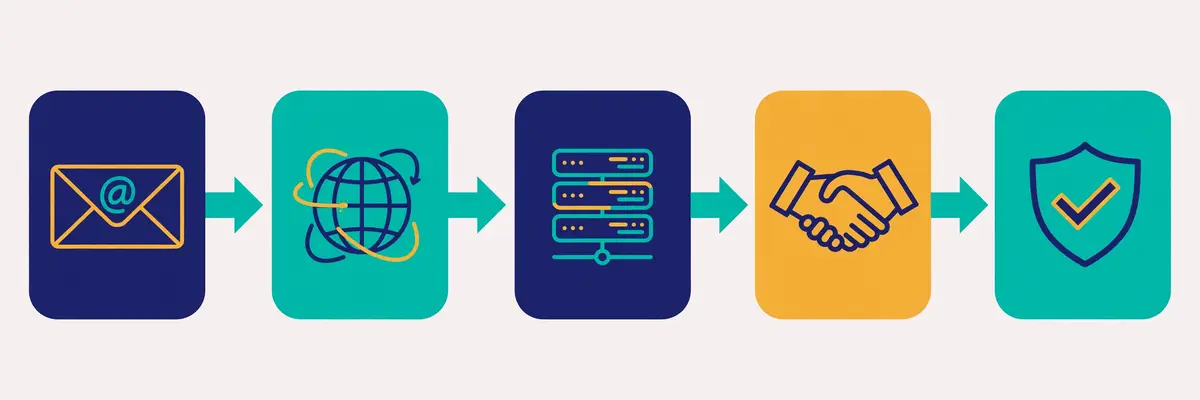
Secondly, a verifier does not run one check. It runs a pipeline, usually six or seven checks in a row, and each check catches a different kind of bad address. An address must pass all of them to come back Valid. The pipeline runs in milliseconds per address, and the whole list is checked in minutes. Understanding the pipeline matters, because it explains why two verifiers can disagree about the same address: they run different checks, or they run the same checks with different strictness.
In fact, the checks run in a sensible order, from the cheapest to the most expensive. A syntax check costs nothing, so it runs first. A domain check costs a DNS lookup, so it runs second. The SMTP handshake costs a live connection to the receiving server, so it runs last, and only for addresses that passed everything before it. A verifier that skipped the cheap checks would waste time and money talking to servers about addresses that were never deliverable.
Email verification guide: syntax, the cheapest check of all
Firstly, the syntax check asks whether the address is even written correctly. It checks for the @ symbol, a valid local part before it, a valid domain after it, and no forbidden characters or spaces. An address such as john@@example.com or sarah@example fails here, and so does an address with a space in the middle. Typos are the most common cause of failure at this stage. The fix is often obvious: a missing letter, a doubled @, or a domain typed as gamil instead of gmail. Some verifiers suggest the correction automatically.
Secondly, syntax alone proves almost nothing. An address can be perfectly written and still belong to nobody. Syntax is a gate, not a verdict: it removes the addresses that could never work, so the expensive checks are spent only on addresses that might. A verifier that stopped at syntax would be a spellchecker, not a verifier.
Email verification guide: domain and MX records, the address book check
Moreover, the domain check asks whether the domain exists and whether it can receive mail. The verifier looks up the domain’s DNS records, and specifically its MX records, which name the mail servers that accept mail for that domain. A domain with no MX records cannot receive email at all, so every address on it is Invalid. A domain that exists but has no mail server, such as a parked domain, fails the same way. This check catches the addresses collected from companies that closed, domains that lapsed, and typos that produced a real-looking but mail-less domain.
For example, the MX check also reveals how the domain is set up. A domain whose MX records point to Google Workspace or Microsoft 365 is a normal business domain. A domain whose MX records point nowhere, or to a server that refuses connections, is a dead end. The verifier records all of this, because the later checks depend on knowing which server to talk to.
Email verification guide: the SMTP handshake, the check that matters most
Finally, the SMTP handshake is the check that separates verification from validation. The verifier connects to the receiving mail server and asks, in the language of email servers, whether it would accept a message for this address, then disconnects before sending anything. The server answers with a code: 250 means the mailbox exists, 550 means it does not. No email is ever sent, and the recipient never sees anything. This is the only check that can confirm a specific mailbox exists. It is the reason verification works at all.
In sum, the handshake has one honest limit, and every verifier shares it. Some servers refuse to answer, or answer the same way for every address, to stop exactly this kind of probing. Microsoft 365, for instance, blocks sender verification entirely on many domains. When the server will not answer, the verifier cannot know. The address comes back Unknown or Catch-all instead of Valid or Invalid. That limit is not a flaw in one tool. It is a property of email itself, and it is why no verifier can honestly promise 100%.
Email verification guide: catch-all, disposable, role-based and spam traps
Secondly, four extra checks sort the addresses that pass the handshake but are still risky. A catch-all domain accepts mail for any address, real or invented, so the handshake says yes for every address on it. The verifier must flag the whole domain as Catch-all. A disposable address comes from a temporary inbox service that self-destructs after minutes or hours, so it is real today and dead tomorrow. A role-based address, such as info@, support@ or sales@, belongs to a team rather than a person. It bounces less yet replies less, and complains more. A spam trap is an address that was never owned by a real person, planted to catch senders who mail scraped lists, and mailing one can damage a domain’s reputation badly.
Moreover, these four checks are where verifiers genuinely differ. Catch-all detection needs a probe address that does not exist, to see whether the server accepts it anyway. Disposable detection needs a maintained list of temporary-mail domains, which changes constantly. Spam trap detection needs a database of known traps, which no vendor publishes in full. A cheap verifier may skip one or more of these checks. The addresses it misses are the ones that cost the sender later. The feature matrix in this email verification guide shows which verifiers cover each check.
Bulk, API and real-time verification: three ways to check
Secondly, verification comes in three forms, and most senders need only one of them. Bulk verification uploads a list, usually as a CSV file, and checks the whole list at once. API verification checks one address at a time, called from another piece of software. Real-time verification checks an address at the moment it is typed into a form, before the form is even submitted. The checks inside are the same. The difference is when they run, and who triggers them.
In fact, bulk verification is the form this email verification guide is mostly about, because it is the form cold email uses. A sender builds a list, uploads it, waits a few minutes, downloads the results, and mails only the Valid addresses. Every verifier in this email verification guide sells bulk verification. It is priced in credits: one credit per address checked, with some verifiers charging nothing for Unknown results or duplicates.
Email verification guide: bulk verification, the cold email standard
Firstly, bulk verification suits any list that is checked before a campaign. The list is uploaded, the verifier works through it. The results come back as a file with a status on every row. The sender then segments the list: Valid addresses go into the campaign, Invalid addresses are deleted. The rest are handled according to the rules in the next section. A list of ten thousand addresses typically takes five to thirty minutes to check, depending on the verifier and the domains involved.
Secondly, bulk verification has one practical rule: keep the original list. Never overwrite the only copy with the verified version, because the results are a snapshot, not a permanent truth. A list verified in January will have decayed by June. The sender who kept the original can re-verify it in one upload. A sender who deleted the original must rebuild the list from scratch.
Email verification guide: API verification, for software that checks as it goes
Moreover, API verification suits teams whose software collects addresses continuously. A CRM, a sign-up flow, or a lead-generation tool calls the verifier’s API for each new address. The result decides what happens next: a Valid address enters the pipeline, an Invalid one is rejected with a polite message. All six verifiers in this email verification guide offer an API. The credit cost is the same as bulk, one credit per address. The difference is the plumbing, not the price.
For example, API verification is how a team stops bad addresses entering the system at all, rather than cleaning them out later. A form that verifies in real time never stores the typo, the disposable address, or the fake. A CRM that verifies on import never fills up with dead contacts. The cost is the same per address, yet the saving is larger, because a bad address that never enters the system never needs cleaning, segmenting or deleting.
Email verification guide: real-time verification, the form guard
Finally, real-time verification is API verification with a user interface: it checks the address while the visitor is still typing, and warns them before they submit. Bouncer sells this as a separate product, Bouncer Shield, from $2 a month for 1,000 checks. ZeroBounce includes real-time checks in its ONE plan. For a cold email sender, real-time verification matters less than bulk, because cold lists do not come from forms. For a team that also runs a website with sign-up forms, it is the cheapest way to keep the house list clean from day one.
Video: How to Verify Any Email Address and Reduce Bounce Rates by Snovio on YouTube. This video is the creator’s property, embedded via YouTube for education. OutreachCompare is not affiliated with Snovio and does not claim ownership of this video.
In sum, the video above walks through the same pipeline this section describes, from the first syntax check to the final result. It shows the checks running on a real list. Pick bulk verification when the list already exists, pick the API when addresses arrive continuously, and pick real-time checks when the addresses come from a form. Most cold email senders need bulk only, and that is the honest starting point.
How to read a verification result: Valid, Risky, Catch-all, Invalid, Unknown

Secondly, every verifier returns the same five results, even when the names differ slightly. Valid means the address passed every check and is safe to mail. Invalid means the address failed a check and will bounce. Catch-all means the domain accepts everything, so the verifier cannot confirm the mailbox. Risky means the address passed the technical checks yet carries a warning, such as a role-based inbox, a disposable domain, or a spam trap signal. Unknown means the server would not answer, so the verifier could not decide. Five results, five different actions, and the most expensive mistake in verification is treating them all the same.
In fact, the rules are simple once they are written down. Mail the Valid addresses, and mail nothing else without thinking first. Delete the Invalid addresses at once, and never mail them again. Treat Catch-all as a maybe, and decide by value: mail the high-value catch-alls slowly, in a separate campaign, and drop the rest. Risky deserves a no for cold email, with one exception: a role-based address at a small company can be worth one careful email, while a disposable address is never worth one. Unknown is a retry, not a verdict: check it again in a week, and if it stays Unknown, drop it.
Email verification guide: Valid, the only green light
Firstly, a Valid result means the address passed syntax, domain, MX, SMTP and the risk checks, and the mailbox exists. Valid addresses are the campaign. A list that returns 80% Valid is a healthy list. A list that returns 50% Valid was built from stale or careless sources. The sender should ask where it came from before mailing it. The valid share is the first quality signal a list gives. It is worth reading before any email is written.
Secondly, Valid does not mean engaged, interested, or even human. It means the mailbox exists and can receive mail. A Valid address can still ignore the email, mark it as spam, or belong to someone who left the company and whose inbox is now monitored by a colleague. Verification proves deliverability, not receptiveness, and no verifier claims otherwise. The copy still has to earn the reply.
Email verification guide: Invalid, the address to delete at once
Moreover, an Invalid result means the address will bounce, and mailing it is pure cost. The bounce hurts the sender reputation, the sending tool may count it against the account, and the address will never reply. Delete Invalid addresses from the sending list immediately, and keep them in a suppression list so they are never re-added by a fresh import. A sender who mails Invalid addresses after verification has paid for the check and then ignored it, which is the worst of both worlds.
For example, the Invalid share also diagnoses the list source. A scraped list with 30% Invalid was scraped badly. A bought list with 40% Invalid was bought from a seller who does not verify. A list built by hand from company websites should return under 10% Invalid, and if it does not, the building process has a flaw, usually a typo pattern or a stale source. The Invalid rate is a report card on the list, not just a cleaning step.
Email verification guide: Catch-all, the honest maybe
Finally, a Catch-all result is the hardest call in verification, because it is not a verdict at all. The domain accepts every address, so the verifier cannot tell whether the mailbox exists. Mailing a catch-all is a gamble: the address may be real, or it may bounce, or it may land in a catch-all inbox that nobody reads. The right approach is to mail catch-alls separately, slowly, and only when the person matters. A list with 20% catch-all is normal in B2B, where many small companies run catch-all domains. A list with 50% catch-all is a warning that the list was built from guesses rather than findings.
In sum, the catch-all share is also where verifiers earn their money. A verifier with good catch-all handling probes the domain with a fake address to confirm the catch-all, and then applies extra signals, such as pattern checks and historical data, to guess whether the address is real. A verifier with poor catch-all handling marks everything on the domain as Catch-all and leaves the sender to guess. The accuracy section of this email verification guide shows how much that difference matters in practice.
The full verification workflow, step by step

Secondly, verification works best as a workflow, not a one-off chore. The workflow has six steps, and each step takes minutes. A sender who follows it will keep bounce rates below 2% without thinking about it. A sender who skips steps will keep wondering why replies stopped. The six steps are: find, verify, clean, segment, send, and re-verify. The rest of this section walks through each one.
In fact, the workflow matters more than the verifier. The best verifier in the world cannot save a list that was never cleaned. The cheapest verifier in the world is enough for a sender who follows the steps. Buy the verifier that fits the budget, then follow the workflow every time, and the results will take care of themselves.
Email verification guide: step 1, find the addresses
Firstly, find the addresses from a source that publishes them. Company websites, LinkedIn profiles, directories and databases such as Apollo, Hunter and Snov.io are the honest sources. A finder that returns a verified address is worth more than a finder that returns a guess, because a guess costs a verification credit and often bounces anyway. Our Email Finders Guide and our guide to building a cold email list cover the finding step in full.
Secondly, keep the source with the address. A column that records where each address came from, and when, turns a list into a traceable asset. When a campaign bounces, the sender can see which source produced the bad addresses and stop using it. When a source produces 90% Valid addresses month after month, the sender can trust it more. A list without sources is a list without a memory.
Email verification guide: step 2, verify the whole list
Moreover, verify the whole list before the first send, in one bulk upload. Do not verify a sample and mail the rest, because the sample is not the list. The untested half is where the bounces live. Do not verify after the first campaign, because the first campaign is where the damage happens. Upload the list, wait for the results, and download the file with the status on every row. The cost is a few dollars per thousand addresses, and the check takes minutes.
For example, a sender with a list of ten thousand addresses should expect the check to cost between $8 and $129, depending on the verifier, and to take five to thirty minutes. A sender with a list of one hundred thousand should expect $400 to $649 on pay-as-you-go, or less on a monthly plan. The cost table later in this email verification guide shows the exact figures for each verifier at each volume.
Email verification guide: step 3, clean the list
Finally, clean the list by deleting every Invalid address and every disposable address, and by suppressing every spam trap. This is the step that protects the domain. A list that was 80% Valid becomes a campaign that bounces under 2%, because the 20% that would have bounced is gone. Keep the deleted addresses in a suppression file, not in the bin, so a careless re-import cannot bring them back.
In sum, cleaning is also the moment to fix typos. A verifier that flags gamil.com or hotmal.com has found an address that is one letter from being right, and the fix is a single keystroke. Some verifiers suggest the correction automatically. A sender who fixes the typos recovers addresses that would otherwise be lost. A list that gains 2% back from typos is a list that was worth verifying twice over.
Email verification guide: step 4, segment what is left
Secondly, segment the cleaned list before sending. Valid addresses go into the main campaign. Catch-all addresses go into a separate, slower campaign, with a lower daily volume and a closer eye on bounces. Role-based addresses go into a third segment, mailed only when the company is small enough that info@ reaches a real person. Unknown addresses go into a holding segment, to be re-checked in a week. Segmentation is what turns five results into five sensible decisions, instead of one blunt one.
Moreover, segmentation also protects the sender when a segment goes wrong. If the catch-all segment bounces above 2%, the sender pauses that segment only, while the main campaign keeps running. If the whole list had been mailed as one campaign, the same bounces would have damaged the whole domain. Segments are bulkheads: a leak in one does not sink the ship.
Email verification guide: step 5, send slowly and watch the numbers
For example, send the verified list slowly, at thirty to fifty emails a day per mailbox, and watch the bounce rate after the first hundred sends. A verified list should bounce under 2%, and under 1% is better. A bounce rate above 2% on a verified list means something went wrong: the list was verified too long ago, the verifier missed a pattern, or the sending domain has a problem of its own. Pause, investigate, and do not push through. Our guide to warming up a new email domain explains the sending pace in full.
Finally, watch the spam complaint rate beside the bounce rate. Complaints should stay below 0.1%, and Gmail treats anything above 0.3% as a problem. A verified list rarely produces complaints, because dead addresses cannot complain, yet a verified list mailed to the wrong people certainly can. Verification protects deliverability. Targeting protects reputation. Both numbers need watching, every week, for every campaign.
Email verification guide: step 6, re-verify on a calendar
In fact, re-verify every list every three to four months, and verify again 24 to 48 hours before any big campaign. Lists decay by roughly a fifth each year, as people change jobs and companies close, so a list that was clean in January is a different list by June. A re-verification costs the same per address as the first check, and it is cheaper than the bounces it prevents. Put the re-verification on the calendar, next to the campaign dates, so it happens before the send rather than after the damage.
In sum, the workflow is a loop, not a line. Find, verify, clean, segment, send, and re-verify, then find more addresses and start again. Each pass through the loop makes the list a little cleaner and the sender a little safer. A sender who runs the loop every quarter will never face a bounce crisis, because the crisis was prevented three months earlier, in a ten-minute upload.
Pricing compared: six verifiers, honest numbers
Secondly, pricing is where the six verifiers differ most, and the difference is larger than most senders expect. At ten thousand verifications, the cheapest option costs $48 a month and the most expensive costs $129 for a single purchase, a gap of nearly three times for the same job. At one hundred thousand, the gap is wider still. The tables below show the figures exactly as they appear on the official sites, checked on 16 November 2026, with the catches flagged beside them.
In fact, every verifier in this email verification guide charges in credits, and one credit verifies one address. The differences are the minimum purchase, the expiry rule, the free allowance, and what happens to Unknown results and duplicates. A credit that never expires is worth more than a credit that expires in twelve months. A verifier that does not charge for Unknown results is cheaper than its price list suggests. Read the footnotes, not just the headline.
Email verification guide: the three specialists, priced
| Verifier | Free allowance | Pay-as-you-go | Monthly plan | Credits expire? |
|---|---|---|---|---|
| ZeroBounce | 100 credits a month Freemium plan, $0 | From $39 for 2,000 $69 for 5,000; $129 for 10,000 | ONE $99/mo; $79 annual 10,000 credits a month | Never while subscribed PAYG: 2 years after last purchase* |
| NeverBounce | Free first list No card required; no ongoing free plan | $8 for 1,000 $50 for 10,000; $400 for 100,000 | Growth $49/mo Allowance not stated on the page† | Yes, 12 months After purchase, PAYG only |
| Bouncer | 100 free credits On signup, no card | $8 for 1,000 $60 for 10,000; $400 for 100,000 | 20% less than PAYG $48 a month for 10,000 | Never Neither PAYG nor subscription |
* ZeroBounce credit expiry depends on the account: credits never expire on accounts created on or before 1 June 2026, or while a ONE subscription is active. On newer accounts, purchased credits expire two years after the most recent purchase. † NeverBounce’s Growth page shows $49 a month with no credit allowance stated; third-party breakdowns of the page’s volume selector list $49 for up to 10,000 emails, $99 for 50,000, $159 for 100,000 and $999 for 1,000,000 a month. Last checked: 16 November 2026. Features and pricing can change, so please check the provider’s site before you buy. We do not guess at features, prices or trials.
What the specialists bundle beside verification
Moreover, the three specialists sell different things beside verification. ZeroBounce ONE bundles a deliverability suite: warmup seeds, inbox placement tests, blacklist monitors, a DMARC monitor and an email finder, which is why it costs $99 a month for the same 10,000 credits that cost $129 as a one-off purchase. NeverBounce Growth adds automatic CRM sync, AI scoring and 200 AI-picked leads a month, which is why it suits teams that verify continuously. Bouncer sells its extras separately: a Deliverability Kit from $25 a month, and Bouncer Shield real-time checks from $2 a month. A sender who wants the extras should compare the bundle, not just the credit price.
For example, the free allowance also differs in a way that matters to a beginner. ZeroBounce gives 100 credits every month, forever, which is enough to test the tool on a real sample each month. Bouncer gives 100 credits once, at signup, which is enough to test the tool once. NeverBounce gives a free first list with no card, which is generous for a first clean, yet there is no ongoing free tier after it. A beginner who wants to try before buying should start with ZeroBounce’s monthly 100, then test Bouncer’s 100, then run the first real list through NeverBounce.
Email verification guide: the three finders, priced
| Finder | Free plan | Entry plan | Top plan shown | How verification is charged |
|---|---|---|---|---|
| Hunter | $0, 50 credits a month | Starter $49/mo; $34 annual 2,000 credits a month | Scale $299/mo; $209 annual 25,000 credits a month | 1 credit per email found 0.5 credit per verification |
| Snov.io | Trial, 50 credits 100 recipients | Starter $39/mo; $29.25 annual | Ultra $738/mo; $553.50 annual | Verification included Part of the credit allowance |
| Skrapp | $0, 50 credits a month | Professional $39/mo; $29 annual 2,000 credits a month, 2 users | Enterprise $349/mo; $262 annual 50,000 credits a month, 15 users | Only Valid and Catch-all charged Credits roll over |
Hunter Growth is $149 a month, or $104 on annual billing, for 10,000 credits. Snov.io Pro S is $99, Pro M $189 and Pro L $369 a month. Last checked: 16 November 2026. Features and pricing can change, so please check the provider’s site before you buy. We do not guess at features, prices or trials.
Reading the finder prices: credits do double duty
Secondly, the finders are not pure verifiers, and their pricing shows it. Hunter charges half a credit per verification, so a Starter plan with 2,000 credits verifies up to 4,000 addresses a month when nothing is spent on finding, which is a quiet bargain for a sender who already has a list. Skrapp charges only for Valid and Catch-all results, so the Invalid addresses that a list is full of cost nothing, and its credits roll over to the next month. Snov.io bundles verification into a wider platform, so the verification price is inseparable from the finding, warmup and CRM features that share the same credits.
In sum, the finder prices make sense only when the finding is counted too. A sender who needs finding and verification in one tool should compare Hunter, Snov.io and Skrapp on the combined cost, not on verification alone. A sender who already has a list should compare the three specialists instead, because a pure verifier is cheaper per check than a finder’s credits. Our Best Email Verification Tools Compared article puts all six side by side, and our Hunter vs Skrapp comparison covers the two finders in depth.
What 1,000, 10,000 and 100,000 verifications actually cost
Secondly, the headline price is rarely the price a sender pays, because the minimum purchase, the volume discount and the subscription all change the maths. The table below shows the cheapest way to buy each volume from each specialist, using the figures checked on 16 November 2026. The arithmetic is shown beside each figure, so the reader can check it. Where a figure comes from a third-party breakdown rather than the vendor’s own headline, the note says so.
| Volume | ZeroBounce | NeverBounce | Bouncer |
|---|---|---|---|
| 1,000 checks | $39 PAYG Minimum pack is 2,000 credits | $8 PAYG 1,000 credits at $0.008 each | $8 PAYG 1,000 credits at $0.008 each |
| 10,000 checks | $99 ONE / $129 PAYG $99 is $0.0099 per check | $49 Growth / $50 PAYG $49 is $0.0049 per check | $48 monthly / $60 PAYG $48 is $0.0048 per check |
| 100,000 checks | $449 ONE / $649 PAYG $449 is $0.0045 per check | $159 Growth† / $400 PAYG $159 is $0.0016 per check | $320 monthly / $400 PAYG $320 is $0.0032 per check |
† NeverBounce Growth at 100,000 comes from a third-party breakdown of the pricing page’s volume selector, not from the page headline, which states only $49 a month with no allowance. Last checked: 16 November 2026. All figures are arithmetic from the published packs and plans; check the provider’s site before you buy.
Three lessons from the cost table
Moreover, three lessons fall out of the table. The first is that ZeroBounce is the most expensive at every volume. The gap is largest at the smallest volume, where its $39 minimum pack costs nearly five times the $8 that NeverBounce and Bouncer charge for 1,000 checks. The second is that NeverBounce Growth is the cheapest at every volume above 1,000, when the third-party volume figures hold, at $49, $159 and $999 a month for 10,000, 100,000 and 1,000,000 checks. The third is that Bouncer is the cheapest honest pay-as-you-go option at every volume, and the only one whose credits never expire, which makes it the best choice for a sender who verifies irregularly.
For example, a sender who verifies 10,000 addresses once, and then nothing for six months, should buy Bouncer pay-as-you-go for $60, because the credits will still be there in six months. A sender who verifies 10,000 addresses every month should buy NeverBounce Growth at $49 a month, or Bouncer’s monthly plan at $48, because both beat a one-off purchase. A sender who verifies 10,000 addresses a month and also wants placement tests, warmup and a DMARC monitor should buy ZeroBounce ONE at $99, because the bundle is worth more than the $50 gap to the cheapest option. The right price depends on the pattern, not just the volume.
See a bulk verification run in action
Video: Avoid Sending Emails to Invalid Contacts by ZeroBounce on YouTube. This video is the creator’s property, embedded via YouTube for education. OutreachCompare is not affiliated with ZeroBounce and does not claim ownership of this video.
In sum, the video above shows the ZeroBounce workflow in action, from uploading a list to downloading the cleaned results. It is the clearest picture of what a bulk verification run looks like in practice. The prices in the table are the ones to compare against it: the workflow is the same at every verifier, and the price is what differs.
The accuracy reality: vendor claims against independent benchmarks
Secondly, every verifier claims high accuracy, and the claims are hard to compare, because each vendor measures accuracy differently. ZeroBounce guarantees 99.6% accuracy, with a footnote that the figure depends on its Verify+ service. Without it, the figure is 96% for some providers such as Yahoo. NeverBounce claims 99.9%. Bouncer claims 99.5%. Snov.io claims 98%. These are vendor claims, measured by the vendors themselves, on their own tests, and no neutral audit exists that tests them all the same way. That fact should be stated plainly, because it changes how much weight the claims deserve.
In fact, the independent benchmarks that do exist tell a more complicated story, and they disagree with each other. A thirty-day test by La Growth Machine found NeverBounce at 99.9% and ZeroBounce at 99.0%, which supports both vendors’ claims. A stricter benchmark by Hunter, which counted Unknown results as failures, found NeverBounce at 63.17% and ZeroBounce at 60.7%. Both tests are real, both are third-party, and neither is a neutral audit. The difference is what counts as a failure: a verifier that says Unknown is being honest, yet a benchmark that counts Unknown as wrong will punish it for that honesty.
What the finder benchmarks found
Firstly, the finder benchmarks are the most surprising numbers in this email verification guide. An Anymail Finder benchmark from September 2025 and a Tomba benchmark from February 2026 both measured how many found addresses were actually verified, and both found low figures: Skrapp at 42.8% verified, against its own claim of 92% search success, and Hunter at 37.6%. These figures measure finding plus verification together, not verification alone, so they do not mean the verifiers are wrong 60% of the time. They mean that finding an address and verifying it are different jobs, and that a finder’s search success is not a verification rate.
Secondly, the lesson is to read the claim, not just the number. A claim of 92% search success means the finder found an address pattern for 92% of the names it tried. A claim of 42.8% verified means only 42.8% of those addresses passed the verification checks. Both can be true at once, and the gap between them is the addresses that look right yet do not exist. A sender who buys a finder for its search rate, and then mails the unverified results, will bounce far more than a sender who verifies first.
Why no verifier can promise 100%
Moreover, no verifier can promise 100% accuracy, because the email system itself will not allow it. Some servers refuse to answer the SMTP handshake, some domains accept every address, and some mailboxes close between the check and the send. A verifier that promises 100% is either counting Unknown results as correct, or it is not telling the truth. The honest promise is a low bounce rate on Valid addresses. ZeroBounce states it directly: Valid addresses should bounce below 2%. That is a testable promise, and it is the one to hold a verifier to.
For example, the practical way to judge accuracy is to test it on a known list. Take one hundred addresses that are known to be real, and one hundred that are known to be dead, run both through the verifier, and count the mistakes. A verifier that marks dead addresses as Valid is dangerous. Marking real addresses as Invalid is wasteful. Many Unknown results are honest yet unhelpful. The test costs a few dollars in credits, and it tells the sender more than any vendor claim ever will.
Email verification guide: the accuracy checklist before you buy
Finally, four questions separate a good verifier from a good sales page. Does it charge for Unknown results, or only for answers? Will it run a catch-all probe, or mark every address on a catch-all domain the same way? Does it check for spam traps and disposable domains, or only for syntax and MX records? Is there a published bounce-rate promise for Valid addresses, or only an accuracy percentage? A verifier that answers all four well is worth its price. A verifier that dodges them is not, whatever the headline claims.
Pros and cons: the honest case for each verifier
Secondly, every verifier in this email verification guide has a genuine strength and a genuine weakness. The honest case for each one is worth stating. A guide that lists only strengths is a sales page. A guide that lists only weaknesses is a hit piece. The table-free version below gives each verifier its due, in plain language, so the reader can weigh the trade-off rather than taking a recommendation on trust.
Email verification guide: ZeroBounce, the all-rounder
Firstly, ZeroBounce is the best all-round verifier, and its strength is breadth. It checks more than thirty statuses, it bundles placement tests, warmup, DMARC monitoring and an email finder into ONE. It guarantees 99.6% accuracy with a promise of bounces below 2% on Valid addresses. Its weakness is price: it is the most expensive verifier at every volume, its minimum purchase is $39 for 2,000 credits, and its accuracy guarantee carries the Verify+ footnote that drops the figure to 96% for some providers. A sender who wants one vendor for verification and deliverability should buy it. A sender who wants only verification should not.
NeverBounce, the monthly workhorse
Secondly, NeverBounce is the best verifier for a team that verifies every month, and its strength is the Growth plan. At $49 a month it is the cheapest monthly option above 1,000 checks, it syncs automatically with the CRM, it charges only for new unique emails. It adds AI scoring and 200 AI-picked leads a month. Its weakness is transparency: the Growth page states no credit allowance, so the buyer must trust third-party breakdowns for the higher tiers, and its pay-as-you-go credits expire after twelve months. A sender who verifies monthly should buy it. A sender who verifies twice a year should not.
Email verification guide: Bouncer, the value pick
Moreover, Bouncer is the best value verifier, and its strength is fairness. Its credits never expire, it never charges for duplicates or Unknown results, it gives 100 free credits at signup. It is the cheapest pay-as-you-go option at every volume. Its weakness is scope: it has no ongoing free plan, its deliverability tools cost extra from $25 a month. It is a smaller vendor than its two rivals, with a narrower integration list. A sender who verifies irregularly should buy it. A sender who wants a free monthly allowance should look at ZeroBounce instead.
Hunter, the finder that verifies cheaply
For example, Hunter is the best finder for a sender who already has a list, and its strength is the half-credit verification. A Starter plan with 2,000 credits verifies up to 4,000 addresses a month, which makes it cheaper than a specialist for verification alone. It also finds addresses, runs campaigns and tracks replies. Its weakness is accuracy: independent benchmarks measured only 37.6% of its found addresses as verified, and its verification is a feature of a wider platform rather than a specialist’s core job. A sender who needs finding and verification together should buy it. A sender who needs verification only should buy a specialist.
Email verification guide: Snov.io, the platform play
Finally, Snov.io is the best verifier inside a wider platform, and its strength is integration. Verification sits beside finding, warmup, drip campaigns and a CRM in one subscription, the video above shows its verification workflow clearly, and its 98% accuracy claim is backed by a stated 1% bounce rate on Valid addresses. Its weakness is price clarity: verification shares credits with every other feature, so the cost of verification alone is hard to isolate. The entry plan is $39 a month for a bundle the sender may not need. A sender who wants one platform for everything should buy it. A sender who wants a cheap standalone verifier should not.
Skrapp, the rollover specialist
In sum, Skrapp is the best verifier for a sender who verifies in bursts, and its strength is the rollover. Credits roll over to the next month, only Valid and Catch-all results are charged. The Professional plan gives 2,000 credits a month for $39, or $29 on annual billing. Its weakness is the benchmark gap: independent tests measured 42.8% of its found addresses as verified, against its own 92% search-success claim, which means the finding is stronger than the verification. A sender who finds on LinkedIn and verifies in bursts should buy it. A sender who needs a pure verification specialist should buy Bouncer or ZeroBounce.
Who should pick which: a decision framework
Secondly, the decision is simpler than the comparison suggests, because most senders fall into one of four groups, and each group has an obvious pick. Answer which group describes the sender, and the choice narrows from six verifiers to one or two. Skip the question, and the choice stays six wide, which is no choice at all. The framework below covers the beginner, the monthly sender, the irregular sender, and the sender who needs finding as well.
Pick Bouncer when the budget is tight or the volume is irregular
Firstly, pick Bouncer when the budget is tight, or when verification happens a few times a year rather than every month. Its credits never expire, so a $60 pack bought in January is still there in September, and its $8 minimum purchase is the lowest in this email verification guide. A freelancer cleaning one list a quarter, a startup verifying its first thousand leads, or a team that inherited a stale list and needs one big clean should all start with Bouncer. The only reason to look elsewhere is a need for a free monthly allowance, or for a deliverability bundle in the same subscription.
Pick ZeroBounce when one vendor should do everything
Secondly, pick ZeroBounce when the sender wants one vendor for verification, placement testing, warmup and DMARC monitoring. The ONE plan at $99 a month, or $79 on annual billing, is expensive for verification alone, yet it replaces three or four separate subscriptions, and its 100 free credits a month let a beginner test it indefinitely. A marketing team with a large opt-in list, a sender who already pays for placement tests elsewhere, or a team that wants the strongest accuracy guarantee should all pick ZeroBounce. The only reason to look elsewhere is price, and the price gap is real.
Pick NeverBounce when verification runs every month
Moreover, pick NeverBounce when verification is a monthly habit rather than a one-off chore. The Growth plan at $49 a month syncs with the CRM automatically, charges only for new unique emails, and adds AI scoring and leads on top, which makes it the cheapest monthly option above 1,000 checks. A sales team that adds leads every week, a company with a signup form that never stops, or an agency that cleans client lists monthly should all pick NeverBounce. The only reason to look elsewhere is the unstated allowance, which the buyer should confirm on the site before committing, or a volume pattern that is irregular rather than monthly.
Pick Hunter, Snov.io or Skrapp when finding comes first
For example, pick Hunter when the list still needs building and the budget is small, because its half-credit verification stretches a $49 plan to 4,000 checks a month. Pick Snov.io when the team wants finding, verification, warmup and campaigns in one platform, and is willing to pay $39 a month for the bundle. Pick Skrapp when the finding happens on LinkedIn and verification happens in bursts, because its credits roll over and only Valid and Catch-all results are charged. A sender who already has a list should not pick any of the three, because a specialist verifier is cheaper per check.
In sum, the framework is a ladder, not a leap. Start with the cheapest verifier that fits the pattern, verify the first list, and watch the bounce rate. If the bounce rate stays below 2%, the verifier is doing its job, and the sender should stay with it. If the volume grows, or the needs change, the sender can switch, because verification credits are not a marriage. A sender who picks by pattern will spend less, bounce less, and switch less than a sender who picks by brand.
Frequently asked questions
Email verification guide: what is email verification, in one sentence?
Email verification is the check that confirms an email address is real, formatted correctly and able to receive mail, before you ever send to it. A verifier runs checks from syntax to a live SMTP handshake, then returns Valid, Risky, Catch-all, Invalid or Unknown for each address. The sender mails only the Valid ones.
Email verification guide: how much does email verification cost?
Email verification costs from $8 for 1,000 checks at Bouncer and NeverBounce, to $39 for 2,000 checks at ZeroBounce, with the price per check falling sharply at volume. At 10,000 checks, the cheapest options are Bouncer at $48 a month and NeverBounce Growth at $49 a month, while ZeroBounce ONE costs $99 a month. At 100,000 checks, NeverBounce Growth is cheapest at $159 a month on third-party volume figures, against $320 at Bouncer and $449 at ZeroBounce.
Email verification guide: how accurate is email verification?
Vendor claims run from 98% to 99.9%, yet no neutral audit exists, and independent benchmarks disagree. A thirty-day test found NeverBounce at 99.9% and ZeroBounce at 99.0%, while a stricter benchmark that counted Unknown results as failures found both near 60%. The honest promise to hold a verifier to is a bounce rate below 2% on Valid addresses, which ZeroBounce states directly.
Email verification guide: what should I do with catch-all addresses?
Mail catch-all addresses separately, slowly, and only when the person matters. A catch-all domain accepts every address, so the verifier cannot confirm the mailbox, and mailing the whole segment at full speed risks bounces. A list with 20% catch-all is normal in B2B. A list with 50% catch-all was probably built from guesses, and the sender should rebuild it from real sources.
Email verification guide: how often should I re-verify my list?
Re-verify every list every three to four months, and again 24 to 48 hours before any big campaign. Lists decay by roughly a fifth each year, as people change jobs and companies close, so a list verified in January is a different list by June. Re-verification costs the same per address as the first check, and it is cheaper than the bounces it prevents.
Email verification guide: does verification guarantee my emails reach the inbox?
No. Verification proves an address can receive mail, which keeps bounces low, yet inbox placement also depends on authentication, sender reputation, warmup, content and engagement. A verified list mailed from an unauthenticated domain with no warmup will still land in spam. Verification is the first step, not the whole job, and our Deliverability Guide 2026 covers the rest.
The verdict
Secondly, the verdict in this email verification guide is a set of best-for labels, not a numeric score, because no hands-on testing has been done yet. A score without testing would be a guess. The labels below come from the features and prices checked on the official sites on 16 November 2026, and from the way each verifier fits a beginner, a monthly sender, an irregular sender, and a sender who needs finding as well.
For example, Bouncer is the best value verifier, at $8 for 1,000 credits that never expire, with no charge for duplicates or Unknown results. ZeroBounce is the best all-round verifier, with a 99.6% accuracy guarantee and a deliverability suite bundled into ONE from $99 a month. NeverBounce is the best verifier for monthly senders, with automatic CRM sync and the cheapest Growth plan above 1,000 checks. Hunter is the best finder that verifies cheaply, at half a credit per check.
Email verification guide: the finder verdict
Moreover, Snov.io is the best verifier inside a wider platform, with finding, warmup, campaigns and a CRM sharing one subscription from $39 a month. Skrapp is the best verifier for LinkedIn-first senders who verify in bursts, with credits that roll over and charges only for Valid and Catch-all results. Meanwhile, the advice that matters most is not a tool pick: verify every list before the first send, delete the Invalids, segment the catch-alls, and re-verify every three to four months.
Finally, verification is the cheapest insurance in cold email. The senders who buy it are the senders who keep landing in the inbox year after year. Start with Bouncer when the budget is tight, move to NeverBounce when verification becomes monthly, and move to ZeroBounce when one vendor should do everything. A verified list, a separate sending domain, a patient warmup and a careful pace will take a sender further than any single tool ever will.
Our verdict on this email verification guide
For the best value, choose Bouncer, from $8 for 1,000 credits that never expire. ZeroBounce is the best all-round verifier, with a 99.6% accuracy guarantee from $39 for 2,000 credits. NeverBounce is the best choice for monthly senders, with automatic CRM sync from $49 a month. Hunter is the best finder that verifies cheaply, at half a credit per check from $49 a month. No numeric score is given, because no hands-on testing has been done yet.
Start here: pick the verifier that fits how often you verify, upload the list, delete the Invalids, segment the catch-alls, and re-verify every three to four months.
Keep reading
- Best Email Verification Tools Compared — all six verifiers side by side, for bounce rates below 2%
- Best Email Verification Tools 2026 — the verifiers that keep bounce rates below 2%
- ZeroBounce vs NeverBounce 2026 — the two biggest specialists, head to head
- Hunter vs Skrapp 2026 — the two finders that verify, compared in depth
- Hunter vs Snov.io vs Skrapp 2026 — three finders, one verification question
- How to Build a Cold Email List 2026 — build the list this guide teaches you to verify
- Email Finders Guide — find the addresses before you verify them
- Deliverability Guide 2026 — the whole system verification belongs to
- How to Warm Up a New Email Domain 2026 — warm up after verifying, before sending at volume
- Instantly vs Lemlist 2026 — the sequencers that mail your verified list
Leave a Reply