
A small list of the right people beats a big list of strangers.
Most cold email campaigns fail before a single word is written, because the list is wrong. The sender bought ten thousand addresses, emailed people who never wanted to hear from them, and wondered why the replies never came. A good list is the opposite of that. In fact, it is a short, honest list of people who match your ideal customer, whose email addresses have been checked, and whose companies you actually understand. This guide shows you how to build a cold email list like that, step by step: who to email, where to find them, which tools to use, how to verify every address, and how to keep the list clean as it grows.
Visit Apollo →See Hunter →Explore Skrapp →Prices and features in this guide were checked 16 November 2026. Features and pricing can change, so please check the provider’s site before you buy.
Quick Answer
Start with your ideal customer profile, then source 50 to 200 contacts who match it, verify every address before you send, and segment the list by role, company size and industry. Use a B2B database such as Apollo for volume, an email finder such as Hunter or Skrapp for precise finds, and a verifier such as Snov.io for the final check. Keep your bounce rate under 2% and your spam complaints under 0.1%.
Never buy a list. Bought lists are stale, full of spam traps, and the fastest way to damage your sender reputation. As a result, a small, clean, verified list will always outperform a big, bought one.
Contents
- Start with your ideal customer, not a tool
- Where good lists come from: six sourcing methods
- The list-building tools compared
- Verify before you send
- Segment the list so every email feels personal
- List hygiene: the monthly habit that protects your domain
- What not to do (and what to do instead)
- Your step-by-step build plan: 50 to 200 contacts, then scale
- Which sourcing method fits your budget and volume
- Frequently asked questions
- Our verdict
How to build a cold email list: start with the person, not the database
Firstly, every good cold email list starts on paper, not in a tool. Before you open a database or install an extension, write down who you are trying to reach and why they would care. In fact, a list built without that answer is just a pile of addresses, and a pile of addresses is what gets senders into trouble. The rest of this guide follows the order that works: define the person, find where they gather, choose the tool that fits your budget, check every address, and only then write the first email.
Secondly, the reassuring news is that list building is a learnable skill, not a budget contest. In fact, cold email is normal, widely used business practice, and the senders who get the best replies are usually the ones with the smallest, most careful lists. For example, you do not need an enterprise database to start. You need a clear picture of your ideal customer, a free plan or two, and the discipline to verify before you send. If you have those three things, this guide will carry you the rest of the way.
How this guide is organised
Finally, this guide follows the journey your list takes. It starts with your ideal customer profile, so you know who belongs on the list and who does not. Then it compares the six sourcing methods, from B2B databases to your own network, and the eight tools that do the finding. After that come verification, enrichment, segmentation and hygiene, the four jobs that turn a raw list into a working one. Then the mistakes to avoid, a step-by-step build plan for your first 50 to 200 contacts, and a decision framework that matches the method to your budget.
Start with your ideal customer, not a tool
Secondly, your ideal customer profile, or ICP, is a short description of the company and the person who will benefit most from what you sell. It is not a vague label such as “small businesses” or “marketing managers”. In addition, it is a specific picture: companies of 11 to 50 people, in professional services, based in the UK or Ireland, whose operations manager is hiring and whose onboarding process is visibly creaking. The more specific the picture, the easier every later step becomes, because every sourcing filter, every search and every segment follows from it.
How to build a cold email list: the five ICP questions
| Question | What to write down | Example answer |
|---|---|---|
| What problem do you solve? | One pain, in the customer’s words | Onboarding a new starter takes nine days |
| Who feels that pain most? | One job title, one team | Operations manager, 11 to 50 staff |
| Which companies? | Size, industry, place | Professional services, UK and Ireland |
| What trigger shows they need you now? | A recent, visible change | Hiring three people, or a new office |
| Who is NOT your customer? | One clear exclusion | Companies under 10 staff, or outside the UK |
Last checked: 16 November 2026. The five questions above come from the ICP method in our Lead Generation and List Building Guide and our Cold Email for Beginners guide. Features and pricing can change, so please check the provider’s site before you buy.
How to build a cold email list: learn from your best customers
Moreover, the fastest way to write a good ICP is to look at the customers you already have. For example, list your three best customers, the ones who bought quickly, stayed longest and paid happily, and write down what they have in common. Similarly, the same size, the same industry, the same trigger, the same job title on the other end of the deal. Those shared traits are your ICP, and they are worth more than any amount of guessing, because they describe people who already said yes.
Thirdly, the exclusion row in the table matters as much as the rest. Every list grows faster when you know who to leave off it. A company that is too small to afford you, too large to decide quickly, or in an industry you do not understand will cost you bounces, complaints and wasted sends. Writing down one clear exclusion before you start sourcing keeps your list honest, and an honest list is a list that replies.
How to build a cold email list: one person per company, to start
Finally, a useful rule for your first list is one or two contacts per company, never ten. In addition, emailing ten people at the same company looks like a blast, and it earns the same reply rate as a blast, which is a low one. As a result, one or two well-chosen contacts, the person who owns the problem and perhaps their manager, earns a far better response. Our guide to getting your first email addresses makes the same point, and it ranks the safe ways to find those first contacts, from your own network to verified data providers.
Where good lists come from: six sourcing methods
Secondly, once the ICP is written, the next job is finding the people who match it, and there are six honest ways to do that. Similarly, each method has a different cost, a different speed and a different quality, and the right choice depends on how many contacts you need and how much you can spend. The table below compares them side by side, and the sections after it explain when each one earns its place.
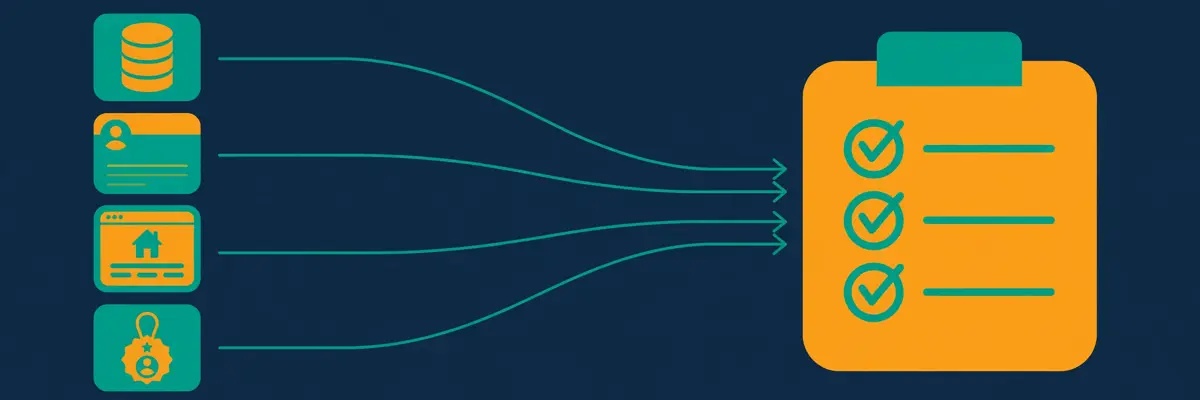
How to build a cold email list: the six sourcing methods compared
| Method | How it works | Cost | Speed | Best for |
|---|---|---|---|---|
| B2B database | Search by filters, export a list | From $39/mo | Fast | Most beginners |
| Email finder | Find one address by name and domain | From $29/mo | Fast | Small, precise lists |
| Search people, find emails with an extension | Free to start | Medium | Research-rich lists | |
| Company websites | Visit sites, find team pages and contacts | Free | Slow | Tiny, hand-built lists |
| Events and webinars | Attendees, speakers and exhibitors | Varies | Slow | Warm, recent lists |
| Your own network | Customers, partners, referrals | Free | Slow | Your first 50 contacts |
Last checked: 16 November 2026. Prices are the cheapest paid plans in the tools section of this guide: Snov.io Starter from $39 a month and Skrapp Professional from $39 a month, both checked on their official pricing pages today. LinkedIn Sales Navigator is a paid add-on, so check the site for its current price. Features and pricing can change, so please check the provider’s site before you buy.
How to build a cold email list: B2B databases do the heavy lifting
Moreover, a B2B database is the fastest honest way to build a list, because it lets you search by the exact traits in your ICP: industry, company size, location, job title, technology used, and recent triggers such as hiring or funding. Apollo, with more than 240 million contacts, and Lemlist, with more than 650 million, are the two biggest databases in this guide. In sum, type in your filters, read the results, and export only the contacts that genuinely match. A database that returns ten thousand names is not doing you a favour. It is doing you a disservice, unless you filter it down to the few hundred that fit.
Video: The best way to build email lists by Cleverly | #1 B2B Lead Generation Agency on YouTube. This video is the creator’s property, embedded via YouTube for education. OutreachCompare is not affiliated with Cleverly | #1 B2B Lead Generation Agency and does not claim ownership of this video.
How to build a cold email list: finders, LinkedIn and your own network
In contrast, email finders suit a different job: finding the address of one specific person you already know you want to reach. As a result, Hunter finds an address from a name and a domain, and Skrapp finds one from a LinkedIn profile, and both verify it as they go. LinkedIn itself is the richest research source of all, because a profile tells you what a person cares about right now, and an extension turns that profile into an email address in one click. Your own network is the slowest source and the best one: a customer who introduces you, or a partner who shares a contact, hands you a name that already trusts you. Start there, and use the databases for scale.
Finally, the method to avoid is the one that looks easiest: buying a list. In sum, a bought list is a list of strangers who never asked to hear from you, full of old addresses, wrong job titles and spam traps. Furthermore, Mailchimp is opt-in only, and purchased lists, or mailing people who never opted in, risk suspension there and on other platforms too. Our guide to getting your first email addresses ranks buying a list at the bottom for exactly this reason. Build your list, one honest source at a time, and it will repay you in replies.
The list-building tools compared
Secondly, eight tools cover almost every list-building job in this guide, and they split into two groups. Furthermore, Apollo, Lemlist, Amplemarket, ZoomInfo and Cognism are databases and platforms: they hold the contacts and help you reach them. Hunter, Snov.io and Skrapp are finders and verifiers: they find one address at a time and check it before you send. Many senders use one of each, a database for volume and a finder for precision, and that pairing is the cheapest way to build a list that is both big enough and clean enough.
How to build a cold email list: the eight tools at a glance
| Tool | Database | What it does best | Price from | Free plan | Best for |
|---|---|---|---|---|---|
| Apollo | 240M+ contacts | Database plus sequences in one place | $49/user/mo | Yes, $0 | All-in-one list building |
| Hunter | Discover, no size stated | Precise finder plus verifier | $49/mo; $34 annual | Yes, 50 credits | Precise one-off finds |
| Snov.io | No size stated | Finder, verifier and CRM in one | $39/mo; $29.25 annual | Yes, 50 credits | Finder plus sending |
| Skrapp | LinkedIn and web, no database | LinkedIn finds, cheapest credit at scale | $39/mo; $29 annual | Yes, 50 credits | LinkedIn-first lists |
| Lemlist | 650M+ contacts | Database plus AI personalisation | $69/mo; $55 annual | No | Database plus writing |
| Amplemarket | 200M+ verified contacts | Verified data plus multichannel | $600/mo annual term | No | Verified data at scale |
| ZoomInfo | 500M+ contacts | Deepest data and intent signals | Quote only | Lite, 10 credits/mo | Enterprise data depth |
| Cognism | No size stated | Compliant European data | Quote only | No | EU-focused prospecting |
Last checked: 16 November 2026. Apollo has 240 million contacts and 30 million accounts from its own homepage, and Lemlist has 650 million contacts from lemlist.com, both official figures that win over the older numbers in the supplied profiles. ZoomInfo has 500 million contacts, 100 million companies and 300 million verified emails from its data page. Amplemarket has 200 million verified contacts from its vendor blog. Features and pricing can change, so please check the provider’s site before you buy.
How to build a cold email list: finder and verification features
| Tool | B2B database | Email finder | Domain search | LinkedIn tool | Built-in verification |
|---|---|---|---|---|---|
| Apollo | Yes, 240M+ | Yes | Yes | Chrome extension | Yes |
| Hunter | Yes, Discover | Yes | Yes | No | Yes, auto-verification |
| Snov.io | Yes | Yes | Yes | LinkedIn Prospect Finder | Yes, 7-tier |
| Skrapp | No | Yes | Yes, via company sites | Yes, Sales Navigator | Yes |
| Lemlist | Yes, 650M+ | Yes | Yes | Chrome extension | Yes |
| Amplemarket | Yes, 200M+ | Yes | Yes | Yes | Yes |
| ZoomInfo | Yes, 500M+ | Yes | Yes | Yes | Yes |
| Cognism | Yes | Yes | Yes | Yes | Yes |
Last checked: 16 November 2026. A tick means the feature is stated on the provider’s official site. Skrapp has no database of its own: it finds emails from LinkedIn and company websites, which is why its database cell reads No. Hunter has a browser extension for websites, not a LinkedIn tool. Features and pricing can change, so please check the provider’s site before you buy.
How to build a cold email list: enrichment, phones, intent and sending
| Tool | Enrichment | Phone numbers | Intent signals | Sequences | CRM sync |
|---|---|---|---|---|---|
| Apollo | Yes, waterfall | Yes | Yes | Yes | Yes, HubSpot and Salesforce |
| Hunter | Yes, lead enrichment | No | No | Yes | Yes |
| Snov.io | Yes, tokens | Yes | No | Yes | Yes, HubSpot and Pipedrive |
| Skrapp | Yes, AI Enrichment | No | No | No | Yes, List CRM Sync |
| Lemlist | Yes, 14+ providers | Yes, phone finder | Yes, Intent Signal Agents | Yes | Yes, HubSpot and Salesforce |
| Amplemarket | Yes | Yes | Yes, job-change alerts | Yes | Yes |
| ZoomInfo | Yes | Yes, 135M+ direct dials | Yes, 4,500+ topics | Yes, Engage | Yes |
| Cognism | Yes | Yes | Yes | No | Yes |
Last checked: 16 November 2026. A tick means the feature is stated on the provider’s official site, and a No means it is not confirmed there, not that the tool is worse. Skrapp is a finder, not a sender, so it has no sequences and no phone finder. Features and pricing can change, so please check the provider’s site before you buy.
How to build a cold email list: what a find actually costs
Moreover, the price on the pricing page is not the price of a find, because every tool counts credits differently. Likewise, Hunter charges one credit for each email found and half a credit for each verification. Specifically, Snov.io charges one credit for a prospect, an email or a verification. Skrapp charges only for deliverable emails, so an invalid result costs nothing. Apollo charges credits for emails, phone numbers, warmup and AI research, and its credits do not roll over. The table below turns those rules into one honest number: the cheapest monthly cost of finding 1,000 or 5,000 emails.
| Tool | Cost of 1,000 finds | Cost of 5,000 finds | Cheapest credit |
|---|---|---|---|
| Snov.io | $39 | $99 | $0.015, Pro S annual |
| Skrapp | $39 | $99* | $0.007, Enterprise |
| Hunter | $49 | $149 | $0.008, Scale annual |
| Apollo | $49 | $279** | Check the site |
| Lemlist | $89 | ~$129*** | Check the site |
| Amplemarket | Quote only | Quote only | Check the site |
| ZoomInfo | Quote only | Quote only | Check the site |
| Cognism | Quote only | Quote only | Check the site |
Last checked: 16 November 2026. Monthly billing is used throughout, so the annual-billed figures are lower: Snov.io Starter is $29.25 a month on annual billing, Skrapp Professional is $29, and Hunter Starter is $34. *Skrapp at 5,000 finds is Professional plus top-up credits, as worked out in our Hunter vs Snov.io vs Skrapp comparison; the standalone Professional plan covers 2,000 credits a month. **Apollo at 5,000 finds is Professional plus top-up credits at a reported $0.20 each, a reported figure, not a vendor list price. ***Lemlist at 5,000 finds is our arithmetic, labelled as such: Email at $69 plus the $20 data add-on, scaled to the volume. Features and pricing can change, so please check the provider’s site before you buy.
How to build a cold email list: read accuracy claims with care
In contrast to the neat prices above, accuracy claims deserve a careful read. Specifically, vendors publish proud numbers: Skrapp claims 97% accuracy, Snov.io claims 98% or better on verification, and Amplemarket claims a bounce rate under 3% with 96.5% phone accuracy. Likewise, independent benchmarks tell a flatter story: Anymail Finder in September 2025 and Tomba in February 2026, both testing 5,000 searches, found Skrapp at 42.8%, Hunter at 37.6% and Snov.io at 20.1%. Those benchmarks were vendor-run and directional, and no neutral audit exists, so neither side is the final word. What the gap does prove is that no finder is as accurate as its marketing page suggests, which is why the next section, verification, is not optional.
Finally, the cheapest credit is not always the cheapest list. Skrapp Enterprise works out at about $0.007 per find on monthly billing, the cheapest credit in this guide, yet its plan costs $349 a month, so it only makes sense when you genuinely need 50,000 credits. Meanwhile, Hunter Scale works out near $0.008 a credit on annual billing, yet its plan costs $209 a month. For a first list of 50 to 200 contacts, the free plans from Hunter, Snov.io, Skrapp and Apollo cover the whole job for $0, and that is where most beginners should start.
Verify before you send
Secondly, verification is the step that separates a working list from a damaging one. Every email address on your list should be checked before your first campaign, because every bounce hurts your sender reputation, and a bounce rate above 2% tells mailbox providers that you email strangers without checking. However, aim for under 2% on every send, and treat anything above 3% as a warning to stop and fix the list. Spam complaints matter even more: aim under 0.1%, and never let them reach 0.3%, because that level risks your domain itself.
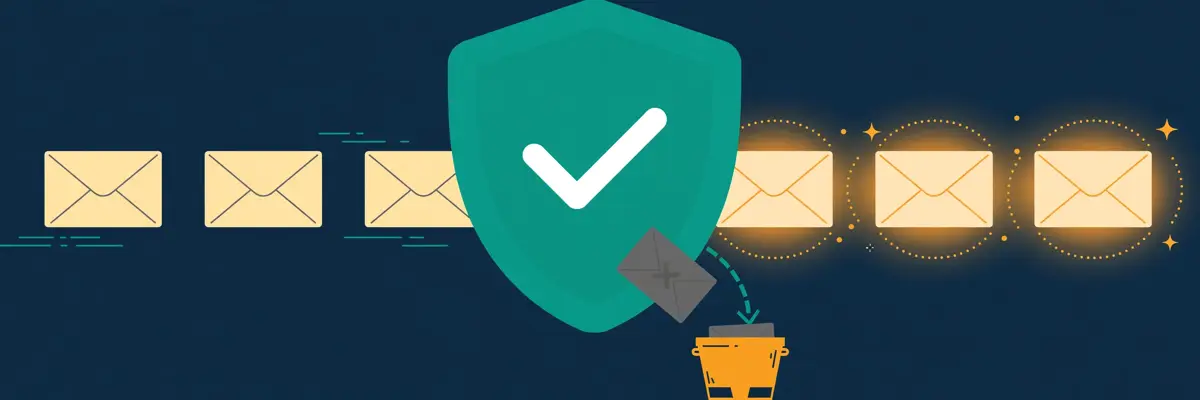
How to build a cold email list: the five verification checks
| Check | What it does | Why it matters |
|---|---|---|
| Syntax check | Catches typos and bad formats | Stops the obvious errors first |
| Domain and MX check | Confirms the domain can receive mail | Removes dead companies fast |
| SMTP ping | Asks the server if the mailbox exists | The strongest single check |
| Catch-all detection | Flags domains that accept anything | Catch-alls bounce later, not now |
| Disposable and role check | Flags temp addresses and role accounts | Protects your complaint rate |
Last checked: 16 November 2026. Snov.io runs a 7-tier verification and claims 98% or better accuracy, Hunter auto-verifies on every find and charges half a credit per verification, and Skrapp charges only for deliverable emails, so an invalid result costs nothing. The bounce and complaint targets match our Deliverability Guide. Features and pricing can change, so please check the provider’s site before you buy.
How to build a cold email list: what catch-all really means
Moreover, catch-all addresses deserve a paragraph of their own, because they are the quietest source of bounces. A catch-all domain accepts mail to any address, even one that does not exist, so a verification check returns a pass and the email still bounces later, or vanishes silently. Hunter, Snov.io and Skrapp all flag catch-alls, and the right move is to treat them as risky: send to a catch-all only when the person matters and the rest of the list is clean, and never build a whole campaign from catch-alls. A list that is 10% catch-all is a list that will bounce more than it should, whatever the verifier said.
Thirdly, verification is not a one-time job. B2B contact data decays at roughly 2.1% a month, according to HubSpot’s database decay simulation, which compounds to about 22.5% over a year, because people change jobs, companies close, and domains lapse. Therefore, a list that was clean in January will have dead addresses by June. Re-verify every 60 to 90 days, and re-verify the whole list before any campaign after a long gap. Our Best Email Verification Tools guide compares the dedicated verifiers, and our verification tools compared guide puts them head to head.
How to build a cold email list: enrichment fields that matter
In contrast, enrichment is the job of adding the facts that make an email personal, and it matters as much as verification. A bare email address tells you nothing about the person, while an enriched record tells you their job title, company size, industry, location, technology stack, LinkedIn address and recent trigger. Overall, those are the fields that let you write a first line that proves you researched them. Apollo enriches through a waterfall of providers, Lemlist through 14 or more providers plus AI agents, Snov.io through enrichment tokens, and Skrapp through AI Enrichment on its Professional plan. Collect the fields that change your message, and skip the fields that only fill a spreadsheet.
Finally, keep enrichment honest. An enriched field is only useful when it is true, and enrichment data goes stale just like email addresses do. Check the job title against LinkedIn before you use it in a first line, because an email that congratulates someone on a job they left six months ago tells them you never looked. One true detail beats five stale ones, and the reader can tell the difference in seconds.
Segment the list so every email feels personal
Secondly, segmentation means splitting one big list into smaller groups that share something real, so each group gets an email written for them, not for everyone. Meanwhile, a list of 200 operations managers in professional services is one segment. A list of 200 people split by role, company size, industry and trigger is four or five segments, and each one replies better, because the email can name their exact problem. Segmentation is the cheapest reply-rate improvement in cold email, because it costs nothing and changes everything about the message.
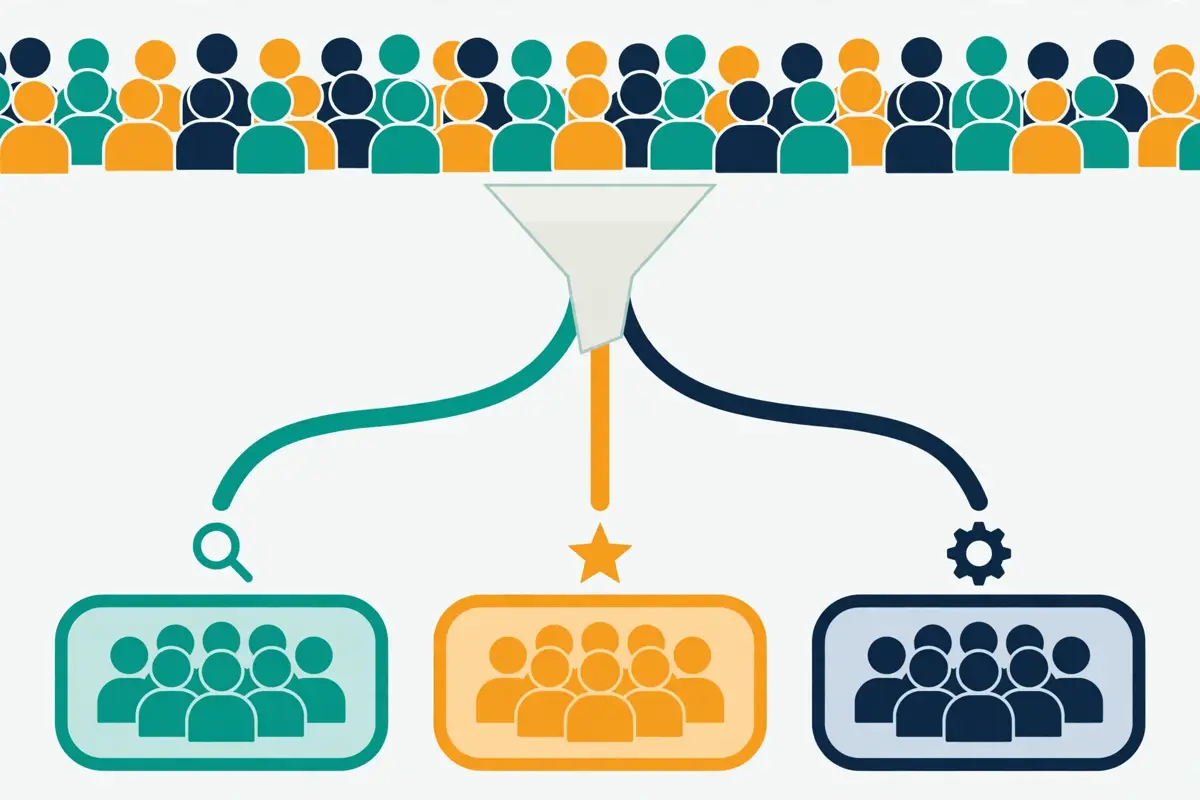
How to build a cold email list: the segments that work first
| Segment by | Example groups | What changes in the email |
|---|---|---|
| Job role | Operations, finance, sales | The problem you name |
| Company size | 11 to 50, 51 to 200, 200 plus | The result you promise |
| Industry | Legal, accountancy, SaaS | The proof point you use |
| Trigger | Hiring, new office, funding | Your first line |
| Geography | UK, Ireland, Europe | Your language and examples |
| Technology | Uses HubSpot, uses Salesforce | Your integration angle |
Last checked: 16 November 2026. Apollo, Lemlist and ZoomInfo all filter by firmographic, technographic and intent data, and Amplemarket adds job-change alerts as a trigger segment. The segmentation approach follows our Lead Generation and List Building Guide. Features and pricing can change, so please check the provider’s site before you buy.
How to build a cold email list: start with two segments, not ten
Moreover, beginners should start with two or three segments, not ten. However, a segment of 50 people who share a role and an industry is big enough to test and small enough to write for by hand. Ten segments of 20 people each means ten emails to write, ten tests to run, and no result you can trust, because each group is too small to read. Grow the number of segments as the list grows, and let the replies tell you which segments deserve more attention. A segment that replies at 5% deserves twice the effort of one that replies at 1%.
Thirdly, the trigger segment is the one most beginners skip, and it is the one that earns the most replies. A company that is hiring, that just opened an office, that just raised funding, or that just changed a key hire is a company with a problem right now, and an email that names that trigger reads like it arrived at the right moment. Apollo, Lemlist and ZoomInfo all surface intent and trigger signals, and Amplemarket sends job-change alerts, so the data is there if you look for it. Build one trigger segment in your first list, even a small one, and watch how it replies compared with the rest.
How to build a cold email list: keep segments in separate sheets
Finally, a practical note: keep each segment in its own sheet or list inside your tool, with the segment name, the date it was built, and the date it was last verified written at the top. Therefore, a segment that lives inside a mixed list will be mixed again the next time someone exports it, and the whole point of segmentation is lost. Apollo, Snov.io and Skrapp all keep lists separate by design, so use that feature instead of one giant spreadsheet. A tidy list is a list you can trust, and a list you can trust is a list you can scale.
List hygiene: the monthly habit that protects your domain
Secondly, list hygiene is the regular cleaning of your list, and it is the habit that protects your sender reputation more than any tool or template. In contrast, a list left alone goes stale: people leave, companies close, addresses die, and every dead address you email is a bounce that mailbox providers count against you. Consequently, hygiene is not exciting work, yet it is the difference between a domain that lands in the inbox and a domain that lands in spam.
How to build a cold email list: the hygiene checklist
Firstly, remove hard bounces the moment they happen, and never email them again. Overall, a hard bounce means the address does not exist, and emailing it twice tells providers you do not clean your lists. Secondly, suppress every unsubscribe and every complaint immediately, and keep a single suppression list that every campaign checks before sending. Thirdly, remove role accounts such as info@, support@ and sales@ from cold campaigns, because they are rarely read by a decision maker and they complain more often. Fourthly, re-verify the whole list every 60 to 90 days, because data decays at roughly 2.1% a month. Fifthly, delete contacts who never engaged after six months of sends, because a silent address is a stale address.
Thirdly, watch the numbers that tell you hygiene is slipping. Consequently, a bounce rate creeping toward 2% means the list needs a clean. In contrast, a spam complaint rate above 0.1% means the targeting needs a look, not just the list. An open rate that falls month after month, even allowing for Apple Mail Privacy Protection inflating opens, means the list is ageing and the segments need refreshing. Each number points at a different fix, and the fix is always cheaper than the damage of ignoring it. Our Deliverability Guide explains the full sending setup that hygiene protects, from a separate sending domain to warmup.
How to build a cold email list: one suppression list, everywhere
Moreover, the single most useful hygiene habit is one shared suppression list. Every unsubscribe, every complaint, every hard bounce and every “never contact us again” reply goes on it, and every campaign, in every tool, checks it before sending. Snov.io keeps shared do-not-email lists for teams, and most sending tools keep their own suppression lists, so the job is keeping them in sync rather than keeping them at all. A prospect who asked to be left alone and then hears from you again is not just a lost sale. It is a complaint waiting to happen, and a complaint is the most expensive reply in cold email.
Finally, hygiene is also a legal habit, not just a technical one. For instance, keeping a clean suppression list, honouring opt-outs immediately, and deleting data you no longer need are the same duties that data protection law expects, and they are the duties that keep you on the right side of it. Our guide to whether cold email is legal covers the full checklist in plain language, including GDPR and the rules that differ by country. Clean lists and legal lists are the same list.
What not to do (and what to do instead)
Secondly, the mistakes below cost senders more replies than any tool ever gains them, and most of them are easy to avoid once you know them. Each one has a simple fix beside it, so you can check your own list against the table and correct course in an afternoon.
How to build a cold email list: seven mistakes and their fixes
| Mistake | What goes wrong | Do this instead |
|---|---|---|
| Buying a list | Stale addresses, spam traps, complaints | Build it from a database and finders |
| Skipping verification | Bounces above 2%, domain damage | Verify every address before sending |
| No ICP | Wrong people, no replies | Write the five ICP questions first |
| Ten contacts per company | Looks like a blast, replies like one | One or two contacts per company |
| Emailing role accounts | Unread, complained about, wasted | Find the named decision maker |
| Ignoring opt-outs | Complaints, legal risk, lost trust | One shared suppression list |
| Never cleaning the list | Data decays 2.1% a month | Re-verify every 60 to 90 days |
Last checked: 16 November 2026. The bought-list warning follows our guide to getting your first email addresses, and the 2.1% monthly decay figure comes from HubSpot’s database decay simulation. Mailchimp is opt-in only, and purchased lists, or mailing people who never opted in, risk suspension. Features and pricing can change, so please check the provider’s site before you buy.
How to build a cold email list: scraping without a consent check
Moreover, scraping deserves its own warning, because it sits in a grey area that beginners walk into without noticing. Copying email addresses from a website is not the same as having permission to email them, and the rules differ by country, by the source of the address, and by whether the address is a business address used for business purposes. For instance, our legal guide covers the checklist, and the short version is reassuring: cold email is normal, widely used business practice, and you are in the right place to learn to do it well. Send to business addresses where you have a legitimate reason, identify yourself honestly, give a clear opt-out, and stop when asked.
Thirdly, the mistake that wastes the most time is not a bad list but a big, unsegmented one. A list of 5,000 mixed contacts, emailed with one message, will reply worse than a list of 200 segmented contacts emailed with five messages, and it will cost more in credits, bounces and complaints to learn that lesson. In other words, start small, segment early, and let the replies tell you where to grow. A list that grows from replies is a list that works.
How to build a cold email list: the one-sentence test
Finally, run this test on your list before every campaign: can you describe, in one sentence, who is on it and why they would care? If the sentence is clear, the list is ready. If the sentence is vague, the list is not, and no tool will fix it. “Operations managers at UK professional services firms of 11 to 50 staff who are hiring” passes the test. “Businesses that might need us” does not. Write the sentence down, pin it above your desk, and build every list to match it.
Your step-by-step build plan: 50 to 200 contacts, then scale
Secondly, the plan below builds your first working list in about a week, without spending a penny until you know it works. In other words, it uses the free plans from Hunter, Snov.io, Skrapp and Apollo, which together cover 50 free credits each, and it ends with a first campaign to 25 to 30 people a day, which is the safe daily volume for a single mailbox. Follow it in order, and do not skip the verification step, because it is the step that protects everything after it.
How to build a cold email list: the seven-day plan
| Day | Job | Done when |
|---|---|---|
| Day 1 | Write the ICP | Five questions answered, one exclusion set |
| Day 2 | List your best customers | Three customers, shared traits noted |
| Day 3 | Source 50 to 200 contacts | Every contact matches the ICP |
| Day 4 | Verify and enrich | Every address checked, fields filled |
| Day 5 | Segment into two or three groups | Each group shares a role or trigger |
| Day 6 | Write one email per segment | 60 to 120 words, one problem, one ask |
| Day 7 | Send to 25 to 30 a day | Bounce under 2%, replies tracked |
Last checked: 16 November 2026. The 50 to 200 starting size, the 25 to 30 daily sends per mailbox, and the 60 to 120 word first email all match our guide to writing cold emails and our Deliverability Guide. Features and pricing can change, so please check the provider’s site before you buy.
Video: Emailchaser Tutorial (2026): The Best Instantly Alternative for Cold Email by Software Scope on YouTube. This video is the creator’s property, embedded via YouTube for education. OutreachCompare is not affiliated with Software Scope and does not claim ownership of this video.
How to build a cold email list: week two, measure and grow
Moreover, week two is when the list starts teaching you. Nevertheless, note the positive reply rate for each segment after seven days, and compare them: the segment at 5% deserves more contacts like it, and the segment at 0% deserves a new message or a new audience. Add 50 fresh contacts a week, verify them the same way, and keep the daily sends at 25 to 30 per mailbox until the domain has been warm for two to four weeks. Growth that respects those limits is growth that lasts.
Thirdly, the moment to spend money is the moment the free plans run out, not before. When Hunter, Snov.io or Skrapp have given you their 50 free credits and the replies prove the list works, the cheapest next step is Snov.io Starter or Skrapp Professional at $39 a month, which each cover 1,000 or 2,000 finds. When the list passes 5,000 finds a month, Snov.io Pro S or Skrapp plus top-ups at $99 is the cheapest honest step. Spending before the replies arrive is how senders end up with an expensive tool and an unproven list.
How to build a cold email list: when to add a second tool
Finally, add a second tool when one tool cannot do the next job, not when a new tool looks exciting. Nonetheless, a finder plus a database is the classic pairing: Skrapp or Hunter for precise LinkedIn finds, Apollo or Lemlist for volume and sequences. A verifier joins when the bounce rate creeps up, and an enrichment tool joins when the first lines start sounding generic. Each tool should earn its place by fixing a problem you can name, and the problem should be visible in your numbers before you pay to fix it.
Which sourcing method fits your budget and volume
Secondly, the right sourcing method depends on how many contacts you need and how much you can spend, and the honest answer is different for a founder building a first list and an agency building its tenth. The framework below matches the method to the situation, so you spend your money where it earns replies instead of spending it where it only earns activity.
How to build a cold email list: the decision table
| Your situation | Best method | Tool to start with |
|---|---|---|
| First list, no budget | Your network plus free finders | Hunter Free $0, or Apollo Free $0 |
| 50 to 200 contacts, tiny budget | Finder plus LinkedIn research | Skrapp Free $0, then Pro $39/mo |
| 200 to 1,000 a month, small budget | B2B database with filters | Snov.io Starter $39/mo, or Apollo Basic $49/mo |
| 1,000 to 5,000 a month, growing team | Database plus finder pairing | Apollo Professional $99/mo, plus Skrapp Pro $39/mo |
| Over 5,000 a month, agency or sales team | Verified data plus multichannel | Lemlist Email $69/mo, or Amplemarket from $600/mo |
| Enterprise volume, EU focus | Deep data with intent signals | ZoomInfo or Cognism, both quote only |
Last checked: 16 November 2026. Prices above come from the official sites named in the tools section of this guide. Hunter, Snov.io, Skrapp and Apollo all offer free plans at $0, and the cheapest paid step is Snov.io Starter or Skrapp Professional at $39 a month. ZoomInfo and Cognism are quote only, so their rows state that plainly. Features and pricing can change, so please check the provider’s site before you buy.
How to build a cold email list: start free, prove it, then pay
Moreover, the pattern in the table is deliberate: start free, prove the list works by hand, and only then add paid tools. Instead, a founder who builds 50 contacts by hand and gets two replies has a working list. That list can then be grown with a database, tested with segments, and scaled with sequences. A founder who starts with an enterprise database and a bought list has no idea whether the list, the message or the tool is the problem, and will spend months guessing. The journey is always the same: ICP, then a small list of 50 to 200, then verification, then segments, then the first short email, then measurement, then scale.
Thirdly, money is a real limit for most senders, and the table is built around that. A free plan that finds 50 verified contacts beats an expensive database that finds 5,000 unverified ones, because the reply rate is what pays, not the tool. Nevertheless, our Best Cold Email Tools for Startups guide ranks the cheapest honest starting points, and our Best B2B Data Providers guide covers the database end of the same decision. Pick the guide that matches where you are, and put the money you save towards a cleaner list.
Frequently asked questions
How to build a cold email list: how many contacts should I start with?
Firstly, start with 50 to 200 contacts who match your ideal customer profile. In fact, that size is small enough to research by hand and verify properly, and large enough to learn from the replies. A list of 50 well-researched contacts will outperform a bought list of 5,000 strangers every time, because every person on it was chosen for a reason.
How to build a cold email list: should I buy an email list?
Secondly, no. For example, a bought list is a list of strangers who never asked to hear from you, full of old addresses, wrong job titles and spam traps. Nonetheless, Mailchimp is opt-in only, and purchased lists, or mailing people who never opted in, risk suspension. Build your list from a B2B database, an email finder, LinkedIn and your own network instead.
How to build a cold email list: do I need to verify every email?
Thirdly, yes. Verify every address before your first campaign, and re-verify the whole list every 60 to 90 days, because B2B data decays at roughly 2.1% a month. Instead, keep your bounce rate under 2% and your spam complaints under 0.1%, and never let complaints reach 0.3%. A verified list is what keeps your domain out of spam.
How to build a cold email list: what is the cheapest way to start?
Moreover, the cheapest honest start is $0. In addition, Hunter, Snov.io, Skrapp and Apollo all offer free plans, with 50 free credits each on the finders, and that covers a first list of 50 to 200 contacts. When the free credits run out, Snov.io Starter and Skrapp Professional both cost $39 a month, the cheapest paid step in this guide.
How to build a cold email list: how often should I clean my list?
In contrast to a one-time clean, list hygiene is a monthly habit. Similarly, remove hard bounces immediately, suppress unsubscribes and complaints on one shared list, remove role accounts from cold campaigns, and re-verify everything every 60 to 90 days. Delete contacts who never engaged after six months of sends, because a silent address is a stale address.
How to build a cold email list: is cold email legal?
Finally, yes, when it is done properly. As a result, cold email is an everyday, widely used way for businesses to reach each other, and this guide shows you how to do it properly. Send to business addresses where you have a legitimate reason, identify yourself and your company honestly, give the reader a clear way to opt out, and stop immediately when they ask you to. Our guide to whether cold email is legal covers the full checklist, including GDPR, in plain language.
The verdict on building a cold email list
Our verdict
Best for most senders: start with your ideal customer, build 50 to 200 contacts by hand, and verify every address before you send. A small, clean, segmented list will beat a big, bought, unverified one in every test that matters. For all-in-one list building, Apollo leads, with a 240 million contact database plus sequences from $49 a user a month, and a free plan at $0. Hunter leads on precise finds, with its finder and verifier from $49 a month, or $34 on annual billing. Skrapp leads on the cheapest credit at scale, at about $0.007 a find on its Enterprise plan, with Professional at $39 a month for everyone else. We have not hands-on tested these tools, so this guide gives Best-for labels only and no numeric score, and that is stated plainly.
Start this week with your ideal customer profile and fifty contacts who match it. Firstly, use a free plan, verify every address, split the list into two segments, and send 25 to 30 emails a day. Note the positive reply rate after seven days. If it works, add fifty more. If it does not, change one thing and test again. Building a cold email list is a craft you improve by sourcing, verifying and measuring, and the first fifty contacts teach you more than any guide can.
Keep reading
- Best for beginners: Cold Email for Beginners — the complete starting guide, from foundations to your first campaign.
- Best for first addresses: How to Get Your First Email Addresses — the safest ways to build a list, in order.
- Best for the legal checklist: Is Cold Email Legal? — the simple checklist, in plain language.
- Best for list building in depth: Lead Generation and List Building Guide 2026 — the full guide to lead generation and list building.
- Best for email finders: Email Finders Guide — how email finders work, and which one fits you.
- Best for data providers: Best B2B Data Providers 2026 — the databases behind the lists in this guide.
- Best for verification: Best Email Verification Tools 2026 — the verifiers that keep your bounce rate under 2%.
- Best for verification compared: Best Email Verification Tools Compared — the verifiers head to head.
- Best for Hunter vs Snov.io: Hunter vs Snov.io — the two finders compared.
- Best for Hunter vs Snov.io vs Skrapp: Hunter vs Snov.io vs Skrapp — the three finders head to head, with cost per find.
- Best for Apollo vs ZoomInfo vs Cognism: Apollo vs ZoomInfo vs Cognism — the three databases compared.
- Best for writing the email: How to Write Cold Emails That Get Replies 2026 — subject lines, first lines, templates and AI tools.
- Best for deliverability: Deliverability Guide 2026 — the benchmarks and sending limits behind this guide.
- Best for Apollo: Apollo Review 2026 — the 240 million contact database plus sequences from a free plan.
- Best for Hunter: Hunter Review 2026 — the finder and verifier from $49 a month.
- Best for Snov.io: Snov.io Review 2026 — finder, verifier and CRM from $39 a month.
- Best for Skrapp.io: Skrapp.io Review 2026 — LinkedIn finds from $39 a month, credits roll over.
- Best for Lemlist: Lemlist Review 2026 — AI icebreakers and the 650 million contact database.
- Best for Amplemarket: Amplemarket Review 2026 — verified data from $600 a month on an annual term.
- Best for ZoomInfo: ZoomInfo Engage Review 2026 — the deepest data, quote only.
Leave a Reply