
Building a verified B2B lead list, explained in plain language
Lead generation list building is the work of turning a clear picture of your ideal buyer into a verified list of named people, each with a working email, a company, and a reason to hear from you. This lead generation list building guide covers the whole system: the ideal customer profile, the six places leads come from, enrichment, verification, segmentation, hygiene, and the nine tools that do the job.
Visit Apollo →Explore Snov.io →See Hunter →Prices checked 16 November 2026 on the official sites of all nine providers. Features and pricing can change, so please check the provider’s site before you buy.
Quick Answer
Lead generation list building works best as a pipeline, not a purchase. Define the ideal customer first, then source names from a database or LinkedIn, verify every email before it enters the sending list, enrich each record with the details that make a personal email possible, and segment before sending. For example, Apollo is the best starting point for database-first list building, with 240 million contacts and a free plan covering 75 credits a month.
Snov.io is the best all-round list builder for a small team, with finding, verification, LinkedIn prospecting and drip campaigns from $39 a month. In contrast, Hunter is the best tool for finding a whole team at one company, with domain search and verification from $49 a month. In sum, never send to a list that was never verified, because a list that bounces above 2% damages the domain that sends to it.
Contents
- What lead generation list building is — and what it is not
- Start with the ICP: the profile that decides everything
- Where leads come from: six sources, one list
- Sourcing methods compared, from manual to automated
- Enrichment: turning a name into a record worth emailing
- Verification: why finding without verifying wastes money
- Segmentation: one list, several messages
- List hygiene and refresh: lists decay, so plan for it
- Legality and GDPR: building lists without crossing a line
- Nine list-building tools at a glance
- Pricing head-to-head: nine tools, one honest table
- The 50 to 200 lead starter list, step by step
- Feature matrix: all nine tools side by side
- Pros and cons: the honest case for each approach
- A decision framework: budget, volume, channel and team size
- Frequently asked questions
- The verdict
Why this lead generation list building guide starts with the buyer, not the tool
Firstly, most guides to list building start with a tool ranking, and that order misleads the reader. In fact, the most important fact about a lead list is not which tool built it. It is whether the people on it match the buyer the business actually serves. A list of ten thousand names that fit nobody is worth less than a list of fifty names that fit perfectly. A guide that skips the buyer will help a reader buy the wrong tool with confidence.
Secondly, this lead generation list building guide does the honest job instead. In fact, it explains the full system in order: the ideal customer profile, the six places leads come from, the sourcing methods, enrichment, verification, segmentation, hygiene, and the law. Then it prices the nine leading tools at the same volumes, so the choice is made on facts. By the end, a reader will know how to build a verified list of fifty to two hundred leads, and which tool to build it with.
Finally, every price and feature in this lead generation list building guide was checked on the official sites on 16 November 2026. Where a vendor publishes no price, or where a figure comes from a reported contract rather than a list price, the guide says so. Start with the buyer when the goal is understanding, and jump to the pricing section when the budget is the constraint.
What lead generation list building is — and what it is not
In fact, lead generation list building is the process of creating a list of named people who fit a business, with a working way to reach each one. Each record holds a name, a company, a job title, a verified business email, and enough context to write a relevant message. The list is built for a purpose: a cold email campaign, a LinkedIn sequence, or a sales call. Without that purpose, a list is just a spreadsheet.
Moreover, list building is different from lead generation in one useful way. Lead generation is the whole funnel: attracting strangers, converting them, and handing them to sales. List building is the outbound half of that funnel: choosing the people to contact first, rather than waiting for them to arrive. In contrast, inbound leads arrive with their hand raised. Outbound leads are chosen, and the choosing is the skill this lead generation list building guide teaches.
Lead generation list building: a list is a pipeline, not a file
Firstly, a list is not a file that is bought once and used forever. It is a pipeline with six steps, and skipping any step makes the later steps worse. Define the ideal customer, source the names, verify the emails, enrich the records, segment the list, and then send. A team that works through the steps in order ends up with a smaller list, more replies, and a healthier domain than a team that blasts ten thousand addresses on day one.
Secondly, the pipeline also explains why bought lists fail. A bought list skips the first five steps and arrives at the sixth already stale. Nobody knows how accurate it is, nobody knows whether consent exists, and the tools that send to it will punish the sender for the bounces and complaints it brings. In contrast, a built list is fresh, targeted, and verified. That difference is worth paying for, and it is the whole point of this lead generation list building guide.
Lead generation list building: what a good list looks like
For example, a good list of two hundred leads has five qualities. Every person fits the ideal customer profile, so no slot is wasted on a company that could never buy. The email on each record is verified close to the send date, so bounces stay below 2%. A record also carries the details that make a personal email possible, such as the company, the title, and one recent signal. Segments get their own message, so a founder and a sales director never receive the same email. A source is attached to every record, so the team knows where each lead came from and can find more like it.
In sum, a list that has those five qualities will outperform a list ten times its size that has none of them. The rest of this lead generation list building guide shows how to build it, step by step, with the tools that do each step best.
Start with the ICP: the profile that decides everything
Secondly, the ideal customer profile, or ICP, is a written description of the company that buys best. It names the industry, the company size, the location, the revenue band, the technology the company uses, and the buying signals that mark a company as ready. It also names the people inside that company: the job titles, the seniority, and the role each one plays in the purchase. Everything in this lead generation list building guide flows from that description.
In fact, a team without a written ICP builds a list by feel, and a list built by feel always drifts. One week it holds software companies, the next week it holds agencies, and by the third week nobody can say who the list is for. A written ICP stops that drift. It turns list building from a daily argument into a repeatable search, because every filter in every tool maps back to a line in the profile.
Lead generation list building: firmographics, the company facts
Firstly, firmographics are the facts about a company: its industry, its size, its location, its revenue, and its growth stage. A team selling to software companies with 50 to 200 staff in the United Kingdom has a firmographic profile. Those facts are the easiest filters in any database, and they cut a database of hundreds of millions down to thousands in seconds. For example, Apollo filters by industry, employee count, and location, while Lemlist filters by firmographics and intent, and Amplemarket offers more than 30 base filters for narrowing an ideal customer profile.
Secondly, firmographics alone are not enough, because they describe companies, not buyers. A company of 100 staff has a founder, a sales director, and an operations manager, and each one needs a different email. Firmographics choose the companies. Job titles choose the people. Both halves belong in the profile, and both halves belong in the search.
Lead generation list building: technographics and buying signals
Moreover, technographics describe the technology a company already uses, and they are the sharpest filter in this lead generation list building guide. A team selling a tool that integrates with HubSpot should target companies that already run HubSpot. A team selling a Shopify app should target companies that already run Shopify. Technographic filters turn a broad industry into a narrow list of companies that already have the problem the product solves.
For example, buying signals are the events that mark a company as ready to hear from a seller. A funding round, a hiring spike, a new office, a job change, a website visit, and a technology change are all signals. Amplemarket calls them Duo Signals, and its platform watches for them in real time. Cognism adds Bombora intent data, which shows which companies are researching a topic right now. La Growth Machine tracks hiring posts and funding as triggers for its campaigns. A list built from signals is smaller than a list built from firmographics, and it replies far more often.
Lead generation list building: job titles and personas
Finally, job titles turn a company list into a people list. A persona groups several titles that share the same problem, such as sales leaders, revenue leaders, or operations managers. Apollo lets a searcher group titles into personas, so one search covers a founder, a head of sales, and a sales director at once. A list built from one title only will miss the second decision maker, and a list built from every title will waste credits on people who never decide. Two or three personas, written down before the search starts, is the right shape for a first list.
Where leads come from: six sources, one list
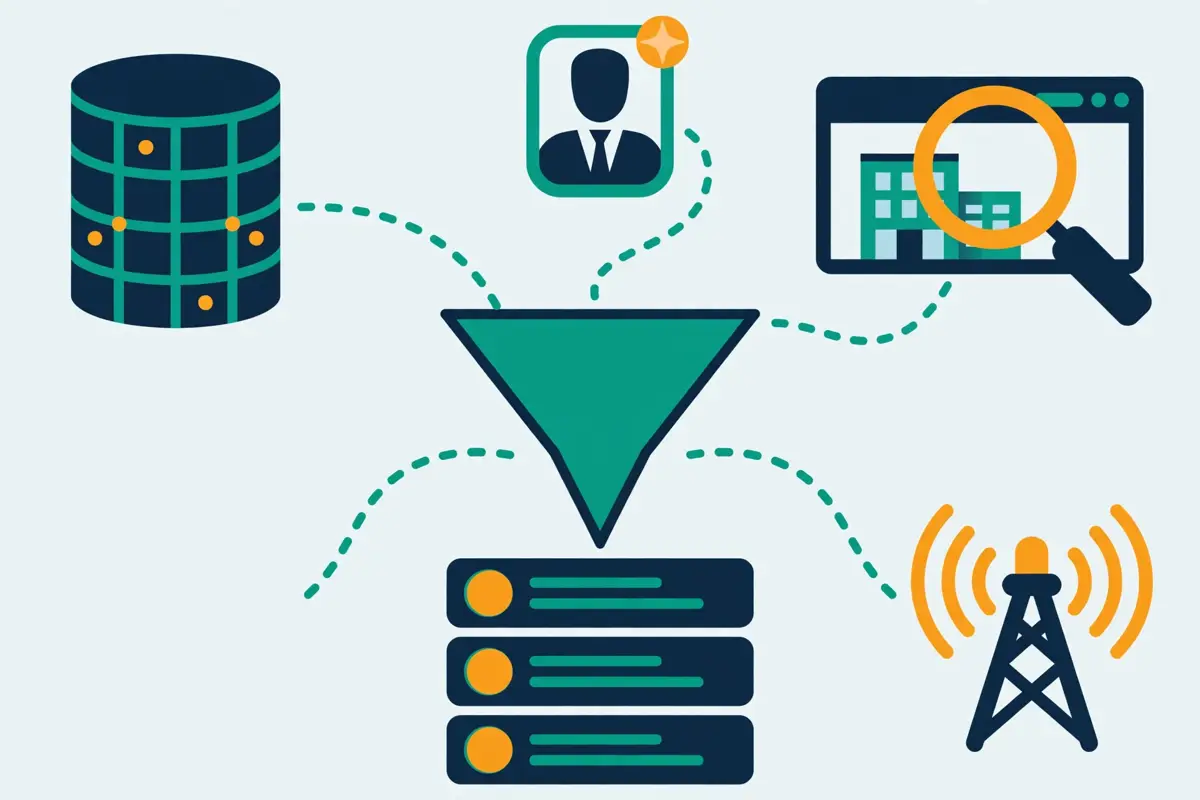
In fact, leads come from six sources, and the strongest lists mix at least three of them. A database gives scale. A finder gives precision. LinkedIn gives identity. Intent signals give timing. Website visitors give warm names. Events and inbound give people who already know the company. Each source has a strength, and each source has a cost, and the honest comparison puts all six side by side.
Lead generation list building: databases and finders
Firstly, a contact database is the fastest source of scale. Filter hundreds of millions of contacts by title, industry, size, and location, and the tool returns the matching people with their emails. Apollo holds 240 million contacts, Lemlist holds 650 million leads, ZoomInfo holds more than 500 million profiles, and Amplemarket holds more than 200 million contacts. A database is the best source when the goal is a list of hundreds of similar people, rather than one named individual.
Secondly, an email finder is the best source for a named person. Type in a name and a company domain, and the finder returns the email behind that person, usually verified. Hunter finds a whole team at one company through domain search, Skrapp.io finds the email behind a LinkedIn profile with one click, and Snov.io finds by name, domain, or social profile. Our Email Finders Guide explains the finder methods in full, and our Best B2B Data Providers guide explains the database side.
Lead generation list building: LinkedIn, intent and website visitors
Moreover, LinkedIn is the richest source of professional identities in the world, and the LinkedIn extension is the method that starts there. Open a profile, click the extension, and the tool returns the email behind the profile, usually by matching the name and company against the database. Skrapp, Snov.io, Apollo, Lemlist, and La Growth Machine all ship a Chrome extension for exactly this job. LinkedIn-first finding is the best method when the goal is a specific person, found on LinkedIn, rather than a whole company at once.
For example, intent signals and website visitors are the warmest sources in this lead generation list building guide. Intent data shows which companies are researching a topic, so the list holds buyers who are already looking. Website visitor identification, such as the tool Artisan calls Watchtower, names the companies that visited the site, so the list holds buyers who already found the company. Both sources are smaller than a database search, and both reply at far higher rates.
Lead generation list building: events and inbound
Finally, events and inbound are the slowest sources, and the most trusted. A conference badge, a webinar registration, and a lead magnet download all produce names with a reason attached, because the person chose to engage. A list built from events and inbound is small, and it converts best, because every name on it already knows the company. The mistake is treating those names as a finished list. They still need verification, enrichment, and segmentation, like every other source in this lead generation list building guide.
Sourcing methods compared, from manual to automated
Secondly, a list can be built five ways, and the honest comparison puts all five side by side. A reader who only compares tools will miss the free methods that work for a handful of leads, and the automated methods that work for thousands. In sum, the right choice depends on the volume, the budget, and the patience of the person doing the building.
In fact, the five ways split into two groups. The manual ways cost nothing but time: guessing the pattern and verifying it, searching company websites, and using Google search operators. The tool ways cost money but save time: a finder, a database subscription, and a LinkedIn extension. A solo founder building a list of fifty leads should start with the manual ways. A team building a list of a thousand leads a month should not.
Lead generation list building: manual methods that cost nothing but time
Firstly, the manual methods work well for a handful of leads, and they teach the reader how list building actually works. Guess the pattern from the company format, then check the guess with a free verifier. Check the company website, because Hunter’s analysis of roughly 905,000 company websites found that 18.7% of them mention at least one email address. Use Google search operators, such as the name plus the domain in quotes, to find addresses buried in PDFs, whitepapers, and speaker bios.
Secondly, the manual methods break down at volume. Ten leads take an hour, a hundred take a day, and a thousand take a week. The error rate rises too, because a tired person skips the checking step, and an unchecked guess bounces. In sum, manual finding is the best way to learn the craft, and the worst way to scale it. Our How to Get Your First Email Addresses guide walks through these methods one by one, from safest to riskiest.
Lead generation list building: finder tools, databases and LinkedIn extensions
Moreover, a finder tool is the fastest method by far. Enter a name and a domain, and the tool returns a checked address in seconds. A database subscription is the best method for building a list of hundreds, because it filters by title and industry instead of by name. A LinkedIn extension is the best method for a named person, because it starts from a profile the reader already opened. Each of the three costs money, and each saves hours.
In contrast, buying a list is the one method this lead generation list building guide does not recommend. A bought list arrives stale, its accuracy is unknown, its consent status is doubtful, and the tools that send to it will punish the sender for the bounces and complaints it brings. A finder returns fresh results for people you named. A bought list returns old results for strangers you never chose. That difference is worth paying for.
Video: How To Use Apollo.io in 2026 – Full Guide by Growthflare on YouTube. This video is the creator’s property, embedded via YouTube for education. OutreachCompare is not affiliated with Growthflare and does not claim ownership of this video.
Lead generation list building: the sourcing methods, side by side
| Method | How it works | Best for | Weakness |
|---|---|---|---|
| Database search | Filters hundreds of millions of contacts Title, industry, size, location | Lists of hundreds of similar people | Data ages; verify before sending |
| Email finder | Returns the email for a named person Domain search, pattern, or LinkedIn match | Named people, daily finding | One person at a time |
| LinkedIn extension | Finds the email behind a profile One click on LinkedIn | LinkedIn-first prospecting | Needs a LinkedIn search first |
| Intent signals | Flags companies researching a topic Funding, hiring, job changes, visits | Small lists that reply often | Small volumes, enterprise pricing |
| Manual methods | Pattern guessing, websites, Google search Free, time only | A handful of lookups a week | Slow, error-prone at volume |
| Buying a list | A static file of addresses Instant, thousands at once | Not recommended | Stale, bounces, complaints |
Last checked: 16 November 2026. The 18.7% website figure comes from Hunter’s study of roughly 905,000 company websites. Database sizes come from the official sites of Apollo, Lemlist, ZoomInfo and Amplemarket. Features and pricing can change, so please check the provider’s site before you buy.
Lead generation list building: reading the methods table
In sum, the methods table makes the trade-off plain. Free methods cost time, and paid methods cost money, and the crossover sits at roughly fifty leads a week. Below that volume, manual methods and free tiers are enough. Above it, a finder or a database pays for itself in saved hours. Buying a list looks cheap on both axes, and it is the most expensive route of all once bounces, complaints, and a damaged domain are counted.
Enrichment: turning a name into a record worth emailing
Firstly, enrichment is the step that fills in the gaps in a record. A name and an email are enough to send a message, yet they are not enough to make it relevant. Enrichment adds the company, the title, the industry, the technologies the company uses, the phone number, and one recent signal, such as a funding round or a hiring post. For example, a record that says “Sarah Chen, Acme Ltd” is a guess. A record that says “Sarah Chen, Head of Sales at Acme Ltd, 120 staff, runs HubSpot, hired three reps last month” is a conversation.
Secondly, enrichment matters because relevance decides replies. A generic email to a bare record reads like spam, because it is spam. A specific email to an enriched record reads like a message from someone who did the work, because it is. The list builder who enriches first writes better emails, sends fewer of them, and gets more replies. That is the whole return on enrichment, and it is why this lead generation list building guide treats it as a core step, not an extra.
Lead generation list building: waterfall enrichment, explained
Moreover, waterfall enrichment chains several data sources together. The tool tries the first source, and when that source has no result, it tries the next, and then the next, until one returns the missing field. Lemlist runs a waterfall across more than 14 providers, La Growth Machine runs one across 9 providers, and Apollo runs one across its own database and its partners. A waterfall costs more per result than a single source, because it pays each provider it tries, yet it fills more gaps than any single source can.
In fact, the waterfall is the right tool for hard-to-find contacts at scale. A single database may hold an email for 60% of a list, and a waterfall may lift that to 85%, because each provider covers different companies. The extra 25% is often the most valuable part of the list, because the easy contacts are the ones every competitor already emails. Our Best B2B Data Providers guide explains the database side of enrichment in full.
Lead generation list building: phone numbers and firmographics
For example, phone numbers are the most expensive field to enrich, because a verified mobile costs far more than an email. Apollo charges 8 credits for a mobile number, against 1 credit for an email. Cognism phone-verifies its Diamond Data mobiles through a research team, and that verification is the core of its price. Amplemarket holds more than 200 million real-time verified mobile numbers, and its Startup plan includes 600 phone credits per user per year. A team that calls as well as emails should price the phone field before choosing a tool.
Finally, firmographic enrichment fills in the company side of the record: the industry, the size, the location, the revenue, and the technology stack. Apollo, Lemlist, Cognism, and Amplemarket all enrich firmographics from their databases, and a waterfall finds the gaps that one source misses. Firmographics decide the segment a record lands in, so they decide the message it receives. Enrichment is what turns a list into a conversation, and a conversation into a reply.
Verification: why finding without verifying wastes money

Firstly, verification is the step that turns a found email into an email worth sending, and it is the step most beginners skip. A finder returns an address. A verifier checks whether that address exists, whether its mailbox accepts mail, whether its domain is a catch-all that accepts everything, and whether the address is a trap. In fact, the difference between a found list and a checked list is the difference between a campaign that lands and a campaign that bounces.
Secondly, the bounce target is simple: keep bounces under 2% of sends. Above 2%, mailbox providers start to distrust the sending domain, inbox placement falls, and the domain’s reputation needs weeks to recover. For example, a list of 5,000 found emails with a 10% bounce rate sends 500 bounces, which is enough to hurt a new domain seriously. A list of 5,000 checked emails with a 1% bounce rate sends 50 bounces, which is normal. The verifier is cheaper than the recovery.
Lead generation list building: what a verifier actually checks
Moreover, a good verifier runs several checks, not one. The syntax check catches typos and malformed addresses. The domain check confirms the domain exists and takes mail. The SMTP check opens a connection to the mail server and asks whether the mailbox exists, without sending anything. The catch-all check detects domains that accept every address, so a positive result there proves nothing. The spam-trap check flags addresses that exist only to catch senders who scrape lists or buy them. Snov.io runs seven checks in its verifier, and Hunter checks every result it returns automatically.
In contrast, a bad checking habit is worse than no checking at all, because it creates false confidence. Checking once and then sending six months later wastes the check, because people move jobs and domains close. Relying on a free tool that only checks syntax catches almost nothing. Adding new addresses to the list without checking them leaves the new arrivals as the riskiest part of the list. In sum, check every address, check it close to the send date, and check it again when the list gets old. Our Best Email Verification Tools guide compares the dedicated verifiers in detail.
Lead generation list building: vendor claims versus independent benchmarks
Firstly, accuracy is the section most guides get wrong, because they print the vendor claim and stop. In fact, every data vendor claims high accuracy, and no two claims mean the same thing. One vendor counts a verified result as accurate. Another counts a delivered email as accurate. A third counts a phone-verified mobile as accurate, and the reader assumes the email is equally good. This lead generation list building guide prints the vendor claims as vendor claims, the benchmarks as benchmarks, and the gap between them in plain language.
Secondly, the gap is wide. Skrapp.io claims 97% email verification accuracy. Snov.io claims 98% or higher. ZoomInfo claims 96% email deliverability and puts a 95% accuracy guarantee into its licence terms. Cognism claims 98% accuracy, yet that figure covers its Diamond-verified mobile numbers, not its whole database. Amplemarket claims a bounce rate below 3% and 96.5% phone accuracy on its vendor blog. Hunter and Apollo publish no headline accuracy percentage at all.
| Tool | Vendor claim | What the claim covers | Independent check |
|---|---|---|---|
| Hunter | No headline percentage Confidence score per result | Auto-verified results Sources shown for each address | 37.6% verified Across 5,000 searches |
| Snov.io | 98% or higher Verification accuracy | Seven-step verification SMTP check plus catch-all detection | 20.1% verified Across 5,000 searches |
| Skrapp.io | 97% verification accuracy Vendor claim | Valid or Catch-All results only Invalid results are free | 42.8% verified Across 5,000 searches |
| Apollo | No headline percentage Not published | Built-in verification Waterfall enrichment | Not measured in these benchmarks |
| Lemlist | No headline percentage Not published | Email finder and verifier 14-provider waterfall | Not measured in these benchmarks |
Lead generation list building: ZoomInfo, Cognism, Amplemarket and La Growth Machine accuracy
| Tool | Vendor claim | What the claim covers | Independent check |
|---|---|---|---|
| ZoomInfo | 96% email deliverability 95% accuracy in licence terms | Licensed contacts 30 days to fix, or terminate | Not measured in these benchmarks |
| Cognism | 98% accuracy Diamond mobiles only | Phone-verified mobile numbers Not the whole database | Not measured in these benchmarks |
| Amplemarket | Below 3% bounce 96.5% phone accuracy | Vendor blog figures 200M+ AI-verified contacts | Not measured in these benchmarks |
| La Growth Machine | No headline percentage Not published | Waterfall enrichment Credits only used when data is found | Not measured in these benchmarks |
Last checked: 16 November 2026. Vendor claims come from the official sites of Skrapp.io, Snov.io, ZoomInfo, Cognism and Amplemarket. The independent figures come from two vendor-run benchmarks: Anymail Finder in September 2025, and Tomba in February 2026, each measuring the share of found emails that verified across 5,000 searches. A Dropcontact benchmark updated in February 2026 sent real emails to 20,000 contacts across 15 tools, and found enrichment rates from under 32% to nearly 55%. No neutral independent audit of finder accuracy exists. Features and pricing can change, so please check the provider’s site before you buy.
Lead generation list building: why the benchmarks measure much lower rates
Moreover, the benchmarks measure something different from the vendor claims, and that difference explains most of the gap. For example, a vendor claim usually counts verification accuracy: of the addresses the tool returned and checked, how many were deliverable. A benchmark usually counts find-and-verify success: of the people searched for, how many produced a checked address at all. A tool can verify 98% of what it returns, yet return nothing for half the people searched, because those people were never in its database. Both numbers can be true at once.
Moreover, the benchmarks were run by vendors too, not by a neutral auditor. Anymail Finder and Tomba both sell finding tools, so their benchmarks play to their own strengths and their rivals’ weaknesses. That does not make the numbers worthless. It makes them directional. The fair reading is that real verified rates sit far below the headline claims, that Skrapp.io measured highest of the three tools tested, and that no buyer should trust any accuracy percentage without testing it on a list of their own.
Finally, the only accuracy test that matters is the one a buyer runs themselves. Take a hundred named people, run them through the free tier of two tools, verify every result, and count the verified addresses. That test costs nothing, it takes an afternoon, and it answers the question for the buyer’s own market, not for a benchmark’s sample. Our Hunter vs Snov.io vs Skrapp comparison covers the same gap in detail, with the same figures.
Lead generation list building: the cost of skipping verification
For example, take a team that finds 5,000 emails on Snov.io Pro S for $99 and sends to all of them without verifying. If 10% bounce, the team sends 500 bounces, damages its domain, and wastes the $99 as well as the sending cost. If the same team checks every address before sending, the bill stays at $99, because Snov.io charges a single credit whether it finds an address or checks one, and the campaign reaches the 4,500 addresses that pass instead of bouncing off 500. The verified send costs the same, reaches more real people, and keeps the domain safe. Hunter makes verification cheaper still, because a check costs half a credit there.
Segmentation: one list, several messages
Moreover, segmentation is the step that splits one list into groups that each get their own message. Split by industry, by company size, by title, by technology stack, and by the problem each group cares about. A founder and a sales director at the same company need different emails, even when they buy the same product. Two hundred unsegmented contacts will always underperform fifty segmented ones, because a relevant message beats a bigger list in every cold email test ever run.
Secondly, segmentation starts with the fields the list already holds. Industry and company size come from firmographics. Title and seniority come from the persona. Technology stack comes from technographics. Intent comes from buying signals. A list that was enriched properly segments itself, because the fields are already there. A list that was never enriched cannot be segmented at all, which is another reason enrichment comes before sending in this lead generation list building guide.
Lead generation list building: five segments every first list needs
Firstly, split by industry, because the same product solves a different problem in each industry. A tool that saves time means one thing to a software company and another to a logistics company, and the email should say so. Secondly, split by company size, because a founder at a ten-person company and a director at a five-hundred-person company buy in different ways. Thirdly, split by persona, because the person who feels the pain is rarely the person who signs the budget.
For example, split by technology stack when the product integrates with other tools. A company that already runs HubSpot should hear about the HubSpot integration first. A company that runs Salesforce should hear about that one instead. Finally, split by intent, because a company that just raised funding, hired a sales leader, or visited the pricing page is ready now, while a company with no signal needs a slower, educational message. Five segments, five messages, one list.
Lead generation list building: how many segments is too many
In fact, five segments is enough for a first list. Ten segments is too many, because each segment needs its own email, its own subject line, and its own follow-up, and a small team cannot write ten good sequences at once. One segment is too few, because one message cannot fit every buyer. Start with three segments, learn which one replies, and split the winner further. Segmentation is a habit, not a project, and it improves with every campaign.
List hygiene and refresh: lists decay, so plan for it
Secondly, lists decay. People change jobs, companies close, domains shut down, and inboxes go quiet. A list that was verified in January will bounce in July, because the people on it have moved on. The honest rule is simple: a list is a living record, not a file, and it needs regular cleaning. A team that cleans its list protects its domain, its reply rate, and its reputation.
Moreover, job changes are the biggest cause of decay. Amplemarket tracks job changes with alerts on 500, 1,000, or 2,000 contacts, depending on the plan, so a seller can follow a buyer to a new company. Cognism lets a revealed contact be reused for free until that person changes jobs, which is the same idea from the other side. A list without a job-change process quietly fills with people who no longer work where the list says they work.
Lead generation list building: a simple hygiene routine
Firstly, verify the list again before every campaign, and verify it close to the send date. A check from six months ago is a stale check. Secondly, delete every contact who bounces, every contact who opts out, and every contact who has not engaged after several campaigns. Thirdly, refresh the list each quarter: re-run the search, add the new companies that now fit the profile, and remove the companies that no longer fit. A quarterly refresh takes an afternoon, and it keeps the list honest.
For example, a team that sends to 5,000 contacts a month and never cleans its list will watch its bounce rate climb a little each month. At first it is 1%, then 2%, then 4%, and by then the domain is already hurt. A team that cleans quarterly will hold its bounce rate below 2% all year, because the stale records never get a chance to bounce. Hygiene is boring work, and it is the work that keeps the domain alive.
Lead generation list building: suppression lists and unsubscribes
Finally, keep a suppression list, and honour it immediately. Every opt-out, every bounce, and every complaint goes on it, and no campaign ever sends to it again. A suppression list is not a nice extra. It is the record that proves the team respects its recipients, and it is the first thing a regulator or a mailbox provider will ask about. Delete the data when it is no longer needed, and do not keep a list forever, because a list kept forever is a list that decays forever.
Legality and GDPR: building lists without crossing a line
Secondly, legality is the section that worries new readers most, and the reassuring news is that building a list of business contacts is normal, widely used B2B practice. Sales teams have built lists and contacted business addresses for decades, and the tools in this lead generation list building guide exist to do that job properly. The rules are real, and they are manageable, and a reader who follows three simple habits stays on the right side of them. This section is general guidance, not legal advice, and a team with a specific legal question should ask a lawyer first.
In fact, the key rule in Europe is legitimate interest. Under GDPR, a business may process a business contact’s data when it has a legitimate interest in doing so, when the contact would reasonably expect it, and when the contact’s privacy is not harmed. A relevant, professional email to a business address, about a product that fits the recipient’s role and with a clear way to opt out, is the classic example of legitimate interest. A bulk email to a personal address, about an unrelated product and with no opt-out, is not.
Lead generation list building: three habits that keep list building legal
Firstly, only collect business emails, and only for a relevant reason. For example, a work address at a company the reader wants to sell to counts as a business contact. A personal Gmail address scraped from a social profile is not, and collecting it crosses a line that no tool in this lead generation list building guide should cross. Secondly, give every recipient a clear way to opt out, and honour each opt-out immediately. A one-click unsubscribe and a suppression list that updates fast are not optional extras. Thirdly, keep the data clean: delete contacts who opt out, delete contacts who bounce, and never keep a list forever.
Moreover, the enterprise tools in this lead generation list building guide build compliance into the product. Cognism screens its phone database against do-not-call lists in 15 to 16 countries, stores its data inside the European Economic Area by default, and is registered as a data broker in California. ZoomInfo offers do-not-contact controls and a suppression list. Amplemarket lists GDPR, CCPA, and SOC 2 compliance on its pricing page. Those features are part of what the enterprise price buys, and they matter most to teams working across Europe.
Finally, the sending rules matter just as much as the building rules. A verified list sent through a warmed mailbox, at human volume and with a clear opt-out, is the safest way to run cold email. A bought list sent through a bulk ESP, at high volume and with no opt-out, is the riskiest route of all. Our Is Cold Email Legal? guide explains the full checklist, and our Cold Email for Beginners guide covers the sending side too.
Nine list-building tools at a glance
In fact, the nine tools split into three groups, and the split makes the choice much easier. For example, Hunter, Snov.io, and Skrapp.io are finder-first tools: finding and verifying is the whole product, with outreach added on. Moreover, Apollo, Lemlist, Amplemarket, and La Growth Machine are platforms: the list, the finder, and the sequencer sit in one login, so the email is found, verified, and sent from one place. In contrast, ZoomInfo and Cognism are enterprise databases: the deepest files in this lead generation list building guide, sold by quote only, for teams with a serious budget.
Lead generation list building: Apollo, Lemlist, Hunter, Snov.io and Skrapp.io at a glance
| Tool | What it is | Best for | Price | Visit |
|---|---|---|---|---|
| ApolloBest database-first list building | Database plus engagement platform 240M+ contacts, sequences, dialer, waterfall enrichment | Building lists of hundreds at once | From $49 a seat a month Basic, 2,500 credits | Visit Apollo → |
| LemlistBest multichannel list building | Outreach platform with a 650M+ database Email and phone finder, waterfall, LinkedIn, calls | Multichannel teams that find and send | From $69 a month Email plan, 50,000 emails | Visit Lemlist → |
| HunterBest domain search and verification | Finder-first, domain search specialist Domain Search, Email Finder, Verifier, Discover | Finding a whole team at one company | From $49 a month Starter, 2,000 credits | Visit Hunter → |
| Snov.ioBest all-round list builder for small teams | Finder plus outreach in one login Email Finder, Verifier, LinkedIn Finder, drip campaigns | Small teams that find and send | From $39 a month Starter, 1,000 credits | Visit Snov.io → |
| Skrapp.ioBest value per find, credits roll over | LinkedIn-first finder, email only Chrome extension, domain search, bulk finder | LinkedIn-first finding on a budget | From $39 a month Professional, 2,000 credits | Visit Skrapp → |
Lead generation list building: ZoomInfo, Cognism, Amplemarket and La Growth Machine at a glance
| Tool | What it is | Best for | Price | Visit |
|---|---|---|---|---|
| ZoomInfoBest for the largest B2B file | Enterprise go-to-market database 500M+ profiles, intent, org charts, Copilot AI | Enterprise teams that need the deepest file | Quote only Lite free, 10 credits a month | Get ZoomInfo Pricing → |
| CognismBest for European data and verified mobiles | EMEA sales intelligence platform Diamond Data mobiles, Bombora intent, DNC screening | European teams that call as well as email | Quote only Standard and Pro, 5 seats included | Get Cognism Pricing → |
| AmplemarketBest AI-led list building for growing teams | AI sales platform, 200M+ contacts Duo Copilot, signals, multichannel sequences, dialer | Growing teams that want AI to build the list | From $600 a month Startup, annual term, 2 users | Visit Amplemarket → |
| La Growth MachineBest multichannel list building from LinkedIn | Multichannel platform, 27M+ companies LinkedIn, email and calls, 9-provider waterfall | LinkedIn-first teams that send multichannel | From €60 a month Basic, per identity, 1,250 credits | Visit La Growth Machine → |
Last checked: 16 November 2026 on Apollo pricing, Lemlist pricing, Hunter pricing, Snov.io pricing, Skrapp pricing, ZoomInfo pricing, Cognism pricing, Amplemarket pricing and La Growth Machine pricing, plus our published reviews of Apollo, Lemlist, Hunter, Snov.io, Skrapp.io, Amplemarket and La Growth Machine. Features and pricing can change, so please check the provider’s site before you buy.
Lead generation list building: reading the at-a-glance table
Secondly, one pattern stands out from that table immediately. In fact, the three finder-first tools all start at $39 or $49 a month, and all three sell credits. Apollo starts at the same $49, yet it sells seats rather than just credits, because the database and the sequencer come with the finder. Moreover, ZoomInfo and Cognism publish no price at all, which is itself a signal: those two tools are sold to teams with a procurement process, not to a founder paying by card. Amplemarket starts at $600 a month on an annual term, which puts it between the platforms and the enterprise tools. La Growth Machine starts at €60 per identity a month, which puts it beside the platforms.
For example, a solo founder building a first list of two hundred leads should compare Hunter, Snov.io, and Skrapp.io, and should ask which credit rules fit best. For example, Hunter charges 1 credit per find and 0.5 per check. Snov.io charges 1 credit for either. Skrapp.io only charges for valid results, and its credits carry over. In contrast, a team building a list of a thousand similar buyers should compare Apollo, Lemlist, and Amplemarket, because the database, not the credit, decides that purchase.
Pricing head-to-head: nine tools, one honest table
However, pricing is where this lead generation list building guide earns its keep, because the nine tools charge in four different ways. For example, Hunter, Snov.io, and Skrapp.io charge by credits, with a monthly allowance that resets or rolls over. Moreover, Apollo and Lemlist charge by seat, with a credit pool attached to every seat. La Growth Machine charges per identity, with a credit pool attached to each identity. In contrast, ZoomInfo, Cognism, and Amplemarket charge by quote or by annual term, with a platform fee plus seats plus credits. The honest comparison shows the starting price, the free tier, and the credit rules together.
Firstly, each figure below comes from the official pricing pages as read on 16 November 2026, or from our published reviews of the same tools, checked the same day. All prices are in US dollars per month, unless the note says otherwise. Where a figure comes from a reported contract rather than a list price, the note says so plainly.
Lead generation list building: Apollo, Lemlist, Hunter, Snov.io and Skrapp.io pricing
| Tool | Free tier | Entry paid plan | Credits and rules | Visit |
|---|---|---|---|---|
| Apollo | $0 forever 75 credits a month | $49 a seat a month Basic, $65 billed monthly, 2,500 credits | 1 credit per email, 8 per mobile Credits expire, no rollover | Visit Apollo → |
| Lemlist | 14-day trial 200 free credits, no card | $69 a month Email plan, $55 billed yearly, 50,000 emails | Data costs credits Enrichment add-on $20 a month for 2,000 credits | Visit Lemlist → |
| Hunter | $0 forever 50 credits a month | $49 a month Starter, $34 billed yearly, 2,000 credits | 1 credit per find, 0.5 per verification Credits reset monthly, no rollover | Visit Hunter → |
| Snov.io | $0 forever Trial, 50 credits a month | $39 a month Starter, $29.25 billed yearly, 1,000 credits | 1 credit per find or verification Shared pool across Finder, Verifier and API | Visit Snov.io → |
| Skrapp.io | $0 forever 50 credits, one-time allotment | $39 a month Professional, $29 billed yearly, 2,000 credits | Only Valid or Catch-All results cost a credit Credits roll over, kept after cancellation | Visit Skrapp → |
Lead generation list building: ZoomInfo, Cognism, Amplemarket and La Growth Machine pricing
| Tool | Free tier | Entry paid plan | Credits and rules | Visit |
|---|---|---|---|---|
| ZoomInfo | $0 forever Lite, 10 credits a month, 25 on Community Edition | Quote only No published prices, annual contracts | 1 credit per export Reported entry about $14,995 a year for 3 seats | Get ZoomInfo Pricing → |
| Cognism | No free plan Demo only, talk to sales | Quote only Standard and Pro, 5 seats included | 1 credit per revealed contact Revealed contacts free to reuse until a job change | Get Cognism Pricing → |
| Amplemarket | No free plan Free trial on all plans | $600 a month Startup, annual term, 2 users, 27,000 contacts | 13,500 email credits per user per year 600 phone credits per user per year | Visit Amplemarket → |
| La Growth Machine | 14-day trial No card, 1 identity | €60 a month Basic, €50 billed yearly, per identity | 1,250 credits per identity a month Profile 1, email 5, phone 20, top-up €0.01 | Visit La Growth Machine → |
Last checked: 16 November 2026. Hunter, Snov.io, Skrapp.io, Apollo and Lemlist figures match our published reviews and were corroborated by multiple independent October and November 2026 checks of the official pricing pages. Amplemarket figures were read on the official pricing page today: Startup $600 a month on an annual term, Growth and Elite custom, 140,000 and 400,000 contacts, all plans include a free trial. La Growth Machine plan prices match our published review of 15 November 2026, and the credit rules and 14-day trial were re-confirmed in the live pricing-page FAQ today. ZoomInfo and Cognism publish no prices; the reported figures are labelled as reported, from Vendr procurement data and independent checks from November 2026. Snov.io also sells a LinkedIn automation add-on for $69 per slot. Features and pricing can change, so please check the provider’s site before you buy.
Lead generation list building: reading the pricing tables
Moreover, the two pricing tables show how differently a list can be billed for the same two hundred leads. Hunter’s Starter plan costs $49 and holds 2,000 credits, so two hundred finds and checks use a small share of the allowance. Snov.io charges $39 for 1,000 credits, so two hundred finds and verifications cost $39 and leave most of the allowance spare. Skrapp.io charges $39 for 2,000 credits that roll over, so two hundred finds cost $39 and the rest waits for next month. Apollo charges $49 a seat for 2,500 credits, so two hundred finds cost $49 and the seat also buys a sequencer and a dialer.
In sum, the cheapest tool is not always the cheapest bill. A team that builds a list of two hundred leads and verifies them all pays $49 on Hunter, because verification costs half a credit, and $78 on Snov.io, because finding and verifying the same two hundred leads costs 400 credits on a $39 plan with 1,000 credits, which still fits. A team that builds a list of five thousand leads pays $99 on Snov.io and Skrapp.io, $149 on Hunter, about $129 on Lemlist with data credits, and about $279 on Apollo with top-up credits. Amplemarket starts at $600 a month, which buys a platform, not just a list, and La Growth Machine starts at €60 per identity, which buys multichannel sending with the list. The credit rules decide the real price, which is why the next section prices the starter list at one volume.
Lead generation list building: what a 200-lead starter list costs
| Tool | Plan used | Monthly cost | Cost per lead |
|---|---|---|---|
| Hunter | Starter, 2,000 credits | $49 | $0.25 |
| Snov.io | Starter, 1,000 credits | $39 | $0.20 |
| Skrapp.io | Professional, 2,000 credits | $39 | $0.20 |
| Apollo | Basic, 1 seat, 2,500 credits | $49 | $0.25 |
| Lemlist | Email $69 plus $20 data add-on | $89 | $0.45 |
| La Growth Machine | Basic, 1 identity, 1,250 credits | €60 | €0.30 |
| Amplemarket | Startup, annual term, 2 users | $600 | $3.00 |
| ZoomInfo | Quote only | Check the site | Check the site |
| Cognism | Quote only | Check the site | Check the site |
Last checked: 16 November 2026. Monthly billing is used throughout, so the figures are the highest a buyer pays; yearly billing cuts Hunter, Snov.io, Skrapp.io, Apollo, Lemlist and La Growth Machine by roughly 20 to 30%. Cost per lead divides the plan price by 200 leads, so it overstates the real cost on plans with large credit allowances; it is shown to compare starter bills, not true per-lead costs. Amplemarket’s $600 is an annual-term platform price, not a list-building price, so its per-lead figure is not comparable with the credit tools. Features and pricing can change, so please check the provider’s site before you buy.
Lead generation list building: reading the starter-list table
Secondly, the starter-list table makes the volume story plain. At two hundred leads, Snov.io and Skrapp.io tie at $39, Hunter and Apollo tie at $49, Lemlist costs $89 because its data credits are an add-on, and La Growth Machine costs €60 for one identity. Amplemarket costs $600, because it sells a platform with AI agents, signals, and a dialer, not just a list. In contrast, the cheapest credit overall sits on the largest plans: Skrapp.io Enterprise at $349 for 50,000 credits works out at $0.007 per find, and Snov.io Ultra at $738 for 100,000 works out at $0.0074.
For example, a team building a first list of two hundred leads should not buy the platform yet. The $39 finder plan buys the list, and the $600 platform can wait until the list replies. That saving is real, yet it buys no database, no sequencer, and no dialer. In fact, a team that also needs to send the emails will spend that saving on a second tool within weeks. In sum, price the whole stack, not just the list.
The 50 to 200 lead starter list, step by step
In fact, a list is not a spreadsheet of found emails. It is a pipeline with six steps, and skipping any step makes the later steps worse. Define the ideal customer, source the names, verify the emails, enrich the records, segment the list, and then send. Working through the steps in order produces a smaller list, a higher reply rate, and a healthier domain than blasting ten thousand addresses on day one.
Video: How to Generate Unlimited Leads with Apollo.io + GoHighLevel (Full Automation Setup) by Nzouat on YouTube. This video is the creator’s property, embedded via YouTube for education. OutreachCompare is not affiliated with Nzouat and does not claim ownership of this video.
Lead generation list building: step one, write the ICP in one page
Firstly, write the ideal customer profile on one page before opening any tool. Name the industry, the company size, the location, and the revenue band. List two or three personas, with the job titles in each. Pick one buying signal that marks a company as ready, such as a funding round or a hiring post. A one-page profile takes an hour, and it saves days of arguing about who the list is for. The finder follows the targeting, never the other way round.
Lead generation list building: step two, source fifty to two hundred names
Secondly, choose the source that fits the profile. A named list of fifty target accounts suits Hunter’s domain search. A hundred similar buyers found through LinkedIn search suit Skrapp.io or Snov.io. A list of two hundred similar companies suits Apollo or Lemlist, because the database filters do the work. A LinkedIn-first team suits La Growth Machine, because its campaigns start from LinkedIn and add email. Stop at two hundred names, because a first list should be small enough to check by hand.
Lead generation list building: step three, verify every address
Thirdly, verify every address before it enters the sending list, and verify it close to the send date. An email that was never checked is a gamble, and an email checked six months ago is a gamble that has gone stale. Use the finder’s built-in verifier where it exists, and use a dedicated verifier where it does not. Remove every address that fails, and remove every catch-all that cannot be confirmed, because a catch-all can still bounce.
Lead generation list building: step four, enrich and segment
Moreover, enrich each record with the details that make a personal email possible. Add the company, the title, the industry, the technologies the company uses, and one recent signal. Then segment the list before writing a single email, because one message cannot fit every segment. Split by industry, by company size, and by persona, into two or three groups. A list of two hundred unsegmented contacts will always underperform a list of fifty segmented ones, because relevance beats volume in every cold email test ever run.
Lead generation list building: step five, send small and learn fast
Finally, send to a small batch first, learn from the replies, and then scale. Send to fifty contacts, read every reply, improve the subject line and the opening line, and then send to the next fifty. A team that blasts two hundred contacts on day one learns nothing from the silence, because it cannot tell whether the list, the message, or the sending setup was at fault. A team that sends to fifty at a time learns fast, and its domain stays healthy while it does.
Lead generation list building: the starter workflow, at a glance
| Step | What to do | Time | Tool that fits |
|---|---|---|---|
| 1. ICP | Write the one-page profile Industry, size, location, personas, one signal | 1 hour | A document, not a tool |
| 2. Source | Find 50 to 200 named people Database, finder, or LinkedIn extension | 2 to 3 hours | Apollo, Hunter, Snov.io, Skrapp.io |
| 3. Verify | Check every email, close to the send date Drop failures and unconfirmed catch-alls | 30 minutes | Hunter, Snov.io, Skrapp.io, Bouncer |
| 4. Enrich | Add company, title, tech, one signal Waterfall where one source misses | 1 hour | Apollo, Lemlist, La Growth Machine |
| 5. Segment | Split into 2 or 3 groups Industry, size, persona, intent | 30 minutes | A spreadsheet, then the sequencer |
| 6. Send | Send to 50 first, learn, then scale Read every reply before the next batch | 1 day | Any sequencer, warmed mailbox |
Last checked: 16 November 2026. The tools named in each step come from the official product pages of the providers listed, plus our published reviews. Bouncer is a dedicated email verification tool, compared in our Best Email Verification Tools guide. Features and pricing can change, so please check the provider’s site before you buy.
Lead generation list building: reading the workflow table
In sum, the whole starter list takes one working day, not one working week. One hour on the profile, two or three hours on sourcing, half an hour on verification, one hour on enrichment, half an hour on segmentation, and a day of sending in small batches. A team that spends a week on the list is usually avoiding the send, and a team that sends in an hour is usually skipping the verification. One day, six steps, fifty to two hundred verified leads.
Feature matrix: all nine tools side by side
Secondly, the feature matrix puts every tool on the same grid, so the trade-offs are visible at a glance. A tick means the feature is stated on the provider’s official site, usually with a plan gate or a limit attached. A dash means the feature was not confirmed on the official site; it does not prove the feature is impossible through an integration. Read the matrix with the pricing tables beside it, because the plan gate often matters more than the tick itself.
Lead generation list building: Apollo, Lemlist, Hunter, Snov.io and Skrapp.io in the matrix
| Feature | Apollo | Lemlist | Hunter | Snov.io | Skrapp.io |
|---|---|---|---|---|---|
| Contact database | ✓ 240M+ contacts, 30M+ accounts | ✓ 650M+ leads | — No headline database published | ✓ 500M+ prospects, 50M+ companies | ✓ 200M+ profiles, 40M companies |
| Domain search | ✓ Search by company domain | ✓ Search by company domain | ✓ Core feature, sources shown | ✓ Domain Search and Bulk Domain Search | ✓ Domain search and bulk finder |
| Email Finder by name | ✓ By name, title and company | ✓ By name and company | ✓ By name and domain, confidence score | ✓ By name, domain or social URL | ✓ By name and domain |
| LinkedIn extension | ✓ Chrome extension | ✓ Chrome extension for LinkedIn | ✓ Chrome extension, one click | ✓ LI Prospect Finder 4.0 | ✓ Chrome extension, core feature |
| Built-in verification | ✓ Built-in verification | ✓ Email finder and verifier | ✓ Auto-verified, 0.5 credit | ✓ Seven-step verifier, 1 credit | ✓ Only Valid or Catch-All charged |
| Waterfall enrichment | ✓ Waterfall enrichment | ✓ 14+ provider waterfall | — Not confirmed | — Not confirmed | — Not confirmed |
| Phone finder | ✓ Mobile numbers, 8 credits each | ✓ Phone finder, credits apply | — Email only | ✓ Phone numbers, $0.02 per token | — Email only |
| Buying signals | ✓ Intent filters, buying signals | ✓ Intent Signal Agents | — Not confirmed | — Not confirmed | — Not confirmed |
| Sequences in one login | ✓ Sequences, dialer, LinkedIn tasks | ✓ Email, LinkedIn, calls, SMS, WhatsApp | ✓ Sequences on paid plans | ✓ Drip campaigns, warmup, CRM | — Email finding only |
Lead generation list building: ZoomInfo, Cognism, Amplemarket and La Growth Machine in the matrix
| Feature | ZoomInfo | Cognism | Amplemarket | La Growth Machine |
|---|---|---|---|---|
| Contact database | ✓ 500M+ profiles, 100M+ companies | ✓ Hundreds of millions of profiles | ✓ 200M+ AI-verified contacts | ✓ 27M+ companies in LGM Database |
| Domain search | ✓ Search by company | ✓ Search by company | ✓ Contact and Company Search | ✓ Search by company |
| Email Finder by name | ✓ By name and company | ✓ By name and company | ✓ By name and company | ✓ By name and company |
| LinkedIn extension | ✓ Chrome extension, 1 credit per export | ✓ Chrome extension, Kaspr lineage | ✓ Chrome extension, Duo Copilot | ✓ Chrome extension, core feature |
| Built-in verification | ✓ Verified business emails | ✓ Verified emails and mobiles | ✓ Real-time email validation | ✓ Credits only used when data is found |
| Waterfall enrichment | — Not confirmed | — Not confirmed | — Not confirmed | ✓ 9-provider waterfall |
| Phone finder | ✓ 135M+ direct dials | ✓ Diamond Data mobiles, Pro only | ✓ 200M+ verified mobiles, 600 credits | ✓ Phone numbers, 20 credits each |
| Buying signals | ✓ Intent data, org charts, Copilot AI | ✓ Bombora intent, DNC screening | ✓ Duo Signals, job change alerts | ✓ Hiring, funding and visit triggers |
| Sequences in one login | ✓ Engage sequences, dialer, Copilot | — Data only, no sending | ✓ Multichannel sequences, dialer | ✓ LinkedIn, email and calls |
Last checked: 16 November 2026 on the official sites of all nine providers, plus our published Apollo review, Lemlist review, Hunter review, Snov.io review, Skrapp.io review, ZoomInfo Engage review, Amplemarket review and La Growth Machine review. A dash means the feature was not confirmed on the official site, which does not prove it impossible through an integration. Features and pricing can change, so please check the provider’s site before you buy.
Lead generation list building: reading the feature matrix
In sum, the matrix shows that no tool wins everywhere. In fact, Apollo wins on database scale with a sequencer attached. Lemlist wins on waterfall enrichment and multichannel outreach. Hunter wins on domain search and cheap verification. Snov.io wins on breadth, because it finds, verifies, and sends in one login. Skrapp.io wins on fair credit rules, because only valid results use a credit. In contrast, ZoomInfo wins on file size and intent. Cognism wins on European data and verified mobiles. Amplemarket wins on AI-led signals and automation. La Growth Machine wins on LinkedIn-first multichannel campaigns. The right choice is the tool whose strengths match the team’s daily work, not the one with the longest feature list.
Pros and cons: the honest case for each approach
Secondly, every approach in this lead generation list building guide has a real weakness, and a buyer who only reads the strengths will be disappointed. The honest case for each one names both sides, so the choice is made with eyes open.
Lead generation list building: database-first pros and cons
Database-first list building, with Apollo or Lemlist, is fast at scale. A thousand similar buyers appear in minutes, with emails, titles, and firmographics attached, and the same login sends the sequence. Its weakness is data age: a database is a snapshot, and the people in it change jobs. Its second weakness is per-seat pricing, because a team of five pays five seats. Our Apollo review and our Lemlist review examine both platforms in detail.
Lead generation list building: finder-first pros and cons
Finder-first list building, with Hunter, Snov.io, or Skrapp.io, is precise and cheap. Each result is fresh, verified, and bought one credit at a time, from $39 a month. Its weakness is scale: one person at a time is slow for a thousand leads, and the finder has no database to filter. Its second weakness is the shared credit pool on Snov.io, because one credit pays for a find or a verification, so finding and verifying the same list costs double. Our Hunter review, our Snov.io review, and our Skrapp.io review examine all three in detail.
Lead generation list building: enterprise database pros and cons
Enterprise databases, with ZoomInfo or Cognism, hold the deepest files and the strongest compliance. More than 500 million profiles on ZoomInfo, phone-verified Diamond Data mobiles on Cognism, and do-not-call screening across 15 to 16 countries are features no credit tool can match. Their weakness is price, because no list price exists and the reported entry sits near $14,995 a year for ZoomInfo and near $22,500 a year for a five-seat Cognism Standard plan. Their second weakness is complexity, because the platform needs onboarding and a procurement process. Our ZoomInfo Engage review and our Apollo vs ZoomInfo vs Cognism comparison price both options side by side.
Lead generation list building: AI platform pros and cons
AI-led platforms, with Amplemarket or La Growth Machine, turn signals into lists without manual searching. Amplemarket’s Duo Copilot finds buyers, researches them, and personalises outreach, while La Growth Machine’s triggers build campaigns from hiring posts and funding rounds. Their weakness is price structure: Amplemarket starts at $600 a month on an annual term, and La Growth Machine charges per identity, so a team of five pays five identities. Their second weakness is control, because an AI-built list needs a human check before it is sent. Our Amplemarket review and our La Growth Machine review examine both platforms in detail.
Lead generation list building: manual and bought-list pros and cons
Manual list building costs nothing but time, and it teaches the reader how finding actually works. Its weakness is volume: ten leads take an hour, and a thousand take a week. A bought list costs little and arrives instantly, and its weakness is everything else: it is stale on arrival, its accuracy is unknown, its consent status is doubtful, and the tools that send to it will punish the sender for the bounces and complaints it causes. Manual methods are the best way to learn. A bought list is the worst way to start.
A decision framework: budget, volume, channel and team size
In fact, a decision framework beats a feature list, because it forces the buyer to answer four questions in order. Budget decides the tier. Volume decides the credit plan. Channel decides the tool type. Team size decides the seat count. Answer them in that order, and the right tool in this lead generation list building guide usually picks itself.

Lead generation list building: step one, set the real budget
Firstly, set the real budget, not the starting price. Add the verification cost, the data add-ons, the extra seats, and the second tool to the starting price, and ask for the year-two price in writing. A $39 Snov.io plan becomes $78 once every find is also checked. A $49 Apollo seat becomes $245 for a team of five. A $69 Lemlist plan becomes $89 with the data add-on. A €60 La Growth Machine identity becomes €300 for a team of five. The tool that looks cheapest on the starting price is rarely the cheapest all-in.
Lead generation list building: step two, count the volume
Secondly, count the leads the team builds each month. Under 100, the free tiers decide the choice: Hunter covers 50, Snov.io covers 50, Apollo covers 75, and Skrapp.io covers 50 to start. Between 100 and 1,000, compare the entry plans: Snov.io and Skrapp.io cost $39, Hunter and Apollo cost $49, and La Growth Machine costs €60 per identity. Between 1,000 and 5,000, Snov.io and Skrapp.io cost $99, Hunter costs $149, and Apollo needs extra credits. Above 5,000, compare the large plans, because Skrapp.io Enterprise at $0.007 per find and Snov.io Ultra at $0.0074 are the cheapest credits in this lead generation list building guide.
Lead generation list building: step three, name the channel
Thirdly, name the channel, because it splits the shortlist in half. Database-first building, where the goal is a list of hundreds of similar buyers, suits Apollo, Lemlist, or Amplemarket best. LinkedIn-first building, where the goal is a named person on a profile, suits Skrapp.io, Snov.io, or La Growth Machine best. Domain-first building, where the goal is a whole team at one company, suits Hunter best. European calling, where the goal is a phone-verified mobile, suits Cognism better than any other tool here. A team that names the channel first will not buy the wrong tool.
Lead generation list building: step four, count the team
Finally, count the team, because seats change the maths completely. Hunter, Snov.io, and Skrapp.io sell credits, not seats, so a team of five shares one allowance and one bill. Apollo, Lemlist, and La Growth Machine sell seats or identities, so a team of five pays five times the sticker price. Amplemarket sells a platform with users included, so a team of two pays $600 a month and a team of four needs Growth. ZoomInfo and Cognism sell a platform fee plus seats, so a team of one pays nearly as much as a team of five. For example, a solo founder should shortlist the credit-based tools. In contrast, a team of five should price the seat tools carefully. A team of twenty should talk to ZoomInfo or Cognism, because the enterprise file is built for teams that size.
Frequently asked questions
What is the best way to build a B2B lead list?
Define the ideal customer first, then source names from a database or LinkedIn, verify every email before it enters the sending list, enrich each record with the details that make a personal email possible, and segment before sending. Apollo is the best starting point for database-first list building, Snov.io is the best all-round list builder for a small team, and Hunter is the best tool for finding a whole team at one company. A first list of fifty to two hundred verified leads takes one working day.
How many leads should a first list hold?
Fifty to two hundred leads is the right size for a first list in this lead generation list building guide. Fifty is enough to learn from the replies, and two hundred is small enough to check by hand. A list of ten thousand names teaches nothing, because the team cannot tell whether the list, the message, or the sending setup failed. Send to fifty first, read every reply, fix the subject line and the first sentence, and then send to the next fifty.
How accurate are lead lists, really?
Vendor claims sit at 97% for Skrapp.io and 98% or higher for Snov.io, yet independent benchmarks measured much lower verified rates: Skrapp.io at 42.8%, Hunter at 37.6%, and Snov.io at 20.1% across 5,000 searches. The two numbers measure different things, because a vendor counts checked results and a benchmark counts people found at all, and both benchmarks were run by vendors, not by a neutral auditor. Test any tool on a hundred of your own contacts before trusting its accuracy claim.
Is it legal to build a list of business emails?
Building a list of business contacts for a relevant, professional reason is normal B2B practice, and GDPR allows it under legitimate interest when the contact would reasonably expect it and can opt out easily. Only collect business addresses, only for a relevant reason, give every recipient a clear way to opt out, and honour it immediately. This is general guidance, not legal advice. Our Is Cold Email Legal? guide explains the full checklist.
Should I buy a lead list instead of building one?
No. A bought list is stale on arrival, its accuracy is unknown, its consent status is doubtful, and the tools that send to it will punish the sender for the bounces and complaints it causes. A built list is fresh, targeted, and verified, because the team chose each person against a written ideal customer profile. Building a first list of fifty to two hundred leads takes one working day, and it costs $39 on a finder plan.
How often should a lead list be refreshed?
Verify the list again before every campaign, and refresh it each quarter: re-run the search, add the new companies that now fit the profile, and remove the companies that no longer fit. Delete every contact who bounces, every contact who opts out, and every contact who has not engaged after several campaigns. Job changes are the biggest cause of decay, so follow buyers to their new companies with job-change alerts, or re-check the list when a campaign starts.
The verdict
Our verdict
Apollo is the best tool for database-first lead generation list building, with 240 million contacts, a sequencer and a dialer from $49 a seat a month. Snov.io is the best all-round list builder for a small team, with finding, verification, LinkedIn prospecting and drip campaigns from $39 a month. Hunter is the best tool for finding a whole team at one company, with domain search and verification from $49 a month.
Lemlist is the best list builder for multichannel teams, with a 650 million lead database and a 14-provider waterfall from $69 a month. Skrapp.io is the cheapest list builder per find, from $39 a month for 2,000 credits that roll over and are only spent on valid results.
Amplemarket and La Growth Machine are the AI-led choice, from $600 a month and €60 per identity, for teams that want signals to build the list. ZoomInfo and Cognism are the enterprise choice, quote only, for teams that need the deepest file and verified mobiles. quote only, for teams that need the deepest file and phone-verified mobiles. No numeric score is given here, because OutreachCompare has not tested these tools hands-on yet, and a score without testing would be guesswork. And the rule stands: check every address before you send, because a list that bounces above 2% damages the domain that sends to it.
Lead generation list building: one last word on building well
In sum, the lead list market in 2026 is really three markets. One market sells finding: Hunter, Snov.io, and Skrapp.io, for teams that need verified addresses at a fair price per find. Another market sells platforms: Apollo, Lemlist, Amplemarket, and La Growth Machine, for teams that want the list, the database, and the sequencer in one login. The third market sells enterprise data: ZoomInfo and Cognism, for teams with a procurement process and a serious budget behind them. In sum, all three markets are honest, and each one serves real teams. The mistake is buying from the wrong market for the job, or sending to a list that was never checked, and this lead generation list building guide exists so that mistake is easy to avoid.
Keep reading
- How to Get Your First Email Addresses — the safest ways to build a first list, in order.
- Email Finders Guide 2026 — the finder methods in full, with pricing and the accuracy gap.
- Best B2B Data Providers 2026 — the wider data guide, for teams that need a database rather than just a finder.
- Best Email Verification Tools 2026 — the verification guide, for teams that need a dedicated checker.
- Apollo Review 2026 — Apollo in full, from the 240 million contact database to the credit rules.
- Hunter Review 2026 — the full Hunter review, with domain search, verification and Sequences pricing.
- Snov.io Review 2026 — the full Snov.io review, with the Email Finder, the Verifier and drip campaigns.
- Skrapp.io Review 2026 — the full Skrapp.io review, with the LinkedIn extension and the fair credit rules.
- Amplemarket Review 2026 — the full Amplemarket review, with Duo Copilot, signals and the $600 Startup plan.
- La Growth Machine Review 2026 — the full La Growth Machine review, with LinkedIn, email and calls from €60 per identity.
- Apollo vs ZoomInfo 2026 — the head-to-head comparison of the database platform and the enterprise file.
- Apollo vs ZoomInfo vs Cognism 2026 — the three-way enterprise comparison, with reported prices side by side.
- Hunter vs Snov.io vs Skrapp 2026 — the three-way finder comparison, with cost per credit and the accuracy gap.
- Is Cold Email Legal? The Simple Checklist — the legality checklist, for teams that want the rules in plain words.
- Cold Email for Beginners: The Complete 2026 Guide — the starting guide, for teams new to outbound altogether.
Leave a Reply