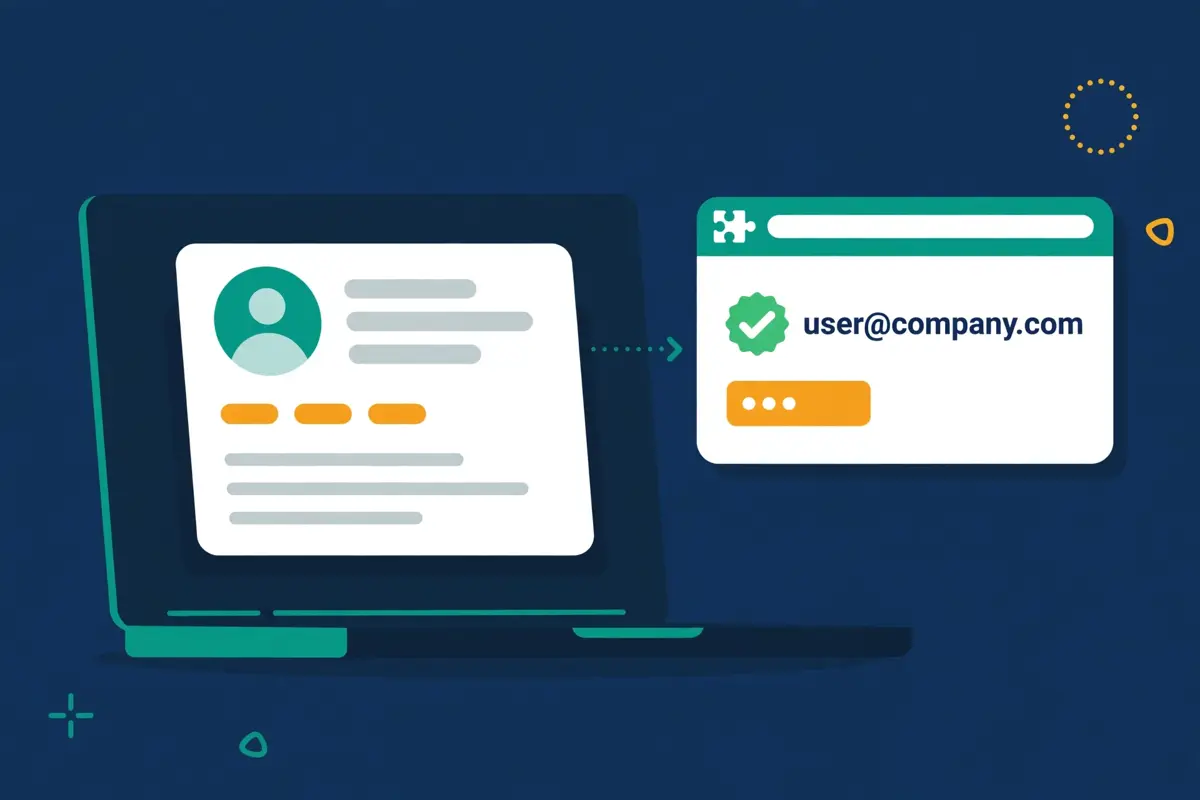
Best for LinkedIn-first prospectors who want verified emails fast: Skrapp.io
Skrapp.io is a B2B email finder that turns a name and a company domain, or a LinkedIn profile, into a verified business email address. Its Chrome extension sits on LinkedIn, Sales Navigator and LinkedIn Recruiter, and pulls the address with one click, while the web dashboard handles bulk lookups from a spreadsheet of up to 250,000 rows. Every address it returns is checked in real time and labelled Valid, Catch-all, Invalid or Unknown, and you only spend a credit when the result is deliverable. More than 2 million professionals use Skrapp.io, the platform reports over 3 billion searches processed, and the extension holds a 4.9 rating from 554 Chrome Web Store reviews. Plans start free with 50 credits, and the first paid plan costs $29 a month on annual billing.
This Skrapp.io review works through the whole platform as it stood on 16 November 2026. It covers the three plans and the credit system that sits underneath them, how the Chrome extension and the bulk finder actually work, what the verification really tells you, and how Skrapp.io compares with Hunter and Snov.io. By the end you should know whether a focused finder with a strong LinkedIn extension is the right buy for your prospecting, or whether a tool that also sends the emails would serve you better.
Visit Skrapp.io → Jump to the comparison tableWhy this Skrapp.io review starts on LinkedIn
Before anything else, this Skrapp.io review needs to say plainly where the product lives. That is because it explains every other choice in it. Most email finders start from a database. You type a name, the tool searches its records, and the answer comes back. Skrapp.io starts from the browser instead. You are already on a LinkedIn profile, or a Sales Navigator search, or a company website. In addition, the extension finds the email right there, on the page you are looking at. That single idea, that finding happens where the prospecting happens rather than in a separate search box, is the whole product. Also, this Skrapp.io review tests it step by step, from the first profile click to a finished list ready to send.
The numbers behind the LinkedIn-first pitch
That browser-first idea is not a slogan. It is the reason Skrapp.io exists, and the company has built on it since its launch in 2016. The homepage states the pitch in plain terms. Find and enrich leads, grow revenue, with verified business emails, qualified leads and enriched data at scale, free to start. Behind that line sit the numbers the vendor publishes. More than 2 million sales professionals, over 200 million B2B leads and 40 million company profiles in the database, more than 3 billion searches processed, a claimed 92% email search success rate and 97% verification accuracy, and a 4.7 average across more than 900 reviews on G2, Capterra and Chrome. Those are a focused finder’s numbers, honestly presented, and this Skrapp.io review weighs them as such. A specialist tool with a loyal base, not a platform trying to be everything to everyone.
Quick Answer
Skrapp.io is a B2B email finder with a Chrome extension for LinkedIn, Sales Navigator and LinkedIn Recruiter, a web dashboard for single and bulk lookups, and a built-in verifier that labels every address Valid, Catch-all, Invalid or Unknown. You pay by the credit: one credit buys one email found and marked Valid or Catch-all, or one verification, and you are never charged for Invalid or Unknown results. Unused credits roll over, and you keep them even if you cancel. The free plan costs $0 and includes 50 credits for one user. Professional costs $29 a month on annual billing, or $39 billed monthly, for 2,000 credits a month and 2 users. Enterprise costs $262 a month on annual billing, or $349 billed monthly, for 50,000 credits a month and 15 users, with the API, single sign-on and a dedicated account manager.
Skrapp.io claims 97% verification accuracy and a 92% search success rate, and says it is GDPR compliant.
Skrapp.io is best for salespeople and recruiters who prospect on LinkedIn every day and want verified emails without leaving the profile page. It is not the tool for a team that needs phone numbers, email sequences, warm-up or a CRM, because Skrapp.io finds and verifies emails and stops there.
Contents
- What Skrapp.io actually is
- Who Skrapp.io fits best — and who should skip it
- Pricing in this Skrapp.io review: $29 a month, charged by the credit
- The Chrome extension in this Skrapp.io review: LinkedIn is where it lives
- Bulk finding in this Skrapp.io review: spreadsheets in, verified lists out
- Verification in this Skrapp.io review: what Valid really means
- AI enrichment and lists in this Skrapp.io review: keeping the data tidy
- Deliverability in this Skrapp.io review: clean lists, not warm-up
- Integrations in this Skrapp.io review: Salesforce, HubSpot and the API
- Security in this Skrapp.io review, and the rules around cold email
- Skrapp.io against Hunter and Snov.io
- Strengths and weaknesses in this Skrapp.io review, side by side
- Getting started in this Skrapp.io review: a sensible first 90 days
- Frequently asked questions
- The verdict in this Skrapp.io review
What Skrapp.io actually is
Skrapp.io describes itself as a B2B lead generation and email finder platform, and its homepage makes the positioning easy to grasp. The platform helps sales teams, recruiters and marketers find verified professional email addresses and enrich their contact data, working across LinkedIn, company websites and a built-in lead search database. It combines web crawling, pattern recognition and real-time email verification to find professional addresses. The finder analyses publicly available data, identifies common email formats within a company, generates candidate addresses, and then verifies each one for deliverability. That is the product in the vendor’s own words. Furthermore, it matches what this Skrapp.io review found on the pricing page and the feature pages. A finder that predicts, checks and labels, rather than one that simply scrapes and hands over raw guesses.
Behind the pitch sits a deliberate piece of product honesty. Skrapp.io does not pretend to be a sequencer, a CRM or a phone database. It has no email campaigns, no warm-up, no dialler and no phone numbers. Moreover, it does not hand you a list of people to call. What it has instead is a fast route from a person you already want to reach to a verified address you can actually send to, with the verification status attached so you can decide what to do with the uncertain ones. Every address is labelled, every credit is accounted for, and the list you export carries the evidence with it. A buyer who understands that trade will judge the platform on the quality of the addresses, not on features it never claimed to have.
Seven features this Skrapp.io review found defining
First comes the Email Finder. Give it a name and a company domain, and Skrapp.io returns the most probable business address for that person, verified in real time. Next comes the Email Verifier, which checks a single address or a whole list before anything is sent, so bad addresses never reach your sequence. Then comes the Chrome extension, the feature most buyers actually use, which pulls emails straight from LinkedIn, Sales Navigator, Recruiter and company websites. After that comes the Bulk Email Finder, which takes a spreadsheet of names and domains and returns verified addresses at scale. Then come Lead Search and Company Search, the native database for finding prospects without relying on LinkedIn. Finally come AI Enrichment, which fills in missing fields on saved leads. In addition, the lists, exports and CRM sync that move the finished data where it needs to go.
The seven features at a glance, in this Skrapp.io review
- Email Finder: supply a name and a company domain, and Skrapp.io returns the most probable business address, verified in real time.
- Email Verifier: check deliverability before sending, in single lookups or in bulk, so bad addresses never reach your sequence.
- Chrome extension: pull prospects straight from LinkedIn, Sales Navigator and Recruiter profiles without leaving the page.
- Bulk Email Finder: upload a spreadsheet of names and domains and get verified addresses back, with files of up to 250,000 rows.
- Lead Search and Company Search: search the built-in database of 200M+ contacts and 40M+ companies by title, industry or location.
- AI Enrichment: fill in missing fields on saved leads using Skrapp.io’s AI search, on the Professional plan and above.
- Lists, exports and CRM sync: organise leads into lists, push them to Salesforce or HubSpot, or export them as a CSV.
One more framing point helps before the details. Skrapp.io is not a cold email tool, and it does not claim to be one. It finds the address and verifies it, and then your sequencer does the sending. That boundary is a strength for a buyer who already has a sender they like. That is because Skrapp.io slots into the workflow without asking you to move anything else. It is a gap for a buyer who wants one tool to do the whole job. That is because that buyer will need a second subscription. This Skrapp.io review keeps that distinction visible throughout, because confusing the two jobs is how buyers end up disappointed.
Who Skrapp.io fits best — and who should skip it
First, this Skrapp.io review finds the product fits LinkedIn-first prospectors first. Think of a salesperson or a recruiter who opens LinkedIn every morning, works through a Sales Navigator search, and needs the email of every promising profile before lunch. That person needs one click on the profile, a verified address, and a saved list, without copying names into a separate tool and waiting for a batch job. Skrapp.io gives them exactly that, with the List Saver turning a whole search page into a named list in one action, and multi-page enrichment walking through the results while they work. The price is honest, and the comparison is against the hours spent copying profiles by hand, not against one database subscription. This Skrapp.io review rates it highly for people of that shape.
Meanwhile, in this Skrapp.io review, small sales teams and solo founders come next. The Professional plan costs $29 a month on annual billing, covers 2 users and 2,000 credits a month, and includes the extension, the bulk finder, list exports and CRM sync. A founder building a first list of a thousand prospects gets a real finder, a real verifier and a real LinkedIn workflow for less than a lunch a month, with 50 free credits to test it first and no credit card required. That is a rare combination in this market, where most tools either charge per seat from $49 or hide the LinkedIn features behind an enterprise plan. A small team that lives on LinkedIn will find the Professional plan hard to beat, and this Skrapp.io review says so plainly.
Buyers who should look elsewhere
Now the other side. However, teams that need phone numbers should look elsewhere. Skrapp.io sells emails, not phone numbers, and no plan adds a mobile or direct-dial lookup. A team whose reps call first and email second will get more from a database that carries both, such as Apollo, with 240M+ contacts from $49 a month, or from a phone-first CRM such as Close CRM from $9 a month. Likewise, a team that wants finding, verifying and sending in one subscription should not buy Skrapp.io expecting a sequencer. There are no campaigns, no sequences and no warm-up. Also, the export is the end of the workflow, not the start of one.
Enterprise buyers should think twice as well. Skrapp.io tops out at Enterprise for $262 a user a month on annual billing, with 50,000 credits, 15 users, the API, single sign-on and a dedicated account manager. Yet, the public page stops there and anything bigger is a custom quote. A company running a hundred reps, a formal procurement round and a security team that wants a bespoke data-processing agreement will find Apollo or ZoomInfo an easier fit, even though both cost more at the top end. If your buying process needs a vendor that speaks enterprise fluently, Skrapp.io will feel small. That is because it is built for prospectors and small teams and it says so on its own pricing page.
Why a LinkedIn-first buyer should still take the free credits
Between those two poles sits the buyer this Skrapp.io review expects most often. A salesperson with a Sales Navigator search full of good profiles and no reliable way to reach them. That buyer should take the free credits, and bring a real search to them. Install the extension, open ten profiles you actually want to email, and read the verification statuses that come back. If eight of them come back Valid and the two uncertain ones are labelled honestly, the case is made. If half of them come back Unknown, that tells you something useful too, before a single dollar is spent. Fifty free credits with your own prospects answers the question with evidence. Furthermore, that is a better test than any sales deck.
Pricing in this Skrapp.io review: $29 a month, charged by the credit
Skrapp.io keeps its pricing simple to read and honest about what a credit buys. Moreover, this Skrapp.io review starts with the headline figures before the fine print. The official pricing page lists three plans, with a monthly and yearly toggle that saves 25% on annual billing. Free costs $0, with 50 credits to start and 1 user. In addition, it includes the Email Finder, the Email Verifier and the extension on LinkedIn Basic, Sales Navigator, Recruiter and company websites. Professional, the most popular plan, costs $29 a month on annual billing, or $39 billed monthly, for 2,000 credits a month and 2 users. Enterprise costs $262 a month on annual billing, or $349 billed monthly, for 50,000 credits a month and 15 users. Those are the figures on skrapp.io/pricing, checked on 16 November 2026, and this Skrapp.io review uses them throughout.

The credit system in this Skrapp.io review, in plain terms
Meanwhile, the credit system matters as much as the headline, because it decides what a month of prospecting actually costs. A credit is a token tied to your account that finds or verifies one professional email address. Each credit allows you to find one address, marked as either Valid or Catch-all, or verify a single email address. You use your credits when the Email Finder returns an address along with a verification status, or when you verify a single address. Your account is not charged for email credits labelled Invalid or Unknown. Skrapp.io only charges for deliverable emails marked as Valid or Catch-all. Also, that Fair Credit Policy is the single most buyer-friendly part of the pricing. Team members share access to a common pool of credits. As a result, a 50,000-credit subscription with four team members is one pool of 50,000, not four pools of 12,500.
The pricing table in this Skrapp.io review, checked today
| Plan | Price, annual | Price, monthly | Credits and users | Visit Site → |
|---|---|---|---|---|
| Free | $0 | $0 | 50 credits to start, 1 user | Visit Site → |
| Professional | $29 / month | $39 / month | 2,000 credits / month, 2 users | Visit Site → |
| Enterprise | $262 / month | $349 / month | 50,000 credits / month, 15 users | Visit Site → |
Last checked: 16 November 2026 on Skrapp.io’s pricing page. Both paid plans use a slider to scale credits and users upward; the entry prices above are the published starting points. Features and pricing can change, so please check the provider’s site before you buy. We do not guess at features, prices or trials.
Two details that decide what $29 buys
Two details deserve a closer look, because they decide which plan a buyer actually needs. First, the rollover. Any unused credits will roll over to the next month. Furthermore, you can keep your credits even if you cancel your subscription, which means a quiet month is not wasted money and a cancelled account does not take your balance with it. That is unusually generous in this market, where most credit pools expire at the end of the month. Moreover, it changes the maths for a team whose prospecting comes in bursts. Second, the annual discount is a flat 25% on both paid plans. Professional drops from $39 to $29 a month, saving $120 a year, and Enterprise drops from $349 to $262 a month, saving $1,044 a year. A team that knows it will prospect all year should take the annual price once the free credits have proved the coverage.
The price against the cost of one good email
One more pricing point matters for buyers comparing Skrapp.io with the finders in this market. At $29 a month on annual billing for 2,000 credits, Professional works out at about 1.5 cents per credit, and a credit buys a deliverable address, not a guess, because Invalid and Unknown results cost nothing. A team that finds 1,000 Valid addresses a month pays roughly 3 cents per usable email, before counting the rollover. That is cheaper than Hunter Starter at $34 a month on annual billing for 2,000 credits, where a search costs a full credit and a verification costs half a credit more. It is dearer per credit than Snov.io Starter at $29.25 a month on annual billing for 1,000 credits. Yet, Snov.io spends a credit on the find and another on the verify. The honest comparison is cost per deliverable address, not cost per credit.
In addition, this Skrapp.io review counts that arithmetic as the first test any buyer should run.
What the fine print says about refunds and contracts
Finally, the fine print deserves a paragraph of its own, because it is refreshingly short. There is no long-term contract: all plans are month-to-month or annual with no lock-in, you can cancel at any time, and your access continues until the end of your current billing period. You can upgrade or downgrade at any time, changes take effect immediately, and billing is prorated accordingly. Skrapp.io does not offer refunds for partial months, though you can cancel at any time and you will not be charged for the next billing cycle. Payment is by major credit and debit cards through Stripe. When your credits run out, you can buy additional credits or upgrade your plan, and your existing data and lists remain accessible. That is the whole commercial deal, stated on the pricing page. Also, this Skrapp.io review counts that transparency as a strength.
The Chrome extension in this Skrapp.io review: LinkedIn is where it lives
The Chrome extension is where Skrapp.io earns its keep. Furthermore, it is the feature this Skrapp.io review spent the longest checking. Once installed, it overlays on LinkedIn, Sales Navigator and LinkedIn Recruiter, and it works on company websites too. Visit a profile, click the extension icon, and the tool pulls the prospect’s verified business email in seconds, by cross-referencing profile data against Skrapp.io’s database and running a real-time server verification. There is no separate tab to open, no name to copy across, and no wait for a batch job. A prospector works a search, clicks through the profiles, and saves the addresses to a list as they go. That working pattern is the product: the profile, the email and the list in one place, repeated a hundred times a day without friction.

List Saver and multi-page enrichment in this Skrapp.io review
Two Professional features cover two kinds of prospector, and the plan you buy decides which ones you get. The List Saver for Sales Navigator captures an entire search result page into a named list in one action, instead of profile by profile, which suits a rep who works from saved searches and wants the whole page at once. Multi-page enrichment for LinkedIn automates pagination, moving through page after page of search results while extracting and verifying contacts in the background, which suits a rep building a list of hundreds from one search. Both sit on the same list system, and both keep the same verification labels. A buyer choosing between Free and Professional at $29 a month should ask one question. How many profiles a day do you enrich, and how much of the day is spent clicking the same button?
If the answer is under twenty, the free plan is enough. If the answer is over twenty, the Professional features earn their keep.
Auto-Connect, and the small things that save minutes
Around the extension sit the small features that save minutes on every profile. Moreover, this Skrapp.io review counts them as the difference between an extension and a good extension. Auto-Connect with LinkedIn Profiles, on Professional, sends connection requests as part of the workflow. As a result, the outreach starts from the same click that found the email. The extension also works on company websites. Visit any domain, click the icon, and Skrapp.io returns email addresses for employees at that company. The Chrome Web Store rating is 4.9 out of 5 from 554 reviews. In addition, the vendor says the extension installs in 30 seconds with no credit card required. Those details are the daily reality of a LinkedIn-first prospector, and Skrapp.io gets most of them right.
Video: “Find emails and enrich leads from LinkedIn and Sales Navigator” by Skrapp on YouTube. This video is the property of its creator, embedded via YouTube for education. OutreachCompare is not affiliated with Skrapp and does not claim ownership of the video.
Where the extension stops being enough
One honest limit belongs in this section. The extension finds emails well, yet it does not send them. Also, it does not warm the inbox they will be sent from. There is no sequence builder, no warm-up pool and no inbox rotation, and a list exported from Skrapp.io still needs a sender. The sensible pairing is a deliverability-first sequencer such as Instantly from $47 a month on Growth, or Smartlead from $39 a month, feeding from the Skrapp.io list. Budget for both, and judge Skrapp.io on the addresses, not on the sending.
Bulk finding in this Skrapp.io review: spreadsheets in, verified lists out
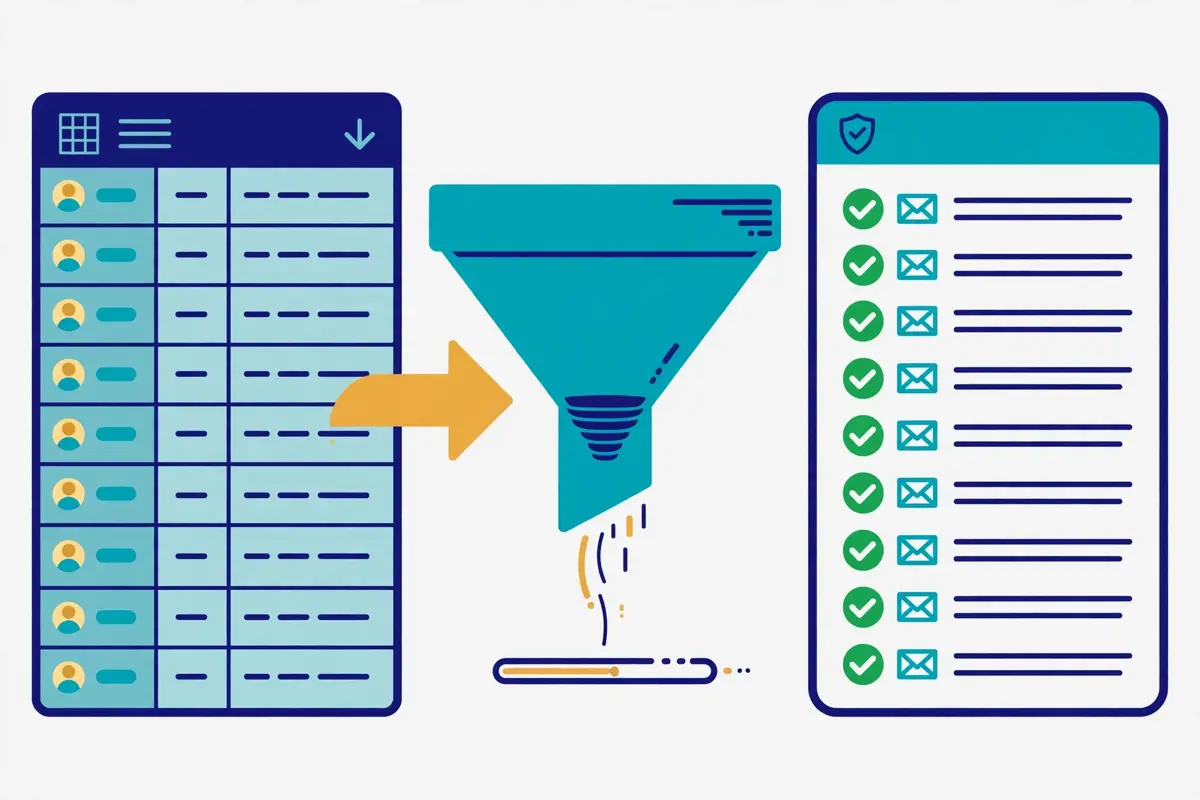
Bulk finding is where Skrapp.io turns from a browser helper into a list-building machine. Furthermore, it is the feature this Skrapp.io review checked next. The Bulk Email Finder processes large lists without requiring LinkedIn at all. Upload a CSV, Excel or text file containing names and company domains, or just company names, and Skrapp.io returns verified email addresses alongside enriched firmographic data. The tool accepts files of up to 250,000 rows, which is enough for a serious list build in one pass. That is the workflow for a team that already knows who it wants to reach and needs the addresses in bulk, rather than one profile at a time.
The bulk workflow in this Skrapp.io review, step by step
Day to day, the bulk workflow runs in four steps that this Skrapp.io review could verify from the vendor’s own guides. First, build the input file: first and last names with company domains, or company names on their own, cleaned of duplicates before you upload. Second, upload it to the Bulk Email Finder and let Skrapp.io generate candidate addresses from the company’s email patterns, then verify each one in real time. Third, read the verification statuses on the results, and keep the Valid addresses, treat the Catch-all addresses with care, and drop the Invalid and Unknown ones, which cost you no credits. Fourth, export the clean list as a CSV and load it into your sequencer or CRM. A team that follows those four steps will spend its credits only on addresses that can be sent to. Moreover, that is the whole point of the Fair Credit Policy.
Video: “Bulk Email Finder – Skrapp.io” by Skrapp on YouTube. This video is the property of its creator, embedded via YouTube for education. OutreachCompare is not affiliated with Skrapp and does not claim ownership of the video.
Lead Search and Company Search in this Skrapp.io review
Behind the bulk finder sit Lead Search and Company Search, the native database for finding prospects without relying on LinkedIn. Skrapp.io’s database holds more than 200 million B2B contacts and 40 million company profiles. In addition, the search lets you filter by company, job title, industry, size, location and seniority. In addition to verified email addresses, Skrapp.io provides company firmographics such as industry, size, location and revenue, as well as individual profile data like job title, seniority and department. That database is the answer to the question every finder buyer asks. What happens when the prospect is not on LinkedIn, or when the LinkedIn profile has no usable signal? The answer is that Skrapp.io can still find them, and this Skrapp.io review counts that independence as a real strength.
Verification in this Skrapp.io review: what Valid really means
Verification is the quiet risk in every email finder, and Skrapp.io handles it with labels rather than promises. Every email returned by the platform is verified in real time. Also, the database is refreshed daily to minimise bounce rates, according to the vendor. Each address comes back with one of four statuses: Valid, Catch-all, Invalid or Unknown. Valid means the mailbox looks deliverable. Catch-all means the company’s mail server accepts every address, so the tool cannot confirm that this specific mailbox exists. Invalid means the address does not exist, and Unknown means the check could not decide. Those four labels are the feature, and a buyer who reads them properly will send only to the Valid ones and treat the Catch-all ones as a risk to manage, not as a green light.
The 92% claim, and what independent tests found
Now the honest caveat, because it decides how much to trust the labels. Skrapp.io maintains a 92% average email search success rate and 97% verification accuracy, in the vendor’s own words. Furthermore, this Skrapp.io review reports those claims as the vendor’s claims. Independent tests tell a more cautious story. An Anymail Finder test from September 2025 measured Skrapp.io at a 42.8% verified rate, and a Tomba benchmark from February 2026, running 2,500 domain searches and 2,500 company name searches, landed at the exact same number.
The gap is not a contradiction so much as a difference in what is measured. 92% counts whether an email was found at all, while 42.8% counts whether the address was verified as deliverable. A buyer should therefore treat the search success rate as a finding rate, not a deliverability rate, and should verify every list again before sending, however good the labels look.
How much verification Skrapp.io can carry
The ceiling is clear all the same. A team that sends to thousands of addresses a month needs a verification habit that Skrapp.io supports but does not complete on its own. The built-in verifier runs its checks on every address it returns. Moreover, the bulk verifier checks a whole list before sending. Yet, no finder can guarantee that an address will be delivered. That is because mailboxes close, servers change and catch-all domains hide the truth. The practical answer is to verify with Skrapp.io, send only to Valid addresses, and keep the Catch-all addresses for a separate, slower test. Read our deliverability tools roundup before you decide. That is because a clean list is the cheapest deliverability tool there is, and Skrapp.io is the first step towards one, not the whole journey.
AI enrichment and lists in this Skrapp.io review: keeping the data tidy
AI Enrichment is the feature that separates the Professional plan from the free one. In addition, it is the part of Skrapp.io that changed most in 2026. On Professional, AI Enrichment fills in missing fields on saved leads using Skrapp.io’s AI search. As a result, a list with a name and a domain can come back with a job title, a department, a seniority level and company firmographics attached. That is the layer that turns a list of addresses into a list of people you can segment. Also, this Skrapp.io review counts it as the main reason to pay for Professional rather than staying free. A team that segments by title and company size will feel the difference in the first campaign. That is because the targeting improves before a single email is written.
Lists, exports and CRM sync in this Skrapp.io review
Behind the enrichment sits the list system. Furthermore, this Skrapp.io review puts it at the centre of the product’s value for a team. Leads are organised into lists, and the Professional plan adds list exports and list CRM sync. As a result, a finished list can be pushed to Salesforce or HubSpot or exported as a CSV for any workflow. The free plan keeps the finding and the verifying. Yet, it does not export lists, which is the single biggest reason a serious prospector outgrows it. A team that builds lists every week should check that limit on the free credits. That is because it is the kind of detail that only bites after the first list is built. Export early, export often, and keep the source and the date on every record, so the list can be re-verified later.
What stays manual on the free plan
Now the other side of the same coin. The free plan includes the Email Finder, the Email Verifier and the extension on LinkedIn Basic, Sales Navigator, Recruiter and company websites. Moreover, the plan comparison says so explicitly, so a solo prospector can test the whole finding workflow without paying. Multi-page enrichment, Auto-Connect, List Saver, list exports, CRM sync and AI Enrichment are not included, and the plan comparison marks them as exclusions. A solo seller with fifty credits may not mind, because fifty addresses is a real test. A team of two on Professional at $29 a month will not mind either. That is because the features that save time are exactly the ones the plan includes. That gap is the real price difference between Free and Professional. Not $29 a month, but the hours the team spends copying profiles by hand.
Deliverability in this Skrapp.io review: clean lists, not warm-up
Deliverability is the quiet risk in every outreach tool, and Skrapp.io handles it at the list stage rather than at the sending stage. The built-in verifier is the whole deliverability story. Addresses are checked in real time, labelled Valid, Catch-all, Invalid or Unknown, and the Invalid and Unknown ones cost no credits. As a result, the list that reaches your sequencer is already cleaner than the list you started with. That is a sensible control for a finder, and this Skrapp.io review counts it as honest. Skrapp.io protects the sender from their own list, without pretending to be a deliverability platform.
How much cold email Skrapp.io can carry
The ceiling is clear all the same. A team planning thousands of cold emails a month from many domains needs deliverability kit that Skrapp.io does not supply. The sensible move is to run Skrapp.io beside a dedicated volume sender. According to the official feature pages, there is no warm-up pool, no inbox rotation across many mailboxes, no placement testing and no custom tracking domain management. Skrapp.io’s own pages do not claim those features, and this Skrapp.io review does not invent them. If high-volume cold email across many domains is the plan, read our Instantly review and our warm-up tools roundup before you decide. That is because Skrapp.io alone will not carry that motion. The verifier is a guardrail, not an engine, and a team that mistakes one for the other will blame the tool for a job it never promised to do.
Sender rules that still apply to you
Meanwhile, the rules that protect every sender still apply, and Skrapp.io does not exempt you from them. Since February 2024 Gmail has required SPF or DKIM from every sender, wants spam complaints kept below 0.3%, and asks senders passing 5,000 messages a day to Gmail for DMARC plus one-click unsubscribe on marketing mail as well. A plain summary, not legal advice. In the United States, commercial email must carry honest headers and subject lines, a real postal address, and an opt-out honoured within ten business days. Inside the European Union, B2B outreach usually rests on legitimate interest, and any recipient may object to direct marketing at any moment. Germany sits among the countries that demand prior consent for marketing email, even between businesses. Those rules are yours to follow, whichever tool you buy, and a verified list helps with the mechanics while leaving the judgement to you.
Integrations in this Skrapp.io review: Salesforce, HubSpot and the API
Skrapp.io connects to the tools a sales team already runs, and the list is narrow without being thin. The vendor’s own FAQ says it integrates natively with Salesforce, HubSpot and other popular CRMs, and also offers a REST API for custom integrations, CSV export for any workflow, and a Chrome extension for finding emails directly on LinkedIn. List CRM sync on Professional pushes finished lists into Salesforce or HubSpot. As a result, the addresses land where the reps already work. That integration position matters, because a finder that cannot export is a dead end, and Skrapp.io exports everywhere, even on the free plan, through the CSV route. A team that wires Skrapp.io into its stack will not watch the meter while it does so.
The API, and who actually gets it
One more point about integrations deserves a note, because it explains the shape of the product. The REST API is an Enterprise feature, and the plan comparison marks it as an exclusion on Free and Professional. As a result, a team that wants to call Skrapp.io from its own systems needs the $262-a-month plan. That is a steep gate for a small team that only wants to automate one lookup. In addition, it is the single most common complaint in the reviews. The sensible workaround is the CSV export, which works on Professional and costs nothing extra, or the native Salesforce and HubSpot sync, which covers most teams without any code. A buyer who genuinely needs the API should budget for Enterprise, and a buyer who only needs the lists should not pay for it.
Gaps in the integration list
As far as the official pages show, Skrapp.io has no native integration with the sequencers most buyers pair it with, no Slack or Zapier step on the pricing page, and no built-in CRM of its own beyond the list system, and a team that needs those connections should confirm their absence on the free plan rather than assume they exist. The CSV export covers the gap in practice, because every sequencer imports a CSV. Yet, the workflow is a manual step rather than a live sync. That gap is not a surprise: Skrapp.io is a finder with a verifier. Also, it does those two jobs well rather than doing five badly. A buyer who wants the list to flow straight into a sequence should budget for the export step, and a buyer who only needs verified addresses will never notice the gap.
Security in this Skrapp.io review, and the rules around cold email
Security is the section where this Skrapp.io review can report good news, because the official site states its position plainly. Skrapp.io only processes publicly available business contact information and operates in full compliance with GDPR and international data protection regulations, according to its own FAQ. Users can request data deletion at any time, and the platform includes built-in consent management tools. Those are the claims a buyer with a formal privacy review asks about first, and Skrapp.io makes them on a public page rather than behind a sales call.
Checks a buyer can run themselves
Meanwhile, the safeguards inside the product are workaday rather than decorative. Every address carries a verification status, so a team can see what was sent, who was reached and what happened next. Furthermore, the list system keeps a human in the loop on every export. Payment runs through Stripe, a standard processor, and there is no long-term contract. As a result, the commercial risk is one month at a time. A team that keeps human review on for the first month, sends only to Valid addresses, and checks the sender reputation of every identity it connects will get the best from the platform without putting its domain at risk. A team with a formal review should still ask for the data-processing agreement in writing. That is because a FAQ answer is not a contract, yet the claims are there to be checked.
Consent, and the rules that still apply
Finally, the rules around cold email deserve a plain statement, because they catch buyers out. Across the European Union, a work email address is personal data. Within the European Union, B2B outreach normally rests on legitimate interest, and recipients keep the right to object whenever they like. Germany counts among the countries that insist on prior consent for marketing email, even between businesses. In the United States, commercial email must carry honest headers and subject lines, a real postal address, and an opt-out honoured within ten business days. Keep the lists targeted rather than blasted, keep the opt-out working, and treat the compliance pages as guidance, not legal advice. A tool that finds addresses exactly as instructed is only as safe as the instructions themselves.
Skrapp.io against Hunter and Snov.io
The headline difference is the job each tool does. Skrapp.io charges from $29 a month on annual billing, or $39 billed monthly, and gives you a LinkedIn-first finder with real-time verification and a Fair Credit Policy that never charges for Invalid or Unknown results. Hunter charges from $34 a month on annual billing, or $49 billed monthly, and gives you domain search, verification and built-in email sequences, with unlimited team members sharing one credit pool. Snov.io charges from $29.25 a month on annual billing, or $39 billed monthly, and gives you finding, verifying, a CRM, drip campaigns and warm-up in one subscription. At 2,000 credits a month, Skrapp.io costs $29, Hunter costs $34, and Snov.io costs $39 for only 1,000 credits. Yet Skrapp.io is the only one of the three whose extension lives on LinkedIn, Sales Navigator and Recruiter at once.
Treat the table as a buying guide rather than a scoreboard, and start from the bottleneck that hurts your team most.
The comparison table in this Skrapp.io review, in brief
| Tool | Entry price | What you get | Best for | Visit Site → |
|---|---|---|---|---|
| Skrapp.io | $29 / month, Professional | LinkedIn extension on Basic, Sales Navigator and Recruiter; bulk finder to 250,000 rows; real-time verification; Fair Credit Policy; credits roll over | LinkedIn-first prospectors who want verified emails fast | Visit Site → |
| Hunter | $34 / month, Starter | Domain search and verification; built-in sequences; unlimited users; verification at 0.5 credits; API on every plan | Domain search and simple verification with sequences | Visit Site → |
| Snov.io | $29.25 / month, Starter | Finding, verifying, CRM, drip campaigns and warm-up in one tool; 1,000 credits; LinkedIn automation as a paid add-on | Teams that want finding, verifying and sending in one tool | Visit Site → |
Last checked: 16 November 2026 on the pricing pages linked above. Hunter and Snov.io figures are cross-checked from their pricing pages via multiple independent checks in October and November 2026. Features and pricing can change, so please check the provider’s site before you buy. We do not guess at features, prices or trials.
Which buyer each tool suits
Three buying patterns come out of that table, and each one points at a different tool. If your team prospects on LinkedIn every day and loses hours copying profiles by hand, choose Skrapp.io. That is because the extension, the List Saver and the multi-page enrichment turn a Sales Navigator search into a verified list in minutes, and Professional at $29 a month replaces a manual workflow in one contract. If you want domain search, simple verification and the ability to send a sequence without buying a second tool, choose Hunter. That is because $34 a month on annual billing buys the finder, the verifier and the campaigns together, with unlimited users on the same credit pool. If you want finding, verifying, a CRM, campaigns and warm-up in one subscription, choose Snov.io.
That is because $29.25 a month on annual billing buys the whole workflow, even though the credit pool is smaller and a find plus a verify spends two credits. If you are still choosing, our best B2B data providers roundup lines up the finders against the rest of the market. Moreover, it is the best place to continue.
The feature matrix in this Skrapp.io review, at a glance
| Feature | Skrapp.io | Hunter | Snov.io |
|---|---|---|---|
| LinkedIn extension | ✓ | ✓ * | ✓ |
| Sales Navigator and Recruiter support | ✓ | — | ✓ † |
| Bulk finder, up to 250,000 rows | ✓ | — | ✓ |
| Real-time email verification | ✓ | ✓ | ✓ |
| Fair Credit Policy, no charge for Invalid | ✓ | — | — |
| Credits roll over | ✓ | — ‡ | — § |
| Built-in email sequences | — | ✓ | ✓ |
| Warm-up and inbox rotation | — | — | ✓ |
| Phone numbers | — | — | — ¶ |
| API on the entry paid plan | — | ✓ | ✓ |
| Free plan | ✓ 50 credits to start | ✓ 50 credits / month | ✓ 50 credits / month |
| Entry price | $29 / mo | $34 / mo | $29.25 / mo |
Last checked: 16 November 2026 on each provider’s official site, as linked above. ✓ = stated on the provider’s site. — = not confirmed or confirmed absent. * Hunter’s extension works on websites and Gmail rather than inside LinkedIn search. † Snov.io’s LinkedIn automation is a separate paid add-on. ‡ Hunter’s free credits do not roll over. § Snov.io credit rollover is included only on the Ultra plan. ¶ Snov.io phone enrichment is billed separately. Features and pricing can change, so please check the provider’s site before you buy. We do not guess at features, prices or trials.
Two matrix rows that swing the choice
A couple of rows in that matrix deserve a closer look. First, the Fair Credit Policy row: Skrapp.io is the only tool of the three that never charges for Invalid or Unknown results. In addition, that single difference explains both its strength and its price. Hunter charges a full credit for a search and half a credit for a verification, and Snov.io charges a credit for the find and another for the verify. A buyer whose lists are full of uncertain addresses will feel that difference in the first month. Meanwhile, a buyer whose lists are clean will never notice it. Second, the sequences row: both rivals send email, and Skrapp.io does not. Also, that gap matters for any team that wants one subscription to do the whole job. Skrapp.io expects you to bring the sender, and Hunter and Snov.io both include one.
A team with a sender already should budget for Skrapp.io alone. That is because a finder without a sequencer is enough, however good the rivals’ campaigns are.
Strengths and weaknesses in this Skrapp.io review, side by side
Every tool in this market trades one strength for another, and Skrapp.io is no exception. Its strengths cluster around the LinkedIn extension, the Fair Credit Policy and the honest pricing. Meanwhile, its weaknesses cluster around the missing sequences, the missing phone data and the API paywall. This Skrapp.io review lays both sides out together in one place. As a result, you can weigh the exchange without hunting through the article. The pattern is consistent: Skrapp.io is generous where the work is finding and verifying, and modest where the work is sending or calling. Buyers who arrive knowing that trade-off usually stay happy. Meanwhile, buyers who arrive expecting a sequencer and a phone database usually leave disappointed.
The short version in this Skrapp.io review: five strengths, five weaknesses
- First strength: the Chrome extension on LinkedIn, Sales Navigator and Recruiter, with List Saver and multi-page enrichment, so a search becomes a verified list in minutes.
- Second strength: the Fair Credit Policy, which never charges for Invalid or Unknown results, with credits that roll over and are kept after cancellation.
- Third strength: real-time verification with four clear statuses, Valid, Catch-all, Invalid and Unknown, so the buyer always knows what was actually confirmed.
- Fourth strength: honest, published pricing from $0, a 50-credit free plan with no card, a flat 25% annual discount, and no long-term contract.
- Fifth strength: a 200M+ contact database with Lead Search and Company Search, bulk finding to 250,000 rows, and GDPR compliance with data deletion on request.
Five weaknesses to weigh
- First weakness: no phone numbers at all, so a team that calls first must buy a second data source, and the tool cannot carry a dialling workflow.
- Second weakness: no email sequences, warm-up or inbox rotation, so high-volume cold email needs a separate sender and deliverability tool.
- Third weakness: the API is locked behind Enterprise at $262 a month, so a small team that wants to automate one lookup pays a steep price.
- Fourth weakness: list exports and CRM sync are not on the free plan, so a serious prospector outgrows the free tier as soon as the first list is built.
- Fifth weakness: independent benchmarks measured a 42.8% verified rate against the vendor’s 92% search success claim, and no hands-on test in this Skrapp.io review, so buyers should lean on the free credits before paying.
One further drawback deserves naming, because it slips past easily. Skrapp.io is a focused tool, and focus cuts both ways. The concentration is real: a prospector who lives on LinkedIn gets a product built for exactly that job, with a 4.9 Chrome extension rating and a loyal base of more than 2 million professionals to show for it. Yet a vendor of that size cannot match the support depth of a vendor ten times bigger, and a buyer who needs a named contact at 2 a.m. should ask about support hours before paying. In practice the trade is clear: you buy the most complete LinkedIn-first finder in this price band, from a vendor that knows its lane. A buyer who wants a proven giant should compare Apollo before deciding, and a buyer who wants LinkedIn to do the finding should take the free credits.
Getting started in this Skrapp.io review: a sensible first 90 days
The first two weeks, in this Skrapp.io review’s getting-started plan, are for the free credits and the list. Start with the 50 free credits, which need no credit card, and install the extension, which takes about 30 seconds. Open a real Sales Navigator search, not a demo one, and enrich twenty profiles you actually want to email. Read the verification statuses that come back, and check whether the Valid addresses look right and whether the uncertain ones are labelled honestly. Save the good ones to a list, export the list as a CSV, and send a small test to ten of them. A trial spent on real prospects answers the question with evidence, and a trial spent on settings answers nothing.
Weeks three to six: a measured pilot
Weeks three to six are for a measured pilot, and this Skrapp.io review keeps the numbers small on purpose. For example, start on Professional at $29 a month on annual billing if the team has two users. That is because that is where the List Saver, multi-page enrichment and list exports live, and run one bulk upload of a hundred names and domains. Track the credits spent, the Valid rate, the reply rate and the meetings booked, not the send volume. Read every reply yourself, including the ones that bounced, and check whether the bounces came from Catch-all addresses you should have held back. If one list underperforms, look at the targeting before changing the wording. The best-written email still books nothing when it lands with the wrong companies.
Deciding in weeks seven to twelve
Weeks seven to twelve are for the decision, and this Skrapp.io review makes the test explicit. Open the throttle a little on the list that works, and keep a close eye on the one that does not. If the team needs more volume, move up the Professional slider for more credits and users, or move to Enterprise at $262 a month for the API, single sign-on and a dedicated account manager. Divide the monthly cost by the meetings booked to get your cost per meeting, and compare it with the cost of the manual copying that Skrapp.io replaced. Finally, if Skrapp.io books meetings cheaper than the old workflow did, keep it. If it does not, narrow the list, tighten the targeting, and run one more test before you renew. Three months of real numbers beats a year of hoping.
Frequently asked questions
What is Skrapp.io?
Skrapp.io is a B2B email finder and data enrichment platform. Furthermore, this Skrapp.io review answers the most common questions about it. It finds verified professional email addresses from LinkedIn profiles, Sales Navigator, LinkedIn Recruiter and company websites. Moreover, it enriches contact data from a database of more than 200 million B2B contacts and 40 million company profiles. It works through a Chrome extension, a web dashboard for single and bulk lookups, and an API on the Enterprise plan. More than 2 million professionals use Skrapp.io, and the platform reports over 3 billion searches processed.
How much does Skrapp.io cost?
Skrapp.io costs $0 on the free plan, $29 a month for Professional and $262 a month for Enterprise on annual billing. In addition, this Skrapp.io review lists the figures plainly. Billed monthly, Professional costs $39 and Enterprise costs $349. Free includes 50 credits to start for 1 user, Professional includes 2,000 credits a month for 2 users, and Enterprise includes 50,000 credits a month for 15 users. Both paid plans use a slider to scale credits and users upward. Prices were checked on 16 November 2026 on skrapp.io/pricing.
Is Skrapp.io free?
Yes. Skrapp.io offers a free plan with 50 credits to start, with no credit card required, and this Skrapp.io review says so plainly. The free plan includes the Email Finder, the Email Verifier and the Chrome extension on LinkedIn Basic, Sales Navigator, Recruiter and company websites. List exports, CRM sync, multi-page enrichment, List Saver and AI Enrichment are not included on the free plan. As a result, a serious prospector will outgrow it. Yet, fifty credits is a real test with your own prospects before a single dollar is spent.
How accurate is Skrapp.io?
Skrapp.io claims a 92% average email search success rate and 97% verification accuracy. Also, this Skrapp.io review reports those figures as the vendor’s claims. Independent benchmarks tell a more cautious story. An Anymail Finder test from September 2025 and a Tomba benchmark from February 2026 both measured a 42.8% verified rate. The difference is what is measured, because 92% counts whether an email was found at all. Meanwhile, 42.8% counts whether the address was verified as deliverable. Send only to addresses marked Valid, treat Catch-all results with care, and verify every list again before sending.
Does Skrapp.io have a Chrome extension?
Yes. Skrapp.io has a Chrome extension that finds email addresses directly from LinkedIn profiles, Sales Navigator and LinkedIn Recruiter, with a single click. Furthermore, this Skrapp.io review counts it as the product’s best feature. It also works on company websites. The extension is rated 4.9 out of 5 on the Chrome Web Store from 554 reviews, and it installs in about 30 seconds. The Professional plan adds List Saver for Sales Navigator, multi-page enrichment and Auto-Connect to the extension workflow.
Who should not use Skrapp.io?
Teams that need phone numbers should not use it. That is because Skrapp.io sells emails, not phone numbers, and no plan adds a mobile or direct-dial lookup. This Skrapp.io review says so plainly rather than hiding it. Teams that want finding, verifying and sending in one subscription should not use it either. That is because there are no campaigns, no sequences and no warm-up. Enterprise buyers running a hundred reps with a formal procurement process should also test carefully. That is because the public pricing tops out at Enterprise for $262 a month. If any of those describes your team, compare Hunter or Snov.io before you decide.
The verdict in this Skrapp.io review
Verdict: best for LinkedIn-first prospectors who want verified emails fast
Skrapp.io is the most complete LinkedIn-first email finder in this Skrapp.io review’s comparison set, and it earns that title by putting the profile, the email and the list on one screen. The Chrome extension on LinkedIn, Sales Navigator and Recruiter does the finding, the real-time verifier does the checking, the Fair Credit Policy means you never pay for an Invalid or Unknown result, and the credits roll over instead of expiring. Published pricing from $0, a 50-credit free plan with no card, a flat 25% annual discount, no long-term contract, and GDPR compliance with data deletion on request make the buying decision easy to defend. That combination is the product’s core strength, and it is why this Skrapp.io review recommends it to salespeople and recruiters who prospect on LinkedIn every day.
Go in with open eyes. Skrapp.io has no phone numbers, no sequences, no warm-up, no API below Enterprise, and independent benchmarks measured a 42.8% verified rate against the vendor’s 92% search success claim. Take the free credits with your own prospects, send only to Valid addresses, and judge it on cost per meeting, not on features ticked. Do that, and Skrapp.io can carry the whole finding job while your sender does the sending. Skip the trial and a $29 monthly bill is what you will get, not a pipeline. We have not tested Skrapp.io hands-on, so there is no numeric score here — only this verdict, and the evidence above to check it against.
Visit Skrapp.io →Keep reading
More email finder and data reviews
- Hunter Review 2026 — the domain-search specialist, verification from $34 a month on annual billing.
- Snov.io Review 2026 — finding, verifying and drip campaigns together, from $29.25 a month on annual billing.
- Apollo Review 2026 — the 240M+ database with sequences, from $49 a month with a free plan.
- Lemlist Review 2026 — the five-channel suite with a 650M+ database, from $69 a month.
- Saleshandy Review 2026 — a database-backed sequencer with 852M+ contacts.
- Overloop Review 2026 — data, email and LinkedIn in one seat from $69 a month.
- Waalaxy Review 2026 — LinkedIn automation with AI prospect finding, from €19 a user a month.
- Genesy.ai Review 2026 — AI list building and waterfall enrichment from €599 a month.
- Carly AI Review 2026 — sequences and AI-drafted replies from your own mailboxes, from $35 a month.
Guides and roundups
- Best B2B Data Providers 2026 — where to find the leads, since Skrapp.io finds the emails but not the phones.
- Best Cold Email Software 2026 — the full roundup with the leading tools beside each other.
- Instantly Review 2026 — the volume-built sender to pair with Skrapp.io for cold email.
- Smartlead Review 2026 — agency deliverability infrastructure from $39 a month.
- Woodpecker Review 2026 — a deliverability-first sequencer from $39 a month.
- Mailshake Review 2026 — email outreach plus a power dialler, from $29 a month.
- Klenty Review 2026 — sales engagement with a parallel dialler, from $50 a user a month.
- Reply.io Review 2026 — Jason AI with multichannel sequences, Email Volume from $59 a month.
- QuickMail Review 2026 — a deliverability-focused sequencer from $49 a month.
- ReachInbox Review 2026 — a newer sequencer with AI personalisation from $30 a month.
- Emelia Review 2026 — ultra-personalised email prospecting with AI from $37 a month.
- Email Deliverability Tools 2026 — placement and reputation tools to pair with any sender.
- Best Warmup Tools 2026 — warming an inbox properly before scaling up.
- Is Cold Email Legal? The Simple Checklist — the consent rules for finding and emailing, in plain language.
- Cold Email for Beginners: The Complete 2026 Guide — a beginner’s path through lists, writing and follow-ups.
- Best cold email tools — all the best-of roundups gathered on one page.
Leave a Reply