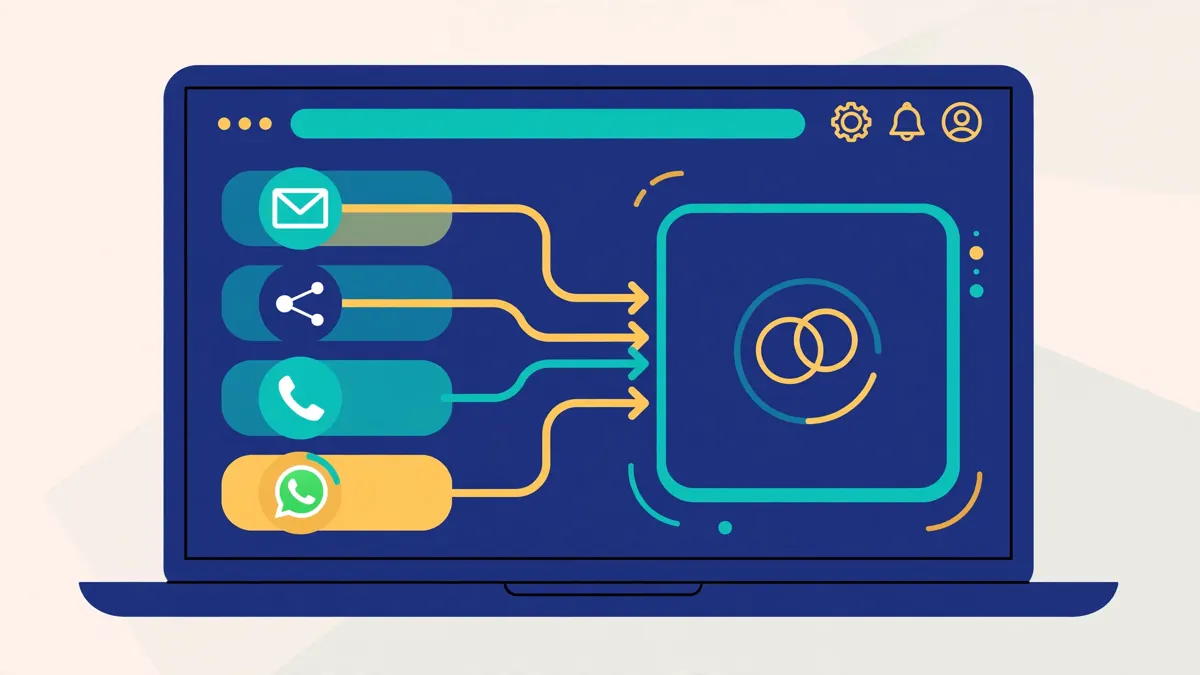
Best for all-in-one outbound: Saleshandy
Find verified leads, send multichannel sequences and warm up your inboxes in one platform, from $34 a month. This Saleshandy review covers its pricing, its Lead Finder database, its deliverability tools, and how it compares with Instantly, Smartlead and Woodpecker.
Visit Saleshandy → Jump to the comparison tableAbove all, if you want one tool that finds your leads, sends your cold emails, warms up your inboxes and keeps every reply in one place, this Saleshandy review is for you. Saleshandy is an all-in-one outbound platform. It combines a verified B2B database, multichannel sequences, AI writing help and a full deliverability stack. As a result, you do not need four separate subscriptions to run outbound properly.
First of all, cold email works best when the whole workflow is simple. A good list, a clear offer, a short sequence and a healthy sending domain will beat a complicated stack every time. Saleshandy is built around that idea. In practice, it puts prospecting, sending and reply management in a single workflow. This Saleshandy review walks through what it does well, where it falls short, what it costs in 2026, and who should choose it over its closest rivals.
Quick Answer
Overall, Saleshandy is a strong all-in-one pick for small sales teams, agencies, founders and recruiters who want prospecting, outreach and deliverability in one place. Plans start at $34 a month on annual billing ($41 a month on monthly billing). Every plan includes a 7-day free trial with no credit card required. The Lead Finder database holds 852M+ verified contacts across 42M+ companies.
For example, choose Saleshandy when you want verified lead data and outreach in the same tool, when you want to add team members without per-seat billing, and when you want email, calls, LinkedIn and WhatsApp in one sequence. Skip it when you only need basic email tracking, or when you already pay for a separate lead database and only need a simple sender. The comparison table later in this Saleshandy review shows how it stacks up against Instantly, Smartlead and Woodpecker.
In short, our verdict is this: Saleshandy is the best all-in-one outbound option for teams that want to stop stitching tools together. It is not the cheapest sender, and it is not the deepest deliverability specialist. But for most small teams, it covers the whole job well. Read on for the full Saleshandy review, with pricing, features, pros and cons, and the comparison table.
Table of Contents
- Quick Answer
- Saleshandy review: what it is and who it is for
- Saleshandy review: pricing and plans in 2026
- Saleshandy review: key features, one by one
- Saleshandy review: setting up your first campaign
- Saleshandy review: pros and cons
- Saleshandy review: how it compares with Instantly, Smartlead and Woodpecker
- Saleshandy review: our verdict
- Saleshandy review: frequently asked questions
- Your next step
Saleshandy review: what it is and who it is for
In short, Saleshandy is an AI-powered multichannel outbound platform. It helps sales teams find verified B2B leads, reach them across email, calls, LinkedIn and WhatsApp, and manage every reply from one inbox. It also includes warmup, sender rotation and inbox placement testing. The goal is simple: prospecting, sending and closing, all in one workflow. That way, nothing leaves the platform until a meeting is booked.
How Saleshandy grew into an all-in-one platform
To begin with, the company has been building outreach tools since 2017. It started as a simple Chrome extension for sending personalised emails from your inbox. Notably, users were mostly founders, recruiters, agencies and sales teams trying to start real conversations. As a result, that feedback shaped everything that followed. After that, sequences and automated follow-ups came next. Next came a serious focus on cold email deliverability, with unlimited email accounts and higher sending capacity. In 2024, prospecting joined the platform with Lead Finder. During 2025 and 2026, Saleshandy added AI sequence generation, multichannel sequences and AI prospect enrichment.
Today, more than 25,000 businesses, agencies and sales teams use Saleshandy, according to the company. Importantly, its public ratings are solid: 4.6 out of 5 on G2 from 773 reviews, 4.7 out of 5 on Trustpilot from 743 reviews, and 4.3 out of 5 on Google from 197 reviews, as shown on its homepage. It is SOC 2 Type II certified, ISO 27001 certified and GDPR compliant. After all, that matters when you trust a tool with your prospect data and your sending domain.
Above all, what makes Saleshandy different is the shape of the product. Most cold email tools do one job well. They send sequences, or they warm up inboxes, or they find leads. Saleshandy tries to do the whole job. You search the database, verify the contacts, build the sequence, warm up the mailboxes, send across five channels, and answer replies in the built-in CRM. Nothing leaves the platform until a meeting is booked. For a small team, that saves real time and real money. On top of that, it removes the copy-and-paste between tools.
Who Saleshandy is best for
In particular, Saleshandy is best for sales teams and SDRs who run high-volume multichannel sequences. It is best for lead generation agencies that manage many clients from one dashboard. It is best for founders and solopreneurs who do their own prospecting and need one tool, not five. By contrast, recruiters also get a lot from it, because they can source candidates at scale and reach them across email, calls and LinkedIn. Finally, growth marketers and RevOps professionals will like the API, the MCP connector and the automation options.
For example, agencies deserve a special mention. Every Saleshandy plan includes unlimited clients. You can run outreach for as many clients as you like from one account, with separate teams and workspaces. There is no per-client fee. That is rare. By contrast, most rivals charge extra for agency features, or they gate white-label portals behind the top plan. Saleshandy also includes unlimited connected email accounts on every plan, with no per-inbox fees. For an agency that rotates mailboxes to protect deliverability, that is a genuine saving.
Similarly, founders will like the low starting price and the short setup time. Saleshandy says you can launch your first sequence in under 15 minutes after signing up. The 7-day free trial needs no credit card. You get full access, including the lead database, the AI tools and the sequences. That is enough time to test the real workflow, not just a demo. If you are new to cold email, for starters, start with our Cold Email for Beginners guide first. It explains the offer, the list and the sending setup that make any tool work.
Who should NOT use Saleshandy
However, Saleshandy is not the right pick for everyone. If you only need basic email tracking or occasional one-off campaigns, it is more tool than you need. In that case, a simple mail merge or your email provider’s built-in tracking will do the job. You do not need a database, a dialer and a CRM to send ten emails a week.
Similarly, it is also not the best pick if you already pay for a separate lead database and only need a sender. In that case, a focused sending tool may cost less and feel simpler. Teams that send at extreme volume may prefer a tool built only for volume, such as Instantly, which we cover in our Instantly review. Still, large enterprises with strict procurement, custom security reviews and dedicated success managers may find the Scale plan light on hand-holding, although it does include a dedicated success manager and 1:1 onboarding. Finally, if you need a free plan that never expires, Saleshandy has none. To be clear, the trial lasts 7 days. Our Apollo review covers a rival that offers a free plan.
Ultimately, the honest test is simple. If you run outbound every week, Saleshandy will probably save you time. If you send cold email once a month, it probably will not. This Saleshandy review keeps that test in mind throughout, because the right tool depends on how you actually sell, not on how many features the homepage lists.
Saleshandy review: pricing and plans in 2026
To start with, Saleshandy has three plans: Starter, Pro and Scale. All three include unlimited connected email accounts, unlimited stored prospects, unlimited sequences, unlimited warmup, the unified inbox and the built-in CRM. The plans differ on sending volume, active prospects, team seats and Lead Finder credits. Importantly, there is no per-seat billing. Seats come with the plan. That is one of the fairest pricing ideas in cold email, and it makes the cost easy to predict as your team grows.
Saleshandy pricing at a glance
For clarity, prices below are from Saleshandy’s official pricing page, checked on 15 November 2026. Notably, annual billing is cheaper than monthly billing on every plan. Features and pricing can change, so please check the provider’s site before you buy. We do not guess at features, prices or trials.
| Plan | Price | Team seats | Active prospects | Emails per month | Lead Finder credits | |
|---|---|---|---|---|---|---|
| 1 StarterBest for solo senders The cheapest way into the full platform: one seat, 2,000 active prospects and 6,000 emails a month. | $34/mo annual billing ($408/year) $41/mo monthly billing | 1 user | 2,000 | 6,000 | 1,500/mo | Visit Site →7-day free trial, no credit card |
| 2 ProBest for growing teams The most popular plan: ten seats, 30,000 active prospects and 100,000 emails a month. | $76/mo annual billing ($912/year) $99/mo monthly billing | 10 users | 30,000 | 100,000 | 4,000/mo | Visit Site →7-day free trial, no credit card |
| 3 ScaleBest for agencies & scale Unlimited seats and active prospects, 200,000 emails a month, priority support and a dedicated success manager. | $149/mo annual billing ($1,788/year) $189/mo monthly billing | Unlimited | Unlimited* | 200,000 | 8,000/mo | Visit Site →7-day free trial, no credit card |
* Scale active prospects are unlimited, subject to Saleshandy’s Fair Usage Policy. On annual billing, your full year of Lead Finder credits is deposited upfront (18,000 on Starter, 48,000 on Pro, 96,000 on Scale). One credit reveals a verified email; six reveal a phone number. You pay nothing for unverified emails. Last checked: 15 November 2026 on saleshandy.com/pricing. Features and pricing can change, so please check the provider’s site before you buy. We do not guess at features, prices or trials.
Saleshandy review: which plan should you choose?
For example, Starter is the right plan for a solo founder or a single SDR who is testing outbound. You get the whole platform for $34 a month on annual billing. However, the limits are real. Two thousand active prospects and 6,000 emails a month will cover a focused campaign, but not a big list. The single seat also means no teammate can share the account. When you outgrow Starter, the jump to Pro is the sensible one.
In practice, Pro is the plan most teams should choose. At $76 a month on annual billing, you get ten seats, 30,000 active prospects, 100,000 emails a month and 4,000 Lead Finder credits a month. Live chat support joins the package, and the deeper Lead Finder filters open up. For a team of two to ten people, Pro is good value. It costs less than most rivals charge for a single seat at the same volume, because Saleshandy never bills per seat.
Finally, Scale is for agencies and larger teams. At $149 a month on annual billing, seats and active prospects are unlimited, and you get 200,000 emails a month and 8,000 Lead Finder credits. In addition, you also get front-of-the-queue priority support, video calls with the team, 1:1 onboarding and a dedicated success manager. As a result, if you run outreach for many clients, Scale pays for itself quickly. Compare it with our Smartlead review before you decide, because Smartlead is built for agencies too.
Add-ons and the free trial
However, two add-ons deserve attention. Email Infrastructure is a separate subscription that gives you ready-to-use domains and mailboxes for sending, so you scale without risking your main domain. Domains cost $14 a year, and mailboxes cost from $2.99 a month on the annual fixed option. Every mailbox ships pre-configured with SPF, DKIM and DMARC, so there is nothing for your team to set up. The built-in Dialer for calls is also a paid extra, as Saleshandy itself notes in its own review of the platform. For that reason, check the pricing page for the current Dialer cost before you budget for calling.
In addition, every plan starts with a 7-day free trial and no credit card is required. The trial gives you full access, including the lead database, the AI tools and the sequences, plus 50 free Lead Finder credits. Still, seven days is short, so use it well. Connect a mailbox on day one, build a small list, and send a real test sequence. If you need longer to evaluate, our Woodpecker review covers a rival with a 14-day trial. Before you spend anything, read our guide to setting up a sending domain. It explains SPF, DKIM, DMARC and warmup, and it will save you from the spam folder.
Saleshandy review: key features, one by one
Clearly, Saleshandy packs a lot into one platform. This section of the Saleshandy review takes the features one by one, in the order you will actually use them. We checked each feature against Saleshandy’s official site on 15 November 2026. Where a feature is plan-gated, we say so. Where we could not confirm a detail, we say that too.
Lead Finder: 852M+ verified contacts
First, Lead Finder is Saleshandy’s built-in B2B database. It holds 852M+ contacts across 42M+ companies. For example, you can search by job title, seniority, department, industry, company size, revenue, location, tech stack and hiring signals. Pro and Scale unlock 70+ people filters and 40+ company filters. Starter has fewer filters, with 40+ people filters and 25+ company filters. In addition, you can also describe your ideal customer in plain English and let the AI Lead Search find matching leads for you.

Saleshandy review: how Lead Finder credits work
The credit system is fair and simple. One credit reveals a verified email. Six credits reveal a phone number. If the email cannot be verified, you pay nothing. Saleshandy checks eight providers in sequence, including Prospeo, RocketReach, Findymail, Enrich.so and Scalelist, then verifies the result with ZeroBounce or BounceBan for catch-all domains. As a result, that waterfall is why the company can claim strong accuracy. Its own customer tests report 92% of emails verified on the first try, and a side-by-side test against Apollo and ZoomInfo that showed 23% higher email accuracy. Treat those as vendor claims, not independent tests, but the $0-for-unverified rule is a real protection for your budget.
As a result, Lead Finder also avoids double-charging you. It shows only contacts you have not pulled before, so you never pay twice for the same lead. On top of that, you can save filter sets to rerun your favourite searches, group prospects into lists, and send found leads straight into a sequence. You can also import contacts you already own, or download your leads as a CSV at any time. One-time email verification credits (500 on Starter, 1,000 on Pro, 5,000 on Scale) let you validate lists you bring from elsewhere, so only deliverable addresses consume sends.
Multichannel sequences: email, calls, LinkedIn and WhatsApp
Next, sequences are the heart of Saleshandy. You build multi-step sequences across email, calls, LinkedIn, WhatsApp and manual tasks, all in one place. Start with a personalised cold email. Add a LinkedIn connection task two days later. Follow up with a call if the prospect does not reply. If they still do not reply, try WhatsApp. The sequence runs the whole play for you, and you control the timing and order of every step.
For instance, follow-ups run automatically based on your sequence settings. They continue in the same email thread, so the context stays intact. If someone replies, follow-ups stop at once, so you never spam a person who already answered. You can set follow-ups to send in the prospect’s local time zone, which is a small feature that makes a real difference to open rates. Conditional subsequences trigger new follow-up workflows based on how prospects respond, so the conversation keeps moving without manual steps.
In addition, personalisation is built in, not bolted on. Merge tags, custom variables and spintax let you vary each email so it reads as if it was written for one person. Sender rotation spreads your sends across connected mailboxes, which protects your deliverability as volume grows. Above all, you can track opens, clicks and replies on every one-to-one email, and run A/B tests on subject lines and email variants to find the winner. If you are new to writing sequences, our best cold email tools for beginners guide explains the basics before you build your first one.
AI Sequence Copilot and AI variants
In particular, Saleshandy’s AI Sequence Copilot generates a full outreach sequence in seconds. You describe your goals, your offer and your target audience, and it drafts the steps for you. AI Variants then write multiple versions of each email, so you can A/B test what converts without writing every version yourself. AI prospect enrichment adds fresh prospect and company data to personalise messages at scale, and AI variables insert that data into your emails dynamically.
Similarly, for teams building with AI, Saleshandy connects to Claude, ChatGPT and Gemini through the Model Context Protocol, with CLI access for custom workflows. That is a modern touch that most rivals do not offer yet. AI credits are included on every plan: 100 on Starter, 500 on Pro and 1,000 on Scale. They power the AI Sequence Copilot and AI column enrichment. AI is a helper here, not a replacement for a clear offer. The best sequences still start with a real reason to write to a real person. In the end, use the AI to draft, then edit every email yourself before it sends.
Deliverability suite: warmup, rotation and inbox placement
Meanwhile, deliverability is where cold email succeeds or fails, and Saleshandy treats it as a core feature, not an add-on. For example, warmup runs automatically in the background on unlimited connected mailboxes, at no extra cost. Domain health checks, DKIM and DMARC checks and inbox placement testing show you where your emails actually land. Rotating IPs help your emails reach the inbox, and you can fine-tune warmup volume, ramp-up speed and reply rates.

In fact, the warmup itself runs through TrulyInbox, Saleshandy’s sister warmup tool. That is worth knowing, because the warmup is a real, dedicated system, not a checkbox feature., not a checkbox feature. Sender rotation spreads sends across your mailboxes. Inbox Radar placement tests check deliverability before you launch a campaign. Sequence Score rates your sequence before you send it, so you can fix risky copy early. Together, these tools give a small team the same protection that used to need a separate deliverability subscription.
Two honest limits on deliverability
Two honest limits apply. First, warmup takes time. After all, no tool can warm a brand-new domain in a day, and Saleshandy is no exception. For that reason, plan for two to four weeks of warmup before you send at volume. Our best warmup tools guide explains the schedule in detail. Second, the Email Infrastructure add-on costs extra. If you want ready-made domains and mailboxes with SPF, DKIM and DMARC pre-configured, you pay for it on top of your plan. That is fair, but budget for it if you plan to scale fast.
Unified inbox and built-in CRM
Finally, every reply from every mailbox lands in one shared inbox. You do not need to check ten inboxes to find the one reply that matters. From the prospect’s card, you can email, call, log notes and close the deal, all without leaving Saleshandy. In addition, the built-in CRM stores as many prospects as you like, organises them into lists, and tracks deals through your pipeline. That closes the loop between outreach and sales, which is where most cold email tools stop short.

Meanwhile, the mobile app extends the same workflow to your phone, so you can manage replies and outreach on the go. For agencies, the unified inbox is shared across the team, which means any teammate can pick up a conversation. For founders, it means no reply ever gets lost in a mailbox you forgot to check. Yet it is a simple idea, and it is one of the most useful parts of the platform.
Integrations, API and security
In addition, Saleshandy syncs with Salesforce, HubSpot, Pipedrive and Zoho, plus Zapier for everything else. The REST API lets you push and pull data programmatically, with webhooks for real-time event notifications. The MCP connector links AI assistants to Saleshandy. Two-factor authentication protects logins on every plan. Deeper analytics on sequence, mailbox and team performance are included. Security is SOC 2 Type II, ISO 27001 and GDPR compliant, which matters for teams in Europe and for anyone handling prospect data at scale.
For example, if you already run HubSpot or Salesforce, you can keep your pipeline there and use Saleshandy for the outbound motion around it. As a result, the sync keeps both systems honest. If you are choosing a CRM at the same time, our best B2B data providers guide explains how data, enrichment and outreach fit together. However, one gap to note: native LinkedIn automation in Saleshandy is task-based, so LinkedIn steps are tasks for your team rather than fully automated sends. If fully automated LinkedIn outreach is your priority, compare our Lemlist review first.
Video: “Saleshandy Demo | A Complete Cold Outreach Software (Full Guide)” by Saleshandy on YouTube. This video is the property of its creator, embedded via YouTube for education. OutreachCompare is not affiliated with Saleshandy and does not claim ownership of the video.
Saleshandy review: setting up your first campaign
Fortunately, getting started with Saleshandy is quick, and the trial gives you full access from day one. Above all, follow these steps in order, and do not skip the warmup. The teams that get replies are the teams that set up properly before they send.
- Start the 7-day free trial. Sign up with no credit card. You get full access, including Lead Finder, the AI tools and sequences, plus 50 free Lead Finder credits.
- Connect your mailbox. Connect Gmail, Outlook or SMTP. Use a separate sending domain, not your main company domain. Our sending domain guide shows the SPF, DKIM and DMARC setup.
- Turn on warmup. Warmup runs automatically on unlimited mailboxes. Let it run for two to four weeks before you send at volume.
- Build your list in Lead Finder. Filter by title, seniority, industry and company size. Start with 50 to 200 prospects. Only verified emails cost credits.
- Write your sequence with the AI Copilot. Describe your offer and audience, let the AI draft the steps, then edit every email yourself. Keep it short, specific and honest.
- Add a second channel. Add a LinkedIn task or a call step for high-value prospects. Do not add every channel to every sequence.
- Send small, then scale. Launch to your small list first. Watch opens, replies and bounces. Fix what does not work, then grow the list.
In short, that is the whole setup. In practice, most teams can go from sign-up to first send in under an hour, although warmup means your first full-volume send should wait a few weeks. If you want a checklist for the legal side, read our cold email legal checklist before you launch. It covers consent, opt-outs and the rules that vary by country.
Saleshandy review: pros and cons
Of course, no tool is perfect, and this Saleshandy review would not be honest without the downsides. Here is the balanced picture, based on what Saleshandy states on its own site and what its pricing and plans actually include.
Saleshandy review: what we like about Saleshandy
- True all-in-one platform. Lead Finder, sequences, warmup, inbox and CRM in one place. You stop paying for four tools and stop copying data between them.
- Big verified database included. 852M+ contacts across 42M+ companies, with $0 charged for unverified emails. The waterfall checks eight providers before it hands you a result.
- No per-seat billing. Seats come with the plan: one on Starter, ten on Pro, unlimited on Scale. Your bill does not grow every time you hire.
- Unlimited mailboxes and warmup on every plan. No per-inbox fees, which protects deliverability as you scale.
- Multichannel sequences. Email, calls, LinkedIn, WhatsApp and manual tasks in one sequence, with conditional follow-ups based on replies.
- Unlimited clients for agencies. Every plan includes unlimited clients, with separate teams and workspaces. That is rare at this price.
- Strong AI tools. The AI Sequence Copilot, AI Variants, AI enrichment and the MCP connector are genuinely useful, not decoration.
- Good ratings and compliance. 4.6 out of 5 on G2, 4.7 on Trustpilot, SOC 2 Type II, ISO 27001 and GDPR.
Saleshandy review: where Saleshandy falls short
- Short 7-day trial. Seven days is enough to test the workflow, but not enough to test warmup properly. Warmup needs weeks, not days.
- Email Infrastructure and Dialer cost extra. Ready-made domains, mailboxes and calling are paid add-ons. Budget for them if you plan to scale fast.
- No free plan. When the trial ends, you move to a paid plan. There is no free tier that never expires.
- Lead Finder credits cap your prospecting. Starter gives you 1,500 credits a month. Heavy prospecting teams will need Pro or Scale, or they will run out.
- LinkedIn steps are task-based. LinkedIn actions are tasks for your team, not fully automated sends. Pure LinkedIn automation tools go further.
- Advanced features need higher plans. The deeper Lead Finder filters, live chat support, priority support and the dedicated success manager all sit on Pro or Scale.
However, none of these cons is a deal-breaker for the right team. Therefore, the trial length and the add-on costs are the two to weigh most carefully. For instance, if you know you will need the Email Infrastructure add-on, add its cost to the plan price before you compare. If you only send email and never call, the Dialer cost does not matter to you at all.
Saleshandy review: how it compares with Instantly, Smartlead and Woodpecker
Saleshandy vs the rivals: the comparison table
As a result, Saleshandy’s closest rivals are Instantly, Smartlead and Woodpecker. To begin with, all four send cold email well. For example, Instantly is built for high-volume sending. Smartlead is built for agencies and deliverability infrastructure. Woodpecker is built for deliverability-first sending with verification included. Saleshandy is built to do the whole job in one place. This Saleshandy review compares them side by side so you can pick by fit, not by hype.
| Tool | Best for | Starting price | Why teams pick it | |
|---|---|---|---|---|
| 1 SaleshandyBest for all-in-one outbound Leads, sequences, warmup and CRM in one platform, with no per-seat billing. | Prospecting and outreach in one tool | $34/mo annual billing | 852M+ verified database, multichannel sequences, unlimited mailboxes and clients | Visit Site →7-day free trial |
| 2 InstantlyBest for high-volume sending Unlimited mailboxes at a flat rate, built for teams that send at serious scale. | High-volume senders | Flat rate — see review | Unlimited mailboxes, rotation, warmup, Unibox | Visit Site →See the full review |
| 3 SmartleadBest for agency deliverability Agency-built deliverability infrastructure with AI warmup and spam rescues. | Agencies needing white-label portals | $39/mo Base plan | Unlimited mailboxes, unlimited AI warmup, Master Inbox, white-label portals | Visit Site →See the full review |
| 4 WoodpeckerBest for deliverability-first sending Free unlimited verification and warmup included from the entry plan. | Inbox-first small teams | From $39/mo monthly billing ($26/mo annual) | 1B+ database, free verification, bounce shield, agency panel | Visit Site →14-day free trial |
Saleshandy pricing last checked: 15 November 2026 on saleshandy.com/pricing. Smartlead and Woodpecker pricing were verified on their official sites on 15 November 2026; see our Smartlead review, Woodpecker review and Instantly review. Features and pricing can change, so please check the provider’s site before you buy. We do not guess at features, prices or trials.
How the four tools differ
First, the headline difference is the database. Saleshandy includes 852M+ verified contacts in every plan. Woodpecker includes a 1B+ contact database too, with free verification through Bouncer. Instantly sells its SuperSearch database (160M to 450M+ contacts) as an option on top of sending. Smartlead has no built-in lead database of its own, so you bring your own list. For that reason, if finding leads inside the same tool matters to you, Saleshandy and Woodpecker lead the pack.
On the other hand, on sending, Instantly and Smartlead are the volume specialists. In fact, both offer unlimited mailboxes and unlimited warmup. Instantly adds inbox placement tests and a 4.2M+ warmup account pool. Smartlead adds AI warmup with spam rescues, dynamic ESP matching and bounce auto-protection. Still, Saleshandy matches them on unlimited mailboxes and warmup, but its warmup runs through TrulyInbox and its volume ceiling is lower: 200,000 emails a month on the top plan. Meanwhile, Woodpecker is the most careful sender of the four, with adaptive sending, a bounce shield and free verification, but it caps mailboxes by plan.
Multichannel and sending volume
Similarly, on multichannel, Saleshandy and Woodpecker go furthest. Saleshandy runs email, calls, LinkedIn and WhatsApp in one sequence. Woodpecker runs email, LinkedIn through Dux-Soup and calling through Aircall. Instantly and Smartlead are email-first tools. They send email brilliantly, but they do not run your LinkedIn and WhatsApp steps. As a result, if your prospects live on LinkedIn, that matters. Our Best Cold Email Software 2026 guide ranks all four in full, with the same comparison across more tools.
Feature matrix: Saleshandy vs Instantly vs Smartlead vs Woodpecker
| Feature | Saleshandy | Instantly | Smartlead | Woodpecker |
|---|---|---|---|---|
| Built-in lead database | ✓ 852M+ contacts | ✓ SuperSearch 160M–450M+ (optional) | — | ✓ 1B+ contacts |
| Unlimited mailboxes | ✓ | ✓ | ✓ | — |
| Warmup included | ✓ Unlimited | ✓ Unlimited | ✓ Unlimited AI warmup | ✓ Included |
| Multichannel (LinkedIn / calls / WhatsApp) | ✓ All three | — | — | ✓ LinkedIn & calls |
| Built-in CRM | ✓ | ✓ Optional CRM tier | — | — |
| Email verification included | ✓ Credits included | — | — | ✓ Free unlimited (Bouncer) |
| AI sequence writing | ✓ AI Copilot | ✓ AI generator | ✓ | ✓ AI copywriting |
| Agency multi-client | ✓ Unlimited clients | — | ✓ White-label portals | ✓ Agency panel |
| Free trial | ✓ 7 days | — | — | ✓ 14 days |
| Free plan | — | — | — | — |
✓ = stated on the provider’s official site. — = not confirmed on the provider’s site. Saleshandy features last checked: 15 November 2026 on saleshandy.com and saleshandy.com/pricing. Rival features are from the verified tool profiles supplied to OutreachCompare and each rival’s official site, as covered in our Instantly review, Smartlead review and Woodpecker review. Features and pricing can change, so please check the provider’s site before you buy. We do not guess at features, prices or trials.
Video: “Saleshandy: Your All-In-One Tool for Effortless Cold Emailing!” by Saleshandy on YouTube. This video is the property of its creator, embedded via YouTube for education. OutreachCompare is not affiliated with Saleshandy and does not claim ownership of the video.
Saleshandy review: our verdict
Overall, that is the short version of this Saleshandy review. The longer version is simple too. Saleshandy wins on breadth. It does not win every single category. For example, Instantly wins on raw volume. Smartlead wins on agency infrastructure. Woodpecker wins on included verification. Yet no rival covers as much of the outbound job in one subscription, at this price, with no per-seat billing. In the end, for most small teams, that breadth is worth more than a specialist edge in one area.
Saleshandy review: frequently asked questions
How much does Saleshandy cost in 2026?
In 2026, Saleshandy costs $34 a month on annual billing ($41 a month on monthly billing) for Starter, $76 a month on annual billing ($99 monthly) for Pro, and $149 a month on annual billing ($189 monthly) for Scale. Prices were checked on Saleshandy’s official pricing page on 15 November 2026. Seats come with the plan, so there is no per-seat billing. Email Infrastructure and the Dialer cost extra. For the full breakdown, see the pricing table in this Saleshandy review.
Does Saleshandy have a free trial?
Yes. Saleshandy offers a 7-day free trial with full access and no credit card required. You get the lead database, the AI tools and the sequences, plus 50 free Lead Finder credits. When the trial ends, you move to a paid plan. However, there is no free plan that never expires. If you need a longer trial, our Woodpecker review covers a rival with a 14-day trial.
Is Saleshandy good for agencies?
Yes, agencies are one of Saleshandy’s best fits. Every plan includes unlimited clients, unlimited connected email accounts and unlimited warmup, with separate teams and workspaces for each client. In addition, the Scale plan adds 1:1 onboarding, priority support and a dedicated success manager. By contrast, the main rival for agencies is Smartlead, which adds white-label client portals. Compare both in the table above before you decide.
Does Saleshandy include a lead database?
Yes. Lead Finder is built into every plan, with 852M+ contacts across 42M+ companies. You spend one credit to reveal a verified email and six credits to reveal a phone number. Unverified emails cost nothing. For example, Starter includes 1,500 credits a month, Pro includes 4,000, and Scale includes 8,000. On annual billing, your full year of credits is deposited upfront.
Is Saleshandy better than Instantly or Smartlead?
It depends on what you need most. Saleshandy is better when you want prospecting, outreach and deliverability in one tool, with no per-seat billing. Instantly is better when you send at very high volume and want unlimited mailboxes at a flat rate. Smartlead is better for large agencies that need white-label client portals and AI warmup with spam rescues. This Saleshandy review’s comparison table shows the differences side by side, and Best Cold Email Software 2026 ranks the tools in full.
Does Saleshandy work with my CRM?
Yes. Saleshandy offers native integrations with Salesforce, HubSpot, Pipedrive and Zoho, plus Zapier and a REST API for custom setups. You can keep your pipeline in your CRM and use Saleshandy for the outbound motion around it. In addition, two-factor authentication, SOC 2 Type II, ISO 27001 and GDPR compliance are included. Developers also get webhooks and an MCP connector for AI assistants.
Your next step
Ultimately, if one tool for the whole outbound job sounds right, Saleshandy is a strong, honest choice. Start on the 7-day free trial. First, build a small list of fifty to two hundred verified prospects in Lead Finder. Set up a separate sending domain, warm up for two to four weeks, and send your first small multichannel sequence before you scale. Above all, verify every address first. Our guide to getting your first email addresses shows the safest ways, in order. Our cold email legal checklist keeps your sending on the right side of the rules. Finally, if you are still deciding between tools, the comparison hub at Best and our cold email software guide will help you choose with confidence.
Keep reading — next in this series
You have the full picture from this Saleshandy review now. Go deeper with the guides that support it:
- Cold Email for Beginners: The Complete 2026 Guide — the full beginner system, from offer to first replies.
- Instantly Review 2026 — the high-volume rival, reviewed the same way.
- Smartlead Review 2026 — the agency-built rival, reviewed the same way.
- Lemlist Review 2026 — the multichannel rival, reviewed the same way.
- Apollo Review 2026 — the data + outreach all-in-one, reviewed the same way.
- Woodpecker Review 2026 — the deliverability-first rival, reviewed the same way.
- Best Cold Email Software 2026 — the full ranked comparison behind the table in this review.
- How to Set Up a Sending Domain: SPF, DKIM, DMARC and Warmup — the setup to finish before your first Saleshandy campaign.
- Best hub — every ranked shortlist in one place, from warmup tools to B2B data.
Leave a Reply