One email rarely wins the meeting. A sequence does.
This cold email sequencing guide shows how to build a sequence that earns replies: five emails over three weeks, each with a different job, sent slowly enough to stay out of spam, tested properly, and run on the right tool for your volume and budget.
Visit Instantly →Explore Smartlead →See Lemlist →Prices checked 16 November 2026 on the official sites of all seven providers. Features and pricing can change, so please check the provider’s site before you buy. We do not guess at features, prices or trials.
Quick Answer
A cold email sequence is a short series of planned emails, usually four to five in total, sent to the same prospect over two to three weeks, where each email has a different job and the sequence stops the moment the prospect replies. Follow-ups matter because 42% of all cold email replies arrive after the first email, according to Instantly’s 2026 benchmark report, so a single email throws away nearly half of the replies a campaign could earn.
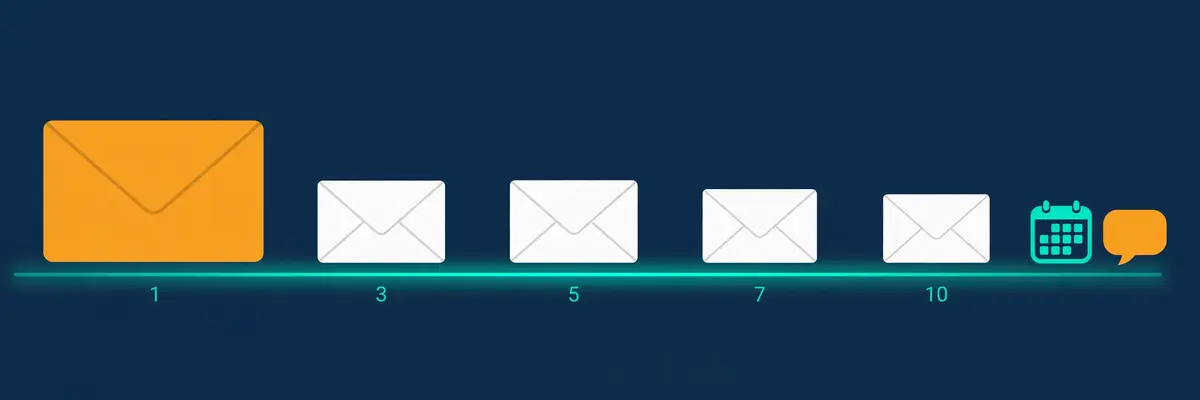
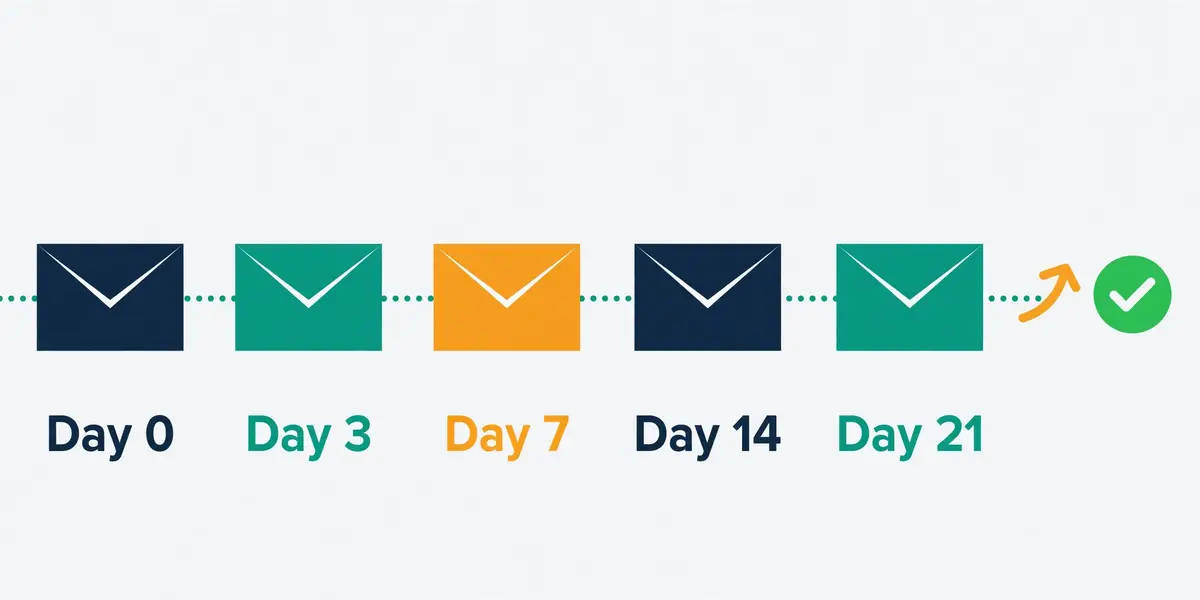
Send the opener on day 0, then follow up on days 3, 7, 14 and 21, keep every email under 120 words, and cap each mailbox at 25 to 30 sends a day. Instantly is the best pick for high-volume email-only sequences from $47 a month, Smartlead is the best pick for agencies from $39 a month, and Lemlist is the best pick for multichannel sequences from $69 a month.
Contents
- What a cold email sequence is, and why it works
- Sequence anatomy: the five jobs every sequence must do
- Timing and spacing: the day-by-day schedule
- Follow-up strategy: what changes each time
- Personalisation at scale: where it pays, and where it is wasted
- Conditional branches and subsequences: replies that steer the sequence
- A/B testing sequences: what to test, and how many sends you need
- Deliverability guardrails inside sequences
- Tool comparison: seven sequencers, priced and verified
- Pros and cons: the honest case for each tool
- Who should pick which: a decision framework
- Frequently asked questions
- The verdict
Why this cold email sequencing guide starts with the second email
Firstly, most cold email advice obsesses over the first email, and that focus is understandable. The opener carries the subject line, the first line, and the whole first impression. Yet the opener is only the start of the conversation. A campaign built around one email is a campaign that gives up after a single try. This cold email sequencing guide therefore starts with the second email, because the follow-ups are where most campaigns are won or lost.
Secondly, the numbers make the case plainly. Instantly’s 2026 benchmark report, built on billions of cold email interactions, puts the average reply rate at 3.43%, and finds that 58% of all replies come from the first email while 42% come from follow-ups. A sender who mails once and stops keeps the 58% and throws away the 42%. A sender who follows up properly keeps both. That is the whole argument for sequencing, in two numbers.
Finally, every price and feature in this cold email sequencing guide was checked on the official sites on 16 November 2026. Where a vendor publishes no price, or where a figure could not be confirmed on the page, the guide says so in plain language. Jump to the tool comparison when the budget is the constraint, and start at the top when the goal is understanding how a good sequence actually works.
What a cold email sequence is, and why it works
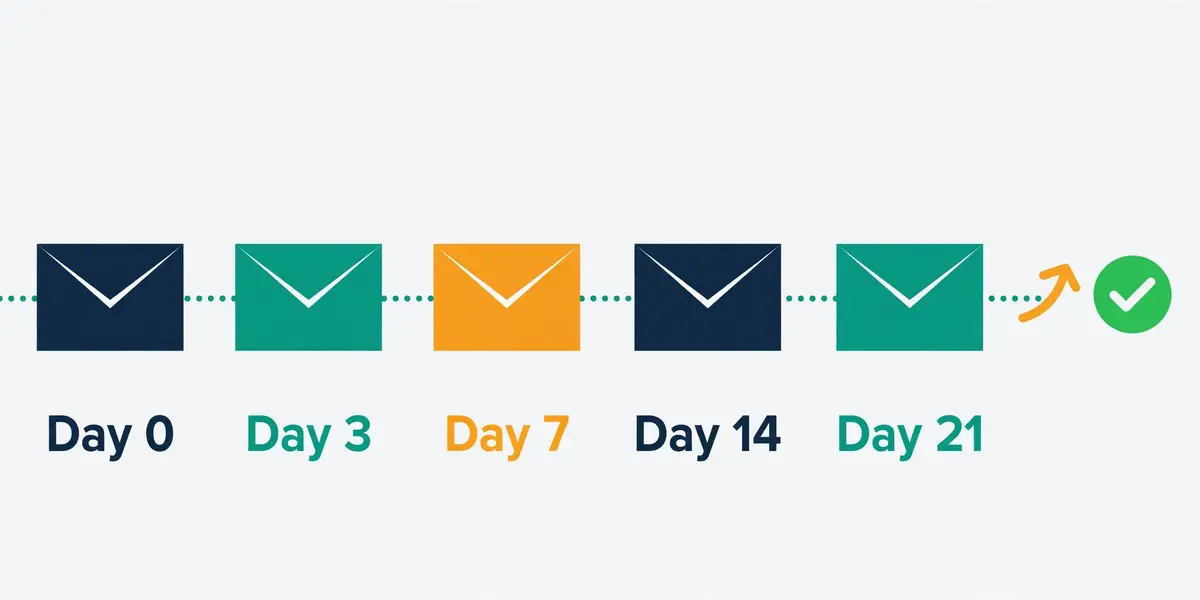
In fact, a cold email sequence is a short series of planned emails sent to the same prospect over a set period, usually starting with an initial cold email followed by several follow-ups if the prospect does not respond. The sequence is written in advance, scheduled in advance, and sent automatically by a sequencing tool, which stops the remaining steps the moment a reply arrives. A sequence is not a drip campaign, which mails on a fixed calendar whatever the prospect does. A sequence listens, and it stops.
Moreover, a sequence works because busy people do not reply to the first email they receive from a stranger. They mean to reply, and then a meeting starts, and then the email sinks below the fold, and then the day ends. A polite follow-up three days later surfaces the same email at the top of the inbox, at a moment when the prospect may have thirty seconds to spare. Nothing about the offer has changed. The timing has. That is why follow-ups earn replies that the opener never would.
Cold email sequencing guide: the three reasons sequences beat single emails
Firstly, sequences beat single emails for three reasons, and each one is easy to see in the data. Reach improves, because four or five touches catch a prospect on a good day rather than betting everything on one day. Trust improves, because a sender who follows up with new value looks persistent rather than desperate, and persistence reads as confidence. Learning improves, because a sequence that tests four different angles tells the sender which angle works, while a single email tells the sender nothing.
Secondly, the scale of the gain is larger than most senders expect. Instantly’s 2026 benchmark finds that sequences of four to seven steps generate roughly three times the replies of sequences of one to three steps. Four to seven steps is the sweet spot, and the gain comes from the follow-ups, not from a better opener. A sender who writes one brilliant email and mails it once is outplayed by a sender who writes five decent emails and mails them in order.
What a sequence is not
For example, a sequence is not a licence to pester. Five emails over three weeks is persistence. Fifteen emails over six weeks is harassment, and it earns spam complaints instead of replies. A sequence is also not a substitute for a good list, because mailing the wrong people five times is five times worse than mailing them once. And a sequence is not automation for its own sake: every step should have a reason to exist, and any step that repeats the last one should be cut.
In sum, a sequence is a plan for a conversation that has not started yet. The opener starts it, the follow-ups keep it alive, and the break-up closes it gracefully. Our Cold Email for Beginners guide covers the foundations this guide builds on, and our Cold Email Follow-Up Sequences 2026 article goes deeper on the follow-up emails themselves.
Sequence anatomy: the five jobs every sequence must do
Secondly, every email in a sequence has one job, and no email should try to do two. Step one opens the loop. Next, the first follow-up surfaces the email again. The second follow-up adds proof. Then the third follow-up changes the angle. Finally, the break-up closes the loop. A sequence where every email repeats the same pitch is not a sequence at all. It is the same email sent five times, and prospects notice.
In fact, the anatomy below is the default structure this cold email sequencing guide recommends, and it fits most B2B campaigns. Shorter sequences work for warm lists, where three emails are enough. Longer sequences work for high-value deals, where a seventh touch can still pay. The five-email shape is the starting point. The testing section later in this guide shows how to adapt it to your own numbers.
Cold email sequencing guide: the opener, days 0
Firstly, the opener has one job: earn a reply, not a meeting. Keep it between 60 and 120 words, lead with a first line that could only have been written for this prospect, name one specific problem they have, and close with a soft question rather than a calendar link. No links, no attachments, no long company history. A prospect who has never heard of you will not read a 300-word introduction. A prospect who would read one does not need it.
Secondly, the subject line belongs to the opener, and it should sound like a subject line a colleague would write. Short, lowercase, specific, and free of sales words. A subject line that mentions their company, their role, or a recent event will beat a clever subject line every time, because relevance beats cleverness in a crowded inbox. Our guide to writing cold emails that get replies covers the opener in full, with examples.
The first follow-up, day 3: the nudge
Moreover, the first follow-up is a nudge, and it should be the shortest email in the sequence. Reply in the same thread, keep it under 75 words, and add one new proof point that was not in the opener. A quick question works well here, because a question is easier to answer than a pitch is to evaluate. The goal is simply to surface the email again, at a moment when the prospect has time to read it.
For example, a good first follow-up reads like a human checking in, not like a system sending step two. Mention the original note by name, add one sentence of new value, and ask whether the timing is wrong rather than whether the offer is wrong. A prospect who replies “not now” has still replied, and a reply is the start of a conversation.
Cold email sequencing guide: the second follow-up, day 7
Finally, the second follow-up adds social proof, and proof means numbers, not adjectives. One specific result for a similar company, in one sentence, with a number in it. A case study link can go here, because the prospect has now seen the sender twice and may be curious enough to click. Keep the email short, lead with the result, and close with the same soft question as before.
In sum, social proof works because it answers the question every prospect asks after the opener: has this worked for someone like me? A claim without a number is a slogan. A number without a name is a rumour. A named company, a real result, and a number together are proof, and proof is what turns a polite reader into a reply.
The third follow-up, day 14: the new angle
Secondly, the third follow-up changes the angle completely. The first three emails argued one case. The prospect did not reply, so arguing it a fourth time will not help. Pick a different pain point, a different benefit, or a different question, and write the email as if the earlier ones never happened. A prospect who ignored a cost argument may reply to a time argument. A prospect who ignored a feature may reply to a risk.
For example, a sequence selling a deliverability tool might open on bounce rates, follow up on inbox placement, add proof on reply rates, and then change angle entirely to the cost of a burned domain. Each angle reaches a different prospect, and the sequence as a whole reaches more people than any single angle could. The testing section shows how to find which angle earns the most replies.
Cold email sequencing guide: the break-up, day 21
Moreover, the break-up email closes the loop, and it should be short, honest, and free of guilt. Tell the prospect plainly that this is the last email, summarise the offer in one sentence, and ask whether the door should stay open or close. Break-up emails often earn the strongest reply rates in a sequence, because they remove pressure instead of adding it.
In fact, the break-up also protects the sender. A sequence that ends cleanly leaves the prospect with a good impression. A good impression means a future campaign can mail the same person again. A sequence that never ends leaves the prospect with a spam complaint, and a spam complaint hurts every future campaign. End every sequence on purpose, and never let one drift.
Timing and spacing: the day-by-day schedule
Secondly, timing is the part of sequencing most senders get wrong, because the instinct is to follow up fast. A follow-up sent the next morning feels eager, and a follow-up sent three days later feels patient. Research quoted across the 2026 follow-up guides finds that waiting three business days before the first follow-up lifts replies by about 31% compared with next-day nudges. Patience pays, and the schedule below is the default this cold email sequencing guide recommends.
In fact, the schedule spreads five emails across 21 days, with the gaps widening as the sequence goes on. Early gaps are short, because the prospect has just seen the opener and the memory is fresh. Later gaps are long, because the prospect has seen the sender three times and needs space to decide. A schedule that mails every two days for three weeks feels automated. A schedule that widens its gaps feels human.
Cold email sequencing guide: the default 21-day schedule
| Step | Day | Job of this email | Length | |
|---|---|---|---|---|
| 1 | Day 0 | Opener | Open the loop, name one problem | 60 to 120 words |
| 2 | Day 3 | Follow-up 1, the nudge | Surface the email again, add one proof point | Under 75 words |
| 3 | Day 7 | Follow-up 2, social proof | One named result, with a number | 60 to 100 words |
| 4 | Day 14 | Follow-up 3, new angle | Change the argument completely | 60 to 100 words |
| 5 | Day 21 | Break-up | Close the loop, ask if the door stays open | Under 60 words |
The schedule above is the default from the 2026 follow-up guides, including the day 0, 3, 7, 14 and 21 cadence, and the 3 to 4 business day gap before the first follow-up. Last checked: 16 November 2026.
Why the gaps widen
Moreover, widening gaps protect both the reply rate and the sender reputation. A prospect who sees the same sender every two days for three weeks will mark the fourth email as spam, even if the first three were welcome. A prospect who hears from the sender on days 0, 3, 7, 14 and 21 sees a rhythm that looks like a person following up, not a system blasting. The gap is the message, and the message is patience.
For example, avoid a strict seven-day interval between every step, because emails that always land on the same weekday start to look automated, and prospects notice the pattern. A three-day gap, then four, then seven, then seven breaks the rhythm enough to feel human. Send Tuesday to Thursday, between 9 and 11 in the morning in the recipient’s timezone, when reply rates run highest, and let the tool handle the timezone sending.
When to shorten, and when to stretch
Finally, shorten the schedule for warm lists and stretch it for cold ones. A prospect who downloaded a resource, visited a pricing page, or replied once before can take a three-email sequence over ten days, because the relationship already exists. A prospect who has never heard of the sender needs the full 21 days, because trust takes time to build. A high-value deal can stretch to 28 days with a sixth touch, while a low-value offer should stop at three emails and move on.
In sum, the schedule is a default, not a law. Test it, watch the reply rate by step, and adjust the gaps that underperform. The testing section later in this cold email sequencing guide shows how to run that test properly, with sample sizes worked out rather than guessed.
Video: This Exact Cold Email Sequence Closed a $6500 Client (Steal This) by Instantly on YouTube. This video is the creator’s property, embedded via YouTube for education. OutreachCompare is not affiliated with Instantly and does not claim ownership of this video.
Secondly, the video above walks through a real sequence that closed a $6,500 client, step by step. It shows the anatomy and timing from this section in action on a live campaign. The lesson to take from it is the same as the lesson of this cold email sequencing guide: every email has a different job, the gaps widen, and the sequence ends cleanly. Watch how the opener hooks, how the follow-ups add value instead of repeating the pitch, and how the break-up closes the loop.
Follow-up strategy: what changes each time
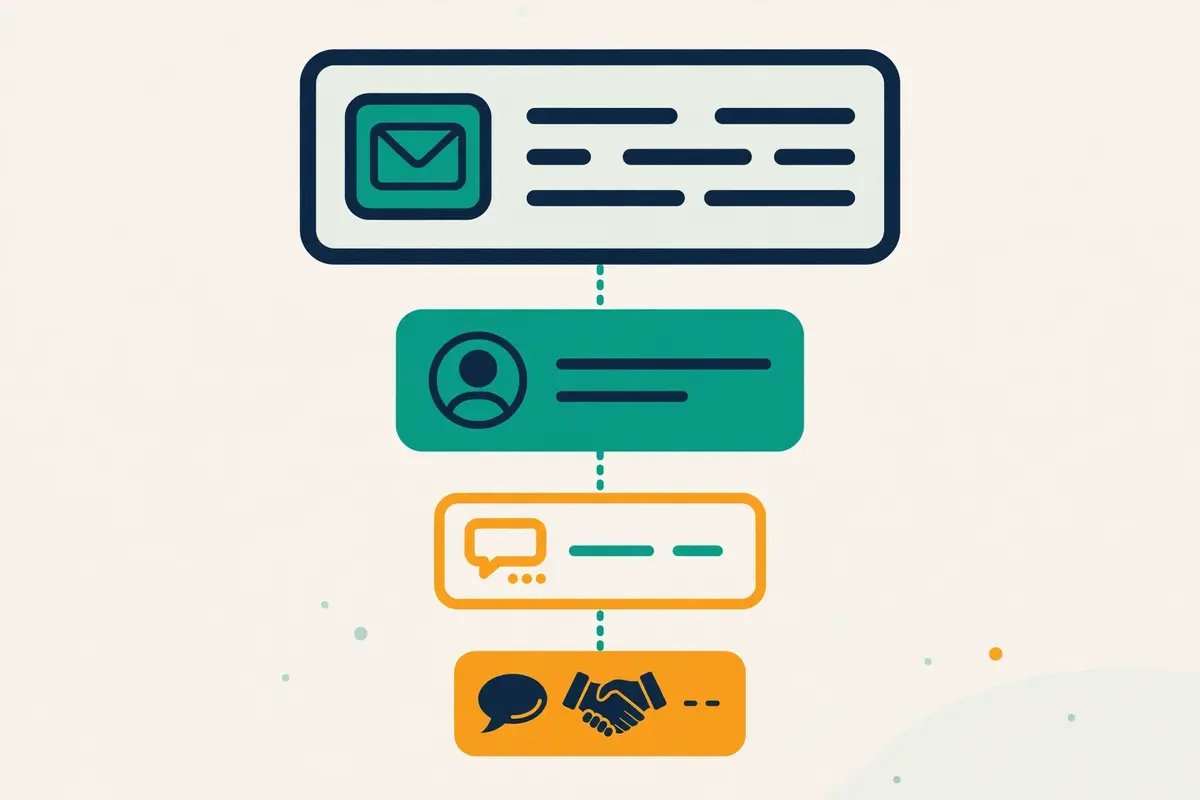
Secondly, the single rule of follow-ups is simple: every follow-up must give the prospect a new reason to reply. A follow-up that repeats the opener is not a follow-up. It is a reminder that the sender has nothing new to say. It teaches the prospect to ignore the next one too. The four follow-ups in the default sequence each change something different: the nudge changes the timing, the proof email changes the evidence, the angle email changes the argument, and the break-up changes the stakes.
In fact, the data behind that rule is strong. Instantly’s 2026 benchmark finds that 42% of all replies arrive after the first email. Sequences of four to seven steps earn roughly three times the replies of one-to-three-step sequences. The follow-ups are not an afterthought. They are where nearly half the replies live, and where the sequence earns its keep.
Cold email sequencing guide: the four follow-up rules
Firstly, reply in the same thread. A follow-up that starts a new thread looks like a new cold email, and the prospect reads it as one. A follow-up in the same thread looks like a conversation, and the prospect can see the earlier emails above it. Most sequencing tools offer a same-thread option, and it should be switched on for every step after the opener.
Secondly, get shorter as the sequence goes on. The opener earns its 60 to 120 words, because it must explain the problem and the offer. Under 75 words is enough for the first follow-up, because it only needs to surface the email. And under 60 words is enough for the break-up, because it only needs to close the loop. A sequence that gets longer with each step is a sequence that has run out of things to say and is filling the space with words.
Cold email sequencing guide: one new thing per email
Moreover, add one new thing per email, and only one. A new proof point, a new case study, a new angle, a new question, or a new resource. One new thing is easy to read and easy to reply to. Three new things in one email is a newsletter, and a newsletter is not a follow-up. The discipline of one new thing per email is what keeps a five-email sequence readable.
For example, change the subject line only when the email starts a new thread, and keep it the same when it does not. A follow-up in the same thread inherits the opener’s subject line, which is exactly right, because the prospect recognises the thread. Changing the subject line while staying in the thread looks confused. A follow-up that starts a new thread with a new subject line looks like a stranger. Match the subject to the thread, and the thread will do the work.
What to do when a prospect replies
Finally, stop the sequence the moment a prospect replies, whatever the reply says. A “yes” needs a human, not another automated email. A “no” needs respect, not another automated email. A “not now” needs a note in the CRM and a new sequence in three months, not another automated email this week. Every sequencing tool in the comparison below stops on reply automatically, and that behaviour should never be switched off.
In sum, reply handling is where sequences earn their reputation. A sender who stops on reply looks professional. A sender who keeps mailing after a reply looks like a robot. The prospect will say so, publicly, in a screenshot. Our Cold Email Follow-Up Sequences 2026 article covers follow-up copy in depth, with templates for each step.
Cold email sequencing guide: when to stop early
Secondly, stop a sequence early when the signals say to. A prospect who opens every email yet never replies is interested but not ready. A LinkedIn visit or a short personal note will do more than a fourth email. No opens after two emails means no interest, and a fifth email will not change that. Any bounce, out-of-office note saying the person has left, or unsubscribe should end the sequence at once. The record should be cleaned rather than mailed again.
For example, a sequence that stops early is not a sequence that failed. It is a sequence that listened. The tools in the comparison below track opens, clicks and replies per step. The sender who reads those numbers will know exactly where each sequence should stop. The deliverability section explains the numbers to watch, and the limits that keep a sequence safe.
Personalisation at scale: where it pays, and where it is wasted
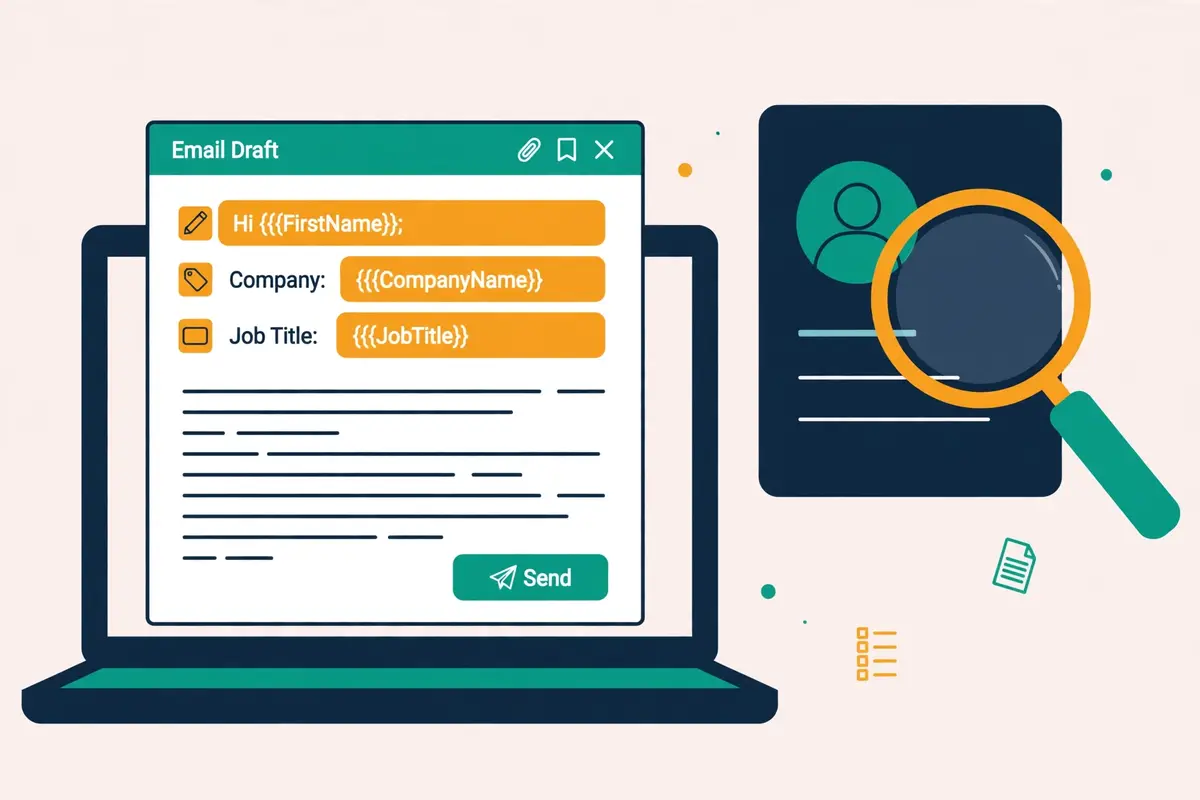
Secondly, personalisation is the difference between an email that feels written for one person and an email that feels written for ten thousand. The first line is where it lives. A first line that names a real event, a real problem, or a real detail about the prospect’s company will be read. A first line that says “I hope you are doing well” will not be read, because it could have been written for anyone, and the prospect knows it.
In fact, the 2026 data puts a number on the gap. Signal-based personalisation, built on a real trigger such as a job change, a funding round, or a hiring spike, achieves reply rates near 18%, against about 3.4% for generic outreach, according to the benchmarks quoted in the 2026 cadence guides. Personalisation is not a garnish. It is the single biggest lever in a sequence, and it is worth more than any subject line trick.
Cold email sequencing guide: the three layers of personalisation
Firstly, personalisation has three layers, and each one costs a different amount of effort. Variables are the cheapest layer: first name, company name, job title, and industry, merged into a template. They cost nothing, and every sequencing tool supports them, yet they are also the weakest layer, because every sender uses them and prospects have learned to spot them.
Secondly, triggers are the middle layer: a job change, a funding round, a new hire, a tech-stack change, or a hiring spike, used as the first line. Triggers cost research, and the research is where the reply rate lives. A trigger that is real and recent will beat a variable every time, because it proves the sender looked. Lemlist, Instantly and Saleshandy all sell intent and trigger data for this layer, and the enrichment section of our B2B Data Enrichment Guide 2026 explains where triggers come from.
Moreover, AI icebreakers are the newest layer: a short, personal opening line generated from a prospect’s LinkedIn profile, website, or recent post. Lemlist’s AI icebreakers, Instantly’s AI sequence generator, and Salesforge’s AI personalisation all do this. The quality depends on the data they are fed. An icebreaker built on a real post is sharp. An icebreaker built on a job title is a variable with better grammar.
Where personalisation is wasted
For example, personalisation is wasted in three places, and knowing them saves hours. It is wasted on the break-up email, which should be short and honest rather than clever. It is wasted on the subject line of a follow-up in the same thread, because the thread already carries the opener’s subject. And it is wasted on a list that was never segmented, because a personal first line on an email to the wrong person is still an email to the wrong person.
Finally, personalisation is also wasted when it is wrong. A first line that names the wrong company, the wrong role, or an event from three years ago is worse than no personalisation at all, because it proves the sender did not look. Spintax helps here: rotating two or three versions of a sentence keeps the copy fresh, and every tool in the comparison supports it. Verify every merge field before sending, and send a test to yourself first.
Cold email sequencing guide: spintax, variables and AI icebreakers
In sum, the practical setup is simple. Use variables for the fields that never change, such as first name and company. Triggers belong on the first line of the opener and the angle email, where the reply rate lives. AI icebreakers should draft the copy, and every one needs editing by hand before sending, because an unedited icebreaker reads like a machine wrote it. Spintax can rotate the wording of the follow-ups, so no two prospects in the same company receive identical emails.
Secondly, keep the personalisation budget honest. A list of one thousand prospects cannot take an hour of research each. A list of fifty cannot take five minutes each. Match the effort to the value: deep research for the fifty accounts that matter most, triggers for the five hundred that matter next, and variables for the rest. The sequence that personalises the right emails, rather than every email, is the sequence that scales.
Conditional branches and subsequences: replies that steer the sequence
Secondly, a conditional branch is a fork in a sequence: if the prospect does something, the sequence takes one path, and if they do something else, it takes another. An opener opened three times but never replied to can trigger a shorter, sharper follow-up. A link clicked can trigger a case-study email. A reply marked positive can trigger a meeting request, while a reply marked neutral can trigger a resource instead. The sequence stops being a straight line and becomes a map.
In fact, branches are the feature that separates a basic sequencer from a serious one. Woodpecker builds its sequences around condition-based steps, with up to 16 steps per campaign, mixing emails with manual, LinkedIn and call tasks. Instantly and Smartlead both offer behaviour-based subsequences, which move a prospect into a different sequence when they open, click, or reply. Lemlist and Reply.io branch across channels, so a prospect who ignores email can receive a LinkedIn visit instead.
Cold email sequencing guide: the branches worth building first
Firstly, build the reply branch first, because it is the only branch every sequence needs. A positive reply should stop the sequence and alert a human at once. When the reply is neutral, move the prospect into a short nurture subsequence, with a resource and a check-in a month later. A negative reply should stop the sequence and mark the record do-not-mail. Remember that a reply is a person talking back, and no automated step should ever follow one.
Secondly, build the engagement branch next. A prospect who opened the opener three times is interested. A short personal email will do more than another automated step. Clicks signal even more warmth, and a case study or a demo offer is the right next step. Someone who opened nothing after two emails is cold. The sequence should shorten rather than lengthen, with the break-up arriving early.
Moreover, build the channel branch only when the tool supports it well. A prospect who ignores three emails may answer a LinkedIn connection request. A prospect who ignores LinkedIn may answer a call. Lemlist, Klenty and Reply.io all run multichannel branches, and La Growth Machine is built around them. The 2026 cadence data favours sequential multichannel, email first and other channels only after interest shows, with about a 30% higher positive reply rate than hitting every channel at once.
Subsequences: the sequence inside the sequence
For example, a subsequence is a short sequence that runs when a branch fires. It is the cleanest way to handle common situations. An out-of-office reply can trigger a subsequence that waits a week and then resumes. A “not now” reply can trigger a subsequence that checks in after ninety days. A bounced email can trigger a subsequence that tries a different address, once, and then stops. Subsequences keep the main sequence clean, because the exceptions live somewhere else.
Finally, do not overbuild branches. A sequence with twenty branches is a sequence nobody can debug. A branch that fires once a month is a branch that should not exist. Build three branches, reply, engagement, and channel, and add a fourth only when the numbers prove it earns replies. The feature matrix later in this cold email sequencing guide shows which tools support branches and subsequences, and which do not.
A/B testing sequences: what to test, and how many sends you need
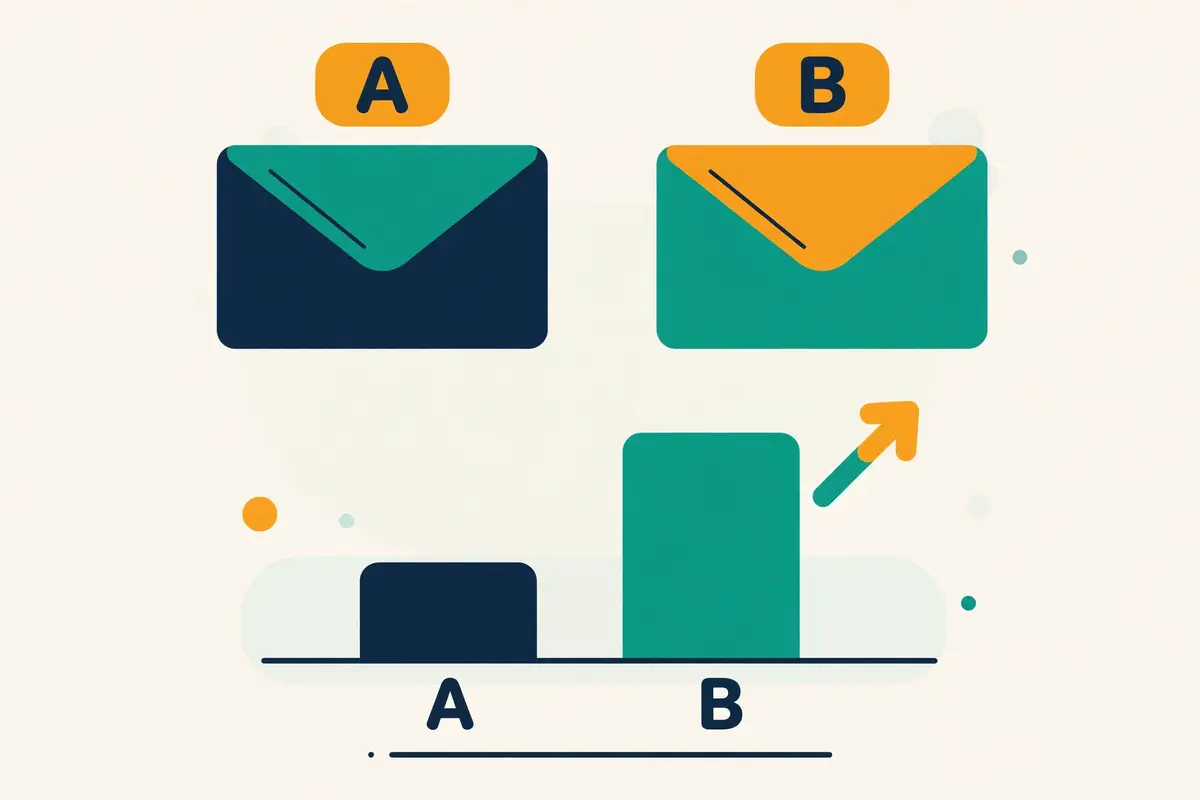
Secondly, A/B testing a sequence means changing one thing, sending both versions to similar prospects, and keeping the version that earns more replies. One thing is the discipline: change the subject line, or the first line, or the call to action, or the timing, and change nothing else. A test that changes three things at once tells the sender nothing, because the winner could have won for any of the three reasons.
In fact, the most common testing mistake is stopping too early. A test with two hundred sends per variant and a 3% reply rate cannot tell a 3% variant from a 4% variant, because the difference is smaller than the noise. The sample sizes below are computed, not guessed, at 80% power and 95% confidence. They show how many sends a real answer needs. Our A/B Testing for Cold Email 2026 guide covers the maths in full.
Cold email sequencing guide: sample sizes, computed not guessed
| Reply rate, variant A | Reply rate, variant B | Sends needed per variant | What this means |
|---|---|---|---|
| 1% | 2% | About 2,300 | Doubling a low rate still needs thousands of sends |
| 2% | 3% | About 3,800 | A one-point gain at a low base is the hardest to prove |
| 3% | 4.5% | About 2,500 | A 50% lift on the average 3.4% reply rate |
| 5% | 10% | About 430 | Big lifts on strong baselines prove fast |
Sample sizes computed at 80% power and 95% confidence. At 200 sends per variant with a 3% baseline, only a jump to about 7.8% is detectable, so most small tests prove nothing. Last checked: 16 November 2026.
What to test first
Moreover, test in order of impact, and start with the subject line. The subject line decides whether the email is opened. An unopened email cannot reply, so a subject-line test moves the whole funnel. Test two subject lines that argue different things, one specific and one curious, and run the test until the sample size above is reached. A subject line that wins by a point on two thousand sends is a real win.
For example, test the first line next, because the first line decides whether the opened email is read. Test a trigger-based first line against a variable-based one. The trigger will usually win, because it proves the sender looked. Then test the call to action: a soft question against a meeting request, or a resource offer against a direct ask. Test the timing last, because a timing test needs the same care as a copy test, and it is the easiest to misread.
Cold email sequencing guide: what not to test
Finally, do not test the whole sequence at once. A test that changes the opener, the follow-ups, and the timing together is not a test. It is two different campaigns, and the winner teaches nothing about which change mattered. Test one step at a time, keep the winner, and move to the next step. A sequence improves one test at a time. A sequence that improves every week will out-reply a sequence that was never tested at all.
In sum, record every test, even the ones that lose. A test that loses teaches the sender what not to send. A record of lost tests stops the team from re-running them. Note the date, the change, the sample size, and the reply rate per variant, in the same place every time. The sender who keeps that record will know, after three months, exactly which subject lines, first lines and calls to action their market answers.
Video: 15 Mins to Become an Expert at Cold Emailing by Prospeo on YouTube. This video is the creator’s property, embedded via YouTube for education. OutreachCompare is not affiliated with Prospeo and does not claim ownership of this video.
Secondly, the video above compresses the craft of cold emailing into fifteen minutes, from the first line to the follow-up. It is a useful companion to this section. Watch it once before writing a sequence, and once after the first test results arrive, because the advice lands differently when the sender has real numbers to compare it against.
Deliverability guardrails inside sequences
Secondly, deliverability is the guardrail that keeps a sequence in the inbox, and it matters more than any copy trick. A sequence that lands in spam earns no replies, whatever its subject lines say. The guardrails below are the numbers this cold email sequencing guide recommends. They come from the 2026 benchmark data and the deliverability guides that track it. Break them, and the sequence will pay for it in spam complaints.
In fact, the first guardrail is volume. Send 25 to 30 emails per mailbox per day, and never more than 40, even on a warmed mailbox. A new mailbox should start far lower, at five to ten a day, and ramp up over two to four weeks of warmup. Volume is the fastest way to burn a domain. A burned domain hurts every campaign that follows, not just the one that burned it.
Cold email sequencing guide: the numbers to watch every day
| Metric | Healthy | Warning | Stop and fix |
|---|---|---|---|
| Bounce rate | Under 2% | 2% to 5% | Above 5%: pause, clean the list |
| Spam complaint rate | Aim under 0.1% | 0.1% to 0.3% | Never 0.3% or above |
| Reply rate | Above 5% is strong | 1% to 3% is normal | Under 1%: targeting is wrong |
| Positive reply rate | 1% to 3% | Under 1% | Near 0%: the offer or angle is wrong |
| Open rate | About 21% average | Under 15% | Unreliable since Apple MPP: judge on replies |
Benchmarks from Instantly’s 2026 benchmark report, which puts the average reply rate at 3.43%, and the 2026 deliverability guides. Open rates are unreliable since Apple Mail Privacy Protection inflates them. Last checked: 16 November 2026.
Warmup, rotation and the sending domain
Moreover, warmup is the step that makes volume safe. A new domain needs two to four weeks of warmup before it carries a real campaign, with sending volume rising gradually and engagement building day by day. Inbox rotation spreads the sending across several mailboxes, so no single mailbox carries the whole load. A separate sending domain keeps the main domain safe, so a problem with a campaign never touches the company’s real email.
For example, every tool in the comparison below offers warmup and inbox rotation in some form, yet the details differ. Instantly includes unlimited warmup across a 4.2M+ account pool on every plan. Smartlead includes unlimited AI warmup with spam rescues, with its premium Warmup Pool as a $59 a month add-on on Base and Pro, free only from Unlimited Smart. Woodpecker includes warmup slots that rise with the plan, from 2 on entry. Lemlist’s lemwarm, Saleshandy’s warmup, Reply.io’s deliverability tools and Klenty’s rotation all cover the same ground. Our guide to warming up a new email domain covers the schedule in full.
Cold email sequencing guide: verification before the first send
Finally, verify every email before the first send, because bounces are the fastest route to spam. A list that bounces above 2% tells the receiving servers that the sender does not know their own list. The servers respond by filtering the rest. Enrich first, verify second, and send third, in that order, every time. Our Email Verification Guide 2026 explains the checks, and our Deliverability Guide 2026 covers the whole system these numbers belong to.
In sum, deliverability is a system, not a setting. A verified list, a warmed domain, a separate sending domain, inbox rotation, a patient daily volume, and a sequence that stops on reply will keep a sender in the inbox for years. Skip one piece, and the system leaks. Skip two, and the sequence lands in spam. The guardrails above are the checklist to run before every campaign.
Tool comparison: seven sequencers, priced and verified
Secondly, seven tools cover the sequencing market for most senders, and they differ more in pricing model than in features. Instantly and Smartlead price by sending volume, with unlimited mailboxes. Lemlist, Reply.io and Klenty price per user, with multichannel steps. Woodpecker prices by contacted prospects, with agency controls. Saleshandy prices by credits, with a low entry point. The table below shows the entry price of each, checked on 16 November 2026, with the catches flagged beside each one.
In fact, no tool in this cold email sequencing guide has been tested hands-on yet, so the comparison below rests on the features and prices published on the official sites, and on Matthew’s verified tool profiles where they add detail. A price that could not be confirmed on the official page is marked “check the site” rather than guessed. A figure that changed since an earlier article is flagged in plain language.
Cold email sequencing guide: the seven tools, priced
| Tool | Entry plan | Next plan up | Free trial | Best for |
|---|---|---|---|---|
| Instantly | Growth $47/mo; $37.60 annual 5,000 emails, 1,000 contacts | Hypergrowth $107/mo; $85.58 annual 125,000 emails, 25,000 contacts | No trial shown On the pricing page | High-volume email-only sequences |
| Smartlead | Base $39/mo; $32.50 annual | Pro $94/mo; $78.30 annual | Check the site | Agencies, deliverability-first sending |
| Lemlist | Email $69/mo; $55 annual Flat workspace price | Multichannel $109/mo; $87 annual Per user | 14-day trial Plus 200 free credits | Multichannel sequences, LinkedIn-first |
| Woodpecker | $35/mo monthly; $23.33 annual 500 prospects, 8,000 emails, 2 warm-ups | $67/mo 2,000 prospects, 32,000 emails | 14-day trial No card required | Agencies, condition-based sequences |
Cold email sequencing guide: the other three tools, priced
| Tool | Entry plan | Next plan up | Free trial | Best for |
|---|---|---|---|---|
| Saleshandy | Starter $34/mo annual; $41 monthly | Pro $76/mo annual; $99 monthly | 7-day trial No card required | Low-cost start, verified data included |
| Reply.io | Email Volume from $59/mo | Multichannel from $99/user/mo | 14-day trial | Multichannel plus an AI SDR |
| Klenty | Starter $50/mo annual Email-only | Growth $70/user/mo | 14-day trial No card required | Sales teams, calling plus email |
Instantly Hypergrowth rose from $97 to $107 a month, and the pricing page shows both 100,000 and 125,000 emails for the plan, so confirm the limit on the site. Smartlead Unlimited Smart is $174 a month ($144.50 annual) and Unlimited Prime is $379 ($314.60); SmartDelivery is $49, $174 and $599 a month, and SmartServers is $39 per server a month.
Woodpecker also lists $99 (4,000 prospects), $159 (8,000), $188 (10,000) and $262 (15,000) a month; its Multichannel and LinkedIn prices are not stated on the page, so check the site. Reply.io annual figures of $49 and $89, Jason at $800 a month, and Agency at $166 were visible on 15 November but not in the 16 November fetched page, so confirm them on the site. Last checked: 16 November 2026. Features and pricing can change, so please check the provider’s site before you buy. We do not guess at features, prices or trials.
What the entry price really buys
Moreover, the entry price buys a different shape of tool at each provider. Instantly’s Growth buys unlimited mailboxes, unlimited warmup, inbox rotation, custom tracking domains, and an AI sequence generator, with 5,000 emails and 1,000 uploaded contacts a month. Smartlead’s Base buys unlimited mailboxes, inbox rotation, dynamic ESP matching, bounce auto-protection, and a master inbox, with warmup through its premium pool as a $59 a month add-on. Lemlist’s Email plan buys a flat workspace price, a 650M+ database, lemwarm, spintax, AI icebreakers, and A/B testing, with enrichment at $20 a month and intent at $29.
For example, Woodpecker’s entry plan buys condition-based sequences with up to 16 steps, automated warmup, inbox rotation, bounce shield, AI copywriting, spintax, and a built-in database of 1B+ contacts with free verification through Bouncer. Saleshandy’s Starter buys sending, warmup, an 852M+ contact database, and an 8-provider waterfall with verification inside the credit. Reply.io’s Email Volume buys sequences, a dialer, and Jason, its AI SDR, from $500 a month as a separate tier. Klenty’s Starter buys email-only sequences for 15,000 contacts and 75,000 emails, with calling from Growth at $70 a user a month.
Cold email sequencing guide: the feature matrix at a glance
| Tool | Unlimited mailboxes | Behaviour subsequences | Multichannel steps | Built-in warmup | A/B testing |
|---|---|---|---|---|---|
| Instantly | Yes | Yes | — | Yes, unlimited | Yes |
| Smartlead | Yes | Yes | — | Yes, unlimited AI warmup | Yes |
| Lemlist | — | Yes | Yes, email, LinkedIn, calls | Yes, lemwarm | Yes |
| Woodpecker | — | Yes, condition-based | Yes, via LinkedIn tasks | Yes, slots by plan | Yes |
| Saleshandy | — | Yes | — | Yes | Yes |
| Reply.io | — | Yes | Yes, email, LinkedIn, calls, SMS | Yes | Yes |
| Klenty | — | Yes | Yes, email, LinkedIn, calls | — | Yes |
“Yes” means the feature is stated on the provider’s site or in Matthew’s verified tool profiles; “—” means not confirmed. Instantly and Smartlead price by volume with unlimited mailboxes, while Lemlist, Reply.io and Klenty price per user. Last checked: 16 November 2026. Features and pricing can change, so please check the provider’s site before you buy. We do not guess at features, prices or trials.
The pricing traps to watch
Secondly, three pricing traps catch buyers, and all three are visible in the table above. The first is the per-user trap: Lemlist Multichannel at $109 a user a month, Reply.io Multichannel at $99 a user a month, and Klenty Growth at $70 a user a month all multiply with every seat. Instantly and Smartlead charge one flat price however many mailboxes are connected. A team of five pays five times the headline at a per-user tool, and once at a volume tool.
Moreover, the second trap is the add-on trap. Lemlist enrichment costs $20 a month and intent costs $29, Smartlead’s premium Warmup Pool costs $59 a month on Base and Pro, Reply.io charges $69 for LinkedIn and $29 for calls and SMS. Klenty charges $45 a user a month for its Parallel Dialer and $50 a seat a month for Dynamic Presence. The headline price is rarely the bill. Add the add-ons before comparing.
For example, the third trap is the allowance trap. Instantly Growth allows 5,000 emails and 1,000 uploaded contacts a month. The uploaded-contact cap is a lifetime limit, not a monthly allowance that resets. Woodpecker charges by contacted prospects, from 500 on entry, so a sender who mails the same prospect five times pays for one prospect, not five. Saleshandy charges by credits, with 1 credit per verified email and nothing for unverified results. Read the allowance, not just the price.
Pros and cons: the honest case for each tool
Secondly, every tool in this cold email sequencing guide has a genuine strength and a genuine weakness. The honest case for each one is worth stating. A guide that lists only strengths is a sales page. A guide that lists only weaknesses is a hit piece. The version below gives each tool its due, in plain language, so the reader can weigh the trade-off rather than taking a recommendation on trust.
Cold email sequencing guide: Instantly, the volume pick
Firstly, Instantly is the best tool for high-volume email-only sequences, and its strength is scale at a flat price. Unlimited mailboxes, unlimited warmup across a 4.2M+ account pool, inbox rotation, custom tracking domains, behaviour subsequences, an AI sequence generator, and Unibox for replies, from $47 a month. Its weakness is the stack: lead data, credits and the CRM are separate subscriptions, no trial is shown on the pricing page. The Hypergrowth email limit is stated as both 100,000 and 125,000 on the same page. A sender who mails in volume and wants one flat bill should buy it. A sender who needs LinkedIn steps should look at Lemlist.
Smartlead, the agency pick
Secondly, Smartlead is the best tool for agencies, and its strength is deliverability infrastructure. Unlimited mailboxes, inbox rotation, dynamic ESP matching, bounce auto-protection, unlimited AI warmup with spam rescues, conditional subsequences, a master inbox, and white-label client portals, from $39 a month. Its weakness is the warmup pool: the premium Warmup Pool costs $59 a month extra on Base and Pro, and is free only from Unlimited Smart at $174 a month. A sender who runs client campaigns and needs every mailbox protected should buy it. A solo sender who mails a small list should start cheaper.
Cold email sequencing guide: Lemlist, the multichannel pick
Moreover, Lemlist is the best tool for multichannel sequences, and its strength is that email, LinkedIn, calls, WhatsApp and SMS live in one sequence. A 650M+ database, AI icebreakers, personalised images and video, spintax, lemwarm, and a 14-day trial with 200 free credits, from $69 a month for email. Its weakness is price per user: Multichannel costs $109 a user a month, and enrichment and intent are paid add-ons at $20 and $29 a month. A sender whose prospects live on LinkedIn should buy it. A sender who mails email only should buy Instantly.
Woodpecker, the agency sequencer
For example, Woodpecker is the best tool for agencies that need control, and its strength is condition-based sequencing. Up to 16 steps per campaign, mixing emails with manual, LinkedIn and call tasks, automated warmup, inbox rotation, bounce shield, AI copywriting, spintax, a 1B+ contact database, and free verification through Bouncer, from $35 a month. Its weakness is the slider: prices are set by contacted prospects. The Multichannel and LinkedIn prices are not stated on the page, so the buyer must check the site. A sender who builds branches and runs client campaigns should buy it. A sender who wants the cheapest flat price should look at Saleshandy.
Cold email sequencing guide: Saleshandy, the value pick
Finally, Saleshandy is the best value sequencer, and its strength is fairness at a low price. Sending, warmup, an 852M+ contact database, an 8-provider waterfall with verification inside the credit, 1 credit per verified email and nothing for unverified results, from $34 a month, with a 7-day trial and no card required. Its weakness is scope: no free plan is shown, its multichannel steps are thinner than Lemlist’s or Reply.io’s. It is a smaller vendor with a narrower brand footprint. A sender who wants the lowest paid entry price should buy it. A sender who wants a free plan should look elsewhere.
Reply.io, the AI SDR pick
In sum, Reply.io is the best tool for teams that want an AI SDR, and its strength is breadth. Email Volume from $59 a month, Multichannel from $99 a user a month, LinkedIn, calls and SMS in one sequence, and Jason, its AI SDR, from $500 a month. Its weakness is transparency: the annual figures of $49 and $89, Jason at $800 a month, and Agency at $166 were visible on 15 November but not in the 16 November fetched page, so the buyer must confirm them on the site. A team that wants AI to handle replies should buy it. A team that wants a simple flat price should buy Instantly.
Cold email sequencing guide: Klenty, the sales-team pick
Secondly, Klenty is the best tool for sales teams that call as well as email, and its strength is the dialer. Email, LinkedIn and calling in one sequence, a parallel dialer, coaching, and CRM sync, from $50 a month for email-only Starter, with a 14-day trial and no card required. Its weakness is the per-user maths: Growth costs $70 a user a month, Plus costs $99, the Parallel Dialer adds $45 a user a month. Dynamic Presence adds $50 a seat a month, so a team of five pays far more than the headline. A sales team that lives on the phone should buy it. A solo sender should start with Saleshandy or Instantly.
Who should pick which: a decision framework
The choice is simpler than the comparison suggests, because most senders fall into one of four groups, and each group has an obvious pick. Name the group that describes the sender, and the shortlist shrinks from seven tools to one or two. Leave the question unanswered, and the shortlist stays seven wide, which helps nobody. The framework below covers the volume sender, the agency, the multichannel sender, and the beginner.
Pick Instantly when you send in volume, by email only
Firstly, pick Instantly when the volume is high and the channel is email. Its Growth plan costs $47 a month, or $37.60 on annual billing, and buys unlimited mailboxes, unlimited warmup, inbox rotation, and 5,000 emails a month. A solo founder mailing thousands of prospects, a startup running its first big campaign, or a team that needs one flat bill should all start here. The only reason to look elsewhere is a need for LinkedIn steps, or for an AI SDR.
Pick Smartlead when you run client campaigns
Secondly, pick Smartlead when the campaigns belong to clients. Its Base plan costs $39 a month, or $32.50 on annual billing, and buys unlimited mailboxes, dynamic ESP matching, bounce auto-protection, and a master inbox, with white-label portals from the higher plans. An agency running ten client domains, a team that needs every mailbox protected, or a sender whose deliverability has burned before should all pick Smartlead. The only reason to look elsewhere is the $59 a month Warmup Pool add-on on the lower plans.
Pick Lemlist or Reply.io when the sequence leaves email
Moreover, pick Lemlist when the prospects live on LinkedIn, because its Multichannel plan at $109 a user a month runs email, LinkedIn, calls, WhatsApp and SMS in one sequence, with AI icebreakers and a 650M+ database. Pick Reply.io when the team wants an AI SDR as well, because Jason at $500 a month handles replies that Lemlist leaves to a human. A sender whose sequence is email only should not pick either, because a per-user multichannel price is wasted on an email-only campaign.
Pick Woodpecker, Saleshandy or Klenty when the shape is specific
For example, pick Woodpecker when the sequence needs branches, because its condition-based steps with up to 16 per campaign are the most flexible here, from $35 a month. Pick Saleshandy when the budget is tightest, because $34 a month is the lowest paid entry price in this cold email sequencing guide, with verified data included. Pick Klenty when the team calls as well as emails, because its dialer and coaching are built for sales teams, from $50 a month for email-only Starter.
In sum, the framework is a ladder, not a leap. Start with the cheapest tool that fits the pattern, run the first sequence, and watch the bounce rate and the reply rate. If bounces stay below 2% and replies stay above 3.4%, the tool is doing its job, and the sender should stay with it. If the volume grows, or the channels change, the sender can switch, because a sequencing subscription is not a marriage. Picking by pattern keeps the bill low, keeps the inbox safe, and saves the team from switching tools every quarter.
Frequently asked questions
Cold email sequencing guide: how many emails should a sequence have?
A cold email sequence should have four to five emails in total, sent over 21 days: an opener on day 0, follow-ups on days 3, 7 and 14, and a break-up on day 21. Instantly’s 2026 benchmark finds that sequences of four to seven steps earn roughly three times the replies of one-to-three-step sequences, while more than eight emails risks spam complaints.
Cold email sequencing guide: how long should I wait between follow-ups?
Wait three business days before the first follow-up, then widen the gaps: day 3, day 7, day 14 and day 21. Waiting three business days lifts replies by about 31% compared with next-day nudges, according to the 2026 follow-up guides, and widening gaps keep the sequence feeling human rather than automated.
Cold email sequencing guide: how many cold emails can I send per day?
Send 25 to 30 emails per mailbox per day, and never more than 40, even on a warmed mailbox. A new mailbox should start at five to ten a day and ramp up over two to four weeks of warmup. Spread the sending across several mailboxes with inbox rotation, and use a separate sending domain to protect the main domain.
Cold email sequencing guide: what is a good reply rate for a sequence?
A good reply rate for a cold email sequence is above 5%, while the average is about 3.4% according to Instantly’s 2026 benchmark report, with a positive reply rate of 1% to 3%. A reply rate below 1% means the targeting is wrong, whatever the bounce rate says. A bounce rate above 2% means the list needs cleaning.
Cold email sequencing guide: should follow-ups be in the same thread?
Yes, follow-ups should reply in the same thread as the opener, so the prospect sees one conversation rather than five separate cold emails. Most sequencing tools offer a same-thread option, and it should be switched on for every step after the opener. Change the subject line only when the email starts a new thread.
Cold email sequencing guide: which tool is best for cold email sequences?
Instantly is the best tool for high-volume email-only sequences from $47 a month, Smartlead is the best tool for agencies from $39 a month. Lemlist is the best tool for multichannel sequences from $69 a month. Woodpecker suits agencies that need branches from $35 a month, Saleshandy suits the tightest budgets from $34 a month. Klenty suits sales teams that call as well as email from $50 a month.
The verdict
Secondly, the verdict in this cold email sequencing guide is a set of best-for labels, not a numeric score, because no hands-on testing has been done yet. A score without testing would be a guess. The labels below come from the features and prices checked on the official sites on 16 November 2026, and from the way each tool fits a volume sender, an agency, a multichannel sender, and a beginner.
For example, Instantly is the best pick for high-volume email-only sequences, from $47 a month, with unlimited mailboxes and unlimited warmup. Smartlead is the best pick for agencies, from $39 a month, with dynamic ESP matching and bounce auto-protection. Lemlist is the best pick for multichannel sequences, from $69 a month, with LinkedIn, calls and AI icebreakers in one sequence.
Cold email sequencing guide: the rest of the verdict
Moreover, Woodpecker is the best pick for agencies that need condition-based branches, from $35 a month, with up to 16 steps per campaign. Saleshandy is the best value pick, from $34 a month, with verified data included and nothing charged for unverified results. Reply.io is the best pick for teams that want an AI SDR, with Jason from $500 a month. Klenty is the best pick for sales teams that call as well as email, from $50 a month.
Finally, a sequence is the cheapest leverage in cold email. The senders who build one properly are the senders who keep hearing back year after year. Start with five emails over 21 days, keep every email under 120 words, personalise the first line with a real trigger, test one thing at a time, and stop the moment a prospect replies. An honest sequence, a verified list, a warmed domain, and a patient daily volume will take a sender further than any single tool ever will.
Our verdict on this cold email sequencing guide
For high-volume email-only sequences, choose Instantly, from $47 a month, with unlimited mailboxes and unlimited warmup. Smartlead is the best pick for agencies, from $39 a month, with dynamic ESP matching and bounce auto-protection. Lemlist is the best pick for multichannel sequences, from $69 a month, with LinkedIn, calls and AI icebreakers. Woodpecker suits agencies that need branches, from $35 a month, and Saleshandy is the best value, from $34 a month. No number is attached to these labels, because the tools have not been tested hands-on yet.
Start here: build the five-email, 21-day sequence, send 25 to 30 emails per mailbox a day, and test one thing at a time until the reply rate climbs past 5%.
Keep reading
- Cold Email Follow-Up Sequences 2026 — the follow-up emails themselves, in depth
- How to Write Cold Emails That Get Replies 2026 — the opener, the first line, and the soft call to action
- A/B Testing for Cold Email 2026 — the sample-size maths behind every test in this guide
- Cold Email for Beginners — the foundations this guide builds on
- Best Cold Email Software 2026 — the seven sequencers ranked side by side
- Instantly vs Lemlist 2026 — volume sending against multichannel, head to head
- Lemlist vs Smartlead 2026 — multichannel against agency deliverability
- Woodpecker vs Smartlead 2026 — branches and agency controls, compared
- Email Verification Guide 2026 — verify every address before the first send
- Deliverability Guide 2026 — the whole system the guardrails belong to