
Best for phone-first SDR teams: Klenty
Run multichannel cadences, dial five prospects at once, and coach every call from one platform. Prices start at $50 a month billed annually, with a 14-day free trial. This Klenty review covers its pricing, its parallel dialer, its AI call coaching, and how it compares with Reply.io, Instantly and Saleshandy.
Visit Klenty → Jump to the comparison tableIf your sales team lives on the phone, this Klenty review is for you. Klenty is a sales engagement platform built for SDR teams that make calls all day. It puts the dialler, the cadence and the coaching in one place. Most cold email tools treat calling as an afterthought, if they offer it at all. Klenty does the opposite. It starts with the call. Then it builds email, LinkedIn, SMS and WhatsApp steps around it, so your reps spend their day talking to prospects instead of clicking between tools.
Above all, cold email and cold calling work best when the workflow is simple. A clear list, a sensible sequence and a healthy sending domain will beat a complicated stack every time. Add a rep who actually picks up the phone, and the result is even better. Klenty is built around that idea. In practice, it combines multichannel cadences with a parallel dialler, number rotation and AI call coaching. As a result, a small SDR team can run a structured outbound motion without buying an enterprise platform. This Klenty review walks through what it does well, where it falls short, what it costs in 2026, and who should choose it over its closest rivals.
Klenty review: new to cold email? Start here
First of all, if you are new to cold email, you are in the right place. Cold email is normal, widely used business practice. Every good sender started exactly where you are now: with a list to build and a first message to send. Klenty keeps the outreach part straightforward. You build a cadence and add your prospects. Then the platform walks your reps through each step, whether that step is an email, a call or a LinkedIn task. There is no need to buy three tools before you book your first meeting. In this Klenty review, we will show you exactly how it works, what it costs, and when a different tool would serve you better.
Quick Answer
Klenty is a sales engagement platform for phone-first SDR teams. This Klenty review finds it is best for small and mid-sized sales teams that make a lot of outbound calls and want email, calling and coaching in one account. You get multichannel cadences across email, calls, LinkedIn, SMS and WhatsApp. You also get a parallel and power dialler, connect-rate infrastructure with local number rotation, AI call coaching and two-way CRM sync. Pricing starts at $50 a month billed annually for the email-only Starter plan. Growth costs $70 a user a month, Plus costs $99, and every plan starts with a 14-day free trial. If you only send email, or you need unlimited mailboxes for high-volume cold email, Instantly or Saleshandy will fit you better. But if your reps live on the phone and you want every call coached and every follow-up automated, Klenty is a genuinely strong choice.
What’s in this Klenty review
- What is Klenty?
- Who Klenty is best for — and who should skip it
- Klenty pricing in 2026
- Key features, verified on Klenty’s official site
- Klenty vs Reply.io vs Instantly vs Saleshandy
- Klenty pros and cons
- How to get started with Klenty
- Our verdict
- Klenty review FAQ
What is Klenty?
Klenty is a sales engagement platform that helps SDR teams generate pipeline and close more deals. It does that with multichannel sequencing, a built-in sales dialler, prospect data, AI call coaching and deep CRM integrations. That one sentence is the heart of this Klenty review. The platform is used by more than 5,000 sales teams, and it holds a 4.6 out of 5 rating on G2 from more than 300 reviews. Its pitch is simple: top-performing SDRs have three times more conversations than everyone else, and Klenty is built to give every rep that edge.
What makes Klenty different is where it starts. Many outreach platforms start with email and bolt a dialler on later. Klenty starts with the phone. Its homepage describes it as the sales engagement platform built for phone-first SDR teams, and the product follows that idea all the way through. The parallel dialler lets a rep call up to five prospects at once. The connect-rate infrastructure manages local numbers, rotation and reputation, so more of those dials actually connect. Then AI takes over the busywork: it skips voicemails and phone trees, takes notes, and schedules the next step after every call. For a team that measures its day in conversations rather than emails sent, that focus matters a lot.
Klenty review: one platform for calls, email and coaching
Around the dialler, Klenty builds the rest of the outbound loop. Multichannel cadences unite email, calls, LinkedIn, SMS and WhatsApp in a single workflow. As a result, a prospect hears from you on the channel they actually use. AI call coaching scores every cold call against your talk track. During live calls, it pops up battlecards with objection-handling tips. Each SDR also gets a personal coaching dashboard. Account-based selling tools help mature teams work target accounts as a team, with account stages, prioritisation and coverage tracking. And because everything syncs back to your CRM automatically, managers get clean reporting without chasing reps to log their activity.
In short, Klenty is a sales engagement platform that treats the phone call as the main event and everything else as support. It will not replace a dedicated high-volume email sender, and it does not pretend to. What it does is take the most time-consuming part of outbound and make it faster. Dialling, logging and following up, call after call, become more structured and easier to coach. If your outbound starts with “who do we call today?”, Klenty is built for you.

Who Klenty is best for — and who should skip it
Klenty is best for SDR teams that make a lot of outbound calls. It suits teams that want their dialler, their sequences and their coaching in one account. If you run a team of five to fifty reps, each making dozens of calls a day, Klenty will save real hours every week. Its parallel dialler and connect-rate infrastructure do the heavy lifting. If your managers coach by listening to calls, the AI scorecards and live battlecards give them something concrete to coach on. And if your reps juggle email, LinkedIn and SMS alongside calling, the multichannel cadences keep all of it in one queue instead of five tabs.
Klenty for teams that already run outbound
Klenty is also a strong choice for teams that have outgrown a simple mail-merge sender and cannot justify an enterprise platform. The usual story is familiar: your reps started with a basic email tool, then added a dialler, then a spreadsheet for call notes, then a separate coaching tool. Klenty replaces that pile with one login. Its two-way CRM sync covers Salesforce, HubSpot, Pipedrive, Zoho CRM and Microsoft Dynamics. Activity, notes and deal stages flow back to the CRM without manual entry. That is exactly what a growing team needs when the founder stops being the person who remembers every deal. For a team like that, Klenty’s published per-user pricing is a welcome change too, because you can build a budget before you ever talk to sales.
Who should skip Klenty?
Now, who should skip Klenty? If you only send cold email and never pick up the phone, Klenty is more tool than you need, and a dedicated sender will cost you less. Instantly starts at $47 a month for unlimited mailboxes and warmup, and Saleshandy starts at $34 a month on annual billing with a 852 million-plus contact database. Both are cheaper starting points for email-only outreach. Similarly, if you are a solo founder sending a few hundred emails a month, Klenty’s per-user pricing and calling features will feel heavy. A simpler tool such as Woodpecker or Hunter will fit that job better.
On the other side, if you need enterprise governance, deal inspection and forecasting in the same platform, Klenty is not that tool. Outreach and Salesloft are built for that world, with the price tag to match. And if your prospecting starts with finding email addresses rather than calling people, a finder-first platform such as Apollo, with its 240 million-plus contact database, will serve you better. The honest summary is this: Klenty is best when the phone is the centre of your outbound day. When email volume or list building is the hard part, choose the tool built for that job instead.
Klenty review: pricing in 2026
Klenty’s pricing is refreshingly transparent, and that is part of its appeal. In addition, every figure below comes from one public page, so you can check it yourself in a minute. This Klenty review checked every figure below on Klenty’s official pricing page on 15 November 2026. There are three Sales Engagement plans, plus two calling add-ons. Starter costs $50 a month billed annually, and it is the email-only plan. Growth costs $70 a user a month billed annually, and it adds calling, CRM sync and multichannel outreach. Plus costs $99 a user a month billed annually, and it adds account-based selling, AI call coaching and more data credits. Quarterly billing is available too, and paying annually saves up to 20% against the quarterly price.
Paying attention to the plan boundaries will save you money. Starter is priced per account rather than per seat, with unlimited users and unlimited mailboxes, which makes it unusually good value for a small team that only sends email. Growth and Plus are priced per user, so the bill grows with every rep you add. Ten reps on Growth, for example, costs $700 a month, or $8,400 a year, before any add-ons. Similarly, the add-ons stack up quickly for larger teams. That is still far below an enterprise sales engagement platform, but it is worth budgeting properly before you sign, because the parallel dialler and extra local numbers cost more on top.
Klenty review: what each plan includes
Starter includes 15,000 contacts a month and 75,000 emails a month, with unlimited users and unlimited mailboxes. You also get email deliverability tools, custom domain tracking, random sending intervals, email volume control, A/B testing, merge fields, liquid templates, preview and edit, approve-before-sending, reply optimisation, live engagement feeds, email analytics, API access and Zapier. What Starter does not include is just as important: there is no dialler, no CRM sync and no data credits, so any team that lives in a CRM is really choosing between Growth and Plus.
Growth adds everything in Starter, plus 200 calling minutes, 2,000 data credits for phone and email, a one-click dialler, SMS automation, multichannel outreach, social selling, and full CRM integration with two-way sync, bidirectional field mapping, auto-import and export, and triggers and actions. It also adds SmartLists, which put the people most likely to answer at the top of your call list, number auto-rotation, AI voicemail and IVR detection, AI outcome detection, Rep360° coaching dashboards, and AI conversation tracking. Plus adds everything in Growth, plus 1,000 calling minutes, 4,000 data credits, account-based selling with account prioritisation, stages and coverage, Action AI, which creates and schedules the next step after every call, AI battlecards, live transcription, AI objection detection, AI call scorecards, goals and call coaching.
Klenty review: calling add-ons and the free trial
Two add-ons sit on top of the plans. The Power and Parallel Dialer costs $45 a user a month, and it lets reps dial multiple lines in parallel or one at a time, while AI skips voicemails, eliminates phone trees and connects the rep only when a human answers. Dynamic Presence costs $50 a seat a month billed annually, and it gives each seat more than 350 local numbers across 335 US area codes, automatically matched to each prospect’s location and rotated to protect your numbers. Together, the add-ons can add $95 a user a month to a Growth seat, so a phone-heavy team should price the full stack, not just the headline plan.
There is no free plan, but Klenty offers a 14-day free trial with full access to all Sales Engagement features and no credit card required. During the trial you can send up to 200 emails, and your whole team can join, with no limit on the number of users. After the trial you can upgrade with a credit card, or talk to the team about a trial extension. Klenty also says you can cancel at any time, with no cancellation fees, and you will not be charged for the next billing period. Support is available 24 hours a day, five days a week, and Klenty says it responds within 2.5 minutes. The platform is SOC 2 Type II certified and GDPR-compliant.
Klenty review: pricing at a glance
| Plan | Billed annually | Calling minutes | Data credits | Best for |
|---|---|---|---|---|
| Starter Best for email-only teams | $50 / month | — | — | Email cadences only: 15,000 contacts and 75,000 emails a month, unlimited users and mailboxes |
| Growth Best for most SDR teams | $70 / user / month | 200 included | 2,000 / month | Calling, CRM two-way sync, SMS, multichannel cadences, SmartLists, number rotation |
| Plus Best for mature SDR teams | $99 / user / month | 1,000 included | 4,000 / month | Account-based selling, Action AI, live transcription, AI call scorecards, call coaching |
| Power & Parallel Dialer add-on Best for high-volume calling | $45 / user / month | — | — | Dial up to 5 prospects at once, with AI voicemail detection and coaching summaries |
| Dynamic Presence add-on Best for connect rates | $50 / seat / month | — | — | 350+ local numbers per seat across 335 US area codes, auto-matched and rotated |
Last checked: 15 November 2026, on Klenty’s official pricing page. Quarterly billing is available and costs more than annual billing; Klenty says annual billing saves up to 20%. Features and pricing can change, so please check the provider’s site before you buy. We do not guess at features, prices or trials.
One more pricing point is worth knowing before you choose. The realistic entry price for most teams is Growth at $70 a user a month, not Starter at $50, because Starter has no CRM sync and no dialler. If your team lives in HubSpot or Salesforce, that sync is not optional, and the dialler is the reason you are looking at Klenty in the first place. Budget for Growth, try the 14-day trial first, and check the add-on prices before you commit. Check Klenty’s current pricing on the official site.
Klenty review: key features, verified on Klenty’s official site
Klenty’s feature set is easy to describe in a Klenty review, because it follows one idea: help reps have more conversations, then make sure the follow-up happens. The six features below are the ones you will actually use, and every claim here was checked against Klenty’s official site on 15 November 2026. If a feature is not listed on Klenty’s site, we do not claim it here.
Klenty review: the parallel and power dialler
The dialler is Klenty’s headline feature, and it is the reason phone-first teams choose it. For example, the parallel dialler calls up to five prospects at the same time, while the power dialler works through your list one call at a time. Klenty says the parallel dialler can run 150 to 350 dials per hour, compared with 30 to 40 calls an hour by manual dialling. While the calls ring, AI voicemail and IVR detection spots voicemails and phone trees, drops the dead lines, and connects your rep only when a real person answers. That means your reps spend their time talking, not listening to ringing tones and recorded messages.
After each call, the dialler keeps working for you. AI takes notes, tags the outcome, and with Action AI on the Plus plan, it creates and schedules the next step automatically, whether that is a follow-up call or an email. Voicemail drops let reps leave a pre-recorded message in one click, and call forwarding and routing keep the right calls reaching the right people. If your team’s day is measured in dials and connects, this is the feature that changes the maths. Klenty’s own support docs explain the parallel dialler in detail, including how sessions start with a minimum of two calls at a time.
Video: “Klenty’s Multi-Mode Sales Dialer” by Klenty on YouTube. This video is the property of its creator, embedded via YouTube for education. OutreachCompare is not affiliated with Klenty and does not claim ownership of the video.
Klenty review: connect-rate infrastructure
Making more calls only helps if people pick up, and that is what Klenty’s connect-rate infrastructure is for. It is the layer underneath the dialler that manages your call-from numbers, keeps them healthy, and gives every dial the best chance of being answered. Number auto-rotation switches your calling numbers after a set number of dials, so no single number gets flagged as spam. Dynamic Presence, the $50-a-seat add-on, gives each rep more than 350 local numbers across 335 US area codes, automatically matched to each prospect’s area code, so the call arrives from a familiar-looking number.
That matters more than it sounds. A brand-new number can be flagged as spam within days, and a flagged number kills your connect rate no matter how good your pitch is. Klenty claims its infrastructure can lift call connect rates above 15%, and that top performers using it have three times more conversations. Those are Klenty’s own figures, and your results will depend on your list and your market. Even so, the idea is sound: protect your numbers, rotate them, and call from local numbers. If you want the email side of deliverability explained too, our guide to setting up a sending domain covers SPF, DKIM, DMARC and warmup in plain language.
Klenty review: multichannel cadences
Cadences are where Klenty brings the channels together. A cadence is a sequence of steps spread over days, and Klenty lets you mix email, phone calls, LinkedIn, SMS and WhatsApp into one workflow. Reps work through a single task queue, completing each activity in one click, instead of juggling five tools and a spreadsheet. You set the intervals between steps, choose delivery windows, and let the cadence run. When a prospect replies or books a meeting, the sequence stops for that person automatically, so nobody gets a follow-up after they already said yes.
Klenty also adapts the sequence to the prospect’s buying stage. Its Adaptive Trigger Matrix guides reps to run the right play for cold, warm and hot prospects, instead of forcing the same activities on everyone. Out-of-the-box playbooks, workflows and sales KPI trackers help managers see what is working and where reps get stuck. For a team that runs structured outbound, that structure is the point. Therefore, a rep never has to wonder what to do next, and with Klenty, they do not have to. Our roundup of the best cold email software of 2026 puts Klenty’s cadences in context against email-first rivals.
Klenty review: AI call coaching
AI call coaching is the feature that turns Klenty from a dialler into a training tool. It scores every cold call against your talk track, so managers can see which reps follow the script and which ones drift. Live transcription captures the conversation as it happens, and AI objection detection flags the moments where a prospect pushed back. During a live call, AI battlecards pop up with competitive intelligence, objection-handling tips and product details, so even a new rep sounds prepared. After the call, the AI coaching summary and call scorecard show exactly what went well and what to practise next.
Each SDR also gets a personal coaching dashboard, called Rep360°, which tracks their calls, their scores and their progress over time. AI roleplays let reps practise tricky conversations before they have them for real, which is a kinder way to learn than burning a live prospect. Together, these tools give managers a coaching workflow that used to take hours of listening to call recordings, and they give reps feedback while it is still fresh. That is a genuine advantage over tools that record calls and never do anything with them.

Klenty review: CRM sync and account-based selling
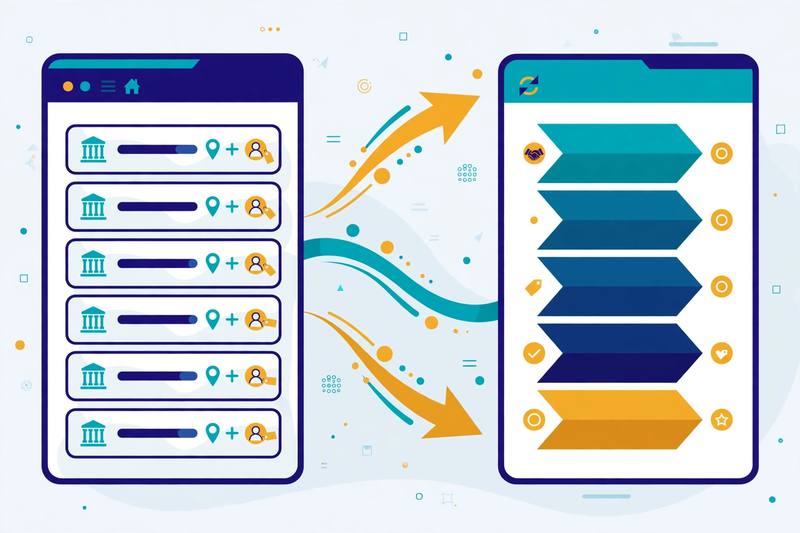
Klenty keeps your CRM updated without asking reps to do admin work. On Growth and above, it integrates with Salesforce, HubSpot, Pipedrive, Zoho CRM and Microsoft Dynamics, with two-way sync, bidirectional field mapping, auto-import and export, and triggers and actions. Your CRM lists become Klenty prospect lists automatically, and updates to fields, stages and notes flow both ways. A CRM plugin lets reps start cadences and run outreach from inside the CRM itself, and sales stage automation moves deals forward as outreach activity happens.
On the Plus plan, account-based selling adds a team layer on top of that. You can prioritise accounts, track account stages and coverage, and run account-based execution with a shared account panel, so several reps can work one target company without stepping on each other. Goals and reporting sit above it all, tracking meetings booked, calls made and pipeline built. In short, for a mature SDR team, that combination — CRM sync plus account-based workflows — is what turns a dialler into a real sales engagement platform. If you want to compare CRM-heavy rivals, our Apollo review covers a platform that pairs its database with a similar sync.
Klenty review: email personalisation and deliverability
Email is the other half of Klenty’s cadences, and the Starter plan is built around it. You can personalise emails with video, liquid formulas and placeholders, plus merge fields and liquid templates for dynamic content. A/B testing lets you compare two versions of a message and keep the winner. Preview and edit, plus approve-before-sending, give managers control over what goes out. Reply optimisation and the live engagement feed show you who opened, clicked and replied, so reps can focus on the warmest prospects first.
On deliverability, Klenty lists custom domain tracking, so your emails use your own tracking links instead of shared ones, plus random sending intervals and email volume control to keep sending patterns natural. The API and Zapier integration connect Klenty to the rest of your stack. In addition, CSV uploads make it easy to bring in a list you built elsewhere. One thing to note: no email warmup feature is listed on Klenty’s official site, so if you are sending from fresh domains, pair Klenty with a dedicated warmup tool. Our roundup of the best warmup tools of 2026 explains how to warm a new mailbox safely, and our guide to the best email deliverability tools of 2026 covers the wider picture.
Video: “Klenty | The Best Sales Engagement Platform” by Klenty on YouTube. This video is the property of its creator, embedded via YouTube for education. OutreachCompare is not affiliated with Klenty and does not claim ownership of the video.
Klenty review: Klenty vs Reply.io vs Instantly vs Saleshandy
No tool is best for everyone, so this Klenty review compares it directly with its three closest rivals. Reply.io is the nearest like-for-like alternative: another multichannel sales engagement platform, with an AI SDR and LinkedIn automation built in. Instantly is the high-volume email specialist: unlimited mailboxes and warmup on a flat fee, built for sending at scale. Saleshandy is the all-in-one value pick: prospecting, outreach and deliverability in one account, from $34 a month on annual billing. The table below compares them on the things that actually decide a purchase: price, free trial, calling, finding, sending and who each one is best for.
One thing to note before you read the table: the prices below are the starting paid prices, checked on the providers’ official sites on 15 November 2026. Klenty, Reply.io and Saleshandy each offer a free trial, while Instantly’s pricing page showed no trial offer on the page we checked, so check the site for its current offer. Every one of these tools charges differently for volume and for add-ons. So the cheapest starting price is not always the cheapest tool for your team size. Read the Best-for label first, then check the price for your own volume. And if you want the wider picture, our roundup of the best cold email software of 2026 compares the whole market. Our guide to the best B2B data providers of 2026 goes deeper on databases.
Klenty review: the comparison table
| Tool | Best for | Free trial | Starts at | Calling & coaching | Sending & finding | |
|---|---|---|---|---|---|---|
| 1 Klenty Best for phone-first SDR teams Built around the phone: parallel dialler, connect-rate tools, AI call coaching and two-way CRM sync. | 14 days, full access, up to 200 emails | $50 / month (Starter, annual billing) | Parallel dialler (add-on $45), AI call coaching, live battlecards, 200–1,000 minutes | Multichannel cadences; 15,000 contacts and 75,000 emails a month on Starter | Visit Site →14-day trial, no card required | |
| 2 Reply.io Best for multichannel + AI SDR Multichannel sequences, an AI SDR agent, LinkedIn automation, built-in warmup and unlimited mailboxes. | 14 days | $59 / month (Email Volume) | Calls & SMS add-on $29, built-in dialler, call transcripts, AI voice messages | Unlimited mailboxes and emails, unlimited warmup, multichannel automation, 50 data credits | Visit Site →Multichannel from $99 / month | |
| 3 Instantly Best for high-volume sending Unlimited mailboxes, unlimited warmup and a 450M+ lead database on one flat fee. | No trial shown on the pricing page we checked; check the site | $47 / month (Growth, monthly billing) | No built-in dialler, no call coaching | Unlimited mailboxes, unlimited warmup, SuperSearch 450M+ database, Unibox, AI sequence generator | Visit Site →Read our Instantly review | |
| 4 Saleshandy Best for all-in-one outbound Lead Finder, multichannel sequences, unlimited warmup and a unified inbox from $34 a month. | 7 days, no card required | $34 / month (Starter, annual billing) | Dialler is a paid extra, no AI call coaching | 852M+ contact database, unlimited connected email accounts, unlimited warmup, built-in CRM | Visit Site →Read our Saleshandy review |
Last checked: 15 November 2026, on klenty.com/pricing, reply.io/pricing, instantly.ai/pricing and saleshandy.com/pricing. Features and pricing can change, so please check the provider’s site before you buy.
Klenty review: the short version
The short version of the comparison is simple. Pick Klenty when your reps live on the phone and you want the dialler, the connect-rate tools and the coaching in one place. Reply.io is the better fit when you want multichannel outreach plus an AI SDR that works leads for you, with warmup included. Instantly wins when you need to send thousands of emails a month from unlimited mailboxes on a flat fee. And Saleshandy is the right choice when you want prospecting, outreach and deliverability in one affordable account, and you can live without a built-in dialler.
Klenty vs rivals: the feature matrix
| Feature | Klenty | Reply.io | Instantly | Saleshandy |
|---|---|---|---|---|
| Multichannel cadences (email, calls, LinkedIn, SMS) | ✓ | ✓ | — | ✓ |
| Parallel dialler (call several prospects at once) | ✓ | — | × | — |
| Built-in dialler included in a plan | ✓ | ✓ | × | — |
| AI call coaching and scorecards | ✓ | — | × | — |
| Local number rotation / connect-rate tools | ✓ | — | — | — |
| Two-way CRM sync | ✓ | ✓ | — | ✓ |
| Account-based selling | ✓ | — | — | — |
| Unlimited mailboxes | ✓ | ✓ | ✓ | ✓ |
| Mailbox warm-up included | — | ✓ | ✓ | ✓ |
| B2B lead database | — | ✓ | ✓ | ✓ |
| Prospect data credits included | ✓ | ✓ | ✓ | ✓ |
| AI email writer / sequence builder | ✓ | ✓ | ✓ | ✓ |
| A/B testing | ✓ | ✓ | — | ✓ |
| Free plan (not just a trial) | × | × | × | × |
| Free trial (no card required) | ✓ | ✓ | — | ✓ |
Last checked: 15 November 2026. ✓ = stated on the provider’s official site. — = not confirmed on the provider’s official site. × = confirmed absent. Klenty’s B2B database row is marked — because Klenty sells data credits but publishes no headline database size on its site. Features and pricing can change, so please check the provider’s site before you buy. We do not guess at features, prices or trials.
Klenty review: pros and cons
Every honest Klenty review has to weigh both sides, so here is the balanced picture. This Klenty review found real strengths and real limits, and both matter to your decision. Klenty’s strengths are real and they are the reason more than 5,000 sales teams use it. Its weaknesses are also real, and they matter most if you only send email, or if your budget is tight. Above all, read both lists before you decide.
Klenty review: what we like
- A dialler built for volume. The parallel dialler calls up to five prospects at once, with AI skipping voicemails and phone trees, so reps spend their day in conversations instead of listening to ringing tones.
- Connect-rate infrastructure. Local number rotation and reputation management give every dial a better chance of being answered, which is the metric that actually builds pipeline.
- AI call coaching that managers will use. Call scorecards, live battlecards, transcription, objection detection and Rep360° dashboards turn call review from hours of listening into minutes of reading.
- True multichannel cadences. Email, calls, LinkedIn, SMS and WhatsApp in one workflow, with a single task queue and automatic follow-ups after every call.
- Two-way CRM sync. Activity, notes and deal stages flow back to Salesforce, HubSpot, Pipedrive, Zoho CRM and Microsoft Dynamics without manual entry.
- Published, per-user pricing. You can build a budget before you talk to sales, and the 14-day trial gives your whole team full access with no card required.
- Fast, always-on support. Support is available 24 hours a day, five days a week, and Klenty says it responds within 2.5 minutes.
Klenty review: where it falls short
- The parallel dialler costs extra. The headline calling feature is a $45-a-user-a-month add-on, and Dynamic Presence adds $50 a seat a month, so a phone-heavy Growth seat can cost $165 a user a month in total.
- Starter is email-only. The $50 plan has no dialler, no CRM sync and no data credits, so most teams will really pay $70 a user a month or more.
- Per-user pricing adds up. Ten reps on Growth costs $700 a month before add-ons, while flat-fee rivals such as Instantly charge one price however many mailboxes you connect.
- No free plan. There is a 14-day trial, but no free tier that never expires, unlike Apollo, which offers a free plan.
- No warmup listed. No email warmup feature is listed on Klenty’s official site, so teams sending from fresh domains need a separate warmup tool.
- No published lead database size. Klenty sells data credits, but it publishes no headline database size, so you cannot compare its data coverage with Apollo’s 240 million-plus contacts or Saleshandy’s 852 million-plus contacts before you buy.
None of these cons is a deal-breaker on its own, and for Klenty’s target reader — a phone-first SDR team that wants calling, cadences and coaching in one place — most of them will never matter. They only become important when your workflow is email-only, or when your budget cannot stretch to the add-ons. That is a good problem to have, and when you reach it, you will know exactly which tool to add next.
How to get started with Klenty
Getting started with Klenty is quick, and you can test the whole platform on the free trial before you spend anything. In this Klenty review, we recommend starting with the trial and proving the dialler on your own list first. First, create a trial account on Klenty’s site — no card is required — and bring your whole team in, because the trial has no limit on the number of users. Second, connect your email accounts and your CRM, so activity starts syncing from day one. Third, build your first cadence: one clear first email, a call step a day or two later, and a LinkedIn task in between, so every prospect hears from you on more than one channel.
Set up sending and calling properly before you start
Fourth, set up your sending domain properly before you send anything. This is the step most beginners skip, and it is the step that matters most for deliverability. Our guide to setting up a sending domain walks through SPF, DKIM and DMARC in plain language, and our roundup of the best warmup tools of 2026 explains how to warm a new mailbox safely, since no warmup feature is listed on Klenty’s own site. On the calling side, check your numbers before your first blitz: set up rotation, and consider Dynamic Presence if your connect rates are low, because a flagged number will hurt every call you make.
Dial small, then scale
Finally, start with a small list — twenty or thirty prospects — and work it properly before you scale up. Make the calls, listen to the AI coaching summaries, and watch which emails get replies. If meetings come in, you have proof your message works, and you can grow the list with confidence. If they do not, change one thing at a time: the subject line, the first sentence, or the call opener itself. Cold outreach rewards patience and testing far more than volume, and Klenty’s reporting makes it easy to see what is working. For a fuller walkthrough of that first campaign, our cold email guide for beginners covers the whole process from list to reply.
And if you decide Klenty is the right tool for you, the sensible starting point is Growth at $70 a user a month billed annually, because it is the cheapest plan with the dialler and the CRM sync. You can cancel at any time with no cancellation fees, and you keep access until the end of your billing period. Start your 14-day Klenty free trial.
Klenty review: our verdict
Our verdict: Klenty is the strongest choice for SDR teams that live on the phone
Best for: small and mid-sized SDR teams that make a lot of outbound calls and want email, calling and coaching in one account. Klenty does the hardest part of outbound: getting reps into real conversations, then making sure the follow-up happens. Its parallel dialler, connect-rate infrastructure and AI call coaching are genuinely built for phone-first teams, and its multichannel cadences and two-way CRM sync keep the rest of the workflow in one place. Its published pricing is honest, its trial is generous, and its support answers fast. However, it is not the tool for email-only sending, and the parallel dialler and local numbers cost extra on top of the plan. But if your reps live on the phone and you want every call coached and every follow-up automated, Klenty is a genuinely strong choice, and this Klenty review recommends it warmly for that job.
We have not tested Klenty hands-on for this review, so we give no numeric score. Every feature and price above was verified on Klenty’s official site on 15 November 2026, and you should check the provider’s site before you buy.
Klenty review FAQ
How much does Klenty cost?
Klenty’s Sales Engagement plans start at $50 a month billed annually for Starter, which is email-only, with 15,000 contacts and 75,000 emails a month. Growth costs $70 a user a month billed annually and adds calling, CRM sync and multichannel outreach. Plus costs $99 a user a month billed annually and adds account-based selling, AI call coaching and more data credits. For example, the Power and Parallel Dialer add-on costs $45 a user a month, while Dynamic Presence costs $50 a seat a month. Quarterly billing is available and costs more than annual billing. Prices were checked on Klenty’s official pricing page on 15 November 2026.
Is Klenty free?
No. Klenty has no free plan, but it offers a 14-day free trial with full access to all Sales Engagement features and no credit card required. During the trial you can send up to 200 emails, and your whole team can join with no limit on the number of users. After the trial you can upgrade with a credit card, or talk to Klenty about a trial extension. You can cancel at any time with no cancellation fees.
What is Klenty best for?
Klenty is best for phone-first SDR teams that make a lot of outbound calls. Its parallel dialler, connect-rate infrastructure and AI call coaching are built for teams that measure their day in conversations, not emails sent. It also suits teams that want multichannel cadences across email, calls, LinkedIn, SMS and WhatsApp, with two-way CRM sync, in one account. If you only send email, a dedicated sender such as Instantly or Saleshandy will cost less.
Klenty vs Reply.io: which is better?
It depends on your workflow. Klenty is stronger on calling: its parallel dialler, local number rotation and AI call coaching are built for phone-first teams. Reply.io is stronger on automation: it offers an AI SDR agent, built-in warmup and unlimited mailboxes, with multichannel plans from $99 a month. Choose Klenty if your reps live on the phone; choose Reply.io if you want an AI SDR and warmup included. Both start with a 14-day free trial.
Does Klenty have a dialler?
Yes. Klenty includes a one-click dialler on the Growth plan and above, and a Power and Parallel Dialer add-on for $45 a user a month that lets reps call up to five prospects at once. AI voicemail and IVR detection skips voicemails and phone trees, and Klenty says the parallel dialler can run 150 to 350 dials per hour. Calling minutes are included on Growth (200) and Plus (1,000), and Dynamic Presence adds local numbers for $50 a seat a month.
Can I cancel Klenty at any time?
Yes. Klenty says you can upgrade or downgrade at any time, and you can cancel your account at any time with no cancellation fees. You will not be charged for the next billing period after you cancel. Support is available 24 hours a day, five days a week, and Klenty says it responds within 2.5 minutes.
Keep reading
If this Klenty review helped you, these guides and reviews are the natural next step:
- Cold Email for Beginners: The Complete 2026 Guide — the full process, from list to reply
- Instantly Review 2026 — the high-volume sender, compared in full
- Smartlead Review 2026 — the agency deliverability platform
- Lemlist Review 2026 — the multichannel outreach specialist
- Apollo Review 2026 — the biggest database in this market
- Woodpecker Review 2026 — the careful sender for smaller teams
- Saleshandy Review 2026 — Klenty’s closest value rival
- Snov.io Review 2026 — the finder-first platform with warmup built in
- Hunter Review 2026 — the simplest way to find verified emails
- Best Cold Email Software 2026 — the whole market, ranked
- Start Here: the best cold email tools, by use case
Leave a Reply