Best for Salesforce teams who want every email, call and meeting logged in the CRM automatically: Groove
Groove is a sales engagement platform built for one kind of team above all others: a team that lives in Salesforce. You run multi-step Flows of emails, calls, LinkedIn touches and texts, and every action lands on the Salesforce record at once, with no sync delay and no second database to reconcile. That is the whole idea. Groove was founded in 2014, grew into the leading engagement platform for Salesforce users, and was acquired by Clari in August 2023. Then Clari merged with Salesloft in December 2025, and in September 2026 the combined company took the Salesloft name. Groove still works, and existing customers still log in, yet the website you would buy it from no longer exists. This Groove review starts with that ownership story because it shapes every buying decision that follows, from the price you will be quoted to the roadmap you will be sold.
Pricing is the second thing to know, and it is simple to state. Groove publishes no prices at all. The old pricing page now lands on the Salesloft homepage, and the route in is a demo request, not a checkout. Third-party buyer reports put a standalone Groove licence at roughly $50 to $150 per user per month, with the full Clari bundle far higher, yet those are reported ranges, not official prices. There is no free plan and no published free trial, so a pilot with a small team is the way to test it.
What this Groove review covers
This Groove review works through the product as it stood on 16 November 2026. It covers the ownership story and what it means for buyers, the pricing picture and the reported ranges, the Flows that run outreach, the Salesforce-native activity capture, the dialler and the Omnibar, the tracking, templates and meeting scheduler, the analytics and AI, deliverability and the missing warm-up, and how Groove compares with Salesloft, Outreach and Lemlist. By the end you should know whether Groove is the right engagement layer for a Salesforce team, or whether a rival with published prices and a trial would serve you better.
Visit Groove → Jump to the comparison tableA note on the prices in this Groove review
One thing to know before the numbers. Groove publishes no prices, and neither does its owner. We checked groove.co/pricing and clari.com/pricing on 16 November 2026, and both now land on salesloft.com, where the pricing page leads to a demo request form. As a result, every dollar figure in this Groove review is a third-party reported range, clearly marked as such, and none of it is an official price. If a figure matters to your budget, ask Salesloft for a written quote, and get any roadmap promise in writing too, since the product has changed owners twice in three years.
Quick Answer
Groove is a Salesforce-native sales engagement platform, now owned by Salesloft after Clari acquired it in 2023 and merged with Salesloft in 2025. You build multi-step Flows of emails, calls, LinkedIn touches and texts, and every action is written straight to the Salesforce record, with no sync delay and no separate database. That native capture is the reason to buy it, and it is the feature reviewers praise most.
The catch is the buying experience, not the product: Groove publishes no prices, offers no free plan and no published free trial, and its own website now redirects to Salesloft. Third-party buyer reports put a standalone licence at roughly $50 to $150 per user per month, with the full Clari bundle far higher, yet those are reported ranges, not official prices.
Groove is best for enterprise sales teams who already run Salesforce and want engagement, activity capture and reporting to live on Salesforce objects. It is not the tool for a team on HubSpot or any other CRM, for a small team that needs a published price and a self-serve trial, or for a high-volume cold email team that needs warm-up and a lead database, since none of those is included.
Contents
- What Groove actually is
- Who Groove fits best — and who should skip it
- Pricing: no published prices, quote only
- Flows: multi-step, multi-channel sequences
- Salesforce-native activity capture
- Dialler, Omnibar and the daily workflow
- Tracking, templates and meeting scheduling
- Analytics and AI: what managers see
- Deliverability: warm-up, sending limits, domain safety
- Groove against Salesloft, Outreach and Lemlist
- Strengths and weaknesses, side by side
- Getting started: a sensible first 30 days
- Frequently asked questions
- The verdict in this review
What Groove actually is
Groove is a sales engagement platform, and the word engagement does most of the work. A CRM stores the record of a deal. In contrast, Groove runs the work that moves the deal: the emails, the calls, the follow-ups, the reminders, the meeting bookings, and the logging of all of it. A rep opens Groove in the morning, sees the next step on every live Flow, and works through the list. Each action is recorded the moment it happens, so a manager can open Salesforce later and see the whole story without asking the rep what they did. That loop is the product. It is not a database, it is not a warm-up pool, and it is not a cold email blaster. It is the working surface for a sales team that already knows who to call.
Groove was founded in 2014 in San Francisco, with offices later in San Diego and Seattle. In particular, it grew by doing one thing better than the generalist sequencers: living inside Salesforce. The vendor says more than 75,000 users at companies such as Google, Uber, Capital One, ADP and iHeartMedia run Groove, and the platform claims the top enterprise customer satisfaction ranking on G2 in the sales engagement category for four consecutive years. Older vendor material cites 70,000 users and 50,000 reps, so treat the headline as a vendor claim that has moved over time. On GetApp, Groove holds 4.7 out of 5 from 146 reviews, with ease of use at 4.7 and customer support at 4.7. On TrustRadius it scores 8 out of 10 from 969 ratings, although TrustRadius now labels it a legacy product, a point this Groove review returns to below.
Eight capabilities this Groove review found defining
Eight capabilities define the product, and they are worth naming before the detail. First come the Flows, which are multi-step, multi-channel sequences of emails, calls, LinkedIn touches, texts and automated actions. Next comes the Salesforce-native activity capture, which writes every action straight to the Salesforce record. Then comes the Groove Dialer, with click-to-call, call recording and voicemail drops. After that comes the Omnibar, a browser extension that lets a rep research and engage a prospect from anywhere on the web. Then comes the email tracking, with real-time alerts when a prospect opens, clicks or replies. Next comes the meeting scheduler, with calendar booking from inside the email. Then comes the analytics, with Flow performance and engagement reporting tied to Salesforce objects. Finally comes the AI layer, with assistants and agents that suggest the next engagement and automate routine tasks.
The eight capabilities at a glance
- Flows: multi-step sequences across email, calls, LinkedIn, SMS and automated actions, with Groove Plays for repeatable motions.
- Salesforce-native capture: every email, call, meeting and note lands on the Salesforce record at once, with no sync delay.
- Groove Dialer: click-to-call, call recording, voicemail drops and live coaching, inside the same workspace.
- Omnibar: a browser extension for prospect research and engagement without switching tabs.
- Email tracking: real-time open, click and reply alerts, plus templates that save the messages that work.
- Meeting scheduler: calendar booking embedded in the email, with meeting types, notes and outcomes logged to Salesforce.
- Analytics: Flow and engagement reporting tied directly to Salesforce objects, so RevOps reads one source of truth.
- AI assistants and agents: engagement suggestions and routine task automation, described in the vendor’s own material.
Watch: what Groove is, in the vendor’s own words
Video credit: “Groove Sales Engagement Platform Overview” by Clari Groove on YouTube (watch the original on YouTube). This video is the creator’s property, embedded here via YouTube for education. OutreachCompare has no affiliation with the creator and claims no ownership of the video.
Two acquisitions in three years: the ownership story
Ownership is the first thing a buyer should understand, because it explains the website, the pricing and the roadmap. Clari announced the acquisition of Groove on 14 August 2023, and the deal closed on 21 August 2023. Groove became Groove by Clari, the sales engagement layer of the Clari revenue platform. Then Clari agreed to merge with Salesloft, the deal was announced in August 2025, and it closed on 3 December 2025, with Steve Cox becoming chief executive of the combined company. On 2 September 2026 the combined company took the single Salesloft name, and only the forecasting product kept the Clari name, as Clari Forecast. We checked both old homepages on 16 November 2026: groove.co and clari.com both serve the Salesloft homepage today.
What does that mean in practice? Groove still exists as a working product, and existing customers still log in at engine.groove.clari.com, which Salesloft’s own transition page still links to. Yet TrustRadius now describes Groove as a legacy product, with its functionality continuing inside Salesloft’s sales execution capabilities rather than as an independent product line. Meanwhile, Salesloft sells its own engagement platform, which competes directly with Groove. A buyer therefore faces an honest question that no feature list answers: which of the two engagement platforms is the strategic one? Salesloft has said no required migration from Groove is planned, and existing contracts, pricing and renewal dates are unaffected. Even so, a new buyer should get a written roadmap commitment before signing, and should test both platforms in the demo before choosing.
One name, several products: do not confuse this Groove with the others
A short warning helps before the detail. Groove is a common product name, and at least one helpdesk tool shares it. This Groove review covers only Groove the sales engagement platform, the product that Clari acquired in 2023 and that now sits inside Salesloft. If a search result talks about support tickets and live chat, it is a different Groove. The one in this review talks about Flows, Salesforce activity capture and the Groove Dialer. Keep that distinction in mind when reading third-party reviews, since the two products share a name and nothing else.
Who Groove fits best — and who should skip it
First, this Groove review finds the product fits enterprise sales teams who already run Salesforce as the system of record. For example, think of an SDR team working named accounts, an account executive team running multi-threaded deals, or a customer success team expanding existing accounts, all from Salesforce records that must stay accurate. As a result, that team needs engagement, activity capture and reporting to live on Salesforce objects, not in a parallel database that drifts out of sync. Groove gives them exactly that. The vendor claims it gives revenue teams 20% of their week back, and that it captures three times the activities of competing platforms. Both are vendor claims, not tested results, yet they describe the pitch accurately: less admin, more selling, and a CRM that tells the truth.
Revenue operations teams come next, and they get the most from Groove when the whole go-to-market motion runs through Salesforce. Managers read pipeline in Salesforce rather than reconciling two systems. In turn, the analytics tie Flow performance to opportunities and revenue. A RevOps leader who opens Salesforce on a Monday morning can see which Flows earned meetings, which reps are behind on follow-ups, and which accounts have gone quiet. Meanwhile, the Salesforce admin keeps one system of record instead of two. In particular, a team with a real admin function, a Salesforce Enterprise edition or higher, and a sales process that already lives in Salesforce will find Groove a natural fit. In addition, the per-seat pricing model suits a team that can buy in volume and negotiate.
Buyers who should look elsewhere
Now the other side. Teams on HubSpot, Pipedrive or any CRM other than Salesforce should look elsewhere first. Still, Groove only works with Salesforce, and that is not a soft limit. The Salesforce-native design is the product, and a team without Salesforce gets none of it. Our HubSpot Sales Hub review covers the obvious pick for a HubSpot team, and Lemlist from $69 a month works with Salesforce, HubSpot and Pipedrive. Likewise, a small team that needs a published price, a free trial and a checkout page will find Groove closed. There is no self-serve route in, and the buying process is a sales conversation. A founder or a five-person team should weigh Klenty from $50 a month billed annually or Apollo from $49 a user a month instead, since both publish prices and offer trials.
High-volume cold email teams should also look elsewhere. Groove sends through your own Gmail or Microsoft 365 mailbox, it offers no warm-up pool, and it includes no lead database. A team sending thousands of cold emails a week will outgrow it within days. As a result, it belongs on a volume sender instead. Instantly Growth at $47 a month or Smartlead at $39 a month are both built for thousands of cold emails a week, with warm-up included. If any of those descriptions sounds like your team, read the comparison table below before you book the demo.
Why a Salesforce team should still pilot Groove first
Between those two poles sits the buyer this Groove review expects most often. A Salesforce team whose reps still log activity by hand, or whose managers cannot trust the CRM. That buyer should pilot Groove with a small team in a Salesforce sandbox before deciding anything. First, pick ten reps, load their real accounts, and run one Flow for a month. In particular, count the meetings booked and the hours saved on logging, not the send volume. Read the activity in Salesforce yourself, and check whether the record really updates the moment a rep acts. When a Flow underperforms, check the list and the targeting before you touch the wording. Even the sharpest email books nothing when it reaches the wrong people. A buyer who pilots on real accounts gets evidence, not a sales pitch, behind the decision.
Pricing in this Groove review: no published prices, quote only
Groove publishes no prices, and this Groove review states that plainly rather than filling the gap with a guess. We checked groove.co/pricing on 16 November 2026, and it lands on the Salesloft homepage. The same day, clari.com/pricing landed on a Salesloft demo request form at salesloft.com/see-it-live. Salesloft’s own pricing page leads to the same demo form. In short, there is no tier list, no starting rate, and no plan structure to work from. The route in is a demo, then a sales conversation, then a custom quote. As a result, a buyer who wants a number before the call will not get one from the vendor’s site.
The pricing table in this Groove review, checked today
| Route | What you get | Published price | Reported range (third-party) | Best for | Visit Site → |
|---|---|---|---|---|---|
| Groove Engagement | Standalone sales engagement module: Flows, activity capture, dialler, tracking, scheduler | Quote only — check the site | About $50 to $150 per user per month, billed annually | Salesforce teams buying engagement alone | Visit Site → |
| Groove + Clari bundle | Groove with Clari Forecast and Clari Copilot in one contract | Quote only — check the site | About $225 to $400 per user per month for the full stack | Teams already buying Clari forecasting | Visit Site → |
| Full Salesloft platform | The owner’s own engagement, forecasting, conversation intelligence and AI agents | Quote only — check the site | About $75 to $200 per user per month, by buyer reports | New buyers choosing the strategic platform | Visit Site → |
Last checked: 16 November 2026 on groove.co and the Salesloft pricing page. No published prices exist. The ranges above are third-party buyer reports, not official prices. Features and pricing can change, so please check the provider’s site before you buy. We do not guess at features, prices or trials.
What the buyer reports actually say
Three independent buyer trackers agree on the shape of the cost, even though they disagree on the exact number. For example, the Groove add-on is most often reported at roughly $50 to $80 per user per month, with the standalone module reported up to about $150. Historical standalone licences ranged from about $50 to $160 per user per month, with a basic email cadence licence near $600 per user per year and a fully loaded licence with dialler and automation near $1,500 to $1,900 per user per year.
The full Clari stack is reported at roughly $200 to $310 or more per user per month, with some trackers putting it at $225 to $400. Procurement data puts the median Clari annual contract at $76,000 a year. Treat every one of those numbers as a reported range, not a price you can hold the vendor to, and use them only to decide whether the demo is worth your time.
Implementation costs in this Groove review, and why they matter
Implementation is a separate cost, and for Groove it is not small. Buyer trackers report professional services at $15,000 to $75,000 for enterprise deployments, on top of the per-seat subscription. Another tracker puts initial setup at $10,000 to $25,000 for Salesforce workflow configuration, data migration and training. That cost follows from the design: Groove is configured around your Salesforce objects, your workflows and your sales process, which takes real work. For that reason, a buyer should budget for it from the start, and should ask what is included in the quote. In the end, a team that buys Groove expecting a sixty-second setup will be disappointed. In addition, that disappointment is avoidable once the implementation cost is understood.
No free plan, no published trial: ask for a pilot instead
Groove offers no free plan, and the published material confirms no free trial either. Independent reviews reach the same conclusion: the route in is a demo, and the sensible ask is a pilot with a small team in your Salesforce sandbox. That pilot is the trial, in practice, and a buyer should negotiate it as part of the quote. Ask for a fixed length, a fixed seat count, and a clear success measure, such as meetings booked or hours saved on logging. Get the pilot terms in writing, with the price that follows it. A vendor that will not agree a pilot is telling you something about the buying experience, and a buyer should listen.
How to negotiate a Groove quote
Three levers work in a Groove negotiation, according to buyer trackers. First, bring a competing quote. Outreach and Salesloft quotes are effective, and the vendor will discount to win or retain a deal. Second, ask what is bundled. New customers are often pushed toward the full Clari bundle, yet a team that only needs engagement should price the standalone module separately. Third, fix the renewal. Buyer reports describe price rises at renewal, so a multi-year price lock or a capped increase is worth more than a first-year discount. Get the roadmap in writing too, since the product has changed owners twice in three years. A quote is only as good as the commitments behind it.
Flows in this Groove review: multi-step, multi-channel sequences
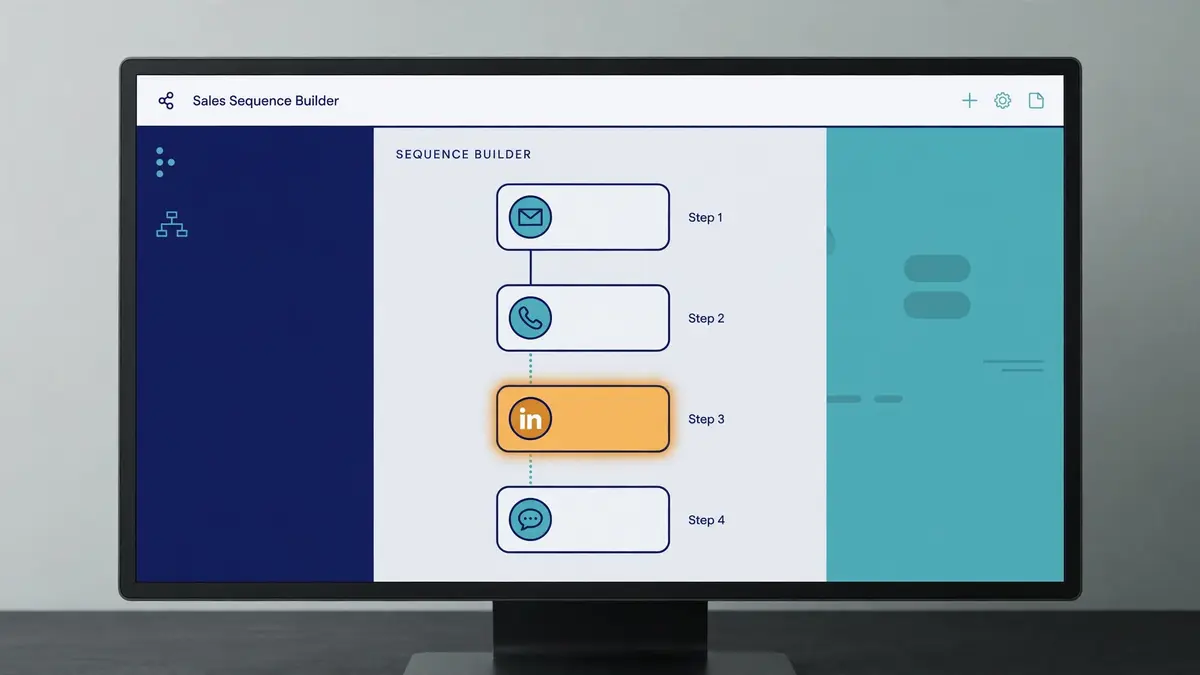
Flows are the heart of Groove, and they are the feature that turns a list of accounts into pipeline. A Flow is a series of steps that runs itself until someone replies. Then you build it once, add people, and let it run. Groove calls them personalised multi-step Flows, and the vendor material lists the step types plainly: emails, automated actions, SMS, LinkedIn touches, calls, and Groove Plays, which are repeatable motions a team can reuse. You set the timing for each step, so the second email goes out three days after the first, the call lands a day later, and the LinkedIn touch follows the week after. In short, that is the core of the product, and it is the reason Flows are the first thing this Groove review recommends a new user to try.
How a Flow works, step by step
A Flow in Groove takes four steps, and the shape will feel familiar to anyone who has run a sequence before. First you add people, usually from Salesforce, since the contacts already live there. Next you personalise each email with merge fields, or customise a message one at a time for the accounts that matter most. Then you start the Flow, and Groove sends the emails from your own Gmail or Microsoft 365 mailbox, not from a third-party server. Finally the follow-ups run themselves: Groove sends the next step when a prospect does not respond, and it stops the Flow the moment they reply or book a meeting. That final step matters most, since nobody gets a follow-up after they have already answered.
Groove Plays and the account-based angle
Groove Plays deserve a mention, because they are the team version of a Flow. A Play is a repeatable motion that a manager builds once and the whole team runs: a new-account opening play, a renewal play, a win-back play, a multi-threading play for a stalled deal. At the same time, the account-based angle sits beside it. Groove is built for relationship sellers who work named accounts, not for bulk senders who work long cold lists. The vendor material talks about engaging top accounts with smart account-based features, and about giving reps signals from Salesforce and from tools such as 6sense and Seismic. That framing suits an account executive with fifty named accounts far better than a rep with five thousand cold contacts.
The honest limits of the Flow builder
Two honest limits belong here plainly. First, third-party reviews describe the Flow builder as having fewer branching and testing options than Outreach or Salesloft. Still, if your sequences are linear, this costs nothing. If you run segment-specific branching with reply-based routing and want to A/B test steps, build your most complex real sequence in the pilot and see what you have to simplify. Second, LinkedIn automation is not available in Groove, according to a competitor’s feature map that Groove buyers cite. The LinkedIn steps in a Flow are manual tasks, not automated connection requests or messages. A team that wants LinkedIn automation should weigh Lemlist, which automates LinkedIn visits, invites and voice notes. This Groove review names both limits because they are testable in an afternoon, and the pilot is the place to test them.
Salesforce-native activity capture in this Groove review
Activity capture is the feature that justifies Groove, and it deserves its own section. In contrast, most sequencers keep their own database and sync it to the CRM, which means the sync can lag, break, or drift. Groove has no separate database. Because it is native to Salesforce, it records all activities in real time, directly on Salesforce objects. An email sent, a call logged, a meeting booked, a note taken: each one appears on the record at once. As a result, there is no data latency, and Salesforce reporting is always accurate. That is the vendor’s claim, and it is the claim reviewers praise most. The vendor says Groove captures three times the activities of competing platforms, which is a vendor claim, not a tested result, yet the mechanism behind it is real.

Two-way sync with Gmail, Outlook and Google Calendar
The sync runs in both directions, and the details are worth knowing. Groove offers a two-way integration between Salesforce and Google Calendar, and a two-way integration with Gmail. The Microsoft 365 version offers the same for Outlook email and calendar: reps keep Salesforce records up to date without leaving the Outlook view. You can create, edit and enrich Salesforce objects from the inbox, and every change flows back. For example, a rep who sends an email from Gmail sees it on the Salesforce record at once. A manager who opens the record sees the whole conversation without asking the rep what happened. Ultimately, that is the loop that makes the CRM trustworthy, and it is the reason this Groove review rates the capture as highly as the Flows themselves.
Why native capture lowers compliance risk
One benefit of native capture is easy to miss, and it matters for regulated teams. When activity lives on Salesforce objects, the compliance controls of Salesforce apply directly: field-level security, audit trails, retention rules, and the opt-out fields that keep unsubscribed contacts out of outreach. A separate engagement database creates a second place where data can go stale, and a second place to audit. Groove removes that second place. The vendor frames this as lowered compliance risk and streamlined administration, and the logic holds. A team in financial services or healthcare, where the audit trail matters as much as the send, should weigh that benefit seriously. It is also the reason the vendor’s healthcare customer story, embedded below, focuses on productivity rather than volume.
The price of native: Salesforce is a hard requirement
The price of native capture is a hard requirement, and it should be stated once more. Groove only works with Salesforce. Teams not already on Salesforce cannot use Groove, and some features require Salesforce Enterprise edition or higher, which adds to the base CRM cost. A team that buys Groove is therefore buying two things: the engagement platform and the Salesforce edition that supports it. Budget for both. A team on HubSpot should not try to bend Groove to fit, since the Salesforce alignment is the product. Our HubSpot Sales Hub review covers the native option for that team.
Dialler, Omnibar and the daily workflow in this Groove review
Calling is the second half of Groove, and it lives in the same workspace as the Flows. The Groove Dialer lets a rep click to call from the Flow, record the call, drop a pre-recorded voicemail, and log the outcome to Salesforce without leaving the screen. Meanwhile, managers can listen in and coach live, which turns a call block into a training session. That matters for a team that still sells by phone, since the call is the step most sequencers treat as an afterthought. Groove treats it as a first-class step, with call scripts, call lists and call outcomes built into the Flow. A rep who works through a call block in the morning will find the next call already queued, the script already open, and the record already waiting.

Parallel dialling through the Nooks integration
Groove’s own dialler is a single-line dialler, and teams that want parallel dialling use the Nooks integration. The integration lets a rep run up to 1,500 Groove call Actions inside Nooks, with AI-powered parallel dialling, while all activity syncs in real time to Groove and Salesforce. That is a joint-customer integration, and it needs an active Groove subscription, yet it shows how the product is extended rather than replaced. A team that dials in volume should test the Nooks route in the pilot, since the native dialler alone will feel slow at a hundred calls a day. The integration is listed on Clari’s own site, which is one of the few Groove pages still live.
Omnibar: research and engage without switching tabs
Omnibar is the feature reviewers mention most fondly, and it deserves a mention. It is a browser extension that sits above any web page and lets a rep research a prospect, look up their LinkedIn profile, and start an engagement without switching to a separate app. A rep reading a prospect’s company page can open the Omnibar, see the Salesforce record, and send the next email from the same window. Reviewers call it a great feature for research before calls. In fact, the love for it shows in the ratings. It is a small piece of the product, yet it captures the design idea: the rep should never leave the work to do the admin. The Omnibar keeps the rep in the flow.
A day with Groove, from Flow to meeting
Put the pieces together and a working day looks like this. You open Groove in the morning and the Flow list shows the next step on every live account. The call block comes first, since the dialler queues the calls and the scripts are already open. Next come the follow-up emails, and the tracking alerts tell you who opened the proposal twice. Before the next call, the Omnibar handles the research on the account. A prospect books a meeting from the link in your email, and the calendar invite arrives with the meeting type, the notes and the outcome already set to log to Salesforce. At the end of the day the reporting shows which Flow earned the most meetings, and you share it with the team. Nothing in that day required manual logging, and that is the whole promise of the product.
Tracking, templates and meeting scheduling in this Groove review
Tracking is the feature that tells a rep who is hot right now, and Groove covers it well. You get real-time alerts when a prospect opens an email, clicks a link, or replies, and the engagement shows on the Salesforce record beside the contact. That alert is the working surface of the product. Then you open Groove in the morning, see who is interested right now, and follow up while the interest is warm. Reviewers praise the email and event tracking, the success rates, and the view of the effort put in against the engagement each lead has shown. A seller who works from the alerts will call the prospect who opened the proposal twice before the prospect who never opened at all. Also, that ordering is worth more than any single feature.
Templates that save the messages that work
Templates are the second half of the tracking story. You save your best emails as templates and reuse them in a click, right inside Gmail or Outlook, with merge fields for the name, the company and any other detail that changes per prospect. In particular, reviewers single out the templates as a time saver, saying Groove saves a lot of time on typing long letters when explaining products to customers. The templates live beside the Flow, so a rep can drop a proven message into a step without rebuilding it. Shared templates spread the best messaging across the whole team. A manager who writes the message that works can share it, and every rep sends the same proven wording with their own personalisation on top. That loop is how a team improves steadily.
Meeting scheduler and the calendar booking feature
Scheduling closes the loop a Flow opens. A prospect replies, and the reply needs a meeting. Instead, Groove books that meeting without the back-and-forth that usually follows. You embed your availability in the email, the prospect picks a time, and the meeting lands on your calendar with a reminder attached. The calendar booking feature is one reviewers praise by name, and Groove lets you tag meetings by type, notes, outcomes and next steps, while Salesforce updates automatically with new meeting analytics. That tagging is the detail that matters: a meeting is not just a calendar event, it is a logged outcome that the manager can report on. One reviewer noted a flaw worth knowing: calendar dates embedded in emails can still be clicked after the date has passed, which has caused a few missed demos. Check the booking link behaviour in the pilot.
The honest limits of pixel tracking
Two honest limits belong here plainly, since no tracking tool escapes them. Email open tracking relies on a tiny pixel image that loads when the email is viewed. Gmail and Outlook both route images through their own proxy servers, which can pre-fetch the pixel and record an open that no human ever made. Groove cannot reliably tell a human open from an automated scan. A prospect who reads the email in plain text, or whose mail client blocks images, will never register an open at all. Treat opens as a signal, not a fact, and judge a Flow by its replies and meetings booked, not by its open rate. This Groove review says that plainly because a buyer who trusts the open rate alone will optimise for the wrong number.
Analytics and AI in this Groove review: what managers see
Reporting is where Groove earns its keep after the send, and it covers the numbers that matter. For example, Flow performance shows which sequences earn meetings. Engagement analytics show who opened, clicked and replied, and when. Because the data lives on Salesforce objects, a manager can report on activity against opportunities and revenue, not just against sends. That is the single source of truth the vendor talks about, and it is the reason RevOps teams like the product. As a result, a manager who opens the report on a Monday morning can see what worked last week and share the winning Flow before lunch. Weekly reviews of those numbers lift outreach a little further every time. Ignore the numbers, though, and the same weak second email keeps going out.
Where managers want more from the reporting
One honest limit belongs here. Reviewers say the canned reports are useful, yet managers who want custom reporting will miss it. One manager on TrustRadius put it plainly: the included reports are useful, but building exactly the report they want is not possible. Another reviewer asked for more KPI analytics in a dashboard that merges Salesforce pipeline data with Groove outcomes, so reps take greater ownership of their activities. Groove’s answer is the Salesforce reporting itself, since the data lives on Salesforce objects and can be reported there. A team with a Salesforce admin who builds reports will be fine. A team that expects the engagement tool to be the reporting tool should test the canned reports in the pilot.
AI assistants, agents and conversation intelligence
Groove’s AI layer is described in the vendor’s own material as assistants and agents that give personalised engagement suggestions and automate routine tasks for every quota-carrying member of the team. The same material also talks about playbooks and orchestration that standardise winning sales behaviours. Beside Groove sits Clari Copilot, the conversation intelligence tool that records and analyses sales calls, and the two are sold together in the bundle. The vendor claims teams using the platform accelerate their time to revenue by over 20% every week, and cites Tenable with reps increasing productivity by 30%, and PopularPays cutting inbound lead response times from two days to five minutes while booked meetings rose by 54%. All of those are vendor-reported customer results, not tested figures. Treat them as the pitch, and test the AI suggestions on your own Flows in the pilot.
Watch: Groove in healthcare and life sciences
Video credit: “Sales Productivity Platform of Choice for Healthcare & Life Sciences Organizations by Groove” by Clari on YouTube (watch the original on YouTube). This video is the creator’s property, embedded here via YouTube for education. OutreachCompare has no affiliation with the creator and claims no ownership of the video.
Deliverability in this Groove review: warm-up, sending limits, domain safety
Deliverability is where Groove is most honest, and this Groove review says so plainly rather than hiding it. Groove sends through your own Gmail or Microsoft 365 mailbox, which means Google’s and Microsoft’s rules apply directly, and no tool that lives in your inbox can promise otherwise. A Workspace account is capped at about 2,000 emails in a rolling 24 hours by Google, and Microsoft sets its own limits. Send too fast and the account can be limited for minutes, hours or a full day. On the other hand, sending from your own server is the upside: a message from your own address looks like ordinary email rather than a bulk blast, and the replies land as ordinary replies. That framing sets expectations before the first send instead of after the first spam folder, which is reassuring.
Furthermore, it is the reason this Groove review treats deliverability as a shared responsibility.
What Groove does not offer for deliverability
Two gaps belong here plainly. First, Groove offers no warm-up pool, and nothing in the vendor material, the marketplace listings or the help centre describes one. As a result, this Groove review counts warm-up as not offered rather than as a hidden feature. A team that needs warm-up should pair Groove with a dedicated tool from our warmup tools roundup, and use Groove for the engagement and the capture. Second, Groove publishes no inbox placement test and no placement percentage. A buyer hunting for a measured spam-folder score should look at a dedicated deliverability tool instead. What Groove does list is the honest toolkit: sending from your own server, personalisation, and auto-removal on reply, which are the controls that keep a sender reputable.
Keeping your domain safe while you use Groove
Keeping a domain safe comes down to the same rules whatever tool sends the email, and they are worth stating here. Set up SPF, DKIM and DMARC on the domain before the first send. The sending domain guide explains each record in plain language. Warm a new domain slowly, hold the daily volume steady rather than spiky, and check replies and bounces every single day. Check every address before it goes into a Flow, since even a strong list carries a few bad ones, and a bounce rate above a few percent will damage the domain. Remove every unsubscriber at once, since emailing someone who asked to be left alone is the fastest way to earn a spam complaint. Groove gives you the sending controls and the tracking; the reputation is still yours to protect.
The email deliverability tools roundup covers the specialist tools that handle warming properly.
Groove against Salesloft, Outreach and Lemlist in this Groove review
Groove does not compete with every sequencer on the market, and the comparison below keeps the field narrow on purpose. The three closest rivals are the other enterprise engagement platforms, Salesloft and Outreach, plus Lemlist, which is the self-serve alternative for teams that want published prices. We verified all three on their own official sites or in our own published reviews on 16 November 2026. The table below uses the figures from those checks. One read of the table shows the shape of the choice. In short, Groove wins on Salesforce-native capture, Salesloft wins on being the owner’s strategic platform, Outreach wins on AI agents and forecasting depth, and Lemlist wins on price transparency and a database. In addition, every one of the three enterprise options is quote-only, so the demo is the price discovery.
The comparison table in this Groove review, checked today
| Tool | Starting price | Free plan | Free trial | Works with | Best for | Visit Site → |
|---|---|---|---|---|---|---|
| Groove | Quote only; reported about $50 to $150 per user per month | No free plan | No trial published — ask for a pilot | Salesforce only | Salesforce teams who want native activity capture | Visit Site → |
| Salesloft | Quote only; Advanced and Elite, reported $125 to $165 per user per month | No free plan | Demo only | Salesforce, HubSpot and others | Enterprise cadence plus forecasting in one contract | Visit Site → |
| Outreach | Quote only; Amplify, reported $100 to $150 per user per month | No free plan | No trial advertised | Salesforce, HubSpot and others | Enterprise AI agents and deal management at scale | Visit Site → |
| Lemlist | Email $69 a month, $55 billed annually | No free plan | 14 days, no card | Salesforce, HubSpot, Pipedrive, API | Smaller teams wanting multichannel plus a database | Visit Site → |
Last checked: 16 November 2026 on groove.co and the Salesloft pricing page, and in our published reviews of Salesloft, Outreach and Lemlist. Reported ranges are third-party buyer reports, not official prices. Features and pricing can change, so please check the provider’s site before you buy. We do not guess at features, prices or trials.
Groove against Salesloft in this Groove review
Salesloft is the closest rival, and the choice between the two is unusual, since they now share an owner. Salesloft sells Advanced and Elite packages, both quote-only on annual contracts, with the dialler, forecasting and two AI agent add-ons priced separately. Buyer reports put Salesloft at $125 to $165 per user per month at list, falling to about $100 to $130 after negotiation, with Elite higher still. The vendor claims 97% forecast accuracy, 12-plus hours saved per rep per week, and 40% more selling activity.
Groove is the Salesforce-native specialist, and Salesloft is the broader platform with its own cadence, conversation intelligence, Rhythm and Clari Forecast. A Salesforce team that wants the deepest native capture should pilot Groove, and a team that wants one contract for engagement, forecasting and AI agents should pilot Salesloft. This Groove review rates both highly, and the roadmap commitment you can get in writing decides the winner. Our Salesloft review covers the owner’s platform in full.
Groove against Outreach in this Groove review
Outreach is the other enterprise rival, and the choice comes down to native capture against AI depth. Outreach sells Amplify packages, all quote-only, with per-seat licences plus consumption-based AI credits, and no free plan or advertised trial. Buyer reports put the entry cost at roughly $100 to $150 per user per month. Outreach leads on AI agents, Kaia coaching, deal management and forecasting, with Amplify Plus claiming to predict deal outcomes with 81% accuracy and to ramp reps three times faster. Groove leads on the Salesforce-native design, where every action lands on the record at once with no sync delay. A team that runs Salesforce and wants the CRM to tell the truth should pilot Groove, and a team that wants the deepest AI and forecasting should pilot Outreach. Our Outreach review covers the Amplify packages in full.
Groove against Lemlist in this Groove review
Lemlist is the self-serve alternative, and the choice comes down to enterprise process against transparency. Lemlist publishes its prices openly: Email at $69 a month or $55 billed annually, Multichannel at $109 or $87, with a 650M-plus B2B database, a 14-day trial and no card. It runs email, LinkedIn, calls, WhatsApp and SMS, with AI icebreakers and a warm-up tool included. Groove publishes no prices, offers no trial, and includes no database or warm-up. Lemlist suits a smaller team that wants to buy today and test this week. Groove suits an enterprise Salesforce team that wants native capture, governed workflows and a negotiated contract. A buyer who needs a published price should buy Lemlist, and a buyer who needs Salesforce to be the single source of truth should pilot Groove. Our Lemlist review covers the five-channel suite in full.
Quick comparison at a glance in this Groove review
| Feature | Groove | Salesloft | Outreach | Lemlist |
|---|---|---|---|---|
| Email sequences (Flows) | ✓ Multi-step Flows | ✓ Cadence | ✓ Sequences | ✓ Campaigns |
| Multi-channel steps | ✓ Email, call, LinkedIn, SMS | ✓ Email, call, LinkedIn, social | ✓ Email, call, LinkedIn, social | ✓ Email, LinkedIn, call, WhatsApp, SMS |
| Built-in dialler | ✓ Groove Dialer | ✓ Dialler add-on | ✓ Dialler included | ✓ Via Aircall / Ringover |
| LinkedIn automation | — Manual steps only | ✓ LinkedIn steps | ✓ LinkedIn steps | ✓ Visits, invites, voice notes |
| Email tracking | ✓ Opens, clicks, replies | ✓ Opens, clicks, replies | ✓ Opens, clicks, replies | ✓ Opens, clicks, replies |
| Meeting scheduler | ✓ Calendar booking | ✓ Meeting booking | ✓ Meeting booking | ✓ Via Calendly integration |
| Native CRM activity capture | ✓ Salesforce-native, no sync delay | — Sync to Salesforce | — Sync to Salesforce | — Sync to Salesforce |
| Warm-up included | — Not offered | — Not offered | — Not offered | ✓ lemwarm included |
| Lead database | — Not offered | — Not offered | — Not offered | ✓ 650M+ contacts |
| AI writing / assistant | ✓ AI assistants and agents | ✓ AI agents, Rhythm | ✓ AI agents, Kaia | ✓ AI icebreakers, lemAgent |
| CRM sync | ✓ Salesforce only | ✓ Salesforce + HubSpot | ✓ Salesforce + HubSpot | ✓ Salesforce, HubSpot, Pipedrive |
| Free plan | — No free plan | — No free plan | — No free plan | — No free plan |
| Free trial | — No trial published | — Demo only | — No trial advertised | ✓ 14 days, no card |
Last checked: 16 November 2026 on each provider’s official site and in our published reviews. ✓ means the feature is stated on the provider’s site; — means it is not confirmed or is confirmed absent. Features and pricing can change, so please check the provider’s site before you buy. We do not guess at features, prices or trials.
Strengths and weaknesses in this Groove review, side by side
Every tool in this series has a balance sheet, and Groove is no exception. The strengths are real and long-standing: the Salesforce-native capture is the best in its class, the Flows cover the whole outreach motion, the dialler and the Omnibar keep the rep in one workspace, and the ratings have been strong for years. The weaknesses are equally real: there are no published prices, no free plan and no trial, the ownership has changed twice in three years, and there is no warm-up, no database and no LinkedIn automation. A buyer who weighs both sides honestly will know within minutes whether Groove fits. In addition, that clarity is itself a strength of a product that has been around since 2014.
What Groove does best in this Groove review
- Salesforce-native activity capture: every email, call, meeting and note lands on the Salesforce record at once, with no sync delay and no second database.
- Flows across every channel: multi-step sequences of emails, calls, LinkedIn touches, texts and automated actions, with reusable Groove Plays.
- Dialler inside the workspace: click-to-call, recording, voicemail drops and live coaching, plus parallel dialling through Nooks.
- Omnibar for research: prospect research and engagement from any web page, without switching tabs.
- Strong reviewer ratings: 4.7 out of 5 on GetApp from 146 reviews, 8 out of 10 on TrustRadius from 969 ratings, and top enterprise satisfaction on G2 for years.
- Meeting scheduler with logging: calendar booking with meeting types, notes, outcomes and next steps written to Salesforce.
- Compliance-friendly design: activity on Salesforce objects means Salesforce controls, audit trails and opt-out handling apply directly.
- Long track record: founded in 2014, used by more than 75,000 users at Google, Uber, Capital One and ADP, according to the vendor.
Where Groove falls short in this Groove review
- No published prices: quote-only sales, with the old pricing page now landing on the Salesloft demo form.
- No free plan and no published trial: the route in is a demo and a negotiated pilot, not a self-serve test.
- Ownership has changed twice: Clari acquired Groove in 2023, then merged with Salesloft in 2025, and the combined company now trades as Salesloft.
- Salesforce is a hard requirement: teams on HubSpot or any other CRM cannot use Groove at all.
- No warm-up or placement testing: nothing in the vendor material describes a warm-up pool or an inbox placement test.
- No lead database: Groove assumes the contacts already live in Salesforce, and finds none for you.
- No LinkedIn automation: the LinkedIn steps in a Flow are manual tasks, not automated outreach.
- Flow builder limits: third-party reviews describe fewer branching and testing options than Outreach or Salesloft offer.
Getting started in this Groove review: a sensible first 30 days
The first month with Groove should be a pilot, not a commitment, and the demo is where it starts. Book the demo, and ask for the pilot in the same conversation. Agree a fixed length, a fixed seat count, and a clear success measure, such as meetings booked or hours saved on logging. Get the pilot terms and the price that follows in writing. Load ten reps with their real accounts in a Salesforce sandbox, and run one Flow for a month. Judge the pilot by the replies and the meetings booked, not by how many emails went out, and read the activity in Salesforce yourself before you judge the product. That first month tells you whether the native capture changes how your team works, which is the question that matters.
In the second week, build the Flow library. Save the five sequences your team runs most often, add the merge fields, and put them in Plays by motion: first touch, follow-up, renewal, win-back. Share the best one with the whole team and ask whether it reads like a human wrote it, since a Flow that reads like a mail merge will earn fewer replies than a plain email. Add the meeting scheduler link to your templates, set the meeting types, and connect the calendars. As a result, every reply can become a meeting in one click. By the end of the second week you should know whether the Omnibar and the dialler save each rep an hour a day. Also, that saving is the real return on the subscription.
Week three and four: Flows, reports and the buy decision
In the third week, run your first real Flow. Pick a list of thirty accounts, build three touches over nine days, and set the call step between the second and third email. Check the activity feed each morning, call the prospect who opened the proposal twice, and note which template earned the reply. In the fourth week, open the reports. The Flow report shows what works, the engagement report shows who is hot, and the Salesforce record shows whether the capture really happens in real time. Then decide: if the pilot saved logging time and booked meetings, negotiate the contract, and get the roadmap and the renewal cap in writing. If it did not, walk away with evidence, not a sales pitch, behind the decision. A buyer who follows that month will have proof either way.
One last piece of practical advice: verify your list before it goes into a Flow, and set up SPF, DKIM and DMARC before the first send, following our sending domain guide. Strong lists still carry a few bad addresses, and a bounce rate above a few percent will hurt the domain. Hold the daily volume steady instead of spiky, remove every unsubscriber at once, and watch the replies every single day. Groove gives you the Flows and the capture. The reputation stays yours to protect, and a month of careful sending builds a sender reputation that lasts.
Frequently asked questions in this Groove review
Is Groove still available to buy?
Yes, Groove is still available, yet the buying route has changed. Clari acquired Groove in August 2023, then merged with Salesloft in December 2025, and the combined company took the Salesloft name in September 2026. Existing customers still log in at engine.groove.clari.com, and Salesloft has said no required migration is planned. New buyers should book a demo through Salesloft, ask for a pilot, and get a written roadmap commitment, since Salesloft also sells its own engagement platform. TrustRadius now labels Groove a legacy product, with its functionality continuing inside Salesloft, so the roadmap question matters more than any feature list.
How much does Groove cost per month?
Groove publishes no prices, so there is no official monthly figure to quote. We checked groove.co/pricing and clari.com/pricing on 16 November 2026, and both now land on salesloft.com, where the pricing page leads to a demo request. Third-party buyer reports put a standalone Groove licence at roughly $50 to $150 per user per month, with the full Clari bundle at roughly $225 to $400, yet those are reported ranges, not official prices. Implementation is a separate cost, reported at $10,000 to $75,000 for enterprise deployments. Ask Salesloft for a written quote, and negotiate the renewal cap at the same time.
Does Groove work without Salesforce?
No, Groove only works with Salesforce, and that is a hard requirement rather than a soft limit. The Salesforce-native design is the product: every email, call, meeting and note is written straight to the Salesforce record, with no sync delay and no separate database. Teams not already on Salesforce cannot use Groove, and some features require Salesforce Enterprise edition or higher. A team on HubSpot should read our HubSpot Sales Hub review instead, and a team that wants a multi-CRM sequencer should weigh Lemlist, which works with Salesforce, HubSpot and Pipedrive.
Is there a free trial or free plan for Groove?
No, Groove offers no free plan, and the published material confirms no free trial either. The route in is a demo, followed by a sales conversation and a custom quote. The sensible ask is a pilot with a small team in your Salesforce sandbox, with a fixed length, a fixed seat count, and a clear success measure. Get the pilot terms and the price that follows in writing. A vendor that will not agree a pilot is telling you something about the buying experience, and a buyer should listen.
What is the difference between Groove and Salesloft?
Groove and Salesloft are both sales engagement platforms, and they now share an owner. Groove is the Salesforce-native specialist: every action lands on the Salesforce record at once, with no sync delay. Salesloft is the broader platform: cadence, conversation intelligence, Rhythm, Clari Forecast and AI agents in one contract, working with Salesforce, HubSpot and other CRMs. Both are quote-only, with no published prices. A Salesforce team that wants the deepest native capture should pilot Groove, and a team that wants one contract for engagement, forecasting and AI agents should pilot Salesloft. Our Salesloft review covers the owner’s platform in full.
Is Groove good for cold email?
Groove is good for warm follow-up and for account-based outreach from Salesforce, yet it is not a cold email tool. Flows send through your own Gmail or Microsoft 365 mailbox, which helps deliverability, and the tracking, templates and scheduler cover the whole follow-up motion. It is not the tool for high-volume cold email, however. There is no warm-up pool, no lead database and no inbox placement test, and Google caps a Workspace account at about 2,000 emails in a rolling 24 hours. Thousands of cold emails a week call for Instantly from $47 a month or Smartlead from $39 a month, since both are built for that job.
The verdict in this Groove review
Verdict: Groove is the best Salesforce-native engagement layer, if you can buy it on your terms
Best for: enterprise sales teams who already run Salesforce and want every email, call and meeting logged on the Salesforce record automatically, with no sync delay and no second database to reconcile.
Groove does one job, and it does it better than any rival in this comparison: it makes Salesforce the single source of truth for outreach. The Flows cover email, calls, LinkedIn and SMS. Meanwhile, the dialler and the Omnibar keep the rep in one workspace, and the activity capture means a manager can trust the CRM. The ratings back it up, with 4.7 out of 5 on GetApp and 8 out of 10 on TrustRadius, and the vendor’s claim of top enterprise satisfaction on G2 for four consecutive years.
The honest price is a quote, not a number, because Groove publishes no prices, offers no free plan and no published trial, and its own website now redirects to Salesloft. Third-party reports put a standalone licence at roughly $50 to $150 per user per month, with implementation on top. Teams on any CRM other than Salesforce, small teams that need a published price and a trial, and volume cold email teams should look elsewhere. For a Salesforce team that can negotiate a pilot, a roadmap commitment and a renewal cap, Groove is the easiest yes in the enterprise tier, and the pilot will settle the question on your own accounts in a month.
OutreachCompare has not tested Groove hands-on, so this verdict is based on the official site, the published material and the documented features checked on 16 November 2026, not on a live trial. No numeric score is given until hands-on testing is done.
Visit Groove →Keep reading
More enterprise and sales engagement reviews
- Salesloft Review 2026 — the owner’s own engagement platform, quote-only Advanced and Elite.
- Outreach Review 2026 — enterprise AI agents and deal management, quote-only Amplify.
- ZoomInfo Engage Review 2026 — engagement on a 500M-plus database, quote-only.
- HubSpot Sales Hub Review 2026 — the native pick for teams that run HubSpot, not Salesforce.
- Lemlist Review 2026 — the five-channel suite with a 650M-plus database, from $69 a month.
- Apollo Review 2026 — the 240M-plus database with sequences, from $49 a user a month.
- Klenty Review 2026 — sales engagement with a parallel dialler, from $50 a month billed annually.
- Yesware Review 2026 — inbox sales in Gmail and Outlook, from $15 a month billed annually.
- Mixmax Review 2026 — the deepest Gmail-native platform, from $29 a month billed yearly.
- GMass Review 2026 — Gmail mail merge from Google Sheets, from $29.95 a month.
- Instantly Review 2026 — the volume-built sender, Growth $47 a month.
- Smartlead Review 2026 — agency deliverability infrastructure from $39 a month.
Guides and roundups
- Best Cold Email Software 2026 — the full roundup with the leading tools beside each other.
- Email Deliverability Tools 2026 — placement and reputation tools to pair with any sender.
- Best Warmup Tools 2026 — warming an inbox properly before scaling up.
- How to Set Up a Sending Domain — SPF, DKIM, DMARC and warmup, in plain language.
- Is Cold Email Legal? The Simple Checklist — the consent rules for finding and emailing, in plain language.
- Cold Email for Beginners: The Complete 2026 Guide — a beginner’s path through lists, writing and follow-ups.
- Best cold email tools — all the best-of roundups gathered on one page.
Leave a Reply