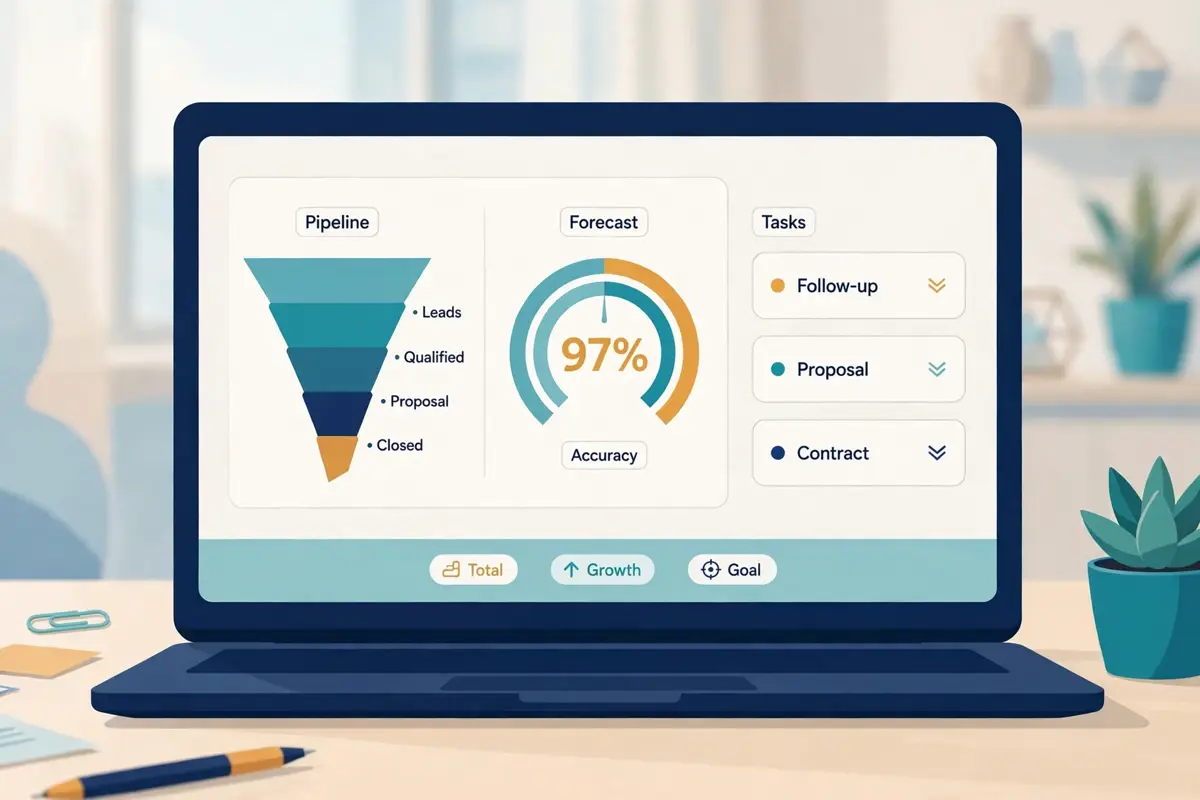
Best for teams that want cadences, Conversations, Rhythm and Clari forecasting in one platform: Salesloft
Salesloft is an enterprise sales engagement platform, now sold as the Predictive Revenue System at salesloft.com, that runs multichannel cadences, conversation intelligence, deal management and forecasting from one system. It does not publish prices: its pricing page is a Talk to Sales form, and its two packages, Advanced and Elite, are both quote-only on annual contracts. The dialler, forecasting and two AI agent add-ons sit outside both packages and are priced separately. The company merged with Clari, the forecasting vendor, in December 2025, and now operates under the single Salesloft name, with the forecasting product keeping the Clari name as Clari Forecast.
This Salesloft review works through the whole platform as it stood on 16 November 2026. It covers the two packages and the four add-ons, Cadence, Rhythm, Conversations, Deals and Clari Forecast, the AI agents, and how Salesloft compares with Outreach, Klenty and Apollo. By the end you should know whether a quote-only platform with the deepest cadence pedigree in the market is the right buy for your revenue team, or whether a tool with published prices and a trial would serve you better.
Visit Salesloft → Jump to the comparison tableWhy this Salesloft review starts with the merger
Before anything else, this Salesloft review needs to say plainly what changed at the company. That is because it explains the product you buy today. Salesloft and Clari announced their merger on 7 August 2025, closed it on 3 December 2025, and now operate as one company under the Salesloft name, with Steve Cox as chief executive. The forecasting product keeps the Clari name as Clari Forecast, while the old clari.com address now redirects to salesloft.com. That single fact, that the engagement platform and the forecasting platform are now one vendor, shapes the packages, the add-ons and the roadmap. In addition, this Salesloft review tests it step by step, from the pricing page to the forecast rollup. As a result, a buyer can judge whether the combined platform earns its enterprise price.
The numbers behind the combined pitch
That combined positioning is not a slogan. It is the reason Salesloft now calls itself the Predictive Revenue System. Also, the company has put numbers behind the change. The homepage states the pitch in plain terms. Create, convert and grow, with every revenue signal captured across the stack, separated from the noise, and turned into the next move. Behind that line sit the figures the vendor publishes. 97% forecast accuracy, more than 4,000 sales teams, three times faster return on investment, 12 or more hours saved per rep per week, and 40% more selling activity. Those are a platform vendor’s numbers, honestly presented as vendor claims, and this Salesloft review weighs them as such. A heavyweight system for heavyweight teams, not a quick fix for a small job.
Quick Answer
Salesloft is an enterprise sales engagement platform at salesloft.com, now sold as the Predictive Revenue System after its merger with Clari closed on 3 December 2025, that combines multichannel cadences, the Rhythm prioritisation engine, Conversations call intelligence, deal management and Clari Forecast in one system, with AI agents for account research, buyer identification and coaching. Pricing is quote-only: two packages, Advanced and Elite, both sold on annual contracts after a sales conversation, with the dialler, forecasting, Account Agent and Coaching Agent all priced as separate add-ons. The vendor claims 97% forecast accuracy, 12-plus hours saved per rep per week, and 40% more selling activity.
Third-party buyer reports put the entry cost at roughly $125 to $165 per user per month at list price, falling to about $100 to $130 after negotiation, but that is a reported range, not an official price.
Salesloft is best for mid-market and enterprise revenue teams that want one platform for cadences, coaching, deals and forecasting, and that can run a sales-led buying process. It is not the tool for a solo seller, a small team that needs a published price and a trial, or a team that needs a built-in contact database or email warm-up, because Salesloft supplies none of those.
Contents
- What Salesloft actually is
- Who Salesloft fits best — and who should skip it
- Pricing in this Salesloft review: quote-only Advanced and Elite
- Cadence in this Salesloft review: the sequencer that started it all
- Rhythm in this Salesloft review: the signal-to-action engine
- Conversations in this Salesloft review: call intelligence and coaching
- Deals and Clari Forecast in this Salesloft review
- AI agents in this Salesloft review: Ask Salesloft, Account Agent and more
- Deliverability in this Salesloft review: your mailbox, your reputation
- Integrations in this Salesloft review: Salesforce, HubSpot and the marketplace
- Security in this Salesloft review, and the rules around cold email
- Salesloft against Outreach, Klenty and Apollo
- Strengths and weaknesses in this Salesloft review, side by side
- Getting started in this Salesloft review: a sensible first 90 days
- Frequently asked questions
- The verdict in this Salesloft review
What Salesloft actually is
Salesloft describes itself as the leading Predictive Revenue System, and its homepage makes the positioning easy to grasp. The platform captures every revenue signal across a team’s stack, separates the signals that drive outcomes from the noise, and turns them into the next move, grounded in the team’s own data rather than guesswork. It serves account teams with Cadence, Conversation Intelligence, Deals and Rhythm, and revenue leaders with Clari Forecast, Inspect and Analytics, all running on the same data, the same signals and the same AI. That is the product in the vendor’s own words. Furthermore, it matches what this Salesloft review found on the platform and pricing pages. A complete revenue system, not a sequencer dressed up with extras.
Behind the pitch sits a company with a long history in this market. Salesloft was founded in 2011 in Atlanta, and it pioneered the cadence. The structured, multi-step sequence of emails, calls, social touches and tasks that every sales engagement tool now copies. The company has been majority-owned by Vista Equity Partners since a deal at a $2.3 billion valuation announced in late 2021. In August 2025 it agreed to merge with Clari, the revenue forecasting company, and the deal closed on 3 December 2025 with Steve Cox becoming chief executive of the combined company. In September 2026 the combined company adopted the single Salesloft name, with only the forecasting tool keeping the Clari name as Clari Forecast. A buyer who remembers Salesloft as a cadence tool should update that picture. That is because the cadence is still there, yet the platform around it has changed completely.
Eight capabilities this Salesloft review found defining
First comes Cadence, the multi-step workflow that combines personalised emails, calls, social touches and other tasks, with frameworks that take the guesswork out of building one. Next comes Rhythm, the AI-powered workflow that prioritises high-impact tasks from buyer signals, so reps know what to do next. Then comes Conversation Intelligence, which records and transcribes calls, identifies key moments and creates action items. After that comes Deals, which keeps every opportunity moving with AI-driven insight into risk and momentum. Then comes Clari Forecast, Inspect and Analytics, which predict revenue, surface pipeline risk early and support data-driven decisions. Finally come AI Agents and the MCP launch, which automate work across the revenue lifecycle and connect agents and systems through shared revenue context.
The eight capabilities at a glance, in this Salesloft review
- Cadence: structured, multi-step workflows across email, phone, LinkedIn and tasks, with frameworks, templates and automation rules.
- Rhythm: an AI prioritiser that sorts cadence tasks, deal tasks and plays by buyer signal, so the rep starts the day on the highest-value work.
- Conversation Intelligence: call recording, transcription, key moments, action items and coaching insights from every conversation.
- Deals: opportunity management with AI flags for stalled deals, risk and recovery actions, for Salesforce CRM customers.
- Clari Forecast: AI-driven revenue forecasting with automatic roll-up and submission, kept under the Clari name after the merger.
- Inspect and Analytics: pipeline risk views and revenue analytics for leaders, including an Analytics Interpreter Agent.
- AI Agents: Ask Salesloft Agent in every package, plus Account Agent and Coaching Agent add-ons that research accounts and coach in real time.
- Unified Revenue Data Layer: perpetual sync across revenue data, with MCP so external agents can work inside Salesloft.
One more framing point helps before the details. Salesloft is not a cold email tool, and it does not claim to be one. It is a revenue orchestration platform that happens to include cadences, and the cadence is one capability among eight. That boundary suits a revenue leader who already has a data provider and a mailbox strategy. Salesloft slots into the stack without asking you to move anything else. It leaves a gap for a buyer who wants one tool to find leads, warm inboxes and send cold email, since that buyer will need a second subscription for the data and the deliverability. This Salesloft review keeps that distinction visible throughout, because confusing the two jobs is how buyers end up disappointed.
Who Salesloft fits best — and who should skip it
First, this Salesloft review finds the product fits mid-market and enterprise revenue teams first. Think of a company with fifteen or more sellers, a sales operations team, a formal CRM in Salesforce or HubSpot, and a revenue leader who needs one forecast the whole business can trust. That team needs cadences that follow a playbook, a prioritiser that tells reps what to do first, coaching grounded in real calls, deal health that flags risk before the quarter ends, and a forecast that rolls up cleanly. Salesloft gives them exactly that, with the agents doing the research and the drafting while the reps focus on conversations. The price is a quote, and the comparison is with the cost of five point solutions, not with one sequencer subscription. This Salesloft review rates it highly for teams of that shape.
Meanwhile, in this Salesloft review, teams already running Salesforce come next. Deals, the opportunity surface, is only available to customers who use Salesforce as their CRM, according to Salesloft’s own help documentation, and the forecasting add-on was built for the same audience. A Salesforce shop gets the full platform. Cadence, Conversations, Deals, Rhythm and Clari Forecast in one place, with the CRM sync keeping every field aligned. A HubSpot shop still gets Cadence, Conversations and Rhythm, and should confirm on the demo exactly which deal surfaces it will and will not see. That one check, made before the quote, saves a painful surprise after the signature.
Buyers who should look elsewhere
Now the other side. However, solo sellers and small teams should look elsewhere. Salesloft has no free plan, no advertised free trial and no self-serve signup. Moreover, the pricing page offers only a Talk to Sales form. A founder with three sellers and a hundred dollars a month to spend cannot buy Salesloft tonight, and should not try. That team will get more from Apollo, which starts at $49 a user a month on monthly billing with a free plan and a 240M-plus contact database, or from Klenty, which starts at $50 a month billed annually with a 14-day trial. Likewise, a team that needs a built-in contact database should not buy Salesloft expecting one. There is no prospect database, and the Account Agent add-on identifies buying groups inside accounts you already hold.
High-volume cold email teams should think twice as well. Salesloft sends through your own Google or Microsoft mailbox rather than through its own sending infrastructure. In addition, it supplies no warm-up pool, no inbox rotation across many mailboxes and no placement testing. A team planning thousands of cold emails a month from many domains will find Instantly from $47 a month on Growth, or Smartlead from $39 a month, a far better fit for that motion, and can still use Salesloft for the deals those emails create. If your buying process needs a published price, a trial and a checkout page, Salesloft will feel closed, since it is built for enterprise procurement and says so on its own pricing page.
Why an enterprise buyer should still take the demo
Between those two poles sits the buyer this Salesloft review expects most often. A revenue leader whose team juggles five tools that barely share data, and whose forecast lives in a spreadsheet nobody trusts. That buyer should take the demo, and bring a real deal along. Ask the rep to show a cadence on one of your live accounts, the Rhythm prioritiser on one of your reps&rsquo. Also, actual mornings, and the Clari Forecast rollup for your current quarter. If the platform answers those three questions on one screen, the case is made. If the demo stays on slides, that is useful information too, before a single dollar is committed. A demo run on your own pipeline settles the question with evidence, which beats any sales deck as a test.
Pricing in this Salesloft review: quote-only Advanced and Elite
Salesloft keeps its pricing deliberately opaque, and this Salesloft review starts with that fact before any figures. The official pricing page at salesloft.com/pricing contains no prices at all. It is a Talk to Sales page, with a form, a phone number and three claims, namely three times faster return on investment, 12 or more hours saved per rep per week, and 40% more selling activity. There is no price card, no plan grid with numbers and no public calculator. Its own help documentation names the two packages, Advanced and Elite, and states plainly that features and modules may vary and that buyers should speak to a Salesloft sales executive. Those are the words on salesloft.com and help.salesloft.com, checked on 16 November 2026, and this Salesloft review uses them throughout.
The two packages in this Salesloft review
Meanwhile, the two packages are easy to tell apart once the help documentation is clear. Salesloft Advanced is designed for revenue teams who need to build pipeline and increase their revenue, and it includes the shared capabilities. Rhythm, Conversations, Deals, Cadence, Coaching, Sales Email, Ask Salesloft Agent, Automation, Calendaring, Mobile App access, CRM Sync, Security and Compliance, Analytics and the Partner Ecosystem. Salesloft Elite is designed for complex organisations, and it adds three differentiated enterprise capabilities. Multi-team administration, a sandbox for safe admin testing, and CRM signals for custom objects that trigger plays from Salesforce custom objects without code. One note matters for both packages: Salesloft Deals is only available to customers who use Salesforce as their CRM, according to the same help page.
The pricing table in this Salesloft review, checked today
| Package | Price | What it includes | Best for | Visit Site → |
|---|---|---|---|---|
| Advanced | Request pricing | Cadence, Rhythm, Conversations, Deals *, Coaching, Sales Email, Ask Salesloft Agent, Automation, Calendaring, CRM sync, Analytics | Revenue teams building pipeline on one business unit | Visit Site → |
| Elite | Request pricing | Everything in Advanced, plus multi-team administration, sandbox, and CRM signals for custom objects | Complex organisations with several teams or custom Salesforce objects | Visit Site → |
| Dialer add-on | Request pricing | Calling inside Salesloft, including mobile app calls, on any package | Any team that calls from the platform | Visit Site → |
| Forecasting add-on | Request pricing | Automatic forecast roll-up and submission, AI-driven next actions | Teams that need Clari Forecast inside Salesloft | Visit Site → |
| Account Agent add-on | Request pricing | Buyer Identification, Account Research and Person Research agents | Teams that want AI research on accounts they already hold | Visit Site → |
| Coaching Agent add-on | Request pricing | Sales Strategist Agent, real-time guidance for sellers and managers | Teams that want live coaching on deals | Visit Site → |
Last checked: 16 November 2026 on Salesloft’s pricing page and Salesloft’s packages help page. Salesloft publishes no prices: every package and add-on is a custom quote. * Deals is only available to customers who use Salesforce as their CRM. Features and pricing can change, so please check the provider’s site before you buy. We do not guess at features, prices or trials.
Four add-ons that sit outside both packages
Four capabilities sit outside both packages and are priced separately. Also, this Salesloft review counts that as the most important pricing detail. First, the Dialer is a separate add-on on any package, even Elite, and mobile calling needs it too. Second, the Forecasting add-on automates forecast roll-up and submission and adds AI-driven next actions. Third, the Account Agent add-on brings three intelligent agents. Buyer Identification, which finds key contacts and buying groups inside target accounts. Also, Account Research, which gathers and synthesises information about companies. Also, and Person Research, which does the same for individual records using activities, CRM data and conversations. Fourth, the Coaching Agent add-on brings the Sales Strategist Agent, with real-time guidance for sellers and data-driven coaching opportunities for managers. A buyer who budgets for the seat quote alone will under-budget by a wide margin.
That is because the dialler and the forecasting are where much of the value lives.
What buyers report paying, and why it is only a guide
One more pricing point matters for buyers who want a budget number before the first sales call. Because Salesloft publishes no prices, the only figures available come from buyer reports and procurement marketplaces. Those reports consistently put the list price at roughly $125 to $165 per user per month, falling to about $100 to $130 after negotiation for mid-market teams on annual contracts, with Elite reported higher at $165 to $200 or more per user per month. The dialler is reported at roughly $300 to $400 per user per year on top. Procurement platform Vendr reports a median annual contract of $30,740 across 710 purchases, with buyers saving 18% against the opening quote. Treat every one of those numbers as a reported range, not a price you can hold Salesloft to, and use them only to decide whether the demo is worth your time.
The honest answer to what Salesloft costs is that you find out on the sales call. Furthermore, this Salesloft review says so plainly rather than dressing a guess up as a price.
What the fine print says about contracts and the old packages
Finally, the fine print deserves a paragraph of its own, because it is short and it matters. Contracts run annually, with no monthly billing option reported, and third-party guides report a 10 to 15 seat minimum and no free trial. Existing customers on the old packages, Essentials, Prospect, Premier and Enterprise, saw those licences retired in August 2025. Moreover, the help documentation says they retain core functionality and gain access to Conversations and Deals. Before signing, read the order form as carefully as the feature list, since the seat count, the add-ons, the renewal terms and the uplift all live there. Ask, on the first call, which of the four add-ons are in the quote and which are not. That is because a quote without the dialler is a quote for a platform that cannot call.
Cadence in this Salesloft review: the sequencer that started it all
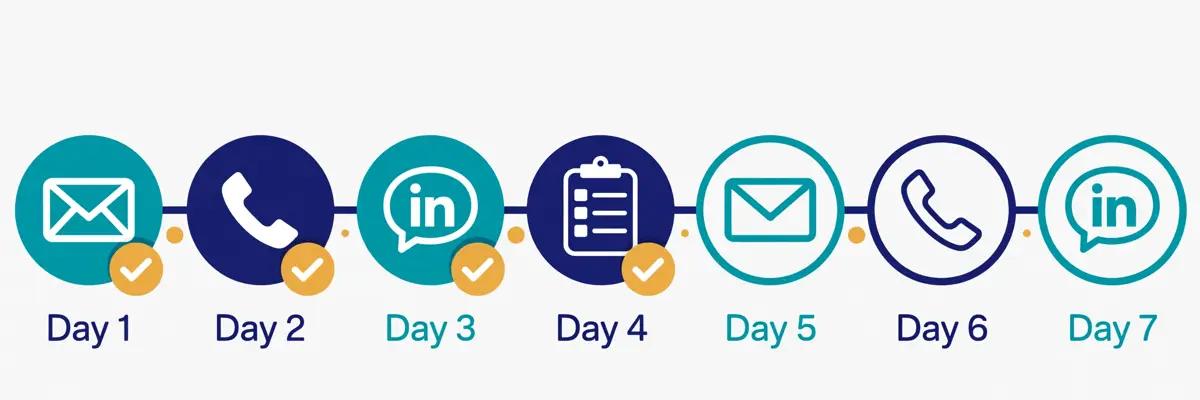
Cadence is where Salesloft began, and it remains the capability most buyers actually use every day. A cadence is a repeatable series of steps, or sequence, that mimics the sales process to create a consistent process, and the available step types include personalised emails, phone calls, LinkedIn touches, video messages and other tasks. Reps work from cadence frameworks that take the guesswork out of building one, follow account-based strategies, and let the platform automate email steps and pause a prospect’s cadence when that person is out of the office. Since November 2025 every new cadence must include a Cadence Purpose before it can proceed, which is a small control that keeps the library tidy. That is the sequencer in the vendor’s own words. In addition, it matches what this Salesloft review found on the platform and help pages. A mature, enterprise-grade engine, not a first attempt.
Seeing a cadence built
Video: “Create a Cadence” by Salesloft on YouTube. This video is the property of its creator, embedded via YouTube for education. OutreachCompare is not affiliated with Salesloft and does not claim ownership of the video.
Automation around the cadence
Around the cadence sit the automation features that save reps hours a week. Also, this Salesloft review counts them as the difference between a sequencer and a good sequencer. Automation rules move people between cadences, assign tasks and update records when a buyer replies, books or goes quiet. Cadence analytics surface the top-performing patterns at team level. As a result, leaders can identify what works and replicate it across the team rather than leaving it to individual judgement. Email steps autosave every three seconds, and the step builder reads like a calendar, which makes reasoning about spacing easier than a list view. The vendor claims the platform saves 12 or more hours per rep per week. Furthermore, that figure should be read as a vendor claim. Yet, the mechanism behind it is visible in the product: less admin, more conversation.
Where cadences stop, and what that means for LinkedIn
One honest limit belongs in this part of the review. LinkedIn steps in Salesloft are tasks a rep completes by hand, not automated sends, and a rep still has to open LinkedIn and do the work. That is the compliant choice, keeping the platform on the right side of LinkedIn’s rules. Yet, a team that wants LinkedIn automation should not buy Salesloft expecting it. The sensible pairing is a LinkedIn tool such as Waalaxy from €19 a user a month, or HeyReach, working from the same account list. Budget for both, and judge Salesloft on the email, the calls and the coaching, not on a channel it deliberately keeps manual.
Rhythm in this Salesloft review: the signal-to-action engine
Rhythm is the capability that separates Salesloft from a plain sequencer. Moreover, it is the feature this Salesloft review spent the longest checking. Rhythm is an AI-powered workflow that prioritises high-impact tasks based on key buyer signals, such as following up with a highly engaged lead. In addition, it uses AI to sort the most impactful seller actions so reps know exactly where to focus their time. It pulls together cadence tasks, deal tasks and plays into one daily view. Also, it triggers follow-up actions from real buyer behaviour, like link clicks, email opens and non-reply windows, rather than from a fixed schedule. The vendor’s own customer stories make the point plainly. A rep at Reachdesk says Rhythm makes sure he does not miss a single touchpoint. Furthermore, that the platform keeps everything organised in one interface.
That is prioritisation as a system, not as a to-do list, and it is what the platform is built around.

Rhythm in a real team’s morning
Video: “How Salesloft Rhythm Keeps Reachdesk Reps from Missing Out on Important Opportunities” by Salesloft on YouTube. This video is the property of its creator, embedded via YouTube for education. OutreachCompare is not affiliated with Salesloft and does not claim ownership of the video.
Why Rhythm matters more than another sequencer feature
One point about Rhythm deserves a closer look, because it explains why Salesloft built it. A cadence tells a rep what to send on day seven. Rhythm tells the rep who to call first this morning. That is because that buyer opened the proposal twice yesterday and the champion went quiet. The first is a schedule. The second is a decision, and decisions are where pipeline is won or lost. Rhythm also carries the lifecycle work that cadences miss. Renewal and expansion plays, triggered by signals such as product usage, support patterns and NPS, with the rep acting in the moment the signal appears. A team that already runs disciplined cadences will feel Rhythm in the first week. That is because it stops reps working the list in order and starts them working the list by value.
A team with dirty data will feel it too, because prioritisation is only as good as the signals feeding it.
Conversations in this Salesloft review: call intelligence and coaching
Conversations is Salesloft’s conversation intelligence offering, and it is the feature this Salesloft review counts as the platform’s best. It records and transcribes meetings, produces summaries and action items, and surfaces the key moments managers need for coaching. It captures every seller interaction automatically, which replaces feelings-based forecasting with real data. Moreover, it tracks methodologies such as MEDDIC without manual entry. The vendor says Conversations helps managers filter call reviews by rep for targeted sessions, and use AI insights to show reps their talk-to-listen ratios and where to let the prospect lead. That is coaching as a system, not as a favour, and it is what the coaching surface is built around.
Coaching at scale in this Salesloft review
Behind the call capture sits the manager workflow. In addition, this Salesloft review puts it at the centre of Conversations’ value for a team. Managers search the call library by rep, meeting type, topic or account, instead of scrolling through everything, and use AI-suggested answers on coaching cards to judge a call faster. Playlists collect the best calls so new reps can hear what great sounds like. Also, the two-way feedback loop lets reps ask for coaching instead of only receiving it whenever a manager gets around to it. When reviewing deals, managers can anchor coaching conversations on the buyer signals Rhythm captures, like who is engaging, what is spiking, and which stakeholders are showing intent. That combination, calls plus signals plus deals, is what makes the coaching precise rather than generic.
What Conversations cannot hear
One candid limit belongs in this section. Conversations covers Salesloft’s native dialler plus connected video platforms, Zoom, Microsoft Teams, Google Meet and Cisco Webex, and calls outside those channels are not captured, with no workaround today. A team that sells over WhatsApp, over a phone system Conversations cannot join, or in person will have gaps in the record. Furthermore, the coaching will only ever be as complete as the calls it can hear. The sensible move is to check, before signing, which of your team’s real calls travel through a supported channel. If most of them do, Conversations earns its keep. When most of them do not, the coaching surface loses its centre, and this Salesloft review says so plainly.
Deals and Clari Forecast in this Salesloft review
Deal management is where Salesloft stops being a prospecting tool and becomes a revenue system. Moreover, it is the capability this Salesloft review checked next. Deals keeps every opportunity moving with AI-driven insight into risk and momentum, and the Stalled Deal Agent surfaces at-risk opportunities automatically, giving leaders time to intervene before those deals slip the quarter. AI flags stalled deals, highlights risks, and recommends recovery actions to improve forecast discipline. Pipeline management reads funnel quality by risk, buyer sentiment and pipeline performance, giving a manager a clear view of where the quarter stands. That is the workflow for a team that already has pipeline and needs to close it, rather than a team still hunting for its first meetings.

Clari Forecast, Inspect and Analytics in this Salesloft review
Day to day, the forecasting story is the reason the merger matters, and the package you buy decides how much of it you get. The forecasting product predicts revenue with confidence, and the Forecasting add-on automates the tedious parts: automatic forecast roll-up and submission. As a result, nobody compiles numbers by hand, and AI-driven next actions that analyse forecast data and suggest the optimal next step for each deal. Inspect sees pipeline risk early, and Analytics supports data-driven revenue decisions, including an Analytics Interpreter Agent that reads the numbers for the team. The vendor claims 97% forecast accuracy on its homepage, and that figure should be read as a vendor claim. Yet, the mechanism is easy to see. The forecast reads the same signals the reps act on, rather than a spreadsheet filled in on Friday afternoon.
The forecast is only as good as the data feeding it
One honest limit is worth naming here. A forecast built on engagement signals is only as honest as the activity feeding it, and Salesloft knows this. The platform records all sales activity as it happens, across email, calls and meetings. In addition, that record is what makes the health scores and the projections credible. Yet a team that logs half its calls outside Salesloft, or that runs its real pipeline in a spreadsheet beside the CRM, will get a forecast that reflects the tool, not the business. The practical answer is to run the CRM sync properly, keep every rep inside the platform, and treat the first quarter as a calibration run. Three months of complete data beats a year of hoping, and this Salesloft review makes that test explicit.
AI agents in this Salesloft review: Ask Salesloft, Account Agent and more
The agents are the change that defines Salesloft in 2026. Also, they are the feature this Salesloft review spent the longest checking. Set the branding aside and the agents fall into three groups. Ask Salesloft Agent sits inside every package. Furthermore, it uses AI to help reps generate personalised messaging to preserve or expand deals with a single prompt, without losing a day digging through data. The Account Agent add-on brings Buyer Identification, Account Research and Person Research agents, which find buying groups and synthesise account and person information from activities, CRM records and conversations. The Coaching Agent add-on brings the Sales Strategist Agent, which gives sellers real-time guidance and managers data-driven coaching opportunities. That is a genuinely useful agent set. Moreover, it is priced as an add-on rather than included, which buyers should know before the quote.
MCP and the Unified Revenue Data Layer
Behind the agents sits the data layer, and this Salesloft review counts it as the platform’s most interesting bet. The Unified Revenue Data Layer promises true data interoperability, with perpetual sync across revenue data. As a result, every role runs on the same numbers. The MCP launch lets agents and systems connect through shared revenue context. As a result, external AI agents can work inside Salesloft and Salesloft’s agents can reach into the rest of the stack. Since the merger, the combined company also runs Groove, the sales engagement product Clari acquired in 2023, and Drift, the conversational marketing product, alongside Cadence and Clari Forecast. Third-party reports say Drift is being wound down with 1mind named as the successor partner. In addition, that no official sunset has been announced for Groove.
As a result, a buyer should ask, on the demo, which of those products are in the quote and which are not.
Where the agents are strongest, and where they are still young
One frank limit belongs in this section. The agents are strongest where they read data Salesloft already holds. Conversations has been transcribing calls for years, and a research brief that knows what the prospect said on last month’s call beats one assembled from LinkedIn alone. Yet the agent add-ons are new enough that a buyer should ask, on the demo, which agents are generally available on the package being quoted, which are in beta, and what each one costs. The agent story holds up, and the platform has rebuilt itself around it. Yet, the newest parts deserve the toughest questions. A buyer who pays for the Account Agent add-on should see it identify a buying group on a live account before signing, because that is the test that matters.
Deliverability in this Salesloft review: your mailbox, your reputation
Deliverability is the quiet risk in every outreach tool. Also, Salesloft handles it at the mailbox rather than at the platform. Email leaves through your own Google or Microsoft mailbox, and each user connects their own sending identity. As a result, the reputation on the line is yours rather than a shared pool’s. That is a sensible control for an enterprise platform, and this Salesloft review counts it as honest. Salesloft protects the cadence, without pretending to be a deliverability platform. Cadences pause automatically when a prospect is out of office. Furthermore, the engagement reporting shows what was opened, replied to and bounced. As a result, a team can see the damage before it spreads.
How much cold email Salesloft can carry
The ceiling is clear all the same. A team planning thousands of cold emails a month from many domains needs deliverability kit that Salesloft does not supply. The official feature pages show no warm-up pool, no rotation across many mailboxes, no placement testing and no custom tracking domain controls. Salesloft never claims those capabilities, and this Salesloft review will not attribute them to the platform. A team planning heavy cold email across many domains should read our Instantly review and our warm-up tools roundup first, since Salesloft alone will not carry that volume. Treat the cadence as a guardrail rather than an engine, and the limits make sense.
Sender rules that still apply to you
Separately, the sender rules that govern every outreach tool still bind you here, and Salesloft grants no exemption from them. Since February 2024 Gmail has required SPF or DKIM from every sender, caps spam complaints at 0.3%, and demands DMARC plus one-click unsubscribe on marketing mail from senders passing 5,000 messages a day to Gmail. A plain summary, not legal advice. United States law calls for honest headers and subject lines, a genuine postal address, and an opt-out honoured within ten business days. European B2B outreach normally relies on legitimate interest, with every recipient free to object to direct marketing at any moment, and Germany is one of the countries that requires prior consent for marketing email, even between businesses. Those duties stay with you whatever you buy, and a connected mailbox handles the mechanics while the judgement remains yours.
Integrations in this Salesloft review: Salesforce, HubSpot and the marketplace
Salesloft connects to the tools a revenue team already runs, and the list is broad without being thin. The platform page states that the system runs on the same data, the same signals and the same AI across every revenue role, and the pricing page names the meeting integrations explicitly. Zoom, Microsoft Teams, Google Meet and Cisco Webex. Salesforce and HubSpot sit at the centre, with CRM sync that keeps the cadence, the activity and the opportunity fields aligned. The mobile app and the partner marketplace put the same platform in a rep’s pocket and in the channel where the team already talks. That integration position counts, because an enterprise platform that cannot sync is a dead end. Moreover, Salesloft syncs everywhere a revenue team actually works.
The API, and who actually gets it
One more point about integrations is worth a note, because it explains the shape of the product. The help documentation lists CRM Sync, Analytics and the Partner Ecosystem as shared capabilities in both packages. In addition, the platform page adds the MCP launch, which lets external agents work inside Salesloft. What the public pages do not state is a metered API allowance per package. As a result, a team that wants to call Salesloft from its own systems should confirm the allowance on the package being quoted. A buyer who genuinely needs deep API access should ask for it in writing, and a buyer who only needs the CRM sync will never notice the meter.
Gaps in the integration list
As far as the official pages show, Salesloft has no built-in B2B contact database, no native warm-up tool and no data provider of its own beyond the enrichment of records you already hold, and a team that needs those capabilities should confirm their absence on the demo rather than assume they exist. The integration list covers the gap in practice, since ZoomInfo, Apollo and the other data providers all connect, even though the data stays a separate subscription rather than part of the platform. That gap is not a surprise: Salesloft is a revenue orchestration platform. Also, it does those jobs well rather than doing five badly. A buyer who wants the leads to flow straight into a cadence should budget for the data subscription, and a buyer who only needs the execution will never notice the gap.
Security in this Salesloft review, and the rules around cold email
Security is the section where this Salesloft review can report good news, because the official site states its position plainly. The platform page shows ISO, GDPR and CCPA compliance marks, and states that the platform is built for enterprise, with the performance, permissions and controls global revenue organisations require, on one data platform that scales. It adds that enterprise-grade security, privacy and compliance are built in. Furthermore, that revenue data stays protected and under the customer’s control. The platform FAQ states that Salesloft uses private AI models that ensure customer data is never used to train models for other customers. A buyer with a formal security review asks about those claims first. Moreover, Salesloft states them on public pages rather than behind a sales call.
Running your own checks before signing
Inside the product, the controls are practical rather than cosmetic. Every cadence step, call and deal change is captured as it happens. As a result, a team can trace what went out, who was reached and what followed. Meanwhile, the deal view keeps a named owner on every opportunity update. The agents propose actions rather than writing straight to the CRM unchecked, which is the right control for an agent that acts. A team that keeps human review switched on for the first month, watches the sender reputation of every identity it connects, and asks for the data-processing agreement in writing will get the best from the platform without risking its domain. A team with a formal review should still request the agreement in writing, since a marketing page is not a contract, even though the claims are there to be checked.
Consent rules worth knowing
One last point on cold email rules, because they catch buyers off guard. A work email address is personal data across the European Union. B2B outreach there normally relies on legitimate interest, and every recipient keeps the right to object at any time. Meanwhile, Germany is one of the countries that insists on prior consent for marketing email, even between businesses. United States law insists on honest headers and subject lines, a real postal address, and an opt-out honoured within ten business days. Keep lists targeted rather than blasted, keep the opt-out working, and treat the compliance pages as guidance rather than legal advice. A tool that follows its instructions exactly is only as safe as those instructions.
Salesloft against Outreach, Klenty and Apollo
The headline difference is the job each tool does. Salesloft charges by quote only, across two packages, Advanced and Elite, and gives you cadences, Rhythm, Conversations, Deals and Clari Forecast in one platform, with no database and no warm-up. Outreach also charges by quote only, across four Amplify packages, and gives you sequences, Kaia coaching, deal management and AI forecasting in one platform, with no database and no warm-up. Klenty starts at $50 a month billed annually, with published prices and a 14-day trial, and offers sequences, a parallel dialler and AI call coaching for mid-market teams. Apollo charges from $49 a user a month on monthly billing, with a free plan, and gives you a 240M-plus contact database, sequences and a dialler in one subscription. Treat the table as a buying guide rather than a scoreboard, and start from the bottleneck that hurts your team the most.
The comparison table in this Salesloft review, in brief
| Tool | Entry price | What you get | Best for | Visit Site → |
|---|---|---|---|---|
| Salesloft | Quote only | Advanced and Elite; Cadence, Rhythm, Conversations, Deals, Clari Forecast; dialler and agents as add-ons | Teams that want cadences, Conversations, Rhythm and Clari forecasting together | Visit Site → |
| Outreach | Quote only | Amplify packages, 10,000 to 100,000 AI credits; sequences, Kaia coaching, deal grid, AI forecasting; no database, no warm-up | Enterprise revenue teams that want sequences, coaching and forecasting in one platform | Visit Site → |
| Klenty | $50 / month, Starter | Published pricing, 14-day trial; sequences, parallel dialler, AI call coaching, CRM sync from Growth | Mid-market teams that want published pricing and a parallel dialler | Visit Site → |
| Apollo | $49 / user / month | Free plan; 240M-plus contact database, sequences, cloud dialer, LinkedIn tasks, verification | Small teams that want data, sequences and a dialler from $49 a month | Visit Site → |
Last checked: 16 November 2026 on the pricing pages linked above. Salesloft and Outreach publish no prices; Salesloft figures below are third-party reported ranges, not official prices. Klenty and Apollo figures come from our published reviews, cross-checked on their official sites. Features and pricing can change, so please check the provider’s site before you buy. We do not guess at features, prices or trials.
Which buyer each tool suits
Three buying patterns emerge from that table, and each one points at a different tool. If your team runs a full revenue motion, with SDRs, AEs, managers and a forecast the business depends on, choose Salesloft. That is because the cadences, the Rhythm prioritiser, the Conversations coaching and the Clari Forecast live in one platform. Meanwhile, the agents handle the research and the drafting and the reps do the talking. If you want the same enterprise shape with a different agent story, choose Outreach. That is because the Amplify packages pair sequences with Kaia coaching and an agent suite that acts on deals. If you want published prices, a trial and a dialler without an enterprise sales process, Klenty is the pick. $50 a month billed annually buys the Starter plan with a 14-day trial, and Growth at $70 a user a month adds the calling.
If you want the data as well as the sequences, Apollo is the pick. $49 a user a month on monthly billing buys a 240M-plus database with sequences and a dialler. Still deciding? Our best cold email software roundup sets the tools beside the rest of the market. In addition, it is the best place to continue.
The feature matrix in this Salesloft review, at a glance
| Feature | Salesloft | Outreach | Klenty | Apollo |
|---|---|---|---|---|
| Multichannel cadences / sequences | ✓ | ✓ | ✓ | ✓ |
| AI prioritiser for the rep’s day | ✓ | — | — | — |
| AI agents that act on deals | ✓ * | ✓ | — | — |
| Conversation intelligence and coaching | ✓ | ✓ | ✓ | — |
| Integrated dialler | ✓ † | ✓ | ✓ | ✓ |
| Deal management and health scoring | ✓ | ✓ | — | ✓ |
| AI forecasting | ✓ ‡ | ✓ § | — | — |
| Built-in B2B contact database | — | — | ✓ | ✓ |
| Warm-up and inbox rotation | — | — | — | ✓ |
| Free plan | — | — | — | ✓ |
| Free trial advertised | — | — | ✓ 14 days | ✓ |
| Published pricing | — | — | ✓ | ✓ |
| Entry price | Quote only | Quote only | $50 / mo | $49 / user / mo |
Last checked: 16 November 2026 on each provider’s official site, as linked above. ✓ means stated on the provider’s site, — means not confirmed or confirmed absent, * marks Salesloft’s Account Agent and Coaching Agent as paid add-ons with Ask Salesloft Agent included in both packages, † marks Salesloft’s dialler as a paid add-on reported at about $300 to $400 per user per year, ‡ marks Salesloft forecasting as coming through the Forecasting add-on and Clari Forecast after the December 2025 merger, and § marks Outreach AI forecast projection as available on Amplify Pro only, with Plus claiming 81% deal-outcome accuracy. Features and pricing can change, so please check the provider’s site before you buy. We do not guess at features, prices or trials.
Two matrix rows that swing the choice
A couple of rows in that matrix are worth a closer look. First, the AI prioritiser row: Salesloft is the only tool of the four with Rhythm, an engine that sorts the rep’s day by buyer signal. Also, that one difference is the reason its cadence story feels different in practice. Outreach has agents that act on deals, yet nothing equivalent to a daily prioritiser. Klenty and Apollo sell AI writing and enrichment, yet neither tells the rep who to call first this morning. A buyer whose team drowns in tasks and works the list in order will feel that difference in the first week. Meanwhile, a buyer whose reps already know their accounts will barely notice the change. Second, look at the published pricing row: only Klenty and Apollo publish prices. Meanwhile, Salesloft and Outreach both sit behind a sales call.
A team that needs a budget number this week should start with the two that publish, since a quote-only platform takes a demo, a scoping call and a procurement round before the first figure appears.
Strengths and weaknesses in this Salesloft review, side by side
Every tool in this market trades one strength for another, and Salesloft is no exception. Its strengths cluster around the cadence pedigree, Rhythm, Conversations and the Clari forecast. Meanwhile, its weaknesses cluster around the hidden pricing, the paid add-ons and the missing database and warm-up. This Salesloft review puts the two sides in one place, so the trade is visible at a glance. The pattern is consistent: Salesloft is generous where the work is running a revenue team, and modest where the work is finding leads or warming inboxes. Buyers who arrive knowing that trade-off usually stay happy, whereas buyers who arrive expecting a database and a sender usually leave disappointed.
The short version in this Salesloft review: five strengths, five weaknesses
- First strength: the cadence pedigree, with frameworks, automation and analytics from the vendor that pioneered the multi-step sequence.
- Second strength: Rhythm, the AI prioritiser that sorts cadence tasks, deal tasks and plays by buyer signal, so reps work the highest-value action first.
- Third strength: Conversations and coaching, with call recording, transcription, key moments, action items and MEDDIC tracking, grounded in real calls.
- Fourth strength: Clari Forecast, Inspect and Analytics in the same platform as the cadences, with a vendor claim of 97% forecast accuracy.
- Fifth strength: enterprise depth, with more than 4,000 sales teams, Salesforce and HubSpot sync, ISO, GDPR and CCPA compliance, and private AI models.
Five weaknesses to weigh
- First weakness: no published prices, no free plan and no advertised free trial, so a buyer cannot put a number on the platform without a sales call and a custom quote.
- Second weakness: the dialler, forecasting and both AI agent add-ons sit outside both packages, so the seat quote understates the real bill.
- Third weakness: no built-in B2B contact database, so a team that needs leads must buy a separate data subscription on top of the platform.
- Fourth weakness: no warm-up, inbox rotation or placement testing, so high-volume cold email needs a separate sender and deliverability tool.
- Fifth weakness: Deals is only available to Salesforce CRM customers, and the merged product line still runs several overlapping products, so buyers should lean on the demo before paying.
One more drawback is easy to miss, so it belongs here too. Salesloft is an enterprise platform, and enterprise cuts both ways. The concentration is real: a revenue team that lives in the platform gets a system built for exactly that job, with the deepest cadence heritage in the market to show for it. Yet a vendor of that size cannot match the self-serve speed of a vendor a tenth its size, and a buyer who needs to start tonight should not expect it to. In practice the trade is clear: you buy the most proven cadence platform in this comparison set, from a vendor that now owns the forecast as well. A buyer who wants published prices and a trial should weigh Klenty first. Meanwhile, a buyer who wants a single platform for the whole revenue motion should book the demo.
Getting started in this Salesloft review: a sensible first 90 days
The first two weeks, in this Salesloft review’s getting-started plan, are for the demo and the deal. Start with the Talk to Sales form, which is the only way in, and bring a real account to the call, not a slide deck. Ask the rep to show a cadence on one of your live accounts, the Rhythm prioritiser on one of your reps&rsquo. Also, actual mornings, and the Clari Forecast rollup for your current quarter. Also ask which of the four add-ons are in the quote, what each one costs, and what the annual contract, the renewal and the uplift actually say. A demo run on your own pipeline settles the question with evidence, while a demo run on slides settles nothing.
Weeks three to six: a measured pilot
Weeks three to six are for a measured pilot, and this Salesloft review keeps the numbers small on purpose. For example, start with one team, not the whole company. That is because that is where the cadences, the Rhythm prioritiser and the deal view either prove themselves or do not, and run one cadence end to end. Track the reply rate, the meetings booked, the Rhythm actions completed and the deals moved, not the send volume. Read every reply yourself, including the ones that bounced, and check whether the bounces came from a list that should have been verified first. If one cadence underperforms, look at the targeting before changing the wording. The best-written email still books nothing when it reaches the wrong companies.
Deciding in weeks seven to twelve
Weeks seven to twelve are for the decision, and this Salesloft review makes the test explicit. Open the throttle a little on the cadence that works, and keep a close eye on the one that does not. If the team needs more calling, add the dialler; if the forecast is the bottleneck, add the Forecasting add-on. Also, if the research is the bottleneck, add the Account Agent. Divide the quarterly cost by the meetings booked to get your cost per meeting, and compare it with the cost of the five point solutions that Salesloft replaced. Finally, if Salesloft books meetings cheaper than the old stack did, keep it. If it does not, narrow the list, sharpen the targeting, and run one more test before you sign the renewal. Three months of real numbers beats a year of hoping.
Frequently asked questions
What is Salesloft?
Salesloft is an enterprise sales engagement platform, and this Salesloft review answers the most common questions about it. It combines multichannel cadences, the Rhythm prioritisation engine, Conversations call intelligence, deal management and Clari Forecast in one system, with AI agents for account research, buyer identification and coaching. The company sells it at salesloft.com as the Predictive Revenue System, after merging with Clari in December 2025. Furthermore, it is built for account teams and revenue leaders running a full revenue motion.
How much does Salesloft cost?
Salesloft does not publish prices, and this Salesloft review lists the facts plainly. Its pricing page is a Talk to Sales form, and its two packages, Advanced and Elite, are both quote-only on annual contracts, with the dialler, forecasting, Account Agent and Coaching Agent all priced as separate add-ons. Third-party buyer reports put the list price at roughly $125 to $165 per user per month, falling to about $100 to $130 after negotiation. However, that is a reported range, not an official price. Prices were checked on 16 November 2026 on salesloft.com/pricing.
Is Salesloft free?
No. Salesloft offers no free plan and no advertised free trial, and this Salesloft review says so plainly. The only way in is a Talk to Sales form and a custom quote. A team that needs a free plan or a trial should weigh Apollo, which starts at $49 a user a month on monthly billing and includes a free plan, or Klenty, which starts at $50 a month billed annually with a 14-day trial.
What is the difference between Salesloft Advanced and Elite?
Elite adds three enterprise capabilities to everything in Advanced, and this Salesloft review lists them plainly. Advanced covers pipeline building with Cadence, Rhythm, Conversations, Deals, Coaching, Sales Email, Ask Salesloft Agent, Automation, Calendaring, CRM sync and Analytics. Elite adds multi-team administration, a sandbox for safe admin testing, and CRM signals for custom objects that trigger plays from Salesforce custom objects without code. Both packages need the dialler, forecasting and agent add-ons bought separately.
Does Salesloft have a contact database?
No. Salesloft has no built-in B2B contact database, and this Salesloft review says so plainly rather than hiding it. The Account Agent add-on identifies buying groups and researches accounts you already hold, rather than supplying new prospects. A team that needs leads should pair Salesloft with a data provider such as Apollo, with 240M-plus contacts from $49 a user a month, or read our best B2B data providers roundup before deciding.
Who should not use Salesloft?
Solo sellers and small teams should not use it. That is because Salesloft has no free plan, no advertised trial and no self-serve signup. Moreover, this Salesloft review says so plainly rather than hiding it. A team hunting for a built-in contact database should steer clear too, since no prospect database ships with the platform and the agents only research accounts you already hold. Teams that want high-volume cold email with warm-up and inbox rotation should steer clear too, since Salesloft sends through your own mailbox and supplies none of those. If any of those sounds like your team, weigh Klenty or Apollo before you decide.
The verdict in this Salesloft review
Verdict: best for teams that want cadences, Conversations, Rhythm and Clari forecasting in one platform
Salesloft is the most proven cadence platform in this Salesloft review’s comparison set, and it earns that title by putting the cadence, the call, the deal and the forecast on one screen. Rhythm tells the rep who to call first this morning, Conversations coaches from real calls rather than from memory, Deals flags the opportunities at risk before the quarter ends, and Clari Forecast rolls the quarter up without a spreadsheet. More than 4,000 sales teams, Salesforce and HubSpot sync, ISO, GDPR and CCPA compliance, and private AI models make the buying decision easy to defend. That combination is the product’s core strength, and it is why this Salesloft review recommends it to mid-market and enterprise revenue teams that can run a sales-led buying process.
Go in with open eyes. Salesloft publishes no prices, offers no free plan and no advertised trial, has no built-in contact database and no warm-up, and the dialler, the forecasting and both AI agent add-ons sit outside the seat quote. Take the demo with your own pipeline, ask which add-ons are in the quote, and judge it on cost per meeting, not on features ticked. Do that, and Salesloft can carry the whole revenue motion while your data provider supplies the leads. Skip the demo and you will get a quote you never saw coming, not a pipeline. We have not tested Salesloft hands-on, so there is no numeric score here — only this verdict, and the evidence above to check it against.
Visit Salesloft →Keep reading
More sales engagement and enterprise reviews
- Outreach Review 2026 — the enterprise AI platform with quote-only Amplify pricing, Kaia coaching and multichannel sequences.
- Klenty Review 2026 — sales engagement with a parallel dialler, from $50 a month billed annually.
- Apollo Review 2026 — the 240M-plus database with sequences, from $49 a user a month.
- Lemlist Review 2026 — the five-channel suite with a 650M-plus database, from $69 a month.
- Reply.io Review 2026 — Jason AI with multichannel sequences, Email Volume from $59 a month.
- Saleshandy Review 2026 — a database-backed sequencer with 852M-plus contacts.
- Close CRM Review 2026 — a phone-first CRM with a built-in dialler, from $9 a month.
- Overloop Review 2026 — data, email and LinkedIn in one seat from $69 a month.
- Waalaxy Review 2026 — LinkedIn automation with AI prospect finding, from €19 a user a month.
- HeyReach Review 2026 — LinkedIn outreach with unified inboxes, from $79 a month.
Guides and roundups
- Best Cold Email Software 2026 — the full roundup with the leading tools beside each other.
- Best B2B Data Providers 2026 — where to find the leads, since Salesloft finds none itself.
- Instantly Review 2026 — the volume-built sender to pair with Salesloft for cold email.
- Smartlead Review 2026 — agency deliverability infrastructure from $39 a month.
- Woodpecker Review 2026 — a deliverability-first sequencer from $39 a month.
- Mailshake Review 2026 — email outreach plus a power dialler, from $29 a month.
- QuickMail Review 2026 — a deliverability-focused sequencer from $49 a month.
- ReachInbox Review 2026 — a newer sequencer with AI personalisation from $30 a month.
- Emelia Review 2026 — ultra-personalised email prospecting with AI from $37 a month.
- Email Deliverability Tools 2026 — placement and reputation tools to pair with any sender.
- Best Warmup Tools 2026 — warming an inbox properly before scaling up.
- Is Cold Email Legal? The Simple Checklist — the consent rules for finding and emailing, in plain language.
- Cold Email for Beginners: The Complete 2026 Guide — a beginner’s path through lists, writing and follow-ups.
- Best cold email tools — all the best-of roundups gathered on one page.
Leave a Reply