Category: Deliverability / warmup

Deliverability and warmup tools — get into the inbox, not the spam folder.

  • Inbox Placement Guide 2026

    Inbox Placement Guide 2026

    Delivered is not the same as seen. Placement is the whole game.

    This inbox placement guide shows how to get cold emails into the primary inbox instead of spam, promotions, or nowhere at all: authentication done properly, a warmup that builds real trust, a clean list, content that reads like a person wrote it, and placement tests that tell you the truth before your prospects do.

    Visit Smartlead →Explore Warmforge →See Instantly →

    Prices checked 16 November 2026 on the official sites of all seven providers. Features and pricing can change, so please check the provider’s site before you buy. We do not guess at features, prices or trials.

    Quick Answer

    Inbox placement is the share of your sent emails that land in the recipient’s primary inbox, rather than in spam, the promotions tab, or nowhere at all, and it matters more than your open rate because an email in spam reaches no reader, earns no reply, and wastes the send. Five things decide placement, working together: authentication, sender reputation, engagement, content, and list quality.

    Start with a separate sending domain, publish SPF, DKIM and DMARC, warm the domain for two to four weeks, keep bounces under 2% and spam complaints under 0.1%, cap each mailbox at 25 to 30 sends a day, and test placement every week. Smartlead SmartDelivery is the best pick for placement testing from $49 a month, Warmforge is the best pick for dedicated warmup from $10 a slot a month, and Instantly is the best pick for warmup built into a sending tool from $47 a month.

    Why this inbox placement guide starts with a number nobody shows you

    Firstly, most cold email advice obsesses over open rate, and that focus is understandable. Opens are visible in every dashboard, they move when you change a subject line, and they feel like progress. Yet the open rate only counts the emails that reached a folder where opening is possible. An email that lands in spam never reaches a reader, never earns a reply, and never counts as a failure in your open rate, because it never had the chance to fail. This inbox placement guide therefore starts with the number nobody shows you: the share of your mail that actually reaches the primary inbox.

    Secondly, the gap between delivered and seen is larger than most senders realise. A sending tool reports an email as delivered when the receiving server accepts it, which is a technical handshake, not a placement decision. After that handshake, Gmail or Outlook decides whether the message goes to the primary inbox, the promotions tab, the spam folder, or nowhere at all. A campaign can report 99% delivered and still have a third of its mail sitting in spam, invisible to every prospect it targeted.

    Finally, we checked every price and feature in this inbox placement guide on the official sites on 16 November 2026. Where a vendor publishes no price, or where we could not confirm a figure on the page, the guide says so in plain language. Jump to the tool comparison when the budget is the constraint, and start at the top when the goal is understanding how placement actually works.

    What inbox placement is, and why it beats open rate
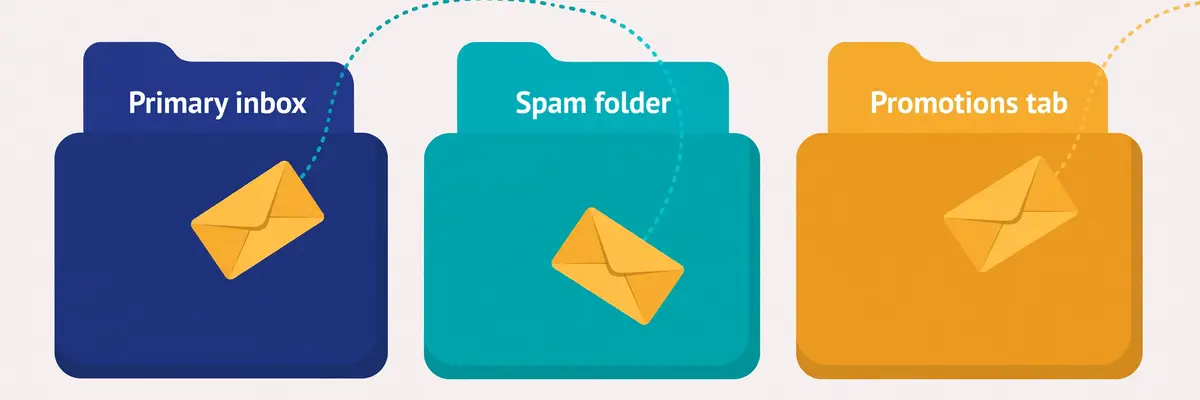
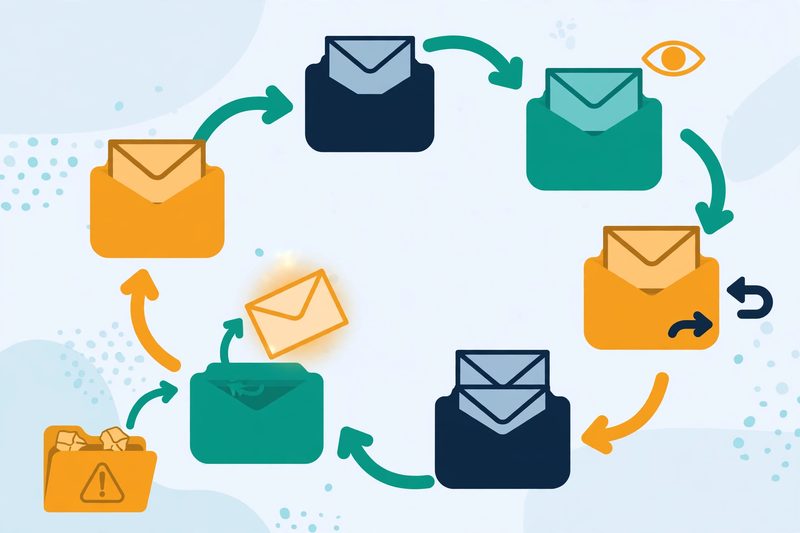
    Inbox placement guide: an email envelope flying on a dotted path into a Primary inbox folder, while other envelopes drift toward Spam and Promotions
    The three destinations that decide a campaign: the primary inbox, where prospects read their mail; the promotions tab, where they skim it; and spam, where nobody ever sees it.

    In fact, inbox placement is the percentage of your sent emails that arrive in the recipient’s primary inbox. The rest of your mail goes somewhere else: the promotions tab, the spam folder, or the provider rejects it outright and it never arrives. Placement is the first filter in the whole cold email funnel, and it sits before the subject line, before the first line, and before every other metric you track. A brilliant email in spam earns nothing. A decent email in the primary inbox earns replies.

    Moreover, placement matters more than open rate for a simple reason: open rate is a rate of the emails a prospect could open, while placement decides how many emails that is. A 50% open rate sounds excellent until you learn that only half your mail reached the inbox, which means a quarter of your list ever saw the email. A sender who fixes placement from 60% to 90% has grown their real audience by half without writing a better subject line, without buying a bigger list, and without spending another cent on tools.

    Inbox placement guide: the four places your email can land

    Firstly, the primary inbox is the destination you want. Mail here arrives in the main stream, it triggers a notification on most phones, and the prospect reads it in the same session as the rest of their real mail. Gmail’s primary tab, Outlook’s focused inbox, and Apple Mail’s main view all work this way. This is the only folder where a cold email behaves like a normal email.

    Secondly, the promotions tab is the polite waiting room. Gmail sorts marketing-style mail here, and many prospects check it once a day or less. Mail in promotions is not dead, and prospects open some of it, but it competes with newsletters, receipts, and every other bulk sender at once. A cold email that lands in promotions has already lost the first impression, because it arrived looking like bulk mail.

    Spam, and the silent fourth destination

    For example, the spam folder is where trust runs out. The provider hides mail here by default and deletes it automatically after thirty days, and most prospects never look inside it at all. Worse still, every email that lands in spam trains the filter to distrust the next one from the same domain, so a spam problem compounds. A domain that sends to spam today will send more mail to spam tomorrow, unless something changes.

    In sum, the fourth destination is the one nobody sees: rejection. Gmail and Yahoo now reject mail outright from senders who fail the basic rules, and a rejected email does not even reach spam. It bounces back with an error, and the sender often has no idea why. Our Deliverability Guide 2026 covers the whole system this guide sits inside, and our Best Email Deliverability Tools 2026 article compares the wider toolkit.

    How spam filters decide where your email lands

    Secondly, spam filters are not a single test. They are a scoring system that weighs five kinds of evidence at once, and no single factor decides placement on its own. Authentication proves who you are. Reputation records how you have behaved. Engagement shows how recipients have reacted to you. Content gives the filter something to read. List quality shows whether you mail real people. A sender who is strong on four of the five can still land in spam on the fifth.

    In fact, the filter’s job is to protect the recipient, not to punish the sender. Every day, Gmail and Outlook process billions of messages, and recipients never asked for most of them. The filter’s question is always the same: does this message look like mail the recipient wants? A sender who behaves like a legitimate correspondent, mailing a small number of real people who reply and never complain, looks like mail the recipient wants. A sender who behaves like a bulk mailer looks like bulk mail, whatever the copy says.

    Inbox placement guide: the five decision factors at a glance

    FactorWhat the filter asksWhat good looks likeWhat bad looks like
    AuthenticationCan this sender prove who they are?SPF, DKIM and DMARC all pass, alignedMissing or failing records
    ReputationHas this domain and IP behaved well?Steady volume, low complaints, no blocklistsNew domain, sudden spikes, blocklist hits
    EngagementDo recipients open, reply and move mail?Replies, forwards, moves to the inboxDeletes unread, marks as spam, ignores
    ContentDoes this read like a person wrote it?Plain text, short, one link or noneImage-heavy, many links, tracked redirects
    List qualityAre these real people who might want this?Verified, recent, targeted, opted-in where possibleScraped, stale, bought, full of traps

    The five factors above are the framework this inbox placement guide uses throughout: every fix in the later sections strengthens one of these five. Last checked: 16 November 2026.

    Inbox placement guide: why authentication comes first

    Moreover, authentication comes first because it is the only factor that is purely mechanical. A filter can check SPF, DKIM and DMARC in milliseconds, before it reads a word of your copy, and a failure there colours everything after it. Since February 2024, Google and Yahoo have required authentication from bulk senders, and providers increasingly reject mail that fails it outright rather than filtering it to spam. Authentication is the entry ticket: it does not guarantee the inbox, but without it the inbox is out of reach.

    For example, engagement is the factor most senders underestimate, because it is the only one they cannot set up in an afternoon. Filters watch what recipients do with your mail: opens, replies, forwards, moving a message from spam to the inbox, and adding you to contacts all count as positive signals. Deleting unread, marking as spam, and ignoring you for weeks all count as negative ones. This is why warmup works, and why a list of people who reply is worth more than a list ten times its size that never does.

    The factor most senders ignore

    Finally, list quality is the factor most senders ignore, because it is the least visible. A list full of dead addresses bounces, and bounces damage reputation. Spam traps in the list can damage a domain in a single send: someone planted those addresses to catch bulk mailers. A list of people who never asked to hear from you complains, and complaints damage reputation faster than anything else. The verification section later in this inbox placement guide shows how to keep a list clean without spending a fortune on it.

    Authentication deep dive: SPF, DKIM and DMARC
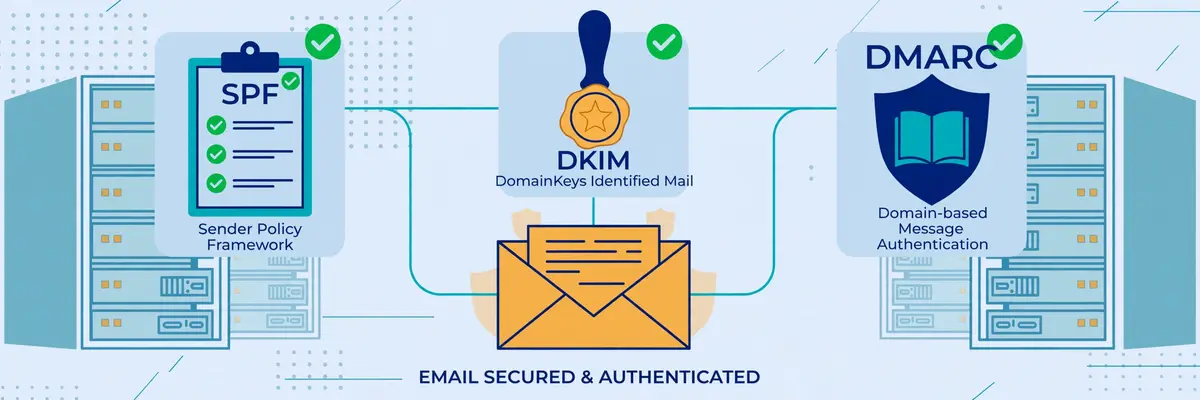
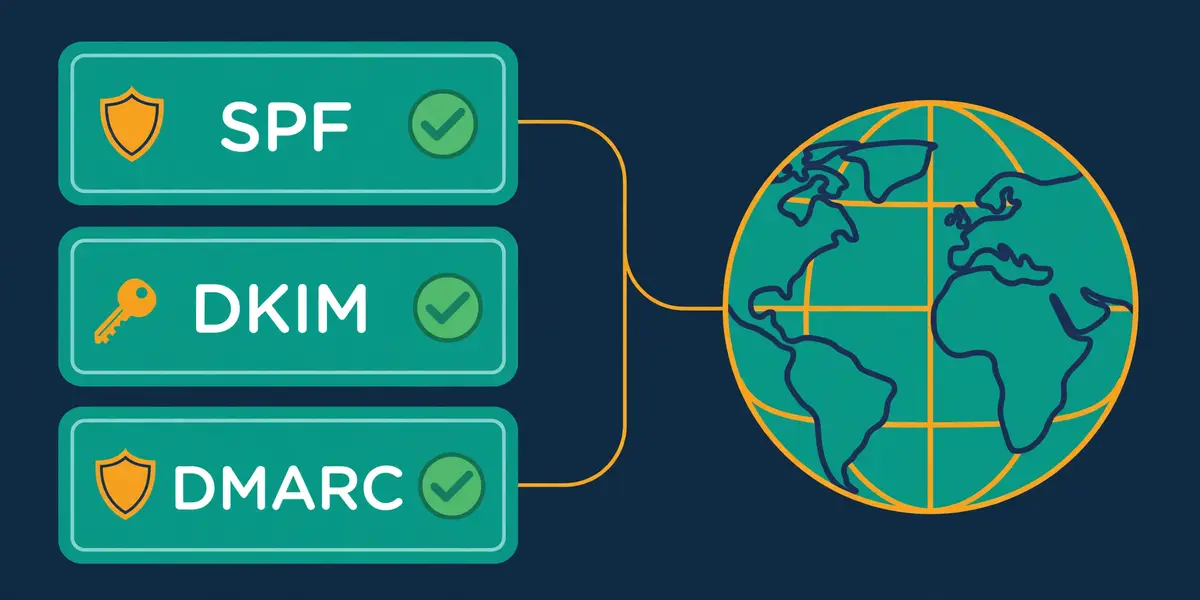
    Inbox placement guide: three security checkpoints guarding an email envelope — an SPF checklist, a DKIM wax seal, and a DMARC shield with green checkmarks
    The three authentication records, each doing a different job: SPF lists who may send, DKIM seals the message, and DMARC sets the rules when either check fails.

    Secondly, authentication is three DNS records that answer three different questions, and every sending domain needs all three. SPF answers whether the server may send for the domain. DKIM answers whether the message arrived unaltered, signed by the domain. DMARC answers what should happen when either check fails, and asks for reports back. Together they prove to a receiving server that the mail really came from the domain it claims, which is the first thing any filter wants to know.

    In fact, the three records work as a team, and a team with a missing player loses. SPF alone can pass while a forwarder breaks it, because forwarding changes the sending server. DKIM alone can pass while signing with the wrong domain, because a signature proves the domain signed the message, not that the signer matches the visible sender. DMARC alone does nothing at all, because it has no check of its own. It only ties the other two to the domain the recipient sees, through alignment, and sets a policy for failures.

    Inbox placement guide: what each record does

    RecordPlain-English jobWhere it livesHow it fails
    SPFLists the servers allowed to send for your domainOne TXT record on the domainToo many lookups, two records, missing include
    DKIMSigns each message so tampering is detectableTXT record on a selector subdomainWrong key, cut-off value, unsigned sender
    DMARCTies SPF and DKIM to the visible From domain, sets policyTXT record on _dmarc subdomainNo record, no alignment, policy stuck on none

    The table above covers the three records every sending domain needs. Check each one with a free checker before the first real send. Last checked: 16 November 2026.

    Inbox placement guide: SPF, the authorised senders list

    Moreover, SPF is a single TXT record that lists every server and service allowed to send mail for your domain. When a receiving server gets your message, it looks up the record and checks whether the sending server is on the list. A match passes. A server that is not on the list fails. The receiving server checks the record against the hidden envelope address in the headers, not the From address your recipient sees, which is why SPF alone cannot prove identity.

    For example, the three classic SPF mistakes are easy to make and easy to avoid. Publishing two SPF records breaks the check entirely, because the standard allows only one, and two records produce an error. Exceeding ten DNS lookups breaks it too, because every include, a, mx and redirect in the record counts, and a chain of includes from several tools adds up fast. And forgetting an include breaks it silently: a tool that sends on your behalf but does not appear on the list will fail SPF on every single email it sends.

    DKIM: the tamper-proof seal

    Finally, DKIM signs every outgoing message with a private key, and publishes the matching public key in DNS. The receiving server verifies the signature, and if anyone altered the message in transit, or if the signature does not match, DKIM fails. Unlike SPF, DKIM survives most forwarding, because the signature travels with the message itself rather than depending on which server delivered it.

    In sum, DKIM’s common mistakes are quieter than SPF’s. Pasting a key value into DNS can cut it off, which leaves the domain unverified, and a key that is too short, 1024 bits where 2048 is now recommended, weakens the signature. A sender that signs with one domain while the visible From shows another will pass DKIM and still fail DMARC, because DMARC requires alignment, and alignment is the part that ties the signature to the sender the recipient actually sees.

    DMARC: the rulebook, and the road to reject

    Secondly, DMARC sits on top of the other two and does three things at once. It sets a policy for messages that fail SPF or DKIM, it requires alignment between the authenticated domain and the visible From domain, and it asks receiving servers to send reports back to you. The three policies run from gentle to strict: p=none only monitors and reports, p=quarantine sends failing mail to spam, and p=reject refuses it outright.

    Moreover, the safe road is to start at p=none, read the reports for two to four weeks, fix every legitimate sender that is failing, and only then move to quarantine, and later to reject. A domain that jumps straight to reject will refuse its own legitimate mail from any service with a faulty setup. And a domain that stays on none forever gets the monitoring without the protection, which is better than nothing, but not the point. Our guide to setting up a sending domain walks through the same three records step by step.

    Video: Email Health Check: Test SPF, DKIM and DMARC at Once by Unspam Email on YouTube. This video is the creator’s property, embedded via YouTube for education. OutreachCompare is not affiliated with Unspam Email and does not claim ownership of this video.

    For example, the video above shows a free health check that tests all three records at once, plus BIMI and thirteen domain blacklists, and scores the domain out of 100. Run a check like this before the first campaign, and again after any change to your sending setup. A score that drops after a change tells you exactly which record broke, and a score of 100 tells you authentication is no longer the reason your mail misses the inbox.

    Sender reputation: the score you cannot see

    Secondly, sender reputation is the filter’s memory of how your domain and your sending IP have behaved, and it is the factor no dashboard shows as a single number. Gmail and Outlook each keep their own view of it, built from your sending history: how long the domain has sent mail, how steady the volume has been, how many recipients complained, how many addresses bounced, and whether the domain or IP has appeared on a blocklist. Senders earn reputation slowly and lose it quickly, which is exactly why warmup exists.

    In fact, domain age matters more than most senders expect. A domain registered last week has no history at all, and filters treat a blank history with suspicion, because most spam comes from brand-new domains. A domain that has sent a small, steady volume of wanted mail for months has a history the filter can trust. This is why the first rule of cold email infrastructure is never to send from your main domain: a burned sending domain is replaceable, and a burned main domain is a disaster.

    Inbox placement guide: the numbers that guard your reputation

    MetricStay underWhy it matters
    Bounce rateUnder 2%Bounces mean dead addresses, and dead addresses mean a dirty list
    Spam complaint rateAim under 0.1%, never 0.3%Google’s bulk sender limit is 0.3%; complaints are the fastest reputation killer
    Sends per mailbox per day25 to 30, maximum 40Human-scale volume per mailbox looks human; spikes look automated
    Warmup periodTwo to four weeksA new domain needs time to build a sending history before real volume

    The guardrails above are the numbers this inbox placement guide uses throughout: keep bounces under 2%, spam complaints under 0.1%, and each mailbox at 25 to 30 sends a day. Last checked: 16 November 2026.

    Inbox placement guide: complaint rate, the fastest way to lose the inbox

    Moreover, the spam complaint rate is the single most dangerous number a sender tracks. Google’s bulk sender rules set the limit at 0.3%, and this inbox placement guide aims lower, at 0.1%, because a sender who hovers at the limit is one bad campaign away from crossing it. Complaints come from recipients who mark your mail as spam, and each complaint tells the filter that a real person did not want the message. A handful of complaints per thousand sends is survivable. A steady rate above 0.3% is not.

    For example, volume spikes damage reputation in a different way. A domain that sends ten emails a day for a month and then sends a thousand in one morning looks like someone hijacked it, because that is exactly how a stolen domain behaves. Filters throttle sudden volume, and the excess mail lands in spam or gets rejected. The fix is a ramp: start small, increase gradually, and let the filter watch the volume grow at a pace a real business would grow at.

    Spam traps and blocklists

    Finally, spam traps are the hidden hazard in any list. A trap is an address that was never owned by a real person, planted to catch bulk mailers, and mailing one tells the filter that the sender does not know where their addresses came from. A pristine trap, an address that never opted in to anything, can damage a domain in a single send. A recycled trap, an old address abandoned by its owner and turned into a trap, signals a stale list. Both are avoided the same way: verify every address, and never mail a list you did not build or buy from a source you trust.

    In sum, blocklists work the same way at a larger scale. Services such as Spamhaus list domains and IPs that send unwanted mail, and many filters check those lists before accepting a message. A domain on a blocklist will struggle everywhere until the list operator removes it, and delisting takes time and a clean record. Check your domain and IP against the major blocklists every week, and treat a listing as an emergency, not a warning.

    Warmup done right: two to four weeks that pay for themselves
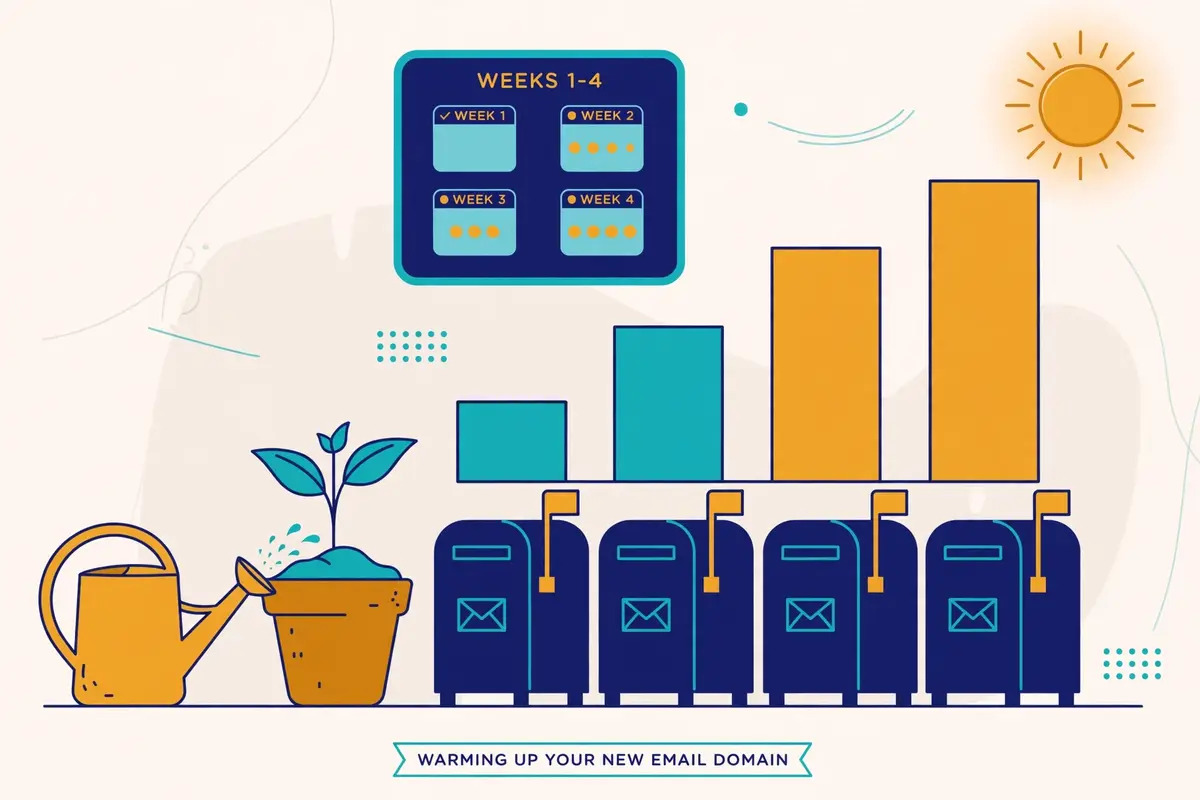
    Inbox placement guide: a seedling growing beside a row of mailboxes, with a calendar showing weeks one to four and a gradually rising bar chart
    Warmup, drawn as it works: a new domain grows slowly over two to four weeks, with volume rising a little each day until the mailbox is ready for real campaigns.

    Secondly, warmup is the process of building a sending history for a new mailbox before it carries real campaigns. A warmup tool sends a small number of emails from the new mailbox to a network of real inboxes, those inboxes open the mail, reply to it, move it out of spam when it lands there, and mark it as important. The filter watches this behaviour and learns that the new mailbox belongs to a real person who sends wanted mail. After two to four weeks, the mailbox has a history, and real campaigns can start at a modest volume.

    In fact, warmup works because it mimics exactly the behaviour filters reward. Opens, replies, and messages moved out of spam are the strongest positive engagement signals a filter can see, and a warmup network produces them on purpose, every day, for every mailbox in the pool. A properly warmed mailbox arrives at its first campaign with a reputation already built, instead of arriving with a blank history and hoping for the best.

    Inbox placement guide: what a good warmup looks like

    Firstly, a good warmup starts tiny and grows slowly. A handful of emails a day in week one, rising gradually through weeks two and three, and reaching the full daily volume only in week four. A warmup that jumps to full volume in three days is not a warmup at all. It is a spike, and spikes are exactly what warmup exists to avoid. The best warmup tools ramp automatically, and the sender’s only job is to leave them alone and let the ramp run.

    Secondly, a good warmup is not just sending. It is also rescuing: when a warmup email lands in spam, the receiving inbox pulls it out and marks it as not spam, which teaches the filter that mail from this domain belongs in the inbox. It is also replying: warmup inboxes reply to the mail they receive, which teaches the filter that the sender starts conversations. A warmup service that only sends, without opening, replying, and rescuing, is doing half the job.

    Warmup tools compared, priced and verified

    Warmup optionPrice, checked 16 Nov 2026What you get
    Warmforge$10/slot/mo billed quarterly, $9 annualDedicated warmup, 1 free slot, 1 free placement test a month, DNS and blacklist health checks
    Smartlead warmupIncluded on all plans; premium pool $59/mo add-on on Base and Pro, free from Unlimited SmartUnlimited AI warmup with spam rescues, plus the premium Warmup Pool on higher plans
    Instantly warmupIncluded from $47/mo GrowthUnlimited warmup across a 4.2M+ account pool, built into the sending tool
    Inframail DFY$797/mo, minimum 3 monthsPremium warmup included, but only on the done-for-you plan; the $147 and $387 plans do not include it

    We read the warmup prices above on the official sites on 16 November 2026. Warmforge has no free trial, and unlimited Warmforge slots are free on every Salesforge plan. Last checked: 16 November 2026.

    Inbox placement guide: the warmup mistakes that waste the whole month

    Moreover, the most common warmup mistake is impatience. A sender buys a new domain on Monday, warms it for three days, and launches a thousand-email campaign on Friday, and then wonders why the mail lands in spam. Three days of warmup is not a history. It is a rumour. Two weeks is the minimum this inbox placement guide recommends, and four weeks is better for a domain that will carry real volume.

    For example, the second mistake is warming up and then going quiet. A mailbox that is warmed for a month and then sits unused for a month loses the reputation it built, because filters trust recent behaviour, not old behaviour. Warmup is not a one-off event. It is a habit: keep the warmup running alongside real campaigns, at a low level, so the mailbox keeps earning positive signals every day.

    Finally, the third mistake is warming up a mailbox and then sending it a dirty list. Warmup builds reputation, and one campaign to unverified addresses can spend it in a day. Verify the list before the first real send, keep the volume modest, and watch the bounce and complaint rates like a hawk for the first two weeks. Our How to Warm Up a New Email Domain 2026 article covers the day-by-day schedule in full.

    List hygiene: verification, re-verification and suppression

    Secondly, list hygiene is the unglamorous work that protects everything else in this inbox placement guide. A clean list means every address on it is real, belongs to a real person, and has some reason to hear from you. A dirty list means bounces, traps, complaints, and a reputation that falls apart faster than any warmup can rebuild it. Hygiene is not a one-off clean-up. It is a routine, like warmup, and it pays for itself in placement.

    In fact, verification is the first step, and it should happen before the first send to any new list. A verification tool checks whether each address exists, whether the domain accepts mail, whether the address is a catch-all that accepts everything, and whether it looks like a disposable or role address. Remove addresses that fail. Set risky addresses aside, such as catch-alls, for a smaller, slower send, or drop them entirely. Never mail a list that nobody has verified.

    Inbox placement guide: how often to re-verify

    Firstly, re-verify on a schedule, because lists go stale fast. People change jobs, companies close, and domains expire, and every month a small share of any list quietly dies. A list that was clean in January will have dead addresses by April, and those dead addresses bounce. This inbox placement guide recommends re-verifying the whole list every three months, and re-verifying any segment before a big campaign, even if it was checked recently.

    Secondly, the cadence depends on how the list was built. A list of people who opted in recently stays clean longer, because the addresses are fresh and the owners expect mail. A list built from scraping or enrichment goes stale faster, because the data was already old when it was collected. A bought list should be treated as suspect from the start: verify it twice, mail it slowly, and watch the bounce rate on the first send like a hawk.

    Inbox placement guide: suppression lists, the do-not-mail file

    Moreover, a suppression list is the other half of hygiene. It holds every address you must never mail again: people who unsubscribed, people who complained, people who bounced hard, people who asked to be removed, and competitors or clients who should never receive a cold email. Every sending tool should hold the suppression list centrally, and every campaign should check against it automatically. A sender who mails a suppressed address is not just wasting a send. They are inviting a complaint.

    For example, suppression lists also protect the sender from their own success. Suppress a prospect who replied “not now” for three months; do not mail them again next week. Suppress a prospect who unsubscribed from one campaign from all of them. A customer who already bought should never receive a cold email asking them to buy. Hygiene is not only about dead addresses. It is about respecting the people on the list, and respect is a deliverability signal too.

    In sum, the cost of verification is small next to the cost of a burned domain. Bouncer sells pay-as-you-go credits from $8 per 1,000, with credits that never expire, and ZeroBounce and NeverBounce offer similar pay-as-you-go options. Our Email Verification Guide 2026 compares the verifiers in depth, and our Best Verification Tools Compared article prices them side by side.

    Content that triggers filters, and the myths that do not

    Secondly, content is the factor senders argue about most, and the one where the myths are loudest. Filters do read your email, and they do weigh what it contains, but they weigh it far less than reputation and engagement. A perfectly written email from a burned domain lands in spam. A plain email from a trusted domain lands in the inbox. Content is the finishing touch, not the foundation, and the fixes below are cheap once the foundation is solid.

    In fact, the content signals that matter are structural, not lexical. Filters look at the ratio of images to text, the number of links, whether the links use tracking redirects, whether the HTML is clean or broken, and whether the message looks like it was written by a person or assembled by a template. A short plain-text email with one link, or no link at all, looks like a person wrote it. A long HTML email with five images, eight links, and a tracking domain that does not match the sender looks like bulk mail, because that is what bulk mail looks like.

    The 1,000-test video: what the evidence says

    Video: I Ran 1,000 Email Deliverability Tests. Here is What Works in 2026 by Lead Gen Jay on YouTube. This video is the creator’s property, embedded via YouTube for education. OutreachCompare is not affiliated with Lead Gen Jay and does not claim ownership of this video.

    Moreover, the video above is the most useful single piece of evidence in this inbox placement guide. The creator ran more than 1,000 inbox placement tests on real marketing emails, and the findings cut against most of the received wisdom. Swapping out words like free, guarantee and discount did not move the needle for most emails. A big image plus a link moved seven of eleven test emails to the promotions tab. Dropping the www prefix from a link moved all eleven test emails from promotions to primary. Test results beat folklore, and this video shows the tests.

    Inbox placement guide: three myths worth dropping

    Firstly, the trigger-word myth says that certain words send an email straight to spam. The test evidence says otherwise: single words rarely decide placement on their own, and a filter that blocked every email containing “free” would block half the legitimate mail on the internet. Words matter in combination with everything else, and a short, plain email that happens to contain the word free will still reach the inbox from a trusted domain.

    Secondly, the spam-score myth says that a perfect score on a spam checker guarantees the inbox. It does not. A spam checker tests content against known rules, and a 10 out of 10 means the content passes those rules. It says nothing about the domain’s reputation, the list’s quality, or whether recipients have complained about the sender before. Use a spam checker as a content sanity check, and use a placement test for the real answer.

    Inbox placement guide: what actually helps, in order

    For example, what actually helps is simple and cheap. Keep emails short, under 120 words, with short paragraphs that read well on a phone. Use plain text, or nearly plain text, with at most one image and at most one link. Send the link on your own domain, or use a custom tracking domain that matches your sending domain, because a tracking link on a stranger’s domain is a red flag. And personalise the first line so the email could only have been written for this prospect, because a filter cannot tell a personalised email from a template, but a prospect can, and a prospect who replies is the best deliverability signal there is.

    Finally, never buy a list of “verified” addresses and mail it cold at full volume. Verification checks whether an address exists, not whether the owner wants your mail, and a list of real people who never asked to hear from you will complain at a rate that burns the domain. Our guide to writing cold emails that get replies covers the copy itself, and our A/B testing guide shows how to test content changes properly, with sample sizes worked out rather than guessed.

    Monitoring: Postmaster Tools, placement tests and what the numbers mean

    Secondly, monitoring is the difference between knowing placement is broken and guessing. A sender who never tests placement finds out about a spam problem from a prospect, or from a month of silence, and by then the domain is already burned. A sender who tests every week finds out on Tuesday, fixes it on Wednesday, and loses a week of sends instead of a month. Monitoring is cheap, and the tools below cost less than a single burned domain.

    In fact, Google Postmaster Tools is the first monitor every sender should set up, because it is free and it shows what Gmail actually thinks. It reports the domain’s spam rate, its reputation as Google sees it, authentication pass rates, and delivery errors, all from Google’s own data. A spam rate creeping towards 0.3% shows up here before it shows up anywhere else, and a reputation that drops from high to medium is a warning to slow down and check the list. Set it up on the day the sending domain is bought, not the day the problem appears.

    Inbox placement guide: placement tests, explained

    Firstly, a placement test sends your real campaign email to a panel of seed inboxes at Gmail, Outlook, Yahoo and others, and reports which folder each one landed in. It answers the only question that matters: where does this email actually land? Run one before every big campaign, and run one every week on an active sending domain. A test that shows 90% inbox placement is a green light. A test that shows 60% is a problem to fix before the next send, not after it.

    Secondly, the numbers a placement test returns are simple, and the thresholds are the same ones used throughout this inbox placement guide. Inbox placement above 90% is healthy. Between 80% and 90% is a warning: check the list, check the content, and check the blocklists. Below 80% is a problem: pause the campaigns, work through the recovery plan, and do not resume at full volume until a test shows the numbers recovering.

    Monitoring tools compared, priced and verified

    Monitoring optionPrice, checked 16 Nov 2026What it watches
    Google Postmaster ToolsFreeSpam rate, domain reputation, authentication, delivery errors, all from Gmail data
    Smartlead SmartDeliveryFrom $49/moPlacement tests per campaign sequence, up to 50 sender accounts per test
    Warmforge Placement Pro$32.50/mo annual, $39 monthly100 placement tests a month, 50 mailboxes per test
    Warmforge Placement Growth$140.80/mo annual, $169 monthlyUnlimited placement tests, 250 mailboxes per test
    Bouncer Deliverability KitFrom $25/moInbox placement tests, blocklist monitoring, SPF, DKIM and DMARC checks, SpamAssassin analysis

    Monitoring prices above were read on the official sites on 16 November 2026. Postmaster Tools is free and should be set up on every sending domain. Last checked: 16 November 2026.

    Inbox placement guide: the weekly routine that catches problems early

    Moreover, the routine itself takes less than an hour a week. Check Postmaster Tools for the spam rate and reputation. Run a placement test on the live campaign. Check the domain and IP against the major blocklists. Glance at the bounce rate and the complaint rate for the week. If all four are green, send on. If any one of them is amber, slow the volume and find the cause before the next campaign. A sender who does this every week will never be surprised by a spam problem again.

    For example, keep a simple log of the numbers, even a spreadsheet with one row a week. Placement, spam rate, bounce rate, complaint rate, and volume. A log turns a vague feeling that “deliverability has been worse lately” into a date, a number, and a cause: the week the new list went out, the week the volume doubled, the week the tracking domain changed. The log is the cheapest diagnostic tool in this inbox placement guide, and it costs nothing at all.

    Recovery plan: a domain already landing in spam
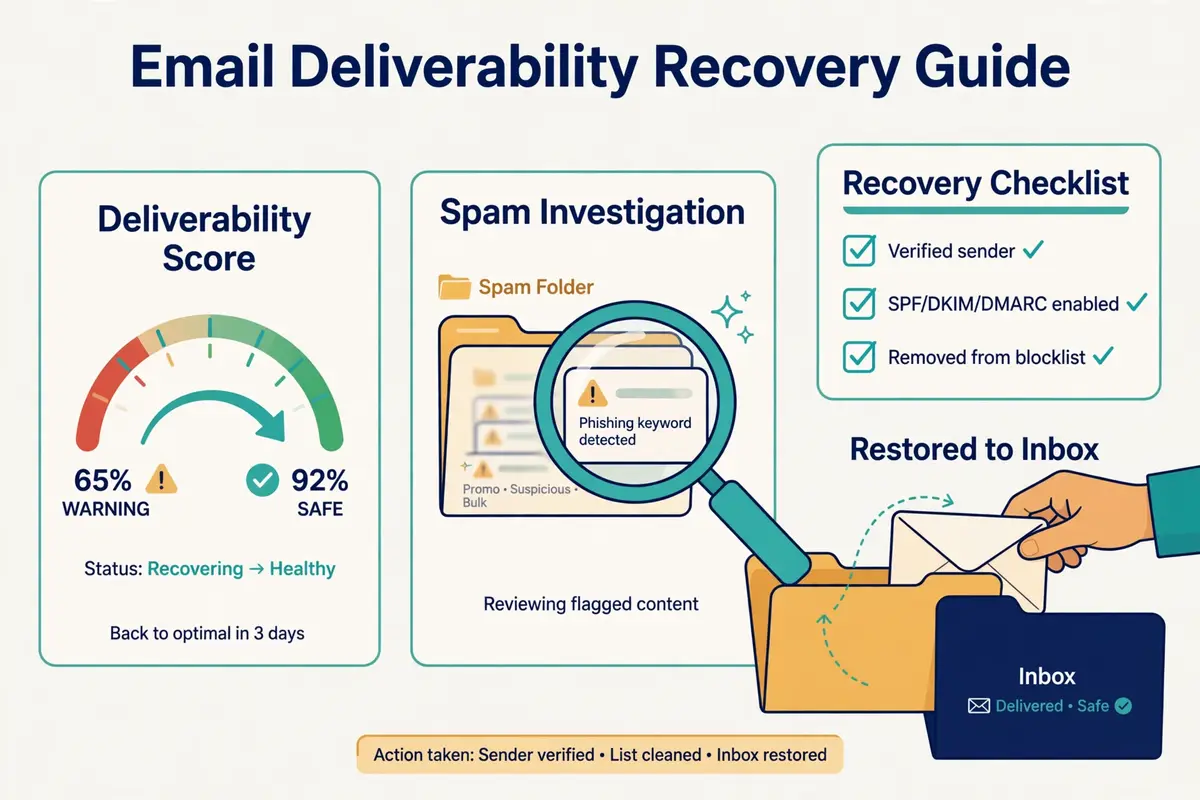
    Inbox placement guide: a dashboard gauge moving from red back to green, a magnifying glass over a spam folder, and an envelope being rescued back into the inbox
    Recovery, drawn as it works: diagnose first, pause the damage, fix the cause, and rebuild trust slowly until the gauge moves back to green.

    Secondly, a domain that is already landing in spam can be recovered, and the plan below is the order that works. The instinct is to send more, to make up for the lost replies, and that instinct is exactly wrong: more mail from a distrusted domain lands in more spam, earns more complaints, and digs the hole deeper. Recovery starts with stopping, not with sending.

    In fact, the whole recovery takes four to six weeks, and there is no honest shortcut. A domain that was burned over a month will not be trusted again in a day, because filters trust recent behaviour, and recent behaviour has to be good for long enough to matter. A sender who follows the plan below, patiently, will get the domain back. A sender who rushes it will burn the domain again, and a twice-burned domain is often not worth saving.

    Inbox placement guide: the seven-step recovery plan

    StepActionHow long
    1. PauseStop all campaigns from the domain at onceImmediately
    2. DiagnoseCheck SPF, DKIM, DMARC, blocklists, Postmaster Tools, and the last list mailedDay 1 to 2
    3. FixRepair every failing record, request delisting, drop the bad list segmentDay 2 to 5
    4. CleanRe-verify the whole list, suppress every complainer and bouncerWeek 1
    5. Re-warmRestart warmup at a handful of emails a day, rising slowlyWeeks 2 to 4
    6. TestRun placement tests weekly; resume only above 90% inboxWeeks 3 to 5
    7. ResumeRestart campaigns at half the old volume, to the cleanest segment firstWeeks 4 to 6

    The recovery plan above is the order that works: pause, diagnose, fix, clean, re-warm, test, and only then resume. Last checked: 16 November 2026.

    Inbox placement guide: when to recover, and when to start over

    Moreover, recovery is worth it when the domain is a few months old, the problem is recent, and the cause is known: a bad list, a broken record, a volume spike. In that case the domain has a history worth saving, and four to six weeks of patient work will save it. Recovery is also worth it when the domain carries a brand the sender cannot easily replace, such as a domain printed on business cards or linked from a website.

    For example, starting over is the better call when the domain is new, the problem is old, and the cause is unclear. A fresh sending domain costs a few dollars a year, and a proper warmup costs two to four weeks, which is the same time recovery would take. A sender with no brand tied to the domain, and no history worth saving, should buy a new domain, set it up properly from day one, and treat the old domain as a lesson. Our Best Warmup Tools Compared article covers the warmup services that carry a recovery.

    Tool comparison: seven placement tools, priced and verified

    Secondly, the seven tools below cover the whole placement job between them: placement testing, warmup, infrastructure, and monitoring. No single tool does all of it, and the right choice depends on which part of the job is broken. When warmup is the problem, the answer is Warmforge or Instantly. A sender who cannot see where mail lands needs SmartDelivery or the Bouncer Kit. Infrastructure trouble points to Mailforge, Inframail, or Do You Mail.

    In fact, all seven prices were read on the official sites on 16 November 2026, and the table notes where a figure could not be read on the page itself. Where a vendor publishes no price for a feature, the guide says so rather than guessing. The comparison is split into two tables so each one stays readable: the first covers what each tool does for placement, and the second covers what it costs.

    Inbox placement guide: what each tool does for placement

    ToolPlacement testingWarmupInfrastructureMonitoring
    Smartlead SmartDeliveryYes, per campaign sequenceWarmup Pool add-on, $59/moSmartServers, $39/server/moYes, placement data per test
    WarmforgeYes, Placement Pro and GrowthYes, dedicated warmupNo, warmup onlyYes, DNS and blacklist health checks
    MailforgeNoNoYes, shared mailboxes, auto DNSNo
    InframailNoOnly on the $797/mo DFY planYes, unlimited inboxes, auto SPF, DKIM, DMARCYes, domain health dashboard
    Do You MailNoNoYes, dedicated servers, auto SPF, DKIM, DMARCNo
    Bouncer Deliverability KitYes, inbox placement testsNoNoYes, blocklists, SPF, DKIM, DMARC, SpamAssassin
    InstantlyYes, inbox placement testsYes, unlimited warmup includedYes, SISR dedicated IP pools on Light SpeedYes, reputation protection and bounce detection

    The table above covers what each tool does for placement. Warmforge and SmartDelivery are the testing specialists; Mailforge, Inframail and Do You Mail are the infrastructure specialists. Last checked: 16 November 2026.

    What each tool costs

    ToolStarting priceBest for
    Smartlead SmartDelivery$49/moAgencies testing placement per campaign
    Warmforge$10/slot/mo billed quarterly, $9 annualDedicated warmup for any sending tool
    Mailforge$3/mailbox/mo billed monthly, $2.40 yearlyCheap shared infrastructure at scale
    Inframail$147/mo UnlimitedUnlimited inboxes on a flat fee
    Do You Mail$39/server/moDedicated servers with full control
    Bouncer Deliverability Kit$25/mo StarterPlacement and blocklist monitoring alone
    Instantly$47/mo GrowthWarmup and sending in one tool

    Prices above were read on the official sites on 16 November 2026. Features and pricing can change, so please check the provider’s site before you buy. We do not guess at features, prices or trials.

    Reading the comparison honestly

    Moreover, the comparison shows a real split in the market. SmartDelivery, Warmforge and the Bouncer Kit are specialists: they test and monitor, and they leave sending to another tool. Instantly is the all-in-one: warmup, placement tests and sending in a single subscription. Mailforge, Inframail and Do You Mail are infrastructure: they build the domains and inboxes that the sending tools run on. A sender who buys a specialist and expects it to send mail will be disappointed, and a sender who buys infrastructure and expects warmup will be too.

    For example, the cheapest option is not always the cheapest outcome. Mailforge at $3 a mailbox a month looks cheap next to Do You Mail at $39 a server a month, until the sender counts the warmup tool, the placement tests, and the time spent managing shared infrastructure. A flat fee that includes the whole job can cost less than three cheap tools that each do a third of it. Add up the whole stack before choosing, not just the headline price.

    Pros and cons: the honest case for each tool

    Secondly, every tool below has a real weakness, and this inbox placement guide names it plainly. A review that only lists strengths is an advertisement, not a guide. The weaknesses matter because they decide who should not buy the tool, and a sender who knows the weakness in advance can plan around it.

    Smartlead SmartDelivery: the agency tester

    Firstly, SmartDelivery’s strength is depth: placement tests run per campaign sequence, with up to 50 sender accounts on the Growth plan and 200 on Pro, and the Pro plan adds placement-optimised copy and campaign copy warmup. Its weakness is price and scope: $49 a month buys testing only, and a sender who also needs warmup pays the $59 a month Warmup Pool add-on on top, or buys Smartlead’s Unlimited Smart plan, where the pool is free. A solo sender with one mailbox will find cheaper testing elsewhere.

    Warmforge: the warmup specialist

    Secondly, Warmforge’s strength is focus: it does warmup and placement testing, and nothing else, and it does both well, with health checks for DNS and blacklists included. Its weakness is that it is a second subscription: a sender still needs a sending tool and an infrastructure provider, and there is no free trial, only one free slot and one free placement test a month to try it with.

    Mailforge: the budget infrastructure

    Moreover, Mailforge’s strength is price: $3 a mailbox a month, or $2.40 on annual billing, with automatic DNS setup and a minimum of ten slots, is the cheapest way to stand up real infrastructure. Its weakness is sharing: the IPs are shared, not dedicated, and there is no warmup and no placement testing built in, so the sender buys those elsewhere. A sender who needs dedicated IPs should look at Do You Mail or Inframail instead.

    Inframail: the flat-fee scale play

    For example, Inframail’s strength is scale on a flat fee: unlimited inboxes for $147 a month, with automatic SPF, DKIM and DMARC, and a domain health dashboard that watches blocklists and submits delisting requests. Its weakness is warmup: the $147 and $387 plans do not include it, and the only plan that does is the $797 a month done-for-you plan, with a three-month minimum. A sender who buys Inframail still needs a warmup tool.

    Do You Mail: the dedicated-server choice

    Finally, Do You Mail’s strength is control: dedicated US or EU servers, unlimited inboxes and domains, and automated authentication, for $39 a server a month. Its weakness is that it is infrastructure only, with no sequences, no warmup, no placement testing and no reply inbox, and no free trial advertised on the official site. A sender who wants a managed experience will find it hands-on.

    Bouncer Deliverability Kit: the monitor

    In sum, the Bouncer Kit’s strength is breadth of monitoring: placement tests, blocklist checks, SPF, DKIM and DMARC checks, and SpamAssassin analysis, from $25 a month. Its weakness is that it only watches: it does not warm up, it does not send, and it does not fix what it finds. Pair it with a warmup tool and a sending tool, and treat its verification credits, from $8 per 1,000, as a separate purchase for list hygiene.

    Instantly: the all-in-one

    Secondly, Instantly’s strength is that warmup, placement tests and sending live in one subscription, from $47 a month, with unlimited warmup across a large pool and a placement test built in. Its weakness is that the deeper placement features sit on higher plans: Hypergrowth at $107 a month carries 125,000 emails, and the SISR dedicated IP system arrives only on Light Speed at $358 a month. A sender who outgrows Growth will feel the price steps.

    Who should pick which: a decision framework

    Secondly, the right pick depends on the sender’s situation, not on the tools’ feature lists. The framework below starts from the problem, because a sender who buys a warmup tool for a monitoring problem has spent money and solved nothing. Find the row that matches, and the pick follows.

    Inbox placement guide: pick the tool that matches the problem

    Your situationPick thisWhy
    New domain, no history yetWarmforgeDedicated warmup from $10 a slot, with health checks included
    Agency testing many campaignsSmartlead SmartDeliveryPer-sequence placement tests, up to 200 sender accounts on Pro
    Solo sender, one tool for everythingInstantly GrowthWarmup, placement tests and sending from $47 a month
    Scaling to hundreds of inboxesInframail UnlimitedUnlimited inboxes on a flat $147 a month
    Need dedicated servers and controlDo You MailDedicated IPs and full control for $39 a server a month
    Cheapest infrastructure at volumeMailforge$2.40 a mailbox a month on annual billing, auto DNS
    Just want to watch placement and blocklistsBouncer Deliverability KitMonitoring only, from $25 a month, no sending needed

    The framework above starts from the problem, not the feature list. Match the row to your situation first, then check the price on the provider’s site. Last checked: 16 November 2026.

    Two questions before you buy anything

    Moreover, ask two questions before spending anything. First, which part of the job is actually broken: warmup, testing, infrastructure, or monitoring? A placement test will answer that in a day, and Google Postmaster Tools will answer it for free. Second, what does the whole stack cost, including the sending tool, the warmup, the tests, and the infrastructure? The cheapest headline price is rarely the cheapest stack, and the dearest tool is rarely dearest once the stack is counted.

    For example, a solo sender with one domain and three mailboxes needs Instantly Growth, or Warmforge plus a sending tool, and nothing else. An agency with twenty clients needs SmartDelivery for testing, Inframail or Do You Mail for infrastructure, and a warmup service that runs across all of it. A sender who buys the agency stack for a solo problem has bought a lorry to carry a suitcase, and a sender who buys the solo stack for an agency problem will outgrow it in a month.

    Frequently asked questions

    Inbox placement guide: what is a good inbox placement rate?

    Firstly, above 90% in the primary inbox is healthy, and it is the target this inbox placement guide uses throughout. Between 80% and 90% is a warning to check the list, the content, and the blocklists. Below 80% is a problem: pause the campaigns and work through the recovery plan before sending again. A placement test, not the delivery rate in your sending tool, is how you measure it.

    How long does warmup take?

    Secondly, two to four weeks for a new domain, starting with a handful of emails a day and rising gradually. Two weeks is the minimum, four weeks is better for a domain that will carry real volume, and warmup should keep running at a low level alongside real campaigns, so the mailbox keeps earning positive signals every day.

    Does SPF, DKIM and DMARC guarantee the inbox?

    Moreover, no. Authentication is the entry ticket, not the whole game. It proves who you are, and without it the inbox is out of reach, but a perfectly authenticated email from a domain with a poor reputation, a dirty list, or a climbing complaint rate will still land in spam. Authentication gets you considered for the inbox. Reputation, engagement, content and list quality decide whether you land there.

    What is the difference between delivered and inbox placement?

    For example, delivered means the receiving server accepted the message, which is a technical handshake. Inbox placement means the message arrived in the primary inbox, rather than promotions, spam, or rejection. A campaign can report 99% delivered and still have a third of its mail in spam, which is why placement tests matter more than the delivery rate in a dashboard.

    How often should I re-verify my list?

    Finally, re-verify the whole list every three months, and re-verify any segment before a big campaign, even if it was checked recently. Lists go stale fast as people change jobs and domains expire, and a list that was clean in January will have dead addresses by April. Verify before the first send to any new list, and never mail a list that has never been verified.

    Can a domain that lands in spam be fixed?

    In sum, yes, in most cases, with four to six weeks of patient work: pause all campaigns, diagnose and fix the cause, clean the list, re-warm slowly, test weekly, and resume at half volume only when placement tests show above 90% inbox. Recovery is worth it when the domain has a history worth saving. When the domain is new and the cause is unclear, a fresh domain with a proper warmup is often the faster call.

    The verdict

    The verdict

    Inbox placement is a system, not a trick. A separate sending domain, SPF, DKIM and DMARC done properly, two to four weeks of warmup, a verified list, bounces under 2%, spam complaints under 0.1%, and 25 to 30 sends per mailbox a day will put most senders above 90% inbox placement. No single tool does all of it, and no single fix rescues a domain that is broken in three places at once.

    Best for placement testing: Smartlead SmartDelivery, from $49 a month, for agencies that test every campaign. Warmforge leads on dedicated warmup, from $10 a slot a month, for any sender who wants warmup done properly. Instantly leads as the all-in-one, from $47 a month, for a solo sender who wants warmup, testing and sending in one place. Inframail Unlimited leads on infrastructure at scale, $147 a month, for unlimited inboxes on a flat fee. We have not hands-on tested these tools ourselves, so there are no numeric scores here, only the verified prices and the honest trade-offs above.

    Start today, and start small

    Secondly, start today, and start small. Set up Google Postmaster Tools, run a placement test on your live campaign, and check the three authentication records. Those three steps cost nothing, take less than an hour, and tell you exactly where you stand. If the numbers are green, keep sending and keep testing every week. If they are not, work through the recovery plan, one step at a time, and do not rush it. The inbox rewards patience, and it punishes haste, every single time.

    Finally, remember that placement is the first step in the funnel, not the last. An email in the primary inbox still needs a subject line worth opening, a first line worth reading, and an offer worth replying to. Our Cold Email Sequencing Guide 2026 shows what to do once the email is seen, and our guide to writing cold emails that get replies covers the copy itself.

    Keep reading

    Inbox placement guideSmartDelivery from $49/mo · Warmforge from $10/slot/mo · Instantly from $47/mo Visit Smartlead →
  • How to Warm Up a New Email Domain 2026

    How to Warm Up a New Email Domain 2026

    A new domain is a stranger to every inbox. Warmup is how it earns a reputation.

    You bought a fresh sending domain, set up three mailboxes, wrote a good first email, and sent it to 200 prospects on day one. By day three, almost everything is landing in spam. Nothing about the email was wrong. The domain was simply too new, too loud, and too unknown for Gmail and Outlook to trust. Mailbox providers treat a brand-new domain the way you would treat a stranger who knocks on your door and immediately asks for money: with suspicion. This how to warm up email domain guide shows you the patient way in. First comes the setup to finish, then the 2 to 4 week schedule, day by day. After that come the tools that automate the work, the numbers that tell you when you are ready, and the recovery steps if things stall.

    Visit Instantly →See Warmforge →Try QuickMail →

    Prices and features in this guide were checked 16 November 2026. Features and pricing can change, so please check the provider’s site before you buy.

    Quick Answer

    Warm up a new email domain for 2 to 4 weeks before you send cold email. Start at 5 to 10 warmup emails per mailbox per day, and ramp slowly to 25 to 30 real sends per mailbox per day. Set up a separate sending domain with SPF, DKIM and DMARC first. Let the domain age 7 to 14 days. Then let a warmup tool exchange real-looking emails with a pool of real inboxes that open, reply and rescue your messages from spam. You are ready to send when your inbox placement is healthy, your spam rate is under 0.1%, and your Warmforge Heat Score is 85 or higher.

    Warmup is not a trick, and it is not optional. It is the normal, widely used way every serious cold email sender introduces a new domain to the mailbox providers. A domain that is warmed properly earns the inbox. A domain that is blasted from day one earns the spam folder, and sometimes earns it permanently.

    How to warm up email domain: the patient path to the inbox

    At its simplest, warming up a new email domain means sending a small number of emails each day. Increase the volume slowly over two to four weeks, so Gmail, Outlook and Yahoo learn that your domain is a real sender with real readers. The emails go to a network of real inboxes. Those inboxes open them, reply to them, mark them as important, and rescue them from the spam folder if they land there. Every open, reply and rescue is a positive signal, and those signals build the reputation that decides whether your first real campaign lands in the inbox or in spam.

    Cold email is normal, widely used business practice, and warmup is the quiet, unglamorous part of it that makes everything else work. For example, our Cold Email for Beginners guide covers the foundations, and our guide to setting up a sending domain covers the technical setup. This guide takes the next step: it turns that setup into a reputation, week by week, with a schedule you can follow, tools you can compare, and numbers you can check.

    How to warm up email domain: how this guide is organised

    This guide follows the life of a new domain. Firstly, it starts with what warmup is and why a cold domain lands in spam, then walks through the setup checklist that must be finished before warmup begins. After that comes the schedule itself, day by day and week by week. Then come the eight tools compared on price and features, the signals that tell you warmup is working, and the recovery steps if it stalls. Finally, the guide covers ongoing warmup and a decision framework that matches the approach to your budget. By the end, you will know exactly what to do tomorrow morning.

    What warmup is, and why a cold domain lands in spam

    A new domain has no reputation at all. That is the whole problem, and it is easy to misunderstand. Mailbox providers do not know whether your domain belongs to a real business or to a spammer who registered it an hour ago, because from the outside the two look identical. Both have fresh DNS records, both have empty sending histories, and both want to send email to strangers. The provider has to decide, and it decides cautiously, because the cost of letting a spammer through is angry users, while the cost of delaying a real sender is small. So it watches. It watches how much you send, who opens it, who replies, who marks it as spam, and whether your sending looks like a human or like a machine.

    Warmup is how you pass that test. For example, a warmed domain sends a few emails a day at first, and those emails are opened and replied to, because the warmup pool is made of real inboxes whose owners open and reply on purpose. In addition, the provider sees a new sender whose mail is welcomed, and it raises the domain’s reputation a little. The next day you send a few more, they are welcomed again, and the reputation rises again. After two to four weeks of this, the provider has enough evidence to trust you with real volume. Skip the process and send 200 emails on day one, and the provider sees a brand-new domain blasting strangers, which is exactly what spammers do, so it sends you to spam. The email was fine. The introduction was not.

    How to warm up email domain: domain reputation, in plain words

    Domain reputation is the score mailbox providers keep for your sending domain, built from everything they have seen you do. In fact, a high reputation means your mail reaches the inbox. A low reputation means it reaches spam, or it is rejected outright. The reputation is built from open rates, reply rates, spam complaints, bounce rates, and the simple fact of how long the domain has been sending sensibly. A domain that has sent small, welcomed volumes for a month has a reputation. A domain that registered yesterday and sent 500 emails this morning does not, and no amount of good writing can fix that on day one.

    There is a second reputation that matters too: the reputation of the individual mailbox. Similarly, each mailbox on your domain, like alex@getyourcompany.com, builds its own history alongside the domain’s. That is why warmup tools warm each mailbox separately, and why you should warm every mailbox you plan to send from, not just one of them. A warmed domain with a cold mailbox still sends cold mail. Warm both, and the whole setup earns trust together.

    How to warm up email domain: warmup vs IP warmup

    You may also hear the phrase IP warmup, and it is worth knowing the difference. IP warmup is about the sending server’s address: when a new dedicated IP starts sending, its reputation must also be built gradually. Most cold email tools today send from shared IP pools that are already warm, so the IP is not your problem. Your domain is the only variable that counts, because it is the one thing that is brand new. If you run your own servers, as Do You Mail customers do, the IP matters too, and the same slow-ramp logic applies to it. For most senders, though, domain warmup is the job, and IP warmup is something the tool has already handled.

    How to warm up email domain: what warmup cannot fix

    Warmup is powerful, and it is not magic. For example, it cannot rescue a domain that has already been burned by weeks of spam complaints, and it cannot make a bad list deliverable. If your list bounces at 6%, warmup will not save you, because bounced emails cannot open or reply, and the provider reads the bounces as evidence that you send to people who do not want your mail. Similarly, warmup cannot fix missing authentication, a domain with no SPF, DKIM or DMARC will struggle whatever you do, and it cannot fix content that reads like spam. Warmup builds the reputation. The list, the authentication and the writing have to be sound first, and the setup section below makes sure they are.

    Before warmup starts: the setup checklist

    Warmup works only when the groundwork is done, and the groundwork takes an afternoon. Moreover, rushing into warmup with a half-finished setup is the most common beginner mistake, because warmup on top of broken authentication builds a reputation for a domain that still looks broken. Do these six steps first, in order, and warmup will have something solid to build on.

    How to warm up email domain: buy a separate sending domain

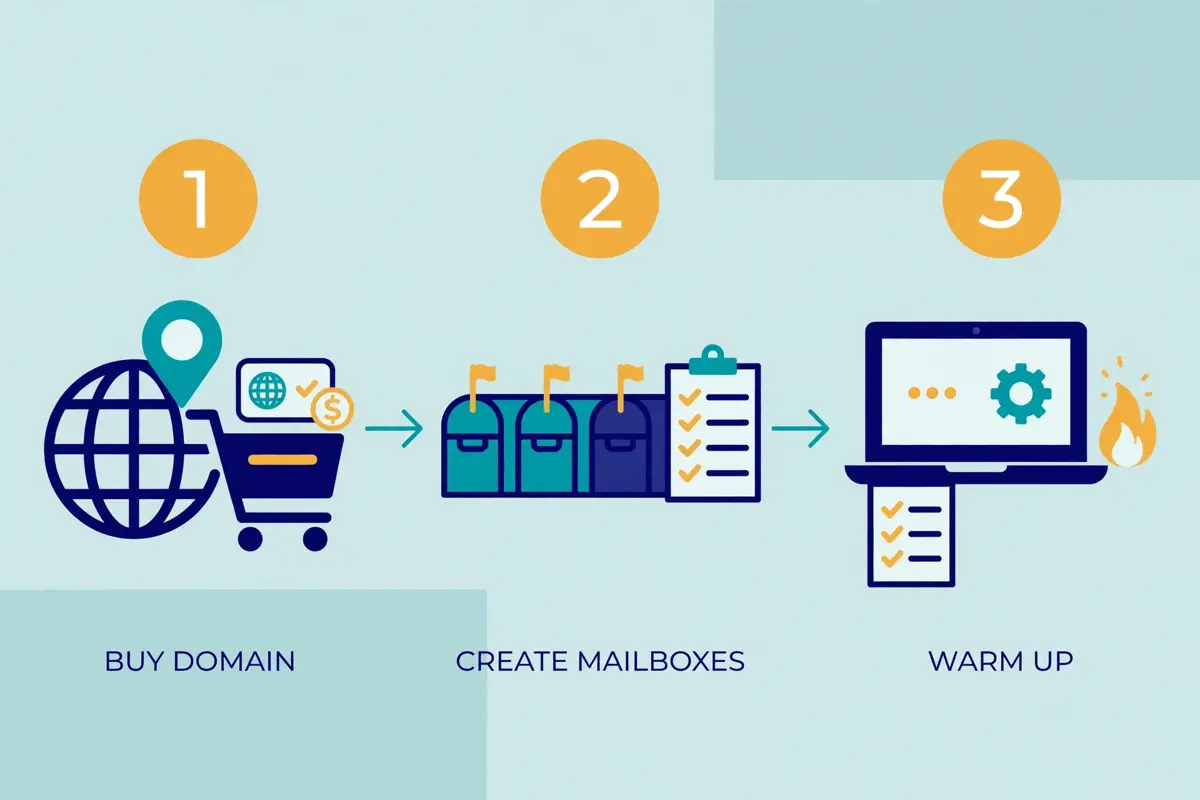
    Never send cold email from your main company domain. Buy a separate sending domain, a close cousin of your main one, like getyourcompany.com if your main domain is yourcompany.com, or yourcompanyemail.com. The reason is simple and serious: if the sending domain’s reputation takes a hit, your main domain, the one your customers email, your invoices come from, and your team relies on, stays safe. In fact, a sending domain costs about $14 a year, which is the cheapest insurance in cold email. Mailforge sells .com domains at $14 a year, and most registrars charge a similar figure. Register it, then leave it alone for 7 to 14 days before you send anything from it, because a domain that has existed for two weeks looks far more real to a mailbox provider than one registered yesterday.

    While the domain ages, set up two or three mailboxes on it, not one. Three mailboxes let you spread your daily volume, so each mailbox sends 25 to 30 emails a day instead of one mailbox sending 90, and that spread looks far more human. Connect at least two inboxes per domain, and warm every mailbox you plan to send from. Our sending domain guide walks through the mailbox setup in detail, and the same rule applies here: spread the load, warm them all.

    Video: How to Warm Up a New Domain Before Cold Email (4 Steps) by CleanSignups on YouTube. This video is the creator’s property, embedded via YouTube for education. OutreachCompare is not affiliated with CleanSignups and does not claim ownership of this video.

    How to warm up email domain: authenticate with SPF, DKIM and DMARC

    Authentication is the proof that your domain really sent the email. Firstly, SPF lists the servers allowed to send for your domain. DKIM adds a cryptographic signature that proves the email was not altered in transit. DMARC tells mailbox providers what to do when an email fails those checks, and it gives you reports about who is sending as you. Set all three up before warmup begins, and test them with a free checker until they all pass. Google and Yahoo made SPF, DKIM and DMARC effectively required for bulk senders in February 2024, and Gmail tightened enforcement further in November 2025, issuing temporary and permanent rejections for senders who do not comply. A domain without them will struggle in warmup, and it will struggle worse in production.

    Set DMARC to p=none while you warm up, so you can read the reports without mail being rejected, and move to p=quarantine or p=reject once the reports show everything passing. Check the records again after a week, because DNS changes can take time to spread, and a record that looks right in your registrar may not yet be visible to Gmail. The authentication step is boring, and it is the step that protects everything else.

    How to warm up email domain: add a custom tracking domain

    Most sending tools track opens and clicks by rewriting your links to go through a shared tracking domain. That shared domain is used by thousands of senders, including careless ones, and its reputation becomes your reputation. A custom tracking domain is a subdomain of your own sending domain, like track.getyourcompany.com, that only you use, so your tracking links carry your reputation and nobody else’s. Set it up before warmup, and make sure it has its own SSL certificate, because an unsecured tracking link is a spam signal on its own. In fact, Instantly, Smartlead and Lemlist all support custom tracking domains, and the setup takes about ten minutes.

    How to warm up email domain: connect Google Postmaster Tools

    Google Postmaster Tools is Google’s free dashboard for senders. It shows you what Gmail actually thinks of your domain: your spam rate, your domain reputation, your authentication results, and whether Gmail is throttling you. Connect it before warmup, and check it every few days while you warm up. It takes a few days to show data, so connect it early. The spam rate it reports is the number that matters most. Aim for under 0.1%, and never let it reach 0.3%, because that level puts the domain itself at risk. Sign up at Google Postmaster Tools, verify your domain, and leave the tab open. In sum, it is the closest thing to a direct line to Gmail that a sender gets.

    How to warm up email domain: the pre-warmup checklist

    StepWhat to doDone when
    1. Separate domainBuy a sending domain close to your main oneDomain registered, about $14 a year
    2. Age the domainWait 7 to 14 days before sending anythingTwo weeks have passed since registration
    3. MailboxesSet up 2 to 3 mailboxes on the sending domainAll mailboxes connected and sending
    4. AuthenticateSPF, DKIM and DMARC all set up and passingFree checker shows all three green
    5. Tracking domainCustom tracking subdomain with SSLLinks rewrite to your own subdomain
    6. Postmaster ToolsConnect Google Postmaster ToolsDomain verified, dashboard live

    Last checked: 16 November 2026. The 7 to 14 day ageing rule and the pre-warmup checklist follow the 2026 warmup playbook published by Prospeo, linked in this guide, and the setup guidance in our sending domain guide. Mailforge sells .com domains at $14 a year, verified on mailforge.ai/pricing 16 November 2026. Features and pricing can change, so please check the provider’s site before you buy.

    The 2 to 4 week warmup schedule, day by day

    Here is the schedule itself, and it is deliberately slow. In addition, the numbers below are per mailbox, per day, and they assume you have already finished the setup checklist above. Warmup emails are the automated exchanges with the warmup pool. Real sends are emails to real prospects. The two are different, and the schedule keeps them separate until the domain is ready. If anything in the signals section goes wrong during a week, stay on that week for another few days instead of pushing on. A week spent repeating is cheap. A domain burned by rushing is not.

    How to warm up email domain: four stacks of email envelopes growing taller from left to right, with a rising amber arrow above them and small calendar grids over each stack
    The warmup schedule in this how to warm up email domain guide: four stacks of envelopes growing taller week by week, with a rising arrow above them. Each stack is a week, and each week sends more than the last.

    How to warm up email domain: the four-week schedule

    WeekWarmup emails per mailbox per dayReal sends per mailbox per dayWhat to do
    Week 1: Days 1 to 75, ramping to 25None: warmup onlyTurn warmup on, watch placement daily
    Week 2: Days 8 to 1425, ramping to 50None, or 5 to 10 to engaged contactsAdd a second mailbox if you have one
    Week 3: Days 15 to 2150, ramping to 7525 to 30 to real prospectsStart real sending, keep volume low
    Week 4: Days 22 to 2875, ramping to 10025 to 30, rising towards 40 maxCheck Postmaster Tools and Heat Score

    Last checked: 16 November 2026. The schedule above follows Instantly’s 2026 warmup guidance, updated October 2026. Start at 5 to 10 warmup emails a day. Warm for at least 2 weeks before campaigns, and reach full campaign volume at 4 to 6 weeks. Send 25 to 30 emails per mailbox per day once placement is healthy, with 40 as the maximum. Prospeo’s 2026 playbook uses the same shape: 5 a day ramping to 25 by day seven, with a 2 to 4 week ramp and gating metrics checked daily. Features and pricing can change, so please check the provider’s site before you buy.

    How to warm up email domain: week one, building trust

    Week one is warmup only, and that is the hardest part for a beginner to accept, because nothing is being sold. Firstly, days 1 to 3 run at 5 to 10 warmup emails per mailbox per day, and the only job is to watch where they land. If warmup emails are landing in spam, the warmup pool rescues them, marks them as not spam, and the provider learns. By day seven, the volume ramps to 25 warmup emails a day, and the domain has a week of clean, welcomed sending behind it. Do not send a single real email in week one, however tempting it is. A real send to a cold prospect in week one is a send from a domain with no reputation, and it teaches the provider nothing good.

    Use week one to check the basics again. Are SPF, DKIM and DMARC still passing? Is the custom tracking domain working? Is Google Postmaster Tools showing data yet? If a warmup email bounces, find out why before the volume rises, because a bounce in week one is a setup problem, not a warmup problem. Fix it now, while the volume is tiny and the cost of a mistake is nothing.

    How to warm up email domain: week two, adding volume

    Week two doubles the warmup volume, from 25 to 50 warmup emails per mailbox per day, and it is the week to add a second mailbox if you have one. The second mailbox starts its own warmup from the beginning, at 5 to 10 a day, while the first mailbox continues its ramp. That stagger is deliberate: it means your mailboxes reach full volume on different days, and your total volume grows smoothly instead of jumping. If you have a third mailbox, add it in week three, the same way.

    At the end of week two, you may send a handful of real emails, 5 to 10 a day, to people who already know you: colleagues, existing customers, or contacts who have asked to hear from you. Moreover, these are guaranteed engagers, people who will open and reply, and their engagement is exactly the signal the provider wants to see. Do not send to a cold list in week two. The domain is warmer, but it is not warm yet, and a cold list is the fastest way to cool it down again.

    How to warm up email domain: week three, the first real sends

    Week three is when the work starts paying. Meanwhile, warmup continues at 50 to 75 emails a day, and real sending begins at 25 to 30 emails per mailbox per day to real prospects. Keep the first emails short, 60 to 120 words, plain text, no tracking pixels, no images, and no links beyond one. Our guide to writing cold emails explains why: a short, plain email looks like a message from a person, and a message from a person is what the provider wants to see. Send in the recipient’s timezone, on Tuesday, Wednesday or Thursday, and watch the bounce rate like a hawk. Keep it under 2%, and stop if it climbs above that.

    Week three is also when you verify your list, if you have not already. Our guide to building a cold email list covers verification in detail, and the rule here is simple: never send to an unverified list during warmup, because a single bad send can set you back weeks. Verify first, send second, and check the bounce rate per mailbox every morning.

    How to warm up email domain: week four, reaching full volume

    Week four takes the warmup volume to 75 to 100 a day and the real volume towards 40 per mailbox per day, which is the maximum we recommend for any single mailbox. By now the domain has four weeks of clean sending behind it, and the mailbox providers have a real picture of who you are. Check Google Postmaster Tools: your spam rate should be under 0.1%, and your domain reputation should read high. Check your warmup tool’s health score too, and if you use Warmforge, your Heat Score should be 85 or higher before you call the domain ready. If any of those numbers is off, stay at week three volumes for another week. There is no prize for finishing early, and there is a real cost to finishing too soon.

    After week four, full campaign volume takes another two weeks to reach, according to Instantly’s 2026 benchmark report, which puts the full ramp at 4 to 6 weeks. That does not mean you wait six weeks to send. It means you keep ramping gently after week four, adding a few sends a day, adding warmed mailboxes and warmed domains as you grow, instead of jumping to full volume overnight. The ramp is the habit, not the event.

    Warmup tools compared: the eight options

    Eight tools cover almost every warmup job in this guide. They split into three kinds: built-in warmup inside a sequencer, standalone warmup services, and infrastructure that does not warm up at all. Built-in warmup runs inside the sending tool itself. Standalone services warm mailboxes for any tool you use. Infrastructure gives you the servers and leaves the warmup to you. The tables below compare them on price, on warmup features, and on the plan details that decide what you actually get.

    How to warm up email domain: the eight tools at a glance

    ToolPrice fromWarmup includedBest for
    Instantly$47/mo; $37.60 annualYes, unlimited, all plansBuilt-in warmup at scale
    Smartlead$39/moYes, unlimited AI warmupAgency warmup at volume
    Lemlist$69/mo; $55 annualYes, lemwarm includedMultichannel warmup
    Woodpecker$35/mo; $23.33 annualYes, 2 warm-ups at entryAgency warmup per client
    Warmforge$9/slot/mo annualYes, standalone warmupWarmup with a Heat Score
    QuickMail$49/moYes, free AutoWarmerFree warmup on every plan
    Inframail$147/moOnly on DFY $797/moDone-for-you setup
    Do You Mail$39/server/moNo warmup poolInfrastructure only

    Last checked: 16 November 2026. Instantly Growth is $47 a month, or $37.60 on annual billing. Hypergrowth is $107, or $85.58 annual. Its plan card says 125,000 emails a month while its own comparison table says 100,000, so check the site for the current limit. Woodpecker’s entry price is $35 a month, or $23.33 on annual billing, for 500 contacted prospects, 8,000 emails and 2 warm-ups, then $67 for 2,000 prospects, $99 for 4,000, $159 for 8,000, $188 for 10,000 and $262 for 15,000. Our Woodpecker Review still shows the older figures, so use the figures here.

    Last checked: 16 November 2026. Inframail’s warmup is included only on its FREE DFY plan at $797 a month for a minimum of 3 months; its Unlimited plan at $147 and Agency Pack at $387 do not include warmup. Older pages still showing $129 and $327 for Inframail are out of date. Features and pricing can change, so please check the provider’s site before you buy.

    How to warm up email domain: warmup features, first four tools

    ToolWarmup typeWarmup poolSpam rescueHealth or placement test
    InstantlyAutomated, unlimited4.2M+ accountsYes, automatedInbox placement tests
    SmartleadUnlimited AI warmupCheck the siteYes, spam rescuesCheck the site
    Lemlistlemwarm, automatedCheck the siteCheck the siteCheck the site
    WoodpeckerAutomated warmupCheck the siteCheck the siteBounce shield

    Last checked: 16 November 2026. Instantly’s unlimited automated warmup across a 4.2 million account pool and its inbox placement tests are stated on its official site. Smartlead’s unlimited AI warmup with spam rescues is stated on its official site. Lemlist’s lemwarm and inbox rotation, and Woodpecker’s automated warmup, inbox rotation, adaptive sending and bounce shield, come from the verified profiles Matthew supplied. “Check the site” means we could not verify that detail on the official site today, not that the tool lacks it. Features and pricing can change, so please check the provider’s site before you buy.

    How to warm up email domain: warmup features, next four tools

    ToolWarmup typeWarmup poolSpam rescueHealth or placement test
    WarmforgeStandalone warmup slotsCheck the siteCheck the siteHeat Score 0 to 100
    QuickMailFree AutoWarmer via MailFlowCheck the siteCheck the siteCheck the site
    InframailDFY warmup onlyCheck the siteCheck the siteCheck the site
    Do You MailNone: no warmup poolNoneNoneNone

    Last checked: 16 November 2026. Warmforge warmup is $12 a month billed monthly, $10 billed quarterly, or $9 billed annually per slot, with 1 free slot on signup and no free trial. Its Heat Score runs 0 to 100, and Warmforge says to start sending at 85 or higher.

    Last checked: 16 November 2026. QuickMail’s AutoWarmer is free on every plan through MailFlow, and its plans are $49, $99 and $299 a month with unlimited senders, LinkedIn accounts and users on all plans, a 14-day trial, and no annual discount published. Do You Mail is infrastructure with no warmup pool: dedicated servers, automated SPF, DKIM and DMARC, unlimited inboxes and domains, and no warmup, sequences, lead data or reply inbox. Its homepage also shows $40 a month in one scaling example, against the $39 a month server price, so check the site. Features and pricing can change, so please check the provider’s site before you buy.

    Video: How to Set Up Instantly AI Email Warm Up by Patrick Walsh on YouTube. This video is the creator’s property, embedded via YouTube for education. OutreachCompare is not affiliated with Patrick Walsh and does not claim ownership of this video.

    How to warm up email domain: what each tool’s warmup looks like

    Instantly’s warmup is the most complete built-in option in this guide. Firstly, it is unlimited and automated on every plan. Its pool holds more than 4.2 million accounts, and it emulates human reads and runs inbox placement tests. It also requires at least 2 weeks of warmup plus a health score above 90% before an account can join a campaign. That gating is a feature, not a limitation: it stops you from sending before the domain is ready. The video above walks through the setup, and our Instantly Review covers the tool in full, from $47 a month on Growth.

    Smartlead’s warmup is unlimited AI warmup with spam rescues, built for agencies that warm dozens of mailboxes at once. Its Base plan is $39 a month. Pro is $94, Unlimited Smart is $174, and Prime is $379, with annual billing saving 17%. Smartlead also sells SmartDelivery from $49 a month and SmartServers from $39 a server a month, which are separate deliverability products, so check which one you need before you pay. Our Smartlead Review covers the full tool.

    Lemlist’s lemwarm is the warmup inside a multichannel sequencer, with inbox rotation that spreads sends across your mailboxes automatically. For example, Email is $69 a month, or $55 on annual billing, and Multichannel is $109 a user a month, or $87 annual. Woodpecker’s warmup is automated too, with inbox rotation, adaptive sending and a bounce shield that pauses sending when bounces climb, and its new pricing is charged by contacted prospects on a slider, from $35 a month for 500 prospects. Both are strong choices when the warmup and the sequences live in the same tool, and both are covered in our Lemlist Review and Woodpecker Review.

    How to warm up email domain: standalone warmup and the infrastructure trap

    Warmforge is the standalone specialist in this guide. Firstly, it warms mailboxes for any sending tool. The price is per slot: $12 monthly, $10 quarterly or $9 annually, with one free slot on signup. It also gives you the clearest readiness number in the business: a Heat Score from 0 to 100, with 85 as the line for sending. Its Placement Pro plan is $32.50 a month on annual billing, or $39 monthly, and its Growth plan is $140.80 annual, or $169 monthly. There is no free trial, and unlimited Warmforge slots are free on every Salesforge plan. Our Warmforge and Mailforge Review covers the pair in full.

    QuickMail’s AutoWarmer is the free option, included on every plan through MailFlow, and its plans are $49, $99 and $299 a month with unlimited senders, LinkedIn accounts and users, a 14-day trial, and no annual discount published. Inframail is the opposite. Warmup is included only on its done-for-you plan at $797 a month for a minimum of 3 months. Its Unlimited plan at $147 and Agency Pack at $387 do not include warmup at all, so check the plan before you buy. Do You Mail has no warmup pool at all, which is stated plainly on its site: it sells dedicated servers and automated DNS, and the warmup is your job, with a separate tool. That is not a flaw. It is a different product, and our Do You Mail Review explains the difference.

    How to warm up email domain: the honest pros and cons

    No tool in this guide is the best at everything, and the honest trade-offs are worth stating plainly. Instantly is the strongest built-in warmup at scale, yet it shows no free trial on its pricing page, so you pay before you can test it properly. Smartlead is the strongest for agencies, yet its most useful deliverability add-ons are separate paid products, and the pricing needs careful reading. Lemlist is the strongest for multichannel senders, yet it is the priciest starting point here at $69 a month, and it has no free plan.

    Woodpecker is the strongest for agency clients that want condition-based logic, yet its new per-prospect pricing makes large lists expensive, and a warmup that needs volume can push you into a higher tier. Warmforge is the clearest standalone warmup, yet it is a second subscription on top of your sequencer, and it has no free trial. QuickMail is the cheapest honest start with free warmup, yet its warmup details are not published in depth, so ask before you rely on them. Inframail’s done-for-you warmup is the most hands-off, yet $797 a month for a minimum of 3 months is a serious commitment. Do You Mail is the cheapest infrastructure, yet it leaves warmup entirely to you. Choose the warmup whose strength covers your weakest point, not the one with the longest feature list, and confirm the plan details before you pay.

    How to tell warmup is working

    Warmup is not a feeling. It is a set of numbers, and you should check them every few days while you warm up. The four numbers below tell you almost everything you need to know, and they are the same numbers that decide when you are ready to send. A domain that passes all four is ready. A domain that fails any one of them is not, however many weeks have passed.

    How to warm up email domain: a circular gauge dial with a needle pointing into the green zone, a small teal envelope in the centre, and a green shield with a checkmark at the bottom right
    The Heat Score in this how to warm up email domain guide: a gauge with its needle in the green zone, an envelope in the centre, and a green shield with a checkmark. The needle is the number that decides when you send.

    How to warm up email domain: the four signals to watch

    SignalHealthyWhere to check itWhat it tells you
    Heat Score85 or higherWarmforge dashboardReadiness to send, 0 to 100
    Inbox placementPrimary inbox, not spamWarmup tool placement testsWhere your mail actually lands
    Spam rateUnder 0.1%, never 0.3%Google Postmaster ToolsWhether Gmail trusts you
    Bounce rateUnder 2%Your sending toolList quality and setup health

    Last checked: 16 November 2026. Warmforge’s Heat Score runs 0 to 100, and Warmforge says to start sending at 85 or higher. Instantly requires a health score above 90% before an account can join a campaign, according to its 2026 warmup guidance. Benchmarks as used across this site: bounce under 2%, spam aim under 0.1% and never 0.3%. Our Deliverability Guide covers the full sending setup that sits behind these numbers. Features and pricing can change, so please check the provider’s site before you buy.

    How to warm up email domain: reading the Heat Score

    Warmforge’s Heat Score is the simplest readiness number in this guide. It is one number, from 0 to 100, and the line is clear: send at 85 or higher. In fact, the score is built from how your warmup emails are treated: whether they land in the inbox, whether they are opened, whether they are replied to, and whether they are rescued from spam. A score in the 90s means the mailbox providers trust the mailbox. In the 60s, the mailbox providers do not trust it yet. If the score falls week on week, something changed, and the recovery section below tells you what to do about it.

    Instantly’s health score works the same way, with a higher bar: above 90% before an account can join a campaign. If your tool does not give you a single score, use the other three signals instead. Inbox placement is the most direct of them: send a placement test to Gmail, Outlook and Yahoo seed inboxes, and check where the email lands. Primary inbox is ready. Promotions is a warning. Spam is not ready, however many weeks have passed.

    How to warm up email domain: the spam rate is the number that matters

    Google Postmaster Tools reports your spam rate. That is the share of your mail that Gmail users mark as spam, and it is the number with the hardest limit in this guide. Aim for under 0.1%. Never let it reach 0.3%. At 0.3%, Gmail treats your domain as a problem, and the damage is hard to undo. During warmup, your spam rate should be near zero, because warmup emails go to a pool that wants them. If your spam rate climbs during warmup, something is wrong with the setup, not with the schedule, and you should stop and investigate before the volume rises.

    Bounce rate is the fourth signal, and it is the one that most often ruins a warmup without anyone noticing. In fact, a bounce rate under 2% is healthy. Above 2%, the list or the setup is the problem, and warmup cannot fix either. Check the bounce rate per mailbox every morning, and if one mailbox bounces far more than the others, pause that mailbox and find out why before you send from it again. A warmup that ignores bounces is a warmup that builds a reputation on bad data.

    What to do if warmup stalls or the domain gets flagged

    Sometimes warmup stalls. The Heat Score stops rising, placement tests start landing in spam, or the spam rate climbs for no obvious reason. That is not the end of the domain, and it is not a reason to panic. It is a signal, and the steps below work through it in order, from the cheapest fix to the hardest decision. Most stalls are fixed in the first three steps.

    How to warm up email domain: a hand lifting a bright amber envelope out of a dark spam folder full of envelopes, with an amber warning triangle above and a small first-aid cross badge
    Recovery in this how to warm up email domain guide: a hand lifting an envelope out of a dark spam folder, with a warning triangle above. The rescue is the warmup pool doing its job, and the fix is usually in the setup.

    How to warm up email domain: the recovery steps, in order

    StepWhat to doHow long
    1. Pause real sendingStop all cold email from the domain at onceImmediately
    2. Cut warmup volume in halfHalve the daily warmup sends per mailboxSame day
    3. Re-check authenticationSPF, DKIM and DMARC all passing againSame day
    4. Check the listRe-verify, remove bounces and spam traps1 to 2 days
    5. Keep warming, slowlyWarmup only, low volume, for 1 to 2 weeks1 to 2 weeks
    6. Re-test placementPlacement tests back in the primary inboxAfter 2 weeks
    7. Retire the domainOnly if nothing above works after a monthLast resort

    Last checked: 16 November 2026. The recovery steps above are our editorial summary of the warmup guidance published by Instantly and Prospeo, linked in this guide, and the deliverability practice in our Deliverability Guide. A domain costs about $14 a year to replace, so retiring a burned domain is cheap compared with months of spam-folder sending. Features and pricing can change, so please check the provider’s site before you buy.

    How to warm up email domain: the three most common causes

    The first cause is volume that rose too fast. To fix it, follow step two: halve the warmup volume, stay there for a week, and ramp again more slowly. The second cause is authentication that broke quietly, often because a DNS record changed or a new mailbox was added without its DKIM key. To fix that, follow step three: re-check SPF, DKIM and DMARC with a free checker, and fix whatever fails before you send another email. The third cause is the list: a batch of unverified addresses, a bought list, or a list that has sat unused for a year. To fix the list, follow step four: re-verify the whole list, remove every bounce and every risky address, and never send to an unverified list again.

    There is a fourth cause worth naming, because it is the one beginners miss: content that reads like spam. All-caps subject lines, too many links, too many images, and words like free, guaranteed and act now all push a warmed domain back towards spam. If placement is poor and the setup is clean, simplify the email: plain text, one link, no images, 60 to 120 words. Our guide to writing cold emails shows what a clean first email looks like, and a clean email is the fastest way to test whether the problem is the content or the domain.

    How to warm up email domain: when to retire a domain

    Retiring a domain is the last resort, and it is worth knowing when it applies. If you have paused real sending, halved the volume, fixed the authentication, cleaned the list, warmed for another month, and the placement tests still land in spam, the domain’s reputation is burned, and the honest move is to start again. A sending domain costs about $14 a year, and a fresh domain with a proper warmup will reach the inbox in four weeks. A burned domain that you keep nursing will cost you months of spam-folder sends, and every one of those sends is a prospect you never reached.

    Retire the domain cleanly: stop sending from it entirely, do not reuse its mailboxes on a new domain, and do not copy the list that burned it without re-verifying every address. Then buy a new sending domain, age it for 7 to 14 days, and follow the schedule in this guide from day one. The second warmup is always faster than the first, because you already know the steps, and the domain you retire is a lesson, not a failure. Every sender who has sent at volume has retired a domain. The good ones do it early, and move on.

    Ongoing warmup: why you keep warming while you send

    Warmup does not end when your first campaign starts. In fact, that is the sentence most guides leave out, and it is the one that protects your reputation for the long term. A domain that stops warming and only sends cold email slowly loses the positive signals that built its reputation, because every send is now to a stranger, and strangers open and reply less than the warmup pool does. The provider notices the change, and the reputation drifts down. Keep a slice of your daily volume on warmup, and the reputation keeps compounding instead.

    How to warm up email domain: the 20 to 30 percent rule

    Instantly’s 2026 guidance puts the number plainly: keep 20 to 30 percent of your daily volume on warmup even after campaigns launch. For example, if a mailbox sends 30 real emails a day, it should also send 6 to 9 warmup emails a day. Those warmup emails are opened, replied to and rescued, and they keep the positive signals flowing alongside the real sends. The cost is tiny, a few emails a day, and the benefit is a reputation that holds steady instead of sliding. Turn warmup off, and you will not notice the slide for a month. Then one morning the placement tests land in spam, and you are back in the recovery section.

    Ongoing warmup also protects you when a campaign goes wrong. If a batch of real sends earns complaints, the warmup pool’s positive signals cushion the damage, and the domain recovers faster. If a mailbox is paused for a week, its warmup keeps its reputation warm while it rests, so it is ready when it comes back. Think of warmup as the domain’s daily exercise: a little every day keeps it fit, and stopping entirely is how it goes soft.

    How to warm up email domain: warming new mailboxes and domains

    Every new mailbox you add needs its own warmup, from day one, at 5 to 10 emails a day, even if the domain is already warm. A warm domain does not make a cold mailbox warm, and a cold mailbox on a warm domain still sends cold mail. The same applies to every new domain: a second sending domain starts from zero, however well the first one performs, and it needs its own 2 to 4 week warmup. Plan for that when you scale. Adding a domain is a four-week commitment, not an afternoon’s work, and the senders who scale safely are the ones who start the next domain’s warmup a month before they need it.

    Scale by adding warmed domains, not by pushing one domain harder. A domain that sends 40 emails per mailbox per day from three mailboxes reaches 120 sends a day safely. A domain pushed to 200 sends a day from the same mailboxes does not. When you need more volume, buy another sending domain, age it, warm it, and add its mailboxes to the rotation. That is how agencies send thousands of emails a day without burning a domain, and it is how you will scale too, one warmed domain at a time.

    Free warmup, paid warmup or built-in warmup

    The right warmup approach depends on what you already pay for, how many mailboxes you warm, and whether you want a single number that tells you when to send. In sum, the table below pairs each situation with the approach that fits it, so your budget goes towards replies instead of towards activity that never converts.

    How to warm up email domain: the decision table

    Your situationBest approachTool to start with
    Already pay for a sequencerUse its built-in warmupInstantly from $47/mo, or Lemlist from $69/mo
    Tiny budget, any toolFree warmup on every planQuickMail from $49/mo, AutoWarmer free
    Want one readiness numberStandalone warmup with a scoreWarmforge from $9/slot/mo, send at 85+
    Agency, many mailboxesUnlimited warmup per clientSmartlead from $39/mo, or Woodpecker from $35/mo
    Want it done for youDone-for-you warmupInframail DFY $797/mo, min 3 months
    Run your own serversInfrastructure plus a warmup toolDo You Mail $39/server/mo plus Warmforge

    Last checked: 16 November 2026. Prices above come from the official pricing pages named in the tools section. Warmforge warmup is $12 a month billed monthly, $10 billed quarterly, or $9 billed annually per slot, with 1 free slot on signup. Inframail warmup is included only on its FREE DFY plan at $797 a month for a minimum of 3 months. Do You Mail has no warmup pool, so its row pairs it with Warmforge. Features and pricing can change, so please check the provider’s site before you buy.

    How to warm up email domain: start with the free option

    If your budget is zero, start with the tools that warm without charging extra. QuickMail’s AutoWarmer is free on every plan through MailFlow. That makes it the cheapest way to warm a mailbox properly. Warmforge gives you 1 free slot on signup, which is enough to warm your first mailbox and learn the Heat Score. A manual warmup costs nothing at all: exchange emails with colleagues, friends and existing contacts who will open and reply, for two to four weeks, and the provider will see a new sender whose mail is welcomed. The tool makes warmup easier, but it is not what makes warmup possible. The patience and the ramp are what make it possible, and those are free.

    Our Best Cold Email Tools for Beginners guide ranks the cheapest honest starting points, and our Best Warmup Tools 2026 guide compares the warmup field in full. Start with the cheapest tool that warms properly, prove the habit works, and only then pay for the features that make warming faster. A $9 a month Warmforge slot that warms one mailbox properly beats a $107 a month plan that warms none, because the inbox is what pays, not the tool.

    How to warm up email domain: when to pay for warmup

    Pay for warmup when your volume earns it. If you warm ten mailboxes across three domains, a standalone tool with a Heat Score and placement tests is worth paying for, because it tells you, mailbox by mailbox, which ones are ready and which ones are not. Similarly, Warmforge at $9 a slot a month earns its price when you need that clarity, and Instantly at $47 a month earns its price when you want unlimited warmup, placement tests and sequences in one place. Below that volume, the free options do the same job, more slowly, and the money you save is better spent on a better list.

    Pay attention to the hidden cost of warmup, too, which is time. A domain that is warmed properly takes two to four weeks, and a domain that is rushed takes four weeks to recover. The senders who win at cold email are not the ones who warm fastest. They are the ones who warm once, warm properly, and never have to do it again for that domain.

    Frequently asked questions

    How to warm up email domain: how long does warmup take?

    Plan for 2 to 4 weeks before a new domain is ready for cold outreach, with a hard minimum of 2 weeks. Instantly’s 2026 guidance requires at least 2 weeks of warmup plus a health score above 90% before an account can join a campaign, and most senders are comfortably ready at the 3 to 4 week mark. Full campaign volume takes 4 to 6 weeks to reach, according to Instantly’s 2026 benchmark report. If you are warming a brand-new domain, 4 weeks is safer than 2, and the schedule in this guide shows the ramp week by week.

    How to warm up email domain: how many emails should I send per day while warming up?

    Start at 5 to 10 warmup emails per mailbox per day, ramp to 25 by day seven, and reach 50 to 75 by week three. Once placement is healthy, send 25 to 30 real emails per mailbox per day, with 40 as the maximum for any single mailbox. If you need more volume, add more warmed mailboxes and more warmed domains, instead of pushing one mailbox harder.

    How to warm up email domain: can I warm up a domain manually, without a tool?

    Yes. Exchange emails with colleagues, friends and existing contacts who will open and reply, for two to four weeks, starting at a few emails a day and ramping slowly. Manual warmup works, and it costs nothing, but it is slow, it does not rescue emails from spam automatically, and it gives you no Heat Score or placement test to tell you when you are ready. A tool automates the exchanges, the rescues and the measurement, which is why most senders use one.

    How to warm up email domain: what is a good Heat Score?

    Warmforge’s Heat Score runs from 0 to 100, and Warmforge says to start sending at 85 or higher. A score in the 90s means the mailbox providers trust the mailbox. A score in the 60s means they do not, yet, and you should keep warming at low volume. Instantly uses a similar health score, with a bar of above 90% before an account can join a campaign. Either way, the number is the decision, not the calendar: send when the score says ready, not when the weeks run out.

    How to warm up email domain: do I need to warm up every mailbox?

    Yes. Each mailbox builds its own reputation alongside the domain’s, and a warm domain with a cold mailbox still sends cold mail. Warm every mailbox you plan to send from, from day one, at 5 to 10 emails a day, and stagger new mailboxes so they reach full volume on different days. Connect at least two inboxes per domain so the volume spreads, and never send from a mailbox that has not been warmed.

    How to warm up email domain: which tool is best for warming up?

    Instantly leads for built-in unlimited warmup at scale, with a pool of more than 4.2 million accounts and inbox placement tests, from $47 a month on Growth. Warmforge leads for standalone warmup with a Heat Score, from $9 a slot a month on annual billing, with 1 free slot on signup. QuickMail leads for free warmup, with AutoWarmer included on every plan from $49 a month. Smartlead leads for agencies, with unlimited AI warmup from $39 a month. All eight tools in this guide are compared on price and features in the tools section.

    The verdict on warming up a new email domain

    Our verdict

    Best for most senders: buy a separate sending domain, authenticate it, and age it for 7 to 14 days. Then warm it for 2 to 4 weeks, starting at 5 to 10 emails per mailbox per day and ramping to 25 to 30 real sends per mailbox per day. Send when your inbox placement is healthy, your spam rate is under 0.1%, and your Heat Score is 85 or higher, then keep 20 to 30 percent of your daily volume on warmup while you send.

    For built-in unlimited warmup, Instantly leads, with a 4.2 million account pool from $47 a month. Warmforge leads for standalone warmup with a Heat Score, from $9 a slot a month. QuickMail leads for free warmup, with AutoWarmer on every plan from $49 a month. We have not hands-on tested these tools, so this guide gives Best-for labels only and no numeric score, and that is stated plainly.

    Start this week with one domain, two mailboxes, and a warmup tool. Buy the sending domain, set up SPF, DKIM and DMARC, connect Google Postmaster Tools, turn warmup on at 5 emails a day, and watch the placement tests. In four weeks, that domain will be ready to earn you meetings, and the patience will have paid for itself many times over. Warmup is a habit, not a project, and the senders who keep the habit are the ones whose emails keep reaching the inbox.

    Keep reading

  • Deliverability Guide 2026

    Deliverability Guide 2026

    Your emails only work when they reach the inbox — this guide shows how to make sure they do

    Email deliverability is the difference between a campaign that books meetings and a campaign that talks to a spam folder. This email deliverability guide explains the whole system in plain language: SPF, DKIM and DMARC, sending domains, warmup, inbox placement, spam triggers and recovery, with the eight tools that handle them best compared side by side.

    Visit Instantly →Explore Smartlead →See Warmforge →

    Prices checked 16 November 2026 on the official sites of all eight providers. Features and pricing can change, so please check the provider’s site before you buy.

    Quick Answer

    Email deliverability is the share of your sent emails that land in the primary inbox, rather than in spam or promotions, and it decides whether cold email works at all. Good deliverability rests on four things: correct SPF, DKIM and DMARC records, a separate sending domain, a patient warmup, and a clean, verified list. For example, Instantly is the best all-round deliverability platform, with unlimited warmup across a 4.2 million account pool from $47 a month.

    Smartlead is the best choice when a damaged reputation needs rescuing, with unlimited AI warmup and spam rescues from $39 a month. In contrast, Warmforge is the best standalone warmup, from $9 a slot a month on annual billing. In sum, set up authentication first, warm up for two to four weeks, then scale slowly.

    Contents

    Why this email deliverability guide starts with the inbox, not the send button

    Firstly, most cold email advice starts with writing, and that order is backwards. A brilliant subject line means nothing when the email sits in a spam folder, because nobody reads a spam folder. Deliverability is the gate every email must pass before a prospect can even see it. This email deliverability guide therefore starts at the gate, and only then moves on to the tools that help a sender pass through it.

    Secondly, the good news is that deliverability is a system, not a mystery. Three DNS records, one separate domain, a few weeks of warmup, and a clean list cover most of it. The rest is measurement: watching placement, bounces and complaints, and fixing problems early. Every step in this email deliverability guide is something a beginner can do in an afternoon, and every tool in it exists to make one of those steps easier.

    Finally, every price and feature in this email deliverability guide was checked on the official sites on 16 November 2026. Where a vendor publishes no price, or where a figure comes from an earlier check because the live page renders it in a script, the guide says so in plain language. Jump to the pricing section when the budget is the constraint, and start at the top when the goal is understanding the whole system.

    What email deliverability is, and why it decides whether cold email works

    In fact, email deliverability is the share of sent emails that arrive in the recipient’s primary inbox. It is not the same as delivery, which only means the receiving server accepted the message. A message can be delivered and still land in spam, in promotions, or in a quarantine folder the recipient never opens. Deliverability measures the inbox, not the server, and the inbox is where replies come from.

    Moreover, the reason deliverability decides whether cold email works is simple: a campaign with great copy and poor deliverability reaches nobody, while a campaign with plain copy and great deliverability reaches everyone on the list. Reply rates, meetings and pipeline all sit downstream of the inbox. A sender who fixes deliverability first gets more value from every later improvement, because every later improvement now reaches a real person.

    Email deliverability guide: delivery, inbox placement and reputation, untangled

    Firstly, three words get mixed up, and the mix-up causes real confusion. Delivery means the receiving server accepted the email. Inbox placement means the email arrived in the primary inbox rather than spam or promotions. Reputation means the receiving server’s opinion of the sender, built from past behaviour. Delivery is a yes or no. Placement is a share. Reputation is the score that decides placement, and it is earned slowly and lost fast.

    Secondly, the mailbox providers do the judging, and Gmail and Outlook do most of it. Between them they host most business inboxes, and both run spam filters that weigh authentication, sender reputation, engagement and content together. Gmail has required bulk senders to use SPF, DKIM and DMARC since February 2024, and Outlook began enforcing the same for high-volume senders in May 2025. Those rules are not suggestions. A sender who ignores them will see more and more mail filtered away.

    Email deliverability guide: the four pillars in one paragraph

    For example, deliverability rests on four pillars, and this email deliverability guide covers each one in turn. Authentication proves the mail is really from the sender. Domain setup keeps cold mail away from the main business domain. Warmup builds reputation slowly before volume rises. List hygiene keeps bounces and complaints low. A sender who owns all four pillars will land in the inbox most of the time. A sender who owns only one or two will keep wondering why replies stopped.

    In sum, deliverability is not a trick, and it is not a single setting. It is a habit: set up the records, warm up the mailboxes, verify the list, watch the numbers, and fix problems the week they appear. The rest of this email deliverability guide shows how each habit works, what can go wrong, and which of the eight tools does each job best.

    SPF: the guest list that authorises your senders

    Email deliverability guide: three stacked DNS record cards labelled SPF, DKIM and DMARC, each with a green checkmark, connected by a line to a globe
    Authentication in this email deliverability guide: three DNS records, SPF, DKIM and DMARC, each checked and green, working together to prove that an email really came from its sender.

    Secondly, SPF, or Sender Policy Framework, is a DNS record that lists which servers may send email for a domain. When a receiving server gets a message, it looks up the sender domain’s SPF record and checks whether the sending server is on the list. A server on the list passes. A server off the list fails, and the message is far more likely to be filtered as spam or rejected outright.

    In fact, the simplest way to think of SPF is as a guest list at a door. The domain owner writes the list, and the receiving server checks it. A guest on the list walks in. A guest who is not on the list is turned away. Nobody checks the guest’s story, only the list. That simplicity is SPF’s strength, and it is also its limit, because SPF says nothing about whether the message was changed on the way.

    Email deliverability guide: how to set up SPF without breaking it

    Firstly, setting up SPF means publishing one TXT record on the sending domain, usually starting with v=spf1 and listing the services that send on the domain’s behalf. A typical record names the mail provider, the sending tool, and the infrastructure provider, then ends with a qualifier such as ~all, which means a soft fail, or -all, which means a hard fail. Most cold email setups use ~all while testing, then move to -all once every sender is confirmed on the list.

    Secondly, the most common SPF mistake is the lookup limit. SPF allows at most ten DNS lookups per check, and every include in the record counts, including the lookups hidden inside the included records. A record that chains several providers together can quietly pass ten lookups, and then the receiving server returns a permanent error. Audits of manually written SPF records in 2026 found about one in eight had lookup-count problems. The fix is to flatten the record: replace includes with the actual IP addresses where possible, and drop services that no longer send.

    Email deliverability guide: the SPF mistakes that cost senders the inbox

    Moreover, three other SPF mistakes show up again and again. The first is having two SPF records on one domain, which breaks the check entirely: a domain may publish only one SPF record, so every sender must live in that single record. The second is forgetting a sender, often a CRM, a support tool or an invoicing app, which then fails SPF on every message it sends. The third is copying a record from a guide without checking it against the actual sending tools, which leaves the real sender off the list.

    For example, a quick test catches all three mistakes before they cost a campaign. Send a test email to a seed address, or run the domain through a checker such as MXToolbox, and read the authentication results. A pass means the record works. A fail names the problem. A sender who tests before the first campaign saves weeks of wondering why replies never arrived. Our guide to setting up a sending domain walks through the same checks step by step.

    Video: Part 3 – SPF, DKIM, DMARC – Deliverability Masterclass by Instantly on YouTube. This video is the creator’s property, embedded via YouTube for education. OutreachCompare is not affiliated with Instantly and does not claim ownership of this video.

    Email deliverability guide: what SPF cannot do on its own

    Finally, SPF alone is not enough, and that is the point of the video above. SPF checks the envelope sender, the return-path address used during delivery, not the visible From address the reader sees. A message can pass SPF while showing a different From domain, and a message can fail SPF after forwarding, because the forwarder’s server is not on the original list. DKIM fills the first gap, and DMARC fills the second. The next two sections explain how.

    DKIM: the signature that proves your mail was not changed

    Secondly, DKIM, or DomainKeys Identified Mail, adds a cryptographic signature to every outgoing email. The sending server signs the message with a private key, and publishes the matching public key as a DNS record. When the receiving server gets the message, it fetches the public key, checks the signature, and knows whether the message was changed in transit. A valid signature means the message arrived as sent. A broken signature means something altered it.

    In fact, the simplest way to think of DKIM is as a wax seal on a letter. The seal proves the letter came from the sender, and it proves nobody opened it on the way. A broken seal does not prove the letter is fake, yet it removes the proof that it is real. Receiving servers treat a valid DKIM signature as strong evidence, and they treat a missing or broken one as a reason to be suspicious.

    Email deliverability guide: how to set up DKIM in three steps

    Firstly, DKIM setup has three steps, and the sending tool usually handles the first two. The tool generates a key pair, a private key it keeps and a public key it shows. The domain owner then publishes the public key as a TXT record at a selector address, which looks like selector._domainkey.yourdomain.com. The tool then switches signing on, and every message it sends carries the signature. Most tools generate 2048-bit keys, and 2048-bit keys are the right choice when the provider supports them.

    Secondly, the selector matters more than most senders realise. A selector is a label that lets a domain run several DKIM keys at once, one per service. A sending tool, a CRM and a support desk can each have their own selector and their own key. When a key needs rotating, the owner publishes a new selector and retires the old one, with no downtime. A domain that uses one selector for everything must rotate with care, because a mistake breaks signing for every service at once.

    Email deliverability guide: the DKIM failures worth knowing

    Moreover, DKIM fails in a handful of predictable ways. A key published with a typo fails every check until the typo is fixed. A message that passes through a mailing list or a forwarder that rewrites the body, the subject or the headers can break the signature, because the signed content no longer matches. A key that is too short, 1024-bit or less, still works, yet it offers less protection and some receivers weigh it less. A signature that covers only some headers leaves the rest open to change.

    For example, the fix for most DKIM problems is the same as for SPF: test before sending at volume. A seed test or a checker shows whether the signature validates, and it names the selector that failed. A sender who rotates keys once a year, keeps selectors separate per service, and tests after every DNS change will rarely see a DKIM failure in the wild.

    Email deliverability guide: why DKIM survives forwarding when SPF does not

    Finally, DKIM’s great advantage over SPF is that it survives forwarding. SPF checks the sending server, and forwarding changes the sending server, so SPF breaks. DKIM checks the message content, and forwarding usually leaves the content alone, so the signature still validates. That is why the two records work as a pair: SPF catches the unauthorised server, DKIM catches the altered message, and together they cover the cases neither covers alone.

    DMARC: the policy that ties SPF and DKIM together

    Secondly, DMARC, or Domain-based Message Authentication, Reporting and Conformance, is the record that tells receiving servers what to do when SPF or DKIM fail. It also adds the check neither of the other two performs: alignment. DMARC requires that the domain in the visible From address matches the domain that passed SPF or DKIM. A message can pass SPF and DKIM yet still fail DMARC when the domains do not line up.

    In fact, the simplest way to think of DMARC is as the house rule that sits above the guest list and the wax seal. SPF says who may send. DKIM says whether the message was changed. DMARC says what happens when either check fails, and it insists that the name on the door matches the name on the letter. Without DMARC, a failing message is left to the receiver’s judgement. With DMARC, the domain owner decides.

    Email deliverability guide: the three DMARC policies, in order

    Firstly, DMARC has three policies, and they should be adopted in order. The first is p=none, which only asks receivers to report failures and take no action. A sender should run p=none for at least two weeks, read the reports, and map every legitimate sender. The second is p=quarantine, which sends failing messages to spam. The third is p=reject, which blocks failing messages outright. Jumping straight to reject is the fastest way to block the sender’s own legitimate mail, because an unmapped sender will fail.

    Secondly, the reports are the reason to start with p=none. DMARC reports arrive daily from the big receivers, and they list every server that sent mail for the domain, whether it passed, and which policy applied. A sender who reads two weeks of reports will find the forgotten CRM, the old invoicing tool, and the support desk that nobody remembered. Those senders belong in the SPF record before the policy tightens. A sender who skips the reports tightens blind.

    Email deliverability guide: alignment, the idea that trips most senders

    Moreover, alignment is the idea that trips most senders, and it deserves a plain explanation. SPF alignment means the domain in the envelope sender matches the visible From domain. DKIM alignment means the domain in the signature matches the visible From domain. Either one passing with alignment is enough for DMARC to pass. A third-party tool that sends from its own domain, even with valid SPF and DKIM of its own, fails alignment unless it is configured to send from the sender’s domain. That is why a tool must be set up with the sending domain, not merely connected to it.

    For example, the classic alignment failure looks like this: SPF passes, DKIM passes, and DMARC fails, on a real invoice from a real supplier. The supplier’s tool signed with its own domain, so neither check aligned with the From domain. The fix is to configure the tool to sign with the sender’s domain, which most sending tools support. The video below follows exactly this case through all three checks, and it is the clearest explanation of alignment available.

    Video: Why Legit Emails Land in Spam (SPF, DKIM and DMARC Failure Explained) by M365 Simplified on YouTube. This video is the creator’s property, embedded via YouTube for education. OutreachCompare is not affiliated with M365 Simplified and does not claim ownership of this video.

    Email deliverability guide: protecting domains that never send mail

    Finally, DMARC protects domains that never send mail at all, and that protection matters. A domain with no DMARC record can be spoofed freely, because receivers have no policy to apply. A domain with p=reject tells every receiver to block any mail that claims to be from it, which stops spoofing cold. Every domain a business owns, including parked domains and old brand names, should carry at least a p=none record, and the sending domains should move to quarantine and then reject.

    Sending domain setup: a separate domain, tracking and Postmaster Tools

    Secondly, the single most important setup decision in this email deliverability guide is also the simplest: never send cold email from the main business domain. Buy a separate sending domain, or several, that look like the main domain without being it. A domain such as getyourcompany.com or tryyourcompany.com keeps cold outreach away from the domain that carries the website, the staff inboxes and the customer mail. When a sending domain runs into trouble, the main domain stays clean.

    In fact, the reason is reputation isolation. Every domain builds its own reputation with the mailbox providers, and a cold campaign is the riskiest mail a business sends. A new domain starts neutral, and a cold campaign can push it down fast when volume rises too quickly or complaints spike. A main domain that carries years of trusted mail should never share that risk. Three or four sending domains, each with two or three mailboxes, spread the risk further and let the sender retire one domain without stopping the whole operation.

    Email deliverability guide: buying and preparing a sending domain

    Firstly, a good sending domain is short, believable and close to the brand. It should look like a real company domain, not a random string, because prospects judge the sender address before they read the email. A domain bought today needs its SPF, DKIM and DMARC records published before any mail goes out, and the records need a day or two to propagate. A custom tracking domain should be set up at the same time, so open and click tracking runs on a domain the sender controls rather than on the sending tool’s shared domain.

    Secondly, the mailbox setup follows the domain setup. Each sending domain should carry two or three mailboxes, with real names and profile photos, so the mailboxes look like people rather than machines. Google Workspace and Microsoft 365 mailboxes cost a few dollars a month each, while infrastructure tools such as Mailforge, Do You Mail and Inframail sell mailboxes far cheaper in bulk. The mailboxes then need warming, which the next section covers in full.

    Email deliverability guide: the custom tracking domain, explained

    Moreover, a custom tracking domain is a small setup step with an outsized effect. When a sending tool tracks opens and clicks, it rewrites the links in the email to pass through a tracking domain. If that tracking domain belongs to the tool and is shared, every customer of that tool shares the same reputation, and one bad customer can hurt them all. A tracking domain the sender owns keeps the reputation with the sender alone. Instantly, Smartlead and Lemlist all support custom tracking domains, and the setup takes minutes.

    For example, the same logic applies to the sending infrastructure itself. A shared IP address carries the reputation of every sender on it, while a dedicated IP carries only the sender’s own reputation. Do You Mail gives each server a dedicated USA or EU IP, and Inframail gives its plans one or three dedicated US IPs. Smartlead sells dedicated SmartServers from $39 a month for teams that want the same control. A beginner can start on shared infrastructure, yet a team sending at volume should plan the move to dedicated IPs.

    Email deliverability guide: Google Postmaster Tools, the free dashboard

    Finally, Google Postmaster Tools is the free dashboard every Gmail sender should use, and it costs nothing but a few minutes to set up. It shows the domain’s spam rate, its reputation, its authentication pass rates, and whether Gmail is seeing delivery errors. A spam rate under 0.1% is the target, and Gmail treats anything above 0.3% as a problem. A sender who checks Postmaster Tools weekly will spot a reputation slide a month before it shows up in reply rates. Microsoft offers a similar service, the Smart Network Data Services portal, for Outlook senders. Our Best Email Deliverability Tools guide compares the monitoring tools that build on these free dashboards.

    Warmup schedules: two to four weeks of patient ramp-up

    Email deliverability guide: a small mailbox with a rising thermometer beside it, and a gentle ramp of envelopes climbing over three weeks
    Warmup in this email deliverability guide: a mailbox warms slowly over two to four weeks, with volume rising a little each day, so the mailbox providers learn to trust it.

    Secondly, warmup is the process of teaching mailbox providers to trust a new mailbox, and it is the step most beginners skip. A brand-new mailbox that suddenly sends hundreds of cold emails a day looks exactly like a spammer’s mailbox, because that is what spammers do. A mailbox that starts with a handful of emails a day, rises slowly over two to four weeks, and earns opens, replies and rescues from spam along the way looks like a real person’s mailbox, because that is what real people do.

    In fact, a warmup network makes this happen automatically. The tool connects the mailbox to a pool of other real mailboxes, sends small volumes of genuine-looking email between them, opens the messages, replies to some, and pulls any that land in spam back into the inbox. That engagement tells the mailbox providers the mailbox is wanted. Instantly runs the largest pool in this email deliverability guide, with more than 4.2 million accounts, while Smartlead runs unlimited AI warmup with spam rescues, and Warmforge sells warmup by the slot for any mailbox.

    Email deliverability guide: a four-week warmup schedule that works

    Firstly, a sensible warmup schedule runs for two to four weeks, and the ramp is the whole point. Week one sends about five to ten emails a day, all through the warmup network, with no cold volume at all. During the second week, volume rises to around twenty a day, and the sender may add a small number of real cold emails, perhaps ten a day. The third week reaches around forty a day, with cold volume growing to match. By the fourth week, the mailbox reaches its steady daily limit, usually thirty to fifty cold emails per mailbox per day, and the sender adds more mailboxes rather than pushing one mailbox harder.

    Secondly, the daily limit per mailbox matters more than the total volume. A single mailbox should rarely send more than thirty to fifty cold emails a day, even when fully warmed, because the mailbox providers watch per-mailbox volume closely. A team that needs five hundred emails a day should run ten or more warmed mailboxes, not one mailbox at ten times the limit. Inbox rotation, which spreads sending across all connected mailboxes, is how the tools enforce this, and every sequencer in this email deliverability guide includes it.

    Email deliverability guide: free warmup slots and standalone warmup tools

    Moreover, warmup does not have to cost much. Warmforge gives every account one free warmup slot, then charges $12 a slot a month on monthly billing, $10 billed quarterly, or $9 on annual billing. Salesforge customers get unlimited Warmforge slots free with their plan. Instantly includes unlimited warmup on every plan, from $47 a month, and Smartlead includes unlimited AI warmup from $39 a month. Lemlist includes lemwarm on every plan, and Woodpecker includes three warmups on its plans. A sender who already pays for a sequencer usually has warmup included, and should check before buying a standalone tool.

    For example, standalone warmup still earns its place for one common case: mailboxes that live outside the sequencer. A team that buys infrastructure from Mailforge or Do You Mail, or that runs mailboxes on Google Workspace directly, has no built-in warmup pool, and Warmforge is the natural add-on. Warmforge also adds health checks on DNS and MX records, blacklist scans, and placement tests, which turn a warmup subscription into a small monitoring station. Our Best Warmup Tools guide and our Best Warmup Tools Compared article cover the warmup market in full.

    Email deliverability guide: the warmup mistakes that waste a month

    Finally, three warmup mistakes waste more time than any others. The first is warming for three days and then sending at full volume, which burns the reputation the warmup built. The second is warming a mailbox and then leaving it idle for a month, which lets the reputation cool back down. The third is warming with the tracking domain misconfigured, so the warmup emails carry the same tracking links that will later hurt deliverability. Warmup is a habit, not a one-off task: keep the pool running while campaigns run, and keep every mailbox warm even between campaigns.

    Inbox placement testing: know where your mail lands before you scale

    Secondly, inbox placement testing answers the one question that matters before a campaign scales: where does this email actually land. A placement test sends a real campaign email to a panel of seed addresses, spread across Gmail, Outlook, Yahoo and other providers, and reports how many landed in the primary inbox, how many in promotions or spam, and how many never arrived. A sender who tests first knows the truth. A sender who skips the test guesses, and the guess is usually optimistic.

    In fact, the test works because the seed addresses are real mailboxes with real histories. The panel includes inboxes that behave like ordinary users, with different providers, different devices and different engagement patterns. When a test email lands in spam at Gmail but in the inbox at Outlook, the problem is Gmail-specific, perhaps a content trigger or a reputation issue with Google. When it lands in spam everywhere, the problem is structural, perhaps authentication or a blocklisted IP. The split tells the sender where to look.

    Email deliverability guide: what a good placement score looks like

    Firstly, a good placement score is simple to read. Ninety percent or more in the primary inbox is excellent, and it means the setup is healthy. Eighty to ninety percent is good, with room to improve, usually through content or engagement. Seventy to eighty percent is a warning, and the sender should fix the weakest link before scaling. Below seventy percent is a stop sign: pause the campaign, check authentication, check the blocklists, and test again after the fix. A single test costs little, while a campaign sent at sixty percent placement wastes forty percent of its volume.

    Secondly, the tools offer placement testing in different ways. Warmforge sells it as a subscription: Placement Pro gives 100 tests a month for $32.50 a month on annual billing, or $39 monthly, and Growth gives unlimited tests for $140.80 a month annual, or $169 monthly. Smartlead sells SmartDelivery as an add-on, with Growth at $49 a month for 120 campaign sequence tests, Pro at $174 a month for unlimited tests, and Expert at $599 a month. Instantly includes inbox placement tests on its plans, and Mailforge and Do You Mail rely on third-party testers such as Mail-Tester and GlockApps.

    Email deliverability guide: testing the copy, not just the setup

    Moreover, placement testing is not only for the setup. The same test can compare two versions of an email, and the version that lands in the inbox more often wins, whatever the copywriter thought. Subject lines, link counts, image sizes, and tracking domains all change placement, and a test measures the change in minutes. A team that tests its highest-volume templates monthly will catch the slow drift that turns a good template into a spam-folder regular.

    For example, a placement test should run on a schedule, not only when something breaks. One test per mailbox per month is the minimum Warmforge recommends, and a team that changes templates, adds a domain, or raises volume should test again at once. The test is also the fastest way to check a new domain before it carries real volume: a domain that places well in a test is ready, and a domain that places badly needs work before it touches a prospect list.

    Email deliverability guide: the free checks that come before a paid test

    Finally, two free checks come before any paid placement test, and both are worth doing. Mail-Tester gives any single email a score out of ten, with a line-by-line breakdown of authentication, content and blocklist issues. Google Postmaster Tools shows the domain’s real spam rate and reputation for free. A sender who scores nine or ten on Mail-Tester and sees a low spam rate in Postmaster Tools has a healthy setup, and a paid placement test then confirms it across providers. A sender who skips the free checks pays to learn what the free checks would have shown.

    Spam triggers and bounce management: the numbers that matter

    Secondly, spam filters weigh hundreds of signals, yet a handful of them decide most outcomes. Authentication and reputation carry the most weight, then engagement, then content, then list quality. A sender with clean authentication, a good reputation, and a verified list can write a plain email and land in the inbox. A sender with broken authentication, a damaged reputation, and a stale list can write the perfect email and land in spam. Content is the last ten percent, not the first ninety.

    In fact, the content triggers are still worth knowing, because they are the easiest to fix. ALL-CAPS subject lines, too many exclamation marks, and words such as free, guaranteed, and act now raise the spam score. Large images with little text look like the image-based spam of the past. Too many links, especially shortened links, look like tracking abuse. Attachments, especially executables and scripts, are a red flag. A short, plain-text-style email with one link and no attachment is the safest shape for cold outreach.

    Email deliverability guide: the three numbers to watch every week

    Firstly, three numbers tell the truth about a campaign, and a sender should watch all three weekly. The bounce rate should stay below 2%, and below 1% is better. The spam complaint rate should stay below 0.1%, and Gmail treats anything above 0.3% as a problem. The open rate should stay steady or rise; a sudden fall usually means placement fell first. A campaign that watches these three numbers will catch a problem in its first week. A campaign that watches only replies will catch it a month later, when the domain is already damaged.

    MetricTargetWhat it meansFix when it slips
    Bounce rateBelow 2%, aim below 1%Share of sent mail rejected
    Hard bounces are dead addresses
    Verify every address before sending
    Spam complaint rateBelow 0.1%, never above 0.3%Share of recipients marking spam
    Gmail’s hard line is 0.3%
    Slow down, tighten targeting, rewrite
    Inbox placement90% or more in primary inboxShare landing in the primary inbox
    Measured by placement tests
    Check auth, blocklists, then content
    Open rateSteady or rising week on weekEngagement signal for providers
    Falling opens often mean falling placement
    Test placement, refresh the list
    Unsubscribe rateBelow 0.5% per campaignShare opting out
    High unsubscribes mean poor targeting
    Tighten the list, honour opt-outs fast

    Last checked: 16 November 2026. Targets come from Google Postmaster Tools guidance and the bulk sender requirements published by Google and Microsoft. Thresholds can change, so please check the provider’s guidance before you rely on a figure.

    Email deliverability guide: reading the numbers table

    Secondly, the numbers table makes the order of work plain. Bounces are fixed by verification, not by writing. Complaints are fixed by targeting and volume, not by subject lines. Placement is fixed by authentication and reputation first, and by content second. A sender who fixes the wrong number first wastes a week: rewriting copy will not fix a bounce rate caused by a stale list, and buying a new domain will not fix a complaint rate caused by irrelevant mail.

    Email deliverability guide: hard bounces, soft bounces and list verification

    Moreover, bounces come in two kinds, and they need different responses. A hard bounce means the address does not exist, and it should be removed at once, because repeated hard bounces damage the sender’s reputation directly. A soft bounce means a temporary problem, such as a full inbox or a greylisted server, and the message may succeed on a retry. A verification tool checks every address before sending, catching the dead ones, the catch-alls and the role addresses, and it is the cheapest insurance in cold email. Our Best Email Verification Tools guide and our Best Email Verification Tools Compared article cover the verifiers in full.

    For example, the verification habit is simple: verify at list build time, verify again before the first send, and re-verify any list older than three months. Never buy a list and send to it unverified, because a bought list is where most hard bounces live. Never send to role addresses such as info@ or support@, because they complain more and reply less. A list of five hundred verified, well-targeted prospects will outperform a list of five thousand unverified names every time.

    Email deliverability guide: spam traps, and why they are so dangerous

    Finally, spam traps are the most dangerous addresses in any list, and verification is the only defence. A spam trap is an address that never belonged to a real person, planted by blocklist operators to catch senders who scrape or buy lists. Hitting one trap is a warning. Hitting several can land a domain or an IP on a blocklist within days. Traps look like ordinary addresses, so only a verifier that checks trap databases can catch them. A sender who buys lists, scrapes the web, or mails addresses collected years ago will hit traps. A sender who builds lists carefully and verifies them will not.

    Monitoring and recovery: what to do when deliverability drops

    Email deliverability guide: a dashboard gauge needle moving from a red zone up into a green zone, with a rising line chart and a shield
    Recovery in this email deliverability guide: the gauge climbs back from red to green when a sender pauses, fixes the cause, and rebuilds reputation slowly.

    Secondly, deliverability drops are normal, and the sender who notices early recovers fast. The warning signs are a falling open rate, a rising bounce rate, a spam complaint above 0.1%, a placement test below 80%, or a Google Postmaster Tools reputation that slips from high to medium. Any one of these is a reason to pause and look. Two of them together are a reason to stop sending from that domain until the cause is found.

    In fact, the first step in any recovery is the same: pause the volume. A damaged domain that keeps sending at full volume keeps damaging itself, because every new complaint and bounce adds to the reputation problem. Pause the campaigns on the affected domain, keep the warmup running, and move the volume to a healthy domain if the pipeline cannot wait. A pause costs a few days of sending. Continuing costs a domain.

    Email deliverability guide: finding the cause in an afternoon

    Firstly, the cause is usually one of five things, and the checks run in this order. Authentication comes first: run the domain through MXToolbox and confirm SPF, DKIM and DMARC all pass. Blocklists come second: check the domain and the IP against the major blocklists, and request delisting where needed. The list comes third: check the bounce rate and the age of the list, and verify any segment with a bounce rate above 2%. Content comes fourth: run the template through Mail-Tester and look for the triggers it flags. Volume comes fifth: check whether the daily per-mailbox volume crept above fifty, or whether a new mailbox was pushed too fast.

    Secondly, the fix follows the cause, and each fix has a different timeline. An authentication fix works within a day, once DNS propagates. A blocklist delisting takes a few days, and some lists delist automatically when the sending stops. A list fix works at once, because the bad addresses are simply removed. A content fix works on the next send. A reputation fix takes two to four weeks of patient, low-volume sending with good engagement, because reputation is earned back slowly. A sender who expects an overnight recovery will be disappointed, and a sender who plans for a month will recover.

    Email deliverability guide: reputation repair, step by step

    Moreover, reputation repair has a clear shape. Cut the volume to a tenth of normal, and send only to the most engaged segment, the people who opened or replied before. Keep the warmup network running, so the mailbox earns opens and replies every day. Test placement weekly, and raise the volume only when placement is back above 85%. Add a second and third mailbox slowly, and spread the volume across them. Retire any template that drew complaints, and rewrite it from scratch rather than tweaking the subject line. Four weeks of this discipline will restore most domains.

    For example, Smartlead’s spam rescue feature exists for exactly this situation: its warmup network pulls messages out of spam and back into the inbox, which repairs the engagement signals that reputation depends on. Warmforge’s health checks and placement tests serve the same purpose from the monitoring side, showing the sender whether the repair is working. Inframail adds automatic delisting requests from blacklists, with a reported 68.3% success rate. None of these tools replaces the pause and the volume cut, yet each of them makes the repair faster.

    Email deliverability guide: when to retire a domain

    Finally, some domains should be retired rather than repaired. A domain that has been blocklisted three times, that carries a spam complaint rate above 0.3% for a month, or that places below 60% after four weeks of repair is costing more than it earns. Retiring it is simple: stop sending, remove it from the rotation, and stand up a fresh domain with correct records and a full warmup. A sending domain costs about $14 a year, so the price of a fresh start is trivial. The expensive mistake is clinging to a burned domain for another quarter.

    Eight tools at a glance

    In fact, the eight tools in this email deliverability guide split into three groups, and the split makes the choice much easier. Instantly, Smartlead, Lemlist and Woodpecker are sequencers with deliverability built in: they send the campaigns and protect the sending at the same time. Warmforge is the standalone warmup specialist. Mailforge, Do You Mail and Inframail are infrastructure: they sell the domains, mailboxes and IPs that the sequencers run on. Most senders need one tool from the first group and, at volume, one from the third.

    Email deliverability guide: sequencers, warmup and infrastructure

    ToolStarts fromDeliverability strengthBest for
    Instantly$47/mo; $37.60 annualUnlimited warmup, 4.2M+ pool, placement tests, SISR dedicated IPsBest all-round deliverability platform
    Smartlead$39/mo; annual saves 17%Unlimited AI warmup, spam rescues, SmartDelivery placement add-onBest warmup with spam rescues
    Lemlist$69/mo; $55 annuallemwarm, inbox rotation, custom tracking domainsBest multichannel with warmup built in
    WoodpeckerFrom $39/mo; $26 annual3 warmups included, deliverability monitor, domain audit, bounce shieldBest deliverability monitor for small teams
    Warmforge$12/slot/mo; $9 annualWarmup, health checks, placement tests, 1 free slotBest standalone warmup
    Mailforge$3/slot/mo; $2.40 annualAutomatic SPF/DKIM/DMARC, shared IPs, domains $14/yrBest cheap infrastructure for starters
    Do You Mail$39/server/moDedicated USA/EU IPs, automated DNS, unlimited inboxes, no warmup poolBest dedicated-IP infrastructure
    Inframail$147/mo UnlimitedAutomatic DNS, dedicated IPs, live monitoring, warmup on DFY planBest infrastructure for agencies at volume

    Last checked: 16 November 2026. Starting prices come from the official pricing pages of all eight providers, except Woodpecker, whose prices render in a volume slider on the live page: its figures rest on the 15 November check in our Woodpecker review, so check the site for your volume. Features and pricing can change, so please check the provider’s site before you buy.

    Email deliverability guide: how to read the at-a-glance table

    Moreover, the at-a-glance table hides one important fact: the sequencers and the infrastructure tools solve different problems, so their prices are not directly comparable. A sequencer price buys campaigns plus deliverability, while an infrastructure price buys mailboxes plus authentication, and a sender at volume needs both. Instantly at $47 a month plus Mailforge at $3 a slot is a complete stack for under $80 a month. Smartlead at $39 a month plus Do You Mail at $39 a server is the dedicated-IP version of the same stack. The pricing tables below show the full picture.

    Pricing head-to-head: eight tools, two honest tables

    Secondly, pricing is where this email deliverability guide earns its keep, because the eight tools price themselves in eight different ways. Some charge per user, some per slot, some per server, and one charges per mailbox slot with a ten-slot minimum. The tables below put the entry price, the annual price, the trial, and the warmup position side by side, so a reader can compare like with like. Where a vendor publishes no price, the table says so, and where a figure rests on an earlier check, the table says that too.

    Email deliverability guide: the four sequencers, priced

    ToolEntry planAnnual priceTrialWarmup included
    InstantlyGrowth $47/mo
    Hypergrowth $107/mo; Light Speed $358/mo
    $37.60 / $85.58 / $286.30
    Starter $94/mo, $85 annual
    No trial shown on the pricing pageUnlimited, 4.2M+ pool
    SmartleadBase $39/mo
    Pro $94; Unlimited Smart $174; Prime $379
    Annual saves 17%
    Across all plans
    Free trial, no card requiredUnlimited AI warmup, spam rescues
    LemlistEmail $69/mo
    Multichannel $109/user/mo
    $55 / $87
    Enrichment $20/mo; intent $29/mo
    14 days, no cardlemwarm on every plan
    WoodpeckerFrom $39/mo monthly
    Multichannel from $68/mo
    $26 annual at 5,000 emails
    15 Nov check; live page is a slider
    14 days, no card3 warmups included

    Last checked: 16 November 2026. Prices come from the official pricing pages of Instantly, Smartlead, Lemlist and Woodpecker. Woodpecker’s dollar figures render in a JavaScript volume slider, so they rest on the 15 November check in our Woodpecker review. Features and pricing can change, so please check the provider’s site before you buy.

    Email deliverability guide: warmup and infrastructure, priced

    ToolEntry priceAnnual priceTrialWarmup included
    Warmforge$12/slot/mo monthly
    $10 billed quarterly; 1 free slot
    $9/slot/mo
    2 months free; Placement Pro $32.50/mo
    No free trial
    Explore the app free
    Warmup is the product
    Mailforge$3/slot/mo monthly
    Min 10 slots; domains $14/yr
    $2.40/slot/mo
    2 months free; SSL masking $2/domain/mo
    No free trial
    Explore the app free
    No warmup pool; use Warmforge
    Do You Mail$39/server/mo
    Unlimited inboxes and domains
    Check the site
    No annual price published
    No free trial advertisedNo warmup pool; infrastructure only
    InframailUnlimited $147/mo
    Agency Pack $387/mo; DFY $797/mo
    Check the site
    No annual price published
    Check the siteOnly on the DFY plan

    Last checked: 16 November 2026. Prices come from the official pricing pages of Warmforge, Mailforge, Do You Mail and Inframail. Do You Mail’s homepage also shows $40 a month in one scaling example, against $39 in its calculator; the article uses $39. Inframail’s older pages still show $129 and $327 a month, and are out of date. Features and pricing can change, so please check the provider’s site before you buy.

    Email deliverability guide: reading the pricing tables

    For example, the pricing tables show a spread from $3 a slot to $797 a month, and that spread is the whole market in one view. A solo founder can start on Smartlead at $39 a month, with unlimited warmup included, and add Mailforge at $30 a month for ten mailbox slots. As a result, the whole stack costs under $70 a month. An agency can run Instantly Hypergrowth at $107 a month with Inframail Agency Pack at $387 a month, and send three hundred thousand emails a month from a thousand mailboxes. The cheapest stack is not always the best stack, yet the tables show that good deliverability is affordable at any size.

    Moreover, the annual discount is worth a real look, because it varies from nothing to two free months. Warmforge and Mailforge both give two months free on annual billing, which turns $12 into $9 a slot and $3 into $2.40 a slot. Similarly, Instantly saves about 20% on annual billing, and Smartlead saves 17% across all plans. Do You Mail and Inframail publish no annual price, so a buyer should ask before committing. Anyone planning to keep a tool for a full year should compare the annual figure first, since paying month to month is the dearest way to buy it.

    Feature matrix: all eight tools side by side

    Secondly, the feature matrix is the part of this email deliverability guide that a buyer should read with a pen in hand. It answers the question the pricing tables cannot: which tool actually does the job, on which part of the deliverability system. A tick in the matrix means the provider states the feature on its official site. A dash means the feature is unconfirmed or confirmed absent. A dash is not a judgement on the tool itself. It is a single fact, and a reader who needs that feature should pick a tool that ticks it.

    Email deliverability guide: the four sequencers in the matrix

    FeatureInstantlySmartleadLemlistWoodpecker
    Unlimited warmup✓ 4.2M+ pool✓ AI warmup, spam rescues✓ lemwarm✓ 3 included
    Inbox placement tests✓✓ SmartDelivery add-on——
    Custom tracking domain✓✓✓✓
    Inbox rotation✓✓✓✓
    Bounce protection✓ reputation protection✓ auto-protection✓ pre-send checks✓ bounce shield
    Deliverability monitor✓✓✓✓
    Domain audit (SPF/DKIM)✓✓✓✓ domain audit
    Spam words checker✓—✓✓
    Dedicated IPs✓ SISR on Light Speed✓ SmartServers $39/mo—✓ Infraforge add-on
    Built-in verification✓ credits✓ add-on credits✓ verifier✓ free, unlimited
    Unified inbox✓ Unibox✓ Master Inbox✓✓ centralised inbox

    Last checked: 16 November 2026. “✓” means the feature is stated on the provider’s official site; “—” means it is not confirmed or is confirmed absent. Features come from the official sites of Instantly, Smartlead, Lemlist and Woodpecker. Features and pricing can change, so please check the provider’s site before you buy.

    Email deliverability guide: warmup and infrastructure in the matrix

    FeatureWarmforgeMailforgeDo You MailInframail
    Warmup pool✓ the product——✓ DFY plan only
    Inbox placement tests✓ Pro $32.50/mo annual———
    Automatic SPF/DKIM/DMARC— checks only✓✓✓
    Domains for sale in-app—✓ $14/yr .com—✓
    Unlimited inboxes— per slot✓ per slot✓✓
    Dedicated IPs—— shared IPs✓ USA/EU✓ 1–3 US IPs
    Health checks / blacklist scan✓—✓ blacklist-free at delivery✓ auto-delisting requests
    Deliverability monitor✓——✓ real-time dashboard
    Custom tracking domain———✓
    SMTP / IMAP export—✓✓✓ Instantly, Smartlead
    Sends campaigns itself————

    Last checked: 16 November 2026. “✓” means the feature is stated on the provider’s official site; “—” means it is not confirmed or is confirmed absent. Features come from the official sites of Warmforge, Mailforge, Do You Mail and Inframail. Features and pricing can change, so please check the provider’s site before you buy.

    Email deliverability guide: reading the feature matrix

    In sum, the matrix shows that no single tool covers the whole system, and that is the honest truth of this market. Instantly and Smartlead come closest among the sequencers, with warmup, placement, rotation and monitoring in one login. Therefore, Warmforge is the only tool here that sells placement tests as a standalone subscription, which makes it the natural add-on for any stack. Mailforge, Do You Mail and Inframail cover the infrastructure layer, with automatic DNS and mailbox hosting, yet none of them sends campaigns, so each needs a sequencer beside it. A buyer should pick one sequencer and one infrastructure tool, and let each do the job it was built for.

    Pros and cons: the honest case for each approach

    Secondly, every approach in this email deliverability guide has a real upside and a real downside, and the honest comparison puts both side by side. A buyer who only reads the pros will buy the wrong tool. On the other hand, a buyer who dwells only on the downsides will never choose anything. The sections below weigh the three approaches honestly, and the paragraphs after them list the cons no vendor prints.

    Email deliverability guide: the all-in-one sequencer approach

    Firstly, the all-in-one sequencer approach, led by Instantly and Smartlead, is the best choice for most teams. Simplicity is its strength: campaigns, warmup, placement, rotation and monitoring in one login, with one bill and one support team. Nevertheless, control is its weakness: the warmup pool, the IPs and the tracking domain all belong to the vendor, so the sender cannot tune them directly. The cost is moderate, from $39 to $47 a month to start, and the risk is low, because the tools are established and the limits are built in.

    Secondly, Lemlist and Woodpecker sit in the same group with a different emphasis. Lemlist is the best choice when the team also wants multichannel outreach, with LinkedIn and calls beside email, and lemwarm included. Woodpecker is the best choice when the team wants the clearest monitoring, with its deliverability monitor, domain audit and spam words checker laid out plainly. Both cost more than the cheapest stack, yet both save the team from buying a second tool for warmup.

    Email deliverability guide: the specialist stack approach

    Moreover, the specialist stack approach, Warmforge plus Mailforge, Do You Mail or Inframail, is the best choice for teams that want control. Ownership is its strength: the sender owns the domains, the mailboxes, the IPs and the warmup slots, and can swap any piece without changing the rest. Secondly, complexity is its weakness: four subscriptions, four logins, and four places where a setting can go wrong. The cost can be lower, from $3 a slot on Mailforge, yet the total rises as the stack grows, and the team needs someone who understands DNS.

    Email deliverability guide: the honest cons no vendor prints

    For example, the cons no vendor prints are worth listing in one place. Warmup pools cannot fix a bad list, and a warmed mailbox that mails unverified addresses will still bounce its way into trouble. Placement tests measure a panel of seed addresses, not the prospect’s real inbox, so a good test score is a signal, not a guarantee. Dedicated IPs help at volume, yet a dedicated IP with a bad reputation is worse than a shared IP with a good one. Finally, no tool can rescue a domain that keeps sending irrelevant mail to people who never asked for it.

    In addition, the biggest con of all is the temptation to buy deliverability instead of earning it. A sender who buys a new tool every time placement dips will spend a fortune and learn nothing. A sender who pauses, reads the numbers, fixes the cause, and warms up patiently will spend almost nothing and keep the inbox for years. The tools in this email deliverability guide are good, yet they are amplifiers of good habits, not replacements for them.

    A decision framework: new sender, scaling sender, recovering sender

    Firstly, the decision framework in this email deliverability guide has three sender types, and each one needs a different stack. A new sender needs a simple setup and a patient warmup. A scaling sender needs volume, rotation and monitoring. A recovering sender needs a pause, a fix and a slow rebuild. Answer which sender you are, and the choice narrows from eight tools to two or three. Skip the question, and the choice stays eight wide, which is no choice at all.

    Email deliverability guide: the new sender, starting from zero

    Secondly, a new sender should start with one sequencer and one infrastructure tool, and nothing else. Smartlead Base at $39 a month gives unlimited mailboxes, unlimited AI warmup, and a free trial with no card, which is the gentlest start in this email deliverability guide. Instantly Growth at $47 a month gives the same shape with a bigger warmup pool and placement tests. Add Mailforge at $3 a slot a month for the mailboxes, with a ten-slot minimum, and the whole stack costs about $70 a month. Warm up for two to four weeks, send thirty to fifty emails a day per mailbox, and verify every address first.

    Moreover, a new sender should not buy placement tests, dedicated IPs, or an agency plan on day one. Those are scaling tools, and a new sender has no volume to scale. The money is better spent on a verified list and a second sending domain. A new sender who follows this path will reach the inbox from the first campaign, and will know exactly which tool to add when the volume grows.

    Email deliverability guide: the scaling sender, growing carefully

    For example, a scaling sender, one who already books meetings and wants more volume, needs rotation, monitoring and dedicated infrastructure. Instantly Hypergrowth at $107 a month, or $85.58 on annual billing, adds premium support and a built-in CRM beside its unlimited warmup. In contrast, Inframail Unlimited at $147 a month adds a dedicated US IP and unlimited inboxes for up to 400 mailboxes, while Agency Pack at $387 a month covers up to 1,000 mailboxes and three dedicated IPs. Warmforge Placement Pro at $32.50 a month on annual billing adds the monthly placement tests that keep the scaling honest.

    Secondly, the scaling rule is simple: add mailboxes, not volume per mailbox. Keep each mailbox at thirty to fifty cold emails a day, and grow by adding domains and mailboxes. Test placement monthly, watch the bounce and complaint rates weekly, and retire any domain that slips below 80% placement. A scaling sender who follows this rule can grow from five hundred to five thousand emails a day without ever burning a domain.

    Email deliverability guide: the recovering sender, rebuilding trust

    Finally, a recovering sender, one whose placement has dropped or whose domain is blocklisted, needs a different stack entirely. Pause the damaged domain, and move the volume to a fresh domain with correct records and a full warmup. Smartlead is the best choice here, because its spam rescues actively pull messages out of spam, and its unlimited warmup rebuilds engagement. Warmforge is the best add-on, because its health checks and placement tests show whether the repair is working. Do You Mail is the best infrastructure choice, because a fresh dedicated IP starts clean, with no shared reputation to inherit.

    In sum, the decision is a ladder, not a leap. Start simple, warm up patiently, scale by adding mailboxes, and repair by pausing and rebuilding. As a result, each step costs a little more than the last, and each step earns its place by proving itself on the step below. A sender who climbs the ladder in order will spend less, land in the inbox more, and recover faster than a sender who jumps to the top on day one.

    Frequently asked questions

    Email deliverability guide: what is email deliverability, in one sentence?

    Email deliverability is the share of sent emails that land in the primary inbox, rather than in spam or promotions, and it decides whether cold email works at all. Delivery only means the server accepted the message, while placement measures the inbox, and reputation is the score that decides placement.

    Email deliverability guide: how long does warmup take?

    Warmup takes two to four weeks for a new mailbox, with volume rising a little each day. A mailbox that sends five to ten emails a day in week one can reach thirty to fifty a day by week four. Warming for three days and then sending at full volume burns the reputation the warmup built, so patience is the whole point.

    Email deliverability guide: do I need SPF, DKIM and DMARC for cold email?

    Yes. Gmail has required bulk senders to use all three since February 2024, and Outlook began enforcing the same for high-volume senders in May 2025. SPF lists the authorised senders, DKIM signs the message, and DMARC ties them together with a policy. A sender without all three will see more and more mail filtered away.

    Email deliverability guide: what bounce rate is safe?

    A bounce rate below 2% is safe, and below 1% is better. The fix is verification, not writing: verify every address before sending, remove hard bounces at once, and re-verify any list older than three months. A bounce rate above 2% means the list, not the copy, needs work.

    Email deliverability guide: what spam complaint rate is safe?

    A spam complaint rate below 0.1% is the target, and Gmail treats anything above 0.3% as a problem. The fix is targeting and volume, not subject lines: send relevant mail to people who fit the profile, keep the daily volume per mailbox low, and honour opt-outs at once.

    Email deliverability guide: which tool is best for a beginner?

    Smartlead Base at $39 a month is the best starting point, because it includes unlimited mailboxes, unlimited AI warmup with spam rescues, and a free trial with no card. Instantly Growth at $47 a month is the best alternative, with the largest warmup pool in this guide and inbox placement tests included.

    The verdict

    Secondly, the verdict in this email deliverability guide is a set of best-for labels, not a numeric score, because no hands-on testing has been done yet, and a score without testing would be a guess. The labels below come from the features and prices checked on the official sites on 16 November 2026, and from the way each tool fits a new sender, a scaling sender, and a recovering sender.

    For example, Instantly is the best all-round deliverability platform, with unlimited warmup across a 4.2 million account pool, inbox placement tests, and dedicated IPs on Light Speed, from $47 a month. Smartlead is the best choice when a damaged reputation needs rescuing, with unlimited AI warmup and spam rescues from $39 a month. Therefore, Warmforge is the best standalone warmup, from $9 a slot a month on annual billing, with one free slot. Mailforge is the best cheap infrastructure, from $3 a slot a month, with automatic DNS and domains at $14 a year.

    Email deliverability guide: the infrastructure verdict

    Moreover, Do You Mail is the best dedicated-IP infrastructure, with unlimited inboxes on dedicated USA and EU IPs for $39 a server a month, and no warmup pool to pay for. Inframail is the best infrastructure for agencies at volume, with unlimited inboxes, dedicated IPs and live monitoring from $147 a month, and warmup included on its $797-a-month done-for-you plan. Meanwhile, Lemlist is the best multichannel choice with warmup built in, from $69 a month, and Woodpecker is the best deliverability monitor for small teams, with three warmups included.

    Finally, the advice that matters most is not a tool pick. Set up SPF, DKIM and DMARC before the first send, use a separate sending domain, warm up for two to four weeks, verify every address, and watch the bounce and complaint rates weekly. Instead, pause the moment the numbers slip, fix the cause, and rebuild slowly. Email deliverability is a habit, not a purchase, and the senders who treat it as a habit are the ones who keep landing in the inbox year after year.

    Our verdict on this email deliverability guide

    For the best all-round platform, choose Instantly, from $47 a month, or $37.60 on annual billing. Smartlead is the best choice for reputation recovery, from $39 a month with a free trial. Warmforge is the best standalone warmup, from $9 a slot a month on annual billing. Mailforge wins on cheap infrastructure, from $3 a slot a month. Do You Mail is the best dedicated-IP option, at $39 a server a month. No numeric score is given, because no hands-on testing has been done yet.

    Start here: pick one sequencer, buy a separate sending domain, set up SPF, DKIM and DMARC, warm up for two to four weeks, and verify every address before the first send.

    Keep reading

    Email deliverability guideInstantly from $47/mo · Smartlead from $39/mo · Warmforge from $9/slot Visit Instantly →
  • Best Warmup Tools Compared 2026

    Best Warmup Tools Compared 2026

    Six ways to warm a mailbox, and a clear winner for each one

    Warmup is the quiet work that decides whether your cold emails reach the inbox or the spam folder, and the best warmup tools compared here do that work in very different ways. Warmforge warms mailboxes you already own. Similarly, Instantly and Smartlead warm every mailbox inside a sequencer you already pay for. Mailforge, Do You Mail and Inframail build the mailboxes themselves, and warmup is either a partner tool or a done-for-you extra. This comparison checks pricing, warmup pools, placement testing and setup on all six official sites, so you can pick with confidence.

    Visit Warmforge →Check Instantly →Explore Smartlead →

    Prices checked 16 November 2026 on the official pricing pages of Warmforge, Mailforge, Do You Mail, Instantly, Smartlead and Inframail. Features and pricing can change, so please check the provider’s site before you buy.

    Quick Answer

    Warmforge wins for standalone warmup. For example, it warms Google Workspace and Microsoft 365 mailboxes for $9 to $12 a slot a month, scores each one with a Heat Score from 0 to 100, and includes a free slot plus a free placement test every month. Instantly wins for bundled warmup. Unlimited warmup across a 4.2 million account pool is included on every plan from $47 a month, so a team that already sends from Instantly pays nothing extra to warm. Smartlead wins for agencies. In fact, unlimited AI warmup with spam rescues runs across unlimited mailboxes from $39 a month, with dynamic ESP matching and bounce protection built in.

    Mailforge wins for the cheapest mailboxes to warm. Its shared-infrastructure slots cost $3 a month, or $2.40 on annual billing, with a 10-slot minimum, and they pair neatly with Warmforge in the same Forge login. Do You Mail wins for the cheapest dedicated IP per mailbox. A $39 server a month works out at about $0.97 a mailbox, with a private dedicated IP on every server, although it runs no warmup pool of its own. Inframail wins for flat-rate scale. The Unlimited plan costs $147 a month for unlimited inboxes on one dedicated US IP, and only its $797 done-for-you plan includes warmup.

    The cheapest way to warm a mailbox is Warmforge at $9 a slot on annual billing, or free inside Instantly and Smartlead if you pay for either sequencer. At 100 mailboxes, the picture flips: Inframail at $147 a month and Do You Mail at $39 a server cost far less per mailbox than any per-slot tool, yet both still need a warmup partner. Read the cost-per-mailbox table below before you choose, because the cheapest tool depends entirely on how many mailboxes you run.

    Why this comparison settles the warmup choice

    Firstly, warmup is the least glamorous part of cold email, and the part that matters most. In fact, a new mailbox that starts sending cold volume on day one looks exactly like a spam operation to Gmail and Outlook. It gets treated like one. Specifically, warmup fixes that by building a history of normal, human-looking email first: small volumes, real opens, genuine replies, and messages rescued from spam. As a result, once that history exists, providers trust the mailbox enough to deliver its real campaigns.

    Secondly, the six tools in this best warmup tools compared guide cover three different jobs. Moreover, mixing them up is the most common buying mistake. Warmforge is a warmup specialist. Instantly and Smartlead are sequencers with warmup built in. Mailforge, Do You Mail and Inframail are infrastructure providers that build mailboxes, and warmup is something you add beside them. Buying infrastructure when you need warmup, or warmup when you need mailboxes, wastes a subscription either way.

    Finally, this comparison works through the differences one at a time. However, pricing comes first, with a cost-per-mailbox table that shows what warming 5, 10, 25, 50 and 100 inboxes actually costs on each tool. Warmup pools follow, because the quality of the pool decides how believable the warmup looks. Then come placement testing, setup, integrations, a feature matrix and the honest pros and cons. When you reach the end, the right warmup for your mailbox count. The right plan inside it will be clear.

    What warmup is, and why it decides your inbox placement

    In fact, warmup is the gradual process of building a new mailbox’s sending reputation before it carries real campaigns. Moreover, a warmup tool sends small volumes of friendly, human-looking email from the mailbox, and the other side of the exchange opens, reads, replies, marks messages as important and rescues them from spam. In short, those positive signals tell Gmail, Outlook and Yahoo that a real person owns the mailbox. Without them, a provider has no history to read, and a brand-new mailbox sending fifty cold emails on day one is the fastest route to the spam folder.

    What warmup does to a new mailbox

    In fact, warmup is not a one-off chore. For example, the best practice in this best warmup tools compared guide is to warm a mailbox for two to four weeks before real campaigns, then keep a low level of warmup running in the background while you send. Instantly’s own benchmark guidance puts the standard timeline at four to six weeks, starting at five to ten warmup emails a day. Warmforge’s own guide puts the practical floor at two weeks for a new Google Workspace or Microsoft 365 mailbox, with three to four weeks before touching real prospects. Either way, a tool that promises to warm a domain in three days should be treated as a warning sign, not a selling point.

    Moreover, authentication comes first, and warmup comes second. In contrast, SPF, DKIM and DMARC records must be set correctly before any warming starts, because a warmed mailbox with broken authentication still lands in spam. Every infrastructure tool in this comparison sets those records automatically. Every warmup tool in it checks them as part of its health monitoring. Our guide to setting up a sending domain walks through the records step by step if you have not set them up yet.

    How long warmup takes in this best warmup tools compared guide

    However, two weeks is the practical floor for a new mailbox. As a result, four to six weeks is the comfortable standard before full campaign volume. The exact time depends on your volume, your list and how recipients react, and no provider in this comparison publishes a guaranteed schedule. Meanwhile, a solo sender with one mailbox and a small list can be sending carefully after two weeks. An agency warming fifty mailboxes for a big launch should plan a full month, and should warm the mailboxes before the domains are needed, not after.

    In addition, volume ramps slowly by design. Overall, a typical ramp starts at five to ten warmup emails a day, then grows gradually as the mailbox’s reputation builds. Warmup tools automate that ramp, and the better ones slow it down automatically when they spot spam signals. Rushing the ramp is the single most common warmup mistake: it burns the domain you were trying to protect. A burned domain takes far longer to recover than a patient warmup takes to run.

    The Heat Score rule: send at 85 and above

    For example, Warmforge scores every mailbox with a Heat Score from 0 to 100. Therefore, its guidance is simple: do not send real campaigns until the score reaches 85 or above. In sum, the score blends warmup activity, placement test results and health checks into one number you can watch. Instantly shows a similar account health score for every connected mailbox. Smartlead’s warmup dashboard tracks spam signals and adjusts daily volume automatically when it detects trouble.

    In contrast, a score is only useful if you act on it. Similarly, check the score before every campaign launch, not just once at setup, because a mailbox’s reputation moves with every send. When a score dips, pause the mailbox, let warmup rebuild it, and check your list quality before you blame the tool. Our best warmup tools hub explains the ramp, the scoring and the common mistakes in more depth.

    Best warmup tools compared: a rising line chart climbing over fourteen day markers toward a high green zone, with a round gauge dial showing a high readiness score
    Warmup in this best warmup tools compared guide: a steady ramp over about fourteen days lifts a mailbox toward the green zone, where its readiness score says it is safe to send.

    Video: Full Cold Email Warm Up Tutorial In 2026 (Warmforge guide) by Salesforge on YouTube. This video is the creator’s property, embedded via YouTube for education. OutreachCompare is not affiliated with Salesforge and does not claim ownership of this video.

    Above all, warmup protects the asset that cold email depends on most: the sending domain. Domains are cheap to buy and slow to repair, so the patient two to four weeks at the start saves months of deliverability trouble later. Every tool in this comparison exists to make that patience automatic. The rest of this guide shows which one makes it cheapest and easiest for your setup.

    The six tools at a glance in this best warmup tools compared guide

    As a result, before the detail, here is the whole comparison on one screen. Three of these tools warm mailboxes, and three build them, so read the “What it is” column first: it tells you whether the tool does the job you actually need. A warmup specialist warms mailboxes you already own. A sequencer warms mailboxes inside the sending platform. An infrastructure provider builds the mailboxes, and warmup comes from a partner tool or a done-for-you plan.

    Six tools, three jobs

    ToolWhat it isWarmupEntry price*Best forVisit
    WarmforgeBest standalone warmupWarmup specialist
    Warms Google and Microsoft mailboxes
    Yes, its whole job
    Heat Score 0–100
    $9–$12 a slot a month
    1 slot free
    Warming mailboxes you ownVisit Site →
    InstantlyBest bundled warmupSequencer
    Sends campaigns, warmup included
    Unlimited, included
    4.2M+ account pool
    $47 a month
    Growth plan
    Sending and warming in one loginCheck Instantly →
    SmartleadBest warmup for agenciesSequencer
    Agency sending platform
    Unlimited AI, included
    Spam rescues
    $39 a month
    Base plan
    Agencies warming many mailboxesExplore Smartlead →
    MailforgeBest cheap mailboxesInfrastructure
    Builds mailboxes on shared IPs
    No warmup pool
    Pair with Warmforge
    $3 a slot a month
    Min 10 slots
    Cheap mailboxes at scaleSee Mailforge →
    Do You MailBest dedicated IP valueInfrastructure
    Dedicated servers, USA and EU
    No warmup pool
    Pair with a warmup tool
    $39 a server a month
    About $0.97 a mailbox
    Private IPs on a budgetView Do You Mail →
    InframailBest flat-rate scaleInfrastructure
    Microsoft-backed inboxes
    DFY plan only
    Premium warmup included
    $147 a month
    Unlimited inboxes
    Flat-rate sending at scaleTry Inframail →

    * Last checked: 16 November 2026 on Warmforge’s pricing page, Mailforge’s pricing page, Do You Mail’s site, Instantly’s pricing page, Smartlead’s pricing page and Inframail’s site. Features and pricing can change, so please check the provider’s site before you buy.

    Reading the at-a-glance table

    In contrast, the cheapest entry price belongs to Mailforge at $3 a slot, yet that buys a mailbox, not warmup. The cheapest warmup belongs to Warmforge at $9 a slot on annual billing, or to Instantly and Smartlead at $0 extra, because warmup is already inside the sequencer subscription. Above all, a buyer who only needs warmup should compare Warmforge against the sequencer they already pay for. A buyer who needs mailboxes should compare Mailforge, Do You Mail and Inframail first, then add warmup beside the winner.

    Overall, our Warmforge and Mailforge review covers the Forge Stack in full depth, and our Do You Mail review covers its dedicated-server model in the same detail. The sections below price each tool properly, then compare the warmup pools, the placement testing and the setup, so the at-a-glance table above becomes a decision you can defend.

    Pricing head-to-head in this best warmup tools compared guide

    However, pricing is where this best warmup tools compared guide gets interesting, because the six price lists are built on three different ideas. Warmforge prices per mailbox slot. Instantly and Smartlead price per workspace, with warmup included at no extra charge. Mailforge, Do You Mail and Inframail price the infrastructure underneath. Warmup is either a separate purchase or a done-for-you extra. All three approaches are honest, yet only one of them fits a buyer who already owns mailboxes.

    Firstly, every figure in the pricing tables below was read from an official pricing page on 16 November 2026. Each table shows the monthly-billed price first, with the annual-billed price beside it. All prices are in US dollars. When a price is not shown on the official page, this best warmup tools compared guide says so plainly instead of guessing.

    Warmup pricing in this best warmup tools compared guide: Warmforge, Instantly and Smartlead

    Tool and planPrice*Warmup includedWhat else you getBest forVisit
    Warmforge — Email Warm UpBest standalone warmup$12 a slot a month
    $10 quarterly, $9 annual
    1 slot per mailbox
    1 free slot on signup
    Heat Score, health checks
    1 free placement test a month
    Warming mailboxes you ownVisit Site →
    Instantly — GrowthBest bundled warmup$47 a month
    $37.60 billed yearly
    Unlimited warmup
    4.2M+ account pool
    5,000 emails a month
    Unlimited mailboxes, Unibox preview
    A solo sender starting outCheck Instantly →
    Smartlead — BaseBest warmup for agencies$39 a month
    $32 billed yearly
    Unlimited AI warmup
    Spam rescues included
    2,000 active leads
    6,000 emails a month, Master Inbox
    An agency warming many mailboxesExplore Smartlead →
    Instantly — Hypergrowth$107 a month
    $85.58 billed yearly
    Unlimited warmup
    Premium pool available
    125,000 emails a month
    25,000 contacts, full Unibox
    A team sending at volumeCheck Instantly →
    Smartlead — Pro$94 a month
    $78 billed yearly
    Unlimited AI warmup
    Spam rescues included
    30,000 active leads
    150,000 emails a month, API access
    An agency with API needsExplore Smartlead →
    Warmforge — Placement TestsPro $39 a month
    $32.50 billed yearly
    100 tests a month
    50 mailboxes per test
    Growth $169 a month
    $140.80 yearly, unlimited tests
    Testing placement before launchVisit Site →

    * Last checked: 16 November 2026 on Warmforge’s pricing page, Instantly’s pricing page and Smartlead’s pricing page, with Warmforge’s volume tiers from its own blog pages. Features and pricing can change, so please check the provider’s site before you buy.

    Warmforge pricing: three rates, two disagreements

    Secondly, Warmforge’s pricing deserves a closer look, because its own pages disagree with each other. The pricing page lists $12 a slot a month on monthly billing, $10 on quarterly billing and $9 on annual billing, with one slot free on signup. Its blog pages add volume tiers of $6 a slot for 11 to 50 slots and $5.25 for 51 or more, which the pricing page itself does not show. This best warmup tools compared guide uses the pricing page figures as the headline, and the blog tiers only in the cost-per-mailbox table, where they are flagged as blog figures.

    Finally, Instantly’s Hypergrowth price has changed since our Instantly review was published: it now costs $107 a month, or $85.58 on annual billing, against $97 a month when the review was written. Growth is unchanged at $47 a month, or $37.60 annual. Light Speed is unchanged at $358 a month, or $286.30 annual. Smartlead’s prices are unchanged from our Smartlead review: Base $39 a month, Pro $94, Unlimited Smart $174 and Unlimited Prime $379, with annual billing about 17% cheaper. Both sequencers offer a 14-day free trial, and Smartlead’s trial needs no credit card.

    Salesforge customers: a bonus worth checking

    Therefore, Warmforge also carries a useful bonus for Salesforge customers: unlimited Warmforge slots are included free on every Salesforge plan. A team that already pays for Salesforge should check its existing subscription before buying Warmforge separately, because the warmup may already be paid for. Instantly’s premium warmup pool is the one paid extra worth knowing about: it costs from $500 a month per workspace. It is included free for done-for-you and pre-warmed Google accounts.

    Infrastructure pricing in this best warmup tools compared guide: Mailforge, Do You Mail and Inframail

    Tool and planPrice*MailboxesWarmupBest forVisit
    Mailforge — Mailbox slotsBest cheap mailboxes$3 a slot a month
    $2.40 billed yearly
    Min 10 slots
    $30 a month floor
    None included
    Pair with Warmforge
    Cheap mailboxes at scaleSee Mailforge →
    Do You Mail — ServerBest dedicated IP value$39 a server a month
    About $0.97 a mailbox
    Unlimited inboxes
    3–4 IDs per domain
    None included
    Pair with a warmup tool
    Private IPs on a budgetView Do You Mail →
    Inframail — UnlimitedBest flat-rate scale$147 a month
    About 30% off yearly
    Unlimited inboxes
    Up to 400 mailboxes
    None included
    Warm separately
    A small agency scaling upTry Inframail →
    Inframail — Agency Pack$387 a month
    About 30% off yearly
    Unlimited inboxes
    Up to 1,000 mailboxes
    None included
    Warm separately
    A large agency at volumeTry Inframail →
    Inframail — FREE DFY$797 a month
    Min 3 month commitment
    400 inboxes
    80 free .com domains
    Premium warmup included
    The only plan with warmup
    Hands-off setup at scaleTry Inframail →

    * Last checked: 16 November 2026 on Mailforge’s pricing page, Do You Mail’s site and Inframail’s site, read directly on 16 November 2026. Inframail’s older pages and some third-party roundups still show $129 and $327 a month; the live site now shows $147 and $387, and this guide uses the live figures. Features and pricing can change, so please check the provider’s site before you buy.

    What the infrastructure prices mean for your bill

    Similarly, Mailforge’s annual figure needs the same honest flag as Warmforge’s tiers. Its pricing page describes annual billing as two months free, which works out at $2.40 a slot a month, while some of its own blog pages quote $2 a slot on annual billing and others quote $2.50. This best warmup tools compared guide uses $2.40, the figure that matches the two-months-free description on the pricing page, and flags the disagreement rather than smoothing it over. Domains cost about $14 a year for a .com, and SSL and domain masking cost $2 a domain a month.

    Indeed, Do You Mail’s price is the simplest on this list: $39 a server a month, with each server getting its own dedicated IP, and about $0.97 a mailbox at the vendor’s own worked example. Its site recommends three to four IDs per domain per server, with unlimited domains per server, and a safe sending rate of about 50 emails a day per ID. There is no warmup pool, no sequencer, no lead data and no reply inbox of its own, so the $39 buys infrastructure only, and warmup must come from elsewhere.

    Inframail prices: read from the live site

    Above all, Inframail’s prices were read directly from its own homepage on 16 November 2026, and they confirm the figures our Forge Stack review recorded: Unlimited $147 a month with one dedicated US IP and up to 400 mailboxes, Agency Pack $387 a month with three dedicated US IPs and up to 1,000 mailboxes, and the done-for-you plan at $797 a month with a three-month minimum. The done-for-you plan is the only one that includes warmup, plus 80 free .com domains, 400 inboxes, 40,000 verified B2B contacts and an AI agent that replies to leads within five minutes. Yearly billing is advertised at about 30% off.

    Cost per mailbox: what warming 5, 10, 25, 50 and 100 inboxes really costs

    In fact, the headline prices only tell half the story, because a mailbox costs something different on each tool. Warmforge charges per slot, so the bill grows with every mailbox. Instantly and Smartlead charge per workspace, so the tenth mailbox costs the same as the first: nothing extra. Mailforge charges per slot with a ten-slot minimum. Do You Mail charges per server, so one server can hold dozens of mailboxes. Inframail charges a flat monthly fee, so the hundredth mailbox costs the same as the first.

    In sum, the table below works out the monthly cost of warming and housing mailboxes at five common sizes, on monthly billing first. For the bundled sequencers, the figure shown is the whole platform fee, because warmup is included inside it; the marginal warmup cost is $0. For the infrastructure tools, the figure shown is the infrastructure fee only, and warmup must be added beside it, which the paragraph below the table prices properly.

    Five sizes, one clear pattern

    Tool5 mailboxes10 mailboxes25 mailboxes50 mailboxes100 mailboxes
    Warmforge$60 a month$120 a month$150 a month*$300 a month*$525 a month*
    Instantly Growth$47 a month$47 a month$47 a month$47 a month$47 a month
    Smartlead Base$39 a month$39 a month$39 a month$39 a month$39 a month
    Mailforge$30 a month†$30 a month$75 a month$150 a month$300 a month
    Do You Mail$39 a month$39 a month$39 a month$39 a month$39–$78 a month††
    Inframail Unlimited$147 a month$147 a month$147 a month$147 a month$147 a month

    * Warmforge volume tiers of $6 a slot for 11 to 50 slots and $5.25 for 51 or more come from Warmforge’s own blog pages, not its pricing page; the 5 and 10 mailbox figures use the pricing page rate of $12 a slot on monthly billing. † Mailforge has a 10-slot minimum, so five mailboxes still cost $30 a month. †† Do You Mail at 100 mailboxes needs a second server if you spread IDs across more IPs. Last checked: 16 November 2026 on Warmforge’s pricing page, Mailforge’s pricing page, Do You Mail’s site, Instantly’s pricing page, Smartlead’s pricing page and Inframail’s site. Cost per mailbox is our arithmetic from those list prices. Features and pricing can change, so please check the provider’s site before you buy.

    Best warmup tools compared: five stacks of gold coins of very different heights beside small mailbox icons, showing how flat-rate tools stay cheap as mailbox counts grow
    Cost per mailbox in this best warmup tools compared guide: the coin stacks show how per-slot prices climb with every mailbox, while flat-rate and per-server prices stay level.

    Three patterns in the cost-per-mailbox table

    Firstly, three patterns jump out of that table. Per-slot warmup gets expensive fast: Warmforge costs $60 a month for five mailboxes and $525 for a hundred, even with its volume tiers. Flat-rate warmup stays level: Smartlead costs $39 a month whether you warm five mailboxes or a hundred, and Instantly costs $47. Per-server infrastructure stays level too: Do You Mail costs $39 a month at every size up to about fifty mailboxes. Inframail costs $147 at every size.

    Secondly, the infrastructure figures are not the whole bill. Mailforge at $30 a month for ten mailboxes still needs warmup beside it. Warmforge at $12 a slot would add $120 a month, taking the pair to $150. Do You Mail at $39 a month for ten mailboxes plus Warmforge at $120 takes its pair to $159. Inframail at $147 a month plus Warmforge at $120 takes its pair to $267. The honest comparison is always the pair, never the infrastructure price alone, because an unwarmed mailbox is a mailbox you cannot safely send from.

    Finally, the bundled sequencers win the cost table at every size, with one honest caveat. Smartlead at $39 a month and Instantly at $47 a month include warmup, sending, rotation and a reply inbox in the same fee. Their cost per mailbox falls toward zero as you add mailboxes. The caveat is that the fee only makes sense if you send from that sequencer: a team that already sends from another tool gains nothing from a second sequencer subscription, and should compare Warmforge against the warmup inside the tool it already pays for.

    The cheapest mailbox at each size in this best warmup tools compared guide

    Specifically, at five mailboxes, Smartlead is cheapest at $39 a month, with Instantly next at $47 and Warmforge next at $60. With ten mailboxes, Smartlead is still cheapest at $39, Instantly next at $47, and Mailforge plus Warmforge together cost $150, which is more than three times the bundled price. With a hundred mailboxes, Smartlead is still cheapest at $39 a month, Instantly next at $47. Warmforge alone costs $525, which is more than thirteen times the Smartlead fee.

    Nevertheless, that scale is where the infrastructure tools deserve a second look. Do You Mail at $39 to $78 a month plus Warmforge at $525 is still dearer than Smartlead alone, yet the mailboxes themselves cost almost nothing. The dedicated IPs are yours alone. Inframail at $147 a month plus Warmforge at $525 is dearer still, yet it buys three dedicated IPs and a 300,000 email monthly allowance on the Agency Pack. A team that needs its own IPs, rather than shared pools, pays the premium willingly, because reputation isolation is the point.

    Warmup pools compared: aged accounts, 4.2 million inboxes and AI rescue

    Next, the warmup pool is the part of warmup you never see, and the part that decides how believable the warmup looks. A warmup pool is the network of other inboxes that exchange emails with yours: they open your messages, reply to them, mark them as important and rescue them from spam. A pool built from real, aged mailboxes with genuine histories produces signals that providers trust. A pool built from fresh, thin accounts produces signals that providers ignore, or worse, recognise as automation.

    Why the pool matters more than the price

    Meanwhile, Warmforge builds its pool exclusively from aged Google Workspace and Microsoft 365 accounts, according to its own blog pages, and each slot buys its own allocation from that pool. The warmup itself is AI-written conversation, tuned to look like ordinary business email. Every slot includes health checks on DNS and MX records plus blacklist monitoring. Warmforge works only with Google Workspace and Microsoft 365 mailboxes, so a team sending from another provider cannot use it at all, which is the first limit to check before you buy.

    Instead, Instantly runs the largest pool in this best warmup tools compared guide: a deliverability network of more than 4.2 million accounts, according to its own warmup guide. The warmup starts at two emails on day one, then four on day two, then six on day three, ramping gradually, with emails opened and replied to by headless browsers that simulate human behaviour. A premium warmup pool pairs your warmups with higher-quality inboxes for stronger signals. It costs from $500 a month per workspace, or comes included with done-for-you and pre-warmed Google accounts.

    Thus, Smartlead runs its warmup across a pool its own help centre describes as industry leading, with aged domains and high-reputation domains across Gmail, Outlook, Zoho and other providers. Its AI engine emulates human sending behaviour with randomised daily volumes. It manually moves emails that land in spam back to the primary inbox, marks them as important and sends a priority reply. Bounce protection automatically removes bad accounts from the pool, so one damaged mailbox cannot poison the warmup of the rest.

    Warmforge pool in this best warmup tools compared guide: aged accounts, one free slot

    In particular, Warmforge’s pool is the most transparent of the three warmup pools, because the vendor says plainly what it is made of: aged Google Workspace and Microsoft 365 accounts only. That focus is also its limit. A team that sends from Google or Microsoft gets a pool matched to its own provider, which is exactly what Gmail and Outlook look for. A team that sends from a smaller provider, or from infrastructure like Mailforge, must warm those mailboxes elsewhere, because Warmforge cannot connect to them.

    That said, Warmforge’s free slot makes it the easiest pool to test. One warming slot and one placement test a month cost nothing. A solo sender can watch a real mailbox climb toward a Heat Score of 85 before paying anything. The paid slots add nothing the free slot lacks except scale: the same AI warmup, the same health checks and the same monthly placement test, repeated across as many mailboxes as you buy slots for.

    Instantly pool in this best warmup tools compared guide: scale that needs no setup

    In other words, Instantly’s pool is the largest in this comparison by a wide margin. Its size is the point. With more than 4.2 million accounts exchanging warmup emails, a new mailbox meets a different set of inboxes every day, which is exactly what organic email looks like. The warmup runs on defaults with little manual tuning, which suits a team that wants to connect a mailbox, click start and forget about it. Frustrates a power user who wants to set exact ramp numbers by hand.

    Consequently, Instantly’s pool also carries a quiet advantage: it warms unlimited accounts on every plan, including the $47 Growth plan, so a team that connects fifty mailboxes pays no more for warmup than a team that connects five. The trade-off is that the pool belongs to the sequencer, so the warmup stops being useful the moment you stop sending from Instantly. A team that moves its sending elsewhere must rebuild its warmup from scratch.

    Video: Part 7 – Warming up your accounts – Deliverability Masterclass by Instantly on YouTube. This video is the creator’s property, embedded via YouTube for education. OutreachCompare is not affiliated with Instantly and does not claim ownership of this video.

    Smartlead pool in this best warmup tools compared guide: AI rescue and granular control

    Furthermore, Smartlead’s pool is the most hands-on of the three, because its warmup settings expose the controls the other two hide. Daily email volumes, reply rates and randomisation can all be tuned, and the help centre recommends a reply rate of 20 to 30%, warning that anything above 30% is for experts only. The AI engine adjusts daily volume automatically when it detects spam signals. A mailbox that starts landing in spam gets slowed down before the damage spreads.

    On the other hand, Smartlead’s spam rescue is the feature its rivals do not match. When a warmup email lands in spam, the system moves it to the primary inbox, marks it as important and replies to it, which teaches the provider that the sender belongs in the inbox. That rescue runs continuously, not just during the first two weeks, so a mailbox that dips months later gets the same treatment. Smartlead also offers a separate Ultra Premium Warmup tier with full pool visibility, for teams that want to see exactly where their warmup emails go.

    The infrastructure tools have no warmup pool of their own

    In short, Mailforge, Do You Mail and Inframail run no warmup pool on their own plans, and all three say so plainly on their own sites. Mailforge’s mailboxes sit on a shared IP pool, which is infrastructure, not warmup: the pool shares sending reputation, yet it exchanges no warmup emails. Do You Mail’s servers each carry a private dedicated IP, which isolates reputation, yet no warmup runs on them unless you add a warmup tool. Inframail’s Unlimited and Agency plans include no warmup at all, and only its $797 done-for-you plan bundles premium warmup, with a dedicated cold email partner and 24-hour AI monitoring of IPs, domains and copy.

    In fact, that gap is not a flaw in any of the three tools. Infrastructure providers build mailboxes, and warmup providers warm them, and the pair works well together when you budget for both. The mistake is buying infrastructure alone and assuming the mailboxes are ready to send. They are not: every new mailbox needs two to four weeks of warmup first, from Warmforge, Instantly, Smartlead or another warmup tool, before it carries real campaigns.

    Placement testing and health scores compared

    Moreover, placement testing answers the only question that matters before a campaign launches: where will this email actually land? A placement test sends a test message to seed inboxes across Gmail, Outlook, Yahoo and other providers, then reports how many landed in the primary inbox, how many went to Promotions, and how many went to spam. A warmup tool without placement testing is warming blind, because it cannot tell you whether the reputation it built is actually working.

    However, Warmforge includes one free placement test a month with every slot, and sells deeper testing as a separate plan: Placement Tests Pro at $39 a month, or $32.50 on annual billing, for 100 tests a month across up to 50 mailboxes per test, and Placement Tests Growth at $169 a month, or $140.80 annual, for unlimited tests across up to 250 mailboxes per test. Its Heat Score blends those test results with warmup activity and health checks into a single 0 to 100 number. Its guidance is to send only at 85 or above.

    In addition, Instantly includes unlimited inbox placement tests on its plans, with blacklist monitoring and an account health score for every connected mailbox. Its Light Speed plan adds server IP sharding and rotation, which moves sending away from underperforming IPs automatically. Smartlead takes a different route: its core warmup includes spam monitoring and rescue, while deeper campaign placement testing lives in SmartDelivery, a paid add-on that tests sequences against up to 500 sender accounts at once, starting at $49 a month according to independent roundups. That add-on is the one Smartlead cost that surprises buyers, so price it before you count on placement data.

    Placement testing side by side in this best warmup tools compared guide

    ToolPlacement testsHealth or readiness scoreBlacklist monitoring
    Warmforge1 free a month per slot; Pro 100 a month, Growth unlimitedHeat Score 0–100
    Send at 85+
    Yes
    DNS, MX and blacklist checks
    InstantlyUnlimited inbox placement testsAccount health scoreYes
    SmartleadCore spam monitoring; SmartDelivery add-on from $49 a month*Warmup dashboard
    Auto volume adjustment
    Yes
    Free blacklist checker tool
    MailforgeNone built inNone built inNot stated on its site
    Do You MailNone built inNone built inNot stated on its site
    InframailNone on Unlimited or Agency; DFY includes monitoringDomain health dashboardYes
    68.3% delisting success claimed

    * SmartDelivery pricing is reported by independent roundups, not shown on Smartlead’s own pricing page; check the Smartlead site before you budget for it. Last checked: 16 November 2026 on Warmforge’s pricing page, Instantly’s pricing page, Smartlead’s pricing page and Inframail’s site. Features and pricing can change, so please check the provider’s site before you buy.

    Monitoring that catches trouble early

    For example, Inframail’s monitoring deserves a line of its own, because it is the strongest monitoring among the infrastructure tools. Its dashboard shows IP and domain health in real time, and it auto-submits delisting requests from blacklists, claiming a 68.3% success rate within 48 hours. One Trustpilot reviewer reported 60 accounts blacklisted during warmup. Inframail responded that blacklist issues can happen with cold email and offered compensation, which is worth knowing before you trust any single deliverability claim.

    In contrast, the practical rule is simple: test before every campaign, not just once at setup. A mailbox that tested clean last month may test dirty today, because reputation moves with every send. Warmforge’s one free test a month covers a solo sender, Instantly’s unlimited tests cover a team that launches weekly. Smartlead’s add-on covers an agency that needs placement data across hundreds of sender accounts at once.

    Ease of setup: five minutes, one click, or done for you

    As a result, setup is where the six tools split into three clear groups. Mailforge promises ready-to-send inboxes in about five minutes, with SPF, DKIM and DMARC configured automatically and bulk domain tools for teams that buy domains in batches. Inframail promises the same five-minute story, with domains bought inside the platform, records configured automatically and credentials exported to Instantly or Smartlead in a CSV. Do You Mail promises dedicated servers with automatic DNS setup, although its servers need more hands-on care than a managed mailbox, because you own the server and its reputation.

    Connecting mailboxes you already own

    Overall, Warmforge is the simplest warmup to start, because it connects to mailboxes you already own. Connect a Google Workspace or Microsoft 365 mailbox, buy a slot. The AI warmup starts running, with one slot free on signup so you can watch a real mailbox climb before paying. Instantly and Smartlead are just as simple inside their own platforms: connect an email account, enable warmup. The tool runs it in the background while you build campaigns. Both sequencers also sell done-for-you mailboxes, Instantly from $5 a month for a Google account and $10 for a pre-warmed one. A team that wants no setup at all can buy mailboxes that arrive already warm.

    The fully hands-off option

    Firstly, Inframail’s done-for-you plan is the only fully hands-off option in this comparison. For $797 a month with a three-month minimum, its team sets up the email accounts, warms them with premium warmup, supplies 80 free .com domains and 400 inboxes, and assigns a dedicated cold email partner with real human support sixteen hours a day, seven days a week. A team that values its own time above the subscription fee will find that plan the easiest setup of all, while a team that enjoys the technical work will find it far dearer than doing the same job with Mailforge and Warmforge.

    Integrations and support compared

    Secondly, integrations matter because warmup never lives alone: it sits between the mailbox provider and the sequencer, and the handoff between the two must be smooth. Warmforge connects to Google Workspace and Microsoft 365 mailboxes, and it shares one login with the rest of the Forge Stack. A Salesforge customer moves between sending, warming and infrastructure without a second account. Mailforge exports its mailboxes to any sequencer that accepts SMTP or IMAP credentials, and its own site names Smartlead and Instantly as the usual destinations.

    Finally, Instantly and Smartlead both accept mailboxes from any provider, including Google, Microsoft and SMTP inboxes from Mailforge, Do You Mail or Inframail, which is why the pairs in this comparison work so well. Instantly adds webhooks and API access on Hypergrowth, plus a native CRM tier, while Smartlead adds webhooks, API access and white-label client portals on Pro and above, plus a built-in CRM and a phone dialler on its higher tiers. Both sequencers run a master inbox for replies, Instantly’s Unibox and Smartlead’s Master Inbox, with AI reply categorisation on Smartlead.

    Support: who answers, and how fast

    Therefore, support follows the same split as pricing. Warmforge and Mailforge offer expert support inside the Forge Stack, with the Forge team’s own blog guides answering most setup questions in plain language. Instantly offers chat support on Growth and premium live support on Hypergrowth. Smartlead offers general support within 24 hours on Base and active support on Pro, with a dedicated success manager on its Unlimited Prime plan. Inframail offers priority support on both infrastructure plans, a one-to-one deliverability consultant on every plan, and real human support sixteen hours a day on its done-for-you plan. Do You Mail’s support is the least documented of the six. A buyer who needs hand-holding should test its response time before committing to many servers.

    Feature matrix: all six tools side by side

    Similarly, the matrix below puts every warmup feature beside every tool. You can see at a glance which jobs each one does and which it leaves to a partner. A tick means the feature is stated on the provider’s own site. A dash means it is not confirmed, or the provider confirms it is absent. Read the two halves together: the first half covers warmup itself. The second half covers the infrastructure, sending and support around it.

    Warmup features in this best warmup tools compared guide

    FeatureWarmforgeInstantlySmartleadMailforgeDo You MailInframail
    Warmup pool✓✓✓———*
    Unlimited warmup—✓✓———*
    Readiness or health score✓✓✓——✓
    Placement tests✓✓✓†———
    Spam rescue✓✓✓———
    Free warmup tier✓—————
    Warmup free inside a sequencer✓‡✓✓———

    * Inframail includes premium warmup only on its $797 done-for-you plan. † Smartlead’s deeper placement testing lives in the SmartDelivery add-on. ‡ Warmforge is free with unlimited slots on every Salesforge plan. Last checked: 16 November 2026 on Warmforge’s pricing page, Instantly’s pricing page, Smartlead’s pricing page and Inframail’s site. Features and pricing can change, so please check the provider’s site before you buy.

    Infrastructure, sending and support in this best warmup tools compared guide

    FeatureWarmforgeInstantlySmartleadMailforgeDo You MailInframail
    Builds mailboxes—✓§✓§✓✓✓
    Sends campaigns—✓✓———
    Automatic SPF, DKIM, DMARC✓✓✓✓✓✓
    Dedicated IP option——✓—✓✓
    Master or unified inbox—✓✓———
    Free trial✓✓✓———
    Done-for-you setup—✓✓——✓

    § Instantly and Smartlead sell done-for-you and pre-warmed mailboxes as add-ons; neither builds mailboxes as its core job. Last checked: 16 November 2026 on Warmforge’s pricing page, Mailforge’s pricing page, Do You Mail’s site, Instantly’s pricing page, Smartlead’s pricing page and Inframail’s site. Features and pricing can change, so please check the provider’s site before you buy.

    Indeed, read across the two halves and the pattern is clear. Warmforge does one job, warmup, and does it with the clearest score and the cheapest entry. Instantly and Smartlead do three jobs, warming, sending and reply handling, in one subscription, which is why their warmup costs nothing extra. Mailforge, Do You Mail and Inframail do one job too, infrastructure. They do it with different IP models: shared, private per server, and dedicated per plan. No single tool does all four jobs, so the right choice is always a tool plus its natural partner.

    Pros and cons: the honest case for each tool

    Warmforge in this best warmup tools compared guide: the specialist

    Above all, Warmforge’s strengths start with clarity. Its Heat Score gives you one number to watch, and its rule is simple: send at 85 or above. The pool is built from aged Google Workspace and Microsoft 365 accounts, which is exactly the reputation Gmail and Outlook respect. Pricing is the cheapest standalone warmup in this comparison at $9 a slot on annual billing, with one slot free on signup, volume tiers down to $5.25, and unlimited slots free inside every Salesforge plan. Placement testing is the most flexible of the three warmup tools, with a free test every month and paid plans up to unlimited tests.

    In sum, Warmforge’s limits start with scope. It warms only Google Workspace and Microsoft 365 mailboxes. A team sending from Mailforge, Do You Mail or Inframail infrastructure cannot use it on those mailboxes. It sends no campaigns, finds no leads and runs no reply inbox, so it is always one subscription among several. Its own pages disagree on pricing, with $12, $10 and $9 a slot across monthly, quarterly and annual billing, and volume tiers that appear on its blog but not its pricing page. A buyer who needs more than warmup will outgrow it quickly, even though it remains the best warmup in this guide.

    Instantly in this best warmup tools compared guide: the bundled pool

    Specifically, Instantly’s strengths start with scale. The warmup pool holds more than 4.2 million accounts, the largest in this comparison. Warmup is unlimited on every plan from $47 a month, so the fiftieth mailbox costs no more to warm than the fifth. Placement tests are unlimited too, with blacklist monitoring and an account health score on every mailbox. The sequencer is the reason most buyers arrive in the first place: unlimited mailboxes, inbox rotation, custom tracking domains, Unibox and AI sequences in the same login, with a 14-day free trial and no card required.

    Nevertheless, Instantly’s limits start with its price rise. Hypergrowth now costs $107 a month, up from $97 when our review was written. Its 125,000 email allowance sits beside a 100,000 figure in its own comparison table, so the headline numbers need reading twice. Warmup runs on defaults with little manual tuning, which frustrates a power user who wants exact ramp numbers. The premium warmup pool costs from $500 a month per workspace, which is dearer than Warmforge for a small team. Full Unibox reply is gated to Hypergrowth, so Growth buyers reply from their original mailbox.

    Smartlead in this best warmup tools compared guide: the agency engine

    Meanwhile, Smartlead’s strengths start with control. The AI warmup runs across unlimited mailboxes from $39 a month, with spam rescues that move emails out of spam and mark them as important, dynamic ESP matching that adapts sending to each recipient’s provider, and bounce protection that removes bad accounts from the pool automatically. Warmup settings expose daily volumes, reply rates and randomisation, so an agency can tune the ramp per client. The Master Inbox categorises replies by sentiment, its white-label portals suit client work. Its 14-day trial needs no credit card.

    Instead, Smartlead’s limits start with its add-ons. Deeper placement testing lives in SmartDelivery, a paid add-on from $49 a month that is not included in the base plan. The placement story costs more than the headline price suggests. Its plan names have changed since some reviews were written, with Base, Pro, Unlimited Smart and Unlimited Prime now on the pricing page. Annual prices run about 17% cheaper than monthly, which rewards a yearly commitment. The learning curve is steeper than Instantly’s. A solo sender who needs neither white-label portals nor an API will find much of the platform unused.

    Mailforge in this best warmup tools compared guide: the cheap foundation

    Thus, Mailforge’s strengths start with price. At $3 a slot a month, or $2.40 on annual billing, it is the cheapest way to own mailboxes in this comparison, with a ten-slot minimum that keeps the floor at $30 a month. Its setup takes about five minutes, with SPF, DKIM and DMARC configured automatically, bulk domain tools and multi-workspace management in the same Forge login as Warmforge. Its shared IP pool keeps the cost low, and its domains cost about $14 a year for a .com.

    In particular, Mailforge’s limits start with what it does not do. It runs no warmup pool, sends no campaigns and offers no placement testing. It is always half of a pair, never a complete setup. The shared IP pool means your reputation is shared with other customers, which is the trade-off for the low price. Annual pricing is quoted differently across its own pages, at $2, $2.40 and $2.50 a slot, so confirm the figure at checkout. The ten-slot minimum means a solo sender with three mailboxes pays for seven empty ones.

    Do You Mail in this best warmup tools compared guide: the private IP bargain

    That said, Do You Mail’s strengths start with isolation. Every $39 server carries its own private dedicated IP. Your reputation is yours alone, with no shared pool and no other customer’s sending beside yours. Its per-mailbox cost of about $0.97 is the lowest in this comparison. The horizontal model scales cleanly: add another server, get another IP, and spread three to four IDs per domain across as many servers as you need. USA and EU infrastructure suits teams that care where their servers sit. It is not a Google or Microsoft reseller, so there is no terms-of-service shutdown risk from reselling.

    In other words, Do You Mail’s limits start with honesty about what it is. It is cold email infrastructure, not a sequencer: it runs no warmup pool, no sequences, no lead data and no reply inbox of its own, so warmup and sending must both come from elsewhere. Its support is the least documented of the six tools in this guide. The site carries no free trial or free tier that this comparison could verify. Servers need more hands-on care than a managed mailbox, because you own the server and its reputation, for better and for worse.

    Inframail in this best warmup tools compared guide: the flat-rate heavyweight

    Consequently, Inframail’s strengths start with predictability. Its Unlimited plan costs $147 a month for unlimited inboxes on one dedicated US IP. Its Agency Pack costs $387 a month for unlimited inboxes on three dedicated IPs, so the bill never grows with the mailbox count. Setup takes minutes, with domains bought inside the platform, records configured automatically and credentials exported to Instantly or Smartlead. The monitoring dashboard tracks IP and domain health in real time and auto-submits delisting requests, claiming a 68.3% success rate within 48 hours. The done-for-you plan bundles premium warmup, 80 free domains and a dedicated partner.

    Furthermore, Inframail’s limits start with warmup. Neither infrastructure plan includes it. A $147 subscription still needs a warmup tool beside it, and only the $797 done-for-you plan warms mailboxes at all. Its prices have risen since older roundups were written, from $129 and $327 to the $147 and $387 shown on its live site today, so any review quoting the old figures is out of date. Its 98% plus deliverability claim is a vendor claim, and one reviewer reported 60 accounts blacklisted during warmup, so treat the headline with the same caution you would give any vendor’s own numbers.

    Who should pick which: a short decision guide

    On the other hand, start from your mailbox count and your sequencer, because those two facts decide almost everything in this comparison. Senders already on Instantly or Smartlead own warmup already. Buying a standalone tool would pay twice for the same job. Anyone sending from another sequencer, or by hand, needs a standalone warmup, and Warmforge is the cheapest honest answer. Buyers with no mailboxes at all need infrastructure first, and warmup second.

    Best warmup tools compared: a person at a fork in a path looking at three signposts, one toward a single mailbox, one toward many mailboxes and one toward a large agency building
    Choosing in this best warmup tools compared guide: the signposts point at one mailbox, many mailboxes and an agency, and the right tool depends on which road you are on.

    Warmforge: for mailboxes you already own

    For example, choose Warmforge when you own Google Workspace or Microsoft 365 mailboxes and want the clearest warmup in this guide. Its Heat Score tells you exactly when a mailbox is ready, its free slot lets you test on a real mailbox before paying. Its $9 annual rate is the cheapest standalone warmup here. Pair it with Mailforge for the cheapest complete stack, or with Do You Mail when you want private IPs underneath. Skip it when your mailboxes run on another provider, because it cannot warm them.

    Instantly: for sending and warming together

    In short, choose Instantly when you send from Instantly, or want to. Its unlimited warmup across a 4.2 million account pool costs nothing extra on any plan, its placement tests are unlimited. Its sequencer is the most beginner-friendly in this guide. Growth at $47 a month suits a solo sender, and Hypergrowth at $107 suits a team sending at volume. Skip it when you already send from another sequencer, because a second sequencer subscription buys warmup you already own elsewhere.

    Smartlead: for agencies at volume

    Above all, choose Smartlead when you run an agency, or send at a volume where control matters more than simplicity. Its unlimited AI warmup with spam rescues runs across unlimited mailboxes from $39 a month, its Master Inbox and white-label portals suit client work. Its warmup controls let you tune the ramp per client. Skip it when you are a solo sender who needs neither white-label portals nor an API, because much of the platform will sit unused.

    Mailforge: for cheap mailboxes at scale

    In addition, choose Mailforge when you need many cheap mailboxes and already own a warmup tool. Its $3 slots with a ten-slot minimum make it the cheapest foundation in this guide, and its five-minute setup with automatic DNS suits a team that buys domains in batches. Pair it with Warmforge in the same Forge login for the simplest complete stack. Skip it when you need warmup included, because it runs no warmup pool of its own.

    Do You Mail: for private IPs on a budget

    Similarly, choose Do You Mail when you want a private dedicated IP for every server and the lowest per-mailbox cost in this guide. Its $39 servers work out at about $0.97 a mailbox, its horizontal model scales cleanly. It carries no reseller shutdown risk. Pair it with Warmforge for warmup and Instantly or Smartlead for sending. Skip it when you want a managed mailbox with no server care, because you own the server and its reputation here.

    Inframail: for flat-rate scale

    Finally, choose Inframail when you send at a scale where a flat monthly fee beats every per-mailbox price. Its Unlimited plan at $147 a month covers unlimited inboxes on one dedicated US IP. Its Agency Pack at $387 covers up to 1,000 mailboxes on three IPs. Choose its $797 done-for-you plan when you want the setup, the warmup and the partner handled for you. Skip the infrastructure plans when you expect warmup included, because only the done-for-you plan warms mailboxes.

    Frequently asked questions in this best warmup tools compared guide

    How long should I warm a mailbox before sending cold email?

    In short, plan for two to four weeks as a minimum, and four to six weeks before full campaign volume. Instantly’s own benchmark guidance puts the standard timeline at four to six weeks, starting at five to ten warmup emails a day, while Warmforge’s guide puts the practical floor at two weeks for a new Google Workspace or Microsoft 365 mailbox. Watch your readiness score rather than the calendar: Warmforge’s rule is to send only when the Heat Score reaches 85 or above.

    Do I still need Warmforge if I already use Instantly or Smartlead?

    No, not for warmup. Both sequencers include unlimited warmup on every plan, so buying Warmforge beside either one pays twice for the same job. Warmforge earns its place when you send from another sequencer, or from a tool with no warmup of its own, or when you want its Heat Score and placement testing beside a sequencer that lacks them. Salesforge customers get Warmforge free with unlimited slots, so check your existing subscription first.

    Can Mailforge, Do You Mail or Inframail warm my mailboxes?

    Not on their own. Mailforge and Do You Mail run no warmup pool at all. Inframail includes warmup only on its $797 done-for-you plan. All three build the mailboxes and set up the authentication, and warmup must come from a partner tool such as Warmforge, or from the warmup inside Instantly or Smartlead. Budget for the pair, never for the infrastructure price alone, because an unwarmed mailbox cannot safely carry real campaigns.

    What is the cheapest way to warm ten mailboxes?

    In fact, Smartlead at $39 a month is cheapest when you also send from Smartlead, because warmup is included in the platform fee. Instantly at $47 a month is next, for the same reason. Warmforge alone costs $120 a month for ten mailboxes on monthly billing, or $90 on annual billing, which is dearer than either sequencer yet cheaper than any other standalone warmup in this guide. Mailforge plus Warmforge together cost $150 a month for ten mailboxes, which is the cheapest complete stack that owns its own mailboxes.

    What does a Heat Score of 85 mean?

    Moreover, Warmforge’s Heat Score runs from 0 to 100 and blends warmup activity, placement test results and health checks into one number. A score of 85 or above means the mailbox has built enough trusted history to carry real campaigns, according to Warmforge’s own guidance. Below 85, keep warming and test again before you send. Instantly shows a similar account health score for every connected mailbox, and Smartlead’s warmup dashboard adjusts daily volume automatically when it detects spam signals.

    Is Inframail’s $147 price the same as the $129 price in older reviews?

    No, it has changed. Inframail’s live site now shows $147 a month for the Unlimited plan and $387 for the Agency Pack, against $129 and $327 on older pages and in older roundups. This best warmup tools compared guide uses the live figures, read directly from inframail.io on 16 November 2026, and flags the change rather than repeating the old prices. Yearly billing is advertised at about 30% off, and the done-for-you plan costs $797 a month with a three-month minimum.

    The verdict in this best warmup tools compared guide

    Our verdict

    Best standalone warmup: Warmforge. The clearest score, the cheapest per-slot price, a free slot to test on, and unlimited slots free inside Salesforge. Best bundled warmup: Instantly. Unlimited warmup across a 4.2 million account pool, included on every plan from $47 a month, with unlimited placement tests beside it. Best warmup for agencies: Smartlead. Unlimited AI warmup with spam rescues across unlimited mailboxes from $39 a month, with the controls and portals an agency needs.

    Best cheap mailboxes: Mailforge. Slots at $3 a month, or $2.40 on annual billing, with five-minute setup and automatic DNS. Best dedicated IP value: Do You Mail. A $39 server a month works out at about $0.97 a mailbox, with a private dedicated IP on every server. Best flat-rate scale: Inframail. Unlimited inboxes for $147 a month, with warmup only on its $797 done-for-you plan.

    We have not tested these tools hands-on, so this verdict is built from their official sites, checked on 16 November 2026, and from our published reviews of Warmforge, Mailforge, Do You Mail, Instantly and Smartlead. Prices and features can change, so check the provider’s site before you buy, and start with the free slot or free trial wherever one exists.

    Patience beats spending

    However, warmup rewards patience more than spending. A mailbox warmed for four weeks on the cheapest tool in this guide will out-deliver a mailbox rushed into service on the dearest one, because providers trust history, not price tags. Pick the tool that fits your mailbox count and your sequencer, warm for two to four weeks, watch the score until it reads 85 or above, and only then send your first real campaign.

    In addition, the six tools in this best warmup tools compared guide all do honest work. The wrong choice is rarely a bad tool. It is usually a good tool bought for the wrong job: infrastructure when you needed warmup, warmup when you needed mailboxes, or a second sequencer when the one you already pay for warms for free. Match the tool to the job, budget for the pair when the job needs two tools, and let the cost-per-mailbox table, not the headline price, decide the winner.

    Keep reading

  • Warmforge and Mailforge Review 2026

    Warmforge and Mailforge Review 2026

    Best for warmup plus inbox infrastructure in one login: the Forge Stack

    Warmforge and Mailforge are two halves of one idea. Warmforge warms your mailboxes and watches their health. Mailforge builds the mailboxes and domains those warmups run on. Neither tool sends a single cold email on its own. Together, though, they give a sender the two layers that decide whether outreach lands in the inbox or in spam: real infrastructure underneath, and a warm reputation on top of it. This Warmforge Mailforge review explains both tools in plain language, works out what a real setup costs, and compares the stack with Do You Mail, Inframail and Instantly so you can see where it wins and where a rival makes more sense.

    Visit Warmforge → Visit Mailforge → Jump to the comparison table

    In fact, cold email has a quiet problem that no subject line can fix. If the mailbox you send from has no reputation, inbox providers treat your first real campaign like a stranger knocking at midnight. They filter it, delay it, or drop it into spam without telling you why. Most beginners blame their copy. Experienced senders know better. They fix the foundation first: the domains, the mailboxes, the authentication records. The weeks of genuine-looking activity that build trust before a prospect ever sees a message. That foundation is exactly what the Forge Stack sells, split across two products from the same team behind Salesforge.

    In short, Warmforge is the warmup and deliverability half. It takes mailboxes you already own, usually Google Workspace or Microsoft 365. Runs AI-written conversations through them so inbox providers learn to trust them. It also watches each mailbox with a Heat Score, runs inbox placement tests, and checks DNS, MX and blacklist status. Mailforge is the infrastructure half. It creates the domains and mailboxes themselves on shared infrastructure, sets up SPF, DKIM and DMARC automatically. Hands you ready-to-send inboxes in about five minutes. One builds the house. The other keeps it warm.

    Moreover, both tools come from the Forge family, the same team behind Salesforge, Primeforge and Infraforge, and they share one login. Each product is a separate subscription, though, so you can buy either on its own or pair them. Salesforge customers get a useful bonus: unlimited Warmforge slots are included free on every Salesforge plan. That detail changes the maths for a lot of buyers. This Warmforge Mailforge review works through it properly in the pricing section below.

    Overall, every claim in this review traces to an official page checked on 15 November 2026. The main sources are warmforge.ai, warmforge.ai/pricing, mailforge.ai and mailforge.ai/pricing, plus the Forge team’s own blog guides. Rival prices were checked the same day on inframail.io and in our earlier verified reviews of Do You Mail, Instantly and Salesforge. Where a figure comes from a third-party page instead, this review says so. Where the official sites disagree with each other, or with their own blog pages, this Warmforge Mailforge review reports the disagreement rather than smoothing it over.

    Quick Answer

    Quick answer: Warmforge warms and monitors your mailboxes for $9–$10 per slot a month, with a Heat Score that tells you when a mailbox is ready to send, while Mailforge builds the domains and mailboxes themselves for $3 per slot a month on monthly billing, or $2.40 on yearly billing, with automated SPF, DKIM and DMARC. Bought together, the Forge Stack gives a cold emailer infrastructure plus warmup in one login, from roughly $120 a month for a 10-mailbox setup. Neither tool sends campaigns, so you still need a sequencer such as Salesforge or Instantly. If you already pay for Salesforge, Warmforge is included free with unlimited slots, which makes the stack a much easier decision.

    Best for: cold emailers who want warmup and inbox infrastructure from one vendor, with a clear readiness score before they send.
    Starting price: Warmforge from $9 a slot a month on annual billing; Mailforge from $3 a slot a month, checked 15 November 2026.
    Remember: neither tool sends cold email — pair the stack with a sequencer such as Salesforge or Instantly.

    Visit Warmforge → Visit Mailforge →

    What’s in this Forge Stack review

    Two tools, one job: what the Forge Stack actually is

    First, start with the simplest possible picture. Cold email needs three layers to work. The bottom layer is infrastructure: domains and mailboxes that exist, are authenticated, and can send and receive. The middle layer is reputation: those mailboxes need a history of normal, trusted activity before providers believe them. The top layer is sending: sequences, personalisation, follow-ups and replies. Most tools in our best cold email software roundup live on the top layer. They assume the bottom two layers already exist. Warmforge and Mailforge live on the bottom two layers, and that is why they are reviewed together here.

    Next, Mailforge sits at the bottom. It sells you domains and mailbox slots on shared email infrastructure that the Forge team runs for cold outreach. You buy a domain for $14 a year, add mailbox slots at $3 each a month. The platform writes the SPF, DKIM, DMARC, MX and custom tracking records for you. Mailboxes arrive pre-warmed, according to the vendor, and ready to connect to any sending software. More than 10,000 businesses use it, from solo founders to Fortune 500 companies, according to the Mailforge homepage.

    In contrast, Warmforge sits in the middle. It does not create mailboxes. It takes mailboxes you already have, connects them. Warms them with AI-written emails exchanged across a curated pool of aged Google Workspace and Microsoft 365 accounts. The pool contains millions of businesses and accounts, according to the Warmforge homepage. Every mailbox always has partners to talk to. A Heat Score from 0 to 100 tracks readiness. The vendor recommends a score of 85 or higher before you start sending campaigns. Health Checks watch DNS, MX and blacklist status, and placement tests show where your mail lands across different providers.

    As a result, neither product, on its own, is a complete cold email tool. Mailforge gives you mailboxes with no warmup monitoring beyond its pre-warming claim, and no way to send a campaign. Warmforge gives you warmup and monitoring with no mailboxes of its own, and no way to send a campaign either. Buy them together and the gap closes: Mailforge supplies the inboxes, Warmforge keeps them warm and tells you when they are ready. A sequencer such as Salesforge, Instantly or Smartlead does the actual sending. That three-part shape is the Forge Stack as the vendor presents it, and it is the shape this review judges.

    Warmforge Mailforge review: a family of tools, not a single product

    In addition, it helps to know where the two tools sit inside the wider Forge family, because the family keeps growing and the names blur together. Salesforge is the sequencer: multichannel campaigns, AI personalisation, and Agent Frank, its AI SDR. Primeforge sells real Google Workspace and Microsoft 365 mailboxes on US IPs, from $4.50 a slot a month, for senders who want mainstream mailboxes rather than shared infrastructure. Infraforge sells dedicated-IP infrastructure from $4 a slot a month, for high-volume senders who want their own IPs. Mailforge is the shared-IP, budget end of that infrastructure range. Warmforge is the warmup and monitoring layer that sits across all of them. The Forge MCP server and CLI tie the family together for teams that want to manage it from code.

    Therefore, one practical consequence follows. Every Forge product needs its own subscription, and the vendor says so plainly on both pricing pages. You cannot buy Mailforge and expect Warmforge to appear in the same checkout. The exception runs the other way: every Salesforge plan includes unlimited Warmforge slots at no extra cost. So a Salesforge customer already owns the warmup half and only needs to decide about Mailforge. A buyer who uses Instantly or Smartlead for sending, on the other hand, pays for Warmforge separately, slot by slot. Keep that asymmetry in mind when you read the pricing section, because it changes which rival the stack should be compared against.

    Warmforge first: the warmup half

    Warmforge calls itself a premium email warmup and deliverability centre. The homepage makes its pitch in one line: reach your prospects’ inboxes without compromising scale. The product does four things, and it does them in one dashboard. It warms mailboxes automatically, monitors each mailbox’s health, tests inbox placement across providers, and scores readiness with its Heat Score. Nothing in that list involves writing a cold email or building a sequence. Warmforge is a deliverability tool through and through, and it is honest about that scope.

    Warmforge Mailforge review: how the warmup itself works

    First, the warmup itself works by mimicking human behaviour. Connect a mailbox, switch warmup on with one click, and Warmforge exchanges unique AI-written emails with accounts in its warmup pool. Messages are sent, opened, replied to and rescued from spam. Inbox providers see the patterns of a real, active inbox rather than a fresh account that only ever sends outbound mail. The vendor recommends warming a new mailbox for at least two weeks before reaching out to prospects, and keeping warmup always on afterwards. Turning it on and off at irregular intervals signals an irregular sending pattern, according to the vendor’s own FAQ. The advice is to leave it running.

    However, what sets Warmforge apart from cheaper warmup tools is the pool it warms against. The homepage is explicit: the pool is made up exclusively of aged accounts, with no recycled inboxes and no mixed-quality networks. Warmup traffic is multilingual and dominated by real Google Workspace and Microsoft 365 mailboxes. The activity looks natural to inbox providers. There is one pool, premium by default, with no paid upgrade to a better tier. That is a deliberate contrast with tools that sell a basic pool and charge extra for a premium one. Whether the pool is genuinely better is not something this review can test hands-on, and no numeric score is given here. The claim itself is clear and consistent across the vendor’s site.

    Warmforge Mailforge review: a mailbox with a circular heat score gauge and small envelopes with checkmarks, illustrating Warmforge AI warmup and Heat Score
    Warmforge warms each mailbox with AI-written emails exchanged across a pool of aged Google Workspace and Microsoft 365 accounts, and its Heat Score shows when a mailbox is ready to send.

    Warmforge Mailforge review: Heat Score, the number that tells you when to send

    In particular, Heat Score is Warmforge’s signature feature, and it deserves a close look because it is the main reason a buyer picks Warmforge over a warmup tool that only runs in the background. Every mailbox gets a score from 0 to 100, built from its warmup activity, its health checks and its placement results. The vendor’s guidance is simple: a score above 85 means the mailbox is ready to start outreach. Below that, keep warming. That single number replaces the guesswork that used to decide when a new domain was safe to use. It is the feature the Forge team puts at the centre of its whole stack. Step seven of the Forge workflow on the Warmforge homepage is literally “maximise your mailbox Heat Score”, right before setting up sequences.

    A score is only useful if it reflects something real, so it is worth asking what feeds it. Warmforge’s own pages tie the score to warmup engagement, mailbox health and placement test outcomes. Health Checks cover DNS and MX records plus blacklist status, and they run across every connected mailbox. Placement tests send mail from your mailbox to addresses hosted by different providers, then report how much landed in the primary inbox, promotions or spam. Each slot includes one free placement test a month, and heavier testers can buy the Pro or Growth placement plans. Taken together, the score is a summary of three signals a sender would otherwise check in three different places.

    Warmforge Mailforge review: placement tests and Deliverability Boost

    Placement tests are the second half of Warmforge’s monitoring. They answer a question warmup alone cannot: where does my mail actually land? A mailbox can be warm and still land in spam if its content, its domain or its sending pattern trips a filter. Warmforge’s tests send from your mailbox to seed addresses across providers such as Google and Outlook, then show the split. The vendor recommends at least one placement test per mailbox per month, and more often if deliverability is a priority. The free test included with each slot covers the minimum; the Pro plan at $32.50 a month on annual billing buys 100 tests a month across up to 50 mailboxes per test, and Growth at $140.80 a month buys unlimited tests across up to 250 mailboxes per test.

    Finally, Deliverability Boost is the quieter feature in the set, and it is easy to miss on the homepage. During warmup, Warmforge automatically removes emails coming from your mailboxes that landed in the spam folder, which signals trust to providers and keeps future mail out of spam. It is a small automation with a clear logic: providers watch whether senders clean up after themselves. Combined with always-on warmup, it is the mechanism that is supposed to keep a mailbox healthy for months, not just through its first two weeks.

    Video: “Email Warm Up Tutorial: Boost Deliverability with Warmforge [2024 Review]” by Salesforge on YouTube (watch the original on YouTube). This video is the property of its creator, embedded via YouTube for education. OutreachCompare is not affiliated with Salesforge and does not claim ownership of this video. It walks through a Warmforge warmup and the deliverability habits around it, which is the same workflow this review describes.

    Warmforge Mailforge review: limits worth knowing before you buy

    Nevertheless, Warmforge has two limits that matter, and both are stated on the vendor’s own site. First, it works with Google Workspace and Microsoft 365 mailboxes, plus IMAP and SMTP mailboxes from Mailforge and Infraforge, according to the Forge team’s warmup guide. If your mailboxes live anywhere else, check compatibility before paying, because the product is built around those providers. Second, there is no free trial. The pricing page FAQ is blunt: since you need to purchase mailbox slots to actually warm up your mailboxes, there is not a free trial. You can sign up to explore the features for free. You get one free warming slot and one free placement test on signup. Real warmup starts when you buy slots. That free slot is still a genuine way to try the product on one mailbox before committing, and it costs no card to claim.

    Mailforge next: the infrastructure half

    In contrast, Mailforge’s homepage opens with a bolder claim than Warmforge’s: cold email infrastructure ready in minutes. The product is shared email infrastructure for cold outreach, built for teams that want domains and mailboxes without touching a registrar, a DNS editor or a mail server. You buy domains and mailbox slots inside the app. Mailforge creates the mailboxes, writes the authentication records, and hosts the inboxes. Setup takes about five minutes, according to the vendor. The guided setup even calculates how many domains and mailboxes your sending volume needs. For a founder who has spent an afternoon wrestling with SPF records, that promise lands hard.

    Warmforge Mailforge review: shared infrastructure, explained plainly

    Specifically, the infrastructure itself is shared. That word does most of the work in understanding Mailforge, so it deserves a plain explanation. Your mailboxes run on infrastructure shared with other Mailforge customers, on a shared IP pool, rather than on a dedicated server or IP of your own. Sharing keeps the price down to $3 a mailbox a month. The vendor argues that a busy shared pool can deliver better than a cold dedicated IP, because the pool already has volume and reputation. The trade-off is control: if another customer on the same pool misbehaves, your deliverability can suffer with theirs. You cannot point to an IP that is yours alone. Senders who need that control are pointed at Infraforge, the dedicated-IP sibling, or at Primeforge for real Google and Microsoft mailboxes.

    Overall, what you get for the price is genuinely broad. Automated DNS setup covers SPF, DKIM, DMARC, MX, custom domain tracking and domain forwarding for every domain you add. Bulk DNS updates change records across many domains at once. Domain transfers move domains in or out, multiple workspaces keep client projects separate. SSL and domain masking, a $2 per domain per month add-on, lets a sending domain display a branded website without revealing your primary domain. Mailboxes are pre-warmed, according to the vendor, and the platform works with any sending software, not just Salesforge. That last point matters: Mailforge inboxes can feed Instantly, Smartlead or any other sequencer. The stack does not lock you into the Forge family for sending.

    Warmforge Mailforge review: rows of domain cards with mailbox icons and shield checkmarks for SPF, DKIM and DMARC, illustrating Mailforge shared inbox infrastructure
    Mailforge creates domains and mailboxes on shared infrastructure, with SPF, DKIM and DMARC set up automatically and bulk DNS updates across every domain.

    Warmforge Mailforge review: Mailforge pricing, in the vendor’s own calculator

    Mailforge prices by the mailbox slot, not by the mailbox, and the distinction is worth understanding before you buy. A slot is capacity: buy 10 slots and you can create up to 10 mailboxes, delete them. Create new ones at no extra cost, because you are charged for the slots, not the active mailboxes. Buy 10 slots and create only 5 mailboxes, though, and you still pay for all 10. The pricing page calculator makes this concrete: 25 mailbox slots cost $75 a month on monthly billing, or $60 a month on yearly billing, which works out at $2.40 a slot. The minimum purchase is 10 slots, so the smallest Mailforge bill is $30 a month, or $24 on yearly billing, before domains.

    Domains are priced separately. A .com domain costs $14 a year. The calculator prices them into the total: the example on the pricing page shows 9 .com domains at $14 a year, or $126 a year. Annual billing on mailboxes gives two months free, while domains get no annual discount, according to the pricing page FAQ. There is no free trial, because you need to purchase domains and mailboxes to use the product. You can explore the app for free after signing up. There is no contract, and you can cancel anytime. Invoices are issued after payment, which matters for agencies billing clients.

    Video: “How to set up cold email domains and mailboxes without touching DNS&rdquo. By Salesforge on YouTube (watch the original on YouTube). This video is the property of its creator, embedded via YouTube for education. OutreachCompare is not affiliated with Salesforge and does not claim ownership of this video. It shows the exact Mailforge workflow this section describes: domains and mailboxes set up without editing DNS records by hand.

    Warmforge Mailforge review: how much mail can a Mailforge mailbox send?

    However, volume guidance is where Mailforge’s own pages go quieter, so this Warmforge Mailforge review is careful about what it claims. The vendor’s comparison pages and independent checks of the pricing page agree on the working rule: around 30 emails per mailbox per day, with a maximum of 100, and 2 to 3 mailboxes per domain. That rule drives the calculator: tell it how many contacts you want to process each month and how many emails each contact receives. It works out the domains and mailboxes you need. At 30 a day, 10 mailboxes send roughly 300 emails a day, or about 6,000 a month on working days. A team that needs 30,000 emails a month needs roughly 50 mailboxes, which is $150 a month on monthly billing before domains. Those are the vendor’s own worked numbers, and they scale linearly, which is the point of the slot model.

    Finally, one more Mailforge claim deserves a careful reading. The homepage compares the cost of 200 mailboxes across providers: $484 a month on Mailforge, against $1,680 a month on Google Workspace and $1,200 on Microsoft 365. That comparison is fair on price and misleading if read as a like-for-like product comparison, because Google and Microsoft mailboxes are real, mainstream inboxes with their own reputation advantages, while Mailforge mailboxes run on shared infrastructure built for cold outreach. Primeforge, the Forge sibling that sells real Google and Microsoft mailboxes, exists precisely for buyers who want that mainstream option. Mailforge is the cheaper, faster, shared-IP choice, and it should be judged as one.

    How the two tools work together

    Warmforge Mailforge review: the five-step loop

    Bought separately, Warmforge and Mailforge are useful but incomplete. Bought together, they form a loop that covers the two layers beneath sending. The loop runs in five steps, and it is worth walking through slowly, because the order matters and getting it wrong is the most common beginner mistake in cold email. First, buy domains and mailbox slots in Mailforge, and let the platform create the mailboxes and publish the authentication records. Second, connect those mailboxes to Warmforge, or to Salesforge, which warms them through Warmforge automatically. Third, warm for at least two weeks while the Heat Score climbs. Watch the health checks for DNS, MX and blacklist problems. Fourth, run a placement test and wait for a Heat Score above 85. Fifth, connect the warmed mailboxes to your sequencer and start sending at low volume, keeping warmup running in the background the whole time.

    The loop only works if warmup stays on after launch, and this is where many senders go wrong. Warmforge’s own FAQ warns that turning warmup on and off at irregular intervals signals an irregular sending pattern to providers. The vendor’s advice is to keep it on at all times. That means the warmup slot is not a one-off cost for a new mailbox: it is an ongoing subscription for as long as the mailbox sends. Budget for it that way. A mailbox that costs $3 a month in Mailforge and $9 a month in Warmforge costs $12 a month to keep warm and sending, every month, until you retire it.

    The shared login helps, but it does not remove the seams. Each Forge product is a separate subscription with its own billing. A stack buyer manages two checkouts, two sets of slots, and two dashboards. The Forge MCP server and CLI are the vendor’s answer to that friction for technical teams, letting code manage mailboxes and warmup across products. Non-technical buyers will live in two web apps instead. That is a small annoyance rather than a deal-breaker. It is worth knowing before you buy, because the marketing presents the Forge Stack as one smooth system and the billing is not.

    Warmforge Mailforge review: the Salesforge shortcut

    There is also a shortcut inside the family that changes the loop for some buyers. If you buy Salesforge, the sequencer, you get unlimited Warmforge slots included free on every plan. In that case the loop collapses: Salesforge warms every mailbox you connect, at no extra cost and with no slot limits. You only pay Mailforge for the infrastructure. A Salesforge Pro plan at $48 a month, verified in our Salesforge review, plus Mailforge slots at $3 each, is a complete stack with warmup included. That bundle is the cheapest way into the Forge Stack. It is the configuration the vendor’s own case studies describe most often.

    Who the Forge Stack suits best — and who should skip it

    The Forge Stack fits a specific buyer unusually well, and the fit is easy to recognise. You send cold email at real volume, you own the sending. You want the layers underneath it handled by one vendor. Think of a founder sending a few thousand emails a month from a handful of domains, an agency running outreach for several clients, or a sales team that has outgrown a single Gmail account and needs ten or twenty mailboxes that all stay healthy. If that is you, the stack’s pitch lands: cheap mailboxes, automated DNS, a warmup pool that only uses aged accounts. A single readiness score that tells you when to send. Our guide to cold email for beginners explains the basics first. The stack is the infrastructure that guide points at once you are ready to scale.

    Agencies are the natural centre of that audience. Multiple workspaces in Mailforge keep each client’s domains and mailboxes separate, slots can be reallocated between mailboxes at no extra cost. The per-slot pricing scales linearly with client count. A ten-client agency with ten mailboxes per client pays for 100 slots, and the maths is transparent. The Forge team’s own case studies lean the same way: agencies running the stack across dozens of clients, with Mailforge for infrastructure and Warmforge for readiness. If you bill clients for infrastructure, the per-slot model makes the pass-through cost easy to explain. The invoices Mailforge issues after payment help with the paperwork.

    Warmforge Mailforge review: why Salesforge customers get the best deal

    A second audience is the buyer who already uses Salesforge, or plans to. Unlimited Warmforge slots come free with every Salesforge plan, so the warmup half of the stack costs nothing extra. Add Mailforge slots at $3 each and you have infrastructure plus warmup plus sending for the price of the sequencer and the mailboxes. No other combination in this review matches that bundle for value. If you are choosing a sequencer anyway. You like Salesforge’s AI personalisation and Agent Frank, the stack decision almost makes itself. Read our Salesforge review before deciding, because the sequencer has to earn its own place too.

    Warmforge Mailforge review: smaller senders can start with one mailbox

    Smaller senders are not shut out either, which is a pleasant surprise for infrastructure products that usually price for agencies. The minimum Mailforge purchase is 10 slots, so the smallest infrastructure bill is $30 a month. Warmforge starts at a single slot, with one free slot and one free placement test on signup. A solo founder can warm one existing Google Workspace mailbox in Warmforge for $9 a month, learn the Heat Score habit. Add Mailforge later when the volume justifies ten mailboxes. That ramp is friendlier than the flat-rate rivals in the comparison table below, which start at $39 or $147 a month whether you need one mailbox or a hundred.

    Warmforge Mailforge review: who should skip the Forge Stack?

    Not everyone should buy it, and the exceptions are clear. Warmup-only buyers can keep it simple. If you only need warmup for mailboxes you already own, buy Warmforge alone and skip Mailforge entirely. Cheap mailboxes are a different case. If you already warm them elsewhere, or your sequencer includes unlimited warmup, buy Mailforge alone and skip Warmforge. A dedicated IP is another reason to look elsewhere. Do You Mail or Infraforge fit that buyer better, because Mailforge’s shared pool is the wrong architecture for it. For a single tool that also sends your campaigns, the stack is not that tool. You still need a sequencer, and a bundled option such as Instantly at $47 a month or Smartlead at $39 a month, both with warmup included, may be simpler and cheaper overall.

    Finally, buyers who need real Google Workspace or Microsoft 365 mailboxes, rather than shared infrastructure, should look at Primeforge, the Forge sibling that sells exactly that from $4.50 a slot a month, or at buying Workspace seats directly. Mailforge’s shared mailboxes are built for cold outreach volume, not for looking like a mainstream corporate inbox. That distinction matters most for senders whose prospects reply, book meetings, and judge the sender by the domain they see. A shared-infrastructure mailbox can land well and still look less established than a real Workspace address when a prospect checks it.

    Warmforge Mailforge review: pricing in 2026, for both tools

    Pricing is where the Forge Stack either earns its keep or falls apart, because two subscriptions, two slot models and two billing cycles can hide the real monthly cost. This section lays out both price lists exactly as published on 15 November 2026, then works out what a realistic setup costs. All figures come from warmforge.ai/pricing and mailforge.ai/pricing, checked that day. Where the vendor’s own blog pages quote a different figure from its pricing page, this review reports both and says which page said what, rather than picking the friendlier number.

    Warmforge’s pricing page leads with a calculator. The headline figure on the page we checked is $10 per slot a month, billed quarterly. The vendor’s own blog pages, updated across 2026, quote $9 per slot a month on annual billing, with two months free on annual billing. Both can be true at once: quarterly billing costs more per month than annual billing. The pricing page calculator defaults to the quarterly figure. This Warmforge Mailforge review uses $9 on annual billing and $10 on quarterly billing. Treats the $9 figure as the best-case price. Each slot includes automated AI warmup, one free placement test a month, and health checks on DNS, MX and blacklist status. One free slot is included on signup.

    Warmforge Mailforge review: placement tests cost extra

    Placement tests are a separate subscription on top of warmup, and they are priced as plans of their own. Pro costs $32.50 a month on annual billing, or $39 a month on monthly billing. Buys 100 tests a month with up to 50 mailboxes per test. Growth costs $140.80 a month on annual billing, or $169 a month on monthly billing. Buys unlimited tests with up to 250 mailboxes per test. Annual billing gives two months free on the Growth plan. A sender who tests every mailbox monthly, as the vendor recommends, can stay on the free test included with each slot. A sender who tests before every campaign, as the vendor’s own blog authors admit they do, will need Pro. Budget for it if that is your habit.

    Mailforge’s pricing is simpler to state and easier to misread. Mailbox slots cost $3 a month on monthly billing. The pricing page calculator shows $60 a month for 25 slots on yearly billing, which is $2.40 a slot. The minimum purchase is 10 slots, so the smallest bill is $30 a month, or $24 on yearly billing. Domains cost $14 a year for a .com, with no annual discount on domains. SSL and domain masking costs $2 per domain a month. Annual billing on mailboxes gives two months free. There is no free trial on either product, because both need paid slots or domains to do their job. Both let you explore the app for free after signing up. Warmforge includes one free slot and one free placement test.

    Warmforge Mailforge review: what a 10-mailbox setup actually costs

    Worked examples beat price lists, so here is the setup most readers will actually buy. Ten mailboxes, sending around 300 emails a day between them, need roughly four domains at 2 to 3 mailboxes per domain. On monthly billing, Mailforge costs $30 a month for 10 slots, plus four domains at $14 a year, which is about $4.67 a month. Warmforge costs $100 a month for 10 slots on quarterly billing, or $90 a month on annual billing. The monthly-billing total is about $135 a month, or about $125 a month on annual billing for the warmup half. Add a Pro placement plan at $32.50 a month on annual billing if you test before every campaign. The stack costs roughly $157 a month all-in on annual billing.

    Now compare that with the shortcut. A Salesforge customer pays nothing for Warmforge, because unlimited slots are included free on every Salesforge plan. The same 10-mailbox setup then costs $30 a month for Mailforge slots, plus about $4.67 a month for domains, plus the Salesforge plan itself, which starts at $48 a month for Pro. That is roughly $83 a month for infrastructure, warmup and sending together, against roughly $125 a month for the stack without Salesforge, before any sequencer is added. The gap is the single biggest pricing fact in this review. It is the reason the stack makes most sense as a Salesforge bundle rather than as two standalone purchases.

    Warmforge Mailforge review: Forge Stack pricing at a glance

    Product & planPriceWhat it includes
    Warmforge warmup
    Per mailbox slot
    $9 / slot / mo
    annual billing; $10 quarterly
    Automated AI warmup, 1 free placement test a month, health checks on DNS, MX and blacklist; 1 free slot on signupVisit Site →
    Warmforge Placement Pro$32.50 / mo
    annual; $39 monthly
    100 placement tests a month, up to 50 mailboxes per testVisit Site →
    Warmforge Placement Growth$140.80 / mo
    annual; $169 monthly
    Unlimited placement tests, up to 250 mailboxes per test; 2 months free annualVisit Site →
    Mailforge mailbox slots
    Minimum 10 slots
    $3 / slot / mo
    monthly; $2.40 yearly
    Shared-IP mailboxes, automated DNS, inbox hosting and maintenance; delete and recreate mailboxes at no extra costVisit Site →
    Mailforge domains & add-ons$14 / .com / year
    SSL & masking $2 / domain / mo
    Domain purchase and transfer, automated DNS, bulk DNS updates, multiple workspaces; annual billing gives 2 months free on mailboxes, no discount on domainsVisit Site →

    Last checked: 15 November 2026 on Warmforge pricing and Mailforge pricing. Warmforge’s pricing page shows $10 a slot a month billed quarterly; the vendor’s blog pages quote $9 a slot a month on annual billing, and this review uses both figures as stated. Neither product offers a free trial; Warmforge includes 1 free slot and 1 free placement test on signup. Each Forge product is a separate subscription, and Salesforge plans include unlimited Warmforge slots free. Features and pricing can change, so please check the provider’s site before you buy. We do not guess at features, prices or trials.

    Key features, verified on the official sites

    Six areas decide whether the Forge Stack earns its keep day to day. This section takes them one by one instead of dumping a long feature list on you. Each claim below traces to an official page checked on 15 November 2026. Anything the site does not state is marked as unconfirmed rather than assumed. That discipline matters more for infrastructure than for a dashboard product, because the buyer is choosing the foundation their sending depends on. A missing capability only shows up when a real campaign is already live.

    Warmforge Mailforge review: one-click AI warmup on a premium pool

    Warmforge’s warmup is the feature the whole stack is named for, and it is deliberately simple to start. Connect a Google Workspace or Microsoft 365 mailbox, or an IMAP or SMTP mailbox from Mailforge or Infraforge, switch warmup on with one click. The platform exchanges unique AI-written emails with its pool. The pool is the differentiator the vendor leans on hardest: aged accounts only, no recycled inboxes, multilingual traffic. A network the homepage describes as millions of businesses and accounts. Warmup runs continuously, and the vendor recommends at least two weeks before a first campaign and always-on operation afterwards. There is no warmup volume slider to tune by hand. No per-mailbox warmup schedule to configure, which keeps the product simple at the cost of control.

    Warmforge Mailforge review: Heat Score, health checks and placement tests

    Monitoring is where Warmforge earns its price, because warmup without measurement is guesswork. Heat Score gives every mailbox a readiness number from 0 to 100, with 85 or higher as the vendor’s threshold for sending. Health Checks watch DNS and MX records and blacklist status for every connected mailbox, and alert on spam risks. Placement tests send from your mailbox to seed addresses across providers and report where the mail lands. Each slot includes one free test a month, and the Pro and Growth plans add volume for frequent testers. A free deliverability audit on the Warmforge homepage checks DNS, MX and blacklists without signing up, which is a useful first step before buying anything.

    Warmforge Mailforge review: three setup steps in a row, buying a domain, creating mailboxes and warming them up, with a laptop showing a setup wizard
    The Forge Stack loop runs in order: buy domains and mailboxes in Mailforge, warm them in Warmforge until the Heat Score passes 85, then connect them to a sequencer and send.

    Warmforge Mailforge review: automated DNS and bulk domain management

    Mailforge’s strongest feature is the one that saves the most time: automated DNS. For each domain you add, the platform sets up SPF, DKIM, DMARC, MX, custom domain tracking and domain forwarding, following industry best practices, without you editing a TXT record. Bulk DNS updates change records across many domains at once, and domain transfers move domains in or out of the platform. That automation is the difference between setting up 25 domains in an afternoon and setting them up in a week. The vendor’s own blog puts the manual cost at more than 150 DNS records for 25 domains. For agencies, multiple workspaces keep each client’s domains and mailboxes separate, and mailboxes can move between workspaces.

    Warmforge Mailforge review: pre-warmed mailboxes, ready in minutes

    Mailforge mailboxes arrive pre-warmed, according to the vendor, and the platform promises infrastructure ready in about five minutes. Pre-warming is not the same as Warmforge warmup, and the distinction matters: Mailforge’s claim is that its domains and mailboxes have already been through a warming process before you buy them, so you can start sequences right away. Warmforge’s warmup is the ongoing, monitored process that keeps them warm afterwards. A buyer who treats pre-warming as a substitute for two weeks of Warmforge warmup is skipping a step the vendor itself recommends. The Heat Score exists to catch exactly that mistake. Check the score before you send, even on a pre-warmed mailbox.

    Warmforge Mailforge review: one login, an API, MCP and a CLI

    Both tools share a Forge login, and both expose an API, MCP server and CLI for teams that manage infrastructure from code. The Forge MCP server lets an AI agent or a script create mailboxes, check warmup status and manage domains without opening the dashboard. SOC 2 compliance is claimed on both homepages. Both products show customer reviews on their sites: Warmforge carries a 4.6 rating on G2. Mailforge shows a 4.9 rating on its homepage. Those are vendor-published figures, not independent measurements, and this review reports them as such. Support is expert customer support on Mailforge and chat support on Warmforge, with a helpdesk and a Forge Expert Double Session, two one-to-one sessions with an expert, sold as a consulting add-on on both pricing pages.

    Warmforge Mailforge review: what the Forge Stack does not include

    Finally, the honest version of a features section lists the absences too. Neither tool sends campaigns, builds sequences, finds leads, verifies email addresses, or manages replies. There is no lead database, no email finder, no verifier and no unified reply inbox anywhere in the stack. Warmforge has no sequence builder and no campaign analytics. Mailforge has no warmup monitoring of its own beyond its pre-warming claim, no placement testing. No Heat Score: those live in Warmforge. A buyer who needs any of those jobs done needs a sequencer and, in most cases, a data tool as well. Our guides to the best email deliverability tools and the best B2B data providers cover the companions the stack needs.

    Forge Stack vs Do You Mail vs Inframail vs Instantly

    Judged alone, any infrastructure tool can look like a bargain. This Warmforge Mailforge review sets the stack beside its three nearest rivals. Do You Mail is the closest infrastructure rival: dedicated servers with unlimited inboxes and domains for a flat $39 a server a month, verified in our Do You Mail review. Inframail is the flat-rate Microsoft-backed rival, with unlimited inboxes for $147 a month, verified on its homepage on 15 November 2026. Instantly is the bundled alternative: a sequencer with unlimited mailboxes and unlimited warmup built in, from $47 a month, which removes the need for a separate warmup tool entirely. Different buyers will favour different ones, and the table below shows where the Forge Stack leads and where a rival makes more sense.

    Warmforge Mailforge review: the comparison table

    ToolBest forPrice fromFree tier / trial
    1
    Forge Stack
    Warmup plus infrastructure in one login

    Only the stack pairs a readiness score with cheap shared mailboxes, and Warmforge is free inside Salesforge.

    Senders who want warmup and inboxes from one vendorWarmforge $9 / slot / mo
    Mailforge $3 / slot / mo
    1 free Warmforge slot and 1 free test; no free trial on either productVisit Site →Prices checked 15 Nov 2026
    2
    Do You Mail
    Flat-rate dedicated servers

    A dedicated server and IP of your own for $39 a month, with unlimited inboxes and domains, but no warmup at all.

    Senders who want a dedicated IP at a flat price$39 / server / mo
    about $0.97 per mailbox implied
    No free trial advertised on the official siteVisit Site →Prices checked 15 Nov 2026
    3
    Inframail
    Flat-rate unlimited inboxes

    Unlimited Microsoft-backed inboxes for a flat fee, with a dedicated IP included, but warmup is not built in.

    Agencies that want unlimited inboxes for one price$147 / mo
    Unlimited plan, up to 400 mailboxes
    No free trial stated on the homepage checkedVisit Site →Prices checked 15 Nov 2026
    4
    Instantly
    Sending plus warmup in one tool

    A sequencer with unlimited mailboxes and unlimited warmup in the plan, so no separate warmup or inbox tool is needed.

    Teams that want sending and warmup bundled$47 / mo
    Growth plan
    No free trial shown on the pricing pageVisit Site →Prices checked 15 Nov 2026

    Last checked: 15 November 2026 on Warmforge pricing, Mailforge pricing and Inframail, with Do You Mail and Instantly prices from our verified reviews of Do You Mail and Instantly. Inframail’s prices have changed since our Do You Mail review, which cited $99 a month for Unlimited and $249 for Agency: the homepage now shows $147 for Unlimited and $387 for the Agency Pack, and this review uses the current figures. Features and pricing can change, so please check the provider’s site before you buy. We do not guess at features, prices or trials.

    Warmforge Mailforge review: the short version

    On price alone, the four options split into two groups, and the split decides the whole comparison. The Forge Stack and Do You Mail charge per unit: $9 plus $3 a mailbox a month for the stack, or $39 a server a month for Do You Mail. That makes them cheap at small scale and expensive at large scale, because every mailbox adds to the bill. Inframail and Instantly charge flat rates: $147 a month for unlimited Inframail inboxes, or $47 a month for Instantly with unlimited mailboxes and warmup included. At 10 mailboxes the stack costs about $125 a month, Do You Mail costs $39, and Instantly costs $47 with sending included.

    At 100 mailboxes the stack costs about $1,200 a month, Do You Mail still costs $39 a server, Inframail still costs $147, and Instantly still costs $47. The per-slot model is the stack’s biggest weakness at scale. Its biggest strength at small scale, where a single Warmforge slot costs $9.

    On features, the split runs the other way. Only the Forge Stack gives you a readiness score: Heat Score is the one feature no rival here offers. It is the reason to pick Warmforge over a warmup tool that only runs in the background. Only Do You Mail and Inframail give you a dedicated IP at their headline price: Do You Mail gives a dedicated server and IP for $39, and Inframail gives a dedicated US IP on its $147 plan. Mailforge’s shared pool is cheaper per mailbox but offers no dedicated IP at all, which is a real gap for senders who need one. Only Instantly sends campaigns: the other three are infrastructure and warmup only, so they all need a sequencer on top. Your volume and your need for a dedicated IP should settle the choice. The matrix below makes the trade-offs visible at a glance.

    Warmforge Mailforge review: the feature matrix

    FeatureForge StackDo You MailInframailInstantly
    Warmup included✓ Warmforge, AI warmup on aged pool— no warmup included— warmup not built in✓ unlimited warmup, 4.2M+ pool
    Readiness score✓ Heat Score 0–100, send at 85+— not stated— not stated— not stated as a score
    Inbox placement tests✓ 1 free a month per slot, Pro and Growth plans— not stated✓ deliverability monitoring stated✓ inbox placement tests included
    Creates domains and mailboxes✓ Mailforge, automated DNS✓ unlimited inboxes and domains✓ unlimited inboxes, buy domains in-app— connects mailboxes, does not create them
    Dedicated IP— shared pool only; Infraforge sells dedicated IPs✓ dedicated server and IP per server✓ 1 dedicated US IP on Unlimited— not stated
    Automated SPF, DKIM, DMARC✓ Mailforge, automatic per domain✓ automated per server✓ automatic per inbox— checks records, does not create domains
    Sends campaigns— needs a sequencer such as Salesforge— infrastructure only, no sequences— infrastructure only, no sequences✓ full sequencer included
    Free slot or trial✓ 1 free Warmforge slot and test— no trial advertised— no trial stated on homepage— no trial shown on pricing page
    Starting price$9 + $3 per mailbox a month$39 per server a month$147 a month flat$47 a month, Growth plan

    Last checked: 15 November 2026. ✓ shows a feature stated on the provider’s official site; — shows it is not confirmed there. Do You Mail and Instantly figures come from our verified reviews of Do You Mail and Instantly; Inframail figures come from Inframail today. Features and pricing can change, so please check the provider’s site before you buy. We do not guess at features, prices or trials.

    Pros and cons of the Forge Stack

    A fair review shows both sides, and the Forge Stack has clear strengths alongside genuine trade-offs. The picture below draws on the platforms’ own published details and the pricing verified on 15 November 2026. It also uses the comparison with Do You Mail, Inframail and Instantly above, because a stack that only does two layers of the job has to be judged against tools that do more, or charge less, for the same money.

    Warmforge Mailforge review: what we like about the Forge Stack

    • A readiness score instead of guesswork. Heat Score turns warmup from a waiting game into a number, and the vendor’s threshold of 85 or higher gives every mailbox a clear go or no-go before a campaign starts.
    • A premium warmup pool, by default. Aged Google Workspace and Microsoft 365 accounts only, no recycled inboxes, no paid upgrade to a better pool: the quality claim is built into the base product, not sold as an add-on.
    • Cheap mailboxes with automated DNS. Mailforge at $3 a slot a month, with SPF, DKIM, DMARC, MX and tracking records published automatically, removes the most tedious hour of cold email setup for every domain you add.
    • Free inside Salesforge. Unlimited Warmforge slots are included free on every Salesforge plan, which makes the stack a much better deal for Salesforge customers than for standalone buyers.
    • Works with any sending software. Mailforge inboxes feed Salesforge, Instantly, Smartlead or any other sequencer, and Warmforge warms Google Workspace, Microsoft 365 and Mailforge mailboxes alike, so the stack does not lock you into one sender.
    • A genuine free starting point. One free Warmforge slot and one free placement test on signup, with no card, lets a buyer try the warmup and the Heat Score on a real mailbox before spending anything.
    • Scales down as well as up. A single Warmforge slot costs $9 a month, so a solo founder can start with one mailbox, unlike the flat-rate rivals that charge $39 or $147 whether you need one inbox or a hundred.

    Warmforge Mailforge review: where the Forge Stack falls short

    • Per-slot pricing punishes scale. At 100 mailboxes the stack costs about $1,200 a month, while Do You Mail charges $39 a server, Inframail charges $147 flat, and Instantly charges $47 with sending included: the maths flips hard as volume grows.
    • Shared IPs only in Mailforge. There is no dedicated IP option in Mailforge itself, so senders who need one must buy Infraforge instead, or pick Do You Mail or Inframail, which include a dedicated IP at their headline price.
    • Two subscriptions, two dashboards. Each Forge product is billed separately, so a stack buyer manages two checkouts and two sets of slots, and the smooth single-system marketing does not match the billing reality.
    • No free trial on either product. Both pricing pages say plainly that there is no free trial, because slots and domains must be bought to use them, which makes the free Warmforge slot the only try-before-you-buy route.
    • Neither tool sends a campaign. The stack covers infrastructure and warmup only, so every buyer still needs a sequencer, and the combined cost of stack plus sequencer should be compared against bundled tools such as Instantly.
    • Warmforge only warms certain mailboxes. The product is built around Google Workspace and Microsoft 365, plus Mailforge and Infraforge mailboxes, so senders on other providers should check compatibility before paying.
    • Two different warmup prices on the vendor’s own site. The pricing page shows $10 a slot a month billed quarterly, while the vendor’s blog pages quote $9 on annual billing, which is confusing for a buyer trying to budget.
    • Pre-warmed is not the same as warmed. Mailforge mailboxes arrive pre-warmed, but that claim is no substitute for two weeks of monitored Warmforge warmup, and a buyer who skips the wait risks the deliverability the stack is supposed to protect.

    Deliverability and warmup, explained honestly

    Deliverability is the whole point of the Forge Stack, so this section starts by resetting the frame. There is no inbox placement rate to quote for the stack, because the stack sends no campaigns and publishes no placement benchmark. Instead the question is whether the two layers it sells, infrastructure and warmup, actually protect a sender’s reputation. The answer depends on how the layers work together, and on the limits the vendor states plainly on its own pages. This Warmforge Mailforge review works through both, because a buyer who understands the mechanism will use the stack well. A buyer who treats it as magic will be disappointed.

    Warmforge Mailforge review: how Warmforge builds trust

    Warmforge’s mechanism is straightforward and, on its own terms, sound. A new mailbox builds trust by exchanging genuine-looking mail with real accounts. The pool it exchanges with is the quality control. Aged Google Workspace and Microsoft 365 accounts, multilingual traffic, AI-written unique messages, opens, replies and spam rescues: those are the signals inbox providers look for, and they are the signals Warmforge generates. The vendor’s two-week minimum before a first campaign matches the advice in our guide to the best warmup tools in 2026. The always-on advice after launch matches what every serious warmup guide recommends. A mailbox that warms for two weeks and then stops warming is a mailbox whose reputation starts decaying the day campaigns begin.

    Warmforge Mailforge review: how Mailforge delivers at scale

    Mailforge’s mechanism is different, and it is worth separating from warmup. Shared infrastructure delivers well when the pool is busy and clean, because volume and reputation are shared across many senders. A single mailbox inherits the pool’s standing. The vendor’s own comparison makes the point with numbers: 200 mailboxes cost $484 a month on Mailforge, against $1,680 on Google Workspace and $1,200 on Microsoft 365. That is a price comparison, not a deliverability proof, and it should be read as one. Shared pools carry a shared risk too: one bad actor on the pool can damage every mailbox on it. The vendor’s answer is strict participation rules and monitoring, not a dedicated IP. Buyers who cannot accept that shared risk should buy dedicated infrastructure instead.

    Warmforge Mailforge review: warmup does not fix a bad setup

    Warmup also has limits that the Forge team states honestly. They are worth repeating here because they decide whether the stack will help you at all. Warmup does not fix bad data, a broken DMARC record, misleading copy, high bounce rates, or complaints from people who should not have been contacted. Those are the vendor’s own words from its spam-filter guide. They match the advice in our guide to setting up a sending domain. A mailbox with a Heat Score of 90 and a list full of bad addresses will still land in spam, because providers judge the list as well as the sender. Warmforge’s health checks catch the DNS and blacklist problems, and its placement tests catch the landing problems. Neither can rescue a campaign built on poor targeting.

    The honest summary is this. The Forge Stack’s deliverability story is credible where it is specific: an aged pool, a readiness score, placement tests, automated authentication, and always-on warmup. It is weakest where it is vague: no published placement benchmark, no independent deliverability audit. A pre-warming claim for Mailforge mailboxes that is stated but not measured on the public site. That is not a reason to avoid the stack. It is a reason to use the free slot, watch the Heat Score, run a placement test before your first campaign. Judge the stack on your own mailboxes rather than on its marketing. Our guide to the best email deliverability tools in 2026 covers the testing habit in more detail. It applies to every tool in this review, not just the Forge Stack.

    Getting started with the Forge Stack

    Getting started with the Forge Stack is a short job. It is short because the two products handle the tedious parts for you. The whole first loop fits comfortably into an afternoon, plus the two weeks of warmup that follow. Start with the free checks, then buy the smallest sensible setup, then wait for the Heat Score before you send. That order matters: the buyers who struggle are the ones who buy fifty mailboxes, skip the warmup. Wonder why their first campaign lands in spam.

    Warmforge Mailforge review: start with the free slot and the free audit

    First, sign up for Warmforge and claim the free warming slot and the free placement test, with no card required. Connect one mailbox you already own, switch warmup on, and watch the Heat Score climb. At the same time, run the free deliverability audit on the Warmforge homepage, which checks DNS, MX and blacklist status without a signup. Those two free steps tell you more about your current setup than any sales page will, and they cost nothing. If the audit finds a broken DMARC record or a blacklisted domain, fix that before spending a cent on infrastructure, because no warmup tool can paper over it.

    Warmforge Mailforge review: buy ten Mailforge slots, then wait two weeks

    Next, buy the minimum Mailforge setup: 10 mailbox slots at $30 a month, plus a few domains at $14 a year each. Let the platform create the mailboxes and publish the authentication records, then connect those mailboxes to Warmforge and let them warm. The vendor recommends at least two weeks before reaching out to prospects, and a Heat Score above 85 before you start. Use the wait well: write your sequences, build your list, and run a placement test on each mailbox. When the score passes 85, connect the mailboxes to your sequencer and start at low volume, keeping warmup running in the background. Our guide to cold email for beginners covers the sending side from there.

    Warmforge Mailforge review: scale by adding slots, not by raising volume on one mailbox

    Finally, when the pilot performs well, scale the way the stack is designed to scale. Add more Mailforge slots and more Warmforge slots together, keeping the ratio of warmup to mailboxes at one to one. Keep each mailbox near the vendor’s guidance of around 30 emails a day. A team that scales by adding mailboxes keeps the risk spread across many identities instead of concentrated on one. Track the cost as you go, and remember the per-slot maths: at 100 mailboxes the stack costs about $1,200 a month. That is the point where a flat-rate rival such as Inframail or Do You Mail deserves a second look. The stack is at its best in the 10 to 50 mailbox range, and honest about its limits beyond it.

    Our verdict on the Forge Stack

    Our verdict: the Forge Stack is the clearest warmup-plus-infrastructure pairing for small and mid-size senders

    Warmforge and Mailforge earn their place together because they solve the two unglamorous problems that decide whether cold email works: mailboxes that exist and are authenticated, and mailboxes that providers trust. Warmforge’s Heat Score is the best readiness signal in this review, its aged-only warmup pool is a genuine quality claim, and its free slot lets any buyer try it on a real mailbox. Mailforge’s automated DNS and $3 mailboxes remove the most tedious hour of cold email setup for every domain you add. Bought as a Salesforge bundle, with unlimited Warmforge slots included free, the stack is the best value in this comparison. Bought standalone, it is still a strong pick for senders with 10 to 50 mailboxes who want warmup and infrastructure from one vendor.

    Even so, the stack suits some buyers far better than others, and it makes no claim otherwise. Per-slot pricing punishes scale, so a 100-mailbox sender pays about $1,200 a month where Do You Mail charges $39 a server and Inframail charges $147 flat. Mailforge’s shared pool offers no dedicated IP, and neither tool sends a campaign, so every buyer still needs a sequencer on top. Yet a sender starting out, or growing carefully, who wants a clear readiness score before every send, will find the Forge Stack a confident, reassuring pick — provided the first mailbox is warmed for two weeks, the Heat Score passes 85, and a placement test is run before the first real campaign goes out.

    Best for: cold emailers who want warmup and inbox infrastructure from one vendor, with a clear readiness score before they send.
    Starting price: Warmforge from $9 a slot a month on annual billing; Mailforge from $3 a slot a month — checked 15 November 2026.
    Note: We have not run a hands-on test of Warmforge or Mailforge, so this verdict is based on the platforms’ published features and pricing, not on a scored trial. No numeric score is given.

    Visit Warmforge → Visit Mailforge →

    Warmforge Mailforge review FAQ

    What is the difference between Warmforge and Mailforge?

    Warmforge is the warmup and deliverability half: it warms mailboxes you already own with AI-written emails, scores their readiness with a Heat Score, runs placement tests, and checks DNS, MX and blacklist health. Mailforge is the infrastructure half: it creates the domains and mailboxes themselves on shared infrastructure, sets up SPF, DKIM and DMARC automatically. Hands you ready-to-send inboxes in about five minutes. Warmforge needs mailboxes to warm; Mailforge supplies them. Neither tool sends cold email campaigns on its own.

    How much does the Forge Stack cost?

    Warmforge costs $9 per mailbox slot a month on annual billing, or $10 a month on quarterly billing, with one free slot and one free placement test on signup. Placement test plans cost $32.50 a month for Pro and $140.80 a month for Growth on annual billing. Mailforge costs $3 per mailbox slot a month on monthly billing, or $2.40 on yearly billing, with a minimum of 10 slots, plus $14 a year per .com domain and $2 per domain a month for SSL and domain masking. A 10-mailbox setup costs about $125 a month on annual billing, or about $83 a month with sending included if you already pay for Salesforge, which includes unlimited Warmforge slots free. All figures were checked on 15 November 2026.

    Is Warmforge free with Salesforge?

    Yes. Every Salesforge plan includes unlimited Warmforge slots at no extra cost, with no slot limits. That means a Salesforge customer pays nothing extra for warmup, and only needs to decide about Mailforge for infrastructure. Standalone Warmforge buyers pay per slot, from $9 a month on annual billing. Each Forge product is a separate subscription, so the free Warmforge inclusion only applies while you hold a Salesforge plan.

    What is a good Heat Score in Warmforge?

    Warmforge scores every mailbox from 0 to 100, and the vendor recommends a score above 85 before you start sending campaigns. The score reflects warmup engagement, mailbox health and placement test results. New mailboxes should warm for at least two weeks before reaching out to prospects. Warmup should stay on at all times afterwards, because turning it on and off signals an irregular sending pattern to inbox providers.

    Does Mailforge use dedicated IPs?

    No. Mailforge runs on shared infrastructure with a shared IP pool, which keeps the price at $3 a mailbox a month. Senders who need a dedicated IP should look at Infraforge, the Forge sibling that sells dedicated-IP infrastructure from $4 a slot a month, or at Do You Mail and Inframail, which include a dedicated IP at their headline prices. Primeforge, another Forge sibling, sells real Google Workspace and Microsoft 365 mailboxes from $4.50 a slot a month for senders who want mainstream mailboxes.

    Can I use Warmforge and Mailforge without Salesforge?

    Yes. Both products are sold standalone, each with its own subscription, and they work with any sending software. Mailforge inboxes can feed Instantly, Smartlead or any other sequencer, and Warmforge warms Google Workspace, Microsoft 365 and Mailforge mailboxes alike. You do not need Salesforge to use either tool, although Salesforge customers get Warmforge free, which makes the bundle the cheapest way into the stack.

    Keep reading

    If this Forge Stack review helped you, these guides and reviews take the next step:

    Best for warmup plus inbox infrastructure in one login: the Forge StackWarmforge from $9/slot/mo · Mailforge from $3/slot/mo Visit Site →
  • Best Warmup Tools 2026

    Best Warmup Tools 2026

    Warm up first, send second — and your emails will thank you for it

    Every cold email you send is judged by the reputation of the mailbox it comes from. The best warmup tools build that reputation for you, quietly and automatically, before your first real prospect ever sees your name. This guide ranks seven of them, explains how warmup actually works, and shows you the ramp schedule to copy.

    See the ranking How warmup works

    A brand-new domain has no sending history, and mailbox providers treat unknown senders with suspicion. That is a sensible rule, because most brand-new infrastructure that blasts out thousands of emails overnight belongs to spammers. So if you buy a fresh domain on Monday and start cold outreach on Tuesday, a large share of your mail will land in spam, no matter how good your copy is. Warmup is the patient answer to that problem. It builds a calm, orderly sending history for your mailbox, a few friendly emails at a time, until providers start to trust you.

    Why warmup matters before your first campaign

    Here is the good news: you do not have to do this by hand. The best warmup tools connect to your mailbox, exchange realistic emails with a network of other inboxes, and grow your daily volume slowly over two to six weeks. They open messages, reply to them, rescue the ones that land in spam, and show you a health score so you know when you are ready to send for real. Some are bundled into the outreach platform you already pay for, while others are standalone services that work with any sender. This article compares both kinds, so you can pick the one that fits the setup you actually have. In short, start small and grow slowly.

    No scores yet — and why we say so

    We checked every feature and price in this guide against the provider’s own website on 15 November 2026, and the source note under each table says exactly what we checked. We have not scored these tools yet, because a score has to be earned in hands-on testing, and that testing is still ahead of us. Instead, each tool carries a Best-for label: a short summary of who it is built for and what its own site says it does best. Skim the comparison table to cut the list to two or three, try the free option on each, and let a real test on your own mailboxes settle it. For instance, warm one mailbox with each of your two finalists.

    Our pick in one line: Instantly for warmup bundled with outreach, Smartlead for agencies warming many mailboxes, and MailReach when you want warmup plus real inbox placement tests.

    Quick Answer

    The best warmup tools for most beginners are the ones already inside the outreach platform they use. Instantly includes unlimited warmup on every paid plan, so if you send from Instantly you need nothing else. Smartlead does the same for agencies, with unlimited warmup across unlimited connected accounts. If you send from another tool, or you want to see exactly where your mail lands, a standalone warmup tool is the better buy: MailReach pairs warmup with inbox placement tests, Lemwarm is free inside every Lemlist plan, Warmup Inbox is the cheapest paid start with a free plan, Warmbox suits one to six inboxes on many providers, and TrulyInbox charges by warmup volume instead of by inbox, so many mailboxes cost the same flat price.

    Whichever tool you choose, plan for at least two to three weeks of warmup before real campaigns, and keep some warmup running in the background even after you launch. Warmup is not a one-off chore. It is a habit that keeps your sender reputation healthy for as long as you send cold email. Above all, keep it running.

    Table of Contents

    How we ranked the best warmup tools

    Warmup tools look similar on their homepages, so we ranked them on the things that change your month, not the things that sound impressive in a headline. The first question was simple: does warmup come bundled with a sending platform you may already pay for, or do you pay for it on its own? Similarly, ask whether the price stays flat as you add mailboxes. A bundled tool can cost nothing extra, which matters a lot when you run ten mailboxes. Next, pricing at the inbox count you actually run, because per-inbox pricing is gentle at one mailbox and punishing at twenty. Finally, control: can you set the ramp, the reply rate and the daily volume, or does the tool decide everything for you?

    What we weighed most in the best warmup tools

    We weighed four things most heavily. First, the pricing model, because it decides your bill every month. Second, placement insight: does the tool show you where your mail lands, in the inbox or in spam, or does it only show a health score? Third, the breadth of providers it supports, from Gmail and Microsoft 365 to Yahoo, Zoho and any SMTP inbox. And fourth, the free start: a free plan or a trial lets you feel the tool on a real mailbox before you commit. We also noted the warmup network each vendor describes on its own site, while treating network size as a vendor claim rather than a measured fact, since no outside auditor checks those numbers. In other words, trust the features, not the big numbers.

    No scores yet — and why

    Before the list, one honest note. This article has no scores yet, because we have not put these tools through hands-on tests. Scores will only come after we have warmed the same fresh mailboxes through each tool, watched the placement results, and compared the verdicts side by side. The source note under each table names the exact pages we checked, so if a feature matters to you, confirm it on the tool’s site before you buy. Features and plans change, and the provider’s page is always the final word. For the full picture, see our Best Warmup Tools hub page, which gathers our warmup comparisons in one place.

    Best warmup tools at a glance

    The shortlist of the best warmup tools, ranked

    Here is the shortlist of the best warmup tools, ranked. Each row carries a Best-for label, the starting price we could verify on the provider’s own site, and the free start that lets you try it before you pay. Read the table, cut the list to two or three names, and then read the full review of each one below.

    RankToolBest forStarting priceFree start
    1InstantlyBundled warmup + outreach

    Unlimited warmup on every paid plan, plus a full sending platform.

    Included, from $47/month14-day trialVisit Site →Included on all plans
    2SmartleadAgencies & high volume

    Unlimited warmup, with per-account ramp and reply controls.

    Included, from $39/month14-day trialVisit Site →Warmup included on all plans
    3MailReachWarmup + placement tests

    Warmup plus spam tests showing where your mail lands.

    $25 per mailbox/month3 free spam tests a dayVisit Site →20 test credits included
    4LemwarmLemlist users

    Free inside Lemlist, with a Warmup Score per mailbox.

    $29/inbox/monthFree inside LemlistVisit Site →Essential free with Lemlist
    5Warmup InboxBeginners & cheapest start

    A free plan and the lowest paid start here.

    $19 per inbox/month ($15 annual)Free plan; 7-day trialVisit Site →Free plan available
    6Warmbox1–6 inboxes, many providers

    Fixed bundles, spam monitoring and DNS checks.

    $19/month, 1 inboxFree DNS & blacklist checkerVisit Site →Solo covers 1 inbox
    7TrulyInboxMany inboxes, flat price

    Charged by volume, so many inboxes share one price.

    $29/month, 200/dayFree plan; 7-day trialVisit Site →Unlimited accounts

    Last checked: 15 November 2026, on each provider’s official website (instantly.ai, smartlead.ai, mailreach.co, lemwarm.com, warmupinbox.com, warmbox.ai, trulyinbox.com). Prices and features can change — check the provider’s site before you buy. We do not guess at features, prices or trials.

    The best warmup tools compared at a glance

    The table below compares the seven best warmup tools on the features that matter most when you choose. A tick means the provider states the feature on its own site. A dash means we could not confirm it there, which is not the same as proving it does not exist. Use the matrix to spot the gaps in your current setup, then read the full reviews. Meanwhile, note which tools offer a free start.

    FeatureInstantlySmartleadMailReachLemwarmWarmup InboxWarmboxTrulyInbox
    Warmup included in a sending platform✓✓—✓———
    Standalone warmup (works with any sender)——✓✓✓✓✓
    Unlimited warmup inboxes on paid plans✓✓————✓
    Spam rescue (moves mail out of spam)✓✓✓✓✓✓✓
    Inbox placement / spam testing——✓✓✓——
    Health / reputation score per mailbox✓—✓✓✓✓✓
    Custom ramp & reply-rate controls✓✓✓—✓✓✓
    Free plan or free trial✓✓✓✓✓—✓

    Last checked: 15 November 2026. ✓ means the feature is stated on the provider’s official website; — means we could not confirm it there. Features and pricing can change, so please check the provider’s site before you buy. We do not guess at features, prices or trials.

    Reading the table: plan notes

    A few plan notes, so the ticks above are not overstated. Instantly’s warmup is included on every paid plan, with unlimited email accounts, and its Slow Ramp starts at just a couple of warmup emails a day. Smartlead’s warmup is also unlimited on all plans, with per-account controls for daily volume, ramp-up and reply rate. MailReach caps warmup at 100 warmup emails a day per inbox, and every warmup plan includes at least 20 spam test credits. Lemwarm’s Essential plan caps warmup at 40 emails a day per mailbox, while its Smart plan warms with your real email templates. Warmup Inbox’s Basic plan covers 75 warmup emails a day, and its free plan covers 15 warmup emails a week. Warmbox’s Solo plan covers 50 warmup emails a day for one inbox. TrulyInbox’s Starter plan covers 200 warmup emails a day across unlimited accounts.

    Two premium names are worth knowing even though they sit outside the ranked seven. InboxAlly starts at $149 a month for one sender profile and 100 seed emails a day, and it performs up to eight engagement actions per seed email, including scrolling, starring and moving mail out of spam. Mailwarm starts at $79 a month, or $69 a month billed annually, for one mailbox and 50 warmup emails a day, and it includes a monthly call with a deliverability expert. Both are serious tools for repairing a damaged domain or running a high-value agency setup, but their prices put them out of reach for most beginners, which is why they are mentioned here rather than ranked.

    The 7 best warmup tools for 2026

    Here are the seven best warmup tools, one by one, with the reasons behind each pick. Each review starts with the Best-for label, then explains what the tool does well, what it costs, and where it falls short. In addition, each one names the free start. Remember that no tool on this list can fix a bad list or missing authentication. Warmup builds on a solid foundation; it cannot replace one.

    1. Instantly — Best warmup tool for bundled warmup + outreach

    Instantly is the obvious first pick for most readers, because its warmup costs nothing extra. Every paid plan includes unlimited warmup across unlimited email accounts, so you connect as many mailboxes as you like and warmup runs on all of them. The warmup pool is large, the vendor describes it as more than a million accounts, and the system uses read emulation to mimic human reading rather than just firing an open pixel. You also get a health score for each mailbox, ramp controls, and the full sending platform in the same subscription, with sequences, inbox rotation and a unified inbox.

    The plan to start with is Growth, from $47 a month, which includes warmup, unlimited accounts and 5,000 emails a month. Its honest limit is that warmup is tied to Instantly itself: if you send from another platform, this tool cannot warm those mailboxes for you. Its placement reporting is also basic, showing inbox versus spam in aggregate rather than per provider. Still, if you already send from Instantly, or you are choosing a sender and a warmup tool at the same time, this is the simplest and cheapest way to get warmup done well.

    Visit Instantly →

    2. Smartlead — Best warmup tool for agencies & high volume

    Smartlead is built for agencies and high-volume senders, and its warmup matches that brief. Every paid plan includes unlimited warmup across unlimited connected accounts, with per-account controls over daily volume, daily ramp-up and reply-rate percentage. The warmup engine creates natural AI conversations between mailboxes, moves messages out of spam, and adjusts itself as your mailboxes warm. Around it sits a full cold email platform: sequences, inbox rotation, a unified inbox, and deliverability features such as domain-level rate limiting and plain-text sending modes.

    Pricing starts at $39 a month for the Basic plan, which includes unlimited warmup and unlimited email accounts. However, the trade-off is that Smartlead does not show whether warmup emails land in the inbox or in spam, and it does not show a mailbox health score during warmup, so you judge readiness by time and by your campaign results instead. For an agency warming mailboxes for ten clients at once, though, the unlimited model is hard to beat: the warmup bill stays flat while the mailbox count grows.

    Visit Smartlead →

    3. MailReach — Best warmup tool for warmup + placement tests

    MailReach is the specialist on this list. It does two jobs in one subscription: it warms your mailboxes through a network of more than 30,000 real business inboxes, and it runs seed-list spam tests that show where your real email lands at Google, Microsoft and Yahoo. Every warmup plan includes at least 20 spam test credits, and you also get a free spam test, up to three a day, without an account. The warmup itself is fully automated, with an AI warming algorithm, a reputation tracking dashboard, and health checks for blacklist status and SPF, DKIM and DMARC.

    Pricing is per mailbox: $25 a month for one to five mailboxes, dropping to $19.50 a month per mailbox for six to twenty, with 20% off on annual billing. Warmup is capped at 100 warmup emails a day per inbox. The cost grows with every mailbox you add, and there is no free trial for the warmup itself, so you pay from day one. Nevertheless, the placement tests are worth the price for many senders. Even so, if you want proof of where your mail lands rather than a single health score, MailReach is the best warmup tool for that job, and it works with nearly any mailbox and any sending tool.

    Visit MailReach →

    4. Lemwarm — Best warmup tool for Lemlist users

    Lemwarm is the warmup tool from Lemlist, and for Lemlist users it is effectively free. Every Lemlist plan includes the Essential warmup plan at no extra cost, so if you already send from Lemlist there is nothing extra to buy. Standalone, it costs $29 a month per inbox on Essential, or $24 a month billed annually, and the Smart plan at $49 a month adds personalised warmup emails, warmup of your real templates, custom alerts and an industry-matched network. Each mailbox gets a Warmup Score built from DNS setup, warmup spam rate, blacklists and domain age, plus a technical setup check for MX, SPF and DMARC.

    Lemlist recommends about four weeks of warmup, ramping over four to six weeks to 40 warmup emails a day, and not sending from a fresh domain for the first four weeks. The limit is the per-inbox price when you buy it standalone: ten inboxes on Essential cost $290 a month, which is far more than a bundled tool charges for the same mailboxes. Placement tests also live inside Lemlist’s Deliverability Hub and cost credits. But if Lemlist is already your sender, Lemwarm is the natural warmup choice, and it is already paid for.

    Visit Lemwarm →

    5. Warmup Inbox — Best warmup tool for beginners & cheapest start

    Warmup Inbox is the friendliest starting point on this list, and the cheapest paid one. It has a free plan covering unlimited inboxes at 15 warmup emails a week, so you can feel the tool before you spend anything, and paid plans start at $19 a month per inbox, or $15 a month billed annually, with 75 warmup emails a day. The network holds more than 30,000 real inboxes, and every paid plan includes spam and category monitoring, a reputation check, blacklist alerts and AI-generated warmup content. On the Pro plan, at $49 a month, you also get custom schedules and templates, specific ESP warmup and warmup in 12 languages.

    That low entry price comes with trade-offs, though. Per-inbox pricing adds up quickly once you run many mailboxes, and the reply rate on the Basic plan is capped, which matters because replies are one of the strongest signals mailbox providers read. There is no inbox placement testing on the Basic plan either. Even so, for a founder warming one or two inboxes for the first time, Warmup Inbox is a reassuring place to start: the free plan is genuinely free, the setup is simple, and the dashboard tells you plainly whether your mailbox is getting healthier.

    Visit Warmup Inbox →

    6. Warmbox — Best warmup tool for 1–6 inboxes, many providers

    Warmbox does one thing, and it does it plainly: automated warmup, priced by inbox count. Solo costs $19 a month for one inbox at 50 warmup emails a day, or $15 a month billed annually. Start-up costs $79 a month for three inboxes, and Growth costs $159 a month for six, with annual billing lowering those to $69 and $139. Every plan includes spam score monitoring and a DNS and blacklist checker, and the warmup follows your timezone and working hours, with growth, flat, random or fully custom patterns. It connects Gmail, Microsoft 365, Yahoo, Zoho, Amazon SES and any SMTP inbox, which makes it a good fit if your mailboxes live on providers other tools ignore.

    The network is private, with more than 35,000 inboxes, and warmup emails are written with GPT-4 so they read like real messages. Its limit is the bundle structure: more than six inboxes needs a custom plan, and a team with four mailboxes pays for the six-inbox tier. Warmbox also lists spam score monitoring rather than placement tests by provider, so if you need to see exactly where mail lands at Gmail versus Outlook, pair it with a separate test. For a small team with a settled inbox count, though, the fixed bundles make the bill easy to predict.

    Visit Warmbox →

    7. TrulyInbox — Best warmup tool for many inboxes, flat price

    TrulyInbox is the odd one out in a useful way: it charges by warmup volume, not by inbox. Every paid plan allows unlimited connected accounts, so you pay for the warmup emails you send and connect as many mailboxes as you like. Starter costs $29 a month, or $22 a month billed annually, for 200 warmup emails a day. Growth costs $99 a month, or $84 annually, for 1,000 a day, and Scale costs $199 a month, or $169 annually, for 3,000 a day. A free plan covers one account at 10 warmup emails a day, and paid plans include a 7-day trial with no card required.

    Each mailbox gets a daily deliverability score and a reputation score, with 90 days of history broken out by Google, Microsoft and other providers, plus SPF, DKIM, DMARC and blacklist checks. The warmup content is AI-generated and matched to your industry, and a Bounce Shield removes hard-bouncing addresses from the pool. Its limit is that there is no built-in inbox placement testing, so you need a separate tool to verify where your mail lands, and there is no sequencer either. But if you run many mailboxes and hate per-inbox maths, TrulyInbox is the best warmup tool for keeping the bill flat while the mailbox count grows.

    Visit TrulyInbox →

    How the best warmup tools actually work

    Warmup works because mailbox providers watch behaviour, not promises. Every email you send gets a quiet background check: your sending domain, your IP address, whether your authentication passes, and, most importantly, how recipients react. A new domain has no history, so providers treat it with suspicion by default. Warmup gives them a calm, orderly history to judge you on. Your mailbox sends a small number of friendly emails each day to other inboxes in the tool’s network. Those inboxes open the messages, reply to them, mark them as important, and rescue any that land in spam. Over days and weeks, that steady pattern of positive engagement tells providers that your mailbox sends mail people want.

    Illustration of email warmup: inboxes in a network exchanging envelopes, with one message rescued from spam into the inbox
    How warmup works: your mailbox exchanges friendly emails with a network of other inboxes, which open, reply to and rescue them — the positive engagement that builds sender reputation.

    The honest limits of warmup tools

    That is the whole mechanism, and it is worth understanding because it explains the limits too. Warmup cannot fix a broken setup. If your SPF, DKIM or DMARC records are wrong, warmup builds a reputation for a mailbox that providers cannot verify, which is worse than no warmup at all. A list full of invalid addresses is just as bad: warmup cannot stop the bounces that follow. And warmup emails are, by design, artificial: they come from a network, not from real prospects. Providers know these networks exist, and the best tools work because their engagement looks human, with varied timing, realistic replies and natural reading behaviour, not because providers are fooled.

    For example, a good warmup tool also watches for trouble while it works. It checks your authentication, monitors blacklists, and pauses or slows down when bounces spike. Some tools show a health score that blends those signals into one number, while others show placement tests that reveal where your mail actually lands. Either way, the habit that matters is the same: start small, grow slowly, and keep watching the signals. Warmup is not a switch you flip once. It is a slow conversation with the providers that decide whether your mail reaches people.

    Watch: how to warm up your domain, step by step

    Video credit: “Build inbox trust: How to warm up your domain in Flodesk” by Flodesk — watch the original on YouTube. This video is the creator’s property, embedded here via YouTube for education. OutreachCompare is not affiliated with Flodesk and does not claim ownership of the video.

    The video above walks through domain warming in plain language: what it is, who needs it, how to build warming segments, and how to watch the results in Google Postmaster Tools. It is made for Flodesk users, but the principles apply to any sender, and the segmenting idea is worth copying even if you warm up with a different tool.

    A ramp schedule you can copy

    Every warmup tool ramps your volume automatically, but it helps to know what a sensible ramp looks like, so you can tell whether your tool is moving too fast. The schedule below is a safe starting point for a brand-new domain or mailbox. It starts with just a handful of emails a day, grows in small steps, and reaches full volume only after a month or more. If your bounces or spam placements rise at any step, hold at that volume until the numbers settle, then continue. As a result, patience here is not wasted time: it is the reputation you are building.

    Illustration of a warmup ramp schedule: a staircase of envelopes rising step by step
    A warmup ramp rises in small steps, not in one jump. Each step is a few more emails a day, held until the signals stay healthy.
    WeekWarmup emails a dayReal campaign emails a dayWhat to watch
    Week 15–100Authentication passing; no bounces
    Week 210–200–10, to your warmest contactsOpens and replies; spam placements near zero
    Week 320–4010–25Health score rising; blacklist checks clean
    Week 430–4025–50Placement tests showing inbox, not spam
    Weeks 5–640–5050–100, growing steadilyBounce rate under 2%; complaints near zero
    After week 6Keep a low level runningFull volume, grown graduallyKeep monitoring every week

    A starting point, not a guarantee: mailbox providers publish principles, not schedules, and the right pace depends on your volume, your list and how recipients react. Last checked: 15 November 2026.

    Two details worth copying from the ramp

    Two details in that table deserve emphasis. First, real campaign mail starts only in week two, and only to your warmest contacts: recent customers, active subscribers, people who already know you. Their opens and replies are the positive signals that matter most in the early days. Second, warmup does not stop when campaigns start. Keep a low level of warmup running in the background for as long as you send cold email, because a mailbox that goes quiet for a month has to earn its reputation again. The tools on this list all support that habit: leave warmup switched on, and let it run beside your campaigns. Finally, check your health score every week.

    If you want the full setup order, read our guide to setting up a sending domain, which covers SPF, DKIM and DMARC before warmup begins. Authentication first, warmup second, campaigns third: that order is the whole system in one sentence.

    How to choose the best warmup tool for you

    A relaxed founder at a laptop comparing email warmup tools, with a checklist and a mailbox checkmark
    Choosing a warmup tool is a short decision: match the tool to the sender you already use, the inbox count you actually run, and whether you need placement tests.

    Choosing the best warmup tool is a shorter decision than most buyers expect, because three questions narrow the list fast. Start with the sender you already use. If you send from Instantly, Smartlead or Lemlist, the warmup inside that platform is already paid for, and buying a second tool would mean paying twice for the same job. That single question removes most of the list for most readers, and it is the happiest possible outcome: the best warmup tool for you may be the one you already own.

    Three questions that narrow the list of the best warmup tools

    The second question is the inbox count you actually run. One or two mailboxes suit almost any tool, including the cheapest standalone options. Ten mailboxes change the maths completely: per-inbox pricing turns a $29 tool into a $290 bill, while a flat-rate tool stays flat. Count your mailboxes honestly, including the ones you plan to add in the next three months, and price each tool at that count, not at one inbox. The cost table below does that arithmetic for you at one, five and ten inboxes.

    The third question is whether you need placement tests. A health score tells you that your mailbox is warming up; a placement test tells you where your real mail lands at Gmail, Microsoft and Yahoo. If you have ever watched good emails vanish into spam, that second answer is worth paying for, and MailReach is the tool on this list that answers it best. Without that history, a health score is enough, and the bundled tools will serve you well.

    Check the provider list before you pay

    One more check before you pay: confirm the tool supports your mailbox provider. Most tools cover Gmail and Microsoft 365 in one click, but if you send from Zoho, Yahoo, Amazon SES or a custom SMTP inbox, check the provider list on the tool’s own site. Warmbox and Warmup Inbox both publish broad provider lists, and TrulyInbox supports more than 18 providers. A tool that cannot connect to your mailbox is no bargain at any price. Therefore, check the provider list first.

    Free vs paid: what the best warmup tools give you for free

    Free warmup is real, and it is worth using, but it is worth understanding what the free slots actually give you. Warmup Inbox’s free plan covers unlimited inboxes at 15 warmup emails a week, which is enough to feel the tool and to keep a single quiet mailbox ticking over, but not enough to warm a new domain for real campaigns. TrulyInbox’s free plan covers one account at 10 warmup emails a day, which is a genuine start for a single mailbox. MailReach gives you three free spam tests a day without an account, which is a useful diagnostic even if you never buy the warmup.

    How to use a free slot well

    Trials sit between free and paid. Instantly and Smartlead both offer a 14-day trial, Warmup Inbox offers seven days, and TrulyInbox offers seven days with no card required. A trial is long enough to connect a mailbox, watch the first week of warmup, and see whether the dashboard makes sense to you. It is not long enough to finish a warmup, because a proper warmup takes weeks, so treat the trial as a test of the tool, not a test of the result. The honest way to use a free slot is this: try two tools side by side on two mailboxes, compare how clearly each one explains what is happening, and then pay for the one you understand.

    Watch: a full cold email warmup tutorial for 2026

    Video credit: “Full Cold Email Warm Up Tutorial In 2026 (Warmforge guide)” by Salesforge — watch the original on YouTube. This video is the creator’s property, embedded here via YouTube for education. OutreachCompare is not affiliated with Salesforge and does not claim ownership of the video.

    The tutorial above walks through a complete warmup in 2026, from connecting a mailbox to running a placement test and keeping mail out of spam. It is a product walkthrough for Warmforge, a tool we have not ranked here, but the steps it shows — connect, ramp, test, monitor — are the same steps every tool on this list follows.

    What the best warmup tools cost

    Warmup pricing comes in three shapes, and the shape matters more than the headline number. Bundled tools charge a flat monthly price for the whole sending platform, with warmup included: Instantly from $47 a month and Smartlead from $39 a month, with no per-inbox charge at all. Per-inbox tools charge for every mailbox: MailReach at $25 a mailbox a month, Lemwarm at $29 an inbox, Warmup Inbox from $19 an inbox, and Warmbox at $19 for its one-inbox plan. Volume tools charge for the warmup activity itself: TrulyInbox at $29 a month for 200 warmup emails a day across unlimited accounts.

    Tool1 inbox5 inboxes10 inboxesHow you are charged
    Instantly$47/month$47/month$47/monthFlat, warmup included
    Smartlead$39/month$39/month$39/monthFlat, warmup included
    MailReach$25/month$125/month$195/monthPer mailbox ($19.50 at 6–20)
    Lemwarm$29/month$145/month$290/monthPer inbox (free inside Lemlist)
    Warmup Inbox$19/month$95/month$190/monthPer inbox (annual: $15)
    Warmbox$19/month$159/month*Custom planFixed bundles (1, 3 or 6 inboxes)
    TrulyInbox$29/month$29/month$29/monthFlat, by warmup volume (200/day)

    Our arithmetic from the providers’ published monthly prices, checked 15 November 2026. *Warmbox has no five-inbox bundle, so five inboxes means the six-inbox Growth plan at $159 a month. Annual billing lowers several of these prices; check the provider’s site before you buy. We do not guess at features, prices or trials.

    What the cost table tells you

    The table makes the decision plain. At one inbox, almost every tool costs between $19 and $47 a month, and the cheapest is not obviously the best. By ten inboxes, the flat-rate tools cost $29 to $47 a month while the per-inbox tools cost $190 to $290, which is a gap of hundreds of dollars a month for the same job. That is why the inbox count is the second question to ask, and why agencies almost always end up with a bundled or flat-rate tool. In short, count first, then choose. If you run one mailbox, pick the tool you like using. With ten, pick the pricing model first and the tool second.

    Watch for the extras

    Some tools charge extra for placement test credits beyond the included allowance, and some cap daily warmup volume on the cheapest plan, which slows your ramp if you need more. Some tools charge extra for placement test credits beyond the included allowance, and some cap daily warmup volume on the cheapest plan, which slows your ramp if you need more. Check the daily cap against the ramp schedule above: if your plan caps warmup at 40 emails a day, it cannot run a ramp that needs 50. And remember that annual billing usually saves around 20%, which is a real saving on a tool you will run all year, but only if you are sure you will keep it.

    Mistakes to avoid when you pick the best warmup tools

    The most common mistake is the simplest one: sending real campaigns before warmup has finished. A tool can show a healthy score after two weeks, and it is tempting to launch the full campaign the same day. Give it another week. Providers reward patience, and a campaign launched a week early can undo a month of careful warming in a single afternoon. The second mistake is warming up with a dirty list. Warmup cannot fix invalid addresses, and bounces during warmup are the worst kind, because they teach providers that your mailbox sends mail nobody wants. Verify your list first: our email verification ranking shows the tools for that job.

    Three more mistakes to avoid

    The third mistake is buying a standalone warmup tool when your sender already includes one. Check your current plan before you pay for anything new: Instantly, Smartlead and Lemlist all include warmup, and many senders hide it in a settings page you have never opened. The fourth mistake is the opposite: assuming warmup replaces authentication. SPF, DKIM and DMARC come first, always, and no warmup tool can warm a mailbox that providers cannot verify. And the fifth mistake is stopping warmup the day campaigns start. Keep it running in the background, at a low level, for as long as you send cold email. A mailbox that goes quiet loses its reputation faster than you would expect.

    A reassuring reminder: warmup is not a trick, and it is not a shortcut. It is the normal, patient way that every good sender builds trust with mailbox providers. Do it properly once, keep it running, and your emails will reach the people you wrote them for.

    Frequently asked questions about the best warmup tools

    What is the best warmup tool for beginners?

    For most beginners, the best warmup tool is the one already inside the sending platform they use. Instantly includes unlimited warmup on every paid plan, Smartlead does the same for agencies, and Lemwarm is free inside every Lemlist plan. If you do not use any of those senders, Warmup Inbox is the friendliest standalone start, because it has a free plan and the lowest paid price on this list. Start with the bundled option if you have one, and only buy a standalone tool if your sender leaves a gap.

    How long does email warmup take?

    Plan for at least two to three weeks before real campaigns, and four to six weeks before full volume. Instantly’s own guidance puts the standard timeline at four to six weeks, starting at five to ten warmup emails a day, and Lemlist recommends about a month of warmup before sending from a fresh domain. The exact time depends on your volume, your list and how recipients react, and no provider publishes a guaranteed schedule. If a tool promises to warm a domain in three days, treat that as a warning sign, not a selling point.

    Do I need a warmup tool if my sender includes warmup?

    No, not usually. If your sender includes warmup, that warmup is already running on your mailboxes, or it can be switched on in a settings page. Buying a second warmup tool would mean paying twice for the same job and running two systems on the same mailbox. The exception is placement testing: bundled warmup rarely shows where your real mail lands, so if you want that proof, a specialist such as MailReach is worth adding alongside your sender.

    Can I warm up my email for free?

    Yes, up to a point. Warmup Inbox has a free plan covering unlimited inboxes at 15 warmup emails a week, TrulyInbox has a free plan for one account at 10 warmup emails a day, and MailReach offers three free spam tests a day without an account. Those free slots are enough to try a tool and to keep a quiet mailbox ticking over, but they are not enough to warm a new domain for real campaigns. For that, you need a paid plan or a bundled tool, and the cheapest paid starts on this list are $15 to $19 a month. In short, try free first, then pay for the gap.

    Does warmup guarantee my emails will reach the inbox?

    No tool can guarantee inbox placement, and any tool that promises it is overselling. Warmup builds sender reputation, which is one of several things providers weigh, alongside authentication, list quality, copy and complaint rates. A warmed mailbox with a dirty list will still bounce, and a warmed mailbox sending spammy copy will still land in spam. Think of warmup as the foundation of deliverability, not the whole building: necessary, valuable, and not sufficient on its own.

    Should I keep warming up after my campaigns start?

    Yes. Keep a low level of warmup running in the background for as long as you send cold email. Mailbox providers watch recent behaviour, not just history, so a mailbox that goes quiet for a month has to earn its reputation again. Every tool on this list supports that habit, and the bundled tools do it automatically. Leave warmup switched on, check your health score weekly, and let the background activity keep your reputation healthy while you focus on the outreach itself.

    Our verdict on the best warmup tools

    The best warmup tools are the ones that fit the setup you already have. If you send from Instantly, use its warmup: it is unlimited, included, and already paid for. Agencies should look at Smartlead: its unlimited warmup across unlimited accounts is the same deal at agency scale. For proof of where your mail lands, MailReach is the specialist to buy. Lemlist users already own Lemwarm, so there is nothing extra to buy. And if you are starting from scratch with one or two mailboxes, Warmup Inbox is the cheapest honest start, Warmbox suits a settled handful of inboxes on many providers, and TrulyInbox is the flat-rate answer when the mailbox count keeps growing.

    Whichever you pick, the advice is the same: authenticate first, warm up for at least two to three weeks, start campaigns slowly to your warmest contacts, and keep warmup running in the background. Warmup is not the exciting part of cold email, but it is the part that decides whether anyone reads the exciting part. Do it properly, and the rest of your outreach gets dramatically easier. Above all, be patient. For the wider comparison, see our Best Warmup Tools hub page, and our deliverability tools ranking for the testing and monitoring that pairs with warmup.

    Your next step

    Pick the tool that matches the list you actually have — and start the warmup this week, not next month. First, connect one mailbox. Then let it warm. Connect one mailbox, check that SPF, DKIM and DMARC are passing, and let the tool run its first week of warmup while you write your first campaign. By the time your copy is ready, your mailbox will be ready too. Then keep going through the system: our Start Here hub, Cold Email for Beginners, and the hub page for this ranking, which gathers our warmup comparisons in one place.

    Keep reading — next in this series

    You have the ranking now. These guides cover the steps around it in more depth:

    Best for warmup: InstantlyUnlimited warmup included on every plan Visit Site →
  • Best Email Deliverability Tools 2026

    Best Email Deliverability Tools 2026

    Last updated: 15 November 2026. A ranked shortlist of the best email deliverability tools, with the reasons behind each pick.

    Deliverability is the quiet part of cold email. Nobody celebrates it when it works, and everybody notices when it stops. One week your emails land in the inbox and replies flow in. The next week they slide into spam, and the same emails to the same kind of people get silence. The good news is that this is a fixable problem, and the tools below exist to fix it. Some warm up your mailboxes so providers learn to trust you. Others test your emails before you send them, so you see where they land. A third group watches your reputation day after day and warns you before a small problem becomes a big one. This guide ranks eight of the best email deliverability tools for 2026, explains what each one actually does, and helps you pick the one that matches your situation.

    We have not scored these tools yet. Scores only mean something after hands-on testing, and that testing is still to come. Each tool below carries a Best-for label instead. Each label sums up what the tool is designed for and what its own website says it does best. Skim the comparison table to cut the list to two or three, try the free option on each, and let a real placement test settle it. Within a week, a good deliverability tool should feel reassuring: you connect a mailbox, watch the warmup climb, and send your next campaign knowing where it will land.

    Our pick in one line: Instantly for warmup built in, MailReach for warmup plus testing

    If you already send cold email, start with Instantly — warmup is built into the sending tool you already use. If you want a specialist that warms up and tests in one place, start with MailReach. If you only need to find out where your emails land before you send, GlockApps is the test-first pick. Compare all eight in the table below — then run one placement test before your next campaign.

    Compare the best tools Jump to the comparison table

    Quick Answer

    The best email deliverability tools, in one paragraph: Instantly is the best email deliverability tool for warmup built into high-volume sending, MailReach is the best email deliverability tool for warmup and spam testing in one subscription, Lemwarm is the best email deliverability tool for Lemlist users because it is included with every Lemlist plan, Warmbox is the best email deliverability tool for standalone warmup on a budget, Warmup Inbox is the best email deliverability tool for simple per-inbox warmup with sending built in, Smartlead is the best email deliverability tool for agencies that need warmup at scale, Folderly is the best email deliverability tool for ongoing monitoring and spam-trigger detection, and GlockApps is the best email deliverability tool for inbox placement testing before you send. Most offer a free trial or a free test.

    The right choice depends on whether you need warming, testing, monitoring — or all three. Read the table first, then try the free option on your shortlist.

    Table of Contents

    How we ranked the best email deliverability tools

    A ranking only helps when you can see the thinking behind it, so here it is. First, we sorted the tools by the job they do. Some warm up mailboxes, some test placement, and some watch reputation. A few do more than one of those jobs, and those earn their place higher when they do both well. Then we checked which features each provider’s own website confirms, how it charges, and whether you can try it before you pay. The heaviest weight went to the things that decide whether your emails reach real people. A warmup network with real inboxes matters most. So do placement tests across Gmail and Outlook, clear authentication checks, and alerts that arrive before a campaign goes out.

    Then we looked at the extras that save time day to day. A simple dashboard, a free test to start with, and honest plan limits all help.

    We did not rank on price alone. The cheapest warmup tool is not one of the best email deliverability tools for everyone, and the most expensive monitoring suite is not either. A solo founder warming up one mailbox needs something different from an agency watching fifty domains. Both need something different again from a sender who only wants to know why one campaign landed in spam. So every tool below carries a Best-for label instead of a number. The label names who it suits. The table shows what it includes. The trial shows whether it feels right in your hands.

    No scores yet — and why

    Before the list, one honest note. We have not run hands-on tests on these tools yet, so this article has no scores. Scores will only come after we have connected real mailboxes, run real warmups, and sent real placement tests through each tool. Until then, everything here comes from the providers’ own official websites, checked on 15 November 2026. The source note under each table links to the exact pages we checked, so if a feature matters to you, confirm it on the provider’s site before you buy. Features and plans change, and the provider’s page is always the final word.

    Best email deliverability tools at a glance

    The whole shortlist fits on one screen. Start with the Best-for label, then the strengths, then the starting point. In that order, eight tools become two or three in under a minute. The reviews further down go into detail on each pick, and the feature matrix after the table shows which tools warm up, test placement, or monitor — and which do all three.

    #ToolKey strengthsStarting point
    1Instantly
    ★ Best for: Warmup built into sending
    Warmup built into high-volume sending.
    ✓ Warmup and inbox rotation built in
    ✓ Unlimited mailboxes on a flat price
    14-day free trial Visit Site →Check the site for current pricing & trial
    2MailReach
    ★ Best for: Warmup + spam testing
    Warmup and spam testing in one subscription.
    ✓ 30,000+ inbox warmup network
    ✓ Spam test credits included in the plan
    Free spam test; no warmup trial Visit Site →Check the site for current pricing & trial
    3Lemwarm
    ★ Best for: Lemlist users
    Warmup included with every Lemlist plan.
    ✓ 20,000+ domain warmup network
    ✓ Deliverability score and DNS checks
    Free with Lemlist; no standalone trial listed Visit Site →Check the site for current pricing & trial
    4Warmbox
    ★ Best for: Standalone warmup on a budget
    Dedicated warmup, nothing else to pay for.
    ✓ 35,000+ private inbox network
    ✓ GPT-4 warmup emails and spam-score monitor
    Free DNS & blacklist checker Visit Site →Check the site for current pricing & trial
    5Warmup Inbox
    ★ Best for: Simple warmup + sending
    Warmup with a sequencer built in.
    ✓ 30,000+ real inbox network
    ✓ Outreach sequences included in the plan
    7-day free trial Visit Site →Check the site for current pricing & trial
    6Smartlead
    ★ Best for: Agencies at scale
    Warmup and deliverability for many clients.
    ✓ Warmup, rotation and placement checks
    ✓ Multi-client workspaces, unlimited mailboxes
    14-day free trial Visit Site →Check the site for current pricing & trial
    7Folderly
    ★ Best for: Monitoring & spam triggers
    Ongoing monitoring with fixes, not just scores.
    ✓ Folderly Score and spam-trigger detection
    ✓ Real-time alerts with recommended fixes
    Free Pulse alerts; core plan paid Visit Site →Check the site for current pricing & trial
    8GlockApps
    ★ Best for: Placement testing
    Test before you send, then fix what it finds.
    ✓ Seed-list tests across major providers
    ✓ DMARC reports and 50+ blocklist monitoring
    Free plan (2 test credits) Visit Site →Check the site for current pricing & trial

    Last checked: 15 November 2026. The trial and starting-point details above come from each provider’s official website — see the linked source note under the feature matrix below. Features and pricing can change, so please check the provider’s site before you buy.

    The best email deliverability tools compared at a glance

    Same eight tools, one view. You can see at a glance which ones warm up mailboxes, which test placement, and which keep watch afterwards. A tick means the feature is stated on the provider’s own site; a dash means we could not confirm it there.

    FeatureInstantlyMailReachLemwarmWarmboxWarmup InboxSmartleadFolderlyGlockApps
    Warmup network✓✓✓✓✓✓✓—
    Inbox placement testing—✓———✓✓✓
    Spam / content testing—✓✓✓✓—✓✓
    Authentication & blacklist checks—✓✓✓✓—✓✓
    Ongoing monitoring & alerts✓✓✓✓✓✓✓✓
    Free trial or free plan✓✓—✓✓✓✓✓

    Last checked: 15 November 2026. The features and trial information in this table are based on what we found on each provider’s official website on that date — Instantly, MailReach, Lemwarm, Warmbox, Warmup Inbox, Smartlead, Folderly, GlockApps. Features and pricing can change, so please check the provider’s site before you buy. ✓ = the feature is stated on the provider’s site (some features only on certain plans — see the notes below). — = not confirmed for this tool. We do not guess at features, prices or trials.

    Reading the table: plan notes

    Plan notes, so the ticks above are not overstated: Instantly’s warmup is built into its sending plans, and its monitoring covers deliverability inside the campaign workflow; we could not confirm a standalone placement-test product on its site. MailReach includes at least 20 spam test credits in its All-in-One plan, and its warmup has no free trial — the free option is a spam test, up to three a day. Lemwarm is free with any paid Lemlist plan and has no standalone trial listed on its pricing page; it tracks spam per template but does not run seed-list placement tests.

    Plan notes, continued: Warmbox is warmup only — there is no placement testing, and its free option is a DNS and blacklist checker. Warmup Inbox includes spam and category monitoring and a built-in sequencer, with a 7-day free trial and no card required. Folderly’s placement testing, Inbox Insights, is a separate product with a free tier of two tests a month, and its Pulse monitoring alerts are free; Folderly’s warmup runs as an automated Daily Upkeep process. GlockApps has no warmup at all — it tests and monitors — and its free plan includes two spam-test credits.

    The 8 best email deliverability tools for 2026

    Below is the full shortlist, one tool at a time, with what each one is good at, who it suits, and what to watch out for. Read the two or three that match your situation, skip the rest, and then use the free trials and free tests to settle it. If cold email is entirely new to you, read our Cold Email for Beginners guide first. It covers the whole system, from your offer to your first replies, and this ranking will make much more sense afterwards.

    1. Instantly — Best for warmup built into sending

    Instantly earns the top spot here for a simple reason: it removes a decision. If you already send cold email through Instantly, you do not need to buy, connect, and learn a separate warmup tool. Warmup is built into the same product, running on the same mailboxes you send from, and sending rotates across unlimited mailboxes on a flat monthly price. That matters because deliverability problems usually come from one mailbox doing too much. Rotation spreads the load, warmup builds the reputation, and the unified inbox gathers every reply in one place. For senders who already know cold email works for them and simply want more of it landing safely, that combination is hard to beat.

    The trade-off is that Instantly is a sending tool first and a deliverability specialist second. We could not confirm a standalone placement-test product on its site, so if you want to test a specific email against seed inboxes before a big send, you will still want a tester like GlockApps or MailReach alongside it. That is a fair pairing, not a flaw: Instantly keeps your mailboxes warm day after day, and a tester checks the occasional campaign that matters most. The 14-day free trial is long enough to warm a mailbox properly and run a genuine test campaign. If you want the full sending comparison, read our Best Cold Email Software 2026 ranking, where Instantly leads the list for the same reasons.

    2. MailReach — Best for warmup and spam testing in one

    MailReach is the specialist that does two jobs at once. It warms your mailboxes through a network of more than 30,000 real inboxes, mostly Google Workspace and Microsoft 365 accounts, and it runs seed-list spam tests that show where your real emails land at Google, Microsoft, and Yahoo. Every All-in-One plan includes at least 20 spam test credits a month, so warming and testing come in one subscription instead of two. It also checks your SPF, DKIM, and DMARC records, watches more than 50 blacklists, and shows your reputation per provider. For a sender who wants one deliverability subscription that covers both the slow work of warming and the quick check before a campaign, MailReach is the most complete single purchase on this list.

    There are two things to know before you commit. MailReach charges per mailbox, so the cost grows with every inbox you add, and there is no free trial for the warmup itself — you pay from day one, and the free option is a spam test, up to three a day without an account. That makes it a weaker pick if your sequencer already includes warmup for unlimited mailboxes, because you would be paying twice for the same job. But if you send from a tool without warmup, or you manage mailboxes across several senders, MailReach is the tidiest answer. Warmup takes at least fourteen days before campaigns should start, so plan for that wait, and use the free spam test first to see the tool’s reporting style.

    3. Lemwarm — Best for Lemlist users

    Lemwarm is the warmup tool from the team behind Lemlist, and its best feature is its price for the right person: free. Every paid Lemlist plan includes Lemwarm Essential at no extra cost, so if you already send through Lemlist, you already own a warmup tool. It works by exchanging emails across a network of more than 20,000 real domains in over 150 countries, generating opens, replies, and spam removals that build your sender reputation. A deliverability score out of 100, updated daily, shows how each inbox is doing, and built-in DNS checks cover your SPF, DKIM, and DMARC setup. The Smart plan goes further and warms up your mailboxes using your actual email templates, with per-template spam tracking that pauses risky templates automatically.

    The honest caveat is about who it suits. Bought on its own, Lemwarm costs $29 a month per inbox on Essential, or $49 on Smart, and there is no standalone free trial listed on its pricing page. That makes it a poor standalone purchase when cheaper dedicated tools exist, and a superb bundled one when you already pay for Lemlist. It also does not run real seed-list placement tests, so it tells you your reputation score rather than showing you exactly which folder an email lands in. If you are a Lemlist user, turn it on today — it costs you nothing extra. If you are not, read the Lemlist review in our Best Cold Email Software 2026 guide first, and compare it with the standalone warmup tools below before you decide.

    4. Warmbox — Best for standalone warmup on a budget

    Warmbox does one job and does it with unusual focus: it warms up mailboxes. You connect an inbox in about two minutes, pick a warmup recipe — Grow, Flat, Randomize, or Fully Custom — and its network of more than 35,000 private inboxes starts trading GPT-4-written emails with yours, opening them, replying, and pulling anything that lands in spam back out. A live spam-score monitor tracks the trend over time, and a free DNS deliverability checker audits your SPF, DKIM, and DMARC records plus blacklists across more than 120 data points. Because it has no sending platform attached, it works with any provider that supports SMTP, from Gmail and Outlook to Amazon SES. For a solo sender or a small team that wants a dedicated warmup tool without paying for features they will never use, Warmbox is the simplest buy on this list.

    Two limits are worth knowing. Warmbox runs no inbox-placement tests, so it cannot show you a seed-list report before a campaign, and it does not check your email content for spam trigger words — a separate content check is still wise before a big send. Its per-mailbox pricing also climbs as you add inboxes, so agencies warming twenty mailboxes will pay far more than a solo sender warming one. None of that matters much at small scale: connect one inbox, let the recipes run, and watch the spam score fall over two to three weeks. Start with the free DNS checker on Warmbox’s site to see whether your domain has any obvious problems before you pay for anything.

    5. Warmup Inbox — Best for simple warmup with sending built in

    Warmup Inbox is the friendly option on this list. It warms your mailboxes across a network of more than 30,000 real inboxes, with spam and category monitoring, a reputation check, and human-like AI-generated warmup content — and it also includes a built-in cold email sequencer, so you can warm up and send from the same login. Setup takes under a minute, the pricing is a flat per-inbox monthly rate, and the 7-day free trial needs no credit card, which makes it the easiest tool here to try properly before spending anything. For a founder warming one or two mailboxes who also needs a simple way to send, that combination of warmup plus sequences in one cheap subscription is genuinely appealing.

    The trade-off is depth. Warmup Inbox covers warmup and basic monitoring well, but it does not offer the deep placement testing of GlockApps or the managed diagnostics of Folderly, and its per-inbox pricing climbs steeply once you pass a handful of mailboxes — ten inboxes cost roughly ten times one. It suits senders who want warmup to be simple and cheap, not senders who need forensic answers about a damaged domain. If that is you, start the free trial with one mailbox, let it run for the full seven days, and judge it on whether the reputation check moves. Our Best Warmup Tools hub puts it alongside the other warmup-first tools if you want to compare them side by side.

    6. Smartlead — Best for agencies that need warmup at scale

    Smartlead is the agency pick in this ranking. It is built for teams that send on behalf of several clients or products and need every client’s sending kept apart. Warmup, inbox rotation, and placement checks are tuned for the volumes where a small deliverability slip costs real meetings, and multi-client workspaces with unlimited mailboxes keep reputations separate. SmartProspect lead data is bundled in, so agencies can find verified prospect emails without a second database subscription on every plan. For an agency warming dozens of mailboxes across several clients, having warmup inside the sending platform — rather than bolted on per mailbox — saves money and admin time.

    Two details deserve a check before you commit. LinkedIn steps do not run natively — they come through HeyReach or Aimfox — and calls need the SmartDialer add-on, so building a fully multichannel setup takes more assembly than it does in Lemlist. Verified prospect emails are also free only on Unlimited plans; on Base and Pro they are a paid add-on. Neither detail is a deal-breaker. Agencies pick Smartlead because it handles scale and client separation so well. But both details change the real monthly cost, so confirm them on the pricing page before you budget. The 14-day free trial leaves room to set up one client workspace properly and judge whether the workflow fits your team. The full review sits in our Best Cold Email Software 2026 ranking.

    7. Folderly — Best for ongoing monitoring and spam-trigger detection

    Folderly works differently from the warmup tools above. Instead of testing one email, it runs continuously: analysing DNS records, sending behaviour, content, and domain reputation every day, and flagging problems before your next campaign goes out. Its Folderly Score gives you a high-level view of sender health, its spam-trigger detection points at the exact words and content patterns that push you out of the inbox, and its real-time alerts arrive with recommended next steps rather than just a raw diagnosis. Around the core sit separate products: Inbox Insights for on-demand placement tests, Pulse for free real-time spam-placement alerts, and EmailGen AI for cold email copy. For a team with a valuable domain that cannot afford a surprise spam problem, that always-on watch is the point.

    The honest caveat is cost and structure. Folderly’s core product is priced per mailbox with a minimum commitment, starting at around $96 per mailbox per month on annual billing, and placement testing is a separate Inbox Insights product on top of that — although its free tier includes two tests a month. That puts it out of reach for a solo sender warming one inbox, and squarely in reach for a funded team or agency protecting a domain that earns real revenue. Start free with Pulse, the free monitoring alerts, and run the two free Inbox Insights tests before you talk to sales. If the alerts catch something real, the paid plan will have already earned its keep. Pair it with verification: our Best Email Verification Tools hub covers checking every address before you send, so bounces never put your domain at risk.

    8. GlockApps — Best for inbox placement testing before you send

    GlockApps is the test-first tool on this list. Its best-known feature, Inbox Insight, sends your email to a seed list across Gmail, Outlook, Yahoo, and many more providers, then reports exactly where it lands — primary inbox, promotions tab, or spam — and runs it through five spam filters including SpamAssassin, Barracuda, and Google’s own filter. Around that sit a DMARC Analyzer, an Uptime Monitor that watches blocklists and DNS records, and a free spam checker that needs no account at all. For a sender about to launch a campaign that matters, that before-you-send answer is worth more than any warmup schedule.

    The trade-off is that GlockApps diagnoses, it does not repair. It has no warmup network, so once a test reveals a reputation problem, you still need a warmup tool to fix it — pair it with Warmbox, MailReach, or the warmup built into your sender. Its free plan includes two spam-test credits and DMARC processing for up to 10,000 messages a month, which is enough to test the product properly, and paid plans start from a modest monthly price. Run the free spam checker first, read the action steps it gives you, and fix one thing before your next send. If you want the full picture of what a placement test can and cannot tell you, the video below explains it with real test results.

    Watch: what 1,000 placement tests actually show

    Prefer to watch? This video runs over 1,000 inbox placement tests and shows what actually moves an email out of promotions and spam — including small fixes, like dropping the www from a link, that changed placement overnight.

    Video credit: “I Ran 1,000 Email Deliverability Tests. Here’s What Works in 2026” by Lead Gen Jay on YouTube. This video is the property of its creator and is embedded here via YouTube for educational purposes. OutreachCompare is not affiliated with Lead Gen Jay and does not claim ownership of this content.

    How to choose the best email deliverability tools for you

    Three questions that narrow the list of the best email deliverability tools

    Eight good tools is still seven too many to test properly. Five honest minutes with three questions will cut the list down, and the answer usually picks itself. First, what is actually wrong? If your mailboxes are new or your reputation has slipped, you need warmup — Instantly, MailReach, Lemwarm, Warmbox, or Warmup Inbox. If your reputation is fine but one campaign landed badly, you need testing — GlockApps or MailReach. When everything works today and you want warning before it breaks, you need monitoring — Folderly or GlockApps.

    Second, how many mailboxes are you protecting? One or two points to a per-inbox tool like Warmbox or Warmup Inbox. Ten or more points to a flat-price sender like Instantly or an agency platform like Smartlead, because per-mailbox pricing climbs fast. Third, do you already send through a tool with warmup built in? If yes, do not pay twice — add a tester instead. The best email deliverability tools all do one of these jobs well, so matching the job to the tool is the whole trick.

    Run the trial like a real check

    Then give the trial a real job to do. A trial is not a tour of the settings page; it is a small live check. Connect one mailbox, start the warmup, and run a placement test on a real email you plan to send. The tool has earned its place when that loop feels easy.

    Connecting takes minutes. The dashboard shows a clear score or placement result, and nothing about the interface makes you sigh. If the tool fights you in week one, it will still be fighting you in month six, so trust that first impression. Keep everything else the same while you test: same mailbox, same sending domain, same email. That way you are comparing tools, not campaigns. Our sending domain guide pairs well with any of these tools. SPF, DKIM, and DMARC have to be right before warmup or testing can tell you anything useful.

    Choosing an email deliverability tool: three paths for warmup, placement testing and monitoring
    Choosing comes down to three questions: what is actually wrong, how many mailboxes are you protecting, and does your sender already include warmup? Answer those and the shortlist usually narrows to two or three tools.

    Watch the other side of the problem: this short video follows a real domain that lands in spam even though it is verified, and shows the missing DMARC record, the warmup plan, and the test that proves delivered does not mean inbox.

    Video credit: “Resend Emails Going to Spam? How to Fix It (DMARC, Warm-Up)” by Unspam on YouTube. This video is the property of its creator and is embedded here via YouTube for educational purposes. OutreachCompare is not affiliated with Unspam and does not claim ownership of this content.

    Warmup, testing and monitoring: three different jobs

    Warmup builds reputation slowly

    Warmup is the slow job. A brand-new mailbox that suddenly sends hundreds of emails looks exactly like spam to Gmail and Outlook, so a warmup tool trades small, realistic emails with a network of real inboxes over two to four weeks. Those inboxes open the emails, reply to some, and pull any that land in spam back out. Over time, providers learn that mail from your domain is wanted. That is why every warmup tool on this list quotes a network size: the bigger and more realistic the network, the more convincing the signals. Warmup is not a one-off fix, either. Mailboxes that stop warming slowly lose reputation again, so most tools keep a low level of warmup running for as long as you send.

    Testing answers one question before you send

    Testing is the fast job. A placement test sends your actual email to seed inboxes across Gmail, Outlook, Yahoo, and other providers, then reports where each copy landed — inbox, promotions, or spam — and what the spam filters thought of it. That answer takes minutes, and it is the only way to know whether a specific subject line, link, or image is hurting you before a real campaign goes out. Testing cannot fix a bad reputation, though. It can only tell you the truth about it, which is why the best setups pair a tester with a warmup tool: test, find the problem, warm up to fix it, test again to confirm. If you only buy one of the two, buy warmup first — a good reputation makes most tests pass on their own.

    An email warmup network: one central mailbox exchanging emails with many inboxes, building reputation week by week
    Warmup, at a glance: your mailbox trades realistic emails with a network of real inboxes, which open, reply and rescue messages from spam. Give a new mailbox two to four weeks of warmup before your first real campaign.

    Monitoring watches while you sleep

    Monitoring is the quiet job. It watches your authentication records, your blacklist status, and your placement day after day, and it tells you when something changes. A domain can be fine on Monday and listed on a blacklist on Tuesday because a shared IP misbehaved, and without monitoring you only find out when replies dry up. The best email deliverability tools for monitoring do more than alert you: they explain what changed and what to fix first. That is Folderly’s strength, and it is why GlockApps pairs its tests with DMARC and blocklist monitors. If your domain earns real revenue, monitoring is cheap insurance. If you are just starting out, warmup plus an occasional free test will carry you until the volume justifies it.

    Your first month with one of the best email deliverability tools

    A four-week plan: warmup first, then test

    Once you have picked a tool, the first month is about patience, not volume. Start in week one by fixing the basics. Set up a separate sending domain with SPF, DKIM, and DMARC. Connect your mailbox to the warmup tool, and run a free spam test to get a baseline. Week two is for watching the warmup climb while you write your first real campaign. Keep it under 120 words, with a single clear ask, and verify every address before you send.

    In week three, send your first twenty-five emails and run a placement test on the exact email you sent. Read every reply, notice what people ask, and change one thing at a time. By week four, the warmup should be finishing and your placement should be improving. Raise the volume gradually instead of all at once.

    By the end of that month, you will understand your deliverability better than any review could explain it. You will see whether the warmup is progressing, whether your emails land in the inbox, and whether the tool’s alerts are useful or just noise. Most senders who follow this order book their first meeting in week three or four, once the warmup has finished and the follow-ups have had time to work. For the full week-by-week plan, our beginner’s guide walks through it in detail, and the How Cold Email Works page explains the system behind it. If placement is still poor after a full month of warmup, read our Best Email Verification Tools hub — dirty data, not the warmup tool, is the usual culprit.

    Email deliverability monitoring dashboard with a shield checkmark, blacklist alert bell and authentication checklist
    Monitoring, at a glance: a shield for authentication, a bell for blacklist alerts, and a checklist for SPF, DKIM and DMARC. The best tools explain what changed and what to fix first — not just that something is wrong.

    What the best email deliverability tools cost

    Three pricing models to know

    The best email deliverability tools are priced in three different ways, and understanding the model matters more than comparing any single number. Per-mailbox tools charge for every inbox you connect. That suits a solo sender with one mailbox, and punishes an agency with fifty. Flat-fee tools charge one monthly price for the workspace, however many mailboxes you connect, which suits volume because adding a mailbox costs nothing extra. Per-test tools charge for the tests you run, which suits senders who only need an occasional check before a big campaign and punishes senders who test every day. Before you compare prices, work out which model fits your setup. A solo founder and a five-person agency can look at the same two tools and walk away with opposite answers.

    Watch for the extras

    Watch for the extras, too. Placement testing is often a separate product from warmup, even inside the same company. Folderly’s Inbox Insights is the clearest example. Spam test credits are frequently capped per month, so check how many tests your plan actually includes.

    Warmup on the best network can be a paid add-on inside a sending tool. Multichannel steps frequently sit on a higher tier than the plan you first looked at. None of that is hidden — it is all on the pricing pages we link to under the tables. It just means the headline price is rarely the whole story. Add up the plan, the test credits, and any add-ons you need, then compare that total across your shortlist. Use the free trials and free tests, too. Six of the eight tools on this list offer one, and a week of real warming tells you more about value than any pricing page can. Check the provider’s site for current pricing before you buy. Prices and plans change.

    Mistakes to avoid when you pick the best email deliverability tools

    • Buying warmup when you need testing. Warmup builds reputation over weeks. If one campaign landed badly and you need to know why today, you need a placement test, not a warmup subscription.
    • Skipping the free test. Most tools on this list offer a free spam test or a free trial. Run it before you pay, or you have not really tried the tool.
    • Sending from your main domain. Keep cold email on a separate sending domain, whatever tool you choose. Your main domain is too valuable to gamble with.
    • Paying per mailbox at agency scale. Per-inbox pricing is cheap for one mailbox and painful for fifty. Count your mailboxes before you count the monthly price.
    • Judging warmup by its first day. Warmup takes two to four weeks, and placement improves gradually. Wait a full month before you decide a new tool is not working.
    • Ignoring the authentication basics. No warmup tool can save a domain with broken SPF, DKIM, or DMARC. Fix the records first, then warm up.
    • Buying a huge list to fill a big plan. Begin with fifty to two hundred verified contacts. Small and accurate beats large and stale every time, and it keeps your deliverability safe.

    Frequently asked questions about the best email deliverability tools

    What are the best email deliverability tools for beginners?

    For a complete beginner, Warmup Inbox is the gentlest start on this list: it is simple to set up in under a minute, it includes a sequencer, and its 7-day free trial needs no credit card. If you already send through Instantly or Lemlist, start with the warmup built into the tool you already use instead. Read our Best Cold Email Tools for Beginners 2026 guide for the beginner-focused version of our rankings.

    Do I need a separate warmup tool if my sender has warmup built in?

    No — if your sending tool already warms up your mailboxes, do not pay twice for the same job. Instantly, Smartlead, and Lemlist all include warmup, so their users should spend the extra budget on a placement tester like GlockApps or MailReach instead. A separate warmup tool earns its keep when you send from a tool without warmup, or when you manage mailboxes across several different senders.

    What is the difference between warmup and inbox placement testing?

    Warmup builds your sender reputation slowly, over two to four weeks, by trading realistic emails with a network of real inboxes. Placement testing answers one fast question: where does this specific email land right now — inbox, promotions, or spam? Warmup fixes reputation; testing diagnoses it. The best setups use both, and the best email deliverability tools for most senders combine the two in one subscription, like MailReach does.

    How long does email warmup take?

    Plan for two to four weeks before your first real campaign, and at least fourteen days as an absolute minimum. Warmup works by building a history of positive signals with mailbox providers, and that history cannot be rushed without looking suspicious. Keep a low level of warmup running after that, for as long as you send, because reputation fades when the positive signals stop.

    Can I test the best email deliverability tools for free?

    Yes. GlockApps has a free plan with two spam-test credits and a free spam checker that needs no account, MailReach offers a free spam test up to three times a day, Warmbox has a free DNS and blacklist checker, and Folderly’s Pulse monitoring alerts are free. Start with one of those free tests to get a baseline before you pay for anything.

    Why are my emails going to spam even though my domain is verified?

    Verification only sets up SPF and DKIM. The usual missing pieces are a DMARC record, a mailbox that was never warmed up, or a sending volume that jumped too fast. Run a placement test to see where your emails actually land, check your DMARC record, and start warmup before your next campaign. Our sending domain guide walks through SPF, DKIM, and DMARC step by step.

    Our verdict on the best email deliverability tools

    Our verdict — Best email deliverability tools 2026: Instantly for warmup built into high-volume sending, MailReach for warmup and spam testing in one, Lemwarm for Lemlist users, Warmbox for standalone warmup on a budget, Warmup Inbox for simple warmup with sending built in, Smartlead for agencies at scale, Folderly for ongoing monitoring and spam-trigger detection, and GlockApps for placement testing before you send. Start with one tool, warm up for two to four weeks, and test before every big campaign — see Best Warmup Tools, Best Email Verification Tools and Comparisons. We have not scored these tools yet — scores come only after hands-on testing. “Best for” labels reflect each tool’s stated focus.

    Your next step

    That is the whole shortlist: eight tools, a comparison table, a feature matrix, and a Best-for label on each one, all checkable against the providers’ own sites. The next step is a small one. Pick the tool that matches the job you actually have — warmup, testing, or monitoring — and run one free test or trial this week. Compare the placement result, not the homepage — the tool that makes your first month feel easy is the right one. Then work through the rest of the system: our Start Here hub, Cold Email for Beginners, and the hub page for this ranking, where it sits alongside the rest of our comparisons. You are in the right place, and your first campaign is closer than it feels.

    Keep reading — next in this series

    You have the ranking now. These guides go deeper on the pieces around it:

    Best for deliverability: InstantlyWarmup built into your sending Visit Site →
  • How to Set Up a Sending Domain: SPF, DKIM, DMARC and Warmup

    How to Set Up a Sending Domain: SPF, DKIM, DMARC and Warmup

    If you are about to send your first cold emails, here is the single most important technical step. It is also one of the easiest to get right: set up a sending domain with SPF, DKIM and DMARC, and warm it up before you send to real people. It sounds technical, and the three-letter acronyms do not help, but in practice it is about twenty minutes of copying and pasting, followed by two to four weeks of patience while your new domain earns a good reputation. This guide walks through every step in plain English, with no jargon left unexplained, so you can set up sending domain SPF DKIM DMARC records and start sending with confidence.

    Last updated: 15 November 2026. Written for complete beginners — no prior technical experience needed.

    Set up your sending domain once, send safely for years

    A separate sending domain, three small DNS records and a two-to-four-week warmup are all that stands between you and the inbox. Follow the steps below in order, and your cold emails will reach real people instead of spam folders.

    Compare the best warmup tools Jump to the warmup ramp

    Quick Answer

    How to set up sending domain SPF DKIM DMARC, in one paragraph: first, buy a separate sending domain that looks like your main domain — for example, yourcompany.co if your website is yourcompany.com — and create a mailbox on it. Next, add three DNS records. SPF lists the servers allowed to send for your domain. DKIM signs every email to prove it really came from you. And DMARC tells Gmail and Outlook what to do with mail that fails those checks. Then, set up a custom tracking domain, warm the domain up for two to four weeks with a slow daily ramp, and check your reputation in Google Postmaster Tools.

    Finally, start sending to real prospects at 25 to 30 emails per mailbox per day, never more than 40, and add more mailboxes when you want more volume. Keep bounces under 2% and spam complaints under 0.1%, and your domain will stay healthy.

    Table of Contents

    Why you need a separate sending domain

    Above all, never send cold email from your main business domain. Your main domain is where your website lives, where your customers email you, and where your invoices and password resets come from. If that domain ever gets flagged for spam, every email you send — including the important ones — starts landing in spam folders. In contrast, a separate sending domain keeps that risk in a small, contained box. If anything goes wrong with deliverability on the sending domain, your main domain and your everyday email stay completely safe.

    In short, a sending domain is a second domain you buy only for cold email. It looks like your main domain, so recipients still recognise your brand, but it is technically separate. For example, if your website is yourcompany.com, your sending domain could be yourcompany.co, getyourcompany.com or yourcompanyemail.com. The exact variation matters less than the separation itself. As a result, your main domain keeps its clean reputation, while your sending domain builds its own reputation from scratch — which is exactly what the warmup process in this guide is for.

    What happens if you skip the separate domain

    For example, imagine two founders. The first sends cold email from her main domain, skips warmup, and sends 500 emails on day one. Within a week, her domain reputation drops, her invoices start landing in spam, and her customers stop replying. The second founder buys a separate sending domain for a few pounds, sets up SPF, DKIM and DMARC, warms it up for three weeks, and sends 25 emails a day. Her main domain never notices a thing, and her cold emails land in the inbox. In other words, the second founder did not work harder — she just separated the risk. That is the whole idea, and it is the first thing every experienced cold email sender does.

    The golden rule: your main domain is for your business. Your sending domain is for cold email. Never mix the two — and never send a cold email from an address on your main domain, even once.

    Choosing and buying your sending domain

    To begin with, pick a sending domain that is close to your real brand, so recipients recognise you at a glance. Good options are a different ending on the same name — yourcompany.co, yourcompany.io or yourcompany.net — or a short prefix such as getyourcompany.com or tryyourcompany.com. In short, if someone reads the sender address, they should still know it is you. Avoid domains that look odd or unrelated, and avoid hyphens and numbers where you can, because they are harder to trust and harder to remember.

    Next, buy the domain from any normal registrar — the same place you bought your main domain is fine — and expect to pay only a few pounds or dollars a year for a standard ending. After that, you need a mailbox on the sending domain, because cold email tools send through a real inbox, not directly from the domain itself. In practice, most beginners use Google Workspace or Microsoft 365 for this: create the mailbox, for example hello@yourcompany.co, and connect it to your sending tool. As a result, your emails come from a real, working inbox that can receive replies, which is exactly what mailbox providers want to see.

    Create the mailbox and redirect the domain

    Finally, point the sending domain at your website with a simple redirect, so anyone who types it into a browser lands on your real site instead of an empty page. This takes two minutes at your registrar, and it makes the domain look like a normal part of your business rather than a throwaway address. In addition, it protects you if a curious recipient checks the domain before replying — they will see your real website, your real offer, and your real company. However, do not host a second copy of your website on the sending domain, and do not use it for anything else. One job, one domain: cold email only.

    A quick checklist before you move on

    • Sending domain bought — close to your brand, no hyphens or numbers if you can avoid them.
    • Mailbox created — for example, hello@yourcompany.co on Google Workspace or Microsoft 365.
    • Domain redirects to your website — so it looks like a real part of your business.
    • Nothing else uses this domain — no website, no invoices, no password resets.

    Once those four boxes are ticked, you are ready for the technical heart of this guide: the three DNS records. Do not worry — they are simpler than they sound, and your sending tool will hand you the exact values to paste in.

    Set up sending domain SPF DKIM DMARC, step by step

    Now for the three acronyms. When you set up sending domain SPF DKIM DMARC records, these are the three pieces you are adding. Together, SPF, DKIM and DMARC are your sending domain’s ID badge: they prove to Gmail, Outlook and every other mailbox provider that your emails really come from you, and that nobody is impersonating your domain. Without them, your emails look suspicious, and many will go straight to spam. With them, you look like a real sender. The good news is that you do not need to understand the cryptography behind them. You only need to copy three values into your domain’s DNS settings — the control panel at your registrar where your domain’s records live — and wait a day or two for them to take effect.

    SPF, DKIM and DMARC records in your domain DNS settings, each verified with a shield and checkmark
    Your three DNS records, pictured: SPF, DKIM and DMARC each get a shield and a checkmark once they are live. SPF lists who may send for you, DKIM signs each email, and DMARC tells receiving servers what to do with anything that fails. All three live in your domain’s DNS settings as simple text records.

    SPF: who may send for you

    SPF (Sender Policy Framework) is a public list of the servers allowed to send email for your domain. When Gmail receives your email, it checks the SPF record and asks: is this server on the approved list? If yes, the email passes its first check. If no, it looks like a forgery. Your sending tool or your mailbox provider — Google Workspace, for example — gives you the exact SPF value to add, and you paste it into DNS as a TXT record on your sending domain. For example, a Google Workspace SPF record looks like v=spf1 include:_spf.google.com ~all. Do not copy that value blindly, though: your sending tool may need its own entry added to the same record, because a domain should have exactly one SPF record. If your tool gives you an SPF value, add its include to your existing record rather than creating a second one.

    DKIM: the signature that proves it is you

    DKIM (DomainKeys Identified Mail) adds a digital signature to every email you send, like a wax seal on a letter. The receiving server checks the signature against a public key published in your DNS, and if they match, it knows the email really came from you and was not altered on the way. To set it up, generate the DKIM key in your mailbox provider’s admin console — Google Workspace calls this “Authenticate email”. Then paste the long key it gives you into DNS as a TXT record, and switch DKIM signing on. In short, the key is long and ugly, but all you do is copy and paste it. Allow up to 48 hours for DKIM to start working after you turn it on.

    DMARC: the rulebook that ties it together

    DMARC (Domain-based Message Authentication, Reporting and Conformance) is the rulebook that ties SPF and DKIM together. It tells receiving servers what to do when an email fails those checks: deliver it anyway, send it to spam, or reject it outright. It also tells them where to send you reports about who is sending mail as your domain — including anyone trying to impersonate you. Start with the gentlest policy, p=none, which means “just watch and report”. That way, you can see the reports for a week or two and check that your real emails are passing before you tighten anything. After that, you can move to p=quarantine (failed mail goes to spam) and eventually p=reject (failed mail is blocked). However, never jump straight to reject on day one — if one of your real senders is misconfigured, you will block your own emails.

    How to set up sending domain SPF DKIM DMARC records, in order

    1. Add your SPF record first. Paste the TXT value from your mailbox provider or sending tool into DNS at your registrar. Wait a few hours, then check it has published.
    2. Next, generate and add your DKIM key. Create the key in your admin console, paste it into DNS, and switch DKIM signing on. Allow up to 48 hours.
    3. Then wait 48 hours. Give SPF and DKIM time to settle before you add DMARC, so you know the first two are working.
    4. Finally, add your DMARC record at the host _dmarc, starting with p=none and a report address you actually read, such as rua=mailto:dmarc@yourdomain.com.
    5. Check all three with a free tool (see the testing section below) and fix anything it flags before you send a single email.

    In total, the copying and pasting takes about twenty minutes, and the waiting takes up to two days. That waiting is not wasted time: start your warmup the moment the records are live, and by the time the warmup finishes, your authentication will be fully settled. If you use Google Workspace, Google’s own help pages walk through each record with screenshots — search for the Google Workspace guide to setting up SPF, DKIM and DMARC, and follow it alongside this guide. Above all, remember the order: SPF, then DKIM, then wait, then DMARC at p=none. In addition, keep a note of exactly which values you added and where, so you can check them again later or hand them to someone helping you.

    Prefer to watch: the setup on screen

    Prefer to watch? Unspam’s walkthrough shows the same three records being set up for Google Workspace. It covers generating the DKIM key, adding the SPF record, and starting DMARC at p=none — with a real test send at the end:

    Video credit: “Google Workspace Emails in Spam? How to Fix It (DKIM, SPF)” by Unspam on YouTube. This video is the property of its creator and is embedded here via YouTube for educational purposes. OutreachCompare is not affiliated with Unspam and does not claim ownership of this content.

    Testing your SPF DKIM DMARC setup before you send

    Once you set up sending domain SPF DKIM DMARC records, test that all three are actually live before you send anything — even a warmup email. DNS records can take hours to publish, and a single typo can silently break authentication, so a two-minute check now saves days of confusion later. First, run your sending domain through a free checker such as MXToolbox, which shows your SPF, DKIM and DMARC records and flags anything missing or malformed. Next, send a test email from your new mailbox to a Gmail address you control, open it, and check that Gmail shows the message as authenticated. In short, if the checker shows all three records and Gmail is happy, you are ready. If anything is missing, go back to your DNS panel, check for typos, and wait a few more hours — DNS changes are not instant, and patience here is part of the job.

    Re-check your records after every change

    In addition, keep testing a habit, not a one-off. Re-check your records whenever you change sending tools, add a new mailbox, or connect a new service that sends email for you. Each new sender may need to be added to your SPF record or given its own DKIM key. For example, if you add a second tool later and your spam rate suddenly climbs, a missing SPF entry is one of the first things to check. As a result, a quick test after every change keeps small problems small. Finally, remember that authentication is necessary but not sufficient: SPF, DKIM and DMARC prove you are who you say you are, but they do not prove you are a good sender. That is what warmup and careful sending are for, and they come next.

    Setting up a custom tracking domain

    Most sending tools track opens and clicks by rewriting the links in your emails to go through a shared tracking domain first. That is convenient, but it has a hidden cost: if hundreds of other senders use the same shared tracking domain, and some of them send spam, your emails inherit that domain’s bad reputation. A custom tracking domain fixes this. It is a small subdomain of your own sending domain — for example, track.yourcompany.co — that only you use for link tracking. As a result, your reputation is yours alone, and nobody else’s behaviour can drag it down.

    To set one up, create a CNAME record in your DNS pointing your chosen subdomain at the address your sending tool gives you, then switch tracking on inside the tool and select your custom domain. The whole job takes about five minutes, and your tool will confirm when the subdomain is live. In practice, do this right after you set up sending domain SPF DKIM DMARC records and before you start warmup, so every warmup email already uses your own tracking domain from day one. However, keep the tracking domain boring and professional — track, click or links are all fine — and never use it for anything else. Finally, note that a custom tracking domain is a deliverability upgrade, not a magic fix: it protects your reputation, but it cannot rescue a domain that sends to bad lists or ignores its limits.

    Warming up your sending domain: the 2–4 week ramp

    Warmup is the part beginners are most tempted to skip — and the part that matters most. A brand-new domain has no sending history, so mailbox providers have no reason to trust it yet. If it suddenly sends hundreds of emails on day one, it looks exactly like a spammer’s new domain, and it will be treated like one. Warmup solves this by building a history of normal, human-looking email behaviour first: small volumes, real opens, real replies, and no spam complaints, increasing slowly over two to four weeks. In other words, warmup is how a new domain earns its reputation before it has to spend it.

    Cold email warmup ramp: daily sending volume rising gradually over four weeks, from a few emails a day to full volume
    The warmup ramp in pictures: four growing bars, one for each week, each topped with an envelope. Volume climbs a little at a time — a slow climb is what earns a new domain its reputation, so there is no shortcut worth taking here.

    How warmup actually works

    In practice, you do warmup with a warmup tool — either built into your sending tool or a standalone service. It exchanges emails with a network of real inboxes that open, reply and rescue your messages from spam. You switch it on, and it handles the daily sending for you. Your only job is to be patient and to watch the numbers. If open and reply rates look healthy and nothing lands in spam, you are on track. If anything looks off, slow down: drop the daily volume, wait a few days, and let the domain recover. As a result, a domain that gets flagged early is much harder to fix than one you warmed up patiently, so treat the ramp as a minimum, not a target to beat.

    A typical warmup ramp, week by week

    WeekWhat happensDaily warmup volume per mailbox
    Week 1Warmup starts. A handful of emails a day, opened and replied to by the warmup network. No real prospecting yet.5–10 emails a day
    Week 2Volume roughly doubles as replies come back and reputation builds. Keep watching spam placement.10–20 emails a day
    Week 3Approaching normal volume. Start sending a small number of real emails alongside warmup.20–30 emails a day
    Week 4Full daily pace, with warmup still running quietly in the background. Ready for real campaigns.25–30 emails a day

    This is a typical ramp, not a rule written in stone — your warmup tool will suggest its own daily numbers, and you should follow them. If your tool suggests fewer emails than the table above, trust it: slower is safer. Features and guidance can change, so please check your provider’s site before you buy.

    Keep warmup running after you start sending

    For example, when your warmup tool sets a starting pace of 10 emails a day, follow it — that number is deliberately cautious, and cautious is what keeps a new domain safe. In addition, keep warmup running even after you start sending to real prospects: most tools keep a low level of warmup activity going in the background, which protects your reputation while you send. Instantly’s guide to scaling email warm-up explains the slow-ramp approach in more detail, and it is worth a read before you set your daily numbers.

    However, warmup is not a cure for bad lists or bad emails. It builds reputation; it cannot hide spammy behaviour. Finally, if you ever pause sending for a month or more, warm the domain up again for a week before resuming full volume — a cold domain is treated much like a new one. Compare warmup tools on our Best Warmup Tools hub, and read the comparison table near the end of this guide.

    Watch the four-step launch

    Prefer to watch? CleanSignups’ short video walks through the whole new-domain launch in four steps — authenticate, test, warm up, and check inbox placement:

    Video credit: “How to Warm Up a New Domain Before Cold Email (4 Steps)” by CleanSignups on YouTube. This video is the property of its creator and is embedded here via YouTube for educational purposes. OutreachCompare is not affiliated with CleanSignups and does not claim ownership of this content.

    Sending limits and how to scale safely

    Once warmup is finished, the temptation is to send as much as possible. Resist it. To stay safe, start small: 25 to 30 emails per mailbox per day, never more than 40. That limit is not about your tool — it is about how mailbox providers judge you. A single mailbox that suddenly sends 200 emails a day looks automated, even if every email is personal and relevant. In contrast, a mailbox sending 25 to 30 a day, with replies coming back and a steady rhythm, looks like a normal human doing normal business. In short, the limit protects you.

    Add mailboxes, not volume

    Instead, to send more, add another mailbox on the same sending domain, rather than pushing one mailbox harder. For example, three mailboxes at 30 emails a day gives you 90 emails a day — safely — while one mailbox at 90 a day puts your domain at risk. Each new mailbox needs its own warmup, so add mailboxes a week or two before you need the volume, and warm each one up the same slow way. As a result, scaling becomes a matter of adding inboxes, not raising limits: five mailboxes at 30 a day is 150 emails a day, all within the safe range. That is how agencies and larger senders scale without burning domains.

    Finally, spread your sending across the working day instead of sending everything at 9am. Most tools do this automatically with sending windows and small random delays between emails, which makes your sending look human rather than scripted. In addition, keep your list clean: verify every address before you send, and remove anyone who bounces or asks to stop. High bounces and complaints are the fastest way to undo a good warmup, whatever your daily volume. For the full system — lists, writing and follow-ups — read our Cold Email for Beginners: The Complete 2026 Guide.

    Our verdict — the safe sending rule: 25 to 30 emails per mailbox per day, never more than 40. Want more volume? Add another mailbox and warm it up. Never raise one mailbox’s limit to compensate.

    Google Postmaster Tools: reading your reputation

    Once you set up sending domain SPF DKIM DMARC records and start sending, you need a way to see how Gmail judges your domain — and that is exactly what Google Postmaster Tools does. It is a free tool from Google that shows your domain reputation, your spam complaint rate, and whether your emails are passing SPF, DKIM and DMARC, all from Gmail’s point of view. Since Gmail is the largest mailbox provider, its view of your reputation matters more than any other single signal. In short, if Postmaster Tools says your reputation is high and your spam rate is low, you are in good shape. If it says otherwise, you will know early, while the problem is still small.

    Deliverability dashboard showing domain reputation gauge, spam rate dial and rising inbox placement trend
    What to watch in a deliverability dashboard: your domain reputation gauge, your spam complaint rate, and your inbox placement trend over time. Google Postmaster Tools shows all three for free, from Gmail’s point of view — check it weekly, and act the moment a number moves the wrong way.

    Setting up Postmaster Tools

    To set it up, sign in to Google Postmaster Tools with a Google account, add your sending domain, and verify it by adding the TXT record Google gives you to your DNS. After that, data appears once you are sending enough volume for Google to report on — usually within a few days of regular sending. Then, check it once a week, and watch three numbers in particular. First, domain reputation: Google rates it Bad, Low, Medium or High, and you want High. Next, spam rate: the share of your emails that recipients report as spam, which should stay under 0.1%. Finally, authentication: the share of your mail passing SPF, DKIM and DMARC, which should be close to 100%. If reputation drops or spam rate rises, slow down immediately, check your list and your targeting, and let the domain recover before you send more.

    What the numbers mean

    In addition, Postmaster Tools shows you feedback loops and delivery errors, which tell you whether specific problems — such as a broken authentication record or a sudden block — are behind a dip. For example, a sudden fall in reputation the week you added a new sending tool usually means the new tool’s SPF entry is missing, and the fix is a one-line DNS change. As a result, a weekly five-minute check in Postmaster Tools catches most deliverability problems while they are still cheap to fix. However, remember that Postmaster Tools only shows Gmail’s view. Outlook and other providers judge you separately, so keep your bounces and complaints low everywhere, not just in Gmail’s numbers.

    Measuring your sending domain success: bounce, spam and replies

    Once you start sending, measure what matters, and ignore vanity numbers. For example, open rates have become unreliable since Apple Mail Privacy Protection began masking them, so treat opens as a rough signal at best and judge success by replies instead. Instead, watch the numbers that actually tell you whether your sending domain is healthy and your emails are wanted. The table below gives the healthy targets we use across our guides.

    MetricHealthy target
    Bounce rateUnder 2%
    Spam complaint rateUnder 0.1%, never above 0.3%
    Reply rateAround 3% on average
    Positive reply rate1–3%
    Meetings booked2–3 per 100 emails sent

    What to do when your sending domain numbers are off

    High bounces mean your list needs verifying — run every address through a verification tool before you send, and read our guide to getting your first email addresses for the safest sources. High spam complaints mean your targeting is too broad: you are emailing people who do not want to hear from you, so narrow your list and sharpen your offer. Few replies usually point to the offer or the opening line — adjust one element, send again, and compare the results before changing anything else. In short, these numbers are your early warning system. A domain with bounces under 2% and spam under 0.1% is a healthy domain, and a healthy domain is one you can keep sending from for years. If any number drifts past its target, stop, fix the cause, and only then resume sending.

    Warmup tools compared

    At this stage, you do not need the most expensive tool — you need one that warms up reliably, works with your sending tool, and grows with you. To help you choose, here are four tools beginners use most for warmup, ranked for a first campaign. Compare them in full on our Best Warmup Tools hub and our Best Email Deliverability Tools hub.

    The four tools at a glance

    #ToolKey strengthsStarting point
    1Instantly
    ★ Best for: Beginners
    Best for beginners who want warmup built into their sending tool.
    ✓ Warmup built in, unlimited mailboxes
    ✓ Deliverability and inbox rotation
    Unlimited mailboxesVisit Site →Check the site for current pricing & trial
    2Smartlead
    ★ Best for: High volume
    Best for high-volume sending with deliverability-first warmup.
    ✓ Warmup built in, deliverability-first sending
    ✓ Multi-client workspaces
    Multi-clientVisit Site →Check the site for current pricing & trial
    3Lemlist
    ★ Best for: Personalisation
    Best for personalised outreach with warmup alongside it.
    ✓ lemwarm warmup and 450M+ contact database
    ✓ Images, video and LinkedIn steps
    14-day free trialVisit Site →Check the site for current pricing & trial
    4Woodpecker
    ★ Best for: Simple & reliable
    Best for a simple first campaign — pair it with a standalone warmup tool.
    ✓ Low learning curve
    ✓ Deliverability checks and smart follow-ups
    Low learning curveVisit Site →Check the site for current pricing & trial

    Last checked: 15 November 2026. Warmup availability is stated on each provider’s site — see the feature matrix below. Features and pricing can change, so please check the provider’s site before you buy. We do not guess at features, prices or trials.

    Our verdict for sending domain warmup

    Our verdict — Best for beginners: Instantly if you want warmup built into your sending tool from day one, Smartlead for high-volume sending, Lemlist if you also want personalised multichannel outreach. Woodpecker is the simplest start, but it has no built-in warmup, so pair it with a standalone warmup tool. See Best Warmup Tools, Best Email Verification Tools and Comparisons. We have not scored these tools yet — scores come only after hands-on testing. “Best for” labels reflect each tool’s stated focus.

    Quick comparison at a glance

    Same four tools, one view — so you can see at a glance which ones bundle warmup, multichannel steps or a contact database, and which keep it simple.

    FeatureInstantlySmartleadLemlistWoodpecker
    Built-in warmup✓✓✓—
    Multichannel (email + LinkedIn / calls)——✓—
    Built-in B2B data / lead finder—✓✓—
    Free trial or free plan—✓✓—

    ✓ = feature stated on the provider’s site or in its official video. — = not confirmed for this tool — check the provider’s site before you buy. We do not guess at features, prices or trials. Last checked: 15 November 2026.

    Common mistakes beginners make

    • Sending from your main domain. Always use a separate sending domain. Your main domain carries your website, your customers and your invoices — keep cold email far away from it.
    • Skipping SPF, DKIM or DMARC. In fact, all three records are needed before you send — Gmail treats unauthenticated mail as suspicious.
    • Jumping straight to DMARC reject. Start with p=none, watch the reports for a week or two, and only then tighten the policy.
    • Skipping warmup. A new domain needs two to four weeks of warmup, or your emails will land in spam.
    • Sending 100 emails a day from one mailbox. Instead, keep it to 25 to 30 per mailbox per day, and add mailboxes to scale.
    • Using a shared tracking domain. Set up your own custom tracking domain, so nobody else’s reputation becomes yours.
    • Never checking Postmaster Tools. Check your domain reputation weekly — a five-minute check catches problems while they are still cheap to fix.
    • Ignoring bounces and complaints. Above all, bounces over 2% or spam over 0.1% mean stop, fix the cause, and only then resume.

    Frequently asked questions

    What does it mean to set up a sending domain for cold email?

    To set up a sending domain for cold email means buying a separate domain for your outreach, creating a mailbox on it, and adding SPF DKIM DMARC records so mailbox providers can verify your emails really come from you. You then warm the domain up for two to four weeks before sending to real prospects. Your main domain stays untouched, so its reputation is never at risk.

    How do I set up sending domain SPF DKIM DMARC records?

    When you set up sending domain SPF DKIM DMARC records, add an SPF TXT record listing your approved senders. Then generate a DKIM key in your mailbox provider’s admin console and publish it in DNS. Wait 48 hours, then add a DMARC record at _dmarc starting with p=none. Your sending tool and mailbox provider give you the exact values to paste in — see the step-by-step section above for the full order.

    How long should I warm up a sending domain?

    Warm up a new sending domain for two to four weeks. Start with 5 to 10 emails a day in week one, roughly double in week two, and reach your normal volume of 25 to 30 emails per mailbox per day by weeks three to four. If open and reply rates look healthy and nothing lands in spam, you are ready for real campaigns. See the week-by-week ramp above.

    How many cold emails can I send per day per mailbox?

    Send 25 to 30 cold emails per mailbox per day, and never more than 40. To send more, add another mailbox on the same sending domain and warm it up, rather than pushing one mailbox harder. Three mailboxes at 30 a day gives you 90 emails a day — safely.

    What is a custom tracking domain and do I need one?

    A custom tracking domain is a subdomain of your own sending domain, such as track.yourcompany.co, used only by you for open and click tracking. You need one because shared tracking domains carry other senders’ reputations — including spammers’. Setting one up takes about five minutes with a single CNAME record, and you should do it before warmup starts.

    How do I know if my sending domain is healthy?

    Check Google Postmaster Tools weekly: you want a High domain reputation, a spam complaint rate under 0.1%, and SPF, DKIM and DMARC passing close to 100% of the time. Keep your bounce rate under 2% as well. If any number moves the wrong way, slow down, fix the cause, and let the domain recover before you send more.

    Prefer video?

    Two videos are embedded in this guide: Unspam’s Google Workspace authentication walkthrough in the SPF, DKIM and DMARC section and CleanSignups’ four-step new-domain launch in the warmup section. Both were checked on 15 November 2026, both belong to their creators, and both carry a full credit line underneath; OutreachCompare does not claim ownership of either one.

    Your next step

    By now, you know how to set up sending domain SPF DKIM DMARC authentication from scratch. Work through it in order: buy your separate sending domain, add SPF, DKIM and DMARC, test the records, set up your custom tracking domain, and start warmup the same day. Then, while the domain warms up, build your list and write your first emails — by the time warmup finishes in two to four weeks, you will be ready to send. Start with our Start Here hub, then How Cold Email Works, and read our Cold Email for Beginners: The Complete 2026 Guide for the full system. You are in the right place — set it up once, properly, and it will serve you for years.

    Keep reading — next in this series

    Your sending domain is set up. Go deeper with the guides that go with this one:

    Best for beginners: InstantlyStart your first cold email campaign Visit Site →

OutreachCompare

Compare B2B email outreach tools — cold email, deliverability, data and verification, tested and ranked for startups, agencies and enterprises.

Compare B2B email outreach tools — cold email, deliverability, data and verification, tested and ranked for startups, agencies and enterprises.

© 2026 OutreachCompare. All rights reserved.

Designed with WordPress