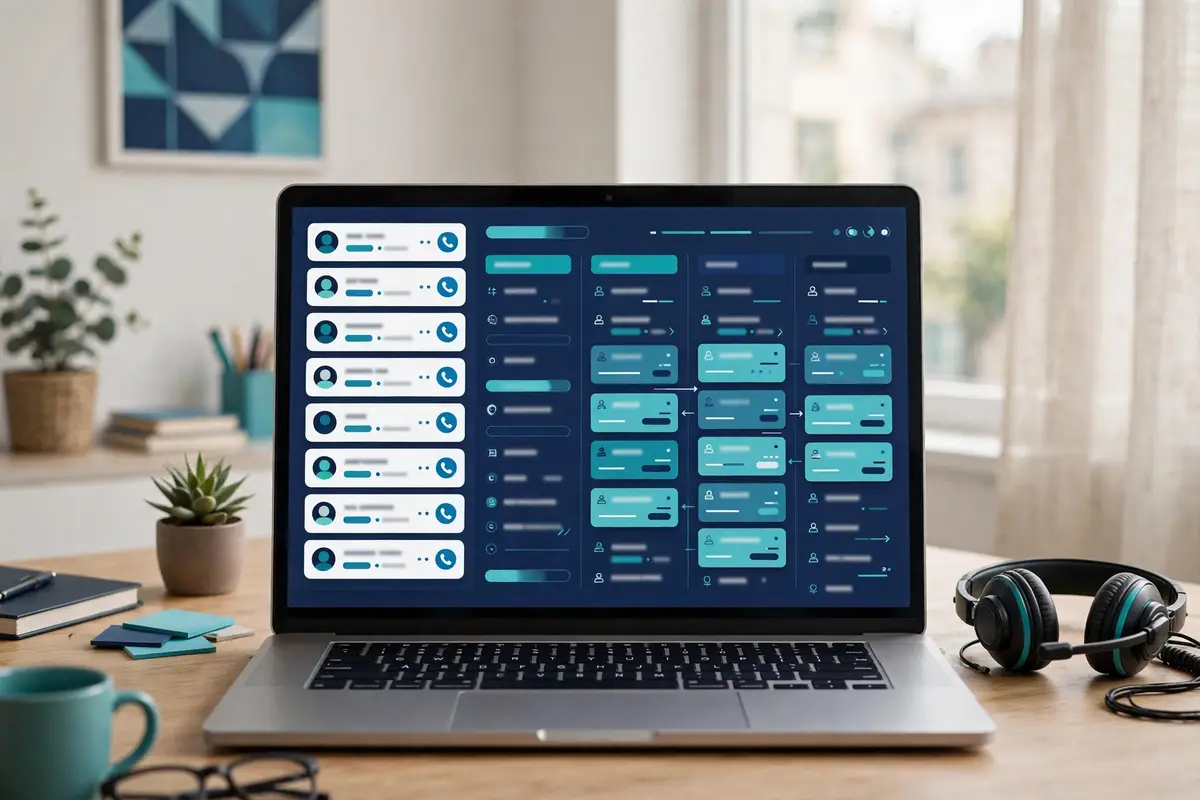
Best for small and growing teams that sell on the phone: Close CRM
Close CRM is a sales CRM with the phone built in. Calling, email and SMS live inside the deal record, so a rep works a lead list, dials, texts and emails without leaving the CRM, and every conversation is logged automatically. Chloe, the built-in AI assistant, answers questions about the pipeline, drafts the follow-ups and keeps the records current, while AI Agents qualify leads, follow up and book meetings on their own. More than 11,500 sales teams use Close, and the platform reports over 2 billion calls, texts and emails sent through it. Plans start at $9 a month for a solo seller on annual billing, and every plan starts with a 14-day free trial that needs no credit card.
This Close CRM review works through the whole platform as it stood on 16 November 2026. It covers the four plans and what the usage charges add on top, how the Power Dialer and Predictive Dialer actually work, what Chloe and the AI Agents do day to day, and how Close CRM compares with Pipedrive and HubSpot Sales Hub. By the end you should know whether a CRM built around the phone is the right buy for your team, or whether a cheaper pipeline tool plus a separate dialler would serve you better.
Visit Close CRM → Jump to the comparison tableWhy this Close CRM review starts with the phone
Before anything else, this Close CRM review needs to say plainly what Close CRM is built around. That is because it explains every other choice in the product. Most CRMs store contacts and leave the selling to other tools. The rep calls from one app, emails from another, and updates the CRM afterwards, usually late and usually briefly. Close CRM turns that order around. The calling, the email and the texting happen inside the CRM, on the lead page itself. In addition, the record writes itself as the rep works. A call ends, and the recording, the duration and the outcome are already on the timeline. An email is sent, and the open is already tracked. That single idea, that the CRM is where the selling happens rather than where the selling is reported, is the whole product.
Also, this Close CRM review tests it step by step, from the first call list to the closed deal.
The numbers behind the phone-first pitch
That phone-first idea is not a slogan. It is the reason Close CRM exists, and the company has built on it since its days as Close.io. The homepage states the pitch in one line. The CRM that sells with you, with calling, email, SMS, automation and AI built in. As a result, the team can reach more leads, follow up faster and close more deals. Behind that line sit the numbers the vendor publishes. More than 11,500 sales teams, over 2 billion calls, texts and emails sent, and a 4.7 rating across more than 2,000 G2 reviews, with G2 Fall 2026 medals for Leader in small-business CRM, Best Usability among AI SDRs and Best Results in sales engagement. Those are a small-business tool’s numbers, honestly presented, and this Close CRM review weighs them as such.
A focused product with a loyal base, not a platform trying to be everything to everyone.
Quick Answer
Close CRM is a sales CRM with built-in calling, email and SMS, plus Chloe, an AI assistant, and AI Agents that qualify leads, follow up and book meetings. Reps work lead lists from inside the CRM, dial through them with a Power Dialer or Predictive Dialer, and every call, text and email is logged automatically against the deal. Plans cost $9 a month for Solo, $35 per user a month for Essentials, $99 for Growth and $139 for Scale on annual billing, with a 14-day free trial on every plan and no credit card required. Calling and SMS are billed separately by usage, at around $0.02 a minute for most outbound calls. Close CRM is SOC 2 Type II audited and GDPR and CCPA compliant.
Close CRM is best for small and growing inside sales teams that sell on the phone and want one place for the call, the email, the text and the pipeline. It is not the tool for an email-only outreach team, a team that needs a built-in contact database, or an enterprise buyer who needs deep customisation and a free tier to start on.
Contents
- What Close CRM actually is
- Who Close CRM fits best — and who should skip it
- Pricing in this Close CRM review: from $9 a month, with usage on top
- Calling in this Close CRM review: the dialler is the product
- Chloe and the AI Agents: the teammate that works while you sleep
- Email and SMS in this Close CRM review: every conversation in one place
- Workflows in this Close CRM review: follow-up that runs itself
- Deliverability in this Close CRM review: sending limits, not warm-up
- Integrations in this Close CRM review: 100+ tools, plus ChatGPT and Claude
- Security in this Close CRM review, and the rules around cold calling
- Close CRM against Pipedrive and HubSpot Sales Hub
- Strengths and weaknesses in this Close CRM review, side by side
- Getting started in this Close CRM review: a sensible first 90 days
- Frequently asked questions
- The verdict in this Close CRM review
What Close CRM actually is
Close CRM describes itself as the AI CRM for small and growing businesses that want to sell more and scale faster, and its homepage makes the positioning easy to grasp. With built-in calling, email, SMS, pipeline management and sales automation, a team has everything it needs to sell in one place. Chloe, the AI assistant, helps the rep take action. Meanwhile, AI Agents qualify leads, follow up and handle sales work on their own. That is the product in the vendor’s own words. Furthermore, it matches what this Close CRM review found on the pricing page and the feature pages. A CRM that treats communication as the core job, not as an add-on bought from somebody else.
Behind the pitch sits a deliberate piece of product honesty. Close CRM does not pretend to be a database, a marketing platform or a LinkedIn tool. It has no built-in contact database to browse, no marketing automation suite, and no LinkedIn automation steps. What it has instead is a complete record of every conversation with every lead, built automatically as the team works. Every call, text and email already belongs to the record. As a result, the team always knows where things left off, whether the same rep picks the conversation back up, someone else does, or an Agent does. Moreover, the prospect never has to repeat themselves. A buyer who understands that trade will judge the platform on the quality of the conversation record, not on features it never claimed to have.
Seven features this Close CRM review found defining
First comes the built-in calling. Reps make and receive calls without leaving the CRM, with a Power Dialer on Growth that calls through lead lists automatically, and a Predictive Dialer on Scale that dials several prospects at once and connects the rep when somebody answers. Next comes email and SMS in the same record. Send and receive email alongside calls, texts and deal history, track opens, schedule sends, and text prospects directly from Close. Then comes Chloe, the AI assistant, with AI Agents that qualify leads, follow up and book meetings, AI Enrichment that adds contact and company details to leads, and an AI Notetaker that captures meeting notes, summaries and next steps. After that come Workflows, the automation layer that sends emails and SMS and triggers next steps on its own.
Finally come the sales management tools: pipelines, Smart Views that build dynamic lead lists around priorities, reporting and dashboards, and custom fields, objects and activities for teams that need the CRM shaped around their own process.
The seven features at a glance, in this Close CRM review
- Built-in calling: make and receive calls inside the CRM, with every conversation logged automatically and call outcomes recorded on the lead.
- Power Dialer and Predictive Dialer: the Power Dialer calls through lead lists automatically on Growth, while the Predictive Dialer on Scale dials several prospects and connects a rep when one answers.
- Email and SMS: send and receive email alongside calls and deal history, with open tracking, scheduling and bulk email, plus SMS directly from Close.
- Chloe AI Assistant: ask questions and take action across the CRM, with a weekly chat allowance that resets every Sunday.
- AI Agents: agents that call, qualify and follow up with prospects, book meetings and keep the record current, using the included AI credits.
- Workflows: automated follow-up that sends emails and SMS and triggers next steps, with reminders, lead assignment, blackout dates and reporting.
- Pipelines and Smart Views: opportunities tracked from first conversation to close, with dynamic lead lists built around whatever the team prioritises.
One more framing point helps before the details. Close CRM is not a cold email tool, and it does not claim to be one. Its bulk email sends personalised messages to many prospects at once, and its sending limits and unsubscribe management protect deliverability. Yet, there is no warm-up pool, no inbox rotation across many domains and no placement testing. A team that needs high-volume cold email should read that as a boundary, not a flaw. Close CRM is the place where the conversations with interested leads are worked. Meanwhile, a dedicated sender such as Instantly or Smartlead handles the volume. This Close CRM review keeps that distinction visible throughout, because confusing the two jobs is how buyers end up disappointed.
Who Close CRM fits best — and who should skip it
First, this Close CRM review finds the product fits small and growing inside sales teams first. Think of a team of two to twenty reps who sell by phone and email, work a list of leads every day, and lose hours switching between a dialler, an inbox and a CRM that nobody updates properly. That team needs one place where a rep opens the lead, sees the whole conversation, dials, texts, emails and logs the outcome without opening a second tab. Close CRM gives them exactly that, with the Power Dialer on Growth doing the dialling and Workflows doing the chasing. The price is honest, and the team it replaces is a CRM plus a dialler plus a shared inbox. As a result, the comparison is against the whole stack, not against one pipeline tool. This Close CRM review rates it highly for teams of that shape.
Meanwhile, in this Close CRM review, solo sellers and founders come next. The Solo plan costs $9 a month on annual billing, covers one user and up to 10,000 leads, and includes calling, email, SMS, Chloe and AI Agents. A founder making twenty calls a day gets a real CRM, a real dialler and an AI assistant for less than a lunch a month, with a 14-day trial that needs no card. That is a rare combination in this market, where most tools either charge per seat from $49 or hide the dialler behind an enterprise plan. A solo seller who lives on the phone will find the Solo plan hard to beat. In addition, this Close CRM review says so plainly.
Buyers who should look elsewhere
Now the other side. However, email-only outreach teams should look elsewhere. Close CRM has no warm-up, no inbox rotation and no large-scale cold email infrastructure, and its bulk email is built for following up with leads, not for blasting thousands of cold messages a day. A team whose whole motion is cold email will get more from Instantly from $47 a month on Growth, or from Smartlead from $39 a month, both of which warm inboxes and rotate senders as their core job. Likewise, a team that needs a built-in contact database should not buy Close CRM expecting one. AI Enrichment adds details to leads you already have. Also, it does not hand you a list of new buyers to call.
Enterprise buyers should think twice as well. Close CRM tops out at Scale for $139 per user a month, with advanced permissions and lead visibility rules. Yet, it has no published enterprise tier with custom security reviews, dedicated infrastructure or a named success manager on every plan. A company with a hundred reps, a formal procurement process and a security team that wants a custom data-processing agreement will find Apollo or HubSpot Sales Hub a smoother fit, even though both cost more at the top end. If your buying process needs a vendor that speaks enterprise fluently, Close CRM will feel small. That is because it is built for small and growing teams and it says so on its own homepage.
Why a phone-first buyer should still take the trial
Between those two poles sits the buyer this Close CRM review expects most often. A sales leader with a team that already calls every day and already pays for a CRM that nobody loves. That buyer should take the trial, and bring a real list to it. Import a hundred leads, connect the email, make twenty calls through the Power Dialer on Growth, and read the record the CRM wrote for itself afterwards. If the reps finish the day with cleaner records and more conversations than yesterday, the case is made. If the team never calls and only emails, the trial will feel thin, and that tells you something useful too. Either way, fourteen days with your own leads answers the question with evidence. Furthermore, that is a better test than any sales deck.
Pricing in this Close CRM review: from $9 a month, with usage on top
Close CRM keeps its pricing simple to read and honest about what is not included. Moreover, this Close CRM review starts with the headline figures before the fine print. The official pricing page lists four plans, priced per user per month, with the annual rate shown first and the monthly rate beside it. Solo costs $9 a month on annual billing, or $19 billed monthly, for one user only and up to 10,000 leads. Essentials costs $35 per user a month on annual billing, or $49 monthly, with unlimited users and unlimited leads. Growth, the recommended plan, costs $99 per user a month on annual billing, or $109 monthly. Scale costs $139 per user a month on annual billing, or $149 monthly. Every plan starts with a 14-day free trial that needs no credit card, and every paid plan carries a 30-day money-back guarantee.
Those are the figures on close.com/pricing, checked on 16 November 2026, and this Close CRM review uses them throughout.
The four plans, and what usage adds
Meanwhile, the fine print matters as much as the headline. That is because calling and SMS are not included in the plan price. The pricing page says so plainly: your plan includes your CRM and sales tools. Meanwhile, calling, SMS and AI usage beyond your included credits are billed separately. In addition, you only pay for what you use. Most outbound calls cost around $0.02 a minute, phone numbers start from about $1 a month each, and SMS is charged per message sent and received, with rates varying by country. A team making a thousand minutes of calls a month adds roughly $20 to the bill, which is small. Yet, it is a real cost, and a team that dials all day should budget for it rather than discovering it on the first invoice. This Close CRM review counts that transparency as a strength.
The usage is cheap and the pricing page says so, instead of hiding it behind a sales call.
The pricing table in this Close CRM review, checked today
| Plan | Price, annual | Price, monthly | Who it fits | Visit Site → |
|---|---|---|---|---|
| Solo | $9 / month | $19 / month | One independent seller, up to 10,000 leads | Visit Site → |
| Essentials | $35 / user / month | $49 / user / month | A small team sharing leads, tasks and reporting | Visit Site → |
| Growth | $99 / user / month | $109 / user / month | A growing team that dials fast and automates follow-up | Visit Site → |
| Scale | $139 / user / month | $149 / user / month | A high-volume team that needs predictive dialling and coaching | Visit Site → |
Last checked: 16 November 2026 on Close’s pricing page. Calling and SMS are billed separately by usage. Features and pricing can change, so please check the provider’s site before you buy. We do not guess at features, prices or trials.
Two details that decide what $9 buys
Two details deserve a closer look, because they decide which plan a buyer actually needs. First, Workflows are not included on Solo or Essentials. The plan comparison marks automated follow-up as an exclusion on the two cheaper plans, and the real entry point for automation is Growth at $99 a user a month. A team that buys Essentials at $35 expecting the CRM to chase leads on its own will be disappointed, and a team that buys Solo at $9 should know it is buying a CRM and a dialler, not an autopilot. Second, the annual discount is real but uneven. Solo saves $120 a year on annual billing, Essentials saves $168 per user a year, and Growth and Scale each save $120 per user a year. A solo seller saves half the monthly price by paying annually, which is a genuine saving.
Meanwhile, a team of ten on Growth saves $1,200 a year, which is worth taking once the trial has proved the tool fits.
The price against the stack it replaces
One more pricing point matters for buyers comparing Close CRM with the sequencers in this market. At $35 a user a month on Essentials, Close CRM costs less than most cold email tools, yet it does a different job. Also, the buyer should judge it on the cost of the stack it replaces, not on the cost of one sequencer. A team already paying for a CRM, a dialler and a shared inbox may well spend more than $99 a user a month today, and Growth replaces all three. A team paying for one of those three will not. Furthermore, this Close CRM review counts that arithmetic as the first test any buyer should run. Add the usage on top: a rep making 500 minutes of calls a month adds about $10, and a team of five adds about $50, which is small against the subscription yet worth budgeting for.
What the AI credits mean for your bill
Finally, the AI credits deserve a paragraph of their own. That is because they are the one part of the bill that can surprise a team. Every plan includes monthly AI credits: 500 a month on Solo, 1,000 per user on Essentials, 1,500 on Growth and 2,000 on Scale, with a shared team limit of 500 on Solo, 10,000 on Essentials, 15,000 on Growth and 20,000 on Scale. Credits power Chloe beyond the weekly chat allowance, AI Enrichment, AI Agents and AI steps inside Workflows, and they refresh monthly without rolling over. The AI Notetaker does not use credits, which is a useful exception. A team that leans hard on the AI Agents should watch the shared limit in the first month. That is because extra credits are available to buy and the pricing page does not publish their price.
As a result, the cost of going over is a question to ask on the trial rather than a figure to guess.
Calling in this Close CRM review: the dialler is the product
Calling is where Close CRM earns its keep. Moreover, it is the feature this Close CRM review spent the longest checking. Reps make and receive calls without leaving the CRM, and every conversation is logged automatically, with the recording, the duration and the outcome already on the lead timeline when the call ends. There is no separate dialler to open, no call log to type up, and no gap between the conversation and the record. A rep works a Smart View, a dynamic lead list built around whatever the team prioritises, and dials straight down it. That working pattern is the product: the list, the call and the record in one place, repeated a hundred times a day without friction.

The diallers in this Close CRM review: Power on Growth, Predictive on Scale
Two diallers cover two kinds of team, and the plan you buy decides which one you get. The Power Dialer, on Growth, automatically calls through lead lists, one number after another. As a result, the rep talks, logs the outcome, and the next call is already ringing. The Predictive Dialer, on Scale, dials several prospects at once and connects the rep only when somebody answers, which suits a high-volume team where the cost of waiting for a ring is higher than the cost of a dropped connection. Both sit on the same record, and both keep the same log. A team choosing between Growth at $99 and Scale at $139 should ask one question. How many calls a day does each rep make, and how much of the day is spent listening to ringing? If the answer is under a hundred calls, the Power Dialer is enough.
If the answer is over a hundred, the Predictive Dialer earns its keep.
Local Presence, voicemail drop and the small things that save minutes
Around the diallers sit the small features that save minutes on every call. In addition, this Close CRM review counts them as the difference between a dialler and a good dialler. Local Presence matches the caller ID to the prospect’s area code. As a result, the call arrives from a number that looks local rather than a distant one, and the Essentials plan already includes it. Voicemail Drop leaves a prerecorded voicemail in one click. As a result, a rep does not record the same message forty times a day. Call transfer hands a live call to the right teammate, call and meeting outcomes log the result of every conversation, and video meetings run over Zoom or Google Meet from inside the record. Call recording keeps 30 days on Solo and Essentials, 90 days on Growth, and unlimited retention on Scale.
Meanwhile, the AI Call Assistant, a paid add-on at $50 a month per account plus $0.02 per recorded minute, transcribes and summarises the calls. Those details are the daily reality of a phone-first team, and Close CRM gets most of them right.
Speed to lead: the five-minute claim
One more calling point deserves attention, because it is the number Close CRM puts on its own homepage. Only 7% of companies respond to a new lead within five minutes, the vendor says. Meanwhile, the average company takes over 42 hours, and by then the lead has already talked to somebody else. Close CRM promises a five-minute response instead. That is because the lead lands in the CRM, the rep sees it, and the call goes out from the same screen. Those are the vendor’s own figures, and this Close CRM review flags them as such. Yet, the shape of the claim is honest. A CRM with the phone built in is faster than a CRM that needs a second tool to make the call. A team that buys leads should test that claim on the trial by timing the first response to ten real leads.
That is because five minutes is a process, not a feature, and the tool only makes the process possible.
Video: “Close: The High Performance CRM” by Close on YouTube. This video is the property of its creator, embedded via YouTube for education. OutreachCompare is not affiliated with Close and does not claim ownership of the video.
Where calling stops being enough
One honest limit belongs in this section. Close CRM calls well, yet it does not find the people to call. There is no built-in contact database, and AI Enrichment adds details to leads you already have rather than handing you new ones. A team with no list will dial an empty queue, and no dialler fixes that. The sensible pairing is a database tool such as Apollo, with 240M+ contacts from $49 a month, feeding leads into Close CRM, where the calls happen. Budget for both, and judge Close CRM on the conversations, not on the list.
Chloe and the AI Agents: the teammate that works while you sleep
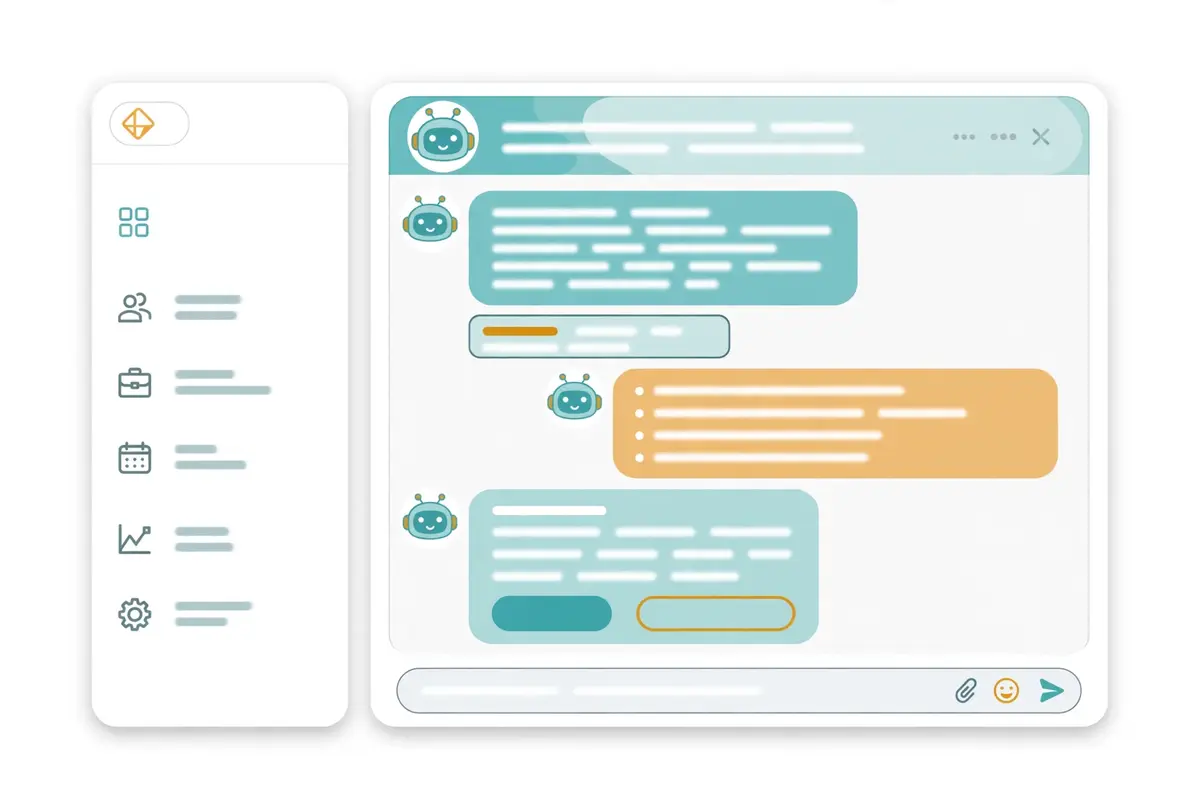
Chloe is the part of Close CRM that changed most in 2026. Also, it is the feature buyers ask about first. Chloe is an AI assistant built into the CRM. Furthermore, it already knows the leads, the conversations and the deals, because it lives where the work happens. A rep asks Chloe about the pipeline, a meeting or a call, gets an answer drawn from the team’s own data, and takes action from the same place. AI Agents go further: give each one a job and a set of rules. Moreover, it runs that job on its own, every time, logging the work in Close. The Voice Agent is live now, with coaching, briefing, meeting follow-up, lead routing, deal risk and win-back listed as coming soon. That is the AI layer as the vendor describes it. In addition, this Close CRM review treats it as the product’s second act.
The CRM that dials becomes the CRM that also works the leads nobody has time for.
What Chloe does day to day
Day to day, Chloe does four jobs that this Close CRM review could verify on the official site. First, it answers questions: ask about a lead, a deal or a meeting, and Chloe reads the record and answers from it. Second, it drafts: the AI email rewrite polishes and rewrites emails, and Lead Summaries give a rep the background and the suggested next steps on any lead. Third, it keeps the record current: AI Playbooks turn conversations into structured sales information, and Auto Updates change CRM fields automatically from what was said on the call. Fourth, it takes notes: the AI Notetaker captures meeting notes, summaries and next steps. Also, it does not use AI credits, which makes it free to run on every meeting. Those four jobs are the honest core of the AI layer, and a team that uses them will feel the difference in the first week.
That is because the admin that used to eat the afternoon now happens on its own.
The AI Agents in this Close CRM review: qualifying, following up, booking
Behind Chloe sit the AI Agents, and this Close CRM review counts them as the most ambitious feature in the product. An Agent qualifies leads, follows up automatically and books meetings, using the included AI credits, and every action is logged in Close so the team can see what the Agent did and why. The homepage carries a customer story for the Voice Agent. Dana Derricks of followup.com reports booked appointments per week up by nearly 50% since the voice agent went live. That is the vendor’s own customer quote, and this Close CRM review flags it as such. Yet, it shows the shape of the promise. An Agent that talks to the leads the reps never reach, and books the ones who want to talk. A team that buys Close CRM for the Agents should test them on the trial with a real list.
That is because an Agent that books meetings is worth far more than an Agent that sends messages.
Video: “Close CRM Demo” by Close on YouTube. This video is the property of its creator, embedded via YouTube for education. OutreachCompare is not affiliated with Close and does not claim ownership of the video.
Where the AI stops and the rep starts
One more AI point deserves a plain statement, because it catches buyers out. The Agents run on credits, and the credits are limited. 500 a month on Solo, 1,000 per user on Essentials, 1,500 on Growth and 2,000 on Scale, with a shared team cap that runs from 500 to 20,000. Chloe’s chat has a weekly allowance that resets every Sunday, and anything beyond it uses credits too. A team that turns every Agent on at full volume on day one will burn the allowance fast. Furthermore, the pricing page does not publish the price of extra credits. Start small: one Agent on one job, a hundred leads, a week of results. Read what the Agent did, correct the mistakes, and widen the job only when the bookings justify the credits. Software that follows your instructions exactly is only as good as the instructions you give it.
Moreover, the first month is for teaching it what your team sounds like.
Email and SMS in this Close CRM review: every conversation in one place
Email and SMS in Close CRM work the same way calling does. Inside the record, alongside the calls, with nothing to copy across. Reps send and receive email next to the calls, the texts and the deal history. As a result, the whole conversation with a lead sits on one timeline. Open tracking shows when a prospect opens an email, scheduling sends it at the best time, Send As lets a rep send on behalf of a teammate, and bulk email sends personalised messages to many prospects at once. SMS works the same way: text prospects directly from Close, schedule the text for later, and keep the replies on the same timeline as the calls. That single timeline is the feature, and it is the reason a team that sells across three channels stops losing the thread of any one of them.
The inbox that holds every channel
Behind the timeline sits a shared inbox and a task list. In addition, this Close CRM review puts them at the centre of the product’s value for a team. Conversations and follow-up tasks are shared across the team. As a result, a rep going on holiday hands over a lead with the whole history intact, and a manager sees who needs a follow-up without asking. Follow-up reminders fire when a lead needs attention, and the reporting shows which email templates get results. Connected email accounts run to 3 on Solo and Essentials, and 10 on Growth and Scale, which is enough for a small team and a little tight for a large one. A team where every rep has two mailboxes should check that limit on the trial. That is because it is the kind of detail that only bites after the first month.
Why Close CRM is not a cold email sequencer
However, the same design sets a clear boundary, and this Close CRM review states it plainly. Close CRM is built for working leads, not for blasting cold lists. Its sending limits and unsubscribe management protect deliverability, and that is a sensible control. Yet, there is no warm-up pool, no inbox rotation across many domains, no placement testing and no large-scale cold email infrastructure. A team sending thousands of cold emails a month from many domains needs deliverability kit that Close CRM does not supply. As a result, the practical answer is to run it beside a dedicated volume sender. Read our Instantly review and our deliverability tools roundup before you decide. That is because Close CRM alone will not carry a high-volume cold email motion. The bulk email is for following up with people who already know you, and it does that job well.
SMS: the channel buyers forget, and should not
Meanwhile, SMS deserves its own paragraph, because it is the channel most CRM buyers forget and most prospects answer fastest. Close CRM texts prospects directly from the lead page, schedules texts for later, and adds SMS steps to Workflows on Growth. As a result, a missed call can trigger a text, and a text can trigger a call. Usage is billed per message sent and received, with rates varying by country. Also, the pricing page is honest about that. One caution belongs here: texting a prospect needs consent in most places. Furthermore, the United States treats marketing texts under the same TCPA rules as marketing calls, with prior express consent required. Keep the texts to people who asked for them, keep the opt-out working, and the channel will repay the care. More on those rules sits in the security section below.
Workflows in this Close CRM review: follow-up that runs itself
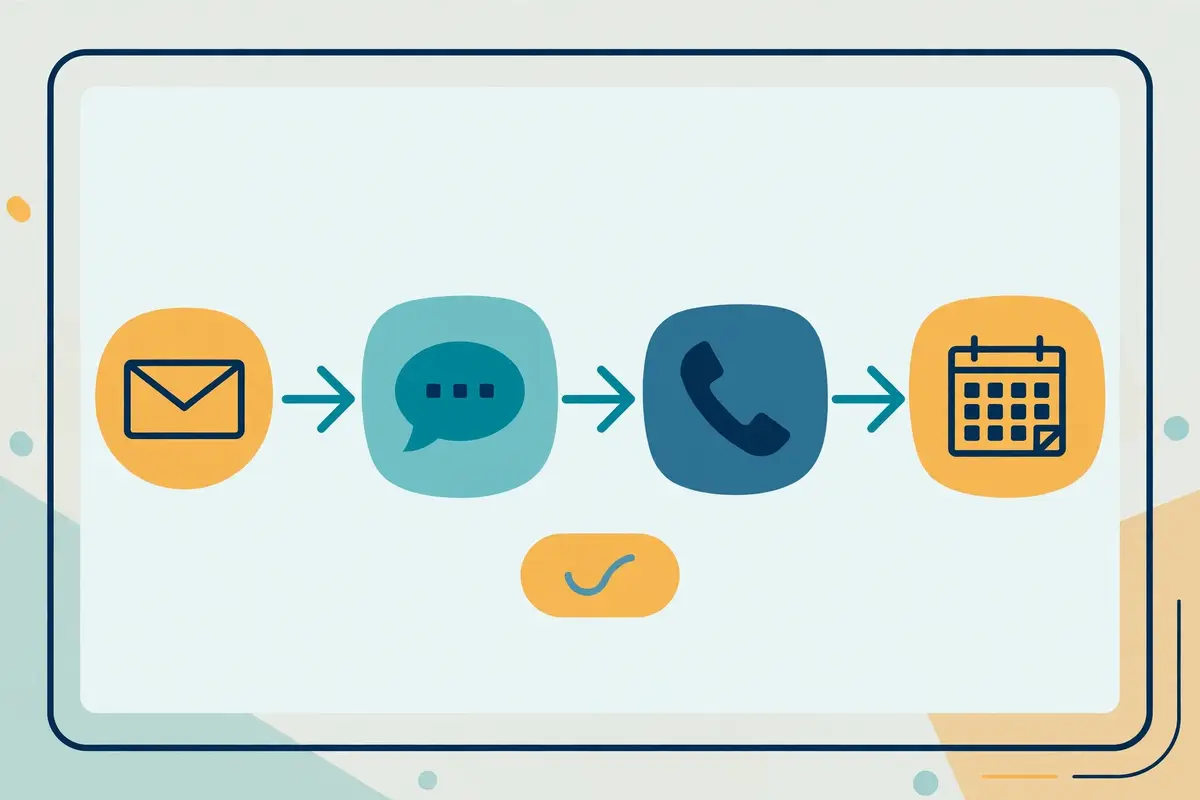
Workflows are the automation layer of Close CRM. Moreover, they are the feature that separates the Growth plan from the cheaper ones. A Workflow sends emails and SMS and triggers next steps automatically. As a result, a lead that goes quiet gets the follow-up without a rep remembering to send it. Automated lead assignment routes incoming leads to the right reps, follow-up reminders fire when a lead needs attention, workflow reporting shows how the automated outreach performs, and blackout dates pause the automation on days the team chooses. AI-powered actions can be added to Workflows on Growth. As a result, Chloe can take a step inside the automation rather than only beside it. That is the layer that turns a CRM into a system. In addition, this Close CRM review counts it as the main reason to buy Growth rather than Essentials.
A workflow worth building on day one
One workflow is worth building on the first day, and it needs no cleverness. When a new lead arrives from a website form, assign it to the rep on duty, send a personal email within five minutes, and if there is no reply in a day, queue a call and send a text. Close CRM even supplies the form: website forms turn visitors into leads in Close, and the lead assignment and the follow-up run from the same Workflow. A team that builds that one flow will feel the five-minute promise from the homepage become a process rather than a hope. For example, a lead that arrives at 9 a.m. gets an email at 9:05, a call at 10, and a text at 4, all without a rep remembering anything, and the record shows every step.
That is the whole point of automation: the follow-up happens because the system runs it, not because somebody remembered.
What stays manual on the cheaper plans
Now the other side of the same coin. Workflows are not included on Solo or Essentials, and the plan comparison says so explicitly. As a result, a team on the cheaper plans does the follow-up by hand. Reminders still fire, and the rep still sees who needs a call, yet nothing sends itself. A solo seller on Solo at $9 a month may not mind, because one person can remember twenty follow-ups. A team of five on Essentials at $35 a user will mind. That is because a hundred follow-ups a week do not fit in anybody’s head. That gap is the real price difference between Essentials and Growth. Not $64 a user a month, but the hours the team spends chasing leads by hand.
This Close CRM review recommends Growth to any team with more than three reps, for that reason alone, and Essentials only to a team that genuinely enjoys manual follow-up.
Custom fields, objects and activities
Finally, a note on customisation, because it decides whether Close CRM fits a team with an unusual process. Custom fields run to 250 per account, and custom objects let a team model the records unique to its process. Meanwhile, custom activities track the sales activities unique to that process on Growth and Scale. Required fields make key information mandatory, field editing restrictions control who can change what, and roles and permissions run from standard on the lower plans to advanced on Scale, with lead visibility rules and user groups for larger teams. That is enough customisation for most small and growing teams. Also, it stops short of the deep object modelling an enterprise buyer expects. A team with a simple process will find it generous, and a team with a complicated one should test the limits on the trial before committing.
Deliverability in this Close CRM review: sending limits, not warm-up
Deliverability is the quiet risk in every sales tool, and Close CRM handles it with controls rather than infrastructure. The email side carries sending limits and unsubscribe management. As a result, the platform throttles bulk sends and honours opt-outs instead of letting a rep burn a domain in an afternoon. Open tracking shows which messages land and which are ignored, and the template reporting shows which emails get results. As a result, a team can see the problem before the domain reputation does. Those are sensible controls for a CRM whose email is built for follow-up. Furthermore, this Close CRM review counts them as honest. Close CRM protects the sender from their own enthusiasm, without pretending to be a deliverability platform.
How much cold email Close CRM can carry
The ceiling is clear all the same. A team planning thousands of cold emails a month from many domains needs deliverability kit that Close CRM does not supply. As a result, pairing it with a dedicated volume sender is the practical answer. There is no warm-up pool, no inbox rotation across many mailboxes, no placement testing and no custom tracking domain management on the official feature pages. The vendor’s own pages do not claim those features, and this Close CRM review does not invent them. If high-volume cold email across many domains is the plan, read our Instantly review and our deliverability tools roundup before you decide. That is because Close CRM alone will not carry that motion. The sending limits are a guardrail, not an engine, and a team that mistakes one for the other will blame the tool for a job it never promised to do.
Sender rules that still apply to you
Meanwhile, the rules that protect every sender still apply, and Close CRM does not exempt you from them. Since February 2024 Gmail has asked every sender for SPF or DKIM, with spam complaints kept below 0.3%, and senders passing 5,000 messages a day to Gmail need DMARC plus one-click unsubscribe on marketing mail as well. A plain summary, not legal advice. In the United States, commercial email needs honest headers and subject lines, a real postal address, and an opt-out honoured within ten business days. For B2B outreach inside the European Union, legitimate interest is the usual legal basis, and every recipient can object to direct marketing whenever they choose. Germany is among the countries that require prior consent for marketing email, even when both sides are businesses. Those rules are yours to follow, whichever tool you buy.
Moreover, Close CRM’s unsubscribe management helps with the mechanics while leaving the judgement to you.
Integrations in this Close CRM review: 100+ tools, plus ChatGPT and Claude
Close CRM connects to the tools a sales team already runs, and the list is broad without being bloated. The pricing page promises integrations with more than 100 tools, a mobile app for iOS and Android, and video meetings over Zoom or Google Meet, with a Zoom or Google Meet account required. The API carries high-volume access with generous rate limits, no daily API request quota and no per-request fees, plus an event log, and Essentials already includes unlimited daily standard API calls. That API position matters, because a CRM that charges per API call taxes the team for keeping its own data in sync, and Close CRM does not. A team that wires Close CRM into its stack will not watch the meter while it does so.
The setups most teams land on
Most buyers land on one of two patterns. First, the stack pattern: Close CRM sits at the centre, the email and the phone run inside it, and the data flows out to the tools the team already pays for, through the API or the 100+ integrations, with the mobile app keeping reps working away from their desks. Second, the AI pattern, which is new in 2026: Close CRM connects to ChatGPT, Claude, Grok and more through MCP. As a result, an AI tool can ask questions, access sales context and take action in the CRM. A rep can ask Claude about a deal from outside Close CRM, and the answer comes from the live record. For a team already living in an AI assistant, that second pattern is the more interesting one.
That is because the CRM stops being a place to visit and becomes a source the assistant can read.
Gaps in the integration list
One more point about integrations deserves a note, because it explains the shape of the product. As far as the official pages show, Close CRM has no native LinkedIn automation, no WhatsApp step, and no built-in contact database, and a team that needs those channels should confirm their absence on the trial rather than assume they exist. LinkedIn outreach still needs a dedicated tool such as Lemlist, which covers five channels including LinkedIn, or a LinkedIn specialist such as Waalaxy from €19 a user a month. That gap is not a surprise: Close CRM is a CRM with calling, email and SMS. In addition, it does those three channels well rather than doing five badly. A buyer who wants LinkedIn inside the same sequence should budget for a second tool, and a buyer who sells by phone and email will never notice the gap.
Security in this Close CRM review, and the rules around cold calling
Security is the section where this Close CRM review can report good news. That is because the official site states its position plainly. Close CRM’s security page carries SOC 2 Type II, independently audited, alongside GDPR for EU data protection and CCPA for California privacy rights, with a Trust Center at trust.close.com holding the current documentation. The controls listed include encryption at rest for databases and other data stores holding sensitive customer data, restricted production access for databases, networks and encryption keys, firewalls, network segmentation and intrusion detection, and employee security covering background checks, confidentiality agreements, device management and access revocation when people leave. Those are the claims a buyer with a formal security review asks about first. Also, Close CRM makes them on a public page rather than behind a sales call.
Checks a buyer can run themselves
Meanwhile, the controls inside the product are practical rather than ceremonial. Sequences stop when a prospect replies or books, sending limits and unsubscribe management keep bulk email inside safe bounds. Furthermore, the shared inbox keeps a human in the loop on every conversation. Roles and permissions run from standard to advanced, with lead visibility rules on Scale controlling which leads each rep can see. Moreover, the reporting shows what was sent, who replied and what happened next. A team that keeps human review on for the first month, reads the AI drafts before they go out, and checks the sender reputation of every identity it connects will get the best from the platform without putting its domain at risk. A team with a formal review should still ask for the SOC 2 report and the data-processing agreement in writing.
That is because a security page is not a contract, yet the claims are there to be checked.
AI calls and the consent rules
Finally, the rules around cold calling and AI voices deserve a plain statement, because they catch buyers out. A February 2024 FCC ruling treats AI-generated voices as artificial under the TCPA in the United States, which means AI calls need the called person’s prior express consent, and the same law covers marketing texts. Across the European Union, a work email and a work phone number are personal data. Within the European Union, B2B outreach normally relies on legitimate interest, and recipients keep the right to object at any time. Germany is among the countries that require prior consent for marketing calls and emails, even when both sides are businesses. Keep human review on AI-drafted replies until you trust them, keep the calling targeted rather than blasted, and treat the compliance pages as guidance, not legal advice.
A tool that carries out your instructions word for word is only as safe as the instructions themselves.
Close CRM against Pipedrive and HubSpot Sales Hub
The headline difference is the job each tool does. Close CRM charges from $9 a month for Solo, or $35 per user a month for a team on Essentials, and gives you a CRM with the phone, the email and the texting built in. Pipedrive charges from $14 a seat a month on Lite, or $39 on Growth, and gives you a visual pipeline with email sync and automations. Meanwhile, calling comes through an add-on such as CloudTalk rather than inside the product. HubSpot Sales Hub is free for up to two users, then $15 a seat a month on Starter at list price, $90 on Professional and $150 on Enterprise, and gives you sequences, forecasting and a marketing platform behind it, with calling minutes included rather than a dialler built around them.
At five users on annual billing, Close CRM costs $175 a month on Essentials or $495 on Growth, Pipedrive costs $195 on Growth, and HubSpot costs $75 a month on Starter at list price or $450 on Professional. Yet Close CRM is the only one of the three where the dialler, the inbox and the pipeline are the same screen. Read the table as a buying guide rather than a scoreboard, and start from the bottleneck that hurts most.
The comparison table in this Close CRM review, in brief
| Tool | Entry price | What you get | Best for | Visit Site → |
|---|---|---|---|---|
| Close CRM | $9 / month, Solo | Built-in calling, email and SMS; Power Dialer on Growth; Predictive Dialer on Scale; Chloe AI and AI Agents; Workflows on Growth; 100+ integrations | Small and growing teams that sell on the phone | Visit Site → |
| Pipedrive | $14 / seat / month, Lite | Visual pipeline and lead management; full email sync from Growth; automations and sequences; AI meeting intelligence; 500+ integrations; calling via add-on | Teams wanting a visual pipeline at a low entry price | Visit Site → |
| HubSpot Sales Hub | $0 free; $15 / seat / month, Starter | Free CRM for 2 users; sequences from Professional; calling minutes included; forecasting; 2,000+ integrations; AI agents on credits | Teams already running marketing on HubSpot | Visit Site → |
Last checked: 16 November 2026 on the pricing pages linked above. HubSpot Starter is listed at $15 a seat a month on annual billing, with a new-customer offer from $7; Professional is $90 plus a $1,500 one-time onboarding fee, and Enterprise is $150 plus $3,500. Features and pricing can change, so please check the provider’s site before you buy. We do not guess at features, prices or trials.
Which buyer each tool suits
Three buying patterns emerge from that table, and each one points to a different tool. If your team sells on the phone and loses hours to tab-switching, choose Close CRM. That is because the dialler, the inbox and the pipeline are one screen, and Growth at $99 a user replaces a CRM, a dialler and a shared inbox in one contract. If you want the cheapest visual pipeline and your team sells mostly by email and meetings, choose Pipedrive. That is because $14 a seat on Lite or $39 on Growth buys a clean pipeline with email sync and automations. In addition, the calling can wait until the team needs it. If your marketing already runs on HubSpot and you want the CRM, the sequences and the reporting in one platform, choose HubSpot Sales Hub.
That is because the free plan covers two users and the Professional plan at $90 a seat adds the sequences and forecasting that Close CRM’s Growth plan does not try to match. If you are still choosing, our best cold email software roundup lines up the outreach tools against the rest of the market. Also, it is the best place to continue.
The feature matrix in this Close CRM review, at a glance
| Feature | Close CRM | Pipedrive | HubSpot Sales Hub |
|---|---|---|---|
| Built-in calling in the CRM | ✓ | — * | ✓ † |
| Power Dialer | ✓ Growth | — | — |
| Predictive Dialer | ✓ Scale | — | — |
| Email and SMS in the record | ✓ | ✓ ‡ | ✓ |
| Automated follow-up workflows | ✓ Growth | ✓ Growth | ✓ |
| Email sequences | ✓ § | ✓ Growth | ✓ Professional |
| AI assistant and AI agents | ✓ Chloe | ✓ Nova | ✓ |
| Built-in contact database | — | — | — |
| Warm-up and inbox rotation | — | — | — |
| Free plan | — | — | ✓ $0, 2 users |
| Free trial stated | ✓ 14 days | ✓ 14 days | — ¶ |
| Entry price | $9 / mo | $14 / seat / mo | $0 free; $15 / seat / mo |
Last checked: 16 November 2026 on each provider’s official site, as linked above. ✓ = stated on the provider’s site. — = not confirmed or confirmed absent. * Pipedrive calling comes through an add-on such as CloudTalk, not built in. † HubSpot includes calling minutes on paid plans rather than a dialler built around the record. ‡ Pipedrive full email sync starts on Growth; SMS is not a native Pipedrive channel. § Close CRM Workflows send automated email and SMS on Growth; they are follow-up automation, not a cold email sequencer. ¶ HubSpot’s route in is the free plan, not a trial. Features and pricing can change, so please check the provider’s site before you buy. We do not guess at features, prices or trials.
Two matrix rows that swing the choice
Two rows in that matrix deserve a closer look. First, the calling row: Close CRM is the only tool of the three with a dialler built into the CRM. Furthermore, that single difference explains both its strength and its price. Pipedrive sells calling through an add-on, and HubSpot includes calling minutes without building the product around the phone. A buyer whose reps make a hundred calls a day will feel that difference in the first hour. Meanwhile, a buyer whose reps make ten calls a week will never notice it. Second, the database row: none of the three tools has a built-in contact database. Moreover, that gap matters for any team that needs new leads to call. All three expect you to bring the list. In addition, Close CRM’s AI Enrichment only adds details to leads you already have.
A team with no list should budget for a database tool such as Apollo alongside whichever CRM it chooses. That is because a CRM without leads is a filing cabinet, however good the dialler is.
Strengths and weaknesses in this Close CRM review, side by side
Every tool in this market trades one strength for another, and Close CRM is no exception. Its strengths cluster around the phone, the single record and the honest pricing. Meanwhile, its weaknesses cluster around the missing database, the missing warm-up and the automation paywall. This Close CRM review lays both sides out together. As a result, the trade-off is visible at a glance instead of scattered through the article. The pattern is consistent: Close CRM is generous where the work is calling and following up, and modest where the work is finding leads or sending cold email at scale. Buyers who arrive knowing that trade-off usually stay happy. Meanwhile, buyers who arrive expecting a database and a warm-up pool usually leave disappointed.
The short version in this Close CRM review: five strengths, five weaknesses
- First strength: calling, email and SMS built into the CRM, with every conversation logged automatically on the lead timeline, so the record writes itself as the rep works.
- Second strength: the Power Dialer on Growth and the Predictive Dialer on Scale, with Local Presence, voicemail drop and call recording, built for teams that dial all day.
- Third strength: Chloe and the AI Agents, with an AI Notetaker that costs no credits, AI Playbooks that turn calls into structured data, and a Voice Agent that books meetings.
- Fourth strength: honest, published pricing from $9 a month, a 14-day trial with no card, a 30-day money-back guarantee, and usage charges stated on the pricing page.
- Fifth strength: SOC 2 Type II auditing, GDPR and CCPA compliance, and a Trust Center, with a high-volume API that charges no per-request fees.
Five weaknesses to weigh
- First weakness: no built-in contact database, so the team must bring its own list or buy one, and AI Enrichment only adds details to leads you already have.
- Second weakness: no warm-up, inbox rotation or placement testing, so high-volume cold email needs a separate deliverability tool.
- Third weakness: Workflows are not included on Solo or Essentials, so the real entry point for automation is Growth at $99 a user a month.
- Fourth weakness: calling and SMS are billed separately by usage, and the price of extra AI credits is not published, so the monthly bill can drift above the plan price.
- Fifth weakness: no native LinkedIn automation and no WhatsApp step, and no hands-on test in this Close CRM review, so buyers should lean on the trial before paying.
One more drawback is worth naming, because it is easy to miss. Close CRM is a small-business tool, and smallness cuts both ways. The focus is real: a team that sells on the phone gets a product built for exactly that job, with a loyal base of more than 11,500 teams and a 4.7 G2 rating to show for it. Yet a vendor of that size cannot match the support depth of a vendor ten times its size, and a buyer who needs a named contact at 2 a.m. should ask about support hours on the trial. In practice the trade is clear: you buy the most complete phone-first CRM in this price band, from a vendor that knows its lane.
A buyer who wants a proven giant should compare HubSpot Sales Hub before deciding, and a buyer who wants the phone to do the work should take the Close CRM trial.
Getting started in this Close CRM review: a sensible first 90 days
The first two weeks, in this Close CRM review’s getting-started plan, are for the trial and the list. Start the 14-day trial, which needs no credit card, and import a real list of a hundred leads, not a demo file. Connect the email, connect a phone number, and make twenty calls through the dialler on the first day. Read the record the CRM wrote for itself afterwards, and check whether the calls, the emails and the outcomes are all there without anybody typing them up. Set up one pipeline, one Smart View for the leads that need a call today, and one follow-up reminder, and leave the rest for later. A trial spent on real leads answers the question with evidence, and a trial spent on settings answers nothing.
Weeks three to six: a measured pilot
Weeks three to six are for a measured pilot, and this Close CRM review keeps the numbers small on purpose. For example, start on Growth at $99 a user a month if the team has more than three reps. That is because that is where the Power Dialer and Workflows live, and run one Workflow to a small, well-defined list of a hundred leads. Track the calls made, the conversations held, the reply rate and the meetings booked, not the send volume. Read every reply yourself, including the ones the AI Agent handled, and check whether the answers sound like your team. If one message type underperforms, look at the targeting before changing the wording. Even the sharpest copy books no meetings when it reaches the wrong companies.
Deciding in weeks seven to twelve
Weeks seven to twelve are for the decision, and this Close CRM review makes the test explicit. Open the throttle a little on the campaign that works, and keep a close eye on the one that does not. If the team needs more volume, move to Scale at $139 a user a month for the Predictive Dialer, live call coaching and unlimited recording retention. Divide the monthly cost, including the calling usage, by the meetings booked to get your cost per meeting, and compare it with the cost of the CRM, the dialler and the inbox that Close CRM replaced. Finally, if Close CRM books meetings cheaper than the old stack did, keep it. If it does not, narrow the list, tighten the Workflow, and run one more test before you renew. Three months of real numbers beats a year of hoping.
Frequently asked questions
What is Close CRM?
Close CRM is a sales CRM with built-in calling, email and SMS. Also, this Close CRM review answers the most common questions about it. Reps work lead lists from inside the CRM, dial through them with a Power Dialer or Predictive Dialer, and every call, text and email is logged automatically against the deal. Chloe, the AI assistant, answers questions about the pipeline and drafts the follow-ups. Meanwhile, AI Agents qualify leads, follow up and book meetings. More than 11,500 sales teams use Close CRM. Furthermore, the platform reports over 2 billion calls, texts and emails sent through it.
How much does Close CRM cost?
Close CRM costs $9 a month for Solo, $35 per user a month for Essentials, $99 for Growth and $139 for Scale on annual billing. Moreover, this Close CRM review lists the figures plainly. Billed monthly, the plans cost $19, $49, $109 and $149. Solo covers one user and up to 10,000 leads, while Essentials, Growth and Scale cover unlimited users and unlimited leads. Calling and SMS are billed separately by usage, at around $0.02 a minute for most outbound calls, and phone numbers start from about $1 a month each. Prices were checked on 16 November 2026 on close.com/pricing.
Does Close CRM have a free trial?
Yes. Close CRM offers a 14-day free trial on every plan, with no credit card required. In addition, this Close CRM review says so plainly. The trial includes calling and AI credits. As a result, you can call real leads and try Chloe and the AI Agents before you pay. After the trial, plans start at $9 a month for Solo on annual billing, and every paid plan carries a 30-day money-back guarantee. There is no free plan, so the trial is the only way to test the product without paying, and fourteen days is enough to run a real list through it.
Does Close CRM include calling minutes?
No. Close CRM includes the dialler, not the minutes. Also, this Close CRM review flags the distinction because it decides the monthly bill. Calling and SMS are billed separately by usage. Most outbound calls cost around $0.02 a minute, phone numbers start from about $1 a month each, and SMS is charged per message sent and received, with rates varying by country. A rep making 500 minutes of calls a month adds about $10 to the bill, and a team of five adds about $50. The AI Call Assistant is a separate paid add-on at $50 a month per account plus $0.02 per recorded minute.
Is Close CRM good for cold email?
Close CRM is good for following up by email, and this Close CRM review draws the line carefully. Its bulk email sends personalised messages to many prospects at once, with open tracking, scheduling and unsubscribe management, and its Workflows automate the follow-up. What it does not have is warm-up, inbox rotation or placement testing. As a result, it is not built for high-volume cold email from many domains. A team whose whole motion is cold email should pair Close CRM with a dedicated sender such as Instantly or Smartlead, and use Close CRM for the conversations with the leads who reply.
Who should not use Close CRM?
Email-only outreach teams should not use it. That is because Close CRM has no warm-up or inbox rotation and its email is built for follow-up, not for blasting cold lists. This Close CRM review says so plainly rather than hiding it. Teams that need a built-in contact database should not use it either. That is because AI Enrichment only adds details to leads you already have. Enterprise buyers with a hundred reps and a formal procurement process should also test carefully. That is because Close CRM tops out at Scale for $139 a user a month with no published enterprise tier. If any of those describes your team, compare Apollo or HubSpot Sales Hub before you decide.
The verdict in this Close CRM review
Verdict: best for small and growing teams that sell on the phone
Close CRM is the most complete phone-first CRM in this Close CRM review’s comparison set, and it earns that title by putting the call, the email, the text and the pipeline on one screen. The Power Dialer on Growth and the Predictive Dialer on Scale do the dialling, Workflows do the chasing, Chloe and the AI Agents do the admin, and the record writes itself as the team works. Published pricing from $9 a month, a 14-day trial with no card, a 30-day money-back guarantee, and SOC 2 Type II auditing with GDPR and CCPA compliance make the buying decision easy to defend. That combination is the product’s core strength, and it is why this Close CRM review recommends it to small and growing inside sales teams whose reps live on the phone.
Go in with open eyes. Close CRM has no built-in contact database, no warm-up for cold volume, no Workflows below Growth, and usage charges on top of the plan price. The AI credits are limited, and the price of extra credits is not published. Take the trial with your own list, make twenty real calls on the first day, and judge it on cost per meeting, not on features ticked. Do that, and Close CRM can carry the whole sales job while your reps close. Skip the trial and a $99 monthly bill is what you will get, not a pipeline. We have not tested Close CRM hands-on, so there is no numeric score here — only this verdict, and the evidence above to check it against.
Visit Close CRM →Keep reading
More sales engagement and CRM reviews
- Klenty Review 2026 — sales engagement with a parallel dialler, from $50 a user a month.
- Mailshake Review 2026 — email outreach plus a power dialler, from $29 a month.
- Reply.io Review 2026 — Jason AI with multichannel sequences, Email Volume from $59 a month.
- Lemlist Review 2026 — the five-channel suite with a 650M+ database, from $69 a month.
- Apollo Review 2026 — the 240M+ database with sequences, from $49 a month with a free plan.
- Overloop Review 2026 — data, email and LinkedIn in one seat from $69 a month.
- Waalaxy Review 2026 — LinkedIn automation with AI prospect finding, from €19 a user a month.
- Genesy.ai Review 2026 — AI list building and waterfall enrichment from €599 a month.
- Carly AI Review 2026 — sequences and AI-drafted replies from your own mailboxes, from $35 a month.
Guides and roundups
- Best Cold Email Software 2026 — the full roundup with the leading tools beside each other.
- Best B2B Data Providers 2026 — where to find the leads to call, since Close CRM has no database of its own.
- Instantly Review 2026 — the volume-built sender to pair with Close CRM for cold email.
- Smartlead Review 2026 — agency deliverability infrastructure from $39 a month.
- Woodpecker Review 2026 — a deliverability-first sequencer from $39 a month.
- Saleshandy Review 2026 — a database-backed sequencer with 852M+ contacts.
- Snov.io Review 2026 — finding, verifying and drip campaigns together.
- Hunter Review 2026 — the domain-search specialist, verification from $49 a month.
- QuickMail Review 2026 — a deliverability-focused sequencer from $49 a month.
- ReachInbox Review 2026 — a newer sequencer with AI personalisation from $30 a month.
- Emelia Review 2026 — ultra-personalised email prospecting with AI from $37 a month.
- Email Deliverability Tools 2026 — placement and reputation tools to pair with any sender.
- Best Warmup Tools 2026 — warming an inbox properly before scaling up.
- Is Cold Email Legal? The Simple Checklist — the consent rules for calls, texts and email, in plain language.
- Cold Email for Beginners: The Complete 2026 Guide — a beginner’s path through lists, writing and follow-ups.
- Best cold email tools — all the best-of roundups gathered on one page.
Leave a Reply