Your prospect can tell in two seconds whether an email was written for them. Make it feel personal.
Picture a sales leader opening their inbox on a Monday morning. There are 60 unread emails, and most of them start with the same line: “Hi {first_name}, I hope you are well.” The founder has seen that line a hundred times, and it takes about two seconds to delete it. Now picture the email that starts with a real detail: a new hire, a product launch, a problem their team is hiring to fix. That email gets read. Cold email personalisation is the craft of writing the second kind of email, at scale, without faking the research or crossing the line into creepy. This guide shows you how: the five levels, the data sources, the AI tools, the spintax, the LinkedIn touches, and the mailbox math that keeps it all deliverable. Prices were checked on 16 November 2026.
Check Lemlist →See Apollo →Visit Instantly →We checked all tool prices in this guide on 16 November 2026 on the providers’ official sites. Features and pricing can change, so please check the provider’s site before you buy. We do not guess at features, prices or trials.
Quick Answer
Cold email personalisation means proving, in the first two lines, that the email was written for one specific person. A first name in a merge tag is not personalisation. A real detail is: a recent hire, a new office, a product launch, a hiring post, a funding round. The best senders personalise the first line and the reason for reaching out, and they templatise the offer and the call to action. That split is the whole game.
There are five levels, from a plain template to AI-generated research, and each level costs more effort than the last. Use the cheap levels for big lists and the expensive levels for high-value accounts. AI icebreakers can draft the first line for thousands of prospects, yet every line still needs a human check, because AI invents facts. Keep the data public and professional, send 25 to 30 emails a day per mailbox, and judge the result on replies, not opens.
Contents
- What cold email personalisation actually is
- The 5 levels of personalisation
- Where good personalisation data comes from
- AI personalisation: icebreakers, variables and agents
- Spintax and dynamic variables
- Personalised images and videos
- LinkedIn personalisation
- What to personalise vs what to templatise
- Personalisation at volume: the mailbox math
- Which tools do personalisation best
- The honest pros and cons
- Pick the right tool for your campaign
- Frequently asked questions
- The verdict
Cold email personalisation is relevance, not decoration
Firstly, most senders think cold email personalisation means putting a first name at the top of a template. In fact, that is the thinnest version of the idea, and prospects have learned to ignore it. For instance, “Hi Sarah, I hope you are well” tells Sarah nothing about why she, of all people, received this email. Similarly, a mail-merge name does not prove research, effort, or relevance. In short, a name is decoration, and decoration does not earn replies.
Secondly, real cold email personalisation answers a different question: why this person, why now, and why this offer. In fact, the answer needs one true fact about the prospect, used well. For example, “Saw you hired three account executives last month” proves the sender looked. Moreover, the fact should connect to the offer, so the email reads as a reasoned suggestion, not a coincidence. As a result, the prospect feels noticed, not targeted.
What cold email personalisation actually is
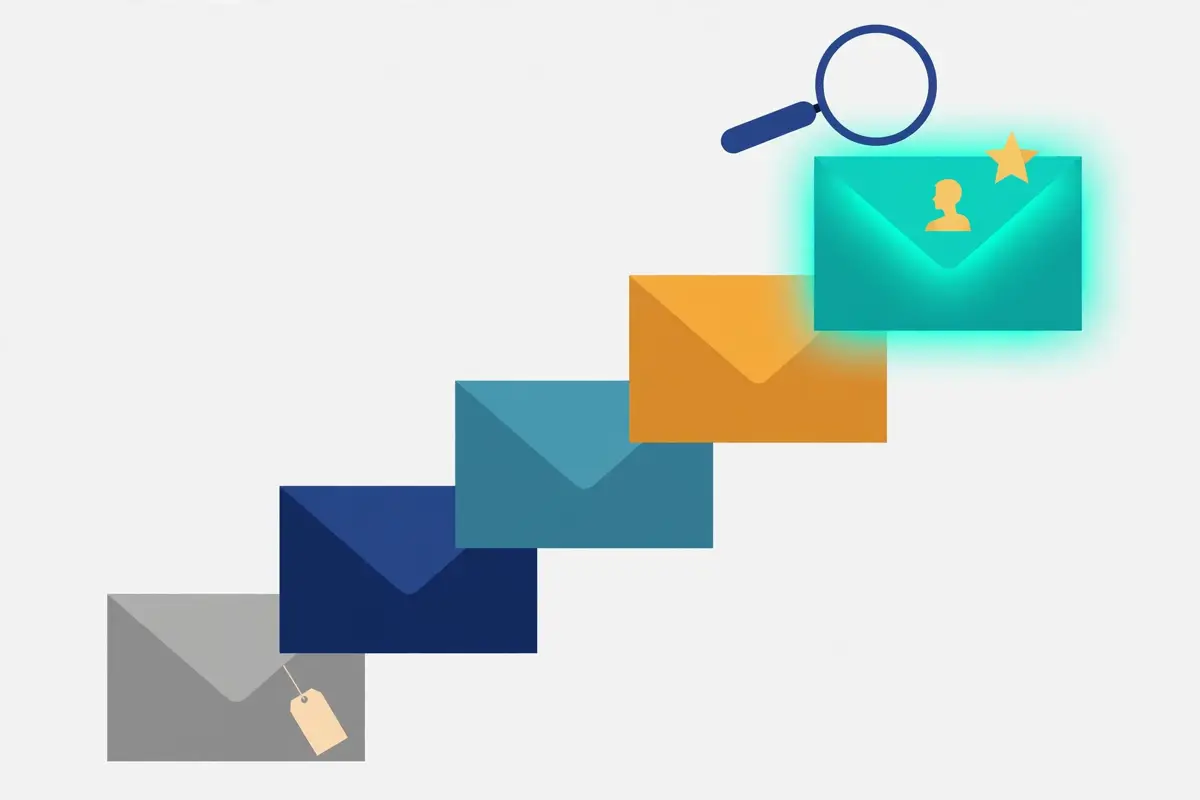
In fact, cold email personalisation is the practice of making each email feel written for one person, even when it is one of a thousand. For example, the sender uses a real fact about the prospect, their company, or their situation, and ties it to the offer. Similarly, the fact must be true, recent, and relevant to the pitch. Moreover, a fact that is true but irrelevant feels like surveillance, while a fact that is relevant but wrong feels like automation. In short, personalisation is a true fact, used for a good reason.
Secondly, the test is simple: would this email make sense to anyone else? In fact, an email that could go to a thousand companies is not personal, however many merge tags it carries. For instance, “Quick idea for your onboarding” could go to anyone, while “Your Leeds office: onboarding for three new AEs” could only go to one company. Similarly, the test catches the most common mistake in cold email personalisation, which is confusing a filled-in field with a researched email. As a result, run the test on every first line before you send.
Relevance beats decoration, every time
Relevance is what makes a prospect stop scrolling. Firstly, a relevant email names the prospect’s world: their team, their market, their recent news. For instance, a recruiter who names the role and the hiring pain earns a reply, while a recruiter who names only the candidate does not. Secondly, relevance is cheap: one minute of research usually finds the fact. In sum, spend the minute, and the email stops looking like a blast.
In addition, decoration can actively hurt. Above all, a first name pasted into a generic template tells the reader the email was automated, not researched. For example, “Hi {first_name}, I loved your recent post” is worse than no greeting at all, because the flattery is empty. Moreover, readers have seen the pattern so often that they recognise it instantly. As a result, a plain, honest template beats a decorated one that fakes a relationship.
The three questions every personalised email must answer
Three questions separate a personal email from a decorated one. Firstly, why this person: what makes them the right recipient, not just a name on a list? For instance, their role, their team, or their recent hire. Secondly, why now: what happened recently that makes this the right week to write? Thirdly, why this offer: how does the offer connect to their situation, in one sentence? In short, answer all three in the first two lines, and the email earns its read.
Secondly, the three questions keep the writing honest. In fact, a sender who cannot answer “why now” is sending too early, or to the wrong list. For example, a trigger such as a funding round, a new office, or a hiring spree gives the email its timing. Similarly, a sender who cannot answer “why this offer” is pitching the wrong product to the wrong person. As a result, the questions are a filter: if an email fails one, fix the targeting before you fix the copy.
What personalisation is not
Cold email personalisation is not flattery, and it is not surveillance. Firstly, flattery without specifics reads as fake: “I loved your amazing work” says nothing, because it names no work. For instance, a compliment should name the thing: the product launch, the blog post, the hire. Secondly, surveillance is worse: using private data, or data the prospect never shared publicly, makes them feel watched. In sum, personalise with public, professional facts, and leave the rest alone.
In addition, personalisation is not a trick to boost open rates. Above all, a personalised subject line that leads to a generic body breaks the promise the subject made. For example, “Your Leeds hiring plan” should open an email about Leeds hiring, not a pitch for a generic tool. Moreover, the reader who feels tricked will mark the email as spam, which hurts the domain. As a result, personalise the whole email, not just the hook.
The 5 levels of cold email personalisation
In fact, cold email personalisation comes in five levels, and each one costs more effort than the last. For example, level one is a plain template, level two adds merge fields, level three segments by industry or role, level four adds manual research, and level five lets AI generate a researched first line for every prospect. Similarly, the levels are a ladder, not a ranking: the right level depends on the list size and the value of each account. Moreover, most senders should use two levels at once: a cheap level for the bulk list, and an expensive level for the best accounts. In short, climb as high as the account is worth.
Secondly, the table below sets out the five levels with their effort, their expected effect, and their risk. In fact, the effect column describes what each level can do, not a measured result: no honest guide can promise a reply rate for a technique, because results depend on the list, the offer, and the sender. For instance, a researched first line can earn attention that a template cannot, yet it can also backfire if the fact is wrong. As a result, read the table as a trade-off, not a guarantee.
Cold email personalisation: the five levels at a glance
| Level | What it is | Effort per email | What it can do | Main risk |
|---|---|---|---|---|
| 1. Template | One email, sent to everyone, no fields changed | Seconds | Scales to any volume | Reads as mass mail; easy to ignore |
| 2. Merge fields | First name, company and role filled in automatically | Seconds | Feels slightly more direct | Readers recognise the mail merge instantly |
| 3. Segment | One template per industry, role or pain point | Minutes per segment | Relevant to the whole group | Still generic to the individual |
| 4. Researched | A real, recent fact about each prospect, written by hand | 5 to 10 minutes | Proves the email is for one person | Slow; a wrong fact backfires badly |
| 5. AI-generated | AI drafts a researched first line for every prospect | Seconds, plus a human check | Research at template speed | Hallucinations and generic flattery |
The table above is the five levels in one place. The effect column describes what each level can do, not a measured result: we do not invent personalisation lift statistics. Last checked: 16 November 2026.
Which level fits which campaign
The level should match the value of the account. Firstly, a list of 10,000 small businesses justifies levels two and three, because the value per account is low. For instance, segment by industry and pain, add merge fields, and send at volume. Secondly, a list of 200 high-value accounts justifies levels four and five, because one meeting can pay for the research. In sum, spend the effort where the money is.
In addition, the levels mix well inside one campaign. Above all, a sender can open with a level-four line for the top 50 accounts, and a level-three line for the rest. For example, the same offer, the same call to action, and two different first lines. Moreover, the mix keeps the workload sane: deep research where it matters, and smart segments everywhere else. As a result, the ladder is a budget, not a rule.
Climbing the ladder without breaking deliverability
Higher levels do not automatically mean better deliverability. Firstly, a researched first line helps the human reader, yet the spam filter reads the whole campaign, not the first line. For instance, a campaign of 1,000 researched emails still needs warmed mailboxes, a clean list, and calm sending. Secondly, AI-generated lines can hurt deliverability if they repeat the same phrases, because filters spot repetition. In short, climb the ladder for the reader, and protect the inbox with the setup.
Secondly, the safest climb is gradual. In fact, a sender who jumps from templates to full AI research in one week will make mistakes: wrong facts, stale data, and flattery that reads as fake. For example, start with segmentation, then add one researched line per email, then try AI on a small test batch. Similarly, check every AI line before it sends, and keep a log of what worked. As a result, the ladder rewards patience, not speed.
Where cold email personalisation data comes from
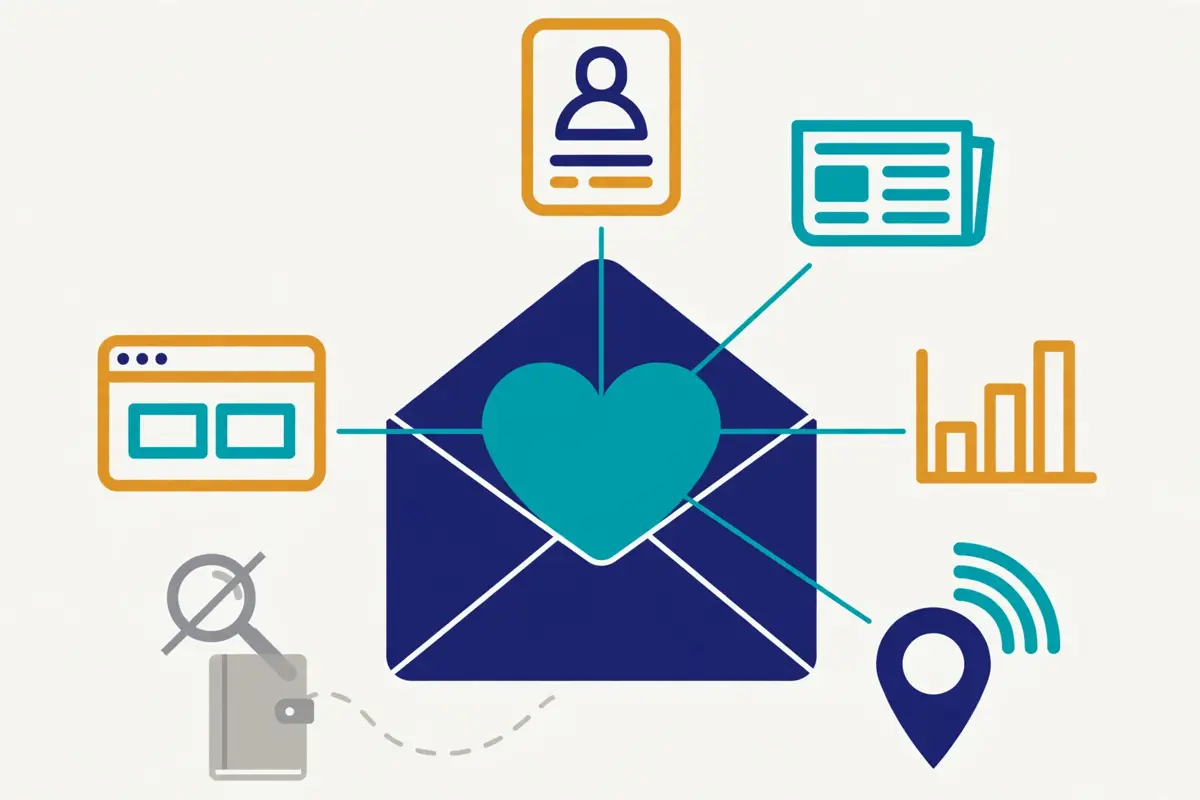
In fact, good cold email personalisation starts with good data, and good data is public, professional, and recent. For example, a prospect’s LinkedIn page, their company’s news page, a hiring post, or a funding announcement all qualify. Similarly, the data should be something the prospect chose to share, in a professional context. Moreover, the best source is often the prospect’s own website, because it states what they care about in their own words. In short, use what they published, not what you dug up.
Secondly, the source matters as much as the fact. In fact, a fact from a press release is solid, while a fact from a data broker is shaky. For instance, a hiring post on the company’s own careers page is current and verifiable, while a scraped job title from three years ago is neither. Similarly, a technographic signal, such as the tools a company uses, is useful only if the data is fresh. As a result, check the date on every fact, and drop any fact you cannot verify.
Cold email personalisation: the data sources that work, and the ones that do not
| Source | What it gives you | Watch out for |
|---|---|---|
| CRM records | Past conversations, deals, and notes | Stale notes; check the date before you quote them |
| LinkedIn profiles and posts | Role, team, recent posts, and hiring signals | Only use what is public; never quote private activity |
| Company news and blogs | Launches, funding, offices, and strategy | Old news reads as a stale database, not research |
| Job postings | The pain the team is hiring to fix | A filled role is a dead trigger; check it is still open |
| Technographics | The tools a company already uses | Detection can be wrong; verify before you name a tool |
| Intent signals | Buying behaviour: visits, downloads, and comparisons | A signal is a hint, not a confession; do not over-claim it |
| Website visits | Which pages a known visitor viewed | Only use it with consent and a clear privacy basis |
The table above is the data-source guide in one place. Every source is judged on whether the prospect shared it publicly, in a professional context. Last checked: 16 November 2026.
Creepy versus welcome: the line you must not cross
The line between welcome and creepy is consent. Firstly, a welcome detail is one the prospect shared publicly, for professional reasons. For instance, a LinkedIn post about a new product, a press release about a funding round, or a job ad for their team. Secondly, a creepy detail is one they did not share publicly, or shared in a private context. In sum, if the prospect would be surprised that you know it, do not use it.
In addition, the test is how the detail feels to receive. Above all, “Saw your new Leeds office” feels like attention, while “Saw you were in Leeds on Tuesday” feels like surveillance. For example, the first fact comes from a public announcement, while the second comes from tracking a person. Moreover, the difference is not subtle, and prospects feel it instantly. As a result, stick to announcements, posts, and public pages, and the line stays clear.
A short GDPR and data-minimisation note
Cold email personalisation must respect data protection law, and the rules are practical, not scary. Firstly, use only the data you need for the email: name, role, company, and one relevant trigger. For instance, collecting a prospect’s hobbies, family details, or private social posts is not minimisation, and it adds nothing to the pitch. Secondly, keep a lawful basis in mind: in most B2B outreach this is legitimate interest, balanced against the prospect’s rights. In short, less data, used well, is both safer and more effective.
Secondly, the basics protect you and the prospect at once. In fact, keep a suppression list of opt-outs and never email it, delete data you no longer need, and honour every unsubscribe fast. For example, a sender who respects opt-outs keeps their domain healthy and their reputation intact. Similarly, a sender who ignores them invites complaints, and complaints damage deliverability far more than any single email earns. As a result, good data hygiene is part of good personalisation, not a separate chore.
Triggers: the facts that make timing work
A trigger is a recent event that makes this the right week to write. Firstly, the strongest triggers are hiring, funding, launches, new offices, and leadership changes. For instance, a company that just hired a sales leader is thinking about pipeline, and a company that just raised a round is thinking about growth. Secondly, a trigger should be no more than a few months old: a funding round from last year is history, not news. In sum, fresh triggers earn replies, and stale ones earn deletes.
In addition, triggers work best when they connect to the offer. Above all, a hiring trigger should lead to an offer about hiring, not a generic pitch. For example, “Saw you hired three AEs” should open an email about onboarding or ramp time, not about a discount. Moreover, the connection is what makes the trigger feel like a reason, rather than an excuse. As a result, pair every trigger with the offer it justifies.
Cold email personalisation with AI: icebreakers, variables and agents

In fact, AI personalisation is the fastest-growing part of cold email, because it promises level-four research at level-two speed. For example, an AI tool can read a prospect’s LinkedIn page, their company news, and their job posts, then draft a first line that references a real detail. Similarly, the same tool can generate a different first line for every prospect in a list of thousands. Moreover, the promise is real, yet the quality depends entirely on the data fed in and the checks applied after. In short, AI is a research assistant, not a replacement for judgement.
Secondly, there are three kinds of AI personalisation, and they do different jobs. In fact, AI icebreakers write the first line, AI variables fill structured fields such as pain points and triggers, and AI agents run the whole workflow: research, write, send, and follow up. For instance, Lemlist’s lemAgent builds sequences from your data, while its AI icebreakers write the opening line. Similarly, an AI agent such as Artisan’s Ava or 11x’s Alice handles the full outbound motion. As a result, pick the kind that matches how much control you want to keep.
Watch how AI personalisation works in practice
Video: How to Personalize 1000 Cold Emails With AI in Seconds by Instantly on YouTube. This video is the creator’s property, embedded via YouTube for education. OutreachCompare is not affiliated with Instantly and does not claim ownership of this video.
In fact, the video above shows the AI personalisation workflow from end to end. For instance, Instantly walks through using AI tools to draft and personalise cold emails for hundreds or thousands of leads, without blasting generic messages. The video covers the basics of cold email, the templates, and the AI tools that make the personalisation scalable. Watch it before you set up your first AI workflow, and the sections below will feel concrete. Note that the video is a vendor tutorial, so its tool recommendations favour its own platform.
AI icebreakers: the first line, drafted for you
An AI icebreaker is a first line generated from research about the prospect. Firstly, the tool reads the prospect’s public data, then writes one or two sentences that reference a real detail. For instance, Lemlist’s AI icebreakers can note a recent hire or a product launch, and Apollo’s AI writing assistant can draft the opening from contact attributes. Secondly, the icebreaker should sound like a person wrote it, which means short, specific, and free of flattery. In sum, the icebreaker proves research, and then it gets out of the way.
In addition, icebreakers need a human check before they send. Above all, AI invents facts: a hire that never happened, a launch that does not exist, a compliment about work the prospect never did. For example, a single hallucinated fact in the first line tells the prospect the email was automated, which is worse than no personalisation at all. Moreover, a quick sample check, reading ten lines out of every hundred, catches most errors. As a result, never send AI lines unchecked.
AI variables: structured fields, filled at scale
AI variables are structured fields that AI fills from research, one field per prospect. Firstly, a variable might be the prospect’s main pain point, their current tool, or their hiring trigger. For instance, Enginy’s AI Variables cost 3 credits per field, and the field can then be used anywhere in the email. Secondly, variables are more reliable than free-text icebreakers, because the output is short and constrained. In short, variables are the tidy version of AI personalisation.
Secondly, variables work best when the prompt is strict. In fact, a prompt that says “write a compliment” will produce flattery, while a prompt that says “state the prospect’s hiring trigger in under ten words, using only the company’s careers page” will produce a fact. For example, constrain the source, the length, and the format, and the output improves at once. Similarly, ban the words “impressive”, “amazing”, and “love” from the prompt, because AI leans on them. As a result, the prompt is the product: write it carefully.
AI agents: Ava, Alice, Frank and lemAgent
AI agents go further than icebreakers: they run the outbound workflow. Firstly, Artisan’s Ava researches prospects, writes emails, and manages follow-ups across the campaign. For instance, 11x’s Alice does the same for digital workers, with support for over 100 languages on its Pro plan. Secondly, Salesforge’s Agent Frank is a dedicated AI agent for outbound, priced from $499 a month and billed quarterly, with a demo required. In sum, agents trade control for scale, and the trade is worth it only for teams with volume to justify it.
In addition, Lemlist’s lemAgent sits between an icebreaker and a full agent. Above all, lemAgent builds the sequence from your data, using AI Agentic Enrichment and Intent Signal Agents to find and qualify prospects. For example, the enrichment agents gather the facts, the signal agents watch for buying behaviour, and lemAgent turns both into a sequence. Moreover, the human still reviews the output before launch, which is the right balance for most senders. As a result, lemAgent suits teams that want AI help without handing over the keys.
What AI gets wrong, and how to QA it
AI personalisation fails in three predictable ways. Firstly, hallucinations: the AI invents a fact, a hire, or a launch that never happened. For instance, a model that cannot find a trigger will sometimes invent one rather than admit it. Secondly, stale data: the AI quotes a fact from two years ago as if it were news. Thirdly, generic flattery: “I was impressed by your amazing work” is the AI’s default, and it reads as fake. In short, expect all three, and build checks for each.
Secondly, a simple QA routine catches most of it. In fact, read a random sample of ten lines from every hundred before you send, and check each fact against its source. For example, if the line claims a hire, open the careers page; if it claims a launch, open the blog. Similarly, reject any line with a compliment that names no specific work. As a result, the routine takes fifteen minutes per campaign, and it saves the reputation that one bad batch can cost.
A second look at AI personalisation at scale
Video: How a College Student Made $500k with Cold Email (Exact Framework) by Nate Herk | AI Automation on YouTube. This video is the creator’s property, embedded via YouTube for education. OutreachCompare is not affiliated with Nate Herk | AI Automation and does not claim ownership of this video.
In fact, the video above shows a full AI personalisation workflow in a real campaign. For instance, Nate Herk interviews Suvam, who generated over $500,000 in sales opportunities in six months using cold email as a beginner. The playbook uses AI to find pre-filtered niche databases, then runs a simple four-step automation for personalisation at scale: research with an AI tool, draft a one-sentence icebreaker, and feed it into the sender. Watch it for the workflow, not the headline: the $500,000 figure is the presenter’s own result, not a benchmark for every sender.
Spintax and dynamic variables
In fact, spintax is the oldest trick in cold email personalisation, and it still works when used with restraint. For example, a spintax block such as “{Hi|Hello|Hey} {first_name}” generates a different greeting for each recipient. Similarly, a block such as “{quick question|one thought|a short note}” varies the opening phrase. Moreover, the point is variety: when a filter sees a thousand identical emails, it suspects a blast, and spintax breaks the pattern. In short, spintax makes a template look less like a template.
Secondly, dynamic variables do a different job from spintax. In fact, a variable fills in a fact, such as the company name or the pain point, while spintax varies the wording around it. For instance, Instantly supports both spintax and dynamic variables, and Lemlist pairs spintax with text variables. Similarly, the two together give each email a different shape and a different fact. As a result, the combination is stronger than either alone.
Cold email personalisation: how spintax works, in one example
| Spintax in your template | What the prospect receives |
|---|---|
| {Hi|Hello|Hey} {first_name}, | Hi Sarah, or Hello Sarah, or Hey Sarah |
| {Quick question|One thought|Short note} on {company}’s hiring | Quick question on Acme’s hiring, and two other variants |
| {Worth a look?|Open to a chat?|Keen to hear your thoughts?} | Three different calls to action, one per email |
| {Best|Thanks|Cheers}, {sender_name} | Best, Alex, or Thanks, Alex, or Cheers, Alex |
The table above shows spintax in action. Each row is one block in the template, and each prospect receives one variant. Last checked: 16 November 2026.
Where spintax breaks deliverability
Spintax breaks things when it is overused. Firstly, a template with ten spintax blocks produces emails that read differently, yet the variations can also produce nonsense. For instance, “{your team|your company|your business} is {growing|scaling|expanding} fast” can generate “your business is expanding fast”, which is fine, and “your team is scaling fast”, which is also fine, yet a careless block can generate grammar that no person would write. Secondly, filters notice when every email in a campaign is a random recombination of the same parts. In sum, vary the wording, but keep the grammar human.
In addition, spintax cannot fix a bad template. Above all, a generic email with varied greetings is still a generic email, and the reader knows it. For example, changing “Hi” to “Hey” does not make an irrelevant pitch relevant. Moreover, the deliverability benefit of spintax is real but small: it helps a good campaign look human, and it cannot rescue a bad one. As a result, use spintax as seasoning, not as the meal.
The rules for safe spintax
Four rules keep spintax safe. Firstly, vary whole phrases, not single words, because phrase variation reads naturally. For instance, “{Worth a look?|Open to a chat?}” beats “{good|great|nice}”. Secondly, read every combination before you send, because one bad pairing can embarrass the whole campaign. Thirdly, keep the number of blocks small: three or four per email is enough. In short, spintax should be invisible to the reader.
Secondly, the fourth rule is to test the variants. In fact, a spintax block is a small A/B test, and the results tell you which phrasing your audience prefers. For example, track replies by variant, and keep the winners. Similarly, a variant that never earns a reply should be dropped, however clever it sounded. As a result, spintax becomes a learning tool, not just a disguise.
Personalised images and videos
In fact, personalised images and videos are the most eye-catching form of cold email personalisation, and the most expensive per email. For example, Lemlist can generate an image with the prospect’s name, company, or website on it, and a video with a personalised intro. Similarly, the image sits in the email body, and the prospect sees their own company name in the picture before they read a word. Moreover, the effect is real: a personal image proves effort in a way text cannot. In short, visual personalisation is a spotlight, so use it where the spotlight is worth it.
Secondly, the cost is the reason to be selective. In fact, generating a personal image for every prospect in a list of 10,000 is slow and wasteful, because most of those prospects will never open the email. For instance, the same image sent to the top 100 accounts, where each meeting is worth thousands, is a sensible investment. Similarly, a personalised video takes even longer, so reserve it for the accounts you most want to win. As a result, visual personalisation belongs at the top of the list, not across it.
Cold email personalisation: when visual personalisation is worth it
| Situation | Visual personalisation | Why |
|---|---|---|
| Top 50 dream accounts | Yes, image and video | Each meeting is worth the effort |
| High-value segment, 500 accounts | Yes, image only | Images scale better than video |
| Bulk list, 10,000 prospects | No | The cost per open is far too high |
| Follow-up to an opener | Yes, image | The prospect already knows you, so the image lands |
| First touch to a cold list | No | Prove relevance in text first |
The table above is the visual-personalisation guide in one place. The judgement is about cost per account, not about whether the images work. Last checked: 16 November 2026.
How to make a personalised image that works
A good personalised image is simple. Firstly, it shows the prospect’s company name, logo, or website, on a clean background, with one short line of text. For instance, a screenshot of their homepage with a handwritten-style note is more effective than a busy graphic. Secondly, the image should make sense without the email, because the prospect may see it in the preview. In sum, one idea, clearly shown, and nothing else.
In addition, the image must load fast and display everywhere. Above all, keep the file small, use a standard format, and test it in Gmail and Outlook before you send. For example, an image that fails to load leaves a broken box where the personalisation should be, which is worse than no image at all. Moreover, always include alt text, so the prospect still gets the message when images are blocked. As a result, test the image like you test the subject line.
Personalised video: powerful, and easy to overdo
A personalised video opens with the prospect’s name or company, then delivers the pitch on camera. Firstly, the format works because it is obviously made for one person: the prospect can see the effort. For instance, a 30-second video that names their company and their hiring pain earns attention that text cannot. Secondly, the format is slow to produce, so a sender can only make a handful per day. In short, video is the most personal touch, and the least scalable.
Secondly, video has a hidden cost: the prospect must press play. In fact, many recipients will not watch a video from a stranger, however personal it is. For example, a video thumbnail with the prospect’s name can earn the click, yet the pitch still needs to work in the first five seconds. Similarly, a video without a text summary leaves the prospect with nothing if they skip it. As a result, pair every video with a short written version of the same pitch.
LinkedIn personalisation
In fact, LinkedIn personalisation works because the prospect can see who you are before they read your message. For example, a profile visit, a connection request, and a short message form a sequence that feels human, because each step is visible. Similarly, the same personalisation rules apply: a real detail, a public fact, and a short message. Moreover, LinkedIn adds one thing email cannot: the prospect can check your profile, your company, and your mutual connections in one click. In short, LinkedIn personalisation is email personalisation with a face.
Secondly, the channel rewards restraint. In fact, a connection request with a personal note earns far more accepts than a blank request, yet the note should be two sentences at most. For instance, “Saw Acme hired three AEs. I help sales teams onboard faster, and I would love to connect” is enough. Similarly, a long pitch in a connection note reads as spam, and it will be ignored. As a result, the note opens the door, and the message after the accept does the selling.
Cold email personalisation on LinkedIn: the touches that work
| Touch | What to personalise | What to avoid |
|---|---|---|
| Profile visit | Visit before you message, so they see your name | Visiting ten times a day; it looks like stalking |
| Connection note | One real detail, in two sentences | A pitch in the note; save it for after the accept |
| Voice note | Your voice, their name, one idea | A two-minute monologue; keep it under 30 seconds |
| Chat message | The trigger that made you write | Copying the whole email into the chat |
| Comment on a post | A real thought about their post | “Great post!” with no substance |
The table above is the LinkedIn touch guide in one place. Lemlist supports profile visits, invites, chat and voice notes; check any tool’s LinkedIn features on its own site. Last checked: 16 November 2026.
Voice notes: the most personal touch on LinkedIn
A voice note is the most personal touch in this whole guide. Firstly, the prospect hears your voice, which proves a human wrote the message. For instance, a 20-second note that names their company and one idea feels warmer than any text. Secondly, voice notes are rare, so they stand out in an inbox full of text. In sum, use them for the accounts you most want, and keep them short.
In addition, a voice note needs the same discipline as a written line. Above all, plan the one idea before you record, because rambling kills the effect. For example, write the sentence down, read it once, then record it in one take. Moreover, a voice note that sounds read from a script is worse than a text message. As a result, sound like a person, not a recording.
Mixing LinkedIn and email in one sequence
The strongest sequences mix the two channels. Firstly, an email on Monday, a LinkedIn visit on Tuesday, a connection note on Wednesday, and a follow-up email on Friday gives the prospect four touches without four emails. For instance, Lemlist’s multichannel plans automate exactly this pattern, with LinkedIn visits, invites, chat and voice notes alongside email. Secondly, the mix protects deliverability, because fewer emails means less pressure on the domain. In short, the channels share the work.
Secondly, the mix needs one consistent message. In fact, the email and the LinkedIn note should carry the same idea, in different words. For example, the email can carry the detail, while the LinkedIn note carries the question. Similarly, a prospect who sees the same idea twice is more likely to remember it. As a result, write the sequence as one story, told across two channels.
Cold email personalisation: what to personalise vs what to templatise
In fact, the 80/20 rule is the most useful idea in this whole guide. For example, personalise the 20% that proves the email is for one person, and templatise the 80% that stays the same. Similarly, the 20% is the first line and the reason for reaching out, while the 80% is the offer, the proof, and the call to action. Moreover, the split keeps the workload sane: you write the personal part fresh, and the rest comes from a template you have tested. In short, personalise the hook, templatise the pitch.
Secondly, the rule protects quality. In fact, a template that has been tested and refined will beat a fresh draft every time, because the fresh draft has never been measured. For instance, your best call to action is the one that earned replies last month, not the one you invented this morning. Similarly, your best offer paragraph is the one you have already proven. As a result, templatise what works, and personalise what changes.
Cold email personalisation: the 80/20 split, part by part
| Email part | Personalise or templatise? | Why |
|---|---|---|
| Subject line | Personalise the detail | A real detail earns the open |
| First line | Personalise, always | Proves the email is for one person |
| Reason for reaching out | Personalise, always | Connects the trigger to the offer |
| The offer | Templatise | The same offer, tested and proven |
| Social proof | Templatise, with one swap | Swap in the most relevant client per segment |
| Call to action | Templatise | One clear ask, measured over time |
| Sign-off and PS | Templatise | Consistent, professional, and short |
The table above is the 80/20 split in one place. Personalise the parts that prove relevance; templatise the parts that prove value. Last checked: 16 November 2026.
A worked example: one template, two personal lines
A worked example makes the split concrete. Firstly, the template reads: subject line, first line, reason, offer, proof, call to action. For instance, the first line for Acme reads “Saw you hired three AEs in Leeds last month”, while the first line for Beta Ltd reads “Saw Beta opened a Manchester office in October”. Secondly, everything after the reason is identical: the same offer, the same proof, the same question. In sum, two personal lines, one proven template, and a campaign that scales.
In addition, the worked example shows why the rule saves time. Above all, writing two lines per prospect takes two minutes, while writing a whole email takes fifteen. For example, a sender with 100 prospects spends three hours on personal lines, not twenty-five hours on full emails. Moreover, the template part has already been tested, so the sender is not gambling on unproven copy. As a result, the 80/20 split is the only way personalisation scales.
Where the 80/20 rule breaks down
The rule breaks down for the very best accounts. Firstly, a dream account worth a five-figure deal justifies a fully personal email, not just two lines. For instance, the offer itself can be tailored: a pilot shaped around their team, a case study from their industry, a call to action that names their calendar. Secondly, the rule also breaks down when the template is weak: personalising a bad offer does not fix it. In short, the rule is a default, not a law.
Secondly, the rule breaks down when the segment is too broad. In fact, a template written for “all SaaS companies” will fit none of them well, however personal the first line. For example, the offer paragraph should change by segment: onboarding for one, churn for another, hiring for a third. Similarly, the social proof should change too: a client from the same industry earns more trust. As a result, templatise per segment, not per campaign.
Cold email personalisation at volume: the mailbox math
In fact, cold email personalisation at volume is a maths problem before it is a writing problem. For example, a campaign of 100,000 emails a month sounds impressive, yet the mailboxes, domains, and daily limits decide whether it is possible at all. Similarly, the sending limits exist to protect deliverability: a mailbox that sends 200 emails on day one will be flagged, however personal the emails. Moreover, the math below is re-derived for this guide, with every step shown, so you can check it yourself. In short, do the math first, and write second.
Secondly, the starting point is the daily rate. In fact, a warmed mailbox should send 25 to 30 emails a day, with 40 as the maximum. For instance, Instantly’s 2026 benchmark and our own deliverability guides agree on that range. Similarly, a new mailbox needs at least two weeks of warmup before real volume. As a result, the math starts with 30 a day, and the rest follows.
Cold email personalisation at volume: the mailbox math for 100,000 a month
| Daily cap per mailbox | Mailboxes needed | Domains needed (3 per domain) | What it means |
|---|---|---|---|
| 25 per day | 134 | 45 | Slow and safe; the most mailboxes to manage |
| 30 per day | 112 | 38 | The standard plan; 111 mailboxes send 99,900 |
| 40 per day (cap) | 84 | 28 | Fewest mailboxes, highest risk per mailbox |
The figures above were re-derived on 16 November 2026. 100,000 a month is 3,333 a day over 30 days. With a 30-a-day cap, 3,333 / 30 = 111.1, so 111 mailboxes send 99,900 in 30 days and 112 clear 100,000; 112 / 3 = 37.3, so 38 domains. Dropping to 25 a day means 3,333 / 25 = 133.3, so 134 mailboxes and 45 domains. At the 40-a-day cap, 3,333 / 40 = 83.3, so 84 mailboxes and 28 domains. Last checked: 16 November 2026.
Why personalisation gets harder as volume rises
Personalisation and volume pull in opposite directions. Firstly, a researched first line takes five to ten minutes, which means one person can write about 50 a day. For instance, 100,000 researched emails a month would need a team of writers, not one sender. Secondly, AI closes the gap, yet it needs data, prompts, and checks, which are their own workload. In sum, the volume you can personalise is set by your research capacity, not your sending capacity.
In addition, the honest answer is to tier the list. Above all, give the top accounts researched lines, the middle tier AI lines, and the bulk list segmented templates. For example, 100 accounts at level four, 1,000 at level five, and 10,000 at level three. Moreover, the tiering matches effort to value, which is the only sustainable way to scale. As a result, volume and personalisation can coexist, if the list is tiered.
The infrastructure that personalisation depends on
Personalisation needs healthy infrastructure behind it. Firstly, every mailbox needs warmup, and every domain needs authentication: SPF, DKIM, and DMARC. For instance, a personalised email from an unauthenticated domain still lands in spam. Secondly, the list must be verified before sending, because bounces damage the domain that carries your personal lines. In sum, the writing earns the reply, and the setup earns the inbox.
Secondly, the sending pattern matters as much as the copy. In fact, a campaign that sends 3,333 emails a day from 112 mailboxes looks human, while the same volume from 10 mailboxes looks like a blast. For example, inbox rotation spreads the load, and timezone sending matches the prospect’s working hours. Similarly, a tool such as Instantly or Smartlead manages the rotation automatically, which is why high-volume senders use them. As a result, buy the infrastructure, not just the writing features.
Which tools do cold email personalisation best
In fact, the ten tools below cover the whole range of cold email personalisation, from AI agents that run the full workflow to sequencing tools that add spintax and variables. For example, Lemlist leads on the breadth of personalisation features, Apollo leads on data plus writing, and the AI agents lead on hands-off scale. Similarly, the differences are in what each tool automates, and what it leaves to you. Moreover, every price was checked on 16 November 2026. In short, pick the tool that matches the level you want to send at.
Cold email personalisation: AI-first tools at a glance, part one
| Tool | AI icebreakers / variables | AI agent | Personalised images & video | Entry price |
|---|---|---|---|---|
| Lemlist Check Lemlist → | AI icebreakers, AI Agentic Enrichment, Intent Signal Agents, text variables | lemAgent sequence builder | Personalised images and videos | Email $69/mo ($55 annual) |
| Apollo See Apollo → | AI writing assistant | Not confirmed | Not confirmed | Free $0; Basic $49/mo ($65 monthly) |
| Salesforge Visit Salesforge → | Personalised emails via Agent Frank | Agent Frank, from $499/mo | Not confirmed | Pro $48/mo ($40 annual) |
| Artisan Explore Artisan → | Personalised outreach via Ava | Ava AI agent | Not confirmed | Intern $280/mo ($250 annual) |
| 11x Check 11x → | Personalised outreach via Alice | Alice AI agent | Not confirmed | Growth from $36,000/yr |
Artisan’s prices come from its Startups tab, which does not render in a plain page fetch; they were cross-checked against three independent October 2026 reviews, all agreeing. 11x’s Growth price of $36,000 a year agrees with its FAQ; confirm any enterprise price in writing. “Not confirmed” means the feature was not found on the official pages checked, not that it does not exist. Last checked: 16 November 2026.
Cold email personalisation: AI-first tools at a glance, part two
| Tool | AI icebreakers / variables | AI agent | Personalised images & video | Entry price |
|---|---|---|---|---|
| Carly AI See Carly AI → | Personalised outreach via its AI SDR | AI SDR agent | Not confirmed | Personal $35/mo flat |
| Enginy (Genesy.ai) Visit Enginy → | AI Variables, 3 credits per field | Not confirmed | Not confirmed | Basic €599/mo |
| Smartlead Visit Smartlead → | Not confirmed | Not confirmed | Not confirmed | Base $39/mo |
| Instantly See Instantly → | AI sequence generator, dynamic variables | Not confirmed | Not confirmed | Growth $47/mo ($37.60 annual) |
| Reply.io Explore Reply.io → | Not confirmed | Not confirmed | Not confirmed | Email Volume from $59/mo |
Carly AI’s Free plan is the try-it route; no free trial is stated. Enginy has no free plan or free trial stated; the demo is the route in, and it has no built-in warm-up or inbox rotation. Smartlead and Reply.io are strong sequencing tools whose AI personalisation features were not confirmed on the official pages checked, so please check their sites. Features and pricing can change, so please check the provider’s site before you buy. Last checked: 16 November 2026.
LinkedIn and spintax across the tools
LinkedIn personalisation and spintax split the tools into two groups. Firstly, Lemlist is the clear leader on LinkedIn: profile visits, invites, chat and voice notes, plus in-app calling, WhatsApp and SMS, all in the Multichannel plan at $109 a month ($87 annual). For instance, no other tool in this guide covers that many channels in one sequence. Secondly, spintax is a sequencing-tool strength: Instantly, Smartlead and Lemlist all support it, while the AI agents generally do not need it, because each email is generated fresh. In sum, pick Lemlist for multichannel, and Instantly or Smartlead for high-volume email.
In addition, the data behind the personalisation matters as much as the writing. Above all, Apollo’s 240M+ contacts and Lemlist’s 650M+ database give the AI something true to write about, while a tool without a database needs your own list. For example, Apollo pairs its database with waterfall enrichment, so the facts feeding the AI are fresher. Moreover, Enginy charges per AI Variable field, which makes the cost of personalisation visible: 3 credits per field, on top of the plan price. As a result, count the credits, not just the subscription.
What to check before you buy a personalisation tool
Three checks matter more than the feature list. Firstly, check what the AI actually writes: an icebreaker, a full email, or a whole sequence, because the price follows the scope. For instance, Agent Frank at $499 a month is a full agent, while Lemlist’s icebreakers are one feature of a $69 plan. Secondly, check the data cost: credits per field, per enrichment, or per lead, because the subscription is only half the bill. Thirdly, check the human review step: can you read and edit every AI line before it sends? In sum, buy the control, not just the automation.
Secondly, check the trial and the exit. In fact, Lemlist offers a 14-day trial with 200 credits, Apollo offers a free plan, and Carly AI offers a free plan, so all three can be tried without paying. For example, 11x states no free trial or free plan, and Salesforge’s Agent Frank needs a demo, so those two need a sales conversation first. Similarly, check the contract: 11x Growth is billed annually, which is a $36,000 commitment. As a result, try before you buy, wherever a trial exists.
The honest pros and cons
In fact, no approach to cold email personalisation wins everywhere. For example, researched lines earn attention, yet they cost time; AI lines scale, yet they invent facts; visual personalisation stands out, yet it costs the most per email. Similarly, each approach carries a cost, and the strongest senders blend them instead of committing to just one. Moreover, this section weighs both sides fairly, so you can choose with your eyes open. In short, know the trade-off, then pick.
Cold email personalisation: the pros of each approach
The pros start with researched lines, and researched lines are the most convincing. Firstly, a real detail proves the email is for one person, and that proof earns opens that generic lines cannot. For instance, a trigger such as a recent hire gives the email its timing, which a template cannot fake. Secondly, AI adds scale: an icebreaker for every prospect, written in seconds, with data the sender could never gather by hand. Thirdly, visual personalisation adds impact: an image with the prospect’s company on it is impossible to ignore. Finally, LinkedIn adds a face, because the prospect can see who is writing.
In addition, the pros include the habit itself. Above all, a sender who personalises must research, and research teaches them about their market. For example, a week of reading hiring posts will teach a recruiter more about their niche than a month of guessing. Moreover, the lessons compound: each campaign teaches the sender which triggers matter, and which do not. As a result, personalisation improves the sender, not just the email.
The cons, stated plainly
The cons start with time. Firstly, researched lines take five to ten minutes each, which means a solo sender cannot research a list of thousands. For instance, 100 researched emails is a full working day, before a single follow-up is written. Secondly, AI lines can backfire: a hallucinated fact in the first line is worse than no personalisation at all. Thirdly, visual personalisation is expensive per email, and a video that nobody watches is wasted effort. Finally, personalisation can cross into creepy, when the data is private or the detail is too intimate.
Secondly, the cons include a subtler cost: the temptation to fake it. In fact, a sender under pressure will be tempted to let AI invent triggers, or to paste a name into a template and call it personal. For example, a campaign of fake personalisation earns deletes, spam complaints, and a damaged domain. Similarly, the damage lasts longer than the campaign, because reputation recovers slowly. In sum, the approaches are honest, and so are their costs.
Pick the right tool for your campaign
In fact, the right tool for cold email personalisation depends on your campaign, not on a universal ranking. For example, a solo founder with 200 prospects needs different software from an agency sending 100,000 emails a month. Similarly, a team that wants AI to run the workflow needs an agent, while a team that wants to keep control needs icebreakers inside a sequencer. Moreover, the framework below sorts senders by situation, and each row names the tool that fits. In short, find your row, and start there.
Cold email personalisation: pick this tool when
| Pick this tool when | Tool | Why it fits |
|---|---|---|
| You want the widest personalisation features | Lemlist | AI icebreakers, lemAgent, images, video, LinkedIn, spintax |
| You need data and writing in one place | Apollo | 240M+ contacts, waterfall enrichment, AI writing, free plan |
| You want an AI agent to run outbound | Artisan (Ava) or 11x (Alice) | Full agent workflow; check the price and the contract first |
| You want a low-cost AI SDR | Carly AI | Personal $35/mo flat; Free plan to try it |
| You want structured AI variables | Enginy (Genesy.ai) | AI Variables at 3 credits per field; demo first |
| You send at high volume | Instantly or Smartlead | Unlimited mailboxes, rotation, spintax, AI sequences |
| You want a dedicated AI agent on email | Salesforge (Agent Frank) | Agent Frank from $499/mo; demo required, no trial |
The table above is the decision framework for this guide. Every price in it was checked on 16 November 2026. Last checked: 16 November 2026.
The tool to avoid for each campaign
Each campaign also has a tool to avoid, and naming it saves a bad purchase. Firstly, a high-volume sender should avoid an AI agent priced per lead, because the bill scales with the list. For instance, Artisan’s Intern plan at $280 a month covers about 500 leads, which suits a focused campaign, not a blast. Secondly, a solo founder should avoid an annual enterprise contract, because the commitment outlasts the learning. Thirdly, any sender should avoid a tool whose AI cannot be reviewed before sending, because one hallucinated batch can damage a domain. Finally, avoid buying a database you do not need: if your list is ready, pay for the writing, not the data.
In addition, every sender should avoid buying on features alone. Above all, the trial is the test: send 100 emails through the tool, read every AI line, and judge the replies. For example, Lemlist’s 14-day trial, Apollo’s free plan, and Carly AI’s free plan all let you test without paying. Moreover, a tool that feels good in a demo can feel slow in daily use, so the trial matters more than the sales call. As a result, try the top two, and keep the one that earns replies.
A simple weekly routine for better personalisation
A short weekly routine turns the framework into a habit. Firstly, Monday is for research: pick the week’s accounts, find one trigger per account, and write the first lines. Secondly, Tuesday is for building: load the triggers into the tool, generate the AI lines, and read every one before it sends. For instance, the middle of the week is for watching replies, not opens, and for answering every reply quickly. Thirdly, the next Monday is for review: which triggers earned replies, which AI lines needed fixing, and what to change.
Moreover, the routine needs only a few hours a week. In fact, research takes an hour, the AI check takes thirty minutes, and the review takes thirty. For example, a sender who follows the routine for a month will have tested four trigger types and learned which ones their audience answers. Similarly, a sender who skips the routine will still be guessing twelve months from now. As a result, the routine is the lowest-cost upgrade in this whole guide.
Frequently asked questions
What is cold email personalisation?
Cold email personalisation means proving, in the first two lines, that the email was written for one specific person. Firstly, a real detail does the proving: a recent hire, a new office, a product launch, or a hiring post. Secondly, a first name in a merge tag does not prove anything, because any template can fill in a name. In short, personalisation is a true fact, used for a good reason.
How much personalisation do I need in a cold email?
Personalise the first line and the reason for reaching out, and templatise the rest. Firstly, the first line proves the email is for one person, and the reason connects the trigger to the offer. Secondly, the offer, the proof, and the call to action should come from a tested template, because a proven template beats a fresh draft. In short, the 80/20 split: personalise the hook, templatise the pitch.
Can AI personalise cold emails at scale?
Yes, with a human check. Firstly, AI icebreakers can draft a researched first line for thousands of prospects, and AI agents can run the whole workflow. Secondly, AI invents facts, quotes stale data, and leans on generic flattery, so every line needs a review before it sends. In short, let the AI draft, and let a human approve.
Is cold email personalisation creepy?
It is creepy only when the data is private or the detail is too intimate. Firstly, a welcome detail is one the prospect shared publicly, for professional reasons: a LinkedIn post, a press release, a job ad. Secondly, a creepy detail is one they did not share publicly, or shared in a private context. In short, if the prospect would be surprised that you know it, do not use it.
How many emails can I send a day with personalisation?
Send 25 to 30 emails a day per mailbox, with 40 as the maximum, whatever the personalisation level. Firstly, the limit protects deliverability: a mailbox that sends 200 emails on day one will be flagged. Secondly, 100,000 emails a month needs 112 mailboxes at 30 a day, and 38 domains at three mailboxes per domain. In short, personalisation does not change the sending limits; the mailbox math does.
Which tool is best for cold email personalisation?
Lemlist is the best all-rounder in this guide: AI icebreakers, lemAgent, personalised images and videos, LinkedIn touches, and spintax, from $69 a month. Firstly, Apollo is the best choice when you need the data too, with 240M+ contacts and a free plan. Secondly, Artisan, 11x, Carly AI and Salesforge suit teams that want an AI agent to run outbound, while Instantly and Smartlead suit high-volume senders. In short, match the tool to your level, not to a ranking.
The verdict
Our verdict on cold email personalisation
Best default: personalise the first line and the reason, and templatise the rest. One true fact proves the email is for one person, and a tested template carries the offer. Best all-round tool: Lemlist. AI icebreakers, lemAgent, personalised images and videos, LinkedIn touches, and spintax, from $69 a month. Best for data plus writing: Apollo. A 240M+ contact database, waterfall enrichment, an AI writing assistant, and a free plan. Best for hands-off scale: an AI agent. Artisan’s Ava, 11x’s Alice, Carly AI, or Salesforge’s Agent Frank, chosen on price and contract, not on hype. Best habit: check every AI line before it sends. AI invents facts, and one invented fact costs more trust than a hundred good lines earn.
We have not tested these tools hands-on, so the tool rows in this guide are based on the vendors’ documented features and list prices checked on 16 November 2026, not on a trial. The honest advice is to pick one trigger per prospect, write the first line by hand or check the AI line, keep the data public and professional, send 25 to 30 emails a day per mailbox, and judge the result on replies. Cold email personalisation is not decoration. It is relevance, written one prospect at a time, and it is the difference between an email that gets read and one that gets deleted.
Keep reading
- Multichannel and AI Personalisation Guide 2026, the wider guide to multichannel and AI personalisation.
- How to Write Cold Emails That Get Replies 2026, the body that turns a personal first line into a reply.
- Cold Email Subject Lines 2026, the subject line that earns the open for your personalised email.
- A/B Testing for Cold Email 2026, how to test personalised lines against templated ones, properly.
- Cold Email Sequencing Guide 2026, the campaigns your personalised emails open.
- Lead Generation and List Building Guide 2026, the lists your personalisation data comes from.
- B2B Data Enrichment Guide 2026, the enrichment that feeds your AI variables.
- Lemlist Review 2026, the full review of this guide’s top pick for personalisation.
- Apollo Review 2026, the full review of the data-plus-writing pick.
- Cold Email for Agencies 2026, running personalisation across many clients, safely.