Blog

  • Woodpecker vs Smartlead 2026

    Woodpecker vs Smartlead 2026

    Pay for the prospects you contact, against flat-rate infrastructure for unlimited mailboxes

    Woodpecker vs Smartlead is the comparison to read when you want a proven cold email tool and you cannot decide between simple usage pricing and flat-rate sending infrastructure. Woodpecker now charges by contacted prospects, from $35 a month for 500 prospects, with warmup, verification and a 1B+ lead database built in. Smartlead charges a flat monthly price from $39 a month, with unlimited mailboxes, inbox rotation and white-label client portals, and it scales to half a million sends a month. This Woodpecker vs Smartlead comparison checks pricing, deliverability, databases, multichannel steps, AI, inbox handling, integrations and agency features on both official sites, so you can pick by fit, not by hype.

    Visit Woodpecker →See Smartlead Plans →

    Prices checked 16 November 2026 on Woodpecker’s and Smartlead’s official pricing pages. Features and pricing can change, so please check the provider’s site before you buy.

    Quick Answer

    Woodpecker wins on simplicity and included warmup. Entry costs $35 a month for 500 contacted prospects and 8,000 emails, with 2 warm-ups, unlimited email verification and 100 Lead Finder credits included, and unlimited team members at no extra cost. Smartlead wins on scale and agency infrastructure. Base costs $39 a month for 2,000 contacts and 6,000 sends, with unlimited mailboxes and inbox rotation, while Unlimited Smart costs $174 a month for 150,000 sends and includes the premium Warmup Pool free. Pick Woodpecker when you send to a modest list, want warmup included in the price, and like paying only for the prospects you contact. Pick Smartlead when you run high volume across many mailboxes, manage clients, or need white-label portals and dedicated sending servers.

    Above all, this Woodpecker vs Smartlead comparison is good news for buyers, because both tools are proven at scale and the choice is genuinely about fit. Woodpecker has been sending cold email since 2015 and publishes what it learns from tens of millions of emails. Smartlead serves more than 100,000 businesses and was built by an agency for agencies, so its infrastructure thinking runs deep. Neither tool is a poor purchase, and neither one takes every category. Woodpecker is the simpler tool with the friendlier price at low volume, while Smartlead is the deeper infrastructure platform for senders who live at high volume. Read on for the full Woodpecker vs Smartlead head-to-head, with pricing checked today, feature tables, real team costs, honest pros and cons, and a clear verdict.

    Woodpecker vs Smartlead at a glance

    First of all, it helps to see the two tools side by side before the detail begins. Woodpecker is a cold email automation platform from Poland that has focused on one job for a decade: sending personalised cold email that lands in the inbox. Smartlead is a cold email infrastructure platform that grew out of agency work, and it now serves more than 100,000 businesses, from solo founders to Fortune 500 teams. Both tools cover the same core job — finding leads, sending sequences, warming mailboxes and gathering replies in one inbox — so at first glance they look like twins.

    How the two tools charge differently

    In practice, the difference shows up in how they charge and what they include. Woodpecker charges by contacted prospects on a slider, so your bill rises only when you contact more people. Warmup, verification and team members are included in the price. Smartlead charges a flat monthly price per workspace, so your bill stays the same when you add mailboxes. It caps sends and contacts instead. For example, contacting 500 prospects a month costs $35 with Woodpecker, while Smartlead Base costs $39 a month and covers 2,000 contacts and 6,000 sends. At 15,000 contacted prospects, Woodpecker costs $262 a month, while Smartlead Unlimited Smart costs $174 a month for 150,000 sends. That crossover is the single biggest fact in this Woodpecker vs Smartlead comparison. Everything else in the article helps you judge which side of it you sit on.

    A focused sender, against an infrastructure platform

    Similarly, the two tools differ on what they are for. Woodpecker is a focused sender with a real lead database, condition-based sequences, LinkedIn steps and calling through Aircall, which means one subscription covers most of the outbound job. Smartlead is an infrastructure platform with unlimited mailboxes, dynamic ESP matching, bounce auto-protection, SmartDelivery placement testing and SmartServers, which means it is built for senders who run many mailboxes at once. In short, Woodpecker is the tool you buy when you want to start sending well this week, while Smartlead is the tool you buy when you want to scale sending across many mailboxes and clients. Whether that scale is worth the extra moving parts is a question this Woodpecker vs Smartlead comparison answers section by section.

    To sum up the shape of the choice, think of it this way. Woodpecker is the tool to pick when you want one subscription, one login and one price that follows your prospect volume, with warmup and verification already inside it. Smartlead is the tool to pick when your sending operation runs across dozens of mailboxes, or when you manage outreach for clients and need white-label portals. Both approaches work, and the rest of this Woodpecker vs Smartlead guide shows exactly where each one pulls ahead.

    Woodpecker vs Smartlead pricing in 2026

    To start with, here is the pricing head-to-head, checked on the official pricing pages on 16 November 2026. Woodpecker sells one email plan on a volume slider, plus Multichannel and LinkedIn plans and a custom Scale plan. Smartlead sells four flat-rate plans, Base, Pro, Unlimited Smart and Unlimited Prime, plus a managed SmartServices offer. The two models measure different things, so read the table carefully before you compare any two numbers.

    Woodpecker vs Smartlead pricing models compared: a pay-per-prospect slider against flat-rate tiers
    Woodpecker vs Smartlead pricing starts from two different ideas. Woodpecker charges by contacted prospects on a slider, so a small list costs little, while Smartlead charges a flat monthly price per workspace, so adding mailboxes costs nothing extra. The table below shows the full head-to-head.

    For clarity, one warning belongs right here, because Woodpecker changed how it charges. Our earlier Woodpecker review, published 15 November 2026, listed $39 a month for 5,000 emails and $26 a month on annual billing, with 3 warm-ups included, verified 30 October 2026. That pricing is now out of date. Woodpecker’s official pricing page now charges by contacted prospects on a slider, verified today from the page’s own embedded pricing data: entry is $35 a month for 500 contacted prospects, 2,000 stored contacts, 8,000 emails a month and 2 warm-ups, with $23.33 a month on annual billing. Annual billing saves 33%. If you read the older review, treat its pricing as history and use the figures in this Woodpecker vs Smartlead comparison instead.

    Woodpecker vs Smartlead pricing table

    PlanPrice fromWhat you getBest forVisit
    Woodpecker — EmailBest for usage-priced sending$35/mo monthly ($23.33/mo annual)
    500 contacted prospects, 8,000 emails/mo
    2 warm-ups, unlimited verification, 100 Lead Finder credits, unlimited team members and mailboxesA solo sender or small team with a modest listVisit Site →
    Woodpecker — Email, larger volumeBest for growing lists$67/mo (2,000 prospects)
    $99/mo (4,000 prospects)
    $159/mo (8,000 prospects)
    6, 10 or 16 warm-ups by tier, 32,000–128,000 emails/mo, more stored contactsTeams whose list keeps growingCheck Woodpecker Pricing →
    Woodpecker — Multichannel / LinkedInBest for LinkedIn outreachCheck the site
    Prices not shown on the static page
    Email + LinkedIn in one campaign; LinkedIn plan: 1 account, up to 250 DMs/day, 50 InMails/moSenders who work LinkedIn dailySee Woodpecker Plans →
    Smartlead — BaseBest for starting out$39/mo monthly ($32.50/mo annual)
    2,000 contacts, 6,000 sends/mo
    Unlimited mailboxes, inbox rotation, Master Inbox, 2,000 verified emails/moA solo founder testing cold emailVisit Site →
    Smartlead — ProBest for growing teams$94/mo monthly ($78.30/mo annual)
    30,000 contacts, 90,000 sends/mo
    30,000 verified emails/mo, clients from Pro, CRM and call accessA growing team or small agencyCheck Smartlead Pricing →
    Smartlead — Unlimited SmartBest for high volume$174/mo monthly ($144.50/mo annual)
    Unlimited contacts, 150,000 sends/mo
    50,000 verified emails/mo, premium Warmup Pool free, most popular planHigh-volume senders and agenciesView Smartlead Pricing →
    Smartlead — Unlimited PrimeBest for agency scale$379/mo monthly ($314.60/mo annual)
    Unlimited contacts, 500,000 sends/mo
    170,000 verified emails/mo, premium Warmup Pool free, 3 SmartServers and 3 clients includedAgencies and enterprise teamsSee Smartlead Prime →

    What the pricing table leaves out

    Woodpecker prices last checked: 16 November 2026 on woodpecker.co/pricing, from the page’s own embedded pricing data (entry $35/mo monthly, $23.33/mo annual; $67 at 2,000 prospects, $99 at 4,000, $159 at 8,000, $188 at 10,000, $262 at 15,000). Multichannel and LinkedIn plan prices are not shown on the static page — check the site. Smartlead prices last checked: 16 November 2026 on smartlead.ai/pricing; annual billing saves 17%. Features and pricing can change, so please check the provider’s site before you buy. We do not guess at features, prices or trials.

    Trials and what they actually include

    In fact, the trial terms are part of the price, because they decide how long you get to test before you pay. Woodpecker offers a 14-day free trial with no credit card required and all features included, which gives you two full weeks to connect a mailbox, build a sequence and send a real campaign. Smartlead offers a free trial with no credit card required, according to its pricing page FAQ, which answers the question of whether a card is needed without stating a length on the page we fetched. Fourteen days with everything included is a fair test on the Woodpecker side. It is one of the clearest small wins for Woodpecker in this Woodpecker vs Smartlead comparison.

    Neither tool has a free-forever plan, either. The trial is your only free look at either one. Once the trial ends, you move to a paid plan on both tools. That makes the trial period worth using properly. Hook up a mailbox on day one, build a small list, and run a genuine test sequence to real prospects — only a live campaign reveals deliverability, reply handling and reporting as they truly behave.

    Add-ons that change the real bill

    Add-ons deserve a close read on each side, because they shift the real monthly bill. Woodpecker sells extra warm-ups at $5 a month per email account, mailboxes at $4 a month or $6 for premium, LinkedIn at $29 a month, integrations, API, webhooks, MCP and CLI at $20 a month, a dedicated Infraforge server at $59 a month, and extra Lead Finder credits from $10 a month for 500 credits. Its Agency Panel costs $27 a month per active client, with white label at $5 a month per active client.

    Smartlead sells its premium Warmup Pool at $59 a month on Base and Pro, SmartDelivery placement testing at $49, $174 or $599 a month, SmartServers at $39 a month per server, whitelabel at $29 a month per client workspace, and email verification credits as a paid add-on. SmartSenders, its mailbox and domain shop, sells domains from $13 a year and mailboxes from $3.99 to $5 a month, or $9 a month pre-warmed. In sum, Woodpecker’s add-ons are cheaper and fewer, while Smartlead’s add-ons are the price of its infrastructure depth. The $59 Warmup Pool is the one to budget for first.

    What a solo sender, a team of five and an agency actually pay

    Headline prices hide the true cost, so here is the maths for three typical buyers. Every figure below is labelled so you can check it. One honest warning first: Woodpecker charges by contacted prospects, while Smartlead charges a flat price for a bundle of contacts and sends. The two models are not directly comparable. The table lines them up at similar sending volumes anyway, and it says plainly where the comparison is rough.

    Woodpecker vs Smartlead cost table

    BuyerWoodpeckerSmartleadThe gap
    Solo sender, 500 prospects/mo$35/mo monthly ($23.33/mo annual)
    500 contacted, 8,000 emails, 2 warm-ups included
    $39/mo monthly ($32.50/mo annual, Base)
    2,000 contacts, 6,000 sends, Warmup Pool +$59/mo
    Smartlead costs $4/mo more before warmup, or $63/mo more with the Warmup Pool add-on
    Solo sender, 2,000 prospects/mo$67/mo monthly ($44.67/mo annual)
    2,000 contacted, 32,000 emails, 6 warm-ups included
    $39/mo monthly (Base)
    2,000 contacts, 6,000 sends — sends cap is tight at this volume
    Woodpecker costs $28/mo more, but includes 32,000 emails against Smartlead’s 6,000 sends
    Team of 5, modest volume$35/mo monthly ($23.33/mo annual)
    Unlimited team members included
    $39/mo monthly (Base)
    Flat per workspace, not per user
    Woodpecker is $4/mo cheaper; neither tool charges per seat at entry
    Team of 5, 15,000 prospects/mo$262/mo monthly ($174.67/mo annual)
    15,000 contacted, 240,000 emails, 30 warm-ups
    $174/mo monthly ($144.50/mo annual, Unlimited Smart)
    150,000 sends, premium Warmup Pool free
    Smartlead is $88/mo cheaper on monthly billing at this volume
    Agency, 10 clientsScale: custom
    Agency Panel $27/mo per active client ($270/mo) + white label $5/client
    $379/mo monthly (Unlimited Prime, $314.60 annual)
    3 clients included, whitelabel $29/mo per extra client workspace
    Smartlead’s headline is fixed; Woodpecker’s agency cost depends on the custom Scale quote
    Adding placement testingDeliverability Monitor included
    No separate placement-testing add-on listed
    SmartDelivery from $49/mo
    $174/mo Pro, $599/mo for the top tier
    Smartlead charges extra for placement testing; Woodpecker bundles its monitor

    Arithmetic: Woodpecker annual figures are the monthly price with 33% off ($35 → $23.33, $67 → $44.67, $262 → $174.67). Smartlead annual figures are the monthly price with 17% off ($39 → $32.50, $174 → $144.50, $379 → $314.60). The two tools count volume differently — contacted prospects against sends and contacts — so treat cross-tool rows as a guide, not an exact match. Last checked: 16 November 2026.

    The warmup gap at entry level

    Above all, the solo-sender row is where this Woodpecker vs Smartlead comparison turns into a real decision. A solo sender contacting 500 prospects a month pays $35 with Woodpecker, warmup included, against $39 with Smartlead Base, plus $59 a month for the premium Warmup Pool if they want Smartlead’s warmup. That makes the honest entry comparison $35 against $98 a month, which is a difference of $756 a year. Smartlead’s Base plan does not include the premium warmup pool. That single fact changes the value argument completely for a new sender.

    By contrast, the high-volume row flips the other way, and it is worth noticing. A team contacting 15,000 prospects a month pays $262 with Woodpecker, against $174 with Smartlead Unlimited Smart, where the premium Warmup Pool is free and the plan covers 150,000 sends. The difference is $88 a month on monthly billing, or about $1,056 a year, in Smartlead’s favour. Smartlead is not expensive everywhere. Its pricing only looks steep at entry level, once you add the Warmup Pool. It looks fair at scale, where the flat price covers far more sending.

    Work out your true monthly total before comparing either headline price. Add the Warmup Pool, SmartDelivery and SmartServers on the Smartlead side, and add the extra warm-ups, LinkedIn and integrations on the Woodpecker side. Then compare the totals, not the starting prices. That habit will save you from the most common surprise in this Woodpecker vs Smartlead comparison, which is a bill that is much higher than the number on the pricing page.

    Woodpecker vs Smartlead deliverability and warmup: who keeps you out of spam

    First of all, deliverability is where cold email succeeds or fails, and both tools treat it as a core feature rather than an add-on. Woodpecker warms up mailboxes as part of the plan, with inbox rotation, a deliverability monitor, adaptive sending, ESP matching, human-like sending randomisation and a spam words and links checker. Smartlead warms up through its Warmup Pool, with inbox rotation, dynamic ESP matching, bounce auto-protection and SmartDelivery placement testing. On paper, the two lists look almost identical, so the differences sit in what is included and what costs extra.

    Woodpecker vs Smartlead deliverability: included warmup and verification against a premium warmup pool and placement testing
    Woodpecker vs Smartlead deliverability comes down to included warmup against infrastructure breadth. Woodpecker includes warm-ups in the plan price and verifies every address free, while Smartlead sells its premium Warmup Pool and placement testing as add-ons below Unlimited Smart. Allow two to four weeks of patient warmup before sending at volume.

    Warmup included, against warmup as an add-on

    For example, Woodpecker includes warm-ups in every plan, with 2 at the 500-prospect entry tier, 6 at 2,000 prospects, 10 at 4,000 and 30 at 15,000, and extra warm-ups cost $5 a month per email account. You can fine-tune daily limits and sending intervals. The deliverability monitor watches your sender reputation while adaptive sending adjusts the pace. Smartlead’s premium Warmup Pool costs $59 a month on Base and Pro. It is free only from Unlimited Smart upwards. In practice, both warmups do the same job. No warmup can ready a brand-new domain in a day, so allow two to four weeks before sending at volume, whichever tool you pick.

    Woodpecker deliverability in action

    Video: Woodpecker Cold Email – Feature overview by Woodpecker.co on YouTube. This video is the creator’s property, embedded via YouTube for education. OutreachCompare is not affiliated with Woodpecker.co and does not claim ownership of this video.

    Each tool also puts reasonable limits around unlimited mailboxes. Woodpecker connects as many sending mailboxes as you want with no per-inbox fees. Every plan includes unlimited email accounts and unlimited team members. Smartlead includes unlimited email accounts on every plan at no extra cost, according to its pricing page FAQ, and it rotates sending across all connected mailboxes automatically, which spreads volume evenly and protects each sender’s reputation. In short, unlimited means unlimited on both sides, so very high-volume senders should still read the fair usage notes first.

    Bounce protection and placement testing

    Moreover, Smartlead goes further on infrastructure that Woodpecker does not sell in the same way. Bounce auto-protection pauses sending when bounces spike, dynamic ESP matching picks the right sending setup per mailbox. SmartDelivery runs placement tests across up to 500 sender accounts on its top tier, with placement-optimised copy and campaign copy warmup. Woodpecker answers with its own strengths, including a bounce shield, duplicate sending detection, out-of-office auto-filtering and a domain audit that checks SPF and DKIM. Both options cover the essentials, and our deliverability guide explains why each of those steps matters.

    To sum up this section, there is no clear deliverability winner in this Woodpecker vs Smartlead comparison. Woodpecker leads on included warmup, because warm-ups come with the plan and extra ones cost only $5 a month. Smartlead leads on infrastructure depth, with bounce auto-protection, dynamic ESP matching and SmartDelivery placement testing. If landing in the inbox is your main worry, each tool covers you. The straightforward advice is to warm up patiently, send only to verified addresses, and hold your volume steady.

    Woodpecker vs Smartlead finding leads: database size, credits and enrichment

    Next, finding leads is where Woodpecker pulls clearly ahead on paper, because it has a real built-in database and Smartlead’s self-serve plans do not. Woodpecker’s Lead Finder holds 1B+ B2B contacts. Every plan includes 100 free Lead Finder credits, with extra credits from $10 a month for 500. Verification is free and real-time through its native Bouncer integration, including catch-all verification. You can check every address before you send without paying per check.

    Lead Finder credits and free verification

    In fact, the verification is the fairest part of Woodpecker’s database offer. Unlimited email verification is included in the plan price, which means you never pay per check and you never have to choose between verifying a list and saving money. Lead Finder credits are the only metered part. 100 free credits a month covers a small list, while the $10 add-on for 500 credits covers a bigger one. Smartlead, by contrast, sells email verification credits as a paid add-on across all plans. Its pricing page does not list a free verification allowance. That is a real gap in this Woodpecker vs Smartlead comparison, because verification is the cheapest insurance against bounces.

    By contrast, Smartlead’s lead allowances are generous in a different way. Base includes 2,000 contacts and 2,000 verified prospect emails a month, Pro includes 30,000 of each, Unlimited Smart includes unlimited contacts with 50,000 verified emails. Unlimited Prime includes unlimited contacts with 170,000 verified emails. Smartlead also offers SmartProspect for finding ICP leads. Its managed SmartServices builds weekly lists from 12+ databases with 10+ intent signals. In short, Smartlead gives you plenty of contacts to send to, while Woodpecker gives you a database to find them in.

    Finding emails while you browse

    Similarly, both tools help you find emails outside the platform. Woodpecker integrates with Hunter for finding addresses. Its Lead Finder covers the same job inside the platform, with CSV import and export. Smartlead integrates with Clay for enrichment and offers webhooks and an API for piping data in and out. In short, Woodpecker wins on included database and free verification, while Smartlead wins on the size of its contact allowances at the higher plans.

    Treat accuracy claims from either vendor as marketing claims, not independent tests, until you see your own results. Woodpecker publishes what it learns from tens of millions of sent emails, including reply-rate data by list size, and Smartlead publishes customer stories with reply rates up to 14% and 48% in some campaigns. The free verification on the Woodpecker side is a real protection for your budget, whatever the accuracy claims say, because you only send to addresses you have already checked.

    Woodpecker vs Smartlead multichannel sequences: LinkedIn, calls and SMS

    First of all, multichannel is where Woodpecker earns its place. It is the clearest win in this Woodpecker vs Smartlead comparison. Woodpecker runs email, LinkedIn and calls in combined sequences, with condition-based branching, workflows, manual tasks for calls, SMS and LinkedIn, and calling through its Aircall integration. Its Multichannel plan puts email and LinkedIn in one campaign. Its LinkedIn plan covers up to 250 direct messages a day, 50 InMails a month, 30 connection requests a day and 500 profile visits a day.

    In practice, a Woodpecker sequence can run a whole play without leaving the platform. Start with a personalised first email, add a LinkedIn connection request two days later, follow up with a call if the prospect does not reply, and try another email if they still do not answer. The sequence runs the whole play for you, while you control the timing and order of every step. A/B testing with up to five versions lets you compare subject lines and email copy, and the AI interest level detection sorts replies so you can see who is warm. That blend of flexibility and measurement is exactly what a team needs to improve at outbound rather than merely sending more.

    Where Smartlead stays email-first

    By contrast, Smartlead is email-first by design. Its sequences cover email deeply, with conditional subsequences based on lead intent, spintax, AI reply sentiment categorisation and automated replies, yet it does not offer native LinkedIn automation, calls or SMS in its self-serve plans. Smartlead does offer SmartDialer for calls as an add-on, and CRM and call access appear in its plan comparison. The core product is a cold email engine, not a multichannel sales engagement platform. That is an honest limit, and it matters. If your reps work LinkedIn every day, Woodpecker covers that channel and Smartlead does not.

    Moreover, the two tools differ on how much of the job they automate. Woodpecker’s LinkedIn actions run in the cloud, so they happen even when your computer is off, and its manual tasks keep calls and SMS inside the sequence. Smartlead’s strength is the depth of its email automation, with dynamic ESP matching, bounce auto-protection and subsequences that react to how a lead behaves. In sum, Woodpecker covers multichannel well enough for most small teams, while Smartlead covers email deeply enough for teams that send at serious volume.

    Reply handling: out-of-office and interest levels

    Above all, the reply handling on both tools is worth a closer look. Woodpecker automatically filters out-of-office replies. You never waste sends on someone who is away, and its AI interest level detection sorts the rest by how warm they are. Smartlead sorts replies with AI sentiment categorisation instead, grouping responses into interested, not interested and similar buckets, which saves time when a campaign brings in hundreds of replies. Each approach keeps follow-ups courteous and well timed, and each one earns its place.

    To sum up this section, Woodpecker wins multichannel clearly. It runs email, LinkedIn and calls in one sequence, with cloud LinkedIn actions and an Aircall integration, while Smartlead stays email-first and sells calling as an add-on. If LinkedIn is your priority, this Woodpecker vs Smartlead comparison points to Woodpecker. If email volume is your priority, Smartlead’s depth is the stronger pick.

    Woodpecker vs Smartlead AI features: writing help against reply intelligence

    Next, AI is a real difference between the two tools, although neither one sells an AI SDR. Woodpecker offers an AI email writer that drafts personalised emails, spintax for variation, snippets for dynamic fields. AI interest level detection that reads replies and sorts them by warmth. Its AI helps you write better emails and understand the replies you get, which is exactly what a small team needs.

    For example, Woodpecker’s AI interest level detection can take on the triage half of your inbox. It reads each reply, works out whether the prospect is interested, and sorts the warm ones to the top, while your human reps handle the conversations that actually need a person. Woodpecker also offers AI-powered personalisation through snippets and conditions, so each email can carry a detail that fits its recipient. Used well, the AI saves hours every week. Used without review, it can produce messages that feel generic — the opposite of good outbound — so check its drafts and keep the tone close to how your team really talks.

    Smartlead AI: sentiment, subsequences and replies

    By contrast, Smartlead’s AI focuses on what happens after the send. AI reply sentiment categorisation sorts every response by intent, conditional subsequences react to that intent. Automated replies can answer the routine ones for you. Smartlead also offers AI-powered personalisation at scale, A/B testing across subject lines, angles and sequences, and placement-optimised copy through SmartDelivery. In short, Woodpecker’s AI helps you write the email, while Smartlead’s AI helps you run the campaign that follows it.

    Similarly, the AI limits show how each tool thinks about AI. Woodpecker includes its AI email writer and interest detection in the plan, with no separate AI credit system on its pricing page. Smartlead includes AI features across its plans, with AI and live data credit packs available when you need more. In short, both tools give you useful AI inside the subscription. Neither one charges a separate AI SDR price, because neither one sells an AI SDR. The right choice depends on whether your team needs more help writing emails or more help handling replies.

    Finally, one honest warning belongs in this Woodpecker vs Smartlead AI section. AI writing still needs a human eye on both tools. The strongest sequences still begin with a genuine reason to write to a real person, and the best results follow when a rep checks the AI’s drafts, verifies the personalisation, and edits each email before sending. Use the AI to draft, then edit every email yourself. That habit matters more than which AI you buy. That is what separates outreach that earns replies from outreach that reads like a robot wrote it.

    Woodpecker vs Smartlead inbox, CRM and integrations

    First of all, both tools collect every reply in one shared inbox. No one on your team must search five mailboxes to find who replied. Woodpecker’s centralised inbox brings every reply from every mailbox into one place, with out-of-office auto-filtering and AI interest level detection built in. Smartlead’s Master Inbox does the same job, with AI reply sentiment categorisation, an AI assistant, tagging, out-of-office handling and pipeline movement, all without leaving the inbox.

    The Smartlead Master Inbox in action

    Video: 7: How to Use the Master Inbox by Smartlead on YouTube. This video is the creator’s property, embedded via YouTube for education. OutreachCompare is not affiliated with Smartlead and does not claim ownership of this video.

    In practice, the CRM difference is small but real. Woodpecker is designed to sit alongside your CRM, syncing in both directions with HubSpot and Pipedrive, and connecting to Calendly for booking meetings straight from a sequence. Smartlead offers CRM access on its plans and integrates natively with HubSpot, Salesforce, Pipedrive and Zoho, plus Clay for enrichment. If you already run HubSpot or Salesforce, both tools keep the two systems honest. If you do not have a CRM yet, neither tool replaces one, so budget for a CRM separately.

    Integrations and security

    The integration lists are strong on each side. Woodpecker syncs natively with HubSpot and Pipedrive, plus Zapier, Google Sheets, Calendly, Hunter, Clay, and a modern developer stack with an API, webhooks, an MCP server and a CLI, plus Claude. Smartlead integrates natively with HubSpot, Salesforce, Pipedrive and Zoho, plus Zapier, Clay, webhooks and an API. It offers SmartSenders for buying domains and mailboxes inside the platform. In short, Woodpecker covers more developer tooling, while Smartlead covers more CRMs and adds its own mailbox shop.

    Security and compliance are strong on each platform, which counts when you hand a tool your prospect data and your sending domain. Woodpecker is GDPR and CCPA compliant, stores data under ISO certification, holds CASA tier 2 certification, and offers two-factor authentication. Smartlead serves more than 100,000 businesses including Fortune 500 teams, which sets a high bar for its own security practices. Each tool is a sound choice for a European team handling prospect data at scale. Our cold email legal checklist explains the consent and opt-out rules that differ by country.

    Woodpecker vs Smartlead agency features: clients, workspaces and white label

    Next, agencies deserve their own section, because the two tools take different approaches to client work. Woodpecker sells an Agency Panel add-on at $27 a month per active client, with white label at $5 a month per active client, on top of a custom Scale plan. The panel gives each client a separate prospects database, bulk campaign actions, bulk mailbox upload, all client stats in one place, an agency outreach calendar, a global blacklist, automated domain audits and centralised billing, with client view-only access and password-free mailbox connections.

    By contrast, Smartlead builds agency features into its plans. Client workspaces are available from Pro onwards, whitelabel costs $29 a month per client workspace. Unlimited Prime includes 3 clients and 3 SmartServers in the price. Smartlead also offers a dedicated manager and a private Slack channel on its higher plans, plus a managed SmartServices offer where its own team runs your outbound end to end. In practice, Smartlead’s agency offer is built in, while Woodpecker’s is an add-on. The maths decides which one is cheaper for your client count.

    What a small agency pays on each tool

    For example, a small agency with five clients would pay $135 a month for Woodpecker’s Agency Panel at $27 per client, plus $25 a month for white label, on top of the custom Scale plan price, which Woodpecker does not publish. The same agency on Smartlead Unlimited Prime would pay $379 a month, with 3 clients included and whitelabel at $29 a month for each extra client workspace, which adds $58 a month for the other two clients. A larger agency that needs white-label portals and dedicated servers may find Smartlead worth the fixed price, yet a small agency that just needs separate client panels will find Woodpecker’s per-client pricing easier to start with. In sum, Smartlead wins agency depth, while Woodpecker wins agency flexibility.

    Lastly, each tool helps agencies guard deliverability across clients, which is exactly where agency work tends to break down. Woodpecker gives every client a separate prospects database, automated domain audits and a global blacklist, with warmup included per plan. Smartlead gives agencies unlimited mailboxes, inbox rotation, warmup, dedicated SmartServers and the option to buy separate sending domains per client. Whatever you choose, give each client its own sending domain, warm every new domain patiently, and never share one mailbox between clients, because one client’s poor list can damage every other client’s deliverability.

    Woodpecker vs Smartlead feature matrix

    To start with, here is the sending and deliverability matrix. Here the two tools sit side by side on the features that decide whether your emails reach the inbox. A tick means the feature is stated on the provider’s official site. A dash means it is not confirmed there.

    Sending and deliverability matrix

    FeatureWoodpeckerSmartlead
    Unlimited connected mailboxes✓ No per-inbox fees✓ No extra cost, per pricing FAQ
    Warmup included in plan price✓ 2–30 by tier, extra $5/mo each— Premium Warmup Pool $59/mo on Base/Pro
    Premium warmup pool free—✓ Free from Unlimited Smart
    Inbox rotation✓✓
    Inbox placement testing✓ Deliverability Monitor✓ SmartDelivery from $49/mo
    Custom tracking domains✓✓ SmartSenders domains from $13/yr
    SPF, DKIM and DMARC checks✓ Domain audit✓
    Bounce protection✓ Bounce shield✓ Bounce auto-protection
    Adaptive sending✓—
    ESP matching✓✓ Dynamic ESP matching
    Free trial✓ 14 days, no card, all features✓ Free trial, no card (length not stated on page)
    Free plan——

    Last checked: 16 November 2026 on woodpecker.co/pricing and smartlead.ai/pricing. A tick means the feature is stated on the provider’s official site. A dash means it is not confirmed there. Features and pricing can change, so please check the provider’s site before you buy. We do not guess at features, prices or trials.

    Woodpecker vs Smartlead feature matrix: data, AI and agency

    Next, here is the second matrix, covering data, AI, multichannel steps and agency features. Read both matrices together: the first covers sending, and the second covers everything around it.

    FeatureWoodpeckerSmartlead
    Built-in B2B database✓ 1B+ contacts, 100 free credits/mo— SmartProspect lists, no headline database size
    Email verification included✓ Unlimited, free, catch-all included— Paid add-on, credits from $32
    Multichannel sequences✓ Email, LinkedIn, calls via Aircall— Email-first, SmartDialer add-on
    Automated LinkedIn outreach✓ Cloud actions, up to 250 DMs/day—
    Built-in dialler✓ Via Aircall integration✓ SmartDialer, credit-based
    AI email writer✓✓ AI personalisation at scale
    AI reply categorisation✓ Interest level detection✓ Sentiment categorisation
    Native CRM integrations✓ HubSpot, Pipedrive two-way✓ HubSpot, Salesforce, Pipedrive, Zoho
    API, webhooks, Clay✓ Plus MCP server and CLI✓
    Unlimited team members✓ Every plan— Flat per workspace, seats not listed
    White-label client portals✓ $5/mo per active client✓ $29/mo per client workspace
    Starting price$35/mo monthly$39/mo monthly

    Last checked: 16 November 2026 on woodpecker.co/pricing and smartlead.ai/pricing. A tick means the feature is stated on the provider’s official site. A dash means it is not confirmed there. Features and pricing can change, so please check the provider’s site before you buy. We do not guess at features, prices or trials.

    Woodpecker vs Smartlead pros and cons

    Of course, no tool is perfect, and this Woodpecker vs Smartlead comparison would not be honest without the downsides. Here is the fair picture for each tool, drawn from what each provider states on its own site and what its plans genuinely include.

    Woodpecker vs Smartlead: what we like about Woodpecker

    Simple usage pricing. You pay for the prospects you contact, from $35 a month for 500. A small list costs little and the bill follows your volume. Warmup included. Warm-ups come with the plan, from 2 at entry to 30 at 15,000 prospects, and extra ones cost only $5 a month each. Free unlimited verification. Every address is checked free, including catch-all domains, through the native Bouncer integration. Real lead database. The 1B+ contact database with 100 free credits a month means list building starts inside Woodpecker. Multichannel in one place. Email, LinkedIn and calls run in combined sequences, with cloud LinkedIn actions and an Aircall integration. Unlimited team members. Seats never add to the bill, so hiring does not raise your subscription.

    Strong deliverability tooling. Inbox rotation, adaptive sending, ESP matching, a deliverability monitor and a spam words checker all earn their place, rather than sitting there as decoration. Modern developer stack. An API, webhooks, MCP server, CLI and Claude integration suit teams that automate their stack.

    Woodpecker vs Smartlead: where Woodpecker falls short

    Volume gets expensive at scale. Contacting 15,000 prospects costs $262 a month, while Smartlead Unlimited Smart covers 150,000 sends for $174 a month, so heavy senders pay more here. Multichannel and LinkedIn prices are not on the static page. The pricing page does not show those plan prices in its static text. You have to check the site or the slider before you budget. No native CRM of its own. Woodpecker syncs with HubSpot and Pipedrive instead of replacing them, so teams without a CRM need a separate one. Lead Finder credits cap your prospecting. Only 100 credits a month are free. Heavy prospecting teams will need the $10 add-on for 500 credits, or a bigger tier. Scale plan is custom priced. Larger teams have to book a call for a quote instead of seeing a number.

    Woodpecker vs Smartlead: what we like about Smartlead

    Flat-rate scale. Unlimited Smart costs $174 a month for 150,000 sends. Prime costs $379 a month for 500,000 sends, so high-volume sending stays predictable. Mailboxes are unlimited on every plan. You can connect as many mailboxes as you need at no extra cost, which is the foundation of high-volume sending. Deep deliverability infrastructure. Dynamic ESP matching, bounce auto-protection, SmartDelivery placement testing and SmartServers cover the infrastructure properly. Strong agency features. Client workspaces from Pro, white-label portals, a dedicated manager and a private Slack channel suit agencies that manage many clients. Master Inbox with AI. Reply sentiment categorisation, an AI assistant and pipeline movement keep hundreds of replies manageable.

    Generous contact allowances. Pro includes 30,000 contacts and 30,000 verified emails a month, and Unlimited Prime includes unlimited contacts with 170,000 verified emails. Good integrations. Native sync covers HubSpot, Salesforce, Pipedrive and Zoho, and Clay, webhooks and an API cover the rest.

    Woodpecker vs Smartlead: where Smartlead falls short

    Warmup costs extra below Unlimited Smart. The premium Warmup Pool is a $59-a-month add-on on Base and Pro, so the honest entry price with warmup is $98 a month, not $39. Email-first only. Smartlead has no native LinkedIn automation, calls or SMS in its self-serve plans, while Woodpecker runs all three. Verification costs extra. Email verification is a paid add-on, while Woodpecker verifies every address free. Add-ons stack up. SmartDelivery from $49 a month, SmartServers at $39 a month per server and whitelabel at $29 a month per client can push the real monthly bill well past the headline price.

    Trial length is not stated on the pricing page. The FAQ confirms a free trial with no card, yet it does not say how many days you get, so check before you plan your test. Big platform, real learning curve. New users should allow time to learn the workspaces, the mailbox setup and the inbox before the platform starts to feel natural. No headline database size. Smartlead does not publish a database size on its pricing page, so list building relies on SmartProspect allowances and outside tools.

    Woodpecker vs Smartlead: who should pick which

    First of all, the decision is simpler than the feature lists suggest, because it turns on three questions. How many prospects do you contact each month, which channels do your reps use every day, and do you manage clients? Answer those three questions truthfully, and the right tool will choose itself.

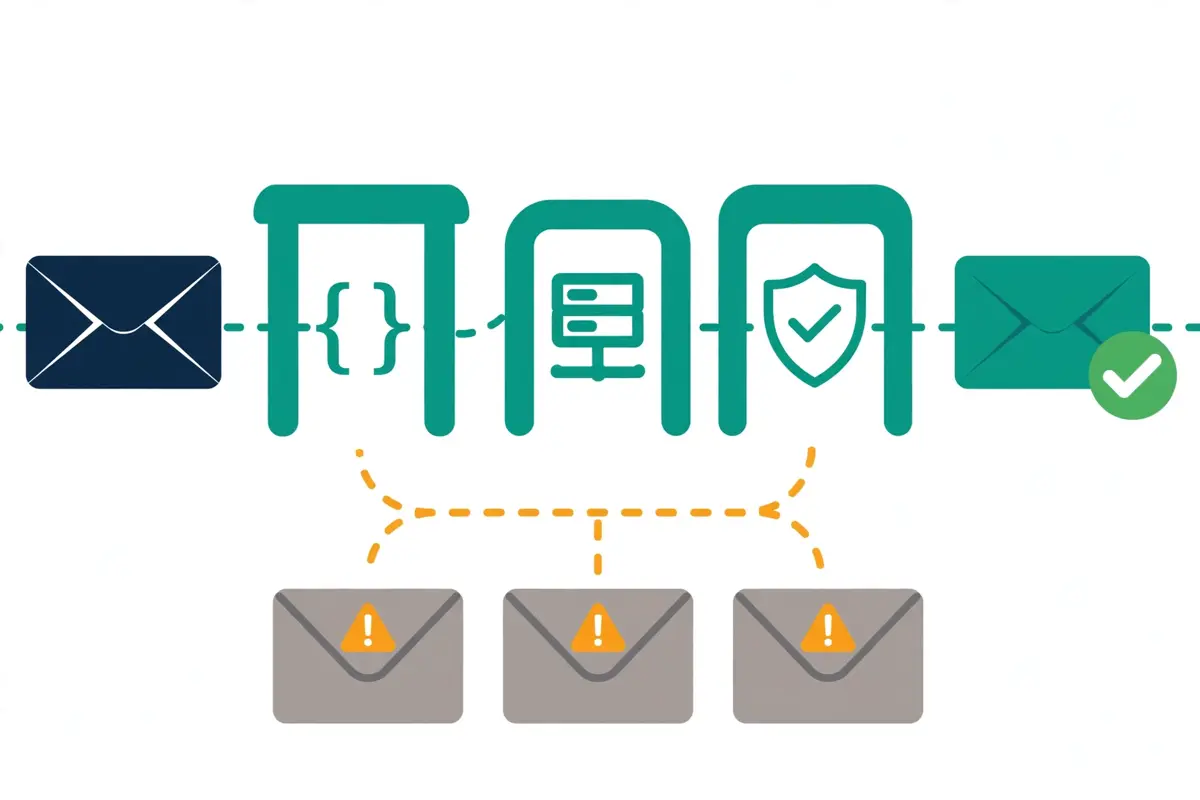
    Woodpecker vs Smartlead decision guide: a simple single-envelope path against a busy multi-mailbox hub
    Woodpecker vs Smartlead comes down to three questions. How many prospects do you contact each month, which channels do your reps use every day, and do you manage clients? Answer those three honestly and the right tool reveals itself.

    Pick Woodpecker when you want simple, usage-priced sending

    Pick Woodpecker when you want prospecting, outreach and deliverability in one tool, with warmup and verification already included. Choose Woodpecker when your list is modest, because $35 a month for 500 contacted prospects is the lowest honest entry price in this Woodpecker vs Smartlead comparison once you count warmup. Small teams should pick Woodpecker because unlimited team members never add to the bill. LinkedIn-first teams should pick Woodpecker when they work LinkedIn every day, because cloud LinkedIn actions and Aircall calling are built in. A tight budget also points to Woodpecker, because the 14-day trial with all features and no card lets you test the whole platform properly.

    Pick Smartlead when you want scale and agency infrastructure

    Pick Smartlead when you send at high volume across many mailboxes, because Unlimited Smart covers 150,000 sends for $174 a month with the premium Warmup Pool free. Choose Smartlead when you manage clients, because client workspaces from Pro, white-label portals and a dedicated manager are built for agencies. High-volume teams should pick Smartlead when their list is bigger than their team, because unlimited mailboxes and inbox rotation carry the load. Smartlead also makes sense when you already pay for a warmup tool, a verification tool and a mailbox provider, because Smartlead may replace three subscriptions with one, which can make the headline price look much fairer once you add up what you stop paying for.

    Agencies that need dedicated servers should pick Smartlead when they want SmartServers and SmartDelivery placement testing under one roof. Pick Smartlead when you want the flat monthly price, because a fixed bill is easier to budget than a slider that moves with your list.

    Woodpecker vs Smartlead: the five-minute decision test

    In short, try this test before you buy either tool. Write down how many prospects you contact each month, which channels each person uses every day, and how many mailboxes you run. If the answer is under 2,000 prospects, mostly email with some LinkedIn, Woodpecker is the pick. A team that contacts more than 10,000 prospects a month, runs dozens of mailboxes, or manages clients should pick Smartlead. If you still cannot decide, open both trials on the same day, build an identical small sequence in each tool, and send it to a similar list. The tool that feels easier after a week of real use is the right one for your team, whatever this Woodpecker vs Smartlead comparison says.

    Switching later is always possible

    Remember too that switching later is always possible, and it is no disaster. Lists export as CSV, sequences can be rebuilt, and sending domains can move with you. Choosing the wrong tool costs a few weeks of learning, not a lost year. So choose the tool that matches how you sell today, test it with a live campaign, and switch later if your team outgrows it. That beats chasing the longest feature list every time.

    Woodpecker vs Smartlead verdict

    Our verdict — Best for simple, usage-priced sending: Woodpecker. Best for high-volume agency infrastructure: Smartlead.

    Woodpecker is the strongest pick when a small team, a founder or a small agency wants prospecting, sending, warmup and reply management in one platform, with a price that follows the number of prospects contacted. The 1B+ Lead Finder database, free unlimited verification, included warm-ups and multichannel sequences are a combination its rivals do not match at $35 a month. Smartlead is the strongest pick when a team sends at high volume across many mailboxes, or manages outreach for clients and needs white-label portals, dedicated servers and placement testing. Unlimited mailboxes, inbox rotation, the Master Inbox and flat-rate pricing earn the higher price for teams that use them daily. Begin with the free trial of the tool that suits your team, build a small verified list, and run a genuine test sequence before committing.

    We have not given either tool a numeric score yet, because scores only follow hands-on testing. Best-for labels reflect each tool’s stated focus.

    Visit Woodpecker →Check Smartlead Pricing →

    The longer version of the verdict

    Overall, that is the short version of this Woodpecker vs Smartlead comparison. The longer version is simple too. Woodpecker wins on simplicity and included warmup. It does not win every single category. Smartlead wins on high-volume infrastructure and agency features. Woodpecker wins on database value and free verification. Smartlead wins on mailbox scale and placement testing. Yet no rival covers as much of the outbound job in one usage-priced subscription as Woodpecker, and no rival in this Woodpecker vs Smartlead comparison offers infrastructure as deep as Smartlead’s at a flat monthly price. In the end, for most small teams, Woodpecker’s simplicity at $35 a month is worth more than a specialist edge in one area, while for teams that send at scale, Smartlead’s infrastructure is worth the extra money.

    Whichever tool you end up choosing, the setup advice stays the same. Begin with a dedicated sending domain, warm it for two to four weeks, verify each address before sending, and keep your first sequences brief, specific and honest. Read our sending-domain setup guide before your first campaign, and read our cold email legal checklist before you launch, since the rules change by country. The tool you pick matters less than the list you build and the offer you write, and both tools in this Woodpecker vs Smartlead comparison will serve you well if you set them up properly.

    Woodpecker vs Smartlead: frequently asked questions

    Which is cheaper, Woodpecker or Smartlead?

    It depends on your volume, because the two tools charge in different ways. Woodpecker is cheaper at low volume: contacting 500 prospects costs $35 a month, against $39 a month for Smartlead Base. Woodpecker includes warmup while Smartlead charges $59 a month extra for its premium Warmup Pool on Base and Pro. Smartlead is cheaper at high volume: Unlimited Smart costs $174 a month for 150,000 sends with the Warmup Pool free, against $262 a month for Woodpecker at 15,000 contacted prospects. Work out your real monthly total, warmup included, before you compare either headline price.

    Did Woodpecker change its pricing?

    Yes. Woodpecker now charges by contacted prospects on a slider, verified on its official pricing page on 16 November 2026: $35 a month for 500 contacted prospects, $67 for 2,000, $99 for 4,000, $159 for 8,000, $188 for 10,000 and $262 for 15,000, with annual billing saving 33%. Our earlier Woodpecker review listed $39 a month for 5,000 emails and $26 a month on annual billing, verified 30 October 2026. That pricing is now out of date. Use the figures in this Woodpecker vs Smartlead comparison instead.

    Does Smartlead include warmup on every plan?

    No, and this is a common misunderstanding. Smartlead’s premium Warmup Pool is a $59-a-month add-on on Base and Pro. It is free only from Unlimited Smart upwards. Earlier articles, including some of our own, described unlimited AI warmup as included on every Smartlead plan, and that is wrong. Budget $59 a month for warmup on Base or Pro, or step up to Unlimited Smart at $174 a month, where the premium pool is included. Woodpecker, by contrast, includes warm-ups in the plan price, from 2 at entry to 30 at 15,000 prospects.

    Which tool is better for LinkedIn outreach?

    Woodpecker is better for LinkedIn outreach, because it runs email and LinkedIn in one campaign, with cloud LinkedIn actions, up to 250 direct messages a day, 50 InMails a month, 30 connection requests a day and 500 profile visits a day. Smartlead is email-first and does not offer native LinkedIn automation in its self-serve plans, although it does offer SmartDialer for calls as an add-on. If LinkedIn is your main channel, Woodpecker wins this part of the Woodpecker vs Smartlead comparison clearly. If LinkedIn is not part of your motion, Smartlead’s email depth is the stronger pick.

    Which tool has the bigger lead database?

    Woodpecker’s database is the bigger one you can measure clearly. Lead Finder holds 1B+ B2B contacts, with 100 free credits a month included and extra credits from $10 a month for 500, plus free unlimited email verification. Smartlead does not publish a headline database size on its pricing page. Instead, it includes contact and verified-email allowances, from 2,000 contacts and 2,000 verified emails a month on Base to unlimited contacts and 170,000 verified emails a month on Unlimited Prime, plus SmartProspect for finding ICP leads. On included database value, Woodpecker wins in this Woodpecker vs Smartlead comparison.

    Can I try Woodpecker or Smartlead for free?

    Yes — each tool offers a free trial, and neither one has a free-forever plan. Woodpecker offers a 14-day free trial with all features included and no credit card required. Smartlead offers a free trial with no credit card required, according to its pricing page FAQ, which does not state a length on the page we fetched. Use the trial to run a live campaign to a genuine list — only real sending shows deliverability, reply handling and reporting as they truly behave. When the trial ends, you move to a paid plan on both tools.

    Keep reading — next in this series

    You have the full Woodpecker vs Smartlead picture now. Go deeper with the reviews and guides that support it:

    Best for simple sending: Woodpecker — from $35/mo · Best for high-volume infrastructure: Smartlead — from $39/mo Visit Woodpecker
  • Saleshandy vs Reply.io 2026

    Saleshandy vs Reply.io 2026

    One flat price for the whole outbound job, against per-user multichannel power with an AI SDR

    Saleshandy vs Reply is the comparison to read when you want one platform for prospecting, sending and replies, and you cannot decide between a flat-rate all-in-one and a per-user multichannel specialist. Saleshandy starts at $34 a month on annual billing and bundles a 852M+ contact database, multichannel sequences, warmup and a CRM with no per-seat billing. Reply.io starts at $59 a month and adds fully automated LinkedIn outreach, calls, SMS and WhatsApp, plus Jason, an AI SDR that prospects, writes, answers replies and books meetings from $500 a month. This Saleshandy vs Reply comparison checks pricing, deliverability, databases, multichannel steps, AI, inbox handling, integrations and agency features on both official sites, so you can pick by fit, not by hype.

    Visit Saleshandy →See Reply.io Plans →

    Prices checked 16 November 2026 on Saleshandy’s and Reply.io’s official pricing pages. Features and pricing can change, so please check the provider’s site before you buy.

    Quick Answer

    Saleshandy wins on value and simplicity. Starter costs $34 a month on annual billing, covers one seat with 2,000 active prospects and 6,000 emails a month, and includes the 852M+ Lead Finder database, unlimited mailboxes, unlimited warmup and unlimited clients, with no per-seat billing at any level. Reply.io wins on multichannel depth and AI. Multichannel costs $99 per user a month and bundles automated LinkedIn, calls, SMS and WhatsApp in one sequence, while Jason, the AI SDR, starts at $500 a month and can run prospecting, writing, replies and meeting booking for you. Pick Saleshandy when you want the whole outbound job in one flat-priced tool, or when your team is growing and per-user pricing would sting. Pick Reply.io when your reps live on LinkedIn and the phone every day, or when an AI SDR would free up more time than it costs.

    Above all, this Saleshandy vs Reply comparison is good news for buyers, because both tools are strong and the choice is genuinely about fit. Neither tool is a bad buy, and neither one wins every category. Saleshandy is the broader all-in-one at the lower price, while Reply.io is the deeper multichannel platform with the more powerful AI. Read on for the full Saleshandy vs Reply head-to-head, with pricing checked today, feature tables, real team costs, honest pros and cons, and a clear verdict.

    Saleshandy vs Reply at a glance

    First of all, it helps to see the two tools side by side before the detail begins. Saleshandy is an AI-powered multichannel outbound platform that has been building outreach tools since 2017, and it now serves more than 25,000 businesses, agencies and sales teams. Reply.io is an AI sales engagement platform that has been around for more than ten years and serves over 3,000 companies worldwide. Both tools find leads, send sequences, warm up mailboxes and collect replies in one inbox, so on the surface they look like twins.

    How the two tools charge differently

    In practice, the difference shows up in how they charge and how far they go on each channel. Saleshandy charges a flat monthly price per workspace, with seats included in the plan. Your bill stays the same when you hire your next rep. Reply.io charges per user on its Multichannel plan, so your bill grows with headcount. Every user gets fully automated LinkedIn, calls and SMS built in. For example, a five-person team pays $76 a month for Saleshandy Pro on annual billing, while the same five people on Reply.io Multichannel pay $445 a month on annual billing at the $89 rate we saw on 15 November, or $495 a month on monthly billing at the $99 rate shown today. That gap is the single biggest fact in this Saleshandy vs Reply comparison. Everything else in the article helps you judge whether Reply.io earns it.

    An assistant for your reps, against an AI SDR

    Similarly, the two tools differ on who does the work. Saleshandy gives you an AI Sequence Copilot that drafts sequences, AI Variants that write extra versions for testing, and AI enrichment that fills in prospect data, which means your team still runs the outreach. Reply.io gives you Jason, an AI SDR that can prospect, write, answer replies, handle objections and book meetings on its own, in autopilot or copilot mode. In short, Saleshandy is an assistant for your reps, while Jason aims to be an extra rep. Whether that extra rep is worth $500 a month is a question this Saleshandy vs Reply comparison answers in the AI section below.

    To sum up the shape of the choice, think of it this way. Saleshandy is the tool to pick when you want one subscription, one login and one flat price for prospecting, sending, warmup and reply management. Reply.io is the tool to pick when your sales motion runs across email, LinkedIn, calls and SMS every single day, and you want automation and AI to carry more of that motion for you. Both approaches work, and the rest of this Saleshandy vs Reply guide shows exactly where each one pulls ahead.

    Saleshandy vs Reply pricing in 2026

    To start with, here is the pricing head-to-head, checked on the official pricing pages on 16 November 2026. Saleshandy sells three plans, Starter, Pro and Scale, all flat-priced per workspace with seats included. Reply.io sells its platform in three main ways, Sales Outreach plans for human teams, AI SDR plans for Jason, and Agency plans for client work. Reply.io prices are starting prices, and they rise with active contacts, so treat the figures below as the floor, not the ceiling.

    Saleshandy vs Reply pricing models compared: one flat-rate card against one per-seat card
    Saleshandy vs Reply pricing starts from two different ideas. Saleshandy charges one flat monthly price per workspace, with seats included, while Reply.io charges per user on Multichannel, so a growing team pays more. The table below shows the full head-to-head.

    For clarity, one warning belongs right here, because Reply.io changed how its pricing page displays figures. The live page fetched on 16 November 2026 shows starting prices of $59 for Email Volume, $99 for Multichannel and $500 for AI SDR. The Agency card shows no price in the fetched text. The annual figures of $49 for Email Volume and $89 for Multichannel, the $800 monthly figure for Jason. The $166 Agency figure were all visible on the same page on 15 November 2026, and they are repeated in this Saleshandy vs Reply comparison with that date attached. Please confirm those four figures on Reply.io’s pricing page before you buy, because the page no longer shows them in the version we fetched today. Saleshandy’s figures, by contrast, were fully visible on its pricing page today, and they match the 15 November check exactly.

    Saleshandy vs Reply pricing table

    PlanPrice fromWhat you getBest forVisit
    Saleshandy — StarterBest for solo senders$34/mo annual ($408/year)
    $41/mo monthly
    1 seat, 2,000 active prospects, 6,000 emails/mo, 1,500 Lead Finder credits/moA solo founder or SDR testing outboundVisit Site →
    Saleshandy — ProBest for growing teams$76/mo annual ($912/year)
    $99/mo monthly
    10 seats, 30,000 active prospects, 100,000 emails/mo, 4,000 Lead Finder credits/moA team of two to ten peopleVisit Site →
    Saleshandy — ScaleBest for agencies & scale$149/mo annual ($1,788/year)
    $189/mo monthly
    Unlimited seats and active prospects, 200,000 emails/mo, 8,000 Lead Finder credits/moAgencies and larger teamsVisit Site →
    Reply.io — Email VolumeBest for email-only teamsFrom $59/mo
    $49/mo billed annually*
    1,000 active contacts, unlimited users, unlimited emails, unlimited mailboxes (fair use), 50 data credits/moEmail-only outbound at any team sizeVisit Site →
    Reply.io — MultichannelBest for SDR teamsFrom $99/user/mo
    $89/user/mo billed annually*
    Email, LinkedIn, calls, SMS and WhatsApp, unlimited active contacts on annual, 5 mailboxes/user monthlyReps who work every channel dailyVisit Site →
    Reply.io — AI SDR (Jason)Best for hands-off outboundFrom $500/mo annual
    $800/mo monthly*
    1,000 active contacts, 2 LinkedIn accounts, Jason prospects, writes, answers and books meetingsTeams with more prospects than repsVisit Site →
    Reply.io — AgencyBest for agenciesFrom $166/mo*Client workspaces, agency dashboard, unlimited clientsAgencies running client outreachVisit Site →

    What the pricing table leaves out

    * Reply.io annual figures ($49, $89), Jason monthly ($800) and Agency ($166) were visible on reply.io/pricing on 15 November 2026 but were not shown in the page fetched on 16 November 2026, which shows starting prices of $59, $99 and $500. Please confirm those figures on the site before you buy. Saleshandy prices last checked: 16 November 2026 on saleshandy.com/pricing. Features and pricing can change, so please check the provider’s site before you buy. We do not guess at features, prices or trials.

    Trials and add-ons

    In fact, the trial terms are part of the price, because they decide how long you get to test before you pay. Saleshandy offers a 7-day free trial with no credit card required. It gives you full access, including Lead Finder, the AI tools and sequences, plus 50 free Lead Finder credits. Reply.io offers a 14-day free trial covering the platform’s core features, which gives you two full weeks to build a sequence, test the database and run a real campaign. Seven days is short, and it is not long enough to test warmup properly, since warmup needs weeks, not days. Fourteen days is fairer. It is one of the clearest small wins for Reply.io in this Saleshandy vs Reply comparison.

    Moreover, neither tool offers a free plan that never expires. The trial is your only free look at either one. Once the trial ends, you move to a paid plan on both tools. That makes the trial period worth using properly. Connect a mailbox on day one, build a small list, and send a real test sequence to real prospects, because only a real campaign shows you deliverability, reply handling and reporting as they actually behave.

    Add-ons that change the real bill

    Finally, add-ons deserve a careful read on both sides, because they change the real monthly bill. Saleshandy sells Email Infrastructure separately, with domains at $14 a year and mailboxes from $2.99 a month on the annual fixed option. Its built-in Dialer for calls is a paid extra whose price is not stated on the pricing page, so check it before you budget for calling.

    Reply.io charges $69 a month per account for LinkedIn automation and $29 a month per account for calls and SMS on the Email Volume plan, $29 a month for each extra mailbox on Multichannel, from $20 a month for email validation, and from $39 a month for AI and live data credit packs. Reply.io also sells sending domains from $6 a year plus $5 per mailbox a month, or a pre-warmed domain from $25 a year plus $15 per mailbox a month with three pre-warmed mailboxes included. In sum, Saleshandy’s add-ons are cheaper and fewer, while Reply.io’s add-ons are the price of its multichannel depth.

    What a solo sender, a team of five and an agency actually pay

    Next, headline prices hide the real cost, so here is the arithmetic for three typical buyers. Every figure below is labelled so you can check it, and the Reply.io annual figures carry the same 15 November flag as the pricing table above. Saleshandy’s figures were all verified on its pricing page today, 16 November 2026.

    Saleshandy vs Reply cost table

    BuyerSaleshandyReply.ioThe gap
    Solo sender, 1 user$34/mo annual (Starter, $408/year)
    $41/mo monthly
    From $59/mo (Email Volume, 1,000 active contacts)
    $49/mo annual*
    Reply.io costs $25/mo more on annual billing, or $15/mo more than Saleshandy’s monthly price
    Solo sender who needs LinkedIn$34/mo annual (Starter)
    LinkedIn steps are tasks, not automated sends
    From $99/user/mo (Multichannel)
    $89/user/mo annual*
    Reply.io costs $65/mo more on annual billing, and it automates LinkedIn properly
    Team of 5, email only$76/mo annual (Pro, 10 seats included, $912/year)From $59/mo (Email Volume, unlimited users)
    $49/mo annual*
    Reply.io is cheaper here: $17/mo less on annual billing, with unlimited emails
    Team of 5, multichannel$76/mo annual (Pro)
    Multichannel steps included, LinkedIn task-based
    $445/mo annual (5 x $89*)
    $495/mo monthly (5 x $99)
    Saleshandy is $369/mo cheaper on annual billing, or $419/mo cheaper than Reply.io monthly
    Agency, many clients$149/mo annual (Scale, unlimited seats and clients, $1,788/year)From $166/mo* (Agency, unlimited clients)Saleshandy is $17/mo cheaper, before either side’s add-ons
    Adding an AI SDRNo AI SDR equivalent
    AI Copilot drafts sequences for your reps
    From $500/mo annual (Jason, 1,000 contacts)
    $800/mo monthly*
    Jason is a separate $6,000-a-year line item on annual billing

    * Reply.io annual figures ($49, $89), Jason monthly ($800) and Agency ($166) were visible on reply.io/pricing on 15 November 2026 but were not shown in the page fetched on 16 November 2026. Please confirm those figures on the site before you buy. Arithmetic: team-of-five Reply.io Multichannel is 5 users multiplied by the per-user rate; Saleshandy Pro covers 10 seats in one flat price. Last checked: 16 November 2026.

    The team-of-five gap

    Above all, the team-of-five row is where this Saleshandy vs Reply comparison turns into a real decision. A five-person team running multichannel outreach pays $76 a month with Saleshandy Pro, against $445 a month with Reply.io Multichannel on annual billing, which is a difference of $4,428 a year. That is not a rounding error, and it is the reason Saleshandy wins the value argument so clearly. Reply.io has to earn that extra money with better LinkedIn automation, better calling, and Jason. For some teams it does.

    By contrast, the email-only team-of-five row flips the other way, and it is worth noticing. Reply.io Email Volume costs from $59 a month for a whole team, because it charges by active contacts rather than by seat, with unlimited users and unlimited emails. Saleshandy Pro costs $76 a month for the same team. The difference is small, only $17 a month on annual billing, yet it shows that Reply.io is not expensive everywhere. Its pricing only gets steep when you add seats on Multichannel, or when you add Jason.

    In short, work out your real monthly total before you compare either headline price. Add the LinkedIn add-on, the calls add-on, the extra mailboxes, the validation and the data credits on the Reply.io side, and add the Email Infrastructure and Dialer costs on the Saleshandy side. Then compare the totals, not the starting prices. That habit will save you from the most common surprise in this Saleshandy vs Reply comparison, which is a bill that is much higher than the number on the pricing page.

    Saleshandy vs Reply deliverability and warmup: who keeps you out of spam

    First of all, deliverability is where cold email succeeds or fails, and both tools treat it as a core feature rather than an add-on. Saleshandy warms up unlimited connected mailboxes at no extra cost on every plan, with sender rotation, rotating IPs, domain health checks, DKIM and DMARC checks, and inbox placement testing through Inbox Radar. Reply.io offers warmup, inbox rotation, SPF, DKIM, DMARC and MX checks, custom tracking domains, a Google Postmaster integration and an email health check. On paper, the two lists look almost identical, so the differences sit in the details.

    Saleshandy vs Reply deliverability: warmup, inbox rotation and placement testing compared
    Saleshandy vs Reply deliverability comes down to warmup depth against infrastructure breadth. Saleshandy warms up unlimited mailboxes through TrulyInbox and tests placement with Inbox Radar, while Reply.io warms up through Mailtoaster.ai and sells ready-made domains and mailboxes. Both tools need two to four weeks of warmup before you send at volume.

    Warmup through TrulyInbox and Mailtoaster.ai

    For example, Saleshandy’s warmup runs through TrulyInbox, its sister warmup tool, which is a real dedicated system rather than a checkbox feature. You can fine-tune warmup volume, ramp-up speed and reply rates, and Sequence Score rates your sequence before you send it. You can fix risky copy early. Reply.io’s warmup runs through Mailtoaster.ai, and every extra mailbox you buy on Multichannel includes a free warmup seat there. In practice, both warmups do the same job. Neither one can warm a brand-new domain in a day, so plan for two to four weeks of warmup before you send at volume, whichever tool you pick.

    Similarly, both tools put sensible limits on unlimited mailboxes. Saleshandy connects as many sending mailboxes as you want with no per-inbox fees, although its Compare Plans section notes a daily warmup sending limit per plan and a sender rotation cap of 10 email accounts on Starter, 100 on Pro and 1,000 on Scale. Reply.io offers unlimited mailboxes on Email Volume under a fair usage policy, which ties the number of mailboxes to your active contacts and sending activity, and 5 mailboxes per user on Multichannel monthly billing. In short, unlimited means unlimited within fair use on both sides. Very high-volume senders should read the fair usage policy first.

    Ready-made sending infrastructure

    Moreover, Reply.io goes further on ready-made sending infrastructure, which matters if you are setting up cold email properly for the first time. You can buy a new domain from $6 a year plus $5 per mailbox a month, with SPF, DKIM and DMARC configured for you, or a pre-warmed domain from $25 a year plus $15 per mailbox a month, which arrives with three pre-warmed mailboxes and a faster start. Saleshandy’s Email Infrastructure add-on does the same job, with domains at $14 a year and mailboxes from $2.99 a month, pre-configured with SPF, DKIM and DMARC. Both options remove several fiddly steps, and our guide to setting up a sending domain explains why each of those steps matters.

    To sum up this section, there is no clear deliverability winner in this Saleshandy vs Reply comparison. Saleshandy leads on included warmup depth, with Sequence Score and Inbox Radar giving you a pre-send check that Reply.io does not match in the same way. Reply.io leads on infrastructure convenience, with pre-warmed domains and a Google Postmaster integration. If your main worry is landing in the inbox, either tool covers you. The honest advice is to warm up patiently, send to verified addresses only, and keep your volume steady.

    Saleshandy vs Reply finding leads: database size, credits and enrichment

    Next, finding leads is where Saleshandy pulls clearly ahead on paper, because its database is bigger, cheaper to use, and included in every plan. Lead Finder holds 852M+ verified contacts across 42M+ companies. You can search by job title, seniority, department, industry, company size, revenue, location, tech stack and hiring signals. Pro and Scale unlock 70+ people filters and 40+ company filters, while Starter has 40+ people filters and 25+ company filters. You can also describe your ideal customer in plain English and let AI Lead Search find matching leads for you.

    Lead Finder credits: one credit per verified email

    In fact, the credit system is the fairest part of Saleshandy’s database. One credit reveals a verified email, six credits reveal a phone number, and seven credits reveal both together. If the email cannot be verified, you pay nothing. The waterfall queries eight data providers one after another, Prospeo, RocketReach, Findymail, Enrich.so and Scalelist among them. Then checks the result with ZeroBounce or BounceBan for catch-all domains. Starter includes 1,500 credits a month, Pro includes 4,000. Scale includes 8,000, and on annual billing your full year of credits is deposited upfront. Lead Finder also shows only contacts you have not pulled before, so you never pay twice for the same lead.

    By contrast, Reply.io’s database is strong but smaller in the credits it includes. Reply Data is a built-in B2B database with live data and enrichment, and Reply.io’s own pages describe a live database of over 1 billion global contacts, including 220+ million in the United States, with buyer intent signals, technology filters and advanced filters. Each plan includes only 50 live data credits a month, with paid credit packs available when you need more, starting at $39 a month for AI and live data credits. That is a real gap in this Saleshandy vs Reply comparison, because 50 credits a month covers a small list, while Saleshandy Starter alone includes 1,500.

    Finding emails while you browse LinkedIn

    Similarly, both tools help you find emails while you browse LinkedIn. Reply.io offers Findy, a LinkedIn email finder, plus a Chrome extension and a Gmail extension. Reps can pull verified emails while they browse LinkedIn or Sales Navigator. Saleshandy has no equivalent LinkedIn finder, although its Lead Finder covers the same job inside the platform, with CSV import and export, saved filter sets, and one-click sending of found leads straight into a sequence. In short, Saleshandy wins on database size and included credits, while Reply.io wins on finding emails in the browser.

    Finally, treat the accuracy claims on both sides as vendor claims, not independent tests. Saleshandy reports that 92% of emails were verified on the first try in its own customer tests, and a side-by-side test against Apollo and ZoomInfo that showed 23% higher email accuracy. Reply.io does not publish a comparable accuracy figure on its pricing page. The $0-for-unverified rule on the Saleshandy side is a real protection for your budget, whatever the accuracy claims say, because you only pay when a verified result comes back.

    Saleshandy vs Reply multichannel sequences: LinkedIn, calls, SMS and WhatsApp

    First of all, multichannel is where Reply.io earns its higher price. It is the clearest win in this Saleshandy vs Reply comparison. Reply.io runs email, LinkedIn, calls, SMS and WhatsApp in a single sequence, with conditional steps, workflow automations with triggers. Manual tasks for anything that needs a human touch. LinkedIn actions include profile visits, connection requests, messages, InMails, attachments, voice messages, likes, follows and skill endorsements. Calls run through a built-in dialler with call resolution, transcripts and AI-generated personalised voice messages. SMS can be sent at scale from the same sequence.

    In practice, a Reply.io sequence can run a whole play without leaving the platform. Start with a personalised first email, add a LinkedIn connection request two days later, follow up with a call if the prospect does not reply, and try SMS or WhatsApp if they still do not answer. The sequence plays the whole hand for you, while you stay in charge of the timing and order of each step. A/B testing lets you compare subject lines and email copy, and template and sequence statistics show which version earned more replies. That mix of flexibility and measurement is precisely what a team needs when it wants to get better at outbound instead of simply sending more of it.

    Where Saleshandy holds back on LinkedIn

    By contrast, Saleshandy runs email, calls, LinkedIn and WhatsApp in one sequence too. Its LinkedIn steps are task-based, so LinkedIn actions are tasks for your team rather than fully automated sends. That is an honest limit, and it matters. If your reps work LinkedIn every day, task-based steps still work, because the sequence tells each rep what to do and when, yet they still have to do it by hand. Reply.io automates the LinkedIn steps, which saves real time at volume. Similarly, Saleshandy’s calling runs through a built-in Dialer that costs extra, while Reply.io includes calls and SMS in Multichannel and sells them as a $29 add-on on Email Volume.

    Moreover, WhatsApp is the one channel where the two tools are closer than they look. Saleshandy includes WhatsApp steps in its sequences, and Reply.io includes WhatsApp tasks too, so both tools cover the channel. Reply.io also adds Agentic Chat, a sales-trained AI chat that can talk to website visitors and turn them into booked meetings, which Saleshandy does not offer. In sum, Saleshandy covers multichannel well enough for most small teams, while Reply.io covers it deeply enough for teams that live on LinkedIn and the phone.

    Reply handling: out-of-office detection

    Video: Introducing Out-of-office reply detection | Saleshandy by Saleshandy on YouTube. This video is the creator’s property, embedded via YouTube for education. OutreachCompare is not affiliated with Saleshandy and does not claim ownership of this video.

    Above all, the out-of-office video above shows a smaller Saleshandy strength that is easy to miss. Saleshandy automatically detects out-of-office replies, pauses those prospects, and resumes them when they return. You never waste sends on someone who is away. Reply.io sorts replies with AI reply categorisation instead, grouping responses into interested, not interested or out of office, which saves time when a campaign brings in hundreds of replies. Both approaches keep your sequences polite and your follow-ups sensible, and both are worth having.

    To sum up this section, Reply.io wins multichannel clearly. It automates LinkedIn, includes calls and SMS, adds WhatsApp tasks and Agentic Chat, and keeps every channel in one sequence with conditional steps and triggers. Saleshandy is a genuine multichannel tool too, and its conditional subsequences, timezone sending, sender rotation and spintax are all solid, yet the task-based LinkedIn steps and the paid Dialer hold it back. If LinkedIn automation is your priority, this Saleshandy vs Reply comparison points to Reply.io.

    Saleshandy vs Reply AI features: Jason the AI SDR against the AI Sequence Copilot

    Next, AI is the second-biggest difference between the two tools, and it is the one that excites buyers most. Jason is Reply.io’s AI SDR, and it is the feature the company talks about most. Jason finds leads, drafts personalised sequences, replies to prospects, answers objections and books meetings, working in autopilot or copilot mode so your team keeps the level of control it wants. It also drafts AI icebreakers and personalised first-step emails, builds an AI-generated ideal customer profile. Sorts replies so your reps can spend their time on the conversations that are ready to move.

    For example, Jason can take on the whole first half of your outbound. It finds leads in the live database, researches them, writes the sequence, sends the first touch, answers common objections, and books the meeting, while your human reps handle the conversations that actually need a person. Reply.io also offers AI voice messages on LinkedIn, an AI email assistant that helps reps write better messages faster, and an AI sequence builder that suggests a structure based on a goal such as booking demos with early-stage SaaS founders. Used well, Jason saves hours every week. Used blindly, it can send messages that feel generic, which is the opposite of what good outbound should do, so review its drafts and keep the tone close to how your team actually talks.

    The AI Copilot: a helper, not a replacement

    By contrast, Saleshandy’s AI is a helper for your reps, not a replacement for them. The AI Sequence Copilot generates a full outreach sequence in seconds from your goals, offer and audience. AI Variants write multiple versions of each email, so you can A/B test what converts without writing every version yourself. AI enrichment refreshes prospect and company details for personalisation at scale, while AI variables drop that data into each email automatically. Saleshandy also connects to Claude, ChatGPT and Gemini through the Model Context Protocol, with CLI access for custom workflows, which is a modern touch that most rivals do not offer yet.

    Similarly, the AI credit limits show how each tool thinks about AI. Saleshandy includes AI credits on every plan, with 100 on Starter, 500 on Pro and 1,000 on Scale, and they power the AI Sequence Copilot and AI column enrichment. Reply.io includes AI features across its plans, with AI and live data credit packs starting at $39 a month when you need more. In short, Saleshandy gives you a useful AI assistant inside a flat-priced plan, while Reply.io sells you an AI colleague for $500 a month. The right choice depends on whether your team has more prospects than reps, because that is when Jason pays for itself.

    Jason in action

    Video: Jason AI SDR – Get Effective Outreach Ideas Built Into Sequences by Reply on YouTube. This video is the creator’s property, embedded via YouTube for education. OutreachCompare is not affiliated with Reply and does not claim ownership of this video.

    Finally, one honest warning belongs in this Saleshandy vs Reply AI section. AI writing still needs a human eye on both tools. The best sequences still start with a real reason to write to a real person, and the best results come when a rep reviews the AI’s drafts, checks the personalisation. Edits every email before it sends. Use the AI to draft, then edit every email yourself. That habit matters more than which AI you buy. It is the difference between outreach that earns replies and outreach that reads like a robot wrote it.

    Saleshandy vs Reply inbox, CRM and integrations

    First of all, both tools collect every reply in one shared inbox. Nobody on your team has to hunt through five mailboxes to find who answered. Saleshandy’s unified inbox brings every reply from every mailbox into one place, with a built-in CRM to track deals from first email to booked meeting, and a mobile app that extends the same workflow to your phone. Reply.io’s centralised inbox does the same job, with AI reply categorisation sorting responses into groups such as interested, not interested or out of office, plus reply, click and open tracking, email and sequence reporting, and team performance reports.

    In practice, the CRM difference is small but real. Saleshandy includes a built-in CRM that stores as many prospects as you like, organises them into lists, and tracks deals through your pipeline, which closes the loop between outreach and sales. Reply.io is designed to sit alongside your CRM rather than replace it, syncing contacts, accounts, calls, tasks and statuses in both directions. If you already run HubSpot or Salesforce, Reply.io’s two-way sync keeps both systems honest. If you do not have a CRM yet, Saleshandy’s built-in one means you do not need to buy one.

    Integrations and security

    Moreover, the integration lists are strong on both sides. Saleshandy syncs natively with Salesforce, HubSpot, Pipedrive and Zoho, plus Zapier for everything else, with a REST API, webhooks for real-time event notifications, and the MCP connector for AI assistants. Reply.io integrates natively with HubSpot, Salesforce, Pipedrive, Copper and Close, plus Zapier, Make and more than 100 other integrations, an API, webhooks, high-volume API access and an n8n node, plus a Gmail and Chrome extension and a meeting scheduler that books calls straight into the calendar. In short, Reply.io covers more tools, while Saleshandy covers the big four CRMs and adds the MCP connector that Reply.io does not list in the same way.

    Similarly, security and compliance are solid on both platforms, which matters when you trust a tool with your prospect data and your sending domain. Saleshandy is SOC 2 Type II certified, ISO 27001 certified and GDPR compliant, with two-factor authentication on every plan. Reply.io publishes a SOC 2 compliance report and offers live chat support, onboarding with a customer success manager on annual plans, and a video content library. Either tool is a safe choice for a European team handling prospect data at scale. Our cold email legal checklist covers the consent and opt-out rules that vary by country.

    Saleshandy vs Reply agency features: clients, workspaces and white label

    Next, agencies deserve their own section, because the two tools take opposite approaches to client work. Saleshandy includes unlimited clients on every plan, with separate teams and workspaces for each client, and no per-client fee. That is rare at this price, and it is one of the strongest reasons an agency would pick Saleshandy. The Scale plan adds 1:1 onboarding, priority support and a dedicated success manager, which is exactly what an agency needs when it runs outreach for many clients at once.

    By contrast, Reply.io sells agency features as a separate Agency plan, starting at $166 a month on the figure visible on 15 November 2026, with client workspaces, an agency dashboard and unlimited clients. Reply.io also builds custom solutions for teams above 20 people, with stronger API access, whitelabel options and tailored pricing. Larger buyers should speak to sales instead of guessing at a number. In practice, Reply.io’s agency offer is deeper, with a dedicated dashboard and whitelabel options, while Saleshandy’s offer is cheaper, because unlimited clients are included from Starter at $34 a month.

    What a small agency pays on each tool

    For example, a small agency with five clients and two staff would pay $34 a month on Saleshandy Starter, or $76 a month on Pro for ten seats. Every client would get a separate workspace. The same agency on Reply.io would pay from $166 a month on the Agency plan, before seats and add-ons. A larger agency that needs whitelabel portals and a dedicated agency dashboard may find Reply.io worth the extra money, yet a small agency that just needs separate workspaces will find Saleshandy hard to beat. In sum, Saleshandy wins agency value, while Reply.io wins agency depth.

    Finally, both tools help agencies protect deliverability across clients, which is where agency work usually breaks. Saleshandy gives every client unlimited connected mailboxes and unlimited warmup, with sender rotation across mailboxes. Reply.io gives agencies unlimited mailboxes under fair use, inbox rotation, warmup, and the option to buy separate sending domains per client. Either way, keep each client’s sending domain separate, warm up every new domain patiently, and never mix clients in one mailbox, because one client’s bad list can hurt every other client’s deliverability.

    Saleshandy vs Reply feature matrix

    To start with, here is the sending and deliverability matrix. You can see the two tools side by side on the features that decide whether your emails reach the inbox. A tick means the feature is stated on the provider’s official site. A dash means it is not confirmed there.

    Sending and deliverability matrix

    FeatureSaleshandyReply.io
    Unlimited connected mailboxes✓ No per-inbox fees✓ Fair use, Email Volume
    Warmup included✓ Unlimited, via TrulyInbox✓ Via Mailtoaster.ai
    Inbox rotation✓✓
    Inbox placement testing✓ Inbox Radar✓ Email health check
    Custom tracking domains✓✓
    SPF, DKIM and DMARC checks✓✓
    Google Postmaster integration—✓
    Sequence Score pre-send check✓—
    Ready-made sending domains for sale✓ $14/yr, mailboxes from $2.99/mo✓ From $6/yr + $5/mailbox/mo
    Pre-warmed domains for sale—✓ From $25/yr + $15/mailbox/mo
    Free trial✓ 7 days, no card✓ 14 days
    Free plan——

    Last checked: 16 November 2026 on saleshandy.com/pricing and reply.io/pricing. A tick means the feature is stated on the provider’s official site. A dash means it is not confirmed there. Features and pricing can change, so please check the provider’s site before you buy. We do not guess at features, prices or trials.

    Saleshandy vs Reply feature matrix: data, AI and agency

    Next, here is the second matrix, covering data, AI, multichannel steps and agency features. Read the two matrices together, because the first one covers sending and the second one covers the work around sending.

    FeatureSaleshandyReply.io
    Built-in B2B database✓ 852M+ contacts, 42M+ companies✓ Reply Data, 1B+ contacts claimed
    Included data credits✓ 1,500–8,000/mo by plan✓ 50/mo, packs from $39/mo
    Email verification included✓ One-time credits 500–5,000✓ Validation from $20/mo
    Multichannel sequences✓ Email, calls, LinkedIn tasks, WhatsApp✓ Email, LinkedIn, calls, SMS, WhatsApp
    Automated LinkedIn outreach— Task-based steps✓ Included on Multichannel
    Built-in dialler✓ Paid extra✓ Included on Multichannel
    AI SDR agent—✓ Jason, from $500/mo
    AI sequence writing✓ AI Sequence Copilot✓ AI sequence builder
    AI reply categorisation—✓
    Built-in CRM✓— Two-way CRM sync instead
    Native CRM integrations✓ Salesforce, HubSpot, Pipedrive, Zoho✓ HubSpot, Salesforce, Pipedrive, Copper, Close
    Unlimited clients for agencies✓ Every plan✓ Agency plan
    White-label client portals—✓ Custom solutions, 20+ teams
    Starting price$34/mo annualFrom $59/mo

    Last checked: 16 November 2026 on saleshandy.com/pricing and reply.io/pricing. Reply Data size of 1B+ contacts is Reply.io’s own claim on its blog and Jason pages. A tick means the feature is stated on the provider’s official site. A dash means it is not confirmed there. Features and pricing can change, so please check the provider’s site before you buy. We do not guess at features, prices or trials.

    Saleshandy vs Reply pros and cons

    Of course, no tool is perfect, and this Saleshandy vs Reply comparison would not be honest without the downsides. Here is the balanced picture for each tool, based on what each provider states on its own site and what its pricing and plans actually include.

    Saleshandy vs Reply: what we like about Saleshandy

    True all-in-one platform. Lead Finder, sequences, warmup, inbox and CRM live in one place, so you stop paying for four tools and stop copying data between them. Big verified database included. The 852M+ contacts across 42M+ companies, with $0 charged for unverified emails, is the best database deal in this Saleshandy vs Reply comparison. No per-seat billing. Seats come with the plan, with one on Starter, ten on Pro and unlimited on Scale. Your bill does not grow every time you hire. Unlimited mailboxes and warmup on every plan. No per-inbox fees protect deliverability as you scale. Multichannel sequences. Email, calls, LinkedIn and WhatsApp run in one sequence, with conditional follow-ups based on replies. Unlimited clients for agencies. Every plan includes unlimited clients, with separate teams and workspaces, which is rare at this price.

    Strong AI tools. The AI Sequence Copilot, AI Variants, enrichment tools and MCP connector all earn their place, rather than sitting there as decoration. Good ratings and compliance. The tool holds 4.6 out of 5 on G2 and 4.7 on Trustpilot, with SOC 2 Type II, ISO 27001 and GDPR compliance.

    Saleshandy vs Reply: where Saleshandy falls short

    Short 7-day trial. Seven days is enough to test the workflow, but not enough to test warmup properly, because warmup needs weeks, not days. Email Infrastructure and Dialer cost extra. Ready-made domains, mailboxes and calling are paid add-ons, so budget for them if you plan to scale fast. No free plan. When the trial ends, you move to a paid plan, and there is no free tier that never expires. Lead Finder credits cap your prospecting. Starter gives you 1,500 credits a month. Teams that prospect heavily will outgrow Starter and need Pro or Scale. LinkedIn steps are task-based. LinkedIn actions are tasks for your team, not fully automated sends, and pure LinkedIn automation tools go further. Advanced features need higher plans. Deeper Lead Finder filters, live chat, priority support and a dedicated success manager are all reserved for Pro or Scale.

    Saleshandy vs Reply: what we like about Reply.io

    True multichannel in one place. Email, LinkedIn, calls, SMS and WhatsApp all live inside one sequence, so reps stop switching between tools and every reply arrives in the same inbox. Jason, the AI SDR, is genuinely useful. It prospects, writes, answers and books meetings, which can save a busy team hours every week when a human reviews its work. Built-in B2B data. With Reply Data, live enrichment and the Findy LinkedIn extension, list building happens inside Reply.io rather than inside a separate subscription. Strong deliverability tooling. Warmup, inbox rotation, unlimited mailboxes under fair use, custom tracking domains and domain purchase cover the infrastructure properly. Unlimited users and emails on Email Volume. A growing team pays nothing per seat on the entry plan, and monthly sends carry no cap.

    Good integrations. Native sync covers HubSpot, Salesforce, Pipedrive, Copper and Close, and Zapier, Make, an API, webhooks and an n8n node cover the rest. Longer 14-day free trial. Fourteen days is enough to run a real campaign and judge the platform on evidence rather than on a demo.

    Saleshandy vs Reply: where Reply.io falls short

    Per-user pricing adds up fast. Multichannel at $99 per user a month means five seats cost about $495 a month before add-ons, which is far more than Saleshandy for a similar team. Jason is expensive. The AI SDR starts at $500 a month on annual billing. The headline feature is a serious purchase, not a casual upgrade. Add-ons stack up. On Email Volume, LinkedIn at $69 and calls and SMS at $29 per account, together with data credits, validation and extra mailboxes, can push the real monthly bill well past the headline price.

    Only 50 data credits a month are included. Heavy prospecting teams will need paid credit packs from $39 a month, while Saleshandy includes thousands of credits. Big platform, real learning curve. New users should allow time to learn the sequence builder, the database and the inbox before the platform starts to feel natural. No WhatsApp or AI SDR on the cheaper plans. The complete multichannel and AI experience sits on the higher plans. The entry price does not buy the full product. Fair usage limits on unlimited mailboxes. On Email Volume, the unlimited mailboxes are linked to your active contacts and sending activity. Very high-volume senders should read the fair usage policy first.

    Saleshandy vs Reply: who should pick which

    First of all, the decision is simpler than the feature lists suggest, because it turns on three questions. How many people send, which channels do they use every day, and do you want an AI SDR or an AI assistant? Answer those three questions honestly, and the right tool picks itself.

    Saleshandy vs Reply decision guide: a simple path against a busy multichannel path
    Saleshandy vs Reply comes down to three questions. How many people send, which channels do they use every day, and do you want an AI SDR or an AI assistant? Answer those three honestly, and the right tool picks itself.

    Pick Saleshandy when you want flat-priced all-in-one value

    Pick Saleshandy when you want prospecting, outreach and deliverability in one tool, with no per-seat billing. Choose Saleshandy when your team is growing, because Pro covers ten seats for $76 a month on annual billing. Scale covers unlimited seats for $149 a month. Agencies should pick Saleshandy because every plan includes unlimited clients with separate workspaces. High-volume prospecting also favours Saleshandy, because 1,500 to 8,000 Lead Finder credits a month, with $0 for unverified emails, beats 50 data credits a month by a wide margin. Email-first teams should pick Saleshandy when they mainly send email, with LinkedIn and WhatsApp as supporting channels rather than the main event. A tight budget also points to Saleshandy, because $34 a month is the lowest starting price in this Saleshandy vs Reply comparison. The 7-day trial lets you test the whole platform with no card.

    Pick Reply.io when you want multichannel depth and an AI SDR

    Pick Reply.io when your reps live on LinkedIn and the phone every day, because automated LinkedIn, calls and SMS in one sequence are worth paying for. Choose Reply.io when you want Jason, the AI SDR, to prospect, write, answer replies and book meetings while your reps close. Small teams with huge lists should pick Reply.io, because Jason covers more ground than a small team can. Reply.io also makes sense when you already pay for a data provider, a LinkedIn automation tool and a dialler, because Reply.io may replace three subscriptions with one, which can make the headline price look much fairer once you add up what you stop paying for.

    Agencies that need a dedicated dashboard should pick Reply.io when they want whitelabel options and are ready to pay for them. Pick Reply.io when you want the longer trial, because fourteen days gives you a fairer test than seven.

    Saleshandy vs Reply: the five-minute decision test

    In short, try this test before you buy either tool. Write down how many people will send, which channels each person uses every day, and how many new prospects you need each month. If the answer is one to ten people, mostly email, with a big list to find, Saleshandy is the pick. A small team that works LinkedIn, calls and SMS all day, with more prospects than reps, should pick Reply.io. If you are still torn, start both trials on the same day, build the same small sequence in each tool, and send it to the same kind of list. The tool that feels easier after a week of real use is the right one for your team, whatever this Saleshandy vs Reply comparison says.

    Switching later is always possible

    Moreover, remember that switching later is possible, and it is not a disaster. Your lists export as CSV, your sequences can be rebuilt, and your sending domains can move. The cost of picking the wrong tool is a few weeks of learning, not a lost year. So pick the tool that fits how you sell today, test it with a real campaign, and change later if your team outgrows it. That is a healthier way to buy software than chasing the longest feature list.

    Saleshandy vs Reply verdict

    Our verdict — Best for all-in-one value: Saleshandy. Best for multichannel and AI SDR: Reply.io.

    Saleshandy is the strongest pick when a small team, an agency or a founder wants prospecting, sending, warmup and reply management in one platform, without per-seat billing. The 852M+ verified Lead Finder database, multichannel sequences, unlimited mailboxes and unlimited clients are a combination its rivals do not match at $34 a month. Reply.io is the strongest pick when a sales team works email, LinkedIn, calls, SMS and WhatsApp every day, and wants an AI SDR to carry the first half of outbound for it. Jason, automated LinkedIn and the deeper calling features earn the higher price for teams that use them daily. Start on the free trial of the tool that fits your team, build a small verified list, and send a real test sequence before you commit. We have not scored either tool yet, because scores come only after hands-on testing. Best-for labels reflect each tool’s stated focus.

    Visit Saleshandy →Check Reply.io Pricing →

    The longer version of the verdict

    Overall, that is the short version of this Saleshandy vs Reply comparison. The longer version is simple too. Saleshandy wins on breadth and value. It does not win every single category. Reply.io wins on multichannel depth and AI. Saleshandy wins on database size and included credits. Reply.io wins on LinkedIn automation and calling. Yet no rival covers as much of the outbound job in one flat-priced subscription as Saleshandy, and no rival in this Saleshandy vs Reply comparison offers an AI SDR as capable as Jason. In the end, for most small teams, Saleshandy’s breadth at $34 a month is worth more than a specialist edge in one area, while for teams that live on LinkedIn and the phone, Reply.io’s depth is worth the extra money.

    Finally, whichever tool you pick, the setup advice is the same. Start with a separate sending domain, warm up for two to four weeks, verify every address before you send, and keep your first sequences short, specific and honest. Read our guide to setting up a sending domain before your first campaign, and read our cold email legal checklist before you launch, because the rules vary by country. The tool you pick matters less than the list you build and the offer you write, and both tools in this Saleshandy vs Reply comparison will serve you well if you set them up properly.

    Saleshandy vs Reply: frequently asked questions

    Which is cheaper, Saleshandy or Reply.io?

    Saleshandy is cheaper for most buyers. Saleshandy Starter costs $34 a month on annual billing, while Reply.io Email Volume starts at $59 a month. Multichannel starts at $99 per user a month. A five-person multichannel team pays $76 a month on Saleshandy Pro, against $445 a month on Reply.io Multichannel at the annual rate of $89 per user seen on 15 November 2026. The one exception is an email-only team of five, where Reply.io Email Volume at from $59 a month is cheaper than Saleshandy Pro at $76 a month, because Reply.io charges Email Volume by active contacts rather than by seat.

    Is Saleshandy better than Reply.io for agencies?

    It depends on the size of the agency. Saleshandy is better for small agencies, because every plan includes unlimited clients with separate teams and workspaces, from $34 a month. Scale adds a dedicated success manager at $149 a month. Reply.io is better for larger agencies that need a dedicated agency dashboard and whitelabel options, which come with its Agency plan from $166 a month on the figure visible on 15 November 2026, and custom solutions for teams of more than 20 people. Our guide to the best cold email tools for agencies compares both tools with more agency specialists.

    Does Reply.io have an AI SDR, and does Saleshandy?

    Reply.io has Jason, an AI SDR that prospects, writes personalised sequences, answers replies, handles objections and books meetings, in autopilot or copilot mode, from $500 a month on annual billing. Saleshandy has no AI SDR equivalent. Instead, it offers the AI Sequence Copilot, which drafts sequences for your reps, AI Variants for testing, and AI enrichment, with AI credits included on every plan. If you want an AI colleague that runs outbound for you, Reply.io is the pick in this Saleshandy vs Reply comparison. If you want an AI assistant that helps your reps, Saleshandy covers you.

    Which tool is better for LinkedIn outreach?

    Reply.io is better for LinkedIn outreach, because it automates LinkedIn fully on its Multichannel plan, with connection requests, messages, InMails, voice messages, likes, follows and endorsements built into the sequence. Saleshandy includes LinkedIn steps in its sequences, but they are task-based, so your team does them by hand. If LinkedIn is your main channel, Reply.io wins this part of the Saleshandy vs Reply comparison clearly. If LinkedIn is a supporting channel, Saleshandy’s task-based steps are enough.

    Which tool has the bigger lead database?

    Saleshandy’s database is the bigger one you can measure clearly. Lead Finder holds 852M+ verified contacts across 42M+ companies, with 1,500 to 8,000 credits a month included by plan, and $0 charged for unverified emails. Reply.io’s Reply Data is a built-in B2B database that Reply.io describes as a live database of over 1 billion global contacts, with only 50 live data credits a month included, and paid credit packs from $39 a month. On included credits, Saleshandy wins by a wide margin in this Saleshandy vs Reply comparison.

    Can I try Saleshandy or Reply.io for free?

    Yes, both tools offer a free trial and neither offers a free plan. Saleshandy offers a 7-day free trial with full access and no credit card required, including 50 free Lead Finder credits. Reply.io offers a 14-day free trial covering the platform’s core features. Use the trial to run a real campaign to a real list, because only a real campaign shows you deliverability, reply handling and reporting as they actually behave. When the trial ends, you move to a paid plan on both tools.

    Keep reading — next in this series

    You have the full Saleshandy vs Reply picture now. Go deeper with the reviews and guides that support it:

    Best for value: Saleshandy — from $34/mo · Best for multichannel + AI SDR: Reply.io — from $59/mo Visit Saleshandy
  • ZeroBounce vs NeverBounce 2026

    ZeroBounce vs NeverBounce 2026

    A full deliverability suite against a focused verification specialist — and a clear winner for each job

    ZeroBounce vs NeverBounce is the most useful head-to-head in email verification, because the two tools answer the same question in opposite ways. ZeroBounce bundles verification with scoring, an email finder, warmup, inbox placement tests, blacklist monitoring and DMARC checks, from $39 for a one-off pack or $99 a month for the ONE subscription. NeverBounce does one job, verification, and does it fast and cheaply, from $8 per 1,000 credits or $49 a month on its Growth plan. This ZeroBounce vs NeverBounce comparison checks pricing, accuracy, verification types, speed, bulk handling, real-time checks, scoring, integrations and data handling on both official sites, so you can pick with confidence.

    Visit ZeroBounce →See NeverBounce Plans →

    Prices checked 16 November 2026 on ZeroBounce’s and NeverBounce’s official pricing pages. Features and pricing can change, so please check the provider’s site before you buy.

    Quick Answer

    ZeroBounce wins on breadth. Its ONE subscription at $99 a month bundles 10,000 verification credits with scoring, an email finder, warmup, inbox placement tests, blacklist monitoring and DMARC checks, plus a 100-credit free plan every month. NeverBounce wins on price and speed. Pay as you go starts at $8 per 1,000 credits, Growth costs $49 a month, and the official site says 10,000 emails can be cleaned in as little as 3 minutes. ZeroBounce leads on detail, returning more than 30 statuses and sub-statuses per address, while NeverBounce leads on simplicity, with five clear statuses and a hybrid check that resolves more catch-all domains outright.

    Accuracy claims are close on paper, with ZeroBounce guaranteeing 99.6% and NeverBounce claiming 99.9%, yet independent tests disagree by thirty points depending on how unknown results are counted. Credit expiry is the quiet difference: ZeroBounce credits never expire while a ONE subscription is active, while NeverBounce pay-as-you-go credits expire 12 months after purchase. Bouncer is the cost benchmark in this ZeroBounce vs NeverBounce comparison, at $8 for 1,000 checks and $400 for 100,000, with credits that never expire.

    Why this ZeroBounce vs NeverBounce comparison settles the choice

    Every cold email campaign stands or falls on the quality of its list, and the two best-known verifiers both promise the same thing: fewer bounces, a safer sender reputation, and more of your emails reaching real inboxes. ZeroBounce and NeverBounce have cleaned lists for years, they both publish accuracy figures above 99%, and they both charge by the credit. That shared promise is exactly why the decision feels stuck.

    Look closer, and the two tools stop looking alike. ZeroBounce has grown into a deliverability suite, with scoring, finding, warmup and monitoring beside verification. NeverBounce has stayed a specialist, with one job, a fast engine and a low price. One of them charges $39 before you can verify a single address, and the other starts at $8. One of them answers a catch-all with a score, and the other answers it with a second, deeper check. Each difference points at a different kind of buyer.

    This ZeroBounce vs NeverBounce comparison takes those differences in turn. Pricing leads, because $39 against $8 is the first number every buyer sees. Cost per volume comes next, because the cheapest tool at 1,000 checks is not the cheapest at 100,000. Accuracy follows, with vendor claims kept firmly apart from independent benchmarks. Then come the checks themselves, bulk and real-time handling, scoring and monitoring, integrations and data handling, a feature matrix and the honest pros and cons. By the end, the right verifier, and the right way to buy it, should be clear.

    ZeroBounce and NeverBounce in plain English: a deliverability suite against a verification specialist

    ZeroBounce is an email verification and deliverability platform used by more than 650,000 clients, according to its own site. You upload a list or connect the API, and it returns a status for every address, from valid and invalid to catch-all, disposable, abuse and spam trap, with more than 30 statuses and sub-statuses in total. Beside verification sit AI scoring, an email finder, domain search, warmup, inbox placement tests, blacklist monitoring and DMARC monitoring, all bundled into the ONE subscription. It suits a team that wants the whole deliverability toolkit under one login. Verification starts with a free plan of 100 credits a month, pay as you go from $39 for 2,000 credits, or ONE from $99 a month.

    NeverBounce is a verification-only service, now owned by ZoomInfo, which acquired it in 2019. You bring a list, it tells you which addresses are safe to send to, and that is the whole product. Verification runs through a hybrid check that combines accept-all detection with real-time mailbox checks, returning five statuses: valid, invalid, disposable, catch-all and unknown, with role addresses flagged separately. Nothing here finds addresses, enriches contacts or sends campaigns. It fits a team that already owns its list and wants it cleaned quickly and cheaply. Verification starts at $8 per 1,000 pay-as-you-go credits, or $49 a month on Growth.

    Two tools, one job, different shapes in this ZeroBounce vs NeverBounce comparison

    Both tools cover the same core job at heart. You begin with a list of addresses, some of which are dead, risky or fake. You then run the list through the verifier, which checks syntax, domain, mail server and mailbox in turn. Next you download the results, keep the valid addresses, and drop or quarantine the rest. To finish, you send to the clean list and watch the bounce rate fall. Because the loop matches on both tools, the decision rests on what happens around it: price, speed, detail and the extras.

    What ZeroBounce adds on top of verification in this ZeroBounce vs NeverBounce comparison

    Above all, ZeroBounce turns from a verifier into a deliverability platform through the ONE bundle. AI scoring grades every address from 0 to 10 on its likelihood to engage, activity data shows whether a mailbox has been active in the past 30 to 365 days, and the email finder locates addresses from a name and domain. Warmup keeps new senders healthy, inbox placement tests show where mail actually lands, blacklist monitors scan every 8 hours, and a DMARC monitor watches authentication. A team that buys those tools separately elsewhere can replace several subscriptions with one.

    Moreover, ZeroBounce adds verification depth that NeverBounce does not match on paper. Its results carry sub-statuses that name the exact reason an address failed, such as mailbox not found, mailbox quota exceeded, global suppression or mail server did not respond. That granularity lets a team build suppression rules per failure type instead of one blunt valid-or-invalid split. Our best email verification tools compared guide sets both tools against four more rivals.

    What NeverBounce adds on top of verification in this ZeroBounce vs NeverBounce comparison

    NeverBounce, meanwhile, turns from a verifier into an always-on cleaning service through Growth and Sync. The Growth plan re-verifies CRM and email platform lists automatically on a daily, weekly or monthly schedule, charging only for new, unique emails, so duplicates are free. AI scoring ranks leads by likelihood to convert, and 200 AI-picked leads a month arrive matched to your best customers. A team that verifies the same lists every month can set it once and forget it.

    Similarly, NeverBounce adds speed and human review where it counts. The official features page says 10,000 emails can be cleaned in as little as 3 minutes, and independent reviews report a real-time API response around 15 milliseconds, fast enough for a signup form to check an address while the visitor is still typing. When a list returns many unknowns, the NeverBounce team reviews it personally, which is a human touch neither rival advertises. The free Instant Bounce Analysis tells you whether a list needs cleaning at all before you pay for a full run.

    The one-sentence difference in this ZeroBounce vs NeverBounce comparison

    ZeroBounce is the deliverability suite: verification plus scoring, finding, warmup and monitoring, with the deepest result detail in the category, priced from $39 a pack or $99 a month. NeverBounce is the verification specialist: one job, five clear statuses, the fastest bulk cleaning in this ZeroBounce vs NeverBounce comparison, priced from $8 per 1,000 credits or $49 a month. A team that wants everything in one place will notice the difference in week one. A team that wants a clean list for the least money will notice it on the first invoice.

    Neither tool finds email addresses for you, except that ZeroBounce bundles an email finder inside ONE while NeverBounce finds none at all, so a team that still needs to build its list should read our guide to building a cold email list first. For a team that already owns its list, though, this pair stays the most useful match-up in verification.

    Pricing head-to-head in this ZeroBounce vs NeverBounce comparison

    Pricing is where this ZeroBounce vs NeverBounce comparison first gets interesting, because the two price lists work in different shapes. ZeroBounce sells a minimum pack of 2,000 credits for $39, then steps the per-credit price down as the pack grows, and sells a subscription that bundles the deliverability suite on top. NeverBounce sells credits from 1,000 at a time for $8, steps the price down with volume too, and sells a subscription that automates the cleaning instead of adding tools. A team that cleans one list a quarter and a team that cleans every week will read the same two price lists and reach opposite conclusions.

    All prices below come from the official pricing pages, read today, 16 November 2026. Where the live page shows only a headline rate and the volume ladder sits behind a slider, this ZeroBounce vs NeverBounce comparison says so plainly and labels the ladder figures as corroborated by independent checks of the same official page in October and November 2026. Where a price is not shown on the official page, the article says so instead of guessing.

    ZeroBounce vs NeverBounce comparison: two bar charts side by side, one bar growing taller with volume beside coin stacks, the other a flat monthly subscription card with a calendar icon, plus a small clock showing credits expiring
    Pricing in this ZeroBounce vs NeverBounce comparison: ZeroBounce sells minimum packs of 2,000 credits and a $99-a-month suite, while NeverBounce sells credits from 1,000 at a time and a $49-a-month subscription.

    ZeroBounce plans in this ZeroBounce vs NeverBounce comparison: Freemium, pay as you go and ONE

    PlanPrice*What you getBest forVisit
    ZeroBounce — FreemiumBest for testing$0 a month
    100 credits a month, refilled
    100 validation credits
    1 inbox test, 1 server test, 1 blacklist monitor, 10 Email Finder
    Trying accuracy on a sampleVisit Site →
    ZeroBounce — Pay as you goBest for one-off cleansFrom $39
    2,000 credits, minimum purchase
    1 credit per address
    Unknown results free, duplicates free
    Cleaning a list now and thenSee Pay As You Go →
    ZeroBounce — ONEBest for regular senders$99 a month
    $79 billed yearly, from 10,000 credits
    10,000 credits a month
    Scoring, Finder, warmup, placement tests, DMARC
    Monthly verification plus monitoringExplore ONE →

    * Last checked: 16 November 2026 on ZeroBounce’s pricing page. The page shows the $39 minimum pack, the $99 ONE entry point and the 100-credit free plan; the volume ladder and higher ONE tiers below are corroborated by independent checks of the same official page in October 2026, flagged as such. Features and pricing can change, so please check the provider’s site before you buy. We do not guess at features, prices or trials.

    Reading ZeroBounce’s pay-as-you-go ladder in this ZeroBounce vs NeverBounce comparison

    ZeroBounce’s pay-as-you-go ladder steps the per-credit price down as the pack grows, and the steps are worth knowing before you buy the minimum pack. The figures below were corroborated by independent checks of the same official page in October 2026, because the live page today shows the $39 minimum and asks you to enter a volume rather than printing the full ladder. The 10,000-credit pack costs $129, which works out at about $0.0129 per credit. Fifty thousand credits cost $499, and 100,000 cost $649, which works out at about $0.0065 per credit. One million credits cost $3,199, which works out at about $0.0032 per credit.

    ONE subscribers get 15% off additional pay-as-you-go credits, and unused ONE credits roll over while the subscription stays active. The ONE tiers above the entry point were corroborated the same way: 50,000 credits a month costs $379, and 100,000 credits a month costs $449. A 1,000,000-credit ONE tier at $2,499 a month was corroborated by a single independent November 2026 check of the same page, so treat that figure as indicative and confirm it at checkout. Annual billing saves 20% on ONE, taking the entry tier from $99 to $79 a month.

    Credit expiry is the detail most buyers overlook, and ZeroBounce states it plainly in its own FAQ. Credits never expire while a ONE subscription is active. Without a subscription, expiry rules may apply depending on when the account was created, and independent checks report that accounts created after 1 June 2026 see purchased credits expire two years after the most recent purchase. Either way, a team that buys a large pack and cleans slowly should check the expiry rule for its own account before paying.

    NeverBounce plans in this ZeroBounce vs NeverBounce comparison: pay as you go, Growth and Enterprise

    PlanPrice*What you getBest forVisit
    NeverBounce — Pay as you goBest for one-off cleans$8 per 1,000 credits
    Minimum purchase 1,000 credits
    1 credit per email
    Typo fixes, company name append, up to 10 lists at once
    Cleaning a list now and thenVisit Site →
    NeverBounce — GrowthBest for regular senders$49 a month
    Credit allowance not stated on the page
    Auto-sync with your CRM
    AI scoring, 200 AI-picked leads a month, duplicates free
    Teams verifying every monthSee Growth →
    NeverBounce — EnterpriseBest for large teamsCustom
    Typically 250,000+ emails a month
    Unlimited usage
    Dedicated manager, advanced security, custom rules
    Large teams with complex stacksGet a Quote →

    * Last checked: 16 November 2026 on NeverBounce’s pricing page. The page shows $8 per 1,000 credits and $49 a month for Growth, but states no credit allowance for Growth; the allowance and the volume tiers below are corroborated by independent checks of the same official page in October and November 2026, flagged as such. Features and pricing can change, so please check the provider’s site before you buy. We do not guess at features, prices or trials.

    Reading NeverBounce’s volume tiers in this ZeroBounce vs NeverBounce comparison

    NeverBounce’s volume tiers sit behind a slider on the pricing page, and several independent checks of that slider in October and November 2026 agree on the same ladder. Pay as you go costs $40 for 5,000 credits, $50 for 10,000, $125 for 25,000, $250 for 50,000, $400 for 100,000, $750 for 250,000, $1,500 for 500,000 and $2,500 for 1,000,000, with $4,000 buying 2,000,000. The per-credit price therefore falls from $0.008 at the entry tier to $0.002 at 2,000,000. The live page today shows only the $8 per 1,000 headline rate, so confirm the tier for your volume at checkout.

    Growth follows the same pattern. Independent checks report $49 a month for up to 10,000 emails, $99 for up to 50,000, $159 for up to 100,000, $249 for up to 250,000, $499 for up to 500,000 and $999 for up to 1,000,000. The page itself states no allowance at all, which is why this ZeroBounce vs NeverBounce comparison flags those figures as corroborated rather than directly observed. Growth credits replenish each billing period, only new, unique emails are charged, and duplicates are free.

    One rule makes NeverBounce’s pay-as-you-go credits different from ZeroBounce’s. NeverBounce credits expire 12 months after purchase, stated plainly on its own pricing page. A team that buys a large block at the cheaper rate only saves money if it uses the credits inside the year. Growth subscription credits work differently, covering a monthly volume instead, and do not survive cancellation.

    Trying before you buy in this ZeroBounce vs NeverBounce comparison: 100 free credits against a free first list

    Both tools let you test before you pay, and the offers suit different buyers. ZeroBounce gives every free account 100 validation credits a month, refilled monthly, with a business or premium domain at signup, plus one inbox test, one server test, one blacklist monitor and 10 Email Finder searches. A team can run a 100-address sample through the full pipeline every month without paying.

    NeverBounce takes a different approach. The pricing page says you can verify your first list without a credit card, and the features page adds free test credits and a free list analysis, though the page states no number of free credits. The free Instant Bounce Analysis reports whether a list is safe to send or needs cleaning, at any size, before you commit to a full verification. If a fixed free allowance matters most, ZeroBounce’s 100 monthly credits are the clearer offer.

    Cost at 1,000, 10,000, 100,000 and 1,000,000 verifications

    Headline prices mislead in this category, because a credit is not always a verification, and the cheapest route changes with volume. ZeroBounce never charges for unknown results or duplicates, so one credit buys one decided address. NeverBounce charges one credit per email, with duplicates free on Growth. Bouncer, the cost benchmark in this ZeroBounce vs NeverBounce comparison, charges one credit per check, never charges for duplicates or unknowns, and its credits never expire. The table below works out the arithmetic for you, using the cheapest verified route on each tool.

    The cheapest route at each volume in this ZeroBounce vs NeverBounce comparison

    VerificationsZeroBounce, cheapest routeNeverBounce, cheapest routeBouncer, benchmarkCheapest pick
    1,000$39
    Pay as you go, minimum 2,000-credit pack
    $8
    Pay as you go, 1,000 credits
    $8
    Pay as you go, 1,000 credits
    NeverBounce or Bouncer, at $8
    10,000$99 a month
    ONE, 10,000 credits; pay as you go $129
    $49 a month
    Growth, up to 10,000 a month*
    $60
    Pay as you go, 10,000 credits
    NeverBounce, at $49 a month
    100,000$449 a month
    ONE, 100,000 credits; pay as you go $649
    $159 a month
    Growth, up to 100,000 a month*
    $400
    Pay as you go, 100,000 credits
    NeverBounce, at $159 a month
    1,000,000$2,499 a month
    ONE, 1,000,000 credits†; pay as you go $3,199
    $999 a month
    Growth, up to 1,000,000 a month*
    $2,000
    Pay as you go, 1,000,000 credits
    NeverBounce, at $999 a month

    * NeverBounce Growth allowances are corroborated by independent checks of the same official page in October and November 2026; the live page today states no allowance. † The ZeroBounce ONE 1,000,000-credit tier at $2,499 a month was corroborated by a single independent November 2026 check, so confirm it at checkout. Bouncer figures are from our best email verification tools compared guide, verified 16 November 2026. Arithmetic is shown plainly so you can check it. Last checked: 16 November 2026. Features and pricing can change, so please check the provider’s site before you buy.

    What the cost table means in this ZeroBounce vs NeverBounce comparison

    NeverBounce wins this table outright, and the gap grows as you scale. One thousand checks tie Bouncer at $8, while ZeroBounce costs $39, because the minimum pack is 2,000 credits and you pay for the pack, not the checks you use. Ten thousand checks cost $49 a month on NeverBounce Growth, against ZeroBounce ONE at $99 and Bouncer at $60. The 100,000 mark costs $159 a month on NeverBounce Growth, against ZeroBounce ONE at $449 and Bouncer at $400. One million checks cost $999 a month on NeverBounce Growth, against ZeroBounce ONE at $2,499 and Bouncer at $2,000.

    Pay as you go alone tells a closer story. At 100,000 checks NeverBounce pay as you go costs $400, exactly tying Bouncer at $400, while ZeroBounce pay as you go costs $649. At 1,000,000 checks Bouncer pay as you go costs $2,000, beating NeverBounce at $2,500 and ZeroBounce at $3,199. A team that buys credits once and draws on them slowly should weigh Bouncer’s never-expiring credits against NeverBounce’s 12-month expiry before choosing the pay-as-you-go route.

    Cost per 1,000 verifications in this ZeroBounce vs NeverBounce comparison

    RouteCost per 1,000 verificationsHow it is worked out
    ZeroBounce pay as you go, 10,000$12.90$129 ÷ 10
    ZeroBounce ONE, 10,000 a month$9.90$99 ÷ 10
    ZeroBounce ONE, 100,000 a month$4.49$449 ÷ 100
    NeverBounce pay as you go, 10,000$5.00$50 ÷ 10
    NeverBounce Growth, 10,000 a month$4.90$49 ÷ 10
    NeverBounce Growth, 100,000 a month$1.59$159 ÷ 100
    Bouncer pay as you go, 100,000$4.00$400 ÷ 100

    Arithmetic, labelled plainly: each figure divides the pack or monthly price by the number of thousands of verifications it covers. NeverBounce Growth allowances are corroborated by independent checks, flagged above. Last checked: 16 November 2026.

    When ZeroBounce is still worth the higher price in this ZeroBounce vs NeverBounce comparison

    ZeroBounce costs more per check at every volume in the table, so the honest question is what the extra money buys. The ONE subscription at $99 a month adds scoring, an email finder, warmup, inbox placement tests, blacklist monitoring and DMARC checks that NeverBounce does not offer at any price. A team that would buy even one of those tools separately, such as a $25-a-month deliverability kit, closes most of the gap at once.

    In contrast, a team that only needs verification should not pay for a suite it will never open. NeverBounce Growth at $49 a month for up to 10,000 emails covers the core job for half the price of ZeroBounce ONE, and its pay-as-you-go rate at 10,000 checks is $50 against ZeroBounce’s $129. Run your own monthly volume through both price lists before signing, and count the add-ons you would genuinely use.

    Accuracy: what 99.6% and 99.9% actually mean

    Accuracy is the number every verifier leads with, and it is also the number you should trust least at face value. ZeroBounce guarantees 99.6% accurate results on its own site. NeverBounce claims 99.9% accuracy, the highest headline figure in the category. Bouncer claims 99.5%. Three tools, three figures within half a point of each other, and no neutral audit behind any of them. The honest reading starts by asking what each figure actually measures.

    ZeroBounce’s guarantee carries a footnote that matters. The 99.6% figure applies with Verify+, its free and optional second pass that sends an email to check for bounces, aimed at Yahoo, AOL and catch-all addresses. The same page says opting out may reduce accuracy to 96% for certain providers, such as Yahoo. That is refreshingly honest: the headline figure depends on a step you must leave switched on, and the fallback figure is 96%, not 99.6%.

    NeverBounce’s 99.9% claim rests on a different foundation. Its hybrid verification combines accept-all detection with real-time mailbox checks, and independent reviews report that it processes more than 10 billion verifications since 2015, learning from each one. NeverBounce also offers a money-back guarantee on verified emails that bounce, reported by independent reviews, which is a stronger promise than a bare percentage. Even so, 99.9% is a vendor claim, not an audited result, and it should be read the same way as every other vendor claim in this category.

    What independent benchmarks actually found in this ZeroBounce vs NeverBounce comparison

    Independent tests disagree with each other almost as much as they disagree with the vendors, and the reason is methodology. One 30-day test by La Growth Machine ran 127,000 verification checks across B2B prospect lists and reported NeverBounce at 99.9% and ZeroBounce at 99.0% on known-valid and known-invalid addresses. A stricter benchmark by Hunter, which penalises tools for returning unknown on catch-all domains, measured NeverBounce at 63.17% and ZeroBounce at 60.7%. The gap between 99% and 63% is not a contradiction: it reflects whether unknown results count as correct.

    Smaller head-to-head tests tell the same story in miniature. A 563-email test run through both tools found ZeroBounce approved 453 addresses, of which 2 later bounced, while NeverBounce approved 392, of which none bounced. NeverBounce was the more conservative tool, rejecting 61 addresses that ZeroBounce passed. A 10-email test by Snov.io, deliberately weighted with 7 risky or invalid addresses, found both tools caught the bad ones, with each misreading one disposable address in a different way.

    Vendor-run benchmarks deserve the same scepticism as vendor claims. A July 2026 benchmark published on ZeroBounce’s own comparison pages measured ZeroBounce at 98.0% and Bouncer at 84.41%, while independent 2026 tests of NeverBounce on mixed B2B lists reported figures closer to 93% to 95%, against its 99.9% claim. Every one of those numbers comes from a party with an interest in the result. That is the point: treat any accuracy number as a starting point, then verify a sample of your own list.

    How to test accuracy on your own list in this ZeroBounce vs NeverBounce comparison

    The only accuracy test that matters is the one you run yourself, and both tools make it cheap. Take 100 addresses you already know the answer for: 50 valid contacts who reply to your emails, 25 dead addresses that bounced last quarter, and 25 risky ones, such as role addresses and catch-alls. Run the same 100 through both tools on their free allowances, ZeroBounce’s 100 monthly credits cover the sample exactly, and count the hits yourself.

    Watch three things in the results. First, how many known-valid addresses each tool wrongly rejects, because false rejections cost you real prospects. Second, how many known-dead addresses each tool wrongly passes, because false passes cost you bounces. Third, how many addresses come back unknown, because an unknown is a decision you still have to make yourself. The tool with the fewest unknowns on your list, not the highest headline percentage, is the tool that saves you the most work.

    Verification types: what each tool actually checks

    Verification is a stack of checks, not a single test, and the two tools stack them differently. ZeroBounce runs more than a dozen steps per address, including syntax, typo correction, domain and MX checks, SMTP mailbox confirmation, spam trap detection, abuse detection, disposable detection, catch-all identification, toxic domain checks, role-based detection and anti-greylisting. NeverBounce runs a 20-plus-step process, according to independent reviews, covering syntax, domain, MX, SMTP, disposable providers, catch-all domains and role accounts, with its hybrid accept-all detection as the centrepiece.

    Both tools agree on the basics, and both are right. Syntax catches malformed addresses before any server is contacted. Domain and MX checks confirm the domain exists and accepts mail. SMTP checks ask the mail server whether the specific mailbox exists, without sending an email. Disposable detection weeds out temporary addresses that self-destruct. Catch-all detection flags domains that accept every address, where no verifier can confirm a single mailbox by SMTP alone.

    ZeroBounce vs NeverBounce comparison: an envelope travelling through three checkpoint gates, syntax, server and shield checks, emerging as a green-ticked valid envelope, with grey risky envelopes filtered out below
    Verification in this ZeroBounce vs NeverBounce comparison: both tools check syntax, domain, mail server and mailbox in turn, then sort addresses into valid, invalid, risky and unknown.

    Syntax, domain, MX and SMTP in this ZeroBounce vs NeverBounce comparison

    Syntax, domain, MX and SMTP checks sit at the bottom of both stacks, and neither tool skips them. ZeroBounce lists MX record detection and SMTP provider information among its 18 validation tools, with typo correction that fixes addresses like gmai to gmail. NeverBounce lists the same checks, adds automatic typo fixes, and appends the company name from each email address, which is a small enrichment neither rival matches at this price.

    Speed differs at this layer. ZeroBounce validates a single address in about 3 seconds and cleans 100,000 addresses in 45 minutes, according to its own site. NeverBounce cleans 10,000 emails in as little as 3 minutes, according to its own features page, and independent reviews report a real-time API response around 15 milliseconds. For a signup form that must answer while the visitor types, NeverBounce’s real-time speed is the stronger claim. For a weekly bulk clean, both are fast enough that the difference disappears.

    Video: Getting Started with ZeroBounce – A Beginner’s Guide by ZeroBounce on YouTube. This video is the creator’s property, embedded via YouTube for education. OutreachCompare is not affiliated with ZeroBounce and does not claim ownership of this video.

    Catch-all, disposable and role-based addresses in this ZeroBounce vs NeverBounce comparison

    Catch-all domains are the hardest problem in verification, because the mail server accepts every address at the domain, so no SMTP check can confirm a single mailbox. About one in three B2B domains runs a catch-all configuration, according to independent research, which makes this the check that separates good verifiers from great ones. ZeroBounce identifies catch-all domains and lets you score them with AI afterwards, returning a 0-to-10 score for each one. Since July 2026, its standard validation also returns valid or invalid for many catch-alls on Microsoft 365, Google Workspace and secure gateway domains, according to independent checks.

    NeverBounce takes the opposite approach to the same problem. Its hybrid verification combines accept-all detection with real-time checks to resolve more catch-all addresses outright, and the addresses it cannot resolve come back as catch-all or unknown rather than a guess. Its own reviews note that it flags role addresses separately, so you can decide on sales@ or info@ explicitly instead of having them folded into a generic risky bucket. ZeroBounce also flags role-based addresses, with sub-statuses that name the role.

    Disposable and abuse detection splits the tools more clearly. ZeroBounce detects disposable addresses, spam traps, abuse accounts with a history of marking mail as spam, and toxic domains known for abuse and bot-created emails. NeverBounce detects disposable providers and flags role accounts, but independent comparisons note it has no dedicated spam trap detection status, unlike ZeroBounce. A list built from scraped or purchased sources, where traps and abuse accounts hide, is safer through ZeroBounce.

    Scoring catch-alls: AI scores against a second pass in this ZeroBounce vs NeverBounce comparison

    When standard validation cannot settle a catch-all, the two tools offer different second steps. ZeroBounce offers AI scoring, which grades each catch-all from 0 to 10 on its likelihood to engage, plus Verify+, a free optional pass that sends an email to the address and watches for a bounce, which ZeroBounce says can take up to 12 hours and runs when a list holds at least 10 catch-alls. Scoring costs one extra credit per address, while Verify+ is free.

    NeverBounce offers no scoring pass of its own for catch-alls beyond its hybrid check, yet its Growth plan adds AI scoring that ranks leads by likelihood to convert, which is a different job: prioritising good addresses rather than rescuing uncertain ones. A team with many catch-alls should test both tools on the same catch-all sample, because the tool that resolves more of them outright saves the cost of a second pass entirely.

    Fitting bulk, API and real-time into your workflow

    Bulk cleaning, real-time checks and API access are three different jobs, and the two tools price and package them differently. The weekly scrub works like this: upload a file, wait, download the results. Real-time verification is the signup-form guard: check each address as it is entered, before it reaches your list. API access is the developer route: call verification from your own app, CRM or form. Both tools do all three, yet each one is stronger in a different corner.

    ZeroBounce accepts CSV, TXT, XLS and XLSX uploads, processes 100,000 addresses in 45 minutes, and offers a real-time API with separate US and EU endpoints, plus multiple API keys per account. Its bulk validator handles large files, and faster file processing is a named ONE benefit. NeverBounce cleans up to 10 lists at once on pay as you go, promises 10,000 emails in as little as 3 minutes, and offers a real-time API plus a JavaScript widget that drops verification into any web form.

    Bulk list cleaning in this ZeroBounce vs NeverBounce comparison: 45 minutes against 3 minutes

    Bulk speed favours NeverBounce on the published figures. Ten thousand emails in as little as 3 minutes is roughly five times faster than ZeroBounce’s pace of 100,000 in 45 minutes, which works out at about 10,000 in 4 to 5 minutes, so the gap is smaller than the headlines suggest. At 100,000 addresses, ZeroBounce’s 45 minutes is a lunch break, and NeverBounce’s reported pace would finish in about half an hour. Either way, a weekly clean fits inside a working day on both tools.

    Bulk handling differs in the details. ZeroBounce returns results split into one file per status, with a one-time encryption key for the download, and never charges for unknown results or duplicates. NeverBounce cleans up to 10 lists at once, lets team accounts share credits and stored lists, and has its team personally review lists with many unknowns. A team that cleans many small lists in parallel will feel at home on NeverBounce, while a team that cleans one huge list will feel at home on either.

    Real-time verification in this ZeroBounce vs NeverBounce comparison: API endpoints against a form widget

    Real-time verification is the clearest split between the two workflows. ZeroBounce’s real-time API connects to signup forms, lead pages and data collection points, with US and EU endpoints, premium rate limits on ONE, and validation in about 3 seconds per address. It suits a developer who wants verification inside an existing signup flow, with data residency a named consideration.

    NeverBounce’s real-time offer is broader for non-developers. Its JavaScript widget drops into any web form without code, its API answers in around 15 milliseconds according to independent reviews, and its newer GTM Guard gives AI agents clean inputs and instructions, a feature aimed at teams wiring verification into automated workflows. A marketing team with no developer to hand will get NeverBounce’s widget live faster than ZeroBounce’s API.

    Recurring cleaning in this ZeroBounce vs NeverBounce comparison: Sync against manual uploads

    Recurring cleaning is where NeverBounce pulls ahead on workflow. Growth’s auto-sync connects to your CRM and email platforms, re-verifies lists daily, weekly or monthly, and charges only for new, unique emails, so a list that barely changes costs almost nothing to keep clean. Unlimited parallel list cleaning runs on Growth, and bad emails are flagged before they reach the CRM or workflows.

    ZeroBounce offers no equivalent auto-sync in its ONE bundle, so a team that wants recurring cleaning must upload fresh files or build it through the API. That gap matters most to a team whose list changes daily, such as a SaaS signup flow or a CRM fed by forms. A team that cleans a static prospect list once a quarter will never notice it. Our deliverability guide explains where verification sits inside a healthy sending setup.

    Scoring, monitoring and deliverability add-ons

    Scoring and monitoring are where ZeroBounce earns its higher price, because NeverBounce barely plays in this corner. ZeroBounce’s AI scoring grades every verified address from 0 to 10 on its likelihood to engage, activity data shows whether a mailbox has been active in the past 30, 60, 90, 180 or 365 days, and the ONE bundle adds warmup with 250 seeds, 100 inbox placement tests, 10 blacklist monitors scanned every 8 hours and 1 DMARC-monitored domain. A team that buys verification to protect deliverability, rather than just to cut bounces, gets a monitoring suite for the same subscription.

    NeverBounce answers with a narrower set. Growth adds AI scoring that ranks leads by likelihood to convert, 200 AI-picked leads a month matched to your best customers, and GTM Guard for AI-agent workflows. It offers no warmup, no inbox placement tests, no blacklist monitoring and no DMARC monitoring. A team that wants those checks must buy them elsewhere, and the cost of a second tool should sit in the budget from day one.

    ZeroBounce ONE extras in this ZeroBounce vs NeverBounce comparison: warmup, placement and DMARC

    Warmup is the most useful ONE extra for a cold email sender. ZeroBounce ONE includes 250 warmup seeds, which keep new sending domains healthy before real volume begins. Inbox placement tests show whether mail lands in the inbox, the promotions tab or spam, across real providers. Blacklist monitors scan every 8 hours and warn you before a listing costs you a campaign. DMARC monitoring watches authentication on one domain. Together they cover the four checks a deliverability-conscious sender runs every week.

    ZeroBounce also sells a standalone Deliverability Kit for teams that want monitoring without verification credits, at $25, $125 and $250 a month, according to our best email verification tools compared guide, verified 16 November 2026. The kit tests inbox placement, blocklists and authentication. A team that already verifies elsewhere but wants monitoring can buy the kit alone, though the ONE bundle is the better value when verification is needed too.

    NeverBounce Growth extras in this ZeroBounce vs NeverBounce comparison: AI leads and GTM Guard

    NeverBounce’s extras aim at a different buyer: the team that already has a CRM and wants it kept clean. AI scoring ranks every verified lead by likelihood to convert, so sales can call the best leads first. Two hundred AI-picked leads a month arrive matched to your best customers, which is a small lead-generation bonus inside a verification subscription. GTM Guard gives AI agents clean inputs and instructions, so automated workflows stop polluting the CRM with bad addresses.

    The contrast is instructive. ZeroBounce’s extras protect the sender: warmup, placement, blacklists and DMARC. NeverBounce’s extras protect the pipeline: scoring, AI-picked leads and clean CRM sync. A cold email team that sends its own campaigns will use ZeroBounce’s extras every week. A sales team that feeds a CRM will use NeverBounce’s extras every day.

    Email finding in this ZeroBounce vs NeverBounce comparison: bundled against absent

    Email finding is the one extra that only ZeroBounce offers at all. ONE includes Email Finder searches and Domain Search, which locate addresses from a name and domain, at 20 credits per successful query. The free plan includes 10 Email Finder searches a month. A team that still needs to find some addresses, not just verify the ones it has, can do both jobs in one subscription.

    NeverBounce finds no addresses, enriches no contacts and sends no campaigns, by design. It is a verification-only service, and its own comparisons say so plainly. A team that needs finding must buy a finder beside it, such as Hunter or Snov.io, covered in our Hunter vs Snov.io comparison and our Apollo vs Snov.io comparison. That second subscription is the real cost of NeverBounce for a team without a list.

    Integrations, data handling and GDPR

    Integrations decide whether verification fits your stack or becomes a weekly chore, and both tools connect widely. ZeroBounce integrates with the platforms its customers use most, with bulk import and export back to each platform, plus a real-time API for forms and signup flows. NeverBounce lists more than 80 integrations, including Zapier, n8n, HubSpot, Mailchimp, Salesforce, Marketo and Eloqua, with a JavaScript widget for forms and auto-sync on Growth. Either tool slots into a HubSpot or Mailchimp stack without fuss.

    Video: How to Validate Emails in Airtable Table by NeverBounce – Airtable NeverBounce Integration by Pabbly on YouTube. This video is the creator’s property, embedded via YouTube for education. OutreachCompare is not affiliated with Pabbly and does not claim ownership of this video.

    Integrations in this ZeroBounce vs NeverBounce comparison: exports against auto-sync

    ZeroBounce’s integration model is upload, verify and export back. You import a list from your platform, verify it, and export the clean list back, with the API covering real-time checks at the point of entry. Multiple API keys let different apps verify independently. That model suits a team that cleans lists in batches and controls the flow itself.

    NeverBounce’s integration model is set-and-forget. Growth’s auto-sync connects to the CRM once, re-verifies on a schedule, and charges only for new, unique emails. Zapier and n8n connect it to almost anything else, and the form widget verifies addresses at entry without code. A team that wants verification to happen by itself, rather than as a weekly task, will prefer NeverBounce’s model.

    Data handling in this ZeroBounce vs NeverBounce comparison: 30 days against ZoomInfo ownership

    Data handling deserves a paragraph of its own, because a verifier holds your most sensitive asset: your contact list. ZeroBounce states that uploaded data is erased 30 days after upload, or sooner if you delete it, and that payment information is encrypted. It lists GDPR, CCPA and PCI compliance, HIPAA readiness with a business associate agreement available, ISO 27001 certification and SOC 2 Type 2 compliance. That is the strongest compliance list in this ZeroBounce vs NeverBounce comparison, and it suits healthcare and European teams.

    NeverBounce is owned by ZoomInfo, which brings enterprise security controls and a dedicated account manager on its Enterprise plan, plus advanced security and compliance for large teams. Its own site does not publish a data-retention figure as prominently as ZeroBounce’s 30-day erasure, so a team with strict retention rules should ask for the retention and processing terms in writing before uploading a sensitive list. Either way, never upload a list you would not trust the vendor to hold.

    Support in this ZeroBounce vs NeverBounce comparison: 24/7 against business hours

    Support follows the same pattern as the rest of the comparison. ZeroBounce offers 24/7 customer support by chat, phone and email on every account, with VIP 24/7 support on ONE. NeverBounce offers email, phone and live chat from 9am to 6pm Eastern, with a help desk available around the clock for common questions, and a dedicated account manager and onboarding on Enterprise.

    When you need a human at midnight, the plan you pay for matters more than the logo on it. A solo user on the cheapest tier should expect ticket or chat help, while a large team on a top tier can expect a named contact of its own. ZeroBounce’s 24/7 support on every plan is the friendlier offer for a small team working odd hours.

    Feature matrix: ZeroBounce vs NeverBounce side by side

    This ZeroBounce vs NeverBounce comparison puts every claim in one place. Each row in the matrix below was verified against both official sites today, 16 November 2026. A tick means the provider states the feature on its own site, with any plan limits noted beside it. A dash means we could not confirm the feature, or the provider confirms it is absent. Judge the matrix against your own priorities, because no single tool takes every row.

    Pricing, credits and buying in this ZeroBounce vs NeverBounce comparison

    FeatureZeroBounceNeverBounce
    Entry price, pay as you go$39 for 2,000 credits
    Minimum purchase
    $8 for 1,000 credits
    Minimum purchase
    Entry price, subscription$99 a month
    ONE, 10,000 credits
    $49 a month
    Growth, allowance not stated
    Free plan✓
    100 credits a month, refilled
    —
    Free first list, no card; no monthly allowance
    Free list analysis✓
    Free email verifier, single addresses
    ✓
    Instant Bounce Analysis, any size
    Credits per verification1 credit
    Unknowns and duplicates free
    1 credit
    Duplicates free on Growth
    Credit expiry, pay as you goNever, while ONE is active
    Otherwise rules may apply by account age
    12 months
    Stated on the pricing page
    Credit rollover, subscription✓
    ONE credits roll over while subscribed
    —
    Growth credits replenish monthly
    Volume discount, pay as you go✓
    $0.0195 down to $0.0032 per credit*
    ✓
    $0.008 down to $0.002 per credit*
    Enterprise plan✓
    Contact us, above 1,000,000 credits
    ✓
    Custom, typically 250,000+ a month
    Annual billing discount✓
    20% off ONE, $99 to $79
    —
    Not stated on the pricing page

    * Volume ladders are corroborated by independent checks of the same official pages in October and November 2026; the live pages today show only the headline rates. Last checked: 16 November 2026 on ZeroBounce’s pricing page and NeverBounce’s pricing page. Features and pricing can change, so please check the provider’s site before you buy.

    Verification checks in this ZeroBounce vs NeverBounce comparison

    FeatureZeroBounceNeverBounce
    Accuracy claim99.6% guaranteed
    With Verify+; 96% without, for some providers
    99.9% claimed
    Hybrid verification, vendor claim
    Syntax and typo checks✓
    Typo correction included
    ✓
    Automatic typo fixes
    Domain and MX checks✓
    MX record detection
    ✓
    Domain and MX checks
    SMTP mailbox check✓
    SMTP provider information
    ✓
    Real-time mailbox checks
    Catch-all detection✓
    Flagged, then scored or Verify+
    ✓
    Hybrid accept-all detection
    Disposable detection✓
    Disposable email check
    ✓
    Disposable providers flagged
    Spam trap detection✓
    Dedicated spam trap detection
    —
    No dedicated spam trap status
    Abuse and toxic domains✓
    Abuse and toxic domain checks
    —
    Not listed as a dedicated check
    Role-based addresses✓
    Role-based detection, with sub-statuses
    ✓
    Role addresses flagged separately
    Result detail30+ statuses and sub-statuses5 statuses
    Valid, invalid, disposable, catch-all, unknown

    Bulk, real-time and extras in this ZeroBounce vs NeverBounce comparison

    FeatureZeroBounceNeverBounce
    Bulk list cleaning✓
    100,000 in 45 minutes
    ✓
    10,000 in as little as 3 minutes
    Real-time API✓
    US and EU endpoints, ~3 seconds
    ✓
    API plus form widget, ~15 ms reported
    Automatic recurring cleaning—
    Manual uploads or API only
    ✓
    Growth auto-sync, daily, weekly or monthly
    AI scoring✓
    0 to 10 engagement score, 1 extra credit
    ✓
    AI conversion scoring on Growth
    Activity data✓
    Active in past 30 to 365 days
    —
    Not listed
    Email finder✓
    20 credits per successful query
    —
    Verification only, no finder
    Warmup✓
    250 warmup seeds in ONE
    —
    Not offered
    Inbox placement tests✓
    100 tests in ONE
    —
    Not offered
    Blacklist and DMARC monitoring✓
    10 monitors, 1 DMARC domain in ONE
    —
    Not offered
    Integrations✓
    Major platforms, API, multiple keys
    ✓
    80+ integrations, Zapier, n8n

    Last checked: 16 November 2026 on ZeroBounce’s validation page, ZeroBounce’s pricing page, NeverBounce’s features page and NeverBounce’s pricing page. Features and pricing can change, so please check the provider’s site before you buy. We do not guess at features, prices or trials.

    What the matrix means for your shortlist in this ZeroBounce vs NeverBounce comparison

    Read the matrix with your own priorities in mind. ZeroBounce wins the breadth, detail and compliance rows outright, because a deliverability suite, 30-plus statuses, spam trap and abuse detection, warmup, placement tests and a 30-day data-erasure promise have no NeverBounce equivalent. NeverBounce wins the price, speed and automation rows outright, because $8 per 1,000 credits, 10,000 emails in as little as 3 minutes and automatic CRM re-verification have no ZeroBounce equivalent.

    The matrix also shows why the entry price can mislead a hurried buyer. ZeroBounce at $39 looks dearer than NeverBounce at $8, yet the $39 pack buys 2,000 credits plus a free monthly allowance and a suite behind it, while the $8 buys 1,000 credits and nothing else. NeverBounce Growth at $49 looks cheaper than ZeroBounce ONE at $99, yet ONE bundles monitoring tools that would cost $25 a month or more as a standalone kit. The fair comparison is the full monthly cost of the setup you would actually run, add-ons and second tools included.

    Pros and cons: the honest case for each tool

    Every tool has trade-offs, and an honest ZeroBounce vs NeverBounce comparison names them plainly. The strengths below show why each tool keeps winning customers. The weaknesses explain why some teams still pick the rival.

    ZeroBounce strengths in this ZeroBounce vs NeverBounce comparison

    Most importantly, breadth tops the list. ONE bundles verification, scoring, an email finder, warmup, inbox placement tests, blacklist monitoring and DMARC checks for $99 a month, which replaces several subscriptions at once. The result detail is the second strength: more than 30 statuses and sub-statuses name the exact reason each address failed, so suppression rules can be precise instead of blunt.

    Next, the free plan is the third strength. One hundred validation credits a month, refilled, with an inbox test, a server test, a blacklist monitor and 10 finder searches, lets a team test accuracy on a real sample without paying. Compliance is the fourth: GDPR, CCPA, PCI, HIPAA readiness, ISO 27001 and SOC 2 Type 2, with uploaded data erased after 30 days. Support is the fifth: 24/7 help on every plan, VIP on ONE.

    ZeroBounce weaknesses in this ZeroBounce vs NeverBounce comparison

    Nevertheless, price is the clearest weakness. The minimum pack costs $39 for 2,000 credits, which makes 1,000 checks cost $39 against NeverBounce’s $8, and ONE at $99 a month costs twice Growth’s $49. A team that only needs verification pays for a suite it may never open. Bulk speed is another watch point: 100,000 addresses in 45 minutes is fast, yet NeverBounce’s published pace is faster still.

    No automatic recurring cleaning is another gap. ZeroBounce offers no equivalent of NeverBounce’s Growth auto-sync, so a team whose list changes daily must upload fresh files or build the schedule through the API. The accuracy guarantee also carries a condition: 99.6% applies with Verify+ switched on, and opting out may reduce accuracy to 96% for some providers, such as Yahoo.

    NeverBounce strengths in this ZeroBounce vs NeverBounce comparison

    Price tops the list for NeverBounce. Pay as you go starts at $8 per 1,000 credits, Growth costs $49 a month, and the cost per 1,000 verifications falls to $1.59 at 100,000 a month on Growth, the cheapest subscription rate in this ZeroBounce vs NeverBounce comparison. Speed is the second strength: 10,000 emails in as little as 3 minutes, with a real-time API reported at around 15 milliseconds.

    Automation is the third strength. Growth’s auto-sync re-verifies CRM lists daily, weekly or monthly, charging only for new, unique emails, so a changing list stays clean without a weekly upload. Simplicity is the fourth: five clear statuses, a free first list with no card, and a free bounce analysis that tells you whether a list needs cleaning at all. Human review of lists with many unknowns is the fifth, a touch no rival advertises.

    NeverBounce weaknesses in this ZeroBounce vs NeverBounce comparison

    Narrow scope is still the clearest weakness. NeverBounce verifies lists and nothing else: no email finder, no scoring of catch-alls, no warmup, no inbox placement tests, no blacklist or DMARC monitoring. A team that wants those tools must buy them elsewhere, and the second subscription can erase the price advantage. Credit expiry is another watch point: pay-as-you-go credits expire 12 months after purchase, so a large block only saves money if it is used inside the year.

    The Growth allowance is another gap, though a smaller one. The pricing page states no credit allowance for Growth, so the up-to-10,000 figure in this ZeroBounce vs NeverBounce comparison rests on independent checks of the same page, not on the page itself, and a buyer should confirm it at checkout. Support hours are narrower too: live chat and phone run 9am to 6pm Eastern, against ZeroBounce’s 24/7 support.

    Who should pick which: a short decision guide

    A decision guide is only useful when it names real buyers, so this ZeroBounce vs NeverBounce comparison ends the debate with five of them. Spot the buyer who sounds most like you, and your answer is waiting there. When two buyers both sound like you, start with the cheaper free offer and let a month of real verification settle it.

    ZeroBounce vs NeverBounce comparison: a person at a crossroads, one path lined with envelopes and a deliverability shield, the other with a fast stopwatch and a single envelope
    The decision in this ZeroBounce vs NeverBounce comparison: one path for a full deliverability suite, and one path for fast, cheap verification alone.

    Pick ZeroBounce when deliverability comes first

    Choose ZeroBounce when your team sends cold email every week and wants verification plus monitoring under one login. The ONE plan at $99 a month covers 10,000 credits with scoring, an email finder, warmup, inbox placement tests, blacklist monitoring and DMARC checks. Open the free plan, run 100 addresses through it, and check the sub-statuses before you scale.

    ZeroBounce also fits a team with strict data rules. GDPR, CCPA, PCI, HIPAA readiness, ISO 27001 and SOC 2 Type 2, with uploaded data erased after 30 days, is the strongest compliance list in this ZeroBounce vs NeverBounce comparison. A healthcare team, a European team, or any team whose legal department reads vendor terms will feel at home here.

    Pick NeverBounce when price and speed come first

    Choose NeverBounce when your team already owns its list and wants it cleaned quickly and cheaply. Pay as you go at $8 per 1,000 credits covers a one-off clean, while Growth at $49 a month keeps a changing CRM list clean automatically, charging only for new, unique emails. Verify your first list free, with no card, and let the free bounce analysis tell you whether a full clean is even needed.

    NeverBounce also fits a team that verifies at the point of entry. Its JavaScript widget drops into any web form without code, its real-time API answers in around 15 milliseconds according to independent reviews, and GTM Guard keeps AI-agent workflows fed with clean addresses. A SaaS signup flow or a form-heavy CRM will feel at home here.

    Three questions that settle this ZeroBounce vs NeverBounce comparison

    Run through three checks. Do you need monitoring, scoring and warmup beside verification, or is a clean list the whole job? Do you clean a static list once a quarter, or does your CRM change every day and need auto-sync? Would you rather pay $39 for a 2,000-credit pack with a suite behind it, or $8 for 1,000 credits and nothing else?

    When breadth and compliance matter, pick ZeroBounce. If price, speed and automation matter, pick NeverBounce. For a team that verifies 10,000 addresses a month and nothing else, pick NeverBounce Growth at $49, because it costs half of ZeroBounce ONE at $99. If two answers pull opposite ways, start with the tool that fixes your biggest pain today, since switching verifiers now is easier than switching after a year of lists.

    Frequently asked questions in this ZeroBounce vs NeverBounce comparison

    Which is cheaper, ZeroBounce or NeverBounce?

    NeverBounce, at every volume in this ZeroBounce vs NeverBounce comparison. A one-off clean of 1,000 addresses costs $8 on NeverBounce pay as you go against $39 on ZeroBounce pay as you go, because ZeroBounce’s minimum pack is 2,000 credits. At 10,000 checks a month, NeverBounce Growth costs $49 against ZeroBounce ONE at $99. At 100,000 checks a month, NeverBounce Growth costs $159 against ZeroBounce ONE at $449. All figures were checked on 16 November 2026, with NeverBounce Growth allowances corroborated by independent checks of the same official page.

    Which is more accurate, ZeroBounce or NeverBounce?

    On vendor claims, NeverBounce, at 99.9% against ZeroBounce’s 99.6% guaranteed. On independent tests, the answer depends on the test. A 30-day test by La Growth Machine reported NeverBounce at 99.9% and ZeroBounce at 99.0%, while a stricter Hunter benchmark that penalises unknown results measured NeverBounce at 63.17% and ZeroBounce at 60.7%. No neutral audit exists, so test both tools on 100 addresses you already know the answer for, using ZeroBounce’s 100 free monthly credits and NeverBounce’s free first list.

    Do ZeroBounce credits expire?

    Not while a ONE subscription is active: ZeroBounce states that credits never expire during an active subscription, and unused ONE credits roll over while subscribed. Without a subscription, expiry rules may apply depending on when the account was created, and independent checks report that accounts created after 1 June 2026 see purchased credits expire two years after the most recent purchase. NeverBounce pay-as-you-go credits expire 12 months after purchase, stated on its own pricing page.

    Does NeverBounce have a free plan?

    No monthly free plan, unlike ZeroBounce’s 100 free credits a month. NeverBounce lets you verify your first list without a credit card, offers free test credits, the number is not stated on the page, and gives every account a free Instant Bounce Analysis at any size, which reports whether a list is safe to send or needs cleaning. If a fixed monthly allowance matters most, ZeroBounce’s free plan is the clearer offer.

    Which handles catch-all emails better, ZeroBounce or NeverBounce?

    Both handle them, in different ways. ZeroBounce flags catch-all domains, scores them with AI from 0 to 10, and offers Verify+, a free optional pass that sends an email to check for a bounce, which can take up to 12 hours. NeverBounce resolves more catch-alls outright through its hybrid accept-all detection, and the ones it cannot resolve come back as catch-all or unknown rather than a guess. Test both tools on the same catch-all sample from your own list, because the tool that resolves more of yours outright saves a second pass.

    Should I buy ZeroBounce or NeverBounce for a team of five?

    It depends on what the five people do. A team of five that sends cold email every week should pick ZeroBounce ONE at $99 a month, because the warmup, placement tests and monitoring protect every campaign the team sends. A team of five that feeds a CRM and wants it kept clean should pick NeverBounce Growth at $49 a month, because auto-sync, AI scoring and 200 AI-picked leads a month serve the whole team for half the price. Read our best email verification tools compared guide to see both tools against four more rivals, including Bouncer at $8 for 1,000 checks.

    The verdict in this ZeroBounce vs NeverBounce comparison

    Verdict: ZeroBounce for a deliverability suite, NeverBounce for fast, cheap verification

    ZeroBounce is the pick when deliverability matters most. ONE costs $99 a month for 10,000 credits, with scoring, an email finder, warmup, inbox placement tests, blacklist monitoring and DMARC checks, plus a 100-credit free plan and 24/7 support. NeverBounce is the pick when price and speed matter most. Pay as you go starts at $8 per 1,000 credits, Growth costs $49 a month, and 10,000 emails can be cleaned in as little as 3 minutes, with automatic CRM re-verification on Growth.

    In sum, choose for the list you own today, not the suite you hope to use next year. Senders who email every week should start on ZeroBounce’s free plan, because 100 credits a month and the full sub-status detail cost nothing to test. Owners of an existing list who want it clean for the least money should start on NeverBounce’s free first list, because $8 per 1,000 credits and $49-a-month Growth are the cheapest verified rates in this ZeroBounce vs NeverBounce comparison. Verifying 100,000 addresses a month calls for comparing NeverBounce Growth at $159 against Bouncer at $400, because both beat ZeroBounce ONE at $449 on price alone.

    We have not run hands-on deliverability or accuracy tests on ZeroBounce or NeverBounce, so this ZeroBounce vs NeverBounce comparison gives no numeric score. The verdict rests on verified pricing, verified feature lists and documented accuracy claims, all checked today, 16 November 2026. Try ZeroBounce free with 100 credits a month, or verify your first list free on NeverBounce, and let a month of real verification confirm the choice.

    Visit ZeroBounce →Check NeverBounce →

    Keep reading

    ZeroBounce vs NeverBounceZeroBounce ONE from $99/mo · NeverBounce from $8 per 1,000 Visit ZeroBounce →
  • Instantly vs Lemlist 2026

    Instantly vs Lemlist 2026

    A flat-fee email engine against a per-user multichannel studio — and a clear winner for each job

    Instantly vs Lemlist is the classic volume-versus-versatility contest in cold outreach. Instantly brings unlimited mailboxes, unlimited warmup, a 450M+ lead database and AI agents, priced flat from $47 a month. Lemlist brings a 650M+ database, automated LinkedIn steps, calls, WhatsApp and SMS inside one sequence, priced flat at $69 a workspace for email or $109 a user for multichannel. This Instantly vs Lemlist comparison checks pricing, database depth, deliverability, warmup, multichannel steps, AI features, inbox management and CRM on both official sites, so you can pick with confidence.

    Visit Instantly →See Lemlist Plans →

    Prices checked 16 November 2026 on Instantly’s and Lemlist’s official pricing pages. Features and pricing can change, so please check the provider’s site before you buy.

    Quick Answer

    Instantly wins on email volume and flat pricing. Growth costs $47 a month flat, with unlimited email accounts, unlimited warmup and 5,000 emails a month, while Hypergrowth lifts that to 125,000 emails for $107. Lemlist wins on multichannel outreach. Its Multichannel plan runs email, LinkedIn, calls and SMS inside one sequence for $109 a user a month, and its Email plan covers unlimited users for $69 flat. Instantly leads on email scale, with a flat bill that never grows when you add mailboxes. Lemlist leads on channel range, because Instantly sends email only and Lemlist adds LinkedIn, calls, WhatsApp and SMS.

    Database depth is close, with Lemlist at 650M+ contacts against Instantly at 450M+ leads, and both offer waterfall enrichment. Warmup is generous on both tools, with Instantly warming unlimited inboxes across a 4.2M+ account pool and Lemlist including lemwarm on every plan. Trials differ sharply: Lemlist offers a 14-day trial with 200 free credits, while Instantly shows no trial on its pricing page.

    Why this Instantly vs Lemlist comparison settles the choice

    Picking between two capable tools is harder than picking between a strong tool and a weak one. In fact, Instantly and Lemlist both find contacts, enrich them, send sequences and track replies. Both have earned large, loyal customer bases. Instantly cites a 4.8 out of 5 rating from more than 3,800 reviews on G2, on its own comparison pages. Lemlist shows a 4.6 out of 5 rating from more than 2,240 reviews on G2, on its own pricing page. That shared quality is exactly why the decision feels stuck.

    The picture gets sharper once you lay the two price lists and feature lists side by side. Instantly bills one flat monthly fee, counts emails by the month, and spends its strength on volume, deliverability and AI agents. Lemlist bills flat for email-only teams and per user for multichannel teams, counts data in credits, and spends its strength on personalisation and channel range. Each of those differences points at a different kind of buyer.

    This Instantly vs Lemlist comparison takes those differences in turn. Pricing leads, because Instantly’s flat $47 and Lemlist’s per-user $109 give the same team two very different monthly totals. Cost per 1,000 emails comes next, because Instantly’s price falls fast as volume rises. Database depth, warmup, multichannel steps, AI features, inbox management, a feature matrix and the honest pros and cons follow. By the end, the right tool, and the right plan inside it, should be clear.

    Instantly and Lemlist in plain English: a flat email engine against a multichannel studio

    Instantly is a high-volume cold email platform built around unlimited mailboxes and deliverability. You connect as many email accounts as you like, warm them all without paying per inbox, and send up to 5,000 emails a month on Growth, 125,000 on Hypergrowth or 500,000 on Light Speed. SuperSearch, its 450M+ lead database, sits beside the sequencer, with waterfall enrichment, AI sequence writing and an AI reply agent that answers leads for you. It suits senders and agencies who measure success in emails delivered per dollar. Growth starts at $47 a month, or $37.60 on annual billing.

    Lemlist is a multichannel cold outreach and lead generation suite built around personalisation. You find contacts in a 650M+ database, enrich them through a waterfall of more than 14 providers, and run them through sequences that mix email, LinkedIn visits, invites, chat and voice notes, calls, WhatsApp and SMS, with conditions that branch on what each lead does. Its lemAgent drafts and launches campaigns, while lemwarm keeps every sender warm. It fits SDR teams and founders who want every touchpoint in one sequence. The Email plan starts at $69 a month flat per workspace, or $55 on annual billing.

    Both tools cover the same outbound loop at heart. You begin by finding prospects in the built-in data or importing a list of your own. You then verify and enrich those contacts. Next you enrol them in a sequence and watch the replies land in one shared inbox. To finish, you sync the activity back to your CRM. Because the loop matches on both tools, the decision rests on where each one is strongest inside it.

    What Instantly adds on top of email in this Instantly vs Lemlist comparison

    Above all, Instantly turns from a sequencer into a sending machine through its unlimited mailboxes and warmup. Every connected inbox warms without a per-inbox fee, inbox rotation spreads each campaign across your senders, custom tracking domains keep your links clean, and inbox placement tests show where your mail actually lands. Higher plans add the SISR system, which assigns dedicated server and IP blocks, and a private deliverability network on Enterprise.

    Moreover, Instantly adds AI that runs the campaign while you sleep. AI Copilot drafts full sequences and proposes prospect lists, the AI Reply Agent answers leads in minutes with human approval where you want it, and the AI Sales Agent handles outreach end to end. SuperSearch adds 450M+ leads with 13 filters, lookalike audiences and enrichment from five or more providers. Our Instantly review covers the platform in full depth.

    What Lemlist adds on top of email in this Instantly vs Lemlist comparison

    Lemlist, meanwhile, turns from a sequencer into a multichannel studio through its channel range. LinkedIn profile visits, connection requests, messages, chat and voice notes run inside the same sequence as the emails, with in-app calling through Aircall and Ringover, plus SMS and WhatsApp steps. Conditions branch the sequence on opens, clicks and invite acceptances, so each lead follows the path its own behaviour earns.

    Moreover, Lemlist adds personalisation that Instantly does not match. Dynamic images and videos, personalised landing pages, AI icebreakers and spintax make each email feel written for one person, while intent signal agents watch for buying triggers and agentic enrichment fills the gaps in each record. The Chrome extension finds emails while you browse, and the API, MCP and CLI let developers drive Lemlist from their own tools. Our Lemlist review covers the platform in full depth.

    The one-sentence difference in this Instantly vs Lemlist comparison

    Instantly is the flat-fee email engine: unlimited mailboxes, unlimited warmup and up to 500,000 emails a month for one flat price, with AI agents doing the sending and the replying. Lemlist is the per-user multichannel studio: email, LinkedIn, calls, WhatsApp and SMS in one branching sequence, priced flat for email-only teams and per user once LinkedIn joins the flow. A sender who counts emails will notice the difference in week one. A rep who counts touchpoints will notice it on the first campaign.

    Neither tool is made for permission-based newsletters, so a team that mostly emails its own subscribers should look at the marketing platforms in our best cold email software guide instead. For B2B prospecting and outbound, though, this pair stays one of the most useful match-ups around.

    Pricing head-to-head in this Instantly vs Lemlist comparison

    Pricing is where this Instantly vs Lemlist comparison first gets interesting, because the two price lists work in opposite ways. Instantly bills one flat monthly fee, so the bill holds steady whether you connect one mailbox or fifty. Lemlist bills one flat monthly fee for email-only teams, then switches to per-user pricing the moment multichannel steps join the sequence. A lone founder and a five-person SDR team will read the same two price lists and reach opposite conclusions.

    Every figure below is taken from the official pricing pages, checked today, 16 November 2026. For example, Instantly figures are in US dollars per month, with monthly billing first and annual billing second. Lemlist figures follow the same order, with the Email plan priced per workspace and the Multichannel plan priced per user. Where a price is not shown on the official page, this Instantly vs Lemlist comparison says so plainly instead of guessing.

    Instantly vs Lemlist comparison: a single flat price tag with unlimited inbox icons behind it on one side, and a row of five user seats each with its own price tag on the other, with a balance scale above
    Pricing in this Instantly vs Lemlist comparison: Instantly charges one flat monthly fee, while Lemlist charges flat for email-only teams and per user for multichannel teams.

    Instantly plans in this Instantly vs Lemlist comparison: Growth, Hypergrowth and Light Speed

    PlanPrice*What you getBest forVisit
    Instantly — GrowthBest for solo senders$47 a month
    $37.60 billed yearly
    5,000 emails a month
    1,000 uploaded contacts, unlimited accounts, unlimited warmup
    Founders starting cold emailVisit Site →
    Instantly — HypergrowthBest for growing teams$107 a month
    $85.58 billed yearly
    125,000 emails a month
    25,000 uploaded contacts, premium support, built-in CRM
    Teams sending real volumeSee Hypergrowth →
    Instantly — Light SpeedBest for high volume$358 a month
    $286.30 billed yearly
    500,000 emails a month
    100,000 uploaded contacts, SISR system
    Agencies and heavy sendersView Light Speed →
    Instantly — EnterpriseBest for large sendersCustom
    Price on application
    500,000+ emails a month
    100,000+ contacts, private deliverability network
    Large teams needing dedicated infrastructureGet a Quote →

    * Last checked: 16 November 2026 on Instantly’s pricing page. Hypergrowth shows 125,000 emails a month on both its plan card and the page’s own comparison table today; an earlier check had flagged a lower figure in the table, and the two now agree. No free trial is shown on the pricing page, so this Instantly vs Lemlist comparison claims none for Instantly. Features and pricing can change, so please check the provider’s site before you buy. We do not guess at features, prices or trials.

    Reading Instantly’s bundles and credits in this Instantly vs Lemlist comparison

    Instantly’s pricing page now leads with bundles that pair an outreach plan with a SuperSearch credit plan. Starter costs $94 a month, or $85 on annual billing, and pairs Growth outreach with Growth credits. Scale costs $194 a month, or $175 on annual billing, and pairs Hypergrowth outreach with Supersonic credits. Agency costs $555 a month, or $500 on annual billing, and pairs Light Speed outreach with Hyper credits. Annual billing saves 10% on every bundle.

    The bundle arithmetic is worth checking before you buy the bundle. Starter at $94 equals Growth outreach at $47 plus Growth credits at $47, so the bundle saves nothing against buying the two parts separately. Scale at $194 sits $10 below Hypergrowth at $107 plus Supersonic credits at $97, which come to $204, so the bundle saves $10 a month. Agency at $555 equals Light Speed at $358 plus Hyper credits from $197, so that bundle saves nothing either. Buy the bundle for the single bill, not for a discount that is not there.

    SuperSearch credits are sold separately too, for teams that want the database without the bundle. Growth credits cost $47 a month, or $37.60 on annual billing, for 1,500 to 2,000 credits a month. Supersonic credits cost $97 a month, or $87.30 on annual billing, for 5,000 to 7,500 credits. Hyper credits start at $197 a month, or $177.30 on annual billing, for 10,000 to 200,000 credits. Enterprise credits start above 200,000 a month at a custom price. A credit buys a lead search or an enrichment, and the database holds 450M+ B2B leads.

    Lemlist plans in this Instantly vs Lemlist comparison: Email, Multichannel and Enterprise

    PlanPrice*What you getBest forVisit
    Lemlist — EmailBest for email-only teams$69 a month, flat
    $55 billed yearly, per workspace
    Unlimited users and senders
    650M+ database, lemAgent, lemwarm, CRM integrations
    Teams sending email onlyVisit Site →
    Lemlist — MultichannelBest for SDR teams$109 a user a month
    $87 billed yearly, per user
    Unlimited emails and messages
    5 senders per user, LinkedIn, SMS, dialer
    Reps working every channelSee Multichannel →
    Lemlist — EnterpriseBest for large teamsCustom
    Price on application
    5+ senders per user
    Use from your CRM, SSO and SAML, dedicated manager
    Large teams needing controlGet a Quote →

    * Last checked: 16 November 2026 on Lemlist’s pricing page. The Email plan is priced flat per workspace, not per user, while the Multichannel plan is priced per user. The 14-day trial covers Multichannel features except in-app calls, with 200 free credits. Features and pricing can change, so please check the provider’s site before you buy. We do not guess at features, prices or trials.

    Reading Lemlist’s add-ons and trial in this Instantly vs Lemlist comparison

    Lemlist’s add-ons sit beside the plans, and they are priced plainly on the same page. Lead data enrichment costs $20 a month, or $16 on annual billing. Buying intent signals cost $29 a month, or $21 on annual billing. Credits are Lemlist’s currency for finding contact details, enriching leads and receiving buying signals, and you pay only for successful results. Unused credits roll over for as long as the subscription stays active.

    One rule makes Lemlist’s trial the friendlier of the two. The 14-day free trial opens the Multichannel plan’s features, except in-app calls, and adds 200 free credits to find emails and phone numbers, explore buying signals and try lemAgent with your own data. Instantly shows no trial on its pricing page, so a buyer who wants to test before paying can try Lemlist free and must buy Instantly to test it. That gap matters most to a first-time buyer with no budget yet.

    The Email plan’s volume rule deserves a careful read. Lemlist’s pricing page says the Email plan lets you choose your monthly email volume and send safely at scale, with unlimited users, senders and campaigns, yet the fetched page states no fixed monthly email cap for that plan. The Multichannel plan lists unlimited emails and messages a month. Because no cap is published for the Email plan, this Instantly vs Lemlist comparison states no per-email cost for Lemlist and says to confirm the volume at signup.

    Cost at one user, a team of five and agency scale in this Instantly vs Lemlist comparison

    SetupInstantly, monthly billingLemlist, monthly billingCheaper pick
    One user, email only$47 a month
    Growth, 5,000 emails
    $69 a month, flat
    Email plan, unlimited users
    Instantly, by $22 a month
    One user, annual billing, email only$37.60 a month
    Growth, billed yearly
    $55 a month, flat
    Email plan, billed yearly
    Instantly, by $17.40 a month
    One user, multichannel$47 a month
    Growth, email only; no LinkedIn automation
    $109 a user a month
    Multichannel, LinkedIn, SMS, calls
    Not like for like, see the note below
    Team of five, email only$47 a month, flat
    Growth, unlimited accounts
    $69 a month, flat
    Email plan, unlimited users
    Instantly, by $22 a month
    Team of five, multichannel$47 a month
    Growth, email only; LinkedIn needs a second tool
    $545 a month
    5 × $109, Multichannel
    Not like for like, see the note below
    Agency scale$358 a month
    Light Speed, 500,000 emails
    Custom
    Enterprise, price on application
    Instantly, on published price

    Arithmetic is shown plainly so you can check it: 5 × $109 = $545 a month, and 5 × $87 = $435 a month on annual billing. Instantly charges one flat fee on every outreach plan, while Lemlist charges flat for email-only teams and per user for multichannel teams. Last checked: 16 November 2026. Features and pricing can change, so please check the provider’s site before you buy.

    What the multichannel rows mean in this Instantly vs Lemlist comparison

    Take the multichannel rows first, because they are the ones buyers misread. Instantly at $47 does not buy LinkedIn automation, calls or SMS at any price, because Instantly sends email only. Lemlist at $109 a user buys all of those channels inside one sequence. Comparing $47 with $109 as if both bought the same thing would flatter Instantly unfairly. The honest read is that Lemlist costs $62 more a month for one user, and $498 more for a team of five, and in return it replaces the LinkedIn tool, the dialer and the SMS tool you would otherwise buy beside Instantly.

    In contrast, the email-only rows are a straight fight, and Instantly wins them all. One user pays $47 on Instantly Growth or $69 on Lemlist Email, on monthly billing, so Instantly wins by $22. A team of five pays $47 on Instantly Growth or $69 on Lemlist Email, because both plans are flat, so Instantly still wins by $22. Annual billing keeps the same gap: $37.60 against $55, so Instantly wins by $17.40. The only setup where Lemlist’s flat Email plan beats Instantly on price is none at all, because Instantly’s flat fee sits lower at every team size for email only.

    Annual billing in this Instantly vs Lemlist comparison: the gap stays, the winner stays

    Annual billing narrows every gap in the same way, yet it never changes the winner. Instantly falls from $47 to $37.60 on Growth, from $107 to $85.58 on Hypergrowth and from $358 to $286.30 on Light Speed. Lemlist falls from $69 to $55 on Email and from $109 to $87 a user on Multichannel. On annual billing, a five-person multichannel team pays $37.60 a month on Instantly Growth, for email only, against $435 a month on Lemlist Multichannel, for every channel. The $397 gap buys LinkedIn, calls and SMS for five people, which is a fair price for a team that uses them daily.

    Trying before you buy in this Instantly vs Lemlist comparison: no trial against 14 days

    The trial gap is the friendliest difference of all, because only one tool lets you test before you pay. Lemlist offers a 14-day free trial with Multichannel features, except in-app calls, and 200 free credits to find emails and phone numbers, explore buying signals and try lemAgent. Instantly shows no trial on its pricing page, so the only way to test it is to pay for the first month.

    In sum, a buyer with no budget yet should start on Lemlist’s trial, because two weeks of real sending and 200 free credits cost nothing. A buyer who already knows cold email works should weigh Instantly’s $47 first month against the value of unlimited warmup and unlimited mailboxes from day one. Either way, set a reminder before the Lemlist trial ends, because the account moves to a paid plan when it ends.

    Cost per 1,000 emails: where volume makes Instantly cheaper still

    Cost per 1,000 emails is the fairest way to compare a volume-priced tool with a flat-priced one, because the headline price hides what each email actually costs. Instantly prices by monthly email volume, so the cost of each thousand emails falls fast as you climb the plans. Lemlist prices by workspace or by user, with no published monthly email cap on the Email plan and unlimited emails and messages on Multichannel, so no equivalent per-email figure exists for Lemlist. The table below therefore shows Instantly’s own volume economics, labelled plainly, and states where Lemlist cannot be priced the same way.

    Instantly’s cost per 1,000 emails in this Instantly vs Lemlist comparison

    Instantly planMonthly priceEmails a monthCost per 1,000 emails
    Growth, monthly billing$475,000$9.40
    Growth, annual billing$37.605,000$7.52
    Hypergrowth, monthly billing$107125,000$0.86
    Hypergrowth, annual billing$85.58125,000$0.68
    Light Speed, monthly billing$358500,000$0.72
    Light Speed, annual billing$286.30500,000$0.57

    Arithmetic, labelled plainly: $47 ÷ 5 = $9.40 per 1,000 emails, $107 ÷ 125 = $0.86, and $358 ÷ 500 = $0.72. Annual figures divide the same way: $37.60 ÷ 5 = $7.52, $85.58 ÷ 125 = $0.68, and $286.30 ÷ 500 = $0.57. Lemlist publishes no monthly email cap for its Email plan, so no per-1,000 figure can be worked out for Lemlist from the official page — confirm the volume at signup. Last checked: 16 November 2026.

    Why volume economics favour Instantly at scale in this Instantly vs Lemlist comparison

    Growth at $9.40 per 1,000 emails is the expensive end of Instantly, and it still beats most per-seat tools for a solo sender. Hypergrowth at $0.86 per 1,000 emails is where the maths changes completely: the plan costs little more than twice the Growth plan and sends twenty-five times the emails. Light Speed at $0.72 per 1,000 emails is cheaper again per email, though the $358 monthly bill only earns its keep when the team genuinely sends hundreds of thousands of emails a month.

    For example, a team sending 100,000 emails a month needs Hypergrowth at $107, because Growth caps at 5,000. A team sending 10,000 emails a month needs Hypergrowth too, for the same reason, and pays $107 for the privilege of sending 10,000. That jump is the honest cost of Instantly’s volume ladder: the plans climb in big steps, and a team between steps pays for the next rung up. A team sending 6,000 emails a month pays $107, not $47, because Growth stops at 5,000.

    Where Lemlist’s flat Email plan changes the maths in this Instantly vs Lemlist comparison

    Lemlist’s Email plan answers that ladder with a flat $69 a month for the whole workspace, with the monthly email volume chosen at signup. A team that sends 6,000 emails a month pays $69 on Lemlist Email against $107 on Instantly Hypergrowth, so Lemlist wins that middle volume. A team that sends 100,000 emails a month pays $69 on Lemlist Email, if the chosen volume covers it, against $107 on Instantly Hypergrowth, so Lemlist may win there too — yet the volume must be confirmed at signup, because the pricing page states no cap in the fetched text.

    In fact, the volume question decides the whole purchase for many teams, so the details matter more than the headline. A team that sends 5,000 emails a month pays $47 on Instantly against $69 on Lemlist, so Instantly wins. At 6,000 emails a month, the bill flips: $107 on Instantly against $69 on Lemlist, so Lemlist wins. At 125,000 emails a month, the same $107 against $69 applies, if the volume is covered, so Lemlist may win on price while Instantly wins on deliverability tooling. Run your own monthly volume through both price lists before signing.

    Database size and coverage: 450M+ leads against 650M+ contacts

    Database depth is the closest call in this Instantly vs Lemlist comparison, and Lemlist wins it on published size. Lemlist publishes a database of 650M+ contacts across 65M+ companies, on its own blog, with waterfall enrichment across more than 14 providers. Instantly publishes a database of 450M+ B2B leads, on its own pricing page, with waterfall work email enrichment from five or more providers. Both databases are large enough for most teams, and the 200M gap matters less than coverage in your own market.

    Nevertheless, size alone does not win deals, though. A database earns its price only when it holds the exact people you sell to, with details that are still correct when you use them. Instantly’s database fits teams that prospect in broad markets and want list building inside the same login. Lemlist’s database suits teams that already know their list and want each record found, verified and enriched as they go. Our best B2B data providers guide sets both tools against the dedicated data specialists.

    Instantly data in this Instantly vs Lemlist comparison: 450M+ leads with lookalikes

    In particular, Instantly treats data as a credit-priced module beside the sequencer. Its SuperSearch database holds 450M+ B2B leads, searchable through 13 filters including keywords and lookalikes, with waterfall work email enrichment from five or more providers. The Instantly Web Researcher Agent digs deeper on each prospect, full profile enrichment adds company description and headcount, and job posting, news, technology and funding enrichment adds the timing signals that tell you when to reach out.

    What is more, Instantly prices that data in credits, so the database bill scales with use. Growth credits cost $47 a month for 1,500 to 2,000 credits, Supersonic credits cost $97 for 5,000 to 7,500, and Hyper credits start at $197 for 10,000 to 200,000. A team that finds a few hundred leads a month pays little, while a team that finds tens of thousands pays for the volume it uses. Export to major CRMs and outreach providers carries the list wherever it needs to go.

    Lemlist data in this Instantly vs Lemlist comparison: 650M+ contacts with 14+ providers

    Lemlist, by contrast, treats data as part of the workspace, not a separate module. Its database holds 650M+ contacts across 65M+ companies, with firmographic and intent filters, an email finder and verifier, a phone finder, and waterfall enrichment across more than 14 providers. Lemlist charges credits only for successful results, and unused credits roll over for as long as the subscription stays active, so a team never pays for a lead it did not find.

    Similarly, Lemlist pairs that database with AI that fills the gaps itself. AI Agentic Enrichment finds missing details from public sources, Intent Signal Agents watch for buying triggers, and the enrichment add-on at $20 a month and the intent signals add-on at $29 a month open deeper data on demand. The Chrome extension finds emails while you browse LinkedIn or a company website, for credits, and the lead list exports to CSV or syncs to your CRM.

    Coverage: test both tools on your own market in this Instantly vs Lemlist comparison

    One honest warning applies to both tools here. No vendor publishes an independent coverage audit, so every coverage claim should be treated as a vendor claim. The honest test is your own list, so take 100 real prospects from your market, run them through both tools, and count the hits. Coverage that looks deep across the United States can turn thin inside a narrow market.

    In fact, list quality drives reply rates more than any clever subject line ever will. Five hundred verified ideal customers beat ten thousand careless contacts, every single time. A tool that helps you build a careful list is worth its fee, while one that leaves list building to you means paying for data on top. Bear that in mind through the rest of this Instantly vs Lemlist comparison.

    Deliverability and warmup: a 4.2M+ warmup pool against lemwarm

    Deliverability decides whether any of this matters, because an email that lands in spam earns no replies. Warm-up runs through Instantly’s unlimited automated warmup across a pool of more than 4.2 million accounts, and through Lemlist’s lemwarm, which is included on every plan. Both tools warm every connected inbox, yet they price that warmth very differently.

    For example, warmup works the same way on both tools. New mailboxes exchange mail with a network of real inboxes, so providers learn to trust the new domain before real sending starts. Opens, replies and spam-folder checks build sender reputation step by step. Warmup backs a healthy setup, yet it cannot save a purchased list, a misleading subject line or a domain with no authentication. Set up a separate sending domain, add its SPF, DKIM and DMARC records, and let warmup run for two to four weeks before real volume begins. Our sending-domain guide explains each record in turn.

    Instantly vs Lemlist comparison: a row of email inboxes gradually lighting up from grey to bright teal as a warmup gauge rises, with a shield checkmark protecting an envelope
    Warmup in this Instantly vs Lemlist comparison: Instantly warms unlimited inboxes across a 4.2M+ account pool, while Lemlist includes lemwarm on every plan.

    Instantly warmup in this Instantly vs Lemlist comparison: unlimited, across 4.2M+ accounts

    For instance, Instantly’s warmup is unlimited on every outreach plan, with no per-inbox fee and no cap on the number of mailboxes warmed. The warmup pool holds more than 4.2 million accounts, so each new inbox exchanges mail with a large, varied network. Inbox rotation spreads each campaign across your connected senders instead of pounding one address, custom tracking domains keep your links clean, and inbox placement tests show where your mail actually lands before you scale.

    On top of that, Instantly adds deliverability protections that Lemlist does not match on breadth. Reputation protection and bounce detection catch bad addresses before they cost you the inbox, A/B testing finds the version that lands best, and the SISR system on Light Speed assigns dedicated server and IP blocks, swapping flagged IPs at once. Enterprise adds a private deliverability network, with a dedicated account manager and a shared Slack channel beside it.

    Lemlist warmup in this Instantly vs Lemlist comparison: lemwarm on every plan

    Lemlist’s warmup is simpler and included everywhere. Lemwarm and built-in deliverability protections sit on every plan, including the $69 Email plan, according to Lemlist’s own pricing FAQ, so a team never pays extra to warm its senders. The deliverability hub watches sender reputation, pre-send checks catch setup mistakes before they cost you the inbox, inbox rotation spreads each campaign across your senders, and timezone sending lands each email in the lead’s working hours.

    In addition, Lemlist adds deliverability habits that Instantly does not list in the same depth. Lemwarm ramps each new mailbox slowly over weeks before real volume begins, and the pricing FAQ is explicit that warmup and deliverability protection are included at any scale. A team that warms a handful of mailboxes and wants warmup beside sequences in one login will find lemwarm covers the job without a second purchase.

    Which warmup setup wins in this Instantly vs Lemlist comparison

    For a team that warms dozens of mailboxes and wants placement data, premium infrastructure and per-provider checks, Instantly wins on depth, with unlimited warmup, inbox placement tests, SISR on Light Speed and a private network on Enterprise. For a team that warms a few mailboxes and wants warmup included without thinking about it, Lemlist wins on simplicity, with lemwarm on every plan and no per-inbox fee either.

    Both tools agree on the basics, and both are right. Warm new domains for two to four weeks, start at low volume, and lift the daily send limit a little at a time. Our best email deliverability tools guide covers the dedicated deliverability suites if a specialist tool tempts you instead.

    Multichannel outreach: LinkedIn, calls and SMS against email only

    Multichannel steps are the clearest difference in this Instantly vs Lemlist comparison, because only one tool offers them. Lemlist runs email, LinkedIn, calls, WhatsApp and SMS inside one sequence, with conditions that branch on what each lead does. Instantly sends email only, with no LinkedIn automation, no dialer and no SMS steps, and it says so plainly by what its pricing page lists. A team that lives on LinkedIn and a team that lives in the inbox will draw opposite conclusions from the same two tools.

    In contrast, that difference decides the whole purchase for many teams, so the extras matter more than the sequence builder. A rep who works LinkedIn all morning needs those touches logged inside the sequence, next to the emails. A rep who works the inbox all morning needs unlimited mailboxes and warmup beside the sequences. Both buyers have a point, so take the tool that fits the way you really sell.

    Video: Exclusive Multichannel Sales Prospecting Secrets by lemlist on YouTube. This video is the creator’s property, embedded via YouTube for education. OutreachCompare is not affiliated with lemlist and does not claim ownership of this video.

    Lemlist channels in this Instantly vs Lemlist comparison: email, LinkedIn, calls, WhatsApp, SMS

    Specifically, Lemlist’s sequences mix every channel in one flow. Email steps run beside LinkedIn profile visits, connection requests, messages, chat and voice notes, with in-app calling through Aircall and Ringover, plus SMS automation and WhatsApp as an add-on. The unified inbox gathers every reply from every channel in one place, and conditions branch the sequence on opens, clicks, invite acceptances and replies, so each lead follows the path its own behaviour earns.

    Lemlist’s own blog puts numbers on that mix, from its internal data. Adding LinkedIn to an email-only sequence multiplies replies by 2.6 in France, by 3 in the rest of the world and by 3.9 in the United States. Adding a call step lifts the interested-lead rate from 2.04% with email and LinkedIn alone to 9.53% in France. Positive repliers in email, LinkedIn and call sequences needed 3.6 touches on average, against 5.8 in email-only sequences. Those figures come from Lemlist’s own data, not an independent audit, so treat them as a vendor claim to test on your own list.

    Instantly channels in this Instantly vs Lemlist comparison: email only, done at scale

    Instantly, meanwhile, does one channel and does it at a scale Lemlist does not match. Advanced sequences run with A/B testing, advanced scheduling, behaviour-based subsequences that react to opens and replies, spintax and dynamic variables, across unlimited mailboxes with inbox rotation. The Unibox gathers every reply in one master inbox, and the built-in CRM on Hypergrowth and above tracks each lead from first email to closed deal.

    The honest price of Instantly’s focus is a second tool for every other channel. A team that wants LinkedIn steps must buy a LinkedIn automation tool beside Instantly, and a team that wants calls must buy a dialer. That second bill is the real cost of the $47 Growth plan for a multichannel team, and it should sit in the budget from day one, not arrive as a surprise after signing. Our best cold email tools for LinkedIn-first outreach guide ranks the tools that automate LinkedIn properly.

    Where the channels differ in this Instantly vs Lemlist comparison

    All in all, the channel lists look different on paper, and three extras separate them. Lemlist automates LinkedIn inside sequences, while Instantly offers no LinkedIn automation at all, so a team that prospects on LinkedIn needs a second tool beside Instantly, or the time to do the touches by hand. Lemlist adds in-app calling and SMS, while Instantly lists calling and SMS only inside its optional CRM tier, so a team that calls needs to check which tier carries them.

    The third difference is the inbox. Both tools gather replies in one place: Instantly’s Unibox and Lemlist’s unified inbox. Instantly adds its AI Reply Agent, which answers leads in minutes, while Lemlist adds its own reply handling with conditions that route each lead by behaviour. Test each inbox on a week of real replies before committing to one tool.

    AI features: Copilot and Reply Agent against lemAgent

    AI features are where both tools have moved fastest, and this Instantly vs Lemlist comparison finds real capability on both sides. Instantly builds AI agents that run the campaign: Copilot drafts sequences and lists, the Reply Agent answers leads, and the Sales Agent handles outreach end to end. Lemlist builds AI agents that personalise the campaign: lemAgent drafts and launches, AI icebreakers write first lines, and agentic enrichment fills each record. Each approach fits a different kind of team.

    Video: Never reply to emails again (let this AI AGENT do it for you) by Instantly on YouTube. This video is the creator’s property, embedded via YouTube for education. OutreachCompare is not affiliated with Instantly and does not claim ownership of this video.

    Instantly AI in this Instantly vs Lemlist comparison: agents that send and reply

    Specifically, Instantly’s AI starts with Copilot, which drafts full sequences, proposes ideal-customer filters and turns them into targeted lists from SuperSearch. The AI Email Writer Agent writes the emails themselves, with access to five major large language models, including OpenAI and Anthropic, and the option to use your own API key. More than 100 community AI templates give a new team a running start.

    Moreover, Instantly’s AI does not stop at writing. The AI Reply Agent answers leads in under five minutes, in autopilot or human-in-the-loop modes, with Slack approvals and reply labels, while the AI Sales Agent handles outreach end to end, from list to reply. Each handled reply consumes credits, so a team should check the credit cost before letting the agent answer every inbox. The Web Researcher Agent digs into each prospect’s news, funding and technology before the first email goes out.

    Lemlist AI in this Instantly vs Lemlist comparison: agents that personalise and enrich

    Lemlist, meanwhile, aims its AI at the message itself. LemAgent drafts and launches campaigns from a prompt, AI icebreakers write a personal first line for each lead, and spintax varies the wording so no two emails read alike. Personalised images and videos, with dynamic text and landing pages, make each email feel built for one person, and the trial lets you try lemAgent with your own data before paying.

    In addition, Lemlist adds AI that watches and fills. AI Agentic Enrichment finds missing details from public sources, Intent Signal Agents watch for buying triggers such as funding rounds and job changes, and the signal, enrichment and messaging AI agents sit on every plan, including the $69 Email plan. A team that sells to senior buyers, where a generic first line earns a delete, will feel that personalisation in the first week.

    Which AI setup wins in this Instantly vs Lemlist comparison

    For a team that wants the campaign run for them, Instantly wins on automation, with agents that write, send, answer and research without a human in the loop. For a team that wants each message to feel hand-written, Lemlist wins on personalisation, with icebreakers, dynamic images and videos, and enrichment agents that fill each record before the first line is written.

    Both tools agree on one thing, and both are right. AI writes a good first draft, yet a human should read the first fifty emails before they go out, because a wrong merge tag or a stale fact costs more replies than any AI saves. Our best cold email tools for high-volume sending guide shows where AI volume meets deliverability in practice.

    Inbox management, CRM, ease of use and support

    Both tools are built for people who prospect every day, yet each one feels different from the first login. Instantly is the narrower of the two to learn, because the sequencer, the warmup, the database and the Unibox follow one simple loop, while Lemlist is the broader of the two to learn, because the channels, the conditions and the AI agents all live in one account. Either account can go from signup to a live campaign within a single working day.

    In fact, a newcomer can use either tool, yet reading our beginners guide to cold email first and spending a week learning the dashboard makes the first month much easier. Instantly rewards a team that wants volume without fuss. Lemlist rewards a team that wants every channel in one sequence.

    Unibox against the unified inbox in this Instantly vs Lemlist comparison

    Instantly’s Unibox is a master inbox that gathers replies from every connected mailbox in one place, with the AI Reply Agent beside it to answer leads in minutes and the built-in CRM tracking each lead from first email to closed deal. Hypergrowth and above carry that CRM integration, with pipeline, calling and SMS inside the optional CRM tier. A team that answers fast will feel at home here, because the reply, the agent and the deal live in one screen.

    Lemlist’s unified inbox gathers replies from email, LinkedIn, calls, WhatsApp and SMS in one place, with conditions that route each lead by behaviour and a Chrome extension that works from Gmail and LinkedIn. Enterprise adds the option to use Lemlist from inside your CRM, so a rep never leaves the system where the deals live. A team that answers across five channels will feel at home here, because every reply lands in the same inbox.

    Onboarding in this Instantly vs Lemlist comparison: pay first against a 14-day trial

    Instantly onboards by paid plan, because no trial is shown on its pricing page. A new account starts on Growth at $47 a month, connects its mailboxes, warms them with unlimited warmup, and launches its first campaign the same day, with chat support beside it and premium live support from Hypergrowth. A buyer who wants a guided start should check what onboarding the paid plan includes before the first invoice.

    In contrast, Lemlist onboards by trial, with 14 days of Multichannel features, except in-app calls, and 200 free credits to find emails and phone numbers, explore buying signals and try lemAgent. The trial needs no card to start, according to Lemlist’s own pricing FAQ, and the account moves to a paid plan only when the trial ends. A buyer who wants to prove the value before paying should start here.

    Support in this Instantly vs Lemlist comparison: chat against a dedicated manager

    Support follows the same pattern as the rest of the comparison. Instantly includes chat support on Growth and premium live support on Hypergrowth and above, with a dedicated account manager and a shared Slack channel on Enterprise. Lemlist includes a dedicated account manager and priority support on Enterprise, with custom terms and advanced login security beside them.

    In addition, both tools run sizeable help centres and knowledge bases, and each answers support tickets from paying customers. When you need a human at midnight, the tier you pay for counts for more than the brand name. A lone user on the cheapest tier should expect ticket or chat help, while a large team on a top tier can expect a named contact.

    Integrations in this Instantly vs Lemlist comparison: exports against native CRM sync

    Finally, each tool syncs with the big CRMs, and each offers a way to connect other apps. Instantly exports lists to major CRMs and outreach providers, with API and webhooks on its plans, so a team can push data wherever it needs to go. Lemlist adds native HubSpot and Salesforce sync, plus Zapier, with its API, MCP and CLI letting developers drive Lemlist from Claude, ChatGPT or the command line.

    HubSpot or Salesforce users will slot either tool into the stack without fuss. Teams that live in Clay or Zapier will get more from Lemlist’s native sync and MCP access. Teams that push lists into a separate CRM will find Instantly’s exports cover the job. Check the integration your CRM needs before you sign, because a missing sync costs more than any monthly saving.

    Feature matrix: Instantly vs Lemlist side by side

    This Instantly vs Lemlist comparison puts every claim in one place. Every row in the matrix below was checked against both official sites today, 16 November 2026. A tick means the provider states the feature on its own site, with any plan limits noted beside it. A dash means we could not confirm the feature, or the provider confirms it is absent. Read the matrix with your own priorities in mind, because no single tool wins every row.

    Pricing, data and buying in this Instantly vs Lemlist comparison

    FeatureInstantlyLemlist
    Entry price, monthly$47 a month, flat
    Growth, 5,000 emails
    $69 a month, flat
    Email plan, per workspace
    Entry price, annual$37.60 a month
    Billed yearly
    $55 a month
    Billed yearly
    Pricing modelFlat monthly fee
    Every outreach plan
    Flat for email, per user for multichannel
    Multichannel $109 a user
    Monthly email volume, entry plan5,000 emails
    Growth; 125,000 on Hypergrowth
    Volume chosen at signup
    No cap published; unlimited on Multichannel
    Searchable contact database✓
    450M+ B2B leads, 13 filters
    ✓
    650M+ contacts, 65M+ companies
    Database size published✓
    450M+ B2B leads
    ✓
    650M+ contacts, 65M+ companies
    Waterfall enrichment✓
    5+ providers, credit-priced
    ✓
    14+ providers, add-on $20 a month
    Buying-intent signals✓
    Job, news, technology, funding enrichment
    ✓
    Intent Signal Agents, add-on $29 a month
    Free plan—
    No free plan listed
    —
    No free plan, trial only
    Free trial—
    No trial shown on the pricing page
    ✓
    14 days, 200 free credits

    Last checked: 16 November 2026 on Instantly’s pricing page and Lemlist’s pricing page. Instantly’s Hypergrowth plan shows 125,000 emails a month on both its plan card and the page’s comparison table. Features and pricing can change, so please check the provider’s site before you buy.

    Finding, enrichment and AI in this Instantly vs Lemlist comparison

    FeatureInstantlyLemlist
    Email finding✓
    SuperSearch, credit-priced
    ✓
    Email finder, credits for successful results
    Phone numbers✓
    Full profile enrichment
    ✓
    Phone finder, credits for successful results
    Lookalike audiences✓
    Listed among the 13 filters
    —
    Not listed on the pricing page
    Credit rollover—
    Not listed on the pricing page
    ✓
    Unused credits roll over while subscribed
    AI sequence writer✓
    AI Copilot, AI Email Writer Agent
    ✓
    lemAgent, AI icebreakers
    AI reply handling✓
    AI Reply Agent, under five minutes
    —
    Conditions route replies; no reply agent named
    AI research agent✓
    Web Researcher Agent, 5 LLMs
    ✓
    AI Agentic Enrichment, Intent Signal Agents
    Personalised images and videos—
    Not listed on the pricing page
    ✓
    Dynamic images, videos, landing pages
    Chrome extension—
    Not listed on the pricing page
    ✓
    Find emails while browsing
    API, MCP and CLI access✓
    API and webhooks
    ✓
    API, MCP and CLI

    Channels, warmup and CRM in this Instantly vs Lemlist comparison

    FeatureInstantlyLemlist
    Email sequences✓
    Advanced sequences, A/B testing, subsequences
    ✓
    Sequences with conditions, A/B testing
    LinkedIn steps in sequences—
    Email only; no LinkedIn automation
    ✓
    Visits, invites, chat, voice notes
    Calling steps in sequences—
    Calling only inside the optional CRM tier
    ✓
    Built-in dialer, Aircall and Ringover
    WhatsApp and SMS steps—
    SMS only inside the optional CRM tier
    ✓
    SMS included; WhatsApp as an add-on
    Built-in CRM✓
    Built-in CRM from Hypergrowth, pipeline, calling, SMS
    ✓
    Use from your CRM on Enterprise
    Automated warmup✓
    Unlimited, 4.2M+ account pool
    ✓
    lemwarm, included on every plan
    Inbox rotation✓
    Every plan
    ✓
    Every plan
    Inbox placement tests✓
    Listed on the pricing page
    —
    Pre-send checks listed; no placement tests named
    Unified reply inbox✓
    Unibox master inbox
    ✓
    Unified inbox, all channels
    CRM sync (Salesforce, HubSpot)✓
    Export to major CRMs
    ✓
    Native HubSpot, Salesforce, Zapier sync

    Last checked: 16 November 2026 on Instantly’s pricing page and Lemlist’s pricing page. Features and pricing can change, so please check the provider’s site before you buy. We do not guess at features, prices or trials.

    What the matrix means for your shortlist in this Instantly vs Lemlist comparison

    Read the matrix with your own priorities in mind. Instantly wins the flat pricing, email volume, warmup depth and AI automation rows outright, because a $47 flat fee, 500,000 emails a month, unlimited warmup and agents that send and reply have no Lemlist equivalent. Lemlist wins the channel range, personalisation, trial and credit rollover rows outright, because automated LinkedIn, calls, SMS, dynamic images and videos, a 14-day trial and rollover credits have no Instantly equivalent.

    In addition, the matrix shows why the entry price can mislead. Instantly at $47 a month looks cheaper than Lemlist Email at $69, yet Lemlist covers unlimited users and a 650M+ database for that $69, while Instantly caps Growth at 5,000 emails and 1,000 uploaded contacts. Lemlist Multichannel at $109 a user looks dearer than Instantly Growth at $47, yet it covers LinkedIn, calls and SMS that Instantly does not offer at any price. The honest comparison is the full monthly cost of the setup you would really run, add-ons and second tools included.

    Pros and cons: the honest case for each tool

    Every tool has trade-offs, and an honest Instantly vs Lemlist comparison names them plainly. In fact, the strengths below show why each tool keeps winning customers. The weaknesses explain why some teams still pick the rival.

    Instantly strengths in this Instantly vs Lemlist comparison

    Most importantly, flat pricing tops the list. One $47-a-month fee covers unlimited email accounts, unlimited warmup and 5,000 emails, and the bill never grows when you add mailboxes or teammates. The volume ladder is the second strength: Hypergrowth sends 125,000 emails for $107 and Light Speed sends 500,000 for $358, so the cost per 1,000 emails falls to $0.86 and then $0.72 on monthly billing.

    Next, warmup depth is the third strength. Unlimited warmup across a pool of more than 4.2 million accounts, inbox rotation, custom tracking domains, inbox placement tests and the SISR system on Light Speed give a high-volume sender the deliverability tooling to match the volume. AI agents that write, send, answer and research complete a platform that covers the whole email loop from one login.

    Instantly weaknesses in this Instantly vs Lemlist comparison

    Nevertheless, email-only sending is the clearest weakness. Instantly offers no LinkedIn automation, no dialer and no SMS steps, so a multichannel team must buy a second tool beside it, and the real monthly cost rises above the $47 headline. A team that prospects on LinkedIn should price that second tool before signing.

    No trial is another watch point. Instantly shows no free trial on its pricing page, so a buyer cannot test the platform before paying for the first month. The Growth plan also caps at 5,000 emails and 1,000 uploaded contacts, so a team sending 6,000 emails a month pays $107 for Hypergrowth instead. Credits buy the database separately, so a team that finds many leads pays for SuperSearch on top of the outreach plan.

    Lemlist strengths in this Instantly vs Lemlist comparison

    Channel range tops the list for Lemlist. One sequence mixes email, LinkedIn visits, invites, chat and voice notes, calls, WhatsApp and SMS, with conditions that branch on what each lead does, which is rare among sequencers. The personalisation is the second strength: dynamic images and videos, personalised landing pages, AI icebreakers and spintax make each email feel written for one person.

    The trial is the third strength. A 14-day free trial with Multichannel features, except in-app calls, and 200 free credits lets a buyer prove the value with a real campaign before paying. Credits are charged only for successful results, unused credits roll over while the subscription stays active, and lemwarm sits on every plan, so a team never pays extra to warm its senders.

    Lemlist weaknesses in this Instantly vs Lemlist comparison

    Per-user multichannel pricing is still the clearest weakness. Multichannel costs $109 a user a month, so five reps cost $545 a month against Instantly’s $47 flat for email, and the gap grows with each new hire. A team that only sends email should stay on the $69 flat Email plan and never pay the per-user price.

    The volume question is another watch point. Lemlist’s pricing page states no fixed monthly email cap for the Email plan, so a high-volume team must confirm its volume at signup instead of reading a number off the page. The enrichment add-on at $20 a month and the intent signals add-on at $29 a month sit on top of the plan price, and WhatsApp is an add-on too, so the real monthly cost can rise above the $69 headline.

    Who should pick which: a short decision guide

    A decision guide is only useful when it names real buyers, so this Instantly vs Lemlist comparison ends the debate with five of them. Find the buyer who sounds most like you, and the answer follows. When two buyers both sound like you, start with the cheaper trial and let a month of real outreach settle it.

    Instantly vs Lemlist comparison: a salesperson at a fork in the road, one path lined with envelopes for high-volume email sending, the other with LinkedIn, phone and chat icons for multichannel outreach
    The decision in this Instantly vs Lemlist comparison: a fork in the road, with one path for high-volume email at a flat price and one path for multichannel outreach with LinkedIn.

    Pick Instantly when email volume comes first

    Choose Instantly when your team sends email at volume and wants the bill to stay flat. The Growth plan at $47 a month covers unlimited mailboxes, unlimited warmup and 5,000 emails, while Hypergrowth at $107 covers 125,000 emails with a built-in CRM. Open Growth, connect your mailboxes, warm them all without a per-inbox fee, and launch your first sequence before you scale.

    Indeed, Instantly also fits an agency that sends for many clients. Unlimited mailboxes mean each client gets its own senders without a new subscription, and the Light Speed plan at $358 covers 500,000 emails a month with the SISR system behind them. An agency that counts emails per dollar will feel at home here.

    Pick Lemlist when multichannel comes first

    Choose Lemlist when your team works every channel and wants each touch in one sequence. The Multichannel plan at $109 a user a month covers email, LinkedIn, calls and SMS, with 5 senders per user and unlimited emails and messages. Open the 14-day trial, build a list of fifty to two hundred verified prospects, and launch your first multichannel campaign before you scale.

    Lemlist also fits a team that sells to senior buyers. Dynamic images and videos, personalised landing pages and AI icebreakers make each email feel hand-written, while intent signal agents flag the accounts that are ready to buy right now. A team that wins on relevance rather than volume will be right at home here.

    Three questions that settle this Instantly vs Lemlist comparison

    Run through three checks. Do you send email at volume, or do your prospects answer on LinkedIn first? Would you rather pay one flat fee for unlimited mailboxes, or pay per user for every channel in one sequence? Does your team need a 14-day trial to prove the value, or is a $47 first month a fair price for unlimited warmup?

    When email volume and flat pricing matter, pick Instantly. If multichannel steps and personalisation matter, pick Lemlist. For a team of five sending email only, pick Instantly, because $47 a month covers the whole team against Lemlist’s $69. If two answers pull opposite ways, start with the tool that fixes your biggest pain today, since switching sequencers now is easier than switching after a year of campaigns.

    Frequently asked questions in this Instantly vs Lemlist comparison

    Which is cheaper, Instantly or Lemlist?

    It depends on your team size and your channels. A solo sender pays $47 a month on Instantly Growth or $69 a month on Lemlist Email, on monthly billing, so Instantly is cheaper for email only. A five-person team pays $47 a month on Instantly Growth, because the plan is flat, while Lemlist Email costs $69, because that plan is flat too, so Instantly is still cheaper there. A five-person multichannel team pays $47 on Instantly, for email only, against $545 on Lemlist Multichannel, for every channel, so the comparison is not like for like. All figures were checked on 16 November 2026.

    Does Instantly automate LinkedIn outreach?

    No. Instantly sends email only, with no LinkedIn automation, no dialer and no SMS steps on its outreach plans. LinkedIn steps, calls and SMS need a second tool beside Instantly, or the optional CRM tier that carries calling and SMS. Lemlist automates LinkedIn visits, invites, chat and voice notes inside its sequences, on the Multichannel plan at $109 a user a month. If LinkedIn is the heart of your outbound, Lemlist is the stronger pick.

    Which has the bigger database, Instantly or Lemlist?

    Lemlist, by a clear margin on published figures. Lemlist publishes a database of 650M+ contacts across 65M+ companies, with waterfall enrichment across more than 14 providers. Instantly publishes a database of 450M+ B2B leads, with waterfall enrichment from five or more providers. Test both tools on 100 prospects from your own market before you judge coverage, because size alone does not prove the database holds your buyers.

    Does Instantly have a free trial?

    No trial is shown on Instantly’s pricing page, checked today, 16 November 2026, so this Instantly vs Lemlist comparison claims none for Instantly. Lemlist offers a 14-day free trial with Multichannel features, except in-app calls, and 200 free credits to find emails and phone numbers, explore buying signals and try lemAgent. If a free trial matters most, Lemlist is the better offer.

    Should I buy Instantly or Lemlist for a team of five?

    Instantly is the stronger pick for email-only teams, because Growth at $47 a month flat covers unlimited mailboxes and 5,000 emails for the whole team, against $69 flat on Lemlist Email. Lemlist is the stronger pick for multichannel teams, because Multichannel at $109 a user covers LinkedIn, calls and SMS for five people at $545 a month, while Instantly offers no LinkedIn automation at any price. Read our best cold email tools for startups guide to see the full ranking.

    Which is better for high-volume sending, Instantly or Lemlist?

    Instantly, by a clear margin on published volume. Growth caps at 5,000 emails a month, Hypergrowth at 125,000 and Light Speed at 500,000, with the cost per 1,000 emails falling to $0.86 and then $0.72 on monthly billing. Lemlist’s pricing page states no fixed monthly email cap for the Email plan and lists unlimited emails and messages on Multichannel, so no per-email figure can be worked out for Lemlist from the official page. Read our best cold email tools for high-volume sending guide for the full ranking.

    The verdict in this Instantly vs Lemlist comparison

    Verdict: Instantly for high-volume email at a flat price, Lemlist for multichannel outreach with LinkedIn

    Instantly is the pick when email volume and flat pricing matter most. Growth costs $47 a month flat, with unlimited email accounts, unlimited warmup and 5,000 emails, while Hypergrowth lifts that to 125,000 emails for $107 and Light Speed to 500,000 for $358. Lemlist is the pick when multichannel outreach matters most. Its Multichannel plan runs email, LinkedIn, calls, WhatsApp and SMS inside one branching sequence for $109 a user a month, with a 14-day trial and 200 free credits to prove it first.

    In sum, choose for the team you employ today, not the one you hope to hire next year. A solo sender who counts emails should start on Instantly Growth, because $47 a month covers unlimited mailboxes and unlimited warmup from day one. A team of five working every channel should start on Lemlist’s 14-day trial, because two weeks of multichannel sending and 200 free credits cost nothing. A team that sends email only should start on Instantly, because $47 flat beats $69 flat at every team size. Whichever you pick, set up a separate sending domain, warm it for two to four weeks, and trial it on 25 prospects before you scale.

    We have not run hands-on deliverability or reply-rate tests on Instantly or Lemlist, so this Instantly vs Lemlist comparison gives no numeric score. The verdict rests on verified pricing, verified database and warmup claims and documented channel lists, all checked today, 16 November 2026. Try Lemlist free for 14 days, or start Instantly Growth at $47 a month, and let a month of real outreach confirm the choice.

    Visit Instantly →Check Lemlist →

    Keep reading

    Instantly vs LemlistInstantly from $47/mo flat · Lemlist from $69/mo flat Visit Instantly →
  • SendGrid vs Mailchimp 2026

    SendGrid vs Mailchimp 2026

    An email API that delivers your app’s mail against a marketing platform that grows your audience — and a clear winner for each job

    SendGrid vs Mailchimp is the most useful comparison in email, because the two tools answer different questions. SendGrid is an email API and SMTP relay, built so your app can send password resets, receipts and alerts at scale, with Marketing Campaigns as a second product for newsletters. Mailchimp is a marketing platform, built so a small business can grow an audience, design campaigns and run automated journeys, with transactional mail as a paid add-on. This SendGrid vs Mailchimp comparison checks pricing, the API against the platform, transactional against bulk mail, automation, templates, deliverability, compliance and support on both official sites, so you can pick with confidence.

    Visit SendGrid →Check Mailchimp →

    Prices checked 16 November 2026 on Twilio SendGrid’s and Mailchimp’s official pricing pages. Features and pricing can change, so please check the provider’s site before you buy.

    Quick Answer

    Choose SendGrid when your app sends the email. Its Email API starts with a 60-day free trial at 100 emails a day, and Essentials costs from $19.95 a month for 50,000 emails, with a 99.99% uptime SLA and a median delivery speed of 1.9 seconds across 205 billion emails a month. Choose Mailchimp when your marketing team sends the email. Its Free plan covers 250 contacts and 500 sends a month, Essentials starts at $13 a month for 500 contacts, and the drag-and-drop builder with Customer Journeys needs no developer at all.

    SendGrid leads on transactional sending, with a mature API, SMTP relay, real-time validation and dedicated IPs with automated warm-up on Pro. Mailchimp leads on marketing, with audiences, landing pages, predictive segments and multivariate testing that SendGrid’s Marketing Campaigns does not match. SendGrid leads on scale pricing, at $19.95 a month for 50,000 emails against Mailchimp’s contact-based bill, which reaches $75 a month on Essentials at 5,000 contacts. Mailchimp leads on the free start, because its Free plan stays free, while SendGrid’s free trial ends after 60 days.

    Contents

    Why this SendGrid vs Mailchimp comparison settles the choice

    Two famous names can hide two different products, and that is exactly what happens here. In fact, SendGrid and Mailchimp both send email, both offer a free start, and both appear on every best-email-tool list. A buyer who compares only the starting prices will miss the real difference, because SendGrid prices by the email and Mailchimp prices by the contact. A buyer who compares only the feature lists will miss it too, because SendGrid’s strongest features serve developers, while Mailchimp’s strongest features serve marketers.

    The picture gets sharper once you sort your email by job. App mail, such as sign-up confirmations, password resets, order receipts and alerts, needs an API that answers in milliseconds and never loses a message. Marketing mail, such as newsletters, welcome series, abandoned-cart reminders and promotions, needs an audience, a builder and journeys that run while you sleep. Most businesses send both kinds, which is why so many run both tools side by side.

    This SendGrid vs Mailchimp comparison takes those jobs in turn. Pricing leads, because the volume bill and the contact bill give the same business two very different monthly totals. Cost at scale comes next, because the gap widens as the list grows. The API against the platform, automation, templates, deliverability, a feature matrix and the honest pros and cons follow. By the end, you should know which tool fits your sending, and which plan inside it to start on.

    SendGrid and Mailchimp in plain English: an email API against a marketing platform

    SendGrid, now Twilio SendGrid, is a cloud email delivery engine. Moreover, your app calls its Email API or connects through SMTP relay. SendGrid delivers the message, tracks opens, clicks, bounces and blocks, and reports on every send. It moves more than 205 billion emails a month, with a claimed 99% deliverability rate and a 99.99% uptime SLA. Marketing Campaigns sits beside the API as a second product, with a visual builder, segmentation, A/B testing and automation, priced separately by contacts and sends.

    Mailchimp, owned by Intuit, is an opt-in email marketing and automation platform. Similarly, you collect subscribers who ask to hear from you, organise them into audiences, design campaigns in a drag-and-drop builder, and send them through automated Customer Journeys. Landing pages, signup forms, social ads, postcards and SMS all live in one account, with more than 300 integrations. Transactional mail runs through Mandrill, a paid add-on, because the core product is marketing email.

    Both tools cover the same everyday need at heart. In fact, you begin with people who expect your email, you design something worth opening, you send it. You learn from the opens, clicks and sales that follow. Because the loop matches on both tools, the decision rests on who sends the email and how it gets triggered. A developer who wires email into code will feel at home on SendGrid. A marketer who builds campaigns by hand will feel at home on Mailchimp.

    What SendGrid adds on top of sending in this SendGrid vs Mailchimp comparison

    Above all, SendGrid turns from a sender into infrastructure through its API. In addition, comprehensive client libraries, an SMTP relay, interactive API docs, event webhooks and inbound parse webhooks let a developer wire email into any app in an afternoon. Real-time email validation checks addresses before they bounce, Deliverability Insights shows reputation and delivery data. Suppression management keeps complainers and bouncers out of future sends.

    Moreover, SendGrid adds the scale features that high-volume senders actually pay for. Pro includes a dedicated IP with automated warm-up, subuser management, single sign-on, 2,500 free email validations a month, 60 email testing credits a month and seven days of searchable email activity. Premier adds 5,000 validations, custom volume and expert program management. Our SendGrid review covers the platform in full depth.

    What Mailchimp adds on top of sending in this SendGrid vs Mailchimp comparison

    Mailchimp, meanwhile, turns from a sender into a marketing platform through its audience tools. For example, audiences, tags and segments organise contacts by behaviour, signup forms and landing pages grow the list, and the reporting dashboard ties each send back to opens, clicks and sales. Intuit Assist, the generative AI helper, drafts subject lines and content, while Send Time Optimization picks the hour each contact is most likely to open.

    In addition, Mailchimp adds the channels that a small business outgrows email with. SMS runs as an add-on on paid plans, social ads and postcards reach people beyond the inbox. A built-in CRM keeps customer notes beside the campaigns. Standard opens up to 200 automation flows, predictive segmentation and generative AI, while Premium drops the seat and audience limits entirely. Our Mailchimp review covers the platform in full depth.

    The one-sentence difference in this SendGrid vs Mailchimp comparison

    SendGrid is the delivery engine: your app triggers the email through an API. SendGrid delivers it fast, tracks it and protects your sender reputation at scale. Mailchimp is the marketing platform: your team grows an audience, designs campaigns and runs journeys that nurture subscribers toward a sale. A developer who needs receipts delivered will notice the difference in week one. A marketer who needs a welcome series running will notice it on the first campaign.

    Neither tool is made for cold outreach, so a team that mostly emails strangers should look at the prospecting tools in our best cold email software guide instead. For opt-in marketing and transactional mail, though, this pair stays one of the most useful match-ups around.

    The opt-in warning first: neither tool is for cold email

    Read this section before you compare a single price, because it decides whether either tool will work for you at all. SendGrid and Mailchimp are built for opt-in marketing and transactional email, not cold outreach. Both tools expect every recipient to have asked for your mail, or to have a live relationship with your business, such as an account, an order or a support ticket. Purchased lists, scraped addresses and mail to people who never opted in break that deal.

    Mailchimp states the rule plainly, and its enforcement is strict. As a result, its own help pages describe an opt-in only service, and accounts that mail purchased lists or non-opted-in contacts risk suspension. The pattern is always the same: complaints and bounces spike, because strangers mark unexpected mail as spam, deliverability then falls, because mailbox providers notice the complaints, and Mailchimp pauses sending while it reviews the account. A suspended account loses its audiences, its journeys and its history. A new account does not fix a banned practice.

    How either tool reacts to a cold list in this SendGrid vs Mailchimp comparison

    SendGrid enforces the same idea from the infrastructure side. However, its acceptable-use rules and suppression handling protect the shared IPs that every Essentials customer sends from. One bad sender can hurt the neighbours. A new account that blasts a cold list will see bounces, blocks and spam complaints rise. The account can be restricted or closed. The free trial, at 100 emails a day for 60 days, is designed for testing real app mail, not for working through a bought list.

    In short, if your plan is cold email, stop here and read our ESPs for cold email guide first. Bulk ESPs are built for transactional and opt-in mail, not cold outreach, and that guide explains why, with the tools that actually fit cold sending. If your recipients opted in, or your app sends mail they expect, both SendGrid and Mailchimp will serve you well, and the rest of this SendGrid vs Mailchimp comparison will help you choose between them.

    Pricing head-to-head in this SendGrid vs Mailchimp comparison

    Pricing is where this SendGrid vs Mailchimp comparison first gets interesting, because the two price lists work in opposite ways. SendGrid bills by email volume on the Email API, so the bill climbs with every thousand messages your app sends. Mailchimp bills by contacts stored, so the bill climbs with every hundred subscribers you add, even before you send a single campaign. A small app with a big list and a big app with a small list will read the same two price lists and reach opposite conclusions.

    Every figure below comes from the official pricing pages, checked today, 16 November 2026. SendGrid sells two products on two bills, so the Email API and Marketing Campaigns each get their own table. Mailchimp sells one product on four plans, so its table covers Free, Essentials, Standard and Premium. Where a price is not shown on the official page, this SendGrid vs Mailchimp comparison says so plainly instead of guessing.

    SendGrid vs Mailchimp comparison: two contrasting pricing visuals side by side, a tall stack of envelopes counted by volume beside a stepped pyramid of contact cards with a price tag
    Pricing in this SendGrid vs Mailchimp comparison: SendGrid prices by email volume, while Mailchimp prices by contacts stored.

    SendGrid Email API plans: free trial, Essentials, Pro and Premier, from $19.95 a month

    PlanPrice*What you getBest forVisit
    SendGrid — Free trialBest for testing the API$0 for 60 days
    100 emails a day, no card
    100 emails a day
    Analytics, template editor, 3-day activity
    Developers testing real app mailTry Free →
    SendGrid — EssentialsBest for steady app mailFrom $19.95 a month
    50,000 emails; $34.95 for 100,000
    50,000 to 100,000 emails a month
    Shared IPs, 2 event webhooks, 3-day activity
    Apps sending 50,000 to 100,000 a monthVisit Site →
    SendGrid — ProBest for production sendingFrom $89.95 a month
    100,000 emails, up to 2.5M
    1 dedicated IP, automated warm-up
    SSO, subusers, 2,500 validations, 7-day activity
    Apps needing their own sending IPSee Pro →
    SendGrid — PremierBest for very high volumeCustom pricing
    5M+ emails a month
    Custom volume, 5,000 validations
    Expert program management, 7-day activity
    Enterprises sending millions a monthGet a Quote →

    * Last checked: 16 November 2026 on Twilio SendGrid’s Email API pricing page. The page confirms the free trial at $0 for 60 days and 100 emails a day with no credit card, Essentials from $19.95 a month, Pro from $89.95 a month and Premier on custom pricing. Taxes and overage fees may apply. Features and pricing can change, so please check the provider’s site before you buy. We do not guess at features, prices or trials.

    Reading the Email API volume steps in this SendGrid vs Mailchimp comparison

    Volume steps are where SendGrid’s real monthly cost takes shape. Essentials at $19.95 a month covers 50,000 emails, which works out at about $0.40 per 1,000 emails. $34.95 covers 100,000, which works out at about $0.35 per 1,000. Pro at $89.95 a month covers 100,000 emails with a dedicated IP, which works out at about $0.90 per 1,000. Pro costs more than double Essentials for the same volume, because the dedicated IP, validation and testing credits ride along.

    One rule makes the free trial genuinely useful: it runs $0 for 60 days at 100 emails a day, with no credit card. It includes analytics, deliverability optimisation and the dynamic template editor, so a developer can test the real platform before paying anything. The catch is that the trial ends after 60 days. There is no permanent free plan on the Email API, so a hobby project that never upgrades will stop sending. Send past your plan’s limit and overage charges may apply on the next invoice.

    SendGrid Marketing Campaigns plans: free trial, Basic, Advanced and Custom, from $15 a month

    PlanPrice*What you getBest forVisit
    Marketing Campaigns — Free trialBest for testing campaigns$0 for 60 days
    100 contacts, 100 emails a day
    100 contacts, 100 emails a day
    Design editor, segmentation, A/B testing
    Marketers testing the builderTry Free →
    Marketing Campaigns — BasicBest for simple newslettersFrom $15 a month
    5,000 contacts, 15,000 emails
    Design and code editors, segmentation
    5 signup forms, 10 testing credits, ticket support
    Small lists sending regular newslettersVisit Site →
    Marketing Campaigns — AdvancedBest for automated campaignsFrom $60 a month
    10,000 contacts, 50,000 emails
    Automation, dedicated IP access
    15 signup forms, 60 testing credits, 1,000 teammates
    Marketers running journeys at scaleSee Advanced →
    Marketing Campaigns — CustomBest for very large listsCustom pricing
    500,000+ contacts
    Custom contacts and sends
    Automation, dedicated IP access, expert services
    Enterprises with huge audiencesGet a Quote →

    * Last checked: 16 November 2026 on Twilio SendGrid’s Marketing Campaigns pricing page. The page confirms the free trial at $0 for 60 days, Basic from $15 a month, Advanced from $60 a month and Custom on custom pricing. The page’s own FAQ still describes a free Marketing Campaigns plan at 2,000 contacts and 6,000 emails a month, so we report it as written, with a caution to confirm it at signup, since SendGrid’s free plans have changed before. Marketing Campaigns and the Email API are bought separately, and their sends are counted separately. Features and pricing can change, so please check the provider’s site before you buy.

    Reading the two-bill trap in this SendGrid vs Mailchimp comparison

    Two bills are where SendGrid’s real monthly cost takes shape. A business that needs both app mail and newsletters pays for the Email API and for Marketing Campaigns, because the two products are bought separately and their sends are counted separately. Essentials at $19.95 plus Marketing Campaigns Basic at $15 comes to $34.95 a month before either product scales, which is more than Mailchimp Essentials at $13 for a 500-contact list.

    In contrast, a business that needs only one half of SendGrid pays only for that half. Furthermore, an app with no newsletter never buys Marketing Campaigns, and a newsletter with no app mail never buys the Email API. The plan comparison holds the full Automation builder for Advanced at $60, while Basic at $15 covers the design editor, segmentation, A/B testing and signup forms. SendGrid’s own FAQ describes automation in the free Marketing Campaigns plan too. Confirm which automations your plan includes before you buy.

    Mailchimp plans: Free, Essentials, Standard and Premium, from $13 a month

    PlanPrice*What you getBest forVisit
    Mailchimp — FreeBest for starting out$0
    250 contacts, 500 sends a month
    250 contacts, 500 sends a month
    1 seat, 1 audience, 250 sends a day cap
    Beginners growing a first listStart Free →
    Mailchimp — EssentialsBest for small businessesFrom $13 a month
    500 contacts, 10× sends
    5,000 sends a month at 500 contacts
    3 seats, 3 audiences, A/B testing, scheduling
    Small businesses sending regularlyVisit Site →
    Mailchimp — StandardBest for growing marketersFrom $20 a month
    500 contacts, 12× sends
    6,000 sends a month at 500 contacts
    5 seats, 5 audiences, 200 flows, predictive segments
    Marketers running real automationSee Standard →
    Mailchimp — PremiumBest for large teamsFrom $350 a month
    10,000 contacts, 15× sends
    150,000 sends a month at 10,000 contacts
    Unlimited seats and audiences, phone support
    Large teams needing phone supportView Premium →

    * Last checked: 16 November 2026 on Mailchimp’s pricing page. The page renders dollar figures in JavaScript, so the dollar figures above rest on three independent November 2026 checks of that page, all in agreement: Free $0, Essentials from $13, Standard from $20 and Premium from $350 a month. The contact limits, send multiples (10×, 12×, 15×), seats, audiences and trial terms (14-day Standard and Essentials trial, 1-month Premium trial) were read directly from the official page today. Features and pricing can change, so please check the provider’s site before you buy. We do not guess at features, prices or trials.

    Reading Mailchimp’s contact bill in this SendGrid vs Mailchimp comparison

    Contact tiers are where Mailchimp’s real monthly cost takes shape. Meanwhile, the bill rises with the list, not with the sends. A list that grows from 500 to 5,000 contacts moves Essentials from $13 to $75 a month and Standard from $20 to $100, even if the sending stays the same. At 10,000 contacts, Essentials costs $110, Standard costs $135 and Premium costs $350. At 25,000 contacts, Essentials costs $270 and Standard costs $310.

    One rule makes Mailchimp’s bill easy to misread: Mailchimp counts unsubscribed contacts toward your bill unless you archive them, so a list of 10,000 names with 3,000 inactive ones still bills at the 10,000-contact tier. Archive the contacts who never open before the list grows, or the bill will grow with them. Mailchimp also bills overages automatically when a list or send limit is passed, and may move the account to a higher contact tier during a trial when that tier would cost less.

    In sum, Mailchimp’s free plan is the friendliest free start in this SendGrid vs Mailchimp comparison, because it stays free with no time limit, at 250 contacts and 500 sends a month. The trade is real, though: the free plan keeps Mailchimp branding in the footer, offers email support for the first 30 days only, and includes no automation flows or scheduled sends. A business that outgrows 250 contacts should expect the $13 Essentials step, and the $20 Standard step soon after, because the full automation lives on Standard.

    What each tool costs at 500, 5,000 and 10,000 contacts — and at 10,000, 100,000 and 1,000,000 emails

    Cost at scale is the fairest way to compare a volume bill against a contact bill, because the headline prices hide what each setup actually costs. SendGrid prices by email volume and Mailchimp prices by contacts, so the two models are not directly comparable. This SendGrid vs Mailchimp comparison says so plainly. The tables below work out the cheapest monthly bill that covers each size, on monthly billing, with the arithmetic shown so you can check it.

    For example, the contact table compares Mailchimp against SendGrid Marketing Campaigns, because both products price by contacts stored. The email table compares SendGrid’s Email API against the Mailchimp plan whose send allowance covers the volume, because that is the only honest way to put a volume number beside a contact number. Every figure is arithmetic from the plan prices checked today, 16 November 2026.

    Cost by contacts in this SendGrid vs Mailchimp comparison

    ContactsMailchimp EssentialsMailchimp StandardSendGrid Marketing CampaignsCheaper pick
    500 contacts$13 a month
    5,000 sends included
    $20 a month
    6,000 sends included
    From $15 a month
    Basic, 5,000 contacts, 15,000 sends
    Mailchimp Essentials, by $2
    5,000 contacts$75 a month
    50,000 sends included
    $100 a month
    60,000 sends included
    From $15 a month
    Basic 5K, 15,000 sends
    SendGrid Basic, by $60
    10,000 contacts$110 a month
    100,000 sends included
    $135 a month
    120,000 sends included
    From $60 a month
    Advanced 10K, 50,000 sends
    SendGrid Advanced, by $50

    Arithmetic, labelled plainly: Mailchimp sends are the contact count times the plan multiple — 500 × 10 = 5,000, 5,000 × 10 = 50,000 and 10,000 × 10 = 100,000 on Essentials; 500 × 12 = 6,000, 5,000 × 12 = 60,000 and 10,000 × 12 = 120,000 on Standard. SendGrid Marketing Campaigns Basic at $15 covers 5,000 contacts and 15,000 emails, and Advanced at $60 covers 10,000 contacts and 50,000 emails, so the SendGrid figures at 5,000 and 10,000 contacts buy far fewer sends than the Mailchimp figures at the same size. Last checked: 16 November 2026. Features and pricing can change, so please check the provider’s site before you buy.

    Cost by emails sent in this SendGrid vs Mailchimp comparison

    Emails a monthSendGrid Email APIMailchimp plan that covers itCheaper pick
    10,000 emails$19.95 a month
    Essentials, 50,000 allowance
    Essentials, 1,000-contact tier
    10,000 sends at 10×; price: check the site
    SendGrid, on a verified price
    100,000 emails$34.95 a month
    Essentials, 100,000 allowance
    $110 a month
    Essentials, 10,000 contacts, 100,000 sends
    SendGrid, by about $75
    1,000,000 emailsPro, check the site
    From $89.95 at 100,000, rises with volume
    Premium, check the site
    10,000 contacts include 150,000 sends only
    No verified winner at this volume

    Arithmetic, labelled plainly: 100,000 emails need a 10,000-contact Mailchimp Essentials tier, because 10,000 × 10 = 100,000 sends. SendGrid Essentials at $34.95 covers exactly 100,000 emails, so the gap is $110 − $34.95 = about $75. At 1,000,000 emails, neither official page prints the exact price on the plan cards, so this SendGrid vs Mailchimp comparison says check the site instead of guessing. Last checked: 16 November 2026. Features and pricing can change, so please check the provider’s site before you buy.

    What the price gap means in practice in this SendGrid vs Mailchimp comparison

    Take a small list of 500 contacts, where Mailchimp Essentials at $13 a month beats SendGrid Marketing Campaigns Basic from $15 by $2, yet SendGrid’s $15 buys 15,000 sends against Mailchimp’s 5,000. The $2 gap is real, yet each tool spends it on a different strength: Mailchimp buys the friendlier builder and journeys, while SendGrid buys three times the sends. A business that mails twice a week will feel the send allowance more than the $2.

    In contrast, a list of 5,000 contacts flips the maths hard in one direction. Mailchimp Essentials costs $75 a month for 50,000 sends, while SendGrid Marketing Campaigns Basic costs from $15 for 15,000 sends. SendGrid wins the bill by $60, yet it buys a third of the sends, so a business that mails its whole list weekly would blow past 15,000 sends in the first week and pay overages. The honest comparison is the bill for the sends you actually run, not the bill for the contacts you store.

    At 100,000 emails a month, the volume model wins outright. SendGrid Essentials at $34.95 covers the whole volume, while Mailchimp needs a 10,000-contact Essentials tier at $110 for the same 100,000 sends. That is a gap of about $75 a month, or about $900 a year, for the same number of emails. A business that sends high volume to a modest list should price the volume model first, because the contact model charges for the list whether it mails or not.

    Trying before you buy in this SendGrid vs Mailchimp comparison: a 60-day trial against a free plan

    The trial gap is the friendliest difference of all, because both tools let you test before you pay, in different ways. SendGrid offers a 60-day free trial on both products, at 100 emails a day with no credit card, which is generous for testing and useless for a live list, because it ends. Mailchimp offers a Free plan that stays free with no time limit, at 250 contacts and 500 sends a month, plus a 14-day trial of Standard or Essentials and a 1-month trial of Premium.

    No paid plan on either tool lacks a trial or a free tier, so testing costs nothing on both. If a free plan with no deadline matters most, Mailchimp’s is the better offer. If sixty days of full-feature testing matters most, SendGrid answers the question at once. Either way, set a reminder before the trial ends, because SendGrid’s trial stops sending when it ends. Mailchimp’s Standard trial moves to a paid plan when it ends.

    Email API against marketing platform: the core difference

    The core difference in this SendGrid vs Mailchimp comparison is who the product is built for. SendGrid is built for developers, so its first screen is code, its first feature is an API. Its first promise is delivery speed. Mailchimp is built for marketers, so its first screen is an audience, its first feature is a builder. Its first promise is a campaign that looks good and sends itself. A team that buys the wrong half will fight the tool every week.

    For example, the difference shows up in the first hour. A developer on SendGrid grabs an API key, drops the client library into the app, and sends a password reset in an afternoon. A marketer on Mailchimp imports a list, picks a template, writes a newsletter, and schedules it for Tuesday morning. Both jobs take an afternoon, yet neither person could do the other’s job in the same tool without a fight.

    SendGrid vs Mailchimp comparison: a developer workspace with a laptop showing code and an API plug sending envelopes beside a marketer workspace with a newsletter builder and an automation journey flowchart
    The core difference in this SendGrid vs Mailchimp comparison: SendGrid is built for developers who send through an API, while Mailchimp is built for marketers who build campaigns by hand.

    SendGrid’s Email API in this SendGrid vs Mailchimp comparison: code first, delivery always

    Specifically, SendGrid’s Email API is built for the emails your app sends. Consequently, comprehensive client libraries cover the common languages, the SMTP relay takes mail from any system that speaks SMTP. Interactive API docs let a developer test a call in the browser. Event webhooks report opens, clicks, bounces, blocks and spam reports back to the app in real time, while inbound parse webhooks turn replies into data the app can act on.

    Moreover, SendGrid’s API treats scale as a feature, not a limit. The platform moves more than 205 billion emails a month, with a 99.99% uptime SLA and a median delivery speed of 1.9 seconds, so a password reset lands before the user gives up and requests another. Dynamic templates carry Handlebars variables, so one template serves every user with their own name, order and link. A developer who needs receipts, alerts and confirmations delivered will find no marketing platform that matches it.

    Mailchimp’s platform in this SendGrid vs Mailchimp comparison: audiences first, campaigns always

    Mailchimp, by contrast, treats the audience as the product, with sending built on top. In contrast, audiences hold contacts with tags, segments and notes, signup forms and landing pages grow the list, and the reporting dashboard ties each send back to opens, clicks and sales. More than 300 integrations connect CRMs, social platforms, survey tools and payment providers. The audience stays in sync with the rest of the business.

    Similarly, Mailchimp pairs that audience with the channels a small business grows into. SMS runs as an add-on on paid plans, social ads and postcards reach people beyond the inbox. A built-in CRM keeps customer notes beside the campaigns. A marketer who needs a newsletter, a welcome series and a landing page in one login will feel at home, because the list, the builder and the journeys live together.

    Transactional against bulk in this SendGrid vs Mailchimp comparison

    All in all, the transactional split is the sharpest line in this SendGrid vs Mailchimp comparison. SendGrid’s Email API is transactional mail by design: one message, triggered by one event, delivered in about two seconds. Mailchimp’s core product is bulk marketing mail: one campaign, sent to thousands of subscribers at once, with timing tuned per contact. Each tool can stretch into the other’s job, yet neither stretch is free.

    Finally, the stretch costs real money on both sides. SendGrid’s Marketing Campaigns is a second subscription, so bulk mail on SendGrid means a second bill. Mailchimp’s transactional mail runs through Mandrill, a paid add-on, so app mail on Mailchimp means a second bill too. Many businesses run both tools for exactly this reason: SendGrid for the app mail, Mailchimp for the marketing mail, each doing the job it was built for. Our Mailgun vs SendGrid vs Postmark comparison sets SendGrid against the other transactional specialists.

    Automation and journeys: event triggers against Customer Journeys

    Automation is the feature that makes this SendGrid vs Mailchimp comparison unlike a simple price contest. SendGrid automates from events: an app event fires, the API sends a message, and the journey follows the data. Mailchimp automates from the audience: a contact signs up, clicks or buys, and the Customer Journey builder walks them through a visual flow. Both are genuinely useful, yet they start from opposite ends.

    That split settles the whole purchase for many teams. A developer who wants a password reset to trigger a follow-up needs an API that fires on the event. A marketer who wants a new subscriber to receive a welcome series needs a builder that fires on the signup. Each buyer has a point, so choose the automation that matches how your emails actually start.

    Video: How to Set Up Automations in Mailchimp | Mailchimp Tutorial 2026 by HowToHarbor on YouTube. This video is the creator’s property, embedded via YouTube for education. OutreachCompare is not affiliated with HowToHarbor and does not claim ownership of this video.

    SendGrid automation in this SendGrid vs Mailchimp comparison: triggers, segments and schedules

    Specifically, SendGrid’s automation lives in two places. Firstly, the Email API lets an app trigger any message from any event, with dynamic templates personalising each send. A developer can build any journey in code, with no limits beyond the plan’s volume. Marketing Campaigns adds a visual Automation builder on Advanced, with list-membership triggers, wait steps and branching, plus send scheduling and A/B testing on every plan.

    Moreover, SendGrid’s automation suits a team that already thinks in events. A signup triggers a welcome email, a purchase triggers a receipt and a follow-up, and a password reset triggers a confirmation, all from the same API key. The trade is that the marketer must ask a developer to change the journey, because the logic lives in code, not in a canvas. A team with a developer on staff will never notice the trade. A team without one will feel it every week.

    Mailchimp automation in this SendGrid vs Mailchimp comparison: Customer Journeys with branches

    Mailchimp, meanwhile, automates through Customer Journeys, a visual builder where a marketer drags triggers, waits, emails and conditional splits onto a canvas. A contact who signs up gets a welcome series, a contact who clicks gets a follow-up, and a contact who abandons a cart gets a reminder, all without writing code. Pre-built journeys cover welcome, abandoned cart, re-engagement and post-purchase flows. A small business can switch one on in an afternoon.

    In addition, Mailchimp gates the depth of automation by plan, so the price decides how far a journey can go. Essentials allows up to 4 flow steps, which covers a simple welcome email, while Standard unlocks up to 200 flows with predictive segmentation and generative AI. Premium adds enhanced automation flows, multivariate testing and a dedicated onboarding specialist. A business that outgrows a four-step flow should expect the $20 Standard step, because that is where the full builder lives.

    Where automation differs in this SendGrid vs Mailchimp comparison

    One honest warning applies to both tools here, and it matters more than any feature list. Automation only works on contacts who opted in, because a journey that fires on a purchased list will burn the sender reputation that both tools protect. A welcome series sent to strangers will spike complaints. The account review that follows will pause the very journeys you built. Build the list first, with double opt-in on the signup forms, and the automation will earn its keep.

    Similarly, the two builders differ in who can change them. Mailchimp’s canvas lets a marketer edit a journey at 9am and see it live by 10am, with no developer in the loop. SendGrid’s API lets a developer version the journey in code, test it, and deploy it like any other feature, with no marketer in the loop. A team that changes journeys weekly should pick the canvas. A team that changes them with each release should pick the code.

    Templates and builder: dynamic templates against a drag-and-drop studio

    Templates and builders decide how good your emails look, and how fast a new campaign goes out. SendGrid gives a developer dynamic templates with Handlebars variables, a design editor and a code editor, plus email testing credits that preview rendering across clients. Mailchimp gives a marketer a drag-and-drop studio with hundreds of pre-built templates, a content studio, branded templates and custom-coded templates on Standard and Premium. Both produce good-looking mail, yet they serve different hands.

    In fact, the builder gap is the widest design gap in this SendGrid vs Mailchimp comparison, so the details matter more than the headline. A developer who builds one template for a million users needs variables, versioning and testing. A marketer who builds a fresh newsletter every week needs drag-and-drop blocks, images and a preview that looks right on a phone. Each buyer has a point, so pick the builder that matches who actually writes your emails.

    SendGrid templates in this SendGrid vs Mailchimp comparison: dynamic, tested, code-friendly

    Specifically, SendGrid’s templates are built for scale. Dynamic templates carry Handlebars variables, so one template serves every user with their own name, order number and link. The design editor and code editor sit side by side. A developer can hand-code a template and a marketer can tweak it visually. Email testing credits preview the render across clients: 3 credits on the free trial, 10 on Basic, and 60 on Advanced and Pro, with more available to buy.

    Moreover, SendGrid’s testing is the deeper of the two on the transactional side. Pro includes 60 testing credits a month, and extra credits run from $18 a month for 30 to $800 a month for 2,000. A team that sends receipts and alerts to millions of inboxes should test every template change before it ships, because a broken receipt costs more than a broken newsletter.

    Mailchimp templates in this SendGrid vs Mailchimp comparison: hundreds of designs, branded and custom

    Mailchimp, by contrast, treats templates as a marketing asset, not a developer asset. Hundreds of pre-built templates cover newsletters, promotions, announcements and events, while the content studio stores images, files and brand assets in one place. Branded templates arrive on Standard, custom-coded templates can be created and sent on Standard and Premium. The new builder supports AI-written subject lines and content through Intuit Assist.

    In addition, Mailchimp adds the design extras that a small business actually uses. Secondly, landing pages use the same builder as the emails, signup forms match the brand, and social ads reuse the same creative. A marketer who designs a campaign on Monday can reuse the same look on a landing page on Tuesday, with no developer in the loop. That reuse is the reason many small businesses pick Mailchimp even when the per-email price is higher.

    Where the builders differ in this SendGrid vs Mailchimp comparison

    All in all, the builder lists look the same on paper, yet three extras separate them. Mailchimp offers hundreds of templates against SendGrid’s smaller set. A marketer who wants a fresh design every week will find more choice on Mailchimp. SendGrid offers Handlebars variables and API-driven sends. A developer who wants one template for a million users will find more power on SendGrid.

    Finally, the third difference is testing. SendGrid sells email testing credits by the pack, with 60 a month on Pro and Advanced. A team can preview every template across clients before it ships. Mailchimp tests through A/B and multivariate testing on Standard and Premium. A marketer can learn which subject line wins, yet the render preview is lighter than SendGrid’s. A team that obsesses over rendering should test both builders on the same template before committing.

    Deliverability: 205 billion emails a month against send-time optimisation

    Deliverability decides whether any of this matters, because an email that lands in spam earns no opens. SendGrid claims a 99% deliverability rate across a platform that moves more than 205 billion emails a month, with a 99.99% uptime SLA and a median delivery speed of 1.9 seconds. Mailchimp publishes no headline deliverability figure, and instead leans on authentication, Send Time Optimization and list hygiene to earn the inbox. That split is the whole story of this SendGrid vs Mailchimp comparison in one paragraph, and it decides the purchase for anyone who sends at scale.

    For example, the two approaches suit different senders. A high-volume app that sends millions of receipts needs the infrastructure, the dedicated IPs and the reputation data that SendGrid publishes. A small business that sends a weekly newsletter to a few thousand subscribers needs the timing, the engagement data and the list care that Mailchimp builds in. Both approaches work, yet they work for different reasons.

    Video: SendGrid Emails Going to Spam? How to Fix It (sendgrid.net) by Unspam Email on YouTube. This video is the creator’s property, embedded via YouTube for education. OutreachCompare is not affiliated with Unspam Email and does not claim ownership of this video.

    SendGrid deliverability in this SendGrid vs Mailchimp comparison: scale, IPs and Insights

    In particular, SendGrid treats deliverability as infrastructure. Finally, dedicated IPs arrive on Pro and Premier, with automated warm-up that raises volume gradually over days and weeks. A new IP builds reputation safely instead of blasting a full list on day one. Deliverability Insights shows reputation and delivery data, ISP feedback loops report complaints. Suppression management keeps bouncers and complainers out of future sends.

    What is more, SendGrid’s scale is the point. A platform that moves 205 billion emails a month has seen every spam filter, every blocklist and every ISP quirk, and its 99% deliverability claim, its 99.5% average delivery rate and its 91.3% inbox placement figure for Shopify’s merchants all rest on that volume. Those are vendor figures, so treat them as a claim about the platform, not a promise about your own sends. Your own authentication, list and content decide your own inbox rate.

    Mailchimp deliverability in this SendGrid vs Mailchimp comparison: timing, authentication and list care

    Mailchimp, by contrast, treats deliverability as list care. In sum, domain authentication proves your emails come from you, Send Time Optimization picks the hour each contact is most likely to open. Engagement data shows which contacts still open and which have gone quiet. Archive the quiet ones, and the open rate rises, because mailbox providers judge a sender by how its audience reacts.

    Similarly, Mailchimp pairs that care with the rules that protect it. Double opt-in on signup forms filters out typos, bots and low-intent signups before they pollute the list, and the account review that follows a complaint spike protects the shared sending reputation for every other customer. A business that grows its list slowly, mails only to people who asked. Archives the inactive will rarely see a deliverability problem on Mailchimp.

    Authentication and warm-up in this SendGrid vs Mailchimp comparison

    One honest warning applies to both tools here. Specifically, no deliverability feature can save a sender that skips authentication. Set up SPF, DKIM and DMARC on your own domain before you send at volume, because mailbox providers distrust mail from an unauthenticated domain. Google requires DMARC past 5,000 emails a day to Gmail. Our sending-domain guide explains each record in turn.

    In fact, warm-up works the same way on both tools, even though the names differ. A new dedicated IP on SendGrid warms gradually, and a new Mailchimp list warms gradually too, because mailbox providers distrust sudden volume from an unknown sender. Start small, lift the daily volume a little at a time, and let the reputation build over two to four weeks before real volume begins. Our deliverability guide covers the full setup if a specialist read tempts you instead.

    Ease of use, integrations and support

    Both tools are built for people who send email every day, yet each one feels different from the first login. SendGrid is the broader of the two to learn, because the API, the webhooks, the templates and the Marketing Campaigns product all live in one account, while the free trial gives you sixty days to learn them. Mailchimp is the friendlier of the two to learn, because the audience, the builder and the journeys follow one simple loop, while the free plan gives you time to learn it. Either account can go from signup to a live send within a single working day.

    A newcomer can learn either tool, yet reading our beginners guide to cold email first and spending a week exploring the dashboard makes the first month much easier. SendGrid rewards a team that wants the API to do the heavy lifting. Mailchimp rewards a team that wants one friendly login for the whole marketing loop.

    Onboarding in this SendGrid vs Mailchimp comparison: a 60-day trial against a free plan

    SendGrid onboards by trial with no card. The 60-day free trial covers 100 emails a day on the Email API and 100 contacts on Marketing Campaigns, with analytics, deliverability optimisation and the template editor included. A developer can test the real platform before paying anything. When the trial ends, sending stops until a paid plan starts, so set a reminder before day sixty.

    In contrast, Mailchimp onboards by free plan with no deadline. The Free plan covers 250 contacts and 500 sends a month, with email support for the first 30 days, and the 14-day trial of Standard or Essentials opens the paid features on top. A 1-month trial of Premium is available for qualified new customers through sales. When the Standard trial ends, the account moves to a paid plan, so set a reminder to check your list size before your first big campaign.

    Support in this SendGrid vs Mailchimp comparison: tickets and phone on the top tiers

    Support follows the same pattern as the rest of the comparison. SendGrid includes ticket support on Marketing Campaigns Basic, ticket, chat and phone on Advanced, and guaranteed response times on Advanced, with personalised support available to buy on the Email API and expert program management on Premier. Mailchimp includes email support for the first 30 days on Free, 24/7 email and chat on Essentials and Standard, and phone and priority support on Premium, with a dedicated onboarding specialist and four onboarding sessions.

    Both tools also run sizeable help centres and knowledge bases, and each answers support tickets from paying customers. When you need a human at midnight, the tier you pay for matters more than the brand name. A solo user on the cheapest tier should expect ticket or chat help, while a large team on a top tier can expect a named contact to call.

    Integrations in this SendGrid vs Mailchimp comparison: APIs and webhooks against 300+ apps

    Finally, each tool connects to the wider stack, in its own way. SendGrid adds comprehensive client libraries, an SMTP relay, event webhooks, inbound parse webhooks, a Segment connector and a subuser API, which suits a team whose app sits at the centre of its operation. Mailchimp adds more than 300 integrations across CRMs, social platforms, survey tools and payment providers, plus SMS as an add-on, which suits a team whose marketing stack sits at the centre instead.

    HubSpot and Salesforce users will slot either tool into the stack without fuss. Shopify users will get more from Mailchimp, because its ecommerce journeys, abandoned-cart flows and sales reporting are built for stores. Developers who live in code will get more from SendGrid, because its client libraries and webhooks are built for apps. Pick the integration list that matches the tools you already pay for.

    Feature matrix: SendGrid vs Mailchimp side by side

    This SendGrid vs Mailchimp comparison puts every claim in one place. Every row in the matrix below was verified against both official sites today, 16 November 2026. A tick means the provider states the feature on its own site, with any plan limits noted beside it. A dash means we could not confirm the feature, or the provider confirms it is absent. Read the matrix against your own priorities, because no single tool wins every row.

    Pricing, volume and buying in this SendGrid vs Mailchimp comparison

    FeatureSendGridMailchimp
    Entry price, monthly$19.95 a month
    Email API Essentials, 50,000 emails
    $13 a month
    Essentials, 500 contacts
    Marketing entry price$15 a month
    Marketing Campaigns Basic
    $13 a month
    Essentials, same product
    Pricing modelBy email volume
    Email API; by contacts on Campaigns
    By contacts stored
    Every plan
    Monthly sends, entry plan50,000 emails
    Essentials, Email API
    5,000 sends
    Essentials, 500 contacts at 10×
    Free plan, no deadline—
    60-day trial only, then it ends
    ✓
    Free, $0, 250 contacts, stays free
    Free trial✓
    60 days, 100 emails a day, no card
    ✓
    14 days Standard and Essentials, 1 month Premium
    Free marketing plan described✓
    FAQ describes 2,000 contacts, 6,000 emails
    ✓
    Free plan, 250 contacts, 500 sends
    Overage charges✓
    Per-email overages, next invoice
    ✓
    Automatic billing past limits
    Pay as you go—
    Monthly plans only, as listed
    ✓
    Pay As You Go credits, infrequent senders
    Nonprofit discount—
    Not listed on the pricing page
    ✓
    15% off for nonprofits and charities

    Last checked: 16 November 2026 on Twilio SendGrid’s Email API pricing page, Twilio SendGrid’s Marketing Campaigns pricing page and Mailchimp’s pricing page. Mailchimp’s dollar figures rest on three independent November 2026 checks of that page, all in agreement, because the page renders dollars in JavaScript. Features and pricing can change, so please check the provider’s site before you buy. We do not guess at features, prices or trials.

    Sending, API and automation in this SendGrid vs Mailchimp comparison

    FeatureSendGridMailchimp
    Email API✓
    Core product, client libraries, SMTP relay
    ✓
    Transactional API listed, Mandrill add-on
    Transactional email✓
    Core product, median delivery 1.9 seconds
    ✓
    Through Mandrill, a paid add-on
    Bulk marketing email✓
    Marketing Campaigns, separate bill
    ✓
    Core product, every plan
    Drag-and-drop builder✓
    Design editor on Campaigns
    ✓
    Drag-and-drop studio, hundreds of templates
    Dynamic templates✓
    Handlebars variables, editor and testing
    ✓
    Custom-coded templates, Standard and Premium
    Automation builder✓
    Advanced on Campaigns, API triggers
    ✓
    Customer Journeys, up to 200 flows on Standard
    Automation on the entry paid plan—
    Full Automation held for Advanced
    ✓
    Essentials, up to 4 flow steps
    Send Time Optimization✓
    Listed on the Email API page
    ✓
    Listed on the pricing page
    A/B testing✓
    Campaigns and Email API testing credits
    ✓
    A/B testing, multivariate on Premium
    Landing pages—
    Not listed on SendGrid
    ✓
    Unlimited landing pages, every plan

    Deliverability, compliance and support in this SendGrid vs Mailchimp comparison

    FeatureSendGridMailchimp
    Deliverability claim published✓
    99% deliverability, 99.99% uptime SLA
    —
    No headline figure published
    Emails sent a month, published✓
    205 billion and counting
    —
    No headline volume published
    Dedicated IP✓
    Pro and Premier, automated warm-up
    ✓
    High tiers, dedicated IPs listed
    Email validation✓
    2,500 free a month on Pro, 5,000 on Premier
    —
    No validation API listed
    Searchable activity history✓
    3 days Essentials, 7 days Pro
    ✓
    Reporting dashboard, custom reports Standard
    SOC 2 and GDPR✓
    SOC 2 Type II, GDPR, EU data residency
    ✓
    GDPR compliance, Enterprise SSO on Premium
    Single sign-on✓
    Pro and Premier
    ✓
    Enterprise SSO, Premium
    Phone support✓
    Marketing Campaigns Advanced, guaranteed times
    ✓
    Premium, phone and priority support
    Integrations✓
    Client libraries, webhooks, Segment connector
    ✓
    300+ integrations listed
    SMS sending—
    Email only, as listed
    ✓
    SMS add-on on paid plans

    Last checked: 16 November 2026 on Twilio SendGrid’s Email API pricing page, Twilio SendGrid’s Marketing Campaigns pricing page and Mailchimp’s pricing page. Features and pricing can change, so please check the provider’s site before you buy. We do not guess at features, prices or trials.

    What the matrix means for your shortlist in this SendGrid vs Mailchimp comparison

    Read the matrix with your own priorities in mind. SendGrid wins the transactional, API, volume-pricing and deliverability-claim rows outright, because a mature Email API, $19.95 for 50,000 emails and a published 99% deliverability claim have no Mailchimp equivalent. Mailchimp wins the marketing, builder, landing-page and free-plan rows outright, because Customer Journeys, hundreds of templates, unlimited landing pages and a free plan that stays free have no SendGrid equivalent. Automation and testing are a split: both tools automate and test, while SendGrid adds API triggers and Mailchimp adds the visual canvas.

    The matrix also shows why the entry price can mislead. Mailchimp at $13 a month looks cheaper than SendGrid Essentials at $19.95, yet SendGrid covers 50,000 emails a month against Mailchimp’s 5,000 sends at 500 contacts. SendGrid Marketing Campaigns at $15 a month looks close to Mailchimp Essentials at $13, yet SendGrid covers 15,000 sends against Mailchimp’s 5,000 at the same list size. The honest comparison is the full monthly cost of the sends you would really run, add-ons included.

    Pros and cons: the honest case for each tool

    Every tool has trade-offs, and an honest SendGrid vs Mailchimp comparison names them plainly. The strengths below show why each tool keeps winning customers. The weaknesses explain why some teams still pick the rival.

    SendGrid strengths in this SendGrid vs Mailchimp comparison

    Most importantly, the API tops the list. A mature Email API with client libraries, SMTP relay, event webhooks and inbound parsing delivers app mail in about two seconds, across 205 billion emails a month, with a 99.99% uptime SLA. The volume price is the second strength: $19.95 a month for 50,000 emails, or about $0.40 per 1,000, undercuts every contact-priced rival at volume.

    Next, the dedicated IP is the third strength. Pro at $89.95 a month includes a dedicated IP with automated warm-up, subuser management, single sign-on and 2,500 free validations. A sender that needs its own reputation can buy it in one plan. Real-time validation, Deliverability Insights and suppression management complete a platform that gives a sender the full picture.

    SendGrid weaknesses in this SendGrid vs Mailchimp comparison

    Nevertheless, the two-bill setup is the clearest weakness. A business that needs both app mail and newsletters pays for the Email API and for Marketing Campaigns, because the two products are bought separately and their sends are counted separately. A business that needs only newsletters will find Mailchimp’s single bill simpler and cheaper at a small list size.

    The missing marketing depth is another watch point. SendGrid lists no landing page builder, no SMS, no postcards and no built-in CRM. A small business that wants those channels needs a second tool beside it. The free trial ends after 60 days, with no permanent free plan. The activity history is short: three days on Essentials and seven days on Pro, with longer history sold separately.

    Mailchimp strengths in this SendGrid vs Mailchimp comparison

    Friendliness tops the list for Mailchimp. A drag-and-drop builder with hundreds of templates, Customer Journeys on a visual canvas, landing pages, signup forms and Intuit Assist need no developer at all. A small business can send a good-looking campaign in an afternoon. The free plan is the second strength: $0 with 250 contacts and 500 sends a month. No deadline, so a beginner can learn the platform before paying anything.

    The audience tools are the third strength. Tags, segments, predictive segmentation, Send Time Optimization and multivariate testing turn a list into a marketing asset, while more than 300 integrations, SMS, social ads and postcards carry the audience beyond the inbox. Standard at $20 a month unlocks up to 200 flows, which is generous for the price.

    Mailchimp weaknesses in this SendGrid vs Mailchimp comparison

    Contact pricing is still the clearest weakness. The bill rises with the list, not with the sends. A list that grows from 500 to 5,000 contacts moves Essentials from $13 to $75 a month, even if the sending stays the same. A business that mails rarely will pay for contacts it barely emails, and unsubscribed contacts still count toward the bill unless they are archived.

    The missing transactional core is another watch point. Mailchimp sends app mail through Mandrill, a paid add-on. A developer who needs fast password resets and receipts will pay extra for a job SendGrid does natively. The Premium jump is steep too: Standard at $135 a month for 10,000 contacts rises to $350 on Premium. A team should only pay it when the phone support, the unlimited seats and the advanced testing genuinely earn their keep.

    Who should pick which: a short decision guide

    A decision guide is only useful when it names real buyers. This SendGrid vs Mailchimp comparison ends the debate with five of them. Spot the buyer who looks most like you, and your answer is waiting in that paragraph. When two buyers both sound like you, start with the cheaper trial and let a month of real sending settle it.

    SendGrid vs Mailchimp comparison: a fork in the road with two signposts, one path leading to a server rack with envelopes and a code window, the other to a friendly storefront with a newsletter and a megaphone
    The decision in this SendGrid vs Mailchimp comparison: a fork in the road, with one path for an email API with a code window and one path for a marketing platform with a newsletter.

    Pick SendGrid when the app sends the email

    Choose SendGrid when your app sends the email. The Email API starts with a 60-day free trial at 100 emails a day. Essentials costs from $19.95 a month for 50,000 emails, with a 99.99% uptime SLA and a median delivery speed of 1.9 seconds. Open the free trial, send a password reset and a receipt through the API, and watch the event webhooks report back before you scale.

    Indeed, SendGrid also fits a team that sends high volume to a modest list. Essentials at $34.95 a month covers 100,000 emails, while Mailchimp needs a 10,000-contact Essentials tier at $110 for the same 100,000 sends. A business that sends a million emails a month should price the volume model first, because the contact model charges for the list whether it mails or not.

    Pick Mailchimp when the marketing team sends the email

    Choose Mailchimp when your marketing team sends the email. The Free plan covers 250 contacts and 500 sends a month with no deadline, Essentials starts at $13 a month for 500 contacts, and the drag-and-drop builder with Customer Journeys needs no developer at all. Open the free plan, build a landing page, and send your first newsletter before you scale.

    Mailchimp also fits a small business that wants every channel in one login. Audiences, landing pages, SMS, social ads and postcards live beside the campaigns, with more than 300 integrations. A shop can run a welcome series, an abandoned-cart flow and a promotion without a second subscription. A team that lives in the builder will be right at home here.

    Three questions that settle this SendGrid vs Mailchimp comparison

    Run through three checks. Does your app trigger the email, or does your marketing team design it? Would you rather pay by the email, or by the contact? Do you need landing pages, SMS and journeys in one login, or do you need an API, webhooks and dedicated IPs in one login?

    When app mail and volume matter, pick SendGrid. If marketing, builder and journeys matter, pick Mailchimp. For a business that needs both, run both: SendGrid for the app mail, Mailchimp for the marketing mail, each doing the job it was built for. If two answers pull opposite ways, start with the tool that fixes your biggest pain today, since switching email tools now is easier than switching after a year of campaigns.

    Frequently asked questions in this SendGrid vs Mailchimp comparison

    Which is cheaper, SendGrid or Mailchimp?

    It depends on whether you count contacts or emails. A 500-contact list costs $13 a month on Mailchimp Essentials, against $15 on SendGrid Marketing Campaigns Basic. Mailchimp is cheaper there by $2. A 5,000-contact list costs $75 a month on Mailchimp Essentials, against $15 on SendGrid Marketing Campaigns Basic. SendGrid is cheaper there by $60, though it buys 15,000 sends against Mailchimp’s 50,000. At 100,000 emails a month, SendGrid Essentials costs $34.95, while Mailchimp needs a 10,000-contact Essentials tier at $110. All figures were checked on 16 November 2026.

    Is SendGrid or Mailchimp better for transactional email?

    SendGrid, by a clear margin. Its Email API is built for transactional mail, with client libraries, SMTP relay, event webhooks, real-time validation and a median delivery speed of 1.9 seconds, from $19.95 a month for 50,000 emails. Mailchimp sends transactional mail through Mandrill, a paid add-on, because its core product is marketing email. If your app sends password resets, receipts and alerts, SendGrid is the stronger pick.

    Can I use SendGrid or Mailchimp for cold email?

    No. Both tools are built for opt-in marketing and transactional email, not cold outreach. Mailchimp is opt-in only. Accounts that mail purchased lists or non-opted-in contacts risk suspension, with sending paused while the account is reviewed. SendGrid’s acceptable-use rules protect its shared IPs the same way, and an account that blasts a cold list can be restricted or closed. Read our ESPs for cold email guide for the tools that fit cold sending.

    Does SendGrid have a free plan?

    SendGrid has a 60-day free trial, not a permanent free plan. The trial runs $0 for 60 days at 100 emails a day on the Email API, with no credit card. The same trial covers Marketing Campaigns at 100 contacts and 100 emails a day. SendGrid’s own FAQ still describes a free Marketing Campaigns plan at 2,000 contacts and 6,000 emails a month, so confirm it at signup, since SendGrid’s free plans have changed before. Mailchimp’s Free plan stays free with no deadline, at 250 contacts and 500 sends a month.

    Which has better automation, SendGrid or Mailchimp?

    Mailchimp, for marketers, and SendGrid, for developers. Mailchimp’s Customer Journeys give a marketer a visual canvas with triggers, waits and conditional splits, with up to 200 flows on Standard. SendGrid’s automation runs through API triggers and the Marketing Campaigns Automation builder on Advanced, which suits a team that already thinks in app events. A team without a developer will get more from Mailchimp’s canvas.

    Should I use both SendGrid and Mailchimp?

    Many businesses do, and it is often the right answer. SendGrid handles the app mail: password resets, receipts, alerts and order confirmations, delivered fast through the API. Mailchimp handles the marketing mail: newsletters, welcome series, abandoned-cart flows and promotions, built by hand in the drag-and-drop studio. The two tools do not compete for the same job, so running both costs two bills yet removes the compromise. Our Brevo vs Mailchimp comparison covers the other popular marketing pairing.

    The verdict in this SendGrid vs Mailchimp comparison

    Verdict: SendGrid for transactional email by API, Mailchimp for opt-in marketing campaigns

    SendGrid is the pick when your app sends the email. A mature Email API, SMTP relay, event webhooks and real-time validation deliver app mail in about two seconds, across 205 billion emails a month, with Essentials from $19.95 a month for 50,000 emails and a 60-day free trial at 100 emails a day. Mailchimp is the pick when your marketing team sends the email. Audiences, a drag-and-drop builder, Customer Journeys, landing pages and predictive segments come in one friendly platform from $13 a month, with a Free plan that stays free at 250 contacts.

    In sum, choose for the job your email actually does today, not the job you hope it does next year. A developer who needs receipts delivered should start on SendGrid’s free trial, because 100 emails a day for 60 days costs nothing. A small business that needs a newsletter and a welcome series should start on Mailchimp’s free plan, because 250 contacts and 500 sends a month cost nothing either. A business that needs both should run both, with SendGrid for the app mail and Mailchimp for the marketing mail. Whichever you pick, authenticate your domain, warm up gradually, and trial it on real recipients before you scale.

    We have not run hands-on deliverability or reply-rate tests on SendGrid or Mailchimp, so this SendGrid vs Mailchimp comparison gives no numeric score. The verdict rests on verified pricing, verified API and automation claims and documented deliverability figures, all checked today, 16 November 2026. Try SendGrid free for 60 days, or start Mailchimp’s free plan, and let a month of real sending confirm the choice.

    Visit SendGrid →Check Mailchimp →

    Keep reading

    SendGrid vs MailchimpSendGrid from $19.95/mo · Mailchimp from $13/mo Visit SendGrid →
  • Apollo vs Snov.io 2026

    Apollo vs Snov.io 2026

    A 240M+ contact database with a dialer against a flat-rate finder, verifier and sequencer — and a clear winner for each job

    Apollo vs Snov.io is the classic data-versus-bundle contest in cold outreach. Apollo brings a 240M+ contact database, buying-intent and job-change signals, waterfall enrichment and automated email sequences. It adds a built-in cloud dialer and AI writing, priced per seat from $49 a month. Snov.io brings an email finder, a 7-tier verifier, drip campaigns and LinkedIn automation. Warm-up and a built-in CRM come in one flat monthly fee from $39 a month, with unlimited team seats on every plan. This Apollo vs Snov.io comparison checks pricing, database depth, finding, verification, enrichment, sequencing, deliverability and support on both official sites, so you can pick with confidence.

    Visit Apollo →Check Snov.io →

    Prices checked 16 November 2026 on Apollo’s and Snov.io’s official pricing pages. Features and pricing can change, so please check the provider’s site before you buy.

    Quick Answer

    Choose Apollo when finding the right people matters more than the sending itself. Its 240M+ contact database, firmographic, technographic and buying-intent filters, waterfall enrichment and signal-based prospecting find buyers other tools miss. Basic starts at $49 a seat a month on annual billing, and the free plan stays free. Choose Snov.io when you want one flat bill for the whole outreach loop. Its email finder, 7-tier verifier, drip campaigns, LinkedIn automation, warm-up and CRM come in a single subscription from $39 a month. Unlimited team seats mean a growing team never pays per rep.

    Apollo leads on database depth, with 240M+ contacts and intent signals against Snov.io’s unlisted database size. Snov.io leads on entry price and team pricing, at $39 a month flat against Apollo’s $49 a seat, and it stays flat as the team grows. Apollo leads on calling, with a built-in cloud dialer in every seat, while Snov.io has no dialer. Snov.io leads on LinkedIn, because its LinkedIn automation runs inside sequences, while Apollo’s LinkedIn steps are manual tasks a person completes by hand.

    Contents

    Why this Apollo vs Snov.io comparison settles the choice

    Picking between two capable tools is harder than picking between a strong tool and a weak one. In fact, Apollo and Snov.io both find contacts, verify them, send sequences and track replies. Both have earned large, loyal customer bases. Apollo holds a 4.7 out of 5 rating from more than 9,690 reviews on G2, according to its own pricing page. It serves more than 600,000 companies. Snov.io holds a 4.5 out of 5 rating from around 499 reviews on G2, according to an October 2026 review. Trustpilot rates it higher, at 4.7 out of 5 from about 1,482 reviews. That shared quality is exactly why the decision feels stuck.

    The picture gets sharper once you lay the two price lists and feature lists side by side. Apollo bills per seat, counts everything in credits, and spends its strength on the database, the signals and the dialer. Snov.io bills one flat monthly fee and counts finding and verification in the same credit pool. It spends its strength on the bundle: finder, verifier, drip campaigns, LinkedIn automation, warm-up and CRM in one login. Each of those differences points at a different kind of buyer.

    This Apollo vs Snov.io comparison takes those differences in turn. Pricing leads, because Apollo’s per-seat billing and Snov.io’s flat fee give the same team two very different monthly totals. Cost per find comes next, because both tools charge credits for every email they reveal, yet the credit rules are not the same. Database depth, finding, verification, enrichment, sequencing, warmup, a feature matrix and the honest pros and cons follow. By the end, the right tool, and the right plan inside it, should be clear.

    Apollo and Snov.io in plain English: a database with a sequencer against an all-in-one bundle

    Apollo is a B2B contact intelligence database with a multichannel sales engagement platform built on top. You search 240M+ contacts and 30M+ accounts with firmographic, technographic and buying-intent filters. You enrich the records through a waterfall, then run automated email sequences. Call from the built-in cloud dialer, and track deals in the same account. It suits SDR teams and founders who prospect in broad markets and want the data to do the heavy lifting. The free plan costs $0, and Basic starts at $49 a seat a month on annual billing.

    Snov.io is an all-in-one sales engagement platform that rolls prospecting, email finding, verification, cold email sequences, LinkedIn automation and a lightweight CRM into one tool. You find emails with the Email Finder extension and verify them with the 7-tier verifier. After that, enrol the contacts in drip campaigns and warm your mailboxes. Finally, manage deals in the built-in CRM, all from one login. It fits small teams and founders who want one flat bill for the whole outreach loop. The free trial gives 50 credits and never expires, and Starter starts at $39 a month.

    Both tools cover the same outbound loop at heart. You begin by finding prospects in the built-in data or importing a list of your own. You then verify and enrich those contacts. Next you enrol them in a sequence and watch the replies land in one shared inbox. To finish, you sync the activity back to your CRM. Because the loop matches on both tools, the decision rests on where each one is strongest inside it.

    What Apollo adds on top of email in this Apollo vs Snov.io comparison

    Above all, Apollo turns from a sequencer into a prospecting engine through its database and its signals. Buying-intent topics, job changes, funding rounds and hiring triggers flag the accounts that are ready to buy right now. A rep calls the warmest list first instead of working down an alphabetical one. Waterfall enrichment checks providers in turn until it finds a working address. The Chrome extension reveals emails and phone numbers while you browse LinkedIn, Gmail or a company website.

    Moreover, Apollo adds calling that Snov.io does not match. A built-in cloud dialer sits in every seat, with call recording and AI insights on Professional, so a rep can call, email and track from one screen. Automated email warmup, inbox rotation, built-in verification, AI writing, A/B testing, deal tracking and two-way HubSpot and Salesforce sync complete the platform. Our Apollo review covers the platform in full depth.

    What Snov.io adds on top of email in this Apollo vs Snov.io comparison

    Snov.io, meanwhile, turns from a sequencer into a flat-rate bundle through its breadth. The Email Finder and LinkedIn Prospect Finder extensions pull verified emails from websites and LinkedIn profiles. The 7-tier verifier cleans the list, drip campaigns run email and LinkedIn steps together, and warm-up runs on up to three mailboxes on Starter and unlimited mailboxes on Pro. The built-in CRM tracks deals without a second subscription. New extras on the pricing page include Jevu AI notetaker minutes, an AI Assistant, MCP access for Claude and ChatGPT, and a Clay integration.

    Moreover, Snov.io adds team pricing that Apollo does not match. Unlimited team seats sit on every plan, including Starter. A team of ten pays the same $39 a month as a solo founder, and credits and recipients are shared across the team. A team that grows from one rep to eight never sees the bill multiply. Our Snov.io review covers the platform in full depth.

    The one-sentence difference in this Apollo vs Snov.io comparison

    Apollo is the prospecting engine: a 240M+ database with intent signals, waterfall enrichment and a built-in dialer, priced per seat, with LinkedIn steps left as manual tasks. Snov.io is the flat-rate bundle: finder, verifier, drip campaigns, LinkedIn automation, warm-up and CRM in one subscription, priced flat, with unlimited seats. A rep who lives in the database will notice the difference in week one. A founder who watches the monthly bill will notice it on the first invoice.

    Neither tool is made for permission-based newsletters, so a team that mostly emails its own subscribers should look at the marketing platforms in our best cold email software guide instead. For B2B prospecting and outbound, though, this pair stays one of the most useful match-ups around.

    Pricing head-to-head in this Apollo vs Snov.io comparison

    Pricing is where this Apollo vs Snov.io comparison first gets interesting, because the two price lists work in opposite ways. Apollo bills per seat, so the bill climbs with every new rep. Every email reveal, phone number and enrichment costs credits from a pooled allowance. Snov.io bills one flat monthly fee, so the bill holds steady whether one person or ten people send from the account. Finding and verification draw from the same credit pool. A lone founder and a five-person team will read the same two price lists and reach opposite conclusions.

    Every figure below is taken from the official pricing pages, checked today, 16 November 2026. For example, Apollo figures are in US dollars per seat, with annual billing first and monthly billing second, because the annual figure is the headline on its pricing page. Snov.io figures are in US dollars per month, with monthly billing first and annual billing second. Where a price is not shown on the official page, this Apollo vs Snov.io comparison says so plainly instead of guessing.

    Apollo vs Snov.io comparison: two coin stacks of different heights beside a calculator and a small bar chart, one tall stack for per-seat pricing and one short flat stack for a flat monthly fee
    Pricing in this Apollo vs Snov.io comparison: Apollo charges per seat, so the bill grows with the team, while Snov.io charges one flat monthly fee with unlimited seats.

    Apollo plans: Free, Basic, Professional and Organization, from $49 a seat a month

    PlanPrice*What you getBest forVisit
    Apollo — FreeBest for trying Apollo$0
    Free plan, stays free
    75 credits a seat a month
    900 a year, sequences included, Gmail only
    Founders testing the databaseVisit Site →
    Apollo — BasicBest for solo sellers$49 a seat a month
    $65 billed monthly
    2,500 credits a seat a month
    30,000 a year upfront, 1 mailbox a seat
    Individual sellers doing regular outboundSee Plans →
    Apollo — ProfessionalBest for full-time reps$79 a seat a month
    $99 billed monthly
    4,000 credits a seat a month
    48,000 a year upfront, unlimited sends, dialer
    Reps who need AI, recording and more creditsView Pro →
    Apollo — OrganizationBest for larger teams$119 a seat a month
    Annual only, minimum 3 seats
    6,000 credits a seat a month
    72,000 a year upfront, SSO, own LLM key
    Teams needing custom volumes and securityGet a Quote →

    * Last checked: 16 November 2026 on Apollo’s pricing page. Apollo’s own page renders plan prices in JavaScript, so the dollar figures above are cross-checked against three independent readings of the same live page dated October 2026, all of which agree: Free $0, Basic $49 annual / $65 monthly, Professional $79 / $99, Organization $119 annual only with a 3-seat minimum. Apollo’s pricing FAQ confirms credits are pooled across the team, granted upfront, and expire at the end of each billing cycle with no rollover. Features and pricing can change, so please check the provider’s site before you buy. We do not guess at features, prices or trials.

    Reading Apollo’s credit rules in this Apollo vs Snov.io comparison

    Credits are where Apollo’s real monthly cost takes shape. An email reveal costs 1 credit and a phone number costs 8, according to independent readings of Apollo’s pricing page. Enrichment costs 1 to 8 credits, and a minute on the US dialer costs 2. Add-on credits cost $0.025 each up to 1,000 a month, falling to $0.015 at 250,000, in recurring packs. Credits are pooled across the whole team and granted upfront at the start of each billing cycle, so the full allowance is available from day one.

    One rule makes Apollo’s free plan genuinely useful: it stays free with no time limit, with 75 credits a seat a month, sequences included, and a 14-day trial of Basic or Professional on top. A founder can run real campaigns before paying anything. The catch is that all seats on one account must sit on the same plan. A team cannot mix Basic seats with Professional seats, and unused credits expire at the end of each cycle, including bought add-on credits.

    New sending infrastructure is sold inside Apollo too, which saves a separate purchase. Credits also pay for email warmup, domains and mailboxes, and AI-researched data, according to Apollo’s pricing FAQ, so warmup and data draw from the same pool as finding. A team that warms many mailboxes and enriches heavily should watch the pool closely, because every job spends the same currency.

    Snov.io plans: free trial, Starter, Pro and Custom Ultra, from $39 a month

    PlanPrice*What you getBest forVisit
    Snov.io — Free trialBest for trying Snov.io$0
    50 credits, never expires
    50 credits, 100 recipients
    First 20 database prospects only
    Founders testing the finderTry Free →
    Snov.io — StarterBest for small teams$39 a month
    $29.25 billed yearly
    1,000 credits, 5,000 recipients
    Unlimited team seats, 3 warm-ups
    Small teams starting outreachVisit Site →
    Snov.io — Pro SBest for growing teams$99 a month
    $74.25 billed yearly
    5,000 credits, 25,000 recipients
    Unlimited team seats, unlimited warm-ups
    Teams finding thousands of leadsSee Pro S →
    Snov.io — Pro MBest for heavier volume$189 a month
    $141.75 billed yearly
    20,000 credits, 100,000 recipients
    Unlimited team seats, unlimited warm-ups
    Teams with large monthly listsView Pro M →
    Snov.io — Pro L / UltraBest for high volume$369 / $738 a month
    $276.75 / $553.50 billed yearly
    50,000 / 100,000 credits
    Unlimited team seats, unlimited warm-ups
    Agencies and heavy prospectorsView Pro L →

    * Last checked: 16 November 2026 on Snov.io’s pricing page. The page shows Starter at $29.25 a month billed yearly and Pro S at $74.25 billed yearly, with annual billing saving 25%, so the monthly figures of $39 and $99 follow from the same page. Custom Ultra is custom-priced, from 200,000 credits and 400,000 recipients, with unused-credit rollover listed only on that plan. Features and pricing can change, so please check the provider’s site before you buy. We do not guess at features, prices or trials.

    Reading Snov.io’s credit rules in this Apollo vs Snov.io comparison

    Add-ons are where Snov.io’s real monthly bill takes shape. LinkedIn automation is not included in any plan price. It costs $69 a month per slot, so a team that wants LinkedIn inside its sequences pays $69 on top of the $39 Starter plan for each LinkedIn account it connects. Enrichment runs on tokens, not credits: Starter includes 75 enrichment tokens a month and Pro S includes 150, with each enrichment operation costing a varying number of tokens.

    One rule makes Snov.io’s Starter plan genuinely useful: it includes unlimited team seats, unlimited senders, unlimited follow-ups, unlimited campaigns and unlimited monthly emails, so the whole team shares one $39-a-month bill. The catch is that credits are one shared pool across the Email Finder, the Email Verifier and the API. Every search or verification costs one credit each, so finding a contact and then verifying it spends two credits.

    Cost at one user, a team of five and agency scale in this Apollo vs Snov.io comparison

    SetupApollo, monthly billingSnov.io, monthly billingCheaper pick
    One user, entry plan$65 a month
    Basic, 2,500 credits a month
    $39 a month
    Starter, 1,000 credits a month
    Snov.io, by $26 a month
    One user, annual billing$49 a month
    Basic, 30,000 credits a year
    $29.25 a month
    Starter, 1,000 credits a month
    Snov.io, by about $20 a month
    Team of five, entry plan$325 a month
    5 × $65, Basic monthly
    $39 a month
    Starter, unlimited seats
    Snov.io, by $286 a month
    Team of five, mid plan$495 a month
    5 × $99, Professional monthly
    $99 a month
    Pro S, unlimited seats
    Snov.io, by $396 a month
    Agency scale$357 a month
    Organization floor, 3 × $119 annual
    $369 a month
    Pro L monthly, unlimited seats
    Apollo on the floor price, barely

    Arithmetic is shown plainly so you can check it: 5 × $65 = $325, 5 × $99 = $495 and 3 × $119 = $357. Apollo charges per seat on every paid plan, while Snov.io charges one flat fee with unlimited team seats on every plan. Last checked: 16 November 2026. Features and pricing can change, so please check the provider’s site before you buy.

    What the price gap means in practice in this Apollo vs Snov.io comparison

    Take a solo sender, who pays $65 a month on Apollo Basic or $39 a month on Snov.io Starter, on monthly billing. Apollo gives that sender 2,500 credits a month, a 240M+ database, intent signals and a dialer in return. Snov.io gives that sender 1,000 credits, a finder, a 7-tier verifier, drip campaigns, warm-up on three mailboxes and a CRM. The $26 gap is real, yet each tool spends it on a different strength.

    In contrast, a five-person team flips the maths hard in one direction and never flips it back. Five people on entry plans cost $325 a month on Apollo Basic and $39 a month on Snov.io Starter. Snov.io never charges per seat, so it wins the team bill by $286. Five people on mid plans cost $495 a month on Apollo Professional and $99 a month on Snov.io Pro S, so Snov.io wins again by $396. Any team planning to hire should run the per-seat sums before signing, because the gap grows with each new rep.

    Annual billing narrows every gap in the same way, yet it never closes the team gap. Apollo falls from $65 to $49 on Basic and from $99 to $79 per seat on Professional. Snov.io falls from $39 to $29.25 on Starter and from $99 to $74.25 on Pro S. On annual billing, a five-person team on entry plans pays $245 a month on Apollo and $29.25 on Snov.io, so Snov.io still wins by more than $215. The only setup where Apollo’s floor price edges ahead is agency scale, where Organization’s three-seat floor of $357 a month sits just under Snov.io Pro L at $369, before either tool’s add-ons.

    Trying before you buy in this Apollo vs Snov.io comparison: a free plan against a free trial

    The trial gap is the friendliest difference of all, because both tools let you test before you pay, in different ways. Apollo offers a free plan that stays free with no time limit. It includes 75 credits a seat a month and sequences, plus a 14-day trial of Basic or Professional. Snov.io offers a free trial of 50 credits and 100 recipients that never expires, according to its own pricing page. You can find and verify fifty contacts without a card.

    In sum, no paid plan exists on either tool without a trial or a free tier, so the test is genuinely free on both. If a free plan with sequences matters most, Apollo’s is the better offer. If fifty free credits with no expiry matters most, Snov.io answers the question at once. Either way, set a reminder before the trial ends on Apollo’s paid trial, because the account moves to a paid plan when it ends.

    Cost per find at 1,000, 5,000 and 10,000 finds

    Cost per find is the fairest way to compare two credit-based tools, because the headline price hides what each email actually costs. Both tools charge credits for every email they reveal, yet the credit rules are not the same. Apollo charges 1 credit per email reveal and 8 per phone number, with the reveal including built-in verification. Snov.io charges 1 credit per email search and 1 credit per verification from the same shared pool, so finding a contact and then verifying it spends two credits.

    For example, the table below works out the cheapest monthly bill that covers each volume, on monthly billing first, with annual billing noted beside it. Every figure is arithmetic from the plan prices checked today, 16 November 2026, and the arithmetic is shown so you can check it. A find means one email revealed for a prospect. A verified find means one email revealed and verified.

    Raw finds in this Apollo vs Snov.io comparison

    VolumeApollo, cheapest monthly billSnov.io, cheapest monthly billCheaper pick
    1,000 finds
    Raw emails revealed
    $65 a month
    Basic monthly, 2,500 credits
    $39 a month
    Starter, 1,000 credits
    Snov.io, by $26
    5,000 finds
    Raw emails revealed
    $124 a month
    Pro monthly $99 + 1,000 top-up credits
    $99 a month
    Pro S, 5,000 credits
    Snov.io, by $25
    10,000 finds
    Raw emails revealed
    About $197 a month
    Pro annual $79 + about $118 top-up
    $189 a month
    Pro M, 20,000 credits
    Snov.io, by about $8

    Verified finds in this Apollo vs Snov.io comparison

    VolumeApollo, cheapest monthly billSnov.io, cheapest monthly billCheaper pick
    1,000 verified finds
    Revealed and verified
    $65 a month
    Basic monthly, 1 credit each
    $99 a month
    Pro S, 2,000 credits at 2 each
    Apollo, by $34
    5,000 verified finds
    Revealed and verified
    $124 a month
    Pro monthly $99 + 1,000 top-up credits
    $189 a month
    Pro M, 10,000 credits at 2 each
    Apollo, by $65
    10,000 verified finds
    Revealed and verified
    About $197 a month
    Pro annual $79 + about $118 top-up
    $369 a month
    Pro L, 20,000 credits at 2 each
    Apollo, by about $172

    Arithmetic, labelled plainly: Apollo top-up credits cost $0.025 each up to 1,000 a month, falling to $0.02 up to 5,000 and $0.018 at 10,000. So 1,000 top-up credits cost $25 and 6,000 cost about $118 (5,000 × $0.02 + 1,000 × $0.018). Those top-up tier rates rest on independent readings of Apollo’s pricing page dated October 2026, because Apollo’s own page renders prices in JavaScript — please confirm them on the site. Snov.io charges 1 credit per search and 1 per verification from one shared pool, so a verified find costs 2 credits there. On annual billing, Apollo Pro falls to $79, so 5,000 finds cost about $104 a month ($79 + $25). Last checked: 16 November 2026. Features and pricing can change, so please check the provider’s site before you buy.

    Why verified finds flip the winner in this Apollo vs Snov.io comparison

    Raw finds favour Snov.io at every volume, because its flat plans hand out more credits per dollar. Verified finds favour Apollo at every volume, because its 1-credit reveal includes built-in verification while Snov.io charges a second credit to verify what it just found. That split is the whole story of this Apollo vs Snov.io comparison in one table, and it decides the purchase for anyone who sends to the list they build.

    In fact, Snov.io’s own pricing page describes its Email Finder results as pre-verified leads, so a team that trusts the finder’s built-in check may never spend the second credit. A team that re-verifies every address before sending, which is the safer habit, should budget two credits per contact on Snov.io and one on Apollo. Run both tools on the same 100 prospects, count the bounces, and let your own list settle the argument.

    Phone numbers widen the gap further in Apollo’s favour at low volume and narrow it at high volume. A phone number costs 8 credits on Apollo, so Basic’s 2,500 monthly credits buy about 312 phone numbers. Snov.io sells phone numbers through enrichment tokens at a varying cost. The pricing page does not fix that cost in advance. A team that mostly needs phone numbers should price that job separately on both tools before signing.

    Database size and coverage: 240M+ contacts against an unlisted database

    Database depth is the clearest difference in this Apollo vs Snov.io comparison, and Apollo wins it on breadth. Apollo publishes a database of 240M+ contacts and 30M+ accounts on its own homepage, with 65+ prospecting filters, firmographic, technographic and buying-intent filters, and signal-based prospecting on top. Snov.io publishes no headline database size at all, describing instead a full prospect and company database, reverified monthly, with a variety of filters from skills to revenue.

    Nevertheless, size alone does not win deals, though. A database earns its price only when it holds the exact people you sell to, with details that are still correct when you use them. Apollo’s database fits teams that prospect in broad markets and want list building inside the same login. Snov.io’s database suits teams that already know their list and want each record found and verified as they go. Our best B2B data providers guide sets both tools against the dedicated data specialists.

    Apollo vs Snov.io comparison: a tall stack of glowing contact cards rising like a skyscraper next to a much smaller stack, with a search filter funnel above them
    Database depth in this Apollo vs Snov.io comparison: Apollo publishes 240M+ contacts and 30M+ accounts, while Snov.io publishes no headline database size.

    Apollo data in this Apollo vs Snov.io comparison: 240M+ contacts with signals

    In particular, Apollo treats data as the product, with the sequencer built on top. Its 240M+ contacts and 30M+ accounts cover leads with firmographic, technographic and intent filters, so you can find contacts matching your ideal customer profile without buying a separate data tool. Buying-intent topics, job changes, funding rounds and hiring triggers flag the accounts that are ready to buy right now. The record selection limit rises with the plan: 1,000 on Basic, 2,500 on Professional and 10,000 on Organization.

    What is more, Apollo pairs that database with AI that narrows the list for you. Agentic Loops on Professional automate prospecting workflows, AI lead scoring ranks the list, and AI research runs cost 1 credit each. A team that prospects inside Apollo every day will feel at home, because the list, the enrichment, the sequence and the dialer live in one login.

    Video: Apollo.io Search Filters Explained: Find the Right Companies & Contacts by NimbleGTM on YouTube. This video is the creator’s property, embedded via YouTube for education. OutreachCompare is not affiliated with NimbleGTM and does not claim ownership of this video.

    Snov.io data in this Apollo vs Snov.io comparison: a full database, reverified monthly

    Snov.io, by contrast, treats data as part of the bundle, not a headline number. Its pricing page describes access to the full prospect and company database, reverified monthly, with bulk prospect search and bulk company search, domain search, email search and LinkedIn search. The free trial shows only the first 20 prospects. A team should test the database on its own niche before paying. Coverage that looks deep across the United States can turn thin inside a narrow market.

    Similarly, Snov.io pairs that database with a finder that works where you already browse. The Email Finder extension finds verified emails on any website, the LinkedIn Prospect Finder extension collects LinkedIn profiles with contacts and full profile information, and the Email Tracker extension syncs prospects from Gmail. A team that finds leads while browsing will feel at home, because the finder lives in the browser, not only in the dashboard.

    Coverage: test both tools on your own market in this Apollo vs Snov.io comparison

    One honest warning applies to both tools here. No vendor publishes an independent coverage audit, so every coverage claim should be treated as a vendor claim. The honest test is your own list, so take 100 real prospects from your market, run them through both tools, and count the hits. Coverage that looks deep across North America can turn thin inside a narrow niche or a smaller country.

    In fact, list quality drives reply rates more than any clever subject line ever will. Five hundred verified ideal customers beat ten thousand careless contacts, every single time. A tool that helps you build a careful list is worth its fee, while one that leaves list building to you means paying for data on top. Bear that in mind through the rest of this Apollo vs Snov.io comparison.

    Email finding and verification: credits against credits, with different rules

    Finding and verification is the closest call in this Apollo vs Snov.io comparison, because both tools charge credits for every email they reveal, yet the rules around those credits are not the same. Apollo charges 1 credit per email reveal, with built-in verification included, and the credits are pooled across the team. Snov.io charges 1 credit per email search and 1 credit per verification from one shared pool, so the same contact can cost twice.

    In fact, that difference decides the whole purchase for many teams, so the details matter more than the headline. A team that finds a thousand emails a month and sends to them all needs to know whether the second credit applies. A team that verifies an old list in bulk needs to know the file limit. Each buyer has a point, so pick the tool that matches how you actually work.

    Apollo finding in this Apollo vs Snov.io comparison: 1 credit, verification included

    Specifically, Apollo’s finding is simple to budget. An email reveal costs 1 credit, a phone number costs 8, and the built-in verification sits inside the reveal, so the credit you spend is the credit the verified address costs. Waterfall enrichment checks providers in turn until it finds a working address, at 1 to 8 credits per enrichment. The Chrome extension reveals emails and phone numbers while you browse LinkedIn, Gmail or a company website, for credits.

    Moreover, Apollo’s credit pool is shared across the whole team, with per-user credit caps available in the team settings. An admin can stop one rep from spending the month’s pool in a day. Credits are granted upfront at the start of each billing cycle and expire at the end of it, with no rollover, including bought add-on credits. A team that plans its monthly finding volume in advance will never be surprised by the pool running dry.

    Snov.io finding in this Apollo vs Snov.io comparison: finder, verifier and bulk checks

    Snov.io’s finding is broader in tools and stricter in credits. The Email Finder finds verified emails by a lead’s name and company, Domain Search uncovers employees from just a company name or domain, and LinkedIn Search collects LinkedIn profiles with contacts and full profile information. Bulk search saves verified leads in bulk from any finder tool, and data export runs to CSV, XLS or Google Sheets.

    Snov.io’s verification is the deeper of the two. Its 7-tier email verification claims 98%+ accuracy on its own pricing page. It offers bulk verification of up to 100,000 emails per file. Greylisting bypass and bounce risk detection come with it, plus a choice of verification provider in Enrichment: Snov.io, Bouncer or MillionVerifier. Re-verification is built in too, so a list older than 30 days can be checked again before the next campaign.

    Where finding differs in this Apollo vs Snov.io comparison

    All in all, the finding lists look the same on paper, yet three extras separate them. Apollo includes verification inside the 1-credit reveal, while Snov.io charges a second credit for a separate verification, so Apollo wins the verified-find maths at every volume. Snov.io verifies in bulk up to 100,000 emails per file and lets you pick the verification provider, while Apollo’s pricing page lists no bulk file limit, so Snov.io wins the list-cleaning job.

    Finally, the third difference is the phone. Apollo charges a flat 8 credits per phone number, which is easy to budget, while Snov.io finds phone numbers through enrichment tokens at a varying token cost, which is harder to budget in advance. A team that mostly needs phone numbers should test both tools on the same 100 prospects and compare the hit rate and the cost before committing.

    Enrichment and accuracy: waterfall data against a plain-English caveat

    Enrichment is the feature that makes this Apollo vs Snov.io comparison unlike a simple price contest. Apollo enriches through a waterfall that checks providers in turn until it finds a working address, with AI research on top. Snov.io enriches through tokens that buy phone numbers, emails, LinkedIn profiles, company insights and AI-found data points, with a Clay integration for teams that enrich in Clay. Both are genuinely useful, yet they work in different ways.

    In fact, that split decides the whole purchase for many teams. A rep who wants the platform to fill the gaps itself needs a waterfall that runs without thinking. A rep who already enriches in Clay needs the integration to carry the data back and forth. Each buyer has a point, so choose the enrichment that matches how you actually work.

    Video: Build Your Dream Outreach Stack: Snov.io + Clay by Snovio on YouTube. This video is the creator’s property, embedded via YouTube for education. OutreachCompare is not affiliated with Snovio and does not claim ownership of this video.

    Apollo enrichment in this Apollo vs Snov.io comparison: waterfall and AI research

    Specifically, Apollo’s enrichment is built for scale. Waterfall enrichment checks providers in turn until it finds a working address. CSV, CRM and API enrichment keep existing records fresh, and AI research runs cost 1 credit each. Advanced filters, CRM enrichment and sequences sit on Basic, while Agentic Loops, AI lead scoring and automation sit on Professional. A team that enriches thousands of records a month will feel the waterfall’s value in the first week.

    Moreover, Apollo adds buying-intent enrichment that Snov.io does not match. Intent topics, job changes and hiring signals enrich the record with timing, not just contact details, so the rep knows not only who to call but when to call them. That timing is the difference between a cold call and a warm one, and it is the reason many teams pay Apollo’s per-seat price.

    Snov.io enrichment in this Apollo vs Snov.io comparison: tokens, AI and Clay

    Snov.io, meanwhile, enriches through a token system that buys exactly what you ask for. Enrichment tokens pay for phone numbers, missing emails and re-verification. They also buy LinkedIn profile pulls with 16 extra data points and company insights such as funding, size and location. AI finds any data point from publicly available data. Starter includes 75 tokens a month and Pro S includes 150, with each operation costing a varying number of tokens.

    In addition, Snov.io adds a Clay integration, an AI Assistant that finds leads and answers questions in conversation, and MCP access that lets Claude and ChatGPT work inside the Snov.io account. The AI Writer generates personalised subject lines, emails, ice-breakers, LinkedIn messages, intros and follow-ups. A team that already runs Clay will find the integration the most useful enrichment feature on either tool.

    Accuracy: the plain-English caveat in this Apollo vs Snov.io comparison

    One honest warning applies to both tools here, and it matters more than any feature list. Snov.io claims 98%+ accuracy for its 7-tier verification on its own pricing page. Apollo publishes no headline accuracy figure. Independent benchmarks tell a different story. Anymail Finder’s September 2025 benchmark put Snov.io at 20.1% verified across 5,000 searches. Tomba’s February 2026 benchmark put Hunter at 37.6% and Skrapp at 42.8%.

    Those benchmarks are vendor-run and directional, not an independent audit, and no neutral audit exists for either tool. Treat every accuracy claim, vendor or benchmark, as a claim to test, not a fact to trust. The honest test is your own list: take 100 real prospects from your market, run them through both tools, and count the bounces. A tool that finds 90 good emails out of 100 beats a tool that finds 60, whatever the marketing page says.

    Sequencing, LinkedIn and the dialer: email-first against multichannel

    Sequencing is where this Apollo vs Snov.io comparison turns on one clear difference. Apollo runs automated email sequences and a built-in dialer, with LinkedIn steps left as manual tasks a person completes by hand. Snov.io runs multichannel drip campaigns that mix email and LinkedIn steps in one sequence, with LinkedIn automation as a $69-a-month add-on per slot. A team that lives on LinkedIn and a team that lives on the phone will draw opposite conclusions from the same two tools.

    In contrast, that difference decides the whole purchase for many teams, so the extras matter more than the sequence builder. A rep who works LinkedIn all morning needs those touches logged inside the sequence, next to the emails. A rep who works the phone all morning needs the dialler built into the same tool that sends the sequences. Both buyers have a point, so take the tool that fits the way you really sell.

    Apollo sequences in this Apollo vs Snov.io comparison: email, dialer and manual LinkedIn

    Specifically, Apollo’s sequences are built for email first. Automated email sequences run with A/B testing, AI writing, dynamic variables and conditional logic, and the built-in cloud dialer sits beside them, with call recording and AI insights on Professional. Deal tracking, reporting and a unified inbox complete the workflow, and the free plan includes sequences, so a founder can test the whole loop before paying.

    Apollo’s LinkedIn steps, however, are tasks, not automation. Its own help centre is explicit: Apollo does not automatically complete LinkedIn tasks for you. A sequence can include a connection request, a profile view, a post interaction or a message, yet a person must open the task, copy the message, visit the profile and send it by hand. A sequence with two LinkedIn steps for 83 new people a week means about 166 manual tasks a week, so a team should budget the time before relying on LinkedIn inside Apollo.

    Snov.io sequences in this Apollo vs Snov.io comparison: multichannel drip campaigns

    Snov.io’s sequences are built for email and LinkedIn together. Drip campaigns run email steps and LinkedIn actions in one sequence, with unlimited follow-ups, unlimited campaigns, dynamic personalisation and spintax, A/B testing, reply sentiment analysis, engagement notifications and drill-down analytics. The Unibox gathers replies from every channel in one inbox, and booking detection with Calendly flags the moment a prospect books.

    Snov.io’s LinkedIn automation costs $69 a month per slot on top of the plan, and the slots are not included in any plan price. That add-on is the honest price of multichannel on Snov.io: Starter at $39 plus one LinkedIn slot at $69 comes to $108 a month for email and LinkedIn together, against Apollo Basic at $65 with LinkedIn done by hand. A team that wants LinkedIn automated should budget the slot from day one, not discover it after signing.

    Where the channels differ in this Apollo vs Snov.io comparison

    All in all, the channel lists look different on paper, and three extras separate them. Apollo includes a built-in cloud dialer in every seat, with call recording on Professional, while Snov.io has no dialer at all, so a team that calls needs a second tool beside Snov.io. Snov.io automates LinkedIn inside sequences, while Apollo leaves every LinkedIn step as a manual task, so a team that prospects on LinkedIn needs a second tool beside Apollo, or the time to do the tasks by hand.

    The third difference is the inbox. Both tools gather replies in one place: Apollo’s unified inbox and Snov.io’s Unibox. Snov.io adds reply sentiment analysis, which sorts the inbox by how the prospect feels, and booking detection with Calendly, which flags the meeting the moment it is booked. Apollo adds deal tracking and pipeline tools, which carry the reply into a deal without leaving the platform. Test each inbox on a week of real replies before committing to one tool.

    Deliverability and warmup: built-in warmup against three warm-up slots

    Deliverability decides whether any of this matters, because an email that lands in spam earns no replies. Warm-up runs through Apollo’s built-in automated warmup, paid for in credits, and through Snov.io’s warm-up product, with three mailboxes warmed at once on Starter and unlimited mailboxes on Pro. That matters for teams connecting many inboxes at once.

    For example, warmup works the same way on both tools. New mailboxes exchange mail with a network of real inboxes, so providers learn to trust the new domain before real sending starts. Opens, replies and spam-folder checks build sender reputation step by step. Warmup backs a healthy setup, yet it cannot save a purchased list, a misleading subject line or a domain with no authentication. Set up a separate sending domain, add its SPF, DKIM and DMARC records, and let warmup run for two to four weeks before real volume begins. Our sending-domain guide explains each record in turn.

    Apollo warmup in this Apollo vs Snov.io comparison: automated warmup in credits

    For instance, Apollo’s warmup is built into the platform and paid for in credits, like everything else on Apollo. Automated email warmup runs beside inbox rotation, and the pricing FAQ lists warmup, domains and mailboxes among the activities credits pay for. A team that warms many mailboxes should watch the pool, because warmup spends the same credits as finding and enrichment.

    On top of that, Apollo adds deliverability protections that Snov.io does not match on breadth. Inbox rotation spreads each campaign across your connected senders instead of pounding one address, built-in verification keeps bad addresses out of the list, and email health checks catch setup mistakes before they cost you the inbox. Apollo’s own warmup guidance recommends at least two weeks of warmup before sending, starting at 50 emails a day per mailbox.

    Snov.io warmup in this Apollo vs Snov.io comparison: slots, pools and placement checks

    Snov.io’s warmup is a fuller product in its own right, with limits that rise by plan. Starter warms 3 mailboxes at once at 50 warm-up messages per account per day, Pro S warms unlimited mailboxes at 100 a day, Pro M at 200, Pro L at 500 and Ultra at 1,000. Premium pool warm-up uses business domains only, specific domain warm-up focuses on underperforming providers, and GPT-4o mini writes unique warm-up dialogues.

    In addition, Snov.io adds deliverability checks that Apollo does not list in the same depth. Deliverability and placement checks, a spam word checker, a custom tracking domain, a DNS record checker, a sender reputation check and a blacklist checker all sit on the pricing page, beside a high bounce rate safeguard, provider matching and mailbox rotation. Together they form the deeper deliverability suite in this Apollo vs Snov.io comparison.

    Which warmup setup wins in this Apollo vs Snov.io comparison

    For a team that warms a few mailboxes and wants warmup beside sequences in one login, Apollo wins on convenience, with automated warmup, rotation and verification in the same seat. For a team that warms many mailboxes and wants placement data, premium pools and per-provider warm-up, Snov.io wins on depth, with unlimited warm-ups from Pro S and a full deliverability checklist on every plan.

    Both tools agree on the basics, and both are right. Warm new domains for two to four weeks, start at low volume, and lift the daily send limit a little at a time. Our best email deliverability tools guide covers the dedicated deliverability suites if a specialist tool tempts you instead.

    Ease of use, integrations and support

    Both tools are built for people who prospect every day, yet each one feels different from the first login. Apollo is the broader of the two to learn, because the database, the signals, the sequences, the dialer and the deal tracking all live in one account, while the free plan gives you time to learn them. Snov.io is the friendlier of the two to learn, because the finder, the verifier, the drip campaigns and the CRM follow one simple loop, while the free trial gives you time to learn it. Either account can go from signup to a live campaign within a single working day.

    In fact, a newcomer can use either tool, yet reading our beginners guide to cold email first and spending a week learning the dashboard makes the first month much easier. Apollo rewards a team that wants the data to do the heavy lifting. Snov.io rewards a team that wants one flat bill for the whole loop.

    Onboarding in this Apollo vs Snov.io comparison: a free plan against a 50-credit trial

    Apollo onboards by free plan with sequences included. The free plan stays free with no time limit, with 75 credits a seat a month, and the 14-day trial of Basic or Professional opens most features of the paid plan, according to Apollo’s own pricing FAQ. Annual plans include onboarding with a customer success manager, according to the pricing page, which suits a team that wants a guided start.

    In contrast, Snov.io onboards by trial with credits. The free trial gives 50 credits and 100 recipients and never expires, according to its own pricing page, and every paid plan adds a personal implementation manager and prioritised 24-hour support. When the Apollo paid trial ends, the account moves to a paid plan, so set a reminder to check your sending volume before your first big campaign.

    Support in this Apollo vs Snov.io comparison: managers on the top tiers

    Support follows the same pattern as the rest of the comparison. Apollo includes a dedicated support team on its paid plans, with SSO and dedicated support on Organization and Custom, plus a large knowledge base and help centre. Snov.io includes prioritised 24-hour support and a personal implementation manager on every paid plan, with top priority support and unlimited implementation manager services on Custom Ultra.

    In addition, both tools run sizeable help centres and knowledge bases, and each answers support tickets from paying customers. When you need a human at midnight, the tier you pay for counts for more than the brand name. A lone user on the cheapest tier should expect ticket or chat help, while a large team on a top tier can expect a named contact.

    Integrations in this Apollo vs Snov.io comparison: two-way CRM sync on both tools

    Finally, each tool syncs with HubSpot and Salesforce, and each offers a way to connect other apps. Apollo adds native two-way HubSpot and Salesforce sync, plus Outreach, SalesLoft, Marketo, SendGrid and LinkedIn integrations, with API access on Custom plans, according to its own pricing FAQ. That depth suits a team whose CRM sits at the centre of its sales operation.

    Snov.io adds two-way HubSpot and Pipedrive integrations, plus Zapier, Make, Calendly, n8n, an API and webhooks, and a Clay integration for enrichment workflows. Apollo answers with Pipedrive through its wider integration list and a Chrome extension that works from Gmail, LinkedIn and company websites. HubSpot or Salesforce users will slot either tool into the stack without fuss. Clay users will get more from Snov.io. Outreach or SalesLoft users will find Apollo’s the stronger offer.

    Feature matrix: Apollo vs Snov.io side by side

    This Apollo vs Snov.io comparison puts every claim in one place. Every row in the matrix below was checked against both official sites today, 16 November 2026. A tick means the provider states the feature on its own site, with any plan limits noted beside it. A dash means we could not confirm the feature, or the provider confirms it is absent. Read the matrix with your own priorities in mind, because no single tool wins every row.

    Pricing, data and buying in this Apollo vs Snov.io comparison

    FeatureApolloSnov.io
    Entry price, monthly$65 a seat a month
    Basic, monthly billing
    $39 a month
    Starter, flat, unlimited seats
    Entry price, annual$49 a seat a month
    Billed yearly
    $29.25 a month
    Billed yearly
    Pricing modelPer seat
    Every paid plan
    Flat monthly fee
    Unlimited team seats
    Monthly email volume, entry plan250 emails a day
    Basic, 1 mailbox a seat
    Unlimited monthly emails
    Starter, unlimited senders
    Searchable contact database✓
    240M+ contacts, 30M+ accounts
    ✓
    Full database, reverified monthly
    Database size published✓
    240M+ contacts, 30M+ accounts
    —
    No headline size published
    Verified prospect emails included✓
    1 credit per reveal, verification included
    ✓
    1 credit per search, 1 per verification
    Free email validation✓
    Built-in verification
    ✓
    7-tier verifier, 98%+ claimed
    Free plan✓
    Free plan, $0, stays free
    —
    Free trial only, 50 credits
    Free trial✓
    14 days, Basic or Professional
    ✓
    50 credits, 100 recipients, never expires

    Last checked: 16 November 2026 on Apollo’s pricing page and Snov.io’s pricing page. Apollo’s dollar figures are cross-checked against three independent readings of the same live page dated October 2026, because Apollo’s own page renders prices in JavaScript — please confirm them on the site. Features and pricing can change, so please check the provider’s site before you buy.

    Finding, enrichment and accuracy in this Apollo vs Snov.io comparison

    FeatureApolloSnov.io
    Email finding✓
    1 credit per reveal
    ✓
    1 credit per search
    Phone numbers✓
    8 credits each
    ✓
    Enrichment tokens, varying cost
    Waterfall enrichment✓
    1 to 8 credits per enrichment
    —
    Token enrichment, no waterfall named
    Buying-intent signals✓
    Intent topics, job changes, hiring
    —
    Not listed on the pricing page
    Bulk verification✓
    Built-in verification
    ✓
    Up to 100,000 per file
    Choose verification provider—
    Not listed
    ✓
    Snov.io, Bouncer or MillionVerifier
    Clay integration—
    Not listed
    ✓
    Listed on the pricing page
    AI Assistant / MCP access—
    Not listed
    ✓
    AI Assistant, MCP for Claude and ChatGPT
    Chrome extension✓
    LinkedIn, Gmail, company websites
    ✓
    Email Finder, LinkedIn Prospect Finder
    Credit rollover—
    No rollover, confirmed in the FAQ
    ✓
    Custom Ultra only

    Channels, warmup and CRM in this Apollo vs Snov.io comparison

    FeatureApolloSnov.io
    Email sequences✓
    Automated, A/B testing, AI writing
    ✓
    Drip campaigns, A/B testing, Email AI
    LinkedIn steps in sequences✓
    Manual tasks only, done by hand
    ✓
    Automated, $69 a month per slot
    Calling steps in sequences✓
    Built-in cloud dialer, every seat
    —
    No dialer listed
    Built-in CRM✓
    Deal tracking, pipeline tools
    ✓
    Sales CRM, tasks, deal tracking
    Automated warmup✓
    Built-in, paid in credits
    ✓
    3 warm-ups Starter, unlimited Pro
    Inbox rotation✓
    Every plan
    ✓
    Mailbox rotation, every plan
    Unified reply inbox✓
    Unified inbox
    ✓
    Unibox, reply sentiment analysis
    CRM sync (Salesforce, HubSpot)✓
    Two-way HubSpot and Salesforce
    ✓
    Two-way HubSpot and Pipedrive
    API access✓
    API on Custom plans
    ✓
    API and webhooks, every paid plan
    AI notetaker minutes—
    Not listed
    ✓
    Jevu, 6,000 minutes on Starter

    Last checked: 16 November 2026 on Apollo’s pricing page and Snov.io’s pricing page. Features and pricing can change, so please check the provider’s site before you buy. We do not guess at features, prices or trials.

    What the matrix means for your shortlist in this Apollo vs Snov.io comparison

    Read the matrix with your own priorities in mind. Apollo wins the database, signals, dialer and verified-find rows outright, because a 240M+ database, buying-intent signals, a built-in dialer and 1-credit verified reveals have no Snov.io equivalent. Snov.io wins the team pricing, LinkedIn automation, bulk verification and warm-up depth rows outright, because unlimited seats, automated LinkedIn, 100,000-per-file verification and unlimited warm-ups have no Apollo equivalent. Finding and sequencing are a split: both tools find and send, while Apollo adds the dialer and Snov.io adds the LinkedIn automation.

    In addition, the matrix shows why the entry price can mislead. Snov.io at $39 a month looks cheaper than Apollo Basic at $65, yet Apollo covers 2,500 credits a month against Snov.io’s 1,000, with verification included in every reveal. Apollo at $49 a seat on annual billing looks close to Snov.io Starter at $29.25, yet Snov.io covers the whole team for that $29.25, while Apollo charges $49 for each seat. The honest comparison is the full monthly cost of the setup you would really run, add-ons included.

    Pros and cons: the honest case for each tool

    Every tool has trade-offs, and an honest Apollo vs Snov.io comparison names them plainly. In fact, the strengths below show why each tool keeps winning customers. The weaknesses explain why some teams still pick the rival.

    Apollo strengths in this Apollo vs Snov.io comparison

    Most importantly, the database tops the list. A 240M+ contact database with 30M+ accounts, 65+ filters, buying-intent topics, job changes and hiring signals finds buyers other tools miss, and waterfall enrichment fills the gaps without a second subscription. The free plan is the second strength: $0 with sequences included and 75 credits a seat a month, so a founder can run real campaigns before paying anything.

    Next, the dialer is the third strength. A built-in cloud dialer in every seat, with call recording and AI insights on Professional, puts calling beside email in one screen. Two-way HubSpot and Salesforce sync, deal tracking, A/B testing and AI writing complete a platform that covers the whole outbound loop from one login.

    Apollo weaknesses in this Apollo vs Snov.io comparison

    Nevertheless, per-seat pricing is the clearest weakness. Basic at $65 per seat a month means five seats cost $325 a month before add-ons, which is far more than Snov.io Starter at $39 flat for the whole team. A fast-growing team that only sends email should run the per-seat sums first.

    Manual LinkedIn is another watch point. Every LinkedIn step in an Apollo sequence is a task a person completes by hand, so a team that prospects on LinkedIn must budget the time or buy a second tool. Credits expire at the end of each cycle with no rollover, including bought add-on credits, and all seats on one account must sit on the same plan, so a team cannot mix Basic seats with Professional seats.

    Snov.io strengths in this Apollo vs Snov.io comparison

    Flat team pricing tops the list for Snov.io. One $39-a-month bill covers unlimited team seats, unlimited senders, unlimited follow-ups, unlimited campaigns and unlimited monthly emails, which is rare among sequencers. The bundle is the second strength: finder, 7-tier verifier, drip campaigns, LinkedIn automation, warm-up and CRM in one subscription, with new extras such as Jevu notetaker minutes, an AI Assistant, MCP access and a Clay integration.

    The verification depth is the third strength. A 7-tier verifier with bulk checks of up to 100,000 emails per file, a choice of verification provider, greylisting bypass and re-verification keeps the list clean before every campaign. The 14-day trial with 50 credits that never expires makes it easy to prove the value with a real campaign before paying.

    Snov.io weaknesses in this Apollo vs Snov.io comparison

    Shared credits are still the clearest weakness. Finding a contact costs 1 credit and verifying it costs another from the same pool, so a fully verified list costs twice the credits a raw list costs, and the 1,000-credit Starter pool runs dry fast at volume. A team that verifies everything should budget two credits per contact.

    The missing dialer is another watch point. Snov.io lists no calling feature, so a team that calls needs a second tool beside it. LinkedIn automation costs $69 a month per slot on top of the plan, the database has no published headline size, and unused-credit rollover is listed only on Custom Ultra, so a team should check the credit rules before signing.

    Who should pick which: a short decision guide

    A decision guide is only useful when it names real buyers, so this Apollo vs Snov.io comparison ends the debate with five of them. Find the buyer who sounds most like you, and the answer follows. When two buyers both sound like you, start with the cheaper trial and let a month of real outreach settle it.

    Apollo vs Snov.io comparison: a buyer with a small compass at a fork in the road, one signpost pointing toward a large database tower, the other toward an envelope with a checkmark and a warm inbox
    The decision in this Apollo vs Snov.io comparison: a fork in the road, with one path for a 240M+ database with a dialer and one path for a flat-rate bundle with unlimited seats.

    Pick Apollo when the database comes first

    Choose Apollo when your team prospects in broad markets and wants the data to do the heavy lifting. The 240M+ database, intent signals, waterfall enrichment and built-in dialer find buyers other tools miss, with Basic from $49 a seat a month on annual billing and a free plan that stays free. Open the free plan, build a list of fifty to two hundred verified prospects, and launch your first sequence before you scale.

    Indeed, Apollo also fits a team that calls as much as it emails. The built-in cloud dialer sits in every seat, with call recording on Professional, so a rep can call, email and track from one screen. A team that books meetings by phone will feel at home here.

    Pick Snov.io when one flat bill comes first

    Choose Snov.io when your team wants one flat bill for the whole outreach loop. The Starter plan at $39 a month covers a team of any size with unlimited seats, while Pro S at $99 a month adds 5,000 credits and unlimited warm-ups. Open the free trial, build a list of fifty to two hundred verified prospects, and launch your first drip campaign before you scale.

    Snov.io also fits a team that prospects on LinkedIn. The LinkedIn automation add-on at $69 a month per slot runs LinkedIn steps inside the same drip campaign as the emails, with the Unibox gathering every reply in one place. A team that lives on LinkedIn will be right at home here.

    Three questions that settle this Apollo vs Snov.io comparison

    Run through three checks. Do you need a 240M+ database with intent signals, or a flat-rate bundle with unlimited seats? Would you rather pay per seat for a dialer and a database, or pay a flat fee for finder, verifier and warm-up in one login? Do your prospects answer a well-timed call first, or a LinkedIn message first?

    When database depth and calling matter, pick Apollo. If flat team pricing and LinkedIn automation matter, pick Snov.io. For a team of five or more, pick Snov.io, because $39 a month covers the whole team against Apollo’s $325. If two answers pull opposite ways, start with the tool that fixes your biggest pain today, since switching sequencers now is easier than switching after a year of campaigns.

    Frequently asked questions in this Apollo vs Snov.io comparison

    Which is cheaper, Apollo or Snov.io?

    It depends on your team size and your volume. A solo sender pays $65 a month on Apollo Basic or $39 a month on Snov.io Starter, on monthly billing, so Snov.io is cheaper for one person. A five-person team pays $325 a month on Apollo Basic, because Apollo charges per seat, while Snov.io Starter costs $39, because the plan is flat with unlimited seats, so Snov.io is far cheaper there. A five-person team on mid plans pays $495 a month on Apollo Professional and $99 on Snov.io Pro S. All figures were checked on 16 November 2026.

    Which has the bigger database, Apollo or Snov.io?

    Apollo, by a clear margin on published figures. Apollo publishes a database of 240M+ contacts and 30M+ accounts on its own homepage, with 65+ prospecting filters and buying-intent signals. Snov.io publishes no headline database size, describing instead a full prospect and company database, reverified monthly. Test both tools on 100 prospects from your own market before you judge coverage, because size alone does not prove the database holds your buyers.

    Does Apollo automate LinkedIn outreach?

    No. LinkedIn steps in an Apollo sequence are tasks a person completes by hand, and Apollo’s own help centre says it does not automatically complete LinkedIn tasks for you. A rep gets a reminder, opens the task, copies the message, visits the profile and sends it by hand. Snov.io automates LinkedIn steps inside drip campaigns, with LinkedIn automation as a $69-a-month add-on per slot. If LinkedIn is the heart of your outbound, Snov.io is the stronger pick.

    Is Snov.io or Apollo better for email verification?

    It depends on how you verify. Snov.io’s 7-tier verifier claims 98%+ accuracy on its own pricing page, verifies up to 100,000 emails per file in bulk, and lets you pick the verification provider, yet each verification costs a credit from the same pool as finding. Apollo’s built-in verification sits inside the 1-credit email reveal, so a verified find costs one credit instead of two. Read our best email verification tools compared guide if you have not settled on a first tool yet.

    Does Apollo or Snov.io have a free plan?

    Apollo has a free plan that stays free with no time limit, with 75 credits a seat a month and sequences included, plus a 14-day trial of Basic or Professional. Snov.io has no free plan, only a free trial of 50 credits and 100 recipients that never expires, according to its own pricing page. If a free plan matters most, Apollo is the better offer.

    Should I buy Apollo or Snov.io for a team of five?

    Snov.io is the stronger team pick by a clear margin. Its Starter plan at $39 a month covers unlimited team seats, so five people share one bill, while Apollo Basic at $65 per seat a month costs $325 for the same five people. Apollo is still the stronger pick when the team prospects in broad markets and needs a 240M+ database with intent signals and a dialer. Read our best cold email tools for startups guide to see the full ranking.

    The verdict in this Apollo vs Snov.io comparison

    Verdict: Apollo for database depth and calling, Snov.io for flat-rate outreach with unlimited seats

    Apollo is the pick when finding the right people matters more than the sending itself. A 240M+ contact database, buying-intent signals, waterfall enrichment and a built-in cloud dialer find buyers other tools miss, with a free plan that stays free and Basic from $49 a seat a month on annual billing. Snov.io is the pick when one flat bill for the whole loop matters most. Finder, 7-tier verifier, drip campaigns, LinkedIn automation, warm-up and CRM come in one subscription from $39 a month, with unlimited team seats, so a growing team never pays per rep.

    In sum, choose for the team you employ today, not the one you hope to hire next year. A solo sender who prospects in broad markets should start on Apollo’s free plan, because 75 credits a month and sequences included cost nothing. A team of five should start on Snov.io Starter, because $39 a month covers the whole team. A team that calls as much as it emails should start on Apollo’s 14-day trial of Professional, because the dialer deserves a trial before it earns a budget line. Whichever you pick, set up a separate sending domain, warm it for two to four weeks, and trial it on 25 prospects before you scale.

    We have not run hands-on deliverability or reply-rate tests on Apollo or Snov.io, so this Apollo vs Snov.io comparison gives no numeric score. The verdict rests on verified pricing, verified database and verification claims and documented channel lists, all checked today, 16 November 2026. Try Apollo free, or start Snov.io’s free trial with 50 credits, and let a month of real outreach confirm the choice.

    Visit Apollo →Check Snov.io →

    Keep reading

    Apollo vs Snov.ioApollo from $49/seat · Snov.io from $39/mo Visit Apollo →
  • Reply.io vs Lemlist 2026

    Reply.io vs Lemlist 2026

    Two multichannel sequencers, one with an AI SDR and one with AI personalisation — and a clear winner for each job

    Reply vs Lemlist is the closest head-to-head in cold outreach, because both tools run email, LinkedIn, calls, SMS and WhatsApp from one sequence. Reply.io adds Jason, an AI SDR that prospects, writes outreach, handles replies and books meetings, plus unlimited mailboxes on its Email Volume plan. Lemlist adds lemAgent, an AI sequence builder, with AI icebreakers, personalised images and videos, and a 650M+ lead database. This Reply vs Lemlist comparison checks pricing, channels, AI, warmup, data and support on both official sites, so you can pick with confidence.

    Visit Reply.io →Check Lemlist →

    Prices checked 16 November 2026 on Reply.io’s and Lemlist’s official pricing pages. Features and pricing can change, so please check the provider’s site before you buy.

    Quick Answer

    Choose Reply.io when you want an AI SDR doing the first touch for you. Jason finds prospects, writes outreach, handles replies and books meetings across email, LinkedIn, calls, SMS and WhatsApp, with Email Volume from $59 a month and Multichannel from $99 a user a month. Choose Lemlist when personalised multichannel outreach matters most. lemAgent builds sequences, AI icebreakers write a personal opening line for each prospect, personalised images and videos put each name inside the message, and the 650M+ database finds the people to send to, with the Email plan at $69 a month for the whole workspace.

    Reply.io leads on entry price, at $59 a month against Lemlist’s $69. Multichannel depth is a tie, because both tools run five channels in one sequence. AI splits the pair: Reply.io’s Jason handles replies and books meetings, while Lemlist’s lemAgent writes sequences and personalises every first touch. Lemlist leads for email-only teams, because its $69 flat Email plan covers unlimited users while Reply.io charges per user.

    Why this Reply vs Lemlist comparison settles the choice

    Picking between two capable tools is harder than picking between a strong tool and a weak one. Reply.io and Lemlist both run multichannel sequences well, and both have earned large, loyal customer bases. Reply.io holds a 4.6 out of 5 rating from more than 1,440 reviews on G2, according to its own pricing page, and serves more than 3,000 companies. Lemlist holds a 4.6 out of 5 rating from over 2,240 reviews on G2, according to its own pricing page. That shared quality is exactly why the decision feels stuck.

    The picture sharpens once you set the two price lists and feature lists beside each other. Reply.io bills per user on both sales outreach plans, counts active contacts on Email Volume, and sells Jason, its AI SDR, as a separate plan from $500 a month. Lemlist keeps one flat fee for Email, bills per user for Multichannel, and weaves AI through every plan with lemAgent and AI icebreakers. Every one of those differences points at a different kind of buyer.

    This Reply vs Lemlist comparison takes those differences in turn. Pricing leads, because Reply.io’s per-user billing and Lemlist’s flat Email plan give the same team two very different monthly totals. Channels and AI come next, because both tools run five channels and both sell AI, yet the AI does a different job on each. Data, warmup, a feature matrix and the honest pros and cons follow. Once you reach the end, the right tool, and the right plan inside it, ought to be obvious.

    Reply.io and Lemlist in plain English: an AI SDR against a personalisation studio

    Reply.io is a multichannel sales engagement platform that covers the full outbound workflow in one tool: a built-in B2B database, email sequences, LinkedIn automation, calls, SMS and WhatsApp steps, and Jason, an AI SDR that prospects, writes outreach, handles replies and books meetings. It suits SDR teams and founders who want the first touch handled for them and every channel inside one sequence. Email Volume starts at $59 a month, with a 14-day free trial.

    Lemlist is a multichannel sales engagement platform that covers the same outbound workflow with a different emphasis: a 650M+ contact database, waterfall enrichment, AI icebreakers, personalised images and videos, and sequences that mix email, LinkedIn, calls, SMS and WhatsApp. It fits SDR teams and founders who send fewer, better emails and want every first touch to feel written by hand. The Email plan starts at $69 a month for the whole workspace, with a 14-day free trial and 200 credits.

    Both tools cover the same outbound loop at heart. You start by finding prospects in the built-in data or importing a list of your own. You then verify and enrich those contacts. After that you enrol them in a sequence and watch replies gather in one inbox. To finish, you sync the activity back to your CRM. Since the loop matches on both tools, the decision comes down to where each one is strongest inside it.

    What Reply.io adds on top of email in this Reply vs Lemlist comparison

    Above all, Reply.io turns from a sequencer into an AI sales team through Jason. Jason is an AI SDR that finds prospects, writes outreach, handles replies and books meetings on its own, so a small team can run outreach around the clock without hiring another rep. Jason is sold as a separate plan from $500 a month, which means it is a real budget decision rather than a free extra, and a team should trial it before paying for it.

    Reply.io also adds infrastructure that Lemlist does not match on breadth. Unlimited mailboxes sit on its Email Volume plans, subject to a fair usage policy, with warm-up through Mailtoaster.ai, inbox rotation, ESP matching, custom tracking domains and a Google Postmaster integration. An agency plan adds client workspaces, an agency dashboard and unlimited clients. Our Reply.io review covers the platform in full depth.

    What Lemlist adds on top of email in this Reply vs Lemlist comparison

    Lemlist, meanwhile, turns from a sequencer into a personalisation studio through its AI and its visuals. lemAgent drafts sequences for you, AI icebreakers write a personal opening line for each prospect, AI Agentic Enrichment fills the gaps in your data, and Intent Signal Agents keep watch for buying signals. Personalised images and videos place each prospect’s name and company inside the message itself, so the email reads like a one-off note rather than a broadcast.

    Lemlist also adds a database that Reply.io does not match on size. The 650M+ database covers leads with firmographic and intent filters, so you can find contacts matching your ideal customer profile without buying a separate data tool. The email finder and verifier, plus the phone finder, pull contact details while you work, and waterfall enrichment checks over 25 providers in turn until it finds a working address. Our Lemlist review covers the platform in full depth.

    The one-sentence difference in this Reply vs Lemlist comparison

    Reply.io is the AI SDR platform: Jason prospects, writes, replies and books meetings, with unlimited mailboxes on Email Volume and an agency plan for client work, priced per user. Lemlist is the personalisation studio: lemAgent, AI icebreakers, personalised images and videos and a 650M+ database, flat for email and per user for multichannel. A founder who wants outreach handled while they close deals will notice the difference in week one. An SDR who writes fifty careful emails a day will notice it in the first reply.

    Neither tool is built for permission-based newsletters, so a team that mostly mails its own subscribers should look at the marketing platforms in our best cold email software guide instead. For B2B prospecting and outbound, though, this pair stays one of the strongest match-ups around.

    Pricing head-to-head in this Reply vs Lemlist comparison

    Pricing is where this Reply vs Lemlist comparison first gets interesting, because the two price lists work in different ways. Reply.io bills per user on both of its sales outreach plans, and Email Volume also prices by active contacts, so the bill climbs with every new rep and with every new batch of contacts. Lemlist keeps one flat fee for its Email plan, so the bill holds steady whether one person or ten people send from the workspace, then bills per user for Multichannel. A founder working alone and a team of five will draw different conclusions from the same two price lists.

    Each figure below comes from the official pricing pages, checked today, 16 November 2026. Reply.io figures are in US dollars, with monthly billing first and annual billing second where the annual figure is shown. Lemlist figures are in US dollars, with monthly billing shown first and annual billing second. Where a price is not shown on the official page, this Reply vs Lemlist comparison says so plainly instead of guessing.

    Reply vs Lemlist comparison: a pricing scene with one stack of per-user price tags next to a single flat-rate price tag for a whole team, with coins and a small calculator
    Pricing in this Reply vs Lemlist comparison: Reply.io charges per user on both sales outreach plans, while Lemlist’s Email plan is flat for the whole workspace.

    Reply.io plans: Email Volume, Multichannel, AI SDR and Agency, from $59 a month

    PlanPrice*What you getBest forVisit
    Reply.io — Email VolumeBest for email-only teamsFrom $59 a month
    $49 billed yearly, per user
    1,000 active contacts
    Unlimited mailboxes, unlimited emails
    Teams that only send emailVisit Site →
    Reply.io — MultichannelBest for SDR teamsFrom $99 a user a month
    $89 billed yearly
    Unlimited active contacts
    5 mailboxes a user, LinkedIn, calls, SMS
    Reps who work every channelVisit Site →
    Reply.io — AI SDR (Jason)Best for hands-off outreachFrom $500 a month
    Annual billing; $800 monthly, check the site
    AI SDR that books meetings
    Prospects, writes, replies, books
    Teams that want outreach handledVisit Site →
    Reply.io — AgencyBest for agenciesFrom $166 a month
    Check the site to confirm the price
    Client workspaces
    Agency dashboard, unlimited clients
    Agencies running client campaignsVisit Site →

    * Last checked: 16 November 2026 on Reply.io’s pricing page. The page shows “Starts from $59” for Email Volume, “Starts from $99” for Multichannel and “Starts from $500” for AI SDR. The annual figures of $49 and $89, the Jason monthly figure of $800 and the Agency figure of $166 rest on the check of 15 November 2026, because the live page today shows them behind its pricing slider or, for Agency, with no price in the fetched text — please confirm them on the site before you buy. Features and pricing can change, so please check the provider’s site before you buy. We do not guess at features, prices or trials.

    Reading Reply.io’s add-ons in this Reply vs Lemlist comparison

    Add-ons are where Reply.io’s real monthly bill takes shape. LinkedIn automation costs $69 a month per account on the Email Volume plan, and calls and SMS cost $29 a month per account, so an email-only buyer who later wants LinkedIn pays $69 on top of the $59 plan. Extra mailboxes cost $29 a month each on Multichannel, with a free warm-up seat in Mailtoaster.ai included. Email validation starts from $20 a month, and an AI-generated ideal customer profile starts from $39 a month, according to the pricing page.

    One rule makes Reply.io’s Email Volume plan genuinely useful: it includes unlimited mailboxes, subject to a fair usage policy, plus unlimited monthly emails and unlimited contact storage. A team that connects many inboxes pays no extra for them, which is rare among sequencers. The catch is that the plan starts at 1,000 active contacts, so a team with a large list should check the next contact tier before signing.

    New sending infrastructure is sold inside Reply.io too, which saves a separate purchase. A new domain starts from $6 a year, plus $5 a mailbox a month, with SPF, DKIM and DMARC configured for you. A pre-warmed domain starts from $25 a year, plus $15 a mailbox a month, with one pre-warmed domain and three pre-warmed mailboxes included, so a team can start sending sooner without a separate warm-up period.

    Lemlist plans: Email, Multichannel and Enterprise, from $69 a month

    PlanPrice*What you getBest forVisit
    Lemlist — EmailBest for email-only teams$69 a month
    $55 billed yearly, flat
    Unlimited users and senders
    650M+ database, lemAgent, lemwarm
    Teams that only send emailVisit Site →
    Lemlist — MultichannelBest for SDR teams$109 a user a month
    $87 billed yearly
    5 senders per user
    Unlimited emails and messages, LinkedIn, calls, SMS
    Reps who work every channelVisit Site →
    Lemlist — EnterpriseBest for large teamsCustom
    Check the site for a quote
    5+ senders per user
    CRM use, custom roles, dedicated manager, SSO
    Large teams with custom needsVisit Site →

    * Last checked: 16 November 2026 on Lemlist’s pricing page. The Email plan stays flat for the whole workspace, with unlimited users and email senders. The Multichannel plan is priced per user. Features and pricing can change, so please check the provider’s site before you buy. We do not guess at features, prices or trials.

    Reading Lemlist’s add-ons in this Reply vs Lemlist comparison

    Add-ons are where Lemlist’s real monthly bill takes shape. Lead data enrichment costs $20 a month, or $16 billed yearly, and it pulls emails, phones and other details from over 25 providers. Buying intent signals cost $29 a month, or $21 billed yearly, and they flag leads the moment they show interest in buying. WhatsApp automation is an add-on on the Multichannel plan, and senders above the five per user are charged separately.

    One rule makes Lemlist’s Email plan genuinely useful: it stays flat for the whole workspace, with unlimited users and unlimited email senders. Ten people can share one $69-a-month bill and send email together, which is rare among sequencers. The catch is that LinkedIn, calls and SMS need the Multichannel plan, which bills per user, so the total climbs with every new rep.

    Cost at one user, a team of five and agency scale in this Reply vs Lemlist comparison

    SetupReply.io, monthly billingLemlist, monthly billingCheaper pick
    One user, email only$59 a month
    Email Volume, 1,000 active contacts
    $69 a month
    Email plan, flat, unlimited users
    Reply.io, by $10 a month
    One user, multichannel$99 a month
    Multichannel, 5 mailboxes, LinkedIn included
    $109 a month
    Multichannel, 5 senders, LinkedIn included
    Reply.io, by $10 a month
    Team of five, multichannel$495 a month
    5 × $99, Multichannel
    $545 a month
    5 × $109, Multichannel
    Reply.io, by $50 a month
    Team of five, email only$295 a month
    5 × $59, Email Volume
    $69 a month
    Email plan, flat, unlimited users
    Lemlist, by $226 a month
    Agency scale$166 a month
    Agency, confirm the price on the site
    Custom
    Enterprise, check the site
    Reply.io on published price

    Arithmetic is shown plainly so you can check it: 5 × $99 = $495, 5 × $109 = $545 and 5 × $59 = $295. Reply.io charges per user on both sales outreach plans, while Lemlist’s Email plan stays at $69 a month for a team of any size. Last checked: 16 November 2026. Features and pricing can change, so please check the provider’s site before you buy.

    What the price gap means in practice in this Reply vs Lemlist comparison

    Take a solo sender, who pays $59 a month on Reply.io Email Volume or $69 a month on Lemlist Email, on monthly billing. Reply.io gives that sender 1,000 active contacts, unlimited mailboxes and unlimited monthly emails. Lemlist gives that sender unlimited users and senders, a 650M+ database, lemAgent and lemwarm in return. The $10 gap is small, yet each tool spends it on a different strength.

    A five-person team flips the maths hard in one direction and then flips it back. Five people on Multichannel cost $495 a month on Reply.io and $545 a month on Lemlist, before add-ons, so Reply.io wins the multichannel bill by $50. Five people on email only cost $295 a month on Reply.io and $69 a month on Lemlist, because Lemlist’s Email plan never charges per user, so Lemlist wins the email-only bill by $226. Any team planning to hire should run the per-user sums before signing, because the gap grows with each new seat.

    Annual billing also narrows every gap in the same way, with one twist worth noting. Reply.io falls from $59 to $49 on Email Volume and from $99 to $89 per user on Multichannel. Lemlist falls from $69 to $55 on Email and from $109 to $87 per user on Multichannel. On annual billing, a five-person multichannel team pays $445 a month on Reply.io and $435 a month on Lemlist, so Lemlist edges ahead by $10 a month once the yearly discount applies. Neither tool penalises annual billing, so a team that is sure of its choice should pay yearly and keep the saving for itself.

    Trying before you buy in this Reply vs Lemlist comparison: a 14-day trial on both sides

    The trial gap is the friendliest difference of all, because both tools let you test before you pay. Reply.io offers a 14-day free trial with access to all core features of the product, according to its own pricing page, so you can try sequences, LinkedIn steps and the inbox before upgrading. Lemlist offers a 14-day free trial that opens the Multichannel plan’s features, except in-app calls, plus 200 free credits to find emails and phone numbers and explore buying signals, according to its own pricing page.

    No free plan exists on either tool, so the trial is your only free test on both. If a 200-credit test with lemAgent matters most, Lemlist’s trial is the better offer. If a trial of every core feature matters most, Reply.io answers the question at once. Either way, set a reminder for day 13, because the account moves to a paid plan when the trial ends.

    Data and databases: 50 included credits against a 650M+ database

    Data is the clearest difference in this Reply vs Lemlist comparison, and Lemlist wins it on breadth. Lemlist bundles a searchable 650M+ B2B database with firmographic and intent filters, an email and phone finder, and waterfall enrichment across over 25 providers. Reply.io bundles a built-in B2B database too, with 50 data credits a month included on its plans and paid credit packages above that, plus live data and an AI-generated ideal customer profile.

    Nevertheless, size alone does not win deals, though. A database only justifies its price when it holds the precise people you sell to, with details that still hold up when you use them. Lemlist’s database fits teams that prospect in broad markets and want list building inside the same login. Reply.io’s credit-based data suits teams that already know their list and want each record enriched as they go. Our best B2B data providers guide compares both tools with the dedicated data specialists.

    Reply.io data in this Reply vs Lemlist comparison: a built-in database on credits

    In particular, Reply.io treats data as part of the platform, with a credit system beside it. The built-in B2B database lets you find prospects without buying a separate data tool, and every plan includes 50 data credits a month, with more credits available in paid packages. Live data keeps records fresh, and the AI-generated ideal customer profile, from $39 a month, helps a team describe exactly who it should target before it builds the list.

    What is more, Reply.io pairs that database with verification that protects the list. Email validation starts from $20 a month, and the platform checks SPF, DKIM, DMARC and MX records on your sending setup. A team that prospects inside Reply.io every day will feel at home, because the list, the enrichment and the sequence live in one login.

    Lemlist data in this Reply vs Lemlist comparison: a 650M+ database with waterfall enrichment

    Lemlist, by contrast, treats data as a headline feature, not a credit allowance. Its 650M+ database covers leads with firmographic and intent filters, so you can find contacts that match your ideal customer profile without buying a separate data tool. The email finder and verifier, plus the phone finder, pull contact details while you work, and waterfall enrichment checks over 25 providers in turn until it finds a working address.

    Lemlist pairs that database with AI enrichment that keeps the list fresh. AI Agentic Enrichment fills in missing details, Intent Signal Agents keep watch for buying signals, and buying intent signals come as a $29-a-month add-on. Lead data enrichment costs $20 a month on top of the plan. A team that prospects inside Lemlist daily will feel at home, because the list, the enrichment and the sequence live in one login.

    Accuracy: test both tools on your own list in this Reply vs Lemlist comparison

    One honest warning applies to both tools here. No vendor publishes an independent accuracy audit, so every accuracy claim should be treated as a vendor claim. The honest test is your own list, so take 100 real prospects from your market, run them through both tools, and count the bounces. Coverage that looks deep across the United States can turn thin inside a narrow niche.

    List quality shapes reply rates more than any clever subject line ever can. Five hundred verified ideal customers are worth more than ten thousand careless contacts, every time. A tool that helps you build a careful list earns its fee, while one that leaves list building to you means budgeting for data separately. Bear that in mind through the rest of this Reply vs Lemlist comparison.

    Multichannel comparison: five channels on both sides, with different extras

    Multichannel is the closest call in this Reply vs Lemlist comparison, because both tools run five channels in one sequence. Reply.io runs email, LinkedIn, calls, SMS and WhatsApp steps, with nine LinkedIn step types and semi-automated WhatsApp tasks. Lemlist runs email, LinkedIn, calls, SMS and WhatsApp steps too, with LinkedIn visits, invites, chat and voice notes and in-app calling through Aircall and Ringover.

    That tie decides the whole purchase for many teams, so the extras matter more than the channel list. A rep who spends the morning on LinkedIn needs those touches inside the sequence, tracked beside the emails. A rep who spends the morning on the phone needs the dialler inside the same tool that runs the sequences. Each buyer has a point, so pick the tool that matches how you actually sell.

    Reply.io channels in this Reply vs Lemlist comparison: nine LinkedIn step types and WhatsApp tasks

    Specifically, Reply.io’s sequences are built for every channel at once. Email steps sit beside LinkedIn automation with nine step types, calls and SMS through a built-in dialer, and semi-automated WhatsApp tasks, with conditional sequences that react to what the prospect did before. When a lead opens your email three times without replying, the next step can be a LinkedIn profile visit. Once they accept your connection request, the next step can be a short personal message on LinkedIn. That flow is the whole product.

    Moreover, Reply.io’s Chrome extension and Gmail extension let you work from Gmail and LinkedIn without leaving the page you are on. Replies from every channel land in one centralised inbox, so nothing slips through the cracks. A rep who lives on LinkedIn and the phone will be comfortable here from the first day.

    Video: Multichannel Playbook: How Belkins Turned 3 Channels Into $2.2M in Pipeline by Reply on YouTube. This video is the creator’s property, embedded via YouTube for education. OutreachCompare is not affiliated with Reply and does not claim ownership of this video.

    Lemlist channels in this Reply vs Lemlist comparison: email, LinkedIn, calls, SMS and WhatsApp

    Lemlist’s sequences are built for every channel at once too. Email steps sit beside LinkedIn visits, invites, chat and voice notes, in-app calling through Aircall and Ringover, SMS automation and WhatsApp steps, with conditional branching that responds to what the prospect did before. When a lead opens your email three times without replying, the next step can be a LinkedIn profile visit. Once they accept your connection request, the next step can be a short personal message on LinkedIn. That flow is the whole product.

    Lemlist’s Chrome extension lets you work from Gmail and LinkedIn without leaving the page you are on. Replies from every channel arrive in one unified inbox, so nothing slips through the cracks. A rep who lives on LinkedIn and the phone will settle in here from day one.

    Video: Lemlist Review: I Sent 12,000 Cold Emails. Here’s the Truth by Niche AI Tool on YouTube. This video is the creator’s property, embedded via YouTube for education. OutreachCompare is not affiliated with Niche AI Tool and does not claim ownership of this video.

    Where the channels differ in this Reply vs Lemlist comparison

    All in all, the channel lists look the same on paper, yet three extras separate them. Reply.io includes calls and SMS on its Multichannel plan, with one Calls and SMS account included per user, while Lemlist includes its built-in dialer and SMS automation on Multichannel too. Reply.io sells LinkedIn as a $69 add-on on Email Volume, while Lemlist keeps LinkedIn behind Multichannel, so neither tool gives LinkedIn away on its cheapest plan.

    WhatsApp is the second difference. Reply.io runs semi-automated WhatsApp tasks inside sequences, which means a rep confirms each message before it goes out, while Lemlist sells WhatsApp automation as an add-on on Multichannel. A team that wants WhatsApp fully automated should budget for the Lemlist add-on, while a team that wants a human check on each WhatsApp message will prefer Reply.io’s semi-automated flow.

    The third difference is the dialler. Reply.io’s built-in dialer comes with call resolution, transcripts and AI-generated, personalised voice messages, according to its pricing page. Lemlist’s in-app calling works through Aircall and Ringover, which suits a team that already runs one of those diallers, yet it means the calling experience depends on a third-party integration. Test each dialler on five real calls before committing to one tool.

    AI in this Reply vs Lemlist comparison: Jason against lemAgent

    AI is the feature that makes this Reply vs Lemlist comparison unlike any other head-to-head on the site. Jason is Reply.io’s AI SDR, and it finds prospects, writes outreach, handles replies and books meetings on its own. lemAgent is Lemlist’s AI sequence builder, and it writes sequences, icebreakers and enrichment for you, with AI Agentic Enrichment and Intent Signal Agents alongside it. Both are genuinely useful, yet they do different jobs.

    That split decides the whole purchase for many teams. A founder who wants outreach handled while they close deals needs an agent that replies and books. An SDR who writes fifty careful emails a day needs a builder that drafts sequences and personalises every first touch. Each buyer has a point, so choose the AI that matches how you actually work.

    Reply vs Lemlist comparison: an AI sales assistant robot drafting personalised outreach emails, with a LinkedIn profile card, a phone, and chat bubbles floating around a laptop
    AI in this Reply vs Lemlist comparison: Jason, Reply.io’s AI SDR, handles replies and books meetings, while lemAgent, Lemlist’s AI sequence builder, drafts sequences and icebreakers.

    Jason, Reply.io’s AI SDR, in this Reply vs Lemlist comparison

    Specifically, Jason is the most ambitious AI in this Reply vs Lemlist comparison. It prospects for you, writes the outreach, handles the replies and books the meeting, so a small team can run outreach around the clock without hiring another rep. Jason is sold as a separate plan from $500 a month on annual billing, with a monthly figure of $800 to confirm on the site, which means it is a real budget decision rather than a free extra.

    Jason also sits beside Reply.io’s other AI, which covers the smaller jobs. AI variables personalise each message, AI-generated icebreakers open each email, personalised first-step emails start the sequence, an AI sequence builder drafts the flow, AI reply categorisation sorts the inbox, and AI reply handling drafts the answers. Agentic Chat adds a conversational layer on top. Together they form the deepest AI suite in this Reply vs Lemlist comparison, yet the headline feature costs extra.

    lemAgent, Lemlist’s AI sequence builder, in this Reply vs Lemlist comparison

    lemAgent, meanwhile, is the most practical AI in this Reply vs Lemlist comparison. It builds sequences from a prompt, writes AI icebreakers for each prospect, and enriches leads through AI Agentic Enrichment, while Intent Signal Agents watch for buying signals. These tools sit inside Lemlist’s plans rather than being sold as a separate AI plan, which means a team gets AI from the first month without a second invoice.

    Lemlist also adds AI-generated ideal customer profiles, personalised first-step emails and an AI sequence builder, according to its pricing page, which mirrors Reply.io’s smaller AI features almost exactly. The difference is the headline: lemAgent drafts and personalises, while Jason replies and books. A team that wants AI to draft the outreach should go with Lemlist. A team that wants AI to handle replies and book the meeting should pick Reply.io.

    Personalisation in this Reply vs Lemlist comparison: images and videos against AI variables

    Both tools personalise well, yet they personalise in different places. Lemlist personalises through AI icebreakers, text variables, spintax, and personalised images and videos that place each prospect’s name and company inside the message, which suits a team that wants every first touch to feel written for one person alone. Reply.io personalises through AI variables, AI-generated icebreakers, personalised first-step emails and liquid syntax, which is enough for a rep who writes short, relevant messages at volume.

    Either style can earn replies, and the right one depends on who opens the message. A prospect buried under plain emails might stop at a note that mentions their latest hire or the tools their company already runs. Someone tired of templated mail might answer a short, well-written plain note in reply. Try each style on 25 prospects before you commit to one tool.

    A human eye still matters in this Reply vs Lemlist comparison

    One honest warning applies to both tools here. AI writing still needs a human eye, whether it comes from Jason or from lemAgent. The best results come when a rep reviews the drafts, checks the personalisation and keeps the tone close to the team’s real voice. An AI SDR that books meetings in your name should earn that trust slowly, starting with a small list and a daily review of what it sent.

    Apply the same rule on both tools: read the first fifty AI-written messages before they go out, then spot-check ten a week once the quality holds. That habit costs an hour a month and saves a reputation. It also shows you which tool’s AI writes in your voice, which is the test that matters most.

    Deliverability and warmup: Mailtoaster against lemwarm

    Deliverability decides whether any of this matters, because an email that lands in spam earns no replies. Warm-up runs through Mailtoaster.ai on Reply.io, with a free warm-up seat included with each additional mailbox on Multichannel, and through lemwarm on Lemlist, included on every plan with built-in deliverability protections. That matters for teams connecting many inboxes at once.

    At heart, warmup works the same way on both tools. New mailboxes swap mail with a network of real inboxes, so providers learn to trust the new domain before real sending begins. Opens, replies and spam-folder checks grow sender reputation step by step. Warmup supports a healthy setup, yet it cannot rescue a purchased list, a misleading subject line or a domain with no authentication. Set up a separate sending domain, add its SPF, DKIM and DMARC records, and let warmup run for two to four weeks before real volume. Our sending-domain guide explains each record in turn.

    Reply.io warmup in this Reply vs Lemlist comparison: Mailtoaster and unlimited mailboxes

    For instance, Reply.io’s warmup is built around Mailtoaster.ai, its dedicated warm-up product. Each additional mailbox on Multichannel includes a free warm-up seat in Mailtoaster.ai, and pre-warmed domains come with three pre-warmed mailboxes included. Unlimited mailboxes sit on Email Volume plans, subject to a fair usage policy, so a team can warm many inboxes at once without paying per mailbox.

    On top of that, Reply.io adds deliverability protections that Lemlist does not match on breadth. Inbox rotation spreads each campaign across your connected senders instead of pounding one address, ESP matching keeps Google mail going to Google inboxes and Outlook mail going to Outlook inboxes, custom tracking domains keep your links on your own domain, and a Google Postmaster integration shows how Gmail actually treats your mail. Email health checks and SPF, DKIM, DMARC and MX checks catch setup mistakes before they cost you the inbox.

    Lemlist warmup in this Reply vs Lemlist comparison: lemwarm and the deliverability hub

    Lemlist’s warmup is built into every plan through lemwarm, with a deliverability hub beside it. Lemwarm warms your mailboxes automatically, inbox rotation spreads each campaign across your connected senders instead of pounding one address, timezone sending puts each email in the prospect’s working hours, and pre-send checks catch mistakes before sending. A/B testing reveals which subject line and angle earns more replies.

    Lemlist adds built-in deliverability protections on all plans, according to its own pricing page, to help keep your emails out of spam and protect your sender reputation at any scale. Multichannel adds five senders per user, with extra senders charged separately, so a team that wants many inboxes should budget for them. Together, lemwarm, rotation and pre-send checks form a solid deliverability suite in this Reply vs Lemlist comparison.

    Which warmup setup wins in this Reply vs Lemlist comparison

    For a team that warms many mailboxes and wants placement data from Google Postmaster, Reply.io wins on depth, with Mailtoaster, unlimited mailboxes on Email Volume and a dedicated deliverability service. For a team that warms a few mailboxes and wants warmup beside multichannel sequences in one login, Lemlist wins on convenience, with lemwarm, rotation and pre-send checks in the same plan.

    Both tools agree on the basics, and both are right. Warm new domains for two to four weeks, begin at low volume, and raise the daily send limit a little at a time. Our best email deliverability tools guide covers the dedicated deliverability suites if a specialist tool appeals instead.

    Ease of use, integrations and support

    Both tools are built for people who prospect daily, yet each one feels different from the moment you first log in. Reply.io is the broader of the two to learn, because sequences, LinkedIn steps, calls, WhatsApp tasks, Jason and the agency dashboard all live in one account, while the 14-day trial gives you time to learn them. Lemlist is the friendlier of the two to learn, because the visual sequence builder shows the whole campaign at a glance, while the 14-day trial with 200 credits gives you time to learn it. Either account can move from signup to a live campaign inside a single working day.

    Either tool suits a newcomer, yet reading our beginners guide to cold email first and spending a week learning the dashboard makes the first month much easier. Reply.io rewards a team that wants every channel and an AI SDR in one login. Lemlist rewards a team that already knows its ideal customer profile and wants every touch to feel personalised.

    Onboarding in this Reply vs Lemlist comparison: a full-feature trial against a 200-credit trial

    Reply.io onboards by trial with every core feature open. The 14-day free trial gives you access to all core features of the product, according to its own pricing page, so you can try sequences, LinkedIn steps and the inbox before upgrading. Onboarding with a customer success manager is included on annual plans, according to the pricing page, which helps a team that wants a guided start.

    Lemlist onboards by trial with credits. The 14-day free trial opens the Multichannel plan’s features, except in-app calls, plus 200 free credits to find emails and phone numbers, explore buying signals and try lemAgent with your own data. When the trial ends, the account moves to a paid plan on both tools, so set a reminder to check your sending volume before your first big campaign.

    Support in this Reply vs Lemlist comparison: live chat on both sides, managers on the top tiers

    Support follows the same pattern as the rest of the comparison. Reply.io includes live chat support on its plans, with onboarding from a customer success manager on annual plans and priority support on higher tiers, plus a video content library for self-service learning. Lemlist includes a dedicated account manager, custom terms and priority support on its Enterprise plan, alongside advanced login security.

    Both tools also run large knowledge bases and help centres, and each one answers support tickets for paying customers. When you need a human at midnight, the tier you pay for matters more than the brand name. One person on the cheapest tier should expect ticket or chat help, while a large team on a top tier can expect a named contact person.

    Integrations in this Reply vs Lemlist comparison: two-way CRM sync on both tools

    Finally, each tool syncs with HubSpot and Salesforce, and each offers a way to connect other apps. Reply.io adds native HubSpot, Salesforce and Pipedrive sync, plus native Close, with two-way sync that keeps contacts, accounts, calls, tasks, statuses and activities in step, according to its own pricing page. That depth suits a team whose CRM is the centre of its sales operation.

    Lemlist adds native HubSpot and Salesforce sync, Zapier, an API, an MCP server and a CLI, plus a Chrome extension that works from Gmail and LinkedIn. Reply.io answers with Zapier, Make and more than 100 integrations, plus an API, an n8n node and MCP. For a team already running HubSpot or Salesforce, either tool fits into the stack cleanly. A team that automates through the API on a mid-tier plan will get more from Lemlist’s MCP and CLI. A team that wants Close and Copper beside its sequencer will find Reply.io’s the stronger offer.

    Feature matrix: Reply vs Lemlist side by side

    This Reply vs Lemlist comparison puts every claim in one place. Each row in the matrix below was checked on both official sites today, 16 November 2026. A tick means the provider states the feature on its own site, with any plan limits noted beside it. A dash means we could not confirm the feature, or the provider confirms it is absent. Read the matrix with your own priorities in front of you, because no one tool wins every row.

    Pricing, data and buying in this Reply vs Lemlist comparison

    FeatureReply.ioLemlist
    Entry price, monthlyFrom $59 a month
    Email Volume, per user
    $69 a month
    Email, flat for the workspace
    Entry price, annual$49 a month
    Billed yearly, confirm on the site
    $55 a month
    Billed yearly
    Pricing modelPer user
    Both sales outreach plans
    Flat for Email
    Per user for Multichannel
    Monthly email volume, entry planUnlimited emails
    Email Volume, 1,000 active contacts
    Unlimited emails
    Email plan, unlimited users
    Searchable contact database✓
    Built-in B2B database, 50 credits a month
    ✓
    650M+ leads, firmographic and intent filters
    Verified prospect emails included✓
    50 data credits a month, paid packages above
    ✓
    Finder and verifier, credits
    Free email validation✓
    Validation from $20 a month
    ✓
    Email finder and verifier included
    Free plan—
    No free plan shown
    —
    No free plan shown
    Free trial✓
    14 days, all core features
    ✓
    14 days, 200 credits, Multichannel features
    Unlimited mailboxes, entry plan✓
    Email Volume, fair usage policy
    ✓
    Unlimited senders on Email plan

    Last checked: 16 November 2026 on Reply.io’s pricing page and Lemlist’s pricing page. Reply.io’s annual figures rest on the check of 15 November 2026 — please confirm them on the site. Features and pricing can change, so please check the provider’s site before you buy.

    Channels, AI and warmup in this Reply vs Lemlist comparison

    FeatureReply.ioLemlist
    Email sequences✓
    Conditional sequences, A/B testing
    ✓
    Conditional steps, A/B testing
    LinkedIn steps in sequences✓
    9 step types, Multichannel or $69 add-on
    ✓
    Visits, invites, chat, voice notes
    Calling steps in sequences✓
    Built-in dialer, 1 per user on Multichannel
    ✓
    In-app dialler, Aircall and Ringover
    SMS steps in sequences✓
    Calls and SMS, 1 per user on Multichannel
    ✓
    SMS automation, Multichannel plan
    WhatsApp steps in sequences✓
    Semi-automated WhatsApp tasks
    ✓
    WhatsApp automation add-on
    AI SDR that books meetings✓
    Jason, from $500 a month, separate plan
    —
    No AI SDR listed
    AI sequence builder✓
    AI sequence builder included
    ✓
    lemAgent, AI icebreakers, enrichment
    Automated warmup✓
    Mailtoaster.ai, free seat per extra mailbox
    ✓
    lemwarm, every plan
    Inbox rotation✓
    Every plan
    ✓
    Every plan
    AI personalisation✓
    AI variables, icebreakers, first-step emails
    ✓
    Icebreakers, images, videos, spintax

    Integrations, support and agency tools in this Reply vs Lemlist comparison

    FeatureReply.ioLemlist
    Unified reply inbox✓
    Centralised inbox, AI reply categorisation
    ✓
    Unified inbox, every channel
    CRM sync (Salesforce, HubSpot)✓
    HubSpot, Salesforce, Pipedrive, Close
    ✓
    HubSpot, Salesforce, Zapier
    API access✓
    API, n8n node, MCP
    ✓
    API, MCP, CLI
    White-label client portals✓
    Agency plan, client workspaces, dashboard
    —
    Not listed on the pricing page
    Client workspaces✓
    Agency plan, unlimited clients
    —
    Not listed on the pricing page
    Chrome extension✓
    Gmail and Chrome extensions
    ✓
    Use from Gmail and LinkedIn
    Dedicated support✓
    CSM onboarding on annual plans
    ✓
    Dedicated manager, Enterprise plan

    Last checked: 16 November 2026 on Reply.io’s pricing page and Lemlist’s pricing page. Features and pricing can change, so please check the provider’s site before you buy. We do not guess at features, prices or trials.

    What the matrix means for your shortlist in this Reply vs Lemlist comparison

    Read the matrix with your own priorities in mind. Reply.io wins the AI SDR, agency and unlimited-mailbox rows outright, because Jason, the Agency plan and unlimited mailboxes on Email Volume have no Lemlist equivalent. Lemlist wins the database and personalisation rows outright, because a 650M+ database, personalised images and videos and lemAgent have no Reply.io equivalent. Channels and warmup are a split: both tools run five channels and both warm mailboxes, while Reply.io adds Mailtoaster and Google Postmaster and Lemlist adds lemwarm beside rotation and pre-send checks.

    The matrix also shows why the entry price can mislead. Reply.io at $59 a month looks cheaper than Lemlist Email at $69, yet Lemlist covers unlimited users and senders for that $69, while Reply.io starts at 1,000 active contacts per user. Reply.io Multichannel at $99 per user a month looks cheaper than Lemlist Multichannel at $109, yet Lemlist includes its 650M+ database and lemAgent in the same price. The fair comparison is the full monthly cost of the setup you would actually run, add-ons included.

    Pros and cons: the honest case for each tool

    Every tool has trade-offs, and an honest Reply vs Lemlist comparison names them plainly. The strengths below explain why each tool keeps attracting customers. The weaknesses explain why some teams still pick the rival.

    Reply.io strengths in this Reply vs Lemlist comparison

    Most importantly, Jason tops the list. An AI SDR that prospects, writes outreach, handles replies and books meetings is a genuine force multiplier for a small team, and no other tool in this comparison offers the same. The channel mix is the second strength: email, LinkedIn, calls, SMS and WhatsApp run inside one sequence, with nine LinkedIn step types and a built-in dialer that records calls and writes transcripts.

    Next, the infrastructure is the third strength. Unlimited mailboxes on Email Volume, subject to a fair usage policy, plus Mailtoaster warm-up, inbox rotation, ESP matching, custom tracking domains and a Google Postmaster integration, form a deliverability suite that Lemlist does not match on breadth. The Agency plan, from $166 a month, adds client workspaces, an agency dashboard and unlimited clients, which is exactly what an agency needs.

    Reply.io weaknesses in this Reply vs Lemlist comparison

    Nevertheless, per-user pricing is the clearest weakness. Email Volume at $59 per user a month means five seats cost $295 a month before add-ons, which is far more than Lemlist Email at $69 flat for the whole workspace. A fast-growing team that only sends email should run the per-user sums first.

    Counted contacts are another watch point. The Email Volume plan starts at 1,000 active contacts, so a team with a large list should check the next contact tier before signing. Jason is a separate plan from $500 a month, so the headline AI costs extra, and LinkedIn is a $69 add-on on Email Volume rather than a core plan feature. WhatsApp tasks are semi-automated, which means a rep confirms each message before it goes out.

    Lemlist strengths in this Reply vs Lemlist comparison

    Personalisation tops the list for Lemlist. AI icebreakers, personalised images and videos, lemAgent and a 650M+ database make every first touch read like a note written for one person alone. The flat Email plan is the second strength: a single $69-a-month bill covers unlimited users and senders, which is rare among sequencers.

    The channels are the third strength. Email, LinkedIn, calls, SMS and WhatsApp run inside one sequence, with replies from every channel arriving in one unified inbox. Lemwarm and the deliverability hub keep the mail landing in the inbox, and the 14-day trial with 200 credits makes it easy to prove the value with a real campaign before paying.

    Lemlist weaknesses in this Reply vs Lemlist comparison

    Per-user pricing is still the clearest weakness on Multichannel. At $109 per user a month, five seats cost $545 a month before add-ons, which is more than Reply.io Multichannel at $495 for the same team. A fast-growing team should run the per-user sums first.

    Counted senders are another watch point. Multichannel includes five senders per user, and extra senders cost more, so a team that wants many inboxes should budget for them. WhatsApp is an add-on, not a core plan feature, there is no AI SDR that books meetings, and there is no agency plan with client workspaces, so an agency should check Reply.io’s Agency plan before committing.

    Who should pick which: a short decision guide

    A decision guide is only useful when it names real buyers, so this Reply vs Lemlist comparison ends the debate with five of them. Spot the buyer who sounds most like you, and the answer follows from that. When two buyers both sound like you, begin with the cheaper trial and let a month of real outreach decide it.

    Reply vs Lemlist comparison: a buyer at a fork in the road holding a small compass, one signpost pointing towards a stack of envelopes and a shield, the other towards a robot assistant with a phone and chat bubbles
    The decision in this Reply vs Lemlist comparison: a fork in the road, with one path for an AI SDR that books meetings and one path for personalised multichannel outreach.

    Pick Reply.io when an AI SDR comes first

    Choose Reply.io when your team wants outreach handled while it closes deals. Jason prospects, writes outreach, handles replies and books meetings, with Email Volume from $59 a month and Multichannel from $99 a user a month. Open the 14-day trial, build a list of fifty to two hundred verified prospects, and launch your first sequence before you scale.

    Indeed, Reply.io also fits an agency that runs client campaigns. The Agency plan adds client workspaces, an agency dashboard and unlimited clients, while unlimited mailboxes on Email Volume keep the sending infrastructure cheap. An agency that manages ten clients will feel at home here.

    Pick Lemlist when personalised outreach comes first

    Choose Lemlist when your team sends fewer, better emails and wants every first touch to feel written for one person only. The Email plan at $69 a month covers a whole team with unlimited users and senders, while Multichannel at $109 per user a month adds LinkedIn automation, calls, SMS and WhatsApp. Open the 14-day trial, build a list of fifty to two hundred verified prospects, and launch your first sequence before you scale.

    Lemlist also fits an SDR team that lives on LinkedIn and the phone. The 650M+ database finds the prospects, the sequence reaches them on every channel, and lemAgent drafts the first versions. A team that wants AI to draft the outreach will be right at home here.

    Three questions that settle this Reply vs Lemlist comparison

    Run through three checks. Do you need an AI SDR that replies and books meetings, or AI that writes personalised first touches? Would you rather pay per user for multichannel depth, or pay a flat fee for email-only sending? Do your prospects answer a personal note first, or a well-run sequence first?

    When an AI SDR and agency work matter, pick Reply.io. If personalised multichannel outreach matters, pick Lemlist. For a team of five or more that only sends email, pick Lemlist Email, because $69 a month covers the whole team. If two answers pull in different directions, start with the tool that fixes your biggest pain today, because switching sequencers later is easier than switching after a year of campaigns.

    Frequently asked questions in this Reply vs Lemlist comparison

    Which is cheaper, Reply.io or Lemlist?

    It depends on your team size and your channels. A solo sender pays $59 a month on Reply.io Email Volume or $69 a month on Lemlist Email, on monthly billing, so Reply.io is cheaper for one person. A five-person team sending email only pays $69 a month on Lemlist Email, because the plan is flat for the whole workspace, while Reply.io Email Volume costs $295, so Lemlist is far cheaper there. A five-person multichannel team pays $495 a month on Reply.io Multichannel, while Lemlist Multichannel costs $545, so Reply.io is cheaper there. All figures were checked on 16 November 2026.

    What is Jason, Reply.io’s AI SDR?

    Jason is Reply.io’s AI SDR, an AI agent that finds prospects, writes outreach, handles replies and books meetings on its own. It is sold as a separate plan from $500 a month on annual billing, with a monthly figure of $800 to confirm on the site, so budget for it as its own line item rather than a free extra. Lemlist has no AI SDR that books meetings; its AI, lemAgent, builds sequences and writes icebreakers instead.

    Which is better for LinkedIn outreach, Reply.io or Lemlist?

    Both tools run LinkedIn steps inside sequences, so the choice rests on the extras. Reply.io offers nine LinkedIn step types on Multichannel, with LinkedIn as a $69 add-on on Email Volume. Lemlist automates LinkedIn visits, connection requests, messages, chat and voice notes on its Multichannel plan, with a 650M+ database behind it. If LinkedIn is the heart of your outbound, trial both and pick the one whose LinkedIn steps match how your reps actually sell.

    Does Reply.io have a free trial?

    Yes. Reply.io offers a 14-day free trial with access to all core features of the product, according to its own pricing page. Lemlist offers a 14-day free trial that opens the Multichannel plan’s features, except in-app calls, plus 200 free credits to find emails and phone numbers and explore buying signals. No free plan exists on either tool, so the trial is your only free test on both.

    Should I buy Reply.io or Lemlist for an agency?

    Reply.io is the stronger agency pick by a clear margin. Its Agency plan, from $166 a month, adds client workspaces, an agency dashboard and unlimited clients, while unlimited mailboxes on Email Volume keep the sending infrastructure cheap. Lemlist has no agency plan with client workspaces, so an agency that wants personalised multichannel campaigns should still trial Lemlist, yet it should check Reply.io’s Agency plan first. Read our best cold email tools for agencies guide if you have not settled on a first tool yet.

    Is Reply.io or Lemlist better for high-volume sending?

    Reply.io is better for high-volume email sending by a clear margin. Its Email Volume plan includes unlimited monthly emails and unlimited mailboxes, subject to a fair usage policy, with inbox rotation, ESP matching and Mailtoaster warm-up. Lemlist’s Multichannel plan bills per user, so volume costs more as the team grows, though its flat Email plan at $69 a month suits a team that sends email only. Read our best cold email tools for high volume guide to see the full ranking.

    The verdict in this Reply vs Lemlist comparison

    Verdict: Reply.io for an AI SDR and agency work, Lemlist for personalised multichannel outreach

    Reply.io is the pick when you want outreach handled while you close deals. Jason prospects, writes outreach, handles replies and books meetings, with unlimited mailboxes on Email Volume, nine LinkedIn step types and an Agency plan for client work, from $59 a month. Lemlist is the pick when you want every first touch to feel written for one person alone. AI icebreakers, personalised images and videos, a 650M+ database and five channels in one sequence come in one subscription, with the flat Email plan at $69 a month for the whole workspace.

    Buy for the team you have today, not the one you hope to hire next year. A solo sender should start on Reply.io Email Volume, because $59 a month buys unlimited mailboxes and unlimited monthly emails. A team of five that only sends email should start on Lemlist Email, because $69 a month covers the whole team. A team that wants an AI SDR should start on Reply.io’s 14-day trial and ask for a Jason demo, because the $500-a-month AI plan deserves a trial before it earns a budget line. Whichever you pick, set up a separate sending domain, warm it for two to four weeks, and test it on 25 prospects before you scale.

    We have not run hands-on deliverability or reply-rate tests on Reply.io or Lemlist, so this Reply vs Lemlist comparison gives no numeric score. The verdict rests on verified pricing, verified warmup claims and documented channel lists, all checked today, 16 November 2026. Try Reply.io free for 14 days, or start Lemlist’s 14-day trial with 200 credits, and let a month of real outreach confirm the choice.

    Visit Reply.io →Check Lemlist →

    Keep reading

    Reply vs LemlistReply.io from $59/mo · Lemlist from $69/mo Visit Reply.io →
  • Instantly vs Woodpecker 2026

    Instantly vs Woodpecker 2026

    The volume engine against the deliverability craftsman — and a clear winner for each job

    Instantly vs Woodpecker is a contest between two different answers to the same outbound question. Instantly is a high-volume cold email platform built for scale, with unlimited connected mailboxes, unlimited warmup across a 4.2M+ account pool, inbox placement tests and a 450M+ lead database, priced flat from $47 a month. Woodpecker is a deliverability-first cold email tool built for careful sending, with free real-time verification through Bouncer, adaptive sending, a bounce shield and condition-based sequences, priced by the prospects you contact from $35 a month. This Instantly vs Woodpecker comparison checks pricing, warmup, data, channels and support on both official sites, so you can pick with confidence.

    Visit Instantly →Check Woodpecker →

    Prices checked 16 November 2026 on Instantly’s and Woodpecker’s official pricing pages. Features and pricing can change, so please check the provider’s site before you buy.

    Quick Answer

    Choose Instantly when sending volume matters most. Unlimited connected mailboxes, unlimited warmup across a 4.2M+ pool, inbox placement tests and up to 500,000 emails a month on the Light Speed plan come on flat fees from $47 a month, with the Hypergrowth plan at $107 a month covering 125,000 emails. Choose Woodpecker when careful, verified sending matters most. Free real-time verification through Bouncer, adaptive sending, a bounce shield and condition-based sequences come on a slider priced by contacted prospects from $35 a month, with a 14-day free trial and no credit card required.

    High-volume senders and agencies should lean Instantly, because flat fees and unlimited mailboxes keep the bill steady as sending grows. Small teams that send fewer, better emails should lean Woodpecker, because paying by contacted prospect is fair when the list is small and every address is verified before it goes out. On entry price, Woodpecker leads, at $35 a month against Instantly’s $47. On sending volume and warmup scale, Instantly leads outright, because its top plan sends 500,000 emails a month against Woodpecker’s 240,000 at the $262 slider tier.

    Why this Instantly vs Woodpecker comparison settles the choice

    Picking between two capable tools is harder than picking between a strong tool and a weak one. Instantly and Woodpecker both send cold email well, and both have earned large, loyal customer bases. Instantly claims a 30% higher inbox placement rate and a fourfold lift in reply rates on its own pricing page, while Woodpecker has built its whole reputation on deliverability-first sending since its early days. That shared quality is exactly why the decision feels stuck.

    Happily, the split becomes clear once you line the two tools up side by side. Instantly charges a flat monthly fee per plan, connects unlimited mailboxes, and warms them across one of the largest warmup pools in the market. Woodpecker charges by the prospects you contact, verifies every address for free through Bouncer, and throttles sending adaptively so a domain never burns out. Each difference points at a different buyer.

    This Instantly vs Woodpecker comparison works through those differences one by one. Pricing comes first, because Woodpecker’s new slider pricing changed completely since our earlier Woodpecker review, and Instantly’s flat plans produce very different monthly totals at different volumes. Warmup and channels follow, because they decide whether your mail lands in the inbox and whether prospects hear from you in more than one place. Then come data, ease of use, a feature matrix and the candid pros and cons. By the end, the right tool, and the right plan within it, should be obvious.

    Instantly and Woodpecker in plain English: a volume engine against a deliverability craftsman

    Instantly is a high-volume cold email and deliverability platform that covers the full outbound loop in one login: unlimited connected email accounts, automatic inbox rotation, custom tracking domains, inbox placement tests, unlimited automated warmup and an optional SuperSearch database of 450M+ B2B leads. It suits agencies and sales teams who send thousands of emails a month across many domains and want one flat fee instead of per-seat pricing. The Growth plan starts at $47 a month on monthly billing, or $37.60 a month on annual billing.

    Woodpecker is a deliverability-first cold email tool with a built-in prospecting database of more than one billion B2B contacts, free real-time email verification through its native Bouncer integration, automated warmup, inbox rotation, adaptive sending and a bounce shield. It suits founders, small teams and agencies who send fewer, better emails and want every address verified and every send throttled safely. The entry slider tier starts at $35 a month on monthly billing, or $23.33 a month on annual billing, for 500 contacted prospects.

    Both tools cover the same outbound loop at heart. First, you find prospects in the built-in data or upload your own list. Next, you verify and enrich the contacts. Then you enrol them in a sequence and watch the replies arrive in one inbox. Finally, you sync the activity back to your CRM. The loop is the same on both tools, so the choice rests on where each tool is strongest within it.

    What Instantly adds on top of email in this Instantly vs Woodpecker comparison

    Above all, Instantly turns from a sequencer into a sending engine through its infrastructure. Unlimited email accounts connect on every plan, inbox rotation spreads each campaign across your senders instead of pounding one address, and custom tracking domains keep your links branded. Inbox placement tests show whether mail lands in the primary inbox before a campaign goes out. The SISR system on Light Speed assigns dedicated server and IP blocks. One flagged IP never drags down the rest.

    Instantly also adds a lead database and AI that Woodpecker does not match on breadth. SuperSearch holds 450M+ B2B leads with 13 filters, waterfall work-email enrichment across five or more providers and a web researcher agent. The AI sequence generator and AI email writer draft the outreach, while behaviour-based subsequences react to what each prospect did before. Unibox gathers every reply into one master inbox, and the optional CRM tier adds a pipeline, calling and SMS beside it. Our Instantly review covers the platform in full depth.

    What Woodpecker adds on top of email in this Instantly vs Woodpecker comparison

    Meanwhile, Woodpecker turns from a sequencer into a deliverability craftsman through its verification and sending controls. Every address is verified for free in real time through Bouncer before it goes out, which holds bounce rates down without a separate verification bill. Adaptive sending throttles each mailbox near its provider limits, the bounce shield stops sending when bounces climb, and a deliverability monitor watches domain health. Condition-based sequences branch on opens, clicks and replies, so follow-ups react to real behaviour.

    Woodpecker also adds multichannel steps and agency tools that Instantly does not match inside a sequence. LinkedIn steps run through Dux-Soup on the Multichannel plan, calling runs through Aircall, and manual tasks for calls, SMS and LinkedIn sit inside the campaign flow. The Agency Panel gathers every client’s stats in one place, with separate prospect databases, bulk campaign actions and client view-only access. Our Woodpecker review covers the platform in full depth, though its pricing figures predate the change described in the pricing section below.

    The one-sentence difference in this Instantly vs Woodpecker comparison

    Instantly is the volume engine: unlimited mailboxes, unlimited warmup across a 4.2M+ pool, placement tests and up to 500,000 emails a month, priced flat per plan. Woodpecker is the deliverability craftsman: free verification through Bouncer, adaptive sending, a bounce shield and condition-based sequences, priced by the prospects you contact. A team that sends fifty thousand emails a month will feel the difference in week one. A team that sends five hundred careful emails a month will feel it in the first invoice.

    Neither tool is made for permission-based newsletters, so a team that mostly mails its own subscribers should look at the marketing platforms in our best cold email software guide. For B2B prospecting and outbound, though, this pair remains one of the most useful match-ups in the field, because the two tools answer the same question from opposite ends.

    Pricing head-to-head in this Instantly vs Woodpecker comparison

    First, pricing is where this Instantly vs Woodpecker comparison gets interesting, because the two price lists work in completely different ways. Instantly charges a flat monthly fee per plan, so the bill stays the same whether you send 5,000 emails or 125,000 on the same plan. Woodpecker charges by the prospects you contact, on a slider, so the bill rises with the size of your list rather than your send volume. One founder working alone and an agency sending at scale will reach different conclusions from the same two price lists.

    Every figure below comes from the official pricing pages, checked today, 16 November 2026. Instantly figures are in US dollars, with monthly billing first and annual billing second. Woodpecker figures are in US dollars, taken from the pricing page’s own embedded pricing data, with monthly billing first and annual billing second. When a price is not shown on the official page, this Instantly vs Woodpecker comparison says so plainly instead of guessing.

    Instantly vs Woodpecker comparison: a pricing slider control with a large dial, two stacks of coins beside it, one tall and flat, the other a growing staircase of small price tags, with a magnifying glass over a price tag
    Pricing in this Instantly vs Woodpecker comparison: Instantly charges a flat fee per plan, while Woodpecker charges by the prospects you contact on a slider.

    Instantly plans in this Instantly vs Woodpecker comparison: Growth, Hypergrowth and Light Speed

    PlanPrice*What you getBest forVisit
    Instantly — GrowthBest for starting out$47 a month
    $37.60 billed yearly
    5,000 emails a month
    1,000 uploaded contacts, unlimited accounts and warmup
    Small teams sending their first campaignsVisit Site →
    Instantly — HypergrowthBest for serious volume$107 a month
    $85.58 billed yearly
    125,000 emails a month
    25,000 uploaded contacts, built-in CRM, premium support
    Teams sending real volume every monthVisit Site →
    Instantly — Light SpeedBest for very high volume$358 a month
    $286.30 billed yearly
    500,000 emails a month
    100,000 uploaded contacts, SISR dedicated IPs
    Agencies and senders at full tiltVisit Site →
    Instantly — EnterpriseBest for large teamsCustom
    Check the site for a quote
    500,000+ emails a month
    100,000+ contacts, private deliverability network
    Large teams with custom needsVisit Site →

    * Last checked: 16 November 2026 on Instantly’s pricing page. One flag: the Hypergrowth plan card says 125,000 emails a month, while the same page’s own comparison table says 100,000, so treat the Hypergrowth allowance as 100,000 to 125,000 until Instantly clears it up. Features and pricing can change, so please check the provider’s site before you buy. We do not guess at features, prices or trials.

    Reading Instantly’s credits and bundles in this Instantly vs Woodpecker comparison

    Add-ons are where Instantly’s real monthly bill takes shape. SuperSearch lead credits sit beside the outreach plans. Growth includes 1,500 Instantly credits a month. Supersonic costs $97 a month, or $87.30 billed yearly, for 5,000 to 7,500 credits. Hyper Credits start at $197 a month, or $177.30 billed yearly, for 10,000 to 200,000 credits. A team that buys leads inside Instantly should budget for credits beside the plan, not assume the database is unlimited.

    One honest warning belongs here, because Instantly’s pricing page is the busiest of the two. The same page also sells bundles that combine outreach, leads and CRM, with Starter at $94 a month, Scale at $194 and Agency at $555, each with its own email allowance. The figures in this Instantly vs Woodpecker comparison are the standalone outreach plans, which are the fair match for Woodpecker, and the bundle prices are quoted here only so the page does not surprise you.

    Woodpecker pricing in this Instantly vs Woodpecker comparison: a slider by contacted prospects

    Contacted prospects a monthPrice*Emails a monthWarm-ups includedVisit
    500 prospects$35 a month
    $23.33 billed yearly
    8,000 emails2 warm-upsVisit Site →
    2,000 prospects$67 a month
    $44.67 billed yearly
    32,000 emails6 warm-upsVisit Site →
    4,000 prospects$99 a month
    $66.00 billed yearly
    64,000 emails10 warm-upsVisit Site →
    8,000 prospects$159 a month
    $106.00 billed yearly
    128,000 emails16 warm-upsVisit Site →
    10,000 prospects$188 a month
    $125.33 billed yearly
    160,000 emails20 warm-upsVisit Site →
    15,000 prospects$262 a month
    $174.67 billed yearly
    240,000 emails30 warm-upsVisit Site →

    * Last checked: 16 November 2026 on Woodpecker’s pricing page, from the page’s own embedded pricing data. Annual billing saves 33% at every tier. The slider continues past 15,000 prospects to much higher volumes, and a Scale plan is custom for teams beyond the standard tiers. Features and pricing can change, so please check the provider’s site before you buy. We do not guess at features, prices or trials.

    Woodpecker plan types in this Instantly vs Woodpecker comparison: email, multichannel and LinkedIn

    PlanPrice*What you getBest for
    Woodpecker — Email outreachBest for email-only teamsFrom $35 a month
    Slider by contacted prospects
    Unlimited contacts storage
    Unlimited verification, warm-ups, unlimited team members
    Teams that only send email
    Woodpecker — MultichannelBest for email plus LinkedInCheck the site
    Price not shown on the static page
    Email plus LinkedIn in one campaign
    All LinkedIn actions, 1 LinkedIn account
    Reps who work email and LinkedIn together
    Woodpecker — LinkedInBest for LinkedIn-only outreachCheck the site
    Price not shown on the static page
    LinkedIn outreach and automation
    Up to 250 direct messages a day, 50 InMails a month
    Teams that prospect on LinkedIn first
    Woodpecker — ScaleBest for large teamsCustom
    Book a call for a quote
    Higher email or LinkedIn limits
    A setup shaped around your team
    Large teams with custom needs

    * Last checked: 16 November 2026 on Woodpecker’s pricing page. The Multichannel and LinkedIn prices are set by the slider on the live page and are not readable from the static page, so this Instantly vs Woodpecker comparison says check the site rather than guessing. Features and pricing can change, so please check the provider’s site before you buy.

    The Woodpecker pricing change in this Instantly vs Woodpecker comparison: our earlier review is out of date

    Most importantly, Woodpecker’s pricing has changed completely since our earlier Woodpecker review, and readers of that review need the correction up front. The review said Woodpecker cost $39 a month for 5,000 emails, or $26 a month on annual billing, with 3 warm-ups included, verified on 30 October 2026. Woodpecker now charges by contacted prospects on a slider, not by emails sent: $35 a month, or $23.33 on annual billing, for 500 contacted prospects, 8,000 emails and 2 warm-ups. The old figures are stale, and this Instantly vs Woodpecker comparison uses the new ones throughout.

    That change cuts both ways, and it is worth understanding before you buy. A team that contacts 500 prospects a month now pays $35 instead of $39, and gets 8,000 emails instead of 5,000, which is a better deal. A team that contacts 15,000 prospects a month now pays $262, which is far more than the old flat email pricing would have suggested. The slider rewards small, careful lists and charges steeply for large ones, which is the opposite of Instantly’s flat fees.

    Cost at 5,000, 25,000 and 100,000 emails a month in this Instantly vs Woodpecker comparison

    Emails a monthInstantly, monthly billingWoodpecker, monthly billingCheaper pick
    5,000 emails$47 a month
    Growth, 5,000 emails included
    $35 a month
    500 contacted prospects, 8,000 emails
    Woodpecker, by $12 a month
    25,000 emails$107 a month
    Hypergrowth, 125,000 emails included
    $67 a month
    2,000 contacted prospects, 32,000 emails
    Woodpecker, by $40 a month
    100,000 emails$107 a month
    Hypergrowth, 125,000 emails included
    $159 a month
    8,000 contacted prospects, 128,000 emails
    Instantly, by $52 a month

    Arithmetic is shown plainly so you can check it. Woodpecker’s emails allowance is 16 times its contacted-prospect count at every tier, so 25,000 emails fit the 2,000-prospect tier and 100,000 emails fit the 8,000-prospect tier, provided the prospect count fits too. The crossover sits between 25,000 and 100,000 emails a month. Last checked: 16 November 2026. Features and pricing can change, so please check the provider’s site before you buy.

    What the price gap means in practice in this Instantly vs Woodpecker comparison

    For example, a solo founder sending 5,000 emails a month pays $47 on Instantly Growth or $35 on Woodpecker’s entry tier, on monthly billing. Instantly gives that founder unlimited mailboxes, unlimited warmup and placement tests. Woodpecker gives that founder free verification through Bouncer, adaptive sending and a bounce shield. The $12 gap is small, yet each tool puts it towards a different strength.

    A team sending 100,000 emails a month flips the maths hard. Instantly Hypergrowth still costs $107 a month, because the plan is flat, while Woodpecker’s 8,000-prospect tier costs $159 a month, because the slider rises with the list. Any team planning to grow its list should work out the slider sums before signing, because the gap grows with every new thousand prospects.

    Annual billing also narrows every gap in the same way. Instantly drops from $47 to $37.60 on Growth and from $107 to $85.58 on Hypergrowth. Woodpecker drops by 33% on annual billing, from $35 to $23.33 on the entry tier and from $159 to $106.00 on the 8,000-prospect tier. Neither tool punishes annual billing, so a team that is sure of its choice should pay yearly and keep the saving.

    Trying before you buy in this Instantly vs Woodpecker comparison: no trial shown against 14 days free

    Most importantly, the trial gap is the friendliest difference of all, because only one tool lets you test before you pay. Woodpecker offers a 14-day free trial covering all features, with no credit card required, according to its own pricing page. You can connect mailboxes, build a condition-based sequence and run a real campaign before paying anything.

    Instantly shows no free trial on its pricing page, so this Instantly vs Woodpecker comparison does not claim one for it. That does not mean Instantly never offers a trial through another route, only that none is published where buyers look first. If a free test matters most, Woodpecker answers the question at once, while Instantly asks you to commit from the first month.

    Data and databases: SuperSearch against a 1B+ database

    Next, data is the clearest difference in this Instantly vs Woodpecker comparison after price, and Woodpecker wins it on size. Woodpecker bundles a searchable database of more than one billion B2B contacts, with 100 Lead Finder credits included on the plan, plus free real-time verification through Bouncer. Instantly answers with SuperSearch, an optional database of 450M+ B2B leads with 13 filters, waterfall enrichment and a web researcher agent, paid for in credits beside the plan.

    Nevertheless, size alone does not win deals, though. A database only justifies its price when it holds the exact buyers you serve, with details that still hold up when you send to them. Woodpecker’s database suits teams that prospect in broad markets and want list building inside the same login. Instantly’s SuperSearch suits teams that already know their market and want waterfall enrichment to find the working address for each name. Our best B2B data providers guide sets both tools beside the dedicated data specialists.

    Instantly data in this Instantly vs Woodpecker comparison: SuperSearch and waterfall enrichment

    In particular, Instantly treats data as an optional layer on top of the sending engine. SuperSearch holds 450M+ B2B leads with 13 filters, including keywords and lookalikes, so you can find contacts that match your ideal customer profile without buying a separate data tool. Waterfall work-email enrichment checks five or more providers in turn until it finds a working address. Full profile enrichment fills in company descriptions, headcounts, job postings, news, technology and funding details.

    What is more, Instantly pairs that database with AI research that keeps the list fresh. The Instantly Web Researcher Agent digs into each prospect’s public footprint. Access to five major large language models sits behind the AI email writer. More than 100 community AI templates give you starting points. Growth includes 1,500 Instantly credits a month, and extra credits run from $97 a month for Supersonic to $197 a month for Hyper Credits. A team that prospects inside Instantly every day will feel at home, because the list, the enrichment and the sequence live in one login.

    Woodpecker data in this Instantly vs Woodpecker comparison: a 1B+ database with free verification

    In contrast, Woodpecker treats data as part of the plan, not a paid extra. The built-in database holds more than one billion B2B contacts, with 100 Lead Finder credits included, and extra Lead Finder credits are available as an add-on starting at 500 credits. Unlimited contacts storage means the list you build never hits a cap, however large it grows.

    At the same time, Woodpecker pairs that database with verification that costs nothing extra. Free real-time verification through Bouncer checks every address before it goes out, including catch-all verification, so bounces stay low without a separate verification bill. That is the single most valuable data feature in this Instantly vs Woodpecker comparison for a team that buys or builds lists from many sources. A team that already runs a data provider will feel at home too, because Woodpecker takes the list, verifies it and does the sending.

    Accuracy: test both tools on your own list in this Instantly vs Woodpecker comparison

    In any case, one honest warning applies to both tools here. No vendor publishes an independent accuracy audit, so treat every accuracy claim as the vendor’s own word. The honest test is your own list, so take 100 real prospects from your market, run them through both tools, and count how many emails come back. Coverage that looks deep in the United States can run thin inside a narrow niche market.

    List quality drives reply rates more than any clever subject line can. Five hundred verified ideal customers beat ten thousand careless contacts, without exception. A tool that helps you build a careful list is worth its fee, while one that leaves list building entirely to you means budgeting for data elsewhere. Keep that in mind through the rest of this Instantly vs Woodpecker comparison.

    Multichannel comparison: email-first volume against email plus LinkedIn

    Then, multichannel is the sharpest difference in this Instantly vs Woodpecker comparison, and Woodpecker wins it outright. Woodpecker runs email and LinkedIn steps in one campaign on its Multichannel plan, with LinkedIn actions through Dux-Soup and calling through Aircall. Instantly is email-first: its sequences send email, and calling and SMS sit in the optional CRM tier beside Unibox rather than inside the sequence.

    That split decides the whole purchase for many teams. A rep who spends the morning on LinkedIn needs those touches to run inside the campaign, tracked beside the emails. A rep who spends the morning on the phone needs the dialler in the same place as the sequences. Each buyer has a fair point, so choose the tool that fits how you actually sell.

    Instantly channels in this Instantly vs Woodpecker comparison: email sequences, Unibox and a CRM tier

    Specifically, Instantly’s sequences are built for email at volume. Advanced sequences branch on behaviour, with subsequences that react to what each prospect did before. Spintax keeps the wording fresh across a large list, and dynamic variables pull in each prospect’s details. Advanced scheduling puts each email in the prospect’s working hours, and A/Z testing shows which subject line and angle earns more replies.

    Moreover, Instantly gathers the replies in Unibox, a master inbox that holds every conversation in one place, and the built-in CRM on Hypergrowth adds a pipeline beside it. The CRM tier adds calling and SMS, so a team that phones and texts can do it from the same login, even though those steps do not run inside the email sequence itself. A rep who sends email at scale will feel at home here from day one.

    Video: Lemlist Alternatives: 9 Tools Compared on Price, Channels & CRM by Misar AI on YouTube. This video is the creator’s property, embedded via YouTube for education. OutreachCompare is not affiliated with Misar AI and does not claim ownership of this video.

    Woodpecker channels in this Instantly vs Woodpecker comparison: email, LinkedIn and calls in one campaign

    However, Woodpecker’s campaigns are built for more than one channel at once. Email-LinkedIn-call combined sequences run inside one campaign, with LinkedIn visits, connection requests, messages and profile views through Dux-Soup, calling through Aircall, and manual tasks for calls, SMS and LinkedIn sitting in the flow. When a lead opens your email three times without replying, the next move can be a LinkedIn visit. Once they accept your connection request, the next step can be a short personal note there. That flow is the whole product.

    On top of that, Woodpecker’s Multichannel plan puts LinkedIn limits in plain sight. It allows up to 250 direct messages a day and up to 50 InMail messages a month. It also allows up to 30 connection requests a day and up to 500 profile visits a day. One LinkedIn account comes with the plan. A rep who lives on LinkedIn and the phone will feel at home here, because the second channel is part of the campaign rather than a separate login.

    AI in this Instantly vs Woodpecker comparison: sequence generation against AI copywriting

    All in all, AI is the feature that makes this Instantly vs Woodpecker comparison unlike any other head-to-head on the site. Instantly’s AI sequence generator builds whole campaigns. The AI email writer drafts each message. The web researcher agent fills in the prospect’s background before the first line is written. These tools are genuinely useful, yet they carry one caveat: AI writing still needs a human eye. The best results come when a rep reviews the drafts, checks the personalisation and keeps the tone close to how the team really talks.

    Woodpecker answers Instantly’s AI with its own, though the two are not the same thing. Woodpecker’s AI email writer drafts messages, AI interest level detection reads each reply and sorts it by how interested the prospect sounds, and the inbox sorts replies by interest level automatically. That saves hours a week on reply handling. It does not build whole sequences or research prospects on its own. A team that wants AI to write the outreach should pick Instantly. A team that wants AI to sort the replies should pick Woodpecker.

    Personalisation in this Instantly vs Woodpecker comparison: spintax and variables on both tools

    Both tools personalise well, yet they personalise in the same places. Instantly personalises through spintax, dynamic variables and AI-written first lines, which is enough for a rep who writes short, relevant messages at volume. Woodpecker personalises through spintax, text variables and snippets with dynamic custom fields, plus snippet-based conditions that change the message when a field is empty.

    Each style can win replies, and the right one depends on who opens the message. A prospect buried under plain emails might stop at a note that mentions their newest hire or the software their company already uses. Someone tired of templated mail might reply to a short, well-written plain note instead. Try each style on 25 prospects before committing to one tool.

    Deliverability and warmup: a 4.2M+ warmup pool against warmup plus Bouncer verification

    Ultimately, deliverability decides whether any of this matters, because an email that lands in spam earns no replies. Instantly warms unlimited mailboxes across a 4.2M+ account pool, with inbox placement tests and reputation protection beside it. Woodpecker warms mailboxes automatically, verifies every address for free through Bouncer, and shields the domain with adaptive sending and a bounce shield. That matters for teams connecting many inboxes at once.

    At heart, warmup works the same way on both tools. New mailboxes exchange mail with a network of real inboxes, so providers learn to trust the new domain before real sending begins. Opens, replies and spam-folder checks build sender reputation slowly, one step at a time. Warmup supports a healthy setup, yet it cannot save a purchased list, a misleading subject line or a domain without authentication. Set up a separate sending domain, add its SPF, DKIM and DMARC records, and allow warmup two to four weeks before real volume. Our sending-domain guide takes you through the records one at a time.

    Instantly vs Woodpecker comparison: a large envelope flying into an inbox tray protected by a teal shield with a checkmark, a warmup gauge rising beside it, and a spam folder pushed aside
    Deliverability in this Instantly vs Woodpecker comparison: Instantly warms across a 4.2M+ pool, while Woodpecker warms beside free Bouncer verification and a bounce shield.

    Instantly warmup in this Instantly vs Woodpecker comparison: unlimited warmup and placement tests

    For instance, Instantly’s warmup is built into every plan, with no cap on the mailboxes it warms. Unlimited automated warmup runs across a 4.2M+ account pool, one of the largest warmup networks in the market. Advanced warmup capabilities sit beside it on the higher plans. Automatic inbox rotation spreads each campaign across your connected senders instead of pounding one address, and custom tracking domains keep your links branded.

    On top of that, Instantly adds placement testing that Woodpecker does not name the same way. Inbox placement tests show whether mail lands in the primary inbox before a campaign goes out. Reputation protection with bounce detection stops sending when a mailbox starts to struggle. The SISR system on Light Speed assigns dedicated server and IP blocks, and flagged IPs are swapped out at once. Together, warmup, rotation, placement tests and SISR form a deep deliverability suite in this Instantly vs Woodpecker comparison.

    Woodpecker warmup in this Instantly vs Woodpecker comparison: warmup, verification and a bounce shield

    Similarly, Woodpecker’s warmup is the most careful in this Instantly vs Woodpecker comparison. It runs on its own, warms the mailboxes included with your slider tier, from 2 warm-ups on the entry tier to 30 on the 15,000-prospect tier, and extra warm-ups are available as an add-on if you need more. Adaptive sending throttles each mailbox near its provider limits, and human-like sending randomisation spaces each send out so it reads like a person, not a machine.

    Second, Woodpecker adds verification and shielding that Instantly does not bundle the same way. Free real-time verification through Bouncer checks every address before sending, which holds bounce rates down. The bounce shield stops sending when bounces climb, the deliverability monitor watches domain health, and a spam words and links checker catches mistakes before they go out. Together they form the most careful deliverability suite in this Instantly vs Woodpecker comparison.

    Which warmup setup wins in this Instantly vs Woodpecker comparison

    Generally, for a team that warms many mailboxes and wants placement tests and dedicated IPs, Instantly wins on depth, with unlimited warmup across a 4.2M+ pool and SISR on Light Speed. For a team that warms a few mailboxes and wants every address verified and every send throttled safely, Woodpecker wins on care, with free Bouncer verification, adaptive sending and a bounce shield in the same subscription.

    Both tools agree on the basics, and both are right. Warm new domains for two to four weeks, start at low volume, and raise the daily send limit a little at a time. Our best email deliverability tools guide sets out the dedicated deliverability suites if a specialist tool appeals instead.

    Ease of use, integrations and support

    Both tools are built for people who prospect every day, yet each one feels different from the first login. Instantly is the simpler of the two to start. Connecting mailboxes, turning on warmup and launching a sequence takes a few clicks. The flat plans keep the billing easy to follow. Woodpecker is the more careful of the two to start, because verification, adaptive sending and condition-based sequences reward a careful setup, while the 14-day trial gives you time to learn them. Either account can move from signup to a live campaign within one working day.

    Either tool welcomes a newcomer, yet reading our beginners guide to cold email first and spending a week learning the dashboard makes the first month much smoother. Instantly rewards a team that already knows its ideal customer profile and wants to send at volume from many mailboxes. Woodpecker rewards a team that wants to send carefully from a few mailboxes with every address verified first.

    Onboarding in this Instantly vs Woodpecker comparison: a paid start against a 14-day trial

    Instantly onboards by getting you sending fast. Unlimited email accounts connect on every plan, and warmup starts automatically. The AI sequence generator drafts the first campaign. A team can go from signup to a live sequence in hours. No free trial is shown on the pricing page, so budget for the first month from the start, and set a reminder to check your sending volume before your first big campaign.

    Woodpecker onboards by letting you in without a card. The 14-day free trial gives you access to all features, with no credit card required, so a team can connect mailboxes, build a condition-based sequence and test a real campaign before paying anything. When the trial ends, the account moves to a paid plan, so set a reminder to check your contacted-prospect count before your first big campaign.

    Video: The BEST Smartlead Alternatives Ranked (+7 tools) by Salesforge on YouTube. This video is the creator’s property, embedded via YouTube for education. OutreachCompare is not affiliated with Salesforge and does not claim ownership of this video.

    Support in this Instantly vs Woodpecker comparison: premium help on the top tiers

    Similarly, support follows the same pattern as the rest of the comparison. Instantly includes chat support on Growth, premium live support on Hypergrowth, and a dedicated account manager with a shared Slack channel on Enterprise. Woodpecker includes support for paying customers, with a dedicated setup shaped around your team on the custom Scale plan, beside its large knowledge base and help centre. Judge support on the tier you would actually pay for, rather than the one the sales page highlights.

    Both tools also run large help centres, and each one answers tickets from paying customers. When you need a human at midnight, the tier you pay for counts for more than the brand. One person on the cheapest tier should expect ticket or chat help, while a large team on a top tier can expect a named person to call.

    Integrations in this Instantly vs Woodpecker comparison: CRM sync on both tools, with different depth

    Finally, each tool syncs with the CRMs teams actually run, and each offers a way to connect other apps. Instantly adds a built-in CRM integrated with Unibox on Hypergrowth, plus an API, webhooks and integrations that export to major CRMs and outreach providers. That depth suits a team whose sending engine is the centre of its sales operation.

    Woodpecker adds native two-way sync with HubSpot and Pipedrive, plus Calendly, Google Sheets, Zapier, Zoho, Hunter, Clay, Persana and an API, webhooks, an MCP server and a CLI through its Integrations add-on. For a team already running HubSpot or Pipedrive, either tool slots into the stack cleanly. A team that automates through the API on a mid-tier plan will find Instantly’s built-in CRM the stronger offer. A team that wants HubSpot and Pipedrive two-way sync beside its sequencer will find Woodpecker’s the stronger offer.

    Feature matrix: Instantly vs Woodpecker side by side

    In summary, this Instantly vs Woodpecker comparison puts every claim in one place. Every row in the matrix below was checked on both official sites today, 16 November 2026. A tick means the provider states the feature on its own site, with any plan limits noted beside it. A dash means we could not confirm the feature, or the provider confirms it is absent. Read the matrix with your own priorities close at hand, because no single tool wins every row.

    Pricing, data and buying in this Instantly vs Woodpecker comparison

    FeatureInstantlyWoodpecker
    Entry price, monthly$47 a month
    Growth, flat per plan
    $35 a month
    500 contacted prospects
    Entry price, annual$37.60 a month
    Billed yearly
    $23.33 a month
    Billed yearly, saves 33%
    Pricing modelFlat fee per plan
    No per-user charge
    Per contacted prospect
    Slider, 16 emails per prospect
    Monthly email volume, top plan500,000 emails
    Light Speed
    240,000 emails
    $262 tier, slider goes higher
    Searchable contact database✓
    SuperSearch, 450M+ leads, credits
    ✓
    1B+ contacts, 100 credits included
    Verified prospect emails included✓
    Waterfall enrichment, credits
    ✓
    Free real-time verification, Bouncer
    Free email verification—
    Verification through paid credits
    ✓
    Free, unlimited, via Bouncer
    Free plan—
    No free plan shown
    —
    No free plan shown
    Free trial—
    No trial shown on the pricing page
    ✓
    14 days, all features, no card
    Unlimited mailboxes, entry plan✓
    Unlimited accounts, every plan
    ✓
    Unlimited email accounts

    Last checked: 16 November 2026 on Instantly’s pricing page and Woodpecker’s pricing page. Features and pricing can change, so please check the provider’s site before you buy.

    Channels, warmup and deliverability in this Instantly vs Woodpecker comparison

    FeatureInstantlyWoodpecker
    Email sequences✓
    Behaviour subsequences, spintax
    ✓
    Condition-based, A/B up to 5 versions
    LinkedIn steps in sequences—
    Not listed as sequence steps
    ✓
    Via Dux-Soup, Multichannel plan
    Calling steps in sequences✓
    Calling in the CRM tier
    ✓
    Calling via Aircall
    SMS steps in sequences✓
    SMS in the CRM tier
    ✓
    Manual SMS tasks in campaigns
    AI sequence builder✓
    AI sequence generator, AI writer
    ✓
    AI email writer, interest detection
    Automated warmup✓
    Unlimited, 4.2M+ pool
    ✓
    Automated, 2 to 30 by tier
    Inbox rotation✓
    Automatic, every plan
    ✓
    Every plan
    Placement testing✓
    Inbox placement tests
    ✓
    Deliverability monitor instead
    Bounce protection✓
    Reputation protection, bounce detection
    ✓
    Bounce shield, adaptive sending
    AI personalisation✓
    AI writer, spintax, variables
    ✓
    AI writer, spintax, snippets

    Integrations, support and agency tools in this Instantly vs Woodpecker comparison

    FeatureInstantlyWoodpecker
    Unified reply inbox✓
    Unibox master inbox
    ✓
    Centralised inbox
    CRM sync (Salesforce, HubSpot)✓
    Built-in CRM, export to major CRMs
    ✓
    HubSpot, Pipedrive two-way sync
    API access✓
    API, webhooks, integrations
    ✓
    API, webhooks, MCP, CLI, add-on
    White-label client portals—
    Not listed on the pricing page
    ✓
    Agency Panel white label, add-on
    Client workspaces✓
    Agency bundle, $555 a month
    ✓
    Agency Panel, multi-client dashboard
    GDPR compliance—
    Not stated on the pricing page
    ✓
    GDPR compliant, ISO certified storage
    Dedicated support✓
    Dedicated manager, Enterprise plan
    ✓
    Dedicated setup, Scale plan

    Last checked: 16 November 2026 on Instantly’s pricing page and Woodpecker’s pricing page. Features and pricing can change, so please check the provider’s site before you buy. We do not guess at features, prices or trials.

    What the matrix means for your shortlist in this Instantly vs Woodpecker comparison

    Read the matrix with your own priorities in mind. Instantly wins the volume, warmup scale and placement-testing rows outright, because a 500,000-email top plan, a 4.2M+ warmup pool and inbox placement tests have no Woodpecker equivalent. Woodpecker wins the entry price, verification and LinkedIn rows outright, because a $35 entry price, free unlimited verification through Bouncer and LinkedIn steps in the campaign have no Instantly equivalent. Deliverability is a split: Instantly sells warmup scale beside placement tests and SISR, while Woodpecker sells verification beside adaptive sending and a bounce shield.

    The matrix also shows why the entry price can mislead. Woodpecker at $35 a month looks cheaper than Instantly Growth at $47. Yet Woodpecker caps the entry tier at 500 contacted prospects and 8,000 emails. Instantly covers unlimited mailboxes and warmup for that $47. Instantly Hypergrowth at $107 a month looks dearer than Woodpecker’s $67 tier, yet it includes 125,000 emails against Woodpecker’s 32,000. The fair comparison is the full monthly cost of the setup you would actually run, with credits and add-ons included.

    Pros and cons: the honest case for each tool

    Naturally, every tool has trade-offs, and an honest Instantly vs Woodpecker comparison names them plainly. The strengths below show why each tool keeps winning customers. The weaknesses explain why some teams still pick the rival.

    Instantly strengths in this Instantly vs Woodpecker comparison

    Most importantly, volume tops the list. Unlimited connected mailboxes and unlimited warmup across a 4.2M+ pool sit in one subscription. Light Speed sends up to 500,000 emails a month. Hypergrowth at $107 a month covers 125,000 emails. The flat-fee pricing is the second strength: one $107-a-month bill covers the whole sending engine, with no per-user charge and no slider to watch.

    Next, the deliverability tools are the third strength. Inbox placement tests show whether mail lands in the primary inbox before a campaign goes out. Reputation protection with bounce detection stops sending when a mailbox struggles. The SISR system on Light Speed assigns dedicated server and IP blocks. SuperSearch and Unibox round out the offer, with a 450M+ database beside the master inbox.

    Instantly weaknesses in this Instantly vs Woodpecker comparison

    Nevertheless, the missing trial is the clearest weakness. No free trial is shown on Instantly’s pricing page, so a team cannot test the platform with a real campaign before paying, while Woodpecker hands over 14 days free with no card. A team that wants to try before it buys should weigh that gap first.

    Counted credits are another watch point. SuperSearch runs on credits, with Growth including 1,500 a month and extra credits from $97 a month, so a team that buys leads inside Instantly pays on top of the plan. LinkedIn steps do not run inside a sequence the way they do on Woodpecker, and the Hypergrowth allowance is stated two ways on the same page, 125,000 on the plan card and 100,000 in the comparison table, which is a small but real source of confusion.

    Woodpecker strengths in this Instantly vs Woodpecker comparison

    Simplicity tops the list for careful senders. Free real-time verification through Bouncer, adaptive sending, a bounce shield and condition-based sequences sit in one subscription, with the entry tier at $35 a month for 500 contacted prospects. The pay-by-prospect pricing is the second strength: a small list costs a small bill, which is fair when every address is verified before it goes out.

    In addition, the multichannel steps are the third strength. Email and LinkedIn run in one campaign on the Multichannel plan, with calling through Aircall and manual tasks for calls, SMS and LinkedIn in the flow. The 14-day free trial with all features and no credit card makes it easy to prove the value with a real campaign before you pay, and GDPR compliance with ISO certified storage suits teams in regulated markets.

    Woodpecker weaknesses in this Instantly vs Woodpecker comparison

    Still, the slider is the clearest weakness. The bill rises steeply with the list, from $35 at 500 prospects to $262 at 15,000, so a team that grows its list pays far more than a flat-fee rival for the same emails. A fast-growing team should run the slider sums first.

    Priced add-ons are another watch point. The Agency Panel and the Integrations add-on are charged separately, with its API, webhooks, MCP and CLI beside them. Extra warm-ups, extra domains and extra Lead Finder credits cost more too. The Multichannel and LinkedIn plan prices are not shown on the static pricing page. The headline price is only part of the bill. LinkedIn and calling also run through third-party integrations, Dux-Soup and Aircall, rather than native tools.

    Who should pick which: a short decision guide

    In the end, a decision guide is only useful when it names real buyers, so this Instantly vs Woodpecker comparison ends the debate with five of them. Spot the buyer who sounds most like you, and the answer follows. When two buyers both sound like you, start with the cheaper trial and let a month of real outreach decide it.

    Instantly vs Woodpecker comparison: a buyer at a fork in the road holding a small compass, one signpost pointing towards a tall stack of envelopes and a shield, the other towards a friendly robot assistant with a phone and chat bubbles
    The decision in this Instantly vs Woodpecker comparison: a fork in the road, with one path for high-volume sending and one path for careful, verified outreach.

    Pick Instantly when sending volume comes first

    Choose Instantly when your team sends thousands of emails a month and wants unlimited mailboxes, unlimited warmup and placement tests on a flat fee. The Growth plan at $47 a month covers a small team with 5,000 emails a month, and Hypergrowth at $107 a month covers a serious sender with 125,000 emails a month. Start with the Growth plan, build a list of fifty to two hundred verified prospects, and send your first sequence before you scale.

    Indeed, Instantly also fits an agency that manages many client domains at once. The Agency bundle at $555 a month covers 500,000 emails and 100,000 uploaded contacts, with 10,000 Instantly credits beside it, and Unibox keeps every client’s replies in one place. An agency that sends at volume will feel at home here.

    Pick Woodpecker when careful, verified sending comes first

    Choose Woodpecker when your team sends fewer, better emails and wants every address verified for free, every send throttled safely and every follow-up branched on real behaviour. The entry tier at $35 a month covers a solo sender with 500 contacted prospects and 8,000 emails, and the 2,000-prospect tier at $67 a month covers a growing team with 32,000 emails. Start with the 14-day free trial, build a list of fifty to two hundred verified prospects, and send your first sequence before you scale.

    Likewise, Woodpecker also fits a team that prospects on LinkedIn as much as by email. The Multichannel plan runs email and LinkedIn in one campaign, with calling through Aircall beside it, and the Agency Panel gathers every client’s stats in one place. A team that wants LinkedIn steps inside the sequence will feel at home here.

    Three questions that settle this Instantly vs Woodpecker comparison

    Run through three checks. Do you need unlimited mailboxes and placement tests at volume, or do you need free verification and adaptive sending for a small list? Would you rather pay a flat fee whatever the list size, or pay by the prospects you contact? Do your prospects answer sheer volume first, or do they answer a careful, verified note first?

    When volume and warmup scale matter, pick Instantly. If careful, verified sending and LinkedIn steps matter, pick Woodpecker. For a team sending under 25,000 emails a month to a small list, pick Woodpecker, because $35 to $67 a month covers it. If two answers pull in different directions, start with the tool that fixes your biggest pain today, because switching sequencers soon beats switching after a year of campaigns.

    Frequently asked questions in this Instantly vs Woodpecker comparison

    Which is cheaper, Instantly or Woodpecker?

    Overall, it depends on how many emails you send. Sending 5,000 emails a month, Woodpecker is cheaper, at $35 a month against Instantly’s $47. With 25,000 emails a month, Woodpecker is still cheaper, at $67 a month against Instantly’s $107. Once you reach 100,000 emails a month, Instantly is cheaper, at $107 a month against Woodpecker’s $159. The crossover sits between 25,000 and 100,000 emails a month. All figures were checked on 16 November 2026.

    Which has better warmup, Instantly or Woodpecker?

    Both include warmup, yet they scale differently. Instantly includes unlimited automated warmup across a 4.2M+ account pool on every plan, beside inbox rotation, placement tests and reputation protection. Woodpecker includes automated warmup with the slider tier, from 2 warm-ups on the entry tier to 30 on the 15,000-prospect tier, beside free Bouncer verification, adaptive sending and a bounce shield. Warm either way for two to four weeks before real volume.

    Does Woodpecker do LinkedIn outreach?

    Yes. Woodpecker’s Multichannel plan runs email and LinkedIn in one campaign, with LinkedIn actions through Dux-Soup, and its LinkedIn plan covers LinkedIn-only outreach with up to 250 direct messages a day. Instantly is email-first, with calling and SMS in its CRM tier rather than LinkedIn steps inside a sequence. If LinkedIn is the heart of your outbound, pick Woodpecker.

    Does Instantly have a free trial?

    No free trial is shown on Instantly’s pricing page, so this Instantly vs Woodpecker comparison does not claim one for it. Woodpecker offers a 14-day free trial that covers every feature, with no credit card required. Neither tool offers a free plan, so Woodpecker’s trial is the only free test between the two.

    Did Woodpecker change its pricing?

    Yes. Woodpecker now charges by contacted prospects on a slider, not by emails sent. The entry tier is $35 a month, or $23.33 on annual billing, for 500 contacted prospects, 8,000 emails and 2 warm-ups. Our earlier Woodpecker review said $39 a month for 5,000 emails, verified on 30 October 2026, and those figures are now stale. This Instantly vs Woodpecker comparison uses the new figures throughout.

    Which is better for agencies, Instantly or Woodpecker?

    It depends on what the agency sells. An agency that sends at volume across many client domains should pick Instantly, because unlimited mailboxes, unlimited warmup and a 500,000-email top plan sit on flat fees, with an Agency bundle at $555 a month. An agency that sends carefully to small lists with LinkedIn steps should pick Woodpecker, because free verification, adaptive sending and the Agency Panel with multi-client dashboards suit exactly that workload. Read our best cold email tools for agencies guide if a first tool is still up in the air.

    The verdict in this Instantly vs Woodpecker comparison

    Verdict: Instantly for high-volume sending, Woodpecker for careful, verified outreach

    Instantly is the pick when you want to send at volume on a flat fee. Unlimited connected mailboxes, unlimited warmup across a 4.2M+ pool, inbox placement tests and up to 500,000 emails a month sit in one subscription, with the Hypergrowth plan at $107 a month covering 125,000 emails. Woodpecker is the pick when you want every address verified and every send throttled safely. Free real-time verification through Bouncer, adaptive sending, a bounce shield and condition-based sequences sit in one subscription, priced by the prospects you contact from $35 a month.

    Buy for the team you have right now, rather than the one you hope to hire next year. A solo sender with a small list should start on Woodpecker’s entry tier, because $35 a month buys free verification and a 14-day free trial with no card. A team sending 100,000 emails a month should start on Instantly Hypergrowth, because $107 a month buys 125,000 emails with unlimited mailboxes and warmup. A team that lives on LinkedIn should start on Woodpecker’s Multichannel plan, because Instantly’s sequences are email-first. Whichever you pick, set up a separate sending domain, warm it for two to four weeks, and try it on 25 prospects before scaling.

    We have not run hands-on deliverability or reply-rate tests on Instantly or Woodpecker, so this Instantly vs Woodpecker comparison gives no numeric score. The verdict rests on verified pricing, verified warmup claims and documented channel lists, all confirmed on 16 November 2026. Try Woodpecker free for 14 days, or start Instantly Growth at $47 a month, and let a month of real outreach confirm the choice.

    Visit Instantly →Check Woodpecker →

    Keep reading

    Instantly vs WoodpeckerInstantly from $47/mo · Woodpecker from $35/mo Visit Instantly →
  • Lemlist vs Smartlead 2026

    Lemlist vs Smartlead 2026

    The personalisation studio against the deliverability engine — and a clear winner for each job

    Lemlist vs Smartlead is a contest between two different answers to the same outbound question. Lemlist is a multichannel sales engagement platform that turns every email into a personalised touch, with AI icebreakers, personalised images and videos, LinkedIn steps and calls inside one sequence. Smartlead is an agency-built cold email and deliverability platform, with unlimited mailboxes, unlimited AI warmup and white-label client portals on flat fees. This Lemlist vs Smartlead comparison checks pricing, warmup, channels, data and support on both official sites, so you can pick with confidence.

    Visit Lemlist →Check Smartlead →

    Prices checked 16 November 2026 on Lemlist’s and Smartlead’s official pricing pages. Features and pricing can change, so please check the provider’s site before you buy.

    Quick Answer

    Choose Lemlist when personalised multichannel outreach matters most. AI icebreakers, personalised images and videos, a 650M+ lead database, LinkedIn automation, calls, SMS and WhatsApp run in one sequence, with the Email plan at $69 a month for the whole workspace. Choose Smartlead when deliverability at scale and agency work matter most. Unlimited mailboxes, unlimited AI warmup with spam rescues, dynamic ESP matching and white-label client portals come on flat-fee plans from $39 a month, and the top plan sends 500,000 emails a month.

    Small teams that send fewer, better emails should lean Lemlist, because every first touch can feel written for one person alone. Agencies and high-volume senders should lean Smartlead, because flat fees and unlimited mailboxes keep the bill steady as sending grows. On entry price, Smartlead leads, at $39 a month against Lemlist’s $69. On multichannel depth and personalisation, Lemlist leads outright, because Smartlead’s sequences are email-first.

    Why this Lemlist vs Smartlead comparison settles the choice

    Picking between two capable tools is harder than picking between a strong tool and a weak one. Lemlist and Smartlead both send cold email well, and both have earned large, loyal customer bases. Lemlist holds a 4.6 out of 5 rating from more than 2,240 reviews on G2, according to its own pricing page. Smartlead is used by more than 100,000 businesses, according to its own pricing page. That shared quality is exactly why the decision feels stuck.

    Fortunately, the split turns clear once you line the two tools up side by side. Lemlist charges a flat fee for its Email plan, then per user for Multichannel, and it personalises every touch with AI icebreakers, custom images and videos, LinkedIn steps and calls. Smartlead charges a flat fee on every plan, warms unlimited mailboxes with AI, rescues mail from spam folders, and gives each client a white-label portal. Each difference points at a different buyer.

    This Lemlist vs Smartlead comparison works through those differences one by one. Pricing comes first, because Lemlist’s flat Email plan and per-user Multichannel plan produce very different monthly totals for the same team, and Smartlead’s flat fees produce another. Warmup and channels follow, because they decide whether your mail lands in the inbox and whether your prospects hear from you in more than one place. Then come data, ease of use, a feature matrix and the honest pros and cons. By the end, the right tool, and the right plan inside it, should be clear.

    Lemlist and Smartlead in plain English: a personalisation studio against a deliverability engine

    Lemlist is a multichannel sales engagement platform that covers the full outbound workflow in one tool: a 650M+ contact database, waterfall enrichment, AI icebreakers, personalised images and videos, and sequences that run email, LinkedIn, calls, SMS and WhatsApp. It suits SDR teams and founders who send fewer, better emails and want every first touch to feel hand-written. The Email plan starts at $69 a month for the whole workspace, with unlimited users.

    Smartlead is an agency-built cold email and deliverability platform with unlimited connected mailboxes, unlimited AI warmup and a central Master Inbox. It suits lead generation agencies and high-volume sales teams who send thousands of emails a month across many domains and want one flat fee instead of per-seat pricing. The Base plan starts at $39 a month on monthly billing, or $32.50 a month on annual billing.

    Both tools cover the same outbound loop at heart. First, you find prospects in the built-in data or bring your own list. Next, you verify and enrich the contacts. Then you enrol them in a sequence and watch their replies arrive in one inbox. Finally, you sync the activity back to your CRM. The loop is the same on both tools, so the choice rests on where each tool is strongest inside it.

    What Lemlist adds on top of email in this Lemlist vs Smartlead comparison

    Above all, Lemlist turns from a sequencer into a personalisation studio through its AI and its visuals. lemAgent builds sequences for you, AI icebreakers write a personal opening line for each prospect, AI Agentic Enrichment fills in the gaps in your data, and Intent Signal Agents watch for buying signals. Personalised images and videos put each prospect’s name and company inside the message itself, so the email reads like a one-off note rather than a broadcast.

    Lemlist also adds channels that Smartlead does not match inside a sequence. LinkedIn visits, invites, chat and voice notes run beside the emails, in-app calling works through Aircall and Ringover, and SMS and WhatsApp steps join the flow. The unified inbox gathers replies from every channel in one place. Our Lemlist review covers the platform in full depth.

    What Smartlead adds on top of email in this Lemlist vs Smartlead comparison

    Meanwhile, Smartlead turns from a sequencer into a deliverability system through its warmup and inbox tools. Warmup runs on its own, and it pulls emails out of spam folders while it builds sender reputation. Dynamic ESP matching keeps Google mail going to Google inboxes and Outlook mail going to Outlook inboxes, which mirrors how real people email. Bounce auto-protection stops sending before a bad list can damage a domain.

    Smartlead also adds agency infrastructure that Lemlist does not match on polish. The Master Inbox gathers every reply from every account into one shared inbox, with AI sentiment categorisation that sorts positive replies from bounces and out-of-office messages. White-label client portals let each client log in under your brand and see their own campaigns. Client workspaces are available from the Pro plan onwards, with three included on Unlimited Prime.

    Smartlead is used by more than 100,000 businesses, according to its own pricing page. That scale matters, because a platform with that many customers has already answered most onboarding questions in its help centre. Our Smartlead review covers the platform in full depth.

    The one-sentence difference in this Lemlist vs Smartlead comparison

    Lemlist is the personalisation studio: AI icebreakers, personalised images and videos, a 650M+ database and five channels in one sequence, priced flat for email and per user for multichannel. Smartlead is the deliverability engine: unlimited mailboxes, AI warmup with spam rescues, dynamic ESP matching and white-label client portals, priced flat per plan. An SDR who writes fifty careful emails a day will feel the difference in week one. An agency that manages ten clients will feel it in the first invoice.

    Neither tool is built for permission-based newsletters, so a team that mostly mails its own subscribers should look at the marketing platforms in our best cold email software guide. For B2B prospecting and outbound, though, this pair remains one of the strongest match-ups in the field.

    Pricing head-to-head in this Lemlist vs Smartlead comparison

    First, pricing is where this Lemlist vs Smartlead comparison gets interesting, because the two price lists work in different ways. Lemlist charges a flat fee for its Email plan, so the bill stays the same whether one person or ten people send from the workspace, then charges per user for Multichannel. Smartlead charges a flat fee on every plan, so the bill stays the same however many people send from the account. One founder working alone and a team of five will reach different conclusions from the same two price lists.

    Every figure below comes from the official pricing pages, checked today, 16 November 2026. Lemlist figures are in US dollars, with monthly billing first and annual billing second. Smartlead figures are in US dollars, with monthly billing first and annual billing second. When a price is not shown on the official page, this Lemlist vs Smartlead comparison says so plainly instead of guessing.

    Lemlist vs Smartlead comparison: a balance scale, one side holding a single flat-rate price tag with a stack of envelopes, the other side holding several smaller price tags, one per seat, with a small robot assistant and a phone
    Pricing in this Lemlist vs Smartlead comparison: Lemlist’s Email plan is flat for the whole workspace, while Multichannel is per user, and Smartlead is flat on every plan.

    Lemlist plans: Email, Multichannel and Enterprise, from $69 a month

    PlanPrice*What you getBest forVisit
    Lemlist — EmailBest for email-only teams$69 a month
    $55 billed yearly, flat
    Unlimited users and senders
    650M+ database, lemAgent, lemwarm
    Teams that only send emailVisit Site →
    Lemlist — MultichannelBest for SDR teams$109 a user a month
    $87 billed yearly
    5 senders per user
    Unlimited emails and messages, LinkedIn, calls, SMS
    Reps who work every channelVisit Site →
    Lemlist — EnterpriseBest for large teamsCustom
    Check the site for a quote
    5+ senders per user
    CRM use, custom roles, dedicated manager, SSO
    Large teams with custom needsVisit Site →

    * Last checked: 16 November 2026 on Lemlist’s pricing page. The Email plan is flat for the whole workspace, with unlimited users and email senders. The Multichannel plan is priced per user. Features and pricing can change, so please check the provider’s site before you buy. We do not guess at features, prices or trials.

    Reading Lemlist’s add-ons in this Lemlist vs Smartlead comparison

    Add-ons are where Lemlist’s real monthly bill takes shape. Lead data enrichment costs $20 a month, or $16 billed yearly, and it pulls emails, phones and other details from more than 25 providers. Buying intent signals cost $29 a month, or $21 billed yearly, and they flag leads the moment they show interest. WhatsApp automation is an add-on on the Multichannel plan, and extra senders above the five per user are charged separately.

    One rule makes Lemlist’s Email plan genuinely useful: it is flat for the whole workspace, with unlimited users and unlimited email senders. A team of ten can share one $69-a-month bill and send email together, which is rare among sequencers. The catch is that LinkedIn, calls and SMS need the Multichannel plan, which is priced per user, so the bill rises with every new rep.

    Smartlead plans: four flat-fee tiers, from $39 to $379 a month

    PlanPrice*What you getBest forVisit
    Smartlead — BaseBest for solo senders$39 a month
    $32.50 billed yearly
    2,000 contacts
    6,000 emails a month, 2,000 verified emails
    A solo sender starting outVisit Site →
    Smartlead — ProBest for growing teams$94 a month
    $78.30 billed yearly
    30,000 contacts
    90,000 emails a month, 30,000 verified emails
    Teams sending real volumeVisit Site →
    Smartlead — Unlimited SmartBest for agencies$174 a month
    $144.50 billed yearly
    Unlimited contacts
    150,000 emails a month, 50,000 verified emails free
    Agencies at serious scaleVisit Site →
    Smartlead — Unlimited PrimeBest for very high volume$379 a month
    $314.60 billed yearly
    Unlimited contacts
    500,000 emails a month, 170,000 verified emails free
    Agencies sending at full tiltVisit Site →

    * Last checked: 16 November 2026 on Smartlead’s pricing page. Smartlead prices are unchanged since our Smartlead vs Saleshandy comparison on the same day. Annual billing saves 17% across all plans. Features and pricing can change, so please check the provider’s site before you buy. We do not guess at features, prices or trials.

    Reading Smartlead’s add-ons in this Lemlist vs Smartlead comparison

    Add-ons are where Smartlead’s real monthly bill takes shape. Verified prospect emails cost $59 a month extra on Base and Pro, and they are free on Unlimited Smart and Unlimited Prime, with 50,000 free on Smart and 170,000 free on Prime. White-label client workspaces cost $29 a month per client on Pro and Smart, while Prime includes three.

    Placement testing through SmartDelivery costs $49 a month on the Growth tier, $174 a month on Pro and $599 a month on the top tier, for more sender accounts per test. Dedicated SmartServers cost $39 per server a month. SmartSenders mailboxes cost $4.50 a month each for fresh mailboxes, or $9 a month for pre-warmed ones, with domains from $13 a year. None of these is hidden, yet a team that needs all of them can double the headline price.

    One honest flag belongs here, because it corrects what earlier articles on this site said. Smartlead’s pricing page lists a Warmup Pool as a $59-a-month add-on on Base and Pro, with the premium pool free from Unlimited Smart upwards, even though its FAQ describes unlimited warmup. Budget for warmup on the cheaper plans rather than assuming it is free, and check the pricing page before you buy.

    Cost at one user, a team of five and agency scale in this Lemlist vs Smartlead comparison

    SetupLemlist, monthly billingSmartlead, monthly billingCheaper pick
    One user, email only$69 a month
    Email plan, flat, unlimited users
    $39 a month
    Base, 6,000 emails a month
    Smartlead, by $30 a month
    One user, multichannel$109 a month
    Multichannel, 5 senders
    $39 a month
    Base, email only, plus SmartDialer
    Smartlead on price, Lemlist on channels
    Team of five, multichannel$545 a month
    5 × $109, Multichannel
    $174 a month
    Unlimited Smart, flat fee
    Smartlead, by $371 a month
    Team of five, email only$69 a month
    Email plan, flat, unlimited users
    $174 a month
    Unlimited Smart, 150,000 emails
    Lemlist, by $105 a month
    Agency scaleCustom
    Enterprise, check the site
    $379 a month
    Unlimited Prime, 500,000 emails
    Smartlead on published price

    Arithmetic is shown plainly so you can check it: 5 × $109 = $545, and 5 × $87 = $435 on annual billing. Lemlist’s Email plan stays at $69 a month for a team of any size, while Smartlead’s plans never charge per user. Last checked: 16 November 2026. Features and pricing can change, so please check the provider’s site before you buy.

    What the price gap means in practice in this Lemlist vs Smartlead comparison

    For example, a solo sender pays $69 a month on Lemlist Email or $39 a month on Smartlead Base, on monthly billing. Lemlist gives that sender unlimited users and senders, a 650M+ database, lemAgent and lemwarm. Smartlead gives that sender 6,000 emails a month, 2,000 verified prospect emails and unlimited mailboxes. The $30 gap is small, yet each tool puts it towards a different strength.

    A five-person team flips the maths hard. Five people on Lemlist Multichannel cost $545 a month, before add-ons, while five people on Smartlead Unlimited Smart still pay $174 a month in total, because the plan never charges per user. Any team planning to hire should work out the per-user sums before signing, because the gap grows with each new seat.

    Annual billing also narrows every gap in the same way. Lemlist drops from $69 to $55 on Email and from $109 to $87 per user on Multichannel. Smartlead drops by 17% on annual billing, from $39 to $32.50 on Base and from $174 to $144.50 on Unlimited Smart. Neither tool penalises annual billing, so a team that is sure of its choice should pay yearly and keep the saving.

    Trying before you buy in this Lemlist vs Smartlead comparison: a 14-day trial against a no-card trial

    Most importantly, the trial gap is the friendliest difference of all, because both tools let you test before you pay. Lemlist offers a 14-day free trial with access to the Multichannel plan’s features, except in-app calls, plus 200 free credits to find emails and phone numbers and explore buying signals, according to its own pricing page. You can try lemAgent with your own data before upgrading.

    Smartlead offers a free trial with no credit card required to get started, according to its own pricing FAQ. You can connect mailboxes, build a campaign and run a real sequence before paying anything. There is no free plan on either tool, so the trial is your only free test on both. If a 200-credit test with lemAgent matters most, Lemlist’s trial is the stronger offer. If a no-card trial matters most, Smartlead answers the question at once.

    Data and databases: a 650M+ database against counted verified emails

    Next, data is the clearest difference in this Lemlist vs Smartlead comparison, and Lemlist wins it on breadth. Lemlist bundles a searchable 650M+ B2B database with firmographic and intent filters, an email and phone finder, and waterfall enrichment across more than 25 providers. Smartlead sells verified prospect emails as a counted allowance instead, with 2,000 a month on Base and 170,000 free a month on Unlimited Prime.

    Nevertheless, size alone does not win deals, though. A database only earns its price when it holds the exact people you sell to, with details that still check out when you put them to work. Lemlist’s database suits teams that prospect in broad markets and want list building inside the same login. Smartlead’s verified email allowance suits teams that already know their list and want each address checked before sending. Our best B2B data providers guide places both tools beside the dedicated data specialists.

    Lemlist data in this Lemlist vs Smartlead comparison: a 650M+ database with waterfall enrichment

    In particular, Lemlist treats data as part of the platform. The 650M+ database covers leads with firmographic and intent filters, so you can find contacts that match your ideal customer profile without buying a separate data tool. The email finder and verifier, plus the phone finder, pull contact details while you work, and waterfall enrichment checks more than 25 providers in turn until it finds a working address.

    What is more, Lemlist pairs that database with AI enrichment that keeps the list fresh. AI Agentic Enrichment fills in missing details, Intent Signal Agents watch for buying signals, and buying intent signals are available as a $29-a-month add-on. Lead data enrichment costs $20 a month on top of the plan. A team that prospects inside Lemlist every day will feel at home, because the list, the enrichment and the sequence live in one login.

    Smartlead data in this Lemlist vs Smartlead comparison: counted verified emails, not a searchable database

    In contrast, Smartlead treats data as a sending input, not a prospecting product. Each plan includes a monthly allowance of verified prospect emails: 2,000 on Base, 30,000 on Pro, 50,000 free on Unlimited Smart and 170,000 free on Unlimited Prime. Extra verified emails cost $59 a month on Base and Pro. Email verification itself is available as a value-added add-on across all plans, with credits bought one-off or monthly.

    At the same time, Smartlead pairs that allowance with strong integrations for teams that bring their own data. It connects with HubSpot, Salesforce, Pipedrive, Clay and Listkit, according to its own site, plus an API and webhooks for custom workflows. A team that already runs Clay or a data provider will feel at home, because Smartlead takes the list and does the sending.

    Accuracy: test both tools on your own list in this Lemlist vs Smartlead comparison

    In any case, one honest warning applies to both tools here. No vendor publishes an independent accuracy audit, so treat every accuracy claim as a vendor claim. The honest test is your own list, so take 100 real prospects from your market, run them through both tools, and count how many emails bounce. Coverage that looks deep across the United States can run thin inside a narrow niche.

    List quality shapes reply rates more than any clever subject line can. Five hundred verified ideal customers beat ten thousand careless contacts, every single time. A tool that helps you build a careful list earns its fee, while one that leaves list building to you calls for a separate data budget. Keep that in mind through the rest of this Lemlist vs Smartlead comparison.

    Multichannel comparison: five channels in one sequence against email-first sending

    Then, multichannel is the sharpest difference in this Lemlist vs Smartlead comparison, and Lemlist wins it outright. Lemlist runs email, LinkedIn, calls, SMS and WhatsApp steps inside one sequence, with LinkedIn automation built in. Smartlead is email-first: its sequences send email, and calling comes through the SmartDialer add-on.

    That split decides the whole purchase for many teams. A rep who spends the morning on LinkedIn needs those touches to run inside the sequence, tracked beside the emails. A rep who phones all morning needs the dialler inside the same tool that runs the sequences. Each buyer has a point, so choose the tool that matches how you actually sell.

    Lemlist channels in this Lemlist vs Smartlead comparison: email, LinkedIn, calls, SMS and WhatsApp

    Specifically, Lemlist’s sequences are built for every channel at once. Email steps sit beside LinkedIn visits, invites, chat and voice notes, in-app calling through Aircall and Ringover, SMS automation and WhatsApp steps, with conditional branching that reacts to what the prospect did before. When a lead opens your email three times without replying, the next step can be a LinkedIn visit. Once they accept your connection request, the next step can be a short personal message there. That flow is the whole product.

    Moreover, Lemlist’s Chrome extension lets you work from Gmail and LinkedIn without leaving the page you are on. Replies from every channel land in one unified inbox, so nothing slips through the cracks. A rep who lives on LinkedIn and the phone will feel at home here from day one.

    Video: How ElevenLabs cuts SDR manual work with lemlist AI agents by lemlist on YouTube. This video is the creator’s property, embedded via YouTube for education. OutreachCompare is not affiliated with lemlist and does not claim ownership of this video.

    Smartlead channels in this Lemlist vs Smartlead comparison: email sequences, Master Inbox and a dialler add-on

    However, Smartlead’s sequences are built for email at volume. Conditional subsequences react to what a prospect did before, spintax keeps the wording fresh across a large list, and AI reply sentiment categorisation sorts positive replies from bounces and out-of-office messages in the Master Inbox. Sending runs across unlimited mailboxes with inbox rotation and dynamic ESP matching.

    Calling is available through SmartDialer, an add-on that covers everything you need with credit volumes chosen to fit your team. Smartlead’s own site describes SmartDialer as a value-added feature rather than a core plan feature. A team that calls every day should budget for it separately, not assume it comes with the plan.

    Video: I Sent 1M+ Cold Emails, here’s what gets replies | Cold to Close : Episode 7 by Smartlead on YouTube. This video is the creator’s property, embedded via YouTube for education. OutreachCompare is not affiliated with Smartlead and does not claim ownership of this video.

    AI in this Lemlist vs Smartlead comparison: lemAgent against AI reply handling

    All in all, AI is the feature that makes this Lemlist vs Smartlead comparison unlike any other head-to-head on the site. lemAgent is Lemlist’s AI sequence builder, and it writes sequences, icebreakers and enrichment for you, with AI Agentic Enrichment and Intent Signal Agents beside it. It also generates AI icebreakers, personalised first-step emails and an AI-generated ideal customer profile. These tools are genuinely useful, yet they carry a caveat: AI writing still needs a human eye. The best results come when a rep reviews the drafts, checks the personalisation and keeps the tone close to how the team actually talks.

    Smartlead answers lemAgent with its own AI, though the two are not the same thing. Smartlead’s AI reply assistant detects intent and drafts replies, and its AI sentiment categorisation sorts the Master Inbox. That saves hours a week on reply handling. It does not build whole sequences, write icebreakers or enrich leads on its own. A team that wants AI to write the outreach should pick Lemlist. A team that wants AI reply handling inside an email-first platform should pick Smartlead.

    Personalisation in this Lemlist vs Smartlead comparison: images and videos against spintax

    Both tools personalise well, yet they personalise in different places. Lemlist personalises through AI icebreakers, text variables, spintax, and personalised images and videos that put each prospect’s name and company inside the message, which suits a team that wants every first touch to feel written for one person alone. Smartlead personalises through spintax, dynamic variables and AI reply handling, which is enough for a rep who writes short, relevant messages at volume.

    Each style can earn replies, and the right one depends on who opens the message. A prospect swamped by plain emails might pause at a note that names their latest hire or the tools their company already runs. Someone tired of templated mail might answer a short, well-written plain note instead. Test each style on 25 prospects before committing to one tool.

    Deliverability and warmup: lemwarm against unlimited AI warmup with spam rescues

    Ultimately, deliverability decides whether any of this matters, because an email that lands in spam earns no replies. Warmup is included on Lemlist’s plans through lemwarm, and every plan includes unlimited AI warmup on Smartlead, with spam rescues beside it. That matters for teams connecting many inboxes at once.

    At heart, warmup works the same way on both tools. New mailboxes swap mail with a network of real inboxes, so providers learn to trust the new domain before real sending starts. Opens, replies and spam-folder checks build sender reputation gradually, one step at a time. Warmup supports a healthy setup, yet it cannot rescue a purchased list, a misleading subject line or a domain without authentication. Set up a separate sending domain, add its SPF, DKIM and DMARC records, and give warmup two to four weeks before real volume. Our sending-domain guide walks you through the records one at a time.

    Lemlist vs Smartlead comparison: a large envelope flying into an inbox tray protected by a teal shield with a checkmark, a warmup gauge rising beside it, and a spam folder pushed aside
    Deliverability in this Lemlist vs Smartlead comparison: lemwarm on every Lemlist plan, and AI warmup with spam rescues on Smartlead, both need two to four weeks before real volume.

    Lemlist warmup in this Lemlist vs Smartlead comparison: lemwarm and the deliverability hub

    For instance, Lemlist’s warmup is built into every plan through lemwarm, with a deliverability hub beside it. Lemwarm warms your mailboxes automatically, inbox rotation spreads each campaign across your connected senders instead of pounding one address, timezone sending puts each email in the prospect’s working hours, and pre-send checks catch mistakes before they go out. A/B testing shows which subject line and angle earns more replies.

    On top of that, Lemlist adds built-in deliverability protections on all plans, according to its own pricing page, to help keep your emails out of spam and protect your sender reputation at any scale. The Multichannel plan adds five senders per user, with extra senders charged separately, so a team that wants many inboxes should budget for them. Together, lemwarm, rotation and pre-send checks form a solid deliverability suite in this Lemlist vs Smartlead comparison.

    Smartlead warmup in this Lemlist vs Smartlead comparison: unlimited AI warmup with spam rescues

    Similarly, Smartlead’s warmup is the deepest in this Lemlist vs Smartlead comparison. It runs on its own, warms unlimited mailboxes, and pulls emails out of spam folders while it builds sender reputation. That spam-rescue behaviour is the feature agencies talk about most, because a rescued email is a reply that would otherwise never arrive.

    Second, Smartlead adds dynamic ESP matching, bounce auto-protection and inbox rotation to protect your sender reputation. Rotation spreads each campaign across your connected mailboxes instead of pounding one address. Verification checks each address before sending, which holds bounce rates down. SmartDelivery placement tests add inbox placement data before a campaign, from $49 a month. Together they form the strongest deliverability suite in this Lemlist vs Smartlead comparison.

    Which warmup setup wins in this Lemlist vs Smartlead comparison

    Generally, for a team that warms many mailboxes and wants spam rescues and placement tests, Smartlead wins on depth, with unlimited AI warmup and SmartDelivery. For a team that warms a few mailboxes and wants warmup beside multichannel sequences in one login, Lemlist wins on convenience, with lemwarm, rotation and pre-send checks in the same subscription. Remember the flag from the pricing section: Smartlead’s Warmup Pool is a $59-a-month add-on on Base and Pro, with the premium pool free from Unlimited Smart, so warmup on the cheaper Smartlead plans is not free.

    Both tools agree on the basics, and both are right. Warm new domains for two to four weeks, start at low volume, and lift the daily send limit a little at a time. Our best email deliverability tools guide lays out the dedicated deliverability suites if a specialist tool appeals instead.

    Ease of use, integrations and support

    Both tools are built for people who prospect daily, yet each one feels different from the first login. Lemlist is the friendlier of the two to learn, because the visual sequence builder shows the whole campaign at a glance, while the 14-day trial gives you time to learn it. Smartlead is the more technical of the two to start, because mailbox setup, warmup pools and client workspaces reward a careful setup, while the free trial gives you time to learn them. Either account can go from signup to a live campaign in a single working day.

    Either tool suits a newcomer, yet reading our beginners guide to cold email first and spending a week learning the dashboard makes the first month far easier. Lemlist rewards a team that already knows its ideal customer profile and wants every touch to feel personal. Smartlead rewards a team that wants to send at volume from many mailboxes with as little per-seat cost as possible.

    Onboarding in this Lemlist vs Smartlead comparison: a 200-credit trial against a no-card trial

    Lemlist onboards by trial with credits. The 14-day free trial gives you access to the Multichannel plan’s features, except in-app calls, plus 200 free credits to find emails and phone numbers, explore buying signals and try lemAgent with your own data. When the trial ends, the account moves to a paid plan, so set a reminder to check your sending volume before your first big campaign.

    Smartlead onboards by letting you in without a card. The free trial needs no credit card to get started, according to its own pricing FAQ, so a team can connect mailboxes, build a campaign and test a sequence before paying anything. When the trial ends, the account moves to a paid plan, so set a reminder to check your sending volume before your first big campaign.

    Support in this Lemlist vs Smartlead comparison: dedicated help on the top tiers

    Similarly, support follows the same pattern as the rest of the comparison. Lemlist includes a dedicated account manager, custom terms and priority support on its Enterprise plan, beside advanced login security. Smartlead includes a dedicated manager and a private Slack channel on its higher plans, beside API and webhook access. Judge support on the tier you would actually pay for, rather than the one the sales page shows.

    Both tools also publish large knowledge bases and help centres, and each one answers support tickets for paying customers. When you need a human at midnight, the tier you pay for matters more than the brand. One person on the cheapest tier should expect ticket or chat help, while a large team on a top tier can expect a named contact.

    Integrations in this Lemlist vs Smartlead comparison: CRM sync on both tools, with different depth

    Finally, each tool syncs with HubSpot and Salesforce, and each offers a way to connect other apps. Lemlist adds native HubSpot and Salesforce sync, Zapier, an API, an MCP server and a CLI, plus a Chrome extension for Gmail and LinkedIn. That depth suits a team whose data stack is the centre of its sales operation.

    Smartlead adds integrations with Pipedrive, Clay and Listkit, plus an API and webhooks for custom workflows. For a team already running HubSpot or Salesforce, either tool slots into the stack cleanly. A team that automates through the API on a mid-tier plan will find Lemlist’s MCP and CLI the stronger offer. A team that wants Clay and Listkit beside its sequencer will find Smartlead’s the stronger offer.

    Feature matrix: Lemlist vs Smartlead side by side

    In summary, this Lemlist vs Smartlead comparison puts every claim in one place. Every row in the matrix below was checked on both official sites today, 16 November 2026. A tick means the provider states the feature on its own site, with any plan limits noted beside it. A dash means we could not confirm the feature, or the provider confirms it is absent. Read the matrix with your own priorities in front of you, because no single tool wins every row.

    Pricing, data and buying in this Lemlist vs Smartlead comparison

    FeatureLemlistSmartlead
    Entry price, monthly$69 a month
    Email, flat for the workspace
    $39 a month
    Base, flat fee
    Entry price, annual$55 a month
    Billed yearly
    $32.50 a month
    Billed yearly, saves 17%
    Pricing modelFlat for Email
    Per user for Multichannel
    Flat fee per plan
    No per-user charge
    Monthly email volume, top planUnlimited emails
    Multichannel, per user
    500,000 emails
    Unlimited Prime
    Searchable contact database✓
    650M+ leads, firmographic and intent filters
    —
    Verified emails as an allowance
    Verified prospect emails included✓
    Finder and verifier, credits
    ✓
    2,000 to 170,000 a month by plan
    Free email verification✓
    Email finder and verifier included
    ✓
    Add-on, credits one-off or monthly
    Free plan—
    No free plan shown
    —
    No free plan shown
    Free trial✓
    14 days, 200 credits, Multichannel features
    ✓
    Free trial, no card required
    Unlimited mailboxes, entry plan✓
    Unlimited senders on Email plan
    ✓
    Every plan, no extra cost

    Last checked: 16 November 2026 on Lemlist’s pricing page and Smartlead’s pricing page. Features and pricing can change, so please check the provider’s site before you buy.

    Channels, warmup and deliverability in this Lemlist vs Smartlead comparison

    FeatureLemlistSmartlead
    Email sequences✓
    Conditional steps, A/B testing
    ✓
    Conditional subsequences, spintax
    LinkedIn steps in sequences✓
    Visits, invites, chat, voice notes
    —
    Not listed as sequence steps
    Calling steps in sequences✓
    In-app dialler, Aircall and Ringover
    ✓
    SmartDialer add-on
    SMS steps in sequences✓
    SMS automation, Multichannel plan
    —
    Not listed on the pricing page
    WhatsApp steps in sequences✓
    WhatsApp automation add-on
    —
    Not listed on the pricing page
    AI sequence builder✓
    lemAgent, AI icebreakers, enrichment
    —
    AI reply handling only
    Automated warmup✓
    lemwarm, every plan
    ✓
    Unlimited AI warmup, spam rescues
    Inbox rotation✓
    Every plan
    ✓
    Every plan
    Placement testing—
    Deliverability hub instead
    ✓
    SmartDelivery, from $49 a month
    AI personalisation✓
    Icebreakers, images, videos, spintax
    ✓
    AI reply handling, spintax

    Integrations, support and agency tools in this Lemlist vs Smartlead comparison

    FeatureLemlistSmartlead
    Unified reply inbox✓
    Unified inbox, every channel
    ✓
    Master Inbox, AI sentiment sorting
    CRM sync (Salesforce, HubSpot)✓
    HubSpot, Salesforce, Zapier
    ✓
    HubSpot, Salesforce, Pipedrive
    API access✓
    API, MCP, CLI
    ✓
    API and webhooks
    White-label client portals—
    Not listed on the pricing page
    ✓
    $29 a month per client, Prime includes 3
    Client workspaces—
    Not listed on the pricing page
    ✓
    From Pro plan onwards
    Chrome extension✓
    Use from Gmail and LinkedIn
    —
    Not listed on the pricing page
    Dedicated support✓
    Dedicated manager, Enterprise plan
    ✓
    Dedicated manager, private Slack

    Last checked: 16 November 2026 on Lemlist’s pricing page and Smartlead’s pricing page. Features and pricing can change, so please check the provider’s site before you buy. We do not guess at features, prices or trials.

    What the matrix means for your shortlist in this Lemlist vs Smartlead comparison

    Read the matrix with your own priorities in mind. Lemlist wins the database, channel and AI rows outright, because a 650M+ database, five channels in one sequence and lemAgent have no Smartlead equivalent. Smartlead wins the entry price, volume and placement-testing rows outright, because a $39 flat fee, 500,000 emails a month and SmartDelivery have no Lemlist equivalent. Deliverability is a split: Lemlist sells lemwarm beside rotation and pre-send checks, while Smartlead sells unlimited AI warmup with spam rescues beside rotation and verification.

    The matrix also shows why the entry price can mislead. Smartlead at $39 a month looks cheaper than Lemlist Email at $69, yet Lemlist covers unlimited users and senders for that $69, while Smartlead caps Base at 6,000 sends. Lemlist Multichannel at $109 per user a month looks dearer than Smartlead Pro at $94, yet it includes LinkedIn automation, calls and SMS. The fair comparison is the full monthly cost of the setup you would actually run, with add-ons included.

    Pros and cons: the honest case for each tool

    Naturally, every tool has trade-offs, and an honest Lemlist vs Smartlead comparison names them plainly. The strengths below show why each tool keeps winning customers over. The weaknesses explain why some teams still pick the rival.

    Lemlist strengths in this Lemlist vs Smartlead comparison

    Most importantly, personalisation tops the list. AI icebreakers, personalised images and videos, lemAgent and a 650M+ database turn every first touch into a note that feels written for one person alone. The flat Email plan is the second strength: one $69-a-month bill covers unlimited users and senders, which is rare among sequencers.

    Next, the channels are the third strength. Email, LinkedIn, calls, SMS and WhatsApp run inside one sequence, with replies from every channel landing in one unified inbox. Lemwarm and the deliverability hub keep the mail landing in the inbox, and the 14-day trial with 200 credits makes it easy to prove the value with a real campaign before you pay.

    Lemlist weaknesses in this Lemlist vs Smartlead comparison

    Nevertheless, per-user pricing is the clearest weakness. Multichannel at $109 per user a month means five seats cost $545 a month before add-ons, which is far more than Smartlead for a similar team. A fast-growing team should run the per-user sums first.

    Counted senders are another watch point. The Multichannel plan includes five senders per user, and extra senders cost more, so a team that wants many inboxes should budget for them. WhatsApp is an add-on, not a core plan feature, and the platform has a real learning curve, so new users should expect to spend time learning the sequence builder, the database and the inbox before everything feels natural.

    Smartlead strengths in this Lemlist vs Smartlead comparison

    Simplicity tops the list for high-volume teams. Unlimited mailboxes, unlimited AI warmup with spam rescues, dynamic ESP matching and bounce auto-protection sit in one subscription, with the top plan sending 500,000 emails a month. The flat-fee pricing is the second strength: one $174-a-month bill covers unlimited contacts, 150,000 emails a month and 50,000 verified emails free, with no per-user charge.

    In addition, the agency tools are the third strength. The Master Inbox gathers every reply into one shared inbox, with AI sentiment categorisation that sorts positive replies from bounces and out-of-office messages, and white-label client portals let each client log in under your brand. The free trial needs no credit card, so a team can test a real sequence before paying anything.

    Smartlead weaknesses in this Lemlist vs Smartlead comparison

    Still, multichannel is the clearest weakness. Sequences are email-first, with calling through the SmartDialer add-on, and LinkedIn, SMS and WhatsApp steps do not run inside a sequence the way they do on Lemlist. A team that wants every prospect to hear from it in two or three places should look at Lemlist’s Multichannel plan instead.

    Counted allowances are another watch point. Base caps sends at 6,000 a month and verified emails at 2,000, and extra verified emails cost $59 a month. The Warmup Pool is a $59-a-month add-on on Base and Pro, with the premium pool free only from Unlimited Smart, so warmup on the cheaper plans is not free. White-label client workspaces cost $29 a month per client on Pro and Smart, so five clients add $145 a month to the bill.

    Who should pick which: a short decision guide

    In the end, a decision guide is only useful when it names real buyers, so this Lemlist vs Smartlead comparison ends the debate with five of them. Spot the buyer who sounds most like you, and the answer follows from there. When two buyers both sound like you, start with the cheaper trial and let a month of real outreach settle it.

    Lemlist vs Smartlead comparison: a buyer at a fork in the road holding a small compass, one signpost pointing towards a stack of envelopes and a shield, the other towards a robot assistant with a phone and chat bubbles
    The decision in this Lemlist vs Smartlead comparison: a fork in the road, with one path for personalised multichannel outreach and one path for deliverability at scale.

    Pick Lemlist when personalised outreach comes first

    Choose Lemlist when your team sends fewer, better emails and wants every first touch to feel written for one person alone. The Email plan at $69 a month covers a whole team with unlimited users and senders, and Multichannel at $109 per user a month adds LinkedIn automation, calls, SMS and WhatsApp. Start with the 14-day trial, build a list of fifty to two hundred verified prospects, and send your first sequence before you scale.

    Indeed, Lemlist also fits an SDR team that lives on LinkedIn and the phone. The 650M+ database finds the prospects, the sequence reaches them on every channel, and lemAgent writes the first drafts. A team that wants AI to write the outreach will feel at home here.

    Pick Smartlead when deliverability at scale comes first

    Choose Smartlead when your team sends to defined lists and wants unlimited mailboxes, AI warmup with spam rescues and white-label client portals on a flat fee. The Base plan at $39 a month covers a solo sender with 6,000 emails a month, and Unlimited Smart at $174 covers an agency with 150,000 emails a month and 50,000 verified emails free. Start with the free trial, build a list of fifty to two hundred verified prospects, and send your first sequence before you scale.

    Likewise, Smartlead also fits a lead generation agency that hates paying per seat. One flat fee replaces a separate warmup tool, a separate placement tester and a separate client portal, and the Master Inbox keeps every reply in one place. An agency that manages ten clients will feel at home here.

    Three questions that settle this Lemlist vs Smartlead comparison

    Run through three checks. Do you need personalised images, videos and LinkedIn steps in one sequence, or do you need unlimited mailboxes and white-label client portals on a flat fee? Would you rather pay per user for multichannel depth, or pay per plan for sending volume? Do your prospects answer a personal note first, or do they answer sheer volume first?

    When personalised multichannel outreach matters, pick Lemlist. If deliverability at scale and agency work matter, pick Smartlead. For a team of five or more that only sends email, pick Lemlist Email, because $69 a month covers everyone. If two answers pull in different directions, start with the tool that fixes your biggest pain today, because switching sequencers later beats switching after a year of campaigns.

    Frequently asked questions in this Lemlist vs Smartlead comparison

    Which is cheaper, Lemlist or Smartlead?

    Overall, it depends on your team size and your channels. A solo sender pays $69 a month on Lemlist Email or $39 a month on Smartlead Base, on monthly billing, so Smartlead is cheaper for one person. A five-person team sending email only pays $69 a month on Lemlist Email, because the plan is flat for the whole workspace, while Smartlead Unlimited Smart costs $174, so Lemlist is cheaper there. A five-person multichannel team pays $545 a month on Lemlist Multichannel, while Smartlead Unlimited Smart costs $174, so Smartlead is far cheaper there. All figures were checked on 16 November 2026.

    Which has better warmup, Lemlist or Smartlead?

    Both include warmup, yet they scale differently. Lemlist includes lemwarm and built-in deliverability protections on every plan, beside inbox rotation, timezone sending and pre-send checks. Smartlead includes unlimited AI warmup with spam rescues, beside dynamic ESP matching, bounce auto-protection and SmartDelivery placement tests. Note that Smartlead’s Warmup Pool is a $59-a-month add-on on Base and Pro, with the premium pool free from Unlimited Smart. Warm either way for two to four weeks before real volume.

    Which is better for LinkedIn outreach, Lemlist or Smartlead?

    Lemlist is better for LinkedIn outreach by a clear margin. Its Multichannel plan automates LinkedIn visits, connection requests, messages, chat and voice notes inside the sequence. Smartlead is email-first, with calling through the SmartDialer add-on, and it does not run LinkedIn steps inside a sequence. If LinkedIn is the heart of your outbound, pick Lemlist.

    Does Lemlist have a free trial?

    Yes. Lemlist offers a 14-day free trial with access to the Multichannel plan’s features, except in-app calls, plus 200 free credits to find emails and phone numbers and explore buying signals. Smartlead offers a free trial with no credit card required to get started. Neither tool offers a free plan, so the trial is your only free test on both.

    Should I buy Lemlist or Smartlead for an agency?

    It depends on what the agency sells. An agency that wants unlimited mailboxes, AI warmup with spam rescues and white-label client portals on a flat fee should pick Smartlead, because its agency infrastructure is built for exactly that workload. An agency that wants personalised multichannel campaigns with a 650M+ database should pick Lemlist, because lemAgent, personalised images and LinkedIn steps replace three subscriptions. Read our best cold email tools for agencies guide if a first tool is still undecided.

    Is Lemlist or Smartlead better for high-volume sending?

    Smartlead is better for high-volume sending by a clear margin. Its top plan sends 500,000 emails a month on a flat $379 fee, with unlimited mailboxes and AI warmup with spam rescues. Lemlist’s Multichannel plan is priced per user, so volume costs more as the team grows, though its flat Email plan at $69 a month suits a team that sends email only. Read our best cold email tools for high volume guide for the full ranking.

    The verdict in this Lemlist vs Smartlead comparison

    Verdict: Lemlist for personalised multichannel outreach, Smartlead for deliverability at scale

    Lemlist is the pick when you want every first touch to feel written for one person alone. AI icebreakers, personalised images and videos, a 650M+ database and five channels in one sequence sit in one subscription, with the flat Email plan at $69 a month for the whole workspace. Smartlead is the pick when you want deliverability at scale on a flat fee. Unlimited mailboxes, unlimited AI warmup with spam rescues, dynamic ESP matching and white-label client portals sit in one subscription, with the top plan sending 500,000 emails a month.

    Buy for the team you have today, rather than the one you hope to hire next year. A solo sender should start on Smartlead Base, because $39 a month buys unlimited mailboxes and AI warmup with spam rescues. A team of five that only sends email should start on Lemlist Email, because $69 a month covers everyone. A team that lives on LinkedIn should start on Lemlist’s 14-day trial, because Smartlead’s sequences are email-first. Whichever you pick, set up a separate sending domain, warm it for two to four weeks, and test it on 25 prospects before scaling.

    We have not run hands-on deliverability or reply-rate tests on Lemlist or Smartlead, so this Lemlist vs Smartlead comparison gives no numeric score. The verdict rests on verified pricing, verified warmup claims and documented channel lists, all checked on 16 November 2026. Try Lemlist free for 14 days, or start Smartlead’s free trial, and let a month of real outreach confirm the choice.

    Visit Lemlist →Check Smartlead →

    Keep reading

    Lemlist vs SmartleadLemlist from $69/mo · Smartlead from $39/mo Visit Lemlist →
  • How to Warm Up a New Email Domain 2026

    How to Warm Up a New Email Domain 2026

    A new domain is a stranger to every inbox. Warmup is how it earns a reputation.

    You bought a fresh sending domain, set up three mailboxes, wrote a good first email, and sent it to 200 prospects on day one. By day three, almost everything is landing in spam. Nothing about the email was wrong. The domain was simply too new, too loud, and too unknown for Gmail and Outlook to trust. Mailbox providers treat a brand-new domain the way you would treat a stranger who knocks on your door and immediately asks for money: with suspicion. This how to warm up email domain guide shows you the patient way in. First comes the setup to finish, then the 2 to 4 week schedule, day by day. After that come the tools that automate the work, the numbers that tell you when you are ready, and the recovery steps if things stall.

    Visit Instantly →See Warmforge →Try QuickMail →

    Prices and features in this guide were checked 16 November 2026. Features and pricing can change, so please check the provider’s site before you buy.

    Quick Answer

    Warm up a new email domain for 2 to 4 weeks before you send cold email. Start at 5 to 10 warmup emails per mailbox per day, and ramp slowly to 25 to 30 real sends per mailbox per day. Set up a separate sending domain with SPF, DKIM and DMARC first. Let the domain age 7 to 14 days. Then let a warmup tool exchange real-looking emails with a pool of real inboxes that open, reply and rescue your messages from spam. You are ready to send when your inbox placement is healthy, your spam rate is under 0.1%, and your Warmforge Heat Score is 85 or higher.

    Warmup is not a trick, and it is not optional. It is the normal, widely used way every serious cold email sender introduces a new domain to the mailbox providers. A domain that is warmed properly earns the inbox. A domain that is blasted from day one earns the spam folder, and sometimes earns it permanently.

    How to warm up email domain: the patient path to the inbox

    At its simplest, warming up a new email domain means sending a small number of emails each day. Increase the volume slowly over two to four weeks, so Gmail, Outlook and Yahoo learn that your domain is a real sender with real readers. The emails go to a network of real inboxes. Those inboxes open them, reply to them, mark them as important, and rescue them from the spam folder if they land there. Every open, reply and rescue is a positive signal, and those signals build the reputation that decides whether your first real campaign lands in the inbox or in spam.

    Cold email is normal, widely used business practice, and warmup is the quiet, unglamorous part of it that makes everything else work. For example, our Cold Email for Beginners guide covers the foundations, and our guide to setting up a sending domain covers the technical setup. This guide takes the next step: it turns that setup into a reputation, week by week, with a schedule you can follow, tools you can compare, and numbers you can check.

    How to warm up email domain: how this guide is organised

    This guide follows the life of a new domain. Firstly, it starts with what warmup is and why a cold domain lands in spam, then walks through the setup checklist that must be finished before warmup begins. After that comes the schedule itself, day by day and week by week. Then come the eight tools compared on price and features, the signals that tell you warmup is working, and the recovery steps if it stalls. Finally, the guide covers ongoing warmup and a decision framework that matches the approach to your budget. By the end, you will know exactly what to do tomorrow morning.

    What warmup is, and why a cold domain lands in spam

    A new domain has no reputation at all. That is the whole problem, and it is easy to misunderstand. Mailbox providers do not know whether your domain belongs to a real business or to a spammer who registered it an hour ago, because from the outside the two look identical. Both have fresh DNS records, both have empty sending histories, and both want to send email to strangers. The provider has to decide, and it decides cautiously, because the cost of letting a spammer through is angry users, while the cost of delaying a real sender is small. So it watches. It watches how much you send, who opens it, who replies, who marks it as spam, and whether your sending looks like a human or like a machine.

    Warmup is how you pass that test. For example, a warmed domain sends a few emails a day at first, and those emails are opened and replied to, because the warmup pool is made of real inboxes whose owners open and reply on purpose. In addition, the provider sees a new sender whose mail is welcomed, and it raises the domain’s reputation a little. The next day you send a few more, they are welcomed again, and the reputation rises again. After two to four weeks of this, the provider has enough evidence to trust you with real volume. Skip the process and send 200 emails on day one, and the provider sees a brand-new domain blasting strangers, which is exactly what spammers do, so it sends you to spam. The email was fine. The introduction was not.

    How to warm up email domain: domain reputation, in plain words

    Domain reputation is the score mailbox providers keep for your sending domain, built from everything they have seen you do. In fact, a high reputation means your mail reaches the inbox. A low reputation means it reaches spam, or it is rejected outright. The reputation is built from open rates, reply rates, spam complaints, bounce rates, and the simple fact of how long the domain has been sending sensibly. A domain that has sent small, welcomed volumes for a month has a reputation. A domain that registered yesterday and sent 500 emails this morning does not, and no amount of good writing can fix that on day one.

    There is a second reputation that matters too: the reputation of the individual mailbox. Similarly, each mailbox on your domain, like alex@getyourcompany.com, builds its own history alongside the domain’s. That is why warmup tools warm each mailbox separately, and why you should warm every mailbox you plan to send from, not just one of them. A warmed domain with a cold mailbox still sends cold mail. Warm both, and the whole setup earns trust together.

    How to warm up email domain: warmup vs IP warmup

    You may also hear the phrase IP warmup, and it is worth knowing the difference. IP warmup is about the sending server’s address: when a new dedicated IP starts sending, its reputation must also be built gradually. Most cold email tools today send from shared IP pools that are already warm, so the IP is not your problem. Your domain is the only variable that counts, because it is the one thing that is brand new. If you run your own servers, as Do You Mail customers do, the IP matters too, and the same slow-ramp logic applies to it. For most senders, though, domain warmup is the job, and IP warmup is something the tool has already handled.

    How to warm up email domain: what warmup cannot fix

    Warmup is powerful, and it is not magic. For example, it cannot rescue a domain that has already been burned by weeks of spam complaints, and it cannot make a bad list deliverable. If your list bounces at 6%, warmup will not save you, because bounced emails cannot open or reply, and the provider reads the bounces as evidence that you send to people who do not want your mail. Similarly, warmup cannot fix missing authentication, a domain with no SPF, DKIM or DMARC will struggle whatever you do, and it cannot fix content that reads like spam. Warmup builds the reputation. The list, the authentication and the writing have to be sound first, and the setup section below makes sure they are.

    Before warmup starts: the setup checklist

    Warmup works only when the groundwork is done, and the groundwork takes an afternoon. Moreover, rushing into warmup with a half-finished setup is the most common beginner mistake, because warmup on top of broken authentication builds a reputation for a domain that still looks broken. Do these six steps first, in order, and warmup will have something solid to build on.

    How to warm up email domain: buy a separate sending domain

    Never send cold email from your main company domain. Buy a separate sending domain, a close cousin of your main one, like getyourcompany.com if your main domain is yourcompany.com, or yourcompanyemail.com. The reason is simple and serious: if the sending domain’s reputation takes a hit, your main domain, the one your customers email, your invoices come from, and your team relies on, stays safe. In fact, a sending domain costs about $14 a year, which is the cheapest insurance in cold email. Mailforge sells .com domains at $14 a year, and most registrars charge a similar figure. Register it, then leave it alone for 7 to 14 days before you send anything from it, because a domain that has existed for two weeks looks far more real to a mailbox provider than one registered yesterday.

    While the domain ages, set up two or three mailboxes on it, not one. Three mailboxes let you spread your daily volume, so each mailbox sends 25 to 30 emails a day instead of one mailbox sending 90, and that spread looks far more human. Connect at least two inboxes per domain, and warm every mailbox you plan to send from. Our sending domain guide walks through the mailbox setup in detail, and the same rule applies here: spread the load, warm them all.

    Video: How to Warm Up a New Domain Before Cold Email (4 Steps) by CleanSignups on YouTube. This video is the creator’s property, embedded via YouTube for education. OutreachCompare is not affiliated with CleanSignups and does not claim ownership of this video.

    How to warm up email domain: authenticate with SPF, DKIM and DMARC

    Authentication is the proof that your domain really sent the email. Firstly, SPF lists the servers allowed to send for your domain. DKIM adds a cryptographic signature that proves the email was not altered in transit. DMARC tells mailbox providers what to do when an email fails those checks, and it gives you reports about who is sending as you. Set all three up before warmup begins, and test them with a free checker until they all pass. Google and Yahoo made SPF, DKIM and DMARC effectively required for bulk senders in February 2024, and Gmail tightened enforcement further in November 2025, issuing temporary and permanent rejections for senders who do not comply. A domain without them will struggle in warmup, and it will struggle worse in production.

    Set DMARC to p=none while you warm up, so you can read the reports without mail being rejected, and move to p=quarantine or p=reject once the reports show everything passing. Check the records again after a week, because DNS changes can take time to spread, and a record that looks right in your registrar may not yet be visible to Gmail. The authentication step is boring, and it is the step that protects everything else.

    How to warm up email domain: add a custom tracking domain

    Most sending tools track opens and clicks by rewriting your links to go through a shared tracking domain. That shared domain is used by thousands of senders, including careless ones, and its reputation becomes your reputation. A custom tracking domain is a subdomain of your own sending domain, like track.getyourcompany.com, that only you use, so your tracking links carry your reputation and nobody else’s. Set it up before warmup, and make sure it has its own SSL certificate, because an unsecured tracking link is a spam signal on its own. In fact, Instantly, Smartlead and Lemlist all support custom tracking domains, and the setup takes about ten minutes.

    How to warm up email domain: connect Google Postmaster Tools

    Google Postmaster Tools is Google’s free dashboard for senders. It shows you what Gmail actually thinks of your domain: your spam rate, your domain reputation, your authentication results, and whether Gmail is throttling you. Connect it before warmup, and check it every few days while you warm up. It takes a few days to show data, so connect it early. The spam rate it reports is the number that matters most. Aim for under 0.1%, and never let it reach 0.3%, because that level puts the domain itself at risk. Sign up at Google Postmaster Tools, verify your domain, and leave the tab open. In sum, it is the closest thing to a direct line to Gmail that a sender gets.

    How to warm up email domain: the pre-warmup checklist

    StepWhat to doDone when
    1. Separate domainBuy a sending domain close to your main oneDomain registered, about $14 a year
    2. Age the domainWait 7 to 14 days before sending anythingTwo weeks have passed since registration
    3. MailboxesSet up 2 to 3 mailboxes on the sending domainAll mailboxes connected and sending
    4. AuthenticateSPF, DKIM and DMARC all set up and passingFree checker shows all three green
    5. Tracking domainCustom tracking subdomain with SSLLinks rewrite to your own subdomain
    6. Postmaster ToolsConnect Google Postmaster ToolsDomain verified, dashboard live

    Last checked: 16 November 2026. The 7 to 14 day ageing rule and the pre-warmup checklist follow the 2026 warmup playbook published by Prospeo, linked in this guide, and the setup guidance in our sending domain guide. Mailforge sells .com domains at $14 a year, verified on mailforge.ai/pricing 16 November 2026. Features and pricing can change, so please check the provider’s site before you buy.

    The 2 to 4 week warmup schedule, day by day

    Here is the schedule itself, and it is deliberately slow. In addition, the numbers below are per mailbox, per day, and they assume you have already finished the setup checklist above. Warmup emails are the automated exchanges with the warmup pool. Real sends are emails to real prospects. The two are different, and the schedule keeps them separate until the domain is ready. If anything in the signals section goes wrong during a week, stay on that week for another few days instead of pushing on. A week spent repeating is cheap. A domain burned by rushing is not.

    How to warm up email domain: four stacks of email envelopes growing taller from left to right, with a rising amber arrow above them and small calendar grids over each stack
    The warmup schedule in this how to warm up email domain guide: four stacks of envelopes growing taller week by week, with a rising arrow above them. Each stack is a week, and each week sends more than the last.

    How to warm up email domain: the four-week schedule

    WeekWarmup emails per mailbox per dayReal sends per mailbox per dayWhat to do
    Week 1: Days 1 to 75, ramping to 25None: warmup onlyTurn warmup on, watch placement daily
    Week 2: Days 8 to 1425, ramping to 50None, or 5 to 10 to engaged contactsAdd a second mailbox if you have one
    Week 3: Days 15 to 2150, ramping to 7525 to 30 to real prospectsStart real sending, keep volume low
    Week 4: Days 22 to 2875, ramping to 10025 to 30, rising towards 40 maxCheck Postmaster Tools and Heat Score

    Last checked: 16 November 2026. The schedule above follows Instantly’s 2026 warmup guidance, updated October 2026. Start at 5 to 10 warmup emails a day. Warm for at least 2 weeks before campaigns, and reach full campaign volume at 4 to 6 weeks. Send 25 to 30 emails per mailbox per day once placement is healthy, with 40 as the maximum. Prospeo’s 2026 playbook uses the same shape: 5 a day ramping to 25 by day seven, with a 2 to 4 week ramp and gating metrics checked daily. Features and pricing can change, so please check the provider’s site before you buy.

    How to warm up email domain: week one, building trust

    Week one is warmup only, and that is the hardest part for a beginner to accept, because nothing is being sold. Firstly, days 1 to 3 run at 5 to 10 warmup emails per mailbox per day, and the only job is to watch where they land. If warmup emails are landing in spam, the warmup pool rescues them, marks them as not spam, and the provider learns. By day seven, the volume ramps to 25 warmup emails a day, and the domain has a week of clean, welcomed sending behind it. Do not send a single real email in week one, however tempting it is. A real send to a cold prospect in week one is a send from a domain with no reputation, and it teaches the provider nothing good.

    Use week one to check the basics again. Are SPF, DKIM and DMARC still passing? Is the custom tracking domain working? Is Google Postmaster Tools showing data yet? If a warmup email bounces, find out why before the volume rises, because a bounce in week one is a setup problem, not a warmup problem. Fix it now, while the volume is tiny and the cost of a mistake is nothing.

    How to warm up email domain: week two, adding volume

    Week two doubles the warmup volume, from 25 to 50 warmup emails per mailbox per day, and it is the week to add a second mailbox if you have one. The second mailbox starts its own warmup from the beginning, at 5 to 10 a day, while the first mailbox continues its ramp. That stagger is deliberate: it means your mailboxes reach full volume on different days, and your total volume grows smoothly instead of jumping. If you have a third mailbox, add it in week three, the same way.

    At the end of week two, you may send a handful of real emails, 5 to 10 a day, to people who already know you: colleagues, existing customers, or contacts who have asked to hear from you. Moreover, these are guaranteed engagers, people who will open and reply, and their engagement is exactly the signal the provider wants to see. Do not send to a cold list in week two. The domain is warmer, but it is not warm yet, and a cold list is the fastest way to cool it down again.

    How to warm up email domain: week three, the first real sends

    Week three is when the work starts paying. Meanwhile, warmup continues at 50 to 75 emails a day, and real sending begins at 25 to 30 emails per mailbox per day to real prospects. Keep the first emails short, 60 to 120 words, plain text, no tracking pixels, no images, and no links beyond one. Our guide to writing cold emails explains why: a short, plain email looks like a message from a person, and a message from a person is what the provider wants to see. Send in the recipient’s timezone, on Tuesday, Wednesday or Thursday, and watch the bounce rate like a hawk. Keep it under 2%, and stop if it climbs above that.

    Week three is also when you verify your list, if you have not already. Our guide to building a cold email list covers verification in detail, and the rule here is simple: never send to an unverified list during warmup, because a single bad send can set you back weeks. Verify first, send second, and check the bounce rate per mailbox every morning.

    How to warm up email domain: week four, reaching full volume

    Week four takes the warmup volume to 75 to 100 a day and the real volume towards 40 per mailbox per day, which is the maximum we recommend for any single mailbox. By now the domain has four weeks of clean sending behind it, and the mailbox providers have a real picture of who you are. Check Google Postmaster Tools: your spam rate should be under 0.1%, and your domain reputation should read high. Check your warmup tool’s health score too, and if you use Warmforge, your Heat Score should be 85 or higher before you call the domain ready. If any of those numbers is off, stay at week three volumes for another week. There is no prize for finishing early, and there is a real cost to finishing too soon.

    After week four, full campaign volume takes another two weeks to reach, according to Instantly’s 2026 benchmark report, which puts the full ramp at 4 to 6 weeks. That does not mean you wait six weeks to send. It means you keep ramping gently after week four, adding a few sends a day, adding warmed mailboxes and warmed domains as you grow, instead of jumping to full volume overnight. The ramp is the habit, not the event.

    Warmup tools compared: the eight options

    Eight tools cover almost every warmup job in this guide. They split into three kinds: built-in warmup inside a sequencer, standalone warmup services, and infrastructure that does not warm up at all. Built-in warmup runs inside the sending tool itself. Standalone services warm mailboxes for any tool you use. Infrastructure gives you the servers and leaves the warmup to you. The tables below compare them on price, on warmup features, and on the plan details that decide what you actually get.

    How to warm up email domain: the eight tools at a glance

    ToolPrice fromWarmup includedBest for
    Instantly$47/mo; $37.60 annualYes, unlimited, all plansBuilt-in warmup at scale
    Smartlead$39/moYes, unlimited AI warmupAgency warmup at volume
    Lemlist$69/mo; $55 annualYes, lemwarm includedMultichannel warmup
    Woodpecker$35/mo; $23.33 annualYes, 2 warm-ups at entryAgency warmup per client
    Warmforge$9/slot/mo annualYes, standalone warmupWarmup with a Heat Score
    QuickMail$49/moYes, free AutoWarmerFree warmup on every plan
    Inframail$147/moOnly on DFY $797/moDone-for-you setup
    Do You Mail$39/server/moNo warmup poolInfrastructure only

    Last checked: 16 November 2026. Instantly Growth is $47 a month, or $37.60 on annual billing. Hypergrowth is $107, or $85.58 annual. Its plan card says 125,000 emails a month while its own comparison table says 100,000, so check the site for the current limit. Woodpecker’s entry price is $35 a month, or $23.33 on annual billing, for 500 contacted prospects, 8,000 emails and 2 warm-ups, then $67 for 2,000 prospects, $99 for 4,000, $159 for 8,000, $188 for 10,000 and $262 for 15,000. Our Woodpecker Review still shows the older figures, so use the figures here.

    Last checked: 16 November 2026. Inframail’s warmup is included only on its FREE DFY plan at $797 a month for a minimum of 3 months; its Unlimited plan at $147 and Agency Pack at $387 do not include warmup. Older pages still showing $129 and $327 for Inframail are out of date. Features and pricing can change, so please check the provider’s site before you buy.

    How to warm up email domain: warmup features, first four tools

    ToolWarmup typeWarmup poolSpam rescueHealth or placement test
    InstantlyAutomated, unlimited4.2M+ accountsYes, automatedInbox placement tests
    SmartleadUnlimited AI warmupCheck the siteYes, spam rescuesCheck the site
    Lemlistlemwarm, automatedCheck the siteCheck the siteCheck the site
    WoodpeckerAutomated warmupCheck the siteCheck the siteBounce shield

    Last checked: 16 November 2026. Instantly’s unlimited automated warmup across a 4.2 million account pool and its inbox placement tests are stated on its official site. Smartlead’s unlimited AI warmup with spam rescues is stated on its official site. Lemlist’s lemwarm and inbox rotation, and Woodpecker’s automated warmup, inbox rotation, adaptive sending and bounce shield, come from the verified profiles Matthew supplied. “Check the site” means we could not verify that detail on the official site today, not that the tool lacks it. Features and pricing can change, so please check the provider’s site before you buy.

    How to warm up email domain: warmup features, next four tools

    ToolWarmup typeWarmup poolSpam rescueHealth or placement test
    WarmforgeStandalone warmup slotsCheck the siteCheck the siteHeat Score 0 to 100
    QuickMailFree AutoWarmer via MailFlowCheck the siteCheck the siteCheck the site
    InframailDFY warmup onlyCheck the siteCheck the siteCheck the site
    Do You MailNone: no warmup poolNoneNoneNone

    Last checked: 16 November 2026. Warmforge warmup is $12 a month billed monthly, $10 billed quarterly, or $9 billed annually per slot, with 1 free slot on signup and no free trial. Its Heat Score runs 0 to 100, and Warmforge says to start sending at 85 or higher.

    Last checked: 16 November 2026. QuickMail’s AutoWarmer is free on every plan through MailFlow, and its plans are $49, $99 and $299 a month with unlimited senders, LinkedIn accounts and users on all plans, a 14-day trial, and no annual discount published. Do You Mail is infrastructure with no warmup pool: dedicated servers, automated SPF, DKIM and DMARC, unlimited inboxes and domains, and no warmup, sequences, lead data or reply inbox. Its homepage also shows $40 a month in one scaling example, against the $39 a month server price, so check the site. Features and pricing can change, so please check the provider’s site before you buy.

    Video: How to Set Up Instantly AI Email Warm Up by Patrick Walsh on YouTube. This video is the creator’s property, embedded via YouTube for education. OutreachCompare is not affiliated with Patrick Walsh and does not claim ownership of this video.

    How to warm up email domain: what each tool’s warmup looks like

    Instantly’s warmup is the most complete built-in option in this guide. Firstly, it is unlimited and automated on every plan. Its pool holds more than 4.2 million accounts, and it emulates human reads and runs inbox placement tests. It also requires at least 2 weeks of warmup plus a health score above 90% before an account can join a campaign. That gating is a feature, not a limitation: it stops you from sending before the domain is ready. The video above walks through the setup, and our Instantly Review covers the tool in full, from $47 a month on Growth.

    Smartlead’s warmup is unlimited AI warmup with spam rescues, built for agencies that warm dozens of mailboxes at once. Its Base plan is $39 a month. Pro is $94, Unlimited Smart is $174, and Prime is $379, with annual billing saving 17%. Smartlead also sells SmartDelivery from $49 a month and SmartServers from $39 a server a month, which are separate deliverability products, so check which one you need before you pay. Our Smartlead Review covers the full tool.

    Lemlist’s lemwarm is the warmup inside a multichannel sequencer, with inbox rotation that spreads sends across your mailboxes automatically. For example, Email is $69 a month, or $55 on annual billing, and Multichannel is $109 a user a month, or $87 annual. Woodpecker’s warmup is automated too, with inbox rotation, adaptive sending and a bounce shield that pauses sending when bounces climb, and its new pricing is charged by contacted prospects on a slider, from $35 a month for 500 prospects. Both are strong choices when the warmup and the sequences live in the same tool, and both are covered in our Lemlist Review and Woodpecker Review.

    How to warm up email domain: standalone warmup and the infrastructure trap

    Warmforge is the standalone specialist in this guide. Firstly, it warms mailboxes for any sending tool. The price is per slot: $12 monthly, $10 quarterly or $9 annually, with one free slot on signup. It also gives you the clearest readiness number in the business: a Heat Score from 0 to 100, with 85 as the line for sending. Its Placement Pro plan is $32.50 a month on annual billing, or $39 monthly, and its Growth plan is $140.80 annual, or $169 monthly. There is no free trial, and unlimited Warmforge slots are free on every Salesforge plan. Our Warmforge and Mailforge Review covers the pair in full.

    QuickMail’s AutoWarmer is the free option, included on every plan through MailFlow, and its plans are $49, $99 and $299 a month with unlimited senders, LinkedIn accounts and users, a 14-day trial, and no annual discount published. Inframail is the opposite. Warmup is included only on its done-for-you plan at $797 a month for a minimum of 3 months. Its Unlimited plan at $147 and Agency Pack at $387 do not include warmup at all, so check the plan before you buy. Do You Mail has no warmup pool at all, which is stated plainly on its site: it sells dedicated servers and automated DNS, and the warmup is your job, with a separate tool. That is not a flaw. It is a different product, and our Do You Mail Review explains the difference.

    How to warm up email domain: the honest pros and cons

    No tool in this guide is the best at everything, and the honest trade-offs are worth stating plainly. Instantly is the strongest built-in warmup at scale, yet it shows no free trial on its pricing page, so you pay before you can test it properly. Smartlead is the strongest for agencies, yet its most useful deliverability add-ons are separate paid products, and the pricing needs careful reading. Lemlist is the strongest for multichannel senders, yet it is the priciest starting point here at $69 a month, and it has no free plan.

    Woodpecker is the strongest for agency clients that want condition-based logic, yet its new per-prospect pricing makes large lists expensive, and a warmup that needs volume can push you into a higher tier. Warmforge is the clearest standalone warmup, yet it is a second subscription on top of your sequencer, and it has no free trial. QuickMail is the cheapest honest start with free warmup, yet its warmup details are not published in depth, so ask before you rely on them. Inframail’s done-for-you warmup is the most hands-off, yet $797 a month for a minimum of 3 months is a serious commitment. Do You Mail is the cheapest infrastructure, yet it leaves warmup entirely to you. Choose the warmup whose strength covers your weakest point, not the one with the longest feature list, and confirm the plan details before you pay.

    How to tell warmup is working

    Warmup is not a feeling. It is a set of numbers, and you should check them every few days while you warm up. The four numbers below tell you almost everything you need to know, and they are the same numbers that decide when you are ready to send. A domain that passes all four is ready. A domain that fails any one of them is not, however many weeks have passed.

    How to warm up email domain: a circular gauge dial with a needle pointing into the green zone, a small teal envelope in the centre, and a green shield with a checkmark at the bottom right
    The Heat Score in this how to warm up email domain guide: a gauge with its needle in the green zone, an envelope in the centre, and a green shield with a checkmark. The needle is the number that decides when you send.

    How to warm up email domain: the four signals to watch

    SignalHealthyWhere to check itWhat it tells you
    Heat Score85 or higherWarmforge dashboardReadiness to send, 0 to 100
    Inbox placementPrimary inbox, not spamWarmup tool placement testsWhere your mail actually lands
    Spam rateUnder 0.1%, never 0.3%Google Postmaster ToolsWhether Gmail trusts you
    Bounce rateUnder 2%Your sending toolList quality and setup health

    Last checked: 16 November 2026. Warmforge’s Heat Score runs 0 to 100, and Warmforge says to start sending at 85 or higher. Instantly requires a health score above 90% before an account can join a campaign, according to its 2026 warmup guidance. Benchmarks as used across this site: bounce under 2%, spam aim under 0.1% and never 0.3%. Our Deliverability Guide covers the full sending setup that sits behind these numbers. Features and pricing can change, so please check the provider’s site before you buy.

    How to warm up email domain: reading the Heat Score

    Warmforge’s Heat Score is the simplest readiness number in this guide. It is one number, from 0 to 100, and the line is clear: send at 85 or higher. In fact, the score is built from how your warmup emails are treated: whether they land in the inbox, whether they are opened, whether they are replied to, and whether they are rescued from spam. A score in the 90s means the mailbox providers trust the mailbox. In the 60s, the mailbox providers do not trust it yet. If the score falls week on week, something changed, and the recovery section below tells you what to do about it.

    Instantly’s health score works the same way, with a higher bar: above 90% before an account can join a campaign. If your tool does not give you a single score, use the other three signals instead. Inbox placement is the most direct of them: send a placement test to Gmail, Outlook and Yahoo seed inboxes, and check where the email lands. Primary inbox is ready. Promotions is a warning. Spam is not ready, however many weeks have passed.

    How to warm up email domain: the spam rate is the number that matters

    Google Postmaster Tools reports your spam rate. That is the share of your mail that Gmail users mark as spam, and it is the number with the hardest limit in this guide. Aim for under 0.1%. Never let it reach 0.3%. At 0.3%, Gmail treats your domain as a problem, and the damage is hard to undo. During warmup, your spam rate should be near zero, because warmup emails go to a pool that wants them. If your spam rate climbs during warmup, something is wrong with the setup, not with the schedule, and you should stop and investigate before the volume rises.

    Bounce rate is the fourth signal, and it is the one that most often ruins a warmup without anyone noticing. In fact, a bounce rate under 2% is healthy. Above 2%, the list or the setup is the problem, and warmup cannot fix either. Check the bounce rate per mailbox every morning, and if one mailbox bounces far more than the others, pause that mailbox and find out why before you send from it again. A warmup that ignores bounces is a warmup that builds a reputation on bad data.

    What to do if warmup stalls or the domain gets flagged

    Sometimes warmup stalls. The Heat Score stops rising, placement tests start landing in spam, or the spam rate climbs for no obvious reason. That is not the end of the domain, and it is not a reason to panic. It is a signal, and the steps below work through it in order, from the cheapest fix to the hardest decision. Most stalls are fixed in the first three steps.

    How to warm up email domain: a hand lifting a bright amber envelope out of a dark spam folder full of envelopes, with an amber warning triangle above and a small first-aid cross badge
    Recovery in this how to warm up email domain guide: a hand lifting an envelope out of a dark spam folder, with a warning triangle above. The rescue is the warmup pool doing its job, and the fix is usually in the setup.

    How to warm up email domain: the recovery steps, in order

    StepWhat to doHow long
    1. Pause real sendingStop all cold email from the domain at onceImmediately
    2. Cut warmup volume in halfHalve the daily warmup sends per mailboxSame day
    3. Re-check authenticationSPF, DKIM and DMARC all passing againSame day
    4. Check the listRe-verify, remove bounces and spam traps1 to 2 days
    5. Keep warming, slowlyWarmup only, low volume, for 1 to 2 weeks1 to 2 weeks
    6. Re-test placementPlacement tests back in the primary inboxAfter 2 weeks
    7. Retire the domainOnly if nothing above works after a monthLast resort

    Last checked: 16 November 2026. The recovery steps above are our editorial summary of the warmup guidance published by Instantly and Prospeo, linked in this guide, and the deliverability practice in our Deliverability Guide. A domain costs about $14 a year to replace, so retiring a burned domain is cheap compared with months of spam-folder sending. Features and pricing can change, so please check the provider’s site before you buy.

    How to warm up email domain: the three most common causes

    The first cause is volume that rose too fast. To fix it, follow step two: halve the warmup volume, stay there for a week, and ramp again more slowly. The second cause is authentication that broke quietly, often because a DNS record changed or a new mailbox was added without its DKIM key. To fix that, follow step three: re-check SPF, DKIM and DMARC with a free checker, and fix whatever fails before you send another email. The third cause is the list: a batch of unverified addresses, a bought list, or a list that has sat unused for a year. To fix the list, follow step four: re-verify the whole list, remove every bounce and every risky address, and never send to an unverified list again.

    There is a fourth cause worth naming, because it is the one beginners miss: content that reads like spam. All-caps subject lines, too many links, too many images, and words like free, guaranteed and act now all push a warmed domain back towards spam. If placement is poor and the setup is clean, simplify the email: plain text, one link, no images, 60 to 120 words. Our guide to writing cold emails shows what a clean first email looks like, and a clean email is the fastest way to test whether the problem is the content or the domain.

    How to warm up email domain: when to retire a domain

    Retiring a domain is the last resort, and it is worth knowing when it applies. If you have paused real sending, halved the volume, fixed the authentication, cleaned the list, warmed for another month, and the placement tests still land in spam, the domain’s reputation is burned, and the honest move is to start again. A sending domain costs about $14 a year, and a fresh domain with a proper warmup will reach the inbox in four weeks. A burned domain that you keep nursing will cost you months of spam-folder sends, and every one of those sends is a prospect you never reached.

    Retire the domain cleanly: stop sending from it entirely, do not reuse its mailboxes on a new domain, and do not copy the list that burned it without re-verifying every address. Then buy a new sending domain, age it for 7 to 14 days, and follow the schedule in this guide from day one. The second warmup is always faster than the first, because you already know the steps, and the domain you retire is a lesson, not a failure. Every sender who has sent at volume has retired a domain. The good ones do it early, and move on.

    Ongoing warmup: why you keep warming while you send

    Warmup does not end when your first campaign starts. In fact, that is the sentence most guides leave out, and it is the one that protects your reputation for the long term. A domain that stops warming and only sends cold email slowly loses the positive signals that built its reputation, because every send is now to a stranger, and strangers open and reply less than the warmup pool does. The provider notices the change, and the reputation drifts down. Keep a slice of your daily volume on warmup, and the reputation keeps compounding instead.

    How to warm up email domain: the 20 to 30 percent rule

    Instantly’s 2026 guidance puts the number plainly: keep 20 to 30 percent of your daily volume on warmup even after campaigns launch. For example, if a mailbox sends 30 real emails a day, it should also send 6 to 9 warmup emails a day. Those warmup emails are opened, replied to and rescued, and they keep the positive signals flowing alongside the real sends. The cost is tiny, a few emails a day, and the benefit is a reputation that holds steady instead of sliding. Turn warmup off, and you will not notice the slide for a month. Then one morning the placement tests land in spam, and you are back in the recovery section.

    Ongoing warmup also protects you when a campaign goes wrong. If a batch of real sends earns complaints, the warmup pool’s positive signals cushion the damage, and the domain recovers faster. If a mailbox is paused for a week, its warmup keeps its reputation warm while it rests, so it is ready when it comes back. Think of warmup as the domain’s daily exercise: a little every day keeps it fit, and stopping entirely is how it goes soft.

    How to warm up email domain: warming new mailboxes and domains

    Every new mailbox you add needs its own warmup, from day one, at 5 to 10 emails a day, even if the domain is already warm. A warm domain does not make a cold mailbox warm, and a cold mailbox on a warm domain still sends cold mail. The same applies to every new domain: a second sending domain starts from zero, however well the first one performs, and it needs its own 2 to 4 week warmup. Plan for that when you scale. Adding a domain is a four-week commitment, not an afternoon’s work, and the senders who scale safely are the ones who start the next domain’s warmup a month before they need it.

    Scale by adding warmed domains, not by pushing one domain harder. A domain that sends 40 emails per mailbox per day from three mailboxes reaches 120 sends a day safely. A domain pushed to 200 sends a day from the same mailboxes does not. When you need more volume, buy another sending domain, age it, warm it, and add its mailboxes to the rotation. That is how agencies send thousands of emails a day without burning a domain, and it is how you will scale too, one warmed domain at a time.

    Free warmup, paid warmup or built-in warmup

    The right warmup approach depends on what you already pay for, how many mailboxes you warm, and whether you want a single number that tells you when to send. In sum, the table below pairs each situation with the approach that fits it, so your budget goes towards replies instead of towards activity that never converts.

    How to warm up email domain: the decision table

    Your situationBest approachTool to start with
    Already pay for a sequencerUse its built-in warmupInstantly from $47/mo, or Lemlist from $69/mo
    Tiny budget, any toolFree warmup on every planQuickMail from $49/mo, AutoWarmer free
    Want one readiness numberStandalone warmup with a scoreWarmforge from $9/slot/mo, send at 85+
    Agency, many mailboxesUnlimited warmup per clientSmartlead from $39/mo, or Woodpecker from $35/mo
    Want it done for youDone-for-you warmupInframail DFY $797/mo, min 3 months
    Run your own serversInfrastructure plus a warmup toolDo You Mail $39/server/mo plus Warmforge

    Last checked: 16 November 2026. Prices above come from the official pricing pages named in the tools section. Warmforge warmup is $12 a month billed monthly, $10 billed quarterly, or $9 billed annually per slot, with 1 free slot on signup. Inframail warmup is included only on its FREE DFY plan at $797 a month for a minimum of 3 months. Do You Mail has no warmup pool, so its row pairs it with Warmforge. Features and pricing can change, so please check the provider’s site before you buy.

    How to warm up email domain: start with the free option

    If your budget is zero, start with the tools that warm without charging extra. QuickMail’s AutoWarmer is free on every plan through MailFlow. That makes it the cheapest way to warm a mailbox properly. Warmforge gives you 1 free slot on signup, which is enough to warm your first mailbox and learn the Heat Score. A manual warmup costs nothing at all: exchange emails with colleagues, friends and existing contacts who will open and reply, for two to four weeks, and the provider will see a new sender whose mail is welcomed. The tool makes warmup easier, but it is not what makes warmup possible. The patience and the ramp are what make it possible, and those are free.

    Our Best Cold Email Tools for Beginners guide ranks the cheapest honest starting points, and our Best Warmup Tools 2026 guide compares the warmup field in full. Start with the cheapest tool that warms properly, prove the habit works, and only then pay for the features that make warming faster. A $9 a month Warmforge slot that warms one mailbox properly beats a $107 a month plan that warms none, because the inbox is what pays, not the tool.

    How to warm up email domain: when to pay for warmup

    Pay for warmup when your volume earns it. If you warm ten mailboxes across three domains, a standalone tool with a Heat Score and placement tests is worth paying for, because it tells you, mailbox by mailbox, which ones are ready and which ones are not. Similarly, Warmforge at $9 a slot a month earns its price when you need that clarity, and Instantly at $47 a month earns its price when you want unlimited warmup, placement tests and sequences in one place. Below that volume, the free options do the same job, more slowly, and the money you save is better spent on a better list.

    Pay attention to the hidden cost of warmup, too, which is time. A domain that is warmed properly takes two to four weeks, and a domain that is rushed takes four weeks to recover. The senders who win at cold email are not the ones who warm fastest. They are the ones who warm once, warm properly, and never have to do it again for that domain.

    Frequently asked questions

    How to warm up email domain: how long does warmup take?

    Plan for 2 to 4 weeks before a new domain is ready for cold outreach, with a hard minimum of 2 weeks. Instantly’s 2026 guidance requires at least 2 weeks of warmup plus a health score above 90% before an account can join a campaign, and most senders are comfortably ready at the 3 to 4 week mark. Full campaign volume takes 4 to 6 weeks to reach, according to Instantly’s 2026 benchmark report. If you are warming a brand-new domain, 4 weeks is safer than 2, and the schedule in this guide shows the ramp week by week.

    How to warm up email domain: how many emails should I send per day while warming up?

    Start at 5 to 10 warmup emails per mailbox per day, ramp to 25 by day seven, and reach 50 to 75 by week three. Once placement is healthy, send 25 to 30 real emails per mailbox per day, with 40 as the maximum for any single mailbox. If you need more volume, add more warmed mailboxes and more warmed domains, instead of pushing one mailbox harder.

    How to warm up email domain: can I warm up a domain manually, without a tool?

    Yes. Exchange emails with colleagues, friends and existing contacts who will open and reply, for two to four weeks, starting at a few emails a day and ramping slowly. Manual warmup works, and it costs nothing, but it is slow, it does not rescue emails from spam automatically, and it gives you no Heat Score or placement test to tell you when you are ready. A tool automates the exchanges, the rescues and the measurement, which is why most senders use one.

    How to warm up email domain: what is a good Heat Score?

    Warmforge’s Heat Score runs from 0 to 100, and Warmforge says to start sending at 85 or higher. A score in the 90s means the mailbox providers trust the mailbox. A score in the 60s means they do not, yet, and you should keep warming at low volume. Instantly uses a similar health score, with a bar of above 90% before an account can join a campaign. Either way, the number is the decision, not the calendar: send when the score says ready, not when the weeks run out.

    How to warm up email domain: do I need to warm up every mailbox?

    Yes. Each mailbox builds its own reputation alongside the domain’s, and a warm domain with a cold mailbox still sends cold mail. Warm every mailbox you plan to send from, from day one, at 5 to 10 emails a day, and stagger new mailboxes so they reach full volume on different days. Connect at least two inboxes per domain so the volume spreads, and never send from a mailbox that has not been warmed.

    How to warm up email domain: which tool is best for warming up?

    Instantly leads for built-in unlimited warmup at scale, with a pool of more than 4.2 million accounts and inbox placement tests, from $47 a month on Growth. Warmforge leads for standalone warmup with a Heat Score, from $9 a slot a month on annual billing, with 1 free slot on signup. QuickMail leads for free warmup, with AutoWarmer included on every plan from $49 a month. Smartlead leads for agencies, with unlimited AI warmup from $39 a month. All eight tools in this guide are compared on price and features in the tools section.

    The verdict on warming up a new email domain

    Our verdict

    Best for most senders: buy a separate sending domain, authenticate it, and age it for 7 to 14 days. Then warm it for 2 to 4 weeks, starting at 5 to 10 emails per mailbox per day and ramping to 25 to 30 real sends per mailbox per day. Send when your inbox placement is healthy, your spam rate is under 0.1%, and your Heat Score is 85 or higher, then keep 20 to 30 percent of your daily volume on warmup while you send.

    For built-in unlimited warmup, Instantly leads, with a 4.2 million account pool from $47 a month. Warmforge leads for standalone warmup with a Heat Score, from $9 a slot a month. QuickMail leads for free warmup, with AutoWarmer on every plan from $49 a month. We have not hands-on tested these tools, so this guide gives Best-for labels only and no numeric score, and that is stated plainly.

    Start this week with one domain, two mailboxes, and a warmup tool. Buy the sending domain, set up SPF, DKIM and DMARC, connect Google Postmaster Tools, turn warmup on at 5 emails a day, and watch the placement tests. In four weeks, that domain will be ready to earn you meetings, and the patience will have paid for itself many times over. Warmup is a habit, not a project, and the senders who keep the habit are the ones whose emails keep reaching the inbox.

    Keep reading

OutreachCompare

Compare B2B email outreach tools — cold email, deliverability, data and verification, tested and ranked for startups, agencies and enterprises.

Compare B2B email outreach tools — cold email, deliverability, data and verification, tested and ranked for startups, agencies and enterprises.

© 2026 OutreachCompare. All rights reserved.

Designed with WordPress