Category: Email finders

Email finder tools — find a verified work email for a person or company.

  • Hunter vs Skrapp 2026

    Hunter vs Skrapp 2026

    One finder starts from company domains, the other starts from LinkedIn profiles

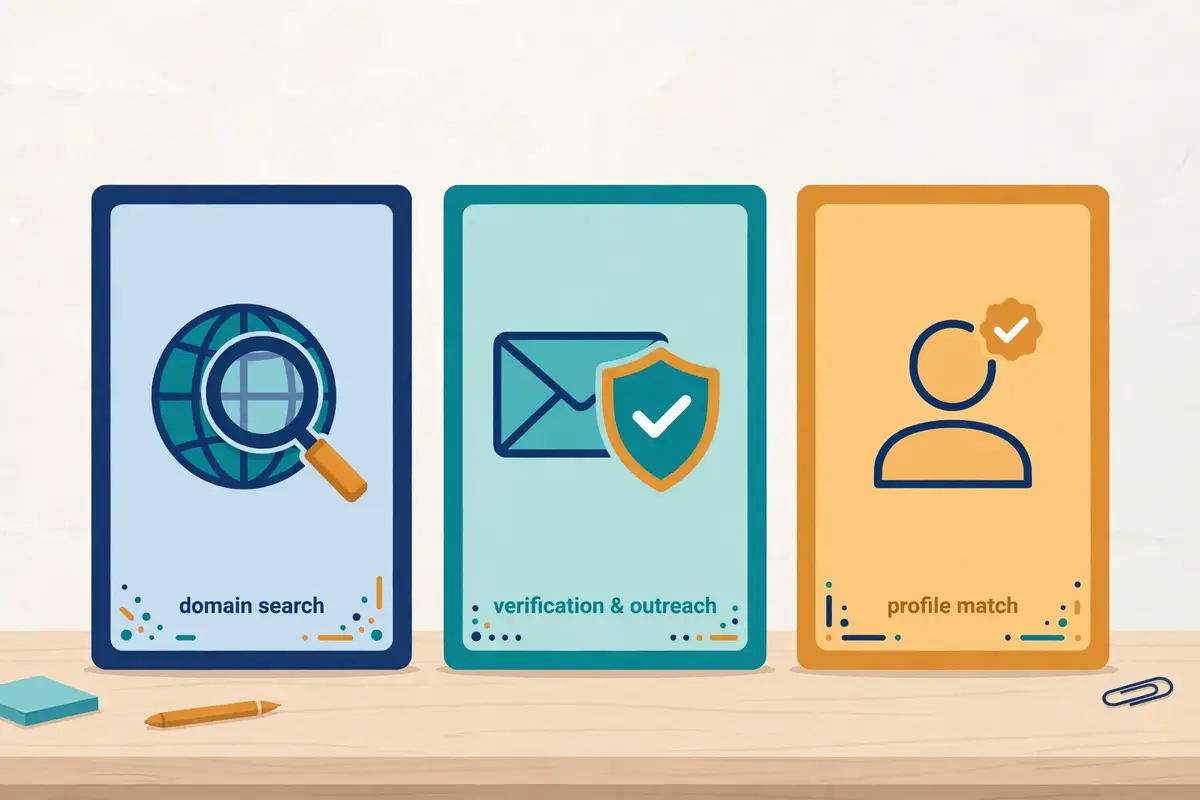
    Hunter vs Skrapp is the comparison to read when you need verified business emails and you cannot decide between the two best-known finders. Hunter starts from a company domain and finds everyone who works there, verifies each address, and then sends the email itself. Skrapp starts from a LinkedIn profile and finds that person’s verified business email in one click, for less money, with credits that roll over. This Hunter vs Skrapp comparison checks pricing, finding, verification, accuracy, bulk tools, sequences, integrations and data handling on both official sites, so you can pick by fit, not by habit.

    Visit Hunter →See Skrapp Plans →

    Prices checked 16 November 2026 on Hunter’s and Skrapp’s official pricing pages. Features and pricing can change, so please check the provider’s site before you buy.

    Quick Answer

    Skrapp wins on price and flexibility. Professional costs $39 a month for 2,000 credits, against Hunter Starter at $49 a month for the same 2,000 credits, and Skrapp’s unused credits roll over while Hunter’s expire at month end. Hunter wins on breadth. It finds emails from whole company domains, shows the public sources behind every address, and includes Sequences for sending, so one subscription covers finding, verifying and outreach. Choose Skrapp if your prospecting starts on LinkedIn and you want the cheapest verified emails. Choose Hunter if you build lists from company domains and want to send from the same tool.

    Above all, this Hunter vs Skrapp comparison is good news for buyers, because both tools are proven, affordable and easy to start. Hunter serves more than 7 million users and has been the default email finder for a decade. Skrapp serves more than 2 million professionals and has built its whole product around one fast workflow: open a LinkedIn profile, click once, get a verified email. Both tools have earned their reputations, and each one leads in different places. Skrapp is the cheaper finder with the fairer credit rules, while Hunter is the fuller platform with domain search and sending built in. Read on for the full Hunter vs Skrapp head-to-head, with pricing checked today, feature tables, real costs at four volumes, honest pros and cons, and a clear verdict.

    Hunter vs Skrapp at a glance

    Firstly, it helps to see the two tools side by side before the detail begins. Hunter is an all-in-one outreach platform from France that finds, verifies and sends cold emails in one account. Its best-known tools are Domain Search, which lists the people at a company from its domain. Email Finder, which finds one person’s address from a name and a company. Skrapp is a focused B2B email finder that works across LinkedIn, company websites and its own lead search database, with a Chrome extension that finds verified emails while you browse profiles. Both tools cover the same core job — finding verified business emails — so at first glance they look like twins.

    Hunter vs Skrapp: the shape of the choice

    In fact, the difference shows up in where each tool starts. Hunter starts from a company domain, which suits teams that build lists from target accounts and want every contact at each company. Skrapp starts from a LinkedIn profile, which suits recruiters and sellers who already know the person they want to reach. For example, a team targeting 200 companies would use Hunter’s Domain Search to pull every relevant contact from each domain, while a recruiter working from a Sales Navigator list would use Skrapp’s extension to pull verified emails from those profiles one by one. That starting point is the single biggest fact in this Hunter vs Skrapp comparison. Everything else in the article helps you judge which one matches how you prospect.

    A fuller platform, against a sharper finder

    Moreover, the two tools differ on how much of the job they cover. Hunter is a fuller platform: finding, verification, a B2B database called Discover, lead enrichment, and Sequences for sending campaigns all live in one subscription. Skrapp is a sharper finder: Email Finder, Email Verifier, AI Enrichment, lists and CRM sync, with no sending tool of its own. In sum, Hunter is the tool you buy when you want finding and sending in one place, while Skrapp is the tool you buy when you already have a sending tool and want the cheapest verified emails to feed it. Whether that extra breadth is worth $10 a month more is a question this Hunter vs Skrapp comparison answers section by section.

    HunterSkrapp
    From$49/mo monthly ($34/mo annual)
    Free plan: $0, 50 credits/mo
    $39/mo monthly ($29/mo annual)
    Free plan: $0, 50 credits, 1 user
    Entry credits2,000 credits/mo (Starter)2,000 credits/mo (Professional)
    Unused creditsLost — reset monthly, no rolloverRoll over — kept even after cancelling
    Starts fromCompany domain or person’s nameLinkedIn profile or company website
    Sending toolYes — Sequences includedNo — finder and verifier only
    Best forDomain search plus sending in one toolLinkedIn-first finding on a budget

    Last checked: 16 November 2026 on Hunter’s pricing page and Skrapp’s pricing page. Features and pricing can change, so please check the provider’s site before you buy. We do not guess at features, prices or trials.

    What the numbers say at a glance

    To sum up the shape of the choice, think of it this way. Hunter is the tool to pick when you want one subscription, one login and one price that covers finding, verifying and sending, with every address backed by public sources you can check. Skrapp is the tool to pick when your prospecting lives on LinkedIn, your budget is tight, and you want credits that never expire at month end. Both approaches work, and the rest of this Hunter vs Skrapp guide shows exactly where each one pulls ahead.

    Pricing in 2026: Hunter vs Skrapp head to head

    To start with, here is the pricing head-to-head, checked on the official pricing pages on 16 November 2026. Hunter sells four paid plans, Starter, Growth, Scale and Enterprise, plus a free plan. Skrapp sells two paid plans, Professional and Enterprise, plus a free plan, and both paid plans scale up on sliders. The two tools charge in similar ways — monthly credits, with annual billing cheaper — so this Hunter vs Skrapp pricing comparison is unusually easy to read side by side.

    Hunter vs Skrapp pricing compared: credit allowances on a scale, with rollover credits on one side
    Hunter vs Skrapp pricing starts from the same idea: a monthly credit allowance, with annual billing cheaper. The entry allowance is 2,000 credits on both tools, at $49 a month with Hunter and $39 with Skrapp, and the tables below show the full head-to-head.

    Hunter vs Skrapp pricing table: Hunter plans

    PlanPrice fromWhat you getBest forVisit
    Hunter — FreeBest for trying it out$0
    50 credits/mo
    Basic Discover filters, AI Assistant in Discover, 1 email account, 500 recipients per sequence, unlimited team membersA first test of the finderVisit Site →
    Hunter — StarterBest for small lists$49/mo monthly ($34/mo annual)
    2,000 credits/mo
    Auto-verification, lead enrichment, advanced Discover filters, 3 email accounts, AI Writing Assistant, 2,500 recipients per sequenceA solo sender or small teamCheck Hunter Pricing →
    Hunter — GrowthBest for growing teams$149/mo monthly ($104/mo annual)
    10,000 credits/mo
    Everything in Starter, plus 10 email accounts, 5,000 recipients per sequence, 10M saved leadsA team building bigger listsSee Hunter Growth →
    Hunter — ScaleBest for high volume$299/mo monthly ($209/mo annual)
    25,000 credits/mo
    Everything in Growth, plus 20 email accounts, 15,000 recipients per sequence, account managerHigh-volume prospecting teamsView Hunter Scale →
    Hunter — EnterpriseBest for custom needsCustom
    Custom credits
    Custom credits and email accounts, account manager, priority supportLarge teams with custom volumeContact Hunter →

    Prices last checked: 16 November 2026 on Hunter’s pricing page. Annual billing: Starter $408 a year, Growth $1,248 a year, Scale $2,508 a year. Features and pricing can change, so please check the provider’s site before you buy. We do not guess at features, prices or trials.

    Hunter vs Skrapp pricing table: Skrapp plans

    PlanPrice fromWhat you getBest forVisit
    Skrapp — FreeBest for trying it out$0
    50 credits, 1 user
    Email Finder, Email Verifier, LinkedIn Basic, Sales Navigator and Recruiter, Companies WebsitesA first test of the extensionVisit Site →
    Skrapp — ProfessionalBest for most buyers$39/mo monthly ($29/mo annual)
    2,000 credits/mo, 2 users
    Fair Credit Policy, credits roll over, Multi-Page Enrichment, Auto-Connect, List Saver, List Exports, List CRM Sync, AI EnrichmentLinkedIn-first prospecting teamsCheck Skrapp Pricing →
    Skrapp — EnterpriseBest for large teams$349/mo monthly ($262/mo annual)
    50,000 credits/mo, 15 users
    Everything in Professional, plus API Integration, SSO Authentication, accelerated support, dedicated account managerLarge teams and high volumeSee Skrapp Enterprise →

    Prices last checked: 16 November 2026 on Skrapp’s pricing page. Both paid plans scale up on sliders — the price at a higher credit volume is not shown on the static page, so check the site for your volume. Features and pricing can change, so please check the provider’s site before you buy. We do not guess at features, prices or trials.

    Hunter vs Skrapp: how a credit is counted

    Similarly, the credit rules decide what a plan really buys, and here the two tools differ in ways that matter every month. Hunter counts 1 credit for each email found through Domain Search, Email Finder or Bulk Email Finder, and 1 credit buys up to 10 emails through Bulk Domain Search, while verification costs 0.5 credit per email. If no email is found, no credit is used, and if verification fails, no credit is counted. Hunter counts the same search only once per billing period. Skrapp counts 1 credit for each email found or verified, yet it only charges for deliverable emails marked Valid or Catch-all, so Invalid and Unknown results cost nothing. That last rule is the fairest credit rule in this Hunter vs Skrapp comparison, because you never pay for an address you cannot use.

    In contrast, the rollover rule is where Skrapp pulls clearly ahead. Hunter’s credits reset monthly and do not roll over, so unused credits are lost at month end. Skrapp’s unused credits roll over to the next month, and you keep your credits even if you cancel your subscription. For a team whose prospecting volume varies — busy one month, quiet the next — rollover is worth real money. A quiet month on Hunter wastes credits you paid for, while a quiet month on Skrapp banks them for the busy month that follows.

    Hunter vs Skrapp trials and free plans

    For example, both tools let you start free, and neither one asks for a credit card to do it. Hunter’s free plan gives 50 credits a month, basic Discover filters, the AI Assistant in Discover and one connected email account, with 500 recipients per sequence. Skrapp’s free plan gives 50 credits to start, with the Email Finder, Email Verifier and the LinkedIn integrations included. Skrapp’s homepage says paid plans start at $30 a month, which rounds its $29 annual Professional price; the pricing page itself shows $29 a month billed annually and $39 billed monthly. Those are the figures this Hunter vs Skrapp comparison uses. Neither tool advertises a time-limited free trial, because the free plan never expires. You can test each one properly before paying.

    Add-ons that change the real bill

    Moreover, add-ons deserve a close read on the Hunter side, because Skrapp sells almost none. Hunter sells Inbox Protection from $7.50 a month per email account, managed email accounts, extra email account slots from $10 a month per account, custom domains and email accounts from $6 a month per account, and extra Credit Packs. Skrapp’s pricing page lists no add-ons at all: the API, SSO and accelerated support sit in Enterprise, and extra team members beyond the plan allowance need a custom quote from sales. In sum, Hunter’s add-ons can push the real monthly bill past the headline price, while Skrapp’s bill is the plan price, full stop.

    What 1,000 to 10,000 finds actually cost

    Headline prices hide the true cost, so here is the maths for four typical volumes. Every figure below is labelled so you can check it. One honest warning first: a credit buys a slightly different thing on each tool, because Hunter charges half a credit for a verification and lets one Bulk Domain Search credit buy up to 10 emails, while Skrapp charges nothing for Invalid or Unknown results. The table lines the tools up at similar finding volumes anyway, and it says plainly where the comparison is rough.

    The cost table: 1,000 and 2,000 finds

    Finds per monthHunterSkrappSnov.io (benchmark only)
    1,000 finds$49/mo monthly ($34/mo annual)
    Starter, 2,000 credits — 1,000 within plan
    $39/mo monthly ($29/mo annual)
    Professional, 2,000 credits — 1,000 within plan
    $39/mo monthly
    Starter, 1,000 credits exactly (post 177)
    2,000 finds$49/mo monthly ($34/mo annual)
    Starter, 2,000 credits exactly
    $39/mo monthly ($29/mo annual)
    Professional, 2,000 credits exactly
    $99/mo monthly
    Pro S, 5,000 credits (Starter only has 1,000)

    Costs at higher volumes

    Finds per monthHunterSkrappSnov.io (benchmark only)
    5,000 finds$149/mo monthly ($104/mo annual)
    Growth, 10,000 credits
    Check the site
    Professional scales up on a slider; next fixed tier is Enterprise $349/mo monthly ($262/mo annual, 50,000 credits)
    $99/mo monthly
    Pro S, 5,000 credits exactly — cheapest at this volume

    What 10,000 finds cost

    Finds per monthHunterSkrappSnov.io (benchmark only)
    10,000 finds$149/mo monthly ($104/mo annual)
    Growth, 10,000 credits exactly
    $262/mo annual ($349/mo monthly)
    Enterprise, 50,000 credits, or scaled Professional — check the site
    —
    Not benchmarked at this volume in our three-way comparison

    Arithmetic: at entry, Hunter costs $49 ÷ 2,000 = about $0.025 per find monthly ($34 ÷ 2,000 = $0.017 annual), and Skrapp costs $39 ÷ 2,000 = about $0.020 per find monthly ($29 ÷ 2,000 = $0.015 annual). Snov.io figures are the benchmark from our Hunter vs Snov.io vs Skrapp comparison, checked 16 November 2026. Skrapp’s slider price at 5,000 credits is not shown on the static pricing page, so we do not guess it — check the site. Last checked: 16 November 2026.

    Hunter vs Skrapp: the cheapest way to start

    Firstly, the cheapest way to start is a clear win for Skrapp. Both free plans give 50 credits, yet the first paid step costs $39 a month with Skrapp against $49 with Hunter, for the same 2,000 credits. On annual billing the gap holds: $29 a month against $34. Skrapp also wins the value argument at 2,000 finds, because its credits roll over and invalid results cost nothing, while Hunter’s credits expire at month end. A team that finds 2,000 emails a month saves $120 a year on monthly billing with Skrapp, or $60 a year on annual billing, and keeps every unused credit.

    In contrast, the 5,000-find row is where this Hunter vs Skrapp comparison gets interesting. Hunter Growth costs $149 a month for 10,000 credits. Skrapp’s Professional plan scales up on a slider whose price at 5,000 credits is not shown on the static page. The next fixed Skrapp tier is Enterprise at $349 a month monthly, or $262 annual, for 50,000 credits, which is far more than 5,000 finds need. Snov.io Pro S is cheapest at this volume at $99 a month for exactly 5,000 credits, which is why our three-way comparison flags it. If you regularly find around 5,000 emails a month, check Skrapp’s slider price before you decide, because it may beat Hunter Growth, and compare it with Snov.io Pro S too.

    Hunter vs Skrapp: verification costs and the real total

    Moreover, verification changes the maths in Hunter’s favour, because it charges only half a credit per verification. Verifying 4,000 addresses costs 2,000 Hunter credits, which fits Starter at $49 a month, while the same 4,000 verifications would cost up to 4,000 Skrapp credits if every one came back Valid or Catch-all. Skrapp softens that with its fair credit rule: Invalid and Unknown results are free, so 4,000 verification attempts cost less than 4,000 credits whenever some results come back unusable. In practice, a team that verifies far more than it finds should price Hunter, while a team that finds far more than it verifies should price Skrapp.

    Finally, work out your true monthly total before comparing either headline price. Add Hunter’s Inbox Protection, extra email accounts and credit packs on one side. Remember that Skrapp has no add-ons to add. Then compare the totals, not the starting prices. That habit will save you from the most common surprise in this Hunter vs Skrapp comparison, which is a bill that is much higher than the number on the pricing page.

    Finding emails: domain search against LinkedIn-first prospecting

    Next, finding emails is where the two tools feel most different in daily use, because each one starts from a different place. Hunter’s Domain Search takes a company name or domain and returns the people who work there, with their email addresses, job titles and the public sources where each address was seen. Its Email Finder takes one person’s first and last name plus a company or domain, and returns that person’s address with a confidence score. Skrapp’s Email Finder works the same way from a name and a domain, yet its signature workflow is the Chrome extension: open a LinkedIn profile or a Sales Navigator list, click the extension, and get verified business emails without leaving LinkedIn.

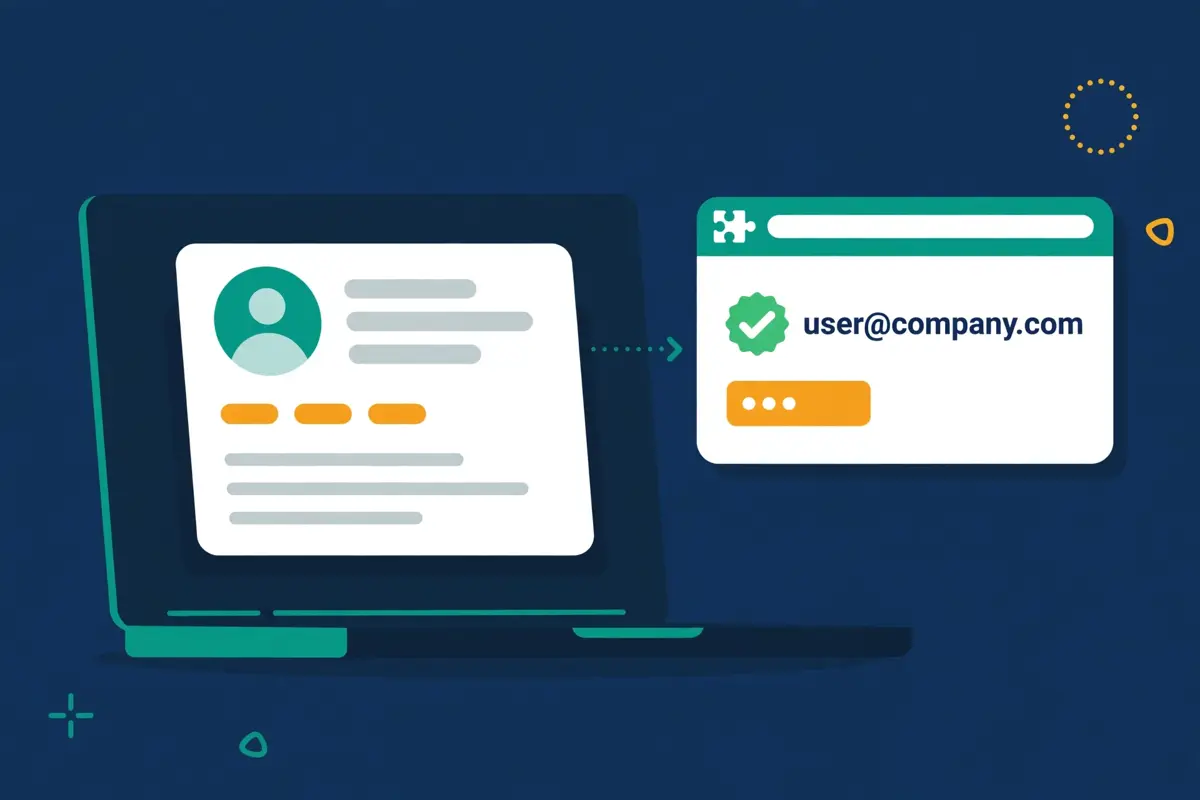
    Hunter vs Skrapp finding emails: domain search on a laptop against LinkedIn profile enrichment with verification checkmarks
    Hunter vs Skrapp finding starts from different places. Hunter starts from a company domain and lists everyone who works there, while Skrapp starts from a LinkedIn profile and finds that person’s verified email in one click. The sections below show how each approach works in practice.

    Hunter vs Skrapp: domain search in action

    Video: How to Find a List of Verified Emails using Hunter.io’s Bulk Email Finder by Hunter on YouTube. This video is the creator’s property, embedded via YouTube for education. OutreachCompare is not affiliated with Hunter and does not claim ownership of this video.

    In fact, Hunter’s domain search is the strongest reason to pick it, and it is worth understanding properly. Type a domain into Domain Search and Hunter returns the people at that company, grouped by department, with each email address, its confidence score and the public source where it was found. Bulk Domain Search does the same for a whole list of domains at once, and one credit buys up to 10 emails there, which makes it the cheapest way to build a list from target accounts. Bulk Email Finder does the same for a list of names and companies. Every address comes with sources you can check yourself, so you can judge whether to trust it before you send.

    By contrast, Hunter’s database, called Discover, is where its prospecting starts when you do not yet have a list of target companies. Discover offers firmographic filters, an AI Assistant that searches in plain language, proactive lead suggestions every week, and signals from your existing leads, with 30 AI searches a month on the free plan rising to 900 on Scale. Hunter does not publish a headline database size on its pricing page. This Hunter vs Skrapp comparison does not claim one for it. What it does claim, from its own site, is that every found email carries public sources and a confidence score, which is a transparency feature Skrapp does not match in the same way.

    Hunter vs Skrapp: LinkedIn-first finding

    Similarly, Skrapp’s LinkedIn workflow is the strongest reason to pick it, and it is built for speed. Install the Chrome extension, open any LinkedIn profile, Sales Navigator search or Recruiter list, click the extension, and Skrapp returns verified business emails with job titles, seniority and company data. Multi-Page Enrichment processes whole search results pages at once, List Saver stores Sales Navigator lists inside Skrapp. Auto-Connect can send connection requests from LinkedIn profiles. For a recruiter or seller who lives on LinkedIn all day, that workflow removes the copy-and-paste between LinkedIn and a separate finder.

    Moreover, Skrapp’s own database is the bigger one you can measure clearly. Its homepage, checked today, claims 200M+ B2B leads, 40M+ company profiles and 3B+ searches processed, with the database refreshed daily. The Email Finder searches that database from a name and a domain. Companies Websites, a separate feature, finds emails from company sites directly. In sum, Skrapp wins on published database size, while Hunter wins on showing its sources. A team that prospects from LinkedIn will feel Skrapp’s database every day, while a team that prospects from target accounts will feel Hunter’s domain search every day.

    Above all, the finding workflow you already use should decide this section. If your day starts with a list of target companies, Hunter’s Domain Search and Bulk Domain Search will save you hours. If your day starts with LinkedIn and Sales Navigator, Skrapp’s extension will save you hours. Neither workflow is better in the abstract. The wrong pick here costs more time than the $10 monthly price gap ever will.

    Verification and accuracy: what the vendor claims really mean

    Firstly, verification is where both tools earn their keep, because an unverified list is a deliverability problem waiting to happen. Hunter verifies every email it returns automatically, with a status and a confidence score. Verification costs half a credit per address. Skrapp verifies every email in real time as it finds it. Only charges for results marked Valid or Catch-all, so Invalid and Unknown results are free. Both tools verify before you send. Both tools are right to make verification central, because sending to dead addresses is the fastest way to damage a sending domain.

    Hunter vs Skrapp accuracy: vendor claims against independent tests

    In fact, the accuracy claims need a careful read, because the vendors and the independent tests measure different things. Skrapp’s homepage claims a 92% average email search success rate and 97% verification accuracy, from 3B+ searches processed. Hunter’s site emphasises confidence scores and public sources rather than a single headline accuracy figure. Every found address carries a confidence score so you can judge it yourself. Those are vendor claims, and they describe whether the tool found an email and whether its own verifier passed it, not whether the address truly belongs to that person and accepts mail.

    By contrast, two third-party benchmarks measured much lower verified rates. An Anymail Finder benchmark from September 2025 measured Skrapp at a 42.8% verified rate, and a Tomba benchmark from February 2026 landed at the exact same number, 42.8%, across 2,500 domain searches and 2,500 company name searches. The same Anymail Finder benchmark measured Hunter at a 37.6% verified rate. State that plainly: on those tests, Skrapp found more verified emails than Hunter, yet both tools landed far below their vendor claims. These are third-party benchmarks, not neutral audits, and their methods differ from the vendors’ own measures, so treat them as a warning, not a verdict.

    Hunter vs Skrapp: why the two numbers differ

    Moreover, the gap between a 92% search success rate and a 42.8% verified rate is easy to explain once you see what each number counts. Skrapp’s 92% measures search success: did the tool find an email address at all. The benchmarks measure verified rate: did an independent check confirm the address as valid and deliverable. A found email is not the same as a verified email. A vendor’s own verifier is not the same as an independent check. That distinction matters for your budget too, because Skrapp only charges for Valid and Catch-all results, which softens the cost of the gap, while Hunter charges half a credit per verification and shows a confidence score so you can filter the doubtful ones out yourself.

    Hunter vs Skrapp: how to protect your own accuracy

    Similarly, the honest advice is to test both tools on your own list before you commit. Take 100 real prospects from your market, run them through Hunter and through Skrapp, and check the results with a dedicated verifier such as ZeroBounce or NeverBounce. That small test tells you more than any vendor claim or benchmark, because accuracy varies by industry, company size and country. Our verification tools comparison explains how dedicated verifiers work and why they catch what finders miss.

    Finally, whatever the accuracy numbers say, send only to addresses marked Valid, keep Catch-all addresses for a separate slower test, and never send to an address you have not verified. That habit protects your domain more than any single tool choice in this Hunter vs Skrapp comparison. It is the cheapest deliverability insurance there is.

    Bulk tools, API and browser extensions compared

    Next, bulk tools decide how fast you can build a list, and here each tool has a clear strength. Hunter’s bulk tools are built around lists: Bulk Domain Search finds emails for a list of domains, with one credit buying up to 10 emails. Bulk Email Finder finds emails for a list of names and companies. Bulk Email Verifier checks a whole list at half a credit per address. Skrapp’s bulk tools are built around LinkedIn: Multi-Page Enrichment processes whole search results pages, List Saver stores Sales Navigator lists. Bulk email finding works from names, companies, domains and LinkedIn profiles together.

    Hunter vs Skrapp: the Skrapp LinkedIn extension in action

    Video: How to Enrich LinkedIn Profiles with Verified Emails Using Skrapp by Skrapp – Lead Search and Enrichment At Scale on YouTube. This video is the creator’s property, embedded via YouTube for education. OutreachCompare is not affiliated with Skrapp – Lead Search and Enrichment At Scale and does not claim ownership of this video.

    For example, a team building a list of 5,000 contacts from 500 target companies would move faster on Hunter, because Bulk Domain Search turns each domain into up to 10 emails for a single credit. A recruiter building a list of 500 candidates from Sales Navigator would move faster on Skrapp, because Multi-Page Enrichment turns each results page into verified emails without leaving LinkedIn. In sum, bulk domain work favours Hunter, while bulk LinkedIn work favours Skrapp, and the right pick follows the list you actually build.

    Hunter vs Skrapp: API access and spreadsheets

    In contrast, the API story favours Hunter at entry level and Skrapp only at the top. Hunter includes API access across its plans, with an MCP server for AI assistants, a Google Sheets add-on and browser extensions for Chrome and Firefox. Skrapp’s API Integration sits in Enterprise only, at $349 a month monthly. A small team that wants to pipe Skrapp data into its own stack must pay for the top tier. Both tools export lists as CSV, and both tools offer a Chrome extension, yet Hunter’s extension finds emails from any website you visit, while Skrapp’s extension is built for LinkedIn, Sales Navigator and Recruiter.

    Moreover, the Sheets add-on deserves a mention for Hunter, because it brings finding into a spreadsheet where many teams already work. You can find and verify emails from a sheet of names and domains without opening the Hunter app at all. Skrapp answers with List CRM Sync, which pushes lists straight into Salesforce or HubSpot, and with list exports in CSV and Excel formats. Neither tool is hard to use at bulk scale, and both tools handle lists of thousands without fuss.

    Campaigns and sequences: Hunter sends while Skrapp finds

    Firstly, campaigns are the clearest win in this Hunter vs Skrapp comparison, because only one tool has them. Hunter includes Sequences, its email outreach tool, on every plan including free. You can connect email accounts, build follow-up sequences, rotate sending across accounts, A/B test subject lines, track opens and links, use a custom tracking domain, and run evergreen sequences that keep sending to new leads. The free plan allows one connected account and 500 recipients per sequence, Starter allows three accounts and 2,500 recipients, Growth allows ten accounts and 5,000 recipients. Scale allows twenty accounts and 15,000 recipients.

    By contrast, Skrapp has no sending tool at all. It finds and verifies emails, enriches them with AI, stores them in lists and syncs them to your CRM, and then hands the sending job to another tool. That is an honest limit, and it matters. If you buy Skrapp, you still need a sending tool such as Instantly, Smartlead or Woodpecker, which adds its own monthly price to your stack. If you buy Hunter, one subscription covers finding, verifying and sending, which is why its $49 entry price is fairer than it looks next to Skrapp’s $39.

    Hunter vs Skrapp: what Hunter Sequences covers

    In fact, Hunter Sequences covers the essentials well, although it is not a full multichannel platform. It sends email only, with no native LinkedIn steps, calls or SMS, and its AI Writing Assistant drafts emails inside sequences. Inbox Protection, sold as an add-on from $7.50 a month per email account, guards deliverability. Managed email accounts are available as an add-on for teams that want Hunter to run their sending infrastructure. For a small team sending straightforward email sequences, that is enough. For a team that needs LinkedIn and calls in the same sequence, neither tool in this Hunter vs Skrapp comparison is the answer, and our Lemlist and Reply.io reviews cover tools that do.

    Similarly, the cost of Skrapp’s missing sender is worth counting before you decide. Skrapp Professional at $39 a month plus a sending tool such as Instantly Growth at $47 a month costs $86 a month, against Hunter Starter at $49 a month alone. Skrapp only wins on total cost when you already pay for a sending tool, or when you send so little that Hunter’s sequences add nothing. In sum, Hunter wins campaigns clearly, while Skrapp wins finding value clearly. The right pick depends on whether you need a sender or already own one.

    Integrations, CRM sync and data handling

    Next, integrations decide how well each finder fits the stack you already run. Hunter integrates with CRMs, offers browser extensions, a Google Sheets add-on, an API and an MCP server, so it plugs into modern sales stacks and AI assistants alike. Skrapp integrates natively with Salesforce and HubSpot, offers a REST API on Enterprise, CSV and Excel exports, and List CRM Sync on Professional. Both tools cover the essentials. The difference sits in the details: Hunter covers more developer tooling, while Skrapp covers CRM sync at a lower price.

    Hunter vs Skrapp: CRM sync and exports

    For example, a HubSpot team will be happy with either tool, because both sync with HubSpot natively. A Salesforce team will be happy with either tool too, because both list Salesforce among their integrations. A team that builds its own stack around an API will prefer Hunter, because its API is available without paying for Enterprise, while Skrapp’s API needs the $349-a-month tier. A team that lives in spreadsheets will prefer Hunter’s Sheets add-on, while a team that lives in Sales Navigator will prefer Skrapp’s List Saver. In short, check your own stack before you check the feature list.

    Moreover, data handling and compliance are strong on each platform, which counts when you hand a tool your prospect data. Hunter presents itself as compliant by design, sources its data transparently, shows the public sources behind every address, and helps you comply with data protection rules. Skrapp states full GDPR compliance on its homepage, processes only publicly available business contact information, offers data deletion on request, and includes built-in consent management tools. Either tool is a safe choice for a European team handling prospect data at scale. Our cold email legal checklist covers the consent and opt-out rules that vary by country.

    Hunter vs Skrapp: team seats

    Finally, team handling differs in a small but useful way. Hunter lets you invite as many team members as you like at no extra cost on every plan, and everyone shares the same credit pool. Skrapp’s free plan allows one user, Professional allows two users, and Enterprise allows fifteen, with extra seats by custom quote. A team of three or more will pay nothing extra for seats on Hunter, while the same team needs Professional’s two seats plus a custom quote on Skrapp, or a step up to Enterprise. That seat rule is easy to miss, so check it before you buy.

    Hunter vs Skrapp feature matrix

    To start with, here is the finding and verification matrix. You can see the two tools side by side on the features that decide whether your lists are accurate. A tick means the feature is stated on the provider’s official site. A dash means it is not confirmed there.

    Finding and verification matrix

    FeatureHunterSkrapp
    Domain Search (whole company)✓ With public sources and confidence scores✓ Companies Websites feature
    Email Finder (one person)✓ Name + company or domain✓ Name + domain, or LinkedIn profile
    Bulk Domain Search✓ 1 credit buys up to 10 emails— Bulk finding from lists, no per-domain bulk credit deal
    Bulk Email Finder✓✓
    Bulk Email Verifier✓ 0.5 credit per address✓ 1 credit, free if Invalid or Unknown
    Auto-verification on every find✓✓ Real-time verification
    Confidence score shown✓—
    Public sources shown per email✓—
    Published database size— No headline size on pricing page✓ 200M+ leads, 40M+ company profiles
    LinkedIn extension✓ Finds emails on any website✓ LinkedIn, Sales Navigator, Recruiter
    Free plan✓ 50 credits/mo✓ 50 credits, 1 user
    Credits roll over— Reset monthly, no rollover✓ Roll over, kept after cancelling

    Last checked: 16 November 2026 on Hunter’s pricing page and Skrapp’s pricing page. A tick means the feature is stated on the provider’s official site. A dash means it is not confirmed there. Features and pricing can change, so please check the provider’s site before you buy. We do not guess at features, prices or trials.

    Hunter vs Skrapp feature matrix: sending, data and team

    Next, here is the second matrix, covering sending, data, integrations and team features. Read both matrices together: the first covers finding, and the second covers everything around it.

    FeatureHunterSkrapp
    Email sequences included✓ Sequences on every plan, incl. free— Finder and verifier only
    Connected email accounts✓ 1–20 by plan, extra from $10/mo—
    A/B testing✓—
    Custom tracking domain✓—
    Inbox Protection add-on✓ From $7.50/mo per account—
    AI writing assistant✓ AI Writing Assistant—
    AI enrichment✓ Lead enrichment✓ AI Enrichment on Professional
    Lead database (Discover / search)✓ Discover with AI Assistant✓ 200M+ leads, AI-powered search
    CRM integrations✓ CRM sync, API, MCP✓ Salesforce, HubSpot, List CRM Sync
    API access✓ All plans✓ Enterprise only
    Google Sheets add-on✓—
    Unlimited team members✓ Every plan, shared credit pool— 1 user free, 2 on Professional, 15 on Enterprise
    GDPR compliance stated✓ Compliant by design✓ Full GDPR compliance
    Starting price$49/mo monthly$39/mo monthly

    Last checked: 16 November 2026 on Hunter’s pricing page and Skrapp’s pricing page. A tick means the feature is stated on the provider’s official site. A dash means it is not confirmed there. Features and pricing can change, so please check the provider’s site before you buy. We do not guess at features, prices or trials.

    Pros and cons: the honest picture for each tool

    Of course, no tool is perfect, and this Hunter vs Skrapp comparison would not be honest without the downsides. Here is the balanced picture for each tool, based on what each provider publishes on its own site and what its plans actually include.

    Hunter vs Skrapp: what we like about Hunter

    Domain search with sources. Domain Search lists everyone at a company from its domain. Every address comes with public sources and a confidence score you can check yourself. Bulk Domain Search value. One credit buys up to 10 emails, which makes list building from target accounts the cheapest in this Hunter vs Skrapp comparison. Cheap verification. Verification costs half a credit per address, so checking a list costs half as much as finding it. Sequences included. Finding, verifying and sending live in one subscription, on every plan including free. Unlimited team members. Every plan lets you invite as many colleagues as you like without paying per seat.

    Strong developer tooling. An API on all plans, an MCP server, a Google Sheets add-on and browser extensions suit teams that automate their stack. Transparent data. Public sources behind every address help you judge accuracy yourself instead of trusting a vendor claim.

    Hunter vs Skrapp: where Hunter falls short

    Credits expire monthly. Unused credits are lost at month end, with no rollover, so a quiet month wastes money you already paid. Dearest at entry. Starter costs $49 a month against Skrapp Professional at $39, for the same 2,000 credits. No headline database size. Hunter does not publish a database size on its pricing page, so you cannot compare its coverage with Skrapp’s 200M+ leads on paper. Weakest verified rate in the benchmarks. The Anymail Finder benchmark measured Hunter at 37.6% verified, below Skrapp at 42.8%, so test it on your own list. Email only. Sequences cover email, with no native LinkedIn steps, calls or SMS. Inbox Protection costs extra from $7.50 a month per account.

    Hunter vs Skrapp: what we like about Skrapp

    Cheapest verified emails at entry. Professional costs $39 a month for 2,000 credits, $10 less than Hunter Starter for the same allowance, and $29 a month on annual billing. Fairest credit rules. Unused credits roll over, you keep them after cancelling, and Invalid or Unknown results cost nothing. LinkedIn-first workflow. The Chrome extension finds verified emails from LinkedIn, Sales Navigator and Recruiter in one click, with Multi-Page Enrichment and List Saver for bulk work. Published database size. 200M+ leads, 40M+ company profiles and 3B+ searches processed, refreshed daily. Better benchmark result. The Anymail Finder and Tomba benchmarks both measured Skrapp at 42.8% verified, ahead of Hunter at 37.6%.

    Simple bill. No add-ons on the pricing page, so the plan price is the real price. Strong ratings. A 4.7 average across 900+ reviews on G2, Capterra and Chrome, with the Chrome extension rated 4.9 from 554 reviews.

    Hunter vs Skrapp: where Skrapp falls short

    No sending tool. Skrapp finds and verifies only, so you still need a separate sender, which adds its own monthly price to your stack. API locked behind Enterprise. API access needs the $349-a-month tier, so small teams cannot pipe Skrapp data into their own stack cheaply. Limited seats. One user on free, two on Professional and fifteen on Enterprise, against unlimited members on every Hunter plan. Big gap to the next tier. Professional scales on a slider whose price is not shown on the static page. The next fixed tier is Enterprise at $349 a month, which is a steep jump. Accuracy claims still far above benchmarks. A 92% search success claim sits next to a 42.8% verified rate in two third-party benchmarks, so treat the headline number with care.

    Who should pick which: the Hunter vs Skrapp decision framework

    Firstly, the decision is simpler than the feature lists suggest, because it turns on three questions. Where does your prospecting start, do you need a sending tool, and how steady is your monthly volume? Answer those three questions honestly, and the answer will be obvious.

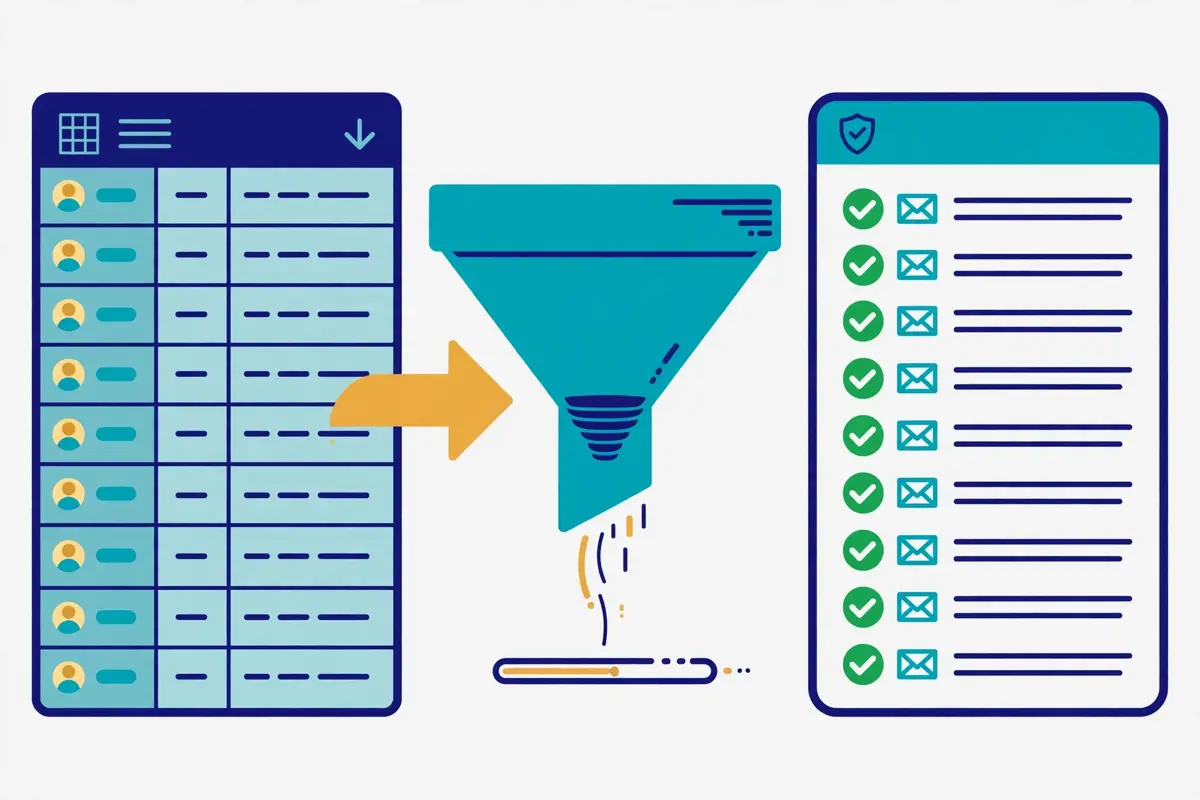
    Hunter vs Skrapp decision guide: a salesperson at a fork, one path to domain search and sending, the other to LinkedIn finding
    Hunter vs Skrapp comes down to three questions. Where does your prospecting start, do you need a sending tool, and how steady is your monthly volume? Answer those three honestly and the winner for your team will be clear.

    Pick Hunter when you build lists from company domains

    Pick Hunter when you build lists from target companies, because Domain Search and Bulk Domain Search turn each domain into a full contact list, with sources and confidence scores on every address. Choose Hunter when you want finding, verifying and sending in one subscription, because Sequences are included on every plan and one $49-a-month Starter plan replaces a finder plus a sender. Larger teams should pick Hunter when they need unlimited members at no extra cost, because everyone shares one credit pool. A team that verifies far more than it finds should pick Hunter too, because verification costs half a credit per address.

    Pick Skrapp when your prospecting starts on LinkedIn

    Pick Skrapp when your prospecting starts on LinkedIn or Sales Navigator, because the Chrome extension finds verified emails without leaving the profile page. Multi-Page Enrichment handles whole search results at once. Choose Skrapp when your budget is tight, because $39 a month for 2,000 credits is the cheapest entry in this Hunter vs Skrapp comparison, and the credits roll over. Recruiters should pick Skrapp when they work candidate lists daily, because List Saver and Auto-Connect fit that workflow exactly. Skrapp also makes sense when you already pay for a sending tool, because then you only need the cheapest verified emails to feed it.

    Variable-volume teams should pick Skrapp when their prospecting volume swings month to month, because rollover credits bank the quiet months for the busy ones. Hunter’s monthly reset punishes exactly that pattern. A team with spiky volume will waste credits on Hunter and save them on Skrapp.

    Hunter vs Skrapp: the five-minute decision test

    In short, try this test before you buy either tool. Write down where your last 100 prospects came from, whether you own a sending tool already, and how many emails you found in each of the last three months. If the answer is mostly company domains, no sender yet, and steady volume, Hunter is the pick. If the answer is mostly LinkedIn profiles, you already own a sender, and your volume swings, Skrapp is the pick. When you still cannot decide, open both free plans on the same day, run the same 50 prospects through each finder, and check the results with a dedicated verifier. The tool that finds more verified emails for your market is the right one for your team, whatever this Hunter vs Skrapp comparison says.

    Switching later is always possible

    Remember too that moving to the other tool later is always possible, and it is no disaster. Lists export as CSV, credits on Skrapp are kept even after cancelling. Hunter lets you take a subscription for a single month and cancel when your work is done. Picking the wrong one costs a few weeks of learning, not a lost year. So pick the tool that matches how you prospect today, test it with a live list, and move on if your team outgrows it. That beats chasing the longest feature list every time.

    Our verdict on Hunter vs Skrapp

    Our verdict — Best for domain search plus sending: Hunter. Best for LinkedIn-first finding on a budget: Skrapp.

    Hunter is the strongest pick when a team builds lists from company domains and wants finding, verifying and sending in one subscription, with every address backed by public sources and a confidence score. Domain Search, Bulk Domain Search at one credit per ten emails, half-price verification and Sequences included make $49 a month fair value for a team that uses the whole platform. Skrapp is the strongest pick when prospecting starts on LinkedIn, the budget is tight, or monthly volume swings, because $39 a month buys the same 2,000 credits with rollover, free Invalid results and the fastest LinkedIn workflow we have seen. Begin with the free plan of the tool that suits your prospecting, build a small verified list, and run a genuine test on your own market before committing.

    We have not given either tool a numeric score yet, because scores only follow hands-on testing. Best-for labels reflect each tool’s stated focus.

    Visit Hunter →Check Skrapp Pricing →

    The longer version of the verdict

    Overall, that is the short version of this Hunter vs Skrapp comparison. The longer version is simple too. Skrapp wins on price and flexibility. It does not win every single category. Hunter wins on breadth and sending. Skrapp wins on LinkedIn workflow and credit fairness. Hunter wins on domain search and verification cost. Yet no rival covers as much of the outbound job in one subscription as Hunter, and no rival in this Hunter vs Skrapp comparison finds verified LinkedIn emails as cheaply as Skrapp. In the end, for most teams that start from target companies, Hunter’s breadth at $49 a month is worth more than a specialist edge in one area, while for teams that start from LinkedIn, Skrapp’s $39 price and rollover credits are worth more than a sending tool they may never use.

    No matter which tool you settle on, the setup advice stays the same. Begin with a dedicated sending domain, verify each address before sending, keep your first lists small and well targeted, and test both finders on your own prospects before you commit to one. Read our list building guide before your first campaign, and read our cold email legal checklist before you launch, since the rules change by country. The tool you pick matters less than the list you build and the offer you write, and both tools in this Hunter vs Skrapp comparison will serve you well if you set them up properly.

    Hunter vs Skrapp: frequently asked questions

    Which is cheaper, Hunter or Skrapp?

    Skrapp is cheaper at the volumes most teams start at. Skrapp Professional costs $39 a month for 2,000 credits, against Hunter Starter at $49 a month for the same 2,000 credits, and Skrapp’s unused credits roll over while Hunter’s expire at month end. On annual billing the gap holds: $29 a month against $34. At 5,000 finds a month the picture changes, because Hunter Growth costs $149 a month for 10,000 credits while Skrapp’s Professional slider price at that volume is not shown on the static page, so check the site. Snov.io Pro S is cheapest at 5,000 finds, at $99 a month, according to our three-way comparison.

    Is Skrapp really more accurate than Hunter?

    On the third-party benchmarks we found, yes, but the gap is smaller than the vendor claims suggest. An Anymail Finder benchmark from September 2025 measured Skrapp at a 42.8% verified rate and Hunter at 37.6%, and a Tomba benchmark from February 2026 measured Skrapp at 42.8% again. Skrapp’s own homepage claims a 92% search success rate and 97% verification accuracy, which measure something different: whether an email was found, not whether an independent check confirmed it. These are third-party benchmarks, not neutral audits, so test both tools on your own list before you decide.

    Do Hunter credits roll over?

    No. Hunter’s credits reset monthly and do not roll over, so unused credits are lost at month end. Skrapp’s unused credits roll over to the next month, and you keep your credits even if you cancel your subscription. That rollover rule is one of the biggest practical differences in this Hunter vs Skrapp comparison, especially for teams whose prospecting volume varies from month to month.

    Does Skrapp have email sequences?

    No. Skrapp is a finder and verifier only: it finds emails, verifies them, enriches them with AI and syncs them to your CRM. It does not send campaigns. Hunter includes Sequences, its email outreach tool, on every plan including free, with follow-ups, A/B testing, open and link tracking and a custom tracking domain. If you buy Skrapp, budget for a separate sending tool as well.

    Which tool is better for LinkedIn prospecting?

    Skrapp is better for LinkedIn prospecting, because its Chrome extension finds verified emails from LinkedIn, Sales Navigator and Recruiter in one click, with Multi-Page Enrichment, List Saver and Auto-Connect built for that workflow. Hunter’s extension finds emails from any website you visit. Its Discover database covers LinkedIn-style prospecting from inside the app, yet it does not match Skrapp’s LinkedIn-native workflow. If LinkedIn is your main channel, Skrapp wins this part of the Hunter vs Skrapp comparison clearly.

    Can I try Hunter or Skrapp for free?

    Yes — each tool offers a free plan that never expires, and neither one asks for a credit card to start. Hunter’s free plan gives 50 credits a month, basic Discover filters, the AI Assistant and one connected email account. Skrapp’s free plan gives 50 credits to start, with the Email Finder, Email Verifier and the LinkedIn integrations included. Use the free plan to run a real test on your own prospects — only genuine finding shows accuracy, speed and list quality as they truly behave. When you outgrow the free credits, move to a paid plan on either tool.

    Keep reading — next in this series

    You have the full Hunter vs Skrapp picture now. Go deeper with the reviews and guides that support it:

    Best for domain search plus sending: Hunter — from $49/mo · Best for LinkedIn finding: Skrapp — from $39/mo Visit Hunter
  • Email Finders Guide 2026

    Email Finders Guide 2026

    Finding verified B2B email addresses, explained in plain language

    An email finder turns a name and a company into a verified business email address in seconds. This email finders guide compares Hunter, Snov.io, Skrapp.io, Apollo, Lemlist, ZoomInfo and Cognism on price, accuracy, cost per find and the methods behind them, and it shows how to build a verified list without buying one.

    Visit Hunter →Explore Snov.io →See Skrapp →

    Prices checked 16 November 2026 on the official sites of all seven providers. Features and pricing can change, so please check the provider’s site before you buy.

    Quick Answer

    Hunter is the best email finder for most beginners, because its domain search is simple, every result is auto-verified, and the free plan covers 50 credits a month. For example, Snov.io is the best all-round finder for a small team, with finding, verification, LinkedIn prospecting and drip campaigns from $39 a month. Skrapp.io is the cheapest finder per find, from $39 a month for 2,000 credits that roll over and are only spent on valid results.

    Apollo is the best finder when the database is the product, with 240 million contacts and a free plan covering 75 credits a month. In contrast, ZoomInfo and Cognism are enterprise databases, priced by quote only, for teams that need the deepest file and phone-verified mobiles. In sum, never send to a found email without verifying it first, because a list that bounces above 2% damages the domain that sends to it.

    Why this email finders guide starts with the method, not the ranking

    Firstly, most guides to email finders start with a price table and a winner, and that order misleads the reader. In fact, the most important fact about an email finder is not its price. It is the method behind the result. A finder that guesses an address from a pattern, a finder that reads it from a database, and a finder that scrapes it from LinkedIn will return different addresses, with different accuracy, for the same person. A guide that skips that distinction will help a reader buy the wrong tool with confidence.

    Secondly, this email finders guide does the honest job instead. In fact, it explains what a finder does, compares the five methods for finding a business email, and prices the seven leading tools at the same two volumes. Then it tackles accuracy head on, because vendor claims and independent benchmarks disagree by a wide margin, and that disagreement matters more than any feature list. By the end, a reader will know which finder to buy, and how to build a verified list without buying one.

    Finally, every price and feature in this email finders guide was checked on the official sites on 16 November 2026. Where a vendor publishes no price, or where a figure comes from a reported contract rather than a list price, the guide says so plainly. Start with the method when the goal is understanding, and jump to the pricing section when the budget is the constraint.

    What an email finder is — and what it is not

    In fact, an email finder is a tool that returns a business email address for a person you name, usually from their name and their company domain. Type in a name such as Sarah Chen at Acme Ltd, and the finder returns sarah.chen@acme.com, with a confidence score and a verification status. For example, type in a domain such as acme.com, and a domain search returns every public email address linked to that company. The whole job takes seconds, and it replaces hours of manual searching.

    Moreover, an email finder is different from a bought list in one decisive way. A bought list is a static file of addresses, gathered by someone else, of unknown age and unknown accuracy, and it usually breaks the rules of the tools that send to it. In contrast, a finder returns fresh results for the exact people you name, one search at a time, and the best finders verify each result before they return it. That freshness is the whole point of a finder, and it is also why a finder costs more per address than a list.

    Email finders guide: domain search, the oldest method

    Firstly, domain search is the original email finding method, and Hunter built its name on it. Enter a company domain, and the tool returns every email address it has seen published for that domain, on the company website, in press releases, in conference programmes and in public filings. Each result carries the sources it came from, so the reader can judge it. In fact, domain search is the best method when the goal is a whole team at one company, or every public contact at a target account.

    Secondly, domain search has a clear limit. It only finds addresses that were published somewhere public. For example, a company that keeps its staff directory private will return few results, and a small company may return none at all. In contrast, a database lookup can return an address that was never published, because the database holds it from another source. That is why the strongest finders combine domain search with a database, rather than relying on one method alone.

    Email finders guide: pattern guessing, the fastest method

    Moreover, pattern guessing is the fastest way to find an email, and the least reliable on its own. Most companies use one of a handful of address formats, such as first@domain.com, firstname.lastname@domain.com or firstinitiallastname@domain.com. Hunter analysed more than 12 million email addresses and found that 49.9% of companies use the simplest format, first@domain.com. A finder that knows the pattern can guess an address in a fraction of a second, and then it must verify the guess before the reader trusts it.

    For example, a guessed address that is never verified is a gamble, not a lead. The guess may be right, and it may bounce. A bounce rate above 2% damages the sending domain, so a guessed address that was never checked is the most expensive kind of lead in this email finders guide. Every finder in this guide verifies its results in some form, and the verification section explains why that step matters more than the finding step.

    Email finders guide: LinkedIn, databases and waterfall enrichment

    In fact, LinkedIn is the richest source of professional identities in the world, and the LinkedIn extension is the finder method that starts there. Open a profile, click the extension, and the tool returns the email behind the profile, usually by matching the name and company against its database. Skrapp, Snov.io, Apollo and Lemlist all ship a Chrome extension for exactly this job. In fact, LinkedIn-first finding is the best method when the goal is a specific person, found on LinkedIn, rather than a whole company at once.

    Secondly, a database lookup works the other way round. Instead of starting from a web page, it starts from a search: filter a database of hundreds of millions of contacts by title, industry, company size and location, and the tool returns the matching people with their emails. Apollo holds 240 million contacts, Lemlist holds 650 million leads, and ZoomInfo holds more than 500 million profiles. Secondly, database lookup is the best method when the goal is a list of hundreds of similar people, rather than one named individual.

    Finally, waterfall enrichment chains several sources together. The tool tries the first source, and when that source has no result, it tries the next, and then the next, until one returns an address. Lemlist runs a waterfall across more than 14 providers, and Apollo runs one across its own database and its partners. A waterfall costs more per result than a single source, because it pays each provider it tries, yet it finds more addresses than any single source can. Our Best B2B Data Providers guide explains the database side of this in full.

    Email finders guide: the five methods, side by side

    MethodHow it worksBest forWeakness
    Domain searchReturns public emails for a domain
    Sources shown for each result
    Whole teams at one companyMisses private directories
    Pattern guessingGuesses from the company format
    49.9% use first@domain.com
    One-off lookups, fast and freeMust be verified or it bounces
    LinkedIn extensionFinds the email behind a profile
    One click on LinkedIn
    Named people found on LinkedInOne person at a time
    Database lookupFilters hundreds of millions of contacts
    Title, industry, size, location
    Lists of hundreds of similar peopleData ages; verify before sending
    Waterfall enrichmentChains providers until one returns a result
    14+ sources on Lemlist
    Hard-to-find contacts at scaleMost expensive per result

    Last checked: 16 November 2026. The methods named here come from the official product pages of Hunter, Snov.io, Skrapp.io, Apollo and Lemlist. The 49.9% pattern figure comes from Hunter’s analysis of more than 12 million addresses. Features and pricing can change, so please check the provider’s site before you buy.

    Five ways to find a business email, compared

    Secondly, a finder tool is only one of five ways to get a business email, and the honest comparison puts all five side by side. A reader who only compares finder tools will miss the free methods that work for a handful of lookups, and the database methods that work for thousands. In sum, the right choice depends on the volume, the budget and the patience of the person doing the finding.

    In fact, the five ways split into two groups. The manual ways cost nothing but time: guessing the pattern and verifying it, searching the company website, and using Google search operators. The tool ways cost money but save time: a finder tool, a database subscription, and a LinkedIn extension. A solo founder finding ten emails a week should start with the manual ways. A team finding a thousand emails a month should not.

    Email finders guide: manual methods that cost nothing but time

    Firstly, the manual methods work well for a handful of lookups, and they teach the reader how email finding actually works. Guess the pattern from the company format, then verify the guess with a free verifier. Check the company website, because Hunter’s analysis of roughly 905,000 company websites found that 18.7% mention at least one email address. Use Google search operators, such as the name plus the domain in quotes, or site:domain.com with an email keyword, to find addresses buried in PDFs, whitepapers and speaker bios.

    Secondly, the manual methods break down at volume. Ten lookups take an hour, a hundred take a day, and a thousand take a week. The error rate rises too, because a tired person skips the verification step, and an unverified guess bounces. In sum, manual finding is the best way to learn, and the worst way to scale. Our How to Get Your First Email Addresses guide walks through these methods in order, from safest to riskiest.

    Email finders guide: finder tools, databases and LinkedIn extensions

    Moreover, a finder tool is the fastest method by far. Enter a name and a domain, and the tool returns a verified address in seconds. A database subscription is the best method for building a list of hundreds, because it filters by title and industry rather than by name. A LinkedIn extension is the best method for a named person, because it starts from the profile the reader already found. Each of the three costs money, and each saves hours.

    In contrast, buying a list is the one method this email finders guide does not recommend. In contrast, a bought list is stale on arrival, its accuracy is unknown, its consent status is doubtful, and the tools that send to it will punish the sender for the bounces and complaints it causes. A finder returns fresh results for named people. A list returns old results for strangers. That difference is worth paying for.

    Video: How to find email addresses from a website using the Hunter.io Browser Extension by Hunter on YouTube. This video is the creator’s property, embedded via YouTube for education. OutreachCompare is not affiliated with Hunter and does not claim ownership of this video.

    Email finders guide: the five routes, side by side

    RouteCostSpeedBest forRisk
    Finder toolFrom $39 a month
    Credits per find
    Seconds per emailNamed people, daily findingLow, if verified
    Database subscriptionFrom $49 a seat a month
    Credits per reveal
    Lists of hundreds at onceBuilding a target listMedium, data ages
    LinkedIn extensionIncluded in finder plans
    Credits per find
    One click per profileLinkedIn-first prospectingLow, if verified
    Manual methodsFree
    Time only
    Minutes per emailA handful of lookupsHigh, if unverified
    Buying a listVaries, often cheap
    Per thousand records
    Instant, thousands at onceNot recommendedHigh: stale, bounces, complaints

    Last checked: 16 November 2026. The 18.7% website figure comes from Hunter’s analysis of roughly 905,000 company websites. Starting prices are the entry paid plans of Hunter, Snov.io, Skrapp.io and Apollo, checked on their official pricing pages today. Features and pricing can change, so please check the provider’s site before you buy.

    Email finders guide: reading the routes table

    In sum, the routes table makes the trade-off plain. Free methods cost time, and paid methods cost money, and the crossover sits at roughly fifty emails a week. Below that volume, manual methods and free tiers are enough. Above it, a finder tool pays for itself in saved hours. Buying a list looks cheap on both axes, and it is the most expensive route of all once bounces, complaints and a damaged domain are counted.

    Seven email finders at a glance in this email finders guide

    In fact, the seven finders split into three groups, and the split makes the choice much easier. For example, Hunter, Snov.io and Skrapp.io are finder-first tools: finding and verifying is the whole product, with outreach added on. Moreover, Apollo and Lemlist are platforms: the finder sits inside a database and a sequencer, so the email is found, verified and sent from one login. In contrast, ZoomInfo and Cognism are enterprise databases: the deepest files in this email finders guide, sold by quote only, for teams with a serious budget.

    Email finders guide: Hunter, Snov.io, Skrapp.io and Apollo at a glance

    FinderWhat it isBest forPriceVisit
    HunterBest domain search and verificationFinder-first, domain search specialist
    Domain Search, Email Finder, Verifier, Discover
    Finding a whole team at one companyFrom $49 a month
    Starter, 2,000 credits
    Visit Hunter →
    Snov.ioBest all-round finder for small teamsFinder plus outreach in one login
    Email Finder, Verifier, LinkedIn Finder, drip campaigns
    Small teams that find and sendFrom $39 a month
    Starter, 1,000 credits
    Visit Snov.io →
    Skrapp.ioBest value per find, credits roll overLinkedIn-first finder, email only
    Chrome extension, domain search, bulk finder
    LinkedIn-first finding on a budgetFrom $39 a month
    Professional, 2,000 credits
    Visit Skrapp →
    ApolloBest finder when the database is the productDatabase plus engagement platform
    240M+ contacts, sequences, dialer, waterfall enrichment
    Building lists of hundreds at onceFrom $49 a seat a month
    Basic, 2,500 credits
    Visit Apollo →

    Email finders guide: Lemlist, ZoomInfo and Cognism at a glance

    FinderWhat it isBest forPriceVisit
    LemlistBest multichannel finder and sequencerOutreach platform with a 650M+ database
    Email and phone finder, waterfall, LinkedIn, calls
    Multichannel teams that find and sendFrom $69 a month
    Email plan, 50,000 emails
    Visit Lemlist →
    ZoomInfoBest for the largest B2B fileEnterprise go-to-market database
    500M+ profiles, intent, org charts, Copilot AI
    Enterprise teams that need the deepest fileQuote only
    Lite free, 10 credits a month
    Get ZoomInfo Pricing →
    CognismBest for European data and verified mobilesEMEA sales intelligence platform
    Diamond Data mobiles, Bombora intent, DNC screening
    European teams that call as well as emailQuote only
    Standard and Pro, 5 seats included
    Get Cognism Pricing →

    Last checked: 16 November 2026 on Hunter pricing, Snov.io pricing, Skrapp pricing, Apollo pricing, Lemlist pricing, ZoomInfo pricing and Cognism pricing, plus our published reviews of Hunter, Snov.io, Skrapp.io, Apollo, Lemlist and ZoomInfo. Features and pricing can change, so please check the provider’s site before you buy.

    Email finders guide: reading the at-a-glance table

    Secondly, one pattern stands out from that table immediately. In fact, the three finder-first tools all start at $39 or $49 a month, and they all sell credits. Apollo starts at the same $49, yet it sells seats, not just credits, because the database and the sequencer come with the finder. Moreover, ZoomInfo and Cognism publish no price at all, which is itself a signal: those two tools are sold to teams with a procurement process, not to a founder with a card. That split is the first filter in this email finders guide.

    For example, a solo founder finding a hundred emails a month should compare Hunter, Snov.io and Skrapp.io, and should ask which credit rules fit best. For example, Hunter charges 1 credit per find and 0.5 per verification. Snov.io charges 1 credit for either. Skrapp.io only charges for valid results, and its credits roll over. In contrast, a team building a list of a thousand similar buyers should compare Apollo and Lemlist, because the database, not the credit, decides that purchase.

    Pricing head-to-head: seven finders, one honest table

    However, pricing is where this email finders guide earns its keep, because the seven finders charge in three different ways. For example, Hunter, Snov.io and Skrapp.io charge by credits, with a monthly allowance that resets or rolls over. Moreover, Apollo and Lemlist charge by seat, with a credit pool attached to each seat. In contrast, ZoomInfo and Cognism charge by quote, with a platform fee plus seats plus credits. The honest comparison shows the starting price, the free tier and the credit rules together.

    Firstly, each figure below comes from the official pricing pages as read on 16 November 2026, or from our published reviews of the same tools, which were checked the same day. All prices are in US dollars, per month, unless the note says otherwise. Where a figure comes from a reported contract rather than a list price, the note says so.

    Email finders guide: Hunter, Snov.io, Skrapp.io and Apollo pricing

    FinderFree tierEntry paid planCredits and rulesVisit
    Hunter$0 forever
    50 credits a month
    $49 a month
    Starter, $34 billed yearly, 2,000 credits
    1 credit per find, 0.5 per verification
    Credits reset monthly, no rollover
    Visit Hunter →
    Snov.io$0 forever
    Trial, 50 credits a month
    $39 a month
    Starter, $29.25 billed yearly, 1,000 credits
    1 credit per find or verification
    Shared pool across Finder, Verifier and API
    Visit Snov.io →
    Skrapp.io$0 forever
    50 credits, one-time allotment
    $39 a month
    Professional, $29 billed yearly, 2,000 credits
    Only Valid or Catch-All results cost a credit
    Credits roll over, kept after cancellation
    Visit Skrapp →
    Apollo$0 forever
    75 credits a month
    $49 a seat a month
    Basic, $65 billed monthly, 2,500 credits
    1 credit per email, 8 per mobile
    Credits expire, no rollover
    Visit Apollo →

    Email finders guide: Lemlist, ZoomInfo and Cognism pricing

    FinderFree tierEntry paid planCredits and rulesVisit
    Lemlist14-day trial
    200 free credits, no card
    $69 a month
    Email plan, $55 billed yearly, 50,000 emails
    Data costs credits
    Enrichment add-on $20 a month for 2,000 credits
    Visit Lemlist →
    ZoomInfo$0 forever
    Lite, 10 credits a month, 25 on Community Edition
    Quote only
    No published prices, annual contracts
    1 credit per export
    Reported entry about $14,995 a year for 3 seats
    Get ZoomInfo Pricing →
    CognismNo free plan
    Demo only, talk to sales
    Quote only
    Standard and Pro, 5 seats included
    1 credit per revealed contact
    Revealed contacts are free to reuse until a job change
    Get Cognism Pricing →

    Last checked: 16 November 2026. Hunter, Snov.io, Skrapp.io and Apollo figures match our published reviews and were corroborated by multiple independent October and November 2026 checks of the official pricing pages. Lemlist figures match our published review, with the 650M+ database re-confirmed on the official site. ZoomInfo and Cognism publish no prices; the reported figures are labelled as reported, from Vendr procurement data and independent November 2026 checks. Snov.io also sells a LinkedIn automation add-on at $69 per slot. Features and pricing can change, so please check the provider’s site before you buy.

    Email finders guide: reading the pricing tables

    Moreover, the two pricing tables show how differently a finder can bill for the same thousand emails. Hunter charges $49 for 2,000 credits, so a thousand finds cost $49 and leave a thousand credits spare. Snov.io charges $39 for exactly 1,000 credits, so a thousand finds cost $39 and leave nothing spare. Skrapp.io charges $39 for 2,000 credits that roll over, so a thousand finds cost $39 and the rest waits for next month. Apollo charges $49 a seat for 2,500 credits, so a thousand finds cost $49 and the seat also buys a sequencer and a dialer.

    In sum, the cheapest finder is not always the cheapest bill. A team that finds a thousand emails and verifies them all pays $49 on Hunter, because verification costs half a credit, and $78 on Snov.io, because finding and verifying the same thousand emails costs 2,000 credits. A team that finds a thousand emails and skips verification pays $39 on Snov.io and $39 on Skrapp.io, and then pays for the bounces instead. In sum, the credit rules decide the real price, which is why the next section prices every finder at the same two volumes.

    Cost per find: what 1,000 and 5,000 finds actually cost

    Email finders guide: three simple bar charts of different heights with a coin and a magnifying glass resting on the shortest bar, and small envelope icons above each bar
    Cost per find in this email finders guide: three bars of different heights, because the cheapest finder at 1,000 finds is rarely the cheapest at 5,000.

    Email finders guide: the cost of 1,000 finds a month

    FinderPlan usedMonthly costCost per find
    HunterStarter, 2,000 credits$49$0.049
    Snov.ioStarter, 1,000 credits$39$0.039
    Skrapp.ioProfessional, 2,000 credits$39$0.039
    ApolloBasic, 1 seat, 2,500 credits$49$0.049
    LemlistEmail $69 plus $20 data add-on$89$0.089
    ZoomInfoQuote onlyCheck the siteCheck the site
    CognismQuote onlyCheck the siteCheck the site

    Email finders guide: the cost of 5,000 finds a month

    FinderPlan usedMonthly costCost per find
    HunterGrowth, 10,000 credits$149$0.030
    Snov.ioPro S, 5,000 credits$99$0.020
    Skrapp.ioProfessional 5K, 5,000 credits$99$0.020
    ApolloProfessional $79 plus 1,000 top-up credits at $0.20$279$0.056
    LemlistEmail $69 plus data credits, our arithmeticAbout $129About $0.026
    ZoomInfoQuote onlyCheck the siteCheck the site
    CognismQuote onlyCheck the siteCheck the site

    Last checked: 16 November 2026. Monthly billing is used throughout, so the figures are the highest a buyer pays; yearly billing cuts Hunter, Snov.io, Skrapp.io, Apollo and Lemlist by roughly 20 to 30%. Apollo’s 5,000-find figure is our arithmetic: Professional covers 4,000 credits, and the extra 1,000 credits use the reported $0.20 overage rate. Lemlist’s figures are our arithmetic from the $20 add-on for 2,000 data credits, so check the site for the exact data-credit tiers. Skrapp.io’s Professional slider runs from 2,000 credits at $39 to 25,000 at $199 a month. Features and pricing can change, so please check the provider’s site before you buy.

    Email finders guide: reading the cost-per-find tables

    Secondly, the cost tables make the volume story plain. At 1,000 finds a month, Snov.io and Skrapp.io tie at $39, Hunter and Apollo tie at $49, and Lemlist costs $89 because its data credits are an add-on. Moreover, at 5,000 finds a month, Snov.io and Skrapp.io tie again at $99, Hunter costs $149, Lemlist costs about $129, and Apollo costs $279, because its per-seat credit pool is smaller than a finder-first plan at the same volume. In contrast, the cheapest credit overall sits on the largest plans: Skrapp.io Enterprise at $349 for 50,000 credits costs $0.007 per find, and Snov.io Ultra at $738 for 100,000 costs $0.0074.

    For example, a team finding 5,000 emails a month saves $50 a month by choosing Snov.io over Hunter, and $180 by choosing Snov.io over Apollo, before any other feature is counted. That saving is real, yet it buys no database, no sequencer and no dialer. In fact, a team that also needs to send the emails will spend the saving on a second tool within weeks. In sum, price the whole stack, not just the find.

    Accuracy: vendor claims versus independent benchmarks

    Firstly, accuracy is the section most guides get wrong, because they print the vendor claim and stop. In fact, every finder claims high accuracy, and no two claims mean the same thing. One vendor counts a verified result as accurate. Another counts a delivered email as accurate. A third counts a phone-verified mobile as accurate, and the reader assumes the email is just as good. This email finders guide prints the vendor claims as vendor claims, the benchmarks as benchmarks, and the gap between them in plain language.

    Secondly, the gap is wide. Skrapp.io claims 97% email verification accuracy. Snov.io claims 98% or higher. ZoomInfo claims 96% email deliverability and writes a 95% accuracy guarantee into its licence terms. Cognism claims 98% accuracy, yet that figure applies to its Diamond-verified mobile numbers, not to its whole database. Hunter does not publish a headline accuracy percentage; it returns a confidence score with every result and auto-verifies each one. Apollo publishes no headline accuracy figure either.

    Email finders guide: the accuracy claims, side by side

    FinderVendor claimWhat the claim coversIndependent check
    HunterNo headline percentage
    Confidence score per result
    Auto-verified results
    Sources shown for each address
    37.6% verified
    Across 5,000 searches
    Snov.io98% or higher
    Verification accuracy
    Seven-step verification
    SMTP check plus catch-all detection
    20.1% verified
    Across 5,000 searches
    Skrapp.io97% verification accuracy
    Vendor claim
    Valid or Catch-All results only
    Invalid results are free
    42.8% verified
    Across 5,000 searches
    ApolloNo headline percentage
    Not published
    Built-in verification
    Waterfall enrichment
    Not measured in these benchmarks
    LemlistNo headline percentage
    Not published
    Email finder and verifier
    14-provider waterfall
    Not measured in these benchmarks
    ZoomInfo96% email deliverability
    95% accuracy in licence terms
    Licensed contacts
    30 days to fix, or terminate
    Not measured in these benchmarks
    Cognism98% accuracy
    Diamond mobiles only
    Phone-verified mobile numbers
    Not the whole database
    Not measured in these benchmarks

    Last checked: 16 November 2026. Vendor claims come from the official sites of Skrapp.io, Snov.io, ZoomInfo and Cognism. The independent figures come from two vendor-run benchmarks: Anymail Finder, September 2025, and Tomba, February 2026, each measuring the share of found emails that verified across 5,000 searches. A Dropcontact benchmark updated in February 2026, which sent real emails to 20,000 contacts across 15 tools, found enrichment rates from under 32% to nearly 55%. No neutral independent audit of email finder accuracy exists. Features and pricing can change, so please check the provider’s site before you buy.

    Email finders guide: why the benchmarks measure much lower rates

    Moreover, the benchmarks measure something different from the vendor claims, and that difference explains most of the gap. For example, a vendor claim usually measures verification accuracy: of the addresses the tool returned and verified, how many were deliverable. A benchmark usually measures find-and-verify success: of the people searched for, how many produced a verified address at all. A tool can verify 98% of what it returns, and still return nothing for half the people searched, because the person was never in its database. Both numbers can be true at once.

    In fact, the benchmarks were also run by vendors, not by a neutral auditor. Anymail Finder and Tomba both sell email finding tools, so their benchmarks favour their own strengths and their rivals’ weaknesses. That does not make the numbers useless. It makes them directional. The honest reading is that real-world verified rates sit far below the headline claims, that Skrapp.io measured highest of the three finders tested, and that no buyer should trust any accuracy percentage without testing it on their own list.

    Finally, the only accuracy test that matters is the buyer’s own. Finally, take a hundred named people, run them through the free tier of two finders, verify every result, and count the verified addresses. That test costs nothing, it takes an afternoon, and it answers the question for the buyer’s market, not for a benchmark’s sample. Our Hunter vs Snov.io vs Skrapp comparison explains the same gap in detail, with the same figures.

    Verification: why finding without verifying wastes money

    Email finders guide: an envelope passing through a verification checkpoint with a large shield and a green checkmark, a red bounced envelope being turned away, and a small gauge showing a low bounce rate
    Verification in this email finders guide: the envelope passes the checkpoint behind a checkmark shield, while the bounced envelope is turned away, because a list that bounces above 2% damages the sending domain.

    Firstly, verification is the step that turns a found email into a sendable email, and it is the step most beginners skip. A finder returns an address. A verifier checks whether that address exists, whether its mailbox accepts mail, whether its domain is a catch-all that accepts everything, and whether the address is a spam trap. In fact, the difference between a found list and a verified list is the difference between a campaign that lands and a campaign that bounces.

    Secondly, the bounce target is simple: keep bounces below 2% of sends. Above 2%, mailbox providers start to distrust the sending domain, inbox placement falls, and the domain’s reputation takes weeks to recover. For example, a list of 5,000 found emails with a 10% bounce rate sends 500 bounces, which is enough to hurt a new domain badly. A list of 5,000 verified emails with a 1% bounce rate sends 50, which is normal. The verifier is cheaper than the recovery.

    Email finders guide: what a verifier actually checks

    Moreover, a good verifier runs several checks, not one. The syntax check catches typos and malformed addresses. The domain check confirms the domain exists and accepts mail. The SMTP check opens a connection to the mail server and asks whether the mailbox exists, without sending an email. The catch-all check detects domains that accept every address, so a positive result there means nothing. The spam-trap check flags addresses that exist only to catch senders who scrape or buy lists. Snov.io runs seven checks in its verifier, and Hunter auto-verifies every result it returns.

    In contrast, a bad verification habit is worse than no verification at all, because it creates false confidence. Checking once and then sending six months later wastes the check, because people change jobs and domains close. Relying on a free tool that only checks syntax catches nothing. Adding new addresses to the list without checking them leaves the new addresses as the riskiest part of the list. In sum, verify close to the send date, verify every address, and verify again when the list ages. Our Best Email Verification Tools guide compares the dedicated verifiers, and our Best Verification Tools Compared guide prices them at every volume.

    Email finders guide: the cost of skipping verification

    For example, take a team that finds 5,000 emails on Snov.io Pro S for $99 and sends to all of them without verifying. If 10% bounce, the team sends 500 bounces, damages its domain, and wastes the $99 plus the sending cost. If the same team spends the same credits on verification first, it finds 5,000 emails and verifies them for $99, because Snov.io charges 1 credit for either step, and it sends to the 4,500 that pass. The verified send costs the same, reaches more real people, and protects the domain. Hunter makes the same trade even cheaper, because verification costs half a credit.

    Finally, verification is also a finding tool in disguise. A finder that only charges for valid results, such as Skrapp.io, is really a finder and a verifier in one, because the invalid results are free. With Snov.io, the same credit pays for a find or a verification, so the buyer chooses between finding more people and verifying the ones already found. Hunter verifies for half a credit, which makes verification the obvious default. Read the credit rules before choosing, because they decide whether verification happens at all.

    Legality and GDPR: finding business emails without crossing a line

    Secondly, legality is the section that worries new readers most, and the reassuring news is that finding a business email is normal, widely used B2B practice. Sales teams have found and contacted business addresses for decades, and the tools in this email finders guide exist to do that job properly. The rules are real, and they are manageable, and a reader who follows three simple habits will stay on the right side of them. This section is general guidance, not legal advice, and a team with a specific legal question should ask a lawyer.

    In fact, the key rule in Europe is legitimate interest. Under GDPR, a business may process a business contact’s data when it has a legitimate interest in doing so, when the contact would reasonably expect it, and when the contact’s privacy is not overridden. A relevant, professional email to a business address, about a product that fits the recipient’s role, with a clear way to opt out, is the classic example of legitimate interest. A bulk email to a personal address, about an unrelated product, with no opt-out, is not.

    Email finders guide: three habits that keep finding legal

    Firstly, only find business emails, and only for a relevant reason. For example, a work address at a company the reader wants to sell to is a business contact. A personal Gmail address scraped from a social profile is not, and finding it crosses a line that no finder in this email finders guide should cross. Secondly, give every recipient a clear way to opt out, and honour it immediately. A one-click unsubscribe and a fast suppression list are not optional extras. Thirdly, keep the data clean: delete contacts who opt out, delete contacts who bounce, and do not keep a list forever.

    Moreover, the enterprise tools in this email finders guide build compliance into the product. Cognism screens its phone database against do-not-call lists in 15 to 16 countries, keeps its data inside the European Economic Area by default, and is registered as a data broker in California. ZoomInfo offers do-not-contact controls and a suppression system. Those features are part of what the enterprise price buys, and they matter most to teams that operate across Europe.

    Finally, the sending rules matter just as much as the finding rules. A verified list sent through a warmed mailbox, at human volume, with a clear opt-out, is the safest way to run cold email. A bought list sent through a bulk ESP, at high volume, with no opt-out, is the riskiest. Our Is Cold Email Legal? guide explains the full checklist, and our Cold Email for Beginners guide covers the sending side in detail.

    The list-building workflow: find, verify, enrich, segment, send

    In fact, a list is not a spreadsheet of found emails. It is a pipeline with five steps, and skipping any step makes the later steps worse. Find the people, verify the addresses, enrich the records, segment the list, and then send. A team that follows the pipeline in order gets a smaller list, a higher reply rate, and a healthier domain than a team that finds ten thousand addresses and sends to all of them on day one.

    Video: How to Get UNLIMITED Leads From Any Website Without Coding by Snovio on YouTube. This video is the creator’s property, embedded via YouTube for education. OutreachCompare is not affiliated with Snovio and does not claim ownership of this video.

    Email finders guide: step one, find the right people

    Firstly, start with the person, not the tool. Write down the title, the industry, the company size and the location of the ideal buyer, and then choose the method that fits. A named list of fifty target accounts suits domain search on Hunter. A LinkedIn search of a hundred similar buyers suits Skrapp.io or Snov.io. A list of a thousand similar companies suits Apollo or Lemlist, because the database filters do the work. The finder follows the targeting, never the other way round.

    Email finders guide: step two, verify every address

    Secondly, verify every address before it enters the sending list, and verify it close to the send date. A found email that was never verified is a gamble, and a verified email from six months ago is a stale gamble. Use the finder’s built-in verifier where it exists, and use a dedicated verifier such as Bouncer or ZeroBounce where it does not. Drop every address that fails, and drop every catch-all that cannot be confirmed, because a catch-all that bounces is still a bounce.

    Email finders guide: step three, enrich the record

    Thirdly, enrich each record with the details that make a personal email possible. A name and an email are enough to send, yet they are not enough to be relevant. Add the company, the title, the industry, the technologies the company uses, and one recent signal, such as a funding round or a hiring post. For example, Apollo, Lemlist and Cognism all enrich from their databases, and a waterfall enrichment finds the gaps that one source misses. Enrichment is what turns a list into a conversation.

    Email finders guide: step four, segment before sending

    Moreover, segment the list before writing a single email, because one message cannot fit every segment. Firstly, split by industry, by company size, by title, and by the problem each segment cares about. A founder and a sales director at the same company need different emails, even when the product is the same. A list of 5,000 unsegmented contacts will always underperform a list of 500 segmented ones, because relevance beats volume in every cold email test ever run.

    Email finders guide: step five, send small and learn fast

    Finally, send to a small batch first, learn from the replies, and then scale. Send to fifty contacts, read every reply, fix the subject line and the first sentence, and then send to the next fifty. A team that sends to 5,000 contacts on day one learns nothing from the silence, because it cannot tell whether the list, the message or the sending setup failed. A team that sends to fifty at a time learns fast, and its domain stays healthy while it learns.

    Feature matrix: all seven finders side by side

    Secondly, the feature matrix puts every finder on the same grid, so the trade-offs are visible at a glance. A tick means the feature is stated on the provider’s official site, usually with a plan gate or a limit noted. A dash means the feature was not confirmed on the official site, which is not the same as proving it impossible through an integration. Read the matrix with the pricing tables beside it, because the plan gate often matters more than the tick.

    Email finders guide: Hunter, Snov.io, Skrapp.io and Apollo in the matrix

    FeatureHunterSnov.ioSkrapp.ioApollo
    Domain search✓
    Core feature, sources shown
    ✓
    Domain Search and Bulk Domain Search
    ✓
    Domain search and bulk finder
    ✓
    Search by company domain
    Email Finder by name✓
    By name and domain, confidence score
    ✓
    By name, domain or social URL
    ✓
    By name and domain
    ✓
    By name, title and company
    LinkedIn extension✓
    Chrome extension, one click
    ✓
    LI Prospect Finder 4.0
    ✓
    Chrome extension, core feature
    ✓
    Chrome extension
    Built-in verification✓
    Auto-verified, 0.5 credit
    ✓
    Seven-step verifier, 1 credit
    ✓
    Only Valid or Catch-All charged
    ✓
    Built-in verification
    Bulk finding✓
    Bulk Domain Search and Bulk Email Finder
    ✓
    Bulk Finder and bulk verification
    ✓
    Bulk email finder
    ✓
    Bulk enrichment, CSV and API
    Database size—
    No headline database published
    ✓
    500M+ prospects, 50M+ companies
    ✓
    200M+ profiles, 40M companies
    ✓
    240M+ contacts, 30M+ accounts
    Waterfall enrichment—
    Not confirmed
    —
    Not confirmed
    —
    Not confirmed
    ✓
    Waterfall enrichment
    Phone finder—
    Email only
    ✓
    Phone numbers, $0.02 per token
    —
    Email only
    ✓
    Mobile numbers, 8 credits each

    Email finders guide: Lemlist, ZoomInfo and Cognism in the matrix

    FeatureLemlistZoomInfoCognism
    Domain search✓
    Search by company domain
    ✓
    Search by company
    ✓
    Search by company
    Email Finder by name✓
    By name and company
    ✓
    By name and company
    ✓
    By name and company
    LinkedIn extension✓
    Chrome extension for LinkedIn
    ✓
    Chrome extension, 1 credit per export
    ✓
    Chrome extension, Kaspr lineage
    Built-in verification✓
    Email finder and verifier
    ✓
    Verified business emails
    ✓
    Verified emails and mobiles
    Bulk finding✓
    Bulk enrichment, API and CSV
    ✓
    Bulk export, API and CRM sync
    ✓
    Bulk enrichment, CSV and API
    Database size✓
    650M+ leads
    ✓
    500M+ profiles, 100M+ companies
    ✓
    Hundreds of millions of profiles
    Waterfall enrichment✓
    14+ provider waterfall
    —
    Not confirmed
    —
    Not confirmed
    Phone finder✓
    Phone finder, credits apply
    ✓
    135M+ direct dials, 8 credits on Apollo only
    ✓
    Diamond Data mobiles, Pro only

    Last checked: 16 November 2026 on the official sites of all seven providers, plus our published Hunter review, Snov.io review, Skrapp.io review, Apollo review, Lemlist review and ZoomInfo Engage review. A dash means the feature was not confirmed on the official site, not that it is impossible through an integration. Features and pricing can change, so please check the provider’s site before you buy.

    Email finders guide: reading the feature matrix

    In sum, the matrix shows that no finder wins everywhere. In fact, Hunter wins on domain search and cheap verification. Snov.io wins on breadth, because it finds, verifies and sends in one login. Skrapp.io wins on fair credit rules, because only valid results cost a credit. Apollo wins on database scale with a sequencer attached. Lemlist wins on waterfall enrichment and multichannel sending. In contrast, ZoomInfo wins on file size and intent. Cognism wins on European data and verified mobiles. The right choice is the finder whose strengths match the team’s daily work, not the one with the longest feature list.

    Pros and cons: the honest case for each finder

    Secondly, every finder in this email finders guide has a real weakness, and a buyer who only reads the strengths will be disappointed. The honest case for each one names both sides, so the decision is made with eyes open.

    Email finders guide: Hunter pros and cons

    Hunter’s strengths are its simplicity, its domain search and its cheap verification. The interface is the cleanest here, the sources behind every result are shown, and verification costs half a credit, so verifying is the obvious default. Its weaknesses are its missing database, its missing LinkedIn depth, and its credit rules: credits reset monthly and never roll over, so a quiet month wastes the allowance. Our Hunter review examines the whole tool in detail.

    Email finders guide: Snov.io pros and cons

    Snov.io’s strengths are its breadth, its price and its LinkedIn tools. One login covers finding, verification, LinkedIn prospecting, drip campaigns, warmup and a CRM, and Starter costs $39 a month. Its weaknesses are its shared credit pool, because one credit pays for a find or a verification, so finding and verifying the same list costs double, and its accuracy, which measured lowest of the three finders in the benchmarks. Our Snov.io review examines the whole platform in detail.

    Email finders guide: Skrapp.io pros and cons

    Skrapp.io’s strengths are its fair credit rules, its LinkedIn extension and its price. Only valid or catch-all results cost a credit, unused credits roll over and stay after cancellation, and Professional starts at $39 a month for 2,000 credits. Its weaknesses are its missing outreach, because Skrapp.io finds emails and does nothing else, and its missing phone data, because it is email only. Our Skrapp.io review examines the whole tool in detail.

    Email finders guide: Apollo pros and cons

    Apollo’s strengths are its database, its credits and its sequencer. A Basic seat costs $49 a month for 2,500 credits, and the same login sends sequences, dials numbers and syncs with HubSpot and Salesforce. Its weaknesses are its per-seat pricing, because a team of five pays five seats, and its credit pool, because 2,500 credits a seat covers fewer finds than a finder-first plan at the same price. Our Apollo review examines the whole platform in detail.

    Email finders guide: Lemlist pros and cons

    Lemlist’s strengths are its database, its waterfall and its multichannel sending. The 650 million lead database is the largest here, the 14-provider waterfall finds hard contacts, and the Multichannel plan sends email, LinkedIn, calls and SMS from one sequence. Its weaknesses are its price structure, because data credits are an add-on on top of the seat price, and its per-user Multichannel cost, because a team of five pays $545 a month on monthly billing. Our Lemlist review examines the whole platform in detail.

    Email finders guide: ZoomInfo pros and cons

    ZoomInfo’s strengths are its file, its intent data and its accuracy guarantee. More than 500 million profiles, 300 million verified business emails and 135 million direct dials make it the deepest file in this email finders guide, and its licence terms promise 95% accuracy with a right to terminate. Its weaknesses are its price, because no list price exists and the reported entry sits near $14,995 a year, and its complexity, because the platform needs onboarding and a procurement process. Our ZoomInfo Engage review examines the whole platform in detail.

    Email finders guide: Cognism pros and cons

    Cognism’s strengths are its European depth, its verified mobiles and its compliance. Diamond Data mobiles are phone-verified by a research team, Bombora intent data prioritises buyers, and do-not-call screening covers 15 to 16 countries. Its weaknesses are its price, because no list price exists and the reported five-seat Standard plan sits near $22,500 a year, and its focus, because it finds data and does not send outreach. Our Apollo vs ZoomInfo vs Cognism comparison prices all three enterprise options side by side.

    A decision framework: volume, method, budget and team size

    In fact, a decision framework beats a feature list, because it forces the buyer to answer four questions in order. Volume decides the credit plan. Method decides the tool type. Budget decides the tier. Team size decides the seat count. Answer them in that order, and the right finder in this email finders guide usually picks itself.

    Email finders guide: a branching road signpost with four route signs pointing in different directions, and a person holding a checklist standing at the fork
    The decision framework in this email finders guide: a signpost with four routes, because volume, method, budget and team size decide the finder in that order.

    Email finders guide: step one, count the volume

    Firstly, count the emails the team finds each month. Under 100, the free tiers decide the choice: Hunter covers 50, Snov.io covers 50, Apollo covers 75, and Skrapp.io covers 50 once. Between 100 and 1,000, compare the entry plans: Snov.io and Skrapp.io cost $39, Hunter and Apollo cost $49. Between 1,000 and 5,000, Snov.io and Skrapp.io cost $99, Hunter costs $149, and Apollo needs a top-up. Above 5,000, compare the large plans, because Skrapp.io Enterprise at $0.007 per find and Snov.io Ultra at $0.0074 are the cheapest credits in this email finders guide.

    Email finders guide: step two, name the method

    Secondly, name the method, because it splits the shortlist in half. Domain-first finding, where the goal is a whole team at one company, suits Hunter best. LinkedIn-first finding, where the goal is a named person on a profile, suits Skrapp.io or Snov.io best. Database-first finding, where the goal is a list of hundreds of similar buyers, suits Apollo or Lemlist best. European calling, where the goal is a phone-verified mobile, suits Cognism best. A team that names the method first will not buy the wrong tool.

    Email finders guide: step three, set the real budget

    Thirdly, set the real budget, not the starting price. Add the verification cost, the data add-ons, the extra seats and the second tool to the starting price, and ask for the year-two price in writing. A $39 Snov.io plan becomes $78 when every find is also verified. A $49 Apollo seat becomes $245 for a team of five. A $69 Lemlist plan becomes $89 with the data add-on. The finder that looks cheapest on the starting price is rarely the cheapest all-in.

    Email finders guide: step four, count the team

    Finally, count the team, because seats change the maths completely. Hunter, Snov.io and Skrapp.io sell credits, not seats, so a team of five shares one allowance and one bill. Apollo and Lemlist sell seats, so a team of five pays five times the sticker price. ZoomInfo and Cognism sell a platform fee plus seats, so a team of one pays almost as much as a team of five. For example, a solo founder should shortlist the credit tools. Secondly, a team of five should price the seat tools carefully. A team of twenty should talk to ZoomInfo or Cognism, because the enterprise file is built for them.

    Frequently asked questions in this email finders guide

    What is the best email finder for a beginner?

    Hunter is the best email finder for a beginner in this email finders guide, because its domain search is simple, every result is auto-verified, and the free plan covers 50 credits a month with no card. A beginner should start on the free plan, find fifty emails, verify them, and send to a small batch before spending anything. Snov.io is the best second choice, because its free trial covers the same ground with LinkedIn prospecting added.

    How accurate are email finders, really?

    Vendor claims sit at 97% for Skrapp.io and 98% or higher for Snov.io, yet independent benchmarks measured much lower verified rates: Skrapp.io at 42.8%, Hunter at 37.6% and Snov.io at 20.1% across 5,000 searches. The two numbers measure different things, because a vendor counts verified results and a benchmark counts people found at all, and both benchmarks were run by vendors, not by a neutral auditor. Test any finder on a hundred of your own contacts before trusting its accuracy claim.

    Can I find business email addresses for free?

    Yes, for a small volume. Hunter gives 50 free credits a month, Snov.io gives 50, Apollo gives 75, and Skrapp.io gives 50 credits to start. Manual methods are free too: guess the pattern and verify it, check the company website, and use Google search operators. Free methods work well for a handful of lookups a week, and they break down above roughly fifty a week, when a paid finder saves more time than it costs.

    Is it legal to find someone’s business email address?

    Finding a business email for a relevant, professional reason is normal B2B practice, and GDPR allows it under legitimate interest when the contact would reasonably expect it and can opt out easily. Only find business addresses, only for a relevant reason, give every recipient a clear way to opt out, and honour it immediately. This is general guidance, not legal advice. Our Is Cold Email Legal? guide explains the full checklist.

    Should I verify emails after finding them?

    Yes, always, and close to the send date. A found email that was never verified may bounce, and a bounce rate above 2% damages the sending domain. Hunter verifies for half a credit, Snov.io charges one credit for a find or a verification, and Skrapp.io only charges for valid results. A dedicated verifier such as Bouncer or ZeroBounce is the right tool when the finder has no built-in verification.

    What is the cheapest way to find 5,000 emails a month?

    Snov.io Pro S and Skrapp.io Professional 5K both cost $99 a month for 5,000 credits on monthly billing, which makes them the cheapest finders at that volume in this email finders guide. Hunter Growth costs $149 for 10,000 credits, Lemlist costs about $129 with data credits, and Apollo costs about $279 with top-up credits. Yearly billing cuts Snov.io to $74.25 and Skrapp.io to $74 a month. ZoomInfo and Cognism publish no prices, so request a quote.

    The verdict in this email finders guide

    Our verdict

    Hunter is the best email finder for most beginners, because its domain search is simple, every result is auto-verified, and the free plan covers 50 credits a month. Snov.io is the best all-round finder for a small team, with finding, verification, LinkedIn prospecting and drip campaigns from $39 a month. Skrapp.io is the cheapest finder per find, from $39 a month for 2,000 credits that roll over and are only spent on valid results.

    Apollo is the best finder when the database is the product, with 240 million contacts, a sequencer and a dialer from $49 a seat a month. Lemlist is the best finder for multichannel teams, with a 650 million lead database and a 14-provider waterfall from $69 a month. ZoomInfo and Cognism are the enterprise choice, quote only, for teams that need the deepest file and phone-verified mobiles. No numeric score is given here, because OutreachCompare has not tested these finders hands-on yet, and a score without testing would be guesswork. And the rule stands: verify every address before you send, because a list that bounces above 2% damages the domain that sends to it.

    Email finders guide: one last word on finding well

    In sum, the email finder market in 2026 is really three markets. One market sells finding: Hunter, Snov.io and Skrapp.io, for teams that need verified addresses at a fair price per find. Another market sells platforms: Apollo and Lemlist, for teams that want the finder, the database and the sequencer in one login. The third market sells enterprise data: ZoomInfo and Cognism, for teams with a procurement process and a serious budget. In sum, all three markets are honest, and all three serve real teams. The mistake is buying from the wrong market for the job, or sending to a found list that was never verified, and this email finders guide exists so that mistake is easy to avoid.

    Keep reading

    Email finders guideHunter from $49/mo · Snov.io from $39/mo · Skrapp from $39/mo Visit Hunter →
  • Hunter vs Snov.io vs Skrapp 2026

    Hunter vs Snov.io vs Skrapp 2026

    Three email finders, three different starting points — and a clear winner for each one

    Hunter, Snov.io and Skrapp all answer the same question: how do I find a real person’s work email, and how do I know it will not bounce? Hunter answers it from a company domain. Snov.io answers it inside a full outreach platform. Skrapp answers it from a LinkedIn profile. This Hunter vs Snov.io vs Skrapp comparison checks pricing, finding, verification, sequences and support on all three official sites, so you can pick with confidence.

    Visit Hunter →Visit Snov.io →Explore Skrapp →

    Prices checked 16 November 2026 on the official pricing pages of Hunter, Snov.io and Skrapp. Features and pricing can change, so please check the provider’s site before you buy.

    Quick Answer

    Hunter wins for finding emails by domain. Domain Search returns every public address at a company, with sources and a confidence score, and Bulk Domain Search finds up to ten emails for a single credit. Snov.io wins for finding plus outreach in one login. Its finder, 7-tier verifier, warm-up, multichannel drip campaigns and CRM sit behind one subscription, with unlimited team seats on every plan. Skrapp wins for LinkedIn prospecting on a small budget. Its Chrome extension pulls verified emails straight from LinkedIn and Sales Navigator, and you only pay for emails marked Valid or Catch-all.

    On the lowest cost per verified email, Hunter leads on its paid plans, because verification costs half a credit while a find costs a full credit. The cheapest way to start is a tie: Snov.io and Skrapp at $39 a month, against Hunter at $49. Teams that only need finding get the fairest deal on Skrapp, because unused credits roll over and invalid results cost nothing. Teams that need sequences too should look at Snov.io, because neither Hunter’s light campaigns nor Skrapp’s total absence of sequences comes close.

    Why this three-way comparison settles the choice

    Firstly, a good email finder saves hours a week, while a bad one wastes them. Guessing addresses, sending to dead inboxes and watching bounces pile up costs more than any subscription in this Hunter vs Snov.io vs Skrapp comparison. Hunter, Snov.io and Skrapp all promise verified work emails, yet they charge for them in different ways, and the cheapest headline price is rarely the cheapest way to build a list.

    In fact, the split between the three tools is easy to see once you know where your prospects live. Hunter suits a buyer who starts from a company name. Snov.io suits a buyer who wants finding, checking and sending in one place. Skrapp suits a buyer who starts from a LinkedIn profile and wants to pay only for emails that check out. Each starting point points at a different tool.

    This Hunter vs Snov.io vs Skrapp comparison works through those differences one at a time. Pricing comes first, with a cost-per-credit table that shows what one verified email actually costs on each tool. Finding and verification follow, because they decide whether your list is worth sending to. Then come sequences, data, ease of use, a feature matrix and the honest pros and cons. When you reach the end, the right finder for your workflow, and the right plan inside it, will be clear.

    Three finders, three starting points: domain, all-in-one and LinkedIn

    Firstly, Hunter is the oldest and simplest of the three tools in this Hunter vs Snov.io vs Skrapp comparison. It began as a way to find anyone’s email at a company, and that job is still its centre. You type a domain, Hunter returns the public addresses tied to it, and each result shows its sources and a confidence score. Paid plans start at $49 a month for Starter, with 2,000 credits, and a free plan gives 50 credits a month that never expire.

    Secondly, Snov.io is the broadest of the three tools, and the only one that covers the whole outbound loop. It finds emails, verifies them in seven tiers, warms up your mailboxes, runs multichannel drip campaigns with LinkedIn steps, and manages deals in a built-in CRM. Paid plans start at $39 a month for Starter, with 1,000 credits and 5,000 recipients, and a free trial gives seven days of full access.

    Finally, Skrapp is the most focused of the three tools, and the only one built around LinkedIn first. Its Chrome extension sits on LinkedIn, Sales Navigator and LinkedIn Recruiter, and it pulls verified business emails from the profiles you browse. A web app adds domain search and a database of more than 200 million contacts. Paid plans start at $39 a month for Professional, with 2,000 credits, and a free plan gives 50 credits.

    Moreover, all three tools share the same basic promise. First, you find a prospect. Next, you check the address before you send. Then you export the list or send from the same account. The promise is the same on all three tools, so the choice comes down to where you find people, how verification is charged, and whether you also need to send the emails.

    What Hunter adds on top of finding in this hunter vs snov.io vs skrapp comparison

    In fact, Hunter turns from a finder into a small outreach platform through Discover and Campaigns. Discover is its B2B database, with filters, an AI assistant and buying signals that suggest new leads every week. Campaigns is its email sequencing tool, with up to 20 connected email accounts on Scale, rotation, A/B testing and a custom tracking domain. The whole stack stays deliberately simple.

    Hunter also adds verification that is cheaper than finding. One credit finds an email, while half a credit verifies one, so checking a list you already own costs half as much as building a new one. Bulk Domain Search stretches credits further still, returning up to ten emails for a single credit. A team that builds lists from company domains gets more verified addresses per dollar here than on either rival.

    Hunter’s own pricing page says more than 7 million users trust the platform, and its review base shows a G2 score of 4.5 out of 5 from 1,575 ratings. That scale counts, because a tool with that many users has already answered most onboarding questions. Our Hunter review covers the platform in full depth.

    What Snov.io adds on top of finding in this hunter vs snov.io vs skrapp comparison

    Secondly, Snov.io turns from a finder into a complete sales platform through its campaigns, warm-up and CRM. Drip campaigns run email and LinkedIn steps together, with unlimited senders, unlimited follow-ups and unlimited campaigns on every paid plan. Warm-up runs on up to unlimited mailboxes from Pro S, while the CRM tracks deals, tasks and calendars in the same login.

    Snov.io also adds enrichment that neither rival matches at this price. Enrichment tokens buy verified phone numbers, company insights, LinkedIn profile data and AI-written messages, while a database search finds leads by title, skills, revenue and more. The platform serves more than 400,000 users and 300,000 companies in over 180 countries, according to its own site.

    Snov.io’s review base is strong too, with a G2 score of about 4.5 out of 5 from close to 500 reviews, according to independent roundups. That score sits beside recurring complaints about credit limits and add-on costs, which this Hunter vs Snov.io vs Skrapp comparison prices openly below. Our Snov.io review covers the platform in full depth.

    What Skrapp adds on top of finding in this hunter vs snov.io vs skrapp comparison

    Finally, Skrapp turns from a finder into a LinkedIn prospecting system through its extension and list tools. Multi-page enrichment pulls emails from whole LinkedIn search pages at once. List Saver keeps Sales Navigator lists inside Skrapp. Auto-Connect sends connection requests while you browse, and list exports and CRM sync move the results into HubSpot, Salesforce or Pipedrive.

    Skrapp also adds the fairest credit policy in this Hunter vs Snov.io vs Skrapp comparison. You only pay for emails marked Valid or Catch-all, while Invalid and Unknown results cost nothing. Unused credits roll over to the next month, and you keep them even if you cancel. A small team that finds a few hundred emails a month wastes almost nothing here.

    Skrapp’s own site reports a 4.7 average across more than 900 reviews on G2, Capterra and Chrome, and says more than 2 million professionals use the tool. Those are vendor figures, so treat them as claims, yet they match the pattern of a tool that LinkedIn-first sellers rate highly. Our Skrapp review covers the platform in full depth.

    The one-sentence difference in this hunter vs snov.io vs skrapp comparison

    Hunter is the domain finder: type a company, get its people, verify cheaply, send lightly. Snov.io is the all-in-one: find, verify, warm up, send and manage deals in one subscription. Skrapp is the LinkedIn finder: browse profiles, pull verified emails, pay only for the ones that check out.

    Neither tool is made for permission-based newsletters, so a team that mostly mails its own subscribers should look at the marketing platforms in our best cold email software guide. For B2B prospecting and outbound work, though, these three remain the set to beat.

    Pricing head-to-head in this hunter vs snov.io vs skrapp comparison

    However, pricing is where this Hunter vs Snov.io vs Skrapp comparison gets interesting, because the three price lists are built on three different ideas. Hunter prices by credits, and verification costs half a credit. Snov.io prices by credits and recipients together, so the bill grows with both finding and sending. Skrapp prices by credits too, yet it only charges for emails that verify as deliverable. All three approaches are honest, yet only one of them fits a buyer who already owns a list.

    Firstly, all the numbers below come from the official pricing pages, as checked on 16 November 2026. The monthly-billed figure comes first below, and the annual-billed figure follows it. All prices are in US dollars. When a price is not shown on the official page, this Hunter vs Snov.io vs Skrapp comparison says so plainly instead of guessing.

    The entry plans side by side in this hunter vs snov.io vs skrapp comparison

    PlanPrice*Credits a monthWhat you getBest forVisit
    Snov.io — StarterBest for the cheapest start$39 a month
    $29.25 billed yearly
    1,0005,000 recipients
    3 warm-ups, 75 enrichment tokens
    A solo seller who also sendsVisit Site →
    Skrapp — ProfessionalBest for LinkedIn finding$39 a month
    $29 billed yearly
    2,0002 users
    Credits roll over
    A small team on LinkedInVisit Site →
    Hunter — StarterBest for domain finding$49 a month
    $34 billed yearly
    2,0003 email accounts
    2,500 recipients per sequence
    A team that starts from domainsVisit Site →
    All three — Free$0 a month5050 credits a month
    Hunter and Skrapp free plans
    Testing on real prospectsVisit Site →

    * Last checked: 16 November 2026 on Hunter’s pricing page, Snov.io’s pricing page and Skrapp’s pricing page. Snov.io’s page defaults to the annual-billed display; monthly figures are corroborated by independent November 2026 checks of the same page. Features and pricing can change, so please check the provider’s site before you buy.

    In contrast, at the entry tier, Snov.io and Skrapp tie on price at $39 a month, against Hunter at $49. Skrapp gives twice the credits of Snov.io for that money, at 2,000 against 1,000, while Snov.io gives 5,000 recipients and warm-up on top of the finding. Hunter gives the same 2,000 credits as Skrapp for $10 more, yet it adds three connected email accounts and sequences. A buyer who only finds emails gets more for less on Skrapp, while a buyer who also sends gets more for less on Snov.io.

    The middle and top tiers in this hunter vs snov.io vs skrapp comparison

    PlanPrice*Credits a monthWhat you getBest forVisit
    Snov.io — Pro S$99 a month
    $74.25 billed yearly
    5,00025,000 recipients
    Unlimited warm-ups
    A growing team that sends dailyVisit Site →
    Hunter — GrowthBest for serious finding$149 a month
    $104 billed yearly
    10,00010 email accounts
    5,000 recipients per sequence
    A team building big listsVisit Site →
    Snov.io — Pro M$189 a month
    $141.75 billed yearly
    20,00050,000 recipients
    Unlimited warm-ups
    A high-volume outreach teamVisit Site →
    Hunter — Scale$299 a month
    $209 billed yearly
    25,00020 email accounts
    15,000 recipients per sequence
    A team that finds at scaleVisit Site →
    Skrapp — Enterprise$349 a month
    $262 billed yearly
    50,00015 users
    API, SSO, account manager
    A large LinkedIn-first teamVisit Site →
    Snov.io — Pro L / Ultra$369 / $738 a month
    $276.75 / $553.50 yearly
    50,000 / 100,000100,000 / 200,000 recipients
    Unlimited warm-ups
    Heavy senders and agenciesVisit Site →

    * Last checked: 16 November 2026 on Hunter’s pricing page, Snov.io’s pricing page and Skrapp’s pricing page. Snov.io’s monthly figures are corroborated by independent November 2026 checks of the same page, since the official page defaults to the annual-billed display. Features and pricing can change, so please check the provider’s site before you buy.

    Hunter vs Snov.io vs Skrapp comparison: three stacks of coins of different heights beside price tags, with a small chart showing cost per email credit falling as volume grows
    Pricing in this Hunter vs Snov.io vs Skrapp comparison: three stacks of coins show how the cost per credit falls as volume grows, and why the headline price is only half the story.

    How the middle tiers compare on value

    In sum, at the middle tier, Snov.io Pro S at $99 a month undercuts Hunter Growth at $149, yet the two plans do different jobs. Pro S buys 5,000 credits plus 25,000 recipients and unlimited warm-ups, while Growth buys 10,000 credits plus ten email accounts and 5,000 recipients per sequence. Skrapp has no middle tier at all, which is its biggest pricing gap: the jump from Professional at $39 to Enterprise at $349 is the widest in this Hunter vs Snov.io vs Skrapp comparison.

    At the top, the gap narrows again. Hunter Scale at $299 a month buys 25,000 credits, while Snov.io Pro M at $189 buys 20,000 credits plus 50,000 recipients. Skrapp Enterprise at $349 buys 50,000 credits and 15 users, while Snov.io Pro L at $369 buys the same 50,000 credits plus 100,000 recipients. A team that needs 50,000 credits a month pays roughly the same on Snov.io and Skrapp, yet Snov.io adds the sending on top.

    Add-ons and trials: where the real bill settles in this hunter vs snov.io vs skrapp comparison

    In addition, add-ons raise the real price on all three tools, and all three are open about it. Hunter sells extra email account slots from $10 a month, custom domains and managed email accounts from $6 a month, and Inbox Protection from $7.50 a month per account, or $6 on annual billing. Credit packs are listed as an add-on too, although the page shows no fixed pack price, so ask sales before you count on one.

    Snov.io sells LinkedIn automation as a separate slot at $69 a month, or $62 on annual billing, per LinkedIn account. Done-for-you domains cost from $12 a year, and done-for-you Google mailboxes cost $5 a month each. Enrichment tokens beyond the plan allowance are sold as token packages, with prices shown at checkout rather than on the pricing page.

    Skrapp sells no add-ons on its pricing page at all, which keeps its bill simple. Professional includes two users, and Enterprise includes fifteen, with extra seats by contacting sales. The API, single sign-on and accelerated support sit only on Enterprise, so a team that needs the API must pay $349 a month, even when 2,000 credits would be enough.

    Finally, on trials, all three tools let you test before paying, in different ways. Hunter and Skrapp both offer free plans of 50 credits a month that never expire, so you can test on real prospects without a card. Snov.io offers a seven-day trial with access to all features, plus a free trial plan of 50 credits and 100 recipients. Start on the free tier, run 50 real prospects through each tool, and count how many emails bounce before you pay anything.

    Cost per credit: what one verified email really costs

    In fact, the headline prices only tell half the story, because a credit means something different on each tool. Hunter charges one credit to find an email and half a credit to verify one. Snov.io charges one credit to find a prospect and one credit to verify the same address, so finding and checking cost twice as much as finding alone. Skrapp charges one credit per email found, yet it only charges for emails marked Valid or Catch-all, so invalid results cost nothing.

    The table below works out the cost of one credit on every paid plan, on monthly billing first, with annual billing second. All figures are simple division of the verified plan prices above, checked on 16 November 2026.

    PlanMonthly priceCredits a monthCost per credit, monthlyCost per credit, annual
    Hunter Starter$492,0002.45 cents1.70 cents
    Hunter Growth$14910,0001.49 cents1.04 cents
    Hunter Scale$29925,0001.20 cents0.84 cents
    Snov.io Starter$391,0003.90 cents2.93 cents
    Snov.io Pro S$995,0001.98 cents1.49 cents
    Snov.io Pro M$18920,0000.95 cents0.71 cents
    Snov.io Pro L$36950,0000.74 cents0.55 cents
    Skrapp Professional$392,0001.95 cents1.45 cents
    Skrapp Enterprise$34950,0000.70 cents0.52 cents

    Last checked: 16 November 2026 on Hunter’s pricing page, Snov.io’s pricing page and Skrapp’s pricing page. Cost per credit is our arithmetic from those list prices. Features and pricing can change, so please check the provider’s site before you buy.

    Three patterns in the cost-per-credit table

    Firstly, three patterns jump out of that table. Skrapp’s credit is cheapest at the entry tier, at 1.95 cents against Hunter at 2.45 cents and Snov.io at 3.90 cents. Snov.io’s credit is the dearest at the entry tier, and the cheapest at the top tier, at 0.74 cents on Pro L. Skrapp Enterprise is the cheapest credit of all, at 0.70 cents a month, or 0.52 cents on annual billing.

    Secondly, verification changes the maths again. Hunter charges half a credit to verify an email, so a verification costs 1.23 cents on Starter, 0.75 cents on Growth and 0.60 cents on Scale. Snov.io charges a full credit to verify, so a verification costs 3.90 cents on Starter and 1.98 cents on Pro S. Skrapp charges a full credit to verify too, yet it charges nothing for Invalid or Unknown results, so a team with messy lists pays less in practice than the table suggests.

    Finally, bulk finding changes the maths a third time. Hunter’s Bulk Domain Search returns up to ten emails for a single credit, so a bulk find costs 0.25 cents per email on Starter, 0.15 cents on Growth and 0.12 cents on Scale. Neither rival offers a bulk discount like that, so a team that builds lists from whole company domains gets its cheapest verified addresses on Hunter.

    What 2,000 and 5,000 finds cost in this hunter vs snov.io vs skrapp comparison

    JobHunterSnov.ioSkrapp
    2,000 email finds a month$49 a month
    Starter, 2,000 credits exactly
    $99 a month
    Pro S, 5,000 credits (Starter only has 1,000)
    $39 a month
    Professional, 2,000 credits exactly
    5,000 email finds a month$149 a month
    Growth, 10,000 credits
    $99 a month
    Pro S, 5,000 credits exactly
    $349 a month
    Enterprise, 50,000 credits (no 5,000 tier)
    4,000 verifications a month$49 a month
    Starter, 4,000 × 0.5 credit
    $99 a month
    Pro S, 4,000 × 1 credit
    $39 a month
    Professional, if most verify Valid*
    Unused creditsLost
    Reset monthly, no rollover
    Kept on Custom Ultra only
    Standard plans reset monthly
    Roll over
    Kept even after cancelling

    * Skrapp only charges for emails marked Valid or Catch-all, so 4,000 verification attempts cost less than 4,000 credits when some results come back Invalid or Unknown. Last checked: 16 November 2026 on Hunter’s pricing page, Snov.io’s pricing page and Skrapp’s pricing page. Features and pricing can change, so please check the provider’s site before you buy.

    The cheapest tool depends on your volume

    In fact, for a team that finds 2,000 emails a month, Skrapp is cheapest at $39, Hunter next at $49, and Snov.io dearest at $99, because its Starter plan only holds 1,000 credits. For a team that finds 5,000 emails a month, Snov.io is cheapest at $99, Hunter next at $149, and Skrapp dearest at $349, because it has no tier between 2,000 and 50,000 credits. That swing is the whole pricing story in this Hunter vs Snov.io vs Skrapp comparison: the cheapest tool depends entirely on how many emails you find.

    Above all, one honest warning applies to the scenario table. Snov.io counts recipients separately from credits, so a team that finds 5,000 emails and contacts all of them also needs 5,000 recipients, which Pro S covers exactly. Hunter counts no recipients at all, only credits and sequence limits, so a team that finds 2,000 emails on Starter can only send to 2,500 recipients per sequence. Skrapp counts no recipients either, because it sends nothing. Check the second quota as well as the first, because it decides the real plan you need.

    Email finding compared: domain search, finder tools and LinkedIn

    Secondly, finding is the job all three tools exist for, and each one starts from a different place. Hunter starts from a company domain. Snov.io starts from a name, a company, a domain or a whole database search. Skrapp starts from a LinkedIn profile. The best finder is the one that starts where your prospects already are.

    Hunter vs Snov.io vs Skrapp comparison: a magnifying glass over a company website and a LinkedIn profile card, with verified envelopes marked with green checkmarks
    Finding in this Hunter vs Snov.io vs Skrapp comparison: a magnifying glass over a company page and a LinkedIn profile, with verified envelopes marked as deliverable.

    Hunter finding in this hunter vs snov.io vs skrapp comparison: Domain Search and the Email Finder

    Firstly, Hunter’s Domain Search is the cleanest domain tool in this Hunter vs Snov.io vs Skrapp comparison. You type a company name or domain, and Hunter returns every public email tied to it, with the person’s role, department and sources for each address. Filters narrow the list by department or seniority, so a seller can pull every decision-maker at one account in a single search.

    Hunter’s Email Finder answers the opposite question: one person, one email. You type a first and last name plus a company or domain, and Hunter returns the verified address with a confidence score. Bulk Domain Search scales the same idea to whole lists, returning up to ten emails for a single credit, which is the cheapest bulk finding in this Hunter vs Snov.io vs Skrapp comparison.

    Hunter’s browser extension and Google Sheets add-on bring the same tools into the browser and the spreadsheet. A rep can find an email while reading a company website, or run lookups down a whole column of domains without opening the Hunter dashboard. Credits count the same way wherever the search happens, so the extension costs no more than the web app.

    Video: What Is Hunter.io? Full Product Walkthrough (2 minutes) by Hunter on YouTube. This video is the creator’s property, embedded via YouTube for education. OutreachCompare is not affiliated with Hunter and does not claim ownership of this video.

    Snov.io finding in this hunter vs snov.io vs skrapp comparison: name, domain, database and LinkedIn

    Secondly, Snov.io’s finder covers more starting points than either rival. Email Search finds an address from a name and a company. Domain Search uncovers employees from a company name or domain. LinkedIn Search collects profiles with contacts and full profile data. Database Search finds leads and companies by title, skills, revenue and other filters, with the database re-verified monthly.

    Snov.io’s Chrome extensions bring the same finding into the browser. The Email Finder extension grabs leads from company websites, while the LinkedIn Prospect Finder extension collects profiles from LinkedIn. Bulk search saves verified leads in bulk from any finder tool, and exports go to CSV, XLS or Google Sheets.

    Snov.io charges one credit per prospect saved or found, and the same prospect found twice in one billing period costs one credit, not two. That rule softens the double-dip worry a little, yet a team that finds and verifies the same 1,000 people still spends 2,000 credits, because verification costs a credit of its own. Budget for both steps, not just the first.

    Skrapp finding in this hunter vs snov.io vs skrapp comparison: LinkedIn first, domain second

    Finally, Skrapp’s Chrome extension is the heart of the tool. Install it, browse LinkedIn, Sales Navigator or LinkedIn Recruiter, and the extension pulls verified business emails from the profiles you view, one by one or in bulk. Multi-page enrichment runs the same job across whole search pages, while List Saver keeps Sales Navigator lists inside Skrapp for later.

    Skrapp’s web app adds a second starting point. Lead Search and Company Search run against a database of more than 200 million contacts and 40 million company profiles, searchable by title, industry or location. Bulk Email Finder handles files of up to 250,000 rows, so a team with a big list can enrich it in one upload.

    Skrapp’s limit is honest and worth naming. When a prospect has no LinkedIn profile, or a thin one, Skrapp has little to work from. Hunter and Snov.io both find emails from a domain alone, with no social profile needed, so a team that prospects companies rather than profiles will find more on either rival.

    Which finder wins in this hunter vs snov.io vs skrapp comparison

    In sum, for finding people at one company, Hunter wins. Domain Search is the fastest way to map a whole account, and Bulk Domain Search is the cheapest way to do it at scale. For finding people across many sources, Snov.io wins. Name, domain, database and LinkedIn searches in one login cover every starting point a seller might have.

    For finding people while browsing LinkedIn, Skrapp wins. No other tool in this Hunter vs Snov.io vs Skrapp comparison sits inside LinkedIn as neatly, and its fair credit policy means a quiet month costs almost nothing. Pick the finder that starts where your prospects live, because the best database in the world cannot help a seller who works somewhere else.

    Verification compared: half-credit checks, 7 tiers and a 97% claim

    In sum, verification decides whether a found email is worth sending to, and the three tools check addresses in different ways. Hunter verifies at half a credit. Snov.io verifies in seven tiers at a full credit. Skrapp verifies as part of the find, and only charges for deliverable results. The cheapest verification is the one you trust enough to send to.

    Hunter verification in this hunter vs snov.io vs skrapp comparison: the Verifier at half a credit

    Firstly, Hunter’s Email Verifier checks an address and returns a status of Valid, Accept-all, Unknown or Invalid, with a confidence score behind it. Bulk Email Verifier runs the same check across whole files, and every email found through Domain Search or the Email Finder goes through a free verification check before it is returned. Disposable addresses are skipped automatically, and no credit is counted for them.

    Hunter’s pricing is the fairest part of the deal. Verification costs half a credit per email, so checking 4,000 addresses costs 2,000 credits, which fits exactly inside the Starter plan. The same email searched or verified twice in one billing period is counted once, so re-running a list costs nothing extra. A team that owns a big list and needs to clean it will find Hunter the cheapest verifier in this Hunter vs Snov.io vs Skrapp comparison.

    Hunter’s own site describes its lead data as auto-verified on every plan, and its pricing page shows a G2 score of 4.5 out of 5 from 1,575 ratings. Those figures are vendor-published, so treat them as claims, yet the half-credit price is a fact on the pricing page, and it is the number that matters for your bill.

    Snov.io verification in this hunter vs snov.io vs skrapp comparison: 7 tiers and a 98% claim

    Secondly, Snov.io’s Email Verifier runs seven tiers of checks, from syntax and domain checks through to mailbox and greylisting checks, and it claims 98% plus accuracy for the result. Bulk Verification checks up to 100,000 emails per file or list, with greylisting bypass for more precise results. Bounce risk detection flags risky addresses before they can hurt a domain.

    Snov.io’s pricing is the dearest part of the deal. Verification costs a full credit per email, the same as finding one, so checking 5,000 addresses costs 5,000 credits, which fits exactly inside Pro S. A team that finds and verifies the same 5,000 people spends 10,000 credits in total, which needs Pro M at $189 a month. That double-dip is the most common complaint in Snov.io reviews, and it is worth pricing before you buy.

    Snov.io softens the cost in two ways. First, the verifier returns results before charging credits, according to its own comparison pages, so you can see what you are paying for. Second, re-verification is built into the enrichment flow, so stale lists can be refreshed without a separate tool. Neither softener removes the double-dip, yet both make it easier to live with.

    Skrapp verification in this hunter vs snov.io vs skrapp comparison: a 97% claim with an honest caveat

    Finally, Skrapp’s verification runs in real time as the finder works. Every email returned carries a verification status of Valid, Catch-all, Invalid or Unknown, and the fair credit policy means you only pay for Valid and Catch-all results. Invalid and Unknown results cost nothing, which is the kindest billing rule in this Hunter vs Snov.io vs Skrapp comparison.

    Skrapp’s own site claims a 92% average email search success rate and 97% verification accuracy, and says its database holds more than 200 million contacts. Those are vendor claims, so this Hunter vs Snov.io vs Skrapp comparison reports them as claims, not as facts. Independent tests tell a more cautious story, and the gap between the two is worth understanding before you buy.

    An Anymail Finder test from September 2025 measured Skrapp at a 42.8% verified rate, and a Tomba benchmark from February 2026 measured the same 42.8% figure. The same benchmark measured Hunter at 37.6% and Snov.io at 20.1% verified across 5,000 identical searches. Those tests were run by vendors who sell competing tools, so read them as directional, not as gospel, and remember that no neutral, independent benchmark exists for this category.

    For example, the gap is smaller than it looks once you know what is measured. Skrapp’s 92% counts whether an email was found at all, while 42.8% counts whether the address was verified as deliverable. A found email that cannot be verified is still a lead, yet it is not one you should send to. Send only to addresses marked Valid, treat Catch-all results with care, and test every tool on your own prospects before you trust any accuracy claim.

    Which verifier wins in this hunter vs snov.io vs skrapp comparison

    Firstly, for cleaning a list you already own, Hunter wins. Half-credit verification is the cheapest check in this Hunter vs Snov.io vs Skrapp comparison by a wide margin, and the bulk verifier handles whole files at once. For verifying inside the finding flow, Skrapp wins. You never pay for an invalid result, so a messy list costs less than the headline price suggests.

    For the deepest single check, Snov.io wins on paper, with seven tiers and a 98% plus accuracy claim. In practice, the full-credit price means a team that verifies everything it finds pays double, so the deepest check is also the dearest. Run 100 real prospects from your market through all three tools on their free plans, count how many bounce, and let your own list decide. Our best email verification tools guide compares the dedicated verifiers if you want a specialist tool instead.

    Sequences and campaigns: Snov.io’s lead, Hunter’s light touch, Skrapp’s gap

    Above all, sequences are where this Hunter vs Snov.io vs Skrapp comparison splits hardest, because only one tool is a real sequencer. Snov.io runs full multichannel drip campaigns with LinkedIn steps, warm-up and a CRM. Hunter runs light email campaigns with a handful of connected accounts. Skrapp runs no campaigns at all. A buyer who needs sending should weigh this section more than any other.

    Snov.io sequences in this hunter vs snov.io vs skrapp comparison: drip campaigns with LinkedIn steps

    Snov.io’s drip campaigns run email and LinkedIn steps together, with unlimited senders, unlimited follow-ups and unlimited campaigns on every paid plan. Behavioural triggers send different sequences based on how a prospect engages, while A/B testing, reply sentiment analysis and dynamic personalisation with spintax tune each message. Unibox gathers email and LinkedIn replies into one thread, so a rep sees the whole conversation in one place.

    Snov.io’s deliverability stack sits inside the same subscription. Warm-up runs on three mailboxes on Starter and unlimited mailboxes from Pro S, with placement checks, spam word checks, DNS record checks and sender reputation checks built in. Done-for-you domains cost from $12 a year, and done-for-you Google mailboxes cost $5 a month each, so a team can scale sending without touching DNS.

    Snov.io’s LinkedIn automation is the one paid extra that matters. LinkedIn account slots cost $69 a month each, or $62 on annual billing, and they add connection requests, messages, InMails, follows, skill endorsements, post likes and profile visits, with a built-in proxy and warm-up mode. A team that adds three LinkedIn slots to Pro S pays $99 plus $207, or $306 a month, so price the slots before you count on multichannel.

    Hunter sequences in this hunter vs snov.io vs skrapp comparison: Campaigns, kept simple

    Hunter’s Campaigns tool sends email sequences from the same account that found the addresses. The free plan connects one email account and 500 recipients per sequence, Starter connects three accounts and 2,500 recipients, Growth connects ten accounts and 5,000 recipients, and Scale connects twenty accounts and 15,000 recipients. Rotation, A/B testing, attachments, link tracking and a custom tracking domain are included, with evergreen sequences for ongoing outreach.

    Hunter’s Campaigns suit a team that finds a list and sends to it from the same login, without needing LinkedIn steps or a CRM. The AI Writing Assistant drafts messages, while Inbox Protection, from $7.50 a month per account, adds warm-up style protection as an add-on. A team that sends thousands of emails a week will outgrow Campaigns quickly, yet a team that sends hundreds will find it quietly capable.

    Hunter’s own pricing page lists more than 7 million users, and its Campaigns tool is the reason many of them stay. Finding and sending in one login removes the export step, and the shared credit pool means a team never pays twice for the same prospect. That simplicity is the whole appeal, and it is worth more than a feature list suggests.

    Video: Skrapp.io Onboarding Guide | Find, Verify & Export Leads in Minutes by Skrapp – Lead Search and Enrichment At Scale on YouTube. This video is the creator’s property, embedded via YouTube for education. OutreachCompare is not affiliated with Skrapp – Lead Search and Enrichment At Scale and does not claim ownership of this video.

    Skrapp sequences in this hunter vs snov.io vs skrapp comparison: none, by design

    Skrapp has no email campaigns, no warm-up and no dialler, and it says so plainly on its own site. It finds verified business emails and exports them to a list or a CRM, and the sending happens elsewhere. That gap is not an oversight. Skrapp is a finder, not a sequencer, and it spends its whole budget on finding well.

    Skrapp’s gap matters most for a buyer who wants one tool for everything. A team that picks Skrapp still needs a sequencer, which means a second subscription and a second bill. Pair Skrapp with a low-cost sender from our best cold email software guide, and the pair can still cost less than Snov.io Pro M, yet the two logins will never feel like one tool.

    Skrapp’s gap matters least for a buyer who already owns a sender. A team with an established sequencer, or one that sends by hand, loses nothing by picking Skrapp for finding alone. The extension, the fair credits and the rollover make it the cheapest way to keep a list fresh, and the export step takes seconds.

    Which sending setup wins in this hunter vs snov.io vs skrapp comparison

    In sum, for a team that wants finding and sending in one login, Snov.io wins outright. Drip campaigns, warm-up, LinkedIn steps and a CRM behind one subscription have no equivalent on either rival. For a team that sends a few hundred emails a week from lists it found itself, Hunter wins on simplicity. Campaigns do the job without a second bill.

    For a team that already owns a sender, Skrapp wins by staying out of the way. No campaigns means no second sequencer to learn, no warm-up to manage and no sending limits to watch. Pick the sending setup that matches the tools you already pay for, because a second subscription you do not need is the dearest feature of all.

    Data and databases: 200 million leads against bring-your-own lists

    Next, data is the quiet difference in this Hunter vs Snov.io vs Skrapp comparison, and it shows in the headline numbers. Skrapp publishes a database of more than 200 million contacts and 40 million companies. Snov.io publishes no headline database size on its pricing page, yet its database search covers leads and companies by title, skills and revenue. Hunter publishes no headline database size either, yet its Discover database covers leads with filters, signals and an AI assistant.

    In fact, size alone does not win deals, though. A database earns its keep when it holds the right people, with accurate details, refreshed often enough to trust. Skrapp’s database is strongest for LinkedIn-first prospecting, while Snov.io’s database search is strongest for filtering by skills and revenue. Hunter’s Discover is strongest for finding new leads that look like the ones you already have. Our best B2B data providers guide sets all three tools beside the dedicated data specialists.

    Skrapp data in this hunter vs snov.io vs skrapp comparison: the biggest published database

    Skrapp’s database holds more than 200 million B2B leads and 40 million company profiles, with more than 3 billion searches processed, according to its own site. Lead Search finds prospects by title, industry or location, while Company Search finds the people inside a company. AI Enrichment fills in missing fields on saved leads, and list exports move the results to a CSV or a CRM.

    Skrapp’s database is the headline, yet its extension is the fine print. The best results come from LinkedIn profiles, where the extension sees the person’s real role and company. A team that prospects from lists rather than profiles will get less from the database than a team that browses LinkedIn all day.

    Snov.io data in this hunter vs snov.io vs skrapp comparison: enrichment tokens and phone numbers

    Snov.io’s enrichment is the deepest in this Hunter vs Snov.io vs Skrapp comparison. Enrichment tokens buy verified phone numbers, company insights, LinkedIn profile data and AI-written messages, with Starter holding 75 tokens and Pro S holding 150. A team that calls as well as emails gets phone data here that neither rival sells.

    Snov.io’s database search is the most flexible too. Filters cover title, skills, revenue and more, while bulk search saves verified leads in bulk from any finder tool. The database is re-verified monthly, according to the pricing page, which matters more than size: a small fresh database beats a large stale one every time.

    Hunter data in this hunter vs snov.io vs skrapp comparison: Discover, signals and suggestions

    Hunter’s Discover database is the newest of the three, and the most quietly useful. Advanced filters, an AI assistant and weekly lead suggestions help a team find new prospects that match its existing customers, while signals watch for buying intent among the leads you already track. Free plans get basic filters and 30 AI searches a month, while Scale gets 900 of each.

    Hunter’s data is the least quantified of the three, because no headline size is published on its pricing page. A rival’s comparison page puts Hunter at more than 150 million verified professional emails, yet that figure comes from Skrapp, not from Hunter, so treat it as a rival’s estimate. The honest test is your own market: run 100 real prospects through Discover on the free plan and count the hits.

    Above all, one honest warning applies to all three tools here. No vendor publishes an independent audit of its accuracy, so read every accuracy claim as a vendor claim. The honest test is your own list: take 100 real prospects from your market, run them through the tools on a free plan or a trial, and count how many emails bounce. A database that is strong in the US can be far weaker in your niche.

    List quality shapes reply rates far more than any subject line trick. Five hundred verified ideal customers on a careful list will outperform ten thousand sloppy contacts every time. A tool that helps you build the first kind earns its price, while one that leaves list building to you needs a separate data budget. Keep that in mind through the rest of this Hunter vs Snov.io vs Skrapp comparison.

    Ease of use, replies, integrations and support

    That said, each of the three tools is built for daily prospecting, yet the feel at first login is different on each one. Hunter is the simplest of the three to start, with a dashboard that puts Domain Search, the Email Finder and the Verifier in one view. Skrapp is the simplest of the three to use daily, because the extension lives inside LinkedIn and needs no dashboard at all. Snov.io is the most powerful of the three to learn, because its campaigns, warm-up and CRM take a week to master. A founder can sign up for any of the three tools and find a first email within minutes.

    A first-time buyer can get results from any of the three tools, yet a quick read of our beginners guide to cold email first, followed by a week of daily use, makes the first month far smoother. Skrapp rewards a seller who already lives on LinkedIn and wants emails without leaving it. Hunter rewards a seller who starts from company names and wants a clean list fast. Snov.io rewards a team that wants the whole outbound loop in one login.

    Onboarding in this hunter vs snov.io vs skrapp comparison: two free plans against a seven-day trial

    Firstly, Hunter onboards by free plan. Fifty credits a month, with no card and no expiry, let a new user find and verify real prospects before paying anything. When the free credits run out, Starter at $49 a month is a low-risk first step, and the checkout is self-serve.

    Secondly, Skrapp onboards the same way. Fifty credits on the free plan, with no card, let a new user pull verified emails from LinkedIn profiles before paying anything. When the free credits run out, Professional at $39 a month is the cheapest paid start in this Hunter vs Snov.io vs Skrapp comparison, and unused credits roll over, so a quiet first month costs nothing extra.

    Finally, Snov.io onboards by trial. A seven-day trial gives access to all features, so a team can test the finder, the verifier, the warm-up and the campaigns on real prospects before paying anything. The free trial plan underneath gives 50 credits and 100 recipients a month. That is genuinely helpful, and it makes Snov.io the easiest of the three tools to try properly.

    Replies in one inbox in this hunter vs snov.io vs skrapp comparison: Unibox against two finders with no inbox

    Replies decide whether outreach turns into meetings, so the inbox matters as much as the finding. Snov.io gathers email and LinkedIn replies into Unibox, a shared inbox with reply sentiment analysis, booking detection and drill-down analytics. Hunter gathers campaign replies into its own reporting view, with opens, clicks and replies tracked per sequence. Skrapp has no inbox at all, because it sends nothing, so replies land wherever your sender puts them.

    In fact, each setup suits a different workflow. Unibox suits a team that runs email and LinkedIn campaigns together and wants every reply in one thread. Hunter’s reporting suits a team that sends light campaigns from the same login that found the list. Skrapp’s absence of an inbox suits a team that already owns a sender with an inbox it likes. Try each setup on a real campaign before you judge it, because the inbox is where your team will spend most of its day.

    Support in this hunter vs snov.io vs skrapp comparison: regular help against priority and a manager

    Similarly, support follows the same pattern as the rest of the comparison. Hunter includes regular support on the free plan, priority support from Starter, and an account manager from Scale. Snov.io includes prioritised 24-hour support on paid plans, with a personal implementation manager from Starter and top priority support on Custom Ultra. Skrapp includes standard support on its free and Professional plans, with accelerated support and a dedicated account manager only on Enterprise.

    When you want a human at midnight, the tier you pay for matters more than the brand name. Judge support by the tier you would actually pay for, not the tier the sales page shows off. A solo seller on the cheapest tier should expect ticket or chat support, while an enterprise team on a top tier should expect a named contact.

    Integrations in this hunter vs snov.io vs skrapp comparison: CRM sync on all three tools, with different depth

    Each tool syncs with the major CRMs, and each offers a Chrome extension that brings the data into the browser. Hunter adds a Google Sheets add-on, an API and MCP access, so technical teams can run lookups from an AI assistant. Snov.io adds two-way HubSpot and Pipedrive sync, plus Zapier, Make, n8n, Clay, Calendly and an API with webhooks, so it connects to more tools than either rival.

    Skrapp adds list CRM sync with HubSpot, Salesforce and Pipedrive on Professional, which covers the three CRMs most sellers use. Its API sits only on Enterprise, so a team that needs to drive Skrapp from its own systems must pay $349 a month. A team with a complex stack gets the stronger offer from Snov.io’s integration list. Spreadsheet lovers get the stronger offer from Hunter’s Sheets add-on. LinkedIn-list sellers get the stronger offer from Skrapp’s list sync.

    Feature matrix: all three tools side by side

    Finally, this Hunter vs Snov.io vs Skrapp comparison now puts every claim in one place. Each row in the matrix below comes from a check of all three official sites on 16 November 2026. A tick means the feature is stated on the provider’s site, with plan limits noted. A dash means the feature is not confirmed, or it is confirmed absent. Use the matrix with your own priorities in front of you, because no tool wins every row.

    Finding, verification and buying in this hunter vs snov.io vs skrapp comparison

    FeatureHunterSnov.ioSkrapp
    Entry price, monthly$49 a month
    Starter, 2,000 credits
    $39 a month
    Starter, 1,000 credits
    $39 a month
    Professional, 2,000 credits
    Entry price, annual$34 a month
    Billed yearly
    $29.25 a month
    Billed yearly
    $29 a month
    Billed yearly
    Cost to find one email1 credit
    Up to 10 in bulk
    1 credit
    Per prospect found
    1 credit
    Only Valid or Catch-all
    Cost to verify one email0.5 credit1 credit1 credit
    Free if Invalid or Unknown
    Contacts in databaseNot published
    Discover database
    Not published
    Database search
    200M+
    40M+ companies
    Domain search✓
    Domain Search, bulk too
    ✓
    Domain Search
    ✓
    Company and domain search
    LinkedIn finder—
    Extension only, no LinkedIn search
    ✓
    LinkedIn Prospect Finder
    ✓
    Extension, Sales Navigator, Recruiter
    Bulk finding✓
    Bulk Domain Search
    ✓
    Bulk search
    ✓
    Files up to 250,000 rows
    Phone numbers—
    Email only
    ✓
    Enrichment tokens
    —
    Email only
    Free plan✓
    50 credits a month
    ✓
    50 credits, 100 recipients
    ✓
    50 credits
    Free trial—
    Free plan instead
    ✓
    7 days, all features
    —
    Free plan instead
    Unused credits roll over—
    Reset monthly
    —
    Custom Ultra only
    ✓
    Kept after cancelling

    Last checked: 16 November 2026 on Hunter’s pricing page, Snov.io’s pricing page and Skrapp’s pricing page. Features and pricing can change, so please check the provider’s site before you buy.

    Sequences, warm-up and support in this hunter vs snov.io vs skrapp comparison

    FeatureHunterSnov.ioSkrapp
    Email sequences✓
    Campaigns, 1–20 accounts
    ✓
    Drip campaigns, unlimited
    —
    No campaigns
    LinkedIn automation—
    Not offered
    ✓
    $69 a month per slot
    —
    Finding only, no automation
    Automated warm-up—
    Inbox Protection add-on
    ✓
    3 slots, unlimited from Pro S
    —
    Not offered
    Built-in CRM—
    Not offered
    ✓
    Sales CRM included
    —
    List sync only
    Unlimited team seats✓
    Shared credit pool
    ✓
    Every plan
    —
    2 users on Pro, 15 on Enterprise
    Chrome extension✓✓
    Email Finder and LinkedIn Finder
    ✓
    LinkedIn, Sales Navigator, Recruiter
    CRM sync✓
    CRM integrations
    ✓
    HubSpot and Pipedrive, two-way
    ✓
    HubSpot, Salesforce, Pipedrive
    API access✓
    API and MCP
    ✓
    API and webhooks
    —
    Enterprise only
    Google Sheets add-on✓—
    Export to Sheets instead
    —
    Not listed
    Priority support✓
    From Starter
    ✓
    Prioritised 24-hour support
    —
    Accelerated support, Enterprise only

    Last checked: 16 November 2026 on Hunter’s pricing page, Snov.io’s pricing page and Skrapp’s pricing page. Features and pricing can change, so please check the provider’s site before you buy. We do not guess at features, prices or trials.

    How to read the second half of the matrix

    In sum, read the matrix with your own priorities in mind. Snov.io wins the breadth rows outright, because sequences, warm-up, a CRM and phone enrichment have no Skrapp equivalent, and only Hunter’s light Campaigns answer them in part. Hunter wins the verification rows outright, because half-credit checks have no equivalent on either rival. Skrapp wins the fairness rows outright, because rollover credits and free invalid results have no equivalent on either rival.

    In fact, the matrix also shows why the entry price can mislead. Snov.io Starter at $39 a month looks cheaper than Hunter Starter at $49, yet it holds half the credits, at 1,000 against 2,000. Skrapp Professional at $39 looks the same price as Snov.io Starter, yet it holds twice the credits and lets them roll over. The honest comparison is the total monthly cost of the finding you would actually do, verification included.

    Pros and cons: the honest case for each tool

    In addition, every tool has trade-offs, and an honest Hunter vs Snov.io vs Skrapp comparison names them plainly. The strengths below show why each tool keeps winning new customers. The weaknesses explain why some teams still pick a rival.

    Hunter strengths in this hunter vs snov.io vs skrapp comparison

    Domain Search tops the list. Type a company, get its people, with sources and a confidence score on every result, and Bulk Domain Search finds up to ten emails for a single credit. No other tool in this Hunter vs Snov.io vs Skrapp comparison maps a whole account as fast, or as cheaply.

    Half-credit verification is the second strength. Checking a list you already own costs half as much as building a new one, and the same email counted twice in one billing period costs nothing extra. Unlimited team members share one credit pool, so a whole team can prospect from one subscription.

    Hunter weaknesses in this hunter vs snov.io vs skrapp comparison

    No LinkedIn finder is the clearest weakness. Hunter has no LinkedIn search, no LinkedIn automation and no phone numbers, so a team that prospects from profiles will find less here than on either rival. Credits reset monthly with no rollover, so a quiet month wastes allowance you already paid for.

    Light sequences are another watch point. Campaigns cover simple email sending well, yet they offer no LinkedIn steps, no warm-up of their own and no CRM, so a team that sends thousands of emails a week will outgrow them quickly. The database size is unpublished too, so a buyer cannot judge coverage before testing.

    Snov.io strengths in this hunter vs snov.io vs skrapp comparison

    All-in-one breadth tops the list. Finding, seven-tier verification, warm-up, multichannel drip campaigns, LinkedIn steps and a CRM sit behind one subscription, with unlimited team seats and unlimited senders on every paid plan. No other tool in this Hunter vs Snov.io vs Skrapp comparison covers the whole outbound loop.

    Phone enrichment is the second strength. Enrichment tokens buy verified phone numbers and company insights that neither rival sells, while the seven-day trial with all features lets a team test the whole platform before paying. The database search, with filters for title, skills and revenue, is the most flexible of the three.

    Snov.io weaknesses in this hunter vs snov.io vs skrapp comparison

    The credit double-dip is the clearest weakness. Finding an email costs one credit and verifying the same address costs another, so a team that finds and verifies 5,000 people spends 10,000 credits. Snov.io’s entry credit is also the dearest of the three, at 3.90 cents against Skrapp at 1.95 cents.

    LinkedIn slots are another watch point. Multichannel campaigns need a $69 a month slot per LinkedIn account, so three slots add $207 a month to Pro S, and the independent benchmark that measured Snov.io at a 20.1% verified rate is the lowest of the three, even allowing for the vendor-run method.

    Skrapp strengths in this hunter vs snov.io vs skrapp comparison

    LinkedIn prospecting tops the list. The Chrome extension pulls verified emails straight from LinkedIn, Sales Navigator and Recruiter, with multi-page enrichment and list saving built in. No other tool in this Hunter vs Snov.io vs Skrapp comparison sits inside LinkedIn as neatly.

    The fairest credit policy is the second strength. You only pay for emails marked Valid or Catch-all, unused credits roll over, and you keep them even after cancelling. Professional at $39 a month is the cheapest way to find 2,000 verified emails in this Hunter vs Snov.io vs Skrapp comparison.

    Skrapp weaknesses in this hunter vs snov.io vs skrapp comparison

    No sequences is the clearest weakness. Skrapp sends nothing, warms nothing and manages no deals, so a buyer who wants one tool for everything must pay for a second subscription. The jump from Professional at $39 to Enterprise at $349 is the widest in this Hunter vs Snov.io vs Skrapp comparison, with no tier between 2,000 and 50,000 credits.

    The accuracy caveat is another watch point. Independent benchmarks measured a 42.8% verified rate against the vendor’s 92% search success claim, and the API, single sign-on and accelerated support sit only on Enterprise. A team that needs the API must pay $349 a month, even when 2,000 credits would be enough.

    Who should pick which: a short decision guide

    Put simply, a decision guide is only useful when it names real buyers, so this Hunter vs Snov.io vs Skrapp comparison ends the debate with six of them. Spot the buyer who sounds most like you, and the answer follows from there. When two buyers both look like you, start with the tool that offers a free plan and let a month of real prospecting decide.

    Hunter vs Snov.io vs Skrapp comparison: a traveller at a fork in the road, with one signpost toward a stack of envelopes, one toward a LinkedIn profile network, and one toward a rocket launching a campaign
    The decision in this Hunter vs Snov.io vs Skrapp comparison: a fork in the road, with one path for domain finders, one for LinkedIn prospectors and one for all-in-one teams.

    Choose Hunter when you start from company names

    Go with Hunter when your prospecting starts from a list of companies, not a list of people. Domain Search maps a whole account in one search, Bulk Domain Search finds up to ten emails for a single credit, and half-credit verification keeps the cleaning bill low. Starter at $49 a month covers 2,000 credits, while Growth at $149 covers 10,000.

    Hunter also fits a team that cleans lists it already owns. Four thousand verifications cost 2,000 credits on Starter, which is the cheapest list-cleaning in this Hunter vs Snov.io vs Skrapp comparison. Start on the free plan, run 50 real prospects through Domain Search, and count the hits before you pay.

    Choose Snov.io when you want finding and sending together

    Go with Snov.io when you want one subscription for finding, verifying, warming up, sending and managing deals. Starter at $39 a month covers 1,000 credits and 5,000 recipients, while Pro S at $99 covers 5,000 credits and 25,000 recipients with unlimited warm-ups. Add a LinkedIn slot for $69 a month only when your reps actually use LinkedIn.

    Snov.io also fits a team that calls as well as emails. Enrichment tokens buy verified phone numbers that neither rival sells, while the CRM tracks the deals those calls create. Start with the seven-day trial, test the drip campaigns on 25 real prospects, and let the replies decide.

    Choose Skrapp when your prospects live on LinkedIn

    Go with Skrapp when your reps spend their day on LinkedIn and Sales Navigator, and you want verified emails without leaving the browser. Professional at $39 a month covers 2,000 credits for two users, with rollover and free invalid results, which is the cheapest way to find 2,000 emails in this Hunter vs Snov.io vs Skrapp comparison.

    Skrapp also fits a small team that already owns a sender. When the sending happens elsewhere, Skrapp’s lack of campaigns costs nothing, and the extension keeps the list fresh for the price of one lunch a month. Start on the free plan, pull 50 emails from real profiles, and check how many verify as Valid.

    Six questions that settle this hunter vs snov.io vs skrapp comparison

    Run through six checks. Do your prospects live on LinkedIn, or in company domains? Must you send the emails too, or only find them? Are you cleaning a list you own, or building one from scratch? Do you need phone numbers, or only emails? Would credits that roll over help, or do you use them all every month? Would you rather pay $39 for finding alone, or $99 for finding plus sending?

    LinkedIn-first buyers should pick Skrapp. For domain finding and cheap verification, pick Hunter. Finding plus sending in one login points to Snov.io. Phone numbers point to Snov.io too. When two answers point different ways, start with the tool that matches your biggest pain today, because switching finders later is far easier than switching after a year of lists.

    Frequently asked questions in this hunter vs snov.io vs skrapp comparison

    Which is cheapest, Hunter, Snov.io or Skrapp?

    It depends on how many emails you find. Skrapp Professional is cheapest for 2,000 finds a month, at $39, against Hunter Starter at $49 and Snov.io Pro S at $99, because Snov.io Starter only holds 1,000 credits. Snov.io Pro S is cheapest for 5,000 finds a month, at $99, against Hunter Growth at $149 and Skrapp Enterprise at $349. All figures were checked on 16 November 2026.

    Which is most accurate, Hunter, Snov.io or Skrapp?

    No neutral benchmark exists, so treat every accuracy claim with care. Skrapp claims 97% verification accuracy and a 92% search success rate, Snov.io claims 98% plus verification accuracy, and Hunter describes its lead data as auto-verified. Vendor-run benchmarks measured verified rates of 42.8% for Skrapp, 37.6% for Hunter and 20.1% for Snov.io across 5,000 identical searches, so test all three on your own prospects before you trust any claim.

    Does Skrapp do email sequences like Snov.io?

    No. Skrapp has no email campaigns, no warm-up and no dialler, and it says so plainly on its own site. It finds verified business emails and exports them to a list or a CRM, and the sending happens elsewhere. Snov.io runs full multichannel drip campaigns with LinkedIn steps, warm-up and a CRM, while Hunter runs light email campaigns with up to 20 connected accounts on Scale.

    Which has the best LinkedIn finder, Hunter, Snov.io or Skrapp?

    Skrapp has the best LinkedIn finder. Its Chrome extension works across LinkedIn, Sales Navigator and LinkedIn Recruiter, with multi-page enrichment and list saving built in. Snov.io has a LinkedIn Prospect Finder extension and paid LinkedIn automation slots at $69 a month each. Hunter has no LinkedIn search at all, although its browser extension finds emails while you browse company websites.

    Do unused credits roll over on Hunter, Snov.io or Skrapp?

    Only Skrapp lets unused credits roll over on a standard plan, and you keep them even after cancelling. Hunter credits reset monthly with no rollover. Snov.io credits reset monthly too, except on Custom Ultra, where unused credits roll over. A team with uneven months wastes the least on Skrapp.

    Can I try Hunter, Snov.io or Skrapp for free?

    Yes, all three. Hunter and Skrapp both offer free plans of 50 credits a month that never expire, with no card needed. Snov.io offers a seven-day trial with access to all features, plus a free trial plan of 50 credits and 100 recipients. Start on the free tier, run 50 real prospects through each tool, and count how many emails bounce before you pay anything.

    The verdict in this hunter vs snov.io vs skrapp comparison

    Verdict: Hunter for domains, Snov.io for all-in-one, Skrapp for LinkedIn

    Hunter is the pick when you start from company names. Domain Search maps a whole account in one search, Bulk Domain Search finds up to ten emails for a single credit, and verification costs half a credit, which makes it the cheapest way to clean a list you already own. Snov.io is the pick when you want finding and sending in one login. Its finder, 7-tier verifier, warm-up, multichannel drip campaigns and CRM sit behind one subscription from $39 a month, with unlimited team seats on every plan. Skrapp is the pick when your prospects live on LinkedIn. Its extension pulls verified emails straight from profiles and Sales Navigator, and you only pay for emails marked Valid or Catch-all, with unused credits rolling over.

    In sum, buy for the workflow you have today, not the workflow you hope to have next year. A seller who lives on LinkedIn should start on Skrapp’s free plan. List builders working from company domains should start on Hunter’s free plan. Teams needing finding, sending and a CRM in one place should start on Snov.io’s seven-day trial. Anyone who already owns a sender should compare the total monthly cost, verification included, before choosing any of the three. Whichever you pick, send only to addresses marked Valid, treat Catch-all results with care, and test on 50 prospects before you scale.

    Try before you pay, and let real prospecting decide

    We have not run hands-on deliverability or reply-rate tests on Hunter, Snov.io or Skrapp,

    We have not run hands-on deliverability or reply-rate tests on Hunter, Snov.io or Skrapp, so this Hunter vs Snov.io vs Skrapp comparison gives no numeric score. The verdict rests on verified pricing, verified credit maths and the documented feature lists, all checked on 16 November 2026. Try Hunter and Skrapp free, or start Snov.io’s seven-day trial today, and let a month of real prospecting confirm the choice.

    Visit Hunter →Visit Snov.io →Explore Skrapp →

    Keep reading

    Hunter vs Snov.io vs SkrappHunter from $49/mo · Snov.io from $39/mo · Skrapp from $39/mo Visit Skrapp →
  • Hunter vs Snov.io 2026

    Hunter vs Snov.io 2026

    The calm, transparent finder against the finder-first all-rounder — and a clear winner for each job

    Hunter vs Snov.io is the closest head-to-head in email finding, because both tools start from the same question: whose email do you need, and is it real? Hunter answers with Domain Search, Email Finder and a Verifier that shows its public sources, then adds simple Sequences. Snov.io answers with the same finding and verification, then adds warm-up, multichannel drip campaigns, enrichment and a built-in CRM. This Hunter vs Snov.io comparison checks pricing, finding, verification, warm-up and sending on both official sites, so you can pick with confidence.

    Visit Hunter →Visit Snov.io →

    Prices checked 16 November 2026 on Hunter’s and Snov.io’s official pricing pages. Features and pricing can change, so please check the provider’s site before you buy.

    Quick Answer

    Pick Hunter when simple, transparent email finding matters most. Domain Search finds everyone at a company, Email Finder finds one specific person, and every address comes with its public sources and a confidence score, from $49 a month, with a free plan of 50 credits a month that never expires. Pick Snov.io when you want finding, verification, warm-up and outreach in one login. Its 7-tier verifier, built-in warm-up, multichannel drip campaigns and Sales CRM cover the whole job from $39 a month, with a free plan of 50 credits and 100 recipients every 30 days.

    For pure finding accuracy you can check yourself, Hunter leads, because it shows the source behind every address and only charges when it succeeds. For breadth per pound, Snov.io leads, because warm-up, LinkedIn steps and a CRM are included where Hunter sells warm-up as an add-on. On entry price, Snov.io leads, at $39 a month against Hunter’s $49. On credit fairness, Hunter leads, because verification costs half a credit and a failed search costs nothing.

    Why this Hunter vs Snov.io comparison settles the choice

    Choosing between two finder-first tools is harder than choosing between a finder and a sender, because both tools do the same first job well. Hunter and Snov.io both find verified work emails, and both check them before you send. Both tools also run cold email sequences from the same account. Hunter has served more than 7 million users over more than a decade, according to its own pricing page. Snov.io serves more than 400,000 users and 300,000 companies in over 180 countries, according to its own site. That shared quality is exactly why the decision feels stuck.

    Luckily, the split turns clear once you line the two tools up side by side. Hunter charges one credit per email found and half a credit per verification. It shows the public source behind every address, and it keeps its sequences deliberately simple. Snov.io charges one credit per find and one per verification. It warms your mailboxes as part of the plan, runs LinkedIn steps inside its drip campaigns, and tracks deals in a built-in CRM. Each difference points at a different buyer.

    This Hunter vs Snov.io comparison works through those differences one by one. Pricing comes first, because the two credit systems produce very different costs per verified email. Finding and verification follow, because they decide whether your list is real. Then come sequences, data, warm-up and the honest pros and cons. By the final section, the right tool for your work, and the right plan inside it, should stand out.

    The two tools in plain English: a calm finder against a finder-first all-rounder

    Hunter is an all-in-one email outreach platform built around one idea: finding verified work emails should be simple, transparent and fast. Give it a company website and Domain Search returns the emails behind it. Give it a name and a company and Email Finder returns that one person’s address, already verified. Around that core sit Discover, a B2B company database, an Email Verifier, lead enrichment and Sequences for cold email campaigns. It suits founders, freelancers and small sales teams who want verified emails without a complicated platform. Plans start at $49 a month for Starter, with a free plan of 50 credits a month that never expires.

    Snov.io is a finder-first sales prospecting and outreach platform that starts in the same place and keeps going further. It finds verified B2B emails through database search, domain search, name search and LinkedIn. It verifies them with 7-tier checks, warms up your mailboxes, and runs email and LinkedIn drip campaigns from a built-in CRM. Solo founders, small sales teams, recruiters and agencies who want one login for the whole workflow will feel at home here, from the first search to the booked meeting. Plans start at $39 a month for Starter, with a free Trial plan of 50 credits and 100 recipients every 30 days.

    Both tools cover the same outreach loop at heart. First, you find prospects in the database or by domain. Next, you verify the addresses. Then you warm up your mailboxes and enrol the contacts in a sequence. Finally, you watch replies land in one inbox. The loop runs the same way on both tools, so the choice rests on where each tool is strongest inside it.

    What Hunter adds on top of finding in this Hunter vs Snov.io comparison

    Above all, Hunter turns a finder into a complete prospecting workflow without losing its calm. Discover builds target lists from millions of B2B companies using buying signals, then filters by the criteria that matter to you. The AI Assistant in Discover answers plain-language searches, and weekly lead suggestions keep your list growing even when you are not actively searching. Every email Hunter finds comes with the public sources where it was seen, plus a confidence score, so you can judge the quality yourself instead of trusting a black box.

    Hunter also adds sending that stays deliberately simple. Sequences connect your email accounts, run automated follow-ups, rotate sending across accounts, and track opens and replies, with A/B testing and evergreen campaigns for new leads as they arrive. Inbox Protection, a paid add-on from $7.50 a month per email account, warms and protects your inbox. Managed email accounts, from $6 a month, let you buy sending accounts inside Hunter. Our Hunter review covers the platform in full depth.

    What Snov.io adds on top of finding in this Hunter vs Snov.io comparison

    Meanwhile, Snov.io turns a finder into a full outreach system through warm-up, multichannel campaigns and a CRM. Warm-up runs on every plan, with a premium pool of business domains only, provider-specific warm-up and placement tests that show where your emails actually land. Drip campaigns combine email and LinkedIn steps in one flow, with behavioural triggers, reply sentiment analysis and a Unibox that gathers every reply. The Sales CRM tracks deals through custom pipelines, with tasks, deal loss tracking and Google Calendar sync.

    Snov.io also adds enrichment and AI tools that Hunter does not match. Enrichment tokens buy verified phone numbers, LinkedIn profile data with 16 extra data points, company insights and AI web research that finds any data point from public sources. The AI Writer drafts subject lines, emails, ice-breakers and LinkedIn messages, while the AI Assistant finds leads and runs outreach through conversation. Our Snov.io review covers the platform in full depth.

    The one-sentence difference in this Hunter vs Snov.io comparison

    Hunter is the calm finder: transparent sources, fair half-credit verification, unlimited team members and simple sequences, priced per credit pool. Snov.io is the finder-first all-rounder: the same finding and verification, plus built-in warm-up, LinkedIn steps, enrichment and a CRM, priced per credit pool with recipients counted separately. A founder who emails ten specific people a week will feel the difference in day one. A small team that wants one subscription for the whole outreach job will feel it in the first invoice.

    Permission-based newsletters are not what either tool is built for, so a team that mostly mails its own subscribers should look at the marketing platforms in our best cold email software guide. For B2B prospecting and outreach, though, this pair remains the closest match-up in the field.

    Pricing head-to-head in this Hunter vs Snov.io comparison

    First, pricing is where this Hunter vs Snov.io comparison gets interesting, because the two price lists look similar and work differently. Both tools charge by credits, and both offer a free plan that never expires. Unlimited team members share one pool on either tool. Hunter charges one credit per email found and half a credit per verification. Snov.io charges one credit per find and one per verification, then counts recipients separately. One founder working alone and a team that verifies everything will reach different conclusions from the same two price lists.

    All figures below come from the official pricing pages, checked today, 16 November 2026. Hunter figures are in US dollars, with monthly billing first and annual billing second. Snov.io figures are in US dollars the same way, with the annual-billed display shown on the page today and monthly figures corroborated by independent November 2026 checks of the same page, as noted under the table. When a price is not shown on the official page, this Hunter vs Snov.io comparison says so plainly instead of guessing.

    Hunter vs Snov.io comparison: two price tags on a balance scale, one above a neat stack of coins and envelopes, the other above a larger stack with a warm-up flame and a CRM card
    Pricing in this Hunter vs Snov.io comparison: Hunter’s credit pool buys finding and verification, while Snov.io’s plans buy finding, warm-up, campaigns and a CRM.

    Starter to Scale: four paid plans and a free plan

    PlanPrice*What you getBest forVisit
    Hunter — FreeBest for trying Hunter$0 a month
    Forever, no card
    50 credits a month
    1 email account, 500 recipients per sequence
    Testing the finder for realVisit Site →
    Hunter — StarterBest for most senders$49 a month
    $34 billed yearly
    2,000 credits a month
    3 email accounts, 2,500 recipients per sequence
    A solo sender starting outVisit Site →
    Hunter — GrowthBest for growing teams$149 a month
    $104 billed yearly
    10,000 credits a month
    10 email accounts, 5,000 recipients per sequence
    Teams building big listsVisit Site →
    Hunter — ScaleBest for high volume$299 a month
    $209 billed yearly
    25,000 credits a month
    20 email accounts, 15,000 recipients per sequence
    High-volume list buildingVisit Site →
    Hunter — EnterpriseBest for custom needsCustom
    Contact sales
    Custom credits
    Custom accounts, account manager
    Teams above 25,000 creditsVisit Site →

    * Last checked: 16 November 2026 on Hunter’s pricing page. Prices are unchanged since our Hunter review check on 15 November 2026. Paying yearly saves 30% on every paid plan. Features and pricing can change, so please check the provider’s site before you buy. We do not guess at features, prices or trials.

    Reading Hunter’s add-ons in this Hunter vs Snov.io comparison

    Add-ons are where Hunter’s real monthly bill takes shape. Inbox Protection costs from $7.50 a month per email account, and it warms and protects your inbox while guarding against bounce rates above 2%. Managed email accounts cost from $6 a month, so you can buy sending accounts inside Hunter instead of setting up domains elsewhere. Extra email account slots cost from $10 a month, and extra credit packs cover you when you run low. None of these is hidden, yet a team that needs all of them should add them to the headline price before comparing.

    One rule makes Hunter’s credit pool genuinely fair: you only pay when Hunter succeeds. If no email is found, no credit is used, and if a verification fails, no verification credit is counted. The same search or verification counts only once per billing period, so re-checking a list you already ran does not cost you twice. Monthly credits reset each month and do not roll over, while yearly plans give you all of the year’s credits upfront.

    Hunter also offers a 30% discount on monthly plans for registered non-profit organisations, which is worth knowing if that applies to you. You can take a subscription for a single month and cancel when your work is done. A plan change or cancellation takes seconds, any time from your dashboard. That flexibility suits a one-off list-building project, because it does not lock you into a year of payments.

    Trial to Ultra: six tiers and a free plan

    PlanPrice*What you getBest forVisit
    Snov.io — TrialBest for testing Snov.io$0 a month
    Forever, no card
    50 credits, 100 recipients
    Every 30 days, 1 warm-up mailbox
    Testing the real workflowVisit Site →
    Snov.io — StarterBest for solo senders$39 a month
    $29.25 billed yearly
    1,000 credits, 5,000 recipients
    3 warm-ups, 75 enrichment tokens
    A solo sender starting outVisit Site →
    Snov.io — Pro SBest for small teams$99 a month
    $74.25 billed yearly
    5,000 credits, 25,000 recipients
    Unlimited warm-ups, 150 tokens
    Teams prospecting weeklyVisit Site →

    Pro M to Custom Ultra: the larger plans

    PlanPrice*What you getBest forVisit
    Snov.io — Pro MBest for growing teams$189 a month
    $141.75 billed yearly
    20,000 credits, 50,000 recipients
    Unlimited warm-ups, 200 warm-up emails a day
    Teams burning credits fastVisit Site →
    Snov.io — Pro LBest for agencies$369 a month
    $276.75 billed yearly
    50,000 credits, 100,000 recipients
    Unlimited warm-ups, 500 warm-up emails a day
    Agencies at serious scaleVisit Site →
    Snov.io — UltraBest for high volume$738 a month
    $553.50 billed yearly
    100,000 credits, 200,000 recipients
    Unlimited warm-ups, 1,000 warm-up emails a day
    Very high-volume prospectingVisit Site →
    Snov.io — Custom UltraBest for enterpriseCustom
    Contact sales
    From 200,000 credits
    From 400,000 recipients, credits roll over
    Enterprise teamsVisit Site →

    * Last checked: 16 November 2026 on Snov.io’s pricing page. Annual figures are shown directly on the page today, with a 25% saving on annual billing and 5% on 3-month billing. Monthly figures are corroborated by independent November 2026 checks of the same page, since the page defaults to the annual-billed display; Pro M, Pro L and Ultra annual figures match the 25% discount on the monthly prices and our 15 November 2026 check. Features and pricing can change, so please check the provider’s site before you buy. We do not guess at features, prices or trials.

    Reading Snov.io’s add-ons in this Hunter vs Snov.io comparison

    Add-ons are where Snov.io’s pricing needs a careful read. LinkedIn Automation is not included in any plan and costs $69 a month per LinkedIn slot, or $62 a month on annual billing. Each slot covers one LinkedIn account and automates connection requests, messages, InMails, follows, skill endorsements, post likes and profile views, with a location-based proxy and warm-up mode. When LinkedIn is only a small part of your outreach, that add-on may cost more than it returns.

    Done-for-you domains cost from $12 a year, and done-for-you Google mailboxes cost $5 a month per account, so you can scale without risking your main domain. Enrichment tokens buy verified phone numbers, LinkedIn profile data and company insights, and token packs run from 1,000 to 50,000 tokens, with prices shown on the pricing page at checkout. The Jevu AI notetaker is included on paid plans, with 6,000 minutes on Starter and 18,000 minutes on the larger plans.

    One honest limit applies to Snov.io credits: there are no standalone credit top-ups. If you run out mid-month, you either wait or upgrade your plan. On annual plans, unused credits build up over the year and then expire at the end of the 12 months. Only Custom Ultra rolls unused credits over month to month. Check your real monthly usage before you pick a plan size.

    Credit maths: what a verified email really costs in this Hunter vs Snov.io comparison

    For example, take a list of 500 new prospects and verify every address before sending. On Hunter Starter, finding 500 emails costs 500 credits and verifying them costs 250 credits, because verification is half a credit each. That is 750 credits from a 2,000-credit pool, at $49 a month. On Snov.io Starter, finding 500 emails costs 500 credits and verifying them costs 500 more, because each verification is one credit. That is 1,000 credits from a 1,000-credit pool, at $39 a month, and the pool is empty.

    That maths flips the entry-price story. Snov.io looks $10 a month cheaper, yet Hunter’s half-credit verification buys roughly a third more fully verified emails from the same starting pool. At larger volumes the gap narrows, because Snov.io’s Pro plans give far more credits per dollar. Hunter’s Bulk Domain Search finds up to ten emails for one credit. Work out your own cost per usable address before you decide, because the cheapest headline price is not always the cheapest tool for your list size.

    Recipients are a second meter to watch on Snov.io. You are charged one recipient when you first contact a lead, and follow-ups to that person are free until the billing period ends. Hunter has no recipient meter: its limit is recipients per sequence, from 500 on the free plan to 15,000 on Scale. A team that contacts many new people each month should check the recipient allowance beside the credit allowance, not instead of it.

    Trying before you buy in this Hunter vs Snov.io comparison: two free plans that never expire

    Most importantly, the free-plan gap is the friendliest difference of all, because both tools let you test the real workflow before you pay. Hunter’s free plan gives you 50 credits a month, every month, with access to Domain Search, Email Finder, the Verifier, basic Discover filters and Sequences with one connected email account. No card is required, and the plan never expires.

    Snov.io’s free Trial plan gives you 50 credits and 100 recipients every 30 days, one warm-up mailbox and the core finder and verifier, again with no card and no expiry. The difference is breadth: Snov.io’s free plan lets you test warm-up and a drip campaign, while Hunter’s free plan lets you test finding, verification and a sequence. If a full workflow test matters most, Snov.io’s trial is the stronger offer. If a calm finder test matters most, Hunter answers the question at once.

    Email finding compared: Domain Search and Email Finder on both tools

    Next, finding is the heart of this Hunter vs Snov.io comparison, and Hunter wins it on transparency while Snov.io wins it on breadth. Hunter’s Domain Search and Email Finder are the tools the company was built on. They show their working: every address comes with the public sources where it was seen and a confidence score. Snov.io’s Email Finder covers more ground, with database search, domain search, name search, LinkedIn search and a browser extension, plus an AI search that takes a plain-English description of your ideal customer.

    Nevertheless, size alone does not win deals, though. A finder only earns its price when it holds the exact people you sell to, with details that still check out when you put them to work. Hunter’s strength is precision on a company you already know. Snov.io’s strength is coverage across many ways of finding the same person. Our guide to getting your first email addresses explains the safest ways to build a list, step by step.

    Hunter vs Snov.io comparison: a laptop screen showing a company website domain with a magnifying glass revealing verified email addresses, each with a green checkmark and a source link icon
    Email finding in this Hunter vs Snov.io comparison: Hunter shows the public source behind every address, while Snov.io searches its database, domains, names and LinkedIn.

    Hunter finding in this Hunter vs Snov.io comparison: Domain Search, Email Finder and bulk tools

    Specifically, Hunter’s Domain Search is the fastest way to build a list from a target account. You type in a company’s website address or business name, and Hunter returns the email addresses it has found for that domain, each one linked to the person it belongs to, with their role and the public sources where the address was seen. You can filter by department or seniority, so if you only want decision makers in sales or marketing, one click narrows the list.

    Moreover, Bulk Domain Search makes the same job far cheaper. Upload a list of domains or company names as a CSV, Excel or text file, and one credit finds up to ten emails, so a list of a hundred target companies can cost far less than finding each address one by one. Email Finder handles the opposite job: give it a person’s full name and company, and it returns that one professional email, already verified. If you only know the first letter of someone’s last name, Hunter expands the initial to the full surname, as long as only one person at that company matches.

    What is more, Hunter’s Chrome extension and Google Sheets add-on put the finder where you already work. The extension finds the email addresses behind the websites you browse, without leaving the page. The Sheets add-on runs lookups directly inside your spreadsheets. Together they mean you rarely need to open the Hunter dashboard at all for a quick lookup.

    Video: How to Find the Verified Email Address of any Professional using Hunter.io’s Email Finder by Hunter on YouTube. This video is the creator’s property, embedded via YouTube for education. OutreachCompare is not affiliated with Hunter and does not claim ownership of this video.

    Snov.io finding in this Hunter vs Snov.io comparison: database, domain, LinkedIn and AI search

    In contrast, Snov.io treats finding as a search problem with many doors. Database search finds leads and companies by ideal customer profile, using filters from skills to revenue, and the database is reverified monthly, according to Snov.io. Domain Search uncovers employees, their jobs and contacts from just a company name or domain. Email Search finds verified emails by a lead’s name and company. LinkedIn Search collects leads with profile data inside Snov.io, with no need to open LinkedIn at all.

    At the same time, the browser extensions are the feature most Snov.io users reach for first. The Email Finder extension finds verified emails directly on company websites, while the LinkedIn Prospect Finder extension collects emails and profile data from LinkedIn profiles and search results. The database search shows the first 20 prospects of a search on the free plan, so you can see what is there before you spend credits, and you can skip already-saved prospects in results, so you never pay twice for the same lead.

    Snov.io also adds an AI search that Hunter does not match. Describe your ideal customer in plain English and let the AI search find matching leads for you, then save them in bulk instead of one by one. Bulk prospect search and bulk company search save verified leads at scale, and you can export data to CSV, XLS or Google Sheets at any time.

    Accuracy: test both tools on your own list in this Hunter vs Snov.io comparison

    In any case, one honest warning applies to both tools here. No vendor publishes an independent accuracy audit, so read every accuracy claim as a vendor claim. One third-party benchmark, published by Anymail Finder and cited by Prospeo, reported a 37.6% verified rate for Hunter and a 20.1% verified rate for Snov.io across 5,000 contacts. That is a rival’s benchmark, not an independent audit, so treat it as a signal to test, not as a verdict.

    The honest test is your own list, so take 100 real prospects from your market, run them through both tools, and count the bounces. Coverage that looks deep across a big market can run thin inside a narrow niche. List quality shapes reply rates more than any clever subject line ever will. Five hundred verified ideal customers will beat ten thousand careless contacts, every single time.

    Verification compared: a single verifier against 7-tier checks

    Then, verification is where a finder earns its keep, because a single bad list can damage your sender reputation for weeks. Both tools check every address before you send, yet they check in different ways and charge in different ways. Hunter’s Verifier returns a clear status for each address and charges half a credit. Snov.io’s 7-tier verification sorts addresses into five states plus two intermediate ones and charges one credit.

    Both tools also protect you from wasting credits on addresses that cannot be sent to. Hunter skips disposable email addresses automatically and charges nothing for them. Snov.io detects bounce risk and pauses your drip campaign automatically if your bounce rate gets too high. Our best email verification tools guide puts both verifiers beside the dedicated verification specialists.

    Hunter verification in this Hunter vs Snov.io comparison: half a credit, sources shown, auto-verification on paid plans

    For instance, Hunter’s Email Verifier checks a single address or a whole list in bulk, and returns a clear status: valid, invalid, catch-all, or unknown. When Hunter fails to verify an address, no verification credit is counted, and the status comes back as unknown rather than a guess. Disposable email addresses are automatically skipped and not charged, which keeps your credits for addresses that can actually receive mail.

    On paid plans, auto-verification checks the addresses you find on its own, so every lead that lands in your account has already been checked. That matters more than it sounds, because a list that bounces hurts your deliverability. Deliverability is the difference between an email that lands in the inbox and one that lands in spam. Hunter claims 150 million email addresses verified across its history, and more than 7 million users, according to its own site.

    Snov.io verification in this Hunter vs Snov.io comparison: 7-tier checks, 98% accuracy claim, bulk up to 100,000

    Similarly, Snov.io’s Email Verifier runs a 7-tier verification that sorts addresses into valid, invalid, catch-all, disposable and unknown, plus two intermediate states. Snov.io claims 98%+ accuracy for its verification, which is a vendor claim rather than an independent test. The system also includes greylisting bypass for more precise checks, bounce risk detection, and bulk verification of up to 100,000 emails per file or list.

    Second, Snov.io’s verification is woven into the campaign itself. Drip campaigns pause automatically when your bounce rate climbs, which protects your domain while you learn. That safeguard is genuinely useful for a beginner, because it catches a bad list before the damage spreads. Re-verifying a list is part of the same workflow, and enrichment can re-verify emails as part of cleaning your data.

    Which verifier wins in this Hunter vs Snov.io comparison

    Generally, Hunter wins on verification value, because half a credit per check and no charge for failures stretch every plan further. Snov.io wins on verification depth, because 7-tier checks, greylisting bypass and the automatic campaign pause give a careful sender more protection. A team that verifies large lists every week will feel Hunter’s price advantage at once. A team that wants the verifier to guard the campaign itself will feel Snov.io’s advantage instead.

    Either way, verify before every campaign, not just the first one. Email lists decay naturally, with a few percent of addresses going stale every month, so a list that was clean in January can bounce in June. Re-verify before each big send, remove invalid and risky addresses, and keep your bounce rate low. That single habit protects your domain more than any tool feature can.

    Sequences compared: simple email campaigns against multichannel drip campaigns

    After that, sequences are where the two tools diverge most sharply, because Hunter sends email only while Snov.io sends email and LinkedIn together. Hunter’s Sequences are deliberately simple: connect your accounts, build a sequence with follow-ups, and let it run. Snov.io’s drip campaigns are deliberately broad: build a multichannel flow with emails, delays, conditions and LinkedIn steps, then watch replies land in one shared inbox.

    That split decides the whole purchase for many teams. A founder who sends short, careful sequences to verified lists needs little more than follow-ups and tracking. A small team that wants every prospect to hear from it twice, on two channels, needs the multichannel flow. Both buyers have a point, so let the way you actually sell decide the tool.

    Hunter Sequences in this Hunter vs Snov.io comparison: simple email campaigns with A/B testing

    Specifically, Hunter’s Sequences complete the workflow without leaving Hunter: find the leads, verify them, then email them. You connect your email accounts and build an automated sequence with follow-ups. Hunter sends each step on the schedule you set. It supports SMTP and IMAP accounts, email account rotation, attachments and images, plus link tracking. It also offers a custom tracking domain, open tracking and reporting.

    Moreover, A/B testing lets you test two versions of a message and keep the one that wins. Evergreen sequences keep a campaign running for new leads as they arrive. Recipient limits suit careful, targeted campaigns rather than mass blasting: 500 recipients per sequence on the free plan, rising to 15,000 on Scale. For most founders and small teams, that is exactly right, because a short sequence to a verified list, sent from a warmed-up domain, will outperform a huge blast every time.

    Snov.io drip campaigns in this Hunter vs Snov.io comparison: email and LinkedIn in one flow

    However, Snov.io’s drip campaigns go further in every direction. You build multi-step campaigns with emails, delays, conditions and goals in a drag-and-drop editor. Start with a personalised cold email. Add a follow-up two days later if there is no reply. Add a LinkedIn touch for high-value prospects. The campaign runs the whole play for you, and you set the timing and order of every step. Follow-ups are unlimited, and only the first email to a person in a billing period counts as a recipient.

    Even so, the smartest parts are the automatic ones. Follow-ups stop at once when someone replies, so you never chase a person who already answered. Behavioural triggers send alternative sequences based on how a prospect engages, so the conversation keeps moving with no manual steps. Reply sentiment analysis uses AI to show which leads are interested, so you can focus on the people most likely to buy. A/B testing, dynamic personalisation and spintax vary each email so it reads as if it was written for one person.

    From replies to deals: the Unibox and the Sales CRM in this Hunter vs Snov.io comparison

    All in all, the Unibox is where Snov.io’s campaign advantage becomes visible. It brings every reply from email and LinkedIn into one shared inbox, so you do not need to check ten inboxes to find the one reply that matters. Booking detection with Calendly spots the moment a prospect books a call. Push notifications tell you when leads open, click or reply. Mailbox rotation spreads your sends across connected mailboxes, which guards your deliverability as volume grows.

    Hunter answers with a simpler inbox and no CRM of its own. Sequences track opens and replies inside Hunter, and you sync the activity to HubSpot, Salesforce, Pipedrive or Zoho through native integrations or Zapier. Snov.io tracks the deal itself, in a built-in Sales CRM with customisable pipelines, up to 10,000 active deals, task management and Google Calendar sync. A team that wants outreach and closing in one login will feel that difference every day.

    Video: Introduction to Free and Handy Snov.io CRM: How to Create Deals and Pipelines by Snov.io on YouTube. This video is the creator’s property, embedded via YouTube for education. OutreachCompare is not affiliated with Snov.io and does not claim ownership of this video.

    Personalisation in this Hunter vs Snov.io comparison: a writing assistant against an AI Writer

    Both tools personalise well, yet they personalise in different places. Hunter personalises through its AI Writing Assistant, which helps you draft messages on paid plans, beside lead enrichment that adds verified company and contact detail to your lists. Snov.io personalises through its AI Writer, which creates personalised subject lines, emails, ice-breakers, LinkedIn messages and follow-ups, plus an AI Assistant that finds leads and runs outreach through conversation.

    Both styles can earn replies, and the better one depends on the person opening the message. A prospect buried under generic mail might stop at a note that mentions their newest hire or the software their company already uses. A reader weary of templated mail might reply to a short note that sounds like it was written by a person instead. Try each style on 25 prospects before committing to one tool.

    Data and databases: Discover against database search and enrichment

    Next, data is the quietest difference in this Hunter vs Snov.io comparison, and Snov.io wins it on breadth. Snov.io combines database search, domain search, LinkedIn search and a browser extension, then adds enrichment that fills gaps with phone numbers and company detail. Hunter’s Discover builds target lists from B2B companies using buying signals, then filters by the criteria that matter to you.

    Nevertheless, neither tool publishes a headline contact count you can compare fairly. Hunter does not publish a contact count for Discover, while Snov.io does not publish a headline database size either. We do not guess one. Third-party pages cite figures for both, yet the official sites do not confirm them, so this Hunter vs Snov.io comparison claims no database size for either tool. Our best B2B data providers guide sets both tools beside the dedicated data specialists.

    Hunter data in this Hunter vs Snov.io comparison: Discover, signals and lead enrichment

    In particular, Hunter’s Discover is where prospecting starts when you do not yet have a list of target accounts. You can build target lists from millions of B2B companies using buying signals, then filter by the criteria that matter most to you. The free plan includes basic filters, while paid plans unlock advanced filters and an AI Assistant that answers plain-language searches. Hunter also sends new lead suggestions every week, and surfaces signals from your existing leads, so your list keeps growing even when you are not actively searching.

    What is more, lead enrichment adds verified company and contact detail to the leads you already have, so your lists get richer without extra manual research. Saved leads run from 100,000 on the free plan to 30,000,000 on Scale. Discover’s buying signals, which flag companies showing signs they may be ready to buy, are a genuinely useful way to sort that list.

    Snov.io data in this Hunter vs Snov.io comparison: database search, LinkedIn search and enrichment tokens

    In contrast, Snov.io treats data as a search problem with many filters. Database search finds leads and companies by ideal customer profile, using filters from skills to revenue, and the database is reverified monthly, according to Snov.io. LinkedIn Search collects leads with profile data inside Snov.io. The free plan shows the first 20 prospects of a search, so you can see what is there before you spend credits.

    At the same time, enrichment fills the gaps Hunter leaves open. Enrichment tokens pay for verified phone numbers, LinkedIn profile data with 16 extra data points, company insights such as funding and size, similar leads that fit your ideal customer, and AI web research that finds any data point from public sources. Starter includes 75 enrichment tokens a month, Pro S includes 150, and Custom Ultra includes 750. Hunter lists no phone-number finding on its official site, so a team that needs mobile numbers should weigh this row heavily.

    Phone numbers: the clearest data gap in this Hunter vs Snov.io comparison

    Plainly, phone data is the one data row Hunter loses outright. Snov.io sells verified phone numbers through enrichment, so a rep who calls prospects can find the number in the same account. Hunter is an email-data platform, and its official site lists no phone finding. If you need phone numbers alongside emails, Snov.io is the stronger choice in this Hunter vs Snov.io comparison. Apollo is the stronger choice across the wider market, with phone data in its 240 million-plus contact database.

    That said, phone data is only one row in the matrix. A team that never calls will never miss it, and Hunter’s transparent sources may matter more to them than a phone column. A team that calls every day should treat phone finding as a deciding factor, not a nice extra, and price the enrichment tokens into the monthly total before comparing.

    Warm-up and deliverability: a paid add-on against built-in warm-up

    Ultimately, deliverability decides whether any of this matters, because an email that lands in spam earns no replies. Warm-up is the sharpest deliverability difference in this Hunter vs Snov.io comparison. Snov.io includes warm-up on every plan, with a premium pool, placement tests and a full deliverability toolkit. Hunter sells warm-up as Inbox Protection, a paid add-on, and its Sequences rely on rotation and verification instead.

    At heart, warm-up works the same way on both tools. New mailboxes trade mail with a network of real inboxes, so providers learn to trust the new domain before real sending starts. Opens, replies and spam-folder checks build sender reputation slowly, one step at a time. Warm-up supports a healthy setup, yet it cannot rescue a purchased list, a misleading subject line or a domain without authentication. Set up a separate sending domain, add its SPF, DKIM and DMARC records, and give warm-up two to four weeks before real volume. Our sending-domain guide takes you through the records one at a time.

    Hunter warm-up in this Hunter vs Snov.io comparison: Inbox Protection as a paid add-on

    For instance, Hunter’s Inbox Protection, available as an add-on from $7.50 a month per email account, warms and protects your inbox and guards against bounce rates above 2%, which is the level where deliverability starts to suffer. Managed email accounts, from $6 a month, let you buy and create email accounts for cold outreach right inside Hunter, so you need no separate sending-domain setup.

    On top of that, Hunter protects deliverability through verification and rotation. Auto-verification on paid plans checks every address before sending, which holds bounce rates down. Email account rotation spreads each campaign across your connected accounts instead of pounding one address. Together they form a solid setup for careful, targeted campaigns, yet a team that wants warm-up included should budget for the add-on from day one.

    Snov.io warm-up in this Hunter vs Snov.io comparison: built-in warm-up with placement tests

    Similarly, Snov.io treats deliverability as a core feature, not an add-on. Warm-up runs automatically on your mailboxes, with a premium pool of business domains only, specific provider warm-up for underperforming providers, and GPT-4o mini warm-up emails that generate unique dialogues. Starter warms up three mailboxes at 50 warm-up emails a day apiece. Pro plans warm up unlimited mailboxes, with up to 1,000 warm-up emails a day per account on the Ultra plan.

    Second, the deliverability toolkit goes further than warm-up. It includes an email placement test that shows where your emails land, a DNS records check for SPF, DKIM and DMARC, sender scoring, domain and IP blacklist detection, a spam word checker and a SpamAssassin check. It even gives personalised step-by-step tutorials for fixing each deliverability issue it finds. Together, these tools give a small team the same protection that once needed a separate deliverability subscription.

    Which warm-up setup wins in this Hunter vs Snov.io comparison

    Generally, for a team that wants warm-up and deliverability checks included in the headline price, Snov.io wins outright, with warm-up on every plan and a placement test beside it. For a team that already warms mailboxes elsewhere and only needs finding and verification, Hunter wins on focus, because you do not pay for warm-up you will not use.

    Both tools agree on the basics, and both are right. Warm new domains for two to four weeks, start at low volume, and raise the daily send limit a little at a time. Our best email deliverability tools guide covers the dedicated deliverability suites if a specialist tool appeals instead.

    Ease of use, integrations and support

    Both tools are built for people who prospect every day, yet the first login feels different on each one. Hunter is the simpler of the two to learn, because its dashboard is clean, its tools do one job each, and you can go from signing up to finding your first verified email in a few minutes. Snov.io is the broader of the two to learn, because finding, verification, warm-up, campaigns, enrichment and a CRM take a week to master, while the free plan gives you time to learn them. On either tool, a new account can move from signup to a live campaign inside one working day.

    A newcomer can start on either tool, yet reading our beginners guide to cold email first and spending a week learning the dashboard makes the first month far easier. Hunter rewards a team that already knows its target accounts and wants verified emails fast. Snov.io rewards a team that wants one login for the whole workflow, from the first search to the booked meeting.

    Onboarding in this Hunter vs Snov.io comparison: a free plan against a free plan with warm-up

    Hunter onboards by letting you in without a card. The free plan needs no credit card to get started, so a team can find and verify fifty real prospects, then send a first sequence, before paying anything. When the free credits run out, Starter at $49 a month is a small step up, and you can cancel or change your plan at any time from your dashboard.

    Snov.io onboards the same way, with a wider trial. The free Trial plan needs no card either, and it lets you test finding, verification, warm-up and a drip campaign before you pay. Paid plans add a personal implementation manager, and the pricing page lists prioritised 24-hour support on paid plans. That guided start suits a team that wants to judge the whole platform before paying, yet it cannot replace Hunter’s simpler first hour.

    Support in this Hunter vs Snov.io comparison: priority help on paid plans

    Similarly, support follows the same pattern as the rest of the comparison. Hunter includes regular support on the free plan, priority support on paid plans, and an account manager on Scale and Enterprise. Snov.io includes prioritised 24-hour support on paid plans, a personal implementation manager, and top priority support with unlimited implementation manager services on Custom Ultra. Rate support on the tier you would actually pay for, not the one the sales page shows.

    Both vendors also run large help centres, and paying customers on either tool can raise a support ticket when they get stuck. When you need a human at midnight, the tier you pay for matters more than the brand name. A lone user on the cheapest tier should expect ticket or chat help, while a large team on a top tier can expect a named contact.

    Integrations in this Hunter vs Snov.io comparison: CRM sync on both tools, with different depth

    Finally, each tool syncs with the CRMs most teams already run. Hunter connects to HubSpot, Zoho, Salesforce and Pipedrive, plus Zapier for more than 5,000 endpoints, a full API, and an MCP server so AI assistants can prospect with Hunter’s verified data in plain language. Its Chrome extension and Google Sheets add-on put finding where you already work.

    Snov.io adds two-way sync with HubSpot and Pipedrive, plus Zapier, Make, n8n, Calendly and Clay, a REST API with webhooks, and MCP server access for external AI assistants like Claude and ChatGPT. Two-factor authentication protects logins on every plan. Teams already running HubSpot or Salesforce will find either tool slots into the stack cleanly. If you automate through Clay or n8n, Snov.io’s is the stronger offer. For a Google Sheets add-on beside your finder, Hunter’s is the stronger offer.

    Feature matrix: Hunter vs Snov.io side by side

    In summary, this Hunter vs Snov.io comparison puts every claim in one place. Each row in the matrix below was checked on both official sites today, 16 November 2026. A tick means the provider states the feature on its own site, with any plan limits noted beside it. A dash means we could not confirm the feature, or the provider confirms it is absent. Read the matrix with your own priorities close at hand, because no single tool wins every row.

    Pricing, credits and buying in this Hunter vs Snov.io comparison

    FeatureHunterSnov.io
    Entry price, monthly$49 a month
    Starter, 2,000 credits
    $39 a month
    Starter, 1,000 credits
    Entry price, annual$34 a month
    Billed yearly, saves 30%
    $29.25 a month
    Billed yearly, saves 25%
    Free plan, never expires✓
    50 credits a month
    ✓
    50 credits, 100 recipients
    Cost to find one email1 credit
    Up to 10 via Bulk Domain Search
    1 credit
    Per prospect found
    Cost to verify one email0.5 credits
    Free when verification fails
    1 credit
    Per email verified
    Charge when nothing is found✓
    No charge, stated on site
    —
    Not stated on the pricing page
    Credits roll over—
    Monthly credits expire
    —
    Only Custom Ultra rolls over
    Standalone credit top-ups✓
    Credit packs available
    —
    No top-ups sold
    Unlimited team members✓
    Every plan, shared pool
    ✓
    Every plan, shared pool
    Non-profit discount✓
    30% off monthly plans
    —
    Not listed on the pricing page

    Last checked: 16 November 2026 on Hunter’s pricing page and Snov.io’s pricing page. Features and pricing can change, so please check the provider’s site before you buy.

    Finding, verification and data in this Hunter vs Snov.io comparison

    FeatureHunterSnov.io
    Domain Search✓
    Sources and confidence score shown
    ✓
    Domain Search, bulk search
    Email Finder, one person✓
    By name and company, verified
    ✓
    By name and company, verified
    Sources shown per email✓
    Public sources listed
    —
    Not stated on the pricing page
    Database search by profile✓
    Discover, signals, AI Assistant
    ✓
    Database search, AI search
    LinkedIn search—
    No LinkedIn search listed
    ✓
    LinkedIn Search, Prospect Finder
    Email verification✓
    Verifier, auto-verification on paid plans
    ✓
    7-tier, 98%+ accuracy claimed
    Bulk verification✓
    Bulk Email Verifier
    ✓
    Up to 100,000 per file
    Phone numbers—
    Not listed on the official site
    ✓
    Verified phones via enrichment
    Lead enrichment✓
    On paid plans
    ✓
    Enrichment tokens, AI web research
    Chrome extension✓
    Email Finder extension
    ✓
    Email Finder and LinkedIn extensions

    Sequences, warm-up and integrations in this Hunter vs Snov.io comparison

    FeatureHunterSnov.io
    Email sequences✓
    Sequences, A/B testing, evergreen
    ✓
    Drip campaigns, triggers, A/B testing
    LinkedIn steps in sequences—
    No LinkedIn steps listed
    ✓
    LinkedIn Automation, $69 a slot
    Warm-up included—
    Inbox Protection add-on, from $7.50
    ✓
    Every plan, premium pool
    Placement testing—
    Not listed on the pricing page
    ✓
    Placement test, DNS and spam checks
    Unified reply inbox✓
    Sequences inbox, reply tracking
    ✓
    Unibox, email and LinkedIn replies
    Built-in CRM—
    Sync to HubSpot, Salesforce, Pipedrive
    ✓
    Sales CRM, 10,000 active deals
    AI writing tools✓
    AI Writing Assistant, paid plans
    ✓
    AI Writer, AI Assistant, Email AI
    API access✓
    API, MCP server
    ✓
    REST API, webhooks, MCP server
    Calling steps—
    No dialler listed
    —
    No native dialler
    Google Sheets add-on✓
    Sheets add-on listed
    —
    Export to Google Sheets instead

    Last checked: 16 November 2026 on Hunter’s pricing page and Snov.io’s pricing page. Features and pricing can change, so please check the provider’s site before you buy. We do not guess at features, prices or trials.

    What the matrix means for your shortlist in this Hunter vs Snov.io comparison

    Read the matrix with your own priorities in mind. Hunter wins the transparency, credit-fairness and simplicity rows outright, because sources shown for every address, half-credit verification and no charge for failed searches have no Snov.io equivalent. Snov.io wins the breadth rows outright, because built-in warm-up, LinkedIn steps, phone enrichment and a CRM have no Hunter equivalent. Warm-up is the widest gap of all: Snov.io includes it on every plan, while Hunter sells it as an add-on.

    The matrix also shows why the entry price can mislead. Snov.io at $39 a month looks cheaper than Hunter at $49, yet Snov.io’s 1,000 credits buy about 500 found-and-verified emails, while Hunter’s 2,000 credits buy about 1,333. Add Snov.io’s LinkedIn add-on at $69 a month and Hunter’s Inbox Protection at $7.50, and the real monthly totals cross over. The fair comparison is the full monthly cost of the setup you would actually run, add-ons included.

    Pros and cons: the honest case for each tool

    Naturally, every tool has trade-offs, and an honest Hunter vs Snov.io comparison names them plainly. The strengths below show why each tool keeps winning customers. The weaknesses explain why some teams still pick the rival.

    Hunter strengths in this Hunter vs Snov.io comparison

    Most importantly, transparency tops the list. Every email Hunter finds comes with its public sources and a confidence score, so you can judge the quality yourself instead of trusting a black box. The credit rules are the fairest in the category: you are only charged when Hunter succeeds, the same search is counted once per billing period, and verification costs half a credit. More than 7 million people have used Hunter, according to its own site.

    Next, simplicity is the second strength. You can find a first verified email within minutes of signing up, with no training and no complicated setup. A real free plan gives you 50 credits a month, every month, with access to the finder, the verifier, Discover and Sequences. Unlimited team members share one pool of credits at no extra cost, which keeps pricing simple for small teams.

    Hunter weaknesses in this Hunter vs Snov.io comparison

    Nevertheless, breadth is the clearest weakness. There is no built-in warm-up, no LinkedIn automation, no phone numbers and no CRM of its own, so a team that wants the whole workflow in one login will need extra tools or extra add-ons. Sequences are simple on purpose, with no multichannel steps and no dialler, and monthly credits do not roll over, unlike Snov.io’s Custom Ultra plan.

    Counted allowances are another watch point. The free plan allows 500 recipients per sequence, and Starter allows 2,500, so very large campaigns need a higher plan. Inbox Protection and managed accounts are paid add-ons, not included in the headline plan price. A team that wants warm-up included should add $7.50 a month per account to the bill before comparing.

    Snov.io strengths in this Hunter vs Snov.io comparison

    Simplicity of a different kind tops the list for Snov.io: one login covers finding, verification, warm-up, campaigns and a CRM, so you stop paying for three tools and stop copying data between them. The free plan that never expires gives you 50 credits and 100 recipients every 30 days, with warm-up included. Unlimited team seats on every plan mean your bill does not grow every time you hire.

    In addition, the deliverability toolkit is the second strength. A premium warm-up pool, placement tests, DNS checks, blacklist detection and SpamAssassin checks are all included, and campaigns pause automatically when your bounce rate climbs. Email and LinkedIn run in one campaign, with Unibox for every reply, and enrichment adds phone numbers and company detail that Hunter does not offer.

    Snov.io weaknesses in this Hunter vs Snov.io comparison

    Still, credit maths is the clearest weakness. Finding and verifying each email costs two credits, so 1,000 credits buy about 500 fully verified emails, and there are no standalone credit top-ups. If you run out mid-month, you wait or upgrade. Annual credits expire at the end of the 12 months, and only Custom Ultra rolls them over.

    LinkedIn Automation costs extra as another watch point. At $69 a month per slot, multichannel sending is not fully included in the headline price, so a team that needs LinkedIn steps should add it before comparing. There is no native calling, so phone steps need another tool, and the platform is broad, with a real learning curve for a team that only wants a quick lookup.

    Who should pick which: a short decision guide

    In the end, a decision guide is only useful when it names real buyers, so this Hunter vs Snov.io comparison ends the debate with five of them. Find the buyer who sounds most like you, and the answer follows from there. When two buyers both sound like you, start with the free plan and let a month of real outreach settle it.

    Hunter vs Snov.io comparison: a buyer at a fork in the road with two signposts, one pointing towards a simple magnifying glass and envelope, the other towards an envelope with a warm-up flame, a chat bubble and a CRM card
    The decision in this Hunter vs Snov.io comparison: a fork in the road, with one path for simple verified finding and one path for finder-first outreach with warm-up and a CRM.

    Pick the calm finder when simple verified finding comes first

    Choose Hunter when your team emails specific people at specific companies and wants verified addresses with sources you can check. The free plan covers fifty credits a month, and Starter at $49 a month covers 2,000 credits with auto-verification, lead enrichment and 2,500 recipients per sequence. Start free, run Domain Search on your first ten target companies, and send your first sequence before you scale.

    Indeed, Hunter also fits a team that already sends cold email and only needs reliable data. Because Hunter sells a data-only path through its API and bulk tools, you can run it purely as your finder and verifier while your campaigns live elsewhere. Its Chrome extension helps here too: you can find the email addresses behind the websites you are browsing, without leaving the page.

    Pick the all-rounder when one login for the whole job comes first

    Choose Snov.io when your team wants finding, verification, warm-up and outreach under one login, with email and LinkedIn in one campaign and deals tracked in a built-in CRM. The free Trial plan covers 50 credits and 100 recipients every 30 days, and Starter at $39 a month covers 1,000 credits, 5,000 recipients and three warm-up mailboxes. Start free, build a list of fifty to two hundred prospects, and run your first drip campaign before you scale.

    Likewise, Snov.io also fits a recruiter or small sales team that prospects on LinkedIn every day. The browser extension finds emails directly on LinkedIn profiles and search results, LinkedIn Search collects leads inside Snov.io, and the LinkedIn Automation add-on runs connection requests and messages on autopilot. A team that wants phone numbers beside emails will feel at home here too.

    Three questions that settle this Hunter vs Snov.io comparison

    Run through three checks. Do you need transparent sources and the cheapest verified email, or do you need warm-up, LinkedIn steps and a CRM in the same subscription? Would you rather verify at half a credit with no charge for failed searches, or pay one credit each and get warm-up included? Do your prospects reply to email first, or do they spend their day on LinkedIn and the phone?

    When simple verified finding and fair credits matter, pick Hunter. If one login for the whole outreach job matters, pick Snov.io. For a team that verifies everything it finds, pick Hunter, because half-credit verification stretches every plan further. If two answers pull in different directions, start with the tool that fixes your biggest pain today, because switching finders later beats switching after a year of campaigns.

    Frequently asked questions in this Hunter vs Snov.io comparison

    Which tool is cheaper in this comparison?

    Overall, it depends on how you count. A solo sender pays $49 a month on Hunter Starter or $39 a month on Snov.io Starter, on monthly billing, so Snov.io is cheaper on the headline price. Per fully verified email, though, Hunter is cheaper, because verification costs half a credit on Hunter and one credit on Snov.io: Hunter Starter buys about 1,333 found-and-verified emails, while Snov.io Starter buys about 500. All figures were checked on 16 November 2026.

    Which is better for finding emails, Hunter or Snov.io?

    Hunter is better for simple, transparent finding: Domain Search finds everyone at a company, Email Finder finds one specific person, and every address comes with its public sources and a confidence score. Snov.io is better for broad finding: database search, domain search, name search, LinkedIn search and an AI search cover more ways of finding the same person. If you already know the company, pick Hunter. If you are still building the list, pick Snov.io.

    Does Snov.io have warm-up and Hunter does not?

    Yes, in effect. Snov.io includes email warm-up on every plan, with a premium pool of business domains, provider-specific warm-up and placement tests. Hunter does not include warm-up in any plan; it sells Inbox Protection as a paid add-on from $7.50 a month per email account. If warm-up included in the headline price matters to you, Snov.io is the clear pick in this Hunter vs Snov.io comparison.

    Does Hunter find phone numbers?

    No. Hunter is an email-data platform, and its official site lists no phone-number finding. Snov.io does offer verified phone numbers through enrichment tokens, so a team that needs mobile numbers should pick Snov.io in this Hunter vs Snov.io comparison, or compare Apollo, whose database includes phone data for many contacts.

    Do Hunter and Snov.io have free plans?

    Yes, both do, and both never expire. Hunter gives you 50 credits a month, every month, with no card required, including Domain Search, Email Finder, the Verifier and Sequences. Snov.io gives you 50 credits and 100 recipients every 30 days, with no card, including the finder, the verifier, one warm-up mailbox and a drip campaign. Neither tool asks for a card to start.

    Should I buy Hunter or Snov.io for a small team?

    It depends on what the team sells. A small team that wants verified emails fast, with fair credits and a calm interface, should pick Hunter, because its finder is the simplest serious option on the market. A small team that wants finding, verification, warm-up, LinkedIn steps and a CRM in one subscription should pick Snov.io, because its breadth replaces three subscriptions. Check our best cold email tools for beginners guide if a first tool is still undecided.

    The verdict in this Hunter vs Snov.io comparison

    Verdict: the calm finder for simple finding, the all-rounder for one login

    Hunter is the pick when you want the simplest serious way to find verified emails. Domain Search, Email Finder and a Verifier that shows its public sources sit in one calm account, with fair half-credit verification, unlimited team members and a free plan that never expires. Snov.io is the pick when you want finding, verification, warm-up and outreach in one login. Its 7-tier verifier, built-in warm-up, multichannel drip campaigns, enrichment and Sales CRM cover the whole job from $39 a month.

    Choose for the team sitting at the desks today, not the one you hope to hire next year. A founder who emails ten specific people a week should start on Hunter’s free plan, because 50 credits a month prove the data on real accounts before you spend anything. A small team that wants one subscription for the whole workflow should start on Snov.io’s free Trial plan, because warm-up and a drip campaign are included from day one. Whichever you pick, set up a separate sending domain, warm it for two to four weeks, and try it on 25 prospects before scaling.

    We have not run hands-on deliverability or reply-rate tests on Hunter or Snov.io, so this Hunter vs Snov.io comparison gives no numeric score. The verdict rests on verified pricing, verified credit rules and documented feature lists, all checked on 16 November 2026. Try Hunter free, or start Snov.io free, and let a month of real outreach confirm the choice.

    Visit Hunter →Visit Snov.io →

    Keep reading

    Hunter vs Snov.ioHunter from $49/mo · Snov.io from $39/mo Visit Hunter →
  • Skrapp.io Review 2026

    Skrapp.io Review 2026

    Best for LinkedIn-first prospectors who want verified emails fast: Skrapp.io

    Skrapp.io is a B2B email finder that turns a name and a company domain, or a LinkedIn profile, into a verified business email address. Its Chrome extension sits on LinkedIn, Sales Navigator and LinkedIn Recruiter, and pulls the address with one click, while the web dashboard handles bulk lookups from a spreadsheet of up to 250,000 rows. Every address it returns is checked in real time and labelled Valid, Catch-all, Invalid or Unknown, and you only spend a credit when the result is deliverable. More than 2 million professionals use Skrapp.io, the platform reports over 3 billion searches processed, and the extension holds a 4.9 rating from 554 Chrome Web Store reviews. Plans start free with 50 credits, and the first paid plan costs $29 a month on annual billing.

    This Skrapp.io review works through the whole platform as it stood on 16 November 2026. It covers the three plans and the credit system that sits underneath them, how the Chrome extension and the bulk finder actually work, what the verification really tells you, and how Skrapp.io compares with Hunter and Snov.io. By the end you should know whether a focused finder with a strong LinkedIn extension is the right buy for your prospecting, or whether a tool that also sends the emails would serve you better.

    Visit Skrapp.io → Jump to the comparison table

    Why this Skrapp.io review starts on LinkedIn

    Before anything else, this Skrapp.io review needs to say plainly where the product lives. That is because it explains every other choice in it. Most email finders start from a database. You type a name, the tool searches its records, and the answer comes back. Skrapp.io starts from the browser instead. You are already on a LinkedIn profile, or a Sales Navigator search, or a company website. In addition, the extension finds the email right there, on the page you are looking at. That single idea, that finding happens where the prospecting happens rather than in a separate search box, is the whole product. Also, this Skrapp.io review tests it step by step, from the first profile click to a finished list ready to send.

    The numbers behind the LinkedIn-first pitch

    That browser-first idea is not a slogan. It is the reason Skrapp.io exists, and the company has built on it since its launch in 2016. The homepage states the pitch in plain terms. Find and enrich leads, grow revenue, with verified business emails, qualified leads and enriched data at scale, free to start. Behind that line sit the numbers the vendor publishes. More than 2 million sales professionals, over 200 million B2B leads and 40 million company profiles in the database, more than 3 billion searches processed, a claimed 92% email search success rate and 97% verification accuracy, and a 4.7 average across more than 900 reviews on G2, Capterra and Chrome. Those are a focused finder’s numbers, honestly presented, and this Skrapp.io review weighs them as such. A specialist tool with a loyal base, not a platform trying to be everything to everyone.

    Quick Answer

    Skrapp.io is a B2B email finder with a Chrome extension for LinkedIn, Sales Navigator and LinkedIn Recruiter, a web dashboard for single and bulk lookups, and a built-in verifier that labels every address Valid, Catch-all, Invalid or Unknown. You pay by the credit: one credit buys one email found and marked Valid or Catch-all, or one verification, and you are never charged for Invalid or Unknown results. Unused credits roll over, and you keep them even if you cancel. The free plan costs $0 and includes 50 credits for one user. Professional costs $29 a month on annual billing, or $39 billed monthly, for 2,000 credits a month and 2 users. Enterprise costs $262 a month on annual billing, or $349 billed monthly, for 50,000 credits a month and 15 users, with the API, single sign-on and a dedicated account manager.

    Skrapp.io claims 97% verification accuracy and a 92% search success rate, and says it is GDPR compliant.

    Skrapp.io is best for salespeople and recruiters who prospect on LinkedIn every day and want verified emails without leaving the profile page. It is not the tool for a team that needs phone numbers, email sequences, warm-up or a CRM, because Skrapp.io finds and verifies emails and stops there.

    What Skrapp.io actually is

    Skrapp.io describes itself as a B2B lead generation and email finder platform, and its homepage makes the positioning easy to grasp. The platform helps sales teams, recruiters and marketers find verified professional email addresses and enrich their contact data, working across LinkedIn, company websites and a built-in lead search database. It combines web crawling, pattern recognition and real-time email verification to find professional addresses. The finder analyses publicly available data, identifies common email formats within a company, generates candidate addresses, and then verifies each one for deliverability. That is the product in the vendor’s own words. Furthermore, it matches what this Skrapp.io review found on the pricing page and the feature pages. A finder that predicts, checks and labels, rather than one that simply scrapes and hands over raw guesses.

    Behind the pitch sits a deliberate piece of product honesty. Skrapp.io does not pretend to be a sequencer, a CRM or a phone database. It has no email campaigns, no warm-up, no dialler and no phone numbers. Moreover, it does not hand you a list of people to call. What it has instead is a fast route from a person you already want to reach to a verified address you can actually send to, with the verification status attached so you can decide what to do with the uncertain ones. Every address is labelled, every credit is accounted for, and the list you export carries the evidence with it. A buyer who understands that trade will judge the platform on the quality of the addresses, not on features it never claimed to have.

    Seven features this Skrapp.io review found defining

    First comes the Email Finder. Give it a name and a company domain, and Skrapp.io returns the most probable business address for that person, verified in real time. Next comes the Email Verifier, which checks a single address or a whole list before anything is sent, so bad addresses never reach your sequence. Then comes the Chrome extension, the feature most buyers actually use, which pulls emails straight from LinkedIn, Sales Navigator, Recruiter and company websites. After that comes the Bulk Email Finder, which takes a spreadsheet of names and domains and returns verified addresses at scale. Then come Lead Search and Company Search, the native database for finding prospects without relying on LinkedIn. Finally come AI Enrichment, which fills in missing fields on saved leads. In addition, the lists, exports and CRM sync that move the finished data where it needs to go.

    The seven features at a glance, in this Skrapp.io review

    • Email Finder: supply a name and a company domain, and Skrapp.io returns the most probable business address, verified in real time.
    • Email Verifier: check deliverability before sending, in single lookups or in bulk, so bad addresses never reach your sequence.
    • Chrome extension: pull prospects straight from LinkedIn, Sales Navigator and Recruiter profiles without leaving the page.
    • Bulk Email Finder: upload a spreadsheet of names and domains and get verified addresses back, with files of up to 250,000 rows.
    • Lead Search and Company Search: search the built-in database of 200M+ contacts and 40M+ companies by title, industry or location.
    • AI Enrichment: fill in missing fields on saved leads using Skrapp.io’s AI search, on the Professional plan and above.
    • Lists, exports and CRM sync: organise leads into lists, push them to Salesforce or HubSpot, or export them as a CSV.

    One more framing point helps before the details. Skrapp.io is not a cold email tool, and it does not claim to be one. It finds the address and verifies it, and then your sequencer does the sending. That boundary is a strength for a buyer who already has a sender they like. That is because Skrapp.io slots into the workflow without asking you to move anything else. It is a gap for a buyer who wants one tool to do the whole job. That is because that buyer will need a second subscription. This Skrapp.io review keeps that distinction visible throughout, because confusing the two jobs is how buyers end up disappointed.

    Who Skrapp.io fits best — and who should skip it

    First, this Skrapp.io review finds the product fits LinkedIn-first prospectors first. Think of a salesperson or a recruiter who opens LinkedIn every morning, works through a Sales Navigator search, and needs the email of every promising profile before lunch. That person needs one click on the profile, a verified address, and a saved list, without copying names into a separate tool and waiting for a batch job. Skrapp.io gives them exactly that, with the List Saver turning a whole search page into a named list in one action, and multi-page enrichment walking through the results while they work. The price is honest, and the comparison is against the hours spent copying profiles by hand, not against one database subscription. This Skrapp.io review rates it highly for people of that shape.

    Meanwhile, in this Skrapp.io review, small sales teams and solo founders come next. The Professional plan costs $29 a month on annual billing, covers 2 users and 2,000 credits a month, and includes the extension, the bulk finder, list exports and CRM sync. A founder building a first list of a thousand prospects gets a real finder, a real verifier and a real LinkedIn workflow for less than a lunch a month, with 50 free credits to test it first and no credit card required. That is a rare combination in this market, where most tools either charge per seat from $49 or hide the LinkedIn features behind an enterprise plan. A small team that lives on LinkedIn will find the Professional plan hard to beat, and this Skrapp.io review says so plainly.

    Buyers who should look elsewhere

    Now the other side. However, teams that need phone numbers should look elsewhere. Skrapp.io sells emails, not phone numbers, and no plan adds a mobile or direct-dial lookup. A team whose reps call first and email second will get more from a database that carries both, such as Apollo, with 240M+ contacts from $49 a month, or from a phone-first CRM such as Close CRM from $9 a month. Likewise, a team that wants finding, verifying and sending in one subscription should not buy Skrapp.io expecting a sequencer. There are no campaigns, no sequences and no warm-up. Also, the export is the end of the workflow, not the start of one.

    Enterprise buyers should think twice as well. Skrapp.io tops out at Enterprise for $262 a user a month on annual billing, with 50,000 credits, 15 users, the API, single sign-on and a dedicated account manager. Yet, the public page stops there and anything bigger is a custom quote. A company running a hundred reps, a formal procurement round and a security team that wants a bespoke data-processing agreement will find Apollo or ZoomInfo an easier fit, even though both cost more at the top end. If your buying process needs a vendor that speaks enterprise fluently, Skrapp.io will feel small. That is because it is built for prospectors and small teams and it says so on its own pricing page.

    Why a LinkedIn-first buyer should still take the free credits

    Between those two poles sits the buyer this Skrapp.io review expects most often. A salesperson with a Sales Navigator search full of good profiles and no reliable way to reach them. That buyer should take the free credits, and bring a real search to them. Install the extension, open ten profiles you actually want to email, and read the verification statuses that come back. If eight of them come back Valid and the two uncertain ones are labelled honestly, the case is made. If half of them come back Unknown, that tells you something useful too, before a single dollar is spent. Fifty free credits with your own prospects answers the question with evidence. Furthermore, that is a better test than any sales deck.

    Pricing in this Skrapp.io review: $29 a month, charged by the credit

    Skrapp.io keeps its pricing simple to read and honest about what a credit buys. Moreover, this Skrapp.io review starts with the headline figures before the fine print. The official pricing page lists three plans, with a monthly and yearly toggle that saves 25% on annual billing. Free costs $0, with 50 credits to start and 1 user. In addition, it includes the Email Finder, the Email Verifier and the extension on LinkedIn Basic, Sales Navigator, Recruiter and company websites. Professional, the most popular plan, costs $29 a month on annual billing, or $39 billed monthly, for 2,000 credits a month and 2 users. Enterprise costs $262 a month on annual billing, or $349 billed monthly, for 50,000 credits a month and 15 users. Those are the figures on skrapp.io/pricing, checked on 16 November 2026, and this Skrapp.io review uses them throughout.

    Skrapp.io review: three plan cards with a credit meter and rollover arrow
    The credit model: three plans, one shared pool, and unused credits that roll over to the next month.

    The credit system in this Skrapp.io review, in plain terms

    Meanwhile, the credit system matters as much as the headline, because it decides what a month of prospecting actually costs. A credit is a token tied to your account that finds or verifies one professional email address. Each credit allows you to find one address, marked as either Valid or Catch-all, or verify a single email address. You use your credits when the Email Finder returns an address along with a verification status, or when you verify a single address. Your account is not charged for email credits labelled Invalid or Unknown. Skrapp.io only charges for deliverable emails marked as Valid or Catch-all. Also, that Fair Credit Policy is the single most buyer-friendly part of the pricing. Team members share access to a common pool of credits. As a result, a 50,000-credit subscription with four team members is one pool of 50,000, not four pools of 12,500.

    The pricing table in this Skrapp.io review, checked today

    PlanPrice, annualPrice, monthlyCredits and usersVisit Site →
    Free$0$050 credits to start, 1 userVisit Site →
    Professional$29 / month$39 / month2,000 credits / month, 2 usersVisit Site →
    Enterprise$262 / month$349 / month50,000 credits / month, 15 usersVisit Site →

    Last checked: 16 November 2026 on Skrapp.io’s pricing page. Both paid plans use a slider to scale credits and users upward; the entry prices above are the published starting points. Features and pricing can change, so please check the provider’s site before you buy. We do not guess at features, prices or trials.

    Two details that decide what $29 buys

    Two details deserve a closer look, because they decide which plan a buyer actually needs. First, the rollover. Any unused credits will roll over to the next month. Furthermore, you can keep your credits even if you cancel your subscription, which means a quiet month is not wasted money and a cancelled account does not take your balance with it. That is unusually generous in this market, where most credit pools expire at the end of the month. Moreover, it changes the maths for a team whose prospecting comes in bursts. Second, the annual discount is a flat 25% on both paid plans. Professional drops from $39 to $29 a month, saving $120 a year, and Enterprise drops from $349 to $262 a month, saving $1,044 a year. A team that knows it will prospect all year should take the annual price once the free credits have proved the coverage.

    The price against the cost of one good email

    One more pricing point matters for buyers comparing Skrapp.io with the finders in this market. At $29 a month on annual billing for 2,000 credits, Professional works out at about 1.5 cents per credit, and a credit buys a deliverable address, not a guess, because Invalid and Unknown results cost nothing. A team that finds 1,000 Valid addresses a month pays roughly 3 cents per usable email, before counting the rollover. That is cheaper than Hunter Starter at $34 a month on annual billing for 2,000 credits, where a search costs a full credit and a verification costs half a credit more. It is dearer per credit than Snov.io Starter at $29.25 a month on annual billing for 1,000 credits. Yet, Snov.io spends a credit on the find and another on the verify. The honest comparison is cost per deliverable address, not cost per credit.

    In addition, this Skrapp.io review counts that arithmetic as the first test any buyer should run.

    What the fine print says about refunds and contracts

    Finally, the fine print deserves a paragraph of its own, because it is refreshingly short. There is no long-term contract: all plans are month-to-month or annual with no lock-in, you can cancel at any time, and your access continues until the end of your current billing period. You can upgrade or downgrade at any time, changes take effect immediately, and billing is prorated accordingly. Skrapp.io does not offer refunds for partial months, though you can cancel at any time and you will not be charged for the next billing cycle. Payment is by major credit and debit cards through Stripe. When your credits run out, you can buy additional credits or upgrade your plan, and your existing data and lists remain accessible. That is the whole commercial deal, stated on the pricing page. Also, this Skrapp.io review counts that transparency as a strength.

    The Chrome extension in this Skrapp.io review: LinkedIn is where it lives

    The Chrome extension is where Skrapp.io earns its keep. Furthermore, it is the feature this Skrapp.io review spent the longest checking. Once installed, it overlays on LinkedIn, Sales Navigator and LinkedIn Recruiter, and it works on company websites too. Visit a profile, click the extension icon, and the tool pulls the prospect’s verified business email in seconds, by cross-referencing profile data against Skrapp.io’s database and running a real-time server verification. There is no separate tab to open, no name to copy across, and no wait for a batch job. A prospector works a search, clicks through the profiles, and saves the addresses to a list as they go. That working pattern is the product: the profile, the email and the list in one place, repeated a hundred times a day without friction.

    Skrapp.io review: a browser extension panel pulling a verified email from a LinkedIn profile
    The Chrome extension: one click on a LinkedIn profile, and the verified business email appears in the panel.

    List Saver and multi-page enrichment in this Skrapp.io review

    Two Professional features cover two kinds of prospector, and the plan you buy decides which ones you get. The List Saver for Sales Navigator captures an entire search result page into a named list in one action, instead of profile by profile, which suits a rep who works from saved searches and wants the whole page at once. Multi-page enrichment for LinkedIn automates pagination, moving through page after page of search results while extracting and verifying contacts in the background, which suits a rep building a list of hundreds from one search. Both sit on the same list system, and both keep the same verification labels. A buyer choosing between Free and Professional at $29 a month should ask one question. How many profiles a day do you enrich, and how much of the day is spent clicking the same button?

    If the answer is under twenty, the free plan is enough. If the answer is over twenty, the Professional features earn their keep.

    Auto-Connect, and the small things that save minutes

    Around the extension sit the small features that save minutes on every profile. Moreover, this Skrapp.io review counts them as the difference between an extension and a good extension. Auto-Connect with LinkedIn Profiles, on Professional, sends connection requests as part of the workflow. As a result, the outreach starts from the same click that found the email. The extension also works on company websites. Visit any domain, click the icon, and Skrapp.io returns email addresses for employees at that company. The Chrome Web Store rating is 4.9 out of 5 from 554 reviews. In addition, the vendor says the extension installs in 30 seconds with no credit card required. Those details are the daily reality of a LinkedIn-first prospector, and Skrapp.io gets most of them right.

    Video: “Find emails and enrich leads from LinkedIn and Sales Navigator” by Skrapp on YouTube. This video is the property of its creator, embedded via YouTube for education. OutreachCompare is not affiliated with Skrapp and does not claim ownership of the video.

    Where the extension stops being enough

    One honest limit belongs in this section. The extension finds emails well, yet it does not send them. Also, it does not warm the inbox they will be sent from. There is no sequence builder, no warm-up pool and no inbox rotation, and a list exported from Skrapp.io still needs a sender. The sensible pairing is a deliverability-first sequencer such as Instantly from $47 a month on Growth, or Smartlead from $39 a month, feeding from the Skrapp.io list. Budget for both, and judge Skrapp.io on the addresses, not on the sending.

    Bulk finding in this Skrapp.io review: spreadsheets in, verified lists out

    Bulk finding is where Skrapp.io turns from a browser helper into a list-building machine. Furthermore, it is the feature this Skrapp.io review checked next. The Bulk Email Finder processes large lists without requiring LinkedIn at all. Upload a CSV, Excel or text file containing names and company domains, or just company names, and Skrapp.io returns verified email addresses alongside enriched firmographic data. The tool accepts files of up to 250,000 rows, which is enough for a serious list build in one pass. That is the workflow for a team that already knows who it wants to reach and needs the addresses in bulk, rather than one profile at a time.

    Skrapp.io review: a spreadsheet of names and domains flowing into a verified email list
    The Bulk Email Finder: upload a spreadsheet, and verified addresses come back with enriched company data.

    The bulk workflow in this Skrapp.io review, step by step

    Day to day, the bulk workflow runs in four steps that this Skrapp.io review could verify from the vendor’s own guides. First, build the input file: first and last names with company domains, or company names on their own, cleaned of duplicates before you upload. Second, upload it to the Bulk Email Finder and let Skrapp.io generate candidate addresses from the company’s email patterns, then verify each one in real time. Third, read the verification statuses on the results, and keep the Valid addresses, treat the Catch-all addresses with care, and drop the Invalid and Unknown ones, which cost you no credits. Fourth, export the clean list as a CSV and load it into your sequencer or CRM. A team that follows those four steps will spend its credits only on addresses that can be sent to. Moreover, that is the whole point of the Fair Credit Policy.

    Video: “Bulk Email Finder – Skrapp.io” by Skrapp on YouTube. This video is the property of its creator, embedded via YouTube for education. OutreachCompare is not affiliated with Skrapp and does not claim ownership of the video.

    Lead Search and Company Search in this Skrapp.io review

    Behind the bulk finder sit Lead Search and Company Search, the native database for finding prospects without relying on LinkedIn. Skrapp.io’s database holds more than 200 million B2B contacts and 40 million company profiles. In addition, the search lets you filter by company, job title, industry, size, location and seniority. In addition to verified email addresses, Skrapp.io provides company firmographics such as industry, size, location and revenue, as well as individual profile data like job title, seniority and department. That database is the answer to the question every finder buyer asks. What happens when the prospect is not on LinkedIn, or when the LinkedIn profile has no usable signal? The answer is that Skrapp.io can still find them, and this Skrapp.io review counts that independence as a real strength.

    Verification in this Skrapp.io review: what Valid really means

    Verification is the quiet risk in every email finder, and Skrapp.io handles it with labels rather than promises. Every email returned by the platform is verified in real time. Also, the database is refreshed daily to minimise bounce rates, according to the vendor. Each address comes back with one of four statuses: Valid, Catch-all, Invalid or Unknown. Valid means the mailbox looks deliverable. Catch-all means the company’s mail server accepts every address, so the tool cannot confirm that this specific mailbox exists. Invalid means the address does not exist, and Unknown means the check could not decide. Those four labels are the feature, and a buyer who reads them properly will send only to the Valid ones and treat the Catch-all ones as a risk to manage, not as a green light.

    The 92% claim, and what independent tests found

    Now the honest caveat, because it decides how much to trust the labels. Skrapp.io maintains a 92% average email search success rate and 97% verification accuracy, in the vendor’s own words. Furthermore, this Skrapp.io review reports those claims as the vendor’s claims. Independent tests tell a more cautious story. An Anymail Finder test from September 2025 measured Skrapp.io at a 42.8% verified rate, and a Tomba benchmark from February 2026, running 2,500 domain searches and 2,500 company name searches, landed at the exact same number.

    The gap is not a contradiction so much as a difference in what is measured. 92% counts whether an email was found at all, while 42.8% counts whether the address was verified as deliverable. A buyer should therefore treat the search success rate as a finding rate, not a deliverability rate, and should verify every list again before sending, however good the labels look.

    How much verification Skrapp.io can carry

    The ceiling is clear all the same. A team that sends to thousands of addresses a month needs a verification habit that Skrapp.io supports but does not complete on its own. The built-in verifier runs its checks on every address it returns. Moreover, the bulk verifier checks a whole list before sending. Yet, no finder can guarantee that an address will be delivered. That is because mailboxes close, servers change and catch-all domains hide the truth. The practical answer is to verify with Skrapp.io, send only to Valid addresses, and keep the Catch-all addresses for a separate, slower test. Read our deliverability tools roundup before you decide. That is because a clean list is the cheapest deliverability tool there is, and Skrapp.io is the first step towards one, not the whole journey.

    AI enrichment and lists in this Skrapp.io review: keeping the data tidy

    AI Enrichment is the feature that separates the Professional plan from the free one. In addition, it is the part of Skrapp.io that changed most in 2026. On Professional, AI Enrichment fills in missing fields on saved leads using Skrapp.io’s AI search. As a result, a list with a name and a domain can come back with a job title, a department, a seniority level and company firmographics attached. That is the layer that turns a list of addresses into a list of people you can segment. Also, this Skrapp.io review counts it as the main reason to pay for Professional rather than staying free. A team that segments by title and company size will feel the difference in the first campaign. That is because the targeting improves before a single email is written.

    Lists, exports and CRM sync in this Skrapp.io review

    Behind the enrichment sits the list system. Furthermore, this Skrapp.io review puts it at the centre of the product’s value for a team. Leads are organised into lists, and the Professional plan adds list exports and list CRM sync. As a result, a finished list can be pushed to Salesforce or HubSpot or exported as a CSV for any workflow. The free plan keeps the finding and the verifying. Yet, it does not export lists, which is the single biggest reason a serious prospector outgrows it. A team that builds lists every week should check that limit on the free credits. That is because it is the kind of detail that only bites after the first list is built. Export early, export often, and keep the source and the date on every record, so the list can be re-verified later.

    What stays manual on the free plan

    Now the other side of the same coin. The free plan includes the Email Finder, the Email Verifier and the extension on LinkedIn Basic, Sales Navigator, Recruiter and company websites. Moreover, the plan comparison says so explicitly, so a solo prospector can test the whole finding workflow without paying. Multi-page enrichment, Auto-Connect, List Saver, list exports, CRM sync and AI Enrichment are not included, and the plan comparison marks them as exclusions. A solo seller with fifty credits may not mind, because fifty addresses is a real test. A team of two on Professional at $29 a month will not mind either. That is because the features that save time are exactly the ones the plan includes. That gap is the real price difference between Free and Professional. Not $29 a month, but the hours the team spends copying profiles by hand.

    Deliverability in this Skrapp.io review: clean lists, not warm-up

    Deliverability is the quiet risk in every outreach tool, and Skrapp.io handles it at the list stage rather than at the sending stage. The built-in verifier is the whole deliverability story. Addresses are checked in real time, labelled Valid, Catch-all, Invalid or Unknown, and the Invalid and Unknown ones cost no credits. As a result, the list that reaches your sequencer is already cleaner than the list you started with. That is a sensible control for a finder, and this Skrapp.io review counts it as honest. Skrapp.io protects the sender from their own list, without pretending to be a deliverability platform.

    How much cold email Skrapp.io can carry

    The ceiling is clear all the same. A team planning thousands of cold emails a month from many domains needs deliverability kit that Skrapp.io does not supply. The sensible move is to run Skrapp.io beside a dedicated volume sender. According to the official feature pages, there is no warm-up pool, no inbox rotation across many mailboxes, no placement testing and no custom tracking domain management. Skrapp.io’s own pages do not claim those features, and this Skrapp.io review does not invent them. If high-volume cold email across many domains is the plan, read our Instantly review and our warm-up tools roundup before you decide. That is because Skrapp.io alone will not carry that motion. The verifier is a guardrail, not an engine, and a team that mistakes one for the other will blame the tool for a job it never promised to do.

    Sender rules that still apply to you

    Meanwhile, the rules that protect every sender still apply, and Skrapp.io does not exempt you from them. Since February 2024 Gmail has required SPF or DKIM from every sender, wants spam complaints kept below 0.3%, and asks senders passing 5,000 messages a day to Gmail for DMARC plus one-click unsubscribe on marketing mail as well. A plain summary, not legal advice. In the United States, commercial email must carry honest headers and subject lines, a real postal address, and an opt-out honoured within ten business days. Inside the European Union, B2B outreach usually rests on legitimate interest, and any recipient may object to direct marketing at any moment. Germany sits among the countries that demand prior consent for marketing email, even between businesses. Those rules are yours to follow, whichever tool you buy, and a verified list helps with the mechanics while leaving the judgement to you.

    Integrations in this Skrapp.io review: Salesforce, HubSpot and the API

    Skrapp.io connects to the tools a sales team already runs, and the list is narrow without being thin. The vendor’s own FAQ says it integrates natively with Salesforce, HubSpot and other popular CRMs, and also offers a REST API for custom integrations, CSV export for any workflow, and a Chrome extension for finding emails directly on LinkedIn. List CRM sync on Professional pushes finished lists into Salesforce or HubSpot. As a result, the addresses land where the reps already work. That integration position matters, because a finder that cannot export is a dead end, and Skrapp.io exports everywhere, even on the free plan, through the CSV route. A team that wires Skrapp.io into its stack will not watch the meter while it does so.

    The API, and who actually gets it

    One more point about integrations deserves a note, because it explains the shape of the product. The REST API is an Enterprise feature, and the plan comparison marks it as an exclusion on Free and Professional. As a result, a team that wants to call Skrapp.io from its own systems needs the $262-a-month plan. That is a steep gate for a small team that only wants to automate one lookup. In addition, it is the single most common complaint in the reviews. The sensible workaround is the CSV export, which works on Professional and costs nothing extra, or the native Salesforce and HubSpot sync, which covers most teams without any code. A buyer who genuinely needs the API should budget for Enterprise, and a buyer who only needs the lists should not pay for it.

    Gaps in the integration list

    As far as the official pages show, Skrapp.io has no native integration with the sequencers most buyers pair it with, no Slack or Zapier step on the pricing page, and no built-in CRM of its own beyond the list system, and a team that needs those connections should confirm their absence on the free plan rather than assume they exist. The CSV export covers the gap in practice, because every sequencer imports a CSV. Yet, the workflow is a manual step rather than a live sync. That gap is not a surprise: Skrapp.io is a finder with a verifier. Also, it does those two jobs well rather than doing five badly. A buyer who wants the list to flow straight into a sequence should budget for the export step, and a buyer who only needs verified addresses will never notice the gap.

    Security in this Skrapp.io review, and the rules around cold email

    Security is the section where this Skrapp.io review can report good news, because the official site states its position plainly. Skrapp.io only processes publicly available business contact information and operates in full compliance with GDPR and international data protection regulations, according to its own FAQ. Users can request data deletion at any time, and the platform includes built-in consent management tools. Those are the claims a buyer with a formal privacy review asks about first, and Skrapp.io makes them on a public page rather than behind a sales call.

    Checks a buyer can run themselves

    Meanwhile, the safeguards inside the product are workaday rather than decorative. Every address carries a verification status, so a team can see what was sent, who was reached and what happened next. Furthermore, the list system keeps a human in the loop on every export. Payment runs through Stripe, a standard processor, and there is no long-term contract. As a result, the commercial risk is one month at a time. A team that keeps human review on for the first month, sends only to Valid addresses, and checks the sender reputation of every identity it connects will get the best from the platform without putting its domain at risk. A team with a formal review should still ask for the data-processing agreement in writing. That is because a FAQ answer is not a contract, yet the claims are there to be checked.

    Consent, and the rules that still apply

    Finally, the rules around cold email deserve a plain statement, because they catch buyers out. Across the European Union, a work email address is personal data. Within the European Union, B2B outreach normally rests on legitimate interest, and recipients keep the right to object whenever they like. Germany counts among the countries that insist on prior consent for marketing email, even between businesses. In the United States, commercial email must carry honest headers and subject lines, a real postal address, and an opt-out honoured within ten business days. Keep the lists targeted rather than blasted, keep the opt-out working, and treat the compliance pages as guidance, not legal advice. A tool that finds addresses exactly as instructed is only as safe as the instructions themselves.

    Skrapp.io against Hunter and Snov.io

    The headline difference is the job each tool does. Skrapp.io charges from $29 a month on annual billing, or $39 billed monthly, and gives you a LinkedIn-first finder with real-time verification and a Fair Credit Policy that never charges for Invalid or Unknown results. Hunter charges from $34 a month on annual billing, or $49 billed monthly, and gives you domain search, verification and built-in email sequences, with unlimited team members sharing one credit pool. Snov.io charges from $29.25 a month on annual billing, or $39 billed monthly, and gives you finding, verifying, a CRM, drip campaigns and warm-up in one subscription. At 2,000 credits a month, Skrapp.io costs $29, Hunter costs $34, and Snov.io costs $39 for only 1,000 credits. Yet Skrapp.io is the only one of the three whose extension lives on LinkedIn, Sales Navigator and Recruiter at once.

    Treat the table as a buying guide rather than a scoreboard, and start from the bottleneck that hurts your team most.

    The comparison table in this Skrapp.io review, in brief

    ToolEntry priceWhat you getBest forVisit Site →
    Skrapp.io$29 / month, ProfessionalLinkedIn extension on Basic, Sales Navigator and Recruiter; bulk finder to 250,000 rows; real-time verification; Fair Credit Policy; credits roll overLinkedIn-first prospectors who want verified emails fastVisit Site →
    Hunter$34 / month, StarterDomain search and verification; built-in sequences; unlimited users; verification at 0.5 credits; API on every planDomain search and simple verification with sequencesVisit Site →
    Snov.io$29.25 / month, StarterFinding, verifying, CRM, drip campaigns and warm-up in one tool; 1,000 credits; LinkedIn automation as a paid add-onTeams that want finding, verifying and sending in one toolVisit Site →

    Last checked: 16 November 2026 on the pricing pages linked above. Hunter and Snov.io figures are cross-checked from their pricing pages via multiple independent checks in October and November 2026. Features and pricing can change, so please check the provider’s site before you buy. We do not guess at features, prices or trials.

    Which buyer each tool suits

    Three buying patterns come out of that table, and each one points at a different tool. If your team prospects on LinkedIn every day and loses hours copying profiles by hand, choose Skrapp.io. That is because the extension, the List Saver and the multi-page enrichment turn a Sales Navigator search into a verified list in minutes, and Professional at $29 a month replaces a manual workflow in one contract. If you want domain search, simple verification and the ability to send a sequence without buying a second tool, choose Hunter. That is because $34 a month on annual billing buys the finder, the verifier and the campaigns together, with unlimited users on the same credit pool. If you want finding, verifying, a CRM, campaigns and warm-up in one subscription, choose Snov.io.

    That is because $29.25 a month on annual billing buys the whole workflow, even though the credit pool is smaller and a find plus a verify spends two credits. If you are still choosing, our best B2B data providers roundup lines up the finders against the rest of the market. Moreover, it is the best place to continue.

    The feature matrix in this Skrapp.io review, at a glance

    FeatureSkrapp.ioHunterSnov.io
    LinkedIn extension✓✓ *✓
    Sales Navigator and Recruiter support✓—✓ †
    Bulk finder, up to 250,000 rows✓—✓
    Real-time email verification✓✓✓
    Fair Credit Policy, no charge for Invalid✓——
    Credits roll over✓— ‡— §
    Built-in email sequences—✓✓
    Warm-up and inbox rotation——✓
    Phone numbers——— ¶
    API on the entry paid plan—✓✓
    Free plan✓ 50 credits to start✓ 50 credits / month✓ 50 credits / month
    Entry price$29 / mo$34 / mo$29.25 / mo

    Last checked: 16 November 2026 on each provider’s official site, as linked above. ✓ = stated on the provider’s site. — = not confirmed or confirmed absent. * Hunter’s extension works on websites and Gmail rather than inside LinkedIn search. † Snov.io’s LinkedIn automation is a separate paid add-on. ‡ Hunter’s free credits do not roll over. § Snov.io credit rollover is included only on the Ultra plan. ¶ Snov.io phone enrichment is billed separately. Features and pricing can change, so please check the provider’s site before you buy. We do not guess at features, prices or trials.

    Two matrix rows that swing the choice

    A couple of rows in that matrix deserve a closer look. First, the Fair Credit Policy row: Skrapp.io is the only tool of the three that never charges for Invalid or Unknown results. In addition, that single difference explains both its strength and its price. Hunter charges a full credit for a search and half a credit for a verification, and Snov.io charges a credit for the find and another for the verify. A buyer whose lists are full of uncertain addresses will feel that difference in the first month. Meanwhile, a buyer whose lists are clean will never notice it. Second, the sequences row: both rivals send email, and Skrapp.io does not. Also, that gap matters for any team that wants one subscription to do the whole job. Skrapp.io expects you to bring the sender, and Hunter and Snov.io both include one.

    A team with a sender already should budget for Skrapp.io alone. That is because a finder without a sequencer is enough, however good the rivals’ campaigns are.

    Strengths and weaknesses in this Skrapp.io review, side by side

    Every tool in this market trades one strength for another, and Skrapp.io is no exception. Its strengths cluster around the LinkedIn extension, the Fair Credit Policy and the honest pricing. Meanwhile, its weaknesses cluster around the missing sequences, the missing phone data and the API paywall. This Skrapp.io review lays both sides out together in one place. As a result, you can weigh the exchange without hunting through the article. The pattern is consistent: Skrapp.io is generous where the work is finding and verifying, and modest where the work is sending or calling. Buyers who arrive knowing that trade-off usually stay happy. Meanwhile, buyers who arrive expecting a sequencer and a phone database usually leave disappointed.

    The short version in this Skrapp.io review: five strengths, five weaknesses

    • First strength: the Chrome extension on LinkedIn, Sales Navigator and Recruiter, with List Saver and multi-page enrichment, so a search becomes a verified list in minutes.
    • Second strength: the Fair Credit Policy, which never charges for Invalid or Unknown results, with credits that roll over and are kept after cancellation.
    • Third strength: real-time verification with four clear statuses, Valid, Catch-all, Invalid and Unknown, so the buyer always knows what was actually confirmed.
    • Fourth strength: honest, published pricing from $0, a 50-credit free plan with no card, a flat 25% annual discount, and no long-term contract.
    • Fifth strength: a 200M+ contact database with Lead Search and Company Search, bulk finding to 250,000 rows, and GDPR compliance with data deletion on request.

    Five weaknesses to weigh

    • First weakness: no phone numbers at all, so a team that calls first must buy a second data source, and the tool cannot carry a dialling workflow.
    • Second weakness: no email sequences, warm-up or inbox rotation, so high-volume cold email needs a separate sender and deliverability tool.
    • Third weakness: the API is locked behind Enterprise at $262 a month, so a small team that wants to automate one lookup pays a steep price.
    • Fourth weakness: list exports and CRM sync are not on the free plan, so a serious prospector outgrows the free tier as soon as the first list is built.
    • Fifth weakness: independent benchmarks measured a 42.8% verified rate against the vendor’s 92% search success claim, and no hands-on test in this Skrapp.io review, so buyers should lean on the free credits before paying.

    One further drawback deserves naming, because it slips past easily. Skrapp.io is a focused tool, and focus cuts both ways. The concentration is real: a prospector who lives on LinkedIn gets a product built for exactly that job, with a 4.9 Chrome extension rating and a loyal base of more than 2 million professionals to show for it. Yet a vendor of that size cannot match the support depth of a vendor ten times bigger, and a buyer who needs a named contact at 2 a.m. should ask about support hours before paying. In practice the trade is clear: you buy the most complete LinkedIn-first finder in this price band, from a vendor that knows its lane. A buyer who wants a proven giant should compare Apollo before deciding, and a buyer who wants LinkedIn to do the finding should take the free credits.

    Getting started in this Skrapp.io review: a sensible first 90 days

    The first two weeks, in this Skrapp.io review’s getting-started plan, are for the free credits and the list. Start with the 50 free credits, which need no credit card, and install the extension, which takes about 30 seconds. Open a real Sales Navigator search, not a demo one, and enrich twenty profiles you actually want to email. Read the verification statuses that come back, and check whether the Valid addresses look right and whether the uncertain ones are labelled honestly. Save the good ones to a list, export the list as a CSV, and send a small test to ten of them. A trial spent on real prospects answers the question with evidence, and a trial spent on settings answers nothing.

    Weeks three to six: a measured pilot

    Weeks three to six are for a measured pilot, and this Skrapp.io review keeps the numbers small on purpose. For example, start on Professional at $29 a month on annual billing if the team has two users. That is because that is where the List Saver, multi-page enrichment and list exports live, and run one bulk upload of a hundred names and domains. Track the credits spent, the Valid rate, the reply rate and the meetings booked, not the send volume. Read every reply yourself, including the ones that bounced, and check whether the bounces came from Catch-all addresses you should have held back. If one list underperforms, look at the targeting before changing the wording. The best-written email still books nothing when it lands with the wrong companies.

    Deciding in weeks seven to twelve

    Weeks seven to twelve are for the decision, and this Skrapp.io review makes the test explicit. Open the throttle a little on the list that works, and keep a close eye on the one that does not. If the team needs more volume, move up the Professional slider for more credits and users, or move to Enterprise at $262 a month for the API, single sign-on and a dedicated account manager. Divide the monthly cost by the meetings booked to get your cost per meeting, and compare it with the cost of the manual copying that Skrapp.io replaced. Finally, if Skrapp.io books meetings cheaper than the old workflow did, keep it. If it does not, narrow the list, tighten the targeting, and run one more test before you renew. Three months of real numbers beats a year of hoping.

    Frequently asked questions

    What is Skrapp.io?

    Skrapp.io is a B2B email finder and data enrichment platform. Furthermore, this Skrapp.io review answers the most common questions about it. It finds verified professional email addresses from LinkedIn profiles, Sales Navigator, LinkedIn Recruiter and company websites. Moreover, it enriches contact data from a database of more than 200 million B2B contacts and 40 million company profiles. It works through a Chrome extension, a web dashboard for single and bulk lookups, and an API on the Enterprise plan. More than 2 million professionals use Skrapp.io, and the platform reports over 3 billion searches processed.

    How much does Skrapp.io cost?

    Skrapp.io costs $0 on the free plan, $29 a month for Professional and $262 a month for Enterprise on annual billing. In addition, this Skrapp.io review lists the figures plainly. Billed monthly, Professional costs $39 and Enterprise costs $349. Free includes 50 credits to start for 1 user, Professional includes 2,000 credits a month for 2 users, and Enterprise includes 50,000 credits a month for 15 users. Both paid plans use a slider to scale credits and users upward. Prices were checked on 16 November 2026 on skrapp.io/pricing.

    Is Skrapp.io free?

    Yes. Skrapp.io offers a free plan with 50 credits to start, with no credit card required, and this Skrapp.io review says so plainly. The free plan includes the Email Finder, the Email Verifier and the Chrome extension on LinkedIn Basic, Sales Navigator, Recruiter and company websites. List exports, CRM sync, multi-page enrichment, List Saver and AI Enrichment are not included on the free plan. As a result, a serious prospector will outgrow it. Yet, fifty credits is a real test with your own prospects before a single dollar is spent.

    How accurate is Skrapp.io?

    Skrapp.io claims a 92% average email search success rate and 97% verification accuracy. Also, this Skrapp.io review reports those figures as the vendor’s claims. Independent benchmarks tell a more cautious story. An Anymail Finder test from September 2025 and a Tomba benchmark from February 2026 both measured a 42.8% verified rate. The difference is what is measured, because 92% counts whether an email was found at all. Meanwhile, 42.8% counts whether the address was verified as deliverable. Send only to addresses marked Valid, treat Catch-all results with care, and verify every list again before sending.

    Does Skrapp.io have a Chrome extension?

    Yes. Skrapp.io has a Chrome extension that finds email addresses directly from LinkedIn profiles, Sales Navigator and LinkedIn Recruiter, with a single click. Furthermore, this Skrapp.io review counts it as the product’s best feature. It also works on company websites. The extension is rated 4.9 out of 5 on the Chrome Web Store from 554 reviews, and it installs in about 30 seconds. The Professional plan adds List Saver for Sales Navigator, multi-page enrichment and Auto-Connect to the extension workflow.

    Who should not use Skrapp.io?

    Teams that need phone numbers should not use it. That is because Skrapp.io sells emails, not phone numbers, and no plan adds a mobile or direct-dial lookup. This Skrapp.io review says so plainly rather than hiding it. Teams that want finding, verifying and sending in one subscription should not use it either. That is because there are no campaigns, no sequences and no warm-up. Enterprise buyers running a hundred reps with a formal procurement process should also test carefully. That is because the public pricing tops out at Enterprise for $262 a month. If any of those describes your team, compare Hunter or Snov.io before you decide.

    The verdict in this Skrapp.io review

    Verdict: best for LinkedIn-first prospectors who want verified emails fast

    Skrapp.io is the most complete LinkedIn-first email finder in this Skrapp.io review’s comparison set, and it earns that title by putting the profile, the email and the list on one screen. The Chrome extension on LinkedIn, Sales Navigator and Recruiter does the finding, the real-time verifier does the checking, the Fair Credit Policy means you never pay for an Invalid or Unknown result, and the credits roll over instead of expiring. Published pricing from $0, a 50-credit free plan with no card, a flat 25% annual discount, no long-term contract, and GDPR compliance with data deletion on request make the buying decision easy to defend. That combination is the product’s core strength, and it is why this Skrapp.io review recommends it to salespeople and recruiters who prospect on LinkedIn every day.

    Go in with open eyes. Skrapp.io has no phone numbers, no sequences, no warm-up, no API below Enterprise, and independent benchmarks measured a 42.8% verified rate against the vendor’s 92% search success claim. Take the free credits with your own prospects, send only to Valid addresses, and judge it on cost per meeting, not on features ticked. Do that, and Skrapp.io can carry the whole finding job while your sender does the sending. Skip the trial and a $29 monthly bill is what you will get, not a pipeline. We have not tested Skrapp.io hands-on, so there is no numeric score here — only this verdict, and the evidence above to check it against.

    Visit Skrapp.io →

    Keep reading

    More email finder and data reviews

    Guides and roundups

    Best for LinkedIn-first prospectors who want verified emails fast: Skrapp.ioFrom $29/mo · 50 free credits · no credit card Visit Site →
  • Hunter Review 2026

    Hunter Review 2026

    Best for simple email finding: Hunter

    Find verified work emails and check them before you send. Run your cold email sequences from one calm, simple platform. Prices start at $49 a month, with a free plan of 50 credits a month that never expires. This Hunter review covers its pricing, its Email Finder and Domain Search, its verification, and how it compares with Snov.io, Apollo and Skrapp.

    Visit Hunter → Jump to the comparison table

    If you want one tool that finds a prospect’s work email, this Hunter review is for you. Hunter tells you whether the address is safe to send to, and then sends your first cold email for you. Hunter is one of the oldest and simplest tools in cold email. It has been helping people find verified business emails for more than ten years, and more than 7 million people have used it. It does not try to be everything. Instead, it does the first step of cold email — finding the right person and a real, verified address — better than almost anyone.

    Above all, cold email works best when the list is right. A good list, a clear offer, a short sequence and a healthy sending domain will beat a complicated stack every time. Hunter is built around that idea. In practice, it puts finding, verifying and sending in a single workflow, so you spend less time hunting for contacts across five tools and more time writing to real people. This Hunter review walks through what it does well, where it falls short, what it costs in 2026, and who should choose it over its closest rivals.

    Hunter review: new to cold email? Start here

    First of all, if you are new to cold email, you are in the right place. Cold email is normal, widely used business practice, and every good sender started exactly where you are now: with a list to build and a first message to send. Hunter keeps that first step simple. You type in a name or a company website, and you get a verified email address back, with the public sources that prove it. There is no steep learning curve, no maze of settings, and no need to buy three tools before you send your first email. In this Hunter review, we will show you exactly how it works, what it costs, and when a different tool would serve you better.

    Quick Answer

    Hunter is the simplest serious email finder on the market, and this Hunter review finds it is best for founders, freelancers and small sales teams who want verified work emails without a complicated platform. You get Domain Search, Email Finder, Email Verifier, a B2B database called Discover, and Sequences for cold email campaigns, all in one account. Pricing starts at $49 a month for Starter (2,000 credits), with a free plan of 50 credits a month that never expires. If you need a huge contact database, LinkedIn-first prospecting or high-volume sending, Apollo, Skrapp or a dedicated sending tool will fit you better. But if you want the fastest route from “I need to email this person” to a verified address and a sent campaign, Hunter is a genuinely good place to start.

    What’s in this Hunter review

    What is Hunter?

    Hunter is an all-in-one email outreach platform that helps you find, verify and send cold emails without juggling several tools. That one sentence is the heart of this Hunter review. It started life as a simple email finder, and that is still its heart: give Hunter a person’s name and company, or a company’s website, and it returns a verified professional email address. Around that core, Hunter has grown into a full prospecting workflow. Today it includes Discover, a B2B company database for building target lists. Domain Search finds everyone at a company, and Email Finder finds one specific person. Email Verifier checks any address before you send. Lead enrichment adds company and contact detail to your lists, and Sequences sends automated cold email campaigns and tracks replies.

    What makes Hunter different is how calm it feels. Many outreach platforms throw a wall of features at you on day one: diallers, LinkedIn automation, AI agents, multi-channel journeys and a dozen dashboards. Hunter takes the opposite approach. Its dashboard is clean, its tools do one job each, and you can go from signing up to finding your first verified email in a few minutes. That simplicity is deliberate, and it is why Hunter has kept more than 7 million users over more than a decade, with over 150 million email addresses verified. For a founder sending their first campaign, or a small team that needs reliable data without a dedicated RevOps person, that calm matters a lot.

    Hunter review: transparent, sourced data

    Hunter’s data comes from public sources. It shows its working. Every email address it finds comes with the public sources where it was seen, and a confidence score, so you can judge for yourself whether to trust it. The platform also presents itself as compliant by design: it sources its data transparently and helps you comply with data protection regulations. That matters, because cold email only works well when it is done properly. If you want the wider legal picture, our guide to whether cold email is legal walks through the simple checklist. Our guide to getting your first email addresses explains the safest ways to build a list, in order.

    In short, Hunter is a finder-first platform that grew into a sender. It will not replace a heavyweight sales engagement suite, and it does not pretend to. What it does is take the most error-prone part of cold email — guessing email addresses and hoping they do not bounce — and make it reliable, transparent and fast. If your outreach starts with “who do I email?”, Hunter is built for you.

    Hunter Domain Search illustration: a company website with email addresses being discovered and linked to profile avatars
    Hunter’s Domain Search finds the email addresses behind any company website, then links each one to the person it belongs to. It is the fastest way to build a list from a target account.

    Who Hunter is best for — and who should skip it

    Hunter is best for founders, freelancers, consultants and small sales teams who need verified work emails quickly and do not want to learn a complicated platform. If you are a solo founder emailing your first fifty prospects, Hunter’s free plan and simple tools are a genuinely good fit. If you run a small agency and you need to find contacts at a list of target companies, Domain Search and Bulk Domain Search will save you hours. And if you are a recruiter or a partnerships person who emails a handful of specific people each week, Email Finder gives you exactly the address you need, verified, with its sources attached.

    Hunter for teams that already send cold email

    Hunter is also a strong choice for teams that already have a sending tool and only need reliable data. Because Hunter sells a data-only path through its API and bulk tools, you can use it purely as your finder and verifier while your campaigns live elsewhere. Its Chrome extension is handy here too: you can find the email addresses behind the websites you are browsing, without leaving the page. And because every plan includes unlimited team members who share one pool of credits, a small team pays the same as one person, which keeps the maths simple.

    Who should skip Hunter?

    Now, who should skip Hunter? If you need phone numbers, Hunter is not your tool: it is an email-data platform, and no phone-number finding is listed on its official site. For a database of hundreds of millions of contacts with deep firmographic, technographic and intent filters, Apollo’s 240 million-plus contact database will serve you better. When your prospecting starts on LinkedIn and you live in Sales Navigator, Skrapp’s LinkedIn-first finder is built for that workflow. And for tens of thousands of cold emails a month from dozens of mailboxes, a dedicated high-volume sending platform will handle that scale more comfortably. Instantly or Smartlead are good examples. Both handle that scale better than Hunter’s Sequences, which is designed for smaller, careful campaigns.

    Similarly, if you want advanced multichannel outreach with LinkedIn steps, AI-written first lines and visual personalisation, Lemlist is the stronger pick. Hunter keeps its sequences simple on purpose, and that is a feature for most people, but it is a limit if your campaigns need that depth. The honest summary is this: Hunter is best when finding verified emails is the hard part of your day. When sending at scale or prospecting on LinkedIn is the hard part, choose the tool built for that job instead.

    Hunter review: pricing in 2026

    Hunter’s pricing is refreshingly simple, and that is part of its appeal. This Hunter review checked every figure below on Hunter’s official pricing page on 15 November 2026. There are four self-serve plans plus a custom Enterprise plan, and every plan includes unlimited users who share one pool of credits. The free plan costs $0 and gives you 50 credits a month, forever, with no card required. Starter costs $49 a month when billed monthly, or $34 a month when billed yearly ($408 a year), and gives you 2,000 credits a month. Growth costs $149 a month monthly, or $104 a month yearly ($1,248 a year), for 10,000 credits a month. Scale costs $299 a month monthly, or $209 a month yearly ($2,508 a year), for 25,000 credits a month. Enterprise is custom, for teams that need more than 25,000 credits a month.

    Paying yearly saves you 30% on every paid plan, and you can take a subscription for a single month and cancel when your work is done. That flexibility is worth knowing about in any Hunter review, because it means a one-off list-building project does not lock you into a year of payments.

    Hunter review: how credits work

    The credit system is the key to understanding Hunter’s pricing, so it is worth learning properly. One credit finds one email address, whether you use Domain Search, Email Finder or Bulk Email Finder. One credit also finds up to ten emails through Bulk Domain Search, which makes bulk list building much cheaper. Verifying an email costs half a credit. And Hunter only charges you when it succeeds: if no email is found, no credit is used, and if a verification fails, no verification credit is counted. The same search or verification is counted only once per billing period, so re-checking a list you already ran does not cost you twice. Monthly credits reset each month and do not roll over, while yearly plans give you all of the year’s credits upfront, so you can use them when you need them across the year.

    Hunter review: what each plan includes

    What you get also grows with each plan. The free plan includes basic Discover filters, 30 AI searches a month, 10 signals, one connected email account and 500 recipients per sequence. Starter adds auto-verification, lead enrichment, advanced Discover filters, 150 AI searches a month, 20 signals, three connected email accounts, the AI Writing Assistant and 2,500 recipients per sequence. Growth raises that to 10,000 credits, 450 AI searches, 200 signals, ten email accounts and 5,000 recipients. Scale adds an account manager, unlimited signals, twenty email accounts and 15,000 recipients per sequence. Paid add-ons include Inbox Protection from $7.50 a month per email account, and managed email accounts from $6 a month. Extra email account slots cost from $10 a month, and extra credit packs cover you when you run short. Hunter also offers a 30% discount on monthly plans for registered non-profit organisations.

    For most readers, Starter at $49 a month is the sensible starting point: 2,000 credits covers up to 2,000 found emails or 4,000 verifications a month, which is plenty for a focused campaign. If you are only testing the waters, start free — 50 credits a month is enough to find and verify a real list of fifty prospects and send your first sequence. And if you are comparing costs, remember that Hunter’s credits cover finding and verifying in one pool, so you are not paying twice for the same contact. The table below sets out every plan, exactly as shown on Hunter’s official pricing page.

    Hunter review: pricing at a glance

    PlanMonthly billingYearly billingCreditsEmail accountsRecipients per sequence
    Free
    Best for trying Hunter
    $0$050 / month1500
    Starter
    Best for most senders
    $49 / month$34 / month ($408 / year)2,000 / month (24,000 / year)32,500
    Growth
    Best for growing teams
    $149 / month$104 / month ($1,248 / year)10,000 / month (120,000 / year)105,000
    Scale
    Best for high volume
    $299 / month$209 / month ($2,508 / year)25,000 / month (300,000 / year)2015,000
    Enterprise
    Best for custom needs
    CustomCustomCustom (25,000+ / month)CustomCustom

    Last checked: 15 November 2026, on Hunter’s official pricing page. One credit finds one email; verifying an email costs 0.5 credits; monthly credits reset and do not roll over. Features and pricing can change, so please check the provider’s site before you buy. We do not guess at features, prices or trials.

    One more pricing point is worth knowing before you choose. Hunter’s free plan is a real free plan, not a short trial: 50 credits a month, every month, with access to Discover, the Email Finder, the Verifier and Sequences. That makes it genuinely useful for a small, steady flow of prospecting, and it means you can prove the data quality on your own target accounts before you spend anything. If you outgrow it, Starter is a small step up, and you can cancel or change your plan at any time from your dashboard. Check Hunter’s current pricing on the official site.

    Hunter review: key features, verified on Hunter’s official site

    Hunter’s feature set is easy to describe in a Hunter review, because each tool does one job and does it well. There are no sprawling menus to learn and no features you will never touch. The six tools below are the ones you will actually use, and every claim here was checked against Hunter’s official site on 15 November 2026. If a feature is not listed on Hunter’s site, we do not claim it here.

    Hunter review: Domain Search finds everyone at a company

    Domain Search is Hunter’s most popular tool, and for good reason. You type in a company’s website address or business name. Hunter returns the email addresses it has found for that domain. Each one comes with the person it belongs to, their role, and the public sources where the address was seen. You can filter by department or seniority, so if you only want decision makers in sales or marketing, you can narrow the list in one click. It is the fastest way to build a list from a target account, and it is the tool most people reach for first when they open Hunter.

    Domain Search also works in bulk. Bulk Domain Search lets you upload a list of domains or company names as a CSV, Excel or text file, and download the email addresses Hunter finds for each one. Better still, one credit finds up to ten emails through Bulk Domain Search, so a list of a hundred target companies can cost you far less than finding each address one by one. On the free plan you can download up to ten emails per domain, within your 50 monthly credits. That is enough to test the quality of the data on your own accounts before you upgrade.

    Video: “How to Find Email Addresses using Hunter.io’s Domain Search” by Hunter on YouTube. This video is the property of its creator, embedded via YouTube for education. OutreachCompare is not affiliated with Hunter and does not claim ownership of the video.

    Hunter review: Email Finder finds one specific person

    When you already know who you want to reach, Email Finder is the tool for the job. You enter a person’s full name and the company name or domain they work for, and Hunter returns their professional email address, already verified, with a note on how safe it is to contact. If you only know the first letter of someone’s last name, you can enter it as an initial. Hunter will expand it to the full surname, as long as only one person at that company matches. If Hunter cannot find a reliable match, it tells you plainly, and you are not charged a credit for the attempt.

    Bulk Email Finder does the same thing at scale: upload a list of names and companies, and Hunter finds up to 50,000 email addresses per file, depending on your plan. That combination — one careful lookup when you need precision, and a bulk upload when you need volume — is exactly what a growing prospecting workflow looks like. And because Email Finder results are already verified, you can move straight from finding to sending, without a separate verification step slowing you down.

    Hunter review: Email Verifier checks before you send

    Sending to a bad address is the fastest way to damage your sender reputation, and Hunter’s Email Verifier exists to stop that happening. You can verify a single address or upload a whole list for bulk verification, and Hunter checks each one and returns a clear status: valid, invalid, catch-all, or unknown. Disposable email addresses are automatically skipped and not charged. If Hunter fails to verify an address, no verification credit is counted, and the status comes back as unknown rather than a guess.

    On paid plans, auto-verification checks the addresses you find automatically, so every lead that lands in your account has already been checked. That matters more than it sounds. A list that bounces hurts your deliverability, and deliverability is the difference between an email that lands in the inbox and one that lands in spam. If you want to understand why that matters, our guide to setting up a sending domain explains SPF, DKIM, DMARC and warmup. Our roundup of the best email verification tools of 2026 puts Hunter’s verifier in context.

    Hunter Email Verifier illustration: a teal shield with a checkmark protecting a list of verified email envelopes
    Hunter’s Email Verifier checks every address before you send, so bounces stay low and your sender reputation stays healthy. Verifying costs half a credit per address.

    Hunter review: Discover builds target lists from a B2B database

    Discover is Hunter’s B2B company database. It is where your prospecting starts when you do not yet have a list of target accounts. You can build target lists from millions of B2B companies using buying signals, then filter by the criteria that matter to you. The free plan includes basic filters, while paid plans unlock advanced filters and an AI Assistant that helps you search in plain language. Hunter also sends you new lead suggestions every week, and surfaces signals from your existing leads, so your list keeps growing even when you are not actively searching.

    Discover is not the biggest database in the market — Apollo’s 240 million-plus contacts are larger — but it is well suited to its job. It is built for finding the right companies and the right people inside them, not for drowning you in records you will never use. For a small team, a focused list of a few hundred well-chosen accounts will always beat a database of millions you never filter properly. Discover’s buying signals, which flag companies showing signs they may be ready to buy, are a genuinely useful way to prioritise that list.

    Hunter review: Sequences sends your cold email campaigns

    Sequences is Hunter’s email outreach tool. It completes the workflow: find the leads, verify them, then email them, all without leaving Hunter. You connect your email accounts, build an automated sequence with follow-ups, and Hunter sends each step on your schedule. It supports SMTP and IMAP accounts, email account rotation, attachments and images, and link tracking. It also offers a custom tracking domain, opens tracking and reporting. A/B testing lets you test two versions of a message and keep the one that wins. Evergreen sequences let a campaign keep running for new leads as they arrive.

    Sequences is deliberately simpler than a dedicated sending platform. It does not include LinkedIn steps, a dialler, or the unlimited-mailbox infrastructure of a tool like Instantly. Its recipient limits suit careful, targeted campaigns rather than mass blasting. The free plan allows 500 recipients per sequence, rising to 15,000 on Scale. For most founders and small teams, that is exactly right: a short sequence to a verified list, sent from a warmed-up domain, will outperform a huge blast every time. If you are new to sequences, start with our complete cold email guide for beginners, which walks through the whole process step by step.

    Hunter Sequences illustration: an automated email sequence timeline with envelopes, a calendar and a reply bubble
    Hunter Sequences turns a verified list into an automated campaign, with follow-ups, A/B testing and reply tracking built in.

    Hunter review: Inbox Protection, managed accounts and enrichment

    Beyond the core tools, Hunter offers a few extras that make the platform feel complete. Inbox Protection, available as an add-on from $7.50 a month per email account, warms and protects your inbox and guards against bounce rates above 2%, which is the level where deliverability starts to suffer. Managed email accounts, from $6 a month, let you buy and create email accounts for cold outreach right inside Hunter, so you do not need to set up sending domains elsewhere. Lead enrichment, included on paid plans, adds verified company and contact detail to the leads you already have, so your lists get richer without extra manual research.

    Hunter also connects to the tools you already use. That makes it easy to fit into your workflow. Its Chrome extension finds the email addresses behind the websites you browse. Its Google Sheets add-on runs lookups directly inside your spreadsheets. CRM integrations sync data to HubSpot, Zoho, Salesforce and Pipedrive, and Zapier adds more than 5,000 endpoints for everything else. Developers get a full API, and Hunter now offers an MCP server so AI assistants can prospect with Hunter’s verified data in plain language. That API-first approach is a quiet strength: if you ever outgrow the web app, your data and workflows can move with you.

    Video: “How to Find a list of Emails using Hunter.io’s Bulk Domain Search” by Hunter on YouTube. This video is the property of its creator, embedded via YouTube for education. OutreachCompare is not affiliated with Hunter and does not claim ownership of the video.

    Hunter review: Hunter vs Snov.io vs Apollo vs Skrapp

    No tool is best for everyone, so this Hunter review compares it directly with its three closest rivals. Snov.io is the nearest like-for-like alternative: another finder-first platform that also verifies, warms up and sends. Apollo is the data giant: a much larger contact database with outreach built in, and a generous free plan. Skrapp is the LinkedIn specialist: a focused finder and verifier that lives in your browser and in Sales Navigator. The table below compares them on the things that actually decide a purchase: price, free plan, finding, verification, sending and who each one is best for.

    One thing to note before you read the table: the prices below are the starting paid prices on monthly billing, checked on the providers’ official sites on 15 November 2026. Every tool here has a free plan or a free trial, and every one of them charges differently for volume. So the cheapest starting price is not always the cheapest tool for your list size. Read the Best-for label first, then check the price for your own volume. And if you want the wider picture, our roundup of the best cold email software of 2026 compares the whole market. Our guide to the best B2B data providers of 2026 goes deeper on databases.

    Hunter review: the comparison table

    ToolBest forFree planStarts at (monthly)Finding & verificationSending
    1 Hunter
    Best for simple email finding
    The simplest finder-first platform: Domain Search, Email Finder, Verifier, Discover and Sequences in one calm account, with sources shown for every address.
    50 credits / month, forever$49 / month (2,000 credits)Domain Search, Email Finder, bulk tools, 0.5-credit verification, auto-verification on paid plansSequences with A/B testing, rotation, tracking; 500–15,000 recipients per sequenceVisit Site →Free plan, no card required
    2 Snov.io
    Best for finder-first outreach
    The closest rival: finding and verification plus warm-up, drip campaigns and a built-in CRM, with LinkedIn automation as an add-on.
    50 credits, 100 recipients$39 / month (Starter)Email Finder, Domain Search, 7-tier verification, bulk verificationDrip campaigns, warm-up, LinkedIn add-on, CRMVisit Site →Read our Snov.io review
    3 Apollo
    Best for data + outreach free start
    The biggest database of the four: 240 million-plus contacts, with sequences, a dialler and LinkedIn tasks built in.
    Free plan, $0$49 / user / month (Basic)240M+ contact database, waterfall enrichment, Chrome extension, built-in verificationSequences, dialler, LinkedIn tasks, warmup, inbox rotationVisit Site →Read our Apollo review
    4 Skrapp
    Best for LinkedIn-first finding
    A focused LinkedIn finder and verifier: find and verify emails from LinkedIn and Sales Navigator, with credits that roll over.
    50 credits, 1 user$39 / month ($29 yearly)LinkedIn and Sales Navigator finder, Email Finder, Email Verifier, AI enrichmentNo sequences — pair with a sending toolVisit Site →Credits roll over monthly

    Last checked: 15 November 2026, on the official sites: hunter.io/pricing, snov.io/pricing, apollo.io/pricing and skrapp.io/pricing. Features and pricing can change, so please check the provider’s site before you buy. We do not guess at features, prices or trials.

    The short version of the comparison is simple. Pick Hunter when you want the simplest, calmest way to find verified emails and send a careful campaign. Snov.io is the better fit when you want the same finder-first idea with more built-in warm-up, a CRM and LinkedIn automation. Apollo wins when you need a huge database and a full sales engagement platform in one account. And Skrapp is the right choice when your prospecting starts on LinkedIn and you only need finding and verification, done well, with credits that roll over instead of expiring.

    Hunter vs rivals: the feature matrix

    FeatureHunterSnov.ioApolloSkrapp
    Domain Search (find everyone at a company)✓✓✓✓
    Email Finder (find one specific person)✓✓✓✓
    Email Verifier✓✓✓✓
    B2B company database (Discover-style)✓—✓—
    Bulk finding & verification✓✓✓✓
    Sources shown for each email found✓———
    Cold email sequences✓✓✓×
    Mailbox warm-up✓✓✓×
    LinkedIn prospecting / automation—✓✓✓
    Phone numbers——✓—
    Free plan (not just a trial)✓✓✓✓
    Unlimited team members on paid plans✓———

    Last checked: 15 November 2026. ✓ = stated on the provider’s official site. — = not confirmed on the provider’s official site. × = confirmed absent. Features and pricing can change, so please check the provider’s site before you buy. We do not guess at features, prices or trials.

    Hunter review: pros and cons

    Every honest Hunter review has to weigh both sides, so here is the balanced picture. This Hunter review found real strengths and real limits, and both matter to your decision. Hunter’s strengths are real and they are the reason it has lasted more than a decade. Its weaknesses are also real, and they matter most if you need scale, LinkedIn prospecting or phone data. Read both lists before you decide.

    Hunter review: what we like

    • Simple to learn and to use. You can find your first verified email within minutes of signing up, with no training and no complicated setup.
    • Transparent data. Every email comes with its public sources and a confidence score, so you can judge the quality yourself instead of trusting a black box.
    • Fair credit rules. You are only charged when Hunter succeeds: no charge when nothing is found, no charge when a verification fails, and the same search counted once per billing period.
    • A real free plan. Fifty credits a month, every month, with access to the finder, the verifier, Discover and Sequences, so you can prove the value before you pay.
    • Unlimited team members. Every plan lets your whole team share one pool of credits at no extra cost, which keeps pricing simple for small teams.
    • Finding, verifying and sending in one place. You can go from a company name to a sent campaign without exporting lists between tools.
    • Strong integrations. Chrome extension, Google Sheets add-on, HubSpot, Salesforce, Pipedrive, Zapier, a full API and an MCP server for AI assistants.

    Hunter review: where it falls short

    • No phone numbers. Hunter is an email-data platform, and no phone finding is listed on its official site. If you need mobile numbers, Apollo is the better choice.
    • No LinkedIn prospecting. There is no LinkedIn automation or Sales Navigator workflow, so LinkedIn-first teams should look at Skrapp or Apollo instead.
    • Sequences are simple. You get follow-ups, A/B testing and tracking, but not multichannel steps, a dialler or the unlimited-mailbox scale of a dedicated sender such as Instantly or Smartlead.
    • Monthly credits do not roll over. Unused monthly credits expire at the end of the month, unlike Skrapp, where credits roll over. Only yearly plans give you the full year’s credits upfront.
    • Discover is smaller than Apollo’s database. Hunter does not publish a contact count for Discover, while Apollo lists more than 240 million contacts, so very large list-building jobs may fit Apollo better.
    • Warm-up and managed accounts cost extra. Inbox Protection and managed email accounts are paid add-ons, not included in the headline plan price.

    None of these cons is a deal-breaker on its own, and for Hunter’s target reader — a founder or small team sending careful, targeted campaigns — most of them will never matter. They only become important when your workflow grows beyond what Hunter was designed for. That is a good problem to have, and when you reach it, you will know exactly which tool to add next.

    How to get started with Hunter

    Getting started with Hunter is quick, and you can do the whole thing on the free plan before you spend anything. In this Hunter review, we recommend starting free and proving the data on your own accounts first. First, create a free account on Hunter’s site — no card is required — and you will have 50 credits a month to use straight away. Second, pick your first ten target companies and run a Domain Search on each one, saving the decision makers you find as leads. Third, run those leads through the Email Verifier, or let auto-verification do it for you on a paid plan, so you only ever send to addresses Hunter has checked.

    Set up sending properly before you send

    Fourth, connect one email account and set up your sending domain properly before you send anything. This is the step most beginners skip, and it is the step that matters most for deliverability. Our guide to setting up a sending domain walks through SPF, DKIM and DMARC in plain language, and our roundup of the best warmup tools of 2026 explains how to warm a new mailbox safely. Fifth, write a short sequence in Hunter’s Sequences tool: one clear first email, one polite follow-up a few days later, and a final break-up email. Keep each message short, personal and about the reader, not about you.

    Send small, then scale

    Finally, send to a small list first — twenty or thirty people — and watch your open and reply rates before you scale up. If replies come in, you have proof your message works, and you can grow the list with confidence. If they do not, change one thing at a time: the subject line, the first sentence, or the offer itself. Cold email rewards patience and testing far more than volume, and Hunter’s simple reporting makes it easy to see what is working. For a fuller walkthrough of that first campaign, our cold email guide for beginners covers the whole process from list to reply.

    And if you decide Hunter is the right tool for you, the step up from free to Starter is small: $49 a month for 2,000 credits, or $34 a month when billed yearly. You can cancel or change your plan at any time from your dashboard, and you keep access until the end of your billing cycle. Start free with Hunter’s 50 credits a month.

    Our verdict: Hunter is the simplest way to find verified emails and start sending

    Best for: founders, freelancers and small teams who want verified work emails without a complicated platform. Hunter does the hardest part of cold email: finding a real, verified address for the right person. It does it better and more simply than almost any rival. It shows its sources, so you can trust what you get. Its free plan is genuinely useful, its credit rules are fair, and its Sequences tool is enough for the careful, targeted campaigns most readers should be sending. It is not the tool for phone numbers, LinkedIn prospecting or high-volume blasting, and its monthly credits do not roll over. But if your outreach starts with “who do I email?”, Hunter is a genuinely good place to start, and this Hunter review recommends it warmly for that job.

    We have not tested Hunter hands-on for this review, so we give no numeric score. Every feature and price above was verified on Hunter’s official site on 15 November 2026, and you should check the provider’s site before you buy.

    Visit Hunter →

    Hunter review FAQ

    Is Hunter free?

    Yes. Hunter has a free plan that costs $0 and gives you 50 credits a month, every month, with no card required. The free plan includes Domain Search, Email Finder, Email Verifier, basic Discover filters and Sequences with one connected email account and 500 recipients per sequence. Paid plans start at $49 a month for Starter, or $34 a month when billed yearly.

    How do Hunter credits work?

    One credit finds one email address through Domain Search, Email Finder or Bulk Email Finder, and one credit finds up to ten emails through Bulk Domain Search. Verifying an email costs half a credit. Hunter only charges you when it succeeds: if no email is found, or a verification fails, no credit is used. Monthly credits reset each month and do not roll over, while yearly plans give you the full year’s credits upfront.

    Is Hunter good for cold email?

    Yes, for careful, targeted campaigns. Hunter finds and verifies your leads, then sends them through Sequences, with follow-ups, A/B testing, rotation and tracking built in. It is best for smaller campaigns from a few mailboxes. If you plan to send tens of thousands of emails a month from dozens of mailboxes, a dedicated high-volume sender such as Instantly or Smartlead will handle that scale better.

    Hunter vs Snov.io: which is better?

    It depends on your workflow. Hunter is simpler and more transparent, showing the public sources behind every email it finds, with a calmer interface and fair credit rules. Snov.io offers more built-in warm-up, a CRM and LinkedIn automation for a lower starting price of $39 a month. Choose Hunter for simplicity and verified data you can check; choose Snov.io if you want warm-up and LinkedIn steps in the same account. Our full Snov.io review compares the two in detail.

    Does Hunter find phone numbers?

    No. Hunter is an email-data platform, and no phone-number finding is listed on its official site. If you need phone numbers alongside emails, Apollo is the stronger choice: its database includes phone data for many contacts, and its plans start at $49 a user a month. Read our Apollo review to see how it compares.

    Can I cancel Hunter at any time?

    Yes. You can change or cancel your plan at any time from your dashboard, and you keep access to your paid plan until the end of your subscription cycle. You can also take a subscription for a single month and cancel when your work is done, which makes Hunter a low-risk choice for a one-off list-building project.

    Keep reading

    If this Hunter review helped you, these guides and reviews are the natural next step:

    Best for simple email finding: HunterFind, verify & send in one tool Visit Site →

OutreachCompare

Compare B2B email outreach tools — cold email, deliverability, data and verification, tested and ranked for startups, agencies and enterprises.

Compare B2B email outreach tools — cold email, deliverability, data and verification, tested and ranked for startups, agencies and enterprises.

© 2026 OutreachCompare. All rights reserved.

Designed with WordPress