Author: OutreachCompare Team

  • Warmforge and Mailforge Review 2026

    Warmforge and Mailforge Review 2026

    Best for warmup plus inbox infrastructure in one login: the Forge Stack

    Warmforge and Mailforge are two halves of one idea. Warmforge warms your mailboxes and watches their health. Mailforge builds the mailboxes and domains those warmups run on. Neither tool sends a single cold email on its own. Together, though, they give a sender the two layers that decide whether outreach lands in the inbox or in spam: real infrastructure underneath, and a warm reputation on top of it. This Warmforge Mailforge review explains both tools in plain language, works out what a real setup costs, and compares the stack with Do You Mail, Inframail and Instantly so you can see where it wins and where a rival makes more sense.

    Visit Warmforge → Visit Mailforge → Jump to the comparison table

    In fact, cold email has a quiet problem that no subject line can fix. If the mailbox you send from has no reputation, inbox providers treat your first real campaign like a stranger knocking at midnight. They filter it, delay it, or drop it into spam without telling you why. Most beginners blame their copy. Experienced senders know better. They fix the foundation first: the domains, the mailboxes, the authentication records. The weeks of genuine-looking activity that build trust before a prospect ever sees a message. That foundation is exactly what the Forge Stack sells, split across two products from the same team behind Salesforge.

    In short, Warmforge is the warmup and deliverability half. It takes mailboxes you already own, usually Google Workspace or Microsoft 365. Runs AI-written conversations through them so inbox providers learn to trust them. It also watches each mailbox with a Heat Score, runs inbox placement tests, and checks DNS, MX and blacklist status. Mailforge is the infrastructure half. It creates the domains and mailboxes themselves on shared infrastructure, sets up SPF, DKIM and DMARC automatically. Hands you ready-to-send inboxes in about five minutes. One builds the house. The other keeps it warm.

    Moreover, both tools come from the Forge family, the same team behind Salesforge, Primeforge and Infraforge, and they share one login. Each product is a separate subscription, though, so you can buy either on its own or pair them. Salesforge customers get a useful bonus: unlimited Warmforge slots are included free on every Salesforge plan. That detail changes the maths for a lot of buyers. This Warmforge Mailforge review works through it properly in the pricing section below.

    Overall, every claim in this review traces to an official page checked on 15 November 2026. The main sources are warmforge.ai, warmforge.ai/pricing, mailforge.ai and mailforge.ai/pricing, plus the Forge team’s own blog guides. Rival prices were checked the same day on inframail.io and in our earlier verified reviews of Do You Mail, Instantly and Salesforge. Where a figure comes from a third-party page instead, this review says so. Where the official sites disagree with each other, or with their own blog pages, this Warmforge Mailforge review reports the disagreement rather than smoothing it over.

    Quick Answer

    Quick answer: Warmforge warms and monitors your mailboxes for $9–$10 per slot a month, with a Heat Score that tells you when a mailbox is ready to send, while Mailforge builds the domains and mailboxes themselves for $3 per slot a month on monthly billing, or $2.40 on yearly billing, with automated SPF, DKIM and DMARC. Bought together, the Forge Stack gives a cold emailer infrastructure plus warmup in one login, from roughly $120 a month for a 10-mailbox setup. Neither tool sends campaigns, so you still need a sequencer such as Salesforge or Instantly. If you already pay for Salesforge, Warmforge is included free with unlimited slots, which makes the stack a much easier decision.

    Best for: cold emailers who want warmup and inbox infrastructure from one vendor, with a clear readiness score before they send.
    Starting price: Warmforge from $9 a slot a month on annual billing; Mailforge from $3 a slot a month, checked 15 November 2026.
    Remember: neither tool sends cold email — pair the stack with a sequencer such as Salesforge or Instantly.

    Visit Warmforge → Visit Mailforge →

    What’s in this Forge Stack review

    Two tools, one job: what the Forge Stack actually is

    First, start with the simplest possible picture. Cold email needs three layers to work. The bottom layer is infrastructure: domains and mailboxes that exist, are authenticated, and can send and receive. The middle layer is reputation: those mailboxes need a history of normal, trusted activity before providers believe them. The top layer is sending: sequences, personalisation, follow-ups and replies. Most tools in our best cold email software roundup live on the top layer. They assume the bottom two layers already exist. Warmforge and Mailforge live on the bottom two layers, and that is why they are reviewed together here.

    Next, Mailforge sits at the bottom. It sells you domains and mailbox slots on shared email infrastructure that the Forge team runs for cold outreach. You buy a domain for $14 a year, add mailbox slots at $3 each a month. The platform writes the SPF, DKIM, DMARC, MX and custom tracking records for you. Mailboxes arrive pre-warmed, according to the vendor, and ready to connect to any sending software. More than 10,000 businesses use it, from solo founders to Fortune 500 companies, according to the Mailforge homepage.

    In contrast, Warmforge sits in the middle. It does not create mailboxes. It takes mailboxes you already have, connects them. Warms them with AI-written emails exchanged across a curated pool of aged Google Workspace and Microsoft 365 accounts. The pool contains millions of businesses and accounts, according to the Warmforge homepage. Every mailbox always has partners to talk to. A Heat Score from 0 to 100 tracks readiness. The vendor recommends a score of 85 or higher before you start sending campaigns. Health Checks watch DNS, MX and blacklist status, and placement tests show where your mail lands across different providers.

    As a result, neither product, on its own, is a complete cold email tool. Mailforge gives you mailboxes with no warmup monitoring beyond its pre-warming claim, and no way to send a campaign. Warmforge gives you warmup and monitoring with no mailboxes of its own, and no way to send a campaign either. Buy them together and the gap closes: Mailforge supplies the inboxes, Warmforge keeps them warm and tells you when they are ready. A sequencer such as Salesforge, Instantly or Smartlead does the actual sending. That three-part shape is the Forge Stack as the vendor presents it, and it is the shape this review judges.

    Warmforge Mailforge review: a family of tools, not a single product

    In addition, it helps to know where the two tools sit inside the wider Forge family, because the family keeps growing and the names blur together. Salesforge is the sequencer: multichannel campaigns, AI personalisation, and Agent Frank, its AI SDR. Primeforge sells real Google Workspace and Microsoft 365 mailboxes on US IPs, from $4.50 a slot a month, for senders who want mainstream mailboxes rather than shared infrastructure. Infraforge sells dedicated-IP infrastructure from $4 a slot a month, for high-volume senders who want their own IPs. Mailforge is the shared-IP, budget end of that infrastructure range. Warmforge is the warmup and monitoring layer that sits across all of them. The Forge MCP server and CLI tie the family together for teams that want to manage it from code.

    Therefore, one practical consequence follows. Every Forge product needs its own subscription, and the vendor says so plainly on both pricing pages. You cannot buy Mailforge and expect Warmforge to appear in the same checkout. The exception runs the other way: every Salesforge plan includes unlimited Warmforge slots at no extra cost. So a Salesforge customer already owns the warmup half and only needs to decide about Mailforge. A buyer who uses Instantly or Smartlead for sending, on the other hand, pays for Warmforge separately, slot by slot. Keep that asymmetry in mind when you read the pricing section, because it changes which rival the stack should be compared against.

    Warmforge first: the warmup half

    Warmforge calls itself a premium email warmup and deliverability centre. The homepage makes its pitch in one line: reach your prospects’ inboxes without compromising scale. The product does four things, and it does them in one dashboard. It warms mailboxes automatically, monitors each mailbox’s health, tests inbox placement across providers, and scores readiness with its Heat Score. Nothing in that list involves writing a cold email or building a sequence. Warmforge is a deliverability tool through and through, and it is honest about that scope.

    Warmforge Mailforge review: how the warmup itself works

    First, the warmup itself works by mimicking human behaviour. Connect a mailbox, switch warmup on with one click, and Warmforge exchanges unique AI-written emails with accounts in its warmup pool. Messages are sent, opened, replied to and rescued from spam. Inbox providers see the patterns of a real, active inbox rather than a fresh account that only ever sends outbound mail. The vendor recommends warming a new mailbox for at least two weeks before reaching out to prospects, and keeping warmup always on afterwards. Turning it on and off at irregular intervals signals an irregular sending pattern, according to the vendor’s own FAQ. The advice is to leave it running.

    However, what sets Warmforge apart from cheaper warmup tools is the pool it warms against. The homepage is explicit: the pool is made up exclusively of aged accounts, with no recycled inboxes and no mixed-quality networks. Warmup traffic is multilingual and dominated by real Google Workspace and Microsoft 365 mailboxes. The activity looks natural to inbox providers. There is one pool, premium by default, with no paid upgrade to a better tier. That is a deliberate contrast with tools that sell a basic pool and charge extra for a premium one. Whether the pool is genuinely better is not something this review can test hands-on, and no numeric score is given here. The claim itself is clear and consistent across the vendor’s site.

    Warmforge Mailforge review: a mailbox with a circular heat score gauge and small envelopes with checkmarks, illustrating Warmforge AI warmup and Heat Score
    Warmforge warms each mailbox with AI-written emails exchanged across a pool of aged Google Workspace and Microsoft 365 accounts, and its Heat Score shows when a mailbox is ready to send.

    Warmforge Mailforge review: Heat Score, the number that tells you when to send

    In particular, Heat Score is Warmforge’s signature feature, and it deserves a close look because it is the main reason a buyer picks Warmforge over a warmup tool that only runs in the background. Every mailbox gets a score from 0 to 100, built from its warmup activity, its health checks and its placement results. The vendor’s guidance is simple: a score above 85 means the mailbox is ready to start outreach. Below that, keep warming. That single number replaces the guesswork that used to decide when a new domain was safe to use. It is the feature the Forge team puts at the centre of its whole stack. Step seven of the Forge workflow on the Warmforge homepage is literally “maximise your mailbox Heat Score”, right before setting up sequences.

    A score is only useful if it reflects something real, so it is worth asking what feeds it. Warmforge’s own pages tie the score to warmup engagement, mailbox health and placement test outcomes. Health Checks cover DNS and MX records plus blacklist status, and they run across every connected mailbox. Placement tests send mail from your mailbox to addresses hosted by different providers, then report how much landed in the primary inbox, promotions or spam. Each slot includes one free placement test a month, and heavier testers can buy the Pro or Growth placement plans. Taken together, the score is a summary of three signals a sender would otherwise check in three different places.

    Warmforge Mailforge review: placement tests and Deliverability Boost

    Placement tests are the second half of Warmforge’s monitoring. They answer a question warmup alone cannot: where does my mail actually land? A mailbox can be warm and still land in spam if its content, its domain or its sending pattern trips a filter. Warmforge’s tests send from your mailbox to seed addresses across providers such as Google and Outlook, then show the split. The vendor recommends at least one placement test per mailbox per month, and more often if deliverability is a priority. The free test included with each slot covers the minimum; the Pro plan at $32.50 a month on annual billing buys 100 tests a month across up to 50 mailboxes per test, and Growth at $140.80 a month buys unlimited tests across up to 250 mailboxes per test.

    Finally, Deliverability Boost is the quieter feature in the set, and it is easy to miss on the homepage. During warmup, Warmforge automatically removes emails coming from your mailboxes that landed in the spam folder, which signals trust to providers and keeps future mail out of spam. It is a small automation with a clear logic: providers watch whether senders clean up after themselves. Combined with always-on warmup, it is the mechanism that is supposed to keep a mailbox healthy for months, not just through its first two weeks.

    Video: “Email Warm Up Tutorial: Boost Deliverability with Warmforge [2024 Review]” by Salesforge on YouTube (watch the original on YouTube). This video is the property of its creator, embedded via YouTube for education. OutreachCompare is not affiliated with Salesforge and does not claim ownership of this video. It walks through a Warmforge warmup and the deliverability habits around it, which is the same workflow this review describes.

    Warmforge Mailforge review: limits worth knowing before you buy

    Nevertheless, Warmforge has two limits that matter, and both are stated on the vendor’s own site. First, it works with Google Workspace and Microsoft 365 mailboxes, plus IMAP and SMTP mailboxes from Mailforge and Infraforge, according to the Forge team’s warmup guide. If your mailboxes live anywhere else, check compatibility before paying, because the product is built around those providers. Second, there is no free trial. The pricing page FAQ is blunt: since you need to purchase mailbox slots to actually warm up your mailboxes, there is not a free trial. You can sign up to explore the features for free. You get one free warming slot and one free placement test on signup. Real warmup starts when you buy slots. That free slot is still a genuine way to try the product on one mailbox before committing, and it costs no card to claim.

    Mailforge next: the infrastructure half

    In contrast, Mailforge’s homepage opens with a bolder claim than Warmforge’s: cold email infrastructure ready in minutes. The product is shared email infrastructure for cold outreach, built for teams that want domains and mailboxes without touching a registrar, a DNS editor or a mail server. You buy domains and mailbox slots inside the app. Mailforge creates the mailboxes, writes the authentication records, and hosts the inboxes. Setup takes about five minutes, according to the vendor. The guided setup even calculates how many domains and mailboxes your sending volume needs. For a founder who has spent an afternoon wrestling with SPF records, that promise lands hard.

    Warmforge Mailforge review: shared infrastructure, explained plainly

    Specifically, the infrastructure itself is shared. That word does most of the work in understanding Mailforge, so it deserves a plain explanation. Your mailboxes run on infrastructure shared with other Mailforge customers, on a shared IP pool, rather than on a dedicated server or IP of your own. Sharing keeps the price down to $3 a mailbox a month. The vendor argues that a busy shared pool can deliver better than a cold dedicated IP, because the pool already has volume and reputation. The trade-off is control: if another customer on the same pool misbehaves, your deliverability can suffer with theirs. You cannot point to an IP that is yours alone. Senders who need that control are pointed at Infraforge, the dedicated-IP sibling, or at Primeforge for real Google and Microsoft mailboxes.

    Overall, what you get for the price is genuinely broad. Automated DNS setup covers SPF, DKIM, DMARC, MX, custom domain tracking and domain forwarding for every domain you add. Bulk DNS updates change records across many domains at once. Domain transfers move domains in or out, multiple workspaces keep client projects separate. SSL and domain masking, a $2 per domain per month add-on, lets a sending domain display a branded website without revealing your primary domain. Mailboxes are pre-warmed, according to the vendor, and the platform works with any sending software, not just Salesforge. That last point matters: Mailforge inboxes can feed Instantly, Smartlead or any other sequencer. The stack does not lock you into the Forge family for sending.
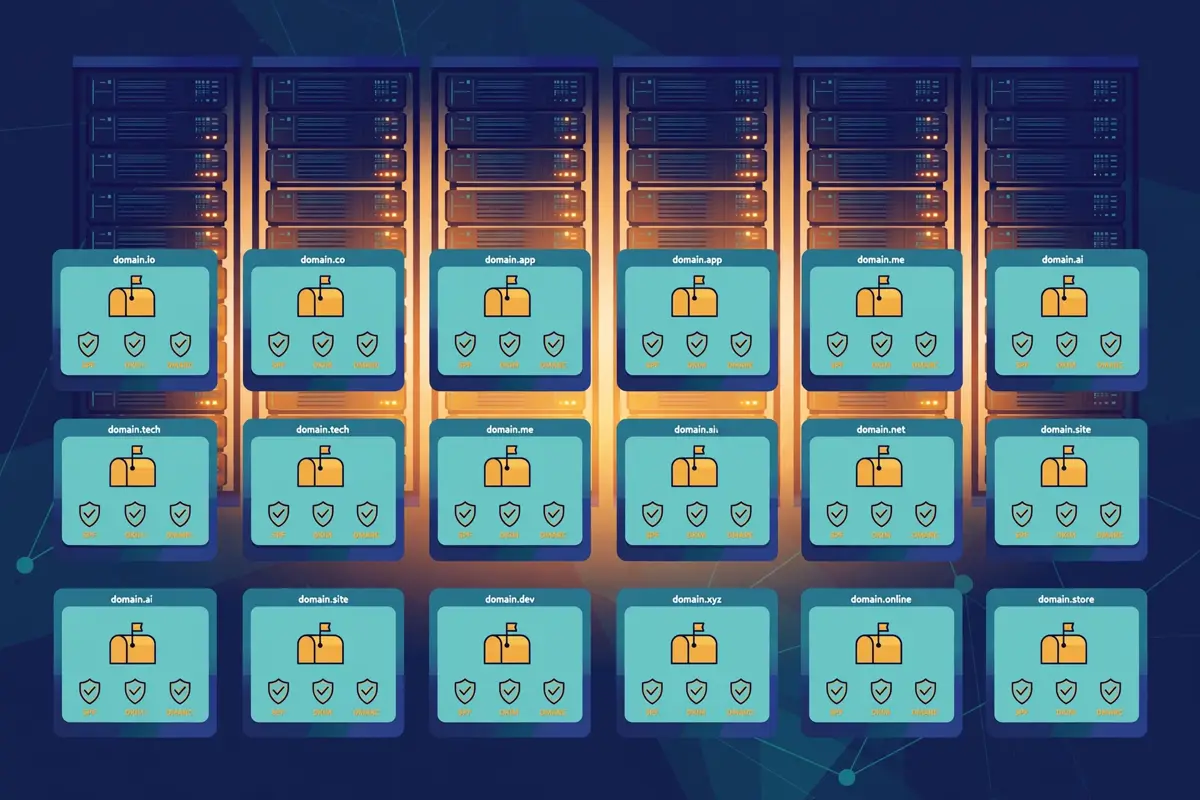
    Warmforge Mailforge review: rows of domain cards with mailbox icons and shield checkmarks for SPF, DKIM and DMARC, illustrating Mailforge shared inbox infrastructure
    Mailforge creates domains and mailboxes on shared infrastructure, with SPF, DKIM and DMARC set up automatically and bulk DNS updates across every domain.

    Warmforge Mailforge review: Mailforge pricing, in the vendor’s own calculator

    Mailforge prices by the mailbox slot, not by the mailbox, and the distinction is worth understanding before you buy. A slot is capacity: buy 10 slots and you can create up to 10 mailboxes, delete them. Create new ones at no extra cost, because you are charged for the slots, not the active mailboxes. Buy 10 slots and create only 5 mailboxes, though, and you still pay for all 10. The pricing page calculator makes this concrete: 25 mailbox slots cost $75 a month on monthly billing, or $60 a month on yearly billing, which works out at $2.40 a slot. The minimum purchase is 10 slots, so the smallest Mailforge bill is $30 a month, or $24 on yearly billing, before domains.

    Domains are priced separately. A .com domain costs $14 a year. The calculator prices them into the total: the example on the pricing page shows 9 .com domains at $14 a year, or $126 a year. Annual billing on mailboxes gives two months free, while domains get no annual discount, according to the pricing page FAQ. There is no free trial, because you need to purchase domains and mailboxes to use the product. You can explore the app for free after signing up. There is no contract, and you can cancel anytime. Invoices are issued after payment, which matters for agencies billing clients.

    Video: “How to set up cold email domains and mailboxes without touching DNS&rdquo. By Salesforge on YouTube (watch the original on YouTube). This video is the property of its creator, embedded via YouTube for education. OutreachCompare is not affiliated with Salesforge and does not claim ownership of this video. It shows the exact Mailforge workflow this section describes: domains and mailboxes set up without editing DNS records by hand.

    Warmforge Mailforge review: how much mail can a Mailforge mailbox send?

    However, volume guidance is where Mailforge’s own pages go quieter, so this Warmforge Mailforge review is careful about what it claims. The vendor’s comparison pages and independent checks of the pricing page agree on the working rule: around 30 emails per mailbox per day, with a maximum of 100, and 2 to 3 mailboxes per domain. That rule drives the calculator: tell it how many contacts you want to process each month and how many emails each contact receives. It works out the domains and mailboxes you need. At 30 a day, 10 mailboxes send roughly 300 emails a day, or about 6,000 a month on working days. A team that needs 30,000 emails a month needs roughly 50 mailboxes, which is $150 a month on monthly billing before domains. Those are the vendor’s own worked numbers, and they scale linearly, which is the point of the slot model.

    Finally, one more Mailforge claim deserves a careful reading. The homepage compares the cost of 200 mailboxes across providers: $484 a month on Mailforge, against $1,680 a month on Google Workspace and $1,200 on Microsoft 365. That comparison is fair on price and misleading if read as a like-for-like product comparison, because Google and Microsoft mailboxes are real, mainstream inboxes with their own reputation advantages, while Mailforge mailboxes run on shared infrastructure built for cold outreach. Primeforge, the Forge sibling that sells real Google and Microsoft mailboxes, exists precisely for buyers who want that mainstream option. Mailforge is the cheaper, faster, shared-IP choice, and it should be judged as one.

    How the two tools work together

    Warmforge Mailforge review: the five-step loop

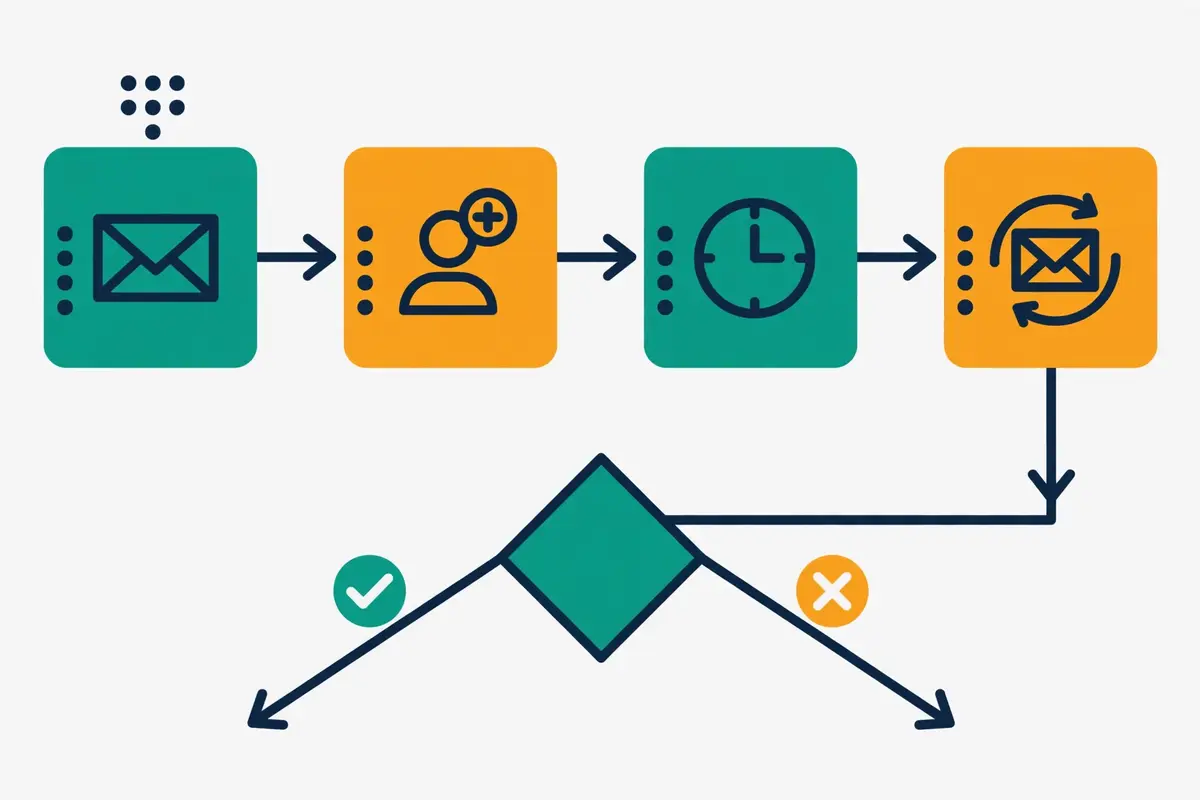
    Bought separately, Warmforge and Mailforge are useful but incomplete. Bought together, they form a loop that covers the two layers beneath sending. The loop runs in five steps, and it is worth walking through slowly, because the order matters and getting it wrong is the most common beginner mistake in cold email. First, buy domains and mailbox slots in Mailforge, and let the platform create the mailboxes and publish the authentication records. Second, connect those mailboxes to Warmforge, or to Salesforge, which warms them through Warmforge automatically. Third, warm for at least two weeks while the Heat Score climbs. Watch the health checks for DNS, MX and blacklist problems. Fourth, run a placement test and wait for a Heat Score above 85. Fifth, connect the warmed mailboxes to your sequencer and start sending at low volume, keeping warmup running in the background the whole time.

    The loop only works if warmup stays on after launch, and this is where many senders go wrong. Warmforge’s own FAQ warns that turning warmup on and off at irregular intervals signals an irregular sending pattern to providers. The vendor’s advice is to keep it on at all times. That means the warmup slot is not a one-off cost for a new mailbox: it is an ongoing subscription for as long as the mailbox sends. Budget for it that way. A mailbox that costs $3 a month in Mailforge and $9 a month in Warmforge costs $12 a month to keep warm and sending, every month, until you retire it.

    The shared login helps, but it does not remove the seams. Each Forge product is a separate subscription with its own billing. A stack buyer manages two checkouts, two sets of slots, and two dashboards. The Forge MCP server and CLI are the vendor’s answer to that friction for technical teams, letting code manage mailboxes and warmup across products. Non-technical buyers will live in two web apps instead. That is a small annoyance rather than a deal-breaker. It is worth knowing before you buy, because the marketing presents the Forge Stack as one smooth system and the billing is not.

    Warmforge Mailforge review: the Salesforge shortcut

    There is also a shortcut inside the family that changes the loop for some buyers. If you buy Salesforge, the sequencer, you get unlimited Warmforge slots included free on every plan. In that case the loop collapses: Salesforge warms every mailbox you connect, at no extra cost and with no slot limits. You only pay Mailforge for the infrastructure. A Salesforge Pro plan at $48 a month, verified in our Salesforge review, plus Mailforge slots at $3 each, is a complete stack with warmup included. That bundle is the cheapest way into the Forge Stack. It is the configuration the vendor’s own case studies describe most often.

    Who the Forge Stack suits best — and who should skip it

    The Forge Stack fits a specific buyer unusually well, and the fit is easy to recognise. You send cold email at real volume, you own the sending. You want the layers underneath it handled by one vendor. Think of a founder sending a few thousand emails a month from a handful of domains, an agency running outreach for several clients, or a sales team that has outgrown a single Gmail account and needs ten or twenty mailboxes that all stay healthy. If that is you, the stack’s pitch lands: cheap mailboxes, automated DNS, a warmup pool that only uses aged accounts. A single readiness score that tells you when to send. Our guide to cold email for beginners explains the basics first. The stack is the infrastructure that guide points at once you are ready to scale.

    Agencies are the natural centre of that audience. Multiple workspaces in Mailforge keep each client’s domains and mailboxes separate, slots can be reallocated between mailboxes at no extra cost. The per-slot pricing scales linearly with client count. A ten-client agency with ten mailboxes per client pays for 100 slots, and the maths is transparent. The Forge team’s own case studies lean the same way: agencies running the stack across dozens of clients, with Mailforge for infrastructure and Warmforge for readiness. If you bill clients for infrastructure, the per-slot model makes the pass-through cost easy to explain. The invoices Mailforge issues after payment help with the paperwork.

    Warmforge Mailforge review: why Salesforge customers get the best deal

    A second audience is the buyer who already uses Salesforge, or plans to. Unlimited Warmforge slots come free with every Salesforge plan, so the warmup half of the stack costs nothing extra. Add Mailforge slots at $3 each and you have infrastructure plus warmup plus sending for the price of the sequencer and the mailboxes. No other combination in this review matches that bundle for value. If you are choosing a sequencer anyway. You like Salesforge’s AI personalisation and Agent Frank, the stack decision almost makes itself. Read our Salesforge review before deciding, because the sequencer has to earn its own place too.

    Warmforge Mailforge review: smaller senders can start with one mailbox

    Smaller senders are not shut out either, which is a pleasant surprise for infrastructure products that usually price for agencies. The minimum Mailforge purchase is 10 slots, so the smallest infrastructure bill is $30 a month. Warmforge starts at a single slot, with one free slot and one free placement test on signup. A solo founder can warm one existing Google Workspace mailbox in Warmforge for $9 a month, learn the Heat Score habit. Add Mailforge later when the volume justifies ten mailboxes. That ramp is friendlier than the flat-rate rivals in the comparison table below, which start at $39 or $147 a month whether you need one mailbox or a hundred.

    Warmforge Mailforge review: who should skip the Forge Stack?

    Not everyone should buy it, and the exceptions are clear. Warmup-only buyers can keep it simple. If you only need warmup for mailboxes you already own, buy Warmforge alone and skip Mailforge entirely. Cheap mailboxes are a different case. If you already warm them elsewhere, or your sequencer includes unlimited warmup, buy Mailforge alone and skip Warmforge. A dedicated IP is another reason to look elsewhere. Do You Mail or Infraforge fit that buyer better, because Mailforge’s shared pool is the wrong architecture for it. For a single tool that also sends your campaigns, the stack is not that tool. You still need a sequencer, and a bundled option such as Instantly at $47 a month or Smartlead at $39 a month, both with warmup included, may be simpler and cheaper overall.

    Finally, buyers who need real Google Workspace or Microsoft 365 mailboxes, rather than shared infrastructure, should look at Primeforge, the Forge sibling that sells exactly that from $4.50 a slot a month, or at buying Workspace seats directly. Mailforge’s shared mailboxes are built for cold outreach volume, not for looking like a mainstream corporate inbox. That distinction matters most for senders whose prospects reply, book meetings, and judge the sender by the domain they see. A shared-infrastructure mailbox can land well and still look less established than a real Workspace address when a prospect checks it.

    Warmforge Mailforge review: pricing in 2026, for both tools

    Pricing is where the Forge Stack either earns its keep or falls apart, because two subscriptions, two slot models and two billing cycles can hide the real monthly cost. This section lays out both price lists exactly as published on 15 November 2026, then works out what a realistic setup costs. All figures come from warmforge.ai/pricing and mailforge.ai/pricing, checked that day. Where the vendor’s own blog pages quote a different figure from its pricing page, this review reports both and says which page said what, rather than picking the friendlier number.

    Warmforge’s pricing page leads with a calculator. The headline figure on the page we checked is $10 per slot a month, billed quarterly. The vendor’s own blog pages, updated across 2026, quote $9 per slot a month on annual billing, with two months free on annual billing. Both can be true at once: quarterly billing costs more per month than annual billing. The pricing page calculator defaults to the quarterly figure. This Warmforge Mailforge review uses $9 on annual billing and $10 on quarterly billing. Treats the $9 figure as the best-case price. Each slot includes automated AI warmup, one free placement test a month, and health checks on DNS, MX and blacklist status. One free slot is included on signup.

    Warmforge Mailforge review: placement tests cost extra

    Placement tests are a separate subscription on top of warmup, and they are priced as plans of their own. Pro costs $32.50 a month on annual billing, or $39 a month on monthly billing. Buys 100 tests a month with up to 50 mailboxes per test. Growth costs $140.80 a month on annual billing, or $169 a month on monthly billing. Buys unlimited tests with up to 250 mailboxes per test. Annual billing gives two months free on the Growth plan. A sender who tests every mailbox monthly, as the vendor recommends, can stay on the free test included with each slot. A sender who tests before every campaign, as the vendor’s own blog authors admit they do, will need Pro. Budget for it if that is your habit.

    Mailforge’s pricing is simpler to state and easier to misread. Mailbox slots cost $3 a month on monthly billing. The pricing page calculator shows $60 a month for 25 slots on yearly billing, which is $2.40 a slot. The minimum purchase is 10 slots, so the smallest bill is $30 a month, or $24 on yearly billing. Domains cost $14 a year for a .com, with no annual discount on domains. SSL and domain masking costs $2 per domain a month. Annual billing on mailboxes gives two months free. There is no free trial on either product, because both need paid slots or domains to do their job. Both let you explore the app for free after signing up. Warmforge includes one free slot and one free placement test.

    Warmforge Mailforge review: what a 10-mailbox setup actually costs

    Worked examples beat price lists, so here is the setup most readers will actually buy. Ten mailboxes, sending around 300 emails a day between them, need roughly four domains at 2 to 3 mailboxes per domain. On monthly billing, Mailforge costs $30 a month for 10 slots, plus four domains at $14 a year, which is about $4.67 a month. Warmforge costs $100 a month for 10 slots on quarterly billing, or $90 a month on annual billing. The monthly-billing total is about $135 a month, or about $125 a month on annual billing for the warmup half. Add a Pro placement plan at $32.50 a month on annual billing if you test before every campaign. The stack costs roughly $157 a month all-in on annual billing.

    Now compare that with the shortcut. A Salesforge customer pays nothing for Warmforge, because unlimited slots are included free on every Salesforge plan. The same 10-mailbox setup then costs $30 a month for Mailforge slots, plus about $4.67 a month for domains, plus the Salesforge plan itself, which starts at $48 a month for Pro. That is roughly $83 a month for infrastructure, warmup and sending together, against roughly $125 a month for the stack without Salesforge, before any sequencer is added. The gap is the single biggest pricing fact in this review. It is the reason the stack makes most sense as a Salesforge bundle rather than as two standalone purchases.

    Warmforge Mailforge review: Forge Stack pricing at a glance

    Product & planPriceWhat it includes
    Warmforge warmup
    Per mailbox slot
    $9 / slot / mo
    annual billing; $10 quarterly
    Automated AI warmup, 1 free placement test a month, health checks on DNS, MX and blacklist; 1 free slot on signupVisit Site →
    Warmforge Placement Pro$32.50 / mo
    annual; $39 monthly
    100 placement tests a month, up to 50 mailboxes per testVisit Site →
    Warmforge Placement Growth$140.80 / mo
    annual; $169 monthly
    Unlimited placement tests, up to 250 mailboxes per test; 2 months free annualVisit Site →
    Mailforge mailbox slots
    Minimum 10 slots
    $3 / slot / mo
    monthly; $2.40 yearly
    Shared-IP mailboxes, automated DNS, inbox hosting and maintenance; delete and recreate mailboxes at no extra costVisit Site →
    Mailforge domains & add-ons$14 / .com / year
    SSL & masking $2 / domain / mo
    Domain purchase and transfer, automated DNS, bulk DNS updates, multiple workspaces; annual billing gives 2 months free on mailboxes, no discount on domainsVisit Site →

    Last checked: 15 November 2026 on Warmforge pricing and Mailforge pricing. Warmforge’s pricing page shows $10 a slot a month billed quarterly; the vendor’s blog pages quote $9 a slot a month on annual billing, and this review uses both figures as stated. Neither product offers a free trial; Warmforge includes 1 free slot and 1 free placement test on signup. Each Forge product is a separate subscription, and Salesforge plans include unlimited Warmforge slots free. Features and pricing can change, so please check the provider’s site before you buy. We do not guess at features, prices or trials.

    Key features, verified on the official sites

    Six areas decide whether the Forge Stack earns its keep day to day. This section takes them one by one instead of dumping a long feature list on you. Each claim below traces to an official page checked on 15 November 2026. Anything the site does not state is marked as unconfirmed rather than assumed. That discipline matters more for infrastructure than for a dashboard product, because the buyer is choosing the foundation their sending depends on. A missing capability only shows up when a real campaign is already live.

    Warmforge Mailforge review: one-click AI warmup on a premium pool

    Warmforge’s warmup is the feature the whole stack is named for, and it is deliberately simple to start. Connect a Google Workspace or Microsoft 365 mailbox, or an IMAP or SMTP mailbox from Mailforge or Infraforge, switch warmup on with one click. The platform exchanges unique AI-written emails with its pool. The pool is the differentiator the vendor leans on hardest: aged accounts only, no recycled inboxes, multilingual traffic. A network the homepage describes as millions of businesses and accounts. Warmup runs continuously, and the vendor recommends at least two weeks before a first campaign and always-on operation afterwards. There is no warmup volume slider to tune by hand. No per-mailbox warmup schedule to configure, which keeps the product simple at the cost of control.

    Warmforge Mailforge review: Heat Score, health checks and placement tests

    Monitoring is where Warmforge earns its price, because warmup without measurement is guesswork. Heat Score gives every mailbox a readiness number from 0 to 100, with 85 or higher as the vendor’s threshold for sending. Health Checks watch DNS and MX records and blacklist status for every connected mailbox, and alert on spam risks. Placement tests send from your mailbox to seed addresses across providers and report where the mail lands. Each slot includes one free test a month, and the Pro and Growth plans add volume for frequent testers. A free deliverability audit on the Warmforge homepage checks DNS, MX and blacklists without signing up, which is a useful first step before buying anything.
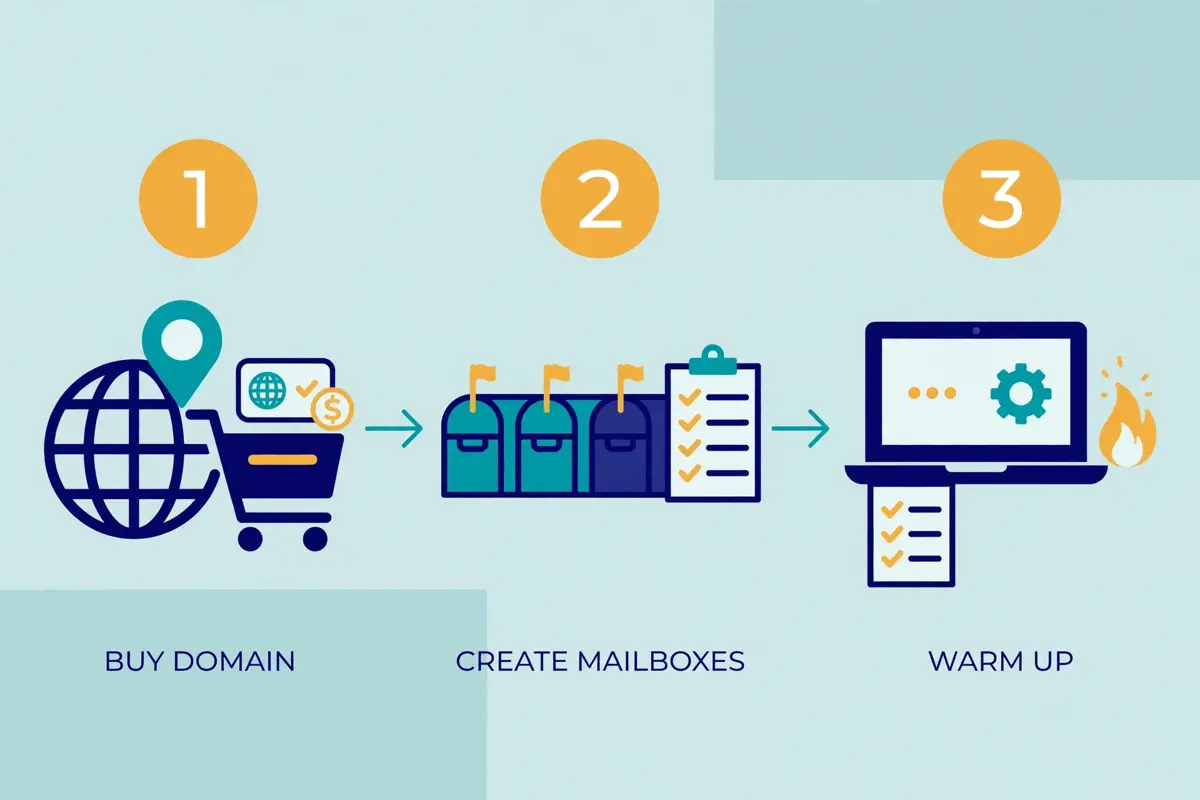
    Warmforge Mailforge review: three setup steps in a row, buying a domain, creating mailboxes and warming them up, with a laptop showing a setup wizard
    The Forge Stack loop runs in order: buy domains and mailboxes in Mailforge, warm them in Warmforge until the Heat Score passes 85, then connect them to a sequencer and send.

    Warmforge Mailforge review: automated DNS and bulk domain management

    Mailforge’s strongest feature is the one that saves the most time: automated DNS. For each domain you add, the platform sets up SPF, DKIM, DMARC, MX, custom domain tracking and domain forwarding, following industry best practices, without you editing a TXT record. Bulk DNS updates change records across many domains at once, and domain transfers move domains in or out of the platform. That automation is the difference between setting up 25 domains in an afternoon and setting them up in a week. The vendor’s own blog puts the manual cost at more than 150 DNS records for 25 domains. For agencies, multiple workspaces keep each client’s domains and mailboxes separate, and mailboxes can move between workspaces.

    Warmforge Mailforge review: pre-warmed mailboxes, ready in minutes

    Mailforge mailboxes arrive pre-warmed, according to the vendor, and the platform promises infrastructure ready in about five minutes. Pre-warming is not the same as Warmforge warmup, and the distinction matters: Mailforge’s claim is that its domains and mailboxes have already been through a warming process before you buy them, so you can start sequences right away. Warmforge’s warmup is the ongoing, monitored process that keeps them warm afterwards. A buyer who treats pre-warming as a substitute for two weeks of Warmforge warmup is skipping a step the vendor itself recommends. The Heat Score exists to catch exactly that mistake. Check the score before you send, even on a pre-warmed mailbox.

    Warmforge Mailforge review: one login, an API, MCP and a CLI

    Both tools share a Forge login, and both expose an API, MCP server and CLI for teams that manage infrastructure from code. The Forge MCP server lets an AI agent or a script create mailboxes, check warmup status and manage domains without opening the dashboard. SOC 2 compliance is claimed on both homepages. Both products show customer reviews on their sites: Warmforge carries a 4.6 rating on G2. Mailforge shows a 4.9 rating on its homepage. Those are vendor-published figures, not independent measurements, and this review reports them as such. Support is expert customer support on Mailforge and chat support on Warmforge, with a helpdesk and a Forge Expert Double Session, two one-to-one sessions with an expert, sold as a consulting add-on on both pricing pages.

    Warmforge Mailforge review: what the Forge Stack does not include

    Finally, the honest version of a features section lists the absences too. Neither tool sends campaigns, builds sequences, finds leads, verifies email addresses, or manages replies. There is no lead database, no email finder, no verifier and no unified reply inbox anywhere in the stack. Warmforge has no sequence builder and no campaign analytics. Mailforge has no warmup monitoring of its own beyond its pre-warming claim, no placement testing. No Heat Score: those live in Warmforge. A buyer who needs any of those jobs done needs a sequencer and, in most cases, a data tool as well. Our guides to the best email deliverability tools and the best B2B data providers cover the companions the stack needs.

    Forge Stack vs Do You Mail vs Inframail vs Instantly

    Judged alone, any infrastructure tool can look like a bargain. This Warmforge Mailforge review sets the stack beside its three nearest rivals. Do You Mail is the closest infrastructure rival: dedicated servers with unlimited inboxes and domains for a flat $39 a server a month, verified in our Do You Mail review. Inframail is the flat-rate Microsoft-backed rival, with unlimited inboxes for $147 a month, verified on its homepage on 15 November 2026. Instantly is the bundled alternative: a sequencer with unlimited mailboxes and unlimited warmup built in, from $47 a month, which removes the need for a separate warmup tool entirely. Different buyers will favour different ones, and the table below shows where the Forge Stack leads and where a rival makes more sense.

    Warmforge Mailforge review: the comparison table

    ToolBest forPrice fromFree tier / trial
    1
    Forge Stack
    Warmup plus infrastructure in one login

    Only the stack pairs a readiness score with cheap shared mailboxes, and Warmforge is free inside Salesforge.

    Senders who want warmup and inboxes from one vendorWarmforge $9 / slot / mo
    Mailforge $3 / slot / mo
    1 free Warmforge slot and 1 free test; no free trial on either productVisit Site →Prices checked 15 Nov 2026
    2
    Do You Mail
    Flat-rate dedicated servers

    A dedicated server and IP of your own for $39 a month, with unlimited inboxes and domains, but no warmup at all.

    Senders who want a dedicated IP at a flat price$39 / server / mo
    about $0.97 per mailbox implied
    No free trial advertised on the official siteVisit Site →Prices checked 15 Nov 2026
    3
    Inframail
    Flat-rate unlimited inboxes

    Unlimited Microsoft-backed inboxes for a flat fee, with a dedicated IP included, but warmup is not built in.

    Agencies that want unlimited inboxes for one price$147 / mo
    Unlimited plan, up to 400 mailboxes
    No free trial stated on the homepage checkedVisit Site →Prices checked 15 Nov 2026
    4
    Instantly
    Sending plus warmup in one tool

    A sequencer with unlimited mailboxes and unlimited warmup in the plan, so no separate warmup or inbox tool is needed.

    Teams that want sending and warmup bundled$47 / mo
    Growth plan
    No free trial shown on the pricing pageVisit Site →Prices checked 15 Nov 2026

    Last checked: 15 November 2026 on Warmforge pricing, Mailforge pricing and Inframail, with Do You Mail and Instantly prices from our verified reviews of Do You Mail and Instantly. Inframail’s prices have changed since our Do You Mail review, which cited $99 a month for Unlimited and $249 for Agency: the homepage now shows $147 for Unlimited and $387 for the Agency Pack, and this review uses the current figures. Features and pricing can change, so please check the provider’s site before you buy. We do not guess at features, prices or trials.

    Warmforge Mailforge review: the short version

    On price alone, the four options split into two groups, and the split decides the whole comparison. The Forge Stack and Do You Mail charge per unit: $9 plus $3 a mailbox a month for the stack, or $39 a server a month for Do You Mail. That makes them cheap at small scale and expensive at large scale, because every mailbox adds to the bill. Inframail and Instantly charge flat rates: $147 a month for unlimited Inframail inboxes, or $47 a month for Instantly with unlimited mailboxes and warmup included. At 10 mailboxes the stack costs about $125 a month, Do You Mail costs $39, and Instantly costs $47 with sending included.

    At 100 mailboxes the stack costs about $1,200 a month, Do You Mail still costs $39 a server, Inframail still costs $147, and Instantly still costs $47. The per-slot model is the stack’s biggest weakness at scale. Its biggest strength at small scale, where a single Warmforge slot costs $9.

    On features, the split runs the other way. Only the Forge Stack gives you a readiness score: Heat Score is the one feature no rival here offers. It is the reason to pick Warmforge over a warmup tool that only runs in the background. Only Do You Mail and Inframail give you a dedicated IP at their headline price: Do You Mail gives a dedicated server and IP for $39, and Inframail gives a dedicated US IP on its $147 plan. Mailforge’s shared pool is cheaper per mailbox but offers no dedicated IP at all, which is a real gap for senders who need one. Only Instantly sends campaigns: the other three are infrastructure and warmup only, so they all need a sequencer on top. Your volume and your need for a dedicated IP should settle the choice. The matrix below makes the trade-offs visible at a glance.

    Warmforge Mailforge review: the feature matrix

    FeatureForge StackDo You MailInframailInstantly
    Warmup included✓ Warmforge, AI warmup on aged pool— no warmup included— warmup not built in✓ unlimited warmup, 4.2M+ pool
    Readiness score✓ Heat Score 0–100, send at 85+— not stated— not stated— not stated as a score
    Inbox placement tests✓ 1 free a month per slot, Pro and Growth plans— not stated✓ deliverability monitoring stated✓ inbox placement tests included
    Creates domains and mailboxes✓ Mailforge, automated DNS✓ unlimited inboxes and domains✓ unlimited inboxes, buy domains in-app— connects mailboxes, does not create them
    Dedicated IP— shared pool only; Infraforge sells dedicated IPs✓ dedicated server and IP per server✓ 1 dedicated US IP on Unlimited— not stated
    Automated SPF, DKIM, DMARC✓ Mailforge, automatic per domain✓ automated per server✓ automatic per inbox— checks records, does not create domains
    Sends campaigns— needs a sequencer such as Salesforge— infrastructure only, no sequences— infrastructure only, no sequences✓ full sequencer included
    Free slot or trial✓ 1 free Warmforge slot and test— no trial advertised— no trial stated on homepage— no trial shown on pricing page
    Starting price$9 + $3 per mailbox a month$39 per server a month$147 a month flat$47 a month, Growth plan

    Last checked: 15 November 2026. ✓ shows a feature stated on the provider’s official site; — shows it is not confirmed there. Do You Mail and Instantly figures come from our verified reviews of Do You Mail and Instantly; Inframail figures come from Inframail today. Features and pricing can change, so please check the provider’s site before you buy. We do not guess at features, prices or trials.

    Pros and cons of the Forge Stack

    A fair review shows both sides, and the Forge Stack has clear strengths alongside genuine trade-offs. The picture below draws on the platforms’ own published details and the pricing verified on 15 November 2026. It also uses the comparison with Do You Mail, Inframail and Instantly above, because a stack that only does two layers of the job has to be judged against tools that do more, or charge less, for the same money.

    Warmforge Mailforge review: what we like about the Forge Stack

    • A readiness score instead of guesswork. Heat Score turns warmup from a waiting game into a number, and the vendor’s threshold of 85 or higher gives every mailbox a clear go or no-go before a campaign starts.
    • A premium warmup pool, by default. Aged Google Workspace and Microsoft 365 accounts only, no recycled inboxes, no paid upgrade to a better pool: the quality claim is built into the base product, not sold as an add-on.
    • Cheap mailboxes with automated DNS. Mailforge at $3 a slot a month, with SPF, DKIM, DMARC, MX and tracking records published automatically, removes the most tedious hour of cold email setup for every domain you add.
    • Free inside Salesforge. Unlimited Warmforge slots are included free on every Salesforge plan, which makes the stack a much better deal for Salesforge customers than for standalone buyers.
    • Works with any sending software. Mailforge inboxes feed Salesforge, Instantly, Smartlead or any other sequencer, and Warmforge warms Google Workspace, Microsoft 365 and Mailforge mailboxes alike, so the stack does not lock you into one sender.
    • A genuine free starting point. One free Warmforge slot and one free placement test on signup, with no card, lets a buyer try the warmup and the Heat Score on a real mailbox before spending anything.
    • Scales down as well as up. A single Warmforge slot costs $9 a month, so a solo founder can start with one mailbox, unlike the flat-rate rivals that charge $39 or $147 whether you need one inbox or a hundred.

    Warmforge Mailforge review: where the Forge Stack falls short

    • Per-slot pricing punishes scale. At 100 mailboxes the stack costs about $1,200 a month, while Do You Mail charges $39 a server, Inframail charges $147 flat, and Instantly charges $47 with sending included: the maths flips hard as volume grows.
    • Shared IPs only in Mailforge. There is no dedicated IP option in Mailforge itself, so senders who need one must buy Infraforge instead, or pick Do You Mail or Inframail, which include a dedicated IP at their headline price.
    • Two subscriptions, two dashboards. Each Forge product is billed separately, so a stack buyer manages two checkouts and two sets of slots, and the smooth single-system marketing does not match the billing reality.
    • No free trial on either product. Both pricing pages say plainly that there is no free trial, because slots and domains must be bought to use them, which makes the free Warmforge slot the only try-before-you-buy route.
    • Neither tool sends a campaign. The stack covers infrastructure and warmup only, so every buyer still needs a sequencer, and the combined cost of stack plus sequencer should be compared against bundled tools such as Instantly.
    • Warmforge only warms certain mailboxes. The product is built around Google Workspace and Microsoft 365, plus Mailforge and Infraforge mailboxes, so senders on other providers should check compatibility before paying.
    • Two different warmup prices on the vendor’s own site. The pricing page shows $10 a slot a month billed quarterly, while the vendor’s blog pages quote $9 on annual billing, which is confusing for a buyer trying to budget.
    • Pre-warmed is not the same as warmed. Mailforge mailboxes arrive pre-warmed, but that claim is no substitute for two weeks of monitored Warmforge warmup, and a buyer who skips the wait risks the deliverability the stack is supposed to protect.

    Deliverability and warmup, explained honestly

    Deliverability is the whole point of the Forge Stack, so this section starts by resetting the frame. There is no inbox placement rate to quote for the stack, because the stack sends no campaigns and publishes no placement benchmark. Instead the question is whether the two layers it sells, infrastructure and warmup, actually protect a sender’s reputation. The answer depends on how the layers work together, and on the limits the vendor states plainly on its own pages. This Warmforge Mailforge review works through both, because a buyer who understands the mechanism will use the stack well. A buyer who treats it as magic will be disappointed.

    Warmforge Mailforge review: how Warmforge builds trust

    Warmforge’s mechanism is straightforward and, on its own terms, sound. A new mailbox builds trust by exchanging genuine-looking mail with real accounts. The pool it exchanges with is the quality control. Aged Google Workspace and Microsoft 365 accounts, multilingual traffic, AI-written unique messages, opens, replies and spam rescues: those are the signals inbox providers look for, and they are the signals Warmforge generates. The vendor’s two-week minimum before a first campaign matches the advice in our guide to the best warmup tools in 2026. The always-on advice after launch matches what every serious warmup guide recommends. A mailbox that warms for two weeks and then stops warming is a mailbox whose reputation starts decaying the day campaigns begin.

    Warmforge Mailforge review: how Mailforge delivers at scale

    Mailforge’s mechanism is different, and it is worth separating from warmup. Shared infrastructure delivers well when the pool is busy and clean, because volume and reputation are shared across many senders. A single mailbox inherits the pool’s standing. The vendor’s own comparison makes the point with numbers: 200 mailboxes cost $484 a month on Mailforge, against $1,680 on Google Workspace and $1,200 on Microsoft 365. That is a price comparison, not a deliverability proof, and it should be read as one. Shared pools carry a shared risk too: one bad actor on the pool can damage every mailbox on it. The vendor’s answer is strict participation rules and monitoring, not a dedicated IP. Buyers who cannot accept that shared risk should buy dedicated infrastructure instead.

    Warmforge Mailforge review: warmup does not fix a bad setup

    Warmup also has limits that the Forge team states honestly. They are worth repeating here because they decide whether the stack will help you at all. Warmup does not fix bad data, a broken DMARC record, misleading copy, high bounce rates, or complaints from people who should not have been contacted. Those are the vendor’s own words from its spam-filter guide. They match the advice in our guide to setting up a sending domain. A mailbox with a Heat Score of 90 and a list full of bad addresses will still land in spam, because providers judge the list as well as the sender. Warmforge’s health checks catch the DNS and blacklist problems, and its placement tests catch the landing problems. Neither can rescue a campaign built on poor targeting.

    The honest summary is this. The Forge Stack’s deliverability story is credible where it is specific: an aged pool, a readiness score, placement tests, automated authentication, and always-on warmup. It is weakest where it is vague: no published placement benchmark, no independent deliverability audit. A pre-warming claim for Mailforge mailboxes that is stated but not measured on the public site. That is not a reason to avoid the stack. It is a reason to use the free slot, watch the Heat Score, run a placement test before your first campaign. Judge the stack on your own mailboxes rather than on its marketing. Our guide to the best email deliverability tools in 2026 covers the testing habit in more detail. It applies to every tool in this review, not just the Forge Stack.

    Getting started with the Forge Stack

    Getting started with the Forge Stack is a short job. It is short because the two products handle the tedious parts for you. The whole first loop fits comfortably into an afternoon, plus the two weeks of warmup that follow. Start with the free checks, then buy the smallest sensible setup, then wait for the Heat Score before you send. That order matters: the buyers who struggle are the ones who buy fifty mailboxes, skip the warmup. Wonder why their first campaign lands in spam.

    Warmforge Mailforge review: start with the free slot and the free audit

    First, sign up for Warmforge and claim the free warming slot and the free placement test, with no card required. Connect one mailbox you already own, switch warmup on, and watch the Heat Score climb. At the same time, run the free deliverability audit on the Warmforge homepage, which checks DNS, MX and blacklist status without a signup. Those two free steps tell you more about your current setup than any sales page will, and they cost nothing. If the audit finds a broken DMARC record or a blacklisted domain, fix that before spending a cent on infrastructure, because no warmup tool can paper over it.

    Warmforge Mailforge review: buy ten Mailforge slots, then wait two weeks

    Next, buy the minimum Mailforge setup: 10 mailbox slots at $30 a month, plus a few domains at $14 a year each. Let the platform create the mailboxes and publish the authentication records, then connect those mailboxes to Warmforge and let them warm. The vendor recommends at least two weeks before reaching out to prospects, and a Heat Score above 85 before you start. Use the wait well: write your sequences, build your list, and run a placement test on each mailbox. When the score passes 85, connect the mailboxes to your sequencer and start at low volume, keeping warmup running in the background. Our guide to cold email for beginners covers the sending side from there.

    Warmforge Mailforge review: scale by adding slots, not by raising volume on one mailbox

    Finally, when the pilot performs well, scale the way the stack is designed to scale. Add more Mailforge slots and more Warmforge slots together, keeping the ratio of warmup to mailboxes at one to one. Keep each mailbox near the vendor’s guidance of around 30 emails a day. A team that scales by adding mailboxes keeps the risk spread across many identities instead of concentrated on one. Track the cost as you go, and remember the per-slot maths: at 100 mailboxes the stack costs about $1,200 a month. That is the point where a flat-rate rival such as Inframail or Do You Mail deserves a second look. The stack is at its best in the 10 to 50 mailbox range, and honest about its limits beyond it.

    Our verdict on the Forge Stack

    Our verdict: the Forge Stack is the clearest warmup-plus-infrastructure pairing for small and mid-size senders

    Warmforge and Mailforge earn their place together because they solve the two unglamorous problems that decide whether cold email works: mailboxes that exist and are authenticated, and mailboxes that providers trust. Warmforge’s Heat Score is the best readiness signal in this review, its aged-only warmup pool is a genuine quality claim, and its free slot lets any buyer try it on a real mailbox. Mailforge’s automated DNS and $3 mailboxes remove the most tedious hour of cold email setup for every domain you add. Bought as a Salesforge bundle, with unlimited Warmforge slots included free, the stack is the best value in this comparison. Bought standalone, it is still a strong pick for senders with 10 to 50 mailboxes who want warmup and infrastructure from one vendor.

    Even so, the stack suits some buyers far better than others, and it makes no claim otherwise. Per-slot pricing punishes scale, so a 100-mailbox sender pays about $1,200 a month where Do You Mail charges $39 a server and Inframail charges $147 flat. Mailforge’s shared pool offers no dedicated IP, and neither tool sends a campaign, so every buyer still needs a sequencer on top. Yet a sender starting out, or growing carefully, who wants a clear readiness score before every send, will find the Forge Stack a confident, reassuring pick — provided the first mailbox is warmed for two weeks, the Heat Score passes 85, and a placement test is run before the first real campaign goes out.

    Best for: cold emailers who want warmup and inbox infrastructure from one vendor, with a clear readiness score before they send.
    Starting price: Warmforge from $9 a slot a month on annual billing; Mailforge from $3 a slot a month — checked 15 November 2026.
    Note: We have not run a hands-on test of Warmforge or Mailforge, so this verdict is based on the platforms’ published features and pricing, not on a scored trial. No numeric score is given.

    Visit Warmforge → Visit Mailforge →

    Warmforge Mailforge review FAQ

    What is the difference between Warmforge and Mailforge?

    Warmforge is the warmup and deliverability half: it warms mailboxes you already own with AI-written emails, scores their readiness with a Heat Score, runs placement tests, and checks DNS, MX and blacklist health. Mailforge is the infrastructure half: it creates the domains and mailboxes themselves on shared infrastructure, sets up SPF, DKIM and DMARC automatically. Hands you ready-to-send inboxes in about five minutes. Warmforge needs mailboxes to warm; Mailforge supplies them. Neither tool sends cold email campaigns on its own.

    How much does the Forge Stack cost?

    Warmforge costs $9 per mailbox slot a month on annual billing, or $10 a month on quarterly billing, with one free slot and one free placement test on signup. Placement test plans cost $32.50 a month for Pro and $140.80 a month for Growth on annual billing. Mailforge costs $3 per mailbox slot a month on monthly billing, or $2.40 on yearly billing, with a minimum of 10 slots, plus $14 a year per .com domain and $2 per domain a month for SSL and domain masking. A 10-mailbox setup costs about $125 a month on annual billing, or about $83 a month with sending included if you already pay for Salesforge, which includes unlimited Warmforge slots free. All figures were checked on 15 November 2026.

    Is Warmforge free with Salesforge?

    Yes. Every Salesforge plan includes unlimited Warmforge slots at no extra cost, with no slot limits. That means a Salesforge customer pays nothing extra for warmup, and only needs to decide about Mailforge for infrastructure. Standalone Warmforge buyers pay per slot, from $9 a month on annual billing. Each Forge product is a separate subscription, so the free Warmforge inclusion only applies while you hold a Salesforge plan.

    What is a good Heat Score in Warmforge?

    Warmforge scores every mailbox from 0 to 100, and the vendor recommends a score above 85 before you start sending campaigns. The score reflects warmup engagement, mailbox health and placement test results. New mailboxes should warm for at least two weeks before reaching out to prospects. Warmup should stay on at all times afterwards, because turning it on and off signals an irregular sending pattern to inbox providers.

    Does Mailforge use dedicated IPs?

    No. Mailforge runs on shared infrastructure with a shared IP pool, which keeps the price at $3 a mailbox a month. Senders who need a dedicated IP should look at Infraforge, the Forge sibling that sells dedicated-IP infrastructure from $4 a slot a month, or at Do You Mail and Inframail, which include a dedicated IP at their headline prices. Primeforge, another Forge sibling, sells real Google Workspace and Microsoft 365 mailboxes from $4.50 a slot a month for senders who want mainstream mailboxes.

    Can I use Warmforge and Mailforge without Salesforge?

    Yes. Both products are sold standalone, each with its own subscription, and they work with any sending software. Mailforge inboxes can feed Instantly, Smartlead or any other sequencer, and Warmforge warms Google Workspace, Microsoft 365 and Mailforge mailboxes alike. You do not need Salesforge to use either tool, although Salesforge customers get Warmforge free, which makes the bundle the cheapest way into the stack.

    Keep reading

    If this Forge Stack review helped you, these guides and reviews take the next step:

    Best for warmup plus inbox infrastructure in one login: the Forge StackWarmforge from $9/slot/mo · Mailforge from $3/slot/mo Visit Site →
  • Mails.ai Review 2026

    Mails.ai Review 2026

    Best for per-agent AI inboxes with injection scanning: Mails.ai

    Mails.ai has changed completely since the cold email reviews were written. It is no longer a cold email tool at all. Today it is an email API for AI agents. Every agent gets its own inbox. It sends and receives through one API call. Every inbound message is scanned for prompt injection before the agent ever reads it. In short, cold outreach is refused at the API with a 422 error. So anyone arriving to buy the old warmup-and-sequences product will be disappointed. Developers building agents that answer real mail will find something else, on the other hand. They will find a focused, cheap and unusually honest product. This Mails.ai review explains the pivot. It covers the pricing as published on 15 November 2026, the features that matter, and how it compares with Resend, AgentMail and Postmark.

    Visit Mails.ai → Jump to the comparison table

    Indeed, most reviews of Mails.ai still describe a cold email platform. Those reviews were accurate once, and they are wrong now. Somewhere in 2026 the company behind mails.ai rebuilt the product from the ground up. It kept the name and the domain. The sequencer, the warmup pool and the AI writer went. Their replacement is infrastructure for AI agents. Each agent gets its own email address, its own reputation and its own reply loop. Third-party directories have been slow to catch up. A buyer who trusts a stale roundup can easily sign up for a product that no longer exists.

    That mismatch is exactly why this review starts with a warning instead of a feature list. If you came here looking for a tool to send cold email at scale, stop. Mails.ai will not do that job. It says so in plain language on its own site. Every send is classified before it leaves. The API refuses cold outreach and bulk marketing with the error code cold_email_prohibited. Nothing is sent. Our roundup of the best cold email software in 2026 covers the tools that will do that job instead. They start with Instantly at $47 a month and Smartlead at $39 a month.

    For a different reader, though, the pivot is good news. Developers building support agents, notification agents, verification agents and inbox-automation agents have long needed the same thing. They need a real email address their code can own. Replies should arrive as structured data instead of raw MIME text. Protection against the prompt-injection attacks that hide in inbound mail matters too. The team behind Mails.ai built it for precisely that reader. Its prices undercut its closest rivals on the workloads where agents receive a lot of mail. This review works through the new product. It covers who it suits, what it costs, and where its honest limits sit.

    In fact, every claim below traces to an official page checked on 15 November 2026. The main sources are mails.ai itself, its pricing page, its knowledge base and its blog. We checked rival prices the same day on resend.com, agentmail.to and postmarkapp.com. Where a figure comes from a third-party source instead, this review says so. That happens because the official site no longer publishes it. Where the official site contradicts itself, this review reports the contradiction rather than smoothing it over.

    Quick Answer

    Quick answer: Mails.ai is now an email API and infrastructure service for AI agents, not a cold email tool. Each agent gets its own address, sends and receives through an API, SDKs or MCP, and every inbound message is scanned for prompt injection before the agent reads it. Pricing starts free at 3,000 emails and 3,000 inbound replies a month, with Pro at $20 a month and Scale at $99 a month. Cold outreach and bulk marketing are refused at the API with a 422 cold_email_prohibited error, so cold emailers should not buy it. Developers building agents that hold real email conversations should take a serious look, starting with the free tier and its test key.

    Best for: developers and small teams giving AI agents their own email inboxes, with prompt-injection scanning included on every plan.
    Starting price: free, then $20 a month for Pro, checked 15 November 2026 on mails.ai/pricing.
    Cold email: not allowed — refused at the API. See the best cold email software in 2026 instead.

    Visit Mails.ai →

    What’s in this Mails.ai review

    The headline finding: Mails.ai is no longer a cold email tool

    Open mails.ai today and the first thing you notice is what is missing. There is no campaign builder, no sequence editor, no lead list and no warmup dashboard. Instead the homepage opens with one line: “Give your agent its own inbox.” The product is an AI email API and infrastructure service for AI agents. A real address arrives in one API call. The agent sends, receives and replies. The operator decides who it can email and how much it can send. That is the whole pitch, and it is aimed at developers, not at sales teams.

    In contrast, older coverage tells a different story, which is why the confusion is so widespread. Meanwhile, comparison sites and review directories still describe Mails.ai as an AI-driven cold email outreach platform. They list unlimited email accounts, unlimited warmup, an AI writer, email verification and inbox rotation. Those descriptions were fair when the old product was live. The old plans are quoted on several independent pages. They ran from a free tier through Startup at $49 a month, or $24 on annual billing. Growth cost $99 or $49, and Pro cost $199 or $99. Active-contact limits were 1,000, 5,000 and unlimited. Verification credits were 2,000, 10,000 and 50,000 a month. As a result, none of that appears anywhere on mails.ai today. This review treats those figures as history. They come from third-party pages. They are not current prices.

    Mails.ai review: what Trustpilot says about two products

    Trustpilot shows the same split in miniature. For example, its page for mails.ai now describes the company as a transactional email API for developers and AI agents. It adds, explicitly, that this is not a cold-email, bulk or marketing tool. Yet most of the 19 reviews on the page describe the old product. They average 2.7 out of 5. Reviewers describe warmup campaigns that sent almost nothing. Support never answered. Some subscriptions needed an emailed Stripe portal link to cancel. Some inboxes landed on blacklists. A handful of five-star reviews praise the old tool’s unlimited warmup and low price. Overall, the page is a record of two different products sharing one name. A buyer should not treat reviews of the old one as evidence about the new one. The reverse holds too.

    Mails.ai review: the cold email ban, in the vendor’s own words

    The clearest proof of the pivot sits in the vendor’s own knowledge base, under the heading “Cold email”. Specifically, it states that mails.ai carries transactional, recipient-initiated mail only. Every send is classified before it goes out. A message judged to be cold outreach, bulk mail or marketing is refused with a 422 cold_email_prohibited error. Nothing is sent, and the error names the verdict and its confidence. The classifier judges a first message to someone who has never written to you more strictly. Replies pass through. So do confirmations, receipts, notifications, reminders and verification messages to people who just took an action. That is not a terms-of-service footnote. It is an enforcement rule built into the send call itself.

    Developers can test the rule before spending anything. In practice, a test key runs the whole API without sending real mail. A message that would be refused comes back with a classifier_warning on the response instead of an error.

    Mails.ai review: one appeal, then the door stays closed

    If a verdict looks wrong, one appeal is available per message through an appeal endpoint. An independent reviewer gives a second verdict under the same policy. Each workspace can appeal ten times in twenty-four hours. Re-sending content that was just refused gets the same refusal for an hour unless an appeal has cleared it. For a cold emailer, all of this adds up to a simple conclusion. The door is closed. It is closed by design, not by accident.

    Honesty requires one more note. The pivot looks recent and fast-moving. In addition, an independent desk review published in October 2026, by Anchor Terminal, graded the new product D. It flagged that no person or company is named on the about, terms, privacy or trust pages. There is no SOC 2 certification and no bug bounty. A release on 10 October changed webhook and key behaviour the day it shipped. In short, those are desk-review findings, not our own tests. Yet they match what we saw on the site: a small, self-described pre-launch team, English-law terms, and a product changing quickly. Buyers who need a named vendor, a compliance badge or a stable API contract should weigh that. Do so before building on it.

    What is Mails.ai today?

    Strip away the history and Mails.ai is easy to describe. In essence, it is a hosted email API. Each AI agent gets its own email address, its own sending reputation and its own reply loop. You reach it through a REST API, TypeScript and Python SDKs, or a hosted MCP server. An agent is created once, receives mail at an address of its own, and sends from it. Replies, deliveries and bounces arrive back as signed webhooks or a live stream. Each carries an injection score and the sender’s reputation. So the agent’s code can decide what to do next without parsing raw MIME text. That last detail matters more than it sounds. Anyone who has written an email parser knows how much of the work is untangling quoted history, attachments and encoding. Mails.ai removes it.

    Above all, each agent is an address of its own, with its own reputation, and that separation is the product’s central idea.

    Mails.ai review: one address, one reputation, one agent

    A support agent, a billing agent and a notification agent can share one workspace. Yet they carry separate identities, separate send limits and separate reputation scores. So one misbehaving agent cannot burn the others. In addition, agent keys are scoped too. An agent’s own key cannot loosen the caps set for it. An app connected over MCP cannot create API keys or webhooks or open billing. For teams that let code send email on their behalf, those guardrails matter. They are the difference between a useful tool and a liability.

    Beyond sending and receiving, the API covers the small jobs that usually force developers to build their own plumbing. Also, received mail arrives with its codes and magic links already extracted into fields of their own. So a sign-in flow can wait for its code with one call. Messages can sit as drafts or go out at a scheduled time. Plus addresses let each test run have its own inbox. The free tier allows 20 a day, and Scale allows 10,000 a day. For instance, the vendor runs its own test address, reply@test.mails.ai. It answers within about a second. So a developer can watch a full reply loop work before writing a line of production code.

    Mails.ai review: how the agent inbox works, step by step

    A typical setup runs like this. Sign up with a magic link and no card, and the workspace starts with an agent called hello. Then, create an agent once through the API, the dashboard or an MCP client. It gets an address such as sarah.your-workspace@in.mails.ai for receiving. A matching send address sits under send.mails.ai. Send from it with six lines of code. Or hand the MCP server to a coding agent in Claude Code, Cursor or Codex and let it send for you. When a reply arrives, the platform scans it for prompt injection and parses it. It arrives as a typed event. First-contact mail can also carry intent, entities and urgency, if classification is switched on.

    Mails.ai review: custom domains, without a nameserver move

    Custom domains follow the same pattern without a nameserver move. Then, add a domain in the dashboard on any paid plan. Copy the DKIM, SPF and DMARC records the platform returns into your own registrar. Verify, and agents on that domain send as agent@yourcompany.com. Each send is DKIM-signed with a key generated for the domain. Importantly, one current limitation deserves a plain mention. Custom-domain sends cannot yet reach personal Outlook, Hotmail or Live addresses. Work email on Microsoft 365 is unaffected. Mail from the shared mails.ai address is unaffected too. That is a narrow but real gap for anyone whose agents email consumers directly.

    Mails.ai review: what the product is not

    In other words, what Mails.ai does not try to be matters just as much. It is not a marketing platform: no campaigns, segments, templates or broadcasts live here. Nor is it a CRM, so there is no contact database, no deal pipeline and no lead enrichment. A cold email sequencer it is not either, so expect no sequences, follow-ups, A/B tests or reply inboxes for humans. And a general email client is out too: a human looking for a nicer Gmail will find nothing to click on. Readers who need any of those jobs done should look at our guides instead. Start with the best cold email software, the best B2B data providers and the best email verification tools. Mails.ai will not stretch to cover them.

    That narrowness is a strength for its intended audience and a deal-breaker for everyone else. Most importantly, a developer building agents wants an API that does one job well. It should document the job clearly and stay out of the way. Mails.ai’s documentation, SDKs and test mode are built around that expectation. A marketer who wants a dashboard full of open rates will bounce off the same product within minutes. Knowing which reader you are, before you sign up, saves both kinds of buyer a wasted afternoon.

    Who Mails.ai is best for — and who should skip it

    Overall, Mails.ai fits a specific buyer unusually well, and the fit is easy to recognise. You build software that sends and answers email on its own. Think of a support agent that replies to customers. Think of a verification agent that sends sign-in codes and reads them back. A notification agent keeps users posted. An inbox-automation agent triages and routes incoming mail. In practice, each agent should have its own address and reputation. Replies should arrive as structured events rather than raw text. Inbound mail should be checked for prompt injection before your agent acts on it. If that description matches, Mails.ai is built for you, and its free tier lets you prove it before paying anything.

    In particular, small teams and solo developers form the natural centre of that audience. For example, the free tier covers 3,000 emails and 3,000 inbound replies a month with no card. That is enough to run a real support agent or a small notification flow. Pro at $20 a month covers 50,000 of each across five agents. A team already using Claude Code, Cursor or Codex will appreciate the hosted MCP server most. The agent can send, reply, read threads and check its reputation with nothing to install. Our guide to cold email for beginners is not the right starting point for this reader. The vendor’s own documentation and the test key are.

    Mails.ai review: a second audience, the transactional team

    A second audience is the team that already sends transactional mail and wants its agents to read the replies. For instance, a password-reset flow, an order-confirmation flow or an invoice flow already sends mail through an API such as Resend or Postmark. Yet the replies to those messages usually go nowhere useful. As a result, giving the agent behind that flow its own inbox turns a one-way notification into a conversation. The customer replies. The reply arrives as a typed event with an injection score. Then the agent can act on it. Per-agent reputation and suppression at send time make that conversation safer. They beat bolting a shared mailbox onto the same flow.

    Mails.ai for developers who fear prompt injection

    Notably, prompt injection deserves its own paragraph, because it is the feature that most separates Mails.ai from a plain sending API. However, an agent that reads email will eventually receive a message that tries to change its instructions. It might be a fake system prompt, a request to exfiltrate data, or a jailbreak hidden in a signature. Microsoft published remote-code-execution vulnerabilities through prompt injection in agent frameworks in May 2026. So this is no longer a theoretical risk. Mails.ai scans every inbound message across six kinds of injection before the agent reads it. It attaches an injection score from zero to one on the event. The scanner flags high-risk messages as quarantined. Your code refuses to act on high-score events, and the attack never reaches the model’s context as an instruction.

    No rival in the comparison table below includes that scan by default on every plan. AgentMail and Resend both handle inbound mail well. Yet neither advertises injection scanning as a built-in layer. Postmark’s inbound processing turns mail into JSON without scoring it for attacks. A developer could build the same scan with a separate classifier call. Yet that costs a model call on every inbound message. And it still leaves the raw text in the pipeline. It is included on the free tier as well as on Scale. That is a genuine reason to choose Mails.ai over a cheaper-per-message sender.

    Who should skip Mails.ai?

    On the other hand, cold emailers should skip Mails.ai entirely, and the reason is not subtle. In short, the API refuses cold outreach and bulk marketing with a 422 error. A sequence built on it would fail on the first send. Sales teams, agencies and founders running outbound prospecting should start elsewhere. Try our Instantly review, our Smartlead review or our Lemlist review instead. All three cover tools built for that job, with warmup, sequences and reply handling included.

    Similarly, marketers should skip it too. There is no campaign builder, no audience list, no template editor and no broadcast feature. So a newsletter or a product launch email has nowhere to live. Best cold email software and the transactional APIs in the comparison below cover those jobs far better. Similarly, teams that need a named vendor should look at AgentMail or Postmark first. The same goes for teams that need SOC 2 certification, a published uptime SLA or a support contract. Mails.ai publishes none of those, and its operator is not named on its own site. Finally, anyone whose agents must email personal Outlook, Hotmail or Live addresses from a custom domain should wait. That limitation is still open on the vendor’s own FAQ.

    Mails.ai review: pricing in 2026

    In brief, Mails.ai keeps its pricing deliberately simple, and the simplicity is part of the pitch. First, there are four rows on the pricing page: a free tier and three paid tiers. All are self-serve through Stripe. No annual commitment is required, and there is no sales team to call. The unit of purchase is not a seat or a mailbox. It is a monthly allowance of emails and inbound replies, counted separately. So an agent that receives a lot of mail is charged differently from one that only sends. That split is the most important thing to understand about the price. It is also where Mails.ai beats its rivals on some workloads and loses on others.

    Specifically, we checked the official pricing page on 15 November 2026, and the figures below come from that page alone. Two quirks on the page deserve a plain mention before the numbers. They show a product still settling its own packaging. First, the billing table lists an Enterprise column at $99 a month. Yet the FAQ on the same page says there is no Enterprise plan. Scale is the largest plan, it says, and anyone above Scale should email support@mails.ai with their volume. Second, the page’s own comparison examples were checked in October 2026. They quote Resend Scale at $107 a month. Resend’s own pricing page today shows Scale at $90. Both quirks are small. Yet they remind you to confirm the figure at checkout rather than trusting any single page.

    Mails.ai review: the four plans, and what each one buys

    Mails.ai review: Free, a real try-before-you-buy tier

    To begin with, free costs $0 and needs no card. A magic-link signup gives 3,000 emails and 3,000 inbound replies a month. It allows one agent, 30 sends an hour and 300 a day, and 20 plus addresses a day. It sends from a shared address such as hello.yourcompany@send.mails.ai, with no DNS setup at all. That makes it a genuine try-before-you-buy tier rather than a demo. The hourly cap is the real constraint. A bursty agent that needs 200 sends in one hour will hit the Free tier’s ceiling and need Pro. The vendor’s own examples admit as much.

    Mails.ai review: Pro, the plan most buyers land on

    Next, Pro costs $20 a month, or $200 a year, which the vendor describes as two months free. Pro raises both allowances to 50,000 emails and 50,000 inbound replies a month. It allows five agents. The caps lift to 500 sends an hour and 5,000 a day. Plus addresses run to 1,000 a day. Custom domains, your own Amazon SES connection, the SDKs, the MCP server and the classification step are all included. For a small team running a handful of agents, Pro is the plan most buyers will land on. At $20 it matches Resend Pro and AgentMail Developer to the dollar. That makes the comparison table below a genuinely close fight.

    Mails.ai review: Scale, built for heavy inbound mail

    Finally, Scale costs $99 a month, or $990 a year, again with two months free. It raises the allowances to 250,000 emails and 500,000 inbound replies a month. It allows unlimited agents. The caps lift to 2,000 sends an hour and 20,000 a day. Plus addresses run to 10,000 a day. A dedicated IP is available on request on Scale, and OIDC sign-in with enforcement is a Scale feature. The 500,000 inbound replies are the standout number. No rival in the table counts inbound mail so generously. An agent that reads far more mail than it sends will find Scale cheaper than any per-message alternative.

    Mails.ai review: the costs that are not in the headline price

    Besides, three further costs deserve a place in any honest pricing section. First comes the Amazon SES option on Pro and Scale. Connect the SES account in your own AWS account. Mail from your verified domains then goes out through it, billed by Amazon at its own price. The limits are 200,000 emails a month on Pro and 2,500,000 a month on Scale. That is a useful escape hatch for high-volume senders. Yet it is a separate bill. The SES price is Amazon’s, not Mails.ai’s.

    Second, the dedicated IP on Scale is available on request rather than as a priced add-on. The vendor says the answer depends on volume. If you send well under a few hundred thousand messages a month, the vendor’s own advice is clear. You do not need one. The warm shared rail will deliver better than a cold dedicated IP.

    The third cost is the cap itself. As a result, sending stops at the plan’s monthly allowance until the next billing cycle or an upgrade. Inbound replies over the cap are still stored. But they are not scanned or sent to your webhook. There is no pay-as-you-go overage on the pricing page we checked. So a busy month ends in a hard stop rather than a larger bill. Teams with spiky volume should size the plan for their peak month, not their average. Otherwise they will discover the limit at the worst possible moment. Resend, by contrast, offers pay-as-you-go overages on paid plans. Postmark bills extra emails at the end of the cycle. So the hard cap is a real difference between the vendors.

    Mails.ai review: pricing at a glance

    PlanPriceEmails + inbound replies / moAgents & limits
    Free
    Try it, no card
    $0 / mo
    magic-link signup
    3,000 + 3,0001 agent; 30 sends / hour, 300 / day; 20 plus addresses / day; shared send.mails.ai addressVisit Site →
    Pro
    Most popular
    $20 / mo
    $200 / year, two months free
    50,000 + 50,0005 agents; 500 sends / hour, 5,000 / day; 1,000 plus addresses / day; custom domains; own Amazon SESVisit Site →
    Scale$99 / mo
    $990 / year, two months free
    250,000 + 500,000Unlimited agents; 2,000 sends / hour, 20,000 / day; 10,000 plus addresses / day; dedicated IP on request; OIDCVisit Site →
    Enterprise$99 / mo listed
    see the note below
    250,000 + 500,000Same allowances as Scale on the billing table, yet the FAQ says there is no Enterprise plan and Scale is the largest — check the siteVisit Site →

    Last checked: 15 November 2026 on Mails.ai pricing. Billed in advance through Stripe, with no annual commitment. Sending stops at the monthly cap until the next cycle or an upgrade. The Enterprise column shows $99 in the billing table, but the FAQ on the same page says Scale is the largest plan and there is no Enterprise plan — we report both and advise checking the site. Features and pricing can change, so please check the provider’s site before you buy. We do not guess at features, prices or trials.

    Mails.ai review: key features, verified on the official site

    Overall, six areas decide whether Mails.ai earns its keep day to day. This section takes them one by one instead of dumping a long feature list on you. Each claim below traces to the official site, examined on 15 November 2026. We mark anything the site does not state as unconfirmed rather than assuming it. That discipline matters more for a developer API than for a dashboard product. The buyer is choosing infrastructure their code will depend on. A missing capability only shows up when a real agent is already live.

    Mails.ai review: one API call to a working inbox

    Indeed, the first feature is the one the whole product is named for. Every workspace starts with an agent, so the first send needs no setup step and no approval queue. Create an agent once and it receives mail at an address of its own. Send from it with the SDK, plain HTTPS or an MCP client. The TypeScript SDK lives on npm as @mailsai/sdk. On PyPI, the Python SDK is mailsai. For MCP, the hosted server sits at api.mails.ai/mcp, with a local server available through npx for clients that cannot sign in. Documentation is thorough enough that the SDK pages warn about the most common first-run error. Calling mails.agent without creating the agent first returns a 404 agent_not_found. That kind of honest documentation is a good sign in a young API.

    Mails.ai review: test mode, done properly

    In addition, test mode is the companion feature, and it is better than most vendors offer. A test key runs the whole API without sending real mail or billing you. The vendor’s own test address writes back, so you can test the reply loop too. Classification runs the same way under a test key, returning a classifier_warning instead of a refusal. That means the cold-email rule can be probed safely before production traffic ever touches it. For a developer evaluating an unfamiliar API, that combination removes almost all of the risk from the first afternoon of work. It is a free tier plus a test key that exercises the full path.

    Mails.ai review: a developer laptop showing code connected to several small agent email inboxes, illustrating the Mails.ai API, SDKs and MCP server
    Mails.ai reaches your code through a REST API, TypeScript and Python SDKs, or a hosted MCP server, and a test key runs the whole path without sending real mail.

    Mails.ai review: prompt-injection scanning on every inbound

    The second feature is the one that justifies the product’s existence. In particular, every inbound message runs a six-category injection scanner before it reaches the agent. That holds on every plan, including free. The six kinds are boundary manipulation, system prompt override, data exfiltration, role hijacking, tool invocation and jailbreaks. Each scan produces an injection_score from zero to one on the inbound event, and high-risk messages arrive flagged as quarantined. The same event carries the sender’s reputation. So the agent’s code can refuse to act on suspicious mail with a single check. Optional classification on paid plans extracts intent, entities and urgency from first-contact mail. That suits fast routing without an extra model call. The vendor itself advises leaving it off if the agent already runs a model on every new message.

    Indeed, what makes the scan valuable is that it sits before the agent, not after it. A classifier called by the agent still receives the hostile text in its context. Clever wording can let an injection survive that. A scan that runs in the platform lets the agent’s code drop the message. The result arrives attached as a score, before the model ever sees it as an instruction. That architecture is the right one. It is the feature most likely to keep a team on Mails.ai even when a rival is cheaper per message.

    Mails.ai review: an email envelope passing through a security scanner with a shield and checkmark, illustrating Mails.ai prompt-injection scanning
    Every inbound message is scanned across six kinds of prompt injection before the agent reads it, with an injection score on the event and high-risk mail flagged as quarantined.

    Mails.ai review: reputation, caps and suppression

    The third area is the safety layer around sending. Each agent carries its own reputation score, readable from the API, built from its replies, bounces and complaints. Moreover, the billing layer enforces per-agent hourly and daily caps. The agent’s own key cannot loosen them. So a compromised or misbehaving agent cannot suddenly blast mail. Allow and block lists hold each agent to the domains it may email. Suppression runs at send time, so known-bad recipients never get a message. The agent can check an address itself before trying. A per-sender cron checks complaint and bounce rates every fifteen minutes. The cron pauses any sender crossing a 0.3% complaint rate before the upstream provider flags it at 0.5%. Bounces pause at 5%. The pricing page itself publishes those numbers, which is refreshingly specific for a vendor page.

    Furthermore, custom-domain mail leaves through mail servers the vendor runs itself, using KumoMTA on rented dedicated servers. It does not go through a third party’s sending API. The shared rail has a documented failover runbook to stand up backup senders with a roughly four-hour DNS swap. Indeed, the vendor is candid that the failover plan is launch-hardening work rather than a finished system. That kind of honesty builds trust with developers. Our guide to setting up a sending domain explains SPF, DKIM and DMARC in plain language. The same records apply here, generated for you when a domain is added.

    Mails.ai review: custom domains, SES and the dashboard

    Custom domains are available on any paid plan, with no extra fee for the domain itself. Next, add the domain in the dashboard. Create the DKIM, SPF and DMARC records at your registrar. Verification completes on its own, with an API for the whole workflow and automatic re-checks every fifteen minutes. Agents on the domain then send as agent@yourcompany.com, DKIM-signed with a key generated for the domain. Connecting your own Amazon SES account is included on Pro and Scale at no extra charge. The API, the logs, the bounces, complaints and suppression list carry over. Limits run to 200,000 emails a month on Pro and 2,500,000 on Scale, billed by Amazon at its own price.

    Mails.ai review: the dashboard, webhooks and audit logs

    Meanwhile, the dashboard itself covers the operational view. Track sends, deliverability and replies received. Search every message an agent sent. Watch events arrive as they happen. Webhooks are HMAC-signed and retried with backoff, with an event id on every delivery so a handler can drop repeats. Audit-log rows exist for every API call. The privacy policy notes that the site runs on Hetzner with the dashboard and API on Vercel. None of that is glamorous. Yet it is exactly the plumbing a production agent needs, and it is documented rather than assumed.

    Video: “How to Get Resend API Key | Resend API Setup Tutorial” by CodeStack Pro on YouTube (watch the original on YouTube). This video is the property of its creator, embedded via YouTube for education. OutreachCompare is not affiliated with CodeStack Pro or Resend and does not claim ownership of this video. Mails.ai has no video of its own on YouTube for the new product. So this walkthrough of the closest rival’s API setup shows the same first steps: creating a key, opening the dashboard and preparing an application to send.

    Mails.ai review: what is not included

    Finally, the honest version of a features section lists the absences too. No sequence builder exists, and no campaign tool or broadcast feature either, so marketing mail has nowhere to live. Lists and contacts arrive with you, because there is no lead database, email finder or verifier.

    The warmup product is gone too: the old unlimited warmup belonged to the retired cold email tool, and the new product’s warm shared rail is a deliverability feature, not a warmup service. Replies are meant for code, not people, so there is no unified reply inbox for humans beyond the dashboard’s thread view. The pages we examined publish no uptime SLA, no SOC 2 certification and no named support response promise. Nor is any self-serve cancellation flow documented on the site, which matters because the old product’s Trustpilot reviews repeatedly complained about exactly that. Ask the vendor directly before paying if any of those points would block you.

    Mails.ai review: Mails.ai vs Resend vs AgentMail vs Postmark

    Overall, judged alone, any email API can look like a bargain. So this Mails.ai review sets it beside its three nearest rivals. Resend is the closest direct comparison by the vendor’s own account. It is a developer-first sending API with a new Inboxes product for shared team inboxes. AgentMail is the closest agent-first rival, selling programmatic inboxes with SOC 2 certification. Postmark is the established transactional specialist, with separate message streams, 45-day logs and DMARC monitoring. Different teams will favour different ones. The table below shows where Mails.ai leads and where a rival makes more sense.

    Mails.ai review: the comparison table

    ToolBest forPrice fromFree tier
    1
    Mails.ai
    Per-agent inboxes with injection scanning

    Only Mails.ai scans every inbound message for prompt injection by default, with separate allowances for mail received.

    AI agents that hold two-way email conversations$0 free
    Pro $20 / mo; Scale $99 / mo
    3,000 emails + 3,000 inbound replies / mo, 1 agent, no cardVisit Site →Prices checked 15 Nov 2026
    2
    Resend
    Developer sending with Inboxes

    A mature sending API, with a new shared-inbox layer where its built-in agent drafts replies for a human to send.

    Product teams sending transactional and marketing mail$0 free
    Pro $20 / mo; Scale $90 / mo
    3,000 emails / mo, 100 / day, 3 domains, 3 inboxes, 30-day retentionVisit Site →Prices checked 15 Nov 2026
    3
    AgentMail
    Agent inboxes with SOC 2

    Most feature-complete agent inbox here, with pods, scoped keys and SOC 2 Type II certification, at a higher price per inbox.

    Teams that need agent inboxes with compliance cover$0 free
    Developer $20 / mo; Startup $200 / mo
    3 inboxes, 1 custom domain, 3,000 emails / mo, 3 GB storageVisit Site →Prices checked 15 Nov 2026
    4
    Postmark
    Established transactional delivery

    A safe, boring pick for transactional mail: fast delivery, separate streams and 45-day full content logs.

    Apps sending receipts, resets and notifications$0 free
    Basic $15 / mo; Pro $16.50 / mo
    100 emails / mo on the free Developer plan, never expiresVisit Site →Prices checked 15 Nov 2026

    Last checked: 15 November 2026 on Mails.ai pricing, Resend pricing, AgentMail pricing and Postmark pricing. Mails.ai’s own comparison examples quote Resend Scale at $107 a month, while Resend’s own page shows $90; we use Resend’s figure. Features and pricing can change, so please check the provider’s site before you buy. We do not guess at features, prices or trials.

    Mails.ai review: the short version

    In short, on price alone, the four tools are closer than they first look. In short, Mails.ai, Resend and AgentMail all start free. All three charge $20 a month for their first paid tier. Yet what that $20 buys differs sharply. Mails.ai Pro gives 50,000 emails plus 50,000 inbound replies across five agents, with injection scanning included. Resend Pro gives 50,000 emails with inbound counted against the same quota, plus marketing broadcasts and a far larger ecosystem. AgentMail Developer gives 10 inboxes and 10,000 emails, with the richest agent-inbox feature set and SOC 2 certification.

    Postmark Basic gives 10,000 emails from $15 with the best delivery reputation of the four. Yet it offers only 100 free emails a month and no agent inbox at all. Your workload should settle the choice. Heavy inbound reading favours Mails.ai. Heavy sending favours Resend or Postmark. Compliance cover favours AgentMail.

    Mails.ai vs rivals: the feature matrix

    FeatureMails.aiResendAgentMailPostmark
    Per-agent inboxes✓ one address per agent, API-created✓ Inboxes, on a verified domain✓ one call, no DNS— sending only, no agent inbox
    Cold email allowed— refused, 422 cold_email_prohibited— transactional and consented marketing only— agent mail, not bulk outreach✓ bulk allowed on separate streams
    Prompt-injection scan✓ six kinds, every inbound, all plans— not stated— not stated— not stated
    MCP server✓ hosted, plus local server✓ hosted and local✓ hosted, 39 tools— not stated
    SDKs✓ TypeScript and Python✓ Node, Python, Go, Ruby and more✓ Python and TypeScript✓ official SDKs
    Custom domain✓ any paid plan, no extra fee✓ 3–10 domains by plan✓ 1–10 by plan, $2 extra✓ 5–10 by plan
    Dedicated IP✓ on request, Scale✓ $30 / mo add-on, Scale✓ Enterprise only✓ from $50 / mo, Pro+
    Inbound as events✓ signed webhooks, live stream✓ webhooks, inbound counts to quota✓ webhooks and WebSockets✓ inbound JSON webhook
    Free tier✓ 3,000 + 3,000 / mo✓ 3,000 / mo, 100 / day✓ 3 inboxes, 3,000 / mo✓ 100 / mo
    SOC 2 certified— not stated— not confirmed on the pricing page checked✓ SOC 2 Type II✓ SOC 2 compliance
    Starting price$0, then $20 / mo$0, then $20 / mo$0, then $20 / mo$0, then $15 / mo

    Last checked: 15 November 2026. ✓ shows a feature stated on the provider’s official site; — shows it is not confirmed there. AgentMail’s SOC 2 Type II is stated on its own blog and pricing pages; Resend’s compliance position was not confirmed on the pricing page we checked, so we do not claim it. Features and pricing can change, so please check the provider’s site before you buy. We do not guess at features, prices or trials.

    Mails.ai review: pros and cons

    Above all, a fair review shows both sides, and Mails.ai has clear strengths alongside genuine trade-offs. The picture below draws on the platform’s own published details. It also uses the pricing we verified on 15 November 2026. And it draws on the thin but telling independent record around the product, old and new.

    What we like about Mails.ai

    • Prompt-injection scanning included on every plan. A six-category scan on every inbound message, with an injection score and a quarantine flag, is a feature no rival here offers by default, and it is the right architecture for agents that read mail.
    • Per-agent addresses with per-agent reputation. Each agent gets its own identity, its own send caps and its own reputation score, so one bad agent cannot burn the rest of the workspace.
    • Separate allowances for mail received. Pro covers 50,000 emails and 50,000 inbound replies, and Scale covers 250,000 and 500,000, which makes Mails.ai the cheapest option here for agents that read far more than they send.
    • A genuinely free tier with a real test key. 3,000 emails and 3,000 inbound replies a month with no card, plus a test key that runs the whole API without sending anything, removes almost all risk from the first afternoon.
    • Developer-first access. A REST API, TypeScript and Python SDKs, a hosted MCP server and a CLI-friendly design mean the product meets developers where they already work.
    • Honest, specific safety numbers. The 0.3% complaint auto-pause, the 5% bounce pause, the fifteen-minute sweep and the four-hour failover runbook are published on the vendor’s own pages, not hidden in a sales deck.
    • Own mail servers and own SES option. Custom-domain mail leaves through the vendor’s own KumoMTA servers, and Pro and Scale can route through your own Amazon SES account at no extra charge.

    Where Mails.ai falls short

    • Cold email is refused outright. Anyone arriving for the old product will find the API returns 422 cold_email_prohibited, and there is no way around it except the one-shot appeal process.
    • No named operator and no SOC 2. No person or company is named on the about, terms, privacy or trust pages, and no SOC 2 certification, bug bounty or uptime SLA is published, which will block regulated buyers.
    • A fast-moving, young product. An independent desk review notes a release that changed webhook and key behaviour on the day it shipped, and the vendor calls itself pre-launch, so breaking changes are a real risk.
    • The old product’s reputation follows it. Trustpilot averages 2.7 out of 5 across 19 reviews, most of them about the retired cold email tool, with repeated complaints about unresponsive support and subscriptions that could not be self-cancelled.
    • Hard monthly caps, no overage. Sending stops at the plan allowance until the next cycle or an upgrade, and over-cap replies are stored but not scanned or webhooked, unlike Resend and Postmark, which bill overages.
    • Custom domains cannot yet reach personal Outlook. Mail from a custom domain cannot reach personal Outlook, Hotmail or Live addresses, although Microsoft 365 work mail and the shared mails.ai address are unaffected.
    • Small pricing inconsistencies on the site itself. The billing table lists an Enterprise plan at $99 while the FAQ says there is no Enterprise plan, and the vendor’s own examples quote a stale Resend price.
    • No marketing, CRM or sequence features. There are no campaigns, broadcasts, templates, contacts or follow-ups, so the product covers one job only and needs companions for everything else.

    Mails.ai review: deliverability and warm-up, explained honestly

    However, deliverability means something different for an agent email API than it does for a cold email tool. So this section starts by resetting the frame. There is no inbox placement rate to quote for campaigns, because there are no campaigns. Instead the question is whether an agent’s transactional mail reaches the inbox reliably. Think of a sign-in code, a receipt or a support reply. The second question is whether the shared sending infrastructure stays clean enough that one bad sender cannot damage the rest. Mails.ai answers that question with architecture rather than with a marketing number, and the architecture is worth examining closely.

    In practice, agents send over shared infrastructure that is already warm. So a first message inherits a real sending record instead of starting from a cold IP. That is the opposite of the dedicated-IP model. The vendor is candid about why: an IP only earns a reputation from sustained volume. So below a few hundred thousand messages a month the warm shared rail delivers better than your own cold IP. A dedicated IP is available on request on Scale for teams that have outgrown the pool. It is ramped by the team’s own real traffic, with no seed network and no schedule the vendor can fake. That candour about warmup is refreshing. It matches the advice in our guide to the best email deliverability tools in 2026.

    Mails.ai review: a dashboard panel with a sender reputation gauge and bar charts, illustrating Mails.ai per-agent reputation tracking
    Each agent carries its own reputation score, readable from the API, built from its replies, bounces and complaints — and a sender crossing a 0.3% complaint rate is paused automatically.

    Mails.ai review: what the shared rail does for you

    Mails.ai review: the shared rail, kept clean by policy

    For that reason, the shared rail stays clean by policy, not by luck, and the cold-email ban is the policy doing the work. First, every send is classified before it leaves. Cold outreach and bulk marketing are refused. Suppression runs at send time. A per-sender cron pauses anyone crossing a 0.3% complaint rate or a 5% bounce rate before the upstream provider escalates. The rail carries only transactional, recipient-initiated mail. So its reputation is not dragged down by the bulk senders that damage shared pools elsewhere. For a developer, that is the practical benefit of the ban. The same rule that keeps cold emailers out is what keeps the agent’s own mail landing in the inbox.

    In addition, custom-domain mail adds a second layer. It leaves through mail servers the vendor runs itself, not through a third party’s sending API. Each domain is DKIM-signed with a key generated for it. The platform supplies SPF and DMARC records for the registrar. Also, the vendor publishes a status page with API, dashboard and website components. An independent desk review recorded 99.995% API uptime over ninety days on 1 November 2026, with no incident ever posted. Those are third-party figures, not our own measurements. Yet they sit well with the architecture the vendor’s own pages describe.

    Mails.ai review: warm-up, and why the old warmup is gone

    However, readers arriving from the old product will look for the warmup feature, and they will not find it. For instance, the old Mails.ai sold two warmup layers. Mailbox Warmup built sender reputation through interactions with a pool of real users. Campaign Warmup sent real campaign emails into the warmup pool so providers learned to treat the content as legitimate. Both belonged to the retired cold email tool. Neither exists in the new product, because there are no mailboxes to warm and no campaigns to send. The new product’s “warm from the first send” is a different idea entirely. The shared rail is already warm, so a new agent inherits trust instead of building it.

    Consequently, that distinction matters for anyone comparing Mails.ai with a warmup tool. Therefore, if you need mailboxes warmed for cold outreach, look at our guide to the best warmup tools in 2026. Look too at sequencers such as Instantly and Smartlead, which include unlimited warmup in their plans. If you need an agent’s transactional mail to land reliably from day one, the shared rail plus per-agent reputation is the right mechanism. It needs no warmup period at all. Confusing the two jobs is the fastest way to buy the wrong product.

    How to get started with Mails.ai

    Overall, getting started with Mails.ai is a developer task, and it is short. First, sign up with a magic link and no card, and the workspace starts with an agent called hello. First, install the SDK for your language, with npm install @mailsai/sdk or pip install mailsai. Or point an MCP client at the hosted server and sign in. Create the agent once through the API, the dashboard or MCP, and it gets an address of its own. Send a first message with six lines of code, then watch the reply arrive as a typed event. The whole first loop fits comfortably into an afternoon. The test key means none of it costs anything or sends real mail.

    Start with the test key, not with production traffic

    Above all, resist the urge to wire production traffic into the API on day one. Start with a test key, which runs the whole path, validation, the firewall, threading, events and webhooks, and delivers nothing. Send a message to the vendor’s test address, reply@test.mails.ai, and watch it answer within about a second. Then, try a message that would count as cold outreach under the test key. Watch it come back with a classifier_warning instead of a refusal. So you learn where the boundary sits before real mail is at stake. Our guide to setting up a sending domain explains the authentication records. The same care applies when a custom domain is added later.

    Scale by adding agents, not by raising one agent’s caps

    Finally, when the pilot performs well, scale the way the product is designed to scale. Add another agent rather than pushing one agent past its caps. Each new agent brings its own address, its own reputation and its own hourly and daily limits. That keeps the risk spread across the workspace instead of concentrated on one identity. Track the allowances as you go. Remember that the platform counts emails and inbound replies separately, and that sending stops hard at the monthly cap. A team that scales one agent at a time gets the full benefit of the per-agent model. Keep the dashboard’s event stream open beside the code, and there is no surprise of a capped month.

    Video: “Send emails with .NET | Resend” by Resend on YouTube (watch the original on YouTube). This video is the property of its creator, embedded via YouTube for education. OutreachCompare is not affiliated with Resend and does not claim ownership of this video. Mails.ai has no video of its own on YouTube for the new product. So this official walkthrough from the closest rival shows the same developer workflow: wiring an SDK into an application and sending a first email.

    Mails.ai review: our verdict

    Our verdict: Mails.ai is a focused, cheap agent-email API — and a closed door for cold email

    In conclusion, Mails.ai earns its place in a developer’s toolkit because it does one new job, clearly and cheaply. Per-agent inboxes created in one API call, replies as structured events with an injection score, prompt-injection scanning on every inbound message, a free tier that needs no card and a test key that exercises the whole path: that is a genuinely strong offer at $20 a month for Pro, and the separate allowances for mail received make it the cheapest option here for agents that read far more than they send. The safety layer is specific where rivals are vague, the documentation is honest about its own limits, and the cold-email ban, far from being a flaw, is what keeps the shared rail clean enough for transactional mail to land.

    Even so, Mails.ai suits some buyers far better than others, and it makes no claim otherwise. It refuses cold outreach outright, so sales teams should look elsewhere. It names no operator, holds no SOC 2 certification and publishes no uptime SLA, so regulated buyers should look at AgentMail or Postmark first. Its Trustpilot record belongs mostly to a retired product, its pricing page contradicts itself on Enterprise, and its monthly caps stop hard instead of billing overages. But a developer building agents that answer real mail, who wants injection scanning included rather than bolted on, will find Mails.ai a confident, budget-friendly pick — provided the first agent is piloted on the test key and the free tier before any production traffic depends on it.

    Best for: developers and small teams giving AI agents their own email inboxes, with prompt-injection scanning included on every plan.
    Starting price: free, then $20 a month for Pro — checked 15 November 2026.
    Note: We have not run a hands-on test of Mails.ai, so this verdict is based on the platform’s published features and pricing, not on a scored trial. No numeric score is given.

    Visit Mails.ai →

    Mails.ai review FAQ

    What is Mails.ai?

    In brief, Mails.ai is an email API and infrastructure service for AI agents. Each agent gets its own email address. It sends and receives through an API, SDKs or MCP. The platform scans every inbound message for prompt injection before the agent reads it. Pricing starts free at 3,000 emails and 3,000 inbound replies a month, with Pro at $20 a month and Scale at $99 a month. It is not a cold email tool, and it refuses cold outreach at the API.

    Can I use Mails.ai for cold email?

    No. In fact, Mails.ai carries transactional, recipient-initiated mail only, and every send is classified before it leaves. A message judged to be cold outreach, bulk mail or marketing is refused with a 422 cold_email_prohibited error. Nothing is sent. One appeal per message is available through an appeal endpoint, with ten appeals per workspace in twenty-four hours. For cold email, use a tool built for it instead, such as Instantly, Smartlead or Lemlist.

    How much does Mails.ai cost?

    In short, Mails.ai charges $0 for the free tier, $20 a month for Pro and $99 a month for Scale. Those figures were checked on 15 November 2026 on mails.ai/pricing. Annual billing costs $200 a year for Pro and $990 for Scale, which the vendor describes as two months free. Free covers 3,000 emails and 3,000 inbound replies a month with one agent. Pro covers 50,000 of each with five agents. Scale covers 250,000 emails and 500,000 inbound replies with unlimited agents. The pricing page lists an Enterprise column at $99. Yet its FAQ says there is no Enterprise plan and Scale is the largest. So confirm at checkout.

    What happened to the old Mails.ai cold email tool?

    Indeed, the old product no longer appears on mails.ai. It was a cold email platform with unlimited email accounts, unlimited warmup, an AI writer and email verification. Independent comparison pages quoted its plans at $49 a month for Startup, $99 for Growth and $199 for Pro on monthly billing. Annual billing ran at roughly half those figures. Yet those figures come from third-party pages, not from the vendor. The official site no longer sells that product. The current product is an AI-agent email API, and the old warmup and sequences are gone with it.

    Does Mails.ai scan inbound mail for prompt injection?

    Yes, on every plan including free. Every inbound message runs a six-category injection scanner before the agent reads it. It covers boundary manipulation, system prompt override, data exfiltration, role hijacking, tool invocation and jailbreaks. The result arrives as an injection score from zero to one on the inbound event. The scanner flags high-risk messages as quarantined, and the event carries the sender’s reputation. Your code can refuse to act on high-score events before the model ever sees the hostile text as an instruction.

    Is Mails.ai better than Resend or AgentMail?

    It depends on what your agents do. Mails.ai is the best pick when agents hold two-way conversations and read a lot of mail. Inbound replies get their own allowance, and injection scanning is included. Resend suits teams that already send transactional and marketing mail and want a mature ecosystem with broadcasts and Inboxes. AgentMail suits teams that need the richest agent-inbox features with SOC 2 Type II certification. Postmark suits teams that want the most established transactional delivery with 45-day logs. Compare the table above against your workload before deciding.

    Keep reading

    If this Mails.ai review helped you, these guides and reviews take the next step:

    Best for per-agent AI inboxes with injection scanning: Mails.aiFree tier · Pro from $20/mo Visit Site →
  • Do You Mail Review 2026

    Do You Mail Review 2026

    Best for flat-rate dedicated inbox infrastructure: Do You Mail

    Do You Mail is not another cold email sending tool. It is the layer underneath one: dedicated USA and EU email servers with automated SPF, DKIM and DMARC, unlimited inboxes and domains, and a flat price of $39 per server per month. You still need a sequencer such as Instantly or Smartlead to write and send the campaigns, but the mailboxes those campaigns send from can cost a fraction of Google Workspace or Microsoft 365. This Do You Mail review explains what the service really is, what it costs in November 2026, what it does not do, and how it compares with Mailforge, Inframail and Mailreef.

    Visit Do You Mail → Jump to the comparison table

    Most cold email reviews start with sequences, templates and reply rates. This one starts one layer lower, because Do You Mail lives there. When your outreach grows, the bill that quietly grows with it is rarely the sending tool. It is the mailboxes. Every new sender identity on Google Workspace or Microsoft 365 adds another monthly charge. Before long a team sending from forty inboxes is paying hundreds of dollars a month before a single prospect has replied. Do You Mail exists to break that link between mailbox count and monthly cost.

    Its pitch is simple enough to state in one sentence. For $39 per server per month, you get a dedicated email server with its own private USA or EU IP address, unlimited inboxes and unlimited domains on that server. Automatic setup of the SPF, DKIM and DMARC records that authenticate your mail. Connect the mailboxes to whatever sequencer you already use through SMTP and IMAP, and send. That is the whole product, and its honesty about being infrastructure rather than a full sending platform is part of the appeal.

    Do You Mail review: why the mailbox bill matters

    That narrow focus is also the first thing a buyer must understand, because it shapes every judgement in this Do You Mail review. Do You Mail does not write your emails, build your sequences, warm your mailboxes, find your leads or collect your replies. Those jobs belong to the tools you plug into it. What it sells is the ground those tools stand on: private sending infrastructure that you own, at a flat price, without per-inbox billing. For some teams that is exactly the missing piece. For others it is a product that solves a problem they do not yet have.

    This review works through the distinction carefully. It covers what Do You Mail is and is not, who it suits and who should walk past it, the pricing as published on the official site on 15 November 2026, the features that matter in daily use, the deliverability and warm-up picture. A head-to-head comparison with its closest infrastructure rivals. Every price and feature claim traces to an official page checked on that date. Wherever the official site is inconsistent or silent, this review says so rather than filling the gap with a guess.

    Quick Answer

    Quick answer: Do You Mail is a cold email infrastructure provider, not a cold email sending tool. It sells dedicated USA and EU email servers at $39 per server per month, each with its own private IP, unlimited inboxes and domains, automated SPF, DKIM and DMARC setup, SMTP and IMAP access, and a Roundcube webmail interface. Sales teams and agencies already running a sequencer such as Instantly, Smartlead or Saleshandy, who want many sending inboxes without paying per mailbox, will find it fits. It does not suit anyone looking for sequences, warm-up, lead data or a reply inbox, because none of those are included. The official site advertises no free trial, and a replacement IP costs $100 if yours lands on a blacklist.

    Best for: sales teams and agencies with a sequencer already in place who want flat-rate, dedicated inbox infrastructure at scale.
    Starting price: $39 per server per month, checked 15 November 2026 on doyoumail.com.
    Free trial: none advertised on the official site — check the site before you buy.

    Visit Do You Mail →

    What’s in this Do You Mail review

    What is Do You Mail?

    Do You Mail, written as DoYouMail on its own site, describes itself as a business email provider like Google Workspace or Microsoft 365, built specifically for cold email. That comparison is deliberate and worth unpacking. Google Workspace and Microsoft 365 sell you mailboxes, one subscription at a time, on shared infrastructure that was never designed for outbound prospecting. In fact, sending cold email through them sits against their terms of service, which is why providers can suspend accounts used for outreach without warning. Do You Mail sells you the server instead, and cold email is the use case it serves.

    Each Do You Mail server is dedicated hardware with its own private IP address in a USA or EU data centre. You create as many email identities as you need on that server, spread across as many domains as you like. The platform configures the DNS records for each domain automatically. The homepage says setup takes minutes rather than days. That no technical knowledge is required: if you can use email, you can use Do You Mail, in its own words. Each server needs a one-time setup process, and the site points buyers to a setup video guide for it.

    Do You Mail review: what a dedicated server gives you

    Once the server is live, your sending tool connects to it exactly as it would connect to any mailbox provider, using SMTP to send and IMAP to read. Do You Mail also supplies pre-formatted CSV files ready to upload into the major cold email tools. Adding a batch of new inboxes to Instantly, Smartlead, Saleshandy, Reply.io or Mystrika is a file upload rather than a configuration project. Every server also ships with Roundcube, a well-established webmail client, so replies can be read in a browser without any other software.

    The scale claims on the homepage give a sense of the operation. Do You Mail says it powers more than one million deliverable emails a day for more than 1,000 sales teams and agencies. Its statistics section puts daily delivery at 800,000 emails. The two figures sit on the same page, so treat them as the vendor’s own headline claims rather than audited numbers. The homepage also shows a 4.8 rating, a 94% average deliverability rate and a 99% uptime guarantee. Those are the vendor’s numbers, and this review reports them as such, because we could verify no independent deliverability benchmark for Do You Mail.

    Do You Mail review: infrastructure, not a sequencer

    The distinction between infrastructure and a sequencer decides whether Do You Mail fits your stack, so it deserves a plain explanation. A sequencer is the tool that holds your prospect list, builds the sequence of emails and follow-ups, sends each step on schedule, stops when someone replies, and shows you who answered. Instantly, Smartlead, Lemlist, Woodpecker and Reply.io are sequencers, and we have reviewed each of them separately. Do You Mail does none of those jobs. It provides the mailboxes those tools send from, and nothing else.

    That division of labour is normal in cold email, even if it is rarely explained. A team using Instantly already pays Instantly for sequencing, warm-up and reply handling, and pays Google Workspace separately for the mailboxes. Do You Mail replaces only the second half of that bill. Your sequences, templates, warm-up settings and reply inbox stay exactly where they are, in your sequencer, while the mailboxes underneath them move to dedicated servers that cost far less per inbox at volume.

    Buyers who grasp this in advance tend to be happy with the service, because they judge it on what it promises: cheap, private, quickly configured mailboxes. Buyers who expect a complete outreach platform will be disappointed within an hour of signing up, because there is no sequence builder to open and no lead list to browse. If you do not yet own a sequencer, start with our guide to the best cold email software in 2026 and our beginner’s guide to cold email before spending anything on infrastructure.

    Do You Mail review: how the server model works in practice

    Picture a small agency running outreach for six clients. Under per-mailbox pricing, each client needs several sending identities. Each identity adds a monthly charge, so the infrastructure bill grows with every new client and every new campaign. Under the Do You Mail model, the agency buys one server per client, or shares servers across smaller clients. Creates the identities each campaign needs without the bill moving. The site recommends three to four email identities per domain per server, which is the same cautious limit experienced senders use on any provider. Suggests adding another server when volume grows rather than cramming more identities onto one domain.

    Sending volume follows the same restrained logic. Do You Mail describes unlimited sending volume at cold-email-safe per-identity rates of around 50 emails a day per identity, which matches the cautious daily caps that deliverability guides recommend for new sending identities. Unlimited here does not mean unlimited speed. It means no artificial per-inbox fee and no hard cap on the number of identities, while the practical ceiling is the hardware itself: the site is candid that you will eventually hit a disk or hardware limit on a server and need to branch out to more servers. That candour is refreshing, and it is also a useful planning note for teams projecting growth.

    Do You Mail review: compliance stays with you

    One more practical point belongs here. Do You Mail is explicit that it is only the sending medium. Compliance with GDPR, CAN-SPAM and CASL, including unsubscribe handling and opt-out processing, has to be enforced by the software or service using the inboxes for sending. The platform handles the pipes; your sequencer and your own processes handle the rules. Our guide to whether cold email is legal explains those rules in plain language, and it is worth reading before your first campaign, whichever infrastructure you choose.

    Who Do You Mail is best for — and who should skip it

    Do You Mail fits a specific buyer unusually well, and the fit is easy to recognise. You already run cold email through a sequencer you like. You send at real volume, or you plan to. Your mailbox bill is starting to sting, or you have felt the risk of running outreach through Google Workspace or Microsoft 365 accounts that could be suspended for breaking their terms. You are comfortable owning a small piece of infrastructure. You would rather pay a flat server fee than a growing per-mailbox subscription. If that description matches, Do You Mail is built for you.

    Agencies sit at the centre of that picture. An agency running outreach for several clients needs many sending identities, spread across many domains, with each client’s reputation kept separate from the others. A dedicated server per client, or per group of smaller clients, gives that separation cleanly. The flat price makes the cost of onboarding a new client predictable. Its homepage names sales teams and agencies as its audience. The product’s shape backs that up: unlimited domains per server, unlimited identities. Horizontal scaling by adding servers rather than by renegotiating a plan.

    High-volume solo senders and small sales teams form the second natural audience. A founder sending several thousand cold emails a month from twenty or thirty identities will find the maths compelling: forty identities on one $39 server work out at under a dollar per mailbox per month, which is why the site quotes $0.97 per mailbox. The same forty identities on Google Workspace would cost several hundred dollars a month. The saving is real, and for a bootstrapped team it can be the difference between scaling outreach and stalling it.

    Do You Mail for teams that already own a sequencer

    The happiest Do You Mail customers, on the evidence of the product’s design, are the ones who change nothing except the mailbox layer. Their sequences keep running in Instantly, Smartlead, Saleshandy or Reply.io. Warm-up keeps running in the same tools. Replies keep arriving in the same unified inbox. Only the credentials underneath change, from Google Workspace accounts to Do You Mail servers, connected by SMTP and IMAP or imported through the ready-made CSV files. That swap is the entire migration, and it is why the site can fairly claim that no stack rebuild is needed.

    Teams in that position should still run a careful pilot rather than moving everything at once. Put one server live, connect a handful of identities, warm them through your sequencer, send a small campaign to a clean list. Watch inbox placement for two or three weeks before migrating the rest. Our guide to setting up a sending domain explains SPF, DKIM, DMARC and warm-up in plain language. The same discipline applies when the mailboxes sit on a Do You Mail server rather than on Google Workspace.

    Who should skip Do You Mail?

    Beginners sending their first cold emails should skip Do You Mail for now, and the reason is straightforward. A first-time sender needs sequences, templates, warm-up, reply handling and guidance in one place, and Do You Mail supplies none of those. Buying infrastructure before owning a sequencer is like buying tyres before owning a car. Start with a sequencer that bundles warm-up and a reply inbox, such as Instantly, from $47 a month, or Smartlead, from $39 a month, and revisit infrastructure once volume makes the mailbox bill worth attacking.

    Low-volume senders should also think twice. If you send from two or three identities and your total mailbox bill is small, a $39 server saves little and adds a layer to manage. Google Workspace or Microsoft 365 inboxes, used carefully and within their rules for ordinary business email, may serve you better until volume grows. Similarly, teams that need done-for-you setup, white-glove onboarding or a support team on call may find Do You Mail too self-service: the site promises a system designed for non-technical users, yet the buyer still owns the server, the domains and the sending behaviour on it.

    Finally, anyone who wants a single vendor to blame when deliverability dips should look elsewhere. With Do You Mail, the IP is yours, the domains are yours. The sending behaviour is yours, which is the point of dedicated infrastructure. It also means there is no shared pool to hide in and no provider-side warm-up team to fix a damaged reputation. If that ownership feels like a burden rather than a benefit, a managed infrastructure provider with warm-up included, such as Inframail, may fit better. The comparison table below sets out the trade-off.

    Pricing in 2026: what a Do You Mail server costs

    Do You Mail keeps its pricing deliberately simple, and that simplicity is part of the sales pitch. There is one unit of purchase, the server, and one flat monthly price for it. There are no tiers with different feature lists, no per-seat charges, and no mailbox add-ons to calculate. You buy servers, you create identities on them. The bill scales with the number of servers rather than with the number of mailboxes. For a buyer comparing infrastructure providers, that flatness makes the maths easy. It also makes the comparison table later in this review easy to read.

    We checked the official site on 15 November 2026. The pricing page at doyoumail.com/pricing currently loads the same page as the homepage, so there is no separate tier list to quote. The figures below come from the homepage, the homepage calculator and the provider’s own comparison pages, all examined on the same day. That matters, because the site does not show a single consistent number everywhere. This review reports the inconsistency rather than smoothing it over.

    Do You Mail review: the server price, and the $39 versus $40 question

    Every comparison page on doyoumail.com states the price the same way: $39 per server per month, with each server getting its own dedicated IP. An implied cost of $0.97 per mailbox. The homepage calculator agrees, showing a total Do You Mail cost of $39 a month for its example setup. One other spot on the homepage, in the scaling comparison, shows Do You Mail infrastructure at $40 a month for a hundred inboxes, against $700 a month for a traditional provider. The $39 figure is the one the provider repeats most often and the one its calculator produces. This review uses $39 per server per month as the headline price. Flags the $40 figure as a small inconsistency on the vendor’s own site. Check the checkout page before you pay, and treat either figure as the ballpark rather than a contract.

    What $39 buys, per server, is the part worth lingering on. You get a dedicated server with a dedicated private IP address in the USA or the EU, unlimited email identities, unlimited domains, automated SPF, DKIM and DMARC configuration, SMTP and IMAP access, CSV exports for the major sending tools, and a Roundcube webmail interface. There is no stated limit on the number of identities per server, although the site nudges buyers toward three to four identities per domain. The practical ceiling is the server’s own disk and hardware capacity. More volume means more servers, each at the same $39, which is the horizontal scaling model the site describes.

    Do You Mail review: the costs that are not in the headline price

    Two further costs deserve a place in any honest pricing section. The first is the price of a replacement IP address. Do You Mail checks its servers against blacklists at the time of delivery, and guarantees a blacklist-free IP at that moment. If your IP later lands on a blacklist, a new one costs $100 as a one-time charge. The site is explicit that it provides no assurance beyond the delivery moment, since each server is used only by the customer who ordered it. A careful sender who warms identities slowly and keeps lists clean may never pay that fee. A careless sender could pay it more than once, and should budget for the possibility.

    The second cost is everything Do You Mail does not include, because those missing pieces still have to be bought somewhere. A sequencer costs $29 to $99 a month depending on the tool. Warm-up is usually bundled in the sequencer, but a standalone warm-up tool is a separate subscription if yours is not. Lead data, verification and placement testing are all separate purchases too. Add those together and the true monthly cost of a working outreach setup is far more than $39, even though the infrastructure slice of it is genuinely cheap. The fair comparison is infrastructure against infrastructure, not $39 against the full cost of a sending stack. The comparison table below keeps that distinction visible.

    Do You Mail review: trial, refunds and the fine print

    We could find no free trial advertised anywhere on the official site on 15 November 2026. The homepage, the FAQ section and the comparison pages make no mention of a trial period, a money-back guarantee or a refund policy. This review does not invent one. That is a meaningful difference from the sequencers Do You Mail plugs into, most of which offer fourteen-day trials. From rival infrastructure providers that advertise trials or guarantees. If a trial matters to you, ask the vendor directly before paying. Do not assume one exists because other tools in this space offer one.

    The same caution applies to billing periods. The site shows monthly pricing and makes no mention of an annual discount, a setup fee or a contract term on the pages we examined. A buyer should confirm the billing cycle, the cancellation terms and the refund position at checkout, in writing, before committing to several servers. None of that is a criticism of the product itself. It is the ordinary care that a flat, cheap price deserves, because a low headline figure is only a bargain when the terms around it are clear.

    Do You Mail review: pricing at a glance

    What you buyPriceWhat is included
    One Do You Mail server
    Dedicated USA / EU IP
    $39 / mo
    per server, per month
    Unlimited inboxes and domains, automated SPF, DKIM and DMARC, SMTP and IMAP, CSV exports, Roundcube webmailVisit Site →
    Extra servers$39 / mo each
    same flat price
    Each extra server adds its own dedicated IP and its own identity capacity, so volume scales horizontallyVisit Site →
    Replacement IP$100 one-time
    per replacement
    A new IP if yours lands on a blacklist after delivery; blacklist-free at delivery is guaranteedVisit Site →

    Last checked: 15 November 2026 on doyoumail.com and its comparison pages, including the Do You Mail vs Mailforge comparison. The pricing page redirects to the homepage, so no separate tier list exists. In one scaling example, the homepage also shows $40 a month; $39 per server is the figure the provider repeats most often. The official site advertises no free trial. Features and pricing can change, so please check the provider’s site before you buy. We do not guess at features, prices or trials.

    Key features, verified on the official site

    Five areas decide whether Do You Mail earns its keep day to day. This section takes them one by one instead of dumping a long feature list on you. Each claim below traces to the official site, examined on 15 November 2026. Anything the site does not state is marked as unconfirmed rather than assumed. That discipline matters more for an infrastructure product than for a sequencer, because the buyer is purchasing the ground under their outreach. A missing capability only shows up when a campaign is already live.

    Do You Mail review: automated DNS configuration

    DNS setup is the feature Do You Mail leads with, and for good reason. Configuring SPF, DKIM and DMARC records by hand is the step where most new senders stall. A single wrong record can push an entire domain toward spam. Do You Mail automates the whole job: the platform configures and verifies the required records for each domain, with one-click setup, automatic verification and troubleshooting. A claimed setup time of under two minutes for all inboxes on a domain. The homepage frames the benefit as setup speed, measured in minutes rather than days. For a team launching several domains at once that speed is genuinely valuable.

    Authentication is not a nice-to-have in 2026. Gmail and Outlook both expect properly aligned SPF, DKIM and DMARC before they trust bulk mail, and our guide to setting up a sending domain explains why each record matters. Automating that work removes the most common configuration mistake in cold email, which is a misconfigured record that nobody notices until replies stop arriving. One caution still applies. Automated DNS only helps if the domains themselves are sound. Buyers should still follow the usual rules: never send from a primary company domain, keep sending domains separate. Warm every new identity before raising volume.

    Do You Mail review: a laptop showing a domain settings panel with green checkmarks beside SPF, DKIM and DMARC, illustrating Do You Mail automated DNS setup
    Do You Mail configures SPF, DKIM and DMARC automatically for each domain, with verification and troubleshooting built in — the site claims under two minutes for all inboxes on a domain.

    Do You Mail review: dedicated USA and EU IPs

    The second feature is the one the whole price rests on. Each Do You Mail server runs on a dedicated IP address in a premium USA or EU data centre. That IP belongs to one customer only. Your sending reputation is therefore tied to your own behaviour, not to strangers sharing a pool. Shared infrastructure can be perfectly fine, yet it carries a risk that dedicated infrastructure removes: another sender’s bad behaviour damaging the reputation you depend on. For teams that have watched a shared IP slide onto a blacklist through no fault of their own, that ownership is the core reason to buy.

    Ownership cuts both ways, and this review is honest about that. A dedicated IP starts with no reputation at all, good or bad. New servers need careful warming before they carry real volume. A shared pool, for all its risks, arrives with an existing reputation and a provider actively managing it. Do You Mail checks its servers against blacklists at delivery and guarantees a blacklist-free IP at that moment, which removes the worst version of the risk, yet the ongoing reputation of the IP is yours to build and yours to protect. The deliverability section below explains how to do that well.

    Do You Mail review: unlimited inboxes, domains and scaling

    Unlimited inboxes and unlimited domains per server form the third feature, and they are the reason the per-mailbox maths looks so striking. No per-inbox fee is charged, no domain cap is stated. The site recommends three to four email identities per domain as the safe pattern for cold email. A team can therefore spread its sending identities across many domains on one server, keeping each domain’s volume modest, which is exactly the pattern deliverability guides recommend. Adding more servers, rather than more identities per domain, is how volume grows. Each new server brings its own dedicated IP with it.

    The word unlimited deserves its usual careful reading. Do You Mail is open that the model has a physical ceiling: at some point you will hit a disk limit or another hardware limit on a server, because each server is dedicated hardware. You will need to branch out to more servers. That is a fairer version of unlimited than most vendors offer, because the limit is stated upfront rather than discovered in a fair-use clause after payment. Plan around it by treating each server as a unit of capacity. By budgeting for the next server before the current one fills up.

    Do You Mail review: SMTP, IMAP, CSV exports and webmail

    Compatibility is the fourth feature, and it is the one that makes Do You Mail a drop-in layer rather than a platform migration. The service works with any software, email client or tool that supports SMTP and IMAP, which covers essentially every sequencer, CRM and email client in common use. The site names Mystrika, Instantly, Smartlead, Saleshandy and Reply.io among the tools its customers use. Supplies pre-formatted CSV files ready to upload into the major cold email tools. A batch of new inboxes can be added to a sequencer in minutes rather than configured one by one.

    Every server also includes Roundcube, a well-established webmail client, so mailboxes can be read and answered in a browser without installing anything. That matters more than it sounds, because infrastructure without a way to read replies forces the buyer back to their sequencer for every answer. A quick browser check can be the fastest way to confirm that a mailbox is alive and receiving. Teams that already own a sequencer with a unified inbox will use Roundcube rarely, yet its presence shows that the product was designed by people who have actually run outreach, not merely sold servers.

    Do You Mail review: a central mailbox hub connected to several cold email sending tools, with envelopes travelling along the connecting lines, illustrating Do You Mail SMTP and IMAP compatibility
    Do You Mail connects to any tool that supports SMTP and IMAP, including Instantly, Smartlead, Saleshandy and Reply.io, with ready-made CSV files for bulk inbox imports — and Roundcube webmail on every server.

    Do You Mail review: watch the setup demo

    Video: “DoYouMail | End to End Server setup | Cold Email Infrastructure – Automatic DNS | Demonstration” by Fresent on YouTube (watch the original on YouTube). This video is the property of its creator, embedded via YouTube for education. OutreachCompare is not affiliated with Fresent or Do You Mail and does not claim ownership of this video. It walks through the full server setup and the automatic DNS configuration described above.

    Do You Mail review: what is not included

    The honest version of a features section lists the absences too, and Do You Mail has several that buyers must plan around. There is no sequence builder, so campaigns are written and scheduled in your sequencer. Warm-up is also absent, so warming happens in your sequencer or in a dedicated warm-up tool. There is no lead database, email finder or verifier, so lists arrive with you and are checked elsewhere. Reply handling also lives elsewhere, since no unified reply inbox exists beyond Roundcube webmail. There is no deliverability dashboard with inbox placement tests, beyond the vendor’s own benchmark claims. Placement testing is a separate purchase if you want it.

    None of those absences is a flaw in the product as designed. A server company that also tried to build sequences, warm-up and a database would be a different company at a different price. They are, however, costs and complications that belong in the buying decision, because a $39 server plus a $47 sequencer plus verification and placement testing is a stack, not a single purchase. Our guide to the best email deliverability tools in 2026 and our guide to the best warmup tools in 2026 cover the pieces Do You Mail leaves out. Reading them before you buy will give you a truer picture of the total monthly cost.

    How Do You Mail compares with Mailforge, Inframail and Mailreef

    Judged alone, any infrastructure provider can look like a bargain. This Do You Mail review sets it beside its three nearest rivals. Mailforge is the per-mailbox infrastructure arm of the Salesforge stack, charging $3 per mailbox slot a month. Inframail is the most direct flat-rate rival, offering unlimited inboxes on dedicated IPs from $99 a month. Mailreef is a dedicated mail server provider with pre-warmed domains, priced far higher per server. Different teams will favour different ones, and the table below shows where Do You Mail leads and where a rival makes more sense.

    Do You Mail review: the comparison table

    ToolBest forPrice fromIP model
    1
    Do You Mail
    Flat-rate dedicated infrastructure

    The cheapest flat-rate dedicated IP infrastructure: unlimited inboxes on a server of your own for $39 a month.

    Dedicated USA / EU IP per server, private$39 / mo
    per server; $0.97 per mailbox implied
    No trial advertisedVisit Site →Prices checked 15 Nov 2026
    2
    Mailforge
    Per-mailbox pricing in the Forge stack

    A shared-IP infrastructure option that slots neatly beside Salesforge, with a low minimum commitment.

    Shared IP model, automatic DNS$3 / mailbox / mo
    billed yearly; $75 / mo for 25 slots billed monthly, $60 yearly; minimum 10 slots
    Try it for free, per the pricing pageVisit Site →Prices checked 15 Nov 2026
    3
    Inframail
    Flat-rate unlimited inboxes with support

    The closest flat-rate rival: unlimited inboxes, a dedicated IP and a deliverability consultant from $99 a month.

    Dedicated IP, 1 per Unlimited plan, 3 per Agency plan$99 / mo
    Unlimited plan; Agency $249 / mo
    No trial advertised on the pricing pages we checkedVisit Site →Prices checked 15 Nov 2026
    4
    Mailreef
    Dedicated servers with pre-warmed domains

    A premium dedicated option with pre-warmed domains, at roughly six times the price of a Do You Mail server.

    Dedicated IP, 150 mailboxes per server$240 / mo
    with a 12-month commitment; $249 month-to-month
    Check the site before you buyVisit Site →Prices checked 15 Nov 2026

    Last checked: 15 November 2026 on doyoumail.com, mailforge.ai/pricing, and the Inframail and Mailreef figures as published on inframail.io and on Do You Mail’s own comparison pages at the Do You Mail vs Inframail comparison and the Do You Mail vs Mailreef comparison. Note: Do You Mail’s own Inframail comparison page lists $129 per server, while Inframail’s own site and independent comparisons list $99 a month for the Unlimited plan — we use $99 and advise checking the site. Features and pricing can change, so please check the provider’s site before you buy. We do not guess at features, prices or trials.

    Do You Mail review: the short version

    On price alone, Do You Mail leads the pack by a wide margin. $39 a month buys a dedicated server with unlimited inboxes, where Inframail asks $99 for its entry plan and Mailreef asks $240. Where Mailforge charges $3 per mailbox slot, which passes $39 once you hold more than thirteen slots. Mailforge leads when you want a small, predictable per-mailbox bill inside the Salesforge ecosystem, or when you only need a handful of mailboxes and a $39 server would be overkill. Inframail leads when you want flat-rate unlimited inboxes plus a dedicated IP and hands-on deliverability support. You are willing to pay $99 for the extra help. Mailreef leads when pre-warmed domains and a premium managed server justify $240 a month. Your volume, your budget and how much help you want should settle the choice, not the headline price alone.

    Do You Mail vs rivals: the feature matrix

    FeatureDo You MailMailforgeInframailMailreef
    Dedicated private IP✓ one per server, USA / EU— shared IP model✓ 1–3 per plan✓ dedicated server
    Unlimited inboxes✓ unlimited per server— charged per slot, minimum 10✓ unlimited inboxes— 150 per server
    Unlimited domains✓ unlimited per server— domains $14 / year each✓ 5–15 domain setups per day— domain-limited tiers
    Automated SPF, DKIM and DMARC✓ automatic, under 2 minutes✓ automated DNS setup✓ automated setup✓ automatic
    Built-in email warm-up— warm-up runs in your sequencer— warm-up via Warmforge, separate✓ warm-up included on some plans✓ pre-warmed domains
    Sequences and reply inbox— infrastructure only— infrastructure only— infrastructure only— sequencing built in on some plans
    SMTP and IMAP access✓ plus CSV exports✓ plus API✓ Microsoft-backed inboxes✓ plus developer API
    Webmail included✓ Roundcube— not stated— not stated— not stated
    Free trial advertised— none found on the official site✓ try it for free— none found on the pricing pages checked— not stated
    Starting price$39 / mo per server$3 / mailbox / mo, yearly$99 / mo$240 / mo

    Last checked: 15 November 2026. ✓ shows a feature stated on the provider’s official site; — shows it is not confirmed there. Mailreef’s figures come from Do You Mail’s own comparison page and should be confirmed on Mailreef’s site. Features and pricing can change, so please check the provider’s site before you buy. We do not guess at features, prices or trials.

    Pros and cons: the honest balance sheet

    A fair review shows both sides, and Do You Mail has clear strengths alongside genuine trade-offs. The picture below draws on the platform’s own published details, on the pricing we verified on 15 November 2026. On the thin but telling independent record around the product.

    Do You Mail review: what we like

    • Remarkably cheap at volume. $39 per server per month with unlimited inboxes works out at under a dollar per mailbox once you run forty identities, far below Google Workspace, Microsoft 365 or any per-mailbox rival.
    • A dedicated IP you actually own. Each server gets its own private USA or EU IP, so your reputation depends on your behaviour, not on strangers sharing a pool.
    • DNS setup in minutes, not days. SPF, DKIM and DMARC are configured and verified automatically, with a claimed setup time of under two minutes per domain.
    • Flat, predictable scaling. Volume grows by adding servers at the same $39, with no per-seat charges, no mailbox add-ons and no tiered feature lists to decode.
    • Works with the stack you already own. SMTP, IMAP and ready-made CSV exports connect to Instantly, Smartlead, Saleshandy, Reply.io, Mystrika and any other tool that speaks those protocols.
    • No terms-of-service trap. Unlike Google Workspace and Microsoft 365, cold email is the use case Do You Mail was built for, so there is no reseller suspension risk hanging over your inboxes.
    • Webmail included. Roundcube ships with every server, so mailboxes can be checked in a browser without extra software.

    Do You Mail review: where it falls short

    • Infrastructure only, nothing else. No sequences, no warm-up, no lead data, no verification and no unified reply inbox, so a sequencer and several other tools are still required.
    • No free trial advertised. The official site offers no trial period that we could find, so buyers pay before they can judge the service, unlike most sequencers and Mailforge.
    • Very thin independent proof. Third-party coverage found only a handful of reviews, including a Trustpilot page with three reviews averaging 2.8 out of 5, and no independent deliverability benchmark has been published.
    • Vendor claims are unverified. The 97%+ inbox placement guarantee, the 25% improvement in 21 days and the Mail-Tester, Mail Genius and Unspam scores are the vendor’s own figures, with no independent test behind them that we could verify.
    • A $100 replacement IP fee. If your IP lands on a blacklist after delivery, a new one costs $100, and the guarantee covers only the delivery moment.
    • Small price inconsistency on the site itself. The homepage shows $39 a month in its calculator and $40 a month in one scaling example, which is a small thing, yet it does not inspire confidence in the checkout figures.
    • You own the reputation risk. A dedicated IP starts with no reputation, and there is no provider-side warm-up team to rescue a damaged domain, so careless sending is entirely your problem.
    • Support and terms are lightly documented. No uptime SLA, refund policy or support response promise is published on the pages we examined.

    Deliverability and warm-up, explained honestly

    Deliverability is the reason anyone buys dedicated infrastructure. This section takes the vendor’s claims apart carefully and separates what is verified from what is merely asserted. Do You Mail’s homepage makes bold promises: up to a 97%+ inbox placement guarantee, a minimum 25% improvement in inbox placement within 21 days, a 94% average deliverability rate, a 99% uptime guarantee. Test scores of 10 out of 10 on Mail-Tester, 98 out of 100 on Mail Genius and 95 out of 100 on Unspam. Those numbers look impressive together, and they may well be accurate for the vendor’s best customers. They are, however, the vendor’s own numbers, published on its own site, with no independent benchmark, methodology note or third-party audit attached that we could find.

    That gap matters, because inbox placement is the easiest metric in cold email to overclaim. A Mail-Tester score of 10 out of 10 describes one test message sent to one test address, not a month of real campaigns to real prospects. A 97% placement guarantee means little without the terms behind it, and the site publishes none. Independent coverage of Do You Mail is strikingly thin: one review roundup found only four reviews in total across every source it checked, three of them negative, describing a server that never went live, emails landing in spam. A setup process that would not let the reviewer log in. Those are individual reports, not a verdict on the whole service, yet they are the only independent voices available. A buyer should weigh them against the vendor’s own claims before paying.

    Do You Mail review: an email server protected inside a shield with a deliverability gauge showing high inbox placement, illustrating Do You Mail dedicated IP deliverability
    Each Do You Mail server runs on its own dedicated IP, checked blacklist-free at delivery — but the ongoing reputation of that IP is yours to build, and the vendor’s placement claims are its own, not independently verified.

    Do You Mail review: what dedicated infrastructure can and cannot do

    Dedicated infrastructure helps deliverability in one specific way: it removes the shared-pool risk. Your IP is not damaged by strangers, your domains are not warmed or burned by anyone else. Your authentication records are configured correctly from the start. Those are real advantages, and for a team that has suffered on shared infrastructure they can feel transformative. What dedicated infrastructure cannot do is rescue bad sending. High bounce rates from unverified lists, spam-trigger wording, sudden volume spikes, missing unsubscribe links and sending to purchased lists will damage a dedicated IP just as surely as a shared one. Faster, because there is no pool to dilute the harm.

    The practical rules therefore stay the same on Do You Mail as anywhere else. Keep each domain to three or four identities, as the site itself recommends. Warm every new identity slowly through your sequencer’s warm-up system, starting at a handful of emails a day and building over two to four weeks. Verify every list before sending, because bounces are the fastest way to burn a fresh IP. Send at the cautious rate the site quotes, around 50 emails a day per identity. Raise volume gradually rather than in jumps. Monitor placement with a dedicated testing tool, since Do You Mail does not bundle placement tests. Our guide to the best email deliverability tools in 2026 explains which tests to run and how often.

    Do You Mail review: warm-up, and why it is not included

    Warm-up deserves its own paragraph, because it is the most common misunderstanding about this product. Do You Mail does not warm your mailboxes. Warming is the process of exchanging emails with a network of real inboxes over several weeks so that Gmail and Outlook learn to trust a new sender. It is normally provided by your sequencer or by a dedicated warm-up tool. Instantly, Smartlead, Lemlist, Woodpecker and Saleshandy all include warm-up in their plans, and our guide to the best warmup tools in 2026 covers standalone options for teams whose sequencer does not include it.

    That division is not a defect, yet it changes the buying maths. A team comparing Do You Mail with Inframail should note that Inframail advertises warm-up included on some plans and pre-warmed domains at Mailreef come with the higher price, while Do You Mail expects the buyer’s existing tools to handle warming. If your sequencer already warms mailboxes, nothing changes: connect the Do You Mail identities, switch warm-up on in the sequencer, and wait before sending at volume. If it does not, budget for a warm-up tool beside the $39 server. Treat the combined figure as the real cost of the infrastructure layer.

    Video: “Cold email infrastructure: by hand vs Claude Code” by Charlie Brown on YouTube (watch the original on YouTube). This video is the property of its creator, embedded via YouTube for education. OutreachCompare is not affiliated with Charlie Brown and does not claim ownership of this video. It shows how cold email infrastructure is actually built, domain by domain and inbox by inbox, which is the job Do You Mail automates for its customers.

    How to get started with Do You Mail

    Getting started with Do You Mail is simpler than getting started with a sequencer, because there is less product to learn. The trade-off is that more of the work falls on you, so a careful first week pays for itself many times over. Head to doyoumail.com, choose how many servers you need. Complete the one-time setup process for the first server, following the setup video guide the site points to. The platform configures the DNS records for your domains automatically. The technical heavy lifting is handled, yet you should still verify the records yourself before sending, because authentication is too important to take on trust.

    Start with one server and a small pilot

    Resist the urge to buy six servers on day one. Start with one, create three or four identities on a single sending domain. Connect them to your sequencer through SMTP and IMAP or through the ready-made CSV import. Switch warm-up on in the sequencer and let the identities warm for at least two weeks, sending a small, carefully chosen campaign to a verified list once warming has taken hold. Watch inbox placement, reply rates and bounce rates for that pilot before migrating more volume. Keep your primary company domain far away from the whole exercise. Our guide to getting your first email addresses shows how to assemble a clean list, and our guide to the best email verification tools in 2026 shows how to check it before the first send.

    Scale by adding servers, not identities

    When the pilot performs well, scale the way the product is designed to scale: add another server rather than cramming more identities onto the first domain. Each new server brings its own dedicated IP, its own identity capacity and its own clean reputation to build, which keeps the risk spread across your infrastructure instead of concentrated on one domain. Track the cost as you go, remembering that the $39 per server is only the infrastructure slice. That the sequencer, warm-up, verification and placement testing sit on top of it. A team that scales patiently, one server at a time, gets the full benefit of the flat price without the deliverability damage that comes from rushing volume onto fresh infrastructure.

    Our verdict on Do You Mail

    Our verdict: Do You Mail is the cheapest way to own dedicated cold email infrastructure — if you already own the rest of the stack

    Do You Mail earns its place in a serious outreach stack because it does one job, cheaply and honestly. Dedicated USA and EU servers with private IPs, automated SPF, DKIM and DMARC, unlimited inboxes and domains, and a flat $39 per server per month is a genuinely strong offer, and at forty identities the per-mailbox cost undercuts every per-mailbox rival by a wide margin. Teams and agencies already running a sequencer they like, sending at real volume, and tired of paying per mailbox will find the maths hard to argue with. The product is upfront about its limits, its scaling model is clear, and its compatibility with the major sending tools means the migration is a small job rather than a rebuild.

    Even so, Do You Mail suits some buyers far better than others, and it makes no claim otherwise. It is infrastructure only, with no sequences, no warm-up, no lead data and no reply inbox, and no free trial is advertised on the official site. Its deliverability claims are the vendor’s own, with no independent benchmark behind them, and the few independent reviews that exist are mostly negative. A first-time sender should start with a sequencer instead, and a low-volume sender may save too little to justify the extra layer. But a team with a sequencer in place, a clean list, and volume worth scaling will find Do You Mail a confident, budget-friendly pick — provided the first server is piloted carefully and the $39 headline is read as the infrastructure slice of a larger stack, not the whole cost of outreach.

    Best for: sales teams and agencies with a sequencer already in place who want flat-rate, dedicated inbox infrastructure at scale.
    Starting price: $39 per server per month — checked 15 November 2026.
    Note: We have not run a hands-on test of Do You Mail, so this verdict is based on the platform’s published features and pricing, not on a scored trial. No numeric score is given.

    Visit Do You Mail →

    Frequently asked questions about Do You Mail

    What is Do You Mail?

    Do You Mail is a cold email infrastructure provider. It sells dedicated USA and EU email servers with private IP addresses, unlimited inboxes and domains, automated SPF, DKIM and DMARC setup. SMTP and IMAP access, for $39 per server per month. It is not a cold email sending tool: sequences, warm-up, lead data and reply handling all come from the sequencer you connect to it, such as Instantly, Smartlead or Saleshandy.

    How much does Do You Mail cost?

    Do You Mail charges $39 per server per month, according to its own comparison pages and homepage calculator, checked on 15 November 2026. Each server includes unlimited inboxes and domains, a dedicated IP, automated DNS setup, SMTP and IMAP, CSV exports and Roundcube webmail. A replacement IP costs $100 one time if yours lands on a blacklist after delivery. In one scaling example, the homepage also shows $40 a month, so confirm the figure at checkout. The pricing page redirects to the homepage, so no separate tier list exists.

    Does Do You Mail have a free trial?

    The official site advertises no free trial, as far as we could find on 15 November 2026. The homepage, the FAQ section and the comparison pages make no mention of a trial, a money-back guarantee or a refund policy. If a trial matters to you, ask the vendor directly before paying. Most sequencers Do You Mail plugs into, including Instantly, Smartlead and Salesforge, do offer trials. Mailforge advertises a free try-out on its pricing page.

    Is Do You Mail a cold email tool?

    Not in the usual sense. Do You Mail provides the mailboxes that cold email tools send from, while the sending tool itself, the sequencer, writes the emails, builds the sequences, warms the mailboxes and collects the replies. You need both layers for a working setup: Do You Mail for infrastructure. A sequencer such as Instantly, Smartlead, Lemlist or Woodpecker for the sending itself. Our roundup of the best cold email software in 2026 covers the sequencer layer in detail.

    Does Do You Mail include warm-up?

    No. Do You Mail does not warm your mailboxes, and warm-up is not listed among its features on the official site. Warming normally runs in your sequencer, such as Instantly or Smartlead, or in a dedicated warm-up tool, and our guide to the best warmup tools in 2026 covers the standalone options. Connect the Do You Mail identities to your sequencer, switch warm-up on there. Wait at least two weeks before sending at volume.

    Is Do You Mail better than Mailforge or Inframail?

    It depends on what you value most. Do You Mail is the cheapest flat-rate option at $39 per server, with a dedicated IP per server and unlimited inboxes. Mailforge suits smaller setups with its $3 per mailbox slot pricing and its place inside the Salesforge stack. Inframail suits buyers who want flat-rate unlimited inboxes plus a dedicated IP and hands-on deliverability support from $99 a month. Mailreef suits buyers who want pre-warmed domains on a premium managed server at $240 a month. Compare the table above against your volume and your budget before deciding.

    Keep reading

    If this Do You Mail review helped you, these guides and reviews take the next step:

    Best for flat-rate dedicated inbox infrastructure: Do You MailFrom $39/server/mo · Unlimited inboxes Visit Site →
  • Pipl.ai Review 2026

    Pipl.ai Review 2026

    Best for budget email-only outreach: Pipl.ai, now PlusVibe

    Pipl.ai no longer exists as a separate website: pipl.ai redirects to plusvibe.ai, the same cold email platform under its new name. From $37 a month you get 25,000 emails, built-in warm-up, AI-written personalisation, a unified reply inbox and inbox rotation in one login. This Pipl.ai review explains the rebrand, the pricing you will actually pay today, and how the tool compares with Instantly, Smartlead and Salesforge.

    Visit Pipl.ai → Jump to the comparison table

    Picture this: you hear about a cheap cold email tool called Pipl.ai, you type the address into your browser, and the page that opens says PlusVibe. Did you mistype something? Did the company disappear? Neither. Pipl.ai changed its name in May 2025, and pipl.ai now sends every visitor to plusvibe.ai. This Pipl.ai review begins there, because that single fact reshapes how you should read every older review, tutorial and price list carrying the Pipl.ai name.

    Under the fresh branding lives the identical platform, operated by the identical team, with identical accounts and identical pricing. It also warms mailboxes, rotates sending between them, drafts personalised sequences with AI, and collects replies into a single inbox. At $37 a month for 25,000 emails, the entry price sits far below most competitors, while deliverability tools that rivals charge extra for arrive bundled in the plan. A founder or a lean team sending serious volume on a small budget will find that mix genuinely attractive.

    Pipl.ai review: what this review covers

    Before anything else, let us untangle a second lookalike. Pipl.ai, now PlusVibe, shares no connection with pipl.com. That other business works in identity and fraud detection, and it offers nothing for cold email. Two similar names, two wholly separate companies. When a search result about people search mentions Pipl, it belongs to the identity business. With that confusion out of the way, this review covers what Pipl.ai turned into, which buyers the renamed platform suits, what it costs in November 2026, which features count in everyday work, and how it measures up against its nearest rivals.

    All feature and price details here come from the destination of the redirect, plusvibe.ai/plans and plusvibe.ai, examined on 15 November 2026. We tested the redirect on the same day: pipl.ai answers with a 301 redirect to plusvibe.ai. Whenever a figure traces back to an older Pipl.ai review, we flag it as history rather than presenting it as a live quote. We have not tested the platform hands-on ourselves, so we state that openly and offer a best-for verdict instead of an invented score.

    Quick Answer

    Quick answer: Pipl.ai is now PlusVibe. Visiting pipl.ai takes you to plusvibe.ai, the same cold email platform under a new name since May 2025, following a trademark cease-and-desist letter. Under the PlusVibe name, it suits solo founders, small teams and agencies sending high volumes of cold email cheaply, with warm-up, deliverability monitoring, AI personalisation and a unified inbox included. Personal starts at $37 a month on monthly billing, or $30.80 a month billed annually, and a 14-day free trial is included. It fits email-only outreach where you supply your own lead list, and fits less well when you need LinkedIn or calling steps, a built-in contact database, or deep native CRM sync.

    Best for: solo founders, small teams and agencies after budget email-only outreach with warm-up, inbox rotation and AI personalisation built in.
    Starting price: $37 a month (Personal, monthly billing), $30.80 a month billed annually, checked 15 November 2026 on plusvibe.ai/plans.
    Free trial: 14 days, covering 1,000 emails, 100 enrichment credits and warm-up for 3 inboxes.

    Visit Pipl.ai →

    What’s in this Pipl.ai review

    What is Pipl.ai?

    Pipl.ai began life as an AI-powered cold email automation and deliverability platform. The workflow was simple: connect sending mailboxes, bring in a prospect list, then build a sequence of emails and follow-ups. Each message went out on schedule, sending rotated across mailboxes, a reply paused the sequence automatically, and every answer appeared in one inbox. Send, follow up, stop on reply — that loop sat at the centre of the product, and Pipl.ai earned its name by running it safely for far less money than most competitors charged.

    That product now trades as PlusVibe, and therefore pipl.ai is simply its former address. Visiting pipl.ai lands you on plusvibe.ai, whose homepage calls the platform inbox-first cold email outreach at scale. Pipl Software Inc remains the company behind it, and the pitch still leads with warm-up, sender rotation, deliverability monitoring and a private warm-up pool ahead of templates or analytics. Anyone who has watched a domain slide into spam will find that ordering reassuring. Anyone sending cold email for the first time gets a safety net that is already switched on.

    As a result, whenever this Pipl.ai review mentions features or prices, it describes the PlusVibe platform reached through the pipl.ai redirect. No separate Pipl.ai product remains for sale, and no separate Pipl.ai price list exists. The old name lives on in reviews, YouTube videos, app addresses such as app.pipl.ai, and the company name, Pipl Software Inc. Everything else now wears the PlusVibe badge.

    Pipl.ai review: what is inside the platform

    Strip the platform down and you find a sequence builder with deliverability woven through it. Templates or AI help shape your emails, delays separate the steps, and the platform dispatches each message when its time comes. Spintax shuffles the wording, so a thousand messages never read as carbon copies. A/B testing pits subject lines and messages against each other. A reply halts the sequence on its own, protecting your sender reputation and sparing you the embarrassment of chasing someone who already answered.

    Layered above the builder are the extras that normally demand separate subscriptions. Warm-up comes first: the system swaps emails with a private network of verified inboxes, lifting your sender reputation before volume climbs. AI personalisation comes next, drafting a distinctive opening line per lead from their data. Then a unified inbox gathers every reply under one roof, with AI sentiment detection showing which threads look warm. Enrichment and verification round out the set, checking addresses and filling gaps without a second data tool.

    Getting going takes little effort. The homepage says the platform serves solo founders, small teams, agencies and larger sales organisations alike, whether you send 50 emails a week or look after 500 inboxes, without heavy setup or technical fuss. Sending inboxes can be bought inside the app, or you can connect your own. A Chrome extension gathers leads, a free validation tool checks individual addresses, and the Cold Outreach Academy teaches newcomers the ropes. Pipl.ai, as PlusVibe, is not the largest tool in the market, yet it covers the whole sending journey from warm-up to reply handling at a price few rivals can touch.

    Video: “Pipl.ai – Guide on connecting your Google Workspace Email” by PlusVibe (formerly Pipl.ai) on YouTube (watch the original on YouTube). This video is the property of its creator, embedded via YouTube for education. OutreachCompare is not affiliated with PlusVibe and does not claim ownership of this video.

    What happened to Pipl.ai? The rebrand to PlusVibe

    A trademark cease-and-desist letter prompted the change: in May 2025 Pipl.ai became PlusVibe, according to the company’s own help centre. Product, team and customer accounts carried on untouched, which means older pipl.ai reviews still describe the tool you would buy today. Only the branding moved. Customers kept their data, their sequences stayed intact, and nobody had to relearn the product. Sign-up buttons still lead to both app.pipl.ai and app.plusvibe.ai.

    Evidence of the former name is everywhere, and that is precisely why a Pipl.ai review remains useful in 2026. Pipl Software Inc still appears in the copyright line. The official YouTube channel still calls itself PlusVibe (formerly Pipl.ai). Capterra and G2 still file the product under pipl.ai, and many of the best tutorials on YouTube still carry Pipl.ai in their titles. None of that signals a product still sold under the old name. It signals a web that remembers the old brand while the vendor has moved forward.

    On 15 November 2026 we tested the redirect ourselves: pipl.ai answers with a 301 permanent redirect to plusvibe.ai, and the page that loads is the PlusVibe homepage, headed “PlusVibe – Master Cold Outreach with Smart Email Automation”. A banner on the plans page still reads “pipl.ai is re-branding to plusvibe.ai — same powerful platform, fresh new name”. A bookmark saved under pipl.ai still works. It simply delivers you to PlusVibe now.

    Pipl.ai review: an old pipl.ai name sign being swapped for a fresh PlusVibe sign, illustrating the May 2025 rebrand
    Pipl.ai became PlusVibe in May 2025 after a trademark cease-and-desist letter. The product, team and accounts stayed the same — only the name changed, and pipl.ai now redirects to plusvibe.ai.

    Pipl.ai review: is Pipl.ai the same as pipl.com?

    Short answer: no, and this mix-up traps more searchers than the rebrand does. Pipl at pipl.com is an unrelated identity data business, focused on people search, identity checks and fraud detection. It never sold a cold email tool. Pipl.ai, the outreach platform, belonged to a different company with a name that sounded close, which very likely explains the trademark letter. A quick test sorts any review out: warm-up, sequences and inbox placement mean Pipl.ai, now PlusVibe; identity checks mean pipl.com, and that page will not help you pick a sending tool.

    Pipl.ai review: should you still search for Pipl.ai?

    Searching under the old name still pays off, provided you know what you are reading. Pipl.ai reviews and tutorials walk through the same platform sold today as PlusVibe, so their tours of the dashboard, warm-up settings and sequence builder still hold up. Their prices, however, may lag behind. Some early Pipl.ai write-ups quote email limits and credit counts that differ from today’s PlusVibe plans, so treat pre-rebrand prices as history rather than a quote. Current figures in this review were taken from plusvibe.ai/plans on 15 November 2026, and that page is the one to trust before spending money.

    Who Pipl.ai is best for — and who should skip it

    Pipl.ai, under the PlusVibe name, aims squarely at people sending heavy cold email volumes on a modest budget. Solo founders running their own outreach, small sales teams of one or two reps, and agencies juggling client campaigns all sit in that sweet spot. Connect mailboxes, switch warm-up on, upload a list, and the first campaign can go out the same day. Generous sending caps carry the rest of the value: Personal alone permits 25,000 emails monthly, a figure several pricier rivals fail to match.

    Agencies, in addition, gain a specific edge from the flat way scale is handled. Per-seat charges do not exist, reviewers say unlimited inboxes can be connected on paid plans, and the pricing page states no per-mailbox fee. Every plan reportedly includes unlimited team members, according to independent write-ups of the plan list. An agency onboarding a new client can start sending within the week, instead of renegotiating seats or mailboxes. Agency then layers on what client work actually demands: isolated sending servers, dedicated connector IPs with rotation, client workspaces and white-labelling per client.

    Similarly, deliverability-first buyers form another natural audience. Maybe a domain of yours has slipped into spam before. Maybe you are launching cold email for the first time and fear getting it wrong. Either way, the safety net arrives in the price: private warm-up, inbox rotation, throttled sending, reply detection, and open tracking switched off by default. No separate warm-up subscription is needed, and no deliverability course is required before the first send. Small teams feel that most, since one person often handles sending, replying and reporting alone.

    Pipl.ai for founders and small teams on a budget

    For example, a small team doing mostly email outreach will find Pipl.ai leaves room to expand without burying you in configuration. Personal covers a lone sender with 30,000 active leads and 25,000 monthly emails, while Business raises those caps to 100,000 leads and 150,000 emails for $77. The unified inbox also gathers every reply in one place, sentiment tags marking each thread, so a rep opens the warmest conversations first rather than hunting through inboxes. Teams keen to sharpen their outreach week by week will value those feedback loops.

    List owners benefit too. Buying data from Apollo, or assembling lists with a finder such as Hunter, means you should not pay twice for a database inside your sending tool. Pipl.ai assumes prospects arrive with you, and charges for sending to them well rather than for discovering them. Our guide to getting your first email addresses shows the safest ways to assemble that list, while our guide to the best email verification tools in 2026 shows how to check it before sending.

    Who should skip Pipl.ai?

    However, Pipl.ai will frustrate anyone needing more than email. Teams running LinkedIn touches, calls or SMS inside one sequence will always find an email-only tool half a workflow. Salesforge, from $48 a month, adds LinkedIn and an AI SDR, while Lemlist, from $69 a month, spans email, LinkedIn, calling and WhatsApp. Both make stronger sense when multichannel outreach sits on your wish list.

    In the same way, list builders face a similar gap. Pipl.ai offers an email finder, a Chrome scraper and enrichment credits, yet it holds no searchable B2B database of its own. Building lists from scratch every week means budgeting for a data tool beside it, or choosing a platform with data built in, such as Apollo, from $49 a month with a 240M+ contact database. Honest accounting matters here, because that extra subscription changes the true cost of a working setup when you own no list yet.

    CRM-heavy teams should also weigh the integration picture. Reviewers say native Salesforce, HubSpot and Pipedrive sync remains on the roadmap rather than shipping today, leaving Zapier, Make, webhooks and the API to bridge the gap. Reps who need every reply mirrored to the CRM automatically may prefer a tool with deeper native sync, such as Klenty or Reply.io. Zapier or the API will satisfy everyone else. Complete beginners can start with our beginner’s guide to cold email, which covers list building, writing and follow-ups from scratch.

    Pipl.ai review: pricing in 2026

    Since pipl.ai forwards to PlusVibe, the numbers below are PlusVibe’s numbers, and they are what a Pipl.ai buyer pays today. Three plans are on offer — Personal, Business and Agency — alongside a free trial. We took the figures from plusvibe.ai/plans and plusvibe.ai/pricing on 15 November 2026. Paying yearly earns two months free, so the annual monthly rate undercuts the monthly rate. Caps on emails, leads and credits are spelled out below, because they determine which plan you genuinely need. Prices and features can shift, so please check the provider’s site before you buy.

    Pipl.ai review: what each plan includes

    Personal, at $37 monthly or $30.80 a month when billed annually, targets individuals and small teams taking their first steps in cold outreach. The allowance covers 25,000 emails a month, 1,000 enrichment credits a month, 30,000 active leads, unlimited campaigns, unlimited team members, the AI Sequence Writer and Copy Assistant, warm-up and deliverability monitoring with basic warm-up, basic ESP matching, the unified inbox, AI reply sentiment detection, automatic rotation of sender emails, basic integrations and basic support. Extra enrichment credits ride a slider: 3,000 credits add up to $37.50 a month, 5,000 to $43.30, and 7,000 to $48.30, all on monthly billing.

    Pipl.ai review: Business plan and Agency plan

    Business, at $77 monthly or $64.20 a month billed annually, is the most popular option, aimed at established marketers and sales teams. It raises the allowance to 150,000 emails a month, 3,000 enrichment credits a month and 100,000 active leads, keeps everything in Personal, and upgrades warm-up from basic to advanced. Advanced warm-up settings and language models join the set, along with advanced ESP matching, AI Reply Agents, webhooks and advanced integrations, Zapier and Make, API access and priority support. The credit slider scales too: 7,000 credits cost $76.70 a month, 15,000 cost $99.20, 30,000 cost $137.50, and 50,000 cost $183.40, on monthly billing.

    Agency starts from $497 a month, or from $415 a month billed annually, and serves agencies running outreach for many clients. It allows 500,000+ emails a month and custom enrichment credits, carries over everything in Business, and adds an isolated back-end setup per client, an isolated sending server, dedicated connector IPs and rotation, dedicated client workspaces, in-depth sender reputation checks, a specialised warm-up recovery scheme, white-labelling per client, unlimited users and team members, advanced automations, AI-algorithmic IP rotation, advanced AI Reply Agents, custom integrations, and dedicated support with a private Slack channel. Agency is sold through a demo, so the final price hinges on your volume and setup.

    Pipl.ai review: the 14-day free trial

    The trial deserves attention, because it lets you judge the platform properly before paying. The plans page lists a $0 trial lasting 14 days, covering 1,000 emails, 100 enrichment credits, warm-up for 3 inboxes, and up to 3 connected email accounts, with basic warm-up and deliverability monitoring included. Reviewers say no credit card is required. That is a genuine trial rather than a recorded demo, and it suffices for a small campaign to real prospects. Use it seriously if you sign up. A real campaign to a real list, not a test message to yourself, is the only way to see deliverability, reply handling and reporting as they truly behave.

    Pipl.ai review: buying inboxes and the placement add-on

    Sending infrastructure can also be bought inside the app. The pricing page quotes Google Workspace inboxes at $4 per inbox per month, Microsoft 365 inboxes at $4.50 per inbox per month, and Microsoft Azure at $49 per domain per month. Ready-to-send inboxes therefore arrive without leaving the platform. Compare that with sourcing domains and mailboxes yourself, a process our guide to setting up a sending domain explains step by step. One further cost deserves a mention: email placement testing is a separate add-on from $19 a month, according to independent write-ups of the pricing page, rather than a plan inclusion. Factor it into the monthly total before comparing tools.

    Pipl.ai review: pricing at a glance

    PlanPrice fromBest for
    Personal
    Solo senders
    $37 / mo
    $30.80 / mo billed annually
    Starting out solo: 25,000 emails, 1,000 enrichment credits, 30,000 active leads, basic warm-upVisit Site →
    Business$77 / mo
    $64.20 / mo billed annually
    Scaling teams: 150,000 emails, 3,000 enrichment credits, 100,000 active leads, advanced warm-up, API, AI Reply AgentsVisit Site →
    AgencyFrom $497 / mo
    From $415 / mo billed annually
    Client campaigns: 500,000+ emails, custom credits, isolated sending servers, client workspaces, white-labellingVisit Site →

    Last checked: 15 November 2026 on plusvibe.ai/plans and plusvibe.ai/pricing, reached via the pipl.ai redirect. Paying for a year brings two months free, so the monthly rate drops. Features and pricing can change, so please check the provider’s site before you buy. We do not guess at features, prices or trials.

    Pipl.ai review: key features, verified on the official site

    Six areas decide whether Pipl.ai earns its keep day to day, so we take them one by one instead of dumping a long feature list on you. Each claim below traces to the official site at the end of the pipl.ai redirect, examined on 15 November 2026. Plan-gating is flagged wherever it applies, since a Business-only feature changes the true cost of the tool.

    Pipl.ai review: private warm-up and deliverability

    Warm-up dominates the platform’s own story, and the reason is plain. Its warming system trades emails with a private network of verified inboxes, earning trust from Gmail, Outlook and other providers. Sends, opens, replies and stars mimic ordinary human behaviour, lifting sender reputation and steering messages away from spam, all automatically and with no setup required. Activity flows through isolated, secure infrastructure rather than shared public pools. Your domain and inboxes therefore stay clear of third-party tools and toxic IP networks, the homepage says.

    Healthy sending needs controls too, and Pipl.ai supplies them. Smart sending logic throttles volume, rotates inboxes and spots replies. SPF, DKIM and DMARC are auto-configured for your domains. Open tracking stays off by default, a deliberate choice, since tracking pixels can damage deliverability. A deliverability monitor raises the alarm before trouble grows, letting you fix a small problem while it is still small.

    Business lifts warm-up to advanced, adding advanced settings and language models, while Agency adds a specialised recovery scheme for domains already damaged. A team setting up cold email properly for the first time can skip several fiddly steps thanks to that bundle. Our guide to the best warmup tools in 2026 calls warm-up essential for serious senders, and Pipl.ai folds it into the plan price instead of charging on top.

    Pipl.ai review: mailboxes warming up beneath a shield with a checkmark, with a health gauge showing inbox placement, illustrating Pipl.ai private warm-up
    Pipl.ai’s private warm-up pool builds sender reputation safely before you scale: mailboxes exchange human-like emails, sending is throttled and rotated, and a deliverability monitor warns you before problems happen.

    Pipl.ai review: AI sequences, personalisation and Spintax

    Sequences form the core of the platform, and the AI Sequence Writer saves the most time. Describe your offer and audience, and the writer drafts a multi-step sequence with subject lines, ready for your edits. Personalisation then composes a distinct opening line per lead, drawing on sales insights gathered from more than 35 sources, so a thousand messages can each feel written for one reader. That support proves its worth when a first draft will not come, or when fifty follow-up variations are needed and inspiration has dried up.

    Human-looking mass email needs more than a good first line. Spintax shuffles wording automatically, using syntax such as {{random|Hello|Hey|Hi}}, so identical messages never all look the same to spam filters. Custom variables pull any column from your imported list into subject or body. Liquid syntax adds conditional logic for fancier templates. A spam checker, preview and test-send functions let you inspect a message before real prospects see it. One caution applies to every AI writer, though: human eyes must still review the output. Keep the tone close to how your team genuinely speaks. Handled that way, AI writing saves hours weekly. Handled blindly, it produces generic-sounding messages, the very opposite of good outbound.

    Pipl.ai review: the unified inbox and AI Reply Agents

    After sending begins, the unified inbox is where the platform pays for itself. Replies from every mailbox arrive in one simple view, with tracking and auto-labelling, so warm prospects never vanish into a forgotten inbox. Sentiment detection reads each thread and tags it, revealing at a glance who looks interested, who asked a question and who declined. Business adds AI Reply Agents, which take responses further and handle them for you, leaving your team free to concentrate on qualified leads rather than out-of-office replies and bounces.

    Reps no longer need to patrol five mailboxes each morning. They open the unified inbox, begin with the warmest threads, and answer without leaving the platform. That one view outweighs a long list of minor features, because reply handling is where outreach usually wins or loses. Miss a reply and you miss a meeting; answer slowly and the lead cools. The homepage states it plainly: let the AI Reply Agent handle responses, so you focus on qualified leads. Small teams, where the sender and the responder are often the same person, should take that priority seriously.

    Pipl.ai review: a unified inbox merging email reply threads from several mailboxes into one panel with sentiment tags, showing the Pipl.ai unified inbox
    Every reply gathers in one place here, sentiment tags marking each thread — so your team opens the warmest conversations first instead of hunting through five mailboxes.

    Pipl.ai review: enrichment, verification and lead finding

    No large searchable contact database hides inside Pipl.ai, and buyers should know that upfront. What you get instead are tools for working with a list you already hold. Enrichment gathers sales intelligence on prospects from more than 35 sources, supporting personalisation, email verification and finding missing addresses. Verification screens addresses before sending, shielding sender reputation from bounces. A Chrome extension scrapes leads from more than 100 sources, and a free validation tool checks individual addresses at no charge.

    Credits follow a straightforward model. Personal carries 1,000 enrichment credits monthly, Business carries 3,000, and Agency carries custom credits. The pricing slider sells more when your list grows, keeping costs predictable. One caution is worth repeating. Independent reviewers cite a practitioner test where the built-in verification produced roughly 4% bounces, versus roughly 0.8% from a dedicated verification tool. That single test is not a verdict on the whole product. Even so, verifying your most important lists with a dedicated tool before a large send is wise. Our guide to the best email verification tools in 2026 weighs the options, and our guide to getting your first email addresses shows how to assemble a clean list initially.

    Pipl.ai review: ESP matching, IP rotation and integrations

    Much of the deliverability work happens out of sight. ESP matching pairs your sender’s email provider with the recipient’s provider, improving placement. Personal includes basic ESP matching, Business upgrades it to advanced. Algorithmic IP rotation spreads sending across IPs, and Agency adds dedicated connector IPs with AI-driven rotation plus an isolated sending server per client. Smart sending logic throttles volume and rotates sender emails on its own, so manual limit-watching is unnecessary.

    Integrations lean on Zapier and Make for most teams, with webhooks and the API on Business. A custom MCP server also links the platform directly with ChatGPT, Claude, Cursor and other AI assistants, a modern touch few rivals match at this price. The free Cold Outreach Academy, live chat support inside the platform, 1:1 onboarding calls and a Slack community round out the support picture. CRM devotees should note the honest limitation: deep native CRM sync is not yet a strength, and Zapier or the API bridges the gap. Teams without CRM sync needs will find the integration list ample already.

    Video: “How I Send 40,000 Cold Emails Per Day (My Exact Tech Stack)” by Ephraim Austin on YouTube (watch the original on YouTube). This video is the property of its creator, embedded via YouTube for education. OutreachCompare is not affiliated with Ephraim Austin and does not claim ownership of this video. It shows how PlusVibe, the platform Pipl.ai became, fits into a real high-volume sending stack alongside Smartlead and Instantly.

    Pipl.ai review: compliance, support and the small print

    Compliant outreach is a design goal, the homepage says. Contact data stays under your control at all times, every email carries automatic unsubscribe and sender details, and the vendor states it neither stores nor sells personal lead data, with enrichment triggered by the user. That foundation is sound, yet legal responsibility remains yours. Our guide to whether cold email is legal explains the rules in plain language, and reading it before your first campaign is time well spent, wherever you send from.

    Support quietly stands out. The homepage promises live chat inside the platform, 1:1 onboarding calls, the Cold Outreach Academy and a Slack community. Independent reviewers mention strikingly fast support, with 15 to 30 second response times and founders reachable through Slack. Verifying that from outside is difficult, and response times will vary, yet a small vendor with founders in the support channel is a genuine asset when something breaks on a Friday afternoon. G2 carries 80 reviews for the product, a far smaller base than Instantly or Smartlead enjoy, so public feedback is thinner. Bear that in mind, and let the 14-day trial do the judging: test the tool and its support yourself before paying.

    Pipl.ai review: Pipl.ai vs Instantly vs Smartlead vs Salesforge

    Judged alone, any tool can look perfect, so this Pipl.ai review sets it beside its three nearest rivals. Instantly specialises in high-volume cold email, with volume-based rather than seat-based pricing. Smartlead puts deliverability first and appeals strongly to agencies. Salesforge leads with AI across channels, adding LinkedIn and its own AI SDR. Different teams will favour different ones, and the table below shows where Pipl.ai leads and where a rival makes more sense.

    Pipl.ai review: the comparison table

    ToolBest forPrice fromChannels
    1
    Pipl.ai (PlusVibe)
    Budget email-only outreach

    Big email volume at the lowest price, with warm-up, AI personalisation and a unified inbox bundled in.

    Email only$37 / mo
    $30.80 / mo billed annually; 25,000 emails
    14-day free trialVisit Site →Prices checked 15 Nov 2026
    2
    Instantly
    High-volume cold email

    A high-volume specialist whose unlimited warm-up and flat volume pricing scale smoothly.

    Email, plus AI sales agent add-ons$47 / mo
    Growth plan; priced by volume, not seats
    No trial shown on the pricing pageVisit Site →Prices checked 15 Nov 2026
    3
    Smartlead
    Deliverability-first agencies

    Agency-friendly sending built around unlimited warm-up and tight deliverability controls.

    Email, LinkedIn (add-ons)$39 / mo
    Base plan; Pro $94; Unlimited Smart $174
    Free trial availableVisit Site →Prices checked 15 Nov 2026
    4
    Salesforge
    AI-led multichannel outreach

    Email plus LinkedIn under one roof, with AI personalisation, Primebox and an AI SDR.

    Email, LinkedIn, AI SDR$48 / mo
    Pro plan; $40 / mo billed annually
    14-day free trialVisit Site →Prices checked 15 Nov 2026

    Last checked: 15 November 2026 on plusvibe.ai/plans (via the pipl.ai redirect), instantly.ai/pricing, smartlead.ai/pricing and salesforge.ai/pricing. Features and pricing can change, so please check the provider’s site before you buy. We do not guess at features, prices or trials.

    Pipl.ai review: the short version

    On price per email, Pipl.ai leads the pack. $37 a month buys 25,000 emails, and $77 buys 150,000, a volume no rival here matches for the money. Instantly leads when you want the most mature high-volume email platform, optional lead data and a larger review base, from $47 a month. Smartlead leads for agencies wanting deliverability-first sending from $39 a month, a trial upfront and a wider ecosystem. Salesforge leads when LinkedIn steps and an AI SDR belong in the same login, from $48 a month. Your team’s daily routine, not the longest feature list, should settle the choice.

    Pipl.ai vs rivals: the feature matrix

    FeaturePipl.aiInstantlySmartleadSalesforge
    Multichannel sequences (email + LinkedIn)— email only—✓ LinkedIn add-ons✓ email + LinkedIn
    AI email personalisation✓ AI Sequence Writer✓✓✓ 300–1,000 credits / mo
    AI reply agent / AI SDR✓ AI Reply Agents, Business+✓ AI agent add-ons—✓ Agent Frank, from $499 / mo
    Built-in B2B database / prospect finder— finder and enrichment only✓ lead finder—— Leadsforge is a separate product
    Unlimited email warm-up included✓ private warm-up pool✓ unlimited✓ unlimited✓ unlimited, Warmforge
    Unified reply inbox✓ unified inbox, all plans✓ unified inbox✓ unified inbox✓ Primebox, all plans
    Unlimited mailboxes✓ no per-mailbox fee stated✓✓✓ all plans
    Native CRM integrations— Zapier, Make and API✓✓✓ HubSpot, Salesforce, Clay
    Free trial✓ 14 days— none shown✓ trial available✓ 14 days
    Starting price$37 / mo$47 / mo$39 / mo$48 / mo

    Last checked: 15 November 2026. ✓ shows a feature stated on the provider’s official site; — shows it is not confirmed there. Features and pricing can change, so please check the provider’s site before you buy. We do not guess at features, prices or trials.

    Pipl.ai review: pros and cons

    A fair review shows both sides, and Pipl.ai has clear strengths alongside genuine trade-offs. The picture below draws on the platform’s own published details and on its pricing against the rivals above.

    Pipl.ai review: what we like

    • Remarkable value per email. $37 a month buys 25,000 emails, and $77 buys 150,000, beating Instantly, Smartlead and Salesforge at equal volume.
    • Warm-up bundled in the price. A private warm-up pool, inbox rotation and deliverability monitoring ship with every plan, removing the need for a separate warm-up subscription.
    • AI personalisation that saves hours. The AI Sequence Writer and personalisation engine draft distinct opening lines from each lead’s data, with Spintax and A/B testing alongside.
    • A genuine 14-day free trial. A small campaign can reach real prospects, with warm-up for 3 inboxes, before any payment.
    • Flat, team-friendly pricing. No per-seat charges, unlimited team members, and no per-mailbox fee stated on the pricing page.
    • Unified inbox with sentiment detection. Replies gather in one place, tagged by sentiment, so reps open the warmest conversations first.
    • Inboxes purchasable in-app. Google Workspace and Microsoft 365 inboxes can be bought inside the platform, sparing a fiddly afternoon of setup.

    Pipl.ai review: where it falls short

    • Email only, no multichannel. LinkedIn steps, calls and SMS are absent from sequences, so multichannel teams need a second tool.
    • No searchable contact database. Lists arrive with you, or a separate data tool must be paid for beside Pipl.ai.
    • Deep native CRM sync is limited. Reviewers say Salesforce, HubSpot and Pipedrive sync remains on the roadmap, with Zapier, Make and the API bridging the gap meanwhile.
    • Placement testing costs extra. Email placement tests are a separate add-on from $19 a month, not a plan inclusion.
    • Built-in verification has been questioned. One practitioner test recorded roughly 4% bounces with the built-in verifier, against roughly 0.8% from a dedicated tool, so important lists deserve separate verification.
    • Small review base. G2 carries 80 reviews, far fewer than Instantly or Smartlead, leaving less public feedback to judge the product by.
    • AI Reply Agents and the API are Business-only. Features a growing team usually wants are missing from the $37 entry plan.
    • The old name still confuses buyers. Outdated Pipl.ai prices, old tutorials and the unrelated pipl.com all surface in search, so buyers must confirm they are viewing the current PlusVibe platform.

    How to get started with Pipl.ai (PlusVibe)

    Getting started is simple, and the 14-day trial makes it low-risk for first-time outreach users. Head to pipl.ai and the redirect carries you to plusvibe.ai, where you can register, connect a mailbox, and assemble one small sequence before touching anything else. A sensible first sequence runs three or four steps: a personalised opening email, a brief follow-up after a few days, a second follow-up from a different angle, and a closing break-up email. That shape tests the platform without swamping your team, and it yields genuine reply data within a week.

    Set up sending and deliverability properly before you start

    Resist the urge to send immediately. Connect your mailbox first, verify SPF, DKIM and DMARC records, clean the list with verification, and let warm-up run before raising volume. New mailboxes for outreach can be provided in-app, sparing a fiddly afternoon. The pause feels slow, yet it separates emails that reach the inbox from emails that drift quietly into spam. Our guide to setting up a sending domain explains SPF, DKIM, DMARC and warm-up in plain language, and reading it before the first send is time well spent.

    Start small, then scale

    With sending ready, begin with a small, carefully chosen list rather than a huge one. Load 50 prospects who truly match your ideal customer profile, let the AI draft their personalised opening lines, and watch replies for a week. See which subject lines and messages earned answers, then scale volume from there. Patient beginnings are how good outbound works, and they also reveal whether Pipl.ai fits your team before a full year is committed. Complete newcomers can lean on our beginner’s guide to cold email, which covers list building, writing and follow-ups from scratch. If the trial wins you over, Business is the natural next step: it raises the email and credit caps that Personal imposes, and adds the API and AI Reply Agents.

    Pipl.ai review: our verdict

    Our verdict: Pipl.ai, now PlusVibe, is the strongest choice for budget email-only outreach at real volume

    Pipl.ai earns its place among the leading cold email tools because it delivers what it promises, even under a new name. Warm-up, deliverability monitoring, AI personalisation, inbox rotation and a unified reply inbox arrive in one login, for less money than any rival at equal volume. Personal sends 25,000 emails a month for $37, and Business sends 150,000 for $77. Founders, small sales teams and agencies sending email daily with a list already in hand save money, replace several subscriptions, and keep emails out of spam. The 14-day free trial and the free Cold Outreach Academy help first-time senders start well.

    Even so, Pipl.ai suits some teams better than others, and it makes no claim otherwise. Email-only sending, no built-in database, limited native CRM sync and placement testing as a paid add-on all weigh in the decision. The rebrand adds one extra wrinkle: old reviews, old prices and the unrelated pipl.com can all mislead a buyer still searching under the Pipl.ai name. The workflow therefore deserves a careful look before signing up. Teams wanting LinkedIn steps and an AI SDR will do well with Salesforge, from $48 a month. Anyone wanting the most mature high-volume email platform should compare Instantly, from $47 a month. Deliverability-first agency sending points to Smartlead, from $39 a month. But a team wanting budget email-only outreach that is quick to learn and serious about deliverability will find Pipl.ai, now PlusVibe, a confident pick.

    Best for: solo founders, small teams and agencies after budget email-only outreach with warm-up, inbox rotation and AI personalisation built in.
    Starting price: Personal at $37 a month monthly, or $30.80 a month on annual billing — checked 15 November 2026.
    Note: We have not run a hands-on test of Pipl.ai, so this verdict is based on the platform’s published features and pricing, not on a scored trial. No numeric score is given.

    Visit Pipl.ai →

    Pipl.ai review FAQ

    Is Pipl.ai still available?

    Yes, though under a new name. Visiting pipl.ai redirects you to plusvibe.ai, where the same cold email platform is sold as PlusVibe. No separate Pipl.ai product remains for sale. Arriving at pipl.ai means arriving at PlusVibe, and the plans, prices and trial shown on plusvibe.ai are the ones that apply.

    Is Pipl.ai the same as PlusVibe?

    Yes. PlusVibe carried the name pipl.ai until its May 2025 rebrand, which followed a trademark cease-and-desist letter, according to the company’s own help centre. Product, team and existing accounts stayed unchanged, so older pipl.ai reviews describe the same tool under its former name. Our full PlusVibe review covers that same platform in detail.

    How much does Pipl.ai cost?

    Under the PlusVibe name, Personal costs $37 a month on monthly billing, or $30.80 a month billed annually. Business costs $77 a month, or $64.20 billed annually. Agency starts from $497 a month, or from $415 billed annually. Yearly billing includes two months free. We checked these prices on 15 November 2026, and they can change, so please look at the pricing page before buying.

    Does Pipl.ai have a free trial?

    Yes, a 14-day free trial is offered. It covers 1,000 emails, 100 enrichment credits, warm-up for 3 inboxes, and up to 3 connected email accounts. Reviewers say no credit card is needed. No permanent free plan exists. Smartlead and Salesforge also offer trials if a trial is a priority for you.

    Is Pipl.ai the same as pipl.com?

    No. Pipl.ai, now PlusVibe, is a cold email platform, while pipl.com is an unrelated identity data company working in people search and fraud detection. The two businesses share nothing beyond a similar-sounding name. A page about identity checks rather than email warm-up and sequences is about pipl.com, not Pipl.ai.

    Does Pipl.ai include email warm-up?

    Yes, email warm-up is included on every plan, with a private warm-up pool, inbox rotation and deliverability monitoring. Personal includes basic warm-up, Business upgrades to advanced warm-up with advanced settings and language models, and Agency adds a specialised warm-up recovery scheme. That bundling is one of Pipl.ai’s strongest points, since many rivals charge separately for warm-up or leave you to buy another tool. Warm-up builds sender reputation before volume scales, which is why our guide to the best warmup tools in 2026 calls it essential for any serious sender.

    Keep reading

    If this Pipl.ai review helped you, these guides and reviews take the next step:

    Best for budget email-only outreach: Pipl.aiFrom $37/mo · 14-day free trial Visit Site →
  • ReachInbox Review 2026

    ReachInbox Review 2026

    Best for AI warmup and unlimited mailboxes: ReachInbox

    Send AI-personalised cold email from unlimited mailboxes, with intelligent warmup, inbox rotation and a unified Onebox reply inbox looking after your deliverability in the background. ReachInbox starts free, and its paid plans start at $30 a month billed yearly. This ReachInbox review covers its pricing, its AI warmup and personalisation tools, and how it compares with Instantly, Smartlead and Saleshandy.

    Visit ReachInbox → Jump to the comparison table

    Cold email only works when it reaches the inbox, and ReachInbox was built around that single idea. You can write a strong first email. You can build a careful list and follow up at exactly the right moment. Yet none of it matters if your messages quietly land in spam. ReachInbox promises AI-powered cold outreach that actually reaches the inbox, and this ReachInbox review asks whether it delivers on that promise in 2026.

    ReachInbox is an AI-powered cold email platform for founders, sales teams and lead generation agencies. It connects to your own Gmail or Outlook accounts, warms them up automatically, and then sends personalised sequences across as many mailboxes as you like. Replies land in one shared inbox, called Onebox, where your team can sort them by sentiment and answer the warmest ones first. Its homepage leads with deliverability, not with a contact database, and that tells you a great deal about what the tool is for.

    ReachInbox review: what this review covers

    Before we go further, one point deserves a clear answer. ReachInbox is an email-only sending platform, and it does not run LinkedIn automation. If you need LinkedIn steps inside your sequences, start elsewhere. Our Lemlist review and our QuickMail review cover tools that mix email and LinkedIn in one campaign. Already happy with email alone? If you want a sending platform that warms up your inboxes and personalises your messages with AI, ReachInbox belongs on your shortlist.

    In this ReachInbox review, therefore, we walk through the platform step by step. You will see what it does and who it suits. You will also see what each plan costs, which features matter most, and how it compares with Instantly, Smartlead and Saleshandy. Every feature and price comes from ReachInbox’s official pricing page and ReachInbox’s official homepage. Both were checked on 15 November 2026, so you can trust the numbers you read here. We have not run a hands-on test of ReachInbox ourselves. We say so plainly, and we give a best-for verdict instead of a made-up score.

    Quick Answer

    Quick answer: ReachInbox is a strong choice for founders, startups and small outbound teams that want AI-personalised cold email with unlimited mailboxes and unlimited AI warmup, without paying per seat. The Starter plan costs $30 a month billed yearly, with 2,000 active leads, 10,000 emails a month and 5,000 AI word credits, and there is a genuine free plan with 3 email accounts and 250 emails a month. It is best for email-only outreach where deliverability and AI personalisation matter more than LinkedIn steps or a built-in contact database. However, it is less suited to buyers who need LinkedIn automation, a searchable B2B database, or a warmup pool with a long public track record.

    Best for: founders, startups and small outbound teams that want AI-personalised cold email with unlimited mailboxes and unlimited AI warmup.
    Starting price: $30 a month billed yearly (Starter); free plan available.
    Free trial: Free plan, plus a 7-day money-back guarantee on paid plans.

    Visit ReachInbox →

    What’s in this ReachInbox review

    What is ReachInbox?

    ReachInbox is a cloud-based, AI-powered cold email platform. It helps founders, sales teams and agencies run personalised email campaigns while keeping their sender reputation healthy. The company was founded in 2021, according to independent reviews, by a team from companies including Amazon and Microsoft. It has grown quickly since then, helped by a well-known AppSumo lifetime deal that put it in front of thousands of small teams. Its own blog reports that it has analysed more than 500 million emails that helped users generate over $2.5 billion in pipeline. Those are the company’s own figures, so treat them as marketing, not as an independent audit. Even so, they show a tool that has been used at real scale.

    ReachInbox review: how a campaign runs

    The workflow is deliberately simple. You connect your own email accounts and upload a list of prospects. Describe your ideal customer in plain words if you want the AI lead finder to help. Then build a sequence with the AI campaign builder. ReachInbox warms up your inboxes, rotates sending across them, and personalises each message with AI. Replies from every campaign land in Onebox, where your team can sort them by sentiment and answer the interested ones first. Meanwhile, real-time analytics show opens, replies, bounces and spam reports as they happen, with instant alerts when something goes wrong. In other words, the platform handles the technical side of sending, so your team can focus on the message and the list.

    ReachInbox also stands out for the way it charges. Every paid plan includes unlimited email accounts and unlimited AI warmup, with no per-seat fee anywhere in the pricing. That structure suits small teams especially well, because adding a new mailbox or a new team workspace does not raise the bill. Instead, the plans differ on volume: how many active leads you can hold and how many emails you can send each month, plus how many AI word credits you get. That trade-off is honest, and it is easy to understand, which is more than can be said for some rivals with per-seat, per-mailbox and per-credit charges all at once.

    ReachInbox review: what is inside the platform

    At its core, ReachInbox is an AI sequence builder with deliverability tools built in. You create campaigns in a few clicks. AI writes and personalises the emails, spintax generates variations so no two messages look identical, and smart sending patterns adjust while a campaign is live. A prospect might receive a personalised first email, then a follow-up if they do not reply, or a different message if they open but do not answer. Dynamic domain rotation spreads the sending across your domains, so no single domain carries the whole load. Every prospect gets the next step that fits what they actually did.

    ReachInbox review: the deliverability tools around the builder

    Around that sequence builder, ReachInbox adds the pieces that protect your sending. First, there is unlimited AI warmup, which gently strengthens your sender reputation by sending and replying in a human-like way before you scale up. Second, there is inbox rotation and dynamic domain rotation, which spread each campaign across many inboxes and domains. Third, there are inbox placement insights, which show you exactly where your emails land, so you are no longer sending blind. Fourth, there is spam-word detection and provider-matched sending, which help your messages look like wanted mail. Finally, there is the Onebox unified inbox, with automatic sentiment categorisation, so your team starts the day with the warmest conversations. Together, those tools form a safety net, and every campaign you send sits inside it.

    ReachInbox review: a first look at the platform

    Video: “ReachInbox.ai: The Ultimate Cold Email Solution to Supercharge Your Outreach” by Reachinbox on YouTube (watch the original on YouTube). This video is the property of its creator, embedded via YouTube for education. OutreachCompare is not affiliated with ReachInbox and does not claim ownership of this video.

    ReachInbox also keeps the setup practical for teams that already run outbound. It supports Gmail, Microsoft Outlook and any other account over IMAP and SMTP, so you are not locked into one provider. You can also buy domains and mailboxes directly inside ReachInbox, with SPF, DKIM and DMARC already configured, which skips the slowest part of setting up a new sending domain. There is an API and webhook access on the Growth plan and above, plus an MCP server. AI assistants such as Claude can check campaign performance, draft replies and manage sending accounts for you. In short, ReachInbox is a sending platform first, and it is built for teams that want AI to do the heavy lifting.

    Who ReachInbox is best for — and who should skip it

    ReachInbox is built for founders and small teams that send cold email at real volume and care more about landing in the inbox than about fancy extras. If you run a startup with a small sales team, or a lead generation agency with several clients, ReachInbox fits the way you work. You connect as many inboxes as you need, spread the sending across them, and let the AI warmup and personalisation keep each campaign healthy. The flat pricing helps too. Because there is no per-seat charge, a growing team does not watch its bill climb every time it hires a new rep or opens a new client workspace.

    Startups get a particular benefit from the way ReachInbox prices its plans. The free plan lets you send 250 emails a month from 3 email accounts, which is enough to test the platform properly before you pay anything. Paid plans start at $30 a month billed yearly, which is lower than most rivals in this roundup. ReachInbox also runs a startup offer of up to 9 months free, worth over $5,000 in savings according to its pricing page, for qualifying startups. That matters most for early-stage teams, where every dollar counts and a year of outreach software is a real commitment.

    There is also a clear audience for ReachInbox’s AI-first approach. Has your team ever struggled to personalise hundreds of emails without spending hours on each one? ReachInbox was designed for exactly that pain. Its AI writes and personalises campaigns in minutes, its spintax generator creates natural variations, and its AI prompts enrich your lead lists with insights from LinkedIn profiles and websites. That matters most for teams sending thousands of emails a month, where personalisation is the difference between a reply and a delete.

    ReachInbox for startups and small outbound teams

    Is your team small, and does your list already exist? ReachInbox gives you room to grow without drowning you in per-seat fees. The Starter plan covers a small sender with 2,000 active leads and 10,000 emails a month. Growth lifts that to 50,000 leads and 250,000 emails for $75 a month billed yearly. In addition, the Onebox unified inbox and reply sentiment labels keep every answer in one place. The team can track conversations, build follow-ups based on lead behaviour, and set reminders so no warm lead is forgotten. That is a practical setup for a team of two or three people who need to look like a team of ten.

    ReachInbox also suits agencies that run campaigns for several clients. Growth includes 20 workspaces, and Pro includes 50, so each client can live in its own space with its own campaigns, inboxes and replies. Unlimited mailboxes on every paid plan means the agency can give each client its own sending domains without extra licences. White labelling on the Enterprise plan lets the platform look like the agency’s own tool. For an agency that takes on a new client and wants to be sending the same week, that structure is a real advantage over tools that charge per seat or per mailbox.

    Who should skip ReachInbox?

    On the other hand, ReachInbox is probably not the best pick if you need LinkedIn automation. ReachInbox is email-only, and it has no LinkedIn steps, no LinkedIn connection requests and no LinkedIn inbox. If your outreach mixes email and LinkedIn every day, budget for a second tool alongside ReachInbox. Or pick a platform with both channels included, such as Lemlist. It starts at $69 a month and includes LinkedIn visits, invites and voice notes. That is an honest gap, and it changes the real cost of a working setup if LinkedIn matters to you.

    In addition, buyers who need a built-in contact database should look elsewhere. ReachInbox has an AI lead finder that scans millions of contacts when you describe your ideal customer in plain words, but independent reviews note that the lead finder is a separate paid add-on, and ReachInbox does not publish email accuracy figures for it. If you are building lists from scratch every week, budget for a data tool alongside ReachInbox. Or pick a platform with data included, such as Apollo. It starts at $49 a month and includes a 240M+ contact database. That is an honest gap, and it changes the real cost of a working setup if you do not already own a list.

    Finally, teams that need a warmup pool with a long, publicly proven track record should weigh the evidence carefully. ReachInbox’s G2 rating is 4.6 out of 5 from 71 reviews, according to independent roundups, which is strong but a smaller base than Instantly or Smartlead have. One Reddit user running a five-week deliverability test called it the worst sequencer warmup pool they had seen. Other reviewers have flagged bugs at scale, and accounts disabled after exceeding undisclosed fair-use limits on the unlimited mailboxes. Those are third-party reports, not our own findings, and ReachInbox’s free plan lets you test the warmup yourself before you pay. Even so, they are worth knowing, and they are why the free plan matters: you can test the tool and the warmup yourself before you commit.

    ReachInbox review: pricing in 2026

    ReachInbox sells five plans, Free, Starter, Growth, Pro and Enterprise, plus a startup offer of up to 9 months free. The prices below come from ReachInbox’s official pricing page, checked on 15 November 2026, and they are the yearly-billed prices shown on the page. Every paid plan includes unlimited email accounts and unlimited AI warmup. The price differences come from volume, AI word credits and workspaces, not from headcount. Where a plan limits leads or emails, we say so, because those limits decide which plan you actually need. As always, features and pricing can change, so please check the provider’s site before you buy.

    ReachInbox review: the free plan

    Free costs $0 a month. It is a genuine free tier, not a trial, and it is the best way to test ReachInbox before you pay anything. It includes 3 email accounts, 50 active leads a month, 250 emails a month, 500 AI word credits and 1 workspace, with regular warmup. That is a small allowance, and it will not run a real campaign for long. It is enough, though, to connect a mailbox, warm it up, send a real sequence and watch the replies land in Onebox. Few rivals in this price range offer a permanent free plan at all, so this is a real advantage for a first-time sender.

    ReachInbox review: Starter plan

    Starter costs $30 a month, billed yearly, and it is the most popular plan on the page. It is for small teams getting started with outreach. It includes unlimited email accounts, unlimited AI warmup, 2,000 active leads, 10,000 emails a month, 5,000 AI word credits, 1 workspace and general support, with a 7-day money-back guarantee. That is a generous amount of sending infrastructure for $30. The lead and email limits are tight for a team that sends every day, though, and the single workspace means you cannot separate clients or teams inside the account.

    ReachInbox review: Growth plan and Pro plan

    Growth costs $75 a month, billed yearly. It is the plan most serious teams will need, and the jump in volume is dramatic. Growth includes everything in Starter, plus 50,000 active leads, 250,000 emails a month and 25,000 AI word credits. It also adds 20 workspaces, webhooks, API access and integrations, and priority support, with a 7-day money-back guarantee. The API unlocks here, which matters if you want to connect ReachInbox to your own systems or let an AI assistant work with your outreach through the MCP server. The 20 workspaces are the other big jump, because they let an agency give each client its own space.

    Pro costs $225 a month, billed yearly. It is for high-volume senders and larger agencies. Pro includes everything in Growth, plus 200,000 active leads, 1,000,000 emails a month, 150,000 AI word credits and 50 workspaces, with priority support and a 7-day money-back guarantee. That is a three-fold price jump from Growth, and it only makes sense once you are genuinely sending hundreds of thousands of emails a month. For most teams, Growth is the natural ceiling, and Pro is the plan you grow into rather than the plan you start on.

    ReachInbox review: Enterprise plan and the startup offer

    Enterprise starts at $999 a month. It is for large teams that need white labelling, a personal account manager and the highest limits. It includes 1,000,000 emails a month, unlimited AI warmup, 500,000 active leads, white labelling, unlimited mailboxes, 50 workspaces and 150,000 AI word credits. If you need that level of service, you will be talking to the ReachInbox team directly, and the price will be shaped around your volume. For everyone else, the four lower plans cover the whole journey from first campaign to serious scale.

    One pricing detail deserves attention, because the page shows yearly-billed prices by default. The $30, $75 and $225 figures are what you pay per month when you commit to a year, and monthly billing costs more. Independent comparisons cite around $39 a month for Starter on monthly billing. That figure was not shown on the official page in our check, so we do not present it as verified. Check the monthly toggle on the live pricing page before you buy. Remember that the free plan and the 7-day money-back guarantee give you two safe ways to test the platform first. ReachInbox also advertises a startup offer of up to 9 months free, worth over $5,000 in savings, for qualifying startups. It is worth asking about if you are an early-stage team.

    ReachInbox review: pricing at a glance

    PlanPrice fromBest for
    Free
    Trying ReachInbox
    $0 / mo
    3 email accounts, 50 leads, 250 emails a month
    Testing the platform properly before you pay: regular warmup, 500 AI word credits, 1 workspaceVisit Site →
    Starter
    Small teams
    $30 / mo
    billed yearly; 2,000 leads, 10,000 emails a month
    Small senders starting out: unlimited mailboxes, unlimited AI warmup, 5,000 AI word creditsVisit Site →
    Growth
    Growing teams
    $75 / mo
    billed yearly; 50,000 leads, 250,000 emails a month
    Serious outbound teams and agencies: 20 workspaces, API, webhooks, priority supportVisit Site →
    Pro
    High-volume senders
    $225 / mo
    billed yearly; 200,000 leads, 1,000,000 emails a month
    High-volume agencies: 50 workspaces, 150,000 AI word credits, priority supportVisit Site →
    Enterprise
    Large teams
    From $999 / mo
    500,000 leads, 1,000,000 emails a month
    Large teams: white labelling, personal account manager, unlimited mailboxesVisit Site →

    Last checked: 15 November 2026 on reachinbox.ai/pricing. Prices shown are billed yearly; monthly billing costs more, so check the toggle on the live page. Paid plans carry a 7-day money-back guarantee. Features and pricing can change, so please check the provider’s site before you buy. We do not guess at features, prices or trials.

    ReachInbox review: key features, verified on ReachInbox’s official site

    ReachInbox packs a lot into one login, and it helps to look at its features in groups rather than as one long list. Below, we cover the six areas that matter most in day-to-day use. And every claim comes from ReachInbox’s own site, checked on 15 November 2026, with independent reviews noted where they add useful detail. If a feature is only available on the Growth or Pro plan, we say so, because that detail changes the real cost of the tool.

    ReachInbox review: AI warmup, inbox rotation and domain rotation

    AI warmup is the feature ReachInbox is best known for, and it is the reason many small teams choose the platform. Instead of warming up a new inbox by hand, ReachInbox connects it to a warmup pool and gently strengthens its sender reputation by sending and replying in a human-like way. That protects your sender reputation, because a new inbox that suddenly sends thousands of emails is exactly the pattern spam filters watch for. Warmup is unlimited on every paid plan, which means you can warm as many mailboxes as you like without paying extra. The free plan includes regular warmup too, so you can test it before you pay.

    Inbox rotation and dynamic domain rotation work alongside warmup, and they are the features that let you scale safely. Instead of sending a whole campaign from one mailbox, ReachInbox spreads the load across every inbox you connect. It spreads the load across your domains as well, so each mailbox sends a smaller, safer volume. You can connect unlimited email accounts on every paid plan, with no per-mailbox fee, and ReachInbox distributes each campaign across them automatically. For a team sending at volume, that control is the difference between a campaign that scales smoothly and a domain that quietly burns out. Our guide to the best email deliverability tools in 2026 treats rotation as essential for any serious sender, and ReachInbox builds it into the core of the product.

    ReachInbox review: an email inbox with a warmup gauge rising gently, small envelopes exchanged between friendly mailboxes, and a shield with a checkmark protecting the inbox
    ReachInbox’s unlimited AI warmup gently strengthens each new mailbox before you scale up, while inbox rotation and dynamic domain rotation spread the sending — so your emails reach the inbox instead of the spam folder.

    There is one honest caveat here, and it matters. The unlimited mailboxes on paid plans carry a fair-use policy, and ReachInbox does not publish the actual thresholds. Independent reviews report users whose accounts were restricted after exceeding undisclosed limits, with no warning beforehand. That is a third-party report, not our own finding, and it does not change the fact that unlimited warmup and rotation are included. Even so, it is worth knowing before you connect dozens of mailboxes at once. Start with a sensible number, watch how the platform behaves, and scale up gradually rather than all at once.

    ReachInbox review: AI personalisation, spintax and the Magic Email Generator

    AI personalisation is the feature that saves the most time. ReachInbox lets you build highly personalised email campaigns in minutes, with its AI analysing your prospects and crafting tailored messages that engage, convert and build relationships. You describe what you want in plain words, and the AI writes the sequence for you. That is a real time-saver for a small team, because writing a personalised first line for hundreds of prospects by hand takes hours. Used well, it also lifts reply rates, because a message that mentions something real about the prospect is far more likely to earn an answer than a generic template.

    Spintax works the same way at a smaller scale, rotating individual words such as greetings so each message reads slightly differently. The advanced spintax generator creates multiple versions of an email. That improves engagement and reduces spam detection. Sending the exact same email to thousands of people is one of the easiest patterns for spam filters to spot. The Magic Email Generator goes further, with AI-optimised sending patterns, smart adjustment for live campaigns and dynamic domain rotation built in. Together, those tools mean your campaigns look human, even when they run at volume. That is exactly what good outbound should feel like to the person receiving it.

    ReachInbox review: an AI assistant drafting personalised cold emails, each with a different greeting and profile detail, turning generic templates into tailored messages
    ReachInbox’s AI writes and personalises campaigns in minutes, and its spintax generator creates natural variations — so each prospect gets a message that feels written for them, not pasted a thousand times.

    There is a sensible caveat here, and it applies to every AI writing feature. The output still needs a human eye. AI word credits run from 500 on the free plan to 5,000 on Starter, 25,000 on Growth and 150,000 on Pro and Enterprise. Heavy personalisation can use up your allowance quickly. Check the personalisation, keep the tone close to how your team actually talks, and never send a message you would not be happy to receive yourself. Used that way, AI personalisation saves hours a week. Used blindly, it can produce messages that feel generic, which is the opposite of what good outbound should do.

    ReachInbox review: Onebox, Customer 360 and reply handling

    Onebox is where ReachInbox earns its keep after the sending starts. It gathers and organises replies from all your campaigns into one unified inbox, with automatic sentiment-based categorisation, so you can quickly respond, track conversations and turn leads into closed deals. Your team can see every conversation in one place, with a 360-degree view of each customer, and build follow-up sequences based on lead behaviour. That single view is worth more than a long list of extra features, because reply handling is where most outreach actually wins or loses.

    ReachInbox also lets you listen and react to your leads’ replies automatically. You can create smart follow-up reminders so you never miss a lead, and the platform can trigger the next step based on what the prospect actually did. A missed reply is a missed meeting, and a slow reply is a cold lead, so that speed matters. In practice, this means your reps do not have to check five mailboxes every morning. They open Onebox, start with the warmest threads, and reply without leaving ReachInbox. Our guide to cold email for beginners explains why fast, human replies matter more than any sending trick.

    ReachInbox review: one unified inbox on a laptop gathering email replies from many mailboxes into a single tidy conversation list, with sentiment labels and a team member replying to the warmest thread
    Onebox gathers every reply in one place, with sentiment labels and a 360-degree customer view — so your team answers the warmest prospects first, before they go cold.

    ReachInbox review: AI lead finder and enrichment prompts

    The AI lead finder is ReachInbox’s answer to the list-building problem. You tell the AI exactly who you are looking for, in your own words, and it scans millions of contacts and returns high-quality leads that boost your campaign success. That sounds like a built-in database, and in one sense it is, but there is a catch worth knowing. Independent reviews note that the lead finder is a separate paid add-on, and ReachInbox does not publish email accuracy or verification figures for it. If you already own a verified list, that does not matter. If you do not, budget for the add-on, or for a separate data tool, before you judge the total cost.

    AI prompts for lead enrichment work alongside the finder, and they are genuinely useful. You can use them to clean your lead lists, extract insights from LinkedIn profiles and websites, and create tailored content for each prospect. That deeper personalisation improves campaign outcomes, because a message that mentions a prospect’s recent post or their company’s latest news is far more likely to earn a reply. ReachInbox also includes built-in verification on upload, according to its own deliverability guide, so you only send to valid addresses. Our guide to getting your first email addresses explains the safest ways to build that list. Our guide to the best email verification tools in 2026 explains how to check it before you send.

    ReachInbox review: analytics, inbox placement and real-time alerts

    Analytics in ReachInbox track the numbers that actually decide whether a campaign works. You can monitor opens, replies, bounces and spam reports live, and receive instant alerts, so you can fix issues before they impact your campaign performance. That feedback loop is what turns a good first campaign into a better second one, because you learn which subject lines, messages and follow-up timings earned answers. Every result can be watched as it happens, rather than in a report the next day, which matters when a campaign starts to drift into spam.

    The reporting also covers inbox placement, which is the metric that matters most for a deliverability-first tool. ReachInbox gives you inbox placement insights that show exactly where your emails land, so you are no longer sending blind. That visibility pairs naturally with the warmup and rotation tools, which act on the same problem from the other side. For a small team, that is the right amount of detail. You can see what worked, change what did not, and launch the next campaign with better odds. And because the data covers opens, replies, bounces and spam reports in the same view, you can finally answer the question every outbound team asks: which message earned the reply?

    ReachInbox review: done-for-you mailboxes, API, webhooks and MCP

    Done-for-you email accounts are one of ReachInbox’s most practical features. You can buy domains and mailboxes directly inside ReachInbox, and skip setup and skip warm-up cycles, starting outbound with inboxes that are ready to send. Independent reviews put the price at around $4 a month per mailbox, with SPF, DKIM and DMARC pre-configured. That figure was not verified on the official site in our check, so check the live page before you buy. That matters most for teams that hate spinning up fresh sending domains by hand, because it removes the slowest, most technical part of starting a new campaign.

    Video: “ReachInbox MCP: Run Your Cold Email Outreach from Claude, ChatGPT and More” by Reachinbox on YouTube (watch the original on YouTube). This video is the property of its creator, embedded via YouTube for education. OutreachCompare is not affiliated with ReachInbox and does not claim ownership of this video.

    For technical teams, ReachInbox goes further than most rivals at this price. API access and webhooks unlock on the Growth plan. There is also an MCP server. It lets AI assistants such as Claude, ChatGPT, Cursor and GitHub Copilot work with your outreach directly, checking campaign performance, drafting replies and managing sending accounts. That is a modern touch that few tools at $30 a month offer, and it suits teams that want to automate their outbound rather than click through it. ReachInbox also supports a wide range of email providers, including Gmail, Microsoft Outlook and any account over IMAP and SMTP, so you are not locked into one provider.

    Compliance, support and the small print

    ReachInbox’s G2 rating is 4.6 out of 5 from 71 reviews, according to independent roundups, with most reviewers praising the AI personalisation and the warmup. That is a smaller review base than Instantly or Smartlead have, so there is less public feedback to judge it by. That is worth knowing, and it is also why the free plan matters: you can test the tool and the support yourself before you pay. Support is listed as general support on Starter and priority support on Growth and Pro, and ReachInbox publishes a detailed help centre with step-by-step guides for its most common tasks. The legal responsibility for your outreach is still yours, though. Our guide to whether cold email is legal explains the rules in plain language, and it is worth reading before your first campaign, wherever you send from.

    ReachInbox review: ReachInbox vs Instantly vs Smartlead vs Saleshandy

    No tool is best in isolation, so this ReachInbox review compares it with its three closest rivals. Instantly is the high-volume cold email specialist, priced by volume rather than by seat. Smartlead is the agency-built deliverability platform, with unlimited warmup and AI reply handling. Saleshandy is the budget all-rounder, with a built-in contact database and email verification. Each one suits a different kind of team, and the table below shows where ReachInbox wins and where a rival is the smarter pick.

    ReachInbox review: the comparison table

    ToolBest forPrice fromChannels
    1
    ReachInbox
    AI warmup and unlimited mailboxes

    AI-personalised cold email with unlimited mailboxes and unlimited warmup, from $30 a month billed yearly, plus a genuine free plan.

    Email only$30 / mo
    Starter plan, billed yearly; 10,000 emails a month
    Free plan; 7-day money-back guaranteeVisit Site →Prices checked 15 Nov 2026
    2
    Instantly
    High-volume cold email

    The high-volume specialist, with unlimited warm-up and volume-based pricing that stays flat as you grow.

    Email only, plus AI sales agent add-ons$47 / mo
    Growth plan; priced by volume, not seats
    No trial shown on the pricing pageVisit Site →Prices checked 15 Nov 2026
    3
    Smartlead
    Agency deliverability

    The agency-built deliverability platform, with unlimited mailboxes, unlimited AI warmup and AI reply sentiment.

    Email only, plus AI reply handling$39 / mo
    Base plan; unlimited warmup included
    Trial availableVisit Site →Prices checked 15 Nov 2026
    4
    Saleshandy
    Budget all-rounder

    The budget pick with a built-in 852M+ contact database and email verification, from $34 a month billed yearly.

    Email with LinkedIn steps$34 / mo
    Starter plan, billed yearly; 852M+ contacts
    7-day trial, no cardVisit Site →Prices checked 15 Nov 2026

    Last checked: 15 November 2026 on reachinbox.ai/pricing, instantly.ai/pricing, smartlead.ai/pricing and saleshandy.com/pricing. Features and pricing can change, so please check the provider’s site before you buy. We do not guess at features, prices or trials.

    ReachInbox review: the short version

    ReachInbox wins on entry price and AI personalisation. At $30 a month billed yearly, you get unlimited mailboxes, unlimited AI warmup and AI-written personalised campaigns, plus a free plan that lets you test it properly. Instantly wins if you want the deepest high-volume email platform, with a larger warmup network and optional lead data, from $47 a month. Smartlead wins if you want agency-grade deliverability with unlimited warmup and spam rescues, from $39 a month. Saleshandy wins if you want a built-in contact database and verification in the same tool, from $34 a month billed yearly. Therefore, the right choice depends on what your team actually does each day. It does not depend on which tool has the longest feature list.

    ReachInbox vs rivals: the feature matrix

    FeatureReachInboxInstantlySmartleadSaleshandy
    AI-personalised sequences✓ AI campaigns in minutes✓ AI sequence generator✓ AI reply handling✓ AI sequence writer
    Spintax and message variation✓ advanced spintax generator✓ spintax✓ spintax✓ spintax
    LinkedIn automation— email only— email only— email only✓ LinkedIn steps
    Built-in B2B database— AI lead finder is a paid add-on✓ SuperSearch, optional—✓ 852M+ contacts
    Email finder and verifier✓ verification on upload✓ lead finder—✓ finder and verifier included
    Inbox rotation✓ rotation and domain rotation✓✓✓
    Unlimited AI warmup included✓ unlimited, every paid plan✓ unlimited✓ unlimited, with spam rescues✓ unlimited warmup
    Inbox placement insights✓ placement insights included✓ inbox placement tests✓ deliverability insights✓ deliverability insights
    Unified reply inbox✓ Onebox, with sentiment labels✓ Unibox✓ Master Inbox✓ unified inbox
    Unlimited mailboxes✓ unlimited, fair-use policy applies✓✓✓
    Done-for-you mailboxes✓ buy domains and mailboxes in-app— not confirmed on the pricing page— not confirmed on the pricing page— not confirmed on the pricing page
    Native CRM integrations✓ API, webhooks, MCP, integrations✓✓ API, webhooks, Clay✓ HubSpot, Salesforce, Zapier
    Free plan or trial✓ free plan + 7-day money-back guarantee— none shown✓ trial available✓ 7-day trial, no card
    Starting price$30 / mo, billed yearly$47 / mo$39 / mo$34 / mo, billed yearly

    Last checked: 15 November 2026. ✓ means the feature is stated on the provider’s official site; — means it is not confirmed there. Features and pricing can change, so please check the provider’s site before you buy. We do not guess at features, prices or trials.

    ReachInbox review: pros and cons

    Every honest review needs both sides, and ReachInbox is no exception. It does a great deal well, and it has real trade-offs that buyers should know before they sign up. Below is the balanced picture, based on what ReachInbox publishes about its own platform and on how its pricing compares with the rivals above.

    ReachInbox review: what we like

    • A genuine free plan. The $0 plan includes 3 email accounts, 250 emails a month and regular warmup, so you can test the platform properly before you pay anything.
    • Low entry price. Starter costs $30 a month billed yearly, with unlimited mailboxes and unlimited AI warmup, which undercuts Instantly at $47 and Smartlead at $39.
    • Unlimited AI warmup on every paid plan. Warmup runs on all tiers and does not cost extra, which is the single most important deliverability feature for a new sender.
    • AI personalisation that saves hours. Campaigns are built in minutes, with AI writing, spintax variations and enrichment prompts that mention real details about each prospect.
    • Onebox unified inbox. Every reply lands in one place, sorted by sentiment, with a 360-degree customer view and follow-ups based on lead behaviour.
    • Done-for-you mailboxes. You can buy domains and mailboxes inside ReachInbox with SPF, DKIM and DMARC already configured, which skips the slowest part of setup.
    • Generous Growth plan. Growth at $75 a month billed yearly jumps to 50,000 leads, 250,000 emails and 20 workspaces, with API access, webhooks and priority support.
    • Modern integrations. API, webhooks and an MCP server let AI assistants such as Claude work with your outreach directly, which is rare at this price.

    ReachInbox review: where it falls short

    • Email only, no LinkedIn. ReachInbox has no LinkedIn automation at all, so teams that mix email and LinkedIn need a second tool or a different platform.
    • No built-in contact database. The AI lead finder is a separate paid add-on, and ReachInbox does not publish accuracy figures for it, which changes the real cost of a working setup.
    • Fair-use limits on unlimited mailboxes. The unlimited accounts carry an unpublished fair-use policy, and independent reviews report accounts restricted after exceeding undisclosed limits.
    • Warmup pool questions. One public five-week deliverability test called the warmup pool the worst the tester had seen, and other reviewers flag bugs at scale.
    • AI word credits cap personalisation. Starter includes only 5,000 AI word credits a month, so heavy personalisation can use up your allowance quickly.
    • API and webhooks are gated. API access and webhooks need Growth at $75 a month, which locks earlier-stage teams out of programmatic access and MCP.
    • Steep jump to Pro. Pro costs $225 a month billed yearly, three times Growth, and it only makes sense once you are genuinely sending hundreds of thousands of emails a month.
    • Small review base. A G2 rating of 4.6 out of 5 from 71 reviews is strong, but it is far fewer reviews than Instantly or Smartlead have, so there is less public feedback to judge the product by.

    How to get started with ReachInbox

    Starting with ReachInbox is straightforward, and the free plan helps if this is your first outreach tool. Sign up for free, connect a mailbox and build one small sequence before you touch anything else. A good first sequence has three steps. Send a personalised first email, then a short follow-up two days later if they do not reply. If they open but do not answer, send a different message. That structure tests your message without overwhelming your team. And it gives you real reply data within a couple of weeks.

    Set up sending and deliverability properly before you start

    Before you send a single email, set up your sending properly. Connect your mailbox, check your SPF, DKIM and DMARC records, clean your list with verification, and let warm-up run before you raise your volume. This step feels slow, yet it is the difference between emails that reach the inbox and emails that quietly land in spam. Our guide to setting up a sending domain walks through SPF, DKIM, DMARC and warm-up in plain language, and it is worth reading before your first send. ReachInbox also sells ready-made mailboxes with those records already configured, according to independent reviews, if you would rather skip that setup entirely.

    Start small, then scale

    Once your sending is ready, start with a small, well-chosen list rather than a huge one. Upload 50 prospects who genuinely match your ideal customer profile, let the AI personalise their first lines, and watch the replies for two weeks. Note which subject lines, messages and follow-up timings earned answers, and only then scale the volume. That patient start is how good outbound works. It is also how you learn whether ReachInbox suits your team before you commit to a full year. If you are new to cold email altogether, our beginner’s guide to cold email covers list building, writing and follow-ups from the beginning. And if the free plan convinces you, the Starter plan is the natural next step. It lifts the lead and email limits that the free plan puts in your way.

    ReachInbox review: our verdict

    Our verdict: ReachInbox is the strongest choice for AI-personalised cold email on a small budget

    ReachInbox earns its place as a leading outreach tool because it does what it promises. It puts AI-personalised cold email, unlimited mailboxes, unlimited AI warmup, inbox rotation, inbox placement insights and a unified Onebox inbox in one login, for a flat monthly price with no per-seat fee. The free plan costs nothing, Starter costs $30 a month billed yearly, and Growth costs $75 a month for 50,000 leads and 250,000 emails. For a founder, a startup or a small outbound team that already owns a verified list, that combination saves money and replaces several subscriptions. The free plan helps first-time senders get it right from the start.

    That said, ReachInbox is not the best tool for every team, and it does not pretend to be. No LinkedIn automation, no built-in database, and fair-use limits on the unlimited mailboxes all matter here. Teams that want the deepest high-volume email platform will do well with Instantly. It starts at $47 a month. Want agency-grade deliverability with spam rescues? Smartlead is the rival to compare, from $39 a month. And for a built-in contact database and verification in the same tool, Saleshandy is the smarter pick, from $34 a month billed yearly. But if your team wants AI-personalised cold email that is serious about deliverability, at the lowest entry price in this roundup, ReachInbox is a confident pick.

    Best for: founders, startups and small outbound teams that want AI-personalised cold email with unlimited mailboxes and unlimited AI warmup.
    Starting price: $30 a month billed yearly (Starter); free plan available.
    Note: We have not run a hands-on test of ReachInbox, so this verdict is based on ReachInbox’s published features and pricing, not on a scored trial. No numeric score is given.

    Visit ReachInbox →

    ReachInbox review FAQ

    How much does ReachInbox cost?

    ReachInbox’s Starter plan costs $30 a month billed yearly, with 2,000 active leads and 10,000 emails a month. The Growth plan costs $75 a month billed yearly, with 50,000 leads and 250,000 emails. The Pro plan costs $225 a month billed yearly, with 200,000 leads and 1,000,000 emails. Enterprise starts at $999 a month. There is also a free plan at $0, with 3 email accounts, 50 leads and 250 emails a month. Prices were checked on 15 November 2026 and can change, so please check ReachInbox’s pricing page before you buy.

    Does ReachInbox have a free plan?

    Yes. ReachInbox offers a genuine free plan at $0 a month. It includes 3 email accounts, 50 active leads a month, 250 emails a month, 500 AI word credits and 1 workspace, with regular warmup. Paid plans also carry a 7-day money-back guarantee. That is a better deal than most rivals offer. Instantly shows no trial on its pricing page, and Mailshake offers no free trial at all. Saleshandy offers a 7-day trial with no card required.

    What is ReachInbox best for?

    ReachInbox is best for founders, startups and small outbound teams that want AI-personalised cold email with unlimited mailboxes and unlimited AI warmup, at a low entry price. ReachInbox suits teams that send thousands of emails a month and want warmup, rotation and inbox placement insights looking after their domains. Buyers who need LinkedIn automation, a built-in contact database, or a warmup pool with a long public track record will find it less suited to their needs.

    ReachInbox vs Instantly: which is better?

    Which one wins depends on how your team sells. ReachInbox is better if you want AI-personalised email from $30 a month billed yearly, with a free plan, unlimited mailboxes and unlimited warmup included. Instantly is better if you want the deepest high-volume email platform, with a larger warmup network and optional lead data, starting at $47 a month. Our full Instantly review covers its plans and pricing in detail.

    Does ReachInbox include LinkedIn automation?

    No. ReachInbox is email-only, and it has no LinkedIn steps, no LinkedIn connection requests and no LinkedIn inbox. If LinkedIn matters to your outreach, Lemlist starts at $69 a month with LinkedIn visits, invites and voice notes. QuickMail starts at $49 a month with LinkedIn steps in the same sequences as your emails. LinkedIn automation always carries some account risk, whatever tool you use, so keep your volume human and your pacing gentle.

    Does ReachInbox include email warm-up?

    Yes. ReachInbox includes unlimited AI warmup on every paid plan at no extra cost, and regular warmup on the free plan. Warm-up ramps your sending volume gently, day by day, and inbox rotation spreads each campaign across your mailboxes and domains. Inbox placement insights show you exactly where your emails land, so you can fix problems before they hurt your results. That is one of ReachInbox’s strongest points, because many rivals charge for warm-up or leave you to buy a separate tool. Warm-up builds your sender reputation before you scale up volume, which is why our guide to the best warmup tools in 2026 treats it as essential for any serious sender.

    Keep reading

    If this ReachInbox review helped you, these guides and reviews take the next step:

    Best for AI warmup and unlimited mailboxes: ReachInboxFrom $30/mo · free plan available Visit Site →
  • QuickMail Review 2026

    QuickMail Review 2026

    Best for unlimited-sender deliverability: QuickMail

    Send cold email and LinkedIn outreach from as many inboxes as you like, for one flat monthly price, with inbox rotation, Deliverability AI and free warm-up looking after your sender reputation in the background. QuickMail has been running since 2014, and it is one of the oldest names in cold outreach. This QuickMail review covers its pricing, its deliverability tools, and how it compares with Woodpecker, Instantly and Mailshake.

    Visit QuickMail → Jump to the comparison table

    Cold email only works when it reaches the inbox, and that simple fact explains almost everything about QuickMail. You can write a brilliant first email. You can build a careful list and follow up at exactly the right moment. Yet none of it matters if your messages quietly land in spam. QuickMail was built around that problem. This QuickMail review asks whether its deliverability-first approach fits your team in 2026.

    QuickMail is a cold outreach platform for B2B teams and lead generation agencies. It connects to your own Gmail or Outlook accounts. Then it automates multi-step sequences across email and LinkedIn, with automatic follow-ups, inbox rotation and a unified reply inbox. Its homepage promises cold email for markets you cannot afford to burn. That line captures the product well. QuickMail is not trying to be the flashiest tool in the market. Instead, it aims to keep your domains healthy while you send at volume, week after week.

    QuickMail review: what this review covers

    Before we go further, one point deserves a clear answer. QuickMail does not find leads for you, and it does not verify email addresses itself. You bring your own list, built elsewhere, and QuickMail sends to it well. If you need a tool with a built-in contact database, start elsewhere. Our Apollo review and our guide to the best B2B data providers in 2026 are better starting points. Already own a verified list? If you want a sending platform that protects your deliverability, QuickMail belongs on your shortlist.

    In this QuickMail review, therefore, we walk through the platform step by step. You will see what it does and who it suits. You will also see what each plan costs, which features matter most, and how it compares with Woodpecker, Instantly and Mailshake. Every feature and price comes from QuickMail’s official pricing page and QuickMail’s official homepage. Both were checked on 15 November 2026, so you can trust the numbers you read here. We have not run a hands-on test of QuickMail ourselves. We say so plainly, and we give a best-for verdict instead of a made-up score.

    Quick Answer

    Quick answer: QuickMail is a strong choice for outbound teams and lead generation agencies that already own a verified list and want to send cold email and LinkedIn outreach at volume without paying per seat or per mailbox. The Starter plan costs $49 a month, with unlimited email senders, unlimited LinkedIn accounts and unlimited users on every plan, plus free warm-up through MailFlow and Deliverability AI that swaps out weak inboxes automatically. It is best for deliverability-first sending where the list comes from elsewhere. However, it is less suited to buyers who need a built-in lead database, email verification, or deep AI personalisation.

    Best for: outbound teams and lead generation agencies that want flat, unlimited-sender cold email and LinkedIn outreach with strong deliverability controls.
    Starting price: $49 a month (Starter), checked 15 November 2026.
    Free trial: 14 days.

    Visit QuickMail →

    What’s in this QuickMail review

    What is QuickMail?

    QuickMail is a cloud-based cold outreach platform. It helps B2B teams and agencies run scalable email and LinkedIn campaigns while staying out of spam folders. It launched in 2014, making it one of the longest-running tools in this market. Its own blog reports that more than 65 million emails have been sent through the platform. The company is based in Zug, Switzerland, and it serves mostly small and mid-market teams around the world. That long history matters, because deliverability is a field where experience shows. A tool that has kept campaigns landing in inboxes for over a decade has learned plenty. Newer tools are still discovering those lessons.

    QuickMail review: how a campaign runs

    The workflow is refreshingly direct. You connect your own email accounts, upload a list of prospects you already own, build a sequence of emails and LinkedIn steps, and QuickMail sends each step on schedule. Replies from both channels land in one shared inbox, where your team can assign, tag and answer them together. Meanwhile, inbox rotation spreads your sending across every connected mailbox, warm-up keeps new inboxes healthy, and Deliverability AI watches sender performance and pulls weak inboxes out of rotation before they can hurt your results. In other words, the platform handles the technical side of sending, so your team can focus on the message and the list.

    QuickMail also stands out for the way it charges. Every plan includes unlimited email senders, unlimited LinkedIn accounts and unlimited users, with no per-seat fee anywhere in the pricing. That structure suits agencies especially well, because adding a new client, a new team member or a new sending domain does not raise the bill. Instead, the plans differ on volume: how many contacts you can upload and how many emails you can send each month. That trade-off is honest, and it is easy to understand, which is more than can be said for some rivals with per-seat, per-mailbox and per-credit charges all at once.

    QuickMail review: what is inside the platform

    At its core, QuickMail is a multichannel sequence builder with deliverability tools built in. You create campaigns that mix email steps with LinkedIn actions, calls, SMS and manual tasks, set the delays between steps down to the minute, and let the platform run the flow for you. A prospect might receive a LinkedIn connection request, then an email two days later, then a follow-up if they do not reply, or a different message if they do. Conditions based on opens, clicks and replies decide which branch each prospect follows. Every prospect gets the next step that fits what they actually did.

    QuickMail review: the deliverability tools around the builder

    Around that sequence builder, QuickMail adds the pieces that protect your sending. First, there is inbox rotation, which QuickMail pioneered, spreading each campaign across many inboxes so no single mailbox carries the whole load. Second, there is Deliverability AI, which monitors each sender and automatically swaps in a healthier inbox when one starts to underperform. Third, there is free warm-up through MailFlow, included on every plan, which ramps new inboxes gently. Fourth, there is Reword with AI, which rewrites each message so prospects receive a natural variation rather than an identical copy. Finally, there is the unified inbox, with reply sentiment analysis that sorts answers into interested, not now and out of office, so your team starts the day with the warmest conversations.

    QuickMail also keeps the setup practical for teams that already run outbound. It supports Gmail, Microsoft Outlook, Amazon SES, Postmark, Mailgun, Zoho and any other account over SMTP and IMAP, so you are not locked into one provider. Integrations cover HubSpot and Pipedrive with native two-way sync, plus Zapier, Google Drive lead import, Slack, Aircall, Twilio and Calendly, with an API on the Growth plan and webhooks on the Agency plan. There is even an MCP server, so AI assistants such as Claude can work with your outreach directly. In short, QuickMail is a sending platform first, and it is built for teams that already know who they want to reach.

    QuickMail review: lessons from eleven years of cold email

    Video: “11 Years of Cold Email Lessons in 13 Minutes” by Jeremy Chatelaine, founder and CEO of QuickMail, on YouTube (watch the original on YouTube). This video is the property of its creator, embedded via YouTube for education. OutreachCompare is not affiliated with QuickMail and does not claim ownership of this video.

    Who QuickMail is best for — and who should skip it

    QuickMail is built for teams that send cold email at real volume and care more about landing in the inbox than about fancy extras. If you run a lead generation agency with several clients, or an outbound team with a growing list of prospects, QuickMail fits the way you work. You connect as many inboxes as you need, spread the sending across them, and let the deliverability tools keep each one healthy. The flat pricing helps too: because there is no per-seat charge, a growing team does not watch its bill climb every time it hires a new rep or opens a new client workspace.

    Agencies get a particular benefit from the way QuickMail scales. The Agency plan includes two workspaces, with extra workspaces at $49 a month each, so each client can live in its own space with its own campaigns, inboxes and replies. Unlimited users on every plan means the whole team can work in the same account without extra licences, and the unified inbox keeps every reply visible to whoever needs to answer it. For an agency that takes on a new client and wants to be sending the same week, that structure is a real advantage over tools that charge per seat or per mailbox.

    There is also a clear audience for QuickMail’s deliverability-first approach. Has your team ever watched reply rates fall because a domain drifted into spam? QuickMail was designed for exactly that pain. Inbox rotation, Deliverability AI, blacklist monitoring and free warm-up all work together to keep your sending healthy, and the platform even sells ready-made Google Workspace inboxes with SPF, DKIM and DMARC already configured, according to independent reviews. That matters most for teams sending thousands of emails a month, where one burned domain can cost a week of pipeline.

    QuickMail for agencies and outbound teams at volume

    Is your team sending thousands of emails a month, and does your list already exist? QuickMail gives you room to grow without drowning you in per-seat fees. The Starter plan covers a small sender with 1,000 contacts and 5,000 emails a month, while Growth lifts that to 25,000 contacts and 100,000 emails for $99 a month. In addition, the unified inbox and reply sentiment labels keep every answer in one place, and the team can assign, snooze and tag conversations, so a rep can start the day with the warmest threads instead of digging through inboxes.

    QuickMail also suits teams that already prospect with a list in hand. If you build lists from LinkedIn, a data tool or your own CRM, you do not need to pay again for a database inside your sending tool. QuickMail assumes you bring your own prospects, and it charges you for reaching them safely rather than for finding them. Our guide to getting your first email addresses explains the safest ways to build that list, and our guide to the best email verification tools in 2026 explains how to check it before you send.

    Who should skip QuickMail?

    On the other hand, QuickMail is probably not the best pick if you need a built-in contact database. QuickMail has no searchable B2B database of its own, and no built-in email verification, although it integrates with verification providers such as NeverBounce and Hunter. If you are building lists from scratch every week, budget for a data tool alongside QuickMail, or pick a platform with data included, such as Apollo, which starts at $49 a month and includes a 240M+ contact database. That is an honest gap, and it changes the real cost of a working setup if you do not already own a list.

    In addition, buyers who want deep AI personalisation should look elsewhere. QuickMail offers Reword with AI, which rewrites your messages so each prospect gets a natural variation, but it has no full AI sequence writer and no AI SDR that books meetings for you. For example, Salesforge starts at $48 a month and offers Agent Frank, an AI SDR, while Lemlist starts at $69 a month with AI icebreakers and personalised images and video. Both are stronger picks when AI-written personalisation is your priority.

    Finally, solo senders on a tight budget should weigh the entry price carefully. Starter costs $49 a month for 1,000 contacts and 5,000 emails, which is more than Mailshake at $29 a month or Saleshandy at $34 a month. If you send a few hundred emails a month and you do not need unlimited senders, a cheaper tool may serve you just as well. And if you are new to cold email altogether, our beginner’s guide to cold email covers list building, writing and follow-ups from the beginning.

    QuickMail review: pricing in 2026

    QuickMail sells three plans, Starter, Growth and Agency, plus a free trial on every tier. The prices below come from QuickMail’s official pricing page, checked on 15 November 2026. Every plan includes unlimited email senders, unlimited LinkedIn accounts and unlimited users. The price differences come from volume and from a few advanced features, not from headcount. Where a plan limits contacts or emails, we say so, because those limits decide which plan you actually need. As always, features and pricing can change, so please check the provider’s site before you buy.

    QuickMail review: what each plan includes

    Starter costs $49 a month. It is for solo senders and small teams getting started with outreach. It includes unlimited email senders, unlimited LinkedIn accounts and unlimited users. You also get 1 workspace, 1,000 uploaded contacts and 5,000 emails sent a month. Free AutoWarmer with MailFlow, Zapier and expert support are included too. That is a generous amount of sending infrastructure for $49, although the contact and email limits are tight for a team that sends every day.

    QuickMail review: Growth plan and Agency plan

    Growth costs $99 a month. It is the plan most serious teams will need, and the jump in volume is dramatic. Growth includes unlimited email senders, unlimited LinkedIn accounts and unlimited users. It also includes 1 workspace and 25,000 uploaded contacts, with 100,000 emails sent a month. Free AutoWarmer with MailFlow, Zapier, API access and priority expert support are included too. The API unlocks here, which matters if you want to connect QuickMail to your own systems or automate campaign management.

    Agency costs $299 a month. It is for lead generation agencies running campaigns for several clients. Agency includes unlimited email senders, unlimited LinkedIn accounts and unlimited users. It also includes 2 workspaces, with extra workspaces at $49 a month each, plus 100,000 uploaded contacts and 500,000 emails sent a month. Free AutoWarmer with MailFlow, Zapier, API access, webhooks and priority expert support are included too. Webhooks unlock here, which is the main technical difference from Growth, alongside the extra workspace and the five-fold jump in sending volume.

    One pricing detail deserves attention, because several third-party pages still show older figures. Some comparison sites list a $9 Starter plan, and others quote $59 or $89 for older plan structures. The live official pricing page, checked on 15 November 2026, shows $49, $99 and $299, with no annual-billing discount published. QuickMail also publishes no per-seat charge and no separate warm-up fee. That flat, simple structure is easy to budget for, and it is worth checking the live page yourself if a third-party site quotes a different number, because the official page is the one that charges your card.

    QuickMail review: the 14-day free trial

    The trial is the most useful pricing fact about QuickMail, because it lets you test the platform properly before you pay. QuickMail’s pricing page offers a 14-day free trial on every plan, with all pro features to test. Independent reviews note that the trial asks for a card up front. QuickMail does not charge it, and it does not move you onto a paid plan automatically when the trial ends. That is a fair arrangement, and it is enough time to run a real campaign to real prospects and watch how your deliverability holds up.

    If you do sign up, use the trial properly. Send a real campaign to a real list, not a test to yourself, because only a real campaign shows you deliverability, reply handling and LinkedIn automation as they actually behave. Try one email step and one LinkedIn step in the same sequence, watch which channel earns the replies, and check the sender health dashboard before you raise your volume. Fourteen days is generous, so start on day one and keep a note of what you learn each day.

    QuickMail review: pricing at a glance

    PlanPrice fromBest for
    Starter
    Solo senders
    $49 / mo
    1,000 contacts, 5,000 emails a month
    Small senders starting out: unlimited senders, LinkedIn accounts and users, free AutoWarmer, ZapierVisit Site →
    Growth
    Growing teams
    $99 / mo
    25,000 contacts, 100,000 emails a month
    Serious outbound teams: the same unlimited senders plus API access and priority supportVisit Site →
    Agency
    Lead gen agencies
    $299 / mo
    100,000 contacts, 500,000 emails a month
    Agencies with several clients: 2 workspaces, webhooks, API access and priority supportVisit Site →

    Last checked: 15 November 2026 on quickmail.com/pricing. No annual-billing discount is published on the official pricing page. Extra Agency workspaces cost $49 a month each. Features and pricing can change, so please check the provider’s site before you buy. We do not guess at features, prices or trials.

    QuickMail review: key features, verified on QuickMail’s official site

    QuickMail packs a lot into one login, and it helps to look at its features in groups rather than as one long list. Below, we cover the seven areas that matter most in day-to-day use. And every claim comes from QuickMail’s own site, checked on 15 November 2026, with independent reviews noted where they add useful detail. If a feature is only available on the Growth or Agency plan, we say so, because that detail changes the real cost of the tool.

    QuickMail review: multichannel sequences in one campaign

    Sequences are the core of QuickMail, and the campaign builder is the feature that saves the most time. You build campaigns that mix email steps with LinkedIn actions, calls, SMS and manual tasks. You set the delays between steps down to the minute, and the platform runs the flow for you. A typical sequence might send a LinkedIn connection request, then wait two days. If they accept, it sends an email. If they do not, it sends a different email. Conditions based on opens, clicks and replies decide which branch each prospect follows, so every prospect gets the next step that fits what they actually did.

    QuickMail’s own help centre describes campaigns as a series of emails and tasks used to reach out to leads and get replies, and it lists email, calls, SMS and LinkedIn actions among the step types. That breadth matters, because it means you never have to juggle a separate LinkedIn tool and a separate email tool in two different tabs. And because the timing between steps can be set down to the minute, you can shape a cadence that feels human rather than robotic, which is exactly what good outbound should feel like to the person receiving it.

    QuickMail review: a horizontal multichannel sequence timeline with an email step, a LinkedIn step and a follow-up email step, showing how QuickMail campaigns work
    QuickMail’s campaign builder mixes email steps, LinkedIn actions, calls and SMS in one flow — so a prospect who ignores your email can still meet you on LinkedIn, and the sequence adapts to what they do.

    QuickMail review: inbox rotation, the feature QuickMail pioneered

    Inbox rotation is the feature QuickMail is best known for, and it is the reason many agencies choose the platform. Instead of sending a whole campaign from one mailbox, QuickMail spreads the load across every inbox you connect, so each mailbox sends a smaller, safer volume. That protects your sender reputation, because a single inbox sending thousands of emails a day is exactly the pattern spam filters watch for. QuickMail pioneered this approach, and it remains the centrepiece of the product more than a decade later.

    The practical benefit is simple to explain. You can connect as many inboxes as you like on every plan, with no per-mailbox fee, and QuickMail distributes each campaign across them automatically. Daily sending limits and variable delays give you control over the pace, and you can watch the performance of each sender individually. For a team sending at volume, that control is the difference between a campaign that scales smoothly and a domain that quietly burns out. Our guide to the best email deliverability tools in 2026 treats rotation as essential for any serious sender, and QuickMail builds it into the core of the product.

    QuickMail review: Deliverability AI, warm-up and blacklist monitoring

    Deliverability AI is the feature that keeps inbox rotation working without constant manual checks. It monitors the health of each sender in real time. When one inbox starts to underperform, it swaps in a healthier one automatically. One agency founder quoted on QuickMail’s homepage puts it plainly: Deliverability AI swaps email accounts automatically, so the team no longer has to check each inbox by hand to make sure campaigns only send from the best addresses. That automation is worth more than a long list of extra features, because it protects your results while you are busy doing other work.

    Warm-up works alongside it, and it is free on every plan. QuickMail includes AutoWarmer through MailFlow, which warms new inboxes gradually and keeps existing ones healthy, without counting against your monthly send limit. Blacklist monitoring runs daily, so you learn quickly if a domain appears on a list that could hurt your deliverability. Together, those three tools — Deliverability AI, warm-up and blacklist monitoring — form a safety net. Every campaign you send sits inside it. That is one of QuickMail’s strongest points, because many rivals charge for warm-up or leave you to buy a separate tool.

    QuickMail review: an envelope flying into an inbox protected by a shield with a checkmark, with an AI robot head and a rising chart, showing how QuickMail Deliverability AI and warm-up work
    QuickMail’s Deliverability AI watches each sender and swaps in a healthier inbox when one weakens, while free AutoWarmer warms new mailboxes gently — so your emails reach the inbox instead of the spam folder.

    QuickMail review: Reword with AI, spintax and A/B testing

    Reword with AI is QuickMail’s answer to the spam-filter problem that identical messages create. It rewrites and varies your messages. Every prospect receives a natural version instead of the same copy pasted a thousand times. That variation matters. Sending the exact same email to thousands of people is one of the easiest patterns for spam filters to spot. Spintax works the same way at a smaller scale, rotating individual words such as greetings so each message reads slightly differently.

    A/B testing runs on top of that, so you can compare subject lines, messages and follow-up timings side by side and keep the winner. That feedback loop is what turns a good first campaign into a better second one, because you learn which subject lines, messages and LinkedIn steps earned answers. There is a sensible caveat here, and it applies to every AI writing feature. The output still needs a human eye. Check the personalisation, keep the tone close to how your team actually talks, and never send a message you would not be happy to receive yourself. Used that way, AI rewriting saves hours a week. Used blindly, it can produce messages that feel generic, which is the opposite of what good outbound should do.

    Video: “Killer Cold Email Strategy – How to Humanize Cold Outreach” by QuickMail on YouTube (watch the original on YouTube). This video is the property of its creator, embedded via YouTube for education. OutreachCompare is not affiliated with QuickMail and does not claim ownership of this video.

    QuickMail review: the unified inbox and reply sentiment

    The unified inbox is where QuickMail earns its keep after the sending starts. It brings replies from email and LinkedIn into one place, so you never lose a warm prospect in a forgotten mailbox. Your team can assign conversations to the right person, add notes, snooze threads and tag them, which keeps a busy agency inbox manageable. That single view is worth more than a long list of extra features, because reply handling is where most outreach actually wins or loses.

    QuickMail also analyses the sentiment of your replies, so you can see at a glance how prospects are reacting. The platform reads each answer and sorts it, and it can even add prospects to a new follow-up campaign based on that sentiment, or follow up automatically once an out-of-office reply expires. A missed reply is a missed meeting, and a slow reply is a cold lead, so that speed matters. In practice, this means your reps do not have to check five mailboxes every morning. They open the inbox, start with the warmest threads, and reply without leaving QuickMail.

    QuickMail review: a laptop screen showing one unified inbox gathering email replies and LinkedIn chat messages into a single tidy list, showing how QuickMail reply handling works
    QuickMail’s unified inbox gathers email and LinkedIn replies in one place, with assignment, notes and sentiment labels — so your team answers the warmest prospects first, before they go cold.

    QuickMail review: analytics, reporting and deliverability scores

    Analytics in QuickMail track the numbers that actually decide whether a campaign works. You can see opens, clicks, replies and conversion rates for each campaign, filter by step, variant or period, and spot the A/B winner at a glance. Every result can be exported, so you can share it with a client or a manager without screenshots. That feedback loop is what turns a good first campaign into a better second one, because you learn which subject lines, messages and LinkedIn steps earned answers.

    The reporting also covers sender health, which is the metric that matters most for a deliverability-first tool. QuickMail gives real-time deliverability scores for every inbox, so you can see which senders are performing well and which ones need attention. That visibility pairs naturally with Deliverability AI, which acts on the same data automatically. For a small team, that is the right amount of detail. You can see what worked, change what did not, and launch the next campaign with better odds. And because the data covers both email and LinkedIn in the same view, you can finally answer the question every multichannel team asks: which channel earned the reply?

    QuickMail review: integrations, API, webhooks and MCP

    On integrations, QuickMail connects with the tools most teams already use. Native two-way sync with HubSpot and Pipedrive keeps your CRM current as replies come in, and Zapier connects almost anything else. You can import leads from Google Drive, verify emails through integrations with providers such as NeverBounce and Hunter, connect Slack, Aircall, Twilio and Calendly, and build your own flows with the API. API access unlocks on the Growth plan, and webhooks unlock on the Agency plan, so teams that need programmatic access should budget for Growth at least.

    For technical teams, QuickMail goes further than most rivals at this price. There is an MCP server, which lets AI assistants such as Claude work with your outreach directly, running campaigns and pulling stats for you. That is a modern touch that few tools at $49 a month offer, and it suits teams that want to automate their outbound rather than click through it. QuickMail also supports a wide range of email providers, including Gmail, Microsoft Outlook, Amazon SES, Postmark, Mailgun and Zoho, plus any account over SMTP and IMAP, so you are not locked into one provider.

    Compliance, support and the small print

    QuickMail is a Swiss tool, built in Zug, which suits buyers who care about GDPR and European data handling. Its homepage also reports a G2 rating of 4.7 out of 5 from 116 reviews, according to independent review roundups, with most reviewers giving it five stars. That is a smaller review base than Instantly or Smartlead have, so there is less public feedback to judge it by. That is worth knowing, and it is also why the 14-day trial matters: you can test the tool and the support yourself before you pay.

    Support is listed as expert support on Starter and priority expert support on Growth and Agency, and QuickMail publishes a detailed help centre with step-by-step guides for its most common tasks, from building campaigns to adding email accounts. The legal responsibility for your outreach is still yours, though. Our guide to whether cold email is legal explains the rules in plain language, and it is worth reading before your first campaign, wherever you send from. And one honest warning is worth repeating here. LinkedIn automation always carries some account risk, whatever tool you use, so keep your LinkedIn volume human and your pacing gentle.

    QuickMail review: QuickMail vs Woodpecker vs Instantly vs Mailshake

    No tool is best in isolation, so this QuickMail review compares it with its three closest rivals. Woodpecker is the deliverability-focused sending tool, priced by volume with a free verification tool built in. Instantly is the high-volume cold email specialist, priced by volume rather than by seat. Mailshake is the simple email-first outreach tool, with a power dialler and a data finder. Each one suits a different kind of team, and the table below shows where QuickMail wins and where a rival is the smarter pick.

    QuickMail review: the comparison table

    ToolBest forPrice fromChannels
    1
    QuickMail
    Unlimited-sender deliverability

    Flat pricing with unlimited senders, LinkedIn accounts and users, plus Deliverability AI and free warm-up on every plan.

    Email, LinkedIn, calls, SMS$49 / mo
    Starter plan; 5,000 emails a month
    14-day free trialVisit Site →Prices checked 15 Nov 2026
    2
    Woodpecker
    Deliverability-focused sending

    The deliverability-first rival, with free verification through Bouncer and adaptive sending that protects your domains.

    Multichannel: email, LinkedIn and calling$39 / mo
    Email plan; priced by volume
    Free trial availableVisit Site →Prices checked 15 Nov 2026
    3
    Instantly
    High-volume cold email

    The high-volume specialist, with unlimited warm-up and volume-based pricing that stays flat as you grow.

    Email only, plus AI sales agent add-ons$47 / mo
    Growth plan; priced by volume, not seats
    No trial shown on the pricing pageVisit Site →Prices checked 15 Nov 2026
    4
    Mailshake
    Simple email-first outreach

    The simplest pick here, with a power dialler, unlimited warm-up and a data finder, from $29 a month.

    Email with LinkedIn and calling$29 / mo
    Starter plan; 1 mailbox, 1,500 sends
    No free trial; payment up frontVisit Site →Prices checked 15 Nov 2026

    Last checked: 15 November 2026 on quickmail.com/pricing, woodpecker.co/pricing, instantly.ai/pricing and mailshake.com/pricing. Features and pricing can change, so please check the provider’s site before you buy. We do not guess at features, prices or trials.

    QuickMail review: the short version

    QuickMail wins on flat, unlimited-sender pricing. At $49 a month, you get unlimited senders, LinkedIn accounts and users. Deliverability AI and free warm-up are included too. No rival here gives you as much sending infrastructure for as little money. Woodpecker wins if you want the deepest deliverability-first sending with free verification built in, from $39 a month. Instantly wins if you want the deepest high-volume email platform, with a larger review base and optional lead data, from $47 a month. Mailshake wins if you want the simplest tool and the lowest entry price, from $29 a month, with a power dialler included. Therefore, the right choice depends on what your team actually does each day. It does not depend on which tool has the longest feature list.

    QuickMail vs rivals: the feature matrix

    FeatureQuickMailWoodpeckerInstantlyMailshake
    Multichannel sequences (email + LinkedIn)✓ email + LinkedIn + calls + SMS✓ email + LinkedIn + calling— email only✓ email + LinkedIn + calling
    AI message rewriting✓ Reword with AI✓ AI copywriting✓ AI sequence generator✓ AI email writer
    AI reply handling✓ reply sentiment analysis—✓ AI agent add-ons—
    Built-in B2B database— bring your own list✓ 1B+ contacts✓ SuperSearch, optional✓ Data Finder credits
    Email finder and verifier— integrations only✓ free verification via Bouncer✓ lead finder✓ Data Finder + verification
    LinkedIn automation✓ connection requests, messages, InMails✓ via Dux-Soup—✓ LinkedIn steps
    Inbox rotation✓ pioneered by QuickMail✓✓— not confirmed on the pricing page
    Deliverability AI✓ swaps weak senders automatically✓ adaptive sending, bounce shield✓ inbox placement tests—
    Unlimited email warm-up included✓ free AutoWarmer, every plan✓ automated warm-up✓ unlimited✓ unlimited warm-up
    Unified reply inbox✓ email + LinkedIn replies✓✓ Unibox✓
    Unlimited mailboxes✓ unlimited senders, every plan— priced by volume✓— 1 to 10 mailboxes by plan
    Native CRM integrations✓ HubSpot, Pipedrive, Zapier, API, MCP✓ HubSpot, Pipedrive, Calendly✓✓ HubSpot, Pipedrive, Salesforce
    Free trial✓ 14 days✓ trial available— none shown— no free trial
    Starting price$49 / mo$39 / mo$47 / mo$29 / mo

    Last checked: 15 November 2026. ✓ means the feature is stated on the provider’s official site; — means it is not confirmed there. Features and pricing can change, so please check the provider’s site before you buy. We do not guess at features, prices or trials.

    QuickMail review: pros and cons

    Every honest review needs both sides, and QuickMail is no exception. It does a great deal well, and it has real trade-offs that buyers should know before they sign up. Below is the balanced picture, based on what QuickMail publishes about its own platform and on how its pricing compares with the rivals above.

    QuickMail review: what we like

    • Flat, unlimited-sender pricing. Unlimited email senders, LinkedIn accounts and users on every plan, with no per-seat fee, so growing teams do not watch the bill climb.
    • Deliverability AI that acts on its own. Weak inboxes are swapped out automatically, so campaigns keep sending from the healthiest addresses without manual checks.
    • Free warm-up on every plan. AutoWarmer through MailFlow runs on all tiers and does not count against your monthly send limit.
    • Inbox rotation, pioneered by QuickMail. Sending spreads across many inboxes, which protects your domains and lets you scale volume safely.
    • A real multichannel builder. Email, LinkedIn, calls, SMS and manual tasks live in one campaign, with timing down to the minute and conditions on each step.
    • A genuine 14-day free trial. Every plan can be tested with all pro features, and independent reviews report no automatic charge when the trial ends.
    • A unified inbox with reply sentiment. Email and LinkedIn replies land in one place, sorted by sentiment, with assignment, notes and snoozing for teams.
    • Agency-friendly workspaces. Two workspaces on the Agency plan, with extras at $49 a month, keep each client separate without extra licences.

    QuickMail review: where it falls short

    • No searchable contact database. You bring your own list, or you pay for a separate data tool, which changes the real cost of a working setup.
    • No built-in email verification. Verification comes through integrations with providers such as NeverBounce and Hunter, not inside QuickMail itself.
    • Tight volume limits on Starter. The $49 plan allows only 1,000 contacts and 5,000 emails a month, so most serious teams will need Growth at $99.
    • API and webhooks are gated. API access needs Growth at $99 a month, and webhooks need Agency at $299, which locks earlier-stage teams out of programmatic access.
    • No full AI sequence writer or AI SDR. Reword with AI rewrites messages, but there is no tool that writes whole sequences or books meetings for you.
    • No inbox placement tester. Independent hands-on reviews note that QuickMail cannot test whether an email lands in the inbox or in spam before you send.
    • Small review base. A G2 rating of 4.7 out of 5 from 116 reviews is strong, but it is far fewer reviews than Instantly or Smartlead have, so there is less public feedback to judge the product by.
    • Setup can feel technical. Independent reviewers consistently flag the setup as technical for teams without a dedicated ops person, especially around domains and sending accounts.

    How to get started with QuickMail

    Starting with QuickMail is straightforward, and the 14-day trial helps if this is your first outreach tool. Sign up, connect your mailbox and your LinkedIn account, and build one small sequence before you touch anything else. A good first sequence has four steps: a LinkedIn connection request, an email two days later, a short follow-up if they do not reply, and a different message if they do. That structure tests both channels without overwhelming your team. And it gives you real reply data within two weeks.

    Set up sending and deliverability properly before you start

    Before you send a single email, set up your sending properly. Connect your mailbox, check your SPF, DKIM and DMARC records, clean your list with verification, and let warm-up run before you raise your volume. This step feels slow, yet it is the difference between emails that reach the inbox and emails that quietly land in spam. Our guide to setting up a sending domain walks through SPF, DKIM, DMARC and warm-up in plain language, and it is worth reading before your first send. QuickMail also sells ready-made Google Workspace inboxes with those records already configured, according to independent reviews, if you would rather skip that setup entirely.

    Start small, then scale

    Once your sending is ready, start with a small, well-chosen list rather than a huge one. Upload 50 prospects who genuinely match your ideal customer profile, let Reword with AI vary their first lines, and watch the replies for two weeks. Note which subject lines, messages and LinkedIn steps earned answers, and only then scale the volume. That patient start is how good outbound works. It is also how you learn whether QuickMail suits your team before you commit to a full year. If you are new to cold email altogether, our beginner’s guide to cold email covers list building, writing and follow-ups from the beginning. And if the trial convinces you, the Growth plan is the natural next step, because it lifts the contact and email limits that Starter puts in your way.

    QuickMail review: our verdict

    Our verdict: QuickMail is the strongest choice for unlimited-sender deliverability

    QuickMail earns its place as a leading outreach tool because it does what it promises. It puts cold email, LinkedIn automation, inbox rotation, Deliverability AI, free warm-up and a unified inbox in one login, for a flat monthly price with no per-seat fee. Starter costs $49 a month, and Growth costs $99 a month for 25,000 contacts and 100,000 emails. For an agency, an outbound team or a lead generation business that already owns a verified list, that combination saves money and replaces several subscriptions. The 14-day free trial helps first-time senders get it right from the start.

    That said, QuickMail is not the best tool for every team, and it does not pretend to be. No built-in database, no built-in verification, and tight volume limits on the cheapest plan all matter here. Teams that want deep deliverability-first sending with verification built in will do well with Woodpecker. It starts at $39 a month. Want the deepest high-volume email platform? Instantly is the rival to compare, from $47 a month. And for the simplest tool at the lowest entry price, Mailshake is the smarter pick, from $29 a month. But if your team wants flat, unlimited-sender outreach that is serious about deliverability, QuickMail is a confident pick.

    Best for: outbound teams and lead generation agencies that want flat, unlimited-sender cold email and LinkedIn outreach with strong deliverability controls.
    Starting price: $49 a month (Starter), checked 15 November 2026.
    Note: We have not run a hands-on test of QuickMail, so this verdict is based on QuickMail’s published features and pricing, not on a scored trial. No numeric score is given.

    Visit QuickMail →

    QuickMail review FAQ

    How much does QuickMail cost?

    QuickMail’s Starter plan costs $49 a month, with 1,000 uploaded contacts and 5,000 emails sent a month. The Growth plan costs $99 a month, with 25,000 contacts and 100,000 emails. The Agency plan costs $299 a month, with 100,000 contacts, 500,000 emails and 2 workspaces, plus $49 a month for each extra workspace. Every plan includes unlimited email senders, unlimited LinkedIn accounts and unlimited users. No annual-billing discount is published on the official pricing page. Prices were checked on 15 November 2026 and can change, so please check QuickMail’s pricing page before you buy.

    Does QuickMail have a free trial?

    Yes. QuickMail offers a 14-day free trial on every plan, with all pro features to test. Independent reviews note that the trial asks for a card up front, but that QuickMail does not charge it and does not move you onto a paid plan automatically when the trial ends. There is no permanent free plan. If a longer trial matters to you, Lemlist and Salesforge both offer 14-day trials too, while Mailshake offers no free trial at all.

    What is QuickMail best for?

    QuickMail is best for outbound teams and lead generation agencies that already own a verified list and want to send cold email and LinkedIn outreach at volume, with flat pricing, unlimited senders and strong deliverability controls. QuickMail suits teams that send thousands of emails a month and want inbox rotation, Deliverability AI and free warm-up looking after their domains. Buyers who need a built-in contact database, email verification, or deep AI personalisation will find it less suited to their needs.

    QuickMail vs Instantly: which is better?

    Which one wins depends on how your team sells. QuickMail is better if you want email and LinkedIn together for $49 a month, with a 14-day free trial, unlimited senders and Deliverability AI included. Instantly is better if you want the deepest high-volume email platform, with optional lead data and a larger review base, starting at $47 a month. Our full Instantly review covers its plans and pricing in detail.

    Does QuickMail include LinkedIn automation?

    Yes. QuickMail runs LinkedIn connection requests, messages and InMails as steps inside the same sequences as your emails, with replies from both channels landing in one unified inbox. Every plan includes unlimited LinkedIn accounts. QuickMail’s own comparison page says its LinkedIn automation runs in the cloud with human-like pacing and volumes inside LinkedIn’s limits. LinkedIn automation always carries some account risk, whatever tool you use, so keep your volume human and your pacing gentle.

    Does QuickMail include email warm-up?

    Yes. QuickMail includes free warm-up through MailFlow on every plan at no extra cost, and it does not count against your monthly send limit. Warm-up ramps your sending volume gently, day by day, and Deliverability AI watches each sender and swaps in a healthier inbox when one starts to underperform. Blacklist monitoring runs daily as well. That is one of QuickMail’s strongest points, because many rivals charge for warm-up or leave you to buy a separate tool. Warm-up builds your sender reputation before you scale up volume, which is why our guide to the best warmup tools in 2026 treats it as essential for any serious sender.

    Keep reading

    If this QuickMail review helped you, these guides and reviews take the next step:

    Best for unlimited-sender deliverability: QuickMailFrom $49/mo · 14-day free trial Visit Site →
  • Emelia Review 2026

    Emelia Review 2026

    Best for affordable multichannel outreach: Emelia

    Run cold email and LinkedIn outreach from one login for $37 a month, with warm-up included, an email finder, a Sales Navigator scraper and AI-written messages in the same plan. Emelia is a French all-in-one prospecting platform that replaces a stack of separate tools, and it costs less than most rivals that cover two channels. This Emelia review covers its pricing, its multichannel sequences, and how it compares with Instantly, Smartlead and Lemlist.

    Visit Emelia → Jump to the comparison table

    Cold email works best when it does not work alone. A prospect who ignores your first email may still accept your LinkedIn connection request, and a prospect who ignores that request may still reply to your second email. That simple idea sits at the heart of Emelia, and this Emelia review looks at whether one affordable tool can really cover both channels well enough to earn a place on your shortlist in 2026.

    Emelia is a French all-in-one B2B prospecting platform. Its homepage calls it all-in-one prospecting at the best price, and the product lives up to that billing in a straightforward way. You find leads with its email finder and LinkedIn scraper, enrich them with verified emails and phone numbers, then launch multichannel campaigns that mix email steps with LinkedIn actions. Warm-up runs on every mailbox at no extra cost, AI writes personalised messages for you, and every reply lands in one inbox. In short, Emelia covers the whole outbound workflow, from finding a prospect to answering their reply, inside a single dashboard.

    Emelia review: what this review covers

    There is a catch, and it is worth knowing before you read further. Emelia has no searchable contact database of its own. Your leads come from LinkedIn, Sales Navigator or your own files, and Emelia finds the emails and numbers for them. If you want a tool with a huge built-in database, our Apollo review or our guide to the best B2B data providers in 2026 is the better starting point. But if you already use LinkedIn to find prospects, and you want email and LinkedIn outreach in one affordable plan, Emelia is hard to ignore.

    So in this Emelia review, we walk through the platform step by step. You will see what it does, who it suits, what each plan costs, which features matter most, and how it stacks up against Instantly, Smartlead and Lemlist. Everything about features and pricing comes from Emelia’s official pricing page and Emelia’s official homepage, checked on 15 November 2026, so you can trust the numbers you read here. And because we have not run a hands-on test of Emelia ourselves, we say so plainly and give a best-for verdict instead of a made-up score.

    Quick Answer

    Quick answer: Emelia is a strong choice for solo founders, small teams and agencies that want cold email and LinkedIn outreach in one affordable plan, with warm-up, an email finder, a Sales Navigator scraper and AI writing included in the price. The Start plan costs $37 a month on monthly billing, or $31 a month billed annually, and there is a 7-day free trial with no credit card required. It is best for LinkedIn-first prospecting where you bring your own leads from LinkedIn or a file. However, it is less suited to buyers who need a built-in contact database, calling steps, or a very large agency setup.

    Best for: solo founders, small teams and agencies that want affordable multichannel outreach — email plus LinkedIn — with warm-up, lead finding and AI personalisation in one login.
    Starting price: $37 a month (Start, monthly billing), $31 a month billed annually, checked 15 November 2026.
    Free trial: 7 days, no credit card required.

    Visit Emelia →

    What’s in this Emelia review

    What is Emelia?

    Emelia is an all-in-one B2B prospecting tool that combines cold email, LinkedIn automation, lead finding and warm-up in one platform. It was founded in 2021 in France, and its homepage reports more than 3,000 users and over 100 million emails sent. The company behind it is Bridgers, based in Paris, and the tool is built for the way small sales teams actually prospect: find people on LinkedIn, find their emails, then reach them on both channels until they reply.

    The workflow starts with lead sourcing, and Emelia gives you two ways in. First, you can scrape LinkedIn searches and Sales Navigator results directly into Emelia, with no daily export limit holding you back. Second, you can import a CSV file of prospects you already own. From there, the email finder locates verified addresses, the phone finder adds numbers where they exist, and your enriched list is ready to enter a campaign. That flow matters, because it means you never have to juggle a scraper, a finder and a sending tool in three different tabs.

    Once your list is ready, Emelia’s campaign builder takes over. You drag email steps, LinkedIn actions, delays and conditions into one visual flow, and the platform runs it for you. A prospect might receive a LinkedIn visit, then a connection request, then an email if they accept, or a different email if they do not. A/B testing runs on each step, analytics show opens, clicks, replies and conversions, and warm-up protects your sender reputation in the background. In other words, the whole outbound loop lives in one place.

    Emelia review: what is inside the platform

    At its core, Emelia is a multichannel sequence builder with lead finding built in. You write your emails with AI help or from templates, add LinkedIn steps alongside them, set the delays between steps, and let the platform send each action on schedule. Conditions based on opens, clicks, replies or LinkedIn acceptances decide which branch each prospect follows. And when a prospect replies, the sequence stops for them automatically, which protects your reputation and stops awkward follow-ups to people who already answered.

    On top of the sequence builder, Emelia adds the pieces that usually need separate tools. First, there is the email finder and verifier, which finds up to 80% of prospect emails according to Emelia’s own guides, with catch-all verification. Second, there is the Sales Navigator scraper, which pulls lead data past LinkedIn’s usual 2,500-a-day export limit. Third, there is warm-up on every mailbox, included in the price. Fourth, there is Magic Writer, the AI that writes ultra-personalised messages for each prospect. Finally, there is a light CRM and reply inbox, so every answer lands in one place with AI labels that show who is interested.

    Emelia also keeps the setup light. Its own guides say you can launch a first campaign in about ten minutes, and the trial needs no credit card. Integrations cover Zapier, HubSpot, Slack, Make and Pipedrive, and there is a full API plus an MCP server for AI assistants. In short, Emelia is not the biggest tool in this market, but it covers prospecting from lead to reply, and it does so at a price that undercuts most rivals that cover two channels.

    Emelia review: watch a first campaign being built

    Video: “Launch your first cold-emailing campaign with Emelia.io” by Emelia on YouTube (watch the original on YouTube). This video is the property of its creator, embedded via YouTube for education. OutreachCompare is not affiliated with Emelia and does not claim ownership of this video.

    Who Emelia is best for — and who should skip it

    Emelia is built for people who prospect on LinkedIn every day and want their email outreach in the same place. If you are a solo founder doing your own outreach, a small sales team with one or two reps, or an agency running campaigns for clients, Emelia fits the way you work. You scrape a LinkedIn search, find the emails, build one multichannel sequence, and you are sending the same day. The flat pricing helps too: plans are priced per account, with limits on mailboxes, LinkedIn accounts and credits, rather than per seat, so a small team does not pay more as it grows.

    Agencies get a particular benefit from the way Emelia scales. The Grow plan connects up to 50 mailboxes and 3 LinkedIn accounts, while Scale lifts that to unlimited mailboxes and 10 LinkedIn accounts, with multi-CRM integrations for client work. Extra LinkedIn accounts cost $29 a month each on any plan. For an agency that takes on a new client and wants to be sending the same week, that structure is a real advantage over tools that charge per seat or per mailbox. The 7-day trial then lets you test the platform on a real campaign before you pay anything.

    There is also a clear audience for Emelia’s all-in-one approach. Has your team been paying for a scraper, a finder, a warm-up tool and a sending tool separately? Emelia folds all four into one subscription from $37 a month. That matters most for small teams, where one person usually does the prospecting, the sending and the replying. One login, one bill and one place to check replies is a genuine saving of time, not just of money.

    Emelia for founders and small teams on a budget

    Is your team small, and is LinkedIn where your buyers actually spend their time? Emelia gives you room to grow without drowning you in setup. The Start plan covers a solo sender with 3 mailboxes, 1 LinkedIn account, unlimited sending and unlimited scraping, plus 500 free credits for finding emails and numbers. Grow lifts that to 50 mailboxes and 3 LinkedIn accounts for $97 a month. In addition, the light CRM and reply inbox keep every answer in one place, and AI labels tag each thread, so a rep can start the day with the warmest conversations instead of digging through inboxes.

    Emelia also suits teams that already prospect on LinkedIn. If you build lists from Sales Navigator searches or from your own network, you do not need to pay again for a database inside your sending tool. Emelia assumes you bring your own prospects, and it charges you for reaching them well rather than for finding them. Our guide to getting your first email addresses explains the safest ways to build that list, and our guide to the best email verification tools in 2026 explains how to check it before you send.

    Who should skip Emelia?

    On the other hand, Emelia is probably not the best pick if you need a built-in contact database. Emelia has an email finder, a Chrome extension and a Sales Navigator scraper, but no searchable B2B database of its own. If you are building lists from scratch every week, budget for a data tool alongside Emelia, or pick a platform with data included, such as Apollo, which starts at $49 a month and includes a 240M+ contact database. That is an honest gap, and it changes the real cost of a working setup if you do not already prospect on LinkedIn.

    In addition, buyers who need calling steps inside their sequences should look elsewhere. Emelia covers email, LinkedIn and WhatsApp steps, plus manual call tasks, but it has no built-in dialler. For example, Lemlist starts at $69 a month and covers email, LinkedIn, calling and WhatsApp, while Klenty starts at $50 a month with a parallel dialler. Both are strong picks when calling is part of your daily workflow.

    Finally, very large teams should check the mailbox and LinkedIn limits carefully. Start allows 3 mailboxes and 1 LinkedIn account, Grow allows 50 mailboxes and 3 LinkedIn accounts, and only Scale offers unlimited mailboxes with 10 LinkedIn accounts. If your team runs dozens of LinkedIn seats, a tool built for high-volume sending, such as Instantly from $47 a month or Smartlead from $39 a month, may fit better. And if you are new to cold email altogether, our beginner’s guide to cold email covers list building, writing and follow-ups from the beginning.

    Emelia review: pricing in 2026

    Emelia sells three plans, Start, Grow and Scale, plus an optional credit subscription and a free trial. The prices below come from Emelia’s official pricing page, checked on 15 November 2026. Annual billing gives you two months free, which is why the annual price per month is lower than the monthly price. Where a plan limits mailboxes, LinkedIn accounts or credits, we say so, because those limits decide which plan you actually need. As always, features and pricing can change, so please check the provider’s site before you buy.

    Emelia review: what each plan includes

    Start costs $37 a month on monthly billing, or $31 a month billed annually ($370 a year, saving $74). It is for freelancers and solo senders getting started with outreach. It includes up to 3 mailboxes, unlimited email sending, 1 LinkedIn account, unlimited LinkedIn actions, email warm-up included, unlimited scraping, CRM integration, priority support, and 500 free credits for email, phone and AI enrichment. Extra LinkedIn accounts cost $29 a month each.

    Emelia review: Grow plan and Scale plan

    Grow costs $97 a month on monthly billing, or $81 a month billed annually ($970 a year, saving $194). It is the most popular plan, for growing teams. Grow includes up to 50 mailboxes, unlimited email sending, up to 3 LinkedIn accounts, unlimited LinkedIn actions, unlimited warm-up, segmented scraping, 1 CRM integration, priority support, and 1,000 free credits. Extra LinkedIn accounts cost $29 a month each.

    Scale costs $297 a month on monthly billing, or $248 a month billed annually ($2,970 a year, saving $594). It is for agencies and larger teams. Scale includes unlimited mailboxes, unlimited email sending, up to 10 LinkedIn accounts, unlimited LinkedIn actions, unlimited warm-up, segmented scraping, multi-CRM integrations, priority support, and 5,000 free credits. Extra LinkedIn accounts cost $29 a month each.

    Every plan includes the full toolkit, according to Emelia’s pricing page. You only scale mailboxes, LinkedIn accounts and credits as you grow. That is a refreshingly simple structure, and it means the cheapest plan is not a stripped-down demo. Warm-up, unlimited sending, unlimited scraping and the campaign builder are all there from $37 a month, which is rare at this price.

    Emelia review: the optional credit subscription

    Credits pay for finding and enrichment, and they are optional. You do not need credits if you just want to send emails or run LinkedIn actions, according to Emelia’s pricing page. The credit subscription costs $19 a month, and it buys 1,000 emails found at 1 credit each, 1,000 AI actions at 1 credit each, 20 phone numbers at 50 credits each, and 4,000 verifications at 0.25 credits each. Credits stay valid for one year after purchase, and Emelia refunds the credits when a phone number is not found.

    The credit model is easy to understand, and it keeps the cost honest. You pay for results, not for attempts, and the free credits on each plan — 500 on Start, 1,000 on Grow and 5,000 on Scale — cover a small campaign before you need the subscription. One warning is worth repeating here. Emelia has no built-in database, so if you have no LinkedIn lists and no files of your own, credits alone will not build your pipeline. Budget for list building too, or pick a data-first tool such as Apollo.

    Emelia review: the 7-day free trial

    The trial is the most useful pricing fact about Emelia, because it lets you test the platform properly before you pay. Emelia’s pricing page offers 7 days free with no credit card required, and its homepage repeats the same offer. New sign-ups also receive 20 free credits with a work email, which is enough to find a small batch of emails and try the finder. That is a real trial, not a demo video, and it is enough to run a small multichannel campaign to real prospects.

    If you do sign up, use the trial properly. Send a real campaign to a real list, not a test to yourself, because only a real campaign shows you deliverability, reply handling and LinkedIn automation as they actually behave. Try one email step and one LinkedIn step in the same sequence, watch which channel earns the replies, and check the warm-up dashboard before you raise your volume. Seven days is short, so start on day one.

    Emelia review: pricing at a glance

    PlanPrice fromBest for
    Start
    Freelancers
    $37 / mo
    $31 / mo billed annually
    Solo senders starting out: 3 mailboxes, 1 LinkedIn account, unlimited sending and scraping, warm-up included, 500 free creditsVisit Site →
    Grow
    Growing teams
    $97 / mo
    $81 / mo billed annually
    Most popular plan: 50 mailboxes, 3 LinkedIn accounts, unlimited warm-up, segmented scraping, 1,000 free creditsVisit Site →
    Scale
    Agencies & teams
    $297 / mo
    $248 / mo billed annually
    Agencies and larger teams: unlimited mailboxes, 10 LinkedIn accounts, multi-CRM integrations, 5,000 free creditsVisit Site →

    Last checked: 15 November 2026 on emelia.io/pricing. Annual billing includes two months free, so the annual price per month is lower. Credits are an optional $19 a month subscription. Features and pricing can change, so please check the provider’s site before you buy. We do not guess at features, prices or trials.

    Emelia review: key features, verified on Emelia’s official site

    Emelia packs a lot into one login, and it helps to look at its features in groups rather than as one long list. Below, we cover the seven areas that matter most in day-to-day use. And every claim comes from Emelia’s own site, checked on 15 November 2026. If a feature is only available on the Grow or Scale plan, we say so, because that detail changes the real cost of the tool.

    Emelia review: multichannel sequences in one visual builder

    Sequences are the core of Emelia, and the visual builder is the feature that saves the most time. You drag email steps, LinkedIn actions, delays and conditions into a single flow, and the platform runs it for you. A typical sequence might visit a prospect’s profile, send a connection request, wait two days, then send a message if they accept — or send an email if they do not. Conditions based on opens, clicks, replies or LinkedIn acceptances decide which branch each prospect follows, so every prospect gets the next step that fits what they actually did.

    Emelia’s own guides describe LinkedIn automation as a three-step process: connect, visit the profile, then send a message. That slow, human rhythm matters, because it keeps your LinkedIn account safe while still moving prospects forward. WhatsApp messages and manual tasks, such as calls, can sit in the same sequence too, so nothing falls through the cracks. And A/B testing runs on each step, so you can compare subject lines, messages and LinkedIn notes side by side and keep the winner.

    Emelia review: a visual sequence builder flow with email steps, LinkedIn actions, delays and conditions, showing how Emelia multichannel sequences work
    Emelia’s visual builder mixes email steps, LinkedIn actions, delays and conditions in one flow — so a prospect who ignores your email can still meet you on LinkedIn, and the sequence adapts to what they do.

    Emelia review: email finder, phone finder and Sales Navigator scraper

    Lead finding is where Emelia earns its keep before the sending starts. The email finder locates verified addresses for your prospects, with a find rate of up to 80% according to Emelia’s own guides, and catch-all verification to keep bounces down. The phone finder adds numbers where they exist, at 50 credits per number found, refunded when none is found. And the Chrome extension finds both the email and the phone number on a LinkedIn profile, then adds the person to a campaign in one click.

    The Sales Navigator scraper is the feature that LinkedIn-first teams will love most. It extracts lead data directly from LinkedIn Sales Navigator, past the usual 2,500-a-day export limit, and builds a database you can use straight away. Scraping is unlimited on every plan, which is a generous detail at $37 a month. That said, there is one honest limit here. Emelia has no database to search, so your leads must come from LinkedIn, Sales Navigator or your own files. If you want to search a database instead, our guide to the best B2B data providers compares the options.

    Emelia review: a LinkedIn profile card scanned by a magnifying glass revealing a verified email address with a checkmark, showing how the Emelia email finder works
    Emelia’s email finder checks a LinkedIn profile and returns a verified email address, with catch-all verification — and the Sales Navigator scraper pulls lead lists past the usual daily export limit.

    Emelia review: Magic Writer AI personalisation

    Magic Writer is Emelia’s AI writing tool, and it is one of the platform’s biggest assets. It writes ultra-personalised messages for each prospect, so a thousand emails can still read as if each one was written for one reader. You describe your offer and your audience, and the AI drafts the message, the follow-ups and the LinkedIn notes, ready for you to edit. That is a real help when you are stuck on a first draft, or when you need fifty variations of a follow-up and your brain has run dry.

    There is a sensible caveat here, and it applies to every AI writer. The output still needs a human eye. Check the personalisation, keep the tone close to how your team actually talks, and never send a message you would not be happy to receive yourself. Used that way, AI writing saves hours a week. Used blindly, it can produce messages that feel generic, which is the opposite of what good outbound should do. Emelia’s own guides make the same point: AI mass-customises each message, but the strategy behind it is still yours.

    Video: “Create Ultra-Personalized Email Prospecting Messages with AI thanks to Emelia” by Emelia on YouTube (watch the original on YouTube). This video is the property of its creator, embedded via YouTube for education. OutreachCompare is not affiliated with Emelia and does not claim ownership of this video.

    Emelia review: warm-up and deliverability, included free

    Warm-up is the feature that protects everything else Emelia does, and it is included on every plan at no extra cost. Warm-up keeps your sending reputation high so your messages actually reach the inbox, rather than landing in spam. It ramps your sending volume gently, day by day, and it runs on every mailbox you connect. Emelia’s homepage shows warm-up as an active, day-by-day process, with inbox placement improving over time, and its own guides put its warm-up deliverability score at 97%.

    Emelia also gives you the controls that keep a warm mailbox healthy once you start sending. Sender rotation spreads your sends across your mailboxes, respects each account’s daily limit, and keeps your domains healthy. Sequences pause automatically when a prospect replies, which protects your reputation and stops awkward follow-ups. And because warm-up is included rather than sold as an add-on, you do not need to buy a separate warm-up tool. Our guide to the best warmup tools in 2026 treats warm-up as essential for any serious sender, and Emelia includes it in the plan price.

    Emelia review: mailboxes warming up beneath a protective shield with a checkmark and a rising health gauge, showing how Emelia warm-up protects deliverability
    Emelia’s warm-up runs on every mailbox at no extra cost, ramping volume gently and protecting your sender reputation — so your emails reach the inbox instead of the spam folder.

    Emelia review: the reply inbox, light CRM and AI reply labels

    The reply inbox is where Emelia earns its keep after the sending starts. It brings every reply into one place, so you never lose a warm prospect in a forgotten mailbox. AI labels read each thread and tag it — Interested, Meeting request, Not now, Out of office — so you can see at a glance who is worth answering first. That single view is worth more than a long list of extra features, because reply handling is where most outreach actually wins or loses.

    Emelia also includes a light CRM, which keeps your prospects, lists and campaign history in one place. Grow includes 1 CRM integration, while Scale offers multi-CRM integrations, so agencies can keep client data separate. In practice, this means your reps do not have to check five mailboxes every morning. They open the inbox, start with the warmest threads, and reply without leaving Emelia. A missed reply is a missed meeting, and a slow reply is a cold lead, so that speed matters.

    Emelia review: analytics, A/B testing and reporting

    Analytics in Emelia track the numbers that actually decide whether a campaign works. You can see opens, clicks, replies and conversion rates for each campaign, filter by step, variant or period, and spot the A/B winner at a glance. Every result can be exported, so you can share it with a client or a manager without screenshots. That feedback loop is what turns a good first campaign into a better second one, because you learn which subject lines, messages and LinkedIn steps earned answers.

    The reporting stays practical rather than overwhelming. Instead of fifty charts you will never open, Emelia shows campaign totals, step-by-step results and reply labels in one overview. For a small team, that is the right amount of detail. You can see what worked, change what did not, and launch the next campaign with better odds. And because the data covers both email and LinkedIn in the same view, you can finally answer the question every multichannel team asks: which channel earned the reply?

    Emelia review: integrations, API and MCP server

    On integrations, Emelia connects with the tools most teams already use, including Zapier, HubSpot, Slack, Make and Pipedrive. CRM integration is listed on every plan, with 1 CRM on Grow and multi-CRM on Scale. That covers the common cases: push new replies to your CRM, alert your team in Slack when a prospect books a meeting, or trigger a follow-up in another tool when a deal moves forward.

    For technical teams, Emelia goes further than most rivals at this price. There is a documented REST API with 114 routes, covering campaigns, lists, enrichment, LinkedIn extractions, mailboxes and the inbox. There is also an MCP server with 143 tools in 8 categories, which lets AI assistants such as Claude, ChatGPT and Cursor build campaigns, fill lists and pull stats for you. API access comes with every plan. That is a modern touch that few tools at $37 a month offer, and it suits teams that want to automate their outbound rather than click through it.

    Emelia review: compliance, support and the small print

    Emelia is a French tool, built in Paris, which suits buyers who care about GDPR and EU data handling. Its own guides describe it as the French gem of B2B prospecting, and its pricing shows the same figure in euros and in dollars. That said, the legal responsibility for your outreach is still yours. Our guide to whether cold email is legal explains the rules in plain language, and it is worth reading before your first campaign, wherever you send from.

    Support is listed as priority support on every plan, and Emelia publishes step-by-step guides for its most common tasks, from exporting Sales Navigator lists to building your first campaign. The homepage also reports a rating of 4.7 out of 5 from 461 ratings. That is a smaller review base than Instantly or Smartlead have, so there is less public feedback to judge it by. That is worth knowing, and it is also why the 7-day trial matters: you can test the tool and the support yourself before you pay.

    Emelia review: Emelia vs Instantly vs Smartlead vs Lemlist

    No tool is best in isolation, so this Emelia review compares it with its three closest rivals. Instantly is the high-volume cold email specialist, priced by volume rather than by seat. Smartlead is the deliverability-first sending tool, popular with agencies. Lemlist is the multichannel outreach suite, with email, LinkedIn, calling and WhatsApp in one login. Each one suits a different kind of team, and the table below shows where Emelia wins and where a rival is the smarter pick.

    Emelia review: the comparison table

    ToolBest forPrice fromChannels
    1
    Emelia
    Affordable multichannel outreach

    The cheapest way to run email and LinkedIn together, with warm-up, a finder and a scraper included.

    Email, LinkedIn, WhatsApp$37 / mo
    $31 / mo billed annually; Start plan
    7-day free trial, no cardVisit Site →Prices checked 15 Nov 2026
    2
    Instantly
    High-volume cold email

    The high-volume specialist, with unlimited warm-up and volume-based pricing that stays flat as you grow.

    Email, plus AI sales agent add-ons$47 / mo
    Growth plan; priced by volume, not seats
    No trial shown on the pricing pageVisit Site →Prices checked 15 Nov 2026
    3
    Smartlead
    Deliverability-first agencies

    Agency-friendly sending with unlimited warm-up and strong deliverability controls.

    Email, LinkedIn (add-ons)$39 / mo
    Base plan; Pro $94; Unlimited Smart $174
    Free trial availableVisit Site →Prices checked 15 Nov 2026
    4
    Lemlist
    Multichannel outreach at scale

    Email, LinkedIn, calling and WhatsApp in one login, with a 650M+ database and personalised images and video.

    Email, LinkedIn, calling, WhatsApp, SMS$69 / mo
    Email plan; $55 / mo billed annually
    14-day free trialVisit Site →Prices checked 15 Nov 2026

    Last checked: 15 November 2026 on emelia.io/pricing, instantly.ai/pricing, smartlead.ai/pricing and lemlist.com/pricing. Features and pricing can change, so please check the provider’s site before you buy. We do not guess at features, prices or trials.

    Emelia review: the short version

    Emelia wins on price for two channels. At $37 a month for email and LinkedIn together, with warm-up, a finder and a scraper included, no rival here gives you as much multichannel outreach for as little money. Instantly wins if you want the deepest high-volume email platform, with a larger review base and optional lead data, from $47 a month. Smartlead wins if you run an agency and want deliverability-first sending from $39 a month, with a trial first and a bigger ecosystem. Lemlist wins if you want the fullest multichannel suite, with calling, a 650M+ database and personalised images and video, from $69 a month. Therefore, the right choice depends on what your team actually does each day. It does not depend on which tool has the longest feature list.

    Emelia vs rivals: the feature matrix

    FeatureEmeliaInstantlySmartleadLemlist
    Multichannel sequences (email + LinkedIn)✓ email + LinkedIn + WhatsApp— email only✓ LinkedIn add-ons✓ email + LinkedIn + calling
    AI email personalisation✓ Magic Writer✓✓✓ AI icebreakers
    AI reply handling✓ AI reply labels, Magic Reply✓ AI agent add-ons✓ sentiment categorisation—
    Built-in B2B database— finder and scraper only✓ SuperSearch, optional—✓ 650M+ contacts
    Email finder and verifier✓ up to 80% find rate✓ lead finder—✓ finder and verifier
    LinkedIn automation✓ visits, invites, messages, voice notes—✓ add-ons✓ visits, invites, chat, voice notes
    Unlimited email warm-up included✓ every plan✓ unlimited✓ unlimited✓ lemwarm
    Unified reply inbox✓ light CRM and inbox✓ Unibox✓ Master Inbox✓ unified inbox
    Unlimited mailboxes— 3 to 50, unlimited on Scale✓✓— not confirmed on the pricing page
    Native CRM integrations✓ HubSpot, Zapier, Slack, API, MCP✓✓✓ HubSpot, Salesforce, Zapier
    Free trial✓ 7 days, no card— none shown✓ trial available✓ 14 days
    Starting price$37 / mo$47 / mo$39 / mo$69 / mo

    Last checked: 15 November 2026. ✓ means the feature is stated on the provider’s official site; — means it is not confirmed there. Features and pricing can change, so please check the provider’s site before you buy. We do not guess at features, prices or trials.

    Emelia review: pros and cons

    Every honest review needs both sides, and Emelia is no exception. It does a great deal well, and it has real trade-offs that buyers should know before they sign up. Below is the balanced picture, based on what Emelia publishes about its own platform and on how its pricing compares with the rivals above.

    Emelia review: what we like

    • Outstanding value for two channels. Email and LinkedIn outreach together from $37 a month, with warm-up, a finder and a scraper included, undercuts every rival here.
    • Warm-up included in the price. Warm-up runs on every mailbox on every plan, so you do not need a separate warm-up tool.
    • A real multichannel builder. Email, LinkedIn, WhatsApp and manual tasks live in one visual flow, with conditions and A/B testing on each step.
    • Lead finding built in. The email finder, phone finder and Sales Navigator scraper turn LinkedIn lists into enriched campaigns without extra subscriptions.
    • Magic Writer AI personalisation. AI writes ultra-personalised messages for each prospect, which saves hours of drafting every week.
    • A genuine 7-day free trial. No credit card is required, and 20 free credits let you test the finder before you pay anything.
    • Flat, team-friendly pricing. Plans are priced per account rather than per seat, with no per-mailbox fee on the pricing page.
    • Modern API and MCP server. A documented API with 114 routes and an MCP server for AI assistants come with every plan.

    Emelia review: where it falls short

    • No searchable contact database. You bring your own leads from LinkedIn, Sales Navigator or a file, or you pay for a separate data tool.
    • No built-in dialler. Calling appears only as manual tasks, so phone-first teams need a second tool.
    • Mailbox and LinkedIn limits on cheaper plans. Start allows 3 mailboxes and 1 LinkedIn account, so larger teams need Grow or Scale.
    • Credits add to the cost. Finding emails and numbers beyond the free credits costs $19 a month for the credit subscription.
    • Small review base. The homepage reports 4.7 out of 5 from 461 ratings, far fewer than Instantly or Smartlead, so there is less public feedback to judge the product by.
    • Sequence logic stays simpler than the biggest suites. Emelia covers the common branches well, but it does not match the deepest enterprise platforms for complex logic.
    • LinkedIn safety still depends on you. The three-step rhythm helps, but aggressive LinkedIn volume can still put an account at risk, whatever tool you use.

    How to get started with Emelia

    Starting with Emelia is straightforward, and the 7-day trial helps if this is your first outreach tool. Sign up, connect your mailbox and your LinkedIn account, and build one small sequence before you touch anything else. A good first sequence has four steps: a LinkedIn visit, a connection request, an email if they accept, and a short follow-up a few days later. That structure tests both channels without overwhelming your team. And it gives you real reply data within a week.

    Set up sending and deliverability properly before you start

    Before you send a single email, set up your sending properly. Connect your mailbox, check your SPF, DKIM and DMARC records, clean your list with verification, and let warm-up run before you raise your volume. This step feels slow, yet it is the difference between emails that reach the inbox and emails that quietly land in spam. Our guide to setting up a sending domain walks through SPF, DKIM, DMARC and warm-up in plain language, and it is worth reading before your first send.

    Start small, then scale

    Once your sending is ready, start with a small, well-chosen list rather than a huge one. Scrape 50 prospects who genuinely match your ideal customer profile, let Magic Writer draft their personalised first lines, and watch the replies for a week. Note which subject lines, messages and LinkedIn steps earned answers, and only then scale the volume. That patient start is how good outbound works. It is also how you learn whether Emelia suits your team before you commit to a full year. If you are new to cold email altogether, our beginner’s guide to cold email covers list building, writing and follow-ups from the beginning. And if the trial convinces you, the Grow plan is the natural next step, because it lifts the mailbox and LinkedIn limits that Start puts in your way.

    Emelia review: our verdict

    Our verdict: Emelia is the strongest choice for affordable multichannel outreach

    Emelia earns its place as a leading outreach tool because it does what it promises. It puts cold email, LinkedIn automation, lead finding, warm-up, AI writing and a reply inbox in one login, for less money than any rival that covers two channels. Start costs $37 a month, and Grow costs $97 a month for 50 mailboxes and 3 LinkedIn accounts. For a founder, a small team or an agency that prospects on LinkedIn every day, that combination saves money and replaces several subscriptions. The 7-day free trial, with no credit card required, helps first-time senders get it right from the start.

    That said, Emelia is not the best tool for every team, and it does not pretend to be. No built-in database, no dialler, and mailbox limits on the cheapest plan all matter here. Teams that want the deepest high-volume email platform will do well with Instantly, from $47 a month. Want deliverability-first agency sending? Smartlead is the rival to compare, from $39 a month. And for the fullest multichannel suite, with calling and a large database, Lemlist is the smarter pick, from $69 a month. But if your team wants affordable email and LinkedIn outreach that is quick to learn and serious about deliverability, Emelia is a confident pick.

    Best for: solo founders, small teams and agencies that want affordable email and LinkedIn outreach with warm-up, lead finding and AI writing in one login.
    Starting price: $37 a month (Start, monthly billing), $31 a month billed annually, checked 15 November 2026.
    Note: We have not run a hands-on test of Emelia, so this verdict is based on Emelia’s published features and pricing, not on a scored trial. No numeric score is given.

    Visit Emelia →

    Emelia review FAQ

    How much does Emelia cost?

    Emelia’s Start plan costs $37 a month on monthly billing, or $31 a month billed annually. The Grow plan costs $97 a month, or $81 billed annually. The Scale plan costs $297 a month, or $248 billed annually. Annual billing includes two months free. Credits are an optional $19 a month subscription. Prices were checked on 15 November 2026 and can change, so please check Emelia’s pricing page before you buy.

    Does Emelia have a free trial?

    Yes. Emelia offers a 7-day free trial with no credit card required, and new sign-ups receive 20 free credits with a work email. There is no permanent free plan. If a longer trial matters to you, Lemlist and Salesforge both offer 14-day trials.

    What is Emelia best for?

    Emelia is best for solo founders, small teams and agencies that prospect on LinkedIn and want cold email and LinkedIn outreach in one affordable plan, with warm-up, an email finder, a Sales Navigator scraper and AI writing included. Emelia suits teams that already own their lead lists from LinkedIn or a file. Buyers who need a built-in contact database, calling steps, or a very large agency setup will find it less suited to their needs.

    Emelia vs Instantly: which is better?

    Which one wins depends on how your team sells. Emelia is better if you want email and LinkedIn together for $37 a month, with a 7-day free trial and lead finding included. Instantly is better if you want the deepest high-volume email platform, with optional lead data and a larger review base, starting at $47 a month. Our full Instantly review covers its plans and pricing in detail.

    Does Emelia include LinkedIn automation?

    Yes. Emelia automates LinkedIn visits, connection requests, messages, post likes and voice notes inside the same sequences as your emails, with conditions based on whether a prospect accepts. The Start plan includes 1 LinkedIn account, Grow includes up to 3, and Scale includes up to 10, with extra accounts at $29 a month each. Emelia’s own guides describe the rhythm as connect, visit, then message, spread over several days.

    Does Emelia include email warm-up?

    Yes. Emelia includes email warm-up on every plan at no extra cost, with sender rotation and daily limits that keep your domains healthy. Warm-up ramps your sending volume gently, day by day, and Emelia’s own guides put its warm-up deliverability score at 97%. That is one of Emelia’s strongest points, because many rivals charge for warm-up or leave you to buy a separate tool. Warm-up builds your sender reputation before you scale up volume, which is why our guide to the best warmup tools in 2026 treats it as essential for any serious sender.

    Keep reading

    If this Emelia review helped you, these guides and reviews take the next step:

    Best for affordable multichannel outreach: EmeliaFrom $37/mo · 7-day free trial, no card Visit Site →
  • PlusVibe Review 2026: Pricing, Features & Verdict

    PlusVibe Review 2026: Pricing, Features & Verdict

    Best for budget email-only outreach: PlusVibe

    Send 25,000 cold emails a month from $37, with built-in warm-up, AI-written personalisation, a unified reply inbox and inbox rotation in one login. PlusVibe is an inbox-first cold email platform that puts deliverability first, and it costs less than most rivals at the same volume. This PlusVibe review covers its pricing, its warm-up and deliverability tools, and how it compares with Instantly, Smartlead and Salesforge.

    Visit PlusVibe → Jump to the comparison table

    Cold email only works when your emails reach the inbox. You can write a brilliant first email, build a perfect list and follow up at exactly the right time, yet none of it matters if your messages quietly land in spam. That is the problem PlusVibe is built to solve, and this PlusVibe review looks at whether it solves it well enough to earn a place on your shortlist in 2026.

    PlusVibe is an AI-driven cold email automation and deliverability platform. Its own homepage describes it as inbox-first cold email outreach at scale, and that phrase sums up the whole product. It connects your mailboxes and warms them up. Sending then rotates across them, sequences run on schedule, and every reply lands in one inbox. AI writes personalised first lines for you. Enrichment adds missing lead details, and deliverability monitoring watches your sender reputation while you work. In short, it covers the sending side of outbound from start to finish, in a single dashboard, for a price that undercuts most rivals.

    PlusVibe review: what this review covers

    There is a catch, and it is worth knowing before you read further. PlusVibe is an email-only tool. It has no LinkedIn steps, no calling, and no searchable contact database of its own. If you want multichannel sequences, you should look at Salesforge or Lemlist instead. If you want a data tool, our guide to the best B2B data providers in 2026 is the better starting point. But if you already own a list and you want to send a lot of email, safely, for very little money, PlusVibe is hard to ignore.

    So in this PlusVibe review, we walk through the platform step by step. You will see what it does, who it suits, what each plan costs, which features matter most, and how it stacks up against Instantly, Smartlead and Salesforge. Everything about features and pricing comes from PlusVibe’s official pricing page and PlusVibe’s official homepage, checked on 15 November 2026, so you can trust the numbers you read here. And because we have not run a hands-on test of PlusVibe ourselves, we say so plainly and give a best-for verdict instead of a made-up score.

    Quick Answer

    Quick answer: PlusVibe is a strong choice for solo founders, small teams and agencies that want to send high volumes of cold email on a tight budget, with warm-up, deliverability monitoring, AI personalisation and a unified inbox included in the price. The Personal plan starts at $37 a month on monthly billing, or $30.80 a month billed annually, and there is a 14-day free trial. It is best for email-only outbound where you bring your own lead list. However, it is less suited to buyers who need LinkedIn or calling steps, a built-in contact database, or deep native CRM sync.

    Best for: solo founders, small teams and agencies that want budget email-only cold outreach with built-in warm-up, inbox rotation and AI personalisation in one login.
    Starting price: $37 a month (Personal, monthly billing), $30.80 a month billed annually, checked 15 November 2026.
    Free trial: 14 days — 1,000 emails, 100 enrichment credits and warm-up for 3 inboxes.

    Visit PlusVibe →

    What’s in this PlusVibe review

    What is PlusVibe?

    PlusVibe is a cold email platform that helps B2B teams send outreach at scale while keeping their emails out of spam. You connect your sending mailboxes, import a list of prospects, and build a sequence of emails with follow-ups. PlusVibe then sends each message on schedule, rotates the sending across your mailboxes, pauses the sequence when a prospect replies, and shows every answer in one inbox. That simple loop — send, follow up, stop on reply — is the heart of the product, and PlusVibe builds its whole reputation on doing it safely.

    The company behind PlusVibe is Pipl Software Inc, and the product used to be called pipl.ai. It rebranded to PlusVibe in May 2025, after receiving a trademark cease-and-desist letter, according to its own help centre. The product, the team and existing accounts stayed the same, so older reviews that mention pipl.ai are describing this same tool under its old name. It has no connection to pipl.com, an unrelated identity data company, which is a confusion worth clearing up early if you are searching for reviews.

    PlusVibe describes itself as inbox-first, and that order of words matters. Many tools treat deliverability as a feature. PlusVibe treats it as the product. Its homepage leads with warm-up, sender rotation, deliverability monitoring and a private warm-up pool, rather than with templates or analytics. For a buyer who has burned a domain before, that focus is reassuring. For a buyer who has never sent cold email, it means the safety net is already switched on when you start.

    PlusVibe review: what is inside the platform

    At its core, PlusVibe is a sequence builder with deliverability built in. You write your emails with AI help or from templates, set the delays between steps, and let the platform send each message on schedule. Spintax lets you vary wording automatically, so a thousand emails do not all look identical. A/B testing lets you compare subject lines and messages. And when a prospect replies, the sequence pauses automatically, which protects your sender reputation and stops awkward follow-ups to people who already answered.

    On top of the sequence builder, PlusVibe adds the pieces that usually need separate tools. First, there is built-in warm-up. It exchanges emails with a private network of verified inboxes, building your sender reputation before you scale up volume. Second, there is AI personalisation, which writes a unique first line for each lead from their data. Third, there is a unified inbox, which brings every reply into one place with AI sentiment detection, so you can see at a glance who is interested and who is not. Finally, there is built-in enrichment and verification, so you can check addresses and add missing details without buying a separate data tool.

    PlusVibe also keeps the setup light. Its homepage says it works for solo founders, small teams, agencies and large sales organisations, whether you send 50 emails a week or manage 500 inboxes, with no complex setup or technical overhead. You can buy sending inboxes inside the app, or connect your own. There is a Chrome extension for scraping leads, a free email validation tool, and a Cold Outreach Academy with guides for beginners. In short, PlusVibe is not the biggest tool in this market, but it covers the sending workflow from warm-up to reply handling, and it does so at a price that is hard to match.

    Video: “PlusVibe – AI Powered Cold Email” by PlusVibe (formerly Pipl.ai) on YouTube (watch the original on YouTube). This video is the property of its creator, embedded via YouTube for education. OutreachCompare is not affiliated with PlusVibe and does not claim ownership of this video.

    Who PlusVibe is best for — and who should skip it

    PlusVibe is built for people who send a lot of cold email and want every dollar to go further. If you are a solo founder doing your own outreach, a small sales team with one or two reps, or an agency running campaigns for clients, PlusVibe fits the way you work. You connect your mailboxes, turn on warm-up, upload your list, and you are sending the same day. The high sending limits do the rest: the Personal plan alone allows 25,000 emails a month, which is more than many rivals allow on plans that cost twice as much.

    Agencies get a particular benefit from the way PlusVibe handles scale. There is no per-seat pricing, and reviewers report connecting unlimited inboxes on paid plans, with no per-mailbox fee stated on the pricing page. Unlimited team members are included on every plan, according to independent reviews of the plan list. For an agency that takes on a new client and wants to be sending the same week, that flat structure is a real advantage over tools that charge per seat or per mailbox. The Agency plan then adds the pieces an agency actually needs: isolated sending servers, dedicated connector IPs with rotation, client workspaces and white-labelling for each client.

    There is also a clear audience for PlusVibe’s deliverability-first approach. Has a domain of yours landed in spam before? Or are you setting up cold email for the first time and worried about doing it wrong? PlusVibe builds the safety net into the price: private warm-up, inbox rotation, throttled sending, reply detection, and no open tracking by default. You do not need to buy a separate warm-up tool, and you do not need to learn deliverability theory before your first send. That matters most for small teams, where one person usually does the sending, the replying and the reporting.

    PlusVibe for founders and small teams on a budget

    Is your team small, and is your outreach mostly email? PlusVibe gives you room to grow without drowning you in setup. The Personal plan covers a solo sender with 30,000 active leads and 25,000 emails a month, while Business lifts that to 100,000 active leads and 150,000 emails a month for $77. In addition, the unified inbox keeps every reply in one place, and sentiment detection tags each thread, so a rep can start the day with the warmest conversations instead of digging through inboxes. For a team that wants to improve its outreach week by week, those feedback loops matter.

    PlusVibe also suits teams that already own their lead lists. If you buy data from a provider such as Apollo or build lists with a finder such as Hunter, you do not need to pay again for a database inside your sending tool. PlusVibe assumes you bring your own prospects, and it charges you for sending them well rather than for finding them. Our guide to getting your first email addresses explains the safest ways to build that list, and our guide to the best email verification tools in 2026 explains how to check it before you send.

    Who should skip PlusVibe?

    On the other hand, PlusVibe is probably not the best pick if you need more than email. If your team runs LinkedIn steps, calls or SMS inside the same sequence, an email-only tool will always feel like half a workflow. For example, Salesforge starts at $48 a month and adds LinkedIn and an AI SDR, while Lemlist starts at $69 a month and covers email, LinkedIn, calling and WhatsApp. Both are strong picks when multichannel outreach is on your list.

    In addition, buyers who need a built-in contact database should look elsewhere. PlusVibe has an email finder, a Chrome scraper and enrichment credits, but no searchable B2B database of its own. If you are building lists from scratch every week, budget for a data tool alongside PlusVibe, or pick a platform with data included, such as Apollo, which starts at $49 a month and includes a 240M+ contact database. That is an honest gap, and it changes the real cost of a working setup if you do not already own a list.

    Finally, teams that live inside a CRM should check the integration picture carefully. Reviewers report that native Salesforce, HubSpot and Pipedrive sync is still on PlusVibe’s roadmap, rather than in the product today, and that Zapier, Make, webhooks and the API cover the rest. If your reps need every reply synced to the CRM automatically, a tool with deeper native sync, such as Klenty or Reply.io, may fit better. If you are happy with Zapier or the API, PlusVibe’s integrations are enough. And if you are new to cold email altogether, our beginner’s guide to cold email covers list building, writing and follow-ups from the beginning.

    PlusVibe review: pricing in 2026

    PlusVibe sells three plans, Personal, Business and Agency, plus a free trial. The prices below come from PlusVibe’s official pricing page and its plans page, checked on 15 November 2026. Annual billing gives you two months free, which is why the annual price per month is lower than the monthly price. Where a plan limits emails, leads or credits, we say so, because those limits decide which plan you actually need. As always, features and pricing can change, so please check the provider’s site before you buy.

    PlusVibe review: what each plan includes

    Personal costs $37 a month on monthly billing, or $30.80 a month billed annually. It is for individuals and small teams that are just getting started with cold outreach. It includes 25,000 emails a month, 1,000 enrichment credits a month, 30,000 active leads, unlimited campaigns, unlimited team members, the AI Sequence Writer and Copy Assistant, email warm-up and deliverability monitoring with basic warm-up, basic ESP matching, the unified inbox, AI reply sentiment detection, auto-rotation of sender emails, basic integrations and basic support. You can buy more enrichment credits on a slider: 3,000 credits costs $37.50 a month, 5,000 costs $43.30, and 7,000 costs $48.30, all on monthly billing.

    PlusVibe review: Business plan and Agency plan

    Business costs $77 a month on monthly billing, or $64.20 a month billed annually. Business is the most popular plan, for established marketers and sales teams. The plan includes 150,000 emails a month, 3,000 enrichment credits a month, 100,000 active leads, and everything in Personal, with advanced warm-up instead of basic warm-up. Business also adds advanced warm-up settings and language models, advanced ESP matching, AI Reply Agents, webhooks and advanced integrations, Zapier and Make, API access and priority support. More credits are available on a slider too: 7,000 credits costs $76.70 a month, 15,000 costs $99.20, 30,000 costs $137.50, and 50,000 costs $183.40, on monthly billing.

    Agency costs from $497 a month on monthly billing, or from $415 a month billed annually. It is for agencies that run outreach for many clients. It includes 500,000+ emails a month, custom enrichment credits, and everything in Business, plus an isolated back-end setup for each client, an isolated sending server, dedicated connector IPs and rotation, dedicated client workspaces, in-depth sender reputation checks, a specialised warm-up recovery scheme, white-labelling for each client, unlimited users and team members, advanced automations, AI-algorithmic IP rotation, advanced AI Reply Agents, custom integrations, and dedicated support with a private Slack channel. Agency is sold through a demo, so the exact price depends on your volume and setup.

    PlusVibe review: the 14-day free trial

    The trial is the most useful pricing fact about PlusVibe, because it lets you test the platform properly before you pay. Its plans page shows a $0 trial for 14 days, with 1,000 emails, 100 enrichment credits, warm-up for 3 inboxes, and the ability to connect up to 3 email accounts, with basic warm-up and deliverability monitoring included. Reviewers report that the trial needs no credit card. That is a real trial, not a demo video, and it is enough to send a small campaign to real prospects. If you do sign up, use the trial properly. Send a real campaign to a real list, not a test to yourself, because only a real campaign shows you deliverability, reply handling and reporting as they actually behave.

    PlusVibe review: buying inboxes and the placement add-on

    PlusVibe also sells the sending infrastructure you need, inside the app. Its pricing page lists Google Workspace inboxes at $4 per inbox per month, Microsoft 365 inboxes at $4.50 per inbox per month, and Microsoft Azure at $49 per domain per month. That means you can buy ready-to-send inboxes without leaving the platform. That is convenient, and it is worth comparing with buying domains and mailboxes yourself, which our guide to setting up a sending domain explains. One extra cost to know about: email placement testing is sold as a separate add-on from $19 a month, according to independent reviews of the pricing page, rather than being included in the plans. If placement testing matters to you, add that to the monthly cost before you compare.

    PlusVibe review: pricing at a glance

    PlanPrice fromBest for
    Personal
    Solo senders
    $37 / mo
    $30.80 / mo billed annually
    Individuals and small teams starting out: 25,000 emails, 1,000 enrichment credits, 30,000 active leads, basic warm-upVisit Site →
    Business$77 / mo
    $64.20 / mo billed annually
    Established teams scaling up: 150,000 emails, 3,000 enrichment credits, 100,000 active leads, advanced warm-up, API and AI Reply AgentsVisit Site →
    AgencyFrom $497 / mo
    From $415 / mo billed annually
    Agencies running client campaigns: 500,000+ emails, custom credits, isolated sending servers, client workspaces, white-labellingVisit Site →

    Last checked: 15 November 2026 on plusvibe.ai/pricing and plusvibe.ai/plans. Annual billing includes two months free, so the annual price per month is lower. Features and pricing can change, so please check the provider’s site before you buy. We do not guess at features, prices or trials.

    PlusVibe review: key features, verified on PlusVibe’s official site

    PlusVibe packs a lot into one login, and it helps to look at its features in groups rather than as one long list. Below, we cover the six areas that matter most in day-to-day use. And every claim comes from PlusVibe’s own site, checked on 15 November 2026. If a feature is only available on the Business or Agency plan, we say so, because that detail changes the real cost of the tool.

    PlusVibe review: private warm-up and deliverability

    Warm-up is the feature PlusVibe talks about most, and it is easy to see why. Its warming system sends and replies to emails across a private network of verified inboxes, building trust with inbox providers such as Gmail and Outlook. It simulates natural human behaviour, with sends, opens, replies and stars, to boost your sender reputation and avoid spam folders, automatically, with no setup needed. All warm-up activity runs through isolated, secure infrastructure, not shared public pools. That means your domain and inboxes are never exposed to third-party tools or toxic IP networks, according to the homepage.

    PlusVibe also gives you the controls that keep a warm mailbox healthy once you start sending. Smart sending logic throttles volume, rotates inboxes and detects replies. Domains are auto-configured with proper SPF, DKIM and DMARC. There is no open tracking by default, which protects your domain reputation, because open tracking pixels can hurt deliverability. And a deliverability monitor alerts you before issues happen, so you can fix a problem while it is still small.

    The Business plan upgrades the warm-up to advanced, with advanced settings and language models, while the Agency plan adds a specialised warm-up recovery scheme for domains that have already been damaged. For a team setting up cold email properly for the first time, having all of that in one place removes several fiddly steps. Our guide to the best warmup tools in 2026 treats warm-up as essential for any serious sender, and PlusVibe includes it in the plan price rather than charging extra.

    PlusVibe review: mailboxes warming up beneath a shield with a checkmark, with a health gauge showing inbox placement, illustrating PlusVibe private warm-up
    PlusVibe’s private warm-up pool builds sender reputation safely before you scale: mailboxes exchange human-like emails, sending is throttled and rotated, and a deliverability monitor warns you before problems happen.

    PlusVibe review: AI sequences, personalisation and Spintax

    Sequences are the core of PlusVibe, and the AI Sequence Writer is the feature that saves the most time. You describe your offer and your audience, and the writer generates a multi-step email sequence with subject lines, ready to edit. AI personalisation then writes a unique first line for each lead, using sales insights collected from more than 35 sources, so a thousand emails can still read as if each one was written for one reader. That is a real help when you are stuck on a first draft, or when you need fifty variations of a follow-up and your brain has run dry.

    PlusVibe also gives you the writing tools that keep mass email looking human. Spintax varies wording automatically, with syntax such as {{random|Hello|Hey|Hi}}. That stops identical messages from all looking the same to spam filters. Custom personalisation variables let you pull any column from your imported list into the subject or body. Liquid syntax adds conditional logic for more advanced templates. And the platform includes a spam checker, plus preview and test email functions, so you can check a message before you send it to real prospects. There is a sensible caveat here, and it applies to every AI writer: the output still needs a human eye. Check the personalisation, and keep the tone close to how your team actually talks. Used that way, AI writing saves hours a week. Used blindly, it can produce messages that feel generic, which is the opposite of what good outbound should do.

    PlusVibe review: an AI assistant writing personalised sales emails from prospect profile cards, showing how PlusVibe AI personalisation works
    PlusVibe’s AI Sequence Writer and personalisation engine write a unique first line for each prospect from their data — so a thousand emails can still read as if each one was written for one reader.

    PlusVibe review: the unified inbox and AI Reply Agents

    The unified inbox is where PlusVibe earns its keep after the sending starts. It brings every reply across your mailboxes into one simple view, with reply tracking and auto-labelling, so you never lose a warm prospect in a forgotten inbox. AI reply sentiment detection reads each thread and tags it, so you can see at a glance who is interested, who asked a question and who said no. On the Business plan, AI Reply Agents go further and handle responses for you, so your team can focus on qualified leads instead of sorting through out-of-office replies and bounces.

    In practice, this means your reps do not have to check five mailboxes every morning. They open the unified inbox, start with the warmest threads, and reply without leaving PlusVibe. That single view is worth more than a long list of extra features, because reply handling is where most outreach actually wins or loses. A missed reply is a missed meeting, and a slow reply is a cold lead. PlusVibe’s homepage puts it plainly: let the AI Reply Agent handle responses, so you focus on qualified leads. That is the right priority for a small team, where the person sending the emails is usually the person answering them too.

    PlusVibe review: a unified inbox merging email reply threads from several mailboxes into one panel with sentiment tags, showing the PlusVibe unified inbox
    The unified inbox brings every reply into one place, with AI sentiment detection tagging each thread — so your team starts the day with the warmest conversations instead of digging through five mailboxes.

    PlusVibe review: enrichment, verification and lead finding

    PlusVibe does not include a big searchable contact database, and that is an honest gap to know about. Instead, it gives you the tools to work with a list you already own. Built-in enrichment collects sales intel on your prospects from more than 35 sources, so you can personalise outreach, verify emails and find missing email addresses. Email verification checks addresses before you send, which protects your sender reputation from bounces. And a Chrome extension scrapes leads from more than 100 sources, while a free email validation tool checks single addresses at no cost.

    The credit model is simple to understand. Personal includes 1,000 enrichment credits a month, Business includes 3,000, and Agency includes custom credits. More credits can be bought on the pricing slider, which keeps the cost predictable if your list grows. One warning is worth repeating here. Independent reviewers report that one practitioner tested PlusVibe’s built-in verification and saw a bounce rate of about 4%, against about 0.8% with a dedicated verification tool. That is one practitioner’s test, not a verdict on the whole product. Still, it is a good reason to verify your most important lists with a dedicated tool before a big send. Our guide to the best email verification tools in 2026 compares the options, and our guide to getting your first email addresses explains how to build a clean list in the first place.

    PlusVibe review: ESP matching, IP rotation and integrations

    Behind the scenes, PlusVibe does a lot of work to keep your emails landing in the inbox. ESP matching pairs your sender’s email provider with the recipient’s provider, which improves placement. Basic ESP matching is included on Personal, and advanced ESP matching is included on Business. Algorithmic IP rotation spreads sending across IPs, and the Agency plan adds dedicated connector IPs with AI-driven rotation, plus an isolated sending server for each client. Smart sending logic throttles volume and rotates sender emails automatically, so you do not need to manage sending limits by hand.

    On integrations, PlusVibe connects with the tools most teams already use through Zapier and Make, plus webhooks and the API on the Business plan. It also offers a custom MCP server, which connects PlusVibe directly with ChatGPT, Claude, Cursor and other AI assistants. That is a modern touch that few rivals at this price offer. There is also a free Cold Outreach Academy, live chat support inside the platform, 1:1 onboarding calls, and a Slack community for learning from other users. For teams that live in a CRM, the honest picture is that deep native CRM sync is not yet PlusVibe’s strength, and Zapier or the API covers the gap. For teams that do not need CRM sync, the integration list is already enough.

    Video: “Pipi.ai – The AI-Powered Cold Outreach Platform” by PlusVibe (formerly Pipl.ai) on YouTube (watch the original on YouTube). This video is the property of its creator, embedded via YouTube for education. OutreachCompare is not affiliated with PlusVibe and does not claim ownership of this video.

    PlusVibe review: compliance, support and the small print

    PlusVibe is designed to support compliant outreach, according to its homepage. You control and manage your contact data at all times, every email includes automatic unsubscribe and sender details, and PlusVibe says it does not store or sell personal lead data, with all enrichment user-triggered. That is a good starting point, but the legal responsibility is still yours. Our guide to whether cold email is legal explains the rules in plain language, and it is worth reading before your first campaign, wherever you send from.

    Support is one of PlusVibe’s quieter strengths. The homepage lists live chat support inside the platform, 1:1 onboarding calls, the Cold Outreach Academy, and a Slack community. Independent reviewers report unusually fast support, with response times of 15 to 30 seconds and direct founder access through Slack. That is hard to verify from the outside, and response times will vary, but a small vendor with founders in the support channel is a real advantage when something breaks on a Friday afternoon. G2 lists 80 reviews for the product, which is a smaller review base than Instantly or Smartlead have, so there is less public feedback to judge it by. That is worth knowing, and it is also why the 14-day trial matters: you can test the tool and the support yourself before you pay.

    PlusVibe review: PlusVibe vs Instantly vs Smartlead vs Salesforge

    No tool is best in isolation, so this PlusVibe review compares it with its three closest rivals. Instantly is the high-volume cold email specialist, priced by volume rather than by seat. Smartlead is the deliverability-first sending tool, popular with agencies. Salesforge is the AI-led multichannel platform with LinkedIn and its own AI SDR. Each one suits a different kind of team, and the table below shows where PlusVibe wins and where a rival is the smarter pick.

    PlusVibe review: the comparison table

    ToolBest forPrice fromChannels
    1
    PlusVibe
    Budget email-only outreach

    The cheapest way to send big email volume, with warm-up, AI personalisation and a unified inbox included.

    Email only$37 / mo
    $30.80 / mo billed annually; 25,000 emails
    14-day free trialVisit Site →Prices checked 15 Nov 2026
    2
    Instantly
    High-volume cold email

    The high-volume specialist, with unlimited warm-up and volume-based pricing that stays flat as you grow.

    Email, plus AI sales agent add-ons$47 / mo
    Growth plan; priced by volume, not seats
    No trial shown on the pricing pageVisit Site →Prices checked 15 Nov 2026
    3
    Smartlead
    Deliverability-first agencies

    Agency-friendly sending with unlimited warm-up and strong deliverability controls.

    Email, LinkedIn (add-ons)$39 / mo
    Base plan; Pro $94; Unlimited Smart $174
    Free trial availableVisit Site →Prices checked 15 Nov 2026
    4
    Salesforge
    AI-led multichannel outreach

    Email and LinkedIn in one login, with AI personalisation, Primebox and an AI SDR.

    Email, LinkedIn, AI SDR$48 / mo
    Pro plan; $40 / mo billed annually
    14-day free trialVisit Site →Prices checked 15 Nov 2026

    Last checked: 15 November 2026 on plusvibe.ai/pricing, instantly.ai/pricing, smartlead.ai/pricing and salesforge.ai/pricing. Features and pricing can change, so please check the provider’s site before you buy. We do not guess at features, prices or trials.

    PlusVibe review: the short version

    PlusVibe wins on price per email. At $37 a month for 25,000 emails, and $77 a month for 150,000 emails, no rival here gives you as much sending volume for as little money. Instantly wins if you want the deepest high-volume email platform, with a larger review base and optional lead data, from $47 a month. Smartlead wins if you run an agency and want deliverability-first sending from $39 a month, with a trial first and a bigger ecosystem. Salesforge wins if you want LinkedIn steps and an AI SDR in the same login, from $48 a month. Therefore, the right choice depends on what your team actually does each day. It does not depend on which tool has the longest feature list.

    PlusVibe vs rivals: the feature matrix

    FeaturePlusVibeInstantlySmartleadSalesforge
    Multichannel sequences (email + LinkedIn)— email only—✓ LinkedIn add-ons✓ email + LinkedIn
    AI email personalisation✓ AI Sequence Writer✓✓✓ 300–1,000 credits / mo
    AI reply agent / AI SDR✓ AI Reply Agents, Business+✓ AI agent add-ons—✓ Agent Frank, from $499 / mo
    Built-in B2B database / prospect finder— finder and enrichment only✓ lead finder—— Leadsforge is a separate product
    Unlimited email warm-up included✓ private warm-up pool✓ unlimited✓ unlimited✓ unlimited, Warmforge
    Unified reply inbox✓ unified inbox, all plans✓ unified inbox✓ unified inbox✓ Primebox, all plans
    Unlimited mailboxes✓ no per-mailbox fee stated✓✓✓ all plans
    Native CRM integrations— Zapier, Make and API✓✓✓ HubSpot, Salesforce, Clay
    Free trial✓ 14 days— none shown✓ trial available✓ 14 days
    Starting price$37 / mo$47 / mo$39 / mo$48 / mo

    Last checked: 15 November 2026. ✓ means the feature is stated on the provider’s official site; — means it is not confirmed there. Features and pricing can change, so please check the provider’s site before you buy. We do not guess at features, prices or trials.

    PlusVibe review: pros and cons

    Every honest review needs both sides, and PlusVibe is no exception. It does a great deal well, and it has real trade-offs that buyers should know before they sign up. Below is the balanced picture, based on what PlusVibe publishes about its own platform and on how its pricing compares with the rivals above.

    PlusVibe review: what we like

    • Outstanding value per email. 25,000 emails a month for $37, and 150,000 for $77, which undercuts Instantly, Smartlead and Salesforge at the same volume.
    • Warm-up included in the price. A private warm-up pool, inbox rotation and deliverability monitoring come with every plan, so you do not need a separate warm-up tool.
    • AI personalisation that saves hours. The AI Sequence Writer and personalisation engine write unique first lines from each lead’s data, with Spintax and A/B testing built in.
    • A real 14-day free trial. You can send a small campaign to real prospects, with warm-up for 3 inboxes, before you pay anything.
    • Flat, team-friendly pricing. No per-seat pricing, unlimited team members, and no per-mailbox fee stated on the pricing page.
    • Unified inbox with AI sentiment detection. Every reply lands in one place, tagged by sentiment, so reps start with the warmest conversations.
    • Inboxes you can buy in-app. Google Workspace and Microsoft 365 inboxes are available inside the platform, which saves a fiddly afternoon of setup.

    PlusVibe review: where it falls short

    • Email only, no multichannel. There are no LinkedIn steps, calls or SMS inside sequences, so multichannel teams need a second tool.
    • No searchable contact database. You bring your own list, or you pay for a separate data tool alongside PlusVibe.
    • Deep native CRM sync is limited. Reviewers report that Salesforce, HubSpot and Pipedrive sync is still on the roadmap, with Zapier, Make and the API covering the gap for now.
    • Placement testing costs extra. Email placement tests are sold as a separate add-on from $19 a month, rather than being included in the plans.
    • Built-in verification has been questioned. One practitioner test reported about 4% bounces with PlusVibe’s verifier, against about 0.8% with a dedicated tool, so verify important lists separately.
    • Small review base. G2 lists 80 reviews, far fewer than Instantly or Smartlead, so there is less public feedback to judge the product by.
    • AI Reply Agents and the API are Business-only. The features a scaling team usually wants are not on the $37 entry plan.

    How to get started with PlusVibe

    Starting with PlusVibe is straightforward, and the 14-day trial helps if this is your first outreach tool. Sign up, connect your mailbox, and build one small sequence before you touch anything else. A good first sequence has three or four steps: a personalised first email, a short follow-up a few days later, a second follow-up with a different angle, and a final break-up email. That structure tests the platform without overwhelming your team. And it gives you real reply data within a week.

    Set up sending and deliverability properly before you start

    Before you send a single email, set up your sending properly. Connect your mailbox, check your SPF, DKIM and DMARC records, clean your list with verification, and let warm-up run before you raise your volume. If you are buying new mailboxes for outreach, PlusVibe can provide them in-app, which saves a fiddly afternoon. This step feels slow, yet it is the difference between emails that reach the inbox and emails that quietly land in spam. Our guide to setting up a sending domain walks through SPF, DKIM, DMARC and warm-up in plain language, and it is worth reading before your first send.

    Start small, then scale

    Once your sending is ready, start with a small, well-chosen list rather than a huge one. Upload 50 prospects who genuinely match your ideal customer profile, let the AI write them personalised first lines, and watch the replies for a week. Note which subject lines and messages earned answers, and only then scale the volume. That patient start is how good outbound works. It is also how you learn whether PlusVibe suits your team before you commit to a full year. If you are new to cold email altogether, our beginner’s guide to cold email covers list building, writing and follow-ups from the beginning. And if the trial convinces you, the Business plan is the natural next step, because it lifts the email and credit limits that Personal puts in your way, and it adds the API and AI Reply Agents.

    PlusVibe review: our verdict

    Our verdict: PlusVibe is the strongest choice for budget email-only outreach at real volume

    PlusVibe earns its place as a leading cold email tool because it does what it promises. It puts warm-up, deliverability monitoring, AI personalisation, inbox rotation and a unified reply inbox in one login, for less money than any rival at the same volume. The Personal plan sends 25,000 emails a month for $37, and the Business plan sends 150,000 for $77. For a founder, a small sales team or an agency that sends email every day and already owns a lead list, that combination saves money. It replaces several subscriptions. And it keeps emails out of spam. The 14-day free trial and the free Cold Outreach Academy help first-time senders get it right from the start.

    That said, PlusVibe is not the best tool for every team, and it does not pretend to be. Email-only sending, no built-in database, limited native CRM sync and placement testing as a paid add-on all matter here. So the real workflow deserves a careful look before you sign up. Teams that want LinkedIn steps and an AI SDR will do well with Salesforge, from $48 a month. Want the deepest high-volume email platform? Instantly is the rival to compare, from $47 a month. And for deliverability-first agency sending, Smartlead is the smarter pick, from $39 a month. But if your team wants budget email-only outreach that is quick to learn and serious about deliverability, PlusVibe is a confident pick.

    Best for: solo founders, small teams and agencies that want budget email-only cold outreach with built-in warm-up, inbox rotation and AI personalisation in one login.
    Starting price: $37 a month (Personal, monthly billing), $30.80 a month billed annually, checked 15 November 2026.
    Note: We have not run a hands-on test of PlusVibe, so this verdict is based on PlusVibe’s published features and pricing, not on a scored trial. No numeric score is given.

    Visit PlusVibe →

    PlusVibe review FAQ

    How much does PlusVibe cost?

    PlusVibe’s Personal plan costs $37 a month on monthly billing, or $30.80 a month billed annually. The Business plan costs $77 a month, or $64.20 billed annually. The Agency plan costs from $497 a month, or from $415 billed annually. Annual billing includes two months free. Prices were checked on 15 November 2026 and can change, so please check PlusVibe’s pricing page before you buy.

    Does PlusVibe have a free trial?

    Yes. PlusVibe offers a 14-day free trial. During the trial you can send 1,000 emails, with 100 enrichment credits, warm-up for 3 inboxes, and the ability to connect up to 3 email accounts. Reviewers report that the trial needs no credit card. There is no permanent free plan. If a trial matters to you, Smartlead and Salesforge also offer trials.

    What is PlusVibe best for?

    PlusVibe is best for solo founders, small teams and agencies that run email-only cold outreach at volume and want warm-up, deliverability monitoring, AI personalisation and a unified inbox in one platform, without paying per seat or per mailbox. PlusVibe suits teams that already own a lead list. Buyers who need LinkedIn or calling steps, a built-in contact database, or deep native CRM sync will find it less suited to their needs.

    PlusVibe vs Instantly: which is better?

    Which one wins depends on how your team sells. PlusVibe is better if you want the lowest cost per email, with 25,000 emails for $37 a month and a 14-day free trial. Instantly is better if you want the deepest high-volume email platform, with optional lead data and a larger review base, starting at $47 a month. Our full Instantly review covers its plans and pricing in detail.

    Is PlusVibe the same as pipl.ai?

    Yes. PlusVibe used to be called pipl.ai, and it rebranded in May 2025 after a trademark cease-and-desist letter, according to its own help centre. The product, the team and existing accounts stayed the same, so older reviews that mention pipl.ai describe this same tool under its old name. It has no connection to pipl.com, an unrelated identity data company.

    Does PlusVibe include email warm-up?

    Yes. PlusVibe includes email warm-up on every plan, with a private warm-up pool, inbox rotation and deliverability monitoring. The Personal plan includes basic warm-up, the Business plan upgrades to advanced warm-up with advanced settings and language models, and the Agency plan adds a specialised warm-up recovery scheme. That is one of PlusVibe’s strongest points, because many rivals charge for warm-up or leave you to buy a separate tool. Warm-up builds your sender reputation before you scale up volume, which is why our guide to the best warmup tools in 2026 treats it as essential for any serious sender.

    Keep reading

    If this PlusVibe review helped you, these guides and reviews take the next step:

    Best for budget email-only outreach: PlusVibeFrom $37/mo · 14-day free trial Visit Site →
  • Salesforge Review 2026

    Salesforge Review 2026

    Best for AI-led multichannel outreach: Salesforge

    Run email and LinkedIn sequences from one dashboard, with unlimited mailboxes, free unlimited warm-up, AI-written personalisation and an optional AI SDR, Agent Frank, that can prospect, follow up and book meetings for you. Plans start at $48 a month, and there is a 14-day free trial. This Salesforge review covers its pricing, its AI features, its deliverability tools, and how it compares with Instantly, Smartlead and Reply.io.

    Visit Salesforge → Jump to the comparison table

    Cold email sounds simple until you try to run it properly. You need a list of real prospects, a sequence that follows up without pestering people, and mailboxes that actually reach the inbox. Then you need to know who replied, who clicked, and who is ready for a call. Salesforge has been built around exactly that job, and this Salesforge review looks at whether it deserves a place on your shortlist in 2026.

    Salesforge is an all-in-one cold outreach platform that combines email and LinkedIn sending, AI personalisation, deliverability protection and an optional AI sales rep, Agent Frank, in a single dashboard. It is trusted by more than 10,000 businesses, according to its own homepage, and it carries a 4.6 rating on G2. And it has a clear personality: it wants to cover the whole outbound workflow, from finding a prospect to booking the meeting, instead of asking you to stitch five tools together.

    Salesforge review: what this review covers

    That ambition is a genuine strength, and it is also the reason some buyers should look elsewhere. Salesforge runs on credits for validation, personalisation and social actions, so heavy users can hit limits on the entry plan. Its email infrastructure, the domains and mailboxes you send from, is bought separately through its sister products. And its AI SDR, Agent Frank, costs from $499 a month and needs a demo before you can buy it. A solo founder who wants one login for email and LinkedIn may love it, while a buyer who only needs simple email sending may find it more than they need.

    So in this Salesforge review, we walk through the platform step by step. You will see what it does, who it suits, what each plan costs, which features matter most, and how it stacks up against Instantly, Smartlead and Reply.io. Everything about features and pricing comes from Salesforge’s official pricing page and Salesforge’s official homepage, checked on 15 November 2026, so you can trust the numbers you read here. And because we have not run a hands-on test of Salesforge ourselves, we say so plainly and give a best-for verdict instead of a made-up score.

    Quick Answer

    Quick answer: Salesforge is a strong choice for founders, small sales teams and agencies that want email and LinkedIn outreach, AI-written personalisation, unlimited mailboxes and free unlimited warm-up in one place. The Pro plan starts at $48 a month on monthly billing, or $40 a month billed annually, and there is a 14-day free trial. It is best for teams that want AI to do more of the heavy lifting, including the optional AI SDR Agent Frank. However, it is less suited to buyers who only need simple email sending, or to teams that want domains and mailboxes included in the plan price.

    Best for: founders, small sales teams and agencies that want AI-led multichannel outreach with unlimited mailboxes, Primebox and free unlimited warm-up in one login.
    Starting price: $48 a month (Pro, monthly billing), $40 a month billed annually, checked 15 November 2026.
    Free trial: 14 days — 50 contacts, 100 emails, 50 validation credits, 50 personalisation credits and 100 social action credits.

    Visit Salesforge →

    What’s in this Salesforge review

    What is Salesforge?

    Salesforge is a cold outreach platform that helps B2B teams send personalised email and LinkedIn messages at scale. You build a multichannel sequence, add your prospects, and Salesforge sends the first email, follows up on schedule, and adds LinkedIn touches such as profile views, connection requests and messages. When a prospect replies, the sequence pauses automatically, so you never send a follow-up to someone who already answered. That simple idea — send, follow up, stop when they reply — is the heart of the product, and Salesforge extends it across two channels instead of one.

    Salesforge describes itself as the place where human work and AI meet. Its homepage puts it plainly: launch outreach with unlimited mailboxes and LinkedIn senders, or let its AI SDR, Agent Frank, handle the work for you. That choice is the whole pitch. You can run human-led campaigns only, AI-led campaigns only, or blend the two together in one dashboard. More than 10,000 businesses use it, according to the homepage, and the company says it is built by seasoned sales professionals, which shows in the way the workflow is organised around pipeline rather than around sending volume alone.

    Salesforge review: what is inside the platform

    At its core, Salesforge is a sequence builder with deliverability built in. You write your emails with AI help or from templates, you set the delays between steps, and you let the platform send each message on schedule. Conditional multichannel sequences let you branch the journey: a prospect who opens but does not reply can get a LinkedIn touch next, while a prospect who clicks can get a different follow-up. Meanwhile, tracking shows opens, clicks and replies for every step. A/B testing, on the Growth plan, lets you compare subject lines and messages, so you can keep improving instead of guessing.

    On top of the sequence builder, Salesforge adds the pieces that usually need separate tools. First, there is AI personalisation, which writes a unique first email for each lead from their LinkedIn profile, website or other data. Second, there is free unlimited warm-up, powered by Warmforge, which builds your sender reputation before you scale up volume. Third, there is Primebox, a single inbox for every reply across email and LinkedIn, with sentiment analysis that tags each thread so you can see at a glance who is interested and who is not.

    Finally, Salesforge is part of a wider family called the Forge Stack. Leadsforge finds and enriches leads, Mailforge and Infraforge provide email infrastructure, Primeforge provides Google and Microsoft 365 infrastructure, and Warmforge handles warm-up. Salesforge itself is the sending and reply layer, and the stack shares one login. In short, Salesforge is not the smallest tool in this market, but it covers the outbound workflow from finding a prospect to booking a meeting, with AI doing more of the work than most rivals ask it to do.

    Video: “Free AI Email Generator By Agent Frank” by Salesforge on YouTube (watch the original on YouTube). This video is the property of its creator, embedded via YouTube for education. OutreachCompare is not affiliated with Salesforge and does not claim ownership of this video.

    Who Salesforge is best for — and who should skip it

    Salesforge is built for people who want their outreach to feel personal without hiring a bigger team. If you are a founder doing your own outreach, a small sales team with one or two reps, or an agency running campaigns for clients, Salesforge fits the way you work. You connect your mailboxes, build a sequence, add your list, and you are sending the same day. The AI personalisation does the part that usually takes the longest: writing a first email that reads as if it was written for one person, not copied to a thousand.

    Agencies get a particular benefit from the way Salesforge handles scale. The Growth plan includes unlimited users, unlimited LinkedIn senders and unlimited workspaces, so separate workspaces can be set up for each client or project without buying more seats. Unlimited mailboxes are included on every plan, so adding a new sender does not add a new charge. For an agency that takes on a new client and wants to be sending the same week, that flat structure is a real advantage over tools that charge per seat or per mailbox.

    There is also a clear audience for Salesforge’s AI approach. Has your team been spending hours writing first lines? Or are you curious about an AI SDR but not ready to hand over the whole process? Salesforge lets you start with AI-written personalisation on human-led campaigns, then add Agent Frank later when you are ready. The platform also supports outreach in more than 20 languages, including French, German, Spanish, Italian, Dutch, Polish and Japanese, so a team selling across Europe can write in each prospect’s own language without hiring translators.

    Salesforge for teams that want AI to do more of the work

    Is your team small, and is your outreach mostly email and LinkedIn? Salesforge gives you room to grow without drowning you in setup. The Pro plan covers a solo sender with 1,000 active contacts and 5,000 emails a month, while Growth lifts that to 10,000 active contacts and 50,000 emails a month with unlimited users. In addition, Primebox keeps every reply in one place, and sentiment analysis tags each thread, so a rep can start the day with the warmest conversations instead of digging through inboxes. For a team that wants to improve its outreach week by week, those feedback loops matter.

    Who should skip Salesforge?

    On the other hand, Salesforge is probably not the best pick if you only need simple email sending. If your team sends plain email sequences and never touches LinkedIn, a simpler tool will cost less and feel less cluttered. For example, Instantly starts at $47 a month and is built for high-volume email, while Mailshake starts at $29 per user a month and keeps email-first outreach simple. Both are strong picks when AI personalisation and LinkedIn are not on your list.

    In addition, buyers on a tight budget should look closely at the credit limits. The Pro plan includes only 300 validation credits, 300 personalisation credits and 300 social action credits a month, and the Growth plan includes 1,000 of each. If you personalise every first email with AI, those credits decide how many prospects you can process. Extra credits can be bought inside the app, according to the pricing page, but they add to the monthly cost. If that matters to you, compare the credit model with Smartlead, which starts at $39 a month and prices by volume rather than by credit type.

    Finally, remember that domains and mailboxes are not included in the Salesforge price. The homepage is clear about this: you can connect unlimited mailboxes, but you need to buy domains and mailboxes separately, either through Mailforge, Infraforge or Primeforge, or by connecting your own. That is normal for serious cold email, and our guide to setting up a sending domain explains why separate sending domains matter. But if you expected everything in one price, work out the infrastructure cost before you sign up. Our guide to the best cold email software in 2026 compares the all-in and split-cost models side by side.

    Salesforge review: pricing in 2026

    Salesforge sells two human-led plans, Pro and Growth, plus an AI SDR add-on called Agent Frank. The prices below come from Salesforge’s official pricing page, checked on 15 November 2026. Annual billing gives you two months free, which is why the annual price per month is lower than the monthly price. Where a plan limits contacts, emails or credits, we say so, because those limits decide which plan you actually need. As always, features and pricing can change, so please check the provider’s site before you buy.

    Salesforge review: what each plan includes

    Pro costs $48 a month on monthly billing, or $40 a month billed annually. It is for solopreneurs and anyone trying out Salesforge. It includes 1,000 active contacts in sequence, 5,000 emails a month, 300 email validation credits a month, 300 personalisation credits a month and 300 social action credits a month. You also get 1 LinkedIn sender, unlimited contacts storage, unlimited mailboxes, unlimited premium warm-up, unlimited workspaces, Primebox, sentiment analysis, smart mailbox rotation, dynamic IPs, a knowledge base and live chat support. There is 1 user on Pro, so it is genuinely a solo plan.

    Salesforge review: Growth plan and Agent Frank

    Growth costs $96 a month on monthly billing, or $80 a month billed annually. It includes everything in Pro, with bigger limits: 10,000 active contacts in sequence, 50,000 emails a month, and 1,000 validation, personalisation and social action credits a month. It also removes the solo limits, with unlimited LinkedIn senders and unlimited users. On top of that, Growth adds the features a scaling team needs: Salesforge MCP and CLI, multi-language sequences, A/B testing, personal onboarding, advanced settings, priority support, the Salesforge API, Primebox AI, ESP matching and full integrations.

    Agent Frank is Salesforge’s AI SDR, and it is a separate subscription, not part of Pro or Growth. It costs from $499 a month, billed quarterly. For that, Frank prospect, writes tailored outreach, follows up and books meetings, 24 hours a day, in auto-pilot or co-pilot mode. The pricing page lists 2,000+ contacts a month at $0.25 per contact, a 500M+ contact search engine, outreach in more than 20 languages, a dedicated account manager and a shared Slack channel. Frank needs a demo with the Salesforge team before you can buy, and there is no free trial for Frank, unlike the 14-day trial for the human-led plans.

    Salesforge review: the 14-day free trial

    The most useful pricing fact about Salesforge is its trial, because it lets you test the platform properly before you pay. The pricing page FAQ says the 14-day free trial lets you add 50 contacts and send 100 emails, with 50 email validation credits, 50 personalisation credits and 100 social action credits. During the trial you can also use the email warm-up and connect unlimited mailboxes. That is a real trial, not a demo video, and it is enough to send a small campaign to real prospects. If you do sign up, use the trial properly: send a real campaign to a real list, not a test to yourself, because only a real campaign shows you deliverability, reply handling and reporting as they actually behave.

    Salesforge review: pricing at a glance

    PlanPrice fromBest for
    Pro
    Solo senders
    $48 / mo
    $40 / mo billed annually
    Solopreneurs trying Salesforge: 1,000 active contacts, 5,000 emails a month, 1 LinkedIn senderVisit Site →
    Growth$96 / mo
    $80 / mo billed annually
    Scaling teams: 10,000 active contacts, 50,000 emails a month, unlimited LinkedIn senders and usersVisit Site →
    Agent Frank (AI SDR)From $499 / mo
    Billed quarterly; separate subscription
    Teams that want an AI SDR to prospect, follow up and book meetings 24/7, from 2,000+ contacts a monthVisit Site →

    Last checked: 15 November 2026 on salesforge.ai/pricing. Annual billing includes two months free, so the annual price per month is lower. Features and pricing can change, so please check the provider’s site before you buy. We do not guess at features, prices or trials.

    Salesforge review: key features, verified on Salesforge’s official site

    Salesforge packs a lot into one login, and it helps to look at its features in groups rather than as one long list. Below, we cover the six areas that matter most in day-to-day use. And every claim comes from Salesforge’s own site, checked on 15 November 2026. If a feature is only available on the Growth plan or as a separate subscription, we say so, because that detail changes the real cost of the tool.

    Salesforge review: multichannel sequences, email and LinkedIn

    Sequences are the core of Salesforge, and they are where the platform feels most at home. You create a campaign and write your emails. Then you set the delays between steps, and let the platform send each message on schedule. The difference from an email-only tool is the second channel: LinkedIn steps can sit in the same sequence, with profile views, connection requests and messages alongside your emails. Conditional sequences let you branch on what a prospect does, so a reply, an open or a click can change the next step. And when a prospect replies, the sequence pauses automatically, which protects your sender reputation and stops awkward follow-ups.

    Salesforge also gives you unlimited mailboxes and, on Growth, unlimited LinkedIn senders. That matters more than it sounds, because it means adding a new sender does not add a new charge, and your team can spread sending across many mailboxes to protect deliverability. Smart mailbox rotation then spreads the sending automatically, and dynamic IPs rotate the sending address behind the scenes. For example, a team selling to founders in the US can run the same campaign from several mailboxes at once, even if the reps are working from Dublin. That small control adds up across hundreds of prospects.

    Salesforge review: an AI assistant writing personalised sales emails from LinkedIn profile cards, showing how Salesforge AI personalisation works
    Salesforge’s AI personalisation reads a lead’s LinkedIn profile, website and other data, then writes a first email that is unique to that person — so a thousand emails can still read as if each one was written for one reader.

    Salesforge review: AI personalisation and Agent Frank

    AI personalisation is the feature Salesforge talks about most, and it is easy to see why. For each contact, the AI reads a data source such as their LinkedIn profile or website, or all available sources at once in what Salesforge calls Overdrive Mode, and writes a first email that is unique to that lead. A single-source email uses 1 personalisation credit, while Overdrive uses 2. That is a real help when you are stuck on a first draft, or when you need fifty variations of a follow-up and your brain has run dry. The platform supports more than 20 languages for AI message generation, so the same workflow works for a prospect in Paris or Tokyo.

    There is a sensible caveat here, and it applies to every AI writer: the output still needs a human eye. The best results come when a rep reviews the draft first. Check the personalisation, and keep the tone close to how your team actually talks. Used that way, AI personalisation saves hours a week. Used blindly, it can produce messages that feel generic, which is the opposite of what good outbound should do. Treat it as a first draft machine, not a send button.

    Agent Frank takes the same idea much further. Frank is an AI SDR that can handle your entire outreach, from prospecting to booking meetings, in auto-pilot or co-pilot mode. He finds prospects, writes tailored outreach, follows up, and books meetings, 24 hours a day. His behaviour is modelled on top sales reps, according to the homepage, and he works with a 500M+ contact search engine. Frank is a separate subscription from $499 a month, billed quarterly, and you need a demo with the team before you can buy him. That price puts him out of reach for a solo sender, but for a team that would otherwise hire an SDR, it is worth a serious look.

    Video: “AI Agent Frank explained | AI SDR By Salesforge” by Salesforge on YouTube (watch the original on YouTube). This video is the property of its creator, embedded via YouTube for education. OutreachCompare is not affiliated with Salesforge and does not claim ownership of this video.

    Salesforge review: Primebox, the unified reply inbox

    Primebox is Salesforge’s unified inbox, and it is included free with every subscription. It brings every reply across email and LinkedIn into one simple view, and it captures replies even if a prospect answers from a different email address than the one you wrote to. That detail matters, because lost replies are lost meetings. Sentiment analysis then reads each thread and tags it, so you can see at a glance who is interested, who asked a question and who said no. On the Growth plan, Primebox AI can even draft replies for you inside the inbox.

    In practice, this means your reps do not have to check five mailboxes and a LinkedIn inbox every morning. They open Primebox, start with the warmest threads, and reply without leaving Salesforge. A knowledge base can also generate replies from your own material, so answers stay consistent when a new rep joins. For a team that sends every day, that single view is worth more than a long list of extra features, because reply handling is where most outreach actually wins or loses.

    Salesforge review: a unified inbox merging email and LinkedIn reply threads into one panel with sentiment tags, showing Primebox
    Primebox brings every reply from email and LinkedIn into one inbox, with sentiment analysis tagging each thread — so your team starts the day with the warmest conversations instead of digging through five mailboxes.

    Salesforge review: deliverability, warm-up and inbox placement

    Deliverability is where many outreach tools quietly fail, and Salesforge gives it serious attention. The platform includes free, unlimited warm-up on every plan, powered by Warmforge, with a premium warm-up pool of healthy Google Workspace and Microsoft 365 mailboxes. Warm-up builds your sender reputation before you scale up volume, and you can warm up and monitor the health of all your mailboxes at a glance. It also includes ESP matching on the Growth plan, which increases deliverability by matching your sender ESP to the recipient’s ESP.

    Salesforge also verifies emails before you send them, using validation credits: 300 a month on Pro and 1,000 a month on Growth. That stops you sending to dead addresses that would hurt your sender reputation. Smart mailbox rotation and dynamic IPs spread the sending, and the platform monitors domain reputation and mailbox health scores. For a team setting up cold email properly for the first time, having warm-up, verification and rotation in one place removes several fiddly steps. Our guide to setting up a sending domain explains why each of those steps matters. The warm-up alone is a real saving: many rivals charge for it, or leave you to buy a separate warm-up tool.

    Salesforge review: mailboxes warming up beneath a shield with a checkmark, with a health gauge showing inbox placement, illustrating free unlimited warm-up
    Free unlimited warm-up, email verification, mailbox rotation and ESP matching keep Salesforge campaigns out of spam: mailboxes build sender reputation first, bad addresses are checked before you send, and sending is spread safely across mailboxes.

    Salesforge review: Leadsforge, prospecting and integrations

    Salesforge does not include a big built-in contact database in its own plans, and that is an honest gap to know about. Instead, prospecting is handled by Leadsforge, a sister product in the Forge Stack that works like a chat assistant for finding leads, with 100 free credits to try it. You can also upload contacts by CSV or connect a Google Sheet, and export leads from Leadsforge into Salesforge in one click. If you already own a list, that is all you need. If you are building lists from scratch every week, budget for Leadsforge or a separate data tool alongside Salesforge.

    On integrations, Salesforge connects with the tools most teams already use, from Slack and Salesforce to Clay and HubSpot, plus Zapier and webhooks. The Salesforge API is included on the Growth plan, and Growth also adds the Salesforge MCP and CLI, which connect Salesforge with Claude, Codex and other AI assistants. There is also a free Salesforge Academy for training, live chat support on every plan, and priority support on Growth. For teams that live in a CRM, that sync is what keeps Salesforge from becoming yet another silo.

    Salesforge review: the Forge Stack, in plain language

    The Forge Stack can look confusing at first, so here it is in one paragraph. Salesforge is the sending and reply layer: sequences, AI personalisation, Primebox and Agent Frank. Warmforge warms up your mailboxes. Mailforge, Infraforge and Primeforge provide the email infrastructure, the domains and mailboxes you send from, at extra cost. Leadsforge finds the leads. Each product is a separate subscription, and they share one login. That split is honest and flexible, because you only pay for the layers you need. But it does mean the headline Salesforge price is not the whole cost of a working setup, and a buyer should price the stack, not just the plan.

    Salesforge review: Salesforge vs Instantly vs Smartlead vs Reply.io

    No tool is best in isolation, so this Salesforge review compares it with its three closest rivals. Instantly is the high-volume cold email specialist, priced by volume rather than by seat. Smartlead is the deliverability-first sending tool, popular with agencies. Reply.io is the multichannel platform with its own AI SDR, Jason AI. Each one suits a different kind of team, and the table below shows where Salesforge wins and where a rival is the smarter pick.

    Salesforge review: the comparison table

    ToolBest forPrice fromChannels
    1
    Salesforge
    AI-led multichannel outreach

    The only tool here with AI personalisation, Primebox and an AI SDR in one login, with unlimited mailboxes.

    Email, LinkedIn, AI SDR$48 / mo
    $40 / mo billed annually; Growth $96 / $80
    14-day free trialVisit Site →Prices checked 15 Nov 2026
    2
    Instantly
    High-volume cold email

    Cheapest way to send big email volume, with unlimited warm-up and volume-based pricing.

    Email, plus AI sales agent add-ons$47 / mo
    Growth plan; priced by volume, not seats
    No trial shown on the pricing pageVisit Site →Prices checked 15 Nov 2026
    3
    Smartlead
    Deliverability-first agencies

    Agency-friendly sending with unlimited warm-up and strong deliverability controls.

    Email, LinkedIn (add-ons)$39 / mo
    Base plan; Pro $94; Unlimited Smart $174
    Free trial availableVisit Site →Prices checked 15 Nov 2026
    4
    Reply.io
    Multichannel with AI SDR

    Deep multichannel sequences with LinkedIn automation and its own AI SDR, Jason AI.

    Email, LinkedIn, calls, SMS, WhatsApp$59 / mo
    Email Volume; $49 / mo billed annually
    14-day free trialVisit Site →Prices checked 15 Nov 2026

    Last checked: 15 November 2026 on salesforge.ai/pricing, instantly.ai/pricing, smartlead.ai/pricing and reply.io/pricing. Features and pricing can change, so please check the provider’s site before you buy. We do not guess at features, prices or trials.

    Salesforge review: the short version

    Salesforge wins on AI and multichannel depth. No rival here bundles AI personalisation, a unified reply inbox with sentiment analysis, unlimited mailboxes and an AI SDR in one login. Instantly wins on pure email volume and price. At $47 a month, its volume-based pricing stays flat as your team grows, and it is the simpler pick if you never touch LinkedIn. Smartlead wins if you run an agency and want deliverability-first sending from $39 a month, with a trial first. Reply.io wins if you want the deepest multichannel mix, including calls and SMS, with its own AI SDR from $500 a month. Therefore, the right choice depends on what your team actually does each day. It does not depend on which tool has the longest feature list.

    Salesforge vs rivals: the feature matrix

    FeatureSalesforgeInstantlySmartleadReply.io
    Multichannel sequences (email + LinkedIn)✓ email + LinkedIn—✓ LinkedIn add-ons✓ email, LinkedIn, calls, SMS
    AI email personalisation✓ 300–1,000 credits / mo✓✓✓
    AI SDR (autonomous agent)✓ Agent Frank, from $499 / mo✓ AI agent add-ons—✓ Jason AI, from $500 / mo
    Built-in B2B database / prospect finder— Leadsforge is a separate product✓ lead finder—✓ 180M+ contacts
    Unlimited email warm-up included✓ unlimited, Warmforge✓ unlimited✓ unlimited—
    Unified reply inbox✓ Primebox, all plans✓ unified inbox✓ unified inbox✓ unified inbox
    Unlimited mailboxes✓ all plans✓✓—
    Native CRM integrations✓ HubSpot, Salesforce, Clay✓✓✓
    Free trial✓ 14 days— none shown✓ trial available✓ 14 days
    Starting price$48 / mo$47 / mo$39 / mo$59 / mo

    Last checked: 15 November 2026. ✓ means the feature is stated on the provider’s official site; — means it is not confirmed there. Features and pricing can change, so please check the provider’s site before you buy. We do not guess at features, prices or trials.

    Salesforge review: pros and cons

    Every honest review needs both sides, and Salesforge is no exception. It does a great deal well, and it has real trade-offs that buyers should know before they sign up. Below is the balanced picture, based on what Salesforge publishes about its own platform and on how its pricing compares with the rivals above.

    Salesforge review: what we like

    • Real multichannel outreach in one login. Email and LinkedIn sequences run from the same dashboard, with conditional branching and automatic pauses on reply.
    • AI personalisation that saves hours. Unique first emails are written from each lead’s LinkedIn profile or website, in more than 20 languages, instead of mail-merge templates.
    • Agent Frank, a genuine AI SDR. The optional agent can prospect, follow up and book meetings 24/7, which no email-only rival offers at this level.
    • Unlimited mailboxes and free unlimited warm-up on every plan. Even the $48 Pro plan includes unlimited mailboxes and Warmforge warm-up, which many rivals charge extra for.
    • Primebox with sentiment analysis. Every reply across email and LinkedIn lands in one inbox, tagged by sentiment, so reps start with the warmest conversations.
    • A real 14-day free trial. You can send a small campaign to real prospects, with warm-up and unlimited mailboxes, before you pay anything.
    • Flat, team-friendly Growth pricing. Growth includes unlimited users, unlimited LinkedIn senders and unlimited workspaces for $96 a month.

    Salesforge review: where it falls short

    • Credit limits bite on the Pro plan. Only 300 validation, 300 personalisation and 300 social action credits a month, and only 1,000 active contacts, so heavy users need Growth or extra credits.
    • Domains and mailboxes cost extra. The infrastructure you send from is bought separately through Mailforge, Infraforge or Primeforge, so the plan price is not the whole cost.
    • No built-in contact database. Prospecting needs Leadsforge, a separate subscription, or a list you already own.
    • Agent Frank is expensive and gated. From $499 a month billed quarterly, with a demo required first and no free trial for Frank himself.
    • Pro is a solo plan. Only 1 user and 1 LinkedIn sender on Pro, so a team of two already needs Growth.
    • API, MCP and A/B testing are Growth-only. The features a scaling team usually wants are not on the entry plan.

    How to get started with Salesforge

    Starting with Salesforge is straightforward, and the 14-day trial helps if this is your first outreach tool. Sign up, connect your mailbox, and build one small sequence before you touch anything else. A good first sequence has three or four steps: a personalised first email, a short follow-up a few days later, a LinkedIn profile view or connection request if the prospect has not replied, and a final follow-up. That structure tests the platform without overwhelming your team. And it gives you real reply data within a week.

    Set up sending and deliverability properly before you start

    Before you send a single email, set up your sending properly. Connect your mailbox, check your SPF, DKIM and DMARC records, clean your list with the validation credits, and let warm-up run before you raise your volume. If you are buying new mailboxes for outreach, the Forge Stack can provide them through Mailforge, Infraforge or Primeforge, which saves a fiddly afternoon. This step feels slow, yet it is the difference between emails that reach the inbox and emails that quietly land in spam. Our guide to setting up a sending domain walks through SPF, DKIM, DMARC and warm-up in plain language, and it is worth reading before your first send.

    Start small, then scale

    Once your sending is ready, start with a small, well-chosen list rather than a huge one. Upload 50 prospects who genuinely match your ideal customer profile, let the AI write them personalised first emails, and watch the replies for a week. Note which subject lines and messages earned answers, and only then scale the volume. As a result, that patient start is how good outbound works, and it is also how you learn whether Salesforge suits your team before you commit to a full year. If you are new to cold email altogether, our beginner’s guide to cold email covers list building, writing and follow-ups from the beginning. And if the trial convinces you, the Growth plan is the natural next step, because it lifts the contact, email and credit limits that Pro puts in your way.

    Salesforge review: our verdict

    Our verdict: Salesforge is the strongest choice for teams that want AI to do more of the outbound work

    Salesforge earns its place as a leading cold email tool because it does what it promises. It puts multichannel sequences, AI personalisation, unlimited mailboxes, free unlimited warm-up and a unified reply inbox in one login. And it adds a genuine AI SDR, Agent Frank, for teams that want to go further. For a founder, a small sales team or an agency that sends email and LinkedIn every day, that combination saves time. It replaces several subscriptions. And it keeps emails out of spam. The 14-day free trial and the free Salesforge Academy help first-time senders get it right from the start.

    That said, Salesforge is not the cheapest way to send cold email at scale, and it does not pretend to be. Credit limits, the cost of infrastructure on top of the plan price and the absence of a built-in database all matter here. So the real cost and the real workflow deserve a careful look before you sign up. Teams that only need email at high volume will do well with Instantly, for less. Want deliverability-first sending from $39 a month? Smartlead is the smarter pick. And for the deepest multichannel mix with calls and SMS, Reply.io is the rival to compare. But if your team wants AI-led multichannel outreach that is quick to learn and serious about deliverability, Salesforge is a confident pick.

    Best for: founders, small sales teams and agencies that want AI-led multichannel outreach with unlimited mailboxes, Primebox and free unlimited warm-up in one login.
    Starting price: $48 a month (Pro, monthly billing), $40 a month billed annually, checked 15 November 2026.
    Note: We have not run a hands-on test of Salesforge, so this verdict is based on Salesforge’s published features and pricing, not on a scored trial. No numeric score is given.

    Visit Salesforge →

    Salesforge review FAQ

    How much does Salesforge cost?

    Salesforge’s Pro plan costs $48 a month on monthly billing, or $40 a month billed annually. The Growth plan costs $96 a month, or $80 billed annually. Agent Frank, the AI SDR, is a separate subscription from $499 a month, billed quarterly. Annual billing includes two months free. Prices were checked on 15 November 2026 and can change, so please check Salesforge’s pricing page before you buy.

    Does Salesforge have a free trial?

    Yes. Salesforge offers a 14-day free trial. During the trial you can add 50 contacts and send 100 emails, with 50 email validation credits, 50 personalisation credits and 100 social action credits. You can also use the email warm-up and connect unlimited mailboxes. Agent Frank, however, has no free trial and needs a demo first. If a trial matters to you, Smartlead and Reply.io also offer trials.

    What is Salesforge best for?

    Salesforge is best for founders, small sales teams and agencies that run email and LinkedIn outreach every day and want AI to do more of the work. It suits teams that want AI-written personalisation, a unified reply inbox, unlimited mailboxes and free unlimited warm-up in one platform. It is less suited to buyers who only need simple email sending, or to teams that want domains, mailboxes and a contact database included in one price.

    Salesforge vs Instantly: which is better?

    It depends on how your team sells. Salesforge is better if you want multichannel outreach with LinkedIn, AI personalisation and a unified inbox, starting at $48 a month. Instantly is better if you only need high-volume email sending, starting at $47 a month with volume-based pricing and no per-seat charge. Our full Instantly review covers its plans and pricing in detail.

    What is Agent Frank?

    Agent Frank is Salesforge’s AI SDR. He finds prospects, writes tailored outreach, follows up and books meetings, 24 hours a day, in auto-pilot or co-pilot mode. He works with a 500M+ contact search engine and in more than 20 languages. Frank costs from $499 a month, billed quarterly, as a separate subscription, and you need a demo with the Salesforge team before you can buy him. You can also use Salesforge without Frank, and Frank’s work is managed inside your Salesforge dashboard.

    Does Salesforge include email warm-up?

    Yes. Salesforge includes free, unlimited email warm-up on every plan, including Pro, at no extra cost, powered by Warmforge. It also includes email verification credits and smart mailbox rotation. That is one of Salesforge’s strongest points, because many rivals charge for warm-up or leave you to buy a separate tool. Warm-up builds your sender reputation before you scale up volume, which is why our guide to the best warmup tools in 2026 treats it as essential for any serious sender.

    Does Salesforge include domains and mailboxes?

    No. You can connect unlimited mailboxes to Salesforge, but you need to buy domains and mailboxes separately, either through Mailforge, Infraforge or Primeforge, or by connecting your own mailboxes. That is normal for serious cold email, and our guide to setting up a sending domain explains why separate sending domains matter. Budget for the infrastructure as well as the plan price when you compare tools.

    Keep reading

    If this Salesforge review helped you, these guides and reviews take the next step:

    Best for AI-led multichannel outreach: SalesforgeFrom $48/mo · 14-day free trial Visit Site →
  • Mailshake Review 2026

    Mailshake Review 2026

    Best for simple, reliable email-first outreach: Mailshake

    Send automated sequences with follow-ups, find prospects with Data Finder, and warm up your mailboxes without paying for a separate tool. Plans start at $29 per user a month, and there is no free trial — payment is taken up front. This Mailshake review covers its pricing, its deliverability tools, its power dialer, and how it compares with Woodpecker, Instantly and Saleshandy.

    Visit Mailshake → Jump to the comparison table

    Cold email sounds simple until you try to run it properly. You need a list of real prospects, a sequence that follows up without pestering people, and mailboxes that actually reach the inbox. Then you need to know who replied, who clicked, and who is ready for a call. Mailshake has been built around exactly that job for years, and this Mailshake review looks at whether it still deserves a place on your shortlist in 2026.

    Mailshake is a sales engagement platform for email-first outreach. It combines automated email sequences, a built-in prospect finder, unlimited email warm-up, and a power dialer on its top plan. It is used by more than 100,000 sales teams, according to its own pricing page. And it has a clear personality: it keeps things simple, it focuses on deliverability, and it does not try to be everything to everyone.

    Mailshake review: what this review covers

    That simplicity is a genuine strength, and it is also the reason some buyers should look elsewhere. Mailshake charges per user, so a growing team pays more with every new seat. It has no free trial, so you pay before you can test it properly. And its LinkedIn and social steps are manual tasks rather than automated sending, which matters if you want a fully hands-off multichannel machine. A solo founder sending a few hundred emails a week may love it, while a large SDR team that lives on LinkedIn may find it too light.

    So in this Mailshake review, we walk through the platform step by step. You will see what it does, who it suits, what each plan costs, which features matter most, and how it stacks up against Woodpecker, Instantly and Saleshandy. Everything about features and pricing comes from Mailshake’s official pricing page, checked on 15 November 2026, so you can trust the numbers you read here. And because we have not run a hands-on test of Mailshake ourselves, we say so plainly and give a best-for verdict instead of a made-up score.

    Quick Answer

    Quick answer: Mailshake is a strong choice for founders, small sales teams and agencies that want simple, reliable email outreach with follow-ups, prospect finding and warm-up in one place. Plans start at $29 per user a month for Starter and $49 per user a month for Email Outreach, with no free trial. It is best for email-first outreach where deliverability matters more than having every channel automated. However, it is less suited to buyers who want a free trial first, or to teams that need deep LinkedIn automation or a large built-in database.

    Best for: email-first founders, small sales teams and agencies that want simple sequences, Data Finder and unlimited warm-up in one login.
    Starting price: $29 per user a month (Starter), checked 15 November 2026.
    Free trial: None — Mailshake collects payment up front.

    Visit Mailshake →

    What’s in this Mailshake review

    What is Mailshake?

    Mailshake is a sales engagement platform that helps B2B teams send personalised cold email at scale. You build a sequence, add your prospects, and Mailshake sends the first email and the follow-ups on a schedule you control. When a prospect replies, the sequence pauses automatically, so you never send a follow-up to someone who already answered. That simple idea — send, follow up, stop when they reply — is the heart of the product.

    Mailshake has been around since the early days of cold email software, and it shows in the way the product is put together. The interface is clean and uncluttered, the setup is quick, and new reps can send their first campaign on day one, according to Mailshake’s own homepage. More than 100,000 sales teams use it, according to the pricing page. That long track record is reassuring for a buyer, because a tool that has survived a decade of spam-filter changes has learned what actually keeps emails in the inbox.

    Mailshake review: what is inside the platform

    At its core, Mailshake is a sequence builder with deliverability built in. You write your emails with mail merge fields that personalise each message, you set the sending schedule around your prospects, and you let the platform handle the follow-ups. Meanwhile, tracking shows opens, clicks and replies for every email. Lead Drivers show which part of your sequence is converting. A/B testing then lets you compare subject lines, follow-ups or whole campaigns, so you can keep improving instead of guessing.

    On top of the sequence builder, Mailshake adds the pieces that usually need separate tools. First, there is Data Finder, a built-in prospect finder that searches for business contacts by role, location or company, so you can build a list without leaving the platform. Second, there is free email warm-up on every plan, which builds your sender reputation before you scale up volume. Third, there is Lead Catcher, a simple view of your most engaged leads, so you can focus on the people most likely to convert.

    Finally, the top plan adds a power dialer with unlimited free calls to North American numbers, plus phone scripts and call recording. That makes Mailshake a genuine option for teams that mix email with cold calling, even though LinkedIn and social steps stay manual. In short, Mailshake is not the biggest platform in this market, but it covers the email outreach workflow from finding a prospect to booking a meeting in one login.

    Video: “Mailshake Demo 2025” by Mailshake on YouTube (watch the original on YouTube). This video is the property of its creator, embedded via YouTube for education. OutreachCompare is not affiliated with Mailshake and does not claim ownership of this video.

    Who Mailshake is best for — and who should skip it

    Mailshake is built for people who want to start sending good cold email quickly, without a month of setup or a steep learning curve. If you are a founder doing your own outreach, a small sales team with one or two reps, or an agency running campaigns for clients, Mailshake fits the way you work. You connect your mailbox, build a sequence, add your list, and you are sending the same day. That speed matters, because the best outreach tool is often the one your team actually uses every day.

    Agencies get a particular benefit from the way Mailshake handles teams. The pricing page recommends that each client creates their own team and adds the agency as a user, so the client is the billed party and the agency can belong to as many teams as it likes. In practice, that keeps billing clean and lets an agency switch between client workspaces without juggling logins. For a small agency, that is a thoughtful touch that larger platforms sometimes handle less neatly.

    There is also a clear audience for Mailshake’s deliverability focus. Has your email been landing in spam? Or are you setting up cold email for the first time and want to do it properly? Mailshake bundles the right tools for both cases: a domain setup assistant, free warm-up, a list cleaning tool, and an in-app copy analyser that flags spam words. For a buyer who has been burned by poor deliverability before, that bundle is worth more than a long list of extra channels.

    Mailshake for small teams that want to move fast

    Is your team small, and is your outreach mostly email? Mailshake gives you room to grow without drowning you in features. The Email Outreach plan adds unlimited sends, sender rotation and a unified inbox, which are the three upgrades a growing sender needs first. In addition, the SHAKEspeare AI writer helps when you are stuck on copy, and the shared team templates mean a new rep does not start from a blank page. For a team that wants to improve its outreach week by week, those feedback loops matter.

    Who should skip Mailshake?

    On the other hand, Mailshake is probably not the best pick if you need a free trial before you commit. There is no trial at all, and payment is collected up front, so you cannot test the sequence builder or the deliverability tools without paying first. If that is a deal-breaker for you, look at Saleshandy, which offers a 7-day free trial with no card, or Woodpecker, which also offers a trial. Both let you send a real campaign before you spend anything.

    In addition, teams that live on LinkedIn should pause. Mailshake’s multichannel steps work through manual tasks: the sequence reminds you to visit a profile, send a connection request or make a call, and you do it yourself. That is honest and workable for a small team, but it is not the same as automated LinkedIn outreach. If LinkedIn automation is central to your motion, Reply.io includes LinkedIn automation in its Multichannel plan, and Lemlist is built around multichannel sequences.

    Finally, budget is worth a careful look. Mailshake charges per user, so a team of five on Email Outreach pays about $245 a month, and on Sales Engagement about $495 a month, before add-ons. A flat-priced tool can be much cheaper for the same headcount. For example, Instantly charges by volume rather than by seat, so adding a rep does not add a seat charge. If your team is growing fast, work out the per-user maths before you sign up. Our guide to the best cold email software in 2026 compares the flat and per-user models side by side.

    Mailshake review: pricing in 2026

    Mailshake sells three plans, all priced per user per month, with a discount for annual billing. The prices below come from Mailshake’s official pricing page, checked on 15 November 2026. Where a plan limits sends or mailboxes, we say so, because those limits decide which plan you actually need. As always, features and pricing can change, so please check the provider’s site before you buy.

    Mailshake review: what each plan includes

    Starter costs $29 per user a month on monthly billing, or $25 per user a month billed annually. It is for businesses starting an outreach programme, and it includes 1 email address per account, 1,500 email sends a month, unlimited uploaded contacts, 50 free Data Finder credits, unlimited email warm-up, unlimited campaigns a month and unlimited email verification. You also get mail accounts from any provider, automated email sequences, A/B testing and AI email writing with SHAKEspeare. For a solo sender with a small list, that is a complete starter kit.

    Mailshake review: Email Outreach and Sales Engagement plans

    Email Outreach costs $49 per user a month on monthly billing, or $45 per user a month billed annually. This is the plan Mailshake marks as most popular. It adds everything in Starter, plus 2 email addresses per account, unlimited email sends a month, email rotation, advanced scheduling and throttling, a unified inbox, Salesforce, Pipedrive and HubSpot integrations, and more than 1,000 integrations through Zapier. If you send every day and want your mailboxes to rotate, this is the plan to choose.

    Sales Engagement costs $99 per user a month on monthly billing, or $85 per user a month billed annually. It is for advanced outreach programmes that need a multichannel solution. It adds everything in Email Outreach. On top of that, you get 10 email addresses per account and 2,500 free Data Finder credits. You also get 5 phone numbers, a power phone dialer with unlimited free minutes to North American numbers, phone scripts, lead temperature, an account-level view, custom tasks, and a 1-on-1 onboarding call. If your reps mix email with cold calling, this plan is where Mailshake becomes a full sales engagement tool.

    Agency is a custom plan for agencies. It includes everything in Sales Engagement plus unlimited email addresses, and pricing is agreed with sales. Mailshake also sells two add-ons. Extra Data Finder credits cost $19 a month, or $17 a month billed annually. Ready-to-use mailboxes cost $12 a month, or $11 a month billed annually. They create dozens of email addresses automatically, and switch to another address if one runs into trouble.

    Mailshake review: no free trial, and what that means

    The most important pricing fact about Mailshake is the one buyers notice first: there is no free trial. Mailshake’s own pricing page says so plainly in its FAQ. It reads: “No, we collect payment up front, however, we offer concierge onboarding, deliverability training, and support resources to help you be successful.” In other words, you pay before you test, but you get onboarding help and deliverability training in return. Billing is per user, and each paid user lets your team connect one more mail account. If you cancel, you need to do it before your renewal date, or you will be charged again.

    That trade-off deserves a fair reading. A free trial is the normal way to judge a tool, and its absence is a real drawback. On the other hand, Mailshake’s concierge onboarding and deliverability training are genuinely useful for a first-time sender, and the monthly billing option means you are not locked into a year if you want to try it for a month first. If you do sign up, use the first month properly: send a real campaign to a real list, not a test to yourself, because only a real campaign shows you deliverability, reply handling and reporting as they actually behave.

    Mailshake review: pricing at a glance

    PlanPrice fromBest for
    Email Outreach
    Most popular
    $49 / user / mo
    $45 / user / mo billed annually
    Teams scaling email outreach: unlimited sends, 2 email addresses, sender rotation, unified inboxVisit Site →
    Starter$29 / user / mo
    $25 / user / mo billed annually
    Businesses starting outreach: 1 email address, 1,500 sends a month, 50 Data Finder creditsVisit Site →
    Sales Engagement$99 / user / mo
    $85 / user / mo billed annually
    Advanced multichannel outreach: 10 email addresses, power dialer, 2,500 Data Finder creditsVisit Site →
    AgencyCustom
    Talk to sales
    Agencies running outreach for clients, with unlimited email addressesVisit Site →

    Last checked: 15 November 2026 on mailshake.com/pricing. Prices are per user per month. Features and pricing can change, so please check the provider’s site before you buy. We do not guess at features, prices or trials.

    Mailshake review: key features, verified on Mailshake’s official site

    Mailshake packs the essentials into one login, and it helps to look at its features in groups rather than as one long list. Below, we cover the six areas that matter most in day-to-day use. And every claim comes from Mailshake’s own site, checked on 15 November 2026. If a feature is only available on a higher plan or as an add-on, we say so, because that detail changes the real cost of the tool.

    Mailshake review: automated sequences and mail merge

    Sequences are the core of Mailshake, and they are where the platform feels most at home. You create a campaign and write your emails. Then you set the delays between steps, and let the platform send each message on schedule. Mail merge inserts text and links personalised to each recipient, so a thousand emails can still read as if each one was written for one person. And when a prospect replies, unsubscribes or bounces, the sequence pauses automatically, which protects your sender reputation and stops awkward follow-ups.

    Mailshake also gives you proven email templates to start from. That way, you are not staring at a blank page on your first campaign. You can customise your sending schedule around your prospects, which matters more than it sounds: sending at the right time of day can lift reply rates without changing a word of copy. For example, a team selling to founders in the US can schedule sends for their morning, even if the rep is working from Dublin. That small control adds up across hundreds of prospects.

    Mailshake review: Data Finder and prospecting

    Data Finder is Mailshake’s built-in prospect finder, and it is one of the biggest reasons teams pick Mailshake over a pure sending tool. You can search for prospects by specific role, location or company. Or combine all three filters. Then start a cadence with the results, without switching tools. That matters, because every extra tool in your stack is another login, another bill, and another place where data can go stale.

    In practice, this means your reps do not have to buy a separate data subscription to get started. They can build a list, add the contacts to a sequence, and start sending, all inside Mailshake. That said, the credits are modest. Starter and Email Outreach include 50 free Data Finder credits. Only Sales Engagement lifts that to 2,500. If you prospect heavily, you will need the $19-a-month Data Finder add-on, or a separate data tool. For a team that already owns a list, 50 credits a month may be plenty. For a team building lists from scratch, it will not be.

    Mailshake review: a prospect search panel with filters for job role, location and company beside contact cards, showing how Data Finder finds leads
    Data Finder lets you search for prospects by role, location or company and start a sequence with the results — so list building happens inside Mailshake instead of in a separate tool.

    Mailshake review: deliverability, warm-up and list cleaning

    Deliverability is where many outreach tools quietly fail, and Mailshake gives it serious attention. The platform includes free email warm-up on every plan, including Starter, which builds your sender reputation before you scale up volume. It also includes unlimited email verification on every plan, a list cleaning tool that removes the addresses most likely to hurt deliverability, and an in-app copy analyser that coaches you on spam words. A domain setup assistant handles the technical setup with no skills needed, according to Mailshake’s homepage.

    Mailshake also sells sending infrastructure directly. Its ready-to-use mailboxes add-on, at $12 a month or $11 billed annually, automatically creates dozens of email addresses and switches to another address if one runs into trouble. For a team setting up cold email properly for the first time, having the mailboxes and the warm-up in one place removes several fiddly steps. Our guide to setting up a sending domain explains why each of those steps matters. The warm-up alone is a real saving: many rivals charge for it, or leave you to buy a separate warm-up tool.

    Mailshake review: mailboxes rotating email sending beneath a shield with a checkmark, illustrating unlimited warm-up and inbox placement
    Unlimited warm-up, list cleaning and a copy analyser keep Mailshake campaigns out of spam: mailboxes build sender reputation first, bad addresses are cleaned out, and risky words are flagged before you send.

    Mailshake review: power dialer and multichannel tasks

    The power dialer is the headline feature of the Sales Engagement plan, and it is genuinely useful for teams that mix email with cold calling. You get 5 phone numbers and unlimited free dialer minutes to North American numbers. Phone scripts are included, plus call recording with notes inside the call window. You can also choose a number with the area code of your choice, which can improve connect rates when you call a new region. For a rep who makes fifty calls a day, doing it from inside the same tool as their email sequences saves real time.

    On the multichannel side, Mailshake’s sequences can include social and phone steps alongside email. The honest detail, from Mailshake’s own features page, is that these steps work as tasks: the sequence reminds you to perform the touch yourself, whether that is a LinkedIn visit, a connection request or a call. Sales Engagement adds custom tasks, so you can shape those reminders around how your team actually sells. That manual approach is slower than full automation. But it keeps your LinkedIn activity human and within the rules. Many teams prefer that.

    Mailshake review: a phone dialer, email and social profile card along one sequence timeline, illustrating multichannel outreach with calls and manual social tasks
    The Sales Engagement plan adds a power dialer with unlimited free North American minutes, while multichannel sequences mix email steps with phone calls and manual LinkedIn and social tasks.

    Mailshake review: SHAKEspeare AI writing and A/B testing

    SHAKEspeare is Mailshake’s AI email writer, and it is included on every plan. You tell it a few important things about your business, and it auto-generates several versions of copy from scratch. That is a real help when you are stuck on a first draft, or when you need five variations of a follow-up and your brain has run dry. Mailshake also offers Spintax, which randomises portions of existing emails such as subject lines to improve deliverability, and A/B testing for emails, follow-ups or whole campaigns.

    There is a sensible caveat here, and it applies to every AI writer: the output still needs a human eye. The best results come when a rep reviews the draft first. Check the personalisation, and keep the tone close to how your team actually talks. Used that way, SHAKEspeare saves hours a week. Used blindly, it can produce messages that feel generic, which is the opposite of what good outbound should do. Treat it as a first draft machine, not a send button.

    Mailshake review: Lead Catcher, reporting and integrations

    Meanwhile, every reply to your sequences can be handled in Lead Catcher. You mark leads as won or lost, and reply without leaving Mailshake. The Lead Drivers dashboard shows which part of your sequence is converting. Open, click and reply tracking shows what happened to every email you sent. You also get a bird’s-eye view of each prospect. It shows every email, social message and phone call they have received across multiple campaigns. That stops your team from contacting the same person twice with different messages.

    In addition, Mailshake pushes lead data to your CRM automatically. Native integrations cover Salesforce, Pipedrive and HubSpot. And more than 1,000 integrations run through Zapier on the Email Outreach plan and above. It works with Gmail, Google Workspace, Office 365, most Outlook and Exchange accounts, and most any email address that supports SMTP and IMAP, according to its pricing page FAQ. There is also a browser extension, a prospects view, and email template management for teams that share copy. For teams that live in a CRM, that sync is what keeps Mailshake from becoming yet another silo.

    Mailshake review: Mailshake vs Woodpecker vs Instantly vs Saleshandy

    No tool is best in isolation, so this Mailshake review compares it with its three closest rivals. Woodpecker is the deliverability-focused sending tool, popular with agencies. Instantly is the high-volume cold email specialist, priced by volume rather than by seat. Saleshandy is the budget-friendly all-rounder with a very large B2B database. Each one suits a different kind of team, and the table below shows where Mailshake wins and where a rival is the smarter pick.

    Mailshake review: the comparison table

    ToolBest forPrice fromChannels
    1
    Mailshake
    Simple email-first outreach

    The simplest tool here, with unlimited warm-up, Data Finder and a power dialer on the top plan.

    Email, phone, manual social tasks$29 / user / mo
    Email Outreach $49; Sales Engagement $99
    No free trial; payment up frontVisit Site →Prices checked 15 Nov 2026
    2
    Woodpecker
    Deliverability-first agencies

    Agency-friendly sending with strong deliverability controls and a multichannel plan.

    Email, LinkedIn (Multichannel plan)$39 / mo
    $26 / mo billed annually (5,000 emails)
    Free trial availableVisit Site →Prices checked 15 Nov 2026
    3
    Instantly
    High-volume cold email

    Cheapest way to send big email volume, with unlimited warm-up and volume-based pricing.

    Email, plus AI sales agent add-ons$47 / mo
    Growth plan; priced by volume, not seats
    No trial shown on the pricing pageVisit Site →Prices checked 15 Nov 2026
    4
    Saleshandy
    Budget all-rounder

    Lowest starting price here and a database of 852M+ contacts, with email and LinkedIn in one place.

    Email, LinkedIn$34 / mo
    billed annually; Pro $76; Scale $149
    7-day free trial, no cardVisit Site →Prices checked 15 Nov 2026

    Last checked: 15 November 2026 on mailshake.com/pricing, woodpecker.co/pricing, instantly.ai/pricing and saleshandy.com/pricing. Features and pricing can change, so please check the provider’s site before you buy. We do not guess at features, prices or trials.

    Mailshake review: the short version

    Mailshake wins on simplicity and deliverability. No rival here bundles unlimited warm-up, unlimited verification and a copy analyser on every plan. And none is as quick to learn. Woodpecker wins if you run an agency and want deeper deliverability controls with a trial first. Its sending is built around agency workflows. Instantly wins on pure email volume and price. At $47 a month, its volume-based pricing stays flat as your team grows. Saleshandy wins on budget and database size, because it starts at $34 a month billed annually and includes 852M+ contacts. Therefore, the right choice depends on what your team actually does each day. It does not depend on which tool has the longest feature list.

    Mailshake vs rivals: the feature matrix

    FeatureMailshakeWoodpeckerInstantlySaleshandy
    Multichannel sequences (email + LinkedIn + calls)✓ manual social tasks + dialer✓ Multichannel plan—✓
    Power dialer✓ Sales Engagement plan———
    Built-in B2B database / prospect finder✓ Data Finder, 50–2,500 credits—✓ lead finder✓ 852M+ contacts
    AI email writer✓ SHAKEspeare, all plans—✓—
    Unlimited email warm-up included✓✓✓ unlimited✓
    Unified reply inbox✓ Email Outreach plan +✓✓ unified inbox✓ unified inbox
    Native CRM integrations✓ HubSpot, Salesforce, Pipedrive✓✓✓
    Free trial— none; payment up front✓ trial available— none shown✓ 7 days
    Pricing modelPer userPer email account / volumeBy volume, not seatsFlat, by active prospects
    Starting price$29 / user / mo$39 / mo$47 / mo$34 / mo annual

    Last checked: 15 November 2026. ✓ means the feature is stated on the provider’s official site; — means it is not confirmed there. Features and pricing can change, so please check the provider’s site before you buy. We do not guess at features, prices or trials.

    Mailshake review: pros and cons

    Every honest review needs both sides, and Mailshake is no exception. It does a great deal well, and it has real trade-offs that buyers should know before they sign up. Below is the balanced picture, based on what Mailshake publishes about its own platform and on how its pricing compares with the rivals above.

    Mailshake review: what we like

    • Simple to learn and quick to start. New reps can send their first campaign on day one, with templates and a clean interface that does not overwhelm.
    • Unlimited warm-up and verification on every plan. Even the $29 Starter plan includes unlimited email warm-up and unlimited email verification, which many rivals charge extra for.
    • Strong deliverability tooling. Warm-up, list cleaning, a copy analyser for spam words and a domain setup assistant cover the infrastructure properly.
    • Data Finder built in. Prospect search by role, location or company happens inside Mailshake, so list building does not need a second subscription to start.
    • SHAKEspeare AI writing on all plans. The AI writer is not gated behind the top plan, so even Starter users get help with copy.
    • Power dialer with free North American minutes. The Sales Engagement plan adds a real dialer with unlimited free calls to US and Canadian numbers.
    • Good integrations. Native Salesforce, Pipedrive and HubSpot sync, plus more than 1,000 integrations through Zapier and a browser extension.

    Mailshake review: where it falls short

    • No free trial. Payment is collected up front, so you cannot test the platform properly before you pay. That is a real drawback in a market where most rivals offer one.
    • Per-user pricing adds up fast. Email Outreach at $49 per user a month means five seats cost about $245 a month, and Sales Engagement about $495 a month, before add-ons.
    • LinkedIn and social steps are manual tasks. The sequence reminds you to do the touch yourself, so it is not the fully automated multichannel machine some teams want.
    • Small Data Finder credit allowance. Starter and Email Outreach include only 50 credits a month, so heavy prospectors need the $19-a-month add-on or a separate data tool.
    • Only 1 email address on Starter. A single mailbox means no sender rotation on the entry plan, which limits how much you can safely send.
    • No free plan. There is no free tier at all, so a buyer on a tight budget cannot start for free and upgrade later.

    How to get started with Mailshake

    Starting with Mailshake is straightforward, and the concierge onboarding helps if this is your first outreach tool. Sign up, connect your mailbox, and build one small sequence before you touch anything else. A good first sequence has three or four steps: a personalised first email, a short follow-up a few days later, a LinkedIn task if the prospect has not replied, and a call task on the top plan. That structure tests the platform without overwhelming your team. And it gives you real reply data within a week.

    Set up sending and deliverability properly before you start

    Before you send a single email, set up your sending properly. Connect your mailbox, use the domain setup assistant to check your records, run the list cleaning tool on your prospects, and let warm-up run before you raise your volume. If you are buying new mailboxes for outreach, Mailshake can create them for you, which saves a fiddly afternoon. This step feels slow, yet it is the difference between emails that reach the inbox and emails that quietly land in spam. Our guide to setting up a sending domain walks through SPF, DKIM, DMARC and warm-up in plain language, and it is worth reading before your first send.

    Start small, then scale

    Once your sending is ready, start with a small, well-chosen list rather than a huge one. Use Data Finder to find 100 prospects who genuinely match your ideal customer profile, write them a sequence that speaks to their actual problem, and watch the replies for a week. Note which subject lines and messages earned answers, and only then scale the volume. As a result, that patient start is how good outbound works, and it is also how you learn whether Mailshake suits your team before you commit to a full year. If you are new to cold email altogether, our beginner’s guide to cold email covers list building, writing and follow-ups from the beginning.

    Video: “Cold Email Academy: How to Sequence your Cold Email Cadence” by Mailshake on YouTube (watch the original on YouTube). This video is the property of its creator, embedded via YouTube for education. OutreachCompare is not affiliated with Mailshake and does not claim ownership of this video.

    Mailshake review: our verdict

    Our verdict: Mailshake is the strongest choice for teams that want simple, reliable email-first outreach

    Mailshake earns its place as a leading cold email tool because it does what it promises. It puts automated sequences, prospect finding, unlimited warm-up and deliverability tools in one simple login. And it adds a genuine power dialer on the top plan. For a founder, a small sales team or an agency that sends email every day, that combination saves time. It replaces several subscriptions. And it keeps emails out of spam. The concierge onboarding and deliverability training help first-time senders get it right from the start.

    That said, Mailshake is not the cheapest way to send cold email at scale, and it does not pretend to be. Per-user pricing, the absence of a free trial and manual LinkedIn tasks all matter here. So the real cost and the real workflow deserve a careful look before you sign up. Teams that only need email at high volume will do well with Instantly, for less. Want a trial first and a bigger database? Saleshandy is the smarter pick. And for teams that live on the phone and LinkedIn, Reply.io is the deeper multichannel platform. But if your team wants simple, reliable email outreach that is quick to learn and serious about deliverability, Mailshake is a confident pick.

    Best for: email-first founders, small sales teams and agencies that want simple sequences, Data Finder and unlimited warm-up in one login.
    Starting price: $29 per user a month (Starter), $49 per user a month (Email Outreach), checked 15 November 2026.
    Note: We have not run a hands-on test of Mailshake, so this verdict is based on Mailshake’s published features and pricing, not on a scored trial. No numeric score is given.

    Visit Mailshake →

    Mailshake review FAQ

    How much does Mailshake cost?

    Mailshake’s Starter plan costs $29 per user a month on monthly billing, or $25 per user a month billed annually. The Email Outreach plan costs $49 per user a month, or $45 billed annually, and the Sales Engagement plan costs $99 per user a month, or $85 billed annually. An Agency plan is available at custom pricing. Add-ons include extra Data Finder credits at $19 a month and ready-to-use mailboxes at $12 a month. Prices were checked on 15 November 2026 and can change, so please check Mailshake’s pricing page before you buy.

    Does Mailshake have a free trial?

    No. Mailshake does not offer a free trial, and its pricing page says so plainly: payment is collected up front. Instead, it offers concierge onboarding, deliverability training and support resources to help you succeed. If a free trial matters to you, Saleshandy offers a 7-day free trial with no card, and Woodpecker also offers a trial.

    What is Mailshake best for?

    Mailshake is best for founders, small sales teams and agencies that run email-first outreach every day. It suits teams that want automated sequences with follow-ups, a built-in prospect finder, unlimited warm-up and deliverability tools in one simple platform. It is less suited to buyers who want a free trial first, or to teams that need deep LinkedIn automation or a large built-in database.

    Mailshake vs Woodpecker: which is better?

    It depends on how your team sells. Mailshake is better if you want a simpler tool with a built-in prospect finder, a power dialer and unlimited warm-up on every plan, starting at $29 per user a month. Woodpecker is better if you run an agency and want deeper deliverability controls with a free trial first, starting at $39 a month. Our full Woodpecker review covers its plans and pricing in detail.

    Does Mailshake include email warm-up?

    Yes. Mailshake includes unlimited email warm-up on every plan, including Starter, at no extra cost. It also includes unlimited email verification and a list cleaning tool. That is one of Mailshake’s strongest points, because many rivals charge for warm-up or leave you to buy a separate tool. Warm-up builds your sender reputation before you scale up volume, which is why our guide to the best warmup tools in 2026 treats it as essential for any serious sender.

    Can I cancel Mailshake at any time?

    Yes, you can cancel any time, as long as you cancel before your renewal date, according to Mailshake’s pricing page FAQ. If you cancel after the renewal date, you will be charged again for the next period. Annual plans cost less per month, but they commit you for the year, so read the terms on Mailshake’s pricing page before you sign up. If you are unsure, start with monthly billing and only move to annual billing once you know the platform suits your team.

    Keep reading

    If this Mailshake review helped you, these guides and reviews take the next step:

    Best for simple email-first outreach: MailshakeFrom $29/user/mo · No free trial Visit Site →

OutreachCompare

Compare B2B email outreach tools — cold email, deliverability, data and verification, tested and ranked for startups, agencies and enterprises.

Compare B2B email outreach tools — cold email, deliverability, data and verification, tested and ranked for startups, agencies and enterprises.

© 2026 OutreachCompare. All rights reserved.

Designed with WordPress