Author: OutreachCompare Team

  • Skrapp.io Review 2026

    Skrapp.io Review 2026

    Best for LinkedIn-first prospectors who want verified emails fast: Skrapp.io

    Skrapp.io is a B2B email finder that turns a name and a company domain, or a LinkedIn profile, into a verified business email address. Its Chrome extension sits on LinkedIn, Sales Navigator and LinkedIn Recruiter, and pulls the address with one click, while the web dashboard handles bulk lookups from a spreadsheet of up to 250,000 rows. Every address it returns is checked in real time and labelled Valid, Catch-all, Invalid or Unknown, and you only spend a credit when the result is deliverable. More than 2 million professionals use Skrapp.io, the platform reports over 3 billion searches processed, and the extension holds a 4.9 rating from 554 Chrome Web Store reviews. Plans start free with 50 credits, and the first paid plan costs $29 a month on annual billing.

    This Skrapp.io review works through the whole platform as it stood on 16 November 2026. It covers the three plans and the credit system that sits underneath them, how the Chrome extension and the bulk finder actually work, what the verification really tells you, and how Skrapp.io compares with Hunter and Snov.io. By the end you should know whether a focused finder with a strong LinkedIn extension is the right buy for your prospecting, or whether a tool that also sends the emails would serve you better.

    Visit Skrapp.io → Jump to the comparison table

    Why this Skrapp.io review starts on LinkedIn

    Before anything else, this Skrapp.io review needs to say plainly where the product lives. That is because it explains every other choice in it. Most email finders start from a database. You type a name, the tool searches its records, and the answer comes back. Skrapp.io starts from the browser instead. You are already on a LinkedIn profile, or a Sales Navigator search, or a company website. In addition, the extension finds the email right there, on the page you are looking at. That single idea, that finding happens where the prospecting happens rather than in a separate search box, is the whole product. Also, this Skrapp.io review tests it step by step, from the first profile click to a finished list ready to send.

    The numbers behind the LinkedIn-first pitch

    That browser-first idea is not a slogan. It is the reason Skrapp.io exists, and the company has built on it since its launch in 2016. The homepage states the pitch in plain terms. Find and enrich leads, grow revenue, with verified business emails, qualified leads and enriched data at scale, free to start. Behind that line sit the numbers the vendor publishes. More than 2 million sales professionals, over 200 million B2B leads and 40 million company profiles in the database, more than 3 billion searches processed, a claimed 92% email search success rate and 97% verification accuracy, and a 4.7 average across more than 900 reviews on G2, Capterra and Chrome. Those are a focused finder’s numbers, honestly presented, and this Skrapp.io review weighs them as such. A specialist tool with a loyal base, not a platform trying to be everything to everyone.

    Quick Answer

    Skrapp.io is a B2B email finder with a Chrome extension for LinkedIn, Sales Navigator and LinkedIn Recruiter, a web dashboard for single and bulk lookups, and a built-in verifier that labels every address Valid, Catch-all, Invalid or Unknown. You pay by the credit: one credit buys one email found and marked Valid or Catch-all, or one verification, and you are never charged for Invalid or Unknown results. Unused credits roll over, and you keep them even if you cancel. The free plan costs $0 and includes 50 credits for one user. Professional costs $29 a month on annual billing, or $39 billed monthly, for 2,000 credits a month and 2 users. Enterprise costs $262 a month on annual billing, or $349 billed monthly, for 50,000 credits a month and 15 users, with the API, single sign-on and a dedicated account manager.

    Skrapp.io claims 97% verification accuracy and a 92% search success rate, and says it is GDPR compliant.

    Skrapp.io is best for salespeople and recruiters who prospect on LinkedIn every day and want verified emails without leaving the profile page. It is not the tool for a team that needs phone numbers, email sequences, warm-up or a CRM, because Skrapp.io finds and verifies emails and stops there.

    What Skrapp.io actually is

    Skrapp.io describes itself as a B2B lead generation and email finder platform, and its homepage makes the positioning easy to grasp. The platform helps sales teams, recruiters and marketers find verified professional email addresses and enrich their contact data, working across LinkedIn, company websites and a built-in lead search database. It combines web crawling, pattern recognition and real-time email verification to find professional addresses. The finder analyses publicly available data, identifies common email formats within a company, generates candidate addresses, and then verifies each one for deliverability. That is the product in the vendor’s own words. Furthermore, it matches what this Skrapp.io review found on the pricing page and the feature pages. A finder that predicts, checks and labels, rather than one that simply scrapes and hands over raw guesses.

    Behind the pitch sits a deliberate piece of product honesty. Skrapp.io does not pretend to be a sequencer, a CRM or a phone database. It has no email campaigns, no warm-up, no dialler and no phone numbers. Moreover, it does not hand you a list of people to call. What it has instead is a fast route from a person you already want to reach to a verified address you can actually send to, with the verification status attached so you can decide what to do with the uncertain ones. Every address is labelled, every credit is accounted for, and the list you export carries the evidence with it. A buyer who understands that trade will judge the platform on the quality of the addresses, not on features it never claimed to have.

    Seven features this Skrapp.io review found defining

    First comes the Email Finder. Give it a name and a company domain, and Skrapp.io returns the most probable business address for that person, verified in real time. Next comes the Email Verifier, which checks a single address or a whole list before anything is sent, so bad addresses never reach your sequence. Then comes the Chrome extension, the feature most buyers actually use, which pulls emails straight from LinkedIn, Sales Navigator, Recruiter and company websites. After that comes the Bulk Email Finder, which takes a spreadsheet of names and domains and returns verified addresses at scale. Then come Lead Search and Company Search, the native database for finding prospects without relying on LinkedIn. Finally come AI Enrichment, which fills in missing fields on saved leads. In addition, the lists, exports and CRM sync that move the finished data where it needs to go.

    The seven features at a glance, in this Skrapp.io review

    • Email Finder: supply a name and a company domain, and Skrapp.io returns the most probable business address, verified in real time.
    • Email Verifier: check deliverability before sending, in single lookups or in bulk, so bad addresses never reach your sequence.
    • Chrome extension: pull prospects straight from LinkedIn, Sales Navigator and Recruiter profiles without leaving the page.
    • Bulk Email Finder: upload a spreadsheet of names and domains and get verified addresses back, with files of up to 250,000 rows.
    • Lead Search and Company Search: search the built-in database of 200M+ contacts and 40M+ companies by title, industry or location.
    • AI Enrichment: fill in missing fields on saved leads using Skrapp.io’s AI search, on the Professional plan and above.
    • Lists, exports and CRM sync: organise leads into lists, push them to Salesforce or HubSpot, or export them as a CSV.

    One more framing point helps before the details. Skrapp.io is not a cold email tool, and it does not claim to be one. It finds the address and verifies it, and then your sequencer does the sending. That boundary is a strength for a buyer who already has a sender they like. That is because Skrapp.io slots into the workflow without asking you to move anything else. It is a gap for a buyer who wants one tool to do the whole job. That is because that buyer will need a second subscription. This Skrapp.io review keeps that distinction visible throughout, because confusing the two jobs is how buyers end up disappointed.

    Who Skrapp.io fits best — and who should skip it

    First, this Skrapp.io review finds the product fits LinkedIn-first prospectors first. Think of a salesperson or a recruiter who opens LinkedIn every morning, works through a Sales Navigator search, and needs the email of every promising profile before lunch. That person needs one click on the profile, a verified address, and a saved list, without copying names into a separate tool and waiting for a batch job. Skrapp.io gives them exactly that, with the List Saver turning a whole search page into a named list in one action, and multi-page enrichment walking through the results while they work. The price is honest, and the comparison is against the hours spent copying profiles by hand, not against one database subscription. This Skrapp.io review rates it highly for people of that shape.

    Meanwhile, in this Skrapp.io review, small sales teams and solo founders come next. The Professional plan costs $29 a month on annual billing, covers 2 users and 2,000 credits a month, and includes the extension, the bulk finder, list exports and CRM sync. A founder building a first list of a thousand prospects gets a real finder, a real verifier and a real LinkedIn workflow for less than a lunch a month, with 50 free credits to test it first and no credit card required. That is a rare combination in this market, where most tools either charge per seat from $49 or hide the LinkedIn features behind an enterprise plan. A small team that lives on LinkedIn will find the Professional plan hard to beat, and this Skrapp.io review says so plainly.

    Buyers who should look elsewhere

    Now the other side. However, teams that need phone numbers should look elsewhere. Skrapp.io sells emails, not phone numbers, and no plan adds a mobile or direct-dial lookup. A team whose reps call first and email second will get more from a database that carries both, such as Apollo, with 240M+ contacts from $49 a month, or from a phone-first CRM such as Close CRM from $9 a month. Likewise, a team that wants finding, verifying and sending in one subscription should not buy Skrapp.io expecting a sequencer. There are no campaigns, no sequences and no warm-up. Also, the export is the end of the workflow, not the start of one.

    Enterprise buyers should think twice as well. Skrapp.io tops out at Enterprise for $262 a user a month on annual billing, with 50,000 credits, 15 users, the API, single sign-on and a dedicated account manager. Yet, the public page stops there and anything bigger is a custom quote. A company running a hundred reps, a formal procurement round and a security team that wants a bespoke data-processing agreement will find Apollo or ZoomInfo an easier fit, even though both cost more at the top end. If your buying process needs a vendor that speaks enterprise fluently, Skrapp.io will feel small. That is because it is built for prospectors and small teams and it says so on its own pricing page.

    Why a LinkedIn-first buyer should still take the free credits

    Between those two poles sits the buyer this Skrapp.io review expects most often. A salesperson with a Sales Navigator search full of good profiles and no reliable way to reach them. That buyer should take the free credits, and bring a real search to them. Install the extension, open ten profiles you actually want to email, and read the verification statuses that come back. If eight of them come back Valid and the two uncertain ones are labelled honestly, the case is made. If half of them come back Unknown, that tells you something useful too, before a single dollar is spent. Fifty free credits with your own prospects answers the question with evidence. Furthermore, that is a better test than any sales deck.

    Pricing in this Skrapp.io review: $29 a month, charged by the credit

    Skrapp.io keeps its pricing simple to read and honest about what a credit buys. Moreover, this Skrapp.io review starts with the headline figures before the fine print. The official pricing page lists three plans, with a monthly and yearly toggle that saves 25% on annual billing. Free costs $0, with 50 credits to start and 1 user. In addition, it includes the Email Finder, the Email Verifier and the extension on LinkedIn Basic, Sales Navigator, Recruiter and company websites. Professional, the most popular plan, costs $29 a month on annual billing, or $39 billed monthly, for 2,000 credits a month and 2 users. Enterprise costs $262 a month on annual billing, or $349 billed monthly, for 50,000 credits a month and 15 users. Those are the figures on skrapp.io/pricing, checked on 16 November 2026, and this Skrapp.io review uses them throughout.

    Skrapp.io review: three plan cards with a credit meter and rollover arrow
    The credit model: three plans, one shared pool, and unused credits that roll over to the next month.

    The credit system in this Skrapp.io review, in plain terms

    Meanwhile, the credit system matters as much as the headline, because it decides what a month of prospecting actually costs. A credit is a token tied to your account that finds or verifies one professional email address. Each credit allows you to find one address, marked as either Valid or Catch-all, or verify a single email address. You use your credits when the Email Finder returns an address along with a verification status, or when you verify a single address. Your account is not charged for email credits labelled Invalid or Unknown. Skrapp.io only charges for deliverable emails marked as Valid or Catch-all. Also, that Fair Credit Policy is the single most buyer-friendly part of the pricing. Team members share access to a common pool of credits. As a result, a 50,000-credit subscription with four team members is one pool of 50,000, not four pools of 12,500.

    The pricing table in this Skrapp.io review, checked today

    PlanPrice, annualPrice, monthlyCredits and usersVisit Site →
    Free$0$050 credits to start, 1 userVisit Site →
    Professional$29 / month$39 / month2,000 credits / month, 2 usersVisit Site →
    Enterprise$262 / month$349 / month50,000 credits / month, 15 usersVisit Site →

    Last checked: 16 November 2026 on Skrapp.io’s pricing page. Both paid plans use a slider to scale credits and users upward; the entry prices above are the published starting points. Features and pricing can change, so please check the provider’s site before you buy. We do not guess at features, prices or trials.

    Two details that decide what $29 buys

    Two details deserve a closer look, because they decide which plan a buyer actually needs. First, the rollover. Any unused credits will roll over to the next month. Furthermore, you can keep your credits even if you cancel your subscription, which means a quiet month is not wasted money and a cancelled account does not take your balance with it. That is unusually generous in this market, where most credit pools expire at the end of the month. Moreover, it changes the maths for a team whose prospecting comes in bursts. Second, the annual discount is a flat 25% on both paid plans. Professional drops from $39 to $29 a month, saving $120 a year, and Enterprise drops from $349 to $262 a month, saving $1,044 a year. A team that knows it will prospect all year should take the annual price once the free credits have proved the coverage.

    The price against the cost of one good email

    One more pricing point matters for buyers comparing Skrapp.io with the finders in this market. At $29 a month on annual billing for 2,000 credits, Professional works out at about 1.5 cents per credit, and a credit buys a deliverable address, not a guess, because Invalid and Unknown results cost nothing. A team that finds 1,000 Valid addresses a month pays roughly 3 cents per usable email, before counting the rollover. That is cheaper than Hunter Starter at $34 a month on annual billing for 2,000 credits, where a search costs a full credit and a verification costs half a credit more. It is dearer per credit than Snov.io Starter at $29.25 a month on annual billing for 1,000 credits. Yet, Snov.io spends a credit on the find and another on the verify. The honest comparison is cost per deliverable address, not cost per credit.

    In addition, this Skrapp.io review counts that arithmetic as the first test any buyer should run.

    What the fine print says about refunds and contracts

    Finally, the fine print deserves a paragraph of its own, because it is refreshingly short. There is no long-term contract: all plans are month-to-month or annual with no lock-in, you can cancel at any time, and your access continues until the end of your current billing period. You can upgrade or downgrade at any time, changes take effect immediately, and billing is prorated accordingly. Skrapp.io does not offer refunds for partial months, though you can cancel at any time and you will not be charged for the next billing cycle. Payment is by major credit and debit cards through Stripe. When your credits run out, you can buy additional credits or upgrade your plan, and your existing data and lists remain accessible. That is the whole commercial deal, stated on the pricing page. Also, this Skrapp.io review counts that transparency as a strength.

    The Chrome extension in this Skrapp.io review: LinkedIn is where it lives

    The Chrome extension is where Skrapp.io earns its keep. Furthermore, it is the feature this Skrapp.io review spent the longest checking. Once installed, it overlays on LinkedIn, Sales Navigator and LinkedIn Recruiter, and it works on company websites too. Visit a profile, click the extension icon, and the tool pulls the prospect’s verified business email in seconds, by cross-referencing profile data against Skrapp.io’s database and running a real-time server verification. There is no separate tab to open, no name to copy across, and no wait for a batch job. A prospector works a search, clicks through the profiles, and saves the addresses to a list as they go. That working pattern is the product: the profile, the email and the list in one place, repeated a hundred times a day without friction.
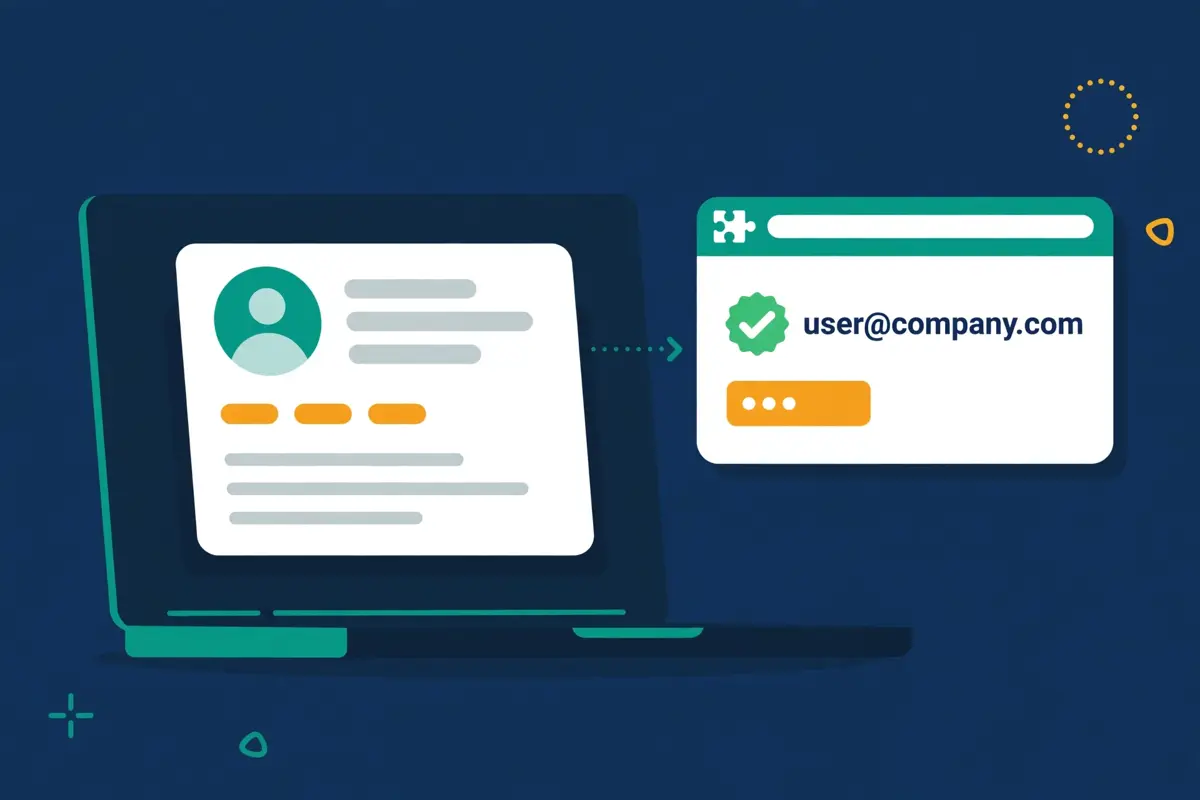
    Skrapp.io review: a browser extension panel pulling a verified email from a LinkedIn profile
    The Chrome extension: one click on a LinkedIn profile, and the verified business email appears in the panel.

    List Saver and multi-page enrichment in this Skrapp.io review

    Two Professional features cover two kinds of prospector, and the plan you buy decides which ones you get. The List Saver for Sales Navigator captures an entire search result page into a named list in one action, instead of profile by profile, which suits a rep who works from saved searches and wants the whole page at once. Multi-page enrichment for LinkedIn automates pagination, moving through page after page of search results while extracting and verifying contacts in the background, which suits a rep building a list of hundreds from one search. Both sit on the same list system, and both keep the same verification labels. A buyer choosing between Free and Professional at $29 a month should ask one question. How many profiles a day do you enrich, and how much of the day is spent clicking the same button?

    If the answer is under twenty, the free plan is enough. If the answer is over twenty, the Professional features earn their keep.

    Auto-Connect, and the small things that save minutes

    Around the extension sit the small features that save minutes on every profile. Moreover, this Skrapp.io review counts them as the difference between an extension and a good extension. Auto-Connect with LinkedIn Profiles, on Professional, sends connection requests as part of the workflow. As a result, the outreach starts from the same click that found the email. The extension also works on company websites. Visit any domain, click the icon, and Skrapp.io returns email addresses for employees at that company. The Chrome Web Store rating is 4.9 out of 5 from 554 reviews. In addition, the vendor says the extension installs in 30 seconds with no credit card required. Those details are the daily reality of a LinkedIn-first prospector, and Skrapp.io gets most of them right.

    Video: “Find emails and enrich leads from LinkedIn and Sales Navigator” by Skrapp on YouTube. This video is the property of its creator, embedded via YouTube for education. OutreachCompare is not affiliated with Skrapp and does not claim ownership of the video.

    Where the extension stops being enough

    One honest limit belongs in this section. The extension finds emails well, yet it does not send them. Also, it does not warm the inbox they will be sent from. There is no sequence builder, no warm-up pool and no inbox rotation, and a list exported from Skrapp.io still needs a sender. The sensible pairing is a deliverability-first sequencer such as Instantly from $47 a month on Growth, or Smartlead from $39 a month, feeding from the Skrapp.io list. Budget for both, and judge Skrapp.io on the addresses, not on the sending.

    Bulk finding in this Skrapp.io review: spreadsheets in, verified lists out

    Bulk finding is where Skrapp.io turns from a browser helper into a list-building machine. Furthermore, it is the feature this Skrapp.io review checked next. The Bulk Email Finder processes large lists without requiring LinkedIn at all. Upload a CSV, Excel or text file containing names and company domains, or just company names, and Skrapp.io returns verified email addresses alongside enriched firmographic data. The tool accepts files of up to 250,000 rows, which is enough for a serious list build in one pass. That is the workflow for a team that already knows who it wants to reach and needs the addresses in bulk, rather than one profile at a time.
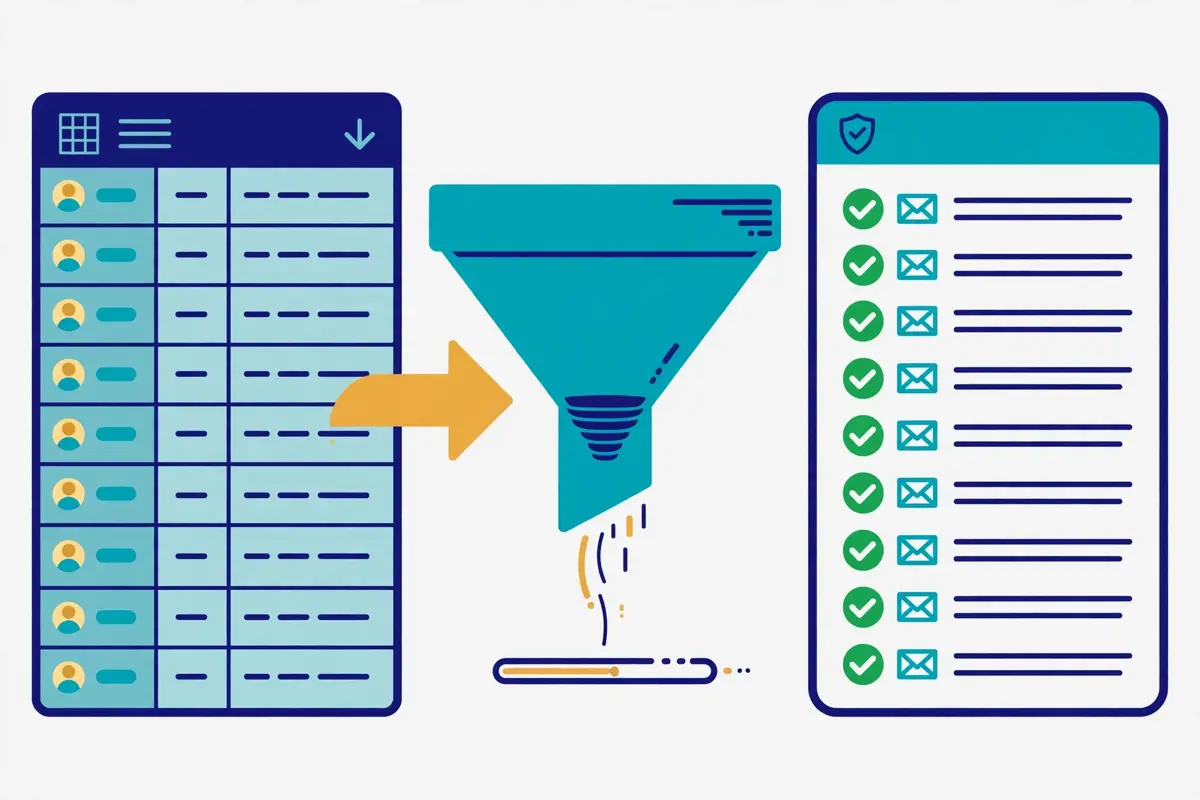
    Skrapp.io review: a spreadsheet of names and domains flowing into a verified email list
    The Bulk Email Finder: upload a spreadsheet, and verified addresses come back with enriched company data.

    The bulk workflow in this Skrapp.io review, step by step

    Day to day, the bulk workflow runs in four steps that this Skrapp.io review could verify from the vendor’s own guides. First, build the input file: first and last names with company domains, or company names on their own, cleaned of duplicates before you upload. Second, upload it to the Bulk Email Finder and let Skrapp.io generate candidate addresses from the company’s email patterns, then verify each one in real time. Third, read the verification statuses on the results, and keep the Valid addresses, treat the Catch-all addresses with care, and drop the Invalid and Unknown ones, which cost you no credits. Fourth, export the clean list as a CSV and load it into your sequencer or CRM. A team that follows those four steps will spend its credits only on addresses that can be sent to. Moreover, that is the whole point of the Fair Credit Policy.

    Video: “Bulk Email Finder – Skrapp.io” by Skrapp on YouTube. This video is the property of its creator, embedded via YouTube for education. OutreachCompare is not affiliated with Skrapp and does not claim ownership of the video.

    Lead Search and Company Search in this Skrapp.io review

    Behind the bulk finder sit Lead Search and Company Search, the native database for finding prospects without relying on LinkedIn. Skrapp.io’s database holds more than 200 million B2B contacts and 40 million company profiles. In addition, the search lets you filter by company, job title, industry, size, location and seniority. In addition to verified email addresses, Skrapp.io provides company firmographics such as industry, size, location and revenue, as well as individual profile data like job title, seniority and department. That database is the answer to the question every finder buyer asks. What happens when the prospect is not on LinkedIn, or when the LinkedIn profile has no usable signal? The answer is that Skrapp.io can still find them, and this Skrapp.io review counts that independence as a real strength.

    Verification in this Skrapp.io review: what Valid really means

    Verification is the quiet risk in every email finder, and Skrapp.io handles it with labels rather than promises. Every email returned by the platform is verified in real time. Also, the database is refreshed daily to minimise bounce rates, according to the vendor. Each address comes back with one of four statuses: Valid, Catch-all, Invalid or Unknown. Valid means the mailbox looks deliverable. Catch-all means the company’s mail server accepts every address, so the tool cannot confirm that this specific mailbox exists. Invalid means the address does not exist, and Unknown means the check could not decide. Those four labels are the feature, and a buyer who reads them properly will send only to the Valid ones and treat the Catch-all ones as a risk to manage, not as a green light.

    The 92% claim, and what independent tests found

    Now the honest caveat, because it decides how much to trust the labels. Skrapp.io maintains a 92% average email search success rate and 97% verification accuracy, in the vendor’s own words. Furthermore, this Skrapp.io review reports those claims as the vendor’s claims. Independent tests tell a more cautious story. An Anymail Finder test from September 2025 measured Skrapp.io at a 42.8% verified rate, and a Tomba benchmark from February 2026, running 2,500 domain searches and 2,500 company name searches, landed at the exact same number.

    The gap is not a contradiction so much as a difference in what is measured. 92% counts whether an email was found at all, while 42.8% counts whether the address was verified as deliverable. A buyer should therefore treat the search success rate as a finding rate, not a deliverability rate, and should verify every list again before sending, however good the labels look.

    How much verification Skrapp.io can carry

    The ceiling is clear all the same. A team that sends to thousands of addresses a month needs a verification habit that Skrapp.io supports but does not complete on its own. The built-in verifier runs its checks on every address it returns. Moreover, the bulk verifier checks a whole list before sending. Yet, no finder can guarantee that an address will be delivered. That is because mailboxes close, servers change and catch-all domains hide the truth. The practical answer is to verify with Skrapp.io, send only to Valid addresses, and keep the Catch-all addresses for a separate, slower test. Read our deliverability tools roundup before you decide. That is because a clean list is the cheapest deliverability tool there is, and Skrapp.io is the first step towards one, not the whole journey.

    AI enrichment and lists in this Skrapp.io review: keeping the data tidy

    AI Enrichment is the feature that separates the Professional plan from the free one. In addition, it is the part of Skrapp.io that changed most in 2026. On Professional, AI Enrichment fills in missing fields on saved leads using Skrapp.io’s AI search. As a result, a list with a name and a domain can come back with a job title, a department, a seniority level and company firmographics attached. That is the layer that turns a list of addresses into a list of people you can segment. Also, this Skrapp.io review counts it as the main reason to pay for Professional rather than staying free. A team that segments by title and company size will feel the difference in the first campaign. That is because the targeting improves before a single email is written.

    Lists, exports and CRM sync in this Skrapp.io review

    Behind the enrichment sits the list system. Furthermore, this Skrapp.io review puts it at the centre of the product’s value for a team. Leads are organised into lists, and the Professional plan adds list exports and list CRM sync. As a result, a finished list can be pushed to Salesforce or HubSpot or exported as a CSV for any workflow. The free plan keeps the finding and the verifying. Yet, it does not export lists, which is the single biggest reason a serious prospector outgrows it. A team that builds lists every week should check that limit on the free credits. That is because it is the kind of detail that only bites after the first list is built. Export early, export often, and keep the source and the date on every record, so the list can be re-verified later.

    What stays manual on the free plan

    Now the other side of the same coin. The free plan includes the Email Finder, the Email Verifier and the extension on LinkedIn Basic, Sales Navigator, Recruiter and company websites. Moreover, the plan comparison says so explicitly, so a solo prospector can test the whole finding workflow without paying. Multi-page enrichment, Auto-Connect, List Saver, list exports, CRM sync and AI Enrichment are not included, and the plan comparison marks them as exclusions. A solo seller with fifty credits may not mind, because fifty addresses is a real test. A team of two on Professional at $29 a month will not mind either. That is because the features that save time are exactly the ones the plan includes. That gap is the real price difference between Free and Professional. Not $29 a month, but the hours the team spends copying profiles by hand.

    Deliverability in this Skrapp.io review: clean lists, not warm-up

    Deliverability is the quiet risk in every outreach tool, and Skrapp.io handles it at the list stage rather than at the sending stage. The built-in verifier is the whole deliverability story. Addresses are checked in real time, labelled Valid, Catch-all, Invalid or Unknown, and the Invalid and Unknown ones cost no credits. As a result, the list that reaches your sequencer is already cleaner than the list you started with. That is a sensible control for a finder, and this Skrapp.io review counts it as honest. Skrapp.io protects the sender from their own list, without pretending to be a deliverability platform.

    How much cold email Skrapp.io can carry

    The ceiling is clear all the same. A team planning thousands of cold emails a month from many domains needs deliverability kit that Skrapp.io does not supply. The sensible move is to run Skrapp.io beside a dedicated volume sender. According to the official feature pages, there is no warm-up pool, no inbox rotation across many mailboxes, no placement testing and no custom tracking domain management. Skrapp.io’s own pages do not claim those features, and this Skrapp.io review does not invent them. If high-volume cold email across many domains is the plan, read our Instantly review and our warm-up tools roundup before you decide. That is because Skrapp.io alone will not carry that motion. The verifier is a guardrail, not an engine, and a team that mistakes one for the other will blame the tool for a job it never promised to do.

    Sender rules that still apply to you

    Meanwhile, the rules that protect every sender still apply, and Skrapp.io does not exempt you from them. Since February 2024 Gmail has required SPF or DKIM from every sender, wants spam complaints kept below 0.3%, and asks senders passing 5,000 messages a day to Gmail for DMARC plus one-click unsubscribe on marketing mail as well. A plain summary, not legal advice. In the United States, commercial email must carry honest headers and subject lines, a real postal address, and an opt-out honoured within ten business days. Inside the European Union, B2B outreach usually rests on legitimate interest, and any recipient may object to direct marketing at any moment. Germany sits among the countries that demand prior consent for marketing email, even between businesses. Those rules are yours to follow, whichever tool you buy, and a verified list helps with the mechanics while leaving the judgement to you.

    Integrations in this Skrapp.io review: Salesforce, HubSpot and the API

    Skrapp.io connects to the tools a sales team already runs, and the list is narrow without being thin. The vendor’s own FAQ says it integrates natively with Salesforce, HubSpot and other popular CRMs, and also offers a REST API for custom integrations, CSV export for any workflow, and a Chrome extension for finding emails directly on LinkedIn. List CRM sync on Professional pushes finished lists into Salesforce or HubSpot. As a result, the addresses land where the reps already work. That integration position matters, because a finder that cannot export is a dead end, and Skrapp.io exports everywhere, even on the free plan, through the CSV route. A team that wires Skrapp.io into its stack will not watch the meter while it does so.

    The API, and who actually gets it

    One more point about integrations deserves a note, because it explains the shape of the product. The REST API is an Enterprise feature, and the plan comparison marks it as an exclusion on Free and Professional. As a result, a team that wants to call Skrapp.io from its own systems needs the $262-a-month plan. That is a steep gate for a small team that only wants to automate one lookup. In addition, it is the single most common complaint in the reviews. The sensible workaround is the CSV export, which works on Professional and costs nothing extra, or the native Salesforce and HubSpot sync, which covers most teams without any code. A buyer who genuinely needs the API should budget for Enterprise, and a buyer who only needs the lists should not pay for it.

    Gaps in the integration list

    As far as the official pages show, Skrapp.io has no native integration with the sequencers most buyers pair it with, no Slack or Zapier step on the pricing page, and no built-in CRM of its own beyond the list system, and a team that needs those connections should confirm their absence on the free plan rather than assume they exist. The CSV export covers the gap in practice, because every sequencer imports a CSV. Yet, the workflow is a manual step rather than a live sync. That gap is not a surprise: Skrapp.io is a finder with a verifier. Also, it does those two jobs well rather than doing five badly. A buyer who wants the list to flow straight into a sequence should budget for the export step, and a buyer who only needs verified addresses will never notice the gap.

    Security in this Skrapp.io review, and the rules around cold email

    Security is the section where this Skrapp.io review can report good news, because the official site states its position plainly. Skrapp.io only processes publicly available business contact information and operates in full compliance with GDPR and international data protection regulations, according to its own FAQ. Users can request data deletion at any time, and the platform includes built-in consent management tools. Those are the claims a buyer with a formal privacy review asks about first, and Skrapp.io makes them on a public page rather than behind a sales call.

    Checks a buyer can run themselves

    Meanwhile, the safeguards inside the product are workaday rather than decorative. Every address carries a verification status, so a team can see what was sent, who was reached and what happened next. Furthermore, the list system keeps a human in the loop on every export. Payment runs through Stripe, a standard processor, and there is no long-term contract. As a result, the commercial risk is one month at a time. A team that keeps human review on for the first month, sends only to Valid addresses, and checks the sender reputation of every identity it connects will get the best from the platform without putting its domain at risk. A team with a formal review should still ask for the data-processing agreement in writing. That is because a FAQ answer is not a contract, yet the claims are there to be checked.

    Consent, and the rules that still apply

    Finally, the rules around cold email deserve a plain statement, because they catch buyers out. Across the European Union, a work email address is personal data. Within the European Union, B2B outreach normally rests on legitimate interest, and recipients keep the right to object whenever they like. Germany counts among the countries that insist on prior consent for marketing email, even between businesses. In the United States, commercial email must carry honest headers and subject lines, a real postal address, and an opt-out honoured within ten business days. Keep the lists targeted rather than blasted, keep the opt-out working, and treat the compliance pages as guidance, not legal advice. A tool that finds addresses exactly as instructed is only as safe as the instructions themselves.

    Skrapp.io against Hunter and Snov.io

    The headline difference is the job each tool does. Skrapp.io charges from $29 a month on annual billing, or $39 billed monthly, and gives you a LinkedIn-first finder with real-time verification and a Fair Credit Policy that never charges for Invalid or Unknown results. Hunter charges from $34 a month on annual billing, or $49 billed monthly, and gives you domain search, verification and built-in email sequences, with unlimited team members sharing one credit pool. Snov.io charges from $29.25 a month on annual billing, or $39 billed monthly, and gives you finding, verifying, a CRM, drip campaigns and warm-up in one subscription. At 2,000 credits a month, Skrapp.io costs $29, Hunter costs $34, and Snov.io costs $39 for only 1,000 credits. Yet Skrapp.io is the only one of the three whose extension lives on LinkedIn, Sales Navigator and Recruiter at once.

    Treat the table as a buying guide rather than a scoreboard, and start from the bottleneck that hurts your team most.

    The comparison table in this Skrapp.io review, in brief

    ToolEntry priceWhat you getBest forVisit Site →
    Skrapp.io$29 / month, ProfessionalLinkedIn extension on Basic, Sales Navigator and Recruiter; bulk finder to 250,000 rows; real-time verification; Fair Credit Policy; credits roll overLinkedIn-first prospectors who want verified emails fastVisit Site →
    Hunter$34 / month, StarterDomain search and verification; built-in sequences; unlimited users; verification at 0.5 credits; API on every planDomain search and simple verification with sequencesVisit Site →
    Snov.io$29.25 / month, StarterFinding, verifying, CRM, drip campaigns and warm-up in one tool; 1,000 credits; LinkedIn automation as a paid add-onTeams that want finding, verifying and sending in one toolVisit Site →

    Last checked: 16 November 2026 on the pricing pages linked above. Hunter and Snov.io figures are cross-checked from their pricing pages via multiple independent checks in October and November 2026. Features and pricing can change, so please check the provider’s site before you buy. We do not guess at features, prices or trials.

    Which buyer each tool suits

    Three buying patterns come out of that table, and each one points at a different tool. If your team prospects on LinkedIn every day and loses hours copying profiles by hand, choose Skrapp.io. That is because the extension, the List Saver and the multi-page enrichment turn a Sales Navigator search into a verified list in minutes, and Professional at $29 a month replaces a manual workflow in one contract. If you want domain search, simple verification and the ability to send a sequence without buying a second tool, choose Hunter. That is because $34 a month on annual billing buys the finder, the verifier and the campaigns together, with unlimited users on the same credit pool. If you want finding, verifying, a CRM, campaigns and warm-up in one subscription, choose Snov.io.

    That is because $29.25 a month on annual billing buys the whole workflow, even though the credit pool is smaller and a find plus a verify spends two credits. If you are still choosing, our best B2B data providers roundup lines up the finders against the rest of the market. Moreover, it is the best place to continue.

    The feature matrix in this Skrapp.io review, at a glance

    FeatureSkrapp.ioHunterSnov.io
    LinkedIn extension✓✓ *✓
    Sales Navigator and Recruiter support✓—✓ †
    Bulk finder, up to 250,000 rows✓—✓
    Real-time email verification✓✓✓
    Fair Credit Policy, no charge for Invalid✓——
    Credits roll over✓— ‡— §
    Built-in email sequences—✓✓
    Warm-up and inbox rotation——✓
    Phone numbers——— ¶
    API on the entry paid plan—✓✓
    Free plan✓ 50 credits to start✓ 50 credits / month✓ 50 credits / month
    Entry price$29 / mo$34 / mo$29.25 / mo

    Last checked: 16 November 2026 on each provider’s official site, as linked above. ✓ = stated on the provider’s site. — = not confirmed or confirmed absent. * Hunter’s extension works on websites and Gmail rather than inside LinkedIn search. † Snov.io’s LinkedIn automation is a separate paid add-on. ‡ Hunter’s free credits do not roll over. § Snov.io credit rollover is included only on the Ultra plan. ¶ Snov.io phone enrichment is billed separately. Features and pricing can change, so please check the provider’s site before you buy. We do not guess at features, prices or trials.

    Two matrix rows that swing the choice

    A couple of rows in that matrix deserve a closer look. First, the Fair Credit Policy row: Skrapp.io is the only tool of the three that never charges for Invalid or Unknown results. In addition, that single difference explains both its strength and its price. Hunter charges a full credit for a search and half a credit for a verification, and Snov.io charges a credit for the find and another for the verify. A buyer whose lists are full of uncertain addresses will feel that difference in the first month. Meanwhile, a buyer whose lists are clean will never notice it. Second, the sequences row: both rivals send email, and Skrapp.io does not. Also, that gap matters for any team that wants one subscription to do the whole job. Skrapp.io expects you to bring the sender, and Hunter and Snov.io both include one.

    A team with a sender already should budget for Skrapp.io alone. That is because a finder without a sequencer is enough, however good the rivals’ campaigns are.

    Strengths and weaknesses in this Skrapp.io review, side by side

    Every tool in this market trades one strength for another, and Skrapp.io is no exception. Its strengths cluster around the LinkedIn extension, the Fair Credit Policy and the honest pricing. Meanwhile, its weaknesses cluster around the missing sequences, the missing phone data and the API paywall. This Skrapp.io review lays both sides out together in one place. As a result, you can weigh the exchange without hunting through the article. The pattern is consistent: Skrapp.io is generous where the work is finding and verifying, and modest where the work is sending or calling. Buyers who arrive knowing that trade-off usually stay happy. Meanwhile, buyers who arrive expecting a sequencer and a phone database usually leave disappointed.

    The short version in this Skrapp.io review: five strengths, five weaknesses

    • First strength: the Chrome extension on LinkedIn, Sales Navigator and Recruiter, with List Saver and multi-page enrichment, so a search becomes a verified list in minutes.
    • Second strength: the Fair Credit Policy, which never charges for Invalid or Unknown results, with credits that roll over and are kept after cancellation.
    • Third strength: real-time verification with four clear statuses, Valid, Catch-all, Invalid and Unknown, so the buyer always knows what was actually confirmed.
    • Fourth strength: honest, published pricing from $0, a 50-credit free plan with no card, a flat 25% annual discount, and no long-term contract.
    • Fifth strength: a 200M+ contact database with Lead Search and Company Search, bulk finding to 250,000 rows, and GDPR compliance with data deletion on request.

    Five weaknesses to weigh

    • First weakness: no phone numbers at all, so a team that calls first must buy a second data source, and the tool cannot carry a dialling workflow.
    • Second weakness: no email sequences, warm-up or inbox rotation, so high-volume cold email needs a separate sender and deliverability tool.
    • Third weakness: the API is locked behind Enterprise at $262 a month, so a small team that wants to automate one lookup pays a steep price.
    • Fourth weakness: list exports and CRM sync are not on the free plan, so a serious prospector outgrows the free tier as soon as the first list is built.
    • Fifth weakness: independent benchmarks measured a 42.8% verified rate against the vendor’s 92% search success claim, and no hands-on test in this Skrapp.io review, so buyers should lean on the free credits before paying.

    One further drawback deserves naming, because it slips past easily. Skrapp.io is a focused tool, and focus cuts both ways. The concentration is real: a prospector who lives on LinkedIn gets a product built for exactly that job, with a 4.9 Chrome extension rating and a loyal base of more than 2 million professionals to show for it. Yet a vendor of that size cannot match the support depth of a vendor ten times bigger, and a buyer who needs a named contact at 2 a.m. should ask about support hours before paying. In practice the trade is clear: you buy the most complete LinkedIn-first finder in this price band, from a vendor that knows its lane. A buyer who wants a proven giant should compare Apollo before deciding, and a buyer who wants LinkedIn to do the finding should take the free credits.

    Getting started in this Skrapp.io review: a sensible first 90 days

    The first two weeks, in this Skrapp.io review’s getting-started plan, are for the free credits and the list. Start with the 50 free credits, which need no credit card, and install the extension, which takes about 30 seconds. Open a real Sales Navigator search, not a demo one, and enrich twenty profiles you actually want to email. Read the verification statuses that come back, and check whether the Valid addresses look right and whether the uncertain ones are labelled honestly. Save the good ones to a list, export the list as a CSV, and send a small test to ten of them. A trial spent on real prospects answers the question with evidence, and a trial spent on settings answers nothing.

    Weeks three to six: a measured pilot

    Weeks three to six are for a measured pilot, and this Skrapp.io review keeps the numbers small on purpose. For example, start on Professional at $29 a month on annual billing if the team has two users. That is because that is where the List Saver, multi-page enrichment and list exports live, and run one bulk upload of a hundred names and domains. Track the credits spent, the Valid rate, the reply rate and the meetings booked, not the send volume. Read every reply yourself, including the ones that bounced, and check whether the bounces came from Catch-all addresses you should have held back. If one list underperforms, look at the targeting before changing the wording. The best-written email still books nothing when it lands with the wrong companies.

    Deciding in weeks seven to twelve

    Weeks seven to twelve are for the decision, and this Skrapp.io review makes the test explicit. Open the throttle a little on the list that works, and keep a close eye on the one that does not. If the team needs more volume, move up the Professional slider for more credits and users, or move to Enterprise at $262 a month for the API, single sign-on and a dedicated account manager. Divide the monthly cost by the meetings booked to get your cost per meeting, and compare it with the cost of the manual copying that Skrapp.io replaced. Finally, if Skrapp.io books meetings cheaper than the old workflow did, keep it. If it does not, narrow the list, tighten the targeting, and run one more test before you renew. Three months of real numbers beats a year of hoping.

    Frequently asked questions

    What is Skrapp.io?

    Skrapp.io is a B2B email finder and data enrichment platform. Furthermore, this Skrapp.io review answers the most common questions about it. It finds verified professional email addresses from LinkedIn profiles, Sales Navigator, LinkedIn Recruiter and company websites. Moreover, it enriches contact data from a database of more than 200 million B2B contacts and 40 million company profiles. It works through a Chrome extension, a web dashboard for single and bulk lookups, and an API on the Enterprise plan. More than 2 million professionals use Skrapp.io, and the platform reports over 3 billion searches processed.

    How much does Skrapp.io cost?

    Skrapp.io costs $0 on the free plan, $29 a month for Professional and $262 a month for Enterprise on annual billing. In addition, this Skrapp.io review lists the figures plainly. Billed monthly, Professional costs $39 and Enterprise costs $349. Free includes 50 credits to start for 1 user, Professional includes 2,000 credits a month for 2 users, and Enterprise includes 50,000 credits a month for 15 users. Both paid plans use a slider to scale credits and users upward. Prices were checked on 16 November 2026 on skrapp.io/pricing.

    Is Skrapp.io free?

    Yes. Skrapp.io offers a free plan with 50 credits to start, with no credit card required, and this Skrapp.io review says so plainly. The free plan includes the Email Finder, the Email Verifier and the Chrome extension on LinkedIn Basic, Sales Navigator, Recruiter and company websites. List exports, CRM sync, multi-page enrichment, List Saver and AI Enrichment are not included on the free plan. As a result, a serious prospector will outgrow it. Yet, fifty credits is a real test with your own prospects before a single dollar is spent.

    How accurate is Skrapp.io?

    Skrapp.io claims a 92% average email search success rate and 97% verification accuracy. Also, this Skrapp.io review reports those figures as the vendor’s claims. Independent benchmarks tell a more cautious story. An Anymail Finder test from September 2025 and a Tomba benchmark from February 2026 both measured a 42.8% verified rate. The difference is what is measured, because 92% counts whether an email was found at all. Meanwhile, 42.8% counts whether the address was verified as deliverable. Send only to addresses marked Valid, treat Catch-all results with care, and verify every list again before sending.

    Does Skrapp.io have a Chrome extension?

    Yes. Skrapp.io has a Chrome extension that finds email addresses directly from LinkedIn profiles, Sales Navigator and LinkedIn Recruiter, with a single click. Furthermore, this Skrapp.io review counts it as the product’s best feature. It also works on company websites. The extension is rated 4.9 out of 5 on the Chrome Web Store from 554 reviews, and it installs in about 30 seconds. The Professional plan adds List Saver for Sales Navigator, multi-page enrichment and Auto-Connect to the extension workflow.

    Who should not use Skrapp.io?

    Teams that need phone numbers should not use it. That is because Skrapp.io sells emails, not phone numbers, and no plan adds a mobile or direct-dial lookup. This Skrapp.io review says so plainly rather than hiding it. Teams that want finding, verifying and sending in one subscription should not use it either. That is because there are no campaigns, no sequences and no warm-up. Enterprise buyers running a hundred reps with a formal procurement process should also test carefully. That is because the public pricing tops out at Enterprise for $262 a month. If any of those describes your team, compare Hunter or Snov.io before you decide.

    The verdict in this Skrapp.io review

    Verdict: best for LinkedIn-first prospectors who want verified emails fast

    Skrapp.io is the most complete LinkedIn-first email finder in this Skrapp.io review’s comparison set, and it earns that title by putting the profile, the email and the list on one screen. The Chrome extension on LinkedIn, Sales Navigator and Recruiter does the finding, the real-time verifier does the checking, the Fair Credit Policy means you never pay for an Invalid or Unknown result, and the credits roll over instead of expiring. Published pricing from $0, a 50-credit free plan with no card, a flat 25% annual discount, no long-term contract, and GDPR compliance with data deletion on request make the buying decision easy to defend. That combination is the product’s core strength, and it is why this Skrapp.io review recommends it to salespeople and recruiters who prospect on LinkedIn every day.

    Go in with open eyes. Skrapp.io has no phone numbers, no sequences, no warm-up, no API below Enterprise, and independent benchmarks measured a 42.8% verified rate against the vendor’s 92% search success claim. Take the free credits with your own prospects, send only to Valid addresses, and judge it on cost per meeting, not on features ticked. Do that, and Skrapp.io can carry the whole finding job while your sender does the sending. Skip the trial and a $29 monthly bill is what you will get, not a pipeline. We have not tested Skrapp.io hands-on, so there is no numeric score here — only this verdict, and the evidence above to check it against.

    Visit Skrapp.io →

    Keep reading

    More email finder and data reviews

    Guides and roundups

    Best for LinkedIn-first prospectors who want verified emails fast: Skrapp.ioFrom $29/mo · 50 free credits · no credit card Visit Site →
  • Close CRM Review 2026

    Close CRM Review 2026

    Best for small and growing teams that sell on the phone: Close CRM

    Close CRM is a sales CRM with the phone built in. Calling, email and SMS live inside the deal record, so a rep works a lead list, dials, texts and emails without leaving the CRM, and every conversation is logged automatically. Chloe, the built-in AI assistant, answers questions about the pipeline, drafts the follow-ups and keeps the records current, while AI Agents qualify leads, follow up and book meetings on their own. More than 11,500 sales teams use Close, and the platform reports over 2 billion calls, texts and emails sent through it. Plans start at $9 a month for a solo seller on annual billing, and every plan starts with a 14-day free trial that needs no credit card.

    This Close CRM review works through the whole platform as it stood on 16 November 2026. It covers the four plans and what the usage charges add on top, how the Power Dialer and Predictive Dialer actually work, what Chloe and the AI Agents do day to day, and how Close CRM compares with Pipedrive and HubSpot Sales Hub. By the end you should know whether a CRM built around the phone is the right buy for your team, or whether a cheaper pipeline tool plus a separate dialler would serve you better.

    Visit Close CRM → Jump to the comparison table

    Why this Close CRM review starts with the phone

    Before anything else, this Close CRM review needs to say plainly what Close CRM is built around. That is because it explains every other choice in the product. Most CRMs store contacts and leave the selling to other tools. The rep calls from one app, emails from another, and updates the CRM afterwards, usually late and usually briefly. Close CRM turns that order around. The calling, the email and the texting happen inside the CRM, on the lead page itself. In addition, the record writes itself as the rep works. A call ends, and the recording, the duration and the outcome are already on the timeline. An email is sent, and the open is already tracked. That single idea, that the CRM is where the selling happens rather than where the selling is reported, is the whole product.

    Also, this Close CRM review tests it step by step, from the first call list to the closed deal.

    The numbers behind the phone-first pitch

    That phone-first idea is not a slogan. It is the reason Close CRM exists, and the company has built on it since its days as Close.io. The homepage states the pitch in one line. The CRM that sells with you, with calling, email, SMS, automation and AI built in. As a result, the team can reach more leads, follow up faster and close more deals. Behind that line sit the numbers the vendor publishes. More than 11,500 sales teams, over 2 billion calls, texts and emails sent, and a 4.7 rating across more than 2,000 G2 reviews, with G2 Fall 2026 medals for Leader in small-business CRM, Best Usability among AI SDRs and Best Results in sales engagement. Those are a small-business tool’s numbers, honestly presented, and this Close CRM review weighs them as such.

    A focused product with a loyal base, not a platform trying to be everything to everyone.

    Quick Answer

    Close CRM is a sales CRM with built-in calling, email and SMS, plus Chloe, an AI assistant, and AI Agents that qualify leads, follow up and book meetings. Reps work lead lists from inside the CRM, dial through them with a Power Dialer or Predictive Dialer, and every call, text and email is logged automatically against the deal. Plans cost $9 a month for Solo, $35 per user a month for Essentials, $99 for Growth and $139 for Scale on annual billing, with a 14-day free trial on every plan and no credit card required. Calling and SMS are billed separately by usage, at around $0.02 a minute for most outbound calls. Close CRM is SOC 2 Type II audited and GDPR and CCPA compliant.

    Close CRM is best for small and growing inside sales teams that sell on the phone and want one place for the call, the email, the text and the pipeline. It is not the tool for an email-only outreach team, a team that needs a built-in contact database, or an enterprise buyer who needs deep customisation and a free tier to start on.

    What Close CRM actually is

    Close CRM describes itself as the AI CRM for small and growing businesses that want to sell more and scale faster, and its homepage makes the positioning easy to grasp. With built-in calling, email, SMS, pipeline management and sales automation, a team has everything it needs to sell in one place. Chloe, the AI assistant, helps the rep take action. Meanwhile, AI Agents qualify leads, follow up and handle sales work on their own. That is the product in the vendor’s own words. Furthermore, it matches what this Close CRM review found on the pricing page and the feature pages. A CRM that treats communication as the core job, not as an add-on bought from somebody else.

    Behind the pitch sits a deliberate piece of product honesty. Close CRM does not pretend to be a database, a marketing platform or a LinkedIn tool. It has no built-in contact database to browse, no marketing automation suite, and no LinkedIn automation steps. What it has instead is a complete record of every conversation with every lead, built automatically as the team works. Every call, text and email already belongs to the record. As a result, the team always knows where things left off, whether the same rep picks the conversation back up, someone else does, or an Agent does. Moreover, the prospect never has to repeat themselves. A buyer who understands that trade will judge the platform on the quality of the conversation record, not on features it never claimed to have.

    Seven features this Close CRM review found defining

    First comes the built-in calling. Reps make and receive calls without leaving the CRM, with a Power Dialer on Growth that calls through lead lists automatically, and a Predictive Dialer on Scale that dials several prospects at once and connects the rep when somebody answers. Next comes email and SMS in the same record. Send and receive email alongside calls, texts and deal history, track opens, schedule sends, and text prospects directly from Close. Then comes Chloe, the AI assistant, with AI Agents that qualify leads, follow up and book meetings, AI Enrichment that adds contact and company details to leads, and an AI Notetaker that captures meeting notes, summaries and next steps. After that come Workflows, the automation layer that sends emails and SMS and triggers next steps on its own.

    Finally come the sales management tools: pipelines, Smart Views that build dynamic lead lists around priorities, reporting and dashboards, and custom fields, objects and activities for teams that need the CRM shaped around their own process.

    The seven features at a glance, in this Close CRM review

    • Built-in calling: make and receive calls inside the CRM, with every conversation logged automatically and call outcomes recorded on the lead.
    • Power Dialer and Predictive Dialer: the Power Dialer calls through lead lists automatically on Growth, while the Predictive Dialer on Scale dials several prospects and connects a rep when one answers.
    • Email and SMS: send and receive email alongside calls and deal history, with open tracking, scheduling and bulk email, plus SMS directly from Close.
    • Chloe AI Assistant: ask questions and take action across the CRM, with a weekly chat allowance that resets every Sunday.
    • AI Agents: agents that call, qualify and follow up with prospects, book meetings and keep the record current, using the included AI credits.
    • Workflows: automated follow-up that sends emails and SMS and triggers next steps, with reminders, lead assignment, blackout dates and reporting.
    • Pipelines and Smart Views: opportunities tracked from first conversation to close, with dynamic lead lists built around whatever the team prioritises.

    One more framing point helps before the details. Close CRM is not a cold email tool, and it does not claim to be one. Its bulk email sends personalised messages to many prospects at once, and its sending limits and unsubscribe management protect deliverability. Yet, there is no warm-up pool, no inbox rotation across many domains and no placement testing. A team that needs high-volume cold email should read that as a boundary, not a flaw. Close CRM is the place where the conversations with interested leads are worked. Meanwhile, a dedicated sender such as Instantly or Smartlead handles the volume. This Close CRM review keeps that distinction visible throughout, because confusing the two jobs is how buyers end up disappointed.

    Who Close CRM fits best — and who should skip it

    First, this Close CRM review finds the product fits small and growing inside sales teams first. Think of a team of two to twenty reps who sell by phone and email, work a list of leads every day, and lose hours switching between a dialler, an inbox and a CRM that nobody updates properly. That team needs one place where a rep opens the lead, sees the whole conversation, dials, texts, emails and logs the outcome without opening a second tab. Close CRM gives them exactly that, with the Power Dialer on Growth doing the dialling and Workflows doing the chasing. The price is honest, and the team it replaces is a CRM plus a dialler plus a shared inbox. As a result, the comparison is against the whole stack, not against one pipeline tool. This Close CRM review rates it highly for teams of that shape.

    Meanwhile, in this Close CRM review, solo sellers and founders come next. The Solo plan costs $9 a month on annual billing, covers one user and up to 10,000 leads, and includes calling, email, SMS, Chloe and AI Agents. A founder making twenty calls a day gets a real CRM, a real dialler and an AI assistant for less than a lunch a month, with a 14-day trial that needs no card. That is a rare combination in this market, where most tools either charge per seat from $49 or hide the dialler behind an enterprise plan. A solo seller who lives on the phone will find the Solo plan hard to beat. In addition, this Close CRM review says so plainly.

    Buyers who should look elsewhere

    Now the other side. However, email-only outreach teams should look elsewhere. Close CRM has no warm-up, no inbox rotation and no large-scale cold email infrastructure, and its bulk email is built for following up with leads, not for blasting thousands of cold messages a day. A team whose whole motion is cold email will get more from Instantly from $47 a month on Growth, or from Smartlead from $39 a month, both of which warm inboxes and rotate senders as their core job. Likewise, a team that needs a built-in contact database should not buy Close CRM expecting one. AI Enrichment adds details to leads you already have. Also, it does not hand you a list of new buyers to call.

    Enterprise buyers should think twice as well. Close CRM tops out at Scale for $139 per user a month, with advanced permissions and lead visibility rules. Yet, it has no published enterprise tier with custom security reviews, dedicated infrastructure or a named success manager on every plan. A company with a hundred reps, a formal procurement process and a security team that wants a custom data-processing agreement will find Apollo or HubSpot Sales Hub a smoother fit, even though both cost more at the top end. If your buying process needs a vendor that speaks enterprise fluently, Close CRM will feel small. That is because it is built for small and growing teams and it says so on its own homepage.

    Why a phone-first buyer should still take the trial

    Between those two poles sits the buyer this Close CRM review expects most often. A sales leader with a team that already calls every day and already pays for a CRM that nobody loves. That buyer should take the trial, and bring a real list to it. Import a hundred leads, connect the email, make twenty calls through the Power Dialer on Growth, and read the record the CRM wrote for itself afterwards. If the reps finish the day with cleaner records and more conversations than yesterday, the case is made. If the team never calls and only emails, the trial will feel thin, and that tells you something useful too. Either way, fourteen days with your own leads answers the question with evidence. Furthermore, that is a better test than any sales deck.

    Pricing in this Close CRM review: from $9 a month, with usage on top

    Close CRM keeps its pricing simple to read and honest about what is not included. Moreover, this Close CRM review starts with the headline figures before the fine print. The official pricing page lists four plans, priced per user per month, with the annual rate shown first and the monthly rate beside it. Solo costs $9 a month on annual billing, or $19 billed monthly, for one user only and up to 10,000 leads. Essentials costs $35 per user a month on annual billing, or $49 monthly, with unlimited users and unlimited leads. Growth, the recommended plan, costs $99 per user a month on annual billing, or $109 monthly. Scale costs $139 per user a month on annual billing, or $149 monthly. Every plan starts with a 14-day free trial that needs no credit card, and every paid plan carries a 30-day money-back guarantee.

    Those are the figures on close.com/pricing, checked on 16 November 2026, and this Close CRM review uses them throughout.

    The four plans, and what usage adds

    Meanwhile, the fine print matters as much as the headline. That is because calling and SMS are not included in the plan price. The pricing page says so plainly: your plan includes your CRM and sales tools. Meanwhile, calling, SMS and AI usage beyond your included credits are billed separately. In addition, you only pay for what you use. Most outbound calls cost around $0.02 a minute, phone numbers start from about $1 a month each, and SMS is charged per message sent and received, with rates varying by country. A team making a thousand minutes of calls a month adds roughly $20 to the bill, which is small. Yet, it is a real cost, and a team that dials all day should budget for it rather than discovering it on the first invoice. This Close CRM review counts that transparency as a strength.

    The usage is cheap and the pricing page says so, instead of hiding it behind a sales call.

    The pricing table in this Close CRM review, checked today

    PlanPrice, annualPrice, monthlyWho it fitsVisit Site →
    Solo$9 / month$19 / monthOne independent seller, up to 10,000 leadsVisit Site →
    Essentials$35 / user / month$49 / user / monthA small team sharing leads, tasks and reportingVisit Site →
    Growth$99 / user / month$109 / user / monthA growing team that dials fast and automates follow-upVisit Site →
    Scale$139 / user / month$149 / user / monthA high-volume team that needs predictive dialling and coachingVisit Site →

    Last checked: 16 November 2026 on Close’s pricing page. Calling and SMS are billed separately by usage. Features and pricing can change, so please check the provider’s site before you buy. We do not guess at features, prices or trials.

    Two details that decide what $9 buys

    Two details deserve a closer look, because they decide which plan a buyer actually needs. First, Workflows are not included on Solo or Essentials. The plan comparison marks automated follow-up as an exclusion on the two cheaper plans, and the real entry point for automation is Growth at $99 a user a month. A team that buys Essentials at $35 expecting the CRM to chase leads on its own will be disappointed, and a team that buys Solo at $9 should know it is buying a CRM and a dialler, not an autopilot. Second, the annual discount is real but uneven. Solo saves $120 a year on annual billing, Essentials saves $168 per user a year, and Growth and Scale each save $120 per user a year. A solo seller saves half the monthly price by paying annually, which is a genuine saving.

    Meanwhile, a team of ten on Growth saves $1,200 a year, which is worth taking once the trial has proved the tool fits.

    The price against the stack it replaces

    One more pricing point matters for buyers comparing Close CRM with the sequencers in this market. At $35 a user a month on Essentials, Close CRM costs less than most cold email tools, yet it does a different job. Also, the buyer should judge it on the cost of the stack it replaces, not on the cost of one sequencer. A team already paying for a CRM, a dialler and a shared inbox may well spend more than $99 a user a month today, and Growth replaces all three. A team paying for one of those three will not. Furthermore, this Close CRM review counts that arithmetic as the first test any buyer should run. Add the usage on top: a rep making 500 minutes of calls a month adds about $10, and a team of five adds about $50, which is small against the subscription yet worth budgeting for.

    What the AI credits mean for your bill

    Finally, the AI credits deserve a paragraph of their own. That is because they are the one part of the bill that can surprise a team. Every plan includes monthly AI credits: 500 a month on Solo, 1,000 per user on Essentials, 1,500 on Growth and 2,000 on Scale, with a shared team limit of 500 on Solo, 10,000 on Essentials, 15,000 on Growth and 20,000 on Scale. Credits power Chloe beyond the weekly chat allowance, AI Enrichment, AI Agents and AI steps inside Workflows, and they refresh monthly without rolling over. The AI Notetaker does not use credits, which is a useful exception. A team that leans hard on the AI Agents should watch the shared limit in the first month. That is because extra credits are available to buy and the pricing page does not publish their price.

    As a result, the cost of going over is a question to ask on the trial rather than a figure to guess.

    Calling in this Close CRM review: the dialler is the product

    Calling is where Close CRM earns its keep. Moreover, it is the feature this Close CRM review spent the longest checking. Reps make and receive calls without leaving the CRM, and every conversation is logged automatically, with the recording, the duration and the outcome already on the lead timeline when the call ends. There is no separate dialler to open, no call log to type up, and no gap between the conversation and the record. A rep works a Smart View, a dynamic lead list built around whatever the team prioritises, and dials straight down it. That working pattern is the product: the list, the call and the record in one place, repeated a hundred times a day without friction.

    Close CRM review: a rep working a power dialer queue with call buttons and timers
    The Power Dialer: call through a lead list automatically, with the recording, duration and outcome logged on the lead timeline.

    The diallers in this Close CRM review: Power on Growth, Predictive on Scale

    Two diallers cover two kinds of team, and the plan you buy decides which one you get. The Power Dialer, on Growth, automatically calls through lead lists, one number after another. As a result, the rep talks, logs the outcome, and the next call is already ringing. The Predictive Dialer, on Scale, dials several prospects at once and connects the rep only when somebody answers, which suits a high-volume team where the cost of waiting for a ring is higher than the cost of a dropped connection. Both sit on the same record, and both keep the same log. A team choosing between Growth at $99 and Scale at $139 should ask one question. How many calls a day does each rep make, and how much of the day is spent listening to ringing? If the answer is under a hundred calls, the Power Dialer is enough.

    If the answer is over a hundred, the Predictive Dialer earns its keep.

    Local Presence, voicemail drop and the small things that save minutes

    Around the diallers sit the small features that save minutes on every call. In addition, this Close CRM review counts them as the difference between a dialler and a good dialler. Local Presence matches the caller ID to the prospect’s area code. As a result, the call arrives from a number that looks local rather than a distant one, and the Essentials plan already includes it. Voicemail Drop leaves a prerecorded voicemail in one click. As a result, a rep does not record the same message forty times a day. Call transfer hands a live call to the right teammate, call and meeting outcomes log the result of every conversation, and video meetings run over Zoom or Google Meet from inside the record. Call recording keeps 30 days on Solo and Essentials, 90 days on Growth, and unlimited retention on Scale.

    Meanwhile, the AI Call Assistant, a paid add-on at $50 a month per account plus $0.02 per recorded minute, transcribes and summarises the calls. Those details are the daily reality of a phone-first team, and Close CRM gets most of them right.

    Speed to lead: the five-minute claim

    One more calling point deserves attention, because it is the number Close CRM puts on its own homepage. Only 7% of companies respond to a new lead within five minutes, the vendor says. Meanwhile, the average company takes over 42 hours, and by then the lead has already talked to somebody else. Close CRM promises a five-minute response instead. That is because the lead lands in the CRM, the rep sees it, and the call goes out from the same screen. Those are the vendor’s own figures, and this Close CRM review flags them as such. Yet, the shape of the claim is honest. A CRM with the phone built in is faster than a CRM that needs a second tool to make the call. A team that buys leads should test that claim on the trial by timing the first response to ten real leads.

    That is because five minutes is a process, not a feature, and the tool only makes the process possible.

    Video: “Close: The High Performance CRM” by Close on YouTube. This video is the property of its creator, embedded via YouTube for education. OutreachCompare is not affiliated with Close and does not claim ownership of the video.

    Where calling stops being enough

    One honest limit belongs in this section. Close CRM calls well, yet it does not find the people to call. There is no built-in contact database, and AI Enrichment adds details to leads you already have rather than handing you new ones. A team with no list will dial an empty queue, and no dialler fixes that. The sensible pairing is a database tool such as Apollo, with 240M+ contacts from $49 a month, feeding leads into Close CRM, where the calls happen. Budget for both, and judge Close CRM on the conversations, not on the list.

    Chloe and the AI Agents: the teammate that works while you sleep

    Chloe is the part of Close CRM that changed most in 2026. Also, it is the feature buyers ask about first. Chloe is an AI assistant built into the CRM. Furthermore, it already knows the leads, the conversations and the deals, because it lives where the work happens. A rep asks Chloe about the pipeline, a meeting or a call, gets an answer drawn from the team’s own data, and takes action from the same place. AI Agents go further: give each one a job and a set of rules. Moreover, it runs that job on its own, every time, logging the work in Close. The Voice Agent is live now, with coaching, briefing, meeting follow-up, lead routing, deal risk and win-back listed as coming soon. That is the AI layer as the vendor describes it. In addition, this Close CRM review treats it as the product’s second act.

    The CRM that dials becomes the CRM that also works the leads nobody has time for.

    Close CRM review: Chloe AI assistant summarising a call and drafting a follow-up email
    Chloe, the AI assistant: ask about the pipeline, get answers from your own data, and let the AI draft the follow-up.

    What Chloe does day to day

    Day to day, Chloe does four jobs that this Close CRM review could verify on the official site. First, it answers questions: ask about a lead, a deal or a meeting, and Chloe reads the record and answers from it. Second, it drafts: the AI email rewrite polishes and rewrites emails, and Lead Summaries give a rep the background and the suggested next steps on any lead. Third, it keeps the record current: AI Playbooks turn conversations into structured sales information, and Auto Updates change CRM fields automatically from what was said on the call. Fourth, it takes notes: the AI Notetaker captures meeting notes, summaries and next steps. Also, it does not use AI credits, which makes it free to run on every meeting. Those four jobs are the honest core of the AI layer, and a team that uses them will feel the difference in the first week.

    That is because the admin that used to eat the afternoon now happens on its own.

    The AI Agents in this Close CRM review: qualifying, following up, booking

    Behind Chloe sit the AI Agents, and this Close CRM review counts them as the most ambitious feature in the product. An Agent qualifies leads, follows up automatically and books meetings, using the included AI credits, and every action is logged in Close so the team can see what the Agent did and why. The homepage carries a customer story for the Voice Agent. Dana Derricks of followup.com reports booked appointments per week up by nearly 50% since the voice agent went live. That is the vendor’s own customer quote, and this Close CRM review flags it as such. Yet, it shows the shape of the promise. An Agent that talks to the leads the reps never reach, and books the ones who want to talk. A team that buys Close CRM for the Agents should test them on the trial with a real list.

    That is because an Agent that books meetings is worth far more than an Agent that sends messages.

    Video: “Close CRM Demo” by Close on YouTube. This video is the property of its creator, embedded via YouTube for education. OutreachCompare is not affiliated with Close and does not claim ownership of the video.

    Where the AI stops and the rep starts

    One more AI point deserves a plain statement, because it catches buyers out. The Agents run on credits, and the credits are limited. 500 a month on Solo, 1,000 per user on Essentials, 1,500 on Growth and 2,000 on Scale, with a shared team cap that runs from 500 to 20,000. Chloe’s chat has a weekly allowance that resets every Sunday, and anything beyond it uses credits too. A team that turns every Agent on at full volume on day one will burn the allowance fast. Furthermore, the pricing page does not publish the price of extra credits. Start small: one Agent on one job, a hundred leads, a week of results. Read what the Agent did, correct the mistakes, and widen the job only when the bookings justify the credits. Software that follows your instructions exactly is only as good as the instructions you give it.

    Moreover, the first month is for teaching it what your team sounds like.

    Email and SMS in this Close CRM review: every conversation in one place

    Email and SMS in Close CRM work the same way calling does. Inside the record, alongside the calls, with nothing to copy across. Reps send and receive email next to the calls, the texts and the deal history. As a result, the whole conversation with a lead sits on one timeline. Open tracking shows when a prospect opens an email, scheduling sends it at the best time, Send As lets a rep send on behalf of a teammate, and bulk email sends personalised messages to many prospects at once. SMS works the same way: text prospects directly from Close, schedule the text for later, and keep the replies on the same timeline as the calls. That single timeline is the feature, and it is the reason a team that sells across three channels stops losing the thread of any one of them.

    The inbox that holds every channel

    Behind the timeline sits a shared inbox and a task list. In addition, this Close CRM review puts them at the centre of the product’s value for a team. Conversations and follow-up tasks are shared across the team. As a result, a rep going on holiday hands over a lead with the whole history intact, and a manager sees who needs a follow-up without asking. Follow-up reminders fire when a lead needs attention, and the reporting shows which email templates get results. Connected email accounts run to 3 on Solo and Essentials, and 10 on Growth and Scale, which is enough for a small team and a little tight for a large one. A team where every rep has two mailboxes should check that limit on the trial. That is because it is the kind of detail that only bites after the first month.

    Why Close CRM is not a cold email sequencer

    However, the same design sets a clear boundary, and this Close CRM review states it plainly. Close CRM is built for working leads, not for blasting cold lists. Its sending limits and unsubscribe management protect deliverability, and that is a sensible control. Yet, there is no warm-up pool, no inbox rotation across many domains, no placement testing and no large-scale cold email infrastructure. A team sending thousands of cold emails a month from many domains needs deliverability kit that Close CRM does not supply. As a result, the practical answer is to run it beside a dedicated volume sender. Read our Instantly review and our deliverability tools roundup before you decide. That is because Close CRM alone will not carry a high-volume cold email motion. The bulk email is for following up with people who already know you, and it does that job well.

    SMS: the channel buyers forget, and should not

    Meanwhile, SMS deserves its own paragraph, because it is the channel most CRM buyers forget and most prospects answer fastest. Close CRM texts prospects directly from the lead page, schedules texts for later, and adds SMS steps to Workflows on Growth. As a result, a missed call can trigger a text, and a text can trigger a call. Usage is billed per message sent and received, with rates varying by country. Also, the pricing page is honest about that. One caution belongs here: texting a prospect needs consent in most places. Furthermore, the United States treats marketing texts under the same TCPA rules as marketing calls, with prior express consent required. Keep the texts to people who asked for them, keep the opt-out working, and the channel will repay the care. More on those rules sits in the security section below.

    Workflows in this Close CRM review: follow-up that runs itself

    Workflows are the automation layer of Close CRM. Moreover, they are the feature that separates the Growth plan from the cheaper ones. A Workflow sends emails and SMS and triggers next steps automatically. As a result, a lead that goes quiet gets the follow-up without a rep remembering to send it. Automated lead assignment routes incoming leads to the right reps, follow-up reminders fire when a lead needs attention, workflow reporting shows how the automated outreach performs, and blackout dates pause the automation on days the team chooses. AI-powered actions can be added to Workflows on Growth. As a result, Chloe can take a step inside the automation rather than only beside it. That is the layer that turns a CRM into a system. In addition, this Close CRM review counts it as the main reason to buy Growth rather than Essentials.

    Close CRM review: automated follow-up workflow linking email, SMS and calls to a booked meeting
    Workflows: email, SMS and calls in one automated flow, with blackout dates and reporting on how the outreach performs.

    A workflow worth building on day one

    One workflow is worth building on the first day, and it needs no cleverness. When a new lead arrives from a website form, assign it to the rep on duty, send a personal email within five minutes, and if there is no reply in a day, queue a call and send a text. Close CRM even supplies the form: website forms turn visitors into leads in Close, and the lead assignment and the follow-up run from the same Workflow. A team that builds that one flow will feel the five-minute promise from the homepage become a process rather than a hope. For example, a lead that arrives at 9 a.m. gets an email at 9:05, a call at 10, and a text at 4, all without a rep remembering anything, and the record shows every step.

    That is the whole point of automation: the follow-up happens because the system runs it, not because somebody remembered.

    What stays manual on the cheaper plans

    Now the other side of the same coin. Workflows are not included on Solo or Essentials, and the plan comparison says so explicitly. As a result, a team on the cheaper plans does the follow-up by hand. Reminders still fire, and the rep still sees who needs a call, yet nothing sends itself. A solo seller on Solo at $9 a month may not mind, because one person can remember twenty follow-ups. A team of five on Essentials at $35 a user will mind. That is because a hundred follow-ups a week do not fit in anybody’s head. That gap is the real price difference between Essentials and Growth. Not $64 a user a month, but the hours the team spends chasing leads by hand.

    This Close CRM review recommends Growth to any team with more than three reps, for that reason alone, and Essentials only to a team that genuinely enjoys manual follow-up.

    Custom fields, objects and activities

    Finally, a note on customisation, because it decides whether Close CRM fits a team with an unusual process. Custom fields run to 250 per account, and custom objects let a team model the records unique to its process. Meanwhile, custom activities track the sales activities unique to that process on Growth and Scale. Required fields make key information mandatory, field editing restrictions control who can change what, and roles and permissions run from standard on the lower plans to advanced on Scale, with lead visibility rules and user groups for larger teams. That is enough customisation for most small and growing teams. Also, it stops short of the deep object modelling an enterprise buyer expects. A team with a simple process will find it generous, and a team with a complicated one should test the limits on the trial before committing.

    Deliverability in this Close CRM review: sending limits, not warm-up

    Deliverability is the quiet risk in every sales tool, and Close CRM handles it with controls rather than infrastructure. The email side carries sending limits and unsubscribe management. As a result, the platform throttles bulk sends and honours opt-outs instead of letting a rep burn a domain in an afternoon. Open tracking shows which messages land and which are ignored, and the template reporting shows which emails get results. As a result, a team can see the problem before the domain reputation does. Those are sensible controls for a CRM whose email is built for follow-up. Furthermore, this Close CRM review counts them as honest. Close CRM protects the sender from their own enthusiasm, without pretending to be a deliverability platform.

    How much cold email Close CRM can carry

    The ceiling is clear all the same. A team planning thousands of cold emails a month from many domains needs deliverability kit that Close CRM does not supply. As a result, pairing it with a dedicated volume sender is the practical answer. There is no warm-up pool, no inbox rotation across many mailboxes, no placement testing and no custom tracking domain management on the official feature pages. The vendor’s own pages do not claim those features, and this Close CRM review does not invent them. If high-volume cold email across many domains is the plan, read our Instantly review and our deliverability tools roundup before you decide. That is because Close CRM alone will not carry that motion. The sending limits are a guardrail, not an engine, and a team that mistakes one for the other will blame the tool for a job it never promised to do.

    Sender rules that still apply to you

    Meanwhile, the rules that protect every sender still apply, and Close CRM does not exempt you from them. Since February 2024 Gmail has asked every sender for SPF or DKIM, with spam complaints kept below 0.3%, and senders passing 5,000 messages a day to Gmail need DMARC plus one-click unsubscribe on marketing mail as well. A plain summary, not legal advice. In the United States, commercial email needs honest headers and subject lines, a real postal address, and an opt-out honoured within ten business days. For B2B outreach inside the European Union, legitimate interest is the usual legal basis, and every recipient can object to direct marketing whenever they choose. Germany is among the countries that require prior consent for marketing email, even when both sides are businesses. Those rules are yours to follow, whichever tool you buy.

    Moreover, Close CRM’s unsubscribe management helps with the mechanics while leaving the judgement to you.

    Integrations in this Close CRM review: 100+ tools, plus ChatGPT and Claude

    Close CRM connects to the tools a sales team already runs, and the list is broad without being bloated. The pricing page promises integrations with more than 100 tools, a mobile app for iOS and Android, and video meetings over Zoom or Google Meet, with a Zoom or Google Meet account required. The API carries high-volume access with generous rate limits, no daily API request quota and no per-request fees, plus an event log, and Essentials already includes unlimited daily standard API calls. That API position matters, because a CRM that charges per API call taxes the team for keeping its own data in sync, and Close CRM does not. A team that wires Close CRM into its stack will not watch the meter while it does so.

    The setups most teams land on

    Most buyers land on one of two patterns. First, the stack pattern: Close CRM sits at the centre, the email and the phone run inside it, and the data flows out to the tools the team already pays for, through the API or the 100+ integrations, with the mobile app keeping reps working away from their desks. Second, the AI pattern, which is new in 2026: Close CRM connects to ChatGPT, Claude, Grok and more through MCP. As a result, an AI tool can ask questions, access sales context and take action in the CRM. A rep can ask Claude about a deal from outside Close CRM, and the answer comes from the live record. For a team already living in an AI assistant, that second pattern is the more interesting one.

    That is because the CRM stops being a place to visit and becomes a source the assistant can read.

    Gaps in the integration list

    One more point about integrations deserves a note, because it explains the shape of the product. As far as the official pages show, Close CRM has no native LinkedIn automation, no WhatsApp step, and no built-in contact database, and a team that needs those channels should confirm their absence on the trial rather than assume they exist. LinkedIn outreach still needs a dedicated tool such as Lemlist, which covers five channels including LinkedIn, or a LinkedIn specialist such as Waalaxy from €19 a user a month. That gap is not a surprise: Close CRM is a CRM with calling, email and SMS. In addition, it does those three channels well rather than doing five badly. A buyer who wants LinkedIn inside the same sequence should budget for a second tool, and a buyer who sells by phone and email will never notice the gap.

    Security in this Close CRM review, and the rules around cold calling

    Security is the section where this Close CRM review can report good news. That is because the official site states its position plainly. Close CRM’s security page carries SOC 2 Type II, independently audited, alongside GDPR for EU data protection and CCPA for California privacy rights, with a Trust Center at trust.close.com holding the current documentation. The controls listed include encryption at rest for databases and other data stores holding sensitive customer data, restricted production access for databases, networks and encryption keys, firewalls, network segmentation and intrusion detection, and employee security covering background checks, confidentiality agreements, device management and access revocation when people leave. Those are the claims a buyer with a formal security review asks about first. Also, Close CRM makes them on a public page rather than behind a sales call.

    Checks a buyer can run themselves

    Meanwhile, the controls inside the product are practical rather than ceremonial. Sequences stop when a prospect replies or books, sending limits and unsubscribe management keep bulk email inside safe bounds. Furthermore, the shared inbox keeps a human in the loop on every conversation. Roles and permissions run from standard to advanced, with lead visibility rules on Scale controlling which leads each rep can see. Moreover, the reporting shows what was sent, who replied and what happened next. A team that keeps human review on for the first month, reads the AI drafts before they go out, and checks the sender reputation of every identity it connects will get the best from the platform without putting its domain at risk. A team with a formal review should still ask for the SOC 2 report and the data-processing agreement in writing.

    That is because a security page is not a contract, yet the claims are there to be checked.

    AI calls and the consent rules

    Finally, the rules around cold calling and AI voices deserve a plain statement, because they catch buyers out. A February 2024 FCC ruling treats AI-generated voices as artificial under the TCPA in the United States, which means AI calls need the called person’s prior express consent, and the same law covers marketing texts. Across the European Union, a work email and a work phone number are personal data. Within the European Union, B2B outreach normally relies on legitimate interest, and recipients keep the right to object at any time. Germany is among the countries that require prior consent for marketing calls and emails, even when both sides are businesses. Keep human review on AI-drafted replies until you trust them, keep the calling targeted rather than blasted, and treat the compliance pages as guidance, not legal advice.

    A tool that carries out your instructions word for word is only as safe as the instructions themselves.

    Close CRM against Pipedrive and HubSpot Sales Hub

    The headline difference is the job each tool does. Close CRM charges from $9 a month for Solo, or $35 per user a month for a team on Essentials, and gives you a CRM with the phone, the email and the texting built in. Pipedrive charges from $14 a seat a month on Lite, or $39 on Growth, and gives you a visual pipeline with email sync and automations. Meanwhile, calling comes through an add-on such as CloudTalk rather than inside the product. HubSpot Sales Hub is free for up to two users, then $15 a seat a month on Starter at list price, $90 on Professional and $150 on Enterprise, and gives you sequences, forecasting and a marketing platform behind it, with calling minutes included rather than a dialler built around them.

    At five users on annual billing, Close CRM costs $175 a month on Essentials or $495 on Growth, Pipedrive costs $195 on Growth, and HubSpot costs $75 a month on Starter at list price or $450 on Professional. Yet Close CRM is the only one of the three where the dialler, the inbox and the pipeline are the same screen. Read the table as a buying guide rather than a scoreboard, and start from the bottleneck that hurts most.

    The comparison table in this Close CRM review, in brief

    ToolEntry priceWhat you getBest forVisit Site →
    Close CRM$9 / month, SoloBuilt-in calling, email and SMS; Power Dialer on Growth; Predictive Dialer on Scale; Chloe AI and AI Agents; Workflows on Growth; 100+ integrationsSmall and growing teams that sell on the phoneVisit Site →
    Pipedrive$14 / seat / month, LiteVisual pipeline and lead management; full email sync from Growth; automations and sequences; AI meeting intelligence; 500+ integrations; calling via add-onTeams wanting a visual pipeline at a low entry priceVisit Site →
    HubSpot Sales Hub$0 free; $15 / seat / month, StarterFree CRM for 2 users; sequences from Professional; calling minutes included; forecasting; 2,000+ integrations; AI agents on creditsTeams already running marketing on HubSpotVisit Site →

    Last checked: 16 November 2026 on the pricing pages linked above. HubSpot Starter is listed at $15 a seat a month on annual billing, with a new-customer offer from $7; Professional is $90 plus a $1,500 one-time onboarding fee, and Enterprise is $150 plus $3,500. Features and pricing can change, so please check the provider’s site before you buy. We do not guess at features, prices or trials.

    Which buyer each tool suits

    Three buying patterns emerge from that table, and each one points to a different tool. If your team sells on the phone and loses hours to tab-switching, choose Close CRM. That is because the dialler, the inbox and the pipeline are one screen, and Growth at $99 a user replaces a CRM, a dialler and a shared inbox in one contract. If you want the cheapest visual pipeline and your team sells mostly by email and meetings, choose Pipedrive. That is because $14 a seat on Lite or $39 on Growth buys a clean pipeline with email sync and automations. In addition, the calling can wait until the team needs it. If your marketing already runs on HubSpot and you want the CRM, the sequences and the reporting in one platform, choose HubSpot Sales Hub.

    That is because the free plan covers two users and the Professional plan at $90 a seat adds the sequences and forecasting that Close CRM’s Growth plan does not try to match. If you are still choosing, our best cold email software roundup lines up the outreach tools against the rest of the market. Also, it is the best place to continue.

    The feature matrix in this Close CRM review, at a glance

    FeatureClose CRMPipedriveHubSpot Sales Hub
    Built-in calling in the CRM✓— *✓ †
    Power Dialer✓ Growth——
    Predictive Dialer✓ Scale——
    Email and SMS in the record✓✓ ‡✓
    Automated follow-up workflows✓ Growth✓ Growth✓
    Email sequences✓ §✓ Growth✓ Professional
    AI assistant and AI agents✓ Chloe✓ Nova✓
    Built-in contact database———
    Warm-up and inbox rotation———
    Free plan——✓ $0, 2 users
    Free trial stated✓ 14 days✓ 14 days— ¶
    Entry price$9 / mo$14 / seat / mo$0 free; $15 / seat / mo

    Last checked: 16 November 2026 on each provider’s official site, as linked above. ✓ = stated on the provider’s site. — = not confirmed or confirmed absent. * Pipedrive calling comes through an add-on such as CloudTalk, not built in. † HubSpot includes calling minutes on paid plans rather than a dialler built around the record. ‡ Pipedrive full email sync starts on Growth; SMS is not a native Pipedrive channel. § Close CRM Workflows send automated email and SMS on Growth; they are follow-up automation, not a cold email sequencer. ¶ HubSpot’s route in is the free plan, not a trial. Features and pricing can change, so please check the provider’s site before you buy. We do not guess at features, prices or trials.

    Two matrix rows that swing the choice

    Two rows in that matrix deserve a closer look. First, the calling row: Close CRM is the only tool of the three with a dialler built into the CRM. Furthermore, that single difference explains both its strength and its price. Pipedrive sells calling through an add-on, and HubSpot includes calling minutes without building the product around the phone. A buyer whose reps make a hundred calls a day will feel that difference in the first hour. Meanwhile, a buyer whose reps make ten calls a week will never notice it. Second, the database row: none of the three tools has a built-in contact database. Moreover, that gap matters for any team that needs new leads to call. All three expect you to bring the list. In addition, Close CRM’s AI Enrichment only adds details to leads you already have.

    A team with no list should budget for a database tool such as Apollo alongside whichever CRM it chooses. That is because a CRM without leads is a filing cabinet, however good the dialler is.

    Strengths and weaknesses in this Close CRM review, side by side

    Every tool in this market trades one strength for another, and Close CRM is no exception. Its strengths cluster around the phone, the single record and the honest pricing. Meanwhile, its weaknesses cluster around the missing database, the missing warm-up and the automation paywall. This Close CRM review lays both sides out together. As a result, the trade-off is visible at a glance instead of scattered through the article. The pattern is consistent: Close CRM is generous where the work is calling and following up, and modest where the work is finding leads or sending cold email at scale. Buyers who arrive knowing that trade-off usually stay happy. Meanwhile, buyers who arrive expecting a database and a warm-up pool usually leave disappointed.

    The short version in this Close CRM review: five strengths, five weaknesses

    • First strength: calling, email and SMS built into the CRM, with every conversation logged automatically on the lead timeline, so the record writes itself as the rep works.
    • Second strength: the Power Dialer on Growth and the Predictive Dialer on Scale, with Local Presence, voicemail drop and call recording, built for teams that dial all day.
    • Third strength: Chloe and the AI Agents, with an AI Notetaker that costs no credits, AI Playbooks that turn calls into structured data, and a Voice Agent that books meetings.
    • Fourth strength: honest, published pricing from $9 a month, a 14-day trial with no card, a 30-day money-back guarantee, and usage charges stated on the pricing page.
    • Fifth strength: SOC 2 Type II auditing, GDPR and CCPA compliance, and a Trust Center, with a high-volume API that charges no per-request fees.

    Five weaknesses to weigh

    • First weakness: no built-in contact database, so the team must bring its own list or buy one, and AI Enrichment only adds details to leads you already have.
    • Second weakness: no warm-up, inbox rotation or placement testing, so high-volume cold email needs a separate deliverability tool.
    • Third weakness: Workflows are not included on Solo or Essentials, so the real entry point for automation is Growth at $99 a user a month.
    • Fourth weakness: calling and SMS are billed separately by usage, and the price of extra AI credits is not published, so the monthly bill can drift above the plan price.
    • Fifth weakness: no native LinkedIn automation and no WhatsApp step, and no hands-on test in this Close CRM review, so buyers should lean on the trial before paying.

    One more drawback is worth naming, because it is easy to miss. Close CRM is a small-business tool, and smallness cuts both ways. The focus is real: a team that sells on the phone gets a product built for exactly that job, with a loyal base of more than 11,500 teams and a 4.7 G2 rating to show for it. Yet a vendor of that size cannot match the support depth of a vendor ten times its size, and a buyer who needs a named contact at 2 a.m. should ask about support hours on the trial. In practice the trade is clear: you buy the most complete phone-first CRM in this price band, from a vendor that knows its lane.

    A buyer who wants a proven giant should compare HubSpot Sales Hub before deciding, and a buyer who wants the phone to do the work should take the Close CRM trial.

    Getting started in this Close CRM review: a sensible first 90 days

    The first two weeks, in this Close CRM review’s getting-started plan, are for the trial and the list. Start the 14-day trial, which needs no credit card, and import a real list of a hundred leads, not a demo file. Connect the email, connect a phone number, and make twenty calls through the dialler on the first day. Read the record the CRM wrote for itself afterwards, and check whether the calls, the emails and the outcomes are all there without anybody typing them up. Set up one pipeline, one Smart View for the leads that need a call today, and one follow-up reminder, and leave the rest for later. A trial spent on real leads answers the question with evidence, and a trial spent on settings answers nothing.

    Weeks three to six: a measured pilot

    Weeks three to six are for a measured pilot, and this Close CRM review keeps the numbers small on purpose. For example, start on Growth at $99 a user a month if the team has more than three reps. That is because that is where the Power Dialer and Workflows live, and run one Workflow to a small, well-defined list of a hundred leads. Track the calls made, the conversations held, the reply rate and the meetings booked, not the send volume. Read every reply yourself, including the ones the AI Agent handled, and check whether the answers sound like your team. If one message type underperforms, look at the targeting before changing the wording. Even the sharpest copy books no meetings when it reaches the wrong companies.

    Deciding in weeks seven to twelve

    Weeks seven to twelve are for the decision, and this Close CRM review makes the test explicit. Open the throttle a little on the campaign that works, and keep a close eye on the one that does not. If the team needs more volume, move to Scale at $139 a user a month for the Predictive Dialer, live call coaching and unlimited recording retention. Divide the monthly cost, including the calling usage, by the meetings booked to get your cost per meeting, and compare it with the cost of the CRM, the dialler and the inbox that Close CRM replaced. Finally, if Close CRM books meetings cheaper than the old stack did, keep it. If it does not, narrow the list, tighten the Workflow, and run one more test before you renew. Three months of real numbers beats a year of hoping.

    Frequently asked questions

    What is Close CRM?

    Close CRM is a sales CRM with built-in calling, email and SMS. Also, this Close CRM review answers the most common questions about it. Reps work lead lists from inside the CRM, dial through them with a Power Dialer or Predictive Dialer, and every call, text and email is logged automatically against the deal. Chloe, the AI assistant, answers questions about the pipeline and drafts the follow-ups. Meanwhile, AI Agents qualify leads, follow up and book meetings. More than 11,500 sales teams use Close CRM. Furthermore, the platform reports over 2 billion calls, texts and emails sent through it.

    How much does Close CRM cost?

    Close CRM costs $9 a month for Solo, $35 per user a month for Essentials, $99 for Growth and $139 for Scale on annual billing. Moreover, this Close CRM review lists the figures plainly. Billed monthly, the plans cost $19, $49, $109 and $149. Solo covers one user and up to 10,000 leads, while Essentials, Growth and Scale cover unlimited users and unlimited leads. Calling and SMS are billed separately by usage, at around $0.02 a minute for most outbound calls, and phone numbers start from about $1 a month each. Prices were checked on 16 November 2026 on close.com/pricing.

    Does Close CRM have a free trial?

    Yes. Close CRM offers a 14-day free trial on every plan, with no credit card required. In addition, this Close CRM review says so plainly. The trial includes calling and AI credits. As a result, you can call real leads and try Chloe and the AI Agents before you pay. After the trial, plans start at $9 a month for Solo on annual billing, and every paid plan carries a 30-day money-back guarantee. There is no free plan, so the trial is the only way to test the product without paying, and fourteen days is enough to run a real list through it.

    Does Close CRM include calling minutes?

    No. Close CRM includes the dialler, not the minutes. Also, this Close CRM review flags the distinction because it decides the monthly bill. Calling and SMS are billed separately by usage. Most outbound calls cost around $0.02 a minute, phone numbers start from about $1 a month each, and SMS is charged per message sent and received, with rates varying by country. A rep making 500 minutes of calls a month adds about $10 to the bill, and a team of five adds about $50. The AI Call Assistant is a separate paid add-on at $50 a month per account plus $0.02 per recorded minute.

    Is Close CRM good for cold email?

    Close CRM is good for following up by email, and this Close CRM review draws the line carefully. Its bulk email sends personalised messages to many prospects at once, with open tracking, scheduling and unsubscribe management, and its Workflows automate the follow-up. What it does not have is warm-up, inbox rotation or placement testing. As a result, it is not built for high-volume cold email from many domains. A team whose whole motion is cold email should pair Close CRM with a dedicated sender such as Instantly or Smartlead, and use Close CRM for the conversations with the leads who reply.

    Who should not use Close CRM?

    Email-only outreach teams should not use it. That is because Close CRM has no warm-up or inbox rotation and its email is built for follow-up, not for blasting cold lists. This Close CRM review says so plainly rather than hiding it. Teams that need a built-in contact database should not use it either. That is because AI Enrichment only adds details to leads you already have. Enterprise buyers with a hundred reps and a formal procurement process should also test carefully. That is because Close CRM tops out at Scale for $139 a user a month with no published enterprise tier. If any of those describes your team, compare Apollo or HubSpot Sales Hub before you decide.

    The verdict in this Close CRM review

    Verdict: best for small and growing teams that sell on the phone

    Close CRM is the most complete phone-first CRM in this Close CRM review’s comparison set, and it earns that title by putting the call, the email, the text and the pipeline on one screen. The Power Dialer on Growth and the Predictive Dialer on Scale do the dialling, Workflows do the chasing, Chloe and the AI Agents do the admin, and the record writes itself as the team works. Published pricing from $9 a month, a 14-day trial with no card, a 30-day money-back guarantee, and SOC 2 Type II auditing with GDPR and CCPA compliance make the buying decision easy to defend. That combination is the product’s core strength, and it is why this Close CRM review recommends it to small and growing inside sales teams whose reps live on the phone.

    Go in with open eyes. Close CRM has no built-in contact database, no warm-up for cold volume, no Workflows below Growth, and usage charges on top of the plan price. The AI credits are limited, and the price of extra credits is not published. Take the trial with your own list, make twenty real calls on the first day, and judge it on cost per meeting, not on features ticked. Do that, and Close CRM can carry the whole sales job while your reps close. Skip the trial and a $99 monthly bill is what you will get, not a pipeline. We have not tested Close CRM hands-on, so there is no numeric score here — only this verdict, and the evidence above to check it against.

    Visit Close CRM →

    Keep reading

    More sales engagement and CRM reviews

    Guides and roundups

    Best for small and growing teams that sell on the phone: Close CRMFrom $9/mo · 14-day free trial · no credit card Visit Site →
  • Genesy.ai Review 2026

    Genesy.ai Review 2026

    Best for European scale-ups wanting one platform for list, enrichment and outreach: Genesy.ai

    Genesy.ai is an all-in-one AI sales platform from Barcelona that finds your buyers, enriches their records and runs multichannel outreach from a single workspace. You describe your ideal customer in plain language, its AI Finder builds the list, a waterfall across 30+ data providers verifies the emails and mobile numbers, and AI Sales Agents run personalised email and LinkedIn sequences, answer the replies in a smart inbox and book the meetings. The company now calls itself Enginy, and the product is the same one its customers knew as Genesy.ai. Plans start at €599 a month on the Basic plan, quoted after a short call, and a fully managed service that books meetings for you starts from €5,000 a month.

    This Genesy.ai review works through the whole platform as it stood on 16 November 2026. It covers the rebrand, what the AI Finder and the waterfall enrichment actually do, how the credit system turns into a monthly bill, and how Genesy.ai compares with Apollo, Lemlist and Amplemarket. By the end you should know whether one platform for the whole outbound job is the right buy for your team, or whether a cheaper database plus a cheaper sequencer would serve you better.

    Visit Genesy.ai → Jump to the comparison table

    Why this Genesy.ai review starts with the name

    Before anything else, this Genesy.ai review needs to clear up the name. That is because it confuses almost every buyer who searches for the product. Genesy.ai was founded in Barcelona in 2023 by childhood friends Kai Brandt and Jaume Puig. In addition, it raised a €5 million seed round in 2025. After about a year trading as Genesy, the company rebranded as Enginy, and its chief executive said so plainly in an October 2026 interview: “Genesy. Genesy we rebranded after one year.” Today the genesy.ai address serves the Enginy homepage, its help centre lives at help.enginy.ai, and its G2 reviews still sit under the Genesy name. This Genesy.ai review uses the name buyers search for, Genesy.ai, and calls the current product Enginy where the distinction matters. That is because both names point at the same platform, the same team and the same pricing.

    That rebrand is not a footnote. It explains why older reviews quote different prices, why the G2 page and the homepage carry different names, and why a buyer who searches for Genesy.ai pricing lands on a page that says Enginy. It also tells you something useful about the company. A vendor that rebrands a year after launch is still young, still finding its shape, and still growing fast: the same October 2026 interview puts Enginy at about 650 customers, 83 full-time staff and close to €7 million in annual recurring revenue, up from zero in January 2024. Those are a young company’s numbers, and this Genesy.ai review weighs them as such: impressive growth, and a product you should test on a demo before you commit to a four-figure monthly bill.

    Quick Answer

    Genesy.ai is an all-in-one AI sales platform, now called Enginy, that covers the whole outbound job in one workspace: AI list building from a plain-language description, waterfall enrichment across 30+ data providers for verified emails and mobile numbers, intent signals from job changes, hiring and funding, and multichannel sequences across email, LinkedIn and cold calling, with AI Sales Agents that warm leads, answer replies in a smart inbox and book meetings. It syncs enriched data two ways with HubSpot, Salesforce, Pipedrive, Zoho and Microsoft Dynamics 365, and it is GDPR compliant and ISO 27001 certified. Pricing is custom-quoted after a short call, with plan prices of €599, €799 and €1,199 a month listed in Enginy’s official help centre, plus a fully managed service from €5,000 a month. There is no free plan and no free trial stated on the official site; the route in is a demo.

    Genesy.ai is best for mid-market B2B sales teams, especially European scale-ups, that want to replace three subscriptions — a database, an enrichment tool and a sequencer — with one platform and one bill. It is not the tool for a solo seller, a small team on a tight budget, or a buyer who wants a self-serve free plan to try first.

    What Genesy.ai actually is

    Genesy.ai describes itself as an all-in-one B2B sales platform, and its chief executive calls it an AI sales operating system. The idea is simple enough to state in one sentence: instead of buying a database, an enrichment tool, a LinkedIn automation tool, an email sequencer and a CRM sync, a sales team runs the whole outbound job in one place. You find the buyers, verify their contact details, reach them on email and LinkedIn, answer the replies and book the meetings, all without exporting a spreadsheet between tools. That single-workspace pitch is the whole product. Also, this Genesy.ai review tests it step by step, from the first list to the booked meeting.

    Behind the pitch sits a deliberate piece of engineering honesty. Enginy does not pretend to own every database it queries. Its chief executive says the company partners with the best point solutions, with FullEnrich as its main waterfall enrichment provider, and adds its own technology and AI layer on top. Every time a user asks for a phone number or an email address, they are effectively using FullEnrich through Enginy, plus the other 30+ providers in the waterfall. That matters, because it explains both the strength and the limit of the product: the data is as good as the providers behind it. Furthermore, the value Enginy adds is the workflow, the AI personalisation and the single bill. A buyer who understands that trade will judge the platform on the workflow, not on a database it does not own.

    Seven features this Genesy.ai review found defining

    First comes the AI Finder. You describe your ideal customer in plain language, such as B2B software chief financial officers in the United States with more than five years in the role. Moreover, the AI turns that sentence into filters for industry, size, location, funding, technology and hiring signals. Next comes waterfall enrichment. The platform pulls verified emails and mobile numbers from 30+ providers in sequence, filling gaps and checking each result, with Google Maps data, technology stack data and job posting data available too. Then come intent signals. Job changes, hiring, funding rounds and technology changes tell the team when to reach out. As a result, the message lands while the buying window is open. After that come multichannel sequences. Email and LinkedIn steps run in one flow, with connection requests, messages, post likes and conditional steps between them, plus cold calling from the same sequence.

    Finally come the smart inbox and the analytics. Replies from every channel land in one inbox, the AI categorises them and drafts the answer. In addition, the campaign dashboard shows who engaged, who replied positively and who booked.

    The seven features at a glance, in this Genesy.ai review

    • AI Finder: describe your ideal customer in plain language and the AI builds a targeted list, with filters for firmographics, funding, investors, technology and hiring.
    • Waterfall enrichment: verified emails and mobile numbers pulled from 30+ data providers in sequence, so gaps in one source are filled by the next.
    • Intent signals: job changes, leadership hires, hiring, funding rounds and technology stack changes, so the team reaches out while the timing is right.
    • AI Variables and Deep Research: the AI agent browses the web to research each lead and writes personalised fields for every message.
    • Multichannel sequences: email, LinkedIn and cold calling in one flow, with connection requests, messages, post likes, waits and conditional steps.
    • Smart inbox: every reply from every channel in one place, automatically categorised, with AI-drafted answers and meeting booking.
    • CRM sync and Chrome extension: two-way sync with HubSpot, Salesforce, Pipedrive, Zoho and Microsoft Dynamics 365, plus a Chrome extension that opens an Enginy side panel on LinkedIn Sales Navigator profiles.

    One more framing point helps before the details. Genesy.ai is not a CRM, and it does not claim to be one. Its own comparison pages say plainly that it is not a full CRM or a deep analytics platform. Also, that its job is lead sourcing and outreach automation. The CRM stays where it is, and Enginy keeps it current. A buyer who expects a Salesforce replacement will be disappointed, and a buyer who wants their CRM fed with clean, enriched, engaged contacts will find exactly that.

    Who Genesy.ai fits best — and who should skip it

    First, this Genesy.ai review finds the product fits mid-market B2B sales teams first. Think of a European scale-up with five to fifty sellers, a clear ideal customer, and a stack that has grown into four or five subscriptions that nobody enjoys managing. That team needs one place where a rep can build a list in the morning, enrich it before lunch, launch the sequence after lunch and work the replies the next day. Genesy.ai gives them that single workspace, with the data, the outreach and the inbox in one contract. The price is high, yet the team it replaces is three tools and a weekly spreadsheet export. As a result, the comparison is against the whole stack, not against one sequencer. This Genesy.ai review rates it highly for teams of that shape.

    Meanwhile, in this Genesy.ai review, teams selling into Europe come next. The company is based in Barcelona, its go-to-market teams cover Italy, Germany and the UK and Ireland from that office, and its customer list leans European: Factorial, Sequra, Metricool and Red Points are the names it publishes. A team whose buyers sit in Madrid, Milan or Munich gets a vendor in its own time zone, with support that understands European data rules and European buying habits. Factorial, the best-known customer story, reports going from about ten leads a day from one person to 5,000 leads a month, with reply rates rising from 10% to 45%. Those are the vendor’s own figures, and this Genesy.ai review flags them as such. Yet, they show the shape of customer the product is built around.

    Buyers who should look elsewhere

    Now the other side. However, solo sellers and small teams on a tight budget should look elsewhere. The cheapest plan in Enginy’s help centre is €599 a month, and the pricing page itself asks for your details before it will quote you anything. A founder sending fifty emails a week does not need a 5,000-credit waterfall. Furthermore, the bill would swallow the pipeline it creates. Apollo starts free and charges $49 a month for its Basic plan, and Lemlist starts at $69 a month for email outreach. Either one leaves a small team hundreds of euros a month better off. Moreover, this Genesy.ai review would not argue otherwise.

    Buyers who like to test a tool themselves before paying should think twice as well. Genesy.ai states no free plan and no free trial on its official site. In addition, the route in is a demo followed by a qualification call. A team that likes to sign up, connect a mailbox and send a test campaign on a Friday afternoon will find that door closed. If self-serve testing matters to you, compare Amplemarket, which includes a free trial on all plans, or Apollo, whose free plan has no time limit, before you book the Genesy.ai demo.

    Why a demo-first buyer should still take the call

    Between those two poles sits the buyer this Genesy.ai review expects most often: a sales leader with a team of five or more, a working offer and a stack that costs more than €599 a month already. That buyer should take the demo, and bring a real list to it. Ask Enginy to build the list live, enrich fifty of your own target accounts, and show you the reply handling on a real thread. If the data comes back cleaner than your current database and the sequences run without a spreadsheet in sight, the single-platform case is made. If the enrichment looks no better than what you already buy, the demo has saved you a four-figure monthly commitment. Either way, a demo with your own data answers the question with evidence. Also, that is a better test than any sales deck.

    Pricing in this Genesy.ai review: €599 a month, and why there is no price list

    Genesy.ai keeps its pricing behind a conversation, and this Genesy.ai review states that plainly before any figure appears. The official pricing page carries no prices at all. It says “provide your details and we’ll create a custom plan for you,” and the page is a lead form, not a price list. That is a deliberate choice, and it is the first thing a buyer should understand: you cannot compare Genesy.ai on price without talking to the vendor. A team that hates sales calls will hate this step, and a team that is used to enterprise buying will find it normal. Either way, the price you pay depends on your team size, your volumes and the features you need, and the only way to learn it is to ask.

    Fortunately, the vendor’s own help centre publishes the plan table, and this Genesy.ai review uses those figures throughout. The help centre page on plans and credits, updated 6 November 2026, lists four self-serve plans and one managed service. Basic costs €599 a month, or €7,188 a year, with 5,000 credits a month, up to 500 contacts a month and 1 identity included. Smart costs €799 a month, or €9,588 a year, with 10,000 credits, up to 1,000 contacts and 2 identities. Business costs €1,199 a month, or €14,388 a year, with 32,000 credits, up to 2,000 contacts and 4 identities. Enterprise is custom-priced, with custom credits, contacts and identities. On top of those sits a fully managed service from €5,000 a month, in which Enginy books qualified meetings on your behalf and adds them directly to your calendar.

    Those are the figures the vendor itself publishes, checked on 16 November 2026. Furthermore, they are the only concrete prices available anywhere.

    The pricing table in this Genesy.ai review, checked today

    PlanPriceCredits & contactsBest forVisit Site →
    Basic€599 / month5,000 credits a month; up to 500 contacts a month; 1 identity includedA small team testing one platform for list, enrichment and outreachVisit Site →
    Smart€799 / month10,000 credits a month; up to 1,000 contacts a month; 2 identities includedA growing team that needs more volume and a second sender identityVisit Site →
    Business€1,199 / month32,000 credits a month; up to 2,000 contacts a month; 4 identities includedA mid-market team running outbound at real volumeVisit Site →
    EnterpriseCustomCustom credits, contacts and identitiesLarger teams with custom volumes and requirementsVisit Site →
    Fully ManagedFrom €5,000 / monthEnginy books qualified meetings for you, added straight to your calendarTeams that want meetings delivered, not a tool to runVisit Site →

    Last checked: 16 November 2026 on Genesy.ai’s pricing page (custom-quote form, no prices shown) and Enginy’s plan and credits help page (updated 6 November 2026). Features and pricing can change, so please check the provider’s site before you buy. We do not guess at features, prices or trials.

    Two details that decide what €599 buys

    Two details deserve a closer look, because they decide what the monthly figure actually buys. First, the plan table can be toggled between Without Phones and With Phones. As a result, the figures above are the standard plans and phone enrichment may change the quote. A team that needs mobile numbers at volume should confirm the phone-inclusive price on the qualification call, not assume the table covers it. Second, the annual prices are exactly twelve times the monthly prices. As a result, there is no annual discount visible in the help centre table. A buyer who prefers to pay monthly loses nothing against the annual figure, which is unusual in this market and worth knowing before negotiating.

    One more pricing point matters for buyers comparing Genesy.ai with the self-serve tools. At €599 a month, Genesy.ai costs roughly twelve times Apollo’s Basic plan at $49 a month, and roughly nine times Lemlist’s Email plan at $69 a month. That gap is the whole pitch in reverse: Genesy.ai does not try to be the cheapest database or the cheapest sequencer, so it does not charge like one. Instead it charges like a platform that replaces both. Moreover, the buyer should judge it on the cost of the stack it replaces, not on the cost of one tool. A team already paying for a database, an enrichment tool and a sequencer may well spend more than €599 a month today. A team paying for one of those three will not. In addition, this Genesy.ai review counts that arithmetic as the first test any buyer should run.

    What the credit system means for your bill

    Finally, a caution about the price you may see elsewhere. Third-party review sites quote a Smart plan at €799 a month from a Capterra listing, which matches the help centre figure, and some older pages still describe Genesy.ai as having no public pricing at all. Both are consistent with what this Genesy.ai review found: the pricing page shows nothing, and the help centre shows everything. If a page quotes a dollar price for Genesy.ai, treat it with care, because the vendor prices in euros. When in doubt, the help centre page linked above is the source this Genesy.ai review used. Also, it is the page to check before you buy.

    Finding buyers: describe them, and the AI builds the list

    List building is where Genesy.ai starts, and it is the feature that most clearly shows the product’s ambition. Instead of opening a filter panel and ticking boxes, you chat with the AI. You describe the buyers you want in plain language, and the AI turns that description into a list. The homepage shows the idea in action: a search for B2B software chief financial officers with more than five years of experience becomes filters for department headcount, previous company, annual revenue, total raised, industry, location, valuation, founding date, technologies used, job title, years in role, education and leadership hires. A rep who knows their buyer can build a list without learning a query language, and a sales leader can hand the same description to every rep and get the same list back. That consistency is the point.

    Genesy.ai review: AI Finder turning a plain-language description into a targeted lead list
    The AI Finder: describe your ideal customer in plain language, and the AI turns it into filters for industry, size, funding, technology and hiring.

    Intent signals in this Genesy.ai review: knowing when to reach out

    Behind the chat sit the intent signals, and this Genesy.ai review puts them second only to the Finder itself. The platform watches for job changes, leadership hires, hiring, funding rounds and technology stack updates. Furthermore, it surfaces the accounts where something just changed. A company that just hired a head of sales, raised a Series B or switched its CRM is a company with a reason to talk this week, and the signal tells the rep why. That timing is what separates a good list from a lucky one. A list of a thousand perfect-fit accounts is useful. Meanwhile, a list of fifty perfect-fit accounts with a hiring signal this week is a pipeline. Genesy.ai is built around the second kind of list. Moreover, the signals are the reason its customers report reply rates climbing rather than falling as volume grows.

    Lists from LinkedIn, Google Maps and spreadsheets

    Meanwhile, the Finder is not the only way in. Teams can import lead and company lists from LinkedIn, Google Maps or a CSV or Excel file, clean them against their ideal customer rules, and remove duplicates before a single message goes out. The Chrome extension adds a third route: it opens an Enginy side panel on any LinkedIn Sales Navigator profile, showing the fit score and history. In addition, it drafts an opening line for the rep to send from their own account. For example, a rep working a Sales Navigator list can check each profile in context, enrich it, and draft the first line without leaving LinkedIn. That working pattern suits teams whose prospecting already lives in Sales Navigator. Also, it is one of the few features in this market that meets reps where they already work.

    Where list building stops being enough

    One honest limit belongs in this section. The AI Finder is only as good as the description you give it, and a vague ideal customer produces a vague list. A team that has never written down who it sells to will get more from an afternoon defining the buyer than from any feature in the product. Genesy.ai’s own onboarding reflects that: the vendor says setup depends on how well your ideal customer rules are defined, and its onboarding runs across five structured setup sessions. Budget that time. A list built on a sloppy brief will enrich cleanly, sequence smoothly and book nothing, and no waterfall can fix a brief that points at the wrong companies.

    Enrichment in this Genesy.ai review: 30+ sources, one waterfall, and the credit maths

    Enrichment is where Genesy.ai earns its premium, and it is the feature this Genesy.ai review spent the longest checking. The platform pulls verified emails and mobile numbers from more than 30 data providers, running them in a waterfall: when one provider has no email for a contact, the next one is tried, and the next, until the record is filled or the sources run out. The same waterfall covers company data, technology stack data, job posting data and Google Maps data, and every result is verified before it reaches your list. That is the theory, and it is a good one. A single database is wrong about a fifth of its records on a bad day. Meanwhile, a waterfall that checks several sources can fill the gaps the first source leaves.

    Whether the practice matches the theory depends on your market, which is why the demo matters more here than anywhere else in the product.

    The credit table in this Genesy.ai review, from the help centre

    ActionCredit costWhat it does
    Extract company and contact data1 credit / resultPulls the company and contact record from the waterfall
    Email enrichment5 credits / resultFinds a verified work email for the contact
    Google Maps data1 credit / resultPulls business data from Google Maps listings
    Technology stack data1 credit / resultShows the technologies the company uses
    Job posting data1 credit / resultShows the roles the company is hiring for
    Email verification1 credit / resultChecks that an email address is deliverable
    Phone verification3 credits / resultChecks that a phone number is valid
    AI Variables3 credits / fieldAI-researched personalisation fields for each lead

    Last checked: 16 November 2026 on Enginy’s plan and credits help page. Features and pricing can change, so please check the provider’s site before you buy. We do not guess at features, prices or trials.

    Working out what 5,000 credits really covers

    Now the credit maths, because it decides whether the plan fits your volume. On Basic, 5,000 credits a month cover 500 contacts, which works out at 10 credits per contact on average. Extracting the record costs 1 credit, enriching the email costs 5, verifying it costs 1, and one AI Variable field costs 3, which already totals 10 before a phone number is verified at 3 credits. A team that enriches email and phone for every contact, plus two AI Variable fields, spends 16 credits per contact, and 5,000 credits cover about 300 contacts, not 500. A team that only needs emails spends 7 credits per contact, and the same allowance covers about 700. The help centre includes a credit calculator for exactly this reason. Furthermore, this Genesy.ai review recommends running your real mix through it before you sign.

    The contact limit and the credit limit bind at different volumes, and the one that binds first is the one that sets your real ceiling.

    Why the waterfall beats one database, and where it does not

    Meanwhile, the waterfall itself deserves a fair hearing. Genesy.ai’s own comparison pages argue that Apollo’s data is a single static database, refreshed periodically. Meanwhile, Enginy pulls live data from every source at the moment you ask. That is the vendor’s claim, and it is a plausible one for a waterfall product. Yet, it is also a claim this Genesy.ai review cannot verify without hands-on testing. What can be verified is the structure: 30+ providers, a named main provider in FullEnrich, and per-action credit costs published in the help centre. A buyer comparing Genesy.ai with Apollo should test the same fifty accounts in both tools and count the verified emails each returns. That single test, run on your own market, is worth more than any comparison page, including this one.

    Multichannel sequences in this Genesy.ai review: email, LinkedIn and calls in one flow

    Sequences are where the list becomes pipeline, and Genesy.ai runs them across email, LinkedIn and cold calling from one flow. A single sequence can send a LinkedIn connection request, wait two days, send a message, like the prospect’s last post, send an email, and queue a call, with conditional steps between each move: if the prospect accepts the connection, the next step is a message. Meanwhile, if they ignore it, the next step is an email. The AI writes the messages from the enriched profile data and the AI Variables. As a result, each email can mention the prospect’s recent post, their technology stack or their hiring plans. Deep Research lets the agent browse the web for more context before it writes. That is the multichannel promise, and it is the feature that separates Genesy.ai from an email-only sequencer.

    Genesy.ai review: multichannel sequence across email, LinkedIn and calls ending in a booked meeting
    Multichannel sequences in this Genesy.ai review: email, LinkedIn and calls in one flow, with conditional steps and a booked meeting at the end.

    AI Sales Agents in this Genesy.ai review: warming leads and booking meetings

    Behind the sequences sit the AI Sales Agents, and this Genesy.ai review counts them as the product’s most distinctive feature. The agent does not just send the first message and stop. It warms the lead, follows up automatically, continues the conversation when the prospect replies, and books the meeting while the team focuses on live conversations. The homepage shows the model in the message composer: GPT 5.2 drafting the outreach, with a booking link and a preview before anything goes out. A lead who replies with a question gets an answer from the agent, and a lead who asks for a time gets a booking link. For example, a prospect who writes back asking what the product costs gets a drafted answer drawn from the playbook, not a generic follow-up.

    That continuity, from first touch to booked meeting without a human in the middle, is what the vendor means by an AI sales agent. Moreover, it is the reason teams buy the platform rather than a cheaper sequencer.

    Cold calling, the channel buyers ask about most

    Meanwhile, cold calling deserves its own paragraph, because the vendor’s own interviews call it the best-performing channel in the product. The same October 2026 interview that disclosed the rebrand says cold calling is where Enginy’s customers see the strongest results, which is a striking claim for a platform most buyers discover through its LinkedIn and email features. The vendor’s blog describes AI-personalised outreach across email, social prospecting and cold calling, run from one sequence, and its comparison pages list calls alongside email and social media as channels the platform covers. What the official pages do not spell out is whether the calls are placed by an AI voice agent or queued for a rep to dial, and this Genesy.ai review does not guess. A buyer whose motion depends on calling should ask that question on the demo and hear the answer before signing.

    That is because the difference between an AI caller and a call queue is the difference between two products.

    Where sequences stay within safe limits

    One more sequence point deserves attention: the platform caps automated LinkedIn requests at 20 per day and monitors account health to avoid triggering flags. That cap is low by design, and it tells you how Genesy.ai thinks about LinkedIn. A tool that lets a rep send a hundred connection requests a day will get the account restricted. In addition, the vendor would rather lose the volume than lose the account. A team that needs LinkedIn volume should plan around that cap: twenty requests a day per identity, two identities on Smart, four on Business. Multiply the cap by the identities on your plan, and you have your real LinkedIn ceiling. A team that needs more than that should look at a dedicated LinkedIn tool, or accept that Genesy.ai trades volume for safety on purpose.

    The smart inbox in this Genesy.ai review: replies sorted, drafted and booked

    Every multichannel campaign ends in the same place: the replies. Genesy.ai gathers them into a smart inbox. Also, this Genesy.ai review puts the inbox at the centre of the product’s value. Email and LinkedIn conversations land in one view, automatically prioritised so reps know where to act first, and the AI categorises each reply as interested, not interested, bad timing, referred or meeting booked. The homepage shows the inbox in action: 412 conversations, 118 AI drafts, 36 interested, 21 meetings booked, and each reply tagged with a reason, such as “expressed relevance and openness to a call.” A rep starting the day can work the interested list first, ignore the automatic replies, and let the AI draft the answers to the rest. That triage is where the hours go back into the day.

    Genesy.ai review: smart inbox with AI-categorised replies and AI-drafted answers
    The smart inbox: every reply from every channel in one place, categorised by the AI, with drafted answers and meetings booked.

    Drafts that keep the rep in control

    Inside the inbox, the AI drafts the answer and the rep stays in control. The draft appears beside the thread, the rep can edit it or send it as written, and the sequence stops on its own when the prospect replies or books. The vendor’s own pages describe the same pattern for Sales Navigator: the extension drafts an opening line. Furthermore, the rep sends it from their own account. Keeping a person in the loop is the sensible setup for software that writes in your company’s voice, since any error about a prospect goes out under your name rather than the vendor’s. Keep review on for the first month, read the drafts before they go out, and correct the ones that miss your voice. Every correction teaches the agent what your team sounds like, and the edits get fewer each week.

    Analytics that show the whole funnel

    Behind the inbox sits the analytics dashboard. Moreover, it is worth a paragraph because it closes the loop the product promises. The campaign view shows total audience, engaged, contacted, replied and positive counts, with the split between social and email channels, and the tagged conversations show how many turned into referrals, meetings and conversions. The Apollo comparison page shows a real-looking snapshot: 2,763 contacted, 484 replied, 326 positive, with campaign-level reply rates between 14% and 22%. Those are the vendor’s own screenshots, and this Genesy.ai review flags them as such. Yet, they show the shape of reporting a buyer gets: channel by channel, campaign by campaign, with the meeting as the unit that matters. A team that judges outreach on meetings booked will find that dashboard honest, and a team that judges it on emails sent will find it unflattering, which is probably the point.

    Deliverability in this Genesy.ai review: careful LinkedIn limits, basic email controls

    Deliverability is the quiet risk in every outreach tool, and Genesy.ai handles it in two very different ways on its two channels. On LinkedIn, the controls are explicit and conservative: automated requests are capped at 20 per day, account health is monitored. In addition, the sequences are built around conditions and waits rather than blasts. On email, the controls are thinner. The vendor verifies every email address before it is used, at 1 credit per verification, and the sequences stop when a prospect replies or books. Yet, there is no dedicated warmup product, no inbox rotation across many mailboxes and no placement testing claimed on the official pages. A rival’s migration guide describes Genesy.ai’s deliverability as basic sending controls. Also, this Genesy.ai review finds nothing on the official site that contradicts that description.

    The volume ceiling, stated plainly

    However, the same design sets a clear ceiling. Anyone planning thousands of cold emails a month from many domains needs deliverability kit that Genesy.ai does not supply. As a result, the sensible move is to run it beside a dedicated volume sender. The vendor’s own comparison pages name Instantly as a tool for the outreach stage, which is a refreshingly honest admission that one platform does not cover every job. If your plan is high-volume cold email across many domains, read our Instantly review and our deliverability tools roundup before you decide. That is because Genesy.ai alone will not carry that motion. The 20-a-day LinkedIn cap and the per-identity model point the same way: this is a platform for targeted outreach to named accounts, not for blasting a purchased list.

    Sender rules that still apply to you

    Meanwhile, the rules that protect every sender still apply, and Genesy.ai does not exempt you from them. Gmail has required SPF or DKIM from every sender since February 2024, with spam complaints kept below 0.3%. Meanwhile, senders topping 5,000 messages a day to Gmail also need DMARC and one-click unsubscribe on marketing mail. LinkedIn has its own limits, and an account that ignores them gets restricted, which is why the 20-a-day cap exists. A plain summary, not legal advice. In the United States, commercial email must carry honest headers and subject lines, a real postal address, and an opt-out that is honoured within ten business days. For B2B outreach inside the European Union, legitimate interest is the usual legal basis, and every recipient can object to direct marketing whenever they choose. Germany is one of the countries that demands prior consent for marketing email, even when both sides are businesses.

    Those rules are yours to follow, whichever tool you buy.

    Integrations in this Genesy.ai review: your CRM stays, Genesy.ai does the prospecting

    Genesy.ai connects to the CRM you already run, and the list is short, clear and honest. HubSpot, Salesforce, Pipedrive, Zoho and Microsoft Dynamics 365 sync two ways. As a result, enriched data flows into the CRM and engagement flows back, and the team never updates a record by hand. The homepage adds that more than a dozen further tools connect natively. Furthermore, the wider catalogue covers the usual sales stack. That breadth matters, because Genesy.ai is designed to sit inside a stack rather than replace it. A team can keep the CRM it already pays for and add Genesy.ai for the list, the enrichment and the outreach, without migrating a single record. The vendor’s own pages say the same thing from the other side: Genesy.ai is not a full CRM. Moreover, it does not try to be one.

    The two integration setups most teams end up using

    Two integration patterns cover most buyers. First, the CRM pattern: the list is built in Genesy.ai, the records are enriched through the waterfall, the sequences run from the platform, and every reply, meeting and status lands back in HubSpot or Salesforce. A manager can see the pipeline in the CRM they already trust. In addition, the reps can work the smart inbox without opening a second system. Second, the Sales Navigator pattern: the Chrome extension opens an Enginy side panel on every Sales Navigator profile, showing the fit score and the history. Also, the rep enriches and drafts from inside LinkedIn. For a team whose prospecting already lives in Sales Navigator, that second pattern is the more interesting one. That is because the list never leaves the place the reps already work.

    What the integrations do not include

    One more integration point deserves a note, because it explains the shape of the product. Genesy.ai’s own pages list OpenAI among its integrations, and the homepage shows GPT 5.2 drafting messages inside the platform. As a result, the AI layer is built on the leading models rather than a model the vendor trained itself. The chief executive says the company spends about a tenth of its revenue on foundation model credits, which is the cost of that choice. A buyer should read that as a strength, not a weakness: the models improve every few months, and Genesy.ai improves with them. What the integrations do not include, as far as the official pages show, is a native dialler with call recording, a WhatsApp step, or an SMS step, and a team that needs those channels should confirm their absence on the demo rather than assume they exist.

    Security in this Genesy.ai review, and the rules around automated outreach

    Security is the section where this Genesy.ai review can report good news, because the official site states its position plainly. The homepage carries a security block that says the platform is GDPR compliant and independently audited and certified to ISO 27001. Those are the two claims a European buyer asks about first, and Genesy.ai makes both on the page every visitor sees. A team with a formal security review should still ask for the certificate and the data-processing agreement in writing, because a homepage badge is not a contract. Yet, the claims are there to be checked, and they put Genesy.ai ahead of several rivals in this market that publish no security position at all.

    Guardrails a buyer can check for themselves

    Meanwhile, the guardrails inside the product are practical rather than ceremonial. Sequences stop when a prospect replies or books, LinkedIn requests are capped at 20 a day. Furthermore, the smart inbox keeps a human in the loop on every drafted reply. Every agent follows the rules the team writes. Moreover, the campaign dashboard shows what was sent, who replied and what happened next. That arrangement suits a product that sends mail as you, since a mistake about a prospect’s business still carries your signature, not the vendor’s. A team that keeps human review on for the first month, reads the drafts before they go out, and checks the sender reputation of every identity it connects will get the best from the platform without putting its domain at risk.

    AI outreach and the consent rules

    Finally, the rules around automated outreach deserve a plain statement, because they catch buyers out. A February 2024 FCC ruling treats AI-generated voices as artificial under the TCPA in the United States, which means AI calls need the called person’s prior express consent. Across the European Union, a work email is personal data. Inside the European Union, B2B outreach normally rests on legitimate interest, with an ever-present right for recipients to object. Germany is one of the countries that demands prior consent for marketing email, even when both sides are businesses. LinkedIn’s own terms limit automation, which is why the 20-a-day cap and the account health monitoring exist. Keep human review on replies until you trust the drafts, keep the volume targeted rather than blasted, and treat the compliance pages as guidance, not legal advice.

    Software that carries out your instructions to the letter is only as safe as the instructions themselves.

    Genesy.ai against Apollo, Lemlist and Amplemarket

    The headline difference is the job each tool does. Genesy.ai charges from €599 a month and covers the whole outbound job in one workspace: AI list building, waterfall enrichment, multichannel sequences and a smart inbox. Apollo charges from $49 a month on Basic, with a free plan at $0, and gives you a 240M+ contact database with sequences on top. Lemlist charges from $69 a month for email, or $109 a month for multichannel, with a 650M+ database and five channels in one sequence. Amplemarket charges from $600 a month on an annual term and gives you Duo AI with a 200M+ verified database, multichannel sequences and a deliverability suite. At one user and a small list, Apollo costs $49 a month, Lemlist costs $69 a month, Amplemarket costs $600 a month, and Genesy.ai costs €599 a month.

    Yet Genesy.ai is the only one of the four that starts with a plain-language description and ends with a booked meeting without a spreadsheet in between. Treat the table as a buying guide rather than a scoreboard, and start from whichever bottleneck hurts most.

    The comparison table in this Genesy.ai review, in brief

    ToolEntry priceWhat you getBest forVisit Site →
    Genesy.ai€599 / monthAI Finder list building; waterfall enrichment across 30+ providers; email, LinkedIn and calling sequences; AI Sales Agents; smart inbox; CRM syncEuropean scale-ups wanting one platform for list, enrichment and outreachVisit Site →
    Apollo.io$49 / month240M+ contact database; waterfall enrichment; cold email sequences; cloud dialler; LinkedIn task queues; free plan at $0Teams wanting a huge database with a free plan to startVisit Site →
    Lemlist$69 / month650M+ contact database; email, LinkedIn, calling, WhatsApp and SMS in one sequence; lemwarm; inbox rotation; AI icebreakersTeams wanting five channels and deliverability in one suiteVisit Site →
    Amplemarket$600 / month, annualDuo AI copilot and copywriter; 200M+ verified database; multichannel sequences; Duo Voice; deliverability suite; free trialTeams wanting Duo AI with a verified database and a trialVisit Site →

    Last checked: 16 November 2026 on the pricing pages linked above. Genesy.ai prices come from Enginy’s help centre, as the pricing page itself is a custom-quote form. Cross-checked against our own reviews of Apollo, Lemlist and Amplemarket. Features and pricing can change, so please check the provider’s site before you buy. We do not guess at features, prices or trials.

    What the table means for three kinds of buyer

    Three buying patterns fall out of that table, and each one points to a different tool. If your stack already costs more than €599 a month across a database, an enrichment tool and a sequencer, choose Genesy.ai. That is because one platform and one bill replace all three, and the AI Finder plus the waterfall do the work your reps do by hand today. If you need a huge database with a free plan and you are happy to run the sequences yourself, choose Apollo. That is because $49 a month buys 240M+ contacts and a sequencer in one contract. If you want five channels, deliverability infrastructure and a price under $110 a month, choose Lemlist. That is because no other tool in this table gives you calling, WhatsApp and SMS alongside email and LinkedIn for that money.

    If you are still choosing, our best cold email software roundup lines up all four against the rest of the market. In addition, it is the best place to continue.

    The feature matrix in this Genesy.ai review, at a glance

    FeatureGenesy.aiApollo.ioLemlistAmplemarket
    AI list building from plain language✓———
    Built-in contact database✓ *✓ 240M+✓ 650M+✓ 200M+
    Waterfall enrichment, 30+ providers✓✓✓ 14+✓
    Verified emails and mobile numbers✓✓✓✓
    Intent signals✓✓✓✓
    Multichannel sequences✓✓✓✓
    LinkedIn automation✓✓ †✓✓
    Cold calling in sequences✓✓✓✓
    AI SDR agent that books meetings✓—✓✓
    Smart inbox with AI-drafted replies✓—✓✓
    Built-in warm-up—✓✓✓
    Free plan—✓ $0——
    Free trial stated— ‡—✓✓
    Entry price€599 / mo$49 / mo$69 / mo$600 / mo, annual

    Last checked: 16 November 2026 on each provider’s official site, as linked above. ✓ = stated on the provider’s site. — = not confirmed or confirmed absent. * Genesy.ai has no single owned database; it queries 30+ providers through a waterfall. † Apollo runs LinkedIn as task queues for reps, not automated steps. ‡ Genesy.ai states no free trial. The route in is a demo. Features and pricing can change, so please check the provider’s site before you buy. We do not guess at features, prices or trials.

    Two rows in the matrix that change the decision

    Two rows in that matrix deserve a second look. First, the database row: Genesy.ai is the only tool of the four without a single owned database. Also, that single difference explains both its strength and its price. Apollo, Lemlist and Amplemarket each own or license a database of a stated size. Meanwhile, Genesy.ai queries 30+ providers through a waterfall and charges per result in credits. A buyer whose market is well covered by one database will pay less there. Meanwhile, a buyer whose market is patchy will get more verified contacts from the waterfall. Second, the warm-up row: Genesy.ai is the only tool of the four without a built-in warm-up product. Furthermore, that gap matters for any team sending cold email at volume. Apollo, Lemlist and Amplemarket each warm inboxes as part of the platform. Meanwhile, Genesy.ai verifies the address and caps the LinkedIn volume instead.

    A team that needs warm-up should budget for a separate tool or choose a rival that includes it.

    Strengths and weaknesses in this Genesy.ai review, side by side

    Every tool in this market trades one strength for another, and Genesy.ai is no exception. Its strengths cluster around the single workspace, the waterfall and the AI agent. Meanwhile, its weaknesses cluster around the price, the demo-only door and the deliverability ceiling. This Genesy.ai review puts both sides in one place. As a result, you can balance them in one pass instead of hunting through the article. The pattern is consistent: Genesy.ai is generous where the work is finding and enriching, and modest where the work is trying it cheaply or sending at scale. Buyers who walk in knowing that trade-off tend to stay happy. Meanwhile, buyers who arrive expecting a cheap self-serve trial will walk away disappointed.

    The short version in this Genesy.ai review: five strengths, five weaknesses

    • First strength: one workspace for the whole outbound job, from a plain-language list to a booked meeting, with no spreadsheet export between tools.
    • Second strength: waterfall enrichment across 30+ providers for verified emails and mobile numbers, with per-action credit costs published in the help centre.
    • Third strength: AI Sales Agents that warm leads, continue conversations and book meetings, plus a smart inbox that categorises every reply and drafts the answer.
    • Fourth strength: intent signals from job changes, hiring, funding and technology changes, so the team reaches out while the buying window is open.
    • Fifth strength: GDPR compliance and ISO 27001 certification stated on the homepage, with a Barcelona base and European go-to-market teams for buyers selling into Europe.

    Five weaknesses to weigh

    • First weakness: the entry price is €599 a month, with no prices on the pricing page itself, so the buyer cannot compare costs without a sales call.
    • Second weakness: no free plan and no free trial stated, so the only way in is a demo followed by a qualification call.
    • Third weakness: no built-in warm-up, inbox rotation or placement testing, so high-volume cold email needs a separate deliverability tool.
    • Fourth weakness: the credit system caps real volume below the headline contact limit, because enriching email and phone plus AI Variables costs about 16 credits per contact.
    • Fifth weakness: the company rebranded a year after launch, the review base still sits under the old Genesy name, and there is no hands-on test in this Genesy.ai review, so buyers should lean on the demo before paying.

    There is one more drawback worth spelling out, because it is easy to overlook. Genesy.ai is a young company, and youth cuts both ways. The growth is real, from zero to close to €7 million in annual recurring revenue in three years, and the customer stories are real too. Yet a vendor of 83 people cannot match the support depth of a vendor ten times its size, and a buyer who needs a named contact at 2 a.m. should ask about support hours on the demo. In practice the trade is clear: you buy the most complete single workspace in this price band, from a vendor still proving it can support that workspace at scale. A buyer who wants a proven giant should compare Apollo or Lemlist before deciding, and a buyer who wants the newest approach should take the Genesy.ai demo.

    Getting started in this Genesy.ai review: a sensible first 90 days

    The first two weeks, in this Genesy.ai review’s getting-started plan, are for the demo and the brief. Book the demo, and bring a real list of fifty target accounts, not a slide deck. Ask Enginy to build the list live from your plain-language description, enrich those fifty accounts through the waterfall, and show you the reply handling on a real thread. Write the ideal customer down before the call. That is because the vendor says setup depends on how well those rules are defined, and a sloppy brief produces a sloppy list. Run the credit calculator with your real mix of email enrichment, phone verification and AI Variables, and check whether 5,000 credits cover your month or whether Smart at €799 is the honest starting point.

    Weeks three to six: a measured pilot

    Weeks three to six are for a measured pilot, and this Genesy.ai review keeps the numbers small on purpose. For example, start on Basic at €599 a month, connect the CRM, and run one sequence to a small, well-defined list of a hundred accounts. Track the verified email rate, the reply rate, the positive reply rate and the meetings booked, not the send volume. Read every reply yourself, including the ones the AI agent handled, and check whether the answers sound like your team. If one message type underperforms, check the targeting before you touch the wording. Even brilliant copy books zero meetings when it lands in front of the wrong companies.

    Deciding in weeks seven to twelve

    Weeks seven to twelve are for the decision, and this Genesy.ai review makes the test explicit. Widen the throttle a little on the campaign that works, and watch the one that does not like a hawk. If the team needs more volume, move to Smart at €799 a month for 10,000 credits and a second identity, or to Business at €1,199 for 32,000 credits and four identities. Divide the monthly price by the meetings booked to get your cost per meeting, and compare it with the cost of the three tools Genesy.ai replaced. Finally, if Genesy.ai books meetings cheaper than the old stack did, keep it. If it does not, narrow the list, tighten the brief, and run one more test before you renew. Three months of real numbers beats a year of wishful thinking.

    Frequently asked questions

    What is Genesy.ai?

    Genesy.ai is an all-in-one AI sales platform that covers the whole outbound job in one workspace. Moreover, this Genesy.ai review answers the most common questions about it. It builds targeted lead lists from a plain-language description, enriches them through a waterfall across 30+ data providers, watches intent signals from job changes, hiring and funding, and runs multichannel sequences across email, LinkedIn and cold calling. AI Sales Agents warm the leads, answer the replies in a smart inbox and book the meetings. Meanwhile, the enriched data syncs two ways with HubSpot, Salesforce, Pipedrive, Zoho and Microsoft Dynamics 365. The company was founded in Barcelona in 2023 and now trades as Enginy.

    Is Genesy.ai now called Enginy?

    Yes. Genesy.ai rebranded as Enginy after about a year. In addition, this Genesy.ai review uses the name buyers search for while calling the current product Enginy where it matters. The genesy.ai address now serves the Enginy homepage, the help centre lives at help.enginy.ai, and the chief executive confirmed the rebrand in an October 2026 interview. The product, the team and the pricing are the same under either name, and the G2 reviews still sit under the Genesy name. If a page mentions Enginy and a page mentions Genesy.ai, they are describing the same platform.

    How much does Genesy.ai cost?

    Genesy.ai costs €599 a month on Basic, €799 a month on Smart, €1,199 a month on Business, and a custom price on Enterprise. Also, this Genesy.ai review lists the figures plainly. Basic includes 5,000 credits a month, up to 500 contacts and 1 identity. Smart includes 10,000 credits, up to 1,000 contacts and 2 identities. Business includes 32,000 credits, up to 2,000 contacts and 4 identities. A fully managed service, in which Enginy books qualified meetings for you, starts from €5,000 a month. Prices were checked on 16 November 2026 in Enginy’s official help centre. That is because the pricing page itself is a custom-quote form with no prices shown.

    Does Genesy.ai have a free trial?

    No free trial is stated on Genesy.ai’s official site, and this Genesy.ai review says so plainly rather than hiding it. The route in is a demo followed by a short qualification call, after which the vendor creates a custom plan. One third-party listing reports 25 free leads to get started. Yet, that offer does not appear on the official pricing page, so this Genesy.ai review does not treat it as confirmed. If you want to test the platform, the honest test is a demo with your own list of fifty target accounts, followed by one month on Basic at €599. That is expensive enough to be a real test rather than a casual trial.

    Does Genesy.ai find leads for you?

    Yes. Genesy.ai is built for exactly that job, and this Genesy.ai review counts it as the product’s main strength. The AI Finder turns a plain-language description of your ideal customer into a targeted list, intent signals show when to reach out, and the waterfall across 30+ providers verifies the emails and mobile numbers. Lists can also be imported from LinkedIn, Google Maps or a spreadsheet, and a Chrome extension works inside LinkedIn Sales Navigator. If you already own a database and only need a sequencer, a cheaper tool such as Apollo from $49 a month may serve you better. That is because Genesy.ai charges for the whole workflow, not just the sending.

    Who should not use Genesy.ai?

    Solo sellers and small teams on a tight budget should not use it. That is because the entry price is €599 a month and there is no free plan to start on. This Genesy.ai review says so plainly rather than hiding it. Buyers who want to try before they buy should not use it either. That is because there is no free trial stated and the route in is a demo and a sales call. Teams sending high-volume cold email should also test carefully. That is because Genesy.ai has no built-in warm-up or inbox rotation, and the LinkedIn cap of 20 automated requests a day per identity limits volume by design.

    The verdict in this Genesy.ai review

    Verdict: best for European scale-ups wanting one platform for list, enrichment and outreach

    Genesy.ai is the most complete single workspace for outbound in this Genesy.ai review’s comparison set, and it earns that title by covering the whole job: AI list building from a plain-language description, waterfall enrichment across 30+ providers, intent signals, multichannel sequences and a smart inbox that books the meetings. GDPR compliance and ISO 27001 certification are stated on the homepage, the Barcelona base suits teams selling into Europe, and the Factorial story shows what the platform can do when the brief is sharp. That combination is the product’s core strength, and it is why this Genesy.ai review recommends it to mid-market B2B teams whose stack already costs more than €599 a month across three tools.

    Go in with open eyes. Genesy.ai costs €599 a month at the entry, shows no prices on its own pricing page, states no free plan and no free trial, and has no built-in warm-up for cold volume. The credit system caps real volume below the headline contact limit, and the company is young enough that its reviews still sit under its old name. Take the demo with your own list, run the credit calculator with your real mix, and judge it on cost per meeting, not on emails sent. Do that, and Genesy.ai can carry the whole outbound job while your reps close. Skip the demo and a €599 monthly bill is what you will get, not a pipeline. We have not tested Genesy.ai hands-on, so there is no numeric score here — only this verdict, and the evidence above to check it against.

    Visit Genesy.ai →

    Keep reading

    More AI SDR and prospecting reviews

    Guides and roundups

    Best for European scale-ups wanting one platform for list, enrichment and outreach: Genesy.aiFrom €599/mo · custom quote · demo first Visit Site →
  • Carly AI Review 2026

    Carly AI Review 2026

    Best for teams whose pipeline leaks at the reply and the booking: Carly AI

    Carly AI is an AI assistant for sales teams that works from the mailboxes, calendars, phone line and CRM you already use. It runs multi-step sequences from each rep’s own Gmail and Outlook accounts, and it sorts every reply in one shared team inbox. It drafts the answer for review, reaches new inbound leads by email, text or AI voice call within minutes, and books meetings on the right rep’s calendar. Behind that sits a built-in CRM, thousands of app integrations, and custom AI agents with their own email addresses. AI agents start at $35 a month, and a free plan covers workflows and calendar access at $0.

    This Carly AI review works through the whole platform as it stood on 16 November 2026. It covers what Carly AI does well and where it stops short of the autonomous outbound agents. It also explains how the $35 plans and the credit allowance actually work, and how Carly AI compares with Artisan, 11x and Reply.io. By the end you should know whether fixing the reply is the cheapest win your pipeline has, or whether you need a tool that finds the names in the first place.

    Visit Carly AI → Jump to the comparison table

    Why the reply is where most pipeline quietly dies

    Outbound usually fails in the middle, not at the start. A rep sends a good first email, the prospect replies with a question, and then nothing happens for two days. Meanwhile the prospect talks to a competitor, the thread cools, and the deal never reaches a calendar. Multiply that by every rep on a team and the leak is enormous. Carly AI was built for exactly that middle stretch: the reply, the follow-up, the inbound lead that arrives at 7:40 in the evening, and the booking. This Carly AI review tests whether a tool that starts at the reply can be more useful than a tool that starts at the list.

    Think of Carly AI as the teammate who never lets a thread go cold. She watches every mailbox on the team, labels each reply as interested, not interested or out of office, and drafts the next message in your voice. Your reps, meanwhile, can spend their hours on live calls and closing, the work only a person does well. A team whose first emails already get replies will find that split of labour the main attraction. Instead of hiring another rep to chase threads, you hire software that chases them around the clock. Whether that trade is worth it depends on three things: how many replies you already get, how fast you answer them today, and whether your buyers respond by email, text or phone. Those three questions run through every section below.

    How this Carly AI review was put together

    Every price and feature below comes from Carly AI’s own website, checked on 16 November 2026, and the tables carry that date. One point of naming needs clearing up first. Carly AI lives at usecarly.com, and you sign up at carlyassistant.com. A different product with a similar name appears on slashexperts.com with opportunity-based pricing from $250 a month. In addition, this Carly AI review does not cover that product. Everything here is the Carly AI at usecarly.com: the AI assistant founded in 2025 in San Francisco, which says it serves more than 10,000 businesses.

    A word on how this review was put together. Carly AI is a broad product. It is an executive assistant, a scheduling coordinator, a receptionist and a sales agent in one. Also, this Carly AI review stays on the sales half: sequences, replies, speed to lead, booking and the CRM. The wider assistant features appear only where they change a sales decision, such as the custom agents and the free workflows. We have not tested Carly AI hands-on. As a result, there is no numeric score here, only a Best-for verdict and an honest list of trade-offs.

    Quick Answer

    Carly AI is an AI assistant for sales teams. It runs sequences from your reps’ own Gmail and Outlook mailboxes, sorts and drafts every reply in one shared team inbox, and reaches new inbound leads by email, text or AI voice call within minutes. It books meetings on the right rep’s calendar, with a built-in CRM or two-way sync to HubSpot, Salesforce and Pipedrive. Its core features are multi-step sequences with daily caps and sending windows, reply labelling and AI-drafted answers, and speed-to-lead routing. Booking runs across all of a rep’s Google and Microsoft calendars, and custom AI agents get their own email addresses. Thousands of integrations cover Apollo, Hunter, Lusha, Instantly, Slack and Gong. AI agents start at $35 a month on the Personal plan, and a free plan covers workflows and calendar access at $0.

    Carly AI is best for small and mid-sized sales teams whose first emails already earn replies but whose follow-up is slow, uneven or lost between inboxes. It is not a lead database, it does not warm managed mailboxes for cold volume, and it is not the tool for buyers who want a fully autonomous agent to find names and send cold email at scale.

    What Carly AI actually does

    Carly AI describes itself as an AI personal assistant. Furthermore, the homepage pitch makes the promise plainly: email Carly to create AI agents that handle scheduling, email, CRM and more. Behind that promise sits a simple idea. Instead of configuring automations yourself, you tell Carly AI what you need in plain English. Moreover, it builds the workflow or the agent for you. For sales teams, that idea lands as a set of connected jobs: sequences, replies, inbound response, booking and CRM updates, all running from the mailboxes and calendars your reps already use. In short, you set the playbook once, and the agent owns the follow-through after that.

    That structure matters, because it shows where Carly AI spends its effort. In addition, this Carly AI review keeps coming back to it. A normal sequencer expects you to bring the list and write the message. An autonomous outbound agent starts one step earlier, with the list itself. Carly AI starts at the reply. It assumes you already have a way to find names, whether that is Apollo, a CRM or an inbound form. Also, it takes over everything from the first touch onward. For example, for a team that already buys data elsewhere, that focus is the biggest time saving in the product. Furthermore, this Carly AI review counts it as the main reason to try it. If you have no list and no inbound flow, Carly AI can feel like a second half without a first half.

    As a result, the value turns on what is already in your stack.

    Seven features this Carly AI review found defining

    First comes sequences from your own mailboxes. Multi-step sequences send from each rep’s real Gmail and Outlook accounts and stop when the person replies or books, with daily caps, sending windows and unsubscribe headers built in. Next comes the shared inbox. Every rep’s mailboxes, plus the team’s calls and texts, sit in one place with assignments, notes, reminders and an “Awaiting reply” view. Then comes reply handling. Carly AI labels replies interested, not interested or out of office, and drafts the answer for review, or sends it on its own. After that comes speed to lead. Routing rules assign each new lead to the right rep. Moreover, the lead gets an email, a text or an AI voice call within minutes. Finally comes booking and the CRM.

    The right rep’s calendar across all their Google and Microsoft accounts, or a booking page, plus a built-in CRM or sync to the one you already run. Overall, each part is simple on its own. Together they amount to more than the parts alone, because no reply is left to go cold.

    The seven features at a glance, in this Carly AI review

    • Sequences from your own mailboxes: multi-step email sequences that send from real Gmail and Outlook accounts, stop on a reply or a booking, and carry daily caps, sending windows and unsubscribe headers.
    • One shared team inbox: every rep’s mailboxes, plus the team’s calls and texts, in one place with assignments, notes, reminders and an “Awaiting reply” view.
    • Reply labelling and drafting: replies are sorted as interested, not interested or out of office, and Carly AI drafts the answer for a human to approve or sends it itself.
    • Speed to lead: routing rules assign each new lead to an owner, who reaches the lead by email, text or AI voice call within minutes, day or night.
    • AI voice agent: calls new leads from your business number, asks your qualifying questions, books the meeting or transfers to a person, and follows up by text and email if the call is missed.
    • Booking across every calendar: reads all of a rep’s Google and Microsoft calendars at once, offers real open times in the prospect’s time zone, and sends the invite, or uses a booking page.
    • Built-in CRM and thousands of integrations: an AI-native CRM with lead statuses, weighted pipeline and reports by owner, or two-way sync to HubSpot, Salesforce, Pipedrive, Close or Attio, plus Apollo, Hunter, Lusha, Instantly, Slack and Gong.

    Finally, one more framing point helps before the details. Carly AI is not a sequencer with an AI writing add-on. In addition, it is not a fully autonomous outbound agent either.

    Why the whole is more than the parts

    Its own pages describe it as an assistant that works from the tools you already use. Also, that plain speaking helps, because plenty of tools in this market promise full autonomy and deliver far less. Carly AI promises a faster version of the follow-up you already do, with a human able to take over at any point. Furthermore, that is a promise it can plausibly keep.

    Who Carly AI fits best — and who should skip it

    First, this Carly AI review finds the product fits small and mid-sized sales teams first. Think of a team of two to twenty reps with a list that already works, a CRM that already holds the deals, and a pipeline target that keeps slipping because replies wait too long. That team needs sequences that stop on a reply, drafts that sound like the rep, and bookings that happen without a ten-email thread. Moreover, Carly AI gives them all three from $35 a month per person, on the mailboxes they already own. In addition, the free plan lets one person try the workflows and the calendar view before spending anything. Because the price covers a whole workflow rather than one job, a small team knows its bill exactly: one flat rate, one credit allowance, one dashboard. That simplicity is the product’s main selling point.

    This Carly AI review rates it highly for teams of that size.

    Meanwhile, in this Carly AI review, inbound-heavy teams come next. A team whose demo requests sit unanswered for hours benefits from the speed-to-lead side most. That is because the agent reaches a new lead by email, text or voice call within minutes, day or night. The speed matters. Most buyers talk to the first vendor that responds. As a result, a lead answered in seconds converts far better than one answered the next morning. There is no need to staff a night shift or a weekend rota. Meanwhile, the outbound sequences keep the follow-ups moving. Moreover, the built-in CRM shows lead statuses, weighted pipeline and reports by owner without a separate reporting tool. For that working pattern, Carly AI feels designed around the job, not around a feature list.

    Buyers who should look elsewhere

    Now the other side. However, teams that need net-new names at volume should look elsewhere. Carly AI has no built-in contact database of its own. In addition, it does not buy, warm or rotate sending domains for cold volume. A team sending thousands of cold emails a month from secondary domains will find the autonomous agents a better fit. Also, this Carly AI review would not argue otherwise. Artisan’s Ava brings a 250M+ contact database from $250 a month, and 11x’s Alice brings a 400M-contact database with managed mailboxes from $36,000 a year.

    Similarly, buyers who want a fully hands-off agent should pause too. Carly AI drafts replies and can send them, yet the product is built around human review: drafts sit in the shared inbox for a rep to approve. Furthermore, the team sets the rules in plain English first. If your buying process needs software that picks the accounts, writes the messages and answers the replies with nobody watching, that is a different product. Moreover, this Carly AI review counts the difference as one of the most important things to understand before you sign up. A team that wants that level of autonomy should compare Reply.io’s Jason AI, which prospects, writes and answers replies from $500 a month, before deciding.

    Why middle-ground buyers should test the free plan first

    Between those two poles sits the buyer this Carly AI review expects most often: a team with a working list, a decent reply rate and a follow-up problem. That buyer should start on the free plan, connect one mailbox and one calendar, and run the workflows for a week. If the drafts sound like the team and the bookings land without a thread, the shared inbox will save an hour a day and the $35 plan will pay for itself many times over. If the drafts need heavy editing on every reply, the problem may be the targeting or the offer, not the tool, and no AI SDR will fix that. Either way, a week on the free plan answers the question with evidence. In addition, that is a better test than any demo.

    Pricing: $35 a month, and what the credits mean

    Carly AI keeps its pricing simple, and this Carly AI review can state the whole price list in one paragraph. The Free plan costs $0 a month and includes MCP access from Claude, ChatGPT or any MCP client, 10 Zapier-style workflows, a full multi-calendar view across Microsoft and Google, and a task manager. Personal costs $35 a month, flat, tax included, and adds custom agents, thousands of integrations, custom skills, scheduled tasks, persistent memory, unlimited emails and calendars, human support, the full-service executive assistant, and the AI-native CRM. Organization costs $35 per seat per month and adds shared agents, shared skills and knowledge, team management, business SMS and calling, an AI receptionist, automatic CRM updates, pooled credits and centralised billing. Enterprise is custom-priced and adds your own email domain for agents, custom branding, and advanced security and compliance.

    Two details that decide what $35 buys

    Two details deserve a closer look, because they decide what the $35 actually buys. First, the credit allowance. Carly AI’s own plans page, last updated 14 November 2026, puts the Personal allowance at 200 credits a month for the AI work Carly AI does on its own, such as workflow steps and agent replies. MCP calls from ChatGPT, Claude or another MCP app do not use credits at all, and on Personal there is no monthly cap on those calls. The Free plan, by contrast, includes 200 MCP calls a month and no credits. Second, the team setup. Carly AI says teams are set up on a short call, including high-volume cold programs across many domains. As a result, a team should budget a call with the vendor rather than expecting a purely self-serve signup.

    That call is also the moment to confirm what the Business SMS, calling and AI receptionist features cost in practice. That is because the pricing page lists them as Organization features without a separate usage price.

    The pricing table in this Carly AI review, checked today

    PlanPriceWhat you getBest forVisit Site →
    Free$0 / monthMCP access; 10 Zapier-style workflows; full multi-calendar view; task manager; 200 MCP calls a monthTrying the workflows and calendar view before payingVisit Site →
    Personal$35 / monthCustom agents; thousands of integrations; custom skills; scheduled tasks; persistent memory; unlimited emails and calendars; AI-native CRM; 200 credits a monthA solo seller or founder who wants an AI assistantVisit Site →
    Organization$35 / seat / monthEverything in Personal, plus shared agents, team management, business SMS and calling, AI receptionist, automatic CRM updates, pooled credits, centralised billingSales teams that need the shared inbox, voice and SMSVisit Site →
    EnterpriseCustomEverything in Organization, plus your own email domain for agents, custom branding, advanced security and complianceLarger teams with branding and compliance needsVisit Site →

    Last checked: 16 November 2026 on Carly AI’s pricing page. Credit allowances come from Carly AI’s plans and limits page (last updated 14 November 2026). Features and pricing can change, so please check the provider’s site before you buy. We do not guess at features, prices or trials.

    What $35 buys against the autonomous agents

    One more pricing point matters for buyers comparing Carly AI with the autonomous agents. At $35 a month, Carly AI costs roughly a seventh of AiSDR’s $250 a month and a fourteenth of Reply.io’s Jason AI from $500 a month. Also, it costs a fraction of a human SDR, which Carly AI’s own research puts at about $114,000 a year once benefits are counted. That gap is the whole pitch: Carly AI does not try to replace the SDR, so it does not charge like one. Instead it charges like an assistant, and the buyer should judge it on the hours it saves, not on the meetings it books alone. A team that books one extra meeting a month because a reply went out in minutes rather than days has already covered the bill many times over.

    Finally, a caution about the price you may see elsewhere. Search results for Carly AI pricing also surface a different product on slashexperts.com, with opportunity-based plans from $250 to $1,600 a month. That is not the Carly AI in this Carly AI review, and its prices do not apply here. If a page quotes $250 a month for Carly AI, check the domain: the Carly AI covered here lives at usecarly.com, and its AI agents start at $35 a month. When in doubt, the pricing page linked above is the source this Carly AI review used. Furthermore, it is the page to check before you buy.

    The shared inbox: where Carly AI earns its keep

    Every sales team has the same quiet problem: replies live in five different inboxes, and nobody knows which ones are waiting. Carly AI answers that problem with one shared team inbox. Moreover, this Carly AI review puts it at the centre of the product. Every rep’s mailboxes, plus the team’s calls and texts, sit in one place, with assignments, notes, reminders and an “Awaiting reply” view that shows exactly which threads still need a human. A manager can see the whole pipeline of conversations at a glance, and a rep starting the day can work the waiting list instead of digging through their own inbox. That visibility alone saves more time than any single automation in the product.

    Carly AI review: shared team inbox with AI-drafted replies sorted by interest
    The shared team inbox: every rep’s mailboxes, calls and texts in one place, with AI-drafted replies sorted and ready for approval.

    Drafts that sound like your reps

    Inside the inbox, Carly AI does two jobs at once. First it sorts. Every reply is labelled interested, not interested or out of office. As a result, a rep can ignore the automatic replies and focus on the buyers. Second it drafts. Carly AI writes the answer in the rep’s voice, drawing on the thread, the CRM record and the playbook the team wrote in plain English. The rep can review and send, change one line and send, or let the agent send on its own. For example, a prospect writes “we’re locked in with our current vendor until March, but send me what this costs.” Carly AI drafts an answer to the pricing question and sets a March follow-up. The sequence stops on its own, so no further follow-up goes out. That combination of sorting and drafting is where the hours go back into the day.

    Why conservative sending protects your domain

    Meanwhile, the sequences that feed the inbox are deliberately conservative, and that conservatism is a feature. Multi-step sequences send from each rep’s real Gmail and Outlook accounts, inside sending windows and daily caps, with unsubscribe headers built in. Follow-ups go out as replies in the same thread. As a result, the prospect sees one conversation rather than a string of new emails. The sequence stops the moment the person replies in any thread, or books a meeting. Compare that with the autonomous agents, which often send from domains they bought and warmed on your behalf. In addition, the trade-off is clear: Carly AI protects your main domain and your reputation, because it sends from addresses your prospects already know. A team that has spent years building a sender reputation will value that restraint more than raw volume.

    Watch Carly AI automate Gmail with Claude

    Video: “How to Automate Gmail with Claude (Carly AI)” by Carly AI on YouTube. The video is the creator’s property, embedded via YouTube for education. Also, OutreachCompare is not affiliated with Carly AI and does not claim ownership. In the video, Carly AI’s founder Sarah Hirschfield shows how Carly AI turns Claude into an assistant for Gmail: hourly email summaries, automatic sorting, urgent alerts, and workflows that run on their own. It is a useful watch for anyone who wants to see the inbox side of this Carly AI review in action before signing up.

    Agents with their own email addresses

    One more inbox point deserves attention: the agents with their own email addresses. From the Carly AI dashboard you can create a custom agent. Give it a name, an email address and a personality, and write its instructions in plain English. One example reads: “you’re a sales agent for our company; when someone emails you, qualify them by asking about budget, timeline and team size, and if they’re qualified, book a discovery call on my calendar.” You can also skip the dashboard entirely and email Carly AI at carly@usecarly.com to build the agent for you. Each agent gets granular tool access: turn on calendars, email, CRM, web search or Zoom, and turn off everything else. Prospects and colleagues then email the agent like a teammate, which removes the adoption friction that kills most new tools. Overall, the inbox is not just a place to read email.

    Also, it is the place where the team’s AI staff actually work.

    Speed to lead: calls, texts and emails within minutes

    Speed to lead is the widest gap in sales, and Carly AI is built to close it. Research Carly AI cites puts the point plainly. Across 1.25 million leads, firms that reached a lead within an hour were nearly seven times as likely to qualify it as those that waited an hour longer. Almost a quarter of audited companies never answered a web lead at all. Carly AI’s answer is routing rules that assign each new lead to the right rep or team, and then reach the lead by email, text or AI voice call within minutes, at any hour. A demo request that arrives at 7:40 in the evening gets an email from the assigned rep’s address and a text from the business number within minutes. Also, the voice agent calls with the form answers in hand. No night shift, no weekend rota, no lead waiting until Monday morning.

    Carly AI review: AI voice agent calling a new lead within a minute of a form fill
    Speed to lead: the AI voice agent phones a new lead within about a minute, qualifies them, and books the meeting.

    How the voice agent handles a new lead

    The voice agent itself is worth describing in detail, because it is the feature most buyers will ask about first. Someone fills out your web form, and Carly AI’s voice agent phones them within about a minute from your business line, greets them by name, asks your qualifying questions and books the meeting on your team’s calendar. A lead who speaks Spanish gets Spanish. If the lead misses the call, Carly AI texts and emails them the booking link from the same business number, and the replies land in the shared team inbox. After the call, the transcript, summary and status go back to HubSpot, Salesforce, Dynamics 365 or Carly AI’s own CRM. A qualified lead can also trigger free Zapier-style workflows in any app you use. That whole chain, from form to booked meeting, happens without a human touching it.

    Furthermore, this Carly AI review counts it as the strongest single feature in the product.

    Rules written in plain English

    Meanwhile, the rules that govern the calls are written in plain English, and that matters more than it sounds. You write who to call, what to ask, when to hand off and what counts as qualified. Moreover, Carly AI follows those rules exactly the same way on the first lead of the day and the hundredth. For example, a real-estate team can write “ask whether they own the business and whether revenue is over $1M.” Every lead then gets the same two questions in the same order. That consistency is what a human team cannot deliver at 2 a.m. It is also what makes the agent auditable: when a call goes wrong, the team can read the rule, the transcript and the summary, and fix the rule. Compare that with a rep who improvises on every call.

    In addition, the agent starts to look like the more reliable option for the first five minutes of a lead’s life.

    Watch Carly AI set up phone calls, texts and bookings

    Video: “How to Set Up Meta Muse Phone Calls, Texts and Bookings (Carly AI)” by Carly AI on YouTube. The video is the creator’s property, embedded via YouTube for education. Also, OutreachCompare is not affiliated with Carly AI and does not claim ownership. It shows how a phone number, calls, texts and bookings are set up in minutes. Also, it is the clearest short demonstration of the speed-to-lead flow described above.

    Where the voice agent works best

    One honest limit belongs in this section. The voice agent works best on inbound leads who have already raised a hand, such as a form fill or a demo request. Cold-calling a purchased list with an AI voice is a different matter, and the rules are stricter: in the United States, AI-generated voices count as artificial under the TCPA. As a result, AI calls need the called person’s prior express consent, and texts to mobile numbers count as calls. Carly AI’s own guidance says the same, and this Carly AI review repeats it plainly. Use the voice agent for leads who asked to be contacted, keep human review on the first weeks of calls, and read the transcript of every call until you trust the agent. A lead who just filled in your form is a very different case from a cold list.

    Furthermore, the product is built for the first case.

    Booking and the CRM: meetings without the back-and-forth

    Booking is where most sales tools quietly waste the most time. A prospect asks for 30 minutes next week, and what follows is a thread of six emails about time zones, a calendar link, a reschedule and a reminder. Carly AI removes that thread. It checks all of a rep’s Google and Microsoft calendars at once, offers three real open times in the prospect’s time zone, and sends the invite. Group scheduling, booking links and availability polls handle the messy multi-person threads, and smart event creation adds titles, locations, video links, attendees and time zones automatically. Custom preferences cover working hours, buffers and meeting rules. As a result, the agent never books a call at 8 a.m. on a Monday unless the rep wants it to. For a team that books twenty meetings a week, that is several hours back every single week.

    Carly AI review: booking across Google and Microsoft calendars with CRM pipeline updates
    Booking and the CRM: meetings booked across every calendar, with the deal logged and the follow-up sent.

    A CRM that updates itself

    Behind the booking sits a CRM that stays current without anyone typing. Carly AI’s built-in CRM logs every email, call and text on the person, and carries lead statuses, weighted pipeline and reports by owner. If the team already runs HubSpot, Salesforce, Pipedrive, Close or Attio, Carly AI writes there instead, logging every touch and moving the deal when the work is done. After a call, Carly AI can read the Gong notes, send the prospect the follow-up and move the deal stage. Meanwhile, daily and weekly briefings summarise what happened, what is waiting and what needs a decision. As a result, a manager starts the day with the pipeline in one page rather than five dashboards. That combination of booking and logging is the part of the product that compounds: every meeting makes the CRM more accurate, and a more accurate CRM makes the next meeting easier to book.

    Group scheduling without the thread

    One more booking feature deserves a mention, because it solves a problem every team recognises. Carly AI can upload schedules from PDFs, screenshots or emails. Moreover, it handles group scheduling across the whole team, including clients and guests outside it. A hiring manager juggling five interviewers gets the same treatment. So does a founder coordinating a customer call across three time zones, or a sales team booking a demo with four stakeholders on the buyer’s side. Carly AI runs the thread, finds the time, sends the invite and handles the reschedule. Overall, the booking side of Carly AI is the least flashy part of the product. It is also the most likely to save an hour a day, which is why this Carly AI review gives it a full section of its own.

    Deliverability: your own mailboxes, your own reputation

    Deliverability is the quiet risk in every cold email tool. In addition, Carly AI handles it by sending less, from better addresses. Sequences go out from each rep’s own Gmail and Outlook accounts, inside sending windows and daily caps, with unsubscribe headers built in. Also, they stop the moment a prospect replies or books. Because the mail lands from addresses the prospect already knows, it carries the reputation the rep has already built, rather than the reputation of a shared sending pool. For a team sending a few hundred emails a month to people who know the company, that is the safest possible setup. Furthermore, this Carly AI review counts it as a genuine strength.

    Where the ceiling sits on cold volume

    However, the same design sets a clear ceiling. Carly AI does not buy, warm or rotate secondary domains. Moreover, it does not run managed mailboxes the way 11x and Artisan do. A team that wants to send thousands of cold emails a month from many domains will need a separate deliverability setup. In addition, the best-known route is to pair Carly AI with a volume sender. Carly AI itself points buyers that way. Its own pages say you can keep Instantly for volume and let Carly AI take over at the reply. You can also keep Apollo for the list and let Carly AI handle everything after it. That honesty is refreshing, and it tells you where the product ends. If your plan is high-volume cold outreach across many domains, read our Instantly review and our deliverability tools roundup before you decide.

    That is because Carly AI alone will not carry that motion.

    Sender rules that still apply to you

    Meanwhile, the rules that protect every sender still apply, and Carly AI does not exempt you from them. Since February 2024, Gmail requires every sender to use SPF or DKIM and keep spam complaints below 0.3%, and anyone sending more than 5,000 messages a day to Gmail also needs DMARC and one-click unsubscribe on marketing mail. An agent that floods a main domain can push a rep’s everyday email into spam, and a wrong fact about a prospect’s business goes out under your company’s name. Keep human review on replies until you trust the drafts, keep the volume modest, and check the sender reputation of every mailbox you connect. A plain summary, not legal advice. Commercial email in the United States needs honest headers and subject lines, your physical postal address and a working opt-out honoured within 10 business days.

    B2B outreach to the European Union usually relies on legitimate interest, with people able to object to direct marketing at any time. Those rules are yours to follow, whichever tool you buy.

    Integrations: Apollo for data, Carly AI for everything after

    Carly AI connects to thousands of apps. Also, the list is one of the longest this Carly AI review has seen at the price. The CRM connections cover HubSpot, Salesforce, Pipedrive, Close, Attio and Dynamics 365. The data connections cover Apollo, Hunter and Lusha, plus People Data Labs for enrichment. Instantly, Slack and Gong cover the sales stack. Meanwhile, the wider catalogue runs to more than 70 integrations across 25 categories, from Zendesk and Intercom to QuickBooks, Stripe, Shopify, Zoom and Notion. That breadth matters, because Carly AI is designed to sit inside a stack rather than replace it. A team can keep the tools it already pays for and add Carly AI for the reply, the follow-up and the booking, without migrating a single record.

    Two patterns that cover most buyers

    Two integration patterns cover most buyers. First, the data pattern: Apollo for the list, Carly AI for everything after the reply. A rep pulls leads from Apollo, Carly AI enriches the record with Apollo and People Data Labs and reads the company’s recent news. Furthermore, the sequence runs from the rep’s own mailbox. Second, the assistant pattern: Carly AI works from ChatGPT, Claude, Grok Bot, Meta Muse or Perplexity through its MCP server. As a result, a founder can place calls, send texts and change how calls are handled from the chat, without opening another dashboard. The MCP server sits at carlyassistant.com/team/mcp, and the free plan includes 200 MCP calls a month. As a result, even a free user can try the chat-driven setup. For a small team, that second pattern is the more interesting one: the assistant lives where the team already works.

    Moreover, the dashboard becomes the exception rather than the rule.

    Free workflows, paid thinking

    One more integration point deserves a note, because it explains the free plan. Steps that need no AI run as free Zapier-style workflows, and the Free plan includes 10 of them. A workflow can watch for a form fill, a new email, a booked meeting or a deal changing stage, and then act in any connected app, usually within minutes, with no chat open. That means a team can automate the boring handoffs, such as logging a call or moving a deal stage, without spending a credit. Meanwhile, the AI work, such as drafting a reply or qualifying a lead, draws on the 200-credit monthly allowance on Personal. Overall, the split between free workflows and paid AI work is the fairest pricing shape in this Carly AI review’s comparison set. That is because you only pay for the thinking, not the plumbing.

    Security, guardrails and the rules around AI calls

    Security is the section where this Carly AI review must be careful. That is because the official site says less than its rivals do. Carly AI’s pricing page promises advanced security and compliance on the Enterprise plan, and its medical-receptionist guidance says Carly AI signs a Business Associate Agreement on Enterprise plans. Custom agents get granular tool access, so a team can turn on calendars, email, CRM, web search or Zoom for one agent and turn off everything else, and trusted contacts control who the agent may work with. Those are real controls, and they show the product was built for teams that hand customer data to an agent. However, Carly AI does not publish a SOC 2 report, a GDPR data-processing page or a security white paper on the pages this Carly AI review checked. In addition, this review does not claim any of those.

    A buyer with a formal security review should ask the vendor directly, and should get the answer in writing before signing.

    Guardrails you can actually audit

    Meanwhile, the guardrails inside the product are practical rather than ceremonial. Every agent follows rules written in plain English. Also, the team can read the transcript, the summary and the status of every call and every reply. Agents write their own memories and skills as they learn. As a result, an edge case handled once is remembered next time, and sub-agents can be spawned for complex workflows that need several specialised roles. Human review is the default: drafts sit in the shared inbox for approval. Furthermore, the agent sends on its own only when the team allows it. That design is the right one for a product that writes under your company’s name. That is because a wrong fact about a prospect’s business goes out with your signature on it, not the vendor’s.

    AI calls and the consent rules

    Finally, the rules around AI calls deserve a plain statement, because they catch buyers out. In the United States, the FCC ruled in February 2024 that AI-generated voices count as artificial under the TCPA. As a result, AI calls need the called person’s prior express consent, and texts to mobile numbers count as calls. A lead who just filled in your form is a different case from a cold list. Moreover, Carly AI is built for the first case. Across the European Union, a work email is personal data. B2B outreach usually relies on legitimate interest, and people can object to direct marketing at any time. Germany, among others, requires prior consent for marketing email even between businesses. Keep human review on replies until you trust the drafts, keep the voice agent on inbound leads, and treat the compliance pages as guidance, not legal advice.

    A tool that follows your rules exactly is only as safe as the rules you write.

    Carly AI against Artisan, 11x and Reply.io

    The headline difference is the job each tool does. Carly AI charges a flat $35 a month and takes over at the reply, the follow-up and the booking, from your own mailboxes. Artisan charges from $250 a month on annual billing and sends an autonomous AI BDR, Ava, to find names in a 250M+ contact database, write the outreach and book the meetings. 11x charges $36,000 a year for Alice, an outbound digital worker with a 400M-contact database and managed mailboxes, plus a separate subscription for Julian, the inbound voice agent. Reply.io charges from $500 a month on an annual commitment for Jason, its AI SDR, inside a multichannel sequencer with its own B2B database. At one user and a small list, Carly AI costs $35 a month. Meanwhile, Artisan costs $250 a month, Reply.io AI SDR costs $500 a month, and 11x costs $3,000 a month.

    Yet Carly AI includes no database and no managed sending. Meanwhile, the other three include the list, the sending and the agent in one contract. Read the table as a buying guide, not a scoreboard, and match the tool to your bottleneck first.

    The comparison table in this Carly AI review, in brief

    ToolEntry priceWhat you getBest forVisit Site →
    Carly AI$35 / monthSequences from your own Gmail and Outlook; shared team inbox; AI-drafted replies; speed-to-lead calls, texts and emails; booking across all calendars; built-in CRMTeams whose pipeline leaks at the reply and the bookingVisit Site →
    Artisan$250 / month, annualAva, the AI BDR; 250M+ contact database; autonomous replies and booking; Watchtower visitor identification; Salesforce and HubSpot syncTeams wanting one AI BDR to run outbound end to endVisit Site →
    11x$36,000 / yearAlice, the outbound agent; 400M-contact database; buying signals; managed Gmail mailboxes with warm-up and rotation; Julian for inbound, sold separatelyEnterprises wanting managed mailboxes with AliceVisit Site →
    Reply.io$500 / month, annualJason, the AI SDR; multichannel sequencer; B2B database; email warm-up; deliverability tools; LinkedIn, WhatsApp and SMS stepsTeams wanting Jason AI inside a multichannel sequencerVisit Site →

    Last checked: 16 November 2026 on the pricing pages linked above. Cross-checked against our own reviews of Artisan, 11x and Reply.io. Features and pricing can change, so please check the provider’s site before you buy. We do not guess at features, prices or trials.

    Three buying patterns from one table

    Three buying patterns fall out of that table, and each one points to a different tool. If your pipeline leaks at the reply, the follow-up, the inbound lead that waits until morning or the booking, choose Carly AI. That is because it fixes those four leaks from your own mailboxes for $35 a month. If you need net-new names at volume, with a proven offer, choose an autonomous agent: Artisan is the cheapest month-to-month test at $250 a month, and 11x suits enterprise budgets. If you already run multichannel sequences and want an AI SDR inside the sequencer you know, choose Reply.io. That is because Jason AI sits on top of email, LinkedIn, WhatsApp and SMS steps you can drive yourself. Our best cold email software roundup puts all four side by side with the rest of the market.

    In addition, it is the best next read if you are still choosing.

    The feature matrix in this Carly AI review, at a glance

    FeatureCarly AIArtisan11xReply.io
    Built-in contact database—✓ 250M+✓ 400M✓
    Sends from your own mailboxes✓——✓
    Managed mailboxes and warm-up—✓✓✓
    AI voice calls to new leads✓—— *—
    Shared team inbox✓——✓
    AI-drafted replies✓✓✓✓
    Booking across all calendars✓✓✓✓
    Built-in CRM✓———
    Free plan✓ $0✓ $0——
    Free trial stated— †✓——
    Entry price$35 / mo$250 / mo, annual$36,000 / yr$500 / mo, annual

    Last checked: 16 November 2026 on each provider’s official site, as linked above. ✓ = stated on the provider’s site. — = not confirmed or confirmed absent. * 11x’s Alice does not place calls herself. Julian, the voice agent, is a separate subscription. † Carly AI states no free trial. The Free plan at $0 is the try-it route. Features and pricing can change, so please check the provider’s site before you buy. We do not guess at features, prices or trials.

    Two rows worth a second look

    Two rows in that matrix deserve a second look. First, the database row: Carly AI is the only tool of the four without a built-in contact database. Also, that single gap explains most of the price difference. Carly AI enriches records through Apollo and People Data Labs, and it connects to Hunter and Lusha. Yet, the buyer must bring the names, whether from Apollo, a CRM or an inbound form. Second, the voice row: Carly AI is the only tool of the four whose AI voice agent calls new leads as part of the core product. Furthermore, it does so from your business number within about a minute. Artisan’s dialler queues calls for reps, 11x sells Julian separately, and Reply.io’s Jason works by email and message rather than voice.

    A team whose buyers answer the phone will feel that difference on the first day, and a team whose buyers live in email will not notice it at all.

    Strengths and weaknesses, side by side

    Every tool in this market trades one strength for another, and Carly AI is no exception. Its strengths cluster around the reply, the booking and the price. Meanwhile, its weaknesses cluster around the list, the volume and the proof. This Carly AI review puts both sides in one place. As a result, a buyer can weigh them without reading the whole article twice. The pattern is consistent: Carly AI is generous where the work is follow-up, and modest where the work is finding names or sending at scale. A team that understands that pattern before signing up will be happy. Also, a team that expects an autonomous outbound agent for $35 a month will not.

    The short version: five strengths, five weaknesses

    • First strength: the shared inbox, reply labelling and AI-drafted answers turn the messiest part of sales into a queue a rep can work in an hour a day.
    • Second strength: speed to lead by email, text and AI voice call within minutes, day or night, with booking on the right rep’s calendar while the lead is still on the line.
    • Third strength: the price, at $35 a month with a free plan at $0, is the lowest entry point among the AI SDRs in this Carly AI review, and the free Zapier-style workflows cost nothing extra.
    • Fourth strength: sending from your own Gmail and Outlook mailboxes protects your main domain and your sender reputation, with daily caps, sending windows and unsubscribe headers built in.
    • Fifth strength: custom AI agents with their own email addresses, plain-English rules, granular tool access and thousands of integrations, including Apollo, Slack and Gong.

    Five weaknesses to weigh

    • First weakness: no built-in contact database, so the buyer must bring the list from Apollo, a CRM or an inbound form.
    • Second weakness: no managed mailboxes, domain warm-up or rotation for high-volume cold email, so cold volume needs a separate sender such as Instantly.
    • Third weakness: the Personal credit allowance is 200 credits a month, and the usage price of Business SMS, calling and the AI receptionist is not published on the pricing page.
    • Fourth weakness: no SOC 2 report, GDPR data-processing page or security white paper was found on the official pages checked, and the Enterprise plan is the only route to advanced security and a Business Associate Agreement.
    • Fifth weakness: the public review base is thin for a product founded in 2025, and there is no hands-on test in this Carly AI review, so buyers should lean on the free plan before paying.

    One more weakness deserves a sentence of its own, because it is easy to miss. Carly AI is a broad product, and breadth can blur the sales story. The same $35 buys an executive assistant, a scheduling coordinator, a receptionist and a sales agent, and a buyer who only wants the sales half may wonder what they are paying for. In practice the breadth is the point: the scheduling, the inbox and the CRM are one product. The sales features work because the assistant already sees the calendar, the mail and the deals. Still, a buyer who wants a single-purpose sequencer, such as Woodpecker from $39 a month or QuickMail from $49 a month, may prefer a narrower tool with a sharper edge.

    Getting started: a sensible first 90 days

    The first two weeks, in this Carly AI review’s getting-started plan, are for setup and trust. Start on the free plan, connect one mailbox and one calendar, and turn on the 10 free workflows for the handoffs that need no AI, such as logging a call or moving a deal stage. Write the playbook in plain English: who to call, what to ask, when to hand off, and what counts as qualified. Run one live sequence to a small, warm list, review every draft in the shared inbox, and correct the ones that miss your voice. That correction is training, not wasted time. Every edit teaches Carly AI what your team sounds like, and the edits get fewer each week.

    Weeks three to six: a measured pilot

    Weeks three to six are for a measured pilot, and this Carly AI review keeps the numbers small on purpose. For example, move to Personal at $35 a month, connect the rest of the team’s mailboxes, and turn on the speed-to-lead routing for one inbound form. Track the reply rate, the positive reply rate, the time to first response and the meetings booked, not the send volume. Read every reply yourself, including the ones Carly AI handled, and check whether the answers sound like your team. When a message type underperforms, look at the list before you rewrite the words. The sharpest copy in the world books nothing if it reaches the wrong people.

    Deciding in weeks seven to twelve

    Weeks seven to twelve are for the decision, and this Carly AI review makes the test explicit. Open the gates a little wider on the campaign that works, and keep a close watch on the campaign that does not. If the team needs the voice agent, SMS and the shared inbox at full strength, move to Organization at $35 per seat per month, and book the short setup call Carly AI offers for teams. Divide the monthly price by the meetings booked to get your cost per meeting, and compare it with the cost of a rep’s time spent chasing threads. Finally, if Carly AI books meetings cheaper than a person chasing replies would, keep it. If it does not, narrow the list, tighten the playbook, and run one more test before you renew. Ninety days of honest numbers will tell you more than a year of hope.

    Frequently asked questions

    What is Carly AI?

    Carly AI is an AI assistant for sales teams that works from the mailboxes, calendars, phone line and CRM you already use. Moreover, this Carly AI review answers the most common questions about it. It runs multi-step sequences from each rep’s own Gmail and Outlook accounts. In addition, it sorts and drafts every reply in one shared team inbox. It reaches new inbound leads by email, text or AI voice call within minutes, books meetings on the right rep’s calendar, and keeps the CRM current. Custom AI agents with their own email addresses are part of the same package. Also, Carly AI connects to thousands of apps, including Apollo, Hunter, Lusha, Instantly, Slack and Gong. The company was founded in 2025 in San Francisco and says it serves more than 10,000 businesses.

    How much does Carly AI cost?

    Carly AI costs $0 on the Free plan, $35 a month on Personal, $35 per seat per month on Organization, and a custom price on Enterprise. Furthermore, this Carly AI review lists the figures plainly. The Free plan covers MCP access, 10 Zapier-style workflows, a full multi-calendar view and a task manager. Personal adds custom agents, thousands of integrations, custom skills, scheduled tasks, persistent memory and unlimited emails and calendars. It also includes the AI-native CRM, with 200 credits a month for Carly AI’s own AI work. Organization adds shared agents and skills, team management, business SMS and calling, an AI receptionist, automatic CRM updates and centralised billing. Prices were checked on 16 November 2026 on Carly AI’s own pricing page.

    Does Carly AI find leads for you?

    No. Carly AI has no built-in contact database of its own. Moreover, it does not buy, warm or rotate sending domains for cold volume. It enriches records through Apollo and People Data Labs, and it connects to Hunter and Lusha. Yet, the buyer must bring the names, whether from Apollo, a CRM or an inbound form. If you need net-new names at volume, an autonomous agent with its own database is the better fit. Artisan’s Ava brings a 250M+ contact database from $250 a month, and 11x’s Alice brings a 400M-contact database from $36,000 a year. Carly AI is the tool for everything after the list, not the list itself.

    Can Carly AI make phone calls?

    Yes. Carly AI’s voice agent calls new leads from your business number within about a minute of a form fill. It greets them by name, asks your qualifying questions and books the meeting on your team’s calendar, or transfers to a person. A lead who speaks Spanish gets Spanish. If the lead misses the call, Carly AI texts and emails them the booking link from the same business number. The transcript, summary and status go back to HubSpot, Salesforce, Dynamics 365 or Carly AI’s own CRM. Business SMS, calling and the AI receptionist sit on the Organization plan. As a result, a solo user on Personal should confirm the setup with the team before relying on the voice agent.

    Is there a free trial?

    No free trial is stated on Carly AI’s pricing page. In addition, this Carly AI review says so plainly rather than hiding it. The try-it route is the Free plan at $0, which covers MCP access, 10 Zapier-style workflows, a full multi-calendar view and a task manager. Teams are set up on a short call, including high-volume cold programs across many domains. As a result, a team should budget a call with the vendor rather than expecting a purely self-serve signup. If you want a trial of the paid AI work, the honest test is a week on the Free plan followed by one month of Personal at $35. That is cheap enough to be a real test rather than a commitment.

    Who should not use Carly AI?

    Teams that need net-new names at volume should not use it. That is because cheaper sequencers and autonomous agents cover that volume with a database included. This Carly AI review says so plainly rather than hiding it. Buyers who want a fully hands-off agent that picks the accounts, writes the messages and answers the replies with nobody watching should not use it either. That is because Carly AI is built around human review of drafts in the shared inbox. Teams with a formal security review should also test carefully, because no SOC 2 report or GDPR data-processing page was found on the official pages checked. Also, the Enterprise plan is the only route to advanced security and a Business Associate Agreement.

    The verdict in this Carly AI review

    Verdict: best for teams whose pipeline leaks at the reply and the booking

    Carly AI is the cheapest serious AI SDR a small team can buy, and it earns that title by fixing the part of sales most tools ignore. Sequences from your own mailboxes, a shared inbox that sorts and drafts every reply, and speed to lead by email, text and voice call within minutes. Booking runs across every calendar at once, all for $35 a month, with a free plan to try first. That combination is the product’s core strength, and it is why this Carly AI review recommends it to small and mid-sized sales teams whose first emails already earn replies but whose follow-up is slow, uneven or lost between inboxes.

    Go in with open eyes. Carly AI has no contact database, no managed mailboxes or warm-up for cold volume, a 200-credit monthly allowance on Personal, and no SOC 2 report on the pages checked. Pair it with Apollo for the list or Instantly for volume if you need either. Keep human review on the drafts for the first month, and judge it on cost per meeting, not on emails sent. Do that, and Carly AI can carry the busiest part of outbound while your reps close. Skip the review step and generic follow-up is what you will get, not meetings. We have not tested Carly AI hands-on, so there is no numeric score here — only this verdict, and the evidence above to check it against.

    Visit Carly AI →

    Keep reading

    More AI SDR reviews

    Guides and roundups

    Best for teams whose pipeline leaks at the reply and the booking: Carly AIFrom $35/mo · free plan at $0 · no trial stated Visit Site →
  • 11x Review 2026

    11x Review 2026

    Best for enterprises wanting managed mailboxes with Alice: 11x

    11x sells AI sales agents, not seats. Alice, its outbound agent, researches prospects, writes personalised email and social outreach, handles replies and books meetings. Julian, its inbound agent, answers calls and chats in under a minute, qualifies the lead and routes it to the right rep. Behind both sits a database of 400 million contacts, managed Gmail mailboxes with warm-up and rotation, and two-way sync with Salesforce, HubSpot and Pipedrive. Outbound starts at $36,000 a year on the Growth plan, billed annually, and Inbound is a separate subscription from $5,333 a month for voice or $2,417 a month for chat.

    This 11x review works through the whole platform as it stood on 16 November 2026. It covers what Alice does well, what Julian adds, where a human still has to step in, and how 11x compares with Artisan, Reply.io and Salesforge. By the end you should know whether hiring a digital worker beats hiring a person, or whether a cheaper AI SDR would serve you better.

    Visit 11x → Jump to the comparison table

    Why a digital worker appeals to revenue teams

    Outbound is a chain of small jobs. Someone has to build the list, find the addresses, research each prospect, write the messages, send the follow-ups, and chase the replies. Most teams spread those jobs across three or four tools, and something slips at every handoff. An address gets typed wrong, a message bounces, a reply waits unread in an inbox nobody opens. 11x was built to hold the whole chain in one place, with an AI agent doing the repetitive steps. This 11x review tests whether that promise holds up in practice, and where the edges still show.

    Picture Alice as a rep who never clocks off. She works through a territory, researches each prospect, writes a message in your voice, sends it from a managed mailbox, answers the reply, and puts the meeting on a calendar. Your human reps, meanwhile, can spend their hours on calls and closing, the work only a person does well. A team with more pipeline targets than headcount will find that split of labour the main attraction. Instead of hiring another SDR, you hire software that does the SDR’s busiest work. Whether that trade is worth it depends on three things. It comes down to three things: how far you trust AI-written copy, how much volume you need, and whether your ideal customer answers email. Those three questions run through every section below.

    How this 11x review was put together

    Every price and feature below comes from 11x’s own website, checked on 16 November 2026, and the tables carry that date. One point of naming needs clearing up first. 11x now calls its products Outbound and Inbound, and says Alice and Julian are legacy names that still appear in some documentation, pricing pages and customer stories. This 11x review uses Alice and Julian throughout, because those are the names buyers still search for, and it notes the new names where they matter.

    A word on how this review was put together. There is also a useful piece of history. 11x rebuilt Alice from the ground up as Alice 2.0, launched in January 2025, after a difficult year covered in detail later in this 11x review. Since then the company has published pricing for both agents, renamed them Outbound and Inbound, and put a new chief executive in place. Understanding that history helps explain both the strengths and the limits you will meet later in this 11x review. We have not tested 11x hands-on, so there is no numeric score here, only a Best-for verdict and an honest list of trade-offs.

    Quick Answer

    11x is an AI sales-agent platform built around Alice, an outbound agent that finds leads in a 400M-contact database, writes personalised email and social outreach, handles replies and books meetings, with Julian, an inbound voice and chat agent, sold separately. Its core features are buying-signal triggers, deep prospect research, multichannel sequences, managed Gmail mailboxes with warm-up and rotation, and two-way CRM sync with Salesforce, HubSpot and Pipedrive. Outbound Growth starts at $36,000 a year, billed annually, for up to 5 users and 2,000 new prospects a month.

    11x is best for enterprise revenue teams with a large addressable market that want outbound and inbound handled by one vendor on annual contracts. It is not the cheapest choice for a small team, and it is not a tool for buyers who want a free trial or a monthly bill, because neither exists.

    What Alice and Julian actually do

    11x describes itself as the Digital Worker Company. The homepage pitch makes the promise plainly: AI sales agents for inbound, outbound and expansion, working across voice, chat, email, social and SMS. Behind that promise sits a three-part platform. Alice, now called 11x Outbound, finds buyers, researches them, writes personalised outreach and books meetings. Julian, now called 11x Inbound, answers inbound leads in under a minute, qualifies them and routes them to the right rep. A third motion, Expansion, uses voice agents to call existing customers, uncover upgrade needs and route the conversation to a human rep. In short, you set the strategy once, and the agents own the execution after that.

    That structure matters, because it shows where 11x spends its effort, and this 11x review keeps coming back to it. A normal sequencer starts where you start: with a list you bring and a message you write. 11x starts one step earlier, with the list itself, and it ends one step later, with the reply handled and the meeting booked. In between, the agent drafts the message from the prospect’s company, role and recent activity. For example, for a team that currently researches every prospect by hand, that drafting step is the biggest time saving in the product, and this 11x review counts it as the main reason to try Alice. If you already pay for a data provider and a sequencer, Alice can feel like a second bill for the same list, so the value turns on what is already in your stack.

    Six features this 11x review found defining

    First comes data and lead generation. You define an ideal customer profile, and Alice sources matching leads from the built-in database, or you import contacts from your CRM. Next comes signal-based list building. Funding rounds, hiring spikes, job changes, technology shifts and site visits build and refresh campaign lists automatically. Then comes engagement. Alice runs email and social sequences, tests message variants, and shifts volume toward what converts. After that comes reply handling. Alice reads replies, answers questions, handles objections, and books meetings. Finally comes the voice layer. Julian answers inbound calls and chats, qualifies the lead, and hands it to a rep with full context. Overall, each part is simple on its own. Together they amount to more than the parts alone, because no handoff is left to go wrong.

    The six features at a glance, in this 11x review

    • Alice, the outbound agent: an autonomous agent that finds leads, researches them, writes outreach, runs sequences, handles replies and books meetings.
    • 400M-contact database: a built-in B2B database for list building, plus CRM imports and real-time enrichment.
    • Buying signals: funding rounds, hiring spikes, job changes, technology shifts, site visits and G2 buying signals that trigger outreach.
    • Managed deliverability: 11x-managed Gmail mailboxes with domain setup, warm-up, inbox rotation, monitoring and bounce suppression.
    • Julian, the inbound agent: a voice and chat agent that answers inbound leads in under a minute, qualifies them and books or transfers.
    • CRM sync: two-way sync with Salesforce, HubSpot and Pipedrive, plus Slack, Gmail, Outlook, Google Calendar and LinkedIn.

    Finally, one more framing point helps before the details. 11x is not a sequencer with an AI writing add-on. Its own pages describe Alice as picking the play and handling prospecting, research, personalisation and multichannel execution. That plain speaking helps, because plenty of tools in this market promise full autonomy and deliver far less. 11x promises a faster version of the work you already do, with a human able to take over at the meeting, and that is a promise it can plausibly keep.

    Who 11x fits best — and who should skip it

    First, this 11x review finds the product fits enterprise revenue teams first. Think of a team with a large addressable market, a RevOps lead to run the tool day to day, and a pipeline target that outgrows its headcount. That team needs a list, verified emails, a reason to write now, solid first drafts, and follow-ups that happen without chasing. Moreover, 11x gives them all five in one contract, from $36,000 a year on the Outbound side. In addition, the managed mailboxes mean the team never configures sending infrastructure itself. Because the price covers a whole workflow rather than one job, a large team knows its bill exactly: one contract, one prospect allowance, one dashboard. That simplicity is the product’s main selling point. This 11x review rates it highly for teams of that size.

    Meanwhile, in this 11x review, inbound-heavy teams come next. A team whose demo requests sit unanswered for hours benefits from Julian most, because the agent answers in under a minute, day or night. The speed matters. Most buyers talk to the first vendor that responds, so a lead answered in seconds converts far better than one answered the next morning. There is no need to staff a night shift or a weekend rota. Meanwhile, the outbound side keeps filling the top of the funnel, and the analytics show sends, replies and meetings without a separate reporting tool. For that working pattern, 11x feels designed around the job, not around a feature list.

    Who this 11x review says should look elsewhere

    Now the other side. However, small teams and solo sellers should look elsewhere. Outbound Growth costs $36,000 a year, which is $3,000 a month before any Inbound subscription. A single seller sending a few hundred emails a month will not use 2,000 new prospects every month. Tools built for one person, such as Lemlist at $69 a month or Instantly at $47 a month, cover that shape for a fraction of the price, and this 11x review would not argue otherwise.

    Similarly, buyers who want to try before they buy should pause too. 11x publishes no free plan, no free trial and no paid pilot on either pricing page. Both pages lead to a demo instead. If your buying process needs a hands-on test with your own data before an annual commitment, that is a real obstacle, and this 11x review counts it as one of the product’s biggest weaknesses. A team that cannot test should at least insist on a short initial term with a break clause and a written success measure, rather than signing a full year blind.

    Why middle-ground buyers should test first, in this 11x review

    There is also a middle group who should test before buying. A team that already owns a good data provider, for instance, may find 11x’s database redundant. A dedicated finder already does that job, so the built-in contacts feel like paying twice for the same list. Likewise, a team whose ideal customers sit in a narrow niche may find Alice’s targeting drifts, because the agent works best with a broad, well-defined profile and plenty of lookalike accounts. If either description fits you, ask for a pilot against your own list and your own message, and compare the reply rate with your current stack before signing an annual contract.

    Pricing in this 11x review: one number, and a change worth noting

    11x sells pricing in two products, and they do not share a bill. That split is unusual, so it is worth stating plainly. Outbound, the agent formerly called Alice, has its own pricing page. Inbound, the agent formerly called Julian, has a separate page with separate prices for voice and chat. Many buyers only ever see the first page, so they budget for Alice and discover Julian later. In fact, a team that wants both motions is buying two subscriptions, and this 11x review works through both as they stood on 16 November 2026.

    First, in this 11x review, the Outbound page lists Growth, Pro and Enterprise. Growth starts at $36,000 a year, billed annually, for up to 5 end users and 2,000 new prospects a month. Pro is custom-priced, for up to 10 end users and 5,000 new prospects a month, with multi-language outreach in 105 or more languages and tailored onboarding. Enterprise is custom-priced on annual or multi-year terms, for unlimited users and 10,000 or more prospects a month, with custom integrations and API access, single sign-on, a custom data processing agreement and service level agreement, and a dedicated customer success manager plus a forward deployed engineer. Every plan includes managed Gmail mailboxes with domain setup, warm-up, inbox rotation and monitoring, plus two-way CRM sync and onboarding with support.

    A pricing change buyers should know about, in this 11x review

    One honest flag belongs here. In September and October 2026, independent trackers recorded the Growth card on the same page as starting at $3,750 a month, billed annually, which implies $45,000 a year. On 16 November 2026, the live page reads starting at $36,000 a year, billed annually, which is $3,000 a month. The page’s own FAQ has always said 11x Outbound starts at $36,000 a year, so the page now agrees with its FAQ. This 11x review uses the $36,000 figure, because it is the figure on the live page today, and it notes the earlier figure so you can see the change. The lesson for buyers is simple. Confirm the entry price in writing before you pay, and ask which figure applies to the term you are quoting for, since the page has changed before.

    Inbound pricing, in this 11x review

    Second, the Inbound page prices voice and chat separately. Growth voice starts at $5,333 a month, billed annually, for 2,000 calls a month, and Growth chat starts at $2,417 a month, billed annually, for 3,000 chats a month. Growth includes SMS and WhatsApp, a knowledge base, CRM integration and API access, with 3 concurrent calls and 2 languages.

    Pro is custom-priced, for 4,000 calls or 7,000 chats a month, with 10 concurrent calls, 10 languages, voice and accent cloning, and phone number monitoring. Enterprise is custom-priced, for 50,000 or more calls or 100,000 or more chats a month, with advanced routing, deep enrichment, custom integrations and a custom MCP integration. A team buying Outbound Growth plus Inbound Growth voice would therefore pay $36,000 a year plus about $64,000 a year, before any Pro upgrade. That combined figure is the number to put in the business case, not the Outbound price alone.

    The plans side by side in this 11x review

    PlanPriceVolumeBest forVisit Site →
    1
    Outbound Growth (Alice)
    Best for first digital worker
    Managed mailboxes and CRM sync included.
    From $36,000/yr
    billed annually
    2,000 new prospects a month, up to 5 usersTeams putting a digital worker on outbound for the first timeVisit Site →No free trial; buy through a demo
    2
    Outbound Pro
    Best for scaling across markets
    105+ languages and tailored onboarding.
    Custom
    billed annually
    5,000 new prospects a month, up to 10 usersTeams scaling outbound across languages and personasVisit Site →Most popular plan on the page
    3
    Outbound Enterprise
    Best for outbound at scale
    SSO, custom DPA and SLA, dedicated CSM.
    Custom
    annual or multi-year
    10,000+ prospects a month, unlimited usersEnterprises orchestrating outbound at scaleVisit Site →Dedicated CSM + forward deployed engineer
    4
    Inbound Growth Voice (Julian)
    Best for inbound calls
    Answers in under a minute, 24/7.
    From $5,333/mo
    billed annually
    2,000 calls a month, 3 concurrent callsTeams losing inbound leads to slow repliesVisit Site →SMS and WhatsApp included
    5
    Inbound Growth Chat (Julian)
    Best for website chat
    Qualifies visitors without a form.
    From $2,417/mo
    billed annually
    3,000 chats a month, 2 languagesTeams qualifying website visitors in real timeVisit Site →Knowledge base included

    Last checked: 16 November 2026 on the 11x Outbound pricing page and the 11x Inbound pricing page. The short address 11x.ai/pricing returns a 404; the live pages are the two product paths linked here. In September and October 2026 the Outbound Growth card read $3,750 a month; on 16 November 2026 it reads $36,000 a year. Features and pricing can change, so please check the provider’s site before you buy. We do not guess at features, prices or trials.

    Reading the pricing table

    What should a buyer do with that? Start with the prospect cap, not the price. Growth covers 2,000 new prospects a month, and 11x charges per lead, not per send, so three touchpoints cost the same as thirty. Count how many new prospects you actually work each month, how many reply, and how many meetings land. Then divide the annual price by the meetings booked. That cost per meeting is the number that decides whether the contract works for your market. In other words, a plan that looks dear per prospect can still be cheap per meeting, and a plan that looks cheap per prospect can still be dear per meeting, so measure the outcome, not the allowance.

    Contract terms deserve the same care. Annual billing is the default on both products, and Pro and Enterprise support two- and three-year commitments with discount tiers. Price increases at renewal are capped, and multi-year commitments lock your current rate for the term, although the cap itself is not published. Inbound contracts do not auto-renew without 30 days’ written notice. Onboarding is included in every tier with no implementation fee, configuration charge or per-integration cost, and standard onboarding takes 2 weeks. Ask for the renewal cap in numbers, and get it into the order form before you sign.

    Finding buyers in the 400M-contact database

    11x puts its database at the centre of the product. The Outbound page states a database of 400 million contacts, and Alice builds lists from it by your ideal customer profile, or works from lists you bring from your CRM. What matters more than the headline number is how Alice uses it. She searches by your ideal customer profile, enriches each record with firmographic and technographic data, and scores leads by intent signals before she writes a word. Live web research adds another layer. Agents combine real-time research, from news articles to 10-K filings, with buyer signals, CRM context and your company knowledge to craft messages around what matters to each prospect.

    In real terms, the database takes one whole subscription out of your stack. A team that buys Apollo, ZoomInfo or a dedicated finder separately can stop paying for that tool, because Alice sources and enriches from her own data. For a team starting outbound from nothing, that is a real saving. If you already trust a data provider of your own, it is a duplicate. The honest question is whether 11x’s data is good enough for your market. Broad B2B markets in the United States and Europe have deep coverage. Coverage thins in narrow niches, small countries and unusual job titles, and independent reviewers have found sparse results for very specific roles. So run your own target accounts through it before you commit.

    Enrichment, research and the personalisation waterfall

    Alice does not just pull a name and an email. She researches each prospect across live sources, looking for something worth mentioning: a funding round, a new hire, a job post, a technology change, or a recent post. The Outbound page calls this research that is relevant and converts, and it is the step that separates Alice’s output from a mail merge. A message that opens with a real event sounds like a person wrote it. One that opens with only a job title sounds like software wrote it. Reply rates show the gap, which is why the research step matters more than the writing step.

    There is a limit worth knowing. Research takes time, and deep research on every lead costs more than a shallow pass. Teams that chase volume will feel the prospect cap move faster than teams that chase a short list of dream accounts. That trade-off is the heart of the per-lead model. You are not paying for seats or for emails sent. You are paying for research and outreach work done per lead. Keep that in mind when you compare 11x with a flat-rate sequencer, because the two tools charge for different things.

    How autonomous Alice really is

    Autonomy is the word 11x uses most, so it deserves a careful look. Alice runs outbound on autopilot by design. She picks the play, then handles prospecting, research, personalisation and multichannel execution. That framing is helpful, and this 11x review recommends it with one caution. You should still watch the output closely for the first weeks, because trust in an AI agent is earned in small steps, not granted on day one. Most teams should review every message type before volume rises, and only then let the agent run wider. A buyer who skips that step will get generic volume instead of meetings.

    The workflow itself has five steps. List building comes first, where live signals surface the accounts worth working this week. Research follows, then personalised messaging across email, social and rep-led calls. Reply handling comes next, with Alice answering questions, handling objections, and escalating sensitive conversations to your team. Finally comes meeting booking, with the meeting landing on the right rep’s calendar under your routing rules. That last step closes the loop. An earlier generation of AI SDRs wrote and sent outbound. Alice answers the reply, handles the objection, and drops the meeting on a calendar. That is the change that makes Alice an SDR rather than a writer. A writer produces text. An SDR produces meetings.

    11x review: five-step autonomous workflow from finding a buyer to booking a meeting
    Alice’s workflow in five steps: find the buyer, research them, write the message, handle the reply, and book the meeting. The human rep takes over at the call, not before it.

    A live demo worth watching, in this 11x review

    A full walkthrough of Alice’s dashboard is the fastest way to see how the product works in practice. The video below, from the Salesforge channel, runs through the home tab, campaigns, ideal customer profile setup, offer setup, sequence steps, message copy, automations, worker output, performance, replies and the centralised inbox, and it finishes with pricing and plans. It earns a watch because it shows the interface instead of a slide deck. Watch how Alice presents her work for review, and how a rep follows the campaign from list to booked meeting. That review step is where a team stays in control, and it pays to see it before you buy.

    Video: “11x.ai Demo | Full step-by-step Alice AI SDR tutorial [2024]” by Salesforge. This video is the creator’s property, embedded via YouTube for education. OutreachCompare is not affiliated with Salesforge or 11x and does not claim ownership of the video.

    Two ideas from that walkthrough deserve repeating in this 11x review. The first is the centralised inbox. Replies from every channel land in one place, so nothing sits unread in an inbox nobody checks. The second is the worker output view. You can see what Alice did, lead by lead, rather than trusting a summary number. A buyer who checks that view in the first month will learn faster than one who only reads the dashboard. For example, a message type that underperforms usually shows a targeting problem before it shows a copy problem, and the output view is where that becomes visible.

    Where a human still has to step in

    Autonomy has edges, and this 11x review lists them plainly for buyers. Calling is one. Alice does not place calls herself. The Outbound page says so plainly: 11x does the prep, and your rep makes the call. A prioritised calling workflow gives the rep the research, the signals and the talking points before dialling. If your motion needs an AI voice to make the calls, that is Julian’s job, on a separate subscription. Brand voice is another. Alice needs time to learn how your team sounds, and early drafts can read generic at volume, according to independent reviewers. None of these limits makes the product bad. Each one simply sets the job Alice can actually do, and the job your team still has to do.

    Julian answers inbound while Alice hunts

    Speed is Julian’s whole job. The homepage promises that every inbound lead is answered in under a minute, and the Inbound page says Julian qualifies inbound leads in real time across phone, website chat, SMS and WhatsApp. A form fill that waits hours for a reply goes cold. A form fill that gets a call back in under a minute, with a voice agent that qualifies against your criteria and books the meeting, stays warm. For example, for a team whose demo requests arrive outside business hours, that is the closest thing to a night shift that outbound ever gets. The agent works 24/7, across multiple languages, and hands the conversation to a live rep when it turns warm.

    Julian does more than answer the phone. He qualifies every conversation, capturing fit, needs, timeline and buying context for the handoff. Follow-ups run across SMS, WhatsApp and email where a call will not land. Meetings land with the right rep, following your custom routing rules. On the Pro plan he adds voice and accent cloning, simulated testing and evaluations, and phone number monitoring. On Enterprise he adds SIP calling, advanced routing and deep enrichment. In short, Julian is a qualification layer, not a voicemail replacement, and this 11x review counts that distinction as the reason to take him seriously.

    11x review: Julian the AI voice agent answering an inbound call in under a minute
    Julian answers inbound calls and chats in under a minute, qualifies the lead, and hands it to the right rep with full context. Speed is the whole job.

    What the case studies claim for Julian, in this 11x review

    11x attaches numbers to named customer stories, and this 11x review reports them as vendor claims, not as independent results. One customer, Unitech, says Julian matched rep conversion rates within three months, with two-minute response times, without losing the human touch. Another, Workera, says Alice turned outbound into inbound for the team, and Julian helped focus on qualified demos with full context, converting over 50 percent of demos to subscriptions. A third story cites a 9.7 percent reply rate for outbound emails across thousands of sends, nearly double the industry average. Those are vendor-selected stories with no published baseline, sample size or time window. Treat them as a sign of what is possible, not as a promise of what you will get.

    Why Julian costs extra, in this 11x review

    Julian is a second subscription, and this 11x review says so plainly rather than hiding it. Growth voice starts at $5,333 a month, and Growth chat starts at $2,417 a month, both billed annually. A team that buys both motions therefore pays for two agents, and the combined bill is the number to put in the business case. The honest question is whether the inbound volume justifies it. A team with a steady flow of demo requests, pricing-page visits and form fills will feel the difference in days. A team with a handful of inbound leads a month will not. Count your inbound leads first, then decide.

    Deliverability, warm-up and managed mailboxes

    Deliverability is where AI SDRs win or lose, because an email that lands in spam books no meetings. This 11x review therefore checks what 11x actually promises here. The promise is managed infrastructure. Every plan includes 11x-managed Gmail mailboxes, with domain setup, warm-up, inbox rotation and monitoring included in the price. Bounce suppression, domain health monitoring and deliverability analytics sit on top. Messages go out from mailboxes 11x configures and monitors, which keeps the sending reputation managed in-house rather than left to your team. In short, 11x manages the plumbing so Alice’s output has a fair chance of being seen.

    There is a practical point here that new buyers often miss. Warm-up cannot be rushed, and results take a few weeks while mailboxes build reputation ahead of higher volume. Consequently, a team that buys 11x on Monday and expects meetings on Friday will be disappointed, and that disappointment is not the product’s fault. Standard onboarding takes 2 weeks, and the ramp continues after that. Plan for it. Begin with a small list, let the domains warm, watch placement, and raise volume only when the numbers look healthy. The same advice applies to every cold email tool, yet it matters more here because Alice can send at a volume a human never would.

    11x review: managed Gmail mailboxes with warm-up, rotation and monitoring protecting deliverability
    Managed mailboxes are the quiet advantage: 11x sets up the domains, warms the inboxes, rotates sending and watches domain health, so your team never configures the plumbing.

    What this 11x review could not verify about deliverability

    One honest gap belongs in this 11x review. 11x does not publish an inbox-placement percentage, a bounce-rate guarantee, or an independent deliverability audit. The pricing page promises managed deliverability, and the Outbound page says deliverability is managed in-house across channels, yet the numbers behind the promise are not public. That is normal for this category. Hardly any vendor publishes placement figures, since placement depends on your domains, your list and your copy as much as on the tool. In the end, judge deliverability on your own pilot, not on a vendor claim. Mail your own list, see where the messages land, and decide on what you observe.

    Expansion, CRM sync and the wider platform

    Expansion is the third motion, and the easiest to overlook. 11x’s voice agents call existing customers, uncover needs, close simple upgrades, and route the conversation to a human rep to close a deal. CRM and usage data turn into timely expansion conversations, with agents placing calls and following up across all channels. For example, for a team with a large customer base, that is the closest thing to a free pipeline source that outbound ever gets. Growing the accounts you already have is often cheaper than finding new ones, and 11x treats it as a product, not an afterthought.

    CRM sync is two-way with Salesforce, HubSpot and Pipedrive, and all three are named on the homepage. Activity, replies and booked meetings flow back into the CRM, so a rep can see the full history in one place. Other integrations named on the site include Slack, Gmail, Microsoft Outlook, Google Calendar, LinkedIn and G2. The platform also offers API access and webhooks, with custom integrations and a custom MCP integration on Enterprise. A team on a CRM other than the three named should confirm the sync before buying, because a native two-way sync is a different thing from a webhook, and the difference matters when a rep lives in the CRM all day.

    Plays, languages and experimentation, in this 11x review

    The Outbound page lists the plays Alice runs. Cold outbound reaches the accounts your team never gets to. Signal-based outbound acts when the buyer is in market. Event registration and follow-up keeps the momentum going after an event. Nurture keeps promising leads warm. Website visitor de-anonymisation identifies accounts reading your pricing page, then researches and sequences them before that intent goes cold. Inactive lead reactivation revisits old form fills and stalled conversations. Closed-lost reengagement revives old pipeline when things change. Competitive takeout and product-led growth conversion round out the list. Multi-language outreach in 105 or more languages sits on Pro, with product knowledge in each target language, and analytics in one dashboard across languages and markets.

    Security, guardrails and compliance

    Enterprise buyers ask about security before they ask about features, and 11x answers that question prominently. This 11x review therefore gives security its own section. The platform is SOC 2 Type II certified, with CASA Tier 3 certification, GDPR compliance with data processing agreements for all EU-based customers, and CCPA compliance. Data sits in AWS, with TLS in transit and AES-256 at rest. Single sign-on, a custom data processing agreement and a custom service level agreement sit on Enterprise. A trust centre carries the full documentation, and 11x says its SOC 2 report is available on request. For a team facing a procurement review, that paperwork matters as much as any feature.

    Guardrails deserve a closer look in this 11x review, because they are what stop an autonomous agent from embarrassing your brand. Alice escalates sensitive conversations to your team, and stops active sequences after an unsubscribe while flagging the preference in your CRM. Those two controls are named on the Outbound page, and they are the minimum a buyer should expect. You set the ideal customer profile, the messaging guidelines, and the meeting rules, and the agent works inside them. In short, an autonomous tool without guardrails is a risk, not a shortcut. Ask 11x to show you the guardrails in the demo, and to confirm what happens when a prospect asks something the agent cannot answer.

    The 2025 controversy buyers should know about

    Two pieces of history belong in an honest 11x review, and both shaped the product you can buy today. In March 2025, TechCrunch reported that 11x had presented companies as customers that said they were not, naming ZoomInfo and Airtable. A ZoomInfo spokesperson said the company did not give permission to use its logo in any manner and was not a customer, and Airtable said a pilot was never used in production and never rolled out to its sales team. 11x told TechCrunch it had promptly removed any undesired or inaccurate customer mentions and attributed the rest to human error.

    Churn claims that followed the logo report

    The same report described heavy early churn, with one former employee saying the company was losing 70 to 80 percent of customers that came through the door, and said 11x counted annual revenue on contracts that customers exited through break clauses. 11x said its highest churn was in early 2023 cohorts, that its retention rate was then 79 percent, and that it reports contracted annual recurring revenue to its board, which it said investors knew.

    The second piece is leadership. The founder chief executive stepped aside in May 2025, about two months after the TechCrunch report, and the company has since put a new chief executive in place. An October 2026 company post about the voice agent is bylined by Prabhav Jain, chief executive. Alice was also rebuilt from the ground up as Alice 2.0, launched in January 2025, with a new multi-agent architecture. The product underneath the noise is more modest than the early pitch suggested, and more useful. Alice does not replace your sales team. She takes over the busiest, most repetitive slice of one rep’s job, while your reps still close the deals. A buyer who reads that history before signing is better prepared than one who discovers it after three months of poor replies.

    What independent testing found, in this 11x review

    One independent test deserves a mention. In April 2026, a reviewer ran Alice for two weeks against 200 real leads from his own pipeline. Alice sent 847 emails, generated 11 replies, a 1.3 percent reply rate, and booked one meeting. His own manual outreach to a similar list reached a 2.9 percent reply rate and booked two meetings from 312 emails. He was quoted about $5,000 a month on an annual contract with a three-month opt-out clause. His verdict was that the product had improved since the TechCrunch controversy, and Alice 2.0 was a genuine rebuild, but the personalisation still needed to get better before it replaced even a junior SDR. That is one test, from one list, in one market. Treat it as a caution, not as a verdict, and run your own pilot before you decide.

    11x against Artisan, Reply.io and Salesforge

    The headline difference is the pricing model. 11x charges per lead, with Outbound Growth at $36,000 a year, billed annually, and Julian priced separately. Artisan bills by credits sized to leads contacted, with self-serve entry at $250 a month on annual billing. Reply.io charges per user per month for its sequencer, and its AI SDR Jason sits on a separate tier from $500 a month. Salesforge charges per user for its sequencer, and Agent Frank is a separate subscription from $499 a month. At one user and a small list, 11x costs $3,000 a month, while Artisan costs $250 a month, Reply.io AI SDR costs $500 a month, and Agent Frank costs $499 a month. Yet 11x includes managed sending infrastructure, a 400M-contact database, and an AI voice agent option, while Reply.io and Salesforge include a full sequencer you can drive yourself.

    Read the table as a buying guide, not a scoreboard, and match the tool to your volume first.

    The comparison table in this 11x review, in brief

    ToolEntry priceWhat you getBest forVisit Site →
    1
    11x (Alice + Julian)
    Best for managed infrastructure
    Managed mailboxes, 400M contacts, voice agent option.
    From $36,000/yr
    billed annually, Outbound Growth
    400M database, signals, managed mailboxes, Julian voice add-on, CRM syncEnterprises delegating infrastructure and outreachVisit Site →Julian voice from $5,333 a month, separate
    2
    Artisan (Ava)
    Best for one-vendor outbound
    Data, AI writing, sending, replies and booking in one contract.
    $250/mo
    annual billing, Intern ($280 monthly)
    250M+ database, 20+ campaigns, signals, dialler add-on, CRM syncTeams wanting Ava to run outbound end to endVisit Site →Free plan $0, 300 credits a month
    3
    Reply.io (Jason AI)
    Best for AI inside a sequencer
    Multichannel sequences with an AI SDR tier on top.
    From $500/mo
    annual billing, AI SDR ($800 monthly)
    Jason AI, email and LinkedIn sequences, calls and SMS add-ons, 14-day trialTeams wanting human control with AI helpVisit Site →Email Volume from $59 a month
    4
    Salesforge (Agent Frank)
    Best for AI SDR on a budget
    Agent Frank with a 500M+ contact search engine.
    From $499/mo
    billed quarterly, Agent Frank
    AI SDR with 20+ languages, Primebox inbox, warm-up, sequencer from $48 a monthTeams wanting an AI SDR beside a cheap sequencerVisit Site →14-day trial on the sequencer

    Last checked: 16 November 2026 on the 11x Outbound pricing page, and 16 November 2026 on the Artisan pricing page. Reply.io and Salesforge prices are from the Artisan review, checked 15 November 2026. Features and pricing can change, so check the provider’s site before you buy. We do not guess at features, prices or trials.

    Feature matrix in this 11x review: what each AI SDR actually includes

    Feature11x AliceArtisan AvaReply.io JasonSalesforge Frank
    Built-in B2B database✓✓—✓
    Autonomous reply handling✓✓✓✓
    Meeting booking on rep calendars✓✓✓✓
    Buying-signal triggers✓✓——
    Website visitor identification✓✓——
    AI makes phone calls✓×——
    Human dialler included✓✓✓—
    Managed warm-up and deliverability✓✓✓✓
    Approval gates and guardrails✓✓✓✓
    Salesforce and HubSpot sync✓✓✓✓
    Free plan or self-serve trial×✓✓✓
    Published entry price✓✓✓✓

    Last checked: 16 November 2026 on each provider’s official site. ✓ means the feature is stated on the provider’s site. — means it is not confirmed or not listed. × means it is confirmed absent. 11x makes calls through Julian, its separate inbound voice agent, not through Alice, and its dialler is rep-led: 11x does the prep and your rep makes the call. Features and pricing can change, so please check the provider’s site before you buy. We do not guess at features, prices or trials.

    What the matrix means for your budget, in this 11x review

    What should a buyer take from the matrix in this 11x review? 11x is the only one of the four with an AI voice agent, and the only one with managed sending infrastructure as the core of the offer, yet it costs twelve times Artisan’s entry price and has no free trial. Artisan is the only one with a self-serve entry price at $250 a month and a free plan. Reply.io alone works as a normal sequencer first, with AI layered on top, which suits teams that want to stay in the driving seat. Salesforge is the closest in price to Reply.io’s AI SDR, and the closest in spirit to a budget AI SDR, yet its signal layer is thinner. Match the tool to the job, not to the headline.

    Strengths and weaknesses, side by side

    Every tool in this market trades something away, and 11x is no exception. This 11x review weighs both sides before the verdict. The strengths are real. One vendor covers outbound, inbound and expansion, which removes three or four subscriptions from a sales stack. Managed mailboxes mean your team never configures sending infrastructure. Behind that sits a large database, and a signal layer that gives Alice a reason to write today rather than a cold list to work through. Julian answers inbound leads in under a minute, day or night. Procurement teams will like the security story, and the per-lead model means extra touches cost nothing. Those are genuine advantages, and this 11x review counts them as the reason the product is worth a look.

    The weaknesses in this 11x review are real too. Outbound starts at $36,000 a year, and Julian costs extra, so a full deployment runs well past $50,000 a year before any Pro upgrade. There is no free trial, no free plan and no monthly billing, so a buyer signs an annual contract without a hands-on test. The public review base is thin, with only a few dozen G2 reviews behind a rating of about 4.5 out of 5, so independent validation is scarce. Early output can read generic at volume, and training Alice takes weeks of human attention. Finally, the 2025 TechCrunch report on customer logos and revenue claims, and the leadership change that followed, mean a buyer should ask for referenceable customers in their own segment and speak to them. Check G2 directly before you decide.

    The short version: four strengths, four weaknesses

    • First strength: one vendor for outbound, inbound and expansion, with managed mailboxes and no separate data subscription.
    • Second strength: Julian answers inbound leads in under a minute, 24/7, and qualifies them before a rep is involved.
    • Third strength: buying signals and website visitor identification give Alice a timely reason to write.
    • Fourth strength: per-lead pricing means extra touches cost nothing, and enterprise security includes SOC 2 Type II.
    • First weakness: Outbound starts at $36,000 a year, Julian is a separate subscription, and there is no free trial.
    • Second weakness: the public review base is thin, with only a few dozen G2 reviews to check against.
    • Third weakness: Alice does not place calls herself; the dialler is rep-led and Julian costs extra.
    • Fourth weakness: the 2025 controversy over customer logos and revenue claims still shadows the brand.

    Getting started: a sensible first 90 days in this 11x review

    The first two weeks, in this 11x review’s getting-started plan, are for setup and trust. Define your ideal customer profile carefully, because Alice is only as good as the profile you give her. Connect your CRM, bring your own CRM licence, and let 11x set up and warm the managed mailboxes. Run a small live campaign, review every message type, and correct the ones that miss your voice. That correction is training, not wasted time. Every edit teaches Alice what your team sounds like, and the edits get fewer each week.

    Weeks three to six are for a measured pilot, and this 11x review keeps the numbers small on purpose. For example, pick one segment, one campaign type, and about 200 to 400 new prospects. Track the reply rate, the positive reply rate and the meetings booked, not the send volume. Read every reply yourself, including the ones Alice handled, and check whether her answers sound like your team. When a message type underperforms, fix the targeting before you touch the copy. Bad targeting with good copy still books nothing.

    Weeks seven to twelve are for the decision, and this 11x review makes the test explicit. Open the gates a little wider on the campaign that works, and keep a close watch on the campaign that does not. Divide the annual price by the meetings booked to get your cost per meeting, and compare it with the cost of a human SDR’s time. Finally, if Alice books meetings cheaper than a person would, keep her. If she does not, narrow the list, tighten the profile, and run one more test before you renew. A quarter of honest measurement beats a year of hopeful spending.

    Frequently asked questions

    What is 11x?

    11x is an AI sales-agent platform built around Alice, an outbound agent, and Julian, an inbound voice and chat agent, and this 11x review answers the most common questions about it. Alice finds leads in a 400M-contact database, writes personalised outreach, runs email and social sequences, handles replies, and books meetings on your team’s calendar. Julian answers inbound calls and chats in under a minute, qualifies the lead, and routes it to the right rep. The company now calls the products Outbound and Inbound, and says Alice and Julian are legacy names.

    How much does 11x cost?

    Outbound Growth starts at $36,000 a year, billed annually, and this 11x review lists the figures plainly. That covers up to 5 end users and 2,000 new prospects a month. Outbound Pro and Enterprise are custom-priced, with 5,000 and 10,000 or more prospects a month. Inbound is separate: Growth voice starts at $5,333 a month, and Growth chat starts at $2,417 a month, both billed annually. Prices were checked on 16 November 2026 on 11x’s own pricing pages.

    Does Alice make phone calls?

    No. Alice does not place calls herself, and 11x says so plainly. She prepares the call, with research, signals and talking points, and your rep makes the call through a prioritised workflow. If your motion needs an AI voice to make the calls, Julian is the voice agent, and he is sold as a separate subscription from $5,333 a month for voice.

    Is there a free trial?

    No. Neither pricing page states a free plan, a free trial or a paid pilot, and both pages lead to a demo instead. If you want a trial, ask for a short initial term with a break clause and a written success measure, rather than assuming one exists. Onboarding is included in every tier with no implementation fee, and standard onboarding takes 2 weeks.

    Does 11x work with Salesforce and HubSpot?

    Yes. Both sync two ways with 11x, and both are named on the homepage alongside Pipedrive. Activity, replies and booked meetings all sync back, so the CRM stays the source of truth. Slack, Gmail, Microsoft Outlook, Google Calendar, LinkedIn and G2 are also named as integrations. Enterprise adds custom integrations and API access.

    Who should not use 11x?

    Small teams and solo sellers should not use it, because cheaper sequencers cover that volume for a fraction of the price. This 11x review says so plainly rather than hiding it. Buyers who need a hands-on trial before an annual commitment should not use it either, because no trial exists. Teams with a very narrow niche, or with a CRM other than Salesforce, HubSpot or Pipedrive, should test carefully before committing to an annual contract.

    The verdict in this 11x review

    Verdict: best for enterprises wanting managed mailboxes with Alice

    11x is the most complete AI sales-agent platform a large team can buy without hiring more headcount. Alice finds the leads, writes the messages, handles the replies, and books the meetings, and she does it from one contract that includes the data, the signals, the sending, and the guardrails. Julian answers inbound leads in under a minute, day or night, which is a capability no sequencer offers. That combination is the product’s core strength, and it is why this 11x review recommends it to enterprise revenue teams with a large addressable market.

    Go in with open eyes. Outbound starts at $36,000 a year, Julian costs extra, there is no free trial, and the public review base is thin. Train Alice for two or three weeks, watch the output closely in the first month, and judge her on cost per meeting, not on emails sent. Do that, and 11x can carry the busiest part of outbound while your reps close. Skip the training and generic volume is what you will get, not meetings. We have not tested 11x hands-on, so there is no numeric score here — only this verdict, and the evidence above to check it against.

    Visit 11x →

    Keep reading

    More AI SDR reviews

    Guides and roundups

    Best for enterprises wanting managed mailboxes with Alice: 11xFrom $36,000/yr · billed annually · demo only Visit Site →
  • Artisan Review 2026

    Artisan Review 2026

    Best for teams wanting one AI BDR to run outbound end to end: Artisan

    Artisan sells Ava, an AI business development representative that finds leads, writes personalised outreach, handles replies and books meetings on your team’s calendar. Behind that short description sits a database of 250 million or more verified B2B contacts, more than 20 ready-made campaign types, buying-signal triggers, managed deliverability, and a dialler your reps use while Ava sends the emails. Pricing works in two views. Startups can self-serve from $250 a month on annual billing, while larger teams get a quoted plan sized by leads contacted, from about 2,500 a month on Team to about 6,000 on Scale.

    This Artisan review works through both views as published on 16 November 2026. It covers what Ava does well, where a human still has to step in, and how Artisan compares with 11x, Reply.io and Salesforge. By the end you should know whether hiring an AI BDR beats hiring a person, or whether a cheaper sequencer with an AI add-on would serve you better.

    Visit Artisan → Jump to the comparison table

    Why an AI BDR appeals to busy sales teams

    Outbound eats time in small pieces. A list has to be built, addresses have to be found, prospects have to be researched, messages have to be written, follow-ups have to be sent, and replies have to be chased across inboxes. Most sales teams handle that chain with three or four separate tools, and every handoff between them loses something. A detail gets typed wrong, a message bounces, a reply sits unread in an inbox nobody checks. Artisan was built to hold the whole chain in one place, with an AI agent doing the repetitive steps. This Artisan review tests whether that promise holds up in practice, and where the edges still show.

    In addition, think of Ava as a junior rep who never sleeps. In practice, she works through a list, researches each prospect, writes a message in your voice, sends it from your domain, answers the reply, and puts the meeting on a calendar. Meanwhile, your human reps spend their hours on calls and closing, which is the work only a person can do well. For example, for a team with more pipeline targets than headcount, that division of labour is the attraction. Instead of hiring another BDR, you hire software that does the BDR’s busiest work. Whether that trade is worth it depends on three things. How much you trust AI-written copy, how much volume you need, and whether your ideal customer responds well to email. Those three questions run through every section below.

    How this Artisan review was put together

    There is also a useful piece of history. Artisan launched Ava 2.0 in May 2026, a ground-up rebuild that added autonomous reply handling, meeting booking and a rep dialler, and cut the entry price from about $2,500 a month to $250 a month. Since then the company has opened self-serve signup for startups while keeping quoted plans for larger teams. Understanding that history helps explain both the strengths and the limits you will meet later in this Artisan review.

    A word on how this review was put together. Every price and feature below comes from Artisan’s own website, checked on 16 November 2026, and the tables carry that date. One honest caveat belongs here. The pricing page loads with a quote-only view for businesses, and the self-serve Startup prices sit behind a second tab that does not render in a plain page fetch. Those Startup figures are therefore cross-checked against three independent reviews of the same page from October 2026, all of which agree, and the article flags exactly which figures come from that cross-check. We have not tested Artisan hands-on, so there is no numeric score here, only a Best-for verdict and an honest list of trade-offs.

    Quick Answer

    Artisan is an AI SDR platform built around Ava, an AI BDR that finds leads in a 250M+ verified contact database, writes personalised email and social outreach, handles replies and books meetings on your reps’ calendars. Its core features are 20+ ready-made campaign types, buying-signal triggers including website visitor identification, managed deliverability with warm-up, a rep dialler, and two-way Salesforce and HubSpot sync. Startup pricing starts at $250 a month on annual billing ($280 monthly) for the Intern plan, with a free plan at $0 and larger Team and Scale plans quoted by volume.

    Artisan is best for B2B teams with a clear ideal customer profile that want one vendor to run outbound end to end. It is not the cheapest choice for a solo seller, and it is not a tool for teams that want to cold call, because Ava does not place calls herself.

    What Ava actually does for a sales team

    Artisan describes itself as a builder of AI employees for go-to-market teams. As a result, the homepage pitch makes the promise plainly: Ava is the first of those employees, an AI BDR that runs outbound from first touch to booked meeting. Behind that promise sits a five-part workflow. First, Ava finds companies that match your ideal customer, and the people to contact there, from a built-in database of more than 250 million verified contacts. Next, she researches each prospect and writes a message based on what she finds, rather than a template with a first-name merge field. After that she runs the sequence, answers replies, handles objections, and books the meeting directly on a rep’s calendar. In short, you set the strategy once, and Ava owns the execution after that.

    That sequence matters, because it shows where Artisan spends its effort, and this Artisan review keeps coming back to it. Most sequencers start with a list you bring and a message you write. Artisan starts one step earlier, with the list itself, and it ends one step later, with the reply handled and the meeting booked. In between, the AI drafts the message from the prospect’s company, role, and recent activity. For example, for a team that currently researches every prospect by hand, that drafting step is the biggest time saving in the product, and this Artisan review counts it as the main reason to try Ava. For a team that already owns a data provider and a sequencer, it may feel like paying twice for the same list, so the value depends on what you already own.

    Six features this Artisan review found defining

    First comes data and lead generation. You define an ideal customer profile, and Ava sources matching leads from the built-in database, or you import contacts from your CRM or a data warehouse. Next comes campaign choice. More than 20 ready-made campaign types cover cold outbound, CRM lead reactivation, closed-lost follow-up, event follow-up, upsell and cross-sell, and new customer onboarding. Then comes engagement. Ava runs email and social sequences, tests message variants, and shifts volume toward what converts. After that comes reply handling. Ava reads replies, answers questions, handles objections, and books meetings. Finally comes the AI layer. Guardrails, approval gates and escalation rules sit across the whole workflow, so a human can review what goes out. Overall, each part is simple on its own. Combined, they add up to more than the sum of the parts, because the handoffs between them disappear.

    The six features at a glance, in this Artisan review

    • Ava, the AI BDR: an autonomous agent that finds leads, researches them, writes outreach, runs sequences, handles replies and books meetings.
    • 250M+ verified contacts: a built-in B2B database with waterfall enrichment across 22 or more data sources, plus CRM and warehouse imports.
    • 20+ campaign types: ready-made campaigns for cold outbound, reactivation, closed-lost, events, upsell and onboarding, with Ava suggesting the right fit.
    • Buying signals: intent triggers such as funding rounds, job changes, hiring surges and website visitors, covered in detail below.
    • Managed deliverability: warm-up, domain health monitoring, send throttling and bounce handling, built into the platform.
    • Rep dialler and CRM sync: Ava queues call steps for your reps, and activity syncs two ways with Salesforce and HubSpot.

    Finally, one more framing point helps before the details. Artisan is not a sequencer with an AI writing add-on. Its own pages describe Ava as autonomous by default, with approval gates wherever you want them. That honesty is useful, because other tools in this market promise full autonomy and deliver far less. Artisan promises a faster version of the work you already do, with a human able to check the output at any stage, and that is a promise it can plausibly keep.

    Who Artisan fits best — and who should skip it

    First, this Artisan review finds the product fits funded B2B teams first. Think of a funded team with a handful of sellers, or a founder-led team with a real budget, prospecting every working day. That team needs a list, verified emails, a reason to write now, decent first drafts, and follow-ups that happen without being chased. Moreover, Artisan gives them all five in one contract, from $250 a month on the Startup side. In addition, the free trial credits let them test a real campaign before paying. Because the price covers a whole workflow rather than one job, a small team knows its bill exactly: one contract, one credit allowance, one dashboard. That simplicity is the product’s main selling point. This Artisan review rates it highly for teams of that size.

    Meanwhile, in this Artisan review, sales development representatives come next. An SDR who lives in sequences all day benefits from Ava most, because the tool removes the blank-page problem from every first email. The signals help too. A funding round or a job change gives the SDR a reason to write today, rather than a cold list to work through. There is no need to research each prospect from scratch. Meanwhile, the dialler queues the call steps, and the analytics show sends, replies and meetings without a separate reporting tool. For that working pattern, Artisan feels designed around the job, not around a feature list.

    Who this Artisan review says should look elsewhere

    Now the other side. However, solo founders and tiny teams should look elsewhere, unless the Startup plan fits their volume. Intern costs $250 a month on annual billing, which is $3,000 a year before any dialler seats or extra credits. A single seller sending a few hundred emails a month will not use 10,000 credits or contact about 500 leads every month. Tools built for one person, such as Lemlist at $69 a month or Instantly at $47 a month, cover that shape for a fraction of the price, and this Artisan review would not argue otherwise.

    Similarly, buyers who want to cold call should pause too. Ava does not place calls herself, and Artisan says so plainly. The dialler queues call steps for your reps, with a brief before each call and a distilled follow-up after it. If your motion depends on a person dialling all day, or on an AI voice agent making the calls, Artisan is not the tool for that job. A team whose main channel is the phone will get more from a dialler-first platform, or from an AI SDR that includes voice, such as 11x with its Julian agent.

    Why middle-ground buyers should test first, in this Artisan review

    There is also a middle group who should test before buying. A team that already owns a good data provider, for instance, may find Artisan’s database redundant. A dedicated finder already covers that job, so the built-in contacts feel like a second bill for the same list. Likewise, a team whose ideal customers sit in a narrow niche may find Ava’s targeting drifts, because the agent works best with a broad, well-defined profile and plenty of lookalike accounts. If either description fits you, use the free trial credits with your own list and your own message, and compare the reply rate with your current stack before signing an annual contract.

    Pricing in this Artisan review: the two views that confuse buyers

    Artisan sells pricing in two views, and they do not look alike. That last detail is unusual, and it is worth stating plainly. The page that loads first shows three quoted plans for businesses and enterprises, with no public price at all. A second tab shows self-serve Startup plans with published prices. Many buyers only ever see the first view, so they conclude Artisan hides its pricing entirely. In fact, the Startup prices are published, just one click away. This Artisan review works through both views as they stood on 16 November 2026.

    First, in this Artisan review, the business view lists Team, Scale and Enterprise. Team suits teams running their first serious outbound motion, with about 2,500 leads contacted a month. Scale suits teams scaling outbound across reps and segments, with about 6,000 leads contacted a month. Enterprise covers custom volume, security and rollout support. Every plan includes the full platform: every campaign type, autonomous replies and meeting booking, the 250M+ verified contact database, Salesforce and HubSpot sync, and customer success support with onboarding. Scale adds a dedicated success manager, CRM setup included, and priority support. Enterprise adds a forward-deployed strategist, a full onboarding buildout, dedicated strategic support, and advanced security controls with audit logs. The AI dialler is an add-on per seat on every plan. Pricing is scoped on your plan, which means you talk to sales for a number.

    Startup plans with published prices, in this Artisan review

    Second, the Startups tab lists credit-based plans you can start without a sales call. A free plan costs $0 and includes 300 credits a month for lead search, lists and enrichment only, with no campaigns. Intern costs $280 a month on monthly billing, or $250 a month on annual billing, with 10,000 credits a month, which Artisan estimates at about 500 leads contacted. Employee costs $660 a month on monthly billing, or $600 a month on annual billing, with 25,000 credits a month, or about 1,250 leads contacted. A human power dialler is extra at $75 per seat a month on monthly billing, or $67 on annual billing. New accounts also start with 10,000 free trial credits, worth about $300, with 30 days to use them and no card required.

    One honest flag belongs here. Some sources from May 2026 cite 12,000 credits on Intern and 30,000 on Employee, while the October 2026 reviews of the same page cite 10,000 and 25,000. This Artisan review uses the October figures, because they are the most recent, and because three independent reviews agree on them. The lesson for buyers is simple. Confirm the credit allowance in writing before you pay, and ask how many credits a typical end-to-end campaign spends per lead contacted, since that number decides what your monthly bill really buys.

    The plans side by side in this Artisan review

    PlanPriceVolumeBest forVisit Site →
    1
    Intern (Startup)
    Best for testing Ava
    Self-serve entry with 10,000 credits a month.
    $250/mo
    annual billing ($280 monthly)
    About 500 leads contacted a monthStartups testing an AI BDR on a small listVisit Site →Free trial: 10,000 credits, 30 days, no card
    2
    Employee (Startup)
    Best for daily prospecting
    More credits and fuller self-driving Ava.
    $600/mo
    annual billing ($660 monthly)
    About 1,250 leads contacted a monthSmall teams prospecting every dayVisit Site →25,000 credits a month
    3
    Team
    Best for first serious outbound
    Full platform with success support.
    Quoted
    pricing scoped on your plan
    About 2,500 leads contacted a monthTeams running outbound properly for the first timeVisit Site →Dialler add-on per seat
    4
    Scale
    Best for scaling outbound
    Dedicated success manager and CRM setup.
    Quoted
    pricing scoped on your plan
    About 6,000 leads contacted a monthTeams scaling across reps and segmentsVisit Site →Priority support included
    5
    Enterprise
    Best for large rollouts
    Strategist-led rollout and advanced security.
    Custom
    flexible plans
    Custom volumeEnterprises with security and rollout needsVisit Site →Advanced security and audit logs

    Last checked: 16 November 2026 on the Artisan pricing page. Team, Scale and Enterprise show no public price; pricing is scoped on your plan. Startup figures are from the Startups tab, cross-checked against three independent reviews of the same page from October 2026, which agree. Features and pricing can change, so please check the provider’s site before you buy. We do not guess at features, prices or trials.

    How to use the pricing table

    What does that mean for a buyer? Start with the trial credits and a small, well-defined list. Count how many leads Ava contacts, how many reply, and how many meetings land. Then divide the monthly price by the meetings booked. That cost per meeting is the number Artisan itself puts at the centre of its pitch, and it is the only number that tells you whether the credit model works for your market. In other words, a plan that looks cheap per lead can still be dear per meeting, and a plan that looks dear per lead can still be cheap per meeting, so measure the outcome, not the allowance.

    Finding buyers in the 250M+ database

    Artisan puts its database at the centre of the product. The pricing page states 250 million or more verified B2B contacts, and the homepage video mentions about 280 million contacts, trimmed from 450 million for quality. Other pages cite 300 million or more, and some cite 350 million. This Artisan review uses the 250M+ figure from the pricing page, because it is the figure Artisan prints next to its plans, and it notes the others so you can see the range. What matters more than the headline number is how Ava uses it. She searches by your ideal customer profile, enriches each record through a waterfall of 22 or more data sources, and scores leads by intent signals before she writes a word.

    In practice, the database removes one whole purchase from your stack. A team that buys Apollo, ZoomInfo or a dedicated finder separately can stop paying for that tool, because Ava sources and enriches from her own data. For example, for a team starting outbound from scratch, that is a genuine saving. For a team that already owns a data provider it trusts, it is a duplicate. The honest question is whether Artisan’s data is good enough for your market. Broad B2B markets in the United States and Europe are well covered. Narrow niches, small countries, and unusual job titles are where any database thins out, and independent reviewers have reported thin results for very specific roles. For that reason, test with your own target accounts before you commit.

    Enrichment, research and the personalisation waterfall

    Ava does not just pull a name and an email. She researches each prospect across dozens of data sources, looking for something worth mentioning: a funding round, a new hire, a job post, a technology change, or a recent post. Artisan calls this the personalisation waterfall, and it is the step that separates Ava’s output from a mail merge. As a result, a message that mentions a real event reads like a person wrote it. A message that mentions only a job title reads like software wrote it. The difference shows up in reply rates, and it is why the research step matters more than the writing step.

    There is a limit worth knowing. Research takes credits, and a deep research pass on every lead costs more than a shallow one. Teams that chase volume will feel the credit meter move faster than teams that chase a short list of dream accounts. That trade-off is the heart of the credit model. You are not paying for seats or for emails sent. You are paying for research and outreach work done per lead. Keep that in mind when you compare Artisan with a flat-rate sequencer, because the two tools charge for different things.

    How autonomous Ava really is

    Autonomy is the word Artisan uses most, so it deserves a careful look. Ava runs in two modes. In Copilot mode she drafts emails for review before sending, and a human approves each step. In Autopilot mode she sends on her own, handles replies, and books meetings without a human in the loop. Artisan says Ava is autonomous by default, with approval gates wherever you want them. That framing is helpful, and this Artisan review recommends it. You can start in Copilot mode, watch the output for a week or two, and only then open the gates wider. Most teams should do exactly that, because trust in an AI agent is earned in small steps, not granted on day one.

    The workflow itself has six steps. Campaign setup comes first, where you set the strategy, the audience, and the guardrails. Lead discovery follows, then prospect research, then message generation, then multi-channel outreach, and finally lead qualification with handoff to a human rep. In Ava 2.0, the last step closes the loop. The first version wrote and sent outbound. The second version answers the reply, handles the objection, and drops the meeting on a calendar. That is the change that makes Ava a BDR rather than a writer. A writer produces text. A BDR produces meetings.

    Artisan review: four-step autonomous workflow: find a lead, write an email, handle the reply, book a meeting
    Ava’s workflow in four steps: find the lead, write the message, handle the reply, and book the meeting. The human rep takes over at the call, not before it.

    A live demo worth watching, in this Artisan review

    Artisan’s chief executive, Jaspar Carmichael-Jack, ran a live demo of Ava 2.0 at SaaStr AI Annual, and the recording is unusually honest for a vendor talk. He shows a real campaign, names real numbers, and admits a customer got terrible results for two months before the team fixed the targeting. The campaign he led with sent 7,000 emails over six weeks and reached a 3.6% positive response rate, generating hundreds of thousands of dollars in revenue. A second campaign he ran himself, targeting YC founders in San Francisco with human-sounding copy, reached a 4% response rate. Those are Artisan’s own numbers from its own campaigns, not an independent test, yet they show what the product can do when the targeting is right.

    Video: “The AI BDR That Won’t Cold Call (And Why That’s Smart) | Artisan’s Jaspar Carmichael-Jack” by SaaStr. This video is the creator’s property, embedded via YouTube for education. OutreachCompare is not affiliated with SaaStr or Artisan and does not claim ownership of the video.

    Two ideas from that talk deserve repeating in this Artisan review. The first is accountability. Ava’s dashboard shows cost per lead and cost per meeting, with the credit cost behind each outcome, so a buyer can judge the tool on meetings rather than on sends. The second is outbound market fit. Product-market fit does not guarantee cold outbound works. Sometimes the answer is that cold email is not your channel, and no AI fixes that. A buyer who hears that warning before signing is better prepared than one who discovers it after three months of poor replies.

    Where a human still has to step in

    Autonomy has edges, and this Artisan review lists them plainly for buyers. LinkedIn is one. Ava drafts LinkedIn messages, yet independent reviewers report that each LinkedIn message still needs a manual click to send, so the autonomous part is email-only. Calling is another. Ava cannot legally make calls, so every call step queues for a human rep. Brand voice is a third. Ava needs two or three weeks of training before her output sounds reliably like your team, according to independent reviews, and early drafts can read generic at volume. None of these limits makes the product bad. Each one simply sets the job Ava can actually do, and the job your team still has to do.

    Watchtower and buying signals

    Timing beats volume in outbound, and Artisan knows it. This Artisan review starts the signals section there for a reason. Ava watches for buying signals, then triggers personalised outreach at the moment intent peaks. The best known of these is Watchtower, which identifies anonymous website visitors in real time through a JavaScript snippet in your site header. A visitor who matches your ideal customer can receive a personalised sequence automatically, while they are still thinking about you. For example, for a team with decent website traffic, that is the closest thing to inbound that outbound ever gets.

    Other triggers work the same way. A job posting trigger finds companies with recent openings matching keywords you choose. A fundraise trigger flags companies announcing funding rounds. Leadership hires, hiring surges, and technology changes add more. Each trigger turns a news event into a reason to write today, which is the hardest part of cold email to fake. A message that opens with a real event reads like a person noticed something. A message that opens with a generic compliment reads like software noticed nothing.

    Artisan review: lighthouse beam scanning a website and company icons, showing visitor intent signals
    Watchtower works like a lighthouse: it spots anonymous visitors to your website and turns them into timed, personalised outreach.

    Signals, webhooks and campaign types

    Artisan also lets outside systems fire outreach through custom webhooks. A billing event, a product analytics event, a form submission, or a product-qualified-lead signal can all become a trigger, with Ava personalising the message from the webhook payload. That matters for product-led teams, because it connects what a user does inside the product with what Ava says outside it. A trial signup, a usage milestone, or a feature adoption can each start a conversation at the right moment, without a human watching a dashboard.

    The campaign library ties the signals together, and this Artisan review treats it as one of Ava’s stronger features. More than 20 ready-made campaign types cover cold outbound, website visitor de-anonymisation, intent-triggered outreach, CRM lead reactivation, closed-lost follow-up, event follow-up, upsell and cross-sell, self-serve to sales-assisted conversion, and new customer onboarding. Ava suggests the campaigns that fit your goals, so a new team does not start from a blank page. Existing customers are a campaign type too, which is easy to forget. Growing the accounts you already have, from CRM and product usage data, is often cheaper than finding new ones.

    Deliverability, warm-up and sending health

    Deliverability is where AI SDRs win or lose, because an email that lands in spam books no meetings. This Artisan review therefore checks what Artisan actually promises here. Artisan claims to automate deliverability management, and the claim rests on three levels: monitoring, improvement, and optimisation. The system watches domain health, warms up mailboxes, throttles sends when a domain looks stressed, and handles bounces. Messages go out in your reps’ names from your own sending domains, which keeps the sending reputation attached to your brand rather than to a shared pool. In short, Artisan manages the plumbing so Ava’s output has a fair chance of being seen.

    There is a practical point here that new buyers often miss. Warm-up takes time, and results take a few weeks because mailboxes need to build reputation before volume rises. Consequently, a team that buys Artisan on Monday and expects meetings on Friday will be disappointed, and that disappointment is not the product’s fault. Plan for a ramp. Start with a small list, let the domains warm, watch the placement, and scale only when the numbers look healthy. The same advice applies to every cold email tool, yet it matters more here because Ava can send at a volume a human never would.

    What this Artisan review could not verify about deliverability

    One honest gap belongs in this Artisan review. Artisan does not publish an inbox-placement percentage, a bounce-rate guarantee, or an independent deliverability audit. The homepage promises managed deliverability, and the pricing page lists it as part of the full platform, yet the numbers behind the promise are not public. That is normal for this category. Almost no vendor publishes placement figures, because placement depends on your domains, your list, and your copy as much as on the tool. In the end, judge deliverability by your own pilot, not by a vendor’s claim. Send to your own list, check where the messages land, and decide on evidence.

    Calling, CRM sync and the rep’s side of the job

    Ava emails, and your reps dial. That is how Artisan describes the split, and this Artisan review calls it the most honest line on the site. Every call comes with a brief before it and a distilled follow-up after it, so the rep walks into the conversation knowing who the prospect is, what Ava already said, and what the prospect replied. In addition, the dialler is a human power dialler, offered as an add-on per seat, at $75 a month on monthly billing or $67 on annual billing. Ava queues the call steps, and the rep makes the calls. For a team that already dials every day, that is a sensible division. For a team that wanted the AI to dial too, it is a clear limit.

    Artisan review: sales rep on a headset call with a CRM contact card syncing to the cloud
    Ava emails while your reps dial: the dialler queues call steps with a brief before each call, and activity syncs back to the CRM.

    CRM sync is two-way with Salesforce and HubSpot, and both are named on the pricing page as part of every plan. Activity, replies, and booked meetings flow back into the CRM, so a rep sees the full history without opening a second tool. Other CRMs are not named, and integrations beyond the two big names are unconfirmed, so a team on Pipedrive, Close, or a niche CRM should confirm the sync before buying. Custom webhooks can carry data out to other systems, yet a native two-way sync is a different thing from a webhook, and the difference matters when a rep lives in the CRM all day.

    A walkthrough of Ava’s dashboard, in this Artisan review

    Video: “Artisan.co demo | Will AI agents replace Human SDRs?” by Salesforge. This video is the creator’s property, embedded via YouTube for education. OutreachCompare is not affiliated with Salesforge or Artisan and does not claim ownership of the video.

    The demo above walks through Ava’s dashboard, the chat with Ava, campaigns, leads, the pitch, outreach, autopilot, pending emails, mailboxes, the inbox, integrations, the lead CRM, analytics, and settings. It is a useful watch because it shows the interface rather than a slide deck. Watch how Ava presents her work for review, and how a rep approves or edits before anything goes out. That review step is where a team keeps control, and it is worth seeing before you buy.

    Security, guardrails and compliance

    Enterprise buyers ask about security before they ask about features, and Artisan answers that question prominently. This Artisan review therefore gives security its own section. The platform is SOC 2 Type II certified, with single sign-on, SAML and SCIM, role-based access control, audit logs, workspace isolation per brand, AI guardrails with policy controls, GDPR compliance, and custom terms including a master services agreement. A trust centre carries the full documentation, from the latest penetration test report to the data processing agreement and the subprocessor list. For a team that has to pass procurement, that documentation matters as much as any feature.

    Guardrails deserve a closer look in this Artisan review, because they are what stop an autonomous agent from embarrassing your brand. You can set rules per campaign, lock tone and call to action, ban phrases, and require approval before sending. Escalation rules hand a conversation to a human when a prospect asks something Ava cannot answer, and do-not-contact lists keep her away from people who asked not to be contacted. Those controls are the difference between an agent you can trust and an agent you have to watch. Use them. To sum up, an autonomous tool without guardrails is a risk, not a shortcut.

    A note on the LinkedIn ban and the billboards

    Two pieces of history belong in an honest Artisan review, and both shaped the product you can buy today. In late December 2025, LinkedIn suspended Artisan’s company page and employee accounts, reportedly over data-scraping and trademark concerns, and reinstated them in January 2026 after Artisan addressed the issues. The episode lasted about two weeks, and it surfaced a risk that applies to the whole category: AI outreach tools that depend on enriched data can inherit their providers’ compliance problems. Artisan has since revised its data supplier vetting and committed to a multi-channel roadmap that reduces dependence on any single platform.

    The second piece is marketing. Artisan’s “Stop Hiring Humans” billboards across San Francisco, and an AI-generated face for Ava, made the company famous and controversial in equal measure. The slogan was retired with an apology in September 2026. The product underneath the noise is more modest than the billboards suggested, and more useful. Ava does not replace your sales team. She replaces the busiest, most repetitive part of one rep’s job, and your reps still close the deals.

    Artisan against 11x, Reply.io and Salesforge

    The headline difference is the pricing model. Artisan charges by credits sized to leads contacted, with a self-serve entry at $250 a month on annual billing. 11x charges a flat annual fee for Alice, starting at $3,750 a month, with managed mailboxes included. Reply.io charges per user per month for its sequencer, with its AI SDR Jason as a separate tier from $500 a month. Salesforge charges per user for its sequencer, with Agent Frank as a separate subscription from $499 a month. At one user and a small list, Artisan costs $250 a month, while 11x costs $3,750 a month, Reply.io AI SDR costs $500 a month, and Agent Frank costs $499 a month. Yet 11x includes managed sending infrastructure and a far higher volume, while Reply.io and Salesforge include a full sequencer you can drive yourself.

    Treat the table as a buying guide rather than a scoreboard, and match the tool to your volume first.

    The comparison table in this Artisan review, in brief

    ToolEntry priceWhat you getBest forVisit Site →
    1
    Artisan (Ava)
    Best for one-vendor outbound
    Data, AI writing, sending, replies and booking in one contract.
    $250/mo
    annual billing, Intern ($280 monthly)
    250M+ database, 20+ campaigns, signals, dialler add-on, CRM syncTeams wanting Ava to run outbound end to endVisit Site →Free plan $0, 300 credits a month
    2
    11x (Alice)
    Best for managed infrastructure
    Managed mailboxes, domain setup, warm-up and rotation included.
    $3,750/mo
    annual billing, Alice Growth
    Up to 5 users, 2,000 prospects a month, managed mailboxes, CRM syncEnterprises delegating infrastructure and outreachVisit Site →No free plan; buy through a demo
    3
    Reply.io (Jason AI)
    Best for AI inside a sequencer
    Multichannel sequences with an AI SDR tier on top.
    From $500/mo
    annual billing, AI SDR ($800 monthly)
    Jason AI, email and LinkedIn sequences, calls and SMS add-ons, 14-day trialTeams wanting human control with AI helpVisit Site →Email Volume from $59 a month
    4
    Salesforge (Agent Frank)
    Best for AI SDR on a budget
    Agent Frank with a 500M+ contact search engine.
    From $499/mo
    billed quarterly, Agent Frank
    AI SDR with 20+ languages, Primebox inbox, warm-up, sequencer from $48 a monthTeams wanting an AI SDR beside a cheap sequencerVisit Site →14-day trial on the sequencer

    Last checked: 16 November 2026 on the Artisan pricing page, and 15 November 2026 on the Reply.io and Salesforge pricing pages. 11x Alice at $3,750 a month comes from 11x’s published pricing as reported by independent trackers in October 2026; the same page’s FAQ cites $36,000 a year, so confirm in writing. Features and pricing can change, so check the provider’s site before you buy. We do not guess at features, prices or trials.

    Feature matrix in this Artisan review: what each AI SDR actually includes

    FeatureArtisan11x AliceReply.io JasonSalesforge Frank
    Built-in B2B database✓✓—✓
    Autonomous reply handling✓✓✓✓
    Meeting booking on rep calendars✓✓✓✓
    Buying-signal triggers✓✓——
    Website visitor identification✓———
    AI makes phone calls×✓——
    Human dialler included✓—✓—
    Managed warm-up and deliverability✓✓✓✓
    Approval gates and guardrails✓✓✓✓
    Salesforce and HubSpot sync✓✓✓✓
    Free plan or self-serve trial✓×✓✓
    Published entry price✓✓✓✓

    Last checked: 16 November 2026 on each provider’s official site. ✓ means the feature is stated on the provider’s site. — means it is not confirmed or not listed. × means it is confirmed absent. 11x makes calls through Julian, its separate voice agent, not through Alice. Features and pricing can change, so please check the provider’s site before you buy. We do not guess at features, prices or trials.

    What the matrix means for your budget, in this Artisan review

    What should a buyer take from the matrix in this Artisan review? Artisan is the only one of the four with website visitor identification built in, and the only one whose entry price sits at $250 a month with a free plan. 11x is the only one with a managed sending infrastructure and an AI voice agent, yet it costs fifteen times Artisan’s entry price. Reply.io is the only one that works as a normal sequencer first, with AI as a tier on top, which suits teams that want to keep driving. Salesforge is the closest in price to Artisan’s AI SDR, and the closest in spirit, yet its database and signal layer are thinner. Match the tool to the job, not to the headline.

    Strengths and weaknesses, side by side

    Every tool in this market trades something away, and Artisan is no exception. This Artisan review weighs both sides before the verdict. The strengths are real. One contract covers data, writing, sending, replies, and booking, which removes three or four subscriptions from a sales stack. The self-serve entry price is low for an AI SDR, and the free trial credits let a team test with real prospects before paying. The guardrails and approval gates are serious, the security story passes procurement, and the signal layer gives Ava a reason to write today rather than a cold list to work through. Those are genuine advantages, and this Artisan review counts them as the reason the product is worth a look.

    The weaknesses in this Artisan review are real too. Ava does not place calls, so a phone-first team needs a second tool or a different AI SDR. LinkedIn is only partly autonomous, with manual clicks still needed to send. The credit model makes costs hard to predict until you have run a real campaign, and the Startup credit figures have changed between May and October 2026, which does not help trust. Larger plans carry no published price at all, so a growing team cannot budget without a sales call. Early output can read generic at volume, and training Ava takes two or three weeks of human attention. Finally, independent reviewers report mixed results, with third-party trackers putting Artisan’s G2 score at about 4.2 out of 5 across roughly 60 reviews in November 2026, down from higher figures earlier in the year, so check G2 directly before you decide.

    The short version: four strengths, four weaknesses

    • Strength: one vendor for data, writing, sending, replies and booking, with no separate data subscription.
    • Strength: self-serve entry from $250 a month, with a free plan and 10,000 trial credits.
    • Strength: buying signals and Watchtower give Ava a timely reason to write.
    • Strength: serious guardrails, approval gates, and enterprise security including SOC 2 Type II.
    • Weakness: Ava does not make phone calls; reps dial through a paid add-on.
    • Weakness: LinkedIn messages still need a manual click to send, per independent reviews.
    • Weakness: credit costs are hard to predict, and larger plans are quote-only.
    • Weakness: early copy can read generic, and training takes weeks of human time.

    Getting started: a sensible first month in this Artisan review

    Week one, in this Artisan review’s getting-started plan, is for setup and trust. Define your ideal customer profile carefully, because Ava is only as good as the profile you give her. Connect your CRM, add your sending domains, and let the mailboxes warm. Run Ava in Copilot mode, review every draft, and correct the ones that miss your voice. That correction is training, not wasted time. Every edit teaches Ava what your team sounds like, and the edits get fewer each week.

    Week two is for a small live campaign, and this Artisan review keeps the numbers small on purpose. For example, pick one segment, one campaign type, and about 100 to 200 leads. Watch the reply rate, the positive reply rate, and the meetings booked, not the send volume. Read every reply yourself, including the ones Ava handled, and check whether her answers sound like your team. If a message type underperforms, change the targeting before you change the copy. Bad targeting with good copy still books nothing.

    Weeks three and four are for the decision, and this Artisan review makes the test explicit. Open the gates a little wider on the campaign that works, and keep Copilot mode on the campaign that does not. Divide the monthly price by the meetings booked to get your cost per meeting, and compare it with the cost of a human BDR’s time. Finally, if Ava books meetings cheaper than a person would, keep her. If she does not, narrow the list, tighten the profile, and run one more test before you cancel. A month of honest measurement beats a year of hopeful spending.

    Frequently asked questions

    What is Artisan?

    Artisan is an AI SDR platform built around Ava, an AI business development representative, and this Artisan review answers the most common questions about it. Ava finds leads in a 250M+ verified contact database, writes personalised outreach, runs email and social sequences, handles replies, and books meetings on your team’s calendar. The company also describes Ava as the first of its AI employees for go-to-market teams.

    How much does Artisan cost?

    Startup plans are published, and this Artisan review lists them plainly. A free plan costs $0 with 300 credits a month. Intern costs $280 a month on monthly billing, or $250 a month on annual billing. Employee costs $660 a month monthly, or $600 a month annual. Larger Team, Scale and Enterprise plans are quoted by volume, with about 2,500 leads a month on Team and about 6,000 on Scale. The dialler is an add-on at $75 per seat a month monthly, or $67 annual. Prices were checked on 16 November 2026.

    Does Ava make phone calls?

    No. Ava does not place calls herself, and Artisan says so plainly. She queues call steps for your reps in a human power dialler, with a brief before each call and a distilled follow-up after it. If your motion needs AI voice calls, 11x offers Julian as a separate voice agent, and other tools in this category include voice as well.

    Is there a free trial?

    Yes. New accounts start with 10,000 free trial credits, worth about $300, with 30 days to use them and no card required. A free plan also exists at $0 with 300 credits a month, although it covers lead search, lists and enrichment only, with no campaigns.

    Does Artisan work with Salesforce and HubSpot?

    Yes. Both sync two ways with Artisan, and both are included in every plan on the pricing page. Activity, replies, and booked meetings flow back into the CRM. Other CRMs are not named on the pricing page, so confirm the sync for your CRM before buying.

    Who should not use Artisan?

    Solo sellers sending a few hundred emails a month should not use it, because cheaper sequencers cover that volume for a fraction of the price. This Artisan review says so plainly rather than hiding it. Phone-first teams should not use it either, because Ava does not dial. Teams with a very narrow niche, or with a CRM other than Salesforce or HubSpot, should test carefully before committing to an annual contract.

    The verdict in this Artisan review

    Verdict: best for teams wanting one AI BDR to run outbound end to end

    Artisan is the most complete AI BDR a small or mid-sized team can buy without an enterprise budget. Ava finds the leads, writes the messages, handles the replies, and books the meetings, and she does it from one contract that includes the data, the signals, the sending, and the guardrails. The self-serve entry price of $250 a month on annual billing is low for this category, and the trial credits make a real test possible before you pay. That combination is the product’s core strength, and it is why this Artisan review recommends it to funded B2B teams with a clear ideal customer profile.

    Go in with open eyes. Ava does not call, LinkedIn still needs a manual click, the credit meter makes costs hard to predict, and larger plans are quote-only. Train her for two or three weeks, keep Copilot mode on until you trust the output, and judge her on cost per meeting, not on emails sent. Do that, and Artisan can carry the busiest part of outbound while your reps close. Skip the training, and you will get generic volume instead of meetings. We have not tested Artisan hands-on, so there is no numeric score here — only this verdict, and the evidence above to check it against.

    Visit Artisan →

    Keep reading

    More AI SDR reviews

    Guides and roundups

    Best for teams wanting one AI BDR to run outbound end to end: ArtisanFrom $250/mo · annual billing · free trial credits Visit Site →
  • Amplemarket Review 2026

    Amplemarket Review 2026

    Best for funded teams wanting data, Duo AI and sequences in one contract: Amplemarket

    Amplemarket is an AI sales platform that finds your buyers, watches for a reason to contact them, drafts the outreach, and runs email, phone and LinkedIn sequences from one place. Behind that short description sits a database of more than 200 million verified contacts, an AI copilot called Duo, and a deliverability kit with warm-up and domain health checks. Pricing starts at $600 a month on an annual term, with 2 users included and a free trial on every plan. This Amplemarket review works through the plans as published on 15 November 2026. It covers the credit allowances that shape every bill, the Duo AI layer, and how Amplemarket compares with Apollo, Lemlist and ZoomInfo. By the end you should know whether one annual contract covers your whole outbound workflow, or whether a cheaper specialist tool would serve you better.

    Visit Amplemarket → Jump to the comparison table

    Amplemarket review: why one contract appeals

    Outbound eats time in small pieces. First comes the list, then the email addresses, then the verification, then the research, then the writing, then the follow-ups, then the replies scattered across inboxes. Most sales teams handle that chain with three or four separate tools. Every handoff between them chips away at accuracy. Details get mistyped, messages bounce, and replies wait unread in a second inbox. Amplemarket was built to hold the whole chain in one place, and this Amplemarket review tests whether that promise holds up in practice.

    In addition, think of it as a single contract for outbound. One annual subscription gives you a prospect database, buying signals, an AI copilot, multichannel sequences, a dialler, and deliverability tools. For example, for a funded startup or a scale-up with a small sales team, that breadth is the attraction. Instead of paying for a data tool, a sequencer, a warm-up tool, and an AI writer, you pay one price and work in one dashboard. Whether that trade is worth it depends on three things. How much volume you send, how much you value AI research over manual prospecting, and whether your team can use the annual credit allowances. Those three questions run through every section below.

    Amplemarket review: where the product came from

    There is also a useful piece of history. Amplemarket launched Duo in September 2024, describing it as the first AI copilot for sales teams. Since then the company has built a whole family of AI agents around it, grouped under the name Duo Intelligence. The pitch has stayed consistent. AI should find the right moment to reach out, research the person, and draft the message, while a human stays in charge of what actually goes out. Understanding that history helps explain both the strengths and the limits you will meet later in this Amplemarket review.

    A word on how this review was put together. Every price and feature below comes from Amplemarket’s own website, checked on 15 November 2026, and the tables carry that date. Where the vendor’s own pages disagree with each other, for example on the trial length, this Amplemarket review says so and follows the page that states the fact plainly. We have not tested Amplemarket hands-on, so there is no numeric score here, only a Best-for verdict and an honest list of trade-offs.

    Quick Answer

    Amplemarket is an all-in-one AI sales platform for funded B2B teams that want prospect data, buying signals, an AI copilot called Duo, and email, phone and LinkedIn sequences in one annual contract. Its core features are a 200M+ verified contact database, AI intent signals, Duo Copilot drafting, multichannel sequences, a parallel dialler, and deliverability tools including warm-up and domain health checks. Pricing starts at $600 a month on an annual term for the Startup plan. That buys 2 users, 27,000 contacts, 13,500 email credits per user per year, and 600 phone credits per user per year. Growth and Elite carry custom pricing, with 4 and 10 users included. Every plan starts with a free trial. Amplemarket is best for teams of two or more sellers who prospect every day. It is not the cheapest choice for a solo founder, and it is not a casual monthly subscription.

    What Amplemarket actually does

    Amplemarket describes itself as an all-in-one AI sales platform. As a result, the homepage pitch makes the promise plainly: one platform should replace the whole outbound stack. Behind that promise sits a five-part workflow. First, the tool finds companies that match your ideal customer, and the people to contact there, from its built-in database of more than 200 million contacts. Next, it watches for a reason to reach out now, such as a job change, a funding round, or a competitor review. After that it finds the contact details, writes a personalised message in your voice, and keeps the campaign moving with scheduled follow-ups. In short, you review the work before launch, and Amplemarket handles the sending after that.

    That sequence matters, because it shows where Amplemarket spends its effort. Most sequencers start with a list you bring. Amplemarket starts one step earlier, with the list itself, and it ends one step later, with the reply handled in its own inbox. In between, the AI drafts the message from the prospect’s company, role, and recent activity, rather than from a template with a first-name merge field. For example, for a team that currently researches every prospect by hand, that drafting step is the biggest time saving in the product. For a team that already owns a data provider and a sequencer, it may feel like paying twice for the same list.

    Amplemarket review: five parts that define the platform

    First comes data and lead generation. You stack person, company, and signal filters to build lead lists, or you search by a list of company domains for account-based campaigns. Next comes intelligence. Duo Signals watch for buying intent, while Duo Competitive Intelligence monitors what rivals are doing. Then comes engagement. Multichannel sequences combine email, phone, and social steps, with a native dialler and workflows. After that comes deliverability. Domain health checks, warm-up, a spam checker, and mailbox recommendations protect your sending reputation. Finally comes the AI layer. Duo Copilot, Duo Copywriter, Duo Voice, and Duo Inbox sit across the whole workflow, drafting and researching at each step. Overall, each part is simple on its own. Put together, the five parts are worth more than any one of them alone.

    Amplemarket review: six features that set it apart

    • 200M+ verified contact database: source new prospects with person, company, and signal filters, and let the managed waterfall enrich records from curated sources.
    • Duo Copilot: an AI copilot that watches buying signals daily, researches each lead, and drafts a multichannel sequence for a rep to review.
    • AI intent signals: more than 100 contact-level signals, from job changes and hiring to funding rounds and competitor activity.
    • Multichannel sequences: combine email, calls, LinkedIn, and social steps in one sequence, with a parallel dialler and workflows.
    • Deliverability kit: Domain Health Center, Deliverability Booster warm-up, Email Spam Checker, and Mailbox Recommendation on every plan.
    • Unibox and CRM sync: answer every prospect reply in one inbox, with two-way Salesforce and HubSpot sync.

    Finally, one more framing point helps before the details. Amplemarket is not a fully autonomous AI SDR that runs your pipeline while you sleep. Its own pages describe Duo as a copilot: the AI researches and drafts, and a human reviews and sends. That candour matters, because some tools in this market promise full autonomy and deliver far less. Amplemarket promises a faster version of the work you already do, and that is a promise it can plausibly keep.

    Who Amplemarket fits best — and who should look elsewhere

    First, this Amplemarket review finds the product fits funded sales teams first. Picture a team of two to ten sellers, or a founder-led team with real budget, prospecting every working day. That team needs a list, verified emails, a reason to write now, decent first drafts, and a sequence that follows up without being chased. Moreover, Amplemarket gives them all five in one contract, from $600 a month. In addition, the free trial lets them test a real campaign before paying. Because the price covers two users on Startup, a two-person team knows its bill exactly: one contract, two seats, one credit allowance. That simplicity is the product’s main selling point. This Amplemarket review rates it highly for teams of that size.

    Meanwhile, in this Amplemarket review, sales development representatives come next. An SDR who lives in sequences all day benefits from Duo most, because the tool removes the blank-page problem from every first email. The signals help too. A job change or a competitor review gives the SDR a reason to write today, rather than a cold list to work through. There is no need to research each prospect from scratch. Meanwhile, Unibox keeps replies in one place, and the analytics show opens, clicks, and replies without a separate reporting tool. For that working pattern, Amplemarket feels designed around the job, not around a feature list.

    Teams that should look elsewhere

    Now the other side. However, solo founders and tiny teams should look elsewhere. Startup costs $600 a month on an annual term, which is $7,200 a year before any extra seats or phone credits. A single seller sending a few hundred emails a month will not use 27,000 contacts or 13,500 email credits per user. Tools built for one person, such as Lemlist at $69 a month or Instantly at $47 a month, cover that shape for a tenth of the price, and this Amplemarket review would not argue otherwise.

    Similarly, buyers who want a monthly subscription should pause too. Every Amplemarket plan runs on an annual term, and the pricing page shows no monthly option. That is a real commitment for a team that has not yet proved its outbound motion. A team still finding product-market fit may prefer a tool it can cancel next month. If either description fits you, run the free trial with your own list and your own message, and compare the reply rate with your current stack before signing an annual contract.

    Buyers in the middle should test first

    There is also a middle group who should test before buying. For example, a team that already owns a good data provider may find Amplemarket’s database redundant. Apollo or a dedicated finder already covers that job, and the contacts allowance feels like paying for data twice. Likewise, a team whose main channel is cold email alone will pay for a dialler, LinkedIn steps, and Duo Voice it never uses. If either description fits you, use the trial to measure one thing: how many meetings Duo finds that your current stack would have missed. That number, not the feature list, decides whether the annual price earns its keep.

    Amplemarket review pricing: what each plan costs

    Amplemarket sells three plans, all on annual terms, with only one published price. That last detail is unusual, and it is worth stating plainly: Startup costs $600 a month on an annual term, while Growth and Elite carry custom pricing and need a quote. For example, there is no monthly billing option on the pricing page, and no cheaper annual rate to hunt for beyond the published figure. Every plan starts with a free trial. In fact, the vendor’s own pricing explainer says the trial lasts 14 days, although the pricing page itself does not state the length. This Amplemarket review uses the figures from the official pricing page, checked on 15 November 2026.

    First, in this Amplemarket review, Startup costs $600 a month on an annual term. It includes 2 users, 27,000 contacts, 13,500 email credits per user per year, and 600 phone credits per user per year. Each user starts with 2 mailboxes, and the plan includes 500 job-change alerts. Meanwhile, support comes from a scaled customer success team, with community onboarding through weekly expert sessions. Duo Copilot, Duo Copywriter, AI intent signals, and Duo Competitive Intelligence are all included. For two sellers starting outbound together, that is a complete kit. It covers the list, the signals, the emails, the sequences, the warm-up, and the inbox. In many stacks, it costs less than a data tool and a sequencer bought separately.

    What Growth adds for scaling teams

    Second, Growth carries custom pricing. It is the plan most scaling teams should compare first. Growth includes everything in Startup, plus 4 users, 140,000 contacts, 35,000 email credits per user per year, and 5,000 phone credits per user per year. Each user starts with 4 mailboxes, and the plan includes 1,000 job-change alerts. In addition, a dedicated customer success manager replaces the scaled team, and onboarding becomes personalised with a custom training plan. Duo Voice joins the AI family here, so reps can send AI voice messages at scale. Those additions change the product in practice. Four mailboxes per user let one person send from a main domain and secondary domains. A dedicated manager helps a growing team set up signals and sequences properly. A team that outgrows Startup usually outgrows it on users or contacts first, so Growth is the natural next step.

    Finally, Elite carries custom pricing too. It includes everything in Growth, plus 10 users, 400,000 contacts, 40,000 email credits per user per year, and 9,600 phone credits per user per year. Each user starts with 8 mailboxes, and the plan includes 2,000 job-change alerts. Finally, Duo Inbox joins here, drafting replies to prospect emails for a rep to review. Large teams that need ten seats, Duo Inbox, or hands-on onboarding should book a meeting for a quote, because no list price is published. For everyone else, the choice is really between Startup and a Growth quote, and the user count and contact allowance decide it.

    The three plans side by side

    PlanMonthly priceUsers and contactsWhat stands out
    Startup$600, annual term2 users; 27,000 contacts13,500 email credits and 600 phone credits per user per year; 2 mailboxes per user; 500 job-change alerts; Duo Copilot and Duo Copywriter; scaled CSM; community onboarding
    GrowthCustom4 users; 140,000 contacts35,000 email credits and 5,000 phone credits per user per year; 4 mailboxes per user; 1,000 job-change alerts; adds Duo Voice; dedicated CSM; personalised onboarding
    EliteCustom10 users; 400,000 contacts40,000 email credits and 9,600 phone credits per user per year; 8 mailboxes per user; 2,000 job-change alerts; adds Duo Inbox

    Last checked: 15 November 2026 on the Amplemarket pricing page. Every plan includes a free trial; the vendor’s pricing explainer says the trial lasts 14 days. Growth and Elite are custom priced. Features and pricing can change, so please check the provider’s site before you buy. We do not guess at features, prices or trials.

    How the credits work in practice: an Amplemarket review

    Credits deserve their own section, because they decide the real cost of every campaign. Each plan includes a set number of email and phone credits per user, per year: 13,500 emails and 600 phones on Startup, 35,000 and 5,000 on Growth, and 40,000 and 9,600 on Elite. On the other hand, the vendor’s pricing explainer says credits renew annually on the contract date, with no monthly expiry pressure. Extra phone credits cost $0.50 each as a top-up, according to the same explainer. Sending an email costs no credits beyond the email credit itself, which is an important distinction: the meter runs on data, not on messages. A prospect you source and email therefore costs one email credit, and a phone reveal costs phone credits on top.

    Work the maths for your own volume before buying. On Startup, 13,500 email credits per user per year cover roughly 1,125 new prospects a month per user, if every prospect needs one verified email. Therefore, that allowance is plenty for a team sending a few hundred new prospects a month, and far too little for a team sending thousands. Phone credits are tighter: 600 per user per year means about 50 phone numbers a month. A team that calls every prospect will need top-ups at $0.50 each, or a Growth quote with 5,000 phone credits. Plan against the yearly number, not against a monthly guess. That credit maths is the single most important paragraph in this Amplemarket review, because it is where most buyers either save money or overspend.

    Finding buyers in the 200M+ database

    Every campaign in this Amplemarket review starts with a list, and the database is where that list comes from. Amplemarket advertises a B2B database of more than 200 million AI-verified contacts. Meanwhile, the pricing page lists database access on all plans, including Startup. First, you define filters for the companies and people you want to reach, and the Searcher returns matching prospects for your team to review. CRM base filters go a step further. They let you narrow your ideal customer profile with more than 30 filters, including or excluding accounts from CRM reports. As a result, a list stays fresh without being rebuilt by hand. Data enrichment fills in missing attributes on records you already own, which helps when a CRM export arrives half empty.

    However, two honest caveats belong here. First, the accuracy figures are the vendor’s own. Amplemarket’s pricing explainer claims under 3% average bounce rates and 96.5% phone number accuracy, with more than 70 million records updated every week. Those are vendor figures, and this Amplemarket review has not tested them. The email validation on every plan helps, because each address is checked before a campaign starts. Yet a validation check is not the same as a published accuracy figure.

    Second, the database is credit-gated, so every email you reveal costs a credit whether or not that prospect ever replies. Where coverage is strong, the same allowance stretches much further. In a thin niche, more of the allowance goes on prospects whose emails are missing. Only a trial in your own market settles database quality, because no review can verify it for you.

    Amplemarket review: Searcher, enrichment and job-change alerts

    Alongside the database, job-change alerts are the quietest useful feature in the product. Startup follows 500 contacts, Growth follows 1,000, and Elite follows 2,000. When a past customer or a warm contact moves to a new company, the alert tells you first. As a result, that is often the best moment to write, because the person already knows your product.

    In addition, calendar enrichment adds a similar touch. It cuts down meeting preparation by surfacing contact insights before a call. Custom data requests sit on top: Growth includes 4 a year and Elite includes 12, letting you ask for access to relevant technologies, hubs, or events. Together, the Searcher, the enrichment, and the alerts cover the three ways teams actually build lists: in bulk, from data they already own, and from people they already know. On their own, none of the three stands out, yet together they remove a surprising amount of daily friction.

    Duo Copilot: the AI layer that does the research

    Overall, Duo is the feature this Amplemarket review finds Amplemarket talks about most. It is the feature that will most decide whether you enjoy using the tool day to day. Duo Copilot watches your market every day for buying signals, then shows your reps the people worth contacting, with the context that explains why. Next, it researches each signal, so a rep knows who the person is and what changed. Then it drafts a multichannel sequence for that buyer, ready for review. That goes well beyond “Hi {first_name}, I noticed you work at {company}”. It is why the vendor calls Duo a copilot rather than an autopilot: the AI prepares the work, and the human decides what goes out.

    Signals are the heart of the system. Amplemarket says it tracks more than 100 contact-level intent signals, from job changes and hiring to funding rounds, website visits, social engagement, and competitor reviews. You can also feed in custom signals from your CRM or through an API, and Slack can surface them where your team already works. In addition, Duo Personas let you define preset filters for your ideal customer, so the daily list matches the buyers you actually want. Messaging settings control the tone and positioning of the drafted emails. In practice, that means the first draft arrives with a reason attached, and your job becomes editing rather than researching. A good rep can review and sharpen ten drafts in the time it takes to research two prospects from scratch. That ratio is the productivity case for the whole product.

    Amplemarket Duo Copilot turning buying signals into a prioritised lead list
    Duo Copilot in Amplemarket: buying signals such as job changes, funding news and competitor activity flow into one prioritised list, with a drafted sequence attached to each lead.

    Amplemarket review: Copywriter, Voice and Inbox

    Around Duo Copilot sit the other members of the Duo family. The Copywriter drafts highly personalised first-touch emails, and it is included on every plan. Voice messages at scale come from Duo Voice, which arrives on Growth and Elite. For replies, Duo Inbox drafts answers to prospect emails for the rep to review, arriving on Elite or as an add-on on Growth. A newer research agent, Duo Accounts, combines your first-party data with the public web, listing source-backed reasons to engage an account. Competitor activity is watched by Duo Competitive Intelligence. Together they form what Amplemarket calls Duo Intelligence. Each agent does one job, and the copilot ties them together into a daily list.

    Where Duo needs a human

    Now the honest limit. AI drafts vary in quality. Independent reviewers report the same pattern. Some drafts land well, while others feel generic or miss context a human would catch. One useful habit follows from that. Review every draft before launch, and treat Duo as a fast first-draft writer, not as a sender you can trust blindly. Amplemarket itself frames the workflow that way: Duo never sends without a rep’s review unless you put a signal on autopilot. Follow that framing, and Duo saves hours a week. Without that review, the same AI will happily send a confident mistake to a prospect you wanted to impress.

    There is also a question of voice. Duo promises messages written in your voice, and the messaging settings let you set tone and positioning before Duo drafts. Settings help, yet a house style still needs a human editor to stay consistent across a team. Two sellers with different settings will get different drafts from the same tool, which is fine, as long as someone checks the output. The practical rule is simple. Use Duo to escape the blank page. Spend the saved time on the ten prospects who matter most, and let the drafts carry the rest.

    The video above is Amplemarket’s own introduction, titled “See Amplemarket Duo AI Copilot in action”, from the Amplemarket YouTube channel. It shows Duo watching for signals, researching a lead, and drafting the outreach. Watch it for the interface and the copilot workflow, and read this Amplemarket review for the pricing maths and the credit limits. Video credit: “See Amplemarket Duo AI Copilot in action” by Amplemarket, on YouTube. The video is the creator’s property, embedded via YouTube for education. OutreachCompare is not affiliated with Amplemarket and does not claim ownership of the video.

    Email, phone and LinkedIn in one sequence

    A campaign in Amplemarket is a sequence of touchpoints that guides how you engage with each prospect. You build it with email, phone, and social steps on one timeline, then add delays, conditions, and workflows between them. LinkedIn steps cover connection requests, messages, profile visits, follows, likes, and voice or video messages, while email steps cover the first message and its follow-ups. Conditions split the path in two, so a prospect who replies follows a different route from one who stays silent. In fact, a vendor post from November 2026 also adds WhatsApp and iMessage as sequence channels, although the pricing page does not yet say which plans include them. Check that detail on the site before you buy on the strength of it.

    That breadth is the small feature that makes multichannel work in practice. Plenty of tools let you build a two-channel sequence and then leave the handoff to you. Amplemarket builds the handoff into the sequence. For example, a prospect who never accepts a LinkedIn request still hears from you by email. Meanwhile, a prospect who replies stops receiving follow-ups. Workflows automate the manual actions around a campaign, such as CRM updates, sequence changes, and notifications when a prospect clicks, replies, or books a meeting. However, those behaviours sound minor. Those small behaviours are what separate a sequence that feels considered from one that feels like a machine.

    Amplemarket multichannel sequence alternating email, phone and LinkedIn steps
    A multichannel sequence in Amplemarket: email, phone and LinkedIn steps alternate on one timeline, with delays and conditions between them, so a silent prospect still hears from you on another channel.

    Amplemarket review: pacing, dialler and multiple senders

    Campaigns can run from the connected accounts of more than one teammate, which lets a small team share the sending load. Sending schedules and delays are configurable. The outbound dialler lets reps call verified phone numbers with a single click, and a native parallel dialler launched in August 2026, according to the vendor’s own comparison pages. That matters for teams whose main channel is the phone, because a dialler built into the sequence beats a separate calling tool. One practical tip is worth repeating. Do not add LinkedIn to every campaign. Because LinkedIn limits apply across all your campaigns, those with LinkedIn steps reach fewer new prospects a day. Keep email-only campaigns running beside them, and save the LinkedIn steps for the prospects where a connection matters most. That advice is free, and it will save a new user a week of slow results.

    The video above is Amplemarket’s own introduction, titled “Introducing Amplemarket for Account-based Selling”, from the Amplemarket YouTube channel. It shows how account-based campaigns bring signals, stakeholders, and sequences together in one place. Watch it for the account workflow, and read this Amplemarket review for the plan limits and the rival comparison. Video credit: “Introducing Amplemarket for Account-based Selling” by Amplemarket, on YouTube. The video is the creator’s property, embedded via YouTube for education. OutreachCompare is not affiliated with Amplemarket and does not claim ownership of the video.

    Warm-up, dialler and deliverability

    Deliverability is where a prospecting tool either earns its keep or quietly costs you replies, and Amplemarket covers the basics on every plan. The Domain Health Center monitors all your mailboxes and domains. Deliverability Booster adds email warm-up. The Email Spam Checker finds which mailboxes offer the best deliverability. Mailbox Recommendation selects the mailboxes most likely to land in the inbox. Those four tools sit on every plan, including Startup, which is generous for a platform at this price. In practice, warm-up helps a new domain build a sending history. Yet the message, the list, and the sending pace matter at least as much.

    First, each user starts with a set number of mailboxes: 2 on Startup, 4 on Growth, and 8 on Elite. Consequently, more mailboxes mean more sending volume without pushing any single inbox too hard. In other words, that is the same inbox-rotation idea that volume tools use, built into the plan. In addition, the tool tracks opens, clicks, replies, and bounces as well. A bad address stops costing you sends. Secondary domains and dedicated IPs are handled through the Enterprise-style setup on Elite, which gives larger teams control over their sending reputation. Those are solid foundations, and this Amplemarket review counts them as a genuine strength for a tool at this price.

    Amplemarket deliverability tools protecting a mailbox with warm-up and domain checks
    Deliverability in Amplemarket: a domain health check, warm-up and mailbox recommendations protect your sending reputation while campaigns run.

    Amplemarket review: what the numbers do not show

    First, two gaps deserve a plain sentence. First, Amplemarket publishes no inbox placement percentage. There is no vendor number to compare with the placement figures quoted by dedicated warm-up tools. Treat any placement claim you see in a third-party review as an outside estimate rather than a fact. Second, the deliverability kit is a support act, not the headline. A team that already struggles with spam placement should pair Amplemarket with a dedicated warm-up and placement tool, or pick a deliverability-first sequencer instead. Neither gap is fatal for a funded team, yet both matter if deliverability is your main reason for buying. Careful sending habits beat a bigger list every time, whatever tool you use.

    CRM sync, Unibox and reporting

    Once replies arrive, Amplemarket gives you one place to answer them, and this Amplemarket review rates that inbox highly. Unibox centralises every prospect conversation without leaving the platform, so a reply to an email and a reply to a LinkedIn message sit in the same list. Duo Inbox, on Elite or as a Growth add-on, drafts the reply for you. Replies are logged automatically, and open, click, reply, conversion, and bounce figures are tracked over time. Reports track how emails spread across the team and how sales performance follows. Analytics give full visibility of the outbound funnel, from first touch to booked meeting. Furthermore, that funnel view is a thoughtful touch. A 20% reply rate means little without knowing how many of those replies became meetings.

    In contrast, CRM sync is where the plan you choose starts to matter less than usual. Amplemarket lists two-way CRM integration with Salesforce and HubSpot on every plan, according to its pricing explainer. That is unusual, because many rivals gate CRM sync behind a higher tier. In addition, you can map prospect owners and fields. In addition, sent emails can be logged in the CRM. Moreover, the MCP support goes a step further: Amplemarket lists an MCP connection on every plan, so reps can prospect, research, and take action from Claude or ChatGPT. Taken together, those integrations mean Amplemarket drops into a normal sales stack without a rebuild, which is exactly what a tool at this price should do.

    Amplemarket review: workflows, integrations and security

    Workflows automate the manual actions around a campaign. A click, a reply, or a booked meeting can trigger a CRM update, a sequence change, or a Slack notification. In addition, the integrations list covers the usual go-to-market tools, and the API supports custom connections. Gmail and Google Workspace accounts connect as sending accounts. Outlook and Office 365 connect too. On top of that, security is covered on every plan as well: Amplemarket states GDPR, CCPA, and SOC 2 compliance across all tiers. Single sign-on is listed on the pricing page. For a team selling into Europe or the United States, that compliance story removes a common procurement objection before it is even raised.

    Amplemarket against Apollo, Lemlist and ZoomInfo

    In this Amplemarket review, the closest rivals are the other tools that combine prospect data with outreach. Apollo covers the widest ground at the lowest price, with a huge database and sequences from $49 a month. Lemlist covers five channels with a very large database, from $69 a month. ZoomInfo is the data-first enterprise option, with no published price and a credit model of its own. Each rival answers a slightly different need, and the table below lays out the differences at a glance. Every price below is the monthly figure from that provider’s own site, checked on 15 November 2026, and the note under the table explains what each figure covers. This Amplemarket review compares the four tools on price, channels, and the features that matter for a funded team.

    The headline difference is the pricing model. Amplemarket charges one annual price for a small team, with a credit allowance per user per year. Apollo charges per user per month, with a free plan and a credit allowance per seat. Lemlist prices per user, with a flat Email plan and a Multichannel plan priced per user. ZoomInfo charges by licences and credits, with no published price at all. At two users and daily prospecting, Amplemarket costs $600 a month, while Apollo Basic costs $98 a month for two users and Lemlist Multichannel costs $218 a month for two users. Yet Apollo and Lemlist do not include Duo-style AI research, a parallel dialler, or a deliverability kit at those prices. Treat the matrix as a buying guide rather than a scoreboard, and match the tool to your volume first.

    The four tools at a glance: an Amplemarket review comparison

    ToolEntry priceDatabaseChannelsWhat stands out
    1 AmplemarketBest for funded teams
    Data, Duo AI and sequences in one annual contract.
    $600/mo, annual term, 2 users200M+ verified contactsEmail, phone, LinkedIn, social, voiceDuo Copilot, 100+ intent signals, parallel dialler, deliverability kit, Unibox
    2 ApolloBest for budget teams
    Huge database with sequences from $49 a month.
    Free $0; Basic $49/user/mo; Professional $99240M+ contactsEmail, phone, LinkedIn tasksFree plan, waterfall enrichment, built-in verification, CRM sync
    3 LemlistBest for five channels
    Email, LinkedIn, calls, WhatsApp and SMS in one sequence.
    Email $69/mo; Multichannel $109/user/mo650M+ contactsEmail, LinkedIn, calls, WhatsApp, SMSlemwarm, AI icebreakers, personalised images and video, unified inbox
    4 ZoomInfoBest for enterprise data
    The deepest company and contact data, priced by licence.
    Custom, no published priceCompany and contact profiles; size not published on pricing pageData, email generation, dialling, intentCopilot AI, buyer intent, org charts, technographics, Chorus conversation intelligence

    Last checked: 15 November 2026 on the Amplemarket pricing page, the Apollo pricing page, the Lemlist pricing page and the ZoomInfo pricing page. Apollo and Lemlist figures are monthly billing; annual billing is cheaper. ZoomInfo publishes no prices. Features and pricing can change, so please check the provider’s site before you buy. We do not guess at features, prices or trials.

    The feature matrix

    FeatureAmplemarketApolloLemlistZoomInfo
    Contact database✓✓✓✓
    AI buying signals✓✓✓✓
    AI copilot that drafts sequences✓—✓✓
    Multichannel sequences✓✓✓—
    Native dialler✓✓✓✓
    LinkedIn automation✓✓✓—
    Email warm-up included✓—✓—
    Domain health and spam checks✓———
    Unified reply inbox✓—✓—
    Free plan×✓××
    Free trial✓✓✓✓
    Monthly billing option×✓✓—

    Last checked: 15 November 2026 on each provider’s official site. ✓ means the feature is stated on the provider’s site. — means it is not confirmed or not listed. × means it is confirmed absent. Features and pricing can change, so please check the provider’s site before you buy. We do not guess at features, prices or trials.

    Reading the comparison table in this Amplemarket review

    Start with the buyer, not the brand. For a team that prospects every day and wants AI to do the research, Amplemarket is the only tool here that builds the whole workflow around a copilot. On a tight budget, Apollo gives you a free plan and a $49 starting price, although its warm-up was discontinued and its deliverability kit is thinner. If your outreach runs across five channels and you want the widest channel mix, Lemlist covers email, LinkedIn, calls, WhatsApp, and SMS for $109 a user. At enterprise scale, ZoomInfo is the data-first choice for a company that already owns a sequencer, although you will pay for it by licence and credit. In the end, each tool wins a different buyer. The right question is not which tool is best. It is which buyer you are.

    Strengths and weaknesses, side by side

    Every tool in this market trades breadth against depth, and Amplemarket is no exception, as this Amplemarket review shows. The list below pulls the trade-offs together in one place. Read it as a checklist before the trial, and tick the items that matter for your team. However, a strength you never use is not a strength, and a weakness in an area you never touch is not a weakness. What matters is the match between the tool and the way your team actually sells.

    What Amplemarket does well, in this Amplemarket review

    • One contract replaces four tools: data, signals, AI drafting, sequences, and deliverability sit in a single login, so nothing is copied between tools.
    • Duo Copilot saves research time: signals, research, and drafted sequences arrive each day, ready for a human to review.
    • Deliverability kit on every plan: domain health, warm-up, spam checks, and mailbox recommendations are included from Startup.
    • Real phone channel: a native dialler, including a parallel dialler, plus phone credits on every plan.
    • Two-way CRM sync from Startup: Salesforce and HubSpot sync are not gated behind a higher tier.
    • Compliance covered: GDPR, CCPA, and SOC 2 compliance on every plan, with single sign-on.

    Where Amplemarket falls short

    • Annual term only: $600 a month means $7,200 a year, with no monthly option and no published price for Growth or Elite.
    • Expensive for small teams: a solo founder will not use 27,000 contacts or 13,500 email credits, and cheaper tools cover that shape.
    • Phone credits run out fast: 600 phone credits per user per year is about 50 a month, so calling teams need top-ups at $0.50 each.
    • AI drafts need review: Duo’s output varies, and a skipped review can send a confident mistake to a prospect.
    • No published inbox placement figure: the deliverability kit is solid, yet Amplemarket states no placement percentage.
    • New channels are unconfirmed on plans: WhatsApp and iMessage appear in a vendor post, yet the pricing page does not say which plans include them.

    Getting started in a week

    Day one of this Amplemarket review’s trial plan is for setup. Connect your mailboxes, starting with a secondary domain if you have one, and connect Salesforce or HubSpot so Duo can read your CRM. Set your ideal customer profile with the 30-plus CRM base filters, and define a Duo Persona for the buyers you actually want. Import your existing list, or build the first one in the Searcher. Keep the first list small: fifty prospects you know well. For example, a small list makes the first week honest, because every reply and every bounce teaches you something.

    Days two and three are for signals. Turn on the job-change alerts for your warm contacts, and let Duo scan for buying signals. Review the daily list each morning, and read the research Duo attaches to each lead. Edit the first drafts rather than sending them as they arrive. Set the messaging tone once, then check whether the drafts match it. If the tone is wrong, fix the settings before you scale, because a wrong tone at fifty prospects becomes a wrong tone at five hundred.

    Days four to seven are for the first real campaign. Build one multichannel sequence with email and LinkedIn steps, and add a phone step for the prospects with verified numbers. Start the warm-up on any new mailbox, and keep daily volumes low while the domain builds history. Meanwhile, watch Unibox every day, and answer replies quickly: a fast reply beats a clever follow-up. At the end of the week, count meetings, not opens. If Duo found meetings your old stack would have missed, the annual price starts to make sense. If it did not, you learned that on a trial, not on a contract.

    Frequently asked questions

    The questions below are the ones readers ask most often about this tool, and each answer in this Amplemarket review comes from the vendor’s own pages, checked on 15 November 2026. For anything the list above does not cover, the vendor’s own pricing page and help centre are the best next stop.

    How much does Amplemarket cost per month?

    Startup costs $600 a month on an annual term, with 2 users included. Growth and Elite carry custom pricing, with 4 and 10 users included. There is no monthly billing option on the pricing page. Startup includes 27,000 contacts, 13,500 email credits per user per year, and 600 phone credits per user per year. Every plan includes a free trial, which the vendor’s pricing explainer says lasts 14 days.

    Is there a free trial or a free plan?

    Yes, there is a free trial on every plan, and the vendor’s pricing explainer says it lasts 14 days, although the pricing page itself does not state the length. Amplemarket lists no free plan on its pricing page. If the trial terms change, the pricing page is the place that will show it first.

    What is Duo Copilot in Amplemarket?

    Duo Copilot is Amplemarket’s AI sales assistant. It watches for buying signals every day, researches the people behind them, and drafts a personalised multichannel sequence for each buyer. Reps review, edit, or send everything, and Duo does not send without a rep’s review unless you put a signal on autopilot. Duo Copywriter, Duo Voice, Duo Inbox, and Duo Accounts sit around it under the name Duo Intelligence.

    How do Amplemarket credits work?

    Each plan includes a set number of email and phone credits per user, per year: 13,500 emails and 600 phones on Startup, 35,000 and 5,000 on Growth, and 40,000 and 9,600 on Elite. Credits renew annually on the contract date, with no monthly expiry pressure, according to the vendor’s pricing explainer. Extra phone credits cost $0.50 each as a top-up.

    Does Amplemarket send cold email and LinkedIn messages?

    Yes, Amplemarket runs email, phone, and LinkedIn steps in one multichannel sequence. LinkedIn steps cover connection requests, messages, profile visits, follows, likes, and voice or video messages. A vendor post from November 2026 also adds WhatsApp and iMessage as sequence channels, although the pricing page does not yet say which plans include them. However, LinkedIn automation carries the usual LinkedIn account risk, so use real accounts, write relevant messages, and start slowly.

    Can Amplemarket replace my CRM?

    Partly, and the honest answer depends on your CRM. Amplemarket has Unibox and analytics, so a small team without a CRM can track replies inside the tool. Teams that already use Salesforce or HubSpot get two-way sync on every plan, which is unusual. If your CRM must hold every reply and every activity, check the sync behaviour against your own workflow in the trial.

    The verdict in this Amplemarket review

    Best for funded teams wanting data, Duo AI and sequences in one contract: Amplemarket

    Amplemarket is the strongest all-in-one choice in this roundup for a funded B2B team. It puts a 200M+ contact database, buying signals, Duo Copilot drafting, multichannel sequences, a parallel dialler, and a deliverability kit in a single annual contract. Startup costs $600 a month, credit allowances are transparent, and CRM sync arrives on every plan. A free trial makes it easy to test honestly. Duo saves the most time, as long as a human reviews every draft before launch.

    Trade-offs are clear, too. $600 a month on an annual term is $7,200 a year, and Growth and Elite need a quote. Phone credits run out fast for calling teams, and WhatsApp and iMessage are not yet confirmed on the plans. If your team prospects every day and wants AI to do the research, start the trial. If you are a solo founder, pick a cheaper tool instead. We have not tested Amplemarket hands-on. This Amplemarket review’s verdict rests on the vendor’s own published features and pricing, checked on 15 November 2026, rather than on a trial of the product.

    Visit Amplemarket → Compare Amplemarket with its rivals

    Keep reading

    If this Amplemarket review helped, these related reviews take the next step:

    Guides and roundups

    Best for funded teams wanting data, Duo AI and sequences in one contract: AmplemarketFrom $600/mo · annual term · free trial Visit Site →
  • Overloop Review 2026

    Overloop Review 2026

    Best for small teams wanting data, email and LinkedIn in one seat: Overloop

    Overloop is an AI sales prospecting platform that finds your prospects, writes your first drafts, and runs email and LinkedIn sequences from one place. Behind that short description sits a 450M+ contact database, an email finder and verifier, built-in warm-up, and a conversations inbox. Pricing starts at $69 a month per user, with a 7-day free trial that needs no card. This Overloop review works through the plans as published on 15 November 2026. It covers the credit system that shapes every bill, the AI writing, and how Overloop compares with Lemlist, La Growth Machine and Reply.io. By the end you should know whether one seat covers your whole outbound workflow, or whether a specialist tool would serve you better.

    Visit Overloop → Jump to the comparison table

    Overloop review: why one seat appeals

    Cold outreach eats time in small pieces. First comes the list, then the email addresses, then the verification, then the writing, then the follow-ups, then the replies scattered across inboxes. Most small sales teams handle that chain with three or four separate tools. As a result, every handoff between them costs a little accuracy. A name gets copied wrong, an email bounces, a reply sits unread in a second inbox. Overloop was built to hold the whole chain in one place, and this Overloop review tests whether that promise holds up in practice.

    In addition, think of it as a single seat for outbound. One subscription gives you a prospect database, an email finder, AI-written messages, multichannel sequences, warm-up, and a place to answer replies. For example, for a founder or a small sales team, that breadth is the attraction. Instead of paying for a data tool, a sequencer, and a warm-up tool, you pay one per-user price and work in one dashboard. Whether that trade is worth it depends on three things. How much volume you send, how much you value depth in any single area, and how the credit system treats your prospect lists. Those three questions run through every section below.

    Overloop review: where the product came from

    There is also a useful piece of history. Overloop began life as Prospect.io, a Chrome extension for finding emails on LinkedIn, and it grew from that narrow job into a full prospecting platform. Its homepage says it has been on the market since 2014, and the product still shows its roots. The Chrome extension remains a central way to add prospects. LinkedIn sits next to email at the heart of every campaign. Understanding that history helps explain both the strengths and the limits you will meet later in this Overloop review.

    A word on how this review was put together. Every price and feature below comes from Overloop’s own website, checked on 15 November 2026, and the tables carry that date. Where independent reviewers disagree with the official site, for example on the free trial, this Overloop review says so and follows the official page. We have not tested Overloop hands-on, so there is no numeric score here, only a Best-for verdict and an honest list of trade-offs.

    Quick Answer

    Overloop is an AI sales prospecting platform for small B2B teams that want prospect data, email finding, AI-written messages, and email plus LinkedIn sequences in one per-user seat. Its core features are a 450M+ B2B contact database, an email finder and verifier, AI-written cold emails and LinkedIn messages, multichannel campaigns, built-in email warm-up, and a conversations inbox. Pricing starts at $69 a month per user on Starter. That buys 250 credits, 1 email account, and 3 campaigns. Growth costs $99, with 500 credits, 3 email accounts, 10 campaigns, HubSpot and Pipedrive. Enterprise carries custom pricing, with 1,000 credits, unlimited accounts and campaigns, Salesforce, and a dedicated IP. Every plan starts with a 7-day free trial with no card required. Overloop is best for small teams sending a few hundred new prospects a month. It is not the cheapest choice for high-volume sending, and it has no native phone channel.

    What Overloop actually does

    Overloop describes itself as an AI sales prospecting platform. As a result, the homepage headline makes the pitch plainly: let AI book more meetings, and stop the manual work. Behind that headline sits a five-step workflow. First, the tool finds companies that match your ideal customer. It finds the people to contact there, too, from its built-in database of more than 450 million contacts. Next, it watches for a reason to reach out now, such as a new executive, a hiring push, or a funding round. Then it finds the contact details, writes a personalised message in your voice, and keeps the campaign moving with scheduled follow-ups. You review the campaign before launch, and Overloop handles the sending after that.

    That sequence matters, because it shows where Overloop spends its effort. Most sequencers start with a list you bring. Overloop starts one step earlier, with the list itself, and it ends one step later, with the reply handled in its own inbox. In between, the AI drafts the message from the prospect’s website and social profiles, rather than from a template with a first-name merge field. For example, for a team that currently writes every email by hand, that drafting step is the biggest time saving in the product. For a team that already has a data provider and a sequencer, it may feel like paying twice for the same list.

    Overloop review: the five steps in plain terms

    First comes the audience. You describe what you sell and who you want to reach, and Overloop helps identify the matching companies and roles. Next is timing, where company changes give you a reason to write now rather than next quarter. Then comes contact data: work emails, verification status, and phone numbers where available, kept together with the LinkedIn profile in one prospect record. After that, the message is drafted by the AI and reviewed by you before anything is sent. Finally, the campaign itself runs, with email and LinkedIn steps on schedule while opens, clicks, and replies are tracked. Each step is simple on its own. In short, the value comes from the five working together without a spreadsheet in between.

    Overloop review: six features that define the product

    • 450M+ B2B database: source new prospects with filters for industry, company size, role, and location, and let AI list building prepare matching prospects for review.
    • Email finder and verifier: find work emails and check their verification status before a campaign starts, so fewer messages bounce.
    • AI-written outreach: the AI reads a prospect’s website and social profiles and drafts cold emails, follow-ups, and LinkedIn messages from scratch.
    • Multichannel campaigns: combine email and LinkedIn steps in one visual sequence, with conditions, delays, and an automatic switch to email when a connection request goes unanswered.
    • Built-in warm-up and Smart Limits: warm-up and configurable sending limits help protect your domain reputation while campaigns run.
    • Conversations inbox and CRM sync: answer every prospect reply in one inbox, and sync prospect details with HubSpot or Pipedrive on Growth, or Salesforce on Enterprise.

    Finally, one more framing point helps before the details. Overloop is not an autonomous AI SDR that runs your pipeline while you sleep. Its own comparison pages describe it as an assisted workflow: the AI drafts, and a human reviews and runs the campaign. That honesty is worth noting, because some tools in this market promise full autonomy and deliver far less. Overloop promises a faster version of the work you already do, and that is a promise it can plausibly keep.

    Who Overloop fits best — and who should look elsewhere

    First, Overloop fits small B2B teams first. Picture a team of two to five sellers, or a founder doing their own outbound, sending a few hundred new prospects a month. That team needs a list, verified emails, decent first drafts, and a sequence that follows up without being chased. Moreover, Overloop gives them all four in one seat, for $69 a month. The 7-day trial lets them test a real campaign before paying. Because the price is per user, a three-person team knows its bill exactly: three seats, three credit allowances, no surprise line items. As a result, that simplicity is the product’s main selling point. This Overloop review rates it highly for teams of that size.

    Meanwhile, sales development representatives come next. An SDR who lives in sequences all day benefits from the AI drafts most, because the tool removes the blank-page problem from every first email. The Chrome extension helps too. An SDR browsing LinkedIn can add a prospect to a campaign in one click. There is no need to copy details into a spreadsheet and import them later. Meanwhile, the conversations inbox keeps replies in one place, and the tracking shows opens, clicks, and replies without a separate analytics tool. For that working pattern, Overloop feels designed around the job, not around a feature list.

    Overloop review: who should look elsewhere

    Now the other side. However, high-volume senders should look elsewhere. Starter allows 250 credits a month per user, and each sourced prospect costs a credit, as does each verified email. A team sending 2,000 new emails a week would burn through the allowance in days. Buying more credits on top of the seat price quickly erases the value of the all-in-one bundle. Tools built for volume, such as Instantly with unlimited mailboxes, handle that shape far better, and this Overloop review would not argue otherwise.

    Similarly, agencies running campaigns for many clients should pause too. Overloop has no agency plan on its pricing page. There are no client workspaces, no whitelabel branding, and no flat sender bundles. Its homepage advises agencies to book a meeting to talk through their setup. That is a polite way of saying the product is built for one team selling its own product, not for a team selling outreach as a service. A high-volume agency will find the credit meter and the three-campaign Starter limit frustrating within a month.

    Overloop review: the teams in the middle

    There is also a middle group who should test before buying. A team that already owns a good data provider may find Overloop’s database redundant. Apollo or a dedicated finder already covers that job, and the credits feel like paying for data twice. Likewise, a team whose main channel is the phone will miss a native dialler. Overloop documents no phone channel on its pricing page, even though it can reveal phone numbers for 5 credits each. If either description fits you, run the 7-day trial with your own list and your own message, and compare the reply rate with your current stack before committing.

    Overloop review pricing: what each plan costs

    Overloop sells three plans, all priced per user per month, with no annual toggle on the pricing page. That last detail is unusual, and it is worth stating plainly: the published price is the price, whether you pay monthly or commit for a year. There is no cheaper annual rate to hunt for, and no monthly penalty to avoid. Every plan starts with a 7-day free trial, and the trial needs no credit card. The trial includes 250 credits, the same allowance as a paid Starter seat, so you can test prospecting properly rather than clicking through a demo. This Overloop review uses the figures from the official pricing page, checked on 15 November 2026.

    First, Starter costs $69 a month per user. It includes 250 credits a month per user, one connected email account, and three active campaigns. Basic integrations cover Slack, the Chrome extension, and Zapier. Starter also includes a shared IP for secondary domains, CASA Tier 2 certification for handling sensitive data, privacy and DPA documentation, self-onboarding, and chat support. For one person starting outbound, that is a complete kit. It covers the list, emails, sequences, warm-up, and inbox. In many stacks, it costs less than a data tool alone.

    Overloop review: what Growth adds

    Second, Growth costs $99 a month per user. It is the plan most small teams should compare first. Growth includes everything in Starter, plus 500 credits a month per user, three connected email accounts, and ten active campaigns. The HubSpot and Pipedrive integrations and REST API access come with it, too. Those four additions change the product in practice. Three mailboxes let one person send from a main domain and a secondary domain. Ten campaigns let a team run separate sequences per segment. The CRM sync keeps prospect data moving without manual exports. A team that outgrows Starter usually outgrows it on campaigns or mailboxes first, not on credits, so Growth is the natural next step.

    Finally, Enterprise carries custom pricing. It includes everything in Growth, plus 1,000 credits a month per user, unlimited email accounts, and unlimited campaigns. It adds the Salesforce integration and a private setup for secondary domains with a dedicated IP. Wire transfer or SEPA payment options are included. So are a dedicated Customer Success Manager, personalised one-to-one onboarding, and a technical setup and deliverability check-up with priority chat and email support. Large teams that need Salesforce, a dedicated IP, or hands-on onboarding should book a meeting for a quote, because no list price is published. For everyone else, the choice is really between Starter and Growth, and the campaign and mailbox limits decide it.

    Overloop review: the plans side by side

    PlanMonthly priceCredits per userWhat stands out
    Starter$69 per user250 per month1 email account; 3 campaigns; Slack, Chrome extension and Zapier; shared IP for secondary domains
    Growth$99 per user500 per month3 email accounts; 10 campaigns; HubSpot and Pipedrive; REST API
    EnterpriseCustom1,000 per monthUnlimited accounts and campaigns; Salesforce; dedicated IP; Customer Success Manager; 1:1 onboarding

    Last checked: 15 November 2026 on the Overloop pricing page. Every plan starts with a 7-day free trial with no card required, and the trial includes 250 credits. There is no annual toggle on the pricing page: the published price is the price. Features and pricing can change, so please check the provider’s site before you buy. We do not guess at features, prices or trials.

    Overloop review: how the credits work

    Credits deserve their own section, because they decide the real cost of every campaign. Each plan includes a set number of credits per user seat, per month: 250 on Starter, 500 on Growth, and 1,000 on Enterprise. Credits are deducted in real time. Sourcing a prospect from the database costs 1 credit. Finding a valid email address costs 1 credit. Revealing a phone number costs 5 credits, and is charged only when a number is found. Sending an email costs no credits, which is an important distinction: the meter runs on data, not on messages. A prospect you source and verify therefore costs 2 credits before a single email goes out, and a phone reveal on top costs 5 more.

    Work the maths for your own volume before buying. On Starter, 250 credits cover roughly 125 fully sourced and verified prospects a month, if every prospect needs both steps. On Growth, 500 credits cover roughly 250. That is plenty for a team sending a few hundred new prospects a month, and far too little for a team sending thousands. Unused credits do not roll over in any way the pricing page describes. Plan against the monthly number, not against a yearly total. That credit maths is the single most important paragraph in this Overloop review, because it is where most buyers either save money or overspend.

    Finding prospects in the 450M+ database

    Every Overloop campaign starts with a list, and the database is where that list comes from. Overloop advertises an AI-powered B2B database of more than 450 million contacts, and the pricing page lists database access on all plans, including Starter. You define filters for the companies and people you want to reach, and AI list building prepares matching prospects for your team to review. Smart segments go a step further. They use filters that update automatically whenever a new prospect meets the segment criteria. A list stays fresh without being rebuilt by hand. An exclusion list keeps your team from contacting the same emails or domains twice, which prevents the embarrassing duplicate outreach that creeps into teams running many campaigns.

    However, two honest caveats belong here. First, Overloop publishes no overall accuracy rate for its database, so this Overloop review cannot quote one. The email finder returns a verification status for each prospect, which helps. Yet a verification status is not the same as a published accuracy figure. Coverage varies by market and contact, as the vendor itself notes. Second, the database is credit-gated, so every prospect you source costs a credit whether or not that prospect ever replies. A team prospecting in a well-covered market will get more value from the allowance. US software companies are one example. A team in a thin niche spends more credits on prospects with missing emails. Test your own market in the trial, because database quality is the one thing no review can verify for you.

    Overloop review: the Chrome extension

    Alongside the database, the Chrome extension is the fastest way to add prospects one at a time. It works from LinkedIn, so you can enrol a prospect directly from a profile or a search result, without copying details into a spreadsheet first. That matters for SDRs who find people while browsing, rather than from a bulk list. Furthermore, CSV export runs the other way. It lets you take prospect data out of Overloop when you need it elsewhere. Together, the database, the extension, and the export cover the three ways teams actually build lists: in bulk, one at a time, and from data they already own. None of the three is remarkable alone, yet the combination removes a surprising amount of daily friction.

    AI-written emails that sound like you

    Overall, AI writing is the feature Overloop talks about most. It is also the feature most likely to decide whether you enjoy using the tool. The AI engine analyses a prospect’s website and social profiles, then writes an ultra-personalised cold email with no typing required, according to the vendor. It does not fill a template with merge fields. Instead, it drafts a fresh message from the prospect’s company, role, recent activity, and industry. It connects what you sell with what is happening at that company. A hiring push becomes the reason to write, a funding round becomes the opening line, and a new executive becomes the hook. That is a real step beyond “Hi {first_name}, I noticed you work at {company}”. It is why the homepage shows a side-by-side comparison of a generic email and an Overloop email for the same prospect.

    Follow-ups get the same treatment. The AI writes follow-up emails based on all the previous emails already sent to that prospect, so the second and third messages build on the first rather than repeating it. LinkedIn messages and connection requests are drafted the same way, with the AI reading the prospect’s profile before writing. In practice, that means the first draft arrives in seconds, and your job becomes editing rather than writing. A good editor can review and sharpen ten drafts in the time it takes to write two emails from scratch. That ratio is the productivity case for the whole product.

    Overloop AI drafting a personalised cold email from a prospect profile
    Overloop AI writing: the AI reads a prospect’s website and social profiles, then drafts a personalised email for you to review before anything is sent.

    Overloop review: where the AI needs a human

    Now the honest limit. AI drafts vary in quality. Independent reviewers report the same pattern. Some messages hit the mark, while others feel generic or miss context a human would catch. One reviewer in early 2026 described the AI using the wrong website address and writing in the wrong language, with no way to override the choice. That report is a single review, not a verdict, yet it points to the right habit. Review every draft before launch, and treat the AI as a fast first-draft writer, not as a sender you can trust blindly. Overloop itself frames the workflow that way: you review the campaign, and Overloop handles the outreach after your approval. Follow that framing, and the AI saves hours a week. Skip the review step, and the same AI will happily send a confident mistake to a prospect you wanted to impress.

    There is also a question of voice. Overloop promises messages written in your voice, and the campaign settings let you set a pitch and a writing style before the AI drafts. That helps, yet a house style still needs a human editor to stay consistent across a team. Two sellers with different pitches will get different drafts from the same tool, which is fine, as long as someone checks the output. The practical rule is simple. Use the AI to escape the blank page. Then spend your saved time on the ten prospects who matter most, and let the drafts carry the rest.

    Email and LinkedIn in one sequence

    A campaign in Overloop is a sequence of touchpoints that guides how you engage with each prospect. You build it on a visual canvas, choosing email-only, LinkedIn-only, or email combined with LinkedIn, and then adding steps, delays, and conditions between them. LinkedIn steps cover connection requests, direct messages, profile visits, post likes, and follows, while email steps cover the first message and its follow-ups. Conditions split the path in two, so a prospect who accepts a connection request follows a different route from one who does not. When a request goes unanswered, the sequence can switch to email automatically, which keeps the campaign moving instead of stalling on a silent LinkedIn inbox.

    That automatic switch is the small feature that makes multichannel work in practice. Many tools let you build a sequence with both channels, yet leave the handoff to you. Overloop builds the handoff into the sequence. A prospect who never accepts still hears from you by email. A prospect who replies stops receiving follow-ups. Out-of-office detection adds a similar kindness: the sequence pauses when a prospect is away, and resumes when they return. However, those two behaviours sound minor. They are exactly the behaviours that separate a sequence that feels considered from one that feels like a machine.

    Overloop multichannel sequence alternating email and LinkedIn steps
    A multichannel sequence in Overloop: email and LinkedIn steps alternate on one timeline, with delays and conditions between them, and an automatic switch to email when a request goes unanswered.

    Overloop review: pacing and multiple senders

    Campaigns can run from the connected accounts of more than one teammate, which lets a small team share the sending load. Sending schedules and delays are configurable. The sequence editor recommends starting follow-ups close together and spacing later ones further apart. That matches how most teams already work. One practical tip from the vendor’s own help centre is worth repeating. Do not add LinkedIn to every campaign. LinkedIn limits apply across all your campaigns, so campaigns with LinkedIn steps reach fewer new prospects a day. Run email-only campaigns next to them, and keep the LinkedIn steps for the prospects where a connection matters most. That advice is free, it comes from the vendor, and it will save a new user a week of slow results.

    The video above is Overloop’s own tutorial, titled “Overloop AI Tutorial: Create a Campaign”, from the Overloop AI YouTube channel. It walks through setting up a campaign and its sequence, with the sequence section starting around 1 minute 13 seconds, which makes it a useful companion to this section. Watch it for the interface and the campaign setup, and read this review for the pricing maths and the credit limits. Video credit: “Overloop AI Tutorial: Create a Campaign” by Overloop AI, on YouTube. The video is the creator’s property, embedded via YouTube for education. OutreachCompare is not affiliated with Overloop and does not claim ownership of the video.

    Warm-up, limits and deliverability

    Deliverability is where a prospecting tool either earns its keep or quietly costs you replies, and Overloop covers the basics on every plan. Email warm-up is built in, and the pricing page describes it honestly. Warm-up sends low-volume traffic through a third-party network. Deliverability and domain reputation still depend on provider policies, configuration, content, recipient behaviour, and sending history. That sentence is refreshingly careful, because no warm-up tool can guarantee inbox placement, and any vendor that promises otherwise is overselling. Warm-up helps a new domain build a sending history. However, the message, the list, and the sending pace matter at least as much.

    Smart Limits sit next to warm-up. Overloop combines Smart Limits, deliverability checks, and configuration guidance to help limit over-sending and manage sender reputation, according to its FAQ. You can set delays and daily limits to pace activity. The tool tracks soft and hard bounces as well as out-of-office replies. A bad address stops costing you sends. Secondary domains get a shared IP on Starter and Growth, and a private setup with a dedicated IP on Enterprise, which gives larger teams control over their sending reputation. Those are solid foundations, and this Overloop review counts them as a genuine strength for a tool at this price.

    Overloop conversations inbox with warm-up and deliverability protection
    The Overloop conversations inbox with warm-up: replies from every campaign land in one place, while warm-up and sending limits help protect your domain reputation.

    Overloop review: what the numbers do not show

    Two gaps deserve a plain sentence. First, Overloop publishes no inbox placement percentage. There is no vendor number to compare with the 84% figure quoted in one independent review. Treat that figure as an outside estimate rather than a fact. Second, the email builder is simpler than a dedicated deliverability tool. One independent review calls the emailing section the weakest part of the product. Several users report that open and click measurements are not always accurate. Neither complaint is fatal for a small team, yet both matter if deliverability is your main reason for buying. A team that already struggles with spam placement should pair Overloop with a dedicated warm-up and placement tool, or pick a deliverability-first sequencer instead.

    CRM sync, inbox and reporting

    Once replies arrive, Overloop gives you one place to answer them. The conversations inbox centralises every prospect conversation without leaving the platform, so a reply to an email and a reply to a LinkedIn message sit in the same list. Reply tracking logs each answer automatically, and open, click, reply, conversion, and bounce figures are tracked over time. Activity reporting shows email distribution and sales performance. A weekly performance email summarises the most important stats. Comparison and benchmarking lets you measure a campaign against other companies in the same industry and of the same size. Furthermore, that benchmarking is a thoughtful touch. A 20% reply rate means little without knowing what good looks like for your industry.

    In contrast, CRM sync is where the plan you choose starts to matter. HubSpot and Pipedrive integrations arrive on Growth, and Salesforce arrives on Enterprise, while Starter has only the basic integrations: Slack, the Chrome extension, and Zapier. You can map prospect owners and fields. Email, first name, and last name map automatically. Sent emails can be logged through your CRM’s BCC address. One honest limit is printed on the pricing page itself: prospect replies cannot sync from Overloop into HubSpot. That means the inbox stays the home of the conversation, and the CRM stays the home of the record, with a manual step between them. For a team that lives in HubSpot, that limit is worth knowing before the trial, not after it.

    Overloop review: workflows and other integrations

    Workflows automate the manual actions around a campaign. CRM updates, sequence changes, and Slack notifications can all fire when a prospect clicks, replies, or books a meeting. Calendly connects too, so a booked meeting can trigger a workflow step, and Zapier connects Overloop with more than a thousand other applications. Google Workspace and Gmail accounts all connect as sending accounts. Outlook, Office 365, and Exchange connect too. Sent mail appears in your Sent folder, and replies land directly in your inbox. Taken together, those integrations mean Overloop drops into a normal small-team stack without a rebuild, which is exactly what a tool at this price should do.

    Overloop against Lemlist, La Growth Machine and Reply.io

    Overloop’s closest rivals are the other tools that combine prospect data with email and LinkedIn sequences. Lemlist covers the widest ground, with five channels and a very large database. La Growth Machine runs LinkedIn, email, and calls in one sequence, with a company database of its own. Reply.io is the sales engagement platform that many teams compare on multichannel sequences and AI. Each one solves a slightly different problem, and the table below shows the differences at a glance. All prices below are the monthly figures published on each provider’s own site, checked on 15 November 2026, and the note under the table explains what each figure covers. This Overloop review compares the four tools on price, channels, and the features that matter for a small team.

    The headline difference is the pricing model. Overloop charges per user with a credit meter. Lemlist charges per user, with a flat Email plan and a per-user Multichannel plan. La Growth Machine charges per identity. Reply.io charges per user, with an Email Volume plan from $59 a month. At one user and low volume, Overloop and Lemlist’s Email plan both start at $69. Yet Lemlist’s Email plan is flat rather than per user. That changes the maths for a team of three. La Growth Machine starts lower per identity on annual billing, yet it includes calls natively, which Overloop does not. Reply.io starts lower still on Email Volume, yet its database and AI writing work differently. Read the matrix as a buying guide, not as a scoreboard, and match the tool to your volume first.

    Overloop review: the four tools at a glance

    ToolEntry price (monthly)Best forChannelsVisit Site
    Overloop$69 per user; 250 creditsSmall teams wanting data, email and LinkedIn in one seatEmail and LinkedInVisit Site →
    Lemlist$69 per month (Email, flat); $109 multichannelFive-channel outreach with a big databaseEmail, LinkedIn, WhatsApp, SMS, callsVisit Site →
    La Growth Machine€60 per identityLinkedIn, email and calls in one sequenceLinkedIn, email, callsVisit Site →
    Reply.io$59 per user (Email Volume)Multichannel sequences with Jason AIEmail, LinkedIn, calls, SMS, WhatsAppVisit Site →

    Last checked: 15 November 2026 on each provider’s official pricing page: Overloop pricing, Lemlist pricing, La Growth Machine pricing, and Reply.io pricing. Features and pricing can change, so please check the provider’s site before you buy. We do not guess at features, prices or trials.

    Overloop review: the feature matrix

    FeatureOverloopLemlistLa Growth MachineReply.io
    Built-in prospect database✓ 450M+ contacts✓ 650M+ contacts✓ 27M+ companies✓ Included
    AI-written cold emails✓ Included✓ Included✓ Included✓ Jason AI
    Native cold email sending✓ All plans✓ All plans✓ All plans✓ All plans
    LinkedIn steps✓ Via Chrome extension✓ Multichannel plan✓ All plans✓ Included
    Native phone channel— Not listed✓ Calling on Multichannel✓ Calls included✓ Included
    Built-in email warm-up✓ All plans✓ Included— Not listed as warm-up✓ Included
    Conversations inbox✓ Included✓ Included✓ Included✓ Included
    CRM sync (HubSpot / Pipedrive)✓ Growth plan✓ Included✓ Ultimate plan✓ Included
    Free trial✓ 7 days, no card✓ 14 days✓ 14 days, no card✓ 14 days

    Last checked: 15 November 2026 on each provider’s official site. A tick means the feature is stated on the provider’s site; a dash means it is not confirmed or is not offered. Features and pricing can change, so please check the provider’s site before you buy. We do not guess at features, prices or trials.

    Overloop review: reading the comparison table

    Therefore, read the matrix with your own volume in mind. If your team sends a few hundred new prospects a month and wants one seat for data, email, and LinkedIn, Overloop wins on simplicity. Its $69 entry price is easy to justify. For a team that wants five channels and a bigger database, Lemlist wins, and its flat Email plan is kinder to a team of three or more. If calls matter as much as email and LinkedIn, La Growth Machine wins, because it runs all three natively in one sequence. For a team that wants multichannel sequences with a lower entry price, Reply.io wins on the $59 Email Volume plan. None of these tools is bad. They are built for different team shapes. The right pick matches your volume and your channels, not the longest feature list.

    Strengths and weaknesses, side by side

    Every tool in this market trades something away, and Overloop is no exception. Its strengths cluster around breadth, simplicity, and AI drafting. Its weaknesses cluster around the credit meter, the missing phone channel, and the limits of extension-based LinkedIn automation. Put side by side, the two lists give a fair picture. Read them with your own team shape in mind, because the same feature can be a strength for a small team and a weakness for a high-volume sender. This Overloop review keeps both lists in view, because the trade-offs are the decision.

    • One seat for the whole workflow: database, email finder, AI writing, sequences, warm-up, and inbox in a single per-user price, with no stack to stitch together.
    • AI drafting saves real time: fresh emails and follow-ups written from each prospect’s website and social profiles, ready for a human to review and sharpen.
    • Honest, simple pricing: $69 and $99 per user with no annual toggle to decode, a 7-day trial with no card, and 250 trial credits to test properly.
    • Credit costs are transparent: 1 credit to source, 1 to find an email, 5 to reveal a phone only when found, so you can work out the cost of a list before you build it.
    • Multichannel with an automatic handoff: sequences switch to email when a LinkedIn request goes unanswered, and out-of-office detection pauses and resumes.
    • Good small-team integrations: HubSpot and Pipedrive on Growth, Salesforce on Enterprise, plus Slack, Calendly, Zapier, Gmail, and Outlook.

    Overloop review: the weaknesses in full

    • Credits cap your volume: 250 credits on Starter cover roughly 125 sourced and verified prospects a month, which is too little for high-volume sending.
    • No native phone channel: no dialler is listed on the pricing page, so teams that call prospects need a second tool.
    • LinkedIn runs through a Chrome extension: a different design from cloud-based LinkedIn tools, with the limits and risks that extension automation carries.
    • Replies do not sync into HubSpot: the pricing page states plainly that prospect replies cannot sync from Overloop into HubSpot.
    • No published accuracy or placement figures: no database accuracy rate and no inbox placement percentage are published, so buyers must test their own market.
    • Short trial, small Starter limits: 7 days is shorter than the 14 days most rivals offer, and Starter allows only 3 campaigns and 1 email account.

    One drawback is worth a closer look, because it colours the entire buying decision. Overloop’s credit meter is fair at low volume and punishing at high volume, and the gap is deliberate. The vendor built the tool for small teams sending a few hundred prospects a month, and it priced the tool for those teams. A high-volume sender who buys Overloop anyway pays small-team money for a large-team job, and will feel the meter every week. None of that is a flaw in the product. It is a mismatch between the buyer and the product, and the remedy is simply to choose a different tool. Such a mismatch is the single most common mistake this Overloop review sees readers make. The credit maths in the pricing section exists to prevent it.

    Getting started in a week

    Getting started with Overloop takes a week, not a month, if you prepare the list first. Start with the 7-day free trial, which needs no card and includes 250 credits. Begin on your own website. Overloop asks what you sell and who you want to reach. It uses that answer to suggest an audience. Review the suggested audience carefully, and tighten the filters before you source anyone. A list of 150 well-chosen people beats a list of 1,000 random names every time. In addition, on a credit meter the tight list also costs less. Then connect one email account, and check the messages and timing before launching. This Overloop review recommends that order: audience first, list second, launch last.

    Meanwhile, while the first campaign runs, set up the inbox properly. Answer replies the same day, because fast human answers are the best signal that your outreach is welcome. Watch the open, click, and reply figures daily. Then compare them with the benchmarking report to see whether your industry expects more. If replies are low, fix the list and the first line of the message before you scale. For example, test one change at a time. Only add a second campaign once the first one performs. Therefore, that discipline, small list first, then more campaigns, is how small teams scale without burning credits on prospects who were never a fit. That restraint also makes the trial count, because you discover what works before any money changes hands.

    Overloop review: a dashboard tour worth watching

    The video above is Overloop’s own five-minute tour, titled “Overloop AI in 5 Minutes: Master the Campaign Dashboard”, from the Overloop AI YouTube channel. It shows the campaign dashboard in action, which is the screen you will live on once a campaign runs. Watch it for the interface and the reporting, and read this review for the pricing maths and the credit limits. Video credit: “Overloop AI in 5 Minutes: Master the Campaign Dashboard” by Overloop AI, on YouTube. The video is the creator’s property, embedded via YouTube for education. OutreachCompare is not affiliated with Overloop and does not claim ownership of the video.

    Frequently asked questions

    The questions below are the ones readers ask most often about this tool, and each answer in this Overloop review comes from the vendor’s own pages, checked on 15 November 2026. Anything missing from the list above lives on the vendor’s own pricing page and help centre, which are the best next stop.

    How much does Overloop cost per month?

    Starter costs $69 a month per user, with 250 credits, 1 email account, and 3 campaigns. Growth costs $99 a month per user, with 500 credits, 3 email accounts, 10 campaigns, HubSpot and Pipedrive, and REST API access. Enterprise carries custom pricing, with 1,000 credits, unlimited accounts and campaigns, Salesforce, and a dedicated IP. There is no annual toggle on the pricing page, so the published price is the price. Every plan starts with a 7-day free trial with no card required, and the trial includes 250 credits.

    Is there a free trial or a free plan?

    Yes, there is a 7-day free trial on every plan, with no card required, and the trial includes 250 credits to test prospecting properly. Overloop lists no free plan on its pricing page. Some older third-party reviews still say there is no trial. Yet the official pricing page and the homepage both promise the 7-day trial as of 15 November 2026. This Overloop review follows the official pages. If the trial terms change, the pricing page is the place that will show it first.

    How do Overloop credits work?

    Each plan includes credits per user seat, per month: 250 on Starter, 500 on Growth, and 1,000 on Enterprise. Sourcing a prospect from the database costs 1 credit. Finding a valid email address costs 1 credit. Revealing a phone number costs 5 credits, charged only when a number is found. Sending an email costs no credits, so the meter runs on data, not on messages. A prospect you source and verify therefore costs 2 credits before a single email goes out. Plan against the monthly allowance, because the pricing page describes no rollover of unused credits.

    Does Overloop send cold email and LinkedIn messages?

    Yes, Overloop runs email and LinkedIn steps in one multichannel sequence. You can build email-only, LinkedIn-only, or combined campaigns, with connection requests, direct messages, profile visits, post likes, and follows on the LinkedIn side. When a connection request goes unanswered, the sequence can switch to email automatically. LinkedIn automation runs through a Chrome extension, and the vendor’s own help centre advises against adding LinkedIn to every campaign, because LinkedIn limits apply across all campaigns. There is no native phone channel listed on the pricing page.

    Can Overloop replace my CRM?

    Partly, and the honest answer depends on your CRM. Overloop has a built-in pipeline and a conversations inbox, so a small team without a CRM can track deals inside the tool. Teams that already use HubSpot or Pipedrive should take the Growth plan, which adds those integrations, while Salesforce needs Enterprise. One limit matters: prospect replies cannot sync from Overloop into HubSpot, according to the pricing page, so the inbox stays the home of the conversation. If your CRM must hold every reply, check that limit against your own workflow in the trial.

    Is Overloop safe for my LinkedIn account?

    Overloop reduces the risk, yet it cannot remove it. LinkedIn’s rules restrict automation, and no tool can guarantee an account stays safe. Overloop helps with configurable daily limits, Smart Limits, and pacing. Its help centre advises running email-only campaigns alongside LinkedIn campaigns to stay inside the limits. Use real accounts with complete profiles, write relevant messages, start slowly, and watch the inbox daily. Your own habits matter as much as the tool’s limits. A careful sender with a good list will always fare better than a careless sender with a large one.

    The verdict in this Overloop review

    Best for small teams wanting data, email and LinkedIn in one seat: Overloop

    Overloop is the strongest all-in-one choice in this roundup for a small B2B team. It puts prospect data, verified emails, AI-written messages, and email plus LinkedIn sequences in a single per-user seat. Starter costs $69, credit costs are transparent, and sequences switch from LinkedIn to email on their own. A 7-day free trial with 250 credits makes it easy to test honestly. AI drafting saves the most time, as long as a human reviews every draft before launch.

    Trade-offs are clear, too. 250 credits cover roughly 125 sourced and verified prospects a month. There is no native phone channel. LinkedIn runs through a Chrome extension, and replies do not sync into HubSpot. If you send a few hundred new prospects a month, start the trial. If you send thousands, pick a volume-built tool instead. We have not tested Overloop hands-on. This Overloop review’s verdict rests on the vendor’s own published features and pricing, checked on 15 November 2026, rather than on a trial of the product.

    Visit Overloop → Compare Overloop with its rivals

    Keep reading

    If this Overloop review helped, these related reviews take the next step:

    Guides and roundups

    Best for small teams wanting data, email and LinkedIn in one seat: OverloopFrom $69/mo per user · 7-day free trial Visit Site →
  • HeyReach Review 2026

    HeyReach Review 2026

    Best for multi-sender LinkedIn scale: HeyReach

    HeyReach is a LinkedIn automation tool built around one idea. Put many LinkedIn accounts into a single campaign. Then rotate the sending between them, so no single account carries the whole load. Replies from every sender land in one shared inbox. That is the whole pitch, and for agencies it is a strong one. This HeyReach review works through the pricing as published on 15 November 2026. It covers sender rotation, the unified inbox, the MCP server, and how HeyReach compares with Waalaxy, La Growth Machine and Lemlist. By the end you should know whether HeyReach fits your team, or whether a simpler tool would serve you better.

    Visit HeyReach → Jump to the comparison table

    LinkedIn holds the people most B2B teams want to reach. Founders, hiring managers, heads of sales, and budget holders all spend time there. Yet reaching them at scale is awkward. One person can only send so many connection requests a day. LinkedIn watches the pace, and it watches the pattern too. Push one account too hard, and that account can be restricted. So teams either accept a slow trickle of outreach, or they spread the work across several accounts by hand. That manual spread is where the pain starts. People log in and out of accounts all day. Replies hide in five different inboxes. Nobody knows which account sent what, or who already answered. HeyReach exists to take that mess away, and this HeyReach review looks at how well it does the job.

    The promise is simple enough. Connect as many LinkedIn accounts as you need. That is the claim this HeyReach review tests against the vendor’s own pricing and feature pages. Build one campaign. HeyReach rotates the sending across your senders, and it gathers every reply into one inbox. Your team answers from the right account without ever switching logins.

    On top of that, the tool adds an API, webhooks, and an MCP server on every plan. That last point matters more than it sounds. It means an AI agent can run LinkedIn outreach through HeyReach, which is still rare in this market. The vendor says more than 5,500 companies use the tool. Its own benchmark data covers 96,051 campaigns, with a typical acceptance rate near 21% and a reply rate near 22%. Those are the vendor’s own numbers, so treat them as a guide rather than a guarantee. Even so, they give a useful sense of what good looks like on the platform.

    There is a catch, and it is worth stating early. HeyReach does not send email itself. If your sequence needs cold email, you connect Instantly or Smartlead and let that tool send the email steps. HeyReach handles the LinkedIn side. For a LinkedIn-first team that is fine, even elegant. For a team that wants one tool for every channel, it is a real trade-off. The price also starts at $79 a month per sender on the Growth plan. A single person with one LinkedIn account pays that full amount for LinkedIn steps alone. That makes HeyReach a poor fit for solo prospecting on a tight budget, and a strong fit for agencies and sales teams that run many senders at once. The rest of this review unpacks that judgement in detail.

    Quick Answer

    HeyReach is a cloud-based LinkedIn automation platform for agencies, sales teams and growth teams that run outreach from many LinkedIn accounts at once. Its core features are automatic sender rotation across unlimited senders in one campaign, a unified inbox for every reply, and an API, webhooks and an MCP server on every plan. Pricing starts at $79 a month per sender on Growth (or $59 per sender from 10 senders), with flat Agency bundles at $999 a month for 25 senders and $1,399 for 50, and Unlimited at $2,999 a month for up to 300 senders. There is a 14-day free trial with no card required. HeyReach does not send cold email itself; email steps run through native Instantly or Smartlead integrations. It is best for agencies and teams with several senders. It is not the cheapest choice for one person with one account.

    What HeyReach actually does

    HeyReach is a LinkedIn automation tool for agencies, sales teams, and growth teams. Its homepage headline promises unlimited senders at one fixed cost, and a tenfold increase in LinkedIn outbound. The product behind that headline is a cloud-based platform. You connect LinkedIn accounts to it, and it runs your campaigns from its own servers. Your browser does not need to stay open. Each sender runs through a dedicated proxy on the Growth plan. This HeyReach review starts with the homepage claims, then checks them against the pricing page and the help centre. That matters, because it keeps each account’s activity separate from the others. On the Agency and Unlimited plans, you bring your own proxies instead. This HeyReach review treats that detail as a real cost to plan for, not a footnote.

    A campaign in HeyReach starts with a list of leads. You can import contacts from Sales Navigator, from Clay, from RB2B, from HubSpot, or from any other tool you already use. Then you build a sequence of LinkedIn steps. Connection requests come first, followed by messages, InMails, profile views, follows, post likes, and voice notes. The sequence builder also offers “If Connected” logic. That lets you split people who already accepted from people who have not, and treat each group differently. In practice, that keeps your follow-ups relevant. Someone who already connected gets a warm message. Someone who has not yet accepted gets a nudge, or nothing at all, depending on how you set it up.

    HeyReach review: what happens once a campaign runs

    Once a campaign runs, two things happen automatically. First, HeyReach rotates the sending across every sender in the campaign. No one account sends everything. Second, every reply from every sender lands in the same unified inbox. Your team reads and answers from one place. The platform also tags warm leads automatically, and it runs sentiment analysis on replies, so the most interested people surface first. Real-time data shows how each campaign performs, and a blacklist keeps you from contacting the same leads or companies twice across a workspace. In short, HeyReach takes the repetitive machinery of LinkedIn outreach and runs it in the background, while your team spends its time on the conversations that actually move deals forward. That summary is the backbone of this HeyReach review, and the sections below test each part of it.

    HeyReach review: the six features that matter

    • Sender rotation: one campaign spreads its sending across every connected LinkedIn account, so volume grows by adding senders rather than by pushing one account harder.
    • Unified inbox: replies from all senders appear in one place, with tags, assignment, and canned replies for fast follow-up.
    • LinkedIn steps: connection requests, messages, InMails, profile views, follows, post likes, and voice notes, with “If Connected” branching.
    • Lead import: bring lists from Sales Navigator, Clay, RB2B, HubSpot, or any other tool, and push website-visitor signals straight into campaigns.
    • Developer access: API, webhooks, a CLI, and an MCP server on every plan, so AI agents and other tools can drive outreach.
    • Multichannel handoff: native integrations with Instantly, Smartlead, and EmailBison add email steps, because HeyReach sends no email itself.

    One more point deserves a clear sentence. HeyReach is not a lead database. It does not sell you a list of 650 million contacts, the way Lemlist does. It does not offer a 27 million-company database, the way La Growth Machine does. Instead, it gives you enrichment credits: 100 per sender on Growth, 1,000 on Agency, and 3,000 on Unlimited. You use those credits to find verified emails for the leads you already have. That is a different model, and it shapes who should buy the tool. If you already know who you want to reach, HeyReach is a strong fit. If you need the tool to find the people for you, look at a database-led rival instead. The comparison table later in this HeyReach review makes that trade-off concrete.

    Who HeyReach fits best — and who should look elsewhere

    HeyReach fits agencies first. A lead generation agency runs campaigns for many clients, and each client needs its own senders, its own workspace, and its own brand. HeyReach gives agencies workspaces and permissions, so each client stays separate. It also gives them whitelabel branding on the Agency plan, with one brand included free, and multi-brand whitelabels on Unlimited. Add unlimited teammates, virtual assistants, and clients at no extra charge, because HeyReach charges per sender rather than per user. That pricing choice is the whole reason agencies like it. Your team can grow without your bill growing, as long as the sender count stays the same. In practice, that makes the flat Agency bundles easy to budget. You know the monthly cost before the month starts, whatever your team does inside the tool.

    Sales teams with several reps come next. Each rep connects their own LinkedIn account as a sender. The team runs one campaign together, and HeyReach rotates the sending between the reps. Replies land in the shared inbox, so a manager can see every conversation, and any rep can pick up a thread. That shared view matters when a rep is away, or when a hot lead needs a fast answer. Growth teams and go-to-market operators form the third group. They often run signal-based campaigns, where a website visit or a post engagement triggers outreach automatically. HeyReach supports that flow, and its MCP server lets an AI agent run the whole loop. For a team that already uses Clay, n8n, or Make, HeyReach slots into the stack without friction. That fit is one reason this HeyReach review rates the tool highly for go-to-market teams.

    HeyReach review: who should look elsewhere

    Now the other side. HeyReach is a weak fit for one person with one LinkedIn account and a small budget. At $79 a month, that person pays the same as an agency pays for its first sender, yet gets far less value from rotation and the shared inbox. A simpler tool costs far less for the same single-account job. Waalaxy, for example, starts at €19 a month per user and covers one account well.

    Meanwhile, a founder who needs email as well as LinkedIn should look at a tool that sends both natively. La Growth Machine runs LinkedIn, email, and calls in one sequence from €60 a month per identity. Lemlist runs five channels from $109 a month per user. Both cost less than HeyReach plus a separate email tool, at least at small scale. Finally, anyone who needs a built-in prospect database should skip HeyReach. It enriches the leads you bring, but it does not find them for you.

    HeyReach review: the early stage exception

    There is also a group in the middle who should pause before buying. Early-stage startups with under $250,000 in annual revenue and fewer than five people may qualify for HeyReach’s early stage program. That program offers a heavily discounted plan with everything needed to start filling a pipeline. If you qualify, the price objection largely disappears, and the trial becomes worth your time.

    If you do not qualify, run the numbers honestly first. Add the sender cost, the cost of your own proxies on Agency or Unlimited, and the cost of Instantly or Smartlead if you need email steps. That total is the number this HeyReach review asks every reader to work out before buying. Then compare that total with a single multichannel tool. Sometimes HeyReach still wins, because rotation and the inbox are genuinely better. Sometimes it does not, and that is fine. The right answer depends on how many senders you run, not on how good the tool looks in a demo.

    HeyReach review pricing: what each plan costs

    HeyReach sells four plans. Growth is the entry plan, priced per sender. Agency and Unlimited are flat bundles for larger teams. Done for you is a managed service with custom pricing. The pricing page lists monthly figures first, and it offers quarterly billing at a 10% discount and yearly billing at a 20% discount. This HeyReach review uses the monthly figures from the official pricing page, checked on 15 November 2026, and it notes the discounts rather than listing every billing combination. One caution is worth a sentence here. HeyReach’s own pricing page and its own help centre differ by about $1 on some quarterly and yearly figures, so check the live page for the exact number before you budget. The monthly figures below are the ones the pricing page shows, and they are consistent across both sources.

    Growth costs $79 a month per sender for one to nine senders, and $59 a month per sender from ten senders, up to 50 senders in total. A team with ten senders therefore pays $590 a month on monthly billing, rather than $790. Every Growth sender includes a dedicated residential proxy, unlimited campaigns, all LinkedIn actions, the unified inbox, multichannel outreach through the Instantly and Smartlead integrations, 100 enrichment credits per sender, integrations, the API and webhooks, workspaces and permissions, and the MCP server. Growth also carries a 14-day free trial with no card required, and the trial covers three LinkedIn accounts. That trial is the sensible way to test the tool, because it lets you run a real campaign before you pay anything.

    HeyReach review: what Agency and Unlimited change

    Agency costs $999 a month for 25 senders, or $1,399 a month for 50 senders, on monthly billing. Quarterly billing brings those to $900 and $1,260 a month, and yearly billing to $800 and $1,120 a month, according to the pricing page. The plan adds everything in Growth, plus 1,000 enrichment credits, whitelabel branding, done-for-you onboarding, and a dedicated Slack channel. The key difference from Growth is not the features, though. It is the maths. Twenty-five senders on Growth would cost $1,475 a month at the $59 rate. Agency sells the same 25 senders for $999. That is why agencies pick it. The flat fee also means adding a 26th sender costs nothing extra, up to the bundle limit, which makes growth easy to plan.

    Unlimited costs $2,999 a month for unlimited senders, up to 300 under a fair-use limit. Quarterly billing brings it to $2,699 a month, and yearly billing to $2,399 a month. It adds everything in Agency, plus 3,000 enrichment credits, multi-brand whitelabels as an add-on, done-for-you migration, and priority support. This plan only makes sense at real scale. A team with 60 senders would pay $3,540 a month on Growth at the $59 rate, so Unlimited saves money and removes the sender ceiling. A team with 20 senders should stay on Growth or Agency instead. Done for you, the fourth option, has custom pricing and covers ICP research and strategy, full campaign setup, multichannel outreach, a dedicated go-to-market engineer and inbox manager, and weekly and monthly reports. It suits teams that want the outreach run for them, rather than a tool to run themselves.

    PlanMonthly priceSendersWhat stands out
    Growth$79 per sender (1–9); $59 per sender (10–50)Up to 50Dedicated proxy per sender; 100 enrichment credits per sender; 14-day trial, no card
    Agency$999 for 25 senders; $1,399 for 50 senders25 or 50Flat fee; 1,000 enrichment credits; whitelabel; done-for-you onboarding; Slack channel
    Unlimited$2,999Unlimited, up to 300 fair use3,000 enrichment credits; multi-brand whitelabel add-on; migration; priority support
    Done for youCustomCustomManaged outreach: strategy, setup, inbox manager, weekly and monthly reports

    Last checked: 15 November 2026 on the HeyReach pricing page. Quarterly billing saves 10% and yearly billing saves 20%, according to the same page. HeyReach’s own help centre shows figures about $1 lower on some quarterly and yearly rates, so confirm the exact figure on the live page before you buy. Features and pricing can change, so please check the provider’s site before you buy. We do not guess at features, prices or trials.
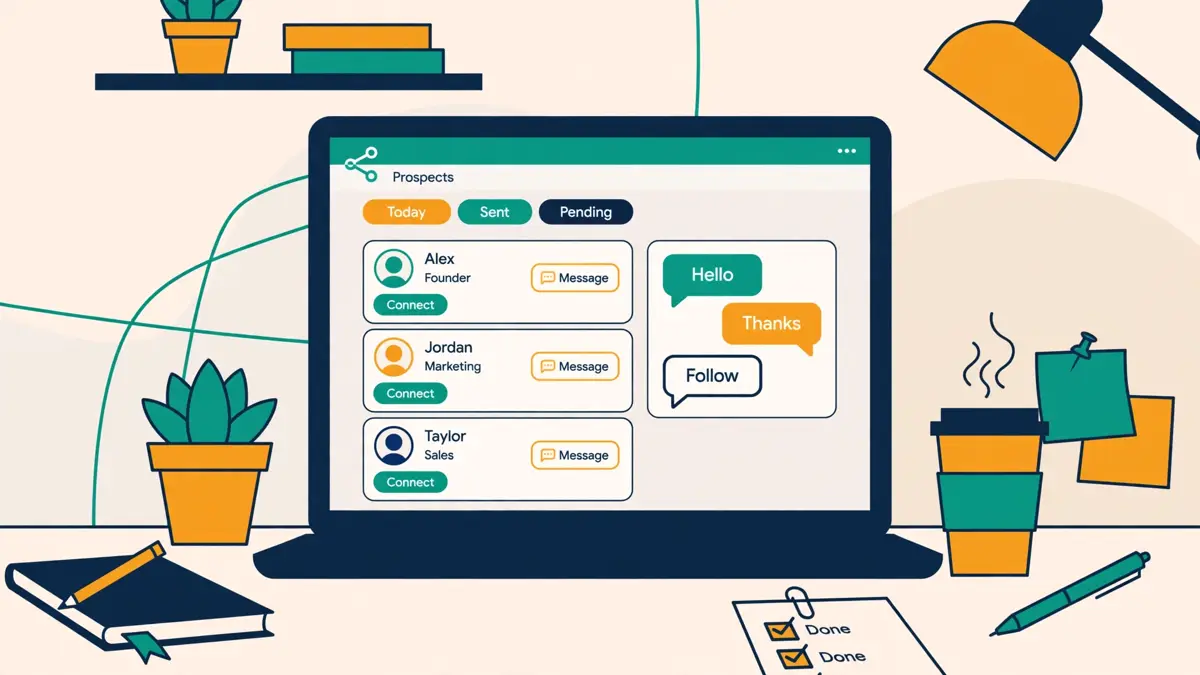
    HeyReach review: a worked example

    A short worked example helps the numbers land. Imagine an agency with 12 client senders. On Growth, that costs $708 a month at $59 per sender. On Agency, 25 senders cost $999 a month, which looks dearer today, yet leaves room for 13 more senders at no extra cost. The agency should pick Growth now, and move to Agency when it passes roughly 17 senders, where the two prices cross. Meanwhile, a solo consultant with one sender pays $79 a month. That is the same tool, the same inbox, and the same MCP server, but the value is thinner, because rotation across one account is no rotation at all. That is why the “who should not use it” section matters as much as the price list. HeyReach rewards scale, and it charges for it fairly openly.

    Two more pricing facts complete the picture. First, HeyReach charges per sender, not per user. You can invite your whole organisation, including teammates, virtual assistants, and clients, without paying more. Only connected LinkedIn accounts count toward the bill. Second, the early stage program offers a heavily discounted plan for teams under $250,000 in annual revenue with fewer than five people, who are not yet HeyReach customers. You apply through a form on the pricing page. If you qualify, that program is the cheapest honest way into the tool, and it is worth checking before you pay the headline price.
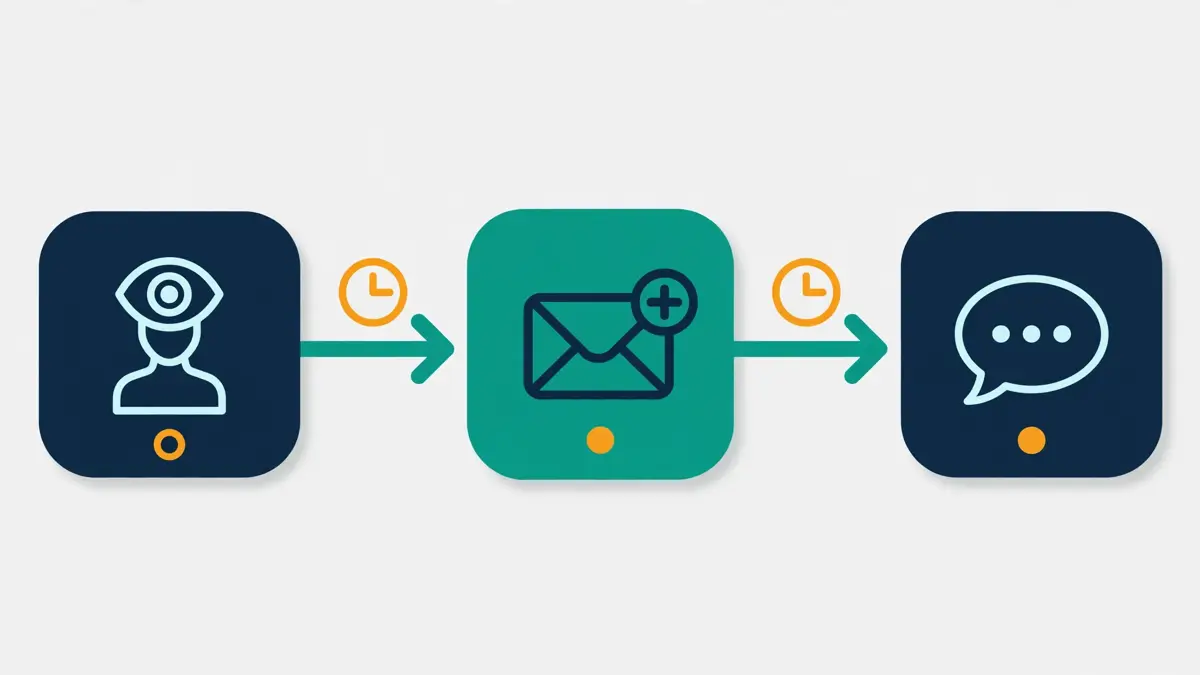
    Sender rotation: the feature everything else hangs on

    Sender rotation is the reason HeyReach exists, and it is worth understanding properly before you compare prices. LinkedIn limits how many connection requests each account can send in a day. HeyReach keeps each sender to a hard daily limit of 40 actions, according to its own review of the product, because that is the level its team found safest in practice. Readers of this HeyReach review should note the number: 40 actions a day is a vendor-set cap, not a LinkedIn rule. One account, on its own, can therefore reach only a small number of new people each day. Five accounts, rotated inside one campaign, can reach five times as many, while each account stays inside its own limit. That is the whole trick, and it is a good one. Volume comes from the number of senders, not from pushing any single account harder.

    Rotation also protects your accounts in a subtler way. When one account sends everything, LinkedIn sees a single source firing message after message. When many accounts share the load, each one looks like a normal person doing a normal amount of outreach. HeyReach adds a dedicated proxy to each sender on the Growth plan, so each account also appears from its own connection. On Agency and Unlimited, you bring your own proxies, which gives larger teams control over proxy quality, at the cost of managing them. Either way, the design goal is the same. Spread the work, keep each account calm, and let the campaign scale by adding senders rather than by raising the pace.

    HeyReach review: how to set rotation up

    Setting rotation up is straightforward. You connect two or more LinkedIn accounts, and rotation switches on by default. You can select an unlimited number of senders in a single campaign, and HeyReach splits the sending between them automatically. That automatic split is the part people underestimate. In a manual setup, someone has to decide which account sends to which lead, and mistakes creep in fast. HeyReach does the split for you, and it also pauses a sender when LinkedIn stops accepting its requests. That pause matters. It stops a struggling account from burning more requests while the problem lasts, and it lets the healthy senders carry the campaign. As a result, a campaign keeps moving even when one account hits a snag.

    HeyReach sender rotation spreading LinkedIn outreach across several accounts
    Sender rotation in HeyReach: several LinkedIn accounts share one campaign, so each account stays inside its own daily limit while total volume grows with the number of senders.

    There is one more angle to rotation that agencies value. Clients often worry about their own LinkedIn accounts being used for outreach. Rotation lets an agency run a client campaign from the client’s account alongside its own senders, or from several client team members at once, without any one person’s account doing all the work. Replies still land in one inbox, and the agency answers on behalf of the right person. That arrangement only works if the client trusts the setup, of course, and LinkedIn’s own rules still apply. Yet as a workflow, it is far smoother than passing logins around a team chat. In short, rotation is not a gimmick. It is the load-bearing feature of the product, and everything else in HeyReach, from the inbox to the pricing, is built around it.

    One inbox for every sender

    The unified inbox, which HeyReach calls Unibox, is the feature agency users mention most, and it is easy to see why. Without it, a team running ten senders would juggle ten LinkedIn logins every day. Replies would hide across ten inboxes. A hot lead could wait hours for an answer simply because nobody checked the right account. Unibox removes that problem. Every reply from every sender appears in one list, with the context needed to answer well. You can reply from the right account without logging in and out, send voice notes from your desktop, and reply on behalf of a colleague when they are away. Tags, assignment, and canned templates keep the work organised, and one click syncs a full conversation into your CRM, including HubSpot, Pipedrive, Close, or GoHighLevel.

    Speed matters here more than most teams expect. LinkedIn outreach works best when replies get fast, human answers. A prospect who asked a question this morning and hears nothing until tomorrow often moves on. With one inbox, the first free team member can answer, whatever sender the message arrived on. That shared speed is a genuine advantage over single-account tools, where the account owner is the only person who can reply. It is also one reason this HeyReach review rates the inbox so highly. It also helps managers. They can watch every conversation in one place, spot the warm leads, and coach reps on real replies rather than on screenshots. In practice, the inbox is where HeyReach earns its keep day to day, long after the novelty of rotation has worn off.

    HeyReach unified inbox showing replies from many LinkedIn senders in one place
    The HeyReach unified inbox: replies from every sender arrive in one list, so any team member can answer from the right account without switching logins.

    HeyReach review: sentiment analysis in the inbox

    HeyReach also adds a layer of intelligence on top of the inbox. Replies get sentiment analysis, so interested leads rise to the top automatically. Warm leads get auto-tagged, which means your best prospects never go cold simply because nobody noticed them. Real-time data shows which campaigns produce the interested replies, and which ones produce silence. That feedback loop is valuable. It lets you fix a weak message in days, rather than discovering the problem at the end of the month. One honest caveat belongs here too. An inbox only helps if someone works it. HeyReach gathers the replies, but it cannot answer them for you. Teams that buy the tool and then ignore the inbox will see the same poor results as teams with no tool at all. The inbox is a force multiplier for a team that replies fast, not a substitute for replying.

    Campaigns, sequences and signal-based triggers

    A HeyReach campaign is a sequence of LinkedIn steps with delays and conditions between them. You might start with a profile view, then send a connection request a day later, then a first message once the person accepts, then two follow-ups spaced a few days apart. If someone replies, the sequence stops automatically, which is the behaviour you want. This HeyReach review treats that automatic stop as a basic requirement, not a bonus feature. Nobody likes receiving a follow-up after they already answered. The builder also handles InMails for open profiles, and it finds verified emails for prospects when a LinkedIn step needs an email handoff. Voice notes add a personal touch, and post likes let you warm a prospect up before the request lands. Used well, that mix feels far more human than a bare connection request with a sales pitch attached.

    Lead lists can come from almost anywhere. Import from Sales Navigator for precise targeting, from Clay for enriched lists, from RB2B for website visitors, or from HubSpot for your existing contacts. Signal-based triggers take that a step further. The moment someone visits your site, books a meeting, engages with an ad, or interacts with your posts, HeyReach can push them into a campaign as a warm lead. That matters, because a warm lead who just visited your pricing page converts far better than a cold name from a spreadsheet. The tool also keeps a blacklist, so leads and whole companies you add once get skipped by every campaign in the workspace. That small feature prevents embarrassing duplicate outreach, which is a common failure in teams that run many campaigns at once.

    HeyReach review: what the benchmarks say

    HeyReach’s own benchmark data gives a useful sense of scale. Across 96,051 campaigns run through the platform, the typical campaign lands near a 21% acceptance rate and a 22% reply rate, with about 18% of accepted connections turning into replies. Those figures come from HeyReach’s own guide to automated LinkedIn messaging, so they describe the platform’s own users rather than an independent test. Still, they set a fair bar, and that benchmark is quoted in this HeyReach review because it gives new users a realistic target. If your campaign accepts at 5% and replies at 2%, the problem is probably your targeting or your message, not the tool. A good next step is to tighten the list, shorten the message, and test one change at a time. HeyReach gives you the data to see the result, and that is half the job.

    AI agents, the API and the MCP server

    HeyReach is the first LinkedIn automation tool to support an MCP server, according to its own blog, and that claim is worth a closer look. MCP, or Model Context Protocol, lets an AI agent connect to HeyReach and act through natural-language tool calls, rather than through custom API code. You can tell an agent in Claude or ChatGPT to start or pause a campaign, add leads, split a list, tag replies by sentiment, and send data to your CRM, all without writing an integration.

    The MCP server ships on every plan, including Growth, which is unusual. Most tools gate their most interesting developer features behind the expensive tiers. For readers of this HeyReach review who already use Claude, that open access is the most interesting feature in the product. HeyReach does the opposite, and that choice tells you who the product is built for: teams that automate aggressively, not teams that click through a dashboard all day.

    HeyReach review: the API and webhooks

    The API and webhooks sit alongside the MCP server, and they are also on every plan. The API lets your team automate each step of LinkedIn outreach, connect proprietary systems, and build workflows that fit your exact process. Webhooks push events out to your stack the moment they happen, so a reply can trigger a Slack message, a CRM update, or a step in n8n without polling. A CLI is available too, for teams that prefer the terminal. Taken together, these tools mean HeyReach works as a LinkedIn layer inside a larger go-to-market system, rather than as a closed box. That is exactly how its best users treat it. They pair it with Clay for enrichment, with n8n or Make for automation, and with Instantly or Smartlead for email, and HeyReach handles the LinkedIn part.

    An AI agent driving a HeyReach LinkedIn campaign through the MCP server
    HeyReach and AI agents: the MCP server lets an agent in Claude or ChatGPT start campaigns, add leads, and tag replies, with the API and webhooks on every plan too.

    HeyReach review: the feature it refuses to build

    One thing HeyReach refuses to automate deserves praise. Its own blog states plainly that it will never let users automate AI-generated comments on posts. That is a deliberate line, and it is a good one. Automated comments are easy to spot, they add nothing to a conversation, and they damage the sender’s reputation. A tool that refuses that feature, even when rivals offer it, is a tool that understands the difference between automation that helps and automation that embarrasses you. That refusal is one reason this HeyReach review calls HeyReach an unusually honest product. In the same spirit, HeyReach keeps its AI features focused on the useful jobs: drafting, tagging, sorting, and routing. The human still writes the message that matters, and still answers the reply that counts.

    The video above is HeyReach’s own full tutorial, titled “Best LinkedIn Outreach Software in 2026 | HeyReach Review | Full Tutorial”, from the HeyReach YouTube channel. It walks through the product as the vendor presents it, which makes it a useful companion to this review. Watch it for the interface and the campaign setup, and read this review for the pricing maths and the honest limits. Video credit: “Best LinkedIn Outreach Software in 2026 | HeyReach Review | Full Tutorial” by HeyReach, on YouTube. The video is the creator’s property, embedded via YouTube for education. OutreachCompare is not affiliated with HeyReach and does not claim ownership of the video.

    Multichannel without sending email itself

    HeyReach describes itself as multichannel, and that label needs a careful reading. The tool runs LinkedIn steps natively, and it hands email steps to other tools through native integrations with Instantly, Smartlead, and EmailBison. In a HeyReach sequence, a LinkedIn step can sit next to a handoff block that sends the lead to your email tool, which then sends the email. The lead still moves through one campaign, and HeyReach even finds verified emails for you, using your enrichment credits. That design works well if you already use Instantly or Smartlead, which many agencies do. This HeyReach review is clear on the point: the word multichannel here means LinkedIn plus a handoff, not LinkedIn plus native email. It also means HeyReach stays focused on what it does best, instead of building a mediocre email sender on the side.

    The trade-off is cost and complexity. A team that needs email as well as LinkedIn must pay for two tools, and must keep both configured. A solo user who wants one login for everything will find that annoying, and may prefer La Growth Machine or Lemlist, which send email natively. On the other hand, a team that already runs Instantly for email gets the best of both worlds: Instantly’s unlimited mailboxes and warm-up on the email side, and HeyReach’s rotation and inbox on the LinkedIn side. That pairing is common enough that HeyReach features it openly, and Smartlead’s own founder has praised the product in public. For agencies, the two-tool stack is normal. For a small team buying its first outreach tool, the single-tool route is simpler, and this HeyReach review would not argue otherwise.

    HeyReach review: the HubSpot sync

    There is one more integration worth naming. HeyReach syncs cleanly with HubSpot, and that sync is verified by HubSpot itself. Every connection, message, and reply shows up automatically on your HubSpot contacts, which gives clean attribution and real return-on-investment data without manual logging. Clay, n8n, Make, and Zapier connect too, so enrichment, automation, and outreach flow through one system. If your stack already includes those tools, HeyReach drops in without a rebuild. That verified sync is a small detail, yet this HeyReach review mentions it because clean attribution is rare in this market. If your stack is a spreadsheet and a Gmail account, the integrations will not help you yet, and you should start with a simpler tool and grow into HeyReach later.

    Safety, limits and the honest risk

    No honest HeyReach review can skip the safety question, so here it is in plain terms. This HeyReach review states the risk first, before the features, because it shapes every other judgement in the article. LinkedIn’s User Agreement bans software that automates connecting and messaging, and LinkedIn does not approve HeyReach or any similar tool. HeyReach states that it is not associated with or endorsed by LinkedIn. That means some risk always remains, whatever the vendor promises. No tool can remove it, and any tool that claims otherwise is not telling you the truth. What a good tool can do is reduce the risk, and HeyReach reduces it in four visible ways: hard daily limits, sender rotation, dedicated proxies, and automatic pauses when LinkedIn stops accepting requests.

    The hard limit is the most important of the four. HeyReach keeps each sender to 40 actions a day, because its team found that level safest in practice. That cap applies per account, not per campaign, so adding senders raises total volume without raising any single account’s pace. Rotation spreads the load further, and the dedicated proxy keeps each account’s traffic separate. When LinkedIn stops accepting a sender’s requests, HeyReach pauses that sender instead of hammering the limit. Together, those four habits make HeyReach one of the more careful tools in this market, according to the agencies that use it every day. Even so, care is not a guarantee. Accounts can still be restricted, especially if the targeting is poor, the messages are spammy, or the list is low quality.

    HeyReach review: four habits that lower the risk

    A few habits keep your own risk low. First, use real LinkedIn accounts that belong to real people on your team, with complete profiles and normal activity outside outreach. Second, keep messages short, specific, and relevant to the person you are writing to. Third, respect replies and opt-outs immediately, and never message the same person from two senders at once. Fourth, start slowly on a new sender and let the volume build over a week or two, rather than blasting at full pace on day one.

    Fifth, watch the inbox daily, because fast human replies are the best signal that your outreach is welcome. Follow those habits, and this HeyReach review expects the safety features to do their job. Ignore them, and no limit setting will save the account. Ignore them, and no limit setting will save the account. In short, the tool manages the machinery, but the judgement stays with you.

    HeyReach against Waalaxy, La Growth Machine and Lemlist

    HeyReach’s closest rivals are the other LinkedIn-first tools in this batch, plus the multichannel suite that many teams compare it with. Waalaxy is the simple, cheap LinkedIn tool. La Growth Machine is the multichannel tool that runs LinkedIn, email, and calls in one sequence. Lemlist is the broadest suite, with five channels and a huge database. Each one solves a different problem, and the table below shows the differences at a glance. Prices are the monthly figures from each provider’s official site, checked on 15 November 2026, and the notes under the table explain what each figure includes. This HeyReach review compares the four tools on price, channels, and the features that matter at scale.

    The headline difference is the pricing model. HeyReach charges per sender, Waalaxy charges per user, La Growth Machine charges per identity, and Lemlist charges per user with an add-on for LinkedIn seats. At one account, Waalaxy is far cheaper than HeyReach. With ten accounts, HeyReach’s $59 per sender rate is still dearer than Waalaxy’s €49 Advanced plan, yet HeyReach rotates all ten senders inside one campaign, while Waalaxy runs each account separately. At 25 senders, HeyReach’s flat $999 Agency bundle becomes hard to beat on price per sender, at about $40 each. La Growth Machine sits in the middle on price, yet it includes email and calls natively, which HeyReach does not. Lemlist costs the most per user at the multichannel tier, yet it adds a 650M+ database, WhatsApp, and SMS, which neither LinkedIn-first tool offers.

    ToolEntry price (monthly)Best forChannelsVisit Site
    HeyReach$79 per sender; $59 from 10 sendersAgencies and teams with many sendersLinkedIn native; email via Instantly / SmartleadVisit Site →
    Waalaxy€19 per userSimple LinkedIn outreach for one personLinkedIn native; email on Business planVisit Site →
    La Growth Machine€60 per identityLinkedIn, email and calls in one sequenceLinkedIn, email, callsVisit Site →
    Lemlist$69 per user (email); $109 multichannelFive-channel outreach with a big databaseEmail, LinkedIn, WhatsApp, SMS, callsVisit Site →

    Last checked: 15 November 2026 on each provider’s official pricing page: HeyReach pricing, Waalaxy pricing, La Growth Machine pricing, and Lemlist pricing. Features and pricing can change, so please check the provider’s site before you buy. We do not guess at features, prices or trials.

    FeatureHeyReachWaalaxyLa Growth MachineLemlist
    Sender rotation across many accounts✓ Core feature— Not offered— One identity per sequence— One LinkedIn account per seat
    Unified inbox for all senders✓ Included✓ Inbox add-on available✓ Included✓ Included
    Native cold email sending— Via Instantly / Smartlead✓ Business plan✓ All plans✓ All plans
    Voice notes and InMails✓ Included✓ Voice messages in inbox— Not listed✓ Voice notes on LinkedIn
    Built-in prospect database— Enrichment credits only— No database✓ 27M+ companies✓ 650M+ contacts
    API, webhooks and MCP server✓ All plans✓ API on Advanced✓ MCP and API from Pro✓ API and MCP
    Whitelabel for agencies✓ Agency and Unlimited— Not listed— Not listed— Not listed
    Free trial✓ 14 days, no card✓ 14 days✓ 14 days, no card✓ 14 days

    Last checked: 15 November 2026 on each provider’s official site. A tick means the feature is stated on the provider’s site; a dash means it is not confirmed or is not offered. Features and pricing can change, so please check the provider’s site before you buy. We do not guess at features, prices or trials.

    HeyReach review: reading the comparison table

    Read the matrix as a buying guide, not as a scoreboard. If your team runs five or more LinkedIn accounts, HeyReach wins on rotation and the inbox, and its flat bundles make the cost predictable. For one account and the simplest possible tool, Waalaxy wins on price and ease, and HeyReach would be overkill. If you want LinkedIn, email, and calls in a single sequence without a second tool, La Growth Machine wins, and its per-identity pricing is easier to compare. For the widest channel mix and a database to fill it, Lemlist wins, and its $109 multichannel plan is the one to compare with HeyReach plus Instantly.

    None of these tools is bad. They are built for different team shapes, and the right pick is the one that matches how many senders you run and which channels you actually use. That matching exercise is the point of this HeyReach review: match the tool to your team shape, not to a headline price.

    Strengths and weaknesses, side by side

    Every tool in this market trades something away, and HeyReach is no exception. Its strengths are real, and they cluster around scale, safety, and developer access. Its weaknesses are equally real, and they cluster around price at small scale, the missing email sender, and the missing database. Put side by side, the two lists give a fair picture. Read them with your own team shape in mind, because the same feature can be a strength for an agency and a weakness for a solo user. This HeyReach review keeps both lists in view, because the trade-offs are the decision.

    • Sender rotation is best in class: one campaign rotates across unlimited senders, so volume grows by adding accounts rather than by pushing one account harder.
    • One inbox for every reply: the unified inbox, with sentiment analysis and auto-tagged warm leads, keeps fast replies possible at scale.
    • Developer access on every plan: the API, webhooks, CLI, and MCP server ship on Growth, not just on the expensive tiers.
    • Flat agency bundles: Agency and Unlimited fix the monthly cost, and teammates, virtual assistants, and clients are free to add.
    • Safety is designed in: hard daily limits of 40 actions per account, dedicated proxies on Growth, and automatic pauses when LinkedIn stops accepting requests.
    • Honest product choices: HeyReach refuses to automate AI-generated post comments, and it stays focused on LinkedIn rather than building a weak email sender.
    • Strong integrations: native Instantly and Smartlead handoffs for email, verified HubSpot sync, and Clay, n8n, Make, and Zapier support.

    HeyReach review: the weaknesses in full

    • Dear for one sender: $79 a month buys LinkedIn steps only, with no email sending and no database, which is hard to justify for a solo user.
    • No native email: multichannel campaigns need Instantly, Smartlead, or EmailBison, which adds a second bill and a second setup.
    • No prospect database: enrichment credits help, yet the tool cannot find new leads for you the way Lemlist or La Growth Machine can.
    • Bring-your-own proxies on Agency and Unlimited: larger teams must source and manage proxies themselves, which adds cost and work.
    • LinkedIn risk remains: automation is banned by LinkedIn’s User Agreement, so no limit setting can guarantee an account stays safe.
    • Small price inconsistencies: the pricing page and the help centre differ by about $1 on some quarterly and yearly figures, which is confusing when budgeting.

    One weakness deserves a second look, because it shapes the whole buying decision. HeyReach’s price is fair at agency scale, yet steep at solo scale, and that gap is deliberate. The vendor built the tool for teams that run many senders, and it priced the tool for those teams. A solo user who buys HeyReach anyway pays agency money for solo value, and will feel it every month. That is not a flaw in the product. It is a mismatch between the buyer and the product, and the fix is to pick a different tool. That mismatch is the single most common mistake this HeyReach review sees readers make. Waalaxy, La Growth Machine, or Lemlist will serve that buyer better, and this review links to all three so the comparison is easy to make.

    Getting started in a day

    Getting started with HeyReach takes a day, not a week, if you prepare the list first. Start with the 14-day free trial, which needs no card and covers three LinkedIn accounts. Connect one or two real accounts first, not ten at once, and let the tool run a small campaign while you learn the interface. Build your lead list in Sales Navigator, with tight filters, and import it into HeyReach. A list of 200 well-chosen people beats a list of 2,000 random names every time. Then build a short sequence: a profile view, a connection request a day later, a first message after acceptance, and two follow-ups spaced a few days apart. Keep the first message under 60 words, make it about the prospect rather than about you, and end with one easy question. This HeyReach review recommends that order: list first, senders second, scale last.

    While the first campaign runs, set up the inbox properly. Add tags for interested, not interested, and follow up later. Assign replies to the right team member, and save two or three canned replies for the most common questions. Check the inbox twice a day, and answer fast. Meanwhile, watch the acceptance rate. If it sits near the vendor’s typical 21%, your targeting and message are working. If it sits near 5%, stop and fix the list before you scale. Only add more senders once the first campaign performs. That discipline, small list first, then more senders, is how agencies scale without burning accounts. It is also the practical core of this HeyReach review. It also keeps the trial meaningful, because you learn what works before you pay.

    HeyReach review: a tutorial worth watching

    The video above is a recent independent HeyReach tutorial, titled “HeyReach Tutorial: 3 of 4 Leads Were the Wrong People. Here’s the Fix (2026-27)”, from William Zimmerman | AI for Operators on YouTube. It shows a connect-only campaign built from a Sales Navigator search, with a careful lead-cleaning step before any outreach goes out. That cleaning step is exactly the discipline the previous paragraph describes, and the video shows it in practice. Video credit: “HeyReach Tutorial: 3 of 4 Leads Were the Wrong People. Here’s the Fix (2026-27)” by William Zimmerman | AI for Operators, on YouTube. The video is the creator’s property, embedded via YouTube for education. OutreachCompare is not affiliated with the creator and does not claim ownership of the video.

    Frequently asked questions

    The questions below are the ones readers ask most often about this tool, and each answer in this HeyReach review comes from the vendor’s own pages, checked on 15 November 2026. If your question is not here, the pricing page and the help centre are the best next stop.

    Is HeyReach safe for my LinkedIn account?

    HeyReach reduces the risk, yet it cannot remove it. LinkedIn’s User Agreement bans automation, and LinkedIn does not endorse HeyReach. The tool protects you with hard daily limits of 40 actions per account, sender rotation, dedicated proxies on Growth, and automatic pauses when LinkedIn stops accepting requests. Those habits make it one of the more careful tools available. Even so, use real accounts, write relevant messages, start slowly, and watch the inbox daily. Your own habits matter as much as the tool’s limits.

    How much does HeyReach cost for one person?

    One sender on the Growth plan costs $79 a month on monthly billing, or $59 a month per sender from ten senders. Quarterly billing saves 10% and yearly billing saves 20%, according to the pricing page. A 14-day free trial with no card covers three LinkedIn accounts. For one person with one account, that price buys LinkedIn steps only, with no email sending and no database. Many solo users will find Waalaxy, from €19 a month, better value for the same single-account job.

    Does HeyReach send cold email?

    No, HeyReach does not send cold email itself. Its multichannel outreach works through native integrations with Instantly, Smartlead, and EmailBison. LinkedIn steps run in HeyReach, and email steps run in the email tool, inside one campaign flow. HeyReach also finds verified emails for your leads, using your enrichment credits. If you want email and LinkedIn in a single tool, La Growth Machine and Lemlist both send email natively.

    What is a HeyReach sender, exactly?

    A sender is one connected LinkedIn account that can actively send outreach through HeyReach. HeyReach charges per sender, not per user. You can invite unlimited teammates, virtual assistants, and clients for free, and only the connected LinkedIn accounts count toward the bill. On Growth you pay per sender, while Agency and Unlimited sell flat bundles of 25, 50, or up to 300 senders. That model is why agencies like the pricing: the team can grow without the bill growing, as long as the sender count stays the same.

    Can HeyReach replace Waalaxy or La Growth Machine?

    It depends on how many accounts you run. HeyReach replaces Waalaxy when you run several senders in one campaign and need rotation and a shared inbox. It does not replace Waalaxy for one person who wants the cheapest simple tool. It replaces La Growth Machine when LinkedIn scale matters more than native email, and La Growth Machine wins when you want LinkedIn, email, and calls in one sequence. Many teams use HeyReach alongside Instantly or Smartlead, rather than as a replacement for any single tool.

    Is there a free trial or a free plan?

    There is a 14-day free trial on the Growth plan, with no card required, covering three LinkedIn accounts. HeyReach lists no free plan on its pricing page. Early-stage teams under $250,000 in annual revenue with fewer than five people, who are not yet customers, may qualify for the early stage program, which offers a heavily discounted plan. You apply through a form on the pricing page. If you qualify, that program is the cheapest honest way into the tool.

    The verdict in this HeyReach review

    Best for multi-sender LinkedIn scale: HeyReach

    HeyReach is the strongest LinkedIn automation tool in this roundup for agencies and sales teams that run outreach from many accounts at once. Sender rotation, a unified inbox with sentiment analysis, and an API, webhooks and an MCP server on every plan make it a serious platform, not a simple scheduler. The flat Agency bundles fix the monthly cost, and the 14-day free trial lets you test a real campaign before paying.

    The trade-offs are clear: $79 a month per sender is steep for one person, email needs Instantly or Smartlead, and there is no built-in prospect database. LinkedIn risk also remains, whatever the tool promises. If you run five or more senders, start the trial. If you run one account, start with Waalaxy instead. We have not tested HeyReach hands-on, so this HeyReach review’s verdict rests on the vendor’s own published features and pricing, checked on 15 November 2026, rather than on a trial of the product.

    Visit HeyReach → Compare HeyReach with its rivals

    Keep reading

    If this HeyReach review helped, these related reviews take the next step:

    Best for multi-sender LinkedIn scale: HeyReachFrom $79/mo per sender · 14-day free trial Visit Site →
  • Waalaxy Review 2026

    Waalaxy Review 2026

    Best for simple LinkedIn outreach: Waalaxy

    Waalaxy is a LinkedIn outreach tool that turns a normal LinkedIn account into a small prospecting machine. You build a list of people from LinkedIn itself. Then you pick one of more than 99 ready-made sequences. The tool sends connection requests, messages and follow-ups for you, in a human-like rhythm. Email joins the sequence on the Business plan. There is no database to buy. There is no workflow canvas to learn, and no sales degree required. Three quarters of its users had never done LinkedIn outreach before they started. This Waalaxy review works through the pricing as published on 15 November 2026. It covers the features that matter, and how Waalaxy compares with Lemlist and La Growth Machine. That should help you decide whether the cheapest plan in this roundup is also the right one for you.

    Visit Waalaxy → Jump to the comparison table

    Most founders and small sales teams know LinkedIn holds their best prospects, and most of them still prospect by hand. They open profiles one by one. They copy names into a spreadsheet, and send a handful of connection requests before the day runs out. That manual habit caps outreach at a few dozen people a week, and follow-ups are the first thing to slip. A week later, half the accepted connections have heard nothing at all. Waalaxy exists for exactly that gap, and this Waalaxy review tests how well it fills it. It automates the repetitive steps, keeps the follow-ups going, and leaves the human part, the actual conversation, to you.

    The vendor says its users reach more than 800 potential buyers a month on LinkedIn. Indeed, more than 200,000 sales reps, founders and teams now use it. This Waalaxy review checks whether the current product lives up to that promise.

    Waalaxy review: why LinkedIn first changes the maths

    LinkedIn replies usually beat cold email replies for B2B sellers. In fact, a message arrives next to a real face, a real job title and shared connections. Cold email, by contrast, lands in a crowded inbox next to a hundred other pitches. That difference is why a LinkedIn-first tool can win with far fewer sends than an email blaster. A hundred well-chosen LinkedIn messages often produce more meetings than a thousand cold emails. That is the first claim this Waalaxy review puts to the test. For that reason, the right question is not how many messages Waalaxy sends. It is how many of them turn into replies, and then into calls. The dashboard answers that question directly, with reply rates per campaign and a visual view of which replies were positive. That feedback loop is the practical test this Waalaxy review applies throughout.

    Our roundup of the best cold email software in 2026 looks at the email-first alternatives instead. Our Lemlist review looks at the closest multichannel rival in depth. This Waalaxy review stays focused on Waalaxy itself. The sections below cover what it does and who it suits. They cover what it costs on 15 November 2026, and where its honest limits sit. They also ask whether a tool this simple can carry a serious sales pipeline. Every feature and price in this Waalaxy review was checked against the vendor’s own site on that date. Gaps in the official site are flagged as gaps rather than filled in with guesses.

    Waalaxy review: a beginner tool with a serious user count

    One fact frames the whole review. Waalaxy reports that 75% of its users had never done LinkedIn outreach before. As a result, that makes it the most beginner-oriented tool in this batch by a wide margin. Its homepage promises that outreach takes ten minutes to set up, not ten days. The Chrome extension, the ready-made sequences and the guided steps all point the same way. In short, this is a tool for people who want replies, not a new hobby. However, that simplicity is a strength for a solo founder, and it is also the source of the product’s real limits. A buyer who needs deep workflow logic or high-volume email will feel the ceiling quickly. The rest of this Waalaxy review shows exactly where that ceiling sits.

    Quick Answer

    Quick answer: Waalaxy is a LinkedIn outreach automation tool that sends connection requests, messages and follow-ups from your own LinkedIn account, with more than 99 ready-made sequences, an AI prospect finder, an AI message assistant called Waami, and cold email on the Business plan. Pricing starts at €19 a month per user on Pro. Advanced costs €49, and Business costs €69. A 14-day free trial is included, and no free plan is listed. It suits founders and small teams whose buyers live on LinkedIn. Anyone who wants simple, guided outreach without a steep learning curve will feel at home too. It suits nobody who needs email-only sending at volume. Email only arrives on the top plan, and there is no dedicated warmup pool.

    Best for: Founders and small sales teams running LinkedIn-led outreach with simple sequences and fast setup.
    Starting price: €19 a month per user on Pro, checked 15 November 2026 on the Waalaxy pricing page.
    Free trial: 14 days, with a LinkedIn Inbox add-on at €20 a month and 500 free conversations.

    Visit Waalaxy →

    What’s in this Waalaxy review

    What is Waalaxy?

    Strip the marketing away and Waalaxy is a prospecting assistant that lives on top of LinkedIn. You find people with a LinkedIn search, a Sales Navigator search or Recruiter Lite. Then you import them into Waalaxy with the Chrome extension. The tool qualifies the list with tags and a blacklist. It enriches contacts with professional emails through its Email Finder. Then it runs them through a sequence you pick from more than 99 templates. A sequence might visit a profile and send a connection request. It waits two days, then sends a message. It follows up by email if LinkedIn stays quiet. Replies land in your LinkedIn inbox, or in the optional Waalaxy Inbox add-on, where you answer them yourself. Nothing here pretends to replace the salesperson. It replaces the clicking.

    Prospecting starts on LinkedIn, not in a database

    That LinkedIn-first design is the main difference between Waalaxy and the database tools in our best B2B data providers guide. Tools such as Apollo and Lemlist sell access to hundreds of millions of contacts. In contrast, their data goes stale the moment it is exported. Waalaxy takes the opposite approach: it builds lists from live LinkedIn profiles, which are up to date by definition. You can also target people by intent signals. For example, those include reactions to a post, membership of a group, or attendance at an event. A list built from people who just engaged with a post about your topic is warmer than any purchased list. That is the practical edge this Waalaxy review keeps coming back to.

    No external database is needed, though you can import one if you already own it. The AI Prospect Finder takes this further. It finds similar prospects from a starting list. For instance, the vendor’s demo promises 1,000 leads in about ten seconds. Treat that figure as a demo claim rather than a guarantee. The quality of the output depends on the quality of the input list. This Waalaxy review repeats that caution wherever the vendor quotes a headline number. Even so, the direction is clear. This Waalaxy review reads it as the product’s core bet: start from real LinkedIn activity, not from a cold spreadsheet. Our guide to getting your first email addresses covers the list-building basics that make any sequence work. The same principles hold here, with LinkedIn doing more of the opening work.

    Sequences do the chasing, you do the talking

    Sequences are the heart of the product. One flow holds several steps, with delays between them. The available actions cover the full set a seller would do by hand. Send a LinkedIn invitation with or without a note. Send one or more messages, or visit and follow a profile. Find a professional email and send it, then wait a set number of days before the next step. You can also build your own sequence from scratch if none of the 99 templates fits. This Waalaxy review treats that flexibility as a genuine plus for experienced senders. Waalaxy’s own training material recommends no more than three touchpoints when you start, because more than that can feel spammy. That advice is worth following: a short, polite sequence sent to the right people beats a long, pushy one sent to everyone.

    Behind the sequences sits a safety net that is easy to overlook. An anti-duplication feature stops you from contacting the same person twice or importing them into another list by mistake. Tags let you sort prospects by interest, and the blacklist keeps ex-customers, competitors and anyone else off your lists for good. These are small features with a large effect on reply rates. This Waalaxy review counts them among the product’s quiet strengths. A prospect who receives the same message twice, or a message meant for someone else, rarely replies at all. The vendor also reports a reply rate per campaign, benchmarked against industry standards. In addition, it adds a visual view of which campaign drew the most positive replies. That feedback is what turns a first campaign into a better second one.

    A French tool built for beginners

    Waalaxy is a French product, and its tone shows it: friendly, informal, and deliberately simple. The homepage carries a 4.8 rating on the Chrome Store, 4.5 on G2 and 4.5 on Capterra. All three are displayed on the vendor’s own site. Moreover, the pricing page quotes a support rating of 4.9 out of 5. Human support is in-house, according to the homepage. Chat support runs Monday to Friday. Live chat is also available on the Advanced and Business plans. That human help matters more here than in most tools. Three quarters of users are first-timers, a point this Waalaxy review returns to in the verdict. A beginner who gets stuck on their first campaign needs an answer from a person, not a help-centre article. The guided steps inside the product and the step-by-step tutorials serve the same purpose.

    What Waalaxy is not

    Equally important is what Waalaxy does not try to be. No CRM sits inside it, so there is no deal pipeline and no contact store beyond the leads in your campaigns. Activity can sync to HubSpot and Pipedrive, though, and the CRM sync step sits inside the campaign itself. Nor is it a bulk email sender. Email only appears on the Business plan, and even there it is a second channel inside a LinkedIn-led sequence, not a volume engine. A team pushing thousands of cold emails a day from unlimited mailboxes belongs with our Instantly review or our Smartlead review instead. As a data provider it also falls short: there is no database to search, only the leads you find on LinkedIn. Working out which reader you are before signing up saves a wasted trial either way.

    Who Waalaxy suits best — and who should skip it

    Waalaxy fits a specific buyer unusually well, and the fit is easy to recognise. Your buyers spend their working day on LinkedIn: founders, sales leaders, marketers, recruiters, agency owners and consultants. Your average deal is large enough that a thoughtful message beats a high-volume blast. You have one to five senders, each with a real LinkedIn profile. You want those senders to work from one simple tool, without learning a workflow canvas or hiring a specialist to run it. If that description matches, Waalaxy was built for you. The pricing section of this Waalaxy review shows what it will cost. The 14-day trial lets you test it with real prospects before any money changes hands.

    Waalaxy review: solo founders and first-time prospectors

    Solo founders are the natural centre of that audience, and the Pro plan was clearly designed with them in mind. One user, 300 invites a month, unlimited campaigns, pre-built sequences, automated follow-ups and CRM sync cost €19 a month. That is a fair price for a founder who treats LinkedIn as their main channel. This Waalaxy review finds the Pro limits generous enough for a solo seller. Three hundred invites a month is enough for one person testing two or three offers. In fact, the bottleneck for a solo seller is replying to conversations, not sending more invites. The guided setup helps too. The vendor says outreach takes ten minutes from first login to first campaign. The training material walks through each step in plain language.

    Recruiters form a second natural audience, because their candidates and clients both live on LinkedIn. A recruiter can import a Sales Navigator search, run an invitation-plus-message sequence, and follow up with people who accept. The same logic suits consultants and agency owners who sell to founders. This Waalaxy review finds that audience well served: their buyers are visible, active and easy to find by job title. The list and messaging basics in our cold email for beginners guide apply just as well here. LinkedIn carries more of the opening work in this Waalaxy review.

    Waalaxy review: small teams that want one simple tool

    Small sales teams get a different kind of fit. The Team Plan starts at two licences, and from five licences the vendor offers savings on the per-seat price. Team accounts share Email Finder credits. The whole team can work from a single Sales Navigator account, which saves a meaningful subscription cost. A sales manager can watch the dashboard. They can see which campaign draws the most positive replies, and coach the team on what actually works. Agencies get a similar benefit. This Waalaxy review notes the single Sales Navigator account as a real saving. Each client’s outreach runs from separate LinkedIn accounts, while the team manages everything from one interface. The Enterprise plan, for teams of five seats or more, adds team workspaces, analytics, volume discounts and onboarding.

    Teams that should look elsewhere first

    Email-only senders should skip Waalaxy entirely, and the reason is simple arithmetic. In practice, the cheapest plan with email costs €69 a month. Even there, email is a follow-up channel inside a LinkedIn sequence, not a standalone sender. Instantly opens at $47 a month with unlimited mailboxes and unlimited warmup, while Smartlead opens at $39 a month. When your prospects rarely open LinkedIn, that spend buys a channel you never use. This Waalaxy review treats email-only buyers as a poor fit from the start. Similarly, high-volume cold email teams should look elsewhere, because Waalaxy caps invites per month and offers no dedicated email warmup pool. The warmup side of that job is covered in our best warmup tools in 2026 roundup.

    Bigger teams should model the per-user total at their real headcount before committing. Waalaxy bills per user, so every extra sender multiplies the bill, and the invite caps are per user too. Ten users on Advanced cost €490 a month before any volume discount. In contrast, that is a different world from the flat-fee LinkedIn tools that charge per workspace. Buyers who need WhatsApp, SMS or calls inside the same sequence should note another gap. Waalaxy lists none of those channels on its pricing page. Lemlist includes WhatsApp and SMS on its Multichannel plan. Buyers who need those channels should compare the two directly in the table below.

    The LinkedIn test, in thirty seconds

    A quick test settles the fit question for most buyers. Open LinkedIn and look at your last twenty ideal customers: do most of them have active profiles with recent posts? If most of them do, LinkedIn-led outreach is worth building, and Waalaxy is one of the simplest ways to build it. Where most of them are silent on LinkedIn, or your buyers answer email and ignore connection requests, an email-first tool serves you better. It also costs less. In short, Waalaxy performs best exactly where its buyers live, and its price reflects that focus. That is not a flaw. It is a statement about who should buy it, and this Waalaxy review would mislead readers by dressing it up as anything else.

    Waalaxy pricing in 2026

    Waalaxy sells three plans, all billed per user per month, with prices shown in euros. Pro costs €19 a month, Advanced costs €49 and Business costs €69. Those are the figures on the pricing page we checked on 15 November 2026. Quarterly billing saves 20% and yearly billing saves 50%. A buyer who commits for a year pays substantially less than the headline figure. Every plan includes a 14-day free trial, which this Waalaxy review treats as the honest way to test the tool. You can cancel anytime by disabling auto-renewal, and you keep full access until the end of the billing period. There is no free plan listed on the pricing page. The trial is the free way in, and after it ends you pick a plan or stop.

    Headline prices hide the real cost, so the table below lists the limits that decide what you actually pay each month. Pro suits a solo seller launching a first LinkedIn campaign, the buyer this Waalaxy review pictures first. It includes 300 invites a month, unlimited campaigns, pre-built sequences, automated follow-ups, CRM sync and team collaboration tools. Advanced is the most popular plan, according to the vendor, and the one most regular senders should price first. It raises the invite limit to 800 a month. It also adds API access, Make, Zapier and n8n modules, and live chat support. Business keeps the 800 invites and adds cold email sequences, multichannel LinkedIn-plus-email campaigns and 500 Email Finder credits a month.

    Waalaxy review: the three plans at a glance

    PlanPriceInvitesWhat you getBest for
    ProBest for first campaigns€19 / user / mo300 / monthUnlimited campaigns, pre-built sequences, automated follow-ups, CRM sync, team collaboration, 25 Email Finder credits / moFounders launching their first LinkedIn outreach
    AdvancedBest for regular senders€49 / user / mo800 / monthEverything in Pro, plus maximum LinkedIn invitation limits, API access, Make, Zapier & n8n modules, live chat support, 25 Email Finder credits / moSenders scaling LinkedIn outreach at higher volume
    BusinessBest for multichannel teams€69 / user / mo800 / monthEverything in Advanced, plus cold email sequences, multichannel LinkedIn + email campaigns, 500 Email Finder credits / moOutbound teams combining LinkedIn and email

    Prices checked 15 November 2026 on the Waalaxy pricing page. Quarterly billing saves 20% and yearly billing saves 50% on the prices shown. Features and pricing can change, so please check the provider’s site before you buy. We do not guess at features, prices or trials.

    What five senders actually pay

    Total cost is where the per-user model shows its teeth, so here is the arithmetic for a typical team. One user on Pro costs €19 a month, or €228 a year. A five-seat team on Pro pays €95 a month, or €1,140 a year. Advanced for five users costs €245 a month, or €2,940 a year. Business for five costs €345 a month, or €4,140 a year. Yearly billing at 50% off would halve those annual totals, which is a large saving for a team that knows it will use the tool all year. A team that is still testing should start monthly and switch to yearly only after the trial proves the reply rate.

    Those totals are small next to the alternatives in the comparison table below, and that gap is the point of this Waalaxy review’s price comparison. Waalaxy is the cheapest LinkedIn-led tool in this roundup by a wide margin, and the gap grows at team scale. Five users on La Growth Machine Pro cost €600 a month, against €245 for five Waalaxy Advanced users. The cheaper tool is not automatically the better one, because La Growth Machine includes calls, a shared inbox and deeper workflow logic. Yet a buyer who only needs LinkedIn invites and messages should not pay for features they will never open.

    The add-ons and small print

    A couple of smaller pricing details are worth knowing before you buy. First, the LinkedIn Inbox is a paid add-on at €20 a month, with 500 free conversations and no time limit. It adds saved reply templates, scheduled follow-ups, tags, filters, a snooze reminder and CRM export, all inside Waalaxy rather than on LinkedIn itself. A rep handling dozens of conversations a day will feel the benefit quickly, which is why this Waalaxy review flags the Inbox as the add-on most likely to earn its keep; a solo founder answering a handful of replies a week can live without it. Second, the Enterprise plan covers teams of five seats or more, with team workspaces, analytics, volume discounts and onboarding. The vendor does not publish an Enterprise price, so treat that as a “check the site” item and ask sales for a quote.

    Email Finder credits are the other detail to watch. Each plan includes a monthly allowance, and one credit finds one professional email. The plan table lists 25 credits a month on Pro and Advanced, and 500 on Business. Extra credits can be bought when needed, with lower prices at higher volumes, according to the vendor’s FAQ. A team that leans on email follow-ups should budget for top-ups; a team that works LinkedIn alone will barely touch the allowance.

    Is the free trial genuinely free?

    Yes, with one honest caveat. The trial runs 14 days, and every plan offers it, including Business with its cold email sequences. Nothing in the pricing page asks for a card upfront, and you can cancel anytime by disabling auto-renewal. The caveat is the obvious one: fourteen days is short, so the trial only proves its worth if you start with a list ready to go. Import a Sales Navigator search on day one, pick a ready-made sequence, and run it to a small, well-chosen list. Measure replies for a week. A sensible trial judges the tool on reply quality rather than send volume, and the dashboard shows that directly, as this Waalaxy review explains in the features section.

    Waalaxy review: how the billing discounts work

    Billing choice is the simplest way to cut the price, so it is worth a paragraph of its own. Monthly billing is the most flexible: you pay the headline price and cancel anytime. Quarterly billing saves 20%, which suits a team running a three-month campaign. Yearly billing saves 50%, which halves the cost for a team that has already proved the tool works. A solo founder on Pro would pay €228 a year monthly, or roughly half that on yearly billing. The vendor also lets you upgrade or add seats at any time, paying only the prorated difference for the rest of the period. That flexibility is genuinely buyer-friendly, and it means there is little reason to over-commit before the trial ends.

    Key features, checked on the official site

    Every feature below was checked against the vendor’s own site on 15 November 2026, and the plan that unlocks it is named wherever the vendor gates it. Anything that appears in third-party reviews but not on the official site is flagged as unconfirmed in this Waalaxy review rather than repeated as fact. That care matters here, because older reviews describe a product with a free plan and different invite limits, and the current site has moved on. What follows is what the site sells today, as verified for this Waalaxy review.

    Waalaxy review: more than 99 ready-made sequences

    The sequence builder is where the product earns its keep. It works the way the image below suggests: one flow, several steps, delays between them. You pick a template, add your prospects, personalise the connection note if you want one, and launch. The available actions cover the full set a seller would do by hand. Send a LinkedIn invitation with or without a note. Send one or more messages, or visit and follow a profile. Find a professional email and send it, then wait a set number of days before the next step. You can also build your own sequence from scratch if none of the templates fits. Waalaxy’s own training material recommends no more than three touchpoints when you start, because more than that can feel spammy.

    Waalaxy review: a ready-made outreach sequence with profile visit, connection request and message steps joined by delays
    Ready-made sequences are where Waalaxy earns its keep: a profile visit, a connection request, a message and a follow-up sit in one flow, with delays between steps so the outreach feels human rather than blasted out at once.

    Waalaxy review: finding buyers without a database

    Lead sourcing is the second pillar, and it is deliberately LinkedIn-native. You import prospects from a LinkedIn search, a Sales Navigator search or Recruiter Lite, using the Chrome extension. The vendor recommends Sales Navigator for the best targeting, and claims it can reach about 95% good matches with a well-built search. Intent signals sharpen the list further: you can target people who reacted to a post, joined a group or attended an event. That warm audience converts better than a cold list, because the prospect has already shown interest in the topic. A blacklist and anti-duplication checks keep the list clean, so nobody gets contacted twice by mistake.

    The AI Prospect Finder adds a faster path. Give it a starting list and it finds similar prospects, with the vendor’s demo promising 1,000 leads in about ten seconds. Treat that figure as a demo claim, because output quality depends on input quality, yet the direction is clear: Waalaxy wants prospecting to start from real LinkedIn activity. Our best B2B data providers guide covers the tools that fill the gap when LinkedIn alone is not enough, and our guide to getting your first email addresses covers the list-building basics.

    Waalaxy review: Waami, the AI message assistant

    Writing messages is where most beginners stall, and Waami is Waalaxy’s answer. It is an AI assistant that drafts prospecting messages from a short description of your target and your product or service, then adds a call to action. You enter the key facts, and Waami writes the first version for you. That first draft is a starting point, not a finished message, and this Waalaxy review recommends editing it in your own voice before you send, since the best results come from that extra pass. The vendor’s homepage also mentions a fuller AI assistant, trained on its playbooks, that finds prospects and crafts messages. That assistant is described as coming soon on the homepage, so this Waalaxy review does not count it as a live feature. Waami itself is live today, and it is the AI feature buyers can actually use.

    Waalaxy review: the AI Prospect Finder surfacing similar LinkedIn profiles while Waami drafts a personalised message
    The AI Prospect Finder surfaces similar profiles from a starting list, while Waami drafts the first version of each prospecting message from a short description of your target and your offer.

    Email Finder and cold email on Business

    Email enters the picture in two ways. First, the Email Finder enriches your LinkedIn prospects with professional email addresses, so a prospect who ignores LinkedIn can still receive a follow-up by email. One credit finds one email, and the allowance is 25 a month on Pro and Advanced, rising to 500 on Business, with top-ups available. Second, the Business plan adds cold email sequences and multichannel campaigns, so LinkedIn and email run inside the same flow. A prospect who accepts on LinkedIn never receives the email that was meant for someone who ignored the request. That conditional logic is the same idea that La Growth Machine sells, at a much lower price, though Waalaxy’s email side is simpler: there is no dedicated warmup pool and no inbox rotation on the pricing page, so teams sending heavy email volumes should warm their inboxes first.

    The LinkedIn Inbox add-on, explained

    Replies are where LinkedIn tools usually fall apart, because conversations pile up in a messy inbox and hot replies go unanswered. Waalaxy answers that with an optional Inbox add-on at €20 a month, with 500 free conversations and no time limit. It keeps every LinkedIn conversation in one place, with saved replies triggered by a hashtag and a keyword, tags that mark prospects as interested or not, filters by conversation, and a snooze reminder that brings a conversation back when it is time to follow up. Voice messages, GIFs and emojis all work inside it, and a CRM export sends the history to your stack. A rep handling dozens of conversations a day will feel the benefit quickly, while a solo founder can start without it and add it later, a choice this Waalaxy review leaves open deliberately.

    Waalaxy review: LinkedIn replies organised in the Waalaxy Inbox with tags, saved replies and snooze reminders
    The LinkedIn Inbox add-on keeps every conversation in one place, with tags for interested prospects, saved replies, filters and a snooze reminder so no hot reply sits unanswered.

    Waalaxy review: integrations, teams and support

    Integrations follow the same simple pattern as the rest of the product. CRM sync covers HubSpot and Pipedrive, and the sync step sits inside the campaign, so a reply can push a prospect to the CRM automatically. Beyond that, the vendor lists 2,000+ integrations through Make, Zapier and n8n, plus an API on the Advanced plan. CSV export with full history is available on every plan, which is a useful escape hatch this Waalaxy review always looks for: your prospect data is never locked inside the tool. Team features start at two licences, with shared Email Finder credits and one Sales Navigator account for the whole team. Support is included on all plans, with chat support Monday to Friday and live chat on Advanced and Business, and the vendor quotes a 4.9 out of 5 support rating.

    Waalaxy vs Lemlist vs La Growth Machine

    Waalaxy does not compete with every cold email tool; it competes with the small set of platforms that run LinkedIn properly. Lemlist is the nearest multichannel rival, running email, LinkedIn, calls, WhatsApp and SMS in one sequence on top of a far larger database. La Growth Machine is the closest LinkedIn-led rival, because it runs LinkedIn and email as equal partners in one conditional sequence, with calls and a shared inbox. The table below sets the three side by side on the facts that decide a purchase, using prices checked on each vendor’s official pricing page on 15 November 2026.

    Waalaxy review: the three tools side by side

    ToolBest forStarting priceChannelsEnrichmentFree trial
    WaalaxyBest for simple LinkedIn outreachLinkedIn-first automation with 99+ sequences and a low price.Founders new to LinkedIn outreach€19 / user / mo
    Pro plan
    LinkedIn, email on BusinessEmail Finder; 25–500 credits/mo14 daysVisit Site →
    LemlistBest for multichannel breadthFive channels, a 650M+ database and AI agents.Teams wanting every channel$69 / user / mo
    $55 annual, Email plan
    Email, LinkedIn, calls, WhatsApp, SMS650M+ database; waterfall, 14+ providers14 daysVisit Site →
    La Growth MachineBest for LinkedIn + email in one sequenceOne conditional sequence across LinkedIn, email and calls.LinkedIn-led B2B teams€60 / identity / mo
    €50 annual, Basic plan
    LinkedIn, email, calls (Pro+), voice notesWaterfall, 9 providers; 1,250–5,000 credits/mo14 days, no cardVisit Site →

    Prices checked 15 November 2026 on the Waalaxy pricing page, the Lemlist pricing page and the La Growth Machine pricing page. Features and pricing can change, so please check the provider’s site before you buy. We do not guess at features, prices or trials.

    Reading the prices properly

    Headline prices alone cannot settle this comparison, because the three tools charge for different things. Waalaxy at €19 a month per user is the cheapest headline by a wide margin, yet email only arrives on Business at €69, and the invite caps are per user. Lemlist Email at $69 a month per user, or $55 on annual billing, costs more per seat but includes a 650-million-contact database, email verification and warmup, and its Multichannel plan at $109, or $87 annual, adds LinkedIn, calls, WhatsApp and SMS. La Growth Machine Basic at €60 a month per identity sits between the two on price, and its Pro plan at €120 adds calls, a shared inbox and deeper workflow logic.

    A solo seller pays least with Waalaxy Pro; a team that needs WhatsApp gets it only from Lemlist; a team that wants LinkedIn and email as equal partners in one conditional sequence should shortlist La Growth Machine. Judge the feature matrix below against your own channel mix, since the right answer follows the channels you actually use, not the cheapest headline. HeyReach is a fourth option for LinkedIn volume at agency scale: its Growth plan costs $79 a month per sender, with email reached through native Instantly and Smartlead integrations rather than a built-in sequencer, as checked on its official pricing page on 15 November 2026.

    Feature by feature: what each tool includes

    FeatureWaalaxyLemlistLa Growth Machine
    LinkedIn automation✓✓✓
    Email sequences✓ Business✓✓
    Calls in sequences—✓✓ Pro+
    Voice notes✓ Inbox add-on✓✓
    WhatsApp / SMS—✓—
    Multichannel inbox✓ Inbox add-on✓✓ Pro+
    AI message writing✓ Waami✓✓
    Ready-made sequences✓ 99+✓✓ ~30
    A/B testing—✓✓ Pro+
    Waterfall enrichment—✓ 14+ providers✓ 9 providers
    Intent signals✓✓✓ Pro+
    CRM sync✓✓✓ Ultimate
    API / Zapier / Make✓ Advanced+✓✓ Pro+
    Free trial✓ 14 days✓ 14 days✓ 14 days

    “✓” means the feature is stated on the provider’s official site; “—” means not confirmed on the official site we checked. Waalaxy’s email channel and its inbox are gated behind the Business plan and the €20 a month Inbox add-on, while its A/B testing and waterfall enrichment are not listed on its pricing page. Last checked: 15 November 2026. Features and pricing can change, so please check the provider’s site before you buy.

    Waalaxy review: three trade-offs worth weighing

    That matrix leaves three trade-offs standing out. First, Waalaxy is the only tool here that a complete beginner can run in ten minutes, with more than 99 ready-made sequences and a guided flow, while its rivals expect the buyer to design sequences from scratch. Second, only Lemlist here offers WhatsApp and SMS, a 650-million-contact database and AI agents for enrichment, which makes it stronger for teams prospecting across every channel at data scale. Third, La Growth Machine is the only tool here that runs LinkedIn, email and calls as equal partners in one conditional sequence from the cheapest plan, with a shared inbox on Pro, which makes it the stronger pick for teams that live in both channels every day.

    A buyer who wants the simplest possible LinkedIn outreach should shortlist Waalaxy first. Anyone who wants every channel should shortlist Lemlist. Teams that want LinkedIn plus email in one conditional sequence should shortlist La Growth Machine. Our Lemlist review and our La Growth Machine review cover the two rivals in full for readers who want a wider shortlist.

    Pros and cons, honestly weighed

    No review is useful if it only lists strengths, so here is the honest balance for Waalaxy as sold on 15 November 2026. First, the strengths below are specific to this product, and the weaknesses are the ones that genuinely change a buying decision. Readers who see themselves in the strengths and can live with the weaknesses have found their tool. Readers who trip over two or more weaknesses should keep shopping, starting from the comparison table above.

    Waalaxy review: the balance sheet

    What works wellWhat to watch out for
    Genuinely simple to start. Guided setup, Chrome extension and 99+ templates.Email only on Business. The €69 plan is the first one with cold email.
    Cheapest LinkedIn-led tool here. Pro at €19 a month per user.Invite caps per user. Pro stops at 300 invites a month.
    Lists from live LinkedIn profiles. No stale database to buy or clean.No dedicated email warmup pool. Rotation and warmup are not listed on the pricing page.
    Intent signals built in. Post reactions, groups and events as targeting.No WhatsApp, SMS or calls. Lemlist includes them on Multichannel.
    Waami AI writes first drafts. Message writing help is included, not an add-on.Inbox costs extra. The LinkedIn Inbox is a €20 a month add-on.
    Reply-rate dashboard with sentiment. You see which campaign draws positive replies.No A/B testing listed. You cannot compare two versions of a step on the official site.
    14-day trial on every plan. Business, with email, can be tested too.No free plan listed. The trial is the only free way in.

    Pros and cons reflect the official pricing page, homepage and training blog checked 15 November 2026. Features and pricing can change, so please check the provider’s site before you buy.

    The two weaknesses to weigh first

    A pair of those weaknesses carries more weight than a table row suggests. The email gating is the first: a buyer who discovers after signing up that email only arrives on Business has to triple their spend, from €19 to €69 a month, to add a channel they assumed was included. That is not a hidden charge, because the pricing page shows it plainly, yet it surprises buyers who compare Waalaxy with email-first tools where sequences are standard. Check the plan table before you start the trial, and start the trial on Business if email matters to you.

    The invite caps are the second: 300 invites a month on Pro sounds generous until a team runs one campaign per offer, per segment and per region, and then it becomes a reason to upgrade within the first month. Advanced at €49 lifts the cap to 800, which is enough for most small teams. Overall, the vendor hides neither weakness, and a careful buyer prices both into the decision. The strengths, meanwhile, are durable: live LinkedIn lists, intent signals, honest per-user pricing and a setup that takes minutes are genuinely hard to find together at this price.

    Deliverability and LinkedIn safety, explained honestly

    First, two different jobs hide inside the word deliverability for Waalaxy, and this Waalaxy review keeps them apart. Email deliverability means landing in the inbox rather than spam, while LinkedIn safety means keeping the sender’s account inside LinkedIn’s limits. Waalaxy tackles the two jobs with different tools, and it talks far more about the second than the first. Grasping both jobs leads to a correct setup; mixing them up leads to blaming the wrong mechanism when replies stay low.

    On the email side, the mechanisms the vendor lists are thin, and honesty demands saying so. Meanwhile, email only exists on the Business plan, and the pricing page lists no warmup pool, no inbox rotation and no placement testing for it. That gap is neither secret nor scandalous. It is a design choice that fits a LinkedIn-led tool, where email plays second fiddle rather than carrying the volume. For this reason, a team planning any real email volume should warm its inboxes first with a dedicated tool from our best warmup tools roundup, or choose an email-first sequencer instead. The SPF, DKIM and DMARC records any cold email setup needs are explained in our guide to setting up a sending domain, and they apply here too.

    Waalaxy review: LinkedIn safety, and human-like timing

    LinkedIn safety is where Waalaxy has the most to say, and the most experience. The homepage promises human-like timing that stays within LinkedIn’s limits, and the invite caps themselves are part of that safety: 300 invites a month on Pro and 800 on Advanced and Business are deliberately modest volumes. Sequences add delays between steps, so a connection request, a message and a follow-up never fire in the same minute. The vendor’s own training material recommends no more than three touchpoints when you start, because more than that can feel spammy, and that restraint protects the account as well as the reply rate. Anti-duplication adds another layer, because a prospect who receives the same message twice is more likely to report it.

    Still, none of that removes the risk entirely, since LinkedIn’s rules change and every form of automation carries some account risk. What it does mean is that the vendor has built safety into the base product rather than bolting it on after a ban wave, and the Chrome Store rating of 4.8 and the G2 rating of 4.5 displayed on its site suggest users have noticed. Keep volumes modest, keep messages personal, and treat the caps as a guide rather than a target.

    Reply handling that protects reputation

    Reputation also depends on what happens after a reply, and here the dashboard and the Inbox add-on earn their place. When you can see the reply rate per campaign, benchmarked against industry standards, you stop sending the sequences that do not work and double down on the ones that do. A visual view of which campaign drew the most positive replies makes that decision easy, even for a beginner. Tagging and snooze reminders, in the Inbox add-on, keep hot replies from sitting unread while the sequence keeps sending. A prospect who gets a human reply within the hour rarely marks the thread as spam. These are small mechanisms with a large effect on reply rates, and they are the reason the dashboard, rather than any single sending feature, is the upgrade most new users feel first.

    How to get started with Waalaxy

    Getting started is short, and the trial is genuinely free, so the sensible path is to test with a small list before committing. First, sign up on the vendor’s site, install the Chrome extension, connect one LinkedIn account, and import a short list of leads from LinkedIn or Sales Navigator. Pick a ready-made sequence rather than building your own, because the templates carry the vendor’s best practice in their delays and touchpoints. Send it to twenty or thirty well-chosen prospects, note where replies come from, and judge the tool on reply quality rather than send volume. Seven days of real replies teach you more than any review, including this Waalaxy review.

    Three setup choices matter most in that first week. First, optimise your LinkedIn profile before you send anything: your photo, your headline and your summary are the first things a prospect sees, and the vendor’s training material puts profile optimisation before any campaign step. Second, keep the first sequence short: a profile visit, a connection request with a one-line note, and a message after acceptance, with email only if LinkedIn stays quiet. Third, write the messages yourself for the first run, even though Waami is included, because your own words teach you what your prospects actually respond to, and the AI can scale the winning version afterwards. The video below shows the AI prospecting demo behind that sequence, with 1,000 leads found in seconds.

    Waalaxy review: watch the AI prospect finder in action

    Video: “1000 leads in 10 seconds thanks to Artificial Intelligence – Waalaxy demo” by Waalaxy on YouTube (watch the original on YouTube). This video is the property of its creator, embedded via YouTube for education. OutreachCompare is not affiliated with Waalaxy and does not claim ownership of this video. It shows the AI Prospect Finder and the AI Prospect Planner finding similar leads from a starting list, which is the fastest way to build a first campaign in this Waalaxy review.

    Scaling from the trial to a team

    Next, when the pilot performs well, scale the way the product is designed to scale. Add users one at a time rather than all at once, and switch to quarterly or yearly billing once the reply rate is proven: quarterly saves 20% and yearly saves 50%. Bring in the Team Plan from two licences, because shared Email Finder credits and a single Sales Navigator account for the whole team save real money. From five seats, ask about the Enterprise plan, which adds team workspaces, analytics, volume discounts and onboarding. That human help is the part of the purchase most buyers underuse, and it is worth asking about before you scale.

    Finally, one more video helps before choosing between the tools in the comparison above. It walks through Waalaxy automation for a coaching business, shows the five-minute setup, and explains how the free trial and the weekly connection growth work in practice. It is made by an independent user rather than the vendor, so it shows the product as a buyer actually experiences it, including the limits of the trial. Keep the feature matrix open while you watch, and the trade-offs turn concrete.

    Waalaxy review: watch a real user set Waalaxy up

    Video: “Waalaxy Automation for LinkedIn – Grow your network by 100+ connections / week for FREE” by Coaching Connection on YouTube (watch the original on YouTube). This video is the property of its creator, embedded via YouTube for education. OutreachCompare is not affiliated with Coaching Connection and does not claim ownership of this video. It shows a first-time user setting Waalaxy up in about five minutes and growing a LinkedIn network by more than 50 new connections a week, which matches the beginner-friendly positioning in this Waalaxy review.

    Our verdict on Waalaxy

    Our verdict: Waalaxy is the simplest LinkedIn outreach tool for beginners — cheap, guided, and honest about its limits

    Overall, Waalaxy earns its place on a shortlist in this Waalaxy review because it does one job better than almost anyone else. It turns a normal LinkedIn account into a prospecting machine in about ten minutes. It offers more than 99 ready-made sequences and live LinkedIn lists. Intent signals, an AI message assistant and a dashboard complete the picture, showing which campaigns actually draw replies. The 14-day trial runs on every plan. The per-user pricing is the cheapest in this roundup, and the quarterly and yearly discounts are published openly. For a founder or a small sales team whose buyers live on LinkedIn, Pro at €19 a month is a fair price. It replaces hours of manual clicking every week.

    The price is the decision

    Even so, the plan gating is the fact that decides the purchase, and it cuts both ways. A solo seller who only needs LinkedIn gets a complete tool for the price of a lunch. A team that needs email pays €69 a month on Business, plus €20 a month for the Inbox add-on if replies pile up. Even then, it still gets no warmup pool, no A/B testing and no WhatsApp channel. Buyers who only send email will find better value in Instantly or Smartlead. Meanwhile, buyers who want WhatsApp should look at Lemlist. Teams that want LinkedIn and email as equal partners should price La Growth Machine before deciding. Test the trial on a small list, measure real replies across a week, and let the reply rate, not the feature list, settle it.

    Best for: Founders and small sales teams running LinkedIn-led outreach with simple sequences and fast setup.
    Starting price: €19 a month per user on Pro — checked 15 November 2026.
    Note: We have not run a hands-on test of Waalaxy, so this verdict is based on the platform’s published features and pricing, not on a scored trial. No numeric score is given.

    Visit Waalaxy →

    Frequently asked questions

    What is Waalaxy?

    Waalaxy is a LinkedIn outreach automation tool that sends connection requests, messages and follow-ups from your own LinkedIn account, with more than 99 ready-made sequences, an AI prospect finder, an AI message assistant called Waami, and cold email on the Business plan. You build lists from live LinkedIn profiles, Sales Navigator or Recruiter Lite, rather than from a purchased database. Pricing starts at €19 a month per user on Pro, checked 15 November 2026.

    Waalaxy review: how much does Waalaxy cost?

    Pro costs €19 a month per user, Advanced costs €49 and Business costs €69, as shown on the pricing page we checked on 15 November 2026. Quarterly billing saves 20% and yearly billing saves 50%. Pro allows 300 invites a month, while Advanced and Business allow 800. The LinkedIn Inbox is a paid add-on at €20 a month, with 500 free conversations. Enterprise pricing for teams of five seats or more is not published, so ask the vendor for a quote.

    Is there a free trial?

    Yes. The trial runs 14 days and is available on every plan, including Business with its cold email sequences. The pricing page does not ask for a card upfront, and you can cancel anytime by disabling auto-renewal, keeping full access until the end of the billing period. There is no free plan listed on the pricing page, so the trial is the only free way in. Start with a list ready to go, because fourteen days passes quickly.

    Does Waalaxy include cold email?

    Only on the Business plan, at €69 a month per user. Business adds cold email sequences and multichannel LinkedIn-plus-email campaigns, with 500 Email Finder credits a month. Pro and Advanced are LinkedIn-only, with 25 Email Finder credits a month for finding professional addresses. If email is your main channel, an email-first tool such as Instantly or Smartlead will serve you better and cost less.

    Waalaxy review: is it better than Lemlist or La Growth Machine?

    It depends on your channels. Waalaxy is the best pick when you want the simplest possible LinkedIn outreach, with ready-made sequences, a ten-minute setup and the lowest price in this roundup. Lemlist is the better pick when you need WhatsApp and SMS as well, a 650-million-contact database, or AI agents for enrichment, and its Email plan costs $69 a month per user. La Growth Machine is the better pick when LinkedIn and email should run as equal partners in one conditional sequence with calls and a shared inbox, from €60 a month per identity. Weigh the comparison table against your own channel mix before deciding.

    Does Waalaxy warm up email inboxes?

    No warmup pool is listed on the vendor’s pricing page. Email safety comes from the LinkedIn-led design itself: modest invite caps, human-like timing, delays between steps and anti-duplication checks. A team that needs a warmup pool should warm inboxes first with a dedicated tool from our best warmup tools roundup, or pick an email-first sequencer with warmup built in, such as Instantly or Smartlead.

    Keep reading

    If this Waalaxy review helped you, these guides and reviews take the next step:

    Best for simple LinkedIn outreach: WaalaxyFrom €19/mo per user · 14-day free trial Visit Site →

OutreachCompare

Compare B2B email outreach tools — cold email, deliverability, data and verification, tested and ranked for startups, agencies and enterprises.

Compare B2B email outreach tools — cold email, deliverability, data and verification, tested and ranked for startups, agencies and enterprises.

© 2026 OutreachCompare. All rights reserved.

Designed with WordPress