More emails is easy. More meetings, without burning your domains, is the skill.
Picture a founder who has just found a cold email that works. The first campaign booked five meetings from 500 sends, and the temptation is obvious: send 5,000 next week, then 50,000 the week after. The founder doubles the volume overnight. By Friday the replies have stopped. The domain is in spam. The sender reputation that took a month to build is gone. Learning how to scale cold email is the answer to that trap. It is a calm, step-by-step climb. Prove the message at small volume. Add mailboxes and domains in small batches. Warm every new mailbox. Watch bounce and spam rates like a hawk. This guide walks the whole climb, from one mailbox to 100 and beyond, with the maths, the costs, and the tools that scale best. Prices were checked on 16 November 2026.
Check Instantly →See Smartlead →Visit QuickMail →We checked all tool prices in this guide on 16 November 2026 on the providers’ official sites. Features and pricing can change, so please check the provider’s site before you buy. We do not guess at features, prices or trials.
Quick Answer
How to scale cold email safely: prove the campaign at 500 to 1,000 sends a month first, then climb the ladder in small steps. Add mailboxes in batches, keep three mailboxes per domain, send 25 to 30 emails a day per mailbox with 40 as the maximum, and warm every new mailbox for at least two weeks before it carries real volume.
At 100,000 emails a month you need about 112 mailboxes and 38 domains at 30 a day. That is our own arithmetic, shown in full below. Keep bounces under 2% and spam complaints under 0.1%. Watch Google Postmaster Tools every week. Pause the climb the moment a metric slips. Instantly and Smartlead are the strongest tools for high-volume sending, while QuickMail suits teams that want unlimited senders on a simpler plan.
Contents
- Are you ready to scale cold email?
- The scaling ladder: from 1 mailbox to 100 and beyond
- Scaling infrastructure: domains, mailboxes and tracking
- Warmup at scale
- Deliverability guardrails while you scale cold email
- Team and process: scaling cold email operations
- What scaling cold email costs: the maths at 10k to 500k a month
- Which tools scale cold email best
- The honest pros and cons of scaling cold email
- Pick the right tool to scale cold email
- Frequently asked questions
- The verdict
Scaling cold email is a ladder, not a leap
Firstly, most senders treat scaling as a switch. One week they send 500 emails. The next week they send 50,000. Then they wonder why the inbox stopped answering. In fact, mailbox providers read sudden volume jumps as the signature of a spammer, and they treat them that way. Take a mailbox that sent 20 emails a day for a month. If it then sends 200 in a day, it will be flagged, however good the copy. Similarly, a domain with no history that suddenly blasts thousands of emails will be throttled before the first reply arrives. In short, scaling is a ladder, and every rung earns the next one.
Secondly, this guide is built around that ladder, and it stays practical throughout. In fact, each section answers one question. Are you ready? What changes at each step? What infrastructure do you need? How do you warm it? What guardrails keep you safe? Who does the work? What does it cost? Which tool should you buy? For example, the cost section shows the arithmetic at 10,000, 50,000, 100,000 and 500,000 emails a month. Every step of the calculation is visible. Moreover, the numbers are our own worked arithmetic from verified list prices. They are labelled as such, so you can redo them for your own volume. As a result, you can plan the climb before you spend a euro on it.
Are you ready to scale cold email? The readiness checklist

In fact, the first question in learning how to scale cold email is not how fast you can send, but whether you should send more at all. For example, a campaign that books meetings at 500 sends a month is ready to grow. A campaign that earns no replies at 500 sends will earn no replies at 50,000 either. Similarly, scaling a broken system only burns domains faster. Every bad email that lands in spam damages the reputation of the domain that sent it. Moreover, the checklist below is the gate: pass all five checks, and the ladder is open to you. In short, fix the system first, then scale it.
Secondly, the checklist is deliberately strict, because the cost of failing it is measured in domains. In fact, a burned domain takes weeks to recover. A burned primary domain can take months. The hour you spend on this checklist is cheap insurance. For instance, a sender who discovers their list is stale only after sending 10,000 emails has already paid for it. The price is measured in bounce rate. Similarly, a team that cannot answer replies within a day will waste the meetings that extra volume creates. As a result, treat the checklist as a launch gate, not as a suggestion.
How to scale cold email: the five readiness checks
| Check | What good looks like | Do not scale if |
|---|---|---|
| Reply rate | Steady replies at small volume, with positive replies in the mix | No replies, or replies only from the follow-ups |
| Deliverability | Bounce under 2%, spam complaints under 0.1%, inbox placement healthy | Bounces above 2% or placement tests landing in spam |
| List quality | Verified, recent, targeted list with a clear ideal customer | Old, unverified or bought list with unknown sources |
| Offer | A clear offer that prospects understand in one sentence | Prospects reply asking what you actually sell |
| Reply capacity | Someone answers every reply within one working day | Replies sit unanswered for days |
The table above is the readiness gate in one place. Instantly’s 2026 benchmark puts the average reply rate at about 3.4%, with positive replies at 1 to 3%, and 58% of replies arriving from the first email. Last checked: 16 November 2026.
The reply rate check: proof the message works
The reply rate is the first gate, because it proves the message earns attention. Firstly, a campaign that earns replies at 500 sends a month has a message worth scaling. The rate matters more than the raw count. For instance, five positive replies from 500 sends is a healthy signal. Zero replies from 500 sends is a message problem, not a volume problem. Secondly, look at the quality of the replies, not just the count. A reply that asks for a call is worth ten replies that ask to be removed. In sum, scale a message that earns conversations, not one that earns silence.
In addition, the benchmark helps you judge the rate honestly. Above all, Instantly’s 2026 benchmark puts the average reply rate at about 3.4%. Positive replies sit at 1 to 3%. And 58% of replies arrive from the first email. For example, a campaign sitting well below that range should be fixed before it grows. The fix is cheaper at 500 sends than at 50,000. Moreover, a campaign sitting far above the average is a green light, and the ladder below will show you how fast to climb. As a result, compare your rate with the benchmark, then decide.
The deliverability check: your domains must be healthy
Deliverability is the second gate, and it is the one most senders skip. Firstly, a healthy campaign keeps bounces under 2% and spam complaints under 0.1%, with inbox placement tests landing in the primary inbox. For instance, a bounce rate above 2% usually means the list is stale or unverified, and that problem grows with volume. Secondly, run a placement test before you scale, and read Google Postmaster Tools for your domain reputation. In short, a domain that is already struggling at low volume will collapse at high volume.
Secondly, the fix for a failing deliverability check is not more volume, but less. In fact, pause the campaign and verify the list. Check SPF, DKIM and DMARC on every domain. Let the warmup run for another week. For example, a sender who pauses for a week and fixes the list will scale faster in the long run. A sender who pushes on and burns the domain will scale slower. Similarly, a placement test that lands in spam is a warning, not a verdict, and it tells you exactly where to look. As a result, treat the check as a friend.
The list, the offer and the reply desk
The last three checks are about the business behind the emails. Firstly, the list must be verified, recent and targeted. A stale list is the fastest way to burn a domain. For instance, a list built from a clear ideal customer profile, verified before sending, will bounce far less. A list bought from an unknown source will bounce far more. Secondly, the offer must be clear in one sentence. If prospects reply asking what you sell, the offer needs work, not more sends. Thirdly, someone must answer every reply within one working day, because a hot reply that waits three days goes cold. In sum, the list, the offer and the reply desk are the engine, and volume is only the fuel.
In addition, the reply desk deserves special attention, because it is the bottleneck most teams discover too late. Above all, scaling from 500 to 10,000 sends a month multiplies replies by twenty, and a solo founder who answered five replies a day will suddenly face a hundred. For example, at a 3.4% reply rate, 10,000 sends produce about 340 replies. About 100 to 300 of those will be positive or neutral enough to need an answer. Moreover, a unified inbox and a reply-handling routine, covered in the team section below, turn that flood into a pipeline. As a result, staff the replies before you scale the sends.
The scaling ladder: how to scale cold email from 1 mailbox to 100 and beyond
In fact, the scaling ladder is the heart of learning how to scale cold email. It turns a vague ambition into a sequence of small, safe steps. For example, each rung adds a few mailboxes, waits for the warmup to finish, and checks the metrics. Only then does it climb again. Similarly, the ladder protects you twice: it keeps daily volume per mailbox low, and it gives you a natural pause point whenever a metric slips. Moreover, the ladder below is a plan, not a race, and the right pace is the one your deliverability allows. In short, climb one rung, check the rope, then climb again.
Secondly, the ladder changes what breaks at each step. In fact, at one mailbox the risk is a bad message. With ten mailboxes, the risk is a bad list. With a hundred, the risk is a broken process. For instance, a solo sender can check every reply by hand. A team sending 100,000 emails a month needs a unified inbox, a QA routine and a reply SLA. Without them, the replies will bury the team. Similarly, the tools change too: a simple sequencer suits the first rungs, while unlimited-mailbox platforms suit the top. As a result, read the ladder as a guide to what to fix next, not just how many mailboxes to buy.
How to scale cold email: the ladder rung by rung
| Rung | Mailboxes | Monthly volume* | What changes |
|---|---|---|---|
| 1. Prove it | 1 | Up to 900 | Message, offer and list tested at low volume |
| 2. First scale | 3 | Up to 2,700 | Second domain, inbox rotation, warmup routine |
| 3. Small team | 10 | Up to 9,000 | Unified inbox, QA checklist, reply owner |
| 4. Serious volume | 30 | Up to 27,000 | Multiple domains, placement tests, dedicated ops time |
| 5. High volume | 112 | Up to 100,000 | Full infrastructure, warmup service, team roles |
| 6. Enterprise scale | 556 | Up to 500,000 | Dedicated IPs, DFY setup, full-time ops |
*Monthly volume in this table is our own arithmetic: 30 emails a day per mailbox over 30 days, so one mailbox sends about 900 a month. 112 mailboxes send about 100,800 and 556 send about 500,400. Last checked: 16 November 2026.
Rung one: prove the campaign with a single mailbox
Rung one is the proof stage, and it lasts longer than most senders want it to. Firstly, one mailbox sending 25 to 30 emails a day reaches about 500 to 900 sends a month, which is enough to test a message properly. For instance, two weeks at that pace gives you a reply rate you can trust, and a list quality signal you can act on. Secondly, the work at this rung is all about the message: the subject line, the first line, the offer and the call to action. In sum, stay on rung one until the replies prove the message works.
In addition, rung one is where the warmup habit starts. Above all, a new mailbox needs at least two weeks of warmup before it carries real volume, and the domain needs authentication from day one. For example, set up SPF, DKIM and DMARC on the domain, start the warmup, and send only a handful of real emails a day while the warmup builds reputation. Moreover, the patience you learn here is the skill that protects every later rung. As a result, treat rung one as training, not as a delay.
Rungs two and three: adding mailboxes and your first domains
Rung two adds two more mailboxes, and with them a second sending domain. Firstly, three mailboxes on one domain is the working rule in this guide, so a second domain arrives as soon as you pass three mailboxes. For instance, the new mailboxes warm for two weeks while the first mailbox keeps sending, so the campaign never stops. Secondly, inbox rotation starts here: the tool spreads sends across the mailboxes, so no single mailbox carries the load. In short, rung two is where infrastructure begins.
Secondly, rung three is where the team starts to matter. In fact, ten mailboxes sending 9,000 emails a month produce about 300 replies, and a solo founder can no longer answer them all by hand between other jobs. For example, this is the rung where a unified inbox earns its keep, because every reply from every mailbox lands in one place. Similarly, a short QA checklist before every send catches the broken merge tag or the stale list before it reaches 9,000 people. As a result, rung three is the first process rung, not just a volume rung.
Rungs four to six: when scaling becomes an operation
Rung four, at 30 mailboxes and 27,000 emails a month, is where scaling becomes an operation rather than a habit. Firstly, the mailbox count is now large enough that manual warmup and manual checks no longer work, so a warmup service or a platform with built-in warmup takes over the daily work of how to scale cold email. For instance, Instantly includes unlimited warmup on its plans, while a dedicated service such as Warmforge charges per warmup slot. Secondly, placement tests become a weekly routine, and Google Postmaster Tools becomes a dashboard you actually read. In sum, rung four is where you buy systems, not just mailboxes.
In addition, rungs five and six are agency and enterprise territory. Above all, 112 mailboxes and 38 domains for 100,000 emails a month, or 556 mailboxes and 186 domains for 500,000, cannot be run as a side job. For example, the cost section below shows the maths, and the team section shows the roles, yet the headline is simple: at this scale, learning how to scale cold email means hiring a person whose job is the sending operation. Moreover, a dedicated IP starts to make sense here, and a done-for-you setup service can build the infrastructure for you. As a result, the top rungs are a business decision, and the ladder tells you exactly when you have reached them.
Scaling infrastructure: domains, mailboxes and tracking
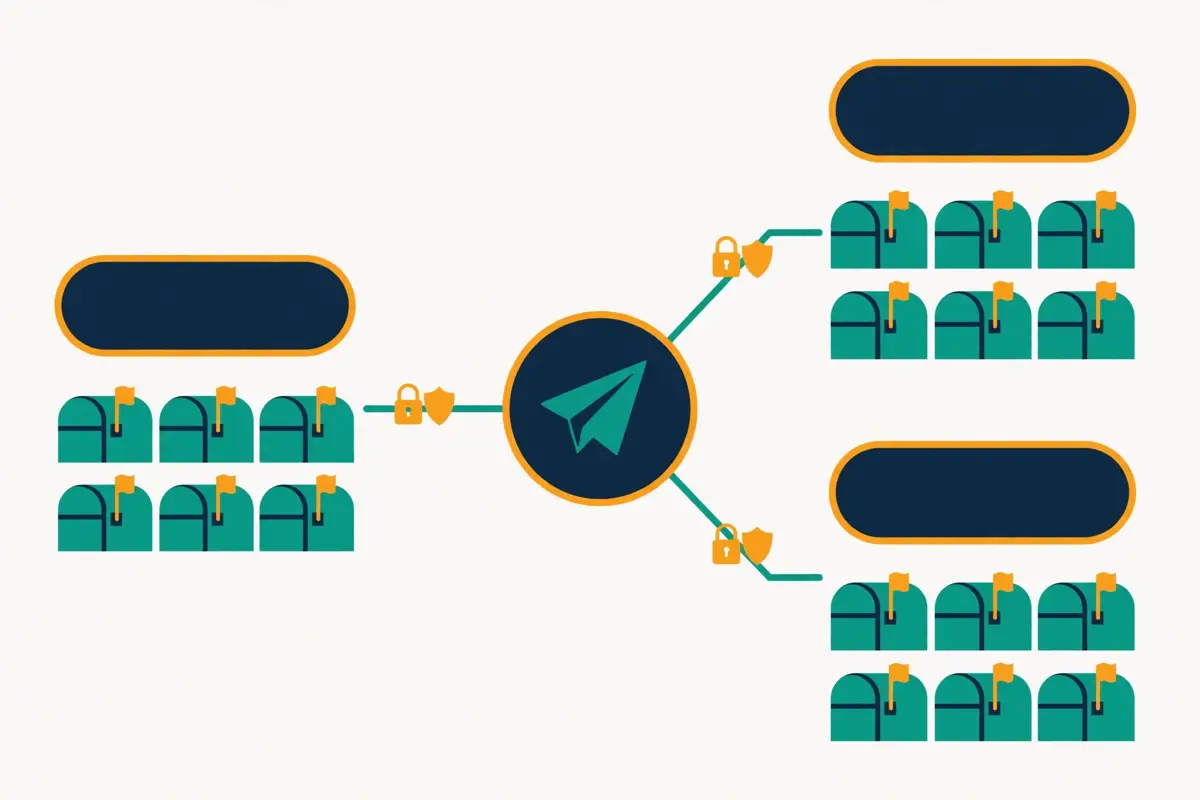
In fact, infrastructure is the part of learning how to scale cold email that most guides rush past, yet it decides whether your emails reach the inbox at all. For example, a brilliant campaign sent from one unauthenticated mailbox on a brand-new domain will land in spam, while a modest campaign sent from warmed mailboxes on authenticated domains will land in the primary inbox. Similarly, the infrastructure is simple once you see it as three layers: domains, mailboxes, and tracking. Moreover, each layer has one rule that matters most, and this section gives you all three. In short, build the pipes before you open the taps.
Secondly, the infrastructure rule that matters most is separation. In fact, your sending domains must be separate from your main company domain, so that a problem with cold email can never damage the domain your customers and your team use every day. For instance, if your company is acme.com, your sending domains might be variations such as getacme.com or acmehq.com, bought cheaply and used only for outreach. Similarly, each sending domain carries a few mailboxes, and each mailbox carries a small daily volume. As a result, a problem stays small, because it is contained to one domain and a few mailboxes.
Domains: three mailboxes per domain is the working rule
The working rule in this guide is three mailboxes per domain, and it balances safety with simplicity. Firstly, three mailboxes sending 30 emails a day each put 90 emails a day on one domain, which is a calm, human-looking volume. For instance, a domain sending 90 a day for weeks looks like a small team at work, while a domain sending 900 a day from one mailbox looks like a blast. Secondly, the rule makes the maths easy: divide your mailbox count by three, round up, and you have your domain count. In sum, three per domain, and buy the domains before you need them.
In addition, the domains themselves need care. Above all, buy them from a reputable registrar, check that they have no bad history, and let them age for a week or two before warmup starts. For example, an aged domain with a clean history places better than a brand-new one, and a domain that was previously used for spam can poison your campaign from day one. Moreover, set up SPF, DKIM and DMARC on every single domain, with no exceptions, because the major mailbox providers now require authentication for bulk senders. As a result, the domain checklist is short, and skipping any item costs more than doing it.
Mailboxes: Google Workspace, Microsoft 365 and bulk options
Mailboxes are the workhorses of the ladder, and you have three sensible ways to buy them. Firstly, Google Workspace and Microsoft 365 are the standard choices, because mailbox providers trust their own infrastructure, and the mailboxes behave like real business accounts. For instance, a Workspace mailbox that warms properly and sends 30 emails a day looks like a normal employee. Secondly, bulk mailbox services such as Mailforge sell mailboxes at about $3 per slot a month, with a minimum of 10 slots, and handle the DNS setup for you. In short, Workspace and Microsoft 365 are the safe default, and bulk services are the cheap way to add volume.
Secondly, the mailbox rule is the same whichever provider you choose: warm every mailbox, and never let one mailbox carry the campaign. In fact, a mailbox that sends 200 emails a day will be flagged, however reputable its provider. For example, the ladder above keeps every mailbox at 25 to 30 a day, with 40 as the maximum, and rotation spreads the load evenly. Similarly, a mailbox that goes quiet for a month needs warmup again before it returns to full volume. As a result, the mailboxes are a fleet, and the fleet needs a rota.
Tracking domains, SPF, DKIM and DMARC on every domain
Tracking domains deserve a paragraph of their own, because they are the detail that trips up many scaling teams. Firstly, a custom tracking domain replaces the sending tool’s shared tracking link with a link on your own domain, so your emails do not carry the fingerprint of a mass sender. For instance, Instantly supports custom tracking domains on its plans, and the setup takes minutes per domain. Secondly, the tracking domain needs its own DNS records, and it should be a subdomain of a sending domain, never of your main company domain. In sum, track on your own domain, and keep the main domain out of it.
In addition, authentication is not optional at scale. Above all, SPF tells receivers which servers may send for your domain, DKIM signs each email so receivers know it was not altered, and DMARC tells receivers what to do when a check fails. For example, a domain missing any one of the three will be treated with suspicion, and at high volume that suspicion turns into spam placement. Moreover, start DMARC at p=none so you can watch the reports, then move to quarantine once you are confident the setup is right. As a result, authentication is the cheapest deliverability win in this whole guide.
Dedicated IPs: when they help, and when they do not
A dedicated IP gives your sending its own reputation, instead of sharing one with other senders. Firstly, that helps when you send at very high volume, because a shared IP can be damaged by another sender’s behaviour, and your deliverability suffers for someone else’s mistake. For instance, Do You Mail sells dedicated USA or EU IP servers at $39 a server a month, with unlimited inboxes and domains, and a replacement IP costs $100 one time if the IP is blacklisted. Secondly, Inframail and Woodpecker’s Infraforge offer similar dedicated infrastructure for larger teams. In short, a dedicated IP is insurance for high-volume senders.
Secondly, a dedicated IP does not help a small sender, and it can hurt. In fact, a dedicated IP with no history has no reputation at all, so it needs the same slow warmup as a new domain, and a low-volume sender will take months to build its reputation. For example, a team sending 10,000 emails a month on a dedicated IP will warm it far more slowly than the same volume on a shared IP with an established reputation. Similarly, a dedicated IP does not fix a bad list, a weak message or missing authentication. As a result, buy a dedicated IP at rungs five and six, not at rung one.
Warmup at scale: how to scale cold email without burning domains
In fact, warmup is the slow, unglamorous work that makes scaling possible at all. For example, a new mailbox has no reputation with Gmail or Outlook, so the providers watch its first weeks closely, and a mailbox that behaves like a human earns trust, while one that blasts from day one earns a spam label. Similarly, warmup works by simulating real email activity: sends, opens, replies and rescues from spam, all in small numbers that grow a little each day. Moreover, warmup time grows with volume, because every new mailbox on the ladder needs its own warmup before it carries real sends. In short, warmup is not a one-time chore, but a standing part of the operation.
Secondly, the warmup schedule is simple to state and hard to rush. In fact, plan at least two weeks of warmup for a new mailbox, and four weeks for a brand-new domain, before real volume starts. For instance, the first week might send 5 to 10 warmup emails a day, the second week 15 to 20, and the third week 25 to 30, with real campaigns starting light alongside the warmup. Similarly, keep the warmup running even after the campaign starts, because it continues to build positive engagement. As a result, a mailbox is never finished warming, it is just warm enough to start.
Watch a full scaling masterclass before you buy domains
Video: I Sent 1,000,000 Cold Emails: everything you need to know (FULL MASTERCLASS) by Jim Fung on YouTube. This video is the creator’s property, embedded via YouTube for education. OutreachCompare is not affiliated with Jim Fung and does not claim ownership of this video.
In fact, the video above is the most useful single watch in this guide, because it covers the whole scaling picture in one place. For instance, Jim Fung walks through the sending infrastructure his agency uses, the deliverability checks, the list building, the scripts, and the inbox management and follow-up frameworks, all learned from sending a million cold emails. The video explains the ramp-up schedule in plain terms: 5 to 10 emails per account in the first week, 15 to 20 in the second, and 25 to 30 in the third, with warmup emails kept at a manageable volume alongside. Watch it before you buy your first sending domains, and the sections below will feel concrete. Note that the video is a practitioner masterclass, so its tool recommendations favour the tools its author uses.
How to scale cold email warmup: the options at each volume
| Warmup option | How it works | Price (checked 16 Nov 2026) | Best for |
|---|---|---|---|
| Instantly built-in warmup | Unlimited warmup across a 4.2M+ account pool, with inbox placement tests | Included in Instantly plans, from $47/mo | Teams already on Instantly |
| Smartlead Warmup Pool | Premium warmup pool with spam rescues | $59/mo add-on on Base/Pro; free from Unlimited Smart | Smartlead teams at volume |
| Warmforge | Dedicated warmup slots with a Heat Score from 0 to 100 | $10/slot/mo billed quarterly; $9 annual per vendor blog pages* | Teams warming many mailboxes |
| Mailforge | Mailboxes with warmup, $3/slot/mo | $3/slot/mo monthly, $2.40 yearly, min 10 slots | Cheap bulk mailboxes with warmup |
| QuickMail AutoWarmer | Free warmup via MailFlow on every plan | Free, included in QuickMail plans from $49/mo | QuickMail teams |
| Inframail DFY | Done-for-you warmup and infrastructure | Warmup included only on the $797/mo DFY plan | Teams that want setup done for them |
*Warmforge’s own pages disagree: the pricing page shows $10 a slot a month billed quarterly, while vendor blog pages show $9 annual. We show both and flag the difference; check the site before you buy. Send when the Heat Score reaches 85 or above. Last checked: 16 November 2026.
Warmup at scale: the rules that change with volume
Warmup changes as the mailbox count grows, and the change is mostly about coordination. Firstly, at three mailboxes you can warm them by hand, checking each one every few days, yet at 112 mailboxes that is a full-time job. For instance, a warmup service or a platform with built-in warmup takes over the daily work, and your job becomes reading the reports. Secondly, new mailboxes must be staggered, so that ten new mailboxes do not all hit full volume on the same day. In sum, warm in batches, and let each batch finish before the next starts.
In addition, the warmup-to-real-send ratio matters more as volume rises. Above all, a mailbox that sends 30 real emails a day should still receive warmup emails alongside them, because the warmup keeps the engagement signal healthy. For example, a common pattern is one warmup email for every two real sends at moderate volume, dropping to one in three or four at high volume. Moreover, a mailbox that stops warming and only sends campaigns will slowly lose its positive engagement. As a result, warmup is a permanent line in the budget, not a startup cost.
When a mailbox is ready for real volume
A mailbox is ready when three signals agree. Firstly, the warmup score is healthy: Warmforge’s Heat Score, for example, runs from 0 to 100, and you should send only when it reaches 85 or above. For instance, a score below 85 means the mailbox still needs more warmup days, however impatient the campaign calendar is. Secondly, the placement tests land in the primary inbox, not in spam. Thirdly, the domain is at least two weeks old, with authentication in place and no blacklist listings. In short, three green signals, then real volume, and not before.
Secondly, a mailbox that fails any signal needs more time, not more volume. In fact, the temptation to send anyway is strongest exactly when the campaign is behind schedule, and it is exactly then that sending does the most damage. For example, a mailbox that lands in spam during a placement test will land in spam for real prospects too, and every spam placement teaches the provider to distrust the domain a little more. Similarly, a mailbox rescued from spam by a warmup network needs a few more days of rescues before it is trusted. As a result, the ready check is a gate, and gates exist to be respected.
Deliverability guardrails while you scale cold email

In fact, guardrails are the numbers that tell you whether the climb is safe, and they matter more the higher you go. For example, a 2% bounce rate at 500 sends is ten bounced emails, while the same rate at 100,000 sends is 2,000 bounced emails, and mailbox providers notice the second number far more. Similarly, a spam complaint rate of 0.3% is the level where providers start to act, so the guardrail in this guide is stricter: aim for under 0.1%, and treat 0.3% as a hard stop, never as a target. Moreover, the guardrails below are the dashboard for the whole operation. In short, numbers first, volume second.
Secondly, the guardrails only work if someone reads them. In fact, a dashboard that nobody checks is decoration, so the routine matters as much as the numbers. For instance, a weekly review of bounce rate, spam rate, placement tests and domain reputation takes thirty minutes, and it catches problems while they are still small. Similarly, a daily glance at the reply inbox catches a sudden spike in complaints before it becomes a domain problem. As a result, put the review in the calendar, and treat it like a meeting you cannot miss.
How to scale cold email guardrails: the numbers that matter
| Metric | Guardrail | What to do if it slips |
|---|---|---|
| Bounce rate | Under 2% | Pause, verify the list, remove stale addresses |
| Spam complaints | Aim under 0.1%; never 0.3% | Stop the campaign, check the copy and the list |
| Daily volume per mailbox | 25 to 30; maximum 40 | Cut the cap, add mailboxes instead |
| Volume growth | Raise slowly, in small steps | Return to the last safe volume |
| Inbox placement | Primary inbox on placement tests | Warm longer, check authentication, slow down |
| Domain reputation | High in Google Postmaster Tools | Reduce volume, increase warmup, check lists |
The guardrails above are the working limits used throughout this guide. The 0.3% spam figure is the level mailbox providers act on, so treat it as a hard stop, never as a target. Last checked: 16 November 2026.
Ramp slowly: the 20% rule for volume growth
The ramp rule is simple: never increase daily volume by more than a small step at a time. Firstly, a mailbox that sends 30 emails a day should move to 35, not to 60, and a campaign that sends 1,000 a day should move to 1,200, not to 2,000. For instance, a jump of more than about 20% in a day looks like a sudden blast to the providers, and the providers will treat it as one. Secondly, hold each new volume for a few days and watch the metrics before the next step. In sum, the ramp is a staircase, and every step needs a pause.
In addition, the ramp rule applies to the whole operation, not just one mailbox. Above all, adding ten new mailboxes at once is a volume jump too, even if each mailbox sends only a little. For example, stagger the new mailboxes across a week, and let each one warm before it carries real sends. Moreover, a campaign that adds a new segment or a new list should ramp that segment separately, because a new list carries its own bounce risk. As a result, every change ramps, and nothing jumps.
Google Postmaster Tools and placement tests, every week
Google Postmaster Tools is the free dashboard that shows how Gmail sees your domains, and it is the most important monitoring tool in this guide. Firstly, it reports domain reputation, spam rate, authentication results and delivery errors, all in one place. For instance, a domain reputation that drops from high to medium is an early warning, and it arrives weeks before the spam folder fills up. Secondly, check it every week, and check it the day after any volume increase. In short, the dashboard is free, and ignoring it is expensive.
Secondly, placement tests are the other half of the routine. In fact, a placement test sends a test email to seed inboxes across Gmail, Outlook and other providers, and reports whether it lands in the primary inbox, the promotions tab, or spam. For example, Instantly includes inbox placement tests on its plans, and Warmforge offers one free placement test with its warmup. Similarly, a weekly placement test catches a slow decline before your prospects notice it. As a result, the test is a smoke alarm, and the weekly review is the person who hears it.
What to do when a metric slips
When a metric slips, the correct response is to slow down, not to push through. Firstly, cut the daily volume per mailbox, increase the warmup, and pause the newest mailboxes until the numbers recover. For instance, a bounce rate that climbs above 2% usually means the list needs verifying, so pause the campaign, verify the new segment, and remove the stale addresses. Secondly, a spam complaint spike usually means the copy or the targeting is wrong, so read the complaints, fix the message, and restart at a lower volume. In sum, the ladder works in both directions, and stepping down is a skill.
In addition, a domain that lands in spam needs rest, not more sends. Above all, a burned domain recovers with time, warmup and low volume, yet the recovery takes weeks, and a domain that is pushed while it recovers will take longer. For example, move the campaign to a healthy domain, let the struggling domain warm quietly, and bring it back only when the placement tests are green again. Moreover, keep a spare domain warm at all times, so a problem never stops the whole operation. As a result, the spare domain is the cheapest insurance in this guide.
Team and process: scaling cold email operations
In fact, the team is the part of learning how to scale cold email that the ladder alone cannot solve. For example, a hundred mailboxes need someone to watch them, a thousand replies need someone to answer them, and a dozen domains need someone to keep their authentication healthy. Similarly, the process is what turns a collection of mailboxes into an operation that books meetings every week. Moreover, the roles below are small at first: one person can hold all four roles at rung three, yet each role becomes a job of its own by rung five. In short, scale the team with the volume, and write the process down before you need it.
Secondly, the process matters when you learn how to scale cold email, because scaling multiplies mistakes as surely as it multiplies replies. In fact, a broken merge tag in one email is a small embarrassment, while the same tag in a campaign of 100,000 emails is a reputation problem. For instance, a QA checklist that takes ten minutes before each send catches the tag, the wrong list, and the missing unsubscribe link before they reach anyone. Similarly, a reply-handling routine that answers every positive reply within a day turns volume into meetings, while a routine that lets replies sit for three days wastes the whole campaign. As a result, the process is the product at scale.
The four roles in a scaling cold email team
| Role | What they own | When it becomes a job |
|---|---|---|
| List building | Targeting, data, verification, list hygiene | From 10,000 emails a month |
| Copy | Subject lines, first lines, offers, follow-ups, testing | From the first campaign |
| Ops | Domains, mailboxes, warmup, authentication, monitoring | From 30 mailboxes |
| Reply handling | Unified inbox, categorisation, SLAs, booking meetings | From 300 replies a month |
The table above is the team shape in one place. At small volume one person holds all four roles; at 100,000 emails a month each role is a real job. Last checked: 16 November 2026.
QA before every send: the ten-minute checklist
A QA checklist is the cheapest insurance in this whole guide. Firstly, check the list: is it the right segment, verified, and free of opt-outs and previous complainers? For instance, a list that was verified a month ago should be verified again, because addresses decay over time. Secondly, check the copy: read the subject line, the first line and the call to action out loud, and check every merge tag against a test record. Thirdly, check the setup: the right sending domains, the right daily caps, the unsubscribe link present, and authentication green on every domain. In sum, ten minutes of checks, every single time.
In addition, the checklist should be written down, not kept in one person’s head. Above all, a written checklist survives holidays, sick days and new hires, while a mental checklist does not. For example, keep the list in a shared document, and require a second pair of eyes on any campaign above 10,000 sends. Moreover, log every QA pass with the date and the checker, so a problem can be traced back to its cause. As a result, the checklist becomes a habit, and the habit becomes the culture.
Reply handling at volume: unified inboxes and AI categorisation
Reply handling is where scaling succeeds or fails, because replies are the point of the whole exercise. Firstly, a unified inbox gathers replies from every mailbox into one place, so no reply is lost in a mailbox nobody checks. For instance, Instantly’s Unibox and Smartlead’s Master Inbox both do this, and either one turns a hundred mailboxes into a single queue. Secondly, AI reply categorisation sorts the queue: positive replies go to the top, neutral replies go to a nurture pile, and unsubscribe requests are handled automatically. In short, the inbox sorts itself, and humans handle the conversations.
Secondly, the SLA is the promise that makes the inbox work. In fact, every positive reply should be answered within one working day, and every hot reply within a few hours, because a prospect who asked for a call on Monday and hears back on Thursday has usually moved on. For example, at 100,000 emails a month and a 3.4% reply rate, the team faces about 3,400 replies, and about 1,000 to 3,000 of those will be positive, so the reply desk needs real staffing. Similarly, a shared inbox with clear ownership, so every reply has a named owner, prevents the two classic failures: two people answering the same prospect, and nobody answering at all. As a result, staff the replies before you scale the sends.
A weekly rhythm for a scaling team
A weekly rhythm keeps the operation calm as it grows. Firstly, Monday is for planning: which segments go out, which mailboxes are warming, and what the metrics said last week. For instance, a thirty-minute planning meeting with the four roles in the room catches the list problem and the warmup delay before they become a missed week. Secondly, Wednesday is for the mid-week check: bounce rate, spam rate, placement tests and reply volume, all read together. Thirdly, Friday is for review: what earned replies, what needs fixing, and what climbs next week. In sum, the rhythm is the management system, and it costs three short meetings a week.
In addition, the rhythm needs a simple rule for bad weeks. Above all, when a metric slips, the week is a fix week, not a climb week, and the team says so out loud. For example, a bounce rate above 2% means the list gets verified and the volume stays flat, however ambitious the target. Moreover, a team that admits a bad week early will recover in days, while a team that hides it will recover in months. As a result, honesty about the numbers is the most valuable habit a scaling team can build.
What scaling cold email costs: the maths at 10k to 500k a month
In fact, the cost question is the one every sender asks first when learning how to scale cold email, and it has a clear answer once you separate the three bills: the sending tool, the mailboxes and domains, and the warmup. For example, the tool bill is a flat monthly subscription, the mailbox bill grows with the mailbox count, and the warmup bill is often included in the tool, so the total grows more slowly than the volume. Similarly, the tables below show our own arithmetic from verified list prices, with every assumption stated, so you can redo the maths for your own volume. Moreover, the figures exclude list data, verification credits and staff time, which vary too much to price here. In short, this is the infrastructure bill, and it is smaller than most senders expect.
Secondly, the mailbox maths comes first, because it drives everything else. In fact, at 30 emails a day per mailbox over 30 days, one mailbox sends about 900 emails a month, so the mailbox count is the monthly volume divided by 900, rounded up. For instance, 100,000 emails a month is 3,333 a day, and 3,333 divided by 30 is 111.1, so 112 mailboxes are needed, and 112 divided by 3 is 37.3, so 38 domains. Similarly, the same arithmetic gives 12 mailboxes and 4 domains at 10,000 a month, 56 mailboxes and 19 domains at 50,000, and 556 mailboxes and 186 domains at 500,000. As a result, the ladder and the budget are the same maths, shown twice.
How to scale cold email: the mailbox maths at four volumes
| Monthly volume | Emails a day | Mailboxes (30/day) | Domains (3 per domain) | Replies at 3.4%* |
|---|---|---|---|---|
| 10,000 | 333 | 12 | 4 | About 340 |
| 50,000 | 1,667 | 56 | 19 | About 1,700 |
| 100,000 | 3,333 | 112 | 38 | About 3,400 |
| 500,000 | 16,667 | 556 | 186 | About 17,000 |
*Replies use Instantly’s 2026 benchmark average of about 3.4%, so 100,000 sends produce about 3,400 replies, of which about 1,000 to 3,000 are positive at the benchmark’s 1 to 3% positive range. The mailbox figures are our own arithmetic, re-derived on 16 November 2026. Last checked: 16 November 2026.
How to scale cold email: the monthly bill at four volumes
| Monthly volume | Tool (Instantly plan) | Mailboxes at $3 each* | Domains* | Total a month* | Cost per 1,000 emails* |
|---|---|---|---|---|---|
| 10,000 | Hypergrowth $107/mo | 12 x $3 = $36 | 4 x $1.17 = $5 | About $148 | About $14.80 |
| 50,000 | Hypergrowth $107/mo | 56 x $3 = $168 | 19 x $1.17 = $22 | About $297 | About $5.94 |
| 100,000 | Hypergrowth $107/mo | 112 x $3 = $336 | 38 x $1.17 = $44 | About $487 | About $4.87 |
| 500,000 | Light Speed $358/mo | 556 x $3 = $1,668 | 186 x $1.17 = $217 | About $2,243 | About $4.49 |
*Our own arithmetic from verified list prices, checked 16 November 2026. Tool: Instantly Hypergrowth covers 125,000 emails a month at $107, and Light Speed covers 500,000 at $358 with SISR; Growth covers only 5,000, so it cannot carry 10,000 a month. Mailboxes at $3 each use Mailforge’s listed $3 a slot a month; Google Workspace or Microsoft 365 mailboxes cost more, so treat $3 as the low end. Domains at $1.17 a month each use Mailforge’s listed .com price of $14 a year. Warmup is $0 extra here because Instantly includes unlimited warmup; a standalone warmup service would add cost. Totals exclude list data, verification credits and staff time. Last checked: 16 November 2026.
Why the cost per email falls as you scale
The cost per 1,000 emails falls from about $14.80 at 10,000 a month to about $4.49 at 500,000, and the reason is the flat tool subscription. Firstly, the Hypergrowth plan costs the same $107 whether it sends 10,000 or 100,000 emails, so the tool cost per email falls tenfold across that range. For instance, the mailbox bill is the part that grows with volume, because every new mailbox costs $3, yet even that grows in a straight line while the tool cost stays flat. Secondly, the domain bill is tiny at every volume, because a .com domain costs about $14 a year, which is about $1.17 a month. In sum, the infrastructure bill is dominated by mailboxes, not by software.
In addition, the falling cost per email is not a reason to scale faster than the ladder allows. Above all, a cheap email that lands in spam is worth nothing, while a slightly dearer email that lands in the primary inbox can book a meeting. For example, a team that buys mailboxes at $3 each and skips warmup will pay less per email and earn fewer replies, because the deliverability will collapse. Moreover, the real cost of scaling is the staff time in the team section above, and that cost grows with the replies, not with the sends. As a result, judge the bill by the cost per meeting, not the cost per email.
The hidden costs: data, verification and staff time
Three costs sit outside the table, and they are larger than the table at high volume. Firstly, list data: a verified contact list costs money, whether you buy it from a database or build it in-house, and a stale list costs more in bounces than the data ever saved. For instance, Instantly’s database holds 450M+ contacts, and its SuperSearch credits start at $47, while other tools include data in the plan price. Secondly, verification: every address should be verified before sending, and verification credits add up across 100,000 sends a month. Thirdly, staff time: the reply desk, the list builder and the ops owner are real salaries, and they dwarf the software bill. In short, the table is the infrastructure bill, and the business bill is bigger.
Secondly, the hidden costs are also where the savings live. In fact, a verified list that bounces under 2% protects the domains, and protected domains keep sending, so the verification bill pays for itself in deliverability. For example, a team that verifies every address before sending will spend a little on credits and save a fortune on burned domains. Similarly, a reply handler who answers within a day converts more of the 3,400 monthly replies into meetings, so the salary earns its keep. As a result, budget for the hidden costs, and treat them as part of the scaling plan.
Which tools scale cold email best
In fact, the six tools below are the strongest options for learning how to scale cold email, and they split into two groups: unlimited-mailbox platforms built for volume, and sequencers that scale well up to a point. For example, Instantly and Smartlead were built for high-volume sending, with unlimited mailboxes and rotation at their core, while QuickMail, Woodpecker, Reply.io and Saleshandy are strong sequencers whose volume ceilings arrive sooner. Similarly, the differences are in the mailbox model, the warmup, and the price, and the tables below set them side by side. Moreover, every price was checked on 16 November 2026. In short, pick the tool that matches the rung you are climbing to, not the rung you are on.
How to scale cold email: the scaling tools at a glance, part one
| Tool | Mailboxes | Warmup | Volume ceiling | Entry price |
|---|---|---|---|---|
| Instantly Check Instantly → | Unlimited connected accounts | Unlimited, 4.2M+ account pool | 500,000/mo on Light Speed | Growth $47/mo ($37.60 annual) |
| Smartlead See Smartlead → | Unlimited mailboxes | Premium pool $59/mo add-on on Base/Pro; free from Unlimited Smart | Unlimited plans scale to agency volume | Base $39/mo ($32.50 annual) |
| QuickMail Visit QuickMail → | Unlimited senders on all plans | Free AutoWarmer via MailFlow | Agency plan $299/mo | Starter $49/mo |
Instantly’s Growth plan covers 5,000 emails a month, Hypergrowth covers 125,000 at $107 a month ($85.58 annual), and Light Speed covers 500,000 at $358 a month ($286.30 annual) with SISR. Smartlead’s Unlimited Smart plan costs $174 a month ($144.50 annual). QuickMail shows no annual discount and offers a 14-day trial. Last checked: 16 November 2026.
How to scale cold email: the scaling tools at a glance, part two
| Tool | Mailboxes | Warmup | Volume ceiling | Entry price |
|---|---|---|---|---|
| Woodpecker Explore Woodpecker → | Extra mailboxes $4/$6 a month | 2 warm-ups included; extra $5/mo | 15,000 prospects at $262/mo | $35/mo ($23.33 annual) |
| Reply.io Check Reply.io → | Check the site | Check the site | Multichannel from $99/user/mo | Email Volume from $59/mo |
| Saleshandy See Saleshandy → | Check the site | Check the site | Scale plan $149/mo annual | Starter $34/mo annual ($41 monthly) |
Woodpecker’s entry plan covers 500 contacted prospects and 8,000 emails a month, rising to 15,000 prospects at $262 a month; a 14-day trial needs no card. Reply.io’s annual figures ($49/$89), Jason monthly $800, and Agency $166 were visible on 15 November but not in the 16 November fetched page, so please confirm them on the site. Saleshandy offers a 7-day trial with no card. Features and pricing can change, so please check the provider’s site before you buy. Last checked: 16 November 2026.
A full Instantly walkthrough for scaling teams
Video: Full Guide to Instantly AI (Including All New Features) by Felipe Fuhr on YouTube. This video is the creator’s property, embedded via YouTube for education. OutreachCompare is not affiliated with Felipe Fuhr and does not claim ownership of this video.
In fact, the video above is a practical walkthrough of the tool most scaling teams start with. For instance, Felipe Fuhr covers the full Instantly setup: domains and email accounts, the inbox health triangle of volume, domain age and warmup, warmup pools and settings, tracking domains, campaign settings, the Unibox for replies, and the advanced tactics for scaling the machine, including a section on how he sends 30,000 or more cold emails a day. The video also shows the Hydra strategy for staying indestructible and the seesaw method for balancing warmup with campaigns. Watch it after the masterclass above, and you will have seen both the strategy and the software. Note that the video is a vendor-focused tutorial, so its tool recommendations favour Instantly.
What to check before you buy a scaling tool
Three checks matter more than the feature list. Firstly, check the mailbox model: does the plan limit mailboxes, charge per mailbox, or allow unlimited accounts? For instance, Instantly and Smartlead allow unlimited mailboxes, QuickMail allows unlimited senders, and Woodpecker charges $4 or $6 a month per extra mailbox. Secondly, check the warmup: is it included, is it an add-on, and does it include spam rescues? Thirdly, check the volume ceiling: does the plan cap monthly sends, and what does the next tier cost? In sum, buy the mailbox model, not the marketing.
Secondly, check the trial and the exit. In fact, QuickMail offers a 14-day trial, Woodpecker offers a 14-day trial with no card, Reply.io offers a 14-day trial, and Saleshandy offers a 7-day trial with no card, while Instantly shows no trial, so those four can be tested without paying and Instantly cannot. For example, a trial is the time to send a real campaign through the tool, read the placement results, and judge the unified inbox under load. Similarly, check the contract: annual billing saves money on Instantly, Smartlead, Woodpecker and Saleshandy, yet it locks you in for a year. As a result, try before you buy, wherever a trial exists.
The honest pros and cons of scaling cold email
In fact, no approach to learning how to scale cold email wins everywhere. For example, more volume means more replies and more meetings, yet it also means more domains to manage, more replies to answer, and more reputation at risk. Similarly, each rung of the ladder carries a cost, and the strongest senders climb with their eyes open instead of chasing volume for its own sake. Moreover, this section weighs both sides fairly, so you can judge the trade-off with your eyes open. In short, know the trade-off, then climb.
The pros of scaling cold email, stated plainly
The pros start with pipeline. Firstly, more sends mean more replies, and more replies mean more meetings, as long as the message and the list stay good. For instance, a campaign that books five meetings from 500 sends can book fifty from 5,000, and the cost per meeting falls as the volume rises, as the cost section of this guide to how to scale cold email shows. Secondly, scaling teaches you faster: a bigger campaign produces more data, more replies to learn from, and more tests per week. Thirdly, a scaled operation is a durable asset: the domains, the mailboxes, the warmup and the process keep working month after month. Finally, scaling forces good habits, because a sloppy process that survives at 500 sends will break at 50,000, and fixing it makes everything better.
In addition, the pros include the habit of measuring. Above all, a scaling team watches bounce rate, spam rate, placement and reply rate every week, and that discipline improves the small campaigns too. For example, a team that spots a list problem at 50,000 sends would have missed it at 500, because the signal is louder at volume. Moreover, the lessons compound: each rung teaches the team which segments reply, which offers convert, and which domains stay healthy. As a result, scaling improves the sender, not just the pipeline.
The cons, stated plainly
The cons start with risk. Firstly, every new mailbox and domain is a new reputation to protect, and one bad list or one careless blast can damage several domains at once. For instance, a team that scales from 10 to 100 mailboxes in a week will burn domains faster than it can replace them. Secondly, the reply flood is real: 100,000 sends produce about 3,400 replies, and a team without a reply desk will waste most of them. Thirdly, the cost grows with the volume, and the mailbox bill at 500,000 a month is about $1,668 before the tool or the domains. Finally, scaling can hide a weak message, because a bad campaign at high volume still books a few meetings, and the team mistakes noise for success.
Secondly, the cons include a subtler cost: the temptation to scale before you are ready. In fact, a sender under pressure will be tempted to skip the readiness checklist, jump two rungs at once, or send from a mailbox that has not finished warming. For example, a campaign that skips warmup will land in spam, and the domain will take weeks to recover, which is slower than warming properly in the first place. Similarly, a team that scales a message with no replies will burn domains and learn nothing. In sum, the approaches are honest, and so are their costs.
Pick the right tool to scale cold email
In fact, the right tool for learning how to scale cold email depends on your volume, not on a universal ranking. For example, a solo founder sending 5,000 emails a month needs different software from an agency sending 500,000, and a team that wants the warmup included needs a different plan from a team that already owns a warmup service. Similarly, the framework below sorts senders by situation, and each row names the tool that fits. Moreover, the prices are the verified list prices from 16 November 2026. In short, find your row, and start there.
How to scale cold email: pick this tool when
| Pick this tool when | Tool | Why it fits |
|---|---|---|
| You send at the highest volume | Instantly | Unlimited mailboxes, unlimited warmup, 500,000/mo on Light Speed |
| You want the cheapest unlimited-mailbox start | Smartlead | Base $39/mo; warmup pool $59/mo add-on until Unlimited Smart |
| You want unlimited senders on a simple plan | QuickMail | Unlimited senders and free AutoWarmer, from $49/mo |
| You send under 15,000 prospects a month | Woodpecker | Warmup and bounce shield included, from $35/mo |
| You want multichannel as well as email | Reply.io | Multichannel from $99/user/mo; Email Volume from $59/mo |
| You want a low-cost start with a big database | Saleshandy | Starter $34/mo annual; 852M+ contacts |
The table above is the decision framework for this guide. Every price in it was checked on 16 November 2026. Last checked: 16 November 2026.
The tool to avoid for each volume
Each volume also has a tool to avoid, and naming it saves a bad purchase. Firstly, a high-volume sender should avoid a plan that caps monthly sends below their volume, because the overage or the forced upgrade will cost more than a platform built for volume. For instance, Instantly’s Growth plan covers only 5,000 emails a month, so a team sending 10,000 needs Hypergrowth, not Growth. Secondly, a small sender should avoid a dedicated IP and a done-for-you setup, because the cost outruns the benefit at low volume. Thirdly, any sender should avoid a tool whose warmup is an expensive add-on when a rival includes it, unless the rest of the tool justifies the price. Finally, avoid buying a database you do not need: if your list is ready, pay for the sending, not the data.
In addition, every sender scaling up should avoid buying on features alone. Above all, the trial is the test: send a real campaign through the tool, read the placement results, and judge the unified inbox under load. For example, QuickMail’s 14-day trial, Woodpecker’s 14-day trial with no card, Reply.io’s 14-day trial and Saleshandy’s 7-day trial with no card all let you test without paying. Moreover, a tool that feels good in a demo can feel slow in daily use, so the trial matters more than any sales call. As a result, try the top two tools, and keep the one that earns replies for your volume.
A simple weekly routine for scaling safely
A short weekly routine turns the framework into a habit. Firstly, Monday is for planning: which segments go out, which mailboxes are warming, and what the metrics said last week. Secondly, Wednesday is for the mid-week check: bounce rate, spam rate, placement tests and reply volume, all read together, with the volume cut at once if a metric slips. For instance, the middle of the week is for watching replies, not opens, and for answering every positive reply quickly. Thirdly, Friday is for review: which segments earned replies, which domains stayed healthy, and what climbs next week.
Moreover, the routine needs only a few hours a week. In fact, planning takes thirty minutes, the mid-week check takes thirty, and the review takes thirty. For example, a sender who follows the routine for a month will have tested four segments and learned which ones their audience answers. Similarly, a sender who skips the routine will still be guessing a year from now. As a result, the routine is the cheapest upgrade in this guide to how to scale cold email.
Frequently asked questions
How many cold emails can I send a day per mailbox?
Send 25 to 30 emails a day per mailbox, with 40 as the maximum. Firstly, the limit protects deliverability: a mailbox that sends 200 emails on day one will be flagged, however good the copy. Secondly, scaling means adding mailboxes, not raising the cap, so 100,000 emails a month needs about 112 mailboxes at 30 a day. In short, the cap is the rule, and the ladder is the way around it.
How long does it take to warm up a new mailbox before scaling?
Plan at least two weeks of warmup for a new mailbox, and four weeks for a brand-new domain. Firstly, the first week sends 5 to 10 warmup emails a day, the second week 15 to 20, and the third week 25 to 30, with real campaigns starting light alongside the warmup. Secondly, a mailbox is ready only when the warmup score is healthy, the placement tests land in the primary inbox, and the domain is authenticated. In short, warm first, send second.
How many domains do I need to send 100,000 cold emails a month?
About 38 domains, with 112 mailboxes at three per domain. Firstly, 100,000 emails a month is 3,333 a day over 30 days, and 3,333 divided by 30 is 111.1, so 112 mailboxes are needed, and 112 divided by 3 is 37.3, so 38 domains. Secondly, the same arithmetic gives 4 domains at 10,000 a month, 19 at 50,000, and 186 at 500,000. In short, the maths is shown in full in the cost section above, so you can redo it for your own volume.
Do I need a dedicated IP to scale cold email?
Not until you reach high volume. Firstly, a dedicated IP helps at rungs five and six, where 100,000 or more emails a month justify the cost and the warmup time. Secondly, a small sender gains nothing from a dedicated IP, because an IP with no history has no reputation, and a low-volume sender will take months to build one. In short, buy a dedicated IP when the volume justifies it, and use a shared IP with a good reputation before then.
What is a good reply rate when scaling cold email?
Instantly’s 2026 benchmark puts the average reply rate at about 3.4%, with positive replies at 1 to 3%, and 58% of replies arriving from the first email. Firstly, a campaign sitting near that average is ready to scale, while a campaign sitting far below it should be fixed first. Secondly, judge the rate on replies, not opens, because opens are unreliable under Apple Mail Privacy Protection. In short, the benchmark is a guide, and your own trend matters more than any single number.
Which tool is best for scaling cold email to high volume?
Instantly is the best all-rounder in this guide: unlimited mailboxes, unlimited warmup across a 4.2M+ account pool, and plans that reach 500,000 emails a month on Light Speed at $358 a month. Firstly, Smartlead is the cheapest unlimited-mailbox start at $39 a month, with a $59 a month warmup pool add-on until the Unlimited Smart plan. Secondly, QuickMail suits teams that want unlimited senders and free warmup on a simpler plan, from $49 a month. In short, match the tool to your volume, not to a ranking.
The verdict
Our verdict on how to scale cold email
Best default: climb the ladder one rung at a time. Prove the message at 500 to 1,000 sends, add mailboxes in batches, keep three mailboxes per domain, send 25 to 30 emails a day per mailbox, and warm every new mailbox for at least two weeks. Best all-round tool: Instantly. Unlimited mailboxes, unlimited warmup, and plans that reach 500,000 emails a month, from $47 a month. Best low-cost start: Smartlead. Unlimited mailboxes from $39 a month, with the warmup pool as a $59 a month add-on until Unlimited Smart. Best simple scaler: QuickMail. Unlimited senders and free AutoWarmer, from $49 a month. Best habit: read the guardrails every week. Bounce under 2%, spam under 0.1%, and a placement test that lands in the primary inbox.
We have not tested these tools hands-on, so the tool rows in this guide are based on the vendors’ documented features and list prices checked on 16 November 2026, not on a trial. The honest advice is to pass the readiness checklist first, climb one rung at a time, keep the guardrails green, and staff the replies before you scale the sends. Scaling cold email is not about sending more. It is about sending more safely, and the ladder in this guide shows you how.
Keep reading
- Best Cold Email Tools for High Volume Sending 2026, the tools built for the volume this guide plans.
- Cold Email Warmup Schedule 2026, the week-by-week warmup plan for every new mailbox.
- How to Warm Up a New Email Domain 2026, the domain warmup that comes before any scaling.
- Inbox Placement Guide 2026, how to test whether your scaled campaigns land in the primary inbox.
- Deliverability Guide 2026, the full guardrails behind the numbers in this guide.
- Best Warmup Tools Compared 2026, the warmup services compared side by side.
- Cold Email Sequencing Guide 2026, the campaigns your scaled volume actually sends.
- How to Handle Cold Email Replies 2026, the reply desk that turns scaled volume into meetings.
- Cold Email for Agencies 2026, running scaled campaigns across many clients, safely.
- Cold Email Personalisation Guide 2026, keeping scaled emails personal enough to earn replies.