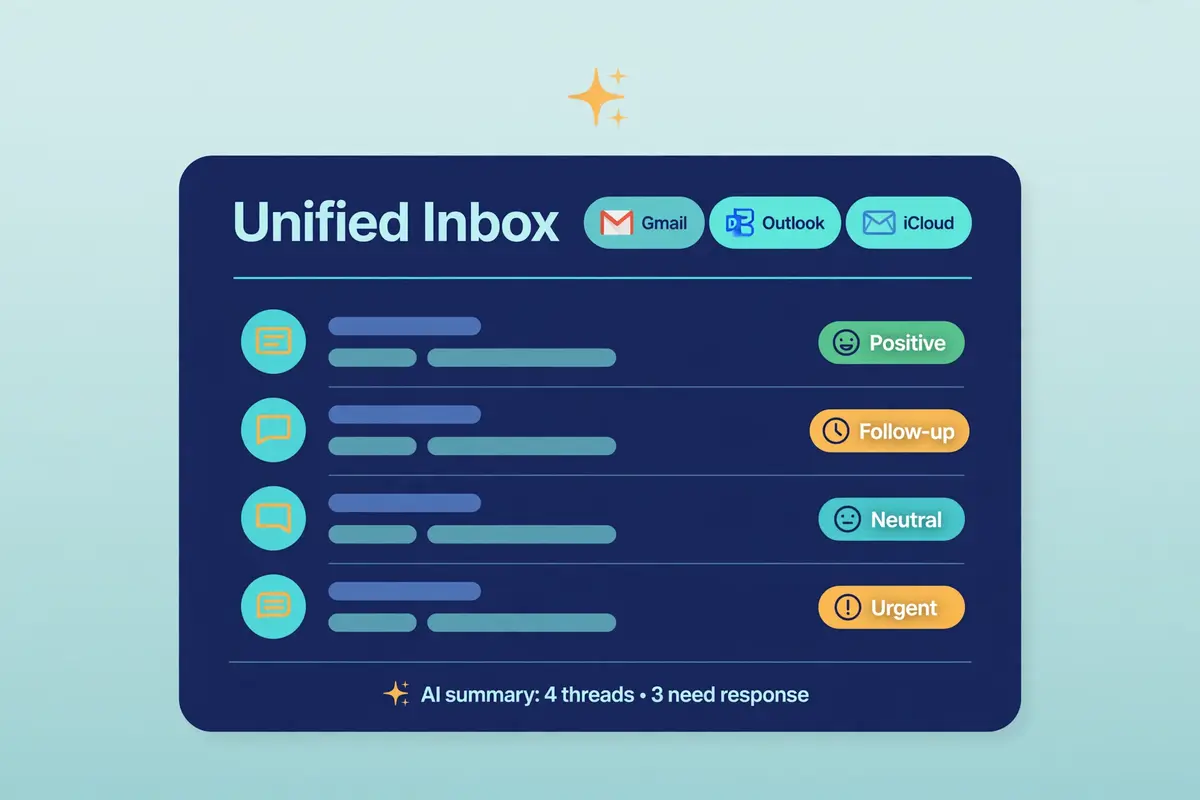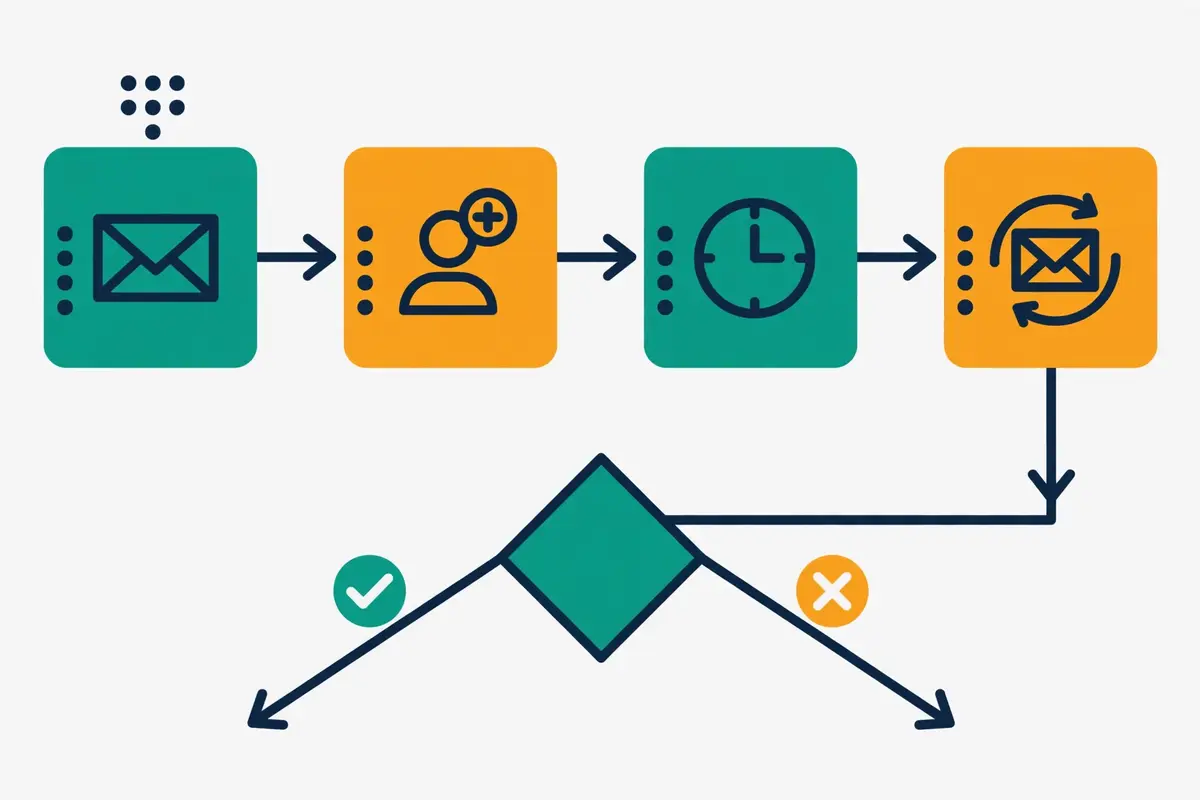
Best for flat-rate dedicated inbox infrastructure: Do You Mail
Do You Mail is not another cold email sending tool. It is the layer underneath one: dedicated USA and EU email servers with automated SPF, DKIM and DMARC, unlimited inboxes and domains, and a flat price of $39 per server per month. You still need a sequencer such as Instantly or Smartlead to write and send the campaigns, but the mailboxes those campaigns send from can cost a fraction of Google Workspace or Microsoft 365. This Do You Mail review explains what the service really is, what it costs in November 2026, what it does not do, and how it compares with Mailforge, Inframail and Mailreef.
Visit Do You Mail → Jump to the comparison tableMost cold email reviews start with sequences, templates and reply rates. This one starts one layer lower, because Do You Mail lives there. When your outreach grows, the bill that quietly grows with it is rarely the sending tool. It is the mailboxes. Every new sender identity on Google Workspace or Microsoft 365 adds another monthly charge. Before long a team sending from forty inboxes is paying hundreds of dollars a month before a single prospect has replied. Do You Mail exists to break that link between mailbox count and monthly cost.
Its pitch is simple enough to state in one sentence. For $39 per server per month, you get a dedicated email server with its own private USA or EU IP address, unlimited inboxes and unlimited domains on that server. Automatic setup of the SPF, DKIM and DMARC records that authenticate your mail. Connect the mailboxes to whatever sequencer you already use through SMTP and IMAP, and send. That is the whole product, and its honesty about being infrastructure rather than a full sending platform is part of the appeal.
Do You Mail review: why the mailbox bill matters
That narrow focus is also the first thing a buyer must understand, because it shapes every judgement in this Do You Mail review. Do You Mail does not write your emails, build your sequences, warm your mailboxes, find your leads or collect your replies. Those jobs belong to the tools you plug into it. What it sells is the ground those tools stand on: private sending infrastructure that you own, at a flat price, without per-inbox billing. For some teams that is exactly the missing piece. For others it is a product that solves a problem they do not yet have.
This review works through the distinction carefully. It covers what Do You Mail is and is not, who it suits and who should walk past it, the pricing as published on the official site on 15 November 2026, the features that matter in daily use, the deliverability and warm-up picture. A head-to-head comparison with its closest infrastructure rivals. Every price and feature claim traces to an official page checked on that date. Wherever the official site is inconsistent or silent, this review says so rather than filling the gap with a guess.
Quick Answer
Quick answer: Do You Mail is a cold email infrastructure provider, not a cold email sending tool. It sells dedicated USA and EU email servers at $39 per server per month, each with its own private IP, unlimited inboxes and domains, automated SPF, DKIM and DMARC setup, SMTP and IMAP access, and a Roundcube webmail interface. Sales teams and agencies already running a sequencer such as Instantly, Smartlead or Saleshandy, who want many sending inboxes without paying per mailbox, will find it fits. It does not suit anyone looking for sequences, warm-up, lead data or a reply inbox, because none of those are included. The official site advertises no free trial, and a replacement IP costs $100 if yours lands on a blacklist.
Best for: sales teams and agencies with a sequencer already in place who want flat-rate, dedicated inbox infrastructure at scale.
Starting price: $39 per server per month, checked 15 November 2026 on doyoumail.com.
Free trial: none advertised on the official site — check the site before you buy.
What’s in this Do You Mail review
- What is Do You Mail?
- Who Do You Mail is best for — and who should skip it
- Do You Mail review: pricing in 2026
- Do You Mail review: key features, verified on the official site
- Do You Mail review: Do You Mail vs Mailforge vs Inframail vs Mailreef
- Do You Mail review: pros and cons
- Do You Mail review: deliverability and warm-up, explained honestly
- How to get started with Do You Mail
- Do You Mail review: our verdict
- Do You Mail review FAQ
What is Do You Mail?
Do You Mail, written as DoYouMail on its own site, describes itself as a business email provider like Google Workspace or Microsoft 365, built specifically for cold email. That comparison is deliberate and worth unpacking. Google Workspace and Microsoft 365 sell you mailboxes, one subscription at a time, on shared infrastructure that was never designed for outbound prospecting. In fact, sending cold email through them sits against their terms of service, which is why providers can suspend accounts used for outreach without warning. Do You Mail sells you the server instead, and cold email is the use case it serves.
Each Do You Mail server is dedicated hardware with its own private IP address in a USA or EU data centre. You create as many email identities as you need on that server, spread across as many domains as you like. The platform configures the DNS records for each domain automatically. The homepage says setup takes minutes rather than days. That no technical knowledge is required: if you can use email, you can use Do You Mail, in its own words. Each server needs a one-time setup process, and the site points buyers to a setup video guide for it.
Do You Mail review: what a dedicated server gives you
Once the server is live, your sending tool connects to it exactly as it would connect to any mailbox provider, using SMTP to send and IMAP to read. Do You Mail also supplies pre-formatted CSV files ready to upload into the major cold email tools. Adding a batch of new inboxes to Instantly, Smartlead, Saleshandy, Reply.io or Mystrika is a file upload rather than a configuration project. Every server also ships with Roundcube, a well-established webmail client, so replies can be read in a browser without any other software.
The scale claims on the homepage give a sense of the operation. Do You Mail says it powers more than one million deliverable emails a day for more than 1,000 sales teams and agencies. Its statistics section puts daily delivery at 800,000 emails. The two figures sit on the same page, so treat them as the vendor’s own headline claims rather than audited numbers. The homepage also shows a 4.8 rating, a 94% average deliverability rate and a 99% uptime guarantee. Those are the vendor’s numbers, and this review reports them as such, because we could verify no independent deliverability benchmark for Do You Mail.
Do You Mail review: infrastructure, not a sequencer
The distinction between infrastructure and a sequencer decides whether Do You Mail fits your stack, so it deserves a plain explanation. A sequencer is the tool that holds your prospect list, builds the sequence of emails and follow-ups, sends each step on schedule, stops when someone replies, and shows you who answered. Instantly, Smartlead, Lemlist, Woodpecker and Reply.io are sequencers, and we have reviewed each of them separately. Do You Mail does none of those jobs. It provides the mailboxes those tools send from, and nothing else.
That division of labour is normal in cold email, even if it is rarely explained. A team using Instantly already pays Instantly for sequencing, warm-up and reply handling, and pays Google Workspace separately for the mailboxes. Do You Mail replaces only the second half of that bill. Your sequences, templates, warm-up settings and reply inbox stay exactly where they are, in your sequencer, while the mailboxes underneath them move to dedicated servers that cost far less per inbox at volume.
Buyers who grasp this in advance tend to be happy with the service, because they judge it on what it promises: cheap, private, quickly configured mailboxes. Buyers who expect a complete outreach platform will be disappointed within an hour of signing up, because there is no sequence builder to open and no lead list to browse. If you do not yet own a sequencer, start with our guide to the best cold email software in 2026 and our beginner’s guide to cold email before spending anything on infrastructure.
Do You Mail review: how the server model works in practice
Picture a small agency running outreach for six clients. Under per-mailbox pricing, each client needs several sending identities. Each identity adds a monthly charge, so the infrastructure bill grows with every new client and every new campaign. Under the Do You Mail model, the agency buys one server per client, or shares servers across smaller clients. Creates the identities each campaign needs without the bill moving. The site recommends three to four email identities per domain per server, which is the same cautious limit experienced senders use on any provider. Suggests adding another server when volume grows rather than cramming more identities onto one domain.
Sending volume follows the same restrained logic. Do You Mail describes unlimited sending volume at cold-email-safe per-identity rates of around 50 emails a day per identity, which matches the cautious daily caps that deliverability guides recommend for new sending identities. Unlimited here does not mean unlimited speed. It means no artificial per-inbox fee and no hard cap on the number of identities, while the practical ceiling is the hardware itself: the site is candid that you will eventually hit a disk or hardware limit on a server and need to branch out to more servers. That candour is refreshing, and it is also a useful planning note for teams projecting growth.
Do You Mail review: compliance stays with you
One more practical point belongs here. Do You Mail is explicit that it is only the sending medium. Compliance with GDPR, CAN-SPAM and CASL, including unsubscribe handling and opt-out processing, has to be enforced by the software or service using the inboxes for sending. The platform handles the pipes; your sequencer and your own processes handle the rules. Our guide to whether cold email is legal explains those rules in plain language, and it is worth reading before your first campaign, whichever infrastructure you choose.
Who Do You Mail is best for — and who should skip it
Do You Mail fits a specific buyer unusually well, and the fit is easy to recognise. You already run cold email through a sequencer you like. You send at real volume, or you plan to. Your mailbox bill is starting to sting, or you have felt the risk of running outreach through Google Workspace or Microsoft 365 accounts that could be suspended for breaking their terms. You are comfortable owning a small piece of infrastructure. You would rather pay a flat server fee than a growing per-mailbox subscription. If that description matches, Do You Mail is built for you.
Agencies sit at the centre of that picture. An agency running outreach for several clients needs many sending identities, spread across many domains, with each client’s reputation kept separate from the others. A dedicated server per client, or per group of smaller clients, gives that separation cleanly. The flat price makes the cost of onboarding a new client predictable. Its homepage names sales teams and agencies as its audience. The product’s shape backs that up: unlimited domains per server, unlimited identities. Horizontal scaling by adding servers rather than by renegotiating a plan.
High-volume solo senders and small sales teams form the second natural audience. A founder sending several thousand cold emails a month from twenty or thirty identities will find the maths compelling: forty identities on one $39 server work out at under a dollar per mailbox per month, which is why the site quotes $0.97 per mailbox. The same forty identities on Google Workspace would cost several hundred dollars a month. The saving is real, and for a bootstrapped team it can be the difference between scaling outreach and stalling it.
Do You Mail for teams that already own a sequencer
The happiest Do You Mail customers, on the evidence of the product’s design, are the ones who change nothing except the mailbox layer. Their sequences keep running in Instantly, Smartlead, Saleshandy or Reply.io. Warm-up keeps running in the same tools. Replies keep arriving in the same unified inbox. Only the credentials underneath change, from Google Workspace accounts to Do You Mail servers, connected by SMTP and IMAP or imported through the ready-made CSV files. That swap is the entire migration, and it is why the site can fairly claim that no stack rebuild is needed.
Teams in that position should still run a careful pilot rather than moving everything at once. Put one server live, connect a handful of identities, warm them through your sequencer, send a small campaign to a clean list. Watch inbox placement for two or three weeks before migrating the rest. Our guide to setting up a sending domain explains SPF, DKIM, DMARC and warm-up in plain language. The same discipline applies when the mailboxes sit on a Do You Mail server rather than on Google Workspace.
Who should skip Do You Mail?
Beginners sending their first cold emails should skip Do You Mail for now, and the reason is straightforward. A first-time sender needs sequences, templates, warm-up, reply handling and guidance in one place, and Do You Mail supplies none of those. Buying infrastructure before owning a sequencer is like buying tyres before owning a car. Start with a sequencer that bundles warm-up and a reply inbox, such as Instantly, from $47 a month, or Smartlead, from $39 a month, and revisit infrastructure once volume makes the mailbox bill worth attacking.
Low-volume senders should also think twice. If you send from two or three identities and your total mailbox bill is small, a $39 server saves little and adds a layer to manage. Google Workspace or Microsoft 365 inboxes, used carefully and within their rules for ordinary business email, may serve you better until volume grows. Similarly, teams that need done-for-you setup, white-glove onboarding or a support team on call may find Do You Mail too self-service: the site promises a system designed for non-technical users, yet the buyer still owns the server, the domains and the sending behaviour on it.
Finally, anyone who wants a single vendor to blame when deliverability dips should look elsewhere. With Do You Mail, the IP is yours, the domains are yours. The sending behaviour is yours, which is the point of dedicated infrastructure. It also means there is no shared pool to hide in and no provider-side warm-up team to fix a damaged reputation. If that ownership feels like a burden rather than a benefit, a managed infrastructure provider with warm-up included, such as Inframail, may fit better. The comparison table below sets out the trade-off.
Pricing in 2026: what a Do You Mail server costs
Do You Mail keeps its pricing deliberately simple, and that simplicity is part of the sales pitch. There is one unit of purchase, the server, and one flat monthly price for it. There are no tiers with different feature lists, no per-seat charges, and no mailbox add-ons to calculate. You buy servers, you create identities on them. The bill scales with the number of servers rather than with the number of mailboxes. For a buyer comparing infrastructure providers, that flatness makes the maths easy. It also makes the comparison table later in this review easy to read.
We checked the official site on 15 November 2026. The pricing page at doyoumail.com/pricing currently loads the same page as the homepage, so there is no separate tier list to quote. The figures below come from the homepage, the homepage calculator and the provider’s own comparison pages, all examined on the same day. That matters, because the site does not show a single consistent number everywhere. This review reports the inconsistency rather than smoothing it over.
Do You Mail review: the server price, and the $39 versus $40 question
Every comparison page on doyoumail.com states the price the same way: $39 per server per month, with each server getting its own dedicated IP. An implied cost of $0.97 per mailbox. The homepage calculator agrees, showing a total Do You Mail cost of $39 a month for its example setup. One other spot on the homepage, in the scaling comparison, shows Do You Mail infrastructure at $40 a month for a hundred inboxes, against $700 a month for a traditional provider. The $39 figure is the one the provider repeats most often and the one its calculator produces. This review uses $39 per server per month as the headline price. Flags the $40 figure as a small inconsistency on the vendor’s own site. Check the checkout page before you pay, and treat either figure as the ballpark rather than a contract.
What $39 buys, per server, is the part worth lingering on. You get a dedicated server with a dedicated private IP address in the USA or the EU, unlimited email identities, unlimited domains, automated SPF, DKIM and DMARC configuration, SMTP and IMAP access, CSV exports for the major sending tools, and a Roundcube webmail interface. There is no stated limit on the number of identities per server, although the site nudges buyers toward three to four identities per domain. The practical ceiling is the server’s own disk and hardware capacity. More volume means more servers, each at the same $39, which is the horizontal scaling model the site describes.
Do You Mail review: the costs that are not in the headline price
Two further costs deserve a place in any honest pricing section. The first is the price of a replacement IP address. Do You Mail checks its servers against blacklists at the time of delivery, and guarantees a blacklist-free IP at that moment. If your IP later lands on a blacklist, a new one costs $100 as a one-time charge. The site is explicit that it provides no assurance beyond the delivery moment, since each server is used only by the customer who ordered it. A careful sender who warms identities slowly and keeps lists clean may never pay that fee. A careless sender could pay it more than once, and should budget for the possibility.
The second cost is everything Do You Mail does not include, because those missing pieces still have to be bought somewhere. A sequencer costs $29 to $99 a month depending on the tool. Warm-up is usually bundled in the sequencer, but a standalone warm-up tool is a separate subscription if yours is not. Lead data, verification and placement testing are all separate purchases too. Add those together and the true monthly cost of a working outreach setup is far more than $39, even though the infrastructure slice of it is genuinely cheap. The fair comparison is infrastructure against infrastructure, not $39 against the full cost of a sending stack. The comparison table below keeps that distinction visible.
Do You Mail review: trial, refunds and the fine print
We could find no free trial advertised anywhere on the official site on 15 November 2026. The homepage, the FAQ section and the comparison pages make no mention of a trial period, a money-back guarantee or a refund policy. This review does not invent one. That is a meaningful difference from the sequencers Do You Mail plugs into, most of which offer fourteen-day trials. From rival infrastructure providers that advertise trials or guarantees. If a trial matters to you, ask the vendor directly before paying. Do not assume one exists because other tools in this space offer one.
The same caution applies to billing periods. The site shows monthly pricing and makes no mention of an annual discount, a setup fee or a contract term on the pages we examined. A buyer should confirm the billing cycle, the cancellation terms and the refund position at checkout, in writing, before committing to several servers. None of that is a criticism of the product itself. It is the ordinary care that a flat, cheap price deserves, because a low headline figure is only a bargain when the terms around it are clear.
Do You Mail review: pricing at a glance
| What you buy | Price | What is included | |
|---|---|---|---|
| One Do You Mail server Dedicated USA / EU IP | $39 / mo per server, per month | Unlimited inboxes and domains, automated SPF, DKIM and DMARC, SMTP and IMAP, CSV exports, Roundcube webmail | Visit Site → |
| Extra servers | $39 / mo each same flat price | Each extra server adds its own dedicated IP and its own identity capacity, so volume scales horizontally | Visit Site → |
| Replacement IP | $100 one-time per replacement | A new IP if yours lands on a blacklist after delivery; blacklist-free at delivery is guaranteed | Visit Site → |
Last checked: 15 November 2026 on doyoumail.com and its comparison pages, including the Do You Mail vs Mailforge comparison. The pricing page redirects to the homepage, so no separate tier list exists. In one scaling example, the homepage also shows $40 a month; $39 per server is the figure the provider repeats most often. The official site advertises no free trial. Features and pricing can change, so please check the provider’s site before you buy. We do not guess at features, prices or trials.
Key features, verified on the official site
Five areas decide whether Do You Mail earns its keep day to day. This section takes them one by one instead of dumping a long feature list on you. Each claim below traces to the official site, examined on 15 November 2026. Anything the site does not state is marked as unconfirmed rather than assumed. That discipline matters more for an infrastructure product than for a sequencer, because the buyer is purchasing the ground under their outreach. A missing capability only shows up when a campaign is already live.
Do You Mail review: automated DNS configuration
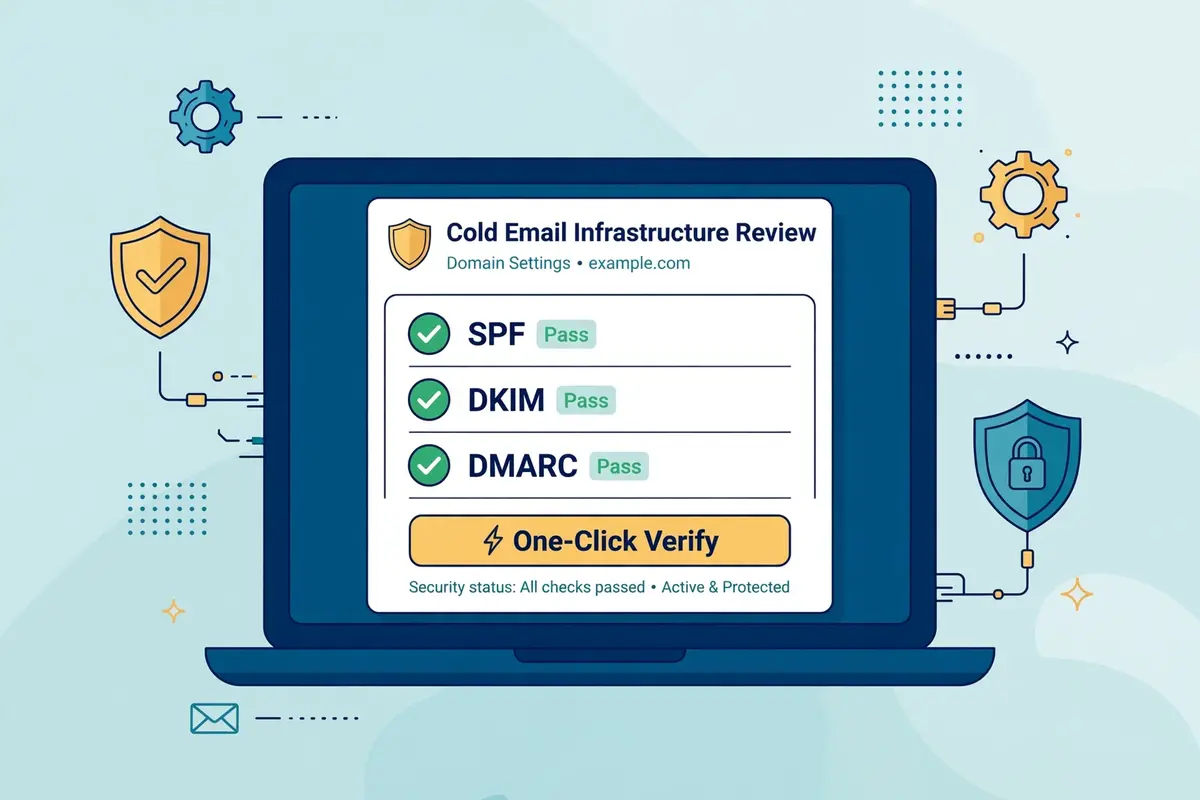
DNS setup is the feature Do You Mail leads with, and for good reason. Configuring SPF, DKIM and DMARC records by hand is the step where most new senders stall. A single wrong record can push an entire domain toward spam. Do You Mail automates the whole job: the platform configures and verifies the required records for each domain, with one-click setup, automatic verification and troubleshooting. A claimed setup time of under two minutes for all inboxes on a domain. The homepage frames the benefit as setup speed, measured in minutes rather than days. For a team launching several domains at once that speed is genuinely valuable.
Authentication is not a nice-to-have in 2026. Gmail and Outlook both expect properly aligned SPF, DKIM and DMARC before they trust bulk mail, and our guide to setting up a sending domain explains why each record matters. Automating that work removes the most common configuration mistake in cold email, which is a misconfigured record that nobody notices until replies stop arriving. One caution still applies. Automated DNS only helps if the domains themselves are sound. Buyers should still follow the usual rules: never send from a primary company domain, keep sending domains separate. Warm every new identity before raising volume.
Do You Mail review: dedicated USA and EU IPs
The second feature is the one the whole price rests on. Each Do You Mail server runs on a dedicated IP address in a premium USA or EU data centre. That IP belongs to one customer only. Your sending reputation is therefore tied to your own behaviour, not to strangers sharing a pool. Shared infrastructure can be perfectly fine, yet it carries a risk that dedicated infrastructure removes: another sender’s bad behaviour damaging the reputation you depend on. For teams that have watched a shared IP slide onto a blacklist through no fault of their own, that ownership is the core reason to buy.
Ownership cuts both ways, and this review is honest about that. A dedicated IP starts with no reputation at all, good or bad. New servers need careful warming before they carry real volume. A shared pool, for all its risks, arrives with an existing reputation and a provider actively managing it. Do You Mail checks its servers against blacklists at delivery and guarantees a blacklist-free IP at that moment, which removes the worst version of the risk, yet the ongoing reputation of the IP is yours to build and yours to protect. The deliverability section below explains how to do that well.
Do You Mail review: unlimited inboxes, domains and scaling
Unlimited inboxes and unlimited domains per server form the third feature, and they are the reason the per-mailbox maths looks so striking. No per-inbox fee is charged, no domain cap is stated. The site recommends three to four email identities per domain as the safe pattern for cold email. A team can therefore spread its sending identities across many domains on one server, keeping each domain’s volume modest, which is exactly the pattern deliverability guides recommend. Adding more servers, rather than more identities per domain, is how volume grows. Each new server brings its own dedicated IP with it.
The word unlimited deserves its usual careful reading. Do You Mail is open that the model has a physical ceiling: at some point you will hit a disk limit or another hardware limit on a server, because each server is dedicated hardware. You will need to branch out to more servers. That is a fairer version of unlimited than most vendors offer, because the limit is stated upfront rather than discovered in a fair-use clause after payment. Plan around it by treating each server as a unit of capacity. By budgeting for the next server before the current one fills up.
Do You Mail review: SMTP, IMAP, CSV exports and webmail
Compatibility is the fourth feature, and it is the one that makes Do You Mail a drop-in layer rather than a platform migration. The service works with any software, email client or tool that supports SMTP and IMAP, which covers essentially every sequencer, CRM and email client in common use. The site names Mystrika, Instantly, Smartlead, Saleshandy and Reply.io among the tools its customers use. Supplies pre-formatted CSV files ready to upload into the major cold email tools. A batch of new inboxes can be added to a sequencer in minutes rather than configured one by one.
Every server also includes Roundcube, a well-established webmail client, so mailboxes can be read and answered in a browser without installing anything. That matters more than it sounds, because infrastructure without a way to read replies forces the buyer back to their sequencer for every answer. A quick browser check can be the fastest way to confirm that a mailbox is alive and receiving. Teams that already own a sequencer with a unified inbox will use Roundcube rarely, yet its presence shows that the product was designed by people who have actually run outreach, not merely sold servers.

Do You Mail review: watch the setup demo
Video: “DoYouMail | End to End Server setup | Cold Email Infrastructure – Automatic DNS | Demonstration” by Fresent on YouTube (watch the original on YouTube). This video is the property of its creator, embedded via YouTube for education. OutreachCompare is not affiliated with Fresent or Do You Mail and does not claim ownership of this video. It walks through the full server setup and the automatic DNS configuration described above.
Do You Mail review: what is not included
The honest version of a features section lists the absences too, and Do You Mail has several that buyers must plan around. There is no sequence builder, so campaigns are written and scheduled in your sequencer. Warm-up is also absent, so warming happens in your sequencer or in a dedicated warm-up tool. There is no lead database, email finder or verifier, so lists arrive with you and are checked elsewhere. Reply handling also lives elsewhere, since no unified reply inbox exists beyond Roundcube webmail. There is no deliverability dashboard with inbox placement tests, beyond the vendor’s own benchmark claims. Placement testing is a separate purchase if you want it.
None of those absences is a flaw in the product as designed. A server company that also tried to build sequences, warm-up and a database would be a different company at a different price. They are, however, costs and complications that belong in the buying decision, because a $39 server plus a $47 sequencer plus verification and placement testing is a stack, not a single purchase. Our guide to the best email deliverability tools in 2026 and our guide to the best warmup tools in 2026 cover the pieces Do You Mail leaves out. Reading them before you buy will give you a truer picture of the total monthly cost.
How Do You Mail compares with Mailforge, Inframail and Mailreef
Judged alone, any infrastructure provider can look like a bargain. This Do You Mail review sets it beside its three nearest rivals. Mailforge is the per-mailbox infrastructure arm of the Salesforge stack, charging $3 per mailbox slot a month. Inframail is the most direct flat-rate rival, offering unlimited inboxes on dedicated IPs from $99 a month. Mailreef is a dedicated mail server provider with pre-warmed domains, priced far higher per server. Different teams will favour different ones, and the table below shows where Do You Mail leads and where a rival makes more sense.
Do You Mail review: the comparison table
| Tool | Best for | Price from | IP model | |
|---|---|---|---|---|
| 1 Do You Mail Flat-rate dedicated infrastructure The cheapest flat-rate dedicated IP infrastructure: unlimited inboxes on a server of your own for $39 a month. | Dedicated USA / EU IP per server, private | $39 / mo per server; $0.97 per mailbox implied | No trial advertised | Visit Site →Prices checked 15 Nov 2026 |
| 2 Mailforge Per-mailbox pricing in the Forge stack A shared-IP infrastructure option that slots neatly beside Salesforge, with a low minimum commitment. | Shared IP model, automatic DNS | $3 / mailbox / mo billed yearly; $75 / mo for 25 slots billed monthly, $60 yearly; minimum 10 slots | Try it for free, per the pricing page | Visit Site →Prices checked 15 Nov 2026 |
| 3 Inframail Flat-rate unlimited inboxes with support The closest flat-rate rival: unlimited inboxes, a dedicated IP and a deliverability consultant from $99 a month. | Dedicated IP, 1 per Unlimited plan, 3 per Agency plan | $99 / mo Unlimited plan; Agency $249 / mo | No trial advertised on the pricing pages we checked | Visit Site →Prices checked 15 Nov 2026 |
| 4 Mailreef Dedicated servers with pre-warmed domains A premium dedicated option with pre-warmed domains, at roughly six times the price of a Do You Mail server. | Dedicated IP, 150 mailboxes per server | $240 / mo with a 12-month commitment; $249 month-to-month | Check the site before you buy | Visit Site →Prices checked 15 Nov 2026 |
Last checked: 15 November 2026 on doyoumail.com, mailforge.ai/pricing, and the Inframail and Mailreef figures as published on inframail.io and on Do You Mail’s own comparison pages at the Do You Mail vs Inframail comparison and the Do You Mail vs Mailreef comparison. Note: Do You Mail’s own Inframail comparison page lists $129 per server, while Inframail’s own site and independent comparisons list $99 a month for the Unlimited plan — we use $99 and advise checking the site. Features and pricing can change, so please check the provider’s site before you buy. We do not guess at features, prices or trials.
Do You Mail review: the short version
On price alone, Do You Mail leads the pack by a wide margin. $39 a month buys a dedicated server with unlimited inboxes, where Inframail asks $99 for its entry plan and Mailreef asks $240. Where Mailforge charges $3 per mailbox slot, which passes $39 once you hold more than thirteen slots. Mailforge leads when you want a small, predictable per-mailbox bill inside the Salesforge ecosystem, or when you only need a handful of mailboxes and a $39 server would be overkill. Inframail leads when you want flat-rate unlimited inboxes plus a dedicated IP and hands-on deliverability support. You are willing to pay $99 for the extra help. Mailreef leads when pre-warmed domains and a premium managed server justify $240 a month. Your volume, your budget and how much help you want should settle the choice, not the headline price alone.
Do You Mail vs rivals: the feature matrix
| Feature | Do You Mail | Mailforge | Inframail | Mailreef |
|---|---|---|---|---|
| Dedicated private IP | ✓ one per server, USA / EU | — shared IP model | ✓ 1–3 per plan | ✓ dedicated server |
| Unlimited inboxes | ✓ unlimited per server | — charged per slot, minimum 10 | ✓ unlimited inboxes | — 150 per server |
| Unlimited domains | ✓ unlimited per server | — domains $14 / year each | ✓ 5–15 domain setups per day | — domain-limited tiers |
| Automated SPF, DKIM and DMARC | ✓ automatic, under 2 minutes | ✓ automated DNS setup | ✓ automated setup | ✓ automatic |
| Built-in email warm-up | — warm-up runs in your sequencer | — warm-up via Warmforge, separate | ✓ warm-up included on some plans | ✓ pre-warmed domains |
| Sequences and reply inbox | — infrastructure only | — infrastructure only | — infrastructure only | — sequencing built in on some plans |
| SMTP and IMAP access | ✓ plus CSV exports | ✓ plus API | ✓ Microsoft-backed inboxes | ✓ plus developer API |
| Webmail included | ✓ Roundcube | — not stated | — not stated | — not stated |
| Free trial advertised | — none found on the official site | ✓ try it for free | — none found on the pricing pages checked | — not stated |
| Starting price | $39 / mo per server | $3 / mailbox / mo, yearly | $99 / mo | $240 / mo |
Last checked: 15 November 2026. ✓ shows a feature stated on the provider’s official site; — shows it is not confirmed there. Mailreef’s figures come from Do You Mail’s own comparison page and should be confirmed on Mailreef’s site. Features and pricing can change, so please check the provider’s site before you buy. We do not guess at features, prices or trials.
Pros and cons: the honest balance sheet
A fair review shows both sides, and Do You Mail has clear strengths alongside genuine trade-offs. The picture below draws on the platform’s own published details, on the pricing we verified on 15 November 2026. On the thin but telling independent record around the product.
Do You Mail review: what we like
- Remarkably cheap at volume. $39 per server per month with unlimited inboxes works out at under a dollar per mailbox once you run forty identities, far below Google Workspace, Microsoft 365 or any per-mailbox rival.
- A dedicated IP you actually own. Each server gets its own private USA or EU IP, so your reputation depends on your behaviour, not on strangers sharing a pool.
- DNS setup in minutes, not days. SPF, DKIM and DMARC are configured and verified automatically, with a claimed setup time of under two minutes per domain.
- Flat, predictable scaling. Volume grows by adding servers at the same $39, with no per-seat charges, no mailbox add-ons and no tiered feature lists to decode.
- Works with the stack you already own. SMTP, IMAP and ready-made CSV exports connect to Instantly, Smartlead, Saleshandy, Reply.io, Mystrika and any other tool that speaks those protocols.
- No terms-of-service trap. Unlike Google Workspace and Microsoft 365, cold email is the use case Do You Mail was built for, so there is no reseller suspension risk hanging over your inboxes.
- Webmail included. Roundcube ships with every server, so mailboxes can be checked in a browser without extra software.
Do You Mail review: where it falls short
- Infrastructure only, nothing else. No sequences, no warm-up, no lead data, no verification and no unified reply inbox, so a sequencer and several other tools are still required.
- No free trial advertised. The official site offers no trial period that we could find, so buyers pay before they can judge the service, unlike most sequencers and Mailforge.
- Very thin independent proof. Third-party coverage found only a handful of reviews, including a Trustpilot page with three reviews averaging 2.8 out of 5, and no independent deliverability benchmark has been published.
- Vendor claims are unverified. The 97%+ inbox placement guarantee, the 25% improvement in 21 days and the Mail-Tester, Mail Genius and Unspam scores are the vendor’s own figures, with no independent test behind them that we could verify.
- A $100 replacement IP fee. If your IP lands on a blacklist after delivery, a new one costs $100, and the guarantee covers only the delivery moment.
- Small price inconsistency on the site itself. The homepage shows $39 a month in its calculator and $40 a month in one scaling example, which is a small thing, yet it does not inspire confidence in the checkout figures.
- You own the reputation risk. A dedicated IP starts with no reputation, and there is no provider-side warm-up team to rescue a damaged domain, so careless sending is entirely your problem.
- Support and terms are lightly documented. No uptime SLA, refund policy or support response promise is published on the pages we examined.
Deliverability and warm-up, explained honestly
Deliverability is the reason anyone buys dedicated infrastructure. This section takes the vendor’s claims apart carefully and separates what is verified from what is merely asserted. Do You Mail’s homepage makes bold promises: up to a 97%+ inbox placement guarantee, a minimum 25% improvement in inbox placement within 21 days, a 94% average deliverability rate, a 99% uptime guarantee. Test scores of 10 out of 10 on Mail-Tester, 98 out of 100 on Mail Genius and 95 out of 100 on Unspam. Those numbers look impressive together, and they may well be accurate for the vendor’s best customers. They are, however, the vendor’s own numbers, published on its own site, with no independent benchmark, methodology note or third-party audit attached that we could find.
That gap matters, because inbox placement is the easiest metric in cold email to overclaim. A Mail-Tester score of 10 out of 10 describes one test message sent to one test address, not a month of real campaigns to real prospects. A 97% placement guarantee means little without the terms behind it, and the site publishes none. Independent coverage of Do You Mail is strikingly thin: one review roundup found only four reviews in total across every source it checked, three of them negative, describing a server that never went live, emails landing in spam. A setup process that would not let the reviewer log in. Those are individual reports, not a verdict on the whole service, yet they are the only independent voices available. A buyer should weigh them against the vendor’s own claims before paying.

Do You Mail review: what dedicated infrastructure can and cannot do
Dedicated infrastructure helps deliverability in one specific way: it removes the shared-pool risk. Your IP is not damaged by strangers, your domains are not warmed or burned by anyone else. Your authentication records are configured correctly from the start. Those are real advantages, and for a team that has suffered on shared infrastructure they can feel transformative. What dedicated infrastructure cannot do is rescue bad sending. High bounce rates from unverified lists, spam-trigger wording, sudden volume spikes, missing unsubscribe links and sending to purchased lists will damage a dedicated IP just as surely as a shared one. Faster, because there is no pool to dilute the harm.
The practical rules therefore stay the same on Do You Mail as anywhere else. Keep each domain to three or four identities, as the site itself recommends. Warm every new identity slowly through your sequencer’s warm-up system, starting at a handful of emails a day and building over two to four weeks. Verify every list before sending, because bounces are the fastest way to burn a fresh IP. Send at the cautious rate the site quotes, around 50 emails a day per identity. Raise volume gradually rather than in jumps. Monitor placement with a dedicated testing tool, since Do You Mail does not bundle placement tests. Our guide to the best email deliverability tools in 2026 explains which tests to run and how often.
Do You Mail review: warm-up, and why it is not included
Warm-up deserves its own paragraph, because it is the most common misunderstanding about this product. Do You Mail does not warm your mailboxes. Warming is the process of exchanging emails with a network of real inboxes over several weeks so that Gmail and Outlook learn to trust a new sender. It is normally provided by your sequencer or by a dedicated warm-up tool. Instantly, Smartlead, Lemlist, Woodpecker and Saleshandy all include warm-up in their plans, and our guide to the best warmup tools in 2026 covers standalone options for teams whose sequencer does not include it.
That division is not a defect, yet it changes the buying maths. A team comparing Do You Mail with Inframail should note that Inframail advertises warm-up included on some plans and pre-warmed domains at Mailreef come with the higher price, while Do You Mail expects the buyer’s existing tools to handle warming. If your sequencer already warms mailboxes, nothing changes: connect the Do You Mail identities, switch warm-up on in the sequencer, and wait before sending at volume. If it does not, budget for a warm-up tool beside the $39 server. Treat the combined figure as the real cost of the infrastructure layer.
Video: “Cold email infrastructure: by hand vs Claude Code” by Charlie Brown on YouTube (watch the original on YouTube). This video is the property of its creator, embedded via YouTube for education. OutreachCompare is not affiliated with Charlie Brown and does not claim ownership of this video. It shows how cold email infrastructure is actually built, domain by domain and inbox by inbox, which is the job Do You Mail automates for its customers.
How to get started with Do You Mail
Getting started with Do You Mail is simpler than getting started with a sequencer, because there is less product to learn. The trade-off is that more of the work falls on you, so a careful first week pays for itself many times over. Head to doyoumail.com, choose how many servers you need. Complete the one-time setup process for the first server, following the setup video guide the site points to. The platform configures the DNS records for your domains automatically. The technical heavy lifting is handled, yet you should still verify the records yourself before sending, because authentication is too important to take on trust.
Start with one server and a small pilot
Resist the urge to buy six servers on day one. Start with one, create three or four identities on a single sending domain. Connect them to your sequencer through SMTP and IMAP or through the ready-made CSV import. Switch warm-up on in the sequencer and let the identities warm for at least two weeks, sending a small, carefully chosen campaign to a verified list once warming has taken hold. Watch inbox placement, reply rates and bounce rates for that pilot before migrating more volume. Keep your primary company domain far away from the whole exercise. Our guide to getting your first email addresses shows how to assemble a clean list, and our guide to the best email verification tools in 2026 shows how to check it before the first send.
Scale by adding servers, not identities
When the pilot performs well, scale the way the product is designed to scale: add another server rather than cramming more identities onto the first domain. Each new server brings its own dedicated IP, its own identity capacity and its own clean reputation to build, which keeps the risk spread across your infrastructure instead of concentrated on one domain. Track the cost as you go, remembering that the $39 per server is only the infrastructure slice. That the sequencer, warm-up, verification and placement testing sit on top of it. A team that scales patiently, one server at a time, gets the full benefit of the flat price without the deliverability damage that comes from rushing volume onto fresh infrastructure.
Our verdict on Do You Mail
Our verdict: Do You Mail is the cheapest way to own dedicated cold email infrastructure — if you already own the rest of the stack
Do You Mail earns its place in a serious outreach stack because it does one job, cheaply and honestly. Dedicated USA and EU servers with private IPs, automated SPF, DKIM and DMARC, unlimited inboxes and domains, and a flat $39 per server per month is a genuinely strong offer, and at forty identities the per-mailbox cost undercuts every per-mailbox rival by a wide margin. Teams and agencies already running a sequencer they like, sending at real volume, and tired of paying per mailbox will find the maths hard to argue with. The product is upfront about its limits, its scaling model is clear, and its compatibility with the major sending tools means the migration is a small job rather than a rebuild.
Even so, Do You Mail suits some buyers far better than others, and it makes no claim otherwise. It is infrastructure only, with no sequences, no warm-up, no lead data and no reply inbox, and no free trial is advertised on the official site. Its deliverability claims are the vendor’s own, with no independent benchmark behind them, and the few independent reviews that exist are mostly negative. A first-time sender should start with a sequencer instead, and a low-volume sender may save too little to justify the extra layer. But a team with a sequencer in place, a clean list, and volume worth scaling will find Do You Mail a confident, budget-friendly pick — provided the first server is piloted carefully and the $39 headline is read as the infrastructure slice of a larger stack, not the whole cost of outreach.
Best for: sales teams and agencies with a sequencer already in place who want flat-rate, dedicated inbox infrastructure at scale.
Starting price: $39 per server per month — checked 15 November 2026.
Note: We have not run a hands-on test of Do You Mail, so this verdict is based on the platform’s published features and pricing, not on a scored trial. No numeric score is given.
Frequently asked questions about Do You Mail
What is Do You Mail?
Do You Mail is a cold email infrastructure provider. It sells dedicated USA and EU email servers with private IP addresses, unlimited inboxes and domains, automated SPF, DKIM and DMARC setup. SMTP and IMAP access, for $39 per server per month. It is not a cold email sending tool: sequences, warm-up, lead data and reply handling all come from the sequencer you connect to it, such as Instantly, Smartlead or Saleshandy.
How much does Do You Mail cost?
Do You Mail charges $39 per server per month, according to its own comparison pages and homepage calculator, checked on 15 November 2026. Each server includes unlimited inboxes and domains, a dedicated IP, automated DNS setup, SMTP and IMAP, CSV exports and Roundcube webmail. A replacement IP costs $100 one time if yours lands on a blacklist after delivery. In one scaling example, the homepage also shows $40 a month, so confirm the figure at checkout. The pricing page redirects to the homepage, so no separate tier list exists.
Does Do You Mail have a free trial?
The official site advertises no free trial, as far as we could find on 15 November 2026. The homepage, the FAQ section and the comparison pages make no mention of a trial, a money-back guarantee or a refund policy. If a trial matters to you, ask the vendor directly before paying. Most sequencers Do You Mail plugs into, including Instantly, Smartlead and Salesforge, do offer trials. Mailforge advertises a free try-out on its pricing page.
Is Do You Mail a cold email tool?
Not in the usual sense. Do You Mail provides the mailboxes that cold email tools send from, while the sending tool itself, the sequencer, writes the emails, builds the sequences, warms the mailboxes and collects the replies. You need both layers for a working setup: Do You Mail for infrastructure. A sequencer such as Instantly, Smartlead, Lemlist or Woodpecker for the sending itself. Our roundup of the best cold email software in 2026 covers the sequencer layer in detail.
Does Do You Mail include warm-up?
No. Do You Mail does not warm your mailboxes, and warm-up is not listed among its features on the official site. Warming normally runs in your sequencer, such as Instantly or Smartlead, or in a dedicated warm-up tool, and our guide to the best warmup tools in 2026 covers the standalone options. Connect the Do You Mail identities to your sequencer, switch warm-up on there. Wait at least two weeks before sending at volume.
Is Do You Mail better than Mailforge or Inframail?
It depends on what you value most. Do You Mail is the cheapest flat-rate option at $39 per server, with a dedicated IP per server and unlimited inboxes. Mailforge suits smaller setups with its $3 per mailbox slot pricing and its place inside the Salesforge stack. Inframail suits buyers who want flat-rate unlimited inboxes plus a dedicated IP and hands-on deliverability support from $99 a month. Mailreef suits buyers who want pre-warmed domains on a premium managed server at $240 a month. Compare the table above against your volume and your budget before deciding.
Keep reading
If this Do You Mail review helped you, these guides and reviews take the next step:
- ReachInbox Review 2026 — a newer sequencer with a free tier and AI-written personalisation.
- Pipl.ai Review 2026 — the tool now sold as PlusVibe, priced from $37 a month.
- Instantly Review 2026 — a volume specialist for teams sending thousands of emails.
- Smartlead Review 2026 — agency sending built around deliverability and unlimited warm-up.
- Salesforge Review 2026 — AI-driven outreach across email and LinkedIn, plus an AI SDR.
- Mailshake Review 2026 — plain email-first outreach with a power dialer included.
- Lemlist Review 2026 — multichannel campaigns with personalised images and video.
- Woodpecker Review 2026 — a deliverability-minded rival priced from $39 a month.
- Saleshandy Review 2026 — a low-cost all-rounder backed by 852M+ contacts.
- Apollo Review 2026 — outreach built on a 240M+ contact database, from $49 a month.
- Snov.io Review 2026 — a finder, verifier and drip campaigns in one login.
- Hunter Review 2026 — find and verify emails by domain, from $49 a month.
- Klenty Review 2026 — a phone-led rival with a parallel dialler, from $50 a month.
- Reply.io Review 2026 — multichannel outreach with an AI SDR, from $59 a month.
- Best Cold Email Software 2026 — the leading tools compared side by side in one roundup.
- Cold Email for Beginners: The Complete 2026 Guide — lists, writing and follow-ups explained from scratch.
- Best cold email tools — the hub page for every best-of roundup on the site.