Blog

  • Groove Review 2026

    Groove Review 2026

    Best for Salesforce teams who want every email, call and meeting logged in the CRM automatically: Groove

    Groove is a sales engagement platform built for one kind of team above all others: a team that lives in Salesforce. You run multi-step Flows of emails, calls, LinkedIn touches and texts, and every action lands on the Salesforce record at once, with no sync delay and no second database to reconcile. That is the whole idea. Groove was founded in 2014, grew into the leading engagement platform for Salesforce users, and was acquired by Clari in August 2023. Then Clari merged with Salesloft in December 2025, and in September 2026 the combined company took the Salesloft name. Groove still works, and existing customers still log in, yet the website you would buy it from no longer exists. This Groove review starts with that ownership story because it shapes every buying decision that follows, from the price you will be quoted to the roadmap you will be sold.

    Pricing is the second thing to know, and it is simple to state. Groove publishes no prices at all. The old pricing page now lands on the Salesloft homepage, and the route in is a demo request, not a checkout. Third-party buyer reports put a standalone Groove licence at roughly $50 to $150 per user per month, with the full Clari bundle far higher, yet those are reported ranges, not official prices. There is no free plan and no published free trial, so a pilot with a small team is the way to test it.

    What this Groove review covers

    This Groove review works through the product as it stood on 16 November 2026. It covers the ownership story and what it means for buyers, the pricing picture and the reported ranges, the Flows that run outreach, the Salesforce-native activity capture, the dialler and the Omnibar, the tracking, templates and meeting scheduler, the analytics and AI, deliverability and the missing warm-up, and how Groove compares with Salesloft, Outreach and Lemlist. By the end you should know whether Groove is the right engagement layer for a Salesforce team, or whether a rival with published prices and a trial would serve you better.

    Visit Groove → Jump to the comparison table

    A note on the prices in this Groove review

    One thing to know before the numbers. Groove publishes no prices, and neither does its owner. We checked groove.co/pricing and clari.com/pricing on 16 November 2026, and both now land on salesloft.com, where the pricing page leads to a demo request form. As a result, every dollar figure in this Groove review is a third-party reported range, clearly marked as such, and none of it is an official price. If a figure matters to your budget, ask Salesloft for a written quote, and get any roadmap promise in writing too, since the product has changed owners twice in three years.

    Quick Answer

    Groove is a Salesforce-native sales engagement platform, now owned by Salesloft after Clari acquired it in 2023 and merged with Salesloft in 2025. You build multi-step Flows of emails, calls, LinkedIn touches and texts, and every action is written straight to the Salesforce record, with no sync delay and no separate database. That native capture is the reason to buy it, and it is the feature reviewers praise most.

    The catch is the buying experience, not the product: Groove publishes no prices, offers no free plan and no published free trial, and its own website now redirects to Salesloft. Third-party buyer reports put a standalone licence at roughly $50 to $150 per user per month, with the full Clari bundle far higher, yet those are reported ranges, not official prices.

    Groove is best for enterprise sales teams who already run Salesforce and want engagement, activity capture and reporting to live on Salesforce objects. It is not the tool for a team on HubSpot or any other CRM, for a small team that needs a published price and a self-serve trial, or for a high-volume cold email team that needs warm-up and a lead database, since none of those is included.

    What Groove actually is

    Groove is a sales engagement platform, and the word engagement does most of the work. A CRM stores the record of a deal. In contrast, Groove runs the work that moves the deal: the emails, the calls, the follow-ups, the reminders, the meeting bookings, and the logging of all of it. A rep opens Groove in the morning, sees the next step on every live Flow, and works through the list. Each action is recorded the moment it happens, so a manager can open Salesforce later and see the whole story without asking the rep what they did. That loop is the product. It is not a database, it is not a warm-up pool, and it is not a cold email blaster. It is the working surface for a sales team that already knows who to call.

    Groove was founded in 2014 in San Francisco, with offices later in San Diego and Seattle. In particular, it grew by doing one thing better than the generalist sequencers: living inside Salesforce. The vendor says more than 75,000 users at companies such as Google, Uber, Capital One, ADP and iHeartMedia run Groove, and the platform claims the top enterprise customer satisfaction ranking on G2 in the sales engagement category for four consecutive years. Older vendor material cites 70,000 users and 50,000 reps, so treat the headline as a vendor claim that has moved over time. On GetApp, Groove holds 4.7 out of 5 from 146 reviews, with ease of use at 4.7 and customer support at 4.7. On TrustRadius it scores 8 out of 10 from 969 ratings, although TrustRadius now labels it a legacy product, a point this Groove review returns to below.

    Eight capabilities this Groove review found defining

    Eight capabilities define the product, and they are worth naming before the detail. First come the Flows, which are multi-step, multi-channel sequences of emails, calls, LinkedIn touches, texts and automated actions. Next comes the Salesforce-native activity capture, which writes every action straight to the Salesforce record. Then comes the Groove Dialer, with click-to-call, call recording and voicemail drops. After that comes the Omnibar, a browser extension that lets a rep research and engage a prospect from anywhere on the web. Then comes the email tracking, with real-time alerts when a prospect opens, clicks or replies. Next comes the meeting scheduler, with calendar booking from inside the email. Then comes the analytics, with Flow performance and engagement reporting tied to Salesforce objects. Finally comes the AI layer, with assistants and agents that suggest the next engagement and automate routine tasks.

    The eight capabilities at a glance

    • Flows: multi-step sequences across email, calls, LinkedIn, SMS and automated actions, with Groove Plays for repeatable motions.
    • Salesforce-native capture: every email, call, meeting and note lands on the Salesforce record at once, with no sync delay.
    • Groove Dialer: click-to-call, call recording, voicemail drops and live coaching, inside the same workspace.
    • Omnibar: a browser extension for prospect research and engagement without switching tabs.
    • Email tracking: real-time open, click and reply alerts, plus templates that save the messages that work.
    • Meeting scheduler: calendar booking embedded in the email, with meeting types, notes and outcomes logged to Salesforce.
    • Analytics: Flow and engagement reporting tied directly to Salesforce objects, so RevOps reads one source of truth.
    • AI assistants and agents: engagement suggestions and routine task automation, described in the vendor’s own material.

    Watch: what Groove is, in the vendor’s own words

    Video credit: “Groove Sales Engagement Platform Overview” by Clari Groove on YouTube (watch the original on YouTube). This video is the creator’s property, embedded here via YouTube for education. OutreachCompare has no affiliation with the creator and claims no ownership of the video.

    Two acquisitions in three years: the ownership story

    Ownership is the first thing a buyer should understand, because it explains the website, the pricing and the roadmap. Clari announced the acquisition of Groove on 14 August 2023, and the deal closed on 21 August 2023. Groove became Groove by Clari, the sales engagement layer of the Clari revenue platform. Then Clari agreed to merge with Salesloft, the deal was announced in August 2025, and it closed on 3 December 2025, with Steve Cox becoming chief executive of the combined company. On 2 September 2026 the combined company took the single Salesloft name, and only the forecasting product kept the Clari name, as Clari Forecast. We checked both old homepages on 16 November 2026: groove.co and clari.com both serve the Salesloft homepage today.

    What does that mean in practice? Groove still exists as a working product, and existing customers still log in at engine.groove.clari.com, which Salesloft’s own transition page still links to. Yet TrustRadius now describes Groove as a legacy product, with its functionality continuing inside Salesloft’s sales execution capabilities rather than as an independent product line. Meanwhile, Salesloft sells its own engagement platform, which competes directly with Groove. A buyer therefore faces an honest question that no feature list answers: which of the two engagement platforms is the strategic one? Salesloft has said no required migration from Groove is planned, and existing contracts, pricing and renewal dates are unaffected. Even so, a new buyer should get a written roadmap commitment before signing, and should test both platforms in the demo before choosing.

    One name, several products: do not confuse this Groove with the others

    A short warning helps before the detail. Groove is a common product name, and at least one helpdesk tool shares it. This Groove review covers only Groove the sales engagement platform, the product that Clari acquired in 2023 and that now sits inside Salesloft. If a search result talks about support tickets and live chat, it is a different Groove. The one in this review talks about Flows, Salesforce activity capture and the Groove Dialer. Keep that distinction in mind when reading third-party reviews, since the two products share a name and nothing else.

    Who Groove fits best — and who should skip it

    First, this Groove review finds the product fits enterprise sales teams who already run Salesforce as the system of record. For example, think of an SDR team working named accounts, an account executive team running multi-threaded deals, or a customer success team expanding existing accounts, all from Salesforce records that must stay accurate. As a result, that team needs engagement, activity capture and reporting to live on Salesforce objects, not in a parallel database that drifts out of sync. Groove gives them exactly that. The vendor claims it gives revenue teams 20% of their week back, and that it captures three times the activities of competing platforms. Both are vendor claims, not tested results, yet they describe the pitch accurately: less admin, more selling, and a CRM that tells the truth.

    Revenue operations teams come next, and they get the most from Groove when the whole go-to-market motion runs through Salesforce. Managers read pipeline in Salesforce rather than reconciling two systems. In turn, the analytics tie Flow performance to opportunities and revenue. A RevOps leader who opens Salesforce on a Monday morning can see which Flows earned meetings, which reps are behind on follow-ups, and which accounts have gone quiet. Meanwhile, the Salesforce admin keeps one system of record instead of two. In particular, a team with a real admin function, a Salesforce Enterprise edition or higher, and a sales process that already lives in Salesforce will find Groove a natural fit. In addition, the per-seat pricing model suits a team that can buy in volume and negotiate.

    Buyers who should look elsewhere

    Now the other side. Teams on HubSpot, Pipedrive or any CRM other than Salesforce should look elsewhere first. Still, Groove only works with Salesforce, and that is not a soft limit. The Salesforce-native design is the product, and a team without Salesforce gets none of it. Our HubSpot Sales Hub review covers the obvious pick for a HubSpot team, and Lemlist from $69 a month works with Salesforce, HubSpot and Pipedrive. Likewise, a small team that needs a published price, a free trial and a checkout page will find Groove closed. There is no self-serve route in, and the buying process is a sales conversation. A founder or a five-person team should weigh Klenty from $50 a month billed annually or Apollo from $49 a user a month instead, since both publish prices and offer trials.

    High-volume cold email teams should also look elsewhere. Groove sends through your own Gmail or Microsoft 365 mailbox, it offers no warm-up pool, and it includes no lead database. A team sending thousands of cold emails a week will outgrow it within days. As a result, it belongs on a volume sender instead. Instantly Growth at $47 a month or Smartlead at $39 a month are both built for thousands of cold emails a week, with warm-up included. If any of those descriptions sounds like your team, read the comparison table below before you book the demo.

    Why a Salesforce team should still pilot Groove first

    Between those two poles sits the buyer this Groove review expects most often. A Salesforce team whose reps still log activity by hand, or whose managers cannot trust the CRM. That buyer should pilot Groove with a small team in a Salesforce sandbox before deciding anything. First, pick ten reps, load their real accounts, and run one Flow for a month. In particular, count the meetings booked and the hours saved on logging, not the send volume. Read the activity in Salesforce yourself, and check whether the record really updates the moment a rep acts. When a Flow underperforms, check the list and the targeting before you touch the wording. Even the sharpest email books nothing when it reaches the wrong people. A buyer who pilots on real accounts gets evidence, not a sales pitch, behind the decision.

    Pricing in this Groove review: no published prices, quote only

    Groove publishes no prices, and this Groove review states that plainly rather than filling the gap with a guess. We checked groove.co/pricing on 16 November 2026, and it lands on the Salesloft homepage. The same day, clari.com/pricing landed on a Salesloft demo request form at salesloft.com/see-it-live. Salesloft’s own pricing page leads to the same demo form. In short, there is no tier list, no starting rate, and no plan structure to work from. The route in is a demo, then a sales conversation, then a custom quote. As a result, a buyer who wants a number before the call will not get one from the vendor’s site.

    The pricing table in this Groove review, checked today

    RouteWhat you getPublished priceReported range (third-party)Best forVisit Site →
    Groove EngagementStandalone sales engagement module: Flows, activity capture, dialler, tracking, schedulerQuote only — check the siteAbout $50 to $150 per user per month, billed annuallySalesforce teams buying engagement aloneVisit Site →
    Groove + Clari bundleGroove with Clari Forecast and Clari Copilot in one contractQuote only — check the siteAbout $225 to $400 per user per month for the full stackTeams already buying Clari forecastingVisit Site →
    Full Salesloft platformThe owner’s own engagement, forecasting, conversation intelligence and AI agentsQuote only — check the siteAbout $75 to $200 per user per month, by buyer reportsNew buyers choosing the strategic platformVisit Site →

    Last checked: 16 November 2026 on groove.co and the Salesloft pricing page. No published prices exist. The ranges above are third-party buyer reports, not official prices. Features and pricing can change, so please check the provider’s site before you buy. We do not guess at features, prices or trials.

    What the buyer reports actually say

    Three independent buyer trackers agree on the shape of the cost, even though they disagree on the exact number. For example, the Groove add-on is most often reported at roughly $50 to $80 per user per month, with the standalone module reported up to about $150. Historical standalone licences ranged from about $50 to $160 per user per month, with a basic email cadence licence near $600 per user per year and a fully loaded licence with dialler and automation near $1,500 to $1,900 per user per year.

    The full Clari stack is reported at roughly $200 to $310 or more per user per month, with some trackers putting it at $225 to $400. Procurement data puts the median Clari annual contract at $76,000 a year. Treat every one of those numbers as a reported range, not a price you can hold the vendor to, and use them only to decide whether the demo is worth your time.

    Implementation costs in this Groove review, and why they matter

    Implementation is a separate cost, and for Groove it is not small. Buyer trackers report professional services at $15,000 to $75,000 for enterprise deployments, on top of the per-seat subscription. Another tracker puts initial setup at $10,000 to $25,000 for Salesforce workflow configuration, data migration and training. That cost follows from the design: Groove is configured around your Salesforce objects, your workflows and your sales process, which takes real work. For that reason, a buyer should budget for it from the start, and should ask what is included in the quote. In the end, a team that buys Groove expecting a sixty-second setup will be disappointed. In addition, that disappointment is avoidable once the implementation cost is understood.

    No free plan, no published trial: ask for a pilot instead

    Groove offers no free plan, and the published material confirms no free trial either. Independent reviews reach the same conclusion: the route in is a demo, and the sensible ask is a pilot with a small team in your Salesforce sandbox. That pilot is the trial, in practice, and a buyer should negotiate it as part of the quote. Ask for a fixed length, a fixed seat count, and a clear success measure, such as meetings booked or hours saved on logging. Get the pilot terms in writing, with the price that follows it. A vendor that will not agree a pilot is telling you something about the buying experience, and a buyer should listen.

    How to negotiate a Groove quote

    Three levers work in a Groove negotiation, according to buyer trackers. First, bring a competing quote. Outreach and Salesloft quotes are effective, and the vendor will discount to win or retain a deal. Second, ask what is bundled. New customers are often pushed toward the full Clari bundle, yet a team that only needs engagement should price the standalone module separately. Third, fix the renewal. Buyer reports describe price rises at renewal, so a multi-year price lock or a capped increase is worth more than a first-year discount. Get the roadmap in writing too, since the product has changed owners twice in three years. A quote is only as good as the commitments behind it.

    Flows in this Groove review: multi-step, multi-channel sequences

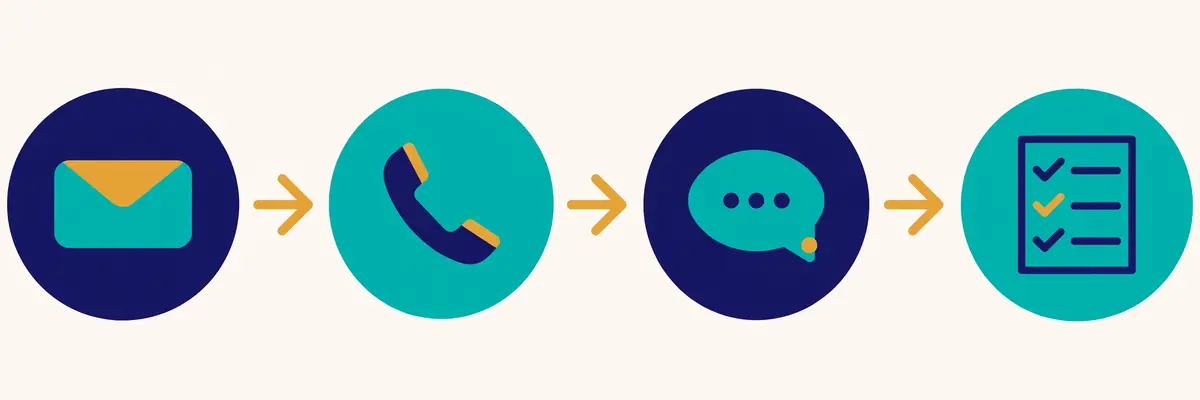
    Flows are the heart of Groove, and they are the feature that turns a list of accounts into pipeline. A Flow is a series of steps that runs itself until someone replies. Then you build it once, add people, and let it run. Groove calls them personalised multi-step Flows, and the vendor material lists the step types plainly: emails, automated actions, SMS, LinkedIn touches, calls, and Groove Plays, which are repeatable motions a team can reuse. You set the timing for each step, so the second email goes out three days after the first, the call lands a day later, and the LinkedIn touch follows the week after. In short, that is the core of the product, and it is the reason Flows are the first thing this Groove review recommends a new user to try.
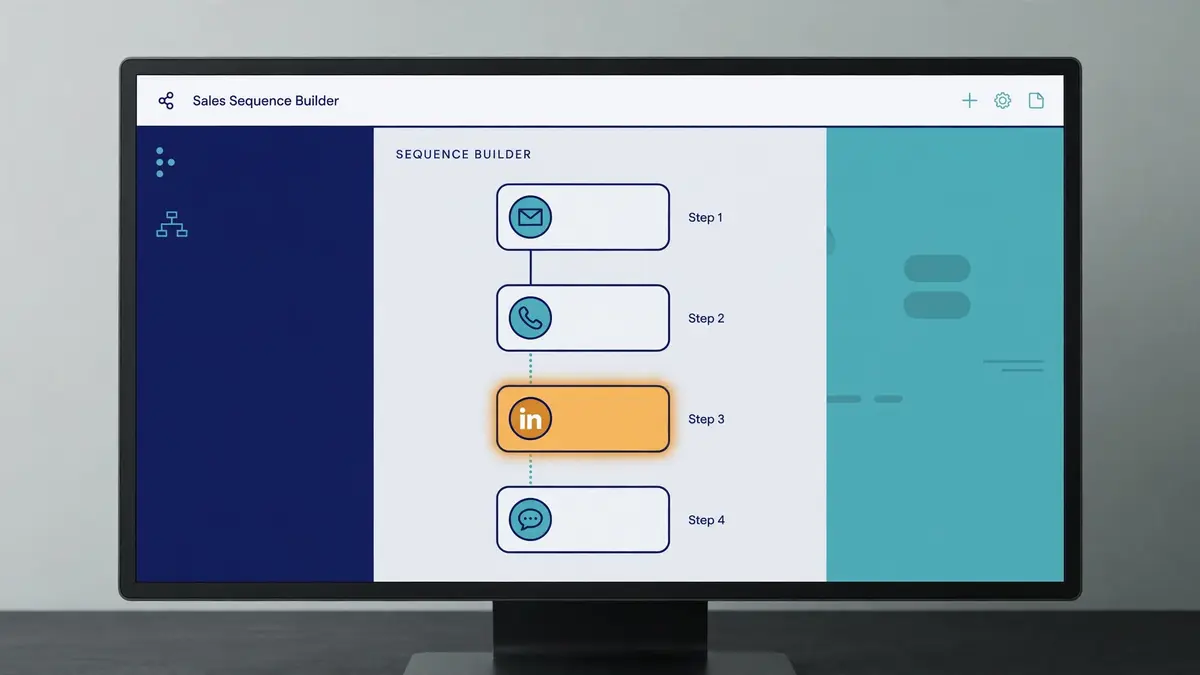
    Groove review: a multi-step Flow builder with email, call, LinkedIn and text steps connected in order
    A Flow that runs itself: email, call, LinkedIn and text steps in order, stopping the moment someone replies.

    How a Flow works, step by step

    A Flow in Groove takes four steps, and the shape will feel familiar to anyone who has run a sequence before. First you add people, usually from Salesforce, since the contacts already live there. Next you personalise each email with merge fields, or customise a message one at a time for the accounts that matter most. Then you start the Flow, and Groove sends the emails from your own Gmail or Microsoft 365 mailbox, not from a third-party server. Finally the follow-ups run themselves: Groove sends the next step when a prospect does not respond, and it stops the Flow the moment they reply or book a meeting. That final step matters most, since nobody gets a follow-up after they have already answered.

    Groove Plays and the account-based angle

    Groove Plays deserve a mention, because they are the team version of a Flow. A Play is a repeatable motion that a manager builds once and the whole team runs: a new-account opening play, a renewal play, a win-back play, a multi-threading play for a stalled deal. At the same time, the account-based angle sits beside it. Groove is built for relationship sellers who work named accounts, not for bulk senders who work long cold lists. The vendor material talks about engaging top accounts with smart account-based features, and about giving reps signals from Salesforce and from tools such as 6sense and Seismic. That framing suits an account executive with fifty named accounts far better than a rep with five thousand cold contacts.

    The honest limits of the Flow builder

    Two honest limits belong here plainly. First, third-party reviews describe the Flow builder as having fewer branching and testing options than Outreach or Salesloft. Still, if your sequences are linear, this costs nothing. If you run segment-specific branching with reply-based routing and want to A/B test steps, build your most complex real sequence in the pilot and see what you have to simplify. Second, LinkedIn automation is not available in Groove, according to a competitor’s feature map that Groove buyers cite. The LinkedIn steps in a Flow are manual tasks, not automated connection requests or messages. A team that wants LinkedIn automation should weigh Lemlist, which automates LinkedIn visits, invites and voice notes. This Groove review names both limits because they are testable in an afternoon, and the pilot is the place to test them.

    Salesforce-native activity capture in this Groove review

    Activity capture is the feature that justifies Groove, and it deserves its own section. In contrast, most sequencers keep their own database and sync it to the CRM, which means the sync can lag, break, or drift. Groove has no separate database. Because it is native to Salesforce, it records all activities in real time, directly on Salesforce objects. An email sent, a call logged, a meeting booked, a note taken: each one appears on the record at once. As a result, there is no data latency, and Salesforce reporting is always accurate. That is the vendor’s claim, and it is the claim reviewers praise most. The vendor says Groove captures three times the activities of competing platforms, which is a vendor claim, not a tested result, yet the mechanism behind it is real.

    Groove review: a sales rep working in an email inbox while activity syncs automatically to the customer record beside it
    No second database: every email, call and meeting lands on the Salesforce record the moment it happens.

    Two-way sync with Gmail, Outlook and Google Calendar

    The sync runs in both directions, and the details are worth knowing. Groove offers a two-way integration between Salesforce and Google Calendar, and a two-way integration with Gmail. The Microsoft 365 version offers the same for Outlook email and calendar: reps keep Salesforce records up to date without leaving the Outlook view. You can create, edit and enrich Salesforce objects from the inbox, and every change flows back. For example, a rep who sends an email from Gmail sees it on the Salesforce record at once. A manager who opens the record sees the whole conversation without asking the rep what happened. Ultimately, that is the loop that makes the CRM trustworthy, and it is the reason this Groove review rates the capture as highly as the Flows themselves.

    Why native capture lowers compliance risk

    One benefit of native capture is easy to miss, and it matters for regulated teams. When activity lives on Salesforce objects, the compliance controls of Salesforce apply directly: field-level security, audit trails, retention rules, and the opt-out fields that keep unsubscribed contacts out of outreach. A separate engagement database creates a second place where data can go stale, and a second place to audit. Groove removes that second place. The vendor frames this as lowered compliance risk and streamlined administration, and the logic holds. A team in financial services or healthcare, where the audit trail matters as much as the send, should weigh that benefit seriously. It is also the reason the vendor’s healthcare customer story, embedded below, focuses on productivity rather than volume.

    The price of native: Salesforce is a hard requirement

    The price of native capture is a hard requirement, and it should be stated once more. Groove only works with Salesforce. Teams not already on Salesforce cannot use Groove, and some features require Salesforce Enterprise edition or higher, which adds to the base CRM cost. A team that buys Groove is therefore buying two things: the engagement platform and the Salesforce edition that supports it. Budget for both. A team on HubSpot should not try to bend Groove to fit, since the Salesforce alignment is the product. Our HubSpot Sales Hub review covers the native option for that team.

    Dialler, Omnibar and the daily workflow in this Groove review

    Calling is the second half of Groove, and it lives in the same workspace as the Flows. The Groove Dialer lets a rep click to call from the Flow, record the call, drop a pre-recorded voicemail, and log the outcome to Salesforce without leaving the screen. Meanwhile, managers can listen in and coach live, which turns a call block into a training session. That matters for a team that still sells by phone, since the call is the step most sequencers treat as an afterthought. Groove treats it as a first-class step, with call scripts, call lists and call outcomes built into the Flow. A rep who works through a call block in the morning will find the next call already queued, the script already open, and the record already waiting.

    Groove review: a sales dialler dashboard with a call list, progress bars and a chart of meetings booked
    Calls inside the Flow: click-to-call, recording and voicemail drops, with outcomes logged to Salesforce at once.

    Parallel dialling through the Nooks integration

    Groove’s own dialler is a single-line dialler, and teams that want parallel dialling use the Nooks integration. The integration lets a rep run up to 1,500 Groove call Actions inside Nooks, with AI-powered parallel dialling, while all activity syncs in real time to Groove and Salesforce. That is a joint-customer integration, and it needs an active Groove subscription, yet it shows how the product is extended rather than replaced. A team that dials in volume should test the Nooks route in the pilot, since the native dialler alone will feel slow at a hundred calls a day. The integration is listed on Clari’s own site, which is one of the few Groove pages still live.

    Omnibar: research and engage without switching tabs

    Omnibar is the feature reviewers mention most fondly, and it deserves a mention. It is a browser extension that sits above any web page and lets a rep research a prospect, look up their LinkedIn profile, and start an engagement without switching to a separate app. A rep reading a prospect’s company page can open the Omnibar, see the Salesforce record, and send the next email from the same window. Reviewers call it a great feature for research before calls. In fact, the love for it shows in the ratings. It is a small piece of the product, yet it captures the design idea: the rep should never leave the work to do the admin. The Omnibar keeps the rep in the flow.

    A day with Groove, from Flow to meeting

    Put the pieces together and a working day looks like this. You open Groove in the morning and the Flow list shows the next step on every live account. The call block comes first, since the dialler queues the calls and the scripts are already open. Next come the follow-up emails, and the tracking alerts tell you who opened the proposal twice. Before the next call, the Omnibar handles the research on the account. A prospect books a meeting from the link in your email, and the calendar invite arrives with the meeting type, the notes and the outcome already set to log to Salesforce. At the end of the day the reporting shows which Flow earned the most meetings, and you share it with the team. Nothing in that day required manual logging, and that is the whole promise of the product.

    Tracking, templates and meeting scheduling in this Groove review

    Tracking is the feature that tells a rep who is hot right now, and Groove covers it well. You get real-time alerts when a prospect opens an email, clicks a link, or replies, and the engagement shows on the Salesforce record beside the contact. That alert is the working surface of the product. Then you open Groove in the morning, see who is interested right now, and follow up while the interest is warm. Reviewers praise the email and event tracking, the success rates, and the view of the effort put in against the engagement each lead has shown. A seller who works from the alerts will call the prospect who opened the proposal twice before the prospect who never opened at all. Also, that ordering is worth more than any single feature.

    Templates that save the messages that work

    Templates are the second half of the tracking story. You save your best emails as templates and reuse them in a click, right inside Gmail or Outlook, with merge fields for the name, the company and any other detail that changes per prospect. In particular, reviewers single out the templates as a time saver, saying Groove saves a lot of time on typing long letters when explaining products to customers. The templates live beside the Flow, so a rep can drop a proven message into a step without rebuilding it. Shared templates spread the best messaging across the whole team. A manager who writes the message that works can share it, and every rep sends the same proven wording with their own personalisation on top. That loop is how a team improves steadily.

    Meeting scheduler and the calendar booking feature

    Scheduling closes the loop a Flow opens. A prospect replies, and the reply needs a meeting. Instead, Groove books that meeting without the back-and-forth that usually follows. You embed your availability in the email, the prospect picks a time, and the meeting lands on your calendar with a reminder attached. The calendar booking feature is one reviewers praise by name, and Groove lets you tag meetings by type, notes, outcomes and next steps, while Salesforce updates automatically with new meeting analytics. That tagging is the detail that matters: a meeting is not just a calendar event, it is a logged outcome that the manager can report on. One reviewer noted a flaw worth knowing: calendar dates embedded in emails can still be clicked after the date has passed, which has caused a few missed demos. Check the booking link behaviour in the pilot.

    The honest limits of pixel tracking

    Two honest limits belong here plainly, since no tracking tool escapes them. Email open tracking relies on a tiny pixel image that loads when the email is viewed. Gmail and Outlook both route images through their own proxy servers, which can pre-fetch the pixel and record an open that no human ever made. Groove cannot reliably tell a human open from an automated scan. A prospect who reads the email in plain text, or whose mail client blocks images, will never register an open at all. Treat opens as a signal, not a fact, and judge a Flow by its replies and meetings booked, not by its open rate. This Groove review says that plainly because a buyer who trusts the open rate alone will optimise for the wrong number.

    Analytics and AI in this Groove review: what managers see

    Reporting is where Groove earns its keep after the send, and it covers the numbers that matter. For example, Flow performance shows which sequences earn meetings. Engagement analytics show who opened, clicked and replied, and when. Because the data lives on Salesforce objects, a manager can report on activity against opportunities and revenue, not just against sends. That is the single source of truth the vendor talks about, and it is the reason RevOps teams like the product. As a result, a manager who opens the report on a Monday morning can see what worked last week and share the winning Flow before lunch. Weekly reviews of those numbers lift outreach a little further every time. Ignore the numbers, though, and the same weak second email keeps going out.

    Where managers want more from the reporting

    One honest limit belongs here. Reviewers say the canned reports are useful, yet managers who want custom reporting will miss it. One manager on TrustRadius put it plainly: the included reports are useful, but building exactly the report they want is not possible. Another reviewer asked for more KPI analytics in a dashboard that merges Salesforce pipeline data with Groove outcomes, so reps take greater ownership of their activities. Groove’s answer is the Salesforce reporting itself, since the data lives on Salesforce objects and can be reported there. A team with a Salesforce admin who builds reports will be fine. A team that expects the engagement tool to be the reporting tool should test the canned reports in the pilot.

    AI assistants, agents and conversation intelligence

    Groove’s AI layer is described in the vendor’s own material as assistants and agents that give personalised engagement suggestions and automate routine tasks for every quota-carrying member of the team. The same material also talks about playbooks and orchestration that standardise winning sales behaviours. Beside Groove sits Clari Copilot, the conversation intelligence tool that records and analyses sales calls, and the two are sold together in the bundle. The vendor claims teams using the platform accelerate their time to revenue by over 20% every week, and cites Tenable with reps increasing productivity by 30%, and PopularPays cutting inbound lead response times from two days to five minutes while booked meetings rose by 54%. All of those are vendor-reported customer results, not tested figures. Treat them as the pitch, and test the AI suggestions on your own Flows in the pilot.

    Watch: Groove in healthcare and life sciences

    Video credit: “Sales Productivity Platform of Choice for Healthcare & Life Sciences Organizations by Groove” by Clari on YouTube (watch the original on YouTube). This video is the creator’s property, embedded here via YouTube for education. OutreachCompare has no affiliation with the creator and claims no ownership of the video.

    Deliverability in this Groove review: warm-up, sending limits, domain safety

    Deliverability is where Groove is most honest, and this Groove review says so plainly rather than hiding it. Groove sends through your own Gmail or Microsoft 365 mailbox, which means Google’s and Microsoft’s rules apply directly, and no tool that lives in your inbox can promise otherwise. A Workspace account is capped at about 2,000 emails in a rolling 24 hours by Google, and Microsoft sets its own limits. Send too fast and the account can be limited for minutes, hours or a full day. On the other hand, sending from your own server is the upside: a message from your own address looks like ordinary email rather than a bulk blast, and the replies land as ordinary replies. That framing sets expectations before the first send instead of after the first spam folder, which is reassuring.

    Furthermore, it is the reason this Groove review treats deliverability as a shared responsibility.

    What Groove does not offer for deliverability

    Two gaps belong here plainly. First, Groove offers no warm-up pool, and nothing in the vendor material, the marketplace listings or the help centre describes one. As a result, this Groove review counts warm-up as not offered rather than as a hidden feature. A team that needs warm-up should pair Groove with a dedicated tool from our warmup tools roundup, and use Groove for the engagement and the capture. Second, Groove publishes no inbox placement test and no placement percentage. A buyer hunting for a measured spam-folder score should look at a dedicated deliverability tool instead. What Groove does list is the honest toolkit: sending from your own server, personalisation, and auto-removal on reply, which are the controls that keep a sender reputable.

    Keeping your domain safe while you use Groove

    Keeping a domain safe comes down to the same rules whatever tool sends the email, and they are worth stating here. Set up SPF, DKIM and DMARC on the domain before the first send. The sending domain guide explains each record in plain language. Warm a new domain slowly, hold the daily volume steady rather than spiky, and check replies and bounces every single day. Check every address before it goes into a Flow, since even a strong list carries a few bad ones, and a bounce rate above a few percent will damage the domain. Remove every unsubscriber at once, since emailing someone who asked to be left alone is the fastest way to earn a spam complaint. Groove gives you the sending controls and the tracking; the reputation is still yours to protect.

    The email deliverability tools roundup covers the specialist tools that handle warming properly.

    Groove against Salesloft, Outreach and Lemlist in this Groove review

    Groove does not compete with every sequencer on the market, and the comparison below keeps the field narrow on purpose. The three closest rivals are the other enterprise engagement platforms, Salesloft and Outreach, plus Lemlist, which is the self-serve alternative for teams that want published prices. We verified all three on their own official sites or in our own published reviews on 16 November 2026. The table below uses the figures from those checks. One read of the table shows the shape of the choice. In short, Groove wins on Salesforce-native capture, Salesloft wins on being the owner’s strategic platform, Outreach wins on AI agents and forecasting depth, and Lemlist wins on price transparency and a database. In addition, every one of the three enterprise options is quote-only, so the demo is the price discovery.

    The comparison table in this Groove review, checked today

    ToolStarting priceFree planFree trialWorks withBest forVisit Site →
    GrooveQuote only; reported about $50 to $150 per user per monthNo free planNo trial published — ask for a pilotSalesforce onlySalesforce teams who want native activity captureVisit Site →
    SalesloftQuote only; Advanced and Elite, reported $125 to $165 per user per monthNo free planDemo onlySalesforce, HubSpot and othersEnterprise cadence plus forecasting in one contractVisit Site →
    OutreachQuote only; Amplify, reported $100 to $150 per user per monthNo free planNo trial advertisedSalesforce, HubSpot and othersEnterprise AI agents and deal management at scaleVisit Site →
    LemlistEmail $69 a month, $55 billed annuallyNo free plan14 days, no cardSalesforce, HubSpot, Pipedrive, APISmaller teams wanting multichannel plus a databaseVisit Site →

    Last checked: 16 November 2026 on groove.co and the Salesloft pricing page, and in our published reviews of Salesloft, Outreach and Lemlist. Reported ranges are third-party buyer reports, not official prices. Features and pricing can change, so please check the provider’s site before you buy. We do not guess at features, prices or trials.

    Groove against Salesloft in this Groove review

    Salesloft is the closest rival, and the choice between the two is unusual, since they now share an owner. Salesloft sells Advanced and Elite packages, both quote-only on annual contracts, with the dialler, forecasting and two AI agent add-ons priced separately. Buyer reports put Salesloft at $125 to $165 per user per month at list, falling to about $100 to $130 after negotiation, with Elite higher still. The vendor claims 97% forecast accuracy, 12-plus hours saved per rep per week, and 40% more selling activity.

    Groove is the Salesforce-native specialist, and Salesloft is the broader platform with its own cadence, conversation intelligence, Rhythm and Clari Forecast. A Salesforce team that wants the deepest native capture should pilot Groove, and a team that wants one contract for engagement, forecasting and AI agents should pilot Salesloft. This Groove review rates both highly, and the roadmap commitment you can get in writing decides the winner. Our Salesloft review covers the owner’s platform in full.

    Groove against Outreach in this Groove review

    Outreach is the other enterprise rival, and the choice comes down to native capture against AI depth. Outreach sells Amplify packages, all quote-only, with per-seat licences plus consumption-based AI credits, and no free plan or advertised trial. Buyer reports put the entry cost at roughly $100 to $150 per user per month. Outreach leads on AI agents, Kaia coaching, deal management and forecasting, with Amplify Plus claiming to predict deal outcomes with 81% accuracy and to ramp reps three times faster. Groove leads on the Salesforce-native design, where every action lands on the record at once with no sync delay. A team that runs Salesforce and wants the CRM to tell the truth should pilot Groove, and a team that wants the deepest AI and forecasting should pilot Outreach. Our Outreach review covers the Amplify packages in full.

    Groove against Lemlist in this Groove review

    Lemlist is the self-serve alternative, and the choice comes down to enterprise process against transparency. Lemlist publishes its prices openly: Email at $69 a month or $55 billed annually, Multichannel at $109 or $87, with a 650M-plus B2B database, a 14-day trial and no card. It runs email, LinkedIn, calls, WhatsApp and SMS, with AI icebreakers and a warm-up tool included. Groove publishes no prices, offers no trial, and includes no database or warm-up. Lemlist suits a smaller team that wants to buy today and test this week. Groove suits an enterprise Salesforce team that wants native capture, governed workflows and a negotiated contract. A buyer who needs a published price should buy Lemlist, and a buyer who needs Salesforce to be the single source of truth should pilot Groove. Our Lemlist review covers the five-channel suite in full.

    Quick comparison at a glance in this Groove review

    FeatureGrooveSalesloftOutreachLemlist
    Email sequences (Flows)✓ Multi-step Flows✓ Cadence✓ Sequences✓ Campaigns
    Multi-channel steps✓ Email, call, LinkedIn, SMS✓ Email, call, LinkedIn, social✓ Email, call, LinkedIn, social✓ Email, LinkedIn, call, WhatsApp, SMS
    Built-in dialler✓ Groove Dialer✓ Dialler add-on✓ Dialler included✓ Via Aircall / Ringover
    LinkedIn automation— Manual steps only✓ LinkedIn steps✓ LinkedIn steps✓ Visits, invites, voice notes
    Email tracking✓ Opens, clicks, replies✓ Opens, clicks, replies✓ Opens, clicks, replies✓ Opens, clicks, replies
    Meeting scheduler✓ Calendar booking✓ Meeting booking✓ Meeting booking✓ Via Calendly integration
    Native CRM activity capture✓ Salesforce-native, no sync delay— Sync to Salesforce— Sync to Salesforce— Sync to Salesforce
    Warm-up included— Not offered— Not offered— Not offered✓ lemwarm included
    Lead database— Not offered— Not offered— Not offered✓ 650M+ contacts
    AI writing / assistant✓ AI assistants and agents✓ AI agents, Rhythm✓ AI agents, Kaia✓ AI icebreakers, lemAgent
    CRM sync✓ Salesforce only✓ Salesforce + HubSpot✓ Salesforce + HubSpot✓ Salesforce, HubSpot, Pipedrive
    Free plan— No free plan— No free plan— No free plan— No free plan
    Free trial— No trial published— Demo only— No trial advertised✓ 14 days, no card

    Last checked: 16 November 2026 on each provider’s official site and in our published reviews. ✓ means the feature is stated on the provider’s site; — means it is not confirmed or is confirmed absent. Features and pricing can change, so please check the provider’s site before you buy. We do not guess at features, prices or trials.

    Strengths and weaknesses in this Groove review, side by side

    Every tool in this series has a balance sheet, and Groove is no exception. The strengths are real and long-standing: the Salesforce-native capture is the best in its class, the Flows cover the whole outreach motion, the dialler and the Omnibar keep the rep in one workspace, and the ratings have been strong for years. The weaknesses are equally real: there are no published prices, no free plan and no trial, the ownership has changed twice in three years, and there is no warm-up, no database and no LinkedIn automation. A buyer who weighs both sides honestly will know within minutes whether Groove fits. In addition, that clarity is itself a strength of a product that has been around since 2014.

    What Groove does best in this Groove review

    • Salesforce-native activity capture: every email, call, meeting and note lands on the Salesforce record at once, with no sync delay and no second database.
    • Flows across every channel: multi-step sequences of emails, calls, LinkedIn touches, texts and automated actions, with reusable Groove Plays.
    • Dialler inside the workspace: click-to-call, recording, voicemail drops and live coaching, plus parallel dialling through Nooks.
    • Omnibar for research: prospect research and engagement from any web page, without switching tabs.
    • Strong reviewer ratings: 4.7 out of 5 on GetApp from 146 reviews, 8 out of 10 on TrustRadius from 969 ratings, and top enterprise satisfaction on G2 for years.
    • Meeting scheduler with logging: calendar booking with meeting types, notes, outcomes and next steps written to Salesforce.
    • Compliance-friendly design: activity on Salesforce objects means Salesforce controls, audit trails and opt-out handling apply directly.
    • Long track record: founded in 2014, used by more than 75,000 users at Google, Uber, Capital One and ADP, according to the vendor.

    Where Groove falls short in this Groove review

    • No published prices: quote-only sales, with the old pricing page now landing on the Salesloft demo form.
    • No free plan and no published trial: the route in is a demo and a negotiated pilot, not a self-serve test.
    • Ownership has changed twice: Clari acquired Groove in 2023, then merged with Salesloft in 2025, and the combined company now trades as Salesloft.
    • Salesforce is a hard requirement: teams on HubSpot or any other CRM cannot use Groove at all.
    • No warm-up or placement testing: nothing in the vendor material describes a warm-up pool or an inbox placement test.
    • No lead database: Groove assumes the contacts already live in Salesforce, and finds none for you.
    • No LinkedIn automation: the LinkedIn steps in a Flow are manual tasks, not automated outreach.
    • Flow builder limits: third-party reviews describe fewer branching and testing options than Outreach or Salesloft offer.

    Getting started in this Groove review: a sensible first 30 days

    The first month with Groove should be a pilot, not a commitment, and the demo is where it starts. Book the demo, and ask for the pilot in the same conversation. Agree a fixed length, a fixed seat count, and a clear success measure, such as meetings booked or hours saved on logging. Get the pilot terms and the price that follows in writing. Load ten reps with their real accounts in a Salesforce sandbox, and run one Flow for a month. Judge the pilot by the replies and the meetings booked, not by how many emails went out, and read the activity in Salesforce yourself before you judge the product. That first month tells you whether the native capture changes how your team works, which is the question that matters.

    In the second week, build the Flow library. Save the five sequences your team runs most often, add the merge fields, and put them in Plays by motion: first touch, follow-up, renewal, win-back. Share the best one with the whole team and ask whether it reads like a human wrote it, since a Flow that reads like a mail merge will earn fewer replies than a plain email. Add the meeting scheduler link to your templates, set the meeting types, and connect the calendars. As a result, every reply can become a meeting in one click. By the end of the second week you should know whether the Omnibar and the dialler save each rep an hour a day. Also, that saving is the real return on the subscription.

    Week three and four: Flows, reports and the buy decision

    In the third week, run your first real Flow. Pick a list of thirty accounts, build three touches over nine days, and set the call step between the second and third email. Check the activity feed each morning, call the prospect who opened the proposal twice, and note which template earned the reply. In the fourth week, open the reports. The Flow report shows what works, the engagement report shows who is hot, and the Salesforce record shows whether the capture really happens in real time. Then decide: if the pilot saved logging time and booked meetings, negotiate the contract, and get the roadmap and the renewal cap in writing. If it did not, walk away with evidence, not a sales pitch, behind the decision. A buyer who follows that month will have proof either way.

    One last piece of practical advice: verify your list before it goes into a Flow, and set up SPF, DKIM and DMARC before the first send, following our sending domain guide. Strong lists still carry a few bad addresses, and a bounce rate above a few percent will hurt the domain. Hold the daily volume steady instead of spiky, remove every unsubscriber at once, and watch the replies every single day. Groove gives you the Flows and the capture. The reputation stays yours to protect, and a month of careful sending builds a sender reputation that lasts.

    Frequently asked questions in this Groove review

    Is Groove still available to buy?

    Yes, Groove is still available, yet the buying route has changed. Clari acquired Groove in August 2023, then merged with Salesloft in December 2025, and the combined company took the Salesloft name in September 2026. Existing customers still log in at engine.groove.clari.com, and Salesloft has said no required migration is planned. New buyers should book a demo through Salesloft, ask for a pilot, and get a written roadmap commitment, since Salesloft also sells its own engagement platform. TrustRadius now labels Groove a legacy product, with its functionality continuing inside Salesloft, so the roadmap question matters more than any feature list.

    How much does Groove cost per month?

    Groove publishes no prices, so there is no official monthly figure to quote. We checked groove.co/pricing and clari.com/pricing on 16 November 2026, and both now land on salesloft.com, where the pricing page leads to a demo request. Third-party buyer reports put a standalone Groove licence at roughly $50 to $150 per user per month, with the full Clari bundle at roughly $225 to $400, yet those are reported ranges, not official prices. Implementation is a separate cost, reported at $10,000 to $75,000 for enterprise deployments. Ask Salesloft for a written quote, and negotiate the renewal cap at the same time.

    Does Groove work without Salesforce?

    No, Groove only works with Salesforce, and that is a hard requirement rather than a soft limit. The Salesforce-native design is the product: every email, call, meeting and note is written straight to the Salesforce record, with no sync delay and no separate database. Teams not already on Salesforce cannot use Groove, and some features require Salesforce Enterprise edition or higher. A team on HubSpot should read our HubSpot Sales Hub review instead, and a team that wants a multi-CRM sequencer should weigh Lemlist, which works with Salesforce, HubSpot and Pipedrive.

    Is there a free trial or free plan for Groove?

    No, Groove offers no free plan, and the published material confirms no free trial either. The route in is a demo, followed by a sales conversation and a custom quote. The sensible ask is a pilot with a small team in your Salesforce sandbox, with a fixed length, a fixed seat count, and a clear success measure. Get the pilot terms and the price that follows in writing. A vendor that will not agree a pilot is telling you something about the buying experience, and a buyer should listen.

    What is the difference between Groove and Salesloft?

    Groove and Salesloft are both sales engagement platforms, and they now share an owner. Groove is the Salesforce-native specialist: every action lands on the Salesforce record at once, with no sync delay. Salesloft is the broader platform: cadence, conversation intelligence, Rhythm, Clari Forecast and AI agents in one contract, working with Salesforce, HubSpot and other CRMs. Both are quote-only, with no published prices. A Salesforce team that wants the deepest native capture should pilot Groove, and a team that wants one contract for engagement, forecasting and AI agents should pilot Salesloft. Our Salesloft review covers the owner’s platform in full.

    Is Groove good for cold email?

    Groove is good for warm follow-up and for account-based outreach from Salesforce, yet it is not a cold email tool. Flows send through your own Gmail or Microsoft 365 mailbox, which helps deliverability, and the tracking, templates and scheduler cover the whole follow-up motion. It is not the tool for high-volume cold email, however. There is no warm-up pool, no lead database and no inbox placement test, and Google caps a Workspace account at about 2,000 emails in a rolling 24 hours. Thousands of cold emails a week call for Instantly from $47 a month or Smartlead from $39 a month, since both are built for that job.

    The verdict in this Groove review

    Verdict: Groove is the best Salesforce-native engagement layer, if you can buy it on your terms

    Best for: enterprise sales teams who already run Salesforce and want every email, call and meeting logged on the Salesforce record automatically, with no sync delay and no second database to reconcile.

    Groove does one job, and it does it better than any rival in this comparison: it makes Salesforce the single source of truth for outreach. The Flows cover email, calls, LinkedIn and SMS. Meanwhile, the dialler and the Omnibar keep the rep in one workspace, and the activity capture means a manager can trust the CRM. The ratings back it up, with 4.7 out of 5 on GetApp and 8 out of 10 on TrustRadius, and the vendor’s claim of top enterprise satisfaction on G2 for four consecutive years.

    The honest price is a quote, not a number, because Groove publishes no prices, offers no free plan and no published trial, and its own website now redirects to Salesloft. Third-party reports put a standalone licence at roughly $50 to $150 per user per month, with implementation on top. Teams on any CRM other than Salesforce, small teams that need a published price and a trial, and volume cold email teams should look elsewhere. For a Salesforce team that can negotiate a pilot, a roadmap commitment and a renewal cap, Groove is the easiest yes in the enterprise tier, and the pilot will settle the question on your own accounts in a month.

    OutreachCompare has not tested Groove hands-on, so this verdict is based on the official site, the published material and the documented features checked on 16 November 2026, not on a live trial. No numeric score is given until hands-on testing is done.

    Visit Groove →

    Keep reading

    More enterprise and sales engagement reviews

    Guides and roundups

    Best for Salesforce teams who want every email, call and meeting logged in the CRM automatically: GrooveQuote-only · No free plan · Ask for a pilot Visit Site →
  • Yesware Review 2026

    Yesware Review 2026

    Best for salespeople who want tracking, templates and follow-ups inside Gmail or Outlook: Yesware

    Yesware is a sales engagement tool that lives inside your inbox. You add a Chrome extension for Gmail or an add-in for Outlook, and from then on your email tracking, your templates, your multi-touch campaigns and your meeting scheduler all happen in the inbox you already open every morning. An email you send still comes from your own Gmail or Outlook address, the replies still land as ordinary replies, and the calendar you book from is still your own Google or Microsoft calendar. Yesware adds the machinery behind that familiar window, so a normal inbox becomes a sales platform. This Yesware review starts there because the inbox is the product, and almost every strength and every limit that follows comes from living inside Gmail or Outlook rather than replacing them.

    Pricing is simple on the surface and surprising underneath, and this Yesware review explains the surprise first because it shapes every buying decision that follows. There is a free plan at $0, a Pro plan at $19 a seat a month billed monthly or $15 billed annually, a Premium plan at $45 or $35, and an Enterprise plan at $85 or $65 for teams that run Salesforce. The catch is the campaign cap: the free plan allows only 10 campaign recipients a month, and Pro allows only 20, so the honest starting price for real outreach is Premium at $35 a seat a month billed annually, where campaigns become unlimited. A 14-day free trial asks for no card and runs at full functionality.

    What this Yesware review covers

    This Yesware review works through the product as it stood on 16 November 2026. It covers the pricing and the campaign caps, the email tracking that made Yesware famous, the multi-touch campaigns, the templates, the meeting scheduler, the reporting that managers actually use, the Salesforce sync that only Enterprise buyers get, deliverability and the Gmail and Outlook sending limits, and how Yesware compares with Mixmax, GMass and Mailshake. By the end you should know whether Yesware is the right way to run sales from your inbox, or whether a deeper sequencer, a cheaper mail merge tool, or a full volume sender would serve you better.

    Visit Yesware → Jump to the comparison table

    A note on the prices in this Yesware review

    One thing to know before the numbers. Every price in this Yesware review was read from yesware.com/pricing on 16 November 2026. In addition, the page lists its prices in US dollars, per seat per month. The page shows two billing views, monthly and annual, and this review quotes both wherever they differ. The free plan costs $0 on either view, Pro costs $19 billed monthly or $15 billed annually, Premium costs $45 or $35, and Enterprise costs $85 or $65. If a figure matters to your budget, check the pricing page once more before you buy, since Yesware has restructured its pricing more than once in the last few years, and an older review may still show the old numbers.

    Quick Answer

    Yesware is a sales engagement tool that lives inside Gmail and Outlook, and it is the simplest inbox-native option in this Yesware review. You add a Chrome extension or an Outlook add-in, and Yesware tracks every open, click and attachment download in real time, reuses proven email templates, runs multi-touch campaigns of emails, call reminders and LinkedIn touches, books meetings from inside the email, and logs activity to your CRM automatically. Pricing starts at $0 on the free plan, with Pro at $15 a seat a month billed annually, Premium at $35, and Enterprise at $65 for Salesforce teams. A 14-day free trial asks for no card.

    The catch is the campaign cap, not the tracking: the free plan allows only 10 campaign recipients a month, and Pro allows only 20, so the honest starting price for real outreach is Premium at $35 a seat a month billed annually, where campaigns become unlimited. The free plan also limits tracking to emails sent less than 24 hours ago, which makes it a demo rather than a working tool for deals that run over several days.

    Yesware is best for salespeople and small teams who already live in Gmail or Outlook and want to know who opened what, follow up on time, and reuse the messages that work. It is not the tool for a team that sends thousands of cold emails a week, needs a lead database, or wants a built-in dialler or warm-up pool, since none of those is included.

    What Yesware actually is

    Yesware is a sales engagement platform that lives inside Gmail and Outlook. Also, that single fact explains almost everything about it. You install the Chrome extension for Gmail or the add-in for Outlook, sign in with your Google or Microsoft account, and the inbox you already know gains a sidebar, a tracking feed, a template library and a campaign builder. Nothing else changes: the emails you send still come from your own address, the replies still land in your inbox as ordinary replies, and the calendar you book from is still your own Google or Microsoft calendar. Yesware adds the machinery behind that familiar window, so a normal inbox becomes a sales platform. This Yesware review starts there because the inbox is the product, and every strength and every limit that follows comes from living inside Gmail or Outlook rather than replacing them.

    Sixty seconds to set up, according to the Yesware review

    Setup takes about sixty seconds, according to the Yesware homepage, and the steps are genuinely that short. First you sign up with your Microsoft or Google email, which is the whole account creation. Next you download the Chrome extension or the Outlook add-in, which takes one click. Then you start tracking emails and automating outreach, since the tools appear inside the inbox at once. There is no onboarding call, no IT ticket and no implementation project. Furthermore, the homepage says teams can be onboarded instantly with a minimal learning curve. That speed is the point. A seller who can start without waiting for anyone else will actually start, and a seller stuck in an implementation queue often never starts at all.

    Eight capabilities this Yesware review found defining

    Eight capabilities define the product, and they are worth naming before the detail. First comes the real-time email tracking, with alerts the moment a prospect opens, clicks or downloads. Next come the proven templates, with dynamic merge fields and shared folders for teams. Then come the multi-touch campaigns, with automated emails, manual emails, call reminders, LinkedIn touches and custom steps in one flow. After that comes the meeting scheduler, with booking links, buffer times and Zoom integration. Then comes the inbox activity feed, with a live view of who is engaged right now. Next comes the reporting, with per-recipient, per-template and per-campaign views. Then comes the CRM sync, which logs activity to Salesforce on the Enterprise plan and copies to most CRMs on Gmail. Finally comes the security posture, with SOC 2 Type II compliance on the pricing page and GDPR and CCPA badges on the homepage.

    The eight capabilities at a glance

    • Real-time email tracking: opens, clicks and attachment downloads, with desktop alerts the moment a prospect engages.
    • Proven templates: reusable emails with dynamic merge fields, folders, and shared templates for teams.
    • Multi-touch campaigns: automated and manual emails, call reminders, LinkedIn touches and custom steps in one flow.
    • Meeting scheduler: booking links, buffer times, pre-meeting questions, Zoom integration and colleague calendaring.
    • Inbox activity feed: a live view of recent opens, clicks and replies, right beside the inbox.
    • Reporting: per-recipient, per-template and per-campaign reports, plus team reporting on Premium.
    • CRM sync: automatic activity logging to Salesforce on Enterprise, and copy-to-CRM on Gmail.
    • Security: SOC 2 Type II compliance, with GDPR and CCPA badges on the homepage.

    Watch: what Yesware is, in the vendor’s own words

    Video credit: “What Is Yesware?” by Yesware on YouTube (watch the original on YouTube). This video is the creator’s property, embedded here via YouTube for education. OutreachCompare has no affiliation with the creator and claims no ownership of the video.

    One more framing point helps before the details. Yesware is a sales tool for people who already have relationships to run, not a tool that finds strangers for you. It has no built-in lead database on the standard plans, and it does not pretend otherwise. It assumes you bring the contacts, usually from your CRM or a CSV import. Moreover, it assumes you send from Gmail or Outlook. That boundary suits an account executive, a founder, a recruiter or a consultant who already works in their inbox and wants their follow-ups, meetings and CRM logging to happen in one place. That boundary leaves volume buyers short. Anyone who wants a single subscription to find leads, warm inboxes and blast cold email at scale will need one tool for the list and another for deliverability.

    This Yesware review keeps that distinction visible throughout, because confusing the two jobs is how buyers end up disappointed.

    Who Yesware fits best — and who should skip it

    First, this Yesware review finds the product fits individual sellers and small teams who already live in Gmail or Outlook. Think of a sales rep working a pipeline of warm deals, a founder following up after demos, a recruiter chasing candidates, or a consultant nudging clients, all from the inbox they open every morning. That person needs to know who opened what, to follow up at the right moment, and to reuse the messages that work. Yesware gives them exactly that, and the free plan costs nothing, which means the tracking alone can be tried without a purchase order. This Yesware review rates it highly for people of that shape. That is because the inbox is the product and Yesware is the simplest way to run sales from it.

    Sales managers come next, and they get the most from Yesware when every rep sends from their own Gmail or Outlook account and the deals live in Salesforce. Team reporting on Premium shows which templates earn replies and which reps need coaching. Meanwhile, shared templates spread the best messaging across the whole team. A manager who opens the campaign report on a Monday morning can see what worked last week and share the winning template before lunch. A team that already pays for Google Workspace or Microsoft 365. Also, that sends a few hundred emails a week rather than a few thousand, will find Yesware a natural fit. In addition, the per-seat pricing makes that easy to buy, since each rep can sit at a different tier.

    Buyers who should look elsewhere

    Now the other side. High-volume cold email teams should look elsewhere first. Yesware sends through your Gmail or Outlook account, Google caps a Workspace account at about 2,000 emails in a rolling 24 hours, and the campaign caps on the cheaper plans are far tighter than that. A team sending thousands of cold emails a week will outgrow Yesware within days. As a result, it belongs on a volume sender instead. Instantly Growth at $47 a month or Smartlead at $39 a month are both built for thousands of cold emails a week. Likewise, a team that needs a lead database should not buy Yesware expecting one, since none is included on the standard plans, and Apollo from $49 a user a month with a 240M-plus database will serve that need better.

    Outlook-first teams should check one detail before they buy. Yesware works in both Gmail and Outlook, and that is a genuine advantage over Gmail-only tools. Yet, the feature table on the pricing page marks reminders, Send Later, LinkedIn touches and copy-to-most-CRMs as Gmail-only. A team that sends half its email from Outlook gets a thinner product from Yesware on those four features, and Mailshake from $29 a month or Klenty from $50 a month billed annually will serve the whole team instead. If your team needs a built-in dialler, a warm-up pool, or an AI writer, Yesware will frustrate you, since the dialler is only a RingCentral integration, the warm-up does not exist, and no AI writing assistant appears on the official site. If any of those descriptions sounds like your team, read the comparison table below before you start the trial.

    Why an inbox seller should still trial Yesware first

    Between those two poles sits the buyer this Yesware review expects most often. A seller whose follow-ups still depend on memory, sticky notes and hope. That buyer should test the 14-day trial against a real pipeline before deciding anything. Pick fifty contacts you already know, build one short campaign, and send it with tracking and the meeting scheduler switched on. Count the replies and the meetings booked, not the send volume. Read the replies yourself, and check for stale addresses behind the bounces before you blame the message. When a campaign underperforms, check the list before you touch the wording. The sharpest email in the world books nothing when it reaches the wrong people. A buyer who starts the trial on a Monday gets two full working weeks of real replies to judge the product by, which beats any sales page as a test.

    Pricing in this Yesware review: the honest starting price is Premium

    Yesware publishes its prices openly, and this Yesware review starts with the figures as they stood on 16 November 2026. There are four plans, all billed per seat per month, and the page shows two billing views, monthly and annual. The free plan costs $0 on either view, Pro costs $19 billed monthly or $15 billed annually, Premium costs $45 or $35, and Enterprise costs $85 or $65. That is a refreshingly simple structure, and the annual discount is a flat saving on every paid plan, which makes the yearly decision easy to price. A 14-day free trial asks for no card, and the homepage repeats that promise on every section. As a result, a buyer can test the full product before paying anything.

    The pricing table in this Yesware review, checked today

    PlanMonthly billingAnnual billingCampaign recipients a monthWhat it includesBest forVisit Site →
    Free$0 / seat / month$0 / seat / month10 recipientsBasic open and attachment tracking, meeting scheduler, weekly webinar trainings, email supportTrying Yesware after the trialVisit Site →
    Pro$19 / seat / month$15 / seat / month20 recipientsUnlimited open, link and attachment tracking, personal activity and recipient engagement reports, email and phone supportSolo sellers tracking a few dealsVisit Site →
    Premium$45 / seat / month$35 / seat / monthUnlimitedEverything in Pro, plus unlimited campaigns, shared templates and campaigns, team reporting, centralised billing, no Yesware brandingReal outreach — most popular planVisit Site →
    Enterprise$85 / seat / month$65 / seat / monthUnlimitedEverything in Premium, plus the full Salesforce sync, add contacts to campaigns, import list views, single sign-on, trusted IP rangesSalesforce teamsVisit Site →

    Last checked: 16 November 2026 on the Yesware pricing page. Prices are per seat per month in US dollars. Features and pricing can change, so please check the provider’s site before you buy. We do not guess at features, prices or trials.

    Why Premium is the real starting point for outreach

    For most sellers, Premium is the real starting point, and this Yesware review says so plainly. The free plan allows only 10 campaign recipients a month, and Pro allows only 20, which is not enough to run any real outbound campaign. A rep who adds five prospects a day will burn through the Pro cap in a single week. Independent reviewers who read the same pricing page reach the same conclusion. Furthermore, they call Premium the honest entry point for teams doing actual outreach. The $35 a seat a month annual price is the figure to budget for, not the $15 Pro price that most pricing roundups lead with. A seller who buys Pro expecting to run campaigns will be disappointed within days. Moreover, that disappointment is avoidable once the cap is understood.

    The free plan and the 24-hour tracking limit

    The free plan deserves a closer look, because its limits are easy to miss. It includes basic email open tracking, basic attachment tracking, 10 campaign recipients a month, the meeting scheduler, weekly webinar trainings and email support, which sounds generous for $0. The catch sits in the feature table. On the free plan, tracking is limited to emails sent less than 24 hours ago. A prospect who opens your email on day three will not appear in your tracking, and a deal that runs over several days will go dark after the first day. That makes the free plan a demo rather than a working tool. In addition, it is the reason this Yesware review recommends the 14-day trial, which runs at full functionality, over the free plan for any serious evaluation.

    The free trial in this Yesware review, and what happens when it ends

    Yesware offers a 14-day free trial, and the terms are generous in every way that matters. During the trial you get the full product, with no payment details asked. As a result, you can test the tracking, the campaigns, the templates and the scheduler properly. When the trial ends, you either buy the tier that fits your volume or you move to the free plan with its 10-recipient cap and its 24-hour tracking window, and your workspace and data stay intact. That is a fair deal, since nothing is held hostage. Also, it is the reason this Yesware review recommends the trial without hesitation. Starting the trial on a Monday gives you two full working weeks of real replies to judge the product by.

    Enterprise pricing in this Yesware review, and who needs it

    Enterprise is the plan for teams that run Salesforce. Furthermore, the price is $85 a seat a month billed monthly or $65 billed annually. The plan adds the Salesforce inbox sidebar, email sent and reply sync, calendar sync, background sync, bi-directional activity sync, the ability to add contacts to campaigns, import list views, single sign-on and trusted IP ranges. Those are the features that make Yesware feel like part of Salesforce rather than a tool bolted onto it. Moreover, they are locked behind the most expensive tier. A team that does not run Salesforce should not pay for Enterprise, since Premium already includes unlimited campaigns and team reporting. A Salesforce team, on the other hand, should budget for Enterprise from the start, since the sync is the reason to buy Yesware at all for that team.

    Email tracking in this Yesware review: the feature that made Yesware famous

    Tracking is the feature that made Yesware famous, and it is still the reason most buyers arrive. Yesware tells you the moment a prospect opens your email, clicks a link, or downloads an attachment, with a real-time alert on your desktop and an entry in the inbox activity feed. That alert is the working surface of the product. You open your inbox in the morning, see who is interested right now, and follow up while the interest is warm. The homepage puts it plainly, saying Yesware helps you follow up with the right prospect at the right time with messaging that works. That framing turns tracking into action rather than a report nobody reads, which is reassuring for a seller.

    What Yesware tracks in this Yesware review, and how the alerts work

    Yesware tracks three things, and each one answers a different question. Email opens tell you whether the prospect saw the message at all, and the alert fires the moment the open happens. Link clicks tell you which part of the message earned attention, since a prospect who clicks the pricing link is warmer than one who clicks the blog link. Attachment downloads tell you whether the proposal was actually read, which is the signal that matters most before a follow-up call. On Pro and above, tracking is unlimited across all three, with no cap on the number of emails tracked. The free plan tracks too, yet only for emails sent less than 24 hours ago, which is the limit that makes it a demo rather than a working tool.

    The activity feed and Response Insights in this Yesware review

    The inbox activity feed is the quieter half of the tracking story, and it deserves a mention. It sits beside the inbox and shows a live stream of recent opens, clicks and replies. As a result, a seller can glance at it between meetings and see who is engaged right now. Response Insights sits on top of that feed. In addition, the pricing page lists it on every plan, including the free one. Together they answer the question every seller asks in the morning: who should I talk to first? A seller who works from the feed will call the prospect who opened the proposal twice before the prospect who never opened at all. Also, that ordering is worth more than any single feature.

    The honest limits of pixel tracking in this Yesware review

    Two honest limits belong here plainly, since no tracking tool escapes them. First, email open tracking relies on a tiny pixel image that loads when the email is viewed, and Gmail and Outlook both route images through their own proxy servers, which can pre-fetch the pixel and record an open that no human ever made. Independent reviewers report that false opens can inflate the numbers by a meaningful share in B2B inboxes. Furthermore, Yesware cannot reliably tell a human open from an automated scan. Second, a prospect who reads the email in plain text, or whose mail client blocks images, will never register an open at all. Treat opens as a signal, not a fact, and judge a campaign by its replies and meetings booked, not by its open rate.

    This Yesware review says that plainly because a buyer who trusts the open rate alone will optimise for the wrong number.

    Campaigns in this Yesware review: multi-touch follow-ups from your inbox

    Campaigns are the heart of Yesware, and they are the feature that turns tracking into pipeline. A campaign is a series of touches that sends itself until someone replies. Moreover, you build it once, add people, and let it run. Yesware calls them multi-touch and multi-channel campaigns, and the official campaigns page lists the touch types plainly. Automated emails, manual emails, phone call reminders, LinkedIn InMails and custom touches. You set a custom time and cadence for each touch. As a result, the second email goes out three days after the first, the call reminder lands a day later. In addition, the LinkedIn touch follows the week after. That is generous, and it is the reason campaigns are the first thing this Yesware review recommends a new user to try.

    Yesware review: a multi-touch campaign timeline with email, call and LinkedIn steps over several days
    A campaign that runs itself: email, call and LinkedIn touches over several days, stopping the moment someone replies.

    How a campaign works in this Yesware review, step by step

    A campaign in Yesware takes four steps, and the official campaigns page walks through them in order. First you add recipients individually, import a list, or pull contacts directly from Salesforce, which is the Enterprise route. Next you personalise each email with dynamic fields, or customise a message one at a time for the prospects that matter most. Then you hit send, and Yesware sends the emails from your own Outlook or Gmail server, not from a third-party server. As a result, the messages land in the inbox rather than the spam folder. Finally the follow-ups run themselves: Yesware sends the next touch when a prospect does not respond. Also, it removes the recipient automatically when they reply or book a meeting. That last step matters most, since nobody gets a follow-up after they have already answered.

    Watch: how to use Yesware Campaigns for Gmail

    Video credit: “How to Use Yesware Campaigns for Gmail” by Yesware on YouTube (watch the original on YouTube). This video is the creator’s property, embedded here via YouTube for education. OutreachCompare has no affiliation with the creator and claims no ownership of the video.

    Out-of-office detection and auto-removal in this Yesware review

    Two small features make the campaigns feel human rather than robotic. Out-of-office detection spots the automatic reply and holds the sequence. As a result, a prospect on holiday does not get three more emails while they are away. Auto-removal takes a prospect out of the campaign the moment they reply or book a meeting. As a result, the follow-up never lands after the conversation has started. A smart to-do list sits inside the inbox and shows what to do next, with the call reminders and manual touches queued in order. Those controls are what a working seller needs, and they show years of product decisions behind the button.

    The campaign caps in this Yesware review, stated once more

    The caps deserve one more mention here, because they decide which plan to buy. The free plan allows 10 campaign recipients a month, Pro allows 20, and only Premium and Enterprise allow unlimited recipients. Those caps are shared across all your campaigns and reset each month, according to independent reviewers who read the same pricing page. A rep who runs one campaign of thirty prospects needs Premium, full stop, and a team that buys Pro for five reps will hit the wall in the first week. This Yesware review repeats the point because it is the single most common surprise in Yesware pricing. Furthermore, it is entirely avoidable once the cap is understood.

    Templates and personalisation in this Yesware review

    Templates are the second half of the Yesware story. Moreover, they are the feature that saves the most time day to day. You save your best emails as templates and reuse them in a click, right inside Gmail or Outlook, with dynamic merge fields for the name, the company and any other detail that changes per prospect. The templates live in folders, so a rep can keep a folder for first touches, a folder for follow-ups, and a folder for closing emails. In addition, the whole library is searchable from the compose window. That is a small design choice with a large effect on output, since a seller who reuses a good template can send a personalised email in under a minute, which is the whole point of a tool that lives in the inbox.

    Shared templates are the team version of the same idea, and they arrive on Premium. A manager writes the message that works, shares it with the team, and every rep sends the same proven wording with their own personalisation on top. Template-by-template reports then show which shared template earns the most replies. As a result, the team can retire the weak ones and double down on the strong ones. That loop is how a team improves steadily. The best email gets shared, the numbers prove it works, and the whole team gets better. A team that never looks at those numbers will keep sending the same weak second email. Also, Yesware gives you the numbers, so the improvement is yours to make.

    Dynamic merge fields and attachments in this Yesware review

    Dynamic merge fields are the detail that keeps a template from reading like a mail merge. You drop in the first name, the company, the role or any custom field. Furthermore, Yesware fills it in per recipient, so the email reads as if it was written for one person. Attachments can be saved to templates and campaigns as well. As a result, the proposal or the case study travels with the message every time. Attachment tracking then reports who downloaded the file, which is the signal that tells a seller whether to call now or wait a week. Those are small features, and they add up: a template with the right merge fields, the right attachment. Moreover, the tracking switched on is a complete sales motion in one click.

    What Yesware does not write for you

    One gap belongs here plainly. Yesware offers no AI writing assistant on its official site, and nothing on the pricing page, the homepage or the feature list describes one. A seller who wants AI to draft the first version of an email will not find it here, and Mixmax from $29 a month billed yearly or Klenty from $50 a month billed annually both list AI writing among their features. Yesware bets instead on the human writing the email once, saving it as a template, and reusing it well. That bet suits a seller with a proven message and a clear voice. In addition, it frustrates a seller who wants the tool to write for them. This Yesware review names the gap because a buyer who expects AI drafting will be disappointed, and the disappointment is avoidable.

    Meeting scheduler in this Yesware review, and the daily workflow

    Scheduling is the second half of Yesware, and it is the feature that closes the loop a campaign opens. A campaign earns a reply, and the reply needs a meeting. Also, Yesware books that meeting without the back-and-forth that usually follows. You embed your availability in the email itself, the prospect picks a time, and the meeting lands on your calendar with a reminder attached. Booking works with Google and Office 365 calendars. Furthermore, the scheduler supports Zoom integration, so the video link is attached automatically. It is a small design choice with a large effect on pipeline. A meeting booked in one click is a meeting that actually happens.

    Yesware review: a meeting booking panel embedded in an email, with available time slots and a video meeting link
    Meetings book themselves: availability embedded in the email, with the video link attached automatically.

    Buffer times, meeting templates and pre-meeting questions

    The scheduler has the details that make it usable rather than merely present. Buffer times stop meetings from stacking back to back, so a rep gets ten minutes to breathe between calls. Meeting templates save the standard formats, such as a thirty-minute demo or a fifteen-minute intro. As a result, the rep picks a format instead of building one. Custom pre-meeting questions collect the detail that matters before the call, such as the team size or the current tool, so the rep walks in prepared. Colleague calendaring lets you book on a teammate’s calendar as well. As a result, an assistant can fill a rep’s diary without asking for their password. Those are practical controls, and they are included on every plan, including the free one, which is generous.

    Reminders and Send Later in this Yesware review: the Gmail-only catch

    Two everyday features deserve a mention, and one honest caveat. Reminders let you set a follow-up nudge on any email. As a result, the thread comes back to the top of your inbox at the time you choose, with a condition such as only if nobody replies. Send Later lets you write an email now and send it at the right hour. As a result, a message drafted at midnight lands at nine in the morning. Both are listed on the pricing page, and both are marked Gmail-only in the feature table, which means Outlook users do not get them. An Outlook-first team should know that before buying, since the two features are the ones a seller reaches for every day. This Yesware review names the gap because it is easy to miss on the sales page. Moreover, it matters more than most plan differences.

    A day with Yesware in this Yesware review, from inbox to meeting

    Put the pieces together and a working day looks like this. You open Gmail or Outlook in the morning and the activity feed shows who opened yesterday’s emails. You call the prospect who opened the proposal twice. In addition, you send a follow-up to the one who clicked the pricing link. You drop a template into a reply, add the merge fields, and send it with tracking on. You build a campaign for the new list, set the touches three days apart, and let it run. A prospect books a meeting from the link in your email, and the calendar invite arrives with the Zoom link attached. At the end of the day the reporting shows which template earned the most replies, and you share it with the team. Nothing in that day required leaving the inbox, and that is the whole promise of the product.

    Reporting in this Yesware review: what managers actually see

    Reporting is where Yesware earns its keep after the send, and it covers the numbers that matter. The pricing page lists personal activity reports, recipient engagement reports, link click engagement reports, template-by-template reports, template-by-user reports, campaign-by-campaign reports and campaign-by-user reports. Also, the spread across plans is worth knowing. Pro includes the personal activity report and the recipient engagement report, which show a single rep what they sent and who engaged. Premium adds the template and campaign reports, which show a manager what works across the team. Enterprise adds Salesforce managed package reporting, which puts the numbers inside Salesforce itself. That ladder is fair, since a solo seller needs the personal view and a manager needs the team view.

    Yesware review: a reporting dashboard with open and reply rate charts beside a CRM contact record syncing with the inbox
    Reporting that managers use: open and reply rates by template and campaign, with activity synced to the CRM record.

    Recipient engagement reports in this Yesware review

    Recipient engagement reports are the view a seller opens most often. Furthermore, they answer a simple question: who is hot right now? The report shows each recipient, what they opened, what they clicked, and when. As a result, a seller can rank the pipeline by real engagement rather than by gut feel. A prospect who opened three times and downloaded the proposal goes to the top of the call list. Meanwhile, a prospect who never opened anything drops to the bottom. That ordering is worth more than any single feature, since it tells a seller where the next hour of calling should go. The report is included on Pro, which means a solo seller gets it for $15 a seat a month billed annually. Moreover, that is good value for a rep who lives by follow-up timing.

    Template and campaign reports in this Yesware review

    Template and campaign reports are the views a manager opens most often. In addition, they answer a different question: what is working? The template-by-template report shows which message earns the most opens and replies. As a result, the team can retire the weak templates and share the strong ones. The campaign-by-campaign report shows which sequence earns the most meetings. As a result, the team can copy the winning cadence and fix the losing one. Those two reports are the engine of improvement. Also, they arrive on Premium, which is one more reason Premium is the honest starting price for a team. A team that reviews those numbers weekly will improve its outreach steadily. However, a team that ignores the numbers will keep sending the same weak second email.

    What the reports do not measure

    One honest limit belongs here. Yesware reports on engagement with your emails, and it does so well. Yet, it publishes no inbox placement test and no placement percentage. As a result, a buyer who wants a measured spam-folder score will not find one here. The reports also depend on the same pixel tracking as the alerts. As a result, the open counts carry the same proxy inflation described above. Judge a campaign by its replies and its meetings booked, which are real events, and treat the open rate as a directional signal. This Yesware review says that plainly because a manager who manages to the open rate alone will optimise for the wrong number. Furthermore, the reply rate is the number that pays.

    Salesforce sync in this Yesware review, and the Enterprise question

    Salesforce sync is the feature that separates the Enterprise plan from everything below it. Moreover, it deserves its own section because the price jump is large. Enterprise costs $85 a seat a month billed monthly or $65 billed annually, against $45 or $35 for Premium. In addition, the difference is almost entirely the Salesforce integration. The plan adds the Salesforce inbox sidebar, email sent and reply sync, calendar sync, background sync on mobile and tablet, bi-directional activity sync, the ability to add contacts to campaigns, import list views, single sign-on and trusted IP ranges. Those are the features that make Yesware feel like part of Salesforce rather than a tool bolted onto it. Also, they are locked behind the most expensive tier.

    How the Salesforce sync works in this Yesware review

    The sync works in both directions, and the details are worth knowing. You can add a lead or a contact to a campaign straight from Salesforce. Furthermore, you can import an entire list view in one go, which is the fastest way to launch a campaign to a real segment. Every send, open, click and reply flows back to the record automatically. As a result, a manager can open a deal in Salesforce and see the whole conversation without asking the rep what happened. The sync also scans the Salesforce opt-out field in campaigns and in one-to-one emails. Anyone who asked not to be emailed is skipped, never mailed again. That is a small control with a large effect on compliance. Moreover, it is the reason this Yesware review rates the Salesforce sync as highly as the tracking itself.

    The Enterprise question in this Yesware review: who should pay for it

    The question is simple: does your team run Salesforce? If the answer is yes, budget for Enterprise from the start, since the sync is the reason to buy Yesware at all for that team, and Premium without it leaves the CRM logging to manual work. If the answer is no, do not pay for Enterprise, since Premium already includes unlimited campaigns, shared templates and team reporting, and the extra $30 a seat a month buys nothing you will use. A team on HubSpot should note that the pricing page lists no HubSpot sync at all. In addition, the copy-to-most-CRMs feature is marked Gmail-only, so a HubSpot team should check the integration before buying. This Yesware review is blunt about the point because the $65 annual price is the figure that matters. Also, it is worth paying only when Salesforce is the system of record.

    Other integrations in this Yesware review: Docsend, Clari, LinkedIn and Zoom

    Beyond Salesforce, Yesware lists a small set of integrations that fill out the picture. Docsend integration tracks document views, so a seller knows when a prospect reads the deck. Clari integration connects the outreach to forecasting, which matters for teams that already run Clari. The LinkedIn Sales Navigator sidebar, InMail and connect requests bring LinkedIn into the inbox workflow, although the feature table marks the LinkedIn touches as Gmail-only. Zoom and Microsoft Teams integrations attach video links to booked meetings, and RingCentral telephony integration connects calls. Those are useful additions, and they are included on the plans that list them. Yet, none of them is a dialler, a database or a warm-up pool, and a buyer who needs those should look at the comparison table below.

    Deliverability in this Yesware review: your server, your reputation

    Deliverability is where Yesware is most honest, and this Yesware review says so plainly rather than hiding it. Yesware sends through your Gmail or Outlook account, which means Google’s and Microsoft’s rules apply directly, and no tool that lives in your inbox can promise otherwise. Google caps a Workspace account at about 2,000 emails in a rolling 24 hours, and Microsoft has its own limits. As a result, a seller who sends too fast can get limited for minutes, hours or a full day. The official campaigns page states the upside clearly. Yesware sends emails from your Outlook or Gmail server, not a third-party server. As a result, your emails end up in their inbox, not their spam folder. That framing manages expectations before the first send instead of after the first spam folder, which is reassuring.

    Furthermore, it is the reason this Yesware review treats deliverability as a shared responsibility.

    What Yesware does offer is the set of controls that keep a sender reputable. Sending from your own server is the first of them, since a message from your own address looks like ordinary email rather than a bulk blast. Personalisation is the second, since dynamic merge fields and one-at-a-time customisation keep each message relevant. Out-of-office detection and auto-removal are the third, since they stop the follow-ups that annoy prospects and earn spam complaints. The Salesforce opt-out scan is the fourth, since it keeps unsubscribed contacts out of campaigns entirely. Those controls are real and useful, and every plan includes them. They are not a warm-up pool, and they are not an inbox placement test.

    What Yesware does not offer for deliverability

    Two gaps belong here plainly. First, Yesware offers no warm-up pool, and nothing on the official pricing page, homepage or feature list describes one. As a result, this Yesware review counts warm-up as not offered rather than as a hidden feature. A team that needs warm-up should pair Yesware with a dedicated tool from our warmup tools roundup, and use Yesware for the inbox-native campaigns. Second, Yesware publishes no inbox placement test and no placement percentage. A buyer hunting for a measured placement score should look at a dedicated deliverability tool instead. What Yesware does list is the honest toolkit. Sending from your own server, personalisation, opt-out scanning and auto-removal, which are the controls that keep a sender reputable.

    Keeping your domain safe while you use Yesware

    Keeping a domain safe comes down to the same rules whatever tool sends the email, and they are worth stating here. Get SPF, DKIM and DMARC in place on the domain before the first send. Our sending domain guide explains each record in plain language. Warm a new domain slowly, keep the daily volume steady rather than spiky, and check replies and bounces every single day. Check every address before it goes into a campaign, since even a strong list carries a few bad ones, and a bounce rate above a few percent will damage the domain. Take every unsubscriber off the list at once, since emailing someone who asked to be left alone is the fastest way to earn a spam complaint. Yesware gives you the sending controls and the tracking; the reputation is still yours to protect.

    Our email deliverability tools roundup covers the specialist tools that handle warming properly.

    Yesware against Mixmax, GMass and Mailshake in this Yesware review

    Yesware does not compete with every sequencer on the market, and the comparison below keeps the field narrow on purpose. The three closest rivals are the other inbox-native tools. Mixmax, which is the most complete Gmail-native platform, GMass, which is the cheapest Gmail mail merge, and Mailshake, which is the simplest dedicated cold email sender. All three were verified on their own official sites or in our own published reviews on 16 November 2026. Moreover, the table below uses the figures from those checks. A buyer who reads the table once will see the shape of the decision. Yesware wins on simplicity and on working in both Gmail and Outlook, Mixmax wins on depth inside Gmail, GMass wins on price for mail merge. In addition, Mailshake wins on straightforward cold email volume.

    The comparison table in this Yesware review, checked today

    ToolStarting priceFree planFree trialWorks inCampaign capBest forVisit Site →
    Yesware$0 free; Pro $15 / seat / month annualYes — 10 campaign recipients a month14 days, no cardGmail + Outlook10 free, 20 Pro, unlimited Premium ($35 annual)Inbox sales in Gmail and OutlookVisit Site →
    Mixmax$0 free; from $29 / user / month annualYes — 50 recipients a month14 days, no cardGmail first; Outlook add-on50 free, 100 at $29, 1,500 at $89Gmail sellers who want sequences, scheduling and CRM syncVisit Site →
    GMassStandard $29.95 / monthNo free plan7 daysGmail onlyUnlimited sends on paid plansGmail mail merge from Google SheetsVisit Site →
    MailshakeStarter $29 / monthNo free planNo trial — payment up frontOwn platform; Gmail + Outlook send1,500 sends on StarterSimple cold email with warm-up includedVisit Site →

    Last checked: 16 November 2026 on the Yesware pricing page, the Mixmax pricing page, the GMass pricing page and the Mailshake pricing page, and in our published reviews of Mixmax, GMass and Mailshake. Features and pricing can change, so please check the provider’s site before you buy. We do not guess at features, prices or trials.

    Yesware against Mixmax in this Yesware review

    Mixmax is the closest rival, and the choice between the two comes down to depth against simplicity. Mixmax is Gmail-first and deeper: it offers AI meeting notes, AI Compose, Smart Send, Signals, Sidechat, a dialler add-on and the option to run outreach from Claude or ChatGPT, and every paid tier includes every feature. Yesware is simpler and broader: it works in both Gmail and Outlook, it costs less at the entry level. Also, it has a free plan that Mixmax matches only at 50 recipients. A Gmail seller who wants the deepest inbox platform should buy Mixmax from $29 a month billed yearly, and a seller who wants the simplest tool that works in Outlook too should buy Yesware. This Yesware review rates both highly, and the inbox you live in decides the winner.

    Yesware against GMass in this Yesware review

    GMass is the cheapest rival, and the choice comes down to mail merge against engagement. GMass turns Google Sheets into a mail merge machine, with unlimited sends on paid plans from $29.95 a month. Furthermore, it is the best tool in this comparison for sending one personalised email to a long list. Yesware is the better tool for selling, since it adds real-time tracking, campaigns, templates, a meeting scheduler and team reporting, which GMass does not offer in the same depth. A seller who mainly needs to send a personalised blast from Sheets should buy GMass, and a seller who mainly needs to follow up, track engagement and book meetings should buy Yesware. Our GMass review covers the mail merge side in full.

    Yesware against Mailshake in this Yesware review

    Mailshake is the simplest dedicated cold email sender, and the choice comes down to inbox against platform. Mailshake runs in its own platform, includes unlimited warm-up and unlimited verification on every plan, and starts at $29 a month. Yet, it offers no free trial and collects payment up front. Yesware runs inside your inbox, includes a free plan and a 14-day trial with no card, and works in both Gmail and Outlook. Yet, it offers no warm-up and caps campaigns tightly on its cheaper plans. A buyer who wants warm-up included and a straightforward cold email tool should buy Mailshake, and a buyer who wants to sell from the inbox they already use should buy Yesware. Our Mailshake review covers the cold email side in full.

    Quick comparison at a glance in this Yesware review

    FeatureYeswareMixmaxGMassMailshake
    Email tracking (opens, clicks)✓ Unlimited on Pro+✓ Unlimited on paid✓ Included✓ Included
    Attachment tracking✓ Unlimited on Pro+✓ Included— Not confirmed— Not confirmed
    Multi-touch campaigns✓ Email, call, LinkedIn, custom✓ Email, call, task, LinkedIn— Mail merge only✓ Email + LinkedIn
    Meeting scheduler✓ All plans, incl. free✓ All paid plans— Not confirmed✓ On higher plans
    Works in Outlook✓ Full add-in— Add-on, tracking only— Gmail only✓ Sends via Outlook
    Warm-up included— Not offered— Not offered— Not offered✓ Unlimited warm-up
    Lead database— Prospector add-on only— Not offered— Not offered✓ Data Finder credits
    Built-in dialler— RingCentral integration only✓ $9 add-on— Not offered✓ Power dialler on Sales Engagement
    CRM sync✓ Salesforce on Enterprise✓ Salesforce + HubSpot— Not confirmed✓ HubSpot, Pipedrive, Salesforce
    AI writing assistant— Not listed✓ AI Compose— Not listed✓ AI email writer
    Free plan✓ $0, 10 recipients a month✓ $0, 50 recipients a month— No free plan— No free plan
    Free trial✓ 14 days, no card✓ 14 days, no card✓ 7 days— No trial

    Last checked: 16 November 2026 on each provider’s official site and in our published reviews. ✓ means the feature is stated on the provider’s site; — means it is not confirmed or is confirmed absent. Features and pricing can change, so please check the provider’s site before you buy. We do not guess at features, prices or trials.

    Strengths and weaknesses in this Yesware review, side by side

    Every tool in this series has a balance sheet, and Yesware is no exception. The strengths are real and long-standing: the tracking is the best in its class for inbox sellers, the setup takes a minute, the campaigns send from your own server, and the price starts at $0. The weaknesses are equally real: the campaign caps on the cheaper plans are tight, the free plan’s tracking expires after 24 hours, the Salesforce sync costs $65 a seat a month. Moreover, there is no warm-up, no database and no dialler. A buyer who weighs both sides honestly will know within minutes whether Yesware fits. In addition, that clarity is itself a strength of a product that has been around since 2010.

    What Yesware does best in this Yesware review

    • Real-time tracking that just works: opens, clicks and attachment downloads, with desktop alerts the moment a prospect engages.
    • Sixty-second setup: a Chrome extension or an Outlook add-in, no IT ticket, no onboarding call, no implementation project.
    • Works in Gmail and Outlook: the only inbox-native tool in this comparison that is genuinely full-featured in both.
    • Sends from your own server: campaign emails come from your Gmail or Outlook account, not a third-party server.
    • Free plan and no-card trial: $0 to start, and a 14-day trial at full functionality with no payment details asked.
    • Meeting scheduler on every plan: booking links, buffer times and Zoom integration, even on the free plan.
    • Clean Salesforce sync: bi-directional activity sync, list-view imports and opt-out scanning on Enterprise.
    • Long track record: launched in 2010, 1.4 million installs, 6,000+ sales teams, and a 4.5 rating from 6,000 reviews on the homepage.

    Where Yesware falls short in this Yesware review

    • Tight campaign caps: 10 recipients a month on free, 20 on Pro, so real outreach starts at Premium, $35 a seat a month billed annually.
    • Free tracking expires in 24 hours: opens after the first day do not register, which makes the free plan a demo rather than a working tool.
    • Salesforce locked to Enterprise: the sync costs $85 a seat a month billed monthly or $65 annually, against $45 or $35 for Premium.
    • No warm-up or placement testing: nothing on the official site describes a warm-up pool or an inbox placement test.
    • No lead database on standard plans: the Prospector add-on exists, yet no price or accuracy is published on Yesware’s own pricing page.
    • No dialler and no AI writer: calls run through a RingCentral integration, and no AI writing assistant appears on the official site.
    • Some features are Gmail-only: reminders, Send Later, LinkedIn touches and copy-to-most-CRMs are marked Gmail-only in the feature table.
    • Pixel tracking has limits: mail proxies can inflate open counts, and plain-text readers never register an open.

    Getting started in this Yesware review: a sensible first 30 days

    The first month with Yesware should be a test, not a commitment, and the trial makes that easy. Start the 14-day trial on a Monday, install the extension or the add-in, and connect the inbox you actually sell from. Do not start with a cold list. Start with fifty contacts you already know, build one short campaign, and send it with tracking and the meeting scheduler switched on. Judge the trial by the replies and the meetings booked, not by how many emails went out, and read the replies yourself before you judge the message. That first week tells you whether the tracking changes how you work, which is the question that matters.

    In the second week, build the template library. Save the five emails you send most often, add the dynamic merge fields, and put them in folders by stage: first touch, follow-up, closing. Share the best one with a colleague and ask whether it reads like a human wrote it, since a template that reads like a mail merge will earn fewer replies than a plain email. Add the meeting scheduler link to your signature, set the buffer times, and connect Zoom. As a result, every reply can become a meeting in one click. By the end of the second week you should know whether the inbox workflow saves you an hour a day. Also, that saving is the real return on the subscription.

    Week three and four in this Yesware review: campaigns, reports and the plan decision

    In the third week, run your first real campaign. Pick a list of thirty prospects, build three touches over nine days, and set the call reminder between the second and third email. Watch the activity feed each morning, call the prospect who opened the proposal twice, and note which template earned the reply. In the fourth week, open the reports. The recipient engagement report shows who is hot, the template report shows what works. Furthermore, the campaign report shows whether the cadence earned meetings. Then decide the plan: if you used more than 20 campaign recipients in the month, you need Premium at $35 a seat a month billed annually, and if you run Salesforce, budget for Enterprise at $65. A buyer who follows that month will have evidence, not a sales pitch, behind the decision.

    One last piece of practical advice: verify your list before it goes into a campaign, and set up SPF, DKIM and DMARC before the first send, following our sending domain guide. Even a good list has a few bad addresses, and a bounce rate above a few percent will hurt the domain. Keep the daily volume steady instead of spiky, remove every unsubscriber at once, and watch the replies every single day. Yesware gives you the tracking and the campaigns. Also, the reputation is still yours to protect, and a month of careful sending will build a sender reputation that lasts.

    Frequently asked questions in this Yesware review

    Is Yesware really free?

    Yes, Yesware has a free plan at $0 a seat a month. Moreover, this Yesware review found it includes basic email open and attachment tracking, 10 campaign recipients a month, the meeting scheduler, weekly webinar trainings and email support. The limit to know is the 24-hour tracking window. On the free plan, tracking is limited to emails sent less than 24 hours ago. As a result, a prospect who opens your email on day three will not appear in your tracking. The free plan is a good way to try the interface. Yet, a seller who wants tracking that lasts more than a day should run the 14-day trial, which asks for no card and runs at full functionality.

    What does Yesware cost per month?

    Yesware costs $0 on the free plan, $19 a seat a month billed monthly or $15 billed annually on Pro, $45 or $35 on Premium, and $85 or $65 on Enterprise, according to the official pricing page checked on 16 November 2026. The figure that matters most is Premium at $35 a seat a month billed annually, since that is the first plan with unlimited campaign recipients. The free plan allows only 10 a month and Pro allows only 20. Enterprise is the plan for teams that run Salesforce, since the full Salesforce sync is locked to that tier. All prices are per seat per month in US dollars. In addition, this Yesware review quotes both billing views wherever they differ.

    Does Yesware work with Outlook as well as Gmail?

    Yes, Yesware works in both Gmail and Outlook, and that is one of its clearest advantages over Gmail-only tools. Gmail users install a Chrome extension, Outlook users install an add-in, and both get tracking, templates, campaigns, the meeting scheduler and reporting inside the inbox. Four features are marked Gmail-only in the pricing page feature table, however: reminders, Send Later, LinkedIn touches and copy-to-most-CRMs. An Outlook-first team should know that before buying, since the two everyday features, reminders and Send Later, are the ones a seller reaches for most often. This Yesware review names the gap because it is easy to miss on the sales page.

    How many people can I add to a Yesware campaign?

    The free plan allows 10 campaign recipients a month, Pro allows 20, and Premium and Enterprise allow unlimited recipients, according to the official pricing page checked on 16 November 2026. Those caps are shared across all your campaigns and reset each month, according to independent reviewers who read the same pricing page. A rep who runs one campaign of thirty prospects needs Premium, full stop, and a team that buys Pro for five reps will hit the wall in the first week. This Yesware review repeats the point because it is the single most common surprise in Yesware pricing. Also, it is entirely avoidable once the cap is understood.

    Is Yesware good for cold email?

    Yesware is good for warm follow-up and for modest cold outreach. Furthermore, this Yesware review rates it highly for sellers who work from their inbox. Campaigns send from your own Gmail or Outlook server, which helps deliverability, and the tracking, templates and scheduler cover the whole follow-up motion. It is not the tool for high-volume cold email, however. The campaign caps on the cheaper plans are tight, there is no warm-up pool, no lead database and no inbox placement test on the official site, and Google caps a Workspace account at about 2,000 emails in a rolling 24 hours. A team that sends thousands of cold emails a week should weigh Instantly from $47 a month or Smartlead from $39 a month instead, since both are built for that job.

    Does Yesware offer warm-up or a lead database?

    No, Yesware offers no warm-up pool and no lead database on its standard plans, and nothing on the official pricing page, homepage or feature list describes either one. As a result, this Yesware review counts both as not offered rather than as hidden features. An optional Prospector add-on exists for contact sourcing. Yet, no price or accuracy figure is published on Yesware’s own pricing page. As a result, check the site before budgeting for it. A team that needs warm-up should pair Yesware with a dedicated tool from our warmup tools roundup, and a team that needs a database should look at Apollo from $49 a user a month with a 240M-plus database.

    The verdict in this Yesware review

    Verdict: Yesware is the simplest way to sell from your inbox

    Best for: salespeople and small teams who already live in Gmail or Outlook and want to know who opened what, follow up on time, and reuse the messages that work — without learning a new platform.

    Yesware does one job, and it does it well: it turns the inbox you already use into a sales platform, with real-time tracking, proven templates, multi-touch campaigns, a meeting scheduler and honest reporting, all for $0 to start and $35 a seat a month billed annually for real outreach on Premium. The setup takes a minute, the trial asks for no card, and the product has been refined since 2010, which shows in the small details: out-of-office detection, auto-removal on reply, opt-out scanning and a scheduler that works on the free plan.

    The honest price is Premium, not Pro, because the 10- and 20-recipient campaign caps make the cheaper plans unusable for real outreach, and the free plan’s 24-hour tracking window makes it a demo rather than a working tool. Salesforce teams should budget for Enterprise at $65 a seat a month billed annually, since the sync is locked to that tier. Volume buyers, database hunters and dialler users should look elsewhere. For everyone else who sells from Gmail or Outlook, Yesware is the easiest yes in this series, and the 14-day trial will settle the question on your own pipeline in two weeks.

    OutreachCompare has not tested Yesware hands-on, so this verdict is based on the official site, the published pricing and the documented features checked on 16 November 2026, not on a live trial. No numeric score is given until hands-on testing is done.

    Visit Yesware →

    Keep reading

    More Gmail and cold email reviews

    Guides and roundups

    Best for salespeople who want tracking, templates and follow-ups inside Gmail or Outlook: YeswareFrom $15 a month · 14-day trial · Free plan included Visit Site →
  • Mixmax Review 2026

    Mixmax Review 2026

    Best for Gmail sellers who want sequences, scheduling and CRM sync in one inbox: Mixmax

    Mixmax is a sales engagement platform that lives inside Gmail. You add a Chrome extension, connect your Gmail account, and from then on your sequences, your meeting scheduling, your email tracking and your CRM sync all happen in the inbox you already open every morning. A sequence is a series of emails, calls, tasks and LinkedIn steps that sends itself until someone replies, and Mixmax runs it from your own Gmail address, not from a bulk server, so your outreach lands where ordinary email from you lands. The homepage promises you can be live before lunch, with the first sequence running inside ten minutes, and it asks for no onboarding call, no IT ticket and no sales call to get started.

    Pricing is unusual, and this Mixmax review explains it first because it shapes every buying decision that follows. There is only one plan, and the price depends on how many people you reach out to each month: free for 50 recipients a month, $29 a month per user billed yearly for 100 recipients, and $89 a month billed yearly for 1,500 recipients, with larger volumes priced on the page’s calculator. Every paid tier includes every feature, so you never pay more to unlock sequences, scheduling or CRM sync. A 14-day free trial asks for no card and runs at the full 1,500-recipient level.

    What this Mixmax review covers

    This Mixmax review works through the product as it stood on 16 November 2026. It covers the recipient-based pricing and the add-ons, the sequences and the AI that builds them, the one-click scheduling and the AI meeting notes, the tracking and the signals, deliverability and Gmail’s sending limits, the CRM sync and the dialler, and how Mixmax compares with GMass, Yesware and Mailshake. By the end you should know whether Mixmax is the right way to run outreach from Gmail, or whether a cheaper mail merge tool, or a full volume sender, would serve you better.

    Visit Mixmax → Jump to the comparison table

    A note on the prices in this Mixmax review

    One thing to know before the numbers. Every price in this Mixmax review was read from mixmax.com/pricing on 16 November 2026. In addition, the page lists its prices in US dollars, per user per month, billed yearly. The page shows two figures plainly, $29 a month for 100 recipients and $89 a month for 1,500 recipients. Also, it sets larger volumes through an on-page calculator. As a result, this review does not state a price for the scale tier as a fact. Independent trackers that read the same page in October and November 2026 list a 500-recipient tier at $49 a month billed yearly, 3,000 recipients at $129, 5,000 at $159 and 15,000 at $229, with monthly billing at $34 for 100 recipients and $105 for 1,500. Furthermore, those figures are quoted in this review as a cross-check, not as prices read off the live page.
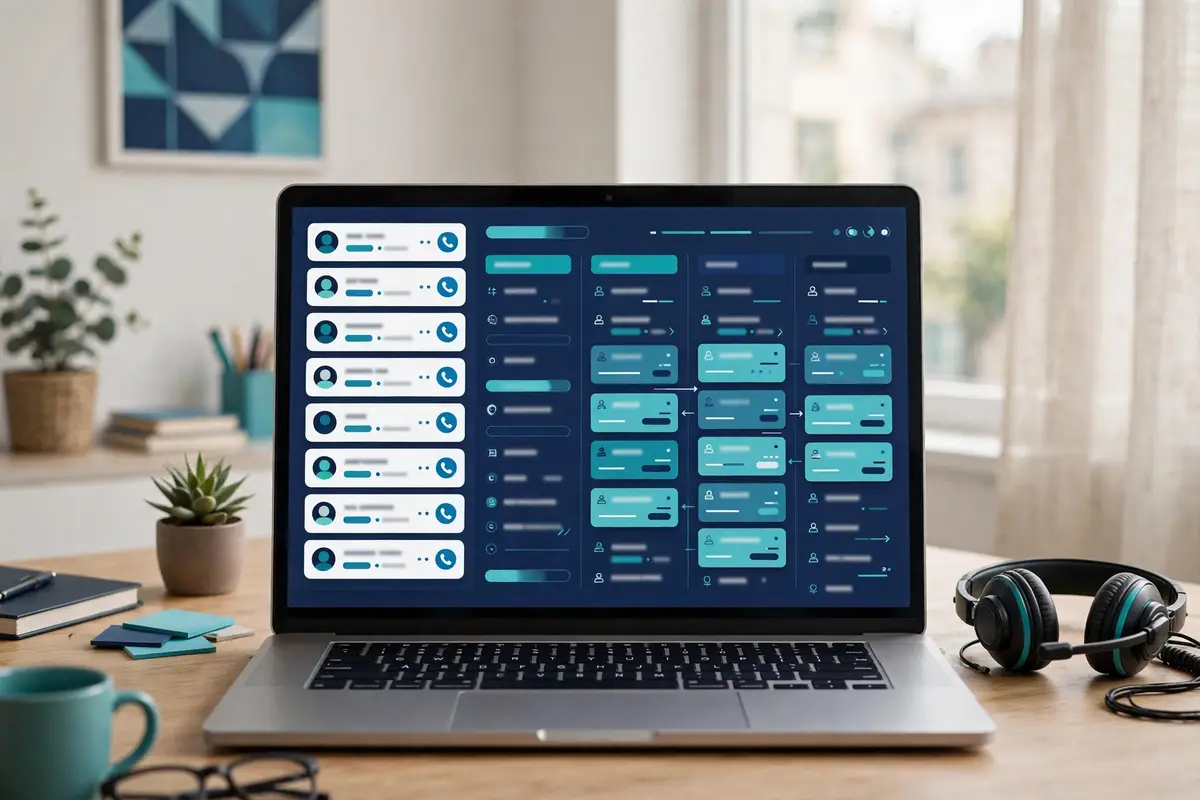
    If a figure matters to your budget, check the pricing page once more before you buy, since Mixmax has restructured its pricing more than once in the last two years.

    Quick Answer

    Mixmax is a sales engagement platform that lives inside Gmail, and it is the most complete Gmail-native option in this Mixmax review. You add a Chrome extension, connect Gmail, and Mixmax runs multichannel sequences of emails, calls, tasks and LinkedIn steps from your own address, tracks every open, click and reply, books meetings in one click, takes AI notes on your calls, and logs every send and reply to Salesforce or HubSpot automatically. Pricing starts at $29 a month per user billed yearly for 100 sequence recipients a month, with 1,500 recipients at $89 a month, and every paid tier includes every feature. A 14-day free trial asks for no card, and a free plan covers 50 recipients a month.

    The catch is Gmail’s ceiling, not Mixmax’s: Google caps a Workspace account at about 2,000 emails in a rolling 24 hours, and Mixmax caps sequence sends at 1,000 a day by design, spacing large lists over weekdays so Gmail treats the sends as manual. Mixmax offers no warm-up pool and no lead database, so a cold outreach buyer still needs a list and a way to warm a new domain.

    Mixmax is best for account executives and founders who already live in Gmail and want their follow-ups, scheduling and CRM logging to happen in one place. It is not the tool for a team that sends thousands of cold emails a week, needs a lead database, or sends mainly from Outlook, where Mixmax is only an add-on rather than the full experience.

    What Mixmax actually is

    Mixmax is a sales execution platform that lives inside Gmail, and that single fact explains almost everything about it. You install the Chrome extension, connect your Gmail account, and the inbox you already know gains a sidebar, a sequence builder, a meeting scheduler and a live feed of who opened what. Nothing else changes: the emails you send still come from your own Gmail address, the replies still land in your inbox as ordinary replies, and the calendar you book from is still your Google Calendar. Mixmax adds the machinery behind that familiar window, so a normal inbox becomes a sales platform. This Mixmax review starts there because the inbox is the product, and every strength and every limit that follows comes from living inside Gmail rather than replacing it.

    How a sequence works, step by step

    A sequence in Mixmax takes three steps, and the homepage says the whole setup can be done before lunch. First you add Mixmax to Chrome from the Web Store, which takes one click. Next you connect your Gmail account, which is the whole integration, since signing in is all it asks. Then you send your first sequence: import a list, pick a template, and go. Mixmax’s own demo timeline puts the first sequence live at nine minutes and forty-seven seconds, with 82 contacts imported at four minutes and ten seconds. That speed is the point, since a seller who can start without an onboarding call or an IT ticket will actually start. Meanwhile, a seller who waits for implementation may never get going.

    Eight capabilities this Mixmax review found defining

    Eight capabilities define the product, and they are worth naming before the detail. First come the multichannel sequences, with emails, calls, tasks and LinkedIn steps in one flow. Next comes the unlimited email tracking on paid plans, with opens, clicks and replies on every email you send. Then comes the one-click scheduling, with booking pages and times embedded in any email. After that come the AI meeting notes, with briefs, notes and recaps for every call. Then comes the AI in the inbox, with AI Compose, Smart Send, Signals and Inbox Categorization. Next comes Sidechat, which lets teammates collaborate inside Gmail. Then comes the CRM sync, which logs every send and reply automatically. Finally comes the option to run Mixmax from Claude or ChatGPT. As a result, you can drive outreach from the AI tools you already use.

    The eight capabilities at a glance

    • Multichannel sequences: emails, calls, tasks and LinkedIn steps in one sequence, sent until someone replies.
    • Unlimited tracking: opens, clicks and replies on every email, with a live feed of who is interested right now.
    • One-click scheduling: booking pages, times in any email, meeting reminders, and booking for teammates.
    • AI meeting notes: briefs before the call, notes during it, and recaps after it, for every meeting.
    • AI in the inbox: AI Compose, Smart Send, Signals and Inbox Categorization, all inside Gmail.
    • Sidechat: collaborate with teammates right inside Gmail, without a separate chat tool.
    • CRM sync: every send and reply logged to Salesforce or HubSpot automatically.
    • Run from AI assistants: drive outreach from Claude or ChatGPT, with sequences, meetings and emails by request.

    Watch: the easiest-to-use sales engagement platform

    Video credit: “The Easiest-to-Use Sales Engagement Platform” by Mixmax on YouTube (watch the original on YouTube). This video is the creator’s property, embedded here via YouTube for education. OutreachCompare has no affiliation with the creator and claims no ownership of the video.

    One more framing point helps before the details. Mixmax is a sales tool for people who already have relationships to run, not a tool that finds strangers for you. It has no lead database and no email finder, and it does not pretend otherwise. It assumes you bring the contacts, usually from your CRM or a CSV import, and it assumes you send from Gmail. That boundary suits an account executive, a founder, a broker or a consultant who already works in Gmail and wants their follow-ups, meetings and CRM logging to happen in one place. That boundary leaves volume buyers short: anyone who wants one subscription to find leads, warm inboxes and blast cold email at scale will need a second tool for the list and a third for the deliverability.

    This Mixmax review keeps that distinction visible throughout, because confusing the two jobs is how buyers end up disappointed.

    Who Mixmax fits best — and who should skip it

    First, this Mixmax review finds the product fits account executives and founders who already live in Gmail. Think of a seller working a pipeline of warm deals, a founder following up after demos, a broker chasing signatures, or a consultant nudging clients, all from the inbox they open every morning. That person needs follow-ups that send themselves, meetings that book themselves, and CRM logging that happens without thinking about it. Mixmax gives them exactly that, and the price starts at $29 a month per user billed yearly, which is less than most sequencers charge for a single seat. This Mixmax review rates it highly for people of that shape. That is because the inbox is the product and Mixmax is the most complete way to run sales from it.

    Small sales teams come next, and they get the most from Mixmax when every rep sends from their own Gmail account and the deals live in Salesforce or HubSpot. The CRM sync logs every send and reply automatically, so the pipeline stays honest without manual data entry. Sidechat lets a manager coach inside Gmail, and delegated sending lets an assistant run outreach from a rep’s address. A team that already pays for Google Workspace. In addition, that sends a few hundred emails a week rather than a few thousand, will find Mixmax a natural fit. Moreover, the per-user recipient pricing makes that easy to buy, since each rep can sit at a different tier.

    Buyers who should look elsewhere

    Now the other side. High-volume cold email teams should look elsewhere first. Mixmax sends through your Gmail account, Google caps a Workspace account at about 2,000 emails in a rolling 24 hours. Also, Mixmax itself caps sequence sends at 1,000 a day. As a result, a team that needs thousands of cold emails a week will hit the ceiling fast. Mixmax’s own help centre says it plainly. If you routinely send to more than 10,000 people at once for marketing automation, use a marketing automation tool. A volume buyer should weigh Instantly from $47 a month on Growth or Smartlead from $39 a month instead, since both are built for that job. Likewise, a team that needs a lead database should not buy Mixmax expecting one, since none is included, and Apollo from $49 a user a month with a 240M-plus database will serve that need better.

    Outlook-first teams should think twice as well. Mixmax is Gmail-first, and its own blog says the Outlook experience is email tracking through an add-on, while Gmail is the full platform. A team that sends half its email from Outlook gets a thinner product from Mixmax, and Mailshake from $29 a month or Klenty from $50 a month billed annually will serve the whole team instead. If your team needs a published database, a done-for-you warm-up pool, or a built-in dialler without an add-on fee, Mixmax will frustrate you, since the database and the warm-up do not exist and the dialler costs $9 a member a month extra. Should any of those descriptions match your team, study the comparison table below before you start the trial.

    Why a Gmail seller should still trial Mixmax first

    Between those two poles sits the buyer this Mixmax review expects most often. A Gmail seller whose follow-ups still depend on memory, sticky notes and hope. That buyer should run the 14-day trial on a real pipeline before deciding. Pick fifty contacts you already know, build one short sequence, and send it with tracking and one-click scheduling. Measure the replies and the meetings booked, not the send volume. Read the replies yourself, and check whether a stale address caused the bounces before you blame the message. When a sequence underperforms, look at the list before rewriting the wording. Even the sharpest email books no meetings when it lands with the wrong people. Two weeks on your own pipeline settles the question with evidence, which beats any sales page as a test.

    Pricing in this Mixmax review: pay by recipients, not by features

    Mixmax publishes its prices openly, and this Mixmax review starts with the figures as they stood on 16 November 2026. There is only one plan, and the price depends on how many people you add to sequences each month. Every paid tier includes every feature, from email tracking to scheduling to CRM sync, so the only question is volume. The pricing page puts it in its own FAQ. The only thing that should change your price is how much automated outreach you run. That is a refreshingly simple model, and it removes the usual guessing about which tier hides the feature you actually need. Annual billing saves 15 to 25% depending on the tier, according to the same FAQ, and you can cancel any time.

    The pricing table, checked today

    Recipients a monthAnnual billingMonthly billingWhat it includesBest forVisit Site →
    Free — 50 recipients$0 / month$0 / monthBasic tracking, meeting scheduling, limited sequencesTrying Mixmax after the trialVisit Site →
    100 recipients$29 / user / month$34 / user / month *Every feature included: sequences, tracking, scheduling, AI notes, CRM syncFollowing up now and then — most popular entry pointVisit Site →
    1,500 recipients$89 / user / month$105 / user / month *Every feature included, at full outreach volumeOutreach as a daily jobVisit Site →
    Outreach at scalePriced on the page’s calculatorCheck the siteEvery feature included, for teams running outreach at scaleGrowing teams and high-volume repsVisit Site →

    Last checked: 16 November 2026 on the Mixmax pricing page. Prices are per user per month in US dollars. * Monthly-billed figures are cross-checked against independent trackers that read the same page in October and November 2026, not read off the live page directly. The scale tier’s price is set on the pricing page’s calculator — check the site for an exact figure. Features and pricing can change, so please check the provider’s site before you buy. We do not guess at features, prices or trials.

    Which tier is the real starting point for outreach

    For most sellers, the $29 tier is the real starting point, and this Mixmax review says so plainly. It covers 100 sequence recipients a month, which is enough for a rep who follows up on warm deals and runs a modest outbound list. The $89 tier covers 1,500 recipients a month, which is the level for a rep whose job is outreach. Furthermore, it is also the level the 14-day trial runs at. As a result, the trial shows you the full volume before you pay. The free plan covers 50 recipients a month with limited features, which is enough to keep tracking and scheduling after the trial ends. Yet, too small to run real outreach on. A seller who is unsure should start the trial, watch how many recipients they actually use in two weeks, and then pick the tier that fits, since upgrades are immediate and prorated.

    The free trial, and what happens when it ends

    Mixmax offers a 14-day free trial, and the terms are generous in every way that matters. During the trial you get every feature, with no payment details asked, and the trial runs at 1,500 recipients. As a result, you can test the sequences, the scheduling and the AI notes properly. When the trial ends, you either buy the tier that fits your volume or you move to Mixmax Free with limited features, and your workspace and data stay intact. That is a fair deal, since nothing is held hostage. Moreover, it is the reason this Mixmax review recommends the trial without hesitation. A buyer who starts the trial on a Monday has two full working weeks to judge the product on real replies.

    Add-ons in this Mixmax review, at $9 a member a month

    Four add-ons sit on top of the paid plans, each at $9 a member a month billed annually, or $12 billed monthly. Custom branding and domains puts your logo on enhancements and booking pages and your domain on tracking and calendar links, which the pricing page says helps more email land. Advanced workspace rules run automations for the whole workspace, with round-robin assignment, shared workflows and org-wide settings. The Salesforce Insights package adds ready-made Salesforce dashboards, reports and activity fields that put Mixmax outreach next to revenue. The dialler lets you call and text prospects right from Mixmax, with SMS and local presence options, and per-minute calling rates are billed separately on top of the $9. None of these is needed to run sequences. In addition, this Mixmax review treats them as optional extras rather than hidden costs.

    The scale tier and the higher volumes, stated honestly

    Above 1,500 recipients a month, Mixmax prices through an on-page calculator. Also, this Mixmax review does not state a figure for that tier as a fact. Independent trackers that read the same page in October and November 2026 list a 500-recipient tier at $49 a month billed yearly, 3,000 recipients at $129, 5,000 at $159 and 15,000 at $229, with monthly billing higher. Furthermore, those figures are quoted here as a guide, not as prices read off the live page. The features table on the pricing page says automated outreach runs up to 15,000 a month on paid plans, which sets the ceiling for a single user. A team that needs more than that should talk to sales, since the page invites larger teams to do exactly that. Moreover, the per-user recipient counts can differ across the team.

    Sequences that run themselves inside Gmail

    Sequences are the heart of Mixmax, and they are the feature that turns an inbox into a sales platform. A sequence is a series of emails, calls, tasks and LinkedIn steps that sends itself until someone replies. In addition, you build it once, add people, and let it run. Mixmax builds sequences with AI by default: you describe what you are selling. Also, it generates a complete multi-stage sequence, with subject lines, copy and follow-up timing, ready to customise and send. If you would rather write your own, you can switch at any time. Furthermore, the sequence builder lets you add stages, mix email with call and LinkedIn steps, and set the gaps between them. That is generous, and it is the reason sequences are the first thing this Mixmax review recommends a new user to try.

    Mixmax review: a four-stage follow-up sequence timeline inside Gmail, ending in a reply
    A sequence that runs itself: four stages over nine days, stopping the moment someone replies.

    Watch: how to create a sequence

    Video credit: “How to Create a Sequence” by Mixmax on YouTube (watch the original on YouTube). This video is the creator’s property, embedded here via YouTube for education. OutreachCompare has no affiliation with the creator and claims no ownership of the video.

    AI-built sequences in this Mixmax review, and why they matter

    The AI sequence builder deserves a moment, because it is the feature a new seller reaches for first. You type a short description of what you sell. Moreover, Mixmax writes the whole sequence for you, subject lines included, with the follow-up timing already set. That draft is a starting point, not a finished email, and the seller edits it, which is the right balance, since a generic AI email is easy to spot. Mixmax also offers AI Compose inside the inbox, which drafts replies and follow-ups in your voice, and Smart Send, which times each send for when the recipient is most likely to respond. Those are practical uses of AI, and they save the time a seller would otherwise spend staring at a blank compose window.

    Multichannel steps in this Mixmax review: email, calls, tasks and LinkedIn

    A sequence in Mixmax is not email-only, and that is what separates it from a plain mail merge. You can mix automated emails with call steps, task reminders and LinkedIn steps in the same flow. As a result, a prospect who ignores the first email gets a call task, and a prospect who answers the call gets a different follow-up. The sequence stops the moment someone replies, so nobody gets a follow-up after they have already answered. You can also add recipients from Salesforce, enrol them automatically with rules, and A/B test sequence steps to see which version earns more replies. Those are the controls a working seller needs, and they show years of product decisions behind the button.

    Sending a sequence from Gmail in this Mixmax review

    Sending a sequence from Gmail is the everyday workflow, and it is deliberately simple. You pick a sequence, add one person or a list. In addition, Mixmax sends the first email from your own Gmail address, in the same thread as the follow-ups that come after it. The follow-ups arrive as threaded replies, so the second email appears in the same conversation as the first, like a normal exchange. A prospect who sees a short bump in a thread they already opened is more likely to answer than a prospect who sees a fresh email with a new subject line. Mixmax also lets you run outreach for a teammate, sent from their address, through delegated sending, which is useful when an assistant books meetings for a busy rep.

    Scheduling and AI: the meeting side of Mixmax

    Scheduling is the second half of Mixmax, and it is the feature that closes the loop a sequence opens. A sequence earns a reply, and the reply needs a meeting. Also, Mixmax books that meeting without the back-and-forth that usually follows. You embed your availability in the email itself, the prospect picks a time, and the meeting lands on your calendar with a reminder attached. Booking pages work the same way for people who prefer a link. Furthermore, you can book meetings for teammates as well. As a result, an assistant can fill a rep’s calendar without asking for their password. That is a small design choice with a large effect on pipeline, since a meeting booked in one click is a meeting that actually happens.

    Mixmax review: one-click meeting scheduling with an embedded calendar and AI send-time suggestions
    Meetings book themselves: availability embedded in the email, with AI suggesting the best time to send.

    AI meeting notes in this Mixmax review: briefs, notes and recaps

    AI meeting notes are the feature that turns a booked meeting into a prepared one. Before the call, Mixmax writes a brief. As a result, the rep knows who they are talking to and what has already been said. During the call, the AI note taker captures what is discussed. After the call, it writes a recap, and can draft the follow-up email from what was agreed. That chain matters because the follow-up is where most deals stall. The rep means to write it, the day fills up, and the prospect cools off. A recap that arrives minutes after the call, with a draft follow-up attached, removes the stall. Moreover, that is why this Mixmax review rates the meeting notes as highly as the sequences themselves.

    Follow-up reminders and Smart Send in this Mixmax review

    Follow-up reminders are the quieter half of the scheduling story, and they deserve a mention. You can set a reminder when you send an email. As a result, the follow-up never slips, and Mixmax will surface the thread when the time comes. Smart Send then times the send for when the recipient is most likely to respond, based on when they have opened before. Those two features work together: the reminder stops the seller forgetting, and the timing stops the email landing at 3am. Neither is flashy, and both are the kind of thing a seller notices only when they are missing, which is why this Mixmax review names them explicitly.

    Polls, templates and snippets in this Mixmax review

    Templates, polls and snippets are the third leg of the inbox, and they make the daily work faster. You save your best emails as templates and reuse them in a click, right in Gmail, with merge fields for the name and the company. Snippets work the same way for a paragraph you send often, such as a pricing answer or a meeting link. Polls and surveys turn an email into an interactive widget. As a result, a prospect can answer a question without leaving the message. Those are small features, and they add up. A seller who reuses a good template, drops in a snippet, and embeds a poll can send a personalised email in under a minute, which is the whole point of a tool that lives in the inbox.

    Tracking, signals and reporting in this Mixmax review

    Tracking is where Mixmax earns its keep after the send, and it covers the three numbers that matter. Opens, clicks and replies are reported on every email you send, with unlimited tracking on paid plans, and a live feed shows you who opened what and when. That feed is the working surface of the product. You open Mixmax in the morning, see who is interested right now, and nudge while the interest is warm. Mixmax’s own homepage puts it plainly, saying the tool shows you who is interested and who is not, and lets you follow up at the right moment. That is a reassuring frame for a seller, because it turns tracking into action rather than a report nobody reads.

    The free plan tracks too, yet with a limit that matters. Free accounts get basic tracking on up to 20 emails a month, according to the Chrome Web Store listing, while paid plans track without a cap. That gap is the real reason to pay, even before sequences. A seller who sends fifty emails a week will burn through the free tracking in two days. Paid tracking also covers attachment tracking, so you know when a prospect opens the proposal you sent, and link tracking, so you know which link they clicked. Those are the signals that tell a seller whether to call now or wait a week. In addition, they are included on every paid tier at no extra cost.

    Signals in this Mixmax review: who is hot, and who has gone cold

    Signals are Mixmax’s name for the engagement intelligence that sits on top of the tracking. The tool surfaces real-time engagement signals, such as who opened an email twice, who clicked a link, and who has gone quiet after opening. As a result, a seller can follow up at the right moment. Inbox Categorization then sorts the inbox itself. As a result, the threads that need an answer rise to the top and the noise sinks. That combination is powerful, since it answers the question every seller asks in the morning: who should I talk to first? A seller who works from Signals will call the prospect who opened the proposal twice before the prospect who never opened at all. Also, that ordering is worth more than any single feature.

    Reporting and analytics in this Mixmax review

    Reporting and analytics sit behind the live feed, and they answer the manager’s question rather than the rep’s. Live reporting shows how each sequence performs, stage by stage, with sent, opened and replied counts per step. As a result, a team can see which email earns replies and which one should be rewritten. The Salesforce Insights add-on, at $9 a member a month, adds ready-made dashboards, reports and activity fields that put Mixmax outreach next to revenue, which is the view a sales leader actually needs. A team that reviews those numbers weekly will improve its sequences steadily. Meanwhile, a team that never looks at them will keep sending the same weak second email. Mixmax gives you the numbers; the improvement is still yours to make.

    Deliverability in this Mixmax review: Gmail’s ceiling, Mixmax’s safeguards

    Deliverability is where Mixmax is most honest, and this Mixmax review says so plainly rather than hiding it. Mixmax sends through your Gmail account, which means Google’s rules apply directly, and no tool that lives in Gmail can promise otherwise. Google caps a Workspace account at about 2,000 emails in a rolling 24 hours, and Mixmax’s own help centre says the same thing, with a clear warning that sending too fast can get an account limited for minutes, hours or a full day. That is a reassuring frame for a buyer, since it manages expectations before the first send instead of after the first spam folder. Furthermore, it is the reason this Mixmax review treats deliverability as a shared responsibility.

    What Mixmax does offer is a set of safeguards that keep a seller inside Google’s limits. A spacing algorithm makes Google treat sequence sends as if they were sent manually, sending messages individually and spreading them over time. If you upload a list of more than 500 recipients, Mixmax spaces the sending over multiple weekdays at 500 recipients a day, and if you want to reach more than 2,000 people, the help centre tells you to send in batches a few days apart. An admin can also set a daily send limit for sequences, from 100 to 1,000 emails a day. Moreover, Mixmax reschedules anything over the limit to the next available day. Those are real, useful controls, and they are included on every plan.

    What Mixmax does not offer for deliverability

    Two gaps belong here plainly. First, Mixmax offers no warm-up pool, and nothing on the official pricing page, homepage or feature list describes one. As a result, this Mixmax review counts warm-up as not offered rather than as a hidden feature. A team that needs warm-up should pair Mixmax with a dedicated tool from our warmup tools roundup, and use Mixmax for the Gmail-native sequences. Second, Mixmax publishes no inbox placement test and no placement percentage. As a result, a buyer who wants a measured placement score will not find one here. What Mixmax does list on its own deliverability blog is the honest toolkit. Daily send limits, deep personalisation, unsubscribe links, an authentication checker and email tracking, which are the controls that keep a sender reputable.

    Keeping your domain safe while you use Mixmax

    Keeping a domain safe comes down to the same rules whatever tool sends the email, and they are worth stating here. Set up SPF, DKIM and DMARC on the domain before the first send, following our sending domain guide, which explains each record in plain language. Warm a new domain slowly, hold the daily volume steady instead of spiky, and watch replies and bounces every single day. Verify the list before it goes into a sequence, since even a good list has a few bad addresses, and a bounce rate above a few percent will hurt the domain. Remove every unsubscriber at once, since a prospect who asked to be left alone and receives another email is the quickest route to a spam complaint. Mixmax gives you the limits and the tracking; the reputation is still yours to protect.

    Our email deliverability tools roundup covers the tools that do the warming job properly.

    Integrations in this Mixmax review: CRM sync, Sidechat and the dialler

    Integrations are where Mixmax earns its keep inside a real stack, and the pricing page lists the headline names plainly. Salesforce, HubSpot, Slack, Zapier, LinkedIn, Dialpad and the Mixmax API are all listed as integrations. In addition, the CRM sync is the one that matters most. Every send and reply is logged to your CRM automatically, so the pipeline stays honest without manual data entry. That is a real saving, since a rep who logs every email by hand will stop doing it by Thursday, and a pipeline that depends on manual logging is a pipeline that lies. A team that already runs Salesforce and wants the activity synced by default will find Mixmax a natural fit. Also, the Salesforce Insights add-on puts the outreach next to revenue in the same dashboard.

    Mixmax review: a Gmail sidebar syncing with a CRM record and a dialler panel
    CRM sync and the dialler: every send and reply logged automatically, with calls and texts from the same sidebar.

    CRM sync in this Mixmax review, and how it stays honest

    The CRM sync works in both directions, and the details are worth knowing. You can add recipients to a sequence straight from Salesforce, and every send, open, click and reply flows back to the lead or contact record automatically. That means a manager can open a deal in Salesforce and see the whole conversation, without asking the rep what happened. The sync also respects the opt-out field. As a result, a contact who asked not to be emailed is skipped rather than mailed again. That is a small control with a large effect on compliance. Furthermore, it is the reason this Mixmax review rates the CRM sync as highly as the sequences themselves. A team that runs HubSpot gets the same automatic logging, with the same visibility into every touch.

    Sidechat and delegated sending in this Mixmax review

    Sidechat is the feature that turns a lonely inbox into a team workspace. It lets teammates collaborate right inside Gmail. As a result, a manager can comment on a thread, a colleague can share a template, and a new rep can learn from a senior’s best emails without leaving the inbox. Delegated sending works alongside it: an assistant can run outreach for a teammate, sent from that teammate’s address. As a result, the emails still come from the rep while the work happens elsewhere. Those are team features, and they are the reason Mixmax suits a small sales team better than a solo sender who never needs them. A solo seller will not miss them. Yet, a team that coaches together will feel their absence in any tool that lacks them.

    Running Mixmax from Claude or ChatGPT in this Mixmax review

    The newest integration is the most interesting one, and it is listed on the pricing page itself. Mixmax connects to Claude and ChatGPT, so you can drive your outreach from the AI tools you already use. You can ask for a four-step follow-up for the contacts you imported, ask how the week’s outreach is doing, or tell it to nudge everyone who opened twice but has not replied, and Mixmax runs it. That is a genuine change in how a seller works, since the inbox stops being a place you visit and becomes a tool you talk to. This Mixmax review has not tested the AI assistant hands-on. As a result, the claim is reported from the official site rather than measured. Yet, the direction is clear: the sellers who adopt it will spend less time clicking and more time talking to prospects.

    The dialler in this Mixmax review, and what it costs

    The dialler is the one feature that costs extra, and the price is plain on the pricing page. At $9 a member a month billed annually, or $12 billed monthly, plus per-minute calling rates billed separately, it lets you call and text prospects right from Mixmax, with SMS and local presence options. Local presence matters because a call from a local number is more likely to be answered than a call from an unknown area code. That is a fair price for a dialler, and it is cheaper than buying a separate calling tool. Yet, a team that dials all day should compare it with Mailshake, whose Sales Engagement plan includes a power dialler, or with Klenty, whose Growth plan includes 200 calling minutes. A team that calls rarely should skip the add-on and buy it only when the phone becomes part of the motion.

    Recipient limits in this Mixmax review: the maths that decides your bill

    The recipient limits are the most misunderstood part of Mixmax, and this Mixmax review states them plainly. A recipient is each person you add to an automated email sequence, and every follow-up in that sequence is included. As a result, a five-step sequence to one person counts once. Emails you send outside a sequence do not count at all. The same contact in two sequences counts twice, and your count resets at the start of each calendar month. Unused recipients do not roll over, and recipients cannot be pooled across the team, since each person buys their own count. That definition is the whole pricing model, and understanding it is the difference between a bill you expected and a bill you did not.

    Three consequences follow from that definition, and each one suits a different seller. First, a rep who follows up on warm deals will rarely use more than 100 recipients a month, since the pipeline is small and the conversations are long. Second, a rep who runs outbound every day will need the 1,500 tier, since a list of fifty new prospects a day uses it up in a month. Third, a team can mix tiers, since each person has their own recipient count. As a result, the rep who follows up on a few deals and the rep who runs outbound full-time can sit at different tiers. That flexibility is the best part of the model. Moreover, it is the reason this Mixmax review recommends counting your real recipients before you buy, rather than guessing at a tier.

    What the limits mean for a real campaign

    In practice, the limits mean this: a free Gmail account suits a list of a few dozen a week, a Workspace account suits a few hundred a week, and anything larger needs a volume tool rather than a bigger Mixmax tier. Mixmax says its sequences can run up to 15,000 recipients a month on paid plans. In addition, the help centre adds that lists over 500 recipients are spaced over weekdays at 500 a day. As a result, a 1,500-recipient campaign takes at least three working days to send. That is an honest boundary, and it tells you who Mixmax is for. A seller who needs a thousand emails a day from one seat should buy a volume tool such as Instantly from $47 a month on Growth or Smartlead from $39 a month, and use Mixmax for the Gmail-native sequences where the personal touch matters most.

    A seller who needs a few hundred a week from Gmail will never feel the ceiling at all.

    Mixmax against GMass, Yesware and Mailshake in this Mixmax review

    Mixmax does not compete with every sequencer, and this Mixmax review compares it with the three rivals that matter most. GMass is the other Gmail-native tool, and the best way to send a mail merge from Google Sheets. Yesware is the inbox sales tool for teams that split between Gmail and Outlook, with a free plan and a Salesforce tier. Mailshake is the sequencer with a power dialler and warm-up built in, from $29 a month. Those three cover the real alternatives: a cheaper merge, the Outlook-friendly option, and the deliverability-first sequencer. A buyer who compares Mixmax with a $39-a-month volume sender is comparing the wrong thing, since Mixmax is not a volume sender and never claimed to be.

    The comparison table, checked today

    ToolStarting priceFree plan / trialSequencesWorks inBest forVisit Site →
    MixmaxFree $0; from $29 / user / month, billed yearlyFree plan, 50 recipients a month; 14-day trial, no cardYes, multichannel, up to 15,000 a monthGmail first, Outlook add-onGmail sellers who want sequences, scheduling and CRM syncVisit Site →
    GMassStandard $29.95 / monthNo free plan; 7-day trial, 50 emails a dayYes, unlimited stages, Premium $39.95Gmail onlyGmail users who want mail merge and sequencesVisit Site →
    YeswareFree $0; Pro $19 / month, $15 annualFree plan, 10 campaign recipients a monthYes, unlimited campaigns on Premium $45Gmail and OutlookInbox sales with a free plan and SalesforceVisit Site →
    MailshakeFrom $29 / monthNo free trial advertisedYes, plus power dialler on Sales Engagement $99Gmail, Outlook and moreOutreach plus calling, with warm-up built inVisit Site →

    Last checked: 16 November 2026. Mixmax and Yesware figures are from each provider’s official pricing page, linked in the table. GMass and Mailshake figures are from our published reviews, verified on their official pricing pages on 16 and 15 November 2026. Features and pricing can change, so please check the provider’s site before you buy. We do not guess at features, prices or trials.

    The feature matrix, checked today

    FeatureMixmaxGMassYeswareMailshake
    Works inside Gmail✓ Chrome extension✓ Chrome extension✓ Gmail sidebar✓
    Works in Outlook✓ add-on, tracking— Gmail only✓✓
    Google Sheets mail merge— not confirmed✓ live Sheet link— not confirmed— not confirmed
    Multichannel sequences✓ email, calls, tasks, LinkedIn— email only✓ email, calls, LinkedIn✓ email, calls, LinkedIn
    Open, click and reply tracking✓ unlimited on paid✓✓✓
    One-click scheduling✓— not confirmed✓ meeting scheduler— not confirmed
    AI meeting notes✓— not confirmed— not confirmed— not confirmed
    AI sequence building✓ AI Compose, Smart Send✓ ChatGPT helper— not confirmed✓ AI email writing
    Warm-up— none offered— none offered— not confirmed✓ unlimited warm-up
    Dialler✓ add-on $9 / member / month— none— call touches only✓ power dialler
    CRM sync✓ Salesforce, HubSpot— via Zapier / API✓ Salesforce on Enterprise✓ HubSpot, Pipedrive, Salesforce
    Free plan✓ 50 recipients a month— 7-day trial only✓ 10 campaign recipients a month— no trial advertised

    Last checked: 16 November 2026. A tick means the feature is stated on the provider’s official site. A dash means it is not confirmed or is confirmed absent. Features and pricing can change, so please check the provider’s site before you buy. We do not guess at features, prices or trials.

    GMass in this Mixmax review: the better mail merge

    Most buyers will actually compare GMass with Mixmax, and the comparison is straightforward. GMass is a Chrome extension that turns Gmail into a mail merge tool, with a live Google Sheet link, personalised attachments, free email verification and a Spam Solver, from $29.95 a month. Mixmax is a Chrome extension that turns Gmail into a sales platform, with multichannel sequences, one-click scheduling, AI meeting notes and CRM sync, from $29 a month per user billed yearly. GMass is the better merge tool, with the Sheet link and the attachments. Meanwhile, Mixmax is the better sales tool, with the scheduling, the AI notes and the CRM sync. A Gmail sender who lives in Sheets should buy GMass. A Gmail seller who lives in meetings should buy Mixmax.

    Yesware in this Mixmax review: the cheaper inbox tool

    Yesware is the rival for a seller who wants inbox sales at the lowest price. It works in Gmail and Outlook, with email tracking, templates, campaigns, a meeting scheduler and LinkedIn touches, and its free plan covers 10 campaign recipients a month. Pro is $19 a month on monthly billing, or $15 a month when billed annually. Meanwhile, Premium is $45 a month, or $35 billed annually, with unlimited campaigns, shared templates and team reporting. Enterprise is $85 a month, or $65 when billed annually, and it adds the Salesforce sidebar with bi-directional sync. Mixmax is the fuller platform, with the AI meeting notes, the multichannel sequences and the Claude and ChatGPT control. Meanwhile, Yesware is the cheaper entry, with the free plan and the lower Pro price. A seller who sends from Outlook should weigh Yesware first.

    A seller who sends only from Gmail should compare the two on sequences and AI, and Mixmax will usually win that test.

    Mailshake in this Mixmax review: the deliverability-first sequencer

    Mailshake is the rival for a seller who wants warm-up and a dialler without paying for add-ons. It runs email outreach with a power dialler on Sales Engagement at $99 a month, or $85 billed annually. Also, it includes unlimited warm-up and unlimited verification on every plan, which Mixmax does not offer at all. Mailshake starts at $29 a month, the same entry price as Mixmax. Yet, it advertises no free trial, while Mixmax offers 14 days with no card. Mixmax is the better Gmail-native tool, with the inbox sidebar, the scheduling and the AI meeting notes. Meanwhile, Mailshake is the better cold outreach tool, with the warm-up, the rotation and the dialler built in. A seller who runs cold email at volume should buy Mailshake. A seller who runs warm follow-ups from Gmail should buy Mixmax.

    Strengths and weaknesses in this Mixmax review, side by side

    Every tool in this Mixmax review’s comparison set has a clear trade, and Mixmax is no exception. Mixmax trades on one clear bargain, and the two lists below draw the decision in sharp lines. It is the best way to run sales from Gmail, and a poor way to buy high-volume cold email infrastructure. That is not a contradiction, and it is the reason this Mixmax review gives a Best-for label rather than a score. The lists below are drawn from the official site and the pricing page, checked on 16 November 2026, with gaps named openly wherever a claim could not be verified.

    Five strengths to weigh

    • First strength: the most complete Gmail-native sales platform, with multichannel sequences, scheduling, AI meeting notes and CRM sync inside one inbox.
    • Second strength: one plan where the price depends only on recipients, so every paid tier includes every feature and no capability hides behind a higher tier.
    • Third strength: a 14-day trial with every feature working and no card asked, running at the full 1,500-recipient level, plus a free plan for 50 recipients a month.
    • Fourth strength: honest safeguards for deliverability, with a spacing algorithm, a configurable daily send limit and clear help-centre guidance on Gmail’s limits.
    • Fifth strength: the easiest setup in this comparison set, with a three-step start, no onboarding call, and security audited by Google, GDPR and SOC 2 on every plan including free.

    Five weaknesses to weigh

    • First weakness: Gmail’s ceiling, about 2,000 emails a day on Workspace and 1,000 a day by Mixmax’s own cap, with no warm-up pool and no way to raise the limit from inside Mixmax.
    • Second weakness: no lead database, no email finder and no verification tool, so a buyer who needs new contacts must pay for a second tool.
    • Third weakness: the dialler costs $9 a member a month extra, plus per-minute usage, so a team that calls all day pays more than the headline price.
    • Fourth weakness: Outlook is only an add-on with tracking, not the full platform, so a mixed-inbox team cannot use Mixmax equally for everyone.
    • Fifth weakness: the scale tier’s price is set on a calculator rather than published plainly, so a high-volume buyer cannot budget without talking to the page first.

    One more drawback is easy to miss, so it belongs here too. Recipients count per sequence, not per email, which means the same contact in two sequences counts twice. A seller who enrols one list in three sequences will burn three times the recipients they expected. Furthermore, the fix is to plan the enrolment before the send, not after it. That is not a hidden fee, since the pricing page explains it plainly. Yet, it is the mistake this Mixmax review sees most often in third-party comparisons. In practice, therefore, the trade is clear: you buy the best Gmail-native sales platform in this comparison set. Moreover, you pay for the recipients you actually use. A buyer who wants the cheapest merge should weigh GMass first. Meanwhile, a buyer who wants Gmail sequences with the least friction should start the Mixmax trial.

    Getting started in this Mixmax review: a sensible first 30 days

    The first week, in this Mixmax review’s getting-started plan, is for the trial and the first sequence. To begin with, install the extension, connect your Gmail account, and import a list of fifty contacts you already know. Give the list clean names and companies, and add one custom line about each person, since that line is what makes the email feel written for them. Build one short sequence with AI, edit the draft until it sounds like you, and send it with tracking and one-click scheduling. A trial on your own pipeline settles the workflow question with evidence, while a demo on slides settles nothing.

    Weeks two to three: a measured first campaign

    Weeks two to three run a small, measured campaign. Pick a real list of a few hundred contacts, verify the addresses with a tool from our email verification tools roundup, and run the sequence with the daily send limit set low. That is where the sequences, the tracking and the scheduling either prove themselves or fall flat. Measure the opens, the replies and the meetings booked, not the send volume. Read the replies yourself, bounces included, and check whether an old address caused the bounces before you fault the email itself. When a sequence underperforms, look at the list before rewriting the wording. Even the sharpest email books no meetings when it lands with the wrong people.

    Week four: making the call

    Week four brings the decision, and the test is a simple one. Give the working sequence a little more volume, and keep watching the one that lags. More replies than expected? Compare the cost per meeting with the $29 tier and the time saved on CRM logging. If deliverability is the bottleneck, lower the daily send limit before the next send. If volume is the bottleneck, count how many recipients you actually used in the trial, and pick the tier that fits, since each rep can sit at a different tier. Divide the monthly cost by the meetings booked to find your cost per meeting, and set it against the GMass or Yesware price for the same list. In short, when Mixmax books meetings cheaper than the old way of working, keep it.

    When it does not, tighten the list, sharpen the targeting, and run one more test before the trial ends.

    Frequently asked questions

    What is Mixmax?

    In short, Mixmax is a sales engagement platform that lives inside Gmail. In addition, this Mixmax review answers the most common questions about it. You add a Chrome extension, connect Gmail. Also, Mixmax runs multichannel sequences of emails, calls, tasks and LinkedIn steps from your own address, tracks every open, click and reply, books meetings in one click, takes AI notes on your calls, and logs every send and reply to Salesforce or HubSpot automatically. It works best in Gmail and Google Workspace, with an Outlook add-on for tracking.

    How much does Mixmax cost?

    Mixmax costs $29 a month per user billed yearly for 100 sequence recipients a month, and $89 a month billed yearly for 1,500 recipients. Furthermore, this Mixmax review checked those figures on mixmax.com/pricing on 16 November 2026. A free plan covers 50 recipients a month with limited features. Larger volumes are priced on the page’s calculator, and independent trackers list 500 recipients at $49 a month billed yearly, 3,000 at $129, 5,000 at $159 and 15,000 at $229, quoted here as a cross-check rather than as prices read off the live page. Add-ons cost $9 a member a month billed annually, or $12 billed monthly.

    Is there a free trial of Mixmax?

    Yes, Mixmax offers a 14-day free trial, and this Mixmax review says so plainly rather than hiding it. During the trial you get every feature, with no payment details asked. Moreover, the trial runs at 1,500 recipients a month. When the trial ends, you either buy the tier that fits your volume or you move to Mixmax Free with limited features, and your workspace and data stay intact. The trial asks for no credit card, according to the pricing page itself.

    How many emails can Mixmax send a day?

    Mixmax itself caps sequence sends at 1,000 a day, and this Mixmax review says so plainly. The ceiling behind that cap comes from Google. About 2,000 emails in a rolling 24 hours on a Google Workspace account. Mixmax spaces lists of more than 500 recipients over weekdays at 500 a day, and an admin can set a daily send limit from 100 to 1,000, with anything over the limit rescheduled to the next available day. Mixmax also counts recipients, not emails: a five-step sequence to one person counts once. Meanwhile, the same contact in two sequences counts twice.

    Does Mixmax do warm-up?

    No warm-up is offered, and this Mixmax review does not claim one. Nothing on the official pricing page, homepage or feature list describes a warm-up pool. As a result, warm-up is counted as not offered rather than as a hidden feature. What Mixmax does offer for deliverability is a spacing algorithm, a configurable daily send limit, deep personalisation, unsubscribe links, an authentication checker and email tracking. A team that needs warm-up should pair Mixmax with a dedicated tool from our warmup tools roundup, and use Mixmax for the Gmail-native sequences.

    Who should not use Mixmax?

    High-volume cold email teams should not use it. That is because Mixmax sends through Gmail, Google caps a Workspace account at about 2,000 emails a day. In addition, Mixmax itself caps sequence sends at 1,000 a day. Outlook-first teams should steer clear too, since Mixmax is Gmail-first and Outlook gets only an add-on with tracking. A team that needs a lead database, a built-in dialler without an add-on fee, or a published inbox placement score should weigh Apollo, which starts at $49 a user a month with a 240M-plus database, or Mailshake, which includes warm-up and a dialler, before deciding.

    The verdict in this Mixmax review

    Verdict: best for Gmail sellers who want sequences, scheduling and CRM sync in one inbox

    Mixmax is the most complete way to run sales from Gmail, and that is the whole case for it. It earns that title by putting multichannel sequences, unlimited tracking, one-click scheduling, AI meeting notes, Sidechat and automatic CRM sync inside the inbox you already use. A seller can import a list, build a sequence with AI, and reach a hundred people who each feel written to alone, then book the meeting and log the deal without leaving Gmail.

    Why Mixmax wins for Gmail sellers

    One plan, published prices and a 14-day trial with every feature working are the numbers behind that claim, and the $29 tier for 100 recipients a month is the one this Mixmax review recommends for most sellers. The $89 tier for 1,500 recipients is the one for a rep whose job is outreach, and the free plan for 50 recipients is the one for a seller who wants to keep tracking after the trial ends. That is why this Mixmax review recommends Mixmax to anyone who already lives in Gmail and wants their follow-ups, meetings and CRM logging to happen in one place.

    What to watch before you buy

    Go in with open eyes. Google caps a Workspace account at about 2,000 emails a day and Mixmax caps sequence sends at 1,000, and Mixmax offers no warm-up, no lead database and no Outlook experience beyond an add-on. The dialler costs $9 a member a month extra, plus per-minute usage, and the scale tier’s price is set on a calculator rather than published plainly. The monthly-billed figures in this review are cross-checked against independent trackers, so confirm them on the pricing page before you budget for them.

    Start the 14-day trial on a real pipeline of fifty contacts, run one sequence with tracking and one-click scheduling, and judge it on meetings booked, not on send volume. Mixmax can then carry the whole Gmail-native motion while a volume tool handles the scale. Skip the trial and you will buy a tier that cannot cover the recipients you need, not a pipeline. We have not tested Mixmax hands-on, so there is no numeric score here — only this verdict, and the evidence above to check it against.

    Visit Mixmax →

    Keep reading

    More Gmail and cold email reviews

    Guides and roundups

    Best for Gmail sellers who want sequences, scheduling and CRM sync in one inbox: MixmaxFrom $29 a month · 14-day trial · Free plan, 50 recipients a month Visit Site →
  • GMass Review 2026

    GMass Review 2026

    Best for Gmail users who want mail merge and sequences without leaving the inbox: GMass

    GMass is a Chrome extension that turns Gmail itself into a mail merge and cold email tool. You install it, a red GMass button appears beside Gmail’s blue Send button, and from then on you write campaigns in the compose window you already know. Lists live in Google Sheets, where each row becomes a recipient and each column becomes a merge field, and the extension personalises every email, tracks opens, clicks and replies, and runs automatic follow-ups in the same thread. It has been building since 2015, and GMass says its own team has sent more than 50 million emails with the tool.

    Pricing starts at $29.95 a month on Standard, or $20 a month billed annually at $249 a year. Sequences and follow-ups arrive on Premium at $39.95 a month, or $29 a month billed annually at $349 a year, and inbox rotation across several Gmail accounts needs Professional at $59.95 a month, or $49 a month billed annually at $599 a year. A 7-day free trial lets you send 50 emails a day, and there is no free plan once the trial ends.

    This GMass review works through the product as it stood on 16 November 2026. It covers the three individual plans and the team pricing, the Google Sheets mail merge, the unlimited follow-up stages, the tracking and the AI analysis, deliverability and the Spam Solver, the sending limits that come from Google rather than GMass, and how GMass compares with YAMM, Mixmax and Yesware. By the end you should know whether GMass is the right way to send cold email from Gmail, or whether a cheaper mail merge tool, or a full sequencer, would serve you better.

    Visit GMass → Jump to the comparison table

    A note on the prices in this GMass review

    One thing to know before the numbers. Every price in this GMass review was read from gmass.co/pricing on 16 November 2026. In addition, the page lists its prices in US dollars. GMass raised its prices on 1 January 2026, which third-party reports describe as the third increase in the company’s ten-year history. Also, the figures below are the new ones. Standard is $29.95 a month billed monthly and $249 a year billed annually, Premium is $39.95 a month and $349 a year, and Professional is $59.95 a month and $599 a year. Team plans use the Professional feature set and start at $175 a month billed monthly, or $145 a month billed annually at $1,750 a year. If a figure matters to your budget, check the pricing page once more before you buy, since GMass changes its prices from time to time.

    Quick Answer

    GMass is a Chrome extension that turns Gmail into a mail merge and cold email tool, and it is the most capable Gmail-native option in this GMass review. You write campaigns in the Gmail compose window, pull the list and the personalisation straight from Google Sheets, and GMass sends each recipient an individual email, tracks opens, clicks and replies, and runs automatic follow-ups in the same thread. Pricing starts at $29.95 a month on Standard, with sequences on Premium at $39.95 a month and inbox rotation on Professional at $59.95 a month, all cheaper billed annually. A 7-day free trial covers 50 emails a day, and there is no free plan.

    The catch is Google’s ceiling, not GMass’s: a free Gmail account can send about 500 emails a day and a Google Workspace account about 2,000, and GMass cannot raise those limits on its own. It can spread a campaign over several days, rotate it across several inboxes on Professional, or route it through an SMTP server, and those are the three ways around the ceiling.

    GMass is best for anyone who already lives in Gmail and wants to send personalised cold email, newsletters or announcements without learning a new platform. It is not the tool for a team that sends from Outlook, needs a lead database or LinkedIn outreach, or wants high-volume cold email with warm-up, because GMass offers none of those as its core job.

    What GMass actually is

    GMass is a Chrome extension, and that single fact explains almost everything about it. You install it from the Chrome Web Store, refresh Gmail, and a red GMass button appears beside Gmail’s blue Send button. Nothing else changes: the inbox looks the same, the compose window looks the same. Furthermore, the emails you send still come from your own Gmail or Google Workspace account. GMass adds the machinery behind that familiar window, so a normal email becomes a campaign. This GMass review starts there because the extension is the product, and every strength and every limit that follows comes from living inside Gmail rather than replacing it.

    How a campaign works, step by step

    A campaign in GMass takes four steps, and GMass’s own homepage says the first one can take under sixty seconds. First you connect a Google Sheet, where each row is a recipient and each column can become a merge field. Then you write the email in the Gmail compose window, typing a curly bracket to drop in a field such as {FirstName} or {Company}, in the subject line as well as the body. Next you set the GMass options: tracking, scheduling, follow-ups, and whether the send should spread over several days. Finally you click the red GMass button instead of the blue Send button. Moreover, GMass sends each recipient their own individual email. Replies land back in your Gmail inbox as ordinary replies, which is why the whole thing feels like normal email rather than a marketing platform.

    Eight capabilities this GMass review found defining

    Eight capabilities define the product, and they are worth naming before the detail. First comes the Google Sheets mail merge, with live data that GMass re-reads just before sending. Next come the automatic follow-ups, with unlimited stages and threaded replies that stop when someone answers. Then comes the tracking, with opens, clicks, replies, bounces and unsubscribes reported per campaign. After that comes the free email verification, which checks addresses before they go out. Then comes the Spam Solver, which iterates on a message until it reaches the inbox. Next come the sending paths: native Gmail, inbox rotation across several accounts, and SMTP. Triggered emails follow, firing when a contact takes an action. Finally comes the API, the webhooks, Zapier and the Sheets API, which connect GMass to the rest of a team’s stack.

    The eight capabilities at a glance

    • Google Sheets mail merge: rows become recipients and columns become merge fields, with the latest Sheet data picked up before sending.
    • Automatic follow-ups: unlimited stages, even a 100-stage onboarding sequence, with threaded replies and one-time follow-ups to non-responders.
    • Tracking and reports: opens, clicks, replies, bounces and unsubscribes, with a live dashboard and cleaner bot filtering.
    • Free email verification: addresses are checked before the campaign goes out, on every plan.
    • Spam Solver: iterates on a message until it hits the inbox, with AI campaign analysis and an inbox placement test.
    • Three sending paths: native Gmail, inbox rotation across several accounts, and SMTP through smtp.gmass.co or an external server.
    • Triggered emails: send automatically when a contact acts, such as opening, clicking or replying.
    • Connections: API, webhooks, Zapier, the Sheets API and SMTP relay, so GMass can sit inside a wider workflow.

    One more framing point helps before the details. GMass is a sending tool for people who already have a list, not a tool that finds the list for you. It has no lead database, no email finder and no LinkedIn outreach, and it does not pretend otherwise. It assumes you bring the contacts, usually in a Google Sheet, and it assumes you send from Gmail. That boundary suits a founder, a seller, a teacher or a marketer who already works in Gmail and wants to reach a list they already hold. That boundary leaves volume buyers short: anyone who wants one subscription to find leads, warm inboxes and send cold email at scale will need a second tool for the list and a third for the deliverability. This GMass review keeps that distinction visible throughout, because confusing the two jobs is how buyers end up disappointed.

    Who GMass fits best — and who should skip it

    First, this GMass review finds the product fits anyone who already lives in Gmail. Think of a founder emailing a list of early users, a seller working a spreadsheet of prospects, a recruiter reaching out to candidates, or a teacher emailing parents, all from the inbox they open every morning. That person needs personalised email at modest volume, sent from their own address, with tracking and follow-ups, and without learning a new platform. GMass gives them exactly that, and the price starts at $29.95 a month, which is less than most sequencers charge for a single seat. This GMass review rates it highly for people of that shape. That is because the inbox is the product and GMass is the cheapest way to make it send campaigns.

    Meanwhile, in this GMass review, small sales teams come next. A team of two to ten sellers on Google Workspace gets the most from GMass when every rep sends from their own Gmail account and the list lives in a shared Sheet. The Premium plan adds the sequences and the API. As a result, follow-ups run themselves and the results can flow into a CRM through Zapier. The Professional plan adds MultiSend, so a campaign can rotate across the team’s inboxes and no single account carries the whole day’s volume. A team that already pays for Workspace. Also, that sends a few hundred emails a day rather than a few thousand, will find GMass a natural fit. In addition, the team pricing makes that easy to buy.

    Buyers who should look elsewhere

    Now the other side. However, Outlook and Microsoft 365 teams should look elsewhere first. GMass works only inside Gmail, and its own FAQ says you need a Gmail or Google Workspace account and the Chrome browser. If half your team sends from Outlook, GMass is a non-starter for them, and Mailshake from $29 a month or Instantly from $47 a month on Growth will serve the whole team instead. Likewise, a team that needs high-volume cold email should not buy GMass expecting it. Google caps a Workspace account at about 2,000 emails a day, GMass offers no warm-up, and the platform supplies no lead database. As a result, a volume buyer will need a second tool for the list and a third for the deliverability.

    Phone-first and LinkedIn-first teams should think twice as well. GMass sends email and nothing else, so a rep who dials all day or works LinkedIn will need a separate tool for the calls and the messages. A seller who wants one platform for email, calls and LinkedIn should weigh Klenty from $50 a month billed annually or Lemlist from $69 a month instead. If your team needs a published database, an AI writer or a done-for-you warm-up pool, GMass will frustrate you, since it offers none of those. If any of those sounds like your team, weigh the rivals in the comparison table before you start the trial.

    Why a Gmail user should still trial GMass first

    Between those two poles sits the buyer this GMass review expects most often. A Gmail user whose outreach still runs on copy, paste and hope. That buyer should run the 7-day trial on a real list before deciding. Pick fifty contacts you already know, write one short email, and send it through GMass with tracking and one follow-up stage. Measure the opens, the replies and the bounces, not the send volume. Read the replies yourself, bounces included, and check whether a stale address caused the bounces before you blame the message. When a campaign underperforms, look at the list before rewriting the wording. The sharpest email still books no meetings when it lands with the wrong people. A week on your own list settles the question with evidence, which beats any sales page as a test.

    Pricing in this GMass review: three plans, checked today

    GMass publishes its prices openly, and this GMass review starts with the figures as they stood on 16 November 2026. There are three individual plans, all in US dollars, and every one of them includes unlimited emails, unlimited contacts and unlimited campaigns, within Google’s sending limits. The difference between the plans is not how much you can send, but which features unlock. Standard is the mail merge plan, Premium is the cold email plan, and Professional is the team and rotation plan. Annual billing cuts roughly a third off each monthly price, and the page accepts PayPal as well as cards. As a result, a buyer who cannot use a card can still subscribe.

    GMass review: a Google Sheet where each row becomes a personalised email sent from Gmail
    Google Sheets mail merge: each row becomes a recipient, and each column can become a merge field in the email.

    The pricing table, checked today

    PlanMonthly billingAnnual billingWhat it includesBest forVisit Site →
    Standard$29.95 / month$20 / month, $249 a yearMail merge, unlimited emails, contacts and campaigns, free verification, custom tracking links with SSL, Spam Solver, email supportSimple mail merge and newslettersVisit Site →
    Premium$39.95 / month$29 / month, $349 a yearEverything in Standard, plus sequences and follow-ups, API and Zapier, A/B testing, Triggered EmailsCold email with follow-ups — most popularVisit Site →
    Professional$59.95 / month$49 / month, $599 a yearEverything in Premium, plus MultiSend inbox rotation and high-priority supportTeams and higher volume across inboxesVisit Site →
    Team PremiumFrom $175 / monthFrom $145 / month, $1,750 a yearProfessional feature set for a team, priced by team size up to $2,200 a month billed monthlyTeams sharing GMass across seatsVisit Site →

    Last checked: 16 November 2026 on the GMass pricing page. Prices are in US dollars. Team pricing rises with team size; see the detailed pricing table on the GMass site for exact seat counts. Features and pricing can change, so please check the provider’s site before you buy. We do not guess at features, prices or trials.

    Which plan is the real starting point for cold email

    For cold email, Premium is the real starting point, and this GMass review says so plainly. Standard has no sequences and no follow-ups, so it is a mail merge tool rather than a cold email tool. You can send a personalised campaign, yet you cannot chase the people who do not reply. Premium adds the sequences, the API, the A/B testing and the triggered emails for $10 more a month billed monthly, or $100 more a year billed annually. Furthermore, that $10 buys the single feature that matters most in cold email. Professional then adds one more thing, MultiSend inbox rotation, for $20 more a month. Moreover, that $20 buys you nothing at all if you send from one inbox. A solo sender should buy Premium, and a team that sends from several inboxes should buy Professional.

    The free trial, and what it does not include

    GMass offers a 7-day free trial, and the terms are generous in one way and strict in another. During the trial you can send 50 emails a day, and every feature works. As a result, you can test the sequences, the tracking and the verification properly. The one restriction is that you cannot connect an SMTP server during the trial, since the 50-a-day cap makes it pointless. After the seven days, or as soon as you need more than 50 emails a day, you must subscribe to a paid plan. That is because GMass no longer offers a permanent free plan. The free plan was discontinued in December 2023, according to third-party reports, and GMass’s own FAQ says the same thing in plainer words. After the trial you need a paid plan to keep using GMass.

    Team pricing in this GMass review, and how it scales

    Team plans use the Professional feature set, and the price rises with the size of the team. The smallest team tier is $175 a month billed monthly, or $145 a month billed annually at $1,750 a year, and the largest tier shown on the pricing page is $2,200 a month billed monthly, or $1,833 a month billed annually at $22,000 a year. The pricing page does not label the seat counts on the main cards. In addition, this GMass review does not guess at them. As a result, check the detailed pricing table on the GMass site for the exact size of each tier. A team that sends from several Gmail accounts should compare the team price with the cost of buying Professional seats one by one, and with Mailshake from $29 a month, which includes team features at a lower entry price.

    Google Sheets mail merge in this GMass review: the heart of the tool

    Google Sheets is not a bolt-on integration in GMass. It sits at the centre of how lists and personalisation work, and GMass’s own homepage says so in those exact words. You connect a Sheet, and each row becomes a recipient while each column can become a merge field. Names, companies, custom sentences, dates, booking links, whatever you keep in the Sheet can flow straight into each email. Because GMass reads directly from the Sheet, your campaign stays connected to the data you already work with, instead of forcing you to export, import and maintain another copy of the list. That is the cleanest mail merge implementation in this GMass review’s comparison set. Also, it is the reason Sheet users adopt GMass so fast.

    The live link between the Sheet and the campaign is the detail that matters most. If you change the Sheet five minutes before a scheduled send, GMass picks up the latest values before sending. As a result, a corrected name or a fixed company lands in the email. That sounds small, yet it removes the most common mail merge mistake: sending yesterday’s data because the export went stale. GMass can also pull personalisation from Google Contacts, or even extract first names from the recipients&rsquo. Also, email addresses, which is handy for a fast email with simple personalisation. For a careful campaign, though, the Sheet is the right source. That is because it holds the custom line that makes each email feel written for one person.

    Watch: mail merge with Excel and Gmail

    Video credit: “Mail merge with Excel and Gmail [90 second demo]” by GMass on YouTube (watch the original on YouTube). This video is the creator’s property, embedded here via YouTube for education. OutreachCompare has no affiliation with the creator and claims no ownership of the video.

    Personalised attachments in this GMass review, including PDFs

    Personalised attachments are the feature that separates GMass from a plain mail merge. Furthermore, they work the same way as the rest of the Sheet. You keep a column in the Sheet with a link to each recipient’s file. Moreover, GMass attaches the right file to the right email. As a result, a hundred people can each get their own PDF without a hundred separate sends. The same trick works for a single attachment sent to everyone, such as a brochure or a one-pager. GMass can also embed images directly into the message. As a result, a picture travels inside the email rather than depending on a separately hosted image link. That matters because an image that loads from a strange domain can trip a spam filter. Meanwhile, an embedded image behaves like an ordinary Gmail message.

    Building a list from Gmail search in this GMass review

    GMass can build a list by searching your own Gmail account, which is a quieter feature that deserves a mention. You search for anything, such as every email from a domain or every thread with a label. In addition, GMass turns the matching senders into a list. That is useful for a follow-up campaign to people you have already spoken with, or for a newsletter to a group you already email. It is not a lead database, and this GMass review is careful to say so. It finds people you already know, not strangers. A buyer who needs new contacts should pair GMass with a finder such as Hunter from $49 a month or Apollo from $49 a user a month, and bring the list into a Sheet.

    Sequences and follow-ups in this GMass review: unlimited stages, threaded replies

    Sequences arrive on Premium, and they are the feature that turns GMass from a mail merge tool into a cold email tool. You set up automatic follow-ups that go out when a contact does not reply, does not open, or does not click. Also, you can set as many stages as you like. GMass’s own homepage gives the extreme example. A 100-stage onboarding sequence, with a welcome email, a setup guide, an import walkthrough, a first-campaign nudge and tips, running all the way to advanced optimisation and re-engagement at stage 100. Most cold email needs four or five stages, not a hundred. Yet, the absence of a cap means a drip campaign never hits an artificial wall. That is generous, and it is the reason Premium is the plan this GMass review recommends for cold email.

    GMass review: an automated follow-up sequence of four email stages inside the Gmail compose window
    Automatic follow-ups: unlimited stages, with threaded replies that stop when someone answers.

    Threaded replies in this GMass review, and why they matter

    Follow-ups in GMass can arrive as threaded replies. As a result, the second email appears in the same thread as the first, like a normal conversation. That is a small design choice with a large effect on replies. A prospect who sees a fresh email with a new subject line knows it is a campaign. Meanwhile, a prospect who sees a short bump in a thread they already opened is more likely to answer. GMass also lets you launch a one-time follow-up after a campaign has finished, aimed only at the people who did not reply, even when you never set up an automatic sequence. And if you pause the main campaign, the follow-ups already queued keep going out on schedule. As a result, stopping new sends does not strand the people who already got the first email.

    Those are thoughtful controls, and they show ten years of product decisions behind the button.

    Watch: personalised attachments in a Gmail mail merge

    Video credit: “How to send a mass email with personalized attachments in Gmail (2 minute demo)” by GMass on YouTube (watch the original on YouTube). This video is the creator’s property, embedded here via YouTube for education. OutreachCompare has no affiliation with the creator and claims no ownership of the video.

    Triggered emails in this GMass review, and the ChatGPT helper

    Triggered emails are the other half of the automation, and they arrive on Premium as well. A triggered email fires when a contact takes an action, such as opening, clicking or replying. As a result, a hot prospect gets a message while the interest is fresh. GMass also offers a ChatGPT helper that can generate a whole campaign, including the follow-ups and the settings, from a typed prompt. That helper writes the draft, and the sender edits it, which is the right balance, since a generic AI email is easy to spot. GMass’s own homepage puts it plainly: do not use AI to write your campaigns. That is because everyone will know, but use it to improve them and understand them. The AI analysis that follows a campaign is the stronger half of that promise, and this GMass review covers it next.

    Scheduling and pacing in this GMass review

    Scheduling is built into the same compose window, and it covers both the first send and the follow-ups. You can schedule a campaign for a date and a time, spread a large campaign over several days so each day stays under Google’s limit, and set the gap between follow-up stages in days. A campaign that would breach the daily limit is split automatically, so the send pauses and resumes rather than bouncing. That pacing is the practical answer to Google’s ceiling, and it works well for a list of a few hundred. A list of a few thousand needs the SMTP path or the MultiSend rotation instead, which this GMass review covers in the limits section.

    Tracking, reporting and the AI analysis in this GMass review

    Tracking is where GMass earns its keep after the send, and it covers the five numbers that matter. Opens, clicks, replies, bounces and unsubscribes are reported per campaign, in a live dashboard that updates as the send progresses. GMass says its analytics are about 30% more accurate than a typical platform. That is because the open tracking filters bot opens more carefully and reports a cleaned open rate alongside the raw one. That claim is a vendor figure, and this GMass review has not tested it hands-on. As a result, treat it as a claim rather than a measured result. What matters in practice is that the dashboard is easy to read, and it is. Sent, opens, clicks and replies sit at the top, with live opens and clicks underneath. As a result, a sender can watch a campaign land in real time.

    Click tracking gets a thoughtful touch of its own. GMass offers friendly click tracking, which shows the recipient a clean, recognisable destination when they hover over a link, instead of an ugly tracking redirect. The clicks are still measured, yet the link looks like a normal link, which is better for trust and better for deliverability. You can also exclude a single link from click tracking. As a result, a partner URL stays exactly as you wrote it while the rest of the campaign is measured normally. Those are small features, and they are the kind a sender notices only when they are missing. GMass also tracks replies, so a follow-up stops the moment someone answers. Furthermore, it tracks bounces and unsubscribes, so a bad address is skipped next time.

    The AI analysis in this GMass review, and the inbox placement test

    After a campaign, GMass’s AI analysis tells you what worked, what bounced and how to fix it. The analysis flags concrete problems rather than vague advice. An image-heavy message, a DMARC policy still set to report-only, too many redirecting links, or a sending volume that jumped too fast for the domain’s recent history. Alongside the analysis sits an inbox placement test, which sends test emails to a seed list and reports how many landed in the inbox and how many in spam. GMass’s own example shows 14 of 20 test emails in the inbox and 6 in spam, which is an honest-looking result rather than a perfect one. That test is the closest GMass comes to a deliverability platform. Moreover, it is useful precisely because it measures the real outcome rather than guessing at it.

    SpinMax in this GMass review: the same message, slightly different words

    SpinMax is GMass’s answer to the problem of sending the same message to hundreds of people. It takes one campaign and varies the wording slightly for each recipient. As a result, the subject and the opening line differ while the meaning stays the same. One recipient gets “Quick idea for Acme”, another gets “An idea for Northstar”, and a third gets “Thought for BrightPath”, each with a greeting that matches. The first message stays verbatim, and the variations spread from there. That is a light form of spintax. In addition, it helps because a hundred identical emails look like a campaign to a spam filter. Meanwhile, a hundred similar emails look like a hundred individual notes. It is not AI personalisation from LinkedIn or company data. Also, this GMass review does not claim it is, yet for a Sheet-driven campaign it is a practical safeguard.

    Deliverability in this GMass review: shared responsibility, Spam Solver, no warm-up

    Deliverability is where GMass is most honest, and this GMass review says so plainly rather than hiding it. GMass’s own homepage opens the section with a joke it immediately takes back. It does not guarantee 100% inbox placement, an 80% open rate or a 50% reply rate, because no tool can. Its mantra is simple: deliverability is a shared responsibility. You control the SPF, DKIM and DMARC setup, the list, the domain reputation, the message and whether people actually want the email. GMass handles the rest, and the best results happen when both sides do their part. That is a reassuring frame for a buyer. That is because it sets the expectation before the first send rather than after the first spam folder.

    GMass review: a shield protecting an email from the spam folder, with an inbox placement gauge
    Deliverability is shared: GMass watches SPF, serves your tracking domain with SSL, and the Spam Solver iterates until the message reaches the inbox.

    What GMass does for deliverability in this GMass review

    On its side of the bargain, GMass monitors your SPF setup and reports when it is broken, serves your custom tracking domain with SSL and monitors it, and offers the Spam Solver, which lets you iterate over an email until it hits the inbox. A personalised To line and embedded image content help as well, since both make the message look like an ordinary Gmail email rather than a bulk send. Those are real, useful controls, and they are included on every plan, including Standard. What GMass does not offer is a warm-up pool, and the reason is worth knowing. GMass built a warm-up tool, then shut it down in late 2022 after Google told it to turn the system off, according to third-party reports. This GMass review flags that as a reported history rather than a GMass statement. Yet, the practical point stands, since no warm-up is available today.

    The Spam Solver in this GMass review, and how to use it

    The Spam Solver deserves a moment, because it is the feature a sender reaches for when a campaign lands in spam. You run the test, the Solver tells you what in the message is likely to trip a filter, you change it. Furthermore, you test again, until the message reaches the inbox. That loop is the honest way to fix a deliverability problem, and it beats guessing at subject lines. The Solver works best alongside the AI campaign analysis, which flags the structural problems, such as too many images or too many redirecting links, that a subject-line tweak cannot fix. A sender who runs both before a big campaign will land more emails in the inbox than a sender who tests nothing. Moreover, that is the whole point of the tool.

    Keeping your domain safe while you use GMass

    Keeping a domain safe comes down to the same rules whatever tool sends the email, and they are worth stating here. Set up SPF, DKIM and DMARC on the domain before the first send. Also, our sending domain guide walks through all three in plain language. Warm a new domain slowly, keep the daily volume steady rather than spiky, and watch the reply rate and the bounce rate every day. Verify the list before it goes into a campaign, since even a good list has a few bad addresses, and a bounce rate above a few percent will hurt the domain. And honour every unsubscribe at once, because a prospect who asked to be left alone and gets another email is the fastest route to a spam complaint. GMass gives you the verification and the tracking; the reputation is still yours to protect.

    Our email deliverability tools roundup and our warmup tools roundup cover the tools that do the warming job properly.

    Integrations in this GMass review: API, Zapier, Sheets and SMTP

    Integrations are where GMass earns its keep inside a real stack, and the homepage lists five ways in. The API lets a developer read and control GMass programmatically, the webhooks push GMass events to another app in real time, Zapier connects GMass to thousands of apps without code, the Sheets API turns a Google Sheet into the live data layer behind sends. In addition, the SMTP relay sends application email through GMass over smtp.gmass.co. GMass’s own homepage adds that with AI and vibe-coding, a sender no longer needs to think of themselves as a developer to use them. That is a fair claim, since a Zapier flow from a Sheet to GMass is a few clicks. Also, it is the reason a small team can wire GMass into a CRM without hiring anyone.

    The CRM picture is honest rather than flashy. GMass has no built-in CRM and no native Salesforce or HubSpot sync of the kind HubSpot Sales Hub offers. As a result, the results flow out through Zapier or the API instead. That is a real limit for a team that wants every send logged in the CRM without thinking about it, and this GMass review says so plainly. For a Gmail-first team, though, the trade is reasonable. The inbox is the CRM, the Sheet is the list, and Zapier carries the results where they need to go. A team that already runs Salesforce and wants the activity synced by default should weigh Salesloft or Close CRM instead, since both treat the CRM as the centre of the product.

    Transactional email in this GMass review, from the same account

    Transactional email is the quieter half of the integrations, and it is worth a short note. GMass can send transactional messages, such as a thank-you for subscribing, a why-did-you-cancel note, or a campaign-finished alert, from the same Google account you already use. GMass says it runs the email infrastructure for all of its own companies on GMass, including announcements, cold email and transactional messages. Furthermore, that its own team has sent more than 50 million emails with the tool. That is a vendor claim about its own use. Moreover, this GMass review reports it as such, yet it is a useful signal. The tool is built by people who depend on it every day, for the same kinds of email its customers send.

    The learning curve in this GMass review, stated honestly

    GMass is upfront about its own learning curve, and this GMass review repeats its own words rather than softening them. GMass says it is not a step-one-enter-a-campaign-name, step-two-enter-a-subject-line kind of tool, and that it gives you everything at once. If you want a wizard that reveals one setting at a time, GMass may feel like too much at first, although GMass adds that you will work ten times faster once you know where the controls sit. That is a fair warning, and it matches what new users report. The settings panel is dense, the options are many, and the first campaign takes longer than the second. The counterweight is that sending a campaign can be as simple as four steps, open compose, add recipients, write the email, and click the GMass button.

    As a result, the depth is there when you want it and out of the way when you do not.

    Sending limits in this GMass review: Google’s ceiling, not GMass’s

    The sending limits are the most misunderstood part of GMass, and this GMass review states them plainly. GMass does not cap paid plans, and the word unlimited on the pricing page means unlimited within your Google account’s quota. Google caps a free Gmail account at about 500 emails a day, and a Google Workspace account at about 2,000 messages a day, with Gmail’s own mail merge capped at 1,500 recipients a day on an eligible Workspace plan. Those are Google’s limits, not GMass’s, and subscribing to GMass cannot raise them. GMass’s own pricing FAQ says so directly. If Gmail is bouncing your emails because you are over the limit, subscribing will not fix that, although it will let you send more than 50 emails a day.

    Three paths exist around the ceiling, and each one suits a different sender. The first is pacing: GMass spreads a large campaign over several days. As a result, each day stays under the limit, and the send pauses and resumes rather than bouncing. The second is inbox rotation, which GMass calls MultiSend, and which spreads one campaign across several connected Gmail or Workspace accounts. As a result, no single account carries the whole day’s volume. MultiSend is available only on Professional, at $59.95 a month, which is the price of the rotation. The third is SMTP: GMass can route a campaign through smtp.gmass.co or an external SMTP server. In addition, the first 10,000 SMTP emails a month are free, with GMass charging $5 per 10,000 after that, according to its own pricing announcement as reported by third parties.

    That figure is flagged as reported rather than read from the pricing page, since the page itself does not list it.

    What the limits mean for a real campaign

    For a real campaign, the limits mean this. A free Gmail account suits a list of a few dozen a day, a Workspace account suits a few hundred a day, and anything larger needs rotation or SMTP. GMass says it can handle campaigns of up to a few hundred thousand recipients using the SMTP connection. Also, that it is not designed to send a campaign to millions of addresses. That is an honest boundary, and it tells you who GMass is for. A sender who needs a thousand emails a day from one seat should buy a volume tool such as Instantly from $47 a month on Growth or Smartlead from $39 a month, and use GMass for the Gmail-native campaigns where the personal touch matters most. A sender who needs a few hundred a day from Gmail will never feel the ceiling at all.

    GMass against YAMM, Mixmax and Yesware in this GMass review

    GMass does not compete with every sequencer, and this GMass review compares it with the three rivals that matter most. YAMM is the other Gmail-native mail merge tool, and the cheapest way to send a merge from Gmail. Mixmax is the Gmail-native sales engagement platform, with scheduling, a dialler and CRM sync. Yesware is the inbox sales tool that works in Gmail and Outlook, with a free plan and a Salesforce tier. Those three cover the real alternatives: a cheaper merge, a fuller Gmail platform, and the Outlook-friendly option. A buyer who compares GMass with a $39-a-month volume sender is comparing the wrong thing, since GMass is not a volume sender and never claimed to be.

    The comparison table, checked today

    ToolStarting priceFree plan / trialSequencesInbox rotationWorks inBest forVisit Site →
    GMassStandard $29.95 / monthNo free plan; 7-day trial, 50 emails a dayYes, unlimited stages, Premium $39.95Yes, MultiSend, Professional $59.95Gmail onlyGmail users who want mail merge and sequencesVisit Site →
    YAMMFree $0; Pro from $6 / month, billed annuallyFree plan, 20 recipients a dayFollow-ups, not full sequencesNot confirmedGmail onlyThe cheapest Gmail mail mergeVisit Site →
    MixmaxFree $0; from $29 / month, billed yearlyFree plan, 50 recipients a month; 14-day trial, no cardYes, up to 15,000 a monthNot confirmedGmail and OutlookGmail sales engagement with schedulingVisit Site →
    YeswareFree $0; Pro $19 / month, $15 annualFree plan, 10 campaign recipients a monthYes, unlimited campaigns on Premium $45Not confirmedGmail and OutlookInbox sales with a free plan and SalesforceVisit Site →

    Last checked: 16 November 2026. GMass, YAMM, Mixmax and Yesware figures are from each provider’s official pricing page, linked in the table. YAMM Pro is $6 a month billed annually for a personal Gmail account and $12 a month for a Workspace account in the United States. Features and pricing can change, so please check the provider’s site before you buy. We do not guess at features, prices or trials.

    The feature matrix, checked today

    FeatureGMassYAMMMixmaxYesware
    Works inside Gmail✓ Chrome extension✓ Sheets add-on✓ Gmail sidebar✓ Gmail sidebar
    Works in Outlook— Gmail only— Gmail only✓✓
    Google Sheets mail merge✓ live Sheet link✓— not confirmed— not confirmed
    Automatic follow-ups✓ unlimited stages✓ follow-up campaigns✓ sequences✓ campaigns
    Open, click and reply tracking✓✓✓ unlimited on paid✓
    Free email verification✓ every plan— not confirmed— not confirmed— not confirmed
    Spam Solver / placement test✓— not confirmed— not confirmed— not confirmed
    Inbox rotation✓ MultiSend, Professional— not confirmed— not confirmed— not confirmed
    SMTP sending path✓ smtp.gmass.co— not confirmed— not confirmed— not confirmed
    Warm-up— none offered— none offered— not confirmed— not confirmed
    Dialler— none— none✓ add-on $9 / member / month— call touches only
    CRM sync— via Zapier / API— via Sheets export✓ Salesforce, HubSpot✓ Salesforce on Enterprise
    Free plan— 7-day trial only✓ 20 recipients a day✓ 50 recipients a month✓ 10 campaign recipients a month

    Last checked: 16 November 2026. A tick means the feature is stated on the provider’s official site. A dash means it is not confirmed or is confirmed absent. Features and pricing can change, so please check the provider’s site before you buy. We do not guess at features, prices or trials.

    YAMM in this GMass review: the cheaper Gmail mail merge

    Most buyers will actually compare YAMM with GMass, and the comparison is straightforward. YAMM is a Google Sheets add-on that sends a mail merge from Gmail, with open, click, response, bounce and unsubscribe tracking, follow-up campaigns and scheduling on Pro. Its free plan covers 20 recipients a day, and Pro costs $6 a month billed annually for a personal Gmail account in the United States, or $12 a month for a Workspace account. GMass is a Chrome extension that does the same merge with a live Sheet link, unlimited follow-up stages, free verification, a Spam Solver, inbox rotation and an SMTP path, from $29.95 a month. YAMM is cheaper and simpler, and it suits a sender who needs a merge and little else. GMass is deeper, and it suits a sender who needs sequences, verification and a way around Google’s ceiling.

    A sender who only merges a newsletter should buy YAMM and keep the saving. A sender who runs cold email should buy GMass Premium and judge it on replies, not on price alone.

    Mixmax in this GMass review: the fuller Gmail platform

    Mixmax is the rival for a seller who wants more than email from the inbox. It runs sequences of emails, calls, tasks and LinkedIn steps, with unlimited email tracking on paid plans, one-click scheduling, AI compose and meeting notes, CRM sync to Salesforce and HubSpot, and a dialler add-on at $9 a member a month. Pricing is by recipients rather than by features. Free for 50 recipients a month, $29 a month billed yearly for 100 recipients, and $89 a month for 1,500 recipients, with a 14-day trial that asks for no card. GMass is the better mail merge tool, with the live Sheet, the personalised attachments and the Spam Solver. Meanwhile, Mixmax is the better sales platform, with the scheduling, the dialler and the CRM sync. A Gmail seller who lives in meetings should buy Mixmax. A Gmail sender who lives in Sheets should buy GMass.

    Yesware in this GMass review: the Outlook-friendly inbox tool

    Yesware is the rival for a team that splits between Gmail and Outlook. It works in both inboxes, with email tracking, templates, campaigns, a meeting scheduler and LinkedIn touches, and its free plan covers 10 campaign recipients a month. Pro costs $19 a month billed monthly, or $15 a month billed annually, and Premium costs $45 a month, or $35 billed annually, with unlimited campaigns, shared templates and team reporting. Enterprise costs $85 a month, or $65 billed annually, and adds the Salesforce sidebar and bi-directional sync. GMass is the stronger merge tool, with the Sheet link and the attachments. Meanwhile, Yesware is the stronger team tool, with the free plan, the Outlook support and the Salesforce tier. A team that sends from Outlook should buy Yesware without hesitating.

    A team that sends only from Gmail should compare the two on sequences and deliverability, and GMass will usually win that test.

    Strengths and weaknesses in this GMass review, side by side

    Every tool in this GMass review’s comparison set has a clear trade, and GMass is no exception. Its strength is the inbox, and its weakness is the ceiling that comes with it. Read together, the two lists draw the decision in sharp lines. GMass is the best way to send personalised email from Gmail. Furthermore, it is the worst way to buy high-volume cold email infrastructure. That is not a contradiction, and it is the reason this GMass review gives a Best-for label rather than a score. The lists below are drawn from the official site and the pricing FAQ, checked on 16 November 2026. Moreover, they say plainly where a claim could not be verified.

    Five strengths to weigh

    • First strength: the most capable Gmail-native mail merge, with a live Google Sheet link, personalised attachments and merge fields in the subject line as well as the body.
    • Second strength: unlimited automatic follow-up stages, with threaded replies, one-time follow-ups to non-responders and triggered emails on Premium.
    • Third strength: free email verification, a Spam Solver and an inbox placement test on every plan, with a custom tracking domain served over SSL.
    • Fourth strength: three sending paths, native Gmail, MultiSend inbox rotation and SMTP, so a campaign can grow past Google’s daily ceiling without leaving the tool.
    • Fifth strength: honest, published pricing from $29.95 a month, a 7-day trial with every feature working, and ten years of building behind the button.

    Five weaknesses to weigh

    • First weakness: Gmail only, with no Outlook or Microsoft 365 sending, so a mixed-inbox team cannot use it for everyone.
    • Second weakness: Google’s ceiling, about 500 emails a day on free Gmail and about 2,000 on Workspace, with no warm-up pool and no way to raise the limit from inside GMass.
    • Third weakness: no lead database, no email finder and no LinkedIn outreach, so a buyer who needs new contacts must pay for a second tool.
    • Fourth weakness: no built-in CRM and no native Salesforce or HubSpot sync, so results flow out through Zapier or the API instead.
    • Fifth weakness: a dense settings panel with no guided wizard, which GMass itself warns about, so the first campaign takes longer than the second.

    One more drawback is easy to miss, so it belongs here too. Standard has no sequences, which means the cheapest plan cannot run cold email properly. A buyer who buys Standard expecting follow-ups will be disappointed, and the fix costs $10 more a month on Premium. That is not a hidden fee, since the pricing page lists it plainly. Yet, it is the mistake this GMass review sees most often in third-party comparisons. In practice, therefore, the trade is clear: you buy the best Gmail-native sender in this comparison set. In addition, you pay for the sequences on Premium and the rotation on Professional. A buyer who wants the cheapest merge should weigh YAMM first. Meanwhile, a buyer who wants Gmail sequences with the least friction should start the GMass trial.

    Getting started in this GMass review: a sensible first 30 days

    The first week, in this GMass review’s getting-started plan, is for the trial and the Sheet. To begin with, install the extension, connect your Gmail account, and build a Sheet with fifty contacts you already know. Give the Sheet clean headers without spaces, such as FirstName and Company, and add one custom column with a sentence about each person, since that column is what makes the email feel written for them. Write one short email in the compose window, drop in the merge fields, and send it with tracking and one follow-up stage. A trial on your own list settles the workflow question with evidence, while a demo on slides settles nothing.

    Weeks two to three: a measured first campaign

    Weeks two to three are for a small, measured campaign. Pick a real list of a few hundred contacts, verify the addresses with the free verification, and run the campaign with the Spam Solver first. That is where the merge, the tracking and the follow-ups either prove themselves or fall flat. Measure the opens, the replies and the bounces, not the send volume. Read the replies yourself, bounces included, and check whether a stale address caused the bounces before you blame the message. When a campaign underperforms, look at the list before rewriting the wording. The sharpest email still books no meetings when it lands with the wrong people.

    Week four: making the call

    Week four is for the decision, and the test is a simple one. Give the working campaign a little more volume, and keep watching the one that lags. More replies than expected? Compare the cost per reply with the Premium price and the time saved. If deliverability is the bottleneck, run the inbox placement test and the AI analysis before the next send. If volume is the bottleneck, trial MultiSend on Professional or the SMTP path, and count the extra emails per day each one buys. Divide the monthly cost by the meetings booked to find your cost per meeting, and set it against the YAMM or Mixmax price for the same list. In short, when GMass books meetings cheaper than the old way of working, keep it. When it does not, narrow the list, sharpen the targeting, and run one more test before the trial ends.

    Frequently asked questions

    What is GMass?

    In short, GMass is a Chrome extension that turns Gmail into a mail merge and cold email tool. Also, this GMass review answers the most common questions about it. You write campaigns in the Gmail compose window, pull the list and the personalisation straight from Google Sheets. Furthermore, GMass sends each recipient an individual email, tracks opens, clicks and replies, and runs automatic follow-ups in the same thread. It works only in Gmail and Google Workspace, and only in the Chrome browser on a computer.

    How much does GMass cost?

    GMass costs $29.95 a month on Standard, $39.95 a month on Premium and $59.95 a month on Professional, all billed monthly. Moreover, this GMass review checked those figures on gmass.co/pricing on 16 November 2026. Billed annually the same plans cost $249, $349 and $599 a year, which works out at $20, $29 and $49 a month. Team plans use the Professional feature set and start at $175 a month billed monthly, or $145 a month billed annually. Premium is the real starting point for cold email, since Standard has no sequences, and Professional adds the MultiSend inbox rotation.

    Is there a free trial of GMass?

    Yes, GMass offers a 7-day free trial, and this GMass review says so plainly rather than hiding it. During the trial you can send 50 emails a day, and every feature works except connecting an SMTP server. After the seven days, or as soon as you need more than 50 emails a day, you must subscribe to a paid plan. That is because GMass no longer offers a permanent free plan. The trial asks for no credit card, according to the Chrome Web Store listing.

    How many emails can GMass send a day?

    GMass itself sets no cap on paid plans, and this GMass review says so plainly. The ceiling comes from Google: about 500 emails a day on a free Gmail account and about 2,000 messages a day on a Google Workspace account, with Gmail’s own mail merge capped at 1,500 recipients a day. GMass can spread a campaign over several days, rotate it across several inboxes with MultiSend on Professional, or route it through an SMTP server. GMass says it can handle campaigns of up to a few hundred thousand recipients over SMTP. In addition, that it is not designed for millions.

    Does GMass do warm-up?

    No warm-up is offered, and this GMass review does not claim one. GMass built a warm-up tool and shut it down in late 2022 after Google told it to turn the system off, according to third-party reports. What GMass does offer for deliverability is the Spam Solver, the AI campaign analysis, the inbox placement test, free email verification, SPF monitoring and a custom tracking domain served over SSL. A team that needs warm-up should pair GMass with a dedicated tool from our warmup tools roundup, and use GMass for the Gmail-native campaigns.

    Who should not use GMass?

    Outlook and Microsoft 365 teams should not use it. That is because GMass works only inside Gmail, and its own FAQ says you need a Gmail or Google Workspace account and the Chrome browser. High-volume outbound teams should steer clear too, since Google caps a Workspace account at about 2,000 emails a day and GMass offers no warm-up. A team that needs a lead database, LinkedIn outreach or a built-in CRM should weigh Apollo, which starts at $49 a user a month with a 240M-plus database, before deciding.

    The verdict in this GMass review

    Verdict: best for Gmail users who want mail merge and sequences without leaving the inbox

    GMass is the easiest way to send personalised cold email from Gmail, and that is the whole case for it. It earns that title by putting the live Google Sheet link, the personalised attachments, the unlimited follow-up stages with threaded replies, the free verification, the Spam Solver and the three sending paths inside the compose window you already use. A sender can build a list in a Sheet, write one email, and reach a hundred people who each feel written to alone, without learning a new platform.

    Why GMass wins for Gmail users

    Three plans, published prices and a 7-day trial with every feature working are the numbers behind that claim, and the Premium plan at $39.95 a month is the one this GMass review recommends for cold email. Standard at $29.95 a month is a fine mail merge tool, yet it has no sequences, and Professional at $59.95 a month adds the MultiSend rotation that a team sending from several inboxes will need. That is why this GMass review recommends GMass to anyone who already lives in Gmail and wants to send personalised email at modest volume.

    What to watch before you buy

    Go in with open eyes. Google caps a free Gmail account at about 500 emails a day and a Workspace account at about 2,000, and GMass offers no warm-up, no lead database, no LinkedIn outreach and no Outlook sending. The settings panel is dense, with no guided wizard, which GMass itself warns about. The SMTP charge of $5 per 10,000 emails after the first 10,000 a month comes from GMass’s own pricing announcement as reported by third parties, so confirm it on the GMass site before you budget for it.

    Start the 7-day trial on a real list of fifty contacts, run one campaign with tracking and one follow-up stage, and judge it on replies, not on send volume. GMass can then carry the whole Gmail-native motion while a volume tool handles the scale. Skip the trial and you will buy a plan that cannot run the sequences you need, not a pipeline. We have not tested GMass hands-on, so there is no numeric score here — only this verdict, and the evidence above to check it against.

    Visit GMass →

    Keep reading

    More Gmail and cold email reviews

    Guides and roundups

    Best for Gmail users who want mail merge and sequences without leaving the inbox: GMassFrom $29.95 a month · 7-day trial · Sequences from $39.95 Visit Site →
  • ZoomInfo Engage Review 2026

    ZoomInfo Engage Review 2026

    Best for enterprise teams already buying ZoomInfo data: ZoomInfo Engage

    ZoomInfo Engage is the sales engagement layer inside ZoomInfo’s go-to-market platform, and it turns the company’s huge verified B2B database into actual outreach. Reps build multi-step Salesflows that mix automated emails, calls and social tasks, work the list with an autodialer and pre-recorded voicemail drops, and let Copilot’s buying signals and AI-drafted emails decide who to contact first. The database behind it covers 500M-plus contacts and 100M-plus companies, with 300M-plus verified emails and 135M-plus direct dials, and ZoomInfo claims a 96% email deliverability rate on its data page.

    Pricing is quote-only: zoominfo.com/pricing publishes no prices at all, and the six plans — Professional, Copilot Advanced, Copilot Enterprise, Marketing Demand, ABM Lite and ABM Enterprise — are all priced by licences and credits. Third-party reports put the platform at roughly $14,995 a year to start and Engage itself at roughly $5,000 to $15,000 a year as an add-on, and this ZoomInfo Engage review flags both figures as third-party reports, not ZoomInfo’s own numbers.

    This ZoomInfo Engage review works through the product as it stood on 16 November 2026. It covers the quote-only pricing and the reported ranges, the Salesflows builder, the autodialer, Copilot’s signals and AI Emailer, deliverability, integrations, and how Engage compares with Apollo, Salesloft and Outreach. It also flags one change buyers should know about before they ask for a demo: zoominfo.com/products/engage now redirects to a ZoomInfo and Salesloft partnership page, so ZoomInfo is steering enterprise engagement buyers toward Salesloft as well as its own Engage. By the end you should know whether Engage is the right way to work your ZoomInfo data, or whether a cheaper database-led sequencer, or Salesloft itself, would serve you better.

    Visit ZoomInfo Engage → Jump to the comparison table

    A note on the prices in this ZoomInfo Engage review

    One thing to know before the numbers: ZoomInfo publishes no prices. This ZoomInfo Engage review checked zoominfo.com/pricing on 16 November 2026. In addition, the page lists six plans with their features and a form to request a quote, but not a single dollar figure. ZoomInfo’s own pricing FAQ says the price depends on features, the number of licences and credit usage, with each export of a contact or company profile costing one credit. The dollar figures in the pricing section therefore come from third-party reports, and this review labels each one as such. If a figure matters to your budget, ask ZoomInfo for a written quote that names the licences, the credits and the add-ons, and compare that quote with the rivals in this ZoomInfo Engage review before you sign anything.

    Quick Answer

    ZoomInfo Engage is the sales engagement layer inside ZoomInfo’s go-to-market platform, built for enterprise sales teams that already buy ZoomInfo data. It runs multi-step Salesflows across email, calls and social tasks, with an autodialer, pre-recorded voicemail drops, mail-merge templates, an email assistant and A/B testing, all on top of a database of 500M-plus contacts, 100M-plus companies, 300M-plus verified emails and 135M-plus direct dials. Copilot adds buyer-intent signals, account summaries and AI-drafted emails, and ZoomInfo claims a 96% email deliverability rate for its data. Pricing is quote-only: no prices appear on zoominfo.com/pricing, and third-party reports put the platform at roughly $14,995 a year to start, with Engage itself at roughly $5,000 to $15,000 a year as an add-on.

    One change to know before you book a demo: zoominfo.com/products/engage now redirects to a ZoomInfo and Salesloft partnership page, so ZoomInfo is steering enterprise engagement buyers toward Salesloft as well as its own Engage.

    Engage is best for enterprise teams that already hold a ZoomInfo contract and want their reps to work the data without leaving the platform. It is not the tool for a small team, a solo seller, or anyone who wants a published price, a self-serve trial, warm-up or high-volume cold email, because Engage offers none of those as its core job.

    What ZoomInfo Engage actually is

    ZoomInfo built Engage as a sales engagement platform inside its own product, and the simplest way to understand it is to start with the problem it solves. A sales team with a great database still wastes its day switching tools. One for the list, one for the email, one for the dialler, one for the CRM, and a spreadsheet to hold the whole thing together. Engage puts the outreach inside the data platform. As a result, a rep can find a prospect, check the buying signals on the account, enrol the contact in a sequence, send the email, make the call and log the activity without leaving ZoomInfo. That is ZoomInfo’s own framing, and it matches what this ZoomInfo Engage review found in the vendor’s help centre and product material. Engage is part of ZoomInfo’s SalesOS platform.

    As a result, it draws on the same contact and company data, the same intent signals and the same CRM integrations as the rest of the suite.

    How a rep works Engage each morning

    In practice, a rep opens Engage in the morning and sees a prioritised list of tasks rather than a static call list. Buyer signals rank the list, so the accounts showing intent sit at the top. From there the rep works through Salesflows, which are multi-step sequences that can include automated emails, calls and social tasks such as connecting on LinkedIn. The email steps send automatically on schedule. Meanwhile, the call and social steps appear as reminders in a real-time task view. As a result, follow-ups do not slip through the cracks. Engage tracks and records every email, call and task. Also, the activity syncs to Salesforce or HubSpot when you connect the integration. That closed loop is the whole point. The data tells the rep who to contact, the sequence tells the rep what to do next, and the analytics show what worked.

    Eight capabilities this ZoomInfo Engage review found defining

    Eight capabilities define the product, and they are worth naming before the detail. First comes the verified database itself, with 500M-plus contacts and 100M-plus companies behind every sequence. Next come Salesflows, the multi-step cadences that mix email, calls and social tasks in one workflow. Then comes the autodialer, which works through a call list with pre-recorded voicemail drops. After that comes email automation, with mail-merge templates, an email assistant that checks subject lines and length, and A/B testing on email steps. Task management follows, with a real-time view of upcoming tasks and reminders for every touchpoint. Analytics close the set for the rep, with reporting on opens, replies, calls and sequence performance. Finally come the CRM and inbox integrations, which connect Engage to Gmail, Office 365, Salesforce and HubSpot so the activity lands where the team already works.

    The eight capabilities at a glance

    • Verified B2B data: 500M-plus contacts, 100M-plus companies, 300M-plus verified emails and 135M-plus direct dials behind every sequence.
    • Salesflows: multi-step sequences that combine automated emails, calls and social tasks such as LinkedIn connects, with A/B testing on email steps.
    • Autodialer: works through call lists fast, with pre-recorded voicemail drops and dialler analytics to prioritise accounts.
    • Email automation: shared or private mail-merge templates, an email assistant that reviews subject lines, length and messaging, and scheduled sends.
    • Task management: a real-time view of upcoming tasks, with reminders for calls, emails and social touches so nothing slips.
    • Activity tracking: Engage records every email, call and task and syncs them to the CRM when you connect the integration.
    • Analytics: reporting on sequence performance, opens, replies and calls, so a team can see which steps earn meetings.
    • Integrations: Gmail and Office 365 for email, Salesforce and HubSpot for CRM sync, and a Chrome extension for working from LinkedIn.

    One more framing point helps before the details. ZoomInfo Engage is an enterprise add-on, not a standalone self-serve product, and it does not pretend otherwise. It assumes the buyer already holds, or is willing to buy, a ZoomInfo data contract. Furthermore, it assumes the team sells to named accounts rather than blasting a bought list. That boundary suits a sales organisation with a defined territory, a CRM the reps actually use, and a manager who wants every touch logged. It leaves a gap for a buyer who wants one cheap tool to find leads, warm inboxes and send cold email at volume, since that buyer will need a second subscription for the sending and the deliverability. This ZoomInfo Engage review keeps that distinction visible throughout, because confusing the two jobs is how buyers end up disappointed.

    Who Engage fits best — and who should skip it

    First, this ZoomInfo Engage review finds the product fits enterprise sales teams that already buy ZoomInfo data. Think of a company with twenty or more sellers, a ZoomInfo contract already in place, named accounts and territories, and a sales leader who wants every rep working the same verified list with the same cadence. That team needs sequences that run on verified emails and direct dials, a dialler that works the call list without a second login, and activity that lands in Salesforce without anyone remembering to log it. Engage gives them exactly that, and the team negotiates the price as part of the ZoomInfo contract rather than buying a separate subscription. This ZoomInfo Engage review rates it highly for teams of that shape. That is because the data is the product and Engage is the cheapest way to work it.

    Meanwhile, in this ZoomInfo Engage review, account-based teams come next. A business that sells to a defined list of target accounts gets the most from Engage. That is because Copilot’s intent signals, champion tracking and buying-group filters tell the rep which accounts to work today and which contacts inside them matter. The rep can enrol several contacts from one account in role-specific sequences. As a result, the technical buyer gets case studies while the executive gets business outcomes. Moreover, the whole buying group is worked at once. A team that buys its pipeline from a list and blasts it will get less from that machinery, since the signals it reads come from accounts the team already cares about. That is a strength for an account-based team and a limit for a volume team. In addition, this ZoomInfo Engage review says so plainly.

    Buyers who should look elsewhere

    Now the other side. However, small teams and solo sellers should look elsewhere first. Engage has no published price, no self-serve signup and no advertised free trial. Also, the reported platform cost starts at roughly $14,995 a year, which is more than most small teams spend on their whole outreach stack. A team of one to five sellers will get the same sequences, a database and a dialler for far less from Apollo, which starts at $49 a user a month and includes a free plan, or from Klenty from $50 a month billed annually, or from Saleshandy from $34 a month billed annually. Likewise, a team that needs high-volume cold email should not buy Engage expecting it. The help centre caps sends at 500 emails a user a day, and the platform supplies no warm-up pool, no inbox rotation and no placement testing.

    Phone-first teams on a budget should think twice as well. Engage includes a dialler, yet it does not put the phone at the centre the way Close CRM does, with its Power Dialer and Predictive Dialer, SMS and a shared inbox on the same screen, from $9 a month. A rep who dials all day will notice the gap within the first hour of using it. If your buying process needs a published price before you talk to sales, Engage will frustrate you, since every figure comes from a quote. A team that already runs Salesloft, by contrast, may not need Engage at all, since ZoomInfo now points engagement buyers toward Salesloft and the two platforms integrate deeply. If any of those sounds like your team, weigh the rivals in the comparison table before you book a demo.

    Why a team already on ZoomInfo should still pilot Engage first

    Between those two poles sits the buyer this ZoomInfo Engage review expects most often. A sales leader whose team already lives in ZoomInfo and whose reps still export lists to a separate sequencer. That buyer should pilot Engage on one team before rolling it out. Pick ten reps, give them one account list, and run one Salesflow from first touch to booked meeting. Measure the reply rate, the meetings booked, the calls completed and the time saved by not switching tools, not the send volume. Read the replies yourself, bounces included, and check whether a stale list caused the bounces before you blame the message. When a sequence underperforms, look at the targeting before rewriting the wording. The sharpest email still books no meetings when it lands with the wrong companies. A month on your own accounts settles the question with evidence, which beats any sales deck as a test.

    Pricing in this ZoomInfo Engage review: quote-only, no published prices

    ZoomInfo publishes no prices, and this ZoomInfo Engage review starts with that fact rather than burying it. The pricing page at zoominfo.com/pricing, checked on 16 November 2026, lists six plans and their features, and every one of them ends in a form to request a quote. There is no monthly figure, no annual figure and no per-seat figure anywhere on the page. ZoomInfo’s own pricing FAQ explains why: the price depends on the features, the number of licences and credit usage, with each export of a contact or company profile costing one credit, and add-ons and integrations can change the package further. The page also carries free trial links for the wider platform. However, no trial is advertised for Engage itself, and third-party listings describe Engage as custom pricing with no free trial.

    Ask for a demo and a written quote, and do not budget from a headline you saw elsewhere.

    ZoomInfo Engage review: a multi-step Salesflow builder with email, call and social steps flowing down one screen
    Salesflows: multi-step sequences that mix automated emails, calls and social tasks in one cadence.

    The pricing table, checked today

    PlanPriceWhat it includesBest forVisit Site →
    ProfessionalQuote onlyContact and company profiles, mobile numbers and business email, search and export, CRM integrations, Chrome extension, AI email generation, intelligent diallingSales teams starting with ZoomInfo dataVisit Site →
    Copilot AdvancedQuote onlyEverything in Professional, plus buyer intent signals, website visitors, Account Fit Score, champion tracking, workflows for automated outreach, AI talking pointsTeams that prioritise accounts by intentVisit Site →
    Copilot EnterpriseQuote onlyEverything in Copilot Advanced, plus real-time intent, sales activity automation, advanced workflows and reporting, custom integrations, Copilot chat, dedicated managerLarge teams running full go-to-market motionsVisit Site →
    Marketing DemandQuote only75,000 included credits, 25 intent topics, audiences and retargeting, CRM and marketing tool integrations, AI audience creationMarketing teams building demandVisit Site →
    ABM LiteQuote onlyEverything in Marketing Demand, plus 100 intent topics, display network for 10 campaigns and 10,000 accounts, Facebook, LinkedIn and Google adsTeams starting account-based marketingVisit Site →
    ABM EnterpriseQuote onlyEverything in ABM Lite, plus 150,000 included credits, unlimited intent topics and display campaigns, AI account summaries and lookalikesEnterprise ABM programmes at scaleVisit Site →

    Last checked: 16 November 2026 on the ZoomInfo pricing page. ZoomInfo publishes no prices on that page; it prices every plan by quote, based on licences and credits. Features and pricing can change, so please check the provider’s site before you buy. We do not guess at features, prices or trials.

    What third-party reports say Engage costs

    Since ZoomInfo publishes nothing, buyers lean on third-party reports, and this ZoomInfo Engage review reports them with their limits attached. Independent pricing trackers commonly put the platform at roughly $14,995 a year for Professional, roughly $24,995 a year for Advanced and roughly $39,995 a year for Elite, with extra users at roughly $1,500 to $2,500 a year each, and annual contracts required. Third-party reports put Engage itself at roughly $5,000 to $15,000 a year as an add-on, depending on the team and the package. Those figures come from third-party research and customer reports, not from ZoomInfo, and different trackers disagree by thousands of dollars. As a result, treat them as a budgeting range rather than a price. The one figure ZoomInfo does publish that matters here is the credit model.

    One credit per exported contact or company profile, with the allowance set in the quote and extra credits bought as needed.

    How to read a ZoomInfo quote before you sign it

    A ZoomInfo quote has four moving parts, and each one deserves a line in the comparison. First comes the base platform, which sets the data depth and the features. Next come the licences, which set how many reps can use it. Then come the credits, which set how many records the team can export each year. Finally come the add-ons, which include Engage, intent data and global data coverage, each priced separately. Ask the rep to put each part in writing, ask what happens to unused credits at renewal, ask whether the price is fixed for the full contract term, and ask what the renewal price will be. Teams typically pay in advance for contracts of one to three years, according to third-party reports. As a result, a cheap first year can hide an expensive second one.

    Compare the total with Apollo at $49 to $99 a user a month and Salesloft at a negotiated quote, and judge the quote on cost per meeting booked, not on the size of the database alone.

    The free routes in, and what they do not include

    ZoomInfo does offer free ways in, although none of them is Engage itself. ZoomInfo Lite gives individuals and small teams a free tier with a set number of monthly credits. Furthermore, ZoomInfo Community Edition gives nonprofits, startups and small businesses access to the full database in exchange for contributing professional contact data from their email accounts. Both are useful for checking the data quality before a sales call, and neither hands you sequences, a dialler or Copilot. The pricing page also carries free trial links for the wider platform. Yet, no trial length or Engage trial is stated. As a result, ask the rep directly whether a trial covers Engage and for how long. A free data tier is a good way to test whether the contacts are accurate for your market, which is the question that matters most before any quote.

    The data underneath Engage: 500M contacts and the credit meter

    Engage is only as good as the data underneath it, and the data is where ZoomInfo earns its price. ZoomInfo’s own data page, checked on 16 November 2026, describes a database of 500M-plus verified contacts and 100M-plus company records, with 300M-plus verified emails, 135M-plus direct dial numbers and 4,500-plus intent topics, processing 1.5B-plus data points every day. The same page claims a 96% email deliverability rate and 87% mobile number accuracy. ZoomInfo’s blog gives a slightly different email figure, 200M-plus verified business emails. Moreover, this ZoomInfo Engage review uses the data page’s 300M-plus figure because it is the more recent of the two official statements. Coverage is deepest in North America, with 79.6M-plus companies and 157.8M-plus contacts there, against 20.5M-plus companies in Europe and far smaller counts elsewhere. As a result, a team selling outside North America should test the data for its own market before signing.

    Verification is a four-source process, and ZoomInfo describes it openly. Automated systems scan 28 million company domains every day, third-party data partners supply business datasets, the Community Edition contributory network supplies business contact fields from email headers and signature blocks, and more than 300 human researchers verify and update records. ZoomInfo claims up to 95% accuracy on first-party data. That claim is a vendor figure, and this ZoomInfo Engage review has not tested it hands-on. As a result, treat it as a claim rather than a guarantee. Independent reviewers do report outdated contacts and weaker coverage in some regions, and the honest way to settle it is to check a sample of your own target accounts during the trial or pilot, rather than trusting any single accuracy number.

    Watch: how ZoomInfo finds and connects with buyers

    Video credit: “ZoomInfo: How B2B Sales Teams Find & Connect with Ideal Customers | 2025 Guide” by ZoomInfo on YouTube (watch the original on YouTube). This video is the creator’s property, embedded here via YouTube for education. OutreachCompare has no affiliation with the creator and claims no ownership of the video.

    How credits work, and why they shape the real cost

    Credits are the meter that turns a quote into a bill, so they deserve a plain explanation. ZoomInfo’s pricing FAQ says each export of a professional or company profile costs one credit, whether the export goes to a CSV file, a CRM or an application, and whether it comes from the platform, the ReachOut Chrome extension or an API call. Viewing and searching cost nothing; only the export spends a credit. The package includes a set number of credits, and more can be bought when the team runs short. Third-party reports say credits do not roll over, which makes budgeting tricky during a heavy outbound push, although ZoomInfo itself does not state that on the pricing page. Ask the rep to confirm the rollover rule in writing, and count the exports your team will actually make in a month before you agree the allowance.

    Finding the right contacts, not just more contacts

    Finding contacts is where the database earns its keep, and the search tools are built for precision rather than volume. Reps can filter by more than 300 company attributes, including firmographics, technographics, funding, hiring and intent, then narrow to the buying group inside each account. Org charts show who reports to whom. As a result, the rep can work several contacts in one account rather than guessing at a single name. The ReachOut Chrome extension surfaces verified contact data as an overlay on LinkedIn profiles. As a result, a rep can find a working direct dial or business email while looking at the prospect’s profile. That combination of search, org charts and a LinkedIn overlay is the practical advantage over a plain list. In addition, it is the reason teams that already buy the data find Engage easy to adopt.

    Salesflows in this ZoomInfo Engage review: email, calls and social tasks in one cadence

    Salesflows are the heart of Engage, and they are the feature this ZoomInfo Engage review spends the most time on. A Salesflow is a multi-step sequence that can include automated emails, calls and other tasks, such as connecting on social media. As a result, a rep fully works every lead instead of stopping after one email. The rep builds the flow once, sets the timing between steps, and enrols contacts from a list, an org chart or a search. The email steps send automatically on schedule. Meanwhile, the call and social steps appear as tasks in the rep’s real-time view, with reminders so follow-ups do not slip through the cracks. That mix of automation and human touch is the design. The machine sends the emails, and the rep makes the calls and the connections.

    Multithreading is where Salesflows stand out, and a recent ZoomInfo blog post describes it well. Instead of enrolling one contact in one sequence, the rep selects several contacts from the same account and enrols each in a role-specific sequence from one view. The technical buyer gets a sequence built around case studies, ROI data and integration details. The executive gets business outcomes, ramp time and competitive win stories. The end user gets community invites, quick wins and peer introductions. Each contact has their own sequence, yet the rep manages all three from one place. Also, the steps can be staggered so the LinkedIn connect lands after the first email, when the name already looks familiar. That is a thoughtful way to work a buying group. Furthermore, it is the feature enterprise teams cite most when they explain why they bought Engage.

    Watch: sending personalised video through Engage

    Video credit: “Engage Tutorial – Send Personalized Videos at Scale” by Sendspark on YouTube (watch the original on YouTube). This video is the creator’s property, embedded here via YouTube for education. OutreachCompare has no affiliation with the creator and claims no ownership of the video.

    Email steps in this ZoomInfo Engage review: templates, mail merge and the assistant

    Email steps are built on templates, and the template system is genuinely useful. Once Engage is connected to Gmail or Office 365, the rep can create shared or private templates, personalised with mail-merge variables such as job title, function or management level. Before sending, the email assistant analyses the subject line, the length and the messaging, and offers recommendations to lift response rates. Campaign mode and mail merge let a rep send a personalised email to a whole list at once. Moreover, the help centre caps sends at 500 emails a day per user, with any extra emails queued and released the next day in the order they were added. All sent emails respect the business hours set in the account settings. As a result, a sequence does not wake a prospect at midnight. That cap is a real limit for volume senders.

    In addition, this ZoomInfo Engage review flags it again in the deliverability section.

    A/B testing in this ZoomInfo Engage review, and what it does not test

    A/B testing is available on the email steps of a Salesflow, and it works the way a rep would hope. The rep can test two versions of an email step, watch the overall analytics, and keep the version that earns more replies. The testing covers the email steps only, not the call or social steps, and not the sequence as a whole. As a result, a team that wants to test a whole cadence against another will need to run two Salesflows and compare them by hand. That is a modest limit, and most teams will not feel it, since the email is the step that carries the message. What matters more is that the analytics are easy to read, and they are. Opens, replies, calls and meetings are tracked per step, so a rep can see exactly where a sequence loses people.

    Tasks and reminders in this ZoomInfo Engage review

    Tasks are the quiet feature that keeps a sequence honest. Engage automatically sends the scheduled emails, and it provides task reminders for the other touchpoints, such as calls or connecting on social media, through a real-time view of upcoming tasks. A rep who opens Engage in the morning sees what is due today, in priority order, rather than a list of everything ever enrolled. When a contact replies or books a meeting, the sequence stops. As a result, nobody gets a follow-up after they have already answered. That sounds basic, yet it is the feature that separates a real sequencer from a mail-merge tool, and Engage handles it cleanly. The task view also shows the contact’s engagement history and company information in real time. As a result, the rep walks into each call with context instead of a cold name.

    Calling in this ZoomInfo Engage review: autodialer, voicemail drops and Trusted Calling

    Calling is the second half of Engage, and the autodialer is built for reps who work a list. The rep builds a dialling list from a search or an imported list. Also, the autodialer works through it, one call at a time, with the contact’s engagement history and company information on screen for context. When the call goes to voicemail, the rep can drop a pre-recorded message and move straight to the next call, which cuts the dead time between conversations. Dialler analytics show which accounts are engaging, so the rep can prioritise the list that is actually picking up. That is a solid, practical dialler, and it is the reason Engage works for teams that sell on the phone as well as by email.

    ZoomInfo Engage review: a sales rep with a headset working a dialler panel with a call list, voicemail drop and analytics
    The autodialer: work a call list fast, drop pre-recorded voicemails, and see dialler analytics on which accounts engage.

    Trusted Calling in this ZoomInfo Engage review

    Trusted Calling is the dialler feature buyers ask about most, and it deserves a plain explanation. When Engage places a call, Trusted Calling works to keep the caller ID from showing as potential spam or a variation of that label. As a result, the prospect sees a normal number and is more likely to answer. ZoomInfo’s help centre describes it as a feature administrators can set up for the team. Furthermore, it is one of the few deliverability features Engage offers for the phone. It does not guarantee an answer, and no dialler can. Yet, a number that is not flagged as spam is a real advantage over a personal mobile or an unbranded line. Ask the rep during the demo whether Trusted Calling is included in the quoted package or priced as an add-on, since ZoomInfo does not say on the pricing page.

    Call recording and coaching in this ZoomInfo Engage review

    Call recording, call monitoring and performance analysis are listed among Engage’s features. Moreover, they matter for a manager who wants to coach a team. Calls can be recorded and reviewed, lists can be managed by team. In addition, the activity syncs to the CRM so the manager can see who called whom and what happened. What Engage does not offer, as far as this ZoomInfo Engage review could verify, is the AI conversation intelligence that Outreach sells as Kaia or Salesloft sells as Conversation Intelligence, with automatic coaching suggestions drawn from the call itself. Engage records the call and shows the numbers; the coaching still comes from the manager listening. That is a fair trade for most teams. Also, it is worth knowing before you compare Engage with a platform that prices conversation intelligence as its headline feature.

    How many calls a rep can realistically make

    A realistic day on the Engage dialler looks like this. A rep works a list of fifty to a hundred contacts, makes the calls the autodialer queues, drops voicemails where nobody answers, and lets the email steps run in the background. The dialler removes the dialling and the logging, which is where the time goes, and the task view removes the thinking about what to do next. What it does not remove is the conversation itself, and that is the point. Engage is built for reps who sell by talking to people, with the email as the warm-up and the call as the close. A team that wants a predictive dialler that dials several numbers at once should look at Close CRM instead, since Engage’s dialler is a power dialler for one call at a time, not a predictive dialler for a call centre.

    Copilot and AI in this ZoomInfo Engage review: signals, summaries and the AI Emailer

    ZoomInfo’s AI assistant, Copilot, is the layer that turns the database into a daily plan. It watches the accounts a rep owns, surfaces buying signals in an activity-based feed, and tells the rep who to reach, what to say and when to act. The signals come from a wide universe. Job postings, earnings call and investor conference transcripts, intent data, funding rounds, hiring plans, C-suite and buying-group changes, and Scoops, which are ZoomInfo’s own reports of company events. When a decision-maker has not engaged within the first thirty days, Copilot alerts the rep. Furthermore, it flags single-threaded opportunities that have interacted with only one contact, since those are prone to delays and collapses. That is genuinely useful, and it is the feature that separates Copilot from a static list.

    ZoomInfo Engage review: an AI assistant panel summarising a target account with intent signals, job-change alerts and a drafted email
    Copilot: account summaries, buying signals and AI-drafted emails, built on the same data Engage sequences run on.

    Account summaries and the AI Emailer in this ZoomInfo Engage review

    Account summaries are Copilot’s most practical output. Copilot consolidates first-party and third-party data into a single brief for each account. As a result, a rep can read the whole story in a minute before a call. The AI Emailer then pulls in historical engagement, CRM data and key account insights to draft smarter, more relevant emails at every stage of the sales cycle, from first touch to renewal. Copilot Chat answers questions about an account and now cites the source of its insights, linking back to the original meetings, emails and calls. As a result, the rep can check the claim rather than trusting it blindly. Meeting summaries are generated automatically for upcoming meetings, with professional summaries of the participants. As a result, the rep can tailor the pitch to the people in the room.

    That is a strong AI layer, and it is included in the Copilot plans rather than sold as a separate product.

    What Copilot does not do, and the claim to check

    Copilot does not write the whole outreach for you, and it does not replace the rep’s judgement. The AI Emailer drafts, and the rep edits, which is the right balance for enterprise selling, where a wrong claim in an email can cost a deal. ZoomInfo reports that Copilot users book nearly 60% more meetings and demos per week. Moreover, that 51% say they are the first sales team to engage an account because of it. Those are vendor-reported figures from a 2024 release, and this ZoomInfo Engage review has not tested them hands-on. As a result, treat them as marketing claims rather than measured results. The honest test is the pilot: run Copilot on one account list for a month, count the meetings booked, and compare the cost per meeting with the old way of working. A month of your own numbers beats any vendor statistic.

    GTM Workspace and Agent Teams in this ZoomInfo Engage review

    Two newer pieces sit around Copilot, and they are worth a short note. GTM Workspace centralises prospecting, engagement and pipeline management in one interface. As a result, the rep does not switch between the data, the sequences and the forecast. Agent Teams, launched in October 2026 and built on technology from ZoomInfo’s acquisition of DoubleO.ai, coordinate specialised AI agents across the go-to-market motion. Both are enterprise features, and neither is priced separately on the pricing page. As a result, ask the rep which plan includes them and whether they are part of the Engage quote. A buyer who wants the newest AI should confirm the feature is live in the plan they are quoted, rather than assuming it is included because it appeared in a press release.

    Deliverability in this ZoomInfo Engage review: your mailbox, your reputation, no warm-up pool

    Deliverability is where Engage is weakest, and this ZoomInfo Engage review says so plainly rather than hiding it. Engage sends from your own mailbox, through Gmail or Office 365. In addition, it caps sends at 500 emails a user a day. ZoomInfo claims a 96% email deliverability rate on its data page. Yet, that figure describes the accuracy of the email addresses in the database, not the inbox placement of the emails Engage sends. A verified address still bounces if the mailbox is misconfigured, still lands in spam if the domain has no reputation, and still gets flagged if the same template goes to a thousand people at once. The data helps, and it helps a lot. Yet, it does not replace the sending infrastructure that a dedicated cold email tool provides.

    What Engage does not offer is the deliverability machinery that volume senders rely on. There is no warm-up pool, no inbox rotation across many mailboxes, no custom tracking domains, and no inbox placement testing published on the official site. The help centre does describe email quotas that an administrator can set per day, per minute and per domain, which is a useful guardrail. Also, the email assistant checks subject lines and length before sending. Those are sensible controls for a sales team, and they are not a deliverability platform. A team that plans to send thousands of cold emails a month should pair Engage with a dedicated sender such as Instantly from $47 a month on Growth or Smartlead from $39 a month, and use Engage for the named-account sequences where the data and the signals matter most.

    Our email deliverability tools roundup and our warmup tools roundup cover the tools that do this job properly.

    The 500-email cap in this ZoomInfo Engage review, and what it means

    The 500-email cap deserves a moment, because it shapes the whole sending strategy. Five hundred emails a user a day is plenty for a rep working a named account list. Furthermore, it is far more than a rep should send to real prospects in a day. It is also a hard ceiling for a team that wants to test a message on a thousand contacts before lunch, or to run a high-volume campaign from one seat. Extra emails are queued and released the next day in the order they were added. As a result, a burst becomes a trickle rather than a bounce. That is a deliberate design choice, and it tells you who Engage is for. A sales team that sells to people it has researched, not a marketing team that blasts a list.

    If volume is the job, buy a volume tool, and let Engage do the work it was built for.

    Keeping your domain safe while you use Engage

    Keeping a domain safe comes down to the same rules whatever tool sends the email, and they are worth stating here. Authenticate the domain with SPF, DKIM and DMARC before the first send, and our sending domain guide walks through all three in plain language. Warm a new domain slowly, keep the daily volume steady rather than spiky, and watch the reply rate and the bounce rate every day. Verify the list before it goes into a sequence, since even a 96% deliverability claim leaves four bad addresses in every hundred, and a bounce rate above a few percent will hurt the domain. Finally, honour unsubscribes immediately, since a prospect who asked to be left alone and gets another email is the fastest way to a spam complaint. Engage gives you the verified list and the sequence; the reputation is still yours to protect.

    Integrations in this ZoomInfo Engage review: Salesforce, HubSpot and the Salesloft question

    Integrations are where Engage earns its keep inside a real stack, and the two that matter most are the CRM integrations. Engage syncs call and email tasks with Salesforce and HubSpot. As a result, the activity lands in the CRM without anyone logging it by hand. Contacts can be exported from ZoomInfo to Engage with a single click from an org chart or a contact search. Moreover, the integration can be managed by an administrator from the admin portal. The inbox integrations cover Gmail and Office 365, which is where most enterprise sales teams live. In addition, the ReachOut Chrome extension brings the data into LinkedIn and Salesforce pages. Those are the integrations a sales team actually uses every day. Also, they work cleanly because they are built by ZoomInfo rather than bolted on by a third party.

    The Salesloft question is the one buyers should ask about first, because it changes the shape of the decision. ZoomInfo’s own product page for Engage, at zoominfo.com/products/engage, now redirects to a ZoomInfo and Salesloft partnership page, which describes Salesloft as the orchestration layer on top of ZoomInfo’s data. The page promises better data, smarter workflows and multi-touch engagement, with Salesloft’s Cadence and Rhythm doing the sequencing and ZoomInfo’s GTM Data Universe supplying the contacts and the signals. That is a genuine partnership, and it is also a signal. ZoomInfo is steering enterprise engagement buyers toward Salesloft as well as its own Engage. A buyer who already runs Salesloft may not need Engage at all, since the integration already brings ZoomInfo data into Salesloft cadences.

    A buyer who wants one vendor should ask ZoomInfo, in writing, whether Engage or Salesloft is the recommended engagement layer for their team, and what each one costs.

    The wider integration picture in this ZoomInfo Engage review

    Beyond the CRM and the inbox, ZoomInfo lists integrations with marketing automation tools, sales automation tools and its own products, including Chat, Chorus for conversation intelligence, and FormComplete for web forms. The pricing page notes that pre-packaged integrations typically carry a base cost and require a minimum purchase of bulk credits, so an integration is not always free. That is worth confirming in the quote, since a buyer who assumes the Salesforce integration is included can be surprised by a line item. The Chrome extension and the mobile app are included in the Professional plan, and the Copilot plans add workflows that push signals into Salesforce, HubSpot, Slack and Microsoft Teams. If your stack includes a tool ZoomInfo does not list, ask whether the API or a custom integration is available, and whether it is priced separately, before you sign.

    Working from LinkedIn with the ReachOut extension

    Working from LinkedIn is where many reps will meet Engage for the first time, and the ReachOut extension is the bridge. The extension surfaces verified contact data as an overlay on LinkedIn profiles. As a result, a rep can find a direct dial or a business email while looking at the prospect, and can enrol the contact in a sequence without switching tabs. That is a practical advantage over a tool that forces the rep to copy a name into a separate search. Furthermore, it is the reason ZoomInfo’s own LinkedIn outreach guide calls Engage the strongest option for LinkedIn-first prospecting. The extension does not automate LinkedIn messages or connection requests, and this ZoomInfo Engage review is careful to say so. The social step in a Salesflow is a task for the rep, not an automated send.

    A team that wants LinkedIn automation should look at Waalaxy from €19 a user a month or HeyReach from $79 a month, and use Engage for the email and the calls.

    Security, compliance and the rules around cold email

    Security is an enterprise buying question, and ZoomInfo answers it with the certifications buyers expect. ZoomInfo lists SOC 2 Type II, ISO 27001, ISO 27701 and TRUSTe GDPR and CCPA compliance among its trust credentials, and the data page describes the platform as the GTM data layer trusted by over half the Fortune 500. Those are vendor claims, and this ZoomInfo Engage review has not audited them hands-on. Yet, they are the same certifications enterprise procurement teams ask for, and they are published on ZoomInfo’s own trust pages. The Community Edition data exchange is governed by its own terms. Moreover, ZoomInfo states that it collects only professional contact data, never personal email addresses, calendar content, message bodies or attachments, and never sensitive personal information such as health records, financial account numbers or political affiliations.

    Cold email rules for the sender

    Compliance for the sender is a different job, and it belongs to the buyer rather than the vendor. Cold email is legal in many markets when it is done properly, and our cold email legality checklist walks through the rules in plain language. In the United States, the CAN-SPAM Act requires a truthful sender, a truthful subject line, a physical address and a clear way to opt out. In addition, the Act requires the opt-out to be honoured promptly. The GDPR in Europe requires a lawful basis for processing, which for business-to-business outreach is usually legitimate interest, balanced against the prospect’s rights. Also, the prospect must be able to object and be removed. Engage helps by tracking unsubscribes and syncing them to the CRM. Yet, it does not write the legal basis for you.

    A team that sells into Europe should get its own advice on legitimate interest, keep a suppression list, and never email a personal address that ZoomInfo did not supply as a business contact.

    Data accuracy and the Contact Accuracy Score

    Data accuracy has a number attached to it, and it is worth understanding. ZoomInfo gives each contact a Contact Accuracy Score from 75 to 99, which shows how confident ZoomInfo is that the person still works at the listed company and can be reached at the business email. A score of 99 is a strong signal, and a score of 75 is a weaker one. As a result, a rep who works the high scores first will bounce less. That is a practical tool, and it is the reason a team should not treat every exported contact as equal. Check the score, verify the list, and expect a few bounces even on a good list, since people change jobs and companies reorganise.

    A team that measures its bounce rate and feeds it back into the list will get better results from Engage than a team that exports once and never looks back.

    Engage against Apollo, Salesloft and Outreach

    Engage does not compete with every sequencer. Furthermore, this ZoomInfo Engage review compares it with the three rivals that matter most. Apollo is the database-led sequencer that a small team buys instead of ZoomInfo. That is because it pairs a 240M-plus database with sequences from $49 a user a month. Salesloft is the enterprise engagement platform that ZoomInfo itself now points buyers toward, with quote-only Advanced and Elite pricing, Cadence, Rhythm and Clari Forecast. Outreach is the other enterprise platform, with quote-only Amplify pricing, Kaia coaching and multichannel sequences, and no built-in database at all. Those three cover the real alternatives: a cheaper database, the partner platform, and the enterprise rival. A buyer who compares Engage with a $39-a-month volume sender is comparing the wrong thing, since Engage is not a volume sender and never claimed to be.

    The comparison table, checked today

    ToolStarting priceContact databaseSequencesDiallerWarm-upFree plan / trialBest forVisit Site →
    ZoomInfo EngageQuote only500M+ contacts, 100M+ companiesSalesflows: email, calls, social tasksAutodialer, voicemail drops, Trusted CallingNot confirmedNo free plan; no Engage trial advertisedEnterprise teams already buying ZoomInfo dataVisit Site →
    ApolloFree $0; Basic $49 / user / month240M+ contactsYes, with LinkedIn task queuesCloud diallerAutomated warm-up includedFree plan; trial on paid plansSmall teams that want data plus sequencesVisit Site →
    SalesloftQuote onlyNone built inCadence, multichannelPaid add-onNot confirmedNo free plan; no trial advertisedEnterprise cadence and forecastingVisit Site →
    OutreachQuote onlyNone built inYes, multichannelVia integrationsNot confirmedNo free plan; no trial advertisedEnterprise AI revenue platformVisit Site →

    Last checked: 16 November 2026. ZoomInfo, Salesloft and Outreach publish no prices; Apollo publishes its prices. Apollo, Salesloft and Outreach figures are from our published reviews on this site, linked in the table. Features and pricing can change, so please check the provider’s site before you buy. We do not guess at features, prices or trials.

    The feature matrix, checked today

    FeatureZoomInfo EngageApolloSalesloftOutreach
    Built-in B2B database✓ 500M+ contacts✓ 240M+ contacts— none— none
    Email sequences✓ Salesflows✓✓ Cadence✓
    Multichannel steps✓ email, calls, social tasks✓ email, calls, LinkedIn tasks✓✓
    Built-in dialler✓ autodialer✓ cloud dialler— paid add-on— via integrations
    Voicemail drops✓— not confirmed— not confirmed— not confirmed
    A/B testing✓ email steps✓✓✓
    AI email drafting✓ Copilot AI Emailer✓ AI writing assistant✓ AI agents✓ Kaia
    Buyer intent signals✓ Copilot plans✓✓ Rhythm✓
    Warm-up / inbox rotation— not confirmed✓ automated warm-up— not confirmed— not confirmed
    CRM sync✓ Salesforce, HubSpot✓ HubSpot, Salesforce✓ Salesforce, HubSpot✓ Salesforce, HubSpot
    Published pricing— quote only✓ from $49 / user / month— quote only— quote only
    Free plan— Lite and Community Edition for data only✓ free plan— none— none

    Last checked: 16 November 2026. A tick means the feature is stated on the provider’s official site. A dash means it is not confirmed or is confirmed absent. Apollo, Salesloft and Outreach details are from our published reviews on this site. Features and pricing can change, so please check the provider’s site before you buy. We do not guess at features, prices or trials.

    Apollo in this ZoomInfo Engage review: the cheaper database-led alternative

    Most buyers will actually compare Apollo with Engage, and the comparison is straightforward. Apollo pairs a 240M-plus contact database with sequences, a cloud dialler, LinkedIn task queues, an AI writing assistant, automated warm-up and inbox rotation, all from $49 a user a month on monthly billing, with a free plan to start. Engage pairs a 500M-plus database with Salesflows, an autodialer, Copilot signals and an AI Emailer, all quote-only, with no free plan and no warm-up. Apollo’s database is smaller, yet its price is published, its trial is self-serve, and its warm-up is included. Engage’s database is larger, its signals are deeper, and its enterprise integrations are stronger, yet its price is a negotiation. A team of fewer than ten sellers should buy Apollo and spend the saving on volume.

    A team of twenty or more sellers that already holds a ZoomInfo contract should pilot Engage and judge it on cost per meeting, not on the size of the database alone. Our Apollo review covers the detail.

    Salesloft in this ZoomInfo Engage review: the partner platform

    Salesloft is the rival that ZoomInfo itself points buyers toward, which makes the comparison unusual. Salesloft’s platform is built around Cadence for multichannel sequences, Rhythm for prioritised account work, Conversation Intelligence for call coaching, and Clari Forecast for revenue prediction, with Advanced and Elite packages that are both quote-only and a dialler sold as a paid add-on. It has no built-in database, so it relies on ZoomInfo’s data through the integration, and the two companies now sell the combination together. A buyer who wants the deepest sequencing and forecasting should buy Salesloft and feed it ZoomInfo data. A buyer who wants the data and the sequences from one vendor, with one contract and one support team, should buy Engage. The honest answer for many enterprise teams is that they will end up with both. Moreover, the question is which one owns the sequence.

    Our Salesloft review covers the detail, including the Clari merger.

    Outreach in this ZoomInfo Engage review: the other enterprise platform

    Outreach is the third enterprise option, and it competes with Engage on AI rather than on data. Outreach’s Amplify packages are quote-only, with AI credits, Kaia for call coaching, multichannel sequences and forecasting, and no built-in database at all. It is a revenue platform first and a sequencer second, which suits a team that already owns its data and wants the AI to run the whole revenue motion. Engage is a data platform first and a sequencer second, which suits a team that wants the data and the outreach from the same vendor. A team that buys Outreach will still need a data subscription. In addition, ZoomInfo is the obvious one, so the two are complements as often as they are rivals. Our Outreach review covers the detail, including the reported entry price of roughly $100 to $150 a user a month from third-party reports.

    Strengths and weaknesses in this ZoomInfo Engage review, side by side

    Every tool in this ZoomInfo Engage review’s comparison set has a clear trade, and Engage is no exception. Its strength is the data, and its weakness is the price and the packaging. A buyer who reads the two lists together will see the decision clearly. Engage is the best way to work ZoomInfo data, and it is the worst way to buy a cheap sequencer. That is not a contradiction, and it is the reason this ZoomInfo Engage review gives a Best-for label rather than a score. The lists below are drawn from the official site and the help centre, checked on 16 November 2026. Also, they say plainly where a claim could not be verified.

    Five strengths to weigh

    • First strength: the largest verified database in this comparison set, with 500M-plus contacts, 100M-plus companies, 300M-plus verified emails and 135M-plus direct dials behind every sequence.
    • Second strength: Salesflows that mix email, calls and social tasks in one cadence, with multithreading across a whole buying group from a single view.
    • Third strength: Copilot’s buying signals, account summaries and AI Emailer, which tell the rep who to contact, what to say and when to act.
    • Fourth strength: a practical autodialer with pre-recorded voicemail drops, dialler analytics and Trusted Calling, built for reps who sell on the phone.
    • Fifth strength: clean CRM and inbox integrations, with activity syncing to Salesforce and HubSpot and a Chrome extension that brings the data into LinkedIn.

    Five weaknesses to weigh

    • First weakness: no published prices, no self-serve signup and no advertised trial for Engage itself, with third-party reports putting the platform at roughly $14,995 a year to start.
    • Second weakness: no warm-up pool, no inbox rotation and no placement testing, with sends capped at 500 emails a user a day, so high-volume cold email needs a separate sender.
    • Third weakness: the standalone Engage product page now redirects to a Salesloft partnership page, so buyers must ask in writing whether Engage or Salesloft is the recommended engagement layer.
    • Fourth weakness: the credit meter, with one credit per exported profile and no rollover stated on the pricing page, can turn a heavy outbound push into a second bill.
    • Fifth weakness: no AI conversation intelligence comparable to Outreach Kaia or Salesloft Conversation Intelligence, so coaching still comes from the manager listening to calls.

    One more drawback is easy to miss, so it belongs here too. Engage is a platform add-on, and add-ons cut both ways. A team that lives in ZoomInfo gets a sequencer built for exactly that data, with the deepest signals and the cleanest CRM sync in this comparison set. Yet a vendor of that size cannot match the published price and the self-serve trial of a vendor a tenth its size, and a buyer who wants to try before they buy should not expect it here. In practice, therefore, the trade is clear: you buy the best database in this comparison set. Furthermore, you pay an enterprise price for the privilege of working it inside one platform. A buyer who wants the cheapest sequencer should weigh Apollo first. Meanwhile, a buyer who wants one contract for data and outreach should ask ZoomInfo for a written quote.

    Getting started in this ZoomInfo Engage review: a sensible first 90 days

    The first two weeks, in this ZoomInfo Engage review’s getting-started plan, are for the data and the demo. To begin with, use ZoomInfo Lite or Community Edition to check the data for your own market, since the database is the product and its accuracy for your accounts matters more than any feature. Export a sample of fifty target accounts, check the emails and the direct dials by hand, and count how many are correct. Then book the demo and ask the rep to run it on your accounts rather than a polished sample, and to show a Salesflow, a dialler list and a Copilot signal on a live account. Also ask for the quote in writing, with the licences, the credits, the add-ons and the renewal price each on its own line.

    A demo on your own accounts settles the data question with evidence, while a demo on slides settles nothing.

    Weeks three to six: a measured pilot

    Weeks three to six are for a small, measured pilot. Start with one team rather than the whole company, and run a single Salesflow from first touch to booked meeting. That is where the multithreading, the dialler and the Copilot signals either prove themselves or fall flat. Measure the reply rate, the meetings booked, the calls completed and the credits burned, not the send volume. Read the replies yourself, bounces included, and check whether a stale list caused the bounces before you blame the message. When a sequence underperforms, look at the targeting before rewriting the wording. The sharpest email still books no meetings when it lands with the wrong companies.

    Weeks seven to twelve: making the call

    Weeks seven to twelve are for the decision, and the test is a simple one. Give the working Salesflow a little more volume, and keep watching the one that lags. More calling than expected? Compare the minutes used with the dialler analytics and the time saved. If the forecast is the bottleneck, open Copilot every Monday and run the pipeline meeting from its signals. If research is the bottleneck, trial the AI Emailer on one account list and count the time it saves. Divide the quarterly cost by the meetings booked to find your cost per meeting, and set it against the Apollo or Salesloft quote for the same team. In short, when Engage books meetings cheaper than the old stack, keep it. When it does not, narrow the list, sharpen the targeting, and run one more test before the renewal.

    Three months of real numbers beats a year of hoping.

    Frequently asked questions

    What is ZoomInfo Engage?

    In short, ZoomInfo Engage is the sales engagement layer inside ZoomInfo’s go-to-market platform. Moreover, this ZoomInfo Engage review answers the most common questions about it. It runs multi-step Salesflows across email, calls and social tasks, with an autodialer, pre-recorded voicemail drops, mail-merge templates and analytics, all on top of ZoomInfo’s verified B2B database. It is built for enterprise sales teams that already buy ZoomInfo data and want their reps to work that data without leaving the platform.

    How much does ZoomInfo Engage cost?

    ZoomInfo publishes no prices, and this ZoomInfo Engage review says so plainly. The pricing page at zoominfo.com/pricing lists six plans, all quote-only, priced by licences and credits. In addition, Engage is priced as part of that quote. Third-party reports put the platform at roughly $14,995 a year to start and Engage itself at roughly $5,000 to $15,000 a year as an add-on, and both figures are third-party reports rather than ZoomInfo’s own numbers. Ask ZoomInfo for a written quote that names the licences, the credits and the add-ons before you budget.

    Is there a free trial of ZoomInfo Engage?

    No trial is advertised for Engage itself, and this ZoomInfo Engage review says so plainly rather than hiding it. The pricing page carries free trial links for the wider ZoomInfo platform. Yet, no trial length or Engage trial is stated, and third-party listings describe Engage as custom pricing with no free trial. ZoomInfo Lite and Community Edition offer free access to the data, but neither includes sequences, a dialler or Copilot. Ask the rep directly whether a trial covers Engage and for how long.

    What is a Salesflow in ZoomInfo Engage?

    A Salesflow is a multi-step sequence that can include automated emails, calls and other tasks, such as connecting on social media, so a rep fully works every lead. The email steps send automatically on schedule. Meanwhile, the call and social steps appear as reminders in a real-time task view. A rep can A/B test the email steps, enrol several contacts from one account in role-specific sequences, and watch the analytics to see which steps earn meetings. Sends are capped at 500 emails a user a day, with extra emails queued for the next day.

    Does ZoomInfo Engage do warm-up?

    No warm-up pool is published on the official site, and this ZoomInfo Engage review does not claim one. Engage sends from your own mailbox through Gmail or Office 365, and the help centre describes email quotas an administrator can set per day, per minute and per domain. A team that needs warm-up, inbox rotation or placement testing should pair Engage with a dedicated sender such as Instantly or Smartlead, and use Engage for the named-account sequences where the data matters most.

    Who should not use ZoomInfo Engage?

    Small teams and solo sellers should not use it. That is because Engage has no published price, no self-serve signup and no advertised trial. Also, the reported platform cost starts at roughly $14,995 a year. High-volume outbound teams should steer clear too, since sends cap at 500 emails a user a day and the platform supplies no warm-up, inbox rotation or placement testing. A team that needs a ready-made prospect list at a published price should weigh Apollo, which starts at $49 a user a month with a free plan, before deciding.

    The verdict in this ZoomInfo Engage review

    Verdict: best for enterprise teams already buying ZoomInfo data

    ZoomInfo Engage is the easiest way to work ZoomInfo data, and that is the whole case for it. It earns that title by putting the largest verified database in this review’s comparison set, the Salesflows that mix email, calls and social tasks, the autodialer with voicemail drops and Trusted Calling, and Copilot’s signals and AI-drafted emails on one screen. A rep can find a prospect, check the buying signals, enrol the contact in a sequence, make the call and log the activity without leaving the platform, and the activity syncs to Salesforce or HubSpot without anyone remembering to log it.

    Why Engage wins for ZoomInfo buyers

    Five hundred million contacts, one hundred million companies, three hundred million verified emails and one hundred thirty-five million direct dials are the numbers behind that claim, and ZoomInfo’s own data page puts the email deliverability rate at 96%. That is why this ZoomInfo Engage review recommends it to enterprise teams that already hold a ZoomInfo contract, or that are ready to buy one, and that sell to named accounts rather than blasting a list.

    What to watch before you sign

    Go in with open eyes. Pricing is quote-only, with no published prices and no advertised trial for Engage itself, and third-party reports put the platform at roughly $14,995 a year to start. Sends cap at 500 emails a user a day, with no warm-up pool, no inbox rotation and no placement testing. The standalone Engage product page now redirects to a Salesloft partnership page, so ask in writing whether Engage or Salesloft is the recommended engagement layer for your team. Credits cost one per exported profile, and the rollover rule is not stated on the pricing page.

    Book the demo on your own accounts, pilot Engage on one team for a month, and judge it on cost per meeting, not on the size of the database alone. Engage can then carry the whole named-account motion while a dedicated sender handles the volume. Skip the pilot and you will get a bill you never saw coming, not a pipeline. We have not tested ZoomInfo Engage hands-on, so there is no numeric score here — only this verdict, and the evidence above to check it against.

    Visit ZoomInfo Engage →

    Keep reading

    More data and sales engagement reviews

    Guides and roundups

    Best for enterprise teams already buying ZoomInfo data: ZoomInfo EngageQuote-only pricing · 500M+ contacts · Salesflows and autodialer Visit Site →
  • HubSpot Sales Hub Review 2026

    HubSpot Sales Hub Review 2026

    Best for teams already running marketing on HubSpot: HubSpot Sales Hub

    HubSpot Sales Hub is the sales software that sits on HubSpot’s Smart CRM, and it gives a growing team one place for prospecting, pipelines, sequences, calling, meetings and forecasting. The free CRM covers up to two users at $0, Starter starts at $10 a seat a month on a limited-time new-customer offer (struck through from $20), Professional starts at $100 a seat a month, and Enterprise starts at $150 a seat a month. Sequences, forecasting, playbooks and lead scoring all unlock on Professional, while the Breeze Prospecting Agent researches accounts, builds buying committees and drafts personalised outreach on every paid plan, paid for with monthly HubSpot Credits.

    This HubSpot Sales Hub review works through the platform as it stood on 16 November 2026. It covers the four plans and the onboarding fees that sit behind two of them, the Breeze agents and the credit meter that pays for them, sequences and calling, deal scoring and forecasting, and how Sales Hub compares with Close CRM, Apollo and Salesloft. By the end you should know whether the CRM your marketing team already lives in is also the right sales platform for your reps, or whether a cheaper phone-first CRM or a database-led sequencer would serve you better.

    Visit HubSpot Sales Hub → Jump to the comparison table

    A note on the prices in this HubSpot Sales Hub review

    One thing to know before the numbers: HubSpot’s pricing page renders its plan cards in JavaScript. A plain text read of the page does not show every figure. The prices in this HubSpot Sales Hub review were therefore corroborated three ways on 16 November 2026. The product page shows Starter at $10 a seat a month struck through from $20, Professional at $100 and Enterprise at $150. HubSpot’s own structured product data lists a $10.00 offer. The annual-billing list prices were recorded in our Close CRM review the same day, namely Starter $15 a seat a month on annual billing, Professional $90 and Enterprise $150. The Starter $10 figure is a limited-time offer for new customers only, and the $15 annual list price is the one a renewal is based on.

    Where a figure comes from a third-party report rather than HubSpot itself, this HubSpot Sales Hub review says so in the note beside it.

    Quick Answer

    HubSpot Sales Hub is the sales software built on HubSpot’s Smart CRM, covering prospecting, deal pipelines, sequences, calling, meetings, playbooks and forecasting in one system, with Breeze AI agents that research accounts, draft outreach and suggest deal updates. It is free for up to two users, then Starter from $10 a seat a month on a limited-time new-customer offer ($20 list, $15 on annual billing), Professional from $90 a seat a month on annual billing ($100 monthly) plus a $1,500 one-time onboarding fee, and Enterprise from $150 a seat a month plus $3,500 onboarding. Sequences, forecasting, lead scoring and playbooks start on Professional.

    HubSpot’s own product page reports that 73% of sales professionals say HubSpot increased their win rate, 94% more deals closed after six months, and 82% more meetings were booked with the prospecting agent.

    Sales Hub is best for small and mid-sized teams that already run marketing on HubSpot, or that want one CRM for the whole customer journey, and that are happy to pay Professional prices for sequences and forecasting. It is not the tool for a team that needs a built-in contact database, high-volume cold email with warm-up, or a phone-first dialler, because Sales Hub supplies none of those as its core job.

    What HubSpot Sales Hub actually is

    HubSpot Sales Hub is the sales layer of HubSpot’s customer platform, and the simplest way to understand it is to start with the foundation it sits on. HubSpot Smart CRM is where the customer data lives, where records are managed, and where the tools connect. In addition, it comes included with any paid HubSpot subscription. Sales Hub is built on top of that foundation and adds the specialised productivity tools a sales team needs to do its actual job. Prospecting, pipeline management, sales coaching, and a good deal more. If the Smart CRM is the system of record, Sales Hub is what the reps and managers live in day to day. That is HubSpot’s own framing, and it matches what this HubSpot Sales Hub review found on the product and pricing pages.

    In practice, a rep can create a contact, associate it with a company and a deal, send a tracked one-to-one email, enrol the contact in a sequence, log a call, book a meeting, move the deal stage, and update the forecast from connected records, all without leaving the CRM. The product page organises the work into three jobs: create pipeline, progress deals, and close deals. Creating pipeline covers the Breeze Prospecting Agent, lead management, sales automation, buying groups and call tracking. Progressing deals covers deal scoring, deal pipelines, AI guided selling, the Notetaker and playbooks. Closing deals covers deal plans, quoting through Revenue Hub, sales methodology scoring and forecasting. That is the whole sales cycle in one subscription. Also, it is why teams that already run HubSpot marketing find the sales side so easy to adopt.

    Eight capabilities this HubSpot Sales Hub review found defining

    Eight capabilities define the product, and they are worth naming before the detail. First comes the Breeze Prospecting Agent, which finds accounts, sources buying committees and executes personalised outreach. Next comes the sales workspace, which gives each rep one prioritised view of leads, deals, tasks and next best actions. Then come sequences, the automated multi-step follow-up cadences that start on Professional. After that comes calling, with a power dialler, voicemail drops and CRM logging. Deal pipelines follow, with AI deal scoring and deal progression. The Notetaker captures meetings automatically and drafts the follow-up. Forecasting closes the set, with AI-powered projections. Finally comes Revenue Hub, which handles quoting, billing and payment without leaving the platform.

    The eight capabilities at a glance, in this HubSpot Sales Hub review

    • Breeze Prospecting Agent (Beta): finds accounts, sources buying committees, and executes personalised outreach with an AI agent that learns from your best reps over time.
    • Sales workspace: one AI-powered workspace for leads, deals, tasks and guided actions, with daily action summaries and smart queues.
    • Sequences: automated multi-step outreach across email, calls and tasks, with automatic unenrolment on reply or booked meeting.
    • Calling: power dialler, voicemail drops and CRM logging, with calling minutes included on every paid plan.
    • Deal pipelines and scoring: pipelines, AI deal scoring, buying groups and deal progression that suggests CRM updates from conversations.
    • Notetaker: captures every meeting automatically, prepares reps with full customer context, and sends follow-up recordings instantly.
    • Forecasting: AI-powered projections with default and custom forecasting and reporting on Professional and Enterprise.
    • Revenue Hub: AI-powered CPQ, quote approvals and e-signature, so a deal can be quoted, billed and paid without switching platforms.

    One more framing point helps before the details. HubSpot Sales Hub is a CRM with sales tools, not a cold email tool. Furthermore, it does not claim to be one. It is the system of record first and the outreach engine second. Moreover, the sequences are built for one-to-one follow-up rather than bulk cold sending. That boundary suits a team whose pipeline comes from inbound leads, referrals, partnerships and a modest outbound motion. Sales Hub slots into the stack without asking you to move anything else. It leaves a gap for a buyer who wants one tool to find leads, warm inboxes and send cold email at volume, since that buyer will need a second subscription for the data and the deliverability. This HubSpot Sales Hub review keeps that distinction visible throughout. That is because confusing the two jobs is how buyers end up disappointed.

    Who Sales Hub fits best — and who should skip it

    First, this HubSpot Sales Hub review finds the product fits small and mid-sized teams that already run marketing on HubSpot. Think of a company with five to fifty sellers, a marketing team already sending campaigns from Marketing Hub, and a founder or sales leader who wants one customer record from first click to closed deal. That team needs a CRM the reps will actually open, sequences that follow up without nagging, a pipeline the manager can read at a glance, and reporting that does not need a spreadsheet beside it. Sales Hub gives them exactly that, with the free plan covering the first two users so the trial costs nothing. The price is a published per-seat rate. In addition, the comparison is with the cost of a CRM plus a sequencer plus a reporting tool, not with one subscription.

    This HubSpot Sales Hub review rates it highly for teams of that shape.

    Meanwhile, in this HubSpot Sales Hub review, inbound-led teams come next. A business whose leads arrive through the website, content, webinars and referrals gets the most from Sales Hub. That is because the CRM already holds the whole history of every lead. The pages visited, the forms filled, the emails opened and the calls logged. The sales workspace surfaces the leads showing real buying signals, the guided selling queues tell the rep what to do next, and the deal scoring ranks the opportunities most likely to close. A team that buys its pipeline from a database and blasts it will get less from that machinery, since the signals it reads are the ones your own marketing created. That is a strength for an inbound team and a limit for an outbound one. Also, this HubSpot Sales Hub review says so plainly.

    Buyers who should look elsewhere

    Now the other side. However, high-volume outbound teams should look elsewhere first. Sales Hub sequences cap at 500 email sends per user per day on Professional and 1,000 on Enterprise, and the platform supplies no warm-up pool, no inbox rotation across many mailboxes and no placement testing. A team planning thousands of cold emails a month from many domains will find Instantly from $47 a month on Growth, or Smartlead from $39 a month, a far better fit for that motion, and can still use Sales Hub for the deals those emails create. Likewise, a team that needs a ready-made list of prospects should not buy Sales Hub expecting one. Breeze Intelligence enriches records you already hold, and the Prospecting Agent researches accounts you already target. Yet, neither hands you a fresh list of companies to call.

    Phone-first teams should think twice as well. Sales Hub includes calling minutes on every paid plan. Yet, it is not built around the phone the way Close CRM is, with its Power Dialer and Predictive Dialer, SMS and a shared inbox on the same screen. A team whose reps make a hundred calls a day will feel that difference in the first hour. If your buying process needs custom objects, team hierarchies and advanced permissions, Enterprise is the only plan that carries them, and the $150 a seat price plus $3,500 onboarding should be budgeted from the start. A solo seller on a tight budget, by contrast, can start free and stay free until the third user arrives, which is a genuinely generous route in.

    Why a team already on HubSpot should still take the free plan first

    Between those two poles sits the buyer this HubSpot Sales Hub review expects most often. A founder or sales leader whose marketing already runs on HubSpot and whose sales process still lives in a spreadsheet. That buyer should start on the free plan, and bring a real pipeline along. Add two users, import the live deals, connect the inbox, and run one week of real selling before paying anything. If the reps open the workspace every morning without being told, the case is made. If they keep the spreadsheet beside it, that is useful information too, before a single dollar is committed. A week on your own pipeline settles the question with evidence, which beats any sales deck as a test.

    Pricing in this HubSpot Sales Hub review: free, Starter, Professional, Enterprise

    HubSpot publishes its prices, and this HubSpot Sales Hub review starts with the figures as they stood on 16 November 2026. The free CRM costs $0 for up to two users, with no credit card required. Starter starts at $10 a seat a month on a limited-time offer for new customers only, shown struck through from $20. Furthermore, the standing list price is $20 a seat a month on monthly billing or $15 on annual billing. Professional starts at $100 a seat a month on monthly billing, or $90 on annual billing, plus a required one-time onboarding fee of $1,500. Enterprise starts at $150 a seat a month, plus a required one-time onboarding fee of $3,500. Those are the figures on hubspot.com/products/sales and hubspot.com/pricing/sales, checked on 16 November 2026, with the annual list prices corroborated as explained in the note at the top of this HubSpot Sales Hub review.

    HubSpot Sales Hub review: an automated sequence timeline with email, call and task steps flowing across a CRM screen
    Sequences: automated multi-step outreach across email, calls and tasks, starting on Professional.

    The pricing table in this HubSpot Sales Hub review, checked today

    PlanPriceWhat it includesBest forVisit Site →
    Free$0CRM for up to 2 users; deal tracking, live chat, meeting scheduling, 10 dashboardsTrying HubSpot, or a solo seller with a tiny pipelineVisit Site →
    Starter$10 / seat / month *500 HubSpot Credits; 500 calling minutes; up to 50 workflows; 1,000 meeting links; HubSpot branding removedSmall teams that need simple automation and callingVisit Site →
    Professional$90 / seat / month †3,000 HubSpot Credits; sequences (500 sends/user/day); forecasting; 300 workflows; 100 custom reports; 750 transcription hoursTeams that need sequences, forecasting and custom reportingVisit Site →
    Enterprise$150 / seat / month ‡5,000 HubSpot Credits; sequences (1,000 sends/user/day); 1,000 workflows; 500 custom reports; 1,500 transcription hours; conversation intelligenceLarge teams that need hierarchies, custom objects and governanceVisit Site →

    Last checked: 16 November 2026 on HubSpot’s product page and HubSpot’s pricing page. * Starter $10 is a limited-time offer for new customers only, shown struck through from $20; the standing list price is $20 a seat a month monthly or $15 on annual billing. † Professional $90 is the annual-billing rate ($100 monthly) plus a required one-time $1,500 onboarding fee. ‡ Enterprise $150 plus a required one-time $3,500 onboarding fee. The pricing page renders its plan cards in JavaScript, so figures were corroborated against the product page, HubSpot’s own structured product data and the annual list prices recorded the same day. Features and pricing can change, so please check the provider’s site before you buy. We do not guess at features, prices or trials.

    What the first year actually costs

    The per-seat price is only half the bill. Moreover, this HubSpot Sales Hub review counts the onboarding fee as the detail most buyers miss. A three-seat Professional team pays $90 a seat a month on annual billing, which is $3,240 a year, plus the $1,500 onboarding fee, for $4,740 in year one and $3,240 from year two. The same three seats on Enterprise cost $5,400 a year plus $3,500 onboarding, for $8,900 in year one. Starter, by contrast, carries no onboarding fee. Three seats at the $15 annual list price cost $540 a year, or $360 at the $10 new-customer offer while it lasts. Those totals are simple arithmetic from the published rates. In addition, they show why the jump from Starter to Professional is the real buying decision, not the jump from free to Starter.

    HubSpot Credits: the meter behind the AI

    One more pricing point matters, because it is new and it catches buyers off guard. HubSpot Credits pay for the AI agents and features that do work for you, and every paid plan includes a monthly allowance. 500 credits on Starter, 3,000 on Professional and 5,000 on Enterprise. Extra credits cost $0.010 each, bought in packs or on pay-as-you-go, and unused credits do not roll over into the following month. The Breeze Prospecting Agent, the Data Agent and the Customer Agent all consume credits, and third-party coverage of HubSpot’s UNBOUND 2026 launch reports the Prospecting Agent at $1 for each lead it recommends outreach for. Treat that $1 figure as a reported price, not an official one, and budget the credits as a real line item. That is because a team that leans on the agents will burn through 500 Starter credits fast.

    Seats, commitments and support in this HubSpot Sales Hub review

    Finally, the fine print deserves a paragraph of its own, because it is short and it matters. Paid Sales Hub plans are priced per seat, with Professional and Enterprise accessed through Sales Seats and Starter through Core Seats, and View-only Seats are available at no extra cost. Professional and Enterprise require an annual commitment, even when you pay monthly. As a result, paying monthly does not let you walk away in month three. Support is email only on Starter, and email plus phone on Professional and Enterprise, with multi-language support across the plans. HubSpot also offers discount pricing for eligible startups and nonprofits through its HubSpot for Startups and HubSpot for Nonprofits programmes. Before signing, read the quote as carefully as the feature list, since the seat count, the onboarding fee and the renewal terms all live there.

    Prospecting in this HubSpot Sales Hub review: Breeze agents and the sales workspace

    Prospecting is where HubSpot Sales Hub changed most in 2026. Also, it is the capability this HubSpot Sales Hub review spent the longest checking. The Breeze Prospecting Agent is built natively into Sales Hub, which means it runs on your live CRM data from the moment you activate it, with no separate tool to manage, no integration to configure and no sync to monitor. It watches buying signals, finds accounts, sources buying committees and executes personalised outreach with an AI agent that learns from your best reps over time. It researches prospects automatically, pulling firmographic data, recent company news and contact information to build complete profiles without rep input. Furthermore, it can enrol prospects directly into the appropriate Sales Hub sequence. That is prospecting as a system, not as a list, and it is what the product page leads with.

    HubSpot Sales Hub review: an AI prospecting agent researching company profiles and drafting personalised outreach emails
    Breeze Prospecting Agent: finds accounts, sources buying committees and drafts personalised outreach on live CRM data.

    Watching the Prospecting Agent work

    Video: “Prospecting Agent: Deeper research and personalized emails at scale” by HubSpot Academy on YouTube. This video is the property of its creator, embedded via YouTube for education. OutreachCompare is not affiliated with HubSpot and does not claim ownership of the video.

    The sales workspace: one screen for the rep’s day

    Around the agent sits the sales workspace. Moreover, this HubSpot Sales Hub review counts it as the feature reps actually feel every morning. The workspace is an AI-powered home for leads, deals, tasks and guided actions, with smart queues and daily action summaries that tell the rep what to do next. AI Guided Selling surfaces leads, deals, tasks and next best actions in one place. As a result, the rep starts the day on the highest-value work rather than on the oldest task. Lead management keeps every lead and activity in the same view, and the buying groups feature maps every decision maker, champion and influencer automatically. As a result, reps are never single-threaded on a high-stakes deal. That combination, agent plus workspace plus buying groups, is what makes the prospecting story feel different in practice.

    Where prospecting stops, and what that means for your list

    One honest limit belongs in this part of the review. The Prospecting Agent researches accounts and people you already target, and Breeze Intelligence enriches records you already hold. Yet, neither hands you a fresh database of prospects to call. HubSpot’s newer Apollo integration puts Apollo’s 240M-plus contact database behind the agent’s contact surfacing, which closes the gap in practice, even though the data stays a separate subscription rather than part of the platform. A team with no list should budget for a data provider such as Apollo, from $49 a user a month, or read our best B2B data providers roundup before deciding. Judge Sales Hub on the prospecting it does from your own CRM, not on a database it deliberately does not sell.

    Sequences in this HubSpot Sales Hub review: the follow-up engine

    Sequences are the feature most sales teams buy Sales Hub for, and they start on Professional. A sequence is an automated multi-step follow-up cadence across email, calls and tasks, with templates, snippets and meeting links inside each step, and contacts are automatically unenrolled by default when they reply to a sequence email or book through a meeting link in the sequence. Professional allows 5,000 sequences per account and up to 500 email sends per user per day. Meanwhile, Enterprise raises the send limit to 1,000 per user per day and adds the ability to trigger sequences through workflows. LinkedIn actions inside a sequence require a Sales Navigator subscription. In addition, the steps themselves are tasks a rep completes by hand rather than automated sends. That is the follow-up engine in the vendor’s own words. Also, it matches what this HubSpot Sales Hub review found on the pricing page.

    Sales automation around the sequences

    Around the sequences sit the automation features that save reps hours a week. Furthermore, this HubSpot Sales Hub review counts them as the difference between a sequencer and a good sequencer. Sales automation sets up multi-channel outreach that adapts based on prospect engagement. As a result, a prospect who opens twice gets a different next step from one who never opened at all. Workflows run the routing underneath: up to 50 with restricted triggers and actions on Starter, up to 300 fully customisable on Professional, and up to 1,000 on Enterprise, with the ability to trigger sequences and run quote-based workflows. Email templates run to 10,000 per account on paid plans, with 5,000 snippets, and the frequency controls keep a rep from emailing the same contact too often. The vendor’s own numbers put the result plainly.

    82% more meetings booked with the prospecting agent, and 73% of sales professionals saying HubSpot increased their win rate.

    The send limits are a feature, not a bug

    One point about the send limits deserves a closer look. That is because it explains why Sales Hub will never be a bulk cold email tool. Five hundred sends per user per day on Professional is generous for one-to-one follow-up. Moreover, it is a ceiling for a team that wants to blast thousands of cold emails from many domains. The sensible pairing is a volume sender such as Instantly from $47 a month, or Smartlead from $39 a month, for the cold motion, with Sales Hub holding the replies, the meetings and the deals. Budget for both, and judge Sales Hub on the follow-up, the pipeline and the reporting, not on a volume it deliberately caps.

    Deals in this HubSpot Sales Hub review: pipelines, scoring and deal plans

    Deal management is where Sales Hub stops being a prospecting tool and becomes a revenue system. In addition, it is the capability this HubSpot Sales Hub review checked next. Deal pipelines let a team add, score and track deals so nothing falls through the cracks. Also, the pricing page lists up to 15 total pipelines per account across object types on Starter, up to 100 on Professional and up to 350 on Enterprise. Deal scoring uses AI to automatically score, rank and prioritise the deals most likely to close, with up to 5 scores on Professional and up to 10 on Enterprise. Buying groups map the decision makers on every deal, and deal splits and pipeline approvals sit on Enterprise. That is a closing workflow for a team with pipeline to work, rather than a team still hunting for its first meetings.

    Deal Progression and Deal Plans in this HubSpot Sales Hub review

    Day to day, the deal story is the reason the Breeze agents matter, and the plan you buy decides how much of it you get. Deal Progression, currently in beta, analyses conversation transcripts, emails and deal history to suggest CRM updates, draft follow-up emails and next steps that keep deals moving forward. A rep reviews each suggestion before it applies, which is the right control for an agent that writes to the CRM. Deal Plans give every deal a shared path to close, with milestones, owners and dates the buyers can see and act on directly. Sales methodology scoring standardises how a team sells by automatically extracting conversation context and mapping it to the team’s sales framework. The vendor claims 94% more deals closed after six months, and that figure should be read as a vendor claim. Yet, the mechanism is easy to see.

    The deal record updates itself from the conversations, rather than from a rep filling in fields on Friday afternoon.

    The deal record is only as good as the activity feeding it

    One honest limit is worth naming here. A deal score built on engagement signals is only as honest as the activity feeding it, and HubSpot knows this. The platform records calls, emails and meetings as they happen, across Gmail, Outlook and the dialler. Furthermore, that record is what makes the scores and the projections credible. Yet a team that logs half its calls outside HubSpot, or that runs its real pipeline in a spreadsheet beside the CRM, will get scores that reflect the tool, not the business. The practical answer is to connect every inbox, keep every rep inside the workspace, and treat the first quarter as a calibration run. Three months of complete data beats a year of hoping, and this HubSpot Sales Hub review makes that test explicit.

    Forecasting in this HubSpot Sales Hub review: AI projections and reporting

    Forecasting is the capability that separates a CRM from a filing cabinet, and it starts on Professional. HubSpot’s forecasting gives leaders a comprehensive view of the pipeline with AI-powered projections. Moreover, the pricing page lists default and custom forecasting and reporting on Professional, with forecasting across team hierarchies added on Enterprise. Sales analytics and custom reporting sit beside it. Up to 100 custom reports and 10 million events per query on Professional, and up to 500 custom reports and 100 million events on Enterprise, with 30 dashboards on Starter, 75 on Professional and 100 on Enterprise. Deal journey analytics trace each deal through up to 10 stages and 10 unique steps. That is the reporting surface for a manager who needs one forecast the whole business can trust, rather than a spreadsheet nobody believes.

    HubSpot Sales Hub review: a forecasting dashboard with quarterly pipeline bars, a rising forecast line and deal health gauges
    Forecasting: AI-powered projections with default and custom forecasting on Professional, plus team hierarchies on Enterprise.

    Watching the Smart CRM work as one platform

    Video: “How Smart CRM Powers the Agentic Customer Platform | UNBOUND 2026” by HubSpot on YouTube. This video is the property of its creator, embedded via YouTube for education. OutreachCompare is not affiliated with HubSpot and does not claim ownership of the video.

    Why the forecast lives or dies on adoption

    One point about forecasting deserves a closer look, because it explains why the free plan matters. A forecast built on engagement signals is only as honest as the activity feeding it, and the cheapest way to get that activity is to have every rep in the CRM every day. The free plan covering two users is the on-ramp, and the Starter plan is the bridge. Yet, neither carries forecasting: the feature that justifies the platform for a manager only arrives at $90 a seat. A team that buys Professional for the sequences and never opens the forecast has paid for half the product. A team that runs the forecast from week one, with every deal scored and every stage updated, will feel the difference in the first quarter. That is because the pipeline finally reads the same for the rep and the manager.

    Calling in this HubSpot Sales Hub review: dialler, Notetaker and coaching

    Calling is the part of Sales Hub that surprises buyers most. That is because it is better than the price suggests and narrower than a phone-first CRM. Call tracking gives a team a power dialler, voicemail drops and CRM logging for its most important conversations. In addition, the calling minutes are included on every paid plan. 500 minutes on Starter, 3,000 on Professional and 12,000 on Enterprise, with one HubSpot-provided phone number on Starter, up to three on Professional and up to five on Enterprise. The Notetaker captures every meeting automatically, prepares the rep with full customer context, and sends follow-up recordings instantly. Call transcription and coaching run to 750 hours per account per month on Professional and 1,500 on Enterprise. That is a solid calling surface, and it is what the pricing page actually lists.

    Conversation intelligence and playbooks in this HubSpot Sales Hub review

    Behind the dialler sits the coaching surface. Also, this HubSpot Sales Hub review puts it at the centre of the calling value for a team. Conversation intelligence, with tracked terms, is an Enterprise feature. Furthermore, it turns calls into coaching material a manager can search and review. Playbooks build a library of sales content for the team to share, tracking which documents close deals. Up to 5 playbooks on Professional, and up to 5,000 on Enterprise, with notes captured inside each one. Coaching playlists collect the best calls so new reps can hear what great sounds like. That combination, calls plus transcripts plus playbooks, is what makes the coaching precise rather than generic, even though the deepest conversation intelligence only arrives at the top tier.

    What the dialler cannot do

    One candid limit belongs in this section. Sales Hub is not a phone-first CRM, and a team that sells by making a hundred calls a day will feel it. There is no predictive dialler, no SMS channel built into the deal record, and no shared inbox for the phone the way Close CRM builds one, with calling, email and SMS on the same screen from $9 a month for a solo seller. A team that sells mostly by email and meetings will never notice the gap. A team that lives on the phone should test the dialler on a real call list during the free period, and count the clicks between one call and the next. That is because that count is the test that matters.

    Deliverability in this HubSpot Sales Hub review: your mailbox, your reputation

    Sending reputation is the part of outreach nobody sees until it breaks, and Sales Hub puts that responsibility on your own mailbox. Every email goes out through the Gmail or Outlook inbox each rep connects with the HubSpot Sales Extensions, under that rep’s own name and domain. HubSpot does not pool your sending with strangers, and it does not promise to fix a weak domain for you. What it does promise is simpler: sequences stop themselves the moment a prospect replies or books a meeting. Moreover, the reporting shows opens, replies and bounces per contact. As a result, a sender problem shows up in the numbers before it becomes a domain problem.

    How much cold email Sales Hub can carry

    There is a ceiling here, and it is worth stating plainly. Nothing on HubSpot’s official feature pages describes a warm-up pool, rotation across many mailboxes, inbox placement testing, or custom tracking domains. HubSpot never claims those capabilities, so this HubSpot Sales Hub review will not credit the platform with them either. A team sending thousands of cold emails a month across many domains should read our Instantly review and our warm-up tools roundup first. That is because Sales Hub on its own will not carry that volume. Think of the sequence as a careful follow-up guardrail, not as a bulk sending engine, and the limits read sensibly.

    Sender rules that still apply to you

    Beyond the product, the same sender rules bind every outreach tool, Sales Hub included. Gmail has required SPF or DKIM from every sender since February 2024, keeps spam complaints under 0.3%, and asks for DMARC plus one-click unsubscribe on marketing mail from senders passing 5,000 messages a day to Gmail. That is a plain summary, not legal advice. In the United States, the law expects honest headers and subject lines, a genuine postal address, and an opt-out honoured within ten business days. Across Europe, B2B outreach usually relies on legitimate interest, every recipient may object to direct marketing at any moment, and Germany is one of the countries that asks for prior consent for marketing email, even between businesses. HubSpot connects the mailbox; the judgement about who to email stays yours.

    Integrations in this HubSpot Sales Hub review: 2,000-plus tools and the extensions

    Sales Hub connects to the tools a sales team already runs, and the list is broad without being thin. The pricing page states that the platform works with the tools you already use, with 2,000-plus integrations, and the meeting tools a team already runs, including Zoom, Microsoft Teams and Google Meet, connect for calls and scheduling. Yet the CRM sync that matters most is the one inside HubSpot itself, where marketing, sales and service share one record. Gmail and Outlook sit at the centre through the Sales Extensions, which let reps access HubSpot directly in the inbox and research prospects from any webpage without switching tabs. LinkedIn Sales Navigator connects for CRM sync and sequence actions. In addition, the mobile app puts the same workspace in a rep’s pocket.

    That integration position counts, because a CRM that cannot sync is a dead end, and Sales Hub syncs everywhere a growing team actually works.

    The API, and who actually gets it

    One more integration point is worth a note, since it shapes what the product is for. HubSpot’s API and app marketplace are open across the paid plans. Also, the Agent Builder lets a team build and deploy custom agents. Simple automation on Professional, advanced automation with event-based triggers on Enterprise. The public pages do not spell out a metered API allowance per plan. As a result, a team planning to call HubSpot from its own systems should ask for that allowance in writing on the plan it is buying. A team that only needs the Gmail sync will never hit a limit. Also, a team building a custom integration should confirm the number first.

    Gaps in the integration list

    Judging by the official pages, Sales Hub ships no native warm-up tool and no data provider of its own beyond enriching records you already hold. Confirm that absence on a demo rather than assuming the feature exists. In practice the marketplace covers the gap, since Apollo, ZoomInfo and other data providers all connect, though the data remains a separate subscription rather than part of the platform. That is no surprise for a CRM with sales tools. It does its own jobs well instead of doing five jobs badly. Budget for the data subscription when the leads need to flow straight into a sequence. Also, a buyer who only needs the execution will never feel the gap.

    Security in this HubSpot Sales Hub review, and the rules around cold email

    On security, HubSpot gives a buyer something concrete to check. Its Trust Center publishes SOC 2 Type II and SOC 3 compliance materials. Furthermore, the SOC 3 report needs no non-disclosure agreement to read. The Data Processing Agreement sets out the GDPR terms, the subprocessor commitments, the breach notification timelines and the international transfer mechanisms, including standard contractual clauses and the Data Privacy Framework. Sensitive data properties get application-layer encryption, field-level access controls and audit logging. A buyer running a formal security review can start from those public documents. Moreover, this HubSpot Sales Hub review counts that openness as a genuine plus.

    Running your own checks before signing

    Inside the product, the controls are the practical kind. Every sequence step, call and deal change lands in the activity timeline as it happens. As a result, a manager can follow what went out, who answered and what happened next, and every opportunity keeps a named owner. The Breeze agents suggest updates instead of writing straight into the CRM, which is the control you want from an agent that acts. Keep human review switched on for the first month, watch the reputation of every connected inbox, and get the data-processing agreement in writing before you sign. A marketing page is not a contract, and a formal review should treat it as a starting point rather than proof.

    Consent rules worth knowing

    A final word on the cold email rules, since they catch buyers off guard more than any feature does. A work email address counts as personal data across the European Union. Outreach there usually rests on legitimate interest, every recipient may object at any time, and Germany is one of the countries that insists on prior consent for marketing email, even between businesses. In the United States, the rules expect honest headers and subject lines, a real postal address, and an opt-out honoured within ten business days. Target the list, keep the opt-out working, and treat the compliance pages as guidance rather than legal advice. A tool follows its instructions exactly, so the safety of the campaign rests on the instructions you give it.

    HubSpot Sales Hub against Close CRM, Apollo and Salesloft

    The headline difference is the job each tool does. HubSpot Sales Hub is free for up to two users, then $15 a seat a month on Starter at list price, $90 on Professional and $150 on Enterprise, and gives you a CRM with sequences, calling minutes, forecasting and a marketing platform behind it. Close CRM charges from $9 a month for Solo, or $35 per user a month for a team on Essentials, and builds the phone, the email and the texting into the CRM itself. Apollo charges from $49 a user a month on monthly billing, with a free plan, and pairs a 240M-plus contact database with sequences and a dialler in one subscription. Salesloft charges by quote only, across its Advanced and Elite packages, and gives you cadences, Rhythm, Conversations, Deals and Clari Forecast in one platform, with no database and no warm-up.

    Read the table as a buying guide rather than a scoreboard, and start from the bottleneck that hurts your team the most. For example, a team drowning in follow-up should weigh sequences first. Meanwhile, a team with no list should weigh the database first.

    The comparison table in this HubSpot Sales Hub review, in brief

    ToolEntry priceWhat you getBest forVisit Site →
    HubSpot Sales Hub$0 free; $15 / seat / month, StarterFree CRM for 2 users; sequences from Professional; calling minutes included; forecasting; 2,000+ integrations; AI agents on creditsTeams already running marketing on HubSpotVisit Site →
    Close CRM$9 / month, SoloPhone-first CRM; Power Dialer and Predictive Dialer; email and SMS in the record; 14-day trial; no free planSmall and growing teams that sell on the phoneVisit Site →
    Apollo$49 / user / monthFree plan; 240M-plus contact database, sequences, cloud dialer, LinkedIn tasks, verificationSmall teams that want data, sequences and a dialler from $49 a monthVisit Site →
    SalesloftQuote onlyAdvanced and Elite; Cadence, Rhythm, Conversations, Deals, Clari Forecast; dialler and agents as add-onsTeams that want cadences, Conversations, Rhythm and Clari forecasting togetherVisit Site →

    Last checked: 16 November 2026 on the pricing pages linked above. HubSpot Starter is listed at $15 a seat a month on annual billing, with a new-customer offer from $10 (shown struck through from $20); Professional is $90 plus a $1,500 one-time onboarding fee, and Enterprise is $150 plus $3,500. Close, Apollo and Salesloft figures come from our published reviews, cross-checked on their official sites. Features and pricing can change, so please check the provider’s site before you buy. We do not guess at features, prices or trials.

    Which buyer each tool suits

    Three buying patterns emerge from that table, and each one points at a different tool. If your marketing already runs on HubSpot and you want the CRM, the sequences and the reporting in one platform, choose HubSpot Sales Hub. The free plan covers two users, and Professional at $90 a seat adds the sequences and forecasting a cheaper CRM does not try to match. For the cheapest phone-first CRM, choose Close CRM when your team sells mostly by calling. $9 a month for Solo or $35 a user on Essentials buys a dialler, an inbox and a pipeline on one screen. If you want the data as well as the sequences, Apollo is the pick, with $49 a user a month on monthly billing buying a 240M-plus database with sequences and a dialler.

    For a full enterprise revenue motion with a forecast the business depends on, Salesloft is the pick, since its cadences, Rhythm prioritiser, Conversations coaching and Clari Forecast live in one platform. Still deciding? Our best cold email software roundup lines the tools up against the rest of the market. In addition, it is the best place to continue.

    The feature matrix in this HubSpot Sales Hub review, at a glance

    FeatureHubSpot Sales HubClose CRMApolloSalesloft
    CRM with deal pipelines✓✓✓✓ *
    Sequences / cadences✓ †—✓✓
    AI prospecting agent✓ ‡✓—✓ §
    Conversation intelligence and coaching✓ ¶——✓
    Integrated dialler✓✓✓✓ **
    Deal management and health scoring✓✓✓✓
    AI forecasting✓ †——✓ ††
    Built-in B2B contact database——✓—
    Warm-up and inbox rotation——✓—
    Free plan✓—✓—
    Free trial advertised—✓ 14 days✓—
    Published pricing✓✓✓—
    Entry price$0 free; $15 / seat / mo$9 / mo$49 / user / moQuote only

    Last checked: 16 November 2026 on each provider’s official site, as linked above. ✓ means stated on the provider’s site, — means not confirmed or confirmed absent, * marks Salesloft’s Deals as only available to Salesforce CRM customers, † marks HubSpot sequences and forecasting as starting on Professional, ‡ marks HubSpot’s Breeze Prospecting Agent as credit-metered on paid plans, § marks Salesloft’s Account Agent and Coaching Agent as paid add-ons, ¶ marks HubSpot conversation intelligence as an Enterprise feature, ** marks Salesloft’s dialler as a paid add-on, and †† marks Salesloft forecasting as coming through the Forecasting add-on and Clari Forecast. Features and pricing can change, so please check the provider’s site before you buy. We do not guess at features, prices or trials.

    Two matrix rows that swing the choice

    Two rows in that matrix deserve a closer look. First, the free plan row: HubSpot and Apollo both let a team start at $0. Meanwhile, Close CRM and Salesloft do not. Also, that one difference is why HubSpot is the easiest of the four to try. A founder can import a live pipeline, connect an inbox and run a week of real selling before paying anything. Meanwhile, a Close CRM buyer starts on a 14-day trial and a Salesloft buyer starts on a sales call. Second, the database row: only Apollo carries a built-in contact database. Meanwhile, HubSpot, Close CRM and Salesloft all expect you to bring the list. As a result, a buyer whose team has no list should start with Apollo, since a CRM without leads is a filing cabinet, however good the dialler is. A buyer whose list already lives in HubSpot will never notice the gap.

    Strengths and weaknesses in this HubSpot Sales Hub review, side by side

    Every tool in this market trades one strength for another, and HubSpot Sales Hub is no exception. The free plan, the shared CRM, the Breeze agents and the published pricing sit on one side of the ledger. The Professional price jump, the credit meter and the missing database and warm-up sit on the other. This HubSpot Sales Hub review puts both sides in one place so the trade is visible at a glance. Sales Hub is generous where the work is running one customer record across marketing and sales, and modest where the work is finding leads or warming inboxes. A buyer who arrives knowing that trade usually stays happy. Meanwhile, a buyer who arrives expecting a database and a sender usually leaves disappointed.

    The short version in this HubSpot Sales Hub review: five strengths, five weaknesses

    • First strength: the free CRM for up to two users, with no credit card required, so a team can try the real product on a live pipeline before paying.
    • Second strength: one customer record across marketing, sales and service, with 2,000-plus integrations and Gmail and Outlook extensions built in.
    • Third strength: the Breeze Prospecting Agent and Deal Progression, which research accounts, draft outreach and suggest CRM updates from live conversations.
    • Fourth strength: published per-seat pricing from $0 to $150, with sequences, forecasting and custom reporting on Professional.
    • Fifth strength: enterprise depth at the top end, with SOC 2 Type II and SOC 3 materials, custom objects, team hierarchies and conversation intelligence.

    Five weaknesses to weigh

    • First weakness: sequences, forecasting, lead scoring and playbooks all start on Professional at $90 a seat a month, so Starter buyers get a CRM without the sales machinery.
    • Second weakness: the $1,500 Professional and $3,500 Enterprise onboarding fees are required, and Professional and Enterprise need an annual commitment even when you pay monthly.
    • Third weakness: the AI agents run on HubSpot Credits, with only 500 credits a month on Starter, so heavy agent use becomes a second bill.
    • Fourth weakness: no built-in B2B contact database, so a team that needs leads must buy a separate data subscription on top of the CRM.
    • Fifth weakness: no warm-up, inbox rotation or placement testing, and sequence sends cap at 500 per user per day on Professional, so high-volume cold email needs a separate sender.

    One more drawback is easy to miss, so it belongs here too. HubSpot Sales Hub is a platform, and platforms cut both ways. A team that lives in HubSpot gets a system built for exactly that job, with the deepest marketing-to-sales record in this comparison set. Yet a vendor of that size cannot match the phone-first focus of a vendor a tenth its size, and a buyer who needs a predictive dialler and SMS in the deal record should not expect it here. In practice, therefore, the trade is clear. You buy the most complete CRM in this comparison set, from a vendor that owns the whole customer journey. A buyer who wants the phone to do the work should weigh Close CRM first. Meanwhile, a buyer who wants one record from first click to closed deal should start on the free plan.

    Getting started in this HubSpot Sales Hub review: a sensible first 90 days

    The first two weeks, in this HubSpot Sales Hub review’s getting-started plan, are for the free plan and the real pipeline. To begin with, start with the free CRM, which covers up to two users with no credit card, and import the live deals rather than a sample. Connect the Gmail or Outlook inbox, add the Sales Extension, and run one week of real selling. Send the tracked emails, log the calls, book the meetings and move the deal stages. Also check which features sit behind Professional before you fall in love with them, since sequences, forecasting and lead scoring all need the $90 a seat plan. A week on your own pipeline settles the question with evidence, while a demo run on slides settles nothing.

    Weeks three to six: a measured pilot

    Weeks three to six are for a small, measured pilot. Start with one team rather than the whole company, and run a single sequence from first touch to booked meeting. That is where the workspace, the sequences and the deal scoring either prove themselves or fall flat. Measure the reply rate, the meetings booked, the deals moved and the credits burned, not the send volume. Read the replies yourself, bounces included, and check whether the bounces came from a list that needed verifying first. When a sequence underperforms, look at the targeting before rewriting the wording. Even the best-written email books nothing when it reaches the wrong companies.

    Deciding in weeks seven to twelve

    Weeks seven to twelve are for the decision, and the test here is explicit. Give the working sequence a little more volume, and keep watching the one that lags. More calling than expected? Compare the minutes used with the 3,000 on Professional. If the forecast is the bottleneck, open it every Monday and run the pipeline meeting from it. If research is the bottleneck, trial the Prospecting Agent on one account list and count the credits it burns. Divide the quarterly cost by the meetings booked to find your cost per meeting, and set it against the CRM and sequencer Sales Hub replaced. In short, when Sales Hub books meetings cheaper than the old stack, keep it. When it does not, narrow the list, sharpen the targeting, and run one more test before the renewal. Three months of real numbers beats a year of hoping.

    Frequently asked questions

    What is HubSpot Sales Hub?

    In short, HubSpot Sales Hub is the sales software built on HubSpot’s Smart CRM. Furthermore, this HubSpot Sales Hub review answers the most common questions about it. It covers prospecting, deal pipelines, sequences, calling, meetings, playbooks and forecasting in one system, with Breeze AI agents that research accounts, draft outreach and suggest deal updates. HubSpot sells it at hubspot.com as the sales layer of its customer platform. Moreover, it is built for small and mid-sized teams that want one customer record from first click to closed deal.

    How much does HubSpot Sales Hub cost?

    HubSpot Sales Hub is free for up to two users, and this HubSpot Sales Hub review lists the facts plainly. Starter starts at $10 a seat a month on a limited-time new-customer offer, with a standing list price of $20 monthly or $15 on annual billing. Professional is $90 a seat a month on annual billing, or $100 monthly, plus a required one-time $1,500 onboarding fee. Enterprise is $150 a seat a month plus a required one-time $3,500 onboarding fee. Prices were checked on 16 November 2026 on hubspot.com/products/sales and hubspot.com/pricing/sales.

    Is HubSpot Sales Hub free?

    Yes, for up to two users. HubSpot’s free CRM costs $0, with no credit card required, and this HubSpot Sales Hub review says so plainly. It covers deal tracking, live chat and meeting scheduling. Yet, it does not include sequences, forecasting, lead scoring or playbooks, which all start on Professional. A team that needs a free plan with sequences should weigh Apollo, which starts at $49 a user a month on monthly billing and includes a free plan with sequences, or start on HubSpot free and upgrade when the pipeline grows.

    What is the difference between Sales Hub Starter and Professional?

    Professional adds the sales machinery, and this HubSpot Sales Hub review lists it plainly. Starter covers simple automation, calling minutes and meeting scheduling, with 500 HubSpot Credits and up to 50 restricted workflows. Professional adds sequences with 500 sends per user per day, forecasting, lead scoring, playbooks, conversation intelligence on Enterprise only, the sales workspace, 300 workflows, 100 custom reports and 3,000 HubSpot Credits. The jump from $15 to $90 a seat a month is the real buying decision. In addition, it is worth making only when the team will actually use the sequences and the forecast.

    Does HubSpot Sales Hub have a contact database?

    No. HubSpot Sales Hub ships no built-in B2B contact database. Also, this HubSpot Sales Hub review says so plainly rather than hiding it. Breeze Intelligence enriches records you already hold, and the Prospecting Agent researches accounts you already target, rather than supplying fresh prospects. A team that needs leads should pair Sales Hub with a data provider such as Apollo, with 240M-plus contacts from $49 a user a month, or read our best B2B data providers roundup before deciding.

    Who should not use HubSpot Sales Hub?

    High-volume outbound teams should not use it. That is because Sales Hub sequences cap at 500 sends per user per day on Professional and the platform supplies no warm-up, inbox rotation or placement testing. Furthermore, this HubSpot Sales Hub review says so plainly rather than hiding it. A team that needs a ready-made prospect list should steer clear too, since no contact database ships with the platform and the agents only research accounts you already hold. Phone-first teams that live on the dialler should steer clear too, since Sales Hub includes calling minutes without building the product around the phone. If any of those sounds like your team, weigh Close CRM or Apollo before you decide.

    The verdict in this HubSpot Sales Hub review

    Verdict: best for teams already running marketing on HubSpot

    HubSpot Sales Hub is the easiest CRM in this HubSpot Sales Hub review’s comparison set to start. It earns that title by putting prospecting, pipeline, sequence, call and forecast on one record. The free plan covers two users at $0, the Breeze Prospecting Agent researches accounts and drafts outreach on live CRM data, sequences follow up without nagging, deal scoring ranks the opportunities most likely to close, and the forecast reads the same numbers the reps act on.

    Two thousand-plus integrations, Gmail and Outlook extensions, SOC 2 Type II and SOC 3 materials, and published per-seat pricing make the buying decision easy to defend. That is why this HubSpot Sales Hub review recommends it to small and mid-sized teams that already run marketing on HubSpot, or that want one CRM for the whole customer journey.

    Go in with open eyes. Sequences, forecasting, lead scoring and playbooks all start on Professional at $90 a seat a month, with a $1,500 onboarding fee and an annual commitment. The AI agents run on a credit meter that starts at 500 credits a month on Starter. There is no built-in contact database and no warm-up, and sequence sends cap at 500 per user per day on Professional.

    Start on the free plan with your own pipeline, count the credits the agents burn, and judge it on cost per meeting, not on features ticked. Sales Hub can then carry the whole sales motion while your data provider supplies the leads. Skip the free plan and you will get a bill you never saw coming, not a pipeline. We have not tested HubSpot Sales Hub hands-on, so there is no numeric score here — only this verdict, and the evidence above to check it against.

    Visit HubSpot Sales Hub →

    Keep reading

    More CRM and sales engagement reviews

    Guides and roundups

    Best for teams already running marketing on HubSpot: HubSpot Sales HubFree for 2 users · Starter from $10 a seat · Sequences from Professional Visit Site →
  • Salesloft Review 2026

    Salesloft Review 2026

    Best for teams that want cadences, Conversations, Rhythm and Clari forecasting in one platform: Salesloft

    Salesloft is an enterprise sales engagement platform, now sold as the Predictive Revenue System at salesloft.com, that runs multichannel cadences, conversation intelligence, deal management and forecasting from one system. It does not publish prices: its pricing page is a Talk to Sales form, and its two packages, Advanced and Elite, are both quote-only on annual contracts. The dialler, forecasting and two AI agent add-ons sit outside both packages and are priced separately. The company merged with Clari, the forecasting vendor, in December 2025, and now operates under the single Salesloft name, with the forecasting product keeping the Clari name as Clari Forecast.

    This Salesloft review works through the whole platform as it stood on 16 November 2026. It covers the two packages and the four add-ons, Cadence, Rhythm, Conversations, Deals and Clari Forecast, the AI agents, and how Salesloft compares with Outreach, Klenty and Apollo. By the end you should know whether a quote-only platform with the deepest cadence pedigree in the market is the right buy for your revenue team, or whether a tool with published prices and a trial would serve you better.

    Visit Salesloft → Jump to the comparison table

    Why this Salesloft review starts with the merger

    Before anything else, this Salesloft review needs to say plainly what changed at the company. That is because it explains the product you buy today. Salesloft and Clari announced their merger on 7 August 2025, closed it on 3 December 2025, and now operate as one company under the Salesloft name, with Steve Cox as chief executive. The forecasting product keeps the Clari name as Clari Forecast, while the old clari.com address now redirects to salesloft.com. That single fact, that the engagement platform and the forecasting platform are now one vendor, shapes the packages, the add-ons and the roadmap. In addition, this Salesloft review tests it step by step, from the pricing page to the forecast rollup. As a result, a buyer can judge whether the combined platform earns its enterprise price.

    The numbers behind the combined pitch

    That combined positioning is not a slogan. It is the reason Salesloft now calls itself the Predictive Revenue System. Also, the company has put numbers behind the change. The homepage states the pitch in plain terms. Create, convert and grow, with every revenue signal captured across the stack, separated from the noise, and turned into the next move. Behind that line sit the figures the vendor publishes. 97% forecast accuracy, more than 4,000 sales teams, three times faster return on investment, 12 or more hours saved per rep per week, and 40% more selling activity. Those are a platform vendor’s numbers, honestly presented as vendor claims, and this Salesloft review weighs them as such. A heavyweight system for heavyweight teams, not a quick fix for a small job.

    Quick Answer

    Salesloft is an enterprise sales engagement platform at salesloft.com, now sold as the Predictive Revenue System after its merger with Clari closed on 3 December 2025, that combines multichannel cadences, the Rhythm prioritisation engine, Conversations call intelligence, deal management and Clari Forecast in one system, with AI agents for account research, buyer identification and coaching. Pricing is quote-only: two packages, Advanced and Elite, both sold on annual contracts after a sales conversation, with the dialler, forecasting, Account Agent and Coaching Agent all priced as separate add-ons. The vendor claims 97% forecast accuracy, 12-plus hours saved per rep per week, and 40% more selling activity.

    Third-party buyer reports put the entry cost at roughly $125 to $165 per user per month at list price, falling to about $100 to $130 after negotiation, but that is a reported range, not an official price.

    Salesloft is best for mid-market and enterprise revenue teams that want one platform for cadences, coaching, deals and forecasting, and that can run a sales-led buying process. It is not the tool for a solo seller, a small team that needs a published price and a trial, or a team that needs a built-in contact database or email warm-up, because Salesloft supplies none of those.

    What Salesloft actually is

    Salesloft describes itself as the leading Predictive Revenue System, and its homepage makes the positioning easy to grasp. The platform captures every revenue signal across a team’s stack, separates the signals that drive outcomes from the noise, and turns them into the next move, grounded in the team’s own data rather than guesswork. It serves account teams with Cadence, Conversation Intelligence, Deals and Rhythm, and revenue leaders with Clari Forecast, Inspect and Analytics, all running on the same data, the same signals and the same AI. That is the product in the vendor’s own words. Furthermore, it matches what this Salesloft review found on the platform and pricing pages. A complete revenue system, not a sequencer dressed up with extras.

    Behind the pitch sits a company with a long history in this market. Salesloft was founded in 2011 in Atlanta, and it pioneered the cadence. The structured, multi-step sequence of emails, calls, social touches and tasks that every sales engagement tool now copies. The company has been majority-owned by Vista Equity Partners since a deal at a $2.3 billion valuation announced in late 2021. In August 2025 it agreed to merge with Clari, the revenue forecasting company, and the deal closed on 3 December 2025 with Steve Cox becoming chief executive of the combined company. In September 2026 the combined company adopted the single Salesloft name, with only the forecasting tool keeping the Clari name as Clari Forecast. A buyer who remembers Salesloft as a cadence tool should update that picture. That is because the cadence is still there, yet the platform around it has changed completely.

    Eight capabilities this Salesloft review found defining

    First comes Cadence, the multi-step workflow that combines personalised emails, calls, social touches and other tasks, with frameworks that take the guesswork out of building one. Next comes Rhythm, the AI-powered workflow that prioritises high-impact tasks from buyer signals, so reps know what to do next. Then comes Conversation Intelligence, which records and transcribes calls, identifies key moments and creates action items. After that comes Deals, which keeps every opportunity moving with AI-driven insight into risk and momentum. Then comes Clari Forecast, Inspect and Analytics, which predict revenue, surface pipeline risk early and support data-driven decisions. Finally come AI Agents and the MCP launch, which automate work across the revenue lifecycle and connect agents and systems through shared revenue context.

    The eight capabilities at a glance, in this Salesloft review

    • Cadence: structured, multi-step workflows across email, phone, LinkedIn and tasks, with frameworks, templates and automation rules.
    • Rhythm: an AI prioritiser that sorts cadence tasks, deal tasks and plays by buyer signal, so the rep starts the day on the highest-value work.
    • Conversation Intelligence: call recording, transcription, key moments, action items and coaching insights from every conversation.
    • Deals: opportunity management with AI flags for stalled deals, risk and recovery actions, for Salesforce CRM customers.
    • Clari Forecast: AI-driven revenue forecasting with automatic roll-up and submission, kept under the Clari name after the merger.
    • Inspect and Analytics: pipeline risk views and revenue analytics for leaders, including an Analytics Interpreter Agent.
    • AI Agents: Ask Salesloft Agent in every package, plus Account Agent and Coaching Agent add-ons that research accounts and coach in real time.
    • Unified Revenue Data Layer: perpetual sync across revenue data, with MCP so external agents can work inside Salesloft.

    One more framing point helps before the details. Salesloft is not a cold email tool, and it does not claim to be one. It is a revenue orchestration platform that happens to include cadences, and the cadence is one capability among eight. That boundary suits a revenue leader who already has a data provider and a mailbox strategy. Salesloft slots into the stack without asking you to move anything else. It leaves a gap for a buyer who wants one tool to find leads, warm inboxes and send cold email, since that buyer will need a second subscription for the data and the deliverability. This Salesloft review keeps that distinction visible throughout, because confusing the two jobs is how buyers end up disappointed.

    Who Salesloft fits best — and who should skip it

    First, this Salesloft review finds the product fits mid-market and enterprise revenue teams first. Think of a company with fifteen or more sellers, a sales operations team, a formal CRM in Salesforce or HubSpot, and a revenue leader who needs one forecast the whole business can trust. That team needs cadences that follow a playbook, a prioritiser that tells reps what to do first, coaching grounded in real calls, deal health that flags risk before the quarter ends, and a forecast that rolls up cleanly. Salesloft gives them exactly that, with the agents doing the research and the drafting while the reps focus on conversations. The price is a quote, and the comparison is with the cost of five point solutions, not with one sequencer subscription. This Salesloft review rates it highly for teams of that shape.

    Meanwhile, in this Salesloft review, teams already running Salesforce come next. Deals, the opportunity surface, is only available to customers who use Salesforce as their CRM, according to Salesloft’s own help documentation, and the forecasting add-on was built for the same audience. A Salesforce shop gets the full platform. Cadence, Conversations, Deals, Rhythm and Clari Forecast in one place, with the CRM sync keeping every field aligned. A HubSpot shop still gets Cadence, Conversations and Rhythm, and should confirm on the demo exactly which deal surfaces it will and will not see. That one check, made before the quote, saves a painful surprise after the signature.

    Buyers who should look elsewhere

    Now the other side. However, solo sellers and small teams should look elsewhere. Salesloft has no free plan, no advertised free trial and no self-serve signup. Moreover, the pricing page offers only a Talk to Sales form. A founder with three sellers and a hundred dollars a month to spend cannot buy Salesloft tonight, and should not try. That team will get more from Apollo, which starts at $49 a user a month on monthly billing with a free plan and a 240M-plus contact database, or from Klenty, which starts at $50 a month billed annually with a 14-day trial. Likewise, a team that needs a built-in contact database should not buy Salesloft expecting one. There is no prospect database, and the Account Agent add-on identifies buying groups inside accounts you already hold.

    High-volume cold email teams should think twice as well. Salesloft sends through your own Google or Microsoft mailbox rather than through its own sending infrastructure. In addition, it supplies no warm-up pool, no inbox rotation across many mailboxes and no placement testing. A team planning thousands of cold emails a month from many domains will find Instantly from $47 a month on Growth, or Smartlead from $39 a month, a far better fit for that motion, and can still use Salesloft for the deals those emails create. If your buying process needs a published price, a trial and a checkout page, Salesloft will feel closed, since it is built for enterprise procurement and says so on its own pricing page.

    Why an enterprise buyer should still take the demo

    Between those two poles sits the buyer this Salesloft review expects most often. A revenue leader whose team juggles five tools that barely share data, and whose forecast lives in a spreadsheet nobody trusts. That buyer should take the demo, and bring a real deal along. Ask the rep to show a cadence on one of your live accounts, the Rhythm prioritiser on one of your reps&rsquo. Also, actual mornings, and the Clari Forecast rollup for your current quarter. If the platform answers those three questions on one screen, the case is made. If the demo stays on slides, that is useful information too, before a single dollar is committed. A demo run on your own pipeline settles the question with evidence, which beats any sales deck as a test.

    Pricing in this Salesloft review: quote-only Advanced and Elite

    Salesloft keeps its pricing deliberately opaque, and this Salesloft review starts with that fact before any figures. The official pricing page at salesloft.com/pricing contains no prices at all. It is a Talk to Sales page, with a form, a phone number and three claims, namely three times faster return on investment, 12 or more hours saved per rep per week, and 40% more selling activity. There is no price card, no plan grid with numbers and no public calculator. Its own help documentation names the two packages, Advanced and Elite, and states plainly that features and modules may vary and that buyers should speak to a Salesloft sales executive. Those are the words on salesloft.com and help.salesloft.com, checked on 16 November 2026, and this Salesloft review uses them throughout.

    Salesloft review: a multi-step cadence timeline with email, call, LinkedIn and task steps across seven days
    Cadence: structured, multi-step workflows across email, phone, LinkedIn and tasks, in both Advanced and Elite.

    The two packages in this Salesloft review

    Meanwhile, the two packages are easy to tell apart once the help documentation is clear. Salesloft Advanced is designed for revenue teams who need to build pipeline and increase their revenue, and it includes the shared capabilities. Rhythm, Conversations, Deals, Cadence, Coaching, Sales Email, Ask Salesloft Agent, Automation, Calendaring, Mobile App access, CRM Sync, Security and Compliance, Analytics and the Partner Ecosystem. Salesloft Elite is designed for complex organisations, and it adds three differentiated enterprise capabilities. Multi-team administration, a sandbox for safe admin testing, and CRM signals for custom objects that trigger plays from Salesforce custom objects without code. One note matters for both packages: Salesloft Deals is only available to customers who use Salesforce as their CRM, according to the same help page.

    The pricing table in this Salesloft review, checked today

    PackagePriceWhat it includesBest forVisit Site →
    AdvancedRequest pricingCadence, Rhythm, Conversations, Deals *, Coaching, Sales Email, Ask Salesloft Agent, Automation, Calendaring, CRM sync, AnalyticsRevenue teams building pipeline on one business unitVisit Site →
    EliteRequest pricingEverything in Advanced, plus multi-team administration, sandbox, and CRM signals for custom objectsComplex organisations with several teams or custom Salesforce objectsVisit Site →
    Dialer add-onRequest pricingCalling inside Salesloft, including mobile app calls, on any packageAny team that calls from the platformVisit Site →
    Forecasting add-onRequest pricingAutomatic forecast roll-up and submission, AI-driven next actionsTeams that need Clari Forecast inside SalesloftVisit Site →
    Account Agent add-onRequest pricingBuyer Identification, Account Research and Person Research agentsTeams that want AI research on accounts they already holdVisit Site →
    Coaching Agent add-onRequest pricingSales Strategist Agent, real-time guidance for sellers and managersTeams that want live coaching on dealsVisit Site →

    Last checked: 16 November 2026 on Salesloft’s pricing page and Salesloft’s packages help page. Salesloft publishes no prices: every package and add-on is a custom quote. * Deals is only available to customers who use Salesforce as their CRM. Features and pricing can change, so please check the provider’s site before you buy. We do not guess at features, prices or trials.

    Four add-ons that sit outside both packages

    Four capabilities sit outside both packages and are priced separately. Also, this Salesloft review counts that as the most important pricing detail. First, the Dialer is a separate add-on on any package, even Elite, and mobile calling needs it too. Second, the Forecasting add-on automates forecast roll-up and submission and adds AI-driven next actions. Third, the Account Agent add-on brings three intelligent agents. Buyer Identification, which finds key contacts and buying groups inside target accounts. Also, Account Research, which gathers and synthesises information about companies. Also, and Person Research, which does the same for individual records using activities, CRM data and conversations. Fourth, the Coaching Agent add-on brings the Sales Strategist Agent, with real-time guidance for sellers and data-driven coaching opportunities for managers. A buyer who budgets for the seat quote alone will under-budget by a wide margin.

    That is because the dialler and the forecasting are where much of the value lives.

    What buyers report paying, and why it is only a guide

    One more pricing point matters for buyers who want a budget number before the first sales call. Because Salesloft publishes no prices, the only figures available come from buyer reports and procurement marketplaces. Those reports consistently put the list price at roughly $125 to $165 per user per month, falling to about $100 to $130 after negotiation for mid-market teams on annual contracts, with Elite reported higher at $165 to $200 or more per user per month. The dialler is reported at roughly $300 to $400 per user per year on top. Procurement platform Vendr reports a median annual contract of $30,740 across 710 purchases, with buyers saving 18% against the opening quote. Treat every one of those numbers as a reported range, not a price you can hold Salesloft to, and use them only to decide whether the demo is worth your time.

    The honest answer to what Salesloft costs is that you find out on the sales call. Furthermore, this Salesloft review says so plainly rather than dressing a guess up as a price.

    What the fine print says about contracts and the old packages

    Finally, the fine print deserves a paragraph of its own, because it is short and it matters. Contracts run annually, with no monthly billing option reported, and third-party guides report a 10 to 15 seat minimum and no free trial. Existing customers on the old packages, Essentials, Prospect, Premier and Enterprise, saw those licences retired in August 2025. Moreover, the help documentation says they retain core functionality and gain access to Conversations and Deals. Before signing, read the order form as carefully as the feature list, since the seat count, the add-ons, the renewal terms and the uplift all live there. Ask, on the first call, which of the four add-ons are in the quote and which are not. That is because a quote without the dialler is a quote for a platform that cannot call.

    Cadence in this Salesloft review: the sequencer that started it all

    Cadence is where Salesloft began, and it remains the capability most buyers actually use every day. A cadence is a repeatable series of steps, or sequence, that mimics the sales process to create a consistent process, and the available step types include personalised emails, phone calls, LinkedIn touches, video messages and other tasks. Reps work from cadence frameworks that take the guesswork out of building one, follow account-based strategies, and let the platform automate email steps and pause a prospect’s cadence when that person is out of the office. Since November 2025 every new cadence must include a Cadence Purpose before it can proceed, which is a small control that keeps the library tidy. That is the sequencer in the vendor’s own words. In addition, it matches what this Salesloft review found on the platform and help pages. A mature, enterprise-grade engine, not a first attempt.

    Seeing a cadence built

    Video: “Create a Cadence” by Salesloft on YouTube. This video is the property of its creator, embedded via YouTube for education. OutreachCompare is not affiliated with Salesloft and does not claim ownership of the video.

    Automation around the cadence

    Around the cadence sit the automation features that save reps hours a week. Also, this Salesloft review counts them as the difference between a sequencer and a good sequencer. Automation rules move people between cadences, assign tasks and update records when a buyer replies, books or goes quiet. Cadence analytics surface the top-performing patterns at team level. As a result, leaders can identify what works and replicate it across the team rather than leaving it to individual judgement. Email steps autosave every three seconds, and the step builder reads like a calendar, which makes reasoning about spacing easier than a list view. The vendor claims the platform saves 12 or more hours per rep per week. Furthermore, that figure should be read as a vendor claim. Yet, the mechanism behind it is visible in the product: less admin, more conversation.

    Where cadences stop, and what that means for LinkedIn

    One honest limit belongs in this part of the review. LinkedIn steps in Salesloft are tasks a rep completes by hand, not automated sends, and a rep still has to open LinkedIn and do the work. That is the compliant choice, keeping the platform on the right side of LinkedIn’s rules. Yet, a team that wants LinkedIn automation should not buy Salesloft expecting it. The sensible pairing is a LinkedIn tool such as Waalaxy from €19 a user a month, or HeyReach, working from the same account list. Budget for both, and judge Salesloft on the email, the calls and the coaching, not on a channel it deliberately keeps manual.

    Rhythm in this Salesloft review: the signal-to-action engine

    Rhythm is the capability that separates Salesloft from a plain sequencer. Moreover, it is the feature this Salesloft review spent the longest checking. Rhythm is an AI-powered workflow that prioritises high-impact tasks based on key buyer signals, such as following up with a highly engaged lead. In addition, it uses AI to sort the most impactful seller actions so reps know exactly where to focus their time. It pulls together cadence tasks, deal tasks and plays into one daily view. Also, it triggers follow-up actions from real buyer behaviour, like link clicks, email opens and non-reply windows, rather than from a fixed schedule. The vendor’s own customer stories make the point plainly. A rep at Reachdesk says Rhythm makes sure he does not miss a single touchpoint. Furthermore, that the platform keeps everything organised in one interface.

    That is prioritisation as a system, not as a to-do list, and it is what the platform is built around.

    Salesloft review: a sales rep starting the day with a prioritised Rhythm task list, the top task highlighted
    Rhythm: the AI prioritiser that sorts cadence tasks, deal tasks and plays by buyer signal, so the rep starts on the highest-value work.

    Rhythm in a real team’s morning

    Video: “How Salesloft Rhythm Keeps Reachdesk Reps from Missing Out on Important Opportunities” by Salesloft on YouTube. This video is the property of its creator, embedded via YouTube for education. OutreachCompare is not affiliated with Salesloft and does not claim ownership of the video.

    Why Rhythm matters more than another sequencer feature

    One point about Rhythm deserves a closer look, because it explains why Salesloft built it. A cadence tells a rep what to send on day seven. Rhythm tells the rep who to call first this morning. That is because that buyer opened the proposal twice yesterday and the champion went quiet. The first is a schedule. The second is a decision, and decisions are where pipeline is won or lost. Rhythm also carries the lifecycle work that cadences miss. Renewal and expansion plays, triggered by signals such as product usage, support patterns and NPS, with the rep acting in the moment the signal appears. A team that already runs disciplined cadences will feel Rhythm in the first week. That is because it stops reps working the list in order and starts them working the list by value.

    A team with dirty data will feel it too, because prioritisation is only as good as the signals feeding it.

    Conversations in this Salesloft review: call intelligence and coaching

    Conversations is Salesloft’s conversation intelligence offering, and it is the feature this Salesloft review counts as the platform’s best. It records and transcribes meetings, produces summaries and action items, and surfaces the key moments managers need for coaching. It captures every seller interaction automatically, which replaces feelings-based forecasting with real data. Moreover, it tracks methodologies such as MEDDIC without manual entry. The vendor says Conversations helps managers filter call reviews by rep for targeted sessions, and use AI insights to show reps their talk-to-listen ratios and where to let the prospect lead. That is coaching as a system, not as a favour, and it is what the coaching surface is built around.

    Coaching at scale in this Salesloft review

    Behind the call capture sits the manager workflow. In addition, this Salesloft review puts it at the centre of Conversations’ value for a team. Managers search the call library by rep, meeting type, topic or account, instead of scrolling through everything, and use AI-suggested answers on coaching cards to judge a call faster. Playlists collect the best calls so new reps can hear what great sounds like. Also, the two-way feedback loop lets reps ask for coaching instead of only receiving it whenever a manager gets around to it. When reviewing deals, managers can anchor coaching conversations on the buyer signals Rhythm captures, like who is engaging, what is spiking, and which stakeholders are showing intent. That combination, calls plus signals plus deals, is what makes the coaching precise rather than generic.

    What Conversations cannot hear

    One candid limit belongs in this section. Conversations covers Salesloft’s native dialler plus connected video platforms, Zoom, Microsoft Teams, Google Meet and Cisco Webex, and calls outside those channels are not captured, with no workaround today. A team that sells over WhatsApp, over a phone system Conversations cannot join, or in person will have gaps in the record. Furthermore, the coaching will only ever be as complete as the calls it can hear. The sensible move is to check, before signing, which of your team’s real calls travel through a supported channel. If most of them do, Conversations earns its keep. When most of them do not, the coaching surface loses its centre, and this Salesloft review says so plainly.

    Deals and Clari Forecast in this Salesloft review

    Deal management is where Salesloft stops being a prospecting tool and becomes a revenue system. Moreover, it is the capability this Salesloft review checked next. Deals keeps every opportunity moving with AI-driven insight into risk and momentum, and the Stalled Deal Agent surfaces at-risk opportunities automatically, giving leaders time to intervene before those deals slip the quarter. AI flags stalled deals, highlights risks, and recommends recovery actions to improve forecast discipline. Pipeline management reads funnel quality by risk, buyer sentiment and pipeline performance, giving a manager a clear view of where the quarter stands. That is the workflow for a team that already has pipeline and needs to close it, rather than a team still hunting for its first meetings.

    Salesloft review: a Clari Forecast dashboard with quarterly pipeline bars, a rising forecast line and deal health indicators
    Clari Forecast: AI-driven revenue forecasting with automatic roll-up, kept under the Clari name after the merger.

    Clari Forecast, Inspect and Analytics in this Salesloft review

    Day to day, the forecasting story is the reason the merger matters, and the package you buy decides how much of it you get. The forecasting product predicts revenue with confidence, and the Forecasting add-on automates the tedious parts: automatic forecast roll-up and submission. As a result, nobody compiles numbers by hand, and AI-driven next actions that analyse forecast data and suggest the optimal next step for each deal. Inspect sees pipeline risk early, and Analytics supports data-driven revenue decisions, including an Analytics Interpreter Agent that reads the numbers for the team. The vendor claims 97% forecast accuracy on its homepage, and that figure should be read as a vendor claim. Yet, the mechanism is easy to see. The forecast reads the same signals the reps act on, rather than a spreadsheet filled in on Friday afternoon.

    The forecast is only as good as the data feeding it

    One honest limit is worth naming here. A forecast built on engagement signals is only as honest as the activity feeding it, and Salesloft knows this. The platform records all sales activity as it happens, across email, calls and meetings. In addition, that record is what makes the health scores and the projections credible. Yet a team that logs half its calls outside Salesloft, or that runs its real pipeline in a spreadsheet beside the CRM, will get a forecast that reflects the tool, not the business. The practical answer is to run the CRM sync properly, keep every rep inside the platform, and treat the first quarter as a calibration run. Three months of complete data beats a year of hoping, and this Salesloft review makes that test explicit.

    AI agents in this Salesloft review: Ask Salesloft, Account Agent and more

    The agents are the change that defines Salesloft in 2026. Also, they are the feature this Salesloft review spent the longest checking. Set the branding aside and the agents fall into three groups. Ask Salesloft Agent sits inside every package. Furthermore, it uses AI to help reps generate personalised messaging to preserve or expand deals with a single prompt, without losing a day digging through data. The Account Agent add-on brings Buyer Identification, Account Research and Person Research agents, which find buying groups and synthesise account and person information from activities, CRM records and conversations. The Coaching Agent add-on brings the Sales Strategist Agent, which gives sellers real-time guidance and managers data-driven coaching opportunities. That is a genuinely useful agent set. Moreover, it is priced as an add-on rather than included, which buyers should know before the quote.

    MCP and the Unified Revenue Data Layer

    Behind the agents sits the data layer, and this Salesloft review counts it as the platform’s most interesting bet. The Unified Revenue Data Layer promises true data interoperability, with perpetual sync across revenue data. As a result, every role runs on the same numbers. The MCP launch lets agents and systems connect through shared revenue context. As a result, external AI agents can work inside Salesloft and Salesloft’s agents can reach into the rest of the stack. Since the merger, the combined company also runs Groove, the sales engagement product Clari acquired in 2023, and Drift, the conversational marketing product, alongside Cadence and Clari Forecast. Third-party reports say Drift is being wound down with 1mind named as the successor partner. In addition, that no official sunset has been announced for Groove.

    As a result, a buyer should ask, on the demo, which of those products are in the quote and which are not.

    Where the agents are strongest, and where they are still young

    One frank limit belongs in this section. The agents are strongest where they read data Salesloft already holds. Conversations has been transcribing calls for years, and a research brief that knows what the prospect said on last month’s call beats one assembled from LinkedIn alone. Yet the agent add-ons are new enough that a buyer should ask, on the demo, which agents are generally available on the package being quoted, which are in beta, and what each one costs. The agent story holds up, and the platform has rebuilt itself around it. Yet, the newest parts deserve the toughest questions. A buyer who pays for the Account Agent add-on should see it identify a buying group on a live account before signing, because that is the test that matters.

    Deliverability in this Salesloft review: your mailbox, your reputation

    Deliverability is the quiet risk in every outreach tool. Also, Salesloft handles it at the mailbox rather than at the platform. Email leaves through your own Google or Microsoft mailbox, and each user connects their own sending identity. As a result, the reputation on the line is yours rather than a shared pool’s. That is a sensible control for an enterprise platform, and this Salesloft review counts it as honest. Salesloft protects the cadence, without pretending to be a deliverability platform. Cadences pause automatically when a prospect is out of office. Furthermore, the engagement reporting shows what was opened, replied to and bounced. As a result, a team can see the damage before it spreads.

    How much cold email Salesloft can carry

    The ceiling is clear all the same. A team planning thousands of cold emails a month from many domains needs deliverability kit that Salesloft does not supply. The official feature pages show no warm-up pool, no rotation across many mailboxes, no placement testing and no custom tracking domain controls. Salesloft never claims those capabilities, and this Salesloft review will not attribute them to the platform. A team planning heavy cold email across many domains should read our Instantly review and our warm-up tools roundup first, since Salesloft alone will not carry that volume. Treat the cadence as a guardrail rather than an engine, and the limits make sense.

    Sender rules that still apply to you

    Separately, the sender rules that govern every outreach tool still bind you here, and Salesloft grants no exemption from them. Since February 2024 Gmail has required SPF or DKIM from every sender, caps spam complaints at 0.3%, and demands DMARC plus one-click unsubscribe on marketing mail from senders passing 5,000 messages a day to Gmail. A plain summary, not legal advice. United States law calls for honest headers and subject lines, a genuine postal address, and an opt-out honoured within ten business days. European B2B outreach normally relies on legitimate interest, with every recipient free to object to direct marketing at any moment, and Germany is one of the countries that requires prior consent for marketing email, even between businesses. Those duties stay with you whatever you buy, and a connected mailbox handles the mechanics while the judgement remains yours.

    Integrations in this Salesloft review: Salesforce, HubSpot and the marketplace

    Salesloft connects to the tools a revenue team already runs, and the list is broad without being thin. The platform page states that the system runs on the same data, the same signals and the same AI across every revenue role, and the pricing page names the meeting integrations explicitly. Zoom, Microsoft Teams, Google Meet and Cisco Webex. Salesforce and HubSpot sit at the centre, with CRM sync that keeps the cadence, the activity and the opportunity fields aligned. The mobile app and the partner marketplace put the same platform in a rep’s pocket and in the channel where the team already talks. That integration position counts, because an enterprise platform that cannot sync is a dead end. Moreover, Salesloft syncs everywhere a revenue team actually works.

    The API, and who actually gets it

    One more point about integrations is worth a note, because it explains the shape of the product. The help documentation lists CRM Sync, Analytics and the Partner Ecosystem as shared capabilities in both packages. In addition, the platform page adds the MCP launch, which lets external agents work inside Salesloft. What the public pages do not state is a metered API allowance per package. As a result, a team that wants to call Salesloft from its own systems should confirm the allowance on the package being quoted. A buyer who genuinely needs deep API access should ask for it in writing, and a buyer who only needs the CRM sync will never notice the meter.

    Gaps in the integration list

    As far as the official pages show, Salesloft has no built-in B2B contact database, no native warm-up tool and no data provider of its own beyond the enrichment of records you already hold, and a team that needs those capabilities should confirm their absence on the demo rather than assume they exist. The integration list covers the gap in practice, since ZoomInfo, Apollo and the other data providers all connect, even though the data stays a separate subscription rather than part of the platform. That gap is not a surprise: Salesloft is a revenue orchestration platform. Also, it does those jobs well rather than doing five badly. A buyer who wants the leads to flow straight into a cadence should budget for the data subscription, and a buyer who only needs the execution will never notice the gap.

    Security in this Salesloft review, and the rules around cold email

    Security is the section where this Salesloft review can report good news, because the official site states its position plainly. The platform page shows ISO, GDPR and CCPA compliance marks, and states that the platform is built for enterprise, with the performance, permissions and controls global revenue organisations require, on one data platform that scales. It adds that enterprise-grade security, privacy and compliance are built in. Furthermore, that revenue data stays protected and under the customer’s control. The platform FAQ states that Salesloft uses private AI models that ensure customer data is never used to train models for other customers. A buyer with a formal security review asks about those claims first. Moreover, Salesloft states them on public pages rather than behind a sales call.

    Running your own checks before signing

    Inside the product, the controls are practical rather than cosmetic. Every cadence step, call and deal change is captured as it happens. As a result, a team can trace what went out, who was reached and what followed. Meanwhile, the deal view keeps a named owner on every opportunity update. The agents propose actions rather than writing straight to the CRM unchecked, which is the right control for an agent that acts. A team that keeps human review switched on for the first month, watches the sender reputation of every identity it connects, and asks for the data-processing agreement in writing will get the best from the platform without risking its domain. A team with a formal review should still request the agreement in writing, since a marketing page is not a contract, even though the claims are there to be checked.

    Consent rules worth knowing

    One last point on cold email rules, because they catch buyers off guard. A work email address is personal data across the European Union. B2B outreach there normally relies on legitimate interest, and every recipient keeps the right to object at any time. Meanwhile, Germany is one of the countries that insists on prior consent for marketing email, even between businesses. United States law insists on honest headers and subject lines, a real postal address, and an opt-out honoured within ten business days. Keep lists targeted rather than blasted, keep the opt-out working, and treat the compliance pages as guidance rather than legal advice. A tool that follows its instructions exactly is only as safe as those instructions.

    Salesloft against Outreach, Klenty and Apollo

    The headline difference is the job each tool does. Salesloft charges by quote only, across two packages, Advanced and Elite, and gives you cadences, Rhythm, Conversations, Deals and Clari Forecast in one platform, with no database and no warm-up. Outreach also charges by quote only, across four Amplify packages, and gives you sequences, Kaia coaching, deal management and AI forecasting in one platform, with no database and no warm-up. Klenty starts at $50 a month billed annually, with published prices and a 14-day trial, and offers sequences, a parallel dialler and AI call coaching for mid-market teams. Apollo charges from $49 a user a month on monthly billing, with a free plan, and gives you a 240M-plus contact database, sequences and a dialler in one subscription. Treat the table as a buying guide rather than a scoreboard, and start from the bottleneck that hurts your team the most.

    The comparison table in this Salesloft review, in brief

    ToolEntry priceWhat you getBest forVisit Site →
    SalesloftQuote onlyAdvanced and Elite; Cadence, Rhythm, Conversations, Deals, Clari Forecast; dialler and agents as add-onsTeams that want cadences, Conversations, Rhythm and Clari forecasting togetherVisit Site →
    OutreachQuote onlyAmplify packages, 10,000 to 100,000 AI credits; sequences, Kaia coaching, deal grid, AI forecasting; no database, no warm-upEnterprise revenue teams that want sequences, coaching and forecasting in one platformVisit Site →
    Klenty$50 / month, StarterPublished pricing, 14-day trial; sequences, parallel dialler, AI call coaching, CRM sync from GrowthMid-market teams that want published pricing and a parallel diallerVisit Site →
    Apollo$49 / user / monthFree plan; 240M-plus contact database, sequences, cloud dialer, LinkedIn tasks, verificationSmall teams that want data, sequences and a dialler from $49 a monthVisit Site →

    Last checked: 16 November 2026 on the pricing pages linked above. Salesloft and Outreach publish no prices; Salesloft figures below are third-party reported ranges, not official prices. Klenty and Apollo figures come from our published reviews, cross-checked on their official sites. Features and pricing can change, so please check the provider’s site before you buy. We do not guess at features, prices or trials.

    Which buyer each tool suits

    Three buying patterns emerge from that table, and each one points at a different tool. If your team runs a full revenue motion, with SDRs, AEs, managers and a forecast the business depends on, choose Salesloft. That is because the cadences, the Rhythm prioritiser, the Conversations coaching and the Clari Forecast live in one platform. Meanwhile, the agents handle the research and the drafting and the reps do the talking. If you want the same enterprise shape with a different agent story, choose Outreach. That is because the Amplify packages pair sequences with Kaia coaching and an agent suite that acts on deals. If you want published prices, a trial and a dialler without an enterprise sales process, Klenty is the pick. $50 a month billed annually buys the Starter plan with a 14-day trial, and Growth at $70 a user a month adds the calling.

    If you want the data as well as the sequences, Apollo is the pick. $49 a user a month on monthly billing buys a 240M-plus database with sequences and a dialler. Still deciding? Our best cold email software roundup sets the tools beside the rest of the market. In addition, it is the best place to continue.

    The feature matrix in this Salesloft review, at a glance

    FeatureSalesloftOutreachKlentyApollo
    Multichannel cadences / sequences✓✓✓✓
    AI prioritiser for the rep’s day✓———
    AI agents that act on deals✓ *✓——
    Conversation intelligence and coaching✓✓✓—
    Integrated dialler✓ †✓✓✓
    Deal management and health scoring✓✓—✓
    AI forecasting✓ ‡✓ §——
    Built-in B2B contact database——✓✓
    Warm-up and inbox rotation———✓
    Free plan———✓
    Free trial advertised——✓ 14 days✓
    Published pricing——✓✓
    Entry priceQuote onlyQuote only$50 / mo$49 / user / mo

    Last checked: 16 November 2026 on each provider’s official site, as linked above. ✓ means stated on the provider’s site, — means not confirmed or confirmed absent, * marks Salesloft’s Account Agent and Coaching Agent as paid add-ons with Ask Salesloft Agent included in both packages, † marks Salesloft’s dialler as a paid add-on reported at about $300 to $400 per user per year, ‡ marks Salesloft forecasting as coming through the Forecasting add-on and Clari Forecast after the December 2025 merger, and § marks Outreach AI forecast projection as available on Amplify Pro only, with Plus claiming 81% deal-outcome accuracy. Features and pricing can change, so please check the provider’s site before you buy. We do not guess at features, prices or trials.

    Two matrix rows that swing the choice

    A couple of rows in that matrix are worth a closer look. First, the AI prioritiser row: Salesloft is the only tool of the four with Rhythm, an engine that sorts the rep’s day by buyer signal. Also, that one difference is the reason its cadence story feels different in practice. Outreach has agents that act on deals, yet nothing equivalent to a daily prioritiser. Klenty and Apollo sell AI writing and enrichment, yet neither tells the rep who to call first this morning. A buyer whose team drowns in tasks and works the list in order will feel that difference in the first week. Meanwhile, a buyer whose reps already know their accounts will barely notice the change. Second, look at the published pricing row: only Klenty and Apollo publish prices. Meanwhile, Salesloft and Outreach both sit behind a sales call.

    A team that needs a budget number this week should start with the two that publish, since a quote-only platform takes a demo, a scoping call and a procurement round before the first figure appears.

    Strengths and weaknesses in this Salesloft review, side by side

    Every tool in this market trades one strength for another, and Salesloft is no exception. Its strengths cluster around the cadence pedigree, Rhythm, Conversations and the Clari forecast. Meanwhile, its weaknesses cluster around the hidden pricing, the paid add-ons and the missing database and warm-up. This Salesloft review puts the two sides in one place, so the trade is visible at a glance. The pattern is consistent: Salesloft is generous where the work is running a revenue team, and modest where the work is finding leads or warming inboxes. Buyers who arrive knowing that trade-off usually stay happy, whereas buyers who arrive expecting a database and a sender usually leave disappointed.

    The short version in this Salesloft review: five strengths, five weaknesses

    • First strength: the cadence pedigree, with frameworks, automation and analytics from the vendor that pioneered the multi-step sequence.
    • Second strength: Rhythm, the AI prioritiser that sorts cadence tasks, deal tasks and plays by buyer signal, so reps work the highest-value action first.
    • Third strength: Conversations and coaching, with call recording, transcription, key moments, action items and MEDDIC tracking, grounded in real calls.
    • Fourth strength: Clari Forecast, Inspect and Analytics in the same platform as the cadences, with a vendor claim of 97% forecast accuracy.
    • Fifth strength: enterprise depth, with more than 4,000 sales teams, Salesforce and HubSpot sync, ISO, GDPR and CCPA compliance, and private AI models.

    Five weaknesses to weigh

    • First weakness: no published prices, no free plan and no advertised free trial, so a buyer cannot put a number on the platform without a sales call and a custom quote.
    • Second weakness: the dialler, forecasting and both AI agent add-ons sit outside both packages, so the seat quote understates the real bill.
    • Third weakness: no built-in B2B contact database, so a team that needs leads must buy a separate data subscription on top of the platform.
    • Fourth weakness: no warm-up, inbox rotation or placement testing, so high-volume cold email needs a separate sender and deliverability tool.
    • Fifth weakness: Deals is only available to Salesforce CRM customers, and the merged product line still runs several overlapping products, so buyers should lean on the demo before paying.

    One more drawback is easy to miss, so it belongs here too. Salesloft is an enterprise platform, and enterprise cuts both ways. The concentration is real: a revenue team that lives in the platform gets a system built for exactly that job, with the deepest cadence heritage in the market to show for it. Yet a vendor of that size cannot match the self-serve speed of a vendor a tenth its size, and a buyer who needs to start tonight should not expect it to. In practice the trade is clear: you buy the most proven cadence platform in this comparison set, from a vendor that now owns the forecast as well. A buyer who wants published prices and a trial should weigh Klenty first. Meanwhile, a buyer who wants a single platform for the whole revenue motion should book the demo.

    Getting started in this Salesloft review: a sensible first 90 days

    The first two weeks, in this Salesloft review’s getting-started plan, are for the demo and the deal. Start with the Talk to Sales form, which is the only way in, and bring a real account to the call, not a slide deck. Ask the rep to show a cadence on one of your live accounts, the Rhythm prioritiser on one of your reps&rsquo. Also, actual mornings, and the Clari Forecast rollup for your current quarter. Also ask which of the four add-ons are in the quote, what each one costs, and what the annual contract, the renewal and the uplift actually say. A demo run on your own pipeline settles the question with evidence, while a demo run on slides settles nothing.

    Weeks three to six: a measured pilot

    Weeks three to six are for a measured pilot, and this Salesloft review keeps the numbers small on purpose. For example, start with one team, not the whole company. That is because that is where the cadences, the Rhythm prioritiser and the deal view either prove themselves or do not, and run one cadence end to end. Track the reply rate, the meetings booked, the Rhythm actions completed and the deals moved, not the send volume. Read every reply yourself, including the ones that bounced, and check whether the bounces came from a list that should have been verified first. If one cadence underperforms, look at the targeting before changing the wording. The best-written email still books nothing when it reaches the wrong companies.

    Deciding in weeks seven to twelve

    Weeks seven to twelve are for the decision, and this Salesloft review makes the test explicit. Open the throttle a little on the cadence that works, and keep a close eye on the one that does not. If the team needs more calling, add the dialler; if the forecast is the bottleneck, add the Forecasting add-on. Also, if the research is the bottleneck, add the Account Agent. Divide the quarterly cost by the meetings booked to get your cost per meeting, and compare it with the cost of the five point solutions that Salesloft replaced. Finally, if Salesloft books meetings cheaper than the old stack did, keep it. If it does not, narrow the list, sharpen the targeting, and run one more test before you sign the renewal. Three months of real numbers beats a year of hoping.

    Frequently asked questions

    What is Salesloft?

    Salesloft is an enterprise sales engagement platform, and this Salesloft review answers the most common questions about it. It combines multichannel cadences, the Rhythm prioritisation engine, Conversations call intelligence, deal management and Clari Forecast in one system, with AI agents for account research, buyer identification and coaching. The company sells it at salesloft.com as the Predictive Revenue System, after merging with Clari in December 2025. Furthermore, it is built for account teams and revenue leaders running a full revenue motion.

    How much does Salesloft cost?

    Salesloft does not publish prices, and this Salesloft review lists the facts plainly. Its pricing page is a Talk to Sales form, and its two packages, Advanced and Elite, are both quote-only on annual contracts, with the dialler, forecasting, Account Agent and Coaching Agent all priced as separate add-ons. Third-party buyer reports put the list price at roughly $125 to $165 per user per month, falling to about $100 to $130 after negotiation. However, that is a reported range, not an official price. Prices were checked on 16 November 2026 on salesloft.com/pricing.

    Is Salesloft free?

    No. Salesloft offers no free plan and no advertised free trial, and this Salesloft review says so plainly. The only way in is a Talk to Sales form and a custom quote. A team that needs a free plan or a trial should weigh Apollo, which starts at $49 a user a month on monthly billing and includes a free plan, or Klenty, which starts at $50 a month billed annually with a 14-day trial.

    What is the difference between Salesloft Advanced and Elite?

    Elite adds three enterprise capabilities to everything in Advanced, and this Salesloft review lists them plainly. Advanced covers pipeline building with Cadence, Rhythm, Conversations, Deals, Coaching, Sales Email, Ask Salesloft Agent, Automation, Calendaring, CRM sync and Analytics. Elite adds multi-team administration, a sandbox for safe admin testing, and CRM signals for custom objects that trigger plays from Salesforce custom objects without code. Both packages need the dialler, forecasting and agent add-ons bought separately.

    Does Salesloft have a contact database?

    No. Salesloft has no built-in B2B contact database, and this Salesloft review says so plainly rather than hiding it. The Account Agent add-on identifies buying groups and researches accounts you already hold, rather than supplying new prospects. A team that needs leads should pair Salesloft with a data provider such as Apollo, with 240M-plus contacts from $49 a user a month, or read our best B2B data providers roundup before deciding.

    Who should not use Salesloft?

    Solo sellers and small teams should not use it. That is because Salesloft has no free plan, no advertised trial and no self-serve signup. Moreover, this Salesloft review says so plainly rather than hiding it. A team hunting for a built-in contact database should steer clear too, since no prospect database ships with the platform and the agents only research accounts you already hold. Teams that want high-volume cold email with warm-up and inbox rotation should steer clear too, since Salesloft sends through your own mailbox and supplies none of those. If any of those sounds like your team, weigh Klenty or Apollo before you decide.

    The verdict in this Salesloft review

    Verdict: best for teams that want cadences, Conversations, Rhythm and Clari forecasting in one platform

    Salesloft is the most proven cadence platform in this Salesloft review’s comparison set, and it earns that title by putting the cadence, the call, the deal and the forecast on one screen. Rhythm tells the rep who to call first this morning, Conversations coaches from real calls rather than from memory, Deals flags the opportunities at risk before the quarter ends, and Clari Forecast rolls the quarter up without a spreadsheet. More than 4,000 sales teams, Salesforce and HubSpot sync, ISO, GDPR and CCPA compliance, and private AI models make the buying decision easy to defend. That combination is the product’s core strength, and it is why this Salesloft review recommends it to mid-market and enterprise revenue teams that can run a sales-led buying process.

    Go in with open eyes. Salesloft publishes no prices, offers no free plan and no advertised trial, has no built-in contact database and no warm-up, and the dialler, the forecasting and both AI agent add-ons sit outside the seat quote. Take the demo with your own pipeline, ask which add-ons are in the quote, and judge it on cost per meeting, not on features ticked. Do that, and Salesloft can carry the whole revenue motion while your data provider supplies the leads. Skip the demo and you will get a quote you never saw coming, not a pipeline. We have not tested Salesloft hands-on, so there is no numeric score here — only this verdict, and the evidence above to check it against.

    Visit Salesloft →

    Keep reading

    More sales engagement and enterprise reviews

    Guides and roundups

    Best for teams that want cadences, Conversations, Rhythm and Clari forecasting in one platform: SalesloftQuote-only Advanced & Elite pricing · Rhythm prioritiser · Clari Forecast Visit Site →
  • Outreach Review 2026

    Outreach Review 2026

    Best for enterprise revenue teams that want sequences, Kaia coaching and forecasting in one platform: Outreach

    Outreach is an enterprise sales engagement platform, now sold as the AI Agent Platform for Revenue teams at outreach.ai, that runs multichannel sequences, live call coaching through its Kaia assistant, deal management and AI forecasting from one system. It does not publish prices: every one of its four Amplify packages ends in a Request pricing button, and the cost combines per-seat licences with consumption-based AI credits. The packages carry 10,000, 25,000, 50,000 or 100,000 AI credits, and the most popular tier, Amplify Plus, claims to predict deal outcomes with 81% accuracy and to ramp reps three times faster. There is no free plan, no advertised free trial and no self-serve signup.

    This Outreach review works through the whole platform as it stood on 16 November 2026. It covers the four Amplify packages and the credit model that sits underneath them, the AI agents, the sequences, Kaia coaching, deal management and forecasting, and how Outreach compares with Salesloft, Klenty and Apollo. By the end you should know whether an enterprise platform with quote-only pricing is the right buy for your revenue team, or whether a tool with published prices and a trial would serve you better.

    Visit Outreach → Jump to the comparison table

    Why this Outreach review starts with the price question

    Before anything else, this Outreach review needs to say plainly what Outreach is not. That is because it explains every other choice in the platform. Outreach is not a tool a founder buys on a Tuesday afternoon with a credit card. It is an enterprise platform sold by its own sales team to whole revenue teams, on annual contracts, after a demo and a custom quote. That single fact, that the buying motion is enterprise from the first click, shapes the product, the pricing and the support. In addition, this Outreach review tests it step by step, from the pricing page to the forecast rollup. As a result, a buyer can judge whether the platform earns that motion.

    The numbers behind the enterprise pitch

    That enterprise positioning is not a slogan. It is the reason Outreach rebuilt itself around AI agents in 2026. Also, the company has put numbers behind the change. The homepage states the pitch in plain terms. An agentic AI platform that unifies prospect engagement, customer retention, coaching and revenue intelligence, with agents that can autonomously execute the work. Behind that line sit the figures the vendor publishes. 10 hours saved per rep per week, three times higher reply rates, 99% faster speed to lead, win rates up 26% on average, and more than 2 million opportunities closed every month. Those are a platform vendor’s numbers, honestly presented as vendor claims, and this Outreach review weighs them as such. A serious system for serious teams, not a quick tool for a quick job.

    Quick Answer

    Outreach is an enterprise AI revenue platform at outreach.ai (formerly outreach.io) that combines multichannel sequences, the Kaia conversation-intelligence assistant, deal management and AI forecasting in one system, with AI agents for research, revenue, personalisation, deals and meeting preparation. Pricing is quote-only: four Amplify packages carry 10,000, 25,000, 50,000 or 100,000 AI credits, and every package ends in a Request pricing button. The cost combines per-seat licences with consumption-based AI credits, with no published price, no free plan and no advertised free trial. Third-party buyer reports put the entry cost at roughly $100 to $150 per user per month, but that is a reported range, not an official price.

    The vendor claims 81% forecast accuracy on Amplify Plus, three times faster rep ramp, 10 hours saved per rep per week, and win rates up 26% on average.

    Outreach is best for enterprise and mid-market revenue teams that want one platform for sequences, coaching, deals and forecasting, and that can run a sales-led buying process. It is not the tool for a solo seller, a small team that needs a published price and a trial, or a team that needs a built-in contact database or email warm-up, because Outreach supplies none of those.

    What Outreach actually is

    Outreach describes itself as the AI Agent Platform for Revenue teams, and its homepage makes the positioning easy to grasp. The platform helps account executives, sales leaders and revenue executives drive pipeline, close deals and deliver accurate forecasts, with agents for every persona. It unifies prospect engagement, customer retention, coaching and revenue intelligence in one place. As a result, a revenue team stops stitching together point solutions. That is the product in the vendor’s own words. Furthermore, it matches what this Outreach review found on the pricing page and the platform page. A full revenue system, not a sequencer with a few extras bolted on.

    Behind the pitch sits a deliberate piece of rebranding. Typing outreach.io into a browser now redirects to outreach.ai, and the company completed that move in April 2026 alongside a conversational agent called Omni and a no-code Agent Studio. Outreach was founded in 2014 in Seattle, and Abhijit Mitra has led it as chief executive since September 2024. The old Engage, Call, Meet, Deal and Forecast packages are gone. What a buyer purchases now is one of four Amplify tiers, each carrying a pool of AI credits. A buyer who remembers Outreach as a sequencer should update that picture. That is because the sequencer is still there, yet the platform around it has changed completely.

    Seven capabilities this Outreach review found defining

    First come the AI Agents. Research, Revenue, Personalisation and Deal Agents support account research, prospect engagement and opportunity updates. Meanwhile, Omni answers questions and takes actions across the platform, and Agent Studio lets administrators assemble custom agent workflows. Next comes Sales Engagement, where sequences combine email, calls and seller tasks with meeting scheduling and engagement reporting. Then comes Conversation Intelligence, where Kaia records and transcribes meetings, produces summaries and action items, and surfaces live content cards. After that comes Deal Management, with an editable deal grid, health scoring and mutual action plans. Then comes Sales Forecasting, with AI projections, scenario planning and rollups. Finally come Pipeline Management and Rep Coaching, which diagnose funnel quality and scale the habits of the best reps across the whole team.

    The seven capabilities at a glance, in this Outreach review

    • AI Agents: Omni, Research, Revenue, Personalisation, Deal and Meeting Prep agents that research accounts, draft outreach and update deals.
    • Sales Engagement: multichannel sequences across email, phone, LinkedIn tasks and manual tasks, with templates, snippets and triggers.
    • Conversation Intelligence: Kaia joins meetings, transcribes in real time, detects action items and coaches reps live with content cards.
    • Deal Management: an editable deal grid, AI health scoring, mutual action plans and pipeline views that sync with the CRM.
    • Sales Forecasting: AI forecast projection, scenario planning, rollups and trends, on the Amplify Pro package.
    • Pipeline Management: funnel diagnosis by risk, buyer sentiment and pipeline performance, with win and loss outcomes tracked.
    • Rep Coaching: AI coach cards with automated scoring, playlists, topic analysis and talk-to-listen ratios, so managers coach at scale.

    One more framing point helps before the details. Outreach is not a cold email tool, and it does not claim to be one. It is a revenue execution platform that happens to include sequences, and the sequences are one capability among seven. That boundary is a strength for a revenue leader who already has a data provider and a mailbox strategy. Outreach slots into the stack without asking you to move anything else. It is a gap for a buyer who wants one tool to find leads, warm inboxes and send cold email. That is because that buyer will need a second subscription for the data and the deliverability. This Outreach review keeps that distinction visible throughout, because confusing the two jobs is how buyers end up disappointed.

    Who Outreach fits best — and who should skip it

    First, this Outreach review finds the product fits enterprise revenue teams first. Think of a company with twenty or more sellers, a sales operations team, a formal CRM in Salesforce or HubSpot, and a chief revenue officer who needs one forecast the whole business can trust. That team needs sequences that follow a playbook, coaching that happens during the call rather than after it, deal health that flags risk before the quarter ends, and a forecast that rolls up cleanly. Outreach gives them exactly that, with the agents doing the research and the follow-up drafting while the reps focus on conversations. The price is a quote, and the comparison is against the cost of five point solutions, not against one sequencer subscription. This Outreach review rates it highly for teams of that shape.

    Meanwhile, in this Outreach review, mid-market teams with a real sales process come next. A team of ten to twenty sellers that already runs a disciplined pipeline, holds a weekly forecast call and coaches from call recordings will feel the platform pay for itself quickly. Amplify Core brings the sequences and the Revenue and Personalisation agents, and Amplify Plus adds the live coaching and the deal health alerts that managers actually use. A team of that size should still expect a sales-led buying process, an implementation project and an annual contract, because Outreach does not sell itself. Yet a team that already works the way Outreach assumes will find the platform fits like a glove, and this Outreach review says so plainly.

    Buyers who should look elsewhere

    Now the other side. However, solo sellers and small teams should look elsewhere. Outreach has no free plan, no advertised free trial and no self-serve signup. Moreover, the pricing page offers only a Request pricing button and a demo form. A founder with three sellers and a hundred dollars a month to spend cannot buy Outreach tonight, and should not try. That team will get more from Apollo, which starts at $49 a user a month on monthly billing with a free plan and a 270M-plus contact database, or from Klenty, which starts at $50 a month billed annually with a 14-day trial. Likewise, a team that needs a built-in contact database should not buy Outreach expecting one. There is no prospect database, and the data enrichment on the pricing page enriches records you already hold.

    High-volume cold email teams should think twice as well. Outreach sends through your own Google or Microsoft mailbox rather than through its own sending infrastructure. In addition, it offers no warm-up pool, no inbox rotation across many mailboxes and no placement testing. A team planning thousands of cold emails a month from many domains will find Instantly from $47 a month on Growth, or Smartlead from $39 a month, a far better fit for that motion, and can still use Outreach for the deals those emails create. If your buying process needs a published price, a trial and a checkout page, Outreach will feel closed. That is because it is built for enterprise procurement and it says so on its own pricing page.

    Why an enterprise buyer should still take the demo

    Between those two poles sits the buyer this Outreach review expects most often. A revenue leader whose team runs five tools that barely talk to each other, and whose forecast is a spreadsheet nobody trusts. That buyer should take the demo, and bring a real deal to it. Ask the rep to show the deal grid on one of your live opportunities, the Kaia coaching card on one of your recorded calls, and the forecast rollup for your current quarter. If the platform answers those three questions in one screen, the case is made. If the demo stays on slides, that tells you something useful too, before a single dollar is committed. A demo with your own pipeline answers the question with evidence. Also, that is a better test than any sales deck.

    Pricing in this Outreach review: quote-only Amplify packages

    Outreach keeps its pricing deliberately opaque, and this Outreach review starts with that fact before any figures. The official pricing page lists four packages, and every one of them ends in a Request pricing button, with no price card, no plan grid with numbers and no public calculator. Its wording on the model is plain. Pricing combines seat-based access, where you pay for each user, with consumption-based AI credits, where you pay for what you use. AI credits power the agentic workflows, research, personalisation, sequencing automation, conversation analysis, forecasting and more. Your team’s usage directly determines credit consumption. Those are the words on outreach.ai/pricing, checked on 16 November 2026, and this Outreach review uses them throughout.

    Outreach review: a multichannel sequence timeline with email, call, LinkedIn and task steps
    Multichannel sequences: email, calls, LinkedIn tasks and manual tasks in one playbook, from Amplify Core upward.

    The four Amplify packages in this Outreach review

    Meanwhile, the four packages are easy to tell apart once the credit pools are clear. Amplify Essentials carries 10,000 AI credits and centres on conversation intelligence and coaching, with Kaia, Omni, the Research and Deal agents, the Meeting Prep agent, the Outreach Voice dialer, real-time transcription, action item detection, sentiment analysis, deal and pipeline management, account planning and relationship maps. It has no sequences. Amplify Core carries 25,000 AI credits, 250,000 API calls, 5 custom objects and 500 MB of knowledge. Furthermore, it adds multichannel sequences, the Revenue and Personalisation agents, engagement reporting and Plus support. Amplify Plus, the most popular tier, carries 50,000 AI credits, 500,000 API calls, 10 custom objects and 750 MB of knowledge. Moreover, it adds everything in Essentials and Core, plus live coaching cards, deal health and alerts, data enrichment and the Outreach MCP server and client.

    Amplify Pro carries 100,000 AI credits, 1,000,000 API calls, 20 custom objects and 1,500 MB of knowledge. In addition, it adds AI forecast projection, the scenario planner, forecast rollups and trends, territory management, multi-currency, parallel forecasts and advanced managed services.

    The pricing table in this Outreach review, checked today

    PackagePriceAI creditsAPI calls / objects / knowledgeVisit Site →
    Amplify EssentialsRequest pricing10,000Not listed / not listed / not listedVisit Site →
    Amplify CoreRequest pricing25,000250,000 / 5 custom objects / 500 MBVisit Site →
    Amplify PlusRequest pricing50,000500,000 / 10 custom objects / 750 MBVisit Site →
    Amplify ProRequest pricing100,0001,000,000 / 20 custom objects / 1,500 MBVisit Site →

    Last checked: 16 November 2026 on Outreach’s pricing page. Outreach publishes no prices: every package is a custom quote, per-user pricing, no platform fees, support included. Features and pricing can change, so please check the provider’s site before you buy. We do not guess at features, prices or trials.

    Two details that decide what a quote costs

    Two details deserve a closer look, because they decide what the quote actually contains. First, the credits. Consumption-based pricing is measured on discrete actions, and an action is a specific AI-powered task, such as generating a personalised message or completing an individual search, each with a predictable credit cost. If a team needs more credits than its package includes, it can purchase additional credit packs at any time. A third-party report of the June 2025 pay-as-you-go terms lists $1.40 per overage credit, subject to change. Also, this Outreach review flags that figure as reported rather than official. That is because the pricing page itself states no overage rate. Second, the support. Plus support is included with Amplify Core, and additional managed services are included with Amplify Pro. Meanwhile, professional services packages, from self-serve to full implementation with dedicated resources, are available to speed up onboarding.

    A buyer should price the implementation alongside the licences. That is because the platform is not a tool you switch on and forget.

    What buyers report paying, and why it is only a guide

    One more pricing point matters for buyers who need a budget number before the first sales call. Because Outreach publishes no prices, the only figures available come from buyer reports and procurement marketplaces. Those reports consistently put the entry cost at roughly $100 to $150 per user per month for core sales engagement, with mid-tier packages higher and enterprise configurations entirely custom. A public marketplace listing has shown a 50-seat annual contract at $108,000, or roughly $180 per user per month, which gives an upper reference point rather than a quote. Treat every one of those numbers as a reported range, not a price you can hold Outreach to, and use them only to decide whether the demo is worth your time. The honest answer to what Outreach costs is that you find out on the sales call.

    Furthermore, this Outreach review says so plainly rather than dressing a guess up as a price.

    What the fine print says about contracts and add-ons

    Finally, the fine print deserves a paragraph of its own, because it is short and it matters. Per-user pricing applies across the packages, with no platform fees, and support is included. Contracts run annually, and the terms of service state that service begins on the effective date in a signed order and then auto-renews in successive twelve-month periods. Add-ons available for purchase include Data Sharing, Connectors, Additional Instances and Listener Licences. There is no publicly advertised free trial, free plan or self-serve signup. Moreover, the pricing page does not mention a seat minimum. A buyer who signs should read the order form as carefully as the feature list. That is because the order form is where the seat count, the credit pool, the renewal and the uplift actually live.

    The AI agents in this Outreach review: Omni, Research, Revenue and more

    The agents are the change that defines Outreach in 2026. In addition, they are the feature this Outreach review spent the longest checking. Strip the branding away and the agents fall into three groups. Research Agent and Revenue Agent find and profile accounts, mixing Outreach’s own engagement and call data with third-party public data. Personalisation Agent turns that research into email, call and LinkedIn drafts for a rep to approve. Deal Agent and Meeting Prep Agent work the pipeline. The first proposes changes to opportunity fields and sends them to Slack for approval. Meanwhile, the second writes a brief before each meeting. Omni sits over all of it as a chat box in the web app, the mobile app and Slack, answering questions about accounts and deals from the company’s own records and drafting follow-ups from them.

    Agent Studio is the part of the story that matters most to revenue operations. Also, this Outreach review counts it as the platform’s most interesting bet. It is a visual canvas where RevOps builds and schedules custom agents without engineering help, with templates for the workflows every team wants automated, such as inbound lead engagement that responds and routes before the lead goes cold. Since June 2026 an MCP server and a ChatGPT app take the agents outside the Outreach tab, and since 15 September they can be bought through Salesforce AgentExchange. The MCP suite means external AI agents such as Claude, Microsoft Copilot, Agentforce, ChatGPT and Codex can sequence prospects, update records and run workflows inside Outreach. Meanwhile, Outreach’s own agents can reach out into Seismic, Snowflake, ZoomInfo, Slack and the rest of the stack. That is a genuinely open architecture, and it is rare in this market.

    Seeing the agents in action

    Video: “How Freshworks Built a Unified GTM Engine with Outreach” by Outreach on YouTube. This video is the property of its creator, embedded via YouTube for education. OutreachCompare is not affiliated with Outreach and does not claim ownership of the video.

    Where the agents are strongest, and where they are still young

    One honest limit belongs in this section. The agents are strongest where they read data Outreach already holds. Kaia has been transcribing calls for years, and a research brief that knows what the prospect said on last month’s call beats one assembled from LinkedIn alone. Yet several agents were still in beta or only recently generally available when this Outreach review was written, with Deal Agent and Research Agent reaching general availability in August 2025 and the Spring 2026 release adding Omni and Agent Studio in April. A buyer should ask, on the demo, which agents are generally available on the package being quoted, which are in beta, and what each one costs in credits. The agent story is real, and the platform has rebuilt itself around it. Yet, the newest parts deserve the hardest questions.

    Sequences in this Outreach review: multichannel engagement at enterprise scale

    Sequences are where Outreach began, and they remain the capability most buyers actually use every day. A sequence is a structured, multi-step series of touchpoints that engages prospects across channels, and the available step types include auto email, manual email, phone call, generic task and LinkedIn task. Reps work from proven templates and snippets, follow account-based strategies, and let the platform pause a prospect’s sequence automatically when that person is out of the office, resuming it on their return. Machine learning tools, including A/B testing, buyer sentiment analysis and sequence insights, make optimising each step straightforward. That is the sequencer in the vendor’s own words. Furthermore, it matches what this Outreach review found on the platform and pricing pages. A mature, enterprise-grade engine, not a first attempt.

    Smart Email Assist and the automation around it

    Around the sequences sit the automation features that save reps hours a week. Moreover, this Outreach review counts them as the difference between a sequencer and a good sequencer. Smart Email Assist drafts emails, replies and follow-ups from the conversation context. As a result, a rep reviews and sends rather than writing from a blank page. Automations and triggers move prospects between sequences, assign tasks and update records when a buyer replies, books or goes quiet. Smart Account Plans and prospect relationship maps show who matters inside an account and what each person cares about. The vendor claims the platform saves 10 hours per rep per week and delivers three times higher reply rates. In addition, those figures should be read as vendor claims. Yet, the mechanism behind them is visible in the product: less admin, more conversation.

    Where sequences stop, and what that means for LinkedIn

    One honest limit belongs in this section. LinkedIn steps in Outreach are manual tasks, not automated sends, and a rep still has to open LinkedIn and do the work. That is the compliant choice, and it keeps the platform on the right side of LinkedIn’s rules. Yet, a team that wants LinkedIn automation should not buy Outreach expecting it. The sensible pairing is a LinkedIn tool such as Waalaxy from €19 a user a month, or HeyReach, feeding from the same account list. Budget for both, and judge Outreach on the email, the calls and the coaching, not on a channel it deliberately keeps manual.

    Kaia in this Outreach review: coaching that happens during the call

    This assistant is Outreach’s conversation intelligence offering, and it is the feature this Outreach review counts as the platform’s best. Kaia joins sales calls and meetings, coaches reps in real time, transcribes conversations and surfaces the key moments managers need for coaching. During a live call it shows content cards with product answers and objection handling, detects action items as they are agreed, and tracks sentiment and talk-to-listen ratios. After the call it produces summaries, flags the moments that matter and feeds the coaching workflow. The vendor says Kaia helps onboard reps three times faster and boost win rates by 41%. Also, those figures should be read as vendor claims. Yet, the mechanism is easy to see. The rep gets help while the buyer is still talking, not in a review a week later.

    Outreach review: a live sales call with a Kaia coaching panel showing transcription, talk time and a suggested answer
    Kaia live coaching: transcription, talk-to-listen ratios and a suggested answer card, while the call is still running.

    Coaching at scale in this Outreach review

    Behind the live coaching sits the manager workflow. Furthermore, this Outreach review puts it at the centre of Kaia’s value for a team. Managers filter the call library by rep, meeting type, topic or account, instead of scrolling through everything, and use AI-suggested answers on coaching cards to evaluate a call faster. Playlists gather the best calls so new reps can hear what great sounds like. Moreover, the two-way feedback loop lets reps request coaching instead of only receiving it whenever a manager gets around to it. A sales leader in the vendor’s own video describes filtering call reviews by rep for targeted sessions, and using AI insights to show reps their talk-to-listen ratios and where to let the prospect lead. That is coaching as a system, not as a favour, and it is what the Essentials package is built around.

    Video: “How Sales Teams Use Kaia to Coach Reps Faster and Scale What Great Looks Like” by Outreach on YouTube. This video is the property of its creator, embedded via YouTube for education. OutreachCompare is not affiliated with Outreach and does not claim ownership of the video.

    What Kaia cannot hear

    One honest limit belongs in this section. Kaia covers Outreach’s native dialer plus connected video platforms, Zoom, Microsoft Teams, Google Meet and Cisco Webex, and calls outside those channels are not captured, with no workaround today. A team that sells over WhatsApp, over a phone system Kaia cannot join, or in person will have gaps in the record. In addition, the coaching will only ever be as complete as the calls it can hear. The sensible move is to check, before signing, which of your team’s real calls run through a supported channel. If most of them do, Kaia earns its keep. When most of them do not, the Essentials package loses its centre, and this Outreach review says so plainly.

    Deal management and forecasting in this Outreach review

    Deal management is where Outreach stops being a prospecting tool and becomes a revenue system. Also, it is the capability this Outreach review checked next. The deal grid is an editable view of every opportunity, with value, close date, next steps, activity and buyer engagement in one place, and changes sync back to the CRM. AI health scoring reads the engagement signals and flags deals that are stalling. Meanwhile, mutual action plans align the seller and the buyer on the steps that get the deal closed. Pipeline management diagnoses funnel quality by risk, buyer sentiment and pipeline performance. As a result, a manager can see where the quarter actually stands. That is the workflow for a team that already has pipeline and needs to close it, rather than a team still looking for its first meetings.

    Outreach review: a forecasting dashboard with pipeline bars, a funnel and an accuracy gauge
    AI forecasting: scenario planning, rollups and trends, with the vendor claiming 81% deal-outcome accuracy on Amplify Plus.

    Forecasting in this Outreach review, from Plus to Pro

    Day to day, the forecasting story splits across two packages, and the package you buy decides how much of it you get. Amplify Plus claims to predict deal outcomes with 81% accuracy. Furthermore, it includes deal health and alerts alongside the pipeline views. Amplify Pro adds the full forecasting suite. AI forecast projection, the scenario planner, forecast rollups, forecast trends, territory management, multi-currency, parallel forecasts and self-service forecast configuration. The vendor claims Pro helps teams spend half the time preparing forecasts and reduce forecast errors by 15%. A buyer choosing between Plus and Pro should ask one question. Who owns the forecast in your company, and how many hours a week do they spend building it? If the answer is a revenue operations lead with a spreadsheet, Pro earns its keep. A sales manager with a whiteboard will find Plus enough.

    The forecast is only as good as the data feeding it

    One honest limit belongs in this section. A forecast built on engagement signals is only as honest as the activity feeding it, and Outreach knows this. The platform captures all sales activity as it happens, across email, calls and meetings. Moreover, that capture is what makes the health scores and the projections credible. Yet a team that logs half its calls outside Outreach, or that runs its real pipeline in a spreadsheet beside the CRM, will get a forecast that reflects the tool, not the business. The practical answer is to run the CRM sync properly, keep every rep inside the platform, and treat the first quarter as a calibration exercise. Three months of complete data beats a year of hoping, and this Outreach review makes that test explicit.

    Deliverability in this Outreach review: your mailbox, your reputation

    Deliverability is the quiet risk in every outreach tool. In addition, Outreach handles it at the mailbox rather than at the platform. Email goes out through your own Google or Microsoft mailbox, and each user connects their own sending identity. As a result, the reputation at stake is yours, not a shared pool’s. That is a sensible control for an enterprise platform, and this Outreach review counts it as honest. Outreach protects the sequence, without pretending to be a deliverability platform. Sequences pause automatically when a prospect is out of office. Also, the engagement reporting shows what was opened, replied to and bounced. As a result, a team can see the damage before it spreads.

    How much cold email Outreach can carry

    The ceiling is clear all the same. A team planning thousands of cold emails a month from many domains needs deliverability kit that Outreach does not supply. The official feature pages list no warm-up pool, no rotation across many mailboxes, no placement testing and no custom tracking domain controls. Outreach never claims those capabilities, and this Outreach review will not attribute them to the platform. A team planning heavy cold email across many domains should look at our Instantly review and our warm-up tools roundup first. That is because Outreach on its own will not carry that volume. Treat the sequencer as a guardrail rather than an engine, and the limits make sense.

    Sender rules that still apply to you

    Separately, the sender rules that govern every outreach tool still bind you here, and Outreach grants no exemption from them. Since February 2024 Gmail has insisted on SPF or DKIM from every sender, caps spam complaints at 0.3%, and requires DMARC plus one-click unsubscribe on marketing mail from senders passing 5,000 messages a day to Gmail. A plain summary, not legal advice. United States law requires honest headers and subject lines, a genuine postal address, and an opt-out honoured within ten business days. European B2B outreach normally rests on legitimate interest, with every recipient free to object to direct marketing at any moment, and Germany is one of the countries that requires prior consent for marketing email, even between businesses. Those duties stay with you whatever you buy, and a connected mailbox handles the mechanics while the judgement stays yours.

    Integrations in this Outreach review: Salesforce, HubSpot and 90-plus apps

    Outreach connects to the tools a revenue team already runs, and the list is broad without being thin. The platform page states that more than 90 supported integrations streamline sales workflows and maximise rep productivity, and the pricing page names the meeting integrations explicitly. Zoom, Microsoft Teams, Google Meet and Cisco Webex. Salesforce and HubSpot sit at the centre, with two-way CRM sync that keeps the deal grid, the activity and the opportunity fields aligned. The mobile app and the Slack app put the same platform in a rep’s pocket and in the channel where the team already talks. That integration position matters, because an enterprise platform that cannot sync is a dead end. Furthermore, Outreach syncs everywhere a revenue team actually works.

    The API, and who actually gets it

    One more point about integrations deserves a note, because it explains the shape of the product. API access is metered by package, and the pricing page states the allowances plainly. Core includes 250,000 API calls, Plus includes 500,000, and Pro includes 1,000,000, alongside 5, 10 and 20 custom objects and 500 MB, 750 MB and 1,500 MB of knowledge respectively. Essentials lists no API allowance on the pricing page. As a result, a team that wants to call Outreach from its own systems should confirm the allowance on the package being quoted. The MCP server and client, listed on every package from Essentials upward, open a second route. External agents can work inside Outreach, and Outreach’s agents can reach into the rest of the stack.

    A buyer who genuinely needs deep API access should budget for Core or above, and a buyer who only needs the CRM sync will never notice the meter.

    Gaps in the integration list

    As far as the official pages show, Outreach has no built-in B2B contact database, no native warm-up tool and no data provider of its own beyond the enrichment of records you already hold, and a team that needs those capabilities should confirm their absence on the demo rather than assume they exist. The integration list covers the gap in practice, because ZoomInfo, Apollo and the other data providers all connect. Yet, the data is a separate subscription rather than part of the platform. That gap is not a surprise: Outreach is a revenue execution platform. Moreover, it does those jobs well rather than doing five badly. A buyer who wants the leads to flow straight into a sequence should budget for the data subscription, and a buyer who only needs the execution will never notice the gap.

    Security in this Outreach review, and the rules around cold email

    Security is the section where this Outreach review can report good news, because the official site states its position plainly. Outreach calls itself the first revenue platform certified in responsible AI, and its security page lists SOC 2 Type II, ISO 27001, ISO 27701, ISO 42001, the AI-management standard, and HIPAA. The vendor’s documentation also states that customer data does not train the Azure OpenAI models its Smart Email Assist and Smart Account Assist use, and its privacy statement excludes Google Workspace data from AI and machine-learning training. Those are the claims a buyer with a formal security review asks about first. In addition, Outreach makes them on public pages rather than behind a sales call.

    Running your own checks before signing

    Inside the product, the controls are practical rather than decorative. Every sequence step, call and deal change is captured as it happens. As a result, a team can see what went out, who was reached and what followed. Meanwhile, the deal grid keeps a person in charge of every opportunity update. The Deal Agent proposes changes to opportunity fields and sends them to Slack for approval, rather than writing straight to the CRM, which is the right control for an agent that acts. A team that keeps human review on for the first month, checks the sender reputation of every identity it connects and asks for the data-processing agreement in writing will get the best from the platform without putting its domain at risk. A team with a formal review should still ask for the agreement in writing.

    That is because a marketing page is not a contract, yet the claims are there to be checked.

    Consent rules worth knowing

    One last point on cold email rules, because they catch buyers out. A work email address counts as personal data across the European Union. B2B outreach there normally rests on legitimate interest, and every recipient keeps the right to object whenever they like. Meanwhile, Germany is among the countries insisting on prior consent for marketing email, even between businesses. United States law demands honest headers and subject lines, a real postal address, and an opt-out honoured within ten business days. Keep lists targeted rather than blasted, keep the opt-out working, and treat the compliance pages as guidance, not legal advice. A tool that sequences exactly as instructed is only as safe as the instructions themselves.

    Outreach against Salesloft, Klenty and Apollo

    The headline difference is the job each tool does. Outreach charges by quote only, across four Amplify packages, and gives you sequences, Kaia coaching, deal management and AI forecasting in one platform, with no database and no warm-up. Salesloft also charges by quote only, across two plans, Advanced and Elite, and gives you cadences, Conversations, Rhythm plays and, since the Clari merger closed on 3 December 2025, Clari forecasting in the same story. Klenty charges from $50 a month billed annually, with published prices and a 14-day trial, and gives you sequences, a parallel dialler and AI call coaching for mid-market teams. Apollo charges from $49 a user a month on monthly billing, with a free plan, and gives you a 270M-plus contact database, sequences and a dialler in one subscription.

    Treat the table as a buying guide rather than a scoreboard, and start from the bottleneck that hurts your team most.

    The comparison table in this Outreach review, in brief

    ToolEntry priceWhat you getBest forVisit Site →
    OutreachQuote onlyAmplify packages, 10,000 to 100,000 AI credits; sequences, Kaia coaching, deal grid, AI forecasting; no database, no warm-upEnterprise revenue teams that want sequences, coaching and forecasting in one platformVisit Site →
    SalesloftQuote onlyAdvanced and Elite plans; cadences, Conversations, Rhythm, Clari forecasting; dialer as a paid add-onTeams that want cadences, Conversations and Clari forecasting togetherVisit Site →
    Klenty$50 / month, StarterPublished pricing, 14-day trial; sequences, parallel dialler, AI call coaching, CRM sync from GrowthMid-market teams that want published pricing and a parallel diallerVisit Site →
    Apollo$49 / user / monthFree plan; 270M-plus contact database, sequences, cloud dialer, LinkedIn tasks, verificationSmall teams that want data, sequences and a dialler from $49 a monthVisit Site →

    Last checked: 16 November 2026 on the pricing pages linked above. Outreach and Salesloft publish no prices; Salesloft figures below are third-party reported ranges, not official prices. Klenty and Apollo figures are from our published reviews, cross-checked on their official sites. Features and pricing can change, so please check the provider’s site before you buy. We do not guess at features, prices or trials.

    Which buyer each tool suits

    Three buying patterns come out of that table, and each one points at a different tool. If your team runs a full revenue motion, with SDRs, AEs, managers and a forecast the business depends on, choose Outreach. That is because the sequences, the Kaia coaching, the deal grid and the AI forecast live in one platform. Also, the agents do the research and the drafting while the reps talk. If you want the same enterprise shape with Clari forecasting in the story, choose Salesloft. That is because the Advanced and Elite plans pair cadences with Conversations and Rhythm. Furthermore, the Clari merger puts the forecast in the same vendor. If you want published prices, a trial and a dialler without an enterprise sales process, choose Klenty.

    That is because $50 a month billed annually buys the Starter plan with a 14-day trial, and Growth at $70 a user a month adds the calling. If you want the data as well as the sequences, choose Apollo. That is because $49 a user a month on monthly billing buys a 270M-plus database with sequences and a dialler. If you are still choosing, our best cold email software roundup lines up the tools against the rest of the market. Moreover, it is the best place to continue.

    The feature matrix in this Outreach review, at a glance

    FeatureOutreachSalesloftKlentyApollo
    Multichannel sequences✓✓✓✓
    AI agents that act on deals✓— *——
    Conversation intelligence and live coaching✓✓✓—
    Integrated dialler✓✓ †✓✓
    Deal management and health scoring✓✓—✓
    AI forecasting✓ ‡✓ §——
    Built-in B2B contact database——✓✓
    Warm-up and inbox rotation———✓
    Free plan———✓
    Free trial advertised——✓ 14 days✓
    Published pricing——✓✓
    Entry priceQuote onlyQuote only$50 / mo$49 / user / mo

    Last checked: 16 November 2026 on each provider’s official site, as linked above. ✓ = stated on the provider’s site. — = not confirmed or confirmed absent. * Salesloft sells Rhythm plays and AI features, but no agent suite equivalent to Outreach’s Omni, Research, Revenue, Personalisation and Deal agents. † Salesloft’s dialler is a paid add-on, reported at roughly $300 to $400 per user per year. ‡ Outreach AI forecast projection is on Amplify Pro only; Plus claims 81% deal-outcome accuracy. § Salesloft forecasting comes through Clari after the December 2025 merger. Features and pricing can change, so please check the provider’s site before you buy. We do not guess at features, prices or trials.

    Two matrix rows that swing the choice

    A couple of rows in that matrix deserve a closer look. First, the AI agents row: Outreach is the only tool of the four with an agent suite that researches accounts, drafts outreach and proposes deal updates. In addition, that one difference is the reason its pricing sits where it does. Salesloft sells Rhythm plays and AI features, yet nothing equivalent to Omni, Research, Revenue, Personalisation and Deal agents. Klenty and Apollo sell AI writing and enrichment, yet neither runs agents that act on deals. A buyer whose team drowns in research and follow-up drafting will feel that difference in the first month. Meanwhile, a buyer whose reps already know their accounts will never notice it. Second, the published pricing row: only Klenty and Apollo publish prices. Also, Outreach and Salesloft both hide behind a sales call.

    A team that needs a budget number this week should start with the two that publish. That is because a quote-only platform costs a demo, a scoping call and a procurement round before the first number appears.

    Strengths and weaknesses in this Outreach review, side by side

    Every tool in this market trades one strength for another, and Outreach is no exception. Its strengths cluster around the agent suite, Kaia coaching, the deal grid and the forecast. Meanwhile, its weaknesses cluster around the hidden pricing, the missing database and the missing warm-up. This Outreach review puts the two sides in one place, so the trade is visible at a glance. The pattern is consistent: Outreach is generous where the work is running a revenue team, and modest where the work is finding leads or warming inboxes. Buyers who arrive knowing that trade-off usually stay happy. Meanwhile, buyers who arrive expecting a database and a sender usually leave disappointed.

    The short version in this Outreach review: five strengths, five weaknesses

    • First strength: the AI agent suite, Omni, Research, Revenue, Personalisation, Deal and Meeting Prep agents, with Agent Studio and MCP for custom workflows.
    • Second strength: Kaia live coaching, with real-time transcription, content cards, action items and talk-to-listen ratios, during the call rather than after it.
    • Third strength: deal management and AI forecasting in the same platform as the sequences, with an editable deal grid, health scoring and mutual action plans.
    • Fourth strength: enterprise depth, with 90-plus integrations, two-way Salesforce and HubSpot sync, SOC 2 Type II and ISO certifications, and responsible-AI certification.
    • Fifth strength: a mature sequencer, with multichannel steps, Smart Email Assist, triggers, A/B testing and out-of-office pausing, proven across 2 million opportunities a month.

    Five weaknesses to weigh

    • First weakness: no published prices, no free plan and no advertised free trial, so a buyer cannot budget without a sales call and a custom quote.
    • Second weakness: no built-in B2B contact database, so a team that needs leads must buy a separate data subscription on top of the platform.
    • Third weakness: no warm-up, inbox rotation or placement testing, so high-volume cold email needs a separate sender and deliverability tool.
    • Fourth weakness: consumption-based AI credits sit on top of seat licences, so the total bill is harder to predict than a flat per-seat price.
    • Fifth weakness: several agents were only recently generally available, and no hands-on test in this Outreach review, so buyers should lean on the demo before paying.

    One more drawback is easy to miss, so it belongs here too. Outreach is an enterprise platform, and enterprise cuts both ways. The concentration is real: a revenue team that lives in the platform gets a system built for exactly that job, with a Gartner Leader position in Revenue Action Orchestration for the second year running to show for it. Yet a vendor of that size cannot match the self-serve speed of a vendor a tenth its size, and a buyer who needs to start tonight should not expect to. In practice the trade is clear: you buy the most complete revenue execution platform in this comparison set, from a vendor that knows its lane. A buyer who wants published prices and a trial should compare Klenty before deciding, and a buyer who wants one platform for the whole revenue motion should take the demo.

    Getting started in this Outreach review: a sensible first 90 days

    The first two weeks, in this Outreach review’s getting-started plan, are for the demo and the deal. Start with the Request a demo form, which is the only way in, and bring a real opportunity to the call, not a slide deck. Ask the rep to show the deal grid on one of your live deals, the Kaia coaching card on one of your recorded calls, and the forecast rollup for your current quarter. Also ask which agents are generally available on the package being quoted, what each one costs in credits, and what the annual contract, the renewal and the uplift actually say. A demo spent on your own pipeline answers the question with evidence, and a demo spent on slides answers nothing.

    Weeks three to six: a measured pilot

    Weeks three to six are for a measured pilot, and this Outreach review keeps the numbers small on purpose. For example, start with one team, not the whole company. That is because that is where the sequences, the Kaia coaching and the deal grid either prove themselves or do not, and run one sequence end to end. Track the reply rate, the meetings booked, the Kaia coaching moments and the deals moved, not the send volume. Read every reply yourself, including the ones that bounced, and check whether the bounces came from a list that needed verifying first. If one sequence underperforms, look at the targeting before changing the wording. The best-written email still books nothing when it lands with the wrong companies.

    Deciding in weeks seven to twelve

    Weeks seven to twelve are for the decision, and this Outreach review makes the test explicit. Open the throttle a little on the sequence that works, and keep a close eye on the one that does not. If the team needs more volume, move up the Amplify ladder for more credits, more API calls and the forecasting suite, or stay on Plus if the deal health alerts already do the job. Divide the quarterly cost by the meetings booked to get your cost per meeting, and compare it with the cost of the five point solutions that Outreach replaced. Finally, if Outreach books meetings cheaper than the old stack did, keep it. If it does not, narrow the list, tighten the targeting, and run one more test before you sign the renewal. Three months of real numbers beats a year of hoping.

    Frequently asked questions

    What is Outreach?

    Outreach is an enterprise AI revenue platform, and this Outreach review answers the most common questions about it. It combines multichannel sequences, the Kaia conversation-intelligence assistant, deal management and AI forecasting in one system, with AI agents for research, revenue, personalisation, deals and meeting preparation. The company sells it at outreach.ai, after rebranding from outreach.io in April 2026. Furthermore, it is built for account executives, sales leaders and revenue executives running a full revenue motion.

    How much does Outreach cost?

    Outreach does not publish prices, and this Outreach review lists the facts plainly. All four Amplify packages end in a Request pricing button, and the cost combines per-seat licences with consumption-based AI credits. The packages carry 10,000, 25,000, 50,000 or 100,000 AI credits, for Essentials, Core, Plus and Pro respectively. Third-party buyer reports put the entry cost at roughly $100 to $150 per user per month. However, that is a reported range, not an official price. Prices were checked on 16 November 2026 on outreach.ai/pricing.

    Is Outreach free?

    No. Outreach offers no free plan and no advertised free trial, and this Outreach review says so plainly. The only way in is a demo request and a custom quote, through the Request pricing button on the pricing page. A team that needs a free plan or a trial should compare Apollo, which starts at $49 a user a month on monthly billing with a free plan, or Klenty, which starts at $50 a month billed annually with a 14-day trial.

    What are Outreach AI credits?

    AI credits power Outreach’s agentic workflows, and this Outreach review explains them in plain terms. They pay for research, personalisation, sequencing automation, conversation analysis, forecasting and more. Consumption is measured on discrete actions, and an action is a specific AI-powered task, such as generating a personalised message or completing an individual search, each with a predictable credit cost. Essentials includes 10,000 credits, Core 25,000, Plus 50,000 and Pro 100,000, and additional credit packs can be bought at any time.

    Does Outreach have a contact database?

    No. Outreach has no built-in B2B contact database, and this Outreach review says so plainly rather than hiding it. The data enrichment on the pricing page enriches records you already hold, rather than supplying new prospects. A team that needs leads should pair Outreach with a data provider such as Apollo, with 270M-plus contacts from $49 a user a month, or read our best B2B data providers roundup before deciding.

    Who should not use Outreach?

    Solo sellers and small teams should not use it. That is because Outreach has no free plan, no advertised trial and no self-serve signup. Moreover, this Outreach review says so plainly rather than hiding it. A team hunting for a built-in contact database should not use it either. That is because no prospect database ships with the platform, and enrichment only covers records you already hold. Teams that want high-volume cold email with warm-up and inbox rotation should not use it either. That is because Outreach sends through your own mailbox and offers none of those. If any of those describes your team, compare Klenty or Apollo before you decide.

    The verdict in this Outreach review

    Verdict: best for enterprise revenue teams that want sequences, Kaia coaching and forecasting in one platform

    Outreach is the most complete revenue execution platform in this Outreach review’s comparison set, and it earns that title by putting the sequence, the call, the deal and the forecast on one screen. The AI agents do the research and the drafting, Kaia coaches the rep while the buyer is still talking, the deal grid keeps every opportunity honest, and the AI forecast rolls the quarter up without a spreadsheet. Ninety-plus integrations, two-way Salesforce and HubSpot sync, SOC 2 Type II and ISO certifications, and responsible-AI certification make the buying decision easy to defend. That combination is the product’s core strength, and it is why this Outreach review recommends it to enterprise and mid-market revenue teams that can run a sales-led buying process.

    Go in with open eyes. Outreach publishes no prices, offers no free plan and no advertised trial, has no built-in contact database and no warm-up, and the AI credit bill sits on top of the seat licences. Take the demo with your own pipeline, ask which agents are generally available on the package being quoted, and judge it on cost per meeting, not on features ticked. Do that, and Outreach can carry the whole revenue motion while your data provider supplies the leads. Skip the demo and a quote you never saw coming is what you will get, not a pipeline. We have not tested Outreach hands-on, so there is no numeric score here — only this verdict, and the evidence above to check it against.

    Visit Outreach →

    Keep reading

    More sales engagement and enterprise reviews

    Guides and roundups

    Best for enterprise revenue teams that want sequences, Kaia coaching and forecasting in one platform: OutreachQuote-only Amplify pricing · Kaia coaching · AI forecasting Visit Site →
  • Skrapp.io Review 2026

    Skrapp.io Review 2026

    Best for LinkedIn-first prospectors who want verified emails fast: Skrapp.io

    Skrapp.io is a B2B email finder that turns a name and a company domain, or a LinkedIn profile, into a verified business email address. Its Chrome extension sits on LinkedIn, Sales Navigator and LinkedIn Recruiter, and pulls the address with one click, while the web dashboard handles bulk lookups from a spreadsheet of up to 250,000 rows. Every address it returns is checked in real time and labelled Valid, Catch-all, Invalid or Unknown, and you only spend a credit when the result is deliverable. More than 2 million professionals use Skrapp.io, the platform reports over 3 billion searches processed, and the extension holds a 4.9 rating from 554 Chrome Web Store reviews. Plans start free with 50 credits, and the first paid plan costs $29 a month on annual billing.

    This Skrapp.io review works through the whole platform as it stood on 16 November 2026. It covers the three plans and the credit system that sits underneath them, how the Chrome extension and the bulk finder actually work, what the verification really tells you, and how Skrapp.io compares with Hunter and Snov.io. By the end you should know whether a focused finder with a strong LinkedIn extension is the right buy for your prospecting, or whether a tool that also sends the emails would serve you better.

    Visit Skrapp.io → Jump to the comparison table

    Why this Skrapp.io review starts on LinkedIn

    Before anything else, this Skrapp.io review needs to say plainly where the product lives. That is because it explains every other choice in it. Most email finders start from a database. You type a name, the tool searches its records, and the answer comes back. Skrapp.io starts from the browser instead. You are already on a LinkedIn profile, or a Sales Navigator search, or a company website. In addition, the extension finds the email right there, on the page you are looking at. That single idea, that finding happens where the prospecting happens rather than in a separate search box, is the whole product. Also, this Skrapp.io review tests it step by step, from the first profile click to a finished list ready to send.

    The numbers behind the LinkedIn-first pitch

    That browser-first idea is not a slogan. It is the reason Skrapp.io exists, and the company has built on it since its launch in 2016. The homepage states the pitch in plain terms. Find and enrich leads, grow revenue, with verified business emails, qualified leads and enriched data at scale, free to start. Behind that line sit the numbers the vendor publishes. More than 2 million sales professionals, over 200 million B2B leads and 40 million company profiles in the database, more than 3 billion searches processed, a claimed 92% email search success rate and 97% verification accuracy, and a 4.7 average across more than 900 reviews on G2, Capterra and Chrome. Those are a focused finder’s numbers, honestly presented, and this Skrapp.io review weighs them as such. A specialist tool with a loyal base, not a platform trying to be everything to everyone.

    Quick Answer

    Skrapp.io is a B2B email finder with a Chrome extension for LinkedIn, Sales Navigator and LinkedIn Recruiter, a web dashboard for single and bulk lookups, and a built-in verifier that labels every address Valid, Catch-all, Invalid or Unknown. You pay by the credit: one credit buys one email found and marked Valid or Catch-all, or one verification, and you are never charged for Invalid or Unknown results. Unused credits roll over, and you keep them even if you cancel. The free plan costs $0 and includes 50 credits for one user. Professional costs $29 a month on annual billing, or $39 billed monthly, for 2,000 credits a month and 2 users. Enterprise costs $262 a month on annual billing, or $349 billed monthly, for 50,000 credits a month and 15 users, with the API, single sign-on and a dedicated account manager.

    Skrapp.io claims 97% verification accuracy and a 92% search success rate, and says it is GDPR compliant.

    Skrapp.io is best for salespeople and recruiters who prospect on LinkedIn every day and want verified emails without leaving the profile page. It is not the tool for a team that needs phone numbers, email sequences, warm-up or a CRM, because Skrapp.io finds and verifies emails and stops there.

    What Skrapp.io actually is

    Skrapp.io describes itself as a B2B lead generation and email finder platform, and its homepage makes the positioning easy to grasp. The platform helps sales teams, recruiters and marketers find verified professional email addresses and enrich their contact data, working across LinkedIn, company websites and a built-in lead search database. It combines web crawling, pattern recognition and real-time email verification to find professional addresses. The finder analyses publicly available data, identifies common email formats within a company, generates candidate addresses, and then verifies each one for deliverability. That is the product in the vendor’s own words. Furthermore, it matches what this Skrapp.io review found on the pricing page and the feature pages. A finder that predicts, checks and labels, rather than one that simply scrapes and hands over raw guesses.

    Behind the pitch sits a deliberate piece of product honesty. Skrapp.io does not pretend to be a sequencer, a CRM or a phone database. It has no email campaigns, no warm-up, no dialler and no phone numbers. Moreover, it does not hand you a list of people to call. What it has instead is a fast route from a person you already want to reach to a verified address you can actually send to, with the verification status attached so you can decide what to do with the uncertain ones. Every address is labelled, every credit is accounted for, and the list you export carries the evidence with it. A buyer who understands that trade will judge the platform on the quality of the addresses, not on features it never claimed to have.

    Seven features this Skrapp.io review found defining

    First comes the Email Finder. Give it a name and a company domain, and Skrapp.io returns the most probable business address for that person, verified in real time. Next comes the Email Verifier, which checks a single address or a whole list before anything is sent, so bad addresses never reach your sequence. Then comes the Chrome extension, the feature most buyers actually use, which pulls emails straight from LinkedIn, Sales Navigator, Recruiter and company websites. After that comes the Bulk Email Finder, which takes a spreadsheet of names and domains and returns verified addresses at scale. Then come Lead Search and Company Search, the native database for finding prospects without relying on LinkedIn. Finally come AI Enrichment, which fills in missing fields on saved leads. In addition, the lists, exports and CRM sync that move the finished data where it needs to go.

    The seven features at a glance, in this Skrapp.io review

    • Email Finder: supply a name and a company domain, and Skrapp.io returns the most probable business address, verified in real time.
    • Email Verifier: check deliverability before sending, in single lookups or in bulk, so bad addresses never reach your sequence.
    • Chrome extension: pull prospects straight from LinkedIn, Sales Navigator and Recruiter profiles without leaving the page.
    • Bulk Email Finder: upload a spreadsheet of names and domains and get verified addresses back, with files of up to 250,000 rows.
    • Lead Search and Company Search: search the built-in database of 200M+ contacts and 40M+ companies by title, industry or location.
    • AI Enrichment: fill in missing fields on saved leads using Skrapp.io’s AI search, on the Professional plan and above.
    • Lists, exports and CRM sync: organise leads into lists, push them to Salesforce or HubSpot, or export them as a CSV.

    One more framing point helps before the details. Skrapp.io is not a cold email tool, and it does not claim to be one. It finds the address and verifies it, and then your sequencer does the sending. That boundary is a strength for a buyer who already has a sender they like. That is because Skrapp.io slots into the workflow without asking you to move anything else. It is a gap for a buyer who wants one tool to do the whole job. That is because that buyer will need a second subscription. This Skrapp.io review keeps that distinction visible throughout, because confusing the two jobs is how buyers end up disappointed.

    Who Skrapp.io fits best — and who should skip it

    First, this Skrapp.io review finds the product fits LinkedIn-first prospectors first. Think of a salesperson or a recruiter who opens LinkedIn every morning, works through a Sales Navigator search, and needs the email of every promising profile before lunch. That person needs one click on the profile, a verified address, and a saved list, without copying names into a separate tool and waiting for a batch job. Skrapp.io gives them exactly that, with the List Saver turning a whole search page into a named list in one action, and multi-page enrichment walking through the results while they work. The price is honest, and the comparison is against the hours spent copying profiles by hand, not against one database subscription. This Skrapp.io review rates it highly for people of that shape.

    Meanwhile, in this Skrapp.io review, small sales teams and solo founders come next. The Professional plan costs $29 a month on annual billing, covers 2 users and 2,000 credits a month, and includes the extension, the bulk finder, list exports and CRM sync. A founder building a first list of a thousand prospects gets a real finder, a real verifier and a real LinkedIn workflow for less than a lunch a month, with 50 free credits to test it first and no credit card required. That is a rare combination in this market, where most tools either charge per seat from $49 or hide the LinkedIn features behind an enterprise plan. A small team that lives on LinkedIn will find the Professional plan hard to beat, and this Skrapp.io review says so plainly.

    Buyers who should look elsewhere

    Now the other side. However, teams that need phone numbers should look elsewhere. Skrapp.io sells emails, not phone numbers, and no plan adds a mobile or direct-dial lookup. A team whose reps call first and email second will get more from a database that carries both, such as Apollo, with 240M+ contacts from $49 a month, or from a phone-first CRM such as Close CRM from $9 a month. Likewise, a team that wants finding, verifying and sending in one subscription should not buy Skrapp.io expecting a sequencer. There are no campaigns, no sequences and no warm-up. Also, the export is the end of the workflow, not the start of one.

    Enterprise buyers should think twice as well. Skrapp.io tops out at Enterprise for $262 a user a month on annual billing, with 50,000 credits, 15 users, the API, single sign-on and a dedicated account manager. Yet, the public page stops there and anything bigger is a custom quote. A company running a hundred reps, a formal procurement round and a security team that wants a bespoke data-processing agreement will find Apollo or ZoomInfo an easier fit, even though both cost more at the top end. If your buying process needs a vendor that speaks enterprise fluently, Skrapp.io will feel small. That is because it is built for prospectors and small teams and it says so on its own pricing page.

    Why a LinkedIn-first buyer should still take the free credits

    Between those two poles sits the buyer this Skrapp.io review expects most often. A salesperson with a Sales Navigator search full of good profiles and no reliable way to reach them. That buyer should take the free credits, and bring a real search to them. Install the extension, open ten profiles you actually want to email, and read the verification statuses that come back. If eight of them come back Valid and the two uncertain ones are labelled honestly, the case is made. If half of them come back Unknown, that tells you something useful too, before a single dollar is spent. Fifty free credits with your own prospects answers the question with evidence. Furthermore, that is a better test than any sales deck.

    Pricing in this Skrapp.io review: $29 a month, charged by the credit

    Skrapp.io keeps its pricing simple to read and honest about what a credit buys. Moreover, this Skrapp.io review starts with the headline figures before the fine print. The official pricing page lists three plans, with a monthly and yearly toggle that saves 25% on annual billing. Free costs $0, with 50 credits to start and 1 user. In addition, it includes the Email Finder, the Email Verifier and the extension on LinkedIn Basic, Sales Navigator, Recruiter and company websites. Professional, the most popular plan, costs $29 a month on annual billing, or $39 billed monthly, for 2,000 credits a month and 2 users. Enterprise costs $262 a month on annual billing, or $349 billed monthly, for 50,000 credits a month and 15 users. Those are the figures on skrapp.io/pricing, checked on 16 November 2026, and this Skrapp.io review uses them throughout.

    Skrapp.io review: three plan cards with a credit meter and rollover arrow
    The credit model: three plans, one shared pool, and unused credits that roll over to the next month.

    The credit system in this Skrapp.io review, in plain terms

    Meanwhile, the credit system matters as much as the headline, because it decides what a month of prospecting actually costs. A credit is a token tied to your account that finds or verifies one professional email address. Each credit allows you to find one address, marked as either Valid or Catch-all, or verify a single email address. You use your credits when the Email Finder returns an address along with a verification status, or when you verify a single address. Your account is not charged for email credits labelled Invalid or Unknown. Skrapp.io only charges for deliverable emails marked as Valid or Catch-all. Also, that Fair Credit Policy is the single most buyer-friendly part of the pricing. Team members share access to a common pool of credits. As a result, a 50,000-credit subscription with four team members is one pool of 50,000, not four pools of 12,500.

    The pricing table in this Skrapp.io review, checked today

    PlanPrice, annualPrice, monthlyCredits and usersVisit Site →
    Free$0$050 credits to start, 1 userVisit Site →
    Professional$29 / month$39 / month2,000 credits / month, 2 usersVisit Site →
    Enterprise$262 / month$349 / month50,000 credits / month, 15 usersVisit Site →

    Last checked: 16 November 2026 on Skrapp.io’s pricing page. Both paid plans use a slider to scale credits and users upward; the entry prices above are the published starting points. Features and pricing can change, so please check the provider’s site before you buy. We do not guess at features, prices or trials.

    Two details that decide what $29 buys

    Two details deserve a closer look, because they decide which plan a buyer actually needs. First, the rollover. Any unused credits will roll over to the next month. Furthermore, you can keep your credits even if you cancel your subscription, which means a quiet month is not wasted money and a cancelled account does not take your balance with it. That is unusually generous in this market, where most credit pools expire at the end of the month. Moreover, it changes the maths for a team whose prospecting comes in bursts. Second, the annual discount is a flat 25% on both paid plans. Professional drops from $39 to $29 a month, saving $120 a year, and Enterprise drops from $349 to $262 a month, saving $1,044 a year. A team that knows it will prospect all year should take the annual price once the free credits have proved the coverage.

    The price against the cost of one good email

    One more pricing point matters for buyers comparing Skrapp.io with the finders in this market. At $29 a month on annual billing for 2,000 credits, Professional works out at about 1.5 cents per credit, and a credit buys a deliverable address, not a guess, because Invalid and Unknown results cost nothing. A team that finds 1,000 Valid addresses a month pays roughly 3 cents per usable email, before counting the rollover. That is cheaper than Hunter Starter at $34 a month on annual billing for 2,000 credits, where a search costs a full credit and a verification costs half a credit more. It is dearer per credit than Snov.io Starter at $29.25 a month on annual billing for 1,000 credits. Yet, Snov.io spends a credit on the find and another on the verify. The honest comparison is cost per deliverable address, not cost per credit.

    In addition, this Skrapp.io review counts that arithmetic as the first test any buyer should run.

    What the fine print says about refunds and contracts

    Finally, the fine print deserves a paragraph of its own, because it is refreshingly short. There is no long-term contract: all plans are month-to-month or annual with no lock-in, you can cancel at any time, and your access continues until the end of your current billing period. You can upgrade or downgrade at any time, changes take effect immediately, and billing is prorated accordingly. Skrapp.io does not offer refunds for partial months, though you can cancel at any time and you will not be charged for the next billing cycle. Payment is by major credit and debit cards through Stripe. When your credits run out, you can buy additional credits or upgrade your plan, and your existing data and lists remain accessible. That is the whole commercial deal, stated on the pricing page. Also, this Skrapp.io review counts that transparency as a strength.

    The Chrome extension in this Skrapp.io review: LinkedIn is where it lives

    The Chrome extension is where Skrapp.io earns its keep. Furthermore, it is the feature this Skrapp.io review spent the longest checking. Once installed, it overlays on LinkedIn, Sales Navigator and LinkedIn Recruiter, and it works on company websites too. Visit a profile, click the extension icon, and the tool pulls the prospect’s verified business email in seconds, by cross-referencing profile data against Skrapp.io’s database and running a real-time server verification. There is no separate tab to open, no name to copy across, and no wait for a batch job. A prospector works a search, clicks through the profiles, and saves the addresses to a list as they go. That working pattern is the product: the profile, the email and the list in one place, repeated a hundred times a day without friction.

    Skrapp.io review: a browser extension panel pulling a verified email from a LinkedIn profile
    The Chrome extension: one click on a LinkedIn profile, and the verified business email appears in the panel.

    List Saver and multi-page enrichment in this Skrapp.io review

    Two Professional features cover two kinds of prospector, and the plan you buy decides which ones you get. The List Saver for Sales Navigator captures an entire search result page into a named list in one action, instead of profile by profile, which suits a rep who works from saved searches and wants the whole page at once. Multi-page enrichment for LinkedIn automates pagination, moving through page after page of search results while extracting and verifying contacts in the background, which suits a rep building a list of hundreds from one search. Both sit on the same list system, and both keep the same verification labels. A buyer choosing between Free and Professional at $29 a month should ask one question. How many profiles a day do you enrich, and how much of the day is spent clicking the same button?

    If the answer is under twenty, the free plan is enough. If the answer is over twenty, the Professional features earn their keep.

    Auto-Connect, and the small things that save minutes

    Around the extension sit the small features that save minutes on every profile. Moreover, this Skrapp.io review counts them as the difference between an extension and a good extension. Auto-Connect with LinkedIn Profiles, on Professional, sends connection requests as part of the workflow. As a result, the outreach starts from the same click that found the email. The extension also works on company websites. Visit any domain, click the icon, and Skrapp.io returns email addresses for employees at that company. The Chrome Web Store rating is 4.9 out of 5 from 554 reviews. In addition, the vendor says the extension installs in 30 seconds with no credit card required. Those details are the daily reality of a LinkedIn-first prospector, and Skrapp.io gets most of them right.

    Video: “Find emails and enrich leads from LinkedIn and Sales Navigator” by Skrapp on YouTube. This video is the property of its creator, embedded via YouTube for education. OutreachCompare is not affiliated with Skrapp and does not claim ownership of the video.

    Where the extension stops being enough

    One honest limit belongs in this section. The extension finds emails well, yet it does not send them. Also, it does not warm the inbox they will be sent from. There is no sequence builder, no warm-up pool and no inbox rotation, and a list exported from Skrapp.io still needs a sender. The sensible pairing is a deliverability-first sequencer such as Instantly from $47 a month on Growth, or Smartlead from $39 a month, feeding from the Skrapp.io list. Budget for both, and judge Skrapp.io on the addresses, not on the sending.

    Bulk finding in this Skrapp.io review: spreadsheets in, verified lists out

    Bulk finding is where Skrapp.io turns from a browser helper into a list-building machine. Furthermore, it is the feature this Skrapp.io review checked next. The Bulk Email Finder processes large lists without requiring LinkedIn at all. Upload a CSV, Excel or text file containing names and company domains, or just company names, and Skrapp.io returns verified email addresses alongside enriched firmographic data. The tool accepts files of up to 250,000 rows, which is enough for a serious list build in one pass. That is the workflow for a team that already knows who it wants to reach and needs the addresses in bulk, rather than one profile at a time.

    Skrapp.io review: a spreadsheet of names and domains flowing into a verified email list
    The Bulk Email Finder: upload a spreadsheet, and verified addresses come back with enriched company data.

    The bulk workflow in this Skrapp.io review, step by step

    Day to day, the bulk workflow runs in four steps that this Skrapp.io review could verify from the vendor’s own guides. First, build the input file: first and last names with company domains, or company names on their own, cleaned of duplicates before you upload. Second, upload it to the Bulk Email Finder and let Skrapp.io generate candidate addresses from the company’s email patterns, then verify each one in real time. Third, read the verification statuses on the results, and keep the Valid addresses, treat the Catch-all addresses with care, and drop the Invalid and Unknown ones, which cost you no credits. Fourth, export the clean list as a CSV and load it into your sequencer or CRM. A team that follows those four steps will spend its credits only on addresses that can be sent to. Moreover, that is the whole point of the Fair Credit Policy.

    Video: “Bulk Email Finder – Skrapp.io” by Skrapp on YouTube. This video is the property of its creator, embedded via YouTube for education. OutreachCompare is not affiliated with Skrapp and does not claim ownership of the video.

    Lead Search and Company Search in this Skrapp.io review

    Behind the bulk finder sit Lead Search and Company Search, the native database for finding prospects without relying on LinkedIn. Skrapp.io’s database holds more than 200 million B2B contacts and 40 million company profiles. In addition, the search lets you filter by company, job title, industry, size, location and seniority. In addition to verified email addresses, Skrapp.io provides company firmographics such as industry, size, location and revenue, as well as individual profile data like job title, seniority and department. That database is the answer to the question every finder buyer asks. What happens when the prospect is not on LinkedIn, or when the LinkedIn profile has no usable signal? The answer is that Skrapp.io can still find them, and this Skrapp.io review counts that independence as a real strength.

    Verification in this Skrapp.io review: what Valid really means

    Verification is the quiet risk in every email finder, and Skrapp.io handles it with labels rather than promises. Every email returned by the platform is verified in real time. Also, the database is refreshed daily to minimise bounce rates, according to the vendor. Each address comes back with one of four statuses: Valid, Catch-all, Invalid or Unknown. Valid means the mailbox looks deliverable. Catch-all means the company’s mail server accepts every address, so the tool cannot confirm that this specific mailbox exists. Invalid means the address does not exist, and Unknown means the check could not decide. Those four labels are the feature, and a buyer who reads them properly will send only to the Valid ones and treat the Catch-all ones as a risk to manage, not as a green light.

    The 92% claim, and what independent tests found

    Now the honest caveat, because it decides how much to trust the labels. Skrapp.io maintains a 92% average email search success rate and 97% verification accuracy, in the vendor’s own words. Furthermore, this Skrapp.io review reports those claims as the vendor’s claims. Independent tests tell a more cautious story. An Anymail Finder test from September 2025 measured Skrapp.io at a 42.8% verified rate, and a Tomba benchmark from February 2026, running 2,500 domain searches and 2,500 company name searches, landed at the exact same number.

    The gap is not a contradiction so much as a difference in what is measured. 92% counts whether an email was found at all, while 42.8% counts whether the address was verified as deliverable. A buyer should therefore treat the search success rate as a finding rate, not a deliverability rate, and should verify every list again before sending, however good the labels look.

    How much verification Skrapp.io can carry

    The ceiling is clear all the same. A team that sends to thousands of addresses a month needs a verification habit that Skrapp.io supports but does not complete on its own. The built-in verifier runs its checks on every address it returns. Moreover, the bulk verifier checks a whole list before sending. Yet, no finder can guarantee that an address will be delivered. That is because mailboxes close, servers change and catch-all domains hide the truth. The practical answer is to verify with Skrapp.io, send only to Valid addresses, and keep the Catch-all addresses for a separate, slower test. Read our deliverability tools roundup before you decide. That is because a clean list is the cheapest deliverability tool there is, and Skrapp.io is the first step towards one, not the whole journey.

    AI enrichment and lists in this Skrapp.io review: keeping the data tidy

    AI Enrichment is the feature that separates the Professional plan from the free one. In addition, it is the part of Skrapp.io that changed most in 2026. On Professional, AI Enrichment fills in missing fields on saved leads using Skrapp.io’s AI search. As a result, a list with a name and a domain can come back with a job title, a department, a seniority level and company firmographics attached. That is the layer that turns a list of addresses into a list of people you can segment. Also, this Skrapp.io review counts it as the main reason to pay for Professional rather than staying free. A team that segments by title and company size will feel the difference in the first campaign. That is because the targeting improves before a single email is written.

    Lists, exports and CRM sync in this Skrapp.io review

    Behind the enrichment sits the list system. Furthermore, this Skrapp.io review puts it at the centre of the product’s value for a team. Leads are organised into lists, and the Professional plan adds list exports and list CRM sync. As a result, a finished list can be pushed to Salesforce or HubSpot or exported as a CSV for any workflow. The free plan keeps the finding and the verifying. Yet, it does not export lists, which is the single biggest reason a serious prospector outgrows it. A team that builds lists every week should check that limit on the free credits. That is because it is the kind of detail that only bites after the first list is built. Export early, export often, and keep the source and the date on every record, so the list can be re-verified later.

    What stays manual on the free plan

    Now the other side of the same coin. The free plan includes the Email Finder, the Email Verifier and the extension on LinkedIn Basic, Sales Navigator, Recruiter and company websites. Moreover, the plan comparison says so explicitly, so a solo prospector can test the whole finding workflow without paying. Multi-page enrichment, Auto-Connect, List Saver, list exports, CRM sync and AI Enrichment are not included, and the plan comparison marks them as exclusions. A solo seller with fifty credits may not mind, because fifty addresses is a real test. A team of two on Professional at $29 a month will not mind either. That is because the features that save time are exactly the ones the plan includes. That gap is the real price difference between Free and Professional. Not $29 a month, but the hours the team spends copying profiles by hand.

    Deliverability in this Skrapp.io review: clean lists, not warm-up

    Deliverability is the quiet risk in every outreach tool, and Skrapp.io handles it at the list stage rather than at the sending stage. The built-in verifier is the whole deliverability story. Addresses are checked in real time, labelled Valid, Catch-all, Invalid or Unknown, and the Invalid and Unknown ones cost no credits. As a result, the list that reaches your sequencer is already cleaner than the list you started with. That is a sensible control for a finder, and this Skrapp.io review counts it as honest. Skrapp.io protects the sender from their own list, without pretending to be a deliverability platform.

    How much cold email Skrapp.io can carry

    The ceiling is clear all the same. A team planning thousands of cold emails a month from many domains needs deliverability kit that Skrapp.io does not supply. The sensible move is to run Skrapp.io beside a dedicated volume sender. According to the official feature pages, there is no warm-up pool, no inbox rotation across many mailboxes, no placement testing and no custom tracking domain management. Skrapp.io’s own pages do not claim those features, and this Skrapp.io review does not invent them. If high-volume cold email across many domains is the plan, read our Instantly review and our warm-up tools roundup before you decide. That is because Skrapp.io alone will not carry that motion. The verifier is a guardrail, not an engine, and a team that mistakes one for the other will blame the tool for a job it never promised to do.

    Sender rules that still apply to you

    Meanwhile, the rules that protect every sender still apply, and Skrapp.io does not exempt you from them. Since February 2024 Gmail has required SPF or DKIM from every sender, wants spam complaints kept below 0.3%, and asks senders passing 5,000 messages a day to Gmail for DMARC plus one-click unsubscribe on marketing mail as well. A plain summary, not legal advice. In the United States, commercial email must carry honest headers and subject lines, a real postal address, and an opt-out honoured within ten business days. Inside the European Union, B2B outreach usually rests on legitimate interest, and any recipient may object to direct marketing at any moment. Germany sits among the countries that demand prior consent for marketing email, even between businesses. Those rules are yours to follow, whichever tool you buy, and a verified list helps with the mechanics while leaving the judgement to you.

    Integrations in this Skrapp.io review: Salesforce, HubSpot and the API

    Skrapp.io connects to the tools a sales team already runs, and the list is narrow without being thin. The vendor’s own FAQ says it integrates natively with Salesforce, HubSpot and other popular CRMs, and also offers a REST API for custom integrations, CSV export for any workflow, and a Chrome extension for finding emails directly on LinkedIn. List CRM sync on Professional pushes finished lists into Salesforce or HubSpot. As a result, the addresses land where the reps already work. That integration position matters, because a finder that cannot export is a dead end, and Skrapp.io exports everywhere, even on the free plan, through the CSV route. A team that wires Skrapp.io into its stack will not watch the meter while it does so.

    The API, and who actually gets it

    One more point about integrations deserves a note, because it explains the shape of the product. The REST API is an Enterprise feature, and the plan comparison marks it as an exclusion on Free and Professional. As a result, a team that wants to call Skrapp.io from its own systems needs the $262-a-month plan. That is a steep gate for a small team that only wants to automate one lookup. In addition, it is the single most common complaint in the reviews. The sensible workaround is the CSV export, which works on Professional and costs nothing extra, or the native Salesforce and HubSpot sync, which covers most teams without any code. A buyer who genuinely needs the API should budget for Enterprise, and a buyer who only needs the lists should not pay for it.

    Gaps in the integration list

    As far as the official pages show, Skrapp.io has no native integration with the sequencers most buyers pair it with, no Slack or Zapier step on the pricing page, and no built-in CRM of its own beyond the list system, and a team that needs those connections should confirm their absence on the free plan rather than assume they exist. The CSV export covers the gap in practice, because every sequencer imports a CSV. Yet, the workflow is a manual step rather than a live sync. That gap is not a surprise: Skrapp.io is a finder with a verifier. Also, it does those two jobs well rather than doing five badly. A buyer who wants the list to flow straight into a sequence should budget for the export step, and a buyer who only needs verified addresses will never notice the gap.

    Security in this Skrapp.io review, and the rules around cold email

    Security is the section where this Skrapp.io review can report good news, because the official site states its position plainly. Skrapp.io only processes publicly available business contact information and operates in full compliance with GDPR and international data protection regulations, according to its own FAQ. Users can request data deletion at any time, and the platform includes built-in consent management tools. Those are the claims a buyer with a formal privacy review asks about first, and Skrapp.io makes them on a public page rather than behind a sales call.

    Checks a buyer can run themselves

    Meanwhile, the safeguards inside the product are workaday rather than decorative. Every address carries a verification status, so a team can see what was sent, who was reached and what happened next. Furthermore, the list system keeps a human in the loop on every export. Payment runs through Stripe, a standard processor, and there is no long-term contract. As a result, the commercial risk is one month at a time. A team that keeps human review on for the first month, sends only to Valid addresses, and checks the sender reputation of every identity it connects will get the best from the platform without putting its domain at risk. A team with a formal review should still ask for the data-processing agreement in writing. That is because a FAQ answer is not a contract, yet the claims are there to be checked.

    Consent, and the rules that still apply

    Finally, the rules around cold email deserve a plain statement, because they catch buyers out. Across the European Union, a work email address is personal data. Within the European Union, B2B outreach normally rests on legitimate interest, and recipients keep the right to object whenever they like. Germany counts among the countries that insist on prior consent for marketing email, even between businesses. In the United States, commercial email must carry honest headers and subject lines, a real postal address, and an opt-out honoured within ten business days. Keep the lists targeted rather than blasted, keep the opt-out working, and treat the compliance pages as guidance, not legal advice. A tool that finds addresses exactly as instructed is only as safe as the instructions themselves.

    Skrapp.io against Hunter and Snov.io

    The headline difference is the job each tool does. Skrapp.io charges from $29 a month on annual billing, or $39 billed monthly, and gives you a LinkedIn-first finder with real-time verification and a Fair Credit Policy that never charges for Invalid or Unknown results. Hunter charges from $34 a month on annual billing, or $49 billed monthly, and gives you domain search, verification and built-in email sequences, with unlimited team members sharing one credit pool. Snov.io charges from $29.25 a month on annual billing, or $39 billed monthly, and gives you finding, verifying, a CRM, drip campaigns and warm-up in one subscription. At 2,000 credits a month, Skrapp.io costs $29, Hunter costs $34, and Snov.io costs $39 for only 1,000 credits. Yet Skrapp.io is the only one of the three whose extension lives on LinkedIn, Sales Navigator and Recruiter at once.

    Treat the table as a buying guide rather than a scoreboard, and start from the bottleneck that hurts your team most.

    The comparison table in this Skrapp.io review, in brief

    ToolEntry priceWhat you getBest forVisit Site →
    Skrapp.io$29 / month, ProfessionalLinkedIn extension on Basic, Sales Navigator and Recruiter; bulk finder to 250,000 rows; real-time verification; Fair Credit Policy; credits roll overLinkedIn-first prospectors who want verified emails fastVisit Site →
    Hunter$34 / month, StarterDomain search and verification; built-in sequences; unlimited users; verification at 0.5 credits; API on every planDomain search and simple verification with sequencesVisit Site →
    Snov.io$29.25 / month, StarterFinding, verifying, CRM, drip campaigns and warm-up in one tool; 1,000 credits; LinkedIn automation as a paid add-onTeams that want finding, verifying and sending in one toolVisit Site →

    Last checked: 16 November 2026 on the pricing pages linked above. Hunter and Snov.io figures are cross-checked from their pricing pages via multiple independent checks in October and November 2026. Features and pricing can change, so please check the provider’s site before you buy. We do not guess at features, prices or trials.

    Which buyer each tool suits

    Three buying patterns come out of that table, and each one points at a different tool. If your team prospects on LinkedIn every day and loses hours copying profiles by hand, choose Skrapp.io. That is because the extension, the List Saver and the multi-page enrichment turn a Sales Navigator search into a verified list in minutes, and Professional at $29 a month replaces a manual workflow in one contract. If you want domain search, simple verification and the ability to send a sequence without buying a second tool, choose Hunter. That is because $34 a month on annual billing buys the finder, the verifier and the campaigns together, with unlimited users on the same credit pool. If you want finding, verifying, a CRM, campaigns and warm-up in one subscription, choose Snov.io.

    That is because $29.25 a month on annual billing buys the whole workflow, even though the credit pool is smaller and a find plus a verify spends two credits. If you are still choosing, our best B2B data providers roundup lines up the finders against the rest of the market. Moreover, it is the best place to continue.

    The feature matrix in this Skrapp.io review, at a glance

    FeatureSkrapp.ioHunterSnov.io
    LinkedIn extension✓✓ *✓
    Sales Navigator and Recruiter support✓—✓ †
    Bulk finder, up to 250,000 rows✓—✓
    Real-time email verification✓✓✓
    Fair Credit Policy, no charge for Invalid✓——
    Credits roll over✓— ‡— §
    Built-in email sequences—✓✓
    Warm-up and inbox rotation——✓
    Phone numbers——— ¶
    API on the entry paid plan—✓✓
    Free plan✓ 50 credits to start✓ 50 credits / month✓ 50 credits / month
    Entry price$29 / mo$34 / mo$29.25 / mo

    Last checked: 16 November 2026 on each provider’s official site, as linked above. ✓ = stated on the provider’s site. — = not confirmed or confirmed absent. * Hunter’s extension works on websites and Gmail rather than inside LinkedIn search. † Snov.io’s LinkedIn automation is a separate paid add-on. ‡ Hunter’s free credits do not roll over. § Snov.io credit rollover is included only on the Ultra plan. ¶ Snov.io phone enrichment is billed separately. Features and pricing can change, so please check the provider’s site before you buy. We do not guess at features, prices or trials.

    Two matrix rows that swing the choice

    A couple of rows in that matrix deserve a closer look. First, the Fair Credit Policy row: Skrapp.io is the only tool of the three that never charges for Invalid or Unknown results. In addition, that single difference explains both its strength and its price. Hunter charges a full credit for a search and half a credit for a verification, and Snov.io charges a credit for the find and another for the verify. A buyer whose lists are full of uncertain addresses will feel that difference in the first month. Meanwhile, a buyer whose lists are clean will never notice it. Second, the sequences row: both rivals send email, and Skrapp.io does not. Also, that gap matters for any team that wants one subscription to do the whole job. Skrapp.io expects you to bring the sender, and Hunter and Snov.io both include one.

    A team with a sender already should budget for Skrapp.io alone. That is because a finder without a sequencer is enough, however good the rivals’ campaigns are.

    Strengths and weaknesses in this Skrapp.io review, side by side

    Every tool in this market trades one strength for another, and Skrapp.io is no exception. Its strengths cluster around the LinkedIn extension, the Fair Credit Policy and the honest pricing. Meanwhile, its weaknesses cluster around the missing sequences, the missing phone data and the API paywall. This Skrapp.io review lays both sides out together in one place. As a result, you can weigh the exchange without hunting through the article. The pattern is consistent: Skrapp.io is generous where the work is finding and verifying, and modest where the work is sending or calling. Buyers who arrive knowing that trade-off usually stay happy. Meanwhile, buyers who arrive expecting a sequencer and a phone database usually leave disappointed.

    The short version in this Skrapp.io review: five strengths, five weaknesses

    • First strength: the Chrome extension on LinkedIn, Sales Navigator and Recruiter, with List Saver and multi-page enrichment, so a search becomes a verified list in minutes.
    • Second strength: the Fair Credit Policy, which never charges for Invalid or Unknown results, with credits that roll over and are kept after cancellation.
    • Third strength: real-time verification with four clear statuses, Valid, Catch-all, Invalid and Unknown, so the buyer always knows what was actually confirmed.
    • Fourth strength: honest, published pricing from $0, a 50-credit free plan with no card, a flat 25% annual discount, and no long-term contract.
    • Fifth strength: a 200M+ contact database with Lead Search and Company Search, bulk finding to 250,000 rows, and GDPR compliance with data deletion on request.

    Five weaknesses to weigh

    • First weakness: no phone numbers at all, so a team that calls first must buy a second data source, and the tool cannot carry a dialling workflow.
    • Second weakness: no email sequences, warm-up or inbox rotation, so high-volume cold email needs a separate sender and deliverability tool.
    • Third weakness: the API is locked behind Enterprise at $262 a month, so a small team that wants to automate one lookup pays a steep price.
    • Fourth weakness: list exports and CRM sync are not on the free plan, so a serious prospector outgrows the free tier as soon as the first list is built.
    • Fifth weakness: independent benchmarks measured a 42.8% verified rate against the vendor’s 92% search success claim, and no hands-on test in this Skrapp.io review, so buyers should lean on the free credits before paying.

    One further drawback deserves naming, because it slips past easily. Skrapp.io is a focused tool, and focus cuts both ways. The concentration is real: a prospector who lives on LinkedIn gets a product built for exactly that job, with a 4.9 Chrome extension rating and a loyal base of more than 2 million professionals to show for it. Yet a vendor of that size cannot match the support depth of a vendor ten times bigger, and a buyer who needs a named contact at 2 a.m. should ask about support hours before paying. In practice the trade is clear: you buy the most complete LinkedIn-first finder in this price band, from a vendor that knows its lane. A buyer who wants a proven giant should compare Apollo before deciding, and a buyer who wants LinkedIn to do the finding should take the free credits.

    Getting started in this Skrapp.io review: a sensible first 90 days

    The first two weeks, in this Skrapp.io review’s getting-started plan, are for the free credits and the list. Start with the 50 free credits, which need no credit card, and install the extension, which takes about 30 seconds. Open a real Sales Navigator search, not a demo one, and enrich twenty profiles you actually want to email. Read the verification statuses that come back, and check whether the Valid addresses look right and whether the uncertain ones are labelled honestly. Save the good ones to a list, export the list as a CSV, and send a small test to ten of them. A trial spent on real prospects answers the question with evidence, and a trial spent on settings answers nothing.

    Weeks three to six: a measured pilot

    Weeks three to six are for a measured pilot, and this Skrapp.io review keeps the numbers small on purpose. For example, start on Professional at $29 a month on annual billing if the team has two users. That is because that is where the List Saver, multi-page enrichment and list exports live, and run one bulk upload of a hundred names and domains. Track the credits spent, the Valid rate, the reply rate and the meetings booked, not the send volume. Read every reply yourself, including the ones that bounced, and check whether the bounces came from Catch-all addresses you should have held back. If one list underperforms, look at the targeting before changing the wording. The best-written email still books nothing when it lands with the wrong companies.

    Deciding in weeks seven to twelve

    Weeks seven to twelve are for the decision, and this Skrapp.io review makes the test explicit. Open the throttle a little on the list that works, and keep a close eye on the one that does not. If the team needs more volume, move up the Professional slider for more credits and users, or move to Enterprise at $262 a month for the API, single sign-on and a dedicated account manager. Divide the monthly cost by the meetings booked to get your cost per meeting, and compare it with the cost of the manual copying that Skrapp.io replaced. Finally, if Skrapp.io books meetings cheaper than the old workflow did, keep it. If it does not, narrow the list, tighten the targeting, and run one more test before you renew. Three months of real numbers beats a year of hoping.

    Frequently asked questions

    What is Skrapp.io?

    Skrapp.io is a B2B email finder and data enrichment platform. Furthermore, this Skrapp.io review answers the most common questions about it. It finds verified professional email addresses from LinkedIn profiles, Sales Navigator, LinkedIn Recruiter and company websites. Moreover, it enriches contact data from a database of more than 200 million B2B contacts and 40 million company profiles. It works through a Chrome extension, a web dashboard for single and bulk lookups, and an API on the Enterprise plan. More than 2 million professionals use Skrapp.io, and the platform reports over 3 billion searches processed.

    How much does Skrapp.io cost?

    Skrapp.io costs $0 on the free plan, $29 a month for Professional and $262 a month for Enterprise on annual billing. In addition, this Skrapp.io review lists the figures plainly. Billed monthly, Professional costs $39 and Enterprise costs $349. Free includes 50 credits to start for 1 user, Professional includes 2,000 credits a month for 2 users, and Enterprise includes 50,000 credits a month for 15 users. Both paid plans use a slider to scale credits and users upward. Prices were checked on 16 November 2026 on skrapp.io/pricing.

    Is Skrapp.io free?

    Yes. Skrapp.io offers a free plan with 50 credits to start, with no credit card required, and this Skrapp.io review says so plainly. The free plan includes the Email Finder, the Email Verifier and the Chrome extension on LinkedIn Basic, Sales Navigator, Recruiter and company websites. List exports, CRM sync, multi-page enrichment, List Saver and AI Enrichment are not included on the free plan. As a result, a serious prospector will outgrow it. Yet, fifty credits is a real test with your own prospects before a single dollar is spent.

    How accurate is Skrapp.io?

    Skrapp.io claims a 92% average email search success rate and 97% verification accuracy. Also, this Skrapp.io review reports those figures as the vendor’s claims. Independent benchmarks tell a more cautious story. An Anymail Finder test from September 2025 and a Tomba benchmark from February 2026 both measured a 42.8% verified rate. The difference is what is measured, because 92% counts whether an email was found at all. Meanwhile, 42.8% counts whether the address was verified as deliverable. Send only to addresses marked Valid, treat Catch-all results with care, and verify every list again before sending.

    Does Skrapp.io have a Chrome extension?

    Yes. Skrapp.io has a Chrome extension that finds email addresses directly from LinkedIn profiles, Sales Navigator and LinkedIn Recruiter, with a single click. Furthermore, this Skrapp.io review counts it as the product’s best feature. It also works on company websites. The extension is rated 4.9 out of 5 on the Chrome Web Store from 554 reviews, and it installs in about 30 seconds. The Professional plan adds List Saver for Sales Navigator, multi-page enrichment and Auto-Connect to the extension workflow.

    Who should not use Skrapp.io?

    Teams that need phone numbers should not use it. That is because Skrapp.io sells emails, not phone numbers, and no plan adds a mobile or direct-dial lookup. This Skrapp.io review says so plainly rather than hiding it. Teams that want finding, verifying and sending in one subscription should not use it either. That is because there are no campaigns, no sequences and no warm-up. Enterprise buyers running a hundred reps with a formal procurement process should also test carefully. That is because the public pricing tops out at Enterprise for $262 a month. If any of those describes your team, compare Hunter or Snov.io before you decide.

    The verdict in this Skrapp.io review

    Verdict: best for LinkedIn-first prospectors who want verified emails fast

    Skrapp.io is the most complete LinkedIn-first email finder in this Skrapp.io review’s comparison set, and it earns that title by putting the profile, the email and the list on one screen. The Chrome extension on LinkedIn, Sales Navigator and Recruiter does the finding, the real-time verifier does the checking, the Fair Credit Policy means you never pay for an Invalid or Unknown result, and the credits roll over instead of expiring. Published pricing from $0, a 50-credit free plan with no card, a flat 25% annual discount, no long-term contract, and GDPR compliance with data deletion on request make the buying decision easy to defend. That combination is the product’s core strength, and it is why this Skrapp.io review recommends it to salespeople and recruiters who prospect on LinkedIn every day.

    Go in with open eyes. Skrapp.io has no phone numbers, no sequences, no warm-up, no API below Enterprise, and independent benchmarks measured a 42.8% verified rate against the vendor’s 92% search success claim. Take the free credits with your own prospects, send only to Valid addresses, and judge it on cost per meeting, not on features ticked. Do that, and Skrapp.io can carry the whole finding job while your sender does the sending. Skip the trial and a $29 monthly bill is what you will get, not a pipeline. We have not tested Skrapp.io hands-on, so there is no numeric score here — only this verdict, and the evidence above to check it against.

    Visit Skrapp.io →

    Keep reading

    More email finder and data reviews

    Guides and roundups

    Best for LinkedIn-first prospectors who want verified emails fast: Skrapp.ioFrom $29/mo · 50 free credits · no credit card Visit Site →
  • Close CRM Review 2026

    Close CRM Review 2026

    Best for small and growing teams that sell on the phone: Close CRM

    Close CRM is a sales CRM with the phone built in. Calling, email and SMS live inside the deal record, so a rep works a lead list, dials, texts and emails without leaving the CRM, and every conversation is logged automatically. Chloe, the built-in AI assistant, answers questions about the pipeline, drafts the follow-ups and keeps the records current, while AI Agents qualify leads, follow up and book meetings on their own. More than 11,500 sales teams use Close, and the platform reports over 2 billion calls, texts and emails sent through it. Plans start at $9 a month for a solo seller on annual billing, and every plan starts with a 14-day free trial that needs no credit card.

    This Close CRM review works through the whole platform as it stood on 16 November 2026. It covers the four plans and what the usage charges add on top, how the Power Dialer and Predictive Dialer actually work, what Chloe and the AI Agents do day to day, and how Close CRM compares with Pipedrive and HubSpot Sales Hub. By the end you should know whether a CRM built around the phone is the right buy for your team, or whether a cheaper pipeline tool plus a separate dialler would serve you better.

    Visit Close CRM → Jump to the comparison table

    Why this Close CRM review starts with the phone

    Before anything else, this Close CRM review needs to say plainly what Close CRM is built around. That is because it explains every other choice in the product. Most CRMs store contacts and leave the selling to other tools. The rep calls from one app, emails from another, and updates the CRM afterwards, usually late and usually briefly. Close CRM turns that order around. The calling, the email and the texting happen inside the CRM, on the lead page itself. In addition, the record writes itself as the rep works. A call ends, and the recording, the duration and the outcome are already on the timeline. An email is sent, and the open is already tracked. That single idea, that the CRM is where the selling happens rather than where the selling is reported, is the whole product.

    Also, this Close CRM review tests it step by step, from the first call list to the closed deal.

    The numbers behind the phone-first pitch

    That phone-first idea is not a slogan. It is the reason Close CRM exists, and the company has built on it since its days as Close.io. The homepage states the pitch in one line. The CRM that sells with you, with calling, email, SMS, automation and AI built in. As a result, the team can reach more leads, follow up faster and close more deals. Behind that line sit the numbers the vendor publishes. More than 11,500 sales teams, over 2 billion calls, texts and emails sent, and a 4.7 rating across more than 2,000 G2 reviews, with G2 Fall 2026 medals for Leader in small-business CRM, Best Usability among AI SDRs and Best Results in sales engagement. Those are a small-business tool’s numbers, honestly presented, and this Close CRM review weighs them as such.

    A focused product with a loyal base, not a platform trying to be everything to everyone.

    Quick Answer

    Close CRM is a sales CRM with built-in calling, email and SMS, plus Chloe, an AI assistant, and AI Agents that qualify leads, follow up and book meetings. Reps work lead lists from inside the CRM, dial through them with a Power Dialer or Predictive Dialer, and every call, text and email is logged automatically against the deal. Plans cost $9 a month for Solo, $35 per user a month for Essentials, $99 for Growth and $139 for Scale on annual billing, with a 14-day free trial on every plan and no credit card required. Calling and SMS are billed separately by usage, at around $0.02 a minute for most outbound calls. Close CRM is SOC 2 Type II audited and GDPR and CCPA compliant.

    Close CRM is best for small and growing inside sales teams that sell on the phone and want one place for the call, the email, the text and the pipeline. It is not the tool for an email-only outreach team, a team that needs a built-in contact database, or an enterprise buyer who needs deep customisation and a free tier to start on.

    What Close CRM actually is

    Close CRM describes itself as the AI CRM for small and growing businesses that want to sell more and scale faster, and its homepage makes the positioning easy to grasp. With built-in calling, email, SMS, pipeline management and sales automation, a team has everything it needs to sell in one place. Chloe, the AI assistant, helps the rep take action. Meanwhile, AI Agents qualify leads, follow up and handle sales work on their own. That is the product in the vendor’s own words. Furthermore, it matches what this Close CRM review found on the pricing page and the feature pages. A CRM that treats communication as the core job, not as an add-on bought from somebody else.

    Behind the pitch sits a deliberate piece of product honesty. Close CRM does not pretend to be a database, a marketing platform or a LinkedIn tool. It has no built-in contact database to browse, no marketing automation suite, and no LinkedIn automation steps. What it has instead is a complete record of every conversation with every lead, built automatically as the team works. Every call, text and email already belongs to the record. As a result, the team always knows where things left off, whether the same rep picks the conversation back up, someone else does, or an Agent does. Moreover, the prospect never has to repeat themselves. A buyer who understands that trade will judge the platform on the quality of the conversation record, not on features it never claimed to have.

    Seven features this Close CRM review found defining

    First comes the built-in calling. Reps make and receive calls without leaving the CRM, with a Power Dialer on Growth that calls through lead lists automatically, and a Predictive Dialer on Scale that dials several prospects at once and connects the rep when somebody answers. Next comes email and SMS in the same record. Send and receive email alongside calls, texts and deal history, track opens, schedule sends, and text prospects directly from Close. Then comes Chloe, the AI assistant, with AI Agents that qualify leads, follow up and book meetings, AI Enrichment that adds contact and company details to leads, and an AI Notetaker that captures meeting notes, summaries and next steps. After that come Workflows, the automation layer that sends emails and SMS and triggers next steps on its own.

    Finally come the sales management tools: pipelines, Smart Views that build dynamic lead lists around priorities, reporting and dashboards, and custom fields, objects and activities for teams that need the CRM shaped around their own process.

    The seven features at a glance, in this Close CRM review

    • Built-in calling: make and receive calls inside the CRM, with every conversation logged automatically and call outcomes recorded on the lead.
    • Power Dialer and Predictive Dialer: the Power Dialer calls through lead lists automatically on Growth, while the Predictive Dialer on Scale dials several prospects and connects a rep when one answers.
    • Email and SMS: send and receive email alongside calls and deal history, with open tracking, scheduling and bulk email, plus SMS directly from Close.
    • Chloe AI Assistant: ask questions and take action across the CRM, with a weekly chat allowance that resets every Sunday.
    • AI Agents: agents that call, qualify and follow up with prospects, book meetings and keep the record current, using the included AI credits.
    • Workflows: automated follow-up that sends emails and SMS and triggers next steps, with reminders, lead assignment, blackout dates and reporting.
    • Pipelines and Smart Views: opportunities tracked from first conversation to close, with dynamic lead lists built around whatever the team prioritises.

    One more framing point helps before the details. Close CRM is not a cold email tool, and it does not claim to be one. Its bulk email sends personalised messages to many prospects at once, and its sending limits and unsubscribe management protect deliverability. Yet, there is no warm-up pool, no inbox rotation across many domains and no placement testing. A team that needs high-volume cold email should read that as a boundary, not a flaw. Close CRM is the place where the conversations with interested leads are worked. Meanwhile, a dedicated sender such as Instantly or Smartlead handles the volume. This Close CRM review keeps that distinction visible throughout, because confusing the two jobs is how buyers end up disappointed.

    Who Close CRM fits best — and who should skip it

    First, this Close CRM review finds the product fits small and growing inside sales teams first. Think of a team of two to twenty reps who sell by phone and email, work a list of leads every day, and lose hours switching between a dialler, an inbox and a CRM that nobody updates properly. That team needs one place where a rep opens the lead, sees the whole conversation, dials, texts, emails and logs the outcome without opening a second tab. Close CRM gives them exactly that, with the Power Dialer on Growth doing the dialling and Workflows doing the chasing. The price is honest, and the team it replaces is a CRM plus a dialler plus a shared inbox. As a result, the comparison is against the whole stack, not against one pipeline tool. This Close CRM review rates it highly for teams of that shape.

    Meanwhile, in this Close CRM review, solo sellers and founders come next. The Solo plan costs $9 a month on annual billing, covers one user and up to 10,000 leads, and includes calling, email, SMS, Chloe and AI Agents. A founder making twenty calls a day gets a real CRM, a real dialler and an AI assistant for less than a lunch a month, with a 14-day trial that needs no card. That is a rare combination in this market, where most tools either charge per seat from $49 or hide the dialler behind an enterprise plan. A solo seller who lives on the phone will find the Solo plan hard to beat. In addition, this Close CRM review says so plainly.

    Buyers who should look elsewhere

    Now the other side. However, email-only outreach teams should look elsewhere. Close CRM has no warm-up, no inbox rotation and no large-scale cold email infrastructure, and its bulk email is built for following up with leads, not for blasting thousands of cold messages a day. A team whose whole motion is cold email will get more from Instantly from $47 a month on Growth, or from Smartlead from $39 a month, both of which warm inboxes and rotate senders as their core job. Likewise, a team that needs a built-in contact database should not buy Close CRM expecting one. AI Enrichment adds details to leads you already have. Also, it does not hand you a list of new buyers to call.

    Enterprise buyers should think twice as well. Close CRM tops out at Scale for $139 per user a month, with advanced permissions and lead visibility rules. Yet, it has no published enterprise tier with custom security reviews, dedicated infrastructure or a named success manager on every plan. A company with a hundred reps, a formal procurement process and a security team that wants a custom data-processing agreement will find Apollo or HubSpot Sales Hub a smoother fit, even though both cost more at the top end. If your buying process needs a vendor that speaks enterprise fluently, Close CRM will feel small. That is because it is built for small and growing teams and it says so on its own homepage.

    Why a phone-first buyer should still take the trial

    Between those two poles sits the buyer this Close CRM review expects most often. A sales leader with a team that already calls every day and already pays for a CRM that nobody loves. That buyer should take the trial, and bring a real list to it. Import a hundred leads, connect the email, make twenty calls through the Power Dialer on Growth, and read the record the CRM wrote for itself afterwards. If the reps finish the day with cleaner records and more conversations than yesterday, the case is made. If the team never calls and only emails, the trial will feel thin, and that tells you something useful too. Either way, fourteen days with your own leads answers the question with evidence. Furthermore, that is a better test than any sales deck.

    Pricing in this Close CRM review: from $9 a month, with usage on top

    Close CRM keeps its pricing simple to read and honest about what is not included. Moreover, this Close CRM review starts with the headline figures before the fine print. The official pricing page lists four plans, priced per user per month, with the annual rate shown first and the monthly rate beside it. Solo costs $9 a month on annual billing, or $19 billed monthly, for one user only and up to 10,000 leads. Essentials costs $35 per user a month on annual billing, or $49 monthly, with unlimited users and unlimited leads. Growth, the recommended plan, costs $99 per user a month on annual billing, or $109 monthly. Scale costs $139 per user a month on annual billing, or $149 monthly. Every plan starts with a 14-day free trial that needs no credit card, and every paid plan carries a 30-day money-back guarantee.

    Those are the figures on close.com/pricing, checked on 16 November 2026, and this Close CRM review uses them throughout.

    The four plans, and what usage adds

    Meanwhile, the fine print matters as much as the headline. That is because calling and SMS are not included in the plan price. The pricing page says so plainly: your plan includes your CRM and sales tools. Meanwhile, calling, SMS and AI usage beyond your included credits are billed separately. In addition, you only pay for what you use. Most outbound calls cost around $0.02 a minute, phone numbers start from about $1 a month each, and SMS is charged per message sent and received, with rates varying by country. A team making a thousand minutes of calls a month adds roughly $20 to the bill, which is small. Yet, it is a real cost, and a team that dials all day should budget for it rather than discovering it on the first invoice. This Close CRM review counts that transparency as a strength.

    The usage is cheap and the pricing page says so, instead of hiding it behind a sales call.

    The pricing table in this Close CRM review, checked today

    PlanPrice, annualPrice, monthlyWho it fitsVisit Site →
    Solo$9 / month$19 / monthOne independent seller, up to 10,000 leadsVisit Site →
    Essentials$35 / user / month$49 / user / monthA small team sharing leads, tasks and reportingVisit Site →
    Growth$99 / user / month$109 / user / monthA growing team that dials fast and automates follow-upVisit Site →
    Scale$139 / user / month$149 / user / monthA high-volume team that needs predictive dialling and coachingVisit Site →

    Last checked: 16 November 2026 on Close’s pricing page. Calling and SMS are billed separately by usage. Features and pricing can change, so please check the provider’s site before you buy. We do not guess at features, prices or trials.

    Two details that decide what $9 buys

    Two details deserve a closer look, because they decide which plan a buyer actually needs. First, Workflows are not included on Solo or Essentials. The plan comparison marks automated follow-up as an exclusion on the two cheaper plans, and the real entry point for automation is Growth at $99 a user a month. A team that buys Essentials at $35 expecting the CRM to chase leads on its own will be disappointed, and a team that buys Solo at $9 should know it is buying a CRM and a dialler, not an autopilot. Second, the annual discount is real but uneven. Solo saves $120 a year on annual billing, Essentials saves $168 per user a year, and Growth and Scale each save $120 per user a year. A solo seller saves half the monthly price by paying annually, which is a genuine saving.

    Meanwhile, a team of ten on Growth saves $1,200 a year, which is worth taking once the trial has proved the tool fits.

    The price against the stack it replaces

    One more pricing point matters for buyers comparing Close CRM with the sequencers in this market. At $35 a user a month on Essentials, Close CRM costs less than most cold email tools, yet it does a different job. Also, the buyer should judge it on the cost of the stack it replaces, not on the cost of one sequencer. A team already paying for a CRM, a dialler and a shared inbox may well spend more than $99 a user a month today, and Growth replaces all three. A team paying for one of those three will not. Furthermore, this Close CRM review counts that arithmetic as the first test any buyer should run. Add the usage on top: a rep making 500 minutes of calls a month adds about $10, and a team of five adds about $50, which is small against the subscription yet worth budgeting for.

    What the AI credits mean for your bill

    Finally, the AI credits deserve a paragraph of their own. That is because they are the one part of the bill that can surprise a team. Every plan includes monthly AI credits: 500 a month on Solo, 1,000 per user on Essentials, 1,500 on Growth and 2,000 on Scale, with a shared team limit of 500 on Solo, 10,000 on Essentials, 15,000 on Growth and 20,000 on Scale. Credits power Chloe beyond the weekly chat allowance, AI Enrichment, AI Agents and AI steps inside Workflows, and they refresh monthly without rolling over. The AI Notetaker does not use credits, which is a useful exception. A team that leans hard on the AI Agents should watch the shared limit in the first month. That is because extra credits are available to buy and the pricing page does not publish their price.

    As a result, the cost of going over is a question to ask on the trial rather than a figure to guess.

    Calling in this Close CRM review: the dialler is the product

    Calling is where Close CRM earns its keep. Moreover, it is the feature this Close CRM review spent the longest checking. Reps make and receive calls without leaving the CRM, and every conversation is logged automatically, with the recording, the duration and the outcome already on the lead timeline when the call ends. There is no separate dialler to open, no call log to type up, and no gap between the conversation and the record. A rep works a Smart View, a dynamic lead list built around whatever the team prioritises, and dials straight down it. That working pattern is the product: the list, the call and the record in one place, repeated a hundred times a day without friction.

    Close CRM review: a rep working a power dialer queue with call buttons and timers
    The Power Dialer: call through a lead list automatically, with the recording, duration and outcome logged on the lead timeline.

    The diallers in this Close CRM review: Power on Growth, Predictive on Scale

    Two diallers cover two kinds of team, and the plan you buy decides which one you get. The Power Dialer, on Growth, automatically calls through lead lists, one number after another. As a result, the rep talks, logs the outcome, and the next call is already ringing. The Predictive Dialer, on Scale, dials several prospects at once and connects the rep only when somebody answers, which suits a high-volume team where the cost of waiting for a ring is higher than the cost of a dropped connection. Both sit on the same record, and both keep the same log. A team choosing between Growth at $99 and Scale at $139 should ask one question. How many calls a day does each rep make, and how much of the day is spent listening to ringing? If the answer is under a hundred calls, the Power Dialer is enough.

    If the answer is over a hundred, the Predictive Dialer earns its keep.

    Local Presence, voicemail drop and the small things that save minutes

    Around the diallers sit the small features that save minutes on every call. In addition, this Close CRM review counts them as the difference between a dialler and a good dialler. Local Presence matches the caller ID to the prospect’s area code. As a result, the call arrives from a number that looks local rather than a distant one, and the Essentials plan already includes it. Voicemail Drop leaves a prerecorded voicemail in one click. As a result, a rep does not record the same message forty times a day. Call transfer hands a live call to the right teammate, call and meeting outcomes log the result of every conversation, and video meetings run over Zoom or Google Meet from inside the record. Call recording keeps 30 days on Solo and Essentials, 90 days on Growth, and unlimited retention on Scale.

    Meanwhile, the AI Call Assistant, a paid add-on at $50 a month per account plus $0.02 per recorded minute, transcribes and summarises the calls. Those details are the daily reality of a phone-first team, and Close CRM gets most of them right.

    Speed to lead: the five-minute claim

    One more calling point deserves attention, because it is the number Close CRM puts on its own homepage. Only 7% of companies respond to a new lead within five minutes, the vendor says. Meanwhile, the average company takes over 42 hours, and by then the lead has already talked to somebody else. Close CRM promises a five-minute response instead. That is because the lead lands in the CRM, the rep sees it, and the call goes out from the same screen. Those are the vendor’s own figures, and this Close CRM review flags them as such. Yet, the shape of the claim is honest. A CRM with the phone built in is faster than a CRM that needs a second tool to make the call. A team that buys leads should test that claim on the trial by timing the first response to ten real leads.

    That is because five minutes is a process, not a feature, and the tool only makes the process possible.

    Video: “Close: The High Performance CRM” by Close on YouTube. This video is the property of its creator, embedded via YouTube for education. OutreachCompare is not affiliated with Close and does not claim ownership of the video.

    Where calling stops being enough

    One honest limit belongs in this section. Close CRM calls well, yet it does not find the people to call. There is no built-in contact database, and AI Enrichment adds details to leads you already have rather than handing you new ones. A team with no list will dial an empty queue, and no dialler fixes that. The sensible pairing is a database tool such as Apollo, with 240M+ contacts from $49 a month, feeding leads into Close CRM, where the calls happen. Budget for both, and judge Close CRM on the conversations, not on the list.

    Chloe and the AI Agents: the teammate that works while you sleep

    Chloe is the part of Close CRM that changed most in 2026. Also, it is the feature buyers ask about first. Chloe is an AI assistant built into the CRM. Furthermore, it already knows the leads, the conversations and the deals, because it lives where the work happens. A rep asks Chloe about the pipeline, a meeting or a call, gets an answer drawn from the team’s own data, and takes action from the same place. AI Agents go further: give each one a job and a set of rules. Moreover, it runs that job on its own, every time, logging the work in Close. The Voice Agent is live now, with coaching, briefing, meeting follow-up, lead routing, deal risk and win-back listed as coming soon. That is the AI layer as the vendor describes it. In addition, this Close CRM review treats it as the product’s second act.

    The CRM that dials becomes the CRM that also works the leads nobody has time for.

    Close CRM review: Chloe AI assistant summarising a call and drafting a follow-up email
    Chloe, the AI assistant: ask about the pipeline, get answers from your own data, and let the AI draft the follow-up.

    What Chloe does day to day

    Day to day, Chloe does four jobs that this Close CRM review could verify on the official site. First, it answers questions: ask about a lead, a deal or a meeting, and Chloe reads the record and answers from it. Second, it drafts: the AI email rewrite polishes and rewrites emails, and Lead Summaries give a rep the background and the suggested next steps on any lead. Third, it keeps the record current: AI Playbooks turn conversations into structured sales information, and Auto Updates change CRM fields automatically from what was said on the call. Fourth, it takes notes: the AI Notetaker captures meeting notes, summaries and next steps. Also, it does not use AI credits, which makes it free to run on every meeting. Those four jobs are the honest core of the AI layer, and a team that uses them will feel the difference in the first week.

    That is because the admin that used to eat the afternoon now happens on its own.

    The AI Agents in this Close CRM review: qualifying, following up, booking

    Behind Chloe sit the AI Agents, and this Close CRM review counts them as the most ambitious feature in the product. An Agent qualifies leads, follows up automatically and books meetings, using the included AI credits, and every action is logged in Close so the team can see what the Agent did and why. The homepage carries a customer story for the Voice Agent. Dana Derricks of followup.com reports booked appointments per week up by nearly 50% since the voice agent went live. That is the vendor’s own customer quote, and this Close CRM review flags it as such. Yet, it shows the shape of the promise. An Agent that talks to the leads the reps never reach, and books the ones who want to talk. A team that buys Close CRM for the Agents should test them on the trial with a real list.

    That is because an Agent that books meetings is worth far more than an Agent that sends messages.

    Video: “Close CRM Demo” by Close on YouTube. This video is the property of its creator, embedded via YouTube for education. OutreachCompare is not affiliated with Close and does not claim ownership of the video.

    Where the AI stops and the rep starts

    One more AI point deserves a plain statement, because it catches buyers out. The Agents run on credits, and the credits are limited. 500 a month on Solo, 1,000 per user on Essentials, 1,500 on Growth and 2,000 on Scale, with a shared team cap that runs from 500 to 20,000. Chloe’s chat has a weekly allowance that resets every Sunday, and anything beyond it uses credits too. A team that turns every Agent on at full volume on day one will burn the allowance fast. Furthermore, the pricing page does not publish the price of extra credits. Start small: one Agent on one job, a hundred leads, a week of results. Read what the Agent did, correct the mistakes, and widen the job only when the bookings justify the credits. Software that follows your instructions exactly is only as good as the instructions you give it.

    Moreover, the first month is for teaching it what your team sounds like.

    Email and SMS in this Close CRM review: every conversation in one place

    Email and SMS in Close CRM work the same way calling does. Inside the record, alongside the calls, with nothing to copy across. Reps send and receive email next to the calls, the texts and the deal history. As a result, the whole conversation with a lead sits on one timeline. Open tracking shows when a prospect opens an email, scheduling sends it at the best time, Send As lets a rep send on behalf of a teammate, and bulk email sends personalised messages to many prospects at once. SMS works the same way: text prospects directly from Close, schedule the text for later, and keep the replies on the same timeline as the calls. That single timeline is the feature, and it is the reason a team that sells across three channels stops losing the thread of any one of them.

    The inbox that holds every channel

    Behind the timeline sits a shared inbox and a task list. In addition, this Close CRM review puts them at the centre of the product’s value for a team. Conversations and follow-up tasks are shared across the team. As a result, a rep going on holiday hands over a lead with the whole history intact, and a manager sees who needs a follow-up without asking. Follow-up reminders fire when a lead needs attention, and the reporting shows which email templates get results. Connected email accounts run to 3 on Solo and Essentials, and 10 on Growth and Scale, which is enough for a small team and a little tight for a large one. A team where every rep has two mailboxes should check that limit on the trial. That is because it is the kind of detail that only bites after the first month.

    Why Close CRM is not a cold email sequencer

    However, the same design sets a clear boundary, and this Close CRM review states it plainly. Close CRM is built for working leads, not for blasting cold lists. Its sending limits and unsubscribe management protect deliverability, and that is a sensible control. Yet, there is no warm-up pool, no inbox rotation across many domains, no placement testing and no large-scale cold email infrastructure. A team sending thousands of cold emails a month from many domains needs deliverability kit that Close CRM does not supply. As a result, the practical answer is to run it beside a dedicated volume sender. Read our Instantly review and our deliverability tools roundup before you decide. That is because Close CRM alone will not carry a high-volume cold email motion. The bulk email is for following up with people who already know you, and it does that job well.

    SMS: the channel buyers forget, and should not

    Meanwhile, SMS deserves its own paragraph, because it is the channel most CRM buyers forget and most prospects answer fastest. Close CRM texts prospects directly from the lead page, schedules texts for later, and adds SMS steps to Workflows on Growth. As a result, a missed call can trigger a text, and a text can trigger a call. Usage is billed per message sent and received, with rates varying by country. Also, the pricing page is honest about that. One caution belongs here: texting a prospect needs consent in most places. Furthermore, the United States treats marketing texts under the same TCPA rules as marketing calls, with prior express consent required. Keep the texts to people who asked for them, keep the opt-out working, and the channel will repay the care. More on those rules sits in the security section below.

    Workflows in this Close CRM review: follow-up that runs itself

    Workflows are the automation layer of Close CRM. Moreover, they are the feature that separates the Growth plan from the cheaper ones. A Workflow sends emails and SMS and triggers next steps automatically. As a result, a lead that goes quiet gets the follow-up without a rep remembering to send it. Automated lead assignment routes incoming leads to the right reps, follow-up reminders fire when a lead needs attention, workflow reporting shows how the automated outreach performs, and blackout dates pause the automation on days the team chooses. AI-powered actions can be added to Workflows on Growth. As a result, Chloe can take a step inside the automation rather than only beside it. That is the layer that turns a CRM into a system. In addition, this Close CRM review counts it as the main reason to buy Growth rather than Essentials.

    Close CRM review: automated follow-up workflow linking email, SMS and calls to a booked meeting
    Workflows: email, SMS and calls in one automated flow, with blackout dates and reporting on how the outreach performs.

    A workflow worth building on day one

    One workflow is worth building on the first day, and it needs no cleverness. When a new lead arrives from a website form, assign it to the rep on duty, send a personal email within five minutes, and if there is no reply in a day, queue a call and send a text. Close CRM even supplies the form: website forms turn visitors into leads in Close, and the lead assignment and the follow-up run from the same Workflow. A team that builds that one flow will feel the five-minute promise from the homepage become a process rather than a hope. For example, a lead that arrives at 9 a.m. gets an email at 9:05, a call at 10, and a text at 4, all without a rep remembering anything, and the record shows every step.

    That is the whole point of automation: the follow-up happens because the system runs it, not because somebody remembered.

    What stays manual on the cheaper plans

    Now the other side of the same coin. Workflows are not included on Solo or Essentials, and the plan comparison says so explicitly. As a result, a team on the cheaper plans does the follow-up by hand. Reminders still fire, and the rep still sees who needs a call, yet nothing sends itself. A solo seller on Solo at $9 a month may not mind, because one person can remember twenty follow-ups. A team of five on Essentials at $35 a user will mind. That is because a hundred follow-ups a week do not fit in anybody’s head. That gap is the real price difference between Essentials and Growth. Not $64 a user a month, but the hours the team spends chasing leads by hand.

    This Close CRM review recommends Growth to any team with more than three reps, for that reason alone, and Essentials only to a team that genuinely enjoys manual follow-up.

    Custom fields, objects and activities

    Finally, a note on customisation, because it decides whether Close CRM fits a team with an unusual process. Custom fields run to 250 per account, and custom objects let a team model the records unique to its process. Meanwhile, custom activities track the sales activities unique to that process on Growth and Scale. Required fields make key information mandatory, field editing restrictions control who can change what, and roles and permissions run from standard on the lower plans to advanced on Scale, with lead visibility rules and user groups for larger teams. That is enough customisation for most small and growing teams. Also, it stops short of the deep object modelling an enterprise buyer expects. A team with a simple process will find it generous, and a team with a complicated one should test the limits on the trial before committing.

    Deliverability in this Close CRM review: sending limits, not warm-up

    Deliverability is the quiet risk in every sales tool, and Close CRM handles it with controls rather than infrastructure. The email side carries sending limits and unsubscribe management. As a result, the platform throttles bulk sends and honours opt-outs instead of letting a rep burn a domain in an afternoon. Open tracking shows which messages land and which are ignored, and the template reporting shows which emails get results. As a result, a team can see the problem before the domain reputation does. Those are sensible controls for a CRM whose email is built for follow-up. Furthermore, this Close CRM review counts them as honest. Close CRM protects the sender from their own enthusiasm, without pretending to be a deliverability platform.

    How much cold email Close CRM can carry

    The ceiling is clear all the same. A team planning thousands of cold emails a month from many domains needs deliverability kit that Close CRM does not supply. As a result, pairing it with a dedicated volume sender is the practical answer. There is no warm-up pool, no inbox rotation across many mailboxes, no placement testing and no custom tracking domain management on the official feature pages. The vendor’s own pages do not claim those features, and this Close CRM review does not invent them. If high-volume cold email across many domains is the plan, read our Instantly review and our deliverability tools roundup before you decide. That is because Close CRM alone will not carry that motion. The sending limits are a guardrail, not an engine, and a team that mistakes one for the other will blame the tool for a job it never promised to do.

    Sender rules that still apply to you

    Meanwhile, the rules that protect every sender still apply, and Close CRM does not exempt you from them. Since February 2024 Gmail has asked every sender for SPF or DKIM, with spam complaints kept below 0.3%, and senders passing 5,000 messages a day to Gmail need DMARC plus one-click unsubscribe on marketing mail as well. A plain summary, not legal advice. In the United States, commercial email needs honest headers and subject lines, a real postal address, and an opt-out honoured within ten business days. For B2B outreach inside the European Union, legitimate interest is the usual legal basis, and every recipient can object to direct marketing whenever they choose. Germany is among the countries that require prior consent for marketing email, even when both sides are businesses. Those rules are yours to follow, whichever tool you buy.

    Moreover, Close CRM’s unsubscribe management helps with the mechanics while leaving the judgement to you.

    Integrations in this Close CRM review: 100+ tools, plus ChatGPT and Claude

    Close CRM connects to the tools a sales team already runs, and the list is broad without being bloated. The pricing page promises integrations with more than 100 tools, a mobile app for iOS and Android, and video meetings over Zoom or Google Meet, with a Zoom or Google Meet account required. The API carries high-volume access with generous rate limits, no daily API request quota and no per-request fees, plus an event log, and Essentials already includes unlimited daily standard API calls. That API position matters, because a CRM that charges per API call taxes the team for keeping its own data in sync, and Close CRM does not. A team that wires Close CRM into its stack will not watch the meter while it does so.

    The setups most teams land on

    Most buyers land on one of two patterns. First, the stack pattern: Close CRM sits at the centre, the email and the phone run inside it, and the data flows out to the tools the team already pays for, through the API or the 100+ integrations, with the mobile app keeping reps working away from their desks. Second, the AI pattern, which is new in 2026: Close CRM connects to ChatGPT, Claude, Grok and more through MCP. As a result, an AI tool can ask questions, access sales context and take action in the CRM. A rep can ask Claude about a deal from outside Close CRM, and the answer comes from the live record. For a team already living in an AI assistant, that second pattern is the more interesting one.

    That is because the CRM stops being a place to visit and becomes a source the assistant can read.

    Gaps in the integration list

    One more point about integrations deserves a note, because it explains the shape of the product. As far as the official pages show, Close CRM has no native LinkedIn automation, no WhatsApp step, and no built-in contact database, and a team that needs those channels should confirm their absence on the trial rather than assume they exist. LinkedIn outreach still needs a dedicated tool such as Lemlist, which covers five channels including LinkedIn, or a LinkedIn specialist such as Waalaxy from €19 a user a month. That gap is not a surprise: Close CRM is a CRM with calling, email and SMS. In addition, it does those three channels well rather than doing five badly. A buyer who wants LinkedIn inside the same sequence should budget for a second tool, and a buyer who sells by phone and email will never notice the gap.

    Security in this Close CRM review, and the rules around cold calling

    Security is the section where this Close CRM review can report good news. That is because the official site states its position plainly. Close CRM’s security page carries SOC 2 Type II, independently audited, alongside GDPR for EU data protection and CCPA for California privacy rights, with a Trust Center at trust.close.com holding the current documentation. The controls listed include encryption at rest for databases and other data stores holding sensitive customer data, restricted production access for databases, networks and encryption keys, firewalls, network segmentation and intrusion detection, and employee security covering background checks, confidentiality agreements, device management and access revocation when people leave. Those are the claims a buyer with a formal security review asks about first. Also, Close CRM makes them on a public page rather than behind a sales call.

    Checks a buyer can run themselves

    Meanwhile, the controls inside the product are practical rather than ceremonial. Sequences stop when a prospect replies or books, sending limits and unsubscribe management keep bulk email inside safe bounds. Furthermore, the shared inbox keeps a human in the loop on every conversation. Roles and permissions run from standard to advanced, with lead visibility rules on Scale controlling which leads each rep can see. Moreover, the reporting shows what was sent, who replied and what happened next. A team that keeps human review on for the first month, reads the AI drafts before they go out, and checks the sender reputation of every identity it connects will get the best from the platform without putting its domain at risk. A team with a formal review should still ask for the SOC 2 report and the data-processing agreement in writing.

    That is because a security page is not a contract, yet the claims are there to be checked.

    AI calls and the consent rules

    Finally, the rules around cold calling and AI voices deserve a plain statement, because they catch buyers out. A February 2024 FCC ruling treats AI-generated voices as artificial under the TCPA in the United States, which means AI calls need the called person’s prior express consent, and the same law covers marketing texts. Across the European Union, a work email and a work phone number are personal data. Within the European Union, B2B outreach normally relies on legitimate interest, and recipients keep the right to object at any time. Germany is among the countries that require prior consent for marketing calls and emails, even when both sides are businesses. Keep human review on AI-drafted replies until you trust them, keep the calling targeted rather than blasted, and treat the compliance pages as guidance, not legal advice.

    A tool that carries out your instructions word for word is only as safe as the instructions themselves.

    Close CRM against Pipedrive and HubSpot Sales Hub

    The headline difference is the job each tool does. Close CRM charges from $9 a month for Solo, or $35 per user a month for a team on Essentials, and gives you a CRM with the phone, the email and the texting built in. Pipedrive charges from $14 a seat a month on Lite, or $39 on Growth, and gives you a visual pipeline with email sync and automations. Meanwhile, calling comes through an add-on such as CloudTalk rather than inside the product. HubSpot Sales Hub is free for up to two users, then $15 a seat a month on Starter at list price, $90 on Professional and $150 on Enterprise, and gives you sequences, forecasting and a marketing platform behind it, with calling minutes included rather than a dialler built around them.

    At five users on annual billing, Close CRM costs $175 a month on Essentials or $495 on Growth, Pipedrive costs $195 on Growth, and HubSpot costs $75 a month on Starter at list price or $450 on Professional. Yet Close CRM is the only one of the three where the dialler, the inbox and the pipeline are the same screen. Read the table as a buying guide rather than a scoreboard, and start from the bottleneck that hurts most.

    The comparison table in this Close CRM review, in brief

    ToolEntry priceWhat you getBest forVisit Site →
    Close CRM$9 / month, SoloBuilt-in calling, email and SMS; Power Dialer on Growth; Predictive Dialer on Scale; Chloe AI and AI Agents; Workflows on Growth; 100+ integrationsSmall and growing teams that sell on the phoneVisit Site →
    Pipedrive$14 / seat / month, LiteVisual pipeline and lead management; full email sync from Growth; automations and sequences; AI meeting intelligence; 500+ integrations; calling via add-onTeams wanting a visual pipeline at a low entry priceVisit Site →
    HubSpot Sales Hub$0 free; $15 / seat / month, StarterFree CRM for 2 users; sequences from Professional; calling minutes included; forecasting; 2,000+ integrations; AI agents on creditsTeams already running marketing on HubSpotVisit Site →

    Last checked: 16 November 2026 on the pricing pages linked above. HubSpot Starter is listed at $15 a seat a month on annual billing, with a new-customer offer from $7; Professional is $90 plus a $1,500 one-time onboarding fee, and Enterprise is $150 plus $3,500. Features and pricing can change, so please check the provider’s site before you buy. We do not guess at features, prices or trials.

    Which buyer each tool suits

    Three buying patterns emerge from that table, and each one points to a different tool. If your team sells on the phone and loses hours to tab-switching, choose Close CRM. That is because the dialler, the inbox and the pipeline are one screen, and Growth at $99 a user replaces a CRM, a dialler and a shared inbox in one contract. If you want the cheapest visual pipeline and your team sells mostly by email and meetings, choose Pipedrive. That is because $14 a seat on Lite or $39 on Growth buys a clean pipeline with email sync and automations. In addition, the calling can wait until the team needs it. If your marketing already runs on HubSpot and you want the CRM, the sequences and the reporting in one platform, choose HubSpot Sales Hub.

    That is because the free plan covers two users and the Professional plan at $90 a seat adds the sequences and forecasting that Close CRM’s Growth plan does not try to match. If you are still choosing, our best cold email software roundup lines up the outreach tools against the rest of the market. Also, it is the best place to continue.

    The feature matrix in this Close CRM review, at a glance

    FeatureClose CRMPipedriveHubSpot Sales Hub
    Built-in calling in the CRM✓— *✓ †
    Power Dialer✓ Growth——
    Predictive Dialer✓ Scale——
    Email and SMS in the record✓✓ ‡✓
    Automated follow-up workflows✓ Growth✓ Growth✓
    Email sequences✓ §✓ Growth✓ Professional
    AI assistant and AI agents✓ Chloe✓ Nova✓
    Built-in contact database———
    Warm-up and inbox rotation———
    Free plan——✓ $0, 2 users
    Free trial stated✓ 14 days✓ 14 days— ¶
    Entry price$9 / mo$14 / seat / mo$0 free; $15 / seat / mo

    Last checked: 16 November 2026 on each provider’s official site, as linked above. ✓ = stated on the provider’s site. — = not confirmed or confirmed absent. * Pipedrive calling comes through an add-on such as CloudTalk, not built in. † HubSpot includes calling minutes on paid plans rather than a dialler built around the record. ‡ Pipedrive full email sync starts on Growth; SMS is not a native Pipedrive channel. § Close CRM Workflows send automated email and SMS on Growth; they are follow-up automation, not a cold email sequencer. ¶ HubSpot’s route in is the free plan, not a trial. Features and pricing can change, so please check the provider’s site before you buy. We do not guess at features, prices or trials.

    Two matrix rows that swing the choice

    Two rows in that matrix deserve a closer look. First, the calling row: Close CRM is the only tool of the three with a dialler built into the CRM. Furthermore, that single difference explains both its strength and its price. Pipedrive sells calling through an add-on, and HubSpot includes calling minutes without building the product around the phone. A buyer whose reps make a hundred calls a day will feel that difference in the first hour. Meanwhile, a buyer whose reps make ten calls a week will never notice it. Second, the database row: none of the three tools has a built-in contact database. Moreover, that gap matters for any team that needs new leads to call. All three expect you to bring the list. In addition, Close CRM’s AI Enrichment only adds details to leads you already have.

    A team with no list should budget for a database tool such as Apollo alongside whichever CRM it chooses. That is because a CRM without leads is a filing cabinet, however good the dialler is.

    Strengths and weaknesses in this Close CRM review, side by side

    Every tool in this market trades one strength for another, and Close CRM is no exception. Its strengths cluster around the phone, the single record and the honest pricing. Meanwhile, its weaknesses cluster around the missing database, the missing warm-up and the automation paywall. This Close CRM review lays both sides out together. As a result, the trade-off is visible at a glance instead of scattered through the article. The pattern is consistent: Close CRM is generous where the work is calling and following up, and modest where the work is finding leads or sending cold email at scale. Buyers who arrive knowing that trade-off usually stay happy. Meanwhile, buyers who arrive expecting a database and a warm-up pool usually leave disappointed.

    The short version in this Close CRM review: five strengths, five weaknesses

    • First strength: calling, email and SMS built into the CRM, with every conversation logged automatically on the lead timeline, so the record writes itself as the rep works.
    • Second strength: the Power Dialer on Growth and the Predictive Dialer on Scale, with Local Presence, voicemail drop and call recording, built for teams that dial all day.
    • Third strength: Chloe and the AI Agents, with an AI Notetaker that costs no credits, AI Playbooks that turn calls into structured data, and a Voice Agent that books meetings.
    • Fourth strength: honest, published pricing from $9 a month, a 14-day trial with no card, a 30-day money-back guarantee, and usage charges stated on the pricing page.
    • Fifth strength: SOC 2 Type II auditing, GDPR and CCPA compliance, and a Trust Center, with a high-volume API that charges no per-request fees.

    Five weaknesses to weigh

    • First weakness: no built-in contact database, so the team must bring its own list or buy one, and AI Enrichment only adds details to leads you already have.
    • Second weakness: no warm-up, inbox rotation or placement testing, so high-volume cold email needs a separate deliverability tool.
    • Third weakness: Workflows are not included on Solo or Essentials, so the real entry point for automation is Growth at $99 a user a month.
    • Fourth weakness: calling and SMS are billed separately by usage, and the price of extra AI credits is not published, so the monthly bill can drift above the plan price.
    • Fifth weakness: no native LinkedIn automation and no WhatsApp step, and no hands-on test in this Close CRM review, so buyers should lean on the trial before paying.

    One more drawback is worth naming, because it is easy to miss. Close CRM is a small-business tool, and smallness cuts both ways. The focus is real: a team that sells on the phone gets a product built for exactly that job, with a loyal base of more than 11,500 teams and a 4.7 G2 rating to show for it. Yet a vendor of that size cannot match the support depth of a vendor ten times its size, and a buyer who needs a named contact at 2 a.m. should ask about support hours on the trial. In practice the trade is clear: you buy the most complete phone-first CRM in this price band, from a vendor that knows its lane.

    A buyer who wants a proven giant should compare HubSpot Sales Hub before deciding, and a buyer who wants the phone to do the work should take the Close CRM trial.

    Getting started in this Close CRM review: a sensible first 90 days

    The first two weeks, in this Close CRM review’s getting-started plan, are for the trial and the list. Start the 14-day trial, which needs no credit card, and import a real list of a hundred leads, not a demo file. Connect the email, connect a phone number, and make twenty calls through the dialler on the first day. Read the record the CRM wrote for itself afterwards, and check whether the calls, the emails and the outcomes are all there without anybody typing them up. Set up one pipeline, one Smart View for the leads that need a call today, and one follow-up reminder, and leave the rest for later. A trial spent on real leads answers the question with evidence, and a trial spent on settings answers nothing.

    Weeks three to six: a measured pilot

    Weeks three to six are for a measured pilot, and this Close CRM review keeps the numbers small on purpose. For example, start on Growth at $99 a user a month if the team has more than three reps. That is because that is where the Power Dialer and Workflows live, and run one Workflow to a small, well-defined list of a hundred leads. Track the calls made, the conversations held, the reply rate and the meetings booked, not the send volume. Read every reply yourself, including the ones the AI Agent handled, and check whether the answers sound like your team. If one message type underperforms, look at the targeting before changing the wording. Even the sharpest copy books no meetings when it reaches the wrong companies.

    Deciding in weeks seven to twelve

    Weeks seven to twelve are for the decision, and this Close CRM review makes the test explicit. Open the throttle a little on the campaign that works, and keep a close eye on the one that does not. If the team needs more volume, move to Scale at $139 a user a month for the Predictive Dialer, live call coaching and unlimited recording retention. Divide the monthly cost, including the calling usage, by the meetings booked to get your cost per meeting, and compare it with the cost of the CRM, the dialler and the inbox that Close CRM replaced. Finally, if Close CRM books meetings cheaper than the old stack did, keep it. If it does not, narrow the list, tighten the Workflow, and run one more test before you renew. Three months of real numbers beats a year of hoping.

    Frequently asked questions

    What is Close CRM?

    Close CRM is a sales CRM with built-in calling, email and SMS. Also, this Close CRM review answers the most common questions about it. Reps work lead lists from inside the CRM, dial through them with a Power Dialer or Predictive Dialer, and every call, text and email is logged automatically against the deal. Chloe, the AI assistant, answers questions about the pipeline and drafts the follow-ups. Meanwhile, AI Agents qualify leads, follow up and book meetings. More than 11,500 sales teams use Close CRM. Furthermore, the platform reports over 2 billion calls, texts and emails sent through it.

    How much does Close CRM cost?

    Close CRM costs $9 a month for Solo, $35 per user a month for Essentials, $99 for Growth and $139 for Scale on annual billing. Moreover, this Close CRM review lists the figures plainly. Billed monthly, the plans cost $19, $49, $109 and $149. Solo covers one user and up to 10,000 leads, while Essentials, Growth and Scale cover unlimited users and unlimited leads. Calling and SMS are billed separately by usage, at around $0.02 a minute for most outbound calls, and phone numbers start from about $1 a month each. Prices were checked on 16 November 2026 on close.com/pricing.

    Does Close CRM have a free trial?

    Yes. Close CRM offers a 14-day free trial on every plan, with no credit card required. In addition, this Close CRM review says so plainly. The trial includes calling and AI credits. As a result, you can call real leads and try Chloe and the AI Agents before you pay. After the trial, plans start at $9 a month for Solo on annual billing, and every paid plan carries a 30-day money-back guarantee. There is no free plan, so the trial is the only way to test the product without paying, and fourteen days is enough to run a real list through it.

    Does Close CRM include calling minutes?

    No. Close CRM includes the dialler, not the minutes. Also, this Close CRM review flags the distinction because it decides the monthly bill. Calling and SMS are billed separately by usage. Most outbound calls cost around $0.02 a minute, phone numbers start from about $1 a month each, and SMS is charged per message sent and received, with rates varying by country. A rep making 500 minutes of calls a month adds about $10 to the bill, and a team of five adds about $50. The AI Call Assistant is a separate paid add-on at $50 a month per account plus $0.02 per recorded minute.

    Is Close CRM good for cold email?

    Close CRM is good for following up by email, and this Close CRM review draws the line carefully. Its bulk email sends personalised messages to many prospects at once, with open tracking, scheduling and unsubscribe management, and its Workflows automate the follow-up. What it does not have is warm-up, inbox rotation or placement testing. As a result, it is not built for high-volume cold email from many domains. A team whose whole motion is cold email should pair Close CRM with a dedicated sender such as Instantly or Smartlead, and use Close CRM for the conversations with the leads who reply.

    Who should not use Close CRM?

    Email-only outreach teams should not use it. That is because Close CRM has no warm-up or inbox rotation and its email is built for follow-up, not for blasting cold lists. This Close CRM review says so plainly rather than hiding it. Teams that need a built-in contact database should not use it either. That is because AI Enrichment only adds details to leads you already have. Enterprise buyers with a hundred reps and a formal procurement process should also test carefully. That is because Close CRM tops out at Scale for $139 a user a month with no published enterprise tier. If any of those describes your team, compare Apollo or HubSpot Sales Hub before you decide.

    The verdict in this Close CRM review

    Verdict: best for small and growing teams that sell on the phone

    Close CRM is the most complete phone-first CRM in this Close CRM review’s comparison set, and it earns that title by putting the call, the email, the text and the pipeline on one screen. The Power Dialer on Growth and the Predictive Dialer on Scale do the dialling, Workflows do the chasing, Chloe and the AI Agents do the admin, and the record writes itself as the team works. Published pricing from $9 a month, a 14-day trial with no card, a 30-day money-back guarantee, and SOC 2 Type II auditing with GDPR and CCPA compliance make the buying decision easy to defend. That combination is the product’s core strength, and it is why this Close CRM review recommends it to small and growing inside sales teams whose reps live on the phone.

    Go in with open eyes. Close CRM has no built-in contact database, no warm-up for cold volume, no Workflows below Growth, and usage charges on top of the plan price. The AI credits are limited, and the price of extra credits is not published. Take the trial with your own list, make twenty real calls on the first day, and judge it on cost per meeting, not on features ticked. Do that, and Close CRM can carry the whole sales job while your reps close. Skip the trial and a $99 monthly bill is what you will get, not a pipeline. We have not tested Close CRM hands-on, so there is no numeric score here — only this verdict, and the evidence above to check it against.

    Visit Close CRM →

    Keep reading

    More sales engagement and CRM reviews

    Guides and roundups

    Best for small and growing teams that sell on the phone: Close CRMFrom $9/mo · 14-day free trial · no credit card Visit Site →

OutreachCompare

Compare B2B email outreach tools — cold email, deliverability, data and verification, tested and ranked for startups, agencies and enterprises.

Compare B2B email outreach tools — cold email, deliverability, data and verification, tested and ranked for startups, agencies and enterprises.

© 2026 OutreachCompare. All rights reserved.

Designed with WordPress