Twenty-two templates you can use today. Steal the structure, not the words.
Every cold emailer starts in the same place: a blank screen, a good list, and no idea what to write first. A template fixes the blank screen. It gives you a shape that has worked before, a short opening, one clear reason to write, one easy question at the end, and it leaves the details to you. This guide on cold email templates is a library, not a script. It holds 22 ready-to-use templates, grouped by the job each one does: first touch, follow-ups, breakup, re-engagement, and the industry versions for SaaS, agencies, recruiters, real estate, e-commerce and LinkedIn-first outreach.
Each template comes with a short note on when it works, why it works, and which slots to fill in before you send it. The honest promise is simple: copy the shape, change the specifics, and test the result.
Check Lemlist →See Instantly →Visit Smartlead →All 22 templates in this guide are original OutreachCompare writing. They are starting points, not measured results: no reply rate is claimed for any single template. The only benchmark cited here is Instantly’s 2026 benchmark, attributed plainly in the text. Features and pricing can change, so please check the provider’s site before you buy. We do not guess at features, prices or trials.
Quick Answer
The best cold email templates are short, specific and easy to answer. Keep the first email under 80 words, open with something true about the recipient, give one reason to reply, and end with a question that takes ten seconds to answer. Never send a template word for word: fill in the personalisation slots, change the proof to your own, and read the result out loud before it goes out.
Start with the short and direct first touch in this guide, follow up three times over two weeks, and close with a breakup email that leaves the door open. Store the winners in your sending tool, spin the wording with spintax, and test one change at a time. A template is a starting point, and the sender who customises it is the one who gets the reply.
Contents
- How to use cold email templates properly
- First-touch cold email templates
- Follow-up cold email templates
- Re-engagement cold email templates
- SaaS cold email templates
- Agency cold email templates
- Recruiter cold email templates
- Real estate cold email templates
- E-commerce cold email templates
- LinkedIn-first cold email templates
- Cold email templates at a glance
- How to customise cold email templates
- What to avoid in cold email templates
- How to store and test cold email templates
- The honest pros and cons of cold email templates
- Pick the right cold email templates for you
- Frequently asked questions
- The verdict
A template is a head start, not a finished email
Firstly, a template earns its place the moment it saves you from the blank screen, and that is the whole job. In fact, the best cold email templates do not write the email for you. They give you a shape: a subject line that earns the open, an opening line that proves you looked, one reason the email matters, and a question that is easy to answer. For example, the short first-touch template below is five lines long, and every line has a job. Similarly, a template that tries to do more than that, with three paragraphs and two links, is not a template. It is a brochure, and brochures get deleted. In short, use the shape, then make the email yours.
Secondly, this guide is built to be used, not just read. In fact, every template below follows the same pattern: a name, a short note on when it works and why, the slots to fill in, and then the template itself. For instance, the note tells you the job the template does, and the slots tell you what to change first. Moreover, the tables at the end compare all 22 templates side by side, so you can pick one in a minute and start from there. As a result, you can read the guide once, bookmark the table, and come back to it every time you start a new campaign.
How to use cold email templates properly
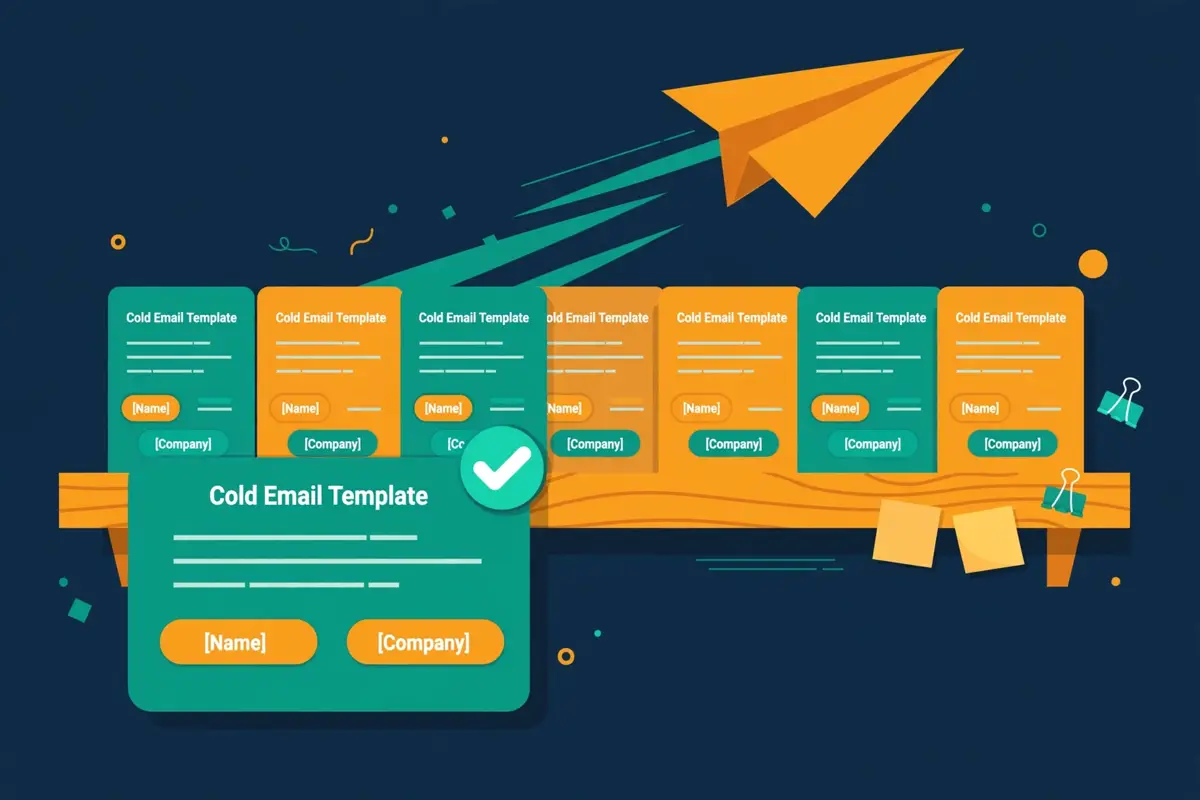
In fact, the single most important rule in this guide is the simplest one: never send a template word for word. For example, a template that says “I loved your recent post about [topic]” is fine as a shape, and it is embarrassing as a sent email when the bracket is still in it. Similarly, a template that names a pain point you never checked will read as a guess, and the recipient will know it is a guess. Moreover, the fix takes two minutes: fill in every slot with something true, change the proof to your own client or result, and read the email out loud once. In short, the template is the skeleton, and your research is the rest.
Secondly, keep your voice in the email, because the template has no voice of its own. In fact, a founder writes differently from a sales rep, and a recruiter writes differently from an agency owner, and that is a strength. For instance, if you normally write short, direct sentences, do not let a template turn you into a formal letter writer. Thirdly, keep the length honest: the best performing cold emails stay under 80 words, according to Instantly’s 2026 benchmark data, and every template in this guide respects that limit. As a result, a template that grows past 100 words in your hands is a template you should cut back.
Five rules before you copy any template
- Fill every slot: [Name], [Company], [Pain point] and [Proof] must all be replaced with real, checked facts before you send.
- Change the proof: swap the example client or result for your own, or the email promises something you cannot show.
- Keep it under 80 words: if your version runs longer, cut a sentence, not a comma.
- Read it out loud: if a line sounds like a robot wrote it, rewrite the line.
- Test one change at a time: change the subject line or the opening line first, then measure, then change the next thing.
Thirdly, remember what the numbers actually say about the job ahead. In fact, Instantly’s 2026 benchmark puts the average reply rate at about 3.4%, with positive replies at 1 to 3%, and 58% of replies arriving from the first email while 42% come from follow-ups. For example, that split is why this guide spends as much space on follow-ups as on first touches: the first email starts the conversation, and the follow-ups finish it. Moreover, opens sit at about 21% in the same benchmark, but open rates are unreliable since Apple Mail Privacy Protection, so replies are the number to watch. In sum, a template is judged by replies, not by opens, and a good template earns replies by being short, specific and easy to answer.
First-touch cold email templates
In fact, the first touch is the hardest email in the sequence, because the recipient has never heard of you. For example, you have about ten seconds to prove three things: that you looked at them, that you have something relevant to say, and that replying will cost them almost nothing. Similarly, the three templates below each prove those three things in a different way, and each one fits a different situation. Moreover, all three stay short on purpose, because a first email that runs long is a first email that gets skimmed and deleted. In short, pick the one that matches what you actually know about the person, and fill in the slots honestly.
Short and direct: the default first touch
Use this template when you know the person’s role and one real fact about their company, and you want the shortest possible ask. It works because it respects the reader’s time: one observation, one offer, one question. Fill in [Pain point] with something you actually saw, such as a hiring page, a slow checkout, or a recent launch. Keep the subject line plain, because a plain subject line from a stranger reads as honest.
Subject: Quick question, [Name]
Hi [Name],
I noticed [Company] is [Pain point]. We help [similar companies] fix exactly that, usually in [timeframe].
Worth a quick chat this week, or should I send a short note instead?
Best,
[Your name]
Value-led: lead with the outcome
Use this template when you have a real result to show, such as a named client, a number, or a before-and-after outcome. It works because it answers the only question the reader is asking: what is in this for me? Fill in [Proof] with your own client and your own number, and never borrow a result you cannot show. The outcome goes first, and the ask stays small.
Subject: [Company] + [Your company]: [Outcome] in [Timeframe]
Hello [Name],
We recently helped [Proof] go from [Before] to [After] in [Timeframe].
I think [Company] could see something similar, because [one specific reason].
Open to a 10-minute call next week to look at it?
Thanks,
[Your name]
Question-led: earn the reply with curiosity
Use this template when you have a genuine question about how the person works, and the answer would tell you whether you can help them. It works because a good question is easier to answer than a pitch is to evaluate. Fill in [Question] with something specific to their role, not a generic question anyone could ask. A question-led email also fits the guidance in our guide to writing cold emails that get replies, where the first line proves you did the homework.
Subject: How does [Company] handle [Process]?
Hey [Name],
Quick question: how does [Company] currently handle [Process]?
We work with teams who found that [Problem] was costing them [Cost], and we built a simpler way to do it.
Would it help if I sent a one-page outline of how it works?
Best,
[Your name]
Follow-up cold email templates
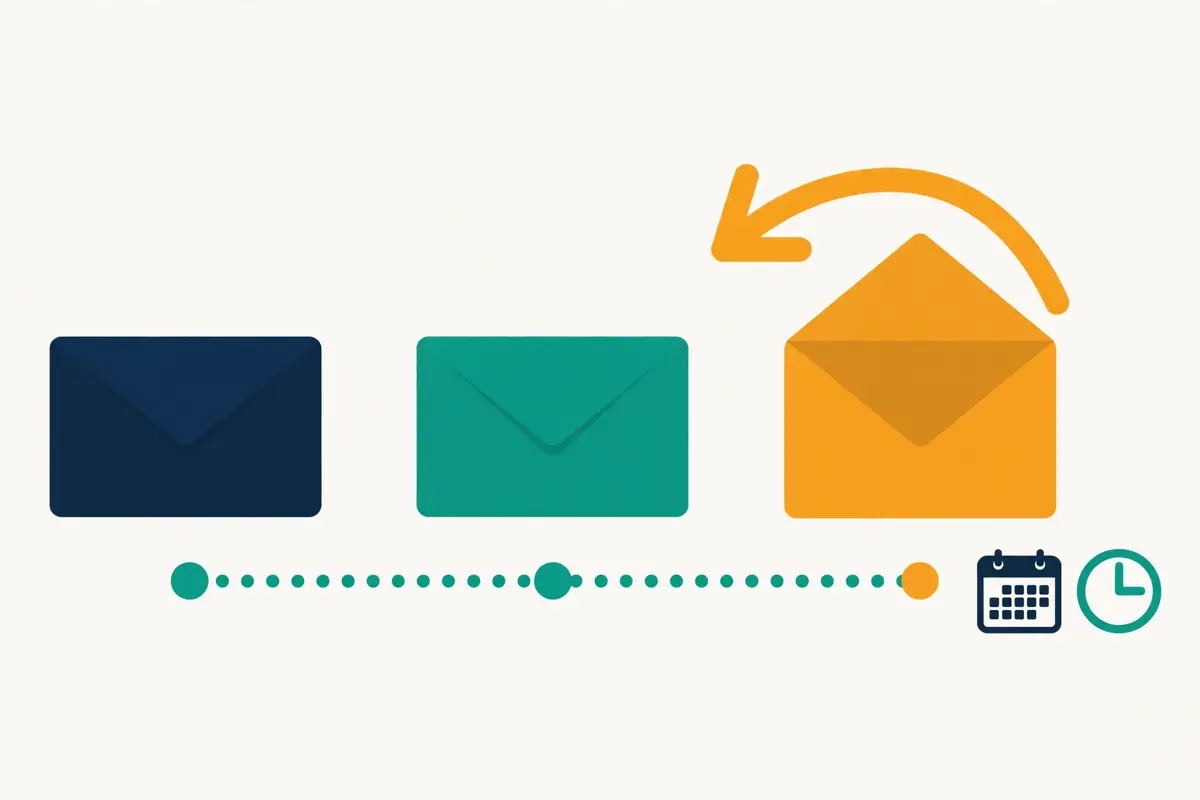
In fact, the follow-up is where most replies actually come from, and most senders give up too early. For example, Instantly’s 2026 benchmark shows 42% of replies arriving from follow-ups rather than the first email, which means a sequence that stops after one send leaves nearly half the replies on the table. Similarly, a good follow-up never just says “bumping this up”. It adds something new each time: a fresh piece of value, a proof point, or an easy way out. Moreover, the four templates below cover the full arc, from a gentle bump to a clean breakup. In short, space them two to four days apart, keep each one short, and stop after the breakup.
Secondly, the follow-up only works if it stays in the same thread. In fact, replying in the same thread keeps the context visible, and the reader can see the first email without searching for it. For instance, our follow-up sequences guide sets out the cadence in full, and the templates below are written to fit it: bump, value-add, social proof, then breakup. As a result, treat the four templates as one sequence, not four separate ideas, and use them in order.
The gentle bump: two days after the first touch
Use this template two or three days after the first email, when the reader probably saw it and meant to reply. It works because it is short, it assumes goodwill, and it asks a question that takes five seconds to answer. Fill in [Pain point] with the same fact from the first email, so the reader connects the two messages at a glance. Do not add new claims here: the bump is a reminder, not a second pitch.
Subject: Re: Quick question, [Name]
Hi [Name],
Just floating this back up in case it got buried.
Still curious whether [Pain point] is on your radar at [Company].
A simple yes or no is fine, and I will take it from there.
Best,
[Your name]
Value-add: give before you ask again
Use this template as the second follow-up, three or four days after the bump. It works because it earns the next touch by giving something useful first: a short guide, a benchmark, a checklist, or a one-page outline. Fill in [Resource] with something real that you can actually send, and make sure it relates to the pain point, not to your product. The ask stays soft, because the value is doing the work.
Subject: Thought this might help, [Name]
Hello [Name],
I put together [Resource] for teams dealing with [Pain point], and I thought of you at [Company].
Happy to send it over, no strings attached.
Want me to drop it in your inbox?
Thanks,
[Your name]
Social proof: one line from someone like them
Use this template as the third follow-up, when the reader needs a reason to believe the claim. It works because one specific result from a similar company beats a page of features. Fill in [Proof] with a named client in the same industry or of a similar size, and keep the result to one number. A vague claim such as “we help lots of companies” proves nothing, so leave it out.
Subject: [Similar company] did this in [Timeframe]
Hey [Name],
One quick example: [Proof] faced the same [Pain point] and reached [Result] in [Timeframe].
The setup took [Timeframe], and the team at [Company] would need about the same.
Worth a short call to see if it fits?
Best,
[Your name]
Breakup: close the loop kindly
Use this template as the final email in the sequence, usually around day 14. It works because it removes the pressure: you tell the reader you will stop emailing, and you leave the door open. Fill in [Pain point] one last time, and add one specific detail about their business in the closing line, so the email still reads as written for them. Breakup emails often earn replies from people who ignored everything else, because the decision becomes simple.
Subject: Should I close your file?
Hi [Name],
I have reached out a few times about [Pain point] and have not heard back, so I will assume the timing is not right.
I will close out my notes on [Company] for now. If things change, I am an email away.
Good luck with [something specific about their business].
Best,
[Your name]
Re-engagement cold email templates
In fact, re-engagement is different from a follow-up, because the silence is much longer. For example, the person may have replied months ago, downloaded something, or gone quiet after a good conversation, and the gap is measured in months, not days. Similarly, a re-engagement email needs a reason to reopen the conversation, and that reason has to be new: a change at their company, a new result on your side, or a fresh piece of news. Moreover, the tone matters more here than anywhere else, because nobody likes being chased after a long silence. In short, acknowledge the gap, offer something new, and make it easy to say no.
We miss you: the warm reopen
Use this template for a contact who engaged before, such as a trial user, a demo attendee, or a warm lead who went quiet. It works because it is honest about the gap and generous with the exit: the reader can say no without guilt. Fill in [Last contact] with the real context, such as the trial, the call, or the event, and fill in [New thing] with something that has genuinely changed since then. A re-engagement email without a new reason is just a follow-up sent late.
Subject: Still thinking about [Topic], [Name]?
Hello [Name],
We last spoke about [Last contact], and then things went quiet on our side too.
Since then we have [New thing], which I think changes the picture for [Company].
Worth a fresh look, or should I check back in a few months?
Best,
[Your name]
Last chance: the honest close
Use this template when a re-engagement attempt has had no answer, and you want one final touch before you stop for good. It works because it is direct without being pushy: you name the deadline, you name the reason, and you stop. Fill in [Offer] with something real and time-limited, such as a price, a place, or a trial window, and never invent a deadline that does not exist. Readers can tell when urgency is fake, and fake urgency kills trust.
Subject: Closing this out on [Date]
Hi [Name],
I wanted to give you one last note before I close the file on [Company].
[Offer] is available until [Date], and after that I will leave you in peace.
If you want it, just reply yes and I will set it up.
Thanks for your time,
[Your name]
SaaS cold email templates
In fact, SaaS buyers are the most emailed people in the world, so a SaaS template has to earn its place fast. For example, the buyer has already seen ten pitches this week, and the one that stands out is the one that names a specific workflow, a specific pain, and a specific result. Similarly, the three templates below match the three moments that matter in SaaS: a trial that never started, a feature that solves a known pain, and a customer who is about to leave. Moreover, each one keeps the ask tiny, because a SaaS buyer will not book a 30-minute demo from a cold email. In short, sell the next step, not the product.
Trial signup: turn a free user into a conversation
Use this template for someone who signed up for a trial, or for a team that matches your trial profile but never started one. It works because it starts from what they already did, not from a cold pitch. Fill in [Action] with the real trigger, such as the signup, the download, or the team size, and fill in [Outcome] with the result your best trial users reach. Keep the ask to a short call, and offer a written outline as the alternative.
Subject: Saw you tried [Product], [Name]
Hi [Name],
I saw you started [Action] at [Company], and I wanted to check how it went.
Most teams in your spot reach [Outcome] in the first [Timeframe], once they set up [One step].
Want a quick walkthrough, or should I send the setup checklist instead?
Best,
[Your name]
Feature launch: one new thing, one clear fit
Use this template when you ship a feature that solves a pain your list already has. It works because it leads with the fit, not with the feature list: one sentence on what changed, one sentence on who it helps, one question. Fill in [Feature] with the real name, and fill in [Pain point] with the problem it removes. A feature launch email that lists five features is a newsletter, and newsletters belong in a different channel.
Subject: New: [Feature] for teams like yours
Hello [Name],
We just shipped [Feature], which removes [Pain point] for teams at [Company].
Early users are seeing [Result], and setup takes about [Timeframe].
Want me to switch it on for your team so you can try it?
Thanks,
[Your name]
Churn rescue: win back a customer who left
Use this template for a customer who cancelled, or a trial user who went quiet after the first week. It works because it asks rather than assumes: you want to know what went wrong, and you offer one concrete fix. Fill in [Reason] with what you actually know, such as the cancellation note or the unused feature, and fill in [Fix] with something real that has changed since. A churn rescue email that pretends nothing happened will be ignored, so be honest about the gap.
Subject: What could we have done better, [Name]?
Hey [Name],
I noticed you left [Product] after [Reason], and I wanted to ask what went wrong.
Since then we have fixed [Fix], and I think it changes the picture for [Company].
Would you give us another look, or tell me what we missed?
Best,
[Your name]
Agency cold email templates
In fact, agencies sell a service the buyer has already bought before, often badly, so the first job is to sound different from the last agency. For example, the buyer has heard the generic pitch about growth and leads, and the email that stands out is the one that names a specific deliverable, a specific price shape, or a specific audit. Similarly, the two templates below offer something concrete before they ask for a call: a done-for-you service with a clear scope, and a free audit with a clear output. Moreover, both keep the ask small, because an agency buyer will not hand over a budget from a cold email. In short, offer the work, not the meeting.
Done-for-you offer: sell the outcome, not the hours
Use this template when you can name the deliverable, the timeline, and the result in one breath. It works because it removes the two questions every buyer asks first: what do I get, and how long does it take? Fill in [Deliverable] with the real service, such as ten booked meetings a month, and fill in [Proof] with a client in the same space. Our agencies guide covers the multi-client setup behind this kind of offer, and the template below is the email that starts it.
Subject: [Deliverable] for [Company], done for you
Hi [Name],
We run [Deliverable] for companies like [Company], usually delivering [Result] in the first [Timeframe].
For example, [Proof] saw [Result] in their first month with us.
Want me to send a one-page outline of what it would look like for your team?
Best,
[Your name]
Audit offer: give the diagnosis first
Use this template when you can look at the prospect’s current outreach and find two or three real issues. It works because the audit is useful even if the prospect never buys: they get a diagnosis, and you get a conversation. Fill in [Issue] with something you actually found, such as a missing SPF record, a broken unsubscribe link, or a sequence with no follow-ups. Never invent a problem you did not check, because the prospect will check your claim.
Subject: I audited [Company]’s outreach: 3 quick fixes
Hello [Name],
I took a quick look at how [Company] does outreach, and I found [Issue] plus two smaller gaps.
I recorded a short audit showing each fix and what it would change.
Want me to send it over? It takes five minutes to watch.
Thanks,
[Your name]
Recruiter cold email templates
In fact, recruiters email the busiest people in any company: candidates who are happy where they are, and hiring managers who are drowning in CVs. For example, a candidate needs a reason to move, and a hiring manager needs a reason to trust you with a role. Similarly, the two templates below speak to each side separately, and each one leads with the thing that side cares about most: the role for the candidate, and the shortlist for the manager. Moreover, both stay short, because a long recruiter email reads like a job board. In short, one role, one reason, one question.
Candidate outreach: the role first, the company second
Use this template for a passive candidate who is not looking for a job. It works because it leads with the role and the reason they fit, not with your agency or your client list. Fill in [Role] with the real title, fill in [Reason] with something specific about their background, and fill in [Detail] with the one fact that makes the role attractive, such as remote work, the team, or the salary band. A candidate who feels chosen will reply, and a candidate who feels spammed will not.
Subject: [Role] at [Company]: a quick note, [Name]
Hi [Name],
I am working on a [Role] role at [Company], and your work on [Reason] stood out.
The role offers [Detail], and the team is [one honest fact about the team].
Open to a short chat this week, even if the timing is not right?
Best,
[Your name]
Hiring-manager outreach: the shortlist promise
Use this template for a hiring manager with an open role, or a company that is hiring in your niche. It works because it promises a shortlist, not a process: three names, a timeline, and a fee shape. Fill in [Role] with the real opening, fill in [Proof] with a similar role you filled recently, and fill in [Timeframe] with a deadline you can meet. Our recruiters shortlist covers the tools that keep this kind of outreach organised, and the template below is the email that starts the conversation.
Subject: Three [Role] candidates in [Timeframe]?
Hello [Name],
I saw [Company] is hiring for [Role], and I think I can help.
We recently placed [Proof] in a similar role within [Timeframe], and I have two or three names in mind already.
Want me to send the shortlist over, or book a quick call first?
Thanks,
[Your name]
Real estate cold email templates
In fact, real estate is a trust business, and a cold email has to build trust in five lines. For example, a buyer wants to know you have the right property, and a seller wants to know you can value their home honestly. Similarly, the two templates below speak to each side in its own language: the buyer gets a specific property and a specific reason it fits, and the seller gets a specific value and a specific next step. Moreover, both avoid the hype that fills most property emails, because hype is what gets deleted. In short, be specific, be local, and be brief.
Buyer outreach: one property, one reason it fits
Use this template when you have a property that matches the buyer’s brief. It works because it names the property, the price, and the one feature that fits their brief, instead of sending a list of links. Fill in [Property] with the real address or development, fill in [Price] with the real figure, and fill in [Fit] with the detail from their brief, such as the school, the commute, or the garden. A buyer who sees their own brief reflected back will reply.
Subject: [Property] just came up, [Name]
Hi [Name],
A property that fits your brief just came up: [Property], at [Price].
It has [Fit], which was top of your list, and it is available to view this week.
Want me to hold a viewing slot for you on [Day]?
Best,
[Your name]
Seller outreach: a value, not a valuation trick
Use this template for a homeowner in an area where you have recently sold. It works because it gives a real value signal from a real sale nearby, not a vague promise about the market. Fill in [Area] with the real neighbourhood, fill in [Sale] with a real recent sale, and fill in [Value] with a realistic range for their home. Never promise a price you cannot support, because the valuation meeting will expose it.
Subject: Homes in [Area] are selling fast, [Name]
Hello [Name],
We recently sold [Sale] in [Area], and homes like yours are moving in about [Timeframe].
Based on that sale, a home like yours would likely sit around [Value].
Want a free, no-obligation valuation this week?
Thanks,
[Your name]
E-commerce cold email templates
In fact, e-commerce buyers and suppliers get pitched every day, so an e-commerce template has to name a number. For example, a wholesale buyer wants margin, and a supplier wants volume, and both want proof that the numbers work. Similarly, the two templates below lead with the commercial fact: the margin for the buyer, and the order size for the supplier. Moreover, both keep the email short, because a buyer who is choosing products will not read a long pitch. In short, lead with the number, then ask for the call.
Wholesale outreach: margin first, catalogue second
Use this template when you sell a product to retailers or resellers. It works because it states the margin, the minimum order, and the bestseller in the first three lines. Fill in [Product] with the real item, fill in [Margin] with the real figure, and fill in [Bestseller] with the product that actually sells. A wholesale buyer decides on margin and movement, so give them both up front.
Subject: [Product] at [Margin] margin for [Company]
Hi [Name],
We supply [Product] to retailers at [Margin] margin, with a minimum order of [Minimum].
Our bestseller is [Bestseller], which moves about [Number] units a month in stores like yours.
Want the catalogue and the price list?
Best,
[Your name]
Supplier outreach: volume, terms, and a real order
Use this template when you need a supplier, a manufacturer, or a distributor for your store. It works because it states the volume you need, the terms you want, and the fact that you are ready to order. Fill in [Product] with the exact item, fill in [Volume] with the real quantity, and fill in [Terms] with the payment or delivery terms you need. Suppliers reply to buyers who sound ready, so sound ready.
Subject: Looking for a supplier for [Product]
Hello [Name],
I run [Your store], and I am looking for a supplier for [Product].
We need [Volume] units to start, on [Terms], and we expect to reorder every [Timeframe].
Can you send your price list and lead times?
Thanks,
[Your name]
LinkedIn-first cold email templates
In fact, the best cold email sometimes starts on LinkedIn. For example, a connection request, a profile view, or a short message warms up the name before the email arrives, so the email lands on a familiar name instead of a stranger’s. Similarly, the two templates below work as a pair: a short LinkedIn message first, then an email that references it. Moreover, the pair only works if the LinkedIn step is real: a genuine connection request with a line about their work, not a pitch in a connection note. In short, warm the name, then send the email.
Connection first: the short LinkedIn opener
Use this template as the LinkedIn connection note, kept under 300 characters, before any email goes out. It works because it asks for the connection, not the sale, and it names one real thing about their work. Fill in [Detail] with something specific, such as a post, a project, or a role. Wait a day or two after the connection is accepted before you send the email, so the two touches feel like a conversation, not an ambush.
Subject: LinkedIn connection note (under 300 characters)
Hi [Name], I enjoyed your post on [Detail].
I work with teams in [Industry] on [Pain point], and I would like to connect.
No pitch, just a connection.
Email after the connect: reference the LinkedIn touch
Use this template as the email that follows the accepted connection, one or two days later. It works because it references the LinkedIn step in the first line, so the reader knows who you are before they read the pitch. Fill in [Detail] with the same fact from the connection note, and keep the ask small. The video below compares cold email with LinkedIn messaging in 2026, and it is worth watching before you choose which channel leads for your list.
Subject: Great connecting, [Name]
Hi [Name],
Great connecting on LinkedIn. Your post on [Detail] stuck with me.
We help teams in [Industry] with [Pain point], and I thought [Company] might be a good fit.
Open to a short email exchange, or a quick call next week?
Best,
[Your name]
Video: Cold Email vs LinkedIn Messaging: What Gets More Replies in 2026? by Prospeo on YouTube. This video is the creator’s property, embedded via YouTube for education. OutreachCompare is not affiliated with Prospeo and does not claim ownership of this video.
In addition, the video above is a useful second opinion on the channel choice. Above all, it compares cold email with LinkedIn messaging on reply rates, follow-ups, deliverability, scalability and cost, and it argues that both channels work, with timing and sequence making the difference. For example, the advice lines up with the pair above: use LinkedIn to warm the name, then let the email carry the detail. Moreover, the video is the creator’s own work, embedded here for education. As a result, watch it before you decide which channel leads your next campaign.
Cold email templates at a glance
In fact, the table below is the whole library on one page, and it is the section to bookmark. For example, each row gives the use case, the length, the tone, and the situation it fits best, so you can pick a template in under a minute. Similarly, the length column counts the template body, not the subject line, and the tone column tells you how direct the email reads. Moreover, the two tables split the library in half: the first covers first touch, follow-ups and re-engagement, and the second covers the industry templates. In short, find your situation, then jump to the template.
Cold email templates: first touch, follow-ups and re-engagement
| Template | Use case | Length | Tone | Best for |
|---|---|---|---|---|
| Short and direct | First touch | ~55 words | Direct | Any first email, when you know one fact |
| Value-led | First touch | ~60 words | Confident | When you have a real result to show |
| Question-led | First touch | ~60 words | Curious | When you need to learn before you pitch |
| Gentle bump | Follow-up, day 2-3 | ~45 words | Light | First follow-up after no reply |
| Value-add | Follow-up, day 5-7 | ~50 words | Helpful | Second follow-up, with a real resource |
| Social proof | Follow-up, day 9-11 | ~55 words | Confident | Third follow-up, when belief is the gap |
| Breakup | Follow-up, day 14 | ~55 words | Warm, final | Closing a sequence cleanly |
| We miss you | Re-engagement | ~60 words | Warm | Warm contacts who went quiet |
| Last chance | Re-engagement | ~55 words | Direct, final | One last touch before you stop |
The table above covers the first nine templates in this guide. Lengths are approximate body word counts, counted without the subject line. Last checked: 16 November 2026.
Cold email templates: industry and LinkedIn-first
| Template | Use case | Length | Tone | Best for |
|---|---|---|---|---|
| Trial signup | SaaS | ~60 words | Helpful | Trial users who never finished setup |
| Feature launch | SaaS | ~55 words | Confident | Announcing one feature to a warm list |
| Churn rescue | SaaS | ~60 words | Honest | Customers who cancelled or went quiet |
| Done-for-you offer | Agencies | ~60 words | Confident | Selling a scoped service with a result |
| Audit offer | Agencies | ~55 words | Helpful | When you can show real issues first |
| Candidate outreach | Recruiters | ~60 words | Personal | Passive candidates who are not looking |
| Hiring-manager outreach | Recruiters | ~60 words | Direct | Managers with an open role |
| Buyer outreach | Real estate | ~55 words | Helpful | Buyers with a clear brief |
| Seller outreach | Real estate | ~60 words | Warm | Homeowners in an area where you sold |
| Wholesale outreach | E-commerce | ~55 words | Direct | Retailers and resellers, margin first |
| Supplier outreach | E-commerce | ~55 words | Direct | Finding a supplier with a real order |
| Connection first | LinkedIn-first | ~30 words | Warm | The LinkedIn note before the email |
| Email after the connect | LinkedIn-first | ~60 words | Warm | The email that follows an accepted connection |
The table above covers the remaining thirteen templates in this guide. Every template stays under 80 words, in line with the length that Instantly’s 2026 benchmark links to the best performing cold emails. Last checked: 16 November 2026.
How to customise cold email templates

In fact, customisation is the step that turns a template into an email, and it has a clear order. For example, fill in the slots first, then change the proof, then read the whole thing out loud. Similarly, the slots are listed in the order that matters most: the name and the company prove you know who you are writing to, the pain point proves you looked, and the proof proves you can help. Moreover, a template with an empty slot is worse than no template at all, because the reader sees the bracket and knows the email was not written for them. In short, no bracket ever goes out the door.
Secondly, the lines to change first are the first line and the proof line, because those are the two lines the reader actually judges. In fact, the first line decides whether the email gets read past the preview, and the proof line decides whether the reader believes you. For instance, a first line that names a real detail, such as a recent hire, a new product, or a public result, earns the next sentence, while a first line that says “I hope this email finds you well” earns nothing. Thirdly, keep a checklist of the slots for each template, and tick them off before you send, because a missed slot is the most common template mistake. As a result, customisation takes two minutes, and it is the best two minutes in the whole campaign.
Cold email templates: the slots to fill in, in order
| Slot | What goes in it | Where to find it |
|---|---|---|
| [Name] | The person’s first name, spelled correctly | Your list, checked against LinkedIn |
| [Company] | The company name, as they write it | Their website or LinkedIn page |
| [Pain point] | One real problem you saw, in their words | Their site, hiring page, or recent news |
| [Proof] | Your own client and your own result | Your case notes, never a borrowed claim |
| [Timeframe] | A real deadline you can meet | Your calendar and your delivery team |
| [Outcome] | The result the reader gets, in one number | Your own results, measured honestly |
The table above is the customisation checklist for every template in this guide. If a slot cannot be filled with something true, pick a different template, or do the research first. Last checked: 16 November 2026.
Personalisation that actually works
The best personalisation is specific, short, and true. Firstly, one real detail beats five generic ones: a line about the prospect’s recent launch is worth more than a paragraph about their industry. Secondly, the detail should sit in the first two lines, because that is where the reader decides whether to keep going. Thirdly, the detail should connect to the offer: a pain point that your product cannot solve is just flattery. For example, our personalisation guide shows how to research a prospect in five minutes and turn one fact into a first line. In sum, personalisation is research, not decoration, and the template is only the frame it sits in.
What to avoid in cold email templates
In fact, a template can hurt you as easily as it can help you, and the damage comes from a handful of lines that show up in almost every bad cold email. For example, the lines below are the ones that kill replies, and each one fails for a specific reason: it is generic, it is pushy, it is too long, or it asks for too much too soon. Similarly, the fix for each one is simple, and the fixed version is usually shorter than the original. Moreover, the test is easy to run: read the line out loud, and ask whether a real person would ever say it to a stranger. In short, if the line sounds like a template, delete it.
Cold email templates: the lines that kill replies
- “I hope this email finds you well”: it says nothing, it wastes the first line, and every recipient has read it a hundred times. Start with the reason you are writing instead.
- Generic flattery: “I loved your company” or “I am a big fan” without a specific detail reads as a mail merge. Name one real thing, or cut the line.
- Walls of text: three paragraphs before the ask will not be read. One idea per email, under 80 words, with the ask at the end.
- Asking for 30 minutes in the first email: a stranger will not give you half an hour. Ask for a reply, a short call, or a one-page outline instead.
- Feature lists: five features and no outcome tells the reader what you sell, not what they get. One outcome, one proof point, one question.
- Fake urgency: a deadline that does not exist will be spotted, and it costs you trust. Only use urgency when the date is real.
- Leaving the brackets in: a [First Name] that was never filled in is the fastest way to prove the email was not written for the reader. Check every slot before you send.
Watch the teardown: four real sales emails, fixed
Video: How to write a sales email that get responses by Cognism on YouTube. This video is the creator’s property, embedded via YouTube for education. OutreachCompare is not affiliated with Cognism and does not claim ownership of this video.
In addition, the video above shows what good looks like in practice. Above all, it is a webinar hosted by Morgan J Ingram, with Will Allred of Lavender tearing down four real sales emails and showing how each one could be improved. For example, the teardowns focus on the same faults listed above: long openings, generic lines, and asks that are too big for a first email. Moreover, the video is the creator’s own work, embedded here for education, and it is worth watching with one of your own templates open beside it. As a result, compare each teardown to your draft, and cut whatever matches the faults.
Secondly, the same faults show up in subject lines, so check those too. In fact, a subject line that promises something the email cannot deliver will earn the open and lose the reply, which is worse than no open at all. For instance, our subject lines guide sets out the patterns that earn opens honestly, and the templates in this guide use plain subject lines on purpose. As a result, keep the subject line honest, keep the body short, and let the reply come from the relevance, not from a trick.
How to store and test cold email templates
In fact, a template that lives in a document is a template you will forget, and a template that lives in your sending tool is a template you will use. For example, every tool below stores templates, fills in the personalisation, and tests the result, but each one does it differently, and the differences matter. Similarly, the table below only claims what was verified on the providers’ own sites on 16 November 2026, and where a feature was not confirmed, it says so plainly. Moreover, the prices are the list prices checked the same day. In short, use the table to shortlist, then test the tool with your own templates before you pay.
Secondly, testing is the habit that separates a template library from a template graveyard. In fact, change one thing at a time, such as the subject line or the opening line, and measure replies, not opens, because opens are unreliable since Apple Mail Privacy Protection. For instance, our A/B testing guide sets out the sample sizes and the method, and the tools below all support some form of variant testing. As a result, keep the winners, retire the losers, and let the library improve with every campaign.
Cold email templates: the tools compared
| Tool | Template storage | Personalisation and variation | Testing | From |
|---|---|---|---|---|
| Lemlist | Saved templates, reusable image templates | Text variables with fallbacks, spintax, AI icebreakers, personalised images and videos | A/B testing | $69/mo |
| Instantly | 600 built-in templates | AI sequence generator, AI Spintax Writer, dynamic variables, fallback values, conditional logic | A/B testing, check the site | $47/mo |
| Smartlead | Check the site | Spintax, conditional subsequences, personalisation fields | A/Z testing of spintax and hook variants | $39/mo |
| Reply.io | Templates section, save and reuse | Personalisation variables, Jason AI sequence generation, AI variables | A/B testing of template versions | Check the site |
| QuickMail | Multi-step campaign sequences | Spintax, Reword with AI, merge fields | A/B variants per step | Check the site |
The table above only claims what was verified on the providers’ own sites or their official help centres. Lemlist’s variables and image templates are documented in its help centre, Instantly’s spintax and AI Spintax Writer in its help centre, and Smartlead’s spintax and subsequences on its own blog. Reply.io and QuickMail pricing was not confirmed on their official sites at the time of writing, so the table says “check the site” rather than guessing. Last checked: 16 November 2026. Features and pricing can change, so please check the provider’s site before you buy. We do not guess at features, prices or trials.
Spintax: one template, many versions
Spintax is the feature that keeps a template from looking like a template. Firstly, it rotates the wording inside a template, so each recipient gets a slightly different version of the same email. For example, Instantly uses the format {{RANDOM | Hi | Hello | Hey}}, while Lemlist and Smartlead use {Hi|Hello|Hey}, and the idea is the same either way. Secondly, spin the greeting, the opening line, and the call to action, but do not spin the facts: the proof, the number, and the name must stay exact. Thirdly, preview the spun versions before you send, because a bad combination can read strangely. In sum, spintax is hygiene, not strategy: it protects deliverability, but it cannot fix a template that says nothing.
The honest pros and cons of cold email templates
In fact, templates have real costs, and this guide would not be honest if it pretended otherwise. For example, a template saves time, but it also tempts you to skip the research, and a template sent without research is worse than no email at all. Similarly, a library of 22 templates can feel like a shortcut, and shortcuts are attractive precisely when the work matters most. Moreover, the costs are real, and they are the reason some senders swear off templates entirely. In short, the honest case for templates is not that they are free, but that they are faster than starting from nothing, and safer than copying a stranger’s email.
Cold email templates: the pros
- Speed: a good template turns a blank screen into a first draft in minutes, not hours.
- Consistency: every email in a campaign follows the same shape, so the results can be compared fairly.
- Testability: one template, changed one line at a time, tells you exactly what works.
- Training: a new team member can start from a proven shape instead of guessing.
- Scale: a template stored in your tool, with variables and spintax, reaches a whole list without losing the personal touch.
Cold email templates: the cons
- Temptation to skip research: a template makes it easy to send before you have looked at the recipient.
- Sameness: a template that thousands of senders use will start to read like every other email.
- False confidence: a template is not a result, and a library is not a strategy.
- Maintenance: templates go stale as markets change, and a library nobody updates becomes a liability.
- Over-reliance: the best emails are written for one person, and no template can do that job for you.
Pick the right cold email templates for you
In fact, the right template depends on two things: what you know about the person, and what you want them to do. For example, if you know one real fact and want a reply, the short and direct first touch is the default. Similarly, if you have a real result to show, the value-led template earns its place, and if you have a genuine question, the question-led template is the honest choice. Moreover, the table below matches the situation to the template, so you can decide in a minute. In short, pick the template that fits what you know, not the one that sounds cleverest.
Secondly, the decision is worth testing before you commit to it. In fact, run two templates against each other on a small list, measure replies over two weeks, and keep the winner. For instance, test the short first touch against the value-led first touch, then test the winner against the question-led version. Thirdly, remember the scale guidance: send 25 to 30 emails per mailbox per day, and never more than 40, so your test list stays healthy while you learn. As a result, the decision framework below is a starting point, and your own replies are the final judge.
Cold email templates: pick this one when
| Pick this template when | Template | Why it fits |
|---|---|---|
| You know one real fact and want a reply | Short and direct first touch | Fastest to write, easiest to answer |
| You have a real result to show | Value-led first touch | Leads with the outcome, not the pitch |
| You need to learn before you pitch | Question-led first touch | A good question is easier to answer than a pitch |
| They saw the first email and went quiet | Gentle bump, then value-add | Reminder first, new value second |
| You need belief, not attention | Social proof follow-up | One result from a similar company |
| The sequence has run its course | Breakup email | Closes cleanly and often earns a reply |
| A warm contact went quiet for months | We miss you, then last chance | Honest about the gap, with a new reason |
| You sell software and want a conversation | Trial signup or feature launch | Starts from what they already did |
| You sell a service and want the work | Done-for-you offer or audit offer | Offers the deliverable, not the meeting |
| You recruit and need a reply | Candidate or hiring-manager outreach | Role first for candidates, shortlist for managers |
| You sell property and have a match | Buyer or seller outreach | One property, one value, one next step |
| You sell products and need a number | Wholesale or supplier outreach | Margin first for buyers, volume for suppliers |
| The name is cold and the channel is LinkedIn | Connection first, then email | Warms the name before the email lands |
The table above is the decision framework for this guide. Every template in it is original OutreachCompare writing, and none of them carries a claimed reply rate. Last checked: 16 November 2026.
The template to avoid for each situation
Each situation also has a template to avoid, and naming it saves a wasted send. Firstly, avoid the value-led template when you have no real result to show, because a borrowed proof point will be checked, and it will fail. Secondly, avoid the breakup email as a first email, because a goodbye before a hello reads as a trick. Thirdly, avoid the audit offer when you have not actually looked at the prospect’s outreach, because an audit with no findings is just a pitch with extra steps. Finally, avoid the question-led template when you already know the answer, because a question you do not need is flattery, and the reader will know it.
Frequently asked questions
Can I copy cold email templates word for word?
No, and that is the first rule in this guide. Firstly, a template is a shape, not a finished email: fill in every slot with something true, change the proof to your own, and read the result out loud before you send it. Secondly, a template sent word for word will read as a template, and the recipient will know it was not written for them. In sum, copy the structure, change the specifics, and test the result.
How many cold email templates do I need?
Start with three: one first touch, one follow-up, and one breakup. Firstly, those three cover a full sequence, and they are the templates in this guide to learn first. Secondly, add industry templates only when you actually work in that industry, because a template you never use is just clutter. In sum, three good templates, well customised, beat twenty-two templates sent as written.
How long should a cold email template be?
Under 80 words for the body, not counting the subject line. Firstly, Instantly’s 2026 benchmark links the best performing cold emails to that length, and every template in this guide respects it. Secondly, a longer email is not a better email: it is a longer email, and longer emails get skimmed. In sum, if your version runs past 80 words, cut a sentence, not a comma.
Do cold email templates hurt deliverability?
A template on its own does not hurt deliverability, but sending the same words to thousands of people can. Firstly, spam filters notice identical content sent at volume, which is why spintax and personalisation matter. Secondly, the real deliverability risks are a bad list, no warm-up, and missing authentication, and our deliverability guide covers those in full. In sum, vary the wording, keep the list clean, and warm up the domain before you scale.
Should I use AI to write my cold email templates?
Yes, for the first draft, and no, for the final send. Firstly, an AI writer, such as the one built into Instantly or Lemlist, is good at producing a shape fast, and it is good at adding spintax variations. Secondly, the final email still needs your research, your proof, and your voice, because an AI cannot know what is true about a specific prospect. In sum, let the tool draft, then make the email yours before it goes out.
What is the best first follow-up after no reply?
A short bump, two or three days after the first email. Firstly, the bump assumes goodwill, adds nothing new, and asks a question that takes five seconds to answer. Secondly, the value-add follow-up comes next, three or four days later, with a real resource attached. In sum, the sequence in this guide, bump, value-add, social proof, then breakup, matches the cadence in our follow-up sequences guide, and it is the order to use.
The verdict
Our verdict on cold email templates
Best default: the short and direct first touch. One real fact, one reason to write, one easy question, under 80 words. Best follow-up: the gentle bump, then the value-add. A reminder first, something useful second, and a breakup to close the loop. Best tool for running templates: Lemlist. Text variables with fallbacks, spintax, personalised images and saved templates, from $69 a month. Best for built-in templates: Instantly. 600 templates, an AI sequence generator and an AI Spintax Writer, from $47 a month. Best habit: fill every slot before you send. No bracket ever goes out the door.
We have not tested these tools hands-on, so the tool rows in this guide are based on the vendors’ documented features and list prices checked on 16 November 2026, not on a trial. The templates themselves are original OutreachCompare writing, and no reply rate is claimed for any single template. The honest advice is simple: a template is a head start, and the sender who fills in the slots, changes the proof, and tests one change at a time is the sender who gets the reply.
Keep reading
- How to Write Cold Emails That Get Replies 2026, the writing guide behind every template in this library.
- Cold Email Follow-Up Sequences 2026, the cadence the follow-up templates are written to fit.
- Cold Email Sequencing Guide 2026, how the templates fit together into a full sequence.
- How to Handle Cold Email Replies 2026, what to do when a template earns a reply.
- A/B Testing for Cold Email 2026, how to test one template change at a time.
- Cold Email Subject Lines 2026, the subject lines that earn the open honestly.
- Cold Email Personalisation Guide 2026, how to research a prospect in five minutes.
- How to Scale Cold Email 2026, the scaling ladder, with the mailbox math behind it.
- Cold Email Compliance Guide 2026, the checklist that keeps every template legal.
- Cold Email for Agencies 2026, running template-based campaigns across many clients.