A list you never clean is a list that slowly goes bad, and the bounces are the bill.
Every cold email list decays. People change jobs, companies close, inboxes fill up, and addresses that were perfect six months ago quietly stop working. Learning how to clean a cold email list is the habit that stops that decay from wrecking your sender reputation, because a single dirty send can push your bounce rate past 2%, and a bounce rate past 2% tells Gmail and Yahoo that your mail is not wanted. This guide gives you the full cleaning routine: why it matters, when to do it, the six steps in order, what every verification result means, how to handle catch-all addresses safely, the tools compared with prices checked on 16 November 2026, and the schedule that keeps a list fresh all year.
Visit ZeroBounce →See NeverBounce →Check Bouncer →We checked all tool prices in this guide on 16 November 2026 on the providers’ official sites. Features and pricing can change, so please check the provider’s site before you buy. We do not guess at features, prices or trials.
Quick Answer
To clean a cold email list, export it and back it up, remove duplicates and fix obvious typos, then run the whole list through a verification tool such as ZeroBounce, NeverBounce or Bouncer. Keep the Valid addresses, delete the Invalid, Disposable and spam-trap addresses at once, and send to Catch-all addresses only in small, separate test batches. Re-clean before every campaign, and re-verify the whole list at least every three months, because roughly a fifth of business addresses go stale each year.
Cleaning is cheap insurance, not a chore. For example, verifying 10,000 addresses costs between $49 and $195 depending on the tool, while a single dirty send at a 5% bounce rate can damage a domain for weeks. In fact, the clean list is what makes everything else in cold email work: warmup, placement, replies, and meetings all start from addresses that actually exist.
Contents
- Why cleaning your list matters
- When to clean a cold email list
- The 6-step cleaning workflow
- What each verification status means
- Catch-all addresses: the hardest call
- Role-based, disposable and free-mail addresses
- Spam traps: the danger verification cannot see
- Cleaning tools compared
- The cost of cleaning vs the cost of not cleaning
- How often to re-clean: the freshness schedule
- GDPR and data minimisation
- Who should pick which tool
- Frequently asked questions
- The verdict
Cleaning is the unglamorous half of cold email, and it decides the outcome
Firstly, cleaning rarely gets the attention it deserves. For instance, senders love talking about subject lines, sequences, and AI personalisation, yet none of those things matter if the email never arrives. Similarly, a beautiful sequence sent to dead addresses is just expensive silence. A clever subject line on a bounced email is a subject line nobody read. In short, cleaning is the foundation under the whole campaign. A shaky foundation shows up as bounces, spam complaints, and a sender reputation that quietly slides downhill.
Secondly, the good news is that cleaning is simple, quick, and cheap. In fact, the whole routine takes about an hour for a list of 10,000 addresses, most of which is waiting while the verification tool does its work. For example, a sender who cleans before every campaign will almost never see a bounce rate above 2%. Will almost never have to wonder why replies have dried up. Moreover, the habit compounds: a list cleaned four times a year stays fresh, while a list cleaned never gets worse every single month. As a result, this guide is worth reading once and following forever.
How this guide fits with our other list guides
This guide is the cleaning manual, and our other guides cover the steps around it. The How to Build a Cold Email List 2026 guide covers finding and collecting addresses in the first place. Next, the Email Verification Guide 2026 explains how verification works under the hood. Finally, the Best Email Verification Tools Compared 2026 guide compares the tools head to head. This guide sits between them: it assumes you already have a list. It tells you exactly what to do with it, step by step, before you press send.
Why cleaning your list matters
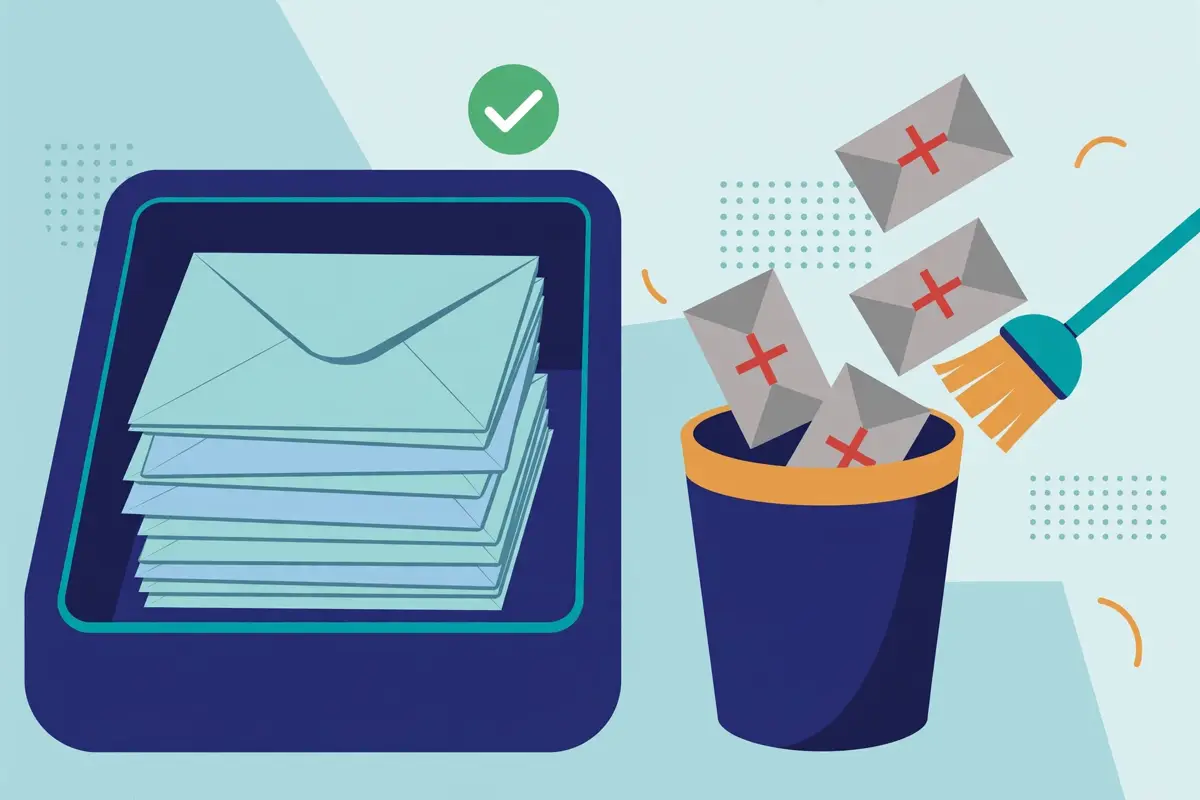
In fact, a cold email list is a living thing, and it rots. For example, studies put annual business email decay at roughly 22 to 23%, which means that about one address in five stops working every year. Similarly, people leave jobs, companies rebrand, domains expire, and inboxes get abandoned, and none of those people tell you. Moreover, a list built in January will have hundreds of dead addresses by December, even if nobody touched it. In short, decay is not a mistake. It is the normal state of a list, and cleaning is how you fight it.
Secondly, dead addresses hurt you in a very direct way: they bounce. In fact, every bounce is a small vote against your sender reputation. Enough votes in one send will push your bounce rate over the 2% line that inbox providers treat as a warning. For example, a 10,000-address list with 5% dead addresses produces 500 bounces, which is a 5% bounce rate, more than double the danger line. Similarly, a sender who mails that list twice a week will be sending from a damaged domain within a fortnight. As a result, cleaning is not about tidiness. It is about staying under 2%.
How to clean a cold email list: the five things a dirty list costs you
| What a dirty list costs | How it shows up | How bad it gets |
|---|---|---|
| Bounces | Dead addresses return hard bounces | Bounce rate over 2% damages reputation fast |
| Spam complaints | Stale addresses belong to new owners who never asked for your mail | Complaints over 0.3% risk throttling or refusal |
| Spam traps | Mailbox providers recycle abandoned addresses into traps | One trap hit can blacklist a domain |
| Wasted money | Every send to a dead address burns a credit and a mailbox slot | 5% dead on 10,000 sends wastes 500 sends a campaign |
| False numbers | Dead addresses drag open and reply rates down | You cannot tell a good sequence from a bad one |
The table above is the damage report for a list that is never cleaned. Every row is a reason to run the workflow in this guide before your next campaign. Last checked: 16 November 2026.
Bounces: the fastest damage a dirty list does when you skip how to clean a cold email list
Bounces are the most immediate cost, because every single send counts them. Firstly, a hard bounce means the address does not exist, and the receiving server says so at once. For instance, a list with 500 hard bounces in a 10,000-send campaign has a 5% bounce rate. Inbox providers read that as a sender who does not look after their list. Similarly, the damage is not just the number: a high bounce rate makes the next campaign land worse, which makes the sender send more to compensate, which makes the bounce rate worse again. In sum, bounces are a spiral, and cleaning is the way out of it.
In addition, bounces waste the sending capacity you paid for. Above all, every mailbox in your fleet sends a limited number of cold emails a day, usually 25 to 30. Every one of those slots spent on a dead address is a slot that could have reached a real person. For example, a fleet sending 3,333 emails a day with 5% dead addresses wastes about 167 sends a day, which is more than five mailboxes’ worth of daily capacity thrown away. Moreover, the sending tool still charges for those sends, whether they arrive or not. As a result, a dirty list costs money twice: once in reputation, and once in wasted volume.
Spam traps and recycled addresses: the hidden danger
Spam traps are the danger that makes cleaning non-negotiable, and this guide covers them in full later on. In fact, an abandoned address does not always stay abandoned: mailbox providers sometimes recycle old addresses into spam traps, which are addresses that exist only to catch senders who mail without permission. For example, a list that has sat untouched for a year is far more likely to contain a trap than a list cleaned last month, because a year is long enough for addresses to be abandoned and recycled. Similarly, a single trap hit will not usually end a sending operation, yet repeated hits will. The sender rarely knows which address was the trap. In short, cleaning regularly is the only practical defence, because you cannot spot a trap by looking at it.
Secondly, stale addresses create spam complaints in a way senders rarely expect. In fact, a business address that belonged to one person in January may belong to a different person by September. That new owner never signed up for anything. For example, the new owner receives your cold email, has no idea who you are. Reports it as spam, which counts against you exactly like any other complaint. Moreover, enough of those complaints will push your spam rate towards the 0.3% ceiling that Gmail and Yahoo enforce. As a result, a list that was perfectly legal when it was built can become a complaint machine a year later, simply because the people behind the addresses changed.
Dirty lists lie to you about your campaign when you never learn how to clean a cold email list
A dirty list does not just hurt deliverability: it corrupts your numbers. Firstly, dead addresses never open and never reply. They drag your open rate and reply rate down for reasons that have nothing to do with your copy. For instance, a sequence with a genuine 5% reply rate will look like a 4% reply rate on a list that is 20% dead. The sender may rewrite a good sequence trying to fix a problem that was never in the writing. Similarly, A/B tests become meaningless, because the dead addresses sit unevenly across the two variants and the results reflect the list, not the copy. In sum, you cannot trust what a campaign sent to a dirty list tells you, because the list pollutes the data before the first email goes out.
Moreover, the false numbers cost real decisions. In fact, a sender who sees low replies may conclude the offer is wrong, the targeting is wrong, or cold email does not work. May abandon a campaign that was actually fine. For example, the same campaign on a clean list might have produced twice the replies, and the sender would never know. In contrast, a clean list gives honest numbers, and honest numbers let the sender improve the right thing. That is the quiet benefit of cleaning: it makes every other measurement in cold email trustworthy.
When to clean a cold email list
Cleaning is a habit with a schedule, not a one-off rescue, and the schedule has five triggers. In fact, each trigger is a moment when the list is most likely to have gone stale. Skipping the clean at that moment is when the damage happens. For example, cleaning before every campaign catches the decay since the last send, while cleaning after a bounce spike catches the problem that the spike is warning you about. Similarly, the triggers below overlap on purpose: a sender who follows all five will clean often. A sender who cleans often will rarely be surprised.
How to clean a cold email list: the five cleaning triggers
| Trigger | When it happens | What to clean |
|---|---|---|
| Before every campaign | Every time, before any send | The whole sending segment, freshly verified |
| After a bounce spike | Bounce rate over 2% on any send | The whole list, plus a hard-bounce suppression |
| After importing a new source | Any new data enters the list | The new addresses, before they join the main list |
| Quarterly, for old lists | Every three months at least | The whole list, end to end |
| After a long pause | No sends for 3 months or more | The whole list, before sending resumes |
The triggers above overlap on purpose. A sender who follows all five cleans often, and a sender who cleans often is rarely surprised by bounces. Last checked: 16 November 2026.
Before every campaign: the non-negotiable clean
Before every campaign is the single most important trigger, and it is the one senders skip most often. Firstly, verification results go out of date, so a list verified a month ago is not a verified list today. For instance, addresses decay at roughly 2% a month, which means a 10,000-address list verified in October has about 200 newly dead addresses by November. Similarly, re-verifying the sending segment before each campaign takes minutes for a small list and under an hour for a large one, because most tools verify 10,000 addresses in well under an hour. In sum, there is no campaign important enough to skip the clean, because the clean is what protects the campaign.
In addition, the before-campaign clean is the cheapest clean of all. Above all, it only needs to cover the segment you are about to send to, not the entire database. A sender with a 100,000-address database and a 5,000-address campaign only pays to verify 5,000. For example, at NeverBounce’s pay-as-you-go price of $8 per 1,000, that clean costs $40, which is a rounding error beside the value of the meetings the campaign should produce. Moreover, many tools charge nothing for addresses already verified recently, and some, such as Skrapp, charge only for Valid and Catch-all results. As a result, the before-campaign clean is the best money in cold email.
After a bounce spike: stop, clean, then send again
A bounce spike is the list telling you it is dirty, and the right response is to stop sending. In fact, a bounce rate over 2% on any send means the list has a problem that will get worse if you keep mailing it. For example, the fix is to pause the campaign, re-verify the whole list, remove every hard bounce into a permanent suppression list. Only then resume sending to the clean remainder. Similarly, a sender who keeps sending through a spike will watch the bounce rate climb, the reputation fall. The domain take damage that takes weeks to repair. As a result, treat a spike as a stop sign, not a warning light.
Secondly, the spike clean should include a hard look at where the bounces came from. In fact, bounces often cluster in one segment: one data source, one old import, or one company domain that has gone out of business. For example, a sender who finds that 80% of the bounces came from a single list bought a year ago has learned something valuable: that source is dead, and it should never be mailed again. Moreover, the suppression list is the tool that makes the lesson stick, because suppressed addresses can never re-enter a sequence, even if they turn up in a future import. In short, the spike is a diagnosis, and the suppression list is the cure.
After importing a new source: verify before it joins the main list
Every new data source should be verified before it touches your main list. Firstly, a new source is unproven: it may be fresh and accurate, or it may be old, scraped. Full of dead addresses, and there is no way to know by looking at it. For instance, a list from a new data provider, a conference, a scraped directory, or a partner should go through the full verification workflow on its own, in quarantine, before a single address joins the sending list. Similarly, a sender who imports first and verifies later has already mixed dirty data into a clean list. Must then clean the whole thing again. In sum, quarantine the new source, verify it, and only then merge the survivors.
In addition, the import clean is where the cheapest mistakes are caught. Above all, new sources are full of typos, malformed addresses. Role-based addresses that a quick syntax check removes for free, before a single verification credit is spent. For example, a source with 10,000 rows may contain 500 duplicates, 200 typos such as gmal.com. 100 role-based addresses, and removing those before verification saves the credits that would have been wasted checking them. Moreover, the import clean is also the moment to check consent and provenance, because a source with no clear origin is a source that may contain spam traps. As a result, the import gate is the most valuable clean in the whole schedule.
Quarterly cleaning, and cleaning after a long pause
Quarterly cleaning is the baseline for any list that is sent to regularly. In fact, three months is long enough for roughly 5% of addresses to go stale, which is enough to push a borderline bounce rate over the line. For example, a sender who cleans in January, April, July and October will never let decay build up past a few percent, while a sender who cleans once a year will be mailing a list that is a fifth dead by December. Similarly, the quarterly clean should cover the whole list, not just the active segment, because the inactive addresses decay fastest. As a result, put the four dates in the calendar now, and treat them like tax deadlines.
Moreover, a list that has sat unused for three months or more needs a full clean before sending resumes. Above all, a paused list decays just like an active one, and the sender has no recent bounce data to warn them. For instance, a list last sent to in June and mailed again in November has had five months of silent decay. The first send after the pause will bounce far more than the sender expects. In short, the longer the pause, the more important the clean. Treat a list untouched for a year as a new source: quarantine it, verify it, and merge it only after the results come back.
The 6-step cleaning workflow
In fact, the workflow below is the whole routine, in the order that wastes the fewest credits and catches the most problems. For example, the free steps come first: dedupe and syntax checks cost nothing, yet they remove a surprising share of bad addresses before a single verification credit is spent. Similarly, the paid step, verification, comes only after the free steps, so you never pay to verify an address you could have caught yourself. Moreover, the final step, suppression, is what makes the cleaning permanent, because suppressed addresses can never sneak back in. In short, follow the six steps in order, and the list that comes out is ready to send.
How to clean a cold email list: the six steps in order
| Step | What you do | What it catches |
|---|---|---|
| 1. Back up and dedupe | Export the list, save a copy, remove exact and near duplicates | Duplicate sends to the same person, inflated list size |
| 2. Syntax check | Fix typos, spaces, missing @ signs and bad domains | gmal.com, missing dots, double @ signs, blank rows |
| 3. Domain check | Confirm each domain exists and has mail servers | Dead domains, mistyped company names, parked domains |
| 4. Role and disposable scan | Flag role-based and disposable addresses | info@, support@, sales@, temp-mail addresses |
| 5. Verify | Run the survivors through a verification tool | Dead mailboxes, catch-alls, risky addresses, spam traps |
| 6. Suppress | Delete the bad addresses and add them to a suppression list | The same bad addresses returning in a future import |
The six steps above run in order on purpose: the free steps come first, so you never pay to verify an address you could have caught yourself. Last checked: 16 November 2026.
Step 1 in how to clean a cold email list: back up and dedupe
Back up first, clean second, because cleaning deletes things and deletions should be reversible. Firstly, export the full list as a CSV and save a dated copy somewhere safe, before touching a single row. For instance, a backup from today lets you recover an address you deleted by mistake, or compare this clean against the next one to see how fast the list is decaying. Similarly, the backup is also your audit trail: if a campaign underperforms, you can check exactly which addresses were removed and when. In sum, a backup costs nothing and saves you exactly once, on the day you need it.
Secondly, dedupe the list, because duplicates are far more common than senders expect. In fact, a list built from several sources will often contain the same person two or three times, with small differences: a capital letter here, a dot there, or a different company domain after a job move. For example, a 10,000-row list may contain 500 duplicates. Mailing them means sending the same person the same email twice, which looks careless and doubles the complaint risk. Moreover, dedupe should catch near-duplicates too, not just exact matches, so normalise the case, strip spaces, and compare the cleaned addresses. As a result, the list that comes out of step 1 is smaller, and every row in it is a real person, once.
Step 2 in how to clean a cold email list: the syntax check
The syntax check is the free win, because a spreadsheet can do it in minutes. Firstly, an address must have exactly one @ sign, a valid local part. A domain with a dot, and anything that fails that test cannot receive mail. For instance, the classic typos are gmal.com instead of gmail.com, hotmal.com instead of hotmail.com. A missing dot before com, and a simple find-and-replace catches most of them. Similarly, stray spaces at the start or end of an address, blank rows. Addresses pasted with commas instead of dots are all easy to spot once you look. In short, the syntax check removes the addresses that were never real in the first place.
In addition, the syntax check is where you fix what can be fixed, instead of deleting everything. Above all, a typo such as gmal.com is almost certainly gmail.com. The sender can correct it rather than lose the contact, provided the correction is obvious and the person is real. For example, a verification tool with typo correction, such as ZeroBounce’s real-time API, will suggest the fix automatically when the address is typed into a form. Moreover, a correction should only be made when it is certain: guessing at an address is worse than deleting it, because a guessed address may belong to a stranger. As a result, fix the obvious typos, delete the rest, and move on.
Step 3 in how to clean a cold email list: the domain check
The domain check asks a simple question about every address: does this domain exist, and does it accept mail? In fact, a verification tool answers this by looking up the domain’s mail records. A domain with no mail servers cannot receive email, whatever the address in front of it says. For example, a company that went out of business last year will have a dead domain. Every address on that domain is dead with it. Similarly, a mistyped domain, such as acme-corporation.com when the real company is acme-corp.com, will fail the check, so fix it or remove it. In sum, the domain check kills whole groups of dead addresses in one pass.
Secondly, verification usually includes the domain check, yet the check is worth understanding on its own. In fact, some tools let you run a domain-only check for free or very cheaply, which is useful for a huge list where you want a rough picture before paying for full verification. For instance, a list where 10% of domains are dead is a list that needs the full workflow, while a list where 1% are dead is already in decent shape. Moreover, the domain check also catches parked domains, which are domains bought and left empty, and which never receive mail. As a result, think of this step as a cheap filter that makes the expensive step smaller.
Step 4: the role-based and disposable scan
Step 4 flags two kinds of address that need a decision, not an automatic delete. Firstly, role-based addresses such as info@, support@, sales@. Admin@ go to a shared inbox, not a person, and they behave very differently from personal addresses. For instance, a role-based address may be monitored by several people, may auto-reply, or may be filtered aggressively. A cold email to it is far more likely to be ignored or reported. Similarly, temp-mail services issue disposable addresses to be thrown away, and they will bounce or vanish within hours. In short, step 4 is the sorting step, and the decisions it raises are covered in full later in this guide.
In addition, most verification tools flag role-based and disposable addresses automatically, so this step is often a filter rather than a manual hunt. Above all, the tool will label each address. The sender then decides what to do with each label, using the rules in the sections below. For example, ZeroBounce marks abuse and disposable addresses in its results, NeverBounce flags role-based addresses in its analysis. Bouncer’s toxicity scoring highlights risky addresses of every kind. Moreover, a sender who skips this step will pay to verify addresses that should never have been verified at all. As a result, scan first, decide second, and verify only the survivors.
Step 5 in how to clean a cold email list: verify the survivors
Verification is the paid step, and it is the heart of the workflow. In fact, a verification tool checks each surviving address against the recipient’s mail server, without sending an email, and reports whether the mailbox exists. For example, the tool checks the syntax, the domain, the mail records. Then asks the server whether it will accept mail for that address, which is the closest thing to certainty without actually sending. Similarly, the tool also checks for catch-all domains, disposable addresses, spam traps, and role-based addresses, and returns a status for every row. As a result, the output of step 5 is a list where every address has a label. The next section of this guide explains exactly what to do with each label.
Secondly, verification is fast enough that there is no excuse to skip it. In fact, most tools verify 10,000 addresses in well under an hour, and 100,000 in about 45 minutes on the faster services. For instance, ZeroBounce reports about 45 minutes for 100,000 contacts. Bouncer processes up to 200,000 emails an hour, so even a large list is done before lunch. Moreover, the cost is small: at NeverBounce’s pay-as-you-go price of $8 per 1,000, verifying 10,000 addresses costs $80. At Bouncer’s volume price of $400 per 100,000, it costs $40 per 10,000. In sum, verification is the cheapest hour in cold email.
Watch a Bouncer clean in practice
Video: How To Verify Your Email Leads Using Bouncer by AndrewMurrayTV on YouTube. This video is the creator’s property, embedded via YouTube for education. OutreachCompare is not affiliated with AndrewMurrayTV and does not claim ownership of this video.
In fact, the video above shows the verification step in action, using Bouncer. For instance, Andrew Murray walks through verifying a single email, then uploading a whole list. Shows how Bouncer sorts the results into deliverable and undeliverable addresses. It also covers the part senders forget: what to do with the results once you have them. Watch it with the workflow above open, and step 5 will feel familiar before you run it yourself.
Step 6: suppress the bad addresses, permanently
Suppression is the step that makes cleaning stick. Firstly, every address marked Invalid, Disposable, Spam Trap, or Abuse should go onto a permanent suppression list. That list should live in your sending tool, not in a spreadsheet you might lose. For instance, most sending tools have a suppression list built in. An address on it can never be mailed again, even if it turns up in a future import. Similarly, a sender who deletes bad addresses without suppressing them will re-import the same dead addresses next quarter, pay to verify them again, and bounce on them again. In sum, deletion without suppression is cleaning with a hole in the bucket.
In addition, suppression should include your hard bounces from every campaign, not just the verification results. Above all, a hard bounce is a fact: that address does not exist, and it will not exist next month either. For example, a sender who adds every hard bounce to the suppression list after each send will watch the list get cleaner with every campaign, almost by itself. Moreover, the suppression list should also hold unsubscribes and spam complainants, because mailing them again is both rude and risky. As a result, the suppression list is the memory of your list hygiene, and it should only ever grow.
What each verification status means
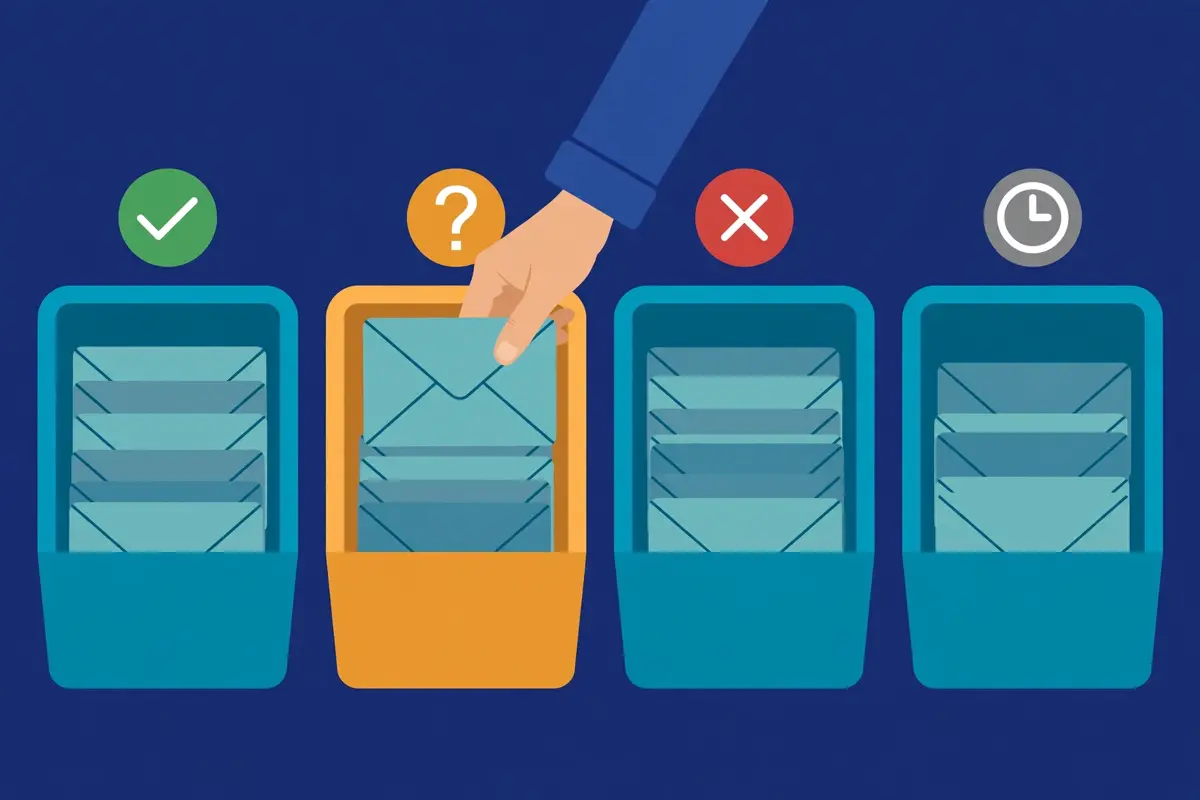
In fact, every verification tool returns a status for each address, and the statuses are similar across tools, even when the names differ slightly. For example, ZeroBounce returns Valid, Invalid, Catch-all, Disposable. Unknown, while NeverBounce returns Valid, Invalid, Catch-all, and Unknown, and Bouncer returns Deliverable, Undeliverable, Risky, and Unknown. Similarly, the table below translates the common statuses into one plain rule each: send, test, or suppress. Moreover, the rule matters more than the label, because two tools may use different words for the same verdict. In short, learn the four buckets, and every tool’s output becomes easy to read.
How to clean a cold email list: what to do with each result
| Status | What it means | What to do |
|---|---|---|
| Valid / Deliverable | The mailbox exists and will accept mail | Send to it; this is your clean list |
| Invalid / Undeliverable | The mailbox does not exist, or the domain is dead | Delete at once and add to the suppression list |
| Risky / Catch-all | The domain accepts all mail, so the mailbox cannot be confirmed | Send only in small test batches, or suppress; see the catch-all section |
| Unknown | The server did not answer, or the check timed out | Re-check once, then suppress if it stays unknown |
| Disposable | A temporary address from a temp-mail service | Delete at once and suppress; it will vanish within hours |
| Spam trap / Abuse | A trap address, or an address that reports spam | Delete at once and suppress; never mail it again |
The table above is the decision rule for every verification result. When in doubt, suppress: a suppressed address costs you one send, while a mailed trap costs you your reputation. Last checked: 16 November 2026.
Valid addresses in how to clean a cold email list: your clean list
Valid means the mailbox exists and will accept mail, and these addresses are your clean list. Firstly, a Valid result is the strongest signal a verification tool can give. It is the only result you should send to at full volume. For instance, a list that is 85% Valid, 10% Invalid. 5% Catch-all is a normal, healthy list after cleaning, and the 85% is what you mail. Similarly, the Valid addresses should go straight into your sending tool, and the rest should go to the suppression list or the test pile. In sum, Valid is the green light, and everything else in this section is about the other colours.
Secondly, Valid does not mean engaged, and that distinction matters. In fact, a mailbox can exist and still belong to someone who never opens your mail, because the person changed roles, lost interest, or never wanted it. For example, ZeroBounce’s scoring feature, which rates each address from zero to ten on likely engagement, exists precisely because deliverable and interested are different things. Moreover, a sender should still watch opens and replies on the Valid segment, and remove addresses that never engage after several campaigns. As a result, Valid is the start of the list, not the end of the work.
Invalid addresses: delete and suppress, no exceptions
Invalid means the mailbox does not exist, and there is no argument for keeping it. In fact, an Invalid address will hard bounce every time you mail it, and every bounce is a vote against your reputation. For example, a sender who keeps 500 Invalid addresses in a 10,000-send campaign is choosing a 5% bounce rate, which is more than double the danger line, for the sake of addresses that could never have replied. Similarly, there is no scenario in which mailing an Invalid address helps: it cannot open, cannot reply, and cannot buy. In short, delete Invalid addresses at once, and suppress them so they never come back.
In addition, Invalid results are the most reliable results a tool returns, because a non-existent mailbox is easy to confirm. Above all, the disagreement between tools lives in the grey areas, the catch-alls and the unknowns, not in the clear-cut Invalid addresses. For instance, the practitioner test of 563 emails covered later in this guide found that the tools agreed closely on the clear cases, and differed mainly on the risky ones. Moreover, that is why the Invalid bucket is the safest to act on: if a tool says an address does not exist, it almost certainly does not. As a result, never second-guess an Invalid result.
Unknown addresses in how to clean a cold email list: re-check once, then let go
Unknown means the tool could not get an answer, usually because the recipient’s server did not respond, blocked the check, or timed out. Firstly, an Unknown result is not a verdict: it is a shrug, and it deserves one retry. For instance, a server that is busy or temporarily refusing checks may answer cleanly an hour later. The address may turn out to be Valid. Similarly, some tools, such as ZeroBounce, do not charge for Unknown results, which makes the retry free. In sum, re-check every Unknown once, and see what it becomes.
Secondly, suppress an address that stays Unknown after a retry. In fact, a server that consistently refuses verification is usually a server that will also be difficult to deliver to. The address is not worth the risk. For example, a small list with 2% Unknowns can afford to lose them, while a large list with 10% Unknowns has a deliverability problem that a retry will not fix. Moreover, the Unknown bucket is where the accuracy debate lives, because different tools handle unresponsive servers differently. The stricter tools mark more addresses Unknown. As a result, treat a stubborn Unknown as a no, and move on.
Disposable, trap and abuse addresses: delete at once
Disposable, spam-trap, and abuse addresses are the three results that should never be mailed, under any circumstances. Firstly, a disposable address comes from a temp-mail service, and it will vanish within hours, so mailing it is pointless. For instance, a trap address exists only to catch senders, and mailing it is actively harmful. Similarly, an abuse address belongs to someone who reports spam, and mailing it invites a complaint. In short, these three results are not judgement calls. They are deletions.
Moreover, these results are the reason to use a tool that actually detects them, rather than the cheapest checker. In fact, a basic syntax checker will happily mark a trap address as Valid, because the address is well-formed. Only a tool with trap and abuse detection will catch it. For example, ZeroBounce advertises spam-trap and abuse detection as a core feature, and Bouncer’s toxicity scoring is built for exactly this job. In contrast, a tool that only checks whether a mailbox exists will miss the most dangerous addresses in your list. As a result, check that your tool detects traps before you trust its Valid results.
A live verification demo, with real results
Video: Verify Emails Inside Claude: ReachStream Email Verifier Live Demo (200 Real Emails) by ReachStream on YouTube. This video is the creator’s property, embedded via YouTube for education. OutreachCompare is not affiliated with ReachStream and does not claim ownership of this video.
In fact, the video above shows a live verification run on 200 real business addresses. The results are exactly the mix this section describes. For instance, ReachStream’s demo finds 153 Valid addresses, 18 Invalid. 15 Catch-all, which means 47 of the 200 addresses were not clearly safe to send to. It also shows why that matters: identifying the risky addresses before the campaign protects the sender’s reputation and stops wasted sends. Watch it with the status table above open, and the four buckets will click into place.
Catch-all addresses: the hardest call
Catch-all addresses are the hardest call in list cleaning, because they are the one result where the tool honestly does not know. In fact, a catch-all domain is configured to accept mail for any address at that domain, whether the mailbox exists or not. The verification check always comes back positive. For example, a company may set its domain to catch-all so that mail to a mistyped address still reaches someone. The tool cannot tell a real employee from a typo. Similarly, the address might be perfectly real, or it might be completely invented, and the tool has no way to distinguish the two. In short, a catch-all result is a question mark, and this section is how to answer it.
Secondly, catch-alls are common enough that ignoring them is not an option. In fact, the ReachStream demo in the video above found 15 catch-alls in 200 addresses, which is 7.5% of the list. A sender who suppressed all of them would lose a real share of genuine contacts. For example, a 10,000-address list with 7% catch-alls holds 700 addresses in the grey zone, and some of them are real decision-makers. Moreover, a sender who mailed all 700 at once would risk a bounce spike if many of them are fake. As a result, catch-alls need a careful middle path, and the rules below are that path.
How to clean a cold email list: the catch-all rules
| Rule | What it means in practice |
|---|---|
| Never mail catch-alls with the main list | Keep them in a separate segment, away from your Valid addresses |
| Test in small batches | Send to 50 to 100 catch-alls at a time, and watch the bounce rate |
| Stop at the first sign of trouble | If a batch bounces above 2%, pause that segment at once |
| Keep the winners, suppress the losers | Addresses that engage are real; hard bounces go to suppression |
| Use a scoring tool where you can | ZeroBounce Score rates catch-alls from zero to ten on likely engagement |
The catch-all rules above keep the genuine contacts and drop the fake ones, without risking the main list. Test small, watch the bounces, and stop at the first sign of trouble. Last checked: 16 November 2026.
Why catch-alls exist, and why companies use them
Companies use catch-all domains for a practical reason: they do not want to lose mail. Firstly, a catch-all guarantees that an email to a slightly mistyped address, or to a former employee whose mail should be forwarded, still reaches a human. For instance, a company may have set up catch-all years ago and forgotten about it, or may use it deliberately as a safety net. Similarly, small companies are more likely to use catch-all than large ones, because a small company can afford to read everything that arrives, while a large company cannot. In sum, a catch-all domain is not a trick. It is a configuration choice, and the sender has to live with it.
In addition, catch-all domains are common in exactly the companies cold emailers target. Above all, startups, agencies, and small B2B firms often run catch-all mail, which means a sender who suppresses every catch-all will lose a disproportionate share of the best prospects. For example, a list of startup founders may be 15% catch-all, while a list of enterprise managers may be only 3%. Moreover, that difference is why the test-batch approach matters: it recovers the real addresses in the segments where they matter most. As a result, do not treat catch-alls as a single bucket. Treat them as a segment to be tested.
The test-batch method in how to clean a cold email list, step by step
The test-batch method is simple, and it works because it limits the damage. Firstly, split the catch-all addresses into batches of 50 to 100. Send the first batch as its own small campaign, with your best copy and your warmest subject line. For instance, a batch that returns no bounces and a normal open rate is a batch of mostly real addresses. Those addresses can be promoted to the main list. Similarly, a batch that bounces above 2% should be paused at once, and the hard bounces in it should go straight to suppression. In short, each batch is a small experiment, and the results tell you what to do next.
Secondly, the test batches should go out slowly, not all in one day. In fact, sending five batches of 100 across a week gives you five separate bounce readings, while sending all 500 at once gives you one reading and one risk. For example, a sender who tests 100 catch-alls a day for a week will know by Friday which domains are safe and which are not. Will have risked only a small volume on any single day. Moreover, the test sends should go from a warmed mailbox, because a warmed mailbox absorbs a small bounce spike far better than a cold one. As a result, the test-batch method is slow on purpose, and the slowness is the safety.
Scoring catch-alls: what ZeroBounce Score adds
Scoring tools add a second opinion on catch-alls, and ZeroBounce Score is the best-known example. In fact, ZeroBounce Score rates each address from zero to ten, where zero means no confidence and ten means the highest confidence, based on activity data and engagement signals. For example, a catch-all with a score of nine is far more likely to be a real, active person than a catch-all with a score of one. The sender can prioritise the high scores and suppress the low ones. Similarly, the score does not prove an address exists, yet it turns a blind guess into an informed one. In short, scoring is the closest thing to an answer that catch-alls allow.
Moreover, scoring is worth paying for when catch-alls are a large share of your list. Above all, a list that is 15% catch-all holds hundreds of addresses in the grey zone. A score lets the sender test the most promising ones first. For instance, a sender who tests the score-eight catch-alls before the score-two ones will find the real contacts faster and waste fewer sends. In contrast, a list that is 2% catch-all barely needs scoring, because the test-batch method alone will sort it out in a day. As a result, match the tool to the problem: heavy catch-all lists deserve a scoring tool, and light ones do not.
Role-based, disposable and free-mail addresses
Role-based, disposable, and free-mail addresses are three different problems, and they need three different answers. In fact, a role-based address such as info@ goes to a shared inbox, a disposable address goes nowhere at all. A free-mail address such as gmail.com goes to a real person who may or may not be a business prospect. For example, a sender who deletes all three kinds loses genuine contacts, while a sender who keeps all three invites bounces and complaints. Similarly, the sections below give the rule for each kind, so the sender can sort them quickly and move on.
How to clean a cold email list: role-based addresses, keep or drop
| Address type | Rule | Why |
|---|---|---|
| info@, contact@, hello@ | Drop for cold outreach | Shared inbox, rarely read by a decision-maker, high complaint risk |
| support@, help@ | Drop always | Customer support queue, not a sales contact, will be ignored or reported |
| sales@, partnerships@ | Drop for cold outreach | Monitored by a team, heavily filtered, almost never reaches a person |
| Careers, press, legal | Drop always | Wrong department entirely, and mailing them looks careless |
| Named person at a role domain | Keep | A real person with a real job, even on a shared domain |
The role-based rules above are for cold outreach. A support@ address is perfect for a support ticket, and useless for a sales email. Last checked: 16 November 2026.
Role-based addresses: when to keep one, and when to drop it
Role-based addresses should almost always be dropped from a cold email list. Firstly, an address such as info@ or support@ is read by a team, or by nobody. It almost never reaches the person who can buy. For instance, a cold email to info@ will usually be deleted by whoever triages the inbox, or filtered automatically, and it will never produce a reply. Similarly, a role-based address that does reply is usually an auto-reply, or a polite refusal from someone whose job is not buying. In sum, role-based addresses waste sends and teach you nothing.
Secondly, the exception proves the rule: a named person on a role-style domain is a real contact. In fact, an address such as sarah@company.com is a personal address, even if the company is small, and it should be kept. For example, the test is whether the address names a person: if it does, keep it, and if it names a function, drop it. Moreover, some verification tools flag role-based addresses automatically, so the sender rarely has to hunt for them by hand. As a result, filter on the role label, keep the named people, and drop the functions.
Disposable addresses: always delete, never test
Disposable addresses are temporary by design, and they should always be deleted. In fact, a disposable address comes from a temp-mail service. It exists for a few minutes or hours, so that its owner can sign up for something without giving a real address. For example, a list built from scraped signups or a careless import may contain hundreds of disposables. Every one of them will bounce or vanish. Similarly, there is no test-batch method for disposables, because there is nothing to test: the address was never meant to receive mail. In short, delete them, suppress them, and move on.
In addition, disposable addresses are a warning sign about the source they came from. Above all, a data source that contains many disposables is a source full of people who did not want to be contacted. The rest of that source deserves extra scrutiny. For instance, a conference list with 5% disposables is probably fine, while a scraped list with 20% disposables is probably junk. Moreover, most verification tools flag disposables automatically, including ZeroBounce and Bouncer. The sender should check the disposable share of every new import before trusting it. As a result, the disposable count is a quality meter for the whole source.
Free-mail addresses in how to clean a cold email list: gmail, outlook, and yahoo
Free-mail addresses are a judgement call, and the answer depends on who you sell to. Firstly, a gmail.com or outlook.com address belongs to a real person. It will usually verify as Valid, yet it tells you nothing about the person’s company or role. For instance, a B2B sender targeting operations managers at mid-size companies should be suspicious of a list full of gmail addresses, because a real operations manager usually has a company address. Similarly, a sender targeting freelancers, creators, or very small businesses will find that gmail is the normal address. Deleting it would remove the best prospects. In sum, free-mail addresses are a targeting question, not a cleaning question.
Secondly, free-mail addresses carry a deliverability quirk worth knowing. In fact, Gmail and Yahoo apply their bulk-sender rules most strictly to mail sent to their own free addresses. A sender with a high bounce or complaint rate will feel it there first. For example, a list that is 50% gmail will show its problems in Gmail’s Postmaster Tools before anywhere else, which is useful as a warning, yet painful as a result. Moreover, a free-mail address that verifies as Valid is safe to mail, provided the targeting is right. As a result, keep the free-mail addresses that match your buyer, and drop the ones that do not.
Spam traps: the danger verification cannot see
Spam traps are the scariest addresses in cold email, because they are invisible by design. In fact, a spam trap is an address that exists only to catch senders who mail without permission. It looks exactly like a normal address to every tool that checks it. For example, a trap may be an old address that was abandoned, then recycled by the mailbox provider into a trap, or it may be an address that was never owned by anyone and was planted in a scraped list. Similarly, a verification tool will often mark a trap as Valid, because the trap does accept mail, which is the whole point of the trap. In short, verification alone cannot protect you from traps, and this section explains what can.
Secondly, the damage from a trap hit is real, and it is disproportionate. In fact, a single trap hit will rarely end a sending operation, yet repeated hits will get a domain or an IP address blocklisted. A blocklisted domain is a domain that cannot send at all. For example, a sender who mails a list full of traps will see placement collapse, replies vanish. The domain’s reputation fall in Google Postmaster Tools, all without a single bounce to explain it. Moreover, the sender will rarely know which address was the trap, because the trap never replies and never bounces. As a result, traps are fought by prevention, not by detection.
How to clean a cold email list: where spam traps come from
| Trap type | How it is made | How to avoid it |
|---|---|---|
| Recycled trap | An abandoned address is turned into a trap after months of inactivity | Clean quarterly, never mail a list untouched for a year |
| Pristine trap | Trap operators plant an address in scraped lists, never owned by anyone | Never buy or scrape lists, only use known sources |
| Typo trap | Trap operators register a common misspelling as a trap address | Fix typos in the syntax check, never guess at addresses |
The trap types above all share one defence: clean often, never buy lists, and never mail an address you cannot trace to a real source. Last checked: 16 November 2026.
Recycled traps: why old lists are the most dangerous
Recycled traps are the most common kind, and they are the reason old lists are dangerous. Firstly, a mailbox provider watches for addresses that have not been used for months. After a long enough silence, it may turn the address into a trap. For instance, an address that belonged to an employee who left in 2024. Has received no mail since, may be a trap by 2026. Similarly, a list that has sat untouched for a year is full of addresses that have had time to be recycled. The sender has no way to tell which ones. In sum, the older the list, the more traps it holds, and the quarterly clean is the defence.
In addition, recycled traps are why engagement matters as much as verification. Above all, an address that verified as Valid six months ago. Has never opened a single email since, is a candidate for removal, because a real person who never engages is either gone or uninterested. For example, a sender who removes addresses with no engagement after three campaigns will cut the trap risk sharply, without losing real prospects. Moreover, that is the same rule that protects the sender from recycled addresses in general: if nobody has opened from an address in months, stop mailing it. As a result, engagement data is a second cleaning tool, and it should be used alongside verification.
Pristine traps: why bought and scraped lists are poison
Pristine traps are addresses that were never owned by anyone, and they are planted in lists to catch senders who buy or scrape data. In fact, a pristine trap has no history, no owner. No inbox, and the only way to hit one is to mail a list you did not build yourself. For example, a list bought from a broker, or scraped from the web without permission, is likely to contain pristine traps, because the trap operators seed those lists deliberately. Similarly, a sender who hits a pristine trap has no defence, because the address looked valid and the source looked plausible. In short, the only protection is to never buy or scrape a list in the first place.
Secondly, the pristine-trap risk is the strongest argument for building lists from known sources. In fact, a list built from a data provider with verified, refreshed data, or from your own website, events. Partnerships, has a known provenance for every address. For example, our Lead Generation and List Building Guide 2026 covers the sources that are safe. Our Email Finders Guide 2026 covers the tools that find real people. Moreover, a sender who can trace every address to a source can also trace a trap hit to the source that caused it, and can stop using that source. As a result, provenance is protection.
What to do if you think you hit a trap while learning how to clean a cold email list
If placement collapses suddenly, with no bounce spike to explain it, a trap hit is a likely cause. Firstly, stop sending at once, because every further send risks another hit, and the damage grows with each one. For instance, pause all campaigns from the affected domain. Check Google Postmaster Tools for a reputation drop, which is the fingerprint of a trap problem. Similarly, check whether the collapse followed a new import, a bought list, or a long-unused segment, because the newest or oldest data is usually the culprit. In sum, stop first, diagnose second, and send nothing until you know.
Moreover, the recovery is slow and honest, much like recovering from a flagged domain. In fact, a domain that has hit traps needs weeks of clean behaviour before the filters trust it again: warmup only, no cold mail, authentication perfect, and spam at zero. For example, a sender with several domains can shift volume to a healthy domain while the affected one recovers, which is one more reason to run more than one domain. In contrast, a sender who keeps mailing through the problem will make it worse, and the recovery clock will restart. As a result, the trap recovery is the same lesson as every other recovery in cold email: pause, fix, and wait.
Cleaning tools compared
In fact, the tools below are compared on one question only: how well do they clean a list, and what does that cost? For example, a dedicated verification tool sells cleaning alone, while a finder tool bundles verification with finding. An email platform bundles validation with sending. In contrast, the cheapest cleaner is not always the best cleaner, because trap detection, catch-all handling, and accuracy all matter. In short, the tables below quote the providers’ own prices as published on 16 November 2026. Say “check the site” wherever a figure is not published.
Secondly, accuracy claims need a health warning before the tables. In fact, no neutral audit of verification accuracy exists, and every vendor claim is just that: a vendor claim. Similarly, the independent benchmarks that do exist disagree sharply, because they measure different things. The details are in the accuracy section after the pricing. Moreover, the decision section after the tables turns this comparison into a recommendation matched to your setup. The cleaning power decides the ranking in this section, not the email volume.
How to clean a cold email list: verification-tool pricing, part one
| Tool | Free tier | Pay as you go | Monthly plan |
|---|---|---|---|
| ZeroBounce Visit ZeroBounce → | $0, 100 credits a month | From $39 per 2,000 credits | ONE $99 a month, or $79 annual, 10,000 credits |
| NeverBounce See NeverBounce → | Free list analysis, 10 credits on signup | $8 per 1,000 credits, expire in 12 months | Growth $49 a month, allowance not stated on the page today |
| Bouncer Check Bouncer → | 100 free credits | 1,000 credits $8, 10,000 credits $60, credits never expire | Deliverability Kit $25, $125 or $250 a month |
| Hunter Visit Hunter → | $0, 50 credits a month | No pay-as-you-go plan stated | Starter $49 a month, or $34 annual, 2,000 credits |
Verification-tool pricing, part two
| Tool | Free tier | Pay as you go | Monthly plan |
|---|---|---|---|
| Snov.io Visit Snov.io → | Trial 50 credits and 100 recipients, never expires | No pay-as-you-go plan stated | Starter $39 a month, or $29.25 annual |
| Skrapp See Skrapp → | $0, 50 credits a month, 1 user | No pay-as-you-go plan stated | Professional $39 a month, or $29 annual, 2,000 credits a month, 2 users |
| Mailgun validation Visit Mailgun → | Check the site | Check the site | Validation sits inside Mailgun Optimize, priced separately, no prices stated |
The prices above were read on the official sites on 16 November 2026. ZeroBounce ONE also sells 50,000 credits at $379 a month and 100,000 at $449 a month, and a 1M single-source tier at $2,499 a month. NeverBounce Growth tiers run $49 for 10,000 credits, $99 for 50,000, $159 for 100,000, $249 for 250,000, $499 for 500,000 and $999 for 1M, corroborated by independent October to November 2026 checks of the same official pages. Last checked: 16 November 2026. Features and pricing can change, so please check the provider’s site before you buy. We do not guess at features, prices or trials.
What cleaning costs per 1,000 addresses
The headline price hides the real comparison, which is the cost per 1,000 addresses verified. Firstly, the arithmetic is simple: divide the price by the credits, then multiply by 1,000, and the cheapest tool at each volume becomes obvious. For instance, NeverBounce pay-as-you-go costs $8 per 1,000 at any volume, while ZeroBounce pay-as-you-go costs $19.50 per 1,000 at 2,000 credits, $12.90 at 10,000. $6.49 at 100,000, so ZeroBounce gets cheaper as the list grows. Similarly, Bouncer costs $8 per 1,000 at 1,000 credits, $6 at 10,000, and $4 at 100,000, with credits that never expire. In sum, the table below does the division for you, and the winner changes with the volume.
| Tool and tier | Cost per 1,000 verified | How the number is worked out |
|---|---|---|
| NeverBounce pay as you go | $8.00 | $8 per 1,000 credits, flat at every volume |
| NeverBounce Growth, 100,000 | $1.59 | $159 a month for 100,000 credits |
| Bouncer pay as you go, 100,000 | $4.00 | $400 for 100,000 credits, never expire |
| Bouncer pay as you go, 1M | $2.00 | $2,000 for 1,000,000 credits, never expire |
| ZeroBounce pay as you go, 2,000 | $19.50 | $39 for 2,000 credits |
| ZeroBounce pay as you go, 100,000 | $6.49 | $649 for 100,000 credits |
| ZeroBounce ONE, 10,000 | $9.90 | $99 a month for 10,000 credits |
| ZeroBounce ONE, 100,000 | $4.49 | $449 a month for 100,000 credits |
The per-1,000 figures above are our arithmetic from the providers’ stated prices, shown so you can compare like with like. Hunter verification costs 0.5 credits per address, so Starter at $49 a month for 2,000 credits verifies 4,000 addresses, which is $12.25 per 1,000, or $8.50 on the $34 annual price. Last checked: 16 November 2026.
More cleaning costs per 1,000 addresses
| Tool and tier | Cost per 1,000 verified | How the number is worked out |
|---|---|---|
| NeverBounce pay as you go, 10,000 | $5.00 | $50 for 10,000 credits |
| NeverBounce pay as you go, 1M | $2.50 | $2,500 for 1,000,000 credits |
| ZeroBounce pay as you go, 10,000 | $12.90 | $129 for 10,000 credits |
| ZeroBounce pay as you go, 1M | $3.20 | $3,199 for 1,000,000 credits |
| Hunter Starter, monthly | $12.25 | $49 for 2,000 credits, 0.5 credits per verification |
| Hunter Growth, monthly | $7.45 | $149 for 10,000 credits, 0.5 credits per verification |
| Snov.io, Skrapp | Check the site | Credits cover finding and verification together, so no clean per-verification price is stated |
The second table above finishes the comparison: at 1M addresses, NeverBounce pay-as-you-go is $2.50 per 1,000, Bouncer is $2.00, and ZeroBounce is $3.20, while NeverBounce Growth at 100,000 is $1.59 per 1,000. Check the site before buying, because prices change. Last checked: 16 November 2026.
What each tool actually does when it cleans
Price is only half the comparison, because the tools do different jobs. Firstly, ZeroBounce is a dedicated cleaner with the widest feature set: bulk and real-time verification, spam-trap and abuse detection, disposable detection, catch-all handling, and a zero-to-ten engagement score. For instance, it also offers a 99.6% accuracy guarantee, with a footnote that the guarantee is 96% without its Verify+ add-on for some providers such as Yahoo. Similarly, NeverBounce is a dedicated cleaner with the most careful approach: real-time and bulk verification, a free list analysis before you pay, and a 99.9% vendor accuracy claim. In short, these two are the pure cleaners, and they are the tools this guide recommends first.
Secondly, Bouncer is a dedicated cleaner with the best value at volume, and the simplest pricing. In fact, its pay-as-you-go credits never expire, which suits a sender who cleans in bursts rather than every month. Its 99.5% accuracy claim sits just under the two leaders. For example, Bouncer also sells a Deliverability Kit at $25, $125 or $250 a month. Its toxicity scoring highlights risky addresses of every kind. Moreover, Hunter, Snov.io and Skrapp are finders first and verifiers second: they find the addresses, then verify them as part of the same credit, which is convenient yet makes the verification cost harder to separate. As a result, the finder tools suit senders who want one tool for both jobs, while the dedicated cleaners suit senders who want the deepest clean.
How to clean a cold email list: cleaning features at a glance
| Tool | Bulk verification | Spam-trap detection | Catch-all handling | Free tier |
|---|---|---|---|---|
| ZeroBounce | Yes | Yes | Yes, plus Score 0 to 10 | 100 credits a month |
| NeverBounce | Yes | Check the site | Yes | Free list analysis, 10 credits |
| Bouncer | Yes, up to 200,000 an hour | Yes, toxicity scoring | Yes | 100 free credits |
| Hunter | Yes, bulk verification | Check the site | Yes | 50 credits a month |
More cleaning features at a glance
| Tool | Bulk verification | Spam-trap detection | Catch-all handling | Free tier |
|---|---|---|---|---|
| Snov.io | Yes, 7-tier verification, 98%+ claim | Check the site | Yes, 7-tier check | 50 credits, never expires |
| Skrapp | Yes | Check the site | Yes, only Valid and Catch-all charged | 50 credits a month |
| Mailgun validation | Yes, bulk verification | Yes, trap and blocklist monitoring | Check the site | Check the site |
Feature details above were read on the official sites on 16 November 2026. “Check the site” means the provider’s page does not state the detail clearly, so confirm it before buying. Last checked: 16 November 2026. Features and pricing can change, so please check the provider’s site before you buy. We do not guess at features, prices or trials.
The accuracy debate, stated honestly
No neutral audit of verification accuracy exists, and that fact should shape how you read every claim in this guide. Firstly, the vendors all claim 98% to 99.9%, yet those numbers come from their own tests, on their own terms. They cannot all be right at once. For instance, a 30-day test by La Growth Machine found NeverBounce at 99.9% and ZeroBounce at 99.0%, while a stricter benchmark by Hunter, which counted Unknown results against the tools, found NeverBounce at 63.17% and ZeroBounce at 60.7%. Similarly, the two tests disagree because they measure different things, not because one of them is lying. In short, treat every accuracy figure as a vendor claim or a third-party benchmark, never as a neutral fact.
Secondly, one practitioner test is more useful than any vendor claim, because it measures what senders actually care about: bounces. In fact, a test of 563 emails found that ZeroBounce approved 453 addresses and 2 of them bounced, while NeverBounce approved only 392 and none of them bounced. For example, ZeroBounce let more addresses through. Two of them were bad, while NeverBounce was more conservative and let fewer through, with zero bounces. Moreover, that is the real trade-off: a permissive tool gives you a bigger list and a few more bounces, while a careful tool gives you a smaller list and almost no bounces. As a result, the choice is not which tool is most accurate, but which trade-off you prefer.
Skrapp and the accuracy gap the benchmarks found
In addition, Skrapp deserves a plain note on accuracy. Above all, two third-party benchmarks, Anymail Finder in September 2025 and Tomba in February 2026, both measured Skrapp at 42.8% verified, against its 92% search-success claim. That gap is large enough to mention. For example, those benchmarks are third-party measurements, not neutral audits, and they measured verification success, which is a different thing from search success. Similarly, Skrapp’s Fair Credit Policy softens the risk, because credits roll over, are kept after cancellation, and only Valid and Catch-all results are charged. As a result, Skrapp is worth trying on its free tier, yet the benchmarks say to verify its results before trusting them at scale.
How to clean a cold email list: the honest pros and cons
Cleaning has real strengths. Firstly, it cuts bounces, protects reputation, saves money, and makes every campaign measurement honest. For example, a list cleaned before every campaign will almost never cross the 2% bounce line. The sender will know that a low reply rate means the copy needs work, not the list. Similarly, the cost is tiny beside the value: verifying 10,000 addresses costs between $49 and $195, which is less than a single lost meeting. Moreover, the habit compounds, because a list cleaned four times a year stays fresh, while a list cleaned never gets worse every month. Overall, the case for cleaning is protection, honesty, and value.
In contrast, cleaning has real limits too. In fact, it cannot detect spam traps reliably, it cannot confirm catch-all addresses. It cannot fix a list built from bought or scraped data. For example, a sender who verifies a bought list will still hit traps, because the traps look valid to every tool. Similarly, a sender who cleans once and never again will watch the list decay just as fast as before, because decay never stops. As a result, the honest rule is to clean often, buy nothing, and treat verification as one layer of protection, not a guarantee. The effort is genuine, yet the deliverability it protects is worth every minute.
The cost of cleaning vs the cost of not cleaning

In fact, the cost argument is the easiest one in this guide, because the numbers are so one-sided. For example, cleaning 10,000 addresses costs between $49 and $195 depending on the tool, while a single dirty send at a 5% bounce rate can damage a domain for weeks. A damaged domain can cost far more in lost meetings than any cleaning bill. Similarly, the waste is easy to count: every send to a dead address burns a mailbox slot, a sending credit. A little reputation, all for an email nobody will ever read. Moreover, the table below works the example out in full, so the sender can see the trade-off in plain numbers. In short, cleaning is the cheapest insurance in cold email.
How to clean a cold email list: the bounce maths, worked out
| List of 10,000 | Dead addresses | Bounces | Bounce rate | Verdict |
|---|---|---|---|---|
| Fresh, just cleaned | About 100 | About 100 | About 1% | Safe, under the 2% line |
| 3 months old | About 500 | About 500 | About 5% | Over the line, reputation damage starts |
| 6 months old | About 1,000 | About 1,000 | About 10% | Serious damage, placement collapses |
| 12 months old | About 2,200 | About 2,200 | About 22% | Catastrophic, domain at risk |
The bounce maths above uses the industry decay figure of roughly 22% a year, spread evenly across the months. A list that is 5% dead is already over the 2% bounce line. Last checked: 16 November 2026.
The 10,000-address example in how to clean a cold email list, checked line by line
The 10,000-address example is the one senders ask about most, so here is the arithmetic in full. Firstly, a fresh list that has just been cleaned will still hold about 1% dead addresses, because no tool is perfect. 1% of 10,000 is 100 bounces, which is a 1% bounce rate, safely under the 2% line. For instance, the same list three months later, with no cleaning, will hold about 5% dead addresses, because decay runs at roughly 2% a month. 5% of 10,000 is 500 bounces, which is a 5% bounce rate, more than double the line. Similarly, at six months the list is about 10% dead, which is 1,000 bounces and a 10% bounce rate. At twelve months it is about 22% dead, which is 2,200 bounces and a 22% bounce rate. In sum, the decay curve is the reason the quarterly clean exists.
In addition, the cleaning cost for that same list is small at every volume. Above all, verifying 10,000 addresses costs $80 at NeverBounce pay-as-you-go, $60 at Bouncer pay-as-you-go, $129 at ZeroBounce pay-as-you-go, or $99 on ZeroBounce ONE. The cheapest option at that volume is Bouncer at $60. For example, a sender who cleans quarterly spends about $240 a year at Bouncer prices to keep a 10,000-address list fresh, which is less than the cost of a single lost deal. Moreover, the cost of not cleaning is not just the bounces: it is the meetings that never happen because the mail landed in spam. As a result, the comparison is not close, and it never has been.
Wasted sends: the hidden bill
Wasted sends are the cost senders forget, because they never appear on an invoice. In fact, every send to a dead address consumes a mailbox slot. A fleet of mailboxes sending 25 to 30 cold emails a day each has a fixed daily capacity. For example, a fleet sending 3,333 emails a day with 5% dead addresses wastes about 167 sends a day, which is more than five mailboxes&rsquo. Worth of daily capacity, every single day. Similarly, the sending tool charges for those sends whether they arrive or not. The warmup, the copy, and the targeting all went into emails that nobody read. In short, a dirty list taxes every part of the operation.
Moreover, the waste grows with the list, not with the campaign. Above all, a 100,000-address list that is 10% dead wastes 10,000 sends per full pass, which is a whole campaign’s worth of volume thrown away. For instance, cleaning that list at Bouncer’s 100,000 price of $400 costs less than the mailbox and tool fees wasted on the dead addresses alone. In contrast, a sender who cleans before every campaign wastes almost nothing, because the dead addresses are gone before the first send. As a result, the waste argument is the same as the bounce argument, seen from the other side: cleaning pays for itself in sends alone, before reputation is even counted.
How often to re-clean: the freshness schedule
Cleaning is a schedule, not an event, and the schedule below is the one this guide recommends. In fact, it has three layers: the before-campaign clean, the quarterly clean. The annual deep clean, and each layer catches what the others miss. For example, the before-campaign clean catches the decay since the last send, the quarterly clean catches the decay across the whole database. The annual deep clean catches the addresses that have gone quiet and should be removed for engagement reasons. Similarly, the schedule is deliberately simple, because a schedule nobody follows is worse than no schedule at all.
How to clean a cold email list: the freshness schedule
| Clean | How often | What it covers | Cost at 10,000 addresses |
|---|---|---|---|
| Before every campaign | Every send | The sending segment only | $49 to $195, depending on the tool |
| Quarterly clean | Every 3 months | The whole list, end to end | $60 to $129 at Bouncer or ZeroBounce prices |
| Annual deep clean | Every 12 months | Whole list, plus engagement removal | Same as quarterly, plus your time |
| After a bounce spike | Whenever it happens | Whole list, plus suppression | Same as quarterly |
The freshness schedule above has three layers: before every campaign, quarterly for the whole list, and annually for engagement. Follow all three, and the list stays fresh all year. Last checked: 16 November 2026.
The before-campaign clean in how to clean a cold email list: every single time
The before-campaign clean is the layer that matters most, because it is the one that protects the next send. Firstly, it only needs to cover the segment you are about to mail, which keeps it fast and cheap. For instance, a sender with a 100,000-address database and a 5,000-address campaign only verifies 5,000 addresses, which costs $40 at NeverBounce pay-as-you-go. Similarly, the clean should run as close to the send as possible, ideally the same day, because verification results go stale within weeks. In sum, the rule is simple: no clean, no send.
Secondly, the before-campaign clean is the habit that makes the other layers easy. In fact, a sender who cleans before every campaign will find that the quarterly clean removes very little, because the decay was already caught campaign by campaign. For example, the quarterly clean becomes a confirmation rather than a rescue, and the annual deep clean becomes a tidy-up rather than a rebuild. Moreover, the habit also builds a record: the sender can see the Invalid share shrinking over time, which proves the list is getting healthier. As a result, start with this layer, and the rest follows naturally.
The quarterly clean: the whole database, four times a year
The quarterly clean covers the whole database, including the addresses you are not currently mailing. In fact, the inactive addresses decay fastest, because nobody is watching them. They are the ones that will hurt you when you finally mail them. For example, a segment untouched since January may be 8% dead by April. Mailing it without a clean would produce an 8% bounce rate. Similarly, the quarterly clean is the moment to check the health of the whole database, not just the active part. To remove the addresses that have been dead for months. In short, put the four dates in the calendar, and treat them as fixed.
In addition, the quarterly clean is the right moment to review your sources. Above all, a source whose Invalid share keeps rising is a source that is dying. The sender should stop buying from it or stop scraping it. For instance, a data provider whose lists were 3% Invalid in January and 12% Invalid by October is a provider whose data is going stale. Moreover, the quarterly clean gives you the numbers to have that conversation, or to switch providers. As a result, the quarterly clean is a quality audit as well as a cleaning, and it should be treated as one.
The annual deep clean: engagement, not just existence
The annual deep clean adds a second test: not just does the address exist, but does the person behind it still engage? Firstly, an address that has received twenty emails and never opened one is either abandoned, uninterested, or filtered. Mailing it a twenty-first time will not change that. For instance, a sender who removes every address with no engagement in twelve months will usually cut 10% to 20% of the list. The reply rate on the remainder will rise, because the denominator is now honest. Similarly, the removed addresses are not lost forever: they can be reactivated later with a dedicated re-engagement campaign, if the sender wants. In sum, the annual clean is about quality, not just deliverability.
Moreover, the annual clean is the moment to check the suppression list and the consent records. In fact, a year is long enough for the rules to have changed, for a provider to have updated its policies. For the sender’s own records to have drifted. For example, the sender should confirm that every address on the list still has a lawful basis for being mailed. That unsubscribes and complaints are all on the suppression list. In contrast, a sender who skips this check risks mailing people who asked to be removed, which is both a legal risk and a reputation risk. As a result, the annual clean is the compliance check as well as the freshness check.
GDPR and data minimisation
Cleaning is not just good deliverability: it is also good data protection, and the GDPR gives it a name. In fact, the GDPR’s data minimisation principle says that personal data should be adequate, relevant. Limited to what is necessary for the purpose, and a list full of dead addresses fails that test. For example, holding 2,200 dead addresses on a 10,000-address list means holding personal data that serves no purpose, because those people cannot be reached and will never engage. Similarly, deleting what you do not need is not just tidy: it is the law’s expectation. In short, cleaning is compliance, not just hygiene.
Secondly, the GDPR’s storage limitation principle says the same thing from the other side: personal data should not be kept for longer than necessary. In fact, an address that has not engaged in a year. Has no realistic prospect of engaging, is data kept past its useful life. For example, the annual deep clean described above is the practical way to honour that principle, because it removes the addresses that have gone quiet. Moreover, a sender who cleans regularly can show, if ever asked, that they have a process for keeping data fresh and for deleting what they do not need. As a result, the cleaning schedule in this guide is also a compliance record, and it should be kept as one.
How to clean a cold email list: the GDPR cleaning rules
| GDPR principle | What it means for your list |
|---|---|
| Data minimisation | Only keep what you need: delete dead, disposable and trap addresses at once |
| Storage limitation | Do not keep addresses forever: remove the long-unengaged every year |
| Accuracy | Keep data accurate: verification and quarterly cleaning are the accuracy process |
| Suppression respected | Unsubscribes and complaints stay suppressed, permanently, across every import |
The GDPR rules above are general guidance, not legal advice. If your situation is complex, speak to a lawyer who knows data protection law. Last checked: 16 November 2026.
What to delete, and what to keep, in how to clean a cold email list
The deletion rule is simple: if an address cannot receive mail, or should not receive mail, delete it. Firstly, Invalid, Disposable, Spam Trap, and Abuse results should be deleted and suppressed at once, because they serve no purpose and carry only risk. For instance, a trap address kept on the list is a trap waiting to be hit. A disposable address kept on the list is data about a person who never existed. Similarly, remove long-unengaged addresses at the annual clean, because they are data kept past its useful life. In sum, when in doubt, delete: a smaller, cleaner list is worth more than a larger, dirtier one.
In addition, the suppression list itself should be kept, even though it holds addresses you never mail. Above all, the suppression list is the record of who asked not to be mailed, who bounced. Who complained, and deleting it would mean mailing those people again. For example, a suppression list is not marketing data: it is a compliance record. It should be kept for as long as you send cold email. Moreover, the suppression list should be checked against every import, so that a suppressed address can never re-enter the sending list by accident. As a result, delete the bad addresses from the sending list, and keep them on the suppression list, forever.
Who should pick which tool
Start from your situation, and let it choose the tool. In contrast, a sender with a small list who cleans occasionally needs cheap pay-as-you-go credits that never expire, not a monthly subscription. For example, a sender with a huge list who cleans every week needs the lowest cost per 1,000, not the best free tier. Similarly, a sender who finds addresses and verifies them in one tool needs a finder with verification built in, while a sender who already has a list needs a dedicated cleaner. As a result, read the framework below from your situation outward, and the right row should jump out at you. Begin with that row, and choosing a cleaner becomes straightforward.
How to clean a cold email list: pick the tool that matches your situation
| Your situation | Pick this | Why |
|---|---|---|
| Small list, clean occasionally | Bouncer | Credits never expire, $8 per 1,000, 100 free credits |
| Want the deepest clean | ZeroBounce | Trap detection, Score 0 to 10, 99.6% guarantee, from $39 per 2,000 |
| Zero bounces matter most | NeverBounce | Most conservative, 0 bounces in the 563-email test, from $8 per 1,000 |
| Clean at huge volume | NeverBounce Growth | $1.59 per 1,000 at 100,000, or Bouncer at $2.00 per 1,000 at 1M |
| Find and verify in one tool | Hunter | Finder plus verification, 0.5 credits per check, from $34 a month annual |
| Find, verify and send in one tool | Snov.io | 7-tier verification, unlimited team seats, from $29.25 a month annual |
| Only pay for good results | Skrapp | Only Valid and Catch-all charged, credits roll over, from $29 a month annual |
| Validate inside a sending platform | Mailgun | Validation inside Mailgun Optimize, with trap and blocklist monitoring |
That framework starts from the situation, not the feature list, so pick the row that matches your setup, then check the price on the provider’s own site before you buy. Last checked: 16 November 2026.
Three questions to answer before you spend anything
Three questions come first, before any money changes hands. In sum, the first is volume: how many addresses will you clean, and how often? A sender cleaning 1,000 addresses a month needs pay-as-you-go credits, while a sender cleaning 100,000 a month needs a subscription. Second, do you need finding as well, or cleaning alone? A sender who already has a list should buy a dedicated cleaner, while a sender who still needs to find addresses should buy a finder with verification built in. Finally, how much risk can you accept: do you want the biggest list, or the fewest bounces? A sender who wants the biggest list should pick ZeroBounce, while a sender who wants zero bounces should pick NeverBounce. Answer all three, and a single row of the table above should fit your setup better than the rest.
A small sender cleaning occasionally should start with Bouncer, at $8 per 1,000 with credits that never expire, and use the 100 free credits first. Firstly, a sender who wants the deepest clean should pick ZeroBounce, from $39 per 2,000 on pay-as-you-go, with trap detection and a zero-to-ten score. A sender who wants zero bounces should pick NeverBounce, from $8 per 1,000, with its free list analysis before you pay. Read our ZeroBounce vs NeverBounce 2026 and our Best Email Verification Tools Compared 2026 for the full picture on each one.
Frequently asked questions
How to clean a cold email list: how often should I clean it?
Clean before every campaign, and re-verify the whole list at least every three months. Business addresses decay at roughly 22% a year, which is about 2% a month. A list verified in January is about 5% dead by April and about 10% dead by July. A sender who cleans quarterly will never let decay build up past a few percent, while a sender who cleans once a year will be mailing a list that is a fifth dead by December. Put the four quarterly dates in the calendar, and treat the before-campaign clean as non-negotiable.
How to clean a cold email list: how much does cleaning cost?
Verifying 10,000 addresses costs between $49 and $195 depending on the tool. NeverBounce pay-as-you-go costs $80, Bouncer costs $60, ZeroBounce pay-as-you-go costs $129, and ZeroBounce ONE costs $99 a month for 10,000 credits. At larger volumes the price falls sharply: at 100,000 addresses, NeverBounce Growth costs $1.59 per 1,000, Bouncer costs $4.00 per 1,000, and ZeroBounce ONE costs $4.49 per 1,000. Cleaning is the cheapest insurance in cold email, because a single dirty send can damage a domain for weeks.
How to clean a cold email list: should I delete catch-all addresses?
No, not all of them, and not at once. Catch-all addresses cannot be confirmed by verification, yet many of them are real people, especially at small companies and startups. Keep them in a separate segment, test them in small batches of 50 to 100. Watch the bounce rate: if a batch bounces above 2%, pause that segment at once. Keep the addresses that engage, suppress the hard bounces. Use a scoring tool such as ZeroBounce Score, which rates catch-alls from zero to ten, to test the most promising ones first.
How to clean a cold email list: can verification detect spam traps?
Only partly, and that is the honest answer. A verification tool checks whether a mailbox exists, and a spam trap does accept mail, so many tools will mark a trap as Valid. Tools with dedicated trap detection, such as ZeroBounce and Bouncer with its toxicity scoring, catch more traps than a basic checker, yet no tool catches them all. The real defence is prevention: clean quarterly, never buy or scrape lists, never mail a list untouched for a year. Remove addresses with no engagement after several campaigns.
How to clean a cold email list: what bounce rate should I aim for?
Aim for under 1%, and never go above 2%. A bounce rate under 1% means the list is clean, while a rate above 2% means the list has dead or risky addresses in it and should be re-verified at once. A list that was verified a month ago and never re-checked will bounce more than a list verified yesterday, because addresses go stale every month. If a send bounces above 2%, stop, re-verify the whole list, remove every hard bounce into a permanent suppression list, and only then resume sending.
How to clean a cold email list: is it better to use ZeroBounce or NeverBounce?
ZeroBounce is the better pick for the deepest clean, because it adds spam-trap and abuse detection, disposable detection, catch-all handling. A zero-to-ten engagement score, with a 99.6% accuracy guarantee. NeverBounce is the better pick when zero bounces matter most, because it is the more conservative tool: in a practitioner test of 563 emails, ZeroBounce approved 453 addresses and 2 bounced, while NeverBounce approved 392 and none bounced. We have not hands-on tested these tools ourselves, so there are no numeric scores here, only the verified prices and the honest trade-offs above.
The verdict
The verdict
Learning how to clean a cold email list comes down to six steps: back up and dedupe, check the syntax, check the domains, scan for role-based and disposable addresses, verify the survivors, and suppress the bad ones permanently. Keep the Valid addresses, delete the Invalid, Disposable and trap addresses at once, and send to Catch-all addresses only in small test batches. Clean before every campaign, re-verify the whole list every three months, and remove the long-unengaged once a year. Cleaning is cheap, quick, and it protects everything else in cold email.
Best all-round cleaner: ZeroBounce, from $39 per 2,000 on pay-as-you-go, with trap detection and a zero-to-ten score. Most careful cleaner: NeverBounce, from $8 per 1,000, with zero bounces in the 563-email test. Best value at volume: Bouncer, from $8 per 1,000 with credits that never expire. We have not hands-on tested these tools ourselves, so there are no numeric scores here, only the verified prices and the honest trade-offs above.
Start today with three moves
Take these three steps today. Moreover, export your list and back it up, so the cleaning starts from a safe copy. Next, run the free steps: dedupe it, fix the typos, and flag the role-based and disposable addresses, before a single verification credit is spent. Then verify the survivors with a free tier, such as ZeroBounce’s 100 free credits a month or Bouncer’s 100 free credits. Send your next campaign only to the Valid addresses. Those three moves take less than an hour, and they hand the sender a clean list and a protected reputation.
Keep the tools in perspective: they clean the list, they never replace good targeting, honest copy, or warmup. Similarly, the freshness of the list, the cleanliness of the data, and the honesty of the message matter far more than any feature table. A sender who gets those three right will reach the inbox with any cleaner in this guide. A clean list, a warm mailbox, and honest copy are this guide to how to clean a cold email list at its best. That is the honest reality behind all the tables in this guide. The How to Build a Cold Email List 2026 guide covers building the list. Our Cold Email Warmup Schedule 2026 guide shows what to do with the clean list once you have it.
Keep reading
- Email Verification Guide 2026, how verification works under the hood
- Best Email Verification Tools Compared 2026, the verification tools head to head
- ZeroBounce vs NeverBounce 2026, the two leading cleaners, compared in full
- How to Build a Cold Email List 2026, finding and collecting addresses in the first place
- Lead Generation and List Building Guide 2026, the sources that keep a list clean from the start
- Email Finders Guide 2026, finding real people, not just addresses
- Inbox Placement Guide 2026, testing whether clean mail reaches the inbox
- Deliverability Guide 2026, the wider deliverability picture behind every signal
- Cold Email Warmup Schedule 2026, warming the mailbox that sends to your clean list
- SPF, DKIM and DMARC Explained 2026, the authentication a clean list still needs