Author: OutreachCompare Team

  • Multichannel and AI Personalisation Guide 2026

    Multichannel and AI Personalisation Guide 2026

    Reaching buyers on every channel they actually use, with messages that sound written for them

    Multichannel ai personalisation is the combination of two ideas that work far better together than apart: reaching each prospect on several channels in one coordinated sequence, and writing every touch so it fits that one person. This multichannel ai personalisation guide explains both halves in plain language, compares the eleven tools that do them best, and shows how to start safely without risking a LinkedIn account or a sending domain.

    Visit Lemlist →Explore Reply.io →See Waalaxy →

    Prices checked 16 November 2026 on the official sites of all eleven providers. Features and pricing can change, so please check the provider’s site before you buy.

    Quick Answer

    Multichannel ai personalisation means contacting each prospect across email, LinkedIn, calls and sometimes WhatsApp or SMS in one sequence, with every message personalised by AI from real data about that person. A prospect who ignores an email may accept a LinkedIn invite, and a prospect who ignores both may pick up the phone. For example, Lemlist is the best all-round multichannel platform, with email, LinkedIn, calls, SMS and WhatsApp in one sequence from $109 per user a month.

    Reply.io is the best choice when an AI SDR should run the sequence, with Jason from $500 a month on annual billing. In contrast, Waalaxy is the best LinkedIn-first starting point, from €19 a user a month with a hard 40-actions-a-day safety limit. In sum, start with email plus LinkedIn, warm up first, and add AI personalisation one layer at a time.

    Why this multichannel ai personalisation guide covers two ideas at once

    Firstly, most guides treat multichannel outreach and AI personalisation as separate topics, and that split hides the point. In fact, the two ideas solve opposite halves of the same problem. Multichannel outreach solves the problem of being seen: a buyer who misses an email may notice a LinkedIn message, and a buyer who ignores both may answer a call. AI personalisation solves the problem of being relevant: a message that mentions a real detail about the buyer reads like a message from a person, while a generic message reads like spam. Reach without relevance gets ignored. Relevance without reach never arrives.

    Secondly, this multichannel ai personalisation guide puts the two halves together in the order a reader should build them. It starts with what multichannel outreach is and why it lifts reply rates, then walks through each channel one by one, then shows how to build a sequence that branches on what the prospect does. Firstly, after that it explains the AI layers, from simple icebreakers to full AI SDRs, and only then does it price the eleven leading tools side by side. By the end, a reader will know which channels to use, which AI layer to add first, and which tool fits their team, their budget and their appetite for risk.

    Finally, every price and feature in this multichannel ai personalisation guide was checked on the official sites on 16 November 2026. Where a vendor publishes no price, or where a figure comes from a reported contract or a help centre rather than a list price, the guide says so in plain language. Secondly, jump to the pricing section when the budget is the constraint, and start at the top when the goal is understanding the whole system.

    What multichannel outreach is — and why it lifts reply rates

    In fact, multichannel outreach is a sales sequence that contacts the same prospect on more than one channel, in a planned order, over days or weeks. A typical sequence opens with an email, follows with a LinkedIn profile visit and a connection invite, sends a LinkedIn message when the invite is accepted, adds a call, and closes with a final email. Finally, each step is a touch. Each touch has a job: the first touch introduces, the second reminds, the third adds a reason, and the fourth asks for the meeting. No single channel carries the whole sequence.

    Moreover, the reason multichannel outreach lifts reply rates is simple arithmetic about attention. A buyer receives dozens of cold emails a day, and most of them are never opened. Moreover, that same buyer receives far fewer LinkedIn messages, and fewer still phone calls, so a message on a quieter channel stands out. A buyer who deletes an email without reading it may still accept a LinkedIn invite from a name they half recognise, because the email put the name in front of them first. Each channel makes the next one warmer, and the sequence earns the reply that no single channel would have earned alone.

    Multichannel ai personalisation: one prospect, several touches, one story

    Firstly, a good multichannel sequence tells one story across its touches, not five different stories. The email introduces the problem. The LinkedIn message refers back to the email. The call mentions the LinkedIn message. The follow-up email summarises the call. A prospect who sees the same problem described three ways, in three places, starts to believe the sender understands their world. In contrast, a sequence that fires a different pitch on every channel feels like five strangers, and five strangers get ignored together.

    Secondly, the number of touches matters less than their spacing and their logic. A sequence of eight touches over three weeks, with two or three days between each, gives a busy buyer time to notice, to think, and to reply. Furthermore, a sequence of eight touches in four days feels like pressure, and pressure gets a prospect to block the sender. Our Cold Email for Beginners guide explains the sending side in full, and our Lead Generation and List Building Guide explains how to build the list these sequences run on.

    Multichannel ai personalisation: what the research and the tools actually show

    For example, the tools in this multichannel ai personalisation guide all make the same broad claim: adding a second and third channel raises reply rates over email alone. La Growth Machine puts it at 3.5 times more leads from multichannel outreach, and Reply.io reports reply rates three times higher on its platform. In addition, those are vendor figures, not independent studies, and no neutral audit of multichannel reply rates exists, so treat them as direction, not as a promise. The safer reading is that more channels mean more chances to be seen, and more chances to be seen mean more replies, provided the messages stay relevant and the volume stays human.

    In sum, multichannel outreach is not a trick for sending more messages. It is a system for reaching a buyer where that buyer actually pays attention, with a message that fits them, at a pace that respects their time. In fact, the rest of this multichannel ai personalisation guide shows how each channel works, how AI makes each message fit, and which tools run the whole system without breaking the rules of any channel.

    The email step: still the backbone of every sequence

    Secondly, email is the backbone of every multichannel sequence, because it is the only channel that scales, carries detail, and leaves a record. A cold email can explain a problem, link to proof, and be re-read later. For example, a LinkedIn message cannot carry the same detail, and a call leaves nothing behind. That is why every sequence in this multichannel ai personalisation guide opens with email, and why every tool in it treats email as the first channel, not as one channel among equals.

    In fact, the email step has two jobs, and both matter. The first job is the message itself: a short, relevant email that names the buyer’s problem and asks for a small next step. In contrast, the second job is the infrastructure behind it: warmed mailboxes, inbox rotation, SPF, DKIM and DMARC records, custom tracking domains, and bounce protection. A brilliant email sent from a cold, unwarmed mailbox lands in spam, and a spam email is a touch that never happened. Our guide to setting up a sending domain walks through the infrastructure step by step.

    Multichannel ai personalisation: how email fits inside a sequence

    Firstly, email usually plays three roles in a sequence. It opens the conversation, because an email address is the easiest contact detail to find and verify. In sum, next, it follows up after a LinkedIn touch, because an email can carry the detail that a short LinkedIn message cannot. Lastly, it closes the sequence, because a final email can summarise everything that came before and offer a clean way to say no. A sequence that uses email for all three roles, and other channels for the moments between them, is the shape most teams settle on.

    Moreover, the tools differ in how much email they include. Lemlist gives unlimited users and senders on its Email plan, with unlimited emails and messages, and adds LinkedIn and calls on Multichannel. As a result, Apollo sequences email alongside its database and dialer, with automated warmup and inbox rotation built in. Reply.io offers unlimited mailboxes and unlimited monthly emails on its plans, subject to a fair usage policy, plus unlimited warmup. Salesforge connects unlimited mailboxes with smart rotation and unlimited premium warmup powered by Warmforge. The email engine is the part of the platform a buyer should test hardest, because it carries most of the volume.

    Multichannel ai personalisation: email volume, and the limits that protect it

    For example, volume is where email differs most from the other channels. A team can send hundreds of emails a day from rotated mailboxes, while LinkedIn caps invites at a few dozen a day and calls are limited by the hours in a rep’s day. That gap is exactly why email opens the sequence: it reaches the whole list fast, and the other channels then work the smaller group that engaged. In contrast, a team that starts with LinkedIn and adds email later will move slowly, because LinkedIn sets the pace for the whole campaign.

    Finally, email is also the channel where AI personalisation pays off fastest. An AI icebreaker that mentions a real detail from the prospect’s website or LinkedIn profile turns a cold email into a message that looks written for one person. Similarly, Lemlist writes AI icebreakers from its 650 million lead database, Salesforge spends personalisation credits on fully unique emails, and Reply.io generates AI icebreakers and AI variables across its sequences. The email section of the AI layers chapter explains how those layers work, and what they cost.

    LinkedIn: visits, invites, chat and voice notes

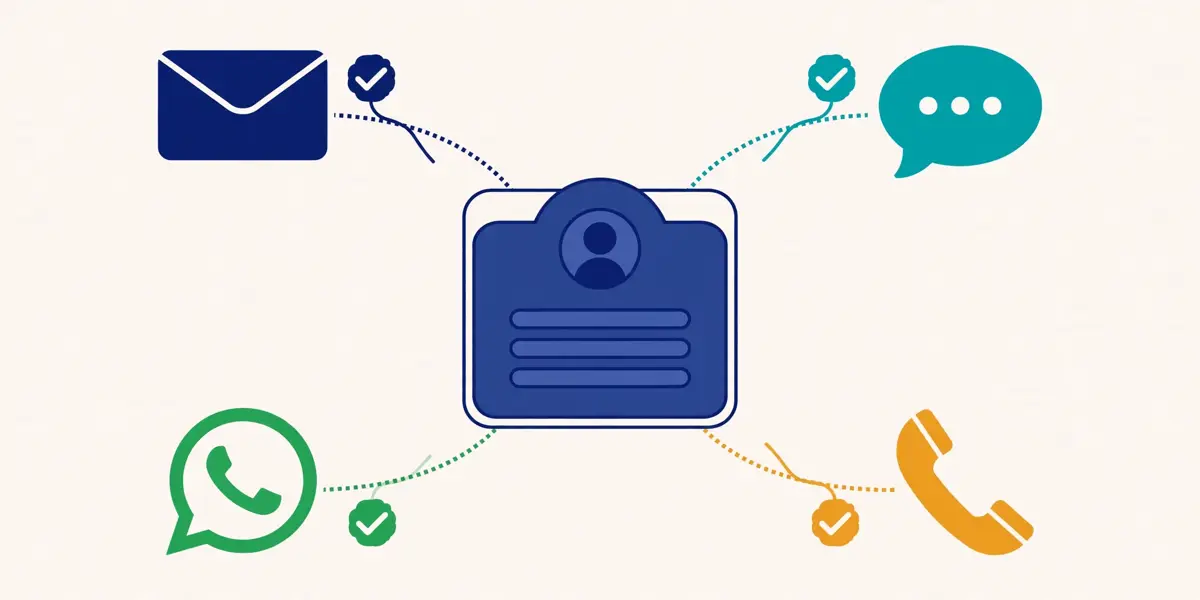
    Multichannel ai personalisation guide: a five-step sequence timeline showing an email, a LinkedIn profile visit, a connection request, a phone call and a calendar meeting, joined by a dotted path with clocks between the steps
    A multichannel sequence in this multichannel ai personalisation guide: email, a LinkedIn visit, a connection invite, a call and a meeting, spaced out with time between each step so the sequence feels patient, not pushy.

    Secondly, LinkedIn is the second channel in almost every multichannel sequence, because it is where B2B buyers actually live. A buyer who ignores a cold email may still open LinkedIn daily, and a connection invite from a real person with a real profile is hard to ignore. However, LinkedIn also gives the sender something email cannot: a face, a job history, and a shared connection or two, all of which make the next message warmer. That warmth is the reason LinkedIn earns its place in the sequence.

    In fact, LinkedIn outreach has four steps, and they run in a fixed order. A profile visit comes first, because it puts the sender’s name in the prospect’s notifications without asking for anything. Therefore, a connection invite comes next, with a short note that mentions a real detail. A chat message follows once the invite is accepted, and it can be longer and more direct than the invite note. A voice note is the newest step, and the most personal, because the prospect hears a human voice instead of reading another block of text. Lemlist, Reply.io, HeyReach and La Growth Machine all support visits, invites, chat and voice notes inside their sequences.

    Multichannel ai personalisation: LinkedIn safety limits, and why they exist

    Firstly, LinkedIn automation carries the one real account risk in this multichannel ai personalisation guide, and the safety limits are the whole story. LinkedIn caps how many connection requests an account can send each week. It watches for behaviour that looks automated: too many actions too fast, identical messages, and invites sent to people with no shared context. Meanwhile, an account that breaks those limits can be restricted, and a restricted account stops the whole sequence. Every serious LinkedIn tool therefore builds limits into the product, and a buyer should check those limits before buying.

    Secondly, the two LinkedIn-first tools in this guide are the clearest about their limits. HeyReach enforces a hard 40-actions-a-day limit per sender, with sender rotation across accounts and a dedicated residential proxy per sender on its Growth plan. Instead, Waalaxy caps invites by plan, at 300 a month on Pro and 800 a month on Advanced and Business, and describes its approach as human-mimicking limits. La Growth Machine gives each identity its own dedicated mobile proxy, with inbox rotation and human-mimicking limits as its safety model. Enginy, the tool formerly called Genesy.ai, caps automated LinkedIn requests at 20 a day. Those numbers are the safety story, and they belong in any honest comparison.

    Multichannel ai personalisation: the LinkedIn-first tools, and the platforms that add LinkedIn

    Moreover, the tools split into two groups on LinkedIn. Waalaxy and HeyReach are LinkedIn-first: LinkedIn is the whole product, and email arrives through a higher plan or an integration with another tool. Indeed, Lemlist, Reply.io, La Growth Machine, Salesforge and Enginy are platforms: LinkedIn is one step inside a sequence that also sends email, makes calls, and sometimes sends SMS or WhatsApp. A buyer who lives on LinkedIn should start with a LinkedIn-first tool. A buyer who wants one login for every channel should start with a platform. Our Waalaxy review and our HeyReach review explain the LinkedIn-first side in full.

    For example, LinkedIn InMail deserves a short note, because it is often confused with a connection invite. InMail is a paid message that reaches a prospect without a connection, and it needs a LinkedIn Premium or Sales Navigator account to send. Above all, Lemlist supports InMail when a Premium or Sales Navigator account is connected, and HeyReach supports InMail as one of its LinkedIn actions. InMail is useful for senior buyers who rarely accept invites from strangers, yet it costs more per message than an invite, so most teams use it sparingly, for the accounts that matter most.

    Video: How to Write a LinkedIn Connection Request That Gets Accepted Every Time by Cleverly on YouTube. This video is the creator’s property, embedded via YouTube for education. OutreachCompare is not affiliated with Cleverly and does not claim ownership of this video.

    Multichannel ai personalisation: writing invites that get accepted

    Finally, the invite note is the smallest message in the sequence, and the easiest to get wrong. A good invite note is one or two sentences, mentions a real detail about the prospect, and asks for nothing. On the other hand, a bad invite note pitches the product, lists features, or copies a template the prospect has already seen ten times. Cleverly’s video above shows the difference in practice, and the rule it teaches applies to every channel in this multichannel ai personalisation guide: the first touch should earn attention, not ask for a meeting.

    Calls: the step most teams skip, and the one buyers remember

    Secondly, calls are the step most teams skip, because a call takes a human minute and an email takes a human second. That cost is also the reason calls work. In other words, a buyer who has ignored two emails and a LinkedIn message will often pick up the phone, because a call is harder to ignore than a message. A voice is harder to dismiss than text. A call also answers the question no message can answer: is this buyer interested, and if not, why not. The answer, even when it is no, makes the next sequence smarter.

    In fact, calls play a different role depending on where they sit in the sequence. Early in the sequence, a call after the first email tests whether the buyer is reachable and warms the next email. Consequently, midway through, a call after a LinkedIn acceptance turns a digital conversation into a human one. Near the end, a call after several touches is the last chance to reach a buyer who engaged but never replied. Apollo, Lemlist, Reply.io, La Growth Machine, Salesforge and Enginy all put calling inside their sequences, and most of them treat it as a task for a rep rather than a fully automated step.

    Multichannel ai personalisation: dialers, parallel calling and AI call briefs

    Firstly, the calling features differ more than the email features do, so they deserve a close look. Apollo ships a cloud dialer with call recording on its higher plans. Nevertheless, Lemlist connects to Aircall and Ringover for calling, and ships a built-in dialer with VoIP integrations on its Multichannel plan. Reply.io ships a built-in dialer with calls and SMS from $29 a month per account, plus call resolution and transcripts, and AI-generated personalised voice messages. La Growth Machine includes calls as a channel on every plan, with its sequences mixing calls into LinkedIn and email steps.

    Secondly, the AI SDRs handle calls in opposite ways, and the difference matters. Artisan’s Ava does not place calls at all: its AI dialler queues calls for human reps. Every call comes with a brief before it and a distilled follow-up after it. 11x takes the same approach in the other direction: it does the preparation, and the rep makes the call. Firstly, Carly AI, on its Organization plan, adds business SMS and calling plus an AI receptionist that answers inbound calls. A buyer who wants an AI to dial should know that none of the four AI SDRs in this multichannel ai personalisation guide places outbound calls by itself.

    Multichannel ai personalisation: when a call beats another email

    Moreover, a call beats another email in three situations. A prospect who opened the email three times but never replied is interested and busy, and a call catches them in the moment. A prospect who accepted a LinkedIn invite but never answered the message has already said yes once. A call turns that yes into a conversation. A deal that has gone quiet after a good first meeting needs a voice, not a fourth follow-up email. In contrast, a call to a prospect who never opened anything is a cold call, and a cold call to a list that never engaged wastes the rep’s best hours.

    For example, the honest cost of calling is the rep’s time, and that cost decides how many calls a sequence should hold. One call per prospect per sequence is enough for most teams, because a second call to the same unresponsive prospect rarely changes the answer. Secondly, two calls belong in a sequence only for the highest-value accounts, where one conversation is worth an hour of a rep’s day. A sequence with a call on every step is not a multichannel sequence. It is a call centre, and it will burn the team out before it books a meeting.

    WhatsApp and SMS: powerful, and tightly gated

    Secondly, WhatsApp and SMS are the most direct channels in this multichannel ai personalisation guide, and the most tightly gated. A message that lands on a phone gets read within minutes, because phones are always in hand, and that speed is the whole appeal. Finally, the same speed is the whole risk: a message on a personal phone feels far more intrusive than an email, and a buyer who feels intruded on will block the sender, report the message, and remember the company for the wrong reason. WhatsApp and SMS belong late in a sequence, for warm prospects, and never as the first touch.

    In fact, the gating is real, and it comes from the platforms, not from the tools. WhatsApp Business requires an approved template for outbound messages, and it limits how many conversations a business can start. Moreover, SMS is governed by consent rules that vary by country, and by carrier filtering that blocks messages that look like spam. A tool can automate the sending, yet it cannot remove the consent requirement. A buyer should treat any tool that promises otherwise with suspicion. Our Is Cold Email Legal? guide explains the consent rules that sit behind every channel.

    Multichannel ai personalisation: which tools offer WhatsApp and SMS

    Firstly, the tools that offer WhatsApp and SMS do so in different ways. Lemlist lists SMS automation on its Multichannel plan and WhatsApp automation as an add-on, with calls through its built-in dialer. Furthermore, Reply.io includes WhatsApp tasks in its sequences and sells calls and SMS as a $29-a-month add-on per account. Carly AI adds business SMS and calling on its Organization plan, alongside its AI receptionist. Salesforge’s sequences include social actions and calls, and its platform sits alongside the Forge infrastructure products. Apollo, La Growth Machine, Waalaxy, HeyReach and Enginy do not list WhatsApp or SMS as native channels in their current plans.

    Secondly, the right use for these channels is narrow and specific. SMS works as a short nudge after a meeting is booked, or as a reminder before a call, because the prospect already expects it. WhatsApp works for a prospect who already replied on another channel and prefers to continue there, because the conversation moved, not because the sender forced it. In contrast, a cold WhatsApp message to a prospect who never heard of the sender is the fastest way to get a number blocked. A blocked number is a channel lost for good.

    Multichannel ai personalisation: a simple rule for phone channels

    Finally, the rule is simple enough to print on a wall: never open on a phone channel, never send a pitch on a phone channel, and never message a phone number that the prospect did not share or that was not found through a verified business source. A phone channel is a privilege the prospect grants, not a right the sender holds. In addition, teams that respect that rule find WhatsApp and SMS genuinely useful. Teams that break it find their numbers blocked, and their brand damaged, within a week.

    Building a sequence that branches on behaviour

    Secondly, a sequence is a list of steps with timing. A good sequence is a list of steps that changes when the prospect acts. A prospect who opens an email three times should get a different next step from a prospect who never opened it. In fact, a prospect who accepts a LinkedIn invite should get a LinkedIn message, while a prospect who ignores the invite should stay on email. That branching is what separates a multichannel sequence from a set of parallel campaigns. It is the feature a buyer should test first in any tool.

    In fact, the branching tools in this multichannel ai personalisation guide all work the same way at the core. Each step has a condition: when the prospect replies, stop the sequence. For example, an open earns a wait and a follow-up. Once the invite is accepted, send a LinkedIn message. When the invite is ignored, stay on email. Lemlist, Reply.io, La Growth Machine and Salesforge all build conditions into their sequence builders, and HeyReach adds If Connected logic to its LinkedIn steps. A sequence without conditions is a broadcast, and a broadcast is not multichannel outreach.

    Multichannel ai personalisation: a starter sequence that works

    Firstly, a starter sequence needs seven steps over about three weeks, and it needs no more than that. Day one sends the first email, short and personal, about the buyer’s problem. In contrast, on day three, the sequence visits the LinkedIn profile, which puts the sender’s name in front of the prospect without asking anything. The next day, it sends the connection invite, with a one-sentence note that mentions a real detail. On day seven, a LinkedIn message goes out, but only when the invite was accepted. Three days later, the sequence makes the call, because a voice is the step most sequences skip. On day fourteen, a second email goes out, with a new reason to reply. The final email lands on day twenty-one, which offers a clean way to say no and closes the sequence politely.

    Secondly, the timing between steps matters as much as the steps themselves. Two or three days between touches gives a busy buyer time to notice, and a week between the later touches gives them time to think. In sum, a sequence that fires every day feels like pressure, and pressure gets a prospect to unsubscribe or block the sender. A sequence that waits a month between touches feels forgotten, and a forgotten sequence never books a meeting. Three weeks, seven touches, two or three days apart, is the shape most teams should start with, and then adjust from the reply data.

    Multichannel ai personalisation: the sequence, side by side

    ChannelWhat it does in a sequenceBest forWeakness
    EmailOpens, follows up and closes
    Carries detail and links
    Scale, detail, a written recordCrowded inbox, spam filters
    LinkedIn visitPuts your name in notifications
    Asks for nothing
    Warming a prospect before the inviteEasy to ignore on its own
    LinkedIn inviteAsks for a connection
    Short note with a real detail
    Buyers who live on LinkedInWeekly caps, account risk
    LinkedIn chatContinues after acceptance
    Short, informal, direct
    Turning an acceptance into a replyOnly works after acceptance
    Voice noteA human voice, not text
    Personal and hard to ignore
    High-value accounts, warm prospectsSlow to record at volume
    CallTests interest in real time
    Answers the why behind a no
    Engaged prospects, quiet dealsCosts a rep’s hour
    WhatsApp / SMSShort nudge on a phone
    Read within minutes
    Reminders, warm prospects onlyConsent rules, block risk

    Last checked: 16 November 2026. Channel features come from the official sites of Lemlist, Reply.io, La Growth Machine, Waalaxy, HeyReach and Salesforge. Features and pricing can change, so please check the provider’s site before you buy.

    Multichannel ai personalisation: reading the channels table

    In sum, the channels table makes the trade-off plain. Email scales and carries detail, yet it fights a crowded inbox. As a result, LinkedIn warms and personalises, yet it caps volume and carries account risk. Calls convert and teach, yet they cost a rep’s time. WhatsApp and SMS get read fast, yet they demand consent and restraint. A sequence that uses each channel for the job it does best, and none of them for the job it does worst, is the sequence that books meetings without burning the list, the domain, or the LinkedIn account.

    AI personalisation layers: from icebreakers to intent signals

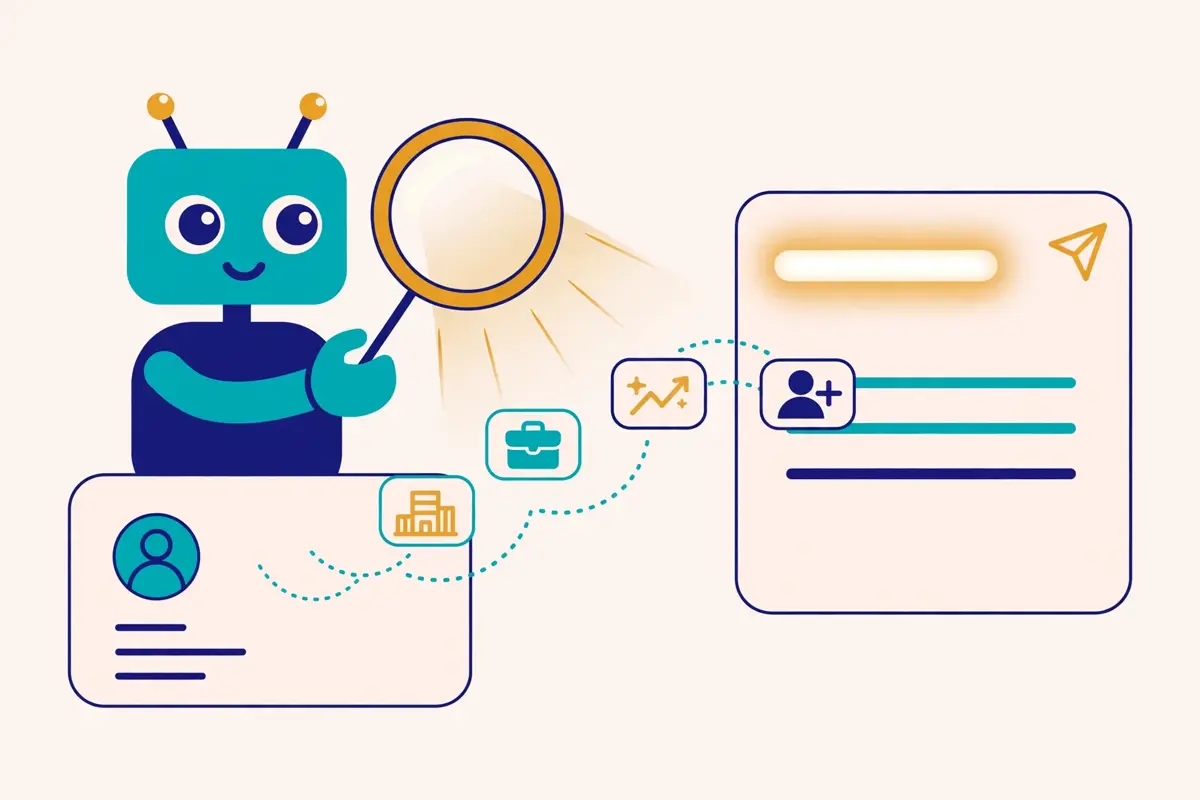
    Multichannel ai personalisation guide: a robot assistant with a magnifying glass over a prospect profile card, while data chips for company, job title, funding and hiring flow into a personalised email draft with a glowing first line
    AI personalisation in this multichannel ai personalisation guide: the assistant reads the prospect card, pulls in company, title, funding and hiring signals, and turns them into a first line that was written for one person.

    Firstly, AI personalisation is not one feature. It is a stack of layers, and each layer adds relevance at a different point in the sequence. The bottom layer writes the first line. Similarly, above it, a writer drafts the whole email. Higher still, enrichment finds the data the email is written from. Near the top, intent signals watch for the moment the buyer is ready. The top layer runs the whole sequence by itself. A buyer who understands the layers can buy the cheapest layer that solves their problem, instead of paying for an AI SDR when an icebreaker would have done.

    Secondly, the layers also differ in what they cost and what they risk. An icebreaker costs a fraction of a cent and risks almost nothing, because a human still reads the email before it sends. However, a full AI writer costs more and risks more, because a bad draft can go out unedited. An AI SDR costs hundreds or thousands a month and risks the most, because it contacts buyers on its own. The right order is to climb the stack slowly: icebreakers first, then writers, then enrichment and intent, and only then an AI SDR, once the team knows what good looks like.

    Multichannel ai personalisation: AI icebreakers and spintax

    Moreover, the AI icebreaker is the smallest and safest layer. It writes one or two opening sentences from real data about the prospect: a recent post, a funding round, a hiring spike, a new product, or a line from the company website. Therefore, Lemlist writes AI icebreakers from its database, Reply.io generates AI icebreakers across its sequences, and Salesforge spends personalisation credits on fully unique emails. The icebreaker works because it proves the sender looked. A first line that mentions a real detail earns the second line a read, and a second line that earns a read earns a reply.

    For example, spintax and variables are the older, simpler layer that AI now sits on top of. Spintax rotates synonyms through a sentence, so a hundred prospects get a hundred slightly different emails, and variables pull in the prospect’s name, company, title and industry. Meanwhile, Lemlist, Apollo, Reply.io, Salesforge and La Growth Machine all support variables and spintax. Reply.io adds AI variables that write a personalised phrase per prospect. Spintax alone is not personalisation, because a rotated synonym is still a template. Spintax plus a real data point is personalisation, because the sentence now fits one person.

    Multichannel ai personalisation: AI writers and AI agents

    Firstly, the AI writer is the next layer up, and it writes the whole email or the whole sequence from a short brief. Lemlist’s lemAgent builds a multichannel campaign from a description of the offer and the audience, with steps, timing and branching. Instead, Reply.io’s AI sequence builder does the same inside its platform, and Salesforge’s AI email generator writes unique emails per lead. La Growth Machine includes AI messages on every plan, and its Reply Agent drafts answers to incoming replies. Amplemarket, covered in our Amplemarket review, adds a Duo Copywriter that drafts from its signals. The writer saves hours, yet every draft still deserves a human read before it sends, because an AI that writes fast can also write wrong fast.

    Secondly, AI agents are the layer that acts, not just writes. Lemlist’s lemAgent, its Signal Agents and its Agentic Enrichment run tasks on their own: watching for signals, enriching records, and drafting messages. Indeed, La Growth Machine’s MCP server lets Claude and ChatGPT run its campaigns, and its Reply Agent answers replies. HeyReach ships an MCP server, an API and webhooks on all plans, so an AI agent can drive its LinkedIn steps. Salesforge’s Growth plan adds its own MCP and CLI. An agent is worth the price when it does a job a human would otherwise do badly or slowly. It is a waste when it only writes what a template already wrote.

    Multichannel ai personalisation: enrichment, waterfall and intent signals

    Moreover, enrichment is the layer that makes every other layer possible, because an AI cannot personalise from data it does not have. Enrichment fills in the gaps in a record: the company, the title, the industry, the technologies, the phone number, and one recent signal. Above all, a waterfall chains several data sources together, trying each in turn until one returns the missing field. Lemlist runs a waterfall across more than 14 providers, La Growth Machine runs one across 9 providers. Enginy runs one across more than 30 providers, with FullEnrich as its main provider. Apollo runs its own waterfall across its database and its partners.

    For example, intent signals are the layer that watches for timing. A funding round, a hiring spike, a job change, a technology change, a website visit. A G2 comparison is another signal that a company is ready to hear from a seller. On the other hand, Lemlist sells buying intent signals as a $29-a-month add-on, with Signal Agents watching for them. Enginy tracks job changes, hiring, funding and tech stack as intent signals. Artisan’s Watchtower names the companies that visited the website, and 11x watches funding, hiring spikes, job changes, tech shifts, site visits and G2 activity. Signal-built lists run smaller than firmographic lists, yet their replies come far more often. Our Best B2B Data Providers guide explains the data side in full.

    Multichannel ai personalisation: the AI layers, side by side

    AI layerWhat it doesWho offers itWatch out for
    AI icebreakerWrites a personal first line
    From a real detail about the prospect
    Lemlist, Reply.io, SalesforgeStale data writes a wrong first line
    Spintax / variablesRotates wording, fills in fields
    Name, company, title, industry
    Lemlist, Apollo, Reply.io, Salesforge, La Growth MachineRotation alone is not personal
    AI writerDrafts the whole email or sequence
    From a short brief
    Lemlist lemAgent, Reply.io, Salesforge, La Growth MachineDrafts need a human read first
    AI enrichmentFills gaps in the record
    Waterfall across several providers
    Lemlist 14+ providers, La Growth Machine 9, Enginy 30+Each provider tried costs credits
    Intent signalsFlags buyers who are ready now
    Funding, hiring, visits, job changes
    Lemlist, Enginy, Artisan Watchtower, 11xSignals are small lists, not scale
    AI SDRRuns the whole sequence alone
    Finds, writes, sends, handles replies
    Artisan Ava, 11x Alice, Reply.io Jason, Salesforge FrankHighest price, highest risk

    Last checked: 16 November 2026. AI features come from the official sites of Lemlist, Reply.io, Salesforge, La Growth Machine and Enginy. Features and pricing can change, so please check the provider’s site before you buy.

    Multichannel ai personalisation: reading the AI layers table

    In sum, the AI layers table makes the climbing order plain. Start with icebreakers and variables, because they cost almost nothing and change the reply rate at once. In other words, bring in a writer when drafting takes too long, and enrichment when the records are too thin to write from. Intent signals belong next, once the list is big enough that timing matters more than volume. An AI SDR comes last, only when the team knows what a good sequence looks like, because an AI SDR that runs a bad sequence will run it at a scale no human ever could.

    AI SDRs: Ava, Alice, Jason and Agent Frank

    Secondly, an AI SDR is a software agent that does the work of a sales development rep: it finds prospects, researches them, writes personalised messages, sends them across channels, handles the replies, and books the meeting. The four AI SDRs in this multichannel ai personalisation guide are Artisan’s Ava, 11x’s Alice, Reply.io’s Jason, and Salesforge’s Agent Frank. Consequently, they share the same promise, and they differ sharply in price, in channels, and in how much a human stays in charge.

    In fact, the promise is the same because the pain is the same. Hiring an SDR costs $8,000 to $12,000 a month in salary, benefits, tooling and management, by 11x’s own comparison on its pricing page. A good SDR is hard to hire and slow to ramp. Nevertheless, an AI SDR costs a fraction of that, starts in days or weeks, and never sleeps. The honest question is not whether an AI SDR is cheaper than a human. It is whether an AI SDR books meetings that turn into pipeline, and whether it does so without damaging the brand that a human would have protected.

    Multichannel ai personalisation: Artisan Ava, the AI BDR

    Firstly, Artisan’s Ava is the AI BDR that books meetings for human reps, and it is the most enterprise-shaped of the four. Ava runs more than 20 campaign types, watches website visitors through Watchtower, reacts to intent triggers, and handles replies and meeting booking on its own. Firstly, its default pricing tab is quote-only, with Team at around 2,500 leads contacted a month and Scale at around 6,000, and every plan includes the full platform, 250 million verified contacts, Salesforce and HubSpot sync, and a customer success manager. Ava does not place calls: its AI dialler queues calls for reps, with a brief before each call and a distilled follow-up after it. Our Artisan review covers Ava in full.

    Secondly, the Startups tab on Artisan’s pricing page shows a different picture, and it needs an honest label. The figures there, from $250 a month on annual billing for the Intern plan, with 10,000 credits for about 500 leads, could not be read in a plain page fetch, because the tab does not render statically. Secondly, they are cross-checked against three independent reviews of the same page from October 2026, all agreeing, and the article that covers them flags the sourcing. A buyer who wants the startup price should check the tab directly before budgeting, because the default tab shows no price at all.

    Multichannel ai personalisation: 11x Alice, the priciest AI SDR here

    Moreover, 11x’s Alice is the AI SDR that does outbound end to end, and it is the priciest product in this multichannel ai personalisation guide by a wide margin. Its Outbound Growth plan starts at $36,000 a year, billed annually, for up to 5 users and 2,000 new prospects a month, with managed Gmail mailboxes, domain setup, warmup, inbox rotation and monitoring included. Finally, pro is custom, for 5,000 prospects and 10 users across 105-plus languages, and Enterprise is custom, for 10,000-plus prospects and unlimited users. 11x charges per lead, not per send, so the price stays the same whether Alice runs three touchpoints or thirty. Our 11x review explains the model in full.

    For example, the 11x price moved during the autumn, and the move is worth noting. Trackers from September and October 2026 recorded the Outbound Growth card at $3,750 a month, or $45,000 a year. Moreover, on 16 November 2026 the live page reads $36,000 a year, which agrees with its own FAQ, and this guide uses $36,000. A buyer who saw the older figure should know the price fell, and should check the page again before signing, because a price that moved once can move again. 11x also sells an Inbound product, formerly called Julian, with voice from $5,333 a month and chat from $2,417 a month, billed annually.

    Multichannel ai personalisation: Reply.io Jason and Salesforge Agent Frank

    Firstly, Reply.io’s Jason is the AI SDR that sits on top of Reply’s multichannel engine, and it is the cheapest of the four to start with. Jason starts from $500 a month on annual billing, with the monthly figure at $800 resting on the 15 November check, behind the pricing slider, so treat the monthly number with care. Furthermore, Jason learns the business, finds leads, enriches them, launches multichannel outreach across email, LinkedIn and calls, personalises every message, and handles replies from custom playbooks, in more than 50 languages. Our Reply.io review covers Jason in full.

    Video: Jason AI SDR 2.5: Smarter, Human-Like Outreach That Converts by Reply on YouTube. This video is the creator’s property, embedded via YouTube for education. OutreachCompare is not affiliated with Reply and does not claim ownership of this video.

    Secondly, Salesforge’s Agent Frank is the AI SDR that sells itself as a hire, not a tool, and it is priced close to Jason. Frank starts from $499 a month, billed quarterly, with a separate subscription and a demo required before access. In addition, Frank runs 24/7 automated prospecting, works in autopilot or co-pilot modes, searches a 500-million-plus contact engine, and works in more than 20 languages, with a dedicated account manager and a shared Slack channel. The Growth base plan underneath it costs $96 a month on monthly billing, or $80 on annual billing, so the full Frank stack starts at roughly $595 a month before credits. Our Salesforge review covers Frank in full.

    Multichannel ai personalisation: the four AI SDRs, side by side

    AI SDRStarting priceChannelsWhat a human still does
    Artisan AvaQuote-led; startups from $250/mo annual (reported)
    Team ~2,500 leads/mo
    Email, LinkedIn, signals
    No outbound calls by Ava
    Reps make the calls Ava queues
    11x AliceFrom $36,000/yr, billed annually
    2,000 prospects/mo, 5 users
    Email, social, rep-led calls
    Managed Gmail mailboxes
    Reps make the calls Alice prepares
    Reply.io JasonFrom $500/mo annual ($800 monthly, 15 Nov check)Email, LinkedIn, calls
    50+ languages
    Team writes the playbooks Jason follows
    Salesforge FrankFrom $499/mo, billed quarterly
    Plus Growth plan $96/mo monthly
    Email, LinkedIn, social actions
    20+ languages
    Team runs the demo, then Frank runs

    Last checked: 16 November 2026. AI SDR prices come from the official sites of Artisan, 11x, Reply.io and Salesforge. Artisan’s startup figures are reported, not read off the live page directly, and Reply.io’s $800 monthly figure rests on the 15 November check. Features and pricing can change, so please check the provider’s site before you buy.

    Multichannel ai personalisation: reading the AI SDR table

    In sum, the AI SDR table makes the choice plain. Jason and Frank cost about $500 a month and sit on top of a platform the team already runs, so they are the cheapest way to try an AI SDR. In fact, Ava is quote-led and enterprise-shaped, with a startup route that is reported rather than published. Alice is the premium option at $36,000 a year, with managed mailboxes and per-lead pricing that suits a team with a serious pipeline target. None of the four places outbound calls by itself, so a team that wants calls still needs a rep, and a team that buys an AI SDR to replace its reps will be disappointed.

    Eleven tools at a glance

    In fact, the eleven tools split into three groups, and the split makes the choice much easier. Lemlist, Apollo, Reply.io, La Growth Machine, Salesforge and Enginy are platforms: email, LinkedIn and calls in one login, with AI personalisation built in. For example, Waalaxy and HeyReach are LinkedIn-first: LinkedIn is the whole product, and email arrives through a higher plan or an integration. Artisan, 11x, Carly AI and Reply.io’s Jason are the AI SDR group, although Reply.io and Salesforge sit in both groups at once, because their AI SDRs run on top of their own platforms.

    Multichannel ai personalisation: the platforms, the LinkedIn-first tools and the AI SDRs

    ToolStarts fromChannelsBest for
    Lemlist$69/mo; Multichannel $109/user/moEmail, LinkedIn, calls, SMS, WhatsApp add-onBest all-round multichannel platform
    ApolloFree $0; Basic $49/user/mo annualEmail, LinkedIn tasks, cloud dialerBest database-first multichannel
    Reply.ioFrom $59/mo; Jason from $500/mo annualEmail, LinkedIn, calls, SMS, WhatsApp tasksBest multichannel plus AI SDR
    La Growth Machine€60/mo per identity; €50 annualLinkedIn, email, callsBest identity-based multichannel
    Waalaxy€19/user/moLinkedIn; email on BusinessBest LinkedIn-first starting point
    HeyReach$79/sender/moLinkedIn; email via integrationsBest LinkedIn scale for agencies
    Artisan AvaQuote-led; startups from $250/mo annual (reported)Email, LinkedIn, signalsBest enterprise AI BDR
    11x AliceFrom $36,000/yrEmail, social, rep-led callsBest premium AI SDR with managed mailboxes
    Carly AIFree $0; Personal $35/moEmail, SMS, calling on OrganizationBest AI assistant that also does outreach
    Genesy.ai / EnginyBasic €599/mo (help centre)Email, LinkedIn, cold callingBest AI finder plus multichannel
    SalesforgePro $48/mo; Frank from $499/mo quarterlyEmail, LinkedIn, social actionsBest AI personalisation value

    Last checked: 16 November 2026. Starting prices come from the official pricing pages of all eleven providers, except where noted: Apollo’s prices are JS-rendered and cross-checked from same-day checks, Artisan’s startup figure is reported, and Enginy’s plan prices come from its official help centre. Features and pricing can change, so please check the provider’s site before you buy.

    Multichannel ai personalisation: how to read the at-a-glance table

    Moreover, the at-a-glance table hides one important fact: the cheapest starting price is rarely the cheapest total price. A platform that starts at $69 a month may charge extra for enrichment, intent signals, LinkedIn seats, and calling minutes, while a platform that starts at $109 a month may include them. In contrast, Lemlist charges $20 a month for enrichment and $29 a month for intent signals on top of its plans. Reply.io charges $69 for LinkedIn and $29 for calls and SMS. La Growth Machine charges per identity, so a team of three senders pays three times the headline price. The pricing tables below show the full picture, with the add-ons that change the bill.

    Pricing head-to-head: eleven tools, two honest tables

    Secondly, pricing is where this multichannel ai personalisation guide earns its keep, because the eleven tools price themselves in eleven different ways. Some charge per user, some per sender, some per identity, some per lead, and one charges $36,000 a year. In sum, the tables below put the headline price, the annual price, the trial, and the biggest add-on side by side, so a reader can compare like with like. Where a vendor publishes no price, the table says so, and where a figure is reported rather than published, the table says that too.

    Multichannel ai personalisation: the six platforms, priced

    ToolEntry planAnnual priceTrialBiggest add-on
    LemlistEmail $69/mo
    Multichannel $109/user/mo
    $55 / $87
    14-day trial, 200 credits
    14 days, no cardEnrichment $20/mo; intent $29/mo
    ApolloFree $0
    Basic $49/user/mo
    $49 annual; $65 monthly
    Professional $79 / $99
    Free plan, no time limitExtra credits, top-ups
    Reply.ioEmail Volume from $59/mo
    Multichannel from $99/user/mo
    $49 / $89
    Jason from $500/mo
    14 daysLinkedIn $69; calls & SMS $29
    La Growth MachineBasic €60/mo per identity
    Pro €120; Ultimate €180
    €50 / €100 / €150
    Per identity
    14 days, no card, 1 identityCredits €0.01 top-up
    SalesforgePro $48/mo
    Growth $96/mo
    $40 / $80
    Frank from $499/mo quarterly
    14 daysFrank $499/mo; extra credits
    Genesy.ai / EnginyBasic €599/mo
    Smart €799; Business €1,199
    Check the site
    Help centre, 6 Nov 2026
    No trial stated; demo is the route inFully Managed from €5,000/mo

    Last checked: 16 November 2026. Prices come from the official pricing pages of Lemlist, Apollo, Reply.io, La Growth Machine, Salesforge and Enginy. Apollo’s plan prices are JS-rendered on the live page and are cross-checked from our same-day checks. Enginy’s pricing page is a custom-quote form with no prices; its plan figures come from Enginy’s official help centre. Features and pricing can change, so please check the provider’s site before you buy.

    Multichannel ai personalisation: LinkedIn-first tools and AI SDRs, priced

    ToolEntry planAnnual priceTrialBiggest add-on
    WaalaxyPro €19/user/mo
    Advanced €49; Business €69
    Quarterly −20%; yearly −50%14 days, all plansLinkedIn Inbox €20/mo
    HeyReachGrowth $79/sender/mo
    $59 from 10 senders
    Quarterly −10%; yearly −20%14 days, no card, 3 accountsAgency $999/mo; Unlimited $2,999/mo
    Artisan AvaQuote-led
    Team ~2,500 leads/mo
    Check the site
    Startups from $250/mo (reported)
    Check the siteAI dialler, per seat
    11x AliceGrowth from $36,000/yr
    2,000 prospects/mo, 5 users
    Billed annually
    Pro and Enterprise custom
    No free trial or free planInbound voice $5,333/mo; chat $2,417/mo
    Carly AIFree $0
    Personal $35/mo
    Check the site
    Organization $35/seat/mo
    Free plan is the try-it routeEnterprise custom

    Last checked: 16 November 2026. Prices come from the official pricing pages of Waalaxy, HeyReach, Artisan, 11x and Carly AI. Artisan’s startup figures are reported, cross-checked against three independent October 2026 reviews. 11x’s Growth card read $3,750 a month in September and October 2026 trackers and reads $36,000 a year today. Features and pricing can change, so please check the provider’s site before you buy.

    Multichannel ai personalisation: reading the pricing tables

    For example, the pricing tables show a spread from free to $36,000 a year, and that spread is the whole market in one view. A solo founder can start on Waalaxy at €19 a month, or on Carly AI for free, or on Apollo’s free plan, and learn the craft for almost nothing. As a result, a small team can run Lemlist Multichannel at $87 a user a month on annual billing, or Reply.io Multichannel at $89, and cover every channel in one login. A team that wants an AI SDR pays $500 a month for Jason or Frank, or $36,000 a year for Alice, and the difference between those two prices is the difference between a tool that helps a team and a digital worker that replaces one.

    Moreover, the annual discount is worth a real look, because it varies from nothing to half the price. Waalaxy cuts its yearly price by 50%, which turns €19 a month into roughly €9.50 a month when paid yearly. Similarly, HeyReach cuts yearly billing by 20%, and quarterly by 10%. Lemlist cuts its Multichannel plan from $109 to $87 a month on annual billing, a saving of about 20%. Apollo cuts Basic from $65 to $49 a month. A buyer who knows they will use a tool for a year should always check the annual figure, because the monthly figure is the most expensive way to buy.

    Feature matrix: all eleven tools side by side

    Secondly, the feature matrix is the part of this multichannel ai personalisation guide that a buyer should read with a pen in hand. It answers the question the pricing tables cannot: which tool actually does the job, on which channel, with which AI layer. However, a tick means the feature is stated on the provider’s official site. A dash means it is not confirmed, or it is confirmed absent. A dash is not a verdict on the tool. It is a fact about the feature, and a buyer who needs that feature should choose a tool that ticks it.

    Multichannel ai personalisation: channels and AI layers in the matrix

    FeatureLemlistApolloReply.ioLa Growth MachineWaalaxyHeyReach
    Email sequences✓✓✓✓✓ Business— via integration
    LinkedIn automation✓✓ task queues✓✓✓✓
    LinkedIn voice notes✓—✓——✓
    Calls / dialer✓✓✓✓——
    WhatsApp / SMS✓—✓———
    AI icebreakers✓✓ AI writer✓✓ AI messages✓ Waami AI—
    AI enrichment✓ 14+ providers✓ waterfall✓✓ 9 providers✓ Email Finder✓ credits
    Intent signals✓ $29/mo add-on✓✓✓——
    AI SDR— lemAgent only—✓ Jason— Reply Agent only——
    Unified inbox✓✓✓✓✓ add-on €20✓
    Warmup / rotation✓ lemwarm✓✓ Mailtoaster✓ rotation, proxies—✓ rotation, proxies

    Last checked: 16 November 2026. “✓” means the feature is stated on the provider’s official site; “—” means it is not confirmed or is confirmed absent. Features come from the official sites of Lemlist, Apollo, Reply.io, La Growth Machine, Waalaxy and HeyReach. Features and pricing can change, so please check the provider’s site before you buy.

    Multichannel ai personalisation: AI SDRs, Carly AI, Enginy and Salesforge in the matrix

    FeatureArtisan Ava11x AliceCarly AIGenesy.ai / EnginySalesforge
    Email sequences✓✓✓✓✓
    LinkedIn automation✓✓ social—✓✓
    LinkedIn voice notes—————
    Calls / dialer✓ queues for reps✓ rep-led✓ Organization✓—
    WhatsApp / SMS——✓ SMS, Organization——
    AI icebreakers✓✓✓✓ AI Variables✓
    AI enrichment✓ 250M+ contacts✓ 400M contacts— no database✓ 30+ providers✓ 500M+ for Frank
    Intent signals✓ Watchtower✓—✓—
    AI SDR✓ Ava✓ Alice✓ agents✓ AI Sales Agents✓ Frank
    Unified inbox✓✓✓ shared inbox✓ smart inbox✓ Primebox
    Warmup / rotation✓ managed✓ managed mailboxes— no warmup— no warmup✓ Warmforge

    Last checked: 16 November 2026. “✓” means the feature is stated on the provider’s official site; “—” means it is not confirmed or is confirmed absent. Features come from the official sites of Artisan, 11x, Carly AI, Enginy and Salesforge. Features and pricing can change, so please check the provider’s site before you buy.

    Multichannel ai personalisation: reading the feature matrix

    In sum, the matrix shows that no tool ticks every box, and that is the honest truth of this market. Lemlist and Reply.io come closest, with every channel and most AI layers in one login. Therefore, Apollo is the database-first choice, with email and a dialer but no WhatsApp or SMS. Waalaxy and HeyReach are LinkedIn specialists, and their dashes on email and calls are the price of that focus. Artisan and 11x are AI SDR specialists, and their strength is autonomy, not channel breadth. Carly AI is an assistant first and an outreach tool second, with no database and no warmup. Enginy is the AI finder with multichannel sequences attached, and Salesforge is the value play that pairs cheap AI personalisation with a paid AI SDR.

    Deliverability and safety: LinkedIn limits, warmup and account risk

    Secondly, deliverability and safety are the unglamorous half of multichannel ai personalisation, and they decide whether the sequence ever reaches a buyer. A sequence that lands in spam, or a LinkedIn account that gets restricted, produces nothing, no matter how clever its AI icebreakers are. Meanwhile, the rules are simple, the tools are good, and the teams that follow the rules keep their domains and their accounts healthy for years. The teams that ignore them spend months recovering.

    In fact, email deliverability starts with warmup, and warmup starts weeks before the first cold email. A new mailbox should send a few emails a day, rising slowly over two or three weeks, while a warmup network exchanges emails with it and pulls them out of spam. Lemlist includes lemwarm on every plan. Apollo runs automated warmup with inbox rotation. Reply.io offers unlimited warmup through Mailtoaster. Instead, Salesforge includes unlimited premium warmup powered by Warmforge. La Growth Machine relies instead on dedicated mobile proxies per identity, inbox rotation and human-mimicking limits, with no dedicated warmup pool listed. Enginy and Carly AI list no built-in warmup at all, so a buyer of either should warm up elsewhere before sending.

    Multichannel ai personalisation: the LinkedIn safety rules in one place

    Firstly, the LinkedIn safety rules are the most important paragraph in this multichannel ai personalisation guide. Keep daily actions low: HeyReach enforces a hard 40 actions a day per sender, and Enginy caps automated requests at 20 a day. Indeed, keep invites inside the plan caps: Waalaxy allows 300 a month on Pro and 800 a month on Advanced and Business. Use a dedicated proxy per identity or sender, as La Growth Machine and HeyReach do, so LinkedIn sees one person on one connection. Rotate senders when the volume grows, as HeyReach does, so no single account carries the whole campaign. Vary the messages, because identical messages sent fast are the clearest signal of automation. And never automate from a personal LinkedIn account that the business cannot afford to lose.

    Secondly, the risk is real, and it is worth stating plainly. LinkedIn automation breaks LinkedIn’s terms of service, even when the tool is careful, and LinkedIn can restrict an account at any time. Above all, the tools in this guide reduce that risk with limits, proxies, rotation and human-mimicking timing, yet none of them removes it. A buyer should weigh that risk against the reward, use a dedicated sending account rather than a founder’s personal profile where possible, and keep the daily volume low enough that the account looks human. Our La Growth Machine review explains the proxy and limit model in detail.

    Multichannel ai personalisation: the email safety rules in one place

    Moreover, the email safety rules are the mirror image of the LinkedIn rules. Warm up every mailbox for two or three weeks before cold volume. On the other hand, rotate mailboxes so no single mailbox sends the whole campaign. Keep bounces below 2% by verifying every address before sending, and keep complaints low by writing relevant emails to people who fit the profile. Set up SPF, DKIM and DMARC on every sending domain, and use a custom tracking domain so the sending domain never carries tracking links. Send at human volume, at human hours, and stop a sequence the moment a prospect replies. A team that follows those rules will keep its domain healthy, and a team that breaks them will spend months rebuilding a reputation that took a week to lose.

    Finally, the reply handling matters as much as the sending, because a reply is the moment the sequence either books a meeting or loses a buyer. Every tool in this guide ships a unified inbox: Lemlist, Apollo, Reply.io, La Growth Machine, Salesforge’s Primebox, Enginy’s smart inbox, Carly AI’s shared inbox, and HeyReach’s unified inbox, with Waalaxy’s LinkedIn Inbox as a €20-a-month add-on. In other words, the inbox should be checked daily, replies should be answered within a day, and the AI reply handling, where it exists, should be reviewed until the team trusts it. A reply that waits a week is a meeting that never happens.

    Pros and cons: the honest case for each approach

    Secondly, every approach in this multichannel ai personalisation guide has a real upside and a real downside, and the honest comparison puts both side by side. A buyer who only reads the pros will buy the wrong tool. Consequently, a buyer who only reads the cons will buy nothing. The table below is the short version, and the paragraphs after it explain the trade-offs that matter most.

    Multichannel ai personalisation: the three approaches, weighed honestly

    Firstly, the platform approach, led by Lemlist, Apollo, Reply.io and Salesforge, is the best choice for most teams. Breadth is its strength: every channel, most AI layers, a database, warmup and a unified inbox in one login, with one bill and one support team. Nevertheless, depth is its weakness: no platform is the best at every channel, and a team that needs the deepest LinkedIn automation or the deepest AI SDR will outgrow it. The cost is moderate, from $48 to $109 a month per user, and the risk is low, because the tools are established and the limits are built in.

    Secondly, the LinkedIn-first approach, led by Waalaxy and HeyReach, is the best choice for teams that live on LinkedIn. Focus is its strength: the deepest LinkedIn automation, the clearest safety limits, and the lowest starting price, from €19 a month. Firstly, breadth is its weakness: email arrives through a higher plan or an integration, and calls and SMS do not arrive at all. The cost is low, and the risk is the highest in this guide, because LinkedIn automation is the one channel that can restrict an account. A team that chooses this approach should budget for a second tool for email, and should treat its LinkedIn accounts as carefully as its sending domains.

    Multichannel ai personalisation: the AI SDR approach, weighed honestly

    Moreover, the AI SDR approach, led by Artisan, 11x, Jason and Frank, is the best choice for teams with budget and a clear pipeline target. Leverage is its strength: one AI SDR does the work of several reps, around the clock, in several languages, without hiring. Secondly, control is its weakness: an AI that contacts buyers on its own can send a bad message at a scale no human ever could, and the team only finds out after the replies arrive. The cost is the highest in this guide, from $500 a month to $36,000 a year, and the risk is the hardest to measure, because the damage is reputational rather than technical. A team that chooses this approach should start with the cheapest AI SDR, run it on a small list, and read every message it sends for the first month.

    Multichannel ai personalisation: the honest cons no vendor prints

    For example, the cons no vendor prints are worth listing in one place. AI icebreakers write wrong first lines when the data is stale, and stale data is common. Finally, AI writers draft confident emails that say nothing, and a team that sends them unedited sounds like every other team.

    Intent signals are small lists, not scale, and a team that builds its whole pipeline on signals will run out of names. Moreover, AI SDRs book meetings, yet the meetings they book are only as good as the list they ran on, and a bad list booked at scale is a bad quarter. Multichannel sequences lift reply rates, yet they also multiply the work: every channel needs its own message, its own timing, and its own reply handling. Furthermore, none of those cons is a reason to avoid the approach. Each one is a reason to start small, read the replies, and scale what works.

    A decision framework: team size, channels, budget and risk
    Multichannel ai personalisation guide: a three-way signpost at a crossroads, one arrow pointing to a solo founder desk, one to a growing team around a table, one to a large enterprise building, with a balance scale and a shield beside the signpost
    A decision framework in this multichannel ai personalisation guide: the signpost points to a solo desk, a growing team and an enterprise building, with a scale for budget and a shield for safety beside it.

    Firstly, the decision framework in this multichannel ai personalisation guide has four questions, and the answers point at different tools. How big is the team. Which channels matter. How much is the budget. How much risk will the team accept. In addition, answer those four, and the choice narrows from eleven tools to two or three. Skip them, and the choice stays eleven wide, which is no choice at all.

    Multichannel ai personalisation: the solo founder and the small team

    Secondly, a solo founder should start with email plus LinkedIn, on one platform, for under $100 a month. Lemlist Multichannel at $87 a user a month on annual billing covers every channel, with AI icebreakers and lemwarm included. In fact, Waalaxy Pro at €19 a month covers LinkedIn, and Apollo’s free plan covers the database and the first emails. Salesforge Pro at $40 a month on annual billing is the cheapest platform with AI personalisation credits and unlimited warmup. A solo founder should not buy an AI SDR, because the cheapest AI SDR costs five times the whole platform, and a founder who cannot yet write a good sequence should not hand the writing to a machine.

    Moreover, a small team of two to five senders should buy one platform and one LinkedIn-first tool, and run them together. Lemlist Multichannel or Reply.io Multichannel carries the sequences, and HeyReach Growth at $79 a sender a month carries the LinkedIn volume with its hard safety limit and sender rotation. For example, La Growth Machine at €50 a month per identity on annual billing is the alternative when the team wants LinkedIn, email and calls priced per identity rather than per user. The team should add enrichment and intent signals only when the records are too thin to personalise from, and should add an AI SDR only when the sequences already work by hand.

    Multichannel ai personalisation: agencies and enterprise teams

    For example, an agency should buy for rotation, whitelabelling and volume. HeyReach Agency at $999 a month for 25 senders, or Unlimited at $2,999 a month, is built for agencies, with whitelabelling, sender rotation and a unified inbox across clients. In contrast, Reply.io Agency from $166 a month adds a client dashboard on top of its multichannel engine. Waalaxy Enterprise, for teams of five seats or more, adds team workspaces, analytics and onboarding. An agency should never run all its clients through one LinkedIn account or one sending domain, because one restricted account would stop every client at once.

    Finally, an enterprise team should buy an AI SDR, and should buy it with a human in the loop. Artisan’s Ava is the enterprise-shaped choice, with quote-led pricing, a dedicated customer success manager, and SOC 2 Type II certification. 11x’s Alice is the premium choice, at $36,000 a year, with managed mailboxes and per-lead pricing that suits a team with a serious pipeline target. In sum, Jason and Frank are the cheaper enterprise route, at about $500 a month, for a team that wants to try an AI SDR before committing to a five-figure contract. Whichever AI SDR the enterprise chooses, it should run it on a small list first, read every message for a month, and scale only when the replies prove the quality.

    Multichannel ai personalisation: the decision in one paragraph

    In sum, the decision is a ladder, not a leap. Start with email plus LinkedIn on a platform, add AI icebreakers, then add enrichment and intent when the records need them, then add calls and WhatsApp when the sequence needs them, and only then add an AI SDR, once the team knows what good looks like. As a result, each rung of the ladder costs more than the last, and each rung earns its place by proving itself on the rung below. A team that climbs the ladder in order will spend less, reply more, and risk less than a team that jumps to the top on day one.

    Frequently asked questions

    Multichannel ai personalisation: what is multichannel outreach, in one sentence?

    Multichannel outreach is a sales sequence that contacts the same prospect on more than one channel, such as email, LinkedIn and calls, in a planned order over days or weeks. Each channel makes the next one warmer, and the sequence earns replies that no single channel would have earned alone.

    Multichannel ai personalisation: does multichannel outreach really lift reply rates?

    Yes, in the sense that more channels mean more chances to be seen, and more chances to be seen mean more replies, provided the messages stay relevant and the volume stays human. Firstly, vendor figures, such as La Growth Machine’s claim of 3.5 times more leads, are vendor figures, not independent studies, and no neutral audit exists. Treat them as direction, not as a promise.

    Multichannel ai personalisation: is LinkedIn automation safe?

    LinkedIn automation carries the one real account risk in this guide. Secondly, LinkedIn caps connection requests, watches for automated behaviour, and can restrict an account at any time, even when the tool is careful. The tools reduce that risk with hard daily limits, such as HeyReach’s 40 actions a day and Enginy’s 20 requests a day, with dedicated proxies and sender rotation, yet none of them removes it. Similarly, use a dedicated sending account, keep the volume low, and vary the messages.

    Multichannel ai personalisation: what is an AI SDR, and should a small team buy one?

    An AI SDR is a software agent that finds prospects, writes personalised messages, sends them across channels, handles replies, and books meetings, such as Artisan’s Ava, 11x’s Alice, Reply.io’s Jason, and Salesforge’s Agent Frank. Finally, a small team should not buy one first. Start with a platform and AI icebreakers, learn what a good sequence looks like, and add an AI SDR only when the sequences already work by hand.

    Multichannel ai personalisation: how much does multichannel outreach cost?

    A solo founder can start for €19 a month on Waalaxy, or $40 a month on Salesforge Pro, or free on Apollo’s free plan. Moreover, a small team pays $87 to $109 a user a month for a full platform such as Lemlist Multichannel. An AI SDR costs about $500 a month for Jason or Frank, and $36,000 a year for 11x Alice. However, the full pricing tables in this guide show every plan, every annual price, and every major add-on.

    Multichannel ai personalisation: which tool is best for a beginner?

    Lemlist Multichannel is the best all-round starting point, because it covers email, LinkedIn, calls, SMS and WhatsApp in one sequence, with AI icebreakers and warmup included, from $109 a user a month, or $87 on annual billing. Waalaxy Pro at €19 a month is the best starting point for a beginner who lives on LinkedIn, and Apollo’s free plan is the best starting point for a beginner who needs a database first.

    The verdict

    Secondly, the verdict in this multichannel ai personalisation guide is a set of best-for labels, not a numeric score, because no hands-on testing has been done yet, and a score without testing would be a guess. The labels below come from the features and prices checked on the official sites on 16 November 2026, and from the way each tool fits a team, a channel mix, and a budget.

    For example, Lemlist is the best all-round multichannel platform, with every channel, the strongest AI personalisation stack, and a price that a small team can afford. Reply.io is the best choice when an AI SDR should run the sequence, because Jason sits on top of a full multichannel engine for about $500 a month. Therefore, Waalaxy is the best LinkedIn-first starting point, at €19 a month with clear invite caps. HeyReach is the best LinkedIn scale tool for agencies, with a hard 40-actions-a-day limit and sender rotation. Apollo is the best database-first choice, with 240 million contacts and a free plan. La Growth Machine is the best identity-based choice, priced per sender rather than per user.

    Multichannel ai personalisation: the AI SDR verdict

    Moreover, Artisan’s Ava is the best enterprise AI BDR, with quote-led pricing and a customer success manager on every plan. 11x’s Alice is the best premium AI SDR, at $36,000 a year, with managed mailboxes and per-lead pricing. Meanwhile, Salesforge is the best AI personalisation value, with personalisation credits and unlimited warmup from $40 a month on annual billing, and Agent Frank from $499 a month. Enginy, formerly Genesy.ai, is the best AI finder with multichannel sequences attached, with a waterfall across more than 30 providers. Carly AI is the best AI assistant that also does outreach, with a free plan and a $35-a-month Personal plan.

    Finally, the advice that matters most is not a tool pick. Start with email plus LinkedIn, warm up first, write icebreakers from real data, branch the sequence on what the prospect does, and add one AI layer at a time. Instead, read every reply for the first month, scale what works, and stop what does not. Multichannel ai personalisation is a system, not a purchase, and the teams that treat it as a system are the ones that book meetings without burning their list, their domain, or their LinkedIn account.

    Our verdict on multichannel ai personalisation

    For the best all-round platform, choose Lemlist, from $109 per user a month, or $87 on annual billing. Reply.io with Jason is the best AI SDR pairing, from $500 a month on annual billing. Waalaxy is the best LinkedIn-first start, from €19 a user a month. Salesforge wins on value for AI personalisation, from $48 a month, or $40 on annual billing. 11x Alice is the best premium AI SDR, from $36,000 a year. No numeric score is given, because no hands-on testing has been done yet.

    Start here: pick one platform, warm up for two or three weeks, build a seven-step sequence over three weeks, and add AI icebreakers first. Add enrichment, intent and an AI SDR only when the rung below has proved itself.

    Keep reading

    Multichannel ai personalisationLemlist Multichannel from $87/user/mo annual · Reply.io from $59/mo · Waalaxy from €19/mo Visit Lemlist →
  • Lead Generation and List Building Guide 2026

    Lead Generation and List Building Guide 2026

    Building a verified B2B lead list, explained in plain language

    Lead generation list building is the work of turning a clear picture of your ideal buyer into a verified list of named people, each with a working email, a company, and a reason to hear from you. This lead generation list building guide covers the whole system: the ideal customer profile, the six places leads come from, enrichment, verification, segmentation, hygiene, and the nine tools that do the job.

    Visit Apollo →Explore Snov.io →See Hunter →

    Prices checked 16 November 2026 on the official sites of all nine providers. Features and pricing can change, so please check the provider’s site before you buy.

    Quick Answer

    Lead generation list building works best as a pipeline, not a purchase. Define the ideal customer first, then source names from a database or LinkedIn, verify every email before it enters the sending list, enrich each record with the details that make a personal email possible, and segment before sending. For example, Apollo is the best starting point for database-first list building, with 240 million contacts and a free plan covering 75 credits a month.

    Snov.io is the best all-round list builder for a small team, with finding, verification, LinkedIn prospecting and drip campaigns from $39 a month. In contrast, Hunter is the best tool for finding a whole team at one company, with domain search and verification from $49 a month. In sum, never send to a list that was never verified, because a list that bounces above 2% damages the domain that sends to it.

    Contents

    Why this lead generation list building guide starts with the buyer, not the tool

    Firstly, most guides to list building start with a tool ranking, and that order misleads the reader. In fact, the most important fact about a lead list is not which tool built it. It is whether the people on it match the buyer the business actually serves. A list of ten thousand names that fit nobody is worth less than a list of fifty names that fit perfectly. A guide that skips the buyer will help a reader buy the wrong tool with confidence.

    Secondly, this lead generation list building guide does the honest job instead. In fact, it explains the full system in order: the ideal customer profile, the six places leads come from, the sourcing methods, enrichment, verification, segmentation, hygiene, and the law. Then it prices the nine leading tools at the same volumes, so the choice is made on facts. By the end, a reader will know how to build a verified list of fifty to two hundred leads, and which tool to build it with.

    Finally, every price and feature in this lead generation list building guide was checked on the official sites on 16 November 2026. Where a vendor publishes no price, or where a figure comes from a reported contract rather than a list price, the guide says so. Start with the buyer when the goal is understanding, and jump to the pricing section when the budget is the constraint.

    What lead generation list building is — and what it is not

    In fact, lead generation list building is the process of creating a list of named people who fit a business, with a working way to reach each one. Each record holds a name, a company, a job title, a verified business email, and enough context to write a relevant message. The list is built for a purpose: a cold email campaign, a LinkedIn sequence, or a sales call. Without that purpose, a list is just a spreadsheet.

    Moreover, list building is different from lead generation in one useful way. Lead generation is the whole funnel: attracting strangers, converting them, and handing them to sales. List building is the outbound half of that funnel: choosing the people to contact first, rather than waiting for them to arrive. In contrast, inbound leads arrive with their hand raised. Outbound leads are chosen, and the choosing is the skill this lead generation list building guide teaches.

    Lead generation list building: a list is a pipeline, not a file

    Firstly, a list is not a file that is bought once and used forever. It is a pipeline with six steps, and skipping any step makes the later steps worse. Define the ideal customer, source the names, verify the emails, enrich the records, segment the list, and then send. A team that works through the steps in order ends up with a smaller list, more replies, and a healthier domain than a team that blasts ten thousand addresses on day one.

    Secondly, the pipeline also explains why bought lists fail. A bought list skips the first five steps and arrives at the sixth already stale. Nobody knows how accurate it is, nobody knows whether consent exists, and the tools that send to it will punish the sender for the bounces and complaints it brings. In contrast, a built list is fresh, targeted, and verified. That difference is worth paying for, and it is the whole point of this lead generation list building guide.

    Lead generation list building: what a good list looks like

    For example, a good list of two hundred leads has five qualities. Every person fits the ideal customer profile, so no slot is wasted on a company that could never buy. The email on each record is verified close to the send date, so bounces stay below 2%. A record also carries the details that make a personal email possible, such as the company, the title, and one recent signal. Segments get their own message, so a founder and a sales director never receive the same email. A source is attached to every record, so the team knows where each lead came from and can find more like it.

    In sum, a list that has those five qualities will outperform a list ten times its size that has none of them. The rest of this lead generation list building guide shows how to build it, step by step, with the tools that do each step best.

    Start with the ICP: the profile that decides everything

    Secondly, the ideal customer profile, or ICP, is a written description of the company that buys best. It names the industry, the company size, the location, the revenue band, the technology the company uses, and the buying signals that mark a company as ready. It also names the people inside that company: the job titles, the seniority, and the role each one plays in the purchase. Everything in this lead generation list building guide flows from that description.

    In fact, a team without a written ICP builds a list by feel, and a list built by feel always drifts. One week it holds software companies, the next week it holds agencies, and by the third week nobody can say who the list is for. A written ICP stops that drift. It turns list building from a daily argument into a repeatable search, because every filter in every tool maps back to a line in the profile.

    Lead generation list building: firmographics, the company facts

    Firstly, firmographics are the facts about a company: its industry, its size, its location, its revenue, and its growth stage. A team selling to software companies with 50 to 200 staff in the United Kingdom has a firmographic profile. Those facts are the easiest filters in any database, and they cut a database of hundreds of millions down to thousands in seconds. For example, Apollo filters by industry, employee count, and location, while Lemlist filters by firmographics and intent, and Amplemarket offers more than 30 base filters for narrowing an ideal customer profile.

    Secondly, firmographics alone are not enough, because they describe companies, not buyers. A company of 100 staff has a founder, a sales director, and an operations manager, and each one needs a different email. Firmographics choose the companies. Job titles choose the people. Both halves belong in the profile, and both halves belong in the search.

    Lead generation list building: technographics and buying signals

    Moreover, technographics describe the technology a company already uses, and they are the sharpest filter in this lead generation list building guide. A team selling a tool that integrates with HubSpot should target companies that already run HubSpot. A team selling a Shopify app should target companies that already run Shopify. Technographic filters turn a broad industry into a narrow list of companies that already have the problem the product solves.

    For example, buying signals are the events that mark a company as ready to hear from a seller. A funding round, a hiring spike, a new office, a job change, a website visit, and a technology change are all signals. Amplemarket calls them Duo Signals, and its platform watches for them in real time. Cognism adds Bombora intent data, which shows which companies are researching a topic right now. La Growth Machine tracks hiring posts and funding as triggers for its campaigns. A list built from signals is smaller than a list built from firmographics, and it replies far more often.

    Lead generation list building: job titles and personas

    Finally, job titles turn a company list into a people list. A persona groups several titles that share the same problem, such as sales leaders, revenue leaders, or operations managers. Apollo lets a searcher group titles into personas, so one search covers a founder, a head of sales, and a sales director at once. A list built from one title only will miss the second decision maker, and a list built from every title will waste credits on people who never decide. Two or three personas, written down before the search starts, is the right shape for a first list.

    Where leads come from: six sources, one list

    In fact, leads come from six sources, and the strongest lists mix at least three of them. A database gives scale. A finder gives precision. LinkedIn gives identity. Intent signals give timing. Website visitors give warm names. Events and inbound give people who already know the company. Each source has a strength, and each source has a cost, and the honest comparison puts all six side by side.

    Lead generation list building guide: a database grid, a professional profile card, a magnifying glass over a company website and a signal beacon, all flowing through a funnel into a tidy stack of contact cards
    Where leads come from in this lead generation list building guide: a database, a profile, a company website and a signal beacon all flow through one funnel into a tidy list of contact cards.

    Lead generation list building: databases and finders

    Firstly, a contact database is the fastest source of scale. Filter hundreds of millions of contacts by title, industry, size, and location, and the tool returns the matching people with their emails. Apollo holds 240 million contacts, Lemlist holds 650 million leads, ZoomInfo holds more than 500 million profiles, and Amplemarket holds more than 200 million contacts. A database is the best source when the goal is a list of hundreds of similar people, rather than one named individual.

    Secondly, an email finder is the best source for a named person. Type in a name and a company domain, and the finder returns the email behind that person, usually verified. Hunter finds a whole team at one company through domain search, Skrapp.io finds the email behind a LinkedIn profile with one click, and Snov.io finds by name, domain, or social profile. Our Email Finders Guide explains the finder methods in full, and our Best B2B Data Providers guide explains the database side.

    Lead generation list building: LinkedIn, intent and website visitors

    Moreover, LinkedIn is the richest source of professional identities in the world, and the LinkedIn extension is the method that starts there. Open a profile, click the extension, and the tool returns the email behind the profile, usually by matching the name and company against the database. Skrapp, Snov.io, Apollo, Lemlist, and La Growth Machine all ship a Chrome extension for exactly this job. LinkedIn-first finding is the best method when the goal is a specific person, found on LinkedIn, rather than a whole company at once.

    For example, intent signals and website visitors are the warmest sources in this lead generation list building guide. Intent data shows which companies are researching a topic, so the list holds buyers who are already looking. Website visitor identification, such as the tool Artisan calls Watchtower, names the companies that visited the site, so the list holds buyers who already found the company. Both sources are smaller than a database search, and both reply at far higher rates.

    Lead generation list building: events and inbound

    Finally, events and inbound are the slowest sources, and the most trusted. A conference badge, a webinar registration, and a lead magnet download all produce names with a reason attached, because the person chose to engage. A list built from events and inbound is small, and it converts best, because every name on it already knows the company. The mistake is treating those names as a finished list. They still need verification, enrichment, and segmentation, like every other source in this lead generation list building guide.

    Sourcing methods compared, from manual to automated

    Secondly, a list can be built five ways, and the honest comparison puts all five side by side. A reader who only compares tools will miss the free methods that work for a handful of leads, and the automated methods that work for thousands. In sum, the right choice depends on the volume, the budget, and the patience of the person doing the building.

    In fact, the five ways split into two groups. The manual ways cost nothing but time: guessing the pattern and verifying it, searching company websites, and using Google search operators. The tool ways cost money but save time: a finder, a database subscription, and a LinkedIn extension. A solo founder building a list of fifty leads should start with the manual ways. A team building a list of a thousand leads a month should not.

    Lead generation list building: manual methods that cost nothing but time

    Firstly, the manual methods work well for a handful of leads, and they teach the reader how list building actually works. Guess the pattern from the company format, then check the guess with a free verifier. Check the company website, because Hunter’s analysis of roughly 905,000 company websites found that 18.7% of them mention at least one email address. Use Google search operators, such as the name plus the domain in quotes, to find addresses buried in PDFs, whitepapers, and speaker bios.

    Secondly, the manual methods break down at volume. Ten leads take an hour, a hundred take a day, and a thousand take a week. The error rate rises too, because a tired person skips the checking step, and an unchecked guess bounces. In sum, manual finding is the best way to learn the craft, and the worst way to scale it. Our How to Get Your First Email Addresses guide walks through these methods one by one, from safest to riskiest.

    Lead generation list building: finder tools, databases and LinkedIn extensions

    Moreover, a finder tool is the fastest method by far. Enter a name and a domain, and the tool returns a checked address in seconds. A database subscription is the best method for building a list of hundreds, because it filters by title and industry instead of by name. A LinkedIn extension is the best method for a named person, because it starts from a profile the reader already opened. Each of the three costs money, and each saves hours.

    In contrast, buying a list is the one method this lead generation list building guide does not recommend. A bought list arrives stale, its accuracy is unknown, its consent status is doubtful, and the tools that send to it will punish the sender for the bounces and complaints it brings. A finder returns fresh results for people you named. A bought list returns old results for strangers you never chose. That difference is worth paying for.

    Video: How To Use Apollo.io in 2026 – Full Guide by Growthflare on YouTube. This video is the creator’s property, embedded via YouTube for education. OutreachCompare is not affiliated with Growthflare and does not claim ownership of this video.

    Lead generation list building: the sourcing methods, side by side

    MethodHow it worksBest forWeakness
    Database searchFilters hundreds of millions of contacts
    Title, industry, size, location
    Lists of hundreds of similar peopleData ages; verify before sending
    Email finderReturns the email for a named person
    Domain search, pattern, or LinkedIn match
    Named people, daily findingOne person at a time
    LinkedIn extensionFinds the email behind a profile
    One click on LinkedIn
    LinkedIn-first prospectingNeeds a LinkedIn search first
    Intent signalsFlags companies researching a topic
    Funding, hiring, job changes, visits
    Small lists that reply oftenSmall volumes, enterprise pricing
    Manual methodsPattern guessing, websites, Google search
    Free, time only
    A handful of lookups a weekSlow, error-prone at volume
    Buying a listA static file of addresses
    Instant, thousands at once
    Not recommendedStale, bounces, complaints

    Last checked: 16 November 2026. The 18.7% website figure comes from Hunter’s study of roughly 905,000 company websites. Database sizes come from the official sites of Apollo, Lemlist, ZoomInfo and Amplemarket. Features and pricing can change, so please check the provider’s site before you buy.

    Lead generation list building: reading the methods table

    In sum, the methods table makes the trade-off plain. Free methods cost time, and paid methods cost money, and the crossover sits at roughly fifty leads a week. Below that volume, manual methods and free tiers are enough. Above it, a finder or a database pays for itself in saved hours. Buying a list looks cheap on both axes, and it is the most expensive route of all once bounces, complaints, and a damaged domain are counted.

    Enrichment: turning a name into a record worth emailing

    Firstly, enrichment is the step that fills in the gaps in a record. A name and an email are enough to send a message, yet they are not enough to make it relevant. Enrichment adds the company, the title, the industry, the technologies the company uses, the phone number, and one recent signal, such as a funding round or a hiring post. For example, a record that says “Sarah Chen, Acme Ltd” is a guess. A record that says “Sarah Chen, Head of Sales at Acme Ltd, 120 staff, runs HubSpot, hired three reps last month” is a conversation.

    Secondly, enrichment matters because relevance decides replies. A generic email to a bare record reads like spam, because it is spam. A specific email to an enriched record reads like a message from someone who did the work, because it is. The list builder who enriches first writes better emails, sends fewer of them, and gets more replies. That is the whole return on enrichment, and it is why this lead generation list building guide treats it as a core step, not an extra.

    Lead generation list building: waterfall enrichment, explained

    Moreover, waterfall enrichment chains several data sources together. The tool tries the first source, and when that source has no result, it tries the next, and then the next, until one returns the missing field. Lemlist runs a waterfall across more than 14 providers, La Growth Machine runs one across 9 providers, and Apollo runs one across its own database and its partners. A waterfall costs more per result than a single source, because it pays each provider it tries, yet it fills more gaps than any single source can.

    In fact, the waterfall is the right tool for hard-to-find contacts at scale. A single database may hold an email for 60% of a list, and a waterfall may lift that to 85%, because each provider covers different companies. The extra 25% is often the most valuable part of the list, because the easy contacts are the ones every competitor already emails. Our Best B2B Data Providers guide explains the database side of enrichment in full.

    Lead generation list building: phone numbers and firmographics

    For example, phone numbers are the most expensive field to enrich, because a verified mobile costs far more than an email. Apollo charges 8 credits for a mobile number, against 1 credit for an email. Cognism phone-verifies its Diamond Data mobiles through a research team, and that verification is the core of its price. Amplemarket holds more than 200 million real-time verified mobile numbers, and its Startup plan includes 600 phone credits per user per year. A team that calls as well as emails should price the phone field before choosing a tool.

    Finally, firmographic enrichment fills in the company side of the record: the industry, the size, the location, the revenue, and the technology stack. Apollo, Lemlist, Cognism, and Amplemarket all enrich firmographics from their databases, and a waterfall finds the gaps that one source misses. Firmographics decide the segment a record lands in, so they decide the message it receives. Enrichment is what turns a list into a conversation, and a conversation into a reply.

    Verification: why finding without verifying wastes money

    Lead generation list building guide: an envelope passing through a verification checkpoint with a large shield and a green checkmark, a red bounced envelope being turned away, and a small gauge showing a low bounce rate
    Verification in this lead generation list building guide: the envelope passes the checkpoint behind a checkmark shield, while the bounced envelope is turned away, because a list that bounces above 2% damages the sending domain.

    Firstly, verification is the step that turns a found email into an email worth sending, and it is the step most beginners skip. A finder returns an address. A verifier checks whether that address exists, whether its mailbox accepts mail, whether its domain is a catch-all that accepts everything, and whether the address is a trap. In fact, the difference between a found list and a checked list is the difference between a campaign that lands and a campaign that bounces.

    Secondly, the bounce target is simple: keep bounces under 2% of sends. Above 2%, mailbox providers start to distrust the sending domain, inbox placement falls, and the domain’s reputation needs weeks to recover. For example, a list of 5,000 found emails with a 10% bounce rate sends 500 bounces, which is enough to hurt a new domain seriously. A list of 5,000 checked emails with a 1% bounce rate sends 50 bounces, which is normal. The verifier is cheaper than the recovery.

    Lead generation list building: what a verifier actually checks

    Moreover, a good verifier runs several checks, not one. The syntax check catches typos and malformed addresses. The domain check confirms the domain exists and takes mail. The SMTP check opens a connection to the mail server and asks whether the mailbox exists, without sending anything. The catch-all check detects domains that accept every address, so a positive result there proves nothing. The spam-trap check flags addresses that exist only to catch senders who scrape lists or buy them. Snov.io runs seven checks in its verifier, and Hunter checks every result it returns automatically.

    In contrast, a bad checking habit is worse than no checking at all, because it creates false confidence. Checking once and then sending six months later wastes the check, because people move jobs and domains close. Relying on a free tool that only checks syntax catches almost nothing. Adding new addresses to the list without checking them leaves the new arrivals as the riskiest part of the list. In sum, check every address, check it close to the send date, and check it again when the list gets old. Our Best Email Verification Tools guide compares the dedicated verifiers in detail.

    Lead generation list building: vendor claims versus independent benchmarks

    Firstly, accuracy is the section most guides get wrong, because they print the vendor claim and stop. In fact, every data vendor claims high accuracy, and no two claims mean the same thing. One vendor counts a verified result as accurate. Another counts a delivered email as accurate. A third counts a phone-verified mobile as accurate, and the reader assumes the email is equally good. This lead generation list building guide prints the vendor claims as vendor claims, the benchmarks as benchmarks, and the gap between them in plain language.

    Secondly, the gap is wide. Skrapp.io claims 97% email verification accuracy. Snov.io claims 98% or higher. ZoomInfo claims 96% email deliverability and puts a 95% accuracy guarantee into its licence terms. Cognism claims 98% accuracy, yet that figure covers its Diamond-verified mobile numbers, not its whole database. Amplemarket claims a bounce rate below 3% and 96.5% phone accuracy on its vendor blog. Hunter and Apollo publish no headline accuracy percentage at all.

    ToolVendor claimWhat the claim coversIndependent check
    HunterNo headline percentage
    Confidence score per result
    Auto-verified results
    Sources shown for each address
    37.6% verified
    Across 5,000 searches
    Snov.io98% or higher
    Verification accuracy
    Seven-step verification
    SMTP check plus catch-all detection
    20.1% verified
    Across 5,000 searches
    Skrapp.io97% verification accuracy
    Vendor claim
    Valid or Catch-All results only
    Invalid results are free
    42.8% verified
    Across 5,000 searches
    ApolloNo headline percentage
    Not published
    Built-in verification
    Waterfall enrichment
    Not measured in these benchmarks
    LemlistNo headline percentage
    Not published
    Email finder and verifier
    14-provider waterfall
    Not measured in these benchmarks

    Lead generation list building: ZoomInfo, Cognism, Amplemarket and La Growth Machine accuracy

    ToolVendor claimWhat the claim coversIndependent check
    ZoomInfo96% email deliverability
    95% accuracy in licence terms
    Licensed contacts
    30 days to fix, or terminate
    Not measured in these benchmarks
    Cognism98% accuracy
    Diamond mobiles only
    Phone-verified mobile numbers
    Not the whole database
    Not measured in these benchmarks
    AmplemarketBelow 3% bounce
    96.5% phone accuracy
    Vendor blog figures
    200M+ AI-verified contacts
    Not measured in these benchmarks
    La Growth MachineNo headline percentage
    Not published
    Waterfall enrichment
    Credits only used when data is found
    Not measured in these benchmarks

    Last checked: 16 November 2026. Vendor claims come from the official sites of Skrapp.io, Snov.io, ZoomInfo, Cognism and Amplemarket. The independent figures come from two vendor-run benchmarks: Anymail Finder in September 2025, and Tomba in February 2026, each measuring the share of found emails that verified across 5,000 searches. A Dropcontact benchmark updated in February 2026 sent real emails to 20,000 contacts across 15 tools, and found enrichment rates from under 32% to nearly 55%. No neutral independent audit of finder accuracy exists. Features and pricing can change, so please check the provider’s site before you buy.

    Lead generation list building: why the benchmarks measure much lower rates

    Moreover, the benchmarks measure something different from the vendor claims, and that difference explains most of the gap. For example, a vendor claim usually counts verification accuracy: of the addresses the tool returned and checked, how many were deliverable. A benchmark usually counts find-and-verify success: of the people searched for, how many produced a checked address at all. A tool can verify 98% of what it returns, yet return nothing for half the people searched, because those people were never in its database. Both numbers can be true at once.

    Moreover, the benchmarks were run by vendors too, not by a neutral auditor. Anymail Finder and Tomba both sell finding tools, so their benchmarks play to their own strengths and their rivals’ weaknesses. That does not make the numbers worthless. It makes them directional. The fair reading is that real verified rates sit far below the headline claims, that Skrapp.io measured highest of the three tools tested, and that no buyer should trust any accuracy percentage without testing it on a list of their own.

    Finally, the only accuracy test that matters is the one a buyer runs themselves. Take a hundred named people, run them through the free tier of two tools, verify every result, and count the verified addresses. That test costs nothing, it takes an afternoon, and it answers the question for the buyer’s own market, not for a benchmark’s sample. Our Hunter vs Snov.io vs Skrapp comparison covers the same gap in detail, with the same figures.

    Lead generation list building: the cost of skipping verification

    For example, take a team that finds 5,000 emails on Snov.io Pro S for $99 and sends to all of them without verifying. If 10% bounce, the team sends 500 bounces, damages its domain, and wastes the $99 as well as the sending cost. If the same team checks every address before sending, the bill stays at $99, because Snov.io charges a single credit whether it finds an address or checks one, and the campaign reaches the 4,500 addresses that pass instead of bouncing off 500. The verified send costs the same, reaches more real people, and keeps the domain safe. Hunter makes verification cheaper still, because a check costs half a credit there.

    Segmentation: one list, several messages

    Moreover, segmentation is the step that splits one list into groups that each get their own message. Split by industry, by company size, by title, by technology stack, and by the problem each group cares about. A founder and a sales director at the same company need different emails, even when they buy the same product. Two hundred unsegmented contacts will always underperform fifty segmented ones, because a relevant message beats a bigger list in every cold email test ever run.

    Secondly, segmentation starts with the fields the list already holds. Industry and company size come from firmographics. Title and seniority come from the persona. Technology stack comes from technographics. Intent comes from buying signals. A list that was enriched properly segments itself, because the fields are already there. A list that was never enriched cannot be segmented at all, which is another reason enrichment comes before sending in this lead generation list building guide.

    Lead generation list building: five segments every first list needs

    Firstly, split by industry, because the same product solves a different problem in each industry. A tool that saves time means one thing to a software company and another to a logistics company, and the email should say so. Secondly, split by company size, because a founder at a ten-person company and a director at a five-hundred-person company buy in different ways. Thirdly, split by persona, because the person who feels the pain is rarely the person who signs the budget.

    For example, split by technology stack when the product integrates with other tools. A company that already runs HubSpot should hear about the HubSpot integration first. A company that runs Salesforce should hear about that one instead. Finally, split by intent, because a company that just raised funding, hired a sales leader, or visited the pricing page is ready now, while a company with no signal needs a slower, educational message. Five segments, five messages, one list.

    Lead generation list building: how many segments is too many

    In fact, five segments is enough for a first list. Ten segments is too many, because each segment needs its own email, its own subject line, and its own follow-up, and a small team cannot write ten good sequences at once. One segment is too few, because one message cannot fit every buyer. Start with three segments, learn which one replies, and split the winner further. Segmentation is a habit, not a project, and it improves with every campaign.

    List hygiene and refresh: lists decay, so plan for it

    Secondly, lists decay. People change jobs, companies close, domains shut down, and inboxes go quiet. A list that was verified in January will bounce in July, because the people on it have moved on. The honest rule is simple: a list is a living record, not a file, and it needs regular cleaning. A team that cleans its list protects its domain, its reply rate, and its reputation.

    Moreover, job changes are the biggest cause of decay. Amplemarket tracks job changes with alerts on 500, 1,000, or 2,000 contacts, depending on the plan, so a seller can follow a buyer to a new company. Cognism lets a revealed contact be reused for free until that person changes jobs, which is the same idea from the other side. A list without a job-change process quietly fills with people who no longer work where the list says they work.

    Lead generation list building: a simple hygiene routine

    Firstly, verify the list again before every campaign, and verify it close to the send date. A check from six months ago is a stale check. Secondly, delete every contact who bounces, every contact who opts out, and every contact who has not engaged after several campaigns. Thirdly, refresh the list each quarter: re-run the search, add the new companies that now fit the profile, and remove the companies that no longer fit. A quarterly refresh takes an afternoon, and it keeps the list honest.

    For example, a team that sends to 5,000 contacts a month and never cleans its list will watch its bounce rate climb a little each month. At first it is 1%, then 2%, then 4%, and by then the domain is already hurt. A team that cleans quarterly will hold its bounce rate below 2% all year, because the stale records never get a chance to bounce. Hygiene is boring work, and it is the work that keeps the domain alive.

    Lead generation list building: suppression lists and unsubscribes

    Finally, keep a suppression list, and honour it immediately. Every opt-out, every bounce, and every complaint goes on it, and no campaign ever sends to it again. A suppression list is not a nice extra. It is the record that proves the team respects its recipients, and it is the first thing a regulator or a mailbox provider will ask about. Delete the data when it is no longer needed, and do not keep a list forever, because a list kept forever is a list that decays forever.

    Legality and GDPR: building lists without crossing a line

    Secondly, legality is the section that worries new readers most, and the reassuring news is that building a list of business contacts is normal, widely used B2B practice. Sales teams have built lists and contacted business addresses for decades, and the tools in this lead generation list building guide exist to do that job properly. The rules are real, and they are manageable, and a reader who follows three simple habits stays on the right side of them. This section is general guidance, not legal advice, and a team with a specific legal question should ask a lawyer first.

    In fact, the key rule in Europe is legitimate interest. Under GDPR, a business may process a business contact’s data when it has a legitimate interest in doing so, when the contact would reasonably expect it, and when the contact’s privacy is not harmed. A relevant, professional email to a business address, about a product that fits the recipient’s role and with a clear way to opt out, is the classic example of legitimate interest. A bulk email to a personal address, about an unrelated product and with no opt-out, is not.

    Lead generation list building: three habits that keep list building legal

    Firstly, only collect business emails, and only for a relevant reason. For example, a work address at a company the reader wants to sell to counts as a business contact. A personal Gmail address scraped from a social profile is not, and collecting it crosses a line that no tool in this lead generation list building guide should cross. Secondly, give every recipient a clear way to opt out, and honour each opt-out immediately. A one-click unsubscribe and a suppression list that updates fast are not optional extras. Thirdly, keep the data clean: delete contacts who opt out, delete contacts who bounce, and never keep a list forever.

    Moreover, the enterprise tools in this lead generation list building guide build compliance into the product. Cognism screens its phone database against do-not-call lists in 15 to 16 countries, stores its data inside the European Economic Area by default, and is registered as a data broker in California. ZoomInfo offers do-not-contact controls and a suppression list. Amplemarket lists GDPR, CCPA, and SOC 2 compliance on its pricing page. Those features are part of what the enterprise price buys, and they matter most to teams working across Europe.

    Finally, the sending rules matter just as much as the building rules. A verified list sent through a warmed mailbox, at human volume and with a clear opt-out, is the safest way to run cold email. A bought list sent through a bulk ESP, at high volume and with no opt-out, is the riskiest route of all. Our Is Cold Email Legal? guide explains the full checklist, and our Cold Email for Beginners guide covers the sending side too.

    Nine list-building tools at a glance

    In fact, the nine tools split into three groups, and the split makes the choice much easier. For example, Hunter, Snov.io, and Skrapp.io are finder-first tools: finding and verifying is the whole product, with outreach added on. Moreover, Apollo, Lemlist, Amplemarket, and La Growth Machine are platforms: the list, the finder, and the sequencer sit in one login, so the email is found, verified, and sent from one place. In contrast, ZoomInfo and Cognism are enterprise databases: the deepest files in this lead generation list building guide, sold by quote only, for teams with a serious budget.

    Lead generation list building: Apollo, Lemlist, Hunter, Snov.io and Skrapp.io at a glance

    ToolWhat it isBest forPriceVisit
    ApolloBest database-first list buildingDatabase plus engagement platform
    240M+ contacts, sequences, dialer, waterfall enrichment
    Building lists of hundreds at onceFrom $49 a seat a month
    Basic, 2,500 credits
    Visit Apollo →
    LemlistBest multichannel list buildingOutreach platform with a 650M+ database
    Email and phone finder, waterfall, LinkedIn, calls
    Multichannel teams that find and sendFrom $69 a month
    Email plan, 50,000 emails
    Visit Lemlist →
    HunterBest domain search and verificationFinder-first, domain search specialist
    Domain Search, Email Finder, Verifier, Discover
    Finding a whole team at one companyFrom $49 a month
    Starter, 2,000 credits
    Visit Hunter →
    Snov.ioBest all-round list builder for small teamsFinder plus outreach in one login
    Email Finder, Verifier, LinkedIn Finder, drip campaigns
    Small teams that find and sendFrom $39 a month
    Starter, 1,000 credits
    Visit Snov.io →
    Skrapp.ioBest value per find, credits roll overLinkedIn-first finder, email only
    Chrome extension, domain search, bulk finder
    LinkedIn-first finding on a budgetFrom $39 a month
    Professional, 2,000 credits
    Visit Skrapp →

    Lead generation list building: ZoomInfo, Cognism, Amplemarket and La Growth Machine at a glance

    ToolWhat it isBest forPriceVisit
    ZoomInfoBest for the largest B2B fileEnterprise go-to-market database
    500M+ profiles, intent, org charts, Copilot AI
    Enterprise teams that need the deepest fileQuote only
    Lite free, 10 credits a month
    Get ZoomInfo Pricing →
    CognismBest for European data and verified mobilesEMEA sales intelligence platform
    Diamond Data mobiles, Bombora intent, DNC screening
    European teams that call as well as emailQuote only
    Standard and Pro, 5 seats included
    Get Cognism Pricing →
    AmplemarketBest AI-led list building for growing teamsAI sales platform, 200M+ contacts
    Duo Copilot, signals, multichannel sequences, dialer
    Growing teams that want AI to build the listFrom $600 a month
    Startup, annual term, 2 users
    Visit Amplemarket →
    La Growth MachineBest multichannel list building from LinkedInMultichannel platform, 27M+ companies
    LinkedIn, email and calls, 9-provider waterfall
    LinkedIn-first teams that send multichannelFrom €60 a month
    Basic, per identity, 1,250 credits
    Visit La Growth Machine →

    Last checked: 16 November 2026 on Apollo pricing, Lemlist pricing, Hunter pricing, Snov.io pricing, Skrapp pricing, ZoomInfo pricing, Cognism pricing, Amplemarket pricing and La Growth Machine pricing, plus our published reviews of Apollo, Lemlist, Hunter, Snov.io, Skrapp.io, Amplemarket and La Growth Machine. Features and pricing can change, so please check the provider’s site before you buy.

    Lead generation list building: reading the at-a-glance table

    Secondly, one pattern stands out from that table immediately. In fact, the three finder-first tools all start at $39 or $49 a month, and all three sell credits. Apollo starts at the same $49, yet it sells seats rather than just credits, because the database and the sequencer come with the finder. Moreover, ZoomInfo and Cognism publish no price at all, which is itself a signal: those two tools are sold to teams with a procurement process, not to a founder paying by card. Amplemarket starts at $600 a month on an annual term, which puts it between the platforms and the enterprise tools. La Growth Machine starts at €60 per identity a month, which puts it beside the platforms.

    For example, a solo founder building a first list of two hundred leads should compare Hunter, Snov.io, and Skrapp.io, and should ask which credit rules fit best. For example, Hunter charges 1 credit per find and 0.5 per check. Snov.io charges 1 credit for either. Skrapp.io only charges for valid results, and its credits carry over. In contrast, a team building a list of a thousand similar buyers should compare Apollo, Lemlist, and Amplemarket, because the database, not the credit, decides that purchase.

    Pricing head-to-head: nine tools, one honest table

    However, pricing is where this lead generation list building guide earns its keep, because the nine tools charge in four different ways. For example, Hunter, Snov.io, and Skrapp.io charge by credits, with a monthly allowance that resets or rolls over. Moreover, Apollo and Lemlist charge by seat, with a credit pool attached to every seat. La Growth Machine charges per identity, with a credit pool attached to each identity. In contrast, ZoomInfo, Cognism, and Amplemarket charge by quote or by annual term, with a platform fee plus seats plus credits. The honest comparison shows the starting price, the free tier, and the credit rules together.

    Firstly, each figure below comes from the official pricing pages as read on 16 November 2026, or from our published reviews of the same tools, checked the same day. All prices are in US dollars per month, unless the note says otherwise. Where a figure comes from a reported contract rather than a list price, the note says so plainly.

    Lead generation list building: Apollo, Lemlist, Hunter, Snov.io and Skrapp.io pricing

    ToolFree tierEntry paid planCredits and rulesVisit
    Apollo$0 forever
    75 credits a month
    $49 a seat a month
    Basic, $65 billed monthly, 2,500 credits
    1 credit per email, 8 per mobile
    Credits expire, no rollover
    Visit Apollo →
    Lemlist14-day trial
    200 free credits, no card
    $69 a month
    Email plan, $55 billed yearly, 50,000 emails
    Data costs credits
    Enrichment add-on $20 a month for 2,000 credits
    Visit Lemlist →
    Hunter$0 forever
    50 credits a month
    $49 a month
    Starter, $34 billed yearly, 2,000 credits
    1 credit per find, 0.5 per verification
    Credits reset monthly, no rollover
    Visit Hunter →
    Snov.io$0 forever
    Trial, 50 credits a month
    $39 a month
    Starter, $29.25 billed yearly, 1,000 credits
    1 credit per find or verification
    Shared pool across Finder, Verifier and API
    Visit Snov.io →
    Skrapp.io$0 forever
    50 credits, one-time allotment
    $39 a month
    Professional, $29 billed yearly, 2,000 credits
    Only Valid or Catch-All results cost a credit
    Credits roll over, kept after cancellation
    Visit Skrapp →

    Lead generation list building: ZoomInfo, Cognism, Amplemarket and La Growth Machine pricing

    ToolFree tierEntry paid planCredits and rulesVisit
    ZoomInfo$0 forever
    Lite, 10 credits a month, 25 on Community Edition
    Quote only
    No published prices, annual contracts
    1 credit per export
    Reported entry about $14,995 a year for 3 seats
    Get ZoomInfo Pricing →
    CognismNo free plan
    Demo only, talk to sales
    Quote only
    Standard and Pro, 5 seats included
    1 credit per revealed contact
    Revealed contacts free to reuse until a job change
    Get Cognism Pricing →
    AmplemarketNo free plan
    Free trial on all plans
    $600 a month
    Startup, annual term, 2 users, 27,000 contacts
    13,500 email credits per user per year
    600 phone credits per user per year
    Visit Amplemarket →
    La Growth Machine14-day trial
    No card, 1 identity
    €60 a month
    Basic, €50 billed yearly, per identity
    1,250 credits per identity a month
    Profile 1, email 5, phone 20, top-up €0.01
    Visit La Growth Machine →

    Last checked: 16 November 2026. Hunter, Snov.io, Skrapp.io, Apollo and Lemlist figures match our published reviews and were corroborated by multiple independent October and November 2026 checks of the official pricing pages. Amplemarket figures were read on the official pricing page today: Startup $600 a month on an annual term, Growth and Elite custom, 140,000 and 400,000 contacts, all plans include a free trial. La Growth Machine plan prices match our published review of 15 November 2026, and the credit rules and 14-day trial were re-confirmed in the live pricing-page FAQ today. ZoomInfo and Cognism publish no prices; the reported figures are labelled as reported, from Vendr procurement data and independent checks from November 2026. Snov.io also sells a LinkedIn automation add-on for $69 per slot. Features and pricing can change, so please check the provider’s site before you buy.

    Lead generation list building: reading the pricing tables

    Moreover, the two pricing tables show how differently a list can be billed for the same two hundred leads. Hunter’s Starter plan costs $49 and holds 2,000 credits, so two hundred finds and checks use a small share of the allowance. Snov.io charges $39 for 1,000 credits, so two hundred finds and verifications cost $39 and leave most of the allowance spare. Skrapp.io charges $39 for 2,000 credits that roll over, so two hundred finds cost $39 and the rest waits for next month. Apollo charges $49 a seat for 2,500 credits, so two hundred finds cost $49 and the seat also buys a sequencer and a dialer.

    In sum, the cheapest tool is not always the cheapest bill. A team that builds a list of two hundred leads and verifies them all pays $49 on Hunter, because verification costs half a credit, and $78 on Snov.io, because finding and verifying the same two hundred leads costs 400 credits on a $39 plan with 1,000 credits, which still fits. A team that builds a list of five thousand leads pays $99 on Snov.io and Skrapp.io, $149 on Hunter, about $129 on Lemlist with data credits, and about $279 on Apollo with top-up credits. Amplemarket starts at $600 a month, which buys a platform, not just a list, and La Growth Machine starts at €60 per identity, which buys multichannel sending with the list. The credit rules decide the real price, which is why the next section prices the starter list at one volume.

    Lead generation list building: what a 200-lead starter list costs

    ToolPlan usedMonthly costCost per lead
    HunterStarter, 2,000 credits$49$0.25
    Snov.ioStarter, 1,000 credits$39$0.20
    Skrapp.ioProfessional, 2,000 credits$39$0.20
    ApolloBasic, 1 seat, 2,500 credits$49$0.25
    LemlistEmail $69 plus $20 data add-on$89$0.45
    La Growth MachineBasic, 1 identity, 1,250 credits€60€0.30
    AmplemarketStartup, annual term, 2 users$600$3.00
    ZoomInfoQuote onlyCheck the siteCheck the site
    CognismQuote onlyCheck the siteCheck the site

    Last checked: 16 November 2026. Monthly billing is used throughout, so the figures are the highest a buyer pays; yearly billing cuts Hunter, Snov.io, Skrapp.io, Apollo, Lemlist and La Growth Machine by roughly 20 to 30%. Cost per lead divides the plan price by 200 leads, so it overstates the real cost on plans with large credit allowances; it is shown to compare starter bills, not true per-lead costs. Amplemarket’s $600 is an annual-term platform price, not a list-building price, so its per-lead figure is not comparable with the credit tools. Features and pricing can change, so please check the provider’s site before you buy.

    Lead generation list building: reading the starter-list table

    Secondly, the starter-list table makes the volume story plain. At two hundred leads, Snov.io and Skrapp.io tie at $39, Hunter and Apollo tie at $49, Lemlist costs $89 because its data credits are an add-on, and La Growth Machine costs €60 for one identity. Amplemarket costs $600, because it sells a platform with AI agents, signals, and a dialer, not just a list. In contrast, the cheapest credit overall sits on the largest plans: Skrapp.io Enterprise at $349 for 50,000 credits works out at $0.007 per find, and Snov.io Ultra at $738 for 100,000 works out at $0.0074.

    For example, a team building a first list of two hundred leads should not buy the platform yet. The $39 finder plan buys the list, and the $600 platform can wait until the list replies. That saving is real, yet it buys no database, no sequencer, and no dialer. In fact, a team that also needs to send the emails will spend that saving on a second tool within weeks. In sum, price the whole stack, not just the list.

    The 50 to 200 lead starter list, step by step

    In fact, a list is not a spreadsheet of found emails. It is a pipeline with six steps, and skipping any step makes the later steps worse. Define the ideal customer, source the names, verify the emails, enrich the records, segment the list, and then send. Working through the steps in order produces a smaller list, a higher reply rate, and a healthier domain than blasting ten thousand addresses on day one.

    Video: How to Generate Unlimited Leads with Apollo.io + GoHighLevel (Full Automation Setup) by Nzouat on YouTube. This video is the creator’s property, embedded via YouTube for education. OutreachCompare is not affiliated with Nzouat and does not claim ownership of this video.

    Lead generation list building: step one, write the ICP in one page

    Firstly, write the ideal customer profile on one page before opening any tool. Name the industry, the company size, the location, and the revenue band. List two or three personas, with the job titles in each. Pick one buying signal that marks a company as ready, such as a funding round or a hiring post. A one-page profile takes an hour, and it saves days of arguing about who the list is for. The finder follows the targeting, never the other way round.

    Lead generation list building: step two, source fifty to two hundred names

    Secondly, choose the source that fits the profile. A named list of fifty target accounts suits Hunter’s domain search. A hundred similar buyers found through LinkedIn search suit Skrapp.io or Snov.io. A list of two hundred similar companies suits Apollo or Lemlist, because the database filters do the work. A LinkedIn-first team suits La Growth Machine, because its campaigns start from LinkedIn and add email. Stop at two hundred names, because a first list should be small enough to check by hand.

    Lead generation list building: step three, verify every address

    Thirdly, verify every address before it enters the sending list, and verify it close to the send date. An email that was never checked is a gamble, and an email checked six months ago is a gamble that has gone stale. Use the finder’s built-in verifier where it exists, and use a dedicated verifier where it does not. Remove every address that fails, and remove every catch-all that cannot be confirmed, because a catch-all can still bounce.

    Lead generation list building: step four, enrich and segment

    Moreover, enrich each record with the details that make a personal email possible. Add the company, the title, the industry, the technologies the company uses, and one recent signal. Then segment the list before writing a single email, because one message cannot fit every segment. Split by industry, by company size, and by persona, into two or three groups. A list of two hundred unsegmented contacts will always underperform a list of fifty segmented ones, because relevance beats volume in every cold email test ever run.

    Lead generation list building: step five, send small and learn fast

    Finally, send to a small batch first, learn from the replies, and then scale. Send to fifty contacts, read every reply, improve the subject line and the opening line, and then send to the next fifty. A team that blasts two hundred contacts on day one learns nothing from the silence, because it cannot tell whether the list, the message, or the sending setup was at fault. A team that sends to fifty at a time learns fast, and its domain stays healthy while it does.

    Lead generation list building: the starter workflow, at a glance

    StepWhat to doTimeTool that fits
    1. ICPWrite the one-page profile
    Industry, size, location, personas, one signal
    1 hourA document, not a tool
    2. SourceFind 50 to 200 named people
    Database, finder, or LinkedIn extension
    2 to 3 hoursApollo, Hunter, Snov.io, Skrapp.io
    3. VerifyCheck every email, close to the send date
    Drop failures and unconfirmed catch-alls
    30 minutesHunter, Snov.io, Skrapp.io, Bouncer
    4. EnrichAdd company, title, tech, one signal
    Waterfall where one source misses
    1 hourApollo, Lemlist, La Growth Machine
    5. SegmentSplit into 2 or 3 groups
    Industry, size, persona, intent
    30 minutesA spreadsheet, then the sequencer
    6. SendSend to 50 first, learn, then scale
    Read every reply before the next batch
    1 dayAny sequencer, warmed mailbox

    Last checked: 16 November 2026. The tools named in each step come from the official product pages of the providers listed, plus our published reviews. Bouncer is a dedicated email verification tool, compared in our Best Email Verification Tools guide. Features and pricing can change, so please check the provider’s site before you buy.

    Lead generation list building: reading the workflow table

    In sum, the whole starter list takes one working day, not one working week. One hour on the profile, two or three hours on sourcing, half an hour on verification, one hour on enrichment, half an hour on segmentation, and a day of sending in small batches. A team that spends a week on the list is usually avoiding the send, and a team that sends in an hour is usually skipping the verification. One day, six steps, fifty to two hundred verified leads.

    Feature matrix: all nine tools side by side

    Secondly, the feature matrix puts every tool on the same grid, so the trade-offs are visible at a glance. A tick means the feature is stated on the provider’s official site, usually with a plan gate or a limit attached. A dash means the feature was not confirmed on the official site; it does not prove the feature is impossible through an integration. Read the matrix with the pricing tables beside it, because the plan gate often matters more than the tick itself.

    Lead generation list building: Apollo, Lemlist, Hunter, Snov.io and Skrapp.io in the matrix

    FeatureApolloLemlistHunterSnov.ioSkrapp.io
    Contact database✓
    240M+ contacts, 30M+ accounts
    ✓
    650M+ leads
    —
    No headline database published
    ✓
    500M+ prospects, 50M+ companies
    ✓
    200M+ profiles, 40M companies
    Domain search✓
    Search by company domain
    ✓
    Search by company domain
    ✓
    Core feature, sources shown
    ✓
    Domain Search and Bulk Domain Search
    ✓
    Domain search and bulk finder
    Email Finder by name✓
    By name, title and company
    ✓
    By name and company
    ✓
    By name and domain, confidence score
    ✓
    By name, domain or social URL
    ✓
    By name and domain
    LinkedIn extension✓
    Chrome extension
    ✓
    Chrome extension for LinkedIn
    ✓
    Chrome extension, one click
    ✓
    LI Prospect Finder 4.0
    ✓
    Chrome extension, core feature
    Built-in verification✓
    Built-in verification
    ✓
    Email finder and verifier
    ✓
    Auto-verified, 0.5 credit
    ✓
    Seven-step verifier, 1 credit
    ✓
    Only Valid or Catch-All charged
    Waterfall enrichment✓
    Waterfall enrichment
    ✓
    14+ provider waterfall
    —
    Not confirmed
    —
    Not confirmed
    —
    Not confirmed
    Phone finder✓
    Mobile numbers, 8 credits each
    ✓
    Phone finder, credits apply
    —
    Email only
    ✓
    Phone numbers, $0.02 per token
    —
    Email only
    Buying signals✓
    Intent filters, buying signals
    ✓
    Intent Signal Agents
    —
    Not confirmed
    —
    Not confirmed
    —
    Not confirmed
    Sequences in one login✓
    Sequences, dialer, LinkedIn tasks
    ✓
    Email, LinkedIn, calls, SMS, WhatsApp
    ✓
    Sequences on paid plans
    ✓
    Drip campaigns, warmup, CRM
    —
    Email finding only

    Lead generation list building: ZoomInfo, Cognism, Amplemarket and La Growth Machine in the matrix

    FeatureZoomInfoCognismAmplemarketLa Growth Machine
    Contact database✓
    500M+ profiles, 100M+ companies
    ✓
    Hundreds of millions of profiles
    ✓
    200M+ AI-verified contacts
    ✓
    27M+ companies in LGM Database
    Domain search✓
    Search by company
    ✓
    Search by company
    ✓
    Contact and Company Search
    ✓
    Search by company
    Email Finder by name✓
    By name and company
    ✓
    By name and company
    ✓
    By name and company
    ✓
    By name and company
    LinkedIn extension✓
    Chrome extension, 1 credit per export
    ✓
    Chrome extension, Kaspr lineage
    ✓
    Chrome extension, Duo Copilot
    ✓
    Chrome extension, core feature
    Built-in verification✓
    Verified business emails
    ✓
    Verified emails and mobiles
    ✓
    Real-time email validation
    ✓
    Credits only used when data is found
    Waterfall enrichment—
    Not confirmed
    —
    Not confirmed
    —
    Not confirmed
    ✓
    9-provider waterfall
    Phone finder✓
    135M+ direct dials
    ✓
    Diamond Data mobiles, Pro only
    ✓
    200M+ verified mobiles, 600 credits
    ✓
    Phone numbers, 20 credits each
    Buying signals✓
    Intent data, org charts, Copilot AI
    ✓
    Bombora intent, DNC screening
    ✓
    Duo Signals, job change alerts
    ✓
    Hiring, funding and visit triggers
    Sequences in one login✓
    Engage sequences, dialer, Copilot
    —
    Data only, no sending
    ✓
    Multichannel sequences, dialer
    ✓
    LinkedIn, email and calls

    Last checked: 16 November 2026 on the official sites of all nine providers, plus our published Apollo review, Lemlist review, Hunter review, Snov.io review, Skrapp.io review, ZoomInfo Engage review, Amplemarket review and La Growth Machine review. A dash means the feature was not confirmed on the official site, which does not prove it impossible through an integration. Features and pricing can change, so please check the provider’s site before you buy.

    Lead generation list building: reading the feature matrix

    In sum, the matrix shows that no tool wins everywhere. In fact, Apollo wins on database scale with a sequencer attached. Lemlist wins on waterfall enrichment and multichannel outreach. Hunter wins on domain search and cheap verification. Snov.io wins on breadth, because it finds, verifies, and sends in one login. Skrapp.io wins on fair credit rules, because only valid results use a credit. In contrast, ZoomInfo wins on file size and intent. Cognism wins on European data and verified mobiles. Amplemarket wins on AI-led signals and automation. La Growth Machine wins on LinkedIn-first multichannel campaigns. The right choice is the tool whose strengths match the team’s daily work, not the one with the longest feature list.

    Pros and cons: the honest case for each approach

    Secondly, every approach in this lead generation list building guide has a real weakness, and a buyer who only reads the strengths will be disappointed. The honest case for each one names both sides, so the choice is made with eyes open.

    Lead generation list building: database-first pros and cons

    Database-first list building, with Apollo or Lemlist, is fast at scale. A thousand similar buyers appear in minutes, with emails, titles, and firmographics attached, and the same login sends the sequence. Its weakness is data age: a database is a snapshot, and the people in it change jobs. Its second weakness is per-seat pricing, because a team of five pays five seats. Our Apollo review and our Lemlist review examine both platforms in detail.

    Lead generation list building: finder-first pros and cons

    Finder-first list building, with Hunter, Snov.io, or Skrapp.io, is precise and cheap. Each result is fresh, verified, and bought one credit at a time, from $39 a month. Its weakness is scale: one person at a time is slow for a thousand leads, and the finder has no database to filter. Its second weakness is the shared credit pool on Snov.io, because one credit pays for a find or a verification, so finding and verifying the same list costs double. Our Hunter review, our Snov.io review, and our Skrapp.io review examine all three in detail.

    Lead generation list building: enterprise database pros and cons

    Enterprise databases, with ZoomInfo or Cognism, hold the deepest files and the strongest compliance. More than 500 million profiles on ZoomInfo, phone-verified Diamond Data mobiles on Cognism, and do-not-call screening across 15 to 16 countries are features no credit tool can match. Their weakness is price, because no list price exists and the reported entry sits near $14,995 a year for ZoomInfo and near $22,500 a year for a five-seat Cognism Standard plan. Their second weakness is complexity, because the platform needs onboarding and a procurement process. Our ZoomInfo Engage review and our Apollo vs ZoomInfo vs Cognism comparison price both options side by side.

    Lead generation list building: AI platform pros and cons

    AI-led platforms, with Amplemarket or La Growth Machine, turn signals into lists without manual searching. Amplemarket’s Duo Copilot finds buyers, researches them, and personalises outreach, while La Growth Machine’s triggers build campaigns from hiring posts and funding rounds. Their weakness is price structure: Amplemarket starts at $600 a month on an annual term, and La Growth Machine charges per identity, so a team of five pays five identities. Their second weakness is control, because an AI-built list needs a human check before it is sent. Our Amplemarket review and our La Growth Machine review examine both platforms in detail.

    Lead generation list building: manual and bought-list pros and cons

    Manual list building costs nothing but time, and it teaches the reader how finding actually works. Its weakness is volume: ten leads take an hour, and a thousand take a week. A bought list costs little and arrives instantly, and its weakness is everything else: it is stale on arrival, its accuracy is unknown, its consent status is doubtful, and the tools that send to it will punish the sender for the bounces and complaints it causes. Manual methods are the best way to learn. A bought list is the worst way to start.

    A decision framework: budget, volume, channel and team size

    In fact, a decision framework beats a feature list, because it forces the buyer to answer four questions in order. Budget decides the tier. Volume decides the credit plan. Channel decides the tool type. Team size decides the seat count. Answer them in that order, and the right tool in this lead generation list building guide usually picks itself.

    Lead generation list building guide: a branching road signpost with four route signs pointing in different directions, and a person holding a checklist standing at the fork
    The decision framework in this lead generation list building guide: a signpost with four routes, because budget, volume, channel and team size decide the tool in that order.

    Lead generation list building: step one, set the real budget

    Firstly, set the real budget, not the starting price. Add the verification cost, the data add-ons, the extra seats, and the second tool to the starting price, and ask for the year-two price in writing. A $39 Snov.io plan becomes $78 once every find is also checked. A $49 Apollo seat becomes $245 for a team of five. A $69 Lemlist plan becomes $89 with the data add-on. A €60 La Growth Machine identity becomes €300 for a team of five. The tool that looks cheapest on the starting price is rarely the cheapest all-in.

    Lead generation list building: step two, count the volume

    Secondly, count the leads the team builds each month. Under 100, the free tiers decide the choice: Hunter covers 50, Snov.io covers 50, Apollo covers 75, and Skrapp.io covers 50 to start. Between 100 and 1,000, compare the entry plans: Snov.io and Skrapp.io cost $39, Hunter and Apollo cost $49, and La Growth Machine costs €60 per identity. Between 1,000 and 5,000, Snov.io and Skrapp.io cost $99, Hunter costs $149, and Apollo needs extra credits. Above 5,000, compare the large plans, because Skrapp.io Enterprise at $0.007 per find and Snov.io Ultra at $0.0074 are the cheapest credits in this lead generation list building guide.

    Lead generation list building: step three, name the channel

    Thirdly, name the channel, because it splits the shortlist in half. Database-first building, where the goal is a list of hundreds of similar buyers, suits Apollo, Lemlist, or Amplemarket best. LinkedIn-first building, where the goal is a named person on a profile, suits Skrapp.io, Snov.io, or La Growth Machine best. Domain-first building, where the goal is a whole team at one company, suits Hunter best. European calling, where the goal is a phone-verified mobile, suits Cognism better than any other tool here. A team that names the channel first will not buy the wrong tool.

    Lead generation list building: step four, count the team

    Finally, count the team, because seats change the maths completely. Hunter, Snov.io, and Skrapp.io sell credits, not seats, so a team of five shares one allowance and one bill. Apollo, Lemlist, and La Growth Machine sell seats or identities, so a team of five pays five times the sticker price. Amplemarket sells a platform with users included, so a team of two pays $600 a month and a team of four needs Growth. ZoomInfo and Cognism sell a platform fee plus seats, so a team of one pays nearly as much as a team of five. For example, a solo founder should shortlist the credit-based tools. In contrast, a team of five should price the seat tools carefully. A team of twenty should talk to ZoomInfo or Cognism, because the enterprise file is built for teams that size.

    Frequently asked questions

    What is the best way to build a B2B lead list?

    Define the ideal customer first, then source names from a database or LinkedIn, verify every email before it enters the sending list, enrich each record with the details that make a personal email possible, and segment before sending. Apollo is the best starting point for database-first list building, Snov.io is the best all-round list builder for a small team, and Hunter is the best tool for finding a whole team at one company. A first list of fifty to two hundred verified leads takes one working day.

    How many leads should a first list hold?

    Fifty to two hundred leads is the right size for a first list in this lead generation list building guide. Fifty is enough to learn from the replies, and two hundred is small enough to check by hand. A list of ten thousand names teaches nothing, because the team cannot tell whether the list, the message, or the sending setup failed. Send to fifty first, read every reply, fix the subject line and the first sentence, and then send to the next fifty.

    How accurate are lead lists, really?

    Vendor claims sit at 97% for Skrapp.io and 98% or higher for Snov.io, yet independent benchmarks measured much lower verified rates: Skrapp.io at 42.8%, Hunter at 37.6%, and Snov.io at 20.1% across 5,000 searches. The two numbers measure different things, because a vendor counts checked results and a benchmark counts people found at all, and both benchmarks were run by vendors, not by a neutral auditor. Test any tool on a hundred of your own contacts before trusting its accuracy claim.

    Is it legal to build a list of business emails?

    Building a list of business contacts for a relevant, professional reason is normal B2B practice, and GDPR allows it under legitimate interest when the contact would reasonably expect it and can opt out easily. Only collect business addresses, only for a relevant reason, give every recipient a clear way to opt out, and honour it immediately. This is general guidance, not legal advice. Our Is Cold Email Legal? guide explains the full checklist.

    Should I buy a lead list instead of building one?

    No. A bought list is stale on arrival, its accuracy is unknown, its consent status is doubtful, and the tools that send to it will punish the sender for the bounces and complaints it causes. A built list is fresh, targeted, and verified, because the team chose each person against a written ideal customer profile. Building a first list of fifty to two hundred leads takes one working day, and it costs $39 on a finder plan.

    How often should a lead list be refreshed?

    Verify the list again before every campaign, and refresh it each quarter: re-run the search, add the new companies that now fit the profile, and remove the companies that no longer fit. Delete every contact who bounces, every contact who opts out, and every contact who has not engaged after several campaigns. Job changes are the biggest cause of decay, so follow buyers to their new companies with job-change alerts, or re-check the list when a campaign starts.

    The verdict

    Our verdict

    Apollo is the best tool for database-first lead generation list building, with 240 million contacts, a sequencer and a dialer from $49 a seat a month. Snov.io is the best all-round list builder for a small team, with finding, verification, LinkedIn prospecting and drip campaigns from $39 a month. Hunter is the best tool for finding a whole team at one company, with domain search and verification from $49 a month.

    Lemlist is the best list builder for multichannel teams, with a 650 million lead database and a 14-provider waterfall from $69 a month. Skrapp.io is the cheapest list builder per find, from $39 a month for 2,000 credits that roll over and are only spent on valid results.

    Amplemarket and La Growth Machine are the AI-led choice, from $600 a month and €60 per identity, for teams that want signals to build the list. ZoomInfo and Cognism are the enterprise choice, quote only, for teams that need the deepest file and verified mobiles. quote only, for teams that need the deepest file and phone-verified mobiles. No numeric score is given here, because OutreachCompare has not tested these tools hands-on yet, and a score without testing would be guesswork. And the rule stands: check every address before you send, because a list that bounces above 2% damages the domain that sends to it.

    Lead generation list building: one last word on building well

    In sum, the lead list market in 2026 is really three markets. One market sells finding: Hunter, Snov.io, and Skrapp.io, for teams that need verified addresses at a fair price per find. Another market sells platforms: Apollo, Lemlist, Amplemarket, and La Growth Machine, for teams that want the list, the database, and the sequencer in one login. The third market sells enterprise data: ZoomInfo and Cognism, for teams with a procurement process and a serious budget behind them. In sum, all three markets are honest, and each one serves real teams. The mistake is buying from the wrong market for the job, or sending to a list that was never checked, and this lead generation list building guide exists so that mistake is easy to avoid.

    Keep reading

    Lead generation list buildingApollo from $49/mo · Snov.io from $39/mo · Hunter from $49/mo Visit Apollo →
  • Email Finders Guide 2026

    Email Finders Guide 2026

    Finding verified B2B email addresses, explained in plain language

    An email finder turns a name and a company into a verified business email address in seconds. This email finders guide compares Hunter, Snov.io, Skrapp.io, Apollo, Lemlist, ZoomInfo and Cognism on price, accuracy, cost per find and the methods behind them, and it shows how to build a verified list without buying one.

    Visit Hunter →Explore Snov.io →See Skrapp →

    Prices checked 16 November 2026 on the official sites of all seven providers. Features and pricing can change, so please check the provider’s site before you buy.

    Quick Answer

    Hunter is the best email finder for most beginners, because its domain search is simple, every result is auto-verified, and the free plan covers 50 credits a month. For example, Snov.io is the best all-round finder for a small team, with finding, verification, LinkedIn prospecting and drip campaigns from $39 a month. Skrapp.io is the cheapest finder per find, from $39 a month for 2,000 credits that roll over and are only spent on valid results.

    Apollo is the best finder when the database is the product, with 240 million contacts and a free plan covering 75 credits a month. In contrast, ZoomInfo and Cognism are enterprise databases, priced by quote only, for teams that need the deepest file and phone-verified mobiles. In sum, never send to a found email without verifying it first, because a list that bounces above 2% damages the domain that sends to it.

    Why this email finders guide starts with the method, not the ranking

    Firstly, most guides to email finders start with a price table and a winner, and that order misleads the reader. In fact, the most important fact about an email finder is not its price. It is the method behind the result. A finder that guesses an address from a pattern, a finder that reads it from a database, and a finder that scrapes it from LinkedIn will return different addresses, with different accuracy, for the same person. A guide that skips that distinction will help a reader buy the wrong tool with confidence.

    Secondly, this email finders guide does the honest job instead. In fact, it explains what a finder does, compares the five methods for finding a business email, and prices the seven leading tools at the same two volumes. Then it tackles accuracy head on, because vendor claims and independent benchmarks disagree by a wide margin, and that disagreement matters more than any feature list. By the end, a reader will know which finder to buy, and how to build a verified list without buying one.

    Finally, every price and feature in this email finders guide was checked on the official sites on 16 November 2026. Where a vendor publishes no price, or where a figure comes from a reported contract rather than a list price, the guide says so plainly. Start with the method when the goal is understanding, and jump to the pricing section when the budget is the constraint.

    What an email finder is — and what it is not

    In fact, an email finder is a tool that returns a business email address for a person you name, usually from their name and their company domain. Type in a name such as Sarah Chen at Acme Ltd, and the finder returns sarah.chen@acme.com, with a confidence score and a verification status. For example, type in a domain such as acme.com, and a domain search returns every public email address linked to that company. The whole job takes seconds, and it replaces hours of manual searching.

    Moreover, an email finder is different from a bought list in one decisive way. A bought list is a static file of addresses, gathered by someone else, of unknown age and unknown accuracy, and it usually breaks the rules of the tools that send to it. In contrast, a finder returns fresh results for the exact people you name, one search at a time, and the best finders verify each result before they return it. That freshness is the whole point of a finder, and it is also why a finder costs more per address than a list.

    Email finders guide: domain search, the oldest method

    Firstly, domain search is the original email finding method, and Hunter built its name on it. Enter a company domain, and the tool returns every email address it has seen published for that domain, on the company website, in press releases, in conference programmes and in public filings. Each result carries the sources it came from, so the reader can judge it. In fact, domain search is the best method when the goal is a whole team at one company, or every public contact at a target account.

    Secondly, domain search has a clear limit. It only finds addresses that were published somewhere public. For example, a company that keeps its staff directory private will return few results, and a small company may return none at all. In contrast, a database lookup can return an address that was never published, because the database holds it from another source. That is why the strongest finders combine domain search with a database, rather than relying on one method alone.

    Email finders guide: pattern guessing, the fastest method

    Moreover, pattern guessing is the fastest way to find an email, and the least reliable on its own. Most companies use one of a handful of address formats, such as first@domain.com, firstname.lastname@domain.com or firstinitiallastname@domain.com. Hunter analysed more than 12 million email addresses and found that 49.9% of companies use the simplest format, first@domain.com. A finder that knows the pattern can guess an address in a fraction of a second, and then it must verify the guess before the reader trusts it.

    For example, a guessed address that is never verified is a gamble, not a lead. The guess may be right, and it may bounce. A bounce rate above 2% damages the sending domain, so a guessed address that was never checked is the most expensive kind of lead in this email finders guide. Every finder in this guide verifies its results in some form, and the verification section explains why that step matters more than the finding step.

    Email finders guide: LinkedIn, databases and waterfall enrichment

    In fact, LinkedIn is the richest source of professional identities in the world, and the LinkedIn extension is the finder method that starts there. Open a profile, click the extension, and the tool returns the email behind the profile, usually by matching the name and company against its database. Skrapp, Snov.io, Apollo and Lemlist all ship a Chrome extension for exactly this job. In fact, LinkedIn-first finding is the best method when the goal is a specific person, found on LinkedIn, rather than a whole company at once.

    Secondly, a database lookup works the other way round. Instead of starting from a web page, it starts from a search: filter a database of hundreds of millions of contacts by title, industry, company size and location, and the tool returns the matching people with their emails. Apollo holds 240 million contacts, Lemlist holds 650 million leads, and ZoomInfo holds more than 500 million profiles. Secondly, database lookup is the best method when the goal is a list of hundreds of similar people, rather than one named individual.

    Finally, waterfall enrichment chains several sources together. The tool tries the first source, and when that source has no result, it tries the next, and then the next, until one returns an address. Lemlist runs a waterfall across more than 14 providers, and Apollo runs one across its own database and its partners. A waterfall costs more per result than a single source, because it pays each provider it tries, yet it finds more addresses than any single source can. Our Best B2B Data Providers guide explains the database side of this in full.

    Email finders guide: the five methods, side by side

    MethodHow it worksBest forWeakness
    Domain searchReturns public emails for a domain
    Sources shown for each result
    Whole teams at one companyMisses private directories
    Pattern guessingGuesses from the company format
    49.9% use first@domain.com
    One-off lookups, fast and freeMust be verified or it bounces
    LinkedIn extensionFinds the email behind a profile
    One click on LinkedIn
    Named people found on LinkedInOne person at a time
    Database lookupFilters hundreds of millions of contacts
    Title, industry, size, location
    Lists of hundreds of similar peopleData ages; verify before sending
    Waterfall enrichmentChains providers until one returns a result
    14+ sources on Lemlist
    Hard-to-find contacts at scaleMost expensive per result

    Last checked: 16 November 2026. The methods named here come from the official product pages of Hunter, Snov.io, Skrapp.io, Apollo and Lemlist. The 49.9% pattern figure comes from Hunter’s analysis of more than 12 million addresses. Features and pricing can change, so please check the provider’s site before you buy.

    Five ways to find a business email, compared

    Secondly, a finder tool is only one of five ways to get a business email, and the honest comparison puts all five side by side. A reader who only compares finder tools will miss the free methods that work for a handful of lookups, and the database methods that work for thousands. In sum, the right choice depends on the volume, the budget and the patience of the person doing the finding.

    In fact, the five ways split into two groups. The manual ways cost nothing but time: guessing the pattern and verifying it, searching the company website, and using Google search operators. The tool ways cost money but save time: a finder tool, a database subscription, and a LinkedIn extension. A solo founder finding ten emails a week should start with the manual ways. A team finding a thousand emails a month should not.

    Email finders guide: manual methods that cost nothing but time

    Firstly, the manual methods work well for a handful of lookups, and they teach the reader how email finding actually works. Guess the pattern from the company format, then verify the guess with a free verifier. Check the company website, because Hunter’s analysis of roughly 905,000 company websites found that 18.7% mention at least one email address. Use Google search operators, such as the name plus the domain in quotes, or site:domain.com with an email keyword, to find addresses buried in PDFs, whitepapers and speaker bios.

    Secondly, the manual methods break down at volume. Ten lookups take an hour, a hundred take a day, and a thousand take a week. The error rate rises too, because a tired person skips the verification step, and an unverified guess bounces. In sum, manual finding is the best way to learn, and the worst way to scale. Our How to Get Your First Email Addresses guide walks through these methods in order, from safest to riskiest.

    Email finders guide: finder tools, databases and LinkedIn extensions

    Moreover, a finder tool is the fastest method by far. Enter a name and a domain, and the tool returns a verified address in seconds. A database subscription is the best method for building a list of hundreds, because it filters by title and industry rather than by name. A LinkedIn extension is the best method for a named person, because it starts from the profile the reader already found. Each of the three costs money, and each saves hours.

    In contrast, buying a list is the one method this email finders guide does not recommend. In contrast, a bought list is stale on arrival, its accuracy is unknown, its consent status is doubtful, and the tools that send to it will punish the sender for the bounces and complaints it causes. A finder returns fresh results for named people. A list returns old results for strangers. That difference is worth paying for.

    Video: How to find email addresses from a website using the Hunter.io Browser Extension by Hunter on YouTube. This video is the creator’s property, embedded via YouTube for education. OutreachCompare is not affiliated with Hunter and does not claim ownership of this video.

    Email finders guide: the five routes, side by side

    RouteCostSpeedBest forRisk
    Finder toolFrom $39 a month
    Credits per find
    Seconds per emailNamed people, daily findingLow, if verified
    Database subscriptionFrom $49 a seat a month
    Credits per reveal
    Lists of hundreds at onceBuilding a target listMedium, data ages
    LinkedIn extensionIncluded in finder plans
    Credits per find
    One click per profileLinkedIn-first prospectingLow, if verified
    Manual methodsFree
    Time only
    Minutes per emailA handful of lookupsHigh, if unverified
    Buying a listVaries, often cheap
    Per thousand records
    Instant, thousands at onceNot recommendedHigh: stale, bounces, complaints

    Last checked: 16 November 2026. The 18.7% website figure comes from Hunter’s analysis of roughly 905,000 company websites. Starting prices are the entry paid plans of Hunter, Snov.io, Skrapp.io and Apollo, checked on their official pricing pages today. Features and pricing can change, so please check the provider’s site before you buy.

    Email finders guide: reading the routes table

    In sum, the routes table makes the trade-off plain. Free methods cost time, and paid methods cost money, and the crossover sits at roughly fifty emails a week. Below that volume, manual methods and free tiers are enough. Above it, a finder tool pays for itself in saved hours. Buying a list looks cheap on both axes, and it is the most expensive route of all once bounces, complaints and a damaged domain are counted.

    Seven email finders at a glance in this email finders guide

    In fact, the seven finders split into three groups, and the split makes the choice much easier. For example, Hunter, Snov.io and Skrapp.io are finder-first tools: finding and verifying is the whole product, with outreach added on. Moreover, Apollo and Lemlist are platforms: the finder sits inside a database and a sequencer, so the email is found, verified and sent from one login. In contrast, ZoomInfo and Cognism are enterprise databases: the deepest files in this email finders guide, sold by quote only, for teams with a serious budget.

    Email finders guide: Hunter, Snov.io, Skrapp.io and Apollo at a glance

    FinderWhat it isBest forPriceVisit
    HunterBest domain search and verificationFinder-first, domain search specialist
    Domain Search, Email Finder, Verifier, Discover
    Finding a whole team at one companyFrom $49 a month
    Starter, 2,000 credits
    Visit Hunter →
    Snov.ioBest all-round finder for small teamsFinder plus outreach in one login
    Email Finder, Verifier, LinkedIn Finder, drip campaigns
    Small teams that find and sendFrom $39 a month
    Starter, 1,000 credits
    Visit Snov.io →
    Skrapp.ioBest value per find, credits roll overLinkedIn-first finder, email only
    Chrome extension, domain search, bulk finder
    LinkedIn-first finding on a budgetFrom $39 a month
    Professional, 2,000 credits
    Visit Skrapp →
    ApolloBest finder when the database is the productDatabase plus engagement platform
    240M+ contacts, sequences, dialer, waterfall enrichment
    Building lists of hundreds at onceFrom $49 a seat a month
    Basic, 2,500 credits
    Visit Apollo →

    Email finders guide: Lemlist, ZoomInfo and Cognism at a glance

    FinderWhat it isBest forPriceVisit
    LemlistBest multichannel finder and sequencerOutreach platform with a 650M+ database
    Email and phone finder, waterfall, LinkedIn, calls
    Multichannel teams that find and sendFrom $69 a month
    Email plan, 50,000 emails
    Visit Lemlist →
    ZoomInfoBest for the largest B2B fileEnterprise go-to-market database
    500M+ profiles, intent, org charts, Copilot AI
    Enterprise teams that need the deepest fileQuote only
    Lite free, 10 credits a month
    Get ZoomInfo Pricing →
    CognismBest for European data and verified mobilesEMEA sales intelligence platform
    Diamond Data mobiles, Bombora intent, DNC screening
    European teams that call as well as emailQuote only
    Standard and Pro, 5 seats included
    Get Cognism Pricing →

    Last checked: 16 November 2026 on Hunter pricing, Snov.io pricing, Skrapp pricing, Apollo pricing, Lemlist pricing, ZoomInfo pricing and Cognism pricing, plus our published reviews of Hunter, Snov.io, Skrapp.io, Apollo, Lemlist and ZoomInfo. Features and pricing can change, so please check the provider’s site before you buy.

    Email finders guide: reading the at-a-glance table

    Secondly, one pattern stands out from that table immediately. In fact, the three finder-first tools all start at $39 or $49 a month, and they all sell credits. Apollo starts at the same $49, yet it sells seats, not just credits, because the database and the sequencer come with the finder. Moreover, ZoomInfo and Cognism publish no price at all, which is itself a signal: those two tools are sold to teams with a procurement process, not to a founder with a card. That split is the first filter in this email finders guide.

    For example, a solo founder finding a hundred emails a month should compare Hunter, Snov.io and Skrapp.io, and should ask which credit rules fit best. For example, Hunter charges 1 credit per find and 0.5 per verification. Snov.io charges 1 credit for either. Skrapp.io only charges for valid results, and its credits roll over. In contrast, a team building a list of a thousand similar buyers should compare Apollo and Lemlist, because the database, not the credit, decides that purchase.

    Pricing head-to-head: seven finders, one honest table

    However, pricing is where this email finders guide earns its keep, because the seven finders charge in three different ways. For example, Hunter, Snov.io and Skrapp.io charge by credits, with a monthly allowance that resets or rolls over. Moreover, Apollo and Lemlist charge by seat, with a credit pool attached to each seat. In contrast, ZoomInfo and Cognism charge by quote, with a platform fee plus seats plus credits. The honest comparison shows the starting price, the free tier and the credit rules together.

    Firstly, each figure below comes from the official pricing pages as read on 16 November 2026, or from our published reviews of the same tools, which were checked the same day. All prices are in US dollars, per month, unless the note says otherwise. Where a figure comes from a reported contract rather than a list price, the note says so.

    Email finders guide: Hunter, Snov.io, Skrapp.io and Apollo pricing

    FinderFree tierEntry paid planCredits and rulesVisit
    Hunter$0 forever
    50 credits a month
    $49 a month
    Starter, $34 billed yearly, 2,000 credits
    1 credit per find, 0.5 per verification
    Credits reset monthly, no rollover
    Visit Hunter →
    Snov.io$0 forever
    Trial, 50 credits a month
    $39 a month
    Starter, $29.25 billed yearly, 1,000 credits
    1 credit per find or verification
    Shared pool across Finder, Verifier and API
    Visit Snov.io →
    Skrapp.io$0 forever
    50 credits, one-time allotment
    $39 a month
    Professional, $29 billed yearly, 2,000 credits
    Only Valid or Catch-All results cost a credit
    Credits roll over, kept after cancellation
    Visit Skrapp →
    Apollo$0 forever
    75 credits a month
    $49 a seat a month
    Basic, $65 billed monthly, 2,500 credits
    1 credit per email, 8 per mobile
    Credits expire, no rollover
    Visit Apollo →

    Email finders guide: Lemlist, ZoomInfo and Cognism pricing

    FinderFree tierEntry paid planCredits and rulesVisit
    Lemlist14-day trial
    200 free credits, no card
    $69 a month
    Email plan, $55 billed yearly, 50,000 emails
    Data costs credits
    Enrichment add-on $20 a month for 2,000 credits
    Visit Lemlist →
    ZoomInfo$0 forever
    Lite, 10 credits a month, 25 on Community Edition
    Quote only
    No published prices, annual contracts
    1 credit per export
    Reported entry about $14,995 a year for 3 seats
    Get ZoomInfo Pricing →
    CognismNo free plan
    Demo only, talk to sales
    Quote only
    Standard and Pro, 5 seats included
    1 credit per revealed contact
    Revealed contacts are free to reuse until a job change
    Get Cognism Pricing →

    Last checked: 16 November 2026. Hunter, Snov.io, Skrapp.io and Apollo figures match our published reviews and were corroborated by multiple independent October and November 2026 checks of the official pricing pages. Lemlist figures match our published review, with the 650M+ database re-confirmed on the official site. ZoomInfo and Cognism publish no prices; the reported figures are labelled as reported, from Vendr procurement data and independent November 2026 checks. Snov.io also sells a LinkedIn automation add-on at $69 per slot. Features and pricing can change, so please check the provider’s site before you buy.

    Email finders guide: reading the pricing tables

    Moreover, the two pricing tables show how differently a finder can bill for the same thousand emails. Hunter charges $49 for 2,000 credits, so a thousand finds cost $49 and leave a thousand credits spare. Snov.io charges $39 for exactly 1,000 credits, so a thousand finds cost $39 and leave nothing spare. Skrapp.io charges $39 for 2,000 credits that roll over, so a thousand finds cost $39 and the rest waits for next month. Apollo charges $49 a seat for 2,500 credits, so a thousand finds cost $49 and the seat also buys a sequencer and a dialer.

    In sum, the cheapest finder is not always the cheapest bill. A team that finds a thousand emails and verifies them all pays $49 on Hunter, because verification costs half a credit, and $78 on Snov.io, because finding and verifying the same thousand emails costs 2,000 credits. A team that finds a thousand emails and skips verification pays $39 on Snov.io and $39 on Skrapp.io, and then pays for the bounces instead. In sum, the credit rules decide the real price, which is why the next section prices every finder at the same two volumes.

    Cost per find: what 1,000 and 5,000 finds actually cost

    Email finders guide: three simple bar charts of different heights with a coin and a magnifying glass resting on the shortest bar, and small envelope icons above each bar
    Cost per find in this email finders guide: three bars of different heights, because the cheapest finder at 1,000 finds is rarely the cheapest at 5,000.

    Email finders guide: the cost of 1,000 finds a month

    FinderPlan usedMonthly costCost per find
    HunterStarter, 2,000 credits$49$0.049
    Snov.ioStarter, 1,000 credits$39$0.039
    Skrapp.ioProfessional, 2,000 credits$39$0.039
    ApolloBasic, 1 seat, 2,500 credits$49$0.049
    LemlistEmail $69 plus $20 data add-on$89$0.089
    ZoomInfoQuote onlyCheck the siteCheck the site
    CognismQuote onlyCheck the siteCheck the site

    Email finders guide: the cost of 5,000 finds a month

    FinderPlan usedMonthly costCost per find
    HunterGrowth, 10,000 credits$149$0.030
    Snov.ioPro S, 5,000 credits$99$0.020
    Skrapp.ioProfessional 5K, 5,000 credits$99$0.020
    ApolloProfessional $79 plus 1,000 top-up credits at $0.20$279$0.056
    LemlistEmail $69 plus data credits, our arithmeticAbout $129About $0.026
    ZoomInfoQuote onlyCheck the siteCheck the site
    CognismQuote onlyCheck the siteCheck the site

    Last checked: 16 November 2026. Monthly billing is used throughout, so the figures are the highest a buyer pays; yearly billing cuts Hunter, Snov.io, Skrapp.io, Apollo and Lemlist by roughly 20 to 30%. Apollo’s 5,000-find figure is our arithmetic: Professional covers 4,000 credits, and the extra 1,000 credits use the reported $0.20 overage rate. Lemlist’s figures are our arithmetic from the $20 add-on for 2,000 data credits, so check the site for the exact data-credit tiers. Skrapp.io’s Professional slider runs from 2,000 credits at $39 to 25,000 at $199 a month. Features and pricing can change, so please check the provider’s site before you buy.

    Email finders guide: reading the cost-per-find tables

    Secondly, the cost tables make the volume story plain. At 1,000 finds a month, Snov.io and Skrapp.io tie at $39, Hunter and Apollo tie at $49, and Lemlist costs $89 because its data credits are an add-on. Moreover, at 5,000 finds a month, Snov.io and Skrapp.io tie again at $99, Hunter costs $149, Lemlist costs about $129, and Apollo costs $279, because its per-seat credit pool is smaller than a finder-first plan at the same volume. In contrast, the cheapest credit overall sits on the largest plans: Skrapp.io Enterprise at $349 for 50,000 credits costs $0.007 per find, and Snov.io Ultra at $738 for 100,000 costs $0.0074.

    For example, a team finding 5,000 emails a month saves $50 a month by choosing Snov.io over Hunter, and $180 by choosing Snov.io over Apollo, before any other feature is counted. That saving is real, yet it buys no database, no sequencer and no dialer. In fact, a team that also needs to send the emails will spend the saving on a second tool within weeks. In sum, price the whole stack, not just the find.

    Accuracy: vendor claims versus independent benchmarks

    Firstly, accuracy is the section most guides get wrong, because they print the vendor claim and stop. In fact, every finder claims high accuracy, and no two claims mean the same thing. One vendor counts a verified result as accurate. Another counts a delivered email as accurate. A third counts a phone-verified mobile as accurate, and the reader assumes the email is just as good. This email finders guide prints the vendor claims as vendor claims, the benchmarks as benchmarks, and the gap between them in plain language.

    Secondly, the gap is wide. Skrapp.io claims 97% email verification accuracy. Snov.io claims 98% or higher. ZoomInfo claims 96% email deliverability and writes a 95% accuracy guarantee into its licence terms. Cognism claims 98% accuracy, yet that figure applies to its Diamond-verified mobile numbers, not to its whole database. Hunter does not publish a headline accuracy percentage; it returns a confidence score with every result and auto-verifies each one. Apollo publishes no headline accuracy figure either.

    Email finders guide: the accuracy claims, side by side

    FinderVendor claimWhat the claim coversIndependent check
    HunterNo headline percentage
    Confidence score per result
    Auto-verified results
    Sources shown for each address
    37.6% verified
    Across 5,000 searches
    Snov.io98% or higher
    Verification accuracy
    Seven-step verification
    SMTP check plus catch-all detection
    20.1% verified
    Across 5,000 searches
    Skrapp.io97% verification accuracy
    Vendor claim
    Valid or Catch-All results only
    Invalid results are free
    42.8% verified
    Across 5,000 searches
    ApolloNo headline percentage
    Not published
    Built-in verification
    Waterfall enrichment
    Not measured in these benchmarks
    LemlistNo headline percentage
    Not published
    Email finder and verifier
    14-provider waterfall
    Not measured in these benchmarks
    ZoomInfo96% email deliverability
    95% accuracy in licence terms
    Licensed contacts
    30 days to fix, or terminate
    Not measured in these benchmarks
    Cognism98% accuracy
    Diamond mobiles only
    Phone-verified mobile numbers
    Not the whole database
    Not measured in these benchmarks

    Last checked: 16 November 2026. Vendor claims come from the official sites of Skrapp.io, Snov.io, ZoomInfo and Cognism. The independent figures come from two vendor-run benchmarks: Anymail Finder, September 2025, and Tomba, February 2026, each measuring the share of found emails that verified across 5,000 searches. A Dropcontact benchmark updated in February 2026, which sent real emails to 20,000 contacts across 15 tools, found enrichment rates from under 32% to nearly 55%. No neutral independent audit of email finder accuracy exists. Features and pricing can change, so please check the provider’s site before you buy.

    Email finders guide: why the benchmarks measure much lower rates

    Moreover, the benchmarks measure something different from the vendor claims, and that difference explains most of the gap. For example, a vendor claim usually measures verification accuracy: of the addresses the tool returned and verified, how many were deliverable. A benchmark usually measures find-and-verify success: of the people searched for, how many produced a verified address at all. A tool can verify 98% of what it returns, and still return nothing for half the people searched, because the person was never in its database. Both numbers can be true at once.

    In fact, the benchmarks were also run by vendors, not by a neutral auditor. Anymail Finder and Tomba both sell email finding tools, so their benchmarks favour their own strengths and their rivals’ weaknesses. That does not make the numbers useless. It makes them directional. The honest reading is that real-world verified rates sit far below the headline claims, that Skrapp.io measured highest of the three finders tested, and that no buyer should trust any accuracy percentage without testing it on their own list.

    Finally, the only accuracy test that matters is the buyer’s own. Finally, take a hundred named people, run them through the free tier of two finders, verify every result, and count the verified addresses. That test costs nothing, it takes an afternoon, and it answers the question for the buyer’s market, not for a benchmark’s sample. Our Hunter vs Snov.io vs Skrapp comparison explains the same gap in detail, with the same figures.

    Verification: why finding without verifying wastes money

    Email finders guide: an envelope passing through a verification checkpoint with a large shield and a green checkmark, a red bounced envelope being turned away, and a small gauge showing a low bounce rate
    Verification in this email finders guide: the envelope passes the checkpoint behind a checkmark shield, while the bounced envelope is turned away, because a list that bounces above 2% damages the sending domain.

    Firstly, verification is the step that turns a found email into a sendable email, and it is the step most beginners skip. A finder returns an address. A verifier checks whether that address exists, whether its mailbox accepts mail, whether its domain is a catch-all that accepts everything, and whether the address is a spam trap. In fact, the difference between a found list and a verified list is the difference between a campaign that lands and a campaign that bounces.

    Secondly, the bounce target is simple: keep bounces below 2% of sends. Above 2%, mailbox providers start to distrust the sending domain, inbox placement falls, and the domain’s reputation takes weeks to recover. For example, a list of 5,000 found emails with a 10% bounce rate sends 500 bounces, which is enough to hurt a new domain badly. A list of 5,000 verified emails with a 1% bounce rate sends 50, which is normal. The verifier is cheaper than the recovery.

    Email finders guide: what a verifier actually checks

    Moreover, a good verifier runs several checks, not one. The syntax check catches typos and malformed addresses. The domain check confirms the domain exists and accepts mail. The SMTP check opens a connection to the mail server and asks whether the mailbox exists, without sending an email. The catch-all check detects domains that accept every address, so a positive result there means nothing. The spam-trap check flags addresses that exist only to catch senders who scrape or buy lists. Snov.io runs seven checks in its verifier, and Hunter auto-verifies every result it returns.

    In contrast, a bad verification habit is worse than no verification at all, because it creates false confidence. Checking once and then sending six months later wastes the check, because people change jobs and domains close. Relying on a free tool that only checks syntax catches nothing. Adding new addresses to the list without checking them leaves the new addresses as the riskiest part of the list. In sum, verify close to the send date, verify every address, and verify again when the list ages. Our Best Email Verification Tools guide compares the dedicated verifiers, and our Best Verification Tools Compared guide prices them at every volume.

    Email finders guide: the cost of skipping verification

    For example, take a team that finds 5,000 emails on Snov.io Pro S for $99 and sends to all of them without verifying. If 10% bounce, the team sends 500 bounces, damages its domain, and wastes the $99 plus the sending cost. If the same team spends the same credits on verification first, it finds 5,000 emails and verifies them for $99, because Snov.io charges 1 credit for either step, and it sends to the 4,500 that pass. The verified send costs the same, reaches more real people, and protects the domain. Hunter makes the same trade even cheaper, because verification costs half a credit.

    Finally, verification is also a finding tool in disguise. A finder that only charges for valid results, such as Skrapp.io, is really a finder and a verifier in one, because the invalid results are free. With Snov.io, the same credit pays for a find or a verification, so the buyer chooses between finding more people and verifying the ones already found. Hunter verifies for half a credit, which makes verification the obvious default. Read the credit rules before choosing, because they decide whether verification happens at all.

    Legality and GDPR: finding business emails without crossing a line

    Secondly, legality is the section that worries new readers most, and the reassuring news is that finding a business email is normal, widely used B2B practice. Sales teams have found and contacted business addresses for decades, and the tools in this email finders guide exist to do that job properly. The rules are real, and they are manageable, and a reader who follows three simple habits will stay on the right side of them. This section is general guidance, not legal advice, and a team with a specific legal question should ask a lawyer.

    In fact, the key rule in Europe is legitimate interest. Under GDPR, a business may process a business contact’s data when it has a legitimate interest in doing so, when the contact would reasonably expect it, and when the contact’s privacy is not overridden. A relevant, professional email to a business address, about a product that fits the recipient’s role, with a clear way to opt out, is the classic example of legitimate interest. A bulk email to a personal address, about an unrelated product, with no opt-out, is not.

    Email finders guide: three habits that keep finding legal

    Firstly, only find business emails, and only for a relevant reason. For example, a work address at a company the reader wants to sell to is a business contact. A personal Gmail address scraped from a social profile is not, and finding it crosses a line that no finder in this email finders guide should cross. Secondly, give every recipient a clear way to opt out, and honour it immediately. A one-click unsubscribe and a fast suppression list are not optional extras. Thirdly, keep the data clean: delete contacts who opt out, delete contacts who bounce, and do not keep a list forever.

    Moreover, the enterprise tools in this email finders guide build compliance into the product. Cognism screens its phone database against do-not-call lists in 15 to 16 countries, keeps its data inside the European Economic Area by default, and is registered as a data broker in California. ZoomInfo offers do-not-contact controls and a suppression system. Those features are part of what the enterprise price buys, and they matter most to teams that operate across Europe.

    Finally, the sending rules matter just as much as the finding rules. A verified list sent through a warmed mailbox, at human volume, with a clear opt-out, is the safest way to run cold email. A bought list sent through a bulk ESP, at high volume, with no opt-out, is the riskiest. Our Is Cold Email Legal? guide explains the full checklist, and our Cold Email for Beginners guide covers the sending side in detail.

    The list-building workflow: find, verify, enrich, segment, send

    In fact, a list is not a spreadsheet of found emails. It is a pipeline with five steps, and skipping any step makes the later steps worse. Find the people, verify the addresses, enrich the records, segment the list, and then send. A team that follows the pipeline in order gets a smaller list, a higher reply rate, and a healthier domain than a team that finds ten thousand addresses and sends to all of them on day one.

    Video: How to Get UNLIMITED Leads From Any Website Without Coding by Snovio on YouTube. This video is the creator’s property, embedded via YouTube for education. OutreachCompare is not affiliated with Snovio and does not claim ownership of this video.

    Email finders guide: step one, find the right people

    Firstly, start with the person, not the tool. Write down the title, the industry, the company size and the location of the ideal buyer, and then choose the method that fits. A named list of fifty target accounts suits domain search on Hunter. A LinkedIn search of a hundred similar buyers suits Skrapp.io or Snov.io. A list of a thousand similar companies suits Apollo or Lemlist, because the database filters do the work. The finder follows the targeting, never the other way round.

    Email finders guide: step two, verify every address

    Secondly, verify every address before it enters the sending list, and verify it close to the send date. A found email that was never verified is a gamble, and a verified email from six months ago is a stale gamble. Use the finder’s built-in verifier where it exists, and use a dedicated verifier such as Bouncer or ZeroBounce where it does not. Drop every address that fails, and drop every catch-all that cannot be confirmed, because a catch-all that bounces is still a bounce.

    Email finders guide: step three, enrich the record

    Thirdly, enrich each record with the details that make a personal email possible. A name and an email are enough to send, yet they are not enough to be relevant. Add the company, the title, the industry, the technologies the company uses, and one recent signal, such as a funding round or a hiring post. For example, Apollo, Lemlist and Cognism all enrich from their databases, and a waterfall enrichment finds the gaps that one source misses. Enrichment is what turns a list into a conversation.

    Email finders guide: step four, segment before sending

    Moreover, segment the list before writing a single email, because one message cannot fit every segment. Firstly, split by industry, by company size, by title, and by the problem each segment cares about. A founder and a sales director at the same company need different emails, even when the product is the same. A list of 5,000 unsegmented contacts will always underperform a list of 500 segmented ones, because relevance beats volume in every cold email test ever run.

    Email finders guide: step five, send small and learn fast

    Finally, send to a small batch first, learn from the replies, and then scale. Send to fifty contacts, read every reply, fix the subject line and the first sentence, and then send to the next fifty. A team that sends to 5,000 contacts on day one learns nothing from the silence, because it cannot tell whether the list, the message or the sending setup failed. A team that sends to fifty at a time learns fast, and its domain stays healthy while it learns.

    Feature matrix: all seven finders side by side

    Secondly, the feature matrix puts every finder on the same grid, so the trade-offs are visible at a glance. A tick means the feature is stated on the provider’s official site, usually with a plan gate or a limit noted. A dash means the feature was not confirmed on the official site, which is not the same as proving it impossible through an integration. Read the matrix with the pricing tables beside it, because the plan gate often matters more than the tick.

    Email finders guide: Hunter, Snov.io, Skrapp.io and Apollo in the matrix

    FeatureHunterSnov.ioSkrapp.ioApollo
    Domain search✓
    Core feature, sources shown
    ✓
    Domain Search and Bulk Domain Search
    ✓
    Domain search and bulk finder
    ✓
    Search by company domain
    Email Finder by name✓
    By name and domain, confidence score
    ✓
    By name, domain or social URL
    ✓
    By name and domain
    ✓
    By name, title and company
    LinkedIn extension✓
    Chrome extension, one click
    ✓
    LI Prospect Finder 4.0
    ✓
    Chrome extension, core feature
    ✓
    Chrome extension
    Built-in verification✓
    Auto-verified, 0.5 credit
    ✓
    Seven-step verifier, 1 credit
    ✓
    Only Valid or Catch-All charged
    ✓
    Built-in verification
    Bulk finding✓
    Bulk Domain Search and Bulk Email Finder
    ✓
    Bulk Finder and bulk verification
    ✓
    Bulk email finder
    ✓
    Bulk enrichment, CSV and API
    Database size—
    No headline database published
    ✓
    500M+ prospects, 50M+ companies
    ✓
    200M+ profiles, 40M companies
    ✓
    240M+ contacts, 30M+ accounts
    Waterfall enrichment—
    Not confirmed
    —
    Not confirmed
    —
    Not confirmed
    ✓
    Waterfall enrichment
    Phone finder—
    Email only
    ✓
    Phone numbers, $0.02 per token
    —
    Email only
    ✓
    Mobile numbers, 8 credits each

    Email finders guide: Lemlist, ZoomInfo and Cognism in the matrix

    FeatureLemlistZoomInfoCognism
    Domain search✓
    Search by company domain
    ✓
    Search by company
    ✓
    Search by company
    Email Finder by name✓
    By name and company
    ✓
    By name and company
    ✓
    By name and company
    LinkedIn extension✓
    Chrome extension for LinkedIn
    ✓
    Chrome extension, 1 credit per export
    ✓
    Chrome extension, Kaspr lineage
    Built-in verification✓
    Email finder and verifier
    ✓
    Verified business emails
    ✓
    Verified emails and mobiles
    Bulk finding✓
    Bulk enrichment, API and CSV
    ✓
    Bulk export, API and CRM sync
    ✓
    Bulk enrichment, CSV and API
    Database size✓
    650M+ leads
    ✓
    500M+ profiles, 100M+ companies
    ✓
    Hundreds of millions of profiles
    Waterfall enrichment✓
    14+ provider waterfall
    —
    Not confirmed
    —
    Not confirmed
    Phone finder✓
    Phone finder, credits apply
    ✓
    135M+ direct dials, 8 credits on Apollo only
    ✓
    Diamond Data mobiles, Pro only

    Last checked: 16 November 2026 on the official sites of all seven providers, plus our published Hunter review, Snov.io review, Skrapp.io review, Apollo review, Lemlist review and ZoomInfo Engage review. A dash means the feature was not confirmed on the official site, not that it is impossible through an integration. Features and pricing can change, so please check the provider’s site before you buy.

    Email finders guide: reading the feature matrix

    In sum, the matrix shows that no finder wins everywhere. In fact, Hunter wins on domain search and cheap verification. Snov.io wins on breadth, because it finds, verifies and sends in one login. Skrapp.io wins on fair credit rules, because only valid results cost a credit. Apollo wins on database scale with a sequencer attached. Lemlist wins on waterfall enrichment and multichannel sending. In contrast, ZoomInfo wins on file size and intent. Cognism wins on European data and verified mobiles. The right choice is the finder whose strengths match the team’s daily work, not the one with the longest feature list.

    Pros and cons: the honest case for each finder

    Secondly, every finder in this email finders guide has a real weakness, and a buyer who only reads the strengths will be disappointed. The honest case for each one names both sides, so the decision is made with eyes open.

    Email finders guide: Hunter pros and cons

    Hunter’s strengths are its simplicity, its domain search and its cheap verification. The interface is the cleanest here, the sources behind every result are shown, and verification costs half a credit, so verifying is the obvious default. Its weaknesses are its missing database, its missing LinkedIn depth, and its credit rules: credits reset monthly and never roll over, so a quiet month wastes the allowance. Our Hunter review examines the whole tool in detail.

    Email finders guide: Snov.io pros and cons

    Snov.io’s strengths are its breadth, its price and its LinkedIn tools. One login covers finding, verification, LinkedIn prospecting, drip campaigns, warmup and a CRM, and Starter costs $39 a month. Its weaknesses are its shared credit pool, because one credit pays for a find or a verification, so finding and verifying the same list costs double, and its accuracy, which measured lowest of the three finders in the benchmarks. Our Snov.io review examines the whole platform in detail.

    Email finders guide: Skrapp.io pros and cons

    Skrapp.io’s strengths are its fair credit rules, its LinkedIn extension and its price. Only valid or catch-all results cost a credit, unused credits roll over and stay after cancellation, and Professional starts at $39 a month for 2,000 credits. Its weaknesses are its missing outreach, because Skrapp.io finds emails and does nothing else, and its missing phone data, because it is email only. Our Skrapp.io review examines the whole tool in detail.

    Email finders guide: Apollo pros and cons

    Apollo’s strengths are its database, its credits and its sequencer. A Basic seat costs $49 a month for 2,500 credits, and the same login sends sequences, dials numbers and syncs with HubSpot and Salesforce. Its weaknesses are its per-seat pricing, because a team of five pays five seats, and its credit pool, because 2,500 credits a seat covers fewer finds than a finder-first plan at the same price. Our Apollo review examines the whole platform in detail.

    Email finders guide: Lemlist pros and cons

    Lemlist’s strengths are its database, its waterfall and its multichannel sending. The 650 million lead database is the largest here, the 14-provider waterfall finds hard contacts, and the Multichannel plan sends email, LinkedIn, calls and SMS from one sequence. Its weaknesses are its price structure, because data credits are an add-on on top of the seat price, and its per-user Multichannel cost, because a team of five pays $545 a month on monthly billing. Our Lemlist review examines the whole platform in detail.

    Email finders guide: ZoomInfo pros and cons

    ZoomInfo’s strengths are its file, its intent data and its accuracy guarantee. More than 500 million profiles, 300 million verified business emails and 135 million direct dials make it the deepest file in this email finders guide, and its licence terms promise 95% accuracy with a right to terminate. Its weaknesses are its price, because no list price exists and the reported entry sits near $14,995 a year, and its complexity, because the platform needs onboarding and a procurement process. Our ZoomInfo Engage review examines the whole platform in detail.

    Email finders guide: Cognism pros and cons

    Cognism’s strengths are its European depth, its verified mobiles and its compliance. Diamond Data mobiles are phone-verified by a research team, Bombora intent data prioritises buyers, and do-not-call screening covers 15 to 16 countries. Its weaknesses are its price, because no list price exists and the reported five-seat Standard plan sits near $22,500 a year, and its focus, because it finds data and does not send outreach. Our Apollo vs ZoomInfo vs Cognism comparison prices all three enterprise options side by side.

    A decision framework: volume, method, budget and team size

    In fact, a decision framework beats a feature list, because it forces the buyer to answer four questions in order. Volume decides the credit plan. Method decides the tool type. Budget decides the tier. Team size decides the seat count. Answer them in that order, and the right finder in this email finders guide usually picks itself.

    Email finders guide: a branching road signpost with four route signs pointing in different directions, and a person holding a checklist standing at the fork
    The decision framework in this email finders guide: a signpost with four routes, because volume, method, budget and team size decide the finder in that order.

    Email finders guide: step one, count the volume

    Firstly, count the emails the team finds each month. Under 100, the free tiers decide the choice: Hunter covers 50, Snov.io covers 50, Apollo covers 75, and Skrapp.io covers 50 once. Between 100 and 1,000, compare the entry plans: Snov.io and Skrapp.io cost $39, Hunter and Apollo cost $49. Between 1,000 and 5,000, Snov.io and Skrapp.io cost $99, Hunter costs $149, and Apollo needs a top-up. Above 5,000, compare the large plans, because Skrapp.io Enterprise at $0.007 per find and Snov.io Ultra at $0.0074 are the cheapest credits in this email finders guide.

    Email finders guide: step two, name the method

    Secondly, name the method, because it splits the shortlist in half. Domain-first finding, where the goal is a whole team at one company, suits Hunter best. LinkedIn-first finding, where the goal is a named person on a profile, suits Skrapp.io or Snov.io best. Database-first finding, where the goal is a list of hundreds of similar buyers, suits Apollo or Lemlist best. European calling, where the goal is a phone-verified mobile, suits Cognism best. A team that names the method first will not buy the wrong tool.

    Email finders guide: step three, set the real budget

    Thirdly, set the real budget, not the starting price. Add the verification cost, the data add-ons, the extra seats and the second tool to the starting price, and ask for the year-two price in writing. A $39 Snov.io plan becomes $78 when every find is also verified. A $49 Apollo seat becomes $245 for a team of five. A $69 Lemlist plan becomes $89 with the data add-on. The finder that looks cheapest on the starting price is rarely the cheapest all-in.

    Email finders guide: step four, count the team

    Finally, count the team, because seats change the maths completely. Hunter, Snov.io and Skrapp.io sell credits, not seats, so a team of five shares one allowance and one bill. Apollo and Lemlist sell seats, so a team of five pays five times the sticker price. ZoomInfo and Cognism sell a platform fee plus seats, so a team of one pays almost as much as a team of five. For example, a solo founder should shortlist the credit tools. Secondly, a team of five should price the seat tools carefully. A team of twenty should talk to ZoomInfo or Cognism, because the enterprise file is built for them.

    Frequently asked questions in this email finders guide

    What is the best email finder for a beginner?

    Hunter is the best email finder for a beginner in this email finders guide, because its domain search is simple, every result is auto-verified, and the free plan covers 50 credits a month with no card. A beginner should start on the free plan, find fifty emails, verify them, and send to a small batch before spending anything. Snov.io is the best second choice, because its free trial covers the same ground with LinkedIn prospecting added.

    How accurate are email finders, really?

    Vendor claims sit at 97% for Skrapp.io and 98% or higher for Snov.io, yet independent benchmarks measured much lower verified rates: Skrapp.io at 42.8%, Hunter at 37.6% and Snov.io at 20.1% across 5,000 searches. The two numbers measure different things, because a vendor counts verified results and a benchmark counts people found at all, and both benchmarks were run by vendors, not by a neutral auditor. Test any finder on a hundred of your own contacts before trusting its accuracy claim.

    Can I find business email addresses for free?

    Yes, for a small volume. Hunter gives 50 free credits a month, Snov.io gives 50, Apollo gives 75, and Skrapp.io gives 50 credits to start. Manual methods are free too: guess the pattern and verify it, check the company website, and use Google search operators. Free methods work well for a handful of lookups a week, and they break down above roughly fifty a week, when a paid finder saves more time than it costs.

    Is it legal to find someone’s business email address?

    Finding a business email for a relevant, professional reason is normal B2B practice, and GDPR allows it under legitimate interest when the contact would reasonably expect it and can opt out easily. Only find business addresses, only for a relevant reason, give every recipient a clear way to opt out, and honour it immediately. This is general guidance, not legal advice. Our Is Cold Email Legal? guide explains the full checklist.

    Should I verify emails after finding them?

    Yes, always, and close to the send date. A found email that was never verified may bounce, and a bounce rate above 2% damages the sending domain. Hunter verifies for half a credit, Snov.io charges one credit for a find or a verification, and Skrapp.io only charges for valid results. A dedicated verifier such as Bouncer or ZeroBounce is the right tool when the finder has no built-in verification.

    What is the cheapest way to find 5,000 emails a month?

    Snov.io Pro S and Skrapp.io Professional 5K both cost $99 a month for 5,000 credits on monthly billing, which makes them the cheapest finders at that volume in this email finders guide. Hunter Growth costs $149 for 10,000 credits, Lemlist costs about $129 with data credits, and Apollo costs about $279 with top-up credits. Yearly billing cuts Snov.io to $74.25 and Skrapp.io to $74 a month. ZoomInfo and Cognism publish no prices, so request a quote.

    The verdict in this email finders guide

    Our verdict

    Hunter is the best email finder for most beginners, because its domain search is simple, every result is auto-verified, and the free plan covers 50 credits a month. Snov.io is the best all-round finder for a small team, with finding, verification, LinkedIn prospecting and drip campaigns from $39 a month. Skrapp.io is the cheapest finder per find, from $39 a month for 2,000 credits that roll over and are only spent on valid results.

    Apollo is the best finder when the database is the product, with 240 million contacts, a sequencer and a dialer from $49 a seat a month. Lemlist is the best finder for multichannel teams, with a 650 million lead database and a 14-provider waterfall from $69 a month. ZoomInfo and Cognism are the enterprise choice, quote only, for teams that need the deepest file and phone-verified mobiles. No numeric score is given here, because OutreachCompare has not tested these finders hands-on yet, and a score without testing would be guesswork. And the rule stands: verify every address before you send, because a list that bounces above 2% damages the domain that sends to it.

    Email finders guide: one last word on finding well

    In sum, the email finder market in 2026 is really three markets. One market sells finding: Hunter, Snov.io and Skrapp.io, for teams that need verified addresses at a fair price per find. Another market sells platforms: Apollo and Lemlist, for teams that want the finder, the database and the sequencer in one login. The third market sells enterprise data: ZoomInfo and Cognism, for teams with a procurement process and a serious budget. In sum, all three markets are honest, and all three serve real teams. The mistake is buying from the wrong market for the job, or sending to a found list that was never verified, and this email finders guide exists so that mistake is easy to avoid.

    Keep reading

    Email finders guideHunter from $49/mo · Snov.io from $39/mo · Skrapp from $39/mo Visit Hunter →
  • ESPs for Cold Email Guide 2026

    ESPs for Cold Email Guide 2026

    ESPs for cold email, explained in plain language — and the honest warning first

    An ESP is the sending engine behind the emails your product sends itself: password resets, receipts, welcome messages and newsletters. This ESPs for cold email guide compares Amazon SES, SendGrid, Mailgun, Postmark, Resend, Brevo, Mailtrap, Bird, Mailchimp and Elastic Email on price, deliverability, developer experience and bulk features, and it starts with the warning most guides skip: a bulk ESP is built for opt-in mail, not cold outreach.

    Visit Amazon SES →Explore Postmark →See Resend →

    Prices checked 16 November 2026 on the official sites of all ten providers. Features and pricing can change, so please check the provider’s site before you buy.

    Quick Answer

    Do not send cold email through a bulk ESP. ESPs are built for transactional and opt-in marketing mail, and sending cold outreach through one risks account suspension, poor deliverability and a damaged domain. For example, Amazon SES is the cheapest ESP for legitimate product email, at $0.10 per 1,000 emails on its pay-as-you-go rate, with no monthly fee. Postmark is the best ESP for product-critical email, with isolated message streams and fast delivery from $15 a month for 10,000 emails.

    Resend is the best modern ESP for developers, with a clean API, React Email support and a free plan covering 3,000 emails a month. In contrast, Brevo and Mailchimp are the best ESPs for opt-in newsletters, because they price by sends or contacts and bundle the builder, automation and CRM. In sum, cold outreach belongs in a sequencer such as Instantly or Smartlead, while an ESP belongs beside it, sending the mail your product and your customers asked for.

    Why this ESPs for cold email guide starts with a warning, not a ranking

    Firstly, most guides to ESPs for cold email start with a price table and a winner, and that order misleads the reader. In fact, the most important fact about an ESP is not its price or its API. Firstly, it is the job the ESP was built to do. An ESP sends email that the recipient asked for, or that a system triggered on their behalf. Secondly, cold email is neither of those things. A guide that skips that distinction will help a reader buy the wrong tool with confidence.

    Secondly, this ESPs for cold email guide does the honest job instead. Moreover, it explains what an ESP is, why cold outreach through one is a bad idea, and where an ESP genuinely belongs in a cold email stack. Then it compares the ten ESPs properly, on the prices and features a buyer of product email actually needs. However, by the end, a reader will know which ESP to buy, and just as importantly, which job not to give it.

    Finally, every price and feature in this ESPs for cold email guide was checked on the official sites on 16 November 2026. In fact, where a vendor publishes no price, or where a price only appears at a particular slider setting, the guide says so plainly. Start with the warning when cold outreach is the goal, and jump to the pricing section when the product email budget is the constraint.

    What an ESP is — and what it is not

    In fact, an ESP, or email service provider, is a service that sends email on behalf of an application or a business. A website calls the ESP’s API, or connects through SMTP, and the ESP delivers the message, tracks the open and the click, handles the bounce and the complaint, and keeps the sending domain’s reputation intact. In sum, password resets, order confirmations, welcome messages, invoices and newsletters all travel through an ESP.

    Moreover, an ESP is different from a mailbox in one decisive way. A mailbox belongs to a person, sends a few dozen emails a day, and carries a human reputation. For example, an ESP belongs to a system, sends thousands or millions of emails a month, and carries a shared or dedicated IP reputation. That scale is the whole point of an ESP, and it is also why an ESP cannot do the job of a mailbox.

    ESPs for cold email: SMTP and API relay, not a mailbox

    Firstly, an ESP sends through two doors. SMTP relay is the older door: the application hands the message to the ESP’s SMTP server, exactly as a mail client hands a message to a mail server. In contrast, the API is the newer door: the application posts the message to the ESP’s HTTP API, with templates, tags and metadata attached. Both doors lead to the same sending infrastructure, and both are built for volume, speed and tracking.

    Secondly, a cold email sequencer works the opposite way. Similarly, it sends through real mailboxes, on Gmail or Outlook, a few dozen emails per mailbox per day, with warmup, inbox rotation and reply handling. The sequencer’s job is to look like a person writing to a person. As a result, the ESP’s job is to look like a system writing to a customer. Those two jobs need different tools, different sending patterns and different reputations.

    For example, a SaaS product that sends 50,000 password resets and receipts a month should use an ESP such as Postmark or Resend, because those messages are expected, time-sensitive and identical in shape. A sales team that sends 5,000 cold emails a month should use a sequencer such as Instantly or Smartlead, because those messages are personal, varied and sent from mailboxes. In addition, mixing the two up is the most expensive mistake in this ESPs for cold email guide.

    ESPs for cold email: three kinds of email, three different tools

    Moreover, email splits into three kinds, and each kind has its own tool. Indeed, transactional email is triggered by a user action: a password reset, a receipt, a shipping update. It is expected, urgent and one-to-one, and it belongs on an ESP with fast delivery, such as Postmark or Amazon SES. Finally, bulk marketing email is sent to an opt-in list: a newsletter, a product announcement, a promotion. It is expected, scheduled and one-to-many, and it belongs on an ESP with a builder and automation, such as Brevo or Mailchimp.

    In contrast, cold email is sent to someone who has never heard of the sender. Thirdly, it is unexpected, personal and one-to-one, and it belongs in a sequencer that sends from mailboxes, warms them up and rotates them. Our Cold Email for Beginners guide explains that split in full, and our Best Cold Email Software guide ranks the sequencers themselves.

    ESPs for cold email: the seven jobs, side by side

    Job in the email stackWho does itWhat the ESP does
    Send transactional emailThe ESPFast API or SMTP delivery, tracking, bounce handling
    Send opt-in newslettersThe ESPBuilder, lists, automation, segmentation
    Send cold outreachThe sequencerNothing — cold mail is not an ESP job
    Warm up inboxesWarmup tool or sequencerNothing — ESPs warm dedicated IPs, not mailboxes
    Test emails before sendingMailtrap sandboxFake SMTP, spam score, HTML checks, no real delivery
    Find and verify leadsData providerMailgun and Bird validate addresses; the rest do not find leads
    Track opens and clicksThe ESPEvent webhooks, logs, analytics dashboards

    Last checked: 16 November 2026. The roles named here come from the official product pages of Amazon SES, SendGrid, Mailgun, Postmark and Mailtrap. Features and pricing can change, so please check the provider’s site before you buy.

    The warning first: why a bulk ESP is the wrong tool for cold outreach

    Secondly, the warning deserves its own section, because it is the single most useful thing in this ESPs for cold email guide. A bulk ESP is built for mail that the recipient asked for. Firstly, its sending IPs carry the reputation of thousands of opt-in senders. Moreover, its acceptable-use policy forbids unsolicited bulk mail. Finally, its abuse team watches complaint rates, bounce rates and spam-trap hits, and it suspends accounts that cross the line. Secondly, cold email crosses that line by design.

    In fact, the numbers explain why. A healthy transactional stream sees complaint rates near zero, because the recipient asked for the password reset. A cold campaign sees complaint rates a hundred times higher, because most recipients never asked to hear from the sender. Moreover, on a shared ESP IP, those complaints do not just hurt the cold sender. They hurt every other sender sharing the IP, which is exactly why the ESP’s abuse team acts fast.

    ESPs for cold email: what suspension actually looks like

    Firstly, suspension on an ESP is not a warning email and a second chance. However, it is usually a frozen account, queued mail that never sends, and an appeal process that asks for proof of consent the cold sender cannot provide. Amazon SES moves a new account into a sandbox that only sends to verified addresses, and it requires a production-access request with a description of how the list was built. SendGrid, Mailgun and Postmark all publish acceptable-use rules that forbid purchased lists and unsolicited bulk mail, and all of them enforce those rules.

    Secondly, the suspension often arrives at the worst moment: the week the product launches, the week the first big campaign runs, or the week the transactional mail that customers actually need gets caught in the same freeze. A password reset that never arrives loses a customer faster than a cold email ever wins one. In fact, that is the real cost of using an ESP for cold outreach, and it is far larger than the price difference between an ESP and a sequencer.

    ESPs for cold email: the deliverability problem is just as real

    Moreover, even before any suspension, cold mail through an ESP delivers badly. In sum, mailbox providers treat bulk ESP traffic differently from mailbox traffic. They check the sending IP’s history, the authentication records, the engagement of past recipients and the content patterns. A cold campaign sent through a shared ESP IP lands in the same pool as every other bulk sender, and its low engagement drags its placement down. In contrast, a sequencer sending from a warmed mailbox, at human volume, with real replies, looks like ordinary mail.

    For example, a team that sends 10,000 cold emails through Mailgun’s shared IPs will see lower inbox placement than the same 10,000 sent through ten warmed mailboxes in Instantly, and it will have no warmup, no rotation and no reply handling to fix the problem. For example, the ESP was never built to solve those problems, because its customers do not have them.

    ESPs for cold email: the legitimate uses for cold emailers

    In sum, an ESP still belongs in a cold emailer’s stack, in four legitimate places. First, it sends the product’s own transactional mail: the password resets, receipts and notifications that every SaaS product needs, and that no sequencer should send. In contrast, second, it sends opt-in newsletters to people who asked to hear from the business, which is the warmest list any cold emailer owns. Third, it provides sandbox testing, because Mailtrap’s fake SMTP lets a team test templates, spam scores and rendering before anything real is sent. Finally, a dedicated IP on an ESP, properly warmed, can carry a high-volume opt-in stream that a mailbox never could.

    Finally, the rule is simple enough to print out. As a result, cold outreach goes through mailboxes, in a sequencer. Everything else goes through an ESP. A team that follows that rule gets the deliverability of both tools, and the suspension risk of neither.

    Video: How to test Salesforce emails without sending to live contacts | Email Sandbox for Salesforce by Mailtrap on YouTube. This video is the creator’s property, embedded via YouTube for education. OutreachCompare is not affiliated with Mailtrap and does not claim ownership of this video.

    ESPs for cold email: a quick self-check before you send anything

    Firstly, ask three questions before any campaign. In addition, did every recipient ask to hear from you, or trigger the message themselves? If the answer is no, the message is cold, and it belongs in a sequencer, not an ESP. Secondly, would a complaint from this recipient hurt other senders on the same IP? Indeed, if the answer is yes, the ESP will notice, and it will act. Thirdly, does the message need a mailbox, with warmup and replies, or a pipe, with speed and tracking? A mailbox means a sequencer. A pipe means an ESP.

    Ten ESPs at a glance in this ESPs for cold email guide

    In fact, the ten ESPs split into two groups, and the split makes the choice much easier. For example, five are API-first pipes for developers: Amazon SES, SendGrid, Mailgun, Postmark and Resend. Moreover, five lean toward marketing and bulk sending: Brevo, Mailtrap, Bird, Mailchimp and Elastic Email. Mailtrap straddles both groups, because its sandbox is a developer tool and its sending products are production pipes. In contrast, Mailchimp sits furthest from the developer end, because it prices by contacts and sells a marketing suite.

    ESPs for cold email: the five API-first ESPs at a glance

    ESPWhat it isBest forPriceVisit
    Amazon SESCheapest sending at volumeAWS sending infrastructure
    API and SMTP, pay per email, no monthly fee
    High-volume product email on AWS$0.10 per 1,000 emails
    Pay as you go, no minimum
    Visit Site →
    Twilio SendGridBest all-round ESP for scaleMature API plus marketing campaigns
    Templates, validation, subusers
    Teams that need transactional and marketing mailFrom $19.95 a month
    50,000 emails on Essentials
    Visit SendGrid →
    MailgunBest for developer-led teamsDeveloper-first API and SMTP relay
    Validation, routing, Optimize suite
    Developers who want control and logsFrom $15 a month
    10,000 emails on Basic
    Visit Mailgun →
    PostmarkBest deliverability for product emailFast transactional email, isolated streams
    45-day logs, inbound parsing, DMARC monitoring
    Product-critical mail that must land fastFrom $15 a month
    10,000 emails on Basic
    Visit Postmark →
    ResendBest modern API for developersModern email API with React Email
    SDKs, Broadcasts, batch API, webhooks
    New products that want a clean APIFrom $20 a month
    50,000 emails on Pro
    Visit Resend →

    ESPs for cold email: the five marketing-leaning ESPs at a glance

    ESPWhat it isBest forPriceVisit
    BrevoBest for send-based pricing with a CRMAll-in-one SMB marketing and transactional
    Automation, SMS, WhatsApp, built-in CRM
    Small businesses sending opt-in campaignsFrom $9 a month
    5,000 emails on Starter
    Visit Brevo →
    MailtrapBest for testing before you sendSandbox testing plus live sending
    Fake SMTP, spam score, separate streams
    Teams that test email before productionFrom $15 a month
    10,000 live emails on Basic
    Visit Mailtrap →
    Bird EmailBest for high-throughput enterprise mailEnterprise API, ex-SparkPost, omnichannel
    Billions a day, CDP, SMS and WhatsApp
    Enterprises sending at very high volumeFrom $15 a month
    Wallet deposit, pay per email
    Visit Bird →
    MailchimpBest for polished newslettersContact-tiered marketing and automation
    Builder, journeys, Intuit Assist AI, 300+ integrations
    Newsletters and lifecycle marketingFrom $13 a month
    500 contacts on Essentials
    Visit Mailchimp →
    Elastic EmailBest low-cost all-rounderLow-cost marketing plus developer relay
    Designer, API and SMTP, subaccounts
    Small teams that want marketing and API togetherFrom $19 a month
    50,000 API emails on Starter
    See Elastic Email →

    Last checked: 16 November 2026 on Amazon SES pricing, SendGrid pricing, Mailgun pricing, Postmark pricing, Resend pricing, Brevo pricing, Mailtrap pricing, Bird pricing, Mailchimp pricing and Elastic Email pricing, plus our published reviews of all ten. Features and pricing can change, so please check the provider’s site before you buy.

    ESPs for cold email: reading the at-a-glance table

    Secondly, one pattern stands out from that table immediately. In fact, the API-first ESPs charge by the email, while the marketing ESPs charge by the send volume, the contact count or the wallet deposit. Amazon SES has no monthly fee at all, which makes it the cheapest pipe at any volume. Mailchimp charges by contacts, which makes it the most expensive pipe for a large list that sends rarely, and a fair price for a small list that sends often. Finally, that split is the first filter in this ESPs for cold email guide.

    For example, a developer sending 100,000 transactional emails a month should compare SES at $10, SendGrid at $34.95, Mailgun at $75 and Postmark at $115, and should ask what the extra money buys: templates, logs, streams and support. Moreover, a marketer sending a monthly newsletter to 5,000 contacts should compare Brevo, Mailchimp and Elastic Email instead, because the contact count, not the email count, decides that bill.

    Pricing head-to-head: ten ESPs, one honest table

    However, pricing is where this ESPs for cold email guide earns its keep, because the ten ESPs charge in five different ways. For example, SES charges per email with no monthly fee. Moreover, SendGrid, Mailgun, Postmark, Resend and Mailtrap charge by monthly volume tier. In contrast, Brevo charges by send volume on a slider. Finally, Mailchimp charges by contacts, and Bird charges by wallet deposit. Thirdly, the honest comparison shows the starting price, the free tier and the overage rate together.

    Firstly, each figure below comes from the official pricing pages as read on 16 November 2026, or from our published reviews of the same ESPs, which were checked the same day. Firstly, all prices are in US dollars, per month, unless the note says otherwise. Where a figure comes from an independent check of the same official page rather than a direct read, the note says so.

    ESPs for cold email: Amazon SES, SendGrid, Mailgun, Postmark and Resend pricing

    ESPFree tierEntry paid planOverageVisit
    Amazon SESSandbox only
    200 a day until production access
    $0.10 per 1,000 emails
    Pay as you go; Essentials $0.16 per 1,000
    None
    You pay per email sent
    Visit Site →
    Twilio SendGrid60-day trial
    100 emails a day
    $19.95 a month
    Essentials, 50,000 emails
    Volume tiers
    $34.95 for 100,000 on Essentials
    Visit SendGrid →
    MailgunFree trial
    100 emails a day
    $15 a month
    Basic, 10,000 emails
    $1.80 per 1,000
    Basic; $1.30 on Foundation
    Visit Mailgun →
    Postmark$0 forever
    100 emails a month
    $15 a month
    Basic, 10,000 emails
    $1.80 per 1,000
    Basic; $1.30 Pro, $1.20 Platform
    Visit Postmark →
    Resend$0 forever
    3,000 emails a month, 100 a day
    $20 a month
    Pro, 50,000 emails
    $0.90 per 1,000
    Pay as you go, opt-in
    Visit Resend →

    ESPs for cold email: Brevo, Mailtrap, Bird, Mailchimp and Elastic Email pricing

    ESPFree tierEntry paid planOverageVisit
    Brevo$0 forever
    300 emails a day
    $9 a month
    Starter, from 5,000 emails
    Slider pricing
    Higher volumes cost more; check the site
    Visit Brevo →
    Mailtrap$0 forever
    4,000 live emails a month
    $15 a month
    Basic, 10,000 emails
    $1.00 per 1,000
    Basic; $0.88 Business, $0.55 Enterprise
    Visit Mailtrap →
    Bird Email$0 forever
    1,000 emails a month, 50 a day
    $15 a month
    Wallet deposit at $0.40 per 1,000
    Pay per email
    Usage is charged against the deposit
    Visit Bird →
    Mailchimp$0 forever
    250 contacts, 500 sends a month
    $13 a month
    Essentials, 500 contacts, 10x sends
    Contact tiers
    Bill rises with list size; check the site
    Visit Mailchimp →
    Elastic Email$0 forever
    1,000 contacts, 3,000 emails a month
    $19 a month
    API Starter, 50,000 emails
    Volume tiers
    API Pro $49 for the same volume
    See Elastic Email →

    Last checked: 16 November 2026. Postmark figures were read directly on Postmark’s pricing page today, and Brevo figures on Brevo’s pricing page today. The other figures match our published ESP reviews, checked the same day, and were corroborated by multiple independent November 2026 checks of the official pages. Mailgun’s Foundation $75 for 100,000 emails and Scale up to 2.5 million emails were not visible on the official pricing page at its default slider setting, so they are corroborated figures, not a direct read. Mailchimp’s dollar prices render through JavaScript, so they are corroborated by several independent November 2026 checks. Bird shows a second pricing structure on some regional pages, with Startup at $15 for 50,000 emails and Growth from $80; the wallet-deposit structure above is the one on the main pricing page. Features and pricing can change, so please check the provider’s site before you buy.

    ESPs for cold email: reading the pricing tables

    Moreover, the two pricing tables show how differently an ESP can bill for the same 10,000 emails. Amazon SES charges $1. Brevo charges $9 for its smallest tier. Mailgun, Postmark and Mailtrap each charge $15. SendGrid charges $19.95, because its smallest tier covers 50,000 emails. Resend charges $20, because its smallest paid tier covers 50,000 emails. Elastic Email charges $19 for 50,000 API emails. Mailchimp charges $13, but only if the list fits in 500 contacts. Bird charges a $15 deposit, of which a 10,000-email month uses only $4.

    In sum, the cheapest ESP is not always the cheapest bill. A team sending 3,000 emails a month pays nothing on Resend, Mailtrap or Brevo, $1 on SES, and $15 on Mailgun or Postmark. A team sending 100,000 emails a month pays $10 on SES, $34.95 on SendGrid, $75 on Mailgun, $115 on Postmark and $35 on Resend. Secondly, the volume decides the winner, which is why the next section prices every ESP at the same four volumes.

    Cost at volume: what 10,000 to a million emails actually cost

    ESPs for cold email guide: a simple bar chart with four bars rising from left to right, envelope icons above each bar, and a coin with a magnifying glass beside the tallest bar
    Cost at volume in this ESPs for cold email guide: four bars rising with volume, because the cheapest ESP at 10,000 emails is rarely the cheapest at a million.

    ESPs for cold email: the monthly cost at four volumes

    ESP10,000 emails a month50,000 emails a month100,000 emails a month1,000,000 emails a month
    Amazon SES
    À la carte
    $1$5$10$100
    Twilio SendGrid
    Essentials, then Pro
    $19.95$19.95$34.95Check the site
    Pro volume tiers above 100,000
    Mailgun
    Basic, Foundation, Scale
    $15$35$75Check the site
    Scale up to 2.5 million
    Postmark
    Basic volume ladder
    $15$55$115
    125,000-email tier
    Check the site
    High-volume pricing is custom
    Resend
    Pro, then Scale
    $20$20$35$650
    Scale, 1 million tier

    ESPs for cold email: the monthly cost at four volumes, continued

    ESP10,000 emails a month50,000 emails a month100,000 emails a month1,000,000 emails a month
    Mailtrap
    Basic, then Business
    $15$55
    Calculated from the $1.00 overage rate
    $85$750
    Enterprise, 1.5 million tier
    Bird Email
    Wallet deposits
    $15
    Deposit; usage is $4
    $20
    Calculated at $0.40 per 1,000
    $40
    Calculated at $0.40 per 1,000
    $400
    Calculated at $0.40 per 1,000
    Mailchimp
    Essentials, by contacts
    $26.50
    1,000 contacts, 10x sends
    $75
    5,000 contacts, 10x sends
    $110
    10,000 contacts, 10x sends
    $800
    Standard, 100,000 contacts, 12x sends
    Elastic Email
    API Starter and Pro
    $19$19$29Check the site
    Higher API volumes are custom
    Brevo
    Slider pricing
    Check the siteCheck the siteCheck the siteCheck the site
    Professional from $499 for 150,000

    Last checked: 16 November 2026. SES figures are $0.10 per 1,000 emails on the pay-as-you-go rate. SendGrid, Mailgun, Postmark, Resend, Mailtrap and Elastic Email figures are the published plan tiers, or our arithmetic from the published base price plus the published overage rate, as labelled. Mailchimp figures use Essentials unless noted, with sends at ten times the contact count. Bird figures are our arithmetic at the $0.40 per 1,000 rate on the $15 deposit tier; higher deposits lower the rate to $0.35 per 1,000. Brevo prices by send volume on a slider, so no single figure is published for these volumes; Starter starts at $9 a month for 5,000 emails. Features and pricing can change, so please check the provider’s site before you buy.

    ESPs for cold email: reading the cost-at-volume table

    Secondly, the cost table makes the volume story plain. Moreover, at 10,000 emails a month, SES costs $1 and every managed ESP costs $15 to $26.50, because their smallest tiers set a floor. Moreover, at 50,000, SES costs $5, SendGrid and Elastic Email stay flat at $19.95 and $19, and Resend stays flat at $20. In contrast, at 100,000, SES costs $10, SendGrid costs $34.95, Resend costs $35, Bird costs $40, and Postmark costs $115. Finally, at a million, SES costs $100, Bird costs about $400, Resend costs $650, and Mailchimp costs $800.

    For example, a product sending a million emails a month saves $550 a month by choosing SES over Resend, and $700 over Mailchimp, before any engineering cost is counted. However, that saving is real, yet it buys no templates, no logs, no streams and no support. A team with one developer and no email expertise will spend the saving on engineering time within weeks. In sum, price the engineering as well as the emails.

    Deliverability: dedicated IPs, warm-up and isolated streams

    ESPs for cold email guide: a large envelope flying toward an inbox tray with a green checkmark shield, a gauge dial showing high placement, and a red spam folder kept apart
    Deliverability in this ESPs for cold email guide: the envelope reaches the inbox tray behind a checkmark shield, while the spam folder stays apart, because isolated streams and warm-up protect the reputation.

    Firstly, deliverability is the reason an ESP exists at all, and it is the feature buyers understand least. In fact, an ESP does not just send email. It manages the reputation of the IPs and domains that send it, warms new IPs gradually, watches blocklists and spam traps, and separates risky traffic from trusted traffic. A buyer who picks an ESP on price alone, and ignores deliverability, will pay for the mistake in lost password resets and lost customers.

    Secondly, the most important deliverability feature in this ESPs for cold email guide is isolation. Postmark separates transactional and broadcast mail onto different message streams, on different IP ranges, so a newsletter spike can never hurt a password reset. Mailtrap separates its transactional and bulk marketing streams the same way. In sum, Mailgun’s Optimize suite watches inbox placement, spam traps and blocklists. Bird’s predictive analytics flag reputation problems before they become blocks.

    ESPs for cold email: dedicated IPs and how warm-up works

    Moreover, a dedicated IP gives a sender its own reputation, instead of sharing one with thousands of strangers. For example, that is a blessing and a burden. A clean dedicated IP, warmed slowly over two to six weeks, delivers beautifully, because mailbox providers trust a steady, well-behaved sender. A new dedicated IP, sent at full volume on day one, delivers terribly, because mailbox providers distrust any IP with no history that suddenly sends at scale.

    In fact, every ESP in this ESPs for cold email guide offers automated warm-up on some plan, and the details matter. Amazon SES offers managed dedicated IPs at $15 a month per account plus tiered per-email rates, and standard dedicated IPs at $24.95 per IP per month. SendGrid includes a dedicated IP on Pro from $89.95 a month. Mailgun automates IP warmup on its paid plans. Postmark sells managed dedicated IPs from $50 a month, only to senders above 300,000 emails a month, and only on Pro plans or higher. Resend manages dedicated IP warmup on Scale. Brevo warms its dedicated IPs automatically. Mailtrap warms dedicated IPs automatically on Business and above. Bird offers dedicated IP add-ons from the $250 deposit tier. Mailchimp offers dedicated IPs on its high tiers. Elastic Email offers shared and dedicated IPs with automated warmup.

    For example, a sender below 100,000 emails a month should not buy a dedicated IP at all. A single IP cannot build a stable reputation at low volume, because mailbox providers need enough mail to judge it, and a shared pool from a reputable ESP will deliver better. In contrast, our Best Email Deliverability Tools guide explains that threshold in full.

    ESPs for cold email: placement testing and monitoring

    In contrast, placement testing answers the only question that matters: did the email reach the inbox, the promotions tab or the spam folder? Mailgun Optimize runs inbox placement tests, spam-trap monitoring and blocklist monitoring. Similarly, Mailtrap’s sandbox checks spam scores, HTML and CSS support, and blacklist status before anything is sent. Postmark publishes its delivery statistics to the major inbox providers on its status page. SendGrid offers Deliverability Insights. As a result, Brevo’s Professional plan includes three hours a year with a deliverability specialist.

    Finally, logs are the deliverability tool buyers forget until they need them. Postmark keeps 45 days of full content logs by default, with longer retention as a paid add-on. Mailtrap keeps logs for up to 60 days. Bird keeps 30 days of events on every plan. Resend keeps 30 days of data retention on its free plan. In addition, when a customer says a password reset never arrived, the log is the only way to prove what happened, and a short log is a real weakness.

    Developer experience: APIs, SDKs, docs and logs

    Secondly, developer experience decides how fast a team ships, and how much it hurts when something breaks. A good ESP API is a pleasure to use: clear docs, official SDKs, predictable errors, webhooks for every event, and a dashboard that shows exactly what happened to each message. A bad one costs days of debugging, and every hour of debugging costs more than the price difference between two ESPs.

    In fact, the ten ESPs split cleanly on developer experience. Resend is the most modern: React Email support, SDKs for Node.js, Python, Go, Rust, PHP and Ruby, a batch API, webhooks and automatic DNS setup. Mailgun is the most powerful: a high-speed HTTP API, SMTP relay, inbound parsing, searchable logs and routing rules. Amazon SES is the most flexible: API, SMTP and the AWS SDK, with configuration sets for logging, yet it expects the developer to build everything around it.

    ESPs for cold email: SDKs, docs and integration speed

    Moreover, SendGrid ships official libraries, dynamic templates and a guided onboarding flow that walks a developer through domain authentication, sender identity and the first API call. Postmark ships official SDKs, dynamic API documentation and a sandbox mode for safe testing. Mailtrap ships SDKs, a testing API and a visual template builder, so a developer can test a template through the API before it reaches production. Elastic Email ships a high-speed HTTP API and SMTP relay with inbound webhooks and real-time analytics.

    For example, a team choosing between Resend and SES should ask one question: who owns the email expertise? Indeed, if the team has a developer who knows email, SES is cheaper and more flexible. If the team wants email to just work, Resend’s SDKs, templates and automatic DNS setup are worth $20 a month. In contrast, a team choosing between Mailgun and Postmark should ask what it values more: Mailgun’s power and routing, or Postmark’s speed and simplicity.

    ESPs for cold email: logs, webhooks and debugging

    Thirdly, logs and webhooks are where a good ESP earns its keep after launch. Finally, every ESP here offers webhooks for delivery, bounce, open, click and complaint events, yet the depth differs. Postmark’s 45-day full content logs let a developer read the exact message that was sent. Thirdly, Mailgun’s searchable logs cover the same ground with routing and parsing attached. Bird’s event search covers 30 days of events with predictive analytics on top. Mailtrap’s logs run up to 60 days on its higher plans.

    In sum, a developer should test the ESP before committing to it. Firstly, send a test email through the API, break the template on purpose, check the error message, read the log, and trigger a webhook. The ESP that makes that loop fast is the ESP that will save the team hours every month. Secondly, our Resend review and our Mailgun review both walk through that loop in detail.

    Bulk and marketing features: the newsletter side of an ESP

    However, half of the ESPs in this ESPs for cold email guide are also marketing tools, and their bulk features decide a different purchase. A newsletter needs a drag-and-drop builder, a contact list with segmentation, automation journeys, A/B testing and send-time optimisation. A transactional pipe needs none of those things. A buyer who needs both should pick one ESP that does both well, rather than paying for two.

    In fact, Brevo is the strongest all-in-one here: volume-priced opt-in bulk email, transactional SMTP, SMS, WhatsApp, web and mobile push, live chat, a built-in Sales CRM, drag-and-drop automation, landing pages, forms and the Aura AI assistant. Mailchimp is the strongest pure marketer: a drag-and-drop builder, Customer Journey branching automations, Intuit Assist generative AI, multivariate A/B testing, Send Time Optimization, SMS, social ads, postcards and more than 300 integrations.

    Video: Mailtrap Email Templates by Mailtrap on YouTube. This video is the creator’s property, embedded via YouTube for education. OutreachCompare is not affiliated with Mailtrap and does not claim ownership of this video.

    ESPs for cold email: builders, automation and segmentation

    Firstly, the builder matters more than most buyers expect, because the newsletter is written every week and the API is configured once. Moreover, Brevo’s drag-and-drop editor, templates and AI content generator make a polished campaign fast. Mailchimp’s builder, with its Customer Journey automations, makes a lifecycle campaign possible without a developer. Elastic Email’s drag-and-drop designer covers landing pages, forms, segmentation and autoresponders. However, Mailtrap’s visual template builder covers the transactional side, with Handlebars support for dynamic content.

    Secondly, segmentation decides whether the newsletter is read or deleted. Brevo offers advanced segmentation, contact scoring and AI segmentation through Aura. Mailchimp offers segmentation, tagging and predictive insights on its higher tiers. Bird offers built-in CDP segmentation across email, SMS and WhatsApp, which is the most powerful segmentation here, and the most expensive to reach. Elastic Email offers segmentation, autoresponders and agency subaccounts.

    Moreover, send-time optimisation is a small feature with a large effect. In fact, Brevo’s Standard plan adds AI send-time optimisation, so each contact receives the email when they are most likely to open it. Mailchimp’s Standard plan adds the same. In sum, Mailgun’s Optimize suite adds Send Time Optimization on the API side. A newsletter sent at the right hour outperforms the same newsletter sent at the wrong hour, and no amount of design fixes a bad send time.

    ESPs for cold email: who should skip the marketing side

    In contrast, a team that only sends transactional email should skip the marketing features entirely, and should not pay for them. SES, Postmark and Resend have no newsletter builder worth using, and that is a strength, not a weakness: the product is simpler, the API is cleaner and the bill is lower. A developer who buys Mailchimp for password resets is buying a marketing suite to send a receipt, and will pay contact-tier prices for a job that costs $1 on SES.

    Finally, the reverse is just as true. A marketer who buys SES for a newsletter is buying a pipe to send a campaign, and will build the builder, the lists, the automation and the analytics themselves. For example, that is a false economy unless the team already has the developers to spare. Pick the ESP whose strength matches the job, and let the other job use its own tool.

    Feature matrix: all ten ESPs side by side

    Secondly, the feature matrix puts every ESP on the same grid, so the trade-offs are visible at a glance. A tick means the feature is stated on the provider’s official site, usually with a plan gate or a limit noted. A dash means the feature was not confirmed on the official site, which is not the same as proving it impossible through an integration. In contrast, read the matrix with the pricing tables beside it, because the plan gate often matters more than the tick.

    ESPs for cold email: the API-first five in the matrix

    FeatureAmazon SESSendGridMailgunPostmarkResend
    Free tierSandbox
    200 a day, verified addresses only
    Trial
    60 days, 100 a day
    Trial
    100 a day
    ✓
    100 emails a month, forever
    ✓
    3,000 a month, 100 a day
    Dedicated IP✓
    $24.95 per IP a month
    ✓
    Included on Pro
    ✓
    Paid plans, automated warmup
    ✓
    From $50 a month, 300,000+ senders
    ✓
    Paid add-on on Scale
    Automated IP warmup✓
    Managed dedicated IPs
    ✓
    Pro plans
    ✓
    Paid plans
    ✓
    Managed warmup
    ✓
    Managed warmup on Scale
    Isolated streams—
    Configuration sets instead
    —
    Subusers separate traffic
    —
    Domains and routing separate traffic
    ✓
    Transactional and broadcast streams
    —
    Domains separate traffic
    Inbox placement testing✓
    Virtual Deliverability Manager
    ✓
    Deliverability Insights
    ✓
    Optimize suite
    —
    Status page delivery stats
    —
    Not confirmed
    Email validation—
    Not confirmed
    ✓
    Real-time validation API
    ✓
    Bulk verification in Optimize
    —
    Not confirmed
    —
    Not confirmed
    Templates and builder—
    API only
    ✓
    Dynamic templates
    ✓
    Templates and editor
    ✓
    Pre-tested templates
    ✓
    React Email templates
    Inbound parsing✓
    Receiving at $0.10 per 1,000
    ✓
    Inbound Parse webhook
    ✓
    Inbound parsing
    ✓
    Pro and Platform
    ✓
    Inbound email

    ESPs for cold email: the marketing-leaning five in the matrix

    FeatureBrevoMailtrapBird EmailMailchimpElastic Email
    Free tier✓
    300 emails a day, forever
    ✓
    4,000 live emails a month
    ✓
    1,000 emails a month, 50 a day
    ✓
    250 contacts, 500 sends a month
    ✓
    1,000 contacts, 3,000 emails
    Dedicated IP✓
    Enterprise, automated warmup
    ✓
    Business and above
    ✓
    From the $250 deposit tier
    ✓
    High tiers
    ✓
    Automated warmup
    Automated IP warmup✓
    Professional and Enterprise
    ✓
    Business and above
    ✓
    Automated warmup
    ✓
    High tiers
    ✓
    Shared and dedicated IPs
    Isolated streams—
    Not confirmed
    ✓
    Transactional and bulk streams
    —
    Subaccounts separate traffic
    —
    Not confirmed
    —
    Not confirmed
    Inbox placement testing✓
    Deliverability specialist, Professional
    ✓
    Spam score and blacklist checks
    ✓
    Predictive deliverability analytics
    —
    Not confirmed
    —
    Not confirmed
    Email validation—
    Not confirmed
    —
    Sandbox does not validate
    ✓
    Recipient Validation API
    —
    Not confirmed
    ✓
    Bulk email verification
    Templates and builder✓
    Drag-and-drop editor
    ✓
    Visual template builder
    ✓
    Templates, AMP for Email
    ✓
    Drag-and-drop builder
    ✓
    Drag-and-drop designer
    Inbound parsing—
    Not confirmed
    —
    Not confirmed
    —
    Not confirmed
    —
    Not confirmed
    ✓
    Inbound webhooks

    Last checked: 16 November 2026 on the official sites of all ten providers, plus our published Amazon SES review, SendGrid review, Mailgun review, Postmark review, Resend review, Brevo review, Mailtrap review, Bird review, Mailchimp review and Elastic Email review. A dash means the feature was not confirmed on the official site, not that it is impossible through an integration. Features and pricing can change, so please check the provider’s site before you buy.

    ESPs for cold email: reading the feature matrix

    In sum, the matrix shows that no ESP wins everywhere. Postmark and Mailtrap win on isolation. Mailgun and SendGrid win on validation. Resend wins on modern developer experience. Brevo and Mailchimp win on marketing features. SES wins on price and flexibility, and loses on everything it expects the developer to build. Similarly, the right choice is the ESP whose strengths match the team’s daily work, not the one with the longest feature list.

    Pros and cons: the honest case for each ESP

    Secondly, every ESP in this ESPs for cold email guide has a real weakness, and a buyer who only reads the strengths will be disappointed. As a result, the honest case for each one names both sides, so the decision is made with eyes open.

    ESPs for cold email: Amazon SES pros and cons

    Amazon SES’s strengths are its price, its scale and its flexibility. In addition, at $0.10 per 1,000 emails with no monthly fee, it is the cheapest sending in this ESPs for cold email guide by a wide margin, and it runs on the same infrastructure as the rest of AWS. Its weaknesses are its missing interface, its missing templates and its missing hand-holding: there is no builder, no automation and no support unless the team builds it or pays AWS for it. Indeed, our Amazon SES review examines the whole service in detail.

    ESPs for cold email: SendGrid pros and cons

    Firstly, SendGrid’s strengths are its maturity, its scale and its range. Finally, it handles transactional and marketing mail in one login, with dynamic templates, real-time validation, subusers and Deliverability Insights. Its weaknesses are its price at low volume, its separate Marketing Campaigns bill, and its complexity: the dashboard shows every option at once, which overwhelms a new team. Thirdly, our SendGrid review examines the whole platform in detail.

    ESPs for cold email: Mailgun pros and cons

    Secondly, Mailgun’s strengths are its developer power, its validation and its Optimize suite. Firstly, the API is fast, the logs are searchable, routing and inbound parsing are first-class, and placement testing is built in. Its weaknesses are its price at high volume, its missing marketing builder, and its slider pricing, which hides the Foundation and Scale figures at the default setting. Secondly, our Mailgun review examines the whole platform in detail.

    ESPs for cold email: Postmark pros and cons

    Moreover, Postmark’s strengths are its deliverability, its speed and its isolation. Moreover, message streams keep transactional and broadcast mail apart, delivery is fast, the logs run 45 days with full content, and the interface is the simplest here. Its weaknesses are its price at volume, its missing marketing features and its strictness: Postmark refuses mail that looks like bulk marketing, and high-volume pricing is custom. However, our Postmark review examines the whole service in detail.

    ESPs for cold email: Resend pros and cons

    However, Resend’s strengths are its modern API, its React Email support and its free tier. In fact, the SDKs are clean, the docs are excellent, the batch API and webhooks are first-class, and 3,000 emails a month cost nothing. Its weaknesses are its missing placement testing, its missing validation, and its price at a million emails, where SES costs $100 and Resend costs $650. In sum, our Resend review examines the whole platform in detail.

    ESPs for cold email: Brevo pros and cons

    In fact, Brevo’s strengths are its breadth, its send-based pricing and its free tier. For example, one login covers bulk email, transactional SMTP, SMS, WhatsApp, push, chat and a built-in CRM, and 300 emails a day cost nothing. Its weaknesses are its slider pricing, which hides the true cost at higher volumes, and the gap between Standard at $18 a month and Professional at $499, which leaves growing teams with no middle step. In contrast, our Brevo review examines the whole platform in detail.

    ESPs for cold email: Mailtrap pros and cons

    In sum, Mailtrap’s strengths are its sandbox, its separate streams and its honest pricing. No other ESP here lets a team test templates, spam scores and rendering in a fake SMTP inbox before anything real is sent, and its live sending is fairly priced from $15 a month. Similarly, its weaknesses are its split products, which bill separately, and its missing validation, because the sandbox deliberately does not verify addresses. Our Mailtrap review examines the whole platform in detail.

    ESPs for cold email: Bird pros and cons

    For example, Bird’s strengths are its throughput, its omnichannel reach and its analytics. As a result, it sends billions of emails a day, unifies email with SMS, WhatsApp and voice, and offers predictive deliverability analytics and a built-in CDP. Its weaknesses are its confusing pricing, with wallet deposits on one page and Startup and Growth tiers on others, and its enterprise focus, which leaves small teams with little guidance. In addition, our Bird review examines the whole platform in detail.

    ESPs for cold email: Mailchimp pros and cons

    In contrast, Mailchimp’s strengths are its builder, its automation and its integrations. Indeed, the Customer Journey automations, the drag-and-drop builder, Intuit Assist AI and more than 300 integrations make it the most polished marketer here. Its weaknesses are its contact-based pricing, which charges for unsubscribed contacts, its small free tier of 250 contacts, and its price at scale, where a large list costs hundreds a month. Finally, our Mailchimp review examines the whole platform in detail.

    ESPs for cold email: Elastic Email pros and cons

    Elastic Email’s strengths are its low price, its breadth and its agency features. Thirdly, one account covers marketing design, API and SMTP relay, verification, subaccounts and reseller tools, and 50,000 API emails cost $19 a month. Its weaknesses are its smaller brand, its lighter deliverability tooling and its missing placement testing, which larger rivals include. Firstly, our Elastic Email review examines the whole platform in detail.

    A decision framework: volume, skill, use case and budget

    In fact, a decision framework beats a feature list, because it forces the buyer to answer four questions in order. Secondly, volume decides the price. Technical skill decides the interface. Moreover, use case decides the category. Budget decides the tier. Answer them in that order, and the right ESP in this ESPs for cold email guide usually picks itself.

    ESPs for cold email guide: a branching road signpost with four route signs pointing in different directions, and a person holding a checklist standing at the fork
    The decision framework in this ESPs for cold email guide: a signpost with four routes, because volume, skill, use case and budget decide the ESP in that order.

    ESPs for cold email: step one, count the volume

    Firstly, count the emails the product sends each month. However, under 10,000, the free tiers decide the choice: Resend covers 3,000, Mailtrap covers 4,000, Brevo covers about 9,000 at 300 a day, and SES costs $1. Between 10,000 and 100,000, compare the tier prices: SES at $1 to $10, SendGrid at $19.95 to $34.95, Resend at $20 to $35, and Postmark at $15 to $115. In fact, above 100,000, SES wins on price by a wide margin, and the question becomes whether the team needs the features that justify paying more.

    ESPs for cold email: step two, judge the technical skill

    Secondly, judge the technical skill on the team honestly. A team with a developer who knows email should shortlist SES, Mailgun and Resend, because those three reward expertise with low prices and deep control. In contrast, a team with no developer should shortlist Postmark, Brevo and Mailchimp, because those three hide the complexity behind a dashboard, a builder and a template. Finally, a team in the middle should shortlist SendGrid and Mailtrap, because both offer a guided setup and a real API.

    ESPs for cold email: step three, name the use case

    Thirdly, name the use case, because it splits the shortlist in half. In sum, transactional mail, such as password resets and receipts, belongs on Postmark, SES or Resend. Opt-in newsletters belong on Brevo, Mailchimp or Elastic Email. For example, testing belongs on Mailtrap, full stop. High-volume enterprise mail belongs on Bird or SendGrid. Cold outreach belongs on none of them, and the team that names cold outreach as the use case should close this ESPs for cold email guide and open a sequencer guide instead.

    ESPs for cold email: step four, set the real budget

    Finally, set the real budget, not the starting price. In contrast, add the dedicated IP, the overage, the contact growth, the add-ons and the engineering time to the starting price, and ask for the year-two price in writing. A $15 Postmark plan becomes $115 at 100,000 emails. A $13 Mailchimp plan becomes $110 at 10,000 contacts. A $1 SES bill becomes a week of developer time. Similarly, the ESP that looks cheapest on the starting price is rarely the cheapest all-in.

    Frequently asked questions in this ESPs for cold email guide

    Can I send cold email through an ESP such as SendGrid or Mailgun?

    Similarly, no, not safely. As a result, eSPs are built for transactional and opt-in marketing mail, and their acceptable-use rules forbid unsolicited bulk mail. Sending cold email through a shared-IP ESP risks account suspension, poor deliverability and a damaged domain. In addition, cold outreach belongs in a sequencer such as Instantly or Smartlead, which sends from warmed mailboxes. Use an ESP for the mail your product sends, and a sequencer for the mail your sales team sends.

    Which ESP is cheapest for a small product sending 10,000 emails a month?

    Amazon SES is the cheapest in this ESPs for cold email guide, at $1 a month on its pay-as-you-go rate of $0.10 per 1,000 emails, with no monthly fee. Mailgun, Postmark and Mailtrap each cost $15 a month for the same volume, SendGrid costs $19.95, and Resend costs $20. A team sending under 3,000 emails a month pays nothing on Resend, and a team sending under 4,000 pays nothing on Mailtrap. Indeed, all figures were checked on 16 November 2026.

    What is the difference between an ESP and a cold email sequencer?

    As a result, an ESP sends email through an API or SMTP relay at high volume, from shared or dedicated IPs, and it is built for mail the recipient asked for. A sequencer sends email through real mailboxes, a few dozen messages per mailbox per day, with warmup, inbox rotation and reply handling, and it is built for personal outreach. The ESP is a pipe. Finally, the sequencer is a mailbox. A serious outbound stack uses both, for different jobs.

    Do I need a dedicated IP for my ESP?

    In addition, probably not, unless the product sends more than 100,000 emails a month. A single IP cannot build a stable reputation at low volume, because mailbox providers need enough mail to judge it, and a shared pool from a reputable ESP will deliver better. Thirdly, above that volume, a dedicated IP with automated warmup, from Postmark, SendGrid, Mailgun or SES, gives the sender its own reputation and its own control. Warm it slowly over two to six weeks.

    Which ESP is best for testing emails before they go out?

    Mailtrap is the best ESP for testing in this ESPs for cold email guide, because its Email Sandbox is a fake SMTP inbox that catches rendering errors, spam scores, HTML and CSS problems and blacklist issues before anything real is sent. Firstly, the sandbox is free for 50 test emails a month, with paid plans from $17 a month. No other ESP here offers a sandbox, which is why Mailtrap belongs in every developer’s stack even when another ESP does the live sending.

    Is Mailchimp or Brevo better for newsletters?

    Brevo is better for a small business that wants send-based pricing, a built-in CRM and SMS in the same login, with Starter from $9 a month for 5,000 emails. Mailchimp is better for a team that wants the most polished builder, the deepest automation journeys and the widest integrations, with Essentials from $13 a month for 500 contacts. Secondly, the deciding factor is the billing meter: Brevo charges by sends, Mailchimp charges by contacts, so a large list that sends rarely is cheaper on Brevo. Our Brevo vs Mailchimp comparison prices both at every list size.

    The verdict in this ESPs for cold email guide

    Our verdict

    Amazon SES is the cheapest ESP for legitimate product email, at $0.10 per 1,000 emails with no monthly fee, although it expects the team to build everything around it. Postmark is the best ESP for product-critical email, with isolated message streams, fast delivery and 45-day logs from $15 a month for 10,000 emails. Resend is the best modern ESP for developers, with a clean API, React Email support and a free plan covering 3,000 emails a month.

    Brevo is the best ESP for opt-in newsletters on a budget, with send-based pricing, a builder, automation and a CRM from $9 a month. Mailtrap is the best ESP for testing, because its sandbox catches problems before real customers see them. Mailchimp is the best ESP for polished lifecycle marketing, although its contact-based pricing makes it the most expensive pipe at scale. No numeric score is given here, because OutreachCompare has not tested these ESPs hands-on yet, and a score without testing would be guesswork. And the warning stands: do not send cold email through any of them. Cold outreach belongs in a sequencer, and the ESP belongs beside it, sending the mail your customers asked for.

    ESPs for cold email: one last word on choosing well

    In sum, the ESP market in 2026 is really two markets. Moreover, one market sells pipes: SES, Postmark, Resend, Mailgun and SendGrid, for developers who send product email at volume. The other market sells suites: Brevo, Mailchimp, Elastic Email and Bird, for marketers who send campaigns to lists. Mailtrap sits between them, testing the mail that both markets send. However, both markets are honest, and both serve real teams. The mistake is buying from the wrong market for the job, or giving either market a job that belongs to a sequencer, and this ESPs for cold email guide exists so that mistake is easy to avoid.

    Keep reading

    ESPs for cold email guideSES from $0.10 per 1,000 · Postmark from $15/mo · Resend free for 3,000/mo Visit Amazon SES →
  • CRM for Outreach Guide 2026

    CRM for Outreach Guide 2026

    Choosing a CRM for outreach, explained in plain language — and the right one for your team

    A CRM for outreach is the system of record behind every cold email, call and LinkedIn message: it holds the contacts, tracks the pipeline, logs every touch and tells you which deals are actually moving. This CRM for outreach guide compares HubSpot Sales Hub, Close CRM, Pipedrive, Salesforce Sales Cloud and Apollo on price, sequencer sync, dialers, AI and ease of setup, so you can pick the CRM your outreach stack needs instead of guessing.

    Visit HubSpot →Explore Close →See Apollo →

    Prices checked 16 November 2026 on the official sites of HubSpot, Close, Pipedrive, Salesforce and Apollo. Features and pricing can change, so please check the provider’s site before you buy.

    Quick Answer

    HubSpot Sales Hub is the best all-round CRM for outreach, because its free CRM covers two users, its sequences and forecasting start on Professional at $90 a seat a month, and nothing else in this CRM for outreach guide matches its ease of setup. Close CRM is the best choice for teams that sell by phone, with a built-in power dialer, SMS and workflows from $99 a user a month on Growth. For example, Pipedrive is the best value visual pipeline, with clear deal stages and nurturing sequences from $39 a seat a month on Growth.

    Salesforce Sales Cloud is the best choice for large and complex sales organisations, although meaningful outreach features start at the Pro Suite at $100 a user a month and the old Enterprise and Unlimited editions were replaced by Core, Advanced and Max in September 2026. Apollo works as a CRM-lite for small teams, with 240M+ contacts, sequences and a dialer from $49 a seat a month, although its deal tracking is lighter than a full CRM. In sum, a CRM is not a sequencer, so most teams still pair one of these five with a sending tool such as Instantly, Smartlead or Lemlist.

    Why this CRM for outreach guide starts with the job, not the logo

    Firstly, a CRM is the most misunderstood purchase in the whole outreach stack. In fact, teams buy one expecting it to send cold emails, warm up inboxes and find leads, and then wonder why their pipeline still lives in a spreadsheet. A CRM does none of those three jobs well on its own. In fact, it does one job brilliantly: it remembers everything about every prospect, every deal and every conversation, and it shows the team what to do next.

    Secondly, the five CRMs in this CRM for outreach guide cover the whole range of that job. For example, HubSpot is the friendly all-rounder that grows with the team. In contrast, Close is the phone-first CRM for reps who live on calls. Moreover, Pipedrive is the visual pipeline that a small team can learn in an afternoon. Finally, Salesforce is the heavyweight that runs the largest sales organisations on earth. In sum, Apollo is the data-first platform that doubles as a light CRM for teams that cannot justify a second bill.

    Finally, every price and feature in this CRM for outreach guide was checked on the official sites on 16 November 2026. Where a vendor publishes no price, or where a price has changed since our earlier reviews, the guide says so plainly. Salesforce, for example, replaced its Enterprise and Unlimited editions with Core, Advanced and Max for new customers in September 2026, so older price lists showing $165 or $175 for Enterprise are now out of date. Start with the pricing section when budget is the constraint, and jump to the decision framework when the shortlist is already set.

    What a CRM does in an outreach stack — and what it does not do

    In fact, a CRM for outreach is the memory of your sales team. It stores every contact and company, tracks every deal through its stages, logs every email, call and meeting, and reminds each rep who to follow up with and when. When a prospect replies to a cold email, the CRM already knows who they are, what they were sent, which sequence they are in and how close they are to a deal. That shared memory is the whole point.

    Moreover, a good CRM also turns that memory into management. In fact, a sales manager opens the pipeline and sees, in one screen, how many deals are open, how much they are worth, which ones have gone quiet and which reps need help. Moreover, a founder opens the same screen and sees whether the outreach is producing meetings, or just activity. In fact, without a CRM, that picture lives in five inboxes, three spreadsheets and one rep’s head, and it leaves the building when the rep does.

    Video: HubSpot CRM Tutorial for Beginners (2026) – Full Free Setup by Biz Stack School on YouTube. This video is the creator’s property, embedded via YouTube for education. OutreachCompare is not affiliated with Biz Stack School and does not claim ownership of this video.

    What a CRM is not: three jobs it cannot do alone

    Firstly, a CRM is not a sequencer. For example, a sequencer sends multi-step cold email campaigns, rotates inboxes, protects deliverability and manages replies at volume. Most CRMs in this CRM for outreach guide can send one-to-one emails and simple sequences, yet none of them matches a dedicated sequencer such as Instantly, Smartlead or Lemlist for volume sending, warmup or inbox rotation. For example, teams that try to run high-volume cold email from inside a CRM usually hit sending limits, deliverability problems or both.

    Secondly, a CRM is not a warmup tool. In fact, warmup builds sender reputation by exchanging realistic emails between real inboxes over weeks, and it is a specialist job. Moreover, no CRM in this CRM for outreach guide offers warmup. Teams buy warmup from their sequencer, from a dedicated tool such as Warmforge, or from an infrastructure provider, and the CRM simply records the results.

    Thirdly, a CRM is not a data provider. Moreover, a CRM stores the contacts you already have. For example, it does not find new ones, verify their emails or enrich them with job titles and company details, except through add-ons and integrations. In contrast, Apollo is the partial exception in this CRM for outreach guide, because its 240M+ contact database sits inside the same login as its CRM-lite deal tracking, which is exactly why small teams love it. In sum, for the other four CRMs, lead data comes from a provider such as Apollo, ZoomInfo, Hunter or Snov.io, and flows into the CRM through a sync or an import.

    What a CRM does brilliantly in this CRM for outreach guide

    Moreover, the CRM earns its keep in four places. It keeps one record per contact, company and deal, so nobody emails the same prospect twice with two different pitches. Moreover, it logs activity automatically when the sync works, so reps stop typing notes after every call. The CRM also enforces a process, because a deal cannot move to the next stage until the rep records the next step. Finally, it reports honestly, because the pipeline is built from real records rather than a rep’s memory of the week.

    In sum, buy the CRM for memory, process and reporting, and buy the sequencer for sending, the warmup tool for deliverability and the data provider for leads. The teams that get this split right spend less, because each tool does the job it was built for. In contrast, the teams that get it wrong buy Salesforce expecting it to send cold email, or buy a sequencer expecting it to forecast the quarter.

    The seven jobs, side by side in this CRM for outreach guide

    Job in the outreach stackWho does itWhat the CRM does
    Remember contacts and dealsThe CRMOne record per contact, company and deal
    Send cold email at volumeThe sequencerOne-to-one email only, or light sequences
    Warm up inboxesWarmup tool or sequencerNothing — no CRM here offers warmup
    Find and verify leadsData providerStores contacts; Apollo also finds them
    Call and text prospectsCRM dialer or sequencerClose and HubSpot dial natively; others integrate
    Forecast the pipelineThe CRMForecasting on paid tiers, strongest in HubSpot and Salesforce
    Log activity automaticallyThe CRM plus syncTwo-way sync writes emails, calls and meetings back

    Last checked: 16 November 2026. The roles named here come from the official product pages of HubSpot Sales Hub, Close, Pipedrive, Salesforce Sales Cloud and Apollo. Features and pricing can change, so please check the provider’s site before you buy.

    When you need a CRM, a spreadsheet, or just a sequencer

    Secondly, the honest answer is that not every outreach team needs a CRM yet. A solo founder sending fifty cold emails a week to a list of two hundred prospects can run the whole operation from a spreadsheet and a sequencer, and a CRM would only add admin. For example, a team of three that closes five deals a month can do the same. In fact, the CRM starts paying when the volume, the team or the deal size crosses a line, and this CRM for outreach guide draws that line plainly.

    A spreadsheet and a sequencer are enough when the team is tiny

    Firstly, stay on a spreadsheet when one person runs the whole outreach motion, the prospect list fits on one screen, and every deal is a simple yes or no. In fact, a spreadsheet is free, instant to change and impossible to misconfigure. Pair it with a sequencer such as Instantly or Smartlead for the sending, and with a data provider such as Apollo or Hunter for the leads, and a solo operator has everything they need. Add a CRM later, when the list outgrows the sheet.

    For example, a freelancer booking discovery calls, or a founder testing a new offer with a hundred prospects, should spend the CRM money on more data and better sending instead. In sum, the spreadsheet will not scale, and that is fine, because the goal at this stage is learning what sells, not building a system for a team that does not exist yet.

    You need a CRM when five signs all show up

    In contrast, buy a CRM when your team passes roughly three sellers and nobody can say, without asking around, which prospects have been contacted, what they said and who owns the follow-up. Buy one when deals start slipping because a follow-up was forgotten, or when two reps email the same prospect with different offers. Secondly, buy one when a manager wants a pipeline number they can defend, rather than a guess. Thirdly, buy one when replies arrive and nobody knows which sequence or campaign produced them. Finally, buy one when the business depends on the pipeline surviving a rep leaving, because a spreadsheet in one person’s drive does not.

    In sum, when three or more of those signs show up together, the CRM pays for itself in saved deals alone. For example, one recovered deal a quarter covers a year of Pipedrive Growth or Apollo Basic for a small team, and one avoided double-email covers the embarrassment that no spreadsheet can undo.

    A sequencer alone is enough when sending is the whole job

    Moreover, some teams genuinely do not need a CRM at all, even at scale. An agency that books meetings for clients and hands the meetings over does not need to manage a pipeline, because the client owns the deal. For example, a team that sells a low-price product with a one-call close does not need forecasting, deal stages or custom objects. For those teams, a sequencer with a built-in pipeline view, such as Apollo or Instantly, plus a shared inbox, is the honest answer, and the money saved buys more sending capacity.

    In sum, the rule is simple. If the outreach produces deals that need tracking, buy a CRM. When the outreach produces meetings that someone else closes, a sequencer alone will do. And when neither is true yet, a spreadsheet and a sequencer are the cheapest way to learn.

    The five CRMs at a glance in this CRM for outreach guide

    In fact, the five CRMs split into three groups, and the split makes the choice much easier. For example, HubSpot and Pipedrive are the friendly all-rounders, built for teams that want to be productive this week. Moreover, Close is the specialist, built for teams that sell by phone. In contrast, Salesforce is the heavyweight, built for organisations with complex processes and the budget to run them. Finally, Apollo is the hybrid, a data platform with enough CRM inside it to replace a separate system for a small team.

    HubSpot, Close and Pipedrive at a glance

    CRMWhat it isBest forPriceVisit
    HubSpot Sales HubBest all-rounder for outreachSales software on the free HubSpot CRM
    Sequences, forecasting, Prospecting Agent
    Teams that want one system for CRM and outreachFrom $20 a seat a month
    Free CRM for 2 users
    Visit Site →
    Close CRMBest for call-heavy outboundPhone-first CRM with a built-in dialer
    Power Dialer, SMS, workflows, Chloe AI
    Teams that dial all day and sell by phoneFrom $9 a user a month
    No free plan, 14-day trial
    Visit Close →
    PipedriveBest value visual pipelineVisual, pipeline-first CRM
    Sequences, automations, Nova meeting AI
    Small teams that want a clear deal boardFrom $14 a seat a month
    No free plan, 14-day trial
    Visit Pipedrive →

    Salesforce and Apollo at a glance

    CRMWhat it isBest forPriceVisit
    Salesforce Sales CloudBest for large, complex orgsThe largest CRM platform
    Forecasting, Agentforce AI, AppExchange
    Enterprises with complex sales processesFrom $25 a user a month
    Free Suite for 2 users
    Visit Salesforce →
    ApolloBest CRM-lite for small teamsData plus engagement, one login
    240M+ contacts, sequences, dialer, deal tracking
    Small teams that want data and CRM togetherFrom $49 a seat a month
    Free plan included
    Visit Apollo →

    Last checked: 16 November 2026 on HubSpot’s pricing page, Close’s pricing page, Pipedrive’s pricing page, Salesforce’s pricing page and Apollo’s pricing page. Features and pricing can change, so please check the provider’s site before you buy.

    Reading the at-a-glance table

    Secondly, one pattern stands out from that table immediately. In fact, the two CRMs with a genuinely free starting point, HubSpot and Apollo, are also the two a small team can try without a card or a sales call. Close and Pipedrive publish every price and offer a 14-day trial, so a buyer can budget them exactly. Salesforce publishes its prices too, yet the meaningful outreach tiers start at $100 a user a month, and the platform expects implementation help. That split is not an accident. Published prices serve buyers who decide alone, while enterprise platforms serve buyers who decide by committee.

    For example, a three-person team choosing between these five should start with the free plans. HubSpot’s free CRM and Apollo’s free plan both work on real prospects, so a team can test the workflow before spending anything. Moreover, a team that dials all day should trial Close Growth, because the Power Dialer is the feature that decides that purchase. Finally, a team that wants the clearest pipeline should trial Pipedrive Growth, because its sequences and automations are the point.

    Pricing head-to-head: five CRMs, one honest table

    However, pricing is where this CRM for outreach guide earns its keep, because the five CRMs charge in five different ways. For example, HubSpot charges per seat plus onboarding and credits. Moreover, Close charges per user plus calling minutes. In contrast, Pipedrive charges per seat with paid add-ons. Finally, Salesforce charges per user on annual contracts, with AI billed in Flex Credits. In sum, Apollo charges per seat plus a credit meter for data. The honest comparison shows the seat price, the extras and the year-one total together.

    Firstly, each figure below comes from the official pricing pages as read on 16 November 2026. All prices are in US dollars, per seat or per user, per month, unless the note says otherwise. Where a figure comes from an independent check of the same official page rather than a direct read, the note says so.

    HubSpot pricing in this CRM for outreach guide

    PlanPrice*What you getBest forVisit
    HubSpot — Free CRMBest for the cheapest start$0
    Up to 2 users, 1,000 contacts
    Free CRM
    Basic email, meetings and deal tools
    Trying HubSpot before payingVisit Site →
    HubSpot — Starter$20 a seat a month
    $10 on a new-customer offer
    Core Seats, 500 credits a month
    500 calling minutes, 50 workflows
    Small teams starting on HubSpotVisit Site →
    HubSpot — ProfessionalBest for sequences and forecasting$90 a seat a month
    $100 billed monthly, plus $1,500 onboarding
    Sales Seats, 3,000 credits a month
    Sequences, forecasting, 300 workflows
    Growing teams that need sequencesVisit Site →
    HubSpot — Enterprise$150 a seat a month
    Annual only, plus $3,500 onboarding
    5,000 credits a month
    1,000 workflows, hierarchy forecasting
    Large HubSpot organisationsVisit Site →

    Close pricing in this CRM for outreach guide

    PlanPrice*What you getBest forVisit
    Close — Solo$9 a user a month
    $19 billed monthly, 1 user only
    10,000 leads, 500 AI credits
    Calling, SMS, two-way email sync
    A solo seller who lives on the phoneVisit Close →
    Close — Essentials$35 a user a month
    $49 billed monthly
    Unlimited leads, 1,000 AI credits
    Team CRM, forms, shared inbox
    Small teams working leads by handVisit Close →
    Close — GrowthBest for outbound teams$99 a user a month
    $109 billed monthly
    1,500 AI credits, Power Dialer
    Workflows, bulk email, voicemail drop
    Teams automating follow-up and diallingVisit Close →
    Close — Scale$139 a user a month
    $149 billed monthly
    2,000 AI credits, Predictive Dialer
    Live coaching, custom roles and objects
    High-volume outbound floorsVisit Close →

    * Last checked: 16 November 2026. HubSpot figures are from HubSpot’s pricing page, whose own structured data lists a $10.00 Starter offer today; the $20 figure is the standing list price and the offer has moved between $7 and $10 in recent independent checks. Close figures are from Close’s pricing page, corroborated by several independent November 2026 checks of the same page. Close calling and SMS are billed on top of the seat price, and Close offers a 14-day trial plus a 30-day money-back guarantee. Features and pricing can change, so please check the provider’s site before you buy.

    Reading the HubSpot and Close table

    In contrast, HubSpot and Close tell two very different stories about what a seat buys. HubSpot Starter at $20 a seat a month looks cheap, yet sequences and forecasting only arrive on Professional at $90, plus a $1,500 onboarding fee that is mandatory and non-refundable. The real HubSpot choice is therefore the jump from Starter to Professional, which multiplies the seat rate by four and a half. Close, by comparison, puts its calling and SMS on every plan, yet the features most outbound teams want, workflows and the Power Dialer, only start on Growth at $99. For example, a team that budgets Close on the $35 Essentials price will find its dialler locked behind a tier it did not buy.

    Pipedrive pricing in this CRM for outreach guide

    PlanPrice*What you getBest forVisit
    Pipedrive — Lite$14 a seat a month
    $24 billed monthly
    Pipeline, leads, calendar
    AI report creation, 500+ integrations
    A first CRM for a tiny teamVisit Pipedrive →
    Pipedrive — GrowthBest for outreach teams$39 a seat a month
    $49 billed monthly
    Email sync, automations, sequences
    Forecast reports, meeting scheduler
    Small teams automating follow-upVisit Pipedrive →
    Pipedrive — Premium$59 a seat a month
    $79 billed monthly
    LeadBooster, custom scoring
    AI email tools, contracts and e-signatures
    Teams that need lead routing and scoringVisit Pipedrive →
    Pipedrive — Ultimate$79 a seat a month
    $99 billed monthly
    Phone and email enrichment
    Security rules, sandbox, extended support
    Larger teams with compliance needsVisit Pipedrive →

    Salesforce pricing in this CRM for outreach guide

    PlanPrice*What you getBest forVisit
    Salesforce — Free Suite$0
    Up to 2 users
    Basic CRM
    Leads, accounts, contacts, opportunities
    Trying Salesforce before a contractVisit Salesforce →
    Salesforce — Starter Suite$25 a user a month
    Monthly or annual billing
    Basic CRM plus AI email sync
    Sales flows and lead routing
    Small teams starting on SalesforceVisit Salesforce →
    Salesforce — Pro SuiteBest for real Salesforce outreach$100 a user a month
    Billed annually
    Forecasting, quoting, automation
    Custom reporting, AgentExchange access
    Growing teams that need forecastingVisit Salesforce →
    Salesforce — Core$195 a user a month
    Billed annually
    Built-in AI, Slack, Tableau Next
    Premier Success, 500K Flex Credits
    Teams that want AI inside the CRMVisit Salesforce →
    Salesforce — Advanced$395 a user a month
    Billed annually
    Enhanced security, more AI
    Sales Programs, 1M Flex Credits
    Regulated and security-conscious teamsVisit Salesforce →
    Salesforce — Max$550 a user a month
    Billed annually
    Agentforce for Sales included
    Spiff, Maps, 2.75M Flex Credits
    The full Salesforce platformVisit Salesforce →

    Apollo pricing in this CRM for outreach guide

    PlanPrice*What you getBest forVisit
    Apollo — Free$0
    Free plan, never expires
    75 credits a month, 2 sequences
    Basic filters and CRM sync
    Testing Apollo on real prospectsVisit Apollo →
    Apollo — BasicBest for paid prospecting$49 a seat a month
    $65 billed monthly
    30,000 credits a year
    Sequences, dialer, warm-up
    A solo seller or small teamVisit Apollo →
    Apollo — Professional$79 a seat a month
    $99 billed monthly
    48,000 credits a year
    Call recording, AI features, advanced CRM
    A rep who dials and sequences dailyVisit Apollo →
    Apollo — Organization$119 a seat a month
    Annual only, 3-seat minimum
    72,000 credits a year
    Admin controls, higher limits
    Teams of three or more scaling upVisit Apollo →

    * Last checked: 16 November 2026 on Pipedrive’s pricing page, Salesforce’s pricing page and Apollo’s pricing page. Pipedrive’s annual figures were read directly on its official page today; its monthly figures come from independent November 2026 checks of the same page. Salesforce’s old Enterprise and Unlimited editions were replaced by Core, Advanced and Max for new customers on 3 September 2026, so older lists showing Enterprise at $165 or $175 and Unlimited at $330 or $350 are now out of date. Apollo’s annual figures are $49, $79 and $119, with monthly billing at $65, $99 and $149. Features and pricing can change, so please check the provider’s site before you buy.

    Reading the Pipedrive, Salesforce and Apollo table

    Moreover, the three vendors in this table show how differently a CRM can be priced. Pipedrive is the most transparent of the three: four plans, published prices, a 14-day trial with no card, and no onboarding fee. Apollo is nearly as open, although its credit meter means the seat price is only half the bill, because every verified email and phone number spends credits that expire each cycle. Salesforce is the most expensive and the most complex, because the seat price buys the platform while AI, implementation and support arrive as separate lines.

    For example, a team of ten on Pipedrive Growth pays $4,680 a year, with no onboarding fee and no separate data contract. The same team on Apollo Professional pays $9,480 a year, with data included. The same team on Salesforce Pro Suite pays $12,000 a year, before implementation, and on Salesforce Core pays $23,400 a year. Those are the numbers that decide the shortlist, and every one of them comes from the official pricing pages read today.

    What a team of ten pays in year one in this CRM for outreach guide

    Team of ten, year oneSeat costExtrasYear-one total
    Pipedrive Growth$4,680
    $39 x 10 x 12, annual billing
    None published
    No onboarding fee listed
    $4,680
    Apollo Professional$9,480
    $79 x 10 x 12, annual billing
    Credits included
    48,000 per seat a year
    $9,480
    Close Growth$11,880
    $99 x 10 x 12, annual billing
    Calling minutes extra
    Billed per minute on top
    $11,880 plus calls
    Salesforce Pro Suite$12,000
    $100 x 10 x 12, annual billing
    Implementation extra
    Usually needs paid help
    $12,000 plus setup
    HubSpot Professional$10,800
    $90 x 10 x 12, annual billing
    $1,500 onboarding
    Mandatory, one-time
    $12,300

    Last checked: 16 November 2026. These totals are our arithmetic from the published per-seat prices on Pipedrive’s pricing page, Apollo’s pricing page, Close’s pricing page, Salesforce’s pricing page and HubSpot’s pricing page. Each row uses the tier a real outreach team would buy: the first tier with sequences, a dialer or forecasting. Features and pricing can change, so please check the provider’s site before you buy.

    Reading the ten-seat table

    In sum, the ten-seat table is the most useful page in this CRM for outreach guide for a budget holder. For example, Pipedrive Growth is the cheapest honest starting point at $4,680 a year. Moreover, Apollo Professional follows at $9,480 with data included. Close Growth, Salesforce Pro Suite and HubSpot Professional all land between $11,880 and $12,300 before their extras, which means the choice between them is about the workflow, not the price. Ask every vendor for the all-in year-one figure, including add-ons, onboarding and uplift clauses, before you compare.

    CRM and sequencer sync: how the two-way connection works

    Secondly, the sync between a CRM and a sequencer is the single most important integration in the outreach stack, because it decides whether the CRM stays true. A good two-way sync sends contacts from the CRM into the sequencer, logs every email, call and reply back into the CRM, updates deal stages from replies, and stops the sequencer emailing anyone who has already become a customer. A bad sync, or no sync at all, leaves the team with two truths that disagree, and reps stop trusting both tools.

    CRM for outreach guide: two app windows syncing contact records and activity logs between a CRM and a cold email sequencer, with a circular double-headed arrow and a checkmark
    CRM and sequencer sync in this CRM for outreach guide: two windows exchanging records and activity logs, because every email, call and reply must land in the CRM without a rep typing it in.

    What two-way sync means in this CRM for outreach guide

    Firstly, two-way sync means data flows in both directions without anyone exporting a spreadsheet. Contacts and deal stages flow from the CRM into the sequencer, so campaigns always use the freshest list. Opens, clicks, replies, bounces, calls and meetings flow back into the CRM, so the contact timeline tells the whole story. When a prospect replies with interest, the CRM can move the deal, create a task and stop the sequence, all automatically. When a prospect becomes a customer, the sequencer stops emailing them, because the CRM told it to.

    One-way sync, by contrast, only moves data in one direction, usually from the sequencer into the CRM, or from the CRM into the sequencer, but not both. The result is stale lists, duplicate records and replies that nobody sees, because the tool that sent the email never hears about the deal that closed. Our Reply.io review and our Klenty review both cover this difference in depth, because it decides which sequencer suits a team that already runs a CRM.

    Which sequencers sync with which CRM in this CRM for outreach guide

    SequencerHubSpotSalesforcePipedriveClose
    Instantly✓ native✓ native——
    Smartlead✓ native✓ native✓ nativeZapier / API
    Lemlist✓ native✓ native✓ nativeZapier / API
    Reply.io✓ two-way native✓ two-way native✓ two-way native✓ native
    Klenty✓ two-way native✓ two-way native✓ nativeZapier / API
    Woodpecker✓ native—✓ native—
    Apollo✓ two-way native✓ two-way native——

    Last checked: 16 November 2026. Instantly’s HubSpot and Salesforce integrations are covered in our Instantly review. Smartlead lists HubSpot, Salesforce and Pipedrive in its own FAQ. Lemlist lists HubSpot, Salesforce and Pipedrive, and its profile lists HubSpot and Salesforce with Zapier. Reply.io states two-way native sync with HubSpot, Salesforce and Pipedrive on its own site, plus a native Close integration. Klenty states two-way sync with Salesforce, HubSpot and Pipedrive among five CRMs on its own site. Woodpecker lists HubSpot and Pipedrive in its profile. Apollo lists two-way HubSpot and Salesforce sync in its profile. A dash means no native integration was confirmed, not that a connection is impossible through Zapier or an API. Features and pricing can change, so please check the provider’s site before you buy.

    How to test a sync before you trust it

    Moreover, a sync should be tested on real records before the team depends on it. Connect the sequencer and the CRM on a trial, send a test campaign to five colleagues, reply to one email, book one meeting and move one deal, then check that every event appears in both tools with the right contact attached. Check that unsubscribes flow back, that bounced addresses are suppressed, and that a deal marked closed-won stops all further sequences. If any of those checks fail, fix the mapping before the first real campaign, because a broken sync at volume creates hundreds of wrong records in an afternoon.

    Finally, watch for duplicates. HubSpot and Salesforce sync natively with each other as well, and HubSpot’s own knowledge base warns that running its Smart Transfer migration tool and the live Salesforce integration at the same time creates duplicate records, because the two use different identifiers. The same warning applies to any team that connects two sync tools at once: pick one path for each record type, and let the other tools read from it.

    Sequences and dialers: inside the CRM or inside the sequencer?

    In fact, every CRM in this CRM for outreach guide can send email, yet only some can run a real sequence, and the difference matters. A sequence is a timed, multi-step cadence of emails, calls, LinkedIn tasks and follow-ups, with branching logic when a prospect replies, opens or goes quiet. A CRM that only sends one-to-one emails is not running sequences, even if its marketing page uses the word.

    Sequences inside the CRM in this CRM for outreach guide

    Firstly, HubSpot runs the strongest sequences of any CRM here, yet only on Professional and Enterprise. Professional allows 5,000 sequences per account and up to 500 email sends per user per day, while Enterprise raises the limit to 1,000 sends per user per day and adds workflow-triggered sequences. LinkedIn steps inside a HubSpot sequence need a Sales Navigator subscription. In fact, Starter has no sequences at all, which is the main reason small teams outgrow it.

    Secondly, Pipedrive runs nurturing sequences on Growth and above, as part of its automations, alongside bulk email and full email sync with open and click tracking. Close runs automated workflows and bulk email on Growth, which is its version of sequences, tied closely to its dialer and SMS. Apollo runs sequences on every paid plan, with unlimited daily sends on Professional, plus LinkedIn task queues and a cloud dialer in the same login.

    Thirdly, Salesforce is the odd one out. In contrast, Sales Cloud includes mass email, email templates and campaign management, yet multi-step sequences with calls and tasks are not a core feature of the CRM itself. For example, Salesforce teams usually add Salesloft or Outreach for the cadence, or buy Salesforce’s own Sales Engagement add-on. That is a fair trade for a large organisation, and a poor one for a small team that just wants to send a five-step sequence this week.

    Dialers inside the CRM in this CRM for outreach guide

    Moreover, calling splits the five CRMs just as clearly. Close is the only CRM here built around the phone: its Power Dialer sits on Growth, its Predictive Dialer on Scale, and calling minutes are billed on top of the seat at roughly $0.02 a minute according to independent checks, with voicemail drop and live call coaching on the higher tiers. HubSpot includes calling minutes in the seat, 500 on Starter, 3,000 on Professional and 12,000 on Enterprise, with transcription and coaching hours on the higher plans.

    Apollo includes a cloud dialer on its paid plans, with call recording on Professional, which is generous at its price. Pipedrive has no native dialer on its pricing page, and teams add calling through integrations such as CloudTalk, with a discount listed on the official page. Salesforce has no native dialer either, and teams add one through AppExchange or through Salesloft and Outreach. In sum, a team that dials all day should therefore shortlist Close first, then HubSpot, then Apollo, and should not expect Pipedrive or Salesforce to dial out of the box.

    The honest split: CRM sequences for warm follow-up, sequencer for cold volume

    In sum, the practical rule is simple. Run warm follow-up sequences inside the CRM, where the deal context lives and the reply can move the deal automatically. Run cold volume inside a dedicated sequencer, where inbox rotation, warmup, deliverability controls and reply handling are built for scale. HubSpot Professional and Apollo Professional blur the line more than the others, because both send sequences and track deals in one login, yet even they sit beside a sequencer in most serious outbound stacks, because the sequencer sends more, rotates more inboxes and protects deliverability better.

    Pipelines, reporting and forecasting in this CRM for outreach guide

    Secondly, a pipeline is only useful if a manager can read it, and reporting is where the five CRMs diverge most. Every CRM here shows a deal board. Only two, HubSpot and Salesforce, offer forecasting a CFO would sign off on. Only one, Pipedrive, makes the board so clear that a new rep understands it in minutes. Apollo tracks deals well enough for a small team, and Close reports on activity and pipeline without pretending to be a forecasting suite.

    CRM for outreach guide: a sales pipeline board with five columns of deal cards moving toward a won deal with a flag, and a sales rep dragging one card between columns
    Pipelines in this CRM for outreach guide: a five-stage deal board, because the pipeline is the view a manager reads every morning.

    HubSpot reporting and forecasting in this CRM for outreach guide

    Firstly, HubSpot puts forecasting on Professional and Enterprise, with no separate add-on to buy. Professional adds default and custom forecasting and reporting, plus up to 100 custom reports, while Enterprise adds forecasting across team hierarchies and up to 500 custom reports. That simplicity is HubSpot’s understated advantage: forecasting comes with the seat, not as a second negotiation. A team that already runs HubSpot gets forecasting, sequences and the CRM in one contract, which is why HubSpot wins so many mid-market deals.

    HubSpot’s reporting dashboards run from 10 dashboards on the free plan to 100 on Enterprise, with 50 reports per dashboard throughout, and its deal journey analytics on Enterprise track up to 10 stages and 10 steps per report. Our HubSpot Sales Hub review covers the limits, the seat types and the onboarding fees in full depth.

    Video: How to Build a Sales Pipeline in HubSpot Step by Step (2026 Tutorial) by Tutorial Made Easy on YouTube. This video is the creator’s property, embedded via YouTube for education. OutreachCompare is not affiliated with Tutorial Made Easy and does not claim ownership of this video.

    Salesforce reporting and forecasting in this CRM for outreach guide

    Secondly, Salesforce offers the deepest reporting of any CRM here, and the steepest learning curve to match. Pro Suite adds sales quoting and forecasting with custom reporting, while Core adds Tableau Next for agentic analytics, and the higher tiers add predictive forecasting, opportunity scoring and consumption forecasting. Salesforce’s AppExchange then adds thousands of reporting extensions, which is both the platform’s greatest strength and its greatest cost, because each one needs configuration and often a consultant.

    A Salesforce forecast is genuinely board-ready when it is set up well, with territory management, opportunity splits and embedded forecast charts. The catch is the setup: a small team without a Salesforce admin will take weeks to reach the same view that HubSpot shows on day one. Large organisations accept that trade, because they need the customisation. Small teams should not.

    Pipedrive, Close and Apollo reporting in this CRM for outreach guide

    Finally, Pipedrive, Close and Apollo cover the everyday reporting a small team needs, and stop there. Pipedrive adds forecast reports on Growth, with Insights dashboards, deal rotting alerts that flag deals going quiet, and up to 500 reports per user on Ultimate. Close covers pipeline and activity reporting, with call outcomes, SMS logs and workflow results, yet it does not aim to be a forecasting suite. Apollo covers reporting and A/B testing on its sequences, with deal tracking that suits a small team, yet its forecasting is lighter than HubSpot’s or Salesforce’s, and a growing team will feel that gap first.

    In sum, choose the reporting you need, not the reporting that impresses in a demo. For example, a five-person team needs a clear board and a weekly number. Moreover, a fifty-person team needs hierarchy forecasting and custom reports. HubSpot and Salesforce serve the second team, Pipedrive and Apollo serve the first, and Close serves the team that measures calls before it measures forecasts.

    AI features: Breeze, Chloe, Einstein, Nova and Apollo AI

    Secondly, AI is now the main battleground in this CRM for outreach guide, and every vendor sells it differently. HubSpot sells AI as agents that spend credits. Close sells AI as an assistant with a monthly credit allowance. Pipedrive sells AI as meeting intelligence and writing help inside the plan. Salesforce sells AI as Agentforce agents on a Flex Credit meter. Apollo bundles its AI writing help and research into the plan you already pay for. The right AI is the one your reps will trust enough to use every day, and the one whose meter you can afford.

    HubSpot Breeze and the Prospecting Agent in this CRM for outreach guide

    Firstly, HubSpot’s Breeze platform runs on HubSpot Credits, and the pricing page lists an Agent Hub, an Agent Builder, a Data Agent, a Prospecting Agent and a Customer Agent. The Prospecting Agent watches buying signals such as funding rounds and topic research, finds the buying committee, and drafts personalised outreach from the plays you define. HubSpot’s own Knowledge Base puts the cost at 100 credits for each lead the agent recommends outreach for, while third-party coverage of its launch reported roughly $1 per recommended lead, so model the credit burn before leaning on it.

    HubSpot includes 500 credits a month on Starter, 3,000 on Professional and 5,000 on Enterprise, at $0.010 per extra credit, with no rollover. A team that leans on the Prospecting Agent will want to model its monthly credit burn before it signs, because the credits run out long before the seats do. Our HubSpot Sales Hub review goes deeper on the agent, the credits and the seat types.

    Close Chloe AI in this CRM for outreach guide

    In contrast, Close’s AI assistant is called Chloe, and it works inside the workflows and calling that Close is built for. Every plan includes a monthly AI credit allowance, 500 on Solo, 1,000 on Essentials, 1,500 on Growth and 2,000 on Scale, which pays for AI features such as drafting, summaries and workflow help. Growth adds Chloe inside workflows, so the assistant can act on deal changes automatically, and Scale adds live call coaching. Some AI extras, such as the Call Assistant, number rental and additional organisations, are billed separately, so check the add-on list before budgeting.

    Chloe’s strength is focus. It does not try to be a general agent for the whole business. It helps a rep who is already on the phone to write a better follow-up, summarise a call and move a deal, which is exactly the work a Close team does all day.

    Pipedrive Nova and AI email tools in this CRM for outreach guide

    Moreover, Pipedrive’s AI is the most practical of the five for a small team, because it is bundled into the plan rather than metered. Its Nova meeting intelligence tool, listed on the official pricing page, gives a brief before every meeting, a transcript of every call and ready-to-approve CRM updates afterwards. AI-powered report creation sits on Lite, so even the cheapest plan can build a report from a text prompt, and AI email writing, summarising and replying arrive on Premium. There is no separate AI add-on to buy, and no credit meter to watch.

    Salesforce Einstein and Agentforce in this CRM for outreach guide

    Finally, Salesforce sells the most ambitious AI of the five, and the most metered. Agentforce agents handle lead nurture, pipeline management, prospecting, sales emails and account research, with Agentforce for Sales included on Max and available to buy on Core and Advanced. The platform runs on Flex Credits, with 500,000 credits per organisation per year on Core, 1,000,000 on Advanced and 2,750,000 on Max. Einstein features such as lead scoring, opportunity scoring and predictive forecasting sit on the higher tiers or as add-ons, so a team that wants the full AI story should ask for the Flex Credit cost of a typical week in its demo, because the meter decides the real price.

    Apollo AI writing and research in this CRM for outreach guide

    In sum, Apollo’s AI is the simplest to budget, because it is included in the plan. Apollo’s AI drafts sequences and emails, researches accounts, builds lists and books meetings, while buying signals such as intent data, job changes and website visits order those lists automatically. Professional unlocks the deeper AI features, AI lead scoring and call recording. There is no separate AI meter to watch beyond the credit allowance that already pays for data, which suits a team that wants AI help without a second bill. Our Apollo review covers the AI features, the credits and the dialer in full depth.

    Ease of setup and migration in this CRM for outreach guide

    In fact, setup time is the hidden half of the CRM price, and it is where most buyers get surprised. A published seat price tells you nothing about the weeks of setup, the data migration, the pipeline rebuild and the training that come before the first rep logs a call. This CRM for outreach guide sets out the honest timeline, because a CRM that takes a quarter to deploy costs a quarter of pipeline.

    The fastest setups in this CRM for outreach guide

    Firstly, Pipedrive and Apollo are the fastest to set up. Pipedrive imports data from a spreadsheet or another CRM, integrates with 500+ apps including Zapier, Zoom and Lemlist, and offers free implementation on any plan over $400 a year, according to its own pricing FAQ. A small team can build its pipeline, import its contacts and send its first sequence on the same afternoon. Apollo is faster still for a team starting from scratch, because the data is already inside it, and the free plan needs no card at all.

    Secondly, Close is nearly as fast, because it is designed for a team that wants to dial today. Its 14-day trial needs no card, its import tools cover spreadsheets and other CRMs, and its 30-day money-back guarantee lowers the risk of trying it. For example, a solo seller can be calling from Close within hours, although the workflows and dialer that justify the Growth price take a few days to configure properly.

    HubSpot setup and migration in this CRM for outreach guide

    Moreover, HubSpot sits in the middle on setup. The free CRM is self-serve and live in minutes, and HubSpot Academy and its knowledge base cover the rest. The paid plans add structure: Professional carries a $1,500 onboarding fee and Enterprise $3,500, both mandatory and non-refundable, which buy a guided start rather than a do-it-yourself one. HubSpot’s Smart Transfer tool migrates data from Salesforce in one move, although its own knowledge base warns against running Smart Transfer and the live Salesforce integration at the same time, because the two use different identifiers and create duplicates.

    Salesforce setup and migration in this CRM for outreach guide

    Finally, Salesforce is the slowest to set up and the hardest to migrate, and buyers should plan for it honestly. A small deployment with standard objects can take weeks, while a large deployment with custom objects, territories and approval processes can take a quarter or more, usually with a consultant or a Salesforce admin on staff. Migration runs through Data Loader or a partner tool, and every custom field, workflow and report needs rebuilding by hand. Moreover, the platform rewards that effort with unmatched depth, yet a team without the time or the budget for it should choose HubSpot or Pipedrive instead, and revisit Salesforce when the complexity genuinely arrives.

    In sum, ask every vendor the same three questions before you sign. How long until the first rep is productive? What does migration cost, in money and in weeks? How do we leave, and what format does our data arrive in? A vendor that answers clearly is a vendor worth trusting. If a vendor will not answer that question plainly, treat the evasion as the answer.

    Feature matrix: all five CRMs side by side

    Secondly, the feature matrix below puts the five CRMs on the same page, so the trade-offs are visible at a glance. A tick means the feature is stated on the provider’s official site. A dash means it was not confirmed or is confirmed absent. Plan gating is noted in the cell, because a feature that only exists on the top tier is not really a feature of the CRM a small team buys.

    Core CRM features in this CRM for outreach guide

    FeatureHubSpotClosePipedriveSalesforceApollo
    Free plan✓
    2 users, 1,000 contacts
    —
    14-day trial only
    —
    14-day trial only
    ✓
    Free Suite, 2 users
    ✓
    Free plan, never expires
    Visual deal pipeline✓✓✓✓✓
    Lighter than a full CRM
    Sequences✓
    Pro and Enterprise only
    ✓
    Workflows and bulk email, Growth
    ✓
    Nurturing sequences, Growth
    —
    Needs Salesloft, Outreach or add-on
    ✓
    All paid plans
    Built-in dialer✓
    Minutes included per plan
    ✓
    Power Dialer Growth, Predictive Scale
    —
    Via integrations such as CloudTalk
    —
    Via AppExchange or engagement tools
    ✓
    Cloud dialer, paid plans
    SMS—
    Not a core Sales Hub feature
    ✓
    Built in, billed per message
    —
    Via integrations
    —
    Via integrations
    —
    Not a core feature
    Built-in lead database—
    Via integrations and enrichment
    —
    Via integrations
    —
    Enrichment on Ultimate only
    —
    Via Data.com partners and AppExchange
    ✓
    240M+ contacts, 30M+ accounts

    Reporting, AI and integrations in this CRM for outreach guide

    FeatureHubSpotClosePipedriveSalesforceApollo
    Forecasting✓
    Pro and Enterprise
    —
    Pipeline reporting only
    ✓
    Forecast reports, Growth
    ✓
    Pro Suite and above
    —
    Deal tracking only
    Custom reports✓
    100 Pro, 500 Enterprise
    ✓
    Activity and pipeline reports
    ✓
    Up to 500 per user, Ultimate
    ✓
    Deep custom reporting
    ✓
    Reporting and A/B testing
    AI assistant✓
    Breeze, Prospecting Agent
    ✓
    Chloe, AI credits per plan
    ✓
    Nova meeting AI, AI email tools
    ✓
    Einstein, Agentforce, Flex Credits
    ✓
    AI writing, lead scoring, agents
    Two-way HubSpot syncn/a
    It is HubSpot
    —
    Via Zapier or API
    —
    Via Zapier or API
    ✓
    Native HubSpot-Salesforce sync
    ✓
    Two-way native sync
    Two-way Salesforce sync✓
    Native HubSpot-Salesforce sync
    —
    Via Zapier or API
    —
    Via Zapier or API
    n/a
    It is Salesforce
    ✓
    Two-way native sync
    Integrations2,000+API, Zapier, native apps500+AppExchange, thousandsHubSpot, Salesforce, Outreach
    Free trialFree CRM, no trial needed✓
    14 days, no card
    ✓
    14 days, no card
    ✓
    Try for free buttons
    Free plan, no trial needed
    Onboarding fee$1,500 Pro, $3,500 EntNone listedNone listedNot publishedNone listed

    Last checked: 16 November 2026 on HubSpot’s pricing page, Close’s pricing page, Pipedrive’s pricing page, Salesforce’s pricing page and Apollo’s pricing page, plus our published HubSpot review, Close review and Apollo review. A dash means the feature was not confirmed on the official site, not that it is impossible through an integration. Features and pricing can change, so please check the provider’s site before you buy.

    Reading the feature matrix

    In sum, the matrix shows that no CRM wins everywhere. HubSpot wins on sequences, forecasting and ease of setup. Close wins on calling and SMS. Pipedrive wins on clarity and price. Salesforce wins on depth and customisation. Apollo wins on data and all-in-one value. The right choice is the CRM whose strengths match the team’s daily work, not the one with the longest feature list.

    Pros and cons: the honest case for each CRM

    Secondly, every CRM in this CRM for outreach guide has a real weakness, and a buyer who only reads the strengths will be disappointed. The honest case for each one names both sides, so the decision is made with eyes open.

    HubSpot pros and cons in this CRM for outreach guide

    HubSpot’s strengths are its free CRM, its ease of setup, its sequences and forecasting on Professional, and its 2,000+ integrations. It is the only CRM here that a team can start on for free and grow into an enterprise platform without migrating, and its Prospecting Agent works from the CRM records themselves rather than a separate data silo. Our HubSpot Sales Hub review examines the whole platform in detail.

    HubSpot’s weaknesses are its price jumps, its credit meter and its seat types. Sequences and forecasting only arrive on Professional at $90 a seat a month plus a $1,500 onboarding fee, the Prospecting Agent spends credits that run out, and the split between Core Seats and Sales Seats confuses buyers who mix plans. In fact, a team that stays on Starter will never see the features that justify HubSpot at all.

    Close pros and cons in this CRM for outreach guide

    Close’s strengths are its built-in dialer, its SMS, its workflows and its focus on selling by phone. It is the only CRM here where calling is the centre of the product rather than an add-on, and its Power Dialer on Growth genuinely changes how many conversations a rep has in a day. Our Close review examines the whole platform in detail.

    Close’s weaknesses are its price gates, its calling costs and its lighter forecasting. Workflows and the Power Dialer only start on Growth at $99 a user a month, calling minutes are billed on top of the seat, and the reporting covers activity and pipeline without a board-ready forecast. In contrast, a team that emails more than it calls will pay for a dialer it rarely uses.

    Pipedrive pros and cons in this CRM for outreach guide

    Pipedrive’s strengths are its price, its clarity and its speed. Four published plans from $14 a seat a month, a 14-day trial with no card, a pipeline a new rep understands in minutes, and sequences and automations from Growth at $39. Its Nova meeting intelligence and AI report creation are bundled into the plan, not metered, which keeps the bill predictable.

    Pipedrive’s weaknesses are its missing dialer, its missing SMS and its lighter reporting. Calling needs an integration, SMS needs an integration, and forecasting is a report rather than a suite. Moreover, a team that dials all day or reports to a board will outgrow Pipedrive sooner than it outgrows HubSpot or Salesforce.

    Salesforce pros and cons in this CRM for outreach guide

    Salesforce’s strengths are its depth, its customisation and its ecosystem. No other CRM here matches its reporting, its forecasting, its Agentforce AI or its AppExchange, and no other platform scales as far, from a two-user Free Suite to a global sales organisation on Max at $550 a user a month. A team with complex processes, territories and approvals will find everything it needs in one platform.

    Salesforce’s weaknesses are its price, its complexity and its missing sequences. Meaningful outreach features start at the Pro Suite at $100 a user a month, implementation usually needs paid help, the platform expects a dedicated admin, and multi-step sequences need Salesloft, Outreach or a paid add-on. A small team that buys Salesforce for cold outreach is buying a race car to drive to the shops.

    Apollo pros and cons in this CRM for outreach guide

    Apollo’s strengths are its published prices, its free plan, its 240M+ contact database and its all-in-one login. In fact, no other platform here finds the prospect, sends the sequence, dials the number and tracks the deal on a single bill starting at $49 a seat a month. Our Apollo review examines the whole platform in detail.

    Apollo’s weaknesses are its credit system, its single plan level per account and its lighter CRM. Apollo credits expire at the end of each cycle without rollover, so allowance paid for in a quiet month is simply lost. Every seat in an Apollo account must sit on the same plan, so Basic and Professional cannot be mixed across one team. Its deal tracking is useful, yet it is not a board-ready forecasting suite, and a growing team will eventually pair it with a full CRM such as HubSpot or Salesforce.

    A decision framework: team size, budget, CRM and channels

    In fact, a decision framework beats a feature list, because it forces the buyer to answer four questions in order. Team size decides the category. Budget decides the tier. The existing CRM decides the shortlist. Channels decide the add-ons. Answer them in that order, and the right CRM in this CRM for outreach guide usually picks itself.

    CRM for outreach guide: a branching road signpost with four route signs pointing in different directions, and a sales manager holding a checklist at the fork
    The decision framework in this CRM for outreach guide: a signpost with four routes, because team size, budget, CRM and channels decide the CRM in that order.

    Step one in this CRM for outreach guide: count the team

    Firstly, count the sellers who will use the CRM every day. One to three sellers should buy Apollo or HubSpot’s free CRM, not a paid platform. Three to ten sellers should compare Pipedrive Growth, Apollo Professional, Close Growth and HubSpot Professional, and should favour the published prices unless the calling or forecasting features are genuinely needed. Ten to fifty sellers should shortlist HubSpot Professional and Close Growth seriously, and ask Salesforce for a Pro Suite quote. Fifty or more sellers should run a formal evaluation with Salesforce and HubSpot Enterprise, because the contract will run into five figures a year.

    Step two in this CRM for outreach guide: set the real budget

    Secondly, set the real budget, not the seat price. Add the onboarding fee, the calling minutes, the credit top-ups, the add-ons and the implementation to the seat cost, and ask for the year-two and year-three prices in writing. A ten-seat team on HubSpot Professional pays $12,300 in year one once the onboarding fee is counted. A $99 Close seat becomes $11,880 plus calls. A $100 Salesforce seat becomes $12,000 plus setup. The CRM that looks cheapest on the seat price is rarely the cheapest all-in.

    Step three in this CRM for outreach guide: name the CRM you already run

    Thirdly, name the CRM the team already runs, because switching CRMs is the most expensive move in this CRM for outreach guide. A HubSpot team should shortlist HubSpot Sales Hub first, because nothing beats sharing the same database. A Salesforce team should shortlist Salesforce Sales Cloud and its engagement partners, because the data already lives there. A team with no CRM should shortlist Pipedrive and Apollo, because both are easy to start and easy to leave. A team that dials all day should shortlist Close whatever it runs today, because the dialer is worth the migration.

    Step four in this CRM for outreach guide: list the channels

    Finally, list the channels the team actually uses. Email is table stakes everywhere. Phone matters most for Close, HubSpot and Apollo, which dial natively, and matters least for Pipedrive and Salesforce, which need integrations. LinkedIn steps matter for teams that sell to executives, and HubSpot sequences support them with a Sales Navigator subscription. SMS matters for a few industries, and only Close covers it natively. A team that dials all day should check the dialer first, because the wrong CRM means a second tool, a second bill and a second sync to maintain.

    Frequently asked questions in this CRM for outreach guide

    Do I need a CRM for cold outreach, or is a sequencer enough?

    A sequencer is enough when sending is the whole job, for example an agency that books meetings and hands them to a client, or a solo seller with a short list. A CRM becomes necessary when deals need tracking, follow-ups get forgotten, two reps email the same prospect, or a manager needs a pipeline number they can defend. Most teams outgrow the sequencer-only setup once they pass three sellers.

    Which CRM is cheapest for a small outreach team?

    Pipedrive Growth is the cheapest honest starting point in this CRM for outreach guide, at $39 a seat a month on annual billing, or $4,680 a year for ten seats, with sequences and automations included. Apollo Basic follows at $49 a seat a month, with data included. HubSpot’s free CRM costs nothing for two users, although sequences and forecasting need Professional at $90 a seat a month. All three were checked on 16 November 2026.

    Can I run outreach from inside HubSpot instead of buying a sequencer?

    Yes, for warm follow-up, and partly for cold outreach. HubSpot Professional and Enterprise run sequences with up to 500 or 1,000 sends per user per day, plus calling and forecasting in the same login. For high-volume cold email, a dedicated sequencer such as Instantly or Smartlead still sends more, rotates more inboxes and protects deliverability better, and it syncs back to HubSpot. Most serious outbound teams run both.

    Does Salesforce work for cold outreach?

    Salesforce works for cold outreach as the system of record, not as the sender. Sales Cloud tracks the pipeline, forecasts the quarter and runs Agentforce AI, yet multi-step sequences need Salesloft, Outreach or a paid add-on. A Salesforce team should budget for the engagement tool on top of the CRM, starting at the Pro Suite at $100 a user a month, and should remember that Enterprise and Unlimited were replaced by Core, Advanced and Max in September 2026.

    How do I sync a sequencer with my CRM without duplicates?

    Pick one sync path per record type and test it on five test contacts before the first real campaign. Connect the sequencer to the CRM, send a test campaign, reply to one email, book one meeting and move one deal, then check that every event appears in both tools with the right contact attached. Never run two sync tools on the same records at once, because HubSpot’s own knowledge base warns that its Smart Transfer tool and its live Salesforce integration use different identifiers and create duplicates.

    Is Apollo a real CRM or just a data tool?

    Apollo is both, and the honest label is CRM-lite. Its 240M+ contact database, sequences, dialer and two-way HubSpot and Salesforce sync cover the daily work of a small sales team, and its deal tracking is real. Its forecasting is lighter than HubSpot’s or Salesforce’s, its credits expire every cycle, and all seats sit on the same plan. A small team can run on Apollo alone. A growing team will eventually pair it with a full CRM.

    The verdict in this CRM for outreach guide

    Our verdict

    HubSpot Sales Hub is the best all-round CRM for outreach. Its free CRM covers two users, its sequences and forecasting start on Professional at $90 a seat a month, and no other CRM in this CRM for outreach guide is as easy to set up or as well integrated. Close CRM is the best choice for teams that sell by phone, with a built-in power dialer, SMS and workflows from $99 a user a month on Growth. Pipedrive is the best choice for a small team on a budget, with the clearest pipeline and sequences from $39 a seat a month on Growth.

    Salesforce Sales Cloud is the best choice for large and complex sales organisations, with the deepest reporting, forecasting and AI, although meaningful outreach starts at the Pro Suite at $100 a user a month and sequences need an engagement tool beside it. Apollo is the best CRM-lite for small teams, with data, sequences and a dialer from $49 a seat a month, although its deal tracking is lighter than a full CRM. No numeric score is given here, because OutreachCompare has not tested these CRMs hands-on yet, and a score without testing would be guesswork. Start on the free plan or the 14-day trial, test the sync on real records, and ask every vendor for the all-in year-one price in writing before you sign.

    One last word on choosing a CRM for outreach

    In sum, the CRM market in 2026 is really two markets. One market publishes its prices, offers a free plan or a trial, and lets a team start this week: HubSpot, Pipedrive, Close and Apollo. The other market sells depth and scale through annual contracts and implementation: Salesforce. Both markets are honest, and both serve real teams. The mistake is buying from the wrong market for your team’s size, budget and channels, and this CRM for outreach guide exists so that mistake is easy to avoid.

    Keep reading

    CRM for outreach guideApollo from $49/mo · Pipedrive from $14/mo · HubSpot free for 2 users Visit Apollo →
  • Enterprise Engagement Guide 2026

    Enterprise Engagement Guide 2026

    Enterprise engagement, explained in plain language — and the right platform for your team

    Enterprise sales engagement platforms run the whole revenue workflow for a large sales team: multi-channel sequences, coaching, deal management, forecasting and AI agents, all logged back to the CRM. This enterprise engagement guide compares Outreach, Salesloft, HubSpot Sales Hub, Groove, Apollo and ZoomInfo on price, AI, forecasting, CRM fit and onboarding, so a revenue leader can choose with confidence instead of guessing.

    Visit Outreach →Explore Salesloft →See Apollo →

    Prices checked 16 November 2026 on the official sites of Outreach, Salesloft, HubSpot, Apollo and ZoomInfo. Features and pricing can change, so please check the provider’s site before you buy.

    Quick Answer

    Outreach leads this enterprise engagement guide for AI-first revenue teams. Its four Amplify packages pair seat licences with AI credits, and the platform covers sequences, coaching, deal management and forecasting in one place. Salesloft leads for teams that want forecasting and engagement from one vendor, now that Clari Forecast sits inside the same platform after the December 2025 merger. HubSpot Sales Hub leads for teams already living in HubSpot, because sequences, forecasting and the Prospecting Agent all run on the same CRM records. Apollo leads for smaller teams, with published prices from $49 a seat a month and data, sequences and a dialer in one login.

    ZoomInfo leads for data depth, with 500M+ contacts and Copilot intent signals, although it sends no sequences of its own. Groove no longer exists as a standalone product to buy, because Clari bought it in 2023 and Salesloft absorbed Clari in December 2025. Three of the six platforms publish no prices at all, so budget for a quote process, not a checkout page.

    Why this enterprise engagement guide starts with the buyer, not the tools

    Firstly, enterprise engagement software is a big purchase, and it is easy to buy the wrong one. A platform that suits a 200-person sales organisation can crush a 10-person team under admin, training and annual contracts. A platform built for one CRM can fight the CRM you actually run. This enterprise engagement guide starts with what the category is, who it serves, and what it costs, before it names a winner.

    Secondly, the six platforms in this enterprise engagement guide solve the same broad problem in different ways. Outreach and Salesloft orchestrate the whole revenue cycle. HubSpot runs engagement on top of its own CRM. Apollo bundles data with engagement at a published price. ZoomInfo supplies the data and the intent signals that feed the other tools. Groove, meanwhile, no longer stands alone, which is itself a useful warning about how fast this market moves.

    Finally, every price and feature in this enterprise engagement guide was checked on the official sites on 16 November 2026. Where a vendor publishes no price, the guide says so plainly and labels any third-party reported figure as reported, never as verified. Where a platform has no website of its own any more, the guide says that too. Read the pricing section first if budget is your constraint, and read the decision framework at the end if you already know your shortlist.

    What an enterprise engagement platform actually does

    In fact, an enterprise sales engagement platform is the system that turns a sales plan into daily work for every rep. It builds multi-step sequences across email, phone, LinkedIn and SMS, assigns the next action to each rep, records every call and meeting, coaches reps on what they said, and rolls the whole pipeline up into a forecast a CRO can defend. One login holds the playbook, the activity and the numbers.

    That scope is what separates these platforms from the cold email tools in our best cold email software guide. In fact, a cold email tool sends sequences and protects deliverability. An enterprise engagement platform also manages deals, coaches reps, forecasts revenue and enforces process across a whole sales floor. The buyer is usually a CRO or VP Sales, not a single founder, and the contract is annual, negotiated and measured in five figures.

    Video: Demo the Outreach Platform in 3 Minutes by Outreach on YouTube. This video is the creator’s property, embedded via YouTube for education. OutreachCompare is not affiliated with Outreach and does not claim ownership of this video.

    Multi-threading: selling to a committee, not a person

    Firstly, enterprise deals rarely have one buyer. A typical account has six or more stakeholders, from the user who feels the pain to the finance lead who signs. Multi-threading means the platform tracks every stakeholder, logs every touch against the account, and shows which relationships are warm and which have gone quiet. Outreach calls this account planning with relationship maps. Salesloft builds the same view into its Deals module. HubSpot tracks the buying group through its CRM records.

    In contrast, a small-team tool tracks one contact per deal and hopes the champion carries the message inside. That works for a $500 subscription. It fails for a $50,000 annual contract, where the champion leaves, the budget owner never replies, and the deal dies silently. Multi-threading is the feature that justifies the enterprise price tag, because it makes the invisible parts of a deal visible before the quarter ends.

    Revenue orchestration: one workflow from first touch to forecast

    Secondly, revenue orchestration is the newer name for the same idea at a bigger scale. Instead of separate tools for prospecting, engagement, conversation intelligence and forecasting, one platform connects them. A signal such as a website visit or a funding announcement triggers a sequence. The sequence books a meeting. The meeting is recorded and coached. The deal moves through stages with a health score. The forecast rolls up automatically. Salesloft calls this a revenue orchestration platform since its Clari merger. Outreach calls its version an AI revenue workflow platform.

    Moreover, orchestration only works when the data flows both ways. Every email, call and meeting must land in the CRM without a rep typing it in, and every CRM change must reach the engagement platform in return. That two-way sync is the difference between a platform and a pile of tools, and it is the first thing to test in any trial or proof of concept.

    How enterprise engagement differs from SMB cold email tools

    Finally, the table below draws the line clearly. SMB cold email tools optimise for volume, deliverability and low cost. Enterprise engagement platforms optimise for control, coaching, forecasting and governance. Neither is better in the abstract. The right choice depends on the size of the team, the size of the deal, and the CRM underneath.

    What changesSMB cold email toolsEnterprise engagement platforms
    Typical buyerFounder, freelancer, small agencyCRO, VP Sales, RevOps leader
    Team size1 to 10 seats10 to 500+ seats
    Deal sizeSmall, fast, one decision-makerLarge, slow, buying committee
    ChannelsEmail first, some LinkedInEmail, phone, LinkedIn, SMS, meetings
    ForecastingNot includedBuilt in, with deal health and rollups
    CoachingNot includedCall recording, AI scoring, playlists
    CRMOptional syncTwo-way sync, usually Salesforce-native
    PricingPublished, monthly, from $29Mostly quote-only, annual, five figures
    OnboardingSelf-serve, minutesWeeks, with paid implementation

    Last checked: 16 November 2026. The enterprise features named here come from the official product pages of Outreach, Salesloft, HubSpot Sales Hub, Apollo and ZoomInfo. Features and pricing can change, so please check the provider’s site before you buy.

    In sum, if your team sends high-volume cold email to small buyers, the tools in our best cold email tools for beginners guide will serve you better and cost far less. If your team sells to committees, manages a pipeline worth forecasting, and needs every rep to follow the same playbook, keep reading this enterprise engagement guide.

    Who needs one, and who should not buy one

    Secondly, the honest answer is that most teams do not need an enterprise engagement platform yet. A five-person startup does not need Outreach. It needs a CRM, a good data source and a simple sequencer, and it needs them this week, not after a six-week implementation. Moreover, the enterprise platforms in this enterprise engagement guide earn their price when the team, the deal size and the process complexity all cross a line at the same time.

    You probably need one when five signs all show up

    Firstly, you need one when your sales team passes roughly ten reps and managers can no longer see what each rep does all day. Secondly, you need one when deals involve several stakeholders and single-threaded deals keep dying quietly. Thirdly, you need one when the forecast is a spreadsheet and a guess, and the board asks for a number you can defend. Fourthly, you need one when coaching means listening to calls one by one, and nobody has time. Finally, you need one when the CRM is full of stale records because reps will not log activity by hand.

    When all five signs show up together, an enterprise platform pays for itself in visibility alone. Managers see the pipeline in real time. Reps follow a proven playbook instead of improvising. Coaching scales through AI scoring instead of one-to-one call reviews. The forecast becomes a number with reasons behind it, not a hope.

    You should not buy one when the team is small or the deal is simple

    In contrast, a team of five or fewer sellers should not buy one. The annual contract alone will cost more than the whole outbound stack, and the implementation will eat the quarter. A team selling a simple product to one decision-maker should not buy one either, because forecasting and multi-threading solve problems that team does not have. A team without a clean CRM should fix the CRM first, because an engagement platform on top of messy data only automates the mess.

    For example, a founder-led team of three should start with Apollo, which this enterprise engagement guide prices from $49 a seat a month, or with HubSpot’s free CRM plus a simple sequencer. A ten-person agency should look at the mid-market tools in our best cold email software guide before it talks to an enterprise vendor. The enterprise platforms will still be there when the team grows into them, and the price will make sense then.

    The middle ground: growing teams that rent enterprise features

    Moreover, some teams sit in the middle. A 12-person team with a Salesforce CRM and a growing pipeline may need sequences, coaching and a forecast, yet balk at a five-figure quote. HubSpot Sales Hub Professional at $90 a seat a month is the honest middle ground in this enterprise engagement guide, because it adds sequences and forecasting without an enterprise sales process. Apollo Professional at $79 a seat a month is the other middle ground, because it adds data, a dialer and AI features on a published price. Both let a growing team buy enterprise-shaped features at SMB-shaped prices.

    The six platforms at a glance in this enterprise engagement guide

    In fact, the six platforms split into three groups, and the split makes the choice much easier. Outreach and Salesloft are the pure enterprise engagement platforms, built for large revenue teams. HubSpot Sales Hub is the CRM-native option, built for teams that already live in HubSpot. Apollo and ZoomInfo are the data-first options, one that also sends the outreach and one that feeds the other tools. Groove is the sixth name, and it is included here because buyers still search for it, even though it can no longer be bought on its own.

    The six platforms side by side in this enterprise engagement guide

    PlatformWhat it isBest forPriceVisit
    OutreachBest for enterprise AI workflowsAI revenue workflow platform
    Sequences, Kaia coaching, deal and forecast
    Large revenue teams going AI-firstQuote only
    4 Amplify packages
    Visit Site →
    SalesloftBest for forecasting plus engagementRevenue orchestration platform
    Cadence, Rhythm, Clari Forecast
    Salesforce teams wanting one vendorQuote only
    Advanced and Elite
    Visit Site →
    HubSpot Sales HubBest for HubSpot teamsSales software on the HubSpot CRM
    Sequences, forecasting, Prospecting Agent
    Teams already running HubSpotFrom $20 a seat a month
    Free CRM included
    Visit Site →

    Groove, Apollo and ZoomInfo at a glance

    PlatformWhat it isBest forPriceVisit
    Groove (by Clari)No longer sold standaloneSalesforce-native engagement
    Now part of Salesloft via Clari
    Existing Groove customers onlyNo prices published
    No standalone site
    Visit Site →
    ApolloBest for smaller teams on a budgetData plus engagement, one login
    240M+ contacts, sequences, dialer
    Startups and SMBs that want it allFrom $49 a seat a month
    Free plan included
    Visit Site →
    ZoomInfoBest for enterprise data depthGo-to-market data and intent
    500M+ contacts, Copilot, Chorus
    Enterprise teams that buy data firstQuote only
    Free Lite plan included
    Visit Site →

    Last checked: 16 November 2026 on Outreach’s pricing page, Salesloft’s site, HubSpot’s pricing page, Apollo’s pricing page and ZoomInfo’s pricing page. Features and pricing can change, so please check the provider’s site before you buy.

    Reading the at-a-glance table

    Secondly, one pattern jumps out of that table at once. The two platforms with published prices, HubSpot and Apollo, are also the two a small team can buy without a sales call. The three enterprise platforms with no prices, Outreach, Salesloft and ZoomInfo, are also the three that expect an annual contract, a demo and a negotiation. That split is not an accident. Published prices serve buyers who decide alone, while quote-only pricing serves buyers who decide by committee.

    Groove deserves its row because buyers still ask about it, and the honest answer saves them a wasted demo request. Clari bought Groove in August 2023, and Salesloft then merged with Clari, closing on 3 December 2025. Groove has no website or prices of its own any more: groove.co and clari.com both serve the Salesloft homepage today, and Salesloft is the single brand. Existing Groove customers still use the product, yet a new buyer cannot buy Groove as a standalone platform. Our Groove review explains the history in full.

    Pricing head-to-head: two publish prices, four do not

    However, pricing is where this enterprise engagement guide earns its keep, because four of the six vendors hide their numbers. Outreach, Salesloft, Groove and ZoomInfo publish no prices at all. HubSpot and Apollo publish every price. The honest way to compare them is to show the published figures first, then the quote-only packages, then the third-party reported ranges, clearly labelled as reported.

    Firstly, every figure below was read on the official pricing pages on 16 November 2026. All prices are in US dollars, per seat, per month, unless the note says otherwise. Where the official page shows no price, this enterprise engagement guide says so plainly instead of guessing.

    The published prices in this enterprise engagement guide: HubSpot and Apollo

    HubSpot published pricing

    PlanPrice*What you getBest forVisit
    HubSpot — Free CRMBest for the cheapest start$0
    Up to 2 users
    Free CRM, 1,000 contacts
    Basic email and meeting tools
    Trying HubSpot before payingVisit Site →
    HubSpot — Starter$20 a seat a month
    From $7 on a new-customer offer
    Core Seats, 500 credits a month
    500 calling minutes, 50 workflows
    Small teams starting on HubSpotVisit Site →
    HubSpot — ProfessionalBest for sequences and forecasting$90 a seat a month
    $100 billed monthly, plus $1,500 onboarding
    Sales Seats, 3,000 credits a month
    Sequences, forecasting, 300 workflows
    Growing teams that need sequencesVisit Site →
    HubSpot — Enterprise$150 a seat a month
    Annual only, plus $3,500 onboarding
    5,000 credits a month
    1,000 workflows, hierarchy forecasting
    Large HubSpot organisationsVisit Site →

    Apollo published pricing

    PlanPrice*What you getBest forVisit
    Apollo — Free$0
    75 credits a month
    Free plan, never expires
    2 sequences, basic filters, CRM sync
    Testing Apollo on real prospectsVisit Site →
    Apollo — BasicBest for paid prospecting$49 a seat a month
    $65 billed monthly
    30,000 credits a year
    Sequences, dialer, warm-up
    A solo seller or small teamVisit Site →
    Apollo — Professional$79 a seat a month
    $99 billed monthly
    48,000 credits a year
    Call recording, AI features, advanced CRM
    A rep who dials and sequences dailyVisit Site →
    Apollo — Organization$119 a seat a month
    Annual only, 3-seat minimum
    72,000 credits a year
    Admin controls, higher limits
    Teams of three or more scaling upVisit Site →

    * Last checked: 16 November 2026 on HubSpot’s pricing page and Apollo’s pricing page. HubSpot’s $7 Starter figure is a new-customer offer on the official page; the $20 list price is the standing rate your renewal is based on. Apollo’s annual-billed figures are $49, $79 and $119, with monthly billing at $65 and $99 for Basic and Professional. Features and pricing can change, so please check the provider’s site before you buy.

    Reading the published-pricing table

    In contrast, the published prices tell two very different stories. For example, HubSpot Starter at $20 a seat a month looks cheap, yet sequences and forecasting only arrive on Professional at $90, plus a $1,500 onboarding fee that is mandatory and non-refundable. The real HubSpot decision is therefore the step from Starter to Professional, which costs four and a half times the seat rate. Apollo, by comparison, puts sequences on every paid plan, so Basic at $49 already buys the full outbound loop.

    For example, a team of ten on HubSpot Professional pays $10,800 a year plus $1,500 onboarding in year one, or $12,300 in total. The same team on Apollo Professional pays $9,480 a year, with no onboarding fee and no separate data contract. The same team on Apollo Basic pays $5,880 a year. Those are the only two platforms in this enterprise engagement guide where a buyer can do that maths before talking to sales, and that transparency is worth real money in time saved.

    The quote-only packages in this enterprise engagement guide

    PlatformPackagesWhat each package addsFree way inVisit
    OutreachAmplify Essentials, Core, Plus, Pro
    No prices published
    10,000 to 100,000 AI credits
    Sequences from Core, forecasting on Pro
    Demo only
    No free plan or trial advertised
    Visit Site →
    SalesloftAdvanced and Elite
    No prices published
    Cadence, Rhythm, Conversations, Deals
    Dialer, Forecast and AI Agents are add-ons
    Demo only
    No free plan or trial
    Visit Site →
    ZoomInfoProfessional, Copilot Advanced, Copilot Enterprise
    No prices published
    Data, intent, website visitors
    Marketing Demand and ABM tiers separate
    ZoomInfo Lite, free plan
    Plus a free trial on paid plans
    Visit Site →
    GrooveNo packages, no prices
    Not sold standalone
    Now part of Salesloft
    Talk to Salesloft about migration
    None
    Existing customers only
    Visit Site →

    Last checked: 16 November 2026 on Outreach’s pricing page and ZoomInfo’s pricing page. Salesloft’s two packages, Advanced and Elite, and its four paid add-ons are documented on Salesloft’s own site and confirmed by third-party pricing guides checked in November 2026. Features and pricing can change, so please check the provider’s site before you buy.

    Outreach Amplify packages, verified on the official pricing page

    Secondly, Outreach’s pricing page, read on 16 November 2026, lists four Amplify packages with AI credit allotments and no dollar figures anywhere. Essentials carries 10,000 AI credits and centres on conversation intelligence and coaching, with the Outreach Voice dialer included. Core, with 25,000 credits, adds multi-channel sequences, the Revenue and Personalization Agents and the dialer. Plus, marked most popular, carries 50,000 credits and adds the Meeting Prep Agent, live coaching cards and deal health alerts. Pro tops the range with 100,000 credits, adding forecasting, territory management and advanced managed services.

    Above all, the model behind those packages matters more than the package names. Outreach charges per seat for platform access, plus consumption-based AI credits for agent work such as research, personalisation, sequencing automation, conversation analysis and forecasting. A team that uses the AI agents heavily will burn credits faster and pay more, so the quote depends on both headcount and expected AI use. Add-ons listed on the same page include Data Sharing, Connectors, Additional Instances and Listener Licenses, each priced separately.

    Salesloft Advanced and Elite, with four paid add-ons

    In fact, Salesloft consolidated its packaging in August 2025 into two packages, Advanced and Elite, and both are quote-only on annual contracts, with no monthly billing and no free trial. Both packages share the same foundation: Cadence, Rhythm, Conversations, Deals, coaching, the Ask Salesloft agent, CRM sync and analytics. Elite adds multi-team administration, sandbox environments and custom Salesforce object signals for complex organisations.

    Four capabilities sit outside both packages as paid add-ons: the Dialer, Forecasting, the Account Agent and the Coaching Agent. That detail catches buyers out, because calling is not included in any package, even on Elite. Budget for the dialer separately, and ask in the quote process whether forecasting means Clari Forecast or a lighter add-on, because the two have different prices and different histories.

    ZoomInfo Lite and the free trial, verified 16 November 2026

    Finally, Finally, ZoomInfo is the friendliest of the quote-only vendors to try. Its pricing page shows a free trial on the paid plans, and the permanent free Lite plan gives a small monthly credit allowance with no card needed, which our Apollo vs ZoomInfo vs Cognism comparison verified earlier. Lite gives around 10 credits a month, or 25 if you join the Community Edition and share contact data, according to third-party checks of the same page in November 2026. That is enough to test the data quality on your own accounts, and not enough to run a real campaign, which is exactly the point of a free tier.

    What the quote-only platforms cost, as reported

    Moreover, third-party reports fill the gap that the official pages leave open, and they should be read as reports, not as verified prices. For Outreach, buyer reports put the range near $100 to $160 a user a month depending on the Amplify tier, with Core near $100 to $120, Plus near $120 to $160 and Pro above $160, all on annual contracts, plus a reported platform fee of $2,000 to $5,000 a year and implementation of $5,000 to $25,000 or more. Salesloft’s reported list runs near $125 to $165 a user a month, falling to about $100 to $130 after negotiation, with procurement platform Vendr reporting a median annual contract of $30,740 across 710 purchases.

    ZoomInfo’s reported starting point sits near $14,995 a year, and Vendr’s data puts the median signed contract near $33,500 a year across more than 1,500 purchases, with a range from about $7,200 to $155,370. Those reported figures change the shape of the decision. A ten-seat team on Apollo Professional pays $9,480 a year, while the reported median ZoomInfo contract alone costs more than three times that, before any engagement platform is added on top.

    What a team of ten pays in year one in this enterprise engagement guide

    Team of ten, year oneSeat costExtrasYear-one total
    Apollo Professional$9,480
    $79 x 10 x 12, annual billing
    None published
    No onboarding fee listed
    $9,480
    HubSpot Professional$10,800
    $90 x 10 x 12, annual billing
    $1,500 onboarding
    Mandatory, one-time
    $12,300
    HubSpot Enterprise$18,000
    $150 x 10 x 12, annual billing
    $3,500 onboarding
    Mandatory, one-time
    $21,500

    The reported ten-seat totals

    Team of ten, year oneSeat costExtrasYear-one total
    Outreach (reported)~$12,000 to $19,200
    Reported $100 to $160 a seat a month
    Reported $2,000 to $5,000 platform fee
    Plus implementation, reported
    ~$14,000 to $24,000+
    Salesloft (reported)~$12,000 to $15,600
    Reported $100 to $130 negotiated
    Dialer and Forecast add-ons
    Priced separately, reported
    ~$15,000 to $20,000+
    ZoomInfo (reported)Reported median ~$33,500 a year
    Plus an engagement platform on top
    Data only
    Sequences need Outreach or Salesloft
    ~$33,500 plus engagement

    Last checked: 16 November 2026. Apollo and HubSpot figures are our arithmetic from the published per-seat prices on Apollo’s pricing page and HubSpot’s pricing page. Outreach, Salesloft and ZoomInfo figures are reported by third parties, not verified on the official sites: Outreach’s range comes from buyer reports in 2026, Salesloft’s negotiated range and Vendr median come from procurement data checked in November 2026, and ZoomInfo’s median comes from Vendr data across 1,500+ purchases. Features and pricing can change, so please check the provider’s site before you buy.

    Reading the ten-seat table

    In sum, the ten-seat table is the most useful page in this enterprise engagement guide for a budget holder. Apollo and HubSpot are the only two you can budget without a sales call, and both land under $13,000 in year one. Outreach and Salesloft land in the mid-teens to low twenties once add-ons and implementation are counted, and ZoomInfo costs the most on its own, before you add the engagement tool it is designed to feed. Ask every quote-only vendor for the all-in year-one figure, including add-ons, onboarding and uplift clauses, before you compare.

    AI features: agents, coaches and prospecting assistants

    Secondly, AI is now the main battleground in this enterprise engagement guide, and every vendor sells it differently. Outreach sells AI as agents with a credit meter. Salesloft sells AI as a prioritised action queue and two specialist agents. HubSpot sells AI as a prospecting agent that spends credits. Apollo sells AI as writing help and research inside the plan you already pay for. ZoomInfo sells AI as Copilot, a layer that ranks accounts and writes briefs. The right AI is the one your reps will trust enough to use every day.

    Video: Introducing Breeze Prospecting Agents | Spotlight 2024 by HubSpot on YouTube. This video is the creator’s property, embedded via YouTube for education. OutreachCompare is not affiliated with HubSpot and does not claim ownership of this video.

    Outreach Amplify AI credits in this enterprise engagement guide

    Firstly, Outreach’s AI is the most ambitious and the most metered. Its pricing page lists an Omni Agent, a Research Agent, a Revenue Agent, a Personalization Agent, a Deal Agent and a Meeting Prep Agent, plus AI Assist across accounts, emails, calls, meetings and deals. Each AI action costs a set number of credits, and the packages include 10,000 to 100,000 credits. Top-up packs are available at any time, which means heavy AI use becomes a second variable bill on top of the seat licences.

    Outreach’s Kaia assistant listens on calls and surfaces talk tracks, objection handling and next steps in real time, while AI Coach Cards score reps automatically and live coaching cards guide them during meetings. The platform claims its forecasting predicts deal outcomes with 81% accuracy and ramps reps three times faster, although those are vendor claims on the pricing page, not independent measurements. Ask for the credit cost of a typical week of AI use in your demo, because the credit meter decides the real price.

    Salesloft Account Agent and Coaching Agent in this enterprise engagement guide

    In contrast, Salesloft’s AI centres on Rhythm, an engine that turns buyer signals into a prioritised action queue for each rep. Conductor AI powers that queue, telling a rep which account to call, which deal needs attention and which lead just showed intent, instead of leaving the rep to check five tabs. Rhythm is included in both packages, which is a genuine advantage over Outreach’s credit meter: the prioritisation costs nothing extra.

    Salesloft’s Account Agent and Coaching Agent, however, are paid add-ons, not included in Advanced or Elite. The Account Agent works accounts autonomously, while the Coaching Agent gives reps feedback on their calls. The Ask Salesloft agent, a conversational assistant, is included in both packages. Ask the quote to itemise both agents, because a team that wants the full AI story will pay for them on top of the base package.

    HubSpot Prospecting Agent in this enterprise engagement guide

    Moreover, HubSpot’s Prospecting Agent watches buying signals such as funding rounds and topic research, finds the buying committee, and drafts personalised outreach from the plays you define. It runs on HubSpot Credits, and HubSpot’s own Knowledge Base puts the cost at 100 credits for each lead it recommends outreach for. Professional includes 3,000 credits a month and Enterprise includes 5,000, so a team that leans on the agent will want to model its monthly credit burn before it signs.

    HubSpot’s agent has one advantage the others cannot match: it works from the CRM records themselves, including deal history, past conversations and website visits, rather than from a separate data silo. Our HubSpot Sales Hub review covers the agent, the credits and the seat types in full depth.

    Apollo AI writing and ZoomInfo Copilot in this enterprise engagement guide

    Finally, Apollo’s AI is the simplest to budget, because it is included in the plan. Its AI writing assistant drafts sequences and emails, its AI agents research accounts, build lists and book meetings, and buying signals such as intent, job changes and website visits prioritise the lists automatically. Professional unlocks the deeper AI features and call recording. There is no separate AI meter to watch, which suits a team that wants AI help without a second bill.

    ZoomInfo’s Copilot is the AI layer on top of the deepest data in this enterprise engagement guide. It prioritises accounts with buying signals, tracks champions who change jobs, spots website visitors, generates talking points and account summaries, and chats with reps about their accounts. Copilot Advanced adds buyer intent, website visitors and champion tracking, while Copilot Enterprise adds real-time and custom intent, earnings-call signals and competitor alerts. Copilot is powerful, yet it guides the outreach rather than sending it, because ZoomInfo exports to Outreach or Salesloft for the sequences themselves.

    Forecasting and revenue orchestration

    In fact, forecasting is the feature that separates the enterprise platforms from every other tool in this enterprise engagement guide. Secondly, a forecast is not a guess dressed up as a chart. It is a rollup of every open deal, weighted by stage, deal health and rep behaviour, that a CRO can take to the board. Outreach, Salesloft and HubSpot all sell it, yet they gate it very differently.

    Enterprise engagement guide: a sales forecasting dashboard with an upward-trending line chart, bar chart, pipeline funnel and deal health gauges
    Forecasting in this enterprise engagement guide: a dashboard with trend charts, a pipeline funnel and deal health gauges, because the forecast is the feature that justifies the enterprise price.

    Outreach forecasting lives on Amplify Pro in this enterprise engagement guide

    Firstly, Outreach puts forecasting on its top package only. Amplify Pro adds AI forecast projection, a scenario planner, forecast rollups, forecast trends, territory management, multi-currency support and parallel forecasts. Amplify Plus, the most popular package, includes deal management and pipeline management, yet not the forecasting suite itself. A team that buys Outreach for the forecast must therefore buy the top tier, and should model the Pro quote against the Plus quote before it signs.

    Outreach’s deal health alerts and AI deal summaries sit on Plus and above, so a mid-tier buyer still gets early warning when a deal goes quiet. The platform’s claim of 81% forecast accuracy and 15% fewer forecast errors on Pro are vendor figures from its pricing page, so treat them as claims and test the forecast against your own pipeline history in the proof of concept.

    Salesloft forecasting comes from Clari in this enterprise engagement guide

    Secondly, Salesloft’s forecasting story is the Clari merger in action. Clari Forecast, the product that made Clari famous, now sits inside the Salesloft platform beside Cadence, Deals and Rhythm. The combined company closed its merger on 3 December 2025, and its April 2026 release connected Clari Forecast natively into Salesloft’s execution layer. A team that buys Salesloft today buys engagement and forecasting from one vendor, which is exactly the pitch the merger was sold on.

    One caution applies, though. Forecasting is a paid add-on on both Salesloft packages, not an included tier feature, so the quote must itemise it. Some products in the combined platform still run on separate logins and data models, according to independent reviews checked in 2026, so ask in the demo which parts run as one product today and which still need separate sign-ins. The integration is real and recent, and a buyer should verify the current state rather than assume it is finished.

    HubSpot forecasting starts on Professional in this enterprise engagement guide

    Finally, HubSpot puts forecasting on Professional and Enterprise, with no separate add-on to buy. Professional adds default and custom forecasting and reporting, while Enterprise adds forecasting across team hierarchies. That simplicity is HubSpot’s quiet advantage: the forecast is part of the seat price, not a second negotiation. A team that already runs HubSpot gets forecasting, sequences and the CRM in one contract, which is why HubSpot wins so many mid-market deals against the quote-only specialists.

    Apollo, by comparison, offers deal tracking and reporting in the same login, yet no dedicated forecasting suite to match the three above. ZoomInfo offers no forecasting of its own at all: it feeds intent and account data into the forecast that Outreach, Salesloft or HubSpot produces. A buyer who needs a board-ready forecast should shortlist Outreach Pro, Salesloft with the Forecast add-on, or HubSpot Professional, and should test each one on real pipeline data.

    CRM requirements and integrations

    Secondly, the CRM question decides more enterprise deals than any feature list. Outreach, Salesloft and Groove were all built around Salesforce first. HubSpot was built around its own CRM. Apollo and ZoomInfo sync with both. A platform that fights your CRM will cost more in admin time than it saves in rep time, so this enterprise engagement guide treats CRM fit as a first-class decision, not an afterthought.

    Enterprise engagement guide: two connected app windows syncing contact records and activity logs between a sales engagement platform and a CRM, with a shield for security
    CRM sync in this enterprise engagement guide: two windows exchanging records and activity logs, because every email, call and meeting must land in the CRM without a rep typing it in.

    Salesforce-native workflows in this enterprise engagement guide

    Firstly, Groove is the purest example of Salesforce-native design in this enterprise engagement guide. It lives inside Salesforce, runs its Flows from Salesforce records, and logs every activity back to the same objects a Salesforce admin already manages. That depth is why Salesforce-heavy teams loved it, and why its disappearance as a standalone product still stings for them. Salesloft’s Deals module is Salesforce-only in places, and its Elite package adds custom Salesforce object signals, so Salesforce teams should check which features need Salesforce and which work on HubSpot too.

    Outreach is also Salesforce-first in practice, with deep two-way sync, custom objects on the higher Amplify packages, and integrations with Zoom, Teams, Google Meet and Webex for meetings. Its pricing page lists 5 custom objects on Essentials and Core, 10 on Plus and 20 on Pro, which is a useful proxy for how much Salesforce customisation each tier supports. A team with heavy Salesforce customisation should confirm its object count against the tier it is quoted.

    HubSpot and Salesforce sync elsewhere in this enterprise engagement guide

    In contrast, HubSpot Sales Hub needs no sync at all for HubSpot teams, because the engagement tools and the CRM share the same records. Sequences, calls, meetings, deals and forecasts all read from one database, which removes a whole class of sync errors. HubSpot also syncs with Salesforce for teams that run both, and its pricing page lists LinkedIn Sales Navigator and CRM Sync integrations among its features.

    Apollo syncs two-way with both HubSpot and Salesforce, and also integrates with Outreach, Salesloft, Marketo, SendGrid and LinkedIn, according to its own pricing page. ZoomInfo integrates with HubSpot, Salesforce, Marketo, Eloqua, Sugar, Zoho and Dynamics, plus Outreach and Salesloft for the engagement handoff, according to its pricing page. Both data-first platforms are CRM-agnostic by design, which is why they pair well with any engagement tool in this enterprise engagement guide.

    The CRM decision in one paragraph in this enterprise engagement guide

    In sum, the rule is simple. If your team runs Salesforce and wants the deepest native workflows, shortlist Salesloft and Outreach, and ask Groove customers what they miss. HubSpot teams should shortlist HubSpot Sales Hub first, because nothing beats sharing the same database. Teams on both CRMs, or planning a switch, should shortlist Apollo and ZoomInfo, because they sync with everything and lock you into nothing.

    Implementation and onboarding realities

    In fact, implementation is the hidden half of the enterprise price, and it is where most buyers get surprised. A published seat price tells you nothing about the weeks of setup, the data migration, the sequence rebuild and the training that come before the first rep sends a sequence. This enterprise engagement guide sets out the honest timeline, because a platform that takes a quarter to deploy costs a quarter of pipeline.

    Two-week onboarding is the optimistic case in this enterprise engagement guide

    Firstly, two weeks is the fastest honest timeline for a small, clean deployment: a ten-seat team, a tidy CRM, standard sequences and a vendor-led onboarding call. HubSpot’s onboarding fees, $1,500 for Professional and $3,500 for Enterprise, buy that kind of structured start, and HubSpot’s Academy and knowledge base cover the rest. Apollo, with its published prices and self-serve signup, can be live faster still for a small team, because there is no procurement cycle to wait for.

    Secondly, a larger deployment takes longer. Outreach offers professional services packages from self-serve to complete implementation with dedicated resources, and its pricing page invites buyers to request a quote for onboarding. Salesloft’s combined platform, with its separate logins still being unified after the Clari merger, needs a migration plan as well as an implementation plan. ZoomInfo’s Copilot Enterprise includes white-glove onboarding, while its Marketing Demand tier includes a dedicated onboarding manager, according to its pricing page.

    Implementation costs, labelled as reported, in this enterprise engagement guide

    Moreover, the money behind implementation is rarely published, so the figures here are reported, not verified. Groove implementation costs are reported at $10,000 to $75,000 depending on team size and Salesforce complexity, a range that reflects how deeply Groove was embedded in each customer’s Salesforce instance. Outreach implementation is reported at $5,000 to $25,000 or more, on top of a reported platform fee of $2,000 to $5,000 a year. Salesloft buyers report onboarding and dialer costs that push the all-in year-one figure well above the seat price alone.

    Above all, budget for the uplift clause as well as the onboarding fee. Enterprise contracts commonly include an annual uplift of around 7%, and multi-year deals lock the price in exchange for a longer commitment. Ask every vendor for the year-two and year-three price in writing, not just the year-one quote, and ask what happens to your data and sequences if you leave.

    What good onboarding looks like in this enterprise engagement guide

    Finally, good onboarding has four parts, and a buyer should ask for all four in writing. Data migration covers contacts, accounts and activity history from the old tool. Sequence migration covers rebuilding the best-performing cadences in the new platform, not copying them blindly. CRM mapping covers field-level sync rules, so nothing is lost between systems. Training covers reps, managers and admins separately, because each group uses the platform differently. If a vendor’s quote covers only one of the four, the missing three will be paid for in rep time later.

    Security and compliance

    Secondly, security and compliance are not optional extras at enterprise scale. Legal, IT and procurement will ask about them before the contract is signed, and a platform that fails the review cannot be bought at any price. All six platforms in this enterprise engagement guide carry the standard badges, yet the details differ in ways that matter for European teams and regulated industries.

    SOC 2, GDPR and ISO badges in this enterprise engagement guide

    Firstly, SOC 2 Type II is the baseline badge across the category. Apollo lists GDPR, CCPA, SOC 2 Type II and ISO 27001 among its compliance badges. ZoomInfo lists ISO 27001, ISO 27701, SOC 2 Type II, TRUSTe GDPR and TRUSTe CCPA, and processes professional contact data under GDPR’s legitimate-interest basis. HubSpot, Outreach and Salesloft all publish SOC 2 and GDPR compliance as part of their enterprise trust centres, and all three support single sign-on on their higher tiers. Apollo reserves API access and advanced security for its Custom plan, so a team with strict security needs should price Custom, not Professional.

    Secondly, data residency and access controls matter as much as the badges. Enterprise tiers add role-based permissions, audit logs, data retention controls and, on Outreach Pro, multi-currency and territory management for global teams. Salesloft’s Elite package adds sandbox environments, so admins can test changes without touching the live system. HubSpot Enterprise adds the deepest admin controls in the HubSpot family, including hierarchy-based forecasting and reporting.

    The Drift incident: a security question worth asking Salesloft

    In contrast, one event deserves a direct question in any Salesloft evaluation. In August 2025, attackers stole OAuth tokens connected to Salesloft’s Drift chat integration and used them to access data in customers’ Salesforce instances between 8 and 18 August 2025, according to reports citing Salesloft and Google’s Threat Intelligence Group. Salesloft revoked the tokens with Salesforce, and Drift has since been placed on a gradual sunset path after the Clari merger. A buyer should ask Salesloft what changed in its integration security since then, and whether Drift remains part of the quoted package.

    Finally, GDPR deserves a specific check for teams selling into Europe. ZoomInfo’s data is built for GDPR compliance with legitimate interest as its basis, and its accuracy guarantee is written into its licence terms. Apollo’s GDPR compliance is listed on its homepage alongside its review score. HubSpot’s European data centres and consent tooling suit teams that already run HubSpot’s marketing tools. Whatever the vendor claims, ask for the data processing agreement and the sub-processor list before you sign, because those documents, not the marketing page, decide what your legal team will approve.

    Feature matrix: all six platforms side by side

    Moreover, a feature matrix is only useful when it is honest about what each platform does not do. A tick means the feature is stated on the provider’s own site. A dash means it is not confirmed, or is confirmed absent. This enterprise engagement guide checks the matrix against the official product and pricing pages on 16 November 2026, and against the published reviews on this site.

    Engagement and data features in this enterprise engagement guide

    The engagement matrix

    FeatureOutreachSalesloftHubSpotGrooveApolloZoomInfo
    Multi-channel sequences✓✓✓✓✓—
    Built-in dialer✓Add-on✓✓✓✓
    LinkedIn steps✓✓✓✓✓—
    Conversation intelligence✓✓✓✓—✓
    AI coaching and scoring✓✓✓✓——
    AI agents✓✓✓—✓✓
    Contact database included————✓✓
    Buyer intent data—✓✓—✓✓

    Last checked: 16 November 2026. ✓ means the feature is stated on the provider’s own site; — means it is not confirmed or is confirmed absent. ZoomInfo sends no sequences of its own and exports to Outreach or Salesloft instead. Features and pricing can change, so please check the provider’s site before you buy.

    Forecasting, CRM and commercial features in this enterprise engagement guide

    The forecasting and commercial matrix

    FeatureOutreachSalesloftHubSpotGrooveApolloZoomInfo
    Deal management✓✓✓✓✓—
    Forecasting✓✓✓✓——
    Multi-threading / account plans✓✓✓✓—✓
    Salesforce two-way sync✓✓✓✓✓✓
    HubSpot two-way sync✓✓✓—✓✓
    Published prices——✓—✓—
    Free plan——✓—✓✓
    Free trial——✓—✓✓
    SOC 2 Type II✓✓✓✓✓✓

    Last checked: 16 November 2026. ✓ means the feature is stated on the provider’s own site; — means it is not confirmed or is confirmed absent. Salesloft’s dialer and forecasting are paid add-ons, and Outreach’s forecasting sits on Amplify Pro. Features and pricing can change, so please check the provider’s site before you buy.

    In sum, the matrix shows the trade-offs plainly. Outreach and Salesloft tick almost every engagement and forecasting box, yet publish no prices and offer no free trial. HubSpot ticks nearly as many boxes and publishes every price. Apollo ticks the engagement boxes and adds a database, at the lowest published price. ZoomInfo ticks the data and intent boxes and leaves engagement to others. Groove ticks the Salesforce boxes, yet cannot be bought any more. In sum, no platform ticks everything, which is why the decision framework in this enterprise engagement guide matters more than the matrix alone.

    Pros and cons: the honest case for each platform

    Finally, every platform in this enterprise engagement guide has a real weakness, and a buyer who knows it in advance negotiates better. The pros and cons below come from the official product pages, the published reviews on this site, and third-party buyer reports checked in November 2026. No platform is scored here, because OutreachCompare has not tested these platforms hands-on yet.

    Outreach pros and cons in this enterprise engagement guide

    Outreach’s strengths are its AI agents, its Kaia coaching, its deal management and its forecasting on Pro. It is the only platform here that covers the whole revenue cycle with an AI layer on every step, and its 6,000-plus customers include some of the largest revenue teams in the world. Our Outreach review covers the platform in full depth.

    Outreach’s weaknesses are its opaque pricing, its credit meter and its lack of a contact database. Every deal needs a sales conversation, every AI action consumes credits, and every prospect list needs a separate data vendor such as ZoomInfo or Apollo. In sum, a team that buys Outreach should budget for the data contract as well as the Outreach contract, and should ask for the credit cost of a typical week before it signs.

    Salesloft pros and cons in this enterprise engagement guide

    Salesloft’s strengths are its Rhythm action queue, its coaching, and its forecasting now that Clari Forecast sits inside the same platform. It is the closest rival to Outreach, and for Salesforce teams that want one vendor for engagement and forecasting, it is now the most complete answer. Our Salesloft review covers the platform in full depth.

    Salesloft’s weaknesses are its add-on pricing, its missing dialer and its recent merger. The dialer, forecasting and both AI agents cost extra, so the quoted package price is never the final price. The Clari integration is still settling, with some products on separate logins, and the August 2025 Drift security incident is a fair question to raise in the evaluation.

    HubSpot Sales Hub pros and cons in this enterprise engagement guide

    HubSpot’s strengths are its published prices, its free CRM, its sequences and forecasting on Professional, and its Prospecting Agent working from the same records as everything else. It is the easiest platform here to buy, to adopt and to explain to a finance team. Our HubSpot Sales Hub review covers the platform in full depth.

    HubSpot’s weaknesses are the steep step from Starter to Professional, the mandatory onboarding fees, and the credit meter on its AI features. Starter at $20 a seat a month looks cheap, yet it has no sequences and no forecasting, so a team that needs those must pay $90 a seat plus $1,500 onboarding. The Prospecting Agent’s 100-credit cost per lead also means heavy AI use burns through the included credits fast.

    Groove pros and cons in this enterprise engagement guide

    Groove’s strengths were its Salesforce-native design, its Flows, its dialer and its coaching, all running inside the CRM its customers already lived in. Salesforce-heavy teams rated it highly for exactly that depth, and its implementation, while expensive, produced a system that felt like part of Salesforce rather than a tool bolted onto it.

    Groove’s weakness is now total: it cannot be bought. Clari bought it in 2023, Salesloft absorbed Clari in December 2025, and there is no standalone website, price list or trial any more. Existing customers should talk to Salesloft about migration, and new buyers should shortlist Salesloft or Outreach instead. Our Groove review records the full history.

    Apollo pros and cons in this enterprise engagement guide

    Apollo’s strengths are its published prices, its free plan, its 240M+ contact database and its all-in-one login. It is the only platform here that finds the prospect, sequences the outreach, dials the number and tracks the deal on one bill, from $49 a seat a month. Our Apollo review covers the platform in full depth.

    Apollo’s weaknesses are its credit system, its single plan level per account, and its lighter forecasting. Credits expire every cycle and do not roll over, so a quiet month wastes allowance already paid for. All seats sit on the same plan, so a team cannot mix Basic and Professional. Its deal tracking is useful, yet it is not a board-ready forecasting suite.

    ZoomInfo pros and cons in this enterprise engagement guide

    ZoomInfo’s strengths are its 500M+ contact database, its 100M+ company records, its Copilot intent signals and its free Lite plan with a trial on the paid tiers. It is the deepest data in this enterprise engagement guide, and its accuracy guarantee is written into its licence terms. Our ZoomInfo Engage review covers the platform in full depth, and our Apollo vs ZoomInfo comparison tests it head to head against Apollo.

    ZoomInfo’s weaknesses are its quote-only pricing, its annual contracts and its missing engagement layer. It sends no sequences, runs no coaching and forecasts nothing on its own, so a buyer must add Outreach or Salesloft on top of the ZoomInfo contract. The reported median contract near $33,500 a year makes it the most expensive starting point in this enterprise engagement guide before any engagement tool is added.

    A decision framework: team size, CRM, budget and channels

    In fact, a decision framework beats a feature list, because it forces the buyer to answer four questions in order. Team size decides the category. CRM decides the shortlist. Budget decides the tier. Channels decide the add-ons. Answer them in that order, and the right platform in this enterprise engagement guide usually picks itself.

    Enterprise engagement guide: a branching road signpost with six route signs and a sales manager holding a checklist, choosing one path
    The decision framework in this enterprise engagement guide: a signpost with six routes, because team size, CRM, budget and channels decide the platform in that order.

    Step one in this enterprise engagement guide: count the team

    Firstly, count the sellers who will use the platform every day. One to five sellers should buy Apollo or HubSpot Starter, not an enterprise platform. Five to fifteen sellers should compare Apollo Professional, HubSpot Professional and a Salesloft or Outreach quote, and should favour the published prices unless the enterprise features are genuinely needed. Fifteen to fifty sellers should shortlist Outreach and Salesloft seriously, because coaching, forecasting and governance start to pay at that scale. Fifty or more sellers should run a formal proof of concept with both enterprise vendors, because the contract will run into six figures over three years.

    Step two in this enterprise engagement guide: name the CRM

    Secondly, name the CRM and check the sync before anything else. Salesforce teams should shortlist Salesloft and Outreach, and should ask Groove customers what they miss. HubSpot teams should shortlist HubSpot Sales Hub first, because nothing beats sharing the same database. Teams on both CRMs, or planning a switch, should shortlist Apollo and ZoomInfo, because they sync with everything and lock the buyer into nothing. A platform that fights the CRM will cost more in admin time than it saves in rep time.

    Step three in this enterprise engagement guide: set the real budget

    Thirdly, set the real budget, not the seat price. Add the onboarding fee, the add-ons, the data contract and the implementation to the seat cost, and ask for the year-two and year-three prices in writing. A $90 HubSpot seat becomes $12,300 in year one for ten seats. A reported $125 Salesloft seat becomes $15,000 to $20,000 or more once the dialer and forecasting are added. A reported $33,500 ZoomInfo median becomes far more once Outreach or Salesloft is added on top. The platform that looks cheapest on the seat price is rarely the cheapest all-in.

    Step four in this enterprise engagement guide: list the channels

    Finally, list the channels the team actually uses. Email and phone are table stakes everywhere. LinkedIn steps matter for teams that sell to executives, and all six platforms except ZoomInfo cover them. SMS matters for a few industries and is an add-on or a manual step on most platforms. Conversation intelligence matters for teams that coach from call recordings, and Outreach, Salesloft, HubSpot and ZoomInfo all cover it. A team that dials all day should check the dialer first, because Salesloft charges extra for it while Outreach, HubSpot and Apollo include it.

    Migration: moving from one platform to another

    Secondly, migration is the part of the enterprise decision that buyers plan last and regret first. Sequences, templates, call recordings, deal history and CRM mappings all live in the old platform, and none of them moves itself. A migration plan belongs in the evaluation, not after the contract is signed.

    What to move first in this enterprise engagement guide

    Firstly, move the CRM data first, because it is the system of record. Contacts, accounts, opportunities and activity history should sync cleanly before any sequence is rebuilt. Secondly, rebuild the best-performing sequences by hand in the new platform, rather than copying them blindly, because each platform’s step types and limits differ. Thirdly, migrate templates and snippets, and test them against the new platform’s deliverability rules. Finally, move call recordings and coaching playlists last, because they are the hardest to transfer and the least urgent to keep.

    How long a migration takes in this enterprise engagement guide

    In contrast, the timeline depends on the size of the move. A ten-seat move from Apollo to HubSpot can take two weeks, because both publish their prices and both offer structured onboarding. A fifty-seat move from Groove to Salesloft can take a quarter, because the Salesforce mappings are deep and the Clari integration is still settling. A move from Outreach to Salesloft, or the reverse, can take longer still, because the sequence logic, the AI agents and the forecasting rules all differ. Plan a parallel run of two to four weeks, where the old platform stays live while the new one is tested on a pilot team.

    The exit question to ask before you sign in this enterprise engagement guide

    Moreover, the most important migration question is the one asked before the first contract, not the last: how do we leave? Ask every vendor how sequences, templates, call recordings and activity history export, what format they arrive in, and what happens to the data when the contract ends. A vendor that answers clearly is a vendor worth trusting. A vendor that dodges the question is telling you something about the next migration, not this one.

    Frequently asked questions in this enterprise engagement guide

    What is the best enterprise engagement platform in 2026?

    There is no single best platform in this enterprise engagement guide, because the best choice depends on the team, the CRM and the budget. Outreach leads for AI-first revenue teams. Salesloft leads for teams that want forecasting and engagement from one vendor. HubSpot leads for teams already on HubSpot. Apollo leads for smaller teams on a published price. ZoomInfo leads for data depth. Read the decision framework above and match the platform to your own situation.

    How much does an enterprise engagement platform cost?

    Apollo Professional costs $79 a seat a month on annual billing, and HubSpot Professional costs $90 a seat a month plus a $1,500 onboarding fee, both published on their official sites and checked on 16 November 2026. Outreach, Salesloft and ZoomInfo publish no prices: buyer reports put Outreach near $100 to $160 a user a month, Salesloft near $125 to $165 at list, and ZoomInfo’s median contract near $33,500 a year. Those reported figures are not verified prices, so ask each vendor for a quote.

    Is Groove still available to buy?

    No. Clari bought Groove in August 2023, and Salesloft then merged with Clari, closing on 3 December 2025. Groove has no website or prices of its own any more, and groove.co and clari.com both serve the Salesloft homepage. Existing Groove customers still use the product, yet a new buyer cannot buy Groove as a standalone platform and should talk to Salesloft instead.

    Do Outreach and Salesloft publish their prices?

    No, neither publishes prices. Outreach lists four Amplify packages with AI credit allotments from 10,000 to 100,000 and no dollar figures. Salesloft lists two packages, Advanced and Elite, with no dollar figures, and four paid add-ons: the Dialer, Forecasting, the Account Agent and the Coaching Agent. Both sell annual contracts through a demo and a quote, with no free trial.

    Does ZoomInfo have a free plan?

    Yes. ZoomInfo Lite is a permanent free plan with a small monthly credit allowance and no card needed, and the paid plans carry a free trial, as shown on ZoomInfo’s pricing page and verified in our earlier comparison. Lite gives around 10 credits a month, or 25 with the Community Edition, which is enough to test data quality on your own accounts.

    Which platform is best for a Salesforce team?

    Salesloft and Outreach are the strongest choices for a Salesforce team, because both were built around Salesforce first and both offer deep two-way sync. Salesloft’s Deals module and Elite package are Salesforce-centric, while Outreach supports custom Salesforce objects on its higher Amplify tiers. HubSpot also syncs with Salesforce, and Apollo and ZoomInfo sync with both HubSpot and Salesforce.

    The verdict in this enterprise engagement guide

    Our verdict

    Outreach is the best enterprise engagement platform for AI-first revenue teams. Its Amplify packages cover sequences, Kaia coaching, deal management and forecasting in one place, and its AI agents are the most complete in this enterprise engagement guide. Salesloft is the best choice for Salesforce teams that want forecasting and engagement from one vendor, now that Clari Forecast sits inside the same platform. HubSpot Sales Hub is the best choice for teams already on HubSpot, because sequences, forecasting and the Prospecting Agent share the same CRM records at a published price. Apollo is the best choice for smaller teams, with data, sequences and a dialer from $49 a seat a month. ZoomInfo is the best choice for data depth, with 500M+ contacts and Copilot intent, although it needs an engagement tool beside it.

    Groove cannot be recommended to new buyers, because it no longer exists as a standalone product to buy. No numeric score is given here, because OutreachCompare has not tested these platforms hands-on yet, and a score without testing would be guesswork. Run a proof of concept on your own pipeline before you sign, and ask every quote-only vendor for the all-in year-one price, including add-ons, onboarding and uplift, in writing.

    In sum, the enterprise engagement market in 2026 is really two markets. One market publishes its prices, offers a free plan, and lets a team start this week: Apollo and HubSpot. The other market sells by quote, expects an annual contract, and rewards a team that negotiates well: Outreach, Salesloft and ZoomInfo. Both markets are honest, and both serve real teams. The mistake is buying from the wrong market for your team’s size, CRM and budget, and this enterprise engagement guide exists so that mistake is easy to avoid.

    Keep reading

    Enterprise engagement guideApollo from $49/mo · HubSpot from $20/mo · Outreach, Salesloft, ZoomInfo quote only Visit Apollo →
  • Apollo vs ZoomInfo vs Cognism 2026

    Apollo vs ZoomInfo vs Cognism 2026

    Three data giants, three different buyers — and a clear winner for each one

    Firstly, Apollo, ZoomInfo and Cognism all answer the same question: where do I find accurate B2B contacts, and how do I know they will answer? Secondly, Apollo answers it inside one affordable login, with data, sequences and a dialer together. In fact, ZoomInfo answers it with the biggest database in the category, plus intent signals and AI agents. In contrast, Cognism answers it with phone-verified European mobiles and compliance built in from the start. This Apollo vs ZoomInfo vs Cognism comparison checks pricing, database size, accuracy, intent, engagement and support on all three official sites, so you can pick with confidence.

    Visit Apollo →Visit ZoomInfo →Explore Cognism →

    Prices checked 16 November 2026 on the official sites of Apollo, ZoomInfo and Cognism. Features and pricing can change, so please check the provider’s site before you buy.

    Quick Answer

    Apollo wins for startups and small teams. It pairs a 240M+ contact database with email sequences, a cloud dialer, warm-up and CRM sync in one login, from $49 a seat a month on annual billing, with a free plan that never expires. ZoomInfo wins for enterprise data depth. Its 500M+ contact and 100M+ company database is the largest here, and Copilot adds buyer intent, website visitors, champion tracking and AI agents across sales and marketing. Cognism wins for selling into Europe and for phone-first prospecting. Its Diamond Data mobiles are phone-verified by a human team, decision-maker records refresh every 30 days, and GDPR compliance with do-not-call screening is built into the data itself.

    Price is the first split: Apollo is the only one you can budget without a sales call. ZoomInfo and Cognism both sell by quote, and third-party reports put their starting points near $15,000 a year each. ZoomInfo leads on raw database size by a wide margin. Cognism leads on verified European mobiles. Apollo leads on doing the outreach as well as the finding, because Cognism sends nothing itself and ZoomInfo leans on exports to Outreach or Salesloft for sequences.

    Why this three-way comparison settles the choice

    Firstly, a good B2B database saves hours a week, while a bad one wastes them. Wrong numbers, bounced emails and dead-end calls cost more than any subscription in this Apollo vs ZoomInfo vs Cognism comparison. All three tools promise accurate contacts, yet they charge for them in different ways, cover different regions best, and only one of them also sends the outreach.

    In fact, the split between the three tools is easy to see once you know where your buyers live. For example, Apollo suits a buyer who wants data and outreach together on a small budget. In sum, ZoomInfo suits a buyer who needs the deepest company data and intent signals at enterprise scale. Moreover, Cognism suits a buyer who sells into Europe, dials a lot, and needs compliance a legal team will sign off on. In addition, each starting point points at a different tool.

    Finally, this Apollo vs ZoomInfo vs Cognism comparison works through those differences one at a time. Pricing comes first, with a team-of-five cost table that shows what a year actually costs on each tool. Database size and accuracy follow, because they decide whether your list is worth calling. Then come intent data, engagement, integrations, ease of use, a feature matrix and the honest pros and cons. When you reach the end, the right database for your market, and the right plan inside it, will be clear.

    Three data platforms, three different jobs

    Firstly, Apollo is the all-in-one of the three tools in this Apollo vs ZoomInfo vs Cognism comparison. However, it began as a sales intelligence database and grew into a full go-to-market system, with prospecting, email sequences, a cloud dialer, deal tracking and AI agents in one login. Its homepage says more than 600,000 companies use the platform, and it lists 240M+ contacts and 30M+ accounts in its database.

    Secondly, ZoomInfo is the enterprise heavyweight of the three tools. Firstly, it calls itself an AI go-to-market platform, and it pairs the largest database here with a GTM Context Graph, AI agents, buyer intent, website visitor tracking, conversation intelligence and marketing modules. Its homepage says its data covers 500M+ contacts and 100M+ companies, and that more than half of the Fortune 500 use it.

    Finally, Cognism is the specialist of the three tools, and the only one built around Europe first. It is a sales intelligence platform that supplies fresh, accurate company and contact data, including business emails and phone-verified mobiles, for decision-makers in EMEA, the US and APAC. Secondly, its homepage promises phone-verified mobiles with up to 3x higher connect rates, decision-maker data refreshed every 30 days, and compliance-first data with extensive do-not-call coverage across Europe.

    Moreover, all three tools share the same basic promise. First, you find a prospect who fits your ideal customer. Next, you reveal a verified email or phone number. Then you export the record, or act on it in the same platform. The promise is the same on all three tools, so the choice comes down to where your buyers are, how you reach them, and what you can afford to pay for the data.

    What Apollo adds on top of data in this apollo vs zoominfo vs cognism comparison

    In fact, Apollo turns from a database into a whole outbound stack through sequences, the dialer and AI. For example, email sequences run with warm-up, inbox rotation and A/B testing built in. In sum, the cloud dialer lets reps call from the same login, with call recording on Professional. AI agents research accounts, build lists, write outreach and book meetings, while waterfall enrichment fills gaps in your records from several sources.

    Apollo also adds deal tracking and reporting in the same login, so a small team can run prospecting, outreach and pipeline without a second tool. Moreover, two-way sync with HubSpot and Salesforce keeps the CRM current, and a Chrome extension brings the database into Gmail, LinkedIn and Salesforce. In addition, our Apollo review covers the platform in full depth.

    What ZoomInfo adds on top of data in this apollo vs zoominfo vs cognism comparison

    Secondly, ZoomInfo turns from a database into a go-to-market platform through Copilot and its marketing modules. Finally, Copilot prioritises accounts with buying signals, tracks champions who change jobs, spots website visitors and generates talking points for each account. Marketing Demand and ABM tiers add dynamic audiences, retargeting and campaign reporting, while Chorus records and analyses sales calls and Chat turns website visitors into conversations.

    ZoomInfo also adds the deepest company intelligence here, with org charts, technographics, funding data, hiring signals and earnings-call signals on the higher tiers. However, its homepage says 300+ human researchers verify records, and that the platform processes 1.5B+ data points a day. Firstly, our ZoomInfo Engage review covers the platform in full depth.

    What Cognism adds on top of data in this apollo vs zoominfo vs cognism comparison

    Finally, Cognism turns from a database into a compliance-first prospecting system through Diamond Data and Diamonds-on-Demand. Secondly, Diamond Verified Phone Data passes mobile numbers through manual and automated checks, and its own team calls numbers to confirm they reach the right person. Diamonds-on-Demand lets you ask Cognism to phone-verify a high-priority contact on demand, so a key account never ends in a dead number.

    Cognism also adds intent data from Bombora, AI search in every package, and CRM enrichment as a standalone product or an add-on. Its Chrome extension works over LinkedIn, Sales Navigator, Recruiter, Salesforce, HubSpot and Outreach, so reps can prospect without leaving the tools they already use. In fact, it sends no sequences and runs no dialer, which is a deliberate trade: Cognism supplies the data, and your engagement tool does the sending.

    The one-sentence difference in this apollo vs zoominfo vs cognism comparison

    In contrast, Apollo is the all-in-one: data, sequences and dialer on one bill, from $49 a seat a month. For example, ZoomInfo is the enterprise platform: the biggest database, the deepest intent and AI agents, priced by quote. Cognism is the European specialist: phone-verified mobiles and GDPR-first data, priced by quote, with no outreach of its own.

    None of the three tools is built for permission-based newsletters, so a team that mostly mails its own subscribers should look at the marketing platforms in our best cold email software guide. For B2B prospecting and outbound work, though, these three still set the standard to beat.

    Pricing head-to-head in this apollo vs zoominfo vs cognism comparison

    However, pricing is where this Apollo vs ZoomInfo vs Cognism comparison gets interesting, because the three price lists are built on three different ideas. Apollo publishes its prices and sells per seat, month to month or by the year. ZoomInfo publishes no prices and sells annual contracts by quote, with credits as the currency. Cognism publishes no prices either, and sells annual contracts with a platform fee plus a per-seat fee, according to third-party reports. Only one of the three lets you budget before you talk to sales.

    Firstly, every figure below was read on the official pricing pages on 16 November 2026. Monthly billing comes first, then the annual-billed rate, and all prices are in US dollars. Where the official page shows no price, this Apollo vs ZoomInfo vs Cognism comparison says so plainly instead of guessing, and any third-party figure is labelled as reported.

    The entry plans side by side in this apollo vs zoominfo vs cognism comparison

    The entry-plan table

    PlanPrice*What you getBest forVisit
    Apollo — FreeBest for the cheapest start$0 a month
    75 credits a month
    Free plan, never expires
    Sequences, basic filters, CRM sync
    Testing on real prospectsVisit Site →
    Apollo — BasicBest for paid prospecting$49 a seat a month
    $65 billed monthly
    2,500 credits a month
    Sequences, dialer, warm-up
    A solo seller or small teamVisit Site →
    ZoomInfo — Lite$0, free plan
    Consumption credits
    Permanent free plan
    No card needed, free trial too
    Trying the data before a quoteVisit Site →
    ZoomInfo — ProfessionalQuote only
    No price published
    Contact and company data
    Mobile numbers, dialing, AI email
    Enterprise prospecting teamsVisit Site →
    Cognism — StandardQuote only
    No price published
    Contact and company data
    Phone-verified mobiles, CRM sync
    Teams prospecting into EuropeVisit Site →
    Cognism — ProQuote only
    No price published
    Standard plus intent data
    On-demand mobile verification
    Teams that prioritise by intentVisit Site →

    * Last checked: 16 November 2026 on Apollo’s pricing page, ZoomInfo’s pricing page and Cognism’s pricing page. Apollo’s page shows $49 and $99 in its price schema; independent November 2026 checks read $49 and $79 as the annual-billed monthly rates, with $65 and $99 month to month, so check the billing toggle on the day you buy. Features and pricing can change, so please check the provider’s site before you buy.

    Reading the entry-plan table

    In contrast, at the entry tier, Apollo is the only tool with a published paid price. Basic at $49 a seat a month on annual billing buys 2,500 credits a month plus sequences, a dialer and warm-up. ZoomInfo Professional and Cognism Standard both need a quote, so a buyer cannot compare them on price at all until sales replies. That gap is the whole pricing story in this Apollo vs ZoomInfo vs Cognism comparison: one tool sells online, and two sell through a conversation.

    For example, the free tiers tell the same story in miniature. Apollo’s free plan gives 75 credits a month and never expires, with a 14-day trial that opens most features of the plan you pick. ZoomInfo Lite is a permanent free plan with no card needed, plus a free trial of the full platform, which is new since our ZoomInfo Engage review described ZoomInfo as quote-only with no free entry. Cognism publishes no free plan and no trial on its pricing page, so the way in is a demo and a data sample on request.

    The middle and top tiers in this apollo vs zoominfo vs cognism comparison

    PlanPrice*What you getBest forVisit
    Apollo — ProfessionalBest for full-time reps$79 a seat a month
    $99 billed monthly
    4,000 credits a month
    Call recording, AI features, advanced CRM
    A rep who dials and sequences dailyVisit Site →
    Apollo — EnterpriseCustom quoteCustom volumes
    SSO, security, dedicated support, API
    Large teams with governance needsVisit Site →
    ZoomInfo — Copilot AdvancedQuote onlyProfessional plus intent
    Buyer intent, website visitors, champion tracking
    Teams that prioritise accountsVisit Site →
    ZoomInfo — Copilot EnterpriseQuote onlyAdvanced plus real-time intent
    Custom intent, white-glove onboarding
    Enterprise GTM teamsVisit Site →
    ZoomInfo — Marketing Demand / ABMQuote only75,000 credits (Demand)
    25 intent topics, audiences, retargeting
    Marketing and ABM teamsVisit Site →
    Cognism — CRM Enrichment / Data-as-a-ServiceQuote onlyPriced by usage and delivery
    Standalone or add-on to prospecting
    RevOps teams cleaning a CRMVisit Site →

    * Last checked: 16 November 2026 on Apollo’s pricing page, ZoomInfo’s pricing page and Cognism’s pricing page. Apollo’s Professional figure is $79 on annual billing and $99 month to month, per independent November 2026 checks of the same page. Features and pricing can change, so please check the provider’s site before you buy.

    In sum, at the middle tier, Apollo Professional at $79 a seat a month on annual billing is the only published figure in the whole table. Every ZoomInfo Copilot tier and every Cognism package needs a quote, so a buyer who wants to compare the middle of the market must ask two sales teams for numbers. Apollo’s published price is a real advantage for a team that wants to move fast, and a real weakness for nobody.

    What ZoomInfo and Cognism actually cost, as reported

    Secondly, third-party reports fill the gap that the official pages leave open, and they should be read as reports, not as verified prices. For ZoomInfo, third-party reports put the starting point near $14,995 a year, and Vendr’s data puts the median signed contract near $31,875 a year across more than 1,300 purchases. Apollo’s own comparison pages cite a Vendr median of $33,500 a year across 1,568 ZoomInfo purchases, with a range from $7,200 to $155,370.

    For Cognism, third-party reports put Standard near $22,500 a year for a five-seat team, built from a platform fee near $15,000 plus about $1,500 a seat, and Pro near $37,500 a year, from a platform fee near $25,000 plus about $2,500 a seat. Vendr’s data, reported by UpLead on 22 October 2026, puts the median Cognism contract at $32,750 a year across 94 purchases, with deals ranging from $16,585 to $88,449.

    Moreover, those reported figures change the shape of the decision. Apollo Basic for five seats costs $2,940 a year on annual billing, which is less than a fifth of the reported starting point for either rival. A team that can live with Apollo’s database saves five figures a year, while a team that needs ZoomInfo’s depth or Cognism’s European mobiles pays for it in a five-figure contract. The table below makes that gap concrete.

    What a team of five pays in a year in this apollo vs zoominfo vs cognism comparison

    The five-seat cost table

    Team of five, one yearApolloZoomInfoCognism
    Entry tier, annual billing$2,940 a year
    Basic, $49 x 5 x 12
    Quote only
    Reported from ~$14,995 a year
    Quote only
    Reported ~$22,500 a year (Standard)
    Entry tier, monthly billing$3,900 a year
    Basic, $65 x 5 x 12
    Quote only
    Annual contracts only
    Quote only
    Annual contracts only
    Mid tier, annual billing$4,740 a year
    Professional, $79 x 5 x 12
    Quote only
    Reported median ~$31,875 a year
    Quote only
    Reported ~$37,500 a year (Pro)
    Mid tier, monthly billing$5,940 a year
    Professional, $99 x 5 x 12
    Quote only
    Annual contracts only
    Quote only
    Annual contracts only
    Free way inFree plan, 75 credits a monthZoomInfo Lite, free planDemo and data sample
    No free plan published

    * Last checked: 16 November 2026. Apollo figures are our arithmetic from the published per-seat prices on Apollo’s pricing page. ZoomInfo and Cognism figures are reported by third parties, not verified on the official sites: ZoomInfo’s starting point near $14,995 a year and median near $31,875 a year come from Vendr data cited in our Apollo vs ZoomInfo comparison, and Cognism’s Standard and Pro figures come from UpLead’s Cognism pricing guide of 22 October 2026. Features and pricing can change, so please check the provider’s site before you buy.

    Reading the five-seat cost table

    In fact, for a team of five, Apollo Basic on annual billing costs $2,940 a year, against a reported $22,500 for Cognism Standard and a reported starting point near $14,995 for ZoomInfo. At the mid tier, Apollo Professional costs $4,740 a year, against a reported $37,500 for Cognism Pro and a reported median near $31,875 for ZoomInfo. The gap is not small, and it is the first question a buyer should answer: does the extra database depth, or the extra European accuracy, earn back ten times the price?

    Credits: the part of the price buyers miss in this apollo vs zoominfo vs cognism comparison

    Finally, credits decide how much data you can actually reveal, and the three tools count them differently. Apollo gives Basic 2,500 credits a month per seat, or 30,000 a year, and Professional 4,000 a month, or 48,000 a year. One credit buys roughly one email reveal, while a phone number costs several credits, so a team that dials a lot burns through its allowance faster than a team that only emails. Apollo pools credits across the whole team, grants them upfront, and ends them at the close of each cycle.

    ZoomInfo charges one credit per export, whether the export comes from the platform, the Chrome extension or an integration, and Marketing Demand includes 75,000 credits. Cognism uses one credit each time a contact record is revealed, and once a contact has been redeemed your team can keep using that record through the contract, with a fresh credit only if the contact changes jobs. Reported allowances put Cognism Standard near 10,000 credits a seat a year and Pro near 12,000, although those figures come from third-party reports, not from Cognism’s pricing page.

    Above all, one honest warning applies to the credits table. Apollo’s credits expire every cycle and do not roll over, so a quiet month wastes allowance you already paid for. Cognism’s reuse rule is kinder, because a revealed contact stays yours for the contract. ZoomInfo’s export rule is the simplest to understand, because one export always costs one credit. Check the credit allowance as well as the headline price, because the allowance decides which plan you actually need.

    Database size and coverage: 240M, 500M and hundreds of millions

    Secondly, database size is the headline number on every data vendor’s homepage, and the three numbers here are far apart. ZoomInfo claims 500M+ contacts and 100M+ companies, which is more than double Apollo’s 240M+ contacts and 30M+ accounts. Cognism gives no single headline number at all: its FAQ says it holds hundreds of millions of company and contact profiles, and it asks buyers to book a call for a tailored coverage estimate for their own market.

    Apollo vs ZoomInfo vs Cognism comparison: a globe made of contact cards, with a magnifying glass over one verified profile and three bars of different heights showing database scale
    Database scale in this Apollo vs ZoomInfo vs Cognism comparison: a globe of contact cards with three bars of different heights, because ZoomInfo claims more than twice as many contacts as Apollo, while Cognism gives no single headline number.

    The database numbers side by side in this apollo vs zoominfo vs cognism comparison

    DatabaseApolloZoomInfoCognism
    Contacts claimed240M+500M+Hundreds of millions*
    Companies claimed30M+ accounts100M+Not published as one figure
    European contactsGlobal, US-leaning200M+ outside North America200M+ in Europe
    Phone-verified mobilesNot broken out135M+ verified phones (reported)10M+ phone-verified contacts
    US mobilesNot broken outNot broken out70M+ mobile numbers
    SourceApollo homepageZoomInfo homepageCognism FAQ and EMEA pages

    * Last checked: 16 November 2026 on Apollo’s homepage, ZoomInfo’s homepage, Cognism’s FAQ page and Cognism’s EMEA data page. Cognism’s FAQ gives no single headline total, so the European and phone-verified figures come from its EMEA and comparison pages. ZoomInfo’s 135M+ verified phones is a third-party reported figure, not a homepage claim. Features and pricing can change, so please check the provider’s site before you buy.

    In fact, the raw totals hide the more useful question, which is coverage in your market. ZoomInfo’s 500M+ contacts are strongest in the United States, and its own comparison pages say it holds 200M+ professional profiles outside North America. Cognism’s 200M+ European contacts are its whole pitch: a database built and maintained locally in Europe, with deep coverage in the UK, Germany, France, Benelux and the Nordics. Apollo’s 240M+ contacts are global, yet its own comparison pages describe its strength as US prospecting for startups and SMEs.

    Europe: where the totals flip in this apollo vs zoominfo vs cognism comparison

    For example, a team selling into Europe should read the totals backwards. Cognism claims 200M+ European contacts and says it holds twice as many European contacts as other providers, with 90% coverage of Director-level contacts and above in Europe and the US, according to third-party roundups. ZoomInfo answers with 200M+ profiles outside North America and a Global Data Passport, which Cognism’s comparison page prices at $10,000 as a separate purchase for prospecting outside the United States. Apollo gives no European total at all on its homepage.

    Secondly, the passport point matters more than it looks. Cognism includes global data access as standard across all packages, so a team can prospect in Europe and the US on one contract. ZoomInfo’s European data sits behind extra licensing on some packages, according to Cognism’s comparison page, which is a competitor’s claim and should be checked with ZoomInfo sales before you buy. Apollo’s global access is included as standard on every plan, with no regional add-on on its pricing page.

    What database size does not tell you in this apollo vs zoominfo vs cognism comparison

    Finally, a big database is only useful if the records in it are current, reachable and legal to contact. A database of 500M contacts with stale job titles is worth less than a database of 200M contacts refreshed every month. Cognism refreshes decision-maker data every 30 days, and ZoomInfo processes 1.5B+ data points a day with 300+ human researchers checking records. Apollo refreshes its data continuously through its Living Data Network, and claims 98% email accuracy for that network on its own comparison pages.

    In sum, size is a starting point, not a verdict. ZoomInfo wins the headline number by a wide margin. Cognism wins the European number, with 200M+ contacts where its rivals are thinner. Apollo wins nothing on size, yet its 240M+ contacts are enough for most small teams, and its price means a team can afford to test the data on real prospects before paying. Run 100 accounts from your own market through each tool’s free tier or demo, and let your own match rate decide.

    Data accuracy and verification: who checks what, and how

    In sum, accuracy decides whether a found contact is worth calling, and the three tools check their data in different ways. Apollo leans on continuous refresh and waterfall enrichment. ZoomInfo leans on scale, a contributory network and 300+ human researchers. Cognism leans on human phone verification and compliance screening. The cheapest data is the data you trust enough to dial.

    Video: Direct Dials: How to Find Phone Numbers for Sales by Cognism on YouTube. This video is the creator’s property, embedded via YouTube for education. OutreachCompare is not affiliated with Cognism and does not claim ownership of this video.

    Apollo vs ZoomInfo vs Cognism comparison: a shield with a checkmark over a map of Europe, guarding a phone showing a verified call, with a padlock and a checked document beside it
    Compliance in this Apollo vs ZoomInfo vs Cognism comparison: a shield over a map of Europe guards a phone showing a verified call, because Cognism screens its mobiles against do-not-call lists and notifies every contact in its database.

    Apollo accuracy in this apollo vs zoominfo vs cognism comparison: refresh and waterfall enrichment

    Firstly, Apollo keeps its records fresh through continuous refresh, and its Living Data Network claims 98% email accuracy on Apollo’s own comparison pages. Waterfall enrichment fills gaps by checking several sources in turn, so a record with a missing phone number gets a second and third chance before it comes back empty. That matters for a small team, because every missing field is a manual job for someone.

    Apollo also verifies emails inside the finding flow, with built-in verification on every plan and automated warm-up to protect the domains you send from. Its homepage shows a 4.7 out of 5 score from 9,690 reviews, and it lists GDPR, CCPA, SOC 2 Type II and ISO 27001 among its compliance badges. Those are vendor figures, so treat the review score as a claim, yet the verification and warm-up features are facts on the pricing page.

    ZoomInfo accuracy in this apollo vs zoominfo vs cognism comparison: scale, researchers and a contributory network

    Secondly, ZoomInfo builds its data from public web sources, company websites, SEC and regulatory filings, job postings and a contributory network of business professionals. AI handles deduplication, and 300+ human researchers verify records, while the platform processes 1.5B+ data points a day. That combination of machine scale and human checking is the deepest verification process here.

    ZoomInfo also verifies through its multi-layer process and charges one credit per export, so every record you take out has passed the same checks. Its homepage lists ISO 27001, ISO 27701, SOC 2 Type II, TRUSTe GDPR and TRUSTe CCPA certifications, and it processes professional contact data under GDPR’s legitimate-interest basis. No neutral benchmark exists for this category, so test ZoomInfo on your own accounts before you trust any accuracy claim.

    Cognism accuracy in this apollo vs zoominfo vs cognism comparison: Diamond Data and do-not-call screening

    Finally, Cognism’s Diamond Data is the most hands-on verification here. Its data team calls mobile numbers to confirm they reach the right person, and the numbers pass through manual and automated checks before they reach a rep’s dialer. Cognism says that helps teams connect with up to 3x more decision-makers, and with up to 87% of their prospecting list, on its homepage and blog pages. Those are vendor claims, so read them as claims, yet the human verification process itself is documented on Cognism’s own FAQ.

    Cognism also runs a 16-step email verification process, according to its comparison page, and it notifies every business contact of their entry into the database, then monitors numbers against global do-not-call and TPS lists. Its own pages cite do-not-call screening in 15 countries in one place and 16 in another, so this Apollo vs ZoomInfo vs Cognism comparison reports the range as 15 to 16 and suggests asking sales for the current list. ZoomInfo, by contrast, lists do-not-call checking in seven countries on Cognism’s comparison page, and Apollo lists the UK and US.

    The accuracy claims side by side in this apollo vs zoominfo vs cognism comparison

    AccuracyApolloZoomInfoCognism
    How data is checkedContinuous refresh, waterfall enrichmentAI dedup, 300+ researchers, contributory networkManual phone verification, 16-step email checks*
    Headline accuracy claim98% email accuracy*No single percentage publishedUp to 87% connect rate, 3x more connects*
    Decision-maker refreshContinuous refresh1.5B+ data points a dayEvery 30 days
    Do-not-call screeningUK and USSeven countries listed*15 to 16 countries*
    Compliance badgesGDPR, CCPA, SOC 2, ISO 27001GDPR, CCPA, ISO 27001/27701, SOC 2, TRUSTeGDPR, CCPA, SOC 2, notified database

    * Last checked: 16 November 2026 on Apollo’s homepage, ZoomInfo’s homepage, Cognism’s FAQ page and Cognism’s comparison page. Accuracy percentages are vendor claims, not independent measurements, and no neutral benchmark exists for this category. Features and pricing can change, so please check the provider’s site before you buy.

    In contrast, the three accuracy stories suit three different buyers. Apollo’s refresh and enrichment suit a team that wants clean data without thinking about it. ZoomInfo’s researcher network suits a team that needs org charts and company data it can defend in a board meeting. Cognism’s phone verification suits a team that dials all day, because a wrong mobile number wastes a call, a follow-up and a rep’s afternoon.

    For example, the honest test is the same on all three tools. Take 100 accounts from your own market, run them through each tool’s free tier or demo, and count how many emails bounce and how many mobiles connect. A vendor’s percentage means little until it survives your own list. Our best email verification tools comparison covers the dedicated verifiers if you want a specialist check on top.

    Intent data: Bombora, Copilot signals and Apollo buying signals

    Secondly, intent data shows when a company is actively researching a topic like yours, so you can call while the problem is fresh. All three tools sell it, yet they package it very differently. Cognism buys it from Bombora. ZoomInfo builds it into Copilot. Apollo treats it as one buying signal among many. The right intent layer is the one your reps will actually act on.

    Video: What is Intent Data? How to Use It to Boost B2B Sales by Cognism on YouTube. This video is the creator’s property, embedded via YouTube for education. OutreachCompare is not affiliated with Cognism and does not claim ownership of this video.

    Cognism intent in this apollo vs zoominfo vs cognism comparison: Bombora Surge on Pro

    Firstly, Cognism uses Bombora’s Company Surge data to pinpoint accounts currently researching topics related to your offering. Administrators can pick up to 12 intent topics from a library of more than 11,000 options, and the data is consent-based, which fits Cognism’s GDPR-first pitch. Intent data sits on the Pro package, not on Standard, so a team that wants it must pay for the higher tier.

    Cognism’s intent layer is deliberately narrow and clean. It tells you which accounts are in market, and it leaves the outreach to your engagement tool. That focus suits a team that already owns Outreach or Salesloft and wants better targeting inside it, rather than a second engagement platform.

    ZoomInfo intent in this apollo vs zoominfo vs cognism comparison: Copilot, streaming and custom signals

    Secondly, ZoomInfo’s intent layer is the deepest here, and it is built into Copilot rather than bolted on. Copilot Advanced adds buyer intent signals and clusters, website visitors, champion tracking and job posting changes. Copilot Enterprise adds real-time buyer intent signals, custom intent signals, earnings-call signals and competitor alerts. Marketing Demand includes 25 intent topics, ABM Lite includes 100, and ABM Enterprise includes unlimited topics.

    ZoomInfo also sells Streaming Intent as an add-on, for real-time visibility into when companies are actively searching for your products, priced by the volume of keywords and the size of the account universe you track. That depth suits an enterprise team with a named-account list and a marketing team that acts on signals daily, yet it also means the intent bill grows with the ambition of the plan.

    Apollo intent in this apollo vs zoominfo vs cognism comparison: buying signals inside the workflow

    Finally, Apollo treats intent as one buying signal among many, alongside job changes, website visits, funding alerts and technographic filters. Its homepage lists buying signals such as intent, job changes and website visits as part of the unified view of every prospect, and its AI agents use those signals to prioritise lists and write outreach. There is no separate intent tier to buy, which keeps the bill simple.

    In sum, for intent depth alone, ZoomInfo wins. Its Copilot tiers cover real-time signals, custom topics, website visitors and competitor alerts in one platform. For consent-based intent that a European legal team will accept without a fight, Cognism wins, because Bombora’s Surge data is built on consent and sits inside a GDPR-first product. For intent without a second bill, Apollo wins, because its buying signals come with the plan you already pay for.

    Sequences, dialer and engagement: Apollo’s lead, ZoomInfo’s Copilot, Cognism’s gap

    In fact, finding a contact is only half the job, and the three tools split sharply on the second half. Apollo sends the emails and makes the calls itself. ZoomInfo guides the outreach and exports it to your engagement tools. Cognism supplies the data and steps aside. A buyer who needs one login for the whole loop should weigh this section as heavily as the pricing.

    Apollo engagement in this apollo vs zoominfo vs cognism comparison: the full loop in one login

    Firstly, Apollo runs the whole outbound loop without leaving the platform. Email sequences come with warm-up, inbox rotation, A/B testing and a LinkedIn task queue, so a rep can work email, calls and LinkedIn steps from one list. The cloud dialer sits in the same login, with call recording on Professional, and Apollo’s own homepage says the dialer alone helped one customer lift call output fivefold and double meetings booked each week.

    Apollo also adds deal tracking, so a rep can see pipeline in the same place as prospecting, and AI agents that research accounts, build lists, write outreach and book meetings. For a small team, that breadth is the point: one subscription replaces a database, a sequencer, a dialer and a warm-up tool. Our Apollo vs Lemlist comparison shows how that breadth plays against a dedicated sequencer.

    ZoomInfo engagement in this apollo vs zoominfo vs cognism comparison: Copilot workflows and exports

    Secondly, ZoomInfo’s engagement layer is built around Copilot workflows, AI-generated talking points and intelligent dialing with AI-driven insights. Copilot Advanced adds workflows for automated outreach and sales activities, plus go-to-market plays, while Copilot Enterprise adds sales activity automation and advanced workflows. Chorus adds conversation intelligence, and Chat adds data-powered website chat.

    ZoomInfo also exports emails directly to Outreach or Salesloft, which tells you where its centre of gravity sits: it is a data and intelligence platform that hands the sending to the engagement tools most enterprise teams already own. That is a strength for a team with a settled stack, and a gap for a team that wants one login for everything.

    Cognism engagement in this apollo vs zoominfo vs cognism comparison: data only, by design

    Finally, Cognism has no sequences, no dialer and no warm-up, and it says so plainly by what it sells: Sales Prospecting, CRM Enrichment and Data-as-a-Service. Its Chrome extension works over Outreach, so a rep can find and update contact data without leaving the engagement tool, and its integrations cover Salesforce, HubSpot, Microsoft Dynamics, Pipedrive, Salesloft, Bullhorn, Outreach and Zapier. The sending happens in those tools, not in Cognism.

    In contrast, that gap is also Cognism’s honesty. It does not pretend to be a sequencer, so it never asks a team to move its outreach into a second-rate sending tool. A team that already owns Outreach, Salesloft or a dedicated cold email platform loses nothing, and gains the most accurate European mobiles in the category. A team that owns no engagement tool at all must budget for one on top of the Cognism contract.

    Which engagement layer wins in this apollo vs zoominfo vs cognism comparison

    In sum, for doing the outreach as well as the finding, Apollo wins by a wide margin. Its sequences, dialer, warm-up and deal tracking sit in one login from $49 a seat a month, which no rival matches at the price. For guiding the outreach with AI, ZoomInfo wins, because Copilot turns intent and account context into next actions and talking points. For a team that already owns its engagement stack, Cognism’s gap does not matter at all, and its data quality is the only question left.

    Integrations and CRM sync

    Secondly, a database that cannot reach your CRM is a spreadsheet with a login screen, so integrations matter as much as the data itself. All three tools sync with Salesforce and HubSpot, yet the depth of the sync and the size of the catalogue differ. Apollo syncs two ways and covers 200+ tools. ZoomInfo covers 120+ tools and adds an MCP server for AI assistants. Cognism covers the core CRMs and engagement tools, with integrations included across all packages.

    The integrations side by side in this apollo vs zoominfo vs cognism comparison

    The integrations table

    IntegrationApolloZoomInfoCognism
    Salesforce syncTwo-way syncNative syncNative sync
    HubSpot syncTwo-way syncNative syncNative sync
    Microsoft DynamicsListedNative syncNative sync
    Outreach / SalesloftListedExport and native syncNative, extension works over Outreach
    Marketo / MAPsListedNative syncNot listed on FAQ
    Chrome extensionYes, Gmail, LinkedIn, SalesforceYes, ReachOut extensionYes, LinkedIn, Sales Nav, Salesforce, HubSpot, Outreach
    API / MCP accessAPI on Custom plansAPI, CLI, MCP server (GTM.AI)API and MCP access listed*
    Total integrations claimed200+120+Core CRMs plus Zapier

    * Last checked: 16 November 2026 on Apollo’s homepage, ZoomInfo’s homepage, Cognism’s FAQ page and Cognism’s comparison page. Cognism’s API and MCP access is listed on third-party pricing roundups, not on its FAQ, so ask sales to confirm it on your plan. Features and pricing can change, so please check the provider’s site before you buy.

    Reading the integrations table

    In fact, the sync depth tells you how each tool sees itself. Apollo’s two-way sync means changes in the CRM flow back into Apollo, so a rep never works from a stale record. ZoomInfo’s native sync covers Salesforce, HubSpot and Dynamics, plus 120+ sales engagement, marketing automation and warehouse tools, and its MCP server connects Claude and ChatGPT to verified ZoomInfo data. Cognism’s integrations are narrower, yet they cover the tools its buyers actually use, and they are included across all packages rather than gated behind a higher tier.

    For example, a team that lives in Salesforce should check one detail before buying: whether the sync is two-way, one-way or export-only, and whether it needs a minimum credit purchase to install. ZoomInfo’s own pricing page says its pre-packaged integrations typically have a base cost and need a minimum purchase of bulk credits, while Cognism says its core integrations are included across all packages. Apollo’s pricing page lists CRM integrations on Basic and advanced CRM integrations on Professional, so check which sync your plan includes.

    Ease of use, support and onboarding

    Finally, a powerful database that reps avoid using is worth nothing, so ease of use and support deserve a section of their own. Apollo is built for self-serve: sign up, search, sequence and call without talking to anyone. ZoomInfo is built for guided enterprise rollouts, with white-glove onboarding on Copilot Enterprise and a dedicated customer service manager. Cognism is built for demo-led sales, with a 1:1 call for a tailored coverage estimate and a guided demo before you buy.

    Getting started in this apollo vs zoominfo vs cognism comparison

    Firstly, Apollo is the fastest to start. The free plan needs no card, the trial opens most features of the plan you pick, and the whole platform is designed for a rep to learn in a day. Its homepage says more than 600,000 companies use it, which means most onboarding questions already have an answer in its help centre or community.

    Secondly, ZoomInfo is the slowest to start and the most supported once you do. Its pricing page lists a dedicated onboarding manager on Marketing Demand, a dedicated delivery and campaign manager on ABM Lite, and white-glove onboarding plus a dedicated customer service manager on Copilot Enterprise. That support is part of what the quote pays for, and it suits a team rolling out to dozens of reps at once.

    Finally, Cognism sits between the two. There is no self-serve start, so the first step is a demo and a coverage call, yet the platform itself is deliberately simple: search, reveal, export. Its FAQ answers the common questions in plain language, and its extension brings the data into the tools reps already use, so the learning curve is short once the contract is signed.

    Support and learning in this apollo vs zoominfo vs cognism comparison

    In contrast, support follows the same pattern as pricing. Apollo gives standard support on paid plans, with dedicated support on Enterprise. ZoomInfo gives standard support on Professional, a dedicated onboarding manager on the marketing tiers, and a dedicated customer service manager on Copilot Enterprise. Cognism gives no support tier list on its pricing page, so ask sales what support your quote includes before you sign.

    In sum, for a team that wants to start today, Apollo wins. For a team that wants a guided rollout with a named manager, ZoomInfo wins. For a team that wants a simple tool with a short learning curve, Cognism wins, once the demo is done. None of the three is hard to use; the difference is how much help you get, and how much of it you pay for.

    Feature matrix: all three tools side by side

    Secondly, the matrix below pulls the whole Apollo vs ZoomInfo vs Cognism comparison into one place. A tick means the feature is stated on the provider’s site, and a dash means it is not confirmed or is confirmed absent. Read the matrix with the pricing tables above it, because a tick on a quote-only tool costs more than the same tick on Apollo.

    Data and finding in this apollo vs zoominfo vs cognism comparison

    FeatureApolloZoomInfoCognism
    Contact database✓ 240M+ contacts✓ 500M+ contacts✓ Hundreds of millions
    Company database✓ 30M+ accounts✓ 100M+ companies✓ Company profiles
    Business emails✓✓✓
    Mobile numbers✓✓✓ Phone-verified
    Direct dials✓✓✓ Diamond Data
    On-demand phone verification——✓ Pro, Diamonds-on-Demand
    Org charts—✓—
    Technographics✓ Filters✓✓ Filters
    Intent data✓ Buying signals✓ Copilot, Streaming add-on✓ Bombora, Pro only
    Website visitor tracking✓ Buying signals✓ WebSights—
    Champion tracking✓ Job changes✓ Copilot Advanced—
    CRM enrichment✓ Waterfall enrichment✓ Enrich and cleanse✓ Standalone product

    Last checked: 16 November 2026 on Apollo’s homepage, ZoomInfo’s homepage, ZoomInfo’s pricing page, Cognism’s pricing page and Cognism’s FAQ page. A tick means the feature is stated on the provider’s site; a dash means it is not confirmed or is confirmed absent. Features and pricing can change, so please check the provider’s site before you buy.

    Engagement, integrations and starting price in this apollo vs zoominfo vs cognism comparison

    FeatureApolloZoomInfoCognism
    Email sequences✓ Built in— Export to Outreach / Salesloft— No sequences
    Cloud dialer✓ Built in✓ Intelligent dialing— No dialer
    Call recording✓ Professional✓ Chorus add-on—
    Email warm-up✓ Built in——
    AI writing / agents✓ AI agents, writing assistant✓ Copilot, Agent Teams✓ AI search, all packages
    Conversation intelligence—✓ Chorus—
    Deal tracking / CRM✓ Built in— Syncs to your CRM— Syncs to your CRM
    Salesforce / HubSpot sync✓ Two-way✓ Native✓ Native
    Chrome extension✓✓✓
    Free plan✓ Free, 75 credits a month✓ Lite, free plan— Demo only
    Free trial✓ 14-day trial✓ Free trial— Not published
    Published prices✓ From $49 a seat a month— Quote only— Quote only

    Last checked: 16 November 2026 on Apollo’s pricing page, ZoomInfo’s pricing page and Cognism’s pricing page. A tick means the feature is stated on the provider’s site; a dash means it is not confirmed or is confirmed absent. Features and pricing can change, so please check the provider’s site before you buy.

    In fact, the matrix shows the trade clearly. Apollo ticks almost every box in the second table, because it is the only tool that also sends, dials, warms up and tracks deals. ZoomInfo ticks every box in the first table, because its data and intent are the deepest here, yet it leaves the sending to other tools. Cognism ticks the data boxes and almost none of the engagement boxes, because it is a data tool by design, and it makes no apology for that.

    Pros and cons: the honest case for each tool

    Apollo pros and cons in this apollo vs zoominfo vs cognism comparison

    Firstly, Apollo’s strengths are price, breadth and speed. Published prices from $49 a seat a month, a free plan that never expires, and a 14-day trial mean a team can start today without a sales call. Sequences, dialer, warm-up, deal tracking and AI agents sit in one login, so a small team needs no second tool. Two-way CRM sync and 200+ integrations keep the data current wherever reps work.

    Secondly, Apollo’s weaknesses are credits, data depth and a single plan per account. The database sits behind a credit gate, so heavy prospecting costs more than the headline price, and phone numbers cost several credits each, which hits teams that dial a lot hardest. Apollo credits end at the close of every cycle with no rollover, so a quiet month wastes allowance you already paid for. Data depth is a further limit: 240M contacts is large, yet it is less than half of ZoomInfo’s database, and global coverage outside North America is thinner.

    Finally, two cautions belong in the honest case. All seats on an Apollo account sit on the same plan, so you cannot mix Basic and Professional across one account. Cognism’s comparison page also notes two Apollo data breaches, in 2018 and 2021, which is a competitor’s claim, not Apollo’s own disclosure, so a buyer who needs a spotless security history should ask Apollo directly before signing.

    ZoomInfo pros and cons in this apollo vs zoominfo vs cognism comparison

    Firstly, ZoomInfo’s strengths are scale, depth and intelligence. Its 500M+ contact and 100M+ company database is the largest here, and its org charts, technographics, funding data and hiring signals go deeper than either rival. Copilot adds buyer intent, website visitors, champion tracking and AI agents, while Chorus and Chat extend the platform into calls and website conversations. A free Lite plan and a free trial now give a way in without a quote.

    Secondly, ZoomInfo’s weaknesses are price, complexity and the quote wall. No dollar price appears on its pricing page, and third-party reports put the starting point near $14,995 a year, with a median signed contract near $31,875 a year. Annual contracts, seat minimums and credit-based add-ons make the real bill hard to predict, and the platform’s breadth means a longer rollout and more admin than Apollo. European data may need extra licensing on some packages, according to Cognism’s comparison page, which is a competitor’s claim to check with ZoomInfo sales.

    Finally, one more caution belongs in the honest case. ZoomInfo’s engagement layer guides the outreach rather than sending it, so a team that wants sequences in the same login must export to Outreach or Salesloft, or buy a second tool. That is fine for an enterprise team with a settled stack, and a real gap for a small team that wants one bill.

    Cognism pros and cons in this apollo vs zoominfo vs cognism comparison

    Firstly, Cognism’s strengths are verified mobiles, European coverage and compliance. Diamond Data mobiles are phone-verified by a human team, with up to 3x higher connect rates claimed on its own pages, and decision-maker records refresh every 30 days. Its 200M+ European contacts are the deepest in the category, and its GDPR-first sourcing, notified database and do-not-call screening in 15 to 16 countries give a legal team something solid to sign off on.

    Secondly, Cognism’s weaknesses are price, scope and the lack of a free start. No price appears on its pricing page, and third-party reports put Standard near $22,500 a year for five seats and Pro near $37,500, with a median contract near $32,750 a year. It sends nothing itself, so a team with no engagement tool must buy one on top. There is no free plan and no trial published, so the only way in is a demo and a sales conversation.

    Finally, one more caution belongs in the honest case. Cognism gives no single headline database total, so a buyer cannot compare its size with ZoomInfo’s 500M+ or Apollo’s 240M+ on one number. Its strength outside Europe is thinner than its European coverage, and a team that sells mostly in the US should test the data on its own accounts before signing a five-figure contract.

    Who should pick which: a short decision guide

    Secondly, the decision is easier than the feature lists make it look, because the three tools point at three different buyers. Start from your market, your budget and your stack, and the answer usually picks itself. The guide below works through the five questions that matter most.

    Apollo vs ZoomInfo vs Cognism comparison: a business person with a compass at a fork in the road, with signposts pointing to a small startup office, a European city and a tall enterprise tower
    The decision in this Apollo vs ZoomInfo vs Cognism comparison: a buyer with a compass at a fork in the road, with signposts pointing to a startup office, a European city and an enterprise tower, because the right tool follows your market and your budget.

    Pick Apollo in this apollo vs zoominfo vs cognism comparison when

    Firstly, pick Apollo when you are a startup, a small team or a solo seller who wants data and outreach in one login. Basic at $49 a seat a month on annual billing buys the database, sequences, dialer and warm-up together, and the free plan lets you test on real prospects before paying. A team of five pays $2,940 a year on annual billing, which is less than a fifth of the reported starting point for either rival.

    Pick Apollo when you need to move fast, too. Published prices, monthly billing, a 14-day trial and a free plan mean you can sign up today and send tomorrow, with no sales cycle and no annual contract to negotiate. A team that values speed and low cost over maximum data depth will be happy here.

    Pick ZoomInfo in this apollo vs zoominfo vs cognism comparison when

    Secondly, pick ZoomInfo when you are an enterprise team that needs the deepest data and intent in the category. Its 500M+ contacts, 100M+ companies, org charts, technographics and Copilot signals suit a team with a named-account list, a marketing team and a RevOps function that acts on buying signals daily. A free Lite plan and a free trial give a way to test before the quote.

    Pick ZoomInfo when your stack already includes Outreach or Salesloft, too. Its exports land cleanly in both tools, and its Copilot workflows guide reps on which accounts to call, when to call and what to say. A team that wants one data vendor for sales and marketing, with AI agents across both, will find the quote easier to justify.

    Pick Cognism in this apollo vs zoominfo vs cognism comparison when

    Finally, pick Cognism when you sell into Europe, dial a lot, or need compliance your legal team will approve. Its phone-verified Diamond Data mobiles, 200M+ European contacts and do-not-call screening in 15 to 16 countries are built for exactly that buyer. A team that cold calls into the UK, DACH, France, Benelux or the Nordics will connect with more decision-makers here than on either rival.

    Pick Cognism when you already own your engagement stack, too. Its integrations cover Salesforce, HubSpot, Dynamics, Pipedrive, Salesloft, Outreach and Zapier, and its extension works over Outreach, so the data lands where your reps already work. A team that needs data only, and needs it compliant, should book the demo and ask for a coverage estimate for its own market.

    Six questions that settle it in this apollo vs zoominfo vs cognism comparison

    Run through six checks. Do your buyers live in Europe, or mostly in the US? Can you spend five figures a year on data, or do you need a published price under $100 a seat a month? Must you send the emails and make the calls in the same login, or do you already own an engagement tool? Do you need phone-verified mobiles, or only emails? Does your legal team need GDPR-first sourcing with do-not-call screening, or is standard compliance enough? Would a free plan help you test first, or are you ready to sign an annual contract?

    European buyers who dial should pick Cognism. Enterprise buyers who need depth and intent should pick ZoomInfo. Small teams who need data and outreach on one bill should pick Apollo. When two answers point different ways, start with the tool that matches your biggest pain today, because switching databases later is far easier than switching after a year of lists.

    Frequently asked questions in this apollo vs zoominfo vs cognism comparison

    Which is cheapest, Apollo, ZoomInfo or Cognism?

    Apollo is cheapest by a wide margin, because it is the only one with a published price. Basic costs $49 a seat a month on annual billing, or $65 month to month, and a team of five pays $2,940 a year on annual billing. ZoomInfo and Cognism both sell by quote, with third-party reports putting their starting points near $14,995 and $22,500 a year. All figures were checked on 16 November 2026.

    Which has the biggest database, Apollo, ZoomInfo or Cognism?

    ZoomInfo has the biggest database, with 500M+ contacts and 100M+ companies claimed on its homepage. Apollo claims 240M+ contacts and 30M+ accounts, which is less than half of ZoomInfo’s total. Cognism gives no single headline total, and says it holds hundreds of millions of profiles, with 200M+ European contacts claimed on its EMEA pages.

    Which is best for selling into Europe?

    Cognism is best for selling into Europe. It claims 200M+ European contacts, phone-verified mobiles with up to 3x higher connect rates, decision-maker data refreshed every 30 days, and do-not-call screening in 15 to 16 countries. ZoomInfo holds 200M+ profiles outside North America, yet its European data may need extra licensing on some packages. Apollo gives no European total on its homepage.

    Does Cognism do email sequences like Apollo?

    No. Cognism has no email sequences, no dialer and no warm-up, and it sells data only: Sales Prospecting, CRM Enrichment and Data-as-a-Service. It integrates with Outreach, Salesloft, Salesforce, HubSpot and other tools, and the sending happens there. Apollo runs full email sequences, a cloud dialer and warm-up in the same login, while ZoomInfo guides outreach through Copilot and exports to Outreach or Salesloft.

    Does ZoomInfo publish its prices?

    No. ZoomInfo publishes no dollar prices on its pricing page, and sells annual contracts by quote, based on features, licences and credit usage. Third-party reports put the starting point near $14,995 a year, with a median signed contract near $31,875 a year. ZoomInfo does offer a permanent free Lite plan and a free trial, which is new since our earlier ZoomInfo review.

    Can I try Apollo, ZoomInfo or Cognism for free?

    Yes for Apollo and ZoomInfo, and only by demo for Cognism. Apollo offers a free plan with 75 credits a month that never expires, plus a 14-day trial. ZoomInfo offers a permanent free Lite plan with no card needed, plus a free trial of the full platform. Cognism publishes no free plan and no trial, so the way in is a demo and a data sample on request. Start on the free tier, run 100 real prospects through each tool, and count how many connect before you pay anything.

    The verdict in this apollo vs zoominfo vs cognism comparison

    Verdict: Apollo for value, ZoomInfo for depth, Cognism for Europe

    Apollo is the pick when you want data and outreach together on a small budget. Its 240M+ contact database, email sequences, cloud dialer, warm-up and deal tracking sit in one login from $49 a seat a month, with a free plan that never expires. ZoomInfo is the pick when you need the deepest data and intent at enterprise scale. Its 500M+ contacts, 100M+ companies, Copilot signals, website visitors and AI agents suit a team with a named-account list and a marketing function that acts on buying signals daily. Cognism is the pick when you sell into Europe and dial a lot. Its phone-verified Diamond Data mobiles, 200M+ European contacts and GDPR-first compliance with do-not-call screening give a calling team more live conversations per hour than either rival.

    In sum, buy for the market you sell into today, not the market you hope to reach next year. A startup should start on Apollo’s free plan. An enterprise team should start on ZoomInfo Lite and ask for a quote. A European calling team should book a Cognism demo and ask for a coverage estimate for its own accounts. Anyone who already owns a sender should compare the total annual cost, credits included, before choosing any of the three. Whichever you pick, send only to verified addresses, treat catch-all results with care, and test on 100 prospects before you scale.

    Try before you pay, and let real prospecting decide

    We have not run hands-on deliverability or reply-rate tests on Apollo, ZoomInfo or Cognism, so this Apollo vs ZoomInfo vs Cognism comparison gives no numeric score. The verdict rests on verified pricing, verified database figures and the documented feature lists, all checked on 16 November 2026. Try Apollo free, or start on ZoomInfo Lite today, and let a month of real prospecting confirm the choice.

    Visit Apollo →Visit ZoomInfo →Explore Cognism →

    Keep reading

    Apollo vs ZoomInfo vs CognismApollo from $49/mo · ZoomInfo quote only · Cognism quote only Visit Apollo →
  • Best Email Verification Tools Compared 2026

    Best Email Verification Tools Compared 2026

    Six verifiers, one clean list, and a clear winner for each job

    Every cold email campaign stands or falls on the quality of its list, and the best email verification tools compared here all promise the same thing: fewer bounces, a safer sender reputation, and more of your emails reaching real inboxes. Bouncer, NeverBounce and ZeroBounce verify lists for a living. Hunter, Snov.io and Skrapp find the addresses first and verify them as part of the same workflow. This comparison checks pricing, accuracy, speed, bulk handling, real-time checks and integrations on all six official sites, so you can pick with confidence.

    Visit Bouncer →Check NeverBounce →Explore ZeroBounce →

    Prices checked 16 November 2026 on the official pricing pages of Bouncer, NeverBounce, ZeroBounce, Hunter, Snov.io and Skrapp. Features and pricing can change, so please check the provider’s site before you buy.

    Quick Answer

    Bouncer wins for standalone verification. Pay-as-you-go credits start at $8 for 1,000 checks, credits never expire, and nothing is charged for duplicates or unknown results. At 100,000 checks it costs $400, the cheapest verified bulk price in this best email verification tools compared guide.

    NeverBounce wins for real-time verification. Its API and form widget check addresses as people type them, at $8 per 1,000 credits with no monthly commitment, and it connects to more than 80 CRMs and email platforms for automatic list cleaning.

    ZeroBounce wins for a full deliverability suite. The ONE plan starts at $99 a month for 10,000 credits and adds AI scoring, activity data, inbox tests, blacklist monitoring, warmup and DMARC monitoring beside verification itself.

    Hunter wins for finding and verifying in one pass. Starter costs $49 a month for 2,000 credits, each verification uses half a credit, and auto-verification runs on every plan, so a list built in Hunter arrives already checked.

    Snov.io wins for verification inside a full outreach platform. Starter costs $39 a month for 1,000 credits, each check uses one credit, and the same subscription adds sequences, warmup and a CRM.

    Skrapp wins for LinkedIn prospecting with verification built in. Professional costs $39 a month for 2,000 credits that roll over, and you only pay for addresses marked valid or catch-all, never for invalid ones.

    The cheapest way to verify 1,000 addresses is Bouncer or NeverBounce at $8. At 10,000 checks Bouncer is $60, and at 100,000 it is $400. Read the cost-per-verification table below before you choose, because the cheapest tool changes with your volume.

    Why this comparison settles the verification choice

    Firstly, verification is the cheapest insurance in cold email. Firstly, a single bad list can push your bounce rate past 5%, and providers notice that fast. Gmail and Outlook start filtering your mail, your domain reputation slides, and the next campaign lands in spam before anyone reads it. A verifier catches the dead addresses before you send, so the damage never happens.

    Secondly, the six tools in this best email verification tools compared guide do the same core job in two different ways. Secondly, Bouncer, NeverBounce and ZeroBounce are specialists: you bring a list, they tell you which addresses are safe. Finally, Hunter, Snov.io and Skrapp are finders with verification built in: they discover the addresses and check them in the same workflow. Buying a specialist when you need a finder, or a finder when you already own a list, wastes a subscription either way.

    Finally, the rest of this guide takes each difference in turn. Pricing comes first, with a cost-per-verification table that shows what 1,000, 10,000 and 100,000 checks actually cost on each tool. In fact, accuracy follows, with vendor claims kept firmly apart from independent benchmarks. Then come speed, bulk handling, real-time checks, integrations, a feature matrix and the honest pros and cons. When you reach the end, the right verifier for your list size and your workflow will be clear.

    What email verification is, and why it guards your sender reputation

    Email verification checks whether a specific address can receive mail, without sending a message to it. The tool runs a short pipeline: it checks the format, looks up the domain’s mail records, opens a connection to the receiving server, and asks whether the mailbox exists. No email is delivered during that handshake. You get a result instead: valid, invalid, catch-all, disposable, or unknown.

    That result matters because bounces are the fastest way to hurt a sending domain. For example, a bounce rate under 2% is healthy. In contrast, between 2% and 5%, your deliverability starts to suffer. Above 5%, providers throttle you and spam filters take a closer interest. A list built from scraped data or an old CRM export can easily bounce at 10% or more, which is why our guide to getting your first email addresses puts verification last in a safe list-building order on its first send. Verification is the step that brings that number down before the first campaign goes out.

    Verification also catches the addresses that never bounce but still waste your money. Spam traps look like real addresses and poison your reputation when you mail them. In sum, disposable addresses belong to people who will never reply. Role addresses such as sales@ or info@ reach a shared inbox, not a decision maker. A good verifier flags all three, so you can decide what to keep and what to cut.

    Best email verification tools compared: a round gauge dial with a teal safe zone and a red danger zone, a bounced envelope at a mailbox on the left and a ticked envelope landing in an inbox on the right
    Bounce rate in this best email verification tools compared guide: the gauge shows the safe zone in teal and the danger zone in red. Verification keeps you in the teal zone, under 2%, before the first campaign goes out.

    Catch-all domains in this best email verification tools compared guide: the addresses no verifier can confirm

    Catch-all domains accept mail for any address at that domain, whether the mailbox exists or not. Between 30% and 40% of B2B domains are configured this way, so a large share of any prospect list falls into this bucket. As a result, no verifier can confirm a specific mailbox behind a catch-all through the server handshake alone. The honest tools mark these addresses as catch-all or risky and let you decide.

    Moreover, how you treat catch-alls is a judgement call, not a rule. Sending to them risks bounces, because many of those mailboxes do not exist. Dropping all of them throws away real contacts, because many of them do exist. A sensible approach is to send to catch-alls in a small, separate batch, watch the bounce rate, and keep the ones that engage. The accuracy section below explains why this grey area is exactly where vendor accuracy claims break down.

    Why verification alone does not fix deliverability

    However, a verified list is necessary, and it is not enough. Deliverability also depends on your sending domain, your authentication records, your sending volume, and the quality of your message. A perfectly verified list sent from an unauthenticated domain with no warmup will still land in spam. Verification protects your reputation from bounces. It cannot create a reputation on its own.

    Similarly, think of it as one layer in a small stack. Above all, authentication with SPF, DKIM and DMARC proves you are who you say you are. In addition, warmup builds a history of trusted sending. Verification keeps bad addresses out of the list. Each layer does a different job, and skipping any one of them leaves a gap the others cannot cover. Our guide to setting up a sending domain walks through the authentication layer step by step.

    In sum, verification is the first layer to get right, because it is the cheapest and the fastest. Still, a list check takes minutes, costs a few dollars per thousand addresses, and the result is visible in your next campaign’s bounce rate. That is the promise every tool in this best email verification tools compared guide makes, and the rest of this article tests how well each one keeps it.

    Six verifiers at a glance in this best email verification tools compared guide

    Instead, the table below gives the whole comparison in one view. Meanwhile, three of the six are pure verifiers, and three bundle verification with finding. That split shapes everything that follows: the pure verifiers charge per check and let credits sit unused, while the finders charge a monthly subscription and spend the same credits on finding and checking alike.

    The at-a-glance table

    ToolWhat it isEntry price*Free tierBest forVisit
    1
    Bouncer
    Best standalone verifier
    Pure verification, pay as you go, credits never expire.
    Standalone verifier with a real-time API and a deliverability kit$8 for 1,000 credits100 free creditsBulk list cleaning on any budgetVisit Bouncer →
    2
    NeverBounce
    Best for real-time checks
    Verification only, built for forms, signups and CRM sync.
    Standalone verifier with real-time API and automated cleaning$8 per 1,000 creditsFree start, no card requiredReal-time checks and CRM cleaningCheck NeverBounce →
    3
    ZeroBounce
    Best deliverability suite
    Verification plus scoring, inbox tests, warmup and DMARC.
    Verification and deliverability suite on one subscription$39 for 2,000 credits100 credits a monthTeams that want verification and monitoring togetherExplore ZeroBounce →
    4
    Hunter
    Best find-and-verify pair
    Finder and verifier in one subscription, half a credit per check.
    Finder, verifier and sequencer in one platform$49 a month50 credits a monthFinding and checking in one passVisit Hunter →
    5
    Snov.io
    Best inside a full platform
    Verification inside sequences, warmup and a CRM.
    Finder, verifier, sequencer and CRM in one subscription$39 a month50 credits freeOutreach teams that verify inside their sequencerVisit Snov.io →
    6
    Skrapp
    Best for LinkedIn prospecting
    LinkedIn finder with verification, credits that roll over.
    LinkedIn finder and verifier with list exports and CRM sync$39 a month50 credits freeLinkedIn prospecting with built-in checksVisit Skrapp →

    * Last checked: 16 November 2026 on Bouncer’s pricing page, NeverBounce’s pricing page, ZeroBounce’s pricing page, Hunter’s pricing page, Snov.io’s pricing page and Skrapp’s pricing page. Features and pricing can change, so please check the provider’s site before you buy.

    Two patterns in the at-a-glance table

    For instance, two patterns jump out of that table straight away. The pure verifiers sell credits that sit in your account until you use them, which suits occasional list cleaning. In other words, the finders sell monthly credit allowances that reset, which suits steady prospecting. If you clean a list once a quarter, never-expiring credits win. If you find and verify new leads every week, a subscription wins.

    On the other hand, the second pattern is the free tier. Thirdly, every tool in this best email verification tools compared guide lets you test it without paying, from 50 to 100 free credits. That is enough to verify a small sample list and compare the results before you spend anything. Run the same 100 addresses through two tools and see which one flags more problems. It is the fastest honest test in this whole category.

    Pricing head-to-head across all six tools

    Pricing in this category comes in two shapes, and the shape matters more than the headline number. At the same time, Bouncer, NeverBounce and ZeroBounce sell credits by the pack or the month. As a matter of fact, Hunter, Snov.io and Skrapp sell monthly plans where the same credits pay for finding and verifying alike. The tables below keep those shapes separate, so you compare like with like.

    Entry plans and free tiers in this best email verification tools compared guide

    ToolFree tierCheapest paid routeWhat it includesCredits expire?
    Bouncer100 free credits, no card required$8 for 1,000 creditsBulk verification, real-time API, toxicity checkNever
    NeverBounceFree start, no card required$8 per 1,000 creditsBulk cleaning, real-time API, typo fixing, CRM sync12 months after purchase
    ZeroBounce100 credits a month$39 for 2,000 credits (pay as you go)Validation, AI scoring, email finder, activity dataTwo years after last purchase*
    Hunter50 credits a month$49 a month ($34 annual)2,000 credits, auto-verification, enrichment, sequencesReset monthly
    Snov.io50 credits free$39 a month ($29.25 annual)1,000 credits, 7-tier verification, warmup, CRMReset monthly†
    Skrapp50 credits free$39 a month ($29 annual)2,000 credits, finder, verifier, LinkedIn extensionsRoll over

    * ZeroBounce’s two-year expiry applies to accounts opened after 1 June 2026, according to independent checks of its pricing page. † Snov.io lists unused-credit rollover on its Custom Ultra plan. Last checked: 16 November 2026 on the six official pricing pages linked under the at-a-glance table. Features and pricing can change, so please check the provider’s site before you buy.

    Firstly, credit expiry is the detail most buyers overlook, and it changes the real cost. Bouncer credits never expire, so a $400 pack bought today is still usable next year. Secondly, neverBounce credits expire after 12 months, which is generous for most teams. ZeroBounce credits bought outside a subscription expire two years after your last purchase on newer accounts. Hunter and Snov.io credits reset every month, so an unused allowance is gone at month end. Skrapp credits roll over, which is the friendliest subscription rule in this best email verification tools compared guide.

    Middle and top tiers in this best email verification tools compared guide

    ToolMiddle tierTop tierAnnual savingTeam seats
    Bouncer$60 for 10,000 credits$400 for 100,000 credits ($2,000 for 1M)Pay as you go; subscription availableNot stated on the pricing page
    NeverBounceGrowth $49 a monthEnterprise custom (250,000+ a month)Pay as you go; Growth is monthlyEnterprise only
    ZeroBounceONE $99 a month (10,000 credits)ONE $449 a month (100,000 credits)20% on annual billingNot stated on the pricing page
    HunterGrowth $149 a month ($104 annual), 10,000 creditsScale $299 a month ($209 annual), 25,000 creditsAbout 30%Unlimited on every plan
    Snov.ioPro M $189 a month ($141.75 annual), 20,000 creditsUltra $738 a month ($553.50 annual), 100,000 credits25% on annual billingUnlimited on every plan
    SkrappNo middle tierEnterprise $349 a month ($262 annual), 50,000 credits25% on annual billing2 on Professional, 15 on Enterprise

    Last checked: 16 November 2026 on the six official pricing pages linked under the at-a-glance table. ZeroBounce’s pay-as-you-go ladder above 2,000 credits ($129 for 10,000, $499 for 50,000, $649 for 100,000) and its ONE tiers ($379 for 50,000, $449 for 100,000) were corroborated by independent checks of the same official page in October 2026; the live page today shows the same $39 minimum and $99 ONE entry point. Features and pricing can change, so please check the provider’s site before you buy.

    The gaps that matter most in this best email verification tools compared guide

    Skrapp’s missing middle tier is the most important gap in that table. Finally, there is no plan between Professional at 2,000 credits and Enterprise at 50,000. A team that needs 10,000 checks a month has to buy Enterprise at $349, which is far dearer than the equivalent tier on any rival. Hunter and Snov.io both scale in smaller steps, and Bouncer simply sells the next pack size.

    In fact, neverBounce’s Growth plan needs a careful read too. For example, it costs $49 a month and adds AI-picked leads, AI scoring, automatic CRM sync and unlimited parallel cleaning, yet the pricing page does not state a credit allowance inside the plan. Treat Growth as a workflow subscription on top of pay-as-you-go credits, not as a credit bundle, and confirm the credit position before you sign up.

    In contrast, zeroBounce’s ONE plan is the only subscription here that bundles verification with deliverability tools. In sum, at $99 a month for 10,000 credits it adds warmup, inbox placement tests, blacklist monitoring and DMARC monitoring, which would cost extra everywhere else. That bundle only makes sense if you will actually use those extras. If you only need checks, the pay-as-you-go packs are cheaper for the same volume.

    What 1,000, 10,000 and 100,000 verifications really cost

    Headline prices mislead in this category, because a credit is not a verification on every tool. Hunter charges half a credit per check, so its 2,000-credit plan verifies 4,000 addresses. As a result, snov.io, Skrapp, Bouncer, ZeroBounce and NeverBounce all charge one credit per check. Skrapp only charges for addresses marked valid or catch-all. Bouncer and ZeroBounce never charge for unknown results. The table below does the arithmetic for you, using the cheapest verified route on each tool.

    Best email verification tools compared: three stacks of gold coins in descending heights beside verified envelope icons, with a magnifying glass over the smallest stack
    Cost per check in this best email verification tools compared guide: the cheapest route falls sharply as volume rises, and the winner changes at every volume in the table below.

    The cost table

    Tool1,000 verifications10,000 verifications100,000 verificationsCheapest per 1,000*
    Bouncer$8 pay as you go$60 pay as you go$400 pay as you go$4.00
    NeverBounce$8 pay as you go$80 at $8 per 1,000†$800 at $8 per 1,000†$8.00
    ZeroBounce$39 (2,000-credit minimum pack)$99 ONE a month, or $129 pay as you go$449 ONE a month, or $649 pay as you go$4.49
    Hunter$49 Starter a month (covers 4,000 checks)$149 Growth a month (covers 20,000 checks)$598 (two months of Scale, 50,000 checks a month)$5.98
    Snov.io$39 Starter a month (1,000 credits)$189 Pro M a month (20,000 credits)$738 Ultra a month (100,000 credits)$7.38
    Skrapp$39 Professional a month (2,000 credits)$349 Enterprise a month (50,000 credits)$698 (two months of Enterprise; credits roll over)$6.98

    * Cheapest per 1,000 verifications is our arithmetic from the 100,000-verification column, using the cheapest verified route on each tool. † NeverBounce’s page shows a flat $8 per 1,000 credits with no volume ladder visible, so the 10,000 and 100,000 figures are straight-line arithmetic at that published rate; volume discounts may apply at checkout, so check the site. Last checked: 16 November 2026 on the six official pricing pages linked under the at-a-glance table. Features and pricing can change, so please check the provider’s site before you buy.

    Bouncer wins this table outright. Moreover, it is the cheapest tool at every volume, and the gap grows as you scale: $60 against $80 to $189 at 10,000 checks, and $400 against $449 to $800 at 100,000. Never-expiring credits make the win bigger still, because you can buy the 100,000 pack once and draw on it for a year.

    Reading the cost table in this best email verification tools compared guide

    However, zeroBounce is the surprise second place at scale. Similarly, its ONE plan at $449 a month for 100,000 credits beats every subscription rival and adds the deliverability suite on top. At 10,000 checks the ONE plan at $99 undercuts its own pay-as-you-go pack at $129, so the subscription is the better buy from 10,000 checks upward. Below that volume, the $39 minimum pack is the dearest way to verify 1,000 addresses in this best email verification tools compared guide.

    Above all, Hunter’s half-credit pricing hides its real position. A Starter plan at $49 a month verifies 4,000 addresses, which works out at about $12.25 per 1,000 checks, yet the monthly subscription is the only way to buy, so a one-off list costs a full month. At 100,000 checks Hunter needs two months of Scale at $299, because one month covers 50,000 checks. That is honest value for a finder, and poor value for a pure list clean.

    In addition, Skrapp’s cost curve is the bumpiest of the six. Still, professional at $39 is excellent value for 2,000 credits that roll over, yet the jump to Enterprise at $349 for 10,000 checks is the steepest in the table. The rollover softens the blow at 100,000 checks, because two months of Enterprise accumulate 100,000 credits for $698. Even so, a team that verifies around 10,000 addresses a month will find better value on Bouncer, ZeroBounce or Snov.io.

    Accuracy compared, with vendor claims kept separate from benchmarks

    Instead, every verifier in this best email verification tools compared guide claims accuracy above 97%. Meanwhile, those claims are real marketing numbers, measured by the vendors on their own test data, and they are not comparable with each other. For instance, no neutral, independent audit of email verification accuracy exists. Read the vendor figures as a promise, then read the benchmarks below as a warning.

    The accuracy table

    ToolVendor accuracy claim*What the claim coversGuarantee
    Bouncer99.5%Bulk and real-time verificationAccuracy guarantee stated on its site
    NeverBounce99.9%Bulk and real-time verificationMoney-back guarantee reported by independent reviews†
    ZeroBounce99.6% guaranteedValidation across 30+ statusesWritten 99.6% accuracy guarantee
    HunterNo headline figure publishedAuto-verification on every planNo charge when verification fails†
    Snov.io98%+7-tier verification with bounce-risk detectionNot stated on the pricing page
    Skrapp97%Verification with 92% search success claimedOnly charged for valid or catch-all results

    * Vendor claims are the figures each provider publishes on its own site, checked 16 November 2026, except Hunter, which publishes no headline accuracy figure. † NeverBounce’s money-back guarantee is reported by independent reviews, not stated on its pricing page; Hunter does not charge a credit when a verification returns unknown. Last checked: 16 November 2026 on the six official pricing pages linked under the at-a-glance table. Features and pricing can change, so please check the provider’s site before you buy.

    The gap between the claims and the benchmarks is the most important fact in this article. In other words, an Anymail Finder test from September 2025 ran 5,000 identical searches through several finders and measured verified rates of 42.8% for Skrapp, 37.6% for Hunter and 20.1% for Snov.io. On the other hand, a Tomba benchmark from February 2026 measured the same 42.8% figure for Skrapp, with Hunter at 37.6% and Snov.io at 20.1% across 5,000 identical searches.

    Vendor claims versus benchmark results

    Those two tests were run by vendors who sell competing tools, so read them as directional, not as gospel. They also measure something different from the vendor claims: the share of searched addresses that came back verified, not the share of verifications that were correct. Even so, the direction is clear. Vendor claims near 99% describe performance on clean, cooperative test data. Real prospect lists, full of catch-all domains and guarded corporate servers, produce far more unknowns and far fewer confirmed mailboxes.

    ZeroBounce and Bouncer have also been measured by rival benchmarks, with results well below their claims. Thirdly, a July 2026 benchmark published on ZeroBounce’s own comparison pages measured ZeroBounce at 98.0% and Bouncer at 84.41%, and independent 2026 tests of NeverBounce on mixed B2B lists reported figures closer to 93% to 95%, against its 99.9% claim. At the same time, every one of those numbers comes from a party with an interest in the result. That is the point: treat any accuracy number in this category as a starting point, then verify a sample of your own list.

    Video: Why Are My Emails Going to Spam? (Delivered ≠ Inbox) by CleanSignups on YouTube. This video is the creator’s property, embedded via YouTube for education. OutreachCompare is not affiliated with CleanSignups and does not claim ownership of this video.

    The video above explains why a verified list can still land in spam. As a matter of fact, delivered and deliverable are different things, and the three pillars it covers, sender reputation, authentication, and the sending domain, decide where your mail lands after verification has done its job. Watch it before you blame a verifier for a spam-folder problem that belongs to another layer.

    How to test accuracy on your own list in this best email verification tools compared guide

    Firstly, a fair test needs a list you already know. Take 200 addresses from your CRM where you know which ones are real, because those people replied to you, and which ones are dead, because they bounced. Secondly, run the same file through two verifiers and count how many of each group they get right. That single test tells you more than any vendor claim.

    Finally, run the test on your own data, not on a purchased list. In fact, purchased lists are full of catch-alls and traps, and every verifier will struggle with them. Your own CRM data is the list you will actually send to, so it is the list that matters. Repeat the test every six months, because providers change their detection methods and the results move.

    Finally, keep the unknown rate in mind alongside the accuracy rate. A verifier that returns 5% unknowns and 95% correct answers is more useful than one that guesses on every address and gets 97% right by luck. Unknowns are honest. They tell you which addresses need a different approach, such as a LinkedIn message instead of an email, rather than a blind send.

    Speed, bulk lists and real-time API checks

    For example, speed matters in two different places. Bulk speed decides how long a list clean takes, and real-time speed decides whether a signup form can check an address without making the visitor wait. In contrast, the six tools in this best email verification tools compared guide split on both.

    ToolBulk speed*Bulk batch limitReal-time APIForm widget
    BouncerAbout 100,000 an hour†Up to 500,000 per batch via APIYes, single and bulkBouncer Shield
    NeverBounce10,000 in 2 to 10 minutes†Up to 10 lists at onceYes, 15 milliseconds per check†JavaScript widget
    ZeroBounce100,000 in 45 minutesNot stated on the pricing pageYes, US and EU endpointsReal-time API for forms
    HunterNot stated on the pricing pageBulk verifier via CSV uploadYes, verifier APINo
    Snov.ioNot stated on the pricing pageUp to 100,000 per fileYes, API and webhooksNo
    SkrappNot stated on the pricing pageBulk via list exportsEnterprise plan onlyNo

    * Speed figures are the vendor’s own published numbers unless marked. † Bouncer’s hourly rate and NeverBounce’s 2-to-10-minute and 15-millisecond figures are reported by independent reviews and comparison pages, not stated on the vendors’ own pricing pages. Last checked: 16 November 2026 on the six official pricing pages linked under the at-a-glance table. Features and pricing can change, so please check the provider’s site before you buy.

    Bulk speed in this best email verification tools compared guide: who clears 100,000 addresses fastest

    In sum, zeroBounce publishes the clearest bulk figure in this best email verification tools compared guide: 100,000 addresses in 45 minutes. That is fast enough that a weekly list clean fits inside a lunch break. NeverBounce’s reported 10,000 addresses in 2 to 10 minutes is faster still at small volumes, and its 15-millisecond real-time response is quick enough for a signup form to check an address while the visitor is still typing.

    As a result, Bouncer’s bulk handling is built for the biggest lists here. Moreover, batches of up to 500,000 addresses go through its API, and independent reviews report throughput of about 100,000 an hour. That is the tool to pick when the list is a hundred thousand rows deep and the deadline is this afternoon.

    Video: How to Check Email Verification in Bulk | B2B Email Validator with Scrape Genius by Scrape Genius on YouTube. This video is the creator’s property, embedded via YouTube for education. OutreachCompare is not affiliated with Scrape Genius and does not claim ownership of this video.

    However, the video above walks through a bulk verification run step by step: upload a file, check which addresses are active, and read the category of each result. Similarly, the tool in the video is not one of the six in this comparison, yet the workflow is identical on every verifier here. Above all, upload, wait, download the sorted results, and import the clean list into your sender.

    Real-time checks in this best email verification tools compared guide: where the specialists pull ahead

    In addition, real-time verification is the clearest split between the specialists and the finders. Still, Bouncer Shield, NeverBounce’s JavaScript widget and ZeroBounce’s real-time API all check an address at the moment it is entered, on a signup form or at checkout. A mistyped address gets caught before it reaches your list. A disposable address gets blocked before it reaches your CRM.

    Instead, Hunter, Snov.io and Skrapp do not offer a form widget. Meanwhile, their APIs verify addresses inside a workflow, not at the point of entry. That is fine for prospecting, where the list is built in advance, and it is a gap for teams that collect signups on a website. If your list grows through forms, pick a specialist. If your list grows through prospecting, the finders cover you.

    In contrast, the finders win on bulk workflow. For instance, snov.io accepts files of up to 100,000 addresses and verifies them inside the same platform that sends the campaigns. In other words, Hunter’s bulk verifier works from a CSV upload and feeds straight into sequences. Skrapp verifies as it finds, so the list it exports is already checked. None of them publishes a bulk speed figure, so test with a thousand-row file before you commit to a hundred-thousand-row clean.

    Integrations, security and support compared

    On the other hand, a verifier that lives outside your workflow costs time on every list. The tools in this best email verification tools compared guide connect in three ways: native integrations with CRMs and email platforms, an API for developers, and automation tools such as Zapier. Thirdly, the specialists lead on native integrations. The finders lead on workflow depth.

    CapabilityBouncerNeverBounceZeroBounceHunterSnov.ioSkrapp
    Bulk verification✓✓✓✓✓✓
    Real-time API✓✓✓✓✓✓*
    Form widget / Shield✓✓✓———
    Catch-all detection✓✓✓✓✓✓
    Spam-trap detection✓✓✓—✓—
    Disposable detection✓✓✓✓✓—
    Toxicity / risk scoring✓✓†✓—✓—
    Email finder built in——✓✓✓✓
    Sequences / sending———✓✓—
    CRM native integrations✓✓✓✓✓✓
    Zapier / automation✓✓✓✓✓—

    * Skrapp’s API integration is available on the Enterprise plan only. † NeverBounce’s risk scoring appears as AI scoring on its Growth plan. Last checked: 16 November 2026 on the six official pricing pages linked under the at-a-glance table. Features and pricing can change, so please check the provider’s site before you buy.

    Who integrates best

    NeverBounce has the broadest integration catalogue of the six, with more than 80 native connections including HubSpot, Mailchimp, Salesforce, Marketo and Zapier. At the same time, that breadth matters for automated cleaning: connect the CRM once, and NeverBounce checks new contacts as they arrive, without anyone exporting a file. ZeroBounce is close behind with more than 60 integrations, including Clay and ActiveCampaign.

    Bouncer’s integrations cover the email platforms its users actually run, including Mailchimp, HubSpot, Klaviyo, Brevo and Lemlist, plus Woodpecker, where Bouncer is the native verification engine. If you send from Woodpecker, verification is already inside your sequencer, free and real-time, as our Woodpecker review explains, and a separate Bouncer subscription only makes sense for lists that never pass through Woodpecker.

    Security, privacy and support in this best email verification tools compared guide

    Security deserves a paragraph of its own, because a verifier handles your most sensitive asset: your contact list. ZeroBounce states that uploaded data is erased 30 days after upload, or sooner if you delete it. As a matter of fact, Bouncer is GDPR compliant and hosted in the EU, which suits European teams and their data rules. NeverBounce is owned by ZoomInfo, which brings enterprise security controls and a dedicated account manager on its Enterprise plan.

    Support follows the price. Firstly, zeroBounce offers 24/7 VIP support on its ONE plan. Secondly, Bouncer and NeverBounce both offer standard support with account help on higher tiers. Hunter gives priority support on paid plans and an account manager on Scale. Snov.io offers prioritised 24-hour support and a personal implementation manager on paid plans. Skrapp offers accelerated support and a dedicated account manager on Enterprise only, which is a real gap for its Professional customers.

    In sum, the integration story is simple. If verification must run itself inside your CRM, NeverBounce and ZeroBounce lead. When verification has to sit inside your outreach tool, Hunter and Snov.io lead, and Woodpecker users already have Bouncer. For a monthly chore done by hand, any of the six connects well enough through a CSV upload.

    Feature matrix: the six tools side by side

    Finally, the two tables below put every feature in one place. In fact, the first covers the verification job itself. For example, the second covers the workflow around it. A tick means the feature is stated on the provider’s site. A dash means it is not confirmed or is confirmed absent.

    Verification features in this best email verification tools compared guide

    FeatureBouncerNeverBounceZeroBounceHunterSnov.ioSkrapp
    Syntax check✓✓✓✓✓✓
    DNS and MX check✓✓✓✓✓✓
    SMTP mailbox check✓✓✓✓✓✓
    Catch-all flagging✓✓✓✓✓✓
    Role-address flagging✓✓✓—✓—
    Disposable detection✓✓✓✓✓—
    Spam-trap detection✓✓✓—✓—
    Typo fixing—✓✓———
    Free check of unknowns✓—✓✓—✓
    Free duplicate removal✓✓✓———

    Workflow features in this best email verification tools compared guide

    FeatureBouncerNeverBounceZeroBounceHunterSnov.ioSkrapp
    Deliverability kit / inbox tests✓*—✓—✓—
    Warmup included——✓†—✓—
    Email finder built in——✓✓✓✓
    Sequences built in———✓✓—
    CRM built in————✓—
    Auto-cleaning of CRM lists✓‡✓———✓§
    Data enrichment✓✓✓✓✓✓
    Chrome extension———✓✓✓
    Google Sheets add-on—✓—✓——
    Unlimited team seats———✓✓—

    * Bouncer’s Deliverability Kit is a separate subscription from $25 a month. † ZeroBounce’s warmup is included in the ONE plan. ‡ Bouncer’s AutoClean cleans CRM lists automatically. § Skrapp’s list CRM sync runs on Professional and Enterprise plans. Last checked: 16 November 2026 on the six official pricing pages linked under the at-a-glance table. Features and pricing can change, so please check the provider’s site before you buy.

    In contrast, the first matrix shows how similar the core job is across all six. In sum, every tool runs the syntax, DNS and SMTP pipeline and flags catch-all domains. As a result, the differences sit at the edges: typo fixing on NeverBounce and ZeroBounce, spam-trap detection on the specialists and Snov.io, and free handling of unknowns and duplicates on Bouncer, ZeroBounce, Hunter and Skrapp.

    Moreover, the second matrix shows where the tools diverge. However, Bouncer’s deliverability kit and AutoClean make it the most complete specialist. Similarly, zeroBounce’s ONE plan is the only specialist bundle with warmup inside. Snov.io is the only tool here with a CRM, sequences, warmup and verification in one subscription. Skrapp is the narrowest workflow of the six, and that narrowness is a strength when LinkedIn prospecting is the whole job.

    Pros and cons for each verifier in this best email verification tools compared guide

    Above all, no tool in this best email verification tools compared guide is weak. In addition, each one trades something away to win somewhere else. Still, the honest case for each, in its own words, follows.

    Bouncer: the cheapest way to clean a list

    Instead, Bouncer’s case is simple: it is the cheapest verified bulk price in this comparison, its credits never expire, and it never charges for duplicates or unknowns. Meanwhile, the toxicity check adds risk scoring at no extra cost, and the Deliverability Kit tests inbox placement, blocklists and authentication for $25 a month. For instance, GDPR compliance and EU hosting suit European teams. Woodpecker users get it free inside their sequencer.

    The trade-offs are real. Bouncer finds no addresses, sends no campaigns, and runs no CRM, so it is a point solution by design. In other words, its accuracy claim of 99.5% was measured at 84.41% in a July 2026 rival benchmark, which shows how far vendor claims can sit from independent tests. Team seats are not stated on its pricing page, and the Deliverability Kit is a separate subscription rather than a bundle.

    NeverBounce: the quietest real-time verifier

    On the other hand, neverBounce’s case rests on its real-time API and its 80-plus integrations. Thirdly, addresses get checked as they are typed, lists get cleaned automatically inside the CRM, and credits cost a flat $8 per 1,000 with no monthly commitment. At the same time, typo fixing catches the gmai-to-gmail mistakes that every other tool in this guide leaves to you. ZoomInfo ownership brings enterprise-grade security behind it.

    As a matter of fact, the trade-offs are the subscription and the silence. Growth at $49 a month adds workflow features without stating a credit allowance, so the real cost is harder to budget than a simple pack price. Firstly, independent 2026 tests measured accuracy closer to 93% to 95% on mixed B2B lists, against the 99.9% claim. There is no finder, no enrichment beyond company names, and no deliverability suite beside verification.

    ZeroBounce: the fullest suite around verification

    ZeroBounce’s case is breadth. Secondly, the ONE plan at $99 a month bundles verification with AI scoring, activity data, inbox tests, blacklist monitoring, warmup and DMARC monitoring, which no rival matches in one subscription. Its 99.6% accuracy comes with a written guarantee, it returns more than 30 result statuses, and it cleans 100,000 addresses in 45 minutes. Support runs 24/7 on the ONE plan.

    Finally, the trade-offs are price and complexity. Pay-as-you-go starts at $39 for 2,000 credits, the dearest entry in this best email verification tools compared guide, and the ONE plan only makes sense if you use the bundled extras. In fact, email Finder costs 20 credits per successful query, which makes finding expensive beside the specialists. The full feature set takes longer to learn than a single-purpose verifier.

    Hunter: the finder that verifies as it goes

    Hunter’s case is the workflow. Finding, verifying and sending live in one platform, auto-verification runs on every plan, and each check costs half a credit, so Starter verifies 4,000 addresses a month for $49. For example, unlimited team seats mean the whole team shares one pool, and the Chrome extension and Sheets add-on put verification where prospecting happens.

    In contrast, the trade-offs are the subscription shape and the missing pieces. Credits reset monthly, so unused allowance disappears. In sum, there is no form widget, no spam-trap detection stated on the site, and no headline accuracy figure published. At 100,000 checks a month, two months of Scale at $299 each cost more than Bouncer’s $400 pack. Hunter is a finder first, and its verification is priced like one.

    Snov.io: verification inside a complete outreach platform

    Snov.io’s case is completeness. As a result, starter at $39 a month buys 1,000 credits, 7-tier verification with bounce-risk detection, sequences, warmup, a CRM and unlimited team seats. Moreover, bulk files of up to 100,000 addresses verify inside the same platform that sends the campaigns, and the API and webhooks connect to HubSpot, Pipedrive, Zapier and more.

    However, the trade-offs are the accuracy record and the credit rules. Similarly, the Anymail Finder and Tomba benchmarks both measured Snov.io at 20.1% verified across 5,000 identical searches, the lowest of the three finders tested, against its 98%+ claim. Above all, credits reset monthly outside the Custom Ultra plan, and there is no form widget for real-time checks. The platform does many jobs, and verification is one of them rather than the main one.

    Skrapp: LinkedIn prospecting with checks built in

    Skrapp’s case is focus. In addition, the LinkedIn and Sales Navigator extensions find and verify in one motion, Professional costs $39 a month for 2,000 credits that roll over, and you only pay for addresses marked valid or catch-all. Still, list exports and CRM sync run on the Professional plan, and the interface is the simplest of the six finders here.

    Instead, the trade-offs are the pricing gap and the narrow workflow. There is no plan between Professional at 2,000 credits and Enterprise at 50,000, so a team needing 10,000 checks pays $349 a month. Meanwhile, the API, SSO and accelerated support are Enterprise-only. Disposable detection is not stated on the site, and the Anymail Finder and Tomba benchmarks measured Skrapp at 42.8% verified, far below its 97% claim. Skrapp is excellent inside LinkedIn and thin outside it.

    Picking your verifier: a short decision guide

    For instance, the right verifier depends on where your list comes from and how often you clean it. In other words, work through the five situations below and pick the one that matches yours. Each one names a single winner, because a shortlist of six is not a decision.

    Best email verification tools compared: a friendly signpost at a crossroads with three arrows pointing to a single envelope, a tall stack of envelopes, and a plug with code brackets
    Picking a verifier in this best email verification tools compared guide: one envelope means a small list, a tall stack means bulk cleaning, and the plug means real-time checks at signup.

    One-off list clean in this best email verification tools compared guide, any size

    Choose Bouncer. Buy the pack that matches your list, pay $8 per 1,000 at the small end or $400 for 100,000, and the credits never expire, so leftovers wait for the next clean. On the other hand, no subscription, no monthly reset, and nothing charged for duplicates or unknowns.

    Signups and forms that need instant checks in this best email verification tools compared guide

    Choose NeverBounce. Thirdly, its API answers in about 15 milliseconds and its JavaScript widget checks addresses as visitors type them. At the same time, the flat $8 per 1,000 credits keeps the cost simple, and the 80-plus integrations push clean contacts straight into your CRM.

    A team that wants verification and deliverability in one place in this best email verification tools compared guide

    Choose ZeroBounce ONE. As a matter of fact, at $99 a month for 10,000 credits it adds inbox tests, blacklist monitoring, warmup and DMARC monitoring beside verification. The bundle only pays off if you use those extras, so check your current spend on placement tests before you switch.

    Prospecting where finding and verifying happen together

    Choose Hunter if you prospect by domain and company, and choose Skrapp if you prospect on LinkedIn. Firstly, Hunter verifies 4,000 addresses a month on Starter for $49, and Skrapp’s Professional plan gives 2,000 rollover credits for $39. Secondly, both keep you inside one workflow from search to send.

    Outreach teams that verify inside their sequencer

    Choose Snov.io. Finally, starter at $39 a month verifies 1,000 addresses and adds sequences, warmup and a CRM in the same subscription. Woodpecker users should check Bouncer first, because it is already built into Woodpecker for free, with real-time verification on every send.

    In sum, the decision is a question of shape, not quality. In fact, specialists win for lists you already own. Finders win for lists you are still building. Real-time tools win for lists that grow through forms. Match the shape to your workflow, run a 100-address sample test on your own data, and let the cost-per-verification table set the budget.

    Frequently asked questions in this best email verification tools compared guide

    How many verifications do I need for a list of 5,000 addresses?

    For example, buy 5,000 credits on a one-credit-per-check tool, or 2,500 credits on Hunter, where each check costs half a credit. In contrast, Bouncer charges $35 for a 5,000-credit pack. In sum, neverBounce works out at $40 at the published $8 per 1,000 rate. ZeroBounce needs the $39 minimum pack for 2,000 credits plus a second purchase, or the ONE plan at $99 for 10,000 credits. Snov.io needs Pro S at $99 a month for 5,000 credits. Skrapp needs two months of Professional at $39, because the credits roll over.

    Do verification credits expire?

    It depends on the tool. Bouncer credits never expire. As a result, neverBounce credits expire 12 months after purchase. ZeroBounce credits bought outside a subscription expire two years after your last purchase on accounts opened after 1 June 2026, and never expire while a ONE subscription is active. Hunter and Snov.io credits reset every month, so unused allowance is lost. Skrapp credits roll over to the next month.

    Can verification guarantee a bounce rate under 2%?

    Moreover, no tool can guarantee it, and any tool that promises it is overselling. However, verification removes the addresses that are certain to bounce, which usually brings a clean list under 2%. Catch-all domains, full mailboxes and servers that block probes can still bounce after verification. Aim for under 2%, watch the real number after each campaign, and re-verify any list older than three months.

    Should I verify catch-all addresses or drop them?

    Similarly, treat them as a separate segment, not as a yes-or-no decision. Send to them in a small batch, apart from your main campaign, and watch the bounce rate. If the batch bounces under 2%, keep the segment. If it bounces above 5%, drop it. Never send your first campaign to a list that is mostly catch-all addresses, because a bad result there will hurt the reputation of your whole domain.

    Is a standalone verifier better than a finder with verification built in?

    Above all, it depends on where your list comes from. A standalone verifier is better when you already own a list, because it charges per check and lets credits sit unused. A finder with verification built in is better when you are still building the list, because it checks each address as it finds it and you never export a file. Many teams use both: a finder for prospecting and a standalone verifier for the quarterly clean of the whole CRM.

    Why do vendor accuracy claims sit near 99% while benchmarks measure far less?

    In addition, vendors measure accuracy on their own test data, where servers answer probes honestly and catch-all domains are rare. Benchmarks measure verified rates on real prospect lists, where catch-all domains are common and corporate servers often refuse to answer. Both numbers are real, and they measure different things. No neutral, independent audit exists for this category, so run a sample test on your own list and trust that result over any published figure.

    The verdict in this best email verification tools compared guide

    Our verdict

    Best standalone verifier: Bouncer. The cheapest verified bulk price at every volume, credits that never expire, and nothing charged for duplicates or unknown results. Best for real-time checks: NeverBounce. A 15-millisecond API, a form widget, and more than 80 integrations, at a flat $8 per 1,000 credits. Best deliverability suite: ZeroBounce. The ONE plan at $99 a month for 10,000 credits adds AI scoring, inbox tests, blacklist monitoring, warmup and DMARC monitoring beside verification.

    Best find-and-verify pair: Hunter. Starter at $49 a month verifies 4,000 addresses, auto-verification runs on every plan, and unlimited team seats share one credit pool. Best inside a full platform: Snov.io. Starter at $39 a month adds sequences, warmup and a CRM to 7-tier verification. Best for LinkedIn prospecting: Skrapp. Professional at $39 a month for 2,000 rollover credits, charged only for valid or catch-all results.

    We have not tested these tools hands-on, so this verdict is built from their official sites, checked on 16 November 2026, and from our published reviews of Hunter, Snov.io and Skrapp. Prices and features can change, so check the provider’s site before you buy, and start with the free credits every tool offers.

    Clean the list, then protect the domain

    However, verification is the first step, not the last. A clean list sent from an unauthenticated domain still lands in spam, and a clean list sent at full volume from a brand-new mailbox still looks like abuse. Pair the verifier you pick with SPF, DKIM and DMARC records, a patient warmup, and a sending schedule that grows slowly. Each layer is cheap on its own. Together they are what keeps your mail in the inbox.

    In addition, the six tools in this best email verification tools compared guide all do honest work. The wrong choice is rarely a bad tool. It is usually a good tool bought for the wrong job: a finder when you already own a list, a subscription when you clean once a quarter, or a specialist when your list grows through forms. Match the tool to the job, run a 100-address sample on your own data, and let the cost-per-verification table, not the headline price, decide the winner.

    Keep reading

  • Best Warmup Tools Compared 2026

    Best Warmup Tools Compared 2026

    Six ways to warm a mailbox, and a clear winner for each one

    Warmup is the quiet work that decides whether your cold emails reach the inbox or the spam folder, and the best warmup tools compared here do that work in very different ways. Warmforge warms mailboxes you already own. Similarly, Instantly and Smartlead warm every mailbox inside a sequencer you already pay for. Mailforge, Do You Mail and Inframail build the mailboxes themselves, and warmup is either a partner tool or a done-for-you extra. This comparison checks pricing, warmup pools, placement testing and setup on all six official sites, so you can pick with confidence.

    Visit Warmforge →Check Instantly →Explore Smartlead →

    Prices checked 16 November 2026 on the official pricing pages of Warmforge, Mailforge, Do You Mail, Instantly, Smartlead and Inframail. Features and pricing can change, so please check the provider’s site before you buy.

    Quick Answer

    Warmforge wins for standalone warmup. For example, it warms Google Workspace and Microsoft 365 mailboxes for $9 to $12 a slot a month, scores each one with a Heat Score from 0 to 100, and includes a free slot plus a free placement test every month. Instantly wins for bundled warmup. Unlimited warmup across a 4.2 million account pool is included on every plan from $47 a month, so a team that already sends from Instantly pays nothing extra to warm. Smartlead wins for agencies. In fact, unlimited AI warmup with spam rescues runs across unlimited mailboxes from $39 a month, with dynamic ESP matching and bounce protection built in.

    Mailforge wins for the cheapest mailboxes to warm. Its shared-infrastructure slots cost $3 a month, or $2.40 on annual billing, with a 10-slot minimum, and they pair neatly with Warmforge in the same Forge login. Do You Mail wins for the cheapest dedicated IP per mailbox. A $39 server a month works out at about $0.97 a mailbox, with a private dedicated IP on every server, although it runs no warmup pool of its own. Inframail wins for flat-rate scale. The Unlimited plan costs $147 a month for unlimited inboxes on one dedicated US IP, and only its $797 done-for-you plan includes warmup.

    The cheapest way to warm a mailbox is Warmforge at $9 a slot on annual billing, or free inside Instantly and Smartlead if you pay for either sequencer. At 100 mailboxes, the picture flips: Inframail at $147 a month and Do You Mail at $39 a server cost far less per mailbox than any per-slot tool, yet both still need a warmup partner. Read the cost-per-mailbox table below before you choose, because the cheapest tool depends entirely on how many mailboxes you run.

    Why this comparison settles the warmup choice

    Firstly, warmup is the least glamorous part of cold email, and the part that matters most. In fact, a new mailbox that starts sending cold volume on day one looks exactly like a spam operation to Gmail and Outlook. It gets treated like one. Specifically, warmup fixes that by building a history of normal, human-looking email first: small volumes, real opens, genuine replies, and messages rescued from spam. As a result, once that history exists, providers trust the mailbox enough to deliver its real campaigns.

    Secondly, the six tools in this best warmup tools compared guide cover three different jobs. Moreover, mixing them up is the most common buying mistake. Warmforge is a warmup specialist. Instantly and Smartlead are sequencers with warmup built in. Mailforge, Do You Mail and Inframail are infrastructure providers that build mailboxes, and warmup is something you add beside them. Buying infrastructure when you need warmup, or warmup when you need mailboxes, wastes a subscription either way.

    Finally, this comparison works through the differences one at a time. However, pricing comes first, with a cost-per-mailbox table that shows what warming 5, 10, 25, 50 and 100 inboxes actually costs on each tool. Warmup pools follow, because the quality of the pool decides how believable the warmup looks. Then come placement testing, setup, integrations, a feature matrix and the honest pros and cons. When you reach the end, the right warmup for your mailbox count. The right plan inside it will be clear.

    What warmup is, and why it decides your inbox placement

    In fact, warmup is the gradual process of building a new mailbox’s sending reputation before it carries real campaigns. Moreover, a warmup tool sends small volumes of friendly, human-looking email from the mailbox, and the other side of the exchange opens, reads, replies, marks messages as important and rescues them from spam. In short, those positive signals tell Gmail, Outlook and Yahoo that a real person owns the mailbox. Without them, a provider has no history to read, and a brand-new mailbox sending fifty cold emails on day one is the fastest route to the spam folder.

    What warmup does to a new mailbox

    In fact, warmup is not a one-off chore. For example, the best practice in this best warmup tools compared guide is to warm a mailbox for two to four weeks before real campaigns, then keep a low level of warmup running in the background while you send. Instantly’s own benchmark guidance puts the standard timeline at four to six weeks, starting at five to ten warmup emails a day. Warmforge’s own guide puts the practical floor at two weeks for a new Google Workspace or Microsoft 365 mailbox, with three to four weeks before touching real prospects. Either way, a tool that promises to warm a domain in three days should be treated as a warning sign, not a selling point.

    Moreover, authentication comes first, and warmup comes second. In contrast, SPF, DKIM and DMARC records must be set correctly before any warming starts, because a warmed mailbox with broken authentication still lands in spam. Every infrastructure tool in this comparison sets those records automatically. Every warmup tool in it checks them as part of its health monitoring. Our guide to setting up a sending domain walks through the records step by step if you have not set them up yet.

    How long warmup takes in this best warmup tools compared guide

    However, two weeks is the practical floor for a new mailbox. As a result, four to six weeks is the comfortable standard before full campaign volume. The exact time depends on your volume, your list and how recipients react, and no provider in this comparison publishes a guaranteed schedule. Meanwhile, a solo sender with one mailbox and a small list can be sending carefully after two weeks. An agency warming fifty mailboxes for a big launch should plan a full month, and should warm the mailboxes before the domains are needed, not after.

    In addition, volume ramps slowly by design. Overall, a typical ramp starts at five to ten warmup emails a day, then grows gradually as the mailbox’s reputation builds. Warmup tools automate that ramp, and the better ones slow it down automatically when they spot spam signals. Rushing the ramp is the single most common warmup mistake: it burns the domain you were trying to protect. A burned domain takes far longer to recover than a patient warmup takes to run.

    The Heat Score rule: send at 85 and above

    For example, Warmforge scores every mailbox with a Heat Score from 0 to 100. Therefore, its guidance is simple: do not send real campaigns until the score reaches 85 or above. In sum, the score blends warmup activity, placement test results and health checks into one number you can watch. Instantly shows a similar account health score for every connected mailbox. Smartlead’s warmup dashboard tracks spam signals and adjusts daily volume automatically when it detects trouble.

    In contrast, a score is only useful if you act on it. Similarly, check the score before every campaign launch, not just once at setup, because a mailbox’s reputation moves with every send. When a score dips, pause the mailbox, let warmup rebuild it, and check your list quality before you blame the tool. Our best warmup tools hub explains the ramp, the scoring and the common mistakes in more depth.

    Best warmup tools compared: a rising line chart climbing over fourteen day markers toward a high green zone, with a round gauge dial showing a high readiness score
    Warmup in this best warmup tools compared guide: a steady ramp over about fourteen days lifts a mailbox toward the green zone, where its readiness score says it is safe to send.

    Video: Full Cold Email Warm Up Tutorial In 2026 (Warmforge guide) by Salesforge on YouTube. This video is the creator’s property, embedded via YouTube for education. OutreachCompare is not affiliated with Salesforge and does not claim ownership of this video.

    Above all, warmup protects the asset that cold email depends on most: the sending domain. Domains are cheap to buy and slow to repair, so the patient two to four weeks at the start saves months of deliverability trouble later. Every tool in this comparison exists to make that patience automatic. The rest of this guide shows which one makes it cheapest and easiest for your setup.

    The six tools at a glance in this best warmup tools compared guide

    As a result, before the detail, here is the whole comparison on one screen. Three of these tools warm mailboxes, and three build them, so read the “What it is” column first: it tells you whether the tool does the job you actually need. A warmup specialist warms mailboxes you already own. A sequencer warms mailboxes inside the sending platform. An infrastructure provider builds the mailboxes, and warmup comes from a partner tool or a done-for-you plan.

    Six tools, three jobs

    ToolWhat it isWarmupEntry price*Best forVisit
    WarmforgeBest standalone warmupWarmup specialist
    Warms Google and Microsoft mailboxes
    Yes, its whole job
    Heat Score 0–100
    $9–$12 a slot a month
    1 slot free
    Warming mailboxes you ownVisit Site →
    InstantlyBest bundled warmupSequencer
    Sends campaigns, warmup included
    Unlimited, included
    4.2M+ account pool
    $47 a month
    Growth plan
    Sending and warming in one loginCheck Instantly →
    SmartleadBest warmup for agenciesSequencer
    Agency sending platform
    Unlimited AI, included
    Spam rescues
    $39 a month
    Base plan
    Agencies warming many mailboxesExplore Smartlead →
    MailforgeBest cheap mailboxesInfrastructure
    Builds mailboxes on shared IPs
    No warmup pool
    Pair with Warmforge
    $3 a slot a month
    Min 10 slots
    Cheap mailboxes at scaleSee Mailforge →
    Do You MailBest dedicated IP valueInfrastructure
    Dedicated servers, USA and EU
    No warmup pool
    Pair with a warmup tool
    $39 a server a month
    About $0.97 a mailbox
    Private IPs on a budgetView Do You Mail →
    InframailBest flat-rate scaleInfrastructure
    Microsoft-backed inboxes
    DFY plan only
    Premium warmup included
    $147 a month
    Unlimited inboxes
    Flat-rate sending at scaleTry Inframail →

    * Last checked: 16 November 2026 on Warmforge’s pricing page, Mailforge’s pricing page, Do You Mail’s site, Instantly’s pricing page, Smartlead’s pricing page and Inframail’s site. Features and pricing can change, so please check the provider’s site before you buy.

    Reading the at-a-glance table

    In contrast, the cheapest entry price belongs to Mailforge at $3 a slot, yet that buys a mailbox, not warmup. The cheapest warmup belongs to Warmforge at $9 a slot on annual billing, or to Instantly and Smartlead at $0 extra, because warmup is already inside the sequencer subscription. Above all, a buyer who only needs warmup should compare Warmforge against the sequencer they already pay for. A buyer who needs mailboxes should compare Mailforge, Do You Mail and Inframail first, then add warmup beside the winner.

    Overall, our Warmforge and Mailforge review covers the Forge Stack in full depth, and our Do You Mail review covers its dedicated-server model in the same detail. The sections below price each tool properly, then compare the warmup pools, the placement testing and the setup, so the at-a-glance table above becomes a decision you can defend.

    Pricing head-to-head in this best warmup tools compared guide

    However, pricing is where this best warmup tools compared guide gets interesting, because the six price lists are built on three different ideas. Warmforge prices per mailbox slot. Instantly and Smartlead price per workspace, with warmup included at no extra charge. Mailforge, Do You Mail and Inframail price the infrastructure underneath. Warmup is either a separate purchase or a done-for-you extra. All three approaches are honest, yet only one of them fits a buyer who already owns mailboxes.

    Firstly, every figure in the pricing tables below was read from an official pricing page on 16 November 2026. Each table shows the monthly-billed price first, with the annual-billed price beside it. All prices are in US dollars. When a price is not shown on the official page, this best warmup tools compared guide says so plainly instead of guessing.

    Warmup pricing in this best warmup tools compared guide: Warmforge, Instantly and Smartlead

    Tool and planPrice*Warmup includedWhat else you getBest forVisit
    Warmforge — Email Warm UpBest standalone warmup$12 a slot a month
    $10 quarterly, $9 annual
    1 slot per mailbox
    1 free slot on signup
    Heat Score, health checks
    1 free placement test a month
    Warming mailboxes you ownVisit Site →
    Instantly — GrowthBest bundled warmup$47 a month
    $37.60 billed yearly
    Unlimited warmup
    4.2M+ account pool
    5,000 emails a month
    Unlimited mailboxes, Unibox preview
    A solo sender starting outCheck Instantly →
    Smartlead — BaseBest warmup for agencies$39 a month
    $32 billed yearly
    Unlimited AI warmup
    Spam rescues included
    2,000 active leads
    6,000 emails a month, Master Inbox
    An agency warming many mailboxesExplore Smartlead →
    Instantly — Hypergrowth$107 a month
    $85.58 billed yearly
    Unlimited warmup
    Premium pool available
    125,000 emails a month
    25,000 contacts, full Unibox
    A team sending at volumeCheck Instantly →
    Smartlead — Pro$94 a month
    $78 billed yearly
    Unlimited AI warmup
    Spam rescues included
    30,000 active leads
    150,000 emails a month, API access
    An agency with API needsExplore Smartlead →
    Warmforge — Placement TestsPro $39 a month
    $32.50 billed yearly
    100 tests a month
    50 mailboxes per test
    Growth $169 a month
    $140.80 yearly, unlimited tests
    Testing placement before launchVisit Site →

    * Last checked: 16 November 2026 on Warmforge’s pricing page, Instantly’s pricing page and Smartlead’s pricing page, with Warmforge’s volume tiers from its own blog pages. Features and pricing can change, so please check the provider’s site before you buy.

    Warmforge pricing: three rates, two disagreements

    Secondly, Warmforge’s pricing deserves a closer look, because its own pages disagree with each other. The pricing page lists $12 a slot a month on monthly billing, $10 on quarterly billing and $9 on annual billing, with one slot free on signup. Its blog pages add volume tiers of $6 a slot for 11 to 50 slots and $5.25 for 51 or more, which the pricing page itself does not show. This best warmup tools compared guide uses the pricing page figures as the headline, and the blog tiers only in the cost-per-mailbox table, where they are flagged as blog figures.

    Finally, Instantly’s Hypergrowth price has changed since our Instantly review was published: it now costs $107 a month, or $85.58 on annual billing, against $97 a month when the review was written. Growth is unchanged at $47 a month, or $37.60 annual. Light Speed is unchanged at $358 a month, or $286.30 annual. Smartlead’s prices are unchanged from our Smartlead review: Base $39 a month, Pro $94, Unlimited Smart $174 and Unlimited Prime $379, with annual billing about 17% cheaper. Both sequencers offer a 14-day free trial, and Smartlead’s trial needs no credit card.

    Salesforge customers: a bonus worth checking

    Therefore, Warmforge also carries a useful bonus for Salesforge customers: unlimited Warmforge slots are included free on every Salesforge plan. A team that already pays for Salesforge should check its existing subscription before buying Warmforge separately, because the warmup may already be paid for. Instantly’s premium warmup pool is the one paid extra worth knowing about: it costs from $500 a month per workspace. It is included free for done-for-you and pre-warmed Google accounts.

    Infrastructure pricing in this best warmup tools compared guide: Mailforge, Do You Mail and Inframail

    Tool and planPrice*MailboxesWarmupBest forVisit
    Mailforge — Mailbox slotsBest cheap mailboxes$3 a slot a month
    $2.40 billed yearly
    Min 10 slots
    $30 a month floor
    None included
    Pair with Warmforge
    Cheap mailboxes at scaleSee Mailforge →
    Do You Mail — ServerBest dedicated IP value$39 a server a month
    About $0.97 a mailbox
    Unlimited inboxes
    3–4 IDs per domain
    None included
    Pair with a warmup tool
    Private IPs on a budgetView Do You Mail →
    Inframail — UnlimitedBest flat-rate scale$147 a month
    About 30% off yearly
    Unlimited inboxes
    Up to 400 mailboxes
    None included
    Warm separately
    A small agency scaling upTry Inframail →
    Inframail — Agency Pack$387 a month
    About 30% off yearly
    Unlimited inboxes
    Up to 1,000 mailboxes
    None included
    Warm separately
    A large agency at volumeTry Inframail →
    Inframail — FREE DFY$797 a month
    Min 3 month commitment
    400 inboxes
    80 free .com domains
    Premium warmup included
    The only plan with warmup
    Hands-off setup at scaleTry Inframail →

    * Last checked: 16 November 2026 on Mailforge’s pricing page, Do You Mail’s site and Inframail’s site, read directly on 16 November 2026. Inframail’s older pages and some third-party roundups still show $129 and $327 a month; the live site now shows $147 and $387, and this guide uses the live figures. Features and pricing can change, so please check the provider’s site before you buy.

    What the infrastructure prices mean for your bill

    Similarly, Mailforge’s annual figure needs the same honest flag as Warmforge’s tiers. Its pricing page describes annual billing as two months free, which works out at $2.40 a slot a month, while some of its own blog pages quote $2 a slot on annual billing and others quote $2.50. This best warmup tools compared guide uses $2.40, the figure that matches the two-months-free description on the pricing page, and flags the disagreement rather than smoothing it over. Domains cost about $14 a year for a .com, and SSL and domain masking cost $2 a domain a month.

    Indeed, Do You Mail’s price is the simplest on this list: $39 a server a month, with each server getting its own dedicated IP, and about $0.97 a mailbox at the vendor’s own worked example. Its site recommends three to four IDs per domain per server, with unlimited domains per server, and a safe sending rate of about 50 emails a day per ID. There is no warmup pool, no sequencer, no lead data and no reply inbox of its own, so the $39 buys infrastructure only, and warmup must come from elsewhere.

    Inframail prices: read from the live site

    Above all, Inframail’s prices were read directly from its own homepage on 16 November 2026, and they confirm the figures our Forge Stack review recorded: Unlimited $147 a month with one dedicated US IP and up to 400 mailboxes, Agency Pack $387 a month with three dedicated US IPs and up to 1,000 mailboxes, and the done-for-you plan at $797 a month with a three-month minimum. The done-for-you plan is the only one that includes warmup, plus 80 free .com domains, 400 inboxes, 40,000 verified B2B contacts and an AI agent that replies to leads within five minutes. Yearly billing is advertised at about 30% off.

    Cost per mailbox: what warming 5, 10, 25, 50 and 100 inboxes really costs

    In fact, the headline prices only tell half the story, because a mailbox costs something different on each tool. Warmforge charges per slot, so the bill grows with every mailbox. Instantly and Smartlead charge per workspace, so the tenth mailbox costs the same as the first: nothing extra. Mailforge charges per slot with a ten-slot minimum. Do You Mail charges per server, so one server can hold dozens of mailboxes. Inframail charges a flat monthly fee, so the hundredth mailbox costs the same as the first.

    In sum, the table below works out the monthly cost of warming and housing mailboxes at five common sizes, on monthly billing first. For the bundled sequencers, the figure shown is the whole platform fee, because warmup is included inside it; the marginal warmup cost is $0. For the infrastructure tools, the figure shown is the infrastructure fee only, and warmup must be added beside it, which the paragraph below the table prices properly.

    Five sizes, one clear pattern

    Tool5 mailboxes10 mailboxes25 mailboxes50 mailboxes100 mailboxes
    Warmforge$60 a month$120 a month$150 a month*$300 a month*$525 a month*
    Instantly Growth$47 a month$47 a month$47 a month$47 a month$47 a month
    Smartlead Base$39 a month$39 a month$39 a month$39 a month$39 a month
    Mailforge$30 a month†$30 a month$75 a month$150 a month$300 a month
    Do You Mail$39 a month$39 a month$39 a month$39 a month$39–$78 a month††
    Inframail Unlimited$147 a month$147 a month$147 a month$147 a month$147 a month

    * Warmforge volume tiers of $6 a slot for 11 to 50 slots and $5.25 for 51 or more come from Warmforge’s own blog pages, not its pricing page; the 5 and 10 mailbox figures use the pricing page rate of $12 a slot on monthly billing. † Mailforge has a 10-slot minimum, so five mailboxes still cost $30 a month. †† Do You Mail at 100 mailboxes needs a second server if you spread IDs across more IPs. Last checked: 16 November 2026 on Warmforge’s pricing page, Mailforge’s pricing page, Do You Mail’s site, Instantly’s pricing page, Smartlead’s pricing page and Inframail’s site. Cost per mailbox is our arithmetic from those list prices. Features and pricing can change, so please check the provider’s site before you buy.

    Best warmup tools compared: five stacks of gold coins of very different heights beside small mailbox icons, showing how flat-rate tools stay cheap as mailbox counts grow
    Cost per mailbox in this best warmup tools compared guide: the coin stacks show how per-slot prices climb with every mailbox, while flat-rate and per-server prices stay level.

    Three patterns in the cost-per-mailbox table

    Firstly, three patterns jump out of that table. Per-slot warmup gets expensive fast: Warmforge costs $60 a month for five mailboxes and $525 for a hundred, even with its volume tiers. Flat-rate warmup stays level: Smartlead costs $39 a month whether you warm five mailboxes or a hundred, and Instantly costs $47. Per-server infrastructure stays level too: Do You Mail costs $39 a month at every size up to about fifty mailboxes. Inframail costs $147 at every size.

    Secondly, the infrastructure figures are not the whole bill. Mailforge at $30 a month for ten mailboxes still needs warmup beside it. Warmforge at $12 a slot would add $120 a month, taking the pair to $150. Do You Mail at $39 a month for ten mailboxes plus Warmforge at $120 takes its pair to $159. Inframail at $147 a month plus Warmforge at $120 takes its pair to $267. The honest comparison is always the pair, never the infrastructure price alone, because an unwarmed mailbox is a mailbox you cannot safely send from.

    Finally, the bundled sequencers win the cost table at every size, with one honest caveat. Smartlead at $39 a month and Instantly at $47 a month include warmup, sending, rotation and a reply inbox in the same fee. Their cost per mailbox falls toward zero as you add mailboxes. The caveat is that the fee only makes sense if you send from that sequencer: a team that already sends from another tool gains nothing from a second sequencer subscription, and should compare Warmforge against the warmup inside the tool it already pays for.

    The cheapest mailbox at each size in this best warmup tools compared guide

    Specifically, at five mailboxes, Smartlead is cheapest at $39 a month, with Instantly next at $47 and Warmforge next at $60. With ten mailboxes, Smartlead is still cheapest at $39, Instantly next at $47, and Mailforge plus Warmforge together cost $150, which is more than three times the bundled price. With a hundred mailboxes, Smartlead is still cheapest at $39 a month, Instantly next at $47. Warmforge alone costs $525, which is more than thirteen times the Smartlead fee.

    Nevertheless, that scale is where the infrastructure tools deserve a second look. Do You Mail at $39 to $78 a month plus Warmforge at $525 is still dearer than Smartlead alone, yet the mailboxes themselves cost almost nothing. The dedicated IPs are yours alone. Inframail at $147 a month plus Warmforge at $525 is dearer still, yet it buys three dedicated IPs and a 300,000 email monthly allowance on the Agency Pack. A team that needs its own IPs, rather than shared pools, pays the premium willingly, because reputation isolation is the point.

    Warmup pools compared: aged accounts, 4.2 million inboxes and AI rescue

    Next, the warmup pool is the part of warmup you never see, and the part that decides how believable the warmup looks. A warmup pool is the network of other inboxes that exchange emails with yours: they open your messages, reply to them, mark them as important and rescue them from spam. A pool built from real, aged mailboxes with genuine histories produces signals that providers trust. A pool built from fresh, thin accounts produces signals that providers ignore, or worse, recognise as automation.

    Why the pool matters more than the price

    Meanwhile, Warmforge builds its pool exclusively from aged Google Workspace and Microsoft 365 accounts, according to its own blog pages, and each slot buys its own allocation from that pool. The warmup itself is AI-written conversation, tuned to look like ordinary business email. Every slot includes health checks on DNS and MX records plus blacklist monitoring. Warmforge works only with Google Workspace and Microsoft 365 mailboxes, so a team sending from another provider cannot use it at all, which is the first limit to check before you buy.

    Instead, Instantly runs the largest pool in this best warmup tools compared guide: a deliverability network of more than 4.2 million accounts, according to its own warmup guide. The warmup starts at two emails on day one, then four on day two, then six on day three, ramping gradually, with emails opened and replied to by headless browsers that simulate human behaviour. A premium warmup pool pairs your warmups with higher-quality inboxes for stronger signals. It costs from $500 a month per workspace, or comes included with done-for-you and pre-warmed Google accounts.

    Thus, Smartlead runs its warmup across a pool its own help centre describes as industry leading, with aged domains and high-reputation domains across Gmail, Outlook, Zoho and other providers. Its AI engine emulates human sending behaviour with randomised daily volumes. It manually moves emails that land in spam back to the primary inbox, marks them as important and sends a priority reply. Bounce protection automatically removes bad accounts from the pool, so one damaged mailbox cannot poison the warmup of the rest.

    Warmforge pool in this best warmup tools compared guide: aged accounts, one free slot

    In particular, Warmforge’s pool is the most transparent of the three warmup pools, because the vendor says plainly what it is made of: aged Google Workspace and Microsoft 365 accounts only. That focus is also its limit. A team that sends from Google or Microsoft gets a pool matched to its own provider, which is exactly what Gmail and Outlook look for. A team that sends from a smaller provider, or from infrastructure like Mailforge, must warm those mailboxes elsewhere, because Warmforge cannot connect to them.

    That said, Warmforge’s free slot makes it the easiest pool to test. One warming slot and one placement test a month cost nothing. A solo sender can watch a real mailbox climb toward a Heat Score of 85 before paying anything. The paid slots add nothing the free slot lacks except scale: the same AI warmup, the same health checks and the same monthly placement test, repeated across as many mailboxes as you buy slots for.

    Instantly pool in this best warmup tools compared guide: scale that needs no setup

    In other words, Instantly’s pool is the largest in this comparison by a wide margin. Its size is the point. With more than 4.2 million accounts exchanging warmup emails, a new mailbox meets a different set of inboxes every day, which is exactly what organic email looks like. The warmup runs on defaults with little manual tuning, which suits a team that wants to connect a mailbox, click start and forget about it. Frustrates a power user who wants to set exact ramp numbers by hand.

    Consequently, Instantly’s pool also carries a quiet advantage: it warms unlimited accounts on every plan, including the $47 Growth plan, so a team that connects fifty mailboxes pays no more for warmup than a team that connects five. The trade-off is that the pool belongs to the sequencer, so the warmup stops being useful the moment you stop sending from Instantly. A team that moves its sending elsewhere must rebuild its warmup from scratch.

    Video: Part 7 – Warming up your accounts – Deliverability Masterclass by Instantly on YouTube. This video is the creator’s property, embedded via YouTube for education. OutreachCompare is not affiliated with Instantly and does not claim ownership of this video.

    Smartlead pool in this best warmup tools compared guide: AI rescue and granular control

    Furthermore, Smartlead’s pool is the most hands-on of the three, because its warmup settings expose the controls the other two hide. Daily email volumes, reply rates and randomisation can all be tuned, and the help centre recommends a reply rate of 20 to 30%, warning that anything above 30% is for experts only. The AI engine adjusts daily volume automatically when it detects spam signals. A mailbox that starts landing in spam gets slowed down before the damage spreads.

    On the other hand, Smartlead’s spam rescue is the feature its rivals do not match. When a warmup email lands in spam, the system moves it to the primary inbox, marks it as important and replies to it, which teaches the provider that the sender belongs in the inbox. That rescue runs continuously, not just during the first two weeks, so a mailbox that dips months later gets the same treatment. Smartlead also offers a separate Ultra Premium Warmup tier with full pool visibility, for teams that want to see exactly where their warmup emails go.

    The infrastructure tools have no warmup pool of their own

    In short, Mailforge, Do You Mail and Inframail run no warmup pool on their own plans, and all three say so plainly on their own sites. Mailforge’s mailboxes sit on a shared IP pool, which is infrastructure, not warmup: the pool shares sending reputation, yet it exchanges no warmup emails. Do You Mail’s servers each carry a private dedicated IP, which isolates reputation, yet no warmup runs on them unless you add a warmup tool. Inframail’s Unlimited and Agency plans include no warmup at all, and only its $797 done-for-you plan bundles premium warmup, with a dedicated cold email partner and 24-hour AI monitoring of IPs, domains and copy.

    In fact, that gap is not a flaw in any of the three tools. Infrastructure providers build mailboxes, and warmup providers warm them, and the pair works well together when you budget for both. The mistake is buying infrastructure alone and assuming the mailboxes are ready to send. They are not: every new mailbox needs two to four weeks of warmup first, from Warmforge, Instantly, Smartlead or another warmup tool, before it carries real campaigns.

    Placement testing and health scores compared

    Moreover, placement testing answers the only question that matters before a campaign launches: where will this email actually land? A placement test sends a test message to seed inboxes across Gmail, Outlook, Yahoo and other providers, then reports how many landed in the primary inbox, how many went to Promotions, and how many went to spam. A warmup tool without placement testing is warming blind, because it cannot tell you whether the reputation it built is actually working.

    However, Warmforge includes one free placement test a month with every slot, and sells deeper testing as a separate plan: Placement Tests Pro at $39 a month, or $32.50 on annual billing, for 100 tests a month across up to 50 mailboxes per test, and Placement Tests Growth at $169 a month, or $140.80 annual, for unlimited tests across up to 250 mailboxes per test. Its Heat Score blends those test results with warmup activity and health checks into a single 0 to 100 number. Its guidance is to send only at 85 or above.

    In addition, Instantly includes unlimited inbox placement tests on its plans, with blacklist monitoring and an account health score for every connected mailbox. Its Light Speed plan adds server IP sharding and rotation, which moves sending away from underperforming IPs automatically. Smartlead takes a different route: its core warmup includes spam monitoring and rescue, while deeper campaign placement testing lives in SmartDelivery, a paid add-on that tests sequences against up to 500 sender accounts at once, starting at $49 a month according to independent roundups. That add-on is the one Smartlead cost that surprises buyers, so price it before you count on placement data.

    Placement testing side by side in this best warmup tools compared guide

    ToolPlacement testsHealth or readiness scoreBlacklist monitoring
    Warmforge1 free a month per slot; Pro 100 a month, Growth unlimitedHeat Score 0–100
    Send at 85+
    Yes
    DNS, MX and blacklist checks
    InstantlyUnlimited inbox placement testsAccount health scoreYes
    SmartleadCore spam monitoring; SmartDelivery add-on from $49 a month*Warmup dashboard
    Auto volume adjustment
    Yes
    Free blacklist checker tool
    MailforgeNone built inNone built inNot stated on its site
    Do You MailNone built inNone built inNot stated on its site
    InframailNone on Unlimited or Agency; DFY includes monitoringDomain health dashboardYes
    68.3% delisting success claimed

    * SmartDelivery pricing is reported by independent roundups, not shown on Smartlead’s own pricing page; check the Smartlead site before you budget for it. Last checked: 16 November 2026 on Warmforge’s pricing page, Instantly’s pricing page, Smartlead’s pricing page and Inframail’s site. Features and pricing can change, so please check the provider’s site before you buy.

    Monitoring that catches trouble early

    For example, Inframail’s monitoring deserves a line of its own, because it is the strongest monitoring among the infrastructure tools. Its dashboard shows IP and domain health in real time, and it auto-submits delisting requests from blacklists, claiming a 68.3% success rate within 48 hours. One Trustpilot reviewer reported 60 accounts blacklisted during warmup. Inframail responded that blacklist issues can happen with cold email and offered compensation, which is worth knowing before you trust any single deliverability claim.

    In contrast, the practical rule is simple: test before every campaign, not just once at setup. A mailbox that tested clean last month may test dirty today, because reputation moves with every send. Warmforge’s one free test a month covers a solo sender, Instantly’s unlimited tests cover a team that launches weekly. Smartlead’s add-on covers an agency that needs placement data across hundreds of sender accounts at once.

    Ease of setup: five minutes, one click, or done for you

    As a result, setup is where the six tools split into three clear groups. Mailforge promises ready-to-send inboxes in about five minutes, with SPF, DKIM and DMARC configured automatically and bulk domain tools for teams that buy domains in batches. Inframail promises the same five-minute story, with domains bought inside the platform, records configured automatically and credentials exported to Instantly or Smartlead in a CSV. Do You Mail promises dedicated servers with automatic DNS setup, although its servers need more hands-on care than a managed mailbox, because you own the server and its reputation.

    Connecting mailboxes you already own

    Overall, Warmforge is the simplest warmup to start, because it connects to mailboxes you already own. Connect a Google Workspace or Microsoft 365 mailbox, buy a slot. The AI warmup starts running, with one slot free on signup so you can watch a real mailbox climb before paying. Instantly and Smartlead are just as simple inside their own platforms: connect an email account, enable warmup. The tool runs it in the background while you build campaigns. Both sequencers also sell done-for-you mailboxes, Instantly from $5 a month for a Google account and $10 for a pre-warmed one. A team that wants no setup at all can buy mailboxes that arrive already warm.

    The fully hands-off option

    Firstly, Inframail’s done-for-you plan is the only fully hands-off option in this comparison. For $797 a month with a three-month minimum, its team sets up the email accounts, warms them with premium warmup, supplies 80 free .com domains and 400 inboxes, and assigns a dedicated cold email partner with real human support sixteen hours a day, seven days a week. A team that values its own time above the subscription fee will find that plan the easiest setup of all, while a team that enjoys the technical work will find it far dearer than doing the same job with Mailforge and Warmforge.

    Integrations and support compared

    Secondly, integrations matter because warmup never lives alone: it sits between the mailbox provider and the sequencer, and the handoff between the two must be smooth. Warmforge connects to Google Workspace and Microsoft 365 mailboxes, and it shares one login with the rest of the Forge Stack. A Salesforge customer moves between sending, warming and infrastructure without a second account. Mailforge exports its mailboxes to any sequencer that accepts SMTP or IMAP credentials, and its own site names Smartlead and Instantly as the usual destinations.

    Finally, Instantly and Smartlead both accept mailboxes from any provider, including Google, Microsoft and SMTP inboxes from Mailforge, Do You Mail or Inframail, which is why the pairs in this comparison work so well. Instantly adds webhooks and API access on Hypergrowth, plus a native CRM tier, while Smartlead adds webhooks, API access and white-label client portals on Pro and above, plus a built-in CRM and a phone dialler on its higher tiers. Both sequencers run a master inbox for replies, Instantly’s Unibox and Smartlead’s Master Inbox, with AI reply categorisation on Smartlead.

    Support: who answers, and how fast

    Therefore, support follows the same split as pricing. Warmforge and Mailforge offer expert support inside the Forge Stack, with the Forge team’s own blog guides answering most setup questions in plain language. Instantly offers chat support on Growth and premium live support on Hypergrowth. Smartlead offers general support within 24 hours on Base and active support on Pro, with a dedicated success manager on its Unlimited Prime plan. Inframail offers priority support on both infrastructure plans, a one-to-one deliverability consultant on every plan, and real human support sixteen hours a day on its done-for-you plan. Do You Mail’s support is the least documented of the six. A buyer who needs hand-holding should test its response time before committing to many servers.

    Feature matrix: all six tools side by side

    Similarly, the matrix below puts every warmup feature beside every tool. You can see at a glance which jobs each one does and which it leaves to a partner. A tick means the feature is stated on the provider’s own site. A dash means it is not confirmed, or the provider confirms it is absent. Read the two halves together: the first half covers warmup itself. The second half covers the infrastructure, sending and support around it.

    Warmup features in this best warmup tools compared guide

    FeatureWarmforgeInstantlySmartleadMailforgeDo You MailInframail
    Warmup pool✓✓✓———*
    Unlimited warmup—✓✓———*
    Readiness or health score✓✓✓——✓
    Placement tests✓✓✓†———
    Spam rescue✓✓✓———
    Free warmup tier✓—————
    Warmup free inside a sequencer✓‡✓✓———

    * Inframail includes premium warmup only on its $797 done-for-you plan. † Smartlead’s deeper placement testing lives in the SmartDelivery add-on. ‡ Warmforge is free with unlimited slots on every Salesforge plan. Last checked: 16 November 2026 on Warmforge’s pricing page, Instantly’s pricing page, Smartlead’s pricing page and Inframail’s site. Features and pricing can change, so please check the provider’s site before you buy.

    Infrastructure, sending and support in this best warmup tools compared guide

    FeatureWarmforgeInstantlySmartleadMailforgeDo You MailInframail
    Builds mailboxes—✓§✓§✓✓✓
    Sends campaigns—✓✓———
    Automatic SPF, DKIM, DMARC✓✓✓✓✓✓
    Dedicated IP option——✓—✓✓
    Master or unified inbox—✓✓———
    Free trial✓✓✓———
    Done-for-you setup—✓✓——✓

    § Instantly and Smartlead sell done-for-you and pre-warmed mailboxes as add-ons; neither builds mailboxes as its core job. Last checked: 16 November 2026 on Warmforge’s pricing page, Mailforge’s pricing page, Do You Mail’s site, Instantly’s pricing page, Smartlead’s pricing page and Inframail’s site. Features and pricing can change, so please check the provider’s site before you buy.

    Indeed, read across the two halves and the pattern is clear. Warmforge does one job, warmup, and does it with the clearest score and the cheapest entry. Instantly and Smartlead do three jobs, warming, sending and reply handling, in one subscription, which is why their warmup costs nothing extra. Mailforge, Do You Mail and Inframail do one job too, infrastructure. They do it with different IP models: shared, private per server, and dedicated per plan. No single tool does all four jobs, so the right choice is always a tool plus its natural partner.

    Pros and cons: the honest case for each tool

    Warmforge in this best warmup tools compared guide: the specialist

    Above all, Warmforge’s strengths start with clarity. Its Heat Score gives you one number to watch, and its rule is simple: send at 85 or above. The pool is built from aged Google Workspace and Microsoft 365 accounts, which is exactly the reputation Gmail and Outlook respect. Pricing is the cheapest standalone warmup in this comparison at $9 a slot on annual billing, with one slot free on signup, volume tiers down to $5.25, and unlimited slots free inside every Salesforge plan. Placement testing is the most flexible of the three warmup tools, with a free test every month and paid plans up to unlimited tests.

    In sum, Warmforge’s limits start with scope. It warms only Google Workspace and Microsoft 365 mailboxes. A team sending from Mailforge, Do You Mail or Inframail infrastructure cannot use it on those mailboxes. It sends no campaigns, finds no leads and runs no reply inbox, so it is always one subscription among several. Its own pages disagree on pricing, with $12, $10 and $9 a slot across monthly, quarterly and annual billing, and volume tiers that appear on its blog but not its pricing page. A buyer who needs more than warmup will outgrow it quickly, even though it remains the best warmup in this guide.

    Instantly in this best warmup tools compared guide: the bundled pool

    Specifically, Instantly’s strengths start with scale. The warmup pool holds more than 4.2 million accounts, the largest in this comparison. Warmup is unlimited on every plan from $47 a month, so the fiftieth mailbox costs no more to warm than the fifth. Placement tests are unlimited too, with blacklist monitoring and an account health score on every mailbox. The sequencer is the reason most buyers arrive in the first place: unlimited mailboxes, inbox rotation, custom tracking domains, Unibox and AI sequences in the same login, with a 14-day free trial and no card required.

    Nevertheless, Instantly’s limits start with its price rise. Hypergrowth now costs $107 a month, up from $97 when our review was written. Its 125,000 email allowance sits beside a 100,000 figure in its own comparison table, so the headline numbers need reading twice. Warmup runs on defaults with little manual tuning, which frustrates a power user who wants exact ramp numbers. The premium warmup pool costs from $500 a month per workspace, which is dearer than Warmforge for a small team. Full Unibox reply is gated to Hypergrowth, so Growth buyers reply from their original mailbox.

    Smartlead in this best warmup tools compared guide: the agency engine

    Meanwhile, Smartlead’s strengths start with control. The AI warmup runs across unlimited mailboxes from $39 a month, with spam rescues that move emails out of spam and mark them as important, dynamic ESP matching that adapts sending to each recipient’s provider, and bounce protection that removes bad accounts from the pool automatically. Warmup settings expose daily volumes, reply rates and randomisation, so an agency can tune the ramp per client. The Master Inbox categorises replies by sentiment, its white-label portals suit client work. Its 14-day trial needs no credit card.

    Instead, Smartlead’s limits start with its add-ons. Deeper placement testing lives in SmartDelivery, a paid add-on from $49 a month that is not included in the base plan. The placement story costs more than the headline price suggests. Its plan names have changed since some reviews were written, with Base, Pro, Unlimited Smart and Unlimited Prime now on the pricing page. Annual prices run about 17% cheaper than monthly, which rewards a yearly commitment. The learning curve is steeper than Instantly’s. A solo sender who needs neither white-label portals nor an API will find much of the platform unused.

    Mailforge in this best warmup tools compared guide: the cheap foundation

    Thus, Mailforge’s strengths start with price. At $3 a slot a month, or $2.40 on annual billing, it is the cheapest way to own mailboxes in this comparison, with a ten-slot minimum that keeps the floor at $30 a month. Its setup takes about five minutes, with SPF, DKIM and DMARC configured automatically, bulk domain tools and multi-workspace management in the same Forge login as Warmforge. Its shared IP pool keeps the cost low, and its domains cost about $14 a year for a .com.

    In particular, Mailforge’s limits start with what it does not do. It runs no warmup pool, sends no campaigns and offers no placement testing. It is always half of a pair, never a complete setup. The shared IP pool means your reputation is shared with other customers, which is the trade-off for the low price. Annual pricing is quoted differently across its own pages, at $2, $2.40 and $2.50 a slot, so confirm the figure at checkout. The ten-slot minimum means a solo sender with three mailboxes pays for seven empty ones.

    Do You Mail in this best warmup tools compared guide: the private IP bargain

    That said, Do You Mail’s strengths start with isolation. Every $39 server carries its own private dedicated IP. Your reputation is yours alone, with no shared pool and no other customer’s sending beside yours. Its per-mailbox cost of about $0.97 is the lowest in this comparison. The horizontal model scales cleanly: add another server, get another IP, and spread three to four IDs per domain across as many servers as you need. USA and EU infrastructure suits teams that care where their servers sit. It is not a Google or Microsoft reseller, so there is no terms-of-service shutdown risk from reselling.

    In other words, Do You Mail’s limits start with honesty about what it is. It is cold email infrastructure, not a sequencer: it runs no warmup pool, no sequences, no lead data and no reply inbox of its own, so warmup and sending must both come from elsewhere. Its support is the least documented of the six tools in this guide. The site carries no free trial or free tier that this comparison could verify. Servers need more hands-on care than a managed mailbox, because you own the server and its reputation, for better and for worse.

    Inframail in this best warmup tools compared guide: the flat-rate heavyweight

    Consequently, Inframail’s strengths start with predictability. Its Unlimited plan costs $147 a month for unlimited inboxes on one dedicated US IP. Its Agency Pack costs $387 a month for unlimited inboxes on three dedicated IPs, so the bill never grows with the mailbox count. Setup takes minutes, with domains bought inside the platform, records configured automatically and credentials exported to Instantly or Smartlead. The monitoring dashboard tracks IP and domain health in real time and auto-submits delisting requests, claiming a 68.3% success rate within 48 hours. The done-for-you plan bundles premium warmup, 80 free domains and a dedicated partner.

    Furthermore, Inframail’s limits start with warmup. Neither infrastructure plan includes it. A $147 subscription still needs a warmup tool beside it, and only the $797 done-for-you plan warms mailboxes at all. Its prices have risen since older roundups were written, from $129 and $327 to the $147 and $387 shown on its live site today, so any review quoting the old figures is out of date. Its 98% plus deliverability claim is a vendor claim, and one reviewer reported 60 accounts blacklisted during warmup, so treat the headline with the same caution you would give any vendor’s own numbers.

    Who should pick which: a short decision guide

    On the other hand, start from your mailbox count and your sequencer, because those two facts decide almost everything in this comparison. Senders already on Instantly or Smartlead own warmup already. Buying a standalone tool would pay twice for the same job. Anyone sending from another sequencer, or by hand, needs a standalone warmup, and Warmforge is the cheapest honest answer. Buyers with no mailboxes at all need infrastructure first, and warmup second.

    Best warmup tools compared: a person at a fork in a path looking at three signposts, one toward a single mailbox, one toward many mailboxes and one toward a large agency building
    Choosing in this best warmup tools compared guide: the signposts point at one mailbox, many mailboxes and an agency, and the right tool depends on which road you are on.

    Warmforge: for mailboxes you already own

    For example, choose Warmforge when you own Google Workspace or Microsoft 365 mailboxes and want the clearest warmup in this guide. Its Heat Score tells you exactly when a mailbox is ready, its free slot lets you test on a real mailbox before paying. Its $9 annual rate is the cheapest standalone warmup here. Pair it with Mailforge for the cheapest complete stack, or with Do You Mail when you want private IPs underneath. Skip it when your mailboxes run on another provider, because it cannot warm them.

    Instantly: for sending and warming together

    In short, choose Instantly when you send from Instantly, or want to. Its unlimited warmup across a 4.2 million account pool costs nothing extra on any plan, its placement tests are unlimited. Its sequencer is the most beginner-friendly in this guide. Growth at $47 a month suits a solo sender, and Hypergrowth at $107 suits a team sending at volume. Skip it when you already send from another sequencer, because a second sequencer subscription buys warmup you already own elsewhere.

    Smartlead: for agencies at volume

    Above all, choose Smartlead when you run an agency, or send at a volume where control matters more than simplicity. Its unlimited AI warmup with spam rescues runs across unlimited mailboxes from $39 a month, its Master Inbox and white-label portals suit client work. Its warmup controls let you tune the ramp per client. Skip it when you are a solo sender who needs neither white-label portals nor an API, because much of the platform will sit unused.

    Mailforge: for cheap mailboxes at scale

    In addition, choose Mailforge when you need many cheap mailboxes and already own a warmup tool. Its $3 slots with a ten-slot minimum make it the cheapest foundation in this guide, and its five-minute setup with automatic DNS suits a team that buys domains in batches. Pair it with Warmforge in the same Forge login for the simplest complete stack. Skip it when you need warmup included, because it runs no warmup pool of its own.

    Do You Mail: for private IPs on a budget

    Similarly, choose Do You Mail when you want a private dedicated IP for every server and the lowest per-mailbox cost in this guide. Its $39 servers work out at about $0.97 a mailbox, its horizontal model scales cleanly. It carries no reseller shutdown risk. Pair it with Warmforge for warmup and Instantly or Smartlead for sending. Skip it when you want a managed mailbox with no server care, because you own the server and its reputation here.

    Inframail: for flat-rate scale

    Finally, choose Inframail when you send at a scale where a flat monthly fee beats every per-mailbox price. Its Unlimited plan at $147 a month covers unlimited inboxes on one dedicated US IP. Its Agency Pack at $387 covers up to 1,000 mailboxes on three IPs. Choose its $797 done-for-you plan when you want the setup, the warmup and the partner handled for you. Skip the infrastructure plans when you expect warmup included, because only the done-for-you plan warms mailboxes.

    Frequently asked questions in this best warmup tools compared guide

    How long should I warm a mailbox before sending cold email?

    In short, plan for two to four weeks as a minimum, and four to six weeks before full campaign volume. Instantly’s own benchmark guidance puts the standard timeline at four to six weeks, starting at five to ten warmup emails a day, while Warmforge’s guide puts the practical floor at two weeks for a new Google Workspace or Microsoft 365 mailbox. Watch your readiness score rather than the calendar: Warmforge’s rule is to send only when the Heat Score reaches 85 or above.

    Do I still need Warmforge if I already use Instantly or Smartlead?

    No, not for warmup. Both sequencers include unlimited warmup on every plan, so buying Warmforge beside either one pays twice for the same job. Warmforge earns its place when you send from another sequencer, or from a tool with no warmup of its own, or when you want its Heat Score and placement testing beside a sequencer that lacks them. Salesforge customers get Warmforge free with unlimited slots, so check your existing subscription first.

    Can Mailforge, Do You Mail or Inframail warm my mailboxes?

    Not on their own. Mailforge and Do You Mail run no warmup pool at all. Inframail includes warmup only on its $797 done-for-you plan. All three build the mailboxes and set up the authentication, and warmup must come from a partner tool such as Warmforge, or from the warmup inside Instantly or Smartlead. Budget for the pair, never for the infrastructure price alone, because an unwarmed mailbox cannot safely carry real campaigns.

    What is the cheapest way to warm ten mailboxes?

    In fact, Smartlead at $39 a month is cheapest when you also send from Smartlead, because warmup is included in the platform fee. Instantly at $47 a month is next, for the same reason. Warmforge alone costs $120 a month for ten mailboxes on monthly billing, or $90 on annual billing, which is dearer than either sequencer yet cheaper than any other standalone warmup in this guide. Mailforge plus Warmforge together cost $150 a month for ten mailboxes, which is the cheapest complete stack that owns its own mailboxes.

    What does a Heat Score of 85 mean?

    Moreover, Warmforge’s Heat Score runs from 0 to 100 and blends warmup activity, placement test results and health checks into one number. A score of 85 or above means the mailbox has built enough trusted history to carry real campaigns, according to Warmforge’s own guidance. Below 85, keep warming and test again before you send. Instantly shows a similar account health score for every connected mailbox, and Smartlead’s warmup dashboard adjusts daily volume automatically when it detects spam signals.

    Is Inframail’s $147 price the same as the $129 price in older reviews?

    No, it has changed. Inframail’s live site now shows $147 a month for the Unlimited plan and $387 for the Agency Pack, against $129 and $327 on older pages and in older roundups. This best warmup tools compared guide uses the live figures, read directly from inframail.io on 16 November 2026, and flags the change rather than repeating the old prices. Yearly billing is advertised at about 30% off, and the done-for-you plan costs $797 a month with a three-month minimum.

    The verdict in this best warmup tools compared guide

    Our verdict

    Best standalone warmup: Warmforge. The clearest score, the cheapest per-slot price, a free slot to test on, and unlimited slots free inside Salesforge. Best bundled warmup: Instantly. Unlimited warmup across a 4.2 million account pool, included on every plan from $47 a month, with unlimited placement tests beside it. Best warmup for agencies: Smartlead. Unlimited AI warmup with spam rescues across unlimited mailboxes from $39 a month, with the controls and portals an agency needs.

    Best cheap mailboxes: Mailforge. Slots at $3 a month, or $2.40 on annual billing, with five-minute setup and automatic DNS. Best dedicated IP value: Do You Mail. A $39 server a month works out at about $0.97 a mailbox, with a private dedicated IP on every server. Best flat-rate scale: Inframail. Unlimited inboxes for $147 a month, with warmup only on its $797 done-for-you plan.

    We have not tested these tools hands-on, so this verdict is built from their official sites, checked on 16 November 2026, and from our published reviews of Warmforge, Mailforge, Do You Mail, Instantly and Smartlead. Prices and features can change, so check the provider’s site before you buy, and start with the free slot or free trial wherever one exists.

    Patience beats spending

    However, warmup rewards patience more than spending. A mailbox warmed for four weeks on the cheapest tool in this guide will out-deliver a mailbox rushed into service on the dearest one, because providers trust history, not price tags. Pick the tool that fits your mailbox count and your sequencer, warm for two to four weeks, watch the score until it reads 85 or above, and only then send your first real campaign.

    In addition, the six tools in this best warmup tools compared guide all do honest work. The wrong choice is rarely a bad tool. It is usually a good tool bought for the wrong job: infrastructure when you needed warmup, warmup when you needed mailboxes, or a second sequencer when the one you already pay for warms for free. Match the tool to the job, budget for the pair when the job needs two tools, and let the cost-per-mailbox table, not the headline price, decide the winner.

    Keep reading

  • Hunter vs Snov.io vs Skrapp 2026

    Hunter vs Snov.io vs Skrapp 2026

    Three email finders, three different starting points — and a clear winner for each one

    Hunter, Snov.io and Skrapp all answer the same question: how do I find a real person’s work email, and how do I know it will not bounce? Hunter answers it from a company domain. Snov.io answers it inside a full outreach platform. Skrapp answers it from a LinkedIn profile. This Hunter vs Snov.io vs Skrapp comparison checks pricing, finding, verification, sequences and support on all three official sites, so you can pick with confidence.

    Visit Hunter →Visit Snov.io →Explore Skrapp →

    Prices checked 16 November 2026 on the official pricing pages of Hunter, Snov.io and Skrapp. Features and pricing can change, so please check the provider’s site before you buy.

    Quick Answer

    Hunter wins for finding emails by domain. Domain Search returns every public address at a company, with sources and a confidence score, and Bulk Domain Search finds up to ten emails for a single credit. Snov.io wins for finding plus outreach in one login. Its finder, 7-tier verifier, warm-up, multichannel drip campaigns and CRM sit behind one subscription, with unlimited team seats on every plan. Skrapp wins for LinkedIn prospecting on a small budget. Its Chrome extension pulls verified emails straight from LinkedIn and Sales Navigator, and you only pay for emails marked Valid or Catch-all.

    On the lowest cost per verified email, Hunter leads on its paid plans, because verification costs half a credit while a find costs a full credit. The cheapest way to start is a tie: Snov.io and Skrapp at $39 a month, against Hunter at $49. Teams that only need finding get the fairest deal on Skrapp, because unused credits roll over and invalid results cost nothing. Teams that need sequences too should look at Snov.io, because neither Hunter’s light campaigns nor Skrapp’s total absence of sequences comes close.

    Why this three-way comparison settles the choice

    Firstly, a good email finder saves hours a week, while a bad one wastes them. Guessing addresses, sending to dead inboxes and watching bounces pile up costs more than any subscription in this Hunter vs Snov.io vs Skrapp comparison. Hunter, Snov.io and Skrapp all promise verified work emails, yet they charge for them in different ways, and the cheapest headline price is rarely the cheapest way to build a list.

    In fact, the split between the three tools is easy to see once you know where your prospects live. Hunter suits a buyer who starts from a company name. Snov.io suits a buyer who wants finding, checking and sending in one place. Skrapp suits a buyer who starts from a LinkedIn profile and wants to pay only for emails that check out. Each starting point points at a different tool.

    This Hunter vs Snov.io vs Skrapp comparison works through those differences one at a time. Pricing comes first, with a cost-per-credit table that shows what one verified email actually costs on each tool. Finding and verification follow, because they decide whether your list is worth sending to. Then come sequences, data, ease of use, a feature matrix and the honest pros and cons. When you reach the end, the right finder for your workflow, and the right plan inside it, will be clear.

    Three finders, three starting points: domain, all-in-one and LinkedIn

    Firstly, Hunter is the oldest and simplest of the three tools in this Hunter vs Snov.io vs Skrapp comparison. It began as a way to find anyone’s email at a company, and that job is still its centre. You type a domain, Hunter returns the public addresses tied to it, and each result shows its sources and a confidence score. Paid plans start at $49 a month for Starter, with 2,000 credits, and a free plan gives 50 credits a month that never expire.

    Secondly, Snov.io is the broadest of the three tools, and the only one that covers the whole outbound loop. It finds emails, verifies them in seven tiers, warms up your mailboxes, runs multichannel drip campaigns with LinkedIn steps, and manages deals in a built-in CRM. Paid plans start at $39 a month for Starter, with 1,000 credits and 5,000 recipients, and a free trial gives seven days of full access.

    Finally, Skrapp is the most focused of the three tools, and the only one built around LinkedIn first. Its Chrome extension sits on LinkedIn, Sales Navigator and LinkedIn Recruiter, and it pulls verified business emails from the profiles you browse. A web app adds domain search and a database of more than 200 million contacts. Paid plans start at $39 a month for Professional, with 2,000 credits, and a free plan gives 50 credits.

    Moreover, all three tools share the same basic promise. First, you find a prospect. Next, you check the address before you send. Then you export the list or send from the same account. The promise is the same on all three tools, so the choice comes down to where you find people, how verification is charged, and whether you also need to send the emails.

    What Hunter adds on top of finding in this hunter vs snov.io vs skrapp comparison

    In fact, Hunter turns from a finder into a small outreach platform through Discover and Campaigns. Discover is its B2B database, with filters, an AI assistant and buying signals that suggest new leads every week. Campaigns is its email sequencing tool, with up to 20 connected email accounts on Scale, rotation, A/B testing and a custom tracking domain. The whole stack stays deliberately simple.

    Hunter also adds verification that is cheaper than finding. One credit finds an email, while half a credit verifies one, so checking a list you already own costs half as much as building a new one. Bulk Domain Search stretches credits further still, returning up to ten emails for a single credit. A team that builds lists from company domains gets more verified addresses per dollar here than on either rival.

    Hunter’s own pricing page says more than 7 million users trust the platform, and its review base shows a G2 score of 4.5 out of 5 from 1,575 ratings. That scale counts, because a tool with that many users has already answered most onboarding questions. Our Hunter review covers the platform in full depth.

    What Snov.io adds on top of finding in this hunter vs snov.io vs skrapp comparison

    Secondly, Snov.io turns from a finder into a complete sales platform through its campaigns, warm-up and CRM. Drip campaigns run email and LinkedIn steps together, with unlimited senders, unlimited follow-ups and unlimited campaigns on every paid plan. Warm-up runs on up to unlimited mailboxes from Pro S, while the CRM tracks deals, tasks and calendars in the same login.

    Snov.io also adds enrichment that neither rival matches at this price. Enrichment tokens buy verified phone numbers, company insights, LinkedIn profile data and AI-written messages, while a database search finds leads by title, skills, revenue and more. The platform serves more than 400,000 users and 300,000 companies in over 180 countries, according to its own site.

    Snov.io’s review base is strong too, with a G2 score of about 4.5 out of 5 from close to 500 reviews, according to independent roundups. That score sits beside recurring complaints about credit limits and add-on costs, which this Hunter vs Snov.io vs Skrapp comparison prices openly below. Our Snov.io review covers the platform in full depth.

    What Skrapp adds on top of finding in this hunter vs snov.io vs skrapp comparison

    Finally, Skrapp turns from a finder into a LinkedIn prospecting system through its extension and list tools. Multi-page enrichment pulls emails from whole LinkedIn search pages at once. List Saver keeps Sales Navigator lists inside Skrapp. Auto-Connect sends connection requests while you browse, and list exports and CRM sync move the results into HubSpot, Salesforce or Pipedrive.

    Skrapp also adds the fairest credit policy in this Hunter vs Snov.io vs Skrapp comparison. You only pay for emails marked Valid or Catch-all, while Invalid and Unknown results cost nothing. Unused credits roll over to the next month, and you keep them even if you cancel. A small team that finds a few hundred emails a month wastes almost nothing here.

    Skrapp’s own site reports a 4.7 average across more than 900 reviews on G2, Capterra and Chrome, and says more than 2 million professionals use the tool. Those are vendor figures, so treat them as claims, yet they match the pattern of a tool that LinkedIn-first sellers rate highly. Our Skrapp review covers the platform in full depth.

    The one-sentence difference in this hunter vs snov.io vs skrapp comparison

    Hunter is the domain finder: type a company, get its people, verify cheaply, send lightly. Snov.io is the all-in-one: find, verify, warm up, send and manage deals in one subscription. Skrapp is the LinkedIn finder: browse profiles, pull verified emails, pay only for the ones that check out.

    Neither tool is made for permission-based newsletters, so a team that mostly mails its own subscribers should look at the marketing platforms in our best cold email software guide. For B2B prospecting and outbound work, though, these three remain the set to beat.

    Pricing head-to-head in this hunter vs snov.io vs skrapp comparison

    However, pricing is where this Hunter vs Snov.io vs Skrapp comparison gets interesting, because the three price lists are built on three different ideas. Hunter prices by credits, and verification costs half a credit. Snov.io prices by credits and recipients together, so the bill grows with both finding and sending. Skrapp prices by credits too, yet it only charges for emails that verify as deliverable. All three approaches are honest, yet only one of them fits a buyer who already owns a list.

    Firstly, all the numbers below come from the official pricing pages, as checked on 16 November 2026. The monthly-billed figure comes first below, and the annual-billed figure follows it. All prices are in US dollars. When a price is not shown on the official page, this Hunter vs Snov.io vs Skrapp comparison says so plainly instead of guessing.

    The entry plans side by side in this hunter vs snov.io vs skrapp comparison

    PlanPrice*Credits a monthWhat you getBest forVisit
    Snov.io — StarterBest for the cheapest start$39 a month
    $29.25 billed yearly
    1,0005,000 recipients
    3 warm-ups, 75 enrichment tokens
    A solo seller who also sendsVisit Site →
    Skrapp — ProfessionalBest for LinkedIn finding$39 a month
    $29 billed yearly
    2,0002 users
    Credits roll over
    A small team on LinkedInVisit Site →
    Hunter — StarterBest for domain finding$49 a month
    $34 billed yearly
    2,0003 email accounts
    2,500 recipients per sequence
    A team that starts from domainsVisit Site →
    All three — Free$0 a month5050 credits a month
    Hunter and Skrapp free plans
    Testing on real prospectsVisit Site →

    * Last checked: 16 November 2026 on Hunter’s pricing page, Snov.io’s pricing page and Skrapp’s pricing page. Snov.io’s page defaults to the annual-billed display; monthly figures are corroborated by independent November 2026 checks of the same page. Features and pricing can change, so please check the provider’s site before you buy.

    In contrast, at the entry tier, Snov.io and Skrapp tie on price at $39 a month, against Hunter at $49. Skrapp gives twice the credits of Snov.io for that money, at 2,000 against 1,000, while Snov.io gives 5,000 recipients and warm-up on top of the finding. Hunter gives the same 2,000 credits as Skrapp for $10 more, yet it adds three connected email accounts and sequences. A buyer who only finds emails gets more for less on Skrapp, while a buyer who also sends gets more for less on Snov.io.

    The middle and top tiers in this hunter vs snov.io vs skrapp comparison

    PlanPrice*Credits a monthWhat you getBest forVisit
    Snov.io — Pro S$99 a month
    $74.25 billed yearly
    5,00025,000 recipients
    Unlimited warm-ups
    A growing team that sends dailyVisit Site →
    Hunter — GrowthBest for serious finding$149 a month
    $104 billed yearly
    10,00010 email accounts
    5,000 recipients per sequence
    A team building big listsVisit Site →
    Snov.io — Pro M$189 a month
    $141.75 billed yearly
    20,00050,000 recipients
    Unlimited warm-ups
    A high-volume outreach teamVisit Site →
    Hunter — Scale$299 a month
    $209 billed yearly
    25,00020 email accounts
    15,000 recipients per sequence
    A team that finds at scaleVisit Site →
    Skrapp — Enterprise$349 a month
    $262 billed yearly
    50,00015 users
    API, SSO, account manager
    A large LinkedIn-first teamVisit Site →
    Snov.io — Pro L / Ultra$369 / $738 a month
    $276.75 / $553.50 yearly
    50,000 / 100,000100,000 / 200,000 recipients
    Unlimited warm-ups
    Heavy senders and agenciesVisit Site →

    * Last checked: 16 November 2026 on Hunter’s pricing page, Snov.io’s pricing page and Skrapp’s pricing page. Snov.io’s monthly figures are corroborated by independent November 2026 checks of the same page, since the official page defaults to the annual-billed display. Features and pricing can change, so please check the provider’s site before you buy.

    Hunter vs Snov.io vs Skrapp comparison: three stacks of coins of different heights beside price tags, with a small chart showing cost per email credit falling as volume grows
    Pricing in this Hunter vs Snov.io vs Skrapp comparison: three stacks of coins show how the cost per credit falls as volume grows, and why the headline price is only half the story.

    How the middle tiers compare on value

    In sum, at the middle tier, Snov.io Pro S at $99 a month undercuts Hunter Growth at $149, yet the two plans do different jobs. Pro S buys 5,000 credits plus 25,000 recipients and unlimited warm-ups, while Growth buys 10,000 credits plus ten email accounts and 5,000 recipients per sequence. Skrapp has no middle tier at all, which is its biggest pricing gap: the jump from Professional at $39 to Enterprise at $349 is the widest in this Hunter vs Snov.io vs Skrapp comparison.

    At the top, the gap narrows again. Hunter Scale at $299 a month buys 25,000 credits, while Snov.io Pro M at $189 buys 20,000 credits plus 50,000 recipients. Skrapp Enterprise at $349 buys 50,000 credits and 15 users, while Snov.io Pro L at $369 buys the same 50,000 credits plus 100,000 recipients. A team that needs 50,000 credits a month pays roughly the same on Snov.io and Skrapp, yet Snov.io adds the sending on top.

    Add-ons and trials: where the real bill settles in this hunter vs snov.io vs skrapp comparison

    In addition, add-ons raise the real price on all three tools, and all three are open about it. Hunter sells extra email account slots from $10 a month, custom domains and managed email accounts from $6 a month, and Inbox Protection from $7.50 a month per account, or $6 on annual billing. Credit packs are listed as an add-on too, although the page shows no fixed pack price, so ask sales before you count on one.

    Snov.io sells LinkedIn automation as a separate slot at $69 a month, or $62 on annual billing, per LinkedIn account. Done-for-you domains cost from $12 a year, and done-for-you Google mailboxes cost $5 a month each. Enrichment tokens beyond the plan allowance are sold as token packages, with prices shown at checkout rather than on the pricing page.

    Skrapp sells no add-ons on its pricing page at all, which keeps its bill simple. Professional includes two users, and Enterprise includes fifteen, with extra seats by contacting sales. The API, single sign-on and accelerated support sit only on Enterprise, so a team that needs the API must pay $349 a month, even when 2,000 credits would be enough.

    Finally, on trials, all three tools let you test before paying, in different ways. Hunter and Skrapp both offer free plans of 50 credits a month that never expire, so you can test on real prospects without a card. Snov.io offers a seven-day trial with access to all features, plus a free trial plan of 50 credits and 100 recipients. Start on the free tier, run 50 real prospects through each tool, and count how many emails bounce before you pay anything.

    Cost per credit: what one verified email really costs

    In fact, the headline prices only tell half the story, because a credit means something different on each tool. Hunter charges one credit to find an email and half a credit to verify one. Snov.io charges one credit to find a prospect and one credit to verify the same address, so finding and checking cost twice as much as finding alone. Skrapp charges one credit per email found, yet it only charges for emails marked Valid or Catch-all, so invalid results cost nothing.

    The table below works out the cost of one credit on every paid plan, on monthly billing first, with annual billing second. All figures are simple division of the verified plan prices above, checked on 16 November 2026.

    PlanMonthly priceCredits a monthCost per credit, monthlyCost per credit, annual
    Hunter Starter$492,0002.45 cents1.70 cents
    Hunter Growth$14910,0001.49 cents1.04 cents
    Hunter Scale$29925,0001.20 cents0.84 cents
    Snov.io Starter$391,0003.90 cents2.93 cents
    Snov.io Pro S$995,0001.98 cents1.49 cents
    Snov.io Pro M$18920,0000.95 cents0.71 cents
    Snov.io Pro L$36950,0000.74 cents0.55 cents
    Skrapp Professional$392,0001.95 cents1.45 cents
    Skrapp Enterprise$34950,0000.70 cents0.52 cents

    Last checked: 16 November 2026 on Hunter’s pricing page, Snov.io’s pricing page and Skrapp’s pricing page. Cost per credit is our arithmetic from those list prices. Features and pricing can change, so please check the provider’s site before you buy.

    Three patterns in the cost-per-credit table

    Firstly, three patterns jump out of that table. Skrapp’s credit is cheapest at the entry tier, at 1.95 cents against Hunter at 2.45 cents and Snov.io at 3.90 cents. Snov.io’s credit is the dearest at the entry tier, and the cheapest at the top tier, at 0.74 cents on Pro L. Skrapp Enterprise is the cheapest credit of all, at 0.70 cents a month, or 0.52 cents on annual billing.

    Secondly, verification changes the maths again. Hunter charges half a credit to verify an email, so a verification costs 1.23 cents on Starter, 0.75 cents on Growth and 0.60 cents on Scale. Snov.io charges a full credit to verify, so a verification costs 3.90 cents on Starter and 1.98 cents on Pro S. Skrapp charges a full credit to verify too, yet it charges nothing for Invalid or Unknown results, so a team with messy lists pays less in practice than the table suggests.

    Finally, bulk finding changes the maths a third time. Hunter’s Bulk Domain Search returns up to ten emails for a single credit, so a bulk find costs 0.25 cents per email on Starter, 0.15 cents on Growth and 0.12 cents on Scale. Neither rival offers a bulk discount like that, so a team that builds lists from whole company domains gets its cheapest verified addresses on Hunter.

    What 2,000 and 5,000 finds cost in this hunter vs snov.io vs skrapp comparison

    JobHunterSnov.ioSkrapp
    2,000 email finds a month$49 a month
    Starter, 2,000 credits exactly
    $99 a month
    Pro S, 5,000 credits (Starter only has 1,000)
    $39 a month
    Professional, 2,000 credits exactly
    5,000 email finds a month$149 a month
    Growth, 10,000 credits
    $99 a month
    Pro S, 5,000 credits exactly
    $349 a month
    Enterprise, 50,000 credits (no 5,000 tier)
    4,000 verifications a month$49 a month
    Starter, 4,000 × 0.5 credit
    $99 a month
    Pro S, 4,000 × 1 credit
    $39 a month
    Professional, if most verify Valid*
    Unused creditsLost
    Reset monthly, no rollover
    Kept on Custom Ultra only
    Standard plans reset monthly
    Roll over
    Kept even after cancelling

    * Skrapp only charges for emails marked Valid or Catch-all, so 4,000 verification attempts cost less than 4,000 credits when some results come back Invalid or Unknown. Last checked: 16 November 2026 on Hunter’s pricing page, Snov.io’s pricing page and Skrapp’s pricing page. Features and pricing can change, so please check the provider’s site before you buy.

    The cheapest tool depends on your volume

    In fact, for a team that finds 2,000 emails a month, Skrapp is cheapest at $39, Hunter next at $49, and Snov.io dearest at $99, because its Starter plan only holds 1,000 credits. For a team that finds 5,000 emails a month, Snov.io is cheapest at $99, Hunter next at $149, and Skrapp dearest at $349, because it has no tier between 2,000 and 50,000 credits. That swing is the whole pricing story in this Hunter vs Snov.io vs Skrapp comparison: the cheapest tool depends entirely on how many emails you find.

    Above all, one honest warning applies to the scenario table. Snov.io counts recipients separately from credits, so a team that finds 5,000 emails and contacts all of them also needs 5,000 recipients, which Pro S covers exactly. Hunter counts no recipients at all, only credits and sequence limits, so a team that finds 2,000 emails on Starter can only send to 2,500 recipients per sequence. Skrapp counts no recipients either, because it sends nothing. Check the second quota as well as the first, because it decides the real plan you need.

    Email finding compared: domain search, finder tools and LinkedIn

    Secondly, finding is the job all three tools exist for, and each one starts from a different place. Hunter starts from a company domain. Snov.io starts from a name, a company, a domain or a whole database search. Skrapp starts from a LinkedIn profile. The best finder is the one that starts where your prospects already are.

    Hunter vs Snov.io vs Skrapp comparison: a magnifying glass over a company website and a LinkedIn profile card, with verified envelopes marked with green checkmarks
    Finding in this Hunter vs Snov.io vs Skrapp comparison: a magnifying glass over a company page and a LinkedIn profile, with verified envelopes marked as deliverable.

    Hunter finding in this hunter vs snov.io vs skrapp comparison: Domain Search and the Email Finder

    Firstly, Hunter’s Domain Search is the cleanest domain tool in this Hunter vs Snov.io vs Skrapp comparison. You type a company name or domain, and Hunter returns every public email tied to it, with the person’s role, department and sources for each address. Filters narrow the list by department or seniority, so a seller can pull every decision-maker at one account in a single search.

    Hunter’s Email Finder answers the opposite question: one person, one email. You type a first and last name plus a company or domain, and Hunter returns the verified address with a confidence score. Bulk Domain Search scales the same idea to whole lists, returning up to ten emails for a single credit, which is the cheapest bulk finding in this Hunter vs Snov.io vs Skrapp comparison.

    Hunter’s browser extension and Google Sheets add-on bring the same tools into the browser and the spreadsheet. A rep can find an email while reading a company website, or run lookups down a whole column of domains without opening the Hunter dashboard. Credits count the same way wherever the search happens, so the extension costs no more than the web app.

    Video: What Is Hunter.io? Full Product Walkthrough (2 minutes) by Hunter on YouTube. This video is the creator’s property, embedded via YouTube for education. OutreachCompare is not affiliated with Hunter and does not claim ownership of this video.

    Snov.io finding in this hunter vs snov.io vs skrapp comparison: name, domain, database and LinkedIn

    Secondly, Snov.io’s finder covers more starting points than either rival. Email Search finds an address from a name and a company. Domain Search uncovers employees from a company name or domain. LinkedIn Search collects profiles with contacts and full profile data. Database Search finds leads and companies by title, skills, revenue and other filters, with the database re-verified monthly.

    Snov.io’s Chrome extensions bring the same finding into the browser. The Email Finder extension grabs leads from company websites, while the LinkedIn Prospect Finder extension collects profiles from LinkedIn. Bulk search saves verified leads in bulk from any finder tool, and exports go to CSV, XLS or Google Sheets.

    Snov.io charges one credit per prospect saved or found, and the same prospect found twice in one billing period costs one credit, not two. That rule softens the double-dip worry a little, yet a team that finds and verifies the same 1,000 people still spends 2,000 credits, because verification costs a credit of its own. Budget for both steps, not just the first.

    Skrapp finding in this hunter vs snov.io vs skrapp comparison: LinkedIn first, domain second

    Finally, Skrapp’s Chrome extension is the heart of the tool. Install it, browse LinkedIn, Sales Navigator or LinkedIn Recruiter, and the extension pulls verified business emails from the profiles you view, one by one or in bulk. Multi-page enrichment runs the same job across whole search pages, while List Saver keeps Sales Navigator lists inside Skrapp for later.

    Skrapp’s web app adds a second starting point. Lead Search and Company Search run against a database of more than 200 million contacts and 40 million company profiles, searchable by title, industry or location. Bulk Email Finder handles files of up to 250,000 rows, so a team with a big list can enrich it in one upload.

    Skrapp’s limit is honest and worth naming. When a prospect has no LinkedIn profile, or a thin one, Skrapp has little to work from. Hunter and Snov.io both find emails from a domain alone, with no social profile needed, so a team that prospects companies rather than profiles will find more on either rival.

    Which finder wins in this hunter vs snov.io vs skrapp comparison

    In sum, for finding people at one company, Hunter wins. Domain Search is the fastest way to map a whole account, and Bulk Domain Search is the cheapest way to do it at scale. For finding people across many sources, Snov.io wins. Name, domain, database and LinkedIn searches in one login cover every starting point a seller might have.

    For finding people while browsing LinkedIn, Skrapp wins. No other tool in this Hunter vs Snov.io vs Skrapp comparison sits inside LinkedIn as neatly, and its fair credit policy means a quiet month costs almost nothing. Pick the finder that starts where your prospects live, because the best database in the world cannot help a seller who works somewhere else.

    Verification compared: half-credit checks, 7 tiers and a 97% claim

    In sum, verification decides whether a found email is worth sending to, and the three tools check addresses in different ways. Hunter verifies at half a credit. Snov.io verifies in seven tiers at a full credit. Skrapp verifies as part of the find, and only charges for deliverable results. The cheapest verification is the one you trust enough to send to.

    Hunter verification in this hunter vs snov.io vs skrapp comparison: the Verifier at half a credit

    Firstly, Hunter’s Email Verifier checks an address and returns a status of Valid, Accept-all, Unknown or Invalid, with a confidence score behind it. Bulk Email Verifier runs the same check across whole files, and every email found through Domain Search or the Email Finder goes through a free verification check before it is returned. Disposable addresses are skipped automatically, and no credit is counted for them.

    Hunter’s pricing is the fairest part of the deal. Verification costs half a credit per email, so checking 4,000 addresses costs 2,000 credits, which fits exactly inside the Starter plan. The same email searched or verified twice in one billing period is counted once, so re-running a list costs nothing extra. A team that owns a big list and needs to clean it will find Hunter the cheapest verifier in this Hunter vs Snov.io vs Skrapp comparison.

    Hunter’s own site describes its lead data as auto-verified on every plan, and its pricing page shows a G2 score of 4.5 out of 5 from 1,575 ratings. Those figures are vendor-published, so treat them as claims, yet the half-credit price is a fact on the pricing page, and it is the number that matters for your bill.

    Snov.io verification in this hunter vs snov.io vs skrapp comparison: 7 tiers and a 98% claim

    Secondly, Snov.io’s Email Verifier runs seven tiers of checks, from syntax and domain checks through to mailbox and greylisting checks, and it claims 98% plus accuracy for the result. Bulk Verification checks up to 100,000 emails per file or list, with greylisting bypass for more precise results. Bounce risk detection flags risky addresses before they can hurt a domain.

    Snov.io’s pricing is the dearest part of the deal. Verification costs a full credit per email, the same as finding one, so checking 5,000 addresses costs 5,000 credits, which fits exactly inside Pro S. A team that finds and verifies the same 5,000 people spends 10,000 credits in total, which needs Pro M at $189 a month. That double-dip is the most common complaint in Snov.io reviews, and it is worth pricing before you buy.

    Snov.io softens the cost in two ways. First, the verifier returns results before charging credits, according to its own comparison pages, so you can see what you are paying for. Second, re-verification is built into the enrichment flow, so stale lists can be refreshed without a separate tool. Neither softener removes the double-dip, yet both make it easier to live with.

    Skrapp verification in this hunter vs snov.io vs skrapp comparison: a 97% claim with an honest caveat

    Finally, Skrapp’s verification runs in real time as the finder works. Every email returned carries a verification status of Valid, Catch-all, Invalid or Unknown, and the fair credit policy means you only pay for Valid and Catch-all results. Invalid and Unknown results cost nothing, which is the kindest billing rule in this Hunter vs Snov.io vs Skrapp comparison.

    Skrapp’s own site claims a 92% average email search success rate and 97% verification accuracy, and says its database holds more than 200 million contacts. Those are vendor claims, so this Hunter vs Snov.io vs Skrapp comparison reports them as claims, not as facts. Independent tests tell a more cautious story, and the gap between the two is worth understanding before you buy.

    An Anymail Finder test from September 2025 measured Skrapp at a 42.8% verified rate, and a Tomba benchmark from February 2026 measured the same 42.8% figure. The same benchmark measured Hunter at 37.6% and Snov.io at 20.1% verified across 5,000 identical searches. Those tests were run by vendors who sell competing tools, so read them as directional, not as gospel, and remember that no neutral, independent benchmark exists for this category.

    For example, the gap is smaller than it looks once you know what is measured. Skrapp’s 92% counts whether an email was found at all, while 42.8% counts whether the address was verified as deliverable. A found email that cannot be verified is still a lead, yet it is not one you should send to. Send only to addresses marked Valid, treat Catch-all results with care, and test every tool on your own prospects before you trust any accuracy claim.

    Which verifier wins in this hunter vs snov.io vs skrapp comparison

    Firstly, for cleaning a list you already own, Hunter wins. Half-credit verification is the cheapest check in this Hunter vs Snov.io vs Skrapp comparison by a wide margin, and the bulk verifier handles whole files at once. For verifying inside the finding flow, Skrapp wins. You never pay for an invalid result, so a messy list costs less than the headline price suggests.

    For the deepest single check, Snov.io wins on paper, with seven tiers and a 98% plus accuracy claim. In practice, the full-credit price means a team that verifies everything it finds pays double, so the deepest check is also the dearest. Run 100 real prospects from your market through all three tools on their free plans, count how many bounce, and let your own list decide. Our best email verification tools guide compares the dedicated verifiers if you want a specialist tool instead.

    Sequences and campaigns: Snov.io’s lead, Hunter’s light touch, Skrapp’s gap

    Above all, sequences are where this Hunter vs Snov.io vs Skrapp comparison splits hardest, because only one tool is a real sequencer. Snov.io runs full multichannel drip campaigns with LinkedIn steps, warm-up and a CRM. Hunter runs light email campaigns with a handful of connected accounts. Skrapp runs no campaigns at all. A buyer who needs sending should weigh this section more than any other.

    Snov.io sequences in this hunter vs snov.io vs skrapp comparison: drip campaigns with LinkedIn steps

    Snov.io’s drip campaigns run email and LinkedIn steps together, with unlimited senders, unlimited follow-ups and unlimited campaigns on every paid plan. Behavioural triggers send different sequences based on how a prospect engages, while A/B testing, reply sentiment analysis and dynamic personalisation with spintax tune each message. Unibox gathers email and LinkedIn replies into one thread, so a rep sees the whole conversation in one place.

    Snov.io’s deliverability stack sits inside the same subscription. Warm-up runs on three mailboxes on Starter and unlimited mailboxes from Pro S, with placement checks, spam word checks, DNS record checks and sender reputation checks built in. Done-for-you domains cost from $12 a year, and done-for-you Google mailboxes cost $5 a month each, so a team can scale sending without touching DNS.

    Snov.io’s LinkedIn automation is the one paid extra that matters. LinkedIn account slots cost $69 a month each, or $62 on annual billing, and they add connection requests, messages, InMails, follows, skill endorsements, post likes and profile visits, with a built-in proxy and warm-up mode. A team that adds three LinkedIn slots to Pro S pays $99 plus $207, or $306 a month, so price the slots before you count on multichannel.

    Hunter sequences in this hunter vs snov.io vs skrapp comparison: Campaigns, kept simple

    Hunter’s Campaigns tool sends email sequences from the same account that found the addresses. The free plan connects one email account and 500 recipients per sequence, Starter connects three accounts and 2,500 recipients, Growth connects ten accounts and 5,000 recipients, and Scale connects twenty accounts and 15,000 recipients. Rotation, A/B testing, attachments, link tracking and a custom tracking domain are included, with evergreen sequences for ongoing outreach.

    Hunter’s Campaigns suit a team that finds a list and sends to it from the same login, without needing LinkedIn steps or a CRM. The AI Writing Assistant drafts messages, while Inbox Protection, from $7.50 a month per account, adds warm-up style protection as an add-on. A team that sends thousands of emails a week will outgrow Campaigns quickly, yet a team that sends hundreds will find it quietly capable.

    Hunter’s own pricing page lists more than 7 million users, and its Campaigns tool is the reason many of them stay. Finding and sending in one login removes the export step, and the shared credit pool means a team never pays twice for the same prospect. That simplicity is the whole appeal, and it is worth more than a feature list suggests.

    Video: Skrapp.io Onboarding Guide | Find, Verify & Export Leads in Minutes by Skrapp – Lead Search and Enrichment At Scale on YouTube. This video is the creator’s property, embedded via YouTube for education. OutreachCompare is not affiliated with Skrapp – Lead Search and Enrichment At Scale and does not claim ownership of this video.

    Skrapp sequences in this hunter vs snov.io vs skrapp comparison: none, by design

    Skrapp has no email campaigns, no warm-up and no dialler, and it says so plainly on its own site. It finds verified business emails and exports them to a list or a CRM, and the sending happens elsewhere. That gap is not an oversight. Skrapp is a finder, not a sequencer, and it spends its whole budget on finding well.

    Skrapp’s gap matters most for a buyer who wants one tool for everything. A team that picks Skrapp still needs a sequencer, which means a second subscription and a second bill. Pair Skrapp with a low-cost sender from our best cold email software guide, and the pair can still cost less than Snov.io Pro M, yet the two logins will never feel like one tool.

    Skrapp’s gap matters least for a buyer who already owns a sender. A team with an established sequencer, or one that sends by hand, loses nothing by picking Skrapp for finding alone. The extension, the fair credits and the rollover make it the cheapest way to keep a list fresh, and the export step takes seconds.

    Which sending setup wins in this hunter vs snov.io vs skrapp comparison

    In sum, for a team that wants finding and sending in one login, Snov.io wins outright. Drip campaigns, warm-up, LinkedIn steps and a CRM behind one subscription have no equivalent on either rival. For a team that sends a few hundred emails a week from lists it found itself, Hunter wins on simplicity. Campaigns do the job without a second bill.

    For a team that already owns a sender, Skrapp wins by staying out of the way. No campaigns means no second sequencer to learn, no warm-up to manage and no sending limits to watch. Pick the sending setup that matches the tools you already pay for, because a second subscription you do not need is the dearest feature of all.

    Data and databases: 200 million leads against bring-your-own lists

    Next, data is the quiet difference in this Hunter vs Snov.io vs Skrapp comparison, and it shows in the headline numbers. Skrapp publishes a database of more than 200 million contacts and 40 million companies. Snov.io publishes no headline database size on its pricing page, yet its database search covers leads and companies by title, skills and revenue. Hunter publishes no headline database size either, yet its Discover database covers leads with filters, signals and an AI assistant.

    In fact, size alone does not win deals, though. A database earns its keep when it holds the right people, with accurate details, refreshed often enough to trust. Skrapp’s database is strongest for LinkedIn-first prospecting, while Snov.io’s database search is strongest for filtering by skills and revenue. Hunter’s Discover is strongest for finding new leads that look like the ones you already have. Our best B2B data providers guide sets all three tools beside the dedicated data specialists.

    Skrapp data in this hunter vs snov.io vs skrapp comparison: the biggest published database

    Skrapp’s database holds more than 200 million B2B leads and 40 million company profiles, with more than 3 billion searches processed, according to its own site. Lead Search finds prospects by title, industry or location, while Company Search finds the people inside a company. AI Enrichment fills in missing fields on saved leads, and list exports move the results to a CSV or a CRM.

    Skrapp’s database is the headline, yet its extension is the fine print. The best results come from LinkedIn profiles, where the extension sees the person’s real role and company. A team that prospects from lists rather than profiles will get less from the database than a team that browses LinkedIn all day.

    Snov.io data in this hunter vs snov.io vs skrapp comparison: enrichment tokens and phone numbers

    Snov.io’s enrichment is the deepest in this Hunter vs Snov.io vs Skrapp comparison. Enrichment tokens buy verified phone numbers, company insights, LinkedIn profile data and AI-written messages, with Starter holding 75 tokens and Pro S holding 150. A team that calls as well as emails gets phone data here that neither rival sells.

    Snov.io’s database search is the most flexible too. Filters cover title, skills, revenue and more, while bulk search saves verified leads in bulk from any finder tool. The database is re-verified monthly, according to the pricing page, which matters more than size: a small fresh database beats a large stale one every time.

    Hunter data in this hunter vs snov.io vs skrapp comparison: Discover, signals and suggestions

    Hunter’s Discover database is the newest of the three, and the most quietly useful. Advanced filters, an AI assistant and weekly lead suggestions help a team find new prospects that match its existing customers, while signals watch for buying intent among the leads you already track. Free plans get basic filters and 30 AI searches a month, while Scale gets 900 of each.

    Hunter’s data is the least quantified of the three, because no headline size is published on its pricing page. A rival’s comparison page puts Hunter at more than 150 million verified professional emails, yet that figure comes from Skrapp, not from Hunter, so treat it as a rival’s estimate. The honest test is your own market: run 100 real prospects through Discover on the free plan and count the hits.

    Above all, one honest warning applies to all three tools here. No vendor publishes an independent audit of its accuracy, so read every accuracy claim as a vendor claim. The honest test is your own list: take 100 real prospects from your market, run them through the tools on a free plan or a trial, and count how many emails bounce. A database that is strong in the US can be far weaker in your niche.

    List quality shapes reply rates far more than any subject line trick. Five hundred verified ideal customers on a careful list will outperform ten thousand sloppy contacts every time. A tool that helps you build the first kind earns its price, while one that leaves list building to you needs a separate data budget. Keep that in mind through the rest of this Hunter vs Snov.io vs Skrapp comparison.

    Ease of use, replies, integrations and support

    That said, each of the three tools is built for daily prospecting, yet the feel at first login is different on each one. Hunter is the simplest of the three to start, with a dashboard that puts Domain Search, the Email Finder and the Verifier in one view. Skrapp is the simplest of the three to use daily, because the extension lives inside LinkedIn and needs no dashboard at all. Snov.io is the most powerful of the three to learn, because its campaigns, warm-up and CRM take a week to master. A founder can sign up for any of the three tools and find a first email within minutes.

    A first-time buyer can get results from any of the three tools, yet a quick read of our beginners guide to cold email first, followed by a week of daily use, makes the first month far smoother. Skrapp rewards a seller who already lives on LinkedIn and wants emails without leaving it. Hunter rewards a seller who starts from company names and wants a clean list fast. Snov.io rewards a team that wants the whole outbound loop in one login.

    Onboarding in this hunter vs snov.io vs skrapp comparison: two free plans against a seven-day trial

    Firstly, Hunter onboards by free plan. Fifty credits a month, with no card and no expiry, let a new user find and verify real prospects before paying anything. When the free credits run out, Starter at $49 a month is a low-risk first step, and the checkout is self-serve.

    Secondly, Skrapp onboards the same way. Fifty credits on the free plan, with no card, let a new user pull verified emails from LinkedIn profiles before paying anything. When the free credits run out, Professional at $39 a month is the cheapest paid start in this Hunter vs Snov.io vs Skrapp comparison, and unused credits roll over, so a quiet first month costs nothing extra.

    Finally, Snov.io onboards by trial. A seven-day trial gives access to all features, so a team can test the finder, the verifier, the warm-up and the campaigns on real prospects before paying anything. The free trial plan underneath gives 50 credits and 100 recipients a month. That is genuinely helpful, and it makes Snov.io the easiest of the three tools to try properly.

    Replies in one inbox in this hunter vs snov.io vs skrapp comparison: Unibox against two finders with no inbox

    Replies decide whether outreach turns into meetings, so the inbox matters as much as the finding. Snov.io gathers email and LinkedIn replies into Unibox, a shared inbox with reply sentiment analysis, booking detection and drill-down analytics. Hunter gathers campaign replies into its own reporting view, with opens, clicks and replies tracked per sequence. Skrapp has no inbox at all, because it sends nothing, so replies land wherever your sender puts them.

    In fact, each setup suits a different workflow. Unibox suits a team that runs email and LinkedIn campaigns together and wants every reply in one thread. Hunter’s reporting suits a team that sends light campaigns from the same login that found the list. Skrapp’s absence of an inbox suits a team that already owns a sender with an inbox it likes. Try each setup on a real campaign before you judge it, because the inbox is where your team will spend most of its day.

    Support in this hunter vs snov.io vs skrapp comparison: regular help against priority and a manager

    Similarly, support follows the same pattern as the rest of the comparison. Hunter includes regular support on the free plan, priority support from Starter, and an account manager from Scale. Snov.io includes prioritised 24-hour support on paid plans, with a personal implementation manager from Starter and top priority support on Custom Ultra. Skrapp includes standard support on its free and Professional plans, with accelerated support and a dedicated account manager only on Enterprise.

    When you want a human at midnight, the tier you pay for matters more than the brand name. Judge support by the tier you would actually pay for, not the tier the sales page shows off. A solo seller on the cheapest tier should expect ticket or chat support, while an enterprise team on a top tier should expect a named contact.

    Integrations in this hunter vs snov.io vs skrapp comparison: CRM sync on all three tools, with different depth

    Each tool syncs with the major CRMs, and each offers a Chrome extension that brings the data into the browser. Hunter adds a Google Sheets add-on, an API and MCP access, so technical teams can run lookups from an AI assistant. Snov.io adds two-way HubSpot and Pipedrive sync, plus Zapier, Make, n8n, Clay, Calendly and an API with webhooks, so it connects to more tools than either rival.

    Skrapp adds list CRM sync with HubSpot, Salesforce and Pipedrive on Professional, which covers the three CRMs most sellers use. Its API sits only on Enterprise, so a team that needs to drive Skrapp from its own systems must pay $349 a month. A team with a complex stack gets the stronger offer from Snov.io’s integration list. Spreadsheet lovers get the stronger offer from Hunter’s Sheets add-on. LinkedIn-list sellers get the stronger offer from Skrapp’s list sync.

    Feature matrix: all three tools side by side

    Finally, this Hunter vs Snov.io vs Skrapp comparison now puts every claim in one place. Each row in the matrix below comes from a check of all three official sites on 16 November 2026. A tick means the feature is stated on the provider’s site, with plan limits noted. A dash means the feature is not confirmed, or it is confirmed absent. Use the matrix with your own priorities in front of you, because no tool wins every row.

    Finding, verification and buying in this hunter vs snov.io vs skrapp comparison

    FeatureHunterSnov.ioSkrapp
    Entry price, monthly$49 a month
    Starter, 2,000 credits
    $39 a month
    Starter, 1,000 credits
    $39 a month
    Professional, 2,000 credits
    Entry price, annual$34 a month
    Billed yearly
    $29.25 a month
    Billed yearly
    $29 a month
    Billed yearly
    Cost to find one email1 credit
    Up to 10 in bulk
    1 credit
    Per prospect found
    1 credit
    Only Valid or Catch-all
    Cost to verify one email0.5 credit1 credit1 credit
    Free if Invalid or Unknown
    Contacts in databaseNot published
    Discover database
    Not published
    Database search
    200M+
    40M+ companies
    Domain search✓
    Domain Search, bulk too
    ✓
    Domain Search
    ✓
    Company and domain search
    LinkedIn finder—
    Extension only, no LinkedIn search
    ✓
    LinkedIn Prospect Finder
    ✓
    Extension, Sales Navigator, Recruiter
    Bulk finding✓
    Bulk Domain Search
    ✓
    Bulk search
    ✓
    Files up to 250,000 rows
    Phone numbers—
    Email only
    ✓
    Enrichment tokens
    —
    Email only
    Free plan✓
    50 credits a month
    ✓
    50 credits, 100 recipients
    ✓
    50 credits
    Free trial—
    Free plan instead
    ✓
    7 days, all features
    —
    Free plan instead
    Unused credits roll over—
    Reset monthly
    —
    Custom Ultra only
    ✓
    Kept after cancelling

    Last checked: 16 November 2026 on Hunter’s pricing page, Snov.io’s pricing page and Skrapp’s pricing page. Features and pricing can change, so please check the provider’s site before you buy.

    Sequences, warm-up and support in this hunter vs snov.io vs skrapp comparison

    FeatureHunterSnov.ioSkrapp
    Email sequences✓
    Campaigns, 1–20 accounts
    ✓
    Drip campaigns, unlimited
    —
    No campaigns
    LinkedIn automation—
    Not offered
    ✓
    $69 a month per slot
    —
    Finding only, no automation
    Automated warm-up—
    Inbox Protection add-on
    ✓
    3 slots, unlimited from Pro S
    —
    Not offered
    Built-in CRM—
    Not offered
    ✓
    Sales CRM included
    —
    List sync only
    Unlimited team seats✓
    Shared credit pool
    ✓
    Every plan
    —
    2 users on Pro, 15 on Enterprise
    Chrome extension✓✓
    Email Finder and LinkedIn Finder
    ✓
    LinkedIn, Sales Navigator, Recruiter
    CRM sync✓
    CRM integrations
    ✓
    HubSpot and Pipedrive, two-way
    ✓
    HubSpot, Salesforce, Pipedrive
    API access✓
    API and MCP
    ✓
    API and webhooks
    —
    Enterprise only
    Google Sheets add-on✓—
    Export to Sheets instead
    —
    Not listed
    Priority support✓
    From Starter
    ✓
    Prioritised 24-hour support
    —
    Accelerated support, Enterprise only

    Last checked: 16 November 2026 on Hunter’s pricing page, Snov.io’s pricing page and Skrapp’s pricing page. Features and pricing can change, so please check the provider’s site before you buy. We do not guess at features, prices or trials.

    How to read the second half of the matrix

    In sum, read the matrix with your own priorities in mind. Snov.io wins the breadth rows outright, because sequences, warm-up, a CRM and phone enrichment have no Skrapp equivalent, and only Hunter’s light Campaigns answer them in part. Hunter wins the verification rows outright, because half-credit checks have no equivalent on either rival. Skrapp wins the fairness rows outright, because rollover credits and free invalid results have no equivalent on either rival.

    In fact, the matrix also shows why the entry price can mislead. Snov.io Starter at $39 a month looks cheaper than Hunter Starter at $49, yet it holds half the credits, at 1,000 against 2,000. Skrapp Professional at $39 looks the same price as Snov.io Starter, yet it holds twice the credits and lets them roll over. The honest comparison is the total monthly cost of the finding you would actually do, verification included.

    Pros and cons: the honest case for each tool

    In addition, every tool has trade-offs, and an honest Hunter vs Snov.io vs Skrapp comparison names them plainly. The strengths below show why each tool keeps winning new customers. The weaknesses explain why some teams still pick a rival.

    Hunter strengths in this hunter vs snov.io vs skrapp comparison

    Domain Search tops the list. Type a company, get its people, with sources and a confidence score on every result, and Bulk Domain Search finds up to ten emails for a single credit. No other tool in this Hunter vs Snov.io vs Skrapp comparison maps a whole account as fast, or as cheaply.

    Half-credit verification is the second strength. Checking a list you already own costs half as much as building a new one, and the same email counted twice in one billing period costs nothing extra. Unlimited team members share one credit pool, so a whole team can prospect from one subscription.

    Hunter weaknesses in this hunter vs snov.io vs skrapp comparison

    No LinkedIn finder is the clearest weakness. Hunter has no LinkedIn search, no LinkedIn automation and no phone numbers, so a team that prospects from profiles will find less here than on either rival. Credits reset monthly with no rollover, so a quiet month wastes allowance you already paid for.

    Light sequences are another watch point. Campaigns cover simple email sending well, yet they offer no LinkedIn steps, no warm-up of their own and no CRM, so a team that sends thousands of emails a week will outgrow them quickly. The database size is unpublished too, so a buyer cannot judge coverage before testing.

    Snov.io strengths in this hunter vs snov.io vs skrapp comparison

    All-in-one breadth tops the list. Finding, seven-tier verification, warm-up, multichannel drip campaigns, LinkedIn steps and a CRM sit behind one subscription, with unlimited team seats and unlimited senders on every paid plan. No other tool in this Hunter vs Snov.io vs Skrapp comparison covers the whole outbound loop.

    Phone enrichment is the second strength. Enrichment tokens buy verified phone numbers and company insights that neither rival sells, while the seven-day trial with all features lets a team test the whole platform before paying. The database search, with filters for title, skills and revenue, is the most flexible of the three.

    Snov.io weaknesses in this hunter vs snov.io vs skrapp comparison

    The credit double-dip is the clearest weakness. Finding an email costs one credit and verifying the same address costs another, so a team that finds and verifies 5,000 people spends 10,000 credits. Snov.io’s entry credit is also the dearest of the three, at 3.90 cents against Skrapp at 1.95 cents.

    LinkedIn slots are another watch point. Multichannel campaigns need a $69 a month slot per LinkedIn account, so three slots add $207 a month to Pro S, and the independent benchmark that measured Snov.io at a 20.1% verified rate is the lowest of the three, even allowing for the vendor-run method.

    Skrapp strengths in this hunter vs snov.io vs skrapp comparison

    LinkedIn prospecting tops the list. The Chrome extension pulls verified emails straight from LinkedIn, Sales Navigator and Recruiter, with multi-page enrichment and list saving built in. No other tool in this Hunter vs Snov.io vs Skrapp comparison sits inside LinkedIn as neatly.

    The fairest credit policy is the second strength. You only pay for emails marked Valid or Catch-all, unused credits roll over, and you keep them even after cancelling. Professional at $39 a month is the cheapest way to find 2,000 verified emails in this Hunter vs Snov.io vs Skrapp comparison.

    Skrapp weaknesses in this hunter vs snov.io vs skrapp comparison

    No sequences is the clearest weakness. Skrapp sends nothing, warms nothing and manages no deals, so a buyer who wants one tool for everything must pay for a second subscription. The jump from Professional at $39 to Enterprise at $349 is the widest in this Hunter vs Snov.io vs Skrapp comparison, with no tier between 2,000 and 50,000 credits.

    The accuracy caveat is another watch point. Independent benchmarks measured a 42.8% verified rate against the vendor’s 92% search success claim, and the API, single sign-on and accelerated support sit only on Enterprise. A team that needs the API must pay $349 a month, even when 2,000 credits would be enough.

    Who should pick which: a short decision guide

    Put simply, a decision guide is only useful when it names real buyers, so this Hunter vs Snov.io vs Skrapp comparison ends the debate with six of them. Spot the buyer who sounds most like you, and the answer follows from there. When two buyers both look like you, start with the tool that offers a free plan and let a month of real prospecting decide.

    Hunter vs Snov.io vs Skrapp comparison: a traveller at a fork in the road, with one signpost toward a stack of envelopes, one toward a LinkedIn profile network, and one toward a rocket launching a campaign
    The decision in this Hunter vs Snov.io vs Skrapp comparison: a fork in the road, with one path for domain finders, one for LinkedIn prospectors and one for all-in-one teams.

    Choose Hunter when you start from company names

    Go with Hunter when your prospecting starts from a list of companies, not a list of people. Domain Search maps a whole account in one search, Bulk Domain Search finds up to ten emails for a single credit, and half-credit verification keeps the cleaning bill low. Starter at $49 a month covers 2,000 credits, while Growth at $149 covers 10,000.

    Hunter also fits a team that cleans lists it already owns. Four thousand verifications cost 2,000 credits on Starter, which is the cheapest list-cleaning in this Hunter vs Snov.io vs Skrapp comparison. Start on the free plan, run 50 real prospects through Domain Search, and count the hits before you pay.

    Choose Snov.io when you want finding and sending together

    Go with Snov.io when you want one subscription for finding, verifying, warming up, sending and managing deals. Starter at $39 a month covers 1,000 credits and 5,000 recipients, while Pro S at $99 covers 5,000 credits and 25,000 recipients with unlimited warm-ups. Add a LinkedIn slot for $69 a month only when your reps actually use LinkedIn.

    Snov.io also fits a team that calls as well as emails. Enrichment tokens buy verified phone numbers that neither rival sells, while the CRM tracks the deals those calls create. Start with the seven-day trial, test the drip campaigns on 25 real prospects, and let the replies decide.

    Choose Skrapp when your prospects live on LinkedIn

    Go with Skrapp when your reps spend their day on LinkedIn and Sales Navigator, and you want verified emails without leaving the browser. Professional at $39 a month covers 2,000 credits for two users, with rollover and free invalid results, which is the cheapest way to find 2,000 emails in this Hunter vs Snov.io vs Skrapp comparison.

    Skrapp also fits a small team that already owns a sender. When the sending happens elsewhere, Skrapp’s lack of campaigns costs nothing, and the extension keeps the list fresh for the price of one lunch a month. Start on the free plan, pull 50 emails from real profiles, and check how many verify as Valid.

    Six questions that settle this hunter vs snov.io vs skrapp comparison

    Run through six checks. Do your prospects live on LinkedIn, or in company domains? Must you send the emails too, or only find them? Are you cleaning a list you own, or building one from scratch? Do you need phone numbers, or only emails? Would credits that roll over help, or do you use them all every month? Would you rather pay $39 for finding alone, or $99 for finding plus sending?

    LinkedIn-first buyers should pick Skrapp. For domain finding and cheap verification, pick Hunter. Finding plus sending in one login points to Snov.io. Phone numbers point to Snov.io too. When two answers point different ways, start with the tool that matches your biggest pain today, because switching finders later is far easier than switching after a year of lists.

    Frequently asked questions in this hunter vs snov.io vs skrapp comparison

    Which is cheapest, Hunter, Snov.io or Skrapp?

    It depends on how many emails you find. Skrapp Professional is cheapest for 2,000 finds a month, at $39, against Hunter Starter at $49 and Snov.io Pro S at $99, because Snov.io Starter only holds 1,000 credits. Snov.io Pro S is cheapest for 5,000 finds a month, at $99, against Hunter Growth at $149 and Skrapp Enterprise at $349. All figures were checked on 16 November 2026.

    Which is most accurate, Hunter, Snov.io or Skrapp?

    No neutral benchmark exists, so treat every accuracy claim with care. Skrapp claims 97% verification accuracy and a 92% search success rate, Snov.io claims 98% plus verification accuracy, and Hunter describes its lead data as auto-verified. Vendor-run benchmarks measured verified rates of 42.8% for Skrapp, 37.6% for Hunter and 20.1% for Snov.io across 5,000 identical searches, so test all three on your own prospects before you trust any claim.

    Does Skrapp do email sequences like Snov.io?

    No. Skrapp has no email campaigns, no warm-up and no dialler, and it says so plainly on its own site. It finds verified business emails and exports them to a list or a CRM, and the sending happens elsewhere. Snov.io runs full multichannel drip campaigns with LinkedIn steps, warm-up and a CRM, while Hunter runs light email campaigns with up to 20 connected accounts on Scale.

    Which has the best LinkedIn finder, Hunter, Snov.io or Skrapp?

    Skrapp has the best LinkedIn finder. Its Chrome extension works across LinkedIn, Sales Navigator and LinkedIn Recruiter, with multi-page enrichment and list saving built in. Snov.io has a LinkedIn Prospect Finder extension and paid LinkedIn automation slots at $69 a month each. Hunter has no LinkedIn search at all, although its browser extension finds emails while you browse company websites.

    Do unused credits roll over on Hunter, Snov.io or Skrapp?

    Only Skrapp lets unused credits roll over on a standard plan, and you keep them even after cancelling. Hunter credits reset monthly with no rollover. Snov.io credits reset monthly too, except on Custom Ultra, where unused credits roll over. A team with uneven months wastes the least on Skrapp.

    Can I try Hunter, Snov.io or Skrapp for free?

    Yes, all three. Hunter and Skrapp both offer free plans of 50 credits a month that never expire, with no card needed. Snov.io offers a seven-day trial with access to all features, plus a free trial plan of 50 credits and 100 recipients. Start on the free tier, run 50 real prospects through each tool, and count how many emails bounce before you pay anything.

    The verdict in this hunter vs snov.io vs skrapp comparison

    Verdict: Hunter for domains, Snov.io for all-in-one, Skrapp for LinkedIn

    Hunter is the pick when you start from company names. Domain Search maps a whole account in one search, Bulk Domain Search finds up to ten emails for a single credit, and verification costs half a credit, which makes it the cheapest way to clean a list you already own. Snov.io is the pick when you want finding and sending in one login. Its finder, 7-tier verifier, warm-up, multichannel drip campaigns and CRM sit behind one subscription from $39 a month, with unlimited team seats on every plan. Skrapp is the pick when your prospects live on LinkedIn. Its extension pulls verified emails straight from profiles and Sales Navigator, and you only pay for emails marked Valid or Catch-all, with unused credits rolling over.

    In sum, buy for the workflow you have today, not the workflow you hope to have next year. A seller who lives on LinkedIn should start on Skrapp’s free plan. List builders working from company domains should start on Hunter’s free plan. Teams needing finding, sending and a CRM in one place should start on Snov.io’s seven-day trial. Anyone who already owns a sender should compare the total monthly cost, verification included, before choosing any of the three. Whichever you pick, send only to addresses marked Valid, treat Catch-all results with care, and test on 50 prospects before you scale.

    Try before you pay, and let real prospecting decide

    We have not run hands-on deliverability or reply-rate tests on Hunter, Snov.io or Skrapp,

    We have not run hands-on deliverability or reply-rate tests on Hunter, Snov.io or Skrapp, so this Hunter vs Snov.io vs Skrapp comparison gives no numeric score. The verdict rests on verified pricing, verified credit maths and the documented feature lists, all checked on 16 November 2026. Try Hunter and Skrapp free, or start Snov.io’s seven-day trial today, and let a month of real prospecting confirm the choice.

    Visit Hunter →Visit Snov.io →Explore Skrapp →

    Keep reading

    Hunter vs Snov.io vs SkrappHunter from $49/mo · Snov.io from $39/mo · Skrapp from $39/mo Visit Skrapp →

OutreachCompare

Compare B2B email outreach tools — cold email, deliverability, data and verification, tested and ranked for startups, agencies and enterprises.

Compare B2B email outreach tools — cold email, deliverability, data and verification, tested and ranked for startups, agencies and enterprises.

© 2026 OutreachCompare. All rights reserved.

Designed with WordPress